Working with Files
and Directories in PHP
2PHP Programming with MySQL, 2nd Edition
Objectives
In this chapter, you will:
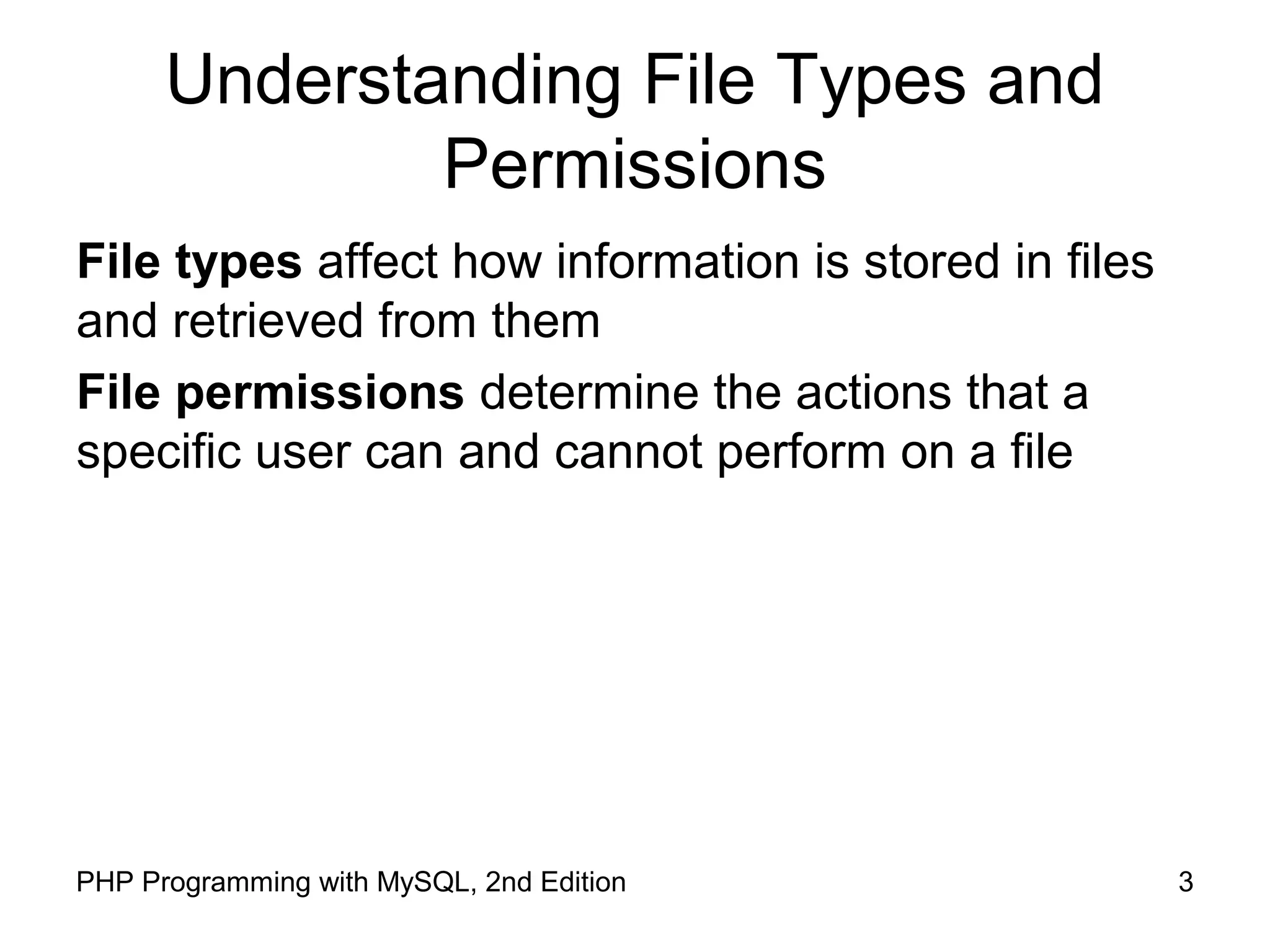
• Understand file type and permissions
• Work with directories
• Upload and download files
• Write data to files
• Read data from files
• Open and close a file stream
• Manage files and directories
3PHP Programming with MySQL, 2nd Edition
Understanding File Types and
Permissions
File types affect how information is stored in files
and retrieved from them
File permissions determine the actions that a
specific user can and cannot perform on a file
4PHP Programming with MySQL, 2nd Edition
Understanding File Types
A binary file is a series of characters or bytes for
which PHP attaches no special meaning
Structure is determined by the application that
reads or writes to the file
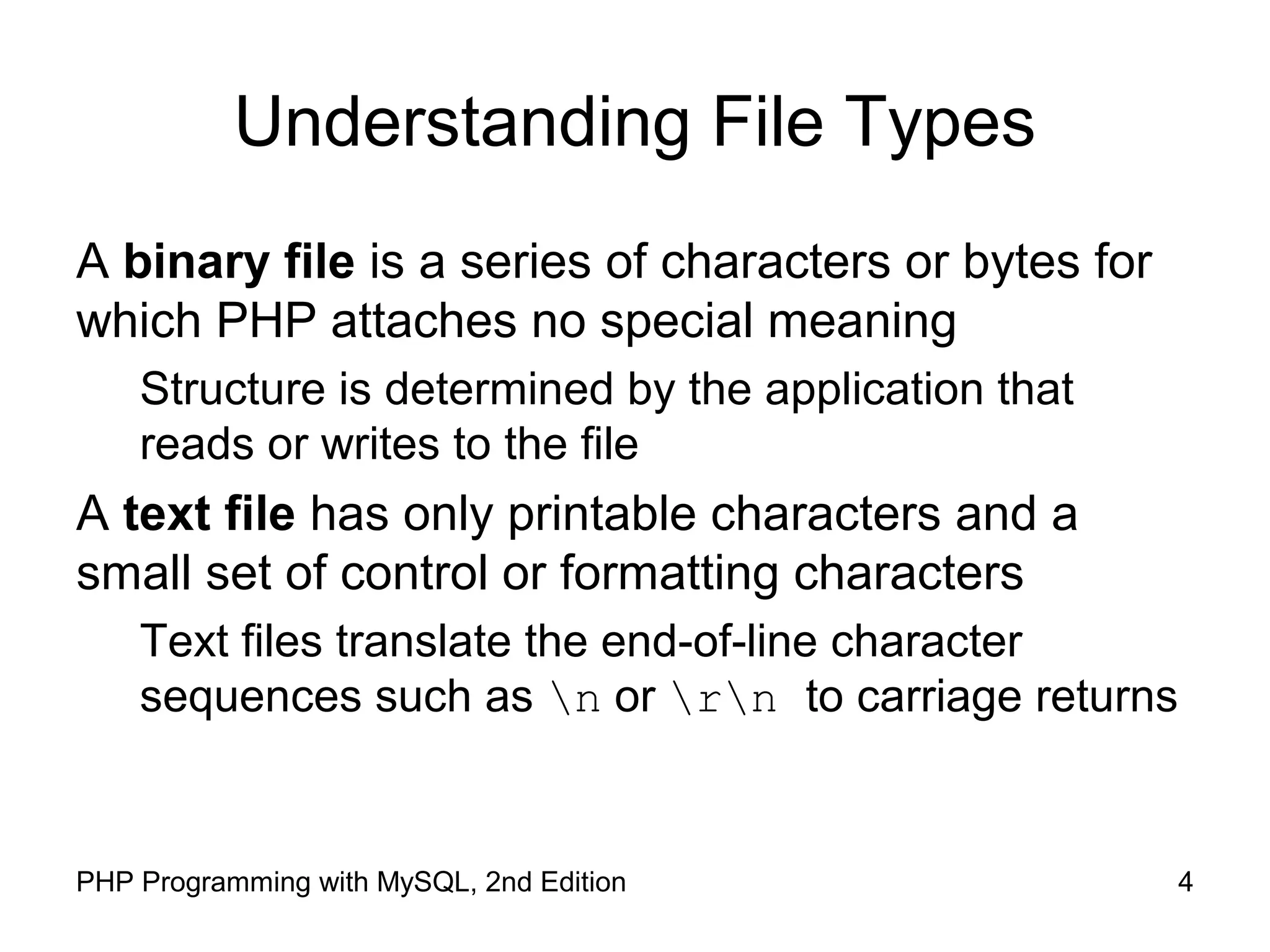
A text file has only printable characters and a
small set of control or formatting characters
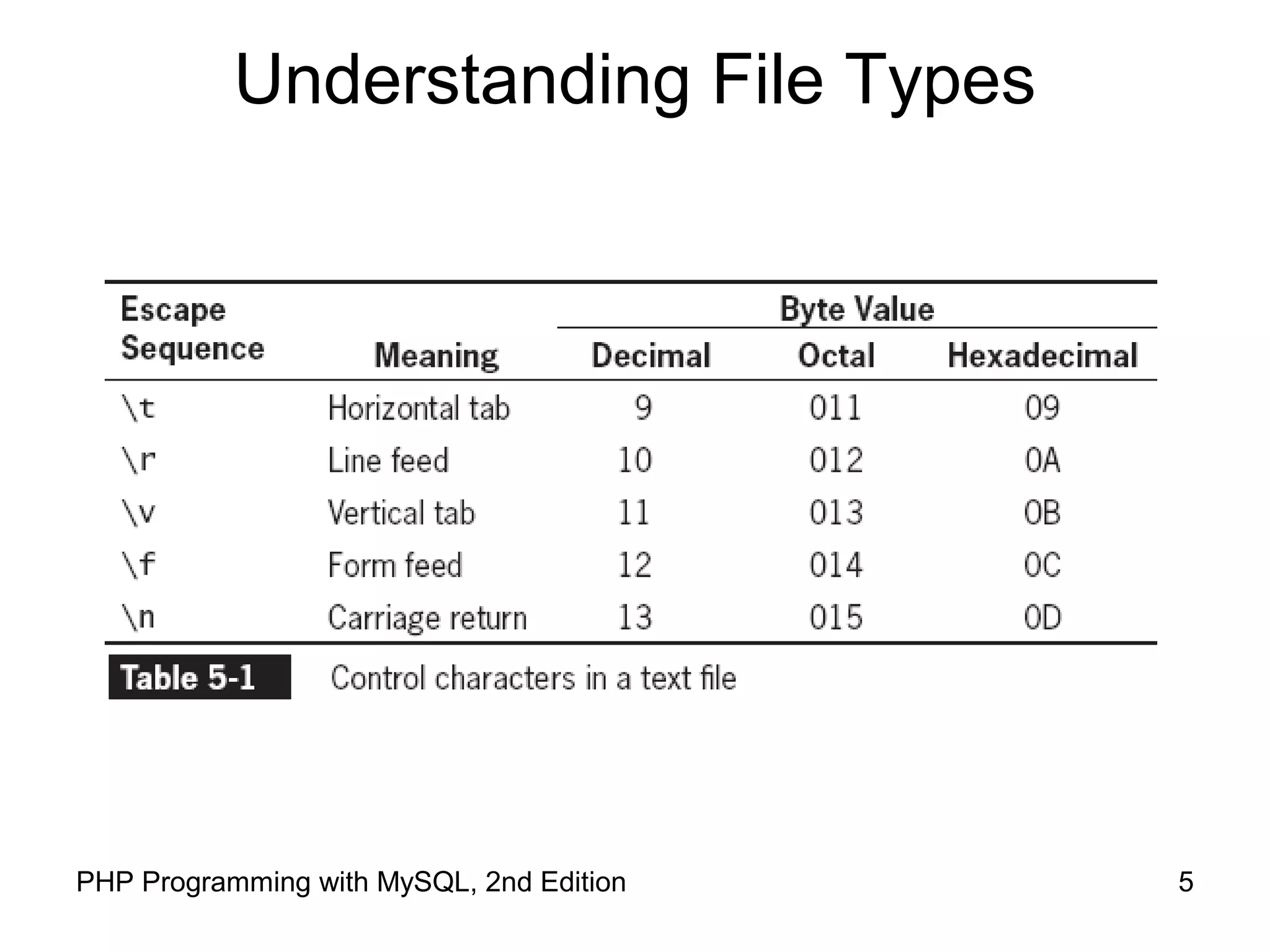
Text files translate the end-of-line character
sequences such as n or rn to carriage returns
5PHP Programming with MySQL, 2nd Edition
Understanding File Types
6PHP Programming with MySQL, 2nd Edition
Understanding File Types
Different operating systems use different escape
sequences to identify the end of a line:
Use the n sequence to end a line on a UNIX/Linux operating
system
Use the nr sequence to end a line on a Windows operating
system
Use the r sequence to end a line on a Macintosh operating
system.
7PHP Programming with MySQL, 2nd Edition
Understanding File Types
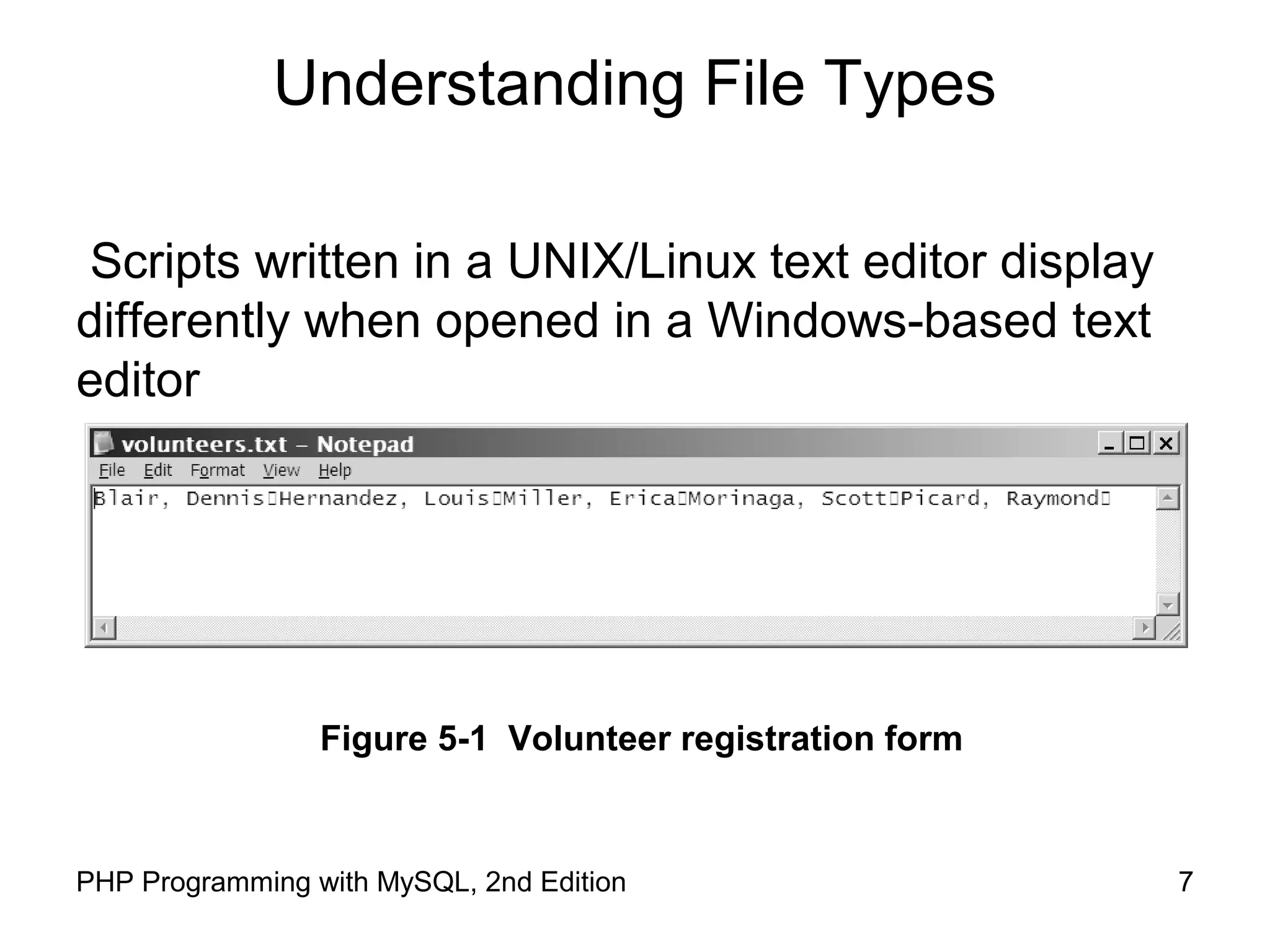
Scripts written in a UNIX/Linux text editor display
differently when opened in a Windows-based text
editor
Figure 5-1 Volunteer registration form
8PHP Programming with MySQL, 2nd Edition
Working with File Permissions
Files and directories have three levels of access:
User
Group
Other
The three typical permissions for files and
directories are:
Read (r)
Write (w)
Execute (x)
9PHP Programming with MySQL, 2nd Edition
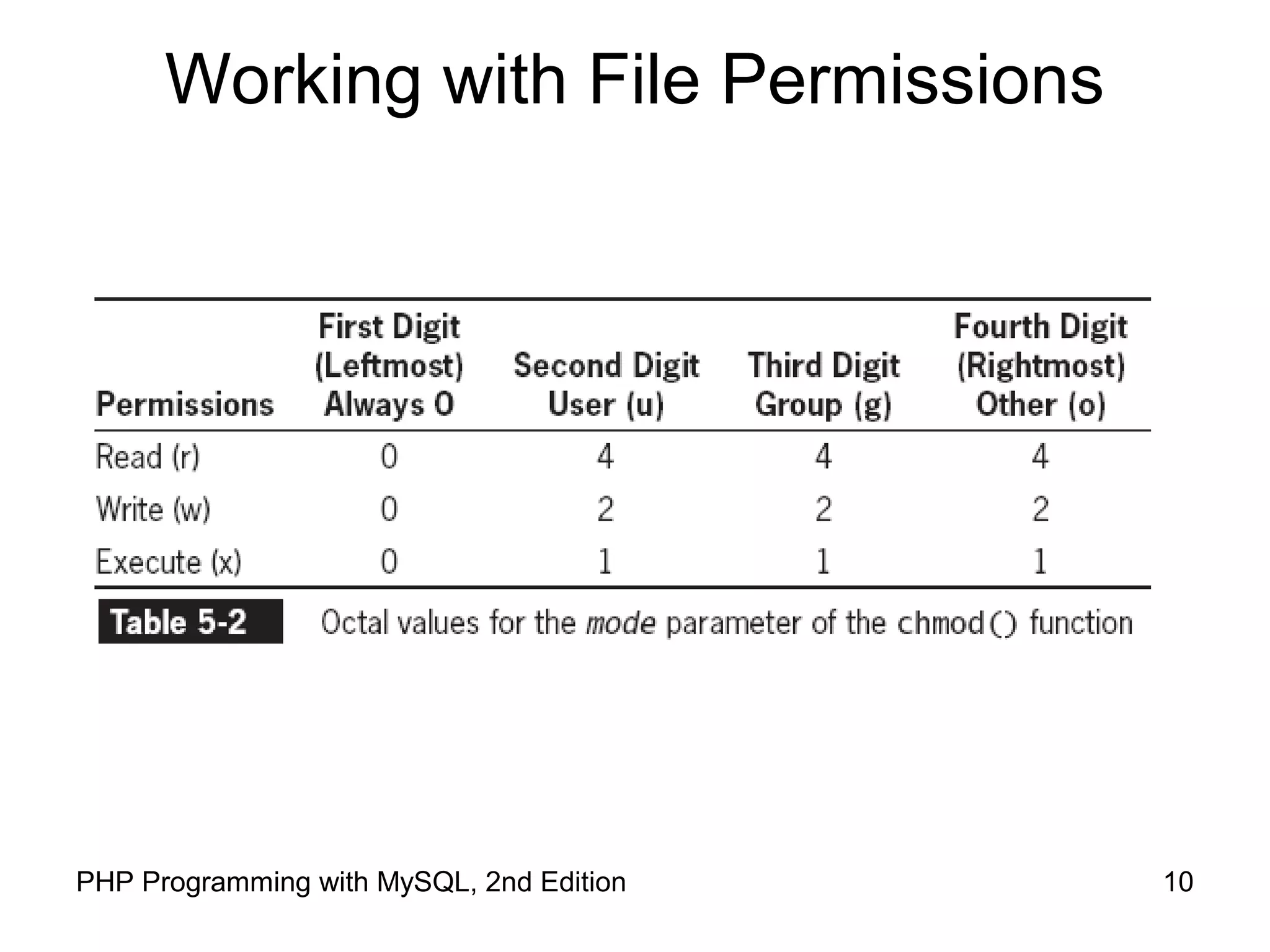
Working with File Permissions
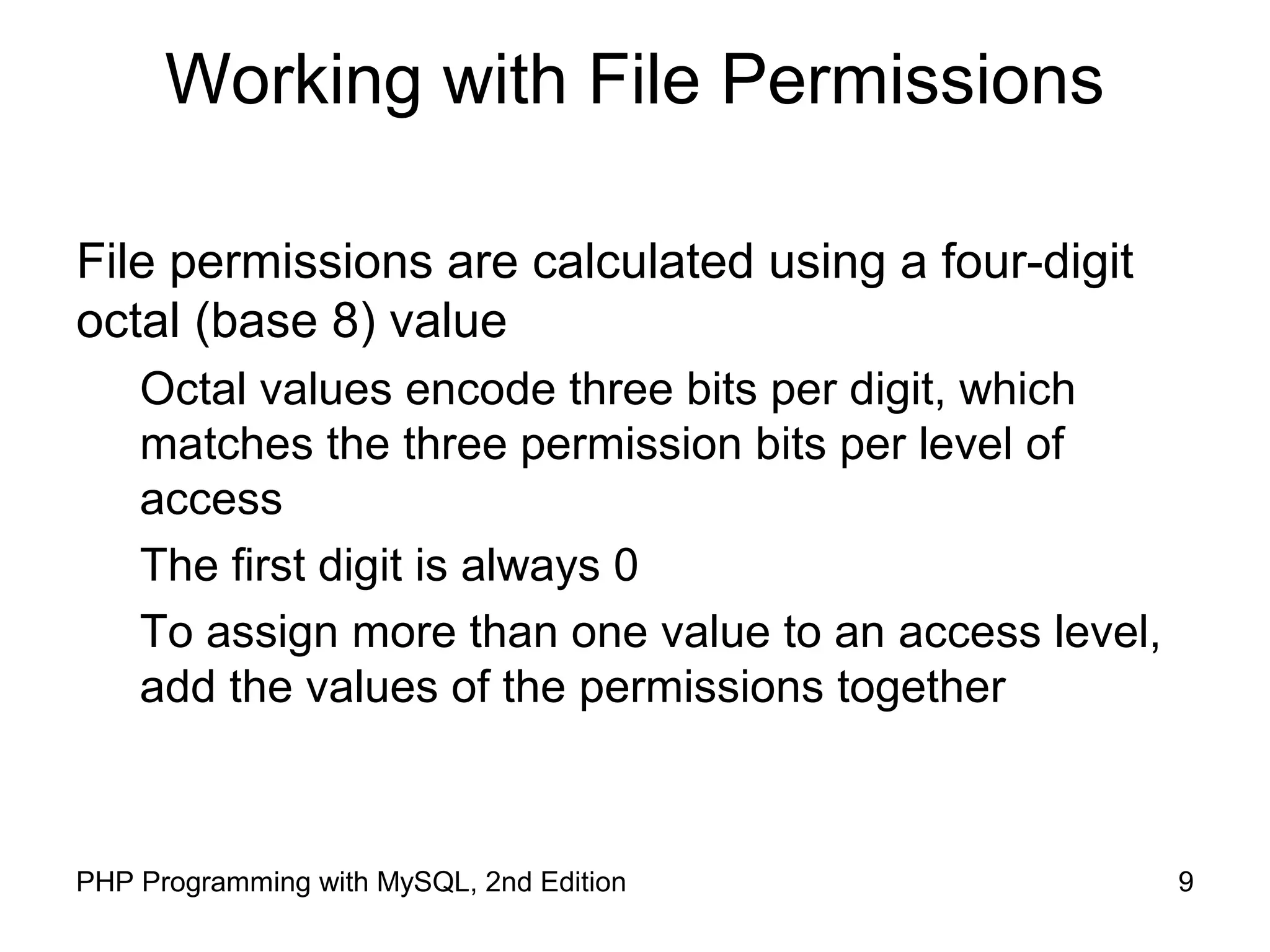
File permissions are calculated using a four-digit
octal (base 8) value
Octal values encode three bits per digit, which
matches the three permission bits per level of
access
The first digit is always 0
To assign more than one value to an access level,
add the values of the permissions together
10PHP Programming with MySQL, 2nd Edition
Working with File Permissions
11PHP Programming with MySQL, 2nd Edition
Working with File Permissions
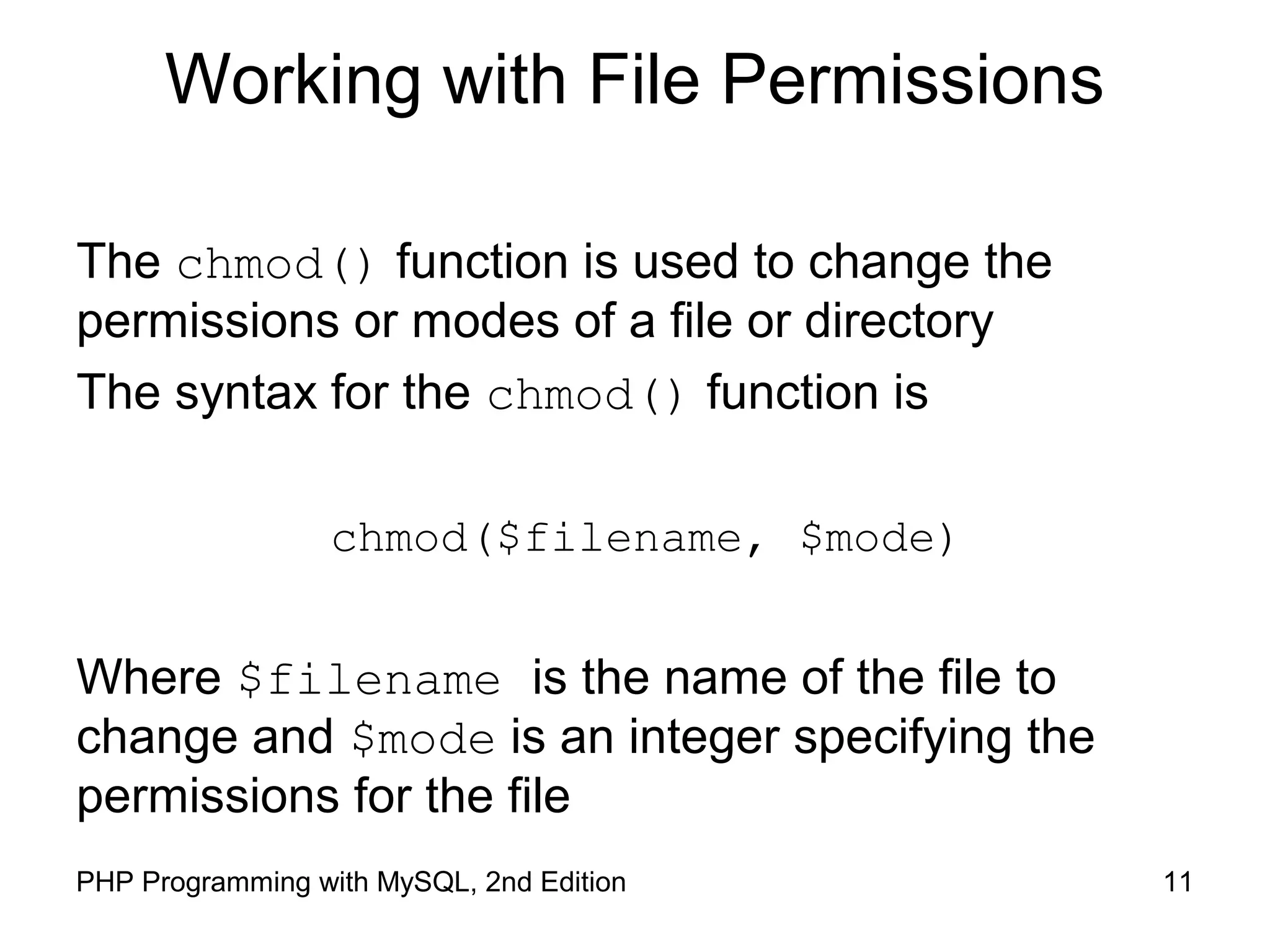
The chmod() function is used to change the
permissions or modes of a file or directory
The syntax for the chmod() function is
chmod($filename, $mode)
Where $filename is the name of the file to
change and $mode is an integer specifying the
permissions for the file
12PHP Programming with MySQL, 2nd Edition
Checking Permissions
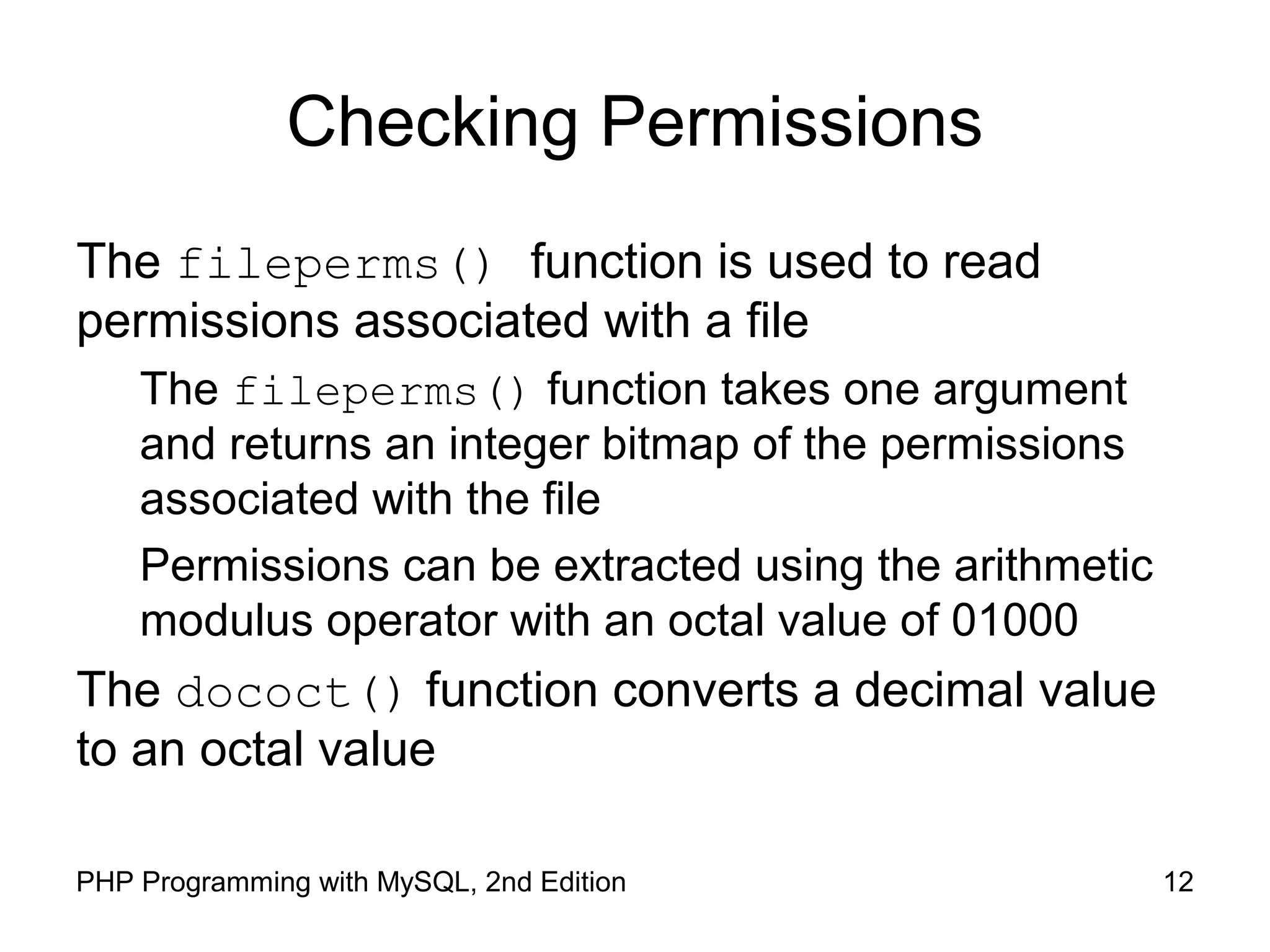
The fileperms() function is used to read
permissions associated with a file
The fileperms() function takes one argument
and returns an integer bitmap of the permissions
associated with the file
Permissions can be extracted using the arithmetic
modulus operator with an octal value of 01000
The dococt() function converts a decimal value
to an octal value
13PHP Programming with MySQL, 2nd Edition
Reading Directories
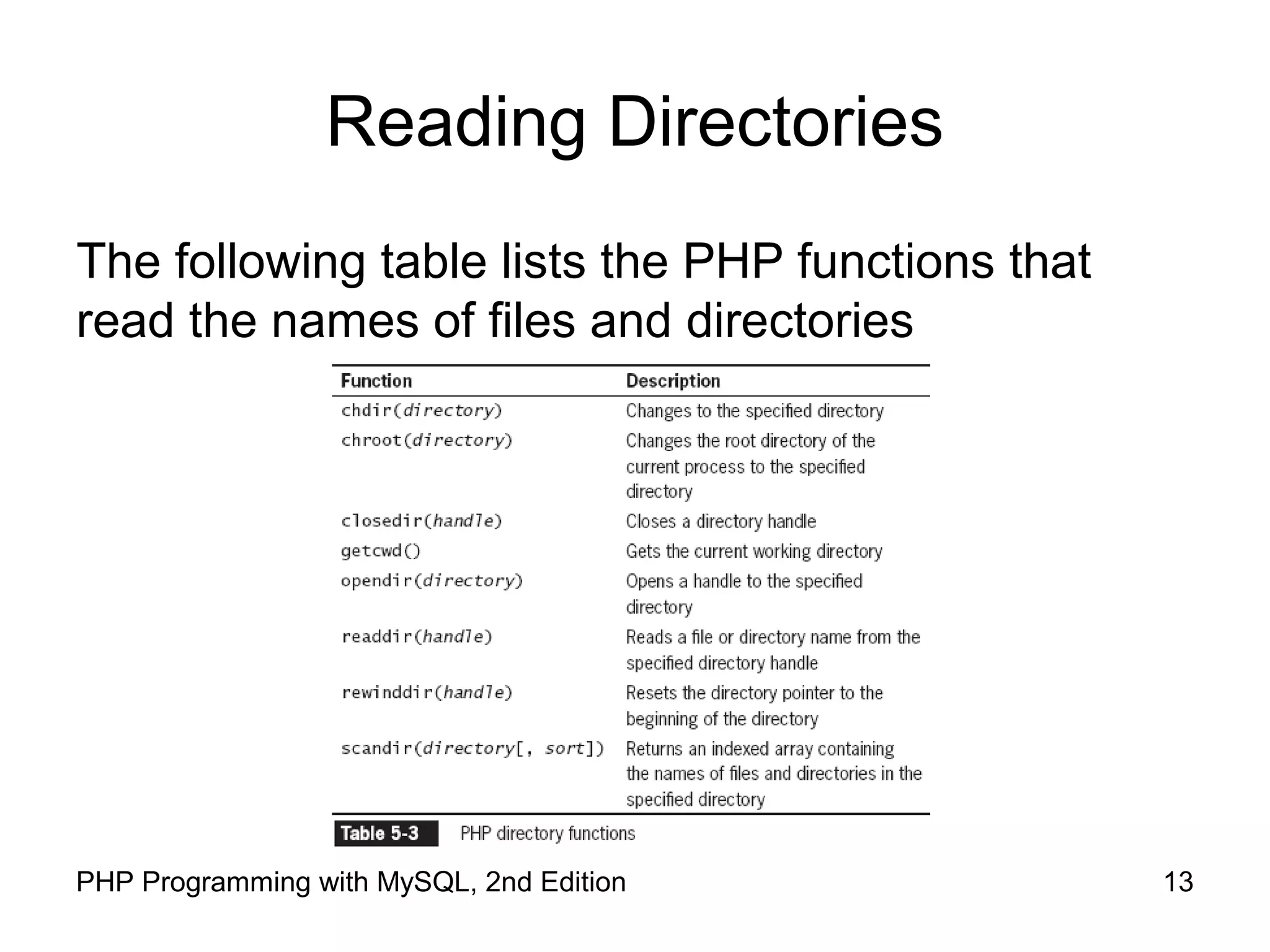
The following table lists the PHP functions that
read the names of files and directories
14PHP Programming with MySQL, 2nd Edition
Reading Directories
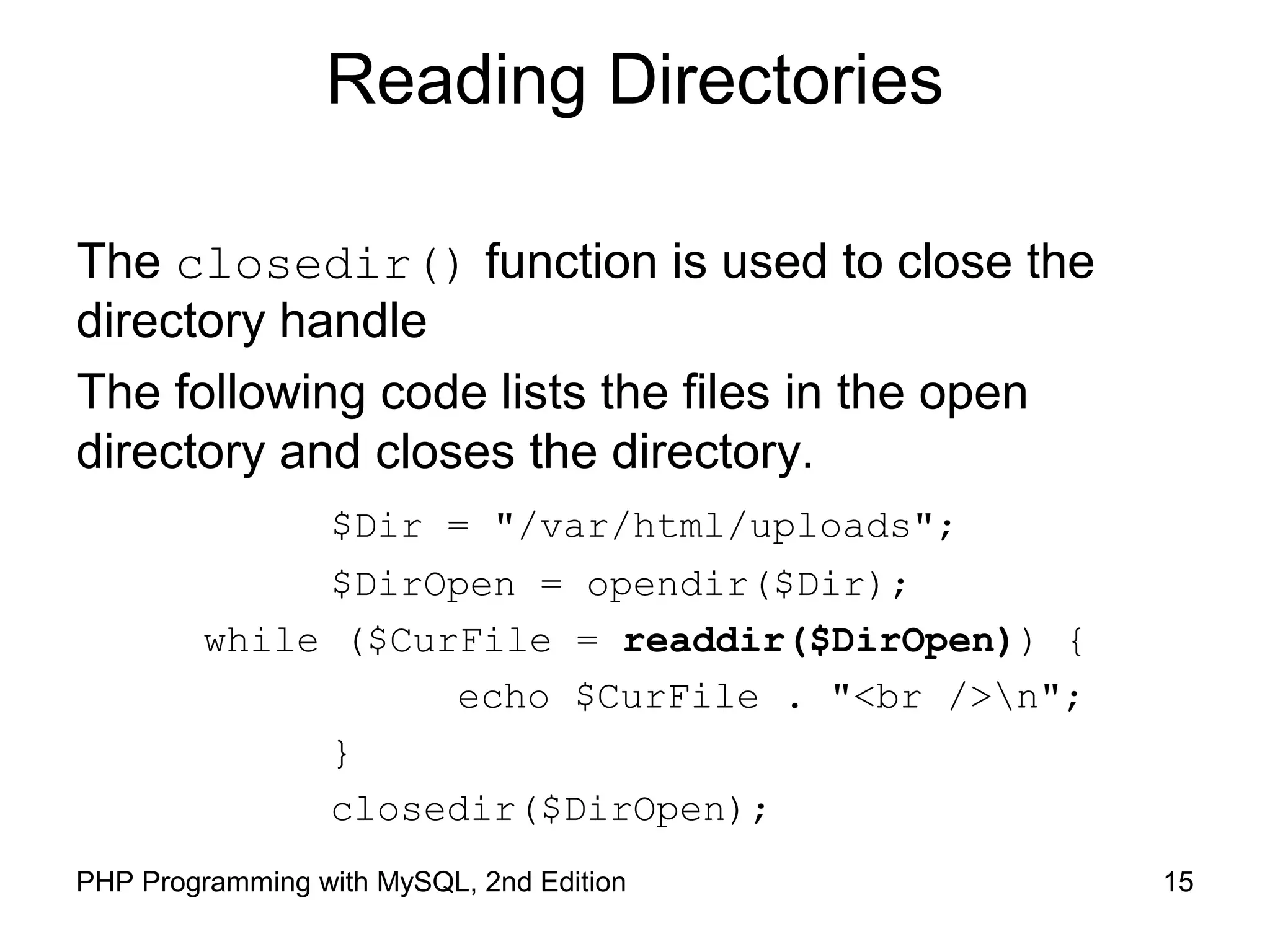
The opendir() function is used to iterate through
entries in a directory
A handle is a special type of variable that PHP
used to represent a resource such as a file or a
directory
The readdir() function returns the file and
directory names of an open directory
The directory pointer is a special type of variable
that refers to the currently selected record in a
directory listing
15PHP Programming with MySQL, 2nd Edition
Reading Directories
The closedir() function is used to close the
directory handle
The following code lists the files in the open
directory and closes the directory.
$Dir = "/var/html/uploads";
$DirOpen = opendir($Dir);
while ($CurFile = readdir($DirOpen)) {
echo $CurFile . "<br />n";
}
closedir($DirOpen);
16PHP Programming with MySQL, 2nd Edition
Reading Directories
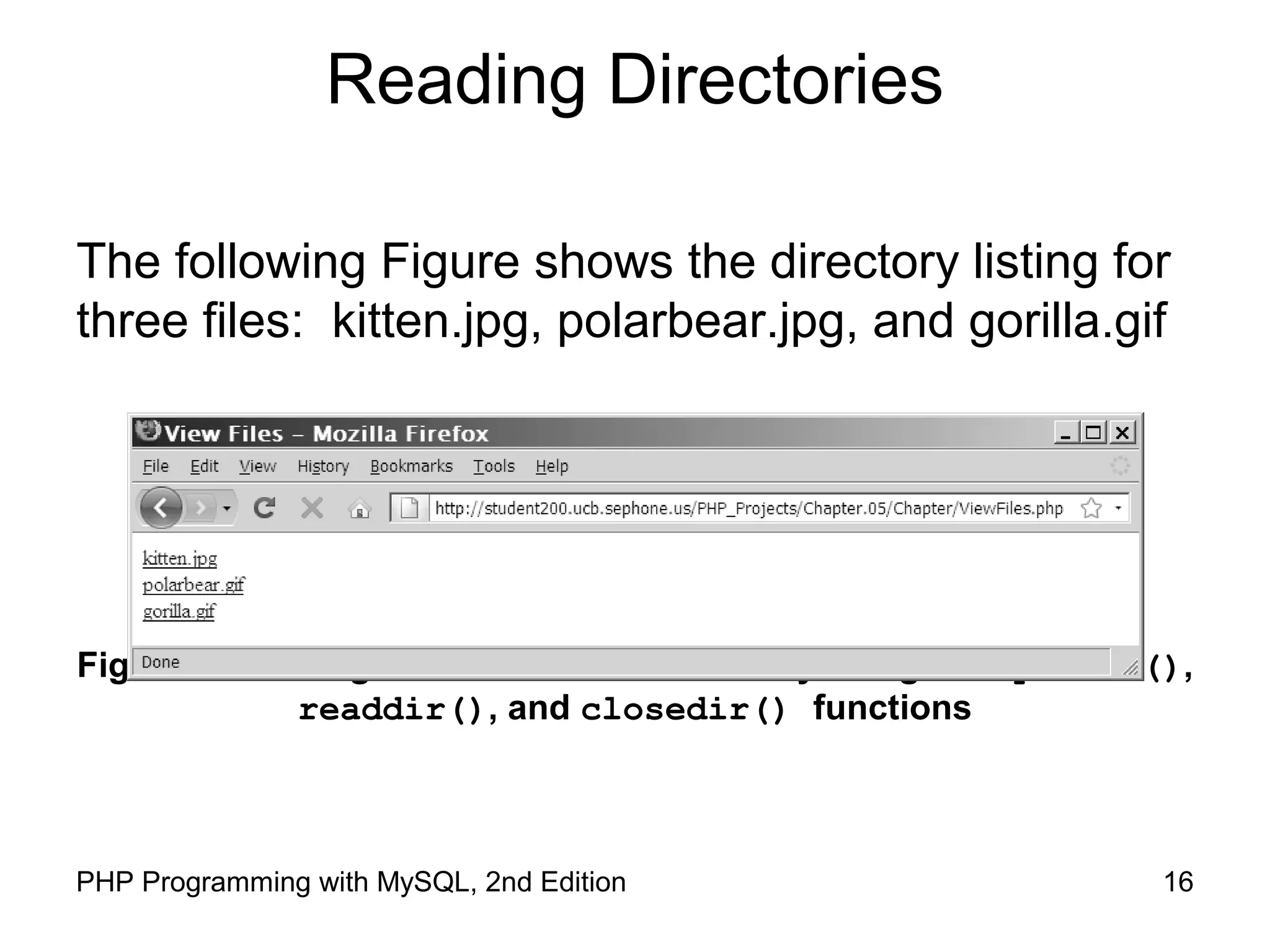
The following Figure shows the directory listing for
three files: kitten.jpg, polarbear.jpg, and gorilla.gif
Figure 5-2 Listing of the “files” subdirectory using the opendir(),
readdir(), and closedir() functions
17PHP Programming with MySQL, 2nd Edition
Reading Directories
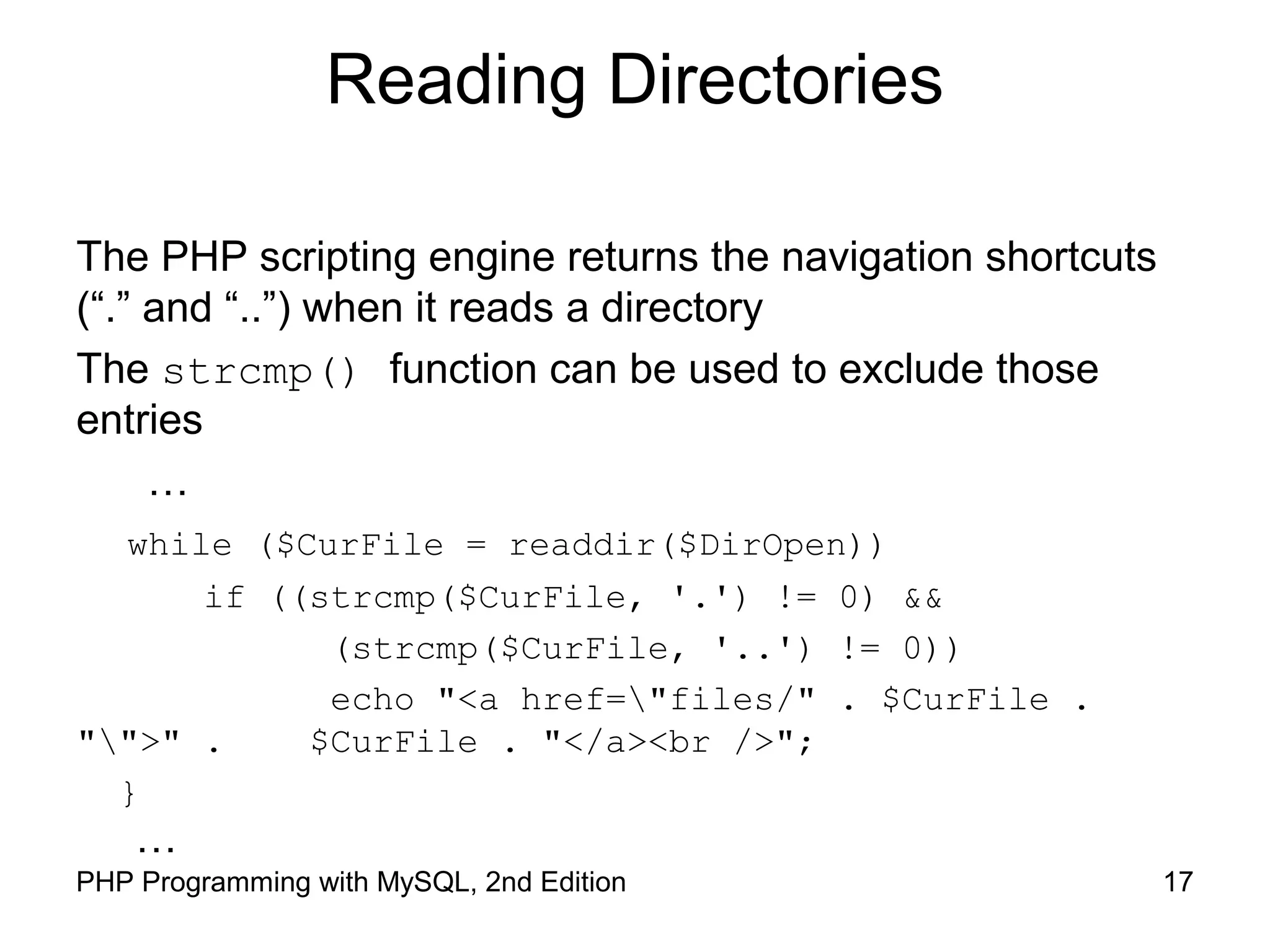
The PHP scripting engine returns the navigation shortcuts
(“.” and “..”) when it reads a directory
The strcmp() function can be used to exclude those
entries
…
while ($CurFile = readdir($DirOpen))
if ((strcmp($CurFile, '.') != 0) &&
(strcmp($CurFile, '..') != 0))
echo "<a href="files/" . $CurFile .
"">" . $CurFile . "</a><br />";
}
…
18PHP Programming with MySQL, 2nd Edition
Reading Directories
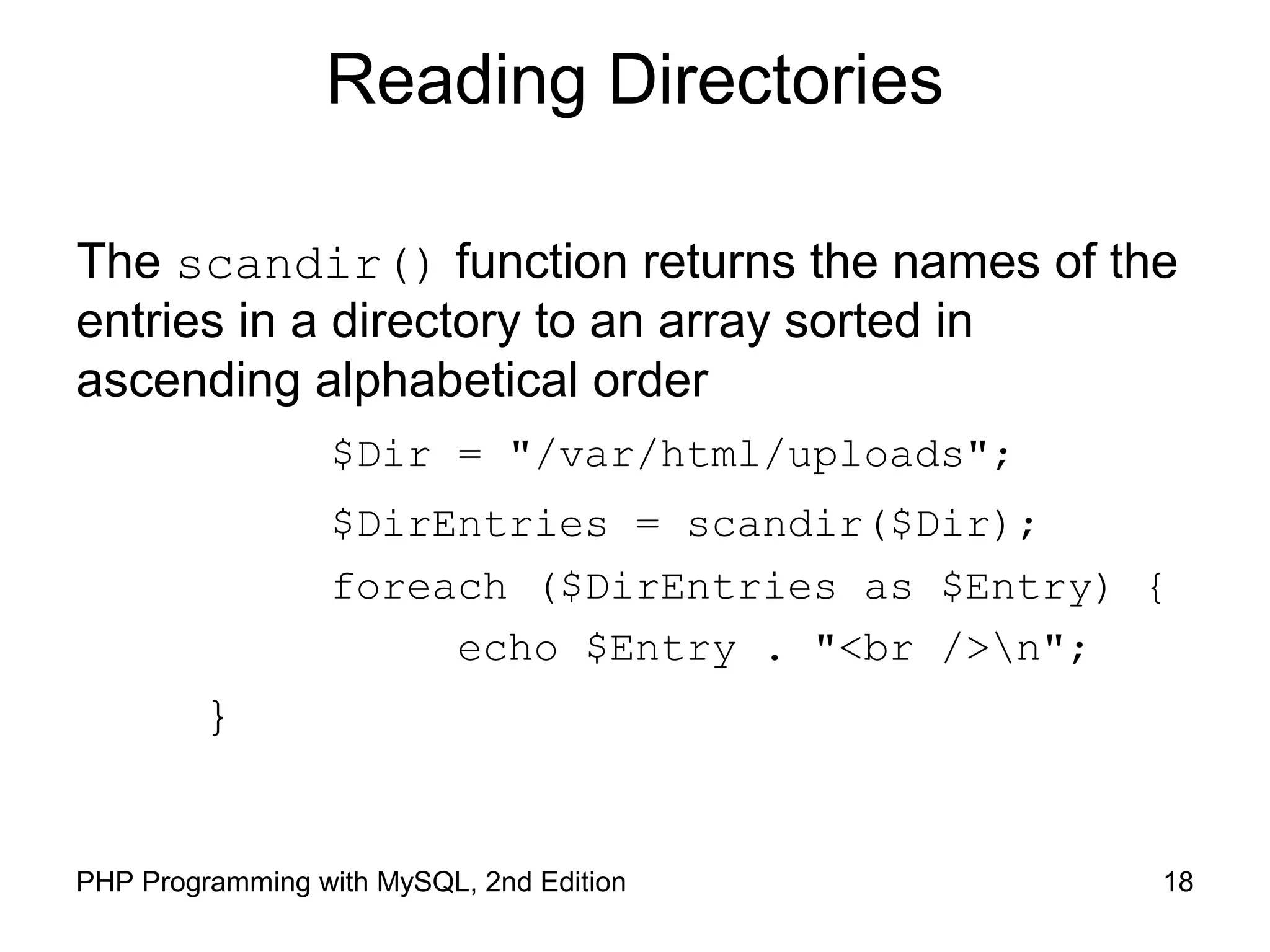
The scandir() function returns the names of the
entries in a directory to an array sorted in
ascending alphabetical order
$Dir = "/var/html/uploads";
$DirEntries = scandir($Dir);
foreach ($DirEntries as $Entry) {
echo $Entry . "<br />n";
}
19PHP Programming with MySQL, 2nd Edition
Reading Directories
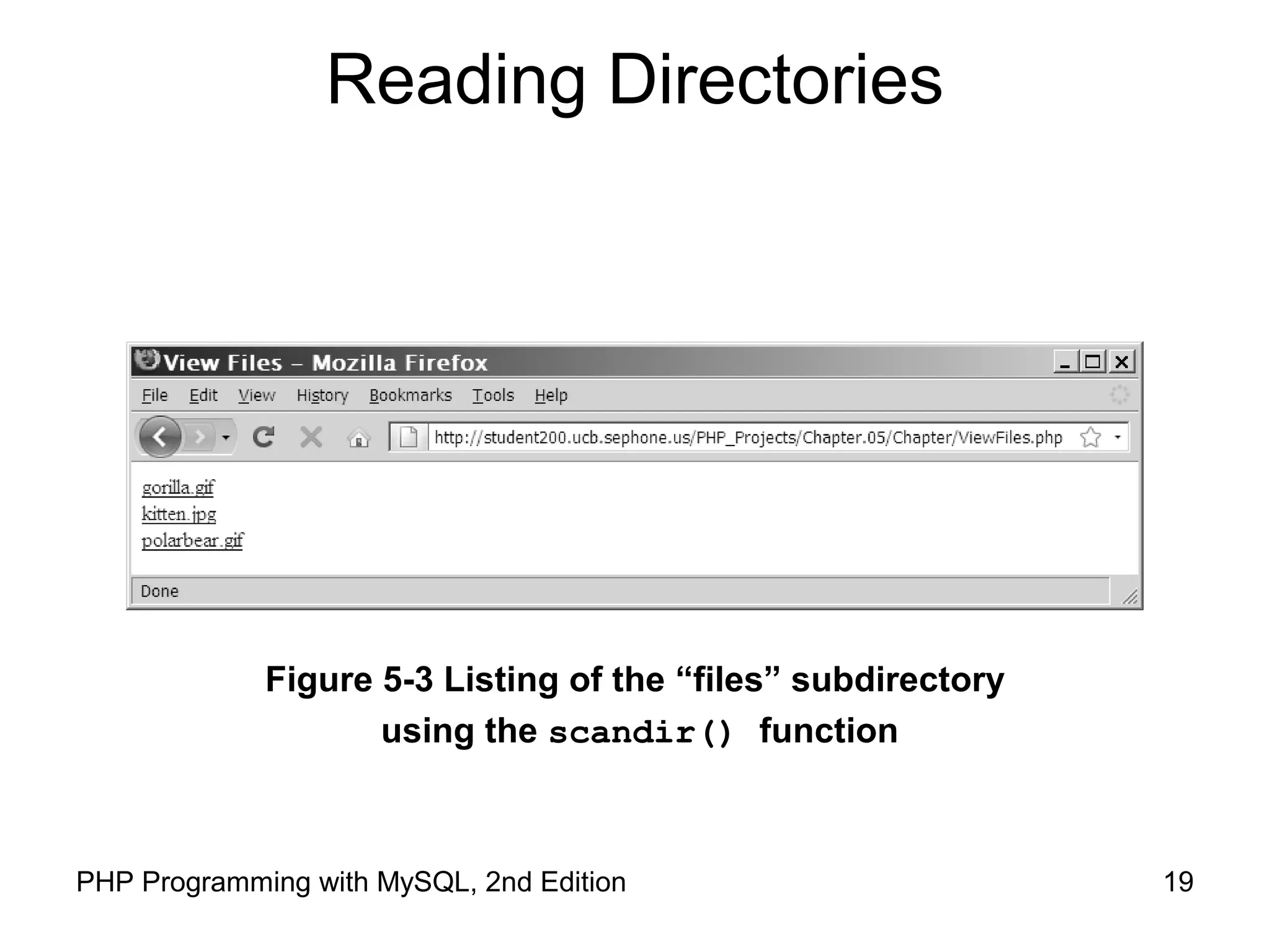
Figure 5-3 Listing of the “files” subdirectory
using the scandir() function
20PHP Programming with MySQL, 2nd Edition
Creating Directories
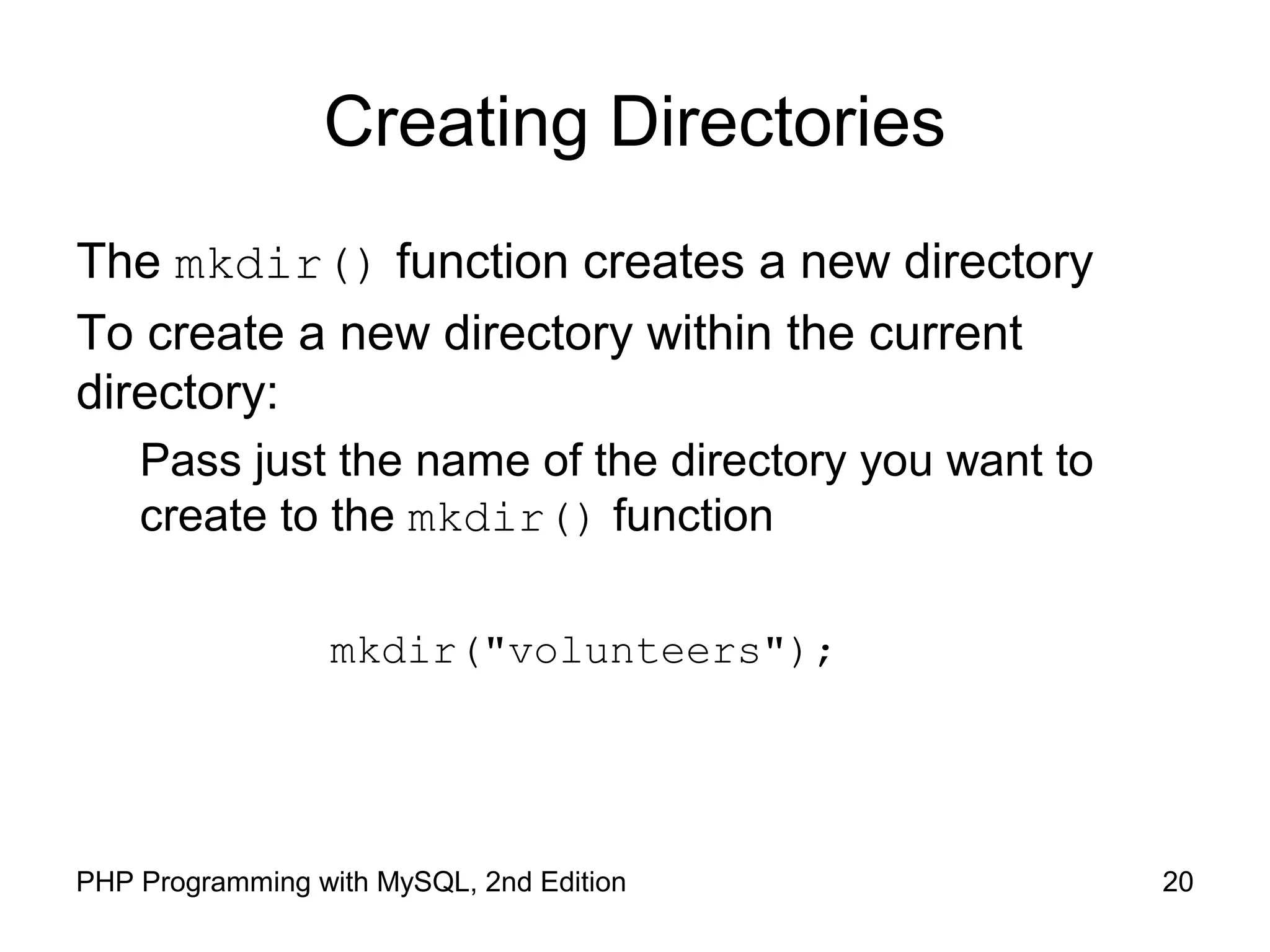
The mkdir() function creates a new directory
To create a new directory within the current
directory:
Pass just the name of the directory you want to
create to the mkdir() function
mkdir("volunteers");
21PHP Programming with MySQL, 2nd Edition
Creating Directories
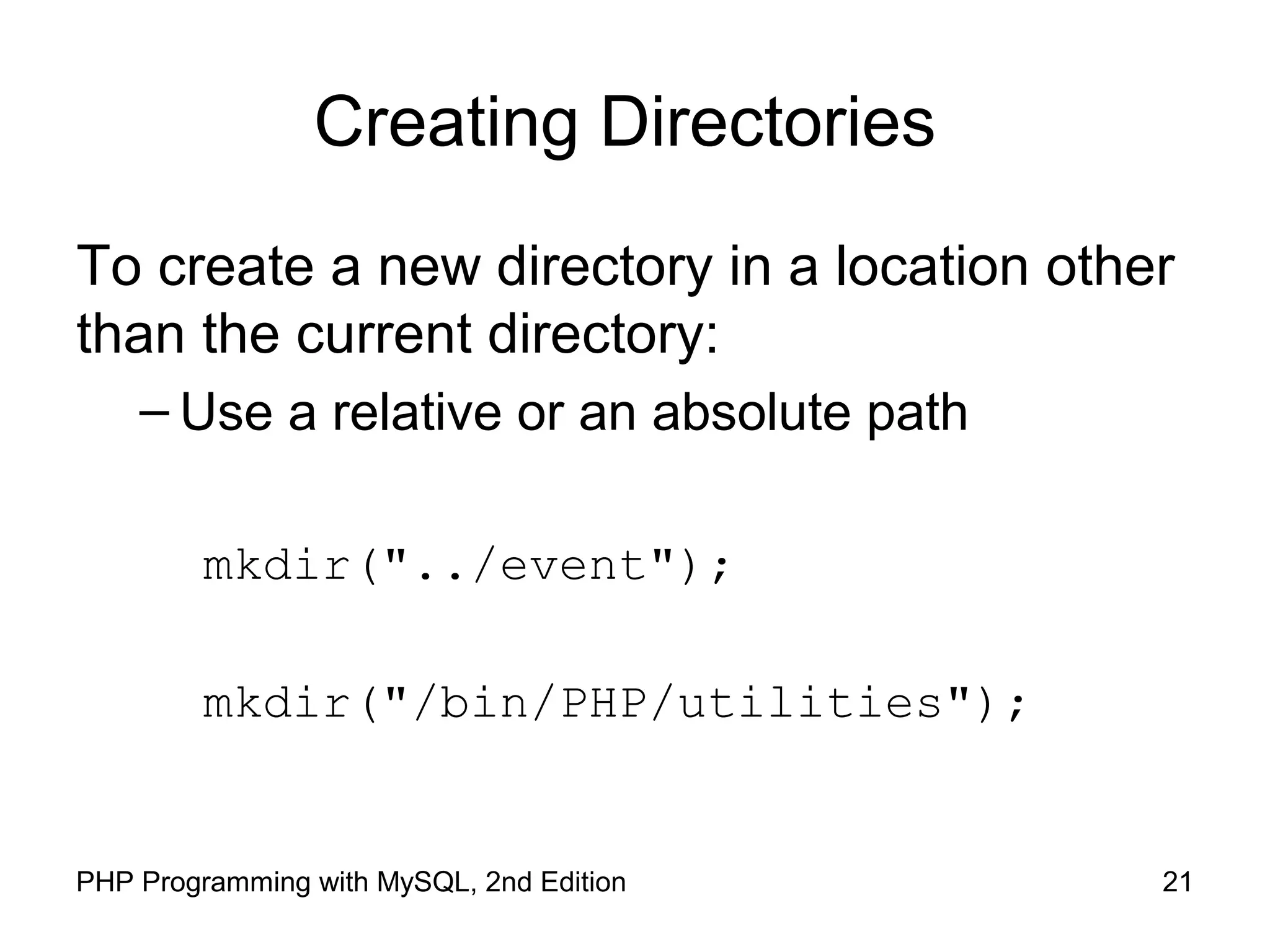
To create a new directory in a location other
than the current directory:
– Use a relative or an absolute path
mkdir("../event");
mkdir("/bin/PHP/utilities");
22PHP Programming with MySQL, 2nd Edition
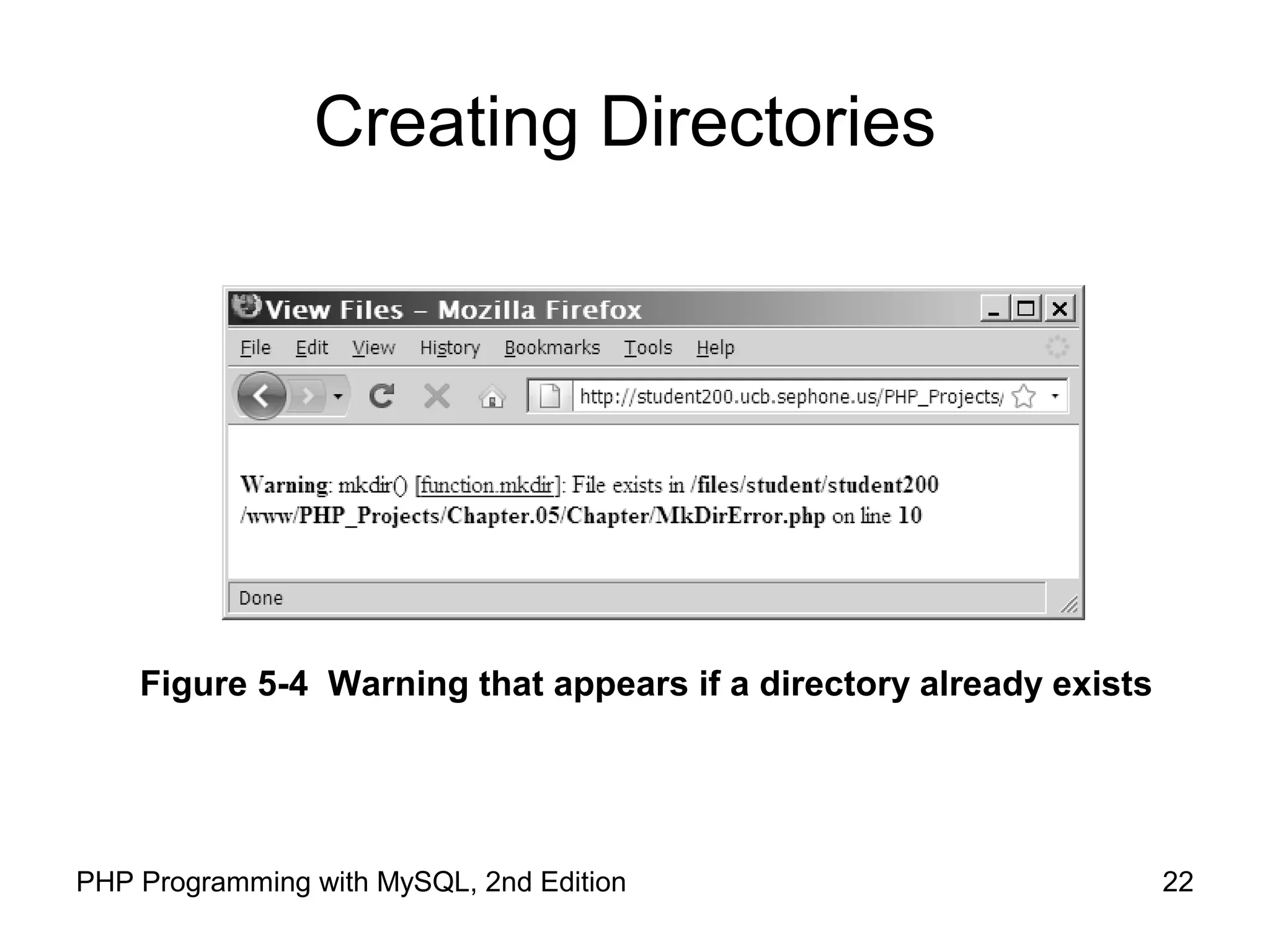
Creating Directories
Figure 5-4 Warning that appears if a directory already exists
23PHP Programming with MySQL, 2nd Edition
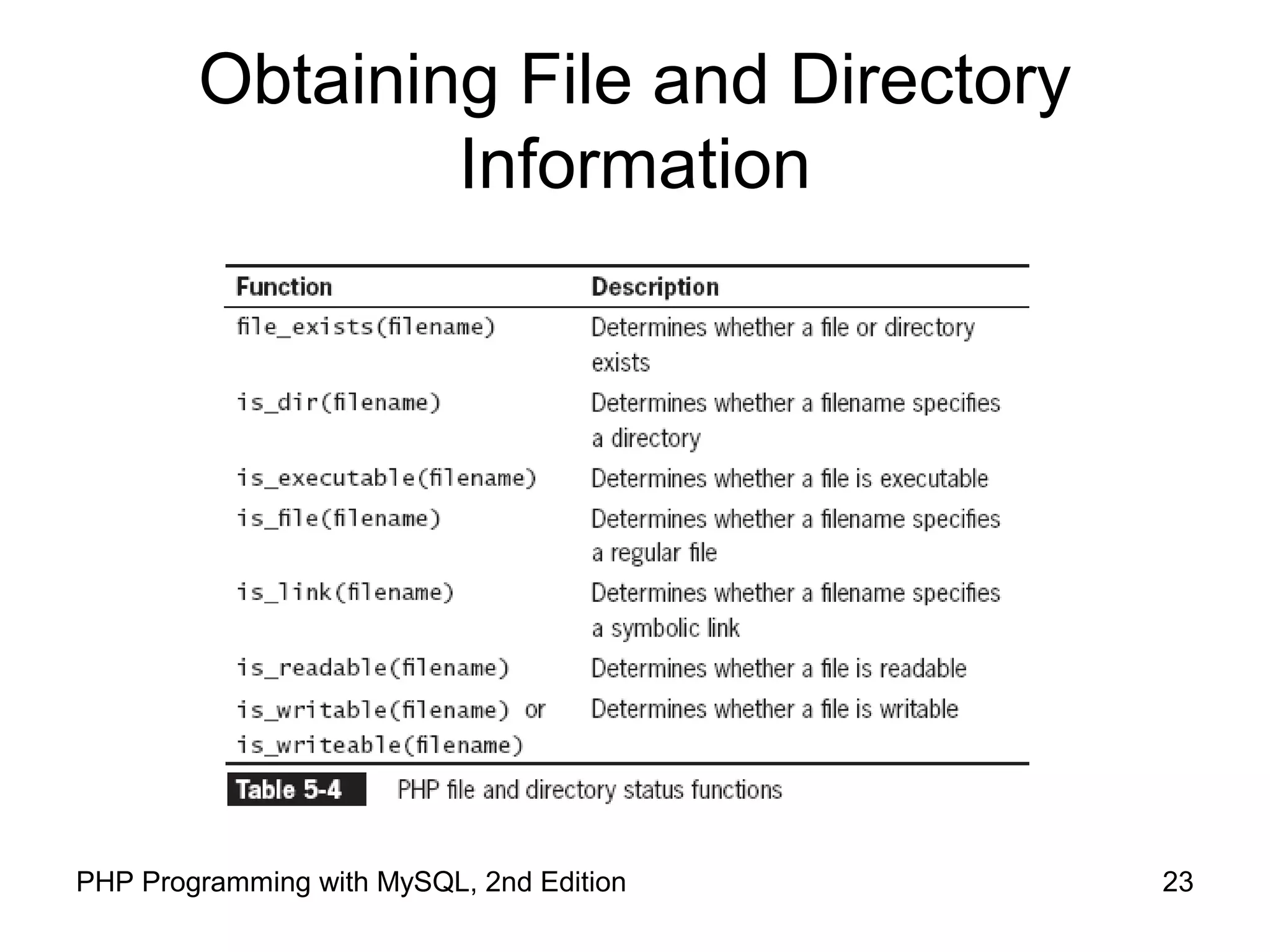
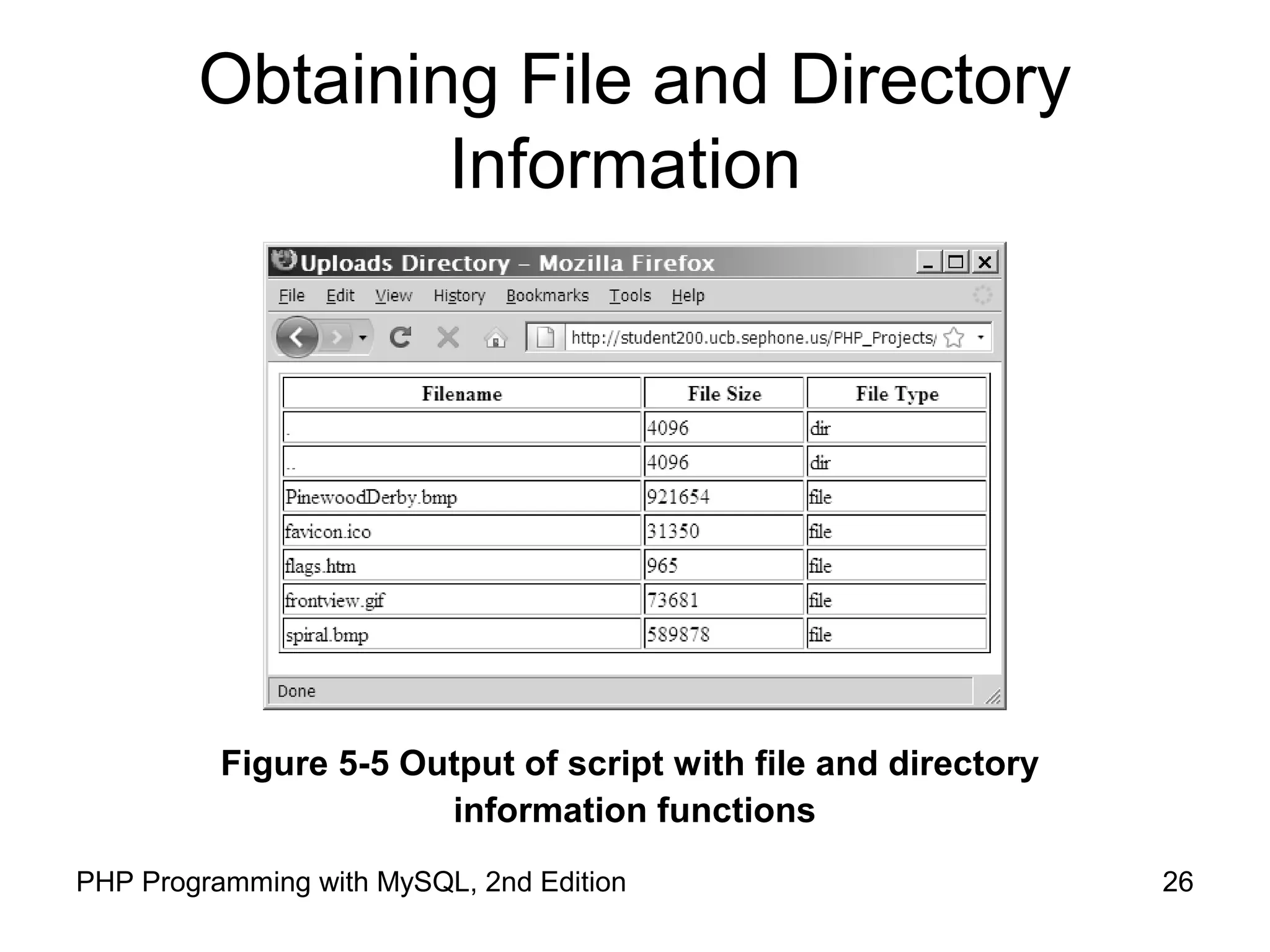
Obtaining File and Directory
Information
24PHP Programming with MySQL, 2nd Edition
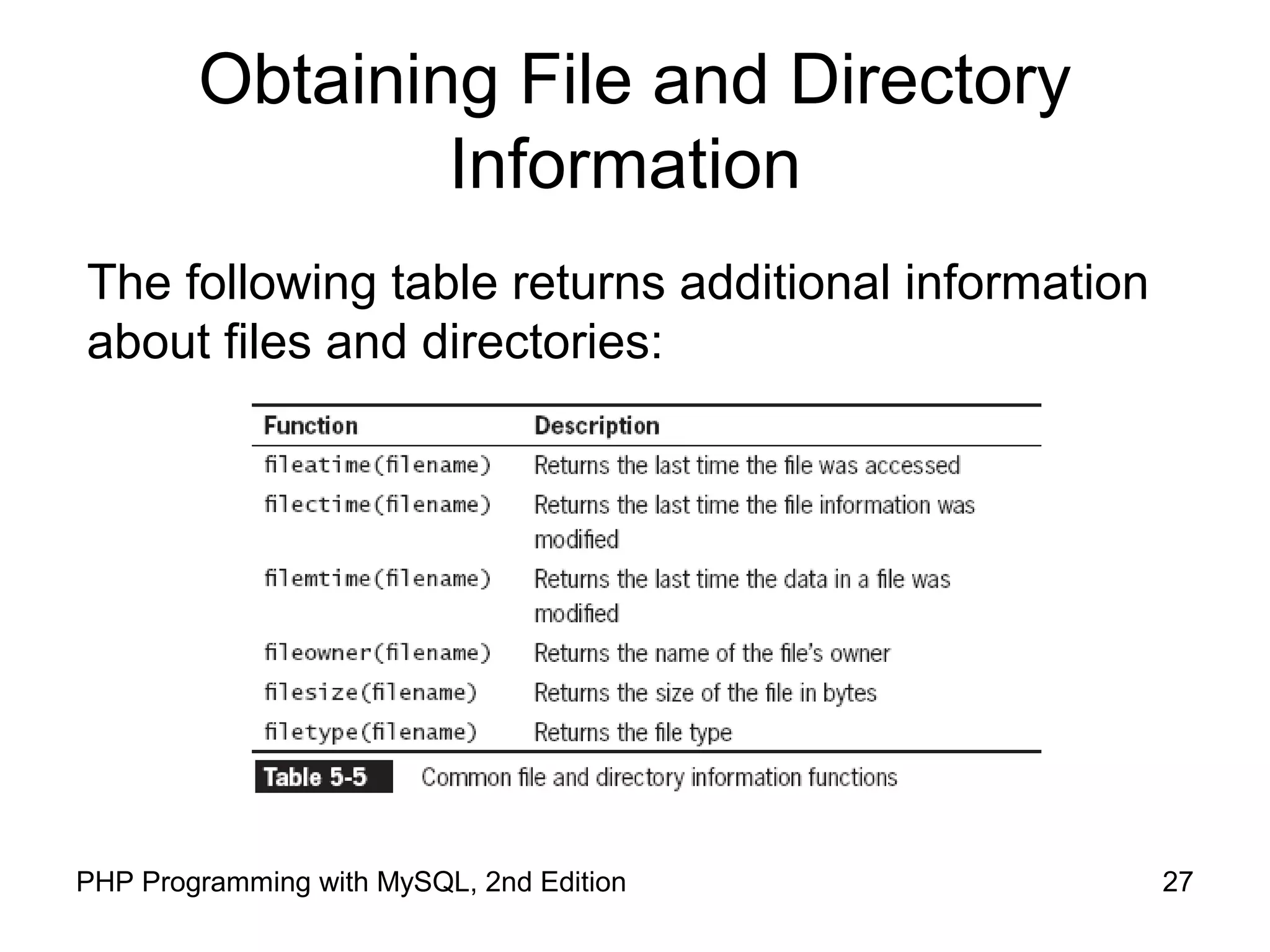
Obtaining File and Directory
Information
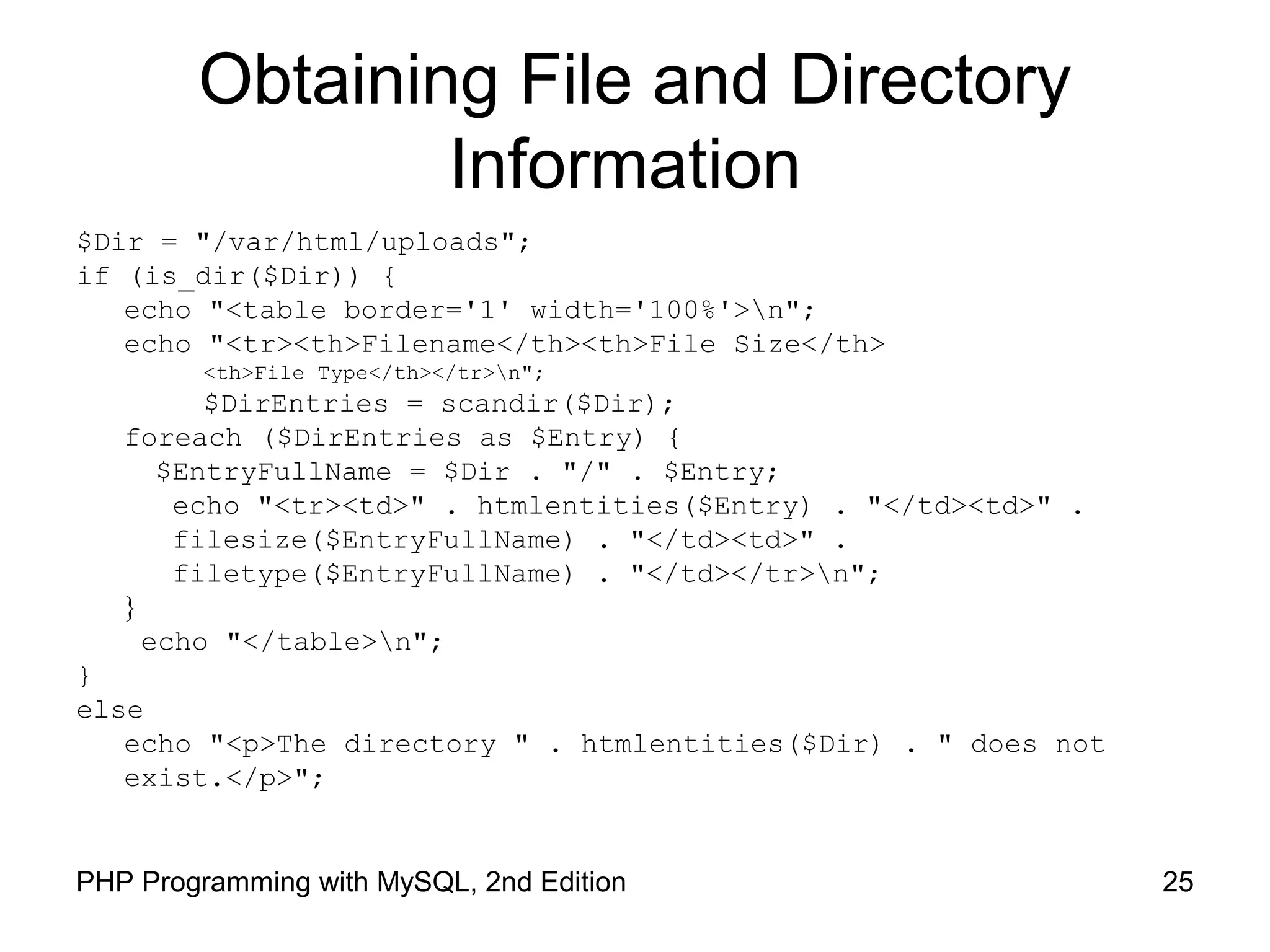
25PHP Programming with MySQL, 2nd Edition
Obtaining File and Directory
Information
$Dir = "/var/html/uploads";
if (is_dir($Dir)) {
echo "<table border='1' width='100%'>n";
echo "<tr><th>Filename</th><th>File Size</th>
<th>File Type</th></tr>n";
$DirEntries = scandir($Dir);
foreach ($DirEntries as $Entry) {
$EntryFullName = $Dir . "/" . $Entry;
echo "<tr><td>" . htmlentities($Entry) . "</td><td>" .
filesize($EntryFullName) . "</td><td>" .
filetype($EntryFullName) . "</td></tr>n";
}
echo "</table>n";
}
else
echo "<p>The directory " . htmlentities($Dir) . " does not
exist.</p>";
26PHP Programming with MySQL, 2nd Edition
Obtaining File and Directory
Information
Figure 5-5 Output of script with file and directory
information functions
27PHP Programming with MySQL, 2nd Edition
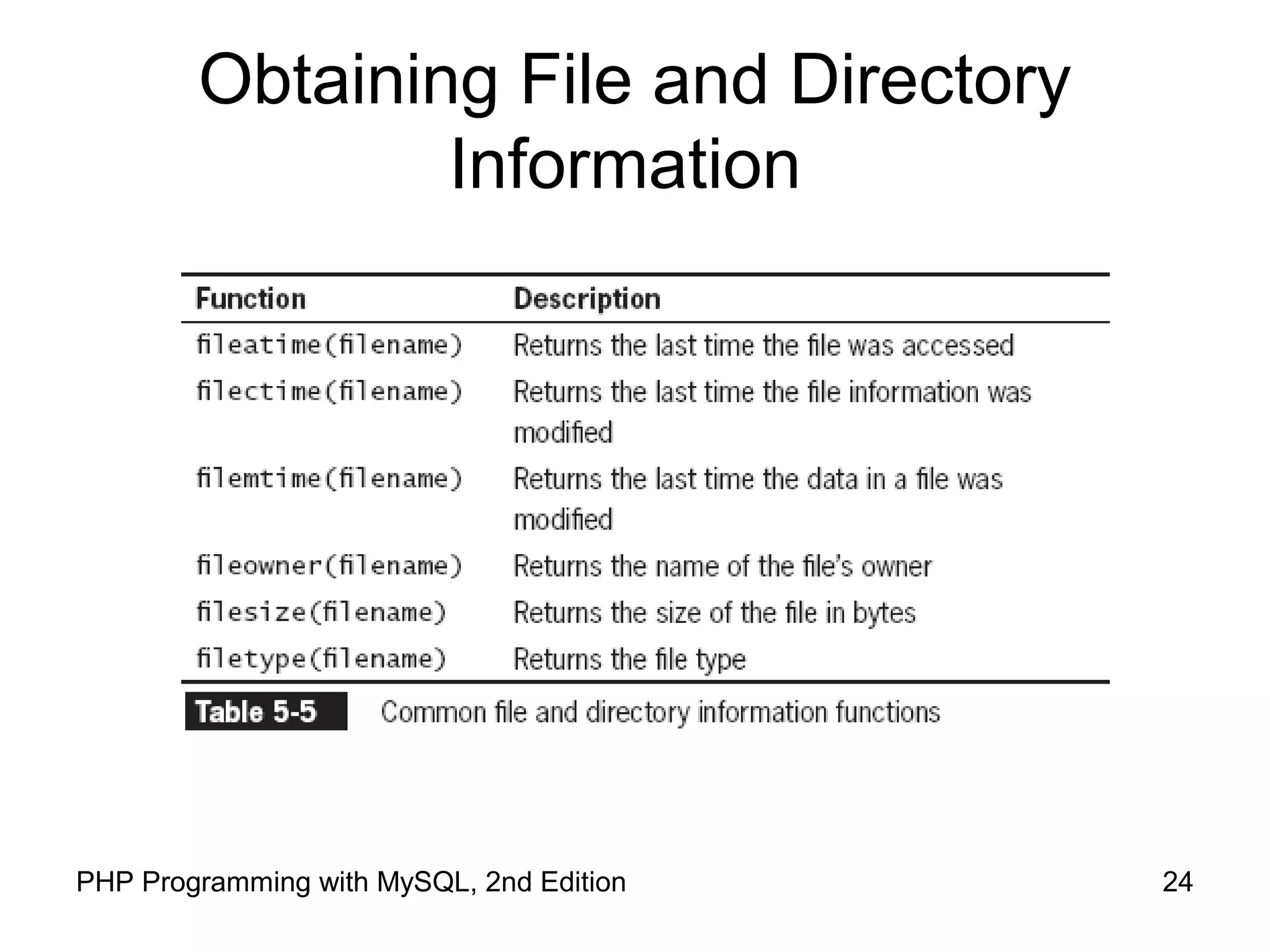
Obtaining File and Directory
Information
The following table returns additional information
about files and directories:
28PHP Programming with MySQL, 2nd Edition
Uploading and Downloading Files
Web applications allow visitors to upload files to
and from from their local computer (often referred
to as the client)
The files that are uploaded and downloaded may
be simple text files or more complex file types,
such as images, documents, or spreadsheets
29PHP Programming with MySQL, 2nd Edition
Selecting the File
Files are uploaded through an XHTML form using
the “post” method
An enctype attribute in the opening form tag must
have a value of “multipart/form-data,” which
instructs the browser to post multiple sections –
one for regular form data and one for the file
contents
30PHP Programming with MySQL, 2nd Edition
Selecting the File
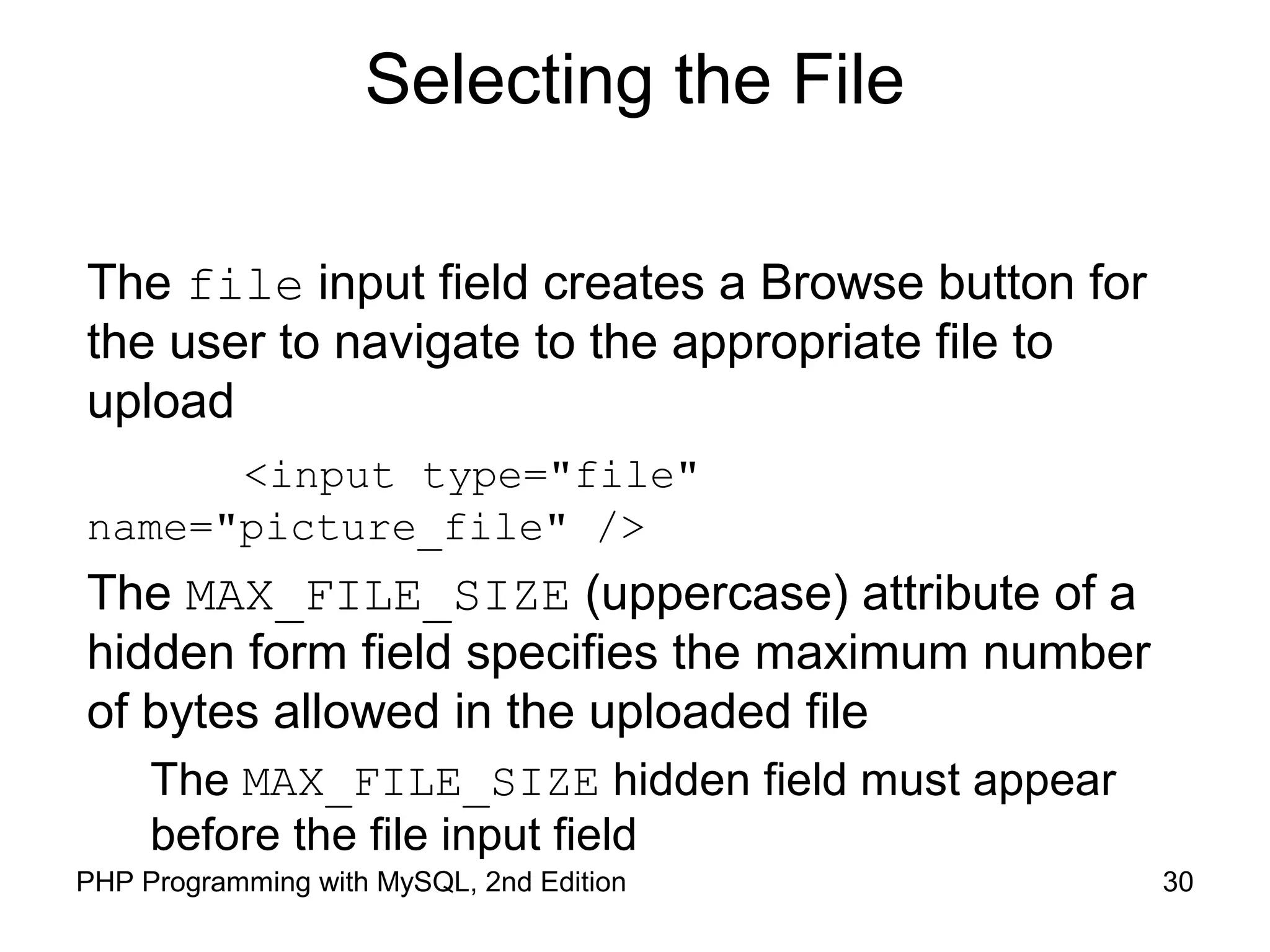
The file input field creates a Browse button for
the user to navigate to the appropriate file to
upload
<input type="file"
name="picture_file" />
The MAX_FILE_SIZE (uppercase) attribute of a
hidden form field specifies the maximum number
of bytes allowed in the uploaded file
The MAX_FILE_SIZE hidden field must appear
before the file input field
31PHP Programming with MySQL, 2nd Edition
Retrieving the File Information
When the form is posted, information for the
uploaded file is stored in the $_FILES autoglobal
array
The $_FILES[] array contains five elements:
$_FILES['picture_file']['error'] //
Contains the error code associated with the
file
$_FILES['picture_file']['tmp_name'] //
Contains the temporary location of the
file contents
32PHP Programming with MySQL, 2nd Edition
Retrieving the File Information
– // Contains the name of the original file
$_FILES['picture_file']['name']
– // Contains the size of the uploaded
file in bytes
$_FILES['picture_file']['size']
– // Contains the type of the file
$_FILES['picture_file']['type']
33PHP Programming with MySQL, 2nd Edition
Storing the Uploaded File
Uploaded files are either public or private
depending on whether they should be immediately
available or verified first
Public files are freely available to anyone visiting
the Web site
Private files are only available to authorized visitors
34PHP Programming with MySQL, 2nd Edition
Storing the Uploaded File
The move_uploaded_file() function moves
the uploaded file from its temporary location to a
permanent destination with the following syntax:
bool move_uploaded_file(string
$filename, string $destination)
$filename is the contents of
$_FILES['filefield']['tmp_name'] and
$destination is the path and filename of the
location where the file will be stored.
35PHP Programming with MySQL, 2nd Edition
Storing the Uploaded File
The function returns TRUE if the move succeeds,
and FALSE if the move fails
if (move_uploaded_file($_FILES['picture_file']
['tmp_name'], "uploads/" . $_FILES['picture_file']
['name']) === FALSE)
echo "Could not move uploaded file
to "uploads/" . htmlentities($_FILES['picture_file']
['name']) . ""<br />n";
else
echo "Successfully uploaded "uploads/" .
htmlentities($_FILES['picture_file']['name']) . ""<br
/>n";
36PHP Programming with MySQL, 2nd Edition
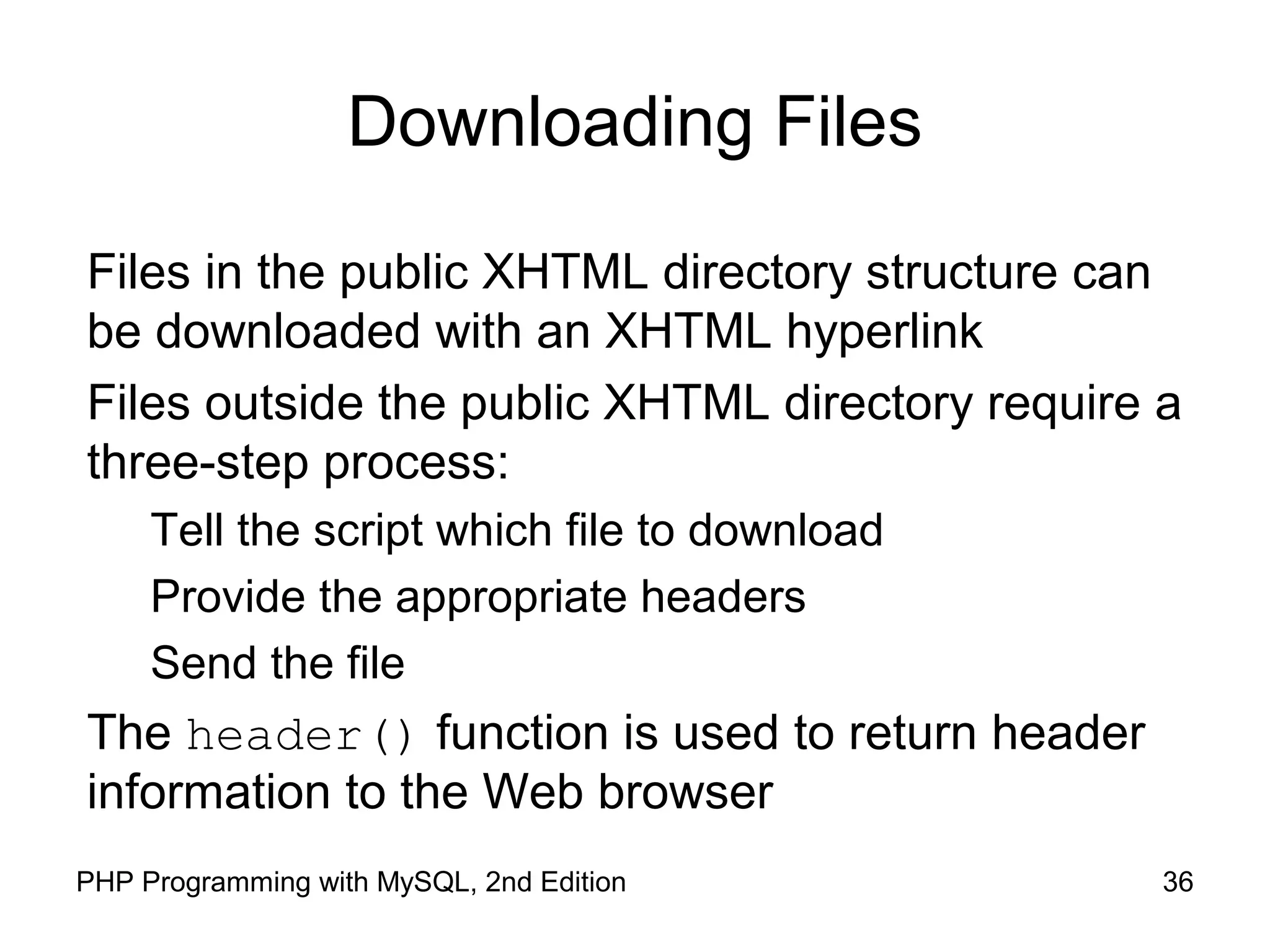
Downloading Files
Files in the public XHTML directory structure can
be downloaded with an XHTML hyperlink
Files outside the public XHTML directory require a
three-step process:
Tell the script which file to download
Provide the appropriate headers
Send the file
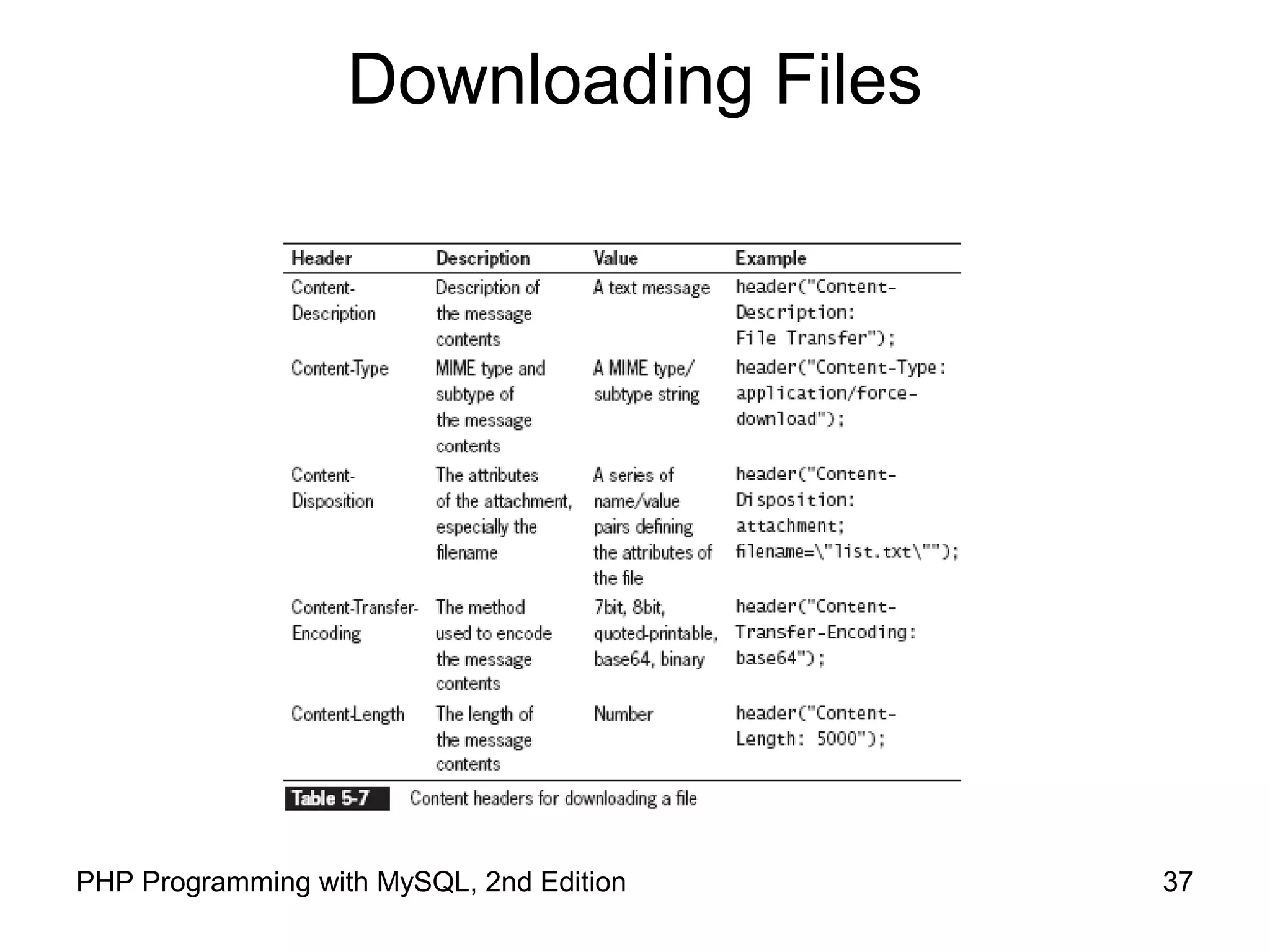
The header() function is used to return header
information to the Web browser
37PHP Programming with MySQL, 2nd Edition
Downloading Files
38PHP Programming with MySQL, 2nd Edition
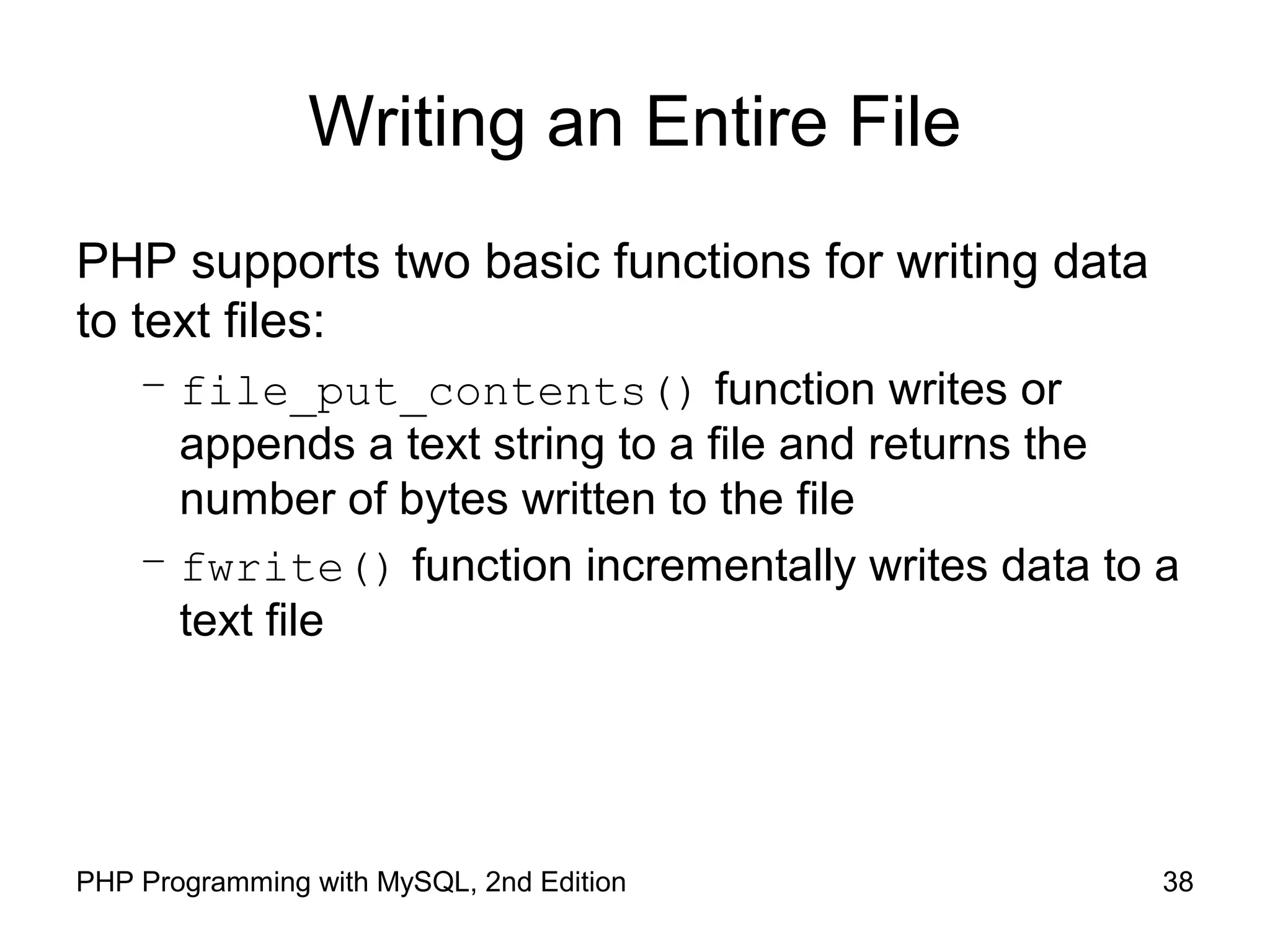
Writing an Entire File
PHP supports two basic functions for writing data
to text files:
– file_put_contents() function writes or
appends a text string to a file and returns the
number of bytes written to the file
– fwrite() function incrementally writes data to a
text file
39PHP Programming with MySQL, 2nd Edition
Writing an Entire File
The file_put_contents() function writes or
appends a text string to a file
The syntax for the file_put_contents()
function is:
file_put_contents (filename, string[, options])
40PHP Programming with MySQL, 2nd Edition
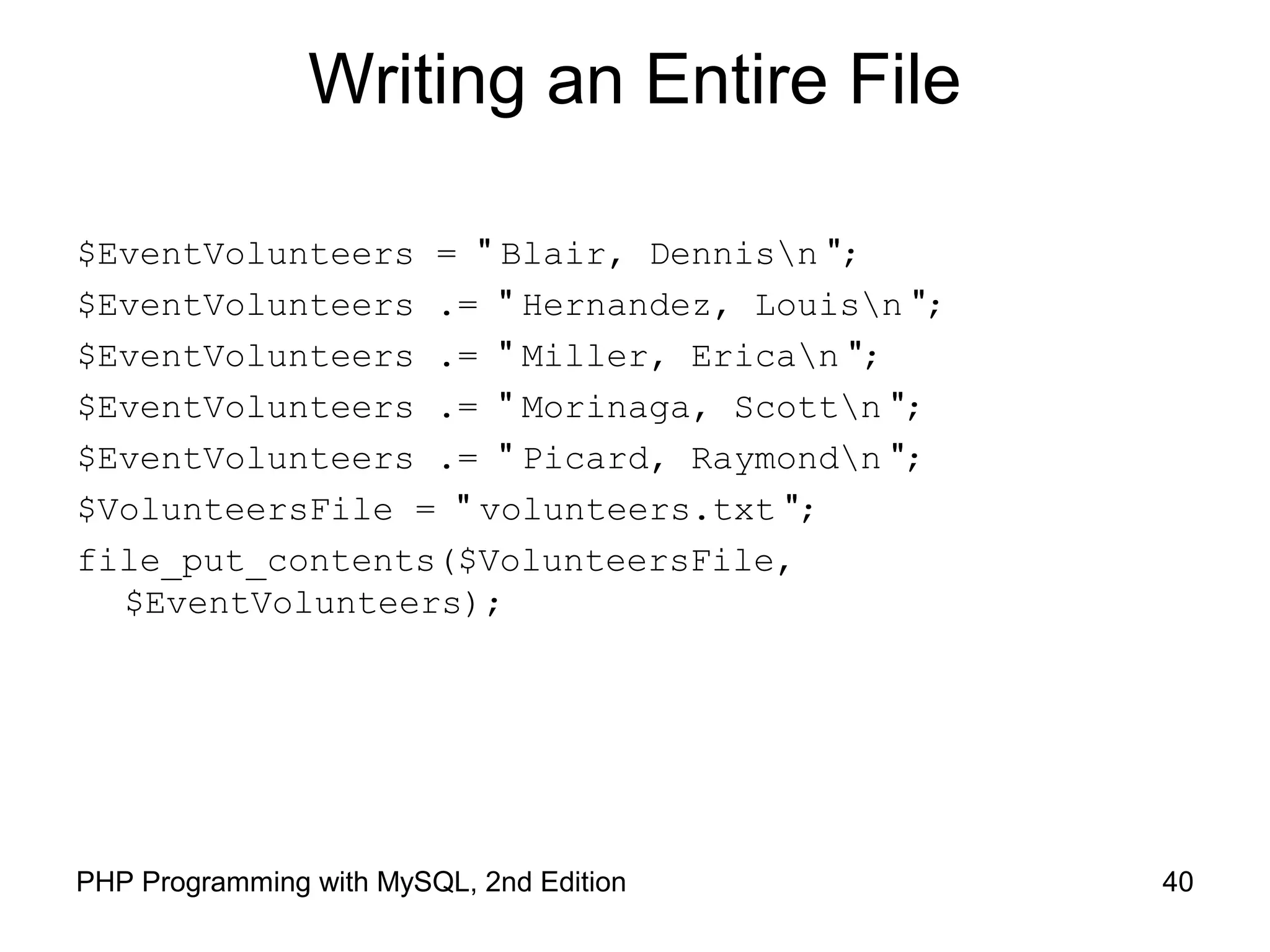
Writing an Entire File
$EventVolunteers = " Blair, Dennisn ";
$EventVolunteers .= " Hernandez, Louisn ";
$EventVolunteers .= " Miller, Erican ";
$EventVolunteers .= " Morinaga, Scottn ";
$EventVolunteers .= " Picard, Raymondn ";
$VolunteersFile = " volunteers.txt ";
file_put_contents($VolunteersFile,
$EventVolunteers);
41PHP Programming with MySQL, 2nd Edition
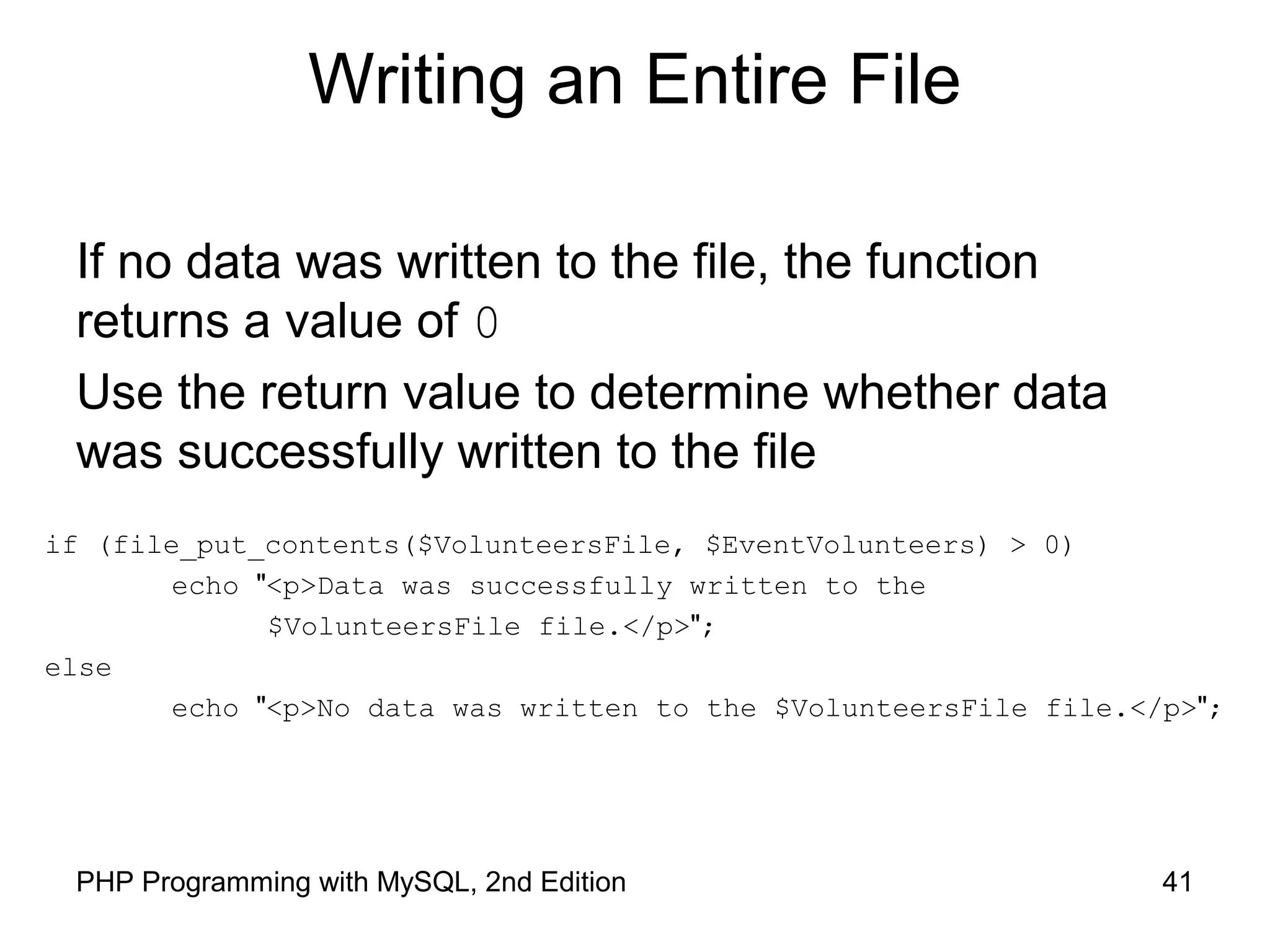
Writing an Entire File
if (file_put_contents($VolunteersFile, $EventVolunteers) > 0)
echo "<p>Data was successfully written to the
$VolunteersFile file.</p>";
else
echo "<p>No data was written to the $VolunteersFile file.</p>";
If no data was written to the file, the function
returns a value of 0
Use the return value to determine whether data
was successfully written to the file
42PHP Programming with MySQL, 2nd Edition
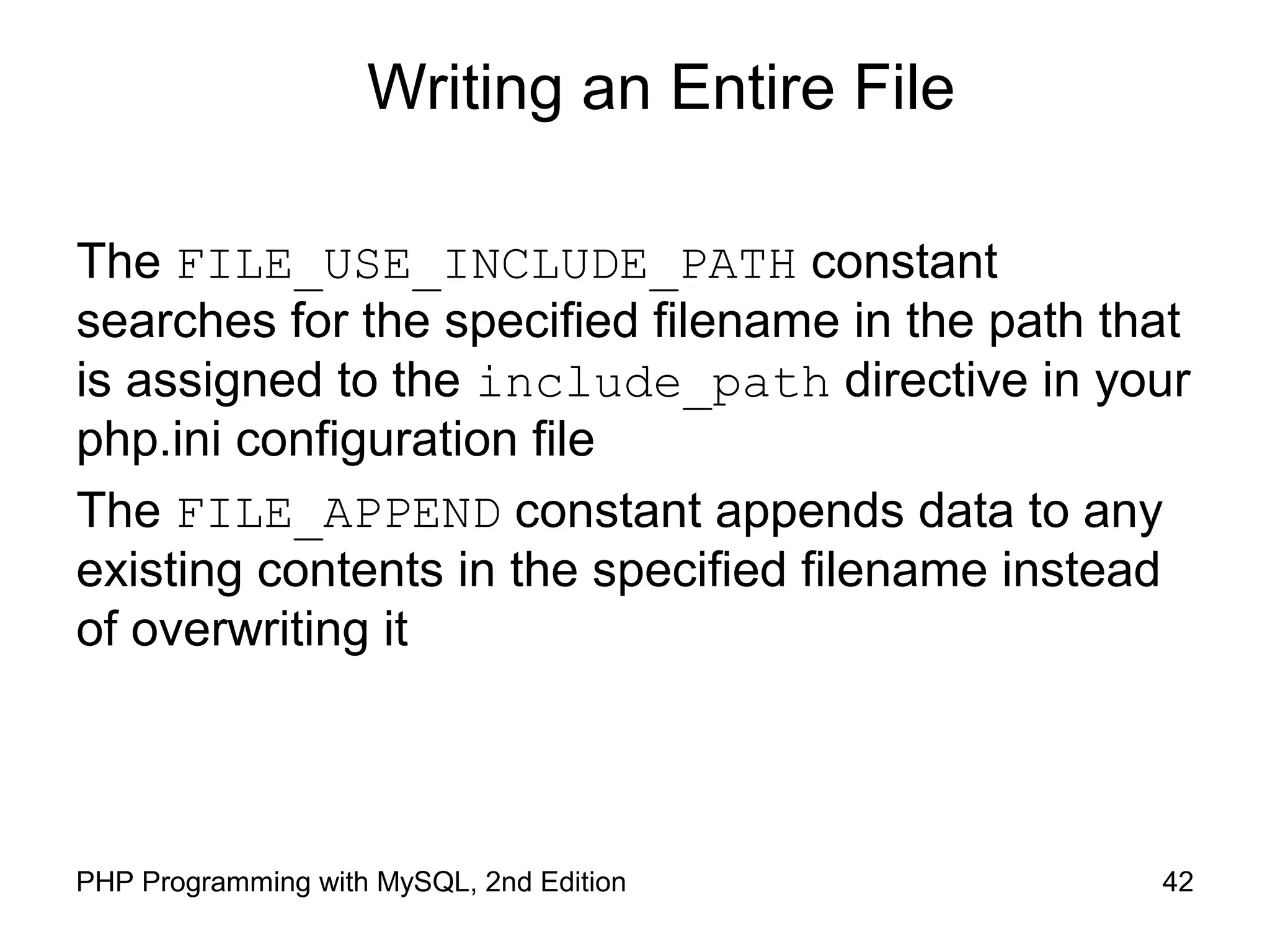
Writing an Entire File
The FILE_USE_INCLUDE_PATH constant
searches for the specified filename in the path that
is assigned to the include_path directive in your
php.ini configuration file
The FILE_APPEND constant appends data to any
existing contents in the specified filename instead
of overwriting it
43PHP Programming with MySQL, 2nd Edition
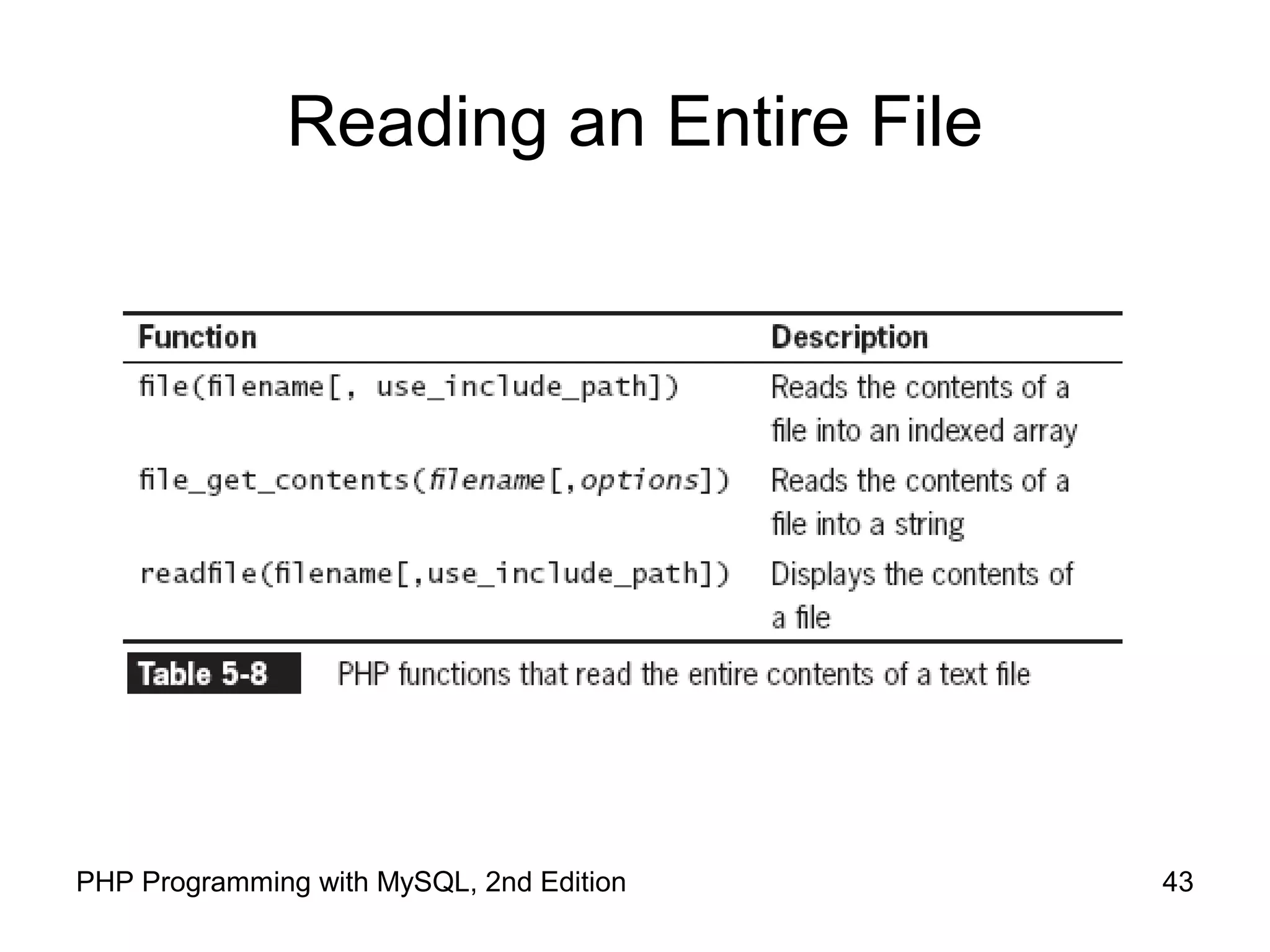
Reading an Entire File
44PHP Programming with MySQL, 2nd Edition
Reading an Entire File
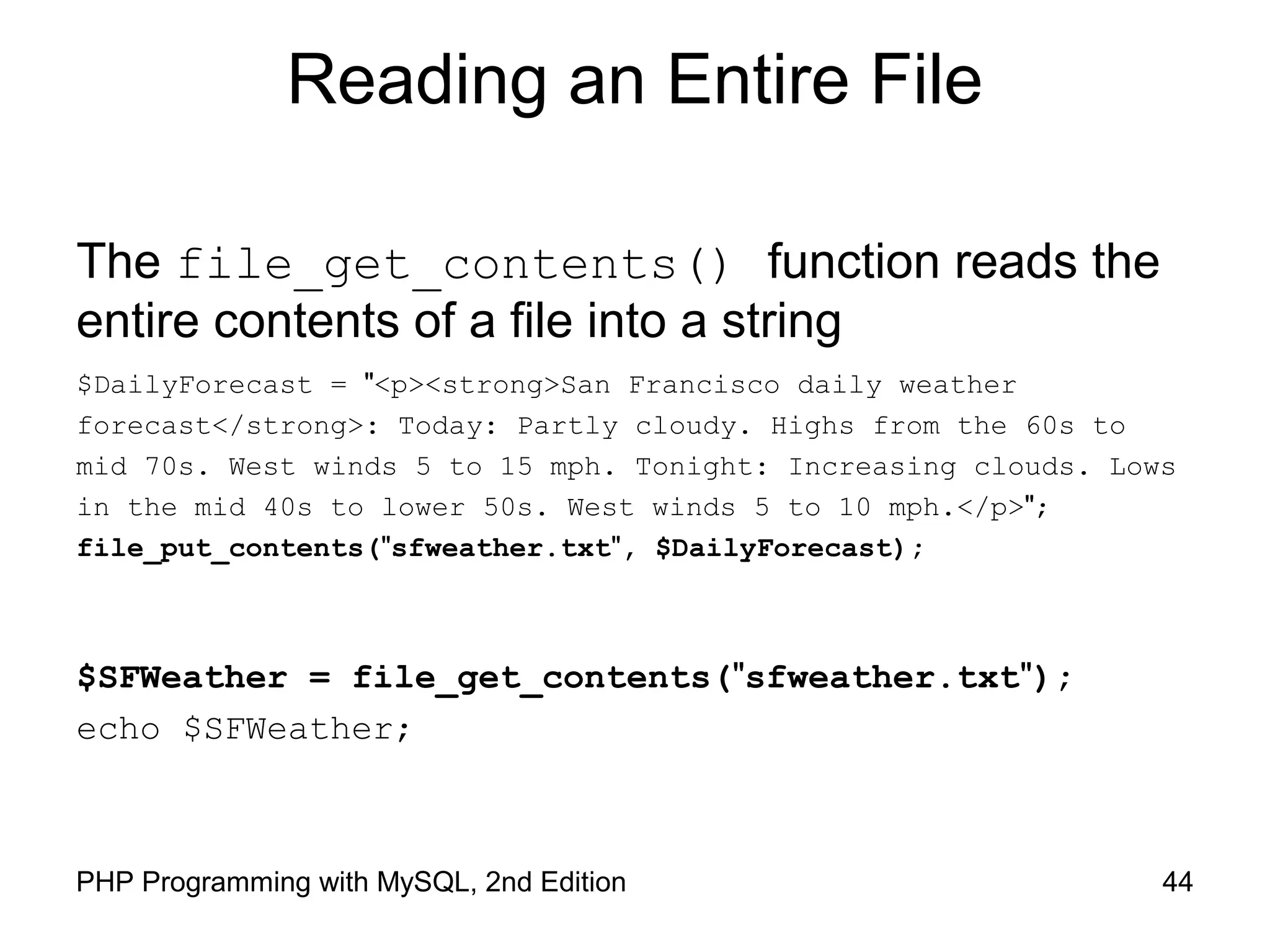
The file_get_contents() function reads the
entire contents of a file into a string
$DailyForecast = "<p><strong>San Francisco daily weather
forecast</strong>: Today: Partly cloudy. Highs from the 60s to
mid 70s. West winds 5 to 15 mph. Tonight: Increasing clouds. Lows
in the mid 40s to lower 50s. West winds 5 to 10 mph.</p>";
file_put_contents("sfweather.txt", $DailyForecast);
$SFWeather = file_get_contents("sfweather.txt");
echo $SFWeather;
45PHP Programming with MySQL, 2nd Edition
Reading an Entire File
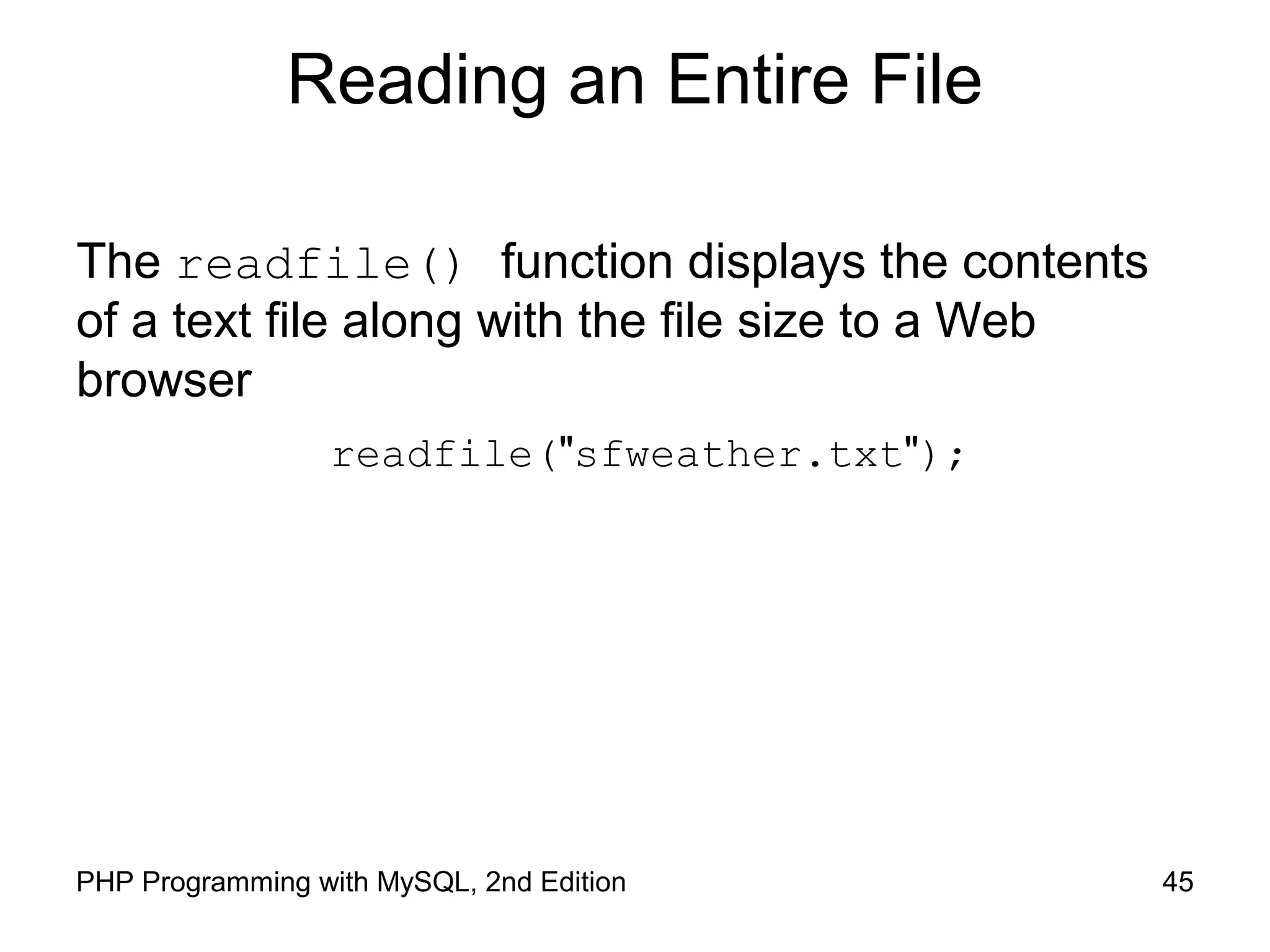
The readfile() function displays the contents
of a text file along with the file size to a Web
browser
readfile("sfweather.txt");
46PHP Programming with MySQL, 2nd Edition
Reading an Entire File
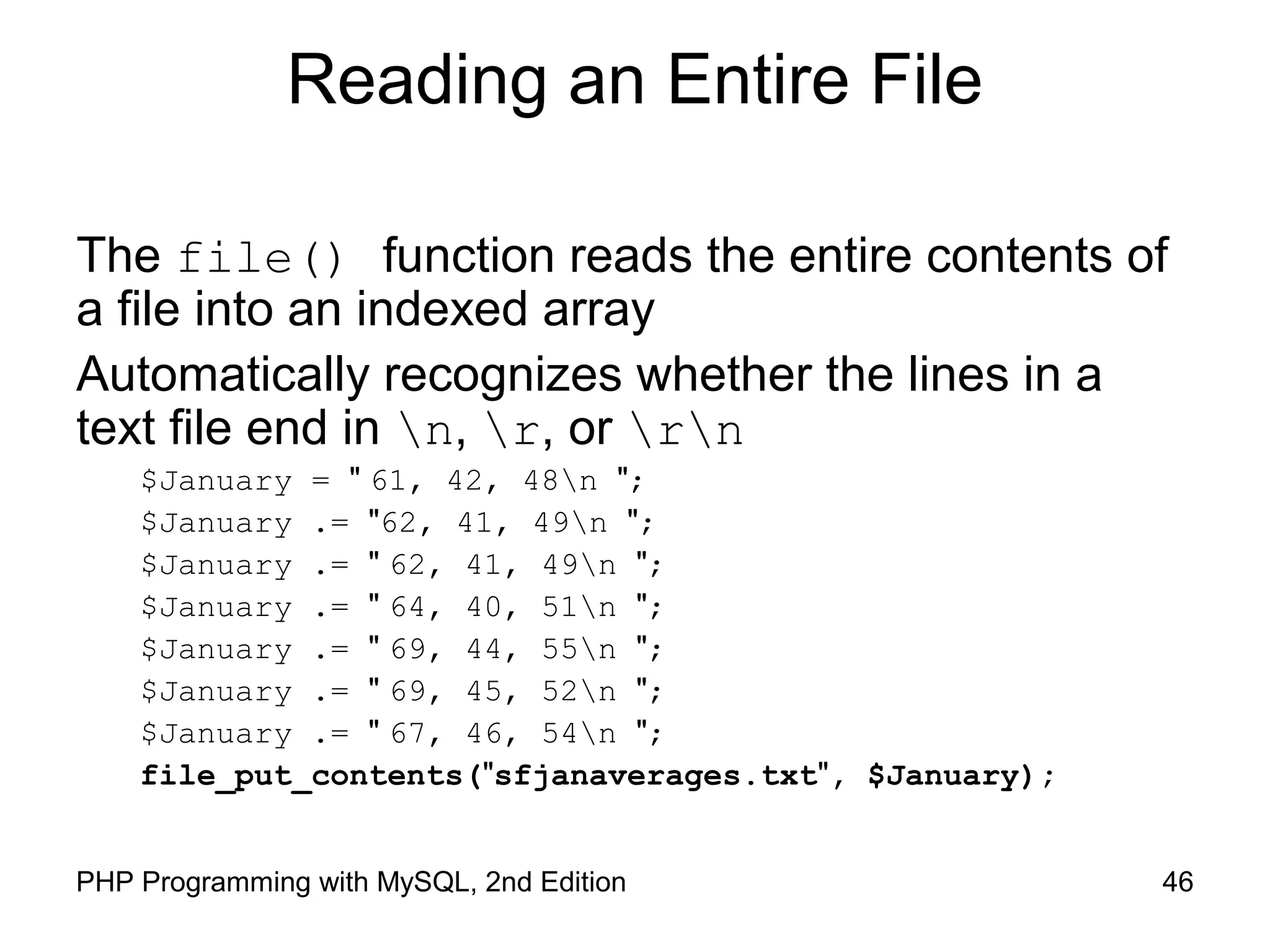
The file() function reads the entire contents of
a file into an indexed array
Automatically recognizes whether the lines in a
text file end in n, r, or rn
$January = " 61, 42, 48n ";
$January .= "62, 41, 49n ";
$January .= " 62, 41, 49n ";
$January .= " 64, 40, 51n ";
$January .= " 69, 44, 55n ";
$January .= " 69, 45, 52n ";
$January .= " 67, 46, 54n ";
file_put_contents("sfjanaverages.txt", $January);
47PHP Programming with MySQL, 2nd Edition
Reading an Entire File
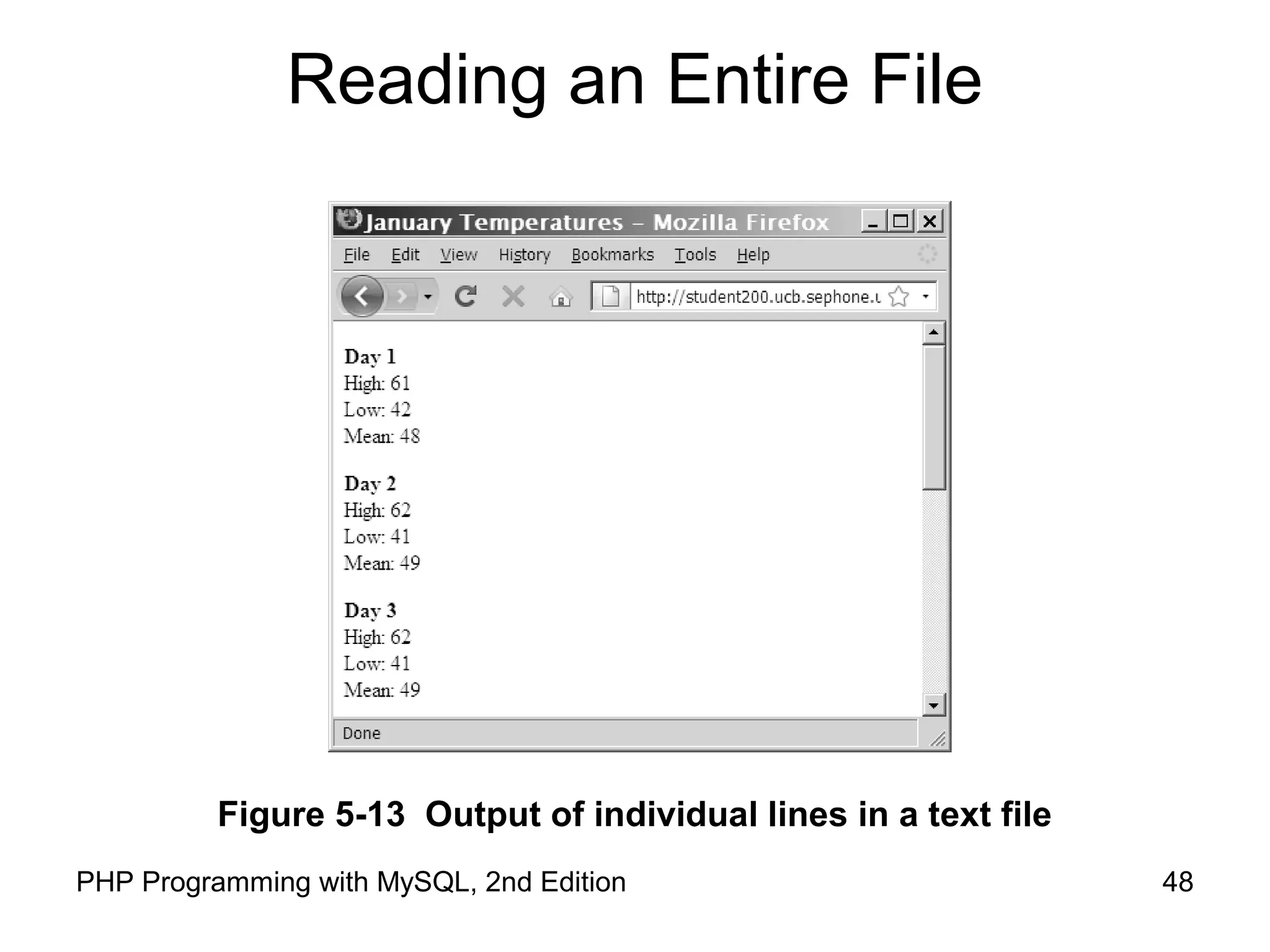
$JanuaryTemps = file("sfjanaverages.txt");
for ($i=0; $i<count($JanuaryTemps); ++$i) {
$CurDay = explode(", ", $JanuaryTemps[$i]);
echo "<p><strong>Day " . ($i + 1) . "</strong><br />";
echo "High: {$CurDay[0]}<br />";
echo "Low: {$CurDay[1]}<br />";
echo "Mean: {$CurDay[2]}</p>";
}
48PHP Programming with MySQL, 2nd Edition
Reading an Entire File
Figure 5-13 Output of individual lines in a text file
49PHP Programming with MySQL, 2nd Edition
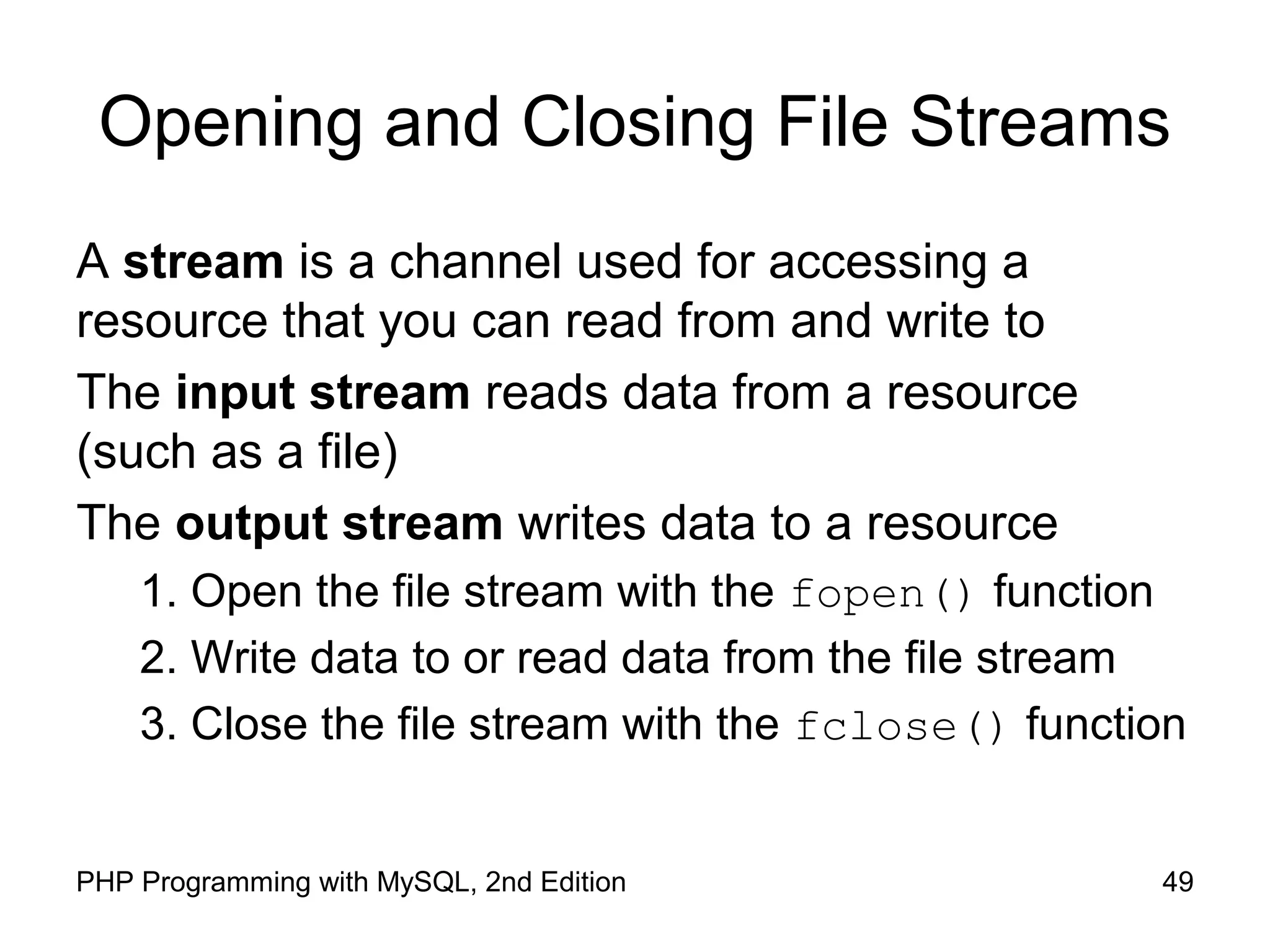
Opening and Closing File Streams
A stream is a channel used for accessing a
resource that you can read from and write to
The input stream reads data from a resource
(such as a file)
The output stream writes data to a resource
1. Open the file stream with the fopen() function
2. Write data to or read data from the file stream
3. Close the file stream with the fclose() function
50PHP Programming with MySQL, 2nd Edition
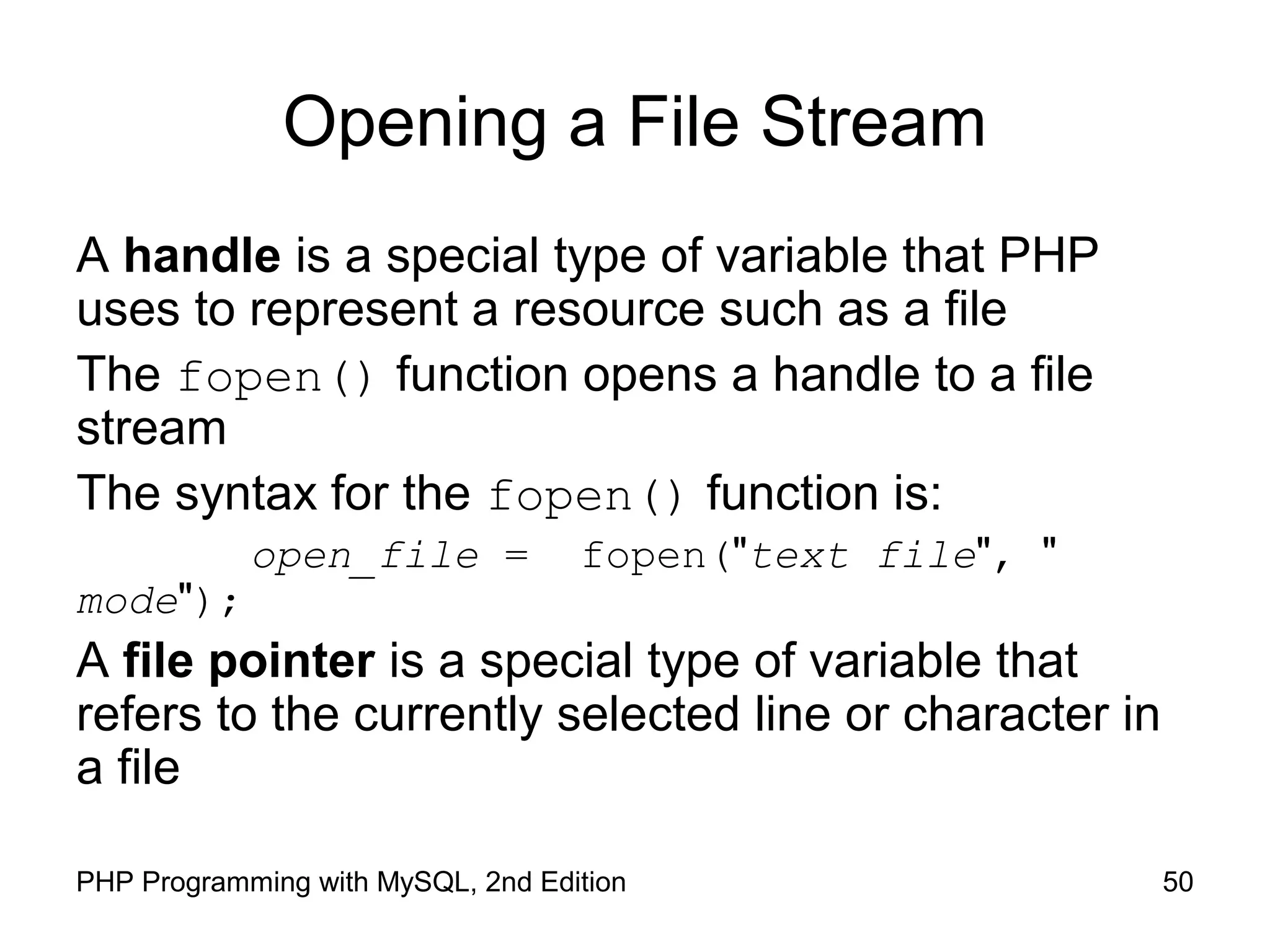
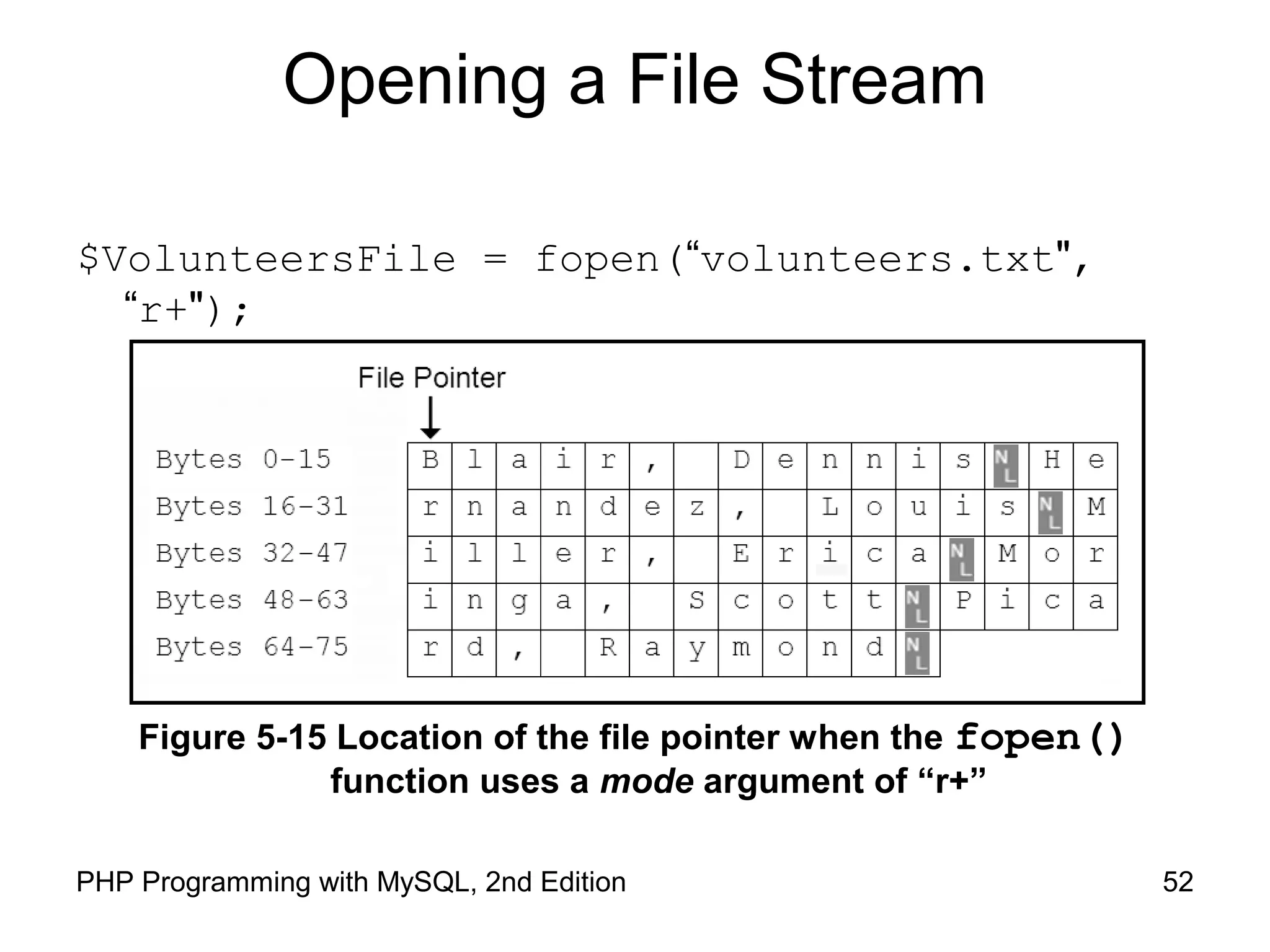
Opening a File Stream
A handle is a special type of variable that PHP
uses to represent a resource such as a file
The fopen() function opens a handle to a file
stream
The syntax for the fopen() function is:
open_file = fopen("text file", "
mode");
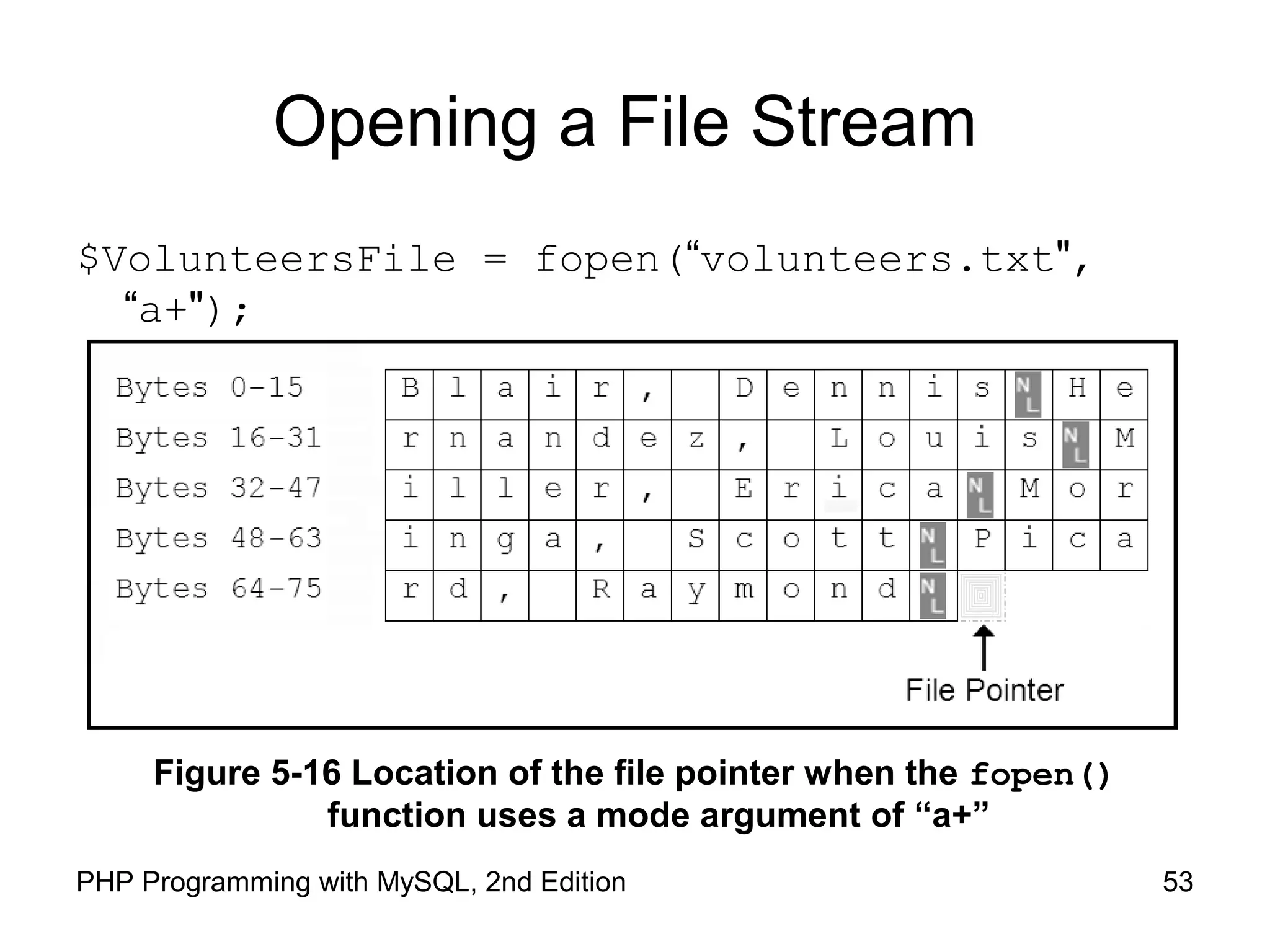
A file pointer is a special type of variable that
refers to the currently selected line or character in
a file
51PHP Programming with MySQL, 2nd Edition
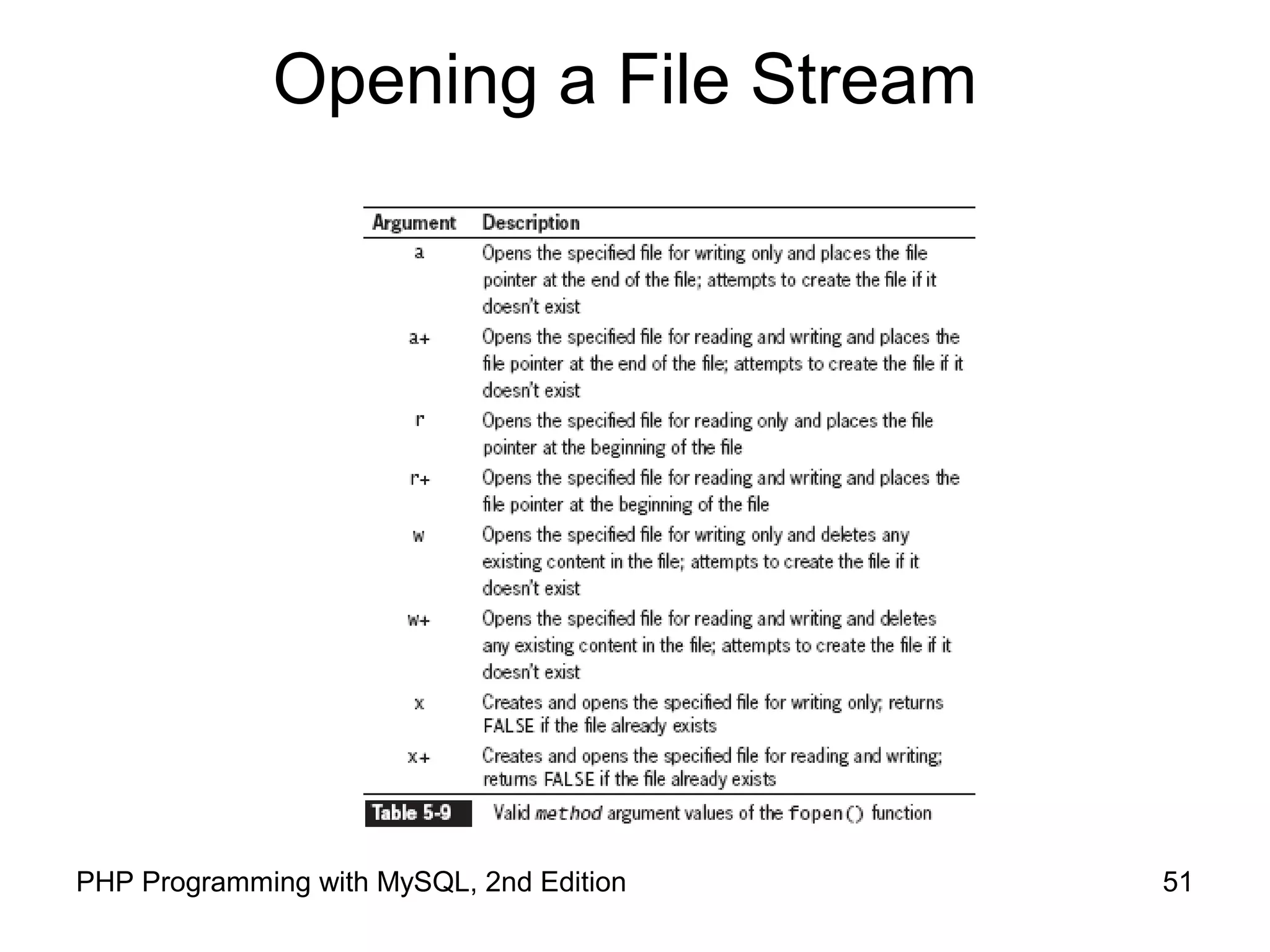
Opening a File Stream
52PHP Programming with MySQL, 2nd Edition
Opening a File Stream
$VolunteersFile = fopen(“volunteers.txt",
“r+");
Figure 5-15 Location of the file pointer when the fopen()
function uses a mode argument of “r+”
53PHP Programming with MySQL, 2nd Edition
Opening a File Stream
$VolunteersFile = fopen(“volunteers.txt",
“a+");
Figure 5-16 Location of the file pointer when the fopen()
function uses a mode argument of “a+”
54PHP Programming with MySQL, 2nd Edition
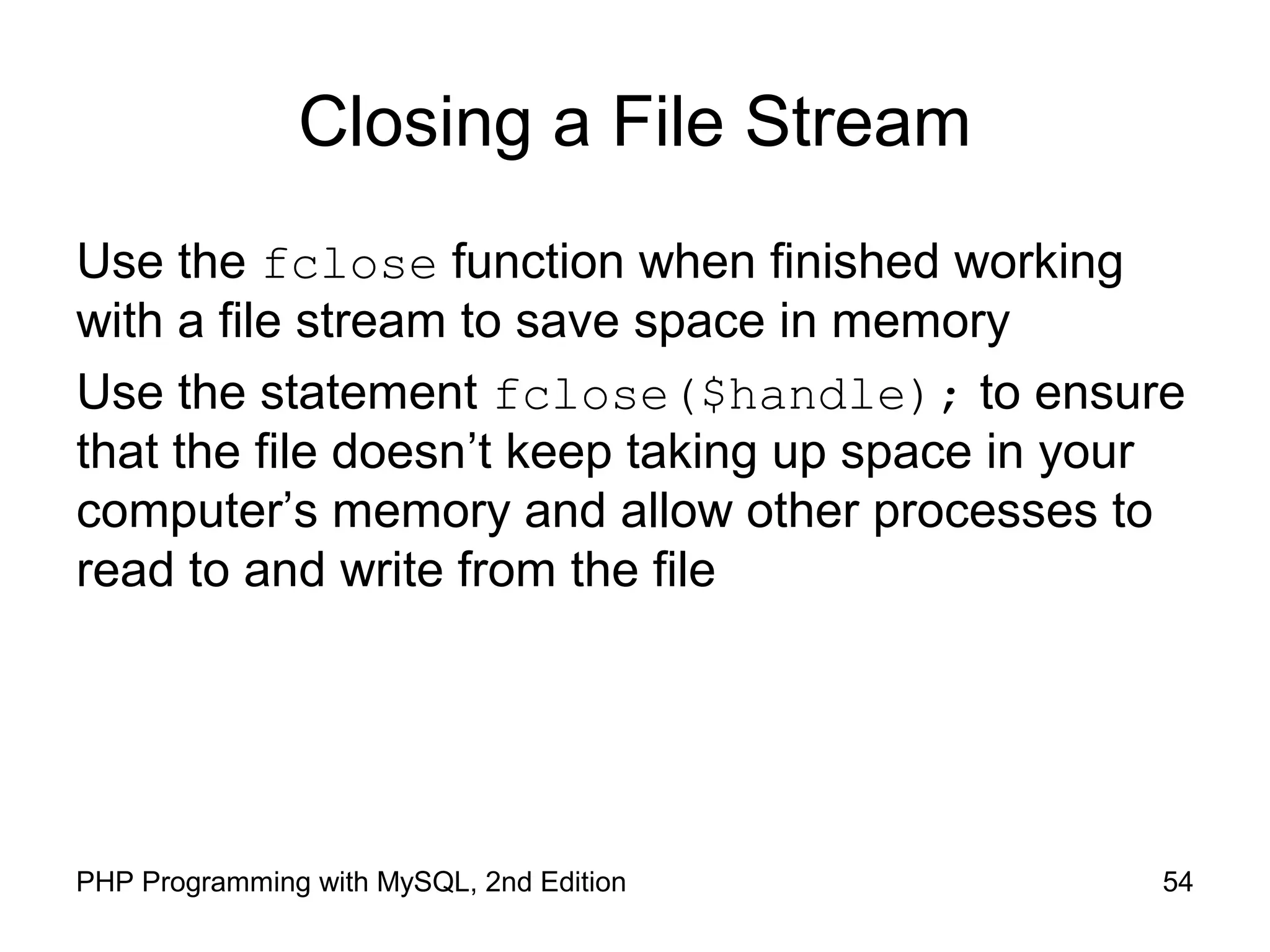
Closing a File Stream
Use the fclose function when finished working
with a file stream to save space in memory
Use the statement fclose($handle); to ensure
that the file doesn’t keep taking up space in your
computer’s memory and allow other processes to
read to and write from the file
55PHP Programming with MySQL, 2nd Edition
Writing Data Incrementally
Use the fwrite() function to incrementally write
data to a text file
The syntax for the fwrite() function is:
fwrite($handle, data[, length]);
The fwrite() function returns the number of
bytes that were written to the file
If no data was written to the file, the function
returns a value of 0
56PHP Programming with MySQL, 2nd Edition
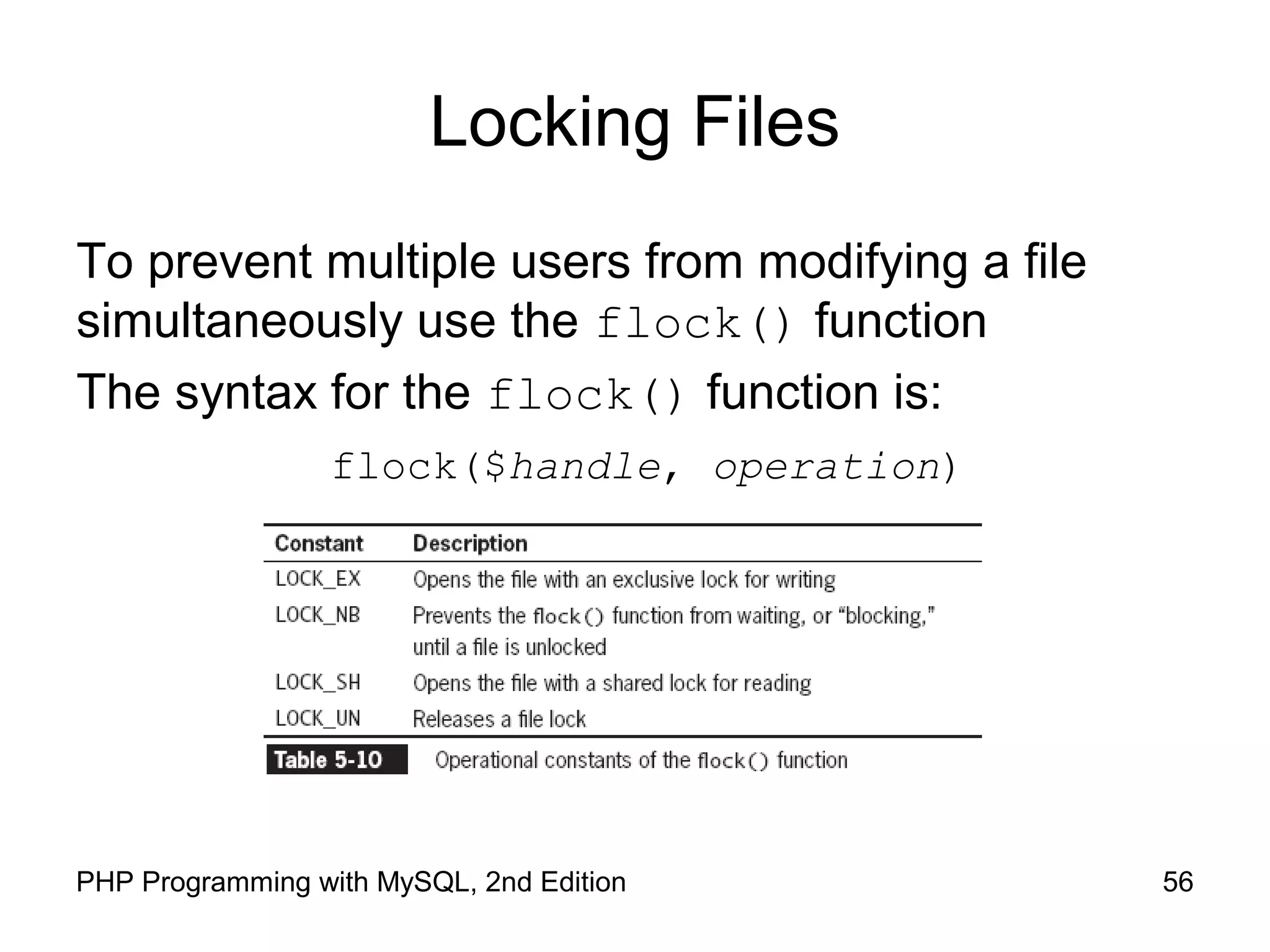
Locking Files
To prevent multiple users from modifying a file
simultaneously use the flock() function
The syntax for the flock() function is:
flock($handle, operation)
57PHP Programming with MySQL, 2nd Edition
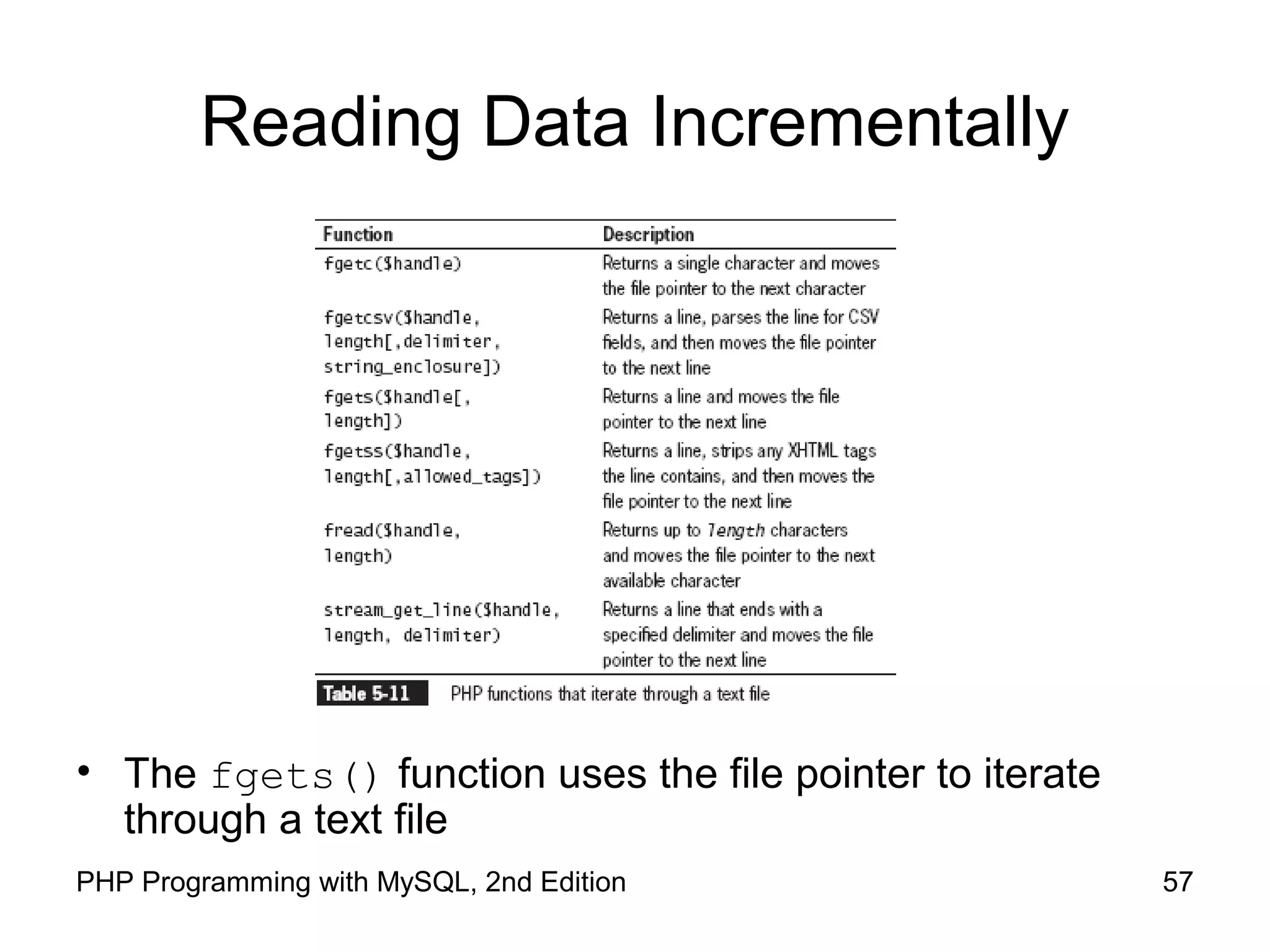
Reading Data Incrementally
• The fgets() function uses the file pointer to iterate
through a text file
58PHP Programming with MySQL, 2nd Edition
Reading Data Incrementally
You must use fopen() and fclose() with the
functions listed in Table 5-10
Each time you call any of the functions in Table 5-
10, the file pointer automatically moves to the next
line in the text file (except for fgetc())
Each time you call the fgetc() function, the file
pointer moves to the next character in the file
59PHP Programming with MySQL, 2nd Edition
Managing Files and Directories
PHP can be used to manage files and the
directories that store them
Among the file directory and management tasks
for files and directories are
Copying
Moving
Renaming
Deleting
60PHP Programming with MySQL, 2nd Edition
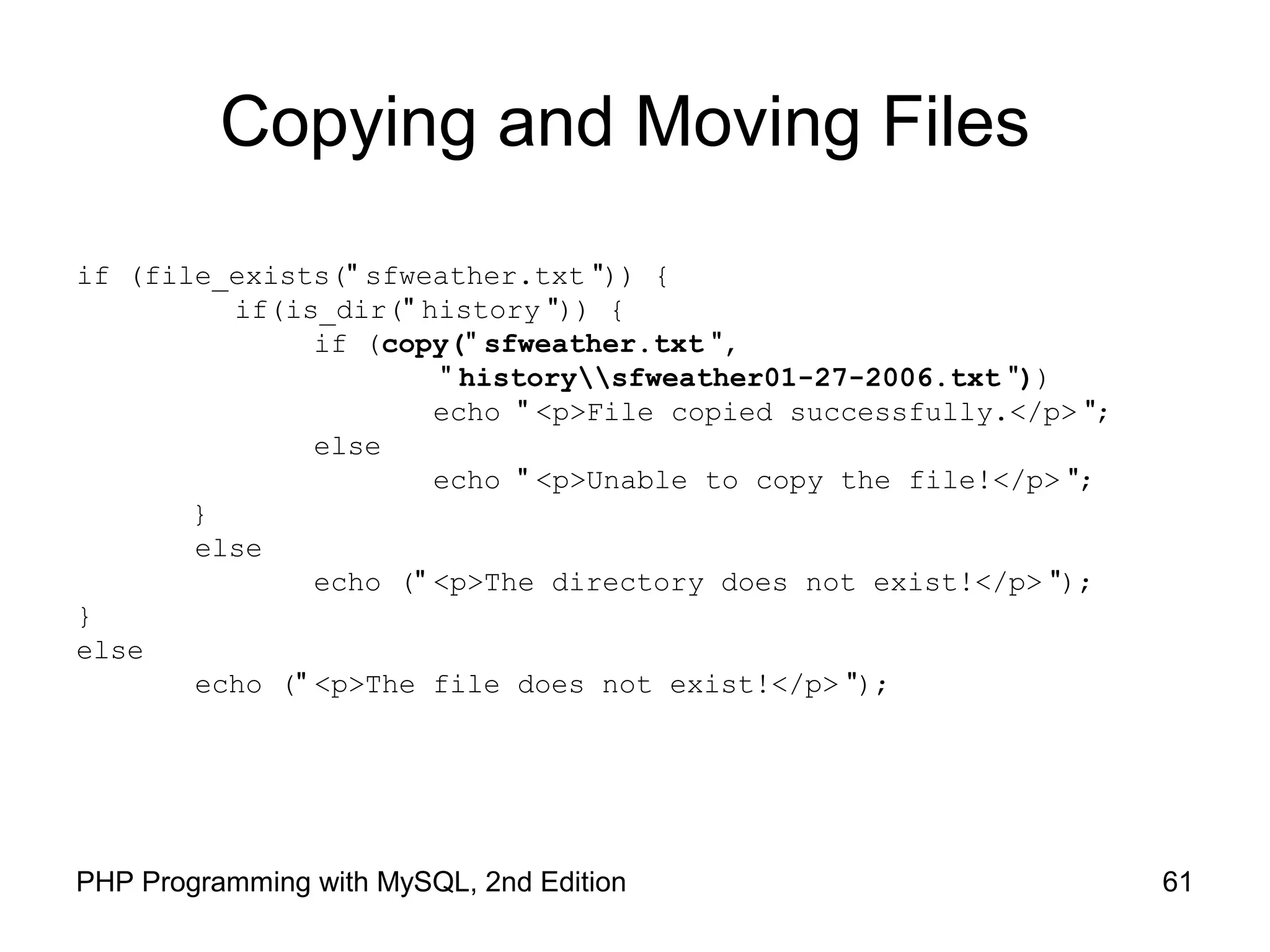
Copying and Moving Files
Use the copy() function to copy a file with PHP
The function returns a value of TRUE if it is
successful or FALSE if it is not
The syntax for the copy() function is:
copy(source, destination)
For the source and destination arguments:
Include just the name of a file to make a copy in the
current directory, or
Specify the entire path for each argument
61PHP Programming with MySQL, 2nd Edition
Copying and Moving Files
if (file_exists(" sfweather.txt ")) {
if(is_dir(" history ")) {
if (copy(" sfweather.txt ",
" historysfweather01-27-2006.txt "))
echo " <p>File copied successfully.</p> ";
else
echo " <p>Unable to copy the file!</p> ";
}
else
echo (" <p>The directory does not exist!</p> ");
}
else
echo (" <p>The file does not exist!</p> ");
62PHP Programming with MySQL, 2nd Edition
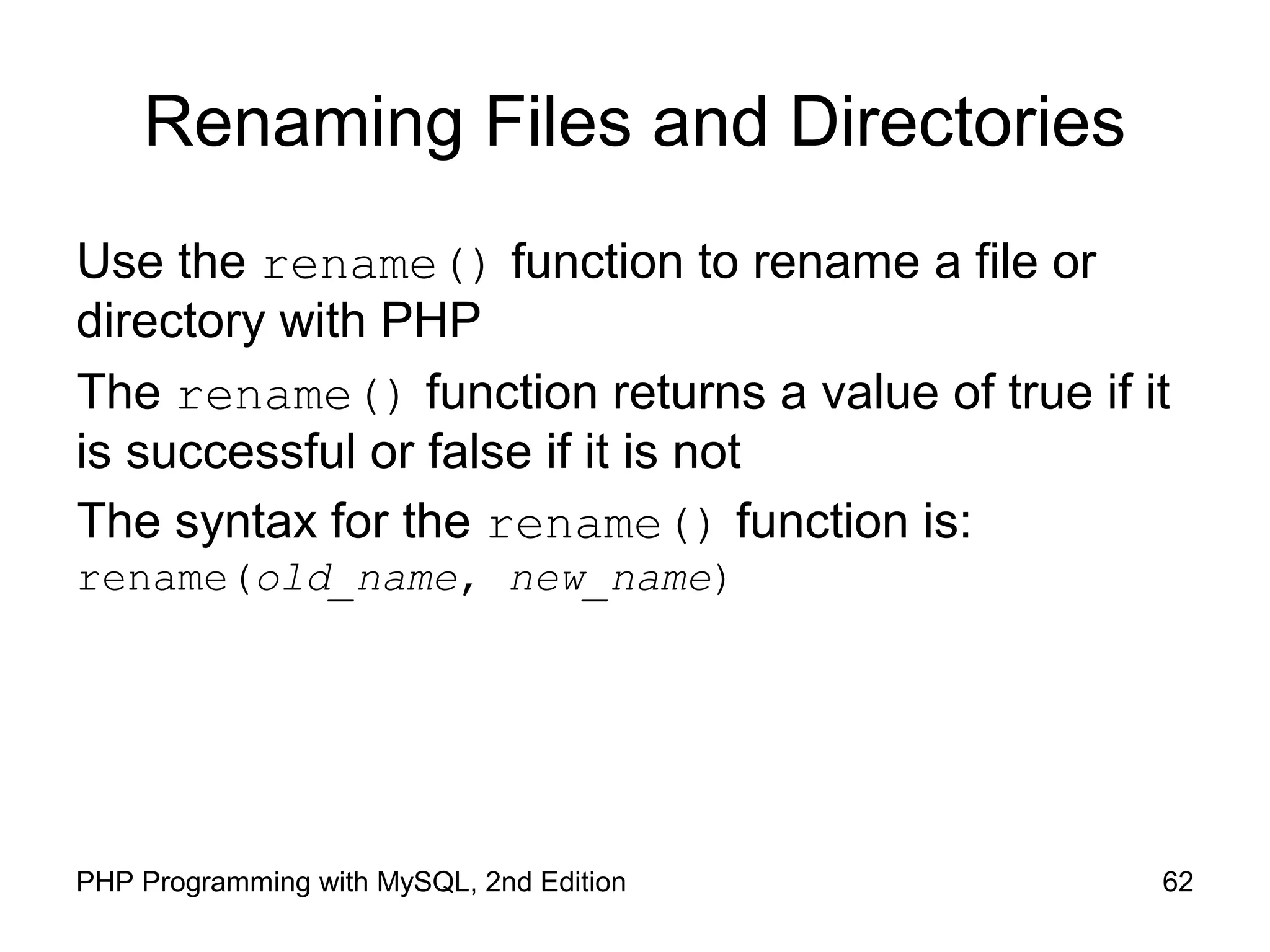
Renaming Files and Directories
Use the rename() function to rename a file or
directory with PHP
The rename() function returns a value of true if it
is successful or false if it is not
The syntax for the rename() function is:
rename(old_name, new_name)
63PHP Programming with MySQL, 2nd Edition
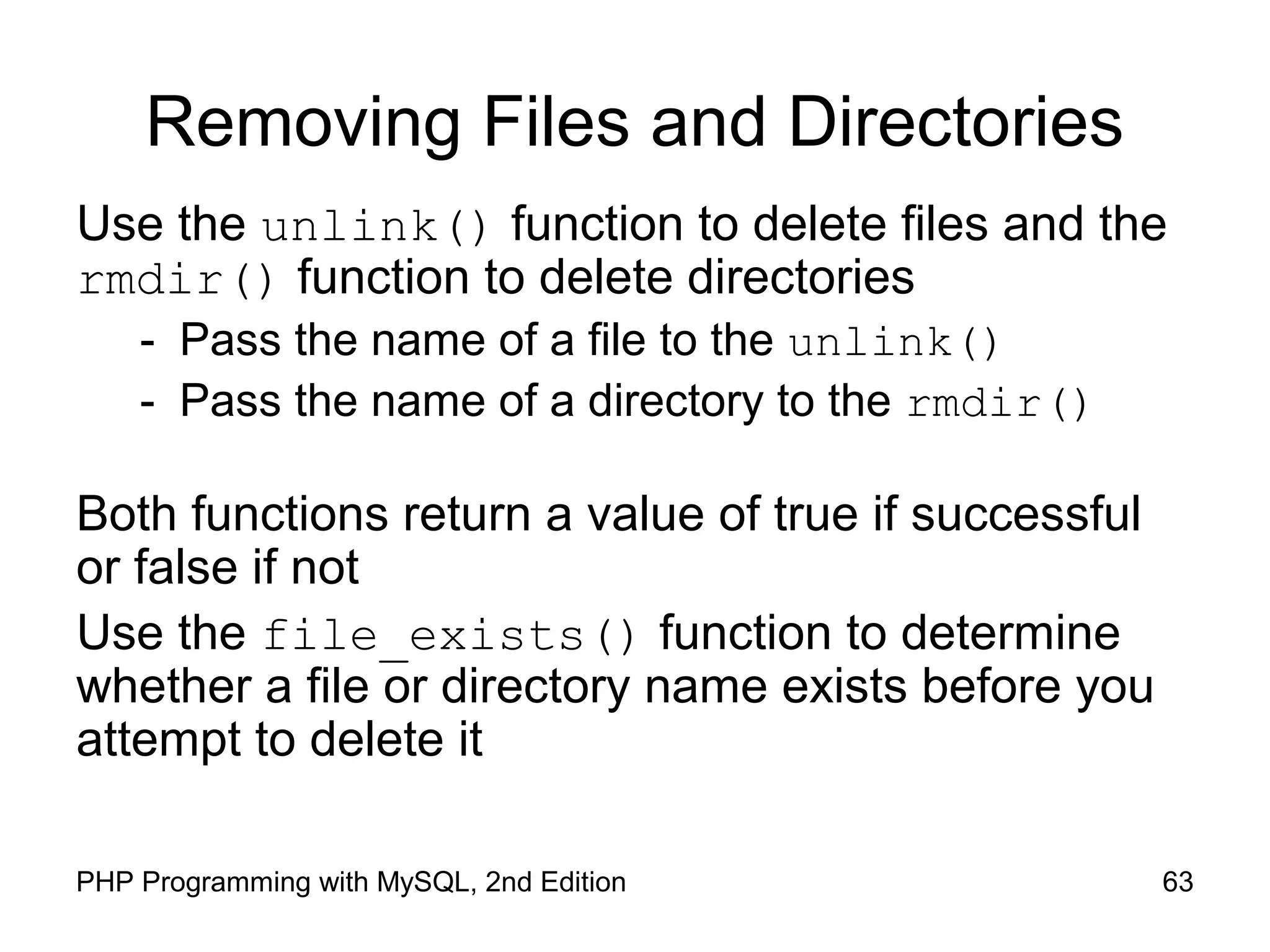
Removing Files and Directories
Use the unlink() function to delete files and the
rmdir() function to delete directories
- Pass the name of a file to the unlink()
- Pass the name of a directory to the rmdir()
Both functions return a value of true if successful
or false if not
Use the file_exists() function to determine
whether a file or directory name exists before you
attempt to delete it

Files and Directories in PHP

  • 1.
    Working with Files andDirectories in PHP
  • 2.
    2PHP Programming withMySQL, 2nd Edition Objectives In this chapter, you will: • Understand file type and permissions • Work with directories • Upload and download files • Write data to files • Read data from files • Open and close a file stream • Manage files and directories
  • 3.
    3PHP Programming withMySQL, 2nd Edition Understanding File Types and Permissions File types affect how information is stored in files and retrieved from them File permissions determine the actions that a specific user can and cannot perform on a file
  • 4.
    4PHP Programming withMySQL, 2nd Edition Understanding File Types A binary file is a series of characters or bytes for which PHP attaches no special meaning Structure is determined by the application that reads or writes to the file A text file has only printable characters and a small set of control or formatting characters Text files translate the end-of-line character sequences such as n or rn to carriage returns
  • 5.
    5PHP Programming withMySQL, 2nd Edition Understanding File Types
  • 6.
    6PHP Programming withMySQL, 2nd Edition Understanding File Types Different operating systems use different escape sequences to identify the end of a line: Use the n sequence to end a line on a UNIX/Linux operating system Use the nr sequence to end a line on a Windows operating system Use the r sequence to end a line on a Macintosh operating system.
  • 7.
    7PHP Programming withMySQL, 2nd Edition Understanding File Types Scripts written in a UNIX/Linux text editor display differently when opened in a Windows-based text editor Figure 5-1 Volunteer registration form
  • 8.
    8PHP Programming withMySQL, 2nd Edition Working with File Permissions Files and directories have three levels of access: User Group Other The three typical permissions for files and directories are: Read (r) Write (w) Execute (x)
  • 9.
    9PHP Programming withMySQL, 2nd Edition Working with File Permissions File permissions are calculated using a four-digit octal (base 8) value Octal values encode three bits per digit, which matches the three permission bits per level of access The first digit is always 0 To assign more than one value to an access level, add the values of the permissions together
  • 10.
    10PHP Programming withMySQL, 2nd Edition Working with File Permissions
  • 11.
    11PHP Programming withMySQL, 2nd Edition Working with File Permissions The chmod() function is used to change the permissions or modes of a file or directory The syntax for the chmod() function is chmod($filename, $mode) Where $filename is the name of the file to change and $mode is an integer specifying the permissions for the file
  • 12.
    12PHP Programming withMySQL, 2nd Edition Checking Permissions The fileperms() function is used to read permissions associated with a file The fileperms() function takes one argument and returns an integer bitmap of the permissions associated with the file Permissions can be extracted using the arithmetic modulus operator with an octal value of 01000 The dococt() function converts a decimal value to an octal value
  • 13.
    13PHP Programming withMySQL, 2nd Edition Reading Directories The following table lists the PHP functions that read the names of files and directories
  • 14.
    14PHP Programming withMySQL, 2nd Edition Reading Directories The opendir() function is used to iterate through entries in a directory A handle is a special type of variable that PHP used to represent a resource such as a file or a directory The readdir() function returns the file and directory names of an open directory The directory pointer is a special type of variable that refers to the currently selected record in a directory listing
  • 15.
    15PHP Programming withMySQL, 2nd Edition Reading Directories The closedir() function is used to close the directory handle The following code lists the files in the open directory and closes the directory. $Dir = "/var/html/uploads"; $DirOpen = opendir($Dir); while ($CurFile = readdir($DirOpen)) { echo $CurFile . "<br />n"; } closedir($DirOpen);
  • 16.
    16PHP Programming withMySQL, 2nd Edition Reading Directories The following Figure shows the directory listing for three files: kitten.jpg, polarbear.jpg, and gorilla.gif Figure 5-2 Listing of the “files” subdirectory using the opendir(), readdir(), and closedir() functions
  • 17.
    17PHP Programming withMySQL, 2nd Edition Reading Directories The PHP scripting engine returns the navigation shortcuts (“.” and “..”) when it reads a directory The strcmp() function can be used to exclude those entries … while ($CurFile = readdir($DirOpen)) if ((strcmp($CurFile, '.') != 0) && (strcmp($CurFile, '..') != 0)) echo "<a href="files/" . $CurFile . "">" . $CurFile . "</a><br />"; } …
  • 18.
    18PHP Programming withMySQL, 2nd Edition Reading Directories The scandir() function returns the names of the entries in a directory to an array sorted in ascending alphabetical order $Dir = "/var/html/uploads"; $DirEntries = scandir($Dir); foreach ($DirEntries as $Entry) { echo $Entry . "<br />n"; }
  • 19.
    19PHP Programming withMySQL, 2nd Edition Reading Directories Figure 5-3 Listing of the “files” subdirectory using the scandir() function
  • 20.
    20PHP Programming withMySQL, 2nd Edition Creating Directories The mkdir() function creates a new directory To create a new directory within the current directory: Pass just the name of the directory you want to create to the mkdir() function mkdir("volunteers");
  • 21.
    21PHP Programming withMySQL, 2nd Edition Creating Directories To create a new directory in a location other than the current directory: – Use a relative or an absolute path mkdir("../event"); mkdir("/bin/PHP/utilities");
  • 22.
    22PHP Programming withMySQL, 2nd Edition Creating Directories Figure 5-4 Warning that appears if a directory already exists
  • 23.
    23PHP Programming withMySQL, 2nd Edition Obtaining File and Directory Information
  • 24.
    24PHP Programming withMySQL, 2nd Edition Obtaining File and Directory Information
  • 25.
    25PHP Programming withMySQL, 2nd Edition Obtaining File and Directory Information $Dir = "/var/html/uploads"; if (is_dir($Dir)) { echo "<table border='1' width='100%'>n"; echo "<tr><th>Filename</th><th>File Size</th> <th>File Type</th></tr>n"; $DirEntries = scandir($Dir); foreach ($DirEntries as $Entry) { $EntryFullName = $Dir . "/" . $Entry; echo "<tr><td>" . htmlentities($Entry) . "</td><td>" . filesize($EntryFullName) . "</td><td>" . filetype($EntryFullName) . "</td></tr>n"; } echo "</table>n"; } else echo "<p>The directory " . htmlentities($Dir) . " does not exist.</p>";
  • 26.
    26PHP Programming withMySQL, 2nd Edition Obtaining File and Directory Information Figure 5-5 Output of script with file and directory information functions
  • 27.
    27PHP Programming withMySQL, 2nd Edition Obtaining File and Directory Information The following table returns additional information about files and directories:
  • 28.
    28PHP Programming withMySQL, 2nd Edition Uploading and Downloading Files Web applications allow visitors to upload files to and from from their local computer (often referred to as the client) The files that are uploaded and downloaded may be simple text files or more complex file types, such as images, documents, or spreadsheets
  • 29.
    29PHP Programming withMySQL, 2nd Edition Selecting the File Files are uploaded through an XHTML form using the “post” method An enctype attribute in the opening form tag must have a value of “multipart/form-data,” which instructs the browser to post multiple sections – one for regular form data and one for the file contents
  • 30.
    30PHP Programming withMySQL, 2nd Edition Selecting the File The file input field creates a Browse button for the user to navigate to the appropriate file to upload <input type="file" name="picture_file" /> The MAX_FILE_SIZE (uppercase) attribute of a hidden form field specifies the maximum number of bytes allowed in the uploaded file The MAX_FILE_SIZE hidden field must appear before the file input field
  • 31.
    31PHP Programming withMySQL, 2nd Edition Retrieving the File Information When the form is posted, information for the uploaded file is stored in the $_FILES autoglobal array The $_FILES[] array contains five elements: $_FILES['picture_file']['error'] // Contains the error code associated with the file $_FILES['picture_file']['tmp_name'] // Contains the temporary location of the file contents
  • 32.
    32PHP Programming withMySQL, 2nd Edition Retrieving the File Information – // Contains the name of the original file $_FILES['picture_file']['name'] – // Contains the size of the uploaded file in bytes $_FILES['picture_file']['size'] – // Contains the type of the file $_FILES['picture_file']['type']
  • 33.
    33PHP Programming withMySQL, 2nd Edition Storing the Uploaded File Uploaded files are either public or private depending on whether they should be immediately available or verified first Public files are freely available to anyone visiting the Web site Private files are only available to authorized visitors
  • 34.
    34PHP Programming withMySQL, 2nd Edition Storing the Uploaded File The move_uploaded_file() function moves the uploaded file from its temporary location to a permanent destination with the following syntax: bool move_uploaded_file(string $filename, string $destination) $filename is the contents of $_FILES['filefield']['tmp_name'] and $destination is the path and filename of the location where the file will be stored.
  • 35.
    35PHP Programming withMySQL, 2nd Edition Storing the Uploaded File The function returns TRUE if the move succeeds, and FALSE if the move fails if (move_uploaded_file($_FILES['picture_file'] ['tmp_name'], "uploads/" . $_FILES['picture_file'] ['name']) === FALSE) echo "Could not move uploaded file to "uploads/" . htmlentities($_FILES['picture_file'] ['name']) . ""<br />n"; else echo "Successfully uploaded "uploads/" . htmlentities($_FILES['picture_file']['name']) . ""<br />n";
  • 36.
    36PHP Programming withMySQL, 2nd Edition Downloading Files Files in the public XHTML directory structure can be downloaded with an XHTML hyperlink Files outside the public XHTML directory require a three-step process: Tell the script which file to download Provide the appropriate headers Send the file The header() function is used to return header information to the Web browser
  • 37.
    37PHP Programming withMySQL, 2nd Edition Downloading Files
  • 38.
    38PHP Programming withMySQL, 2nd Edition Writing an Entire File PHP supports two basic functions for writing data to text files: – file_put_contents() function writes or appends a text string to a file and returns the number of bytes written to the file – fwrite() function incrementally writes data to a text file
  • 39.
    39PHP Programming withMySQL, 2nd Edition Writing an Entire File The file_put_contents() function writes or appends a text string to a file The syntax for the file_put_contents() function is: file_put_contents (filename, string[, options])
  • 40.
    40PHP Programming withMySQL, 2nd Edition Writing an Entire File $EventVolunteers = " Blair, Dennisn "; $EventVolunteers .= " Hernandez, Louisn "; $EventVolunteers .= " Miller, Erican "; $EventVolunteers .= " Morinaga, Scottn "; $EventVolunteers .= " Picard, Raymondn "; $VolunteersFile = " volunteers.txt "; file_put_contents($VolunteersFile, $EventVolunteers);
  • 41.
    41PHP Programming withMySQL, 2nd Edition Writing an Entire File if (file_put_contents($VolunteersFile, $EventVolunteers) > 0) echo "<p>Data was successfully written to the $VolunteersFile file.</p>"; else echo "<p>No data was written to the $VolunteersFile file.</p>"; If no data was written to the file, the function returns a value of 0 Use the return value to determine whether data was successfully written to the file
  • 42.
    42PHP Programming withMySQL, 2nd Edition Writing an Entire File The FILE_USE_INCLUDE_PATH constant searches for the specified filename in the path that is assigned to the include_path directive in your php.ini configuration file The FILE_APPEND constant appends data to any existing contents in the specified filename instead of overwriting it
  • 43.
    43PHP Programming withMySQL, 2nd Edition Reading an Entire File
  • 44.
    44PHP Programming withMySQL, 2nd Edition Reading an Entire File The file_get_contents() function reads the entire contents of a file into a string $DailyForecast = "<p><strong>San Francisco daily weather forecast</strong>: Today: Partly cloudy. Highs from the 60s to mid 70s. West winds 5 to 15 mph. Tonight: Increasing clouds. Lows in the mid 40s to lower 50s. West winds 5 to 10 mph.</p>"; file_put_contents("sfweather.txt", $DailyForecast); $SFWeather = file_get_contents("sfweather.txt"); echo $SFWeather;
  • 45.
    45PHP Programming withMySQL, 2nd Edition Reading an Entire File The readfile() function displays the contents of a text file along with the file size to a Web browser readfile("sfweather.txt");
  • 46.
    46PHP Programming withMySQL, 2nd Edition Reading an Entire File The file() function reads the entire contents of a file into an indexed array Automatically recognizes whether the lines in a text file end in n, r, or rn $January = " 61, 42, 48n "; $January .= "62, 41, 49n "; $January .= " 62, 41, 49n "; $January .= " 64, 40, 51n "; $January .= " 69, 44, 55n "; $January .= " 69, 45, 52n "; $January .= " 67, 46, 54n "; file_put_contents("sfjanaverages.txt", $January);
  • 47.
    47PHP Programming withMySQL, 2nd Edition Reading an Entire File $JanuaryTemps = file("sfjanaverages.txt"); for ($i=0; $i<count($JanuaryTemps); ++$i) { $CurDay = explode(", ", $JanuaryTemps[$i]); echo "<p><strong>Day " . ($i + 1) . "</strong><br />"; echo "High: {$CurDay[0]}<br />"; echo "Low: {$CurDay[1]}<br />"; echo "Mean: {$CurDay[2]}</p>"; }
  • 48.
    48PHP Programming withMySQL, 2nd Edition Reading an Entire File Figure 5-13 Output of individual lines in a text file
  • 49.
    49PHP Programming withMySQL, 2nd Edition Opening and Closing File Streams A stream is a channel used for accessing a resource that you can read from and write to The input stream reads data from a resource (such as a file) The output stream writes data to a resource 1. Open the file stream with the fopen() function 2. Write data to or read data from the file stream 3. Close the file stream with the fclose() function
  • 50.
    50PHP Programming withMySQL, 2nd Edition Opening a File Stream A handle is a special type of variable that PHP uses to represent a resource such as a file The fopen() function opens a handle to a file stream The syntax for the fopen() function is: open_file = fopen("text file", " mode"); A file pointer is a special type of variable that refers to the currently selected line or character in a file
  • 51.
    51PHP Programming withMySQL, 2nd Edition Opening a File Stream
  • 52.
    52PHP Programming withMySQL, 2nd Edition Opening a File Stream $VolunteersFile = fopen(“volunteers.txt", “r+"); Figure 5-15 Location of the file pointer when the fopen() function uses a mode argument of “r+”
  • 53.
    53PHP Programming withMySQL, 2nd Edition Opening a File Stream $VolunteersFile = fopen(“volunteers.txt", “a+"); Figure 5-16 Location of the file pointer when the fopen() function uses a mode argument of “a+”
  • 54.
    54PHP Programming withMySQL, 2nd Edition Closing a File Stream Use the fclose function when finished working with a file stream to save space in memory Use the statement fclose($handle); to ensure that the file doesn’t keep taking up space in your computer’s memory and allow other processes to read to and write from the file
  • 55.
    55PHP Programming withMySQL, 2nd Edition Writing Data Incrementally Use the fwrite() function to incrementally write data to a text file The syntax for the fwrite() function is: fwrite($handle, data[, length]); The fwrite() function returns the number of bytes that were written to the file If no data was written to the file, the function returns a value of 0
  • 56.
    56PHP Programming withMySQL, 2nd Edition Locking Files To prevent multiple users from modifying a file simultaneously use the flock() function The syntax for the flock() function is: flock($handle, operation)
  • 57.
    57PHP Programming withMySQL, 2nd Edition Reading Data Incrementally • The fgets() function uses the file pointer to iterate through a text file
  • 58.
    58PHP Programming withMySQL, 2nd Edition Reading Data Incrementally You must use fopen() and fclose() with the functions listed in Table 5-10 Each time you call any of the functions in Table 5- 10, the file pointer automatically moves to the next line in the text file (except for fgetc()) Each time you call the fgetc() function, the file pointer moves to the next character in the file
  • 59.
    59PHP Programming withMySQL, 2nd Edition Managing Files and Directories PHP can be used to manage files and the directories that store them Among the file directory and management tasks for files and directories are Copying Moving Renaming Deleting
  • 60.
    60PHP Programming withMySQL, 2nd Edition Copying and Moving Files Use the copy() function to copy a file with PHP The function returns a value of TRUE if it is successful or FALSE if it is not The syntax for the copy() function is: copy(source, destination) For the source and destination arguments: Include just the name of a file to make a copy in the current directory, or Specify the entire path for each argument
  • 61.
    61PHP Programming withMySQL, 2nd Edition Copying and Moving Files if (file_exists(" sfweather.txt ")) { if(is_dir(" history ")) { if (copy(" sfweather.txt ", " historysfweather01-27-2006.txt ")) echo " <p>File copied successfully.</p> "; else echo " <p>Unable to copy the file!</p> "; } else echo (" <p>The directory does not exist!</p> "); } else echo (" <p>The file does not exist!</p> ");
  • 62.
    62PHP Programming withMySQL, 2nd Edition Renaming Files and Directories Use the rename() function to rename a file or directory with PHP The rename() function returns a value of true if it is successful or false if it is not The syntax for the rename() function is: rename(old_name, new_name)
  • 63.
    63PHP Programming withMySQL, 2nd Edition Removing Files and Directories Use the unlink() function to delete files and the rmdir() function to delete directories - Pass the name of a file to the unlink() - Pass the name of a directory to the rmdir() Both functions return a value of true if successful or false if not Use the file_exists() function to determine whether a file or directory name exists before you attempt to delete it