This document provides an introduction to Cascading Style Sheets (CSS) including its syntax, types, selectors and an example program. CSS allows styling web pages by separating design from content. CSS rules consist of selectors and declaration blocks with properties and values. There are three types of CSS styles: internal, inline, and external. Common selectors include element, ID, class, and grouping selectors. An example program demonstrates using CSS to style an HTML table with borders, padding, and rounded corners.
This slide contains a disclaimer indicating that the presentation is prepared by trainees as part of the mentoring program and is not an official document.
Presenter information including name, contact details, and social media links are shared for connection.
The slide introduces Cascading Style Sheets (CSS), explaining that it defines the display styles of HTML elements and highlights its efficiency.
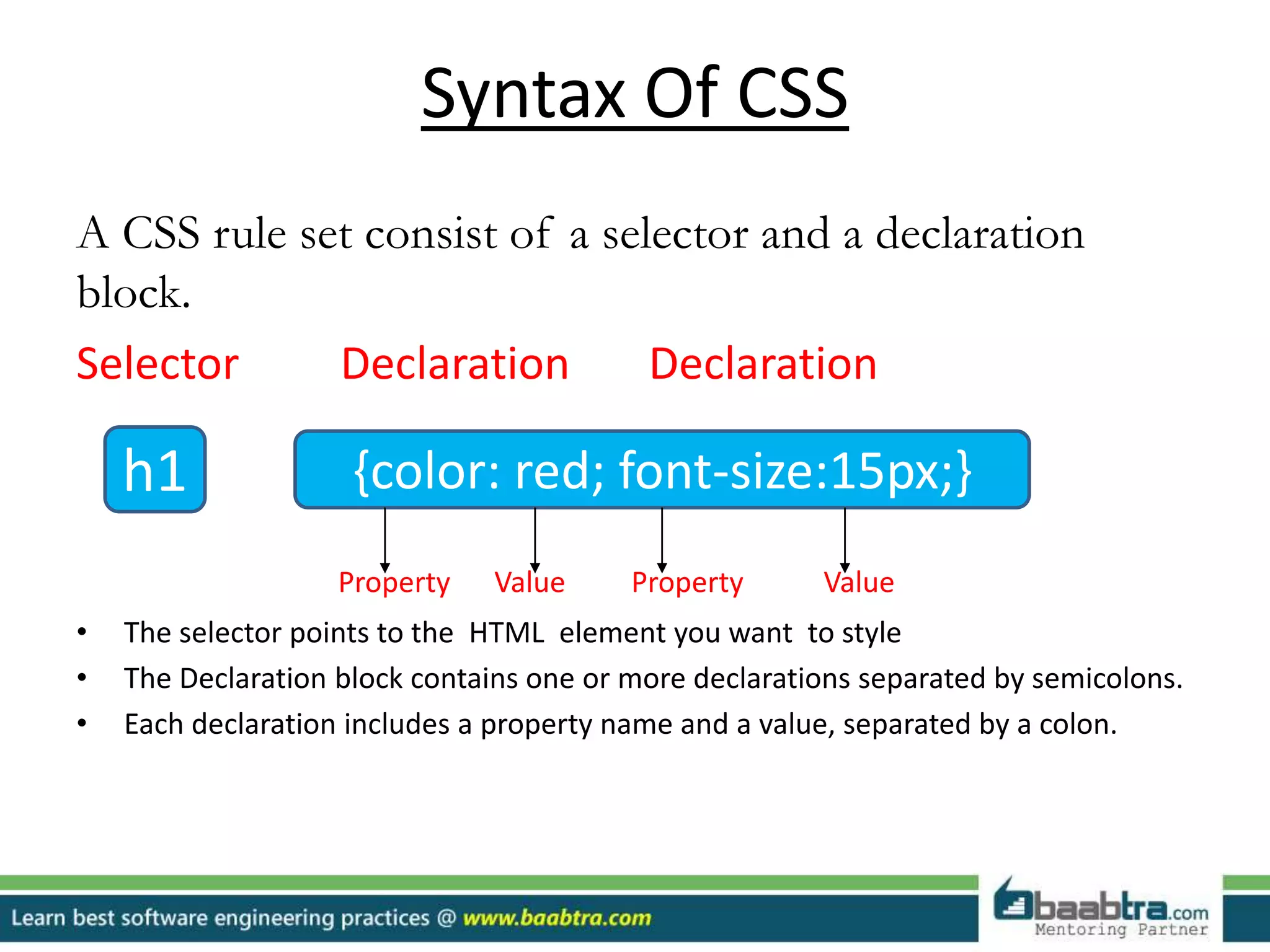
CSS rule set includes selectors and declaration blocks. The structure is shown with an example of styling an h1 element.
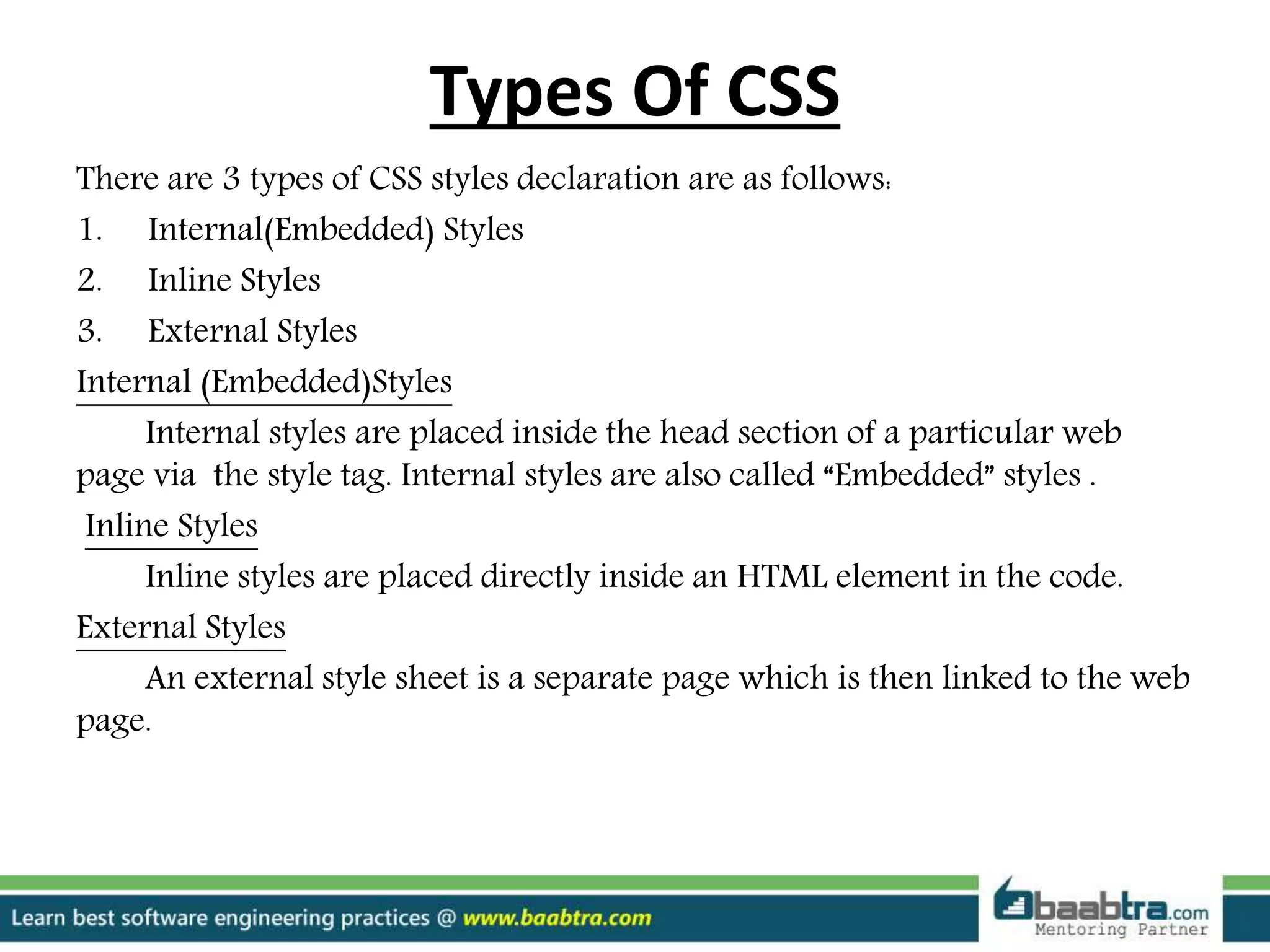
Explains three types of CSS: Internal (Embedded) Styles, Inline Styles, and External Styles, detailing their respective placements.
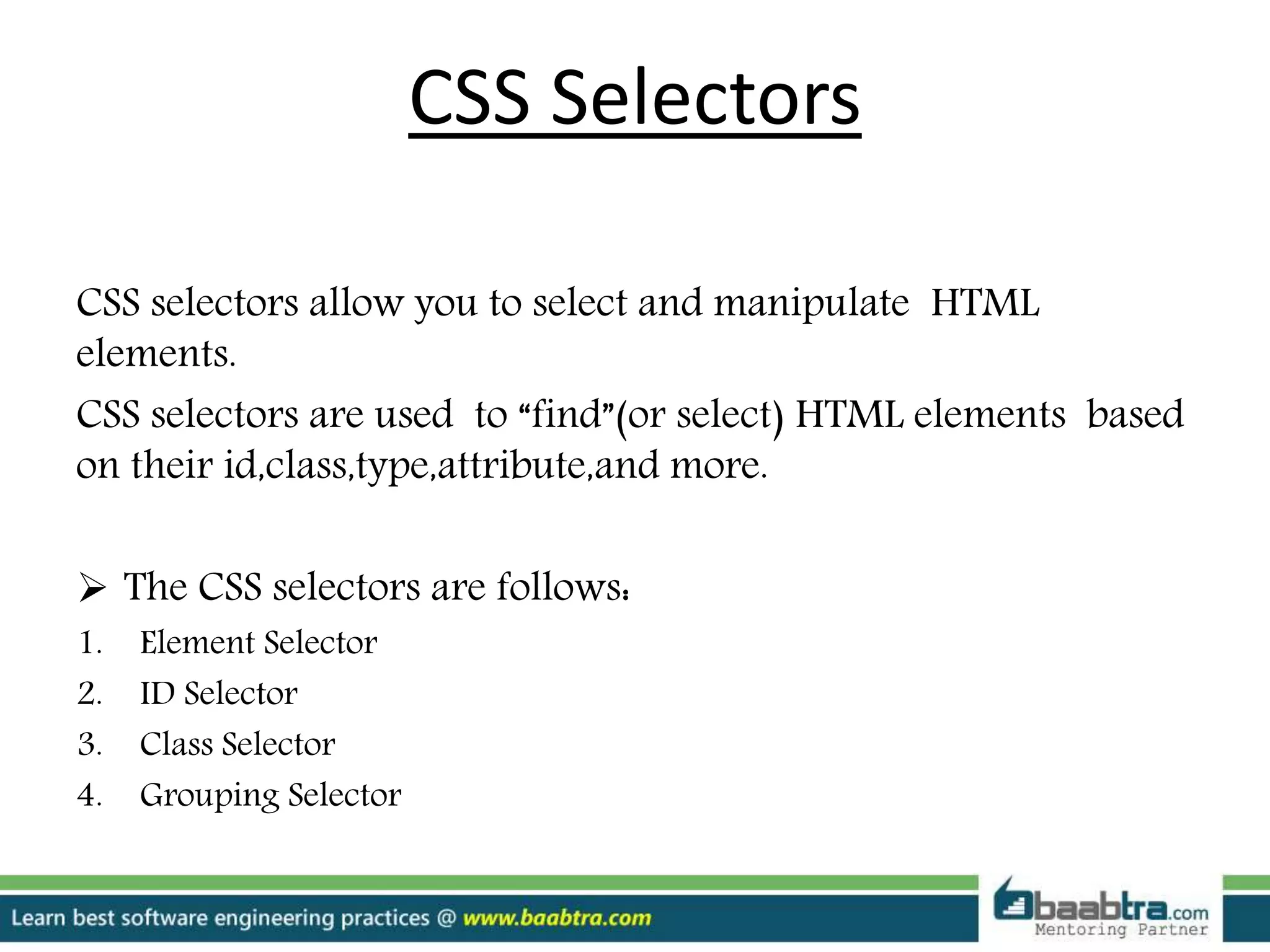
This slide discusses CSS selectors and their role in selecting HTML elements based on various attributes.
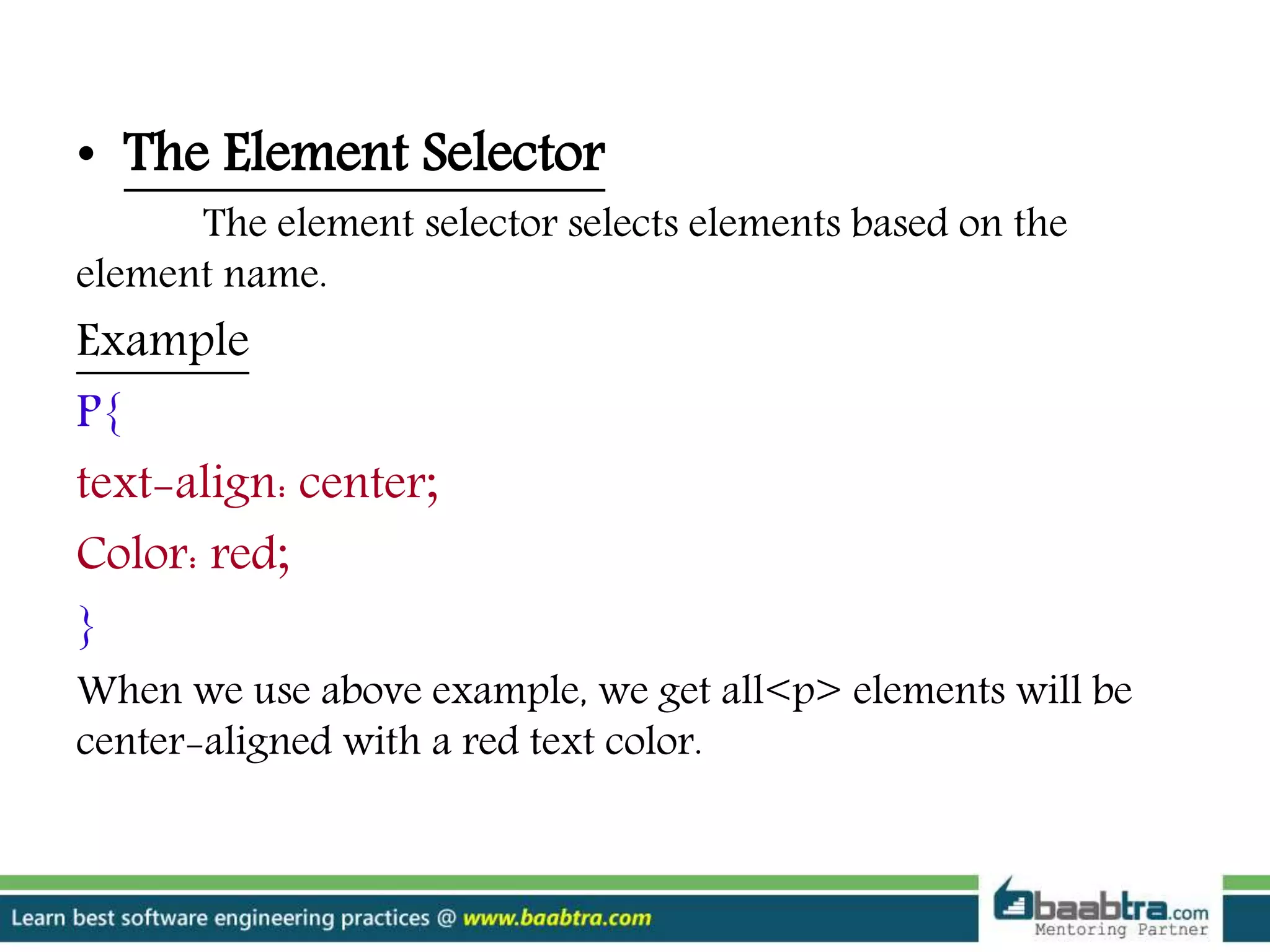
Details the element selector, which styles all of a specific HTML element based on its name, demonstrated with an example.
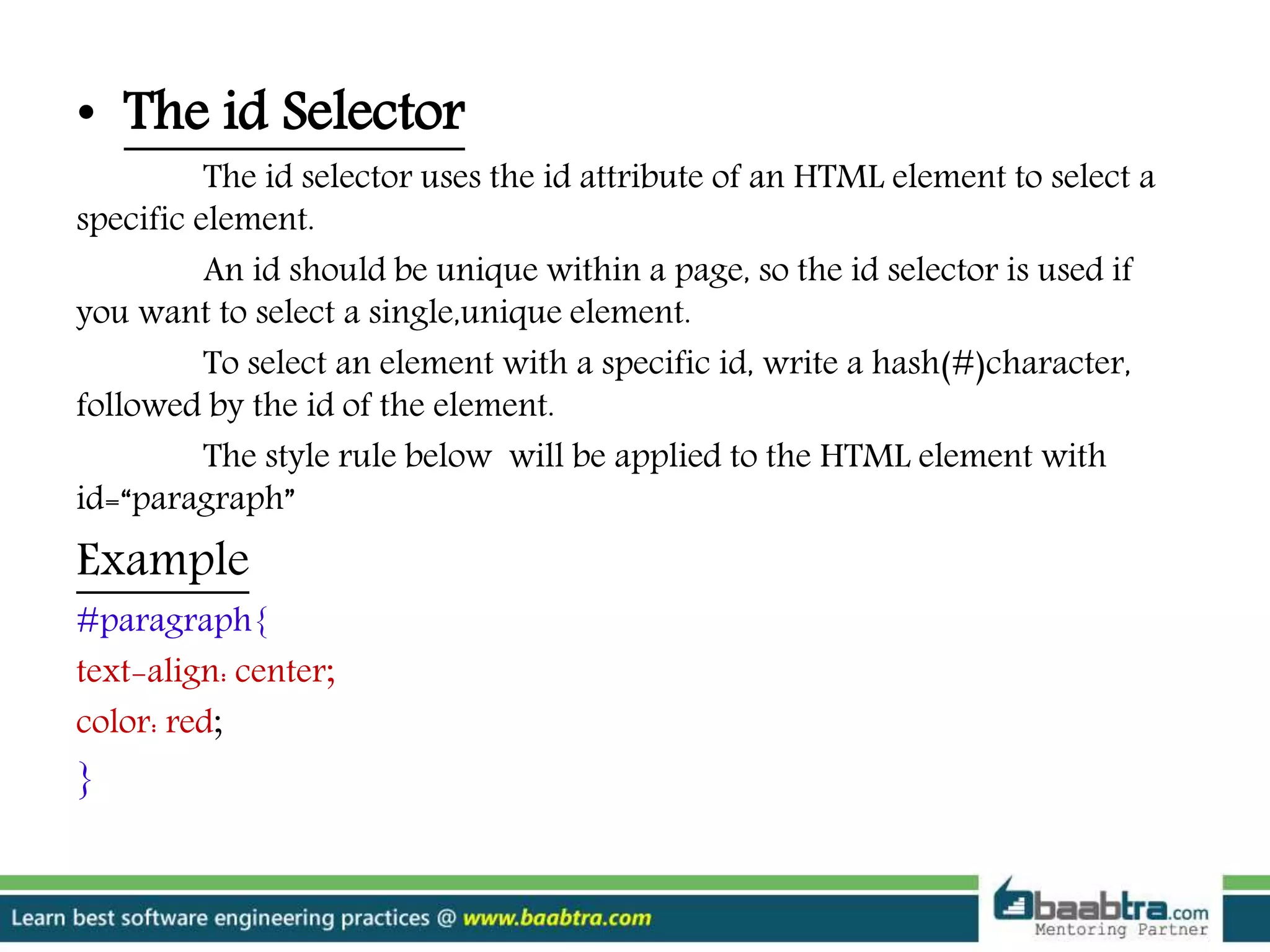
Describes how to use id selectors to style unique elements, emphasizing the need for unique id attributes with an example.
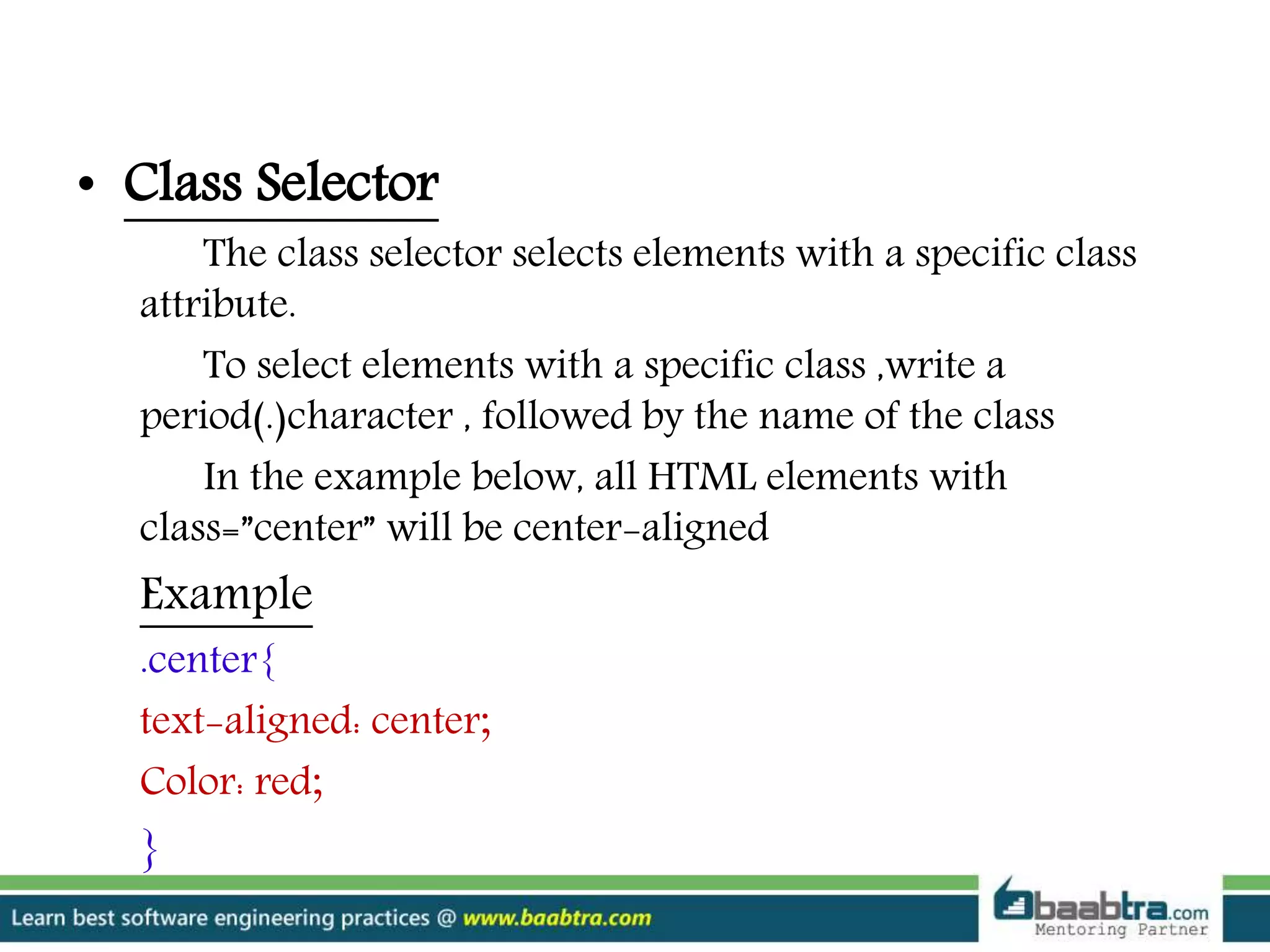
Explains class selectors for styling multiple elements sharing a class attribute, with an illustrative example.
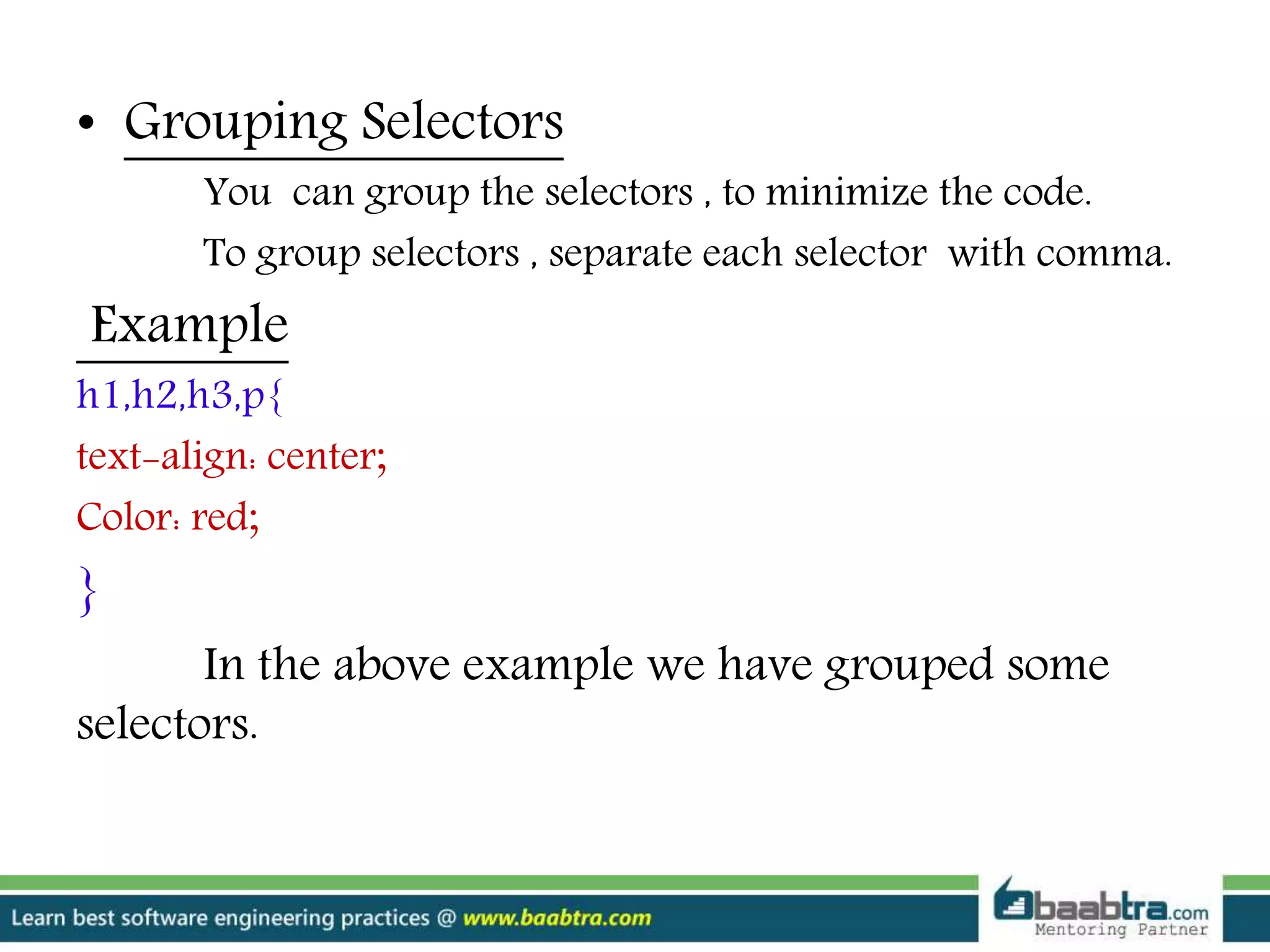
Illustrates how to use grouping selectors to reduce code duplication by applying styles to multiple selectors simultaneously.
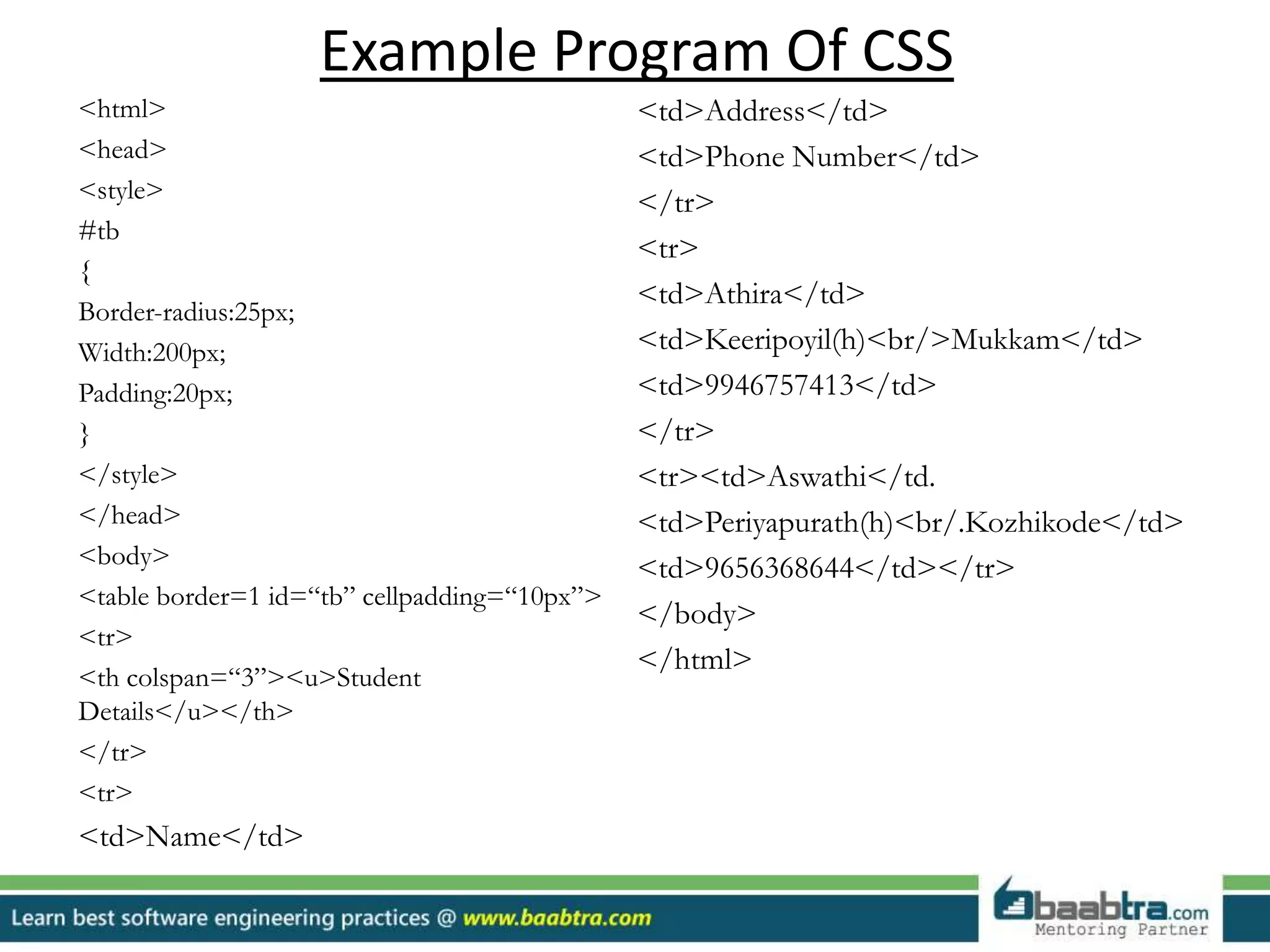
Provides an example program of HTML with CSS, showcasing a styled table containing student details.
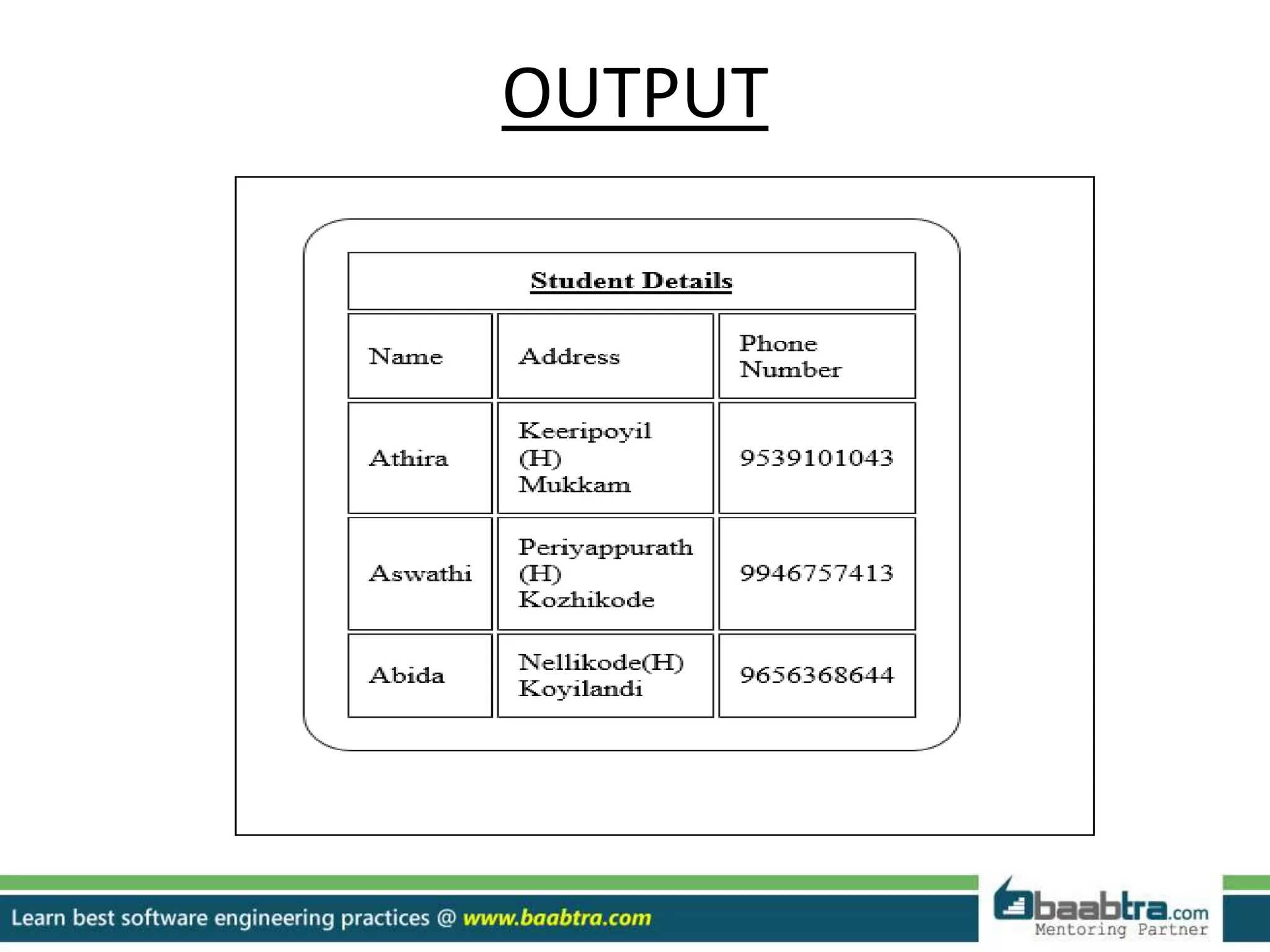
This slide indicates the output format of the provided CSS example code without specific details.
A thank you slide signaling the end of the presentation.
Encourages the audience to join online courses at Baabtra to quickly become proficient in programming.
Promotes Baabtra's social media and feedback channels, encouraging audience interaction and feedback.
Disclaimer: This presentationis prepared by trainees of
baabtra as a part of mentoring program. This is not official
document of baabtra –Mentoring Partner
Baabtra-Mentoring Partner is the mentoring division of baabte System Technologies Pvt . Ltd
Cascading Style Sheet(CSS)
A cascading style sheet(CSS) is a web page derived from
multiple sources with a defined order of precedence where
the definition of any style element conflict.
CSS saves a lot of work
CSS define how HTML elements are to be displayed
5.
Syntax Of CSS
ACSS rule set consist of a selector and a declaration
block.
Selector Declaration Declaration
Property Value Property Value
• The selector points to the HTML element you want to style
• The Declaration block contains one or more declarations separated by semicolons.
• Each declaration includes a property name and a value, separated by a colon.
h1 {color: red; font-size:15px;}
6.
Types Of CSS
Thereare 3 types of CSS styles declaration are as follows:
1. Internal(Embedded) Styles
2. Inline Styles
3. External Styles
Internal (Embedded)Styles
Internal styles are placed inside the head section of a particular web
page via the style tag. Internal styles are also called “Embedded” styles .
Inline Styles
Inline styles are placed directly inside an HTML element in the code.
External Styles
An external style sheet is a separate page which is then linked to the web
page.
7.
CSS Selectors
CSS selectorsallow you to select and manipulate HTML
elements.
CSS selectors are used to “find”(or select) HTML elements based
on their id,class,type,attribute,and more.
The CSS selectors are follows:
1. Element Selector
2. ID Selector
3. Class Selector
4. Grouping Selector
8.
• The ElementSelector
The element selector selects elements based on the
element name.
Example
P{
text-align: center;
Color: red;
}
When we use above example, we get all<p> elements will be
center-aligned with a red text color.
9.
• The idSelector
The id selector uses the id attribute of an HTML element to select a
specific element.
An id should be unique within a page, so the id selector is used if
you want to select a single,unique element.
To select an element with a specific id, write a hash(#)character,
followed by the id of the element.
The style rule below will be applied to the HTML element with
id=“paragraph”
Example
#paragraph{
text-align: center;
color: red;
}
10.
• Class Selector
Theclass selector selects elements with a specific class
attribute.
To select elements with a specific class ,write a
period(.)character , followed by the name of the class
In the example below, all HTML elements with
class=”center” will be center-aligned
Example
.center{
text-aligned: center;
Color: red;
}
11.
• Grouping Selectors
Youcan group the selectors , to minimize the code.
To group selectors , separate each selector with comma.
Example
h1,h2,h3,p{
text-align: center;
Color: red;
}
In the above example we have grouped some
selectors.
Want to learnmore about programming or Looking to become a good programmer?
Are you wasting time on searching so many contents online?
Do you want to learn things quickly?
Tired of spending huge amount of money to become a Software professional?
Do an online course
@ baabtra.com
We put industry standards to practice. Our structured, activity based courses are so designed
to make a quick, good software professional out of anybody who holds a passion for coding.
16.
Follow us @twitter.com/baabtra
Like us @ facebook.com/baabtra
Subscribe to us @ youtube.com/baabtra
Become a follower @ slideshare.net/BaabtraMentoringPartner
Connect to us @ in.linkedin.com/in/baabtra
Give a feedback @ massbaab.com/baabtra
Thanks in advance
www.baabtra.com | www.massbaab.com |www.baabte.com