Bash Script – File Space Usage Report and E-Mail
Overview
The purpose of this document is to generate HTML File Space usage information and email the report.
This script lists top 10 file space usage information.
Applies To
CentOS 7, RHEL 7
Pre-requisites
 Bash
 tee
Shell Script Snippet
#!/bin/bash
#
# Environment Variables
#
TODAY="at $(date '+%H:%M on %d-%b-%y')"
OutputFilename=$(date +"%b_%d_%Y".html)
SCAN_PATH=/
#
# Remove old HTML File
#
if [ -f /tmp/${OutputFilename} ]; then
rm -f /tmp/${OutputFilename}
fi
#
# Create Table Columns
#
(
echo '<HTML><HEAD><TITLE>Disk Utilization Report</TITLE></HEAD>'
echo '<BODY>'
echo '<H3>Disk Utilization Report for server - '$(uname -n)'</H3>'
echo '<P>Report Generated '${TODAY}'</P>'
echo '<TABLE BORDER=3 CELLSPACING=2 CELLPADDING=0>'
echo '<TR BGCOLOR="#5CE6E6"> <TH> Filesize </TH> <TH> File Location </TH></TR>'
Bash Script – File Space Usage Report and E-Mail
#
# Collate Disk Size Usage of File and its location
# Read and assign values to variables
#
du ${SCAN_PATH} -Sh * 2>/dev/null | sort -rh | head -n 10 | while read DiskSpaceUsed FileLocation
do
echo '<TR><TD>'$DiskSpaceUsed'</TD><TD>'$FileLocation'</TD></TR>'
done
echo '</TABLE><P>'
echo 'Report generated by IT Admin Team</P></BODY></HTML>'
) | tee ${0##*/}.html
#
# Send E-Mail Notification – Snippet
#
(
echo From: SendersEMailAddress@domain.com
echo To: ReceiptsEMailAddress@domain.com
echo "Content-Type: text/html;"
echo Subject: Disk Usage Report for server `hostname`
echo
cat ${0##*/}.html
) | sendmail -t
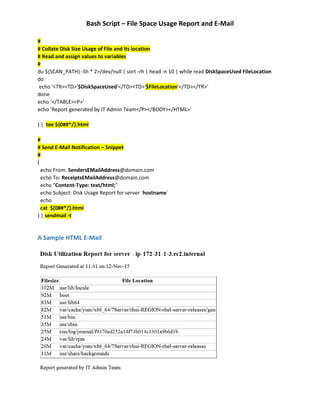
A Sample HTML E-Mail

File Space Usage Information and EMail Report - Shell Script

  • 1.
    Bash Script –File Space Usage Report and E-Mail Overview The purpose of this document is to generate HTML File Space usage information and email the report. This script lists top 10 file space usage information. Applies To CentOS 7, RHEL 7 Pre-requisites  Bash  tee Shell Script Snippet #!/bin/bash # # Environment Variables # TODAY="at $(date '+%H:%M on %d-%b-%y')" OutputFilename=$(date +"%b_%d_%Y".html) SCAN_PATH=/ # # Remove old HTML File # if [ -f /tmp/${OutputFilename} ]; then rm -f /tmp/${OutputFilename} fi # # Create Table Columns # ( echo '<HTML><HEAD><TITLE>Disk Utilization Report</TITLE></HEAD>' echo '<BODY>' echo '<H3>Disk Utilization Report for server - '$(uname -n)'</H3>' echo '<P>Report Generated '${TODAY}'</P>' echo '<TABLE BORDER=3 CELLSPACING=2 CELLPADDING=0>' echo '<TR BGCOLOR="#5CE6E6"> <TH> Filesize </TH> <TH> File Location </TH></TR>'
  • 2.
    Bash Script –File Space Usage Report and E-Mail # # Collate Disk Size Usage of File and its location # Read and assign values to variables # du ${SCAN_PATH} -Sh * 2>/dev/null | sort -rh | head -n 10 | while read DiskSpaceUsed FileLocation do echo '<TR><TD>'$DiskSpaceUsed'</TD><TD>'$FileLocation'</TD></TR>' done echo '</TABLE><P>' echo 'Report generated by IT Admin Team</P></BODY></HTML>' ) | tee ${0##*/}.html # # Send E-Mail Notification – Snippet # ( echo From: SendersEMailAddress@domain.com echo To: ReceiptsEMailAddress@domain.com echo "Content-Type: text/html;" echo Subject: Disk Usage Report for server `hostname` echo cat ${0##*/}.html ) | sendmail -t A Sample HTML E-Mail