Experiment 1
(Truth Table and Logic Gates )
To study and verify the truth table of various logic gates :
NOT, AND,OR,
NAND, NOR,
EX-OR, & EX-NOR
Verilog
• Verilog is a Hardware Description Language (HDL).
• It is a language used for describing a digital system such as a network
switch, a microprocessor, a memory, or a flip-flop.
• We can describe any digital hardware by using HDL at any level.
• Designs described in HDL are independent of technology, very easy for
designing and debugging, and are normally more useful than schematics,
particularly for large circuits.
• Verilog was developed to simplify the process and make the HDL more
robust and flexible.
• Today, Verilog is the most popular HDL used and practiced throughout the
semiconductor industry.
Verilog
Verilog is like any other hardware description language. It permits the
designers to design the designs in either Bottom-up or Top-down
methodology.
• Bottom-Up Design: The traditional method of electronic design is bottom-
up. Each design is performed at the gate-level using the standards gates.
This design gives a way to design new structural, hierarchical design
methods.
• Top-Down Design: It allows early testing, easy change of different
technologies, and structured system design and offers many other
benefits.
Hello World Program
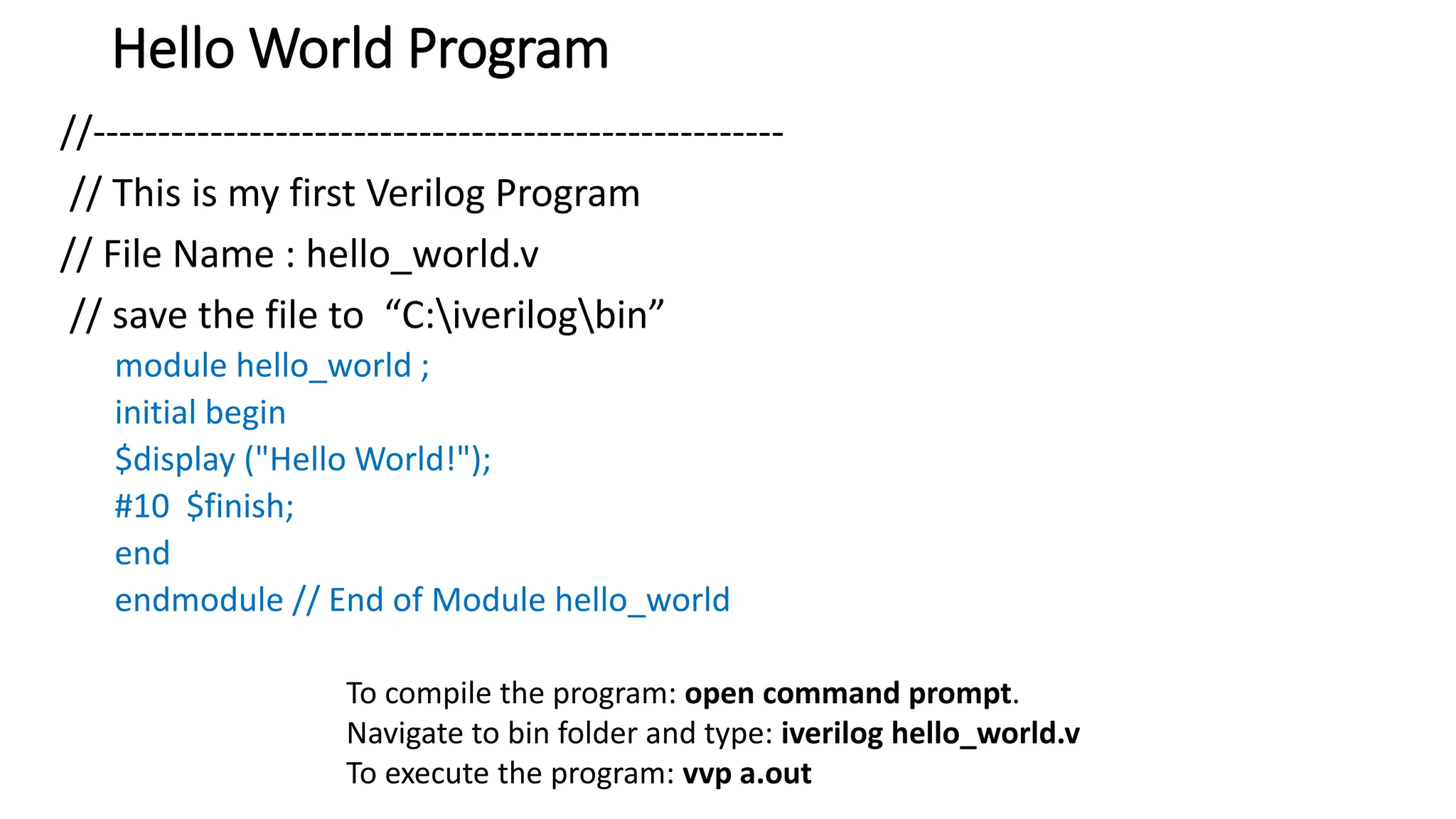
//-----------------------------------------------------
// This is my first Verilog Program
// File Name : hello_world.v
// save the file to “C:iverilogbin”
module hello_world ;
initial begin
$display ("Hello World!");
#10 $finish;
end
endmodule // End of Module hello_world
To compile the program: open command prompt.
Navigate to bin folder and type: iverilog hello_world.v
To execute the program: vvp a.out
Verilog
• Verilog HDL is a case-sensitive language.
• And all keywords are in lowercase.
• Comments
• There are two types to represent the comments, such as:
• Single line comments begin with the token // and end with a carriage return.
For example, //this is the single-line syntax.
• Multi-Line comments begin with the token /* and end with the token */
For example, /* this is multiline syntax*/
Verilog
Identifiers
• The identifier is the name used to define the object, such as a function,
module, or register. Identifiers should begin with alphabetical characters or
underscore characters.
• For example, A_Z and a_z.
• Identifiers are a combination of alphabetic, numeric, underscore, and $
characters.
• Identifiers may contain alphabetic characters, numeric characters, the
underscore, and the dollar sign (a-z A-Z 0-9 _ $).
• Identifiers can be up to 1024 characters long.
Verilog: Operators
1. Arithmetic Operators: addition, subtraction, multiplication, division, and
modulus. The + and -are used as either unary (x) or binary (z-y)
operators.
2. Relational Operators: These operators compare two operands and
return the result in a single bit, 1 or 0. The Operators included in
relational operation are:
== (equal to)
!= (not equal to)
(greater than)
>= (greater than or equal to)
< (less than)
<= (less than or equal to)
Verilog: Operators
3. Bit-wise Operators
• Bit-wise operators do a bit-by-bit comparison between two operands. The
Operators included in Bit-wise operation are:
& (Bit-wise AND)
| (Bit-wiseOR)
~ (Bit-wise NOT)
^ (Bit-wise XOR)
~^ or ^~(Bit-wise XNOR)
Verilog: Operators
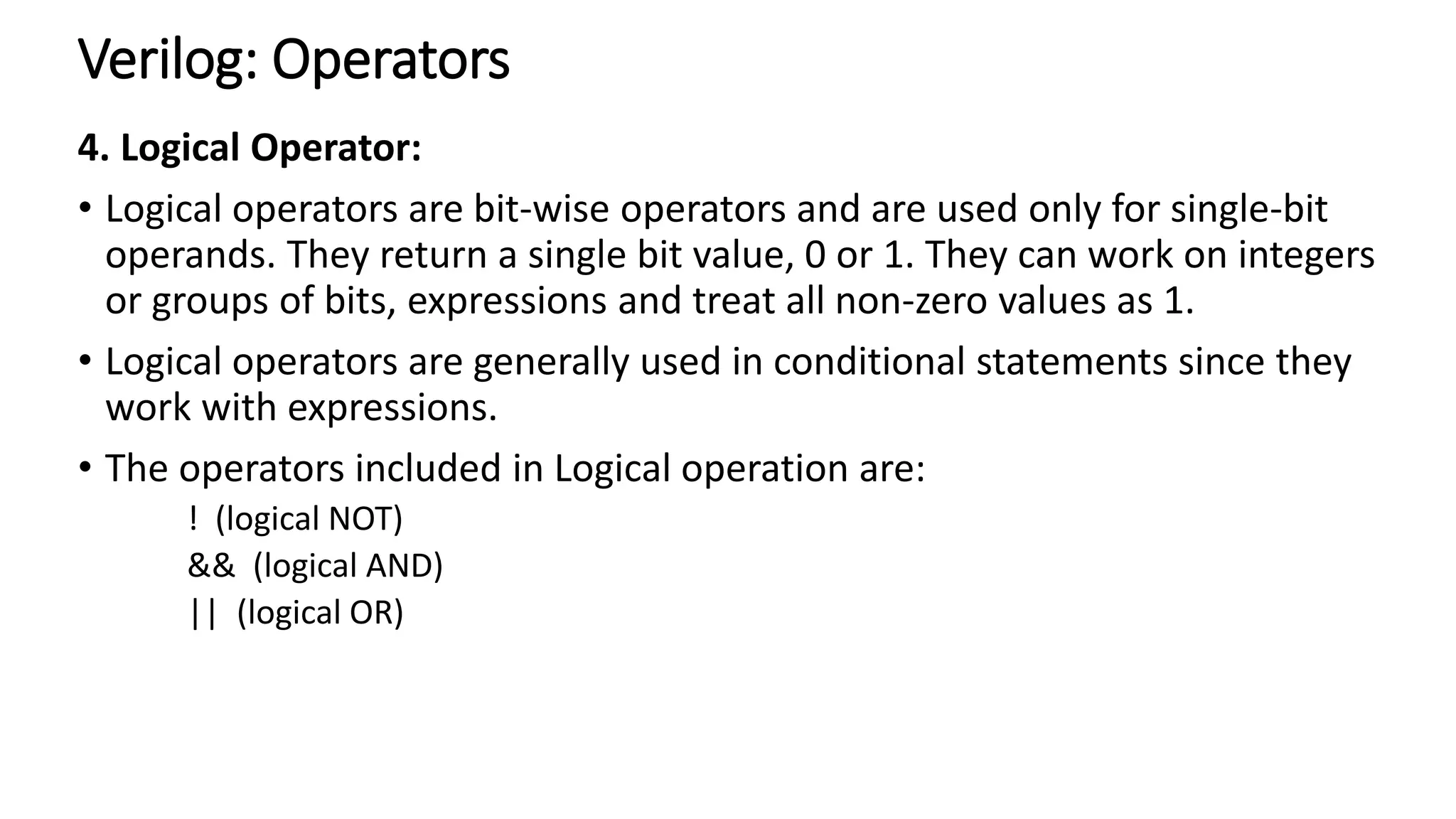
4. Logical Operator:
• Logical operators are bit-wise operators and are used only for single-bit
operands. They return a single bit value, 0 or 1. They can work on integers
or groups of bits, expressions and treat all non-zero values as 1.
• Logical operators are generally used in conditional statements since they
work with expressions.
• The operators included in Logical operation are:
! (logical NOT)
&& (logical AND)
|| (logical OR)
Verilog: Operators
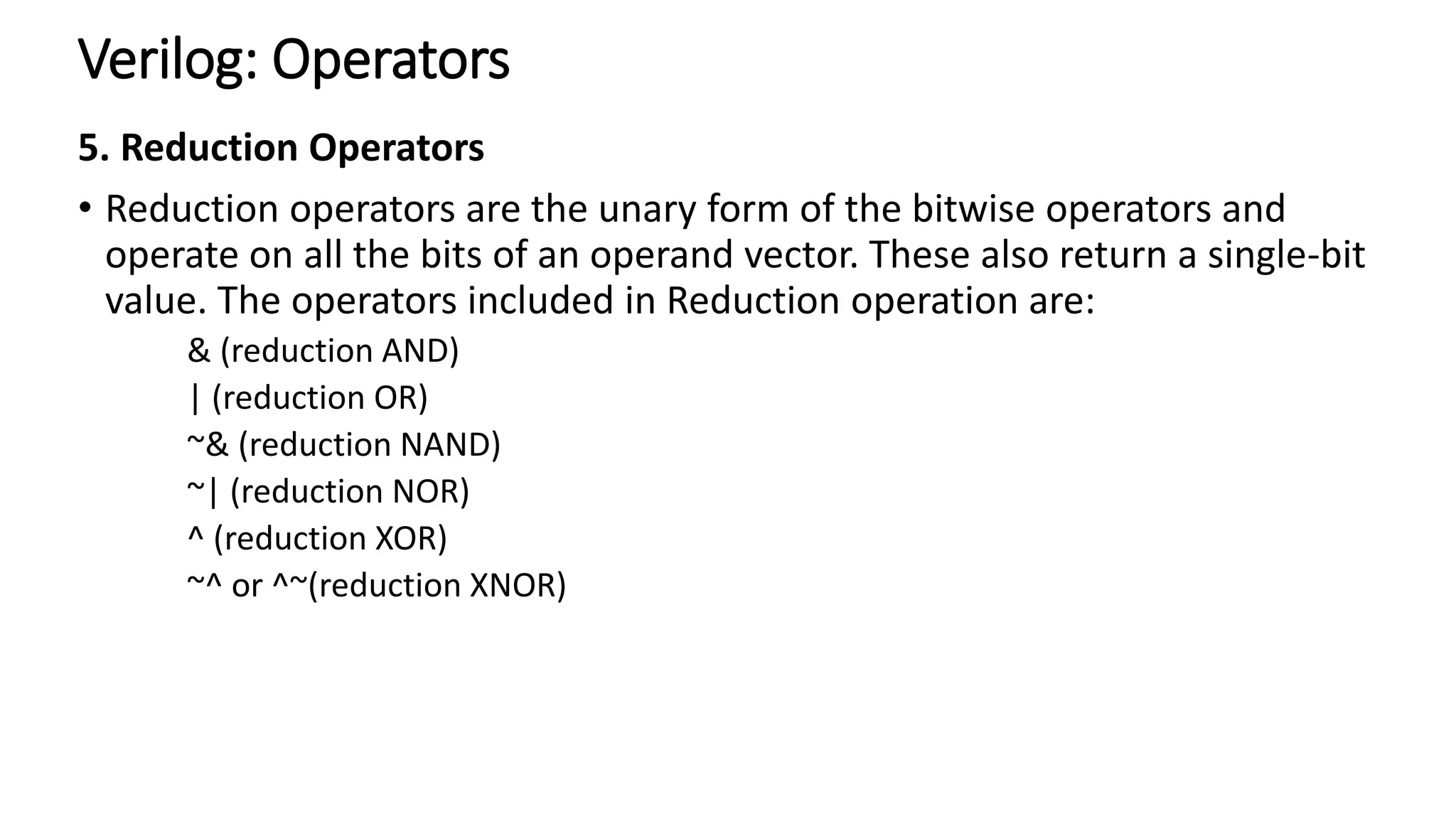
5. Reduction Operators
• Reduction operators are the unary form of the bitwise operators and
operate on all the bits of an operand vector. These also return a single-bit
value. The operators included in Reduction operation are:
& (reduction AND)
| (reduction OR)
~& (reduction NAND)
~| (reduction NOR)
^ (reduction XOR)
~^ or ^~(reduction XNOR)
Verilog: Data Types
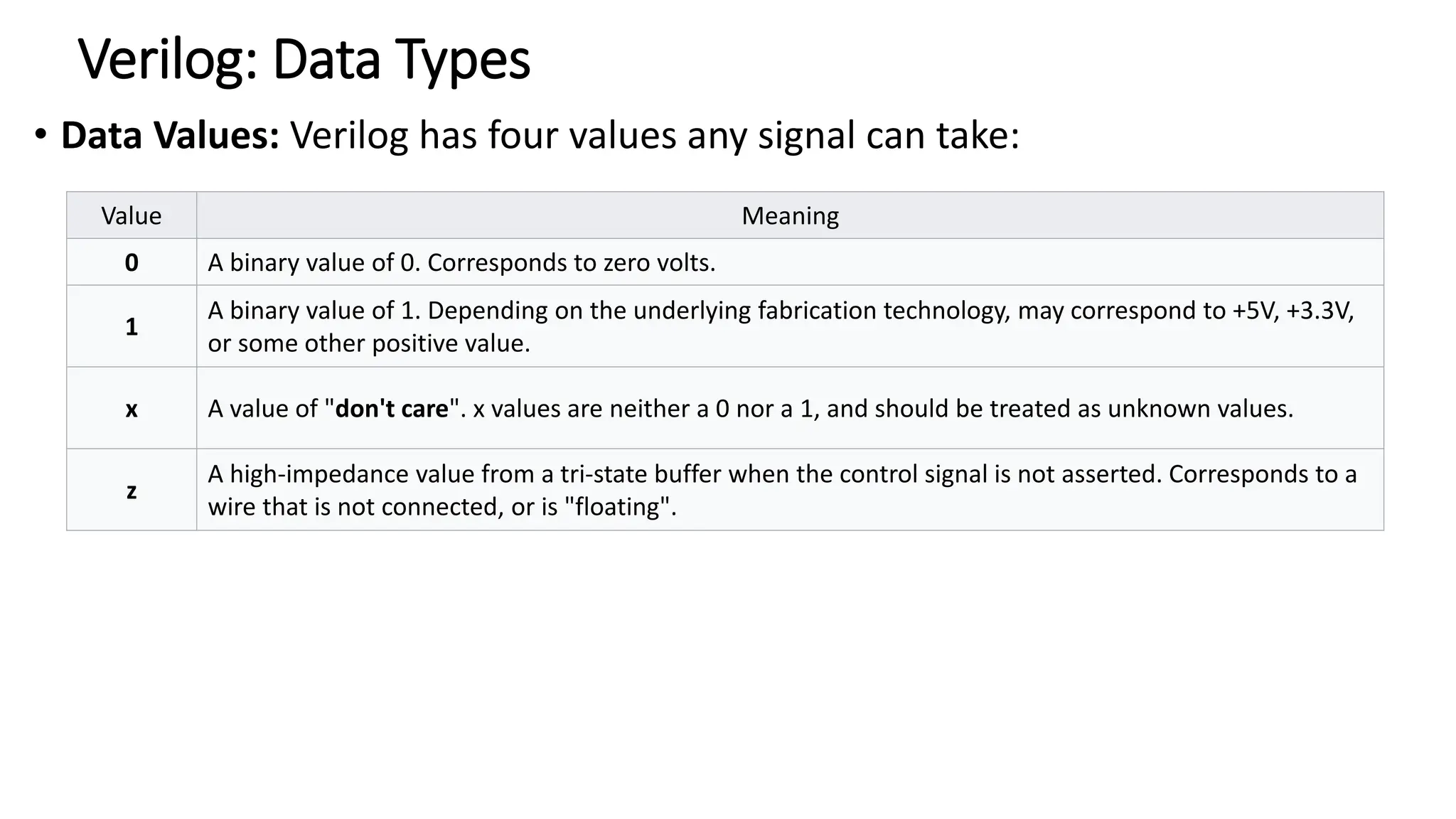
• Data Values: Verilog has four values any signal can take:
Value Meaning
0 A binary value of 0. Corresponds to zero volts.
1
A binary value of 1. Depending on the underlying fabrication technology, may correspond to +5V, +3.3V,
or some other positive value.
x A value of "don't care". x values are neither a 0 nor a 1, and should be treated as unknown values.
z
A high-impedance value from a tri-state buffer when the control signal is not asserted. Corresponds to a
wire that is not connected, or is "floating".
Verilog: Data Types
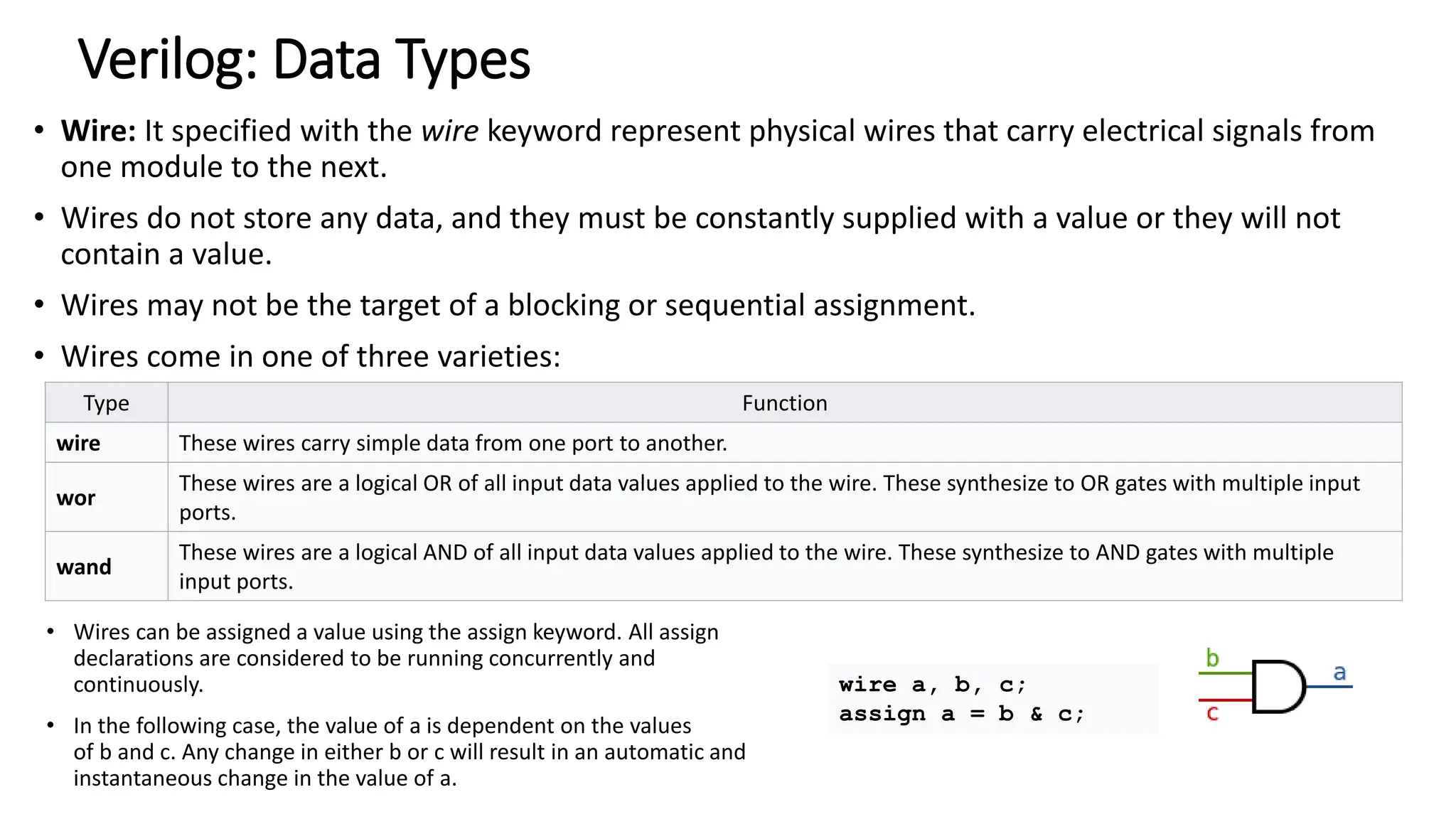
• Wire: It specified with the wire keyword represent physical wires that carry electrical signals from
one module to the next.
• Wires do not store any data, and they must be constantly supplied with a value or they will not
contain a value.
• Wires may not be the target of a blocking or sequential assignment.
• Wires come in one of three varieties:
Type Function
wire These wires carry simple data from one port to another.
wor
These wires are a logical OR of all input data values applied to the wire. These synthesize to OR gates with multiple input
ports.
wand
These wires are a logical AND of all input data values applied to the wire. These synthesize to AND gates with multiple
input ports.
• Wires can be assigned a value using the assign keyword. All assign
declarations are considered to be running concurrently and
continuously.
• In the following case, the value of a is dependent on the values
of b and c. Any change in either b or c will result in an automatic and
instantaneous change in the value of a.
wire a, b, c;
assign a = b & c;
Verilog: Data Types
reg:
• A register, denoted with the keyword reg is a memory storage location.
• with user-defined size
• Example:
reg a, b; //reg without size means 1-bit
reg [31:0] c; // a 32-bit register
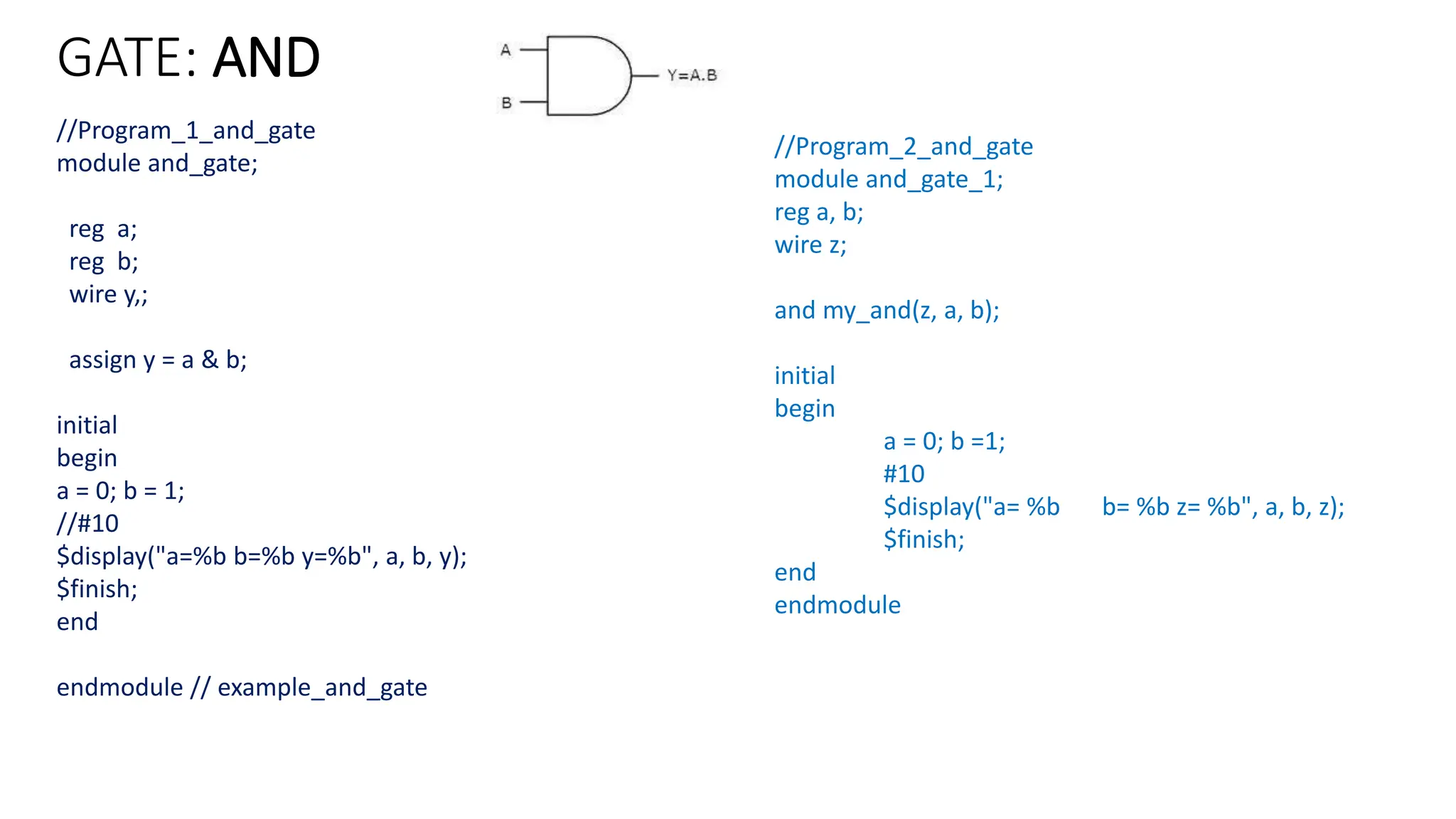
GATE: AND
//Program_1_and_gate
module and_gate;
reg a;
reg b;
wire y,;
assign y = a & b;
initial
begin
a = 0; b = 1;
//#10
$display("a=%b b=%b y=%b", a, b, y);
$finish;
end
endmodule // example_and_gate
//Program_2_and_gate
module and_gate_1;
reg a, b;
wire z;
and my_and(z, a, b);
initial
begin
a = 0; b =1;
#10
$display("a= %b b= %b z= %b", a, b, z);
$finish;
end
endmodule
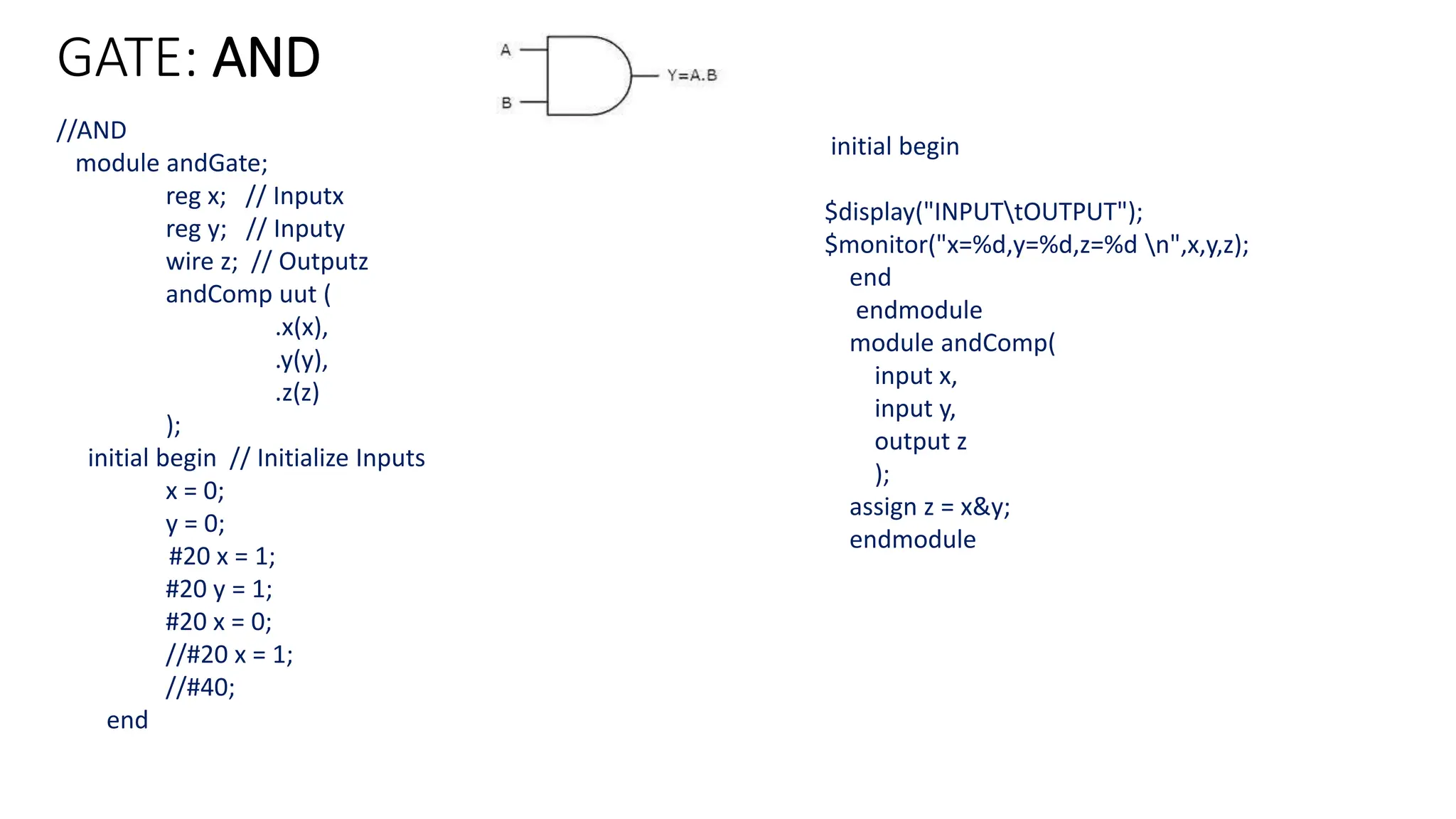
GATE: AND
//AND
module andGate;
reg x; // Inputx
reg y; // Inputy
wire z; // Outputz
andComp uut (
.x(x),
.y(y),
.z(z)
);
initial begin // Initialize Inputs
x = 0;
y = 0;
#20 x = 1;
#20 y = 1;
#20 x = 0;
//#20 x = 1;
//#40;
end
initial begin
$display("INPUTtOUTPUT");
$monitor("x=%d,y=%d,z=%d n",x,y,z);
end
endmodule
module andComp(
input x,
input y,
output z
);
assign z = x&y;
endmodule
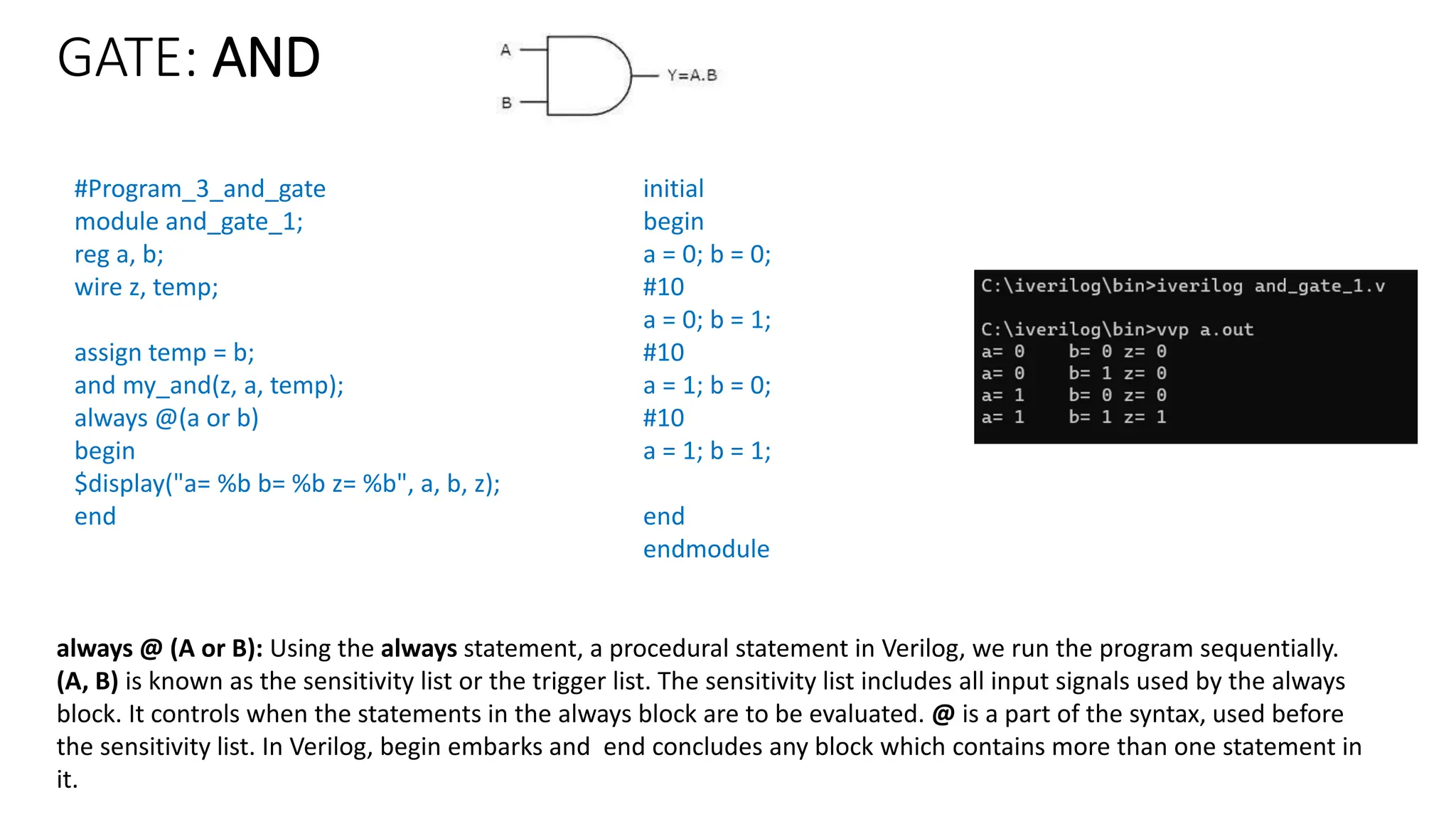
GATE: AND
#Program_3_and_gate
module and_gate_1;
reg a, b;
wire z, temp;
assign temp = b;
and my_and(z, a, temp);
always @(a or b)
begin
$display("a= %b b= %b z= %b", a, b, z);
end
initial
begin
a = 0; b = 0;
#10
a = 0; b = 1;
#10
a = 1; b = 0;
#10
a = 1; b = 1;
end
endmodule
always @ (A or B): Using the always statement, a procedural statement in Verilog, we run the program sequentially.
(A, B) is known as the sensitivity list or the trigger list. The sensitivity list includes all input signals used by the always
block. It controls when the statements in the always block are to be evaluated. @ is a part of the syntax, used before
the sensitivity list. In Verilog, begin embarks and end concludes any block which contains more than one statement in
it.
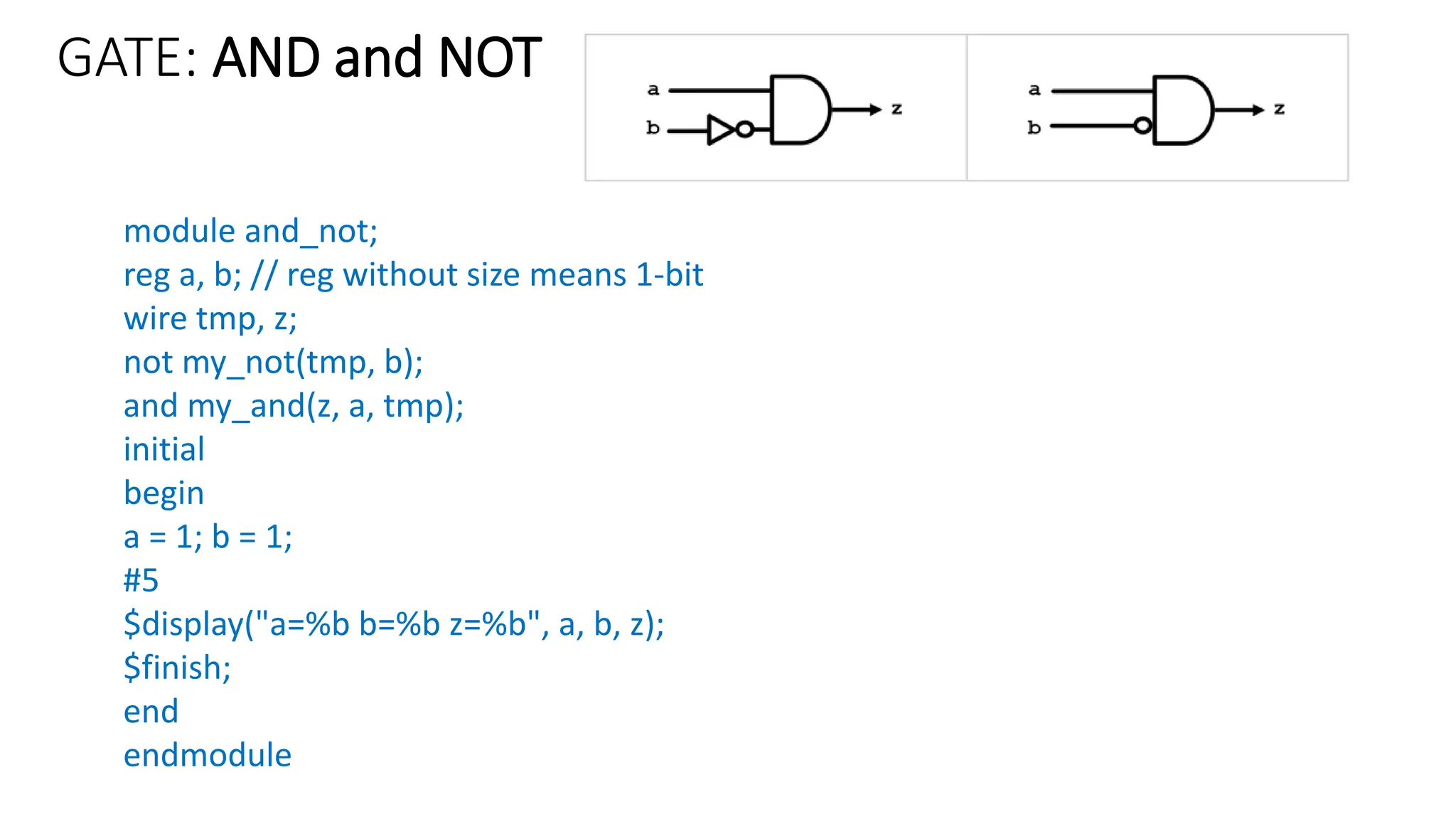
GATE: AND and NOT
module and_not;
reg a, b; // reg without size means 1-bit
wire tmp, z;
not my_not(tmp, b);
and my_and(z, a, tmp);
initial
begin
a = 1; b = 1;
#5
$display("a=%b b=%b z=%b", a, b, z);
$finish;
end
endmodule
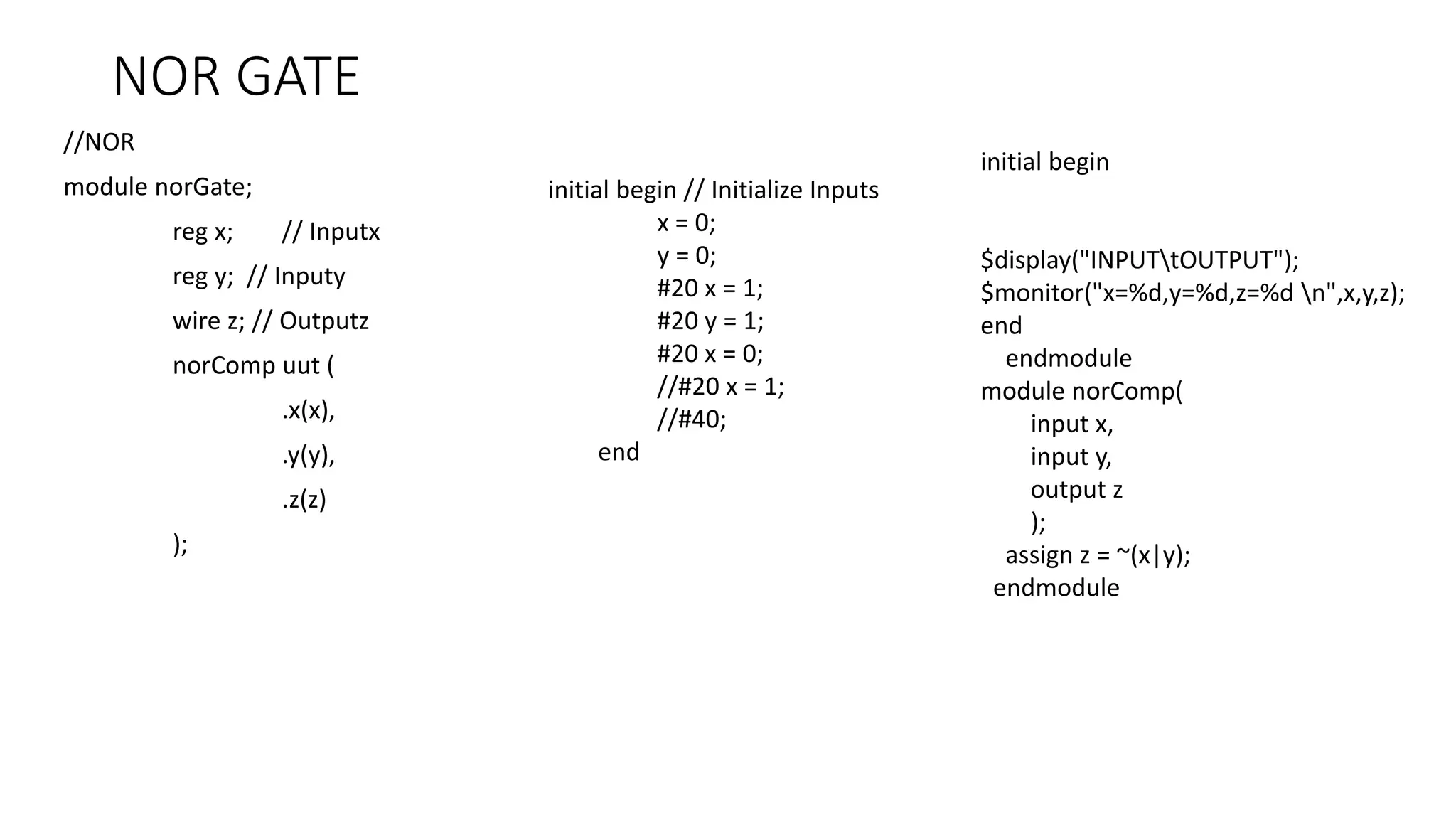
NOR GATE
//NOR
module norGate;
reg x; // Inputx
reg y; // Inputy
wire z; // Outputz
norComp uut (
.x(x),
.y(y),
.z(z)
);
initial begin
$display("INPUTtOUTPUT");
$monitor("x=%d,y=%d,z=%d n",x,y,z);
end
endmodule
module norComp(
input x,
input y,
output z
);
assign z = ~(x|y);
endmodule
initial begin // Initialize Inputs
x = 0;
y = 0;
#20 x = 1;
#20 y = 1;
#20 x = 0;
//#20 x = 1;
//#40;
end
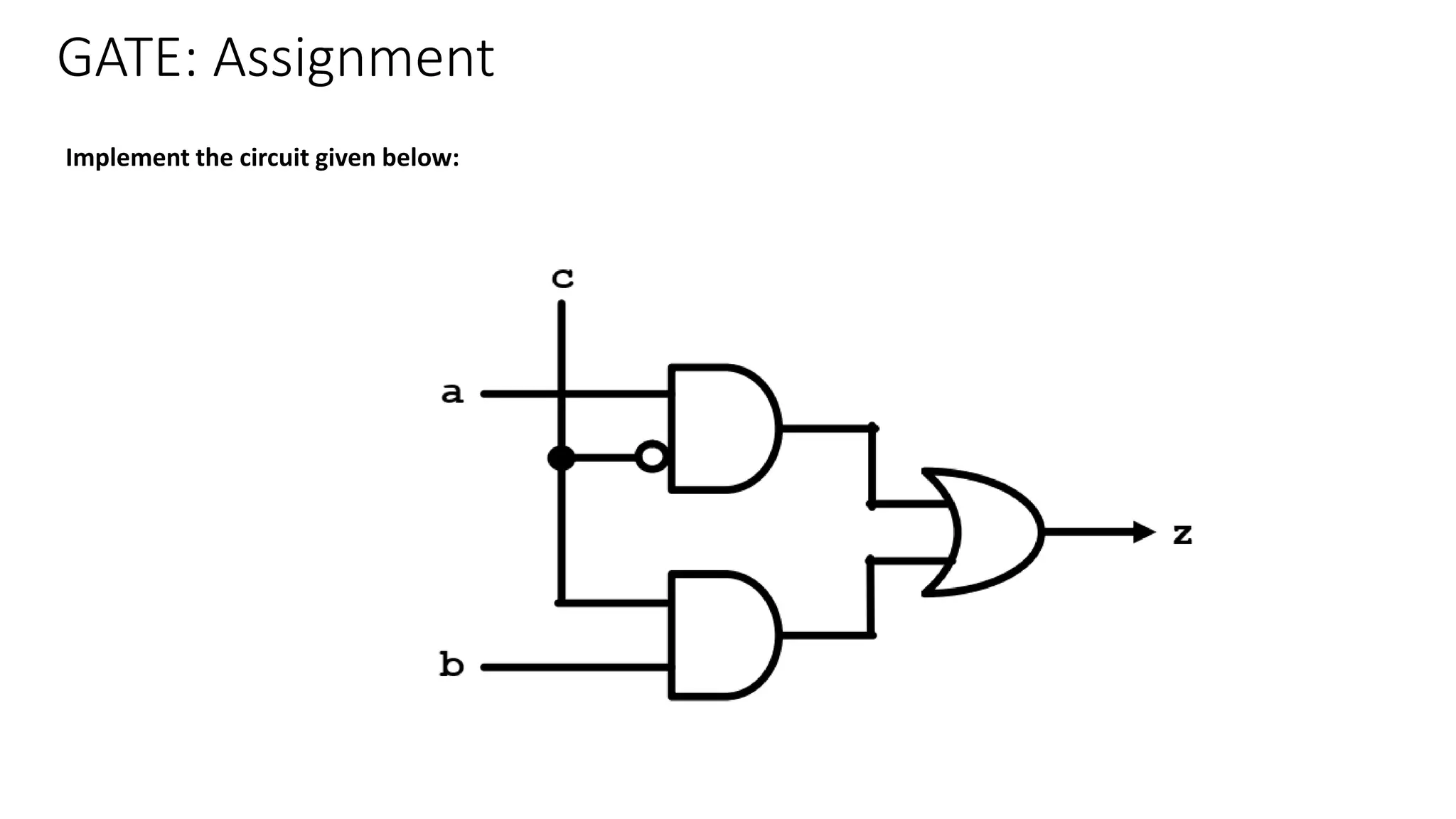
GATE: Assignment
Implement the circuit given below:
Dumpfile
• A dumpfile is a file which acts as a place where the computer writes current
information about the system's status.
• This information can include the current time and date, details about the previous
executed commands on the system, and details about any error codes that preceded a
system or program crash.
• The dumpfile may also include memory information for data stored above and below
the location of the faulty thread and lists of running modules and threads active at the
time of the dump, as well as other data.
• Typically used in crash scenarios, a dumpfile provides the end-user with relevant
information about the state of the system before the crash, making debugging efforts
easier for the end user.
Dumpfile
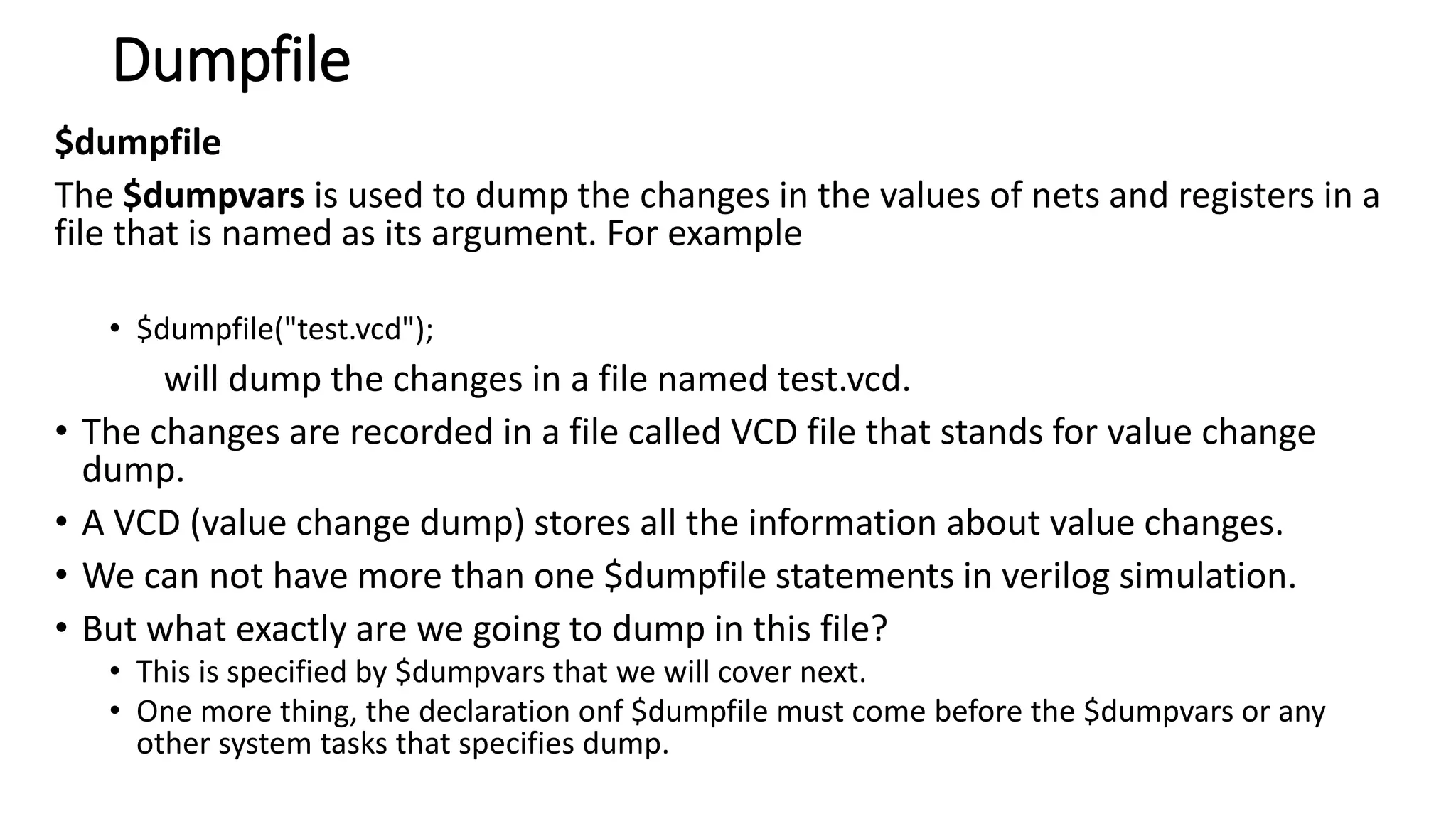
$dumpfile
The $dumpvars is used to dump the changes in the values of nets and registers in a file that
is named as its argument. For example
• $dumpfile("test.vcd");
will dump the changes in a file named test.vcd.
• The changes are recorded in a file called VCD file that stands for value change dump.
• A VCD (value change dump) stores all the information about value changes.
• VCD is files are not part of Verilog RTL (Register-transfer-level) Design, but it is used inside
test bench module for verification and debug purposes.
• It requires, Simulation Tool with waveform viewer which is capable of reading *.VCD files.
• We can not have more than one $dumpfile statements in verilog simulation.
• But what exactly are we going to dump in this file?
• This is specified by $dumpvars that we will cover next.
• One more thing, the declaration onf $dumpfile must come before the $dumpvars or any other system
tasks that specifies dump.
Dumpfile
$dumpfile
The $dumpvars is used to dump the changes in the values of nets and registers in a
file that is named as its argument. For example
• $dumpfile("test.vcd");
will dump the changes in a file named test.vcd.
• The changes are recorded in a file called VCD file that stands for value change
dump.
• A VCD (value change dump) stores all the information about value changes.
• We can not have more than one $dumpfile statements in verilog simulation.
• But what exactly are we going to dump in this file?
• This is specified by $dumpvars that we will cover next.
• One more thing, the declaration onf $dumpfile must come before the $dumpvars or any
other system tasks that specifies dump.
Dumpfile
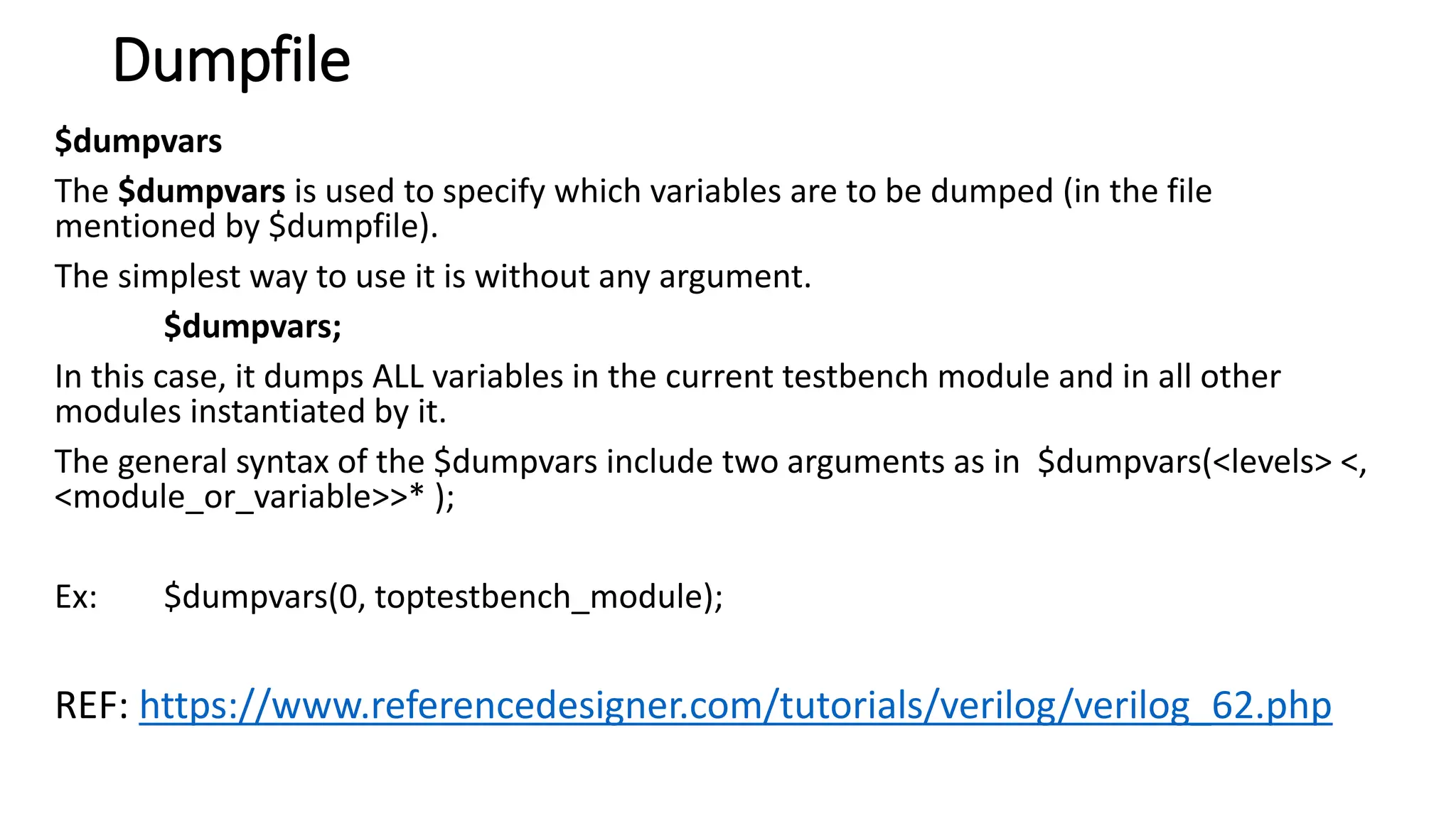
$dumpvars
The $dumpvars is used to specify which variables are to be dumped (in the file
mentioned by $dumpfile).
The simplest way to use it is without any argument.
$dumpvars;
In this case, it dumps ALL variables in the current testbench module and in all other
modules instantiated by it.
The general syntax of the $dumpvars include two arguments as in $dumpvars(<levels> <,
<module_or_variable>>* );
Ex: $dumpvars(0, toptestbench_module);
REF: https://www.referencedesigner.com/tutorials/verilog/verilog_62.php

Experiment 1- UCS 704_ESD engineering money waste

  • 1.
    Experiment 1 (Truth Tableand Logic Gates ) To study and verify the truth table of various logic gates : NOT, AND,OR, NAND, NOR, EX-OR, & EX-NOR
  • 2.
    Verilog • Verilog isa Hardware Description Language (HDL). • It is a language used for describing a digital system such as a network switch, a microprocessor, a memory, or a flip-flop. • We can describe any digital hardware by using HDL at any level. • Designs described in HDL are independent of technology, very easy for designing and debugging, and are normally more useful than schematics, particularly for large circuits. • Verilog was developed to simplify the process and make the HDL more robust and flexible. • Today, Verilog is the most popular HDL used and practiced throughout the semiconductor industry.
  • 3.
    Verilog Verilog is likeany other hardware description language. It permits the designers to design the designs in either Bottom-up or Top-down methodology. • Bottom-Up Design: The traditional method of electronic design is bottom- up. Each design is performed at the gate-level using the standards gates. This design gives a way to design new structural, hierarchical design methods. • Top-Down Design: It allows early testing, easy change of different technologies, and structured system design and offers many other benefits.
  • 4.
    Hello World Program //----------------------------------------------------- //This is my first Verilog Program // File Name : hello_world.v // save the file to “C:iverilogbin” module hello_world ; initial begin $display ("Hello World!"); #10 $finish; end endmodule // End of Module hello_world To compile the program: open command prompt. Navigate to bin folder and type: iverilog hello_world.v To execute the program: vvp a.out
  • 5.
    Verilog • Verilog HDLis a case-sensitive language. • And all keywords are in lowercase. • Comments • There are two types to represent the comments, such as: • Single line comments begin with the token // and end with a carriage return. For example, //this is the single-line syntax. • Multi-Line comments begin with the token /* and end with the token */ For example, /* this is multiline syntax*/
  • 6.
    Verilog Identifiers • The identifieris the name used to define the object, such as a function, module, or register. Identifiers should begin with alphabetical characters or underscore characters. • For example, A_Z and a_z. • Identifiers are a combination of alphabetic, numeric, underscore, and $ characters. • Identifiers may contain alphabetic characters, numeric characters, the underscore, and the dollar sign (a-z A-Z 0-9 _ $). • Identifiers can be up to 1024 characters long.
  • 7.
    Verilog: Operators 1. ArithmeticOperators: addition, subtraction, multiplication, division, and modulus. The + and -are used as either unary (x) or binary (z-y) operators. 2. Relational Operators: These operators compare two operands and return the result in a single bit, 1 or 0. The Operators included in relational operation are: == (equal to) != (not equal to) (greater than) >= (greater than or equal to) < (less than) <= (less than or equal to)
  • 8.
    Verilog: Operators 3. Bit-wiseOperators • Bit-wise operators do a bit-by-bit comparison between two operands. The Operators included in Bit-wise operation are: & (Bit-wise AND) | (Bit-wiseOR) ~ (Bit-wise NOT) ^ (Bit-wise XOR) ~^ or ^~(Bit-wise XNOR)
  • 9.
    Verilog: Operators 4. LogicalOperator: • Logical operators are bit-wise operators and are used only for single-bit operands. They return a single bit value, 0 or 1. They can work on integers or groups of bits, expressions and treat all non-zero values as 1. • Logical operators are generally used in conditional statements since they work with expressions. • The operators included in Logical operation are: ! (logical NOT) && (logical AND) || (logical OR)
  • 10.
    Verilog: Operators 5. ReductionOperators • Reduction operators are the unary form of the bitwise operators and operate on all the bits of an operand vector. These also return a single-bit value. The operators included in Reduction operation are: & (reduction AND) | (reduction OR) ~& (reduction NAND) ~| (reduction NOR) ^ (reduction XOR) ~^ or ^~(reduction XNOR)
  • 11.
    Verilog: Data Types •Data Values: Verilog has four values any signal can take: Value Meaning 0 A binary value of 0. Corresponds to zero volts. 1 A binary value of 1. Depending on the underlying fabrication technology, may correspond to +5V, +3.3V, or some other positive value. x A value of "don't care". x values are neither a 0 nor a 1, and should be treated as unknown values. z A high-impedance value from a tri-state buffer when the control signal is not asserted. Corresponds to a wire that is not connected, or is "floating".
  • 12.
    Verilog: Data Types •Wire: It specified with the wire keyword represent physical wires that carry electrical signals from one module to the next. • Wires do not store any data, and they must be constantly supplied with a value or they will not contain a value. • Wires may not be the target of a blocking or sequential assignment. • Wires come in one of three varieties: Type Function wire These wires carry simple data from one port to another. wor These wires are a logical OR of all input data values applied to the wire. These synthesize to OR gates with multiple input ports. wand These wires are a logical AND of all input data values applied to the wire. These synthesize to AND gates with multiple input ports. • Wires can be assigned a value using the assign keyword. All assign declarations are considered to be running concurrently and continuously. • In the following case, the value of a is dependent on the values of b and c. Any change in either b or c will result in an automatic and instantaneous change in the value of a. wire a, b, c; assign a = b & c;
  • 13.
    Verilog: Data Types reg: •A register, denoted with the keyword reg is a memory storage location. • with user-defined size • Example: reg a, b; //reg without size means 1-bit reg [31:0] c; // a 32-bit register
  • 14.
    GATE: AND //Program_1_and_gate module and_gate; rega; reg b; wire y,; assign y = a & b; initial begin a = 0; b = 1; //#10 $display("a=%b b=%b y=%b", a, b, y); $finish; end endmodule // example_and_gate //Program_2_and_gate module and_gate_1; reg a, b; wire z; and my_and(z, a, b); initial begin a = 0; b =1; #10 $display("a= %b b= %b z= %b", a, b, z); $finish; end endmodule
  • 15.
    GATE: AND //AND module andGate; regx; // Inputx reg y; // Inputy wire z; // Outputz andComp uut ( .x(x), .y(y), .z(z) ); initial begin // Initialize Inputs x = 0; y = 0; #20 x = 1; #20 y = 1; #20 x = 0; //#20 x = 1; //#40; end initial begin $display("INPUTtOUTPUT"); $monitor("x=%d,y=%d,z=%d n",x,y,z); end endmodule module andComp( input x, input y, output z ); assign z = x&y; endmodule
  • 16.
    GATE: AND #Program_3_and_gate module and_gate_1; rega, b; wire z, temp; assign temp = b; and my_and(z, a, temp); always @(a or b) begin $display("a= %b b= %b z= %b", a, b, z); end initial begin a = 0; b = 0; #10 a = 0; b = 1; #10 a = 1; b = 0; #10 a = 1; b = 1; end endmodule always @ (A or B): Using the always statement, a procedural statement in Verilog, we run the program sequentially. (A, B) is known as the sensitivity list or the trigger list. The sensitivity list includes all input signals used by the always block. It controls when the statements in the always block are to be evaluated. @ is a part of the syntax, used before the sensitivity list. In Verilog, begin embarks and end concludes any block which contains more than one statement in it.
  • 17.
    GATE: AND andNOT module and_not; reg a, b; // reg without size means 1-bit wire tmp, z; not my_not(tmp, b); and my_and(z, a, tmp); initial begin a = 1; b = 1; #5 $display("a=%b b=%b z=%b", a, b, z); $finish; end endmodule
  • 18.
    NOR GATE //NOR module norGate; regx; // Inputx reg y; // Inputy wire z; // Outputz norComp uut ( .x(x), .y(y), .z(z) ); initial begin $display("INPUTtOUTPUT"); $monitor("x=%d,y=%d,z=%d n",x,y,z); end endmodule module norComp( input x, input y, output z ); assign z = ~(x|y); endmodule initial begin // Initialize Inputs x = 0; y = 0; #20 x = 1; #20 y = 1; #20 x = 0; //#20 x = 1; //#40; end
  • 19.
    GATE: Assignment Implement thecircuit given below:
  • 20.
    Dumpfile • A dumpfileis a file which acts as a place where the computer writes current information about the system's status. • This information can include the current time and date, details about the previous executed commands on the system, and details about any error codes that preceded a system or program crash. • The dumpfile may also include memory information for data stored above and below the location of the faulty thread and lists of running modules and threads active at the time of the dump, as well as other data. • Typically used in crash scenarios, a dumpfile provides the end-user with relevant information about the state of the system before the crash, making debugging efforts easier for the end user.
  • 21.
    Dumpfile $dumpfile The $dumpvars isused to dump the changes in the values of nets and registers in a file that is named as its argument. For example • $dumpfile("test.vcd"); will dump the changes in a file named test.vcd. • The changes are recorded in a file called VCD file that stands for value change dump. • A VCD (value change dump) stores all the information about value changes. • VCD is files are not part of Verilog RTL (Register-transfer-level) Design, but it is used inside test bench module for verification and debug purposes. • It requires, Simulation Tool with waveform viewer which is capable of reading *.VCD files. • We can not have more than one $dumpfile statements in verilog simulation. • But what exactly are we going to dump in this file? • This is specified by $dumpvars that we will cover next. • One more thing, the declaration onf $dumpfile must come before the $dumpvars or any other system tasks that specifies dump.
  • 22.
    Dumpfile $dumpfile The $dumpvars isused to dump the changes in the values of nets and registers in a file that is named as its argument. For example • $dumpfile("test.vcd"); will dump the changes in a file named test.vcd. • The changes are recorded in a file called VCD file that stands for value change dump. • A VCD (value change dump) stores all the information about value changes. • We can not have more than one $dumpfile statements in verilog simulation. • But what exactly are we going to dump in this file? • This is specified by $dumpvars that we will cover next. • One more thing, the declaration onf $dumpfile must come before the $dumpvars or any other system tasks that specifies dump.
  • 23.
    Dumpfile $dumpvars The $dumpvars isused to specify which variables are to be dumped (in the file mentioned by $dumpfile). The simplest way to use it is without any argument. $dumpvars; In this case, it dumps ALL variables in the current testbench module and in all other modules instantiated by it. The general syntax of the $dumpvars include two arguments as in $dumpvars(<levels> <, <module_or_variable>>* ); Ex: $dumpvars(0, toptestbench_module); REF: https://www.referencedesigner.com/tutorials/verilog/verilog_62.php