
Exchange 2010 OverviewAngi LivermorePrincipal Technology SpecialistMicrosoft Corporationangelali@microsoft.com
What We Will CoverReview the new features of Exchange 2010Protection & ComplianceAnywhere AccessFlexible & ReliableProduct Roadmap
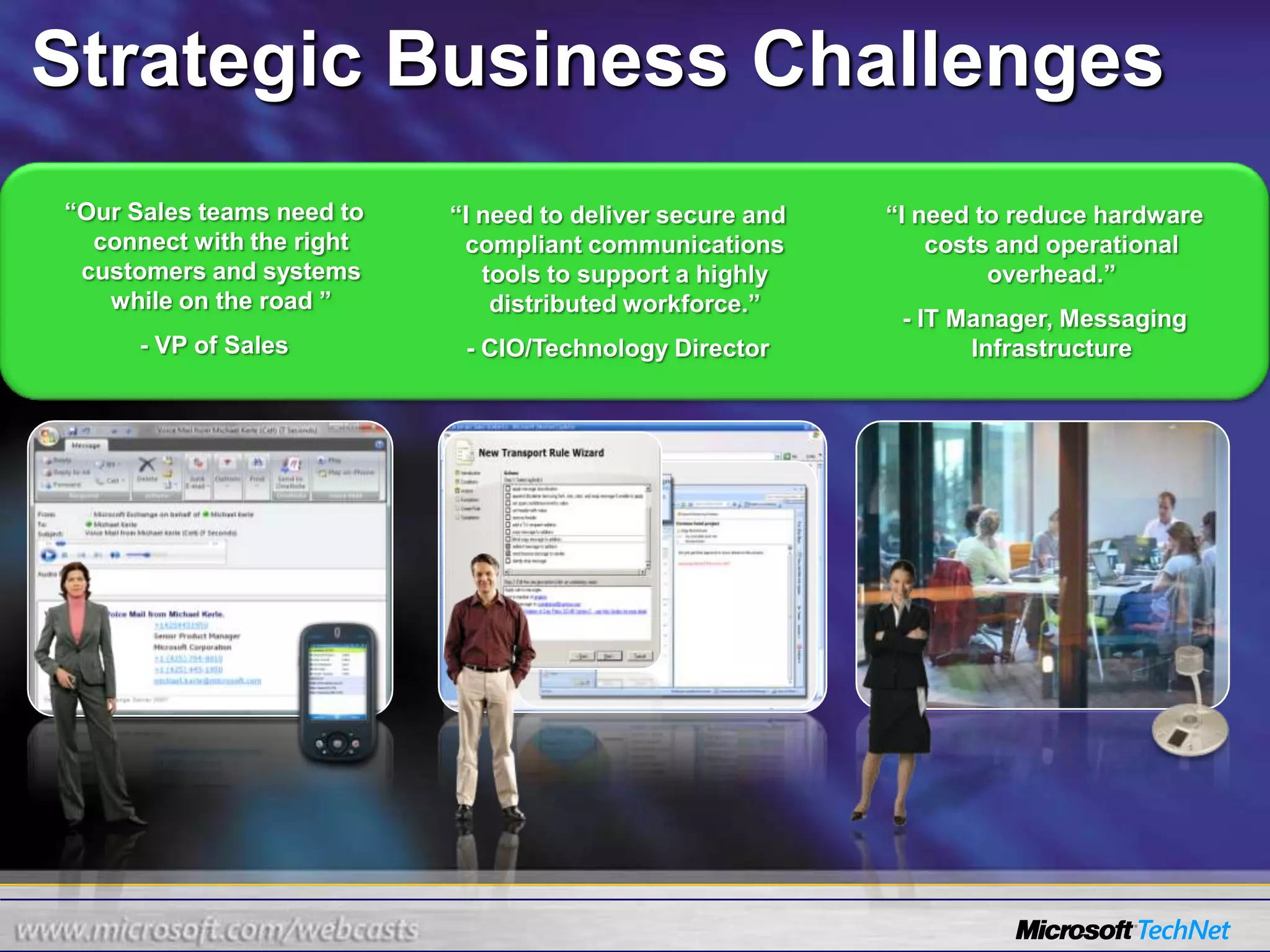
“Our Sales teams need to connect with the right customers and systems while on the road ”- VP of Sales“I need to deliver secure and compliant communications tools to support a highly distributed workforce.”- CIO/Technology Director“I need to reduce hardware costs and operational overhead.”- IT Manager, Messaging InfrastructureStrategic Business Challenges
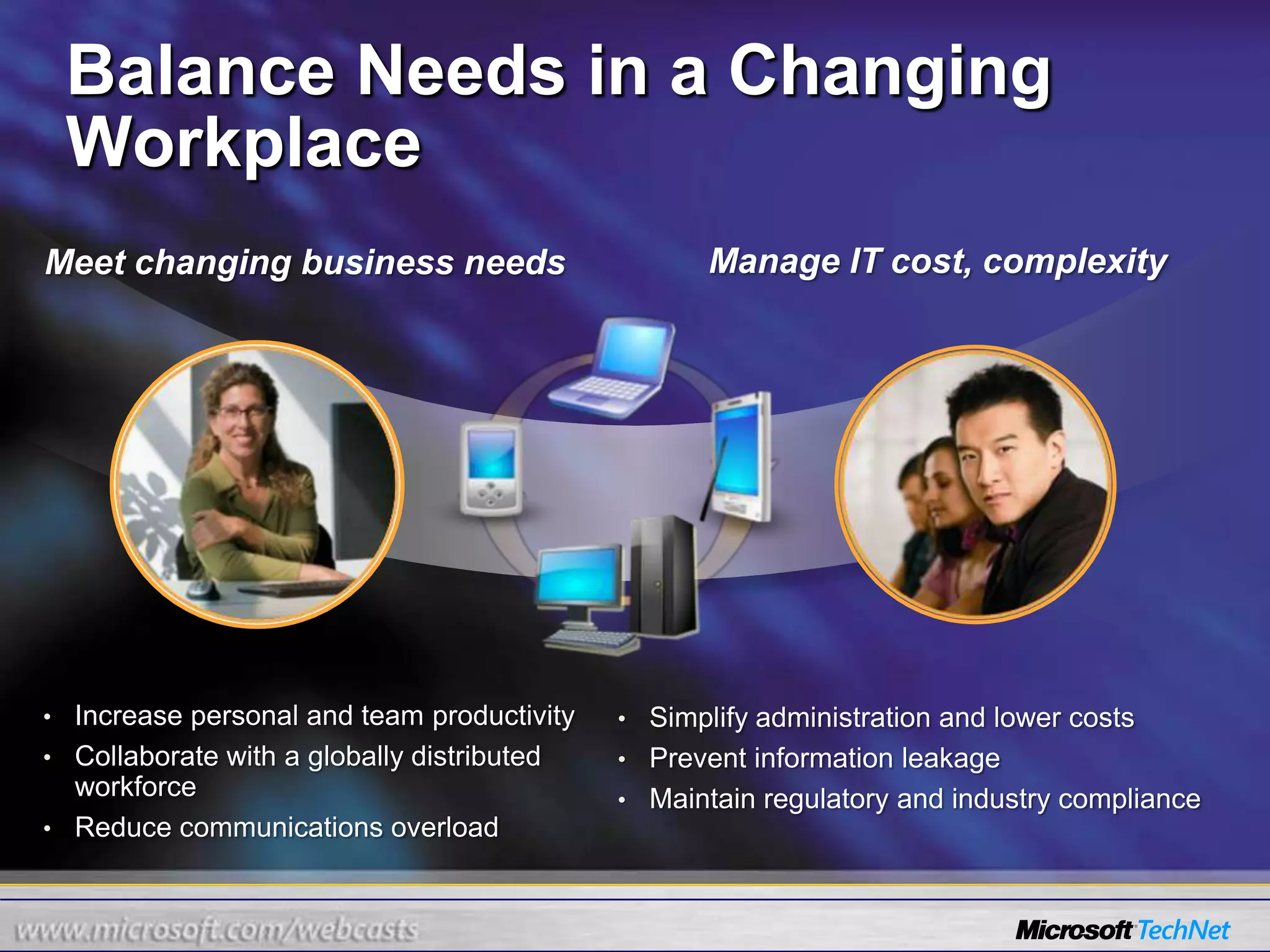
Balance Needs in a Changing WorkplaceManage IT cost, complexityMeet changing business needsIncrease personal and team productivity
Collaborate with a globally distributed workforce
Reduce communications overload
Simplify administration and lower costs
Prevent information leakage
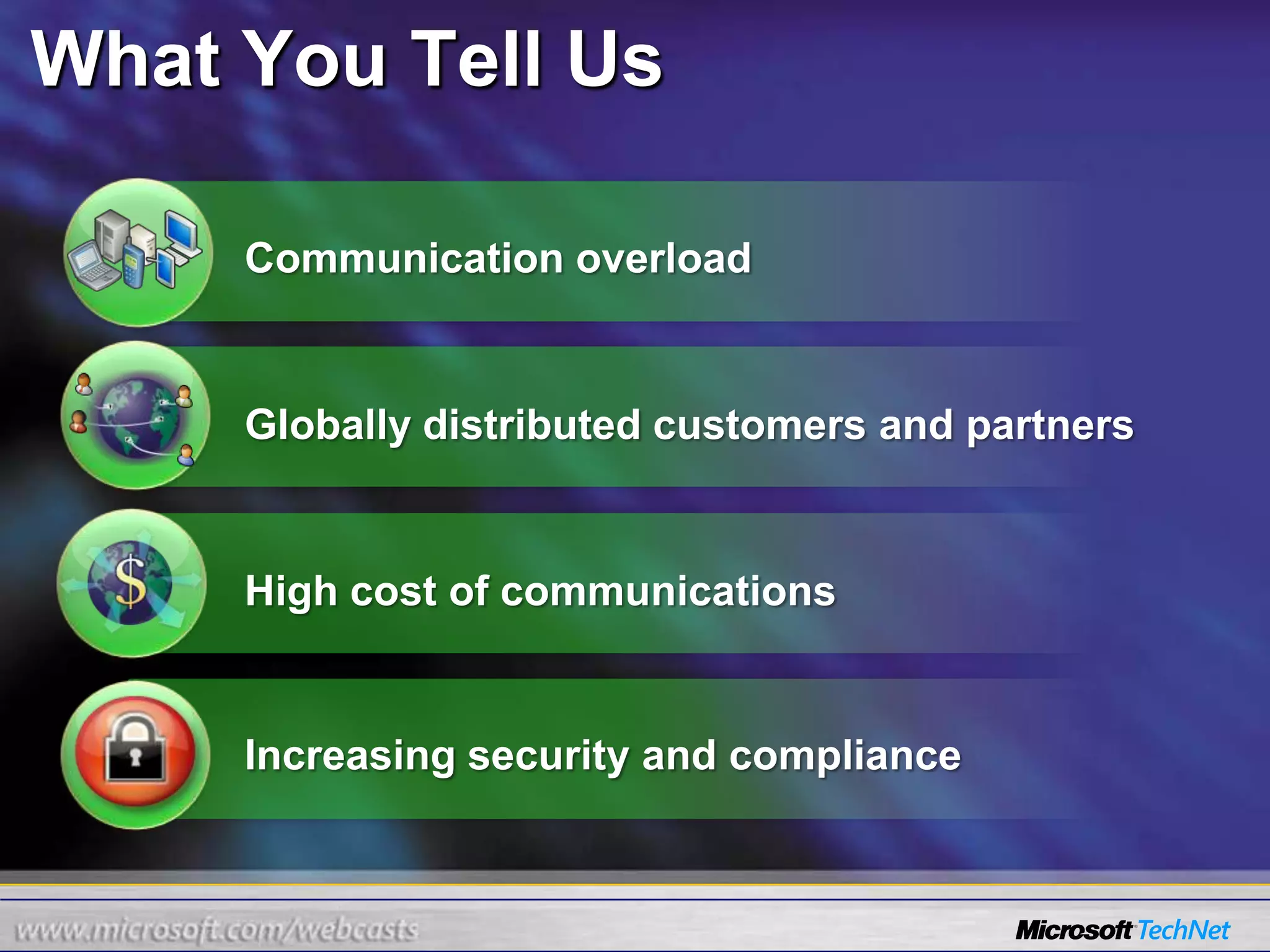
Maintain regulatory and industry complianceWhat You Tell UsCommunication overloadGlobally distributed customers and partnersHigh cost of communicationsIncreasing security and compliance
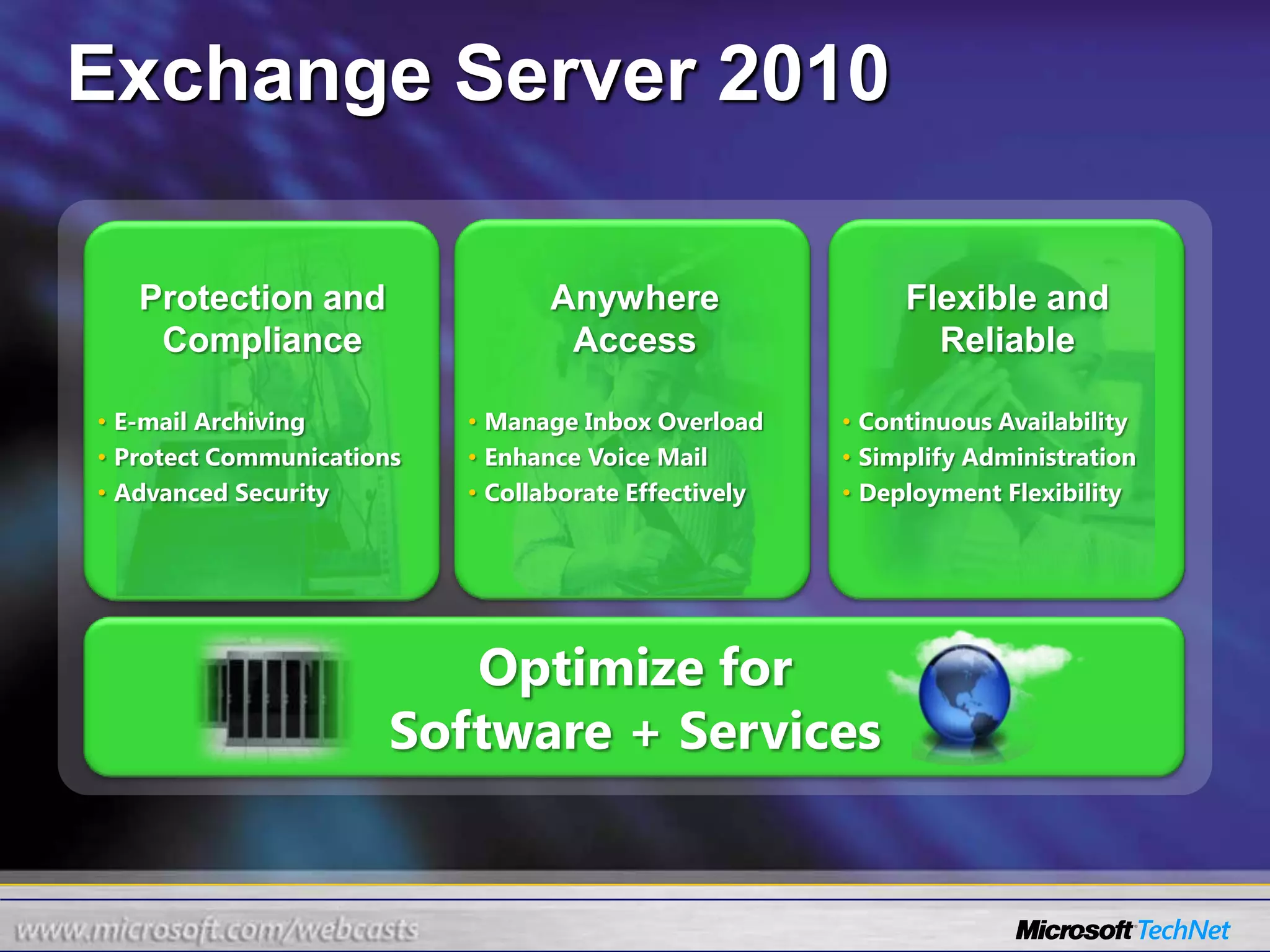
Exchange Server 2010Anywhere AccessFlexible and ReliableProtection and ComplianceE-mail Archiving
Protect Communications
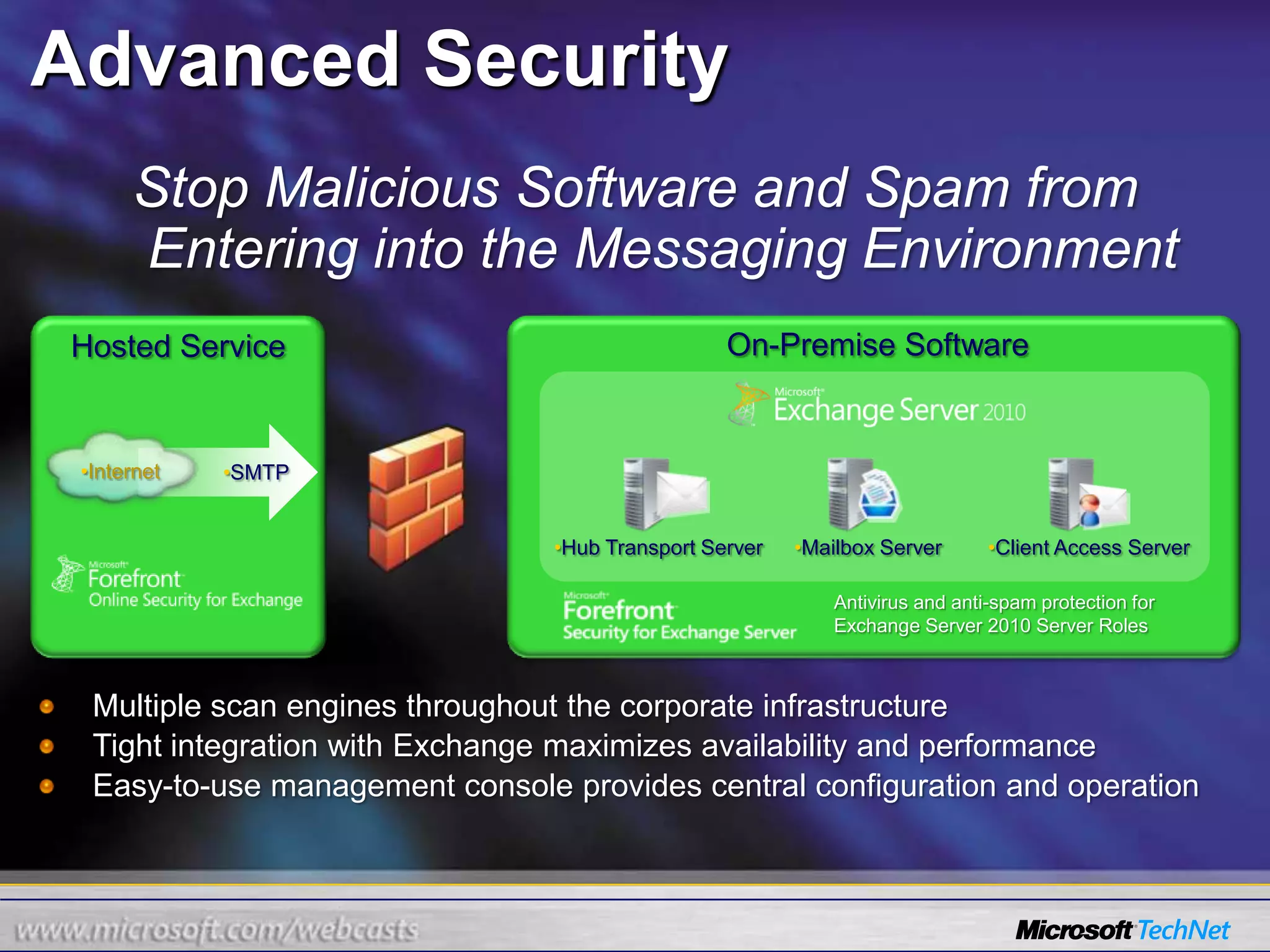
Advanced Security
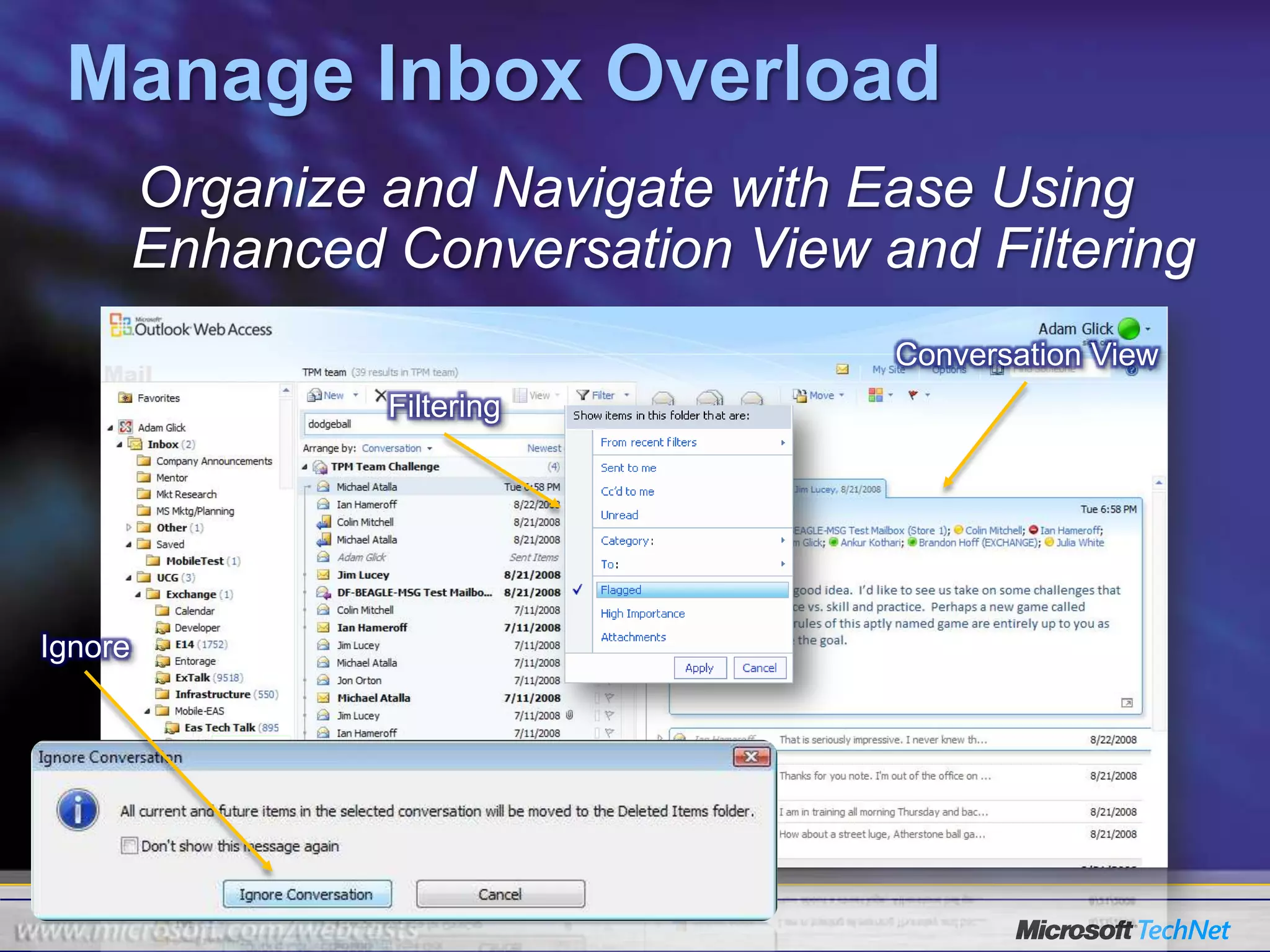
Manage Inbox Overload
Enhance Voice Mail
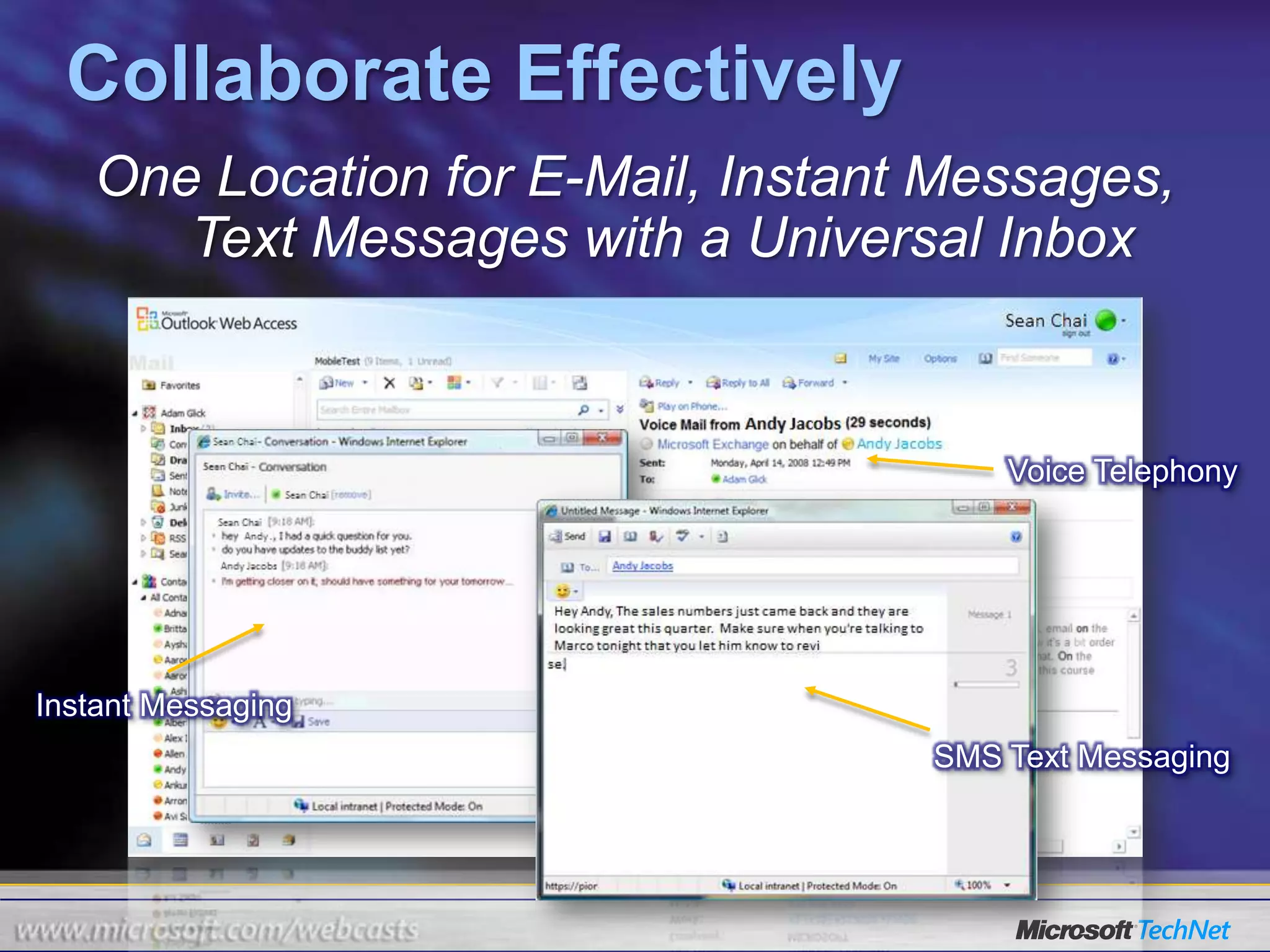
Collaborate Effectively
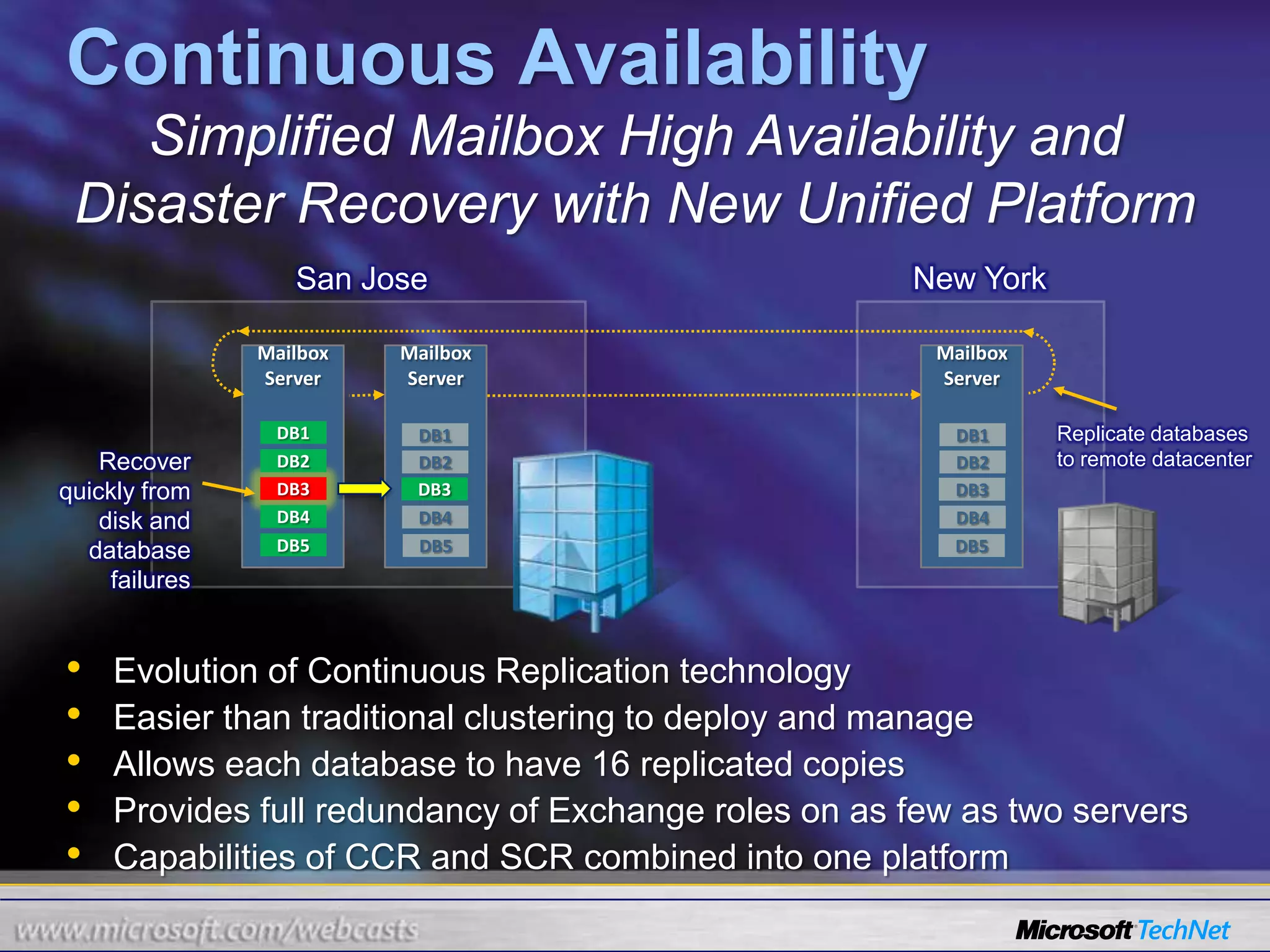
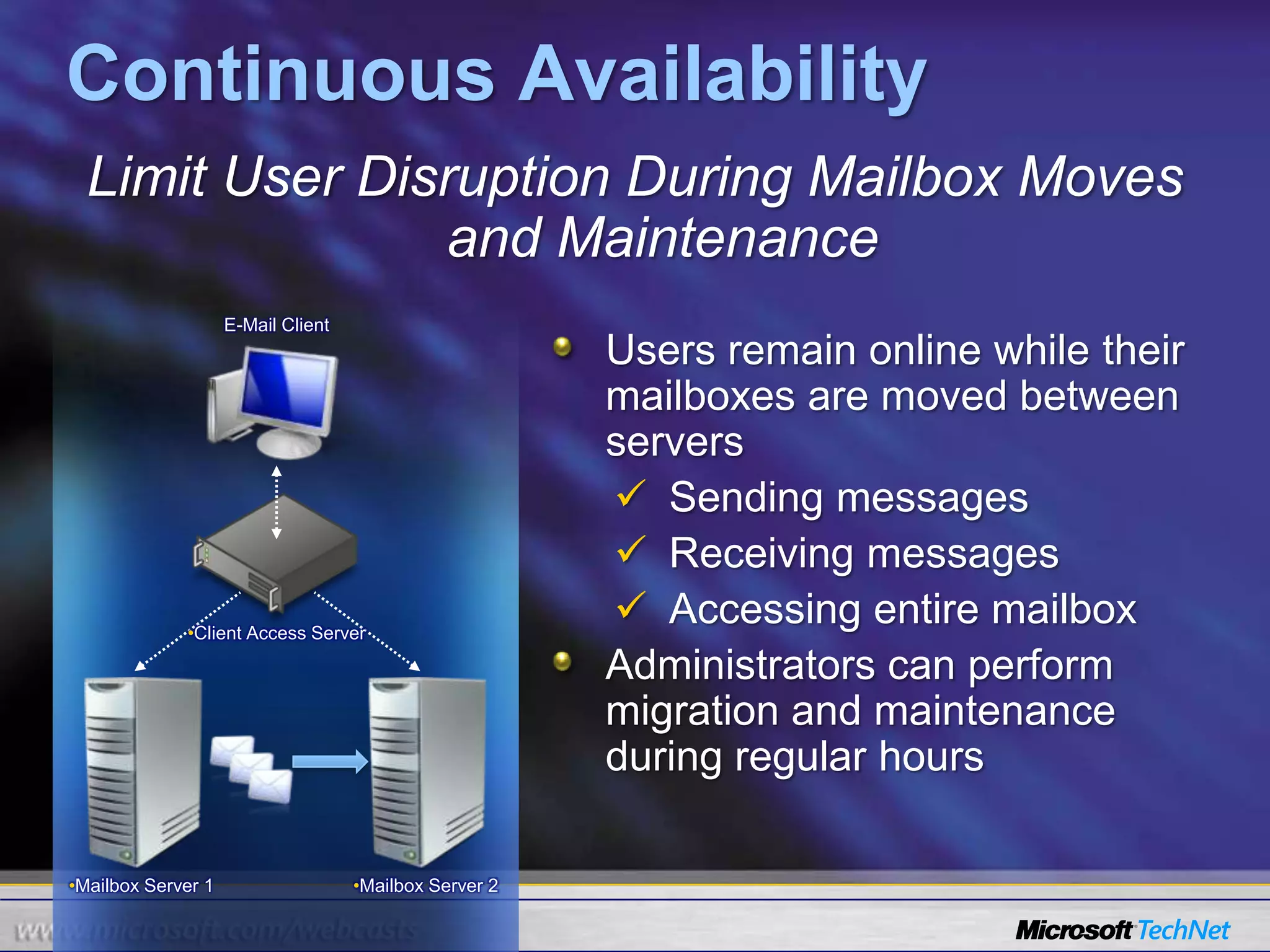
Continuous Availability
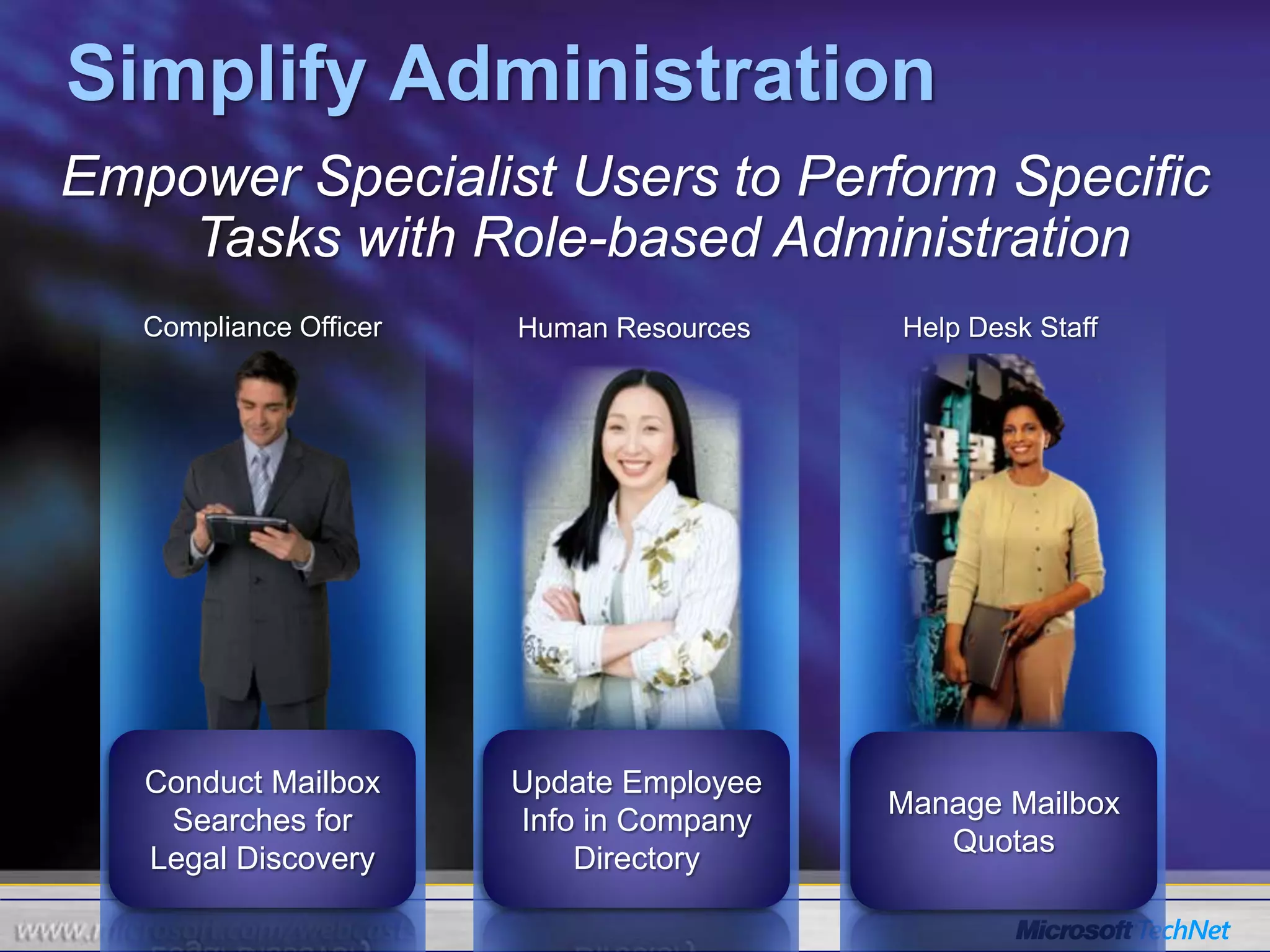
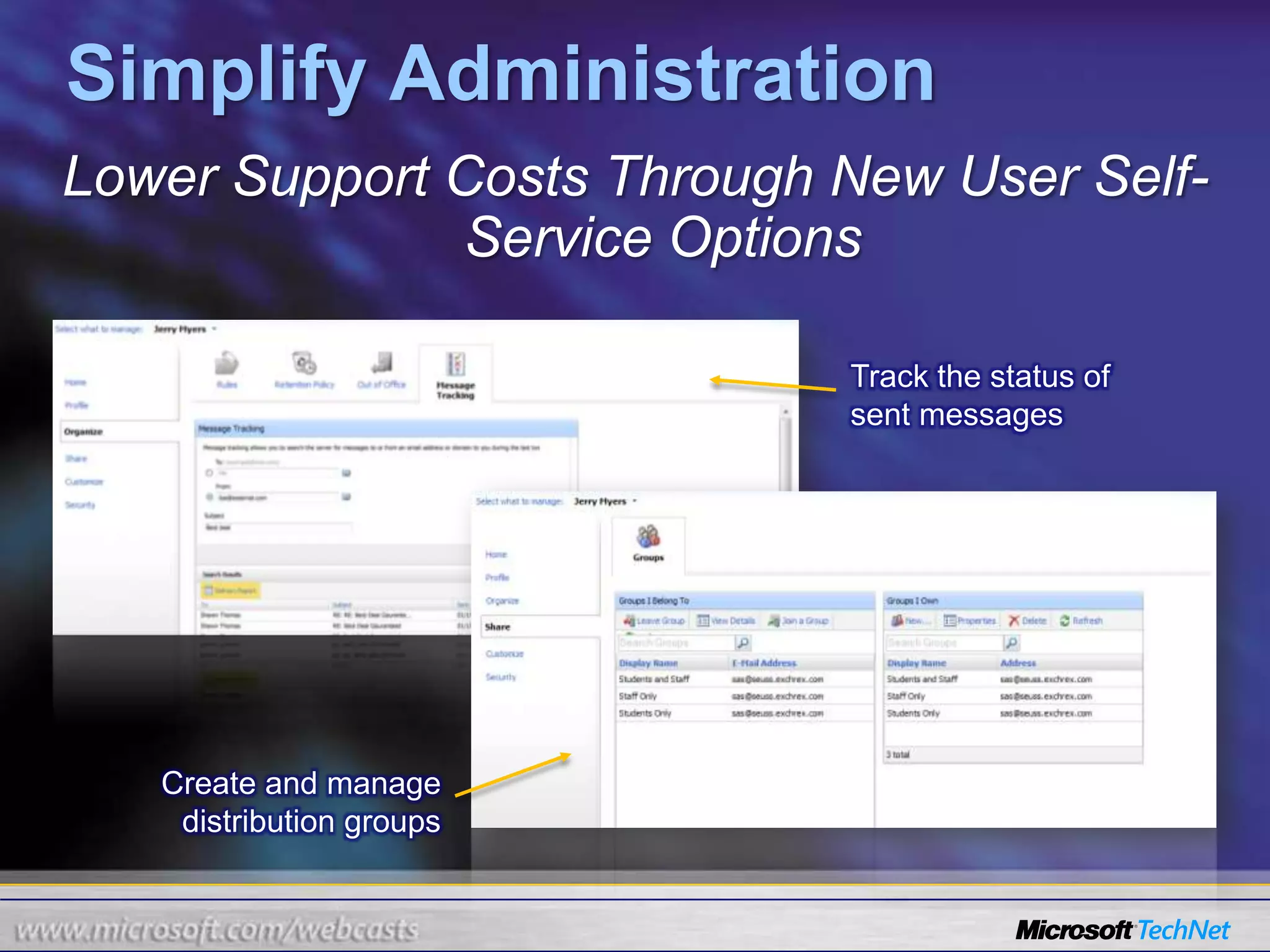
Simplify Administration
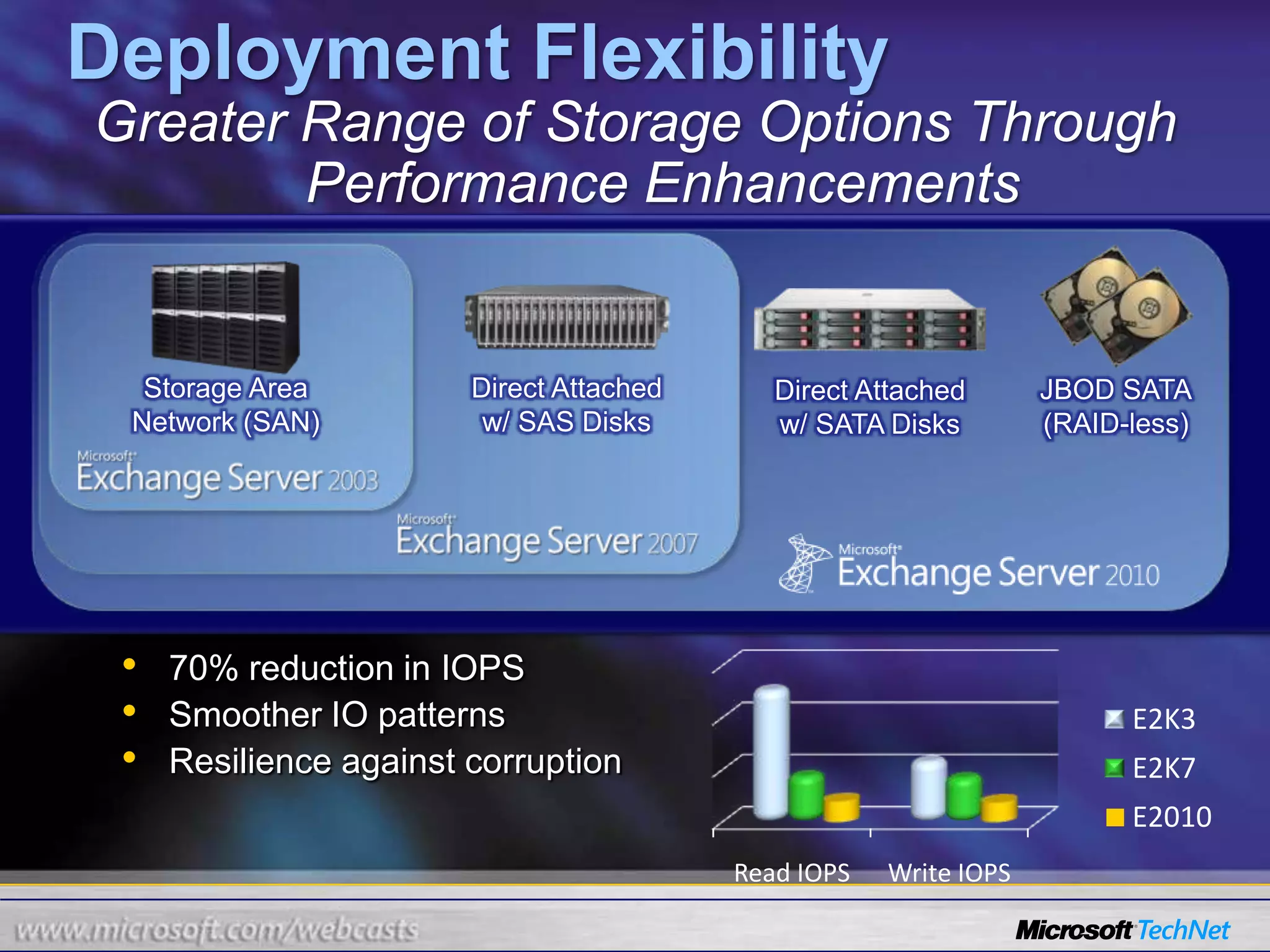
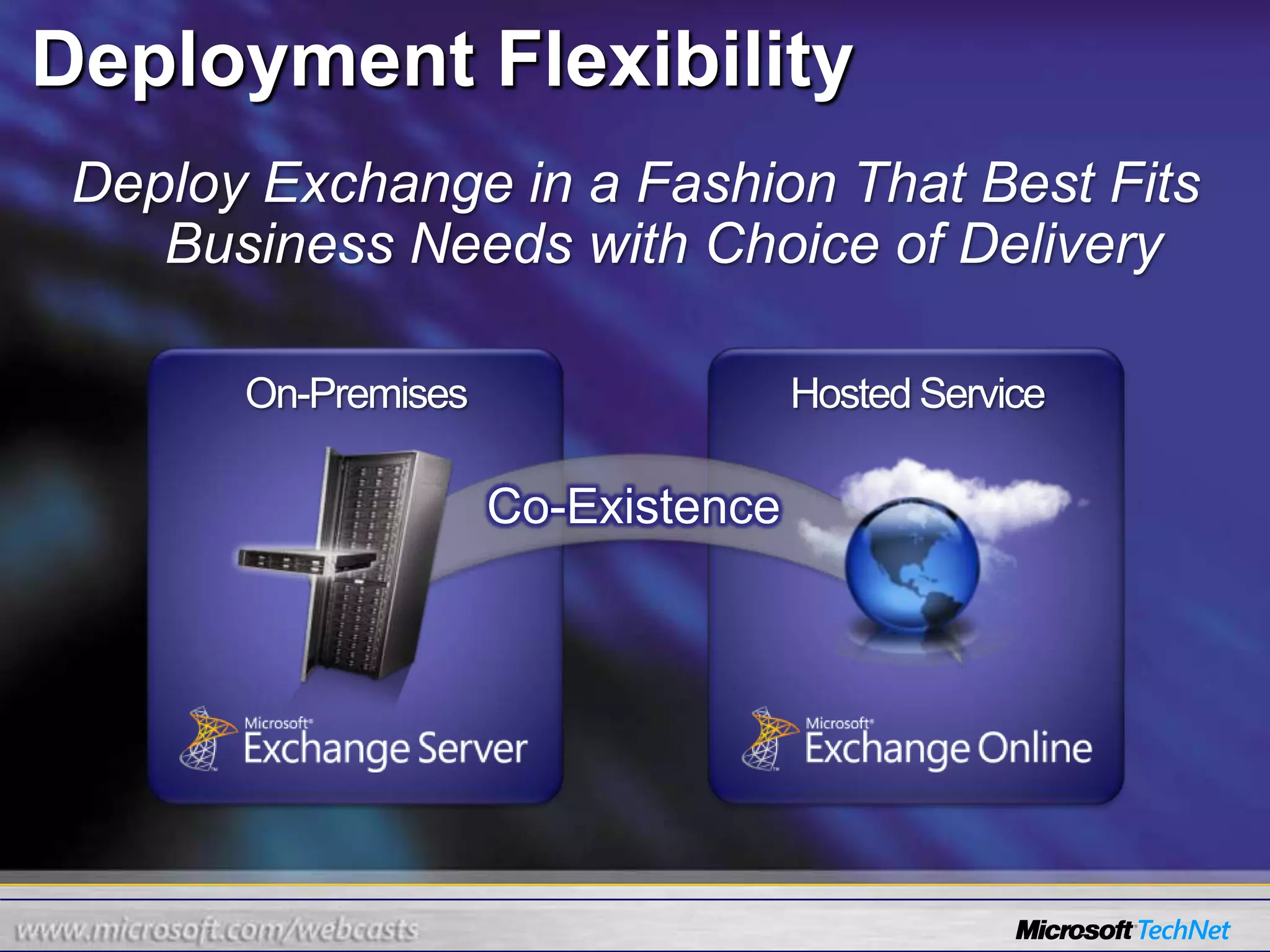
Deployment FlexibilityOptimize for Software + Services
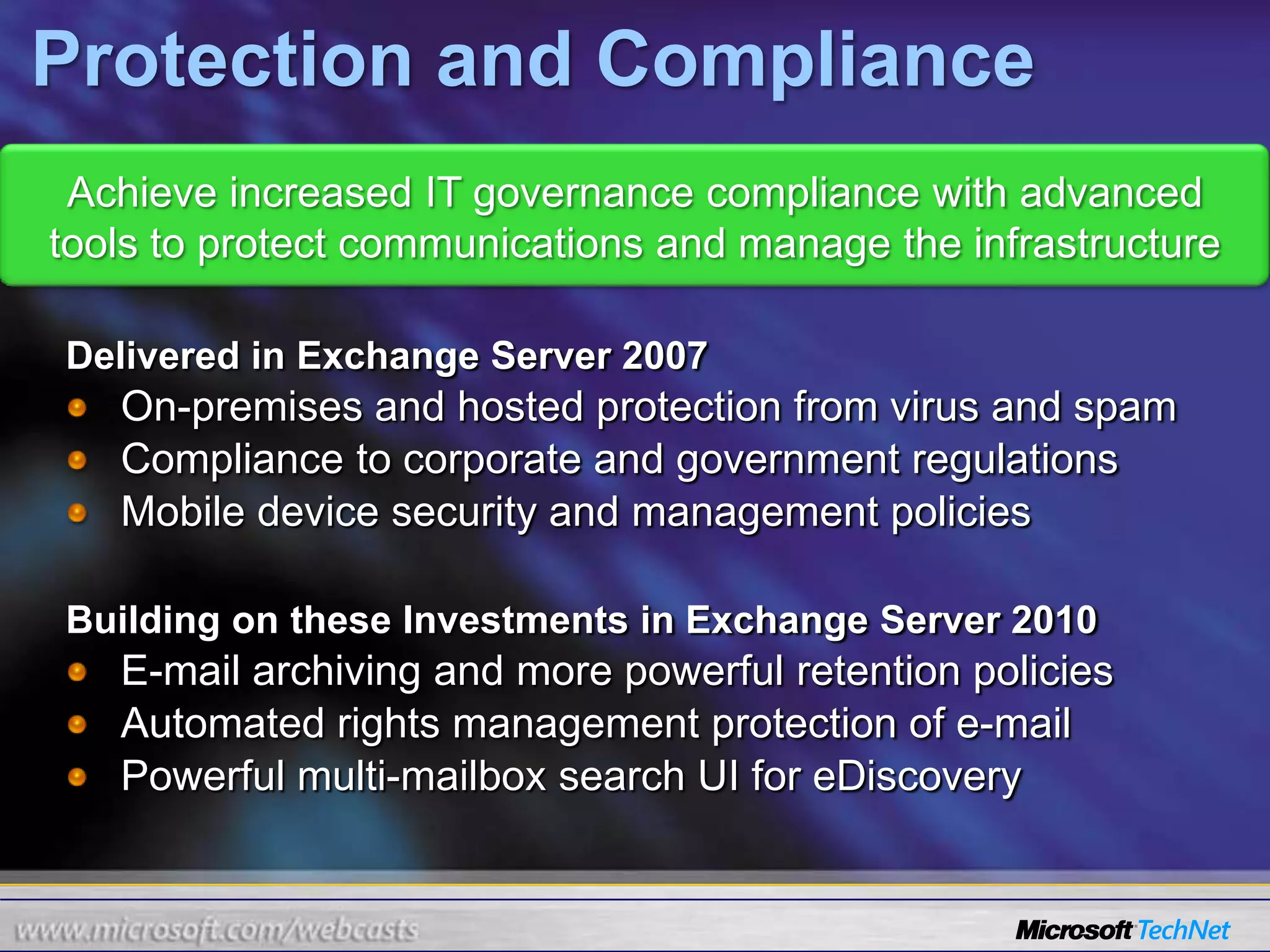
Achieve increased IT governance compliance with advanced tools to protect communications and manage the infrastructureDelivered in Exchange Server 2007On-premises and hosted protection from virus and spamCompliance to corporate and government regulationsMobile device security and management policiesBuilding on these Investments in Exchange Server 2010E-mail archiving and more powerful retention policiesAutomated rights management protection of e-mailPowerful multi-mailbox search UI for eDiscoveryProtection and Compliance
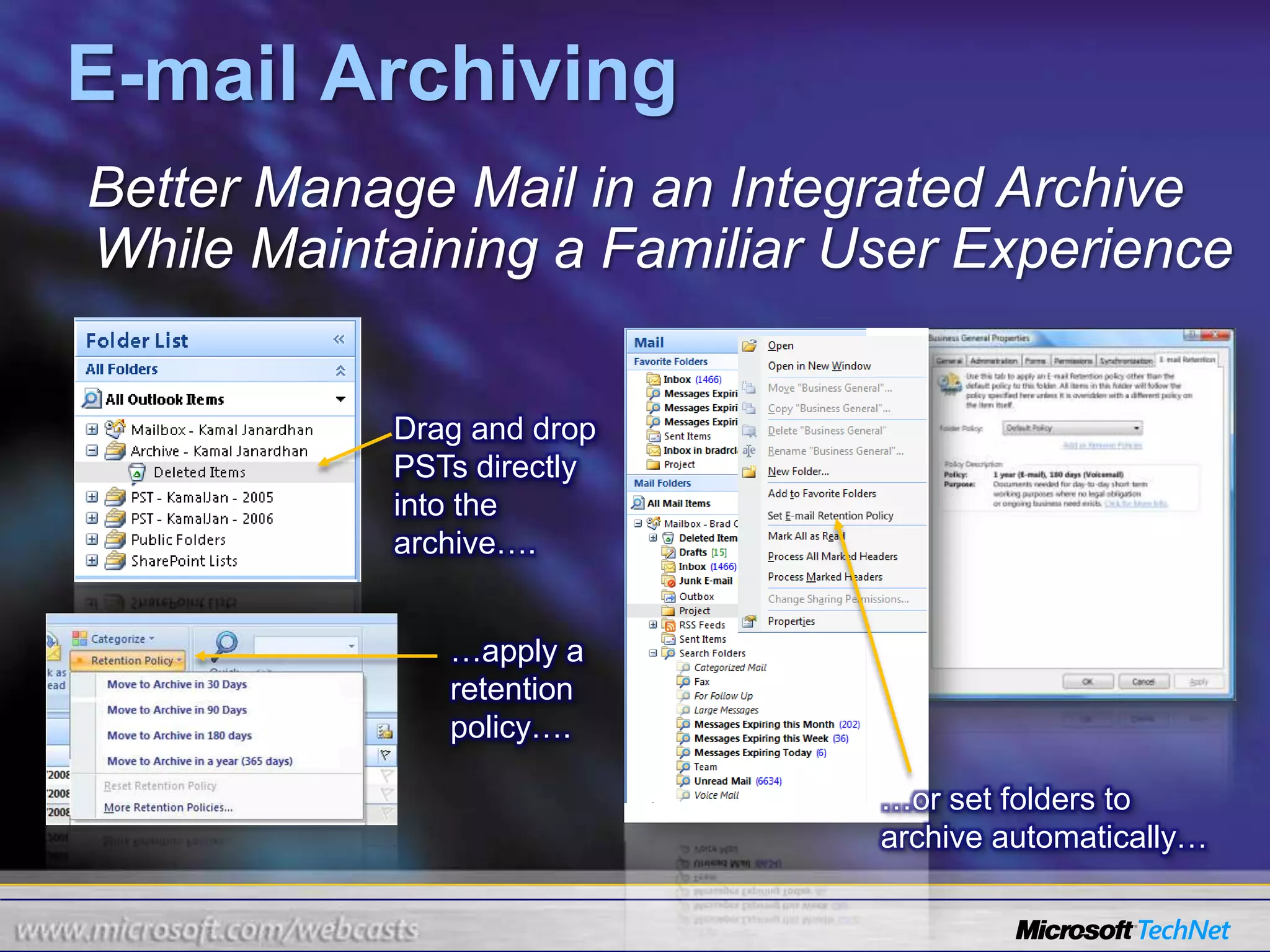
E-mail ArchivingBetter Manage Mail in an Integrated Archive While Maintaining a Familiar User ExperienceDrag and drop PSTs directly into the archive….…apply a retention policy….…or set folders to archive automatically…
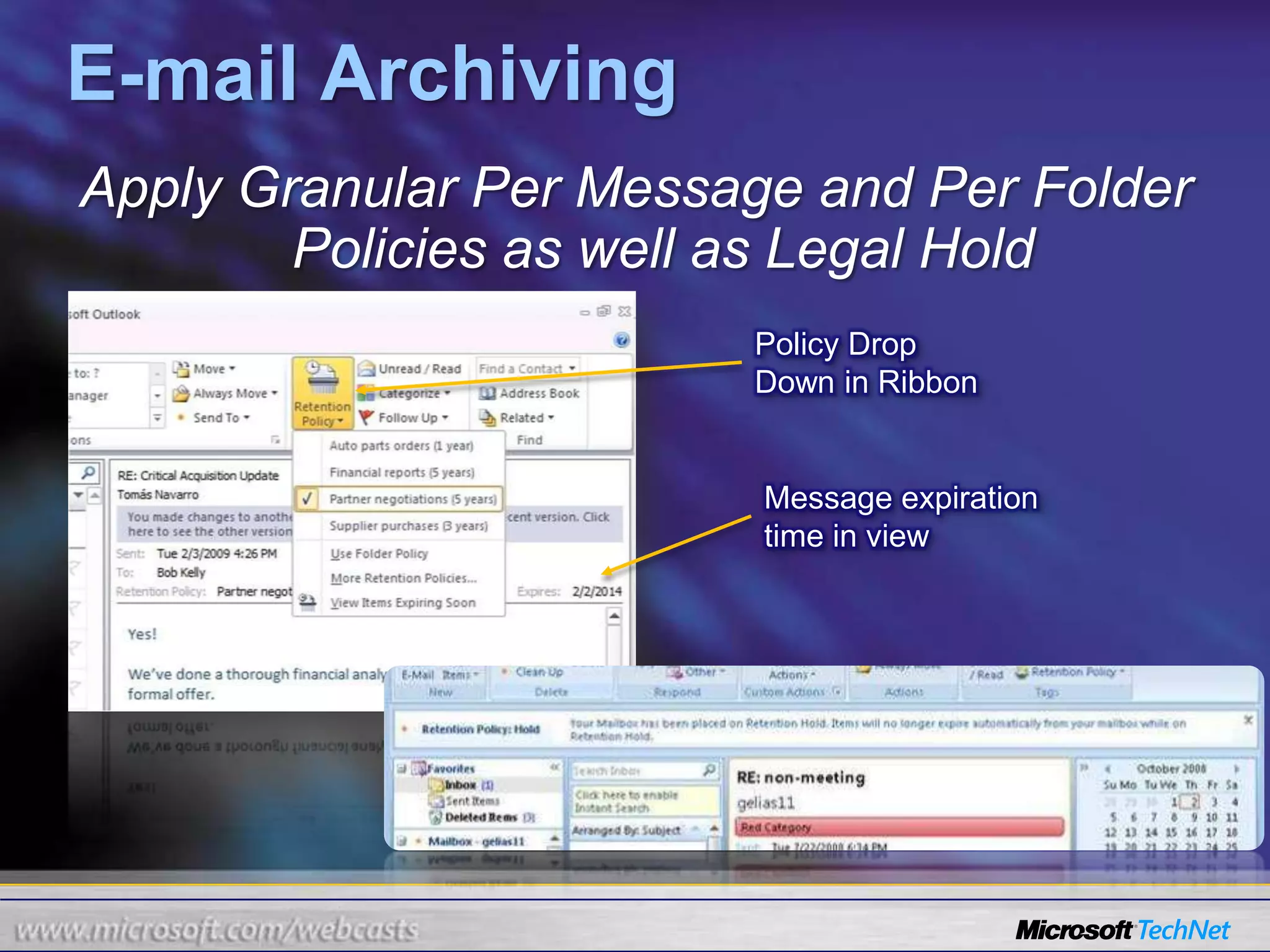
E-mail ArchivingApply Granular Per Message and Per Folder Policies as well as Legal HoldPolicy Drop Down in RibbonMessage expiration time in view
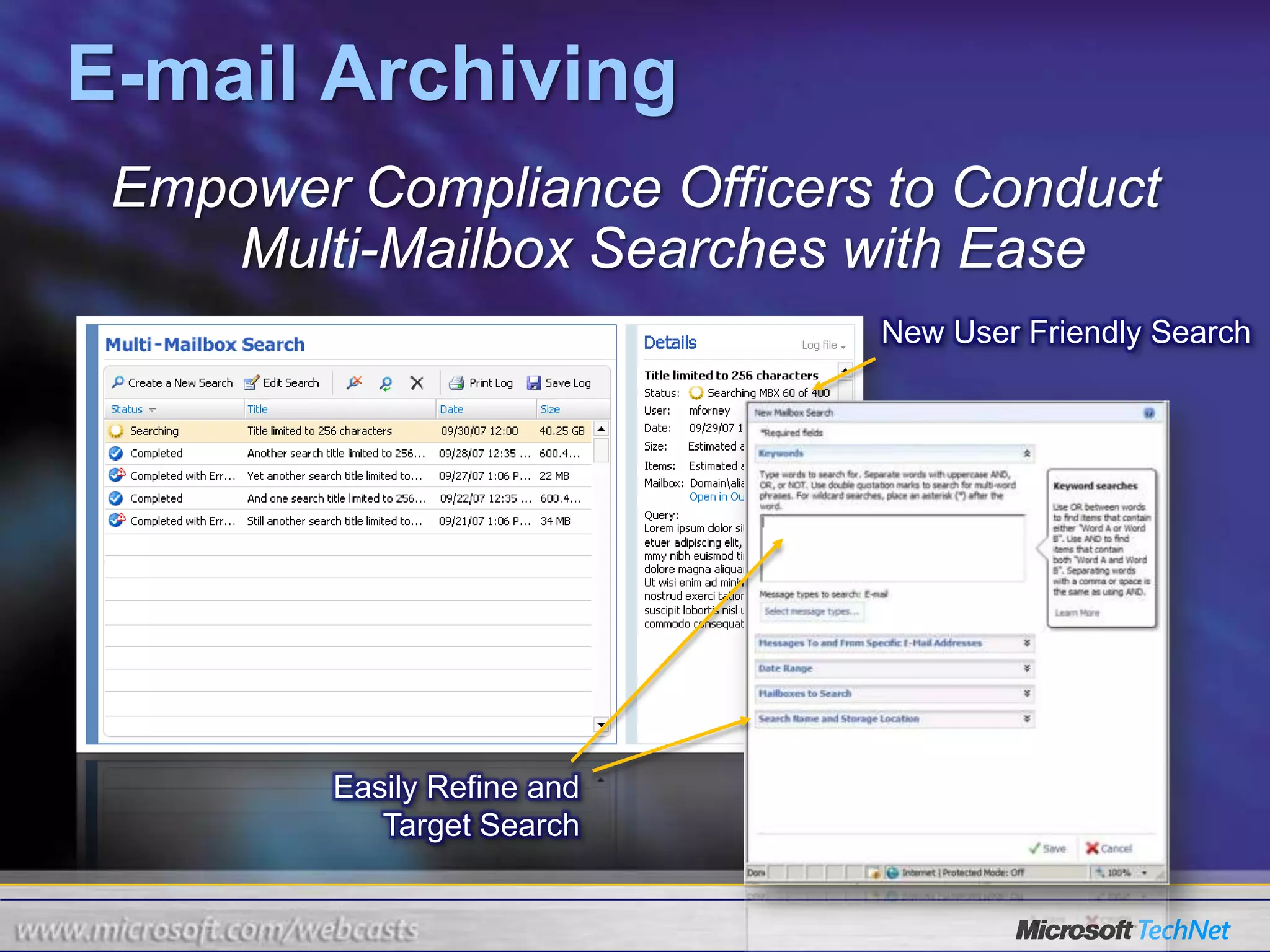
E-mail ArchivingEmpower Compliance Officers to Conduct Multi-Mailbox Searches with EaseNew User Friendly SearchEasily Refine and Target Search
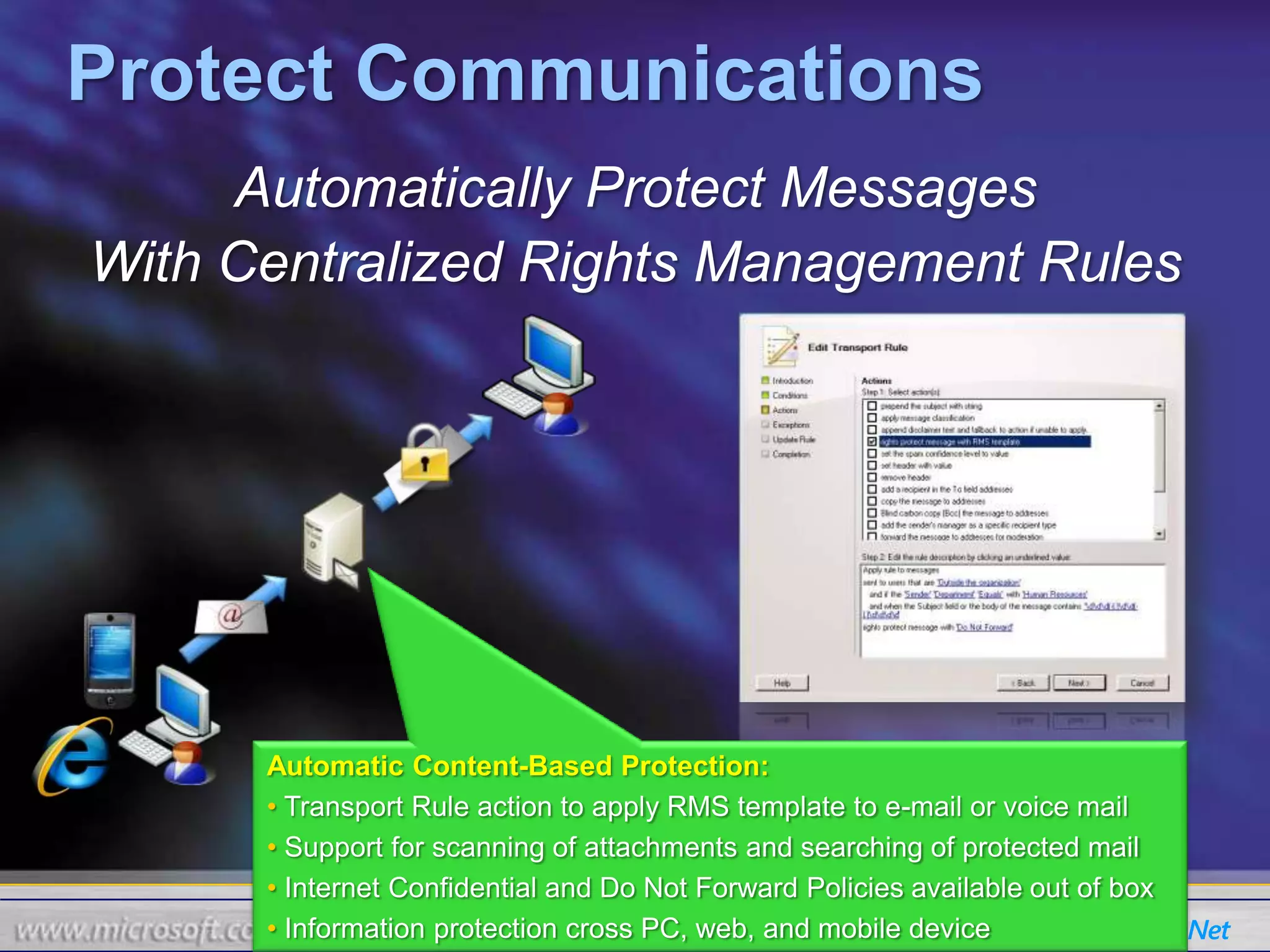
Protect CommunicationsAutomatically Protect MessagesWith Centralized Rights Management RulesAutomatic Content-Based Protection:Transport Rule action to apply RMS template to e-mail or voice mail
 Support for scanning of attachments and searching of protected mail
 Internet Confidential and Do Not Forward Policies available out of box
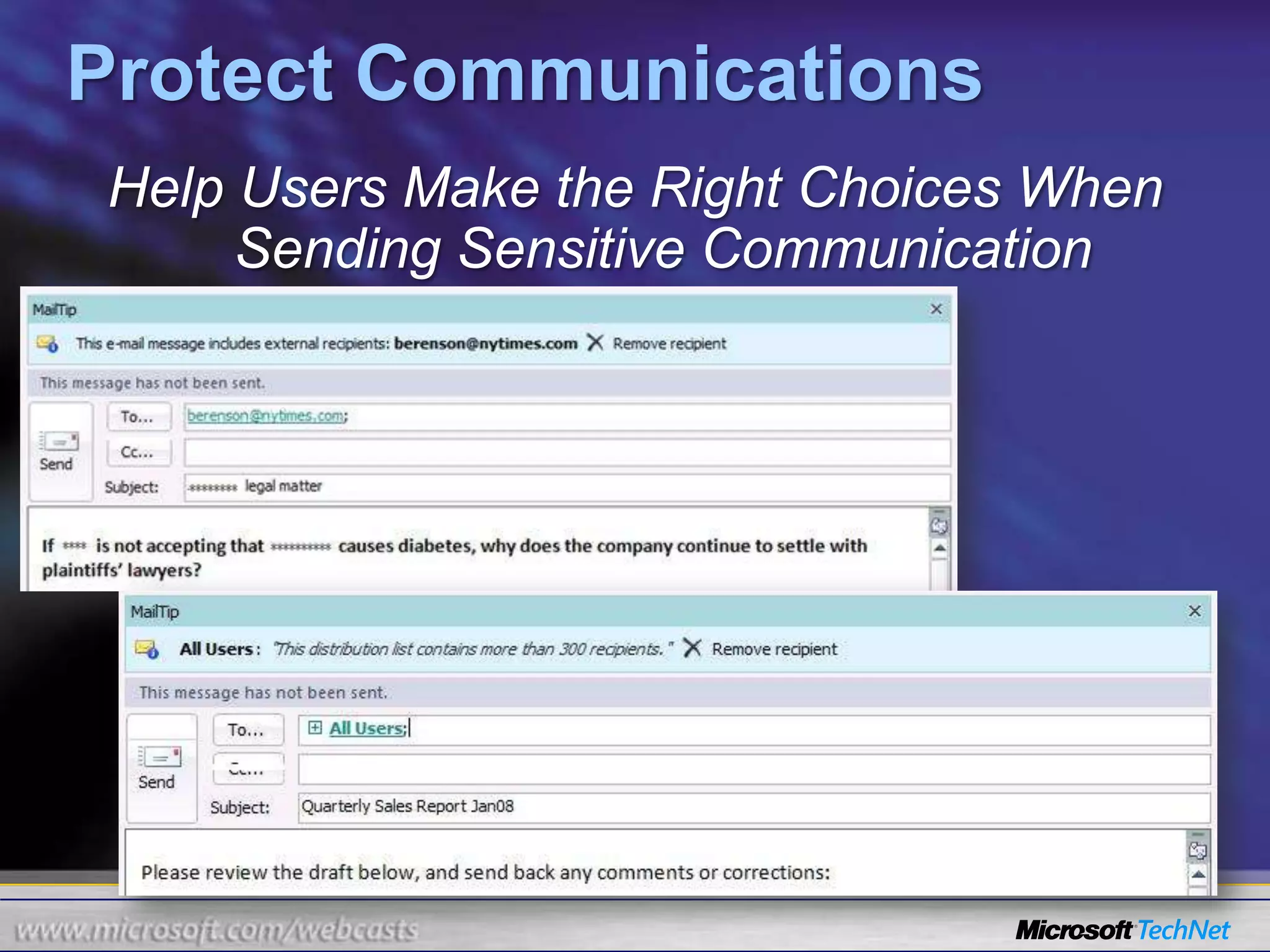
 Information protection cross PC, web, and mobile deviceProtect CommunicationsHelp Users Make the Right Choices When Sending Sensitive Communication
Advanced SecurityStop Malicious Software and Spam from Entering into the Messaging Environment On-Premise SoftwareHosted ServiceInternetHub Transport ServerMailbox ServerClient Access ServerSMTP      Antivirus and anti-spam protection for Exchange Server 2010 Server RolesMultiple scan engines throughout the corporate infrastructureTight integration with Exchange maximizes availability and performanceEasy-to-use management console provides central configuration and operation
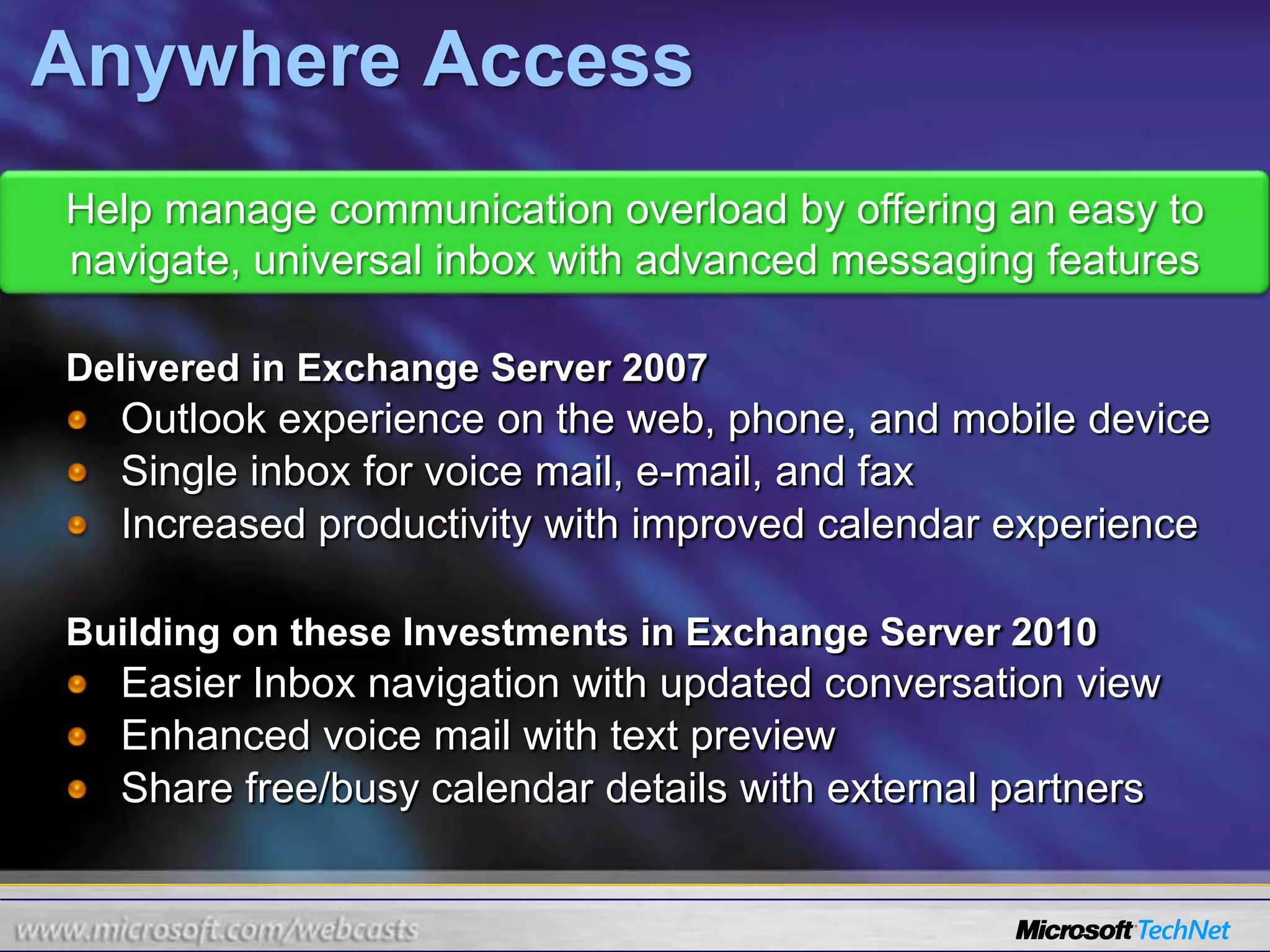
Help manage communication overload by offering an easy to navigate, universal inbox with advanced messaging featuresDelivered in Exchange Server 2007Outlook experience on the web, phone, and mobile deviceSingle inbox for voice mail, e-mail, and faxIncreased productivity with improved calendar experienceBuilding on these Investments in Exchange Server 2010Easier Inbox navigation with updated conversation viewEnhanced voice mail with text previewShare free/busy calendar details with external partnersAnywhere Access
Manage Inbox OverloadOrganize and Navigate with Ease Using Enhanced Conversation View and FilteringConversation ViewFilteringIgnore
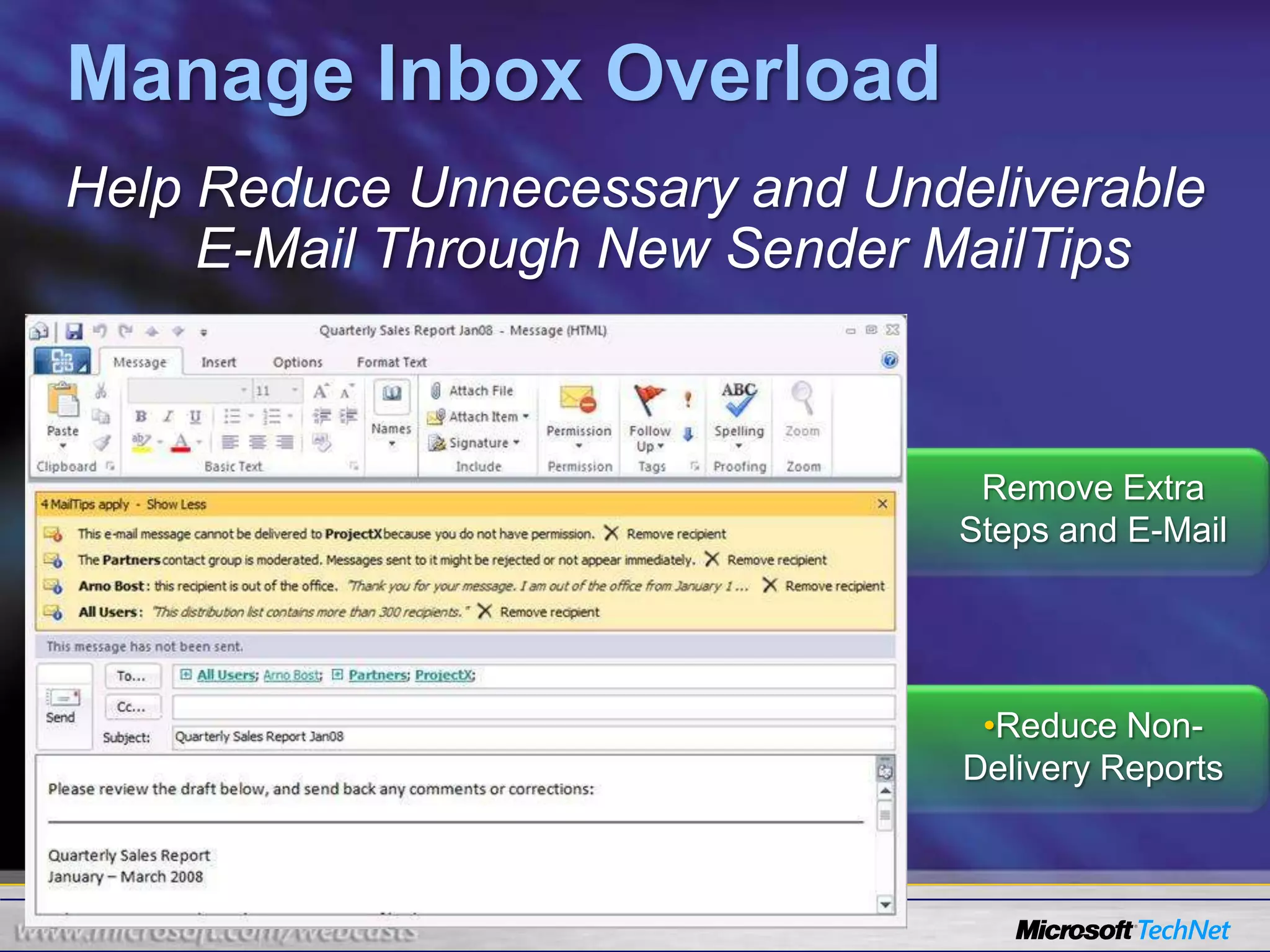
Manage Inbox OverloadHelp Reduce Unnecessary and Undeliverable E-Mail Through New Sender MailTipsRemove Extra Steps and E-MailReduce Non-Delivery Reports
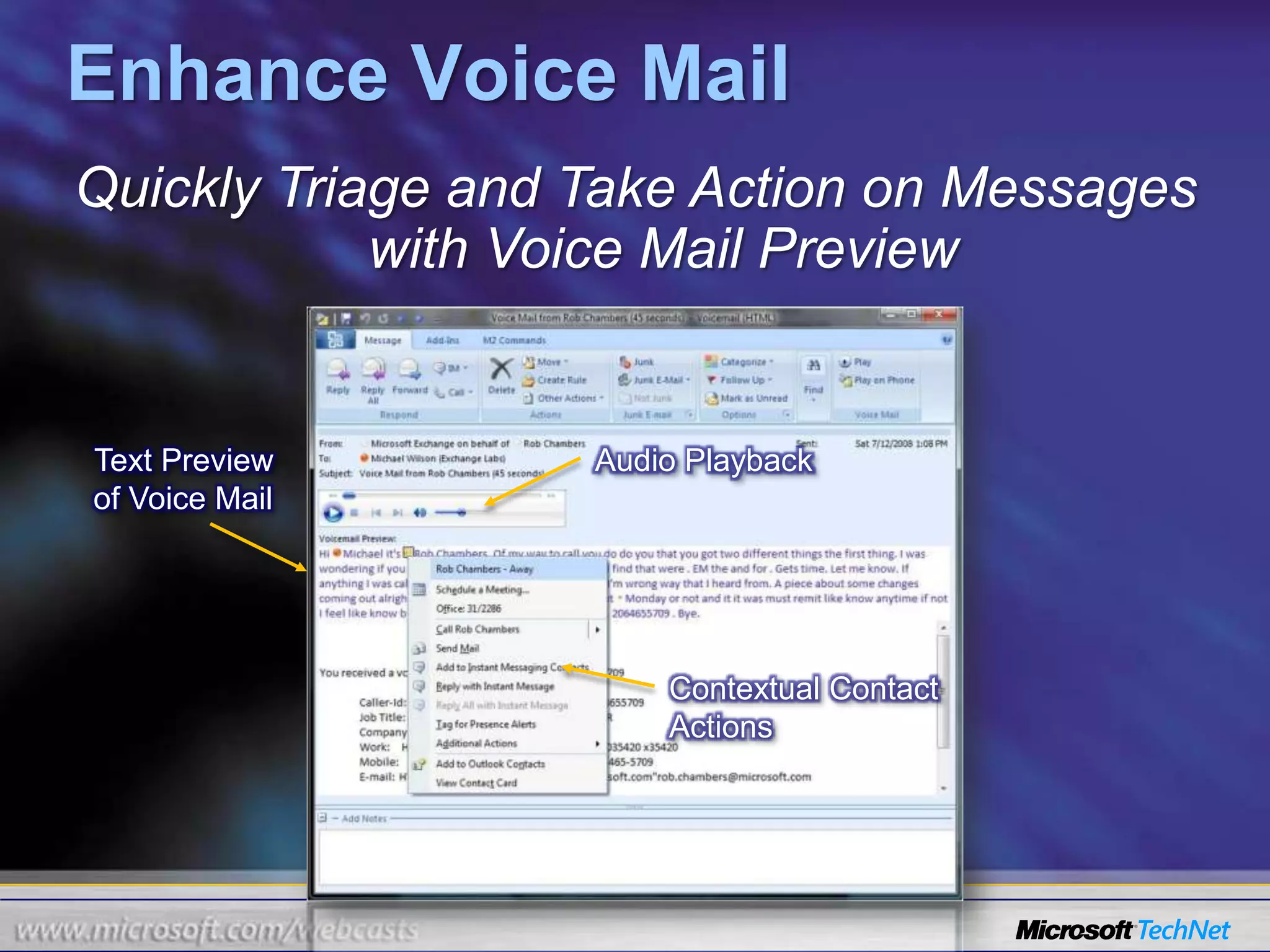
Enhance Voice MailQuickly Triage and Take Action on Messages with Voice Mail PreviewAudio PlaybackText Preview of Voice MailContextual Contact Actions
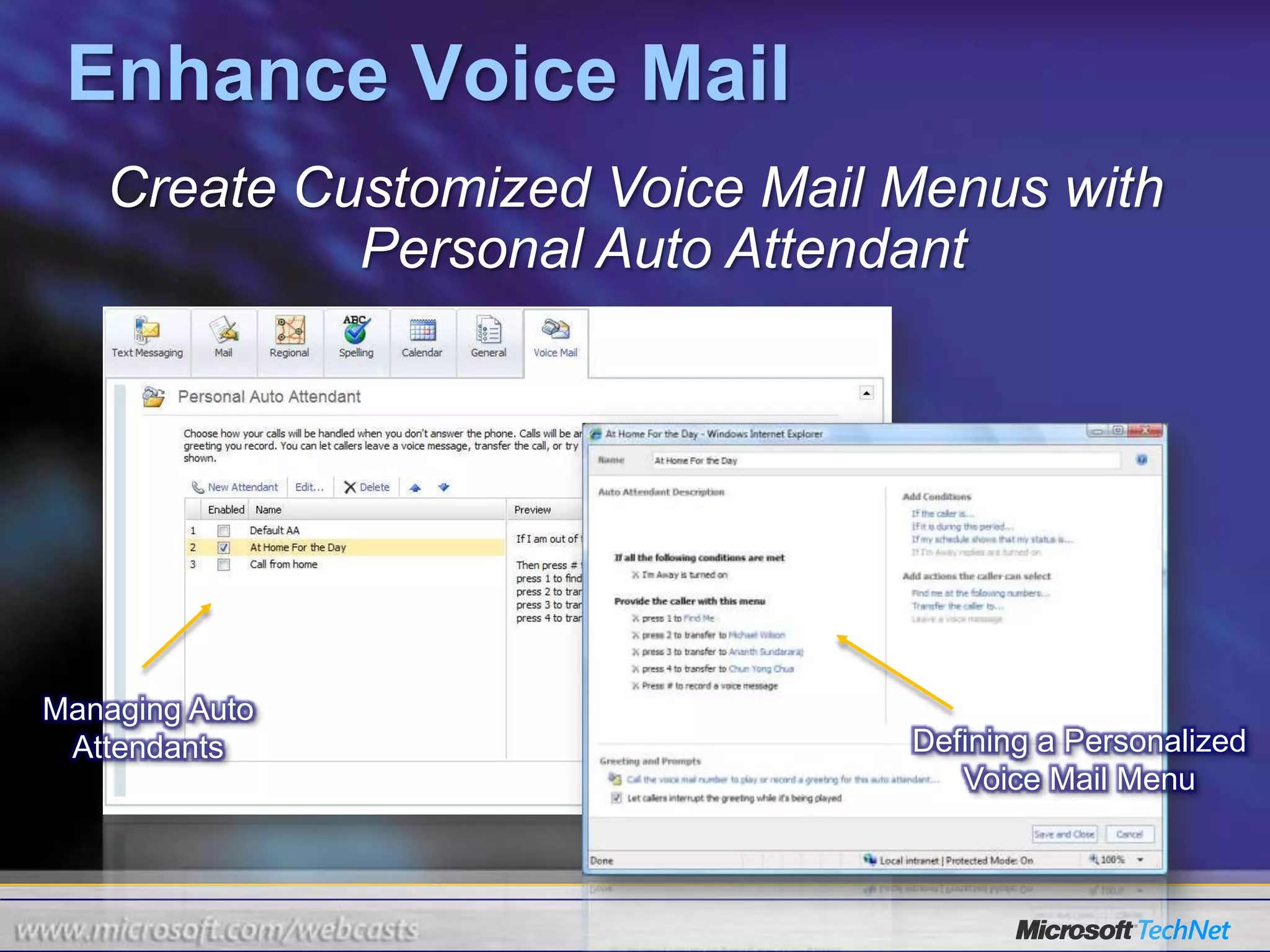
Enhance Voice MailCreate Customized Voice Mail Menus with Personal Auto AttendantManaging Auto AttendantsDefining a Personalized Voice Mail Menu
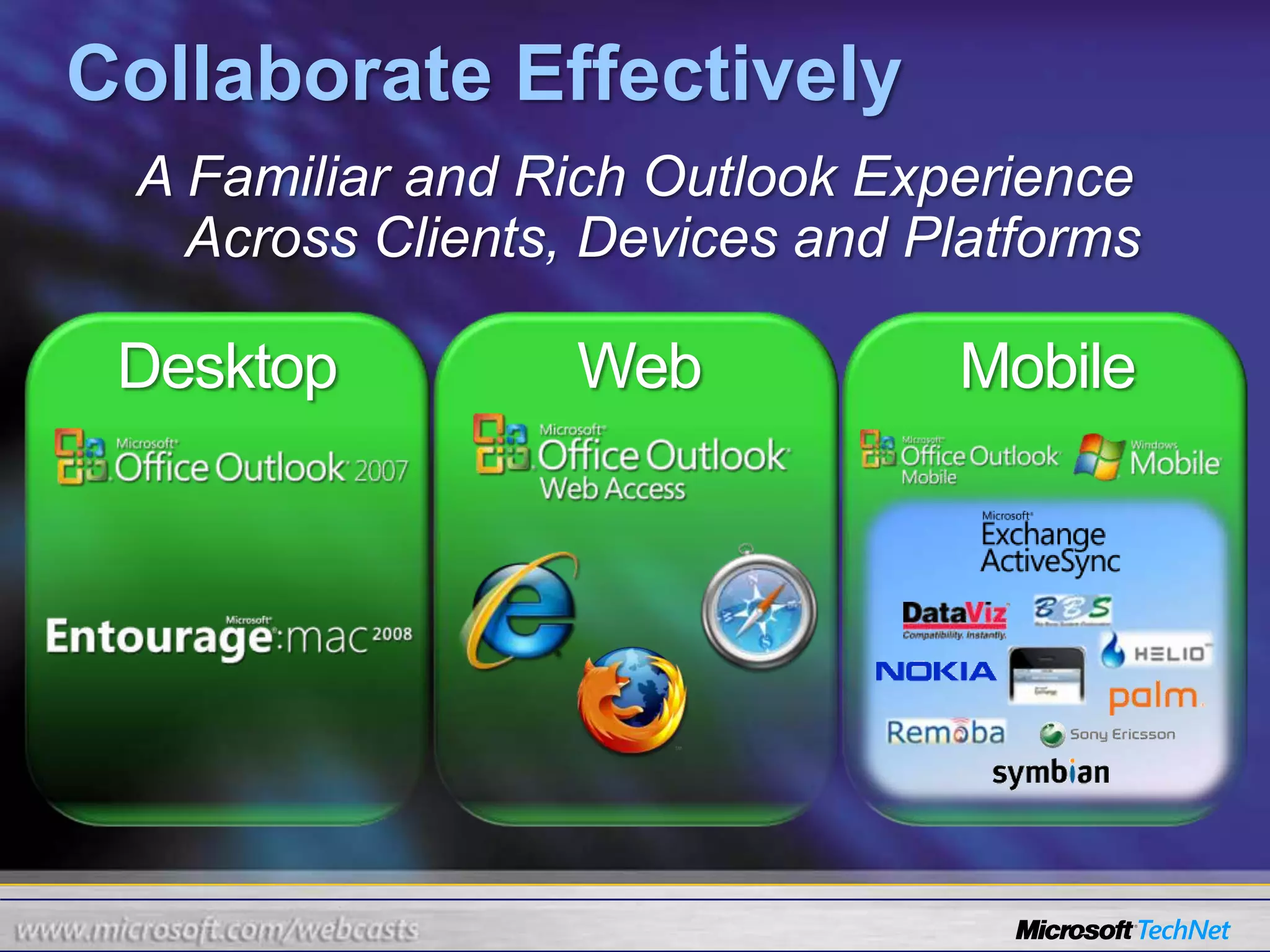
Collaborate EffectivelyA Familiar and Rich Outlook Experience Across Clients, Devices and PlatformsDesktopWebMobile

TechNet Webcast: Exchange 2010 Overview

  • 1.
    Exchange 2010 OverviewAngiLivermorePrincipal Technology SpecialistMicrosoft Corporationangelali@microsoft.com
  • 2.
    What We WillCoverReview the new features of Exchange 2010Protection & ComplianceAnywhere AccessFlexible & ReliableProduct Roadmap
  • 3.
    “Our Sales teamsneed to connect with the right customers and systems while on the road ”- VP of Sales“I need to deliver secure and compliant communications tools to support a highly distributed workforce.”- CIO/Technology Director“I need to reduce hardware costs and operational overhead.”- IT Manager, Messaging InfrastructureStrategic Business Challenges
  • 4.
    Balance Needs ina Changing WorkplaceManage IT cost, complexityMeet changing business needsIncrease personal and team productivity
  • 5.
    Collaborate with aglobally distributed workforce
  • 6.
  • 7.
  • 8.
  • 9.
    Maintain regulatory andindustry complianceWhat You Tell UsCommunication overloadGlobally distributed customers and partnersHigh cost of communicationsIncreasing security and compliance
  • 10.
    Exchange Server 2010AnywhereAccessFlexible and ReliableProtection and ComplianceE-mail Archiving
  • 11.
  • 12.
  • 13.
  • 14.
  • 15.
  • 16.
  • 17.
  • 18.
  • 19.
    Achieve increased ITgovernance compliance with advanced tools to protect communications and manage the infrastructureDelivered in Exchange Server 2007On-premises and hosted protection from virus and spamCompliance to corporate and government regulationsMobile device security and management policiesBuilding on these Investments in Exchange Server 2010E-mail archiving and more powerful retention policiesAutomated rights management protection of e-mailPowerful multi-mailbox search UI for eDiscoveryProtection and Compliance
  • 20.
    E-mail ArchivingBetter ManageMail in an Integrated Archive While Maintaining a Familiar User ExperienceDrag and drop PSTs directly into the archive….…apply a retention policy….…or set folders to archive automatically…
  • 21.
    E-mail ArchivingApply GranularPer Message and Per Folder Policies as well as Legal HoldPolicy Drop Down in RibbonMessage expiration time in view
  • 22.
    E-mail ArchivingEmpower ComplianceOfficers to Conduct Multi-Mailbox Searches with EaseNew User Friendly SearchEasily Refine and Target Search
  • 23.
    Protect CommunicationsAutomatically ProtectMessagesWith Centralized Rights Management RulesAutomatic Content-Based Protection:Transport Rule action to apply RMS template to e-mail or voice mail
  • 24.
    Support forscanning of attachments and searching of protected mail
  • 25.
    Internet Confidentialand Do Not Forward Policies available out of box
  • 26.
    Information protectioncross PC, web, and mobile deviceProtect CommunicationsHelp Users Make the Right Choices When Sending Sensitive Communication
  • 27.
    Advanced SecurityStop MaliciousSoftware and Spam from Entering into the Messaging Environment On-Premise SoftwareHosted ServiceInternetHub Transport ServerMailbox ServerClient Access ServerSMTP Antivirus and anti-spam protection for Exchange Server 2010 Server RolesMultiple scan engines throughout the corporate infrastructureTight integration with Exchange maximizes availability and performanceEasy-to-use management console provides central configuration and operation
  • 28.
    Help manage communicationoverload by offering an easy to navigate, universal inbox with advanced messaging featuresDelivered in Exchange Server 2007Outlook experience on the web, phone, and mobile deviceSingle inbox for voice mail, e-mail, and faxIncreased productivity with improved calendar experienceBuilding on these Investments in Exchange Server 2010Easier Inbox navigation with updated conversation viewEnhanced voice mail with text previewShare free/busy calendar details with external partnersAnywhere Access
  • 29.
    Manage Inbox OverloadOrganizeand Navigate with Ease Using Enhanced Conversation View and FilteringConversation ViewFilteringIgnore
  • 30.
    Manage Inbox OverloadHelpReduce Unnecessary and Undeliverable E-Mail Through New Sender MailTipsRemove Extra Steps and E-MailReduce Non-Delivery Reports
  • 31.
    Enhance Voice MailQuicklyTriage and Take Action on Messages with Voice Mail PreviewAudio PlaybackText Preview of Voice MailContextual Contact Actions
  • 32.
    Enhance Voice MailCreateCustomized Voice Mail Menus with Personal Auto AttendantManaging Auto AttendantsDefining a Personalized Voice Mail Menu
  • 33.
    Collaborate EffectivelyA Familiarand Rich Outlook Experience Across Clients, Devices and PlatformsDesktopWebMobile
  • 34.
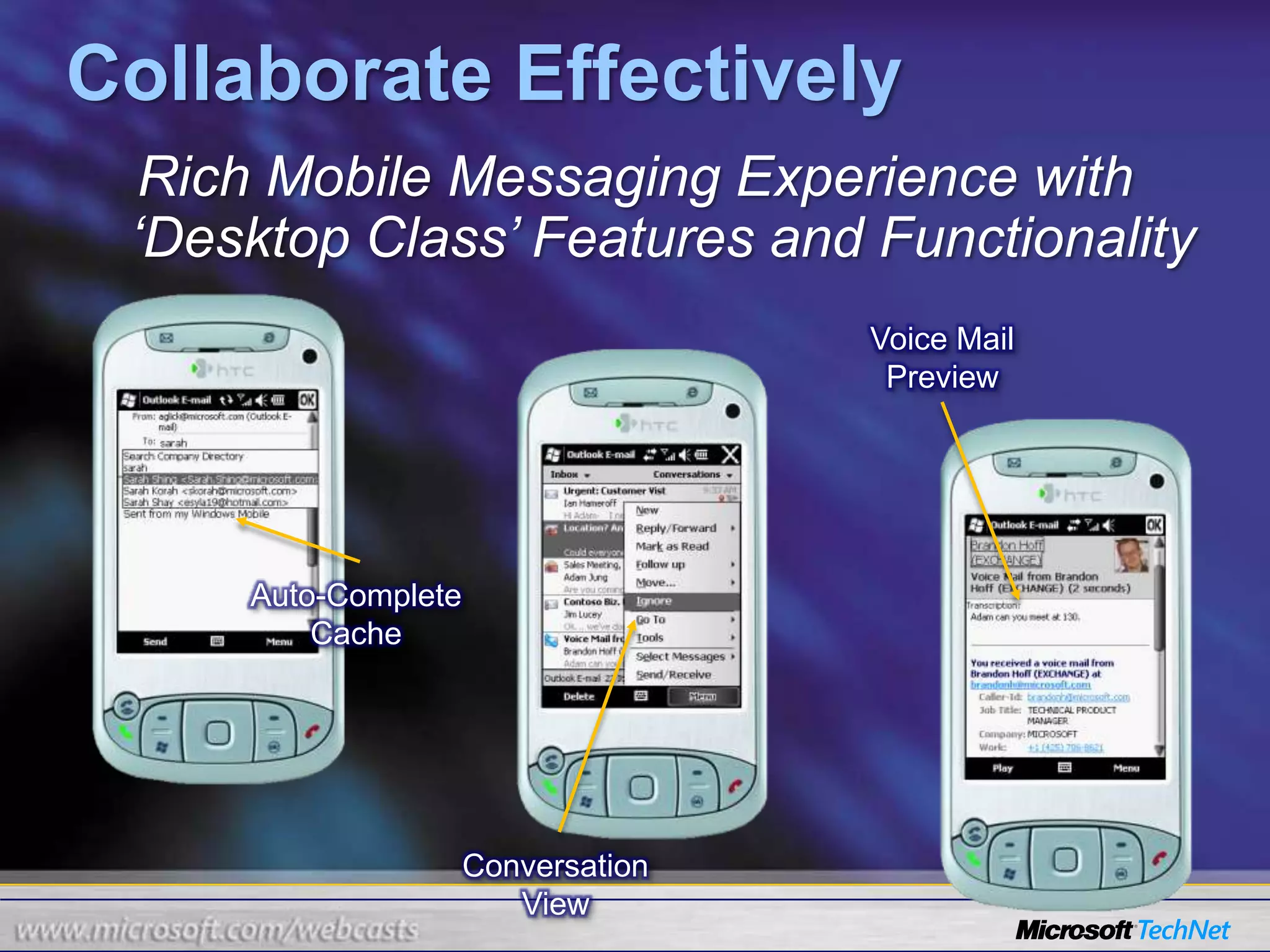
    Collaborate EffectivelyRich MobileMessaging Experience with ‘Desktop Class’ Features and FunctionalityVoice Mail PreviewAuto-Complete CacheConversation View
  • 35.
    Collaborate EffectivelyOne Locationfor E-Mail, Instant Messages, Text Messages with a Universal InboxVoice TelephonyInstant MessagingSMS Text Messaging
  • 36.
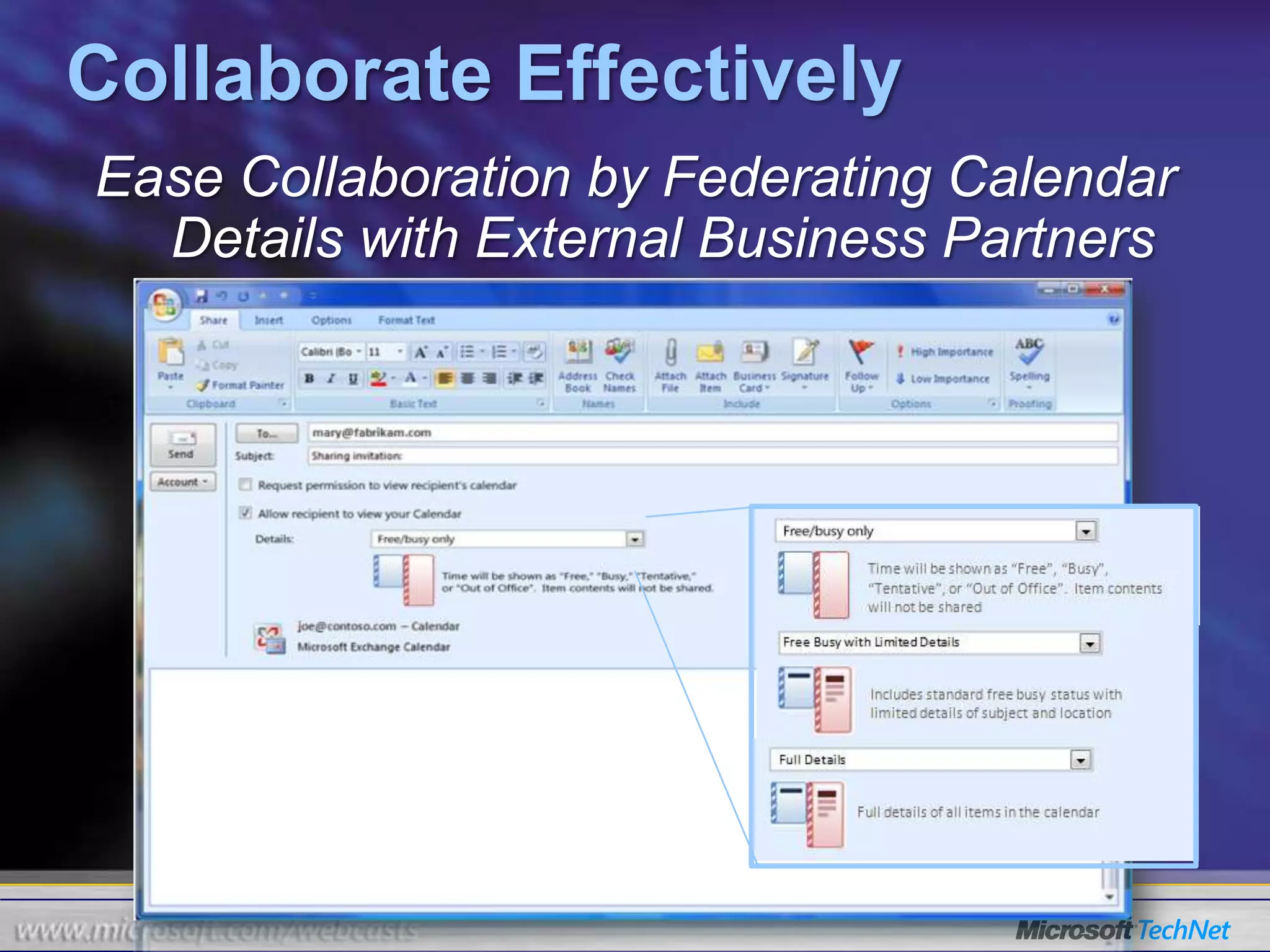
    Collaborate EffectivelyEase Collaborationby Federating Calendar Details with External Business Partners
  • 37.
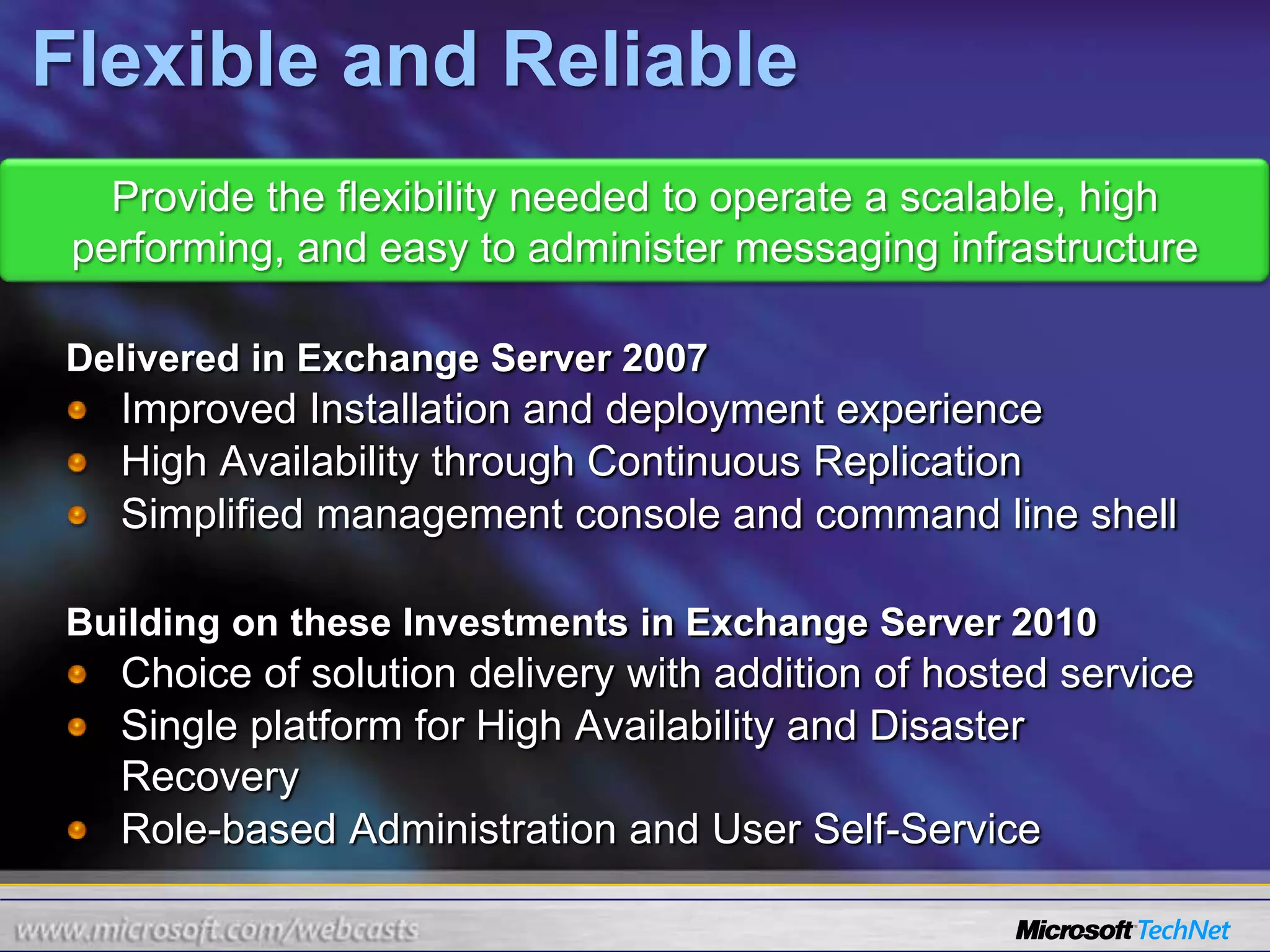
    Flexible and ReliableProvidethe flexibility needed to operate a scalable, high performing, and easy to administer messaging infrastructureDelivered in Exchange Server 2007Improved Installation and deployment experienceHigh Availability through Continuous ReplicationSimplified management console and command line shellBuilding on these Investments in Exchange Server 2010Choice of solution delivery with addition of hosted serviceSingle platform for High Availability and Disaster RecoveryRole-based Administration and User Self-Service
  • 38.
    Continuous AvailabilitySimplified MailboxHigh Availability and Disaster Recovery with New Unified PlatformNew YorkSan JoseMailbox ServerMailbox ServerMailbox ServerReplicate databases to remote datacenterDB1DB1DB1Recover quickly from disk and database failuresDB2DB2DB2DB3DB3DB3DB4DB4DB4DB5DB5DB5Evolution of Continuous Replication technologyEasier than traditional clustering to deploy and manageAllows each database to have 16 replicated copiesProvides full redundancy of Exchange roles on as few as two serversCapabilities of CCR and SCR combined into one platform
  • 39.
    Continuous Availability LimitUser Disruption During Mailbox Moves and MaintenanceE-Mail ClientUsers remain online while their mailboxes are moved between serversSending messages
  • 40.
  • 41.
    Accessing entire mailboxAdministratorscan perform migration and maintenance during regular hoursClient Access ServerMailbox Server 1Mailbox Server 2
  • 42.
    Simplify AdministrationEmpower SpecialistUsers to Perform Specific Tasks with Role-based AdministrationCompliance OfficerHelp Desk StaffHuman ResourcesConduct Mailbox Searches for Legal DiscoveryUpdate Employee Info in Company DirectoryManage Mailbox Quotas
  • 43.
    Simplify AdministrationLower SupportCosts Through New User Self-Service OptionsTrack the status of sent messagesCreate and manage distribution groups
  • 44.
    Deployment FlexibilityGreater Rangeof Storage Options Through Performance EnhancementsDirect Attached w/ SATA DisksStorage Area Network (SAN)Direct Attached w/ SAS DisksJBOD SATA(RAID-less)70% reduction in IOPSSmoother IO patternsResilience against corruption
  • 45.
    Deployment FlexibilityDeploy Exchangein a Fashion That Best Fits Business Needs with Choice of DeliveryOn-PremisesHosted ServiceCo-Existence
  • 46.
  • 47.
  • 48.
  • 49.
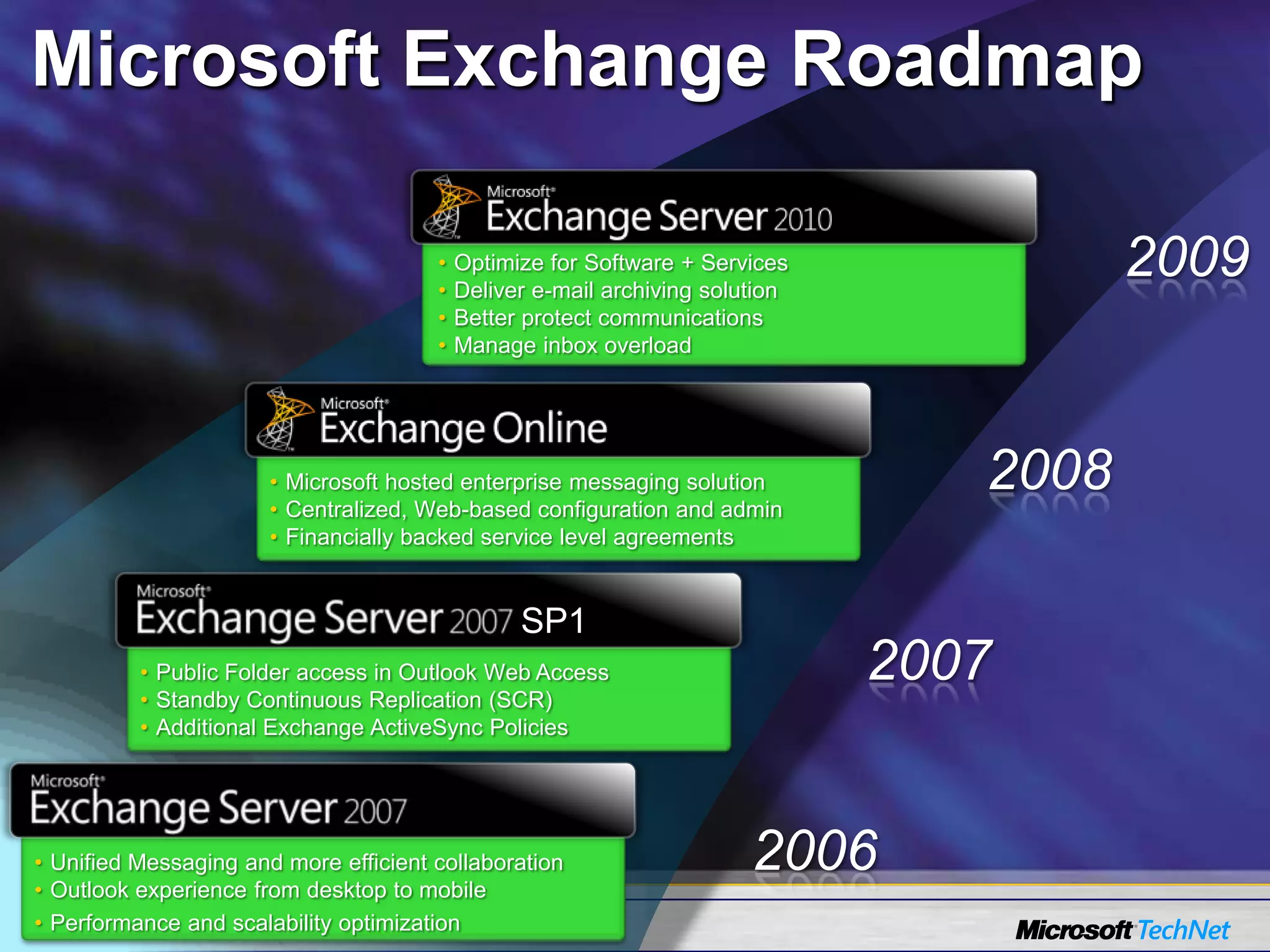
    Manage inbox overload2009Microsofthosted enterprise messaging solution
  • 50.
  • 51.
    Financially backed servicelevel agreements20082007Public Folder access in Outlook Web Access
  • 52.
  • 53.
    Additional Exchange ActiveSyncPolicies2006Unified Messaging and more efficient collaboration
  • 54.
    Outlook experience fromdesktop to mobile
  • 55.
    Performance and scalabilityoptimizationMicrosoft Exchange Roadmap
  • 56.
    Questions and AnswersSubmittext questions using the “Ask” button. Don’t forget to fill out the survey.For upcoming and previously live webcasts: www.microsoft.com/webcastGot webcast content ideas? Contact us at: http://go.microsoft.com/fwlink/?LinkId=41781
  • 57.
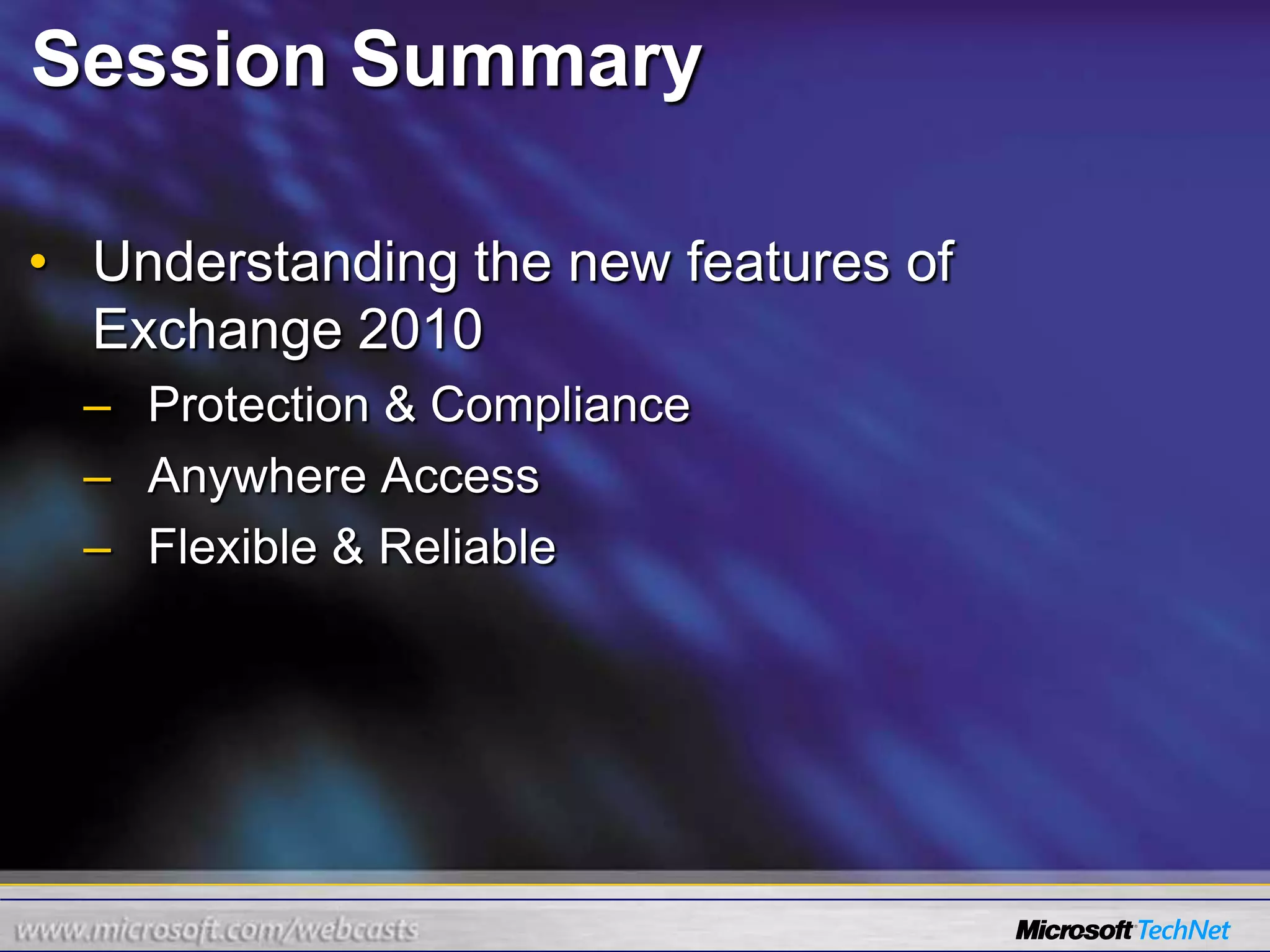
    Session SummaryUnderstanding thenew features of Exchange 2010Protection & ComplianceAnywhere AccessFlexible & Reliable