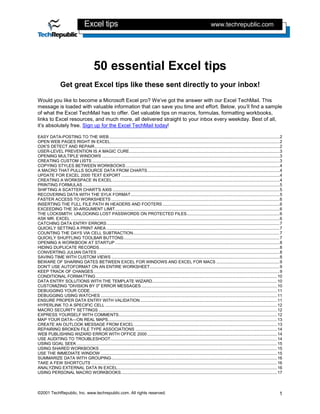
This document provides a summary of 50 Excel tips that can help users become more proficient with Microsoft Excel. Some of the tips covered include:
- Opening web pages directly in Excel by entering the URL in the Open dialog box.
- Using the Detect and Repair command line tool to check and fix problems with Office program files, DLLs, and Registry settings.
- Viewing multiple worksheets simultaneously by opening each in its own window and arranging them.
- Creating custom lists to avoid repeatedly typing the same data.
- Copying formatting styles between workbooks for consistency.
- Using a macro to extract chart source data if the original file becomes unavailable.
![Excel tips www.techrepublic.com
USER-LEVEL PREVENTION IS A MAGIC CURE
Every support pro knows that most of their problems could be avoided if their users would just follow a
few simple, commonsense precautions. If you keep getting calls on corrupted Excel documents, pass
around this list of Microsoft-endorsed tips to help users keep their data safe and your days a little less
stressful.
• Move radios, fax machines, televisions, stereos, speakers, and other sources of electromagnetic
radiation away from computers.
• If your users are still using floppies, make sure they are not putting them on top of their monitors.
• Regularly run Norton AntiVirus or another utility to scan for viruses.
• Store floppy disks in a disk storage container.
• Don't be a slob—prevent dust from building up around your computer.
• And, most important, exit Windows before restarting or shutting down a client system.
OPENING MULTIPLE WINDOWS
One of the most frustrating problems for Excel users is viewing all the information they need, especially
because it often lives in multiple notebooks. Let your users know about this simple way to view multiple
worksheets, and they'll love you forever.
1. Click on the tab of the worksheet you want.
2. Choose New Window from the Window menu.
3. Repeat this process for each of the worksheets you want to display. (Excel opens each sheet in a
window that sits on top of the previous one.)
4. To see them all at one time, choose Arrange from the Window menu.
5. Select Tiled, Horizontal, or Vertical.
6. Select the Windows Of Active Workbook check box.
7. Click OK.
CREATING CUSTOM LISTS
Here's another timesaving tip to pass on to your users. If your users often make use of the same lists of
data, you can teach them to create a custom list instead of typing the same information repeatedly.
If the data you want to copy is already in a worksheet, follow these steps:
1. Select all of the cells containing the information you want to copy.
2. Go to the Tools menu.
3. Select Options.
4. Click the Custom Lists tab.
5. Click Import.
If you want to create a list from scratch, follow these steps:
1. Go to the Tools menu.
2. Click Custom Lists.
3. Click in the List Entries box.
4. Type each item for your list, hitting [Enter] after each item.
5. When you're finished, click OK to create the list.
To use a custom list, type the first entry of the list. Use the fill handle at the bottom right corner of the cell
to drag the whole list across adjacent cells.
©2001 TechRepublic, Inc. www.techrepublic.com. All rights reserved. 3](https://image.slidesharecdn.com/exceltips-100709095917-phpapp02/85/Excel-tips-3-320.jpg)
![Excel tips www.techrepublic.com
PRINTING FORMULAS
If your users have invested time in writing numerous formulas, they may want to print them for
safekeeping. Although Excel doesn't include a simple "Print Formulas" button, functionality is built in.
Here's how to find it:
1. Go to the Tools menu.
2. Click Options.
3. Within the section called Window Options on the View tab, select Formulas.
4. Click OK.
There is also a keyboard shortcut for this function. Press [Ctrl][~].
In both cases, the result is that the formulas, rather than their results, will appear in the worksheet.
SHIFTING A SCATTER CHART'S AXIS
In most cases, Excel's default behavior of making the x-axis and y-axis of scatter charts intersect at 0 is
desirable. In some cases, however, you or your users may want to change that intersection point. An
obvious example is if you'd like to highlight just a selected number of years of data but don't want to
create an entirely new chart.
To reset an axis, follow these steps:
1. Activate the chart for editing.
2. Click to select the axis you want to modify.
3. Choose Selected Axis from the Format menu.
4. Select the Scale tab.
5. Type a number in the Value (X or Y) Axis Crosses At text box.
6. Click OK.
RECOVERING DATA WITH THE SYLK FORMAT
If a user complains of being unable to save a workbook, the problem is usually user error. Things do go
wrong, however. If you've tried all the commonsense remedies and the worksheet does seem to be
corrupted, you can try to revert to the old Symbolic Link (SYLK) format.
This approach will let your users recover most of their essential data by stripping away the more complex
information that tends to be the source of corruption. Unfortunately, this trick won't help them get back
any data, including charts and graphics, that wasn't supported back in the days of Excel 2.0.
Follow these easy steps in Excel 97:
1. Open the file that appears to be corrupted.
2. Select Save As from the File menu.
3. In the Save As Type list, select SYLK (Symbolic Link).
4. Click Save.
5. Click OK in the warning dialog box that appears when you save in SYLK format.
6. Close the file.
7. Click No to move on past the warning that the file you are closing is not in the normal Microsoft
Excel format. (Clicking Yes will resave the file in the normal Microsoft Excel format.)
8. Select Open from the File menu.
9. Select All Files (*.*) in the Files Of Type drop-down list.
10. Select the SYLK file you saved in step 3 and click Open.
11. Select Save As from the File menu.
12. Select Microsoft Excel Workbook (*.xls) in the Save As Type drop-down list.
13. Click Save.
©2001 TechRepublic, Inc. www.techrepublic.com. All rights reserved. 5](https://image.slidesharecdn.com/exceltips-100709095917-phpapp02/85/Excel-tips-5-320.jpg)
![Excel tips www.techrepublic.com
If you work extensively with Excel and Visual Basic, this may be one of the resources you've been looking
for!
http://www.mrexcel.com
CATCHING DATA ENTRY ERRORS
It's a fact: Shared workbooks generate more errors than workbooks with only one owner. Here's one way
to flag errors as they occur:
1. Select all cells in which data will be entered.
2. Go to Format | Conditional Formatting.
3. In the Conditional Formatting dialog box, specify which Cell Values to flag.
4. Click Format.
5. In the Format Cells dialog box, click the Patterns tab and select a color to signal errors.
6. Click OK.
Now, when someone enters an error, the error will be flagged with your selected color.
QUICKLY SETTING A PRINT AREA
Your users probably waste a lot of time and paper sending entire worksheets to the printer when all they
need is a printout of a few columns or rows. Teach them this quick trick to set specific print areas within
the Print Preview mode.
1. Select View | Page Break Preview.
2. Select the cells you want to print.
3. Right-click the selection and choose Set Print Area from the shortcut menu.
4. Click Print.
COUNTING THE DAYS VIA CELL SUBTRACTION
By default, Excel 97 adjusts the display of dates to friendly displays that users can identify. But behind the
scenes, Excel still thinks in numbers. So, finding the number of days between two days is as easy as
simply subtracting one cell that contains a date, regardless of format, from another date-carrying cell.
For example, let's suppose a user has entered the date 2/20/2000 in cell A1 and 3/10/2000 in cell A2. The
formula A2-A1 will return the result 19 (remember, this is a leap year). NOTE: You must use the dates
that fall later in the calendar year as the first argument of the equation, or the equation will return an error.
By default, Excel will format the result of a formula in the same format as the source cells, so in our
example it reports that the difference between 2/20/2000 and 3/10/2000 is 1/19/2000. However, simply
right-clicking the formula cell, selecting Format Cells, and selecting a Number format will fix this problem.
QUICKLY SHUFFLING TOOLBAR BUTTONS
Here's a quick tip that you can pass on to your users who like to modify their Excel toolbars.
Instead of right-clicking a toolbar and selecting Customize to launch the Customize dialog box, users can
simply press the [Alt] key and click and drag a button to any toolbar they want. Of course, both the Source
and Target toolbars must be visible for this procedure to be effective.
One quick word of warning: This technique moves buttons, so they will no longer be on the default
toolbar. If users want to copy a button to a new toolbar while retaining its position on the original one, they
can hold down [Ctrl][Alt] while clicking and dragging the button.
©2001 TechRepublic, Inc. www.techrepublic.com. All rights reserved. 7](https://image.slidesharecdn.com/exceltips-100709095917-phpapp02/85/Excel-tips-7-320.jpg)
![Excel tips www.techrepublic.com
The Immediate Window is an excellent way to test the outcome of new values or property changes on
your code without inserting the new code into your procedure.
SUMMARIZE DATA WITH GROUPING
Grouping is a feature in Excel 97 and 2000 that allows you to create outline structures with your data. For
example, you have a column of numbers, and at the bottom there's a cell that contains the sum of these
numbers. You could just leave it at that and have other worksheet users view the entire column every
time they open the workbook. Or, you could use Grouping to hide the numbers, showing only the sum,
but providing the option of expanding the outline to see the hidden data.
Grouping adds a small column to the left of your data with plus and minus symbols to let you expand or
hide the detailed data. To build this outline, select the columns of data that will be hidden in your outline
and choose Data | Group And Outline | Group.
Excel will add the expand/collapse symbol to the left of your data. Your users can now choose whether to
see the source data for the calculations or just the totals.
You can also choose whether the outline should assume the Totals row is above or below the data. And
you can summarize rows in the same way, so an outline would expand or collapse across rows instead of
columns.
TAKE A FEW SHORTCUTS
Who doesn't need to save a little time here and there? Keyboard shortcuts can help you do just that.
Here's a list of shortcuts for Excel that will make life a little easier:
• [Ctrl][Shift]A: Use this combination after typing a function name, and it will automatically enter the
parentheses and the argument names for the function you typed.
• [Alt][F8]: Displays the Macro dialog box.
• [Alt][F11]: Opens the VBA Editor or switches to it if it's already open.
• [Ctrl]1: Displays the Format Cells dialog box.
• [Ctrl][Shift][~]: Applies the General format.
• [Ctrl][Shift][$]: Formats the current cells as Currency.
• [Ctrl][Shift][#]: Applies the Date format.
• [Shift][F10]: Displays the shortcut menu that applies to where the cursor is located.
• [F6]: Moves to the next pane in a split worksheet.
• [Shift][F6]: Moves to the previous pane.
• [Ctrl][F6]: Moves to the next workbook window.
• [Ctrl][Shift][F6]: Moves back to the last workbook window.
• [F3]: Opens a dialog box to paste a Named Range into a formula.
• [Ctrl][F3]: Opens the Define Name dialog box.
• [Ctrl][Shift][F3]: Automatically creates Named Ranges from the headers for the selected table of
data with row or column headers.
• [Shift][F3]: Inserts an equal sign (=) and opens the Paste Function dialog box to help you pick a
formula.
• [Alt][=]: Inserts the AutoSum function.
• [Ctrl][;]: Inserts the current date.
ANALYZING EXTERNAL DATA IN EXCEL
Your users might not know that they can use Excel to analyze data from the various databases in your
organization. They can use the powerful analytical tools of Excel on data they previously only viewed or
©2001 TechRepublic, Inc. www.techrepublic.com. All rights reserved. 16](https://image.slidesharecdn.com/exceltips-100709095917-phpapp02/85/Excel-tips-16-320.jpg)