
Essential QuickBooks Keyboard
Shortcuts You Should Know
In orderto use the desktopversion of QuickBooks easily,
you might be looking at various shortcuts in your keyboard.
Here aresome important anduseful shortcuts:
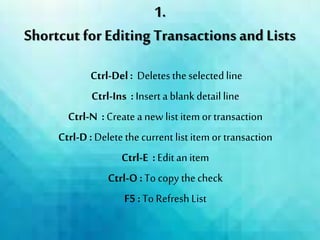
Ctrl-Del: Deletestheselectedline
Ctrl-Ins : Insert a blank detail line
Ctrl-N : Create a new list itemor transaction
Ctrl-D: Deletethe current list itemor transaction
Ctrl-E : Edit an item
Ctrl-O :To copy thecheck
F5 : To RefreshList
1.
Shortcut for Editing Transactions and Lists
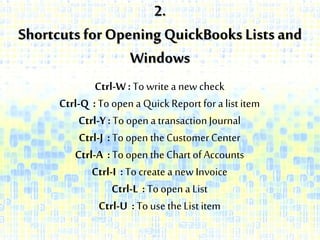
2.
Shortcuts for Opening QuickBooks Lists and
Windows
Ctrl-W: To write a newcheck
Ctrl-Q : To open a QuickReport for a list item
Ctrl-Y: To open a transactionJournal
Ctrl-J : To open the CustomerCenter
Ctrl-A : To open the Chart of Accounts
Ctrl-I : To create a new Invoice
Ctrl-L : To open a List
Ctrl-U : To use theList item
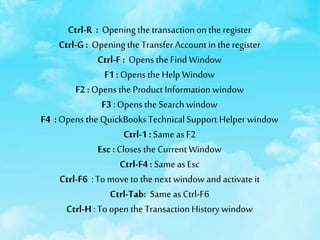
Ctrl-R : Opening the transactionon the register
Ctrl-G : Opening the Transfer Account in the register
Ctrl-F : Opens the Find Window
F1 : Opens the Help Window
F2 : Opens the Product Information window
F3 : Opens the Search window
F4 : Opens the QuickBooks TechnicalSupport Helper window
Ctrl-1 : Same asF2
Esc: Closes the Current Window
Ctrl-F4 : Same as Esc
Ctrl-F6 : To move to the next window and activateit
Ctrl-Tab: Same as Ctrl-F6
Ctrl-H : To open the TransactionHistory window
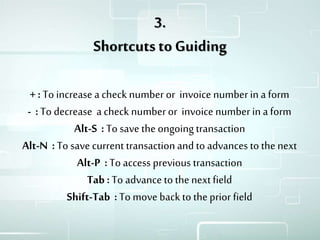
3.
Shortcuts to Guiding
+ : To increase a check number or invoice numberin a form
- :To decrease a check numberor invoice numberin a form
Alt-S : To save the ongoing transaction
Alt-N : To save current transactionand to advances to the next
Alt-P :To access previous transaction
Tab :To advance to thenextfield
Shift-Tab :To move back to theprior field
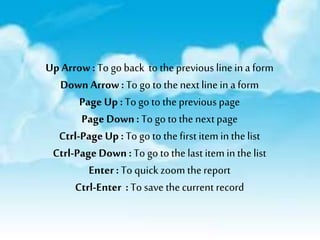
Up Arrow: To go back to theprevious line ina form
Down Arrow :To go to thenext line in a form
Page Up : To go to the previous page
Page Down: To go to the nextpage
Ctrl-Page Up : To go to thefirst itemin thelist
Ctrl-PageDown : To go to thelast itemin thelist
Enter: To quick zoom thereport
Ctrl-Enter : To save the current record
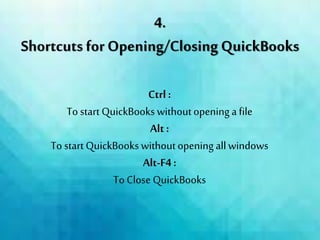
4.
Shortcuts for Opening/Closing QuickBooks
Ctrl :
To start QuickBooks withoutopening a file
Alt :
To start QuickBooks withoutopening allwindows
Alt-F4:
To Close QuickBooks
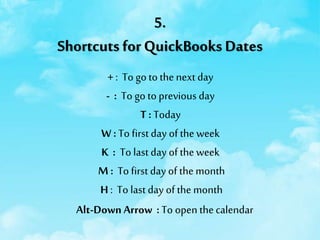
5.
Shortcuts for QuickBooks Dates
+ : To go to thenext day
- : To go to previous day
T : Today
W : To first day of the week
K : To last day of the week
M : To first day of themonth
H: To last day of the month
Alt-DownArrow :To open thecalendar
Y : Tofirstday of the year
R : To lastday of the year
[ : To same day in the previous week
] : To same day inthe next week
; : To same date in lastmonth
, : Tosame datenext month
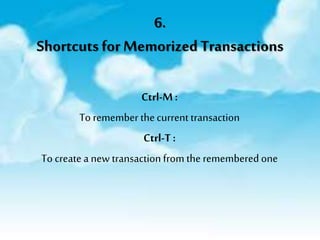
6.
Shortcuts for Memorized Transactions
Ctrl-M:
To remember thecurrent transaction
Ctrl-T :
To create a new transactionfrom the remembered one
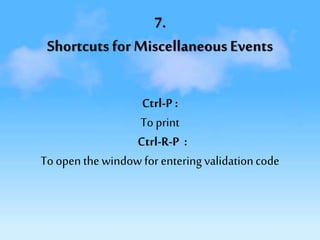
7.
Shortcuts for Miscellaneous Events
Ctrl-P :
Toprint
Ctrl-R-P :
Toopen the window for entering validationcode
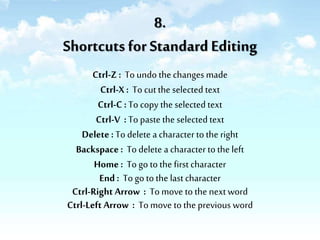
8.
Shortcuts for Standard Editing
Ctrl-Z : To undo the changes made
Ctrl-X : To cut the selected text
Ctrl-C : To copy the selected text
Ctrl-V : To paste the selectedtext
Delete : To delete a character to the right
Backspace : To delete a character to the left
Home : To go to the first character
End : To go to the last character
Ctrl-Right Arrow : To move to the next word
Ctrl-Left Arrow : To move to the previous word
About Us
Ace Cloud Hosting powered by
Real Time Cloud Services
(RTCS), is an Authorized
commercial QuickBooks Cloud
Hosting and Application
Hosting Service provider to
CPAs, SMBs, Bookkeepers and
ranks amongst the leading
QuickBooks hosting providers.
LIKE THIS DECK?
GET IN TOUCH!
Follow us for more Great Content
Also Check Out Some of Other Slideshares
References:
http://www.sleeter.com/blog/2012/07/quickbooks-
keyboard-shortcuts/

Essential QuickBooks Keyboard Shortcuts You Should Know

  • 1.
  • 2.
    In orderto usethe desktopversion of QuickBooks easily, you might be looking at various shortcuts in your keyboard. Here aresome important anduseful shortcuts:
  • 3.
    Ctrl-Del: Deletestheselectedline Ctrl-Ins :Insert a blank detail line Ctrl-N : Create a new list itemor transaction Ctrl-D: Deletethe current list itemor transaction Ctrl-E : Edit an item Ctrl-O :To copy thecheck F5 : To RefreshList 1. Shortcut for Editing Transactions and Lists
  • 4.
    2. Shortcuts for OpeningQuickBooks Lists and Windows Ctrl-W: To write a newcheck Ctrl-Q : To open a QuickReport for a list item Ctrl-Y: To open a transactionJournal Ctrl-J : To open the CustomerCenter Ctrl-A : To open the Chart of Accounts Ctrl-I : To create a new Invoice Ctrl-L : To open a List Ctrl-U : To use theList item
  • 5.
    Ctrl-R : Openingthe transactionon the register Ctrl-G : Opening the Transfer Account in the register Ctrl-F : Opens the Find Window F1 : Opens the Help Window F2 : Opens the Product Information window F3 : Opens the Search window F4 : Opens the QuickBooks TechnicalSupport Helper window Ctrl-1 : Same asF2 Esc: Closes the Current Window Ctrl-F4 : Same as Esc Ctrl-F6 : To move to the next window and activateit Ctrl-Tab: Same as Ctrl-F6 Ctrl-H : To open the TransactionHistory window
  • 6.
    3. Shortcuts to Guiding +: To increase a check number or invoice numberin a form - :To decrease a check numberor invoice numberin a form Alt-S : To save the ongoing transaction Alt-N : To save current transactionand to advances to the next Alt-P :To access previous transaction Tab :To advance to thenextfield Shift-Tab :To move back to theprior field
  • 7.
    Up Arrow: Togo back to theprevious line ina form Down Arrow :To go to thenext line in a form Page Up : To go to the previous page Page Down: To go to the nextpage Ctrl-Page Up : To go to thefirst itemin thelist Ctrl-PageDown : To go to thelast itemin thelist Enter: To quick zoom thereport Ctrl-Enter : To save the current record
  • 8.
    4. Shortcuts for Opening/ClosingQuickBooks Ctrl : To start QuickBooks withoutopening a file Alt : To start QuickBooks withoutopening allwindows Alt-F4: To Close QuickBooks
  • 9.
    5. Shortcuts for QuickBooksDates + : To go to thenext day - : To go to previous day T : Today W : To first day of the week K : To last day of the week M : To first day of themonth H: To last day of the month Alt-DownArrow :To open thecalendar
  • 10.
    Y : Tofirstdayof the year R : To lastday of the year [ : To same day in the previous week ] : To same day inthe next week ; : To same date in lastmonth , : Tosame datenext month
  • 11.
    6. Shortcuts for MemorizedTransactions Ctrl-M: To remember thecurrent transaction Ctrl-T : To create a new transactionfrom the remembered one
  • 12.
    7. Shortcuts for MiscellaneousEvents Ctrl-P : Toprint Ctrl-R-P : Toopen the window for entering validationcode
  • 13.
    8. Shortcuts for StandardEditing Ctrl-Z : To undo the changes made Ctrl-X : To cut the selected text Ctrl-C : To copy the selected text Ctrl-V : To paste the selectedtext Delete : To delete a character to the right Backspace : To delete a character to the left Home : To go to the first character End : To go to the last character Ctrl-Right Arrow : To move to the next word Ctrl-Left Arrow : To move to the previous word
  • 14.
    About Us Ace CloudHosting powered by Real Time Cloud Services (RTCS), is an Authorized commercial QuickBooks Cloud Hosting and Application Hosting Service provider to CPAs, SMBs, Bookkeepers and ranks amongst the leading QuickBooks hosting providers.
  • 15.
    LIKE THIS DECK? GETIN TOUCH! Follow us for more Great Content Also Check Out Some of Other Slideshares
  • 16.