Entering the world of Serious
Games with Python
By Harshinee Sriram
www.harshineesriram.com
What will you learn today?
•What are serious and therapeutic games?
•Stages involved in serious game development
•Current examples of therapeutic games
•What is Pygame?
•How do you make a simple therapeutic game with Pygame?
•What does the future hold?
What are serious and
therapeutic games?
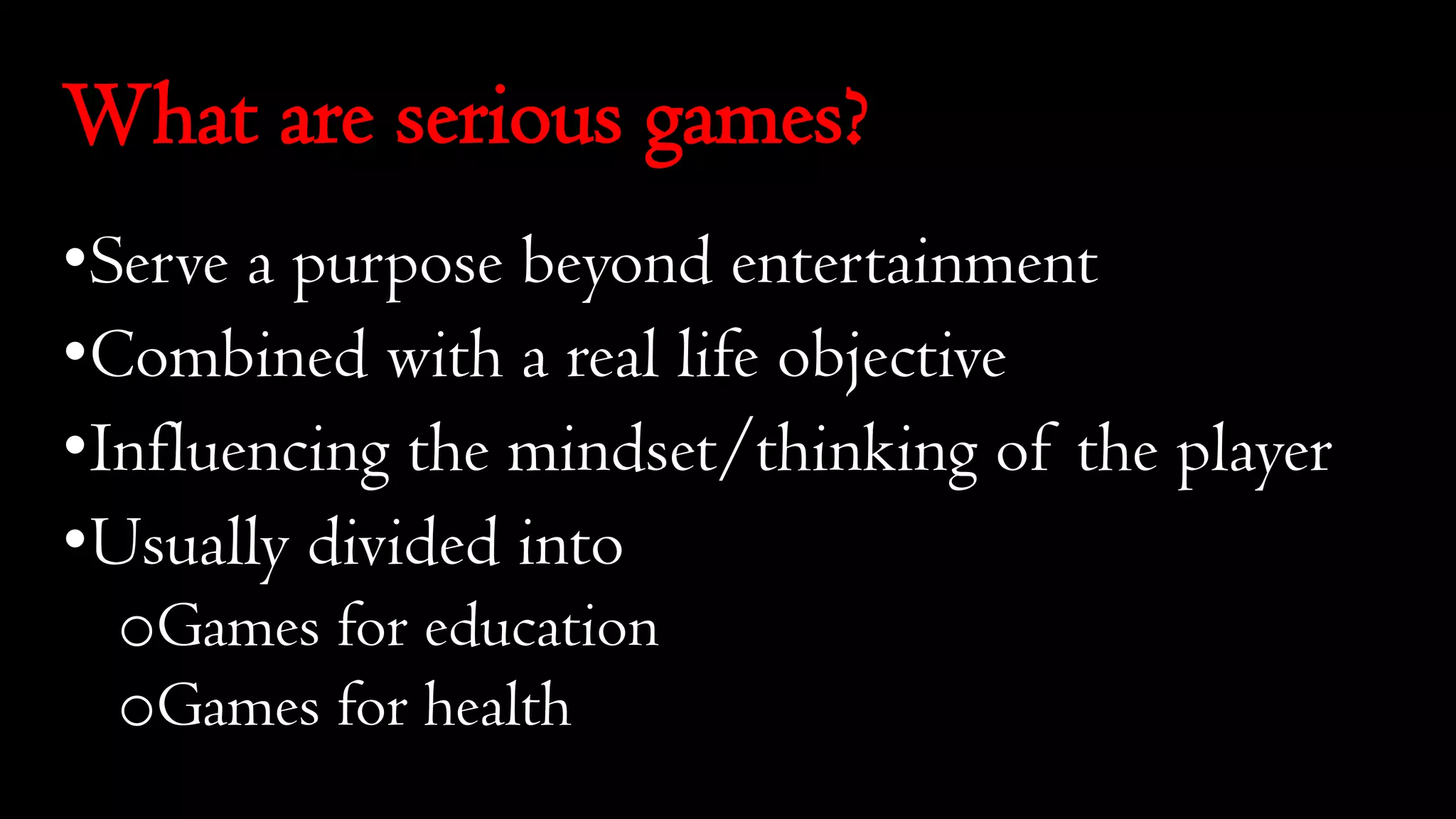
What are serious games?
•Serve a purpose beyond entertainment
•Combined with a real life objective
•Influencing the mindset/thinking of the player
•Usually divided into
oGames for education
oGames for health
What are serious games?
•Taxonomy of Games for Health (two parameter model):
oFunction (preventive, therapeutic, assessment, educational,
informatics)
oPublic (personal, professional practice, research, public
health)
•Taxonomy of Games for Health (four parameter model):
oGameplay
oFunction
oPurpose
oPublic
What are therapeutic games?
•Manages a mental health condition
•Alleviates and potentially treats a disease or condition
•Recovery technique:
oMedical
oPsychiatric
oPsychological
•Can be directly or indirectly therapeutic
Stages involved in serious
game development
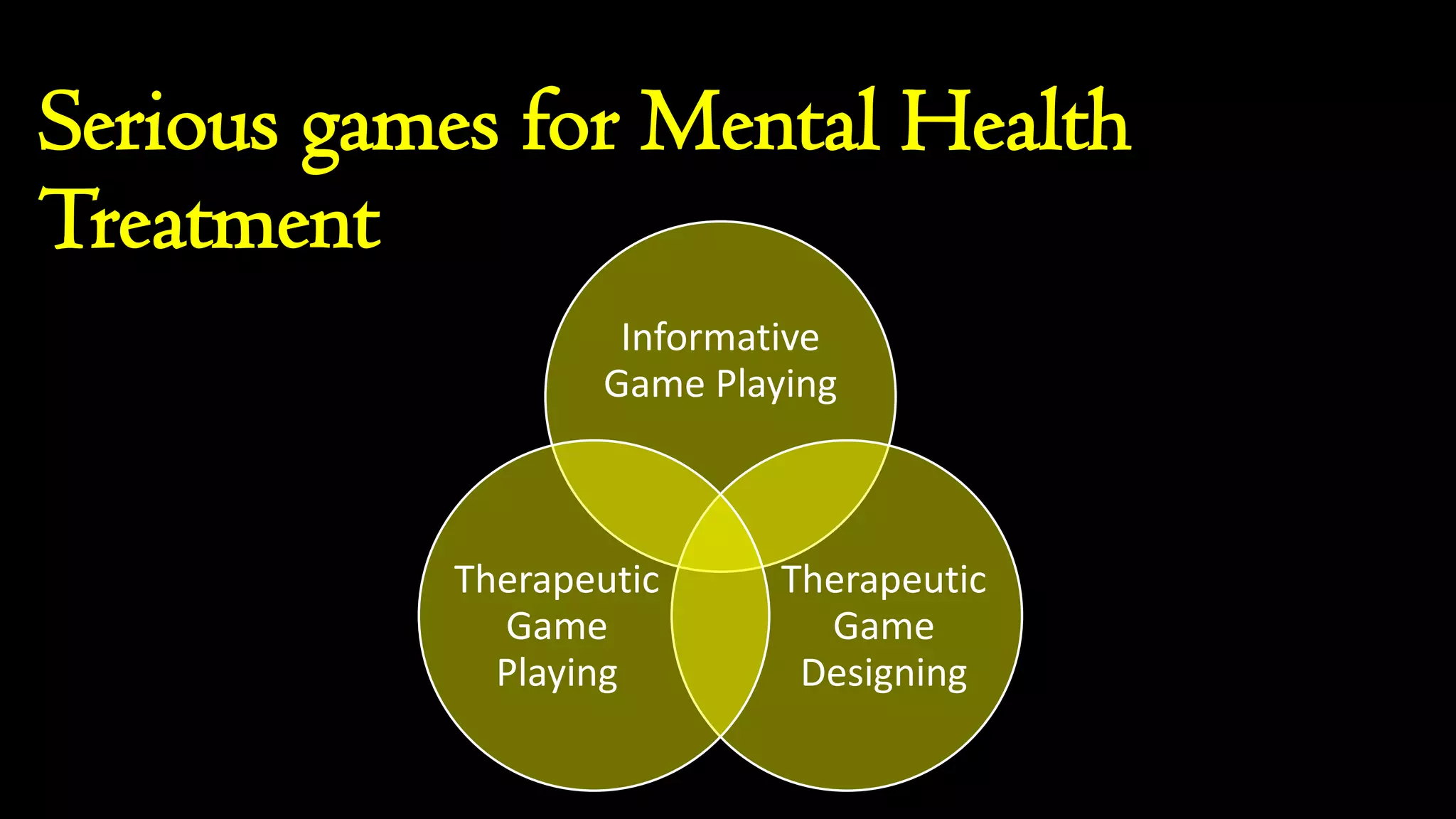
Serious games for Mental Health
Treatment
Informative
Game Playing
Therapeutic
Game
Designing
Therapeutic
Game
Playing
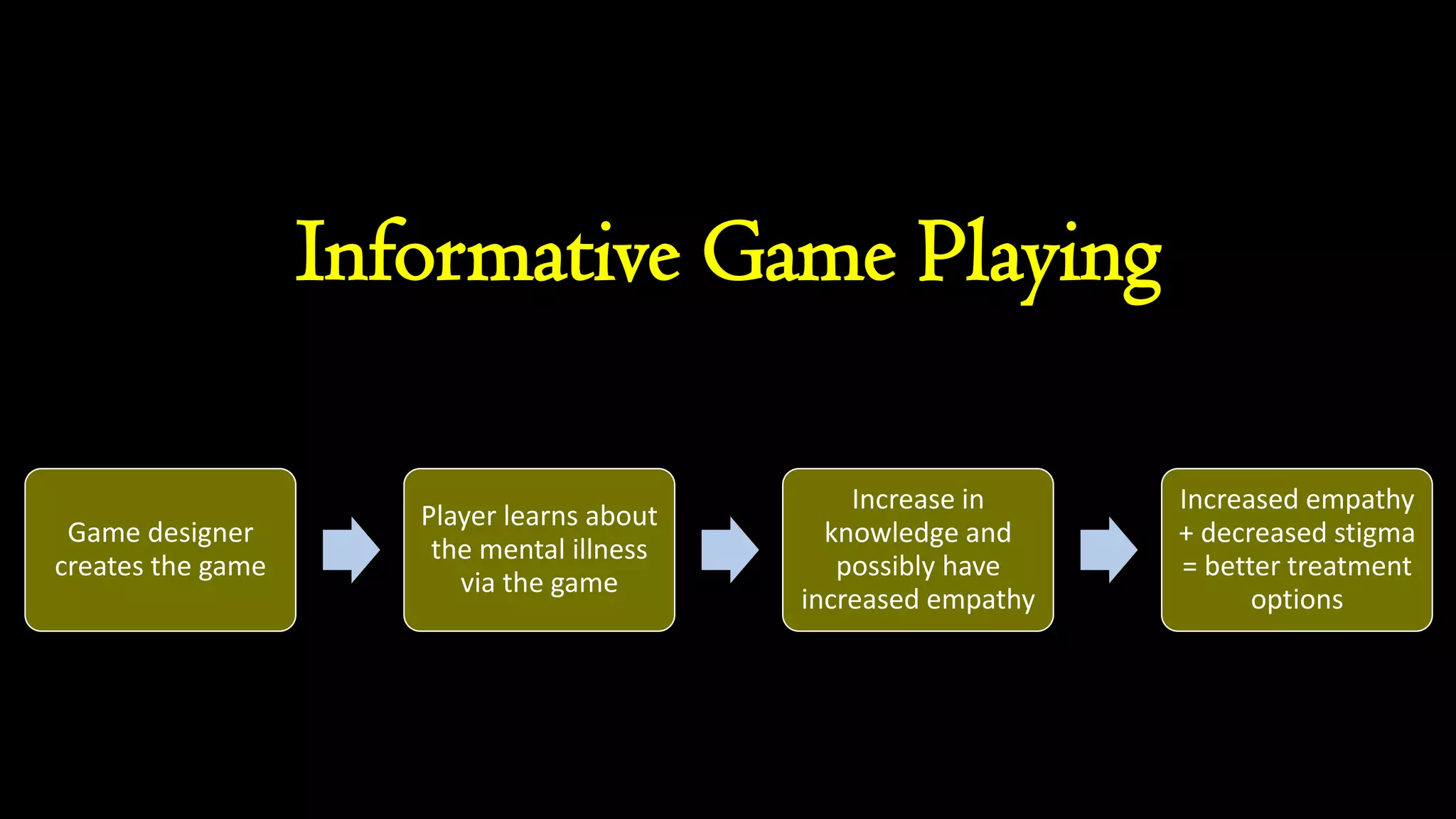
Informative Game Playing
Game designer
creates the game
Player learns about
the mental illness
via the game
Increase in
knowledge and
possibly have
increased empathy
Increased empathy
+ decreased stigma
= better treatment
options
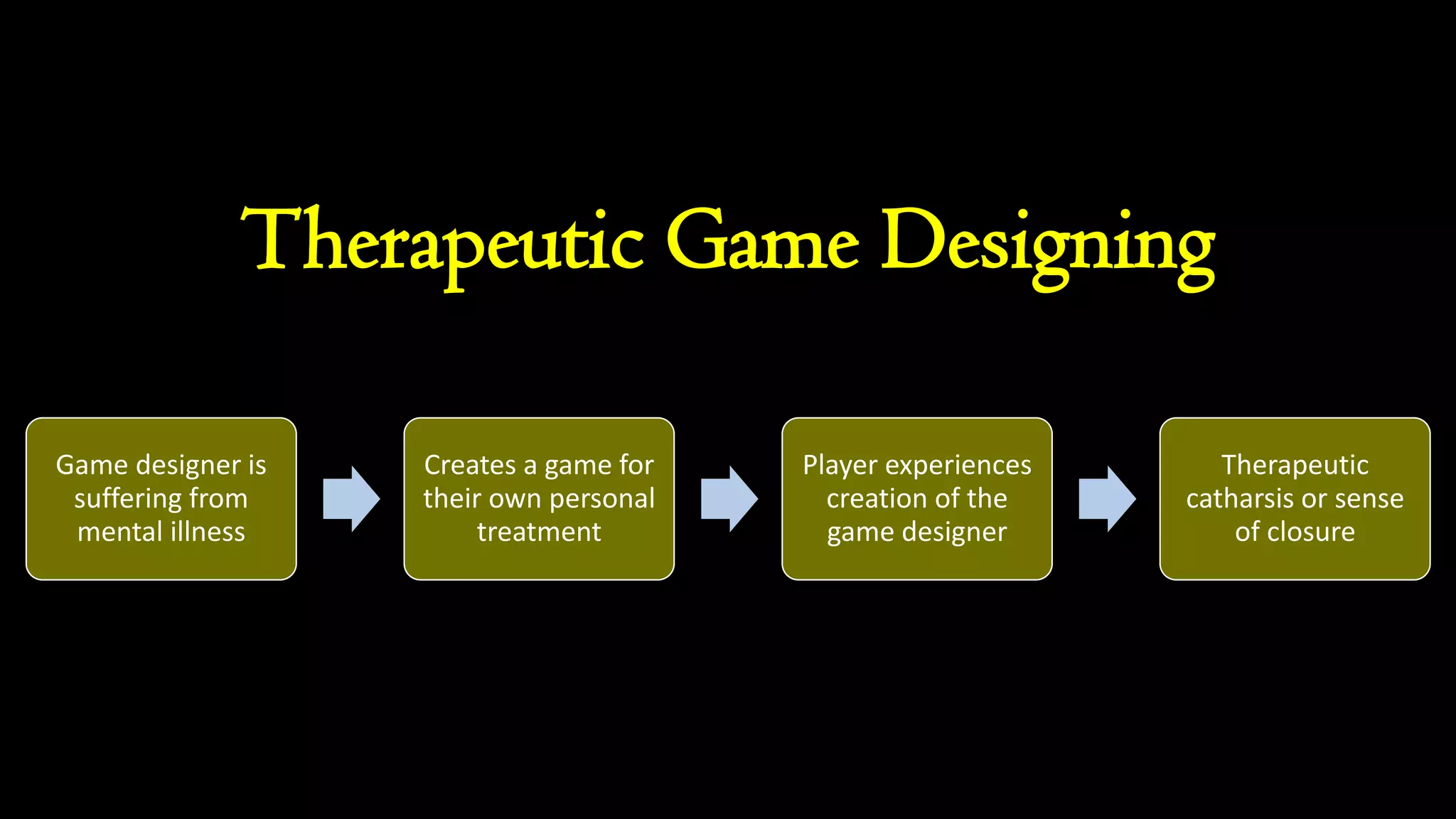
Therapeutic Game Designing
Game designer is
suffering from
mental illness
Creates a game for
their own personal
treatment
Player experiences
creation of the
game designer
Therapeutic
catharsis or sense
of closure
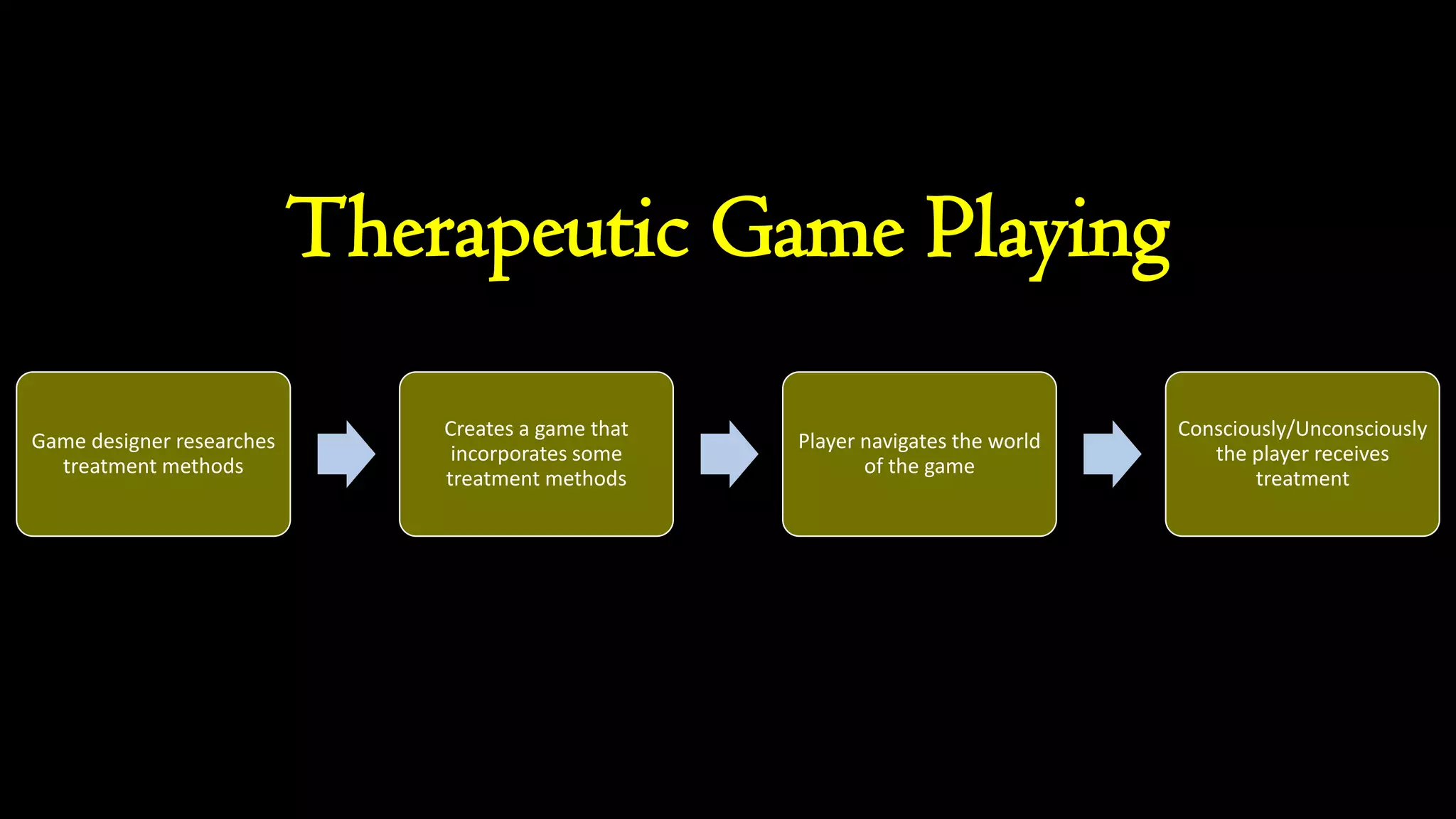
Therapeutic Game Playing
Game designer researches
treatment methods
Creates a game that
incorporates some
treatment methods
Player navigates the world
of the game
Consciously/Unconsciously
the player receives
treatment
Current examples of
therapeutic games
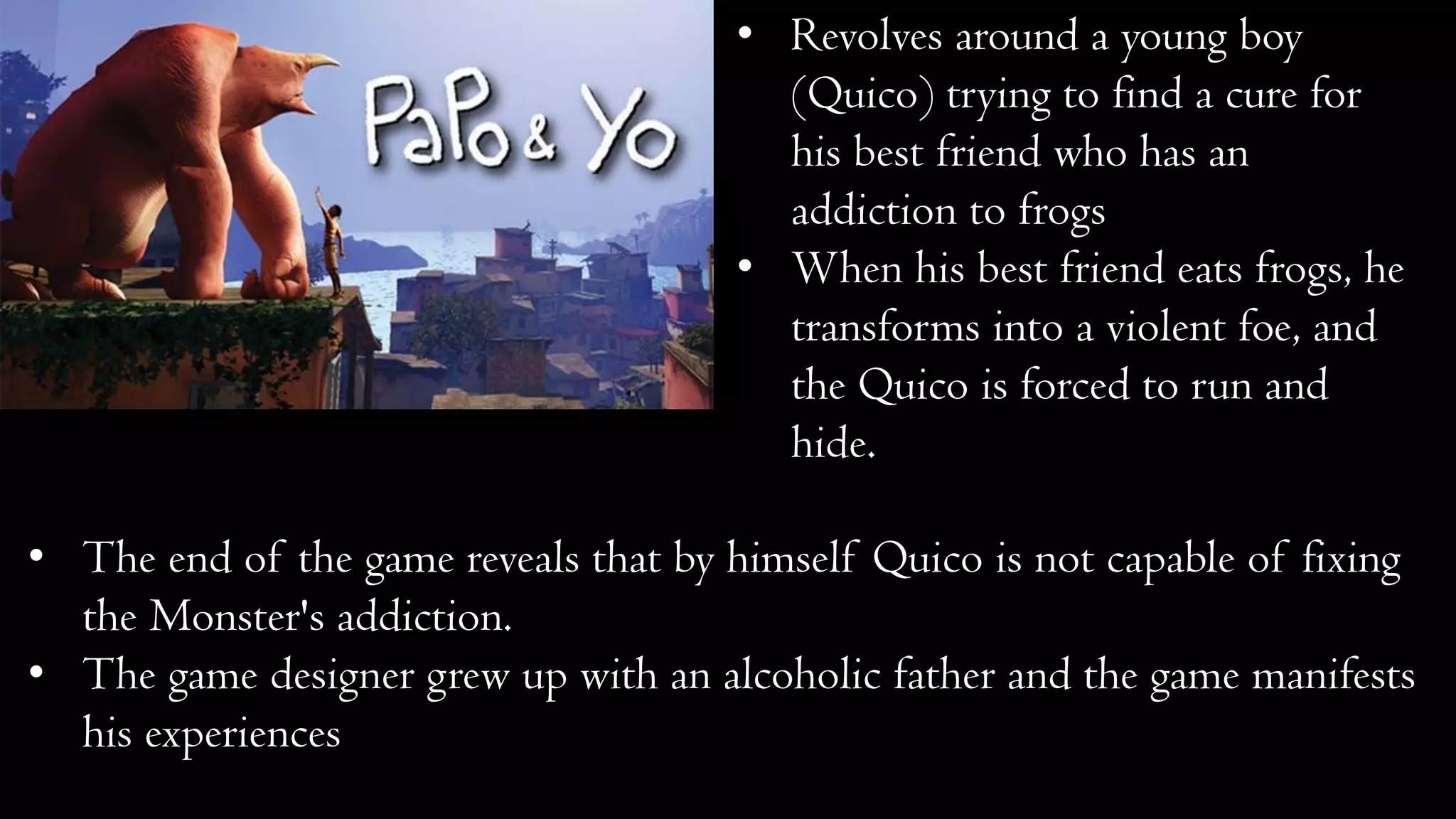
• Revolves around a young boy
(Quico) trying to find a cure for
his best friend who has an
addiction to frogs
• When his best friend eats frogs, he
transforms into a violent foe, and
the Quico is forced to run and
hide.
• The end of the game reveals that by himself Quico is not capable of fixing
the Monster's addiction.
• The game designer grew up with an alcoholic father and the game manifests
his experiences
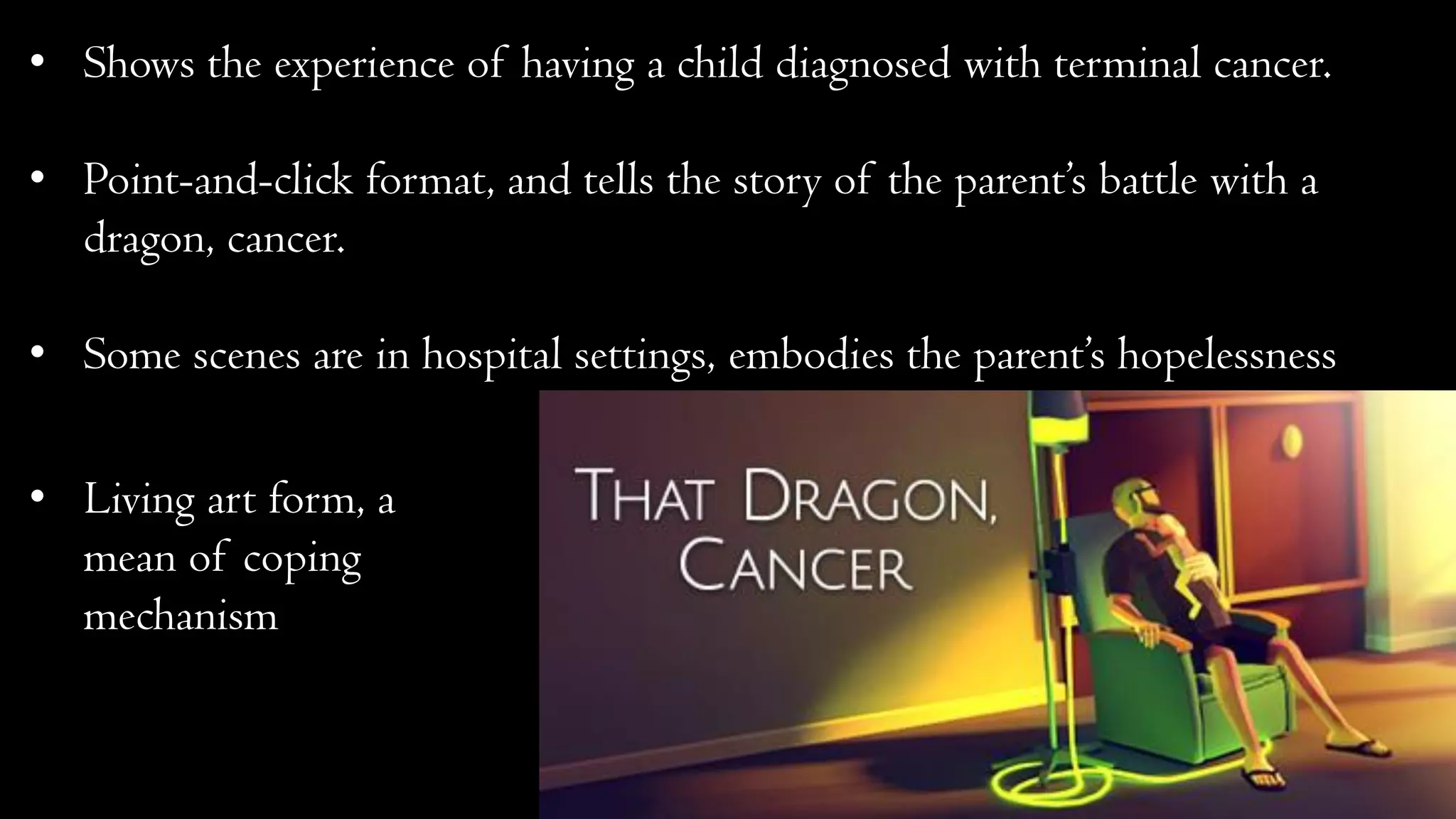
• Shows the experience of having a child diagnosed with terminal cancer.
• Point-and-click format, and tells the story of the parent’s battle with a
dragon, cancer.
• Some scenes are in hospital settings, embodies the parent’s hopelessness
• Living art form, a
mean of coping
mechanism
• A video game and therapy
tool for children with autism
and developmental disabilities
that focuses on teaching
person-to-person
communication.
• Players search for lost toys and explore vibrant, 3D, storybook levels based
on real-world environments where children typically need behavioral
improvements.
• Communication with people is essential.
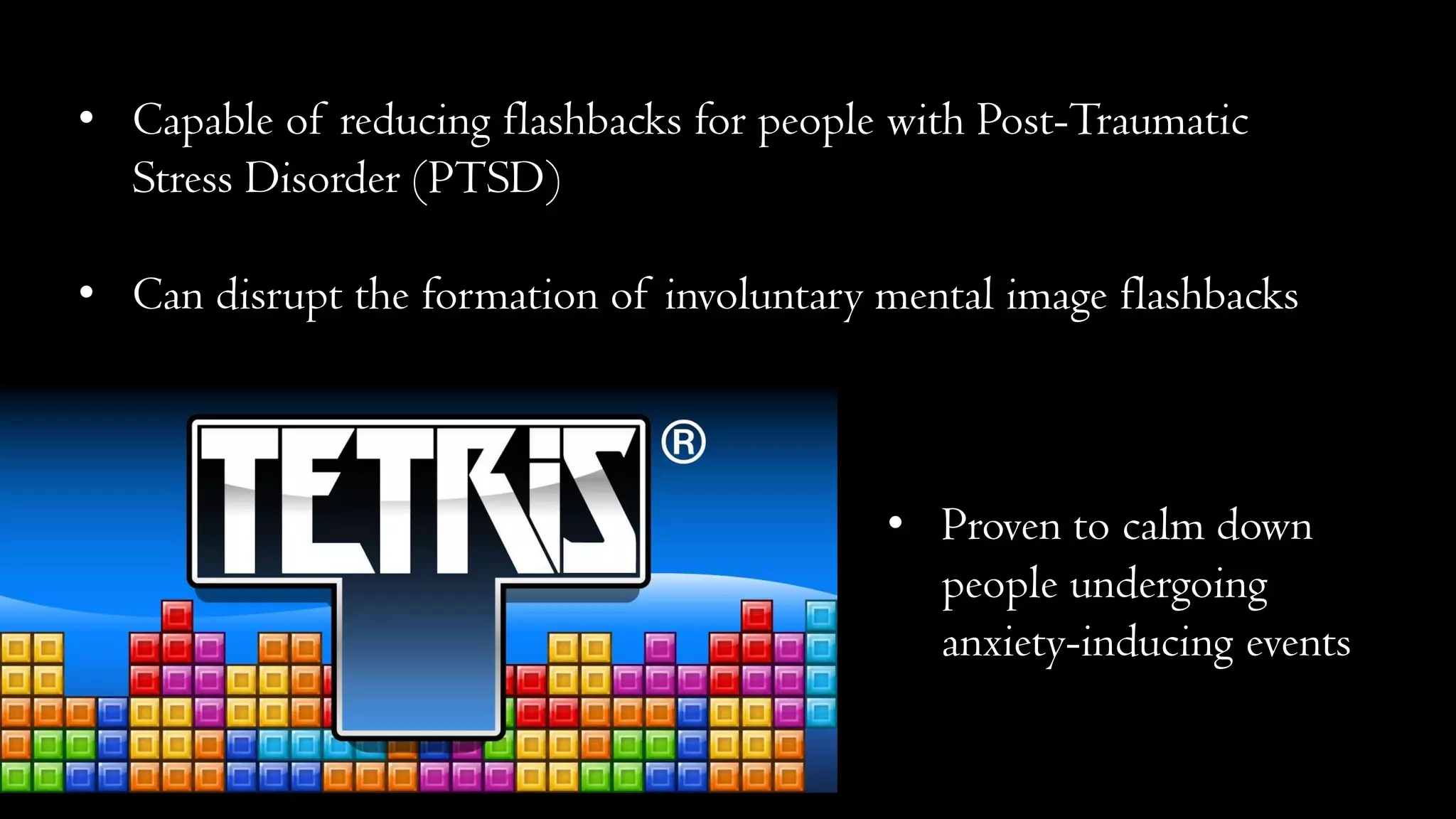
• Capable of reducing flashbacks for people with Post-Traumatic
Stress Disorder (PTSD)
• Can disrupt the formation of involuntary mental image flashbacks
• Proven to calm down
people undergoing
anxiety-inducing events
What is
What is Pygame?
•Cross-platform set of Python modules
designed for writing video games
•Computer graphics and sound libraries
for Python programming language
•Easy to learn and use
How do you make a
simple therapeutic game
with Pygame?
Importing important libraries and initial
configuration
from random import
randrange as rand
import pygame, sys
config = {
'cell_size': 20,
'cols': 8,
'rows': 16,
'delay': 750,
'maxfps':30
}
colors = [
(0, 0, 0 ),
(255, 0, 0 ),
(0, 150, 0 ),
(0, 0, 255),
(255, 120, 0 ),
(255, 255, 0 ),
(180, 0, 255),
(0, 220, 220)
]
Define tetris shapes
tetris_shapes = [
[[1, 1, 1],
[0, 1, 0]],
[[0, 2, 2],
[2, 2, 0]],
[[3, 3, 0],
[0, 3, 3]],
[[4, 0, 0],
[4, 4, 4]],
[[0, 0, 5],
[5, 5, 5]],
[[6, 6, 6, 6]],
[[7, 7],
[7, 7]]
]
Rotation and remove board functions
def rotate_clockwise(shape):
return [ [ shape[y][x]
for y in range(len(shape)) ]
for x in range(len(shape[0]) - 1, -1, -1) ]
def remove_row(board, row):
del board[row]
return [[0 for i in range(config['cols'])]] + board
Check collision function
def check_collision(board, shape, offset):
off_x, off_y = offset
for cy, row in enumerate(shape):
for cx, cell in enumerate(row):
try:
if cell and board[ cy + off_y ][ cx + off_x]:
return True
except IndexError:
return True
return False
Join matrices and new board functions
def join_matrixes(mat1, mat2, mat2_off):
off_x, off_y = mat2_off
for cy, row in enumerate(mat2):
for cx, val in enumerate(row):
mat1[cy+off_y-1 ][cx+off_x] += val
return mat1
def new_board():
board = [ [ 0 for x in range(config['cols']) ]
for y in range(config['rows']) ]
board += [[ 1 for x in range(config['cols'])]]
return board
Class definition
class TetrisApp(object):
def __init__(self): #FUNCTION 1
pygame.init()
pygame.key.set_repeat(250,25)
self.width = config['cell_size']*config['cols']
self.height = config['cell_size']*config['rows']
self.screen = pygame.display.set_mode((self.width, self.height))
pygame.event.set_blocked(pygame.MOUSEMOTION)
self.init_game()
def new_stone(self): #FUNCTION 2
self.stone = tetris_shapes[rand(len(tetris_shapes))]
self.stone_x = int(config['cols'] / 2 - len(self.stone[0])/2)
self.stone_y = 0
if check_collision(self.board,
self.stone,
(self.stone_x, self.stone_y)):
self.gameover = True
def init_game(self): #FUNCTION 3
self.board = new_board()
self.new_stone()
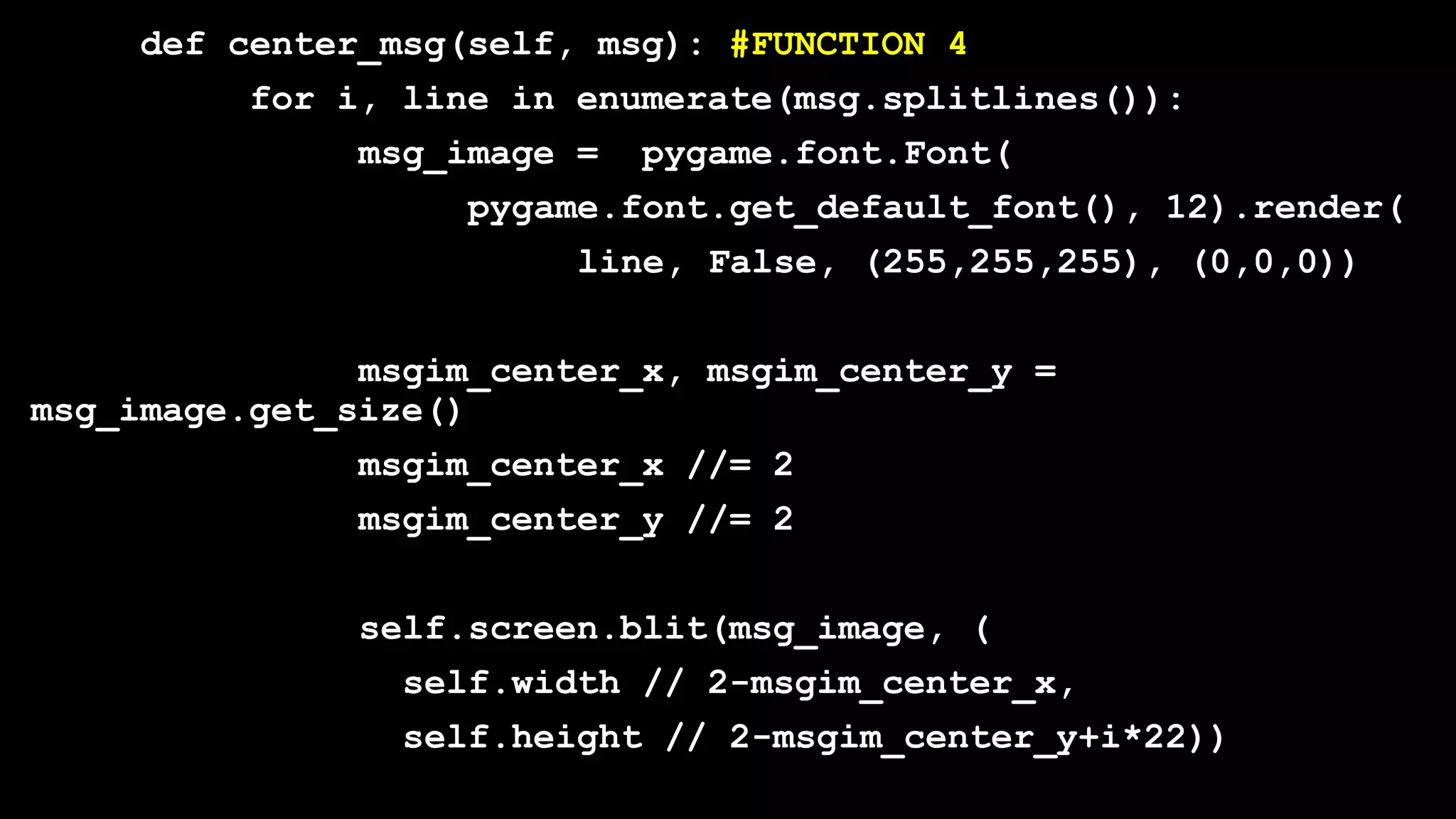
def center_msg(self, msg): #FUNCTION 4
for i, line in enumerate(msg.splitlines()):
msg_image = pygame.font.Font(
pygame.font.get_default_font(), 12).render(
line, False, (255,255,255), (0,0,0))
msgim_center_x, msgim_center_y =
msg_image.get_size()
msgim_center_x //= 2
msgim_center_y //= 2
self.screen.blit(msg_image, (
self.width // 2-msgim_center_x,
self.height // 2-msgim_center_y+i*22))
def draw_matrix(self, matrix, offset): #FUNCTION 5
off_x, off_y = offset
for y, row in enumerate(matrix):
for x, val in enumerate(row):
if val:
pygame.draw.rect(
self.screen,
colors[val],
pygame.Rect(
(off_x+x) *
config['cell_size'],
(off_y+y) *
config['cell_size'],
config['cell_size']),0)
def move(self, delta_x): #FUNCTION 6
if not self.gameover and not self.paused:
new_x = self.stone_x + delta_x
if new_x < 0:
new_x = 0
if new_x > config['cols'] - len(self.stone[0]):
new_x = config['cols'] - len(self.stone[0])
if not check_collision(self.board,
self.stone,
(new_x, self.stone_y)):
self.stone_x = new_x
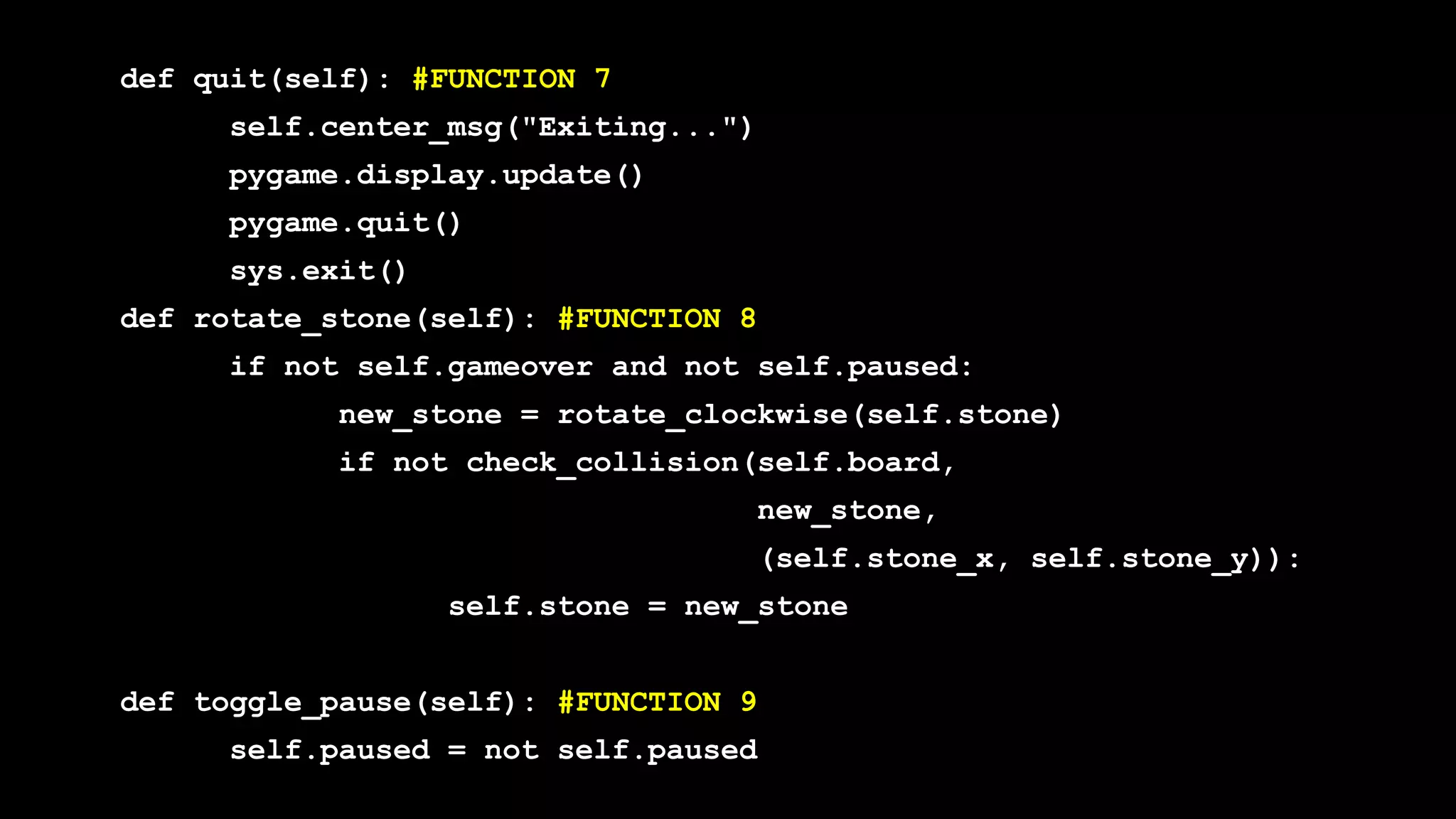
def quit(self): #FUNCTION 7
self.center_msg("Exiting...")
pygame.display.update()
pygame.quit()
sys.exit()
def rotate_stone(self): #FUNCTION 8
if not self.gameover and not self.paused:
new_stone = rotate_clockwise(self.stone)
if not check_collision(self.board,
new_stone,
(self.stone_x, self.stone_y)):
self.stone = new_stone
def toggle_pause(self): #FUNCTION 9
self.paused = not self.paused
def drop(self): #FUNCTION 10
if not self.gameover and not self.paused:
self.stone_y += 1
if check_collision(self.board,
self.stone,
(self.stone_x, self.stone_y)):
self.board = join_matrixes(
self.board,
self.stone,
(self.stone_x, self.stone_y))
self.new_stone()
while True:
for i, row in enumerate(self.board[:-1]):
if 0 not in row:
self.board = remove_row(
self.board, i)
break
else:
break
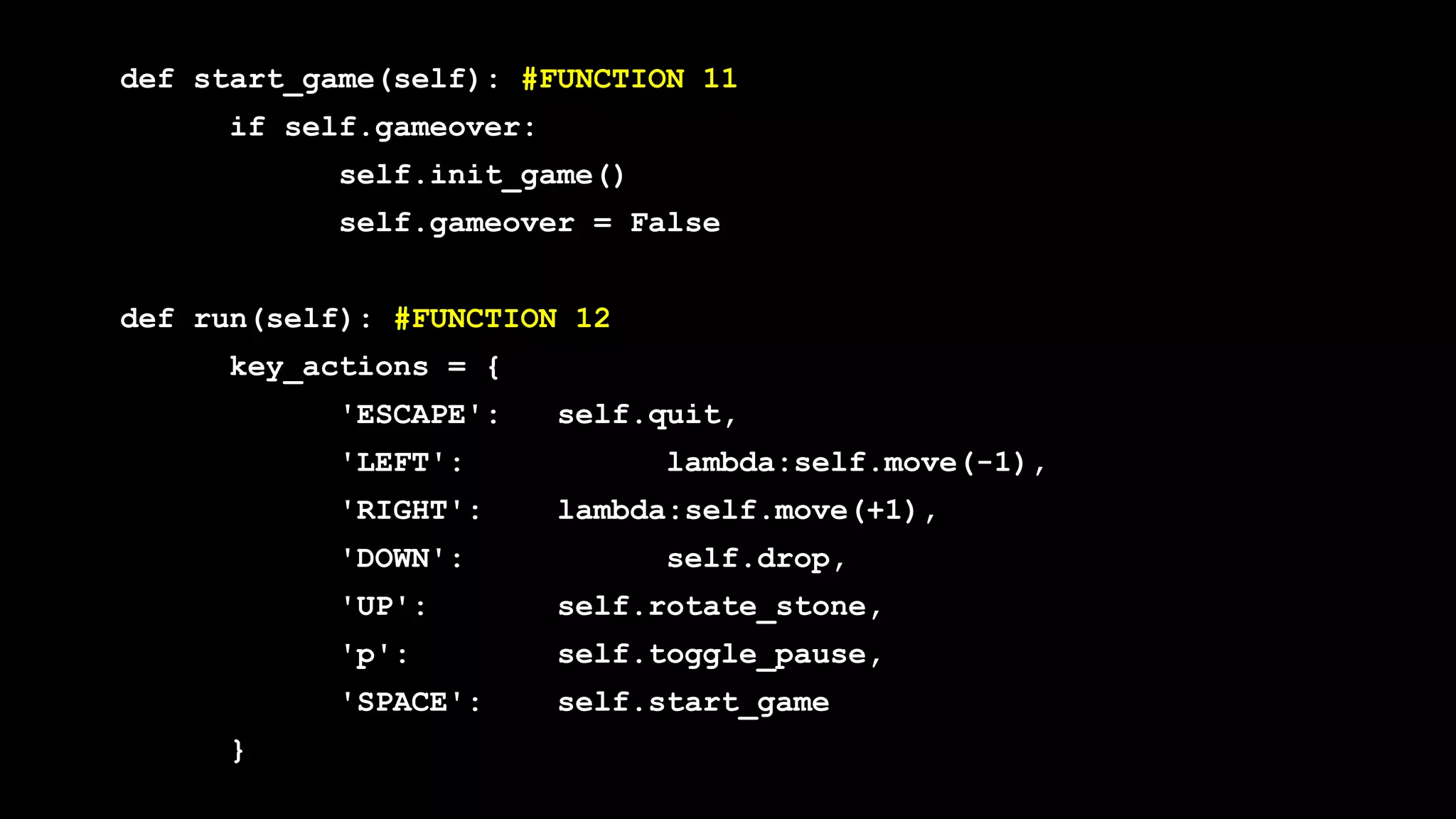
def start_game(self): #FUNCTION 11
if self.gameover:
self.init_game()
self.gameover = False
def run(self): #FUNCTION 12
key_actions = {
'ESCAPE': self.quit,
'LEFT': lambda:self.move(-1),
'RIGHT': lambda:self.move(+1),
'DOWN': self.drop,
'UP': self.rotate_stone,
'p': self.toggle_pause,
'SPACE': self.start_game
}
self.gameover = False #FUNCTION 12 CONTINUED
self.paused = False
pygame.time.set_timer(pygame.USEREVENT+1, config['delay'])
dont_burn_my_cpu = pygame.time.Clock()
while 1:
self.screen.fill((0,0,0))
if self.gameover:
self.center_msg("""Game Over!
Press space to continue""")
else:
if self.paused:
self.center_msg("Paused")
else:
self.draw_matrix(self.board, (0,0))
self.draw_matrix(self.stone,
(self.stone_x,
self.stone_y))
pygame.display.update()
for event in pygame.event.get(): #FUNCTION 12 CONTINUED
if event.type == pygame.USEREVENT+1:
self.drop()
elif event.type == pygame.QUIT:
self.quit()
elif event.type == pygame.KEYDOWN:
for key in key_actions:
if event.key == eval("pygame.K_"
+key):
key_actions[key]()
dont_burn_my_cpu.tick(config['maxfps']) #END OF FUNCTION 12
if __name__ == '__main__':
App = TetrisApp()
App.run()
What does the future
hold?
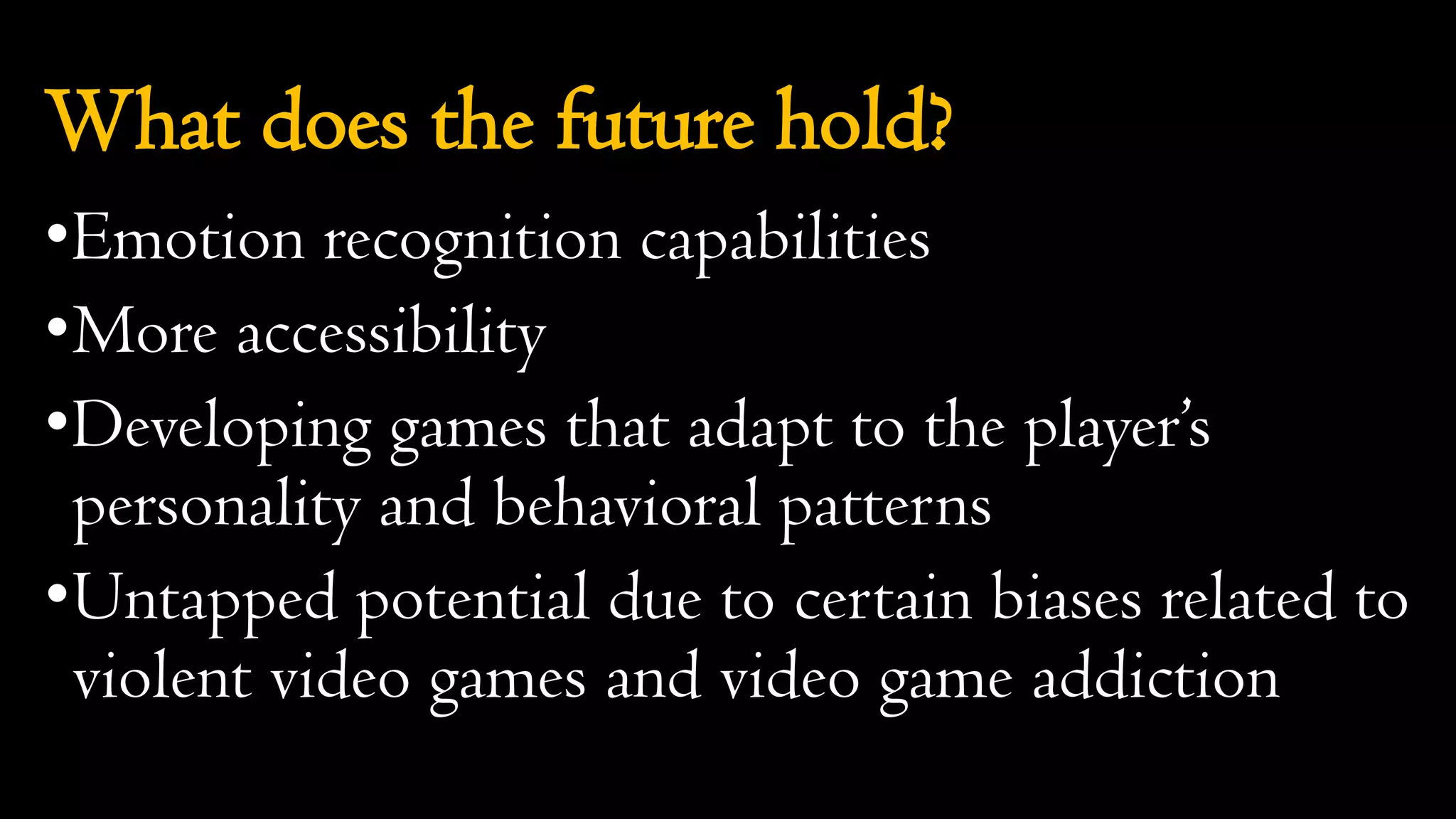
What does the future hold?
•Emotion recognition capabilities
•More accessibility
•Developing games that adapt to the player’s
personality and behavioral patterns
•Untapped potential due to certain biases related to
violent video games and video game addiction

Entering the world of Serious Games with Python

  • 1.
    Entering the worldof Serious Games with Python By Harshinee Sriram www.harshineesriram.com
  • 2.
    What will youlearn today? •What are serious and therapeutic games? •Stages involved in serious game development •Current examples of therapeutic games •What is Pygame? •How do you make a simple therapeutic game with Pygame? •What does the future hold?
  • 3.
    What are seriousand therapeutic games?
  • 4.
    What are seriousgames? •Serve a purpose beyond entertainment •Combined with a real life objective •Influencing the mindset/thinking of the player •Usually divided into oGames for education oGames for health
  • 5.
    What are seriousgames? •Taxonomy of Games for Health (two parameter model): oFunction (preventive, therapeutic, assessment, educational, informatics) oPublic (personal, professional practice, research, public health) •Taxonomy of Games for Health (four parameter model): oGameplay oFunction oPurpose oPublic
  • 6.
    What are therapeuticgames? •Manages a mental health condition •Alleviates and potentially treats a disease or condition •Recovery technique: oMedical oPsychiatric oPsychological •Can be directly or indirectly therapeutic
  • 7.
    Stages involved inserious game development
  • 8.
    Serious games forMental Health Treatment Informative Game Playing Therapeutic Game Designing Therapeutic Game Playing
  • 9.
    Informative Game Playing Gamedesigner creates the game Player learns about the mental illness via the game Increase in knowledge and possibly have increased empathy Increased empathy + decreased stigma = better treatment options
  • 10.
    Therapeutic Game Designing Gamedesigner is suffering from mental illness Creates a game for their own personal treatment Player experiences creation of the game designer Therapeutic catharsis or sense of closure
  • 11.
    Therapeutic Game Playing Gamedesigner researches treatment methods Creates a game that incorporates some treatment methods Player navigates the world of the game Consciously/Unconsciously the player receives treatment
  • 12.
  • 13.
    • Revolves arounda young boy (Quico) trying to find a cure for his best friend who has an addiction to frogs • When his best friend eats frogs, he transforms into a violent foe, and the Quico is forced to run and hide. • The end of the game reveals that by himself Quico is not capable of fixing the Monster's addiction. • The game designer grew up with an alcoholic father and the game manifests his experiences
  • 14.
    • Shows theexperience of having a child diagnosed with terminal cancer. • Point-and-click format, and tells the story of the parent’s battle with a dragon, cancer. • Some scenes are in hospital settings, embodies the parent’s hopelessness • Living art form, a mean of coping mechanism
  • 15.
    • A videogame and therapy tool for children with autism and developmental disabilities that focuses on teaching person-to-person communication. • Players search for lost toys and explore vibrant, 3D, storybook levels based on real-world environments where children typically need behavioral improvements. • Communication with people is essential.
  • 16.
    • Capable ofreducing flashbacks for people with Post-Traumatic Stress Disorder (PTSD) • Can disrupt the formation of involuntary mental image flashbacks • Proven to calm down people undergoing anxiety-inducing events
  • 17.
  • 18.
    What is Pygame? •Cross-platformset of Python modules designed for writing video games •Computer graphics and sound libraries for Python programming language •Easy to learn and use
  • 19.
    How do youmake a simple therapeutic game with Pygame?
  • 20.
    Importing important librariesand initial configuration from random import randrange as rand import pygame, sys config = { 'cell_size': 20, 'cols': 8, 'rows': 16, 'delay': 750, 'maxfps':30 } colors = [ (0, 0, 0 ), (255, 0, 0 ), (0, 150, 0 ), (0, 0, 255), (255, 120, 0 ), (255, 255, 0 ), (180, 0, 255), (0, 220, 220) ]
  • 21.
    Define tetris shapes tetris_shapes= [ [[1, 1, 1], [0, 1, 0]], [[0, 2, 2], [2, 2, 0]], [[3, 3, 0], [0, 3, 3]], [[4, 0, 0], [4, 4, 4]], [[0, 0, 5], [5, 5, 5]], [[6, 6, 6, 6]], [[7, 7], [7, 7]] ]
  • 22.
    Rotation and removeboard functions def rotate_clockwise(shape): return [ [ shape[y][x] for y in range(len(shape)) ] for x in range(len(shape[0]) - 1, -1, -1) ] def remove_row(board, row): del board[row] return [[0 for i in range(config['cols'])]] + board
  • 23.
    Check collision function defcheck_collision(board, shape, offset): off_x, off_y = offset for cy, row in enumerate(shape): for cx, cell in enumerate(row): try: if cell and board[ cy + off_y ][ cx + off_x]: return True except IndexError: return True return False
  • 24.
    Join matrices andnew board functions def join_matrixes(mat1, mat2, mat2_off): off_x, off_y = mat2_off for cy, row in enumerate(mat2): for cx, val in enumerate(row): mat1[cy+off_y-1 ][cx+off_x] += val return mat1 def new_board(): board = [ [ 0 for x in range(config['cols']) ] for y in range(config['rows']) ] board += [[ 1 for x in range(config['cols'])]] return board
  • 25.
    Class definition class TetrisApp(object): def__init__(self): #FUNCTION 1 pygame.init() pygame.key.set_repeat(250,25) self.width = config['cell_size']*config['cols'] self.height = config['cell_size']*config['rows'] self.screen = pygame.display.set_mode((self.width, self.height)) pygame.event.set_blocked(pygame.MOUSEMOTION) self.init_game()
  • 26.
    def new_stone(self): #FUNCTION2 self.stone = tetris_shapes[rand(len(tetris_shapes))] self.stone_x = int(config['cols'] / 2 - len(self.stone[0])/2) self.stone_y = 0 if check_collision(self.board, self.stone, (self.stone_x, self.stone_y)): self.gameover = True def init_game(self): #FUNCTION 3 self.board = new_board() self.new_stone()
  • 27.
    def center_msg(self, msg):#FUNCTION 4 for i, line in enumerate(msg.splitlines()): msg_image = pygame.font.Font( pygame.font.get_default_font(), 12).render( line, False, (255,255,255), (0,0,0)) msgim_center_x, msgim_center_y = msg_image.get_size() msgim_center_x //= 2 msgim_center_y //= 2 self.screen.blit(msg_image, ( self.width // 2-msgim_center_x, self.height // 2-msgim_center_y+i*22))
  • 28.
    def draw_matrix(self, matrix,offset): #FUNCTION 5 off_x, off_y = offset for y, row in enumerate(matrix): for x, val in enumerate(row): if val: pygame.draw.rect( self.screen, colors[val], pygame.Rect( (off_x+x) * config['cell_size'], (off_y+y) * config['cell_size'], config['cell_size'], config['cell_size']),0)
  • 29.
    def move(self, delta_x):#FUNCTION 6 if not self.gameover and not self.paused: new_x = self.stone_x + delta_x if new_x < 0: new_x = 0 if new_x > config['cols'] - len(self.stone[0]): new_x = config['cols'] - len(self.stone[0]) if not check_collision(self.board, self.stone, (new_x, self.stone_y)): self.stone_x = new_x
  • 30.
    def quit(self): #FUNCTION7 self.center_msg("Exiting...") pygame.display.update() pygame.quit() sys.exit() def rotate_stone(self): #FUNCTION 8 if not self.gameover and not self.paused: new_stone = rotate_clockwise(self.stone) if not check_collision(self.board, new_stone, (self.stone_x, self.stone_y)): self.stone = new_stone def toggle_pause(self): #FUNCTION 9 self.paused = not self.paused
  • 31.
    def drop(self): #FUNCTION10 if not self.gameover and not self.paused: self.stone_y += 1 if check_collision(self.board, self.stone, (self.stone_x, self.stone_y)): self.board = join_matrixes( self.board, self.stone, (self.stone_x, self.stone_y)) self.new_stone() while True: for i, row in enumerate(self.board[:-1]): if 0 not in row: self.board = remove_row( self.board, i) break else: break
  • 32.
    def start_game(self): #FUNCTION11 if self.gameover: self.init_game() self.gameover = False def run(self): #FUNCTION 12 key_actions = { 'ESCAPE': self.quit, 'LEFT': lambda:self.move(-1), 'RIGHT': lambda:self.move(+1), 'DOWN': self.drop, 'UP': self.rotate_stone, 'p': self.toggle_pause, 'SPACE': self.start_game }
  • 33.
    self.gameover = False#FUNCTION 12 CONTINUED self.paused = False pygame.time.set_timer(pygame.USEREVENT+1, config['delay']) dont_burn_my_cpu = pygame.time.Clock() while 1: self.screen.fill((0,0,0)) if self.gameover: self.center_msg("""Game Over! Press space to continue""") else: if self.paused: self.center_msg("Paused") else: self.draw_matrix(self.board, (0,0)) self.draw_matrix(self.stone, (self.stone_x, self.stone_y)) pygame.display.update()
  • 34.
    for event inpygame.event.get(): #FUNCTION 12 CONTINUED if event.type == pygame.USEREVENT+1: self.drop() elif event.type == pygame.QUIT: self.quit() elif event.type == pygame.KEYDOWN: for key in key_actions: if event.key == eval("pygame.K_" +key): key_actions[key]() dont_burn_my_cpu.tick(config['maxfps']) #END OF FUNCTION 12 if __name__ == '__main__': App = TetrisApp() App.run()
  • 35.
    What does thefuture hold?
  • 36.
    What does thefuture hold? •Emotion recognition capabilities •More accessibility •Developing games that adapt to the player’s personality and behavioral patterns •Untapped potential due to certain biases related to violent video games and video game addiction