Objectives
Apply computationalthinking and problem-solving strategies to solve complex
problems efficiently.
Apply nesting concepts within algorithmic design thinking.
Utilize conditional statements, finite loops, and infinite loops.
Deconstruct complex problems into manageable sub-problems.
Develop step-by-step procedures for problem-solving.
Understand the phases of Design Thinking.
3.
What is ComputationalThinking?
Computational thinking is a problem-solving technique inspired by how
computer programmers solve problems.
It involves breaking down problems into smaller parts and developing clear
solutions.
Important for teaching logical thinking and structured problem-solving.
4.
Four Components ofComputational
Thinking
1. Decomposition – Breaking down complex problems into smaller parts.
2. Abstraction – Focusing only on important details, ignoring irrelevant ones.
3. Pattern Recognition – Finding similarities in problems to simplify solutions.
4. Algorithm Design – Creating clear step-by-step solutions (instructions).
5.
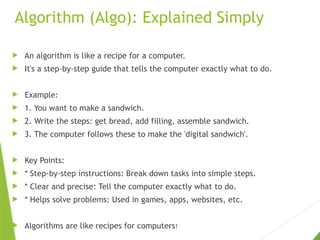
Algorithm (Algo): ExplainedSimply
An algorithm is like a recipe for a computer.
It's a step-by-step guide that tells the computer exactly what to do.
Example:
1. You want to make a sandwich.
2. Write the steps: get bread, add filling, assemble sandwich.
3. The computer follows these to make the 'digital sandwich'.
Key Points:
* Step-by-step instructions: Break down tasks into simple steps.
* Clear and precise: Tell the computer exactly what to do.
* Helps solve problems: Used in games, apps, websites, etc.
Algorithms are like recipes for computers!
6.
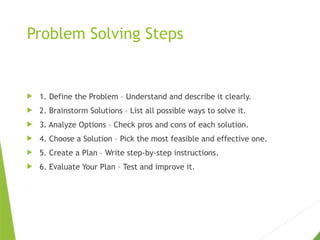
Problem Solving Steps
1. Define the Problem – Understand and describe it clearly.
2. Brainstorm Solutions – List all possible ways to solve it.
3. Analyze Options – Check pros and cons of each solution.
4. Choose a Solution – Pick the most feasible and effective one.
5. Create a Plan – Write step-by-step instructions.
6. Evaluate Your Plan – Test and improve it.
7.
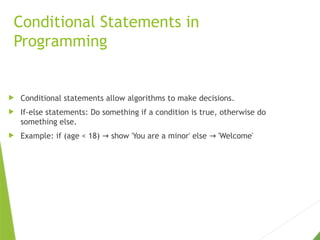
Conditional Statements in
Programming
Conditional statements allow algorithms to make decisions.
If-else statements: Do something if a condition is true, otherwise do
something else.
Example: if (age < 18) show 'You are a minor' else 'Welcome'
→ →
8.
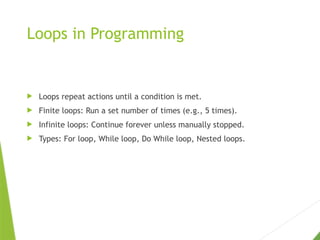
Loops in Programming
Loops repeat actions until a condition is met.
Finite loops: Run a set number of times (e.g., 5 times).
Infinite loops: Continue forever unless manually stopped.
Types: For loop, While loop, Do While loop, Nested loops.
9.
Nesting in AlgorithmDesign
Nesting means placing one structure inside another.
For example, a loop inside another loop.
Helps in solving more complex problems efficiently.
10.
Simple vs ComplexProblems
Simple Problem: One person can solve it using their knowledge.
Complex Problem: Requires a team or deeper strategies.
Computational thinking helps in breaking complex problems into simple
parts.
11.
Design Thinking Process
A user-centered approach to creative problem-solving.
Phases: Empathize Define Ideate Prototype Test.
→ → → →
Used to find innovative solutions through collaboration and iteration.
12.
Phases of DesignThinking
Design thinking is a problem-solving approach that involves understanding users,
challenging assumptions, and iterating solutions. Here are the phases:
1. Empathize: Understand the user's needs and feelings.
2. Define: Define the problem and identify the challenge.
3. Ideate: Generate creative ideas and solutions.
4. Prototype: Create a prototype or a model of the solution.
5. Test: Test the solution with users and gather feedback.
Simple way to remember:
1. Understand the problem (Empathize)
2. Define the challenge (Define)
3. Imagine solutions (Ideate)
4. Create a prototype (Prototype)
5. Try it out (Test)
Design thinking helps create innovative solutions by putting users at the center!