© 2019 Merkle. All Rights Reserved. Confidential1
ENHANCED
GOVERNANCE & TAG
DEPLOYMENT
W ITH GTM TAG TE MPLATES
© 2019 Merkle. All Rights Reserved. Confidential2
EMERGING CONNECTED
© 2019 Merkle. All Rights Reserved. Confidential3
AGENDA
◢ WHAT custom templates are
◢ HOW to start using them
◢ WHY we should utilise this feature
© 2019 Merkle. All Rights Reserved. Confidential4
WHAT tag templates are?
© 2019 Merkle. All Rights Reserved. Confidential5
◢ Custom Tags & Variables you can
configure
◢ Can be shared (import&export) from
a container.
◢ Available to both non-360 and 360
Accounts
CUSTOM TEMPLATES ARE
NEW GTM FEATURE
© 2019 Merkle. All Rights Reserved. Confidential6
◢ Flexible “tag interface” building tool
◢ Various field types – from text fields, drop-downs,
checkboxes and more.
CUSTOM TEMPLATES ARE
UI LAYER
◢ Each Field and it’s input values are referenced
within the template’s code.
© 2019 Merkle. All Rights Reserved. Confidential7
CUSTOM TEMPLATES ARE
SANDBOX
◢ Sandboxed JavaScript is a simplified subset of
JavaScript (developed by Google)
◢ Sensitive operations require the use of specifically
built sandbox APIs
◢ Each API is associated with a set of Permissions
that need to be defined
© 2019 Merkle. All Rights Reserved. Confidential8
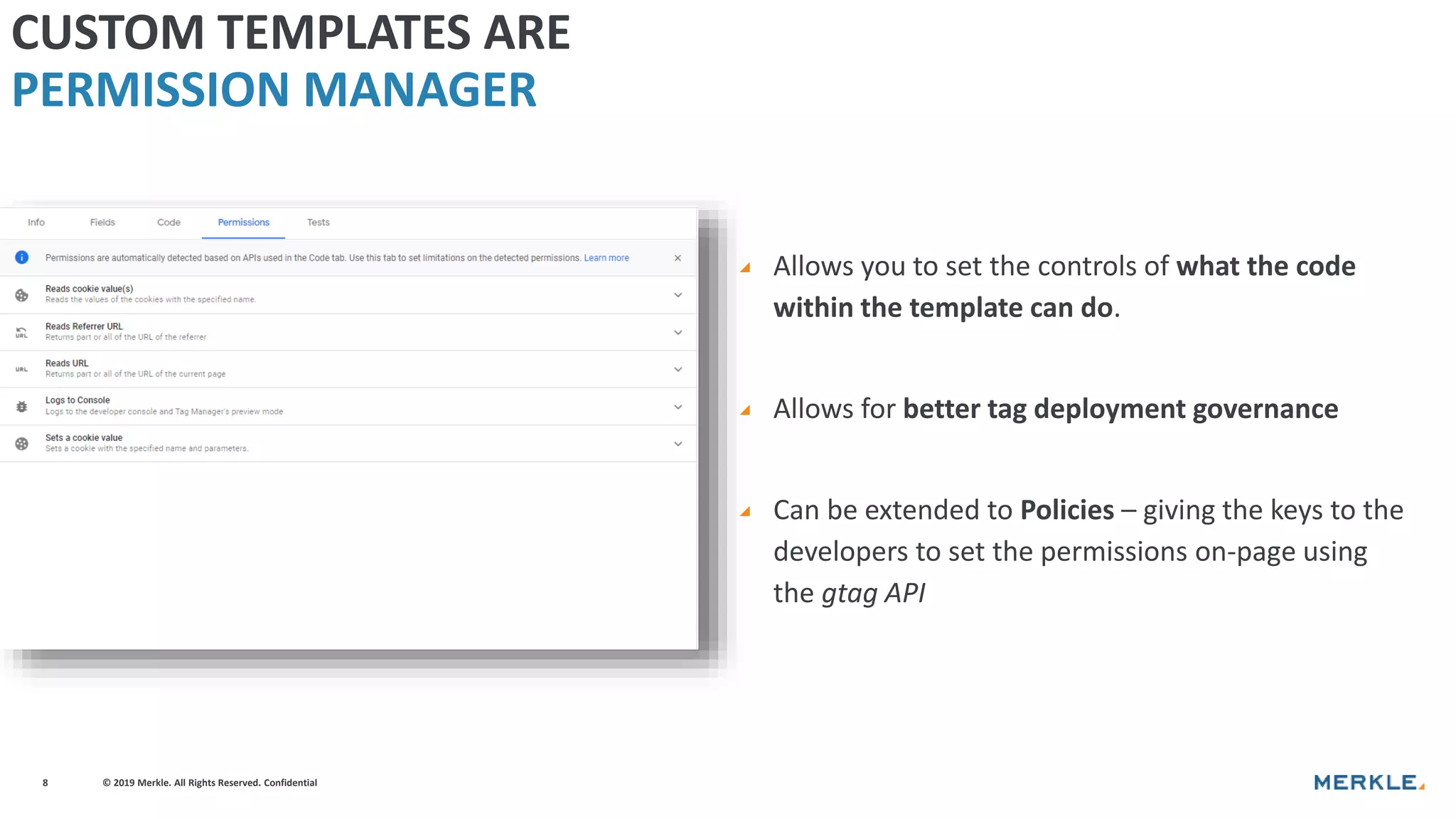
◢ Allows you to set the controls of what the code
within the template can do.
◢ Allows for better tag deployment governance
◢ Can be extended to Policies – giving the keys to the
developers to set the permissions on-page using
the gtag API
CUSTOM TEMPLATES ARE
PERMISSION MANAGER
© 2019 Merkle. All Rights Reserved. Confidential9
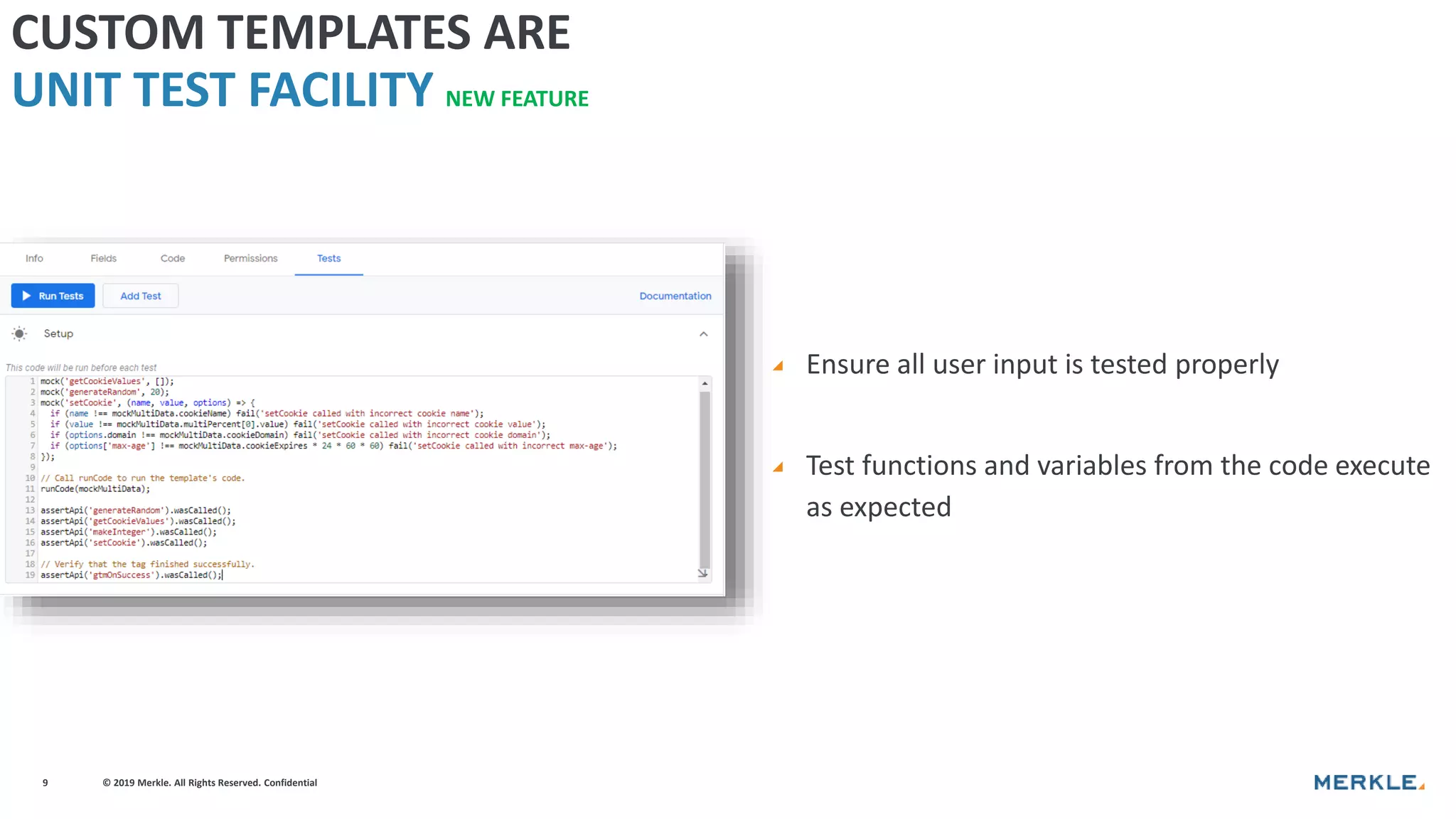
◢ Ensure all user input is tested properly
◢ Test functions and variables from the code execute
as expected
CUSTOM TEMPLATES ARE
UNIT TEST FACILITY NEW FEATURE
© 2019 Merkle. All Rights Reserved. Confidential10
HOW to start using Custom Templates?
© 2019 Merkle. All Rights Reserved. Confidential11
GTM CUSTOM TEMPLATE
function(data){
--------------------------------------------------
// Require APIs
const log = require('logToConsole');
// Define Vars
const textInConsole = data.textInConsole;
//Execute Code
log(textInConsole);
// Call data.gtmOnSuccess when the tag is finished.
data.gtmOnSuccess();
--------------------------------------------------
}
© 2019 Merkle. All Rights Reserved. Confidential12
E X A M PLE TAG CO N V E RS ION
CUSTOM TAG TEMPLATE
<!-- Google Analytics -->
<script>
window.ga=window.ga||function(){(ga.q=ga.q||[]).push(arguments)};
ga.l=+new Date;
ga('create', 'UA-XXXXX-Y', 'auto');
ga('send', 'pageview');
</script>
<script async src='https://www.google-analytics.com/analytics.js'></script>
<!-- End Google Analytics -->
4
1
2
3
1. Initialize a global ga function creating arguments
queue
2. Sets the time (as an integer) when tag is executed –
used for timing hits
3. Use the ga command to create a new tracker object
with the user provided UA-ID and to send a hit –
pageview
4. Loads asynchronously the ga library.
Native JavaScript Sandboxed JavaScript APIs
window.ga setInWindow()
arguments createArgumentsQueue()
+ new Date getTimestamp()
<script async src=“..”> injectScript()
© 2019 Merkle. All Rights Reserved. Confidential13
E X A M PLE TAG CO N V E RS ION ( GA )
CUSTOM TAG TEMPLATE
const setInWindow = require('setInWindow');
const createArgumentsQueue = require('createArgumentsQueue');
const getTimestamp = require('getTimestamp');
const injectScript = require('injectScript');
const ga = createArgumentsQueue('ga', 'ga.q');
setInWindow('ga.l', getTimestamp(), false);
const trackingId = data.trackingId;
ga('create', trackingId, 'auto');
ga('send', 'pageview');
const url = 'https://www.google-analytics.com/analytics.js';
injectScript(url, data.gtmOnSuccess, data.gtmOnFailure, url);
Native JavaScript Sandboxed JavaScript APIs
window.ga setInWindow()
arguments createArgumentsQueue()
+ new Date getTimestamp()
<script async src=“..”> injectScript()
3
1
2
4
<!-- Google Analytics -->
<script>
window.ga=window.ga||function(){(ga.q=ga.q||[]).push(arguments)};
ga.l=+new Date;
ga('create', 'UA-XXXXX-Y', 'auto');
ga('send', 'pageview');
</script>
<script async src='https://www.google-analytics.com/analytics.js'></script>
<!-- End Google Analytics -->
4
1
2
3
© 2019 Merkle. All Rights Reserved. Confidential14
<!-- Google Analytics -->
<script>
window.ga=window.ga||function(){(ga.q=ga.q||[]).push(arguments)};
ga.l=+new Date;
ga('create', 'UA-XXXXX-Y', 'auto');
ga('send', 'pageview');
</script>
<script async src='https://www.google-
analytics.com/analytics.js'></script>
<!-- End Google Analytics -->
const setInWindow = require('setInWindow');
const createArgumentsQueue = require('createArgumentsQueue');
const getTimestamp = require('getTimestamp');
const injectScript = require('injectScript');
const trackingId = data.trackingId;
const ga = createArgumentsQueue('ga', 'ga.q');
setInWindow('ga.l', getTimestamp(), false);
ga('create', trackingId, 'auto');
ga('send', 'pageview');
const url = 'https://www.google-analytics.com/analytics.js';
injectScript(url, data.gtmOnSuccess, data.gtmOnFailure, url);
© 2019 Merkle. All Rights Reserved. Confidential15
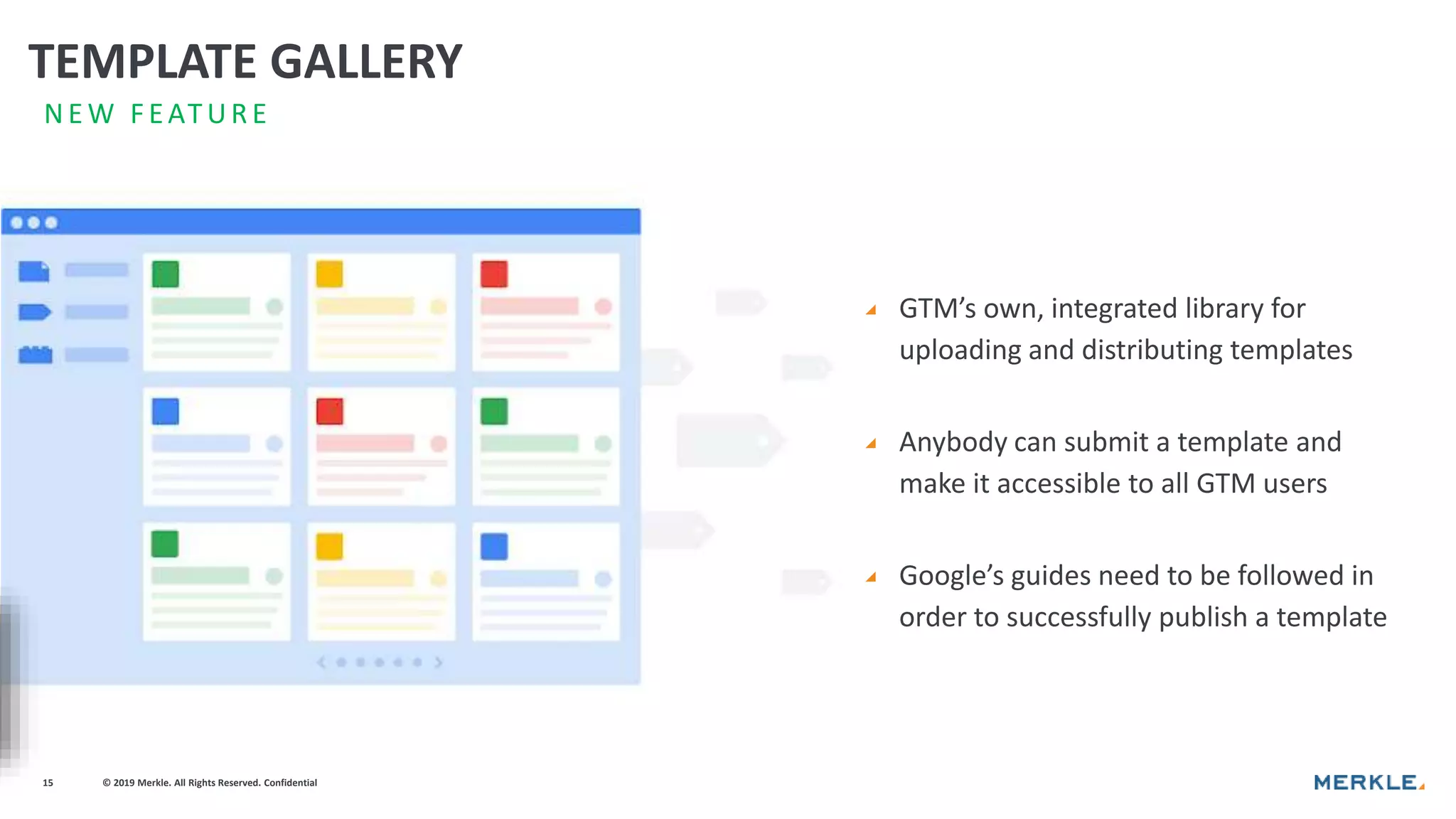
◢ GTM’s own, integrated library for
uploading and distributing templates
◢ Anybody can submit a template and
make it accessible to all GTM users
◢ Google’s guides need to be followed in
order to successfully publish a template
N E W F EATUR E
TEMPLATE GALLERY
© 2019 Merkle. All Rights Reserved. Confidential16
WHY we should utilise this feature?
© 2019 Merkle. All Rights Reserved. Confidential17
LESS IS MORE
Less code loaded on the site. Template
code executed once and can be reused,
instead of having multiple Custom HTML
tags on page.
Reducing the human-error risks associated
with manually editing code
© 2019 Merkle. All Rights Reserved. Confidential18
Reducing complex and performance-heavy
Custom HTML tags and Custom JavaScript
variables.
BETTER
PERFORMANCE
© 2019 Merkle. All Rights Reserved. Confidential19
SAFER TAG
DEPLOYMENT
Sensitive operations (e.g. loading external
scripts, accessing cookies, sending pixels,
etc.) are controlled with Permissions (via
APIs)
© 2019 Merkle. All Rights Reserved. Confidential20
ENHANCED
CONTROLS
Additional Control to Developers on how
tags loaded and used via on-page Policies.
(additional layer to Permissions)
© 2019 Merkle. All Rights Reserved. Confidential21
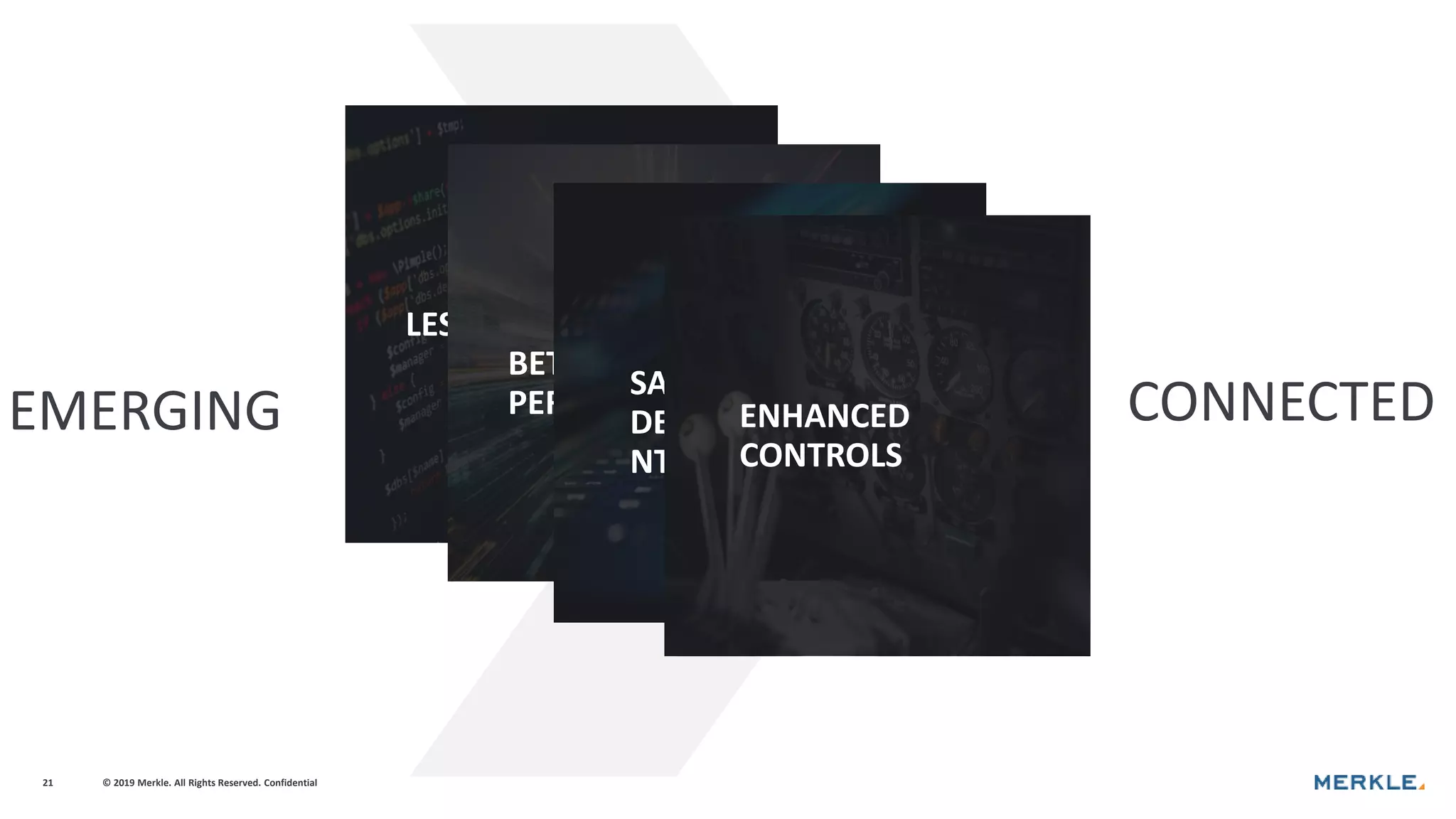
EMERGING CONNECTED
LESS CODE
BETTER
PERFORMANCE
SAFER TAG
DEPLOYME
NT
ENHANCED
CONTROLS
© 2019 Merkle. All Rights Reserved. Confidential
THANK YOU.

Enhanced governance and tag depoloyment with GTM Templates - Yasen Lilov | Merkle

  • 1.
    © 2019 Merkle.All Rights Reserved. Confidential1 ENHANCED GOVERNANCE & TAG DEPLOYMENT W ITH GTM TAG TE MPLATES
  • 2.
    © 2019 Merkle.All Rights Reserved. Confidential2 EMERGING CONNECTED
  • 3.
    © 2019 Merkle.All Rights Reserved. Confidential3 AGENDA ◢ WHAT custom templates are ◢ HOW to start using them ◢ WHY we should utilise this feature
  • 4.
    © 2019 Merkle.All Rights Reserved. Confidential4 WHAT tag templates are?
  • 5.
    © 2019 Merkle.All Rights Reserved. Confidential5 ◢ Custom Tags & Variables you can configure ◢ Can be shared (import&export) from a container. ◢ Available to both non-360 and 360 Accounts CUSTOM TEMPLATES ARE NEW GTM FEATURE
  • 6.
    © 2019 Merkle.All Rights Reserved. Confidential6 ◢ Flexible “tag interface” building tool ◢ Various field types – from text fields, drop-downs, checkboxes and more. CUSTOM TEMPLATES ARE UI LAYER ◢ Each Field and it’s input values are referenced within the template’s code.
  • 7.
    © 2019 Merkle.All Rights Reserved. Confidential7 CUSTOM TEMPLATES ARE SANDBOX ◢ Sandboxed JavaScript is a simplified subset of JavaScript (developed by Google) ◢ Sensitive operations require the use of specifically built sandbox APIs ◢ Each API is associated with a set of Permissions that need to be defined
  • 8.
    © 2019 Merkle.All Rights Reserved. Confidential8 ◢ Allows you to set the controls of what the code within the template can do. ◢ Allows for better tag deployment governance ◢ Can be extended to Policies – giving the keys to the developers to set the permissions on-page using the gtag API CUSTOM TEMPLATES ARE PERMISSION MANAGER
  • 9.
    © 2019 Merkle.All Rights Reserved. Confidential9 ◢ Ensure all user input is tested properly ◢ Test functions and variables from the code execute as expected CUSTOM TEMPLATES ARE UNIT TEST FACILITY NEW FEATURE
  • 10.
    © 2019 Merkle.All Rights Reserved. Confidential10 HOW to start using Custom Templates?
  • 11.
    © 2019 Merkle.All Rights Reserved. Confidential11 GTM CUSTOM TEMPLATE function(data){ -------------------------------------------------- // Require APIs const log = require('logToConsole'); // Define Vars const textInConsole = data.textInConsole; //Execute Code log(textInConsole); // Call data.gtmOnSuccess when the tag is finished. data.gtmOnSuccess(); -------------------------------------------------- }
  • 12.
    © 2019 Merkle.All Rights Reserved. Confidential12 E X A M PLE TAG CO N V E RS ION CUSTOM TAG TEMPLATE <!-- Google Analytics --> <script> window.ga=window.ga||function(){(ga.q=ga.q||[]).push(arguments)}; ga.l=+new Date; ga('create', 'UA-XXXXX-Y', 'auto'); ga('send', 'pageview'); </script> <script async src='https://www.google-analytics.com/analytics.js'></script> <!-- End Google Analytics --> 4 1 2 3 1. Initialize a global ga function creating arguments queue 2. Sets the time (as an integer) when tag is executed – used for timing hits 3. Use the ga command to create a new tracker object with the user provided UA-ID and to send a hit – pageview 4. Loads asynchronously the ga library. Native JavaScript Sandboxed JavaScript APIs window.ga setInWindow() arguments createArgumentsQueue() + new Date getTimestamp() <script async src=“..”> injectScript()
  • 13.
    © 2019 Merkle.All Rights Reserved. Confidential13 E X A M PLE TAG CO N V E RS ION ( GA ) CUSTOM TAG TEMPLATE const setInWindow = require('setInWindow'); const createArgumentsQueue = require('createArgumentsQueue'); const getTimestamp = require('getTimestamp'); const injectScript = require('injectScript'); const ga = createArgumentsQueue('ga', 'ga.q'); setInWindow('ga.l', getTimestamp(), false); const trackingId = data.trackingId; ga('create', trackingId, 'auto'); ga('send', 'pageview'); const url = 'https://www.google-analytics.com/analytics.js'; injectScript(url, data.gtmOnSuccess, data.gtmOnFailure, url); Native JavaScript Sandboxed JavaScript APIs window.ga setInWindow() arguments createArgumentsQueue() + new Date getTimestamp() <script async src=“..”> injectScript() 3 1 2 4 <!-- Google Analytics --> <script> window.ga=window.ga||function(){(ga.q=ga.q||[]).push(arguments)}; ga.l=+new Date; ga('create', 'UA-XXXXX-Y', 'auto'); ga('send', 'pageview'); </script> <script async src='https://www.google-analytics.com/analytics.js'></script> <!-- End Google Analytics --> 4 1 2 3
  • 14.
    © 2019 Merkle.All Rights Reserved. Confidential14 <!-- Google Analytics --> <script> window.ga=window.ga||function(){(ga.q=ga.q||[]).push(arguments)}; ga.l=+new Date; ga('create', 'UA-XXXXX-Y', 'auto'); ga('send', 'pageview'); </script> <script async src='https://www.google- analytics.com/analytics.js'></script> <!-- End Google Analytics --> const setInWindow = require('setInWindow'); const createArgumentsQueue = require('createArgumentsQueue'); const getTimestamp = require('getTimestamp'); const injectScript = require('injectScript'); const trackingId = data.trackingId; const ga = createArgumentsQueue('ga', 'ga.q'); setInWindow('ga.l', getTimestamp(), false); ga('create', trackingId, 'auto'); ga('send', 'pageview'); const url = 'https://www.google-analytics.com/analytics.js'; injectScript(url, data.gtmOnSuccess, data.gtmOnFailure, url);
  • 15.
    © 2019 Merkle.All Rights Reserved. Confidential15 ◢ GTM’s own, integrated library for uploading and distributing templates ◢ Anybody can submit a template and make it accessible to all GTM users ◢ Google’s guides need to be followed in order to successfully publish a template N E W F EATUR E TEMPLATE GALLERY
  • 16.
    © 2019 Merkle.All Rights Reserved. Confidential16 WHY we should utilise this feature?
  • 17.
    © 2019 Merkle.All Rights Reserved. Confidential17 LESS IS MORE Less code loaded on the site. Template code executed once and can be reused, instead of having multiple Custom HTML tags on page. Reducing the human-error risks associated with manually editing code
  • 18.
    © 2019 Merkle.All Rights Reserved. Confidential18 Reducing complex and performance-heavy Custom HTML tags and Custom JavaScript variables. BETTER PERFORMANCE
  • 19.
    © 2019 Merkle.All Rights Reserved. Confidential19 SAFER TAG DEPLOYMENT Sensitive operations (e.g. loading external scripts, accessing cookies, sending pixels, etc.) are controlled with Permissions (via APIs)
  • 20.
    © 2019 Merkle.All Rights Reserved. Confidential20 ENHANCED CONTROLS Additional Control to Developers on how tags loaded and used via on-page Policies. (additional layer to Permissions)
  • 21.
    © 2019 Merkle.All Rights Reserved. Confidential21 EMERGING CONNECTED LESS CODE BETTER PERFORMANCE SAFER TAG DEPLOYME NT ENHANCED CONTROLS
  • 22.
    © 2019 Merkle.All Rights Reserved. Confidential THANK YOU.

Editor's Notes

  • #2 Maybe also talk about server side tracking. Idea for name “Tighten Security with bla bla” Chat about lead: “That person will be your go to person from your perspective for?”: DOSo DosD owqodas jforoom qweqwe asdas.”
  • #3 Data & Tech Measurement +Ways of working (mainly)
  • #4 Taking organisations to the next level in terms of their maturity in the Data & Tech pillar, by stepping up their tag management & deployment practices.
  • #6 Recently Google released an update for Google Tag Manager including Custom Templates. This included a new set of features, that provide more control for the governance of the tags that go live on a website. Custom templates in short are tag and variable templates that you can build and configure to generate reusable assets that have additional layers of security and controls ingrained in them. 1. Custom Templates, in short, are tag and variable templates that you can create and configure. In other words, if you create a tag for a vendor not natively supported by GTM (i.e Facebook) or a variable (e.g. a Custom JavaScript variable that does something with a string), you can now turn them into reusable templates. 2. These assets can be shared with other users and containers via template export and import. 3. Anyone can utilise them.
  • #8 To explain this let’s break it down first. Sandboxing is a software management strategy that isolates an application from other system resources. It provides an extra layer of protection that prevents such applications to affect harmfully other aspects of a system. With that context in mind, Google took the JavaScript language and modified it in a way that all sensitive operations (e.g. loading external scripts, accessing cookies, sending pixels, etc.) are funneled through specifically built sandbox APIs. On top of that, certain features of the language (such as access to the window  interface that contains the whole DOM Structure of the page were simplified or restricted to further minimize the risks. With all of this in place, more tech-savvy GTM users have a simple yet powerful coding interface to build reusable, secure tag templates where all sensitive operations are controlled via Permissions, which leads us nicely onto our next section.
  • #9 Because the user is required to use the APIs for sensitive operations, the behaviour of the template is tightly controlled by Permissions. When any of the APIs is used, there is an automatically surfaced permission that requires the template developer to declare how code behaves and what it can do. With this in place, we have governance in place that all tags that will be deployed will have rules that cover what they can do. Not only that, but via the APIs you can also give control to website developers to write on-page Policies to further govern tags behavior.  Sidenote- the gtag() API is not to be confused with gtag.js library. It is simply a method and gtag.js is not needed on the page in order to use policies. +Template policies are the next level of armor you can apply to your tagging infrastructure. Policies allow website developers to apply additional rules to prevent hazardous code from running in a similar fashion to Permissions, but in the source code of the page. 
  • #12 Let’s take look at this cHTM as an example – print some text to the console. What this tag does is quite obvious and this is how it looks when converted to a template. Behind the scenes, the code written to implement a custom template represents the body of a function that will be executed whenever your tag is fired or your variable is evaluated. This function has a single data parameter (data) that holds all the values configured in the UI for that tag or variable instance, with the keys set to the names of the template parameters specified in the custom template. There are a few key things to note here, which we will explore in the next few slides: 1. The Sandboxed JavaScript 2. APIs – and associated permissions 3. “data” argument 4. Tag Sequencing – gtmOnSuccess() & gtmOnFailure()
  • #13 Preload version of the standard analytics.js snippet. https://developers.google.com/analytics/devguides/collection/analyticsjs/#alternative_async_tracking_snippet 1. Initializes a global ga function and create “q” queue to push arguments to 3. Sets the time (as an integer) this tag was executed – used for timing hits 4. Use the ga command to create a new tracker object with the user provided UA-ID and to send a hit type 5. Loads asynch the ga library
  • #14 createArgumentsQueue(path-in-window-for-function, path-in-window-where-array-is-set) setInWindow(name-of-var-you-want-to-set, the-var-value, overrideExisting?) injectScript(url, onFailure, onSuccess, caheToken) – cache – i.e. if tag fires twice on page, script will be loaded only once Initialize a global ga function and create arguments queue Sets the time (as an integer) when tag is executed – used for timing hits Use the ga command to create a new tracker object with the user provided UA-ID and to send a hit – pageview Load asynchronously the ga library.
  • #16 The Community Template Gallery is Google Tag Manager’s own, integrated library for uploading and distributing templates across users, accounts, and containers.
  • #18 On the second note – GTM’s linter that checks and scans the code everything it executes – that means additional processing on the fly each time the tag executes.
  • #19 On the second note – GTM’s linter that checks and scans the code everything it executes – that means additional processing on the fly each time the tag executes.
  • #22 Data & Tech Measurement +Ways of working (mainly)