Absolutely.
Yes, but that's not all!
Indeed.
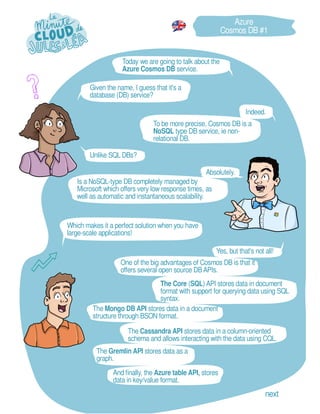
To be more precise, Cosmos DB is a
NoSQL type DB service, ie non-
relational DB.
The Core (SQL) API stores data in document
format with support for querying data using SQL
syntax.
Is a NoSQL-type DB completely managed by
Microsoft which offers very low response times, as
well as automatic and instantaneous scalability.
Unlike SQL DBs?
And finally, the Azure table API, stores
data in key/value format.
Given the name, I guess that it's a
database (DB) service?
The Gremlin API stores data as a
graph.
Azure
Cosmos DB #1
next
Today we are going to talk about the
Azure Cosmos DB service.
One of the big advantages of Cosmos DB is that it
offers several open source DBAPIs.
Which makes it a perfect solution when you have
large-scale applications!
The Mongo DB API stores data in a document
structure through BSON format.
The Cassandra API stores data in a column-oriented
schema and allows interacting with the data using CQL.
It is interesting to choose another API, when you already
have one of the DBs that we have seen previously.
Or when you don't want to rewrite the data access
layer for a new application.
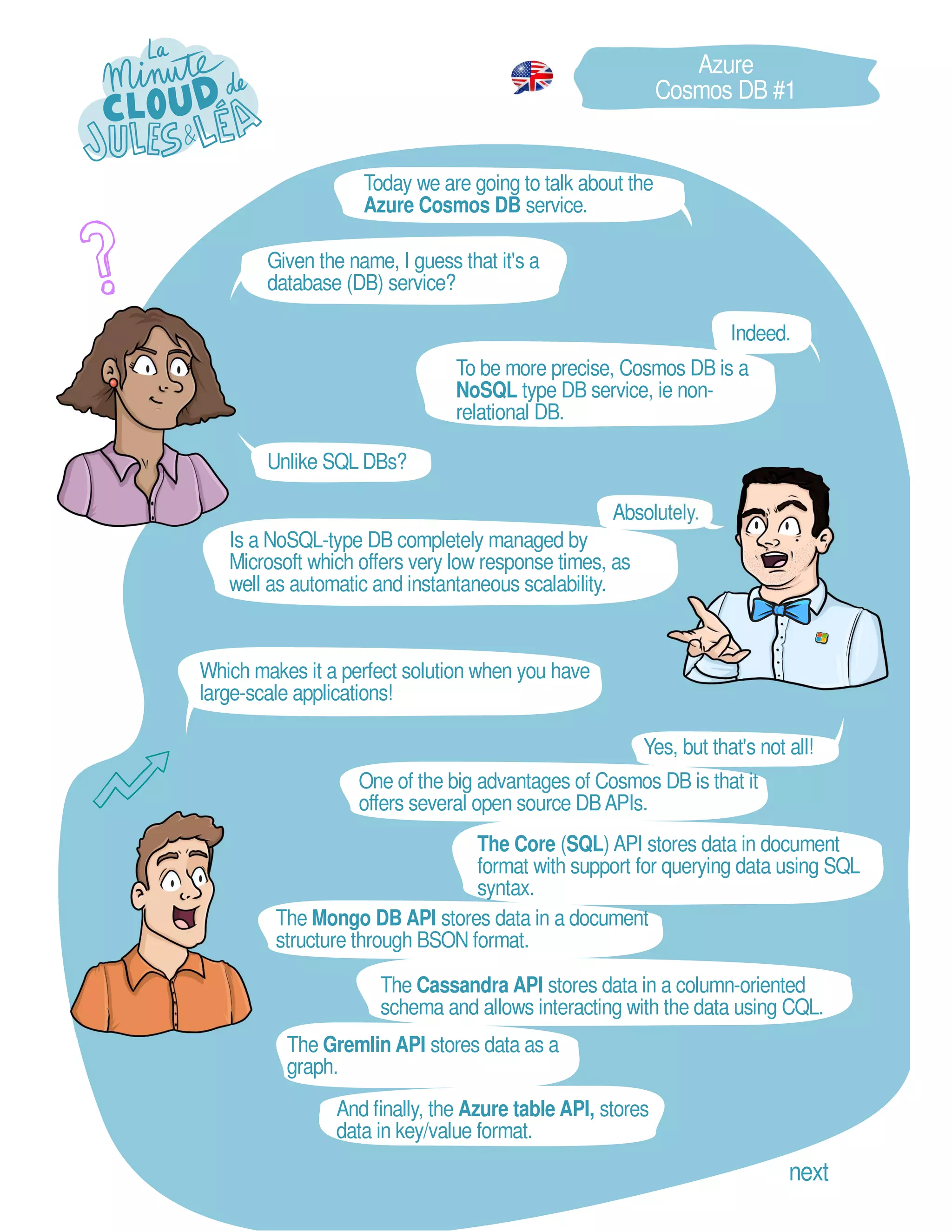
Provisioned Throughput mode which is recommended
for workloads with sustained traffic requiring predictable
performance.
Absolutely.
Yes, indeed, you
have 2 choices of
deployments.
And Serveless mode, recommended for
workloads with intermittent or
unpredictable traffic.
But whichAPI should be preferred?
Indeed, that seems logical.
I thought I also saw that there were
different deployment modes?
So as I understood it supports different
DB formats?!
You will then provision request units (RU) per
second to process requests.
There is no ideal API, you have to
choose the one that best suits the use
case of the application.
Cosmos DB offers automatic scaling of storage, but
also of throughput, and offers different data
persistence options.
Azure
Cosmos DB #2
next
When you create a new DB, the Core API is
defined by default.
Yes, that's why Azure offers
another model.
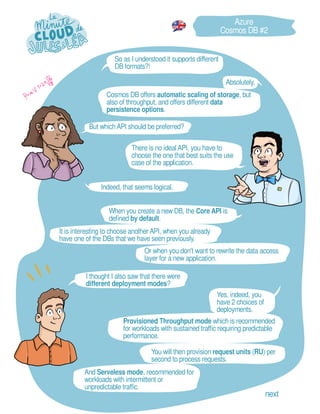
The 1st, the periodic backup, carried out at
regular intervals, or the restoration is carried out
by creating a ticket with Microsoft support.
I saw that it was possible, if desired, to migrate
from periodic backup mode to continuous
backup mode.
What about data backup?
And I suppose that depending on the
mode of deployment, the associated
features are different?
It is the continuous backup or Point In Time Restore (PITR) which allows
you to restore whenever you want according to the configured retention.
It's a bit restrictive because we are not
independent in terms of catering.
Azure
Cosmos DB #3
Cosmos DB offers 2 backup models.
Exactly, but with some limitations.
Not all APIs are supporting continuous backup mode
yet, so check the documentation before jumping in.
Thanks for the advice. next
Your deployment mode will influence, for example, the
performance of your DB, the storage space, or the
possibility or not of activating geo-replication which is not
available in Serveless mode.
Very ingenious
mechanism.
Excellent.
And in addition, if necessary, we can renew
the keys in the event of compromise.
And of course, we can store it in Azure
Key Vault.
Azure
Cosmos DB #4
And in terms of security, what do we
have on the menu?
Azure Cosmos DB is therefore a service that can be
used for several use cases which makes it super
cool.
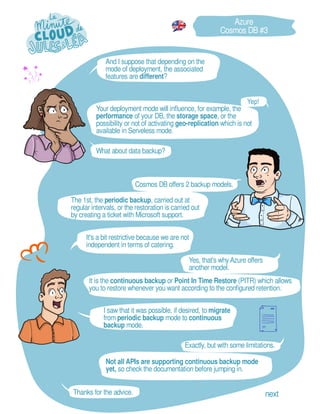
Authentication to Cosmos DB is done
through a key or a connection string.
We also have the possibility of encrypting the
contents of the DB at rest, either with an encryption
key provided by Microsoft, or with an encryption key
provided by the user.
Alot of things as often:
You can also activate the Private Link
option to consume Cosmos DB via a
private address of a VNET.
Another cool thing is that Cosmos DB is natively
integrated with Microsoft Defender for Cloud to
provide an additional layer of security.
It is possible to filter traffic to limit access to
Cosmos DB. Either to existing subnets or to certain
public IP addresses.
What's nice is that the product team provides one
key for write access, and another key for read
access.
... Feel free to subscribe at:
https://aka.ms/grow-una
https://tinyurl.com/youtube-growuna
If you want to continue learning in a
fun way about the Azure ecosystem,
and not miss any of our illustrations
...
See you soon!
If you like our work, please share it ;o)
GROW UNA

EN - Azure - Cosmos DB.pdf

  • 1.
    Absolutely. Yes, but that'snot all! Indeed. To be more precise, Cosmos DB is a NoSQL type DB service, ie non- relational DB. The Core (SQL) API stores data in document format with support for querying data using SQL syntax. Is a NoSQL-type DB completely managed by Microsoft which offers very low response times, as well as automatic and instantaneous scalability. Unlike SQL DBs? And finally, the Azure table API, stores data in key/value format. Given the name, I guess that it's a database (DB) service? The Gremlin API stores data as a graph. Azure Cosmos DB #1 next Today we are going to talk about the Azure Cosmos DB service. One of the big advantages of Cosmos DB is that it offers several open source DBAPIs. Which makes it a perfect solution when you have large-scale applications! The Mongo DB API stores data in a document structure through BSON format. The Cassandra API stores data in a column-oriented schema and allows interacting with the data using CQL.
  • 2.
    It is interestingto choose another API, when you already have one of the DBs that we have seen previously. Or when you don't want to rewrite the data access layer for a new application. Provisioned Throughput mode which is recommended for workloads with sustained traffic requiring predictable performance. Absolutely. Yes, indeed, you have 2 choices of deployments. And Serveless mode, recommended for workloads with intermittent or unpredictable traffic. But whichAPI should be preferred? Indeed, that seems logical. I thought I also saw that there were different deployment modes? So as I understood it supports different DB formats?! You will then provision request units (RU) per second to process requests. There is no ideal API, you have to choose the one that best suits the use case of the application. Cosmos DB offers automatic scaling of storage, but also of throughput, and offers different data persistence options. Azure Cosmos DB #2 next When you create a new DB, the Core API is defined by default.
  • 3.
    Yes, that's whyAzure offers another model. The 1st, the periodic backup, carried out at regular intervals, or the restoration is carried out by creating a ticket with Microsoft support. I saw that it was possible, if desired, to migrate from periodic backup mode to continuous backup mode. What about data backup? And I suppose that depending on the mode of deployment, the associated features are different? It is the continuous backup or Point In Time Restore (PITR) which allows you to restore whenever you want according to the configured retention. It's a bit restrictive because we are not independent in terms of catering. Azure Cosmos DB #3 Cosmos DB offers 2 backup models. Exactly, but with some limitations. Not all APIs are supporting continuous backup mode yet, so check the documentation before jumping in. Thanks for the advice. next Your deployment mode will influence, for example, the performance of your DB, the storage space, or the possibility or not of activating geo-replication which is not available in Serveless mode.
  • 4.
    Very ingenious mechanism. Excellent. And inaddition, if necessary, we can renew the keys in the event of compromise. And of course, we can store it in Azure Key Vault. Azure Cosmos DB #4 And in terms of security, what do we have on the menu? Azure Cosmos DB is therefore a service that can be used for several use cases which makes it super cool. Authentication to Cosmos DB is done through a key or a connection string. We also have the possibility of encrypting the contents of the DB at rest, either with an encryption key provided by Microsoft, or with an encryption key provided by the user. Alot of things as often: You can also activate the Private Link option to consume Cosmos DB via a private address of a VNET. Another cool thing is that Cosmos DB is natively integrated with Microsoft Defender for Cloud to provide an additional layer of security. It is possible to filter traffic to limit access to Cosmos DB. Either to existing subnets or to certain public IP addresses. What's nice is that the product team provides one key for write access, and another key for read access.
  • 5.
    ... Feel freeto subscribe at: https://aka.ms/grow-una https://tinyurl.com/youtube-growuna If you want to continue learning in a fun way about the Azure ecosystem, and not miss any of our illustrations ... See you soon! If you like our work, please share it ;o) GROW UNA