Introduction to SocketProgramming
• Definition of socket programming
Socket programming is a way to enable communication
between applications over a network using sockets.
• Importance in network communications
Essential for network communications, enabling data
transfer over the internet.
• Examples of real-world applications
• Client-Server Model
3.
Overview of TCP/IPProtocols
• - TCP/IP Model Layers:
• Application: HTTP, FTP, SSH
• Transport: TCP (reliable), UDP (unreliable)
• Internet: IP (Addressing, Routing)
• Network Access: Ethernet, Wi-Fi
4.
HTTP Protocol
• TheHyperText Transfer Protocol (HTTP) is an application-
layer protocol used for transferring hypertext documents on
the web
• How It Works:
– Client-Server Model: A client (browser) requests a resource from
a server
– Request Methods:
Get Retrieve data from a server
Post Send data to a server.
PUT Update an existing resource
Delete Remove a resource
5.
HTTP Protocol
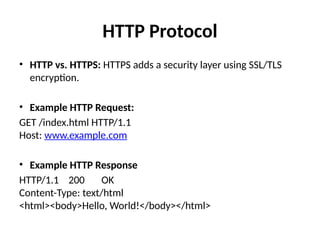
• HTTPvs. HTTPS: HTTPS adds a security layer using SSL/TLS
encryption.
• Example HTTP Request:
GET /index.html HTTP/1.1
Host: www.example.com
• Example HTTP Response
HTTP/1.1 200 OK
Content-Type: text/html
<html><body>Hello, World!</body></html>
6.
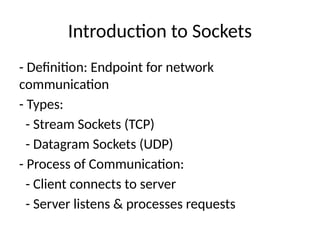
Introduction to Sockets
-Definition: Endpoint for network
communication
- Types:
- Stream Sockets (TCP)
- Datagram Sockets (UDP)
- Process of Communication:
- Client connects to server
- Server listens & processes requests
7.
TCP Protocol
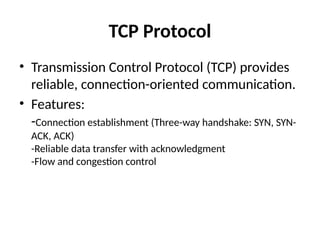
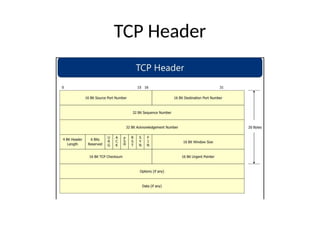
• TransmissionControl Protocol (TCP) provides
reliable, connection-oriented communication.
• Features:
-Connection establishment (Three-way handshake: SYN, SYN-
ACK, ACK)
-Reliable data transfer with acknowledgment
-Flow and congestion control
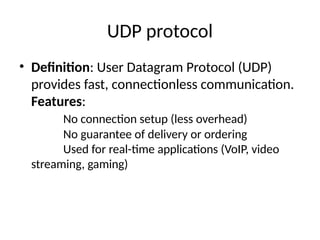
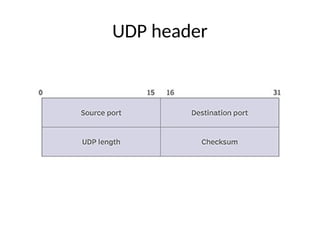
UDP protocol
• Definition:User Datagram Protocol (UDP)
provides fast, connectionless communication.
Features:
No connection setup (less overhead)
No guarantee of delivery or ordering
Used for real-time applications (VoIP, video
streaming, gaming)
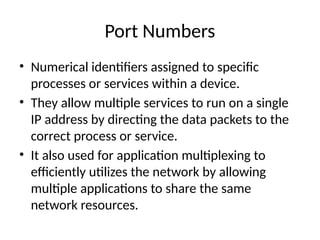
Port Numbers
• Numericalidentifiers assigned to specific
processes or services within a device.
• They allow multiple services to run on a single
IP address by directing the data packets to the
correct process or service.
• It also used for application multiplexing to
efficiently utilizes the network by allowing
multiple applications to share the same
network resources.
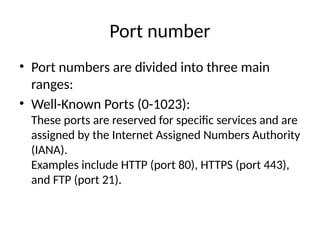
12.
Port number
• Portnumbers are divided into three main
ranges:
• Well-Known Ports (0-1023):
These ports are reserved for specific services and are
assigned by the Internet Assigned Numbers Authority
(IANA).
Examples include HTTP (port 80), HTTPS (port 443),
and FTP (port 21).
13.
Port number
• RegisteredPorts (1024-49151):
These ports can be registered by software
applications to avoid conflicts with other
applications.
Examples include Microsoft SQL Server (port 1433)
and MySQL (port 3306).
14.
Port number
• Dynamicor Private Ports (49152-65535):
These ports are used by client applications for temporary
communication and are not typically assigned to any specific
service.
These are also known as ephemeral ports.
15.
IP Protocol
• InternetProtocol (IP) is responsible for
addressing and routing packets across
networks.
• Features:
Logical addressing using IP addresses
Packet fragmentation and reassembly
Best-effort delivery (no guarantee of reliability)
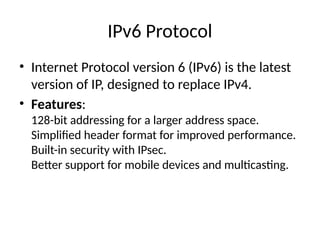
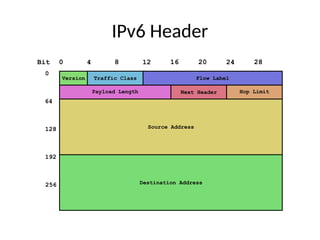
IPv6 Protocol
• InternetProtocol version 6 (IPv6) is the latest
version of IP, designed to replace IPv4.
• Features:
128-bit addressing for a larger address space.
Simplified header format for improved performance.
Built-in security with IPsec.
Better support for mobile devices and multicasting.
18.
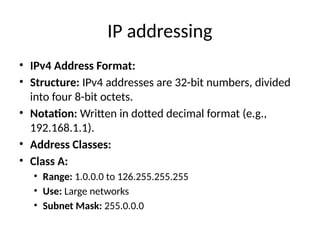
IP addressing
• IPv4Address Format:
• Structure: IPv4 addresses are 32-bit numbers, divided
into four 8-bit octets.
• Notation: Written in dotted decimal format (e.g.,
192.168.1.1).
• Address Classes:
• Class A:
• Range: 1.0.0.0 to 126.255.255.255
• Use: Large networks
• Subnet Mask: 255.0.0.0
19.
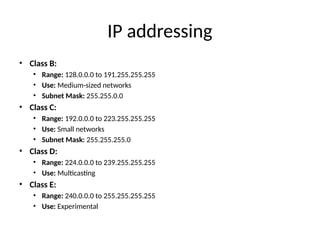
IP addressing
• ClassB:
• Range: 128.0.0.0 to 191.255.255.255
• Use: Medium-sized networks
• Subnet Mask: 255.255.0.0
• Class C:
• Range: 192.0.0.0 to 223.255.255.255
• Use: Small networks
• Subnet Mask: 255.255.255.0
• Class D:
• Range: 224.0.0.0 to 239.255.255.255
• Use: Multicasting
• Class E:
• Range: 240.0.0.0 to 255.255.255.255
• Use: Experimental
20.
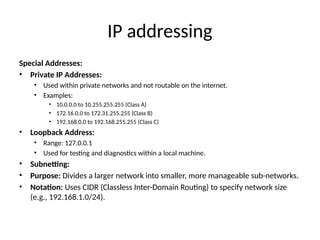
IP addressing
Special Addresses:
•Private IP Addresses:
• Used within private networks and not routable on the internet.
• Examples:
• 10.0.0.0 to 10.255.255.255 (Class A)
• 172.16.0.0 to 172.31.255.255 (Class B)
• 192.168.0.0 to 192.168.255.255 (Class C)
• Loopback Address:
• Range: 127.0.0.1
• Used for testing and diagnostics within a local machine.
• Subnetting:
• Purpose: Divides a larger network into smaller, more manageable sub-networks.
• Notation: Uses CIDR (Classless Inter-Domain Routing) to specify network size
(e.g., 192.168.1.0/24).
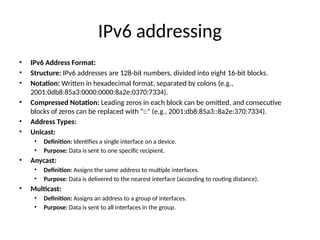
IPv6 addressing
• IPv6Address Format:
• Structure: IPv6 addresses are 128-bit numbers, divided into eight 16-bit blocks.
• Notation: Written in hexadecimal format, separated by colons (e.g.,
2001:0db8:85a3:0000:0000:8a2e:0370:7334).
• Compressed Notation: Leading zeros in each block can be omitted, and consecutive
blocks of zeros can be replaced with "::" (e.g., 2001:db8:85a3::8a2e:370:7334).
• Address Types:
• Unicast:
• Definition: Identifies a single interface on a device.
• Purpose: Data is sent to one specific recipient.
• Anycast:
• Definition: Assigns the same address to multiple interfaces.
• Purpose: Data is delivered to the nearest interface (according to routing distance).
• Multicast:
• Definition: Assigns an address to a group of interfaces.
• Purpose: Data is sent to all interfaces in the group.
23.
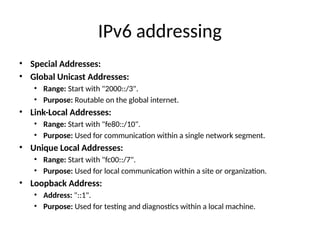
IPv6 addressing
• SpecialAddresses:
• Global Unicast Addresses:
• Range: Start with "2000::/3".
• Purpose: Routable on the global internet.
• Link-Local Addresses:
• Range: Start with "fe80::/10".
• Purpose: Used for communication within a single network segment.
• Unique Local Addresses:
• Range: Start with "fc00::/7".
• Purpose: Used for local communication within a site or organization.
• Loopback Address:
• Address: "::1".
• Purpose: Used for testing and diagnostics within a local machine.
24.
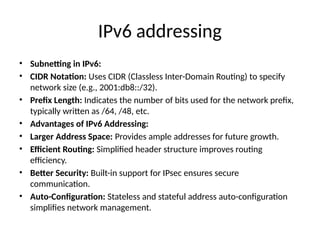
IPv6 addressing
• Subnettingin IPv6:
• CIDR Notation: Uses CIDR (Classless Inter-Domain Routing) to specify
network size (e.g., 2001:db8::/32).
• Prefix Length: Indicates the number of bits used for the network prefix,
typically written as /64, /48, etc.
• Advantages of IPv6 Addressing:
• Larger Address Space: Provides ample addresses for future growth.
• Efficient Routing: Simplified header structure improves routing
efficiency.
• Better Security: Built-in support for IPsec ensures secure
communication.
• Auto-Configuration: Stateless and stateful address auto-configuration
simplifies network management.
25.
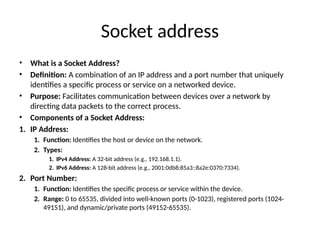
Socket address
• Whatis a Socket Address?
• Definition: A combination of an IP address and a port number that uniquely
identifies a specific process or service on a networked device.
• Purpose: Facilitates communication between devices over a network by
directing data packets to the correct process.
• Components of a Socket Address:
1. IP Address:
1. Function: Identifies the host or device on the network.
2. Types:
1. IPv4 Address: A 32-bit address (e.g., 192.168.1.1).
2. IPv6 Address: A 128-bit address (e.g., 2001:0db8:85a3::8a2e:0370:7334).
2. Port Number:
1. Function: Identifies the specific process or service within the device.
2. Range: 0 to 65535, divided into well-known ports (0-1023), registered ports (1024-
49151), and dynamic/private ports (49152-65535).
26.
Socket address
• SocketAddress Format:
• IPv4 Example: 192.168.1.1:80
• Explanation: 192.168.1.1 is the IP address, and 80 is the port number.
• IPv6 Example: [2001:0db8:85a3::8a2e:0370:7334]:443
• Explanation: 2001:0db8:85a3::8a2e:0370:7334 is the IPv6 address, and 443 is the port
number.
• Use Cases:
• Web Servers: A web server listening on port 80 for HTTP traffic or port 443 for HTTPS
traffic.
• Database Servers: A database server listening on a specific port (e.g., 3306 for
MySQL).
• Benefits of Socket Addressing:
• Unique Identification: Each socket address uniquely identifies a process on the
network.
• Efficient Communication: Facilitates direct and efficient data transfer between devices.
27.
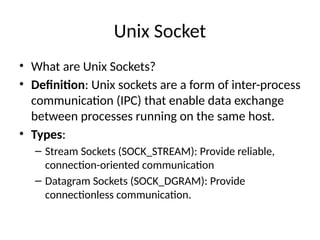
Unix Socket
• Whatare Unix Sockets?
• Definition: Unix sockets are a form of inter-process
communication (IPC) that enable data exchange
between processes running on the same host.
• Types:
– Stream Sockets (SOCK_STREAM): Provide reliable,
connection-oriented communication
– Datagram Sockets (SOCK_DGRAM): Provide
connectionless communication.
28.
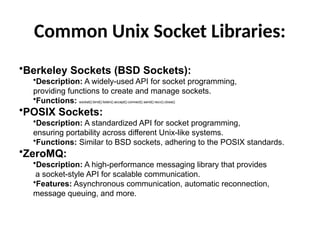
Common Unix SocketLibraries:
•Berkeley Sockets (BSD Sockets):
•Description: A widely-used API for socket programming,
providing functions to create and manage sockets.
•Functions: socket(), bind(), listen(), accept(), connect(), send(), recv(), close().
•POSIX Sockets:
•Description: A standardized API for socket programming,
ensuring portability across different Unix-like systems.
•Functions: Similar to BSD sockets, adhering to the POSIX standards.
•ZeroMQ:
•Description: A high-performance messaging library that provides
a socket-style API for scalable communication.
•Features: Asynchronous communication, automatic reconnection,
message queuing, and more.
29.
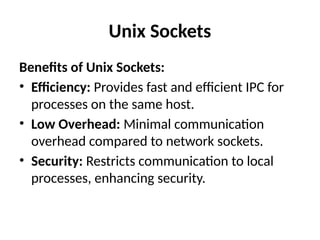
Unix Sockets
Benefits ofUnix Sockets:
• Efficiency: Provides fast and efficient IPC for
processes on the same host.
• Low Overhead: Minimal communication
overhead compared to network sockets.
• Security: Restricts communication to local
processes, enhancing security.
30.
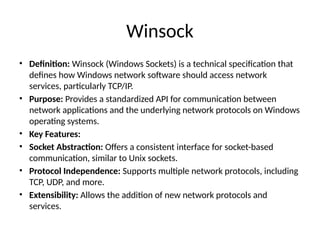
Winsock
• Definition: Winsock(Windows Sockets) is a technical specification that
defines how Windows network software should access network
services, particularly TCP/IP.
• Purpose: Provides a standardized API for communication between
network applications and the underlying network protocols on Windows
operating systems.
• Key Features:
• Socket Abstraction: Offers a consistent interface for socket-based
communication, similar to Unix sockets.
• Protocol Independence: Supports multiple network protocols, including
TCP, UDP, and more.
• Extensibility: Allows the addition of new network protocols and
services.
31.
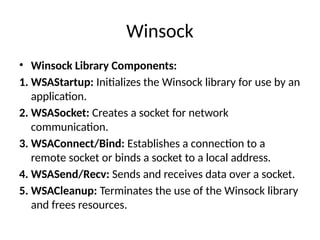
Winsock
• Winsock LibraryComponents:
1. WSAStartup: Initializes the Winsock library for use by an
application.
2. WSASocket: Creates a socket for network
communication.
3. WSAConnect/Bind: Establishes a connection to a
remote socket or binds a socket to a local address.
4. WSASend/Recv: Sends and receives data over a socket.
5. WSACleanup: Terminates the use of the Winsock library
and frees resources.
32.
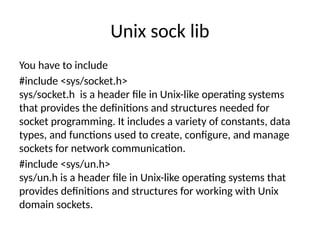
Unix sock lib
Youhave to include
#include <sys/socket.h>
sys/socket.h is a header file in Unix-like operating systems
that provides the definitions and structures needed for
socket programming. It includes a variety of constants, data
types, and functions used to create, configure, and manage
sockets for network communication.
#include <sys/un.h>
sys/un.h is a header file in Unix-like operating systems that
provides definitions and structures for working with Unix
domain sockets.
33.
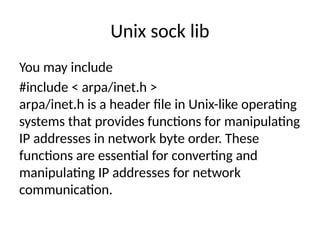
Unix sock lib
Youmay include
#include < arpa/inet.h >
arpa/inet.h is a header file in Unix-like operating
systems that provides functions for manipulating
IP addresses in network byte order. These
functions are essential for converting and
manipulating IP addresses for network
communication.
34.
Generic Socket address
structsockaddr
{
unsigned short sa_family; // Address family
(AF_INET or AF_INET6)
char sa_data[14]; // Protocol-specific
address information
};
35.
Socket Address Structures
structsockaddr_in {
short int sin_family; // Address
family (AF_INET for IPv4)
unsigned short int sin_port; // Port number
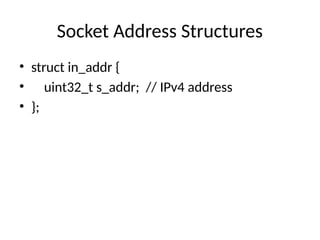
struct in_addr sin_addr; // IP address
unsigned char sin_zero[8]; // Padding to make
the structure the same size as struct sockaddr
};
36.
Socket Address Structures
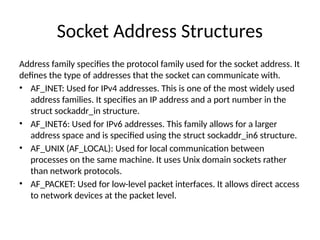
Addressfamily specifies the protocol family used for the socket address. It
defines the type of addresses that the socket can communicate with.
• AF_INET: Used for IPv4 addresses. This is one of the most widely used
address families. It specifies an IP address and a port number in the
struct sockaddr_in structure.
• AF_INET6: Used for IPv6 addresses. This family allows for a larger
address space and is specified using the struct sockaddr_in6 structure.
• AF_UNIX (AF_LOCAL): Used for local communication between
processes on the same machine. It uses Unix domain sockets rather
than network protocols.
• AF_PACKET: Used for low-level packet interfaces. It allows direct access
to network devices at the packet level.
IPv6 Socket AddressStructures
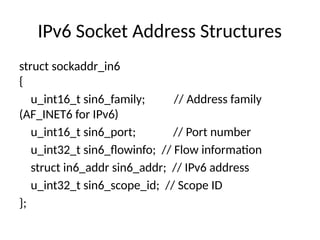
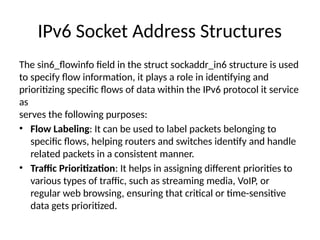
The sin6_flowinfo field in the struct sockaddr_in6 structure is used
to specify flow information, it plays a role in identifying and
prioritizing specific flows of data within the IPv6 protocol it service
as
serves the following purposes:
• Flow Labeling: It can be used to label packets belonging to
specific flows, helping routers and switches identify and handle
related packets in a consistent manner.
• Traffic Prioritization: It helps in assigning different priorities to
various types of traffic, such as streaming media, VoIP, or
regular web browsing, ensuring that critical or time-sensitive
data gets prioritized.
41.
IPv6 Socket AddressStructures
The sin6_scope_id field is used to specify the scope identifier for
IPv6 addresses, particularly when dealing with link-local addresses.
It serves the following purposes:
• Link-Local Address Identification: In IPv6, link-local addresses
(those starting with fe80::/10) are used for communication
within the same local network segment. The sin6_scope_id is
used to identify the specific interface or link on which these
addresses are valid.
• Disambiguation: When multiple network interfaces are present,
the sin6_scope_id helps disambiguate which interface should
be used for communication with a given link-local address.
42.
Byte Ordering Functions
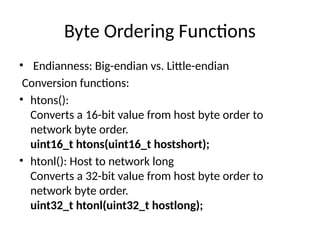
•Endianness: Big-endian vs. Little-endian
Conversion functions:
• htons():
Converts a 16-bit value from host byte order to
network byte order.
uint16_t htons(uint16_t hostshort);
• htonl(): Host to network long
Converts a 32-bit value from host byte order to
network byte order.
uint32_t htonl(uint32_t hostlong);
43.
Byte Ordering Functions
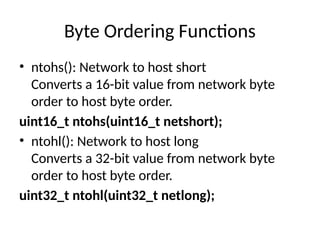
•ntohs(): Network to host short
Converts a 16-bit value from network byte
order to host byte order.
uint16_t ntohs(uint16_t netshort);
• ntohl(): Network to host long
Converts a 32-bit value from network byte
order to host byte order.
uint32_t ntohl(uint32_t netlong);
44.
Address Conversion Functions
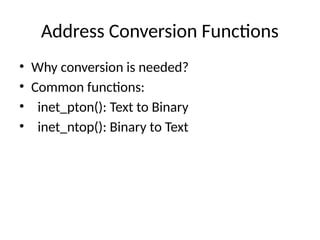
•Why conversion is needed?
• Common functions:
• inet_pton(): Text to Binary
• inet_ntop(): Binary to Text
45.
Address Conversion Functions
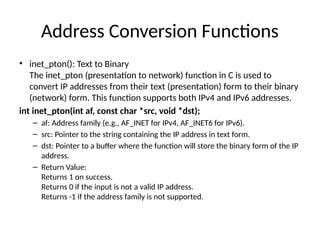
•inet_pton(): Text to Binary
The inet_pton (presentation to network) function in C is used to
convert IP addresses from their text (presentation) form to their binary
(network) form. This function supports both IPv4 and IPv6 addresses.
int inet_pton(int af, const char *src, void *dst);
– af: Address family (e.g., AF_INET for IPv4, AF_INET6 for IPv6).
– src: Pointer to the string containing the IP address in text form.
– dst: Pointer to a buffer where the function will store the binary form of the IP
address.
– Return Value:
Returns 1 on success.
Returns 0 if the input is not a valid IP address.
Returns -1 if the address family is not supported.
46.
Address Conversion Functions
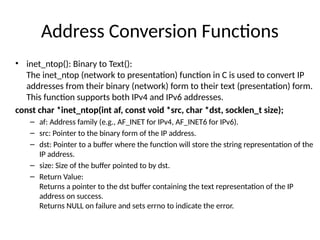
•inet_ntop(): Binary to Text():
The inet_ntop (network to presentation) function in C is used to convert IP
addresses from their binary (network) form to their text (presentation) form.
This function supports both IPv4 and IPv6 addresses.
const char *inet_ntop(int af, const void *src, char *dst, socklen_t size);
– af: Address family (e.g., AF_INET for IPv4, AF_INET6 for IPv6).
– src: Pointer to the binary form of the IP address.
– dst: Pointer to a buffer where the function will store the string representation of the
IP address.
– size: Size of the buffer pointed to by dst.
– Return Value:
Returns a pointer to the dst buffer containing the text representation of the IP
address on success.
Returns NULL on failure and sets errno to indicate the error.
Socket Creation
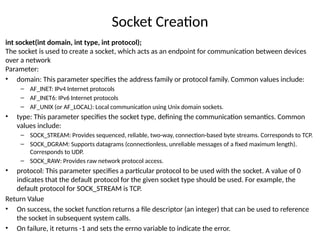
int socket(intdomain, int type, int protocol);
The socket is used to create a socket, which acts as an endpoint for communication between devices
over a network
Parameter:
• domain: This parameter specifies the address family or protocol family. Common values include:
– AF_INET: IPv4 Internet protocols
– AF_INET6: IPv6 Internet protocols
– AF_UNIX (or AF_LOCAL): Local communication using Unix domain sockets.
• type: This parameter specifies the socket type, defining the communication semantics. Common
values include:
– SOCK_STREAM: Provides sequenced, reliable, two-way, connection-based byte streams. Corresponds to TCP.
– SOCK_DGRAM: Supports datagrams (connectionless, unreliable messages of a fixed maximum length).
Corresponds to UDP.
– SOCK_RAW: Provides raw network protocol access.
• protocol: This parameter specifies a particular protocol to be used with the socket. A value of 0
indicates that the default protocol for the given socket type should be used. For example, the
default protocol for SOCK_STREAM is TCP.
Return Value
• On success, the socket function returns a file descriptor (an integer) that can be used to reference
the socket in subsequent system calls.
• On failure, it returns -1 and sets the errno variable to indicate the error.
49.
Binding
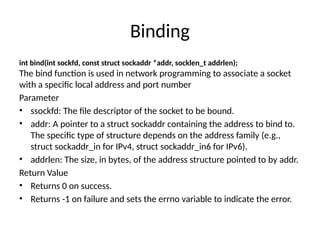
int bind(int sockfd,const struct sockaddr *addr, socklen_t addrlen);
The bind function is used in network programming to associate a socket
with a specific local address and port number
Parameter
• ssockfd: The file descriptor of the socket to be bound.
• addr: A pointer to a struct sockaddr containing the address to bind to.
The specific type of structure depends on the address family (e.g.,
struct sockaddr_in for IPv4, struct sockaddr_in6 for IPv6).
• addrlen: The size, in bytes, of the address structure pointed to by addr.
Return Value
• Returns 0 on success.
• Returns -1 on failure and sets the errno variable to indicate the error.
50.
Listening
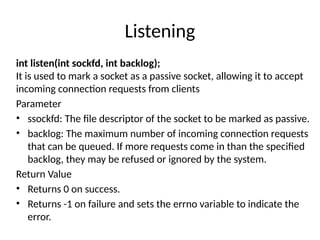
int listen(int sockfd,int backlog);
It is used to mark a socket as a passive socket, allowing it to accept
incoming connection requests from clients
Parameter
• ssockfd: The file descriptor of the socket to be marked as passive.
• backlog: The maximum number of incoming connection requests
that can be queued. If more requests come in than the specified
backlog, they may be refused or ignored by the system.
Return Value
• Returns 0 on success.
• Returns -1 on failure and sets the errno variable to indicate the
error.
51.
Accepting Connections
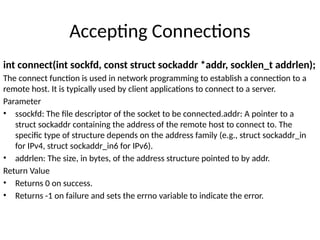
int connect(intsockfd, const struct sockaddr *addr, socklen_t addrlen);
The connect function is used in network programming to establish a connection to a
remote host. It is typically used by client applications to connect to a server.
Parameter
• ssockfd: The file descriptor of the socket to be connected.addr: A pointer to a
struct sockaddr containing the address of the remote host to connect to. The
specific type of structure depends on the address family (e.g., struct sockaddr_in
for IPv4, struct sockaddr_in6 for IPv6).
• addrlen: The size, in bytes, of the address structure pointed to by addr.
Return Value
• Returns 0 on success.
• Returns -1 on failure and sets the errno variable to indicate the error.
52.
Sending/Receiving Data
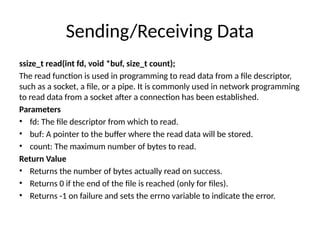
ssize_t read(intfd, void *buf, size_t count);
The read function is used in programming to read data from a file descriptor,
such as a socket, a file, or a pipe. It is commonly used in network programming
to read data from a socket after a connection has been established.
Parameters
• fd: The file descriptor from which to read.
• buf: A pointer to the buffer where the read data will be stored.
• count: The maximum number of bytes to read.
Return Value
• Returns the number of bytes actually read on success.
• Returns 0 if the end of the file is reached (only for files).
• Returns -1 on failure and sets the errno variable to indicate the error.
53.
Sending/Receiving Data
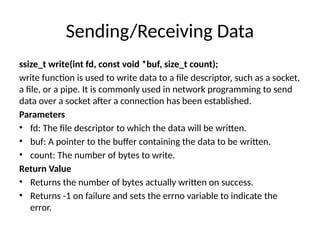
ssize_t write(intfd, const void *buf, size_t count);
write function is used to write data to a file descriptor, such as a socket,
a file, or a pipe. It is commonly used in network programming to send
data over a socket after a connection has been established.
Parameters
• fd: The file descriptor to which the data will be written.
• buf: A pointer to the buffer containing the data to be written.
• count: The number of bytes to write.
Return Value
• Returns the number of bytes actually written on success.
• Returns -1 on failure and sets the errno variable to indicate the
error.
54.
Closing
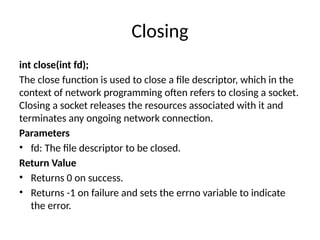
int close(int fd);
Theclose function is used to close a file descriptor, which in the
context of network programming often refers to closing a socket.
Closing a socket releases the resources associated with it and
terminates any ongoing network connection.
Parameters
• fd: The file descriptor to be closed.
Return Value
• Returns 0 on success.
• Returns -1 on failure and sets the errno variable to indicate
the error.
55.
errno
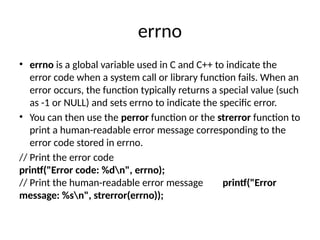
• errno isa global variable used in C and C++ to indicate the
error code when a system call or library function fails. When an
error occurs, the function typically returns a special value (such
as -1 or NULL) and sets errno to indicate the specific error.
• You can then use the perror function or the strerror function to
print a human-readable error message corresponding to the
error code stored in errno.
// Print the error code
printf("Error code: %dn", errno);
// Print the human-readable error message printf("Error
message: %sn", strerror(errno));
56.
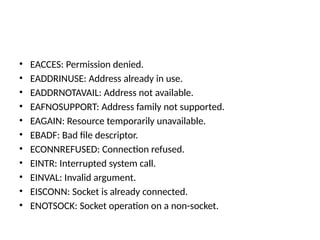
• EACCES: Permissiondenied.
• EADDRINUSE: Address already in use.
• EADDRNOTAVAIL: Address not available.
• EAFNOSUPPORT: Address family not supported.
• EAGAIN: Resource temporarily unavailable.
• EBADF: Bad file descriptor.
• ECONNREFUSED: Connection refused.
• EINTR: Interrupted system call.
• EINVAL: Invalid argument.
• EISCONN: Socket is already connected.
• ENOTSOCK: Socket operation on a non-socket.
57.
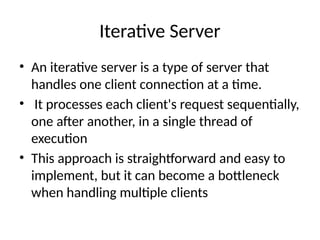
Iterative Server
• Aniterative server is a type of server that
handles one client connection at a time.
• It processes each client's request sequentially,
one after another, in a single thread of
execution
• This approach is straightforward and easy to
implement, but it can become a bottleneck
when handling multiple clients
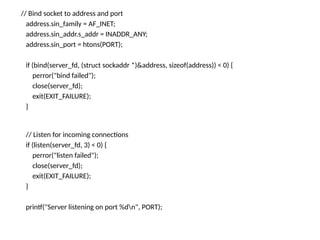
// Bind socketto address and port
address.sin_family = AF_INET;
address.sin_addr.s_addr = INADDR_ANY;
address.sin_port = htons(PORT);
if (bind(server_fd, (struct sockaddr *)&address, sizeof(address)) < 0) {
perror("bind failed");
close(server_fd);
exit(EXIT_FAILURE);
}
// Listen for incoming connections
if (listen(server_fd, 3) < 0) {
perror("listen failed");
close(server_fd);
exit(EXIT_FAILURE);
}
printf("Server listening on port %dn", PORT);
60.
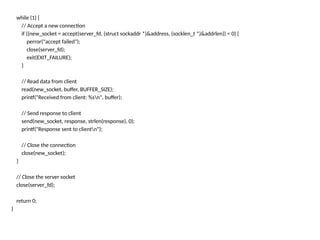
while (1) {
//Accept a new connection
if ((new_socket = accept(server_fd, (struct sockaddr *)&address, (socklen_t *)&addrlen)) < 0) {
perror("accept failed");
close(server_fd);
exit(EXIT_FAILURE);
}
// Read data from client
read(new_socket, buffer, BUFFER_SIZE);
printf("Received from client: %sn", buffer);
// Send response to client
send(new_socket, response, strlen(response), 0);
printf("Response sent to clientn");
// Close the connection
close(new_socket);
}
// Close the server socket
close(server_fd);
return 0;
}
62.
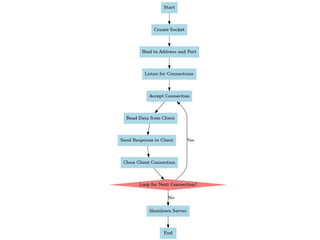
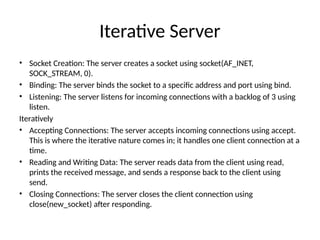
Iterative Server
• SocketCreation: The server creates a socket using socket(AF_INET,
SOCK_STREAM, 0).
• Binding: The server binds the socket to a specific address and port using bind.
• Listening: The server listens for incoming connections with a backlog of 3 using
listen.
Iteratively
• Accepting Connections: The server accepts incoming connections using accept.
This is where the iterative nature comes in; it handles one client connection at a
time.
• Reading and Writing Data: The server reads data from the client using read,
prints the received message, and sends a response back to the client using
send.
• Closing Connections: The server closes the client connection using
close(new_socket) after responding.
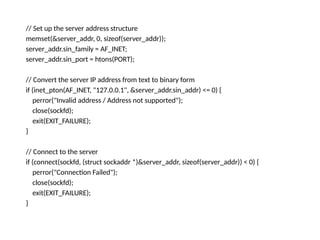
// Set upthe server address structure
memset(&server_addr, 0, sizeof(server_addr));
server_addr.sin_family = AF_INET;
server_addr.sin_port = htons(PORT);
// Convert the server IP address from text to binary form
if (inet_pton(AF_INET, "127.0.0.1", &server_addr.sin_addr) <= 0) {
perror("Invalid address / Address not supported");
close(sockfd);
exit(EXIT_FAILURE);
}
// Connect to the server
if (connect(sockfd, (struct sockaddr *)&server_addr, sizeof(server_addr)) < 0) {
perror("Connection Failed");
close(sockfd);
exit(EXIT_FAILURE);
}
65.
// Send amessage to the server
send(sockfd, message, strlen(message), 0);
printf("Message sent to server: %sn", message);
// Read the response from the server
int bytes_read = read(sockfd, buffer, sizeof(buffer) - 1);
if (bytes_read < 0) {
perror("read failed");
} else {
buffer[bytes_read] = '0'; // Null-terminate the buffer to make it a valid string
printf("Received from server: %sn", buffer);
}
// Close the socket
close(sockfd);
return 0;
}
66.
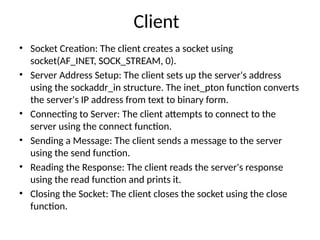
Client
• Socket Creation:The client creates a socket using
socket(AF_INET, SOCK_STREAM, 0).
• Server Address Setup: The client sets up the server's address
using the sockaddr_in structure. The inet_pton function converts
the server's IP address from text to binary form.
• Connecting to Server: The client attempts to connect to the
server using the connect function.
• Sending a Message: The client sends a message to the server
using the send function.
• Reading the Response: The client reads the server's response
using the read function and prints it.
• Closing the Socket: The client closes the socket using the close
function.
67.
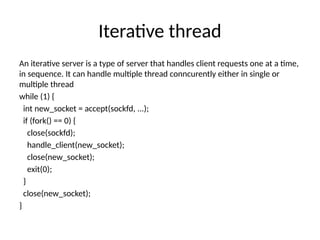
Iterative thread
An iterativeserver is a type of server that handles client requests one at a time,
in sequence. It can handle multiple thread conncurently either in single or
multiple thread
while (1) {
int new_socket = accept(sockfd, ...);
if (fork() == 0) {
close(sockfd);
handle_client(new_socket);
close(new_socket);
exit(0);
}
close(new_socket);
}
68.
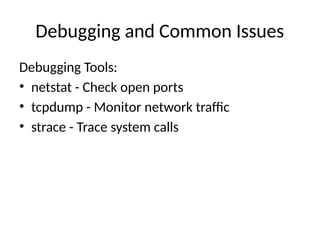
Debugging and CommonIssues
Debugging Tools:
• netstat - Check open ports
• tcpdump - Monitor network traffic
• strace - Trace system calls
69.
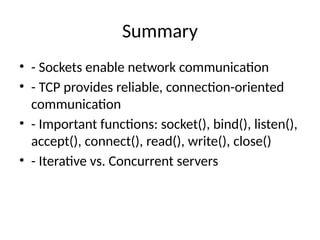
Summary
• - Socketsenable network communication
• - TCP provides reliable, connection-oriented
communication
• - Important functions: socket(), bind(), listen(),
accept(), connect(), read(), write(), close()
• - Iterative vs. Concurrent servers

![Socket address
• Socket Address Format:
• IPv4 Example: 192.168.1.1:80
• Explanation: 192.168.1.1 is the IP address, and 80 is the port number.
• IPv6 Example: [2001:0db8:85a3::8a2e:0370:7334]:443
• Explanation: 2001:0db8:85a3::8a2e:0370:7334 is the IPv6 address, and 443 is the port
number.
• Use Cases:
• Web Servers: A web server listening on port 80 for HTTP traffic or port 443 for HTTPS
traffic.
• Database Servers: A database server listening on a specific port (e.g., 3306 for
MySQL).
• Benefits of Socket Addressing:
• Unique Identification: Each socket address uniquely identifies a process on the
network.
• Efficient Communication: Facilitates direct and efficient data transfer between devices.](https://image.slidesharecdn.com/2elementarytcpsocketsunix2-251229181050-bcde117b/85/Elementary_TCP_Sockets_Unix-presentatsion-to-go-26-320.jpg)
![Generic Socket address
struct sockaddr
{
unsigned short sa_family; // Address family
(AF_INET or AF_INET6)
char sa_data[14]; // Protocol-specific
address information
};](https://image.slidesharecdn.com/2elementarytcpsocketsunix2-251229181050-bcde117b/85/Elementary_TCP_Sockets_Unix-presentatsion-to-go-34-320.jpg)
![Socket Address Structures
struct sockaddr_in {
short int sin_family; // Address
family (AF_INET for IPv4)
unsigned short int sin_port; // Port number
struct in_addr sin_addr; // IP address
unsigned char sin_zero[8]; // Padding to make
the structure the same size as struct sockaddr
};](https://image.slidesharecdn.com/2elementarytcpsocketsunix2-251229181050-bcde117b/85/Elementary_TCP_Sockets_Unix-presentatsion-to-go-35-320.jpg)
![IPv6 Socket Address Structures
struct in6_addr
{
unsigned char s6_addr[16]; // IPv6 address
};](https://image.slidesharecdn.com/2elementarytcpsocketsunix2-251229181050-bcde117b/85/Elementary_TCP_Sockets_Unix-presentatsion-to-go-39-320.jpg)
![#include <stdio.h>
#include <stdlib.h>
#include <string.h>
#include <unistd.h>
#include <arpa/inet.h>
#define PORT 8080
#define BUFFER_SIZE 1024
int main() {
int server_fd, new_socket;
struct sockaddr_in address;
int addrlen = sizeof(address);
char buffer[BUFFER_SIZE] = {0};
const char *response = "Hello, Client!n";
// Create socket
if ((server_fd = socket(AF_INET, SOCK_STREAM, 0)) == 0) {
perror("socket failed");
exit(EXIT_FAILURE);
}](https://image.slidesharecdn.com/2elementarytcpsocketsunix2-251229181050-bcde117b/85/Elementary_TCP_Sockets_Unix-presentatsion-to-go-58-320.jpg)
![Client
#include <stdio.h>
#include <stdlib.h>
#include <string.h>
#include <unistd.h>
#include <arpa/inet.h>
#define PORT 8080
#define BUFFER_SIZE 1024
int main() {
int sockfd;
struct sockaddr_in server_addr;
char buffer[BUFFER_SIZE] = {0};
const char *message = "Hello, Server!";
// Create a socket
if ((sockfd = socket(AF_INET, SOCK_STREAM, 0)) < 0) {
perror("socket creation failed");
exit(EXIT_FAILURE);
}](https://image.slidesharecdn.com/2elementarytcpsocketsunix2-251229181050-bcde117b/85/Elementary_TCP_Sockets_Unix-presentatsion-to-go-63-320.jpg)
![// Send a message to the server
send(sockfd, message, strlen(message), 0);
printf("Message sent to server: %sn", message);
// Read the response from the server
int bytes_read = read(sockfd, buffer, sizeof(buffer) - 1);
if (bytes_read < 0) {
perror("read failed");
} else {
buffer[bytes_read] = '0'; // Null-terminate the buffer to make it a valid string
printf("Received from server: %sn", buffer);
}
// Close the socket
close(sockfd);
return 0;
}](https://image.slidesharecdn.com/2elementarytcpsocketsunix2-251229181050-bcde117b/85/Elementary_TCP_Sockets_Unix-presentatsion-to-go-65-320.jpg)