EGI is a federation of 21 cloud providers and hundreds of
data centres, spread across Europe and worldwide.
EGI delivers services to support scientists, multinational
projects and research infrastructures.
EGI: advanced computing for research
www.egi.eu
EGI’s mission is to create and deliver
open solutions for science and research
by federating digital capabilities,
resources and expertise
between communities and
across national boundaries.
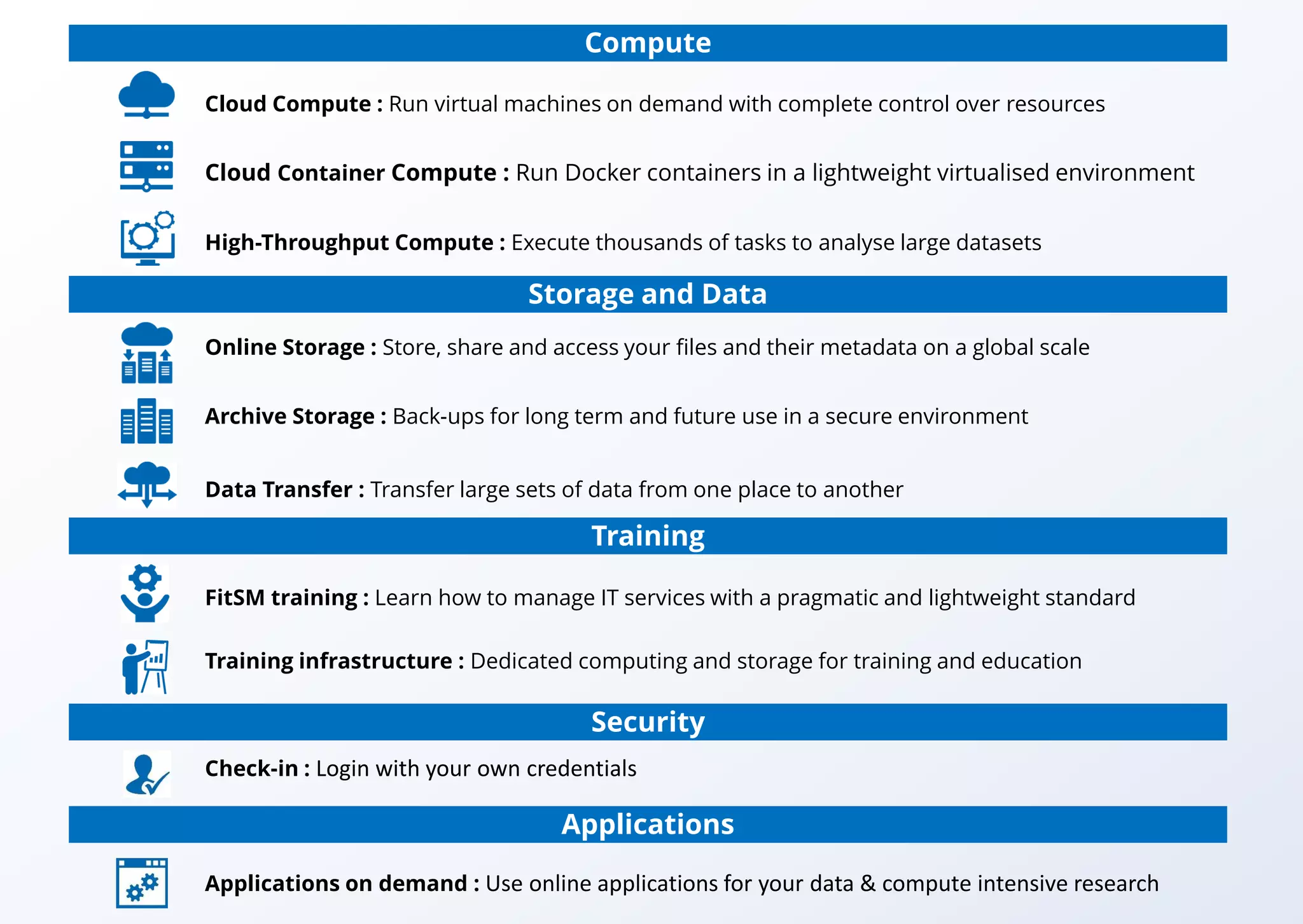
EGI Service Catalogue
Compute
Cloud Compute : Run virtual machines on demand with complete control over resources
Cloud Container Compute : Run Docker containers in a lightweight virtualised environment
High-Throughput Compute : Execute thousands of tasks to analyse large datasets
Online Storage : Store, share and access your files and their metadata on a global scale
Archive Storage : Back-ups for long term and future use in a secure environment
Data Transfer : Transfer large sets of data from one place to another
FitSM training : Learn how to manage IT services with a pragmatic and lightweight standard
Training infrastructure : Dedicated computing and storage for training and education
Storage and Data
Training
Check-in : Login with your own credentials
Security
Applications
Applications on demand : Use online applications for your data & compute intensive research
Run virtual machines on-demand with complete control over the
computing resources
• Execute compute- and data-intensive workloads
• Host long-running services (e.g. web servers or databases)
• Create disposable testing and development environments
• Select virtual machine configurations to fit your requirements
• Manage your Cloud Compute resources in a flexible way with
integrated monitoring and accounting capabilities
Cloud Compute
See Cloud Compute for service information and request
With Cloud Compute you can:
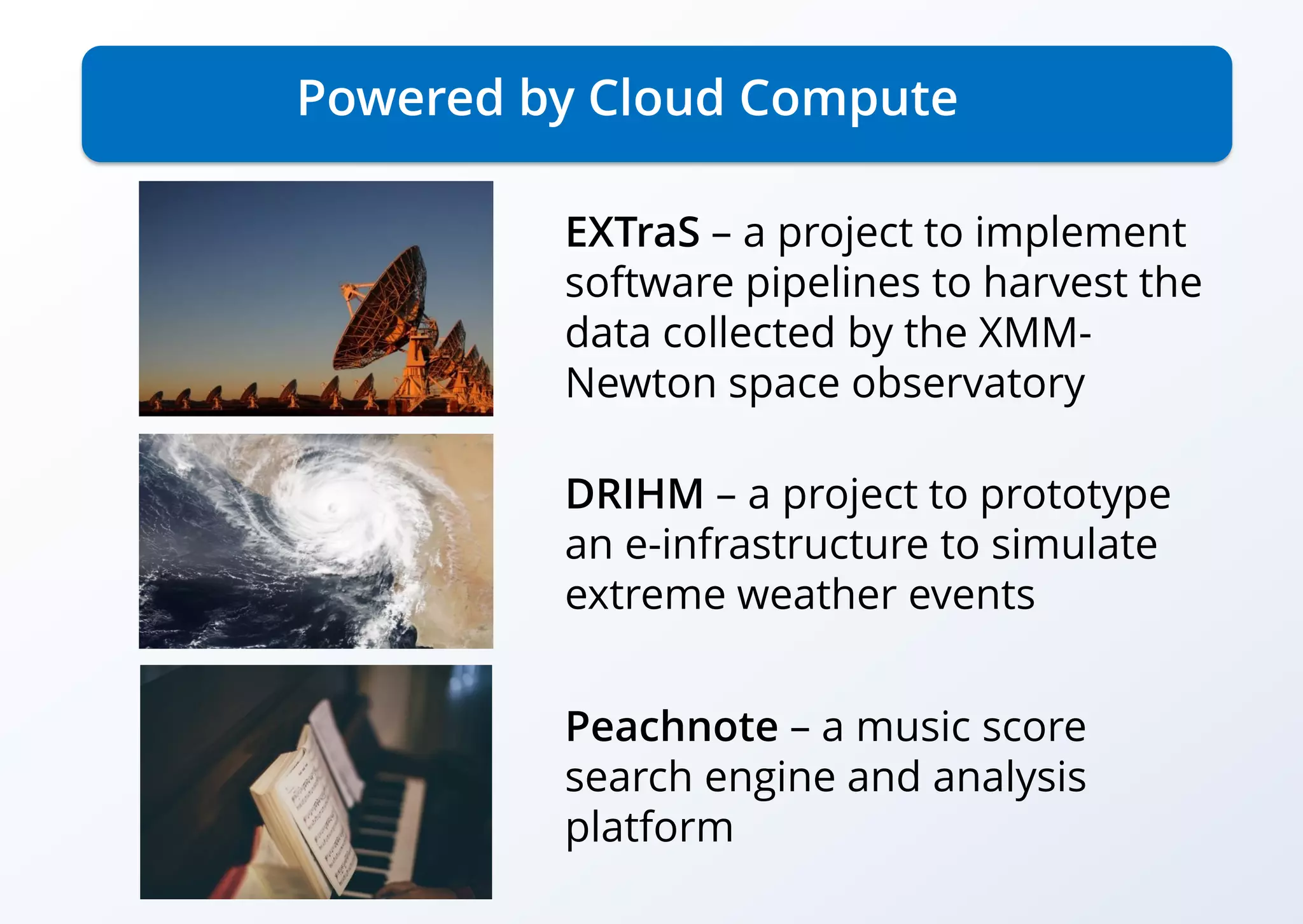
Powered by Cloud Compute
EXTraS – a project to implement
software pipelines to harvest the
data collected by the XMM-
Newton space observatory
DRIHM – a project to prototype
an e-infrastructure to simulate
extreme weather events
Peachnote – a music score
search engine and analysis
platform
Powered by Cloud Compute
When a human cell meets
Salmonella
K. Förstner, Univ. Würzburg,
used Cloud Compute to run a
pipeline for the analysis of
sequencing data.
Cloud Compute helped the team
to handle demand peaks and
that sped up the whole process
significantly.
Nature
(doi:10.1038/nature16547)
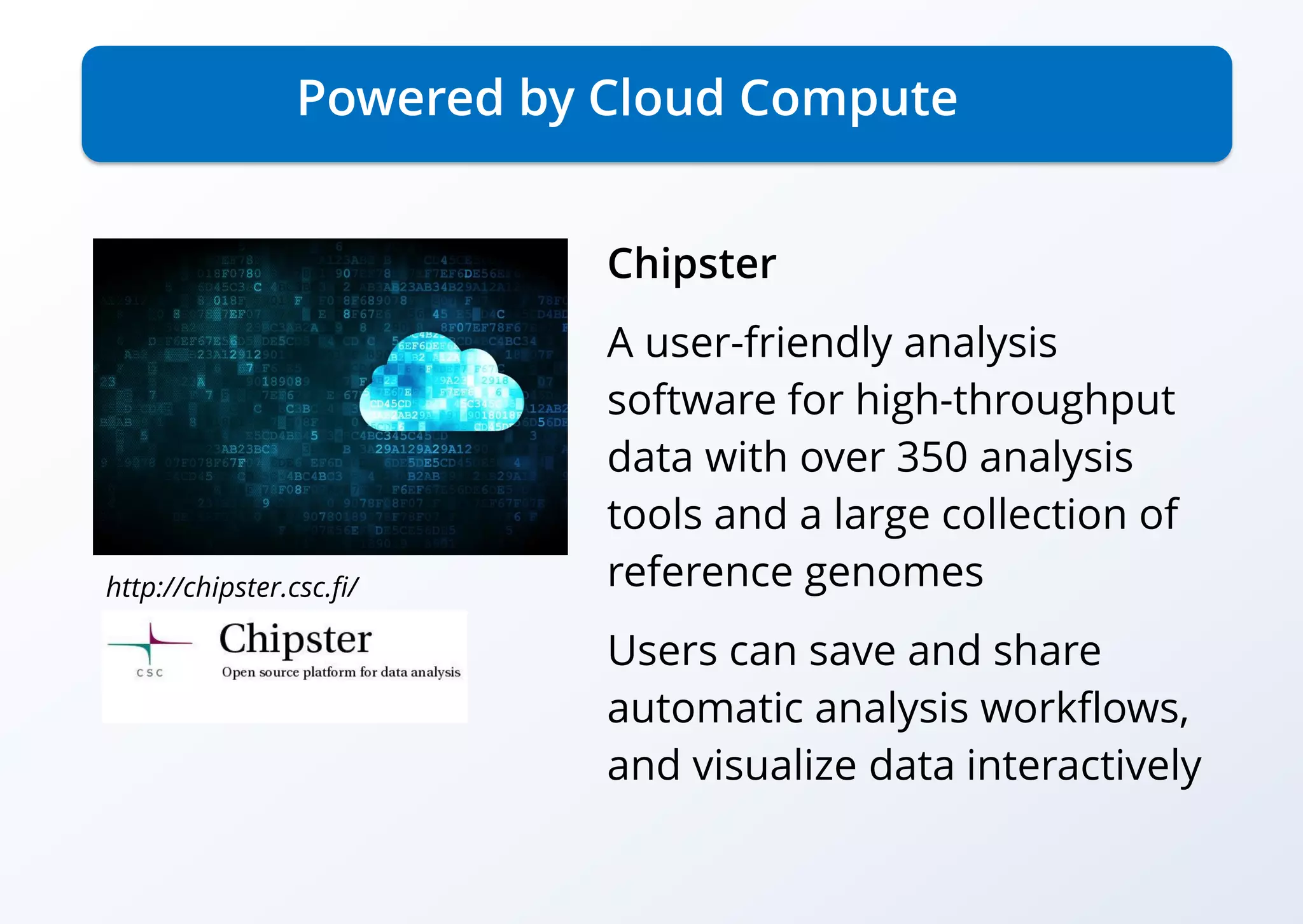
Powered by Cloud Compute
Chipster
A user-friendly analysis
software for high-throughput
data with over 350 analysis
tools and a large collection of
reference genomes
Users can save and share
automatic analysis workflows,
and visualize data interactively
http://chipster.csc.fi/
Run Docker containers in a lightweight virtualised environment
• On-demand provisioning
• Lightweight environment for maximised performance
• Standard interface to deploy on multiple service providers
• Interoperable and transparent
• Removes friction between development and operations environments.
Cloud Container Compute
See Cloud Container Compute for service information and request
Main features of Cloud Container Compute:
Execute thousands of computational tasks to analyse
large datasets
• Access to high-quality computing resources
• Integrated monitoring and accounting tools to provide information about the
availability and resource consumption
• Workload and data management tools to manage all computational tasks
• Large amounts of processing capacity over long periods of time
High-Throughput Compute
See High-Throughput Compute for service information and request
Main features of High-Throughput Compute:
Powered by High-Throughput Compute
HADDOCK
A web portal offering tools for
structural biologists
Used to model the structure of
proteins and other molecules.
So far, HADDOCK processed
over 190,000 submissions from
more than 10,000 scientists.
http://haddock.science.uu.nl/
+730,000 cores
High-Throughput Compute capacity
See High-Throughput Compute for service information and request
Store, share and access your files and their metadata on
a global scale
• Assign global identifiers to files
• Access highly-scalable storage from anywhere
• Control the data you share
• Organise your data using a flexible hierarchical structure
Online Storage
See Online Storage for service information and request
Main features of Online Storage:
Powered by High-Throughput Compute
and Online Storage
http://haddock.science.uu.nl/
Virtual Imaging Platform (VIP)
VIP is a web portal for medical
image data analysis
It is used by researchers
worldwide through the
biomed Virtual Organisation
Allows life scientists to use
complex computational tools
with no IT skills beyond the use
of a web browser
300 Petabytes
Online Storage
See Online Storage for service information and request
Back-up your data for the long term and future use in
a secure environment
• Store large amount of data
• Free up your online storage
• Store data for long-term retention
Archive Storage
See Archive Storage for service information and request
Main features of Archive Storage:
346 Petabytes
Archive Storage
See Archive Storage for service information and request
Transfer large sets of data from one place to another
• Ideal for very large files
• Able to handle large amounts of files
• Transfer process with automatic retry
Data Transfer
See Data Transfer for service information and request
Main features of Data Transfer:
“The most critical infrastructure and tools are the networks and
the online storage and data transfer services (…). Without these the
analysis of the data from the LHC would be almost impossible.“
Ian Bird, WLCG project leader
Learn how to manage IT services with a pragmatic and
lightweight standard
• Increase your expertise in managing IT services
• Raise your professional profile by a recognised certification
FitSM Training
See FitSM Training for service information and request
With FitSM Training you can:
“I learned how to implement FitSM in an IT organisation and gained
from the benefits the framework provides for efficient service
management. Pavel Weber, KIT
Dedicated computing and storage for training and education
• Target-specific courses and added value for scientific communities
• Easy-to-use, on-demand access and improvements in the training offer
• Allows easy deployment of courses and reuse
Training Infrastructure
See Training Infrastructure for service information and request
Main features of the Training Infrastructure:
Login with your own credentials
• Enables multiple federated authentication sources using different
technologies
• Increased productivity and security
• Federated in eduGAIN as a service provider, publishing REFEDS
RnS and Sirtfi compliance
• User registration portal to allow accounts-linking
Check-in
See Check-in for service information and request
Main features of Check-in:
Use online applications for your data & compute intensive research
• Offers user-friendly access to applications offered through web environments
• Offers hosting frameworks where custom applications can be executed on
EGI Cloud Compute and High-Throughput Compute services and offered as
scalable, online services to researchers worldwide.
• Extendible with new applications, application-hosting frameworks, and HTC or
cloud resources
Applications on demand
See Applications on demand for service information and request
Main features of Applications on demand:
EGI Foundation • Science Park 140 • 1098 XG Amsterdam
The Netherlands
+31 (0)20 89 32 007 • www.egi.eu
@EGI_eInfra
Get in touch!
EGI Council
Learn more
Visit https://www.egi.eu/services/
Contact us:
– For public institutions: contact@egi.eu
– For private organisations: business@egi.eu

EGI Services

  • 1.
    EGI is afederation of 21 cloud providers and hundreds of data centres, spread across Europe and worldwide. EGI delivers services to support scientists, multinational projects and research infrastructures. EGI: advanced computing for research www.egi.eu
  • 2.
    EGI’s mission isto create and deliver open solutions for science and research by federating digital capabilities, resources and expertise between communities and across national boundaries.
  • 3.
  • 4.
    Compute Cloud Compute :Run virtual machines on demand with complete control over resources Cloud Container Compute : Run Docker containers in a lightweight virtualised environment High-Throughput Compute : Execute thousands of tasks to analyse large datasets Online Storage : Store, share and access your files and their metadata on a global scale Archive Storage : Back-ups for long term and future use in a secure environment Data Transfer : Transfer large sets of data from one place to another FitSM training : Learn how to manage IT services with a pragmatic and lightweight standard Training infrastructure : Dedicated computing and storage for training and education Storage and Data Training Check-in : Login with your own credentials Security Applications Applications on demand : Use online applications for your data & compute intensive research
  • 5.
    Run virtual machineson-demand with complete control over the computing resources • Execute compute- and data-intensive workloads • Host long-running services (e.g. web servers or databases) • Create disposable testing and development environments • Select virtual machine configurations to fit your requirements • Manage your Cloud Compute resources in a flexible way with integrated monitoring and accounting capabilities Cloud Compute See Cloud Compute for service information and request With Cloud Compute you can:
  • 6.
    Powered by CloudCompute EXTraS – a project to implement software pipelines to harvest the data collected by the XMM- Newton space observatory DRIHM – a project to prototype an e-infrastructure to simulate extreme weather events Peachnote – a music score search engine and analysis platform
  • 7.
    Powered by CloudCompute When a human cell meets Salmonella K. Förstner, Univ. Würzburg, used Cloud Compute to run a pipeline for the analysis of sequencing data. Cloud Compute helped the team to handle demand peaks and that sped up the whole process significantly. Nature (doi:10.1038/nature16547)
  • 8.
    Powered by CloudCompute Chipster A user-friendly analysis software for high-throughput data with over 350 analysis tools and a large collection of reference genomes Users can save and share automatic analysis workflows, and visualize data interactively http://chipster.csc.fi/
  • 9.
    Run Docker containersin a lightweight virtualised environment • On-demand provisioning • Lightweight environment for maximised performance • Standard interface to deploy on multiple service providers • Interoperable and transparent • Removes friction between development and operations environments. Cloud Container Compute See Cloud Container Compute for service information and request Main features of Cloud Container Compute:
  • 10.
    Execute thousands ofcomputational tasks to analyse large datasets • Access to high-quality computing resources • Integrated monitoring and accounting tools to provide information about the availability and resource consumption • Workload and data management tools to manage all computational tasks • Large amounts of processing capacity over long periods of time High-Throughput Compute See High-Throughput Compute for service information and request Main features of High-Throughput Compute:
  • 11.
    Powered by High-ThroughputCompute HADDOCK A web portal offering tools for structural biologists Used to model the structure of proteins and other molecules. So far, HADDOCK processed over 190,000 submissions from more than 10,000 scientists. http://haddock.science.uu.nl/
  • 12.
    +730,000 cores High-Throughput Computecapacity See High-Throughput Compute for service information and request
  • 13.
    Store, share andaccess your files and their metadata on a global scale • Assign global identifiers to files • Access highly-scalable storage from anywhere • Control the data you share • Organise your data using a flexible hierarchical structure Online Storage See Online Storage for service information and request Main features of Online Storage:
  • 14.
    Powered by High-ThroughputCompute and Online Storage http://haddock.science.uu.nl/ Virtual Imaging Platform (VIP) VIP is a web portal for medical image data analysis It is used by researchers worldwide through the biomed Virtual Organisation Allows life scientists to use complex computational tools with no IT skills beyond the use of a web browser
  • 15.
    300 Petabytes Online Storage SeeOnline Storage for service information and request
  • 16.
    Back-up your datafor the long term and future use in a secure environment • Store large amount of data • Free up your online storage • Store data for long-term retention Archive Storage See Archive Storage for service information and request Main features of Archive Storage:
  • 17.
    346 Petabytes Archive Storage SeeArchive Storage for service information and request
  • 18.
    Transfer large setsof data from one place to another • Ideal for very large files • Able to handle large amounts of files • Transfer process with automatic retry Data Transfer See Data Transfer for service information and request Main features of Data Transfer: “The most critical infrastructure and tools are the networks and the online storage and data transfer services (…). Without these the analysis of the data from the LHC would be almost impossible.“ Ian Bird, WLCG project leader
  • 19.
    Learn how tomanage IT services with a pragmatic and lightweight standard • Increase your expertise in managing IT services • Raise your professional profile by a recognised certification FitSM Training See FitSM Training for service information and request With FitSM Training you can: “I learned how to implement FitSM in an IT organisation and gained from the benefits the framework provides for efficient service management. Pavel Weber, KIT
  • 20.
    Dedicated computing andstorage for training and education • Target-specific courses and added value for scientific communities • Easy-to-use, on-demand access and improvements in the training offer • Allows easy deployment of courses and reuse Training Infrastructure See Training Infrastructure for service information and request Main features of the Training Infrastructure:
  • 21.
    Login with yourown credentials • Enables multiple federated authentication sources using different technologies • Increased productivity and security • Federated in eduGAIN as a service provider, publishing REFEDS RnS and Sirtfi compliance • User registration portal to allow accounts-linking Check-in See Check-in for service information and request Main features of Check-in:
  • 22.
    Use online applicationsfor your data & compute intensive research • Offers user-friendly access to applications offered through web environments • Offers hosting frameworks where custom applications can be executed on EGI Cloud Compute and High-Throughput Compute services and offered as scalable, online services to researchers worldwide. • Extendible with new applications, application-hosting frameworks, and HTC or cloud resources Applications on demand See Applications on demand for service information and request Main features of Applications on demand:
  • 23.
    EGI Foundation •Science Park 140 • 1098 XG Amsterdam The Netherlands +31 (0)20 89 32 007 • www.egi.eu @EGI_eInfra Get in touch!
  • 24.
  • 25.
    Learn more Visit https://www.egi.eu/services/ Contactus: – For public institutions: contact@egi.eu – For private organisations: business@egi.eu