EDM : Synthetic Profile in Action


Presented By : Rakesh Dasgupta
Content at : http://wp.me/p1Ci5j-15
             http://wp.me/p1Ci5j-
Agenda

1.Synthetic Profile.
2.Screenshots : Load Profile In Installation
3.Screenshots : Changing Usage Factor after each
  Billing Cycle
4.Demo.
5.Questions .
Synthetic Profile - Revision

  Profile containing values generated on the basis of
predefined periods (day and season groups) and
corresponding day and annual profiles.
  Synthetic profiles are used when no interval data is
available.
  These profiles classify the consumption patterns of
certain groups of customers.
  Customers with similar consumption patterns are
allocated to the same synthetic profile.
  Dynamic modification factors are used to change
synthetic profile values. These factors prevent large jumps
between season types and allow you to maintain
residential customers’ normal profile shape.
Synthetic Profile II-Process Followed
                  II-

   For this demo I will use a synthetic profile already
created. This shall be allocated to the load profile in the
installation along with the Profile Allocation Role and the
calculated Usage factor.
  Then I will execute billing runs and check with the usage
factor if they are getting modified.

  For more on Synthetic Profile go to this link
http://wp.me/p1Ci5j-q
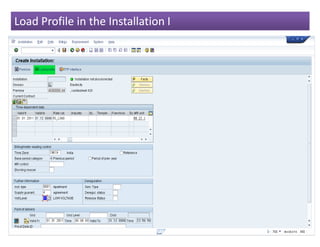
Load Profile in the Installation I
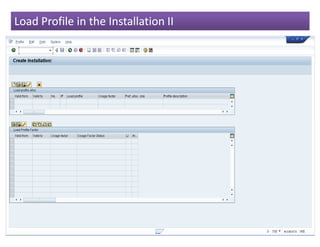
Load Profile in the Installation II
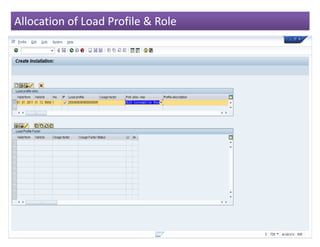
Allocation of Load Profile & Role
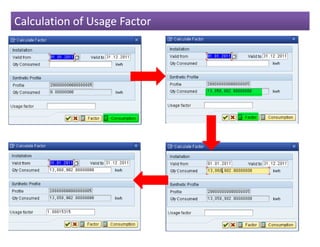
Calculation of Usage Factor
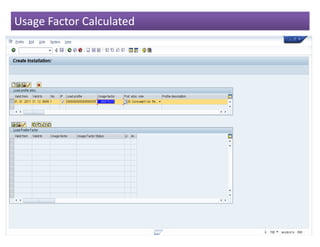
Usage Factor Calculated
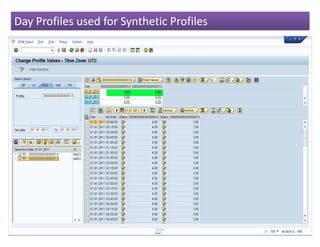
Day Profiles used for Synthetic Profiles
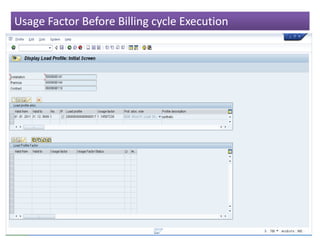
Usage Factor Before Billing cycle Execution
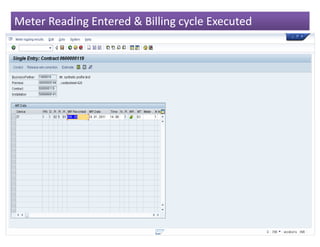
Meter Reading Entered & Billing cycle Executed
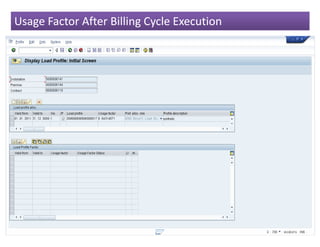
Usage Factor After Billing Cycle Execution
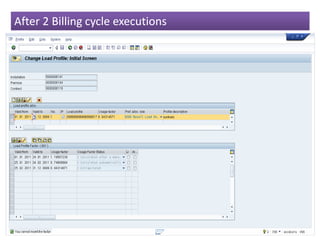
After 2 Billing cycle executions
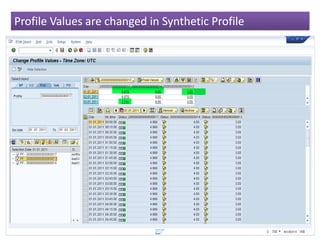
Profile Values are changed in Synthetic Profile
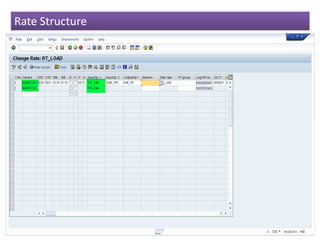
Rate Structure
Demo
Questions
EDM Synthetic Profile in Action

EDM Synthetic Profile in Action

  • 1.
    EDM : SyntheticProfile in Action Presented By : Rakesh Dasgupta Content at : http://wp.me/p1Ci5j-15 http://wp.me/p1Ci5j-
  • 2.
    Agenda 1.Synthetic Profile. 2.Screenshots :Load Profile In Installation 3.Screenshots : Changing Usage Factor after each Billing Cycle 4.Demo. 5.Questions .
  • 3.
    Synthetic Profile -Revision Profile containing values generated on the basis of predefined periods (day and season groups) and corresponding day and annual profiles. Synthetic profiles are used when no interval data is available. These profiles classify the consumption patterns of certain groups of customers. Customers with similar consumption patterns are allocated to the same synthetic profile. Dynamic modification factors are used to change synthetic profile values. These factors prevent large jumps between season types and allow you to maintain residential customers’ normal profile shape.
  • 4.
    Synthetic Profile II-ProcessFollowed II- For this demo I will use a synthetic profile already created. This shall be allocated to the load profile in the installation along with the Profile Allocation Role and the calculated Usage factor. Then I will execute billing runs and check with the usage factor if they are getting modified. For more on Synthetic Profile go to this link http://wp.me/p1Ci5j-q
  • 5.
    Load Profile inthe Installation I
  • 6.
    Load Profile inthe Installation II
  • 7.
    Allocation of LoadProfile & Role
  • 8.
  • 9.
  • 10.
    Day Profiles usedfor Synthetic Profiles
  • 11.
    Usage Factor BeforeBilling cycle Execution
  • 12.
    Meter Reading Entered& Billing cycle Executed
  • 13.
    Usage Factor AfterBilling Cycle Execution
  • 14.
    After 2 Billingcycle executions
  • 15.
    Profile Values arechanged in Synthetic Profile
  • 16.
  • 17.
  • 18.