
E.D.D.I.
Enhanced Dialog Driven Intelligence
Gregor Jarisch
What is E.D.D.I ?
• A Platform for creating, running and maintaining customized
Chatbots
• Configuration Server
 Maintaining Bot-Configs
Web UI for configuring Chatbots (Beta)
Monitoring Conversations
Automated Testing of Predefined Conversations (“Integration-Tests”)
• Core Server
Launching Chatbots based on Bot-Configs
 Algorithms, extendable by plugins
What is E.D.D.I ? (2)
• Focus on
 Flexibility in connecting to other systems (plugins)
 Reusability of parts of Chatbots (dictionaries, dialog rules, …)
 (horizontal) Scalable
• Technologies:
 High-Performance Java Web Application (Embedded Jetty)
 Dockerized
 RESTful Microservices
 NoSQL Database (MongoDB)
Workflow
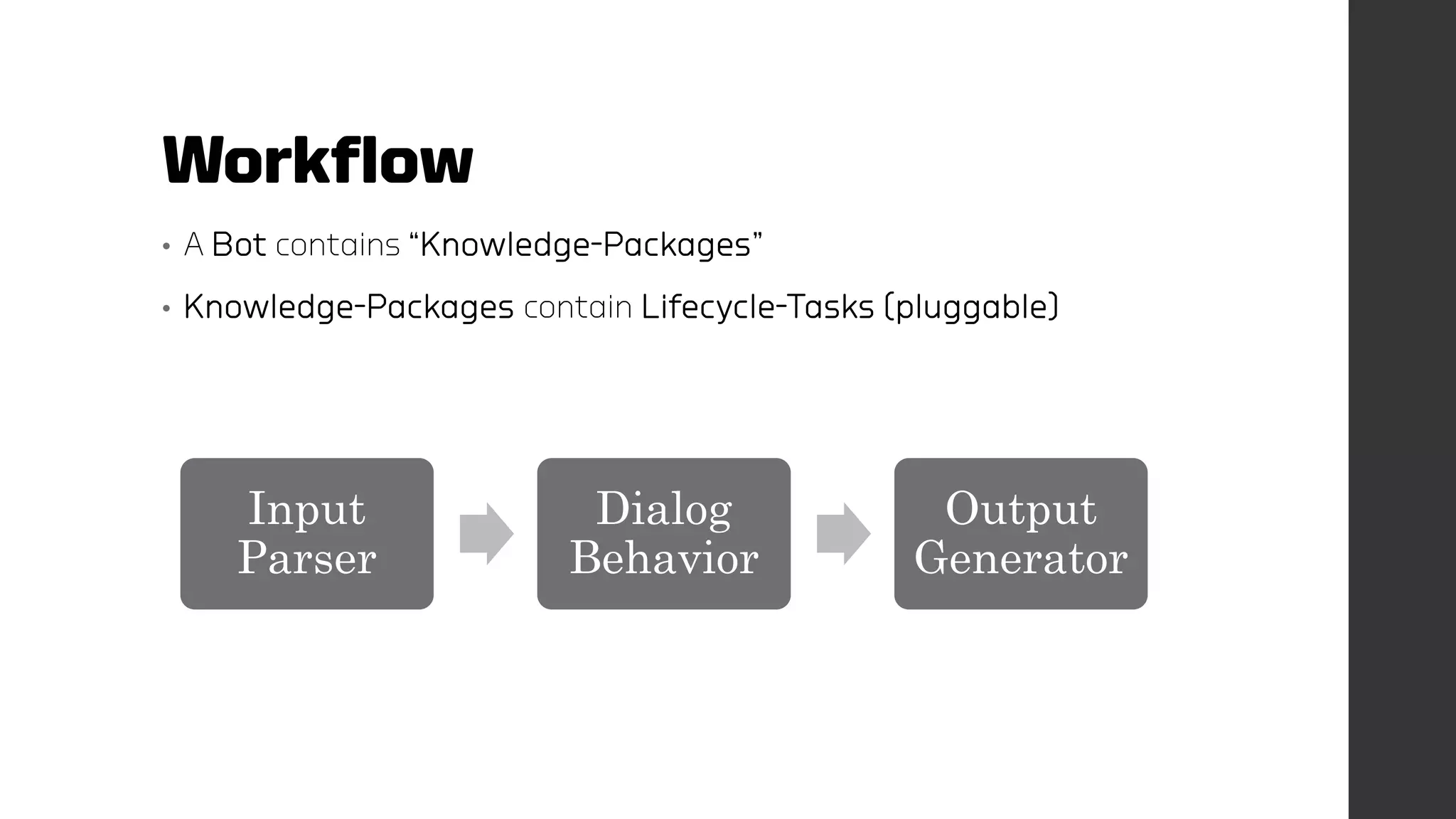
• A Bot contains “Knowledge-Packages”
• Knowledge-Packages contain Lifecycle-Tasks (pluggable)
Input
Parser
Dialog
Behavior
Output
Generator
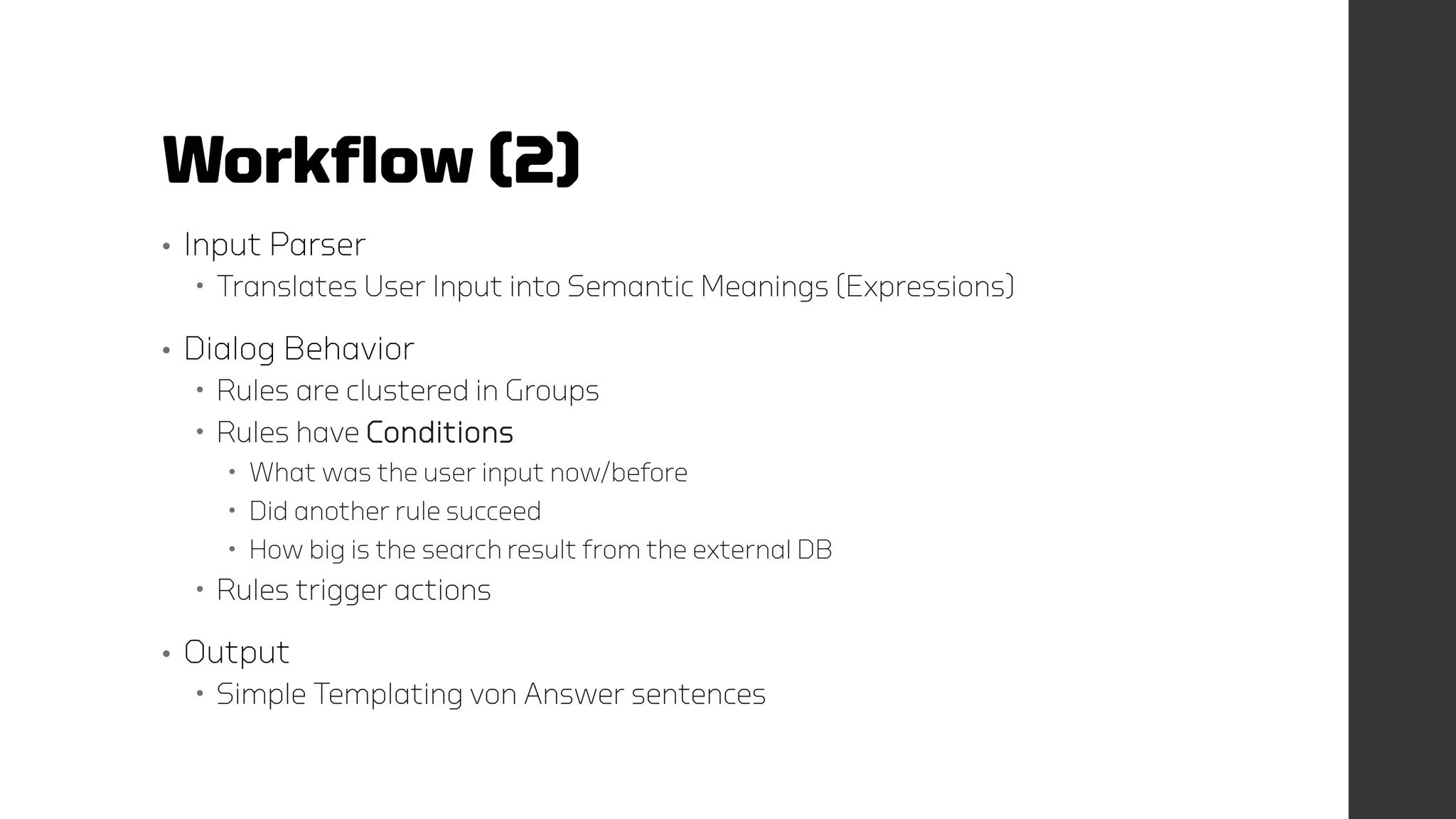
Workflow (2)
• Input Parser
 Translates User Input into Semantic Meanings (Expressions)
• Dialog Behavior
 Rules are clustered in Groups
 Rules have Conditions
 What was the user input now/before
 Did another rule succeed
 How big is the search result from the external DB
 Rules trigger actions
• Output
 Simple Templating von Answer sentences
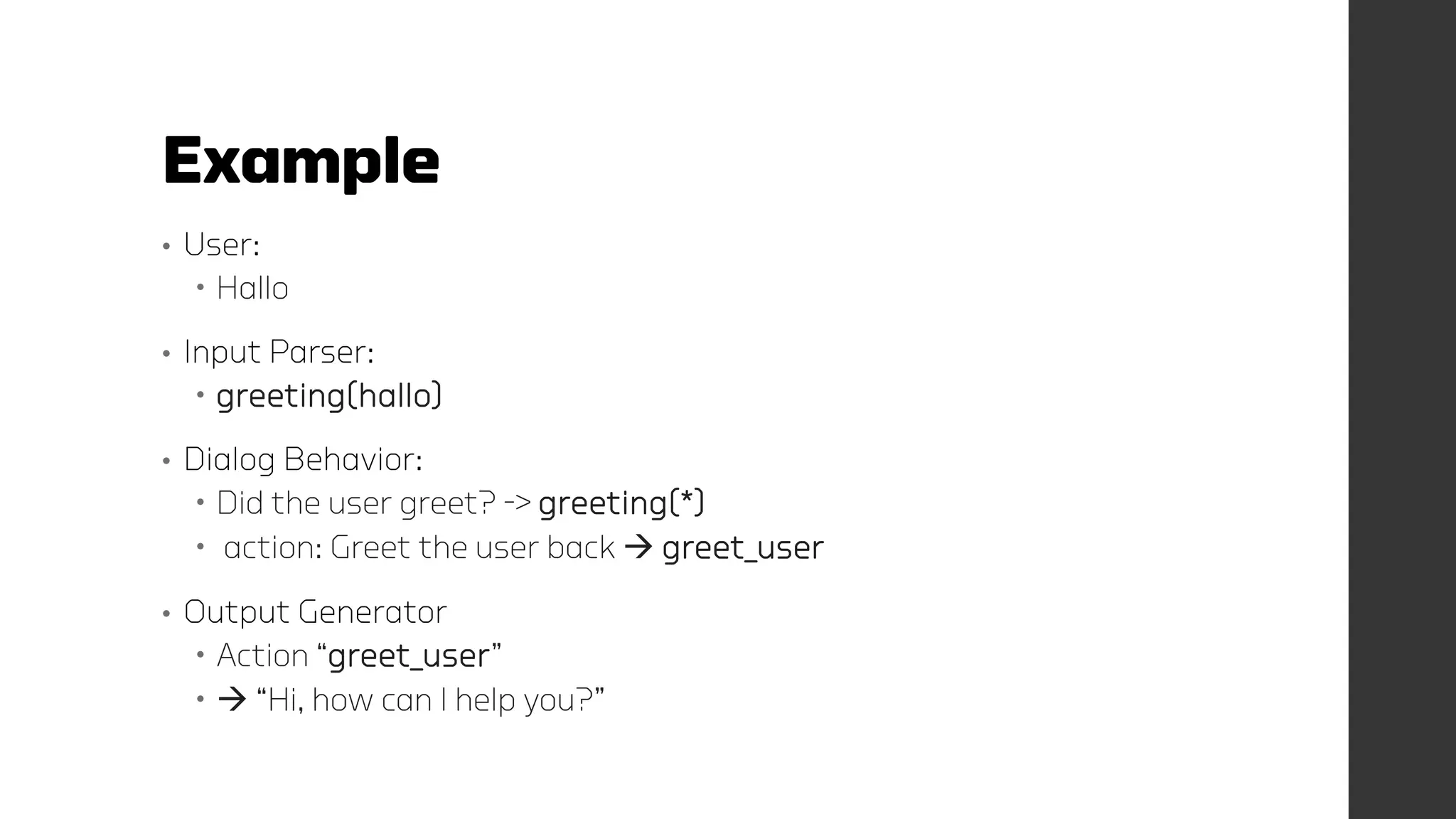
Example
• User:
 Hallo
• Input Parser:
 greeting(hallo)
• Dialog Behavior:
 Did the user greet? -> greeting(*)
 action: Greet the user back  greet_user
• Output Generator
 Action “greet_user”
  “Hi, how can I help you?”
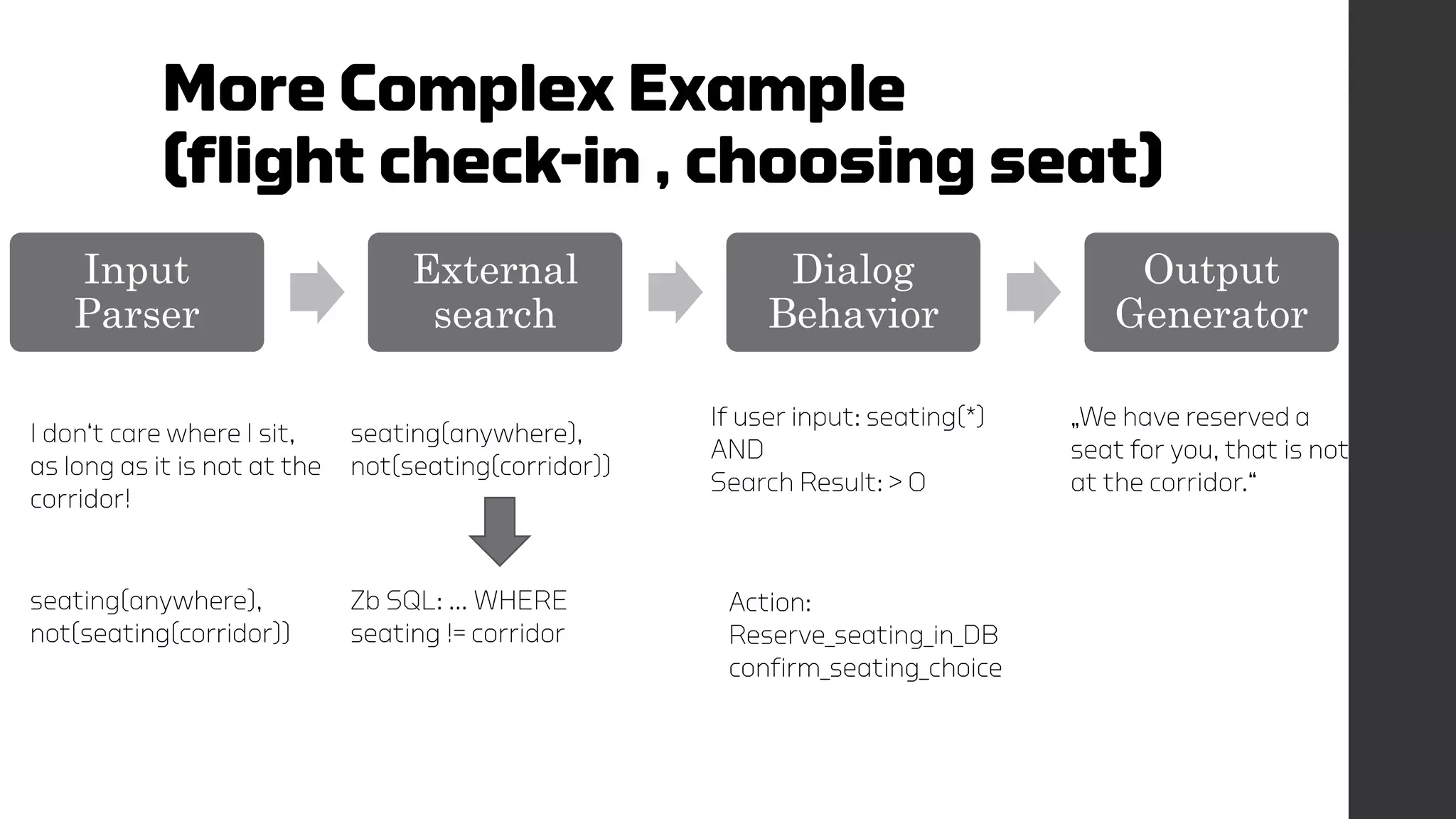
More Complex Example
(flight check-in , choosing seat)
Input
Parser
External
search
Dialog
Behavior
Output
Generator
I don‘t care where I sit,
as long as it is not at the
corridor!
seating(anywhere),
not(seating(corridor))
seating(anywhere),
not(seating(corridor))
Zb SQL: … WHERE
seating != corridor
If user input: seating(*)
AND
Search Result: > 0
„We have reserved a
seat for you, that is not
at the corridor.“
Action:
Reserve_seating_in_DB
confirm_seating_choice
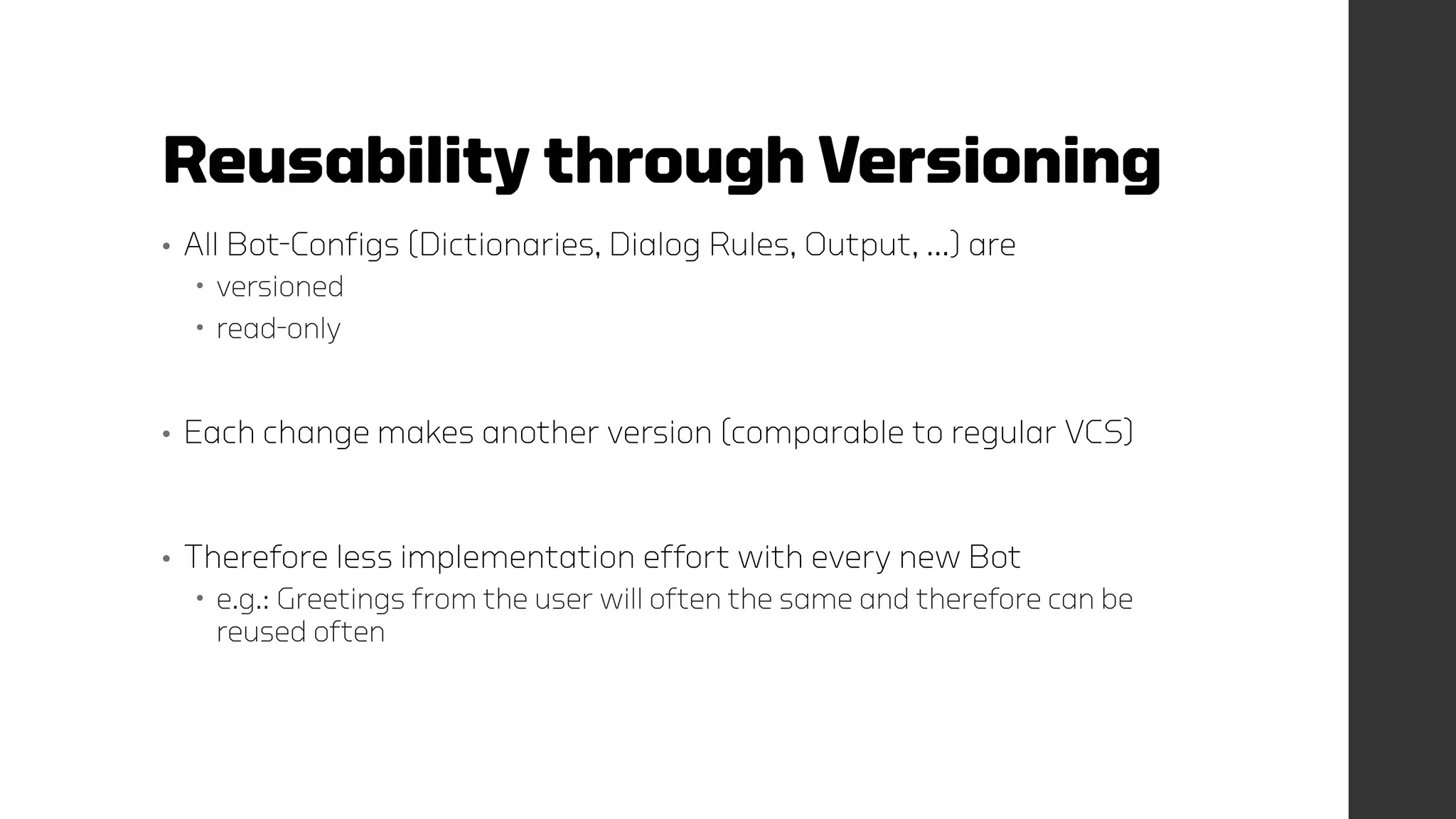
Reusability through Versioning
• All Bot-Configs (Dictionaries, Dialog Rules, Output, …) are
 versioned
 read-only
• Each change makes another version (comparable to regular VCS)
• Therefore less implementation effort with every new Bot
 e.g.: Greetings from the user will often the same and therefore can be
reused often
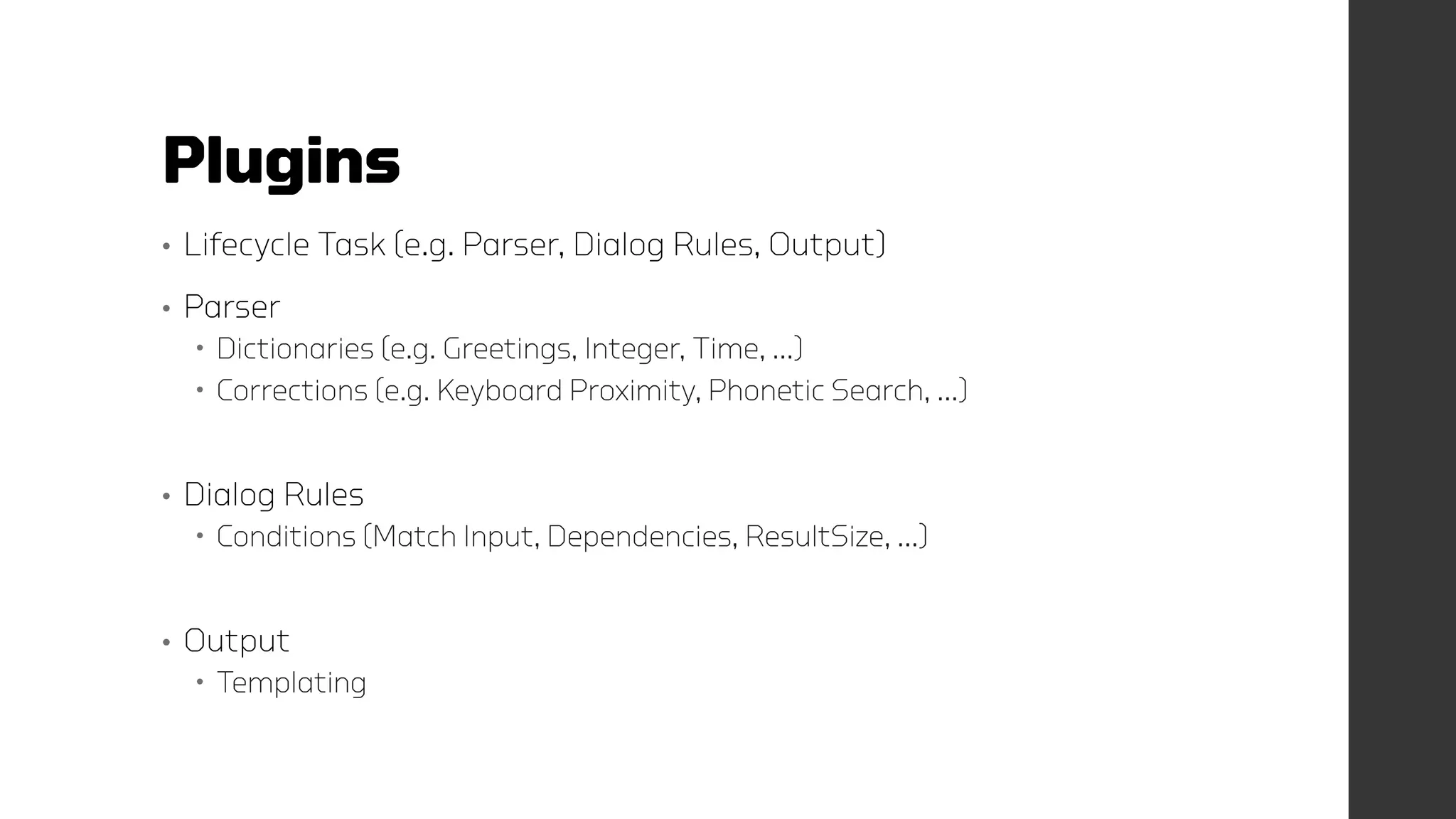
Plugins
• Lifecycle Task (e.g. Parser, Dialog Rules, Output)
• Parser
 Dictionaries (e.g. Greetings, Integer, Time, …)
 Corrections (e.g. Keyboard Proximity, Phonetic Search, …)
• Dialog Rules
 Conditions (Match Input, Dependencies, ResultSize, …)
• Output
 Templating
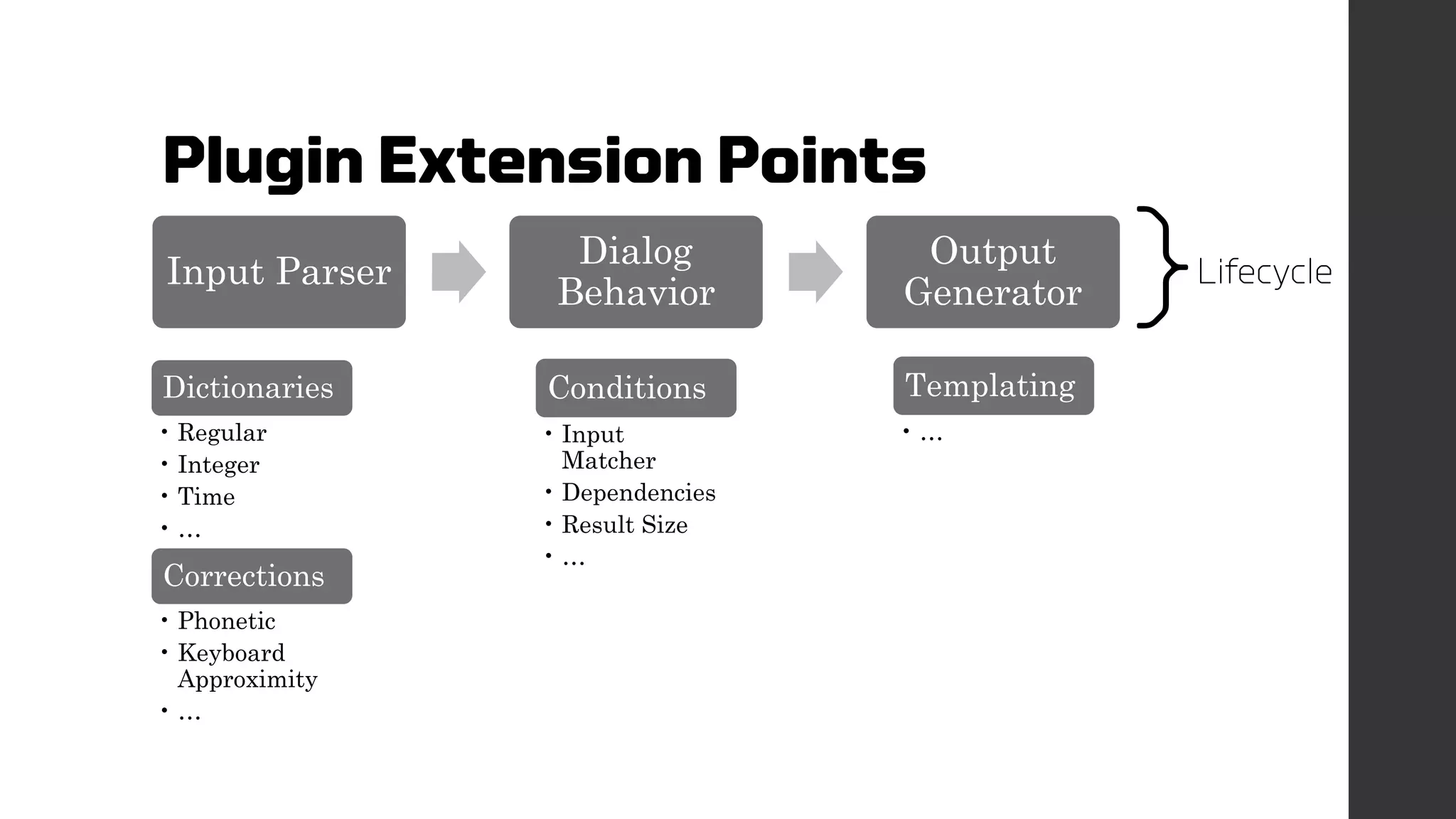
Plugin Extension Points
Input Parser
Dialog
Behavior
Output
Generator
Dictionaries
• Regular
• Integer
• Time
• …
Corrections
• Phonetic
• Keyboard
Approximity
• …
Conditions
• Input
Matcher
• Dependencies
• Result Size
• …
Templating
• …
}Lifecycle
Two possibilities to write plugins
• Java Plugin
 Inherited from specific Interfaces
• Web Hooks
 REST Call
 e.g. to another web services in the same network
 Allows the easy integration of other technologies
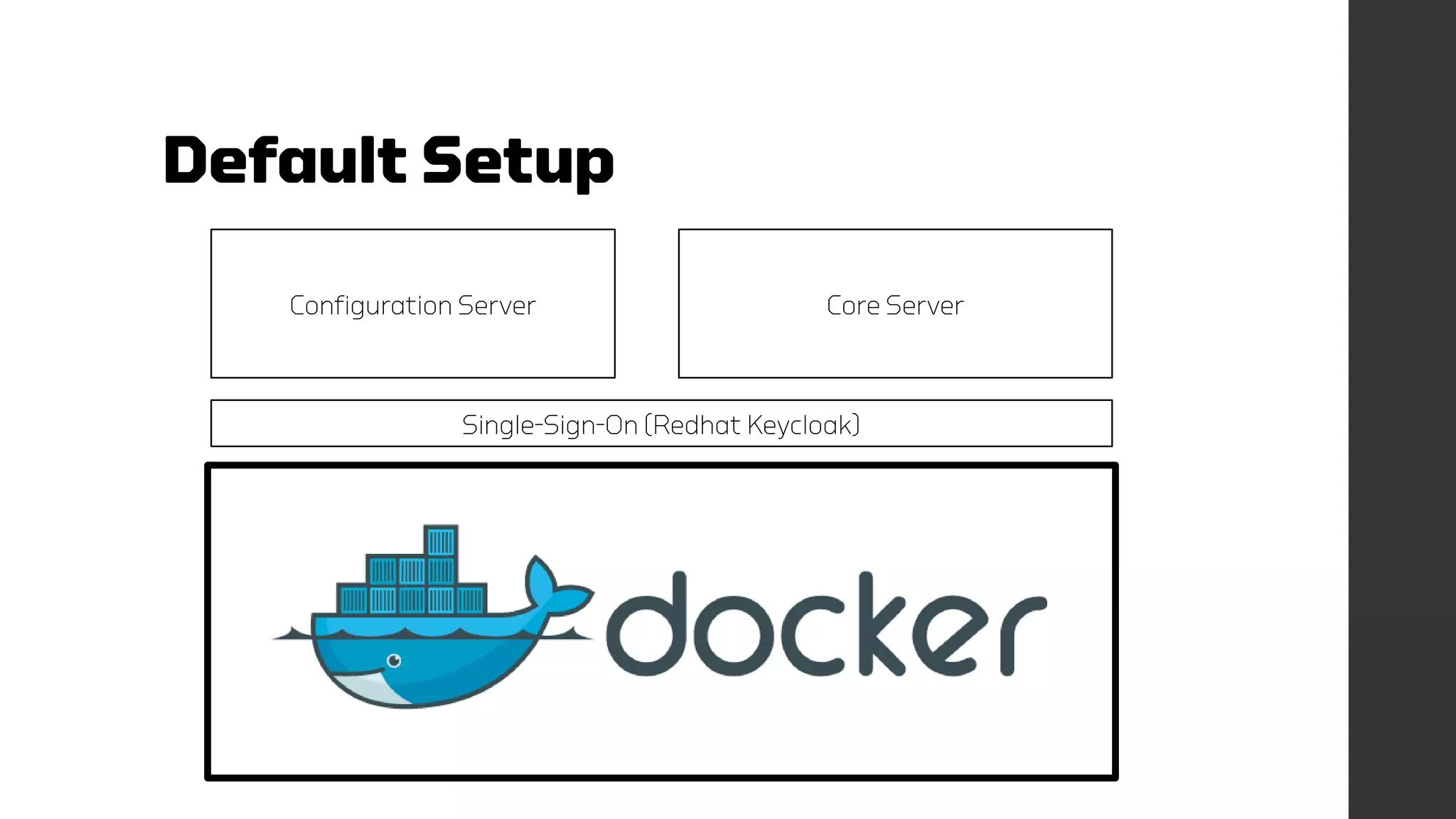
Default Setup
Configuration Server Core Server
Single-Sign-On (Redhat Keycloak)
Learnings (1)
• Better many Bots for many Use Cases
 Rather than one Bot for all Use Cases
• Why?
 The complexity increases exponentially
 Many Ambiguities
 New functions can “silently” break your Bot
• Companies do have – as well – many employees with different skills
  Bots should be structured similarly
  Bots should know about each other and forward request to their
“colleagues”
Learnings (2)
• Up to 80 % of all conversation are „small talk“
• User expect a human-like personality
• Even if a Bot is functionally outstanding
 if it cannot small talk with the users, the Bot appears “stupid”
• Small talk takes the most development effort (up to 90%)
 Customers expect a “smart” personality
 But Customers often pay for the functionality only (which is a shame)
• If you keep the Chatbot Knowledge & Logic reusable, the effort decreases
drastically with each new Bot you create!
Learnings (3)
• We are missing a Role in Chatbot Development (!)
 Developers can create awesome code, but often lack patience to design proper
conversation workflows
• A Chatbot Team should therefore not only contain DEVs, but
„Dialog Designers“
• Profile:
 Expertise in Communications
 Extended understanding about psychological Dynamics
 Ability to interview customers and experts effectively
 Sharp minded, technology affine and good at logical thinking
Learnings (4) – The BEST
• This one is my most awesome finding
• It took me 4 years to gasper this!!
• This is so freaking simple, yet, haven’t seen it implemented
anywhere
…
Let the Users
UNDO
their actions!
I have been released
on
github.com/labsai/EDDI
(Beta)
Contributions & Feedback are
Welcomed! 
Lead Dev: Gregor Jarisch

E.D.D.I - 6 Years of Chatbot Development Experience in one Open Source Chatbot Platform

  • 1.
    E.D.D.I. Enhanced Dialog DrivenIntelligence Gregor Jarisch
  • 3.
    What is E.D.D.I? • A Platform for creating, running and maintaining customized Chatbots • Configuration Server  Maintaining Bot-Configs Web UI for configuring Chatbots (Beta) Monitoring Conversations Automated Testing of Predefined Conversations (“Integration-Tests”) • Core Server Launching Chatbots based on Bot-Configs  Algorithms, extendable by plugins
  • 4.
    What is E.D.D.I? (2) • Focus on  Flexibility in connecting to other systems (plugins)  Reusability of parts of Chatbots (dictionaries, dialog rules, …)  (horizontal) Scalable • Technologies:  High-Performance Java Web Application (Embedded Jetty)  Dockerized  RESTful Microservices  NoSQL Database (MongoDB)
  • 5.
    Workflow • A Botcontains “Knowledge-Packages” • Knowledge-Packages contain Lifecycle-Tasks (pluggable) Input Parser Dialog Behavior Output Generator
  • 6.
    Workflow (2) • InputParser  Translates User Input into Semantic Meanings (Expressions) • Dialog Behavior  Rules are clustered in Groups  Rules have Conditions  What was the user input now/before  Did another rule succeed  How big is the search result from the external DB  Rules trigger actions • Output  Simple Templating von Answer sentences
  • 7.
    Example • User:  Hallo •Input Parser:  greeting(hallo) • Dialog Behavior:  Did the user greet? -> greeting(*)  action: Greet the user back  greet_user • Output Generator  Action “greet_user”   “Hi, how can I help you?”
  • 8.
    More Complex Example (flightcheck-in , choosing seat) Input Parser External search Dialog Behavior Output Generator I don‘t care where I sit, as long as it is not at the corridor! seating(anywhere), not(seating(corridor)) seating(anywhere), not(seating(corridor)) Zb SQL: … WHERE seating != corridor If user input: seating(*) AND Search Result: > 0 „We have reserved a seat for you, that is not at the corridor.“ Action: Reserve_seating_in_DB confirm_seating_choice
  • 9.
    Reusability through Versioning •All Bot-Configs (Dictionaries, Dialog Rules, Output, …) are  versioned  read-only • Each change makes another version (comparable to regular VCS) • Therefore less implementation effort with every new Bot  e.g.: Greetings from the user will often the same and therefore can be reused often
  • 10.
    Plugins • Lifecycle Task(e.g. Parser, Dialog Rules, Output) • Parser  Dictionaries (e.g. Greetings, Integer, Time, …)  Corrections (e.g. Keyboard Proximity, Phonetic Search, …) • Dialog Rules  Conditions (Match Input, Dependencies, ResultSize, …) • Output  Templating
  • 11.
    Plugin Extension Points InputParser Dialog Behavior Output Generator Dictionaries • Regular • Integer • Time • … Corrections • Phonetic • Keyboard Approximity • … Conditions • Input Matcher • Dependencies • Result Size • … Templating • … }Lifecycle
  • 12.
    Two possibilities towrite plugins • Java Plugin  Inherited from specific Interfaces • Web Hooks  REST Call  e.g. to another web services in the same network  Allows the easy integration of other technologies
  • 13.
    Default Setup Configuration ServerCore Server Single-Sign-On (Redhat Keycloak)
  • 14.
    Learnings (1) • Bettermany Bots for many Use Cases  Rather than one Bot for all Use Cases • Why?  The complexity increases exponentially  Many Ambiguities  New functions can “silently” break your Bot • Companies do have – as well – many employees with different skills   Bots should be structured similarly   Bots should know about each other and forward request to their “colleagues”
  • 15.
    Learnings (2) • Upto 80 % of all conversation are „small talk“ • User expect a human-like personality • Even if a Bot is functionally outstanding  if it cannot small talk with the users, the Bot appears “stupid” • Small talk takes the most development effort (up to 90%)  Customers expect a “smart” personality  But Customers often pay for the functionality only (which is a shame) • If you keep the Chatbot Knowledge & Logic reusable, the effort decreases drastically with each new Bot you create!
  • 16.
    Learnings (3) • Weare missing a Role in Chatbot Development (!)  Developers can create awesome code, but often lack patience to design proper conversation workflows • A Chatbot Team should therefore not only contain DEVs, but „Dialog Designers“ • Profile:  Expertise in Communications  Extended understanding about psychological Dynamics  Ability to interview customers and experts effectively  Sharp minded, technology affine and good at logical thinking
  • 17.
    Learnings (4) –The BEST • This one is my most awesome finding • It took me 4 years to gasper this!! • This is so freaking simple, yet, haven’t seen it implemented anywhere …
  • 18.
  • 19.
    I have beenreleased on github.com/labsai/EDDI (Beta) Contributions & Feedback are Welcomed!  Lead Dev: Gregor Jarisch