Oracle® E-Business Suite
Upgrade Guide
Release 11i to 12.1.3
Part No. E16342-03


August 2010
Oracle E-Business Suite Upgrade Guide, Release 11i to 12.1.3

Part No. E16342-03

Copyright © 1996, 2010, Oracle and/or its affiliates. All rights reserved.

Primary Author:     Carole Eubanks, Kevin Brown

Contributing Author:     John Abraham, Prasad Akkiraju, Thomas Alex, Ahmed Alomari, Victoria Anderson,
Shank Avancha, Vani Balaraman, Sanjay Bheemasenarao, Richard Chang, Greg Elsner, Robert Farrington,
Sam Felix, John Fitzmaurice, Sandeep Goel, Lester Gutierrez, Matthew Halliday, Ashok Handigol, Gang
Huang, Shri Iyer, Clara Jaeckel, Chang Kawamoto, Hyun Kim, Julianna Litwin, Pratima Mahtani, Dorothy
Mak, Sanjay Mall, Ruth Mamo, Swathi Mathur, Anil Modwel, Syed Nizam, Sundeep Nyak, Narasimha Pai,
Udayan Parvate, Nancy Raabe, Ronald Rak, Murali Ramachandran, Sreedhar Ramasahayam, Sudha Rao, Scot
Robson, Lauren Scott, Bhavana Sharma, Yun Shaw, Nitin Somani, Leslie Studdard, A.G. Thies, Sean Tuck,
Sujai Veerabhadraiah, Sharath Vishwanath, Millie Wang, Eugene Weinstein, Shujuan Yan, Melody Yang,
Wenxia Yu

Oracle is a registered trademark of Oracle Corporation and/or its affiliates. Other names may be trademarks
of their respective owners.

This software and related documentation are provided under a license agreement containing restrictions on
use and disclosure and are protected by intellectual property laws. Except as expressly permitted in your
license agreement or allowed by law, you may not use, copy, reproduce, translate, broadcast, modify, license,
transmit, distribute, exhibit, perform, publish or display any part, in any form, or by any means. Reverse
engineering, disassembly, or decompilation of this software, unless required by law for interoperability, is
prohibited.

The information contained herein is subject to change without notice and is not warranted to be error-free. If
you find any errors, please report them to us in writing.

If this software or related documentation is delivered to the U.S. Government or anyone licensing it on behalf
of the U.S. Government, the following notice is applicable:

U.S. GOVERNMENT RIGHTS
Programs, software, databases, and related documentation and technical data delivered to U.S. Government
customers are "commercial computer software" or "commercial technical data" pursuant to the applicable
Federal Acquisition Regulation and agency-specific supplemental regulations. As such, the use, duplication,
disclosure, modification, and adaptation shall be subject to the restrictions and license terms set forth in the
applicable Government contract, and, to the extent applicable by the terms of the Government contract, the
additional rights set forth in FAR 52.227-19, Commercial Computer Software License (December 2007). Oracle
USA, Inc., 500 Oracle Parkway, Redwood City, CA 94065.

This software is developed for general use in a variety of information management applications. It is not
developed or intended for use in any inherently dangerous applications, including applications which may
create a risk of personal injury. If you use this software in dangerous applications, then you shall be
responsible to take all appropriate fail-safe, backup, redundancy and other measures to ensure the safe use of
this software. Oracle Corporation and its affiliates disclaim any liability for any damages caused by use of this
software in dangerous applications.

This software and documentation may provide access to or information on content, products and services
from third parties. Oracle Corporation and its affiliates are not responsible for and expressly disclaim all
warranties of any kind with respect to third party content, products and services. Oracle Corporation and its
affiliates will not be responsible for any loss, costs, or damages incurred due to your access to or use of third
party content, products or services.
 
                                                                                                                           Contents


Send Us Your Comments

Preface

1   Planning for an Upgrade
    Overview of the Upgrade.......................................................................................................... 1-1
         Supported Upgrade Paths.................................................................................................... 1-1
         The Upgrade Process........................................................................................................... 1-2
         Business Impact and Functional Changes............................................................................ 1-3
         General Information and Required Tasks............................................................................ 1-4
               Technical Upgrade Tasks...............................................................................................1-4
               Functional Upgrade Tasks............................................................................................. 1-5
               Release 12.1.1 Updates...................................................................................................1-6
    Installed Components and System Requirements................................................................... 1-6
         Technology Stack Components............................................................................................ 1-6
         Software Requirements........................................................................................................ 1-6
         CPU...................................................................................................................................... 1-7
         Memory............................................................................................................................... 1-7
         Input/Output (I/O) Subsystem............................................................................................. 1-8
         Database Size....................................................................................................................... 1-8
         Tablespace Sizing................................................................................................................. 1-9
         Block Size............................................................................................................................. 1-9
    Release 12 Architecture............................................................................................................. 1-9
         Tablespace Model................................................................................................................ 1-9
         Multiple Organizations........................................................................................................ 1-9
         Subledger Accounting Model............................................................................................ 1-10
    Scheduling Time for an Upgrade............................................................................................ 1-10


                                                                                                                                                             iii
Backup............................................................................................................................... 1-11
          Database Initialization Parameters.................................................................................... 1-11
          Determining Upgrade Tasks.............................................................................................. 1-13
          Maintenance Mode............................................................................................................ 1-14
          Obsolete Columns.............................................................................................................. 1-14
          Test Upgrade...................................................................................................................... 1-15
          User Preferred Time Zone Support.................................................................................... 1-15
          Upgrade By Request.......................................................................................................... 1-15
     NLS Upgrade Considerations................................................................................................. 1-15
          Languages.......................................................................................................................... 1-15
                Character Sets.............................................................................................................. 1-16
     Customized Environments...................................................................................................... 1-16
     Product-specific Considerations............................................................................................. 1-17
          Cross-Product Functionality.............................................................................................. 1-18
                Multiple Organizations (Multi-Org)............................................................................ 1-19
          Student System and Student Recruiting............................................................................ 1-20


2    Preparing for the Upgrade
     Review Upgrade Tasks and Apply 11i.AD.I.6.......................................................................... 2-1
     Database and System Administration Tasks............................................................................ 2-4
     Applications Technology Tasks................................................................................................ 2-7
     Customer Relationship Management Tasks.............................................................................2-8
     Financials and Procurement Tasks......................................................................................... 2-10
     Leasing and Finance Management Tasks............................................................................... 2-14
     Projects Tasks.......................................................................................................................... 2-17
     Public Sector/University Tasks............................................................................................... 2-18
     Supply Chain Management Tasks.......................................................................................... 2-20
     Prepare for the Upgrade.......................................................................................................... 2-27


3    Upgrading to Release 12.1.1
     Perform the Upgrade................................................................................................................. 3-1
     Finish the Upgrade.................................................................................................................... 3-8
     Finish System Administration Tasks......................................................................................3-12
     System Administration........................................................................................................... 3-12
     Oracle XML Publisher............................................................................................................. 3-15


4    Post-upgrade Tasks
     Review Post-upgrade Tasks...................................................................................................... 4-1
     Applications Technology Tasks................................................................................................ 4-3
     Customer Relationship Management Tasks...........................................................................4-10


iv
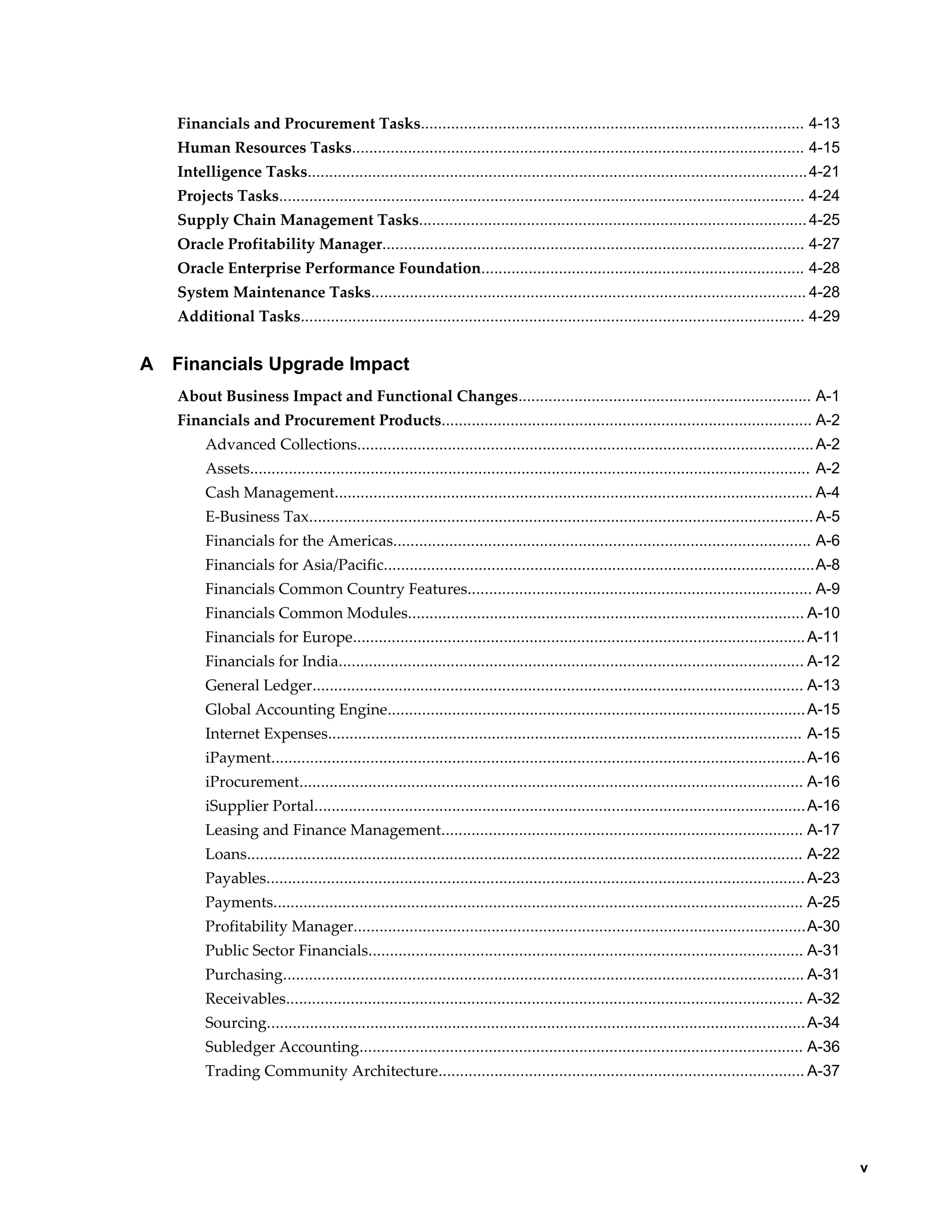
Financials and Procurement Tasks......................................................................................... 4-13
    Human Resources Tasks......................................................................................................... 4-15
    Intelligence Tasks.................................................................................................................... 4-21
    Projects Tasks.......................................................................................................................... 4-24
    Supply Chain Management Tasks.......................................................................................... 4-25
    Oracle Profitability Manager.................................................................................................. 4-27
    Oracle Enterprise Performance Foundation........................................................................... 4-28
    System Maintenance Tasks..................................................................................................... 4-28
    Additional Tasks..................................................................................................................... 4-29


A   Financials Upgrade Impact
    About Business Impact and Functional Changes.................................................................... A-1
    Financials and Procurement Products...................................................................................... A-2
         Advanced Collections.......................................................................................................... A-2
         Assets.................................................................................................................................. A-2
         Cash Management............................................................................................................... A-4
         E-Business Tax..................................................................................................................... A-5
         Financials for the Americas................................................................................................. A-6
         Financials for Asia/Pacific....................................................................................................A-8
         Financials Common Country Features................................................................................ A-9
         Financials Common Modules............................................................................................ A-10
         Financials for Europe......................................................................................................... A-11
         Financials for India............................................................................................................ A-12
         General Ledger.................................................................................................................. A-13
         Global Accounting Engine................................................................................................. A-15
         Internet Expenses.............................................................................................................. A-15
         iPayment............................................................................................................................ A-16
         iProcurement..................................................................................................................... A-16
         iSupplier Portal.................................................................................................................. A-16
         Leasing and Finance Management.................................................................................... A-17
         Loans................................................................................................................................. A-22
         Payables............................................................................................................................. A-23
         Payments........................................................................................................................... A-25
         Profitability Manager.........................................................................................................A-30
         Public Sector Financials..................................................................................................... A-31
         Purchasing......................................................................................................................... A-31
         Receivables........................................................................................................................ A-32
         Sourcing............................................................................................................................. A-34
         Subledger Accounting....................................................................................................... A-36
         Trading Community Architecture..................................................................................... A-37


                                                                                                                                                            v
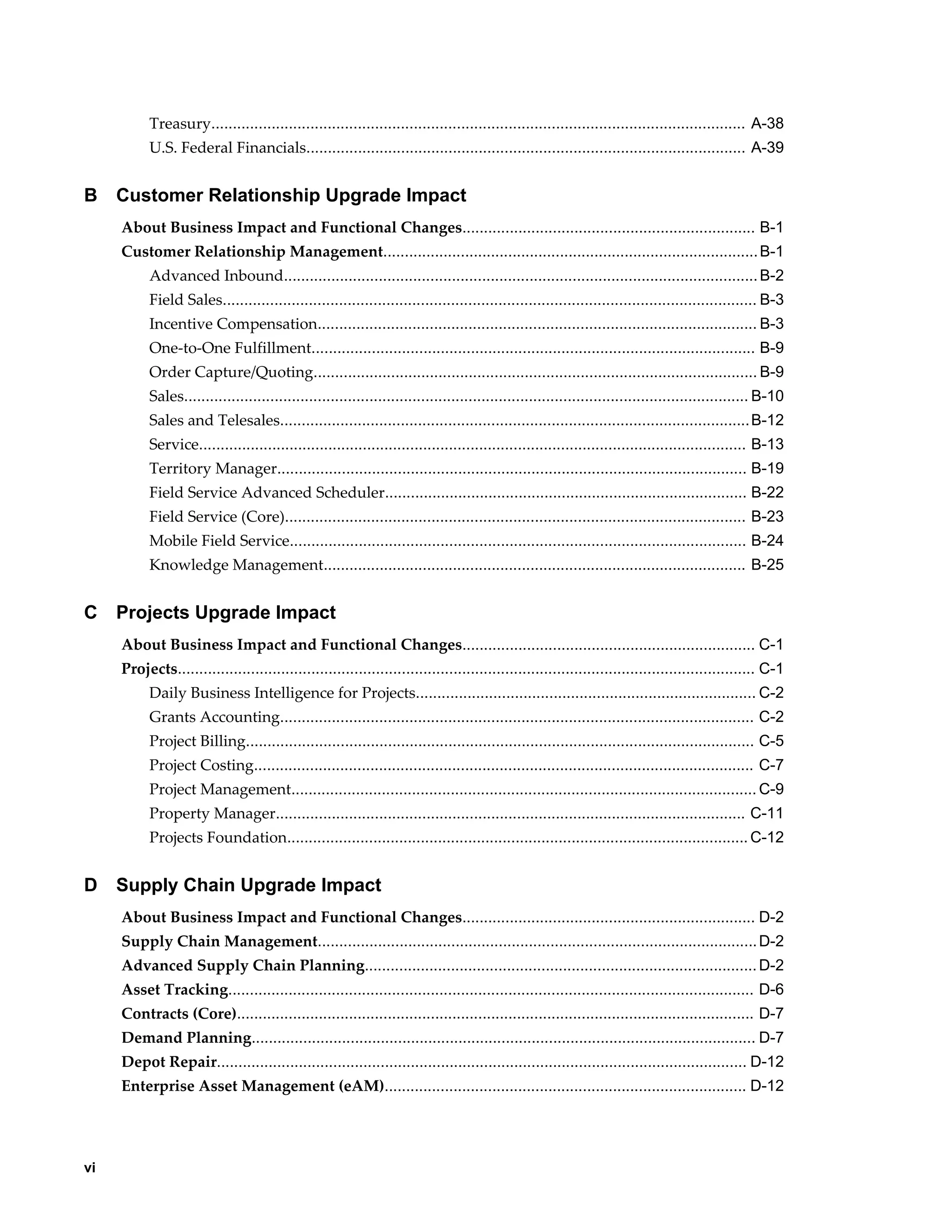
Treasury............................................................................................................................ A-38
           U.S. Federal Financials...................................................................................................... A-39


B    Customer Relationship Upgrade Impact
     About Business Impact and Functional Changes.................................................................... B-1
     Customer Relationship Management....................................................................................... B-1
           Advanced Inbound.............................................................................................................. B-2
           Field Sales............................................................................................................................ B-3
           Incentive Compensation...................................................................................................... B-3
           One-to-One Fulfillment....................................................................................................... B-9
           Order Capture/Quoting....................................................................................................... B-9
           Sales................................................................................................................................... B-10
           Sales and Telesales............................................................................................................. B-12
           Service............................................................................................................................... B-13
           Territory Manager............................................................................................................. B-19
           Field Service Advanced Scheduler.................................................................................... B-22
           Field Service (Core)........................................................................................................... B-23
           Mobile Field Service.......................................................................................................... B-24
           Knowledge Management.................................................................................................. B-25


C    Projects Upgrade Impact
     About Business Impact and Functional Changes.................................................................... C-1
     Projects...................................................................................................................................... C-1
           Daily Business Intelligence for Projects............................................................................... C-2
           Grants Accounting.............................................................................................................. C-2
           Project Billing...................................................................................................................... C-5
           Project Costing.................................................................................................................... C-7
           Project Management............................................................................................................ C-9
           Property Manager............................................................................................................. C-11
           Projects Foundation........................................................................................................... C-12


D    Supply Chain Upgrade Impact
     About Business Impact and Functional Changes.................................................................... D-2
     Supply Chain Management...................................................................................................... D-2
     Advanced Supply Chain Planning........................................................................................... D-2
     Asset Tracking.......................................................................................................................... D-6
     Contracts (Core)........................................................................................................................ D-7
     Demand Planning..................................................................................................................... D-7
     Depot Repair........................................................................................................................... D-12
     Enterprise Asset Management (eAM).................................................................................... D-12


vi
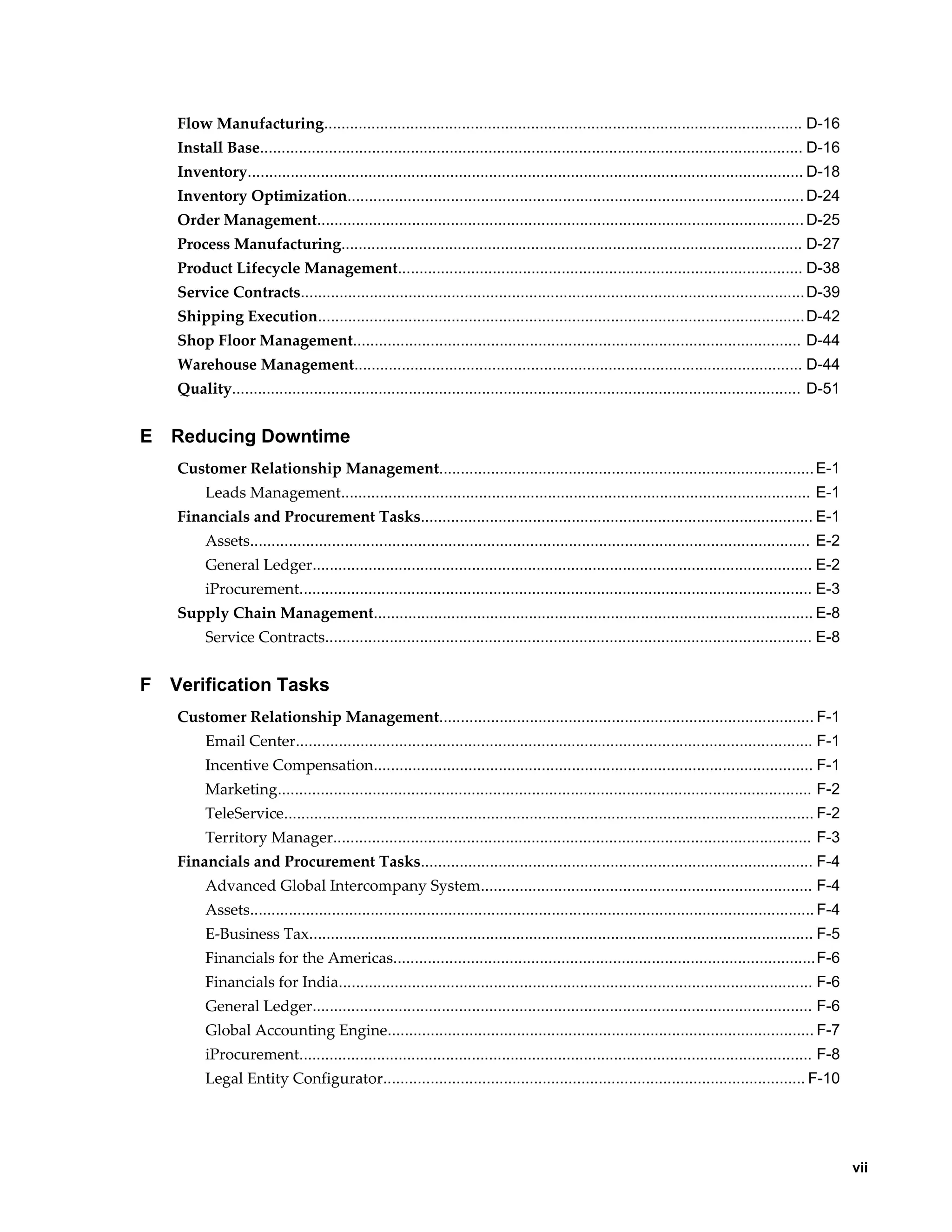
Flow Manufacturing............................................................................................................... D-16
    Install Base.............................................................................................................................. D-16
    Inventory................................................................................................................................. D-18
    Inventory Optimization.......................................................................................................... D-24
    Order Management................................................................................................................. D-25
    Process Manufacturing........................................................................................................... D-27
    Product Lifecycle Management.............................................................................................. D-38
    Service Contracts..................................................................................................................... D-39
    Shipping Execution................................................................................................................. D-42
    Shop Floor Management........................................................................................................ D-44
    Warehouse Management........................................................................................................ D-44
    Quality.................................................................................................................................... D-51


E   Reducing Downtime
    Customer Relationship Management....................................................................................... E-1
          Leads Management............................................................................................................. E-1
    Financials and Procurement Tasks........................................................................................... E-1
          Assets.................................................................................................................................. E-2
          General Ledger.................................................................................................................... E-2
          iProcurement....................................................................................................................... E-3
    Supply Chain Management...................................................................................................... E-8
          Service Contracts................................................................................................................. E-8


F   Verification Tasks
    Customer Relationship Management....................................................................................... F-1
          Email Center........................................................................................................................ F-1
          Incentive Compensation...................................................................................................... F-1
          Marketing............................................................................................................................ F-2
          TeleService........................................................................................................................... F-2
          Territory Manager............................................................................................................... F-3
    Financials and Procurement Tasks........................................................................................... F-4
          Advanced Global Intercompany System............................................................................. F-4
          Assets................................................................................................................................... F-4
          E-Business Tax..................................................................................................................... F-5
          Financials for the Americas..................................................................................................F-6
          Financials for India.............................................................................................................. F-6
          General Ledger.................................................................................................................... F-6
          Global Accounting Engine................................................................................................... F-7
          iProcurement....................................................................................................................... F-8
          Legal Entity Configurator.................................................................................................. F-10


                                                                                                                                                          vii
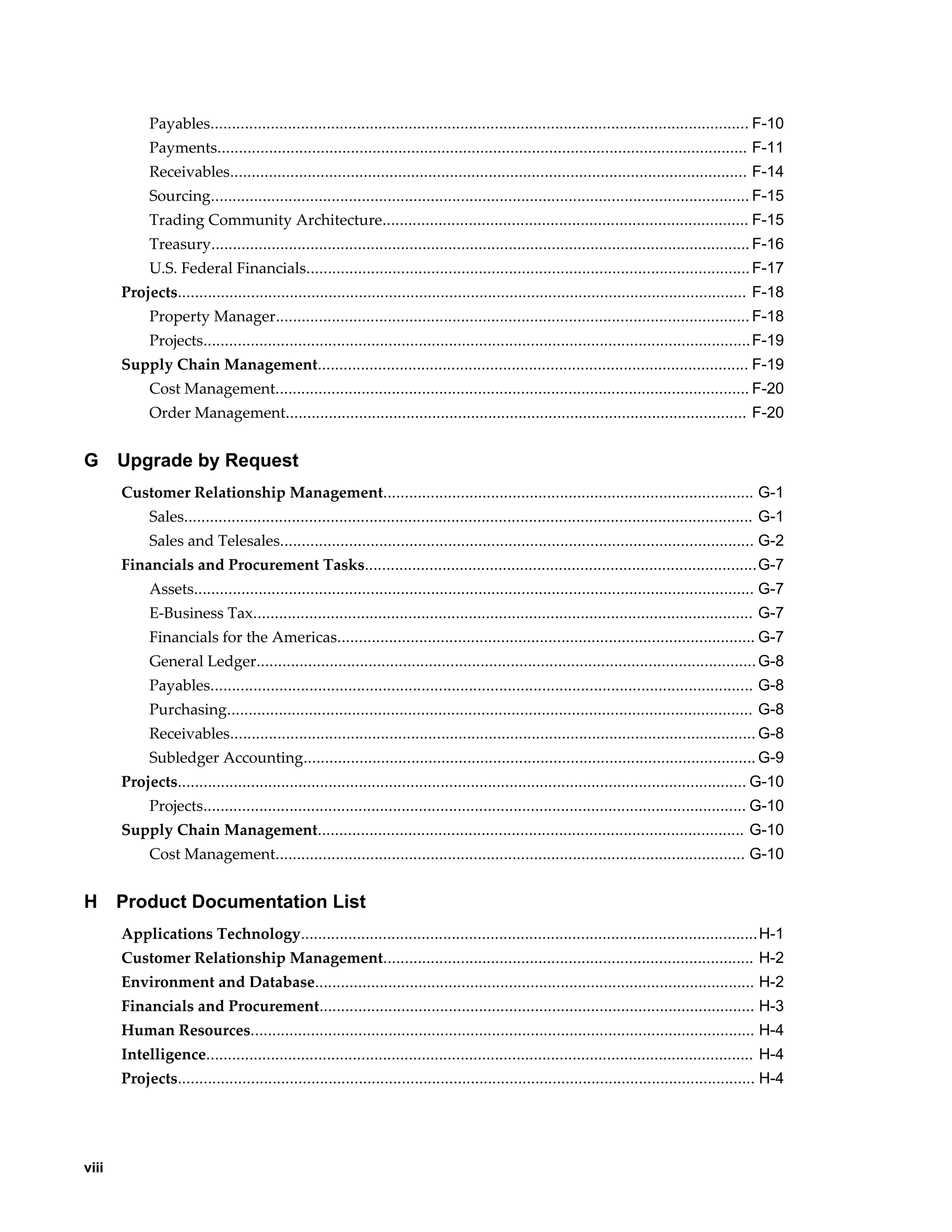
Payables............................................................................................................................. F-10
             Payments........................................................................................................................... F-11
             Receivables........................................................................................................................ F-14
             Sourcing............................................................................................................................. F-15
             Trading Community Architecture..................................................................................... F-15
             Treasury............................................................................................................................. F-16
             U.S. Federal Financials....................................................................................................... F-17
       Projects.................................................................................................................................... F-18
             Property Manager.............................................................................................................. F-18
             Projects............................................................................................................................... F-19
       Supply Chain Management.................................................................................................... F-19
             Cost Management.............................................................................................................. F-20
             Order Management........................................................................................................... F-20


G      Upgrade by Request
       Customer Relationship Management...................................................................................... G-1
             Sales.................................................................................................................................... G-1
             Sales and Telesales.............................................................................................................. G-2
       Financials and Procurement Tasks...........................................................................................G-7
             Assets.................................................................................................................................. G-7
             E-Business Tax.................................................................................................................... G-7
             Financials for the Americas................................................................................................. G-7
             General Ledger.................................................................................................................... G-8
             Payables.............................................................................................................................. G-8
             Purchasing.......................................................................................................................... G-8
             Receivables.......................................................................................................................... G-8
             Subledger Accounting......................................................................................................... G-9
       Projects.................................................................................................................................... G-10
             Projects.............................................................................................................................. G-10
       Supply Chain Management................................................................................................... G-10
             Cost Management............................................................................................................. G-10


H      Product Documentation List
       Applications Technology.......................................................................................................... H-1
       Customer Relationship Management...................................................................................... H-2
       Environment and Database...................................................................................................... H-2
       Financials and Procurement..................................................................................................... H-3
       Human Resources..................................................................................................................... H-4
       Intelligence............................................................................................................................... H-4
       Projects...................................................................................................................................... H-4


viii
Supply Chain Management...................................................................................................... H-4


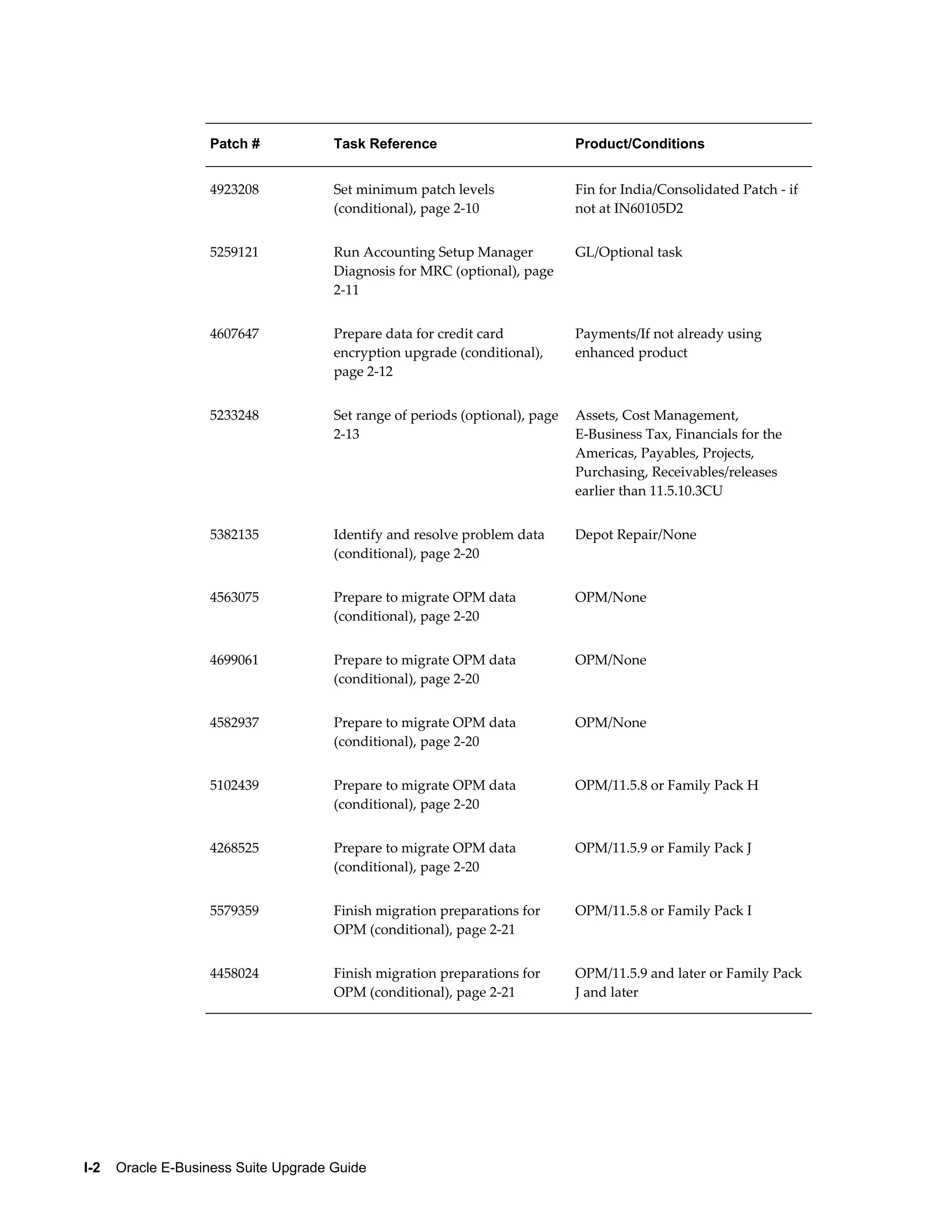
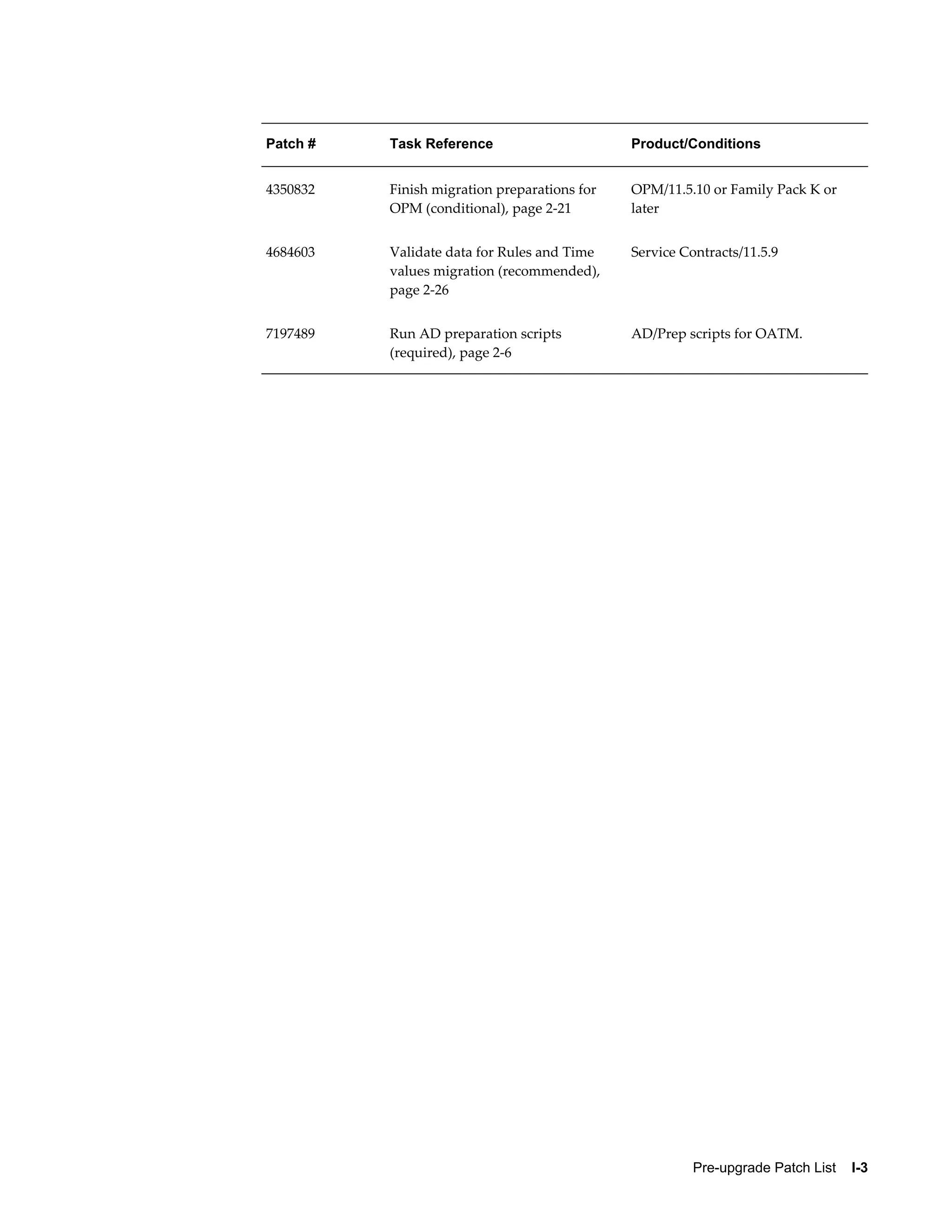
I   Pre-upgrade Patch List
     Patch List..................................................................................................................................... I-1


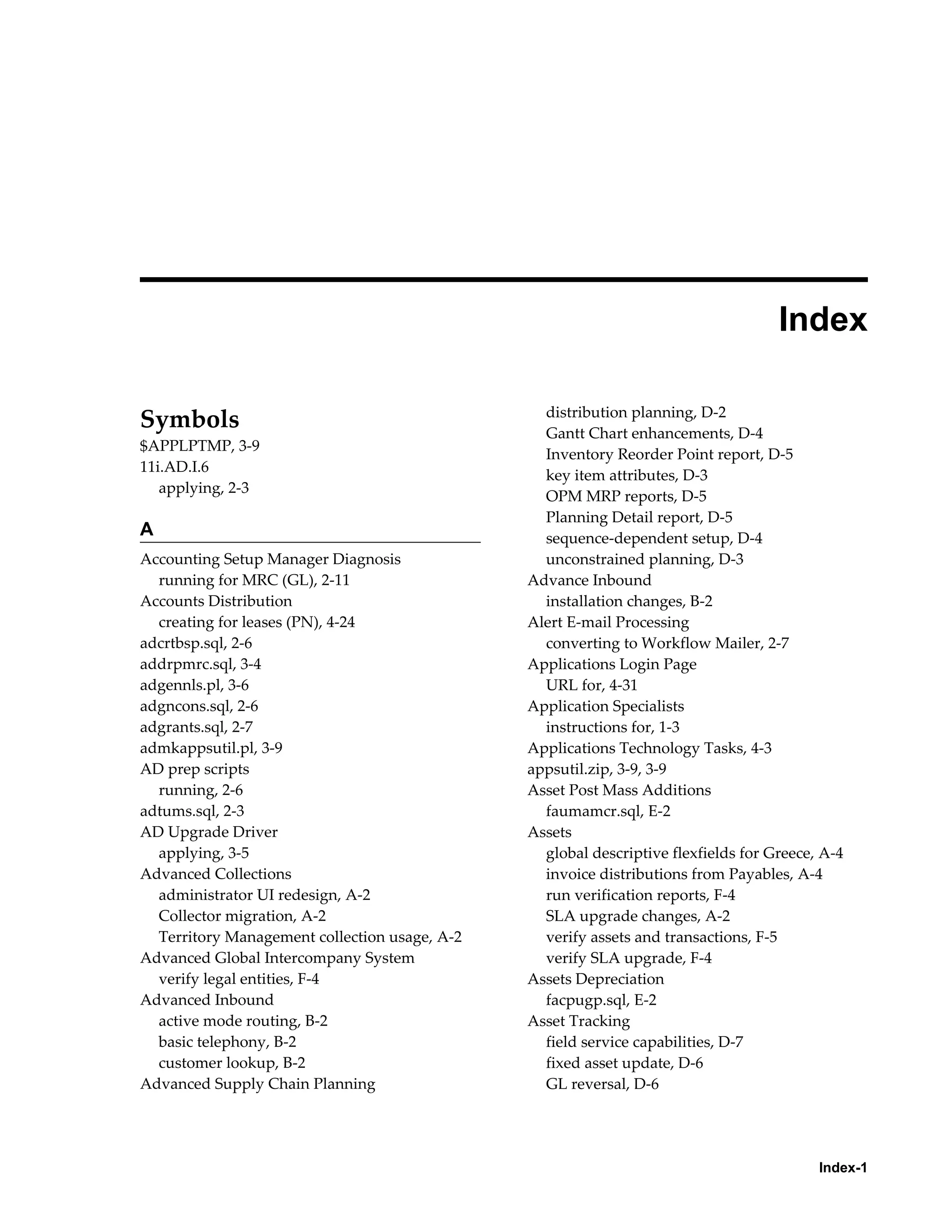
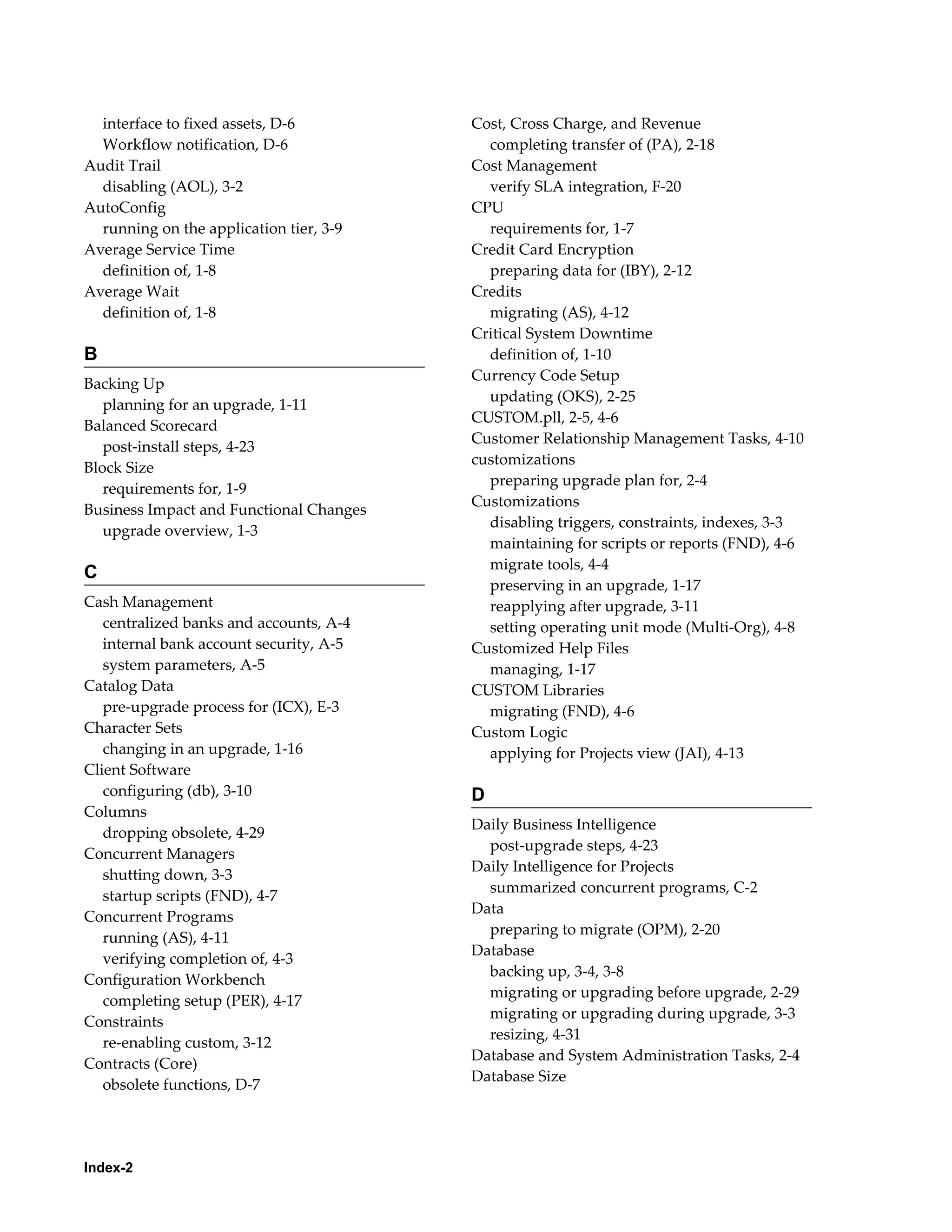
Index


                                                                                                                                                               ix
 
                                               Send Us Your Comments

Oracle E-Business Suite Upgrade Guide, Release 11i to 12.1.3
Part No. E16342-03


Oracle welcomes customers' comments and suggestions on the quality and usefulness of this document.
Your feedback is important, and helps us to best meet your needs as a user of our products. For example:
•   Are the implementation steps correct and complete?
•   Did you understand the context of the procedures?
•   Did you find any errors in the information?
•   Does the structure of the information help you with your tasks?
•   Do you need different information or graphics? If so, where, and in what format?
•   Are the examples correct? Do you need more examples?

If you find any errors or have any other suggestions for improvement, then please tell us your name, the
name of the company who has licensed our products, the title and part number of the documentation and
the chapter, section, and page number (if available).
Note: Before sending us your comments, you might like to check that you have the latest version of the
document and if any concerns are already addressed. To do this, access the new Oracle E-Business Suite
Release Online Documentation CD available on My Oracle Support and www.oracle.com. It contains the
most current Documentation Library plus all documents revised or released recently.
Send your comments to us using the electronic mail address: appsdoc_us@oracle.com
Please give your name, address, electronic mail address, and telephone number (optional).
If you need assistance with Oracle software, then please contact your support representative or Oracle
Support Services.
If you require training or instruction in using Oracle software, then please contact your Oracle local office
and inquire about our Oracle University offerings. A list of Oracle offices is available on our Web site at
www.oracle.com.


                                                                                                             xi
 
                                                                                   Preface


Intended Audience
           Welcome to Release 11i to 12.1.3 of the Oracle E-Business Suite Upgrade Guide.
           This book provides instructions for upgrading an existing Oracle E-Business Suite
           Release 11i system (11.5.9 and later) to Release 12.1.1. In prior upgrades of an 11i system
           - moving from one 11i release level to another - the upgrade was accomplished using
           the Oracle E-Business Suite Maintenance Pack driver, which was downloaded from My
           Oracle Support. In this upgrade, you run Rapid Install to prepare your 11i system for the
           upgrade. It delivers the unified driver that you use to upgrade the technology stack and
           products to Release 12.1.1.

                   Note: The instructions in this book apply only to upgrading from
                   Oracle E-Business Suite Release 11i (11.5.9 or later) to Release 12.1.1. If
                   your system is earlier than 11.5.9, then you must upgrade to Oracle
                   E-Business Suite Release 11.5.10 CU2 before you can upgrade to Release
                   12.1.1.


           This book is intended as a guide for the database administrator and the application
           specialists who are responsible for upgrading to Release 12.1.1 of Oracle E-Business
           Suite.
           See Related Information Sources on page xv for more Oracle E-Business Suite product
           information.


Deaf/Hard of Hearing Access to Oracle Support Services
           To reach Oracle Support Services, use a telecommunications relay service (TRS) to call
           Oracle Support at 1.800.223.1711. An Oracle Support Services engineer will handle
           technical issues and provide customer support according to the Oracle service request
           process. Information about TRS is available at
           http://www.fcc.gov/cgb/consumerfacts/trs.html, and a list of phone numbers is


                                                                                                     xiii
available at http://www.fcc.gov/cgb/dro/trsphonebk.html.


Documentation Accessibility
              Our goal is to make Oracle products, services, and supporting documentation accessible
              to all users, including users that are disabled. To that end, our documentation includes
              features that make information available to users of assistive technology. This
              documentation is available in HTML format, and contains markup to facilitate access by
              the disabled community. Accessibility standards will continue to evolve over time, and
              Oracle is actively engaged with other market-leading technology vendors to address
              technical obstacles so that our documentation can be accessible to all of our customers.
              For more information, visit the Oracle Accessibility Program Web site at
              http://www.oracle.com/accessibility/.


Accessibility of Code Examples in Documentation
              Screen readers may not always correctly read the code examples in this document. The
              conventions for writing code require that closing braces should appear on an otherwise
              empty line; however, some screen readers may not always read a line of text that
              consists solely of a bracket or brace.


Accessibility of Links to External Web Sites in Documentation
              This documentation may contain links to Web sites of other companies or organizations
              that Oracle does not own or control. Oracle neither evaluates nor makes any
              representations regarding the accessibility of these Web sites.


Structure
              1  Planning for an Upgrade
              2  Preparing for the Upgrade
              3  Upgrading to Release 12.1.1
              4  Post-upgrade Tasks
              A  Financials Upgrade Impact
              This appendix describes the way the upgrade affects your existing Financials and
              Procurement products, and highlights the impact of these functional changes on your
              day-to-day business. It is arranged by products in the Financials and Procurement
              product family.
              B  Customer Relationship Upgrade Impact
              This appendix describes the way the upgrade affects your existing Customer
              Relationship Management (CRM) products, and highlights the impact of these
              functional changes on your day-to-day business. It is arranged by alphabetically by
              products in the Customer Relationship Management product family.
              C  Projects Upgrade Impact
              This appendix describes the way the upgrade affects your existing Oracle Projects


xiv
products, and highlights the impact of these functional changes on your day-to-day
           business. It is arranged by alphabetically by products in the Projects product family.
           D  Supply Chain Upgrade Impact
           This appendix describes the way the upgrade affects your existing Supply Chain
           Management products, and highlights the impact of these functional changes on your
           day-to-day business. It is arranged by alphabetically by products in the Supply Chain
           Management product family.
           E  Reducing Downtime
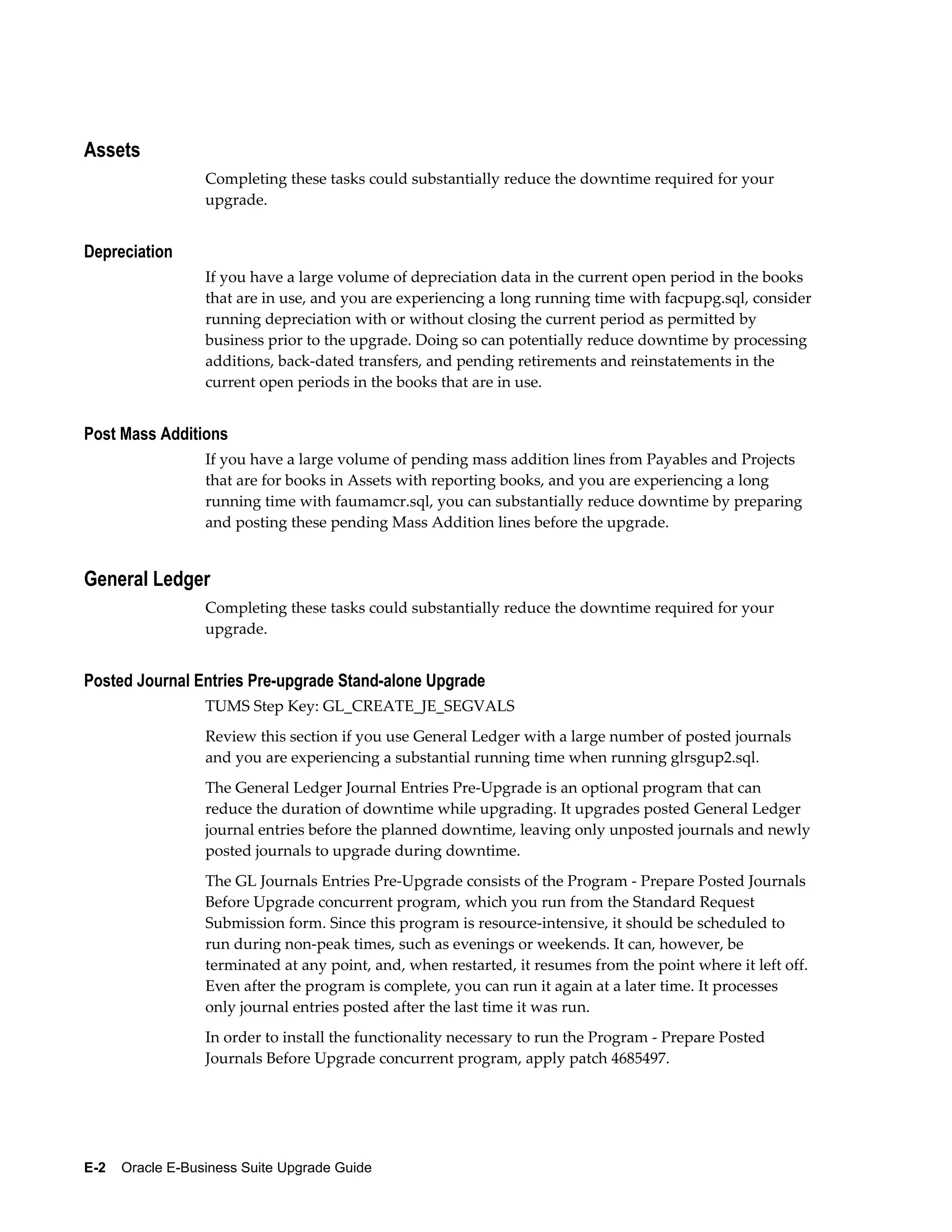
           This appendix discusses tasks that you can perform in advance of the upgrade. By
           completing these optional tasks in advance of the actual upgrade, you may be able to
           substantially reduce the amount of time that your system is offline during the upgrade
           process.
           F  Verification Tasks
           This appendix contains optional tasks that can be performed to verify that your
           transaction data was upgrade as expected.
           G  Upgrade by Request
           This appendix describes Upgrade by Request options - ways to upgrade historical data
           omitted from the initial upgrade process (critical downtime window). For example,
           instead of upgrading all your financial accounting data during downtime, you might
           include only the last fiscal year. If you want to upgrade other fiscal years - months or
           even years after - you can do so, at any time after the upgrade.
           H  Product Documentation List
           This appendix lists the documentation references that contain further details about
           upgrade process, both for the technical and functional upgrade.
           I  Pre-upgrade Patch List
           This appendix lists the patches that are required as pre-upgrade steps for Release 12.1.1.


Related Information Sources
           This book was current as of the time it was initially published. It is included in the
           Oracle E-Business Suite Document Library, which is supplied in the Release 12.1.1
           software bundle. Later versions of this and other documents that have changed
           sufficiently between releases to warrant re-publishing are made available at the
           following URL:
           http://www.oracle.com/technology/documentation/applications.html
           A full list of documentation resources is also published on My Oracle Support. See Oracle
           Applications Documentation Resources, Release 12.1 (Doc ID: 790942.1). You should be
           familiar with a basic subset of references before you upgrade. They include:


                                                                                                        xv
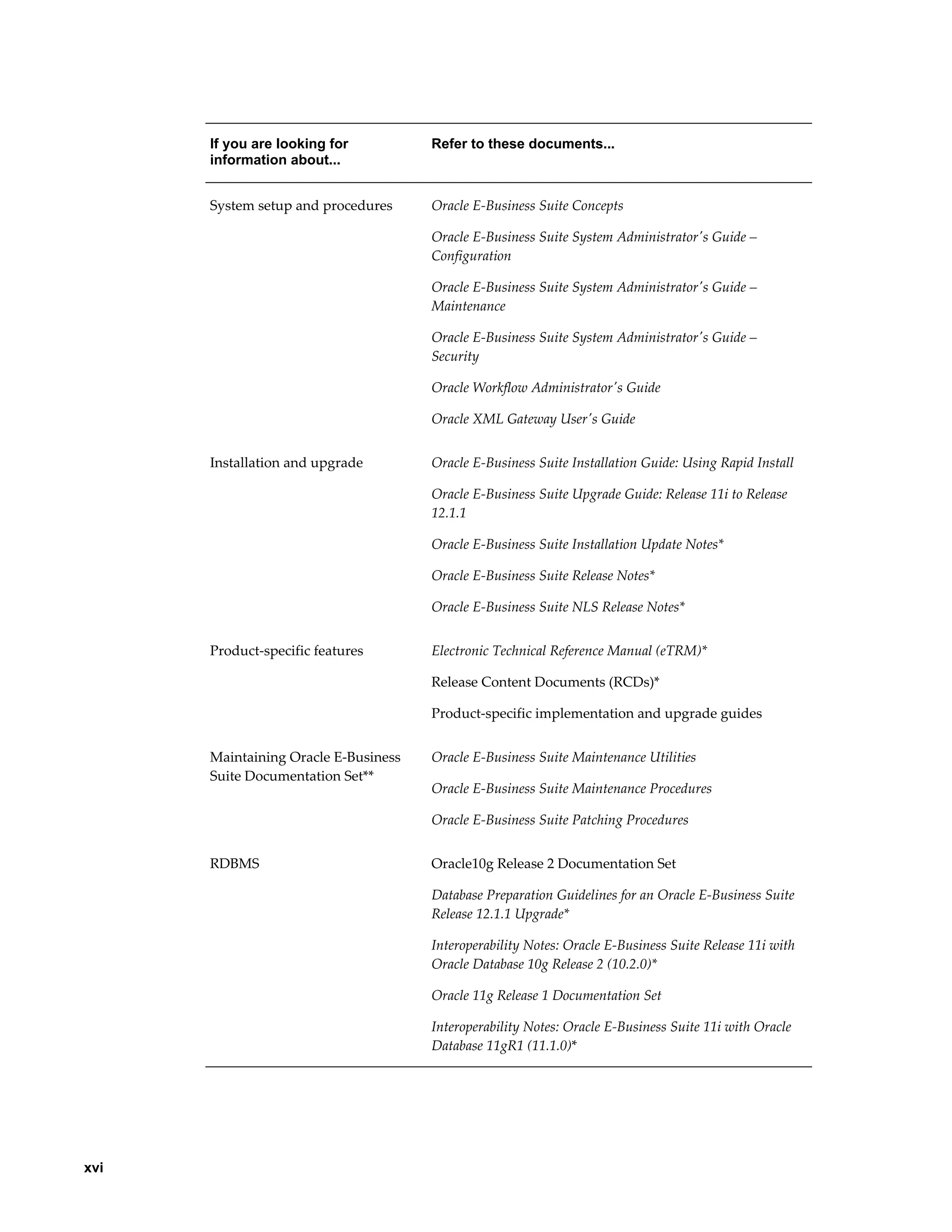
If you are looking for          Refer to these documents...
      information about...


      System setup and procedures     Oracle E-Business Suite Concepts

                                      Oracle E-Business Suite System Administrator's Guide –
                                      Configuration

                                      Oracle E-Business Suite System Administrator's Guide –
                                      Maintenance

                                      Oracle E-Business Suite System Administrator's Guide –
                                      Security

                                      Oracle Workflow Administrator's Guide

                                      Oracle XML Gateway User's Guide


      Installation and upgrade        Oracle E-Business Suite Installation Guide: Using Rapid Install

                                      Oracle E-Business Suite Upgrade Guide: Release 11i to Release
                                      12.1.1

                                      Oracle E-Business Suite Installation Update Notes*

                                      Oracle E-Business Suite Release Notes*

                                      Oracle E-Business Suite NLS Release Notes*


      Product-specific features       Electronic Technical Reference Manual (eTRM)*

                                      Release Content Documents (RCDs)*

                                      Product-specific implementation and upgrade guides


      Maintaining Oracle E-Business   Oracle E-Business Suite Maintenance Utilities
      Suite Documentation Set**
                                      Oracle E-Business Suite Maintenance Procedures

                                      Oracle E-Business Suite Patching Procedures


      RDBMS                           Oracle10g Release 2 Documentation Set

                                      Database Preparation Guidelines for an Oracle E-Business Suite
                                      Release 12.1.1 Upgrade*

                                      Interoperability Notes: Oracle E-Business Suite Release 11i with
                                      Oracle Database 10g Release 2 (10.2.0)*

                                      Oracle 11g Release 1 Documentation Set

                                      Interoperability Notes: Oracle E-Business Suite 11i with Oracle
                                      Database 11gR1 (11.1.0)*


xvi
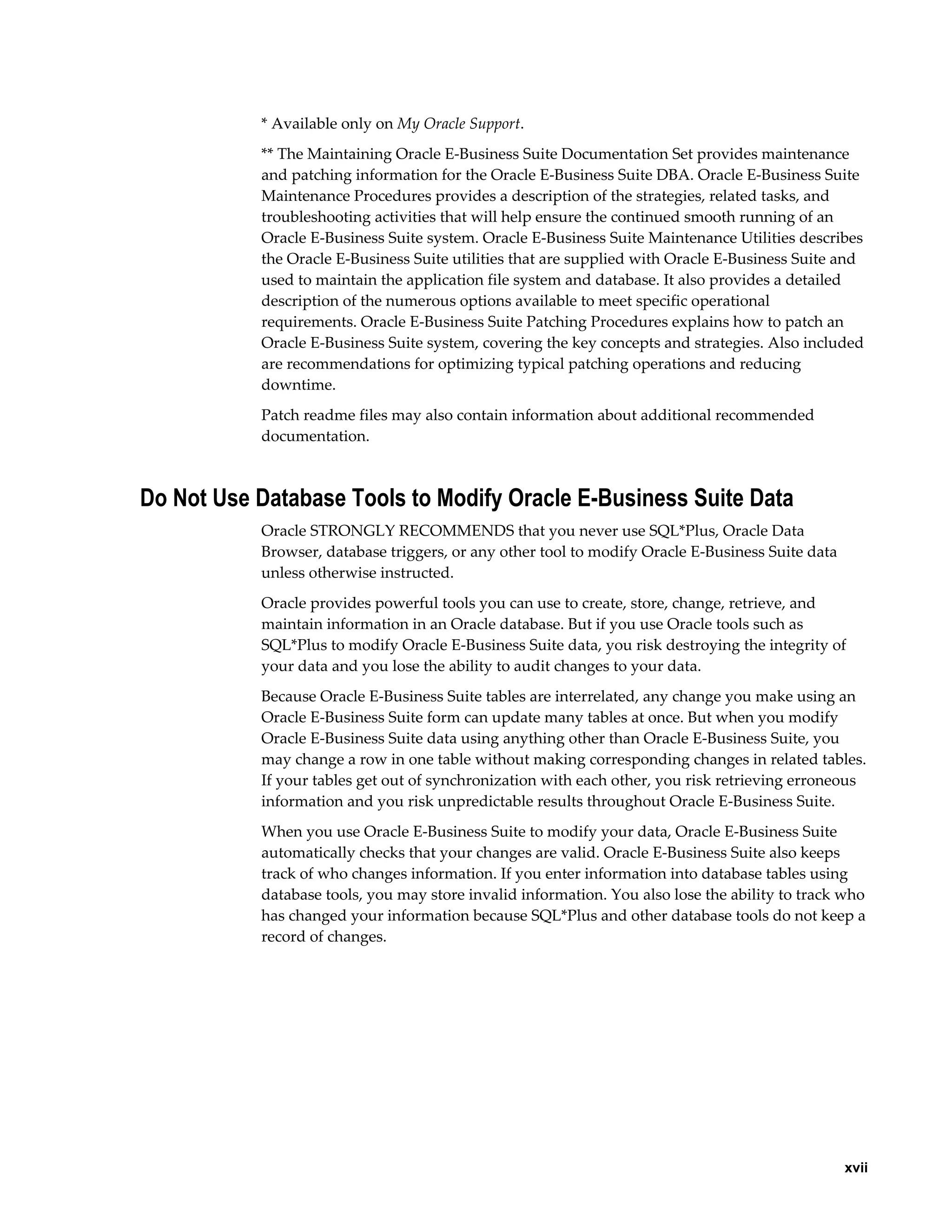
* Available only on My Oracle Support.
           ** The Maintaining Oracle E-Business Suite Documentation Set provides maintenance
           and patching information for the Oracle E-Business Suite DBA. Oracle E-Business Suite
           Maintenance Procedures provides a description of the strategies, related tasks, and
           troubleshooting activities that will help ensure the continued smooth running of an
           Oracle E-Business Suite system. Oracle E-Business Suite Maintenance Utilities describes
           the Oracle E-Business Suite utilities that are supplied with Oracle E-Business Suite and
           used to maintain the application file system and database. It also provides a detailed
           description of the numerous options available to meet specific operational
           requirements. Oracle E-Business Suite Patching Procedures explains how to patch an
           Oracle E-Business Suite system, covering the key concepts and strategies. Also included
           are recommendations for optimizing typical patching operations and reducing
           downtime.
           Patch readme files may also contain information about additional recommended
           documentation.


Do Not Use Database Tools to Modify Oracle E-Business Suite Data
           Oracle STRONGLY RECOMMENDS that you never use SQL*Plus, Oracle Data
           Browser, database triggers, or any other tool to modify Oracle E-Business Suite data
           unless otherwise instructed.
           Oracle provides powerful tools you can use to create, store, change, retrieve, and
           maintain information in an Oracle database. But if you use Oracle tools such as
           SQL*Plus to modify Oracle E-Business Suite data, you risk destroying the integrity of
           your data and you lose the ability to audit changes to your data.
           Because Oracle E-Business Suite tables are interrelated, any change you make using an
           Oracle E-Business Suite form can update many tables at once. But when you modify
           Oracle E-Business Suite data using anything other than Oracle E-Business Suite, you
           may change a row in one table without making corresponding changes in related tables.
           If your tables get out of synchronization with each other, you risk retrieving erroneous
           information and you risk unpredictable results throughout Oracle E-Business Suite.
           When you use Oracle E-Business Suite to modify your data, Oracle E-Business Suite
           automatically checks that your changes are valid. Oracle E-Business Suite also keeps
           track of who changes information. If you enter information into database tables using
           database tools, you may store invalid information. You also lose the ability to track who
           has changed your information because SQL*Plus and other database tools do not keep a
           record of changes.


                                                                                                  xvii
1
                                              Planning for an Upgrade

                This chapter covers the following topics:
                •   Overview of the Upgrade
                •   Installed Components and System Requirements
                •   Release 12 Architecture
                •   Scheduling Time for an Upgrade
                •   NLS Upgrade Considerations
                •   Customized Environments
                •   Product-specific Considerations


Overview of the Upgrade
                This guide provides a high-level view of an upgrade of Oracle Applications technology
                stack and products from (supported) Release 11i versions to Release 12.1.1


Supported Upgrade Paths
                This release includes a re-packaged Rapid Install that makes it possible to upgrade
                existing 11.5.9 (base, CU1, CU2), and 11.5.10 (base, CU1, CU2) systems directly to
                Release 12.1.1.


Oracle E-Business Suite Upgrade Paths
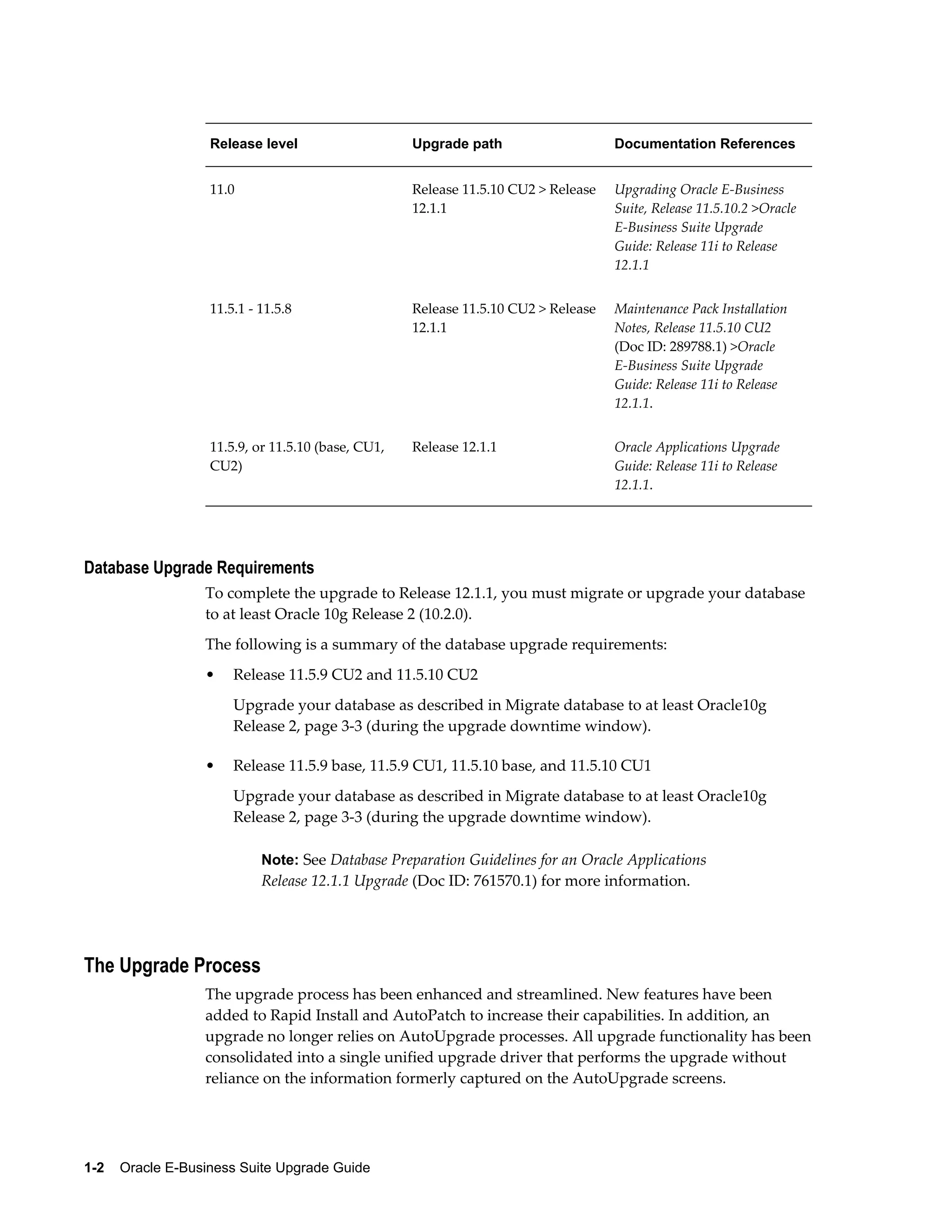
                The following table lists the supported upgrade paths for Oracle Applications 11i,
                including releases that require an interim upgrade step. See Related Documents, page
                xv in the Preface for links to the documentation mentioned in this table, as well as in
                other sections of this book.


                                                                             Planning for an Upgrade    1-1
Release level                    Upgrade path                    Documentation References


                   11.0                             Release 11.5.10 CU2 > Release   Upgrading Oracle E-Business
                                                    12.1.1                          Suite, Release 11.5.10.2 >Oracle
                                                                                    E-Business Suite Upgrade
                                                                                    Guide: Release 11i to Release
                                                                                    12.1.1


                   11.5.1 - 11.5.8                  Release 11.5.10 CU2 > Release   Maintenance Pack Installation
                                                    12.1.1                          Notes, Release 11.5.10 CU2
                                                                                    (Doc ID: 289788.1) >Oracle
                                                                                    E-Business Suite Upgrade
                                                                                    Guide: Release 11i to Release
                                                                                    12.1.1.


                   11.5.9, or 11.5.10 (base, CU1,   Release 12.1.1                  Oracle Applications Upgrade
                   CU2)                                                             Guide: Release 11i to Release
                                                                                    12.1.1.


Database Upgrade Requirements
                  To complete the upgrade to Release 12.1.1, you must migrate or upgrade your database
                  to at least Oracle 10g Release 2 (10.2.0).
                  The following is a summary of the database upgrade requirements:
                  •    Release 11.5.9 CU2 and 11.5.10 CU2
                       Upgrade your database as described in Migrate database to at least Oracle10g
                       Release 2, page 3-3 (during the upgrade downtime window).

                  •    Release 11.5.9 base, 11.5.9 CU1, 11.5.10 base, and 11.5.10 CU1
                       Upgrade your database as described in Migrate database to at least Oracle10g
                       Release 2, page 3-3 (during the upgrade downtime window).

                            Note: See Database Preparation Guidelines for an Oracle Applications
                            Release 12.1.1 Upgrade (Doc ID: 761570.1) for more information.


The Upgrade Process
                  The upgrade process has been enhanced and streamlined. New features have been
                  added to Rapid Install and AutoPatch to increase their capabilities. In addition, an
                  upgrade no longer relies on AutoUpgrade processes. All upgrade functionality has been
                  consolidated into a single unified upgrade driver that performs the upgrade without
                  reliance on the information formerly captured on the AutoUpgrade screens.


1-2    Oracle E-Business Suite Upgrade Guide
Rapid Install provides the most up-to-date, certified version of Oracle E-Business Suite
             products, along with the certified technology stack components. In an upgrade, it
             creates the new file system for the application (middle) tier components and the new
             file system for the database. After the upgrade, you run Rapid Install again to configure
             servers and start services.
             An upgrade also includes various manual steps, including those that direct you to run
             scripts or apply patches. You rely on AutoPatch to apply all patches, including the
             unified driver that performs the upgrade to Release 12.1.1.
             In order to present a complete picture of the upgrade processes and the resulting
             system enhancements, this guide has been created in two main sections. The chapters
             are written for database administrators (DBAs), who are responsible for the technical
             aspects of a system upgrade. The appendixes are directed at the application specialists,
             who are responsible to understand and manage the business impact and functional
             changes inherent in an upgrade.
             New in this release, the appendix portion of this guide contains information about
             functional changes for each product family, suggestions for reducing upgrade
             downtime, ways to verify data migration and manage data migration that is not
             automatically performed by the upgrade driver, and information about "by request"
             upgrade processes, which define specific sets of data that can be upgraded at a later
             date, or when there is a specific need.
             It is very important that your DBA and your functional specialists work together to
             review this information carefully as a part of upgrade planning. Doing so will help
             eliminate unexpected holdups during and after the upgrade that could slow the process
             itself and cause confusion as your system users resume their functional tasks.

                     Note: A successful upgrade is a collaboration between the DBA and the
                     application specialists. Both should understand and coordinate all
                     aspects of the upgrade as a part of the planning process.


Business Impact and Functional Changes
             An Applications upgrade alters both the technical and functional aspects of your Oracle
             E-Business Suite system. In addition to changes to the technology stack and file system,
             an upgrade also initiates specific changes that affect the way your existing products
             work after the upgrade, and the way they look and feel. These functional
             (business-related) changes have an impact on the way you use the products as you
             conduct daily business.
             A common data model improves the quality of your data, simplifies its management,
             and makes it easier for shared service centers to work across worldwide operations and
             provide information about your business to decision makers.
             Coupled with the common data model are enhanced integrations between Oracle
             Financials and Oracle Procurement products and other applications. Integrated
             applications enable pre-defined best practices and empower you to standardize your


                                                                          Planning for an Upgrade    1-3
business processes across organizations and geographic regions. Benefits of
                  standardization include common process methodologies and economies of scale.
                  Functional topics in this guide that pertain to a Release 12.1.1 upgrade include:
                  •   Reasons for the change and areas that benefit from new functionality

                  •   Functionality that is temporarily disabled or has been made obsolete

                  •   Changes to user interfaces, terminology or concepts, and menu options

                  •   Steps you can take to verify that all transactional data is upgraded as expected

                  •   Suggestions for reducing downtime


General Information and Required Tasks
                  Before you prepare your system and product data, you should gather information about
                  the upgrade process, the tools required, the number and types of tasks involved, and
                  the way your system and products will look in Release 12.1.1. You can find a
                  documentation roadmap on My Oracle Support. See Oracle Applications Documentation
                  Resources, Release 12.1 (Doc ID: 790942.1). Take special note of the Known Issues section.


Reference Information
                  It is very important that you read the documentation associated with this release. It is
                  available either in the Oracle E-Business Suite Documentation Resources, Release 12 on My
                  Oracle Support, or from the OracleStore. Appendix H, "Product Documentation List",
                  page H-1 in this guide contains a list of basic required reading. In addition, you may
                  also find it useful to review any presentation materials on upgrade technology, the
                  Business Intelligence System, white papers on Multi-org, and links to various
                  Consulting services as well as Oracle University training courses.
                  Application specialists and functional users should pay special attention to the Release
                  Content Documents (RCDs), eTRMs, and Transfer of Information (TOI) documentation
                  for the products that are active in your system. This information describes new features
                  and functionality in Release 12.1.1.

                           Note: The Maintenance Wizard consolidates instructions from
                           numerous manuals and other documentation and creates a step-by-step
                           set of upgrade instructions. See Maintenance Wizard, page 1-13 in this
                           chapter.


Technical Upgrade Tasks
                  In general, DBAs perform the following tasks in an upgrade:
                  •   Understand installed components, system sizing information, NLS considerations,


1-4    Oracle E-Business Suite Upgrade Guide
how to manage customizations, and so on. This information is described in this
                   chapter.

               •   Complete the tasks described in Chapter 2, "Preparing for the Upgrade", page 2-1.
                   Pay special attention to the instructions about running The Upgrade Manual Script
                   (TUMS). It generates a list that you can use to determine which tasks can be omitted
                   from the upgrade process. Performing this task can substantially reduce the time it
                   takes to complete the upgrade.
                   To prepare the Release 12.1.1 environment, run Rapid Install. It creates the new file
                   system for the application tier components (APPL_TOP) and the new
                   ORACLE_HOME for the database.

                           Note: See Appendix I, "Pre-upgrade Patch List", page I-1 for a list
                           of patches that may be required to prepare your system for an
                           upgrade.


               •   Chapter 3, "Upgrading to Release 12.1.1", page 3-1 begins the system downtime.
                   Tasks in this chapter include upgrading your database (if you have not done so
                   already), using AutoPatch to apply any required patches.

               •   The tasks in Chapter 4, "Post-upgrade Tasks", page 4-1 complete the upgrade
                   process and prepare your system and products for user logon.


Functional Upgrade Tasks
               In general, application specialists perform the following tasks in an upgrade:
               •   Understand the functional changes that your users will see and work with after the
                   upgrade. Review the information in Appendixes A - D in this guide.

               •   Complete the (optional) tasks in Appendix E, "Reducing Downtime", page E-1 in
                   advance of the actual upgrade. You may be able to substantially reduce the amount
                   of time that your system is offline during the upgrade process.

               •   Perform the tasks required to verify that your transaction data was upgraded or
                   migrated as you intended. Review Appendix F, "Verification Tasks", page F-1 for
                   a description of these tasks.

               •   Determine the best way to upgrade historical data. Appendix G, "Upgrade by
                   Request", page G-1 describes types of data that can be omitted from the initial
                   upgrade process (critical downtime window) and upgraded at a later date, or when
                   needed. For example, instead of upgrading all your Oracle Financials accounting
                   data during downtime, you might include only the last fiscal year. If you want to
                   upgrade other fiscal years - months or even years after - you can do so, at any time
                   after the upgrade.


                                                                             Planning for an Upgrade    1-5
Release 12.1.1 Updates
                  Completing this upgrade brings your system to the 12.1.1 release update level of
                  Release 12.0. You can continue to apply the latest Release Update Pack (RUP) at any
                  time to keep your system at the most current release level available. Each release update
                  pack is made up of individual product family RUPs, which contain all the patches
                  associated with that family. You can apply the entire release update pack, or you can
                  apply the product family packs individually.
                  RUPs are released periodically. Each one is cumulative - it delivers error corrections
                  and system updates, not only for the most current release update pack, but also for all
                  the RUPs that preceded it.
                  You can keep abreast of the latest release information, as well as new RUP
                  announcements and other updates that may affect your upgrade by reviewing the latest
                  version of Oracle Applications Release Notes (Doc ID: 405293.1).


Installed Components and System Requirements
                  This section lists the certified components supplied by Rapid Install, and the general
                  system requirements for an upgrade. Note that requirements for CPU, memory, and
                  disk space (for log files and backup) are typically much larger during an upgrade than
                  during normal operation.


Technology Stack Components
                  Rapid Install automatically installs and configures the required technology stack
                  components for both the database tier and the application tier. The database tier
                  technology stack for a new Release 12.1.1 installation is Oracle 11g Release 1 (11.1.0.7)).
                  Upgrades from Release 11i with Oracle 10g Release 2 and Oracle 11g Release 1 are both
                  supported.
                  The technology stack installed on the application tier includes, among other
                  components:
                  •   Oracle 10g Application Server (AS) 10.1.2

                  •   Oracle 10g Application Server (AS) 10.1.3

                  •   Oracle Developer 10g (includes Oracle Forms)

                  •   Java (J2SE) native plug-in 1.6.0_10

                  •   Java Developer Kit (JDK) 6.0


Software Requirements
                  Some systems may require platform-specific release maintenance tools, and there are


1-6    Oracle E-Business Suite Upgrade Guide
new versions of tools required for Release 12.1.1 for some platforms. Oracle E-Business
         Suite Installation and Upgrade Notes (for your platform) contains a list of these tools.
         The upgrade requires at least Oracle 10g Release 2 (10.2.0) – Oracle 11g Release 1 is also
         supported. See Database Preparation Guidelines for an Oracle Applications Release 12.1.1
         Upgrade (Doc ID: 761570.1) for instructions.


CPU
         The CPU requirements for an upgrade depend on many factors, including:
         •   The size of the database

         •   The amount of data in the primary product installation group

         •   The number and duration of long-running processes associated with products in
             this release

                     Note: See Oracle E-Business Suite Maintenance Utilities for
                     recommendations on the number of workers to use during the
                     upgrade.


         For Example:
         A test upgrade of the largest Oracle production system (oraprod) used the following
         CPUs:
         •   Database tier machine - 24 CPUs (900 MHz SUNW, UltraSPARC-III+)

         •   Application tier machine - 4 CPUs (3.05 GHz Intel Xeon)

         A test upgrade of the Vision database and application tier machine used 4 CPUs (3.05
         GHz Intel Xeon).

                 Note: See Applications Release 12 Upgrade Sizing and Best Practices (Doc
                 ID: 399362.1) for the statistics on these production system upgrades.


Memory
         To calculate the memory requirements for an upgrade, consider the following:
         •   Number of concurrent users

         •   Infrastructure requirements for multi-tiered architecture

         For Example
         A test upgrade of the largest Oracle production system (oraprod) used the following:
         •   Database tier machine - 48 GB of memory


                                                                         Planning for an Upgrade    1-7
•   Application tier machine - 12 GB of memory

                  A test upgrade of the Vision database and application tier machine used 6 GB of
                  memory.

                           Note: See Applications Release 12 Upgrade Sizing and Best Practices (Doc
                           ID: 399362.1) for the statistics on these production system upgrades.


Input/Output (I/O) Subsystem
                  Performance during an upgrade depends heavily on the speed of the Oracle database
                  system input/output (I/O) subsystem. We recommend an average disk response time
                  (average service time) below 10-15 milliseconds for better performance. Detailed
                  information, including IOPs calculations, is available in Applications Release 12 Upgrade
                  Tablespace Sizing and Best Practices (Doc ID: 399362.1).
                  To monitor the I/O performance, you should use OS tools like iostat or sar (Unix)
                  during your test upgrade. Use similar tools for other operating systems, for example
                  Performance Monitor for Windows. You can also monitor I/O performance on your
                  production system during peak load to get an idea about your I/O subsystem
                  performance before the upgrade. However, you should note that the I/O load and,
                  therefore, the average service time on existing applications, is different from that of an
                  upgrade.
                  While you are monitoring the I/O performance, you should focus on the average service
                  time (the average of elapsed time in milliseconds that the disk drive takes to complete
                  an I/O request) and the average wait (the average amount of time requests are left
                  outstanding). Higher averages for these two indicators signal an I/O bottleneck. An
                  average service time longer than 50 milliseconds is reason for concern if it lasts too long
                  and/or it is continuously at a high level. Small intervals of high average service time
                  should not be of concern.

                           Note: See Oracle Database Performance Tuning Guide 10g Release 2 (10.2)
                           or Oracle Database Performance Tuning Guide 11g Release 1 (11.1).


Database Size
                  To estimate the increase in required disk space for upgrading, consider the products,
                  the number of languages being installed, and changes in the data model.
                  For Example
                  In a test upgrade of the largest Oracle production system (oraprod), the database
                  increased 10-20 percent. In a test upgrade, the Vision database increased 5 percent. For
                  guidelines based on an upgrade of the Oracle production system (oraprod), see
                  Applications Release 12 Upgrade Sizing and Best Practices (Doc ID: 399362.1).


1-8    Oracle E-Business Suite Upgrade Guide
Tablespace Sizing
              Make sure you allocate sufficient tablespace. For guidelines based on an upgrade of the
              Oracle production system (oraprod), see Applications Release 12 Upgrade Sizing and Best
              Practices (Doc ID: 399362.1).


Block Size
              This release requires an RDBMS block size of 8K. In addition to providing significant
              performance improvement, this setting accommodates the Oracle E-Business Suite
              indexes that require this block size.


Release 12 Architecture
              The upgrade process affects system architecture and the way you use your Applications
              products after an upgrade. Oracle E-Business Suite Concepts contains a complete
              discussion of the architecture in this release, including information about the Oracle
              E-Business Suite multi-tiered architecture, enhancements, language support, file system
              structure, and the basic data model.


Tablespace Model
              This release uses the Oracle Applications Tablespace Model (OATM), which is based on
              database object type rather than product affiliation. OATM uses 12 locally managed
              tablespaces for all products, including the temporary tablespace, system tablespace, and
              system-managed undo (SMU) tablespace. Each database object is mapped to a
              tablespace based on its input/output characteristics, including object size, life span,
              access methods, and locking granularity.
              Oracle has successfully tested systems with extent sizes of 128 K for small systems (100
              GB database) and 4-10 MB for large, multi-terabyte database systems.
              We supply scripts in the upgrade process to create the tablespaces for all new products
              and configure the database for the new tablespace model. Then, the upgrade process
              creates the new objects. However, your existing objects are not automatically migrated.
              We strongly recommend that you migrate the existing objects after the upgrade is
              complete. Use the Tablespace Migration Utility (introduced in Release 11i) to perform
              this task.

                      Note: See Oracle E-Business Suite System Administrator's Guide –
                      Configuration. See also Oracle E-Business Suite Concepts.


Multiple Organizations
              Multiple Organizations architecture supports performance improvements across the


                                                                             Planning for an Upgrade    1-9
E-Business Suite, as well as Multiple Organizations Access Control, which enables an
                  Applications responsibility to access multiple operating units if desired. An upgrade
                  requires the conversion of all Single Organization architecture systems to Multiple
                  Organizations. You must define at least one operating unit and assign it to the
                  MO:Operating Unit profile option.
                  Converting to Multiple Organizations does not require you to use multiple operating
                  units or sets of books, but it does enable you to use these features if you desire.
                  Converting to Multiple Organizations does not produce any noticeable change in
                  behavior - if you do not define multiple operating units and/or sets of books, the
                  conversion is transparent to users.

                           Note: See Oracle E-Business Suite Multiple Organizations Implementation
                           Guide. See also Use of Multiple Organizations (Multi-Org) in Release 11i

                           (Doc ID: 210193.1)


Subledger Accounting Model
                  Oracle Subledger Accounting provides a common accounting engine that replaces the
                  existing accounting processes in the different subledgers. Consequently, the Subledger
                  Accounting upgrade consists of migrating the existing accounting data to ensure a
                  continuous business operation between the two releases. Depending on the business
                  and the specific requirements, "existing accounting data" may have different
                  implications for different customers.

                           Note: See Appendix A, "Financials Upgrade Impact", page A-1 for
                           information the Subledger Accounting upgrade. See also Financials and
                           Procurement Tasks, page G-7 in Appendix G, "Upgrade by Request",
                           page G-1 for more information about the effect of the SLA upgrade on
                           other products.


Multiple Reporting Currencies
                  Multiple reporting currency functionality has migrated to Reporting Currency
                  functionality in the Oracle Subledger Accounting model. Oracle Subledger Accounting
                  provides a single repository where you can view amounts in reporting currencies.

                           Note: See General Ledger, page A-13 and Subledger Accounting, page
                           A-36 in Appendix A, "Financials Upgrade Impact", page A-1 in this
                           guide for more information.


Scheduling Time for an Upgrade
                  In an upgrade, critical system downtime refers to the period of time when users cannot


1-10    Oracle E-Business Suite Upgrade Guide
log on to the system or use Oracle E-Business Suite. There are several actions you can
                 take to reduce this downtime period. For example, performing certain product-specific
                 tasks before an upgrade can substantially reduce the downtime, as can using the Oracle
                 cloning methodology, and a test file system to upgrade your production system.
                 This section briefly describes some of the issues that affect the amount of downtime
                 required for an upgrade, and some of the actions we recommend to reduce that
                 downtime.


Backup
                 We strongly recommend that you back up your entire system before you begin the
                 upgrade.


Database Initialization Parameters
                 Initialization parameters required at each stage of the upgrade may vary depending on
                 when you upgrade your database. Review the requirements for these parameters before
                 you begin. See Database Initialization Parameters for Oracle Applications Release 12 (Doc ID:
                 396009.1).


Managing Long-running Processes
                 Performance of some upgrade scripts can be significantly improved by changing the
                 following database settings for the duration of the upgrade. The parameters in this
                 section should be set as specified, and then (except as noted) can be reset as needed
                 after the upgrade process is complete.


_db_file_multiblock_read_count (init.ora parameter)
                 Specifies the maximum number of blocks read in one I/O operation during a sequential
                 scan. Remove this parameter permanently from the init.ora file. If it is set to any value,
                 it overrides the _db_file_optimizer_read_count default setting. DO NOT RESTORE
                 THIS PARAMETER AFTER THE UPGRADE.


_db_file_optimizer_read_count (init.ora parameter)
                 This undocumented parameter is used by the cost-based optimizer. It represents the
                 maximum number of blocks read in one I/O operation during a sequential scan for the
                 purposes of calculating the cost of operations like full table and fast full index scans.
                 The actual number of blocks read in one I/O operation during a sequential scan is
                 independently controlled by this parameter. The default setting is 8. Do not change this
                 parameter.


_job_queue_processes (init.ora parameter)
                 Specifies the maximum number of processes that can be created for the execution of
                 jobs. Oracle recommends a value equal to the number of CPUs.


                                                                                Planning for an Upgrade    1-11
parallel_max_servers (init.ora parameter)
                  Controls the maximum number of parallel query server processes running in the
                  database. Oracle recommends a value equal to 2 times the number of CPUs.


_pga_aggregate_target (init.ora parameter)
                  See Database Initialization Parameters for Oracle Applications Release 12 (Doc ID: 396009.1)
                  for recommended value.


_pga_max_size (init.ora parameter) - for 11g customers
                  During the upgrade process to 12.1.1, customers running 11gR1 may encounter the
                  following error:
                  ORA-04030: out of process memory when trying to allocate 822904 bytes
                  (pga heap,kco buffer)
                  ORA-07445: exception encountered: core dump [dbgtfdFileWrite()+48]
                  [SIGSEGV] [ADDR:0xFFFFFFFF7FFC1C88] [PC:0x1063BD2D0] [Address not mapped
                  to object] []

                  This error only affects customers running 11gR1. This error indicates that database
                  process memory is exhausted and the process must be restarted. This error only occurs
                  during large volume index build operations and affects 12.1.1 upgrades only. If you
                  receive this error, then you must set the _pga_max_size parameter to a larger value as
                  follows:
                  _pga_max_size=104857600
                  After you set this value, you must restart your database. When a fix is available, the My
                  Oracle Support note number 735276.1 will be updated accordingly.


recyclebin=OFF (init.ora parameter)
                  Used to control whether the Flashback Drop capability is turned on or off. If the
                  parameter is set to OFF, dropped tables do not go into the recycle bin. If set to ON,
                  dropped tables go into the recycle bin and can be recovered.


Temporary Tablespace
                  Create tablespace (usually TEMP) as a locally managed tablespace using the temporary
                  file option with a uniform allocation size. If the temporary tablespace is not defined in
                  this way, drop the temporary tablespace and recreate it using the following example as
                  a template:
                  SQL> drop tablespace TEMP;
                  SQL> create TEMPORARY tablespace TEMP
                     tempfile 'ts_p_temp1.dbf' size 2048M
                     EXTENT MANAGEMENT LOCAL
                     UNIFORM SIZE 1M;

                  To verify that the temporary tablespace has been created, run the following:


1-12    Oracle E-Business Suite Upgrade Guide
SQL> select CONTENTS,EXTENT_MANAGEMENT,ALLOCATION_TYPE
                    from dba_tablespaces
                    where tablespace_name='TEMP';

                 The query output should be:


                     Contents                       EXTENT_MANAGEMENT             ALLOCATION_TYPE


                     TEMPORARY                      LOCAL                         UNIFORM


                 After the upgrade, restore the previous storage parameters for the temporary tablespace
                 and lower the extent size for the temporary tablespace to a value that is less than 1 MB
                 (for example, 128 K).

                           Note: See Database Initialization Parameters for Oracle Applications Release
                           12 (Doc ID: 396009.1).


Determining Upgrade Tasks
                 This section discusses tools you can use to examine your system and determine which
                 upgrade steps apply for your system.


The Upgrade Manual Script (TUMS)
                 The Upgrade Manual Script (TUMS) examines your current configuration and creates a
                 report that lists upgrade tasks that do not apply to your system. This report contains
                 information that is unique to your system configuration, so its output is relevant to your
                 individual upgrade. Omitting the steps listed in the TUMS report can significantly
                 reduce upgrade downtime.
                 You create the TUMS report by applying a Release 11i patch, which loads objects into
                 your APPS schema that TUMS uses to examine your Applications configuration. Your
                 current Applications environment is not affected. The patch uses the TUMS Step keys
                 identified in this book to uniquely identify each task. The generated report lists the step
                 keys, in addition to the type of step (for example, pre-upgrade) and step number, for
                 each upgrade task.
                 You will be instructed to run TUMS when you prepare for the upgrade in Chapter 2,
                 page 2-1.

Maintenance Wizard
                 The Maintenance Wizard is a tool provided by Oracle Support to guide you through the
                 upgrade and code line maintenance process. It draws on instructions from numerous
                 manuals and other documentation (including this document, the Oracle E-Business Suite
                 Installation Guide: Using Rapid Install, and the Oracle E-Business Suite Release Notes) to
                 provide you with a complete picture of the activities required for an upgrade.


                                                                                  Planning for an Upgrade    1-13
The Maintenance Wizard helps you reduce upgrade tasks by dynamically filtering the
                  necessary steps based on criteria it obtains from your Applications environment. The
                  resulting report is a set of step-by-step instructions of exactly what you need to do to
                  complete your specific upgrade, including any critical patches that your system may
                  require. It can also automatically execute many of the tasks for you, so as to reduce the
                  possibility of errors or accidental omission of vital tasks.
                  Specifically, the Maintenance Wizard:
                  •   Presents a consolidated, personalized set of instructions in a step-by-step format

                  •   Enables validation of important activities to prevent downstream issues

                  •   Maintains log and status information for all tasks

                  •   Enables a project administrator to assign different groups of upgrade tasks to
                      different users

                  •   Downloads, merges, and installs many required patches automatically

                  •   Provides project management utilities to record the time taken for each task and its
                      completion status

                               Note: For information on setting up and using the Maintenance
                               Wizard, see Master Issue List for the Maintenance Wizard (Doc ID:
                               215527.1).


Maintenance Mode
                  To ensure optimal performance and reduce downtime when applying a patch, you
                  must shut down the Workflow Business Events System and set up function security
                  before you initiate an AutoPatch session. This provides the security needed to ensure
                  that no Oracle E-Business Suite functions are available to users while you are applying a
                  patch. The Maintenance Mode feature provides a clear separation between the normal
                  runtime operation of Oracle E-Business Suite and system downtime for maintenance.

                           Note: See Changing Maintenance Mode in Oracle E-Business Suite
                           Maintenance Utilities. See also Patching Tools in Oracle E-Business Suite
                           Patching Procedures.


Obsolete Columns
                  During the upgrade process, the Oracle RDBMS DROP COLUMN command marks
                  Oracle E-Business Suite columns as unused in the data dictionary, making it possible
                  for the database administrator to drop the columns and reclaim the associated space. It


1-14    Oracle E-Business Suite Upgrade Guide
is a good idea to plan this reclamation ahead of time because the process locks the
               associated tables. Once the space is reclaimed, the upgraded data model looks more like
               a fresh install (except for customizations). Note that DROP COLUMN has no effect on
               custom columns.


Test Upgrade
               To provide a baseline for upgrade execution times and an opportunity to work out any
               upgrade issues ahead of time, we suggest you perform a test upgrade using a copy
               (clone) of your existing system, and hardware that is similar to what you use for your
               production system. A test upgrade is especially important if your system has been
               customized.


User Preferred Time Zone Support
               No special upgrade steps are required for those products that support User Preferred
               Time Zones.

                       Note: See User Preferred Time Zone Support in the Oracle Applications
                       Release 12 (Doc ID: 402650.1).


Upgrade By Request
               For some Oracle E-Business Suite products, upgrade planning includes choosing the
               most active set of data for upgrade processing. Then, you can upgrade historical data
               that was omitted from the upgrade at a later date, or when it is needed. For example,
               you might include only the last fiscal year in the upgrade to Release 12.1.1, and then
               upgrade the remaining data outside the 12.1.1 downtime window.

                       Note: See Appendix G, page G-1 for more information.


NLS Upgrade Considerations
               This section discusses some important considerations for managing your translations,
               languages, and character sets during the upgrade.


Languages
               Additional space for each non-American English language will be required in the
               database to complete the upgrade. It is not possible to predict the amount of additional
               space your system will need, because the space depends on factors such as the database
               character set, the number of active languages other than American English, and in
               particular on the volume of customer-created data in the system.


                                                                           Planning for an Upgrade    1-15
Note that the additional space for languages must be available throughout the upgrade
                  process.

                           Note: For the recommended minimum space required for each active
                           language in the APPL_TOP, see the Oracle E-Business Suite NLS Release
                           Notes for your release level.


Language Status
                  You must retain your existing Applications Release 11i language status until the entire
                  upgrade process (including the post-upgrade and finishing steps) is complete. The base
                  language must also remain the same, and new languages cannot be activated.
                  After the upgrade process is complete, you can change your language status as
                  required, and activate new languages.

                           Note: See Adding and Maintaining NLS Languages section in Oracle
                           E-Business Suite Maintenance Procedures.


Character Sets
                  You cannot change the database character set during an upgrade.
                  Depending on whether your Applications system connects to the database during the
                  upgrade process, you may be able to select a new character set for the Release 12
                  APPL_TOP on the Rapid Install wizard upgrade screens. However, if you do, the new
                  set must be either identical to, or compatible with, the existing database character set.

                           Caution: If you change the character set in the APPL_TOP to one that is
                           not compatible with the current database character set, the upgraded
                           system will be corrupted.


                           Note: See License Manager in Oracle E-Business Suite System
                           Administrator's Guide – Maintenance. See also Migrating an Applications
                           Installation to a New Character Set (Doc ID: 124721.1).


Customized Environments
                  Customized environments require special attention during an upgrade. The instructions
                  in this guide assume that you have followed the standards for customizing Oracle
                  E-Business Suite exactly as described in the Oracle E-Business Suite Developer's Guide and
                  the Oracle E-Business Suite User Interface Standards for Forms-based Products.


1-16    Oracle E-Business Suite Upgrade Guide
Note: See also Preparing Custom Development for the Next Oracle
                      Applications Release (Doc ID: 374398.1)


              To preserve customizations and minimize the impact during the upgrade:
              •   Follow the Oracle E-Business Suite Developer's Guide instructions for customizing
                  your system and upgrading your customizations

              •   Maintain complete documentation for customizations

              •   Back up customizations before the upgrade

                          Caution: Customizing any concurrent program definitions, menus,
                          value sets, or other seeded data provided by Oracle E-Business
                          Suite is not supported. The upgrade process overwrites these
                          customizations.


Protecting Data in Renamed Files
              Because files may be renamed for a variety of reasons, it is good practice to protect them
              from being accidentally overwritten during the upgrade. Therefore, if you have
              renamed files using the <filename>old, <filename>new, or any other generic
              designation, then rename them again, to something meaningful before you begin the
              upgrade.


Customized Help Files
              The help files in this release are in HTML format, making them easy to modify using a
              commercial Web browser or editor. You cannot reapply previously customized help
              files to your upgraded system. Therefore, it is important that you save the pre-upgrade
              customized help files as a reference.

                      Note: See Customizing Oracle Applications Help in the Oracle
                      E-Business Suite System Administrator's Guide - Configuration.


Product-specific Considerations
              The information in this section applies to specific Applications products in this release.
              See the Release Content Documents for information about other products that are active
              in your system.

                      Note: Appendixes A - D describe changes to Oracle E-Business Suite


                                                                           Planning for an Upgrade    1-17
products in this release. See also Appendix H, "Product Documentation
                               List", page H-1 for product-specific documentation.


Cross-Product Functionality
                   Changes to the products described in this section affect many Oracle Applications
                   products. Before you begin the upgrade, your application specialists should have made
                   plans to accommodate the relevant changes.


Legal Entity Configurator
                   The Oracle Legal Entity Configurator is a new module that was introduced in Release
                   12. It is populated with data that is migrated from a number of Release 11i sources. Its
                   purpose is to provide a consistent definition of the legal structure of your enterprise and
                   relate it to other structures within Oracle E-Business Suite.
                   With the Oracle Legal Entity Configurator, you can manage your legal corporate
                   structure and track data from the legal perspective. This enables detailed reporting at
                   the legal entity, establishment, and registration level.
                   The concept of Legal Entity has an impact on all customers who use the Human
                   Resources model to define legal entities. Legal entities exist as Trading Community
                   Architecture parties with legal information stored in the Legal Entity (XLE) data model.
                   Subsidiaries of the legal entities are defined as establishments, which are also defined as
                   parties with legal information stored in the Legal Entity data model.

                               Note: See Oracle Financials Concepts for more information. See also
                               Oracle Financials Implementation Guide.


GRE/Legal Entity Migration to Legal Entities in Trading Community Architecture
                   HRMS organizations with a classification of GRE/Legal Entity and with accounting
                   information (for example, Set of Books) assigned are migrated to the new Legal Entity
                   in this release. For each Legal Entity migrated, an Establishment of type (Main
                   Establishment) is created using the same data.

Upgrade Assumptions for Operating Units and Inventory Organizations
                   HRMS organizations with an operating unit or inventory organization classification are
                   migrated to Establishments in the new Legal Entity model. No other classification of
                   organization other than operating unit or inventory organization classification is
                   migrated as establishment.

Country-specific Information
                   For some countries (such as Argentina, Greece, Korea, Chile, Italy, Colombia, and
                   Taiwan), VAT Registration Number was entered in Release 11i through the Human


1-18    Oracle E-Business Suite Upgrade Guide
Resources Define Organization form, or a registration number was entered in country
                     specific setup fields. These values are migrated to the Legal Entity Identifying
                     Jurisdiction Registration Number. If no valid registration numbers exist, a dummy
                     value of Sys + <Sequence number> is upgraded as the registration number and
                     associated with the seeded Identifying Jurisdiction.

                             Note: See the Oracle Financials and Oracle Procurement Upgrade Guide:
                             Release 11i to Release 12 for details.


Legal Associations
                     To enable tax calculation based on existing parameters, the association between a
                     GRE/Legal Entity and an operating unit, inventory organization, ship to location, bill to
                     location are migrated. After the upgrade, you must maintain these associations through
                     the Legal Entity Configurator.


Multiple Organizations (Multi-Org)
                     In this release, Multiple Organizations Access Control (MOAC) has made significant
                     enhancements to the Multiple Organizations architecture that was used in Release 11i. If
                     your company has implemented a Shared Services operating model, Multi-Org Access
                     Control allows you to process business transactions more efficiently. You can access,
                     process, and report on data across multiple operating units from a single responsibility
                     without compromising data security or system performance.

Multi-Org Security Profile
                     The Multi-Org Security Profile allows you to access, process, and report on data for an
                     unlimited number of operating units from a single applications responsibility. To take
                     advantage of Multi-Org Access Control, you should set the following profile options:
                     •   MO: Security Profile: Assign your Security Profile to this profile option for each
                         application responsibility to allow that responsibility to access multiple operating
                         units.

                     •   MO: Default Operating Unit: If the MO: Security Profile is set, then you can assign a
                         default operating unit for defaulting purposes.

                     The Release 11i MO: Operating Unit profile option setting is preserved, and applies if
                     MO: Security Profile is not set.

Enhanced Cross-Organization Reporting
                     Cross-organization reporting has been enhanced to be more consistent with the new
                     Multi-Org Access Control. You can run reports across multiple operating units that
                     belong to a user's security profile that share the same ledger.  You can also run reports
                     for any operating unit that belongs to a user's security profile.


                                                                                  Planning for an Upgrade    1-19
Setting Up Operating Units
                   Setting up operating units is more streamlined with the integration with Accounting
                   Setup Manager, a new feature in General Ledger that centralizes the setup and
                   maintenance of common financial components, such as legal entities, operating units,
                   and ledgers within an accounting setup.
                   All Release 11i HR Organizations classified as Operating Units are preserved during the
                   upgrade. If operating units are assigned to a set of books, they are associated to a
                   primary ledger in an accounting setup. You can now view all operating units assigned
                   to an upgraded primary ledger using Accounting Setup Manager.


Student System and Student Recruiting
                             Important: Oracle Student System (IGS) and Oracle Student Recruiting
                             (IGR) are not functional in this release. Customers using IGS and IGR
                             should not upgrade to this release. There are no plans to provide an
                             upgrade from Release 11i to Release 12 for IGS and IGR.


1-20    Oracle E-Business Suite Upgrade Guide
2
                                        Preparing for the Upgrade

           This chapter covers the following topics:
           •   Review Upgrade Tasks and Apply 11i.AD.I.6
           •   Database and System Administration Tasks
           •   Applications Technology Tasks
           •   Customer Relationship Management Tasks
           •   Financials and Procurement Tasks
           •   Leasing and Finance Management Tasks
           •   Projects Tasks
           •   Public Sector/University Tasks
           •   Supply Chain Management Tasks
           •   Prepare for the Upgrade


Review Upgrade Tasks and Apply 11i.AD.I.6
           This section provides a general checklist of tasks that are required for the upgrade and
           describes The Upgrade Manual Script (TUMS), which examines your current
           configuration and creates a report detailing which of the tasks in these instructions you
           must complete and which ones you can ignore.
           It also contains a reminder that you must have applied the 11i.AD.I.6 Minipack before
           you can continue with the remaining upgrade preparation tasks.


            These tasks...                              are located here...


            Apply 11i.AD.I.6 (conditional)


                                                                        Preparing for the Upgrade    2-1
These tasks...                                  are located here...


                   Run TUMS utility (recommended)                  , page 2-3


                   Back up database, Applications, and             , page 2-4
                   customizations (recommended)


                   Prepare an upgrade plan for customizations      , page 2-4
                   (conditional)


                   Convert to Multiple Organizations               , page 2-5
                   architecture (required)


                   Drop event alert triggers in custom schemas     , page 2-6
                   (conditional)


                   Review sizes of old and new tablespaces         , page 2-6
                   (required)


                   Run AD preparation scripts (required)           , page 2-6


                   Convert Oracle Alert E-mail Processing to the   , page 2-7
                   Workflow Notification Mailer (conditional)


                   Customer Relationship Management Tasks          , page 2-8


                   Financials and Procurement Tasks                , page 2-10


                   Projects Tasks                                  , page 2-17


                   Public Sector/University Tasks                  , page 2-18


                   Supply Chain Management Tasks                   , page 2-20


                   Gather schema statistics for CBO (required)     , page 2-27


                   Back up the database (recommended)              , page 2-28


                   Run Rapid Install (required)                    , page 2-28


                   Migrate or upgrade your database to at least    , page 2-29
                   Oracle 10g Release 2 (conditional)


2-2    Oracle E-Business Suite Upgrade Guide
Note: If you have not already reviewed the information in Business
                        Impact and Functional Changes, page 1-3 in Chapter 1, page 1-1, do so
                        before you begin. It is especially important that both the DBA and the
                        application specialists be familiar with the tasks in Appendix E, page E-
                        1, Appendix F, page F-1, Appendix G, page G-1, and Appendix I,
                        page I-1, as the information that can help reduce system downtime
                        and verify data migration.


Step 1: Apply 11i.AD.I.6 (conditional)
               Applies to 11i release level: All
               TUMS step key: N/A
               If you have not previously done so, apply the 11i.AD.I.6 minipack on all application tier
               nodes. It must be present in your system in order to upgrade to Release 12.1.1.

                        Note: See About Oracle Applications DBA Minipack 11i.AD.I.6 (Doc ID:
                        233044.1).


Step 2: Run TUMS utility (recommended)
               Applies to 11i release level: All
               TUMS step key: N/A
               The TUMS report lists tasks that you can omit from the upgrade because they do not
               apply to your system (for example, a task required for a product that you do not use or
               for applying a patch that you have previously applied). TUMS is delivered in a patch,
               which supplies the scripts you need to examine your system and create the report. We
               strongly recommend you create and review the TUMS report before you begin the
               upgrade.
               1.   Download and apply TUMS patch.
                    Download patch 7705743 and apply it to the administration server node on your
                    Release 11i APPL_TOP. It supplies you with the script (adtums.sql) you need to
                    generate the TUMS report (tumsr12.html).

               2.   Generate the TUMS report.
                    To generate the report:
                    UNIX:
                    $ cd $AD_TOP/patch/115/sql
                    $ sqlplus <APPS username> / <APPS password> @adtums.sql <DIRECTORY>


                                                                            Preparing for the Upgrade    2-3
Windows
                       C:> cd %AD_TOP%patch115sql
                       C:> sqlplus <APPS username> / <APPS password> @adtums.sql <DIRECTORY>
                       For the <DIRECTORY> value, enter the full path of the directory that you want the
                       report to be written to. This directory must be listed in the UTL_FILE_DIR
                       parameter of the init.ora file before TUMS can write the report and must have the
                       appropriate WRITE permissions.

                  3.   Review the report.
                       The tumsr12.htm report lists the steps (identified by the TUMS step key in this
                       book) that do not apply to your installation. You may safely ignore any steps listed
                       in this report.


Database and System Administration Tasks
                  These tasks pertain to all users. You must complete them before you continue with the
                  product-specific tasks in this chapter. All the steps in this section can be performed
                  while the system is up and running, and are performed on the Release 11i APPL_TOP.


Step 1: Back up database, Applications, and customizations (recommended)
                  Applies to 11i release level: All
                  TUMS step key: N/A
                  Make a cold backup of the Oracle E-Business Suite database. You can use it to restore
                  the database should you encounter problems during the upgrade process.

                           Note: Shut down the database with the NORMAL option. You may not
                           be able to restore it from the backup if you use the IMMEDIATE or
                           ABORT option.


                  In addition to the database files, back up the APPL_TOP, product customizations, and
                  customized help files (in HTML).

                           Note: The upgrade process does not save customizations. You should
                           copy all your customized files and put them in a safe place so you can
                           reapply the customizations after the upgrade.


Step 2: Prepare an upgrade plan for customizations (conditional)
                  Applies to 11i release level: All
                  TUMS step key: N/A


2-4    Oracle E-Business Suite Upgrade Guide
You may have customized your system for business use. Take note of these important
               considerations before upgrading custom database objects:
               •    The Oracle E-Business Suite Developer's Guide contains extensive instructions about
                    naming standards and issues related to upgrading custom database objects.
                    Familiarize yourself with this information before you begin the upgrade.

               •    Run several test upgrades and track their impact on your custom database objects.

               •    Rename any custom database objects with Applications prefixes that you have
                    created so that they do not conflict with Oracle object names.

                            Note: Failure to test the impact on custom database objects before
                            the upgrade can result in a loss of functionality.


               At your discretion, and depending on the customizations in your system, you should
               also perform the following tasks:
               •    Preserve the CUSTOM library by making a backup copy of CUSTOM.pll. You can
                    use this copy later in the upgrade process to migrate your CUSTOM library to
                    Release 12.1.1.

               •    If you have customized forms with Oracle Forms 6i, upgrade them to Oracle Forms
                    10i after the upgrade.


Step 3: Convert to Multiple Organizations architecture (required)
               Applies to 11i release level: All
               TUMS step key: FND_ENABLE_MULTI_ORG
               Multiple Organizations architecture supports performance improvements across all
               Oracle Applications. It also supports Multiple Organizations Access Control, which
               enables an Applications responsibility to access multiple operating units if desired. This
               release requires that Multiple Organizations be enabled. If you have not done so
               already, you must convert to this architecture now.
               Converting to Multiple Organizations does not require the use of multiple operating
               units or sets of books - it does enable you to use this functionality at any time in the
               future. If you are converting from a Single Organization architecture to a Multiple
               Organization architecture, complete the following steps:
               1.   Create an operating unit.

               2.   Assign the operating unit you created to the profile option MO:Operating Unit.

                            Note: See the following documentation references: Oracle


                                                                             Preparing for the Upgrade    2-5
Applications Multiple Organizations Implementation Guide, Use of
                               Multiple Organizations (Multi-Org) in Release 11i (Doc ID: 210193.1),
                               and MOAC in Oracle Purchasing (Doc ID: 404800.1). HRMS users
                               should also see Setting Up Multiple Organizations in Oracle HRMS
                               (Doc ID: 259546.1)


Step 4: Drop event alert triggers in custom schemas (conditional)
                  Applies to 11i release level: All
                  TUMS step key: N/A
                  To drop all event alert database triggers in custom schemas, run the alrdtrig.sql script,
                  located in $ALR_TOP/admin/sql (in your Release 11i system). Re-create the triggers
                  after the upgrade is complete.


Step 5: Review sizes of old and new tablespaces (required)
                  Applies to 11i release level: All
                  TUMS step key: N/A
                  Make sure you allocate sufficient tablespace. For guidelines based on an upgrade of the
                  largest Oracle production system (oraprod), see Applications Release 12 Upgrade Sizing
                  and Best Practices (Doc ID: 399362.1).


Step 6: Run AD preparation scripts (required)
                  Applies to 11i release level: All
                  TUMS step key: N/A
                  To prepare your system for the Oracle Applications Tablespace Model (OATM)
                  functionality, you must run some preparation scripts. Download and unzip the new
                  patch 7197489. Follow the instructions in the readme for running these scripts:
                  •   adgncons.sql
                      The tablespace model for this release (OATM) is based on database object type
                      rather than product affiliation. The adgncons.sql script prepares adcrtbsp.sql,
                      configures the database to hold the new products to be added during the upgrade,
                      and switches your system to use the new tablespace model.

                  •   adcrtbsp.sql
                      Generated by adgncons.sql, this script creates the new tablespaces, allocates
                      unlimited tablespace to all APPS users, updates fnd_product_installation table with
                      correct data and index tablespace information, assigns default tablespace to all
                      APPS users, and sets the new_ts_mode flag in fnd_product_groups to Y.


2-6    Oracle E-Business Suite Upgrade Guide
Be sure to review the locations of the dbf files for each new tablespace listed in
                     adcrtbsp.sql, and change the locations in the script as necessary. Ensure that you
                     have adequate disk space for all the changes and additions that adcrtbsp.sql is
                     going to make.

                              Note: Oracle has tested successfully an extent size of 128 K for
                              small systems (for example, 100 GB database or the Vision
                              database), and, for large multi-terabyte system, an extent size of
                              4-10 MB has been tested successfully.


                 •   adgrants.sql
                     (adgrants_nt.sql for Windows) Grants SYS privileges needed by Applications, and
                     creates required views in SYS.

                              Note: Running the preparation scripts creates tablespaces and
                              prepares the database objects only for new products. To migrate
                              existing products to OATM, follow the instructions in Oracle
                              E-Business Suite System Administrator's Guide - Configuration.


Applications Technology Tasks
                 This portion of the upgrade applies to all users. Complete these tasks before you
                 perform the product-specific tasks in this chapter.


Alert
                 Perform the following tasks for Oracle Alert.


Step 1: Convert Oracle Alert E-mail Processing to the Workflow Notification Mailer (conditional)
                 Applies to 11i release level: All
                 TUMS step key: FND_WORKFLOW_TASKS
                 Oracle Alert leverages the Workflow Notification Mailer to send alert e-mail messages
                 and process responses, obsoleting the previous e-mail implementation. All incoming
                 responses to alerts sent by the previous Oracle Alert E-mail implementation must be
                 completed before the upgrade.
                 If you use response processing alerts and you have not already converted Oracle Alert
                 to the Workflow Notification Mailer, convert now by applying Oracle Applications
                 Technology 11i.ATG_PF.H Rollup 6 (patch 5903765) to your Release 11i APPL_TOP.
                 This roll up patch causes Oracle Alert to use the Workflow Notification Mailer for new
                 alerts, but allows you to continue to run the Alert Response Processor for incoming
                 responses sent before the conversion. Continue to run the Response Processor until you


                                                                              Preparing for the Upgrade    2-7
have no more outstanding responses of this kind.

                           Note: See About Oracle Applications Technology 11i.ATG_PF.H Rollup 6
                           (Doc ID: 444524.1) for more information.


Customer Relationship Management Tasks
                  Complete the tasks only if you are using Customer Relationship Management products.


Marketing, Sales, or Trade Management
                  Perform these tasks if you are have Oracle Marketing or Sales products or Oracle Trade
                  Management products active in your system.


Step 1: Create new product catalog (conditional)
                  Applies to 11i release level: All
                  TUMS step key: AMS_OSO_PLM_CHK
                  This release includes significant changes to the Product Lifecycle Management module,
                  a hierarchical product catalog that expands the functionality and alignment among
                  Oracle Sales, Oracle Marketing, and Oracle Intelligence products. There are several
                  paths to creating the new product catalog, based on individual system configuration.
                  For a description of all the options and the steps required to implement them, refer to
                  Oracle Applications Sales & Marketing Product Catalog Upgrade (Doc ID: 396079.1).

                           Note: See Oracle Product Lifecycle Management User's Guide for more
                           information. See also Oracle Product Lifecycle Management Implementation
                           Guide.


Incentive Compensation
                  Perform these tasks if you are using Oracle Incentive Compensation.


Step 1: Verify completion of Sales Compensation processes (conditional)
                  Applies to 11i release level: All
                  TUMS step key: CN_PAYRN_REP_CHK
                  To verify that your Sales Compensation setup data is ready for the upgrade, download
                  and apply patch 4963569 to your Release 11i APPL_TOP. This patch contains
                  cnupgchki.sql (located in the first directory in utl_file_dir). Run this script manually. It
                  creates a report that tells you what pre-upgrade steps are required. You can also view
                  the results of the report in concatenated format in the AutoPatch log file
                  (cnupgchki.log).


2-8    Oracle E-Business Suite Upgrade Guide
The following remedies are suggested for errors listed in the report:


                  If this error exists...                            Take this action before running the
                                                                     upgrade...


                  Calculation processes are not completed            Complete all calculation processes before the
                                                                     upgrade.


                  The following is a list of payruns that have not   Pay these payruns before the upgrade.
                  been paid


                  The following salesreps have calculated lines      Post all commission lines before the upgrade.
                  that are not posted


                  There are non-zero posted transactions that        Load and pay all posted transactions before
                  are not loaded                                     the upgrade.


                  The following salesreps have posted                Pay all posted transactions before the
                  transactions that have not been paid               upgrade.


                  The following salesreps have inconsistent data     Resolve these inconsistencies before the
                  between commission lines and posted lines          upgrade.


TeleService
                  Perform these tasks if you are using Oracle TeleService.


Step 1: Set up profile option for TeleService (required)
                  Applies to 11i release level: All
                  TUMS step key: N/A
                  Service upgrade scripts have been enhanced to allow you to choose the most
                  appropriate upgrade path based on the value in the profile option Service: Upgraded
                  Release (For Development User Only). The value in the profile option indicates the
                  current Service version before the upgrade. Valid values are: 1158, 1159, and 11510.
                  Service upgrade scripts perform only the minimum upgrade logic required from the
                  version specified in the profile option. If there is no value available for this profile
                  option, then the upgrade scripts execute all logics from 11.5.8. If you don't already have
                  this profile option, then you can create it with an internal name
                  CS_SR_UPDATE_RELEASE. Set the appropriate value (such as 1159, 11510, and so on)
                  at the System level.


                                                                                     Preparing for the Upgrade    2-9
Mobile Field Service
                  Perform these tasks only if you are using Oracle Mobile Field Service.


Step 1: Synchronize data for Mobile Field Service (conditional)
                  Applies to 11i release level: All
                  TUMS step key: CSM_SYNC_DATA
                  All Mobile Field Service users with changes pending in their mobile device should
                  synchronize the mobile server. Do not make any additional changes using the Mobile
                  Field Service application until the upgrade is complete, and all users have successfully
                  re-synchronized.


Financials and Procurement Tasks
                  Complete these tasks only for the Financials and Procurement products that are active
                  in your system.


Financials for India
                  Perform these tasks only if you are using Oracle Financials for India


Step 1: Set minimum patch levels (conditional)
                  Applies to 11i release level: Patch level lower than IN60105D2
                  TUMS step key: JAI_CHECK_CUST
                  This step applies if you are not at the following patch levels. If you have already
                  applied the patch set, or a later one, you can omit this step.
                  •   Oracle Financials for India patch set IN60105D2 (included in Release 11i patch
                      4153130)

                  •   Oracle Financials for India Service Tax Solution (Release 11i stand-alone patch
                      4239736)

                  •   Oracle Financials for India Value Added Tax Solution (Release 11i stand-alone
                      patch 4245089)

                  •   Oracle Financials for India Tax Deduction at Source Solution (Release 11i
                      stand-alone patch 4860026)

                  If you have not applied patch set IN60105D2 and the three stand-alone patches, then
                  apply the patch set (included in patch 4153130), and the consolidated patch 4923208 for
                  the stand-alone patches before you upgrade.


2-10    Oracle E-Business Suite Upgrade Guide
General Ledger
                Perform these tasks only if you are using Oracle General Ledger.


Step 1: Run Accounting Setup Manager Diagnosis for MRC (optional)
                Applies to 11i release level: All
                TUMS step key: GL_MRC_REVIEW_SETUP
                The Accounting Setup Manager replaces many forms and user interfaces in this release.
                We recommend that you run the Accounting Setup Manager Pre-Update Diagnosis
                report to identify potential incompatibilities that would prevent you from using some
                new features. The report identifies Release 11i setup for Multiple Reporting Currencies,
                General Ledger, Global Accounting Engine, Assets, Payables, and Receivables. In order
                to run this report successfully, apply patch 5259121 to your Release 11i APPL_TOP.
                To access the report, run the Accounting Setup Manager Pre-Update Diagnosis report in
                the Standard Request Submission form from a General Ledger responsibility. Review
                the report and fix any setup it identifies as problematic. Note that modifying setup
                configurations is not easily done after the upgrade is complete.

                        Note: You can run the upgrade successfully without running this report
                        or modifying the setup. All the features will function similarly to
                        Release 11i. However, you may not be able to take advantage of some
                        new functionality.


                The report also details what changes, if any, the upgrade will have on certain objects.
                The following areas of the report show details in a tabular format. The table columns
                show necessary information, such as the reporting set of books name, currency, and
                description for unassigned reporting sets of books.
                •   Sets of Books: Review Sets of Books To Be Upgraded to Secondary Ledgers

                •   Multiple Reporting Currencies: Unassigned Reporting Sets of Books

                •   Multiple Reporting Currencies: One Reporting Set of Books Assigned to Multiple
                    Primary Sets of Books

                •   Multiple Reporting Currencies: Reporting Sets of Books With Translated Currencies

                •   Multiple Reporting Currencies: General-Ledger-Only Reporting Sets of Books

                •   Multiple Reporting Currencies: Inconsistent General Ledger Conversion Rules

                •   Multiple Reporting Currencies: Inconsistent Setup

                •   Multiple Reporting Currencies: Incomplete Setup


                                                                           Preparing for the Upgrade    2-11
iPayments
                  Perform these tasks only if you are using Oracle iPayments.


Step 1: Prepare data for credit card encryption upgrade (conditional)
                  Applies to 11i release level: See text for conditions
                  TUMS step key: IBY_SEC_UPGRADE
                  Complete this step only if you are using credit card encryption in Release 11i.
                  Oracle Payments (renamed from iPayments in Release 11i) handles credit card
                  encryption, along with encryption of other payment cards and third-party bank
                  accounts. If you are using Credit Card Encryption in Release 11i, then you need to
                  prepare your data for the upgrade to the new encryption model.
                  Recommended: If you are using the Oracle Applications Credit Card Encryption
                  feature that was introduced as a patch after Release 11.5.10, we recommend you
                  complete all the historical credit card data migration programs provided with the patch.
                  See the "Upgrade Steps for Credit Card Encryption" section in Oracle Applications Credit
                  Card Encryption (Doc ID: 338756.1) for more information.
                  Required: If you are using the Oracle iPayment encryption feature, and have not yet
                  moved to the enhanced Oracle Applications Credit Card Encryption feature, then you
                  must apply patch 4607647 to your Release 11i APPL_TOP and complete the steps
                  described in the Oracle Applications Credit Card Encryption white paper.


Internet Expenses
                  Perform these tasks only if you are using Oracle Internet Expenses.


Step 1: Import expense reports into Accounts Payable (conditional)
                  Applies to 11i release level: All
                  TUMS step key: OIE_IMPORT_INTERCOMPANY_CHECK
                  Perform this step only if you have intercompany data in Internet Expenses (OIE)
                  interface records that must be imported into Oracle Payables.
                  In this release, the Expense Report Import concurrent program is obsolete. Therefore,
                  you must submit this program prior to the upgrade to ensure that all intercompany
                  data in Internet Expenses interface records is imported into Oracle Payables. Fix any
                  rejections and resubmit the program until all records are imported successfully.


Payables
                  Perform these tasks only if you are using Oracle Payables.


2-12    Oracle E-Business Suite Upgrade Guide
Step 1: Import all invoices from Payables Open Interface (required)
                 Applies to 11i release level: All
                 TUMS step key: AP_IMPORT_INVOICES_CHECK
                 In this release, global descriptive flex fields (GDFs) are obsolete and are moved into tax
                 and payment columns. Several validations are performed based on the country the
                 invoice is imported from on these GDFs. They are not upgraded in the open interface
                 tables.
                 Import all invoices that have not yet been imported by running the Open Interface
                 Import program on the 11i APPL_TOP. Resolve any rejections and resubmit the
                 program until all invoices are imported.


Step 2: Confirm or cancel all Un-confirmed Payment Batches (required)
                 Applies to 11i release level: All
                 TUMS step key: AP__CNFM_PAY_BATCH_CHECK
                 With the introduction of Oracle Payments, the new payment batch model is not
                 compatible with 11i payment batches. To ensure that there are no in-process payment
                 batches included in the upgrade processing, either confirm or cancel all payment
                 batches before you begin.


Subledger Accounting
                 Perform these tasks only if you are using Oracle Subledger Accounting and any of the
                 associated products (see list included in Step 1).


Step 1: Set range of periods (optional)
                 Applies to 11i release level: All
                 TUMS step key: N/A
                 During the upgrade, existing accounting data from the subledgers is upgraded into the
                 new Oracle Subledger Accounting data model. By default, the upgrade updates the data
                 for the current fiscal year, as well as the necessary periods of the previous fiscal, to
                 ensure that there are at least six periods included in the upgrade (occurs when the
                 upgrade is performed in the first half of the fiscal year).
                 You may need to run the SLA Pre-Upgrade program if you are using Oracle General
                 Ledger and at least one of the following subledgers: Assets, Cost Management,
                 E-Business Tax, Payables, Receivables, or Projects Accounting. This optional program
                 allows you to change the default number of periods of historic data to be upgraded.
                 You can define a larger range of periods to be upgraded, and you can decide to perform
                 the upgrade for all or most of the data during the downtime phase. This is an important
                 decision because some of the Oracle Subledger Accounting functionality, such as
                 accounting reversals and business flows, rely on the existence of previous accounting


                                                                             Preparing for the Upgrade    2-13
data.
                  If you do not perform a complete upgrade of the accounting data, Oracle Subledger
                  Accounting allows you to perform an additional upgrade of the data by running the
                  SLA post-upgrade process whenever the missing data is required (see Subledger
                  Accounting, page G-9 in Appendix G, page G-1). This program is executed at the
                  same time as daily operations. As a result, it may have an impact on overall system
                  performance.
                  If you need to change the default number of periods of historic data to be upgraded,
                  you must apply patch 5233248 to your Release 11i APPL_TOP and submit the SLA
                  Pre-Upgrade program. When submitting this program, you can enter the following
                  parameters:
                  •    Migrate all sets of books: Possible values are Yes (SLA Pre-Upgrade program
                       updates the periods in all sets of books) or No (SLA Pre-Upgrade program updates
                       the periods that belong to the selected set of books).

                  •    Set of books: Set of books to be upgraded where you have selected to upgrade one
                       set of books.

                  •    Start Date: Date to be used to determine the first period to be upgraded. Does not
                       have to be the starting date of a period - the initial period is determined as the first
                       period in which this date falls.


Leasing and Finance Management Tasks
                  Perform these pre-upgrade tasks only if you are using Oracle Leasing and Finance
                  Management.
                  TUMS Step Key: OKL_LIC_CHK
                  Following are the mandatory pre-upgrade steps that must be completed before
                  upgrading to Release 12.1.1
                  If you are upgrading from 11i OKLG, then apply the OKLG Pre-Upgrade patch (patch
                  6027572) on 11i OKLG code line. If you are upgrading from 11i OKLH, then apply
                  OKLH Pre-Upgrade patch (patch 6027561) on 11i OKLH code line.

                           Note: If you are currently on 11i OKLG, then the minimum requirement
                           is that you upgrade to 11i OKLG Rup3 (patch 4487651). If you are
                           currently on 11i OKLH, then the minimum requirement is that you
                           upgrade to 11i OKLH Rup3 (patch 5350898). If you are currently on any
                           other 11i codeline, then the minimum requirement is that you install 11i
                           OKLH and upgrade to 11i OKLH Rup3 (patch 5350898).


                  1.   Run OKL Billing Pre-Upgrade Report to check for pending transactions that have
                       not been transferred to Oracle Receivables. If there are any pending transactions,


2-14    Oracle E-Business Suite Upgrade Guide
then you must run the following concurrent programs in the order given to clear
     the pending transactions:
     1.   Master Item - Process Billable Streams

     2.   Master Program - Prepare Receivables

     3.   Master Program - Receivables Bills Consolidation

     4.   Master Program - Receivables Invoice Transfer

     5.   Autoinvoice Master program

     6.   Fetch AR Invoice Numbers

     Repeat these steps until all pending transactions are cleared.

2.   Run OKL Disbursement Pre-Upgrade Report to check for pending transactions that
     have not been transferred to Oracle Payables. If there are any pending transactions,
     then you must run the following concurrent programs in the order given to clear
     the pending transactions:
     1.   Pay Invoice Prepare for AP Transfer

     2.   Pay Invoices Transfer to AP Invoice Interface

     3.   Investor Payables Consolidation

     4.   Payables Open Interface Import

     Repeat these steps until all pending transactions are cleared.

3.   Run the OKL Accounting Pre-Upgrade Report to check for pending transactions
     that have not been transferred to Oracle General Ledger. Also check for any
     accounting setup discrepancies. If there are pending transactions or setup
     discrepancies, then you must complete the following steps to clear the pending
     transactions and setup discrepancies:
     1.   Run the Accounting Entry Process

     2.   Correct accounting entries posted to the OKL sub ledger with an error using the
          Correct Accounting Entries window.

     3.   Run General Ledger Transfer

     4.   If any accounting templates are found that have more than two template lines,
          then update the accounting templates that have more than two accounting
          template lines and remove the percentage allocation.


                                                             Preparing for the Upgrade    2-15
4.   Run the OKL Multi-GAAP Pre-Upgrade Report to determine which operating units
                       can be upgraded to Automated Accounting for Multi-GAAP. The report lists those
                       operating units that can be upgraded to Automated Accounting for Multi-GAAP,
                       and those that are not eligible. The report lists the reasons why a particular
                       operating unit cannot be upgraded to Automated Accounting and the conditions
                       that must be met before the operating unit can be upgraded to Automated
                       Accounting. To make an operating unit eligible for upgrade to Automated
                       Accounting, ensure that the following conditions in the pre-upgrade environment
                       are met:
                       •   The Reporting Product Asset Book profile option in 11i is defined.

                       •   The set of books associated with the Reporting Product Asset Book must not be
                           the same as the set of books associated with its corresponding Corporate Book.

                       •   For all Multi-GAAP contracts, the local product and the reporting product must
                           satisfy the following conditions:
                           1.   The revenue recognition method of the local and reporting product must be
                                the same.

                           2.   The interest calculation basis of the local and reporting product must be the
                                same.

                           3.   If the book classification of the local product is Lease (Direct Finance lease,
                                Operating lease or Sales Type lease), then the book classification of the
                                reporting product must also be Lease (Direct Finance lease, Operating lease
                                or Sales Type lease).

                           4.   If the book classification of the local product is Loan, then the book
                                classification of the reporting product must also be Loan.

                           5.   If the book classification of the local product is Revolving Loan, then the
                                book classification of reporting product must also be Revolving Loan.

                           6.   The pricing engine of the Stream Generation Templates associated with the
                                corresponding Accounting Templates of the local and reporting products
                                must be the same.


                       •   All assets on all of the contracts in the Operating Unit must have the same
                           corporate asset book.

                       •   For Multi-GAAP contracts, all assets on the Multi-GAAP contracts in the
                           Operating Unit must have been created in the same tax asset book defined on
                           the Reporting Product Asset Book profile option.

                       Re-running the OKL Multi-GAAP Pre-Upgrade Report upon making any changes
                       in the pre-upgrade environment confirms if the particular operating unit is eligible


2-16    Oracle E-Business Suite Upgrade Guide
for upgrade to Automated Accounting.
                   The following steps must be completed to select one or more operating units to be
                   upgraded to Automated Accounting:
                   •   Navigate to Setup > Operational Options.

                   •   Click the Upgrade button to open the new Upgrade user interface.

                   •   Select the Automated Accounting value from the list of values for those
                       operating units that need to be upgraded to Automated Accounting.

                   •   Click the Apply button to save the changes.

                   •   If a specific operating unit is not eligible to be upgraded to Automated
                       Accounting, then the user interface displays the appropriate error message.

                   •   The secondary representation method can be defined as Automated Accounting
                       only for those operating units that meet the above conditions.

                   Defining the secondary representation method value for operating units is an
                   optional pre-upgrade step. If the secondary representation method is not defined in
                   the pre-upgrade 11i environment, then the operating units will be upgraded with
                   the following default values for the secondary representation method:
                   •   If the operating unit is not a Multi-GAAP operating unit in 11i, then the
                       secondary representation method will be upgraded to Not Applicable in this
                       release.

                   •   If the operating unit is a Multi-GAAP operating unit in 11i, then the secondary
                       representation method will be upgraded to Report in this release.


Projects Tasks
               Perform these tasks only if you are using Oracle Projects.


Step 1: Complete distribution, transfer, and tieback of expense reports (conditional)
               Applies to 11i release level: All
               TUMS step key: PA_COMPLETE_DIST_TIEBACK_EXP
               If you create expense reports using Pre-Approved Expenditure Entry or import
               unaccounted expense reports from external systems, then run the following concurrent
               programs for each operating unit that uses Oracle Projects as a source entry point for
               expense report creation, adjustment, or both:
               •   PRC: Distribute Expense Report Costs


                                                                            Preparing for the Upgrade    2-17
•   PRC: Interface Expense Reports to Payables

                  •   Expense Report Import (must be run from the Payables responsibility)

                  •   PRC: Tieback Expense Reports from Payables

                  Your Projects application specialist should ensure that all transactions are successfully
                  interfaced and that no exceptions remain.


Step 2: Complete transfer and tieback of cost, cross charge, and revenue (conditional)
                  Applies to 11i release level: All
                  TUMS step key: PA_JRNL_IMPORT_TIEBACK_REV
                  Run the following concurrent programs for each operating unit implemented in Oracle
                  Projects and Oracle Grants Accounting. Ensure there are no exceptions.
                  •   Journal Import: Complete Journal Import in General Ledger for all project journal
                      sources

                  •   PRC: Tieback Labor Costs from General Ledger

                  •   PRC: Tieback Usage Costs from General Ledger

                  •   PRC: Tieback Total Burdened Cost from GL

                  •   PRC: Tieback Cross Charge Distributions From General Ledger (does not apply to
                      Grants Accounting)

                  •   PRC: Tieback Revenue from General Ledger


Public Sector/University Tasks
                  Complete these tasks only for the Public Sector/University products that are active in
                  your system.


Student Systems
                  Perform these tasks only if you are using Oracle Student Systems.


Step 1: Modify the key flexfield structure for Product Catalog (conditional)
                  Applies to 11i release level: All
                  TUMS step key: IGS_UNV_CHECK_CUST
                  If you plan to use Student Recruiting in subsequent releases of Oracle E-Business Suite,
                  then follow the instructions in this task to set up the key flexfield related to the Product


2-18    Oracle E-Business Suite Upgrade Guide
Catalog as a single, unverified, alphanumeric segment to enable the upgrade scripts to
migrate Academic Interests (Entry Status, Program, and Unit Set Code Data) to Product
Catalog. Perform the steps on your Release 11i APPL_TOP.
Determine flex structure:
To determine the flex structure associated with the product catalog, complete these
steps.
1.   From the Development Manager responsibility, open the Default Category Sets
     form (Setup > Item Categories) and query all records.

2.   Navigate to the record with the Functional Area Value of Product Reporting
     (FUNCTIONAL AREA_ID = 11) and make a note of the Category Set and
     Description values.

3.   From the Development Manager responsibility (Setup > Setup Workbench >
     Catalogs), search for the Catalog with the name Category Set or Description that
     you noted in the previous step.

4.   Click the retrieved record to find the flex structure associated with it.

5.   From the Development Manager responsibility, navigate to Setup > Setup
     Workbench > Catalogs (tab) > Categories (sub-tab) > Create Category (side
     navigation bar).

6.   On the Create Category page, enter the flex structure value that you obtained in the
     previous step. Click Continue.

7.   On the next page, enter Product Cat and description EXACTLY as follows: OSS
     Academic Interest. Click Apply.

Modify the flex structure:
To modify the flex structure, complete these steps.
1.   From the System Administrator responsibility, navigate to the Key Flexfield
     Segments form (Application > Flexfield > Key > Segments), using the Inventory and
     Flexfield Title: Item Categories filter.

2.   In the list, find the structure associated with the one that matches the
     ID_FLEX_STRUCTURE_CODE retrieved in your query.

3.   Uncheck the Freeze Flexfield Definition check box, if required, and click Segments.

4.   Ensure that there is only a single segment associated with the Flex Structure
     assigned to the SEGMENT1 column. Click Value Set to examine the Value Set
     associated with the single segment.

5.   Ensure that the format type is Char, the maximum size is 40, the validation type is


                                                              Preparing for the Upgrade    2-19
None, and that none of the validation check boxes are enabled (for example,
                       Numbers Only). The easiest way to accomplish this is to assigned the seeded 40
                       Chars Value Set to the segment.

                  6.   Save the flexfield information, freeze the definition, and compile it.

                               Note: The data is not migrated when the Entry Status is closed.
                               Entry Status and its relationship to Test Types and Organizational
                               Units are obsolete. Therefore, no data is migrated from old
                               Recruitment tables (IGS_RC_I_E_ORGUNITS and
                               IGS_RC_I_E_TESTTYOS to the new Student Recruiting tables
                               IGR__I_E_ORGUNITS and IGR_I_E_TESTTYPS, respectively.


Supply Chain Management Tasks
                  The tasks in this section are required only if you are using Oracle Supply Chain
                  Management products.


Depot Repair
                  Perform these tasks only if you are using Oracle Depot Repair.


Step 1: Identify and resolve problem data (conditional)
                  Applies to 11i release level: 11.5.9
                  TUMS step key: CSD_DATA_CHECK
                  Apply Data Verification patch 5382135 to your Release 11i APPL_TOP. You can apply it
                  as a hot patch by setting options=hotpatch when you run AutoPatch. If you apply it as a
                  hotpatch, DO NOT merge it with any other patches.
                  The patch runs a script (csdpremr.sql), which generates an output file (csdpremr.lst) in
                  the first directory defined in the utl_file_dir parameter. The output file lists problematic
                  data and describes a resolution.
                  After you complete the necessary corrective action, rerun csdpremr.sql under the
                  $CSD_TOP/patch/115/sql directory using SQL*Plus and continue to correct data until
                  no further errors are reported.


Process Manufacturing
                  Perform these tasks only if you are using Oracle Process Manufacturing.


Step 1: Prepare to migrate OPM data (conditional)
                  Applies to 11i release level: All


2-20    Oracle E-Business Suite Upgrade Guide
TUMS step key: GMA_PREP_MIGRATE
                 To successfully migrate Oracle Process Manufacturing (OPM) Inventory data to Oracle
                 Inventory, you must complete data cleanup and setup steps before the upgrade.
                 Perform the steps in the order listed, and before you continue with other tasks in
                 subsequent sections.

                          Note: See OPM Release 12 Migration (Doc ID: 376683.1) for more
                          information. Note that this reference is not a single document. It is a
                          repository of OPM migration documentation.


                 1.   Map data (all releases)
                      Map the data using the Convergence Migration Setup user interface in the OPM
                      system Administration responsibility. Apply patches 4563075 and 6694260 to your
                      Release 11i APPL_TOP for the user interface. See the OPM Migration Reference Guide
                      in Doc ID: 376683.1 for details.

                 2.   Run SQL validation scripts (all releases)
                      Apply patches 4699061 and 6696828 to your Release 11i APPL_TOP for the SQL
                      validation scripts. See the OPM Migration Reference Guide in Doc ID: 376683.1 for
                      details.

                 3.   Migrate OPM organization and items (all releases)
                      Apply patch 4582937 to your Release 11i APPL_TOP and follow the instructions in
                      the readme file. You can migrate OPM organizations and items discretely before the
                      upgrade to reduce downtime.

                 4.   Update Forecast headers in Forecast Set (all releases)
                      For 11.5.9 or Family Pack K and lower, apply patch 4268525 to your Release 11i
                      APPL_TOP and follow the instructions in the readme. For all other releases, update
                      Forecast headers to have a value entered in Forecast Set. Only those forecasts that
                      have a value in this field are migrated.

                              Note: See Oracle Process Manufacturing Migration Reference Guide for
                              more information.


Step 2: Finish migration preparations for OPM (conditional)
                 Applies to 11i release level: All
                 TUMS step key: GMA_PREP_MIGRATE_FINISH
                 Make sure you have completed all the steps in the previous task prior before you begin
                 this task. Perform the steps in the order listed. Users must be logged off the system.


                                                                               Preparing for the Upgrade    2-21
1.   Review, act on, and dispose of information in Oracle ASCP tables. (required for all
                       releases that use ASCP)
                       Review, act on, and dispose of information provided in the Oracle Advanced
                       Supply Chain Planning application tables: GMP_APS_OUTPUT_TBL and
                       GMP_APS_OUTPUT_DTL.

                  2.   Review, act on, and dispose of information in OPM MRP table. (all releases that use
                       OPM MRP)
                       Review, act on, and dispose of the information in the OPM table: MR_ACTN_TBL.

                  3.   Prepare for the batch snapshot (if there are open batches)
                       Take a snapshot to recreate all the open batches, then apply patch 4458024 to your
                       Release 11i APPL_TOP.

                  4.   Close all batches with a status of Completed (all releases)
                       Navigate to the Migration Setup User Interface Batches tab. Choose Mass Batch
                       Close from the Action menu. See the OPM Migration Reference Guide in Doc ID:
                       376683.1 for details.

                  5.   Capture snapshot (all releases)
                       Click the Process Batches for Migration button on the Convergence Migration Setup
                       user interface to capture a snapshot of the open batches to be used during the
                       post-migration process (that recreates the batches). See the OPM Migration
                       Reference Guide in Doc ID: 376683.1 for details.

                  6.   Complete or cancel pending transfer (11.5.10, or Family Pack K and later)
                       See the OPM Inventory Management User's Guide for details about how to complete a
                       pending transfer. Or, apply patch 4350832 to your Release 11i APPL_TOP to cancel
                       pending transfers.

                  7.   Back order or ship OPM Order Management Fulfillment sales orders that are
                       pick-confirmed or staged prior to migration (all releases)
                       If these order lines are not shipped prior to the migration, then the only way to
                       make them visible for updates to Oracle Inventory is to back order them prior to the
                       migration.

                  8.   Run Preliminary Inventory Close Process for all warehouses under all the OPM
                       Companies (all releases). Do not run Final Inventory Close for the period in which
                       you are running the upgrade.
                       Refer to the following table for instructions:


2-22    Oracle E-Business Suite Upgrade Guide
If you are a...         Follow these instructions...


Standard Costing user   Post inventory and resource transactions to
                        OPM Subledger and export to GL:

                        Run the OPM Subledger Update, OPM GL
                        Export, and General Ledger Journal Import.
                        See the OPM Manufacturing Accounting
                        Controller User's Guide and the Oracle
                        General Ledger User's Guide for details.

                        Note: Once you upgrade, you cannot post
                        the transactions created prior to the
                        upgrade.


                                    Preparing for the Upgrade    2-23
If you are a...          Follow these instructions...


                       Actual Costing user      Run Actual Cost Process to calculate the
                                                cost and then post inventory and resource
                                                transactions to OPM Subledger and export
                                                to GL:

                                                Run the OPM Actual Cost Process, OPM
                                                Cost Update Process, OPM Subledger
                                                Update, OPM GL Export, and General
                                                Ledger Journal Import. See the OPM
                                                Manufacturing Accounting Controller User's
                                                Guide and the Oracle General Ledger User's
                                                Guide for details.

                                                Note: Once you upgrade to Release 12.1.1,
                                                the Actual Cost program looks at
                                                transactions under process organizations
                                                recorded only in Oracle Inventory — the
                                                average cost calculations after the upgrade
                                                do not consider the transactions created in
                                                the Release 11i OPM Inventory system. As a
                                                result, the average cost calculated may not
                                                be accurate if the upgrade is done during
                                                the middle of a costing period and there are
                                                transactions in OPM Inventory for the same
                                                costing period.

                                                If possible, consider doing the upgrade at
                                                the beginning of a costing period. By doing
                                                so, you can ensure that a majority of
                                                transactions in that costing period are
                                                recorded In this release, thereby arriving at
                                                a more accurate average cost when you run
                                                the OPM Actual Cost Process.

                                                Once you upgrade, you cannot post the
                                                transactions created prior to the upgrade.


2-24    Oracle E-Business Suite Upgrade Guide
If you are a...                            Follow these instructions...


                      Lot Costing user                           Run Lot Cost Process to calculate the cost,
                                                                 and then post inventory and resource
                                                                 transactions to OPM Subledger and export
                                                                 to GL:

                                                                 Run the OPM Lot Cost Process, OPM Cost
                                                                 Update Process, OPM Subledger Update,
                                                                 OPM GL Export, and General Ledger
                                                                 Journal Import. See the OPM Manufacturing
                                                                 Accounting Controller User's Guide and the
                                                                 Oracle General Ledger User's Guide for details.

                                                                 Note: Once you upgrade, you cannot post
                                                                 the transactions created prior to the
                                                                 upgrade.

                                                                 Note for Lot Cost Simulation Users: If you
                                                                 are using Lot Costs as additional cost
                                                                 method for simulation purposes, run the lot
                                                                 cost process in final mode before migration.
                                                                 Otherwise, the costs created in test mode
                                                                 may be wiped out when you run the
                                                                 process again in the upgraded system.


                 9.   Run the GMF validation scripts (all releases)
                      Refer to OPM Release 12 Migration (Doc ID: 376683.1) for details.

                 10. Migrate OPM Order Fulfillment to Order Management (all releases that use OPM
                      Order Fulfillment)
                      Refer to the OPM Migration Reference Guide in Doc ID: 376683.1 for details.

                               Note: The migration process varies depending on your version.


Service Contracts
                 Perform these tasks only if you are using Oracle Service Contracts.


Step 1: Update Currency Code setup in Global Contracts defaults (conditional)
                 Applies to 11i release level: All
                 TUMS step key: OKS_VALIDATE_GCD
                 In Release 11i, the global contracts default (GCD) setup had three different currency


                                                                              Preparing for the Upgrade    2-25
codes for each of the three threshold amounts: Active, Credit Card, and Electronic
                  Renewal. In this release, only one currency (Base Currency) code is used for all the three
                  amounts.
                  If there are different types of currency codes specified for these amount fields in the
                  Global Contracts Defaults user interface, then the upgrade does not populate the base
                  currency code. If the three currency codes are the same, then the currency code for
                  Active threshold becomes the new Base currency.
                  If the codes are different, then populate the Global Contracts Defaults user interface
                  with a single type of currency code before migration. Go to the Navigator and choose
                  Setup > Service Contracts > Global Contracts Defaults to update contract defaults.


Step 2: Validate data for Rules and Time values migration (recommended)
                  Applies to 11i release level: 11.5.9
                  TUMS step key: OKS_VALIDATE_RULE
                  This step is not required if you have already followed the downtime reduction
                  technique steps mentioned in Service Contracts 12.0 Rules and Time Values Migration (Doc
                  ID: 372469.1). See Appendix E, "Reducing Downtime", page E-1 for more information.
                  Before Oracle Applications 11.5.10, Oracle Service Contracts used a set of Rules and
                  Time Values tables to store contract attributes that were not included in base Oracle
                  Core Contracts or Oracle Service Contracts header and lines tables. In Oracle
                  Applications release 11.5.10 and later, new architecture eliminates the generic rules and
                  time values data structures.
                  To validate the data, follow these steps:
                  1.   Apply patch 4684603 to your Release 11i APPL_TOP. Follow the instructions in the
                       readme file.

                  2.   Log in to Oracle Applications and choose the Service Contracts Manager
                       responsibility.

                  3.   Run the Service Contracts Validate Rule Data concurrent request for the header
                       level. (You can select the level from the concurrent request parameters screen.)

                  4.   After the request is successfully completed, check the Output Log file for records
                       that may have failed validation due to data issues. Click the View Output button
                       after selecting the row corresponding to the main request to view errors. If there are
                       no errors, then you can move directly to Step 6.

                  5.   If there are errors in the Output log file, then navigate to View/Show navigator on
                       the menu and choose the Rules Migration Utility form to view fields with data
                       validation issues. Enter correct values for these records directly on this form, and
                       save the changes. Ensure that all errors identified are corrected.

                  6.   Run the concurrent request for the Header history level, the Line level, and the Line


2-26    Oracle E-Business Suite Upgrade Guide
history level. Correct all errors and re-run the request until all errors have been
                   corrected.


Prepare for the Upgrade
              In this section, you complete final preparation tasks for your existing Release 11i system
              and create the new environment for Oracle E-Business Suite Release 12.1.1.


Step 1: Gather schema statistics for CBO (required)
              Applies to 11i release level: All
              TUMS step key: N/A
              This release employs cost-based optimization, which examines FND table statistics to
              determine the most efficient access paths and join methods for executing SQL
              statements. These statistics are gathered by the FND_STATS process, which you initiate
              by running the Gather Schema Statistics concurrent program.

                       Note: You should gather schema statistics on a regular basis to fully
                       utilize the cost-based optimization feature. In preparation for an
                       upgrade, this should be one of the last tasks you perform for initiating
                       the upgrade downtime so that the statistics are current.


              From your Release 11i APPL_TOP, complete the following steps:
              1.   Log in to Oracle Applications with the System Administrator responsibility.

              2.   Navigate to the Submit Request window (Request > Run).

              3.   Submit the Gather Statistics program.
                   Set the schema name to ALL to gather statistics for all Oracle Applications schemas
                   (having an entry in the FND_PRODUCT_INSTALLATIONS table). In addition to
                   gathering index and table-level statistics, the program gathers column-level
                   histogram statistics for all columns listed in the FND_HISTOGRAM_COLS table.

                           Note: If your database is already at Oracle 10g, then we
                           recommend that you use the Gather Auto option for this
                           concurrent program. This option gathers statistics for objects that
                           are either lacking statistics or whose rows have changed
                           significantly (default 10%) since the last time you gathered
                           statistics.


                           Note: See Query Optimization in Oracle E-Business Suite Concepts


                                                                            Preparing for the Upgrade    2-27
for more information.


Step 2: Back up the database (recommended)
                  Applies to 11i release level: All
                  TUMS step key: N/A
                  Make a cold backup of the Oracle E-Business Suite database. If you encounter problems
                  during the upgrade process, you can use this backup to restore your system to the same
                  state as before you began the upgrade.

                           Note: Shut down with the NORMAL option. You may not be able to
                           restore the database from the backup if you use the IMMEDIATE or
                           ABORT option.


Step 3: Run Rapid Install (required)
                  Applies to 11i release level: All
                  TUMS step key: N/A
                  Use the Rapid Install wizard to lay down the file system and install the new technology
                  stack for your Release 12.1.1 Oracle E-Business Suite system. The wizard collects
                  configuration parameters and stores them in a configuration file (config.txt) in the
                  Applications file system. When you run Rapid Install, it uses these values to lay down
                  the file system structure and technology stack components for your configuration. As it
                  runs, it creates a context file (<CONTEXT_NAME>.xml) that contains all the parameters
                  that describe your system. This context file is created and managed by AutoConfig.

                           Note: See Oracle E-Business Suite System Administrator's Guide -
                           Configuration for more information about AutoConfig.


                  Be prepared to supply basic information about your system such as port specifications,
                  existing and new database node descriptions (including mount points), user names and
                  passwords, product license types, internationalization and language settings, and
                  mount points for other nodes in your system.
                  1.   Follow the instructions in Chapter 1 of Oracle E-Business Suite Installation Guide:
                       Using Rapid Install to prepare your environment for the new system. Then, start
                       Rapid Install by typing rapidwiz on the command line. The Welcome screen lists
                       the components that are included in, or supported by, this release of Oracle
                       E-Business Suite. Click Next.

                  2.   On the Wizard Operation screen, select Upgrade to Oracle E-Business Suite Release


2-28    Oracle E-Business Suite Upgrade Guide
12.1.1. Click Next.

              3.   On the Select Upgrade Action screen, select Create Upgrade File System.

              4.   In the associated screen flow, enter the parameters required to set up your new
                   environment. Then, run Rapid Install.

                           Note: Rapid Install (as it runs AutoConfig) records errors in the
                           AutoConfig log file. These errors occur because the database has
                           not yet been upgraded. They can be safely ignored. The errors will
                           be resolved when you run Rapid Install (and AutoConfig) in Step 2
                           of the Finish the Upgrade, page 3-8 section of Chapter 3, page 3-
                           1.


                           Note: Oracle E-Business Suite Installation Guide: Using Rapid Install
                           contains complete instructions for running Rapid Install for both
                           new installations and upgrades. Chapter 3 contains the information
                           specific to running an upgrade.


              Run Rapid Install again after the upgrade to configure and start the servers and
              services. Rapid Install also delivers the unified upgrade driver that you will use later to
              perform the upgrade.


Step 4: Migrate or upgrade your database to at least Oracle 10g Release 2 (conditional)
              Applies to 11i release level: 11.5.9 (CU2) for 10g Release 2, 11.5.10 (CU2) for 10g Release
              2 and 11g Release 1.
              TUMS step key: N/A
              Oracle E-Business Suite Release 11.5.9 (with CU2 applied) and Release 11.5.10 (with
              CU2 applied) are certified for use with Oracle 10g Release 2, while 11.5.10 (with CU2) is
              certified for use with Oracle 11g Release 1. If you have not already done so, you can
              upgrade your production database to at least 10g now, before the upgrade downtime.
              Follow the instructions in Database Preparation Guidelines for an Oracle Applications Release
              12.1.1 Upgrade (Doc ID: 761570.1).

                       Note: A database upgrade at this point in the upgrade process applies
                       only to the Oracle E-Business Suite release levels cited. You can
                       perform the database upgrade during the downtime window as
                       described in Chapter 3, page 3-1, if you have not done so previously.


                                                                            Preparing for the Upgrade    2-29
3
                                  Upgrading to Release 12.1.1

           This chapter covers the following topics:
           •   Perform the Upgrade
           •   Finish the Upgrade
           •   Finish System Administration Tasks
           •   System Administration
           •   Oracle XML Publisher


Perform the Upgrade
           This section describes the tasks required to initiate the upgrade process. All the tasks
           must be performed during the upgrade downtime. The following table provides a
           checklist of the tasks required in this chapter.


           These tasks...                                                    are located here...


           Disable AOL Audit Trail (conditional)                             , page 3-2


           Shut down application tier listeners and concurrent               , page 3-3
           managers (required)


           Migrate database to at least Oracle10g Release 2 (conditional)    , page 3-3


           Update init.ora with upgrade parameters (required)                , page 3-3


           Disable custom triggers, constraints, and indexes                 , page 3-3
           (conditional)


                                                                            Upgrading to Release 12.1.1    3-1
These tasks...                                             are located here...


                   Drop MRC schema (conditional)                              , page 3-4


                   Back up the database (recommended)                         , page 3-4


                   Ensure that Maintenance Mode is enabled (required)         , page 3-4


                   Apply AD 12.1.1 upgrade driver (required)                  , page 3-5


                   Run the American English upgrade patch driver (required)   , page 3-5


                   Run the NLS upgrade patch driver (conditional)             , page 3-5


                   Apply latest product patches (required)                    , page 3-5


                   Synchronize NLS and American English product patches       , page 3-6
                   (conditional)


                   Disable Maintenance Mode (required)                        , page 3-7


                   Reset init.ora parameters (required)                       , page 3-7


                   Back up Oracle Applications (recommended)                  , page 3-7


                  1.   Disable AOL Audit Trail (conditional)
                       Applies to 11i release level: All
                       TUMS step key: N/A
                       If you use the Oracle Applications Object Library Audit Trail feature, you must
                       disable it before the upgrade.
                       From the System Administrator responsibility under the 11i APPL_TOP, navigate
                       to Security > Audit Trail > Groups. In the Audit Groups window, set the Group
                       State field to Disable - Prepare for Archive for each audit group defined. Run the
                       Audit Trail Update Tables report from the Submit Requests window (Requests >
                       Run).
                       If you plan to re-enable auditing after the upgrade, then archive and purge the
                       shadow tables now. Data changes made after implementing this step are not
                       audited.

                               Note: See Audit Trail in Oracle E-Business Suite System


3-2    Oracle E-Business Suite Upgrade Guide
Administrator's Guide - Security.


2.   Shut down application tier listeners and concurrent managers (required)
     Applies to 11i release level: All
     TUMS step key: N/A
     Navigate to Concurrent > Requests. In the Find Requests window, select All my
     requests. Click Find, and click Cancel Pending requests as necessary. Then, as
     System Administrator, choose Administer Concurrent Managers. Navigate to the
     Control field and select Deactivate.
     Shut down forms listeners, web listeners, and the concurrent managers before you
     begin the upgrade. Do this from your Release 11i APPL_TOP.

3.   Migrate database to at least Oracle10g Release 2 (conditional)
     Applies to 11i release level: All
     TUMS step key: N/A
     The upgrade requires at least version Oracle10g Release 2 (10.2.0) database. If you
     have not done so already, then upgrade or migrate your database now. Follow the
     instructions in Database Preparation Guidelines for an Oracle Applications Release 12.1.1
     Upgrade (Doc ID: 761570.1).

4.   Update init.ora with upgrade parameters (required)
     Applies to 11i release level: All
     TUMS step key: N/A
     Initialization parameters required at each stage of an upgrade may vary depending
     on when you upgrade your database. Set the appropriate parameters now.

             Note: See Database Initialization Parameters, page 1-11 in
             Chapter 1, "Planning for an Upgrade", page 1-1 for specific
             parameters. See also Database Initialization Parameters for Oracle
             Applications Release 12 (Doc ID: 396009.1).


5.   Disable custom triggers, constraints, and indexes (conditional)
     Applies to 11i release level: All
     TUMS step key: N/A
     Disable custom triggers or constraints on Oracle E-Business Suite tables. Re-enable
     these triggers after the upgrade. If you have custom indexes on Applications tables,
     then determine whether they can affect performance during the upgrade, and drop
     them if necessary. If you are not sure, then it is best to drop the indexes and add


                                                             Upgrading to Release 12.1.1    3-3
them after the upgrade, if the new release has not created a similar index.

                  6.   Drop MRC schema (conditional)
                       Applies to 11i release level: All
                       TUMS step key: N/A
                       All programs and reports now use the APPS schema. Because the MRC_APPS
                       schema is no longer needed, dropping it frees space and reduces processing
                       overhead during the upgrade. If you have not previously done so, drop the MRC
                       schema now.
                       UNIX:
                       $ cd APPL_TOP/admin
                       $ sqlplus <SYSTEM username>/<SYSTEM password> @addrpmrc.sql
                         <APPLSYS username> FORCE

                       Windows:
                       C:> cd %APPL_TOP%admin
                       C:> sqlplus <SYSTEM username>/<SYSTEM password> @addrpmrc.sql
                          <APPLSYS username> FORCE

                  7.   Back up the database (recommended)
                       Applies to 11i release level: All
                       TUMS step key: N/A
                       Make a cold backup of the Oracle E-Business Suite database. If you encounter
                       problems during the upgrade process, you can use this backup to restore your
                       system to the same state as before you began the upgrade.

                               Note: Shut down with the NORMAL option. You may not be able
                               to restore the database from the backup if you use the IMMEDIATE
                               or ABORT option.


                  8.   Ensure that Maintenance Mode is enabled (required)
                       Applies to 11i release level: All
                       TUMS step key: N/A
                       Maintenance Mode restricts logins and the type of operations that the system can
                       perform. Make sure that Maintenance Mode is enabled before you continue.
                       1.   From the AD Administration Main Menu, choose the Change Maintenance
                            Mode option.

                       2.   The Change Maintenance Mode menu displays the current Maintenance Mode
                            status at the top of the screen. The status should be Disabled at this point.


3-4    Oracle E-Business Suite Upgrade Guide
3.   Select Option 1, Enable Maintenance Mode.


9.   Apply AD 12.1.1 upgrade driver (required)
     Applies to 11i release level: All
     TUMS step key: N/A
     Download and unzip the AD Upgrade Driver for 12.1.1 (patch 7461070). Use
     AutoPatch to run it on all application tier server nodes on your Release 12.1.1
     APPL_TOP.

10. Run the American English upgrade patch driver (required)

     Applies to 11i release level: All
     TUMS step key: N/A
     To bring your database to the full Oracle E-Business Suite Release 12.1.1 level, use
     AutoPatch to run the (American English) unified driver (u6678700.drv). It is located
     in $AU_TOP/patch/115/driver.
     Run the driver on the administration server node on your Release 12.1.1 APPL_TOP
     using the following commands:
     $ adpatch options=nocopyportion,nogenerateportion

11. Run the NLS upgrade patch driver (conditional)

     Applies to 11i release level: All
     TUMS step key: N/A
     If American English is the only language that is active in your system, then you can
     omit this step.
     After you have successfully applied the American English unified driver, download
     the NLS Release 12.1.1 software for each active language in your system, and run
     each driver (u6678700.drv) on your Release 12.1.1 APPL_TOP. Note that the NLS
     patch driver has the same name as the American English patch driver.
     If you have several languages to download and run, then you can merge the
     patches and apply them as a single, merged patch.

             Note: See Oracle E-Business Suite NLS Release Notes for your release
             level for more information. See also Oracle E-Business Suite Patching
             Procedures for information about merging NLS patches.


12. Apply latest product patches (required)

     Applies to 11i release level: All
     TUMS step key: N/A


                                                           Upgrading to Release 12.1.1    3-5
Determine the latest product-specific patches. Then, download the American
                      English patches. Using AD Merge Patch, create a merged patch and apply it to your
                      Release 12.1.1 APPL_TOP.

                               Note: See Patch Wizard Main Page in Chapter 2 of Oracle E-Business
                               Suite Patching Procedures. See also AD Merge Patch in Oracle
                               E-Business Suite Patching Procedures.


                      If your system requires translated patches, complete the instructions in Step 13.

                  13. Synchronize NLS and American English product patches (conditional)

                      Applies to 11i release level: All
                      TUMS step key: N/A
                      If you applied product-specific patches in Step 12 and your system uses NLS
                      functionality, then you must apply the NLS equivalents of each American English
                      product-specific patch. To obtain the latest NLS patches and synchronize them with
                      the American English patches, run the NLS Translation Synchronization patch:
                      1.   Generate the manifest.
                           Log on to the administration node as the applmgr user and set the
                           environment. Run the manifest generation script to generate a file manifest:
                           perl $AD_TOP/bin/adgennls.pl

                           The manifest is in $APPL_TOP/admin/$TWO_TASK/out/adgennls.txt format.
                           Do not be concerned if it contains files from untranslated products for your
                           language.

                      2.   Upload the manifest file and request a Translation Synchronization patch.
                           Go to http://updates.oracle.com/TransSync (use your My Oracle Support user
                           name and password). Follow the instructions on the screen to upload the
                           manifest file and request a Translation Synchronization patch.
                           Note that there is a Translation Level Updates check box. Do not select it at this
                           time, as it can add extra time to the upgrade process. However, you can use it at
                           a later date to request a manifest that will check for enhancements to
                           translations files that are new to your system, but are not required to
                           synchronize your files with the American English files.

                      3.   Download and apply the patch.
                           Once the patch is ready, you will receive an email stating its availability.
                           Download the patch and follow the instructions in the readme file to apply it.

                      4.   Verify the installation of the translations.
                           Check the log files generated by AutoPatch to ensure that the translations were


3-6    Oracle E-Business Suite Upgrade Guide
installed successfully. You can delete the downloaded patch when you are sure
        the installation is complete.

                Note: You can download the latest NLS product-specific
                patches without requesting a Translation Synchronization
                patch. However, this action may not provide the most current
                patches for your system.


                Note: See Requesting Translation Synchronization Patches (Doc ID:
                252422.1) for more information.


14. Disable Maintenance Mode (required)

   Applies to 11i release level: All
   TUMS step key: N/A
   Maintenance mode controls the system downtime period by managing user logons.
   To disable maintenance mode, use the Change Maintenance Mode menu in AD
   Administration.
   1.   From the AD Administration Main Menu, choose the Change Maintenance
        Mode option.

   2.   The Change Maintenance Mode menu displays the current Maintenance Mode
        status at the top of the screen. It should be Enabled.

   3.   Select Option 2, Disable Maintenance Mode.

                Note: See Oracle E-Business Suite Patching Procedures for
                information on the "hotpatch" method of applying patches
                when Maintenance Mode is disabled.


15. Reset init.ora parameters (required)

   Applies to 11i release level: All
   TUMS step key: N/A
   Follow the instructions in Database Initialization Parameters for Oracle Applications
   Release 12 (Doc ID: 396009.1) and reset the init.ora parameters as needed.

16. Back up Oracle E-Business Suite (recommended)

   Applies to 11i release level: All
   TUMS step key: N/A


                                                           Upgrading to Release 12.1.1    3-7
Downtime: Yes
                       Have the system administrator back up the Oracle E-Business Suite product files.
                       On a server or stand-alone machine, have the database administrator back up the
                       Oracle E-Business Suite database.


Finish the Upgrade
                  You must complete the tasks in this section to finish the upgrade. All the tasks are
                  performed on the Release 12.1.1 APPL_TOP and should be completed during system
                  downtime.


                   These tasks...                                             are located here...


                   Reset ORACLE schema passwords (recommended)                , page 3-8


                   Configure and start server processes (required)            , page 3-8


                   Configure Applications client software for forms applet    , page 3-10
                   (required)


                   Reapply customizations (conditional)                       , page 3-11


                   Integrate custom objects and schemas (conditional)         , page 3-11


                   Re-enable custom triggers, constraints, and indexes        , page 3-11
                   (conditional)


                  1.   Reset ORACLE schema passwords (recommended)
                       Applies to 11i release level: All
                       TUMS step key: N/A
                       During the upgrade, Rapid Install preserves the passwords that you set previously
                       for existing products. However, as it creates a schema for each new product
                       installed, it sets up a default password derived from the product abbreviation (short
                       name). To maintain product security, reset these default passwords now. Use the
                       Oracle Users window from the System Administrator responsibility.

                               Note: See Oracle E-Business Suite Schema Password Change Utility
                               in the Oracle E-Business Suite System Administrator's Guide - Security.


                  2.   Configure and start server processes (required)


3-8    Oracle E-Business Suite Upgrade Guide
Applies to 11i release level: All
TUMS step key: N/A
When you ran Rapid Install, page 2-28 in the Prepare for the Upgrade, page 2-27
section of Chapter 2, page 2-1, it created and stored an instance-specific context by
replacing system variables you entered on the wizard screens with the specific
values you saved in the configuration file (config.txt). At this point in the upgrade,
you point Rapid Install to the Applications context file. Rapid Install (using
AutoConfig) updates your system configuration using the values it finds in the
context file.
Rapid Install creates the appropriate server process control scripts and starts all
server processes, including the concurrent managers. Any concurrent programs
created during the upgrade run automatically at this point.
Concurrent processing (CP) may run PL/SQL (inside of the database) that creates
output and log files using the utl_file package. On all CP nodes, ensure that the
$APPLPTMP environment variable is set to the first directory listed in the
UTL_FILE_DIR parameter from the database's init.ora. If you use a RAC database,
then $APPLPTMP should point to a directory on a shared file system visible to all
the RAC nodes. This ensures that CP can locate the output and log files created
from PL/SQL.
1.   Update the RDBMS ORACLE_HOME file system with AutoConfig files.
     On the application tier (as the APPLMGR user), log on to the APPL_TOP
     environment (source the environment file) and run this Perl script to create
     appsutil.zip in <INST_TOP>/admin/out.
     perl <AD_TOP>/bin/admkappsutil.pl

     On the database tier (as the ORACLE user), copy or FTP the appsutil.zip file to
     the <RDBMS ORACLE_HOME> and unzip the file. Change directory to RDBMS
     Oracle Home as follows:
     cd <RDBMS ORACLE_HOME>

     Unzip the file with the following command:
     unzip -0 appsutil.zip

2.   Install JRE on the database tier to ensure that the application tier and the
     database tier match:
     •   If you are using a "fully certified" platform, refer to My Oracle Support (Doc
         ID: 418664.1) to install JRE under the <RDBMS_ORACLE_HOME>/appsutil
         directory.

     •   If you are using a "database tier only" platform, refer to My Oracle Support
         (Doc ID: 456197.1) to install JRE under the
         <RDBMS_ORACLE_HOME>/appsutil directory.


                                                        Upgrading to Release 12.1.1    3-9
3.   Create a <CONTEXT_NAME> directory under
                            $ORACLE_HOME/network/admin, where CONTEXT_NAME is
                            <ORACLE_SID>_<DB_hostname>. Copy listener.ora and tnsnames.ora from the
                            $ORACLE_HOME/network/admin directory to the
                            $ORACLE_HOME/network/admin/<CONTEXT_NAME> directory.

                       4.   Set and export the following environment variables:
                            •   ORACLE_HOME=<RDBMS_ORACLE_HOME>

                            •   LD_LIBRARY_PATH = $ORACLE_HOME/lib:$ORACLE_HOME/ctx/lib

                            •   ORACLE_SID = <instance name for current database node>

                            •   PATH = $PATH:$ORACLE_HOME/bin

                            •   TNS_ADMIN = $ORACLE_HOME/network/admin/<CONTEXT_NAME>


                       5.   Generate a new Database context file as follows:
                            UNIX:
                            cd <RDBMS ORACLE_HOME>/appsutil/bin perl adbldxml.pl
                            Windows:
                            cd /d <RDBMS ORACLE_HOME>appsutilbin perl adbldxml.pl

                       6.   Run AutoConfig on the database tier nodes.
                            UNIX:
                            <RDBMS ORACLE_HOME>>/appsutil/bin/adconfig.sh contextfile=<context file
                            created in step 5>
                            Windows:
                            <RDBMS ORACLE_HOME>appsutilbinadconfig.cmd contextfile=<context
                            file created in step 5>

                                Note: See the following Installation Guide to Configure and Start
                                Server processes: Oracle E-Business Installation Guide: Using Rapid
                                Install, Release 12.1 (12.1.1) Part No. E12842-02.


                  3.   Configure Applications client software for forms applet (required)
                       Applies to 11i release level: All
                       TUMS step key: N/A
                       The connection between the client and the Applications forms is provided through


3-10    Oracle E-Business Suite Upgrade Guide
an applet in the client Web browser. Instead of using the browser's own JVM,
     Oracle E-Business Suite uses the Sun Java (J2SE) native plug-in. You can find
     download instructions in Upgrading Sun J2SE (Native Plug-in) with Oracle
     Applications 12.0 Windows Clients (Doc ID: 393931.1).

4.   Reapply customizations (conditional)
     Applies to 11i release level: All
     TUMS step key: N/A
     If you customized Applications environment files (APPLSYS.env or devenv), then
     re-integrate them in devenv.env, or in the adovars.env file ($APPL_TOP/admin for
     UNIX or %APPL_TOP%admin for Windows). Restart the application server
     processes so that the changes take affect.

             Note: See Managing Server Processes in Oracle E-Business Suite
             Maintenance Procedures.


     If your system includes customized forms, reports, programs, libraries, or other
     Applications files, then reapply all changes that you need for this release.

5.   Integrate custom objects and schemas (conditional)
     Applies to 11i release level: All
     TUMS step key: N/A
     If you previously created custom objects or have custom schemas that must be
     tightly integrated with Oracle E-Business Suite, then follow the steps in Oracle
     E-Business Suite Developer's Guide to re-integrate these customizations with the
     APPS schema.
     This release uses Invoker Rights for most PL/SQL packages. Executing these
     packages from custom schemas may require additional grants from, and synonyms
     to, APPS schema objects. Oracle recommends you explicitly declare Invoker Rights
     or Definer Rights for custom PL/SQL packages. See the PL/SQL User's Guide and
     Reference for more information.
     Custom database objects must follow the naming standards for custom object
     names to avoid conflict with Oracle E-Business Suite.

             Caution: When naming database objects, use XX as a part of the
             short name. For example, you might define the custom application
             to use the short name XXGL, and database objects to begin with an
             XXGL_ prefix.


             Note: See Defining your Custom Applications in Oracle E-Business


                                                          Upgrading to Release 12.1.1    3-11
Suite Developer's Guide.


                  6.   Re-enable custom triggers, constraints, and indexes (conditional)
                       Applies to 11i release level: All
                       TUMS step key: N/A
                       During the upgrade, custom triggers or constraints may have been modified. If you
                       disabled these triggers and constraints, identify any data updates that must be
                       made before you re-enable them.
                       If you dropped any custom indexes, then review the new data model to determine
                       if the index is necessary before you redefine it.


Finish System Administration Tasks
                  Complete these tasks before you continue with the tasks in Chapter 4, "Post-upgrade
                  Tasks".


                   These tasks...                                               are located here...


                   Configure SSL for Web Services (conditional)                 , page 3-12


                   Complete Workflow Notification Mailer configuration          , page 3-13
                   (required)


                   Complete Transport Agent setup (conditional)                 , page 3-14


                   Complete setup for Oracle XML Gateway (required)             , page 3-15


                   Enable PDF printing (required)                               , page 3-15


                   Specify a temporary directory for XML Publisher (required)   , page 3-16


System Administration
                  This section applies to all users, regardless of which products are registered as active.
                  1.   Configure SSL for Web Services (conditional)
                       Applies to 11i release level: All
                       TUMS step key: N/A


3-12    Oracle E-Business Suite Upgrade Guide
If you have implemented Secure Sockets Layer (SSL) and plan to use Web Services,
     then you must generate certificates using the Oracle Wallet Manager from your
     Oracle E-Business Suite Server home ($IAS_ORACLE_HOME). Set up a password
     to protect your certificates.

              Note: See Enabling SSL in Release 12 (Doc ID: 376700.1) for more
              information.


     Use the Oracle Wallet Manager to generate the Wallet file. Then, follow these steps
     to complete the configuration:
     1.   Set the s_websrv_wallet_file parameter in the Applications context file to the
          location of the Web Services Wallet file. Note that the value is a file location, not
          a URL.
          UNIX:
          /etc/ORACLE/Wallets/system1/exported_wallet

          Windows:
          d:oraclesystem1exported_wallet

     2.   Place the exported file in this location.

     3.   Provide the password for the exported Wallet file by running the following
          script:
          $FND_TOP/patch/115/sql/txkSetWalletPass.sql


2.   Complete Workflow Notification Mailer configuration (required)
     Applies to 11i release level: All
     TUMS step key: MP_WORKFLOW_TASKS
     Before you send Oracle Workflow e-mail notifications, you must complete the
     Workflow Notification Mailer configuration, using the Notification Mailer
     Configuration wizard in Oracle Applications Manager.
     1.   Log on to Oracle Applications Manager.

     2.   From the Applications Dashboard, select the Workflow Manager from the
          "Navigate to" pull-down menu. Click Go.

     3.   In the Workflow System region, click the Notification Mailers status icon to
          navigate to the Service Components page. The Notification Mailers status icon
          should show a status of Down.

     4.   On the Service Components page, select the Workflow Notification Mailer
          service component and click the Edit button to navigate to the notification


                                                            Upgrading to Release 12.1.1    3-13
mailer configuration wizard.

                       5.   In the Outbound Email Account (SMTP) region, enter the name of the outbound
                            SMTP mail server.

                       6.   If you want to enable inbound e-mail processing, select the Inbound Processing
                            parameter in the Inbound Email Account (IMAP) region, and enter the name of
                            the inbound IMAP mail server, user name and password of the mail account
                            that the notification mailer uses to receive e-mail messages, and the reply-to
                            address of the e-mail account that receives incoming messages, to which
                            notification responses should be sent.

                       7.   Click Apply.

                       8.   Return to the Service Components page, and verify that the status of the
                            Workflow Notification Mailer service component status is Running.

                                    Note: See Oracle Workflow Administrator's Guide for more
                                    information.


                       If you have previously implemented the C-based Notification Mailer concurrent
                       program or the Generic Service Management Notification Mailer, the tag definitions
                       and configuration parameter settings for those parameters that are still applicable
                       are automatically transferred to the Java-based Workflow Notification Mailer
                       configuration parameters.

                  3.   Complete Transport Agent setup (conditional)
                       Applies to 11i release level: All
                       TUMS step key: N/A
                       If you are using a proxy server to handle your outbound Oracle Transport Agent
                       requests, then set following OXTA parameters in the container configuration:
                       •    OXTAOutUseProxy=True

                       •    OXTAOutProxyHost=<Your proxy server name>

                       •    OXTAOutProxyPort=<Your proxy server port>

                       To set the parameters, go to the Oracle Applications Manager Site Map and choose
                       AutoConfig > Applications Node > Edit Parameters. Then, use the Search field to
                       find OXTA. After you set the parameters, run AutoConfig to regenerate the
                       oc4j.properties file ($INST_TOP/ora/10.1.3/j2ee/oafm/config/oc4j.properties).

                                Note: See Oracle XML Gateway User's Guide for more information.


3-14    Oracle E-Business Suite Upgrade Guide
4.   Complete setup for Oracle XML Gateway (required)
                Applies to 11i release level: All
                TUMS step key: N/A
                The Oracle XML Gateway engine uses style sheets from an operating system
                directory you specify in the UTL_FILE_DIR database initialization parameter for
                your Applications instance. You must also specify the same directory in the ECX:
                XSLT File Path profile option. The value you specify for both the parameter and the
                profile option must be an absolute path and cannot contain a symbolic link or other
                operating system-specific parameters.
                Also, ensure that the following profile options are set at site level for Oracle XML
                Gateway. If you have previously set these profile options, then no action is
                necessary, as the upgrade preserves these values.


                Profile Option                              Description


                ECX: XSLT File Path                         Path to the directory specified as the
                                                            location for style sheets to be used for XSLT
                                                            transformations. It must be one of the valid
                                                            values specified in the UTL_FILE_DIR
                                                            database initialization parameter. Ensure
                                                            that there is no slash at the end of the
                                                            directory name.


                ECX: System Administrator Email Address     Address to which Oracle XML Gateway
                                                            error notifications should be sent.


                ECX: Server Time Zone                       Time zone the database server is running in.


                        Note: See Oracle XML Gateway User's Guide for more information.


Oracle XML Publisher
           These tasks apply to all users, regardless of which products are registered as active.
           1.   Enable PDF printing (required)
                Applies to 11i release level: All
                TUMS step key: N/A
                The PDF Publisher print style and PASTA_PDF printer driver provide the
                capability to print PDF files using a third-party utility. You can use this style and
                driver to print a generated PDF. The Pasta Universal Printer type has been


                                                                      Upgrading to Release 12.1.1    3-15
associated with the style and driver for ease of use.

                               Note: See Oracle XML Publisher Administration and Developer's Guide
                               for configuration steps.


                  2.   Specify a temporary directory for XML Publisher (required)
                       Applies to 11i release level: All
                       TUMS step key: N/A
                       Use the Oracle XML Publisher's Administration interface to assign a temporary
                       directory for the site level. The temporary directory improves performance and
                       allows unlimited XML file size.

                               Note: See Oracle XML Publisher Administration and Developer's Guide
                               for more information about this directory.


3-16    Oracle E-Business Suite Upgrade Guide
4
                                                       Post-upgrade Tasks

           This chapter covers the following topics:
           •   Review Post-upgrade Tasks
           •   Applications Technology Tasks
           •   Customer Relationship Management Tasks
           •   Financials and Procurement Tasks
           •   Human Resources Tasks
           •   Intelligence Tasks
           •   Projects Tasks
           •   Supply Chain Management Tasks
           •   Oracle Profitability Manager
           •   Oracle Enterprise Performance Foundation
           •   System Maintenance Tasks
           •   Additional Tasks


Review Post-upgrade Tasks
           This section provides a general checklist of tasks that are required to finish the upgrade.


           These tasks...                                are located here...


           Verify completion of concurrent programs      , page 4-3
           (recommended)


           Install online help (recommended)             , page 4-4


                                                                               Post-upgrade Tasks    4-1
These tasks...                                 are located here...


                   Update/verify custom responsibilities          , page 4-4
                   (conditional)


                   Migrate custom development to new              , page 4-4
                   technologies (recommended)


                   Migrate the CUSTOM library (conditional)       , page 4-6


                   Copy and re-customize modified scripts or      , page 4-6
                   reports (conditional)


                   Copy existing custom start scripts             , page 4-7
                   (conditional)


                   Review user responsibility assignments         , page 4-7
                   (recommended)


                   Associate organization names with custom       , page 4-7
                   Alert definitions (conditional)


                   Set operating unit mode for customizations     , page 4-8
                   (conditional)


                   Assign the Report Manager Data Migration       , page 4-9
                   Program to a request group (required)


                   Run the Data Migration Program                 , page 4-9


                   Recreate existing spreadsheets (conditional)   , page 4-9


                   Update Status Monitor URLs (required)          , page 4-9


                   Synchronize Product License and Workflow       , page 4-10
                   BES license status (conditional)


                   Customer Relationship Management Tasks         , page 4-10


                   Financials and Procurement Tasks               , page 4-13


                   Human Resources Tasks                          , page 4-15


4-2    Oracle E-Business Suite Upgrade Guide
These tasks...                                 are located here...


                Intelligence Tasks                             , page 4-21


                Projects Tasks                                 , page 4-24


                Supply Chain Management Tasks                  , page 4-25


                Delete obsolete product files (recommended)    , page 4-28


                Drop obsolete columns (recommended)            , page 4-29


                Register new products (conditional)            , page 4-29


                Update Java Color Scheme profile option for    , page 4-29
                selected users (conditional)


                Additional Tasks                               , page 4-29


Applications Technology Tasks
                Complete the tasks in this section before you complete the product-specific tasks.


System Administration
                These tasks must be carried out regardless of the products that are active in your
                system.


Step 1: Verify completion of concurrent programs (recommended)
                The upgrade process creates numerous concurrent program requests. Once you bring
                up the application tier, these programs run automatically to complete tasks such as data
                cleanup and upgrades to historical data, among others. You can run these programs in
                the background, while your system is up and running and users are active, unless
                otherwise instructed in the product-specific sections of this book.
                Before you continue, be sure all the concurrent programs generated by the upgrade
                have run successfully. In the Required Post Upgrade Jobs section of Applications Release
                12 Upgrade Sizing and Best Practices (Doc ID: 399362.1), you will find a list of the distinct
                concurrent programs included in the upgrade process. The Best Practices section
                includes a recommendation on how to isolate these programs (and all their executions)
                into a separate concurrent manager queue, which you can use for processing.


                                                                                     Post-upgrade Tasks    4-3
Step 2: Install online help (recommended)
                   Applies to 11i release level: All
                   TUMS step key: N/A
                   To install the American English online help, run the database portion of the online help
                   patch (u6746000.drv). It is located in $AU_TOP/patch/115/driver directory. Set the
                   AutoPatch options=hotpatch,nocopyportion,nogenerateportion.
                   If you have languages other than American English registered in your system, then
                   check if the NLS version of the Online Help is available. If it is available, then download
                   and apply the NLS version of the online help patch for each active language. Follow the
                   instructions in the Post-installation Tasks section of the Oracle E-Business Suite NLS
                   Release Notes for your release level.


Step 3: Update/verify custom responsibilities (conditional)
                   Verify that all custom responsibilities use the correct menu. From the System
                   Administrator responsibility, navigate to Security > Responsibilities. Query each custom
                   responsibility and update as necessary.


Step 4: Migrate custom development to new technologies (recommended)
                   Applies to 11i release level: All
                   TUMS step key: N/A
                   In this release, Oracle E-Business Suite is migrating to new technologies in certain areas.
                   If you have built custom development on the out-dated technologies, you should
                   migrate to the new technologies as part of the upgrade.

                           Note: See Preparing Custom Development for Next Oracle Applications
                           Release (Doc ID: 374398.1) for more information.


mod_plsql:
                   If you have custom development on mod_plsql, migrate your web pages to Oracle
                   Application Framework.

                           Note: See Oracle Application Framework Developer's Guide in Oracle
                           Application Framework Documentation Resources, Release 12 (Doc ID:
                           391554.1) for more information.


Oracle Reports Server Reports:
                   If you have custom development that uses reports that are run through Oracle Reports
                   Server, the following migration alternatives are available.


4-4    Oracle E-Business Suite Upgrade Guide
New Technology                           Advantages and Considerations


                    Convert to Oracle XML Publisher          Prepares your application both for E-Business Suite
                                                             Release 12 and for Oracle Fusion Applications. Allows
                                                             you to take advantage of the benefits of XML
                                                             Publisher. Some automated tools are available to help
                                                             you migrate to XML Publisher. See Oracle XML
                                                             Publisher Administration and Developer's Guide for more
                                                             information.


                    Convert to Oracle Application            May be appropriate for some reporting needs.
                    Framework                                However, note that no automated migration tools are
                                                             available. You must rewrite any charts using the
                                                             Framework Charting tool (BI Chart Bean). See Oracle
                                                             Application Framework Developer's Guide, available
                                                             from the Oracle Application Framework Documentation
                                                             Resources, Release 12 (Doc ID: 391554.1).


                    Run through the Concurrent Manager       If you follow coding standards, you must modify your
                                                             PL/SQL code to meet the concurrent manager
                                                             standards. In particular, you must use some user exits.
                                                             Rewrite any charts using the Oracle Reports Charting
                                                             tool (BI Chart Bean). See Oracle E-Business Suite
                                                             Developer's Guide and Oracle Reports: Building Reports
                                                             for more information.


Oracle Graphics Integrations with Oracle Forms:
                   If you have custom development that uses Oracle Graphics (Charting) integrated with
                   Oracle Forms, the following alternatives are available.


                    New Technology                           Advantages and Considerations


                    Convert both the form and the chart to   Prepares your application both for Release 12 and for
                    a Framework-based application.           Oracle Fusion Applications.


                    Convert the chart to a                   See Oracle Application Framework Developer's Guide,
                    Framework-based page that can be         available from the Oracle Application Framework
                    launched from Oracle Forms.              Documentation Resources, Release 12 (Doc ID: 391554.1).


AK Mode:
                   •   Personalizations
                       Personalized Oracle E-Business Suite Framework-based pages in the AK repository,


                                                                                           Post-upgrade Tasks    4-5
are automatically migrated from AK to MDS during the upgrade - if the AK and
                      MDS repositories are in the same database instance.
                      The upgrade does not automatically migrate custom personalizations if the AK and
                      MDS repositories are in separate instances. In this case, you must run the
                      Personalization Migration tool manually to perform the migration.

                               Note: See Migrating AK Personalizations in Oracle Application
                               Framework Personalization Guide for more information.


                  •   AK/ICX Web Inquiries
                      If you have previously used AK/ICX Web Inquiries, then use the Oracle Application
                      Framework Search feature to recreate search regions that can be personalized.

                               Note: See Implementing Specific UI Features in Oracle Application
                               Framework Developer's Guide, which is available from Oracle
                               Application Framework Documentation Resources, Release 12 (Doc ID:
                               391554.1)


Step 5: Migrate the CUSTOM library (conditional)
                  Before you copy custom code in the CUSTOM library to the new directory structure,
                  refer to the backup you previously created and verify that the customizations are valid
                  for the new version of Oracle Applications.
                  For valid customizations, place a copy of the new CUSTOM library (CUSTOM.pll) in a
                  safe place. It is located in the $AU_TOP/resource directory (UNIX), or the
                  %AU_TOP%resource directory (Windows). Then, make a copy of the old Oracle
                  Forms CUSTOM library and place it in the new directory. Upgrade to Oracle Forms
                  Developer 10g by regenerating the library. Or, you can cut and paste the existing
                  custom code into the new library, and then regenerate it.

                           Note: See Using the CUSTOM Library in Oracle E-Business Suite
                           Developer's Guide.


Step 6: Copy and re-customize modified scripts or reports (conditional)
                  Copy custom shell scripts or reports to the custom application directories and
                  re-customize the copy as necessary.

                           Note: See Product Customization Standards in Oracle E-Business Suite
                           Developer's Guide.


4-6    Oracle E-Business Suite Upgrade Guide
Step 7: Copy existing custom start scripts (conditional)
                 If you have customized the concurrent manager startup script (startmgr), then copy the
                 script from the old environment to the new environment. Then, verify that the
                 customizations are valid for the new environment.

                          Note: The default location in UNIX for the startmgr script is
                          $FND_TOP/bin. For more information, see Oracle E-Business Suite
                          System Administrator's Guide - Configuration.


Step 8: Review user responsibility assignments (recommended)
                 Applies to 11i release level: All
                 TUMS step key: N/A
                 Although user/responsibility assignments are preserved during the upgrade, the
                 effective permissions granted by the seeded responsibilities, menus, functions, and
                 report security groups may have changed. Use the information on the Forms or Security
                 reports in the System Administrator responsibility to confirm that permissions granted
                 by responsibilities continue to meet the requirements of the job roles (without granting
                 more privileges than are necessary).

                          Note: See Organizing Programs into Request Groups in Oracle
                          E-Business Suite System Administrator's Guide - Security for more
                          information.


Alerts
                 These tasks apply to Oracle Alerts.


Step 1: Associate organization names with custom Alert definitions (conditional)
                 Manually update custom alerts that you want to assign to a particular organization:
                 1.   As the Alerts Manager, navigate to the Alerts form (Alert > Define) and query the
                      definition.

                 2.   Choose Alert Details, then display the Installations tabbed region in the Alert
                      Details window.

                 3.   Enter the ORACLE ID and organization name that you want to run this alert
                      against.

                 4.   Make sure you check Enabled before saving the changes.


                                                                                    Post-upgrade Tasks    4-7
Multiple Organizations
                  These tasks apply to Multiple Organizations for Oracle E-Business Suite.


Step 1: Set operating unit mode for customizations (conditional)
                  With the introduction of multiple organizations In this release, an applications
                  responsibility can access multiple operating units. Some concurrent programs have
                  been enhanced to be able to process multiple operating units simultaneously, whereas
                  for most others, the operating unit must be specified when you run the program.
                  To support this new functionality, concurrent programs are defined with an operating
                  unit mode of S for single operating unit or M for multiple operating units. This mode is
                  set automatically during the upgrade.
                  However, if you have modified the definition for any concurrent programs, then the
                  upgrade will not set the operating unit mode in order to preserve the customization.
                  Depending on how you run the customized program, you may need to set the
                  operating unit mode manually.
                  Run the following SQL command to set a concurrent program for a single operating
                  unit:
                  UPDATE FIND_CONCURRENT PROGRAMS
                  SET MULTI_ORG_CATEGORY='S'
                  WHERE CONCURRENT_PROGRAM_NAME = '<your program name>'

                  Enter M instead of S for multiple operating units.
                  If you want to know which setting is appropriate for a given program, then you may
                  review the setting in the appropriate .ldt file.

                           Note: If you have customized the concurrent program definition, this
                           setting may not be appropriate given the way you use the program.


Report Manager
                  Report Manager Release FRM.G changed the database location of reports and security
                  rules. To migrate your data to the new location, perform the tasks in this section.

                           Note: These tasks apply only if you are using Client Server ADI's
                           Request Center functionality to publish to the database, and you wish
                           to manage the published reports and security rules using the new
                           Report Manager tools. If you are not using Report Manager, or if you
                           are using Report Manager Patchset G or later, then you can omit this
                           section.


4-8    Oracle E-Business Suite Upgrade Guide
Step 1: Assign the Report Manager Data Migration Program to a request group (required)
                 Applies to 11i release level: All
                 TUMS step key: N/A
                 Add the concurrent program Data Migration Program (Application: Report Manager) to
                 a request group. See the Oracle E-Business Suite System Administrator's Guide -
                 Configuration if you need more information.


Step 2: Run the Data Migration Program
                 Applies to 11i release level: All
                 TUMS step key: N/A
                 The data migration program moves your existing user to value security rules and
                 published reports to the new schema. It also updates existing form functions to point to
                 the new report locations.


Web ADI
                 These steps apply to Web ADI and to products that use Web ADI to generate
                 spreadsheets.


Step 1: Recreate existing spreadsheets (conditional)
                 Applies to 11i release level: All
                 TUMS step key: N/A
                 Spreadsheets created in previous versions of Web ADI do not interact with Oracle
                 E-Business Suite products after the upgrade. You must replace existing spreadsheets
                 with ones that you create using the new technology stack. Follow the procedures in
                 your product-specific documentation to create the new spreadsheets.


Workflow
                 These steps apply only to Oracle Workflow.


Step 1: Update Status Monitor URLs (required)
                 Applies to 11i release level: All
                 TUMS step key: N/A
                 Oracle Workflow provides URL access to the Status Monitor through the Application
                 Framework Agent, rather than through the PL/SQL Web agent used in Release 11i. Run
                 the Workflow Plsql Cartridge Dependency Removal From Data concurrent program to
                 update the Status Monitor URLs that appear in existing workflow attribute values to the
                 new Web agent structure. The program updates item attribute values for active


                                                                                  Post-upgrade Tasks    4-9
workflow processes and message attribute values for open notifications.

                           Note: The update for message attribute values applies only to
                           notifications accessed through the Worklist Web pages. Status Monitor
                           links in e-mail notifications that were sent or generated before the
                           upgrade cannot be automatically updated. Log on to Oracle
                           Applications separately to access the Status Monitor after the upgrade.


Step 2: Synchronize Product License and Workflow BES license status (conditional)
                  Applies to 11i release level: 11.5.8
                  TUMS step key: N/A
                  If you upgrade from an Oracle E-Business Suite release earlier than Release 11.5.9, then
                  run the Synchronize Product License and Workflow BES License (FNDWFLIC)
                  concurrent program after the upgrade. It updates the license status of the existing
                  events and subscriptions in your Event Manager so that Oracle Workflow can
                  automatically update the license status for relevant events and subscriptions if you
                  subsequently license another product.


Oracle E-Business Suite Integrated SOA Gateway
                  Complete the steps described in My Oracle Support (Doc ID: 556540.1) for enabling
                  Oracle E-Business Suite Integrated SOA Gateway Release 12.1.1 from Oracle E-Business
                  Suite Release 11i.


Customer Relationship Management Tasks
                  Complete the tasks in this section before you allow users to use Oracle Customer
                  Relationship Management (CRM) products.


Email Center
                  These tasks apply only to Oracle Email Center.


Step 1: Migrate Email Center data (recommended)
                  Applies to 11i release level: All
                  TUMS step key: IEM_PROD_CHK
                  You can migrate Email Center data to the new architecture in two phases: live messages
                  and historical messages. To accommodate the migration, a set of migration tools is
                  delivered with Email Center in this release. They consist of a Download Processor,
                  concurrent programs, and a Migration Console.
                  If you opt to perform the data migration, which includes both configuration and email


4-10    Oracle E-Business Suite Upgrade Guide
data, then these tools are available to help with this process. Before you launch the
                 migration process, you must:
                 •   Stop the Email Server middle-tier process (IMAP, Postman, and so on)

                 •   Stop or cancel pending Email Center concurrent requests

                 •   Stop all Apache servers

                 •   Log out of Email Center while the data migration is running

                 •   Make sure there are no live messages in the pre-processing queue or pending
                     outbound requests for the Outbox Processor. The migration tools check for these
                     conditions and displays the data on the Migration Console.


Sales and Telesales
                 These tasks apply only to Oracle Sales and Telesales. For upgrading from ASN.B to
                 Release 12, see: Sales upgrade from ASN.B to Release 12, page 4-12.


Step 1 Run concurrent programs (required)
                 Applies to 11i release level: All
                 TUMS step key: AS_DENORM_CP_CHK
                 Perform the following steps to update and refresh the AS_ACCESSES_ALL and
                 AS_SALES_CREDITS_DENORM tables:
                 •   From the Oracle Sales Administrator responsibility, navigate to Concurrent
                     Requests > Run.

                 •   Run the "Update as_accesses_all denorm flag" request set.

                 •   Run the "Refresh of as_sales_credits_denorm" concurrent program.

                              Note: If you are at the 11.5.10.2CU release level, you can reduce
                              downtime by running the concurrent process request set "Update
                              as_accessess_all denorm flag" as a pre-upgrade step.


Step 2: Migrate Sales methodologies for opportunities (required – application specialist)
                 Applies to 11i release level: All
                 TUMS step key: N/A
                 This step must be performed by the Sales and Telesales application specialist before you
                 allow users to log on.


                                                                                  Post-upgrade Tasks    4-11
This release requires you to set a sales methodology if a sales stage is specified in an
                  opportunity. Once specified, you cannot change to any other sales methodology. To
                  avoid errors and improper migration, your application specialist must follow the
                  instructions in the "Migrate Sales Methodologies for Opportunities, page G-6" section
                  of Sales and Telesales, page G-2 in Appendix G, "Upgrade by Request", page G-1.


Step 3: Migrate Sales credits (required – application specialist)
                  Applies to 11i release level: All
                  TUMS step key: N/A
                  This step must be performed by the Sales and Telesales application specialist before you
                  allow users to log on.
                  In this release, only one sales person per opportunity line receives the entire revenue
                  credits for that line. The Release 11i Sales feature that allowed multiple sales people to
                  receive credits on a single opportunity line is obsolete.
                  Before you can use the upgraded Sales and Telesales products, your application
                  specialist must follow the instructions in the "Migrate Sales Credits, page G-2" section
                  of Sales and Telesales, page G-2 in Appendix G, "Upgrade by Request", page G-1.


Sales Upgrade From ASN.B to Release 12
                  Customers upgrading from ASN.B to Release 12 must run two concurrent requests and
                  are not required to run all the ASN.B enabling steps a second time:
                  1.   Run ASN Migrate Duplicate Salesrep Main Program.
                       This concurrent request removes duplicate sales team members. You should run
                       this request at downtime as part of the upgrade process.

                  2.   Run ASN Post Upgrade Log and Customer Update.
                       This concurrent request updates the endday log flags for Sales Credit, Opportunity
                       Lines, and synchronizes the Customer Id of opportunity sales team with
                       opportunity header data. You can run this request after the upgrade process at up
                       time.


Mobile Field Service
                  These tasks apply only to Oracle Mobile Field Service.


Step 1: Migrate to the New Mobile Field Service Application (conditional)
                  Applies to 11i release level: All
                  TUMS step key: CSM_SYNC_DATA_POST
                  Oracle Mobile Field Service has been redesigned for this release. If you use this product,
                  complete the steps described in Oracle Mobile Field Service Post-upgrade Instructions for


4-12    Oracle E-Business Suite Upgrade Guide
Oracle Applications Release 12 (Doc ID: 386682.1).


Financials and Procurement Tasks
                 Complete the tasks in this section before you allow users to log on to Oracle Financials
                 and Procurement products.


Financials for India
                 These tasks apply only to Oracle Financials for India.


Step 1: Apply custom logic for Projects functionality (conditional)
                 Applies to 11i release level: All
                 TUMS step key: JAI_CHECK_PA_CUST
                 In this release, Oracle Financials for India (JAI) supports a Projects Costing/Billing
                 solution, which includes a custom version of the Projects commitment view and creates
                 a pre-processing extension registration in the transaction source definition for Purchase
                 Receipts. Because this custom logic applies only to customers who want to use the
                 Projects functionality provided by JAI, the customized files are released as a standalone
                 patch (7479204).
                 Refer to the following table to determine whether to apply this patch to your system:


                  Action                   Release 11i uses     Release 12.1.1 uses    Apply Patch?
                                           JAI Projects?        JAI Projects?


                  Upgrading from           No                   Yes                    Yes
                  Release 11i to Release
                  12.1.1


                  Upgrading from           Yes                  Yes                    Yes
                  Release 11i to Release
                  12.1.1


                  Upgrading from           No                   No                     No
                  Release 11i to Release
                  12.1.1


                           Note: See Oracle Financials for India Implementation Guide for more
                           information.


                                                                                    Post-upgrade Tasks    4-13
Internet Expenses
                  These tasks apply only to Oracle Internet Expenses.


Step 1: Ensure that document categories have valid sequences (conditional)
                  Applies to 11i release level: All
                  TUMS step key: OIE_DOC_SEQUENCE_CHECK
                  Internet Expenses creates employee invoices using the document category Expense
                  Report Invoices (EXP REP INV). You should ensure that a valid sequence is assigned to
                  this document category.
                  In addition, Internet Expenses no longer creates credit card provider invoices using the
                  document category Mixed Invoices (MIX INV). Instead, it uses the Payment Request
                  (PAY REQ INV) document category. You should ensure that a valid sequence is
                  assigned to the Payment Request (PAY REQ INV) document category as well.


Payments
                  These tasks apply only to Oracle Payments (renamed from iPayments in Release 11i).


Step 1: Enter encryption key for Payments (conditional)
                  Applies to 11i release level: All
                  TUMS step key: IBY_WALLET_SETUP
                  If you used Oracle Applications Credit Card Encryption in Release 11i, then enter the
                  same value you used for your system security key (also known as private key) in the
                  Oracle Wallet Manager configuration. Then, complete the encryption setup on the
                  System Security Options page. You must complete this setup before you begin any
                  payment processing or new transactions will fail.


Step 2: Complete payment profile options for Netherlands (conditional)
                  Applies to 11i release level: All
                  TUMS step key: IBY_PMT_FILE_FORMAT_NL
                  If you used global descriptive flexfields to control payment file formatting in Release 11i
                  , then edit the Oracle Payments EFT payment format template to pass required EFT
                  values or create the values as a bank instruction on the Payment Process Profile in
                  Oracle Payments.
                  You must complete this task before you begin any invoice or payment processing. If it is
                  not complete, then you cannot track the required attributes for your transactions.

                           Note: See Financials Upgrade Impact for more information.


4-14    Oracle E-Business Suite Upgrade Guide
Step 3: Complete Danish payment means and channels (conditional)
                 Applies to 11i release level: All
                 TUMS step key: IBY_PMT_MEANS_DK
                 If you used global descriptive flexfields to control payment means and channels in
                 Release 11i, then edit the Oracle Payments Danish payment format template to pass
                 payment means and payment channel information before you begin any invoice or
                 payment processing. Also, enter required payment validations for each payment
                 method (migrated from payment categories) in Oracle Payments.
                 You must complete this task before you can track the required attributes for your
                 transactions.

                         Note: See Financials Upgrade Impact for more information.


Step 4: Complete remittance advice controls for Italy (conditional)
                 Applies to 11i release level: All
                 TUMS step key: IBY_REMIT_ADV_CONTROL_IT
                 If you used global descriptive flexfields to control the remittance advice controls (Profile
                 Option for Company Details) for Italy in Release 11i, then edit the Oracle Payments EFT
                 payment format template to control whether the company details are printed.
                 If you do not complete this task before you begin any invoice or payment processing,
                 you cannot track the required attributes for your transactions.

                         Note: See Financials Upgrade Impact for more information.


Human Resources Tasks
                 Complete the tasks in this section before you allow users to log on to Human Resources
                 Management products.


Human Resources
                         Important: Customers using Oracle iRecruitment and running database
                         11gR1 version 11.1.0.7 must add the following line to their database
                         initialization file:
                         event="31151 trace name context forever, level 0x100"
                         Setting this event provides a fix for the issue reported in bug 6952870.


                                                                                   Post-upgrade Tasks    4-15
Step 1: Apply latest HRMS Legislative Updates (required)
                  Applies to 11i release level: All
                  TUMS step key: PER_HRGLOBAL
                  To maintain required legislative compliance, you must apply all legislative data
                  updates. The updates are maintained regularly to be in line with government- and
                  country-specific legal requirements. See the latest HRMS (HR Global) Legislative Data
                  Patch (Doc ID: 145837.1) for information and instructions on how to ensure that your
                  system is up to date.

                           Note: If you are using only Oracle HR Shared for use with another
                           Oracle E-Business Suite product, then DO NOT apply this legislative
                           data.


Step 2: Verify Labor Distribution tables (conditional)
                  Applies to 11i release level: All
                  TUMS step key: PSP_TASKS
                  If you currently use Oracle Labor Distribution and have not previously applied HRMS
                  Family Pack H (or later), there may be Labor Distribution tables that contain invalid
                  data. Run the concurrent program PSP: Post Upgrade Bad Data Report from the Labor
                  Distribution Superuser responsibility to determine whether any Labor Distribution
                  tables have invalid data.
                  The report lists the Labor Distribution tables where the Human Resources Management
                  business group and GL set of books could not be updated. You cannot access these
                  records through the application itself. To help identify the records, the report process
                  marks each one that could not be updated with a value of -999.
                  Perform the actions indicated, and re-run the report until no further action messages are
                  reported.

                           Note: See Labor Distribution (PSP) Post Upgrade Bad Data Report (Doc ID:
                           270447.1) for more information.


Step 3: Re-seed custom salary components (conditional)
                  Applies to 11i release level: All
                  TUMS step key: PER_HRU_SAL_PROPOSALS
                  If you previously created customized salary components (as described in Oracle Human
                  Resources Management Systems Implementation Guide Release 11i), you may need to re-run
                  the associated SQL script to re-seed custom salary components. You can determine if
                  this action is necessary by referring to the Release 12 version of the implementation


4-16    Oracle E-Business Suite Upgrade Guide
guide to ensure that your customizations in the salary component area are
                re-implemented as expected.


Step 4: Migrate Training Administration to Learning Management (conditional)
                Applies to 11i release level: All
                TUMS step key: OTA_DATA_MIG_REP
                The upgrade automatically updates Oracle Training Administration to enable new
                functionality and changes the product name to Learning Management. During the
                upgrade, a concurrent request was submitted to determine what further action is
                required. See Guide to the OTA Classic Upgrade Report (Doc ID: 269571.1) for a
                description.
                If you currently use the integration between OTA and Oracle iLearning, follow the
                instructions in OTA-iLearning Integration Migration to Oracle Learning Management (OLM)
                (Doc ID: 271719.1).


Step 5: Complete HRMS Configuration Workbench Setup (conditional)
                Applies to 11i release level: All
                TUMS step key: PER_RIW_WINRUNNER
                If you currently use HRMS Configuration Workbench with Winrunner, then you need
                to apply an additional patch (5441645), which contains updated Winrunner files for this
                release. The patch readme describes how to apply the patch and any post-patch
                verification checks that may be necessary.


Step 6: Verify Time Zone conversion for Learning Management (required)
                Applies to 11i release level: All
                TUMS step key: OTA_TIMEZONE_CONV
                OTA.J.Rollup.1 and Release 12 include the Time Zone conversion for Oracle Learning
                Management upgrade. It requires you to examine the Update Time Zone concurrent
                manager log file that is automatically generated during the upgrade process. For
                additional information, or if you encounter any errors, follow the instructions in Guide
                to the Time Zone Update (Doc ID: 371179.1).


Step 7: Check downtime reduction report (recommended)
                Applies to 11i release level: All
                TUMS step key: PER_ R12_DTR
                Log on as System Administrator and submit the Data Update Process Status Report
                concurrent request. It identifies a number of data update tasks, which may run for an
                extended period of time if you have a large volume of data that requires manipulation.


                                                                                 Post-upgrade Tasks    4-17
Note: See Guide to the Data Update Status Report (Doc ID: 315932.1) for
                           more information.


                  Examples of some updates that run during the upgrade (and are present in the
                  downtime reduction report) include:
                  •   Unmerge contacts from TCA (Doc ID: 279449.1)

                  •   PSP: Migrate to OAFramework Effort Reporting (Doc ID: 302304.1)


Step 8: Migrate stored names to new and revised formats (required)
                  Applies to 11i release level: Earlier than Family Pack K
                  TUMS step key:
                  Family Pack K supplies definitions of standard person-name formats to define the
                  structure of person names. You can use this feature to:
                  •   Define the format of the Full Name that appears in the HRMS forms-based interface
                      (for example, in the Find Person window)

                  •   Change other supplied formats (Display Name and List Name) for use in custom
                      code

                  •   Define your own name formats for use in custom code

                  If you upgrade from an Oracle E-Business Suite release earlier than Oracle HRMS
                  Family Pack K, then you must run the Update Person Names concurrent program to
                  update stored person names in the specified legislation or in all business groups. If you
                  do not, then HRMS does not populate or update stored person names. Therefore, names
                  may be null or appear in an unexpected format.

                           Note: See Oracle HRMS Workforce Sourcing, Deployment, and Talent
                           Management Guide for details.


Approvals Management
                  These tasks apply only to Oracle Approvals Management.


Step 1: Attach new responsibilities to existing users for AME (conditional)
                  Applies to 11i release level: All
                  TUMS step key: AME_NEW_RESP
                  After the upgrade, you must migrate new responsibilities to existing Approvals
                  Management Engine (AME) users. From the System Administrator responsibility,


4-18    Oracle E-Business Suite Upgrade Guide
attach the Approvals Management Post-Upgrade Process concurrent program to the
                  System Administrator Reports request group. Then, run the concurrent program to
                  attach the new responsibilities.

                          Note: If you have previously applied 11i.AME.B, then omit this step.


Payroll
                  These tasks apply only to Oracle Payroll.


Step 1: Install or update Vertex for Payroll (conditional)
                  Applies to 11i release level: All
                  TUMS step key: PAY_VERTEX
                  Oracle Payroll uses the Vertex Quantum Payroll Tax Series in the United States and
                  Canada. The HRMS data in this release contains version 2.7 of this third-party product.
                  If you run Oracle Payroll in the United States or Canada, see the information about
                  advanced configuration steps allowed by Payroll, and the information about installing
                  or updating the Vertex software, in Installing Quantum for Oracle Payroll (Doc ID:
                  224273.1).


Step 2: Run the QuickPay Exclusions Data Upgrade process (recommended)
                  Applies to 11i release level: All
                  TUMS step key: PAY_QUICK_EXCL_UPG
                  If you have not previously run the QuickPay Exclusions Data Upgrade process, you
                  should do so now. From the System Administrator responsibility, run the Generic
                  Upgrade Mechanism concurrent program from the Processes and Reports menu. It
                  accepts a single parameter (the name of the data update process to be executed). Set the
                  parameter to QuickPay Exclusions Table Upgrade.


Step 3: Create translated Database Item names for Japanese Localizations (conditional)
                  Applies to 11i release level: All
                  TUMS step key: PAY_QUICK_EXCL_UPG_JP
                  If you currently use, or plan to use, Oracle Payroll in an NLS environment, apply the
                  consolidated hrglobal translation patch to deliver translated names for Element Types,
                  Element Input Values, Balance Types, Balance Dimensions, and Global Values. Then,
                  run the Generate Payroll Dynamic Database Item Translations concurrent program and
                  check the log file for errors.

                          Note: See HRMS (HR Global) Legislative Data Patch (Doc ID: 145837.1) for
                          details.


                                                                                  Post-upgrade Tasks    4-19
This program invalidates Customers' Formulas if they contain variables whose names
                  clash with the new Database Item names. Any invalidated Formulas are listed in the
                  concurrent program log. You must correct and re-compile them before they can be
                  used. If a seeded Formula contains a variable whose name clashes with a new Database
                  Item name, that new name will not be applied in order to maintain seed data
                  consistency.
                  When running the concurrent program, selecting Yes for the parameters Element Types,
                  Element Input Values, and Balances causes translated Database Items to be created
                  using the corresponding translations. Select Yes for the Localization parameter only if
                  you run payrolls for countries that provide localized database item translation code (see
                  New and Changed Components section of the About Doc for each country). If you
                  select No for all parameters, the program logs any errors for Global Value translated
                  Database Items.


Step 4: Compile Japanese flexfields after generating messages (required)
                  Applies to 11i release level: All
                  TUMS step key: PAY_COMPILE_FLEX_JP
                  A number of the Japanese Flexfields have value sets with translated prompts for some
                  of the Quickpick columns. These values must be seeded in the NLS language for the
                  flexfield to compile cleanly. The seeding occurs when the messages are compiled. You
                  may see some Japanese flexfields that appear as invalid. Resolve this issue by using AD
                  Administration first to generate messages, and then to re-generate flexfields that failed
                  to cleanly compile.


Step 5: Enable Subledger Accounting (SLA) (conditional)
                  Applies to 11i release level: All
                  TUMS step key: PAY_ENABLE_SLA
                  If you intend to enable Subledger Accounting for Oracle HRMS in the first available
                  version of Release 12, then you must perform a manual upgrade sequence to support
                  your transfers to SLA. The manual sequence includes these steps:
                  1.   Set up Journal Line Definitions

                  2.   Set up the Application Accounting Definition

                  3.   Set up the Method for each chart of accounts

                           Note: See Performing a Manual Upgrade to Enable Subledger Accounting
                           (SLA) for Oracle HRMS Release 12 (Doc ID: 399632.1) for details.


                  This manual upgrade sequence is required only for the current Release 12 software.
                  However, an automated version is planned for a future release. When it is made
                  available, the manual upgrade sequence will not be necessary.


4-20    Oracle E-Business Suite Upgrade Guide
See Performing a Manual Upgrade to Enable Subledger Accounting (SLA) for Oracle HRMS
                 Release 12 (Doc ID: 399632.1) for details about releases that require you to run the
                 upgrade sequence manually.

                         Note: Optionally, if you want to migrate historical payroll data to SLA
                         that has been posted to GL prior to availability of SLA functionality,
                         then run the concurrent program Upgrade Historical Payroll Data to
                         SLA for payroll system data synchronization.


Intelligence Tasks
                 Complete the tasks in this section before users log on to Oracle Intelligence products.


Intelligence

Step 1: Perform additional steps for Embedded Data Warehouse (required)
                 Applies to 11i release level: All
                 TUMS step key: N/A
                 This release includes Embedded Data Warehouse (EDW) Release 4.3, which requires
                 post-installation steps to complete the implementation. See the Oracle Embedded Data
                 Warehouse Install Guide (A90299-05) for instructions.


Step 2: Perform additional steps for End User Layer (conditional)
                 Applies to 11i release level: All
                 TUMS step key: N/A
                 This release supports the use of Discoverer 10g (10.1.2.0.2) End User Layer (EUL). If you
                 are using any of the following products, then you must implement Discoverer EUL.


                  Short Name                           Product


                  ams                                  Marketing


                  amw                                  Internal Controls Manager


                  ap                                   Payables


                  ben                                  Advanced Benefits


                                                                                   Post-upgrade Tasks    4-21
Short Name                   Product


                   bis                          Business Intelligence System


                   bix                          Interaction Center Intelligence


                   ce                           Cash Management


                   cn                           Sales Compensation


                   eni                          Product Development Intelligence


                   fem                          Enterprise Performance Foundation


                   fii                          Financials Intelligence


                   ftp                          Transfer pricing


                   hri                          Human Resources Intelligence


                   ibe                          iStore


                   isc                          Supply Chain Intelligence


                   msc                          Advanced Supply Chain Planning


                   oki                          Contracts Intelligence


                   opi                          Operations Intelligence


                   ota                          Learning Management


                   ozf                          Trade Management


                   pa                           Projects


                   pay                          Payroll


                   per                          Human Resources


                   pft                          Performance Analyzer


4-22    Oracle E-Business Suite Upgrade Guide
Short Name                           Product


                  pfi                                  Projects Intelligence


                  pjm                                  Project Manufacturing


                  pmi                                  Process Manufacturing Intelligence


                  poa                                  Purchasing Intelligence


                  psb                                  Public Sector Budgeting


                 If you are a new Discoverer EUL customer, then proceed to the implementation steps. If
                 you are an existing Discoverer 4.1 customers, then you must upgrade to Discoverer 10g.
                 See Using Discoverer 10g with Oracle Applications R12 (Doc ID: 373634.1) for instructions.


Step 3: Perform additional Daily Business Intelligence steps (required)
                 Applies to 11i release level: All
                 TUMS step key: N/A
                 This release includes Daily Business Intelligence Release 8.0. See the Oracle Daily
                 Business Intelligence Implementation Guide for information.


Step 4: Perform additional Balanced Scorecard steps (required)
                 Applies to 11i release level: All
                 TUMS step key: N/A
                 This release includes Balanced Scorecard Release 5.0. See the Oracle Balanced Scorecard
                 Install Guide for information.


Daily Business Intelligence – Marketing
                 These tasks apply only to Oracle Daily Business Intelligence for Marketing.


Step 1: Verify Initial Load, Incremental, and Dashboard reports (recommended)
                 Applies to 11i release level: All
                 TUMS step key: N/A
                 To verify your upgraded data, make sure you can complete a request set for Initial Load
                 and Incremental without any errors. In addition, all Dashboard reports and links should
                 be accessible.


                                                                                   Post-upgrade Tasks    4-23
Daily Business Intelligence – Sales
                  These tasks apply only to Oracle Daily Business Intelligence for Sales.


Step 1: Run Initial Request Set (required)
                  Applies to 11i release level: All
                  TUMS step key: N/A
                  Set the BIL: Oracle Sales Implementation Date (mm/dd/yyyy) profile option to the date
                  on which Oracle Sales is installed.
                  Then, from the Daily Business Intelligence Administrator responsibility, click Run
                  Request Sets from the Data Summarization portion of the screen. From the pop-up
                  window, select Request Set. Search for the Sales initial request set and click Submit.
                  The request set must run without any errors.


Step 2: Verify Initial Load, Incremental, and Dashboard reports (recommended)
                  Applies to 11i release level: All
                  TUMS step key: N/A
                  To verify your upgraded data, make sure you can complete an Initial Load request set
                  without any errors. In addition, all Dashboard reports and links should be accessible.


Projects Tasks
                  Complete the tasks in this section before users log on to Oracle Projects products.


Property Manager
                  These tasks apply only to Oracle Property Manager.


Step :1 Create accounts distribution for leases (conditional)
                  Applies to 11i release level: All
                  TUMS step key: PN_CREATE_ACCT_DIST_LEASE
                  If a lease with normalized payment terms does not contain a liability and accrued
                  liability account or normalized billing terms, then create an accounts distribution.
                  Navigate to View > Requests > Submit a new request > Create Accounts Distribution.
                  Supply the following information:
                  •   Lease Class: Create accounts distributions for revenue leases, expense leases, or
                      subleases

                  •   Lease Number range: Range of leases for which you want to create the accounts


4-24    Oracle E-Business Suite Upgrade Guide
distribution

                •    Location Code range: Location or a range of locations if you want to create accounts
                     distributions for leases with tenancies for the specified location range

                •    Account information: Appropriate Receivable, Accrued Asset, Liability, and
                     Accrued Liability accounts depending on whether you are creating an accounts
                     distribution for expense leases, or revenue leases and subleases


Supply Chain Management Tasks
                Complete the tasks in this section before users log on to Supply Chain Management
                products.


Mobile Applications
                These tasks apply only to Oracle Mobile Applications.


Step 1: Review MWA Server Administration Task Changes (required)
                Applies to 11i release level: All
                TUMS step key: MWA_SERV_ADMIN
                The Mobile Applications (MWA) Server administration configurations, command
                scripts, and security enhancements for the command scripts used to manage mobile
                server startup and shutdown Services are in a new location. Also, MWA Services can be
                managed using the Oracle Applications Manager (OAM) AutoConfig utility. See Oracle
                Mobile Wireless Application: Release 12 Server Procedure Changes (Doc ID: 394495.1) for
                more information.


Process Manufacturing
                These tasks apply only to Oracle Process Manufacturing.


Step 1: Complete Inventory Convergence for OPM (conditional)
                Applies to 11i release level: All
                TUMS step key: GMA_INV_CONVERGENCE
                If you do not have OPM enabled in your system, then you can omit this step.
                Perform the following steps in the order listed. Complete all the steps before you
                proceed to the next task.
                1.   Review and correct migration error messages (all releases)
                     Use the View Migration Log user interface that is available in OPM System


                                                                                  Post-upgrade Tasks    4-25
Administration to view the messages. You must correct all errors before you proceed to
                       the next step.

                  2.   Run transformation migrations for OPM data (all releases)
                       Apply patch 6677049 to your Release 12.1 APPL_TOP. It runs the following
                       migrations:
                       •   Transformation of organization_id, inventory_item_id, lot_number, and uom
                           columns in these OPM application tables: Quality Management, Product
                           Development, Process Execution, and Process Planning. It also transfers the
                           same columns in the Order Management and Shipping tables.

                       •   Migration of forecast data

                       •   Transformation of purchase order and receiving tables


                  3.   Run transformation migrations for OPM Financial data (all releases)
                       Apply patch 4690072 to your Release 12.1.1 APPL_TOP. It runs the following
                       migrations:
                       •   Transformation of organization_id, inventory_item_id, uom, lot_number, and
                           uom columns in the OPM Financials tables.

                       •   Migration of OPM financials data


                  4.   Migrate OPM Regulatory data (all releases)
                       Apply patch 4688012 to your Release 12.1.1 APPL_TOP (if you use OPM Regulatory
                       Management).

                  5.   Recreate open batches (all releases)
                       Run the Process Execution Migration Recreate Open Batches concurrent program (if
                       you took a snapshot before the upgrade).

                  6.   Migrate OPM Edit Text to attachments (all releases)
                       Run the GMA: Edit Text Migration concurrent program to migrate the OPM Edit
                       Text to attachments for the organizations, items, lots, grades, and reason codes.

                               Note: See the Oracle Process Manufacturing Migration Reference Guide
                               for details on data migration. See also OPM System Administration
                               User's Guide.


Service Contracts
                  These tasks apply only to Oracle Service Contracts.


4-26    Oracle E-Business Suite Upgrade Guide
Step 1: Monitor Deferred Upgrade Tasks (conditional)
                Applies to 11i release level: All
                TUMS step key: OKS_VALIDATE_CONCURRENT_PROGS
                Certain tasks were initiated by a series of concurrent programs that were launched
                during the upgrade. To reduce downtime, the completion of those tasks was deferred
                until the system came back online. They are executed when the concurrent manager
                starts after the upgrade.
                The programs are as follows. You should monitor the completion of the tasks and
                re-submit any of the programs that may error out.
                •    Launch Process Workflow for existing Service Contracts

                •    Service Contracts Update Base Annualized Factor Manager

                •    Service Contracts Update History Annualized Factor Manager

                •    Service Contracts eBTax Migration

                •    Service Contracts ASO Queue Migration

                •    Service Contracts Update Base Tax Columns Manager

                •    Service Contracts Update History Tax Columns Manager

                •    Concurrent program to create contract header text index


Oracle Profitability Manager
                Compile the Common Calculation Engine Message file. You must complete this step to
                see the appropriate messages in the concurrent manager log when you run a mapping
                calculation.


                To compile the Common Calculation Engine Message file:
                1.   Sign onto the E-Business Suite using the Application Developer responsibility.

                2.   Select Run under the Other: Requests link in the right-hand region of the
                     responsibility menu.

                3.   Select the single request option, and then the List of Values (LOV) to select the
                     concurrent job; Generate Messages.

                4.   Complete the following parameters:


                                                                                  Post-upgrade Tasks    4-27
•   Language: US

                       •   Application: Enterprise Performance Foundation

                       •   Mode: DB_TO_RUNTIME

                       •   File Application Shortname: <leave blank>

                       •   Filename: <leave blank>


                  5.   Click Submit to finish the process.

                  6.   Once the concurrent request completes, you should have a US.msb file located
                       under the $FEM_TOP/MESG directory on the file system where the applications
                       instance is installed.


Oracle Enterprise Performance Foundation
                  Add the iSetup Responsibility for the Import/Export User(s).
                  Refer to How To Extract and Load Rules in Enterprise Performance Foundation R12 in My
                  Oracle Support (Doc ID: 751290.1) to enable Import/Export using iSetup in Release12.


System Maintenance Tasks
                  After you have verified that the system and the product upgrades are complete,
                  perform the "clean-up" tasks described in this section.


System Maintenance

Step 1: Delete obsolete product files (recommended)
                  Applies to 11i release level: All
                  TUMS step key: N/A
                  Delete the product files for the previous release (if you have not done so already). You
                  may want to retain report output files or customized programs. Output files are stored
                  in the old log and output subdirectories under each product's top directory, under the
                  log and output directories you created, or under a common directory.
                  To remove obsolete files for an old release, change to the top directory of that release
                  and enter the following command:
                  UNIX:
                  $ rm -rf <old APPL_TOP>


4-28    Oracle E-Business Suite Upgrade Guide
Here is an example:
                 $ rm -rf /d01/appl/r10

                 Windows:
                 C:> del /s /q <old APPL_TOP>

                 Here is an example:
                 C:> del /s /q APPL110


Step 2: Drop obsolete columns (recommended)
                 Applies to 11i release level: All
                 TUMS step key: N/A
                 During the upgrade process Oracle Applications marks columns in the data dictionary
                 that are unused. You can safely drop these columns now.

                         Note: See the Oracle Database Administrator's Guide 10g Release 2 (10.2) or
                         Oracle Database Administrator's Guide 11g Release 1 (11.1) for details.


Step 3: Register new products (conditional)
                 Applies to 11i release level: All
                 TUMS step key: N/A
                 New products added since Release 11i was initially made available (May 2000) are not
                 automatically registered in the database. If you intend to use new products, register
                 them using License Manager. See Oracle E-Business Suite System Administrator's Guide -
                 Maintenance for instructions.


Step 4: Update Java Color Scheme profile option for selected users (conditional)
                 Applies to 11i release level: All
                 TUMS step key: N/A
                 By default, the Java Color Scheme profile option should be set to "swan" for all sessions
                 for optimal system response time. The upgrade process sets the value this default value
                 for all instances. However, setting this profile option to a different value may work
                 better for some systems. See Oracle E-Business Suite System Administrator's Guide -
                 Maintenance and Oracle E-Business Suite User's Guide for more information.


Additional Tasks
                 This section points to additional tasks that may be necessary, and suggests
                 documentation that describes those tasks.


                                                                                    Post-upgrade Tasks    4-29
Review System Updates
                  Release update packs (RUPs) are released a regular intervals, generally quarterly or
                  twice a year. Each RUP is cumulative - it delivers error corrections and system updates,
                  not only for the most current release update pack, but also for all the RUPs that
                  preceded it. You can apply the latest release update pack (RUP) to keep your system at
                  the most current release level available.

                           Note: See Oracle Applications Documentation Resources, Release 12.1 (Doc
                           ID: 790942.1). This "documentation road map contains links to the
                           readmes that describe all release update packs made available since the
                           initial release of Oracle Applications 12.0. See also Oracle Applications
                           Release Notes (Doc ID: 5493891.1)


Understand Oracle E-Business Suite Maintenance Tasks
                  Make sure you are completely familiar with the information in the Oracle E-Business
                  Suite System Administrator's Documentation Set. In addition, you should understand the
                  information in Oracle E-Business Suite Maintenance Utilities, Oracle E-Business Suite
                  Maintenance Procedures, and Oracle E-Business Suite Patching Procedures. These volumes
                  contain important details about AD utilities, as well as instructions on how to patch
                  your system and perform manual maintenance tasks.


Migrate Existing Objects to New Tablespace Model (OATM)
                  During the upgrade, your system was converted automatically to the new Oracle
                  Applications Tablespace Model (OATM). This model is based on database object type
                  rather than product affiliation, making it simpler to manage and requiring far fewer
                  tablespaces and operating system files.
                  The upgrade process created tablespaces for all new products, configured the database
                  for the new tablespace model, and created new objects. However, it did not
                  automatically migrate your existing objects. We strongly recommend that you perform
                  this migration now. For more information, see Oracle E-Business Suite System
                  Administrator's Guide - Configuration for migration information.


Implement New Product and Country-specific Functionality
                  Refer to the implementation or setup guides (or implementation or setup section of the
                  user's guides) associated with the Oracle E-Business Suite products in your system for
                  instructions on implementing or setting up new products and features. Refer to Oracle
                  Applications Documentation Resources, Release 12.1 (Doc ID: 790942.1) for other
                  product-specific issues.


4-30    Oracle E-Business Suite Upgrade Guide
Resize the Database
              The size of the production database depends on the products that you have licensed
              and the additional features (such as multiple languages or multiple organizations) that
              you have configured in your system. Refer to the product-specific documentation.


Back Up Oracle E-Business Suite
              Have the operating system administrator back up the Oracle E-Business Suite product
              files, including COMMON_TOP and the technology components. Have the database
              administrator back up the Oracle E-Business Suite database and Oracle Home
              components.


Review Security Practices
              Review the recommended security processes documented in Best Practices for Securing
              Oracle Applications Release 12 (Doc ID: 403537.1). In particular, if you have any
              computers requiring direct access to the database that are not registered nodes in
              AutoConfig (such as OAM clients), you must explicitly grant access.
              Oracle strongly recommends that you apply the latest available Critical Patch Update
              after you upgrade to Release 12.1.1.


Log On to Oracle E-Business Suite
              To start Oracle E-Business Suite and access all Oracle E-Business Suite products, go to
              the Oracle E-Business Suite Login page, located at the following URL:
              http://<host name>,<domain name>,<<HTTP port>/OA_HTML/AppsLogin

              For example:
              http://oraapps1.oracle.com:8000/OA_HTML/AppsLogin

              The system administrator should log on the first time using the sysadmin logon account
              that is pre-configured in the Applications installation. Use the System Administrator
              responsibility to launch an Applications Forms session where you can complete the
              required implementation steps.

                      Note: See Appendix F in the Oracle E-Business Suite System
                      Administrator's Guide - Security. See also the Oracle E-Business Suite
                      User's Guide.


                                                                                Post-upgrade Tasks    4-31
A
                                    Financials Upgrade Impact

           This appendix describes the way the upgrade affects your existing Financials and
           Procurement products, and highlights the impact of these functional changes on your
           day-to-day business. It is arranged by products in the Financials and Procurement
           product family.
           This appendix covers the following topics:
           •   About Business Impact and Functional Changes
           •   Financials and Procurement Products


About Business Impact and Functional Changes
           An Applications upgrade alters both the technical and functional aspects of your Oracle
           E-Business Suite system. In addition to changes to the technology stack and file system,
           an upgrade also initiates specific changes that affect the way your existing products
           work after the upgrade and the way they look and feel. These functional changes have
           an impact on the way you use the products as you conduct your daily business.

                   Note: This appendix describes some of the ways the upgrade changes
                   your existing products. We assume that you have read about the new
                   features and products delivered in this release, which is included in the
                   product-specific Release Content Documents (RCDs) and TOI, on My
                   Oracle Support.


           The discussions of the functional aspects of the upgrade in this chapter are arranged by
           products within the Financials and Procurement product family.

                   Note: See Oracle Financials and Oracle Procurement Functional Upgrade
                   Guide: Release 11i to Release 12 for more information about upgrading
                   your Financials and Procurement products.


                                                                      Financials Upgrade Impact    A-1
Financials and Procurement Products
                  Changes to the products in this section affect Financials and Procurement products.
                  Before you begin the upgrade, your Financials and Procurement application specialists
                  should have made plans to accommodate the relevant changes.


Advanced Collections
                  Changes to Oracle Advanced Collections in the upgrade are described in this section.

                           Note: See Oracle Advanced Collections Implementation Guide for more
                           information.


Administrator UI Redesign
                  This release introduces a new user interface for entering and maintaining Advanced
                  Collections setup data.


Territory Management Collection Usage
                  This release introduces a collection usage in the Territory Management application
                  specifically for Advanced Collections. A manual territory migration script has been
                  created to move collection "sales usage" territories to collection "collection usage"
                  territories. This migration is mandatory if you want to assign collection agents/groups
                  to customers using Territory Management.
                  The IEX: Territory Assignment concurrent program has been rewritten to accommodate
                  the new collection usage. See the Oracle Territory Management User Guide and the Oracle
                  Advanced Collections Implementation Guide for further details.


Collector Migration
                  This release displays Advanced Collection menus in the Receivables navigator. An
                  automated script runs during the upgrade to create resources from collectors. In some
                  cases, where the script cannot determine an appropriate resource, it does not create one.
                  If you find that the Collector Navigator menu pages do not work after the upgrade,
                  create the resource manually.


Assets
                  Changes to Oracle Assets in the upgrade are described in this section.


Subledger Accounting
                  The new Subledger Accounting Architecture upgrade changes Oracle Assets in the
                  following way.


A-2    Oracle E-Business Suite Upgrade Guide
Note: See Oracle Subledger Accounting Implementation Guide and Oracle
        Financials Implementation Guide.


•   Transactions in Assets books and accounting lines related to these transactions are
    migrated to Subledger Accounting for a user-specified number of periods during
    the upgrade. Accounting for current period depreciation is upgraded only if
    depreciation is already run for the period and the period remains open. After the
    upgrade, you can run the SLA post-upgrade process to upgrade accounting for the
    past year's transaction data. See Assets, page G-7 in Appendix G, page G-1 for
    more information.

•   The value for the new profile option FA: Use Workflow Account Generation is set
    to Yes during the upgrade. You should analyze current customizations in the
    workflow setup. There are two options if you need to use the rules in workflow to
    generate code combinations for asset transactions:
    •   Re-implement the custom rules in Subledger Accounting account derivation
        rules and set the profile option value to No.

    •   Use the workflow rules as they are (default).

    •   If you do not have customizations to Workflow-based Account Generator and
        wish to use Subledger Accounting account derivation rules for generating code
        combinations, set the profile option value to No after the upgrade.


•   Create Journal Entries is replaced by Create Accounting.

•   The Account Drill Down report is replaced by the new Subledger Accounting
    report, Account Analysis.

•   Journal Source and Journal Category setups are no longer on the Book Controls
    setup form, and the setup is now located in Subledger Accounting.

•   Depreciation Expense Account and the Bonus Expense Account for all category and
    book combinations in the Asset Category setup form are upgraded from a single
    segment account value to entire account combinations.

•   The intercompany account setup in the Book Controls form is replaced by
    Intercompany/Intracompany setup in accounting setups. You should review the
    migrated setups for relevant ledgers upon the upgrade.

•   The FA: Include Nonrecoverable Tax in Mass Addition profile option is obsolete. It
    has been replaced by Post Accounting Programs under Subledger Accounting.
    These programs manage the setup for all eligible lines from Payables to Assets for
    the Mass Additions Create program.


                                                          Financials Upgrade Impact    A-3
Invoice Distributions from Oracle Payables
                  Invoice distributions from Oracle Payables that interface to Assets are upgraded to
                  display the Invoice Line Number.


Global Descriptive Flexfield Migration for Greece
                  Information stored in descriptive flexfields for Greece that are commitment and
                  investment law is upgraded to named fields in the Asset Workbench.


Cash Management
                  Cash Management changes in the upgrade are described in this section. See Legal Entity
                  Configurator, page 1-18 under Cross-Product Functionality, page 1-18 in Chapter 1,
                  page 1-1 for more information.


Centralized Banks and Accounts
                  The new centralized bank account model provides a single point for defining and
                  managing internal bank accounts for Oracle Payables, Oracle Receivables, Oracle
                  Payroll, Oracle Cash Management, and Oracle Treasury. A single legal entity is granted
                  ownership of each internal bank account, and one or more organizations are granted
                  usage rights. In addition, banks and branches are migrated to the Oracle Trading
                  Community Architecture (TCA) and defined as parties.
                  Banks are merged if the following attributes are the same:
                  •   Bank number

                  •   Institution type

                  •   Country (w/default country setting for null)

                  •   Bank administrator's email

                  •   Bank name

                  •   Alternative bank name

                  •   Taxpayer identifier

                  •   Tax reference

                  •   Description

                  •   Active date

                  •   End date


A-4    Oracle E-Business Suite Upgrade Guide
During the upgrade, Cash Management grants ownership of each internal bank account
                to one legal entity. The owning legal entity is derived from the organization that owns it
                in Release 11i.


Internal Bank Account Security
                In Release 11i, bank accounts were used by a single operating unit, and operating unit
                security was used to control the maintenance of these accounts. In the new model, bank
                accounts can be accessed by multiple operating units, but are owned by a single legal
                entity. Therefore, the bank account maintenance security, which secures the create and
                update of bank accounts, was moved to the legal entity level. Using the new security
                wizard, you can grant each responsibility access to create and modify bank accounts
                owned by one or more legal entities.
                During the upgrade, Cash Management sets the Bank Account Maintenance security for
                each responsibility that had access to the bank account forms in Release 11i. For each of
                these responsibilities, a legal entity is derived from the organization that the
                responsibility had access to in Release 11i. The responsibility is then granted bank
                account maintenance security for this legal entity.


System Parameters
                In order to provide more flexibility and control over the reconciliation process, many of
                the options that used to be defined as system parameters at the system level (operating
                unit) have been moved to the bank account level. By placing these controls at the bank
                account level, both the manual and automatic reconciliation processes can be
                configured depending on the bank account and its uses. In addition, the remaining
                system parameter options and controls from Release 11i are defined at the legal entity
                level in this release.


E-Business Tax
                Oracle E-Business Tax covers "standard" procure to pay and order to cash transaction
                taxes, with the exception of withholding taxes, India taxes, and those taxes handled by
                the Latin Tax Engine solution. It is based on a single-point solution for managing
                transaction-based tax, which uniformly delivers tax services to all E-Business Suite
                business flows through one application interface.
                E-Business Tax replaces the following Oracle Release 11i tax solutions:
                •   Order to Cash - Global Tax Engine

                •   Procure to Pay - Automatic Tax Calculation

                •   Procure to Pay - Brazilian Payables/Purchasing

                •   General Ledger - General Ledger Automatic Tax Calculation

                This fully automated upgrade ensures that your current investment in Release 11i Tax


                                                                           Financials Upgrade Impact    A-5
Setup is not lost, and you can implement new features at a pace that best suits your
                  business. Additional data is automatically created using a predefined naming strategy.

                           Note: See Oracle Financials and Oracle Procurement Functional Upgrade
                           Guide: Release 11i to Release 12.


                  In current applications, tax functions are typically executed by the operational
                  application, for example, the Accounts Payable clerks perform the definition of tax rules
                  in Payables. In this release, the responsibility of tax setup should be shifted to the tax
                  manager. All transactions and events where a respective tax rule is relevant are serviced
                  by Oracle E-Business Tax.
                  See the following product sections for more information on product-specific impact on
                  E-Business Tax upgrade:
                  •   Payables, page A-23

                  •   Receivables, page A-32

                  •   Financials for the Americas, page A-6

                  •   Internet Expenses, page A-15

                  •   Public Sector Financials, page A-31

                  •   Purchasing, page A-31

                  •   Trading Community Architecture, page A-37


Financials for the Americas
                  Changes to Oracle Financials for the Americas are included in this section.


Receivables Bank Transfer
                  The Latin American Receivables Bank Transfer feature stores amounts for additional
                  accounting entries over standard Oracle Receivables accounting. These amounts are
                  stored at the time the documents are sent to a bank for collection and when the bank
                  sends information about the collection from the customers. Subledger Accounting, bank
                  consolidation and legal entity key initiatives also impact this feature.
                  Several forms have been modified to include the Operating Unit field. The global
                  descriptive flexfields on the Bank Branches and Bank Accounts forms are available as
                  standard fields on the Global Receipt Method Accounts form.
                  In this release, to create account data in Subledger Accounting, you execute a
                  concurrent program (Create Accounting) from the Standard Request Submission (SRS)
                  request screen using the Receivables responsibility. It creates subledger accounting for
                  all Receivables transactions, including the Bank Transfer collection documents. You can


A-6    Oracle E-Business Suite Upgrade Guide
view and transfer data to General Ledger from the Receivables responsibility.


Latin Tax Engine
                   E-Business Tax in does not replace the Latin Tax Engine. However, the Release 11i Latin
                   Tax Engine is upgraded to use some of the E-Business Tax and Trading Community
                   Architecture setup.
                   These options are upgraded to E-Business Tax under the Product Options page flow:
                   Tax System Options in the Receivables System Options window (Tax Method, Tax
                   Code, Inclusive Tax Used flag), and Tax System Options / Rounding Options (Reporting
                   Currency, Precision, Minimum Accountable Unit, Allow Override, and Rounding Rule).
                   In Release 11i, a default Tax Code and Tax Rounding Rule can be assigned to
                   customers, customer accounts, and customer account site uses in Trading Community
                   Architecture. The setup at the customer level has been moved to Oracle E-Business
                   Tax's Party Tax Profile page flow, which is linked to the Customers page flow. The
                   setup at customer accounts and account site uses levels have been preserved for
                   backward compatibility purposes.
                   The Latin Tax engine setup forms for Latin Locations, Tax Exceptions by Fiscal
                   Classification, and Tax Exceptions by Items now use the new Trading Community
                   Architecture geography model for picking and showing the location elements instead of
                   the lookup codes.
                   An Item Category set (FISCAL CLASSIFICATION) is created in Inventory and the
                   values of the Global Descriptive Flexfield (GDF) attribute Fiscal Classification on
                   inventory items are upgraded as a category assignment to the items.
                   The GDF attribute (Fiscal Classification Code) on the Memo Lines form is disabled and
                   the value is migrated to the Product Category attribute on the same form.
                   Tax Regime Code, Tax, and Tax Status code fields are added in the Tax Codes form. The
                   Latin Tax Engine's Tax Category attribute value is now the value of the Tax attribute on
                   the Tax Codes form.


Withholding Agent
                   The Latin American Extended Withholding has a setup step called Company
                   Withholding Applicability, where existing legal entity (or entities) can be selected and
                   defined as the withholding agent for one or more withholding types. In Release 11i, HR
                   Locations were displayed for selection. In this release, legal entities upgraded and/or
                   defined in the new legal entity flow are displayed for selection on the Latin American
                   Company Applicability form. This change has very little impact on setting up Company
                   Withholding.


Brazilian Receivables Interest
                   Multiple Organizations Access Control requires the Latin American profile option
                   JLBR_PAYMENT_ACTION to be upgraded to a named column, which has an impact


                                                                              Financials Upgrade Impact    A-7
on the Oracle Receivables interest solution for Brazil. This profile option value has
                  moved to the Payment Action GDF attribute on the System Options form in
                  Receivables.


Colombian NIT
                  The GDF attribute Third Party ID value on the Enter Journals form is upgraded to the
                  attribute Third Party on the same form.


Chilean Reporting
                  The GDF Document Type attribute value on the Payables Invoice Workbench form is
                  upgraded to the attribute Intended Use on the same form.


Obsolete Features
                  The following features are obsolete:
                  •   Brazilian Company Information - The Brazilian Companies defined using the
                      Company form are upgraded as establishments under the legal entity of the
                      operating unit, making this form obsolete. Use the Legal Entity Configurator
                      introduced in this release to define the establishments.

                  •   Brazilian JLBR Automatically Populate Payment Batch Name Profile (and related
                      logic) - In this release, the payment batch concept has changed. Moreover, there is
                      no legal requirement to name payment batches sequentially and automatically.

                  •   Chilean Bills of Exchange - You should make use of the standard Bill of
                      Receivables feature in Receivables.


Financials for Asia/Pacific
                  Changes to Oracle Financials for the Asia/Pacific are included in this section.


Legal Entity for Korea, Singapore, and Taiwan
                  Legal entity information such as name and tax registration number that are defined as
                  Human Resources (HR) locations associated to HR organizations in Release 11i are
                  created in the centralized legal entity model in this release using the same legal entity
                  definition. To define new legal entity information, or to modify definitions created after
                  the upgrade, you must use the new Legal Entity Configurator.


Tax Setup for Korea, Singapore, and Taiwan (non-withholding)
                  Non-withholding tax codes setup (for example, Value Added Tax (VAT), Goods and
                  Services Tax (GST), Input and Output taxes) defined in Payables Tax Codes and/or
                  Receivables VAT Taxes windows, are upgraded to the Oracle E-Business Tax model. To
                  define new taxes or modify the upgraded ones, you must use the new Regime to Rates.


A-8    Oracle E-Business Suite Upgrade Guide
Korean Withholding Taxes
                 Business locations and respective tax registration numbers that are not legal addresses
                 can still be defined as HR locations for tax reporting purposes. Withholding tax codes
                 continue to be defined through the Tax Codes window in Oracle Payables.


Taiwanese Government Uniform Invoices
                 Government Uniform Invoice Type is upgraded to the Document Subtype classification
                 model in Oracle E-Business Tax. Document Subtype can be entered through the
                 Payables Invoice Workbench and Receivables Transaction Workbench using the Tax
                 window. The Source and Types Relationships window is obsolete.


China Accounting Software Data Interface Standard (CNAO)
                 The following changes apply to the China Accounting Software Date Interface Standard
                 solution for Release 12.1.1.
                 •   The process of assigning specific balancing segment values to each legal entity in
                     the System Option window in Release 11i has been removed from Release 12.1.1.
                     You must use the Accounting Setup Manager to perform the same assignment for
                     balancing segment values to legal entities.

                 •   A new descriptive flexfield item; Enter Journals: Lines is added to the Descriptive
                     Flexfield Assignment window in Release 12.1.1. Use this to specify the context and
                     attribute column for the descriptive flexfield; Enter Journals: Lines that will be used
                     to mark cash flow items on journal lines.

                 •   In Release 11i, the Cash Flow Item Mapping window is used to map Payables
                     invoice categories, Receivable transaction types, and Receivable activities with the
                     corresponding cash flow items. In Release 12.1.1, the functionality of the Cash Flow
                     Item Mapping window has been changed to defining the mapping between
                     supporting reference values and cash flow items.


Financials Common Country Features
                 Changes to Oracle Financials Common Country Features are described in this section.


Contra Charges
                 The Contra charges feature is obsolete in this release. It is being replaced by the new
                 Netting solution introduced in the Oracle Financials Common Modules product. The
                 upgrade migrates the setup, but not the transactions to the new solution.

                         Note: See Financials Common Modules, page A-10 in this appendix for
                         more information.


                                                                              Financials Upgrade Impact    A-9
Interest Invoices
                    The Interest Invoices feature is obsolete in this release. The new Late Charges feature
                    introduced in the Oracle Receivables product replaces it.

                            Note: See Receivables, page A-32 in this appendix for more
                            information.


Financials Common Modules

Advanced Global Intercompany System
                    Oracle Advanced Global Intercompany System (AGIS) is a new module that allows
                    companies to streamline intercompany processing and facilitates the reconciliation of
                    intercompany transactions. It replaces the Global Intercompany System (GIS) feature
                    provided by General Ledger in Release 11i.
                    All setup and transaction data is moved to a new data model, and all Oracle forms in
                    the Global Intercompany System are replaced by browser-based user interface pages.
                    Changes include:
                    •   Subsidiaries are replaced by intercompany organizations. They represent trading
                        partners and can be used as initiators and recipients of Advanced Global
                        Intercompany System transactions.

                    •   As part of the Grant-based Security Model, intercompany trading partners are
                        mapped to users instead of responsibilities. A user may be given access to many
                        different intercompany trading partners regardless of the responsibility used to log
                        in.

                    •   The GIS transaction types are upgraded to the new Intercompany system
                        transaction types.

                    •   The Intercompany accounts set up in GIS are upgraded as the new Intracompany
                        Balancing rules. Autoaccounting rules set up in GIS are not upgraded and need to
                        be set up in the new Subledger Accounting Transaction Account Builder.

                    •   All GIS new and completed transactions are upgraded as AGIS transaction batches.
                        Generally, for each GIS transaction, a batch is created.

                    •   Release 11i GIS profile options are obsolete and are not upgraded. All options are
                        available on the AGIS System Options page.


Payables and Receivables Netting
                    In Release 11i Oracle Financials had three netting solutions: Single Third Party in Oracle


A-10    Oracle E-Business Suite Upgrade Guide
Public Sector Financials International Contra Charging in Oracle Financials for Europe,
                and Receivables and Payables Netting in Oracle U.S. Federal Financials. These are all
                replaced in this release with the Netting functionality of the Oracle Financials Common
                Modules.
                Setup related to Contra Charging and Receivables and Payables Netting features in
                Release 11i is migrated in the following way:
                •    Preserves existing customer and supplier relationships and creates new entities
                     known as agreements.

                •    Preserves existing customer and supplier relationships and creates new entities
                     known as agreements.


Financials for Europe
                Changes to Oracle Financials for Europe are included in this section.


EMEA VAT Reporting
                The EMEA Value Added Tax (VAT) Reporting feature migrates VAT reporting
                solutions for EMEA in Release 11i to this release. This migration eliminates any existing
                country specific restriction with improvement wherever possible.


Consolidation of Country-specific Reports
                There are many country-specific reports in Release 11i that are very similar in their data
                requirements. EMEA VAT reporting consolidates such reports to retrieve the required
                data from a single extract implementing XML Publisher technology. All reports are
                converted into templates and, therefore, allow more flexibility for specific formatting
                requirements.


E-Business Tax-based Reporting
                The basics of tax definition change from Release 11i with the introduction of Oracle
                E-Business Tax. EMEA VAT reporting now includes E-Business Tax for the reporting
                requirements.
                The attribute Tax Registration Number (TRN) for legal establishment becomes very
                significant for tax reporting with E-Business Tax. A central reporting configuration by
                TRN consolidates definition of allocation rules, VAT register, and other configuration
                attributes into a single setup, referred to as the legal reporting entities.
                This release also provides the option of reporting by ledger or balancing segment to
                support proper reporting of historical transactions. To use this reporting by accounting
                entities option, you must map the entities to a TRN in order to derive VAT related
                setups that may apply.


                                                                          Financials Upgrade Impact    A-11
Architecture Changes
                  As a result of the upgrade, you can move from an accounting setup that includes only
                  one GRE/legal entity to an accounting setup with multiple GRE/legal entities by
                  assigning additional legal entities at any time. If you add additional legal entities to an
                  upgraded accounting setup during a reporting period (for example, calendar year for
                  tax report), reports run by a legal entity parameter do not return complete history for
                  legal entities. Reporting by legal entities helps report the set of transactions in these
                  scenarios.
                  This release introduces a single Financials Common Country (JG) table for storing
                  tax-related data retrieved from the Tax Reporting Ledger (TRL) and other core tables.
                  This entity gets its data through the selection process, which is the only process to
                  access TRL. Extracts retrieve their data from this JG entity. This enhances the
                  performance of each extract and encapsulates all business logic around TRL only in the
                  selection process.
                  There are a few extracts that report non-tax details of transactions along with the tax
                  details. They are based directly on the Payables and Receivables core application tables,
                  as TRL processes only tax details. However, these non-JG (non-TRL) extracts are still
                  based on the setup configuration to derive the right data.


Reporting Process Changes
                  Allocation is an independent process. It encapsulates the Release 11i business logic
                  around Belgium and Portugal allocation.
                  Final reporting is also an independent process. After final reporting, data in the single
                  JG table cannot be modified. This has an interface with E-Business Tax, through which
                  transactions are updated as finally reported in the E-Business Tax repository. This
                  process along with the JG tax entity provides the framework for preliminary and final
                  reporting. This process encompasses the declaration functionality of Release 11i.


Financials for India
                  The following descriptive flexfields have been replaced with alternate approaches:
                  •   India Items

                  •   India Block of Assets

                  •   India Receipts

                  •   India RMA Receipts

                  •   India Return to Vendor

                  •   Additional Line Attribute Information


A-12    Oracle E-Business Suite Upgrade Guide
•   India Payment Information

              •   India Organization Information

              •   India Distributions

              •   India VAT

              •   India Lookup Codes

              •   India Original Invoice for TDS


General Ledger
              Oracle General Ledger has made significant enhancements to support multi-national
              companies and shared service centers. These changes allow companies to maximize
              processing efficiencies while maintaining a high level of information and setup security.
              You can perform simultaneous accounting for multiple reporting requirements.
              Companies can also gain processing efficiencies by being able to set up, access, and
              process data across multiple ledgers and legal entities from a single responsibility. In
              addition, General Ledger definitions and setup definitions, such as MassAllocations and
              Financial Statement Generator (FSG) reports, can be more easily shared and secured
              across your organization by allowing you to restrict certain users from viewing or
              updating those definitions or using them in processes.
              Many global features that were only available in localized versions have been included
              in General Ledger to allow more customers to take advantage of these features.


Terminology Changes
              Note the following changes in the terminology related to General Ledger.
              •   Sets of books is replaced by ledgers
                  This is simply a terminology change. All set of books options are now called ledger
                  options. The upgrade retains all Release 11i settings.

              •   Multiple Reporting Currencies is replaced by Reporting Currencies
                  Reporting sets of books are replaced by reporting currencies. Reporting sets of
                  books assigned to primary sets of books automatically upgrade to reporting
                  currencies that are assigned to a primary ledger. All conversion options for Multiple
                  Reporting Currencies are retained as part of the reporting currency definition.

              •   Global Intercompany System (GIS) is replaced by Advanced Global Intercompany
                  System (AGIS)


                                                                        Financials Upgrade Impact    A-13
Centralized Accounting Setup
                  The new Accounting Setup Manager simplifies and centralizes accounting-related setup
                  for common financial components that are shared across financial applications. From a
                  central location, you can define your legal entities and their accounting context, such as
                  the ledgers and reporting currencies that perform the accounting for your legal entities.
                  Accounting Setup Manager allows global companies that operate in different localities
                  to meet multiple reporting requirements through the use of multiple ledgers and
                  reporting currencies.


Sets of Books
                  •   All sets of books upgrade to ledgers in an accounting setup.
                      The upgrade creates data access sets for upgraded ledgers to facilitate the creation
                      of advanced data access and data security policies.

                  •   A subledger accounting method, such as Standard Accrual, is automatically
                      assigned to all upgraded ledgers.
                      A subledger accounting method allows General Ledger to integrate with subledgers
                      via Subledger Accounting.

                  •   The secondary tracking option for revaluation and closing and translation has been
                      streamlined.


Multiple Reporting Currency
                  Some Release 11i options for reporting sets of books have been moved to the reporting
                  currency definition. For example, many MRC profile options have been moved to the
                  reporting currency definition.
                  Many options for a set of books that were independently defined for the primary and
                  reporting sets of books have been streamlined. In addition, many of the ledger options
                  for the reporting currency default from the primary ledger. The upgrade for MRC sets
                  of books varies depending on the current configuration and conversion options you
                  specify.


Global Accounting Engine
                  Single posting sets of books with multiple main sets of books upgrade to multiple
                  primary ledgers that share the same secondary ledger.


Period Rates Replaced by Daily Rates
                  Period rates are replaced with daily rates.


A-14    Oracle E-Business Suite Upgrade Guide
Revaluation
                General Ledger modifies revaluation templates to use corresponding daily rates for
                those that used period rates prior to the upgrade. No user interaction is required.
                Revaluation sets are now usable across ledgers that share a common chart of accounts.
                In some cases, you may need to enter the secondary tracking segment for revaluation
                sets involving a secondary tracking segment before running revaluations with
                upgraded templates.


STAT Report-level Currency for Financial Statement Generator Reports
                The report-level and runtime currencies for Financial Statement Generator reports now
                need to represent the ledger currency. If you need to report on statistical balances,
                modify report definitions to use the STAT currency at the row-level or column-level or
                use currency control values for the STAT currency.


Global Accounting Engine
                In this release, Oracle Global Accounting Engine functionality is obsolete. Both the
                existing setup options and all the accounting data of Global Accounting is migrated to
                Oracle Subledger Accounting.


Internet Expenses
                Changes to Oracle Internet Expenses are described in this section.


Itemization
                Internet Expenses can represent the parent-child relationship of an itemized expense
                line by creating a new parent line with a unique parent identifier.


Integration with Payments
                Integration with Oracle Payments takes advantage of encryption capabilities. Credit
                card transaction data has been moved to Payment's secure data payment central
                repository. See Payments, page A-25 in this appendix for more information.


Per Diem and Mileage
                Per diem and mileage transaction data is not migrated. However, data that existed
                before the upgrade remains intact. Mileage and per diem setup data is automatically
                upgraded.
                Expense reports that were created prior to the upgrade display information in a
                pre-Oracle Internet Expenses minipack (11i.OIE.K) format. Newly created expense
                reports use the new user interface.


                                                                         Financials Upgrade Impact    A-15
Integration with E-Business Tax
                   The integration with Oracle E-Business Tax has no direct tax upgrade impact. Tax lines
                   run through Oracle Payables. See Oracle Payments documentation for details.


iPayment
                   Oracle iPayment is obsolete In this release, and is replaced by Oracle Payments. See
                   Payments, page A-25 in this appendix for more information.


iProcurement
                   Changes to Oracle iProcurement are described in this section.


Catalog Management
                   Oracle iProcurement provides catalog administrators online authoring capability for
                   content stored in global blanket agreements (GBPA). The existing batch upload process
                   continues to be optimized for handling large catalog data file uploads. It is also
                   available for buyers (from the new Buyer's Work Center) and for suppliers (from the
                   iSupplier Portal).
                   Bulk-loaded items in iProcurement are migrated to newly created GBPAs. The extractor
                   is obsolete, and the catalog content is updated in real time.

                           Note: We recommend that you complete the approval process for any
                           agreement pending approval before you begin the catalog upgrade.
                           The content of the approved agreements is available on the
                           iProcurement search page after the upgrade.


Content Security
                   Release 11i functionality for Realms, Stores, and Catalogs has been combined and is
                   collectively referred to as enhancements in Content Security. In this release, Content
                   Zones have replaced Catalogs.
                   Catalog administrators can partition local catalog content into Local Content Zones
                   based on items' supplier, supplier site, item category, and browsing category
                   information. Once defined, Content Zones may be made accessible to users with
                   specific responsibilities or operating units. Content Zones may be assigned to multiple
                   stores, and stores may contain multiple Content Zones.


iSupplier Portal
                   In Releases 11.5.9 and 11.5.10, iSupplier Portal used Trading Community Architecture
                   to store pending change requests in supplier address and supplier contacts. In this
                   release, these pending change requests are moved into a set of iSupplier Portal tables.


A-16    Oracle E-Business Suite Upgrade Guide
See the iSupplier Portal section in Oracle Financials and Oracle Procurement Functional
                 Upgrade Guide: Release 11i to Release 12 for the assumptions made during the upgrade.


Leasing and Finance Management

Improved Legal Entity Definition
                 Derivation of Legal Entity from Operating Unit
                 This release introduces Legal Entity to be defined and used in the transactions. Legal
                 entity is associated with the Operating Unit. During the transaction entry, Legal entity
                 is derived based on the operating unit. However, you are provided with the option to
                 change as needed.
                 During the upgrade:
                 •   Legal Entity is derived from an operating unit. All transactions that have an
                     operating unit context use the GRE/LE as Legal Entity.

                 •   As part of the upgrade for Legal Entity functionality, the modified objects are
                     upgraded with the Legal Entity value.

                 •   GRE/LE associated to OU is upgraded as the default legal context. The Default
                     Legal Context (DLC) associated with the OU is the value for the upgrade.


Simplify Statutory Compliance for Taxes
                 This release introduces changes to the Leasing and Finance Management tax engine,
                 setup, and its integration to eBTax.
                 Upgrade Tax Setup
                 User-defined Fiscal Classification and Tax Basis Override setup steps are upgraded to
                 use the 'Sales Quote' transaction type in place of the 'Quoting' transaction type.
                 Upgrade tax source to include tax attributes. Upgrade tax lines - additional attributes
                 are added to tax lines such as TAX_LINE_NUMBER, TAX_REGIME_CODE, TAX,
                 TAX_JURISDICTION_TYPE, TAX_JURISDICTION set the values for these columns.
                 Migrate Transaction Business Category definitions setup data to new entity
                 OKL_TAX_ATTRIBUTE_DEFINITIONS.
                 Upgrade Contracts and Transactions
                 Upgrade existing contracts to assign default value for 'Tax Schedule Applies' Flag. The
                 value is defaulted from system options setup defined for contract's Operating Unit.
                 Cancel all Rebook transactions that have not been completed. Cancel all termination
                 quotes in draft, rejected, and submitted status.
                 Set TAX_INVOICE_YN flag on the transaction types table to 'Y' for the following
                 transaction types:


                                                                           Financials Upgrade Impact    A-17
•   Release Billing

                  •   Release Credit Memo

                  •   Rollover Billing

                  •   Rollover Credit Memo

                  Upgrade existing pre-booking transactions for contracts that have not been booked.
                  Try_id for such transactions is changed to try_id of 'Booking' transaction.
                  Upgrade status of existing Asset Location Change transactions from 'Entered' to
                  'Processed'.
                  Upgrade Asset Location Change transactions Lines table. Tal_type for Asset Location
                  Change transactions is upgraded from 'CFA' to 'AGL' and dnz_cle_id of
                  okl_txl_inst_items is upgraded to appropriate value for relevant Asset Location Change
                  transactions.
                  Upgrade Asset Location Change Transaction header table. Transaction type of header
                  table is updated from 'CFA' to 'ALG' and truncates date transaction occured for relevant
                  Asset Location Change transactions.
                  For each Asset Location Change transaction, a request is created in the transaction
                  requests table and Asset Location Change transaction is updated with the
                  corresponding request id.
                  Integration with eBTax
                  Include existing values of 'Usage of Equipment' field under Sales and Authoring to
                  eBTax Source for 'Intended Use'. Upgrade 'Intended Use for Tax" field in Sales, with
                  existing value of 'Usage of Equipment'.
                  Migrate the following upfront tax lines to eBTax:
                  •   Booking / Rebook Upfront Tax Lines for contracts in status 'Passed', 'Complete' and
                      'Approved' are migrated from Leasing and Finance Management data structures to
                      eBTax with Reportable flag = 'N'.

                  •   Booking / Rebook Upfront Tax Lines for contracts in status 'Booked' are migrated
                      from Leasing and Finance Management data structures to eBTax with reportable
                      flag = 'Y'.

                  •   Asset Location Change Tax Lines are migrated from Leasing and Finance
                      Management data structures to eBTax with reportable flag = 'Y'.


Enhanced Accounting
                  Integration with Subledger Accounting (SLA)
                  This release introduces Oracle Subledger Accounting (SLA) to manage accounting
                  across subledger transactions. Leasing and Finance Management no longer creates


A-18    Oracle E-Business Suite Upgrade Guide
accounting entries. Existing Leasing and Finance Management accounting options and
setup remains, and affects the generation of accounting distributions in the Leasing and
Finance Management data model. However, the accounting distributions are now
simply one of many sources for the generation of final accounting in the Subledger
Accounting module.
During the upgrade:
•   All accounting events, headers, and lines from the Release 11i data model are
    upgraded to the new Subledger Accounting events, headers, and lines data model,
    regardless of the period range you set for the upgrade.

•   The identifiers of the accounting transaction headers, lines and distributions are
    re-keyed using a sequence to facilitate integration with the Subledger Accounting
    module.

•   The Representation Code and Representation Name accounting source values for
    all accounting transactions are set to the primary ledger short code and primary
    ledger name respectively.

Consistent Accounting Transaction Status
In order to achieve consistency and ensure data integrity between accounting events
and accounting transactions, the specific loss provision, general loss provision,
miscellaneous and accrual accounting transactions are upgraded with the transaction
status of Processed from Entered.
In this release, Leasing and Finance Management introduces separation between the
termination accounting transaction status and the termination process status. During
the upgrade, the termination process status is set to Processed if accounting entries have
been generated for the termination transaction. If accounting entries are not generated,
then the termination process status is migrated and set with the appropriate
intermediate existing status.
Centralized Accounting Transaction Repository
In this release, all Asset Disposition accounting transactions are automatically migrated
to the central accounting transactions entity.
Account Derivation Accounting System Option
This release introduces the Account Derivation accounting system option which is used
by Leasing and Finance Management to determine if General Ledger account codes
must be defined on the accounting template lines. The Account Derivation accounting
system option governs whether the account codes, if defined in Leasing and Finance
Management on the accounting template lines, are supplied as additional accounting
sources for generation of final accounting in the Subledger Accounting module.
During the upgrade, Leasing and Finance Management sets the value of the Account
Derivation accounting system option as Accounting Template Set.


                                                          Financials Upgrade Impact    A-19
Improved Disbursements and Payables
                  Leasing and Finance Management Disbursement transaction tables must be upgraded -
                  if amounts were negative, invoice type would be Credit Memo.
                  This release introduces new consolidation tables which need to be populated with
                  consolidation data based on existing data in transaction tables and Oracle Payables
                  invoice header and lines. The link between transaction tables and Oracle Payables
                  invoice header and line tables must also be upgraded. Additionally, Oracle Payables
                  internal transaction tables are upgraded to maintain a new link between transaction
                  tables and AR invoice.


Manage Shared Services Efficiently
                  Multiple Organization Access Control (MOAC)
                  This release allows multiple operating units for a responsibility. This is achieved by
                  attaching allowed operating units to a security policy and further attach to a
                  responsibility. New synonyms were created and secured by the security policy. This has
                  resulted in changes to many objects.
                  During the upgrade, the following scripts are used to achieve this:
                  •   OKLTBRNM.sql - Script to rename tables

                  •   OKLSECSM.sql - Script to create synonym and add security policy

                  •   OKLORUPG.sql - Script to upgrade the org_id data for the following tables:
                      •   OKL_CURE_REPORTS

                      •   OKL_SERVICE_FEES

                      •   OKL_TXL_RCPT_APPS_ALL_B


                  •   OKLPRFUPG.sql - This script identifies the profile values for a specific ORG and
                      updates the value set for the profile in the system parameters table. If it does not
                      find any value for ORG in the System Parameter Table it inserts those values in the
                      table.

                  •   OKLPRODEL.sql - This script deletes the profiles from all necessary tables


View Leasing Information on Payable Invoices and Vendor Disbursement Details and Support Supplier
Merge into TCA
                  Upgrade of Payable Bank Accounts
                  In this release, payable maintained bank accounts are obsolete. Bank accounts are
                  distributed between Cash Management (CE) and Oracle Payments (IBY). Cash
                  Management maintains Internal Bank Accounts. Oracle Payments maintains External


A-20    Oracle E-Business Suite Upgrade Guide
Bank Accounts, Contract Party, T&C, VPA, IA, and Billing Setup for Asset. Same Rule
                reference is used LABACC, IBY upgrade instance.
                Leasing uses external bank accounts (maintained by Oracle Payables) only. Queries to
                retrieve bank account information must be modified to join with IBY tables to retrieve
                correct information.


Improved Document Creation with XML Publisher
                In this release, XML publisher is used for sending documents. The process template
                associations already created by the customer for one-to-one fulfillment must be
                upgraded to be used by XML Publisher. This is achieved by upgrading the Process
                Templates table. Upgrade the value of the XML_TMPLT_CODE to the corresponding
                seeded Template Code of the process. RECIPIENT_TYPE will be updated to LESSEE for
                every record.


Improved Customer Billing
                Invoices created in Oracle Receivables through Leasing and Finance Management must
                be upgraded to the new architecture by stamping the Leasing Transaction ID on the
                invoices. With the Leasing and Finance Management Advance Receipts made obsolete,
                the existing and unutilized stream allocations in Leasing and Finance Management will
                be migrated as on-account applications for the corresponding receipt in Oracle
                Receivables.
                Transaction tables will be upgraded to add additional columns, currently hosted in the
                consolidation and external tables. The data for these additional columns in the
                transaction tables will be populated from the equivalent records in the Leasing and
                Finance Management consolidation and external tables. Two level billing transactions
                are upgraded to three level billing transactions by creating an entry in details table for
                all records in lines table.


Automatic Multi-GAAP
                Secondary Representation Method Accounting System Option
                This release introduces the Secondary Representation Method accounting system option
                which is used by Leasing and Finance Management to determine whether to generate
                secondary representation accounting transactions and accounting distributions, or not.
                During the upgrade, Leasing and Finance Management sets the value of the Secondary
                Representation Method accounting system option, if not already set to Automated
                Accounting during the 11i pre-upgrade step, as follows:
                •   If the operating unit is not a Multi-GAAP operating unit in 11i, then the secondary
                    representation method value is set to Not Applicable.

                •   If the operating unit is a Multi-GAAP operating unit in 11i, then the secondary
                    representation method value is set to Report.


                                                                           Financials Upgrade Impact    A-21
Representation Type Transaction Attribute
                  In this release, Leasing and Finance Management introduces the Representation Type
                  attribute on the accounting transactions entity. Leasing and Finance Management uses
                  the Representation Type attribute while displaying accounting transactions on the
                  Accounting Transactions user interface to identify the accounting transactions
                  belonging to the selected representation.
                  During the upgrade, Leasing and Finance Management sets the value of the
                  Representation Type attribute to Primary for all accounting transaction headers.
                  Accrued Stream Elements Indicator
                  During the upgrade, Leasing and Finance Management sets the value of the Accrued
                  Yes/No stream element indicator on the stream element entity to Yes, up to the date
                  until which the contract's local product stream elements are accrued. The stream
                  elements which are upgraded, are those:
                  •   That are reporting stream elements belonging to Multi-GAAP contracts

                  •   That belong to an operating unit whose Secondary Representation Method value is
                      set to Automated Accounting

                  •   For which the stream types are defined on the reporting product as accruable


Loans
                  During the upgrade, Oracle Loans accounting functionality is migrated automatically to
                  Subledger Accounting, and other common data model components.


Integration with Payables and Payments for Loan Disbursement
                  This release introduces Oracle Payments. It is used by Oracle Payables and Oracle
                  Loans for processing loan payments. Loans creates a payment request in Payables,
                  which, in turn, disburses funds through Oracle Payments.


Integration with Subledger Accounting
                  This release introduces Subledger Accounting for managing accounting across
                  subledger transactions. Oracle Loans no longer creates any accounting entries. During
                  the upgrade, accounting options and their settings, and the existing accounting entries
                  in the loans data model, are moved to the new accounting data model to ensure a
                  continuous business operation between the two releases. All Loans accounting lines
                  related to the transactions are also migrated.
                  In Release 11i, accounting entries were created in the General Ledger Interface when a
                  loan was approved. The process remains the same, except that the accounting events
                  are created for Subledger Accounting to process. You must run the Create Accounting
                  concurrent program manually or on a scheduled basis to generate journal entries and to
                  transfer them to Oracle General Ledger. Accounting on individual loans can also be


A-22    Oracle E-Business Suite Upgrade Guide
created real time from the Loan Accounting Tab.


Loan Types and Products
                The Release 11i Loan Type lookup is obsolete. In this release, you can use Loan Types,
                along with loan products, to streamline the loan agents' application process while
                enforcing company policy across agents and applicants.
                Some of the defaulting parameters are:
                •   Whether a loan has multiple disbursements

                •   Whether a construction loan can convert to a term loan

                •   Whether a credit review is required

                •   Range for the loan requested amount and term

                •   Rate type

                •   Floating frequency for variable rate loans

                •   Payment frequency

                •   Collateral required and loan-to-value ratio

                •   Conditions for approval or conversion

                •   Mandatory fees

                •   Disbursement schedule for loans with multiple disbursements

                In the upgrade, seeded loan types are migrated to the loan types entity. You must set up
                product(s) as per the deploying company's organization with the upgraded loan types,
                based on your company requirements.
                The Loan Type lookup is obsolete. For verification, query loan types in the loan types
                user interface from the loan administration responsibility.


Payables
                This release introduces Oracle Subledger Accounting, E-Business Tax, Ledgers, Banks,
                and other common data model components that are used by Oracle Payables.


Suppliers in Trading Community Architecture
                Suppliers are now defined as TCA Parties. During the upgrade, TCA Party records are
                created/updated for all suppliers, they are linked to their records in the existing
                supplier entities, and the payment and banking details are migrated into the Oracle
                Payments data model. Although the underlying data model has changed, you still enter


                                                                         Financials Upgrade Impact    A-23
and manage suppliers in the Suppliers windows.


Invoice Lines
                  Oracle Payables introduces invoice lines as an entity between the invoice header and
                  invoice distributions. With the new model, the invoice header remains unchanged, and
                  continues to store information about the supplier who sent the invoice, the invoice
                  attributes, and remittance information.
                  Invoice lines represent the goods (direct or indirect materials), service(s), and/or
                  associated tax/freight/miscellaneous charges invoiced. Invoice distributions store the
                  accounting, allocation and other detail information that makes up the invoice line. The
                  charge allocation table used in prior releases to manage accounting allocations is
                  obsolete.
                  During the upgrade, Oracle Payables creates invoice lines for all existing invoices,
                  creating one line for every distribution available in the Release 11i distributions table,
                  except in the case of reversal pairs. In those cases, Payables creates one line with a zero
                  amount.


Centralized Banks and Bank Accounts Definitions
                  All internal banks and bank accounts that you had defined in Release 11i are
                  automatically migrated to the central Cash Management entities. The bank accounts
                  and their payment documents are owned by a legal entity rather than by an operating
                  unit. See Cash Management, page A-4 in this appendix for more information.
                  Also, the banks and bank branches are centralized in Cash Management entities as
                  described in the preceding paragraph. However, the bank accounts you had defined for
                  your suppliers are migrated from the Payables entities to the central Payments entities.
                  Payments centralizes and secures all payment instrument data, including external bank
                  accounts, credit cards, and debit cards. See Payments, page A-25 in this appendix for
                  more information.


Payment Document Sequencing
                  If you used document sequencing for payment documents in Release 11i, then your
                  document sequence category is migrated from the payment document, which is
                  associated with a bank account and, hence a legal entity, to the bank account uses
                  entity. This change preserves the option of having document sequence categories vary
                  across operating units.


Integration with Payments for Funds Disbursements
                  Oracle Payments can be used by Oracle Payables for processing invoice payments. See
                  Payments, page A-25 in this appendix for more information.


A-24    Oracle E-Business Suite Upgrade Guide
Payment Features Controlled by Global Descriptive Flexfields
                Many European payment features that were implemented using global descriptive
                flexfields in Release 11i are migrated to the Oracle Payables, Oracle Payments, and
                Oracle Cash Management data models.


Integration with Subledger Accounting (SLA)
                This release introduces Oracle Subledger Accounting (SLA) to manage accounting
                across subledger transactions. Payables no longer creates any accounting entries.
                During the upgrade, accounting options and their settings, and the existing accounting
                entries in the Payables data model, are moved to the new SLA accounting data model to
                ensure a continuous business operation between the two releases.
                During the upgrade, all accounting events, headers, and lines from the Release 11i data
                model are upgraded to the new Subledger Accounting events, headers, and lines data
                model, regardless of the period range you set for the upgrade.


Integration with E-Business Tax
                Oracle E-Business Tax manages tax across the E-Business Suite. In prior releases, the
                setup, defaulting, and calculation of tax for Payables was managed within Payables
                using tax codes, their associated rates, and a hierarchy of defaulting options. This
                method is still available in this release. During the upgrade, E-Business Tax migrates
                the tax codes as appropriate within E-Business Tax so that your tax processing can work
                the same way after the upgrade as it did before.
                New fields are added to the supplier, invoice, and invoice lines entities to track tax
                attributes used by E-Business Tax. Many of these attributes were implemented with
                global descriptive flexfields in prior releases and are upgraded to regular fields on these
                entities.


Payments
                In this release, the Oracle E-Business Suite introduces Oracle Payments, a highly
                configurable and robust engine to disburse and receive payments. In addition to new
                features, Oracle Payments offers functionality previously released as Oracle iPayment,
                which is now obsolete.


Configurable Formatting and Validations Framework
                Oracle Payments provides a new formatting solution based on standard XML
                technology. In previous releases, payment formats required creation in proprietary
                Oracle reports technology. In this release, formats are created as templates in Oracle
                XML Publisher, and applied to an XML data file produced by Oracle Payments.
                The upgrade transforms each payment format that Oracle Payments supports into two
                entities: an XML Publisher template and a Payments seeded format. The seeded format
                is linked to the template. Logic to validate the formatted data has been separated from


                                                                           Financials Upgrade Impact    A-25
the format programs, and is upgraded to a prepackaged library of validations. These
                  validations are linked to the seeded Payments format, and are executed during the
                  payment process.


Secure Payment Data Repository
                  Oracle Payments serves as a payment data repository on top of the Trading Community
                  Architecture data model. This common repository for payment data provides improved
                  data security by allowing central encryption management and masking control of
                  payment instrument information.
                  The upgrade moves party information into Oracle Trading Community Architecture.
                  The party's payment information and all payment instruments (such as credit cards and
                  bank accounts) are moved into Oracle Payments. Party payment information moves
                  from entities such as customers, students, and Global Descriptive Flexfields and is
                  created as a payer record in Oracle Payments and linked to the party. Party payment
                  information moves from entities such as suppliers and Global Descriptive Flexfields
                  and is created as a payee record in Oracle Payments, again linked to the party.
                  Third-party (customer and supplier) bank accounts held in the Oracle Payables bank
                  account model are migrated to Oracle Payments and linked to the owning payer or
                  payee. Third-party credit card detail is migrated from the Payables data model and
                  applications such as Order Management into Oracle Payments' data repository.
                  Credit card data held in the following products in Release 11i is migrated to Oracle
                  Payments:
                  •   Oracle Payables

                  •   Oracle Order Capture

                  •   Oracle Order Management

                  •   Oracle Service Contracts

                  •   Oracle Student System


Improved Electronic Transmission Capability
                  Oracle Payments provides secured electronic payment file and payment message
                  transmission and transmission result processing, replacing previously existing
                  electronic transmission features in Oracle iPayment, Oracle Payables, and
                  globalizations. The transmission feature in Oracle Payables was simply a framework to
                  support a customization, so the automatic upgrade cannot migrate this information. If
                  you are using the Payables transmission architecture, you should review Oracle
                  Payments' electronic transmission capability and plan on replacing your customization.


Payables Impact
                  The process to issue payments from Oracle Payables changes in this release to use the


A-26    Oracle E-Business Suite Upgrade Guide
new Oracle Payments funds disbursement process. The changes impact other versions
of Payables such as U.S. Federal Financials and country-specific globalizations.
Some of the key areas of impact are:
•   Payment Methods: Each document to be paid requires a payment method to
    indicate how it should be handled in the funds disbursement process. Payment
    methods can now be defined as broadly or narrowly as appropriate, and are not
    restricted to the seeded values. Rules can be set for when payment methods can be
    used on documents. Rules can also be specified to default payment methods on
    documents when they are created. The upgrade seeds payment methods that
    existed in Oracle Payables and globalizations.

•   Processing Rules: The payment method on a document links it to processing rules
    configured in Oracle Payments. These setup rules are held in a key entity called the
    Payment Process Profile. You can configure as many of these process profiles as you
    need for payment processes. Each profile holds rules for how documents should be
    built into payments, how payments should be aggregated into a payment
    instruction file, and how the payment file should be formatted. Rules for printing
    checks, transmitting electronic files, generating separate remittance advice
    notifications, and other options can be easily configured.

•   Payment System: A payment system holds information about the third party
    involved in processing payments. The third party may be a financial institution or
    clearing house that disburses or settles payments. This entity is defined to hold
    information about transmission and required settings for communication to the
    payment system.

The upgrade uses various data from Oracle Payables to create the new Payment Process
Profiles. Since this entity is so central to the funds disbursement process, an overview of
the upgrade process is provided here.
For each Payables payment program that is linked to a format definition, one Oracle
XML Publisher template is created and linked to one Oracle Payments format. In Oracle
Payables, you can create different format definitions linked to the same payment
program. So for each Payables format definition, the upgrade creates one Payment
Process Profile linked to the Oracle Payments format.
A key part of the payment process profile is the usage rules. Values set here control
when a profile can be assigned to a document for routing through the payment process.
There are four categories of usage rules:
•   Deploying company's internal bank account - the account from which funds will
    be disbursed. A bank account is assigned as a usage rule when the upgrade finds
    the appropriate information. First, it looks at the format definition that was used to
    create the profile. Then, it finds all payment documents assigned to the format
    definition. Each internal bank account that is a parent of the payment document is
    assigned as a usage rule to the profile.


                                                           Financials Upgrade Impact    A-27
•   First party organization - values are migrated when they are available, specifically
                      from some globalizations.

                  •   Payment methods and currencies - the upgrade determines these values based on
                      information within the format itself.

                  Another important part of the payment process profile is its link to a payment system
                  and its setup. This information is upgraded based on values set in globalizations and
                  should be understood for payment processing in those countries.


Receivables Impact
                  Oracle Receivables integrates with Oracle Payments for funds capture processing to
                  electronically receive money owed by debtors, such as customers. Oracle Payments
                  works with Receivables to authorize and capture funds against credit cards, process
                  refunds to credit cards, perform electronic funds transfers from bank accounts, and to
                  format bills receivable. Note that Oracle Receivables retains its existing features for
                  lockbox processing and the electronic upload of remittance messages. Globalization
                  formats and features in this payments area also move to Oracle Payments.
                  Some of the key areas of impact are:
                  •   Payee Configuration: A payee is defined for each entity in the deploying company
                      that will process payments; typically only one setup is needed for the enterprise.
                      The payee configuration holds various processing options that are used to handle
                      transactions. In Release 11i, Receivables linked each receipt class with an automatic
                      creation method to the Oracle iPayment Payee. Now operating units are assigned to
                      the payee. This helps ensure consistent payment processing across the applications.
                      The upgrade assigns operating units to the payee based on existing transactions in
                      Receivables.

                  •   Payment Methods: Each transaction requires a payment method to indicate how it
                      should be handled in the funds capture process. In Oracle Receivables, this
                      payment method is specified on a receipt class defined with an automatic creation
                      method. Note that in the receipt class setup, Receivables has changed its Release 11i
                      payment method term to be called receipt method.

                  •   Processing Rules: Rules for processing electronic funds capture transactions are
                      held in a key entity called the Funds Capture Process Profile. Users can configure as
                      many of these process profiles as they need for their payment processes. Each
                      profile holds the configuration for how to format and transmit authorization
                      messages and settlement files. Rules for aggregating settlements into batches,
                      limiting the number or amount of settlements in a batch, notifying payers of
                      settlements, and processing acknowledgements can be easily configured.

                  •   Payment System: A payment system holds information about the third party
                      involved in processing payments. The third party may be a payment processor or it
                      may be a financial institution. This entity is defined to hold information about


A-28    Oracle E-Business Suite Upgrade Guide
transmission and required settings for communication to the payment system.

                  •   Routing Rules: Routing rules can be configured to specify how a transaction should
                      be processed. A routing rule applies specified criteria and determines the funds
                      capture process profile and the payment system to use. Routing rules are defined as
                      part of the payee configuration.

                  The upgrade uses various data from Oracle Receivables to create these entities. Since
                  these entities are so central to the funds capture process, an overview of the upgrade
                  process is provided here.
                  For each of the formats that are upgraded from Receivables or globalizations to Oracle
                  Payments, one Oracle XML Publisher template is created and linked to one Oracle
                  Payments format. A Funds Capture Process Profile is created and the format is linked to
                  the profile.
                  Other entities are created by the upgrade: 1) one payee to hold master settings for the
                  funds capture payment process; 2) one payment system; and 3) one payment system
                  account.
                  The upgrade creates new routing rules from Receivables setup. Routing rules are
                  created from each receipt class that has an automatic creation method. For each of these
                  receipt classes, the upgrade creates a routing rule for each combination of the receipt
                  class remittance method, its internal bank account, and the organization derived from
                  the bank account.


iPayment Impact
                  Oracle iPayment is obsolete In this release, and is replaced by the Oracle Payments
                  architecture. Some of the key entities described in the previous section are used in the
                  funds capture process. They existed in iPayment with the exception of the Funds
                  Capture Process Profile. It holds the processing rules for transactions.
                  For each iPayment-supported format, the upgrade creates one Oracle XML Publisher
                  template and links it to one Oracle Payments format. A Funds Capture Process Profile is
                  created and the format is linked to the profile. The settings on the process profile are
                  based on various settings in configuration and servlet files.
                  New seed data is created for the transmission protocols supported by Oracle Payments
                  and the protocols are specified on the payment system setup. This data is also set based
                  on configuration files. The upgrade creates transmission configurations that use the
                  protocols. These transmission configurations are specified on the funds capture process
                  profiles. New payment system accounts are created that hold settings previously held
                  in configuration files. The payment system accounts are also specified on the process
                  profiles.
                  Moving setup data from technical configuration files to the new setup entities has a
                  benefit of allowing easier review and updates by a business user.


                                                                             Financials Upgrade Impact    A-29
Profitability Manager

Remove (Import) From Migrated Condition Component Display Names
                  Each time you migrated a Mapping Rule in previous releases, the value; (Import) was
                  prefixed to the version display name of the rule. This occurred for the following rule
                  types:
                  •   Mapping Rule

                  •   Condition

                  •   Condition Dimension Component

                  •   Condition Data Component

                  As a result, (Import) was prefixed multiple times in the display name of the rule (e.g.
                  "(Import)(Import)(Import)").
                  The Rule Migration feature limits the number of (Import) values prefixed to a Mapping
                  Rule name to one value, and eliminates the (Import) values from the dimension
                  component names.
                  Applying this release runs a script to clean up the version display names for Mapping
                  Rules, Conditions, Dimension Components, and Data Components that were imported
                  and contained multiple "(Import)" prefixes. For Mapping Rules and Conditions, the
                  new display names will include one "(Import)" substring prefix. For Dimension
                  Components and Data Components, the display names will not contain the "(Import)"
                  substring.

                          Note: The display names will not be updated for rule versions where
                          the shortened version display name results in a duplicate name. In such
                          cases, users will need to manually update the version display names
                          via the user interface.


Local Conditions Replaced with Global Conditions
                  In Release 12.0.3, the concept of a local condition in a mapping rule has been eliminated.
                  The patch installation process upgrades all local conditions to global conditions. The
                  resulting global conditions are created in the same folder as the parent mapping rule.
                  The resulting condition name will be: LOCAL MAPPING 99999:<Parent Rule Name>.
                  Profitability Analytics are also impacted. Prior to the release of Profitability Manager
                  12.0.3, mapping rules allowed for local conditions. The Where Used dashboard
                  provides several answers to help users identify where these local conditions are used.
                  Post Profitability Manager 12.0.3 no longer has the option to create a local condition. All


A-30    Oracle E-Business Suite Upgrade Guide
conditions are considered global to rules. Therefore, the local condition answers do not
                display any data and should be removed from the dashboard.


Public Sector Financials
                Changes to Oracle Public Sector Financials are described in this section.


Integration with Subledger Accounting
                This release introduces Subledger Accounting for managing accounting across
                subledger transactions. The subledger's accounting entries are generated and stored in a
                centralized repository. In Release 11i they were created separately by subledgers and
                General Ledger
                Subledger Accounting is delivered with seeded Subledger Accounting Methods and
                Account Derivation Rules that generate the accounting entries from subledger
                transactions. The seeded Subledger Accounting Methods for Public Sector customers
                include Encumbrance Accrual and Encumbrance Cash. These rules derive the
                appropriate accounting entries specific for Public Sector customers. For example, Oracle
                Receivables generates Multi Fund Accounting entries and the seeded Subledger
                Accounting Methods contain Journal Line Definitions and the Account Derivation Rules
                to generate Multi Fund Accounting Entries.
                During the upgrade, the subledger accounting method is determined based on the
                encumbrance settings in your subledger applications, such as Receivables and Payables.
                Public Sector sets the correct subledger accounting method for each Primary and
                Secondary Ledger in General Ledger. Reporting Currencies inherit the same subledger
                accounting method as their source ledger.


Purchasing
                Changes to Oracle Purchasing are described in this section.


Local Contract Purchase Agreements upgrade to Global Contract Purchase Agreements
                In this release, the distinction between Global and Local distinction for Contract
                Purchase Agreements no longer exists. All Contract Purchase Agreements can now be
                enabled for use across multiple operating units. All existing Contract Purchase
                Agreements are upgraded to have a single organization assignment. In this assignment,
                the values of Requesting and Purchasing operating units are that of the operating unit
                that owned the Local Contract Purchase Agreement, and the value of the Purchasing
                Site is the Supplier Site on the Local Contract Purchase Agreement.


Unified Catalog for Purchasing and iProcurement
                Prior to this release, iProcurement and Purchasing maintained separate catalogs. In this
                release, these catalogs are combined together in Purchasing. During the upgrade, the
                items that were bulk-loaded into iProcurement are migrated to Global Blanket


                                                                          Financials Upgrade Impact    A-31
Agreements in Purchasing. If you have implemented iProcurement, you may notice
                  new Global Blanket Agreements in Purchasing. See iProcurement, page A-16 in this
                  appendix for more details.


Integration with E-Business Tax
                  A fully automated E-Business Tax upgrade migrates setups related to Oracle
                  Purchasing. This ensures that tax-related functions in Purchasing continue to work as
                  before. With the new tax solution, you have the option to centrally manage tax rules
                  and configure them to support local requirements.
                  All common tax setups are performed through the E-Business Tax module. Tax
                  Defaulting Hierarchy in Purchasing Options is migrated to E-Business Tax.
                  The Tax Details and Tax Code Summary forms are obsolete. This information is now
                  displayed on the Manage Tax page (accessible through menu options). In addition, the
                  Tax Code field on the Enter Purchase Order, Release, and Requisition forms is obsolete.
                  Tax Code is now referred to as Tax Classification, which you can specify on the
                  Additional Tax Information page (from the Manage Tax page).
                  The profile options Tax: Allow Override of Tax Code and Tax: Allow Override of Tax
                  Recovery Rate are migrated to eBTax: Allow Override of Tax Classification Code and
                  eBTax: Allow Override of Tax Recovery Rate, respectively.


Receivables
                  Changes to Oracle Receivables are described in this section.


Integration with E-Business Tax
                  This release introduces Oracle E-Business Tax to manage tax across the E-Business
                  Suite. During the upgrade, system and customer options used to control tax calculation
                  and tax code defaulting are migrated from Oracle Receivables into Oracle E-Business
                  Tax entities. See E-Business Tax, page A-5 in this appendix for further details.


Integration with Subledger Accounting
                  This release introduces Subledger Accounting for managing accounting across
                  subledger transactions. Receivables no longer creates any accounting entries. Existing
                  Receivables accounting options and setups remain and affect the generation of
                  accounting distributions in the Receivables data model. However, the accounting
                  distributions are now simply one of many sources for generation of final accounting in
                  the Subledger Accounting module.
                  Release 11i customizations to Receivables accounting tables still work after the upgrade,
                  provided you do not use any of the new features of Subledger Accounting. Once you
                  use Subledger Accounting to update an accounting rule, or any other aspect of
                  accounting, you must transition your customizations to reference the Subledger
                  Accounting data model.


A-32    Oracle E-Business Suite Upgrade Guide
Transactional data is upgraded for a user-specified number of fiscal years. If you need
                to run reports or query transactions that are outside the specified upgrade period, you
                have to launch the upgrade of additional periods. See Subledger Accounting, page A-
                36 in this appendix for further details.


Centralized Banks and Bank Accounts Definitions
                In this release, all internal banks and bank accounts you had defined for your
                operations are automatically migrated to the central Cash Management entities.
                Remittance bank accounts are owned by a legal entity rather than by an operating unit.
                Banks and bank branches are centralized in Oracle Cash Management entities, as
                described in the preceding paragraph. However, bank accounts you had defined for
                your customers are migrated from the Payables entities to the central Payments entities.
                Oracle Payments centralizes and secures all payment instrument data, including
                external bank accounts, credit cards, and debit cards. See Cash Management, page A-4
                in this appendix for further details.


Integration with Payments for Funds Capture
                This release introduces Oracle Payments, which is used by Oracle Receivables for
                processing funds capture. See Payments, page A-25 in this appendix for further details.


Balance Forward Billing
                The Release 11i Consolidated Billing Invoices functionality has been enhanced to
                include more flexible billing cycles, to consolidate invoices at site or account level, and
                to present Balance Forward Bills using the user-configurable Bill Presentment
                Architecture. If you are using Consolidated Billing Invoices in Release 11i, your setup is
                automatically migrated to Balance Forward Billing enabled at the customer site level.


Late Charges Enhancements
                The Receivables Late Charges feature has been enhanced to incorporate the Global
                Interest Invoice setups, charge calculation logic, and charge generation processes.
                Charges for delinquent payments can now be generated as adjustments, debit memos,
                or interest invoices. The Interest Invoice Global Descriptive Flexfield is obsolete. Release
                11i finance charge setup attributes are automatically upgraded to late charge setups at
                the account and account site levels.


Customer UI Redesign
                This release introduces a new HTML user interface for entering and maintaining
                customer data. See the Oracle Receivables User Guide for further details.


Process Changes
                The following features are obsolete:


                                                                           Financials Upgrade Impact    A-33
•   Collections Workbench - The Oracle Advanced Collections module delivers similar
                      functionality. See the Collections Migration white paper and the Oracle Advanced
                      Collections User Guide for further details.

                  •   Trade Accounting - Similar functionality is delivered by integration with the Oracle
                      Trade Management module. Trade Management integration is available in Release
                      11i.

                  •   Bill of Exchange - This functionality has been replaced with the Bills Receivable
                      feature. Bills Receivables is available in Release 11i.


Sourcing
                  Changes to Oracle Sourcing are described in this section.


Price Factors Upgrade to Cost Factors
                  In this release, Price Factors is renamed to Cost Factors. Additionally, Cost Factors can
                  now be a Supplier or Buyer type. Depending on the type, buyers or suppliers provide a
                  value for the Cost Factor.
                  If you are upgrading from base Release 11i.10 or previous version of Oracle Sourcing,
                  then all cost factors are marked as supplier cost factors. If you are upgrading from
                  Oracle Sourcing Rollup J (also known as Oracle Sourcing minipack 11i.PON.J) or a later
                  version of the product, there should be no effect. Price elements, available in Oracle
                  Sourcing Release 11.5.10 and earlier, are now called Supplier Price Factors.


Negotiation Header Attributes Upgrade to Negotiation Requirements
                  Oracle Sourcing has significantly improved negotiation header attributes. Buyers can
                  now automatically score the supplier responses and designate teams of scorers to
                  evaluate the bids. The feature has also been renamed to better represent its meaning.
                  Header Attributes is now called Requirements. Header attribute group is now called
                  Section.
                  The lookup code to create reusable sections is now called Sourcing Requirement
                  Sections. Changes to the predefined section names are not reflected on old documents.
                  For negotiations created before the upgrade, the old header attributes are represented in
                  a hierarchical view grouped by sections.


Auction AutoExtend
                  Buyers can now specify the lowest bid rank that can trigger AutoExtend. As part of the
                  upgrade process, all existing negotiations are modified to set this rank to first, in order
                  to replicate the previous behavior.
                  In addition, this release gives buyers increased flexibility to specify the maximum
                  number of automatic extensions by entering any number between 1 and 9999, or
                  choosing unlimited extensions. Auctions created before the upgrade keep the value for


A-34    Oracle E-Business Suite Upgrade Guide
the number of extensions after the upgrade.


Online Discussion
                Collaboration team members can now exchange messages through online discussions.
                Additionally, team members with full access can exchange messages with suppliers. In
                previous releases, only negotiation creators could send messages to external parties.
                Collaboration team member access privilege remains the same after the upgrade - team
                members who have the "View only" check box selected continue to have view-only
                access, and team members who do not have view-only access have full access.
                For supplier messages sent before the upgrade, the supplier company name and user's
                name are displayed. Suppliers see the buyer enterprise name instead of the individual
                buyer's name (from the buying organization) on buyer messages sent before the
                upgrade.


Template Migration
                Each template has an owning Operating Unit associated with it. When creating a
                template, you must specify which operating unit it belongs to. The template is applied
                to negotiations created within the owning operating unit. It can also be marked as a
                global template, which can be applied to any negotiation of any operating unit.
                There is a new field for Operating Unit on the template creation page. All existing
                templates created before the upgrade have the default value for this field from profile
                option "MO:Operating Unit" at the site level. There is also a new check box for Global
                Template. Existing templates have this check box selected after the upgrade, allowing
                you to use the template on negotiations created within any operating unit.


Two Stage Evaluation of RFP
                Buyers can now create Two Stage RFQ's. The Two-Stage RFQ process is used by
                organizations in the public sector or by government enterprises and the negotiation
                process typically follows submission of quotes by suppliers in two parts - the technical
                quote and the commercial quote. All draft RFQ's after upgrade will have a checkbox and
                Two-Stage RFQ displayed on the header page. This check box enables 2 stage bidding
                process. All RFQ's that were published before upgrade will display an unchecked read
                only check box with Two-Stage RFQ displayed on the View RFQ page.


Quantity Based Price Tiers
                Suppliers have flexibility to offer different unit prices depending on the volume of
                business that the buyer is willing to commit for a given product or service. Typically, a
                supplier will provide preferential pricing for a larger volume purchase. Quantity based
                price tiers allow buyers to specify different price points for each quantity range on
                negotiations with standard purchase order, blanket or contract purchase agreement
                outcomes. Suppliers can respond to the tier structure defined by the buyer, or they can
                provide their own price tiers.


                                                                          Financials Upgrade Impact    A-35
For negotiations and templates with Blanket Purchase Agreement or Contract Purchase
                  Agreement outcome prior to the upgrade, the Price Tiers field will be marked as Price
                  Breaks. For negotiations and templates with Standard Purchase Order outcome prior to
                  the upgrade, the Price Tiers field will be marked as None. (This change is applicable for
                  customers who have not applied Oracle Sourcing J Rollup 2 before upgrading to
                  Release 12)


Cost Factor Enhancements
                  For negotiations that have fixed amount cost factors prior to the upgrade, the new
                  Award Price column will be shown on the Award Summary page with the award price
                  set to the bid/quote price for all the awarded lines. (This change is applicable for
                  customers who have not applied Oracle Sourcing J Rollup 2 before upgrading to
                  Release 12)
                  Cost factors allow buyers to model the total cost of a product or service. Cost factors
                  operate under one of these three pricing basis: (1) per unit cost (2) percentage of the unit
                  price (3) fixed amount for the line.
                  This enhancement improves the calculation of the per unit total cost when fixed amount
                  cost factors are used and the buyer awards a supplier a quantity that is either lower or
                  higher than the response quantity. Whereas before Oracle Sourcing used the response
                  quantity to calculate the per unit total cost, the new formula utilizes the award quantity
                  to distribute the fixed amount cost factor resulting in a more accurate award amount
                  calculation.


Sourcing Optimization Enhancements
                  Sourcing Optimization has several enhancements to assist buyers in making optimal
                  award decisions. Buyers can now determine a constraint priority for award
                  optimization by indicating the importance of a given constraint. All existing constraints
                  before upgrade will display a priority list beside them with a priority of 1 indicating
                  Mandatory.


Subledger Accounting
                  Oracle Subledger Accounting provides a common accounting engine that replaces the
                  existing accounting processes in the different subledgers. Consequently, the Subledger
                  Accounting upgrade consists of migrating the existing accounting data to ensure a
                  continuous business operation between the two releases. Depending on the business
                  and the specific requirements, "existing accounting data" may have different
                  implications for each customer.
                  In this sense, and for the purposes of the present documentation, accounting data is
                  defined as:
                  •   All the data that has accounting relevance for the customer. This includes the
                      journal entries, balances, base transactions that have generated journal entries, and
                      related information, such as accounting events and setup information.


A-36    Oracle E-Business Suite Upgrade Guide
As part of the continuous business operation, the Subledger Accounting upgrade also
                takes into account the reports and inquiries that are necessary for the daily user
                activities. In this sense, some other pieces of information must be upgraded to the new
                instance:
                •    Data that supports queries and drill down between different products

                •    Reports and queries


Trading Community Architecture
                Changes to Oracle Trading Community Architecture are described in this section.


New Trading Community Members
                New data appears in user interfaces. It reflects changes related to Trading Community
                Architecture organization and person parties and contacts.
                •    Suppliers and Supplier Contacts

                •    Banks, Bank Branches, Clearing Houses, and Clearing House Branches

                •    Legal Entities

                •    Intercompany Organizations


Address Validation
                Trading Community Architecture validates address information based on data stored in
                the Trading Community Architecture Geography Model. This model replaces the
                validation previously performed by Release 11i betas. Upgrading does not affect
                address entry and maintenance in Trading Community Architecture. User-defined rules
                determine how to respond when an invalid address is entered.

                         Note: See E-Business Tax in Oracle Financials and Oracle Procurement
                         Functional Upgrade Guide: Release 11i to Release 12 for more information.


DQM Enhancements
                The Data Quality Management (DQM) tool delivers enhanced administration interfaces
                providing a new level of audit detail and maximized out-of-the box performance. A
                new overview page provides relevant and timely information about the status of
                important DQM processes and setups, while more consistent attributes and
                transformations naming conventions improve the user's experience.
                D&B passwords are now managed under the Adapters section of the Administration
                tab and not by profile options. Current D&B passwords migrate during upgrade.


                                                                           Financials Upgrade Impact    A-37
Forms to HTML User Interface Changes
                  New HTML pages are added for managing roles in Resource Manager. These pages do
                  not replace the existing Forms for the same functionality, but are offered as an
                  alternative to Forms.
                  Resources, Groups, and Roles JTT pages are obsolete and replaced with equivalent
                  HTML pages. No setup is required, as the HTML pages use the same profile options to
                  render pages. Additional functionality is available, including a small menu change on
                  the Oracle Customers Online Employees tab.
                  Merge Dictionary and Attributes and Transformations, Word Replacements, and Match
                  Rules setup is managed in the HTML pages of the Administration Tab, and have been
                  removed for DQM setup. The Customer Standard form has been replaced with a
                  streamlined HTML.

                          Note: See Oracle Receivables User's Guide for details.


Treasury
                  Changes to Oracle Treasury are described in this section.


Bank Account Migration to Cash Management
                  Prior to this release, you had to define an internal bank account separately in each
                  application that used it (such as Treasury and Payables), even if the account was the
                  same. This created fragmented data and made bank account maintenance complicated
                  and labor-intensive.
                  In this release, Cash Management provides a common data model and common user
                  interface for creation and maintenance of banks, bank branches, and internal bank
                  accounts. An internal bank account intended for use by different applications can be
                  created just once - in the centralized Cash Management function - and then used in any
                  application or a select group of applications (that you specify).
                  To accommodate these changes, all existing company and subsidiary bank account
                  information is upgraded as follows:
                  •   All company bank accounts are automatically migrated one-to-one to the new
                      centralized data model.

                  •   All subsidiary bank accounts are automatically migrated one-to-one to the new
                      centralized data model. Please note, however, that although such accounts now
                      reside in the centralized data model, unlike company bank accounts, they will not
                      be visible in the new user interface. They still have to be managed in the
                      Counterparty Profiles form.

                  •   All counterparties that are used as banks before this release in Company or


A-38    Oracle E-Business Suite Upgrade Guide
Subsidiary bank accounts are automatically migrated into Banks and Bank Branches
                     in the centralized data mode. Each such counterparty will be upgraded into one
                     Bank and one Bank Branch belonging to this Bank.

                              Note: While the setup of Treasury bank accounts has changed,
                              there are no changes to the way you use the Treasury bank
                              accounts.


Bank Account Balance Migration to Cash Management
                 Prior to this release, bank account balance maintenance and interest calculation was
                 only available to Treasury bank accounts. In this release, this feature is available to all
                 bank accounts defined in Cash Management.
                 Existing bank account balance information is managed as follows during the upgrade:
                 •   All existing bank account balance data and the rates at the balance level are
                     automatically migrated to the new centralized data model.

                 •   Default interest rate setup for bank account balances are not migrated.


U.S. Federal Financials
                 Oracle U.S. Federal Financials interacts with several products within the Oracle
                 Financials product family (Oracle Payables, Oracle Payments, Oracle General Ledger,
                 Oracle Subledger Accounting, Oracle Receivables, Oracle Purchasing, and Oracle Cash
                 Management). Refer to the appropriate sections of this appendix to understand the
                 high-level impact for these products on U.S. Federal Financials users.


Integration with Subledger Accounting
                 This release introduces Subledger Accounting for managing accounting across
                 subledger transactions. You no longer need to enter transaction codes for a transaction
                 to create the desired accounting. Instead, Subledger Accounting seeds account
                 derivation rules that use attributes from transactions to determine the correct
                 accounting.
                 In Release 11i, journals in General Ledger were kept in detail, so no transaction code
                 journals are moved into Subledger Accounting. All accounting reports show combined
                 General Ledger and Subledger Accounting data. During normal processing, the
                 Subledger Accounting code detects whether the journal exists in Subledger Accounting
                 or General Ledger (upgrade case or not) and uses the appropriate Subledger
                 Accounting rule to create the accounting.


Integration with General Ledger
                 All U.S. Federal Financials sets of books are upgraded to ledgers in an accounting setup.


                                                                              Financials Upgrade Impact    A-39
Upgraded ledgers can be viewed using General Ledger's Accounting Setup Manager.
                  The upgrade creates data access sets for each upgraded ledger that are assigned to the
                  U.S. Federal Financials user responsibilities, which ensures only the appropriate users
                  gain access to ledger-based setup windows within U.S. Federal Financials.


Implementation of Payables and Receivables Netting
                  In Release 11i, Oracle Financials had three netting solutions – Single Third Party in
                  Oracle Public Sector Financials International, Contra Charging in Oracle Financials for
                  Europe, and AR/AP Netting in U.S. Federal Financials. While these solutions provided
                  netting functionality, each addressed a different specific need.
                  The new Payables and Receivables Netting solution in Oracle Financials Common
                  Modules provides one total netting solution built into the standard applications.
                  Therefore, the U.S. Federal Financial AR/AP Netting solution is obsolete. The setup data
                  used by the AR/AP Netting solution in U.S. Federal Financials is migrated to the new
                  Payables and Receivables Netting solution.


Summary Schedules and Consolidated Files
                  With the introduction of Oracle Payments, consolidated payment files for U.S. Federal
                  Financials are now generated directly in Oracle Payments.
                  Summary Schedules still exist in U.S. Federal Financials after the upgrade. Any Release
                  11i payment batch that is associated with a summary schedule, or a consolidated
                  payment file that has not been generated, must be voided and recreated through Oracle
                  Payments. You can avoid this situation by generating these payment files in Release 11i
                  in the Summary Schedule and Consolidated Files window in U.S. Federal Financials.


A-40    Oracle E-Business Suite Upgrade Guide
B
        Customer Relationship Upgrade Impact

           This appendix describes the way the upgrade affects your existing Customer
           Relationship Management (CRM) products, and highlights the impact of these
           functional changes on your day-to-day business. It is arranged by alphabetically by
           products in the Customer Relationship Management product family.
           This appendix covers the following topics:
           •   About Business Impact and Functional Changes
           •   Customer Relationship Management


About Business Impact and Functional Changes
           An Applications upgrade alters both the technical and functional aspects of your Oracle
           E-Business Suite system. In addition to changes to the technology stack and file system,
           an upgrade also initiates specific changes that affect the way your existing products
           work after the upgrade and the way they look and feel. These functional changes have
           an impact on the way you use the products as you conduct your daily business.

                   Note: This appendix describes some of the ways the upgrade changes
                   your existing products. We assume that you have read about the new
                   features and products delivered in this release, which is included in the
                   product-specific Release Content Documents (RCDs) and TOI on My
                   Oracle Support.


           The discussions of the functional aspects of the upgrade in this chapter are arranged by
           products within the Customer Relationship Management product family.


Customer Relationship Management
           Your Customer Relationship Management applications specialists should be completely
           familiar with the information in this section and should have made appropriate plans to
           accommodate the associated changes before you begin your upgrade.


                                                          Customer Relationship Upgrade Impact    B-1
Advanced Inbound
                  This section outlines changes made to Oracle Advanced Inbound.


Customer Lookup
                  The customer lookup feature has changed as follows:
                  •   In Release 11i, Customer Lookup was defined at the server group level and
                      accessible in the Call Center HTML Setup UI (Classification > Customer Lookup). In
                      this release, navigate to the Classification Rule configuration page to configure
                      Customer Lookup.

                  •   After the upgrade, all classifications have a default value of No Customer Lookup.
                      You must set up customer lookup to use the available classification rules.


Basic Telephony
                  The Basic Telephony feature has changed as follows:
                  •   Profile options CCT:BasicTelephony: ACD ID, CCT: Basic Telephony: ACD
                      Password, and CCT:Basic Telephony: ACD Queue have been removed. The data
                      from these profile options has been migrated to CRM Resource Manager.

                  •   To view existing ACD agent configuration, navigate to CRM Resource Manager and
                      select the desired agent. ACD agent parameters are configured for the seeded
                      middleware (BASIC_MIDDLEWARE).

                  No other changes have been made to profile options used by Basic Telephony.


Active Mode Routing
                  In this release, Oracle Advanced Inbound does not support active mode routing for
                  inbound calls. If you are currently using this feature, you must use either Enhanced
                  Passive Mode or Passive Mode.

                           Note: See Oracle Advanced Inbound Implementation Guide for more
                           information on setting up your call center to run either of these modes.


                  You may continue to use active mode routing for web callbacks.


Install Changes
                  In this release, the install process is changed as follows:
                  •   The ieoicsm.class file has moved from $APPL_TOP/html/download/ to
                      $INST_TOP/appl/download/ieo/.


B-2    Oracle E-Business Suite Upgrade Guide
•   After an initial installation, or anytime a patch for CCT, IEO, or UWQ is applied,
                     run the following command to regenerate ieoicsm.class:
                     $INST_TOP/admin/scripts/ieo/ieozipmain.sh

                 If you are not using the APPL_TOP installation for running your ICSM server, then
                 download ieoicsm.class using a secure FTP from $INST_TOP/appl/download/ieo/ to the
                 target directory on the target ICSM node.


Field Sales
                 Release 11.5.10 was the terminal release of Oracle Field Sales (Sales Online). In this
                 release, Field Sales is obsolete. If you are using this product, you must upgrade to the
                 Oracle Sales application. This change results in a functional impact for all users. We
                 recommend that you complete a functional analysis before you migrate Field Sales
                 (Sales Online) data to Oracle Sales.

                         Note: See Migrate Sales Credits, page B-12 in this appendix for more
                         information.


Incentive Compensation
                 This section outlines changes made to Incentive Compensation.


Out-of-the-Box
                 Out-of-the-box, Inventive Compensation delivers a set of responsibilities, each with the
                 appropriate business flow permissions. Consequently, menus and responsibilities that
                 existed or were created in Release 11i are end-dated. You must assign the new
                 responsibilities to existing users after you complete the upgrade.
                 The new responsibilities are described in the following table:


                 Responsibility                  Description


                 Incentive Compensation          Responsible for configuring and maintaining OIC
                 Administrator                   application setups, and administering and scheduling OIC
                                                 concurrent programs.

                                                 A configuration workbench provides a checklist of tasks as a
                                                 guide for the process of implementing or administering OIC.


                                                                 Customer Relationship Upgrade Impact    B-3
Responsibility                Description


                   Plan Administrator            Responsible for building compensation plans and plan
                                                 components, maintaining compensation plans, and
                                                 maintaining product hierarchies and rule definitions that are
                                                 used across compensation plans.

                                                 Can access a single page that provides a comprehensive view
                                                 of a plan. It contains a Design section (plan components and
                                                 links), an Eligibility section (roles and resources), and a
                                                 Notes section (history of plan changes).

                                                 In addition, the plan creation flow supports top-down
                                                 creation, making it possible to create a plan, and add and
                                                 create components as needed. The plan elements creation
                                                 checklist provides simple, discrete steps that can be checked
                                                 off as the plan elements are completed and validated. The
                                                 plan administrator also has access to a component library
                                                 workbench.


                   Compensation                  Responsible for managing resource compensation plans,
                   Manager/Analyst               reviewing and handling disputes, and administering the
                                                 compensation process.

                                                 Can access a single page that provides a comprehensive view
                                                 of a resource. It contains a Roles/Group section (resource
                                                 maintenance), a Plans section (customization maintenance or
                                                 payment plan/paygroup assignments), a Compensation
                                                 section (historical compensation reports), and a Notes section
                                                 (history of resource changes).

                                                 The Analyst can run a validation process to flag any
                                                 incomplete compensation plan setups, and can use the
                                                 transaction detail and status details page to aid in dispute
                                                 resolution.


                   Incentive Compensation User   Responsible for monitoring resource performance and
                   (Manager Self Service)        distributing quotas and contracts to resources. Has access to
                                                 compensation reports for any resources rolling up to him.
                                                 The Year-to-Date Summary and Earnings Statement reports
                                                 have been re-written using the new technology stack.


                   Incentive Compensation User   Views incentive statements and reconciles payments with
                   (Self Service)                expected compensation. Information in reports can be
                                                 exported to a CSV file. Compensation information can be
                                                 published as a PDF document.


B-4    Oracle E-Business Suite Upgrade Guide
Global Administration: Multi-Org Access Control
                 Multi-Org Access Control (MOAC) allows a single responsibility to access multiple
                 operating units. An Incentive Compensation Administrator can configure system setups
                 for multiple operating units without having to log in using a separate responsibility for
                 each operating unit. OIC Compensation Managers can query and modify transactions
                 and resources for multiple operating units without having to log in using a separate
                 responsibility for each operating unit.


Integration with Oracle Territory Manager
                 In Release 11i, you had to set up mapping for territory qualifiers in order to use the TAE
                 in Sales Crediting and Allocation. In this release, OIC automatically provides the
                 mapping and populates the table with data using one of two mapping options as a part
                 of the post-collection process.
                 Option 1: Use the seeded OIC attribute/territory qualifier mapping provided in this
                 release.
                 Option 2: Continue to use the existing OIC attribute/territory qualifier mapping

                         Note: See the Oracle Territory Manager Functional Upgrade document for
                         details on using these two options.


                 To schedule collections using the new concurrent program:
                 Territory Manager allows you to run the concurrent program "Synchronize Territory
                 Assignment Rules" (STAR), which replaces the existing GTP concurrent program. You
                 can run it in total, incremental, and date-effective mode. Total and Incremental mode
                 behave in the same manner as in 11i for all consumer applications. Date effective mode
                 is only applicable to OIC.
                 The "Synchronize Territory Assignment Rules" (STAR) concurrent program accepts the
                 following parameters:
                 •   Usage

                 •   Transaction Type

                 •   Run Mode

                 •   Start Date

                 •   End Date

                 •   Debug Flag

                 The pre-processing APIs (dynamic packages) created by the "Synchronized Territory
                 Assignment Rules" concurrent program has been decommissioned.


                                                                 Customer Relationship Upgrade Impact    B-5
Multi-level Marketing Industry Support
                  Additional setup parameters support multi-level marketing requirements. For example,
                  it is possible to track the level of rollup for each OIC transaction.
                  The plan element setup includes a rollup calculation option. When a plan element is
                  configured, you can choose whether to calculate commissions for rolled-up
                  transactions. You can choose to calculate for all resources or only for managers.


Profile Option Changes
                  Some common system-level profile options are now defined as parameters that can be
                  changed in the OIC Administrator Configuration Workbench. The OIC Administrator
                  will need to use the Configuration Workbench to manually set these parameters.


                   Release 11i Profile Option   Workbench Task    Release 12 Parameter Name


                   OSC: Default Custom Flag     Application       Customize Compensation Plans
                                                Parameters


                   OSC: Default Conversion      Application       Currency Conversion Type
                   Type                         Parameters


                   OSC: Reporting Hierarchy     Application       Reporting Hierarchy for Manager Access
                                                Parameters        to Resources Reports


                   Display Draw                 Application       Display Draw in Year To Date Summary
                                                Parameters        Report?


                   OSC: Apply Non-Revenue       Collection        Collect Quantity for Non Revenue Credit
                   Split to Quantity                              Receivers


                   OSC: Negate during           Collection        Negate Original Transactions during
                   Revenue Adjustments                            Revenue Adjustments Collections
                   Collection


                   OSC: Reset Error             Collection        Re-load Errored Transactions
                   Transactions


                   OSC: Collect on Acct         Collection        Collect Credit Memos from Oracle
                   Credits                                        Receivables


                   OSC: Customized              Calculation       Aggregate Transactions Based on
                   Summarization                                  Custom Criteria during Rollup


B-6    Oracle E-Business Suite Upgrade Guide
Release 11i Profile Option     Workbench Task         Release 12 Parameter Name


OSC: Prior Adjustment          Calculation            Allow Prior Period Adjustments


OSC: Roll Summarized           Calculation            Aggregate Transactions during Rollup
Transactions


OSC: Commission Rate           Calculation            Numeric Precision for Rate Tables
Precision


OSC: Income Planner            Collation              Display Projected Compensation
Disclaimer                                            Disclaimer?


The following profile options from 11i have changed.


Release 11i Profile Option         Release 12 Profile Option                   Default


OSC: Validate Payment              OIC: Enforce Payment Worksheet              Y
Worksheet Statuses                 Approval


OSC: Payroll Action If Entry       OIC: Approve or Reject Duplicate            Rejected
Exists                             Payment Transactions


OSC: Sleep Time in Seconds         OIC: Frequency of Batch Runners Status      30 seconds
                                   Check


Total Rev % is Not 100             OIC: Allow split % less than 100%           Custom


OSC: Number of Batch Workers       OIC: Number of Batch Workers for Credit     1
                                   Allocation


OSC: Debug Mode                    OIC: Enable Debug Mode                      NO/N


OSC: Invoice Split Upgrade         OIC: Invoice Split Upgrade Start Date       Null
Start Date


OSC: Invoice Split Upgrade End     OIC: Invoice Split Upgrade End Date         Null
Date


OSC: LOV Input Validation          OIC: LOV Input Validation


*If you want to change this option to Pay By Transaction = Y during the upgrade, you
must make sure all Payruns/Worksheets are Paid. If you do not, the resources will no


                                                   Customer Relationship Upgrade Impact    B-7
longer be usable as the data will become corrupted.


Terminology Changes
                  The following table lists changes in terminology:


                   Release 11i Term                           New Term


                   Accelerator                                Multiplier


                   Direct Resource                            Direct Credit Receiver


                   Employee Number                            Salesperson Number


                   Functional Currency                        Ledger Currency (Terminology change from
                                                              GL)


                   Incentive Type                             Calculation Type


                   Payment Factor                             Earnings Factor


                   Pay Periods                                Compensation Periods


                   Payrun                                     Payment Batch


                   Quota Factor                               Multiplier


                   Rate Schedule                              Rate Table


                   Revenue Class                              Product or Eligible Product


                   Sales Credit                               Credit Amount


                   Salesperson                                Resource


                   Set of Books                               Ledger (Terminology change from GL)


                   Worksheet                                  Paysheet


Decommissioned Features
                  The Quota Performance report is replaced by the Attainment Summary report, and the
                  Sales Force Planning Module and Income Planner have been decommissioned. See My
                  Oracle Support (Doc ID: 338866.1).


B-8    Oracle E-Business Suite Upgrade Guide
Note: The Income Planner projected compensation calculator does not
                        incorporate many of the settings provided in OIC-implemented
                        compensation plans. Consequently, the sales pipeline projections may
                        be inaccurate.


One-to-One Fulfillment
                One-to-One Fulfillment has improved the performance for mass email request
                fulfillment. The server now uses multiple threads on the Java process, and new
                server-level flags have been added.
                •   When installed, the fulfillment server routes mass email requests through the new
                    multi-threaded fulfillment process. You can turn this process off by update the JTO:
                    Server: Use Multithreaded Fulfillment profile option.

                •   The recording of Interaction History for the mass email requests has been moved
                    out of the main processing thread, and now uses a batch routine. You should
                    schedule the Interaction History Bulk Processor concurrent program so it runs on a
                    regular basis.

                •   The new JTO: Purge Fulfillment Requests concurrent program lets you purge data
                    related to old fulfillment requests. It uses multiple database workers so that it can
                    process a large number of rows. You can schedule it to run on a periodic basis by
                    setting the relative age of the fulfillment request on the run date.

                •   The fulfillment server allows Display Name, From and Reply To values that can be
                    merged in the email header. You must define the default value for Display Name
                    on the email server setup screen.

                •   Bounce back functionality works with or without the sendmail configuration
                    changes. You no longer have to update the sendmail configuration to direct
                    bounced messages to a single bounce back account.


Order Capture/Quoting
                This section describes the changes made to Oracle Order Capture/Quoting.


Integration with Trading Community Architecture
                The following actions are changed in Trading Community Architecture:
                •   Selecting party, account and address together in the Search and Select: Customer
                    flow is not supported by the TCA common components.
                    Account - the oldest account, if any, is defaulted after the party has been selected. If
                    there are multiple accounts for the party, you must change the account after


                                                                 Customer Relationship Upgrade Impact    B-9
selecting the party.
                      Address - only the identifying address is displayed in search results instead of all
                      addresses. This address is not selected when the party is selected. You must select
                      the address after the party is selected. It is possible to select party, account, and
                      contact together.
                      Contact - contact information is not displayed. You must select the contact after the
                      party is selected. One alternative is to set up defaulting rules to default in an
                      address and contact when the party is selected.

                  •   Contact and Address can no longer be displayed and selected together on the
                      Search and Select: Address flow. However, address search results can be filtered to
                      show addresses for the current quote_to/ship_to/bill_to contact.

                  •   TCA components do not support the standard text box LOVs. Therefore, you can no
                      longer clear the quote to/ship to/bill to customer contact and ship to/bill to
                      customer.


Obsolete Features and Actions
                  •   Saved searches created in earlier releases are not available after the upgrade. You
                      must re-create them in your upgraded system.

                  •   You must re-implement selectable columns in earlier releases and changes to the
                      sidebar menu in quote detail by using Oracle Applications personalization.

                  •   Oracle XML Publisher replaces Oracle Reports. You must re-create any customized
                      Print Quote reports using Oracle XML Publisher.

                  •   Product search does not support non-Intermedia search.

                  •   The new selectable column Adjustment Amount has replaced Line Discount
                      column used in Release 11i. The Line Discount column is no longer necessary since
                      you can now discount by amount as well as percent.

                  •   You cannot drill down for the Account number. Oracle Sales (ASN) no longer has
                      account information in the customer detail pages.


Sales
                  This section describes the changes made to Oracle Sales.


Upgrade Users from Oracle Sales Online to Oracle Sales
                  In this release, all Sales Online users are migrated and assigned an Oracle Sales
                  responsibility as follows:


B-10    Oracle E-Business Suite Upgrade Guide
•   All users with Sales Online User responsibility are assigned the Sales User
    responsibility

•   All users with Sales Online Manager responsibility are assigned the Sales Manager
    (Sales DBI) responsibility

•   All users with the Sales Online Superuser responsibility are assigned the Sales
    Administrator responsibility

All profile options used by Sales Online (including MO: Operating Unit) are migrated to
a corresponding profile option in Oracle Sales.


This Sales Online profile option...    is replaced with this Sales profile option...


OS: Forecast Calendar                  ASN: Forecast Calendar


OSO: Forecast Calendar Month           ASN: Forecast Calendar Month


OSO: Default Forecast Period Type      ASN: Default Forecast Period Type


OSO: Default Forecast Category         ASN: Default Forecast Category


OS: Forecast Sales Credit Type         ANS: Forecast Sales Credit Type


OS: Default Opportunity Win            ASN: Default Opportunity Win Probability
Probability


OS: Default Sales Channel              ASN: Default Opportunity Sales Channel


OS: Default Opportunity Status         ASN: Default Opportunity Sta


OS: Default Close Date Days            ASN: Default Close Date Days


OSO: Forecast Pipeline Calculation     ASN: Forecast Defaulting Type Basis


OS: Default Win/Loss Status            ASN: Default Win/Loss Status


OS: Default Status For Leads           ASN: Default Lead Status


OS: Manager Update Access              ASN: Manager Update Access


OS: Opportunity Access Privilege       ASN: Opportunity Access Privilege


                                              Customer Relationship Upgrade Impact    B-11
This Sales Online profile option...    is replaced with this Sales profile option...


                   OS: Customer Access Privilege          ASN: Customer Access Privilege


                   OS: Sales Lead Access Privilege        ASN: Lead Access Privilege


                   MO: Operating Unit                     MO: Operating Unit


                   OS: Sales Admin Update Access          ASN: Sales Admin Update Access


                   OSO: Default Country                   HZ: Reference Territory


                   OS: Sales Team Creator Keep Flag       ASN: Default value for sales team Do Not Reassign
                                                          flag


                  All FND lookup types used by Sales Online are migrated to a corresponding lookup
                  type in Oracle Sales.


                   This Sales Online lookup type...       is replaced with this Sales lookup type...


                   LEAD_CONTACT_ROLE                      ASN_CONTACT_ROLE


                   CONTACT_RANK_ON_OPPORTUNIT             ASN_CONTACT_ROLE
                   Y


                   CLOSE_REASON                           ASN_LEAD_CLOSE_REASON


                   CLOSE_REASON                           ASN_OPPTY_CLOSE_REASON


                   VEHICLE_RESPONSE_CODE                  ASN_VEHICLE_RESPONSE_CODE


Sales and Telesales
                  This section describes changes that are common to both Oracle Sales and Oracle
                  Telesales.


Migrate Sales Credits
                  In Oracle Sales, an opportunity can have multiple opportunity lines, and for each line,
                  there can be a different sales person receiving revenue credits. However, there can be
                  only one sales person who receives all revenue credits for an opportunity line.


B-12    Oracle E-Business Suite Upgrade Guide
This release upgrades opportunities that have multiple sales people receiving revenue
                credits for the same opportunity line and ensures that there is only one sales person
                receiving revenue credits for the line. Opportunities having multiple sales people on a
                single opportunity line are upgraded.
                Similar to Oracle Sales, Oracle Telesales also supports only one sales person receiving
                revenue credits for each opportunity line.


Service
                Your Service applications specialists should be completely familiar with the information
                in this section and should have made appropriate plans to accommodate the associated
                changes before you begin your upgrade.


Email Center
                The following topics describe changes to Email Center and suggest where you can find
                additional information on specific feature-specific changes or what additional steps you
                may need to take to accommodate the changed functionality.


Oracle Email Server Independent
                Email Center can connect to any IMAP4-compliant mail server, download messages
                into the Email Center schema, and process those messages. New setup and
                administration screens are associated with this change.
                Email Account Administration: Administrators can directly define email account
                parameters using the new account administration screens available in the Email Center
                Administrator console. For example
                Scenario 1: Email messages are redirected from the corporate mail server as part of
                Email Center implementation in the current release as follows:
                •   Releases 11.5.9 and 11.5.10: Account myermsaccount@mycompany.com has a
                    redirect-rule that routes the email messages to myermsaccount@oesmailserver.com,
                    which was created from the Email Center Self-Service Administration console.

                •   Release 12: Administrators can directly define the email account details using the
                    account administration screens.

                            Note: In both the scenarios, if data migration is planned as part of
                            the upgrade, email accounts like
                            myermsaccount@oesmailserver.com will be migrated, along with
                            email data, into the new configuration tables and marked Inactive.
                            You can access this account from the new account administration
                            screens, update the account properties as required, and activate
                            them to work in the Release 12 flows.


                                                              Customer Relationship Upgrade Impact    B-13
Download Processor: The Email Center Download Processor is a mid-tier service that
                  runs at intervals you configure to connect and download email into the Email Center
                  schema. Using configuration data defined in Email Center for an email account, it can
                  connect to the email account and download email messages for further processing.
                  When an email account is defined in Email Center, the system creates Oracle Processed
                  and Oracle Retry folders in that account. Once a message is downloaded, both the
                  metadata and the content of the email remain in the Email Center schema until an
                  administrator purges it.


Data Migration Tools
                  The new backend server architecture for Email Center introduces new configuration
                  and transactional tables. Because all prior Email Center releases must have a migration
                  path to the new architecture, this release ships a set of data migration tools. They consist
                  of the following components:
                  •      Download Processor - migration mode: In this mode, the Download Processor can
                         connect to email accounts residing in Oracle Email Server and retrieve email from
                         all folders into the Release 12 schema.

                  •      Email Center Migration concurrent programs: These programs control the
                         reconciliation of email migration data with the Oracle Customer Interaction History
                         and are responsible for moving email into the right message store.

                  •      Migration Console: These screens in the Email Center Administration console allow
                         administrators to monitor data migration and also to advise on the status of the
                         migration.


Custom Workflow Process
                  As a part of the shift from a message stored based on Oracle Email Server to one based
                  on a local message store, the out-of-the-box workflow included has bee modified to
                  remove from the keys all references to data based on the Email Server. If an
                  implementation has any customer workflow hooks that were used to implement
                  specific flows not available out-of-the-box, you must change the code and retest it.

Live Message Migration
                  Email messages with actions before the upgrade are known as live messages. After the
                  migration, Email Center agents can access live messages in a pre-migration state and
                  take appropriate action. The messages are generally in a queue waiting to be acquired
                  by the agents or are already acquired by an agent and waiting in the agent's Inbox. The
                  percentage of data in this state in a live Email Center implementation depends on the
                  email volume at the site.
                  Do not use the Email Center until the live message migration is complete. The
                  downtime is fairly small and depends on the number of emails in a live state.


B-14    Oracle E-Business Suite Upgrade Guide
Historical Message Migration
                   Email messages processed in Email Center are retained in the Oracle Email Server
                   message store and accessed for auditing and for tracking customer interactions. The
                   percentage of data in this state could be fairly high in an implementation that has been
                   in production for some time.
                   The Email Center Migration concurrent program provides the Cut-off Date for
                   Historical Emails parameter, which defaults to 30 days. You can decide how much of
                   the historical data is to be migrated. Historical data that is not migrated is no longer
                   available for viewing from the Email Center application. However, large amounts of
                   historical data may result in a lengthy migration process.

                               Note: The number of email messages that qualify for migration affects
                               the duration of the migration process. To reduce the duration, decide
                               on a cut-off date for historical email data. Once the live message
                               migration is complete, you can use the Email Center while the historical
                               data migration runs in the background. Reduced number search results
                               could result, but they will be accurate after the process is complete.


iSupport
                   Your iSupport applications specialists should be completely familiar with the
                   information in this section and should have made appropriate plans to accommodate
                   the associated changes before you begin your upgrade


Registration
                   If you have defined custom user types prior to this release, and you wish to continue to
                   leverage those types during iSupport registration, you must manually associate the user
                   type keys with the relevant iStore lookup types in the AOL lookups table after the
                   upgrade. If you do not complete this task, iStore cannot determine the user types, and
                   they will not be available on the registration pages by the registering user.
                   The lookup types are:
                   •   IBE_UM_INDIVIDUAL_USER_TYPES

                   •   IBE_UM_PARTIAL_USER_TYPES

                   •   IBE_UM_PARTNER_USER_TYPES

                   •   IBE_UM_PRIMARY_USER_TYPES

                   •   IBE_UM_SECONDARY_USER_TYPES

                   •   IBE_UM_STORE_USER_TYPES


                                                                    Customer Relationship Upgrade Impact    B-15
For example, the seeded iSupport user type IBU_INDIVIDUAL is mapped to the iStore
                  lookup type IBE_UM_INDIVIDUAL_USER_TYPES. You must use the Lookups form to
                  perform the same action for all customized user types.


TeleService
                  Oracle TeleService has improved the processing of services requests, added
                  functionality and configurability options for Contact Center, and added new
                  capabilities for Customer Support.


Service and Infrastructure
                  This section describes the enhancements to Oracle Service and Infrastructure in this
                  release.
                  •   Improved Processing of eAM Service Requests
                      Prior to this release, all item instance-related fields, including the Subject tab, were
                      disabled for eAM service requests. In this release, these fields and the Subject tab
                      are enabled for eAM service requests and a new field (Maintenance Organization)
                      has been added to identify the servicing organization. The field is mandatory for
                      eAM service requests and can be defaulted either from a profile option or from the
                      asset definition

                  •   XML Publisher Service Request Report
                      HTML service request reports from previous releases have been replaced with the
                      new XML Publisher reports. You now have the option of specifying various
                      parameters to generate a report, including which template to use, the language, and
                      the output format.

                  •   Migration to Multi-Org Access Control (MOAC for Charges
                      Prior to this release, the Charges functionality allowed you to create charge lines for
                      all valid operating units. When the charges were submitted to Order Management,
                      the application validated that you had access to the operating units in which each
                      individual charge line was created. This access was maintained in, and verified
                      against, the Extra Information Type (E.I.T.) descriptive flexfields in Oracle Human
                      Resources for each operating unit. These security grants were shared across all
                      users and responsibilities, and thus did not support different security policies for
                      different user groups.
                      In this release, a migration to the MOAC infrastructure moves this access control to
                      the Security Profile functionality in Oracle Human Resources. Each security profile
                      can be independently defined and associated to an application responsibility,
                      enabling the support for different security policies for different groups of users.
                      Customers currently using E.I.T. must migrate their security policies to the new
                      Security Profile functionality.


B-16    Oracle E-Business Suite Upgrade Guide
Note: See Oracle TeleService Implementation Guide for more
            information.


    In addition:
    •   Service Request default Operating Unit profile option
        In Release 11i, the MO: Operating Unit profile option used in Release 11i to
        default the operating unit for service requests is migrated to the new Service:
        Service Request Default Operating Unit profile option.

    •   Service Default Operating Unit
        In this release, the Operating Unit field (hidden out of the box) has been
        renamed Service Default Operating Unit. Its value is derived from the Service:
        Default Operating Unit profile option and stamped on the service request
        record.


•   Automatic Assignment Process
    In Release 11i, you could specify excluded resources in Service Contracts and Install
    Base, but these resources, unlike the "preferred" resources, were not used during the
    automatic assignment process of service requests and service request tasks. In this
    release, the automatic assignment process validates the resources returned from the
    Territory Manager and filters out any resources that were defined as "excluded" in
    Service Contracts and Install Base.

            Note: Any resources defined as excluded, and using automatic
            assignment process, are not picked up as potential owners of the
            service requests and service request tasks.


•   Assignment Manager UI
    In Release 11i, the Assignment Manager UI (accessible from the Service Request
    form) exposed only matching attributes (previously called qualifiers) enabled in the
    Territory Manager for a given Operating Unit. In this release, you can use any of the
    enabled matching attributes, regardless of the Operating Unit in which they were
    enabled.
    This change can potentially change the assignment if both of these conditions are
    met:
    •   The Assignment Manager UI is used to perform the assignment process. This
        change has no impact on the business logic of automatic assignment process.

    •   Different sets of matching attributes (qualifiers) have been enabled in different
        Operating Units.


                                               Customer Relationship Upgrade Impact    B-17
As the Assignment Manager UI shows the matching attributes across all Operating
                      Units, you can select matching attributes enabled for Operating Units other than the
                      one associated with the Service Request. If the Service territory setup uses those
                      matching attributes, the Assignment Manager UI may present a different set of
                      candidate resources than it would if only matching attributes for a given Operating
                      Unit were used.

                  •   Setup Menu
                      In Release 11i, all Service Request setups were under a single menu (Service
                      Request). In this release, the various setups are categorized into submenus to ease
                      the navigation to individual setup pages as well as to suggest the order in which to
                      perform the various setup steps.


Contact Center
                  This section describes enhancements to Oracle Contact Center.
                  •   Header Configurability Prior releases had two separate folders for customer and
                      contact information. These folders have been merged into a single folder. The
                      merged customer and contact regions in the Contact Center enable better
                      personalization and utilization of the space. There is no automatic upgrade of
                      modifications you have made to the existing folders. You must reapply the changes
                      to the merged folder.

                  •   Enhanced Orders and Install Base Tabs
                      The enhanced ordering flow process includes a new set of business functions
                      (sub-tabs) within the Orders tab in the Contact Center that facilitates the quick
                      creation of an order or update of an existing order when used in conjunction with
                      the new Installed Base tab capabilities.
                      Expanded Contact Center capabilities include the ability to add or disconnect
                      products and services (such as Telecommunications ordering) when used in
                      conjunction with the new ordering capabilities in the Contact Center.
                      The enhanced Install Base tab enables the agent to take action on a selected item
                      instance or set of instances (such as products/services) directly within the Install
                      Base tab in the Contact Center. These actions range from the creation of a service
                      request to updating product details for a specific product item instance or a set of
                      instances. The list of actions is extensible, allowing the administrator to add to the
                      list of pre-defined actions based on business needs. In addition, a search capability
                      within the Install Base tab provides quicker identification of the product instances
                      that need to be updated.
                      The entire functionality supported for Ordering and Install Base management in
                      earlier releases is supported, however the UI navigation and flow may be different
                      for specific functions.

                  •   Enhancements to the Multi-Org Access Control (MOAC) Migration


B-18    Oracle E-Business Suite Upgrade Guide
In earlier releases, data was not filtered by Operating Unit, allowing an agent full
                       visibility into the customer data. Additionally, an agent could not choose the
                       Operating Unit from the header.
                       In this release, MOAC compliance in the Contact Center ensures that the data is
                       striped by the Operating Unit. The agent has visibility into all the transactions for
                       all the Operating Units that they can access. The Operating Unit field is in the
                       header Folder, and is hidden by default. The agent transacts (Create Orders, and so
                       on) based on the Operating Unit set in the header. They can choose a different
                       Operating Unit on the header for creating transactions if needed from the list of
                       Operating Units that they can access.


Customer Support
                   The Oracle Customer Support Flexible Layout Regions provide added benefits for
                   implementations, including:
                   •   Page content can be arranged in vertical orientation or horizontal orientation or a
                       combination of both. You can also move content from one region to another.

                   •   A new graphical user interface allows administrators to see how a personalized
                       page will appear and offers intuitive access to regions for personalization.
                       Other personalization tasks such as renaming, hiding and reordering regions are
                       still performed using the previous personalization UIs that present regions in a
                       hierarchical format.

                               Note: With the introduction of Flexible Regions, some
                               personalization settings may not be preserved after the upgrade.


Territory Manager
                   This release implements changes to Territory Administration and Role-based Access
                   Control (RBAC).


Territory Administration
                   The use of Forms to administer territories has been decommissioned and replaced by
                   HTML-Excel UIs. All pre-existing Forms functionality is supported in this new model,
                   with the exception of Resource Qualifiers and Territory Lookup. The Oracle Territory
                   Manager Release 12 User Guide contains complete information.
                   In addition, the following changes have been implemented.

Concurrent Programs Decommissioned
                   Prior to this release, Generate Territory Packages (GTP) and Generate Self-Service
                   Territories (GSST) were used to re-compile territory definitions. In this release, GSST


                                                                  Customer Relationship Upgrade Impact    B-19
has been decommissioned, and GTP has been replaced by Synchronize Territory
                    Assignment Rules (STAR). The Oracle Territory Manager Release 12 Implementation Guide
                    contains complete information.

Territory Types
                    In this release, users must create territories using territory types, which are defined by
                    transactions (Accounts, Leads, Opportunities, Customers, Service Requests, and so on).
                    The territory type selected restricts the transactions and matching attributes available
                    during the create flow.
                    Oracle Territory Manager seeds the following types:
                    •    Named Account - used to migrate named account territories. Shipped with all the
                         Sales usage transaction types. Created for each operating unit.

                    •    General <usage name> - used for migrating geography territories and all other
                         non-geographical or non-named account territories. Shipped with all the enabled
                         matching attributes for the particular usage and with only the corresponding
                         transaction types for each operating unit.

                    •    Geography - also used for migrating geography territories and all other
                         non-geographical or non-named account territories. Shipped with all the
                         geographic matching attribute values and all the Sales usage transactions types for
                         each operating unit. Essentially, territories defined with only geographical
                         matching attributes are migrated using the geographic type. If the territory is
                         defined with both geographical and non-geographical matching attributes, the
                         General territory type is used.


Access Levels
                    You can set up granular-level access type control for transaction types. In particular,
                    you can grant read-only, full, or no access in Sales Usage for transaction types such as
                    leads, opportunities, and quotes. Resources on 11.5.10 territories are granted full-access
                    to the relevant transaction types.

Escalation Territories
                    Escalation territories are supported through the access flag at the resource level for
                    Service. When adding a resource to a service territory, you can then change the access
                    flag to Escalation for a given resource. There is no longer a need to create an additional
                    Escalation territory.change the access flag to Escalation for a given resource. There is no
                    longer a need to create an additional Escalation territory.

Custom Matching Attributes
                    Prior to this release, Oracle Territory Manager provided custom matching attributes for
                    some customers, as the out-of-the-box matching attributes shipped with the product did
                    fully satisfy their business requirements.


B-20    Oracle E-Business Suite Upgrade Guide
In this release, customers must re-implement these custom matching attributes using
                  the public API solution.

Role-based Access Control (RBAC)
                  Prior to this release, Territory Administrators (CRM Administrator responsibility) could
                  manage territories for all usages through the Forms UI. Users with Territory HTML
                  Global Sales Administrator responsibility had access to the HTML administrator UIs
                  (for Named Account and Geography Territory Groups), and users with the Territory
                  HTML Sales User responsibility had access to the Territory Self-Service UIs.
                  In this release, Territory Manager uses the Role-based Access Control (RBAC) security
                  model, with the following impact:
                  •   All users that access Territory Manager must have the Territory Management
                      responsibility and an appropriate Territory role assigned.


                      Role                                  Privileges


                      Sales Territory Administrator         Manage Sales territories


                      Service Territory Administrator       Manage Service territories


                      Field Service Territory               Manage Field Service territories
                      Administrator


                      Service Contracts Territory           Mange Service Contract territories
                      Administrator


                      Collections Territory Administrator   Manager Collection territories


                      Trade Management Territory            Manage Trade Management territories
                      Administrator


                      Partner Management Territory          Manage Partner territories
                      Administrator


                      Territory Manager Application         Access to all usages and can enable or disable
                      Administrator                         matching attributes. Can run STAR for all usages.


                      Sales Team Search User                Access to the Sales Team Search page, with
                                                            stand-alone access. Is inherited by users with the
                                                            Sales Territory Administrator or the Sales Territory
                                                            User role.


                                                                   Customer Relationship Upgrade Impact    B-21
Role                               Privileges


                       Sales Territory User               Access to the self-service Territory Manager
                                                          application pages.


                  •   Users can no longer access the Forms Territory Manager UIs with the CRM
                      Administrator responsibility, but they can access the new HTML UIs.

                  •   The Territory HTML Global Sales Administrator responsibility and the Territory
                      HTML Sales User responsibility still exist, but should be end-dated using the User
                      Management responsibility.

                  •   Users must be granted the Territory Manager Application Administrator role in
                      order to enable or disable matching attributes (formerly known as Qualifiers).


Field Service Advanced Scheduler
                  Changes for Oracle Field Service Advanced Scheduler are described in this section.


Schedule Task Window
                  The Schedule Task window Preferences tab Assistance Level region offers three
                  Interactive Scheduling options: Intelligent, Window to Promise, and Assisted. The
                  Unassisted option available in prior releases is obsolete.


Location Time Zone Support
                  Advanced Scheduler supports customer incident and technician time zones. See Field
                  Service (Core), page B-23 in this appendix for more information.


Task Durations Longer Than One Shift
                  Advanced Scheduler can plan and schedule service tasks that take longer than one
                  work shift to complete. See Field Service (Core), page B-23 in this appendix for more
                  information.


Customer Confirmation Requirement
                  See Field Service (Core), page B-23 in this appendix.


Site Access Hours Restrictions
                  You can define the times of day and days of the week when access to a customer,
                  customer site, or customer site location is available. These access hours are
                  automatically added to field service tasks generated by the Field Service Preventive


B-22    Oracle E-Business Suite Upgrade Guide
Maintenance module, or they can be manually added in the Dispatch Center.
                Advanced Scheduler treats task access hours as hard constraints, meaning that task
                arrival time must occur within one of the specified access time windows. Dispatchers
                have the ability to relax this constraint if Advanced Scheduler does not identify an
                acceptable schedule option.


Field Service (Core)
                Changes for Oracle Field Service (Core) are described in this section.


Location Time Zone Support
                Oracle Field Service core and related products within the Field Service Suite support
                customer incident and technician time zones. User interfaces provide, where
                appropriate, fields for specifying the time zone at the technician's location, as well as at
                the field service incident site. With this capability, call center agents, dispatchers,
                managers and administrators can communicate with customers and field technicians
                without having to make mental time zone conversions.


Task Durations Longer Than One Shift
                Oracle Field Service core and related products can plan and schedule service tasks that
                take longer than one work shift to complete. Advanced Scheduler searches for
                contiguous slots of scheduling options where a technician can perform the task on
                consecutive workdays. For example, Thursday, Friday, and Monday for a task having a
                planned effort of 24 hours duration, and the standard shift duration is 8 hours. When
                this criterion is met, Advanced Scheduler propagates a separate child task for each
                work shift required.
                Subsequently, the dispatcher can use the Dispatch Center user interface to reschedule or
                reassign individual child tasks if, for example, an unplanned event causes the
                technician to be unable fulfill the tasks as scheduled, or cancel a child task if it is no
                longer needed due the technician completing the service early.


Customer Confirmation Requirement
                Service Request and Dispatch Center user interfaces make customer confirmation
                constraint information visible. A dynamic button label indicates whether customer
                confirmation of a task is required, not needed, or received. Click the Customer
                Confirmation button to open the Customer Confirmation window, and then update the
                status of the confirmation, if necessary. Controls are in place to prevent the commit or
                release of tasks to field technicians when confirmation is required but not received.


Usability
                The following features enhance usability:
                •   An Advance Find feature finds tasks matching combinations of more types of


                                                                Customer Relationship Upgrade Impact    B-23
search criteria.

                  •   A Calendar HTML user interface now displays all of a technician's assignments for
                      a given day, week, or month.

                  •   The reworked Dispatch Center user interface makes the Plan Board and Gantt Chart
                      views larger.

                  •   Technicians can drill down to task details from the Calendar.

                  •   Menu options from the main menu and context sensitive right-click menu options
                      have been rationalized to provide similar and relevant options to enhance the user's
                      experience.


Service for Assets
                  To support service on owned assets as well as customer products, a variety of
                  enhancements have been made to Oracle Teleservice, Mobile Field Service, and Install
                  Base:
                  •   In Release 11i, field service tasks could only be created when the service request
                      incident address references a Trading Community Architecture (TCA) Party Site. In
                      this release, Dispatch Center, Scheduler, Technician Portal and Mobile Field Service
                      user interfaces and logic support creation of Field Service Tasks when the Incident
                      Addresses is not associated to a TCA Party.

                  •   Enhancements to the Technician and Administrators Portals allow access to the
                      Install Base user interface to update the record of the equipment being serviced.
                      Note that this functionality is not available for Field Service Mobile Products in this
                      release.


Mobile Field Service
                  Changes for Oracle Mobile Field Service are described in this section.


Multiple Responsibilities
                  In Release 11i, Mobile Field Service users had to be associated to the Mobile Field
                  Service/Laptop responsibility to access Mobile Field Service Laptop. In this release, the
                  Multiple Responsibility Model allows users to have different profile settings and
                  different user interfaces. Regardless of the responsibility to which the user is associated,
                  they have access to the Mobile Field Service Laptop application. Multiple technicians
                  mapped with different responsibilities can be assigned to the same operating unit.


Laptop User Interfaces
                  Mobile Field Service user interfaces have been redesigned using the User Interface XML


B-24    Oracle E-Business Suite Upgrade Guide
(UIX) technology framework, which is based on Browser Look And Feel (BLAF)
                  standards. Additionally, the Mobile Field Service Laptop application can be
                  personalized at either site or responsibility level to show or hide data, reorder fields and
                  regions, change prompts, and so on.


Self-scheduling
                  In Release 11i, Mobile Field Service: Wireless allowed technicians to create service
                  request and follow-up tasks, but did not provide the ability to assign and schedule these
                  tasks to themselves. This release provides the ability for technicians to assign tasks to
                  themselves from mobile devices as well as provide a window of time for the customers
                  to choose from. Using these scheduling capabilities, the technicians can either choose to
                  work on the tasks right away or come back at a later time.


Non-TCA Party Incident Addresses
                  In Release 11i, field service tasks can only be created when the service request incident
                  address references a Trading Community Architecture (TCA) Party Site. In this release,
                  Dispatch Center, Scheduler, Technician Portal, and Mobile Field Service user interfaces
                  and logic support the creation of Field Service Tasks when the Incident Addresses is not
                  associated to a TCA Party.


Knowledge Management
                  Changes for Oracle Knowledge Management are described in this section.


Search Operators
                  You can perform exact phrase searches by using double-quotes (" ") operator. The Exact
                  Phrase search option has been removed from the search option drop down menu. The
                  default search operator has been changed "All of the keywords." This change is limited
                  to simple search only. The default search option for advanced search remains "Any of
                  the Keywords," and is no longer defined by this profile.


Statements Creation from Service Request Notes
                  Before this release, only the first 500 characters of note data were captured in the
                  statement summary when trying to create a new solution from a service request. Now,
                  complete note data is transferred over to the statement detail, and the first 2000
                  characters are kept inside the statement summary. An author can arrange the
                  information between the statement summary and details. There is no impact on the
                  existing solutions and statements created in the system.


Search Administration
                  New administration pages allow you to manage repositories available for simple search
                  for a service provider. You can define custom repositories and associate the repositories
                  with the appropriate contexts from the setup. Existing data defined in the system are


                                                                 Customer Relationship Upgrade Impact    B-25
upgraded accordingly.
                  In particular, the profile option "Knowledge: Simple search repository key" is now
                  obsolete, and data defined in this profile (including the JTF advanced properties data)
                  are migrated to different context mappings and custom repositories, if they exist. Data
                  modified in the JTF properties is no longer honored by KM after the upgrade.


Autolink Administration
                  Autolinks have replaced the Note Token Rules. For any implementation that has
                  already defined Note Token Rules for objects "Knowledge Base Solution" or "
                  Knowledge: OA Solution," and is being upgraded, no additional setup steps are
                  required to use the existing rules, as they are upgraded as autolinks and autolink usage
                  automatically.
                  The only change is that you should now use the Oracle Knowledge Management
                  administration pages to view and update the setup. As a result, the administrator must
                  have access to the Knowledge Base System Administration responsibility. Access to the
                  Oracle Quality Online (OQO) administrator (DEMS Administrator) responsibility is no
                  longer required. Data modified in OQO is no longer be honored by KM, and the setup
                  screens for token rule are obsolete.


Concurrent Request Access
                  The KM administrator can submit and monitor concurrent requests directly from the
                  KM menu, using a new request group that has been set up and assigned to the KM
                  administrator.


Setup Menu
                  The KM setup menu has changed due to the introduction of new setup screens and
                  concurrent request ability. If you have customized the KM setup menu, you must
                  incorporate these changes manually.


B-26    Oracle E-Business Suite Upgrade Guide
C
                                         Projects Upgrade Impact

           This appendix describes the way the upgrade affects your existing Oracle Projects
           products, and highlights the impact of these functional changes on your day-to-day
           business. It is arranged by alphabetically by products in the Projects product family.
           This appendix covers the following topics:
           •   About Business Impact and Functional Changes
           •   Projects


About Business Impact and Functional Changes
           An Applications upgrade alters both the technical and functional aspects of your Oracle
           E-Business Suite system. In addition to changes to the technology stack and file system,
           an upgrade also initiates specific changes that affect the way your existing products
           work after the upgrade and the way they look and feel. These functional changes have
           an impact on the way you use the products as you conduct your daily business.

                   Note: This appendix describes some of the ways the upgrade changes
                   your existing products. We assume that you have read about the new
                   features and products delivered in this release, which is included in the
                   product-specific Release Content Documents (RCDs) and TOI on My
                   Oracle Support.


           The discussions of the functional aspects of the upgrade in this chapter are arranged by
           products within the Projects product family.


Projects
           Your Projects applications specialists should be completely familiar with the
           information in this section and should have made appropriate plans to accommodate
           the associated changes before you begin your upgrade.


                                                                        Projects Upgrade Impact    C-1
Daily Business Intelligence for Projects
                  Oracle Daily Business Intelligence for Projects provides reporting in secondary global
                  currencies, support for contingent workers, additional drill-down capabilities to
                  transaction pages and improved summarization programs. The changes enable users to
                  drill down directly into project details in Oracle Project Management. Contingent
                  worker support allows companies to perform useful utilization analysis for both
                  employees and contingent workers. Support for additional global currency enables
                  multi-national corporations to view their project intelligence reports in another global
                  currency.

                           Note: See Oracle Applications System Administration Guide for more
                           information.


Summarization for Concurrent Programs
                  The functionality achieved through the PRC: Update Project Intelligence Data
                  concurrent process has been split between two concurrent processes so that it fits into
                  the request scheduling time slots. Incremental updates of the base summary tables are
                  performed by PRC: Update Project and Resource Base Summaries, where as the
                  incremental update of project intelligence reports data is performed by PRC: Update
                  Project Intelligence Data.
                  To ease the implementation for customers using the reporting capabilities of Oracle
                  Project Management, as well as Oracle Daily Business Intelligence for Projects, both
                  applications now share common concurrent programs:
                  •   PRC: Load Project and Resource Base Summaries

                  •   PRC: Update Project and Resource Base Summaries

                  •   PRC: Refresh Project and Resource Base Summaries

                  You can now use the new and modified programs with the Request Set Generator
                  making scheduling easier. Instead of submitting individual programs, Oracle Projects
                  strongly recommends you use request sets generated by the Request Set Generator.


Grants Accounting
                  This section outlines changes made to Oracle Grants Accounting.

                           Note: See Oracle Grants Accounting User Guide, Oracle Project Costing
                           User Guide, Oracle Projects Implementation Guide, Oracle Projects
                           Fundamentals, and Oracle Subledger Accounting Implementation Guide for
                           more information on the changes discussed in this section.


C-2    Oracle E-Business Suite Upgrade Guide
Supplier Cost Integration
                 Supplier cost integration now uses new functionality introduced by Oracle Payables
                 and Oracle Subledger Accounting. The following changes may impact your
                 implementation.
                 •   If you use Cash Basis Accounting for the primary ledger, supplier invoice payments
                     rather than invoice distributions are interfaced to Oracle Grants Accounting.

                 •   Oracle Payables prepayment invoices are captured as cost commitments and are no
                     longer interfaced to Oracle Grants Accounting as actual cost.

                 •   The expenditure item date on supplier cost transactions is revalidated and in some
                     cases rederived during transaction import.

                 •   Interface processing interfaces all distributions with a supplier invoice expenditure
                     class to Oracle Grants Accounting even when invalid distributions exist in the same
                     batch.

                 •   You can create project-related expense reports in Oracle Internet Expenses or Oracle
                     Payables. However, you can no longer create them as Pre-Approved Batches in
                     Oracle Grants Accounting, and they are no longer interfaced to Oracle Payables.


Supplier Cost Adjustments
                 Supplier cost adjustment uses new functionality introduced by Oracle Payables and
                 Oracle Subledger Accounting. The following changes may impact your implementation.
                 •   In Release 11i, adjustments made to supplier invoices were interfaced to Oracle
                     Payables, which created and interfaced accounting entries to Oracle General
                     Ledger. In this release, Oracle Grants Accounting creates accounting for
                     adjustments made to all supplier cost transactions and interfaces the accounting to
                     Oracle General Ledger. Note that transactions are no longer interfaced to Oracle
                     Payables from Oracle Grants Accounting.

                 •   Most adjustment restrictions that existing in Release 11i have been removed or
                     eased in this release, so that supplier cost adjustments are prohibited until you
                     enable the Allow Adjustments option on supplier cost transaction sources.

                 •   Adjustments made in Oracle Payables take precedence over adjustments made in
                     Oracle Grants Accounting. The supplier cost interface automatically creates a
                     reversing entry for the most recent adjustment made in Oracle Grants Accounting
                     whenever an item is reversed in Oracle Payables.

                 •   In some circumstances, Oracle Grants Accounting creates accounting entries only in
                     the primary ledger for purchasing receipt accruals when exchange rate variances
                     exist.


                                                                               Projects Upgrade Impact    C-3
•       In some circumstances, Oracle Grants Accounting creates unmatched reversing
                          expenditure items when transactions are reversed in Oracle Payables. You need to
                          routinely monitor your system for unmatched reversing expenditure items as they
                          require manual adjustments in order to correctly account for the reversal.

                  •       Oracle Grants Accounting does not create accounting entries in a secondary ledger
                          when combined basis accounting is in use. If automatic entries to the secondary
                          ledger are required, you must make adjustments in Oracle Payables rather than in
                          Oracle Grants Accounting.


Integration with Subledger Accounting
                  In Release 11i, Oracle Grants Accounting accounted cost and revenue through a set of
                  interface processes. In this release, Oracle Subledger Accounting provides a common
                  accounting engine that replaces the existing accounting processes in the different
                  subledgers and allows you to determine the accounts, lines, descriptions,
                  summarization, and dates of journal entries. Oracle Grants Accounting supports the
                  integration with Oracle Subledger Accounting.
                  You can also add detailed transaction information to journal headers and lines. Detailed
                  subledger accounting journals are available for analytics, auditing, and reporting. They
                  are summarized, transferred, imported, and posted to Oracle General Ledger.

Account Generation Rules
                  During the upgrade, Oracle Grants Accounting creates default accounting definitions
                  that allow the system to continue using existing AutoAccounting rules without
                  additional setup steps. You may choose to create your own accounting definitions using
                  Accounting Methods Builder.

Cost Processing Flows
                  As part of the Oracle Subledger Accounting integration, existing interface cost processes
                  and tieback processes have been replaced with new processes that raise Oracle
                  Subledger Accounting events, generate accounting entries, and interface them to Oracle
                  General Ledger.

View Accounting Details
                  With the integration to Oracle Subledger Accounting, you now have the option to
                  define account derivation rules within Oracle Subledger Accounting that will replace
                  the default accounts generated by the Oracle Projects AutoAccounting feature. This
                  changes how you can view accounting information of transaction lines. You can view
                  the default accounting created for specific transaction lines from the details window on
                  Expenditure Inquiry. However, to view the actual accounting that was interfaced to
                  Oracle General Ledger, you must either use the View Accounting option from the Tools
                  menu on Expenditure Inquiry or by using the inquiry pages provided by Oracle
                  Subledger Accounting.


C-4    Oracle E-Business Suite Upgrade Guide
Tax Default Hierarchy Setup
                  Oracle Grants Accounting is integrated with Oracle E-Business Tax. This module
                  provides the ability to define tax setup centrally. The Projects Tax Default Hierarchy
                  used by Oracle Grants Accounting is migrated to centralized tax setup to ensure a
                  consistent user experience across applications.

                          Note: See Oracle E-Business Tax Implementation Guide and Oracle
                          E-Business Tax User Guide. See also the section on E-Business Tax, page
                          A-5 in Appendix A, page A-1 for information about the Projects Tax
                          Hierarchy migration.


Project Billing
                  This section outlines changes made to Oracle Project Billing.


Accounting for Revenue
                  In Release 11i, you generated revenue and accounted for it using this set of interface
                  programs:
                  •   Generate Revenue for Single/Range of Projects

                  •   Interface Revenue to General Ledger process

                  •   Journal Import process

                  •   Tieback Revenue to General Ledger process

                  After the upgrade, the revenue generation process is unchanged. However, new
                  concurrent programs replace the existing ones as part of the integration with Oracle
                  Subledger Accounting. You run the following programs instead of the Interface
                  Revenue to General Ledger process:
                  •   Generate Revenue Accounting Events
                      Derives the debit accounts and amounts (UBR/UER, Gain/Loss) using Auto
                      Accounting rules.

                  •   Create Accounting process
                      Creates journal entries and optionally transfers them to Oracle General Ledger.

                  The Tieback Revenue to General Ledger process is now obsolete.

                          Note: See Oracle Project Billing User Guide and Oracle Projects
                          Fundamentals for more information.


                                                                                  Projects Upgrade Impact    C-5
Accounting for Intercompany Invoices
                  In this release, the Generate Intercompany Invoices process continues to use
                  AutoAccounting to generate the Revenue account, and the Interface Invoices to
                  Receivables process to generate the Receivables. The Interface Cross Charge
                  Distributions to General Ledger process, which creates accounting events for cross
                  charge transactions, is renamed as Generate Cross Charge Accounting Events.
                  Additionally, when cost reclassification is enabled, you must run the Tieback Invoices
                  from Receivables process followed by Generate Cross Charge Accounting Events
                  process. The tieback process creates the account events necessary to create provider cost
                  reclassification journal entries. Subsequent submission of the Create Accounting process
                  will create accounting entries for provider cost reclassification.

                           Note: See Oracle Project Billing User Guide for more information.


View Accounting Details
                  With the integration with Oracle Subledger Accounting, you can define account
                  derivation rules within Oracle Subledger Accounting to replace the default accounts
                  generated by Auto Accounting in Oracle Project Billing. To view the actual accounting
                  that was interfaced to Oracle General Ledger, you must either use the View Accounting
                  option from the Tools menu on Revenue Review, or use the inquiry pages provided by
                  Oracle Subledger Accounting.

                           Note: See Oracle Project Billing User Guide for more information.


MRC Migration Impact
                  In Release 11i, all MRC columns could be defined as part of custom folders. As a result
                  of the migration of MRC to the Oracle Subledger Accounting model, Oracle Projects has
                  eliminated all MRC-related reporting columns from inquiry windows such as Events,
                  Revenue Review, Invoice Review, and Funding Inquiry.


Tax Default Hierarchy Setup
                  In this release, Oracle Projects is integrated Oracle E-Business Tax, which provides you
                  with the ability to define tax setup centrally. The Projects Tax Default Hierarchy is
                  migrated to a centralized tax setup to ensure consistent user experience across
                  applications.

                           Note: See Oracle E-Business Tax Implementation Guide and Oracle
                           E-Business Tax User Guide for more information. See also E-Business
                           Tax, page A-5 in Appendix A, page A-1 for details about Projects Tax
                           Hierarchy Migration.


C-6    Oracle E-Business Suite Upgrade Guide
Project Costing
                 This section describes the changes made to Oracle Project Costing.


Supplier Cost Integration
                 Supplier cost integration functionality in Oracle Project Costing has been modified to
                 use new functionality introduced in this release by Oracle Payables and Oracle
                 Subledger Accounting. The following describes changes that may impact your
                 implementation.

                            Note: See Oracle Project Costing User Guide for more information on
                            these new features. See also Oracle Projects Implementation Guide and
                            Oracle Projects Fundamentals.


                 •   If purchasing receipt accruals are used to account for project-related expense cost,
                     receipts are always interfaced from Oracle Purchasing to Oracle Projects and only
                     invoice variances and payment discounts are interfaced from Oracle Payables to
                     Oracle Project Costing.

                 •   If Cash Basis Accounting is used for the primary ledger, supplier invoice payments
                     rather than invoice distributions are interfaced to Oracle Project Costing.

                 •   Oracle Payables prepayment invoices are captured as cost commitments and are no
                     longer interfaced to Oracle Project Costing as actual cost.

                 •   The expenditure item date on supplier cost transactions is re-validated and in some
                     cases re-derived during Transaction Import.

                 •   Interface processing has been enhanced to interface all distributions with a supplier
                     invoice expenditure class to Oracle Project Costing even when invalid distributions
                     exist in the same batch.

                 •   Project-related expense reports can be created in iExpenses or Oracle Payables,
                     however, they can no longer be created as Pre-Approved Batches in Oracle Project
                     Costing and they are no longer interfaced to Oracle Payables.


Supplier Cost Adjustments
                 Supplier cost adjustment features now use new Oracle Payables and Oracle Subledger
                 Accounting functionality. The following changes may impact your implementation.
                 •   In Release 11i, adjustments made to supplier invoices were interfaced to Oracle
                     Payables and Oracle Payables, which, in turn, created and interfaced accounting
                     entries to Oracle General Ledger. In this release, Oracle Project Costing creates
                     accounting for adjustments made to all supplier cost transactions and interfaces the


                                                                                 Projects Upgrade Impact    C-7
accounting to Oracle Subledger Accounting. Note that transactions are no longer
                      interfaced to Oracle Payables from Oracle Project Costing.

                  •   Most adjustment restrictions that existed in Release 11i have been removed or
                      eased. The result is that cost adjustments are prohibited until you enable the Allow
                      Adjustments option on supplier cost transaction sources.

                  •   Adjustments made in Oracle Purchasing and Oracle Payables take precedence over
                      adjustments made in Oracle Project Costing. The supplier cost interface
                      automatically creates a reversing entry for the most recent adjustment made in
                      Oracle Project Costing whenever an item is reversed in either Oracle Purchasing or
                      Oracle Payables.

                  •   In some circumstances, Oracle Project Costing creates accounting entries only in the
                      primary ledger for purchasing receipt accruals when exchange rate variances exist.

                  •   In some circumstances, Oracle Project Costing creates unmatched reversing
                      expenditure items when transactions are reversed in Oracle Purchasing and Oracle
                      Payables. You need to routinely monitor your system for unmatched reversing
                      expenditure items. They require manual adjustments in Oracle Project Costing in
                      order to correctly account for the reversal.

                  •   Oracle Project Costing does not create accounting entries in a secondary ledger
                      when combined basis accounting is in use. If automatic entries to the secondary
                      ledger are required, you must make adjustments in Oracle Payables rather than in
                      Oracle Project Costing.


Integration with Subledger Accounting
                  In this release, Oracle Subledger Accounting provides a common accounting engine
                  that replaces the existing accounting processes in the different subledgers and allows
                  you to determine the accounts, lines, descriptions, summarization, and dates of journal
                  entries. You can also add detailed transaction information to journal headers and lines.
                  Detailed subledger accounting journals are available for analytics, auditing, and
                  reporting. They are summarized, transferred, imported and posted to Oracle General
                  Ledger. Oracle Project Costing supports the integration with Oracle Subledger
                  Accounting.

Account Generation Rules
                  During the upgrade, Oracle Project Costing provides Oracle Subledger Accounting with
                  default definitions that allow the system to continue utilizing existing AutoAccounting
                  rules without additional setup steps. You may choose to create your own accounting
                  rules in Oracle Subledger Accounting in order to take advantage of additional flexibility
                  provided by the application.


C-8    Oracle E-Business Suite Upgrade Guide
Cost Processing Flows
                  As part of the Oracle Subledger Accounting integration, existing interface cost processes
                  and tieback processes have been replaced with new processes that raise Oracle
                  Subledger Accounting events, generate accounting entries, and interface them to Oracle
                  General Ledger.

View Accounting Details
                  With the integration to Oracle Subledger Accounting, you now have the option to
                  define account derivation rules within Oracle Subledger Accounting that will replace
                  the default accounts generated by Oracle Projects AutoAccounting. This changes how
                  you can view accounting information of transaction lines. You can view the default
                  accounting created for specific transaction lines from the details window on
                  Expenditure Inquiry. However, to view the actual accounting that was interfaced to
                  Oracle General Ledger, you must either use the View Accounting option from the Tools
                  menu on Expenditure Inquiry or by using the inquiry pages provided by Oracle
                  Subledger Accounting.


Migration of Multiple Reporting Currencies (MRC)
                  Oracle Project Costing multiple reporting currency functionality has migrated to
                  reporting currency functionality in Oracle Subledger Accounting. Oracle Subledger
                  Accounting provides a single repository where you can view amounts in reporting
                  currencies. As a result, Oracle Project Costing no longer needs to separately support
                  MRC functionality. This affects MRC support for costs and capital projects in the
                  following ways:
                  •       Oracle Project Costing has eliminated all MRC-related reporting columns from
                          inquiry windows such as Expenditure Inquiry.

                  •       All MRC implementation options are now obsolete.

                  •       All MRC-related upgrade concurrent programs are now obsolete.

                  •       You cannot view MRC amounts for transactions accounted outside of Oracle Project
                          Costing.

                  Reporting currency accounting journals for both cost and cross charge transactions are
                  created in Oracle Subledger Accounting by the Create Accounting program. You do not
                  need to run separate programs for maintaining reporting currency journals.


Project Management
                  This section describes the changes for Oracle Project Management.


Web-based Budgeting and Forecasting
                  If you are using web-based budgeting and forecasting, note the following changes:


                                                                                Projects Upgrade Impact    C-9
•   Period Profiles
                      All project-specific period profiles are obsolete. Each project's plan version now has
                      one or two of new seeded period profiles. You can also choose to create new period
                      profiles and associate them to plan versions. You do not have to refresh the periodic
                      data as the project progresses.

                  •   Budgets Time-Phased by Date Range
                      Time phasing by user-defined date ranges is no longer supported. All existing
                      budgets time-phased by date range are converted to time-phased or non-time
                      phased, depending on what has been implemented and how the budget data has
                      been entered. You can now plan for buckets of grouped periods containing more
                      than one period.

                  •   Flexible Budgeting Options for Data Entry
                      The Top and Lowest Task planning level is no longer supported. Instead, you can
                      choose the lowest planning level to be Lowest Task to plan at any level of the
                      financial structure.

                  •   Plan Amounts Calculation and Rate derivations
                      Oracle Projects automatically calculates the cost or revenue amounts based on the
                      Effort (Quantity) entered for a labor resource. Prior to this release, all amounts were
                      entered manually. In this release, data is modified accordingly to meet the rules of
                      amount calculation to be based on Effort (Quantity) entered.

                  •   Budgeting and Forecasting Integration with Microsoft Excel
                      In prior releases, Oracle Projects provided 24 spreadsheet layouts (accessible from
                      Desktop Integrator > Projects > Financial Plan) as part of Budgeting and Forecasting
                      Integration with Microsoft Excel. In this release, all the 24 spreadsheet layouts are
                      obsolete. Oracle Projects has reduced the number of default spreadsheet layouts to
                      four. Oracle Projects will associate one of the four default Microsoft Excel
                      spreadsheet layouts with each plan type based on the plan class (Budget or
                      Forecast) associated with the plan type.

                  •   Changes to the Budget and Forecasting Pages are accessed
                      Project Performance Reporting now serves as the basis for viewing the budgets data
                      by either the work breakdown hierarchy or the resource breakdown hierarchy.

                  •   Planning Resource Lists
                      Web-based budget and forecasting are automatically upgraded to use planning
                      resource lists based on the new Resource model.

                          Note: See Projects, page F-18 in Appendix F, page F-1 for more


C-10    Oracle E-Business Suite Upgrade Guide
information.


Project Forecasting
                The feature for forecasting based on staffing plans in Oracle Project Resource
                Management has been fully integrated with the enhanced Budgeting and Forecasting
                feature.


Work Management
                Note these changes to workplan management:
                •     Enable Financial Structure
                      The financial structure in a new template or project is not enabled by default. After
                      you enable the financial structure, it does not have the default task. This change
                      puts the behavior of the financial structure in synch with workplan structure.

                •     Workplan Task Level Effort
                      The task-level workplan planned effort has been moved under a default task
                      assignment of the PEOPLE resource class in order to make the existing workplan
                      transaction model compliant with new Planning Transaction model.

                •     Program Management
                      The subproject association feature is now available in a self-service application as
                      Program hierarchy. Note that a program hierarchy can be still be created in the
                      Oracle Projects forms-based application using subproject association. There is no
                      change from the forms side.


Property Manager
                This section describes the changes to Oracle Property Manager.


Integration with E-Business Tax
                Payment and Billing terms now contain the tax-related information through the Tax
                Classification Code instead of the Tax Code/Tax Group values as in previous releases.
                Tax information is consolidated using the E-Business Tax application.
                The new rule-based tax engine is designed to fully replace and substantially enhance
                the existing tax code-based tax calculation. Tax calculation is accomplished using the
                Global Tax Engine and tax codes and the defaulting hierarchy approach are migrated
                and supported in E-Business Tax.


                                                                               Projects Upgrade Impact    C-11
Integration with Subledger Accounting
                  This release introduces Oracle Subledger Accounting for managing accounting across
                  subledger transactions. During the upgrade, accounting options and their settings, and
                  the existing accounting entries in the Oracle Property Manager data model, are moved
                  to the new accounting data model to ensure a continuous business operation between
                  the two releases. All accounting lines related to the transactions are also migrated.
                  Oracle Property Manager has been enhanced to fully support Oracle Subledger
                  Accounting.


Legal Entity in Oracle Property Manager
                  In order to consolidate legal-entity data into a central repository, Oracle Property
                  Manager has incorporated Legal Entity stamping on its Payment and Billing terms. The
                  legal entity can now be associated with the ledger when it is set up.
                  In an accounting setup that contains only one legal entity, a ledger represents the legal
                  entity. The operating unit does not have a direct relationship to the legal entity, but will
                  have a direct relationship to a ledger. Because the operating unit cannot always
                  determine a unique legal entity, both the legal entity and the business entity are now
                  explicitly defined on the transactions.


Projects Foundation
                  This section describes the changes to Oracle Projects Foundation.


Project List and Alternate Project Search Page
                  In Release 11i, both the Project List and Alternate Project Search pages displayed
                  financial amounts from Project Status Inquiry. In this release, these pages display
                  financial amounts only from project performance reporting.


New Resource Model
                  In Release 11i, resource lists, which could be of one or two levels, were used for
                  budgeting and reporting. In this release, there are separate structures for budgeting and
                  reporting:
                  •   Self-service budgeting uses planning resource lists

                  •   Project performance reporting uses resource breakdown structures

                  A planning resource list consists of planning resources that are based on planning
                  resource formats. A resource breakdown structure is a multi-level hierarchy of resources
                  that is used for reporting the planned and actual amounts on a project.
                  The upgrade automatically converts all resource lists used in self-service budgets to
                  planning resource lists and creates resource breakdown structures. The result is that
                  self-service budgeting is now performed based on the planning resource list. The new


C-12    Oracle E-Business Suite Upgrade Guide
resource breakdown structures have no impact on existing functionality. They are used
only by project performance reporting.

       Note: See Oracle Projects Fundamentals for more information. See also
       Oracle Project Management User Guide.


                                                          Projects Upgrade Impact    C-13
D
                   Supply Chain Upgrade Impact

This appendix describes the way the upgrade affects your existing Supply Chain
Management products, and highlights the impact of these functional changes on your
day-to-day business. It is arranged by alphabetically by products in the Supply Chain
Management product family.
This appendix covers the following topics:
•   About Business Impact and Functional Changes
•   Supply Chain Management
•   Advanced Supply Chain Planning
•   Asset Tracking
•   Contracts (Core)
•   Demand Planning
•   Depot Repair
•   Enterprise Asset Management (eAM)
•   Flow Manufacturing
•   Install Base
•   Inventory
•   Inventory Optimization
•   Order Management
•   Process Manufacturing
•   Product Lifecycle Management
•   Service Contracts
•   Shipping Execution
•   Shop Floor Management
•   Warehouse Management


                                                       Supply Chain Upgrade Impact    D-1
•   Quality


About Business Impact and Functional Changes
                  An Applications upgrade alters both the technical and functional aspects of your Oracle
                  E-Business Suite system. In addition to changes to the technology stack and file system,
                  an upgrade also initiates specific changes that affect the way your existing products
                  work after the upgrade and the way they look and feel. These functional changes have
                  an impact on the way you use the products as you conduct your daily business.

                           Note: This appendix describes some of the ways the upgrade changes
                           your existing products. We assume that you have read about the new
                           features and products delivered in this release, which is included in the
                           product-specific Release Content Documents (RCDs) and TOI on My
                           Oracle Support.


                  The discussions of the functional aspects of the upgrade in this chapter are arranged by
                  products within the Supply Chain Management product family.


Supply Chain Management
                  Your Supply Chain Management applications specialists should be completely familiar
                  with the information in this section and should have made appropriate plans to
                  accommodate the associated changes before you begin your upgrade.


Advanced Supply Chain Planning
                  Changes for Oracle Advanced Supply Chain Planning are described in this section.


Distribution Planning
                  In previous release, you planned distribution centers using master production plans
                  (MPPs), which used material requirements planning logic. In this release, you plan
                  distribution centers using distribution requirements planning (DRP).
                  You can still use MPP plans after the upgrade. However, the DRP plan uses fair share
                  balancing stock among distribution centers (when one has too much and one not
                  enough of a particular item). You can also use DRP plans to view and adjust material
                  among competing resources (allocation plan), to search for material unassigned to a
                  carrier (opportunities) and add to consolidated shipments, and view a
                  distribution-based horizontal plan.
                  If you are a distribution-intensive company, you can use distribution requirements
                  planning to plan product movement across your supply chains.


D-2    Oracle E-Business Suite Upgrade Guide
Item Attribute Simulation Sets
              In previous release, you could see the effect of changes to your static and dynamic
              planning data - without actually making the changes in your production environment -
              by running simulations. Beginning with this release, you can simulate changes to key
              item attributes in advanced supply chain plans and distribution plans.
              You can assign different values to key item attributes for item-organizations and save
              the assignments in an item attribute simulation set. When you reference an item
              attribute simulation set at plan launch, the planning and distribution planning engines
              use the item attribute values from the item attribute simulation set rather than those
              from the collected item definition.
              You can specify simulated values for these item attributes to use both in manufacturing
              plans and in distribution plans:
              Critical Component, Preprocessing Lead Time, Processing Lead Time, Postprocessing
              Lead Time, Fixed Lead Time, Variable Lead Time, Fixed Order Quantity, Fixed Days
              Supply, Shrinkage Rate, Fixed Lot Multiple, Minimum Order Quantity, Maximum
              Order Quantity, Service Level, Carrying Cost, Demand Time Fence Days, Forecast
              Control, Planning Time Fence Days, Standard Cost, Net Selling Price, PIP Flag, Selling
              Price, Substitution Window, Safety Stock Days, Unit Weight, Unit Volume, Safety Stock
              Method, Safety Stock Percent, ABC Class, Planning Method, and Minimum Remaining
              Shelf Life Days.
              You can specify simulated values for these item attributes to use only in distribution
              plans: DRP Planned, Max Inventory Days of Supply, Max Inventory Window, Target
              Inventory Days of Supply, and Target Inventory Window.


OPM Planning Convergence
              In previous releases, you planned process manufacturing facilities using the Oracle
              Process Manufacturing MRP module. In this release, you plan manufacturing facilities
              using Oracle Advanced Supply Chain Planning (ASCP) unconstrained planning. If you
              have an ASCP license, you can launch multi-organization unconstrained plans. If you
              do not have an ASCP license, you can launch single-organization unconstrained plans.
              Process manufacturing facilities can use these Advanced Supply Chain Planning
              features: advanced user interface, multi-level pegging, online planning and simulation
              capabilities, and advanced co-product planning. They cannot, however, use these
              Process Manufacturing MRP module features: replenishment method-specific order
              modifiers, multiple transfer types, and resizing suggestions.
              After upgrading to Release 12, the term work order replaces the term discrete job in the
              user interface, including windows such as the Navigator, Supply/Demand, Horizontal
              Plan, Preferences, and Exceptions Summary.


                                                                      Supply Chain Upgrade Impact    D-3
Sequence-dependent Setup
                  In previous releases, you created rules that controlled how to schedule the sequence of
                  discrete job and flow schedules and used Oracle Manufacturing Scheduling to sequence
                  the discrete jobs and flow schedules. In this release, the new scheduling feature is based
                  on sequence-dependent resource setup times.
                  Oracle Advanced Supply Chain Planning determines a preferred task sequence that
                  minimizes the time used for changeovers. It then tries to schedule activities in
                  accordance with this sequence. You can specify plan option values that control how
                  Oracle Advanced Supply Chain Planning trades off the benefits of minimizing setup
                  time and maximizing resource throughput against the costs of satisfying demands early
                  and building up inventory or satisfying demands late.
                  Sequence-dependent setup capability is available for both discrete and process
                  manufacturing. Oracle Advanced Supply Chain Planning uses the same setup transition
                  matrix inputs that Oracle Manufacturing Scheduling uses.
                  Previously, Advanced Supply Chain Planning scheduled only to the resource level.
                  Now, when it schedules resources with specified sequence-dependent setups, it
                  schedules to the instance level for the resource.
                  You can view the preferred sequence of tasks for a resource in the Resource Changeover
                  window of the Planner Workbench. You can also view the calculated setup hours for a
                  resource in the horizontal capacity plan for the resource.
                  The Sequence Dependent Setups plan option controls how Oracle Advanced Supply
                  Chain Planning handles sequence dependent setups. If you set this option to No for all
                  time buckets, Oracle Advanced Supply Chain Planning uses resource utilization
                  percentages to increase activity durations and account for setup times. If you set the
                  option to Yes, Oracle Advanced Supply Chain Planning does not use the utilization
                  percentage. Instead, it calculates sequence dependent setup times using the changeover
                  matrix defined in Oracle Discrete and Process manufacturing modules.


Gantt Chart Enhancements
                  In previous releases, you used the Advanced Supply Chain Planning Gantt chart to
                  graphically view the manufacturing and distribution plan and reschedule orders as
                  needed. In this release, new paradigms have been introduced, new features have been
                  added, and the usability of existing features has greatly improved.
                  Gantt chart enhancements make it easier for planners to manipulate schedule outputs
                  and diagnose scheduling problems. With the enhanced Gantt chart, you can:
                  •   View activities planned for a resource along the same horizontal line rather than in
                      separate rows in the Resource view.

                  •   Compare bucketed required hours to available hours for a resource in the Resource
                      view.


D-4    Oracle E-Business Suite Upgrade Guide
•   View the variation of used and available resource units over time in the Resource
                    view.

                •   Open multiple views at the same time. For example, you can open both the
                    Resource view and the Orders view at the same time.

                •   Transfer information context between two views. For example, you can display all
                    resources in the Resource view for an order shown in the Orders view.

                •   Save a set of orders or resources as folders that you can view on command.

                •   See other Planner Workbench menu options when the Gantt chart is open.

                •   Peg up and down from a supply or a demand. Arrows in the right pane show
                    pegging.

                •   Display instances for resources with sequence-dependent setups.

                •   Change activity schedules by editing dates in the left pane.


Reports
                The following Advanced Supply Chain Management reports have changed.


Planning Detail Report
                In previous releases, you ran the Advanced Supply Chain Planning Detail Report
                against manufacturing plans. In this release, you can run it against your manufacturing
                plans, distribution plans, and collected data. It shows material requirements planning
                information that you can use to understand the results of a plan, and can include a
                horizontal listing, a vertical listing, and detail sections showing gross requirements,
                scheduled receipts, planned orders, bill of material and engineering changes, expired
                lot, and by-product information.
                This report replaces these Oracle Process Manufacturing (OPM) reports: MRP Bucketed
                Material Report, MRP Material Activity Report, MRP Action Messages Report, and
                MRP Error Messages Report.


Inventory Reorder Point Report
                This report replaces the OPM Reorder Point Report used in previous releases.


OPM MRP Reports
                The following OPM MRP reports have a new format: MPS Material Activity report
                (based on source transaction data) and MPS Bucketed Material report (based on source
                transaction data).


                                                                        Supply Chain Upgrade Impact    D-5
Note: See Oracle Advanced Supply Chain Planning Implementation and
                           User's Guide (Doc ID: 118086.1) for more information.


Asset Tracking
                  Changes for Oracle Asset Tracking are described in this section.


Notification from Fixed Assets
                  You can leverage a new concurrent program - Generate Notification - New Fixed Assets
                  for Install Base Tracking to generate a workflow notification for new assets created in
                  Oracle Assets. All users associated to the newly seeded Oracle Asset Tracking - Planner
                  responsibility receive notification.


Interface to Fixed Assets
                  A new user interface facilitates the integration between item instances and fixed assets.
                  You can associate an item instance to a fixed asset, either with a specified item instance
                  or optionally with a selected fixed asset. You can associate multiple serialized item
                  instances to the same fixed asset.


Fixed Asset Update
                  You can perform Fixed Asset updates for manual item instances, such as location or
                  ownership. Fixed Asset updates are also supported for most Oracle Inventory
                  transactions, except WIP transactions.
                  The Enable Auto Update flag has been added. When Enable Auto Update is set to Yes,
                  an item instance and its associated asset are fully synchronized, subject to the validation
                  rules existing prior to this release. If this flag is off, the association is not subject to fixed
                  asset updates.
                  The Open Item interface contains Fixed Assets columns. You can create both the item
                  instance and the associated fixed asset as part of your Oracle Installed Based item
                  instance import process.


General Ledger Reversal Process
                  You can manually create reversing accounting distribution entries. These reversing
                  entries offset entries generated by the Cost Manager, for selected inventory transactions
                  of capitalized item instances. Prior to this release, these reversing entries were created
                  automatically as part of the transaction costing process. In this release, you must run the
                  Create Reversal GL Entries for Inventory FA Items concurrent program to generate
                  reversing entries.


D-6    Oracle E-Business Suite Upgrade Guide
Field Service Capabilities for Assets
               You can create service requests and tasks for an internal asset in Oracle Field Service.
               Oracle Asset Tracking captures an asset's complete service history, including the debrief
               transactions, the manual logging of In/Out of Service, and the operation status of a
               recovered asset.


Contracts (Core)
               The following functionality for Oracle Contracts Core 11i3 and later is being
               discontinued and will not be supported in this release.
               •   Stand-alone contract authoring and contract management using Oracle Contracts
                   Core features, such as the Launchpad, Contract Navigator, and stand-alone
                   Authoring form.

               •   Stand-alone sales contracts authoring using the Sales Contract category

               •   The web based user interfaces (searching, creating, and updating contracts) in
                   Contracts Online.

               No data is migrated during the upgrade. If these discontinued features affect your
               system, you should consider implementing Release 11.5.10 (or higher) Oracle Sales
               Contracts, including the contract repository feature. Oracle will continue to support the
               previously released versions of the Contracts Core and Contracts for Sales products,
               although enhancements are no longer being offered.

                       Note: This does not apply to Oracle Sales Contracts or Oracle
                       Procurement Contracts released as part of Release 11.5.10, nor does it
                       apply to customers who are using only Oracle Service Contracts or
                       Oracle Project Contracts.


Demand Planning
               Changes for Oracle Demand Planning are described in this section.


Forecasting Enhancements
               Statistical forecasting techniques in Oracle Demand Planning are enhanced in several
               areas:
               •   Forecast at Day Level
                   Forecasting at day-level now addresses situations when the demand patterns vary
                   by the day of the week. For example, more newspapers are sold on Sundays than on


                                                                       Supply Chain Upgrade Impact    D-7
other days of the week.

                  •   Forecast Seasonal Data at Week Level
                      The Holt-Winters implementation now supports weekly (as opposed to just
                      monthly) seasonal trends.

                  •   Display Smoothed History and Seasonal Factors
                      To handle outliers and missing values, Demand Planning automatically performs
                      pre-filtering to smooth demand history. Demand Planning also automatically
                      calculates seasonal factors. You can now view the smoothed history and seasonal
                      factors as outputs in Demand Planning.

                  •   Demand Planning now supports Croston's method for intermittent demands.


Shared Objects
                  Demand planning managers and demand planners can now share their personal objects
                  with other demand planning users. The sharable objects include documents (reports,
                  graphs, and worksheets), document folders, saved selections, and custom aggregates.
                  Demand planning managers can create these objects centrally, and then share them
                  with all the demand planners at any time in the demand planning cycle. This provides a
                  consistent view of demand planning data to all the users and eliminates the need for
                  demand planners to create the same reports and worksheets individually. Planners can
                  save personal copies of shared documents to refine their selections and layout.


Selective Forecasting
                  Selective Forecasting now supports the Combination Forecast measure, which
                  selectively forecasts discrete groups of products with product-specific forecasting rules.
                  You can copy data for a group of products from an existing measure to the
                  Combination Forecast measure being defined. You can also use product saved
                  selections and use them when creating combination forecasts.
                  Combination Forecast measures that you create using Selective Forecasting appear in
                  the administrator's measure list and for managers and planners in the document tree
                  under the Measure folder's Forecast subfolder. These measures are available in reports,
                  worksheets, and graphs for distribution, submission, collection and upload.


Planner Productivity
                  In this release, Demand Planning has been enhanced to improve planner productivity:
                  •   Input Negative Numbers in the Worksheet
                      In Release 11i, users captured decisions based on marketing intelligence, new
                      product introductions, and so on by directly modifying the statistical baseline


D-8    Oracle E-Business Suite Upgrade Guide
forecast in Demand Planning. You can now also manually input negative numbers
                      on the worksheet, so that you can maintain separate adjustments in Demand
                      Planning and then add the adjustments to the statistical baseline forecast.

               •      Start Date for Moving Totals
                      Demand Planning now supports the cumulative sum or "moving total" type
                      formula measure. It allows you to begin calculations from a specific beginning
                      period, which is dynamic. Calculations always begin from the selected period.

               •      Formula-generated Stored Measures
                      You can now use the same set of functions and operations supported for formula
                      measures (addition, subtraction, multiplication, division, lead, lag, nested formulae,
                      and so on). for the initial creation of a stored measure. Once created, you can
                      update stored measures on the basis of the generating formula if you explicitly
                      recalculate it. You can select the dimension levels at which the calculation occurs,
                      and the result is stored. You can also select the allocation and aggregation methods
                      and base measures, apply a price list and make the measure editable in the
                      worksheet.


Performance
               The following Demand Planning enhancements improve performance in a number of
               areas:


Re-aggregate Option
               Administrators can now force the re-aggregation of all measures in the Shared database,
               whenever a change in a hierarchy is detected, without overwriting user modifications to
               existing measures. The download process automatically determines which hierarchy
               values were modified, and then re-aggregates those values for all measures for those
               values, including input parameters that were not downloaded if a quick download was
               run. This allows a measure's values to reflect mid-cycle hierarchy changes without
               running a Populate process, which overwrites all existing modifications to the
               measures.
               Do not run Populate when the Reaggregate option is checked. Populate automatically
               recalculates the measures and overwrites existing edits. The Reaggregate option only
               applies to affected hierarchies - not the entire measure. These options are generally
               mutually exclusive.
               You can enable the Reaggregate option in the Demand Plan Administration module by
               checking a checkbox on the Download screen. A full distribution for planners' is
               required in order to receive the hierarchy changes. The Reaggregate option is examined
               during distribution, and if enabled all personal measures are reaggregated.


                                                                          Supply Chain Upgrade Impact    D-9
Worksheet Performance Enhancements
                  Performance improvements have been made to the worksheet opening, editing, and
                  recalculation operations.


Net Change Aggregation
                  When performing a Full or Quick download of one or more Demand Planning input
                  parameters using the Update refresh mode, aggregation calculations are performed for
                  only those measures that have changed.


Prevent Even Allocation
                  In Release 11i, entering values into an empty worksheet cell allocated that value to
                  lower hierarchy levels using the Even allocation method. In certain situations this
                  creates an explosion of values in the Demand Planning workspace that can be
                  potentially detrimental to performance.
                  Values that are entered into empty worksheet cells are now allocated to lower hierarchy
                  levels using the First Level Value allocation method. Only the first child of each
                  descendant level is allocated the entered value, which prevents the database size from
                  unnecessarily increasing.


Reduce Forced Recalculations
                  In Release 11i, you were not able to edit worksheet values of different hierarchy levels
                  without recalculating the worksheet between edits. This enforced consistency of values
                  across hierarchy levels, but created performance issues by forcing demand planners to
                  wait for recalculations to complete between each edit.
                  Administrators now control when recalculations occur. Edits can be made at any level,
                  and the worksheet is calculated at the user's discretion. Once the worksheet is
                  recalculated or saved, edits are enforced from the top hierarchy levels down, so it is
                  possible for an edit at a higher hierarchy level to override an edit at a lower hierarchy
                  level.


View-only Access for Users
                  A new role (Demand Plan Viewer) is available. It allows you to view all data in the
                  shared database, create documents, and share reports. However, data cannot be
                  changed, shared or submitted.


Administration
                  The following enhancements help the Demand Planning administrator more effectively
                  manage the progress of a demand planning cycle:
                  •   Session Administration


D-10    Oracle E-Business Suite Upgrade Guide
The new Session Administration option enables the Demand Planning
                  Administrator to view and if necessary terminate inactive or hanging user sessions
                  for a demand plan. This allows demand plan sessions to be restarted as needed
                  without technical database administrator assistance.

              •   Restart Distribute to Planner Stage
                  If the Distribute to Planner stage of the Demand Planning cycle terminates
                  abnormally, then the Demand Plan Administrator can now restart the process from
                  the beginning. Previously, restarting this process required the intervention of a
                  technical database administrator.


Collections
              The following collections enhancements help the Demand Planning Administrator
              more effectively manage the progress of a demand planning cycle:
              •   Collect Facts and Items from a Subset of Organizations
                  A new checkbox in the Organizations sub-form of the Application Instances form
                  allows organizations to enable Demand Planning independently of Advanced
                  Supply Chain Planning. This allows companies to collect Demand Planning fact
                  data from a small subset of the ASCP-enabled organizations, which saves time on
                  collections.
                  If you enable and maintain the same items in all organizations that you plan, then
                  you can also save time on collections by invoking a new Collect Items Only From
                  the Master Organization option.

              •   Collect Product Family-Level Manufacturing Forecasts
                  Demand Planning now supports the collection of manufacturing forecasts defined
                  for product family items.


Enhanced Support for Forecast Priorities
              In Demand Planning, you can very flexibly specify, down to the individual entry level,
              the priority associated with forecasts. You can then feed this information into Advanced
              Supply Chain Planning to drive planning decisions. This gives you the freedom to
              prioritize forecasts by demand class, customer, product, location, and time.
              To set up forecast priorities, define a demand plan with at least two output scenarios:
              the normal forecast output scenario, and a forecast priority output scenario. For each
              forecast output scenario, use the Scenarios tab of the demand plan definition form to
              specify which other output scenario that you want to associate as the forecast priority.
              The output levels of the forecast output scenario and the forecast priority scenario must
              match. When using the forecast output scenario as a demand schedule in an ASCP plan,
              the associated priorities from the forecast priority scenario are passed into ASCP as the
              forecast priorities.


                                                                     Supply Chain Upgrade Impact    D-11
Demand History for Internal Sales Orders
                  In Release 11i10, Demand Planning ignored demand history based on internal sales
                  orders. In this release, Demand Planning now recognizes demand history from internal
                  sales orders to user-selected organizations. This supports demand planning processes
                  for divisions within a larger enterprise running on a single global E-Business Suits
                  instance. Divisions that run their own demand plans to fulfill demands from internal
                  organizations can now recognize demand history and create forecasts for those
                  demands.
                  The new Select Internal Sales Orders For plan option field in the Demand Plan
                  Definitions form allows you to specify which internal sales orders to consider. Demand
                  Planning considers all internal sales orders containing one of the destination
                  organizations that you list in the field.


Archiving Process for Demand Plans
                  Two new concurrent requests are available for archiving and restoring demand plans:
                  Archive Demand Plan and Restore Demand Plan. These requests require only a
                  demand plan name as a parameter. The archive process writes to a log named
                  arch<plan_id>.log in ODPDIR. The Demand Planning system administrator runs a
                  request to archive or restore a plan. Before starting the archive or restore processes,
                  verify that there is sufficient space to write the log.


Depot Repair
                  The flexible repair processing allows service organizations to define repair order
                  processes and statuses. In this release, the flexible repair order repair type supports the
                  change in transition from the originally intended flow to a new unexpected flow. For
                  example, it supports the flow of an item that is intended for repair, but instead results in
                  an exchange.
                  This enhancement enables you to:
                  •   Define repair order statuses with workflow capabilities

                  •   Create custom repair status transitions

                  •   Change from one repair type to another during the course of repair


Enterprise Asset Management (eAM)
                  Changes for Oracle Enterprise Asset Management are described in this section.


D-12    Oracle E-Business Suite Upgrade Guide
Asset Definition
                Asset Definition in eAM migrates to the Installed Base data schema. This migration
                enables you to define and store both internal and customer assets in the same tables.
                The following functional changes results from this architectural change:
                •   By definition, you can track Asset Groups and Rebuildable Items. In the Item
                    Master, the Tracked in Installed Base check box is always selected (On).

                •   Asset Number is now a globally unique number, identifying the asset during its
                    lifecycle. You can change it any time, as long as it remains unique. Within
                    Inventory, the Asset serial number is still used to identify an asset, but it does not
                    have to be the same as the Asset Number.

                •   A Warranty Expiration date can be entered to indicate whether your asset is under
                    warranty.

                A new and simplified window enables you to define Asset Groups, using templates.
                This is an option in the Item Master window.


Asset Transactions
                Unlike prior releases, you can now move an asset in and out of Inventory. You can
                define Assets as Transactable in the Item Master. You can receive an asset into
                Inventory, transfer it between organizations, and so on. When out of Inventory, you can
                specify the physical location of the asset.
                Regardless of where an asset resides, its attributes, activity associations, meter
                association, and preventive maintenance schedules remain with the asset. They are not
                organization-specific.


Maintenance organization and Location Organization
                In this release, as assets can be transactable, eAM introduces the concept of location
                organization. An eAM-enabled organization can see, not only assets in its own
                organization, but also assets residing in the organizations where it provides the
                maintenance services. The eAM Organization field in the Organization Parameters
                identifies the non-eAM organizations that an eAM-enabled organization services.


Asset Operations
                With the Check In/Check Out feature, you can check an asset out to a user. A new
                self-service page enables you to check an asset out to a user, and check it back in.
                As an asset is maintained, events are captured in the Operational Log; you can view this
                in a new self-service page. You can enter Asset events manually.


                                                                         Supply Chain Upgrade Impact    D-13
Work Management
                  In the Work Management area, extensive upgrades were added to this release.


Usability
                  Significant changes were made to the Work Order pages:
                  •   New display the Approval history (new feature), Failure Information and
                      Preventive Maintenance information, associated with a work order

                  •   You can check on demand if there is any shortage of the required material

                  •   Page containers display asset information and work order statistics

                  •   A new page enables mass time entry


Workflow for Work Orders
                  A new Workflow process is seeded for a work order and its lifecycle. Integration with
                  AME enables you to set up an approval process for your work orders, with preset
                  approval hierarchy and flows.
                  A new window enables you to define your own work order statuses, which are
                  associated to system statuses (for example, Draft, Released, Unreleased, and so on).


Assignment and Scheduling
                  You can now associate multiple time blocks for an employee assigned to your work
                  order. Graphic representation of employee availability is provided when you perform
                  assignment. When you make a change at a lower level, the Work Order Scheduling
                  process adjusts the higher level dates and times, according to the "Bottom Up" hierarchy
                  of Instance/Resource/Operation/Work Order.


Supervisor Workbench
                  A new workbench was added for the Supervisor role. From this workbench, a
                  supervisor can manage the work of his departments or crews.


Mobile Solution
                  All the functionality needed to manage work orders is available on a connected mobile
                  device. You can create and update work orders, request material, assign resource, enter
                  material usage, charge time, complete operations and work orders from a mobile
                  device.


D-14    Oracle E-Business Suite Upgrade Guide
CFR Part 11
                   The eAM work order process supports FDA compliance, with standardized electronic
                   records and signatures that can be audited in accordance to CFR Part 11. At operation
                   or work order completion, you can sign electronically. A signed record is created with a
                   snapshot of the operation/work order information.


Meters
                   Meter Hierarchy is a new feature. If a Source meter is associated with a specific meter
                   (Target), readings from the Source meter trickle down to the specified meter
                   automatically. Readings from the Target meter are automatically created when readings
                   from the Source meter are entered.
                   Mass data entry for meter readings is supported with a new self-service page.


Preventive Maintenance
                   Enterprise Asset Management supports organization-specific Preventive Maintenance
                   sets. Global sets are visible to all maintenance organizations. If you define a set and
                   specify it as Local, only your organization can see or update it.
                   There are two new Preventive Maintenance options:
                   •   Multiple-Activity Preventive Maintenance schedule allows you to schedule
                       multiple activities together in a cycle, specifying the intervals for each

                   •   Base Date and Base Meter Preventive Maintenance schedule, where work orders are
                       forecasted based on user-specified base date or base meter, regardless of the actual
                       last service dates


Additional Upgrades
                   Other product upgrades that affect Enterprise Asset Management are described in this
                   section.


Financial
                   From a new window, you can select work order costs and push them, using Mass
                   Updates, to Oracle Assets for capitalization.
                   The new Maintenance Budgeting and Forecasting process enables you to generate asset
                   maintenance cost forecasts, based on historical or planned works, and export them in
                   Excel, HTML, or XML format.


iSupplier Portal
                   In the iSuppler Portal, search criteria enable you to query purchase orders specific to a


                                                                           Supply Chain Upgrade Impact    D-15
work order or work order/operation. You can also drill down to view associated
                  collection plans and enter collection results for a work order operation from the portal.


Quality Integration
                  To support the new asset architecture and the new eAM functionality, upgrades were
                  made in Oracle Quality:
                  •   The old element Asset Number is changed to Asset Serial Number. The prompts are
                      also changed, including those in existing plans.

                  •   A new hard-coded element, Asset Number, was added. Asset Activity and
                      Followup Activity are in the context of this element.

                  •   Lists of Values (LOVs) for Asset Group, Asset Serial Number, Asset Activity, and
                      Followup Activity were modified to support the concept that a maintenance
                      organization can service assets residing in other organizations.

                  •   To support collection plan entry during check in and check out, two new
                      transactions (including plan template and collection triggers) were added: Asset
                      Check In and Asset Check Out transactions.


Flow Manufacturing
                  Changes for Oracle Flow Manufacturing are described in this section.


Flow Sequencing Profile Option
                  This release includes a new site-level Flow Manufacturing profile option (FLM: Enable
                  Flow Sequencing). It is not required for an upgrade from a previous release - you can
                  continue to use both Oracle Manufacturing Scheduling and Oracle Flow Manufacturing
                  Sequencing if both components were previously installed in your Release 11i system.
                  The default value is No for this profile option. You can legally set this option to Yes only
                  if you have specifically licensed Oracle Flow Sequencing.


Install Base
                  Changes for Oracle Install Base are described in this section.


Discontinued Profile Options
                  Three profile options previously used to support Field Service Location are now
                  obsolete: CSE_ISSUE_HZ_LOC, CSE_MISC_ISSUE-HZ_LOC, and
                  CSE_MISC_RECEIPT_HZ_LOC.


D-16    Oracle E-Business Suite Upgrade Guide
Item Instance
                A new user interface based on Oracle Applications (OA) Framework makes it easier to
                define and maintain an item instance. Important attributes of an item instance are
                grouped into tabs with the remaining information accessible through links.
                •   Organizes counters and notes information into tabs.

                •   Provides access to counter, order, and service information through Service Request
                    and Repair Order links.

                •   Provides new links to access Oracle Enterprise Asset Management (eAM) Work
                    Requests and Work Orders.

                •   Adds a new button to access Configurator for updates. This button is enabled only
                    for configurations built in Configurator


Item Instance Mass Update
                Item Instance Mass Update is converted from a form-based user interface to an OA
                Framework-based user interface. You can also update, delete, or transfer contracts as
                part of the mass update.


Counters
                The definition of counters and Enterprise Asset Management meters is consolidated,
                and additional features have been added to enhance functionality.
                •   A counter group is optional when you define a counter.

                •   Multiple counters can be associated to an item instance.

                •   Meter readings can now be absolute or change readings.

                •   You can maintain a daily usage rate for your counter.

                •   Backdated reading adjustments are allowed with certain restrictions.

                •   A counter hierarchy can be set up so that readings for a source counter trickle down
                    to target counter readings.


Asset Transfer to and from Field Location
                The Inventory Transaction Type contains the Location Required flag, which supports
                Asset Transfer to/from Field Location. You can create new user-defined transaction
                types as follows:


                                                                      Supply Chain Upgrade Impact    D-17
•   Transaction Source: Inventory or Move Order

                   •   Transaction Action: Issue from Store or Receipt into Store

                   •   Location Required flag: Selected


Support for Other Products
                   The upgrade affects the way item instance works with other products.


Oracle Contracts
                   A new Contract page displays contracts impacted by an item instance transaction such
                   as quantity change or ownership change. Associated changes to contracts can be
                   initiated from this page.


Oracle TeleService (Tangible Asset for the Contact Center)
                   A new sub-tab allows you to search and display item instances in the Contact Center
                   user interface. Validations for item instance creation and update, configuration update
                   (reconnect, disconnect) are enforced.


Oracle Process Manufacturing (OPM)
                   The convergence of Oracle Inventory and Oracle Process Manufacturing allows Oracle
                   Install Base to support the tracking of OPM inventory transactions.


Inventory
                   Changes for Oracle Inventory are described in this section.


Oracle Process Manufacturing Convergence
                   Oracle Process Manufacturing (OPM) Inventory has been replaced with Oracle
                   Inventory. Oracle Inventory now supports both process manufacturing and discrete
                   manufacturing organizations.
                   Before this release, OPM maintained its own inventory module. This module interacted
                   with standard Oracle Order Management, Oracle Procurement, and Oracle Advanced
                   Planning and Scheduling, as well as the OPM-specific manufacturing module. Oracle
                   Inventory interacted with all discrete and flow manufacturing modules.
                   In this and future releases, Oracle will support only Oracle Inventory for both discrete
                   and process manufacturing environments. Oracle still retains the organization type
                   distinctions process and discrete because the manufacturing, costing, and quality
                   modules are not converging for this release. Although Oracle Inventory integrates with
                   both product suites, you must still determine the organization type in order to indicate


D-18    Oracle E-Business Suite Upgrade Guide
the appropriate costing, production, and quality modules.
             The Process Manufacturing convergence has the following benefits:
             •   One item master: Instead of maintaining separate item masters for discrete and
                 process manufacturing, you can now maintain a single item record.

             •   Central view of inventory: You can view on hand balances across all discrete and
                 process manufacturing organizations.

             •   Integrated Supply Chain: OPM customers can now use Oracle Mobile Supply
                 Chain Applications and Oracle Warehouse Management.

             In order to support process organizations, the following functionality is available in
             Oracle Inventory.
             •   Dual unit of measure (UOM) support

             •   Material status control

             •   Advanced lot control

             •   Support for indivisible lots

             •   Material aging workflow

                         Note: See Oracle Inventory User's Guide (Doc ID: 295186.1) for more
                         information.


Deferred Cost of Goods Sold (COGS) Recognition
             Starting in this release, Oracle Inventory can defer the recognition of COGS until all
             contract contingencies are filled and Receivables has recognized the revenue. Oracle
             Inventory holds incurred costs in a deferred COGS account until Receivables recognizes
             it per the revenue recognition rules. This enables you to recognize both COGS and
             revenue in the same accounting period. The new accounting rules also support
             customer returns.
             All sales order issue transactions are debited to the deferred COGS account except:
             •   Internal sales orders: For internal sales orders, the COGS account is debited directly
                 when the new accounting rule is not enabled.

             •   Intercompany transactions: For all intercompany transactions (external drop
                 shipments, internal drop shipments, and non-ship flows) COGS is debited directly
                 if the new accounting rule is not enabled.

             Oracle Cost Management moves incurred costs from the deferred COGS to the COGS
             account based on the revenue recognition events or order close events. The remaining


                                                                    Supply Chain Upgrade Impact    D-19
accounting aspects remain unchanged. Set up the Deferred COGS account on the Other
                  Accounts tab of the Organization Parameters window.


Dependencies and Interactions
                  This feature interacts with Oracle Cost Management to defer the cost of goods sold.
                  Oracle Inventory stamps the account type on the material transaction, and Oracle Cost
                  Management debits the correct account at the time of the material transaction. Oracle
                  Cost Management also moves the costs incurred from the Deferred COGS account to
                  the COGS account upon revenue recognition.

                          Note: See Defining Other Account Parameters in Oracle Inventory User's
                          Guide (Doc ID: 295186.1).


Material Workbench
                  In Release 11.5.10, Oracle Inventory introduced the option to use the Material
                  Workbench to view material that resides in receiving in addition to on-hand material. In
                  this release, you can use the Material Workbench to view detailed information about
                  material that resides in receiving, in-transit material, and on hand material. When you
                  choose to view in-transit material, you can view the following document types:
                  •   Purchase orders

                  •   Advanced shipment notices (ASNs)

                  •   Internal Orders

                  Oracle Inventory calculates availability information according to the material location of
                  the relevant material. Instead of viewing on hand material, material in receiving, and
                  in-transit material through separate queries, you can perform one query that displays
                  an item across different material locations. You can also perform a query that displays
                  item information across organizations. This provides you with access to a global picture
                  of inventory for the item, and allows you to make quick decisions regarding item
                  sourcing and procurement.


Query Changes
                  In this release, the following changes were made to the Material Workbench query
                  window:
                  •   Search based on cross-reference: You can now search for material based on
                      purchasing or order management cross-references. This enables you to easily access
                      on hand information for inventory if you do not know the internal item number.

                  •   Search for inbound material: You can now search for inbound material from a
                      particular supplier, against a source document, or expected within a certain period.


D-20    Oracle E-Business Suite Upgrade Guide
You do not have to have an ASN to search for inbound material. The system uses
                   the purchase order promise date as the expected receipt date for purchase orders
                   without an ASN. You can also search for internal organization transfers.

               •   Save Queries: You can save queries to use for a later date. This enables you to reuse
                   complex queries. You can mark saved queries as public or private. If you mark a
                   query as private, then only you can use the query.

               After you execute a query, you can view the material across different material locations
               at the same time. You can expand the tree window to view on hand, receiving, and
               inbound material according to the search criteria you supply. In the results pane, when
               the organization node is highlighted, the summary view may include multiple
               organizations. The system displays material in each location simultaneously to provide
               a global picture for a particular item. The results pane also provides you with faster
               sorting, column manipulation, and exporting capabilities.


Changes to Support Process Manufacturing
               The following changes were made to the Material Workbench to support Oracle Process
               Manufacturing convergence:
               •   Dual UOM: If an item is under dual UOM control, the secondary UOM information
                   displays in the results pane, and the Availability window in the Material
                   Workbench.

               •   Grade update: You can now select Grade Update on the Tools menu to update the
                   grade of an item under lot control.

               •   Status update: You can now select Status Update on the Tools menu to update the
                   material status of material in an inventory organization.

                           Note: See Material Workbench in Oracle Inventory User's Guide (Doc
                           ID: 295186.1).


Picking Rule Enhancements
               In this release, the picking rule window enables you to capture individual customer
               product quality and material characteristic preferences. For example, one customer may
               require premium grade material, while another more price-sensitive client may not
               have that restriction. To manage customer preferences, restrictions were added to the
               picking rules engine allocation logic in addition to the existing sort criteria for
               acceptable material. In this release, the Inventory Picking Rules window enables you to
               create picking rules without installing Oracle Warehouse Management.
               These rules are a subset of Oracle Warehouse Management rules and have the following
               usage and restrictions:


                                                                      Supply Chain Upgrade Impact    D-21
•   Allocate based on first in first out (FIFO) or first expired first out (FEFO)

                  •   Ensure only one lot is allocated, or allow multiple lot allocation

                  •   Restrict allocation by shelf life days

                  •   Allow partial allocation, or ensure full allocation

                  •   Specify matching based on item quality data

                  •   Allocate lots in lot number sequence, or no sequence

                  •   Allocate revisions by revision, effective date, or no sequence

                  •   Allocate by sub-inventory, receipt date, or no sequence

                  •   Allocate by locator, receipt date, or no sequence

                  •   Allocate by preferred grade

                  •   Ensure lots of indivisible items are fully consumed

                  •   Allow over allocation

                  After you create the picking rules, you can use the Rules Workbench page to assign
                  picking rules in the following combinations:
                  •   Item

                  •   Item category

                  •   Customer

                  •   Source type

                  •   Transaction type

                  When you enable a rule the system builds a rules package. After the system builds a
                  rules package, it creates an enabled strategy with the same name and description. If you
                  disable the rule, then the system automatically disables the strategy. You can only
                  disable rules that are not used in any disabled strategy assignments. You can also only
                  modify disabled rules.

                          Note: The Rules Workbench available in an inventory-only
                          organization does not have the full capabilities of the Oracle
                          Warehouse Management Rules Workbench.


D-22    Oracle E-Business Suite Upgrade Guide
Note: See Defining Picking Rules in Oracle Inventory User's Guide (Doc ID:
                       295186.1).


Enhanced Reservations
               You can create linkages between supply and demand to guarantee material availability.
               These linkages are known as reservations. A reservation guarantees the availability of
               reserved supply to a specific demand. In previous releases, reservations supported
               limited supply and demand types.
               In this release, Oracle Inventory introduced the following new supply and demand
               types:


Supply types
               •   Purchase orders

               •   Internal requisitions

               •   Discrete jobs

               •   Process manufacturing batches

               •   Shop floor jobs


Demand types
               •   Components for Complex Maintenance Repair and Overhaul work orders

               •   Components for process manufacturing batches

               Reservations supports document validation, availability checks, and change
               management for the new supply and demand types. In this release, reservations also
               supports crossdocking in the warehouse, and enables you to reserve the most
               appropriate inbound receipts for an outbound shipment. The crossdock attribute was
               added to the Item Reservations window to link supply to demand. The system creates
               crossdock reservations automatically. You cannot delete a crossdock reservation if the
               supply type is receiving.
               In this release, you can reserve a specific serial number and Oracle Inventory ensures
               the system allocates the serial number at pick release. A new Serial Entry window was
               added to enable you to reserve multiple serial numbers for a reservation. If you reserve
               serial numbers, pick release allocates the serials irrespective of the picking rules. Pick
               release allocates the reserved serials first and honors the organization parameter
               Allocate Serial Numbers for the remaining demand. Oracle Inventory also allows you to
               substitute serial numbers during picking and shipping. If you choose to substitute a
               serial number, then the system deletes the reservation for the substituted serial number.


                                                                      Supply Chain Upgrade Impact    D-23
Note: The items Reservations window supports serial reservations only
                          for on-hand delivery.


                          Note: See Item Reservations in Oracle Inventory User's Guide. See also
                          Warehouse Management Crossdocking in Oracle Warehouse Management
                          User's Guide.


Inventory Optimization
                  This section describes the changes to Oracle Inventory Optimization.


Demand Fulfillment Lead Time
                  Demand fulfillment lead time is the time between order placement and order
                  fulfillment. You usually set it either to the time allowed by the customer or based on
                  business practice. You can express a customer service level target in terms of a demand
                  fulfillment lead time. For example, you can set a 95% service level with a three-day
                  demand fulfillment lead time.
                  In previous releases, Oracle Inventory Optimization assumed that the lead time was
                  zero. And, service levels were specified in different places - item-specific service levels
                  as a flex field for the item, customer-specific service levels as a flex field for the
                  customer, and demand class-specific service levels when associating a demand class
                  with allocation rules.
                  In this release, service level and demand fulfillment lead time can be specified in one
                  place as part of a service level set at the following levels: Item - Organization - Demand
                  class, Item - Demand class, Item - Item category - Demand class, Item - Organization,
                  Category, Demand class, Customer site, Customer, Organization - Demand class, and
                  Organization.
                  You can enter lead time in days as a fractional number. For example, a 4-hour lead time
                  as 0.167 (4 hours / 24 hours).


Lead Time Variability
                  In previous releases, Inventory Optimization did not consider the variability of lead
                  times when it calculated safety stock levels. In this release, it calculates these variability
                  measures from lead times when it calculates safety stock levels:
                  •   Manufacturing lead-time variability: A standard deviation value that the planning
                      engine applies to the item processing lead time. You enter item processing lead time
                      in Collections Workbench form, Item Details window. Oracle Inventory
                      Optimization assumes that the statistical distribution of the manufacturing lead
                      time is normal.


D-24    Oracle E-Business Suite Upgrade Guide
•   In-transit lead-time variability: A standard deviation value that the planning
                  engine takes against the ship method transit time. You enter ship method transit
                  time in the Transit Times form. Oracle Inventory Optimization assumes that the
                  statistical distribution of the in-transit lead time is normal.

              •   Purchasing lead-time variability: A standard deviation value that the planning
                  engine takes against the supplier processing lead time. If entered, Oracle Inventory
                  Optimization assumes that the statistical distribution of supplier variability is
                  normal. As in previous releases, you can also enter this value by specifying a
                  histogram of purchasing lead time-probability pairs. If you enter the value using a
                  histogram, Oracle Inventory Optimization takes the probability distribution from
                  the user inputs.

                      Note: See Oracle Inventory Optimization Implementation and User's Guide
                      (Doc ID: 118086.1) for details.


Order Management
              Changes for Oracle Order Management are described in this section.


Obsolete Profile Options
              Here are the profile options that are obsolete. All functionality previously provided by
              these profile options is now controlled by Oracle Payments.
              •   OM: Estimated Authorization Validity Period

              •   OM: Number of Days to Backdate Bank Account Creation

              •   OM: Payment Method for Credit Card Transactions. Control is now available at the
                  Payment Type level in the Define Payment Types window.

              •   OM: Process Payment Immediately at Booking. Control is now available at the
                  Payment Type level in the Define Payment Types window.

              •   OM: Risk Factor Threshold for Electronic Payments


Changed Profile Options
              These profile options have been converted to Oracle Order Management system
              parameters:
              •   OM: Credit Memo Transaction Type

              •   OM: Credit Salesperson for Freight on Sales


                                                                     Supply Chain Upgrade Impact    D-25
•   OM: Employee for Self-Service Orders

                  •   OM: GSA Discount Violation Action

                  •   OM: Invoice Source

                  •   OM: Invoice Transaction Type

                  •   OM: Non-Delivery Invoice Source

                  •   OM: Overshipment Invoice Basis

                  •   OM: Reservation Time Fence

                  •   OM: Schedule Line on Hold

                  •   OM: Show Discount Details on Invoice

                  •   Tax: Inventory Item for Freight

                  •   Tax: Invoice Freight as Revenue

                  The system parameters retain the same names as the profile options without the
                  prefixes (OM: or Tax:). The profile OM: Employee for Self-Service Orders is replaced by
                  the system parameter called Requestor for Drop Ship Orders created by external user.
                  These profile options were changed to system parameters to support Multiple
                  Organization Access Control (MOAC), which allows you to access one or more
                  operating units using a single responsibility. Some addition benefits include:
                  •   Implementers need to set some application controls at an operating unit level so
                      that the business flows they operate on can be consistent within that operating unit.
                      At the same time, the application controls can be set differently for different
                      operating units. Delivering those controls as system parameters (which are specific
                      to operating units) instead of as profile options meets this need.

                  •   After you set the values of certain key application controls during an
                      implementation, you need to ensure that those values are not changed later in the
                      implementation process. Using system parameters for these controls ensures that
                      implementers are appropriately warned or disallowed from making such changes.

                  The upgrade migrates the values of the profile options to system parameter values.


Defaulting Rules
                  In previous releases of Order Management, seeded defaulting rules defaulted the Order
                  Type and Salesrep from the Customer. These defaulting rules are deleted. You can still
                  default the Order Type and Salesrep values from other sources, such as the Customer
                  Ship-to and Customer Bill-to.


D-26    Oracle E-Business Suite Upgrade Guide
The sources Customer.Order type and Customer.Salesrep are also disabled, so all
               custom defaulting rules that used these source are deleted.


Pre-Payments
               In previous releases, Order Management stored credit card information locally. In this
               release, the integration with Oracle Payments provides a centralized data model within
               Oracle Payments for credit card and bank account information and services to process
               payments. Vital and sensitive data such as credit card numbers, credit card security
               codes (CVV2), and bank accounts are encrypted and stored within this centralized
               model.

                       Note: See Oracle Order Management Implementation Manual for more
                       information.


Process Manufacturing
               Prior to this release, Oracle Process Manufacturing (OPM) had its own inventory
               control system, which maintained a central Item master, tracking inventory in two units
               of measure, provided grade control, status control, and lot and sub-lot numbers. With
               the upgrade, these features are migrated to Oracle Inventory. The OPM application now
               relies on this core inventory system. This model is common for both process and
               discrete organizations and provides for a single inventory view throughout the supply
               chain.

                       Note: See Chapter 2, page 2-1 and Chapter 4, page 4-1 for pre- and
                       post-upgrade steps. See also Oracle Process Manufacturing Migration
                       Guide.


Process Execution
               OPM Process Execution leverages additional capabilities available with the core
               inventory system. Reservations, which are guarantees of available inventory, replace
               the "pending lot allocations" capabilities. However, unlike the current pending lot
               allocations, detailed reservations are "hard" reservations. That is, once you have
               reserved material to a batch, all other sources of demand are prevented from reserving
               or using this inventory. Move Orders can optionally be used to model, control, and
               document the movement of material to a staging location prior to consumption by a
               batch. Revision control of items is also supported in batches.
               If you are using the Oracle Warehouse Management System (WMS) and Oracle Mobile
               Supply Chain Applications (MSCA) products, then there are two new mobile
               transactions are supported in OPM Process Execution. You can now create and update
               batch reservations via mobile devices. This reduces data entry errors and the need for


                                                                     Supply Chain Upgrade Impact    D-27
reconciliations, and streamlines production-reporting processes.
                  The following table summarizes changes in concepts and terminology to OPM Process
                  Execution for Release 12:


                   Before the Upgrade                            After the Upgrade


                   Allocation of ingredients (pending            Reservation (multiple levels) - manual or
                   transactions)                                 rule-based


                   No support for movement of inventory          Support for move orders
                   material within the production


                   No support for WMS                            Integration to WMS transactions


                   No support for item revisions                 Item revision support


                   Organization can be either a plant or         Same organization can be defined as either a
                   laboratory                                    plant or an organization or both


                   No support for subinventories                 Inventory organization (plant) can have
                                                                 multiple subinventories


                   Consumption and yield warehouses              Supply subinventory and yield subinventory


                   Shop calendar                                 Workday calendar


                   Profile options                               Profile options and organization parameters


                   Pick lots                                     Select Available Inventory


Product Development
                  Least Cost Formulation is a new capability that enables a formulator to generate a
                  formula based on a pre-determined product specification by optimizing on-hand
                  ingredients usage with respect to their quality attributes and costs to generate the
                  optimal formulation. The formulation (or batch) created from this process is typically
                  used only one time, since it's using a snapshot of available inventory that may not exist
                  again. However these formulas can also be saved for re-use during a certain time
                  period.
                  A new field, S88 Recipe Type, is introduced as part of the recipe header that enables
                  users to categorize each recipe as a General, Site, or Master Recipe. A new View By for
                  Recipes is available from the Product Development Workbench with a General Recipe
                  at the top of the list, followed by all of the Site Recipes, and each site displaying all of


D-28    Oracle E-Business Suite Upgrade Guide
the Master Recipes. Also, General and Site recipe types will be defaulted when new
            recipes are created. Recipes created under a Master Inventory Organization will default
            to "General" recipe type, while recipes created under all other Inventory Organizations
            will default to 'Site' recipe type.
            Item Substitution Lists will enable users to restrict the substitutions made, rather than
            allowing any item to be substituted for another. Effective dates for each substitute item
            will be possible, reducing the number of formulas and recipes by enabling one formula
            to store all the possible alternative items over a period of time. Item Substitution lists
            must be approved, and will therefore require an approval workflow, including status
            and version control.
            There were also some minor changes to comply with the new organization structure
            and implementation of revision control of items.
            The following table summarizes changes in concepts and terminology to OPM Product
            Development:


             Before the Upgrade                           After the Upgrade


             Lab as a type of organization                Lab as a separate inventory organization


             No support for item revisions                Item revision support for formulas and
                                                          validity rules


             Experimental items                           Engineering items


             Profile options                              Profile options and organization parameters


Quality Management
            OPM Quality Management has been enhanced to leverage some elements of the Oracle
            Quality applications. The first is a new process during receiving inspection to hold
            delivery inventory in a receiving location until sample acceptance. This functionality
            provides a two-step receiving process: 1) inspection by a warehouse operator and 2)
            quality testing and results entry within the laboratory.
            Another addition is the capability to track a nonconformance (batch irregularities such a
            ingredient substitutions or changes in procedures) during the production process with
            Oracle Manufacturing Execution System for Process Manufacturing and Oracle Quality.
            These nonconformance issues can be reviewed by plant quality personnel prior to
            yielding acceptable product from the batch.
            The following table summarizes changes in concepts and terminology to OPM Quality
            Management:


                                                                    Supply Chain Upgrade Impact    D-29
Before the Upgrade                         After the Upgrade


                   No support for item revisions              Item revision support in specifications,
                                                              samples, and stability studies


                   Sample against a lot updates its sublots   Sample against parent lot updates its lots


                   Miscellaneous inventory adjustment for     New inventory transaction type for sample
                   sample quantity deduction                  quantity issue


                   Sample history only for a specific lot,    Sample and results traceability through lot
                   warehouse, and location                    split, merge, and transfer


                   Quality laboratory and R&D llaboratory     Quality laboratory and R&D laboratory
                   defined as same laboratory organization    defined as same or separate inventory
                                                              organizations


                   Lot expiry/retest workflows                Inventory Date Notifications


                   Grade and actions defined in OPM Quality   Grade and actions defined in Oracle Inventory
                   Management


                   Profile options                            Profile options and organization parameters


                   Hold reasons                               Reason codes in Oracle Inventory


Inventory Control
                  OPM Inventory Control has been replaced with a common inventory solution - Oracle
                  Inventory (see Inventory, page D-18 in this appendix for a description of changes made
                  to support process industries). As a result, many all of the OPM Inventory Control
                  windows are now in Query-only access without update. Current balances are available
                  directly from Oracle Inventory views and reports. The OPM Inventory Close
                  functionality is now available under the OPM Financials responsibility as Period Close
                  for Process Inventory Organizations.
                  The following table summarizes changes in concepts and terminology in Common
                  Inventory:


                   Before the Upgrade                         After the Upgrade


                   Items                                      Master items and organizations items


D-30    Oracle E-Business Suite Upgrade Guide
Before the Upgrade                        After the Upgrade


             Item organizations                        Obsolete


             Inventory calendar                        Inventory calendar


             Warehouse                                 Organization/subinventory


             Warehouse locations                       Stock locators


             Item lot conversions                      Item conversions and lot-specific conversions


             Lot and sublot                            Parent lot and child lot


             Session parameters                        Change organizations


             Lot status                                Material status


             Allocation parameters                     Picking rules


             OPM category sets                         Default category sets


             Profile options                           Organization parameters


             Lot genealogy                             Genealogy workbench


             Public APIs                               Public API signatures may have changed


Process Planning
             An unconstrained version of Oracle Advanced Supply Chain Planning (ASCP)
             application replaces the Oracle Process Manufacturing Material Requirements Planning
             (MRP) application. The Oracle ASCP unconstrained planning and scheduling engine
             determines material requirements and schedules supplies to satisfy dynamic demand.
             Additional capabilities include: advanced multilevel pegging, flexible replenishment
             hierarchy, and online planning.
             Unconstrained planning and scheduling provides you with a platform to integrate to
             other Oracle Advanced Planning and Scheduling applications (APS) including Oracle
             Collaborative Planning (CP) to increase cooperation with suppliers and customers,
             Oracle Demand Planning (DP) to enhance forecast and sales and operations planning,
             Oracle Inventory Optimization (IO) for advanced inventory optimization, and Oracle
             Global Order Processing (GOP) for enhanced order promising.


                                                                  Supply Chain Upgrade Impact    D-31
The following features replace the Oracle ASCP product that existing OPM customers
                  who are upgrading as well as new customers receive as a replacement for OPM MRP:


Licensed ASCP - New Customer
                  •   Replacement for P/MRP

                  •   Single-Org Unconstrained Plan ASCP

                  •   Single instance - no separate Planning Server


Not Licensed ASCP - Upgrade Customer
                  •   Replacement for P/MRP

                  •   Multi-Org Unconstrained Plan ASCP

                  •   Single instance - no separate Planning Server


Licensed ASCP - New Customer
                  •   Not Licensed or Licensed CBO

                  •   Multi-Org Unconstrained or Constrained Plan ASCP

                  •   Option to have a separate Planning Server


Licensed ASCP - Upgrade Customer
                  •   Not Licensed or Licensed CBO

                  •   Multi-Org Unconstrained or Constrained Plan ASCP

                  •   Option to have a separate Planning Server

                  The following table summarizes changes in concepts and terminology for Planning:


                   Before the Upgrade                             After the Upgrade


                   Shop calendar                                  Workday calendar


                   OPM MRP reports re4placed by the Oracle        The Oracle ASCP Supply Chain Planning
                   ASCP Supply Chain Planning Detail Report:      Detail Report replaces the indicated OPM
                   Bucketed Material, Material Activity, Action   MRP reports
                   Messages, Error Messages


D-32    Oracle E-Business Suite Upgrade Guide
Before the Upgrade                         After the Upgrade


              OPM Reorder Point Report                   Oracle Inventory Reorder Point Report


              Batches                                    Work orders


              Batch status                               Work order status


              Firm jobs                                  Firm work orders


              Move work order to PIP functionality not   Move work orders to PIP
              available


              Profile options                            Profile options and organization parameters


System Administration
             Changes made to the Oracle Inventory and OPM System Administration applications
             support process manufacturer users of Oracle Inventory. Therefore, the need for a
             separate OPM System Administration application is diminished. Many of the functions
             in the OPM System Administration are replaced by Oracle Inventory procedures and
             routines. For reference purposes, the OPM System Administrator windows are
             query-only and cannot be updated.
             A new window has been added for users to set up and initiate the migration of data.
             The data can be validated in a new log report.
             The following table summarizes changes in concepts and terminology to OPM System
             Administrator:


              Before the Upgrade                         After the Upgrade


              Profile options                            Profile options and organization parameters


              Look Up window                             Process Manufacturing System Lookup


Cost Management and Manufacturing Accounting Controller
             Oracle Subledger Accounting replaces the Manufacturing Accounting Controller to
             generate journal entries in Oracle General Ledger. The Subledger Accounting product is
             designed to provide greater flexibility and to streamline setups. SLA is a single source
             for both process and discrete manufacturing organizations. For additional information,


                                                                   Supply Chain Upgrade Impact    D-33
refer to the Subledger Accounting section of this document.
                  OPM Cost Management continues to capture costs for all transactions in a
                  process-enabled organization are provided by OPM Cost Management. There is
                  complete support for material transfers between process and discrete organizations.
                  The following table summarizes changes in concepts and terminology to OPM Cost
                  Management and Oracle Subledger Accounting:


                   Before the Upgrade                               After the Upgrade


                   Company                                          Legal entity


                   Cost method                                      Cost types


                   Burdens                                          Fixed overheads


                   Percentage burdens                               Percentage overheads


                   PM batch detail (actual cost transaction view)   Production batch


                   PCO account                                      COGS account


                   Inventory close (in OPM Inventory Control)       Period Close for Process Inventory
                                                                    Organizations


                   Subsidiary Ledger Update program                 OPM Accounting Pre-Processor and
                                                                    Subledger Accounting programs


                   GL Export                                        The export to GL is available as an option
                                                                    while running the Create Accounting program


                   Acquisition costs                                Freight and special charges


                   Inventory Valuation report (in OPM Inventory     Inventory Valuation report for process
                   Control)                                         inventory organizations (in OPM Financials)


Logistics Applications
                  Differences in functionality resulting from separate inventory models for process and
                  discrete applications are now removed from the Logistics product areas. Additional
                  process logistics capabilities, formerly available only to discrete, such as vendor
                  managed and consigned inventory, international drop shipments, shared services and
                  global procurement are now available.


D-34    Oracle E-Business Suite Upgrade Guide
For those companies using WMS, Oracle Receiving will also have the capability to put
              material into LPNs, use putaway rules and create labels (if using Oracle Process MES
              Operations). Process industries can also use WMS functionality in MSCA since the
              product supports both secondary quantities and grade.
              Lastly, Oracle Purchasing for OPM Receiving has a tighter integration to OPM Quality
              Management. A two stage inspection process provides the ability to view sample
              acceptability and visual inspection results directly from the receiving window. Oracle
              Quality is leveraged to define skip receipt parameters and sampling plan criteria based
              on ANSI/ASQC standards or user-defined rules.


Regulatory Management
              Most of the changes in Oracle Process Manufacturing Regulatory Management enable
              multi-organization access to information. The Dispatch History window, Dispatch
              History Report, Regulatory Item Information window, and Workflow Notifications
              show the organization context information and uptake the common inventory model.
              Organization context restricts record query and item validation. Inbound and outbound
              XML messages also incorporate organization as one of the elements.
              UN Numbers and Hazard Classes are now maintained in the Oracle Purchasing
              product and CAS Numbers are maintained on the common item master.
              The following table summarizes changes in concepts and terminology to OPM
              Regulatory Management:


              Before the Upgrade                          After the Upgrade


              Item Version                                Item Revision


              Actual Hazard                               Actual Hazard %


              Primary CAS Number                          CAS Number


              Stand-alone formula                         OPM Product Development formula with
                                                          regulatory validity rule type


              Regulatory item                             Items in Oracle Inventory with Regulatory
                                                          flag


Mobile Supply Chain Application
              OPM MSCA now supports the following additional transactions:
              •   Create and update batch reservations in OPM Process Execution


                                                                    Supply Chain Upgrade Impact    D-35
•   Oracle Manufacturing Execution System for Process Manufacturing:
                      •   Update actual resource usage

                      •   Ingredient issue

                      •   Ingredient return

                      •   Product completion

                      •   Product return

                      •   Incremental backflush

                      •   Create pending product lot

                      •   Update pending product lot


E-records
                  Technology changes enable all e-record and e-signature features available in the Forms
                  technology stack to be supported for the Oracle Applications Framework Forms
                  technology stack. Also a mobile e-signature framework enables e-signatures on mobile
                  devices. Improvements to streamline the approval setup include one-step data setup
                  validation, role based approvals and the ability to leverage XML from multiple sources
                  for e-record generation.
                  Additional capabilities to streamline the approval process include the ability to do a
                  before and after comparison through redlining, expediting the process through parallel
                  or simultaneous signatures and "first responder wins" functionality. The number of
                  window that a user needs to few has also been decreased to a single step.


Obsolete Features
                  Prior to this release, Oracle Process Manufacturing had its own inventory control
                  system, which maintained a central Item Master, tracked inventory in two units of
                  measure, provided grade control, status control, and lot and sublot numbers.
                  •   Prior features are added to Oracle Inventory. The Oracle Process Manufacturing
                      application now relies on a core inventory system–a single model of inventory for
                      both process and discrete organizations. This provides for a single inventory view
                      throughout the supply chain. One central Item Master becomes the source of item
                      creation and maintenance. It is also a repository for all item attributes.

                  •   Common inventory is the centralization of all inventory tracking. Oracle Inventory
                      contains inventory balances, transactions, and reservations.


D-36    Oracle E-Business Suite Upgrade Guide
•   Consigned and vendor-managed inventory are also tracked in this application. For
    process manufacturers, all of the Oracle Process Manufacturing applications now
    use Oracle Inventory for their inventory information, and no balances or
    transactions are maintained in OPM Inventory Control.

•   Historical information can be viewed in OPM Inventory Control, but current
    balances reside in Oracle Inventory and transactions are executed in Oracle
    Inventory.

The following OPM Inventory concurrent programs are disabled:
•   Synchronize all OPM Items

•   Synchronize all Process Inventory Organization

•   Synchronize all Stock Locators for Process Organizations

•   GMI Purge Empty Balance

•   Move Order Line Auto Alloc and Confirm

•   Purge Empty Balances

•   Inventory Close is now available under the OPM Financials responsibility as Period
    Close for Process Inventory Organizations

The following OPM Logistics concurrent programs are disabled:
•   Purge OPM Txns and Move Order Lines

•   Reprocess Internal Order Receipts

•   Auto Alloc and Confirm

Following are the OPM Inventory public APIs packages. Package bodies for the APIs
are dropped and files stubbed. Signatures of APIs are retained. This ensures that any
code which calls these APIs get successfully compiled but due to missing package body
errors are raised during runtime:
•   GMIPAPI

•   GMI_TRANS_ENGINE_PUB

•   GMIPDX

•   Transfer API

Following are the obsolete features in OPM Regulatory Management:
•   Several fields are desupported


                                                     Supply Chain Upgrade Impact    D-37
•   Stand-alone formulas are no longer supported

                  The OPM MRP application is obsolete and the following features are not supported by
                  Oracle ASCP:
                  •   Replenishment method specific order modifiers

                  •   Multiple transfer types

                  •   Resizing/Rescheduling suggestions

                  •   Dynamic Bucketing

                  •   Dual unit of measures

                  In addition, the following features are obsolete:
                  •   The OPM Manufacturing Accounting Controller application is now obsolete. It is
                      replaced with the OPM Subledger Accounting application

                  •   The organization structure used earlier by OPM prior to this release is now replaced
                      with the organization structure used across the E-Business Suite and is applicable
                      for all process-enabled organizations. To ensure compliance with the organization
                      structure, the costing entities that were at the OPM Company level such as Cost
                      Rollup and Actual Cost Calculation are now mapped to the Legal Entity level.

                  •   Sales Order Reservations menu option is obsolete.

                  •   The OPM Logistics applications support the common Inventory application. In
                      OPM Order Fulfillment, you can view historical data in query-mode.

                  •   All Oracle E-Record features, which were available in the Forms Tech Stack, are
                      now supported for the Oracle Applications Framework Forms Tech Stack.

                  •   Hold Reasons are now obsolete.

                  •   Profile options are now referred to as system parameter.


Product Lifecycle Management
                  Changes for Oracle Product Lifecycle Management are described in this section.


Common Structures
                  In prior releases, you could only update structure attributes for common structures
                  (also known as common bills of material) in the source bill. Now, five structure
                  attributes are editable, and can have different values from the source bill.


D-38    Oracle E-Business Suite Upgrade Guide
The five attribute fields are: Operation Seq, Include in Cost Rollup, and three material
              control attributes (Supply Type, Subinventory, and Locator). You can choose to change
              these attributes when you create a new common structure, change an existing common
              structure, or add or update a common structure when using the Bill Import open
              interface program.

                      Note: See Common Bills and Routings in Oracle Bills of Material User's
                      Guide.


Advanced Search
              The advanced search function has been enhanced so that searches using the operator "
              contains" are now case-insensitive.


Web ADI Integration
              Columns created within a Microsoft Excel spreadsheet during the information export
              process now match the column formats of the display format selected.


Item Organization Assignments
              In prior releases, when assigning items to organizations, some of the item primary
              attributes were defaulted from the master item during organization assignment and
              could not be changed. In this release, you can now edit the following attributes during
              organization assignment:
              •   Tracking

              •   Pricing

              •   Secondary Unit of Measure

              •   Defaulting

              •   Positive Deviation Factor

              •   Negative Deviation Factor


Service Contracts
              Oracle Service Contracts provides a complete contract authoring and execution solution
              to manage warranties, extended warranties, usage and subscription based services.
              Service providers can leverage entitlement verification checks to accurately determine
              the level of service available to customers via call center support, depot repair or field
              service processes. Accurate pricing and flexible billing options ensure customers receive


                                                                      Supply Chain Upgrade Impact    D-39
accurate invoices. An automated renewal process improves revenue by guiding
                  customers and sales representatives through upcoming renewals, ensuring
                  un-interrupted service for customers while minimizing service revenue leakage for
                  service providers.
                  Changes for Oracle Service Contracts are described in this section.


Partial Period Definition
                  Businesses require flexibility for defining how pricing, billing and termination amounts
                  are calculated for partial periods. Some businesses base partial period calculations on
                  fixed 30-day months, 90-day quarters and 360-day years. Others prefer to calculate
                  partial periods based on the actual number of days within a period.
                  To use this new feature, you need to define the way you wish the partial period to be
                  calculated in the Global Contracts Defaults form. For example, you will need to define
                  whether the application counts whole periods from the start date of the service, or
                  based on the full calendar months that span the duration. Periods can be defined based
                  on a fixed quantity, for example, 30 days per month, or based on the actual number a
                  days in each period.

                          Note: See Oracle Service Contracts User's Guide for more information.


Service Cancellations
                  At time of contract renewal, customers sometimes elect to discontinue one or more
                  services on a contract. The ability to track cancellation details for individual service
                  lines or covered levels improves management's ability to evaluate renewal rates and
                  cancellation rates, providing insight into the reasons behind changes in renewal rates.
                  To use this new feature you may need to set up additional statuses to track the reasons
                  for cancellation. Use the Status and Operations form to define extra statuses as
                  necessary under the Entered and Canceled status types.

                          Note: See Oracle Service Contracts User's Guide for more information.


Contract Approval Rules
                  The standard contract approval workflow is integrated with Oracle Approvals
                  Management to drive the approval process. Standard Approvals Management features,
                  such as rules-based approval routing and definition of approval groups, are supported.
                  To use this new feature, you need to set up the Oracle Approvals Management engine
                  defining the approval rules, approval groups and hierarchy as necessary to support
                  your business.


D-40    Oracle E-Business Suite Upgrade Guide
Note: See Oracle Service Contracts Implementation Guide for more
                      information.


Multi-Org Access Control
              Multi-Org Access Control (MOAC) enables companies that have implemented a Shared
              Services operating model to access, process, and report on data for an unlimited
              number of operating units within a single applications responsibility. Users are no
              longer required to switch applications responsibilities when processing transactions for
              multiple operating units. Data security is maintained using security profiles that
              determine the data access privileges associated to responsibilities granted to a user.
              To use this new feature, you may need to define or change your setup for organization
              hierarchies. You must define security profiles and assign operating units, and assign a
              security profile to each responsibility and a default operating unit to your users.

                      Note: See Oracle Service Contracts Implementation Guide for more
                      information.


Coverage Definition and Instantiation
              Some service providers standardize their service offerings across their customer base,
              while others tailor complex service programs to meet the needs of specific customers. In
              this release, service providers who standardize their offerings can define standard
              coverage that can be referenced by services sold in contracts.
              Updates to the standard coverage are automatically applied to all contracts that include
              that service coverage, making changes in coverage immediately accessible to all
              downstream processes that need to check entitlements. Coverage can still be tailored to
              suit the specific needs of customers by pressing the Customize button when adding the
              service to a contract.
              To use this new feature, you need to:
              •   Review your current set of coverage templates and ensure that they represent the
                  set of standard coverage offerings that your business offers.

              •   Exclude the customize coverage function, Create Customized Coverage, to the set
                  of users that should not have the privilege of authoring contracts that deviate from
                  standard or reapply standard coverage to a service line.

              •   By default, contracts will be migrated with customized or "private" coverage. If you
                  wish your contracts to reference a standard definition, open the contract and
                  reapply the standard for each service line. This reverts to the coverage template
                  currently assigned to the service and removes the instantiated coverage. Or, you
                  can start using standard coverage for new or renewed contracts only.


                                                                     Supply Chain Upgrade Impact    D-41
Note: See Oracle Service Contracts User's Guide for more information.


XML Publisher Communication Templates
                  Service Contracts is integrated with XML Publisher to support user-defined layout
                  templates for customer communication documents. The Template Setup forms are
                  enhanced in this release.
                  To use this new feature, review the seeded communication templates and modify them
                  as necessary to support your business process.

                          Note: See Oracle Service Contracts User's Guide for more information.


Shipping Execution
                  Changes for Oracle Shipping Execution are described in this section.


Flexible Documents
                  Beginning with this release, printing of reports in Shipping Execution is not limited to
                  text output. PDF format is now available on various Shipping Execution reports
                  through the use of report templates created in Oracle XML Publisher.
                  Oracle XML Publisher enables you to define your reports using broadly accepted tools
                  such as Microsoft Word. Within Word, you choose the information you want, where
                  you want it on the report, and any fonts, colors, or logos you prefer for the report. You
                  can start by copying the seeded.rtf (Rich Text Format) layout provided with Shipping
                  Execution and modifying it, or you can start from scratch and define any desired report
                  layout you prefer.
                  The following Shipping Execution reports are available for PDF output:
                  •   Pick Slip

                  •   Packing Slip

                  •   Mailing Label

                  •   Bill of Lading

                  •   Master Bill of Lading

                  •   Commercial Invoice

                  •   Vehicle Load Sheet Summary


D-42    Oracle E-Business Suite Upgrade Guide
Many new attributes have been added to the XML output of the Pick Slip, Packing Slip,
              and Commercial Invoice reports, including:
              •   Secondary Quantity

              •   Secondary UOM

              •   Lot number

              •   Grade

              FOB terms and Freight terms have been added to the Bill of Lading and the Master Bill
              of Lading reports to provide support for the VICS Bill of Lading.

                      Note: This new information does not appear on the report's seeded
                      layouts. It is part of the XML data structure available to build the
                      templates within Oracle XML publisher.


Workflow-enabled Shipping Transactions
              The Shipping Transactions form and Quick Ship window now allow you to view
              Workflow-enabled shipping transactions. These transactions automate business
              processes by routing information according to user-defined business rules. You can use
              them to automate specific tasks and customize output based on attributes of business
              objects.

                      Note: See Oracle Shipping Execution User's Guide for more information.


Parallel Pick Submission
              Pick Release runs pick release processes in parallel. Distributing the workload across
              multiple processors reduces the overall time required for a single pick release run. You
              can also specify the number of threads spawned by Pick Release. (The actual number of
              pick release child processes spawned by Pick Release depends on each individual pick
              release batch, and on the profile setting.)
              The new seeded profile WSH: Number of Pick Release Child Processes is used to
              determine the default number of child processes. However, it does not have a default
              value so the Pick Selection program considers this as "1." Change this profile to the
              number of child processes that you want to run in parallel, depending on the hardware
              efficiency and other application constraints at your location.
              Because Inventory locks the organization/item combination, multiple parallel pick
              release processes do not process the same item in the same organization at the same
              time.


                                                                      Supply Chain Upgrade Impact    D-43
Shop Floor Management
                  Changes for Oracle Shop Floor Management are described in this section.


Option 1 Disabled
                  Option 1 in Oracle Shop Floor Management (OSFM) refers to the behavior of jobs where
                  copies are not created, and individual operation data is not copied from the Bills of
                  Material definition to job as you move to that operation.
                  As a part of the upgrade, this functionality is discontinued and automatically replaced
                  with Option 2 functionality.
                  Option 2 enables you to create individual copies for each job by copying Bills of
                  Material and network routings when a new lot-based job is created. You can hold,
                  modify, and view detailed information for each operation of the job.
                  Using Option 2, you can make the following job-level changes:
                  •   Change the path of a job to any other valid intended path for future operations

                  •   Change component requirements or specify component substitutes for future
                      operations

                  •   Employ alternate resources using the resource-centric workbench

                  •   Use the new HTML User Interface for detailed planning recommendations on the
                      components, resources, and the network path of a job. (You can also make similar
                      changes to the job through open interface tables.)


Profile Option Changes for Option 2
                  The WSM: Create Job Level BOM and Routing Copies profile option is disabled and set
                  to a value of Yes so that it uses the Option 2 functionality. In addition, The Shop Floor
                  Parameters window contains the Create Job level BOM and Routing Copies field. It is
                  display-only and always displays a value of Yes.

                          Note: See the information about Defining Parameters and Profile
                          Options in the Oracle Shop Floor Management User's Guide.


Warehouse Management
                  Changes for Oracle Warehouse Management are described in this section.


D-44    Oracle E-Business Suite Upgrade Guide
Control Board Enhancements
                 The Warehouse Control Board, which enables you to monitor warehouse activity and
                 improve warehouse efficiency, has been enhanced.


Manage Groups of Tasks
                 You can now manage tasks as a group instead of individually. And, you no longer have
                 to view the details of individual tasks and approve changes manually. The Manage
                 Tasks window replaces the Update Tasks window (use the Manage button from the
                 Find Tasks window). It retains all the capabilities of the Update Tasks window, but also
                 enables you to:
                 •   Increment and decrement task priority

                 •   Cancel inbound and crossdock tasks

                 •   Change the status of Active and Dispatched tasks to Unreleased or Pending

                 •   Save, query, and delete action plans

                 •   View task count by task type

                 •   Assign tasks based on user task type

                 •   Execute tasks immediately, or execute tasks in the background

                         Note: Use this feature with caution. It is not easy to undo committed
                         actions. Managing groups of tasks works best with saved criteria for
                         queries and actions because they are more predictable.


Planned Task Management
                 The Control Board-Manage Tasks concurrent program is used to schedule planned task
                 actions. It requires you to save queries and action plans before you run the concurrent
                 request. The system commits actions based on the action plan you select, without need
                 for further input.


Additional Tasks Selection Criteria
                 The Find Tasks window contains new search criteria. that increases control over
                 returned tasks, and supports the new crossdocking feature. The following task selection
                 criteria is now available:
                 •   Crossdock: You can now manage crossdock tasks on the Warehouse Control Board.
                     When you select this source type, you cannot select any other source type.


                                                                       Supply Chain Upgrade Impact    D-45
•   Item Type: You can now query for tasks based on the item type you assign in the
                      Item Master.

                  •   Task Age: You can now query for tasks based on days, hours, minutes, months, or
                      weeks.

                  •   Order Type: You can now query for tasks based on sales order type.

                  •   Time till Shipment: You can query for tasks based on the time until the scheduled
                      shipment in days, hours, or minutes.

                  •   Time till Appointment: You can query for tasks based on the time until the
                      scheduled dock door appointment in days, hours, or minutes.

                          Note: See Navigating the Warehouse Control Board in Oracle Warehouse
                          Management User's Guide.


User-extensible Label Fields
                  In previous releases, Oracle Warehouse Management restricted the list of fields you
                  could include on the label format to a list of predefined seeded variables. In this release,
                  you can create an SQL statement to add your own variables to label formats without
                  customizing the application. Using the Define Custom Labels window, you can create
                  custom label fields for Label Formats.

                          Note: See the sections on Defining Label Field Variables and on Setting
                          Up Label Formats in Oracle Warehouse Management User's Guide for
                          more information.


Multi-delivery Consolidation
                  In this release, you can now group deliveries that travel part of the way together, but do
                  not travel to the same final destinations. With this feature, you can:
                  •   Consolidate outbound material across deliveries as well as within a delivery.

                  •   Consolidate material in either a consolidation locator, or directly to a staging lane.

                  •   Consolidate material into an LPN. In this release, the outermost consolidation LPN
                      cannot contain any loose material, and none of the LPNs inside the outermost LPN,
                      whether nested or not, can have material for more than one delivery.

                  •   Consolidate material during pick drops, packing, staging moves, and crossdock.

                  Oracle Warehouse Management integrates with Oracle Shipping Execution to


D-46    Oracle E-Business Suite Upgrade Guide
determine if you can consolidate deliveries. In order to be consolidated, deliveries must
                  have a common ship-from address and a common de-consolidation point.
                  There are five new seeded outbound operation plans for consolidation:
                  •   LPN-based consolidation in staging lane within delivery (available in previous
                      releases as LPN based consolidation)

                  •   Direct consolidation in staging lane across deliveries (new)

                  •   Direct consolidation in staging lane within delivery (new)

                  •   LPN-based consolidation in consolidation locator, across deliveries in staging lane
                      (new)

                  •   LPN-based consolidation in consolidation locator within delivery in staging lane
                      (available in previous releases as locator and LPN based consolidation)

                  •   LPN-based consolidation in staging lane across deliveries (new)

                  •   Locator-based consolidation in consolidation locator, across deliveries in staging
                      lane (new)

                  •   Locator-based consolidation in consolidation locator within delivery in staging lane
                      (available in previous releases as locator based consolidation)

                  You can also consolidate crossdocked material. When you create a crossdock operation
                  plan, you enter the appropriate outbound operation plan at the end of the crossdock
                  operation.


New Transaction
                  Mass Consolidate enables you to perform mass moves from consolidation locators to
                  staging lanes. During this transaction, you can also specify a consolidation locator. You
                  can only perform this transaction on a mobile device.


Changed Transactions
                  You can now consolidate material in the packing workbench. You enter an existing or
                  new consolidation LPN, and Oracle Warehouse Management performs the necessary
                  validations. The mobile ship confirm transactions, such as LPN Ship, Dock Door Ship,
                  and Direct Ship, now capture all delivery information and confirm it individually if you
                  consolidate material across deliveries. The Quick Ship transaction also validates and
                  restricts confirming a delivery if you consolidate material across deliveries.

                          Note: See the information on Setup Operation Plans and on Explaining
                          Consolidation in the Oracle Warehouse Management User's Guide.


                                                                         Supply Chain Upgrade Impact    D-47
Rules Engine Enhancements
                  In previous releases, you had to create a dummy strategy with no restrictions. In this
                  release, you can now assign rules and values directly in the Rules Workbench, so you
                  no longer need to create a strategy with a single rule. Other enhancements are:
                  •   Assign rules and values along with strategies directly in the Rules Workbench.

                  •   Rules Engine Simulator and Execution Trace Log display the strategy rule and
                      value used.

                  •   The custom strategy selection API also supports returning a strategy, rule, or value.

                  •   Evaluates and processes the first assignment that satisfies the conditions.

                  •   The Rules Where Used window available in previous releases was decommissioned
                      because you can view rules directly in the Rules Workbench.

                  •   You can now allocate material based on Oracle Process Manufacturing allocation
                      criteria. Additional objects and parameters were added to the rules engine to
                      support Oracle Process Manufacturing. For allocations of dual UOM-controlled
                      material, allocations are made in both the primary and secondary quantities.

                  •   Additional objects and parameters were seeded to enable quality specification
                      matching. The system calls an API and returns a Yes if the lot meets the
                      specifications, and a No if the lot does not meet the specifications.

                  •   The Rules Engine now supports searching for material in non-locator controlled
                      sub-inventories.

                  •   The system can now create lot level detailed reservations for lot indivisible items.
                      The system validates that the lot quantity equals the available to reserve quantity. If
                      they do not fall within tolerances, it does not make a reservation. In previous
                      releases reservations for lot indivisible items were created systematically during
                      sales order scheduling. In this release, reservations for lot indivisible items are
                      created manually after sales order booking.

                  •   The Rules Engine will only over allocate an indivisible lot if you enable over
                      picking for the organization. You can under pick an indivisible lot. Indivisible lot
                      consumption is restricted to sales order and manufacturing issues.

                               Note: You can assign a value only if the rule type is Cost Group.


                  With the Rules Workbench, you can assign crossdock rules and criteria to objects. The
                  rule assignments can include both demand initiated (opportunistic) and supply
                  initiated (planned). You can assign criteria to business objects that include organization,


D-48    Oracle E-Business Suite Upgrade Guide
customer, supplier, item project, and task.
               The rules engine now honors serial-level detailed reservations before it applies rules. It
               verifies the availability and material status of serial numbers. If a serial number fails the
               availability check for any reason, Oracle Warehouse Management backorders the
               demand line. In previous releases, the system did not perform validations between
               reservations and material status. The rules engine also controls the allocation of serial
               numbers at a locator.

                       Note: See the information on Rules Workbench and on Crossdock
                       Criteria in the Oracle Warehouse Management User's Guide.


Crossdocking
               In previous releases, Oracle Warehouse Management provided opportunistic (supply
               initiated) crossdocking that was limited to back ordered sales orders. In this release,
               Oracle Warehouse Management introduced planned (demand initiated) crossdocking.
               You can use a set of crossdock criteria to plan crossdocking in your warehouse. Oracle
               Warehouse Management can now compare expected receipts and outbound shipments
               to identify planned crossdocking opportunities in the warehouse. When the system
               identifies a planned crossdocking opportunity, it pegs the scheduled inbound receipt to
               the outbound shipment. The system then identifies a specific crossdocking goal based
               on whether you want to maximize crossdocking or minimize wait time.
               Planned crossdocking enables you to pre-allocate incoming supply to a given demand
               source, while opportunistic crossdocking enables you to dynamically allocate incoming
               supply to a demand source on receipt. The planned crossdocking eligible supply
               sources are:
               •   Advanced Shipment Notice (ASN)

               •   Internal Requisition

               •   Intransit Shipments

               •   Material in Receiving

               •   Approved PO

               Oracle Warehouse Management still supports opportunistic crossdocking. If enables
               you to assign material to a demand source until it arrives in the warehouse.

                       Note: If you are currently using opportunistic crossdocking, you must
                       create a default opportunistic crossdock criterion and assign it in the
                       Organization parameters in order for it to continue working after the
                       upgrade.


                                                                        Supply Chain Upgrade Impact    D-49
The eligible demand sources for opportunistic crossdocking are:
                  •   Scheduled Sales Orders (new)

                  •   Backordered Sales Orders (available in previous releases)

                  •   Scheduled Internal Orders (new)

                  •   Backordered Internal Orders (new)

                  •   Backordered WIP Component Demand (available in previous releases)

                  Warehouse Management introduced a new crossdock criteria window. The Crossdock
                  Criteria window enables you to:
                  •   Determine Crossdocking type (planned or opportunistic)

                  •   Determine the eligible supply and demand sources for crossdocking

                  •   Determine crossdocking goal

                  •   Set the crossdocking window

                  •   Prioritize documents

                          Note: See the information on Warehouse Management Crossdocking
                          and on Setup Operations Plans in the Oracle Warehouse Management
                          User's Guide.


Material Handling
                  The following features were added to Material Handling:


Flexible Response Message Formats
                  You can now define automated device messages in the following formats: XML,
                  message with delimiter, or message without delimiter. You use a message template to
                  specify the message format, and then specify the message components and
                  characteristics. The components you can use in the messages are seeded in the system.
                  This list is extensive and covers the components the usual business flows require.
                  Use the new Message Templates page added to the Warehouse Control System to create
                  message templates. Then specify the message components in the new Message
                  Components page. You can assign the message template to use when you define a
                  device on the Define Devices window within Oracle Warehouse Management.


D-50    Oracle E-Business Suite Upgrade Guide
Workflow Support
               When the Warehouse Control System receives an error, it initiates a workflow process
               linked to the reason. You can create a message based on the device response reason.
               You can create workflow processes based on transaction reasons you define in Oracle
               Inventory.


Process Manufacturing
               Two business events were added to the Warehouse Control System to support Oracle
               Process Manufacturing: Process Dispensing and the Process Parameter. You assign
               these events in the Assign Devices to Business Events window in Oracle Warehouse
               Management.
               The Warehouse Control System also added another device type called Manufacturing
               Equipment to support Process Manufacturing. You assign device types to equipment on
               the Define Devices window in Oracle Warehouse Management. Oracle Process
               Manufacturing uses the Warehouse Control System execution framework to invoke the
               necessary APIs to obtain device responses directly on an Oracle Applications
               framework page.

                        Note: See information on Transaction Reasons in the Oracle Inventory
                        User's Guide. See also Defining Devices and Assigning Devices to
                        Business Events in the Oracle Warehouse Management User's Guide.


Quality
               Oracle Quality provides an integrated, enterprise wide, flexible quality management
               application designed to support diverse quality needs of discrete, repetitive,
               assemble-to-order, and batch process manufacturers. Oracle Quality is integrated with
               the Oracle E-Business Suite to provide unified quality data definition, data collection,
               and data management throughout the enterprise and across supply and distribution
               networks. Oracle Quality's flexible architecture can support a wide variety of business
               models and also provides reporting on all aspects of quality management.
               Changes for Oracle Quality are described in this section.


Device Integration Functionality
               This is new functionality introduced in this release that enables the application to
               communicate with devices on the shop floor and collect the Quality data. A new User
               Interface (UI) page has been added to enable the device setup. To support this
               functionality, the collection plans setup window from Release 11i has been modified to
               specify the elements that are device enabled. A new button on the Quality Workbench
               enables the entry/update page to read the data from the devices. This functionality is
               available only for those customers who have purchased the MES product license.


                                                                      Supply Chain Upgrade Impact    D-51
Note: See Oracle Quality User's Guide for more information.


Changes in Quality Workbench
                  The usability of the Quality Workbench (QWB) is improved in this release to bring a
                  parity between forms and OA pages in terms of the functionalities that include online
                  actions processing and online validations, deletion capability, adding rows and row
                  duplication features for standalone plans, exporting quality results, multi-row update
                  for parent and child plans, and additional features that serve to bridge the gap that
                  existed between the forms application and the workbench application in Release 11i.

                           Note: See Oracle Quality User's Guide for more information.


OA Framework Graphics
                  The Oracle Quality charts that were based on the legacy Oracle Graphics in Release 11i
                  are replaced with OA Framework charts in this release.

                           Note: See Oracle Quality User's Guide for more information.


ERES Support in Service Family
                  The ERES functionality in Release 11i has been enhanced to support deferred
                  E-Signatures for entering and updating quality results. Quality integration with service
                  request transactions feature ERES functionality in this release.

                           Note: See Oracle Quality User's Guide for more information.


Obsoleted Profiles
                  The following Quality profiles are obsolete in this release:
                  1.   QA:Action Processing Mode

                  2.   QA:Receive Web Supplier Notifications

                  3.   QA:Self-Service Transaction Notification

                  4.   QA:Statistics Engine


D-52    Oracle E-Business Suite Upgrade Guide
E
                                                        Reducing Downtime

               This appendix discusses tasks that you can perform in advance of the upgrade. By
               completing these optional tasks in advance of the actual upgrade, you may be able to
               substantially reduce the amount of time that your system is offline during the upgrade
               process.
               This appendix covers the following topics:
               •   Customer Relationship Management
               •   Financials and Procurement Tasks
               •   Supply Chain Management


Customer Relationship Management
               The steps in this section are suggested only if you are using Customer Relationship
               Management products in your system.


Leads Management
               Completing these tasks for Leads Management could substantially reduce the
               downtime required for the upgrade.


Migrate data
               If you use Leads Management and are currently running Release 11.5.9 or Leads
               Manager minipack A, review the strategies outlined in Leads Management 11.5.10 Data
               Migration (Doc ID: 365367.1) to determine how to best migrate your Leads Management
               data.


Financials and Procurement Tasks
               The steps in this section are appropriate only if you are using Financials and
               Procurement products in your system.


                                                                                 Reducing Downtime    E-1
Assets
                  Completing these tasks could substantially reduce the downtime required for your
                  upgrade.


Depreciation
                  If you have a large volume of depreciation data in the current open period in the books
                  that are in use, and you are experiencing a long running time with facpupg.sql, consider
                  running depreciation with or without closing the current period as permitted by
                  business prior to the upgrade. Doing so can potentially reduce downtime by processing
                  additions, back-dated transfers, and pending retirements and reinstatements in the
                  current open periods in the books that are in use.


Post Mass Additions
                  If you have a large volume of pending mass addition lines from Payables and Projects
                  that are for books in Assets with reporting books, and you are experiencing a long
                  running time with faumamcr.sql, you can substantially reduce downtime by preparing
                  and posting these pending Mass Addition lines before the upgrade.


General Ledger
                  Completing these tasks could substantially reduce the downtime required for your
                  upgrade.


Posted Journal Entries Pre-upgrade Stand-alone Upgrade
                  TUMS Step Key: GL_CREATE_JE_SEGVALS
                  Review this section if you use General Ledger with a large number of posted journals
                  and you are experiencing a substantial running time when running glrsgup2.sql.
                  The General Ledger Journal Entries Pre-Upgrade is an optional program that can
                  reduce the duration of downtime while upgrading. It upgrades posted General Ledger
                  journal entries before the planned downtime, leaving only unposted journals and newly
                  posted journals to upgrade during downtime.
                  The GL Journals Entries Pre-Upgrade consists of the Program - Prepare Posted Journals
                  Before Upgrade concurrent program, which you run from the Standard Request
                  Submission form. Since this program is resource-intensive, it should be scheduled to
                  run during non-peak times, such as evenings or weekends. It can, however, be
                  terminated at any point, and, when restarted, it resumes from the point where it left off.
                  Even after the program is complete, you can run it again at a later time. It processes
                  only journal entries posted after the last time it was run.
                  In order to install the functionality necessary to run the Program - Prepare Posted
                  Journals Before Upgrade concurrent program, apply patch 4685497.


E-2    Oracle E-Business Suite Upgrade Guide
Legal Entity
                By setting the country code in your Release 11i environment before you upgrade to
                Release 12.1, you will prevent form errors. This step is necessary to ensure that your
                legal entities (which are defined in HR and used by EBS Subledgers) are upgraded from
                Release 11i to Release 12.1.
                Navigate to the Locations window to query the location record and set the country
                code. Go to: Setup > Organization > Locations.


iProcurement
                Completing these tasks could substantially reduce the downtime required for your
                upgrade.


The Catalog Data Pre-upgrade Process
                TUMS Step Key: ICX_CATALOG_MIG
                This pre-upgrade process is strongly recommended if you are upgrading iProcurement
                from 11.5.9 or 11.5.10. It pre-processes bulk-loaded content to reduce the actual time
                required for the upgrade and to ensure the upgrade process runs smoothly. You can
                run it multiple times. If exceptions are found, make corrections and re-run the program
                until no exceptions are noted. Running this program does not require your users to log
                off the system.

                        Note: Exceptions noted and not fixed before the upgrade will not be
                        available in the iProcurement Catalog.


                Specifically, this program shortens the time it takes to run these upgrade scripts:
                •   icxiftug.sql: updates POR_TEMPLATE_INFO

                •   icxr12in.sql: general setup upgrade script needed for iProcurement

                •   poxujpoh.sql: updates PO_HEADERS_ALL (for example, create_language)

                •   poxukpol.sql: updates PO_LINES_ALL (for example, ip_category_id)

                •   poxukrt.sql: updates PO_REQEXPRESS_LINES_ALL (for example, ip_catetory_id)

                •   icxr12ug.sql: migrates iProcurement data model to PO

                •   icxr12rt.sql: populates the requisition templates in iProcurement intermedia index
                    tables

                •   icxr12pd.sql: populates the Purchasing documents in iProcurement intermedia
                    index tables: blanket purchase agreements (BPAs), global blanket agreements


                                                                                  Reducing Downtime    E-3
(GBPAs), and quotes

                  •    icxr12mi.sql: populates the master items in iProcurement intermedia index tables

                  •    poxukfi.sql: purchasing script to approve the GBPAs created during iProcurement
                       migration

                  •    poxukat.sql: purchasing script to update the attachments

                  •    icxr12fi.sql: final upgrade script, which upgrades favorite lists, purges the BPAs and
                       GBPAs that are not approved, and creates the intermedia index

                  To run the pre-upgrade, perform the following steps:
                  1.   Run the extractor to ensure that the iProcurement extracted catalog data is updated.

                  2.   Apply the pre-upgrade patch (4914492). It inserts a new entry in the eContent
                       Manager menu called Release 12 Data Migration, which you can use to run the data
                       exceptions report and/or the pre-upgrade.

                  3.   Run the exceptions report prior to the pre-upgrade. The report lists data that cannot
                       be automatically upgraded and must be fixed before the upgrade. The pre-upgrade
                       processes the catalog data to the new data model to reduce upgrade downtime. If
                       there are still exceptions, it also updates the exceptions report.

                  The exceptions report divides exceptions into two categories: those to be fixed using an
                  XML file and reloaded into the catalog, and those to be fixed by correcting system
                  default values.


Exceptions to be Fixed and Reloaded
                  Whenever possible, an XML file is provided to help you fix the catalog data. You can
                  download the XML file, fix data issues, and reload data back into the catalog using the
                  loader feature in eContent Manager. Examples of these exceptions are:
                  •    Bulk-loaded items without Supplier Site - prior to this release, you could load items
                       in bulk without a supplier site. In order for the pre-upgrade/upgrade to move
                       bulk-loaded items to GBPAs, you must provide a supplier site.

                  •    Bulk-loaded items assigned to "all buyers" - prior to this release, you could load
                       items in bulk without a supplier site. To re-load these items after the upgrade, you
                       must provide the operating unit in the loader options user interface. You load the
                       same file into multiple operating units, if necessary.

                  •    Bulk-loaded items with invalid data such as category, category mapping, or unit of
                       measure (UOM).

                  The following table lists exceptions for which you can download an XML file. It also
                  indicates the file Type - price or item. The Delete? column indicates whether a delete file


E-4    Oracle E-Business Suite Upgrade Guide
is provided to eliminate old data.


Exception                         Type    Delete   Instructions for Fixing Data
                                          ?


Currency code is invalid or       Price   Y        Fix the Currency definition or download
disabled in the currency setup                     the file and re-load it, providing a valid
                                                   currency.


Supplier site is invalid,         Price   Y        Fix the Supplier Site definition or
disabled, on hold, or missing                      download the file and re-load it,
                                                   providing Site in the file or in the load
                                                   options user interface.


Supplier site is invalid due to   Price   Y        Fix the Supplier Site definition in
expired Central Contractor                         Purchasing or download the file and
Registration (CCR) supplier                        re-load, providing Site in the file or in the
registration                                       load options interface.


"All buyers" option is            Item    Y        Download the file and re-load, providing
deprecated                                         Operating Unit, Supplier, and Supplier
                                                   Site in the file or in the load options user
                                                   interface.


Supplier invalid or missing       Item    Y        Fix Supplier definition or download the
                                                   file and re-load, providing Supplier and
                                                   Supplier Site in the file or in the load
                                                   options user interface.


Operating Unit invalid            Item    Y        Fix the Operating Unit definition or
                                                   download the file and re-load it,
                                                   providing Operating Unit, Supplier, and
                                                   Supplier Site in the load options interface.


UOM code is invalid in the        Price   N        Fix the UOM definition or download the
setup, or missing                                  file and re-load it, providing a valid UOM.


No Purchasing category that       Item    N        Map the iProcurement category to a valid
maps to the iProcurement                           Purchasing category or download the file
category in the catalog                            and re-load it, providing an iProcurement
                                                   category mapped to a valid Purchasing
                                                   category.


                                                                      Reducing Downtime    E-5
Exception                        Type    Delete   Instructions for Fixing Data
                                                            ?


                   Purchasing category is invalid   Item    N        Fix the Purchasing category definition, or
                                                                     map the iProcurement category to a valid
                                                                     Purchasing category. Or, download the
                                                                     file and re-load it, providing an
                                                                     iProcurement category mapped to a valid
                                                                     Purchasing category.


                  To fix exceptions using the XML files, perform the following steps:
                  1.   Download the XML file.
                       The download link provides a compressed file called ItemException.zip for each
                       supplier/supplier site/contract/language combination. This file contains two XML
                       files: one for the SYNC and the other the DELETE action. There may be multiple
                       SYNC files (for multiple languages), but there will always be only one DELETE file.
                       SYNC files are named ItemException_Language_SYNC.xml. They are in Release
                       11.5.9 or 11.5.10 format, which allows you to later re-load these items (after the
                       SYNC action). The DELETE file is named ItemException_DELETE.xml. It is also in
                       Release 11.5.9 or 11.5.10 format that deletes the old file from the system (DELETE
                       action).

                               Note: In Release 11.5.9 and 11.5.10, there are two types of files: item
                               and price. The language applies only to the item file.


                  2.   Fix the data. Refer to the table to see the appropriate changes in the SYNC file.

                  3.   Re-load the data. First, re-upload the items using the SYNC file.

                  4.   Delete old data. Use the DELETE file, if provided.

                  5.   Run data exceptions report. Re-run the data exceptions report to verify that the fix
                       was successful. Repeat the process until no exceptions are noted.


Exceptions to be Fixed by Correcting System Defaults
                  In order to create GPBAs, you must fix other exceptions that are due to invalid default
                  values. In these cases, you fix the system setup. The exceptions should not be listed
                  when you re-run the pre-upgrade or data exceptions report.
                  The following table lists these default value exceptions:


E-6    Oracle E-Business Suite Upgrade Guide
Attribute          Exception                           Error Message


Rate               1.   Rate type is invalid or        1.   Default rate type is invalid.
                        disabled in the rate type
                        setup.                         2.   There is no rate for the rate date
                                                            and type default combination.
                   2.   No rate for the date/type
                        combination.


Buyer              1.   Buyer missing.                 1.   The system cannot obtain the
                                                            default value for the buyer.
                   2.   Buyer invalid.
                                                       2.   Default buyer is invalid.


Ship to location   1.   Ship to location is missing.   1.   The system cannot obtain the
                                                            default value for the ship location.
                   2.   Ship to location is invalid.
                                                       2.   Default ship to location is inactive
                                                            or invalid.


Bill to location   1.   Bill to location is missing.   1.   The system cannot obtain the
                                                            default value for the bill to
                   2.   Bill to location is invalid         location.

                                                       2.   Default bill to location is inactive or
                                                            invalid.


Terms and          Terms and conditions invalid.       Default payment terms is inactive or
conditions                                             invalid.


Shipping           1.   Freight carrier invalid.       1.   Default freight carrier is inactive or
options                                                     invalid.
                   2.   FOB invalid.
                                                       2.   Default freight on board (FOB)
                   3.   Freight terms invalid.              carrier is inactive or invalid.

                   4.                                  3.   Default freight terms is inactive or
                        Shipping control invalid.
                                                            invalid.

                                                       4.   Default shipping control is inactive
                                                            or invalid.


The following rules govern the way the migration process defaults values to the new


                                                                       Reducing Downtime    E-7
GBPA attributes listed in the preceding table.


Bulk-loaded items that refer to a contract purchase agreement (CPA)
                  The migration uses the CPA information as default for the new GBPA.


Bulk-loaded items that do not refer to a contract purchase agreement (CPA
                  The migration relies on Oracle Purchasing to default values for Rate, Ship/Bill to
                  Location, Terms and Conditions, and Shipping Options. For more details, see the Oracle
                  Purchasing Guide.
                  For the buyer in the GBPA header, the migration tries to source a document to obtain a
                  buyer. It looks for the most recently created document in any status in the following
                  order. Matching is based on Supplier, Supplier Site, Currency, and Operating Unit.
                  •   Matching BPA/GBPA

                  •   Matching CPA

                  •   Matching purchase order

                  •   Matching Release

                  •   If no document matches from the operating unit, obtains the last created active
                      buyer for the business group


Agreement Summary
                  The agreement summary provides a list of all newly created agreements for
                  bulk-loaded items. There is one table for agreements that refer to contract purchase
                  agreements and another for agreements that do not refer to any CPA. In the first case,
                  the system uses CPA information to create the GBPA. In the second case, it uses Oracle
                  Purchasing defaults to create the GBPA. You do not have access to the newly created
                  GBPAs until the upgrade is complete.


Supply Chain Management
                  The steps in this section are suggested only if you are using Oracle Supply Chain
                  Management products in your system.


Service Contracts
                  Completing these tasks for Oracle Service Contracts could substantially reduce the
                  downtime required for the upgrade.


E-8    Oracle E-Business Suite Upgrade Guide
Migrate Rules and Times values
                Applies to 11i release level: All releases prior to 11.5.10
                TUMS step key: OKS_R12_MIGRATE
                Oracle Service Contracts (OKS) architecture eliminates the generic data structure for
                rules and time values by storing the relevant attributes in specific OKS/OKC tables. If
                OKS is registered in your system and you are upgrading from a release prior to 11.5.10,
                the rules and time values are migrated to the new architecture during the upgrade.
                If you want to significantly reduce downtime, then perform the main part of the
                migration now, before the upgrade. See Service Contracts Release 12 Migration (Doc ID:
                372469.1) for instructions.


                                                                                 Reducing Downtime    E-9
F
                                                             Verification Tasks

                This appendix contains optional tasks that can be performed to verify that your
                transaction data was upgrade as expected.
                This appendix covers the following topics:
                •   Customer Relationship Management
                •   Financials and Procurement Tasks
                •   Projects
                •   Supply Chain Management


Customer Relationship Management
                This section contains upgrade verification tasks for the Oracle Customer Relationship
                Management (CRM) product family.


Email Center
                These tasks apply only to Oracle Email Center.


Verify Email Accounts
                After the upgrade, all email accounts except INTENT should be available. You can
                verify these accounts from the Email Center Administrator console screens in the
                upgraded environment. Administrators should plan to update the account properties
                and activate accounts as needed.
                In addition, administrators should log in as a supervisor and verify that email messages
                from the live queues and Inbox can be viewed and replied to.


Incentive Compensation
                These tasks apply only to Oracle Incentive Compensation.


                                                                                   Verification Tasks    F-1
Validate Existing Objects
                  Verify that the concurrent requests to generate collection and formula packages have
                  been completed. Verify that the classification packages, collection packages, and
                  formula packages are successfully generated and valid. If needed, regenerate these
                  packages before using the product.


Verify Integration Points for External Modules
                  If your system uses external modules, ensure that the following integration points are
                  still valid:
                  •    Order Management

                  •    Accounts Receivable

                  •    Accounts Payable

                  •    Oracle Payroll

                  •    Territory Manager


Marketing
                  These tasks apply only to Oracle Marketing.


Verify Migrated Campaign and Activity Data
                  From the Campaign workbench, verify that the header information and the mid-tabs
                  were migrated as expected. From the Activity workbench, verify that the header
                  information and activities with different channels (like Email, Fax, Advertising, and
                  Telemarketing) were migrated as expected.
                  In addition, on the Additional Information mid-tab, turn on the deep links using OA
                  Personalization, and verify that the associations are correct


TeleService
                  These tasks apply only to Oracle TeleService.


Verify Upgraded Data
                  Perform the following basic functions the ensure that the application is working as
                  expected:
                  •    Create a service request. If eAM is implemented, create an eAM service request as
                       well.


F-2    Oracle E-Business Suite Upgrade Guide
•   Update a service request, including one that was created before the upgrade.

                  •   If you are using Charges, ensure that you can create charges lines and submit them
                      to Order Management.

                  •   View a service request report.


Monitor Historical Message Migration
                  You can use the Email Center migration screens to monitor the status of the message
                  migration process. In case of error, the screen displays descriptive error messages. You
                  should act on each message as required. In case of environment issues during the
                  migration, you can re-run messages selectively.


Territory Manager
                  These tasks apply only to Oracle Territory Manager.


Verify Responsibilities and Roles for RBAC
                  To ensure that the upgrade to Role-based Access Control (RBAC) is complete, verify the
                  following for your users:
                  •   All have Territory Management responsibility

                  •   All have access to the correct Territory functions

                  •   All have access to the correct usage(s)


Verify Availability of Territory Types
                  The named account type should exist by default. If the system contained geographical
                  territories in 11i, there should be a geography type available with the enabled
                  geographical matching attributes from 11.5.10. For non-geographical and non-named
                  account territories that existed in 11.5.10, there should be a general <usage> type that
                  contains all the enabled matching attributes.


Verify Mapping of the Territory Hierarchy View
                  Territories mapped from 11i should show the appropriate territory type and should
                  have an end date defaulted to +10 years from the start date if the territory did not
                  previously have an end date. In addition:
                  •   All resources should have a transaction access level set to Full.

                  •   Self-service geographic territories are visible in the administrator territory hierarchy
                      view, but administrators cannot modify them. All modifications must be made
                      through the self-service UIs.


                                                                                          Verification Tasks    F-3
•    Resources on escalation territories should be on the territory that the escalation
                       territory was created for, with the resource access set to Escalation.


Financials and Procurement Tasks
                  This section contains upgrade verification tasks for the Oracle Financials and
                  Procurement product family. These steps should be performed by the product specialist
                  and/or a functional user.
                  To set up the verification, run benchmark reports for certain Release 11i transaction data
                  before the upgrade. Then, after the upgrade is complete, run the same reports on the
                  upgraded data and compare the results with the pre-upgrade versions. The transaction
                  data in both sets of reports should match.


Advanced Global Intercompany System
                  These tasks apply only to Oracle Advanced Global Intercompany System.
                  You should review the Advanced Global Intercompany System organizations to ensure
                  that each organization is assigned to a legal entity. In some cases, the automatic
                  upgrade may not identify a single legal entity to associated to any intercompany
                  organization. In that case, the organization is inactivated and you must update it with
                  the correct legal entity before using it in transactions.


Assets
                  These tasks apply only to Oracle Assets.


Subledger Accounting Upgrade
                  You should run selected reports and run some online inquiries both before and after the
                  upgrade to verify that your data has no discrepancies.


Verification Reports
                  Run the following reports prior to the upgrade in the Release 11i environment, and then
                  again after the upgrade in the new environment. Compare the results to see if there are
                  any discrepancies. You can run the reports for past periods or for a range of past
                  periods or for the current period as applicable. However, it is important to note that
                  when choosing the periods, you should choose only those that are within the range of
                  periods that you ran the upgrade for.
                  •    Cost Summary Report

                  •    CIP Summary Report

                  •    Reserve Summary Report


F-4    Oracle E-Business Suite Upgrade Guide
•   Revaluation Reserve Summary Report

                •   Asset Additions Report

                •   Asset Retirements Report

                •   Asset Transfer Report

                •   Asset Transfer Reconciliation Report

                •   Asset Reclassification Report

                •   Asset Reclassification Reconciliation Report

                You should also run the Account Drill Down Report in a Release 11i environment and
                the Account Analysis Report on the same set of data and compare the results.


Online Query
                In your Release 11i environment, go to Inquiry > Financial Information and query a few
                assets. Click Books > Transactions, then go to Tools > view Accounting. Make sure you
                are looking at the accounting for transactions that happened in the current fiscal years.
                In the new environment, use the same menu path and perform an online accounting
                inquiry for the same assets and transactions and compare the results. Note that in this
                release, the menu path takes you to the Oracle Applications Framework page.


E-Business Tax
                These tasks apply only to Oracle E-Business Tax.


Tax Transaction Audit and Reconciliation Reports
                To ensure that transaction tax information has been correctly upgraded, run the
                Payables Tax Audit Trail report and the Receivables Tax Reconciliation report for the
                current tax period before the upgrade to set a benchmark of transaction information.
                Then immediately after the upgrade, run the same reports in the new environment for
                the same period and compare the results to ensure that the tax values are still the same.


Payables and Receivables Transaction Query
                For a sample of Payables and Receivables transactions, record the details of the
                associated tax for these transactions before migration, and then query them again after
                the upgrade to ensure that the tax has been correctly upgraded.
                Duplicate the same transactions and re-trigger to ensure that the new E-Business
                Tax-based calculation is consistent with the previous calculation.


                                                                                    Verification Tasks    F-5
Financials for the Americas
                  These tasks apply only to Oracle Financials for the Americas.


Brazilian Receivables Bank Transfer Accounting Entries
                  For occurrences that were already posted to the General Ledger prior to the upgrade,
                  verify that the journal entries created in Subledger Accounting are synchronized with
                  those created in General Ledger.
                  For occurrences that were not yet posted to General Ledger prior to the upgrade, run
                  the Create Accounting program in draft mode (for the Receivables application and the
                  Brazilian Bank Collection Occurrence Documents and Standard Receipts process
                  category codes) to verify that the Subledger Accounting journal entries are created in
                  the same way as they would have been in Release 11i.


Financials for India
                  These tasks apply only to Oracle Financials for India.


Verify Sample Reports
                  Verify the following sampling of reports (standard and customized), both before and
                  after the upgrade and migration of data. Compare the data in the reports for accuracy.
                  The list of standard reports includes:
                  •   PLA Register Report

                  •   RG 23 Reports

                  •   RG 23D Reports

                  •   Cenvat Monthly Reports

                  •   RG-I Report

                  •   TDS Reports (Certificates and Returns)

                  •   Service Tax Reports

                  •   VAT Reports

                  In addition, run the Income Tax Act Fixed Assets Schedule and Depreciation Detailed
                  Report.


General Ledger
                  These tasks apply only to Oracle General Ledger.


F-6    Oracle E-Business Suite Upgrade Guide
Accounting Setup Manager Post-update Diagnosis Report
                Run the Accounting Setup Manager Pre-update Diagnosis report prior to the upgrade
                and the Post-update Diagnosis report after the upgrade in the Standard Request
                Submission form in a General Ledger responsibility.
                The diagnosis includes the following areas:
                •   Sets of Books: Review Sets of Books to be Upgraded to Secondary Ledgers

                •   Multiple Reporting Currencies: Unassigned Reporting Sets of Books

                •   Multiple Reporting Currencies: One Reporting Set of Books Assigned to Multiple
                    Primary Sets of Books

                •   Multiple Reporting Currencies: Reporting Sets of Books With Translated Currencies

                •   Multiple Reporting Currencies: General-Ledger-Only Journal Conversion Rules

                •   Multiple Reporting Currencies: Inconsistent General Ledger Journal Conversion
                    Rules

                •   Multiple Reporting Currencies: Inconsistent Setup

                •   Multiple Reporting Currencies: Incomplete Setup

                Review the report and verify that the changes suggested by the Pre-upgrade report
                were actually performed during the upgrade process.


Upgrade Verification with Reports
                As a good practice, you should compare financial data and balances before and after the
                upgrade. We recommend that you submit common reports, such as the Account
                Analysis, Journals reports, Trial Balance report, and Financial Statements to compare
                balances and journals before and after the upgrade to ensure that the data was properly
                upgraded.


Global Accounting Engine
                The following tasks apply only to Global Accounting Engine.


Run Accounting Reports
                You should run the Global Accounting Engine accounting reports before the upgrade
                and the corresponding Subledger accounting reports after the upgrade to ensure that
                you have a proper audit trail of the upgraded accounting data. The reports are as
                follows:


                                                                                  Verification Tasks    F-7
Global Accounting Engine                      Subledger Accounting


                     Daily Journal Book                            Daily Journal Report


                     Account Ledger by Account                     Account Analysis Report


                     Supplier and Customer Subledger by Account    Third Party Balances Summary


                     Supplier and Customer Balance by Account      Third Party Detail and Balances Report


iProcurement
                     These tasks apply only to Oracle iProcurement.


Catalog Data Upgrade
                     In the iProcurement post-upgrade interface, you can see the data exceptions report and
                     the list of newly created global blanket agreements by choosing the Configuration tab
                     from the iProcurement Catalog Administration responsibility. Under Configuration, the
                     Release 12 Upgrade Summary continues two tabs: Exceptions and New Agreements.

Exceptions Report:
                     Any data listed in the data exceptions report under the Exceptions tab is not available in
                     iProcurement. To fix data issues, follow these steps:
                     1.   Download the XML file, if available in the exceptions report.
                          For the upgrade process, the XML file can be downloaded for any error condition in
                          the data exceptions report. There is one compressed file for each supplier/supplier
                          site/contract/language combination. Within the compressed file, there may be
                          multiple files for the action SYNC per each language in which data is available. The
                          file name is ItemException_language.xml.

                     2.   Fix any data that appears in the downloaded file.

                     3.   Create or find a global blanket agreement (GBPA).
                          You must load the content of the file into a GBPA. See the Upload feature in Oracle
                          iProcurement Implementation and Administration Guide for more information on
                          uploading content to a GBPA.

                                  Note: The upgrade data exceptions report is permanent. That is,
                                  even if you load the data into GBPAs with the XML file provided,
                                  you will continue to see the exception listed in the report.


F-8    Oracle E-Business Suite Upgrade Guide
Agreements Summary:
                   The upgrade automatically validates and approves all newly created GBPAs. Buyers
                   have access to these agreements through Oracle Purchasing and requesters can search
                   for the content of these agreements in Oracle iProcurement.
                   The New Agreements tab lists GBPAs based on contract purchase agreements (CPAs).
                   You can see the CPA number used as source data in the GBPA header and the resulting
                   GBPA numbers in the CPA attachment section. See Oracle Purchasing User's Guide for
                   more details on these documents.


Content Security Upgrade
                   For the content zones created as a result of the 11.5.9 and 11.5.10 migration, the upgrade
                   uses the catalog name as the content zone name. To maintain responsibility and
                   operating unit level access restrictions, multiple instances of content zones with the
                   same catalog name may be created.

Catalog and Stores - Before the Upgrade
                   •   The Stationery Supplies store contains a Local Catalog consisting of items from
                       Supplier A.

                   •   A responsibility-level category realm exists such that users of the US Requesters
                       responsibility can only access items of the Office Supplies category.


Content Zones - After the Upgrade
                   •   The Stationery Supplies store continues to exist and contains two content zones,
                       both of which are named Local.
                       One of the two Local content zones is configured to contain only items of the
                       category Office Supplies, and is made accessible to the iProcurement responsibility.

                   •   The other Local Content Zone is configured to contain all catalog items, and is made
                       accessible to all responsibilities in iProcurement, Purchasing, iSupplier Portal, and
                       Enterprise Asset Management, except the US Requesters responsibility.

                   After running the upgrade script, check the Manage Content Zones screen in the
                   e-Content Manager. It is possible that some catalogs have not been upgraded
                   completely. In those cases, a warning icon is displayed next to the content zone name.

                            Note: Any content zone displayed with a warning icon requires further
                            manual configuration before it will function properly.


                   In this release, content security restricts the number of suppliers, supplier sites, and
                   categories that can be used in defining a content zone. A 2000 byte limit exists for
                   performance concerns. In Releases 11.5.9 and 11.5.10, you could configure local catalogs
                   to include up to 300 specific suppliers. During the upgrade process, iProcurement


                                                                                       Verification Tasks    F-9
determines if the number of catalog restrictions for a given catalog can be translated
                  into a string of less than 2000 bytes. When this is possible, iProcurement migrates the
                  catalog into the new content zone(s) completely and automatically. No further user
                  action is necessary.
                  When a string of 2000 bytes cannot fully encompass the scope of catalog restrictions for
                  a given catalog, iProcurement is not able to migrate the entire catalog completely into
                  the content zones. When this happens, a warning icon is displayed next to the content
                  zone(s) on the Manage Content Zone screen.

Example:
                  In the following example, you must manually divide the list of suppliers and categories
                  restrictions into two or more content zones.
                  Suppose a "Stationery Supplies" store contains a single local catalog named "Local." The
                  catalog contains a selection of several suppliers. During the upgrade process,
                  iProcurement cannot translate all specific suppliers into a single content zone because of
                  its 2000 byte limit, so a warning icon is displayed next to the "Local" content zone in the
                  Manage Content Zones screen.
                  In order to retain the shopping behavior requesters experienced in iProcurement, a
                  Catalog Administrator must manually remove some of the 300 suppliers referenced in
                  the "Local" content zone and create a second content zone to include those suppliers.
                  Both of these content zones can be included in the "Stationery Supplies" store.


Legal Entity Configurator
                  These tasks apply only to Oracle Legal Entity Configurator.


Legal Entities and Establishments
                  You should perform a review of all legal entities and establishments in your system
                  after the upgrade is complete to ensure that the correct legal structure is in place. You
                  can access this information by using the Search Page in the Legal Entity Configurator.
                  You can find detailed information about the assumptions made during the migration
                  and the data migrated from country-specific fields in the Oracle Financials and Oracle
                  Procurement Functional Upgrade Guide: Release 11i to Release 12.
                  If you need to create or upgrade legal entities and establishments, then see the Oracle
                  Financials Implementation Guide for instructions.


Payables
                  These tasks apply only to Oracle Payables.


Trial Balance Reconciliation
                  In your Release 11i environment, run the Accounts Payable Trial Balance, Posted


F-10    Oracle E-Business Suite Upgrade Guide
Invoice Register, and Posted Payment Register reports. After the upgrade, run the Open
                Account Balances Listing Report, Posted Invoice Register, and Posted Payment Register
                in your upgraded environment and compare the results.

                          Note: The reports run for a ledger or a ledger set, not within the context
                          of a single operating unit. The Release 11i Trial Balance and Posted
                          Invoice and Payment Registers run within a single operating unit.
                          Depending on your system configuration, you may need to sum several
                          of the 11i reports to tie to the new versions.


Invoice and Payment Processing
                To verify the integration with Oracle Payments and the upgrade of existing invoices,
                submit a payment batch with limited selection criteria in order to pay a few invoices.


Tax Setup and Processing
                See E-Business Tax, page F-5 in this appendix.


Accounting Setup and Processing
                Query an invoice that was not validated prior to the upgrade, then submit accounting
                for that invoice. Query an invoice that was accounted before the upgrade, cancel it, pay
                it, and then account for the payment. See Global Accounting Engine, page F-7 in this
                appendix.


Payments
                These tasks apply only to Oracle Payments. In general, your planning for upgrade
                verification should involve testing in the two payment process areas:
                •   Funds Disbursement - If you used Oracle Payables for issuing payments in Release
                    11i, you should plan to test the funds disbursement processes equivalent to the
                    former payment batch flow to ensure that your upgraded data correctly reflects
                    your business process.

                •   Funds Capture - If you used Oracle Receivables for electronic payment processing
                    such as direct debits or bills receivable remittances, you should plan on testing
                    these areas to ensure that your upgraded data correctly reflects your business
                    process. If you used Oracle iPayment for capture of funds from credit cards or bank
                    account debits, you should plan on testing these processes to ensure that the
                    upgraded data results in the process you expect.


System Security Options
                Oracle Payments provides this new page where system-level settings for encryption,
                masking, and credit card security can be controlled. When your upgrade is complete,


                                                                                     Verification Tasks    F-11
you should plan on reviewing the seeded settings in this page to ensure they meet your
                  business needs. For example, in Release 11i masking of credit card values is controlled
                  in different ways throughout the applications. In this release, the central setting in this
                  page controls all masking. You will want to review the setting in this page and modify
                  it if needed.


Oracle Payables Impact
                  You may want to run reports for use in your upgrade verification testing. For example,
                  you may want to use the Suppliers Report in Oracle Payables to verify the data upgrade
                  for payment details and bank accounts on the payees created in Oracle Payments. You
                  can use any reports that you ran before the upgrade to help verify upgraded data. In
                  addition, there are some key setup entities that should be reviewed and used in testing
                  payment processing.
                  •   Payment Process Profiles - You should plan on reviewing the settings for the seeded
                      profiles created by the upgrade. These settings come from a variety of sources, and
                      since the profile drives the entire funds disbursement flow it is important to verify
                      that the setup supports your business process. You should pay special attention to
                      the usage rules set on the seeded profiles as these can be changed if the upgraded
                      values do not align with your needs. It is recommended that you run a test payment
                      process with each profile that you plan to use in production.

                  •   Payment Methods - A new setup page is provided where payment methods can be
                      created or updated. You should plan on reviewing the payment methods seeded by
                      Oracle Payments to ensure that they meet your business needs.

                  •   Payment Systems and Accounts - You should plan to verify these entities after the
                      upgrade, and in particular the required settings, values, and their links to the
                      payment process profiles. This setup controls important parts of the funds
                      disbursement process such as payment file transmission, so you should test this
                      area to be sure that the process is working as you expect.


Disbursement System Options
                  This setup page allows you to review and set system options used in the funds
                  disbursement payment process. You should plan on reviewing the upgraded and
                  seeded settings in this page to ensure they meet your business needs. For example, the
                  option to allow override of the payee's bank account on a proposed payment is
                  upgraded from the equivalent setting in AP Payables Options. You will want to verify
                  that the upgrade correctly set this option for each of your operating units.


Oracle Receivables Impact
                  You may want to run reports for use in your upgrade verification testing. For example,
                  you may want to run the Oracle Receivables Customer Detail Listing report to help
                  verify the data upgrade for payment details and bank accounts on the payers created in


F-12    Oracle E-Business Suite Upgrade Guide
Oracle Payments. You can use any reports that you ran before the upgrade to help
                verify upgraded data. In addition, there are some key setup entities that should be
                reviewed and used in testing payment processing.
                •   Funds Capture Process Profiles: You should plan on reviewing the settings for the
                    seeded profiles created by the upgrade. These settings come from a variety of
                    sources, and since the profile drives the entire payment flow it is important to
                    verify that the setup supports your business process. It is recommended that you
                    run a test payment process with each profile that you plan to use in production.

                •   Payment Methods: A new setup page is provided where payment methods can be
                    created or updated. You should plan on reviewing the payment methods seeded by
                    Oracle Payments to ensure that they meet your business needs.

                •   Payment Systems and Accounts: You should plan to verify these entities after the
                    upgrade, and in particular the required settings, values, and their links to the funds
                    capture process profiles. This setup controls important parts of the funds capture
                    process such as payment file transmission, so you should test this area to be sure
                    that the process is working as you expect.

                •   Payee and Routing Rules: You should review the system payee entity created by the
                    upgrade and in particular verify that the routing rules are correct and will result in
                    what you expect for your payment processing.


Upgrade Verification Planning for Release 11i iPayment Users
                It is important that you plan to review the overall setup for the funds capture process
                flow. In particular, you should plan time to verify that the settings upgraded to the new
                process profiles, transmission configurations, and payment system accounts are correct.
                The upgrade program automatically migrates settings found in iPayment. However,
                due to the complex nature of areas like network configurations and required values for
                communication with your payment processors, the upgrade may not create all the new
                data as you expect.
                You should also plan on reviewing the Payee configurations after you upgrade. You
                should review all the settings, but specifically check that the operating unit assignments
                are set the way you expect. These are set based on transactions in Oracle Receivables
                and the upgraded settings should be checked to ensure that you will process new funds
                capture transactions in the way you expect.
                Once you have reviewed and made any corrections to the upgraded configurations, you
                should run a test payment process with each configuration that you plan to use in
                production.


Payment Processing Extensions and Customizations
                With the introduction of Oracle Payments, the data model used for payment processing
                this release is considerably different than that in Release 11i. Please note in particular


                                                                                   Verification Tasks    F-13
that the formatting of payment files has changed completely with the new framework
                  and Oracle XML Publisher integration. It is important that you review any custom
                  payment formats, extensions or other customizations that you have created in this
                  business area, and plan for obsoleting them by using new functionality or rebuilding
                  them to work on the new model. You should plan on testing any custom payment
                  formats, extensions, or other customizations that you have created, and verify that they
                  work with the new payments architecture.


Receivables
                  These tasks apply only to Oracle Receivables.


Integration with Oracle E-Business Tax
                  •   Manually create an invoice and select a Tax Classification (Tax Code in Release 11i).
                      Complete the invoice and verify that tax is calculated as it was in Release 11i.

                  •   Run a test tax calculation for each unique tax situation you plan to use in
                      production.

                  •   Verify your tax setup in E-Business Tax and in the new Receivables Customer user
                      interface.

                  See the E-Business Tax, page F-5 section of this appendix.


Integration with Oracle Subledger Accounting
                  •   Query posted transactions (for example, Invoice, Debit Memo, Credit Memo,
                      Chargeback, Deposit, Guarantee, Receipts, Adjustments) which have accounting
                      dates in the current fiscal year. Use the Tools menu item and select 'View
                      Accounting'. The journal lines should be represented correctly.

                  •   Query a transaction in the non upgraded fiscal year. Use the Tools menu item and
                      select 'View Accounting'. You should get the message that you need to run the
                      Subledger Accounting post-upgrade program.

                  •   Run the accounting reports in Receivables before and after the upgrade; verify your
                      data.


Integration with Oracle Payments for Funds Capture
                  •   Run AutoReceipts for invoices flagged for credit card payments and verify that the
                      receipt is created successfully and that the receipt is authorized.

                  •   Run AutoRemittance for receipts flagged for electronic bank-to-bank payment and
                      verify that the file is formatted properly in Oracle Payments.


F-14    Oracle E-Business Suite Upgrade Guide
•    Verify your tax setup in E-Business Tax and in the new Receivables Customer user
                     interface.

                See the Payments, page F-11 section of this appendix.


Balance Forward Billing
                •    Verify that Consolidated Billing setups upgraded to site level Balance Forward
                     Billing setups.

                •    Run Balance Forward Billing program in draft mode and verify data on generated
                     Balance Forward Bill.


Late Charges Enhancements
                •    Verify that Finance Charge and Global Interest Invoice Flexfield setups have been
                     migrated properly in the new Customer user interface.

                •    Run the Late Charges generation program and verify that late charges are
                     generated as expected.


Customer User Interface Redesign
                Query upgraded customer records and verify that setup attributes at the account,
                account site, and business purpose levels are the same as in Release 11i.


Sourcing
                The following tasks apply only to Oracle Sourcing.


Header Requirements Verification
                After the upgrade, log in as a sourcing buyer. Create a draft negotiation and verify that
                there is a Requirements section on the Create Negotiation: Header page. Also, confirm
                that the Header Attribute section is not available. Verify that Section Name has replaced
                Group Name.


Template Migration
                After the upgrade, log in as a sourcing buyer. Retrieve an existing auction or Request
                for Quote (RFQ) template and verify that at the header level, there is a new field for
                Operating Unit. Verify that there is also a check box for Global Template.


Trading Community Architecture
                The following tasks apply only to Oracle Trading Community Architecture.


                                                                                  Verification Tasks    F-15
Address Validation
                  To ensure the address validation setting has been correctly upgraded please check the
                  following:
                  •   Ensure that the E-Business Tax migration of current setup data is completed.

                  •   Verify that Flexible Address Formatting (FAF) setup is correct after upgrade.
                      Customer setup should ensure that their Geography usage covers all data entry
                      requirements for other usages, as this will be the point at which the user can correct
                      the data. For example, if tax usage requires City, then this should be included in the
                      Geography usage such that entry of City is required at data entry time. To avoid
                      errors during address validation, the mapping for the Geography usage should
                      match the FAF style for that country. In other words, the address should be
                      validated based on the same data that is entered in the user interface.

                  •   Run the E-Business Tax Missing Location Values report to identify locations with
                      null parents and update them if necessary. See the E-Business Tax section of this
                      guide for more information.


Treasury
                  The following tasks apply only to Oracle Treasury.


Bank Account Migration
                  In this release, internal bank accounts are migrated from Treasury to Cash
                  Management. Prior to the upgrade, take a snapshot of ALL (company, subsidiary, and
                  counterparty) bank accounts and all their attributes. Also, take note of all counterparties
                  used as banks.
                  After the upgrade, perform the following steps to verify that the bank accounts are
                  properly migrated:
                  •   In the new bank account user interface, search for company bank accounts. Make
                      sure all company bank accounts are displayed and all the bank account attributes
                      are present.

                  •   In the new bank account user interface, search for subsidiary and counterparty
                      bank accounts. Make sure all subsidiary and counterparty bank accounts are not
                      displayed.

                  •   In the new bank and bank branch user interface, search for counterparties used as
                      banks prior to upgrade. Make sure all counterparties that were used as banks for
                      company and subsidiary bank accounts are now shown as banks and bank branches
                      (one counterparty = one bank and one bank branch). Also make sure that in the
                      Counterparty Profiles window such counterparties are marked as bank branches


F-16    Oracle E-Business Suite Upgrade Guide
and linked to a bank branch.

               •   In the new bank and bank branch user interface, search for counterparties used as
                   banks prior to upgrade. Make sure that counterparties that were only used as banks
                   for counterparty (external) accounts are not shown as banks or bank branches.

                       Note: See the Oracle Cash Management User Guide for details.


Bank Account Balance Migration
               In this release, bank account balances are migrated from Treasury to Cash Management.
               Prior to upgrade, identify a sample set of company, subsidiary, and notional cash pool
               bank accounts and take a snapshot of the bank account balance details of these
               accounts. Also, take a snapshot of all interest rates that are set up as default rates for
               bank account balances. These rates are not going to be upgraded and you will need to
               recreate them after upgrade as interest rate schedules.
               After the upgrade, perform the following steps to verify that the company and
               subsidiary bank accounts are properly migrated:
               •   In the new bank account balance user interface, search for the company and
                   subsidiary bank accounts from the sample set. Make sure all pre-upgrade bank
                   account balances are displayed correctly.

               •   Create interest rate schedules in line with the pre-upgrade interest rate data and
                   assign the bank accounts to these schedules, if not already assigned.

               •   In the Bank Account Interest Settlement window, verify that the balances and
                   interest amounts are correct.

               After the upgrade, perform the following steps to verify that the notional cash pool
               balances are properly migrated:
               •   In the new bank account balance user interface, search for the notional cash pools
                   from the sample set. Make sure all pre-upgrade balances are displayed correctly.

               •   In the Bank Account Interest Settlement window, verify that the balances and
                   interest amounts are correct.

                       Note: See the Oracle Cash Management User's Guide for details.


U.S. Federal Financials
               The following tasks apply only to Oracle U.S. Federal Financials.


                                                                                   Verification Tasks    F-17
Treasury Confirmation and Reconciliation
                  Submit a payment process request from Oracle Payables with limited selection criteria
                  in order to pay a few invoices. Have Treasury confirm the payment instruction in the
                  the Treasury Confirmation and Reconciliation window and verify the subledger
                  accounting was created as expected. This verifies not only the integration with
                  Payments and the upgrade of existing Payables invoices, but also the treasury
                  confirmation process and accounting in U.S. Federal Financials.


Budget Execution
                  Enter budget execution transactions at various budget levels to verify the accounting is
                  created as expected.


Projects
                  This section contains upgrade verification tasks for the Oracle Projects product family.


Property Manager
                  The following tasks apply only to Oracle Property Manager.


Verify Upgraded Data
                  Perform these steps to verify that E-Business Tax, Subledger Accounting, and Legal
                  Entity data was successfully upgraded:

E-Business Tax:
                  •     Navigate to Property Manager > Leases and Documents.

                  •     Query for a lease that has been upgraded from 11i (one that had a term with Tax
                        Code and Tax Group).

                  •     Navigate to Payment > Open and verify that Tax Classification Code is populated in
                        the Payment Term.

                  •     Navigate to Term Templates and verify that Tax Classification Code is populated in
                        the template.


Subledger Accounting:
                  •     Navigate to Property Manager > Leases and Documents > Subledger Accounting >
                        Accounting Events.

                  •     Specify the start and end date along with ledger for which the SLA upgrade was
                        done. The system displays a list of Finally Accounted accounting events.


F-18    Oracle E-Business Suite Upgrade Guide
•   Navigate to View Journal Entries and verify the entries.

                 •   Drill down for more information.


Legal Entity:
                 •   Submit the Receivables Auto Invoice Import program for importing the invoices
                     with the Batch Name of Property Manager Batch Source.

                 •   Navigate to Export to Receivables/Payables > Transactions > Transaction
                     Workbench.

                 •   If Legal Entity is associated correctly with the transaction, it signifies that the Legal
                     Entity Upgrade for the Exported Line has been complete correctly.


Projects
                 The following tasks apply only to Oracle Projects.


Verify Subledger Accounting Integration
                 In your Release 11i environment, run the AUD: Revenue Audit report for an accounting
                 period in the current fiscal year that has been closed. After the upgrade, run the same
                 report in your upgraded environment and compare the results.


Verify E-Business Tax Upgrade
                 Use the Event Types, Expenditure Types, and Invoice Review screens to check for
                 invoices, event types, and expenditure types to make sure that they were upgraded
                 successfully.


Verify Resource List Migration
                 You can view existing resource lists that were successfully migrated to resource
                 planning lists on the Planning Resource Lists page. You can also verify that the
                 planning resources are the same as the resource list members.
                 Also the Resource Breakdown Structures page displays a resource breakdown structure
                 with the same name as the resource list. Verify that the nodes of the resource
                 breakdown structure are the same as the resource list members, and have the same
                 two-level hierarchy if the resource list was grouped.


Supply Chain Management
                 This section contains upgrade verification tasks for the Oracle Supply Chain
                 Management product family.


                                                                                       Verification Tasks    F-19
Cost Management
                  These tasks apply only to Oracle Cost Management.


Verify Subledger Accounting Integration
                  To verify that the integration with Subledger Accounting was successful and that the
                  data contains no discrepancies, complete these steps:
                  1.   Verify that the accounting events for transactions prior to upgrade are available in
                       the Subledger Accounting (SLA) events page. Verify and match the corresponding
                       Journal Entries (headers and lines) for these accounting events.

                  2.   Use the following reports to show balances and values derived from the accounting
                       entries prior to the upgrade:


                       Report Name                          Use


                       Material Account Distributions       View the accounts charged for inventory
                       (Details and Summary)                transactions


                       WIP Account Distributions (Details   View account information for work-in-process
                       and Summary)                         transactions


                       Discrete Job Value (Average and      Analyze a summary of the transactions behind the
                       Standard)                            charges and variances for each job


                       Receiving Account Distributions      View accounting distributions for receiving
                                                            transactions


                  3.   Use the Journal Entries Report - Cost Management to summarize the upgraded
                       accounting entries in SLA by organization and accounting class. Compare the
                       summarized account balance at the organization level between the reports listed in
                       the reports in Step 2, and the SLA Journal Entry report.


Order Management
                  The following tasks apply only to Oracle Order Management.


Verify and Review Upgrade Error Report
                  The upgrade process automatically produces a report (ontexc16.lst) that lists
                  recommendations about, or errors that occurred during, the upgrade of Pre-Payment
                  Order, Profiles moved to System Parameters, and Order Management Defaulting Rules.
                  The report is located at $APPL_TOP/admin/<SID>SID>/out (UNIX) or


F-20    Oracle E-Business Suite Upgrade Guide
%APPL_TOP%admin<SID>SID>out (Windows), where <SID> is the value of the
ORACLE_SID or TWO_TASK.
After the upgrade is complete, and before you use Oracle Order Management, you
should review the report and fix any issues you find there.


                                                              Verification Tasks    F-21
G
                                                          Upgrade by Request

                This appendix describes Upgrade by Request options - ways to upgrade historical data
                omitted from the initial upgrade process (critical downtime window). For example,
                instead of upgrading all your financial accounting data during downtime, you might
                include only the last fiscal year. If you want to upgrade other fiscal years - months or
                even years after - you can do so, at any time after the upgrade.
                This appendix covers the following topics:
                •   Customer Relationship Management
                •   Financials and Procurement Tasks
                •   Projects
                •   Supply Chain Management


Customer Relationship Management
                This section contains information about upgrade by request tasks for Oracle Customer
                Relationship products.


Sales
                Read this section to:


Migrate Sales Online Custom Responsibilities
                At any time after the upgrade, you migrate custom responsibilities from Oracle Sales
                Online to Oracle Sales. You can accomplish this migration manually when appropriate
                for your business requirements. However, we have created a script that you can use to
                migrate a custom Sales Online responsibility to an equivalent Sales responsibility.
                The script (asnmmres.sql) takes old and new responsibility keys and responsibility
                application code as inputs. It does not create new responsibilities, but exits with an
                error if either the old or new responsibilities are not present. For each user having an
                old Sales Online responsibility, it assigns a new Sales responsibility, if it is not already


                                                                                    Upgrade by Request    G-1
assigned to that user, and end-dates the old responsibility.
                  To run the script, do the following:
                  1.    Go to the $ASN_TOP/patch/115/sql directory.

                  2.    Run asnmmres.sql, using old and new responsibility keys and application code as
                        input.

                  3.    Repeat these steps for each Sales Online custom responsibility.

                  You can run the script multiple times for the same Sales Online responsibility to migrate
                  it to multiple Sales custom responsibilities. You can also run it to migrate a Sales Online
                  SuperUser responsibility to a custom responsibility without removing the end-date,
                  even if it has been previously migrated.
                  Tips for creating custom responsibilities include:


                   Custom Responsibility          Manual Instructions


                   Sales Online User              Create a similar responsibility in Oracle Sales and provide both
                                                  the old and new responsibilities to the script. You may need to
                                                  specify a new menu for the Sales responsibility, similar to
                                                  ASN_MAIN_MENU used by the Oracle Sales seeded
                                                  responsibility for the Sales User.


                   Sales Online Manager           The new custom responsibility for migration should be created
                                                  for the Sales Intelligence application. It should be similar to the
                                                  Sales Intelligence Sales Manager responsibility and may refer
                                                  to the Sales DBI menu.


                   Sales Online SuperUser         Create a new responsibility in Sales that is similar to the Sales
                                                  Administrator responsibility. It may point to the
                                                  ASN_ADMIN_MAIN_MENU structure.


Sales and Telesales
                  Read this section to perform the following tasks:

                            Note: Your application specialist must complete the instructions in this
                            section before users can log on to Sales and Telesales after the upgrade.


Migrate Sales Credits
                  With Oracle Sales and Oracle Telesales, you can have only one sales person per
                  opportunity line who receives the entire revenue credits for a line. The Release 11i Sales


G-2    Oracle E-Business Suite Upgrade Guide
feature that allowed multiple sales people to receive credits on a single opportunity line
is obsolete. Opportunities with multiple sales people, each receiving revenue credits for
the same opportunity line, are migrated so that only one sales person is designated to
receive credits for each opportunity line.
To migrate sales credits and sales teams, you run a series of report scripts and
concurrent programs, as follows:
1.   Go to the $ASN_TOP/patch/115/sql directory.

2.   Run the SQL Report scripts. The system prompts you to enter a value for
     csv_report_file. Type the report file name and click Enter to generate the report.
     •   asnmrsc1.sql - generates the Multiple Salesreps Per Opportunity Line Report,
         which lists opportunities that have opportunity lines with more than one
         salesrep or partner getting revenue (or quota) sales credits.

     •   asnmrsc4.sql - generates Non-Owner Single Partner Opportunity Report, which
         lists opportunities that have single partner who is getting revenue sales credits,
         but is not the opportunity owner. This report includes only information about
         partners, not sales representatives.

     •   asnmrsc5.sql - generates Non-100% Non-Revenue Credit Receivers Report,
         which lists the non-revenue receivers whose credit percentage is not 100%. All
         non-revenue credit receivers are updated to 100% during the migration.


3.   Generate Bad Data Sales Credits Report.
     Run asnmrsc6.sql to generate the Bad Data Sales Credits Report. It lists the revenue
     sales credit records that were not migrated. Opportunities with the following
     characteristics are included as bad data:
     •   Sum of quota credit percentage per line <> 100

     •   Sum of quota credit amounts not equal to the line amount

     You must correct the bad data before you continue with the next step. Re-run and
     make corrections until no bad data is reported.

4.   Log in with the Oracle Sales Administrator responsibility.

5.   Navigate to Concurrent Requests > Run.

6.   Run the ASN Migrate Opportunity Multiple Salesrep and Owner concurrent
     request set. It contains the following concurrent programs:
     •   ASN Migrate Duplicate Salesrep Opportunity Main Program

     •   ASN Migrate Duplicate Salesrep Customer Main Program


                                                                  Upgrade by Request    G-3
•   ASN Migrate Duplicate Salesrep Lead Main Program

                          •   ASN Migrate Multiple Salesrep Opportunity Main Program


                     7.   Click on the Parameters field for each program to see the list of required
                          parameters.


                          Parameter Name                Value


                          Number of Workers             Number of concurrent manager processes that you have
                                                        running


                          Commit Flag                   Yes = commit changes. No = do not save changes.


                          Debug Flag                    Yes = log messages in Application Common Logging
                                                        Repository. No = do not log messages.

                                                        Note: To log debug messages, you must set profile values
                                                        for FND Logging Framework.


                     8.   Repeat Step 2 to verify the migration results.


Migration Example:
                     An opportunity (Business World – Sell New Product) has an opportunity line for
                     Brand-new Product, with two sales people (John and Mary), each receiving revenue
                     credits. The opportunity line is for $200, with John and Mary receiving revenue credits
                     of 75% ($150) and 25% ($50), respectively.
                     The upgrade creates a new opportunity line for the product and assigns one of the sales
                     people (let's say Mary) to the line. The new line has a line amount of $50, revenue credit
                     of 100%, and revenue credit amount of $50. It updates the existing opportunity line to
                     be $150, with revenue credit of 100%, and revenue credit amount of $150. John is the
                     only sales person who receives revenue credits on the existing opportunity line.
                     The total opportunity header amount remains the same, but the opportunity now has
                     two opportunity lines for the same product. Each line has only one sales person who
                     receives revenue credits.

Features of ASN Migrate Multiple Salesrep Opportunity Main Program:
                     The key features and actions of this concurrent program include:


G-4    Oracle E-Business Suite Upgrade Guide
For this type of credit...   the program takes this action...


Revenue Sales Credits        •   Ensures that no opportunities have more than one salesrep
                                 who receives quota credits per opportunity line. For
                                 opportunities with lines that have multiple salesreps
                                 receiving quotas, the program creates a new line within the
                                 same opportunity for every salesrep in the original
                                 opportunity line (who receives quota credits). The program
                                 merges credit records for any salesrep who gets quota credits
                                 multiple times.

                             •   Deletes all quota sales credit lines with 0% quota allocation.

                             •   Transfers revenue sales credits to opportunity owner (who is
                                 also an employee and an internal salesrep), if a partner is
                                 getting revenue sales credits.

                             •   Assigns all salesreps receiving quota and non-revenue sales
                                 credits to a sales team.

                             •   Defaults Best, Worst, and Forecast values only if the
                                 opportunity line amount is updated or if it is newly created,
                                 and is based on the value of profile ASN: Forecast Defaulting
                                 Type.

                             •   Grants full access to the opportunity to all sales credit
                                 receivers.


Non-revenue Sales Credits    •   Assigns all partner non-quota credits to the owner of the
                                 opportunity.

                             •   Sets all non-quota credits to 100% regardless of the current
                                 number.

                             •   Checks uniqueness of non-revenue sales credit receivers.
                                 Deletes duplicate non-revenue credits (based on sales force,
                                 sales group, and credit type).

                             •   Defaults Best, Worst, and Forecast values only if the
                                 opportunity line amount is updated or if it is newly created,
                                 and is based on the value of profile ASN: Forecast Defaulting
                                 Type.

                             •   Grants full access to the opportunity to all sales credit
                                 receivers.


                                                                       Upgrade by Request    G-5
Features of Customer/Lead/Opportunity Duplicate Sales Team Migration:
                  •    Deletes duplicate salesrep records from the AS_ACCESSES_ALL table for each
                       individual customer (organization or person) in the HZ_PARTIES table.

                  •    Deletes duplicate salesrep records from the AS_ACCESSES_ALL table for each
                       individual lead in the AS_SALES_LEADS table.

                  •    Deletes duplicate salesrep records from the AS_ACCESSES_ALL table for each
                       individual opportunity in the AS_LEADS_ALL table.


Migrate Sales Methodologies for Opportunities
                  In Oracle Sales and Oracle Telesales, sales methodology is required if a sales stage is
                  specified in an opportunity. Once specified, you cannot change to any other sales
                  methodology for that opportunity. The sales methodology script asnmomth.sql)
                  migrates only the opportunities that have the sales stage without a sales methodology.
                  The script randomly selects an active sales methodology that is mapped to a given sales
                  stage. It reports errors if there are no active methodologies mapped to the sales stage.
                  Whether a sales methodology is active depends on the start and end date of the
                  methodology.
                  To avoid errors and improper migration, prepare for the migration by running the
                  asnmromt.sql script to ensure that there is only one active sales methodology per sales
                  stage.

                           Note: The system prompts you to enter a value for csv_report_file.
                           Type the report file name and click Enter to generate the report.


                  Review the generated report, and correct the setup before you migrate the data.To run
                  the script, do the following:
                  1.   Go to the $ASN_TOP/patch/115/sql directory.

                  2.   Run asnmromt.sql.

                  3.   If no Sales Stage is reported, go directly to Step 5.

                  4.   If a Sales Stage is reported, then correct the Sales Methodology and Sales Stage
                       setup based on the information in the report. Run the report and make corrections
                       until no Sales Stage is reported.

                  5.   Run asnmomth.sql to migrate the Sales Methodologies in Opportunities.

                  The script reports sales stages that must be migrated in opportunities and have zero or
                  more than one active sales methodology mapped to. Changing a sales methodology or a
                  sales stage can impact other methodologies or stages. It's good practice to generate the
                  latest report after you make any modifications.


G-6    Oracle E-Business Suite Upgrade Guide
Financials and Procurement Tasks
                This section contains information about upgrade by request tasks for the Oracle
                Financials and Procurement product family. Except where noted, it describes how to
                upgrade the historical transactions and journal entries for E-Business Tax and/or
                Subledger Accounting for each of the products listed. A description of the overall
                process of upgrading historical subledger journal entries is provided in the Subledger
                Accounting, page G-9 section of this appendix.


Assets
                Read this section to:


Upgrade Historical Assets Transactions for Subledger Accounting
                If you require additional accounting entries to be migrated into Subledger Accounting
                from Assets, you can run the SLA post-upgrade process. It calls a package that
                upgrades all Assets transactions for the specified ledger and period.


E-Business Tax
                Refer to the Subledger Accounting, page G-9 section of this appendix to learn about
                the Upgrade Historical Subledger Transactions program, which updates accounting and
                tax data.


Financials for the Americas
                Read this section to:


Upgrade Historical Brazilian Receivables Transactions for Subledger Accounting
                By default, only the current fiscal year's Brazilian Receivables collection document
                occurrences that are already posted to General Ledger and all un-posted occurrences
                are migrated as part of the upgrade. You can optionally change this period from current
                fiscal year to a longer period for a ledger. In addition to the occurrences falling into the
                upgrade period, all remittance occurrences of the collection documents that have one or
                more occurrences that fall into the upgrade period are also upgraded, so that the
                backward references to the Subledger journal entries of these remittance occurrences are
                addressed.
                If you require additional journal entries for previous fiscal years occurrences to be
                migrated into Subledger Accounting, then you can run the SLA post-upgrade process. It
                calls a package in Receivables that upgrades the Brazilian Receivables Transactions for
                the specified ledger and period, in addition to the other Receivables transactions.


                                                                                  Upgrade by Request    G-7
General Ledger
                  This step applies if you have reconciled journals in General Ledger:


Journal Reconciliation
                  TUMS Step Key: GL_CREATE_RECON_LINES
                  This new feature replaces the General Ledger Entry Reconciliation functionally from
                  within Oracle Financials Common Country Features. It enables you to reconcile journal
                  lines that should net to zero. It is often used to reconcile suspense accounts, or in
                  countries like Norway, Germany, or France, to audit or reconcile payroll and
                  tax-payable accounts or to verify open balances of specific accounts at the end of a
                  period.
                  If you want to reconcile journal lines entered prior to the upgrade or to view and
                  reverse reconciliations performed prior to the upgrade, then run the Upgrade Journal
                  Lines for Reconciliation concurrent program.


Payables
                  Read this section to:


Upgrade Historical Payables Transactions for Subledger Accounting and E-Business Tax
                  The Subledger Accounting upgrade processes accounting and tax data. During the
                  upgrade, you specify periods for which you want to perform the upgrade. If at any
                  point after the upgrade, you find a need to adjust a payment or prepayment that did not
                  fall in this upgrade period, you can run the SLA post-upgrade process. It calls a package
                  in Payables that upgrades all transactions in Payables for the specified ledger and
                  period.


Purchasing
                  Read this section to:


Upgrade Historical Purchasing Transactions for Subledger Accounting and E-Business Tax
                  The Subledger Accounting upgrade processes accounting and tax data. If you need to
                  migrate additional tax data to the E-Business Tax repository from Purchasing, you can
                  run the SLA post-upgrade process. It calls a package in E-Business Tax that upgrades all
                  appropriate tax transactions in Purchasing for the specified ledger and period.


Receivables
                  Read this section to:


G-8    Oracle E-Business Suite Upgrade Guide
Upgrade Historical Receivables Transactions for Subledger Accounting and E-Business Tax
                The Subledger Accounting upgrade processes accounting and tax data. If you need to
                migrate additional accounting entries to Subledger Accounting from Receivables, run
                the SLA post-upgrade process. It calls a package in Receivables that upgrades all
                Receivables transactions for the specified ledger and period.


Subledger Accounting
                This section applies if you have any of the following products:
                •   Oracle Assets (for Subledger Accounting)

                •   Oracle Financials for the Americas (for Subledger Accounting)

                •   Oracle Payables (for both E-Business Tax and Subledger Accounting)

                •   Oracle Projects (for Subledger Accounting)

                •   Oracle Purchasing (for E-Business Tax)

                •   Oracle Receivables (for both E-Business Tax and Subledger Accounting)


SLA Post-Upgrade Process
                To avoid a long downtime period, you could choose to upgrade only a subset of the
                accounting and tax data, for example, if old data does not need to be permanently
                available for daily operations. This decision has a direct impact on hardware resources
                since less data requires less storage space. However, during normal business
                operations, some situations may require old data to be available. For example, if you
                need to reverse an old invoice, Oracle Subledger Accounting requires the original
                accounting data for the invoice to generate the correct accounting reversal.

                        Note: The SLA post-upgrade process should not be considered a
                        replacement for a downtime upgrade. Its goal is to upgrade only
                        individual periods of a given ledger - during downtime, multiple
                        ledgers are upgraded at the same time.


                It is important to consider the impact on resources when determining the upgrade
                strategy.
                •   The SLA post-upgrade process runs at the same time as the daily operations. You
                    should carefully consider the impact of upgrading a large volume of data on your
                    system performance.

                •   A downtime upgrade can process a large volume of data more efficiently. However,
                    the length of the downtime period increases with the volume of data.


                                                                                  Upgrade by Request    G-9
Before running the SLA post-upgrade process, enter the initial date to be used to
                  determine the initial period to be upgraded in the SLA: Initial Date for Historical
                  Upgrade profile option. This profile option must be populated in order to run the
                  process.
                  Then, run the process as follows:
                  1.   Run AutoPatch with options=hotpatch.

                  2.   Specify $XLA_TOP/patch/115/driver/xla5584908.drv when prompted for the unified
                       driver.


Projects
                  This section contains information about upgrade by request tasks for Oracle Projects,
                  which is related to Subledger Accounting. A description of the overall process of
                  upgrading historical subledger journal entries is provided in the Subledger Accounting,
                  page G-9 section of this appendix.


Projects
                  Read this section to:


Upgrade Historical Projects Transactions for Subledger Accounting
                  If you need to migrate additional accounting entries to Subledger Accounting from
                  Projects, you can run the SLA post-upgrade process. It calls a package in Projects that
                  upgrades all appropriate accounting entries for the specified ledger and period.


Supply Chain Management
                  This section contains information about upgrade by request tasks for Oracle Cost
                  Management in the Oracle Supply Chain Management product family. A description of
                  the overall process of upgrading historical subledger journal entries is provided in the
                  Subledger Accounting, page G-9 section of this appendix.


Cost Management
                  Read this section to:


Upgrade Historical Cost Management Transactions for Subledger Accounting
                  If you require additional accounting entries to be migrated into Subledger Accounting
                  from Costing, then you can run the SLA post-upgrade process. It calls a package in
                  Costing that upgrades historical Inventory, Work in Process, and Receiving
                  Transactions for the specified ledger and period.


G-10    Oracle E-Business Suite Upgrade Guide
H
                                  Product Documentation List

           This appendix lists the documentation references that contain further details about
           upgrade process, both for the technical and functional upgrade.
           This appendix covers the following topics:
           •   Applications Technology
           •   Customer Relationship Management
           •   Environment and Database
           •   Financials and Procurement
           •   Human Resources
           •   Intelligence
           •   Projects
           •   Supply Chain Management


Applications Technology
                   Note: Unless otherwise noted, links to the documentation listed in this
                   chapter can be found in Oracle Applications Documentation Resources,
                   Release 12.1 (Doc ID: 790942.1).


           Best Practices for Securing Oracle Applications Release 12 (Doc ID: 403537.1)
           Oracle E-Business Suite Concepts
           Oracle E-Business Suite Developer's Guide
           Oracle Application Framework Documentation Resources (Doc ID: 391554.1)
           Oracle Application Framework Personalization Guide
           Oracle E-Business Suite Installation Guide: Using Rapid Install


                                                                         Product Documentation List    H-1
Oracle Applications Multiple Organizations Implementation Guide
                  Oracle E-Business Suite System Administrator's Guide – Configuration
                  Oracle E-Business Suite System Administrator's Guide – Maintenance
                  Oracle E-Business Suite System Administrator's Guide – Security
                  Oracle E-Business Suite User Interface Standards for Forms-based Product
                  Oracle E-Business Suite Integrated SOA Gateway Implementation Guide
                  Oracle XML Gateway User's Guide
                  Oracle XML Publisher Administration and Developer's Guide
                  Preparing Custom Development for the Next Oracle E- Business Suite Release (Doc ID:
                  374398.1)
                  Use of Multiple Organizations (Multi-Org) in Release 11i (Doc ID: 210193.1
                  User Preferred Time Zone Support in the Oracle Applications Release 12 (Doc ID: 402650.1)
                  Using AutoConfig to Manage System Configurations with Oracle Applications 12 (Doc ID:
                  387859.1)


Customer Relationship Management
                  Leads Management 11.5.10 Data Migration
                  Oracle Advanced Inbound Implementation Guide
                  Oracle Incentive Compensation Implementation Guide
                  Oracle Incentive Compensation User's Guide
                  Oracle Product Lifecycle Implementation Guide
                  Oracle Product Lifecycle Management User's Guide
                  Oracle Teleservice Implementation Guide
                  Oracle Territory Manager Functional Upgrade
                  Oracle Territory Manager Release 12 User Guide


Environment and Database
                  About Oracle Applications DBA Minipack 11i.AD.I
                  Database Initialization Parameters for Oracle Applications Release 12 (Doc ID: 396009.1)
                  Applications Release 12 Upgrade Sizing and Best Practices (Doc ID: 399362.1)
                  Interoperability Notes: Oracle Applications Release 11i with Oracle Database 10g Release 12
                  (10.2.0) (Doc ID: 362203.1)
                  Maintenance Pack Installation Notes, Release 11.5.10 CU2 (Doc ID: 289788.1)


H-2    Oracle E-Business Suite Upgrade Guide
Master Issue List for the Maintenance Wizard (Doc ID: 215527.1)
           Migrating an Applications Installation to a New Character Set (Doc ID: 124721)
           Database Preparation Guidelines for an Oracle Applications Release 12.1.1 Upgrade (Doc ID:
           761570.1)
           Oracle Applications DBA Minipack R12.AD.A (Doc ID: 401424.1)
           Oracle Applications Documentation Resources, Release 12.1 (Doc ID: 790942.1)
           Oracle E-Business Suite Maintenance Procedures
           Oracle E-Business Suite Maintenance Utilities
           Oracle Applications NLS Release Notes
           Oracle E-Business Suite Patching Procedures
           Oracle Applications Tablespace Model - Tablespace Migration Utility
           Oracle Database Performance Tuning Guide 10g Release 2 (10.2)
           Oracle Database Performance Tuning Guide 11g Release 1 (11.1)
           Requesting Translation Synchronization Patches


Financials and Procurement
           Collections Migration White Paper
           Oracle Advanced Collections Implementation Guide
           Oracle Advanced Collections User Guide
           Oracle Advanced Global Intercompany System User's Guide
           Oracle Cash Management User Guide
           Oracle E-Business Tax Implementation Guide
           Oracle E-Business Tax User Guide
           Oracle Financials and Oracle Procurement Functional Upgrade Guide: Release 11i to Release 12
           Oracle Financials Concepts
           Oracle Financials for India Implementation Guide
           Oracle Financials Implementation Guide
           Oracle Payables User's Guide
           Oracle Receivables User's Guide
           Oracle Subledger Accounting Implementation Guide


                                                                        Product Documentation List    H-3
Human Resources
                  Guide to the OTA Classic Upgrade Report
                  Guide to the Time Zone Update
                  Installing Quantum for Oracle Payroll
                  Labor Distribution (PSP) Post-Upgrade Bad Data Report
                  OTA-iLearning Integration Migration to Oracle Learning Management (OLM)


Intelligence
                  Oracle Balanced Scorecard Install Guide
                  Oracle Daily Business Intelligence Implementation Guide
                  Oracle Embedded Data Warehouse Install Guide


Projects
                  Oracle Grants Accounting User Guide
                  Oracle Project Billing User Guide
                  Oracle Project Costing User Guide
                  Oracle Projects Fundamentals
                  Oracle Projects Implementation Guide


Supply Chain Management
                  OPM Release 12 Migration
                  OPM System Administration User's Guide
                  Oracle Advanced Supply Chain Planning Implementation and User's Guide
                  Oracle Bills of Material User's Guide
                  Oracle Cost Management User's Guide
                  Oracle Inventory Optimization Implementation and User's Guide
                  Oracle Inventory User's Guide
                  Oracle Mobile Field Service Post-upgrade Instructions for Oracle Applications Release 12
                  Oracle Order Management Implementation Manual
                  Oracle Process Manufacturing Migration Reference Guide
                  Oracle Service Contracts Implementation Guide


H-4    Oracle E-Business Suite Upgrade Guide
Oracle Service Contracts User's Guide
Oracle Shipping Execution User's Guide
Oracle Shop Floor Management User's Guide
Oracle Warehouse Management User's Guide


                                            Product Documentation List    H-5
I
                                                 Pre-upgrade Patch List

             This appendix lists the patches that are required as pre-upgrade steps for Release 12.1.1.
             This appendix covers the following topics:
             •   Patch List


Patch List
             The following table lists the patches that are referenced as pre-upgrade requirements.
             The list includes a link to the task that requires the patch, and, where appropriate, the
             product associated with the patch. If a product is not registered in your Release 11i
             system, and you do not plan to implement it in this release, you do not have to
             download the patch.


             Patch #            Task Reference                       Product/Conditions


             7705743            Run TUMS utility (recommended),      All/None
                                page 2-3


             5903765            Convert Oracle Alert E-mail          Alert/11i.ATG_PF.H Rollup 6 - if
                                Processing to the Workflow           you have not already converted
                                Notification Mailer (conditional),
                                page 2-7


             4963569            Verify completion of Sales           Incentive Compensation/None
                                Compensation processes
                                (conditional), page 2-8


             4153130            Set minimum patch levels             Fin for India/Patch Set - if not at
                                (conditional), page 2-10             IN60105D2


                                                                                Pre-upgrade Patch List    I-1
Patch #            Task Reference                          Product/Conditions


                   4923208            Set minimum patch levels                Fin for India/Consolidated Patch - if
                                      (conditional), page 2-10                not at IN60105D2


                   5259121            Run Accounting Setup Manager            GL/Optional task
                                      Diagnosis for MRC (optional), page
                                      2-11


                   4607647            Prepare data for credit card            Payments/If not already using
                                      encryption upgrade (conditional),       enhanced product
                                      page 2-12


                   5233248            Set range of periods (optional), page   Assets, Cost Management,
                                      2-13                                    E-Business Tax, Financials for the
                                                                              Americas, Payables, Projects,
                                                                              Purchasing, Receivables/releases
                                                                              earlier than 11.5.10.3CU


                   5382135            Identify and resolve problem data       Depot Repair/None
                                      (conditional), page 2-20


                   4563075            Prepare to migrate OPM data             OPM/None
                                      (conditional), page 2-20


                   4699061            Prepare to migrate OPM data             OPM/None
                                      (conditional), page 2-20


                   4582937            Prepare to migrate OPM data             OPM/None
                                      (conditional), page 2-20


                   5102439            Prepare to migrate OPM data             OPM/11.5.8 or Family Pack H
                                      (conditional), page 2-20


                   4268525            Prepare to migrate OPM data             OPM/11.5.9 or Family Pack J
                                      (conditional), page 2-20


                   5579359            Finish migration preparations for       OPM/11.5.8 or Family Pack I
                                      OPM (conditional), page 2-21


                   4458024            Finish migration preparations for       OPM/11.5.9 and later or Family Pack
                                      OPM (conditional), page 2-21            J and later


I-2    Oracle E-Business Suite Upgrade Guide
Patch #   Task Reference                      Product/Conditions


4350832   Finish migration preparations for   OPM/11.5.10 or Family Pack K or
          OPM (conditional), page 2-21        later


4684603   Validate data for Rules and Time    Service Contracts/11.5.9
          values migration (recommended),
          page 2-26


7197489   Run AD preparation scripts          AD/Prep scripts for OATM.
          (required), page 2-6


                                                        Pre-upgrade Patch List    I-3
 
                                                                                    Index

                                                 distribution planning, D-2
Symbols                                          Gantt Chart enhancements, D-4
$APPLPTMP, 3-9
                                                 Inventory Reorder Point report, D-5
11i.AD.I.6
                                                 key item attributes, D-3
   applying, 2-3
                                                 OPM MRP reports, D-5
                                                 Planning Detail report, D-5
A                                                sequence-dependent setup, D-4
Accounting Setup Manager Diagnosis               unconstrained planning, D-3
  running for MRC (GL), 2-11                   Advance Inbound
Accounts Distribution                            installation changes, B-2
  creating for leases (PN), 4-24               Alert E-mail Processing
adcrtbsp.sql, 2-6                                converting to Workflow Mailer, 2-7
addrpmrc.sql, 3-4                              Applications Login Page
adgennls.pl, 3-6                                 URL for, 4-31
adgncons.sql, 2-6                              Application Specialists
adgrants.sql, 2-7                                instructions for, 1-3
admkappsutil.pl, 3-9                           Applications Technology Tasks, 4-3
AD prep scripts                                appsutil.zip, 3-9, 3-9
  running, 2-6                                 Asset Post Mass Additions
adtums.sql, 2-3                                  faumamcr.sql, E-2
AD Upgrade Driver                              Assets
  applying, 3-5                                  global descriptive flexfields for Greece, A-4
Advanced Collections                             invoice distributions from Payables, A-4
  administrator UI redesign, A-2                 run verification reports, F-4
  Collector migration, A-2                       SLA upgrade changes, A-2
  Territory Management collection usage, A-2     verify assets and transactions, F-5
Advanced Global Intercompany System              verify SLA upgrade, F-4
  verify legal entities, F-4                   Assets Depreciation
Advanced Inbound                                 facpugp.sql, E-2
  active mode routing, B-2                     Asset Tracking
  basic telephony, B-2                           field service capabilities, D-7
  customer lookup, B-2                           fixed asset update, D-6
Advanced Supply Chain Planning                   GL reversal, D-6


                                                                                          Index-1
interface to fixed assets, D-6         Cost, Cross Charge, and Revenue
  Workflow notification, D-6               completing transfer of (PA), 2-18
Audit Trail                              Cost Management
  disabling (AOL), 3-2                     verify SLA integration, F-20
AutoConfig                               CPU
  running on the application tier, 3-9     requirements for, 1-7
Average Service Time                     Credit Card Encryption
  definition of, 1-8                       preparing data for (IBY), 2-12
Average Wait                             Credits
  definition of, 1-8                       migrating (AS), 4-12
                                         Critical System Downtime
B                                          definition of, 1-10
                                         Currency Code Setup
Backing Up
                                           updating (OKS), 2-25
   planning for an upgrade, 1-11
                                         CUSTOM.pll, 2-5, 4-6
Balanced Scorecard
                                         Customer Relationship Management Tasks, 4-10
   post-install steps, 4-23
                                         customizations
Block Size
                                           preparing upgrade plan for, 2-4
   requirements for, 1-9
                                         Customizations
Business Impact and Functional Changes
                                           disabling triggers, constraints, indexes, 3-3
   upgrade overview, 1-3
                                           maintaining for scripts or reports (FND), 4-6
                                           migrate tools, 4-4
C
                                           preserving in an upgrade, 1-17
Cash Management                            reapplying after upgrade, 3-11
   centralized banks and accounts, A-4     setting operating unit mode (Multi-Org), 4-8
   internal bank account security, A-5   Customized Help Files
   system parameters, A-5                  managing, 1-17
Catalog Data                             CUSTOM Libraries
   pre-upgrade process for (ICX), E-3      migrating (FND), 4-6
Character Sets                           Custom Logic
   changing in an upgrade, 1-16            applying for Projects view (JAI), 4-13
Client Software
   configuring (db), 3-10                D
Columns
                                         Daily Business Intelligence
   dropping obsolete, 4-29
                                           post-upgrade steps, 4-23
Concurrent Managers
                                         Daily Intelligence for Projects
   shutting down, 3-3
                                           summarized concurrent programs, C-2
   startup scripts (FND), 4-7
                                         Data
Concurrent Programs
                                           preparing to migrate (OPM), 2-20
   running (AS), 4-11
                                         Database
   verifying completion of, 4-3
                                           backing up, 3-4, 3-8
Configuration Workbench
                                           migrating or upgrading before upgrade, 2-29
   completing setup (PER), 4-17
                                           migrating or upgrading during upgrade, 3-3
Constraints
                                           resizing, 4-31
   re-enabling custom, 3-12
                                         Database and System Administration Tasks, 2-4
Contracts (Core)
                                         Database Size
   obsolete functions, D-7


Index-2
requirements, 1-8                                    post-upgrade, 4-21
Data Migration                                       Encryption Keys
  finishing (OPM), 2-21                                entering (IBY), 4-14
  running for Report Manager, 4-9                    End User Layer
DBAs                                                   post-upgrade steps, 4-21
  instructions for, 1-3                              Enhance Cross-Organization Reporting, 1-19
Deferred Upgrade Tasks                               Enterprise Asset Management
  monitoring (OKS), 4-27                               affect of other product upgrades, D-15
Definer Rights                                         asset definition, D-13
  declaring, 3-11                                      asset operations, D-13
Demand Planning                                        asset transactions, D-13
  collections, D-11                                    meters, D-15
  forecasting, D-7                                     preventive maintenance, D-15
  forecast priorities, D-11                            work management, D-14
  internal sales order history, D-12                 Enterprise Performance Foundation, 4-28
  new administrator functions, D-10                  eTRMs
  performance improvements, D-9                        importance of, 1-4
  planner productivity, D-8                          event alert triggers
  plans archiving, D-12                                dropping in custom schemas, 2-6
  selective forecasting, D-8                         Expense Reports
  shared objects, D-8                                  completing (PA), 2-17
  view-only access, D-10                               importing into A/R (OIE), 2-12
Depot Repair
  support for unexpected flows, D-12                 F
Documentation Roadmap
                                                     Field Sales
  description of, 1-4
                                                        migrate to Oracle Sales, B-3
Document Categories
                                                     Field Service (Core)
  assigning valid sequences to (OIE), 4-14
                                                        customer confirmation, B-23
Downtime Reduction
                                                        for assets, B-24
  for assets, E-2
                                                        task durations, B-23
  for general ledger, E-2
                                                        time zone support, B-23
  for iProcurement, E-3
                                                        usability, B-23
  for leads management, E-1
                                                     Field Service Advanced Scheduler
  for service contracts, E-8
                                                        customer confirmation, B-22
Downtime Reduction Report
                                                        Schedule Task window, B-22
  checking (PER), 4-17
                                                        site access hours, B-22
                                                        task durations, B-22
E                                                       time zone support, B-22
E-Business Tax                                       Financials Common Country
  tax solutions, A-5                                    contra charges, A-9
  verify A/P and A/R transactions, F-5                  interest invoices, A-10
  verify transaction audit and reconciliation, F-5   Financials Common Modules
Email Center                                            Advanced Global Intercompany System, A-10
  migrating data for (IEM), 4-10                        Payables and Receivables netting, A-10
  verify email accounts, F-1                         Financials for Asia/Pacific
Embedded Data Warehouse                                 Korean withholding taxes, A-9


                                                                                            Index-3
legal entity information, A-8                        period rates replaced, A-14
   Taiwanese uniform invoices, A-9                      revaluation, A-15
   tax setup, A-8                                       run accounting setup manager diagnosis, F-7
Financials for Europe                                   run verification reports, F-7
   architecture changes, A-12                           sets of books, A-14
   consolidation of country-specific reports, A-11      STAT report-level currencies, A-15
   E-Business tax-based reporting, A-11                 terminology changes, A-13
   EMEA VAT reporting, A-11                           Global Accounting Engine
   reporting process changes, A-12                      migrated to SLA, A-15
Financials for India                                    verify audit trail, F-7
   applying custom logic for Projects, 4-13           Grants Accounting
   flexfields replaced, A-12                            integration with E-Business Tax, C-5
   verify sample reports, F-6                           integration with SLA, C-4
Financials for the Americas                             supplier cost adjustments, C-3
   Brazilian company information, A-8                   supplier cost integration, C-3
   Brazilian JLBR, A-8
   Brazilian Receivables interest, A-7                H
   Chilean Bills of Exchange, A-8
                                                      Help Files
   Chilean reporting, A-8
                                                        managing customized, 1-17
   Colombian NIT, A-8
   Latin Tax Engine, A-7
                                                      I
   Receivables bank transfer, A-6
   verify Brazilian receivables bank transfers, F-6   iciftug.sql, E-3
   withholding agent, A-7                             icxr12fi.sql, E-4
Financials Upgrade Impact                             icxr12in.sql, E-3
   profitability manager, A-30                        icxr12mi.sql, E-4
Flexfields                                            icxr12pd.sql, E-3
   compiling for Japanese (PAY), 4-20                 icxr12rt.sql, E-3
Flow Manufacturing                                    icxr12ug.sql, E-3
   flow sequencing, D-16                              Incentive Compensation
functional changes                                        decommissioned features, B-8
   description of, 1-3                                    integration with Territory Manager, B-5
Functional Changes                                        multi-level marketing support, B-6
   types of, 1-4                                          multiple organization access control, B-5
Functional Upgrade                                        new responsibilities, B-3
   for application specialists, 1-3                       profile option changes, B-6
Functional Upgrade Tasks                                  terminology changes, B-8
   upgrade overview, 1-5                                  validate existing objects, F-2
                                                          verify integration points, F-2
G                                                     Indexes
                                                          re-enabling custom, 3-12
General Information and Required Tasks
                                                      init.ora
  upgrade overview, 1-4
                                                          Flashback Drop control, 1-12
General Ledger
                                                          maximum blocks for CBO, 1-11
  centralized accounting setup, A-14
                                                          maximum blocks read in sequential scan, 1-11
  Global Accounting Engine, A-14
                                                          maximum parallel query server processes, 1-
  Multiple Reporting Currencies, A-14
                                                          12


Index-4
maximum processes for job execution, 1-11
   pga_aggregate_target, 1-12                  K
   pga_max_size, 1-12
                                               Key Flexfield Structure
   resetting parameters, 3-7
                                                 modifying for Product Catalog (IGS), 2-18
   updating parameters in, 3-3
                                               Knowledge Management
Initial Load Reports
                                                 autolinks, B-26
   verifying (Marketing), 4-23
                                                 concurrent request access, B-26
   verifying (Sales), 4-24
                                                 search administration, B-25
Initial Request Sets
                                                 search options, B-25
   running, 4-24
                                                 setup menu, B-26
Input/Output
                                                 statements creation, B-25
   requirements for, 1-8
Install Base
                                               L
   asset transfer, D-17
   counters, D-17                              Labor Distribution Tables
   item instance, D-17                            verifying (PSP), 4-16
   other product support, D-18                 Languages
   profile option discontinued, D-16              additional space for, 1-15
Internet Expenses                                 status of, 1-16
   integration with E-Business Tax, A-16       Leasing and Finance Management
   integration with Payments, A-15                preparing for the upgrade, 2-14
   itemization, A-15                              upgrade impacts, A-17
   per diem and mileage, A-15                  Legal Entity
Inventory                                         setting country code, E-3
   deferred COGS, D-19                         Legal Entity Configurator
   material workbench, D-20                       description of, 1-18
   OPM convergence, D-18                          verify legal structure, F-10
   picking rules, D-21                         Legislative Updates
   reservations, D-23                             applying latest (PER), 4-16
Inventory Convergence                          License Status
   completing (GMA), 4-25                         synchronizing, 4-10
Inventory Optimization                         Listeners
   demand fulfillment lead time, D-24             shutting down, 3-3
   lead time variability, D-24                 Loans
Invoker Rights                                    integration with Payments, A-22
   declaring, 3-11                                integration with SLA, A-22
iPayment                                          loan types and products, A-23
   replaced by Payments, A-16                  Logging On
iProcurement                                      to Oracle E-Business Suite, 4-31
   catalog management, A-16                    Long-running Processes
   content security, A-16                         managing, 1-11
   verify catalog data upgrade, F-8
   verify content security, F-9                M
iSupplier Portal                               Maintenance Mode
   pending change requests, A-16                 disabling, 3-7
                                                 enabling, 3-4


                                                                                       Index-5
using in an upgrade, 1-14                       Objects
Maintenance Wizard                                  integrating custom, 3-11
  description of, 1-13                            Obsolete Columns
  importance of, 1-4                                dropping, 1-14
Manual Steps                                      One-to-One Fulfillment
  in an upgrade, 1-3                                mass email requests, B-9
Marketing                                         Online Help
  verify migrated and campaign data, F-2            installing, 4-4
Means and Channels                                Open Invoices
  completing for Danish payments (IBY), 4-15        importing from Payables Open Interface (AP),
Memory                                              2-13
  requirements for, 1-7                           Opportunities
Minimum Patch Levels                                migrating (AS), 4-11
  setting (JAI), 2-10                             Oracle Applications Tablespace Model
Mobile Field Service                                preparing for, 2-6
  laptop user interfaces, B-24                    Oracle E-Business Suite Tablespace Model
  migrating to new (CSM), 4-12                      description of, 1-9
  multiple responsibilities, B-24                 ORACLE Schema
  non-TCA party incident addresses, B-25            resetting passwords, 3-8
  self-scheduling, B-25                           Order Capture/Quoting
Mobile Server                                       integration with Trading Community
  synchronizing (CSM), 2-10                         Architecture, B-9
MRC                                                 obsolete features, B-10
  dropping schema (MRC), 3-4                      Order Management
MRC Schema                                          changed profile options, D-25
  dropping, 3-4                                     defaulting rules, D-26
Multi-Org Security Profile, 1-19                    obsolete profile options, D-25
Multiple Organizations                              pre-payments, D-27
  planning the upgrade, 1-19                        review error report, F-20
Multiple Organizations Architecture               Organizations
  converting to, 2-5                                associating names with pre-existing
  effect on users, 1-10                             definitions (ALR), 4-7
  in Release 12, 1-9                              Overview
Multiple Reporting Currencies                       business impact and functional changes, 1-3
  migration, 1-10                                   functional upgrade tasks, 1-5
MWA Server Administration                           general information and required tasks, 1-4
  reviewing task changes (MWA), 4-25                release 12.1.1 updates, 1-6
                                                    technical upgrade tasks, 1-4
N                                                   upgrade, 1-1
                                                    upgrade process, 1-2
New Products
  registering, 4-29
NLS Upgrade Considerations, 1-15                  P
                                                  PASTA_PDF
O                                                   print driver for, 3-15
                                                  patch 4153130, 2-10
OATM
                                                  patch 4239736, 2-10
  see Oracle Applications Tablespace Model, 1-9


Index-6
patch 4245089, 2-10                                   internal bank account, A-27
patch 4268525, 2-21                                   methods and currencies, A-28
patch 4350832, 2-22                                   payee configuration, A-28
patch 4458028, 2-22                                   payment methods, A-27, A-28
patch 4563075, 2-21                                   payment system, A-27, A-28
patch 4582937, 2-21                                   plan verification process, F-13
patch 4607647, 2-12                                   processing rules, A-27, A-28
patch 4684603, 2-26                                   Receivables impact, A-28
patch 4688012, 4-26                                   replacing iPayment, A-29
patch 4690072, 4-26                                   routing rules, A-29
patch 4699061, 2-21                                   secure data repository, A-26
patch 4860026, 2-10                                   verify disbursement system options, F-12
patch 4914492, E-4                                    verify funds capture, F-11
patch 4963569, 2-8                                    verify funds disbursements, F-11
patch 5233248, 2-14                                   verify payables impact, F-12
patch 5259121, 2-11                                   verify processing extension and
patch 5382135, 2-20                                   customizations, F-13
patch 5903765, 2-7                                    verify receivables impact, F-12
patch 6677049, 4-26                                   verify security options, F-11
patch 6693828, 2-21                                PDF Printing
patch 6694260, 2-21                                   enabling for XML Publisher, 3-15
patch 7197489, 2-6                                 Planning
patch 7461070, 3-5                                    backup, 1-11
patch 7705743, 2-3                                    cross-product functionality, 1-18
Patches                                               customized environments, 1-16
  list for pre-upgrade, I-1                           database initialization, 1-11
patch set IN60105D2, 2-10                             installed components and system
Payables                                              requirements, 1-6
  centralized banks and accounts definitions, A-      maintenance mode, 1-14
  24                                                  multi-org, 1-19
  features migrated, A-25                             product-specific considerations, 1-17
  funds disbursements, A-24                           test upgrade, 1-15
  integration with E-Business Tax, A-25            Posted Journal Entries
  integration with SLA, A-25                          pre-upgrade (GL), E-2
  invoice lines, A-24                              poxujpoh.sql, E-3
  payment document sequencing, A-24                poxukat.sql, E-4
  suppliers defined in TCA, A-23                   poxukfi.sql, E-4
  verify accounting setup and processing, F-11     poxukpol.sql, E-3
  verify invoice and payment processing, F-11      poxukrt.sql, E-3
  verify tax setup and processing, F-11            Prepare for the Upgrade
  verify trial balance, F-10                          review upgrade tasks, 2-1
Payment Profile Options                            Preparing for the Upgrade
  completing for Netherlands (IBY), 4-14              applications technology tasks, 2-7
Payments                                              database and system administration tasks, 2-4
  configurable formatting, A-25                    Preparing to Migrate (OPM), 2-20
  electronic transmission capability, A-26         Problem Data
  first party organization, A-28                      identifying and resolving (CSD), 2-20


                                                                                            Index-7
Process Manufacturing                              web-based budgeting and forecasting, C-9
  cost management and manufacturing                work management, C-11
  accounting, D-33                               Projects
  e-records, D-36                                  verify E-Business tax upgrade, F-19
  inventory control, D-30                          verify resource lists, F-19
  logistics applications, D-34                     verify SLA integration, F-19
  mobile supply chain application, D-35          Projects Foundation
  obsolete features, D-36                          project list and search page, C-12
  process execution, D-27                          resource lists, C-12
  process planning, D-31                         Property Manager
  product development, D-28                        integration with E-Business Tax, C-11
  quality management, D-29                         integration with SLA, C-12
  regulatory management, D-35                      legal entity stamping, C-12
  system administration changes, D-33              verify upgraded data, F-18
Product Catalog                                  Public Sector Financials
  creating new (CRM), 2-8                          integration with SLA, A-31
Product Files                                    Purchasing
  backing up, 3-7, 4-31                            integration with E-Business Tax, A-32
  deleting, 4-28                                   local contract purchase agreements, A-31
Product Lifecycle Management                       unified catalog, A-31
  advanced search, D-39
  common structures, D-38                        Q
  integration with Web ADI, D-39
                                                 QuickPay Exclusions
  item organization assignments, D-39
                                                   running upgrade (PAY), 4-19
Product Patches
  applying latest, 3-5
                                                 R
  synchronizing (NLS and American English), 3-
  6                                              Range of Periods
Products                                           setting (SLA), 2-13
  implementing new, 4-30                         Rapid Install
Profile Option                                     role in upgrade, 1-3
  set up for TeleService (CRM), 2-9                running before upgrade, 2-28
  updating for Java Color Scheme, 4-29           Receivables
Profitability Manager, 4-27                        balance forward billing, A-33
Project Billing                                    centralized banks and accounts, A-33
  accounting for intercompany invoices, C-6        customer UI redesign, A-33
  accounting for revenue, C-5                      funds capture, A-33
  impact of MRC migration, C-6                     integration with E-Business Tax, A-32
  tax default hierarchy, C-6                       integration with SLA, A-32
  viewing accounting details, C-6                  late charges, A-33
Project Costing                                    obsolete features, A-33
  integration with SLA, C-8                        verify balance forward billing, F-15
  migration of MRC, C-9                            verify integration with E-Business Tax, F-14
  supplier cost adjustment, C-7                    verify integration with SLA, F-14
  supplier cost integration, C-7                   verify interface redesign, F-15
Project Management                                 verify late charges enhancements, F-15
  forecasting, C-11                                verify payments funds capture, F-14


Index-8
Reference Information                              configuring, 3-8
  finding, 1-4                                     starting, 3-8
Release Content Documents                       Service
  importance of, 1-4                               custom Workflow process, B-14
Release Update Pack                                data migration tools, B-14
  applying after the upgrade, 1-6, 4-30            email center, B-13
Remittance Advice Controls                         iSupport, B-15
  completing for Italy (IBY), 4-15                 new setup and admin screens, B-13
Renamed Files                                   Service Contracts
  protecting data in, 1-17                         approval rules, D-40
Reporting Currency                                 cancellations, D-40
  use in Release 12, 1-10                          coverage definition and instantiation, D-41
Request Group                                      Multiple Organizations Access Control
  assigning Report Manager Data Migration to,      (MOAC), D-41
  4-9                                              partial period definition, D-40
Responsibilities                                   XML Publisher templates, D-42
  attaching new (AME), 4-18                     Setting Country Code
  updating/verifying custom (FND), 4-4             locations, E-3
Review Upgrade Tasks, 2-1                       Setting Up Operating Units, 1-20
Rules and Time values                           Shipping Execution
  migrating, E-9                                   flexible documents, D-42
Rules and Time Values                              parallel pick submission, D-43
  validate migration (OKS), 2-26                   Workflow-enabled transactions, D-43
                                                Shop Floor Management
S                                                  option 1 disabled, D-44
                                                   option 2 changes, D-44
Salary Components
                                                SLA Pre-Upgrade Program
   re-seeding custom (PER), 4-16
                                                   running (SLA), 2-13
Sales
                                                Software
   migrating custom responsibilities, G-1
                                                   requirements for, 1-6
   Sales Online migration, B-10
                                                Sourcing
Sales and Telesales
                                                   auction AutoExtend, A-34
   migration of Sales Credits, B-12
                                                   cost factor enhancements, A-36
Sales and Telesales Upgrade by Request
                                                   negotiation header attributes, A-34
   migrating sales credits, G-2
                                                   online discussion, A-35
   migrating sales methodologies for
                                                   optimization enhancements, A-36
   opportunities, G-6
                                                   price factors, A-34
Sales Compensation Processes
                                                   quantity based price tiers, A-35
   verifying completion of (CRM), 2-8
                                                   template migration, A-35
Sales Upgrade From ASN.B to Release 12, 4-12
                                                   two stage evaluation of RFP, A-35
Schemas
                                                   verify header requirements, F-15
   integrating custom, 3-11
                                                   verify template migration, F-15
Schema Statistics
                                                Spreadsheets
   gathering for CBO, 2-27
                                                   recreating existing (Web ADI), 4-9
Security Practices
                                                SSL
   reviewing, 4-31
                                                   configuring for Web Services, 3-12
Server Processes
                                                Status Monitor


                                                                                          Index-9
updating URLs (Workflow), 4-9                     Time Zone Conversion
Stored Names to New Formats                             verifying (OTA), 4-17
   migrating, 4-18                                   TOIs
Student System and Student Recruiting                   importance of, 1-4
   planning the upgrade, 1-20                        Trading Community Architecture
Subledger Accounting                                    address validation, A-37
   enabling (PAY), 4-20                                 DQM enhancements, A-37
   replaces existing accounting processes, A-36         new HTML for roles, A-38
Subledger Accounting Model                              new trading members, A-37
   effect of, 1-10                                      verify address validation, F-16
Supported Upgrade Paths, 1-1                         Training Administration
                                                        migrating (OTA), 4-17
T                                                    Translated Database Item Names
                                                        creating for Japan (PAY), 4-19
Tablespace Model
                                                     Transport Agent
   migrating to new, 4-30
                                                        completing setup, 3-14
tablespaces
                                                     Treasury
   reviewing size of, 2-6
                                                        bank account balances migration, A-39
Tablespaces
                                                        bank accounts migration, A-38
   locally managed, 1-9
                                                        verify bank account balance migration, F-17
Tablespace Sizing
                                                        verify bank account migration, F-16
   requirements for, 1-9
                                                     Triggers
Technical Upgrade
                                                        re-enabling custom, 3-12
   instructions for DBAs, 1-3
                                                     TUMS
Technical Upgrade Tasks
                                                        running, 2-3
   upgrade overview, 1-4
                                                     tumsr12.html, 2-3
Technology Stack
                                                     txkSetWalletPass.sql, 3-13
   requirements for, 1-6
TeleService
   verify historical message migration, F-3          U
   verify upgraded data, F-2                         Un-Confirmed Payment Batches
Temporary Directory                                    importing invoices from (AP), 2-13
   specifying for XML Publisher, 3-16                Upgrade
TEMP tablespace                                        applying release update packs, 1-6
   setting, 1-12                                       business impact, 1-3
Territory Administration                               general functional tasks for, 1-5
   concurrent programs decommissioned, B-19            general technical tasks for, 1-4
Territory Manager                                      overview, 1-1
   access levels, B-20                                 required reading, 1-4
   custom matching attributes, B-20                  Upgrade By Request
   escalation territories, B-20                        description of, 1-15
   forms replaced with HTML-Excel, B-19              Upgrade Impact
   role-based access control, B-21                     Quality, D-51
   territory types, B-20                             Upgrade Manual Script
   verify hierarchy mapping, F-3                       description of, 1-13
   verify responsibilities and roles for RBAC, F-3   Upgrade Patch
   verify territory types, F-3                         running driver (American English), 3-5


Index-10
running driver (NLS), 3-5
Upgrade Paths                                    X
  for 11.5.10, 1-2, 1-2
                                                 XML Gateway
  for 11.5.9, 1-2, 1-2
                                                   completing setup for, 3-15
Upgrade Process
  overview, 1-2
Upgrade Requirements
  block size, 1-9
  CPU, 1-7
  database size, 1-8
  input/output, 1-8
  memory, 1-7
  software, 1-6
  tablespace sizing, 1-9
  technology stack, 1-6
User-preferred Time Zone
  support for, 1-15
User Responsibility
  reviewing assignments (FND), 4-7
US Federal Financials
  implements Payables and Receivables netting,
  A-40
  integration with GL, A-39
  integration with SLA, A-39
  summary schedules and consolidated files, A-
  40
  verify budget execution, F-18
  verify confirmation and reconciliation, F-18
UTL_FILE_DIR parameter
  setting, 3-9

V
Vertex
  installing/updating (PAY), 4-19

W
Warehouse Management
 control board enhancements, D-45
 crossdocking, D-49
 material handling enhancements, D-50
 multi-delivery consolidation, D-46
 rules engine enhancements, D-48
 user-extensible label fields, D-46
Workflow Notification Mailer
 complete configuration for, 3-13


                                                                                Index-11
EBS 11i 1213 upgrade

EBS 11i 1213 upgrade

  • 1.
    Oracle® E-Business Suite UpgradeGuide Release 11i to 12.1.3 Part No. E16342-03 August 2010
  • 2.
    Oracle E-Business SuiteUpgrade Guide, Release 11i to 12.1.3 Part No. E16342-03 Copyright © 1996, 2010, Oracle and/or its affiliates. All rights reserved. Primary Author:     Carole Eubanks, Kevin Brown Contributing Author:     John Abraham, Prasad Akkiraju, Thomas Alex, Ahmed Alomari, Victoria Anderson, Shank Avancha, Vani Balaraman, Sanjay Bheemasenarao, Richard Chang, Greg Elsner, Robert Farrington, Sam Felix, John Fitzmaurice, Sandeep Goel, Lester Gutierrez, Matthew Halliday, Ashok Handigol, Gang Huang, Shri Iyer, Clara Jaeckel, Chang Kawamoto, Hyun Kim, Julianna Litwin, Pratima Mahtani, Dorothy Mak, Sanjay Mall, Ruth Mamo, Swathi Mathur, Anil Modwel, Syed Nizam, Sundeep Nyak, Narasimha Pai, Udayan Parvate, Nancy Raabe, Ronald Rak, Murali Ramachandran, Sreedhar Ramasahayam, Sudha Rao, Scot Robson, Lauren Scott, Bhavana Sharma, Yun Shaw, Nitin Somani, Leslie Studdard, A.G. Thies, Sean Tuck, Sujai Veerabhadraiah, Sharath Vishwanath, Millie Wang, Eugene Weinstein, Shujuan Yan, Melody Yang, Wenxia Yu Oracle is a registered trademark of Oracle Corporation and/or its affiliates. Other names may be trademarks of their respective owners. This software and related documentation are provided under a license agreement containing restrictions on use and disclosure and are protected by intellectual property laws. Except as expressly permitted in your license agreement or allowed by law, you may not use, copy, reproduce, translate, broadcast, modify, license, transmit, distribute, exhibit, perform, publish or display any part, in any form, or by any means. Reverse engineering, disassembly, or decompilation of this software, unless required by law for interoperability, is prohibited. The information contained herein is subject to change without notice and is not warranted to be error-free. If you find any errors, please report them to us in writing. If this software or related documentation is delivered to the U.S. Government or anyone licensing it on behalf of the U.S. Government, the following notice is applicable: U.S. GOVERNMENT RIGHTS Programs, software, databases, and related documentation and technical data delivered to U.S. Government customers are "commercial computer software" or "commercial technical data" pursuant to the applicable Federal Acquisition Regulation and agency-specific supplemental regulations. As such, the use, duplication, disclosure, modification, and adaptation shall be subject to the restrictions and license terms set forth in the applicable Government contract, and, to the extent applicable by the terms of the Government contract, the additional rights set forth in FAR 52.227-19, Commercial Computer Software License (December 2007). Oracle USA, Inc., 500 Oracle Parkway, Redwood City, CA 94065. This software is developed for general use in a variety of information management applications. It is not developed or intended for use in any inherently dangerous applications, including applications which may create a risk of personal injury. If you use this software in dangerous applications, then you shall be responsible to take all appropriate fail-safe, backup, redundancy and other measures to ensure the safe use of this software. Oracle Corporation and its affiliates disclaim any liability for any damages caused by use of this software in dangerous applications. This software and documentation may provide access to or information on content, products and services from third parties. Oracle Corporation and its affiliates are not responsible for and expressly disclaim all warranties of any kind with respect to third party content, products and services. Oracle Corporation and its affiliates will not be responsible for any loss, costs, or damages incurred due to your access to or use of third party content, products or services.
  • 3.
      Contents Send Us Your Comments Preface 1 Planning for an Upgrade Overview of the Upgrade.......................................................................................................... 1-1 Supported Upgrade Paths.................................................................................................... 1-1 The Upgrade Process........................................................................................................... 1-2 Business Impact and Functional Changes............................................................................ 1-3 General Information and Required Tasks............................................................................ 1-4 Technical Upgrade Tasks...............................................................................................1-4 Functional Upgrade Tasks............................................................................................. 1-5 Release 12.1.1 Updates...................................................................................................1-6 Installed Components and System Requirements................................................................... 1-6 Technology Stack Components............................................................................................ 1-6 Software Requirements........................................................................................................ 1-6 CPU...................................................................................................................................... 1-7 Memory............................................................................................................................... 1-7 Input/Output (I/O) Subsystem............................................................................................. 1-8 Database Size....................................................................................................................... 1-8 Tablespace Sizing................................................................................................................. 1-9 Block Size............................................................................................................................. 1-9 Release 12 Architecture............................................................................................................. 1-9 Tablespace Model................................................................................................................ 1-9 Multiple Organizations........................................................................................................ 1-9 Subledger Accounting Model............................................................................................ 1-10 Scheduling Time for an Upgrade............................................................................................ 1-10     iii
  • 4.
    Backup............................................................................................................................... 1-11 Database Initialization Parameters.................................................................................... 1-11 Determining Upgrade Tasks.............................................................................................. 1-13 Maintenance Mode............................................................................................................ 1-14 Obsolete Columns.............................................................................................................. 1-14 Test Upgrade...................................................................................................................... 1-15 User Preferred Time Zone Support.................................................................................... 1-15 Upgrade By Request.......................................................................................................... 1-15 NLS Upgrade Considerations................................................................................................. 1-15 Languages.......................................................................................................................... 1-15 Character Sets.............................................................................................................. 1-16 Customized Environments...................................................................................................... 1-16 Product-specific Considerations............................................................................................. 1-17 Cross-Product Functionality.............................................................................................. 1-18 Multiple Organizations (Multi-Org)............................................................................ 1-19 Student System and Student Recruiting............................................................................ 1-20 2 Preparing for the Upgrade Review Upgrade Tasks and Apply 11i.AD.I.6.......................................................................... 2-1 Database and System Administration Tasks............................................................................ 2-4 Applications Technology Tasks................................................................................................ 2-7 Customer Relationship Management Tasks.............................................................................2-8 Financials and Procurement Tasks......................................................................................... 2-10 Leasing and Finance Management Tasks............................................................................... 2-14 Projects Tasks.......................................................................................................................... 2-17 Public Sector/University Tasks............................................................................................... 2-18 Supply Chain Management Tasks.......................................................................................... 2-20 Prepare for the Upgrade.......................................................................................................... 2-27 3 Upgrading to Release 12.1.1 Perform the Upgrade................................................................................................................. 3-1 Finish the Upgrade.................................................................................................................... 3-8 Finish System Administration Tasks......................................................................................3-12 System Administration........................................................................................................... 3-12 Oracle XML Publisher............................................................................................................. 3-15 4 Post-upgrade Tasks Review Post-upgrade Tasks...................................................................................................... 4-1 Applications Technology Tasks................................................................................................ 4-3 Customer Relationship Management Tasks...........................................................................4-10 iv
  • 5.
    Financials and ProcurementTasks......................................................................................... 4-13 Human Resources Tasks......................................................................................................... 4-15 Intelligence Tasks.................................................................................................................... 4-21 Projects Tasks.......................................................................................................................... 4-24 Supply Chain Management Tasks.......................................................................................... 4-25 Oracle Profitability Manager.................................................................................................. 4-27 Oracle Enterprise Performance Foundation........................................................................... 4-28 System Maintenance Tasks..................................................................................................... 4-28 Additional Tasks..................................................................................................................... 4-29 A Financials Upgrade Impact About Business Impact and Functional Changes.................................................................... A-1 Financials and Procurement Products...................................................................................... A-2 Advanced Collections.......................................................................................................... A-2 Assets.................................................................................................................................. A-2 Cash Management............................................................................................................... A-4 E-Business Tax..................................................................................................................... A-5 Financials for the Americas................................................................................................. A-6 Financials for Asia/Pacific....................................................................................................A-8 Financials Common Country Features................................................................................ A-9 Financials Common Modules............................................................................................ A-10 Financials for Europe......................................................................................................... A-11 Financials for India............................................................................................................ A-12 General Ledger.................................................................................................................. A-13 Global Accounting Engine................................................................................................. A-15 Internet Expenses.............................................................................................................. A-15 iPayment............................................................................................................................ A-16 iProcurement..................................................................................................................... A-16 iSupplier Portal.................................................................................................................. A-16 Leasing and Finance Management.................................................................................... A-17 Loans................................................................................................................................. A-22 Payables............................................................................................................................. A-23 Payments........................................................................................................................... A-25 Profitability Manager.........................................................................................................A-30 Public Sector Financials..................................................................................................... A-31 Purchasing......................................................................................................................... A-31 Receivables........................................................................................................................ A-32 Sourcing............................................................................................................................. A-34 Subledger Accounting....................................................................................................... A-36 Trading Community Architecture..................................................................................... A-37     v
  • 6.
    Treasury............................................................................................................................ A-38 U.S. Federal Financials...................................................................................................... A-39 B Customer Relationship Upgrade Impact About Business Impact and Functional Changes.................................................................... B-1 Customer Relationship Management....................................................................................... B-1 Advanced Inbound.............................................................................................................. B-2 Field Sales............................................................................................................................ B-3 Incentive Compensation...................................................................................................... B-3 One-to-One Fulfillment....................................................................................................... B-9 Order Capture/Quoting....................................................................................................... B-9 Sales................................................................................................................................... B-10 Sales and Telesales............................................................................................................. B-12 Service............................................................................................................................... B-13 Territory Manager............................................................................................................. B-19 Field Service Advanced Scheduler.................................................................................... B-22 Field Service (Core)........................................................................................................... B-23 Mobile Field Service.......................................................................................................... B-24 Knowledge Management.................................................................................................. B-25 C Projects Upgrade Impact About Business Impact and Functional Changes.................................................................... C-1 Projects...................................................................................................................................... C-1 Daily Business Intelligence for Projects............................................................................... C-2 Grants Accounting.............................................................................................................. C-2 Project Billing...................................................................................................................... C-5 Project Costing.................................................................................................................... C-7 Project Management............................................................................................................ C-9 Property Manager............................................................................................................. C-11 Projects Foundation........................................................................................................... C-12 D Supply Chain Upgrade Impact About Business Impact and Functional Changes.................................................................... D-2 Supply Chain Management...................................................................................................... D-2 Advanced Supply Chain Planning........................................................................................... D-2 Asset Tracking.......................................................................................................................... D-6 Contracts (Core)........................................................................................................................ D-7 Demand Planning..................................................................................................................... D-7 Depot Repair........................................................................................................................... D-12 Enterprise Asset Management (eAM).................................................................................... D-12 vi
  • 7.
    Flow Manufacturing............................................................................................................... D-16 Install Base.............................................................................................................................. D-16 Inventory................................................................................................................................. D-18 Inventory Optimization.......................................................................................................... D-24 Order Management................................................................................................................. D-25 Process Manufacturing........................................................................................................... D-27 Product Lifecycle Management.............................................................................................. D-38 Service Contracts..................................................................................................................... D-39 Shipping Execution................................................................................................................. D-42 Shop Floor Management........................................................................................................ D-44 Warehouse Management........................................................................................................ D-44 Quality.................................................................................................................................... D-51 E Reducing Downtime Customer Relationship Management....................................................................................... E-1 Leads Management............................................................................................................. E-1 Financials and Procurement Tasks........................................................................................... E-1 Assets.................................................................................................................................. E-2 General Ledger.................................................................................................................... E-2 iProcurement....................................................................................................................... E-3 Supply Chain Management...................................................................................................... E-8 Service Contracts................................................................................................................. E-8 F Verification Tasks Customer Relationship Management....................................................................................... F-1 Email Center........................................................................................................................ F-1 Incentive Compensation...................................................................................................... F-1 Marketing............................................................................................................................ F-2 TeleService........................................................................................................................... F-2 Territory Manager............................................................................................................... F-3 Financials and Procurement Tasks........................................................................................... F-4 Advanced Global Intercompany System............................................................................. F-4 Assets................................................................................................................................... F-4 E-Business Tax..................................................................................................................... F-5 Financials for the Americas..................................................................................................F-6 Financials for India.............................................................................................................. F-6 General Ledger.................................................................................................................... F-6 Global Accounting Engine................................................................................................... F-7 iProcurement....................................................................................................................... F-8 Legal Entity Configurator.................................................................................................. F-10     vii
  • 8.
    Payables............................................................................................................................. F-10 Payments........................................................................................................................... F-11 Receivables........................................................................................................................ F-14 Sourcing............................................................................................................................. F-15 Trading Community Architecture..................................................................................... F-15 Treasury............................................................................................................................. F-16 U.S. Federal Financials....................................................................................................... F-17 Projects.................................................................................................................................... F-18 Property Manager.............................................................................................................. F-18 Projects............................................................................................................................... F-19 Supply Chain Management.................................................................................................... F-19 Cost Management.............................................................................................................. F-20 Order Management........................................................................................................... F-20 G Upgrade by Request Customer Relationship Management...................................................................................... G-1 Sales.................................................................................................................................... G-1 Sales and Telesales.............................................................................................................. G-2 Financials and Procurement Tasks...........................................................................................G-7 Assets.................................................................................................................................. G-7 E-Business Tax.................................................................................................................... G-7 Financials for the Americas................................................................................................. G-7 General Ledger.................................................................................................................... G-8 Payables.............................................................................................................................. G-8 Purchasing.......................................................................................................................... G-8 Receivables.......................................................................................................................... G-8 Subledger Accounting......................................................................................................... G-9 Projects.................................................................................................................................... G-10 Projects.............................................................................................................................. G-10 Supply Chain Management................................................................................................... G-10 Cost Management............................................................................................................. G-10 H Product Documentation List Applications Technology.......................................................................................................... H-1 Customer Relationship Management...................................................................................... H-2 Environment and Database...................................................................................................... H-2 Financials and Procurement..................................................................................................... H-3 Human Resources..................................................................................................................... H-4 Intelligence............................................................................................................................... H-4 Projects...................................................................................................................................... H-4 viii
  • 9.
    Supply Chain Management......................................................................................................H-4 I Pre-upgrade Patch List Patch List..................................................................................................................................... I-1 Index     ix
  • 11.
      Send Us Your Comments Oracle E-Business Suite Upgrade Guide, Release 11i to 12.1.3 Part No. E16342-03 Oracle welcomes customers' comments and suggestions on the quality and usefulness of this document. Your feedback is important, and helps us to best meet your needs as a user of our products. For example: • Are the implementation steps correct and complete? • Did you understand the context of the procedures? • Did you find any errors in the information? • Does the structure of the information help you with your tasks? • Do you need different information or graphics? If so, where, and in what format? • Are the examples correct? Do you need more examples? If you find any errors or have any other suggestions for improvement, then please tell us your name, the name of the company who has licensed our products, the title and part number of the documentation and the chapter, section, and page number (if available). Note: Before sending us your comments, you might like to check that you have the latest version of the document and if any concerns are already addressed. To do this, access the new Oracle E-Business Suite Release Online Documentation CD available on My Oracle Support and www.oracle.com. It contains the most current Documentation Library plus all documents revised or released recently. Send your comments to us using the electronic mail address: appsdoc_us@oracle.com Please give your name, address, electronic mail address, and telephone number (optional). If you need assistance with Oracle software, then please contact your support representative or Oracle Support Services. If you require training or instruction in using Oracle software, then please contact your Oracle local office and inquire about our Oracle University offerings. A list of Oracle offices is available on our Web site at www.oracle.com.     xi
  • 13.
      Preface Intended Audience Welcome to Release 11i to 12.1.3 of the Oracle E-Business Suite Upgrade Guide. This book provides instructions for upgrading an existing Oracle E-Business Suite Release 11i system (11.5.9 and later) to Release 12.1.1. In prior upgrades of an 11i system - moving from one 11i release level to another - the upgrade was accomplished using the Oracle E-Business Suite Maintenance Pack driver, which was downloaded from My Oracle Support. In this upgrade, you run Rapid Install to prepare your 11i system for the upgrade. It delivers the unified driver that you use to upgrade the technology stack and products to Release 12.1.1. Note: The instructions in this book apply only to upgrading from Oracle E-Business Suite Release 11i (11.5.9 or later) to Release 12.1.1. If your system is earlier than 11.5.9, then you must upgrade to Oracle E-Business Suite Release 11.5.10 CU2 before you can upgrade to Release 12.1.1. This book is intended as a guide for the database administrator and the application specialists who are responsible for upgrading to Release 12.1.1 of Oracle E-Business Suite. See Related Information Sources on page xv for more Oracle E-Business Suite product information. Deaf/Hard of Hearing Access to Oracle Support Services To reach Oracle Support Services, use a telecommunications relay service (TRS) to call Oracle Support at 1.800.223.1711. An Oracle Support Services engineer will handle technical issues and provide customer support according to the Oracle service request process. Information about TRS is available at http://www.fcc.gov/cgb/consumerfacts/trs.html, and a list of phone numbers is     xiii
  • 14.
    available at http://www.fcc.gov/cgb/dro/trsphonebk.html. DocumentationAccessibility Our goal is to make Oracle products, services, and supporting documentation accessible to all users, including users that are disabled. To that end, our documentation includes features that make information available to users of assistive technology. This documentation is available in HTML format, and contains markup to facilitate access by the disabled community. Accessibility standards will continue to evolve over time, and Oracle is actively engaged with other market-leading technology vendors to address technical obstacles so that our documentation can be accessible to all of our customers. For more information, visit the Oracle Accessibility Program Web site at http://www.oracle.com/accessibility/. Accessibility of Code Examples in Documentation Screen readers may not always correctly read the code examples in this document. The conventions for writing code require that closing braces should appear on an otherwise empty line; however, some screen readers may not always read a line of text that consists solely of a bracket or brace. Accessibility of Links to External Web Sites in Documentation This documentation may contain links to Web sites of other companies or organizations that Oracle does not own or control. Oracle neither evaluates nor makes any representations regarding the accessibility of these Web sites. Structure 1  Planning for an Upgrade 2  Preparing for the Upgrade 3  Upgrading to Release 12.1.1 4  Post-upgrade Tasks A  Financials Upgrade Impact This appendix describes the way the upgrade affects your existing Financials and Procurement products, and highlights the impact of these functional changes on your day-to-day business. It is arranged by products in the Financials and Procurement product family. B  Customer Relationship Upgrade Impact This appendix describes the way the upgrade affects your existing Customer Relationship Management (CRM) products, and highlights the impact of these functional changes on your day-to-day business. It is arranged by alphabetically by products in the Customer Relationship Management product family. C  Projects Upgrade Impact This appendix describes the way the upgrade affects your existing Oracle Projects xiv
  • 15.
    products, and highlightsthe impact of these functional changes on your day-to-day business. It is arranged by alphabetically by products in the Projects product family. D  Supply Chain Upgrade Impact This appendix describes the way the upgrade affects your existing Supply Chain Management products, and highlights the impact of these functional changes on your day-to-day business. It is arranged by alphabetically by products in the Supply Chain Management product family. E  Reducing Downtime This appendix discusses tasks that you can perform in advance of the upgrade. By completing these optional tasks in advance of the actual upgrade, you may be able to substantially reduce the amount of time that your system is offline during the upgrade process. F  Verification Tasks This appendix contains optional tasks that can be performed to verify that your transaction data was upgrade as expected. G  Upgrade by Request This appendix describes Upgrade by Request options - ways to upgrade historical data omitted from the initial upgrade process (critical downtime window). For example, instead of upgrading all your financial accounting data during downtime, you might include only the last fiscal year. If you want to upgrade other fiscal years - months or even years after - you can do so, at any time after the upgrade. H  Product Documentation List This appendix lists the documentation references that contain further details about upgrade process, both for the technical and functional upgrade. I  Pre-upgrade Patch List This appendix lists the patches that are required as pre-upgrade steps for Release 12.1.1. Related Information Sources This book was current as of the time it was initially published. It is included in the Oracle E-Business Suite Document Library, which is supplied in the Release 12.1.1 software bundle. Later versions of this and other documents that have changed sufficiently between releases to warrant re-publishing are made available at the following URL: http://www.oracle.com/technology/documentation/applications.html A full list of documentation resources is also published on My Oracle Support. See Oracle Applications Documentation Resources, Release 12.1 (Doc ID: 790942.1). You should be familiar with a basic subset of references before you upgrade. They include:     xv
  • 16.
    If you arelooking for Refer to these documents... information about... System setup and procedures Oracle E-Business Suite Concepts Oracle E-Business Suite System Administrator's Guide – Configuration Oracle E-Business Suite System Administrator's Guide – Maintenance Oracle E-Business Suite System Administrator's Guide – Security Oracle Workflow Administrator's Guide Oracle XML Gateway User's Guide Installation and upgrade Oracle E-Business Suite Installation Guide: Using Rapid Install Oracle E-Business Suite Upgrade Guide: Release 11i to Release 12.1.1 Oracle E-Business Suite Installation Update Notes* Oracle E-Business Suite Release Notes* Oracle E-Business Suite NLS Release Notes* Product-specific features Electronic Technical Reference Manual (eTRM)* Release Content Documents (RCDs)* Product-specific implementation and upgrade guides Maintaining Oracle E-Business Oracle E-Business Suite Maintenance Utilities Suite Documentation Set** Oracle E-Business Suite Maintenance Procedures Oracle E-Business Suite Patching Procedures RDBMS Oracle10g Release 2 Documentation Set Database Preparation Guidelines for an Oracle E-Business Suite Release 12.1.1 Upgrade* Interoperability Notes: Oracle E-Business Suite Release 11i with Oracle Database 10g Release 2 (10.2.0)* Oracle 11g Release 1 Documentation Set Interoperability Notes: Oracle E-Business Suite 11i with Oracle Database 11gR1 (11.1.0)* xvi
  • 17.
    * Available onlyon My Oracle Support. ** The Maintaining Oracle E-Business Suite Documentation Set provides maintenance and patching information for the Oracle E-Business Suite DBA. Oracle E-Business Suite Maintenance Procedures provides a description of the strategies, related tasks, and troubleshooting activities that will help ensure the continued smooth running of an Oracle E-Business Suite system. Oracle E-Business Suite Maintenance Utilities describes the Oracle E-Business Suite utilities that are supplied with Oracle E-Business Suite and used to maintain the application file system and database. It also provides a detailed description of the numerous options available to meet specific operational requirements. Oracle E-Business Suite Patching Procedures explains how to patch an Oracle E-Business Suite system, covering the key concepts and strategies. Also included are recommendations for optimizing typical patching operations and reducing downtime. Patch readme files may also contain information about additional recommended documentation. Do Not Use Database Tools to Modify Oracle E-Business Suite Data Oracle STRONGLY RECOMMENDS that you never use SQL*Plus, Oracle Data Browser, database triggers, or any other tool to modify Oracle E-Business Suite data unless otherwise instructed. Oracle provides powerful tools you can use to create, store, change, retrieve, and maintain information in an Oracle database. But if you use Oracle tools such as SQL*Plus to modify Oracle E-Business Suite data, you risk destroying the integrity of your data and you lose the ability to audit changes to your data. Because Oracle E-Business Suite tables are interrelated, any change you make using an Oracle E-Business Suite form can update many tables at once. But when you modify Oracle E-Business Suite data using anything other than Oracle E-Business Suite, you may change a row in one table without making corresponding changes in related tables. If your tables get out of synchronization with each other, you risk retrieving erroneous information and you risk unpredictable results throughout Oracle E-Business Suite. When you use Oracle E-Business Suite to modify your data, Oracle E-Business Suite automatically checks that your changes are valid. Oracle E-Business Suite also keeps track of who changes information. If you enter information into database tables using database tools, you may store invalid information. You also lose the ability to track who has changed your information because SQL*Plus and other database tools do not keep a record of changes.     xvii
  • 19.
    1 Planning for an Upgrade This chapter covers the following topics: • Overview of the Upgrade • Installed Components and System Requirements • Release 12 Architecture • Scheduling Time for an Upgrade • NLS Upgrade Considerations • Customized Environments • Product-specific Considerations Overview of the Upgrade This guide provides a high-level view of an upgrade of Oracle Applications technology stack and products from (supported) Release 11i versions to Release 12.1.1 Supported Upgrade Paths This release includes a re-packaged Rapid Install that makes it possible to upgrade existing 11.5.9 (base, CU1, CU2), and 11.5.10 (base, CU1, CU2) systems directly to Release 12.1.1. Oracle E-Business Suite Upgrade Paths The following table lists the supported upgrade paths for Oracle Applications 11i, including releases that require an interim upgrade step. See Related Documents, page xv in the Preface for links to the documentation mentioned in this table, as well as in other sections of this book. Planning for an Upgrade    1-1
  • 20.
    Release level Upgrade path Documentation References 11.0 Release 11.5.10 CU2 > Release Upgrading Oracle E-Business 12.1.1 Suite, Release 11.5.10.2 >Oracle E-Business Suite Upgrade Guide: Release 11i to Release 12.1.1 11.5.1 - 11.5.8 Release 11.5.10 CU2 > Release Maintenance Pack Installation 12.1.1 Notes, Release 11.5.10 CU2 (Doc ID: 289788.1) >Oracle E-Business Suite Upgrade Guide: Release 11i to Release 12.1.1. 11.5.9, or 11.5.10 (base, CU1, Release 12.1.1 Oracle Applications Upgrade CU2) Guide: Release 11i to Release 12.1.1. Database Upgrade Requirements To complete the upgrade to Release 12.1.1, you must migrate or upgrade your database to at least Oracle 10g Release 2 (10.2.0). The following is a summary of the database upgrade requirements: • Release 11.5.9 CU2 and 11.5.10 CU2 Upgrade your database as described in Migrate database to at least Oracle10g Release 2, page 3-3 (during the upgrade downtime window). • Release 11.5.9 base, 11.5.9 CU1, 11.5.10 base, and 11.5.10 CU1 Upgrade your database as described in Migrate database to at least Oracle10g Release 2, page 3-3 (during the upgrade downtime window). Note: See Database Preparation Guidelines for an Oracle Applications Release 12.1.1 Upgrade (Doc ID: 761570.1) for more information. The Upgrade Process The upgrade process has been enhanced and streamlined. New features have been added to Rapid Install and AutoPatch to increase their capabilities. In addition, an upgrade no longer relies on AutoUpgrade processes. All upgrade functionality has been consolidated into a single unified upgrade driver that performs the upgrade without reliance on the information formerly captured on the AutoUpgrade screens. 1-2    Oracle E-Business Suite Upgrade Guide
  • 21.
    Rapid Install providesthe most up-to-date, certified version of Oracle E-Business Suite products, along with the certified technology stack components. In an upgrade, it creates the new file system for the application (middle) tier components and the new file system for the database. After the upgrade, you run Rapid Install again to configure servers and start services. An upgrade also includes various manual steps, including those that direct you to run scripts or apply patches. You rely on AutoPatch to apply all patches, including the unified driver that performs the upgrade to Release 12.1.1. In order to present a complete picture of the upgrade processes and the resulting system enhancements, this guide has been created in two main sections. The chapters are written for database administrators (DBAs), who are responsible for the technical aspects of a system upgrade. The appendixes are directed at the application specialists, who are responsible to understand and manage the business impact and functional changes inherent in an upgrade. New in this release, the appendix portion of this guide contains information about functional changes for each product family, suggestions for reducing upgrade downtime, ways to verify data migration and manage data migration that is not automatically performed by the upgrade driver, and information about "by request" upgrade processes, which define specific sets of data that can be upgraded at a later date, or when there is a specific need. It is very important that your DBA and your functional specialists work together to review this information carefully as a part of upgrade planning. Doing so will help eliminate unexpected holdups during and after the upgrade that could slow the process itself and cause confusion as your system users resume their functional tasks. Note: A successful upgrade is a collaboration between the DBA and the application specialists. Both should understand and coordinate all aspects of the upgrade as a part of the planning process. Business Impact and Functional Changes An Applications upgrade alters both the technical and functional aspects of your Oracle E-Business Suite system. In addition to changes to the technology stack and file system, an upgrade also initiates specific changes that affect the way your existing products work after the upgrade, and the way they look and feel. These functional (business-related) changes have an impact on the way you use the products as you conduct daily business. A common data model improves the quality of your data, simplifies its management, and makes it easier for shared service centers to work across worldwide operations and provide information about your business to decision makers. Coupled with the common data model are enhanced integrations between Oracle Financials and Oracle Procurement products and other applications. Integrated applications enable pre-defined best practices and empower you to standardize your Planning for an Upgrade    1-3
  • 22.
    business processes acrossorganizations and geographic regions. Benefits of standardization include common process methodologies and economies of scale. Functional topics in this guide that pertain to a Release 12.1.1 upgrade include: • Reasons for the change and areas that benefit from new functionality • Functionality that is temporarily disabled or has been made obsolete • Changes to user interfaces, terminology or concepts, and menu options • Steps you can take to verify that all transactional data is upgraded as expected • Suggestions for reducing downtime General Information and Required Tasks Before you prepare your system and product data, you should gather information about the upgrade process, the tools required, the number and types of tasks involved, and the way your system and products will look in Release 12.1.1. You can find a documentation roadmap on My Oracle Support. See Oracle Applications Documentation Resources, Release 12.1 (Doc ID: 790942.1). Take special note of the Known Issues section. Reference Information It is very important that you read the documentation associated with this release. It is available either in the Oracle E-Business Suite Documentation Resources, Release 12 on My Oracle Support, or from the OracleStore. Appendix H, "Product Documentation List", page H-1 in this guide contains a list of basic required reading. In addition, you may also find it useful to review any presentation materials on upgrade technology, the Business Intelligence System, white papers on Multi-org, and links to various Consulting services as well as Oracle University training courses. Application specialists and functional users should pay special attention to the Release Content Documents (RCDs), eTRMs, and Transfer of Information (TOI) documentation for the products that are active in your system. This information describes new features and functionality in Release 12.1.1. Note: The Maintenance Wizard consolidates instructions from numerous manuals and other documentation and creates a step-by-step set of upgrade instructions. See Maintenance Wizard, page 1-13 in this chapter. Technical Upgrade Tasks In general, DBAs perform the following tasks in an upgrade: • Understand installed components, system sizing information, NLS considerations, 1-4    Oracle E-Business Suite Upgrade Guide
  • 23.
    how to managecustomizations, and so on. This information is described in this chapter. • Complete the tasks described in Chapter 2, "Preparing for the Upgrade", page 2-1. Pay special attention to the instructions about running The Upgrade Manual Script (TUMS). It generates a list that you can use to determine which tasks can be omitted from the upgrade process. Performing this task can substantially reduce the time it takes to complete the upgrade. To prepare the Release 12.1.1 environment, run Rapid Install. It creates the new file system for the application tier components (APPL_TOP) and the new ORACLE_HOME for the database. Note: See Appendix I, "Pre-upgrade Patch List", page I-1 for a list of patches that may be required to prepare your system for an upgrade. • Chapter 3, "Upgrading to Release 12.1.1", page 3-1 begins the system downtime. Tasks in this chapter include upgrading your database (if you have not done so already), using AutoPatch to apply any required patches. • The tasks in Chapter 4, "Post-upgrade Tasks", page 4-1 complete the upgrade process and prepare your system and products for user logon. Functional Upgrade Tasks In general, application specialists perform the following tasks in an upgrade: • Understand the functional changes that your users will see and work with after the upgrade. Review the information in Appendixes A - D in this guide. • Complete the (optional) tasks in Appendix E, "Reducing Downtime", page E-1 in advance of the actual upgrade. You may be able to substantially reduce the amount of time that your system is offline during the upgrade process. • Perform the tasks required to verify that your transaction data was upgraded or migrated as you intended. Review Appendix F, "Verification Tasks", page F-1 for a description of these tasks. • Determine the best way to upgrade historical data. Appendix G, "Upgrade by Request", page G-1 describes types of data that can be omitted from the initial upgrade process (critical downtime window) and upgraded at a later date, or when needed. For example, instead of upgrading all your Oracle Financials accounting data during downtime, you might include only the last fiscal year. If you want to upgrade other fiscal years - months or even years after - you can do so, at any time after the upgrade. Planning for an Upgrade    1-5
  • 24.
    Release 12.1.1 Updates Completing this upgrade brings your system to the 12.1.1 release update level of Release 12.0. You can continue to apply the latest Release Update Pack (RUP) at any time to keep your system at the most current release level available. Each release update pack is made up of individual product family RUPs, which contain all the patches associated with that family. You can apply the entire release update pack, or you can apply the product family packs individually. RUPs are released periodically. Each one is cumulative - it delivers error corrections and system updates, not only for the most current release update pack, but also for all the RUPs that preceded it. You can keep abreast of the latest release information, as well as new RUP announcements and other updates that may affect your upgrade by reviewing the latest version of Oracle Applications Release Notes (Doc ID: 405293.1). Installed Components and System Requirements This section lists the certified components supplied by Rapid Install, and the general system requirements for an upgrade. Note that requirements for CPU, memory, and disk space (for log files and backup) are typically much larger during an upgrade than during normal operation. Technology Stack Components Rapid Install automatically installs and configures the required technology stack components for both the database tier and the application tier. The database tier technology stack for a new Release 12.1.1 installation is Oracle 11g Release 1 (11.1.0.7)). Upgrades from Release 11i with Oracle 10g Release 2 and Oracle 11g Release 1 are both supported. The technology stack installed on the application tier includes, among other components: • Oracle 10g Application Server (AS) 10.1.2 • Oracle 10g Application Server (AS) 10.1.3 • Oracle Developer 10g (includes Oracle Forms) • Java (J2SE) native plug-in 1.6.0_10 • Java Developer Kit (JDK) 6.0 Software Requirements Some systems may require platform-specific release maintenance tools, and there are 1-6    Oracle E-Business Suite Upgrade Guide
  • 25.
    new versions oftools required for Release 12.1.1 for some platforms. Oracle E-Business Suite Installation and Upgrade Notes (for your platform) contains a list of these tools. The upgrade requires at least Oracle 10g Release 2 (10.2.0) – Oracle 11g Release 1 is also supported. See Database Preparation Guidelines for an Oracle Applications Release 12.1.1 Upgrade (Doc ID: 761570.1) for instructions. CPU The CPU requirements for an upgrade depend on many factors, including: • The size of the database • The amount of data in the primary product installation group • The number and duration of long-running processes associated with products in this release Note: See Oracle E-Business Suite Maintenance Utilities for recommendations on the number of workers to use during the upgrade. For Example: A test upgrade of the largest Oracle production system (oraprod) used the following CPUs: • Database tier machine - 24 CPUs (900 MHz SUNW, UltraSPARC-III+) • Application tier machine - 4 CPUs (3.05 GHz Intel Xeon) A test upgrade of the Vision database and application tier machine used 4 CPUs (3.05 GHz Intel Xeon). Note: See Applications Release 12 Upgrade Sizing and Best Practices (Doc ID: 399362.1) for the statistics on these production system upgrades. Memory To calculate the memory requirements for an upgrade, consider the following: • Number of concurrent users • Infrastructure requirements for multi-tiered architecture For Example A test upgrade of the largest Oracle production system (oraprod) used the following: • Database tier machine - 48 GB of memory Planning for an Upgrade    1-7
  • 26.
    Application tier machine - 12 GB of memory A test upgrade of the Vision database and application tier machine used 6 GB of memory. Note: See Applications Release 12 Upgrade Sizing and Best Practices (Doc ID: 399362.1) for the statistics on these production system upgrades. Input/Output (I/O) Subsystem Performance during an upgrade depends heavily on the speed of the Oracle database system input/output (I/O) subsystem. We recommend an average disk response time (average service time) below 10-15 milliseconds for better performance. Detailed information, including IOPs calculations, is available in Applications Release 12 Upgrade Tablespace Sizing and Best Practices (Doc ID: 399362.1). To monitor the I/O performance, you should use OS tools like iostat or sar (Unix) during your test upgrade. Use similar tools for other operating systems, for example Performance Monitor for Windows. You can also monitor I/O performance on your production system during peak load to get an idea about your I/O subsystem performance before the upgrade. However, you should note that the I/O load and, therefore, the average service time on existing applications, is different from that of an upgrade. While you are monitoring the I/O performance, you should focus on the average service time (the average of elapsed time in milliseconds that the disk drive takes to complete an I/O request) and the average wait (the average amount of time requests are left outstanding). Higher averages for these two indicators signal an I/O bottleneck. An average service time longer than 50 milliseconds is reason for concern if it lasts too long and/or it is continuously at a high level. Small intervals of high average service time should not be of concern. Note: See Oracle Database Performance Tuning Guide 10g Release 2 (10.2) or Oracle Database Performance Tuning Guide 11g Release 1 (11.1). Database Size To estimate the increase in required disk space for upgrading, consider the products, the number of languages being installed, and changes in the data model. For Example In a test upgrade of the largest Oracle production system (oraprod), the database increased 10-20 percent. In a test upgrade, the Vision database increased 5 percent. For guidelines based on an upgrade of the Oracle production system (oraprod), see Applications Release 12 Upgrade Sizing and Best Practices (Doc ID: 399362.1). 1-8    Oracle E-Business Suite Upgrade Guide
  • 27.
    Tablespace Sizing Make sure you allocate sufficient tablespace. For guidelines based on an upgrade of the Oracle production system (oraprod), see Applications Release 12 Upgrade Sizing and Best Practices (Doc ID: 399362.1). Block Size This release requires an RDBMS block size of 8K. In addition to providing significant performance improvement, this setting accommodates the Oracle E-Business Suite indexes that require this block size. Release 12 Architecture The upgrade process affects system architecture and the way you use your Applications products after an upgrade. Oracle E-Business Suite Concepts contains a complete discussion of the architecture in this release, including information about the Oracle E-Business Suite multi-tiered architecture, enhancements, language support, file system structure, and the basic data model. Tablespace Model This release uses the Oracle Applications Tablespace Model (OATM), which is based on database object type rather than product affiliation. OATM uses 12 locally managed tablespaces for all products, including the temporary tablespace, system tablespace, and system-managed undo (SMU) tablespace. Each database object is mapped to a tablespace based on its input/output characteristics, including object size, life span, access methods, and locking granularity. Oracle has successfully tested systems with extent sizes of 128 K for small systems (100 GB database) and 4-10 MB for large, multi-terabyte database systems. We supply scripts in the upgrade process to create the tablespaces for all new products and configure the database for the new tablespace model. Then, the upgrade process creates the new objects. However, your existing objects are not automatically migrated. We strongly recommend that you migrate the existing objects after the upgrade is complete. Use the Tablespace Migration Utility (introduced in Release 11i) to perform this task. Note: See Oracle E-Business Suite System Administrator's Guide – Configuration. See also Oracle E-Business Suite Concepts. Multiple Organizations Multiple Organizations architecture supports performance improvements across the Planning for an Upgrade    1-9
  • 28.
    E-Business Suite, aswell as Multiple Organizations Access Control, which enables an Applications responsibility to access multiple operating units if desired. An upgrade requires the conversion of all Single Organization architecture systems to Multiple Organizations. You must define at least one operating unit and assign it to the MO:Operating Unit profile option. Converting to Multiple Organizations does not require you to use multiple operating units or sets of books, but it does enable you to use these features if you desire. Converting to Multiple Organizations does not produce any noticeable change in behavior - if you do not define multiple operating units and/or sets of books, the conversion is transparent to users. Note: See Oracle E-Business Suite Multiple Organizations Implementation Guide. See also Use of Multiple Organizations (Multi-Org) in Release 11i (Doc ID: 210193.1) Subledger Accounting Model Oracle Subledger Accounting provides a common accounting engine that replaces the existing accounting processes in the different subledgers. Consequently, the Subledger Accounting upgrade consists of migrating the existing accounting data to ensure a continuous business operation between the two releases. Depending on the business and the specific requirements, "existing accounting data" may have different implications for different customers. Note: See Appendix A, "Financials Upgrade Impact", page A-1 for information the Subledger Accounting upgrade. See also Financials and Procurement Tasks, page G-7 in Appendix G, "Upgrade by Request", page G-1 for more information about the effect of the SLA upgrade on other products. Multiple Reporting Currencies Multiple reporting currency functionality has migrated to Reporting Currency functionality in the Oracle Subledger Accounting model. Oracle Subledger Accounting provides a single repository where you can view amounts in reporting currencies. Note: See General Ledger, page A-13 and Subledger Accounting, page A-36 in Appendix A, "Financials Upgrade Impact", page A-1 in this guide for more information. Scheduling Time for an Upgrade In an upgrade, critical system downtime refers to the period of time when users cannot 1-10    Oracle E-Business Suite Upgrade Guide
  • 29.
    log on tothe system or use Oracle E-Business Suite. There are several actions you can take to reduce this downtime period. For example, performing certain product-specific tasks before an upgrade can substantially reduce the downtime, as can using the Oracle cloning methodology, and a test file system to upgrade your production system. This section briefly describes some of the issues that affect the amount of downtime required for an upgrade, and some of the actions we recommend to reduce that downtime. Backup We strongly recommend that you back up your entire system before you begin the upgrade. Database Initialization Parameters Initialization parameters required at each stage of the upgrade may vary depending on when you upgrade your database. Review the requirements for these parameters before you begin. See Database Initialization Parameters for Oracle Applications Release 12 (Doc ID: 396009.1). Managing Long-running Processes Performance of some upgrade scripts can be significantly improved by changing the following database settings for the duration of the upgrade. The parameters in this section should be set as specified, and then (except as noted) can be reset as needed after the upgrade process is complete. _db_file_multiblock_read_count (init.ora parameter) Specifies the maximum number of blocks read in one I/O operation during a sequential scan. Remove this parameter permanently from the init.ora file. If it is set to any value, it overrides the _db_file_optimizer_read_count default setting. DO NOT RESTORE THIS PARAMETER AFTER THE UPGRADE. _db_file_optimizer_read_count (init.ora parameter) This undocumented parameter is used by the cost-based optimizer. It represents the maximum number of blocks read in one I/O operation during a sequential scan for the purposes of calculating the cost of operations like full table and fast full index scans. The actual number of blocks read in one I/O operation during a sequential scan is independently controlled by this parameter. The default setting is 8. Do not change this parameter. _job_queue_processes (init.ora parameter) Specifies the maximum number of processes that can be created for the execution of jobs. Oracle recommends a value equal to the number of CPUs. Planning for an Upgrade    1-11
  • 30.
    parallel_max_servers (init.ora parameter) Controls the maximum number of parallel query server processes running in the database. Oracle recommends a value equal to 2 times the number of CPUs. _pga_aggregate_target (init.ora parameter) See Database Initialization Parameters for Oracle Applications Release 12 (Doc ID: 396009.1) for recommended value. _pga_max_size (init.ora parameter) - for 11g customers During the upgrade process to 12.1.1, customers running 11gR1 may encounter the following error: ORA-04030: out of process memory when trying to allocate 822904 bytes (pga heap,kco buffer) ORA-07445: exception encountered: core dump [dbgtfdFileWrite()+48] [SIGSEGV] [ADDR:0xFFFFFFFF7FFC1C88] [PC:0x1063BD2D0] [Address not mapped to object] [] This error only affects customers running 11gR1. This error indicates that database process memory is exhausted and the process must be restarted. This error only occurs during large volume index build operations and affects 12.1.1 upgrades only. If you receive this error, then you must set the _pga_max_size parameter to a larger value as follows: _pga_max_size=104857600 After you set this value, you must restart your database. When a fix is available, the My Oracle Support note number 735276.1 will be updated accordingly. recyclebin=OFF (init.ora parameter) Used to control whether the Flashback Drop capability is turned on or off. If the parameter is set to OFF, dropped tables do not go into the recycle bin. If set to ON, dropped tables go into the recycle bin and can be recovered. Temporary Tablespace Create tablespace (usually TEMP) as a locally managed tablespace using the temporary file option with a uniform allocation size. If the temporary tablespace is not defined in this way, drop the temporary tablespace and recreate it using the following example as a template: SQL> drop tablespace TEMP; SQL> create TEMPORARY tablespace TEMP tempfile 'ts_p_temp1.dbf' size 2048M EXTENT MANAGEMENT LOCAL UNIFORM SIZE 1M; To verify that the temporary tablespace has been created, run the following: 1-12    Oracle E-Business Suite Upgrade Guide
  • 31.
    SQL> select CONTENTS,EXTENT_MANAGEMENT,ALLOCATION_TYPE from dba_tablespaces where tablespace_name='TEMP'; The query output should be: Contents EXTENT_MANAGEMENT ALLOCATION_TYPE TEMPORARY LOCAL UNIFORM After the upgrade, restore the previous storage parameters for the temporary tablespace and lower the extent size for the temporary tablespace to a value that is less than 1 MB (for example, 128 K). Note: See Database Initialization Parameters for Oracle Applications Release 12 (Doc ID: 396009.1). Determining Upgrade Tasks This section discusses tools you can use to examine your system and determine which upgrade steps apply for your system. The Upgrade Manual Script (TUMS) The Upgrade Manual Script (TUMS) examines your current configuration and creates a report that lists upgrade tasks that do not apply to your system. This report contains information that is unique to your system configuration, so its output is relevant to your individual upgrade. Omitting the steps listed in the TUMS report can significantly reduce upgrade downtime. You create the TUMS report by applying a Release 11i patch, which loads objects into your APPS schema that TUMS uses to examine your Applications configuration. Your current Applications environment is not affected. The patch uses the TUMS Step keys identified in this book to uniquely identify each task. The generated report lists the step keys, in addition to the type of step (for example, pre-upgrade) and step number, for each upgrade task. You will be instructed to run TUMS when you prepare for the upgrade in Chapter 2, page 2-1. Maintenance Wizard The Maintenance Wizard is a tool provided by Oracle Support to guide you through the upgrade and code line maintenance process. It draws on instructions from numerous manuals and other documentation (including this document, the Oracle E-Business Suite Installation Guide: Using Rapid Install, and the Oracle E-Business Suite Release Notes) to provide you with a complete picture of the activities required for an upgrade. Planning for an Upgrade    1-13
  • 32.
    The Maintenance Wizardhelps you reduce upgrade tasks by dynamically filtering the necessary steps based on criteria it obtains from your Applications environment. The resulting report is a set of step-by-step instructions of exactly what you need to do to complete your specific upgrade, including any critical patches that your system may require. It can also automatically execute many of the tasks for you, so as to reduce the possibility of errors or accidental omission of vital tasks. Specifically, the Maintenance Wizard: • Presents a consolidated, personalized set of instructions in a step-by-step format • Enables validation of important activities to prevent downstream issues • Maintains log and status information for all tasks • Enables a project administrator to assign different groups of upgrade tasks to different users • Downloads, merges, and installs many required patches automatically • Provides project management utilities to record the time taken for each task and its completion status Note: For information on setting up and using the Maintenance Wizard, see Master Issue List for the Maintenance Wizard (Doc ID: 215527.1). Maintenance Mode To ensure optimal performance and reduce downtime when applying a patch, you must shut down the Workflow Business Events System and set up function security before you initiate an AutoPatch session. This provides the security needed to ensure that no Oracle E-Business Suite functions are available to users while you are applying a patch. The Maintenance Mode feature provides a clear separation between the normal runtime operation of Oracle E-Business Suite and system downtime for maintenance. Note: See Changing Maintenance Mode in Oracle E-Business Suite Maintenance Utilities. See also Patching Tools in Oracle E-Business Suite Patching Procedures. Obsolete Columns During the upgrade process, the Oracle RDBMS DROP COLUMN command marks Oracle E-Business Suite columns as unused in the data dictionary, making it possible for the database administrator to drop the columns and reclaim the associated space. It 1-14    Oracle E-Business Suite Upgrade Guide
  • 33.
    is a goodidea to plan this reclamation ahead of time because the process locks the associated tables. Once the space is reclaimed, the upgraded data model looks more like a fresh install (except for customizations). Note that DROP COLUMN has no effect on custom columns. Test Upgrade To provide a baseline for upgrade execution times and an opportunity to work out any upgrade issues ahead of time, we suggest you perform a test upgrade using a copy (clone) of your existing system, and hardware that is similar to what you use for your production system. A test upgrade is especially important if your system has been customized. User Preferred Time Zone Support No special upgrade steps are required for those products that support User Preferred Time Zones. Note: See User Preferred Time Zone Support in the Oracle Applications Release 12 (Doc ID: 402650.1). Upgrade By Request For some Oracle E-Business Suite products, upgrade planning includes choosing the most active set of data for upgrade processing. Then, you can upgrade historical data that was omitted from the upgrade at a later date, or when it is needed. For example, you might include only the last fiscal year in the upgrade to Release 12.1.1, and then upgrade the remaining data outside the 12.1.1 downtime window. Note: See Appendix G, page G-1 for more information. NLS Upgrade Considerations This section discusses some important considerations for managing your translations, languages, and character sets during the upgrade. Languages Additional space for each non-American English language will be required in the database to complete the upgrade. It is not possible to predict the amount of additional space your system will need, because the space depends on factors such as the database character set, the number of active languages other than American English, and in particular on the volume of customer-created data in the system. Planning for an Upgrade    1-15
  • 34.
    Note that theadditional space for languages must be available throughout the upgrade process. Note: For the recommended minimum space required for each active language in the APPL_TOP, see the Oracle E-Business Suite NLS Release Notes for your release level. Language Status You must retain your existing Applications Release 11i language status until the entire upgrade process (including the post-upgrade and finishing steps) is complete. The base language must also remain the same, and new languages cannot be activated. After the upgrade process is complete, you can change your language status as required, and activate new languages. Note: See Adding and Maintaining NLS Languages section in Oracle E-Business Suite Maintenance Procedures. Character Sets You cannot change the database character set during an upgrade. Depending on whether your Applications system connects to the database during the upgrade process, you may be able to select a new character set for the Release 12 APPL_TOP on the Rapid Install wizard upgrade screens. However, if you do, the new set must be either identical to, or compatible with, the existing database character set. Caution: If you change the character set in the APPL_TOP to one that is not compatible with the current database character set, the upgraded system will be corrupted. Note: See License Manager in Oracle E-Business Suite System Administrator's Guide – Maintenance. See also Migrating an Applications Installation to a New Character Set (Doc ID: 124721.1). Customized Environments Customized environments require special attention during an upgrade. The instructions in this guide assume that you have followed the standards for customizing Oracle E-Business Suite exactly as described in the Oracle E-Business Suite Developer's Guide and the Oracle E-Business Suite User Interface Standards for Forms-based Products. 1-16    Oracle E-Business Suite Upgrade Guide
  • 35.
    Note: See alsoPreparing Custom Development for the Next Oracle Applications Release (Doc ID: 374398.1) To preserve customizations and minimize the impact during the upgrade: • Follow the Oracle E-Business Suite Developer's Guide instructions for customizing your system and upgrading your customizations • Maintain complete documentation for customizations • Back up customizations before the upgrade Caution: Customizing any concurrent program definitions, menus, value sets, or other seeded data provided by Oracle E-Business Suite is not supported. The upgrade process overwrites these customizations. Protecting Data in Renamed Files Because files may be renamed for a variety of reasons, it is good practice to protect them from being accidentally overwritten during the upgrade. Therefore, if you have renamed files using the <filename>old, <filename>new, or any other generic designation, then rename them again, to something meaningful before you begin the upgrade. Customized Help Files The help files in this release are in HTML format, making them easy to modify using a commercial Web browser or editor. You cannot reapply previously customized help files to your upgraded system. Therefore, it is important that you save the pre-upgrade customized help files as a reference. Note: See Customizing Oracle Applications Help in the Oracle E-Business Suite System Administrator's Guide - Configuration. Product-specific Considerations The information in this section applies to specific Applications products in this release. See the Release Content Documents for information about other products that are active in your system. Note: Appendixes A - D describe changes to Oracle E-Business Suite Planning for an Upgrade    1-17
  • 36.
    products in thisrelease. See also Appendix H, "Product Documentation List", page H-1 for product-specific documentation. Cross-Product Functionality Changes to the products described in this section affect many Oracle Applications products. Before you begin the upgrade, your application specialists should have made plans to accommodate the relevant changes. Legal Entity Configurator The Oracle Legal Entity Configurator is a new module that was introduced in Release 12. It is populated with data that is migrated from a number of Release 11i sources. Its purpose is to provide a consistent definition of the legal structure of your enterprise and relate it to other structures within Oracle E-Business Suite. With the Oracle Legal Entity Configurator, you can manage your legal corporate structure and track data from the legal perspective. This enables detailed reporting at the legal entity, establishment, and registration level. The concept of Legal Entity has an impact on all customers who use the Human Resources model to define legal entities. Legal entities exist as Trading Community Architecture parties with legal information stored in the Legal Entity (XLE) data model. Subsidiaries of the legal entities are defined as establishments, which are also defined as parties with legal information stored in the Legal Entity data model. Note: See Oracle Financials Concepts for more information. See also Oracle Financials Implementation Guide. GRE/Legal Entity Migration to Legal Entities in Trading Community Architecture HRMS organizations with a classification of GRE/Legal Entity and with accounting information (for example, Set of Books) assigned are migrated to the new Legal Entity in this release. For each Legal Entity migrated, an Establishment of type (Main Establishment) is created using the same data. Upgrade Assumptions for Operating Units and Inventory Organizations HRMS organizations with an operating unit or inventory organization classification are migrated to Establishments in the new Legal Entity model. No other classification of organization other than operating unit or inventory organization classification is migrated as establishment. Country-specific Information For some countries (such as Argentina, Greece, Korea, Chile, Italy, Colombia, and Taiwan), VAT Registration Number was entered in Release 11i through the Human 1-18    Oracle E-Business Suite Upgrade Guide
  • 37.
    Resources Define Organizationform, or a registration number was entered in country specific setup fields. These values are migrated to the Legal Entity Identifying Jurisdiction Registration Number. If no valid registration numbers exist, a dummy value of Sys + <Sequence number> is upgraded as the registration number and associated with the seeded Identifying Jurisdiction. Note: See the Oracle Financials and Oracle Procurement Upgrade Guide: Release 11i to Release 12 for details. Legal Associations To enable tax calculation based on existing parameters, the association between a GRE/Legal Entity and an operating unit, inventory organization, ship to location, bill to location are migrated. After the upgrade, you must maintain these associations through the Legal Entity Configurator. Multiple Organizations (Multi-Org) In this release, Multiple Organizations Access Control (MOAC) has made significant enhancements to the Multiple Organizations architecture that was used in Release 11i. If your company has implemented a Shared Services operating model, Multi-Org Access Control allows you to process business transactions more efficiently. You can access, process, and report on data across multiple operating units from a single responsibility without compromising data security or system performance. Multi-Org Security Profile The Multi-Org Security Profile allows you to access, process, and report on data for an unlimited number of operating units from a single applications responsibility. To take advantage of Multi-Org Access Control, you should set the following profile options: • MO: Security Profile: Assign your Security Profile to this profile option for each application responsibility to allow that responsibility to access multiple operating units. • MO: Default Operating Unit: If the MO: Security Profile is set, then you can assign a default operating unit for defaulting purposes. The Release 11i MO: Operating Unit profile option setting is preserved, and applies if MO: Security Profile is not set. Enhanced Cross-Organization Reporting Cross-organization reporting has been enhanced to be more consistent with the new Multi-Org Access Control. You can run reports across multiple operating units that belong to a user's security profile that share the same ledger.  You can also run reports for any operating unit that belongs to a user's security profile. Planning for an Upgrade    1-19
  • 38.
    Setting Up OperatingUnits Setting up operating units is more streamlined with the integration with Accounting Setup Manager, a new feature in General Ledger that centralizes the setup and maintenance of common financial components, such as legal entities, operating units, and ledgers within an accounting setup. All Release 11i HR Organizations classified as Operating Units are preserved during the upgrade. If operating units are assigned to a set of books, they are associated to a primary ledger in an accounting setup. You can now view all operating units assigned to an upgraded primary ledger using Accounting Setup Manager. Student System and Student Recruiting Important: Oracle Student System (IGS) and Oracle Student Recruiting (IGR) are not functional in this release. Customers using IGS and IGR should not upgrade to this release. There are no plans to provide an upgrade from Release 11i to Release 12 for IGS and IGR. 1-20    Oracle E-Business Suite Upgrade Guide
  • 39.
    2 Preparing for the Upgrade This chapter covers the following topics: • Review Upgrade Tasks and Apply 11i.AD.I.6 • Database and System Administration Tasks • Applications Technology Tasks • Customer Relationship Management Tasks • Financials and Procurement Tasks • Leasing and Finance Management Tasks • Projects Tasks • Public Sector/University Tasks • Supply Chain Management Tasks • Prepare for the Upgrade Review Upgrade Tasks and Apply 11i.AD.I.6 This section provides a general checklist of tasks that are required for the upgrade and describes The Upgrade Manual Script (TUMS), which examines your current configuration and creates a report detailing which of the tasks in these instructions you must complete and which ones you can ignore. It also contains a reminder that you must have applied the 11i.AD.I.6 Minipack before you can continue with the remaining upgrade preparation tasks. These tasks... are located here... Apply 11i.AD.I.6 (conditional) Preparing for the Upgrade    2-1
  • 40.
    These tasks... are located here... Run TUMS utility (recommended) , page 2-3 Back up database, Applications, and , page 2-4 customizations (recommended) Prepare an upgrade plan for customizations , page 2-4 (conditional) Convert to Multiple Organizations , page 2-5 architecture (required) Drop event alert triggers in custom schemas , page 2-6 (conditional) Review sizes of old and new tablespaces , page 2-6 (required) Run AD preparation scripts (required) , page 2-6 Convert Oracle Alert E-mail Processing to the , page 2-7 Workflow Notification Mailer (conditional) Customer Relationship Management Tasks , page 2-8 Financials and Procurement Tasks , page 2-10 Projects Tasks , page 2-17 Public Sector/University Tasks , page 2-18 Supply Chain Management Tasks , page 2-20 Gather schema statistics for CBO (required) , page 2-27 Back up the database (recommended) , page 2-28 Run Rapid Install (required) , page 2-28 Migrate or upgrade your database to at least , page 2-29 Oracle 10g Release 2 (conditional) 2-2    Oracle E-Business Suite Upgrade Guide
  • 41.
    Note: If youhave not already reviewed the information in Business Impact and Functional Changes, page 1-3 in Chapter 1, page 1-1, do so before you begin. It is especially important that both the DBA and the application specialists be familiar with the tasks in Appendix E, page E- 1, Appendix F, page F-1, Appendix G, page G-1, and Appendix I, page I-1, as the information that can help reduce system downtime and verify data migration. Step 1: Apply 11i.AD.I.6 (conditional) Applies to 11i release level: All TUMS step key: N/A If you have not previously done so, apply the 11i.AD.I.6 minipack on all application tier nodes. It must be present in your system in order to upgrade to Release 12.1.1. Note: See About Oracle Applications DBA Minipack 11i.AD.I.6 (Doc ID: 233044.1). Step 2: Run TUMS utility (recommended) Applies to 11i release level: All TUMS step key: N/A The TUMS report lists tasks that you can omit from the upgrade because they do not apply to your system (for example, a task required for a product that you do not use or for applying a patch that you have previously applied). TUMS is delivered in a patch, which supplies the scripts you need to examine your system and create the report. We strongly recommend you create and review the TUMS report before you begin the upgrade. 1. Download and apply TUMS patch. Download patch 7705743 and apply it to the administration server node on your Release 11i APPL_TOP. It supplies you with the script (adtums.sql) you need to generate the TUMS report (tumsr12.html). 2. Generate the TUMS report. To generate the report: UNIX: $ cd $AD_TOP/patch/115/sql $ sqlplus <APPS username> / <APPS password> @adtums.sql <DIRECTORY> Preparing for the Upgrade    2-3
  • 42.
    Windows C:> cd %AD_TOP%patch115sql C:> sqlplus <APPS username> / <APPS password> @adtums.sql <DIRECTORY> For the <DIRECTORY> value, enter the full path of the directory that you want the report to be written to. This directory must be listed in the UTL_FILE_DIR parameter of the init.ora file before TUMS can write the report and must have the appropriate WRITE permissions. 3. Review the report. The tumsr12.htm report lists the steps (identified by the TUMS step key in this book) that do not apply to your installation. You may safely ignore any steps listed in this report. Database and System Administration Tasks These tasks pertain to all users. You must complete them before you continue with the product-specific tasks in this chapter. All the steps in this section can be performed while the system is up and running, and are performed on the Release 11i APPL_TOP. Step 1: Back up database, Applications, and customizations (recommended) Applies to 11i release level: All TUMS step key: N/A Make a cold backup of the Oracle E-Business Suite database. You can use it to restore the database should you encounter problems during the upgrade process. Note: Shut down the database with the NORMAL option. You may not be able to restore it from the backup if you use the IMMEDIATE or ABORT option. In addition to the database files, back up the APPL_TOP, product customizations, and customized help files (in HTML). Note: The upgrade process does not save customizations. You should copy all your customized files and put them in a safe place so you can reapply the customizations after the upgrade. Step 2: Prepare an upgrade plan for customizations (conditional) Applies to 11i release level: All TUMS step key: N/A 2-4    Oracle E-Business Suite Upgrade Guide
  • 43.
    You may havecustomized your system for business use. Take note of these important considerations before upgrading custom database objects: • The Oracle E-Business Suite Developer's Guide contains extensive instructions about naming standards and issues related to upgrading custom database objects. Familiarize yourself with this information before you begin the upgrade. • Run several test upgrades and track their impact on your custom database objects. • Rename any custom database objects with Applications prefixes that you have created so that they do not conflict with Oracle object names. Note: Failure to test the impact on custom database objects before the upgrade can result in a loss of functionality. At your discretion, and depending on the customizations in your system, you should also perform the following tasks: • Preserve the CUSTOM library by making a backup copy of CUSTOM.pll. You can use this copy later in the upgrade process to migrate your CUSTOM library to Release 12.1.1. • If you have customized forms with Oracle Forms 6i, upgrade them to Oracle Forms 10i after the upgrade. Step 3: Convert to Multiple Organizations architecture (required) Applies to 11i release level: All TUMS step key: FND_ENABLE_MULTI_ORG Multiple Organizations architecture supports performance improvements across all Oracle Applications. It also supports Multiple Organizations Access Control, which enables an Applications responsibility to access multiple operating units if desired. This release requires that Multiple Organizations be enabled. If you have not done so already, you must convert to this architecture now. Converting to Multiple Organizations does not require the use of multiple operating units or sets of books - it does enable you to use this functionality at any time in the future. If you are converting from a Single Organization architecture to a Multiple Organization architecture, complete the following steps: 1. Create an operating unit. 2. Assign the operating unit you created to the profile option MO:Operating Unit. Note: See the following documentation references: Oracle Preparing for the Upgrade    2-5
  • 44.
    Applications Multiple OrganizationsImplementation Guide, Use of Multiple Organizations (Multi-Org) in Release 11i (Doc ID: 210193.1), and MOAC in Oracle Purchasing (Doc ID: 404800.1). HRMS users should also see Setting Up Multiple Organizations in Oracle HRMS (Doc ID: 259546.1) Step 4: Drop event alert triggers in custom schemas (conditional) Applies to 11i release level: All TUMS step key: N/A To drop all event alert database triggers in custom schemas, run the alrdtrig.sql script, located in $ALR_TOP/admin/sql (in your Release 11i system). Re-create the triggers after the upgrade is complete. Step 5: Review sizes of old and new tablespaces (required) Applies to 11i release level: All TUMS step key: N/A Make sure you allocate sufficient tablespace. For guidelines based on an upgrade of the largest Oracle production system (oraprod), see Applications Release 12 Upgrade Sizing and Best Practices (Doc ID: 399362.1). Step 6: Run AD preparation scripts (required) Applies to 11i release level: All TUMS step key: N/A To prepare your system for the Oracle Applications Tablespace Model (OATM) functionality, you must run some preparation scripts. Download and unzip the new patch 7197489. Follow the instructions in the readme for running these scripts: • adgncons.sql The tablespace model for this release (OATM) is based on database object type rather than product affiliation. The adgncons.sql script prepares adcrtbsp.sql, configures the database to hold the new products to be added during the upgrade, and switches your system to use the new tablespace model. • adcrtbsp.sql Generated by adgncons.sql, this script creates the new tablespaces, allocates unlimited tablespace to all APPS users, updates fnd_product_installation table with correct data and index tablespace information, assigns default tablespace to all APPS users, and sets the new_ts_mode flag in fnd_product_groups to Y. 2-6    Oracle E-Business Suite Upgrade Guide
  • 45.
    Be sure toreview the locations of the dbf files for each new tablespace listed in adcrtbsp.sql, and change the locations in the script as necessary. Ensure that you have adequate disk space for all the changes and additions that adcrtbsp.sql is going to make. Note: Oracle has tested successfully an extent size of 128 K for small systems (for example, 100 GB database or the Vision database), and, for large multi-terabyte system, an extent size of 4-10 MB has been tested successfully. • adgrants.sql (adgrants_nt.sql for Windows) Grants SYS privileges needed by Applications, and creates required views in SYS. Note: Running the preparation scripts creates tablespaces and prepares the database objects only for new products. To migrate existing products to OATM, follow the instructions in Oracle E-Business Suite System Administrator's Guide - Configuration. Applications Technology Tasks This portion of the upgrade applies to all users. Complete these tasks before you perform the product-specific tasks in this chapter. Alert Perform the following tasks for Oracle Alert. Step 1: Convert Oracle Alert E-mail Processing to the Workflow Notification Mailer (conditional) Applies to 11i release level: All TUMS step key: FND_WORKFLOW_TASKS Oracle Alert leverages the Workflow Notification Mailer to send alert e-mail messages and process responses, obsoleting the previous e-mail implementation. All incoming responses to alerts sent by the previous Oracle Alert E-mail implementation must be completed before the upgrade. If you use response processing alerts and you have not already converted Oracle Alert to the Workflow Notification Mailer, convert now by applying Oracle Applications Technology 11i.ATG_PF.H Rollup 6 (patch 5903765) to your Release 11i APPL_TOP. This roll up patch causes Oracle Alert to use the Workflow Notification Mailer for new alerts, but allows you to continue to run the Alert Response Processor for incoming responses sent before the conversion. Continue to run the Response Processor until you Preparing for the Upgrade    2-7
  • 46.
    have no moreoutstanding responses of this kind. Note: See About Oracle Applications Technology 11i.ATG_PF.H Rollup 6 (Doc ID: 444524.1) for more information. Customer Relationship Management Tasks Complete the tasks only if you are using Customer Relationship Management products. Marketing, Sales, or Trade Management Perform these tasks if you are have Oracle Marketing or Sales products or Oracle Trade Management products active in your system. Step 1: Create new product catalog (conditional) Applies to 11i release level: All TUMS step key: AMS_OSO_PLM_CHK This release includes significant changes to the Product Lifecycle Management module, a hierarchical product catalog that expands the functionality and alignment among Oracle Sales, Oracle Marketing, and Oracle Intelligence products. There are several paths to creating the new product catalog, based on individual system configuration. For a description of all the options and the steps required to implement them, refer to Oracle Applications Sales & Marketing Product Catalog Upgrade (Doc ID: 396079.1). Note: See Oracle Product Lifecycle Management User's Guide for more information. See also Oracle Product Lifecycle Management Implementation Guide. Incentive Compensation Perform these tasks if you are using Oracle Incentive Compensation. Step 1: Verify completion of Sales Compensation processes (conditional) Applies to 11i release level: All TUMS step key: CN_PAYRN_REP_CHK To verify that your Sales Compensation setup data is ready for the upgrade, download and apply patch 4963569 to your Release 11i APPL_TOP. This patch contains cnupgchki.sql (located in the first directory in utl_file_dir). Run this script manually. It creates a report that tells you what pre-upgrade steps are required. You can also view the results of the report in concatenated format in the AutoPatch log file (cnupgchki.log). 2-8    Oracle E-Business Suite Upgrade Guide
  • 47.
    The following remediesare suggested for errors listed in the report: If this error exists... Take this action before running the upgrade... Calculation processes are not completed Complete all calculation processes before the upgrade. The following is a list of payruns that have not Pay these payruns before the upgrade. been paid The following salesreps have calculated lines Post all commission lines before the upgrade. that are not posted There are non-zero posted transactions that Load and pay all posted transactions before are not loaded the upgrade. The following salesreps have posted Pay all posted transactions before the transactions that have not been paid upgrade. The following salesreps have inconsistent data Resolve these inconsistencies before the between commission lines and posted lines upgrade. TeleService Perform these tasks if you are using Oracle TeleService. Step 1: Set up profile option for TeleService (required) Applies to 11i release level: All TUMS step key: N/A Service upgrade scripts have been enhanced to allow you to choose the most appropriate upgrade path based on the value in the profile option Service: Upgraded Release (For Development User Only). The value in the profile option indicates the current Service version before the upgrade. Valid values are: 1158, 1159, and 11510. Service upgrade scripts perform only the minimum upgrade logic required from the version specified in the profile option. If there is no value available for this profile option, then the upgrade scripts execute all logics from 11.5.8. If you don't already have this profile option, then you can create it with an internal name CS_SR_UPDATE_RELEASE. Set the appropriate value (such as 1159, 11510, and so on) at the System level. Preparing for the Upgrade    2-9
  • 48.
    Mobile Field Service Perform these tasks only if you are using Oracle Mobile Field Service. Step 1: Synchronize data for Mobile Field Service (conditional) Applies to 11i release level: All TUMS step key: CSM_SYNC_DATA All Mobile Field Service users with changes pending in their mobile device should synchronize the mobile server. Do not make any additional changes using the Mobile Field Service application until the upgrade is complete, and all users have successfully re-synchronized. Financials and Procurement Tasks Complete these tasks only for the Financials and Procurement products that are active in your system. Financials for India Perform these tasks only if you are using Oracle Financials for India Step 1: Set minimum patch levels (conditional) Applies to 11i release level: Patch level lower than IN60105D2 TUMS step key: JAI_CHECK_CUST This step applies if you are not at the following patch levels. If you have already applied the patch set, or a later one, you can omit this step. • Oracle Financials for India patch set IN60105D2 (included in Release 11i patch 4153130) • Oracle Financials for India Service Tax Solution (Release 11i stand-alone patch 4239736) • Oracle Financials for India Value Added Tax Solution (Release 11i stand-alone patch 4245089) • Oracle Financials for India Tax Deduction at Source Solution (Release 11i stand-alone patch 4860026) If you have not applied patch set IN60105D2 and the three stand-alone patches, then apply the patch set (included in patch 4153130), and the consolidated patch 4923208 for the stand-alone patches before you upgrade. 2-10    Oracle E-Business Suite Upgrade Guide
  • 49.
    General Ledger Perform these tasks only if you are using Oracle General Ledger. Step 1: Run Accounting Setup Manager Diagnosis for MRC (optional) Applies to 11i release level: All TUMS step key: GL_MRC_REVIEW_SETUP The Accounting Setup Manager replaces many forms and user interfaces in this release. We recommend that you run the Accounting Setup Manager Pre-Update Diagnosis report to identify potential incompatibilities that would prevent you from using some new features. The report identifies Release 11i setup for Multiple Reporting Currencies, General Ledger, Global Accounting Engine, Assets, Payables, and Receivables. In order to run this report successfully, apply patch 5259121 to your Release 11i APPL_TOP. To access the report, run the Accounting Setup Manager Pre-Update Diagnosis report in the Standard Request Submission form from a General Ledger responsibility. Review the report and fix any setup it identifies as problematic. Note that modifying setup configurations is not easily done after the upgrade is complete. Note: You can run the upgrade successfully without running this report or modifying the setup. All the features will function similarly to Release 11i. However, you may not be able to take advantage of some new functionality. The report also details what changes, if any, the upgrade will have on certain objects. The following areas of the report show details in a tabular format. The table columns show necessary information, such as the reporting set of books name, currency, and description for unassigned reporting sets of books. • Sets of Books: Review Sets of Books To Be Upgraded to Secondary Ledgers • Multiple Reporting Currencies: Unassigned Reporting Sets of Books • Multiple Reporting Currencies: One Reporting Set of Books Assigned to Multiple Primary Sets of Books • Multiple Reporting Currencies: Reporting Sets of Books With Translated Currencies • Multiple Reporting Currencies: General-Ledger-Only Reporting Sets of Books • Multiple Reporting Currencies: Inconsistent General Ledger Conversion Rules • Multiple Reporting Currencies: Inconsistent Setup • Multiple Reporting Currencies: Incomplete Setup Preparing for the Upgrade    2-11
  • 50.
    iPayments Perform these tasks only if you are using Oracle iPayments. Step 1: Prepare data for credit card encryption upgrade (conditional) Applies to 11i release level: See text for conditions TUMS step key: IBY_SEC_UPGRADE Complete this step only if you are using credit card encryption in Release 11i. Oracle Payments (renamed from iPayments in Release 11i) handles credit card encryption, along with encryption of other payment cards and third-party bank accounts. If you are using Credit Card Encryption in Release 11i, then you need to prepare your data for the upgrade to the new encryption model. Recommended: If you are using the Oracle Applications Credit Card Encryption feature that was introduced as a patch after Release 11.5.10, we recommend you complete all the historical credit card data migration programs provided with the patch. See the "Upgrade Steps for Credit Card Encryption" section in Oracle Applications Credit Card Encryption (Doc ID: 338756.1) for more information. Required: If you are using the Oracle iPayment encryption feature, and have not yet moved to the enhanced Oracle Applications Credit Card Encryption feature, then you must apply patch 4607647 to your Release 11i APPL_TOP and complete the steps described in the Oracle Applications Credit Card Encryption white paper. Internet Expenses Perform these tasks only if you are using Oracle Internet Expenses. Step 1: Import expense reports into Accounts Payable (conditional) Applies to 11i release level: All TUMS step key: OIE_IMPORT_INTERCOMPANY_CHECK Perform this step only if you have intercompany data in Internet Expenses (OIE) interface records that must be imported into Oracle Payables. In this release, the Expense Report Import concurrent program is obsolete. Therefore, you must submit this program prior to the upgrade to ensure that all intercompany data in Internet Expenses interface records is imported into Oracle Payables. Fix any rejections and resubmit the program until all records are imported successfully. Payables Perform these tasks only if you are using Oracle Payables. 2-12    Oracle E-Business Suite Upgrade Guide
  • 51.
    Step 1: Importall invoices from Payables Open Interface (required) Applies to 11i release level: All TUMS step key: AP_IMPORT_INVOICES_CHECK In this release, global descriptive flex fields (GDFs) are obsolete and are moved into tax and payment columns. Several validations are performed based on the country the invoice is imported from on these GDFs. They are not upgraded in the open interface tables. Import all invoices that have not yet been imported by running the Open Interface Import program on the 11i APPL_TOP. Resolve any rejections and resubmit the program until all invoices are imported. Step 2: Confirm or cancel all Un-confirmed Payment Batches (required) Applies to 11i release level: All TUMS step key: AP__CNFM_PAY_BATCH_CHECK With the introduction of Oracle Payments, the new payment batch model is not compatible with 11i payment batches. To ensure that there are no in-process payment batches included in the upgrade processing, either confirm or cancel all payment batches before you begin. Subledger Accounting Perform these tasks only if you are using Oracle Subledger Accounting and any of the associated products (see list included in Step 1). Step 1: Set range of periods (optional) Applies to 11i release level: All TUMS step key: N/A During the upgrade, existing accounting data from the subledgers is upgraded into the new Oracle Subledger Accounting data model. By default, the upgrade updates the data for the current fiscal year, as well as the necessary periods of the previous fiscal, to ensure that there are at least six periods included in the upgrade (occurs when the upgrade is performed in the first half of the fiscal year). You may need to run the SLA Pre-Upgrade program if you are using Oracle General Ledger and at least one of the following subledgers: Assets, Cost Management, E-Business Tax, Payables, Receivables, or Projects Accounting. This optional program allows you to change the default number of periods of historic data to be upgraded. You can define a larger range of periods to be upgraded, and you can decide to perform the upgrade for all or most of the data during the downtime phase. This is an important decision because some of the Oracle Subledger Accounting functionality, such as accounting reversals and business flows, rely on the existence of previous accounting Preparing for the Upgrade    2-13
  • 52.
    data. If you do not perform a complete upgrade of the accounting data, Oracle Subledger Accounting allows you to perform an additional upgrade of the data by running the SLA post-upgrade process whenever the missing data is required (see Subledger Accounting, page G-9 in Appendix G, page G-1). This program is executed at the same time as daily operations. As a result, it may have an impact on overall system performance. If you need to change the default number of periods of historic data to be upgraded, you must apply patch 5233248 to your Release 11i APPL_TOP and submit the SLA Pre-Upgrade program. When submitting this program, you can enter the following parameters: • Migrate all sets of books: Possible values are Yes (SLA Pre-Upgrade program updates the periods in all sets of books) or No (SLA Pre-Upgrade program updates the periods that belong to the selected set of books). • Set of books: Set of books to be upgraded where you have selected to upgrade one set of books. • Start Date: Date to be used to determine the first period to be upgraded. Does not have to be the starting date of a period - the initial period is determined as the first period in which this date falls. Leasing and Finance Management Tasks Perform these pre-upgrade tasks only if you are using Oracle Leasing and Finance Management. TUMS Step Key: OKL_LIC_CHK Following are the mandatory pre-upgrade steps that must be completed before upgrading to Release 12.1.1 If you are upgrading from 11i OKLG, then apply the OKLG Pre-Upgrade patch (patch 6027572) on 11i OKLG code line. If you are upgrading from 11i OKLH, then apply OKLH Pre-Upgrade patch (patch 6027561) on 11i OKLH code line. Note: If you are currently on 11i OKLG, then the minimum requirement is that you upgrade to 11i OKLG Rup3 (patch 4487651). If you are currently on 11i OKLH, then the minimum requirement is that you upgrade to 11i OKLH Rup3 (patch 5350898). If you are currently on any other 11i codeline, then the minimum requirement is that you install 11i OKLH and upgrade to 11i OKLH Rup3 (patch 5350898). 1. Run OKL Billing Pre-Upgrade Report to check for pending transactions that have not been transferred to Oracle Receivables. If there are any pending transactions, 2-14    Oracle E-Business Suite Upgrade Guide
  • 53.
    then you mustrun the following concurrent programs in the order given to clear the pending transactions: 1. Master Item - Process Billable Streams 2. Master Program - Prepare Receivables 3. Master Program - Receivables Bills Consolidation 4. Master Program - Receivables Invoice Transfer 5. Autoinvoice Master program 6. Fetch AR Invoice Numbers Repeat these steps until all pending transactions are cleared. 2. Run OKL Disbursement Pre-Upgrade Report to check for pending transactions that have not been transferred to Oracle Payables. If there are any pending transactions, then you must run the following concurrent programs in the order given to clear the pending transactions: 1. Pay Invoice Prepare for AP Transfer 2. Pay Invoices Transfer to AP Invoice Interface 3. Investor Payables Consolidation 4. Payables Open Interface Import Repeat these steps until all pending transactions are cleared. 3. Run the OKL Accounting Pre-Upgrade Report to check for pending transactions that have not been transferred to Oracle General Ledger. Also check for any accounting setup discrepancies. If there are pending transactions or setup discrepancies, then you must complete the following steps to clear the pending transactions and setup discrepancies: 1. Run the Accounting Entry Process 2. Correct accounting entries posted to the OKL sub ledger with an error using the Correct Accounting Entries window. 3. Run General Ledger Transfer 4. If any accounting templates are found that have more than two template lines, then update the accounting templates that have more than two accounting template lines and remove the percentage allocation. Preparing for the Upgrade    2-15
  • 54.
    4. Run the OKL Multi-GAAP Pre-Upgrade Report to determine which operating units can be upgraded to Automated Accounting for Multi-GAAP. The report lists those operating units that can be upgraded to Automated Accounting for Multi-GAAP, and those that are not eligible. The report lists the reasons why a particular operating unit cannot be upgraded to Automated Accounting and the conditions that must be met before the operating unit can be upgraded to Automated Accounting. To make an operating unit eligible for upgrade to Automated Accounting, ensure that the following conditions in the pre-upgrade environment are met: • The Reporting Product Asset Book profile option in 11i is defined. • The set of books associated with the Reporting Product Asset Book must not be the same as the set of books associated with its corresponding Corporate Book. • For all Multi-GAAP contracts, the local product and the reporting product must satisfy the following conditions: 1. The revenue recognition method of the local and reporting product must be the same. 2. The interest calculation basis of the local and reporting product must be the same. 3. If the book classification of the local product is Lease (Direct Finance lease, Operating lease or Sales Type lease), then the book classification of the reporting product must also be Lease (Direct Finance lease, Operating lease or Sales Type lease). 4. If the book classification of the local product is Loan, then the book classification of the reporting product must also be Loan. 5. If the book classification of the local product is Revolving Loan, then the book classification of reporting product must also be Revolving Loan. 6. The pricing engine of the Stream Generation Templates associated with the corresponding Accounting Templates of the local and reporting products must be the same. • All assets on all of the contracts in the Operating Unit must have the same corporate asset book. • For Multi-GAAP contracts, all assets on the Multi-GAAP contracts in the Operating Unit must have been created in the same tax asset book defined on the Reporting Product Asset Book profile option. Re-running the OKL Multi-GAAP Pre-Upgrade Report upon making any changes in the pre-upgrade environment confirms if the particular operating unit is eligible 2-16    Oracle E-Business Suite Upgrade Guide
  • 55.
    for upgrade toAutomated Accounting. The following steps must be completed to select one or more operating units to be upgraded to Automated Accounting: • Navigate to Setup > Operational Options. • Click the Upgrade button to open the new Upgrade user interface. • Select the Automated Accounting value from the list of values for those operating units that need to be upgraded to Automated Accounting. • Click the Apply button to save the changes. • If a specific operating unit is not eligible to be upgraded to Automated Accounting, then the user interface displays the appropriate error message. • The secondary representation method can be defined as Automated Accounting only for those operating units that meet the above conditions. Defining the secondary representation method value for operating units is an optional pre-upgrade step. If the secondary representation method is not defined in the pre-upgrade 11i environment, then the operating units will be upgraded with the following default values for the secondary representation method: • If the operating unit is not a Multi-GAAP operating unit in 11i, then the secondary representation method will be upgraded to Not Applicable in this release. • If the operating unit is a Multi-GAAP operating unit in 11i, then the secondary representation method will be upgraded to Report in this release. Projects Tasks Perform these tasks only if you are using Oracle Projects. Step 1: Complete distribution, transfer, and tieback of expense reports (conditional) Applies to 11i release level: All TUMS step key: PA_COMPLETE_DIST_TIEBACK_EXP If you create expense reports using Pre-Approved Expenditure Entry or import unaccounted expense reports from external systems, then run the following concurrent programs for each operating unit that uses Oracle Projects as a source entry point for expense report creation, adjustment, or both: • PRC: Distribute Expense Report Costs Preparing for the Upgrade    2-17
  • 56.
    PRC: Interface Expense Reports to Payables • Expense Report Import (must be run from the Payables responsibility) • PRC: Tieback Expense Reports from Payables Your Projects application specialist should ensure that all transactions are successfully interfaced and that no exceptions remain. Step 2: Complete transfer and tieback of cost, cross charge, and revenue (conditional) Applies to 11i release level: All TUMS step key: PA_JRNL_IMPORT_TIEBACK_REV Run the following concurrent programs for each operating unit implemented in Oracle Projects and Oracle Grants Accounting. Ensure there are no exceptions. • Journal Import: Complete Journal Import in General Ledger for all project journal sources • PRC: Tieback Labor Costs from General Ledger • PRC: Tieback Usage Costs from General Ledger • PRC: Tieback Total Burdened Cost from GL • PRC: Tieback Cross Charge Distributions From General Ledger (does not apply to Grants Accounting) • PRC: Tieback Revenue from General Ledger Public Sector/University Tasks Complete these tasks only for the Public Sector/University products that are active in your system. Student Systems Perform these tasks only if you are using Oracle Student Systems. Step 1: Modify the key flexfield structure for Product Catalog (conditional) Applies to 11i release level: All TUMS step key: IGS_UNV_CHECK_CUST If you plan to use Student Recruiting in subsequent releases of Oracle E-Business Suite, then follow the instructions in this task to set up the key flexfield related to the Product 2-18    Oracle E-Business Suite Upgrade Guide
  • 57.
    Catalog as asingle, unverified, alphanumeric segment to enable the upgrade scripts to migrate Academic Interests (Entry Status, Program, and Unit Set Code Data) to Product Catalog. Perform the steps on your Release 11i APPL_TOP. Determine flex structure: To determine the flex structure associated with the product catalog, complete these steps. 1. From the Development Manager responsibility, open the Default Category Sets form (Setup > Item Categories) and query all records. 2. Navigate to the record with the Functional Area Value of Product Reporting (FUNCTIONAL AREA_ID = 11) and make a note of the Category Set and Description values. 3. From the Development Manager responsibility (Setup > Setup Workbench > Catalogs), search for the Catalog with the name Category Set or Description that you noted in the previous step. 4. Click the retrieved record to find the flex structure associated with it. 5. From the Development Manager responsibility, navigate to Setup > Setup Workbench > Catalogs (tab) > Categories (sub-tab) > Create Category (side navigation bar). 6. On the Create Category page, enter the flex structure value that you obtained in the previous step. Click Continue. 7. On the next page, enter Product Cat and description EXACTLY as follows: OSS Academic Interest. Click Apply. Modify the flex structure: To modify the flex structure, complete these steps. 1. From the System Administrator responsibility, navigate to the Key Flexfield Segments form (Application > Flexfield > Key > Segments), using the Inventory and Flexfield Title: Item Categories filter. 2. In the list, find the structure associated with the one that matches the ID_FLEX_STRUCTURE_CODE retrieved in your query. 3. Uncheck the Freeze Flexfield Definition check box, if required, and click Segments. 4. Ensure that there is only a single segment associated with the Flex Structure assigned to the SEGMENT1 column. Click Value Set to examine the Value Set associated with the single segment. 5. Ensure that the format type is Char, the maximum size is 40, the validation type is Preparing for the Upgrade    2-19
  • 58.
    None, and thatnone of the validation check boxes are enabled (for example, Numbers Only). The easiest way to accomplish this is to assigned the seeded 40 Chars Value Set to the segment. 6. Save the flexfield information, freeze the definition, and compile it. Note: The data is not migrated when the Entry Status is closed. Entry Status and its relationship to Test Types and Organizational Units are obsolete. Therefore, no data is migrated from old Recruitment tables (IGS_RC_I_E_ORGUNITS and IGS_RC_I_E_TESTTYOS to the new Student Recruiting tables IGR__I_E_ORGUNITS and IGR_I_E_TESTTYPS, respectively. Supply Chain Management Tasks The tasks in this section are required only if you are using Oracle Supply Chain Management products. Depot Repair Perform these tasks only if you are using Oracle Depot Repair. Step 1: Identify and resolve problem data (conditional) Applies to 11i release level: 11.5.9 TUMS step key: CSD_DATA_CHECK Apply Data Verification patch 5382135 to your Release 11i APPL_TOP. You can apply it as a hot patch by setting options=hotpatch when you run AutoPatch. If you apply it as a hotpatch, DO NOT merge it with any other patches. The patch runs a script (csdpremr.sql), which generates an output file (csdpremr.lst) in the first directory defined in the utl_file_dir parameter. The output file lists problematic data and describes a resolution. After you complete the necessary corrective action, rerun csdpremr.sql under the $CSD_TOP/patch/115/sql directory using SQL*Plus and continue to correct data until no further errors are reported. Process Manufacturing Perform these tasks only if you are using Oracle Process Manufacturing. Step 1: Prepare to migrate OPM data (conditional) Applies to 11i release level: All 2-20    Oracle E-Business Suite Upgrade Guide
  • 59.
    TUMS step key:GMA_PREP_MIGRATE To successfully migrate Oracle Process Manufacturing (OPM) Inventory data to Oracle Inventory, you must complete data cleanup and setup steps before the upgrade. Perform the steps in the order listed, and before you continue with other tasks in subsequent sections. Note: See OPM Release 12 Migration (Doc ID: 376683.1) for more information. Note that this reference is not a single document. It is a repository of OPM migration documentation. 1. Map data (all releases) Map the data using the Convergence Migration Setup user interface in the OPM system Administration responsibility. Apply patches 4563075 and 6694260 to your Release 11i APPL_TOP for the user interface. See the OPM Migration Reference Guide in Doc ID: 376683.1 for details. 2. Run SQL validation scripts (all releases) Apply patches 4699061 and 6696828 to your Release 11i APPL_TOP for the SQL validation scripts. See the OPM Migration Reference Guide in Doc ID: 376683.1 for details. 3. Migrate OPM organization and items (all releases) Apply patch 4582937 to your Release 11i APPL_TOP and follow the instructions in the readme file. You can migrate OPM organizations and items discretely before the upgrade to reduce downtime. 4. Update Forecast headers in Forecast Set (all releases) For 11.5.9 or Family Pack K and lower, apply patch 4268525 to your Release 11i APPL_TOP and follow the instructions in the readme. For all other releases, update Forecast headers to have a value entered in Forecast Set. Only those forecasts that have a value in this field are migrated. Note: See Oracle Process Manufacturing Migration Reference Guide for more information. Step 2: Finish migration preparations for OPM (conditional) Applies to 11i release level: All TUMS step key: GMA_PREP_MIGRATE_FINISH Make sure you have completed all the steps in the previous task prior before you begin this task. Perform the steps in the order listed. Users must be logged off the system. Preparing for the Upgrade    2-21
  • 60.
    1. Review, act on, and dispose of information in Oracle ASCP tables. (required for all releases that use ASCP) Review, act on, and dispose of information provided in the Oracle Advanced Supply Chain Planning application tables: GMP_APS_OUTPUT_TBL and GMP_APS_OUTPUT_DTL. 2. Review, act on, and dispose of information in OPM MRP table. (all releases that use OPM MRP) Review, act on, and dispose of the information in the OPM table: MR_ACTN_TBL. 3. Prepare for the batch snapshot (if there are open batches) Take a snapshot to recreate all the open batches, then apply patch 4458024 to your Release 11i APPL_TOP. 4. Close all batches with a status of Completed (all releases) Navigate to the Migration Setup User Interface Batches tab. Choose Mass Batch Close from the Action menu. See the OPM Migration Reference Guide in Doc ID: 376683.1 for details. 5. Capture snapshot (all releases) Click the Process Batches for Migration button on the Convergence Migration Setup user interface to capture a snapshot of the open batches to be used during the post-migration process (that recreates the batches). See the OPM Migration Reference Guide in Doc ID: 376683.1 for details. 6. Complete or cancel pending transfer (11.5.10, or Family Pack K and later) See the OPM Inventory Management User's Guide for details about how to complete a pending transfer. Or, apply patch 4350832 to your Release 11i APPL_TOP to cancel pending transfers. 7. Back order or ship OPM Order Management Fulfillment sales orders that are pick-confirmed or staged prior to migration (all releases) If these order lines are not shipped prior to the migration, then the only way to make them visible for updates to Oracle Inventory is to back order them prior to the migration. 8. Run Preliminary Inventory Close Process for all warehouses under all the OPM Companies (all releases). Do not run Final Inventory Close for the period in which you are running the upgrade. Refer to the following table for instructions: 2-22    Oracle E-Business Suite Upgrade Guide
  • 61.
    If you area... Follow these instructions... Standard Costing user Post inventory and resource transactions to OPM Subledger and export to GL: Run the OPM Subledger Update, OPM GL Export, and General Ledger Journal Import. See the OPM Manufacturing Accounting Controller User's Guide and the Oracle General Ledger User's Guide for details. Note: Once you upgrade, you cannot post the transactions created prior to the upgrade. Preparing for the Upgrade    2-23
  • 62.
    If you area... Follow these instructions... Actual Costing user Run Actual Cost Process to calculate the cost and then post inventory and resource transactions to OPM Subledger and export to GL: Run the OPM Actual Cost Process, OPM Cost Update Process, OPM Subledger Update, OPM GL Export, and General Ledger Journal Import. See the OPM Manufacturing Accounting Controller User's Guide and the Oracle General Ledger User's Guide for details. Note: Once you upgrade to Release 12.1.1, the Actual Cost program looks at transactions under process organizations recorded only in Oracle Inventory — the average cost calculations after the upgrade do not consider the transactions created in the Release 11i OPM Inventory system. As a result, the average cost calculated may not be accurate if the upgrade is done during the middle of a costing period and there are transactions in OPM Inventory for the same costing period. If possible, consider doing the upgrade at the beginning of a costing period. By doing so, you can ensure that a majority of transactions in that costing period are recorded In this release, thereby arriving at a more accurate average cost when you run the OPM Actual Cost Process. Once you upgrade, you cannot post the transactions created prior to the upgrade. 2-24    Oracle E-Business Suite Upgrade Guide
  • 63.
    If you area... Follow these instructions... Lot Costing user Run Lot Cost Process to calculate the cost, and then post inventory and resource transactions to OPM Subledger and export to GL: Run the OPM Lot Cost Process, OPM Cost Update Process, OPM Subledger Update, OPM GL Export, and General Ledger Journal Import. See the OPM Manufacturing Accounting Controller User's Guide and the Oracle General Ledger User's Guide for details. Note: Once you upgrade, you cannot post the transactions created prior to the upgrade. Note for Lot Cost Simulation Users: If you are using Lot Costs as additional cost method for simulation purposes, run the lot cost process in final mode before migration. Otherwise, the costs created in test mode may be wiped out when you run the process again in the upgraded system. 9. Run the GMF validation scripts (all releases) Refer to OPM Release 12 Migration (Doc ID: 376683.1) for details. 10. Migrate OPM Order Fulfillment to Order Management (all releases that use OPM Order Fulfillment) Refer to the OPM Migration Reference Guide in Doc ID: 376683.1 for details. Note: The migration process varies depending on your version. Service Contracts Perform these tasks only if you are using Oracle Service Contracts. Step 1: Update Currency Code setup in Global Contracts defaults (conditional) Applies to 11i release level: All TUMS step key: OKS_VALIDATE_GCD In Release 11i, the global contracts default (GCD) setup had three different currency Preparing for the Upgrade    2-25
  • 64.
    codes for eachof the three threshold amounts: Active, Credit Card, and Electronic Renewal. In this release, only one currency (Base Currency) code is used for all the three amounts. If there are different types of currency codes specified for these amount fields in the Global Contracts Defaults user interface, then the upgrade does not populate the base currency code. If the three currency codes are the same, then the currency code for Active threshold becomes the new Base currency. If the codes are different, then populate the Global Contracts Defaults user interface with a single type of currency code before migration. Go to the Navigator and choose Setup > Service Contracts > Global Contracts Defaults to update contract defaults. Step 2: Validate data for Rules and Time values migration (recommended) Applies to 11i release level: 11.5.9 TUMS step key: OKS_VALIDATE_RULE This step is not required if you have already followed the downtime reduction technique steps mentioned in Service Contracts 12.0 Rules and Time Values Migration (Doc ID: 372469.1). See Appendix E, "Reducing Downtime", page E-1 for more information. Before Oracle Applications 11.5.10, Oracle Service Contracts used a set of Rules and Time Values tables to store contract attributes that were not included in base Oracle Core Contracts or Oracle Service Contracts header and lines tables. In Oracle Applications release 11.5.10 and later, new architecture eliminates the generic rules and time values data structures. To validate the data, follow these steps: 1. Apply patch 4684603 to your Release 11i APPL_TOP. Follow the instructions in the readme file. 2. Log in to Oracle Applications and choose the Service Contracts Manager responsibility. 3. Run the Service Contracts Validate Rule Data concurrent request for the header level. (You can select the level from the concurrent request parameters screen.) 4. After the request is successfully completed, check the Output Log file for records that may have failed validation due to data issues. Click the View Output button after selecting the row corresponding to the main request to view errors. If there are no errors, then you can move directly to Step 6. 5. If there are errors in the Output log file, then navigate to View/Show navigator on the menu and choose the Rules Migration Utility form to view fields with data validation issues. Enter correct values for these records directly on this form, and save the changes. Ensure that all errors identified are corrected. 6. Run the concurrent request for the Header history level, the Line level, and the Line 2-26    Oracle E-Business Suite Upgrade Guide
  • 65.
    history level. Correctall errors and re-run the request until all errors have been corrected. Prepare for the Upgrade In this section, you complete final preparation tasks for your existing Release 11i system and create the new environment for Oracle E-Business Suite Release 12.1.1. Step 1: Gather schema statistics for CBO (required) Applies to 11i release level: All TUMS step key: N/A This release employs cost-based optimization, which examines FND table statistics to determine the most efficient access paths and join methods for executing SQL statements. These statistics are gathered by the FND_STATS process, which you initiate by running the Gather Schema Statistics concurrent program. Note: You should gather schema statistics on a regular basis to fully utilize the cost-based optimization feature. In preparation for an upgrade, this should be one of the last tasks you perform for initiating the upgrade downtime so that the statistics are current. From your Release 11i APPL_TOP, complete the following steps: 1. Log in to Oracle Applications with the System Administrator responsibility. 2. Navigate to the Submit Request window (Request > Run). 3. Submit the Gather Statistics program. Set the schema name to ALL to gather statistics for all Oracle Applications schemas (having an entry in the FND_PRODUCT_INSTALLATIONS table). In addition to gathering index and table-level statistics, the program gathers column-level histogram statistics for all columns listed in the FND_HISTOGRAM_COLS table. Note: If your database is already at Oracle 10g, then we recommend that you use the Gather Auto option for this concurrent program. This option gathers statistics for objects that are either lacking statistics or whose rows have changed significantly (default 10%) since the last time you gathered statistics. Note: See Query Optimization in Oracle E-Business Suite Concepts Preparing for the Upgrade    2-27
  • 66.
    for more information. Step2: Back up the database (recommended) Applies to 11i release level: All TUMS step key: N/A Make a cold backup of the Oracle E-Business Suite database. If you encounter problems during the upgrade process, you can use this backup to restore your system to the same state as before you began the upgrade. Note: Shut down with the NORMAL option. You may not be able to restore the database from the backup if you use the IMMEDIATE or ABORT option. Step 3: Run Rapid Install (required) Applies to 11i release level: All TUMS step key: N/A Use the Rapid Install wizard to lay down the file system and install the new technology stack for your Release 12.1.1 Oracle E-Business Suite system. The wizard collects configuration parameters and stores them in a configuration file (config.txt) in the Applications file system. When you run Rapid Install, it uses these values to lay down the file system structure and technology stack components for your configuration. As it runs, it creates a context file (<CONTEXT_NAME>.xml) that contains all the parameters that describe your system. This context file is created and managed by AutoConfig. Note: See Oracle E-Business Suite System Administrator's Guide - Configuration for more information about AutoConfig. Be prepared to supply basic information about your system such as port specifications, existing and new database node descriptions (including mount points), user names and passwords, product license types, internationalization and language settings, and mount points for other nodes in your system. 1. Follow the instructions in Chapter 1 of Oracle E-Business Suite Installation Guide: Using Rapid Install to prepare your environment for the new system. Then, start Rapid Install by typing rapidwiz on the command line. The Welcome screen lists the components that are included in, or supported by, this release of Oracle E-Business Suite. Click Next. 2. On the Wizard Operation screen, select Upgrade to Oracle E-Business Suite Release 2-28    Oracle E-Business Suite Upgrade Guide
  • 67.
    12.1.1. Click Next. 3. On the Select Upgrade Action screen, select Create Upgrade File System. 4. In the associated screen flow, enter the parameters required to set up your new environment. Then, run Rapid Install. Note: Rapid Install (as it runs AutoConfig) records errors in the AutoConfig log file. These errors occur because the database has not yet been upgraded. They can be safely ignored. The errors will be resolved when you run Rapid Install (and AutoConfig) in Step 2 of the Finish the Upgrade, page 3-8 section of Chapter 3, page 3- 1. Note: Oracle E-Business Suite Installation Guide: Using Rapid Install contains complete instructions for running Rapid Install for both new installations and upgrades. Chapter 3 contains the information specific to running an upgrade. Run Rapid Install again after the upgrade to configure and start the servers and services. Rapid Install also delivers the unified upgrade driver that you will use later to perform the upgrade. Step 4: Migrate or upgrade your database to at least Oracle 10g Release 2 (conditional) Applies to 11i release level: 11.5.9 (CU2) for 10g Release 2, 11.5.10 (CU2) for 10g Release 2 and 11g Release 1. TUMS step key: N/A Oracle E-Business Suite Release 11.5.9 (with CU2 applied) and Release 11.5.10 (with CU2 applied) are certified for use with Oracle 10g Release 2, while 11.5.10 (with CU2) is certified for use with Oracle 11g Release 1. If you have not already done so, you can upgrade your production database to at least 10g now, before the upgrade downtime. Follow the instructions in Database Preparation Guidelines for an Oracle Applications Release 12.1.1 Upgrade (Doc ID: 761570.1). Note: A database upgrade at this point in the upgrade process applies only to the Oracle E-Business Suite release levels cited. You can perform the database upgrade during the downtime window as described in Chapter 3, page 3-1, if you have not done so previously. Preparing for the Upgrade    2-29
  • 69.
    3 Upgrading to Release 12.1.1 This chapter covers the following topics: • Perform the Upgrade • Finish the Upgrade • Finish System Administration Tasks • System Administration • Oracle XML Publisher Perform the Upgrade This section describes the tasks required to initiate the upgrade process. All the tasks must be performed during the upgrade downtime. The following table provides a checklist of the tasks required in this chapter. These tasks... are located here... Disable AOL Audit Trail (conditional) , page 3-2 Shut down application tier listeners and concurrent , page 3-3 managers (required) Migrate database to at least Oracle10g Release 2 (conditional) , page 3-3 Update init.ora with upgrade parameters (required) , page 3-3 Disable custom triggers, constraints, and indexes , page 3-3 (conditional) Upgrading to Release 12.1.1    3-1
  • 70.
    These tasks... are located here... Drop MRC schema (conditional) , page 3-4 Back up the database (recommended) , page 3-4 Ensure that Maintenance Mode is enabled (required) , page 3-4 Apply AD 12.1.1 upgrade driver (required) , page 3-5 Run the American English upgrade patch driver (required) , page 3-5 Run the NLS upgrade patch driver (conditional) , page 3-5 Apply latest product patches (required) , page 3-5 Synchronize NLS and American English product patches , page 3-6 (conditional) Disable Maintenance Mode (required) , page 3-7 Reset init.ora parameters (required) , page 3-7 Back up Oracle Applications (recommended) , page 3-7 1. Disable AOL Audit Trail (conditional) Applies to 11i release level: All TUMS step key: N/A If you use the Oracle Applications Object Library Audit Trail feature, you must disable it before the upgrade. From the System Administrator responsibility under the 11i APPL_TOP, navigate to Security > Audit Trail > Groups. In the Audit Groups window, set the Group State field to Disable - Prepare for Archive for each audit group defined. Run the Audit Trail Update Tables report from the Submit Requests window (Requests > Run). If you plan to re-enable auditing after the upgrade, then archive and purge the shadow tables now. Data changes made after implementing this step are not audited. Note: See Audit Trail in Oracle E-Business Suite System 3-2    Oracle E-Business Suite Upgrade Guide
  • 71.
    Administrator's Guide -Security. 2. Shut down application tier listeners and concurrent managers (required) Applies to 11i release level: All TUMS step key: N/A Navigate to Concurrent > Requests. In the Find Requests window, select All my requests. Click Find, and click Cancel Pending requests as necessary. Then, as System Administrator, choose Administer Concurrent Managers. Navigate to the Control field and select Deactivate. Shut down forms listeners, web listeners, and the concurrent managers before you begin the upgrade. Do this from your Release 11i APPL_TOP. 3. Migrate database to at least Oracle10g Release 2 (conditional) Applies to 11i release level: All TUMS step key: N/A The upgrade requires at least version Oracle10g Release 2 (10.2.0) database. If you have not done so already, then upgrade or migrate your database now. Follow the instructions in Database Preparation Guidelines for an Oracle Applications Release 12.1.1 Upgrade (Doc ID: 761570.1). 4. Update init.ora with upgrade parameters (required) Applies to 11i release level: All TUMS step key: N/A Initialization parameters required at each stage of an upgrade may vary depending on when you upgrade your database. Set the appropriate parameters now. Note: See Database Initialization Parameters, page 1-11 in Chapter 1, "Planning for an Upgrade", page 1-1 for specific parameters. See also Database Initialization Parameters for Oracle Applications Release 12 (Doc ID: 396009.1). 5. Disable custom triggers, constraints, and indexes (conditional) Applies to 11i release level: All TUMS step key: N/A Disable custom triggers or constraints on Oracle E-Business Suite tables. Re-enable these triggers after the upgrade. If you have custom indexes on Applications tables, then determine whether they can affect performance during the upgrade, and drop them if necessary. If you are not sure, then it is best to drop the indexes and add Upgrading to Release 12.1.1    3-3
  • 72.
    them after theupgrade, if the new release has not created a similar index. 6. Drop MRC schema (conditional) Applies to 11i release level: All TUMS step key: N/A All programs and reports now use the APPS schema. Because the MRC_APPS schema is no longer needed, dropping it frees space and reduces processing overhead during the upgrade. If you have not previously done so, drop the MRC schema now. UNIX: $ cd APPL_TOP/admin $ sqlplus <SYSTEM username>/<SYSTEM password> @addrpmrc.sql <APPLSYS username> FORCE Windows: C:> cd %APPL_TOP%admin C:> sqlplus <SYSTEM username>/<SYSTEM password> @addrpmrc.sql <APPLSYS username> FORCE 7. Back up the database (recommended) Applies to 11i release level: All TUMS step key: N/A Make a cold backup of the Oracle E-Business Suite database. If you encounter problems during the upgrade process, you can use this backup to restore your system to the same state as before you began the upgrade. Note: Shut down with the NORMAL option. You may not be able to restore the database from the backup if you use the IMMEDIATE or ABORT option. 8. Ensure that Maintenance Mode is enabled (required) Applies to 11i release level: All TUMS step key: N/A Maintenance Mode restricts logins and the type of operations that the system can perform. Make sure that Maintenance Mode is enabled before you continue. 1. From the AD Administration Main Menu, choose the Change Maintenance Mode option. 2. The Change Maintenance Mode menu displays the current Maintenance Mode status at the top of the screen. The status should be Disabled at this point. 3-4    Oracle E-Business Suite Upgrade Guide
  • 73.
    3. Select Option 1, Enable Maintenance Mode. 9. Apply AD 12.1.1 upgrade driver (required) Applies to 11i release level: All TUMS step key: N/A Download and unzip the AD Upgrade Driver for 12.1.1 (patch 7461070). Use AutoPatch to run it on all application tier server nodes on your Release 12.1.1 APPL_TOP. 10. Run the American English upgrade patch driver (required) Applies to 11i release level: All TUMS step key: N/A To bring your database to the full Oracle E-Business Suite Release 12.1.1 level, use AutoPatch to run the (American English) unified driver (u6678700.drv). It is located in $AU_TOP/patch/115/driver. Run the driver on the administration server node on your Release 12.1.1 APPL_TOP using the following commands: $ adpatch options=nocopyportion,nogenerateportion 11. Run the NLS upgrade patch driver (conditional) Applies to 11i release level: All TUMS step key: N/A If American English is the only language that is active in your system, then you can omit this step. After you have successfully applied the American English unified driver, download the NLS Release 12.1.1 software for each active language in your system, and run each driver (u6678700.drv) on your Release 12.1.1 APPL_TOP. Note that the NLS patch driver has the same name as the American English patch driver. If you have several languages to download and run, then you can merge the patches and apply them as a single, merged patch. Note: See Oracle E-Business Suite NLS Release Notes for your release level for more information. See also Oracle E-Business Suite Patching Procedures for information about merging NLS patches. 12. Apply latest product patches (required) Applies to 11i release level: All TUMS step key: N/A Upgrading to Release 12.1.1    3-5
  • 74.
    Determine the latestproduct-specific patches. Then, download the American English patches. Using AD Merge Patch, create a merged patch and apply it to your Release 12.1.1 APPL_TOP. Note: See Patch Wizard Main Page in Chapter 2 of Oracle E-Business Suite Patching Procedures. See also AD Merge Patch in Oracle E-Business Suite Patching Procedures. If your system requires translated patches, complete the instructions in Step 13. 13. Synchronize NLS and American English product patches (conditional) Applies to 11i release level: All TUMS step key: N/A If you applied product-specific patches in Step 12 and your system uses NLS functionality, then you must apply the NLS equivalents of each American English product-specific patch. To obtain the latest NLS patches and synchronize them with the American English patches, run the NLS Translation Synchronization patch: 1. Generate the manifest. Log on to the administration node as the applmgr user and set the environment. Run the manifest generation script to generate a file manifest: perl $AD_TOP/bin/adgennls.pl The manifest is in $APPL_TOP/admin/$TWO_TASK/out/adgennls.txt format. Do not be concerned if it contains files from untranslated products for your language. 2. Upload the manifest file and request a Translation Synchronization patch. Go to http://updates.oracle.com/TransSync (use your My Oracle Support user name and password). Follow the instructions on the screen to upload the manifest file and request a Translation Synchronization patch. Note that there is a Translation Level Updates check box. Do not select it at this time, as it can add extra time to the upgrade process. However, you can use it at a later date to request a manifest that will check for enhancements to translations files that are new to your system, but are not required to synchronize your files with the American English files. 3. Download and apply the patch. Once the patch is ready, you will receive an email stating its availability. Download the patch and follow the instructions in the readme file to apply it. 4. Verify the installation of the translations. Check the log files generated by AutoPatch to ensure that the translations were 3-6    Oracle E-Business Suite Upgrade Guide
  • 75.
    installed successfully. Youcan delete the downloaded patch when you are sure the installation is complete. Note: You can download the latest NLS product-specific patches without requesting a Translation Synchronization patch. However, this action may not provide the most current patches for your system. Note: See Requesting Translation Synchronization Patches (Doc ID: 252422.1) for more information. 14. Disable Maintenance Mode (required) Applies to 11i release level: All TUMS step key: N/A Maintenance mode controls the system downtime period by managing user logons. To disable maintenance mode, use the Change Maintenance Mode menu in AD Administration. 1. From the AD Administration Main Menu, choose the Change Maintenance Mode option. 2. The Change Maintenance Mode menu displays the current Maintenance Mode status at the top of the screen. It should be Enabled. 3. Select Option 2, Disable Maintenance Mode. Note: See Oracle E-Business Suite Patching Procedures for information on the "hotpatch" method of applying patches when Maintenance Mode is disabled. 15. Reset init.ora parameters (required) Applies to 11i release level: All TUMS step key: N/A Follow the instructions in Database Initialization Parameters for Oracle Applications Release 12 (Doc ID: 396009.1) and reset the init.ora parameters as needed. 16. Back up Oracle E-Business Suite (recommended) Applies to 11i release level: All TUMS step key: N/A Upgrading to Release 12.1.1    3-7
  • 76.
    Downtime: Yes Have the system administrator back up the Oracle E-Business Suite product files. On a server or stand-alone machine, have the database administrator back up the Oracle E-Business Suite database. Finish the Upgrade You must complete the tasks in this section to finish the upgrade. All the tasks are performed on the Release 12.1.1 APPL_TOP and should be completed during system downtime. These tasks... are located here... Reset ORACLE schema passwords (recommended) , page 3-8 Configure and start server processes (required) , page 3-8 Configure Applications client software for forms applet , page 3-10 (required) Reapply customizations (conditional) , page 3-11 Integrate custom objects and schemas (conditional) , page 3-11 Re-enable custom triggers, constraints, and indexes , page 3-11 (conditional) 1. Reset ORACLE schema passwords (recommended) Applies to 11i release level: All TUMS step key: N/A During the upgrade, Rapid Install preserves the passwords that you set previously for existing products. However, as it creates a schema for each new product installed, it sets up a default password derived from the product abbreviation (short name). To maintain product security, reset these default passwords now. Use the Oracle Users window from the System Administrator responsibility. Note: See Oracle E-Business Suite Schema Password Change Utility in the Oracle E-Business Suite System Administrator's Guide - Security. 2. Configure and start server processes (required) 3-8    Oracle E-Business Suite Upgrade Guide
  • 77.
    Applies to 11irelease level: All TUMS step key: N/A When you ran Rapid Install, page 2-28 in the Prepare for the Upgrade, page 2-27 section of Chapter 2, page 2-1, it created and stored an instance-specific context by replacing system variables you entered on the wizard screens with the specific values you saved in the configuration file (config.txt). At this point in the upgrade, you point Rapid Install to the Applications context file. Rapid Install (using AutoConfig) updates your system configuration using the values it finds in the context file. Rapid Install creates the appropriate server process control scripts and starts all server processes, including the concurrent managers. Any concurrent programs created during the upgrade run automatically at this point. Concurrent processing (CP) may run PL/SQL (inside of the database) that creates output and log files using the utl_file package. On all CP nodes, ensure that the $APPLPTMP environment variable is set to the first directory listed in the UTL_FILE_DIR parameter from the database's init.ora. If you use a RAC database, then $APPLPTMP should point to a directory on a shared file system visible to all the RAC nodes. This ensures that CP can locate the output and log files created from PL/SQL. 1. Update the RDBMS ORACLE_HOME file system with AutoConfig files. On the application tier (as the APPLMGR user), log on to the APPL_TOP environment (source the environment file) and run this Perl script to create appsutil.zip in <INST_TOP>/admin/out. perl <AD_TOP>/bin/admkappsutil.pl On the database tier (as the ORACLE user), copy or FTP the appsutil.zip file to the <RDBMS ORACLE_HOME> and unzip the file. Change directory to RDBMS Oracle Home as follows: cd <RDBMS ORACLE_HOME> Unzip the file with the following command: unzip -0 appsutil.zip 2. Install JRE on the database tier to ensure that the application tier and the database tier match: • If you are using a "fully certified" platform, refer to My Oracle Support (Doc ID: 418664.1) to install JRE under the <RDBMS_ORACLE_HOME>/appsutil directory. • If you are using a "database tier only" platform, refer to My Oracle Support (Doc ID: 456197.1) to install JRE under the <RDBMS_ORACLE_HOME>/appsutil directory. Upgrading to Release 12.1.1    3-9
  • 78.
    3. Create a <CONTEXT_NAME> directory under $ORACLE_HOME/network/admin, where CONTEXT_NAME is <ORACLE_SID>_<DB_hostname>. Copy listener.ora and tnsnames.ora from the $ORACLE_HOME/network/admin directory to the $ORACLE_HOME/network/admin/<CONTEXT_NAME> directory. 4. Set and export the following environment variables: • ORACLE_HOME=<RDBMS_ORACLE_HOME> • LD_LIBRARY_PATH = $ORACLE_HOME/lib:$ORACLE_HOME/ctx/lib • ORACLE_SID = <instance name for current database node> • PATH = $PATH:$ORACLE_HOME/bin • TNS_ADMIN = $ORACLE_HOME/network/admin/<CONTEXT_NAME> 5. Generate a new Database context file as follows: UNIX: cd <RDBMS ORACLE_HOME>/appsutil/bin perl adbldxml.pl Windows: cd /d <RDBMS ORACLE_HOME>appsutilbin perl adbldxml.pl 6. Run AutoConfig on the database tier nodes. UNIX: <RDBMS ORACLE_HOME>>/appsutil/bin/adconfig.sh contextfile=<context file created in step 5> Windows: <RDBMS ORACLE_HOME>appsutilbinadconfig.cmd contextfile=<context file created in step 5> Note: See the following Installation Guide to Configure and Start Server processes: Oracle E-Business Installation Guide: Using Rapid Install, Release 12.1 (12.1.1) Part No. E12842-02. 3. Configure Applications client software for forms applet (required) Applies to 11i release level: All TUMS step key: N/A The connection between the client and the Applications forms is provided through 3-10    Oracle E-Business Suite Upgrade Guide
  • 79.
    an applet inthe client Web browser. Instead of using the browser's own JVM, Oracle E-Business Suite uses the Sun Java (J2SE) native plug-in. You can find download instructions in Upgrading Sun J2SE (Native Plug-in) with Oracle Applications 12.0 Windows Clients (Doc ID: 393931.1). 4. Reapply customizations (conditional) Applies to 11i release level: All TUMS step key: N/A If you customized Applications environment files (APPLSYS.env or devenv), then re-integrate them in devenv.env, or in the adovars.env file ($APPL_TOP/admin for UNIX or %APPL_TOP%admin for Windows). Restart the application server processes so that the changes take affect. Note: See Managing Server Processes in Oracle E-Business Suite Maintenance Procedures. If your system includes customized forms, reports, programs, libraries, or other Applications files, then reapply all changes that you need for this release. 5. Integrate custom objects and schemas (conditional) Applies to 11i release level: All TUMS step key: N/A If you previously created custom objects or have custom schemas that must be tightly integrated with Oracle E-Business Suite, then follow the steps in Oracle E-Business Suite Developer's Guide to re-integrate these customizations with the APPS schema. This release uses Invoker Rights for most PL/SQL packages. Executing these packages from custom schemas may require additional grants from, and synonyms to, APPS schema objects. Oracle recommends you explicitly declare Invoker Rights or Definer Rights for custom PL/SQL packages. See the PL/SQL User's Guide and Reference for more information. Custom database objects must follow the naming standards for custom object names to avoid conflict with Oracle E-Business Suite. Caution: When naming database objects, use XX as a part of the short name. For example, you might define the custom application to use the short name XXGL, and database objects to begin with an XXGL_ prefix. Note: See Defining your Custom Applications in Oracle E-Business Upgrading to Release 12.1.1    3-11
  • 80.
    Suite Developer's Guide. 6. Re-enable custom triggers, constraints, and indexes (conditional) Applies to 11i release level: All TUMS step key: N/A During the upgrade, custom triggers or constraints may have been modified. If you disabled these triggers and constraints, identify any data updates that must be made before you re-enable them. If you dropped any custom indexes, then review the new data model to determine if the index is necessary before you redefine it. Finish System Administration Tasks Complete these tasks before you continue with the tasks in Chapter 4, "Post-upgrade Tasks". These tasks... are located here... Configure SSL for Web Services (conditional) , page 3-12 Complete Workflow Notification Mailer configuration , page 3-13 (required) Complete Transport Agent setup (conditional) , page 3-14 Complete setup for Oracle XML Gateway (required) , page 3-15 Enable PDF printing (required) , page 3-15 Specify a temporary directory for XML Publisher (required) , page 3-16 System Administration This section applies to all users, regardless of which products are registered as active. 1. Configure SSL for Web Services (conditional) Applies to 11i release level: All TUMS step key: N/A 3-12    Oracle E-Business Suite Upgrade Guide
  • 81.
    If you haveimplemented Secure Sockets Layer (SSL) and plan to use Web Services, then you must generate certificates using the Oracle Wallet Manager from your Oracle E-Business Suite Server home ($IAS_ORACLE_HOME). Set up a password to protect your certificates. Note: See Enabling SSL in Release 12 (Doc ID: 376700.1) for more information. Use the Oracle Wallet Manager to generate the Wallet file. Then, follow these steps to complete the configuration: 1. Set the s_websrv_wallet_file parameter in the Applications context file to the location of the Web Services Wallet file. Note that the value is a file location, not a URL. UNIX: /etc/ORACLE/Wallets/system1/exported_wallet Windows: d:oraclesystem1exported_wallet 2. Place the exported file in this location. 3. Provide the password for the exported Wallet file by running the following script: $FND_TOP/patch/115/sql/txkSetWalletPass.sql 2. Complete Workflow Notification Mailer configuration (required) Applies to 11i release level: All TUMS step key: MP_WORKFLOW_TASKS Before you send Oracle Workflow e-mail notifications, you must complete the Workflow Notification Mailer configuration, using the Notification Mailer Configuration wizard in Oracle Applications Manager. 1. Log on to Oracle Applications Manager. 2. From the Applications Dashboard, select the Workflow Manager from the "Navigate to" pull-down menu. Click Go. 3. In the Workflow System region, click the Notification Mailers status icon to navigate to the Service Components page. The Notification Mailers status icon should show a status of Down. 4. On the Service Components page, select the Workflow Notification Mailer service component and click the Edit button to navigate to the notification Upgrading to Release 12.1.1    3-13
  • 82.
    mailer configuration wizard. 5. In the Outbound Email Account (SMTP) region, enter the name of the outbound SMTP mail server. 6. If you want to enable inbound e-mail processing, select the Inbound Processing parameter in the Inbound Email Account (IMAP) region, and enter the name of the inbound IMAP mail server, user name and password of the mail account that the notification mailer uses to receive e-mail messages, and the reply-to address of the e-mail account that receives incoming messages, to which notification responses should be sent. 7. Click Apply. 8. Return to the Service Components page, and verify that the status of the Workflow Notification Mailer service component status is Running. Note: See Oracle Workflow Administrator's Guide for more information. If you have previously implemented the C-based Notification Mailer concurrent program or the Generic Service Management Notification Mailer, the tag definitions and configuration parameter settings for those parameters that are still applicable are automatically transferred to the Java-based Workflow Notification Mailer configuration parameters. 3. Complete Transport Agent setup (conditional) Applies to 11i release level: All TUMS step key: N/A If you are using a proxy server to handle your outbound Oracle Transport Agent requests, then set following OXTA parameters in the container configuration: • OXTAOutUseProxy=True • OXTAOutProxyHost=<Your proxy server name> • OXTAOutProxyPort=<Your proxy server port> To set the parameters, go to the Oracle Applications Manager Site Map and choose AutoConfig > Applications Node > Edit Parameters. Then, use the Search field to find OXTA. After you set the parameters, run AutoConfig to regenerate the oc4j.properties file ($INST_TOP/ora/10.1.3/j2ee/oafm/config/oc4j.properties). Note: See Oracle XML Gateway User's Guide for more information. 3-14    Oracle E-Business Suite Upgrade Guide
  • 83.
    4. Complete setup for Oracle XML Gateway (required) Applies to 11i release level: All TUMS step key: N/A The Oracle XML Gateway engine uses style sheets from an operating system directory you specify in the UTL_FILE_DIR database initialization parameter for your Applications instance. You must also specify the same directory in the ECX: XSLT File Path profile option. The value you specify for both the parameter and the profile option must be an absolute path and cannot contain a symbolic link or other operating system-specific parameters. Also, ensure that the following profile options are set at site level for Oracle XML Gateway. If you have previously set these profile options, then no action is necessary, as the upgrade preserves these values. Profile Option Description ECX: XSLT File Path Path to the directory specified as the location for style sheets to be used for XSLT transformations. It must be one of the valid values specified in the UTL_FILE_DIR database initialization parameter. Ensure that there is no slash at the end of the directory name. ECX: System Administrator Email Address Address to which Oracle XML Gateway error notifications should be sent. ECX: Server Time Zone Time zone the database server is running in. Note: See Oracle XML Gateway User's Guide for more information. Oracle XML Publisher These tasks apply to all users, regardless of which products are registered as active. 1. Enable PDF printing (required) Applies to 11i release level: All TUMS step key: N/A The PDF Publisher print style and PASTA_PDF printer driver provide the capability to print PDF files using a third-party utility. You can use this style and driver to print a generated PDF. The Pasta Universal Printer type has been Upgrading to Release 12.1.1    3-15
  • 84.
    associated with thestyle and driver for ease of use. Note: See Oracle XML Publisher Administration and Developer's Guide for configuration steps. 2. Specify a temporary directory for XML Publisher (required) Applies to 11i release level: All TUMS step key: N/A Use the Oracle XML Publisher's Administration interface to assign a temporary directory for the site level. The temporary directory improves performance and allows unlimited XML file size. Note: See Oracle XML Publisher Administration and Developer's Guide for more information about this directory. 3-16    Oracle E-Business Suite Upgrade Guide
  • 85.
    4 Post-upgrade Tasks This chapter covers the following topics: • Review Post-upgrade Tasks • Applications Technology Tasks • Customer Relationship Management Tasks • Financials and Procurement Tasks • Human Resources Tasks • Intelligence Tasks • Projects Tasks • Supply Chain Management Tasks • Oracle Profitability Manager • Oracle Enterprise Performance Foundation • System Maintenance Tasks • Additional Tasks Review Post-upgrade Tasks This section provides a general checklist of tasks that are required to finish the upgrade. These tasks... are located here... Verify completion of concurrent programs , page 4-3 (recommended) Install online help (recommended) , page 4-4 Post-upgrade Tasks    4-1
  • 86.
    These tasks... are located here... Update/verify custom responsibilities , page 4-4 (conditional) Migrate custom development to new , page 4-4 technologies (recommended) Migrate the CUSTOM library (conditional) , page 4-6 Copy and re-customize modified scripts or , page 4-6 reports (conditional) Copy existing custom start scripts , page 4-7 (conditional) Review user responsibility assignments , page 4-7 (recommended) Associate organization names with custom , page 4-7 Alert definitions (conditional) Set operating unit mode for customizations , page 4-8 (conditional) Assign the Report Manager Data Migration , page 4-9 Program to a request group (required) Run the Data Migration Program , page 4-9 Recreate existing spreadsheets (conditional) , page 4-9 Update Status Monitor URLs (required) , page 4-9 Synchronize Product License and Workflow , page 4-10 BES license status (conditional) Customer Relationship Management Tasks , page 4-10 Financials and Procurement Tasks , page 4-13 Human Resources Tasks , page 4-15 4-2    Oracle E-Business Suite Upgrade Guide
  • 87.
    These tasks... are located here... Intelligence Tasks , page 4-21 Projects Tasks , page 4-24 Supply Chain Management Tasks , page 4-25 Delete obsolete product files (recommended) , page 4-28 Drop obsolete columns (recommended) , page 4-29 Register new products (conditional) , page 4-29 Update Java Color Scheme profile option for , page 4-29 selected users (conditional) Additional Tasks , page 4-29 Applications Technology Tasks Complete the tasks in this section before you complete the product-specific tasks. System Administration These tasks must be carried out regardless of the products that are active in your system. Step 1: Verify completion of concurrent programs (recommended) The upgrade process creates numerous concurrent program requests. Once you bring up the application tier, these programs run automatically to complete tasks such as data cleanup and upgrades to historical data, among others. You can run these programs in the background, while your system is up and running and users are active, unless otherwise instructed in the product-specific sections of this book. Before you continue, be sure all the concurrent programs generated by the upgrade have run successfully. In the Required Post Upgrade Jobs section of Applications Release 12 Upgrade Sizing and Best Practices (Doc ID: 399362.1), you will find a list of the distinct concurrent programs included in the upgrade process. The Best Practices section includes a recommendation on how to isolate these programs (and all their executions) into a separate concurrent manager queue, which you can use for processing. Post-upgrade Tasks    4-3
  • 88.
    Step 2: Installonline help (recommended) Applies to 11i release level: All TUMS step key: N/A To install the American English online help, run the database portion of the online help patch (u6746000.drv). It is located in $AU_TOP/patch/115/driver directory. Set the AutoPatch options=hotpatch,nocopyportion,nogenerateportion. If you have languages other than American English registered in your system, then check if the NLS version of the Online Help is available. If it is available, then download and apply the NLS version of the online help patch for each active language. Follow the instructions in the Post-installation Tasks section of the Oracle E-Business Suite NLS Release Notes for your release level. Step 3: Update/verify custom responsibilities (conditional) Verify that all custom responsibilities use the correct menu. From the System Administrator responsibility, navigate to Security > Responsibilities. Query each custom responsibility and update as necessary. Step 4: Migrate custom development to new technologies (recommended) Applies to 11i release level: All TUMS step key: N/A In this release, Oracle E-Business Suite is migrating to new technologies in certain areas. If you have built custom development on the out-dated technologies, you should migrate to the new technologies as part of the upgrade. Note: See Preparing Custom Development for Next Oracle Applications Release (Doc ID: 374398.1) for more information. mod_plsql: If you have custom development on mod_plsql, migrate your web pages to Oracle Application Framework. Note: See Oracle Application Framework Developer's Guide in Oracle Application Framework Documentation Resources, Release 12 (Doc ID: 391554.1) for more information. Oracle Reports Server Reports: If you have custom development that uses reports that are run through Oracle Reports Server, the following migration alternatives are available. 4-4    Oracle E-Business Suite Upgrade Guide
  • 89.
    New Technology Advantages and Considerations Convert to Oracle XML Publisher Prepares your application both for E-Business Suite Release 12 and for Oracle Fusion Applications. Allows you to take advantage of the benefits of XML Publisher. Some automated tools are available to help you migrate to XML Publisher. See Oracle XML Publisher Administration and Developer's Guide for more information. Convert to Oracle Application May be appropriate for some reporting needs. Framework However, note that no automated migration tools are available. You must rewrite any charts using the Framework Charting tool (BI Chart Bean). See Oracle Application Framework Developer's Guide, available from the Oracle Application Framework Documentation Resources, Release 12 (Doc ID: 391554.1). Run through the Concurrent Manager If you follow coding standards, you must modify your PL/SQL code to meet the concurrent manager standards. In particular, you must use some user exits. Rewrite any charts using the Oracle Reports Charting tool (BI Chart Bean). See Oracle E-Business Suite Developer's Guide and Oracle Reports: Building Reports for more information. Oracle Graphics Integrations with Oracle Forms: If you have custom development that uses Oracle Graphics (Charting) integrated with Oracle Forms, the following alternatives are available. New Technology Advantages and Considerations Convert both the form and the chart to Prepares your application both for Release 12 and for a Framework-based application. Oracle Fusion Applications. Convert the chart to a See Oracle Application Framework Developer's Guide, Framework-based page that can be available from the Oracle Application Framework launched from Oracle Forms. Documentation Resources, Release 12 (Doc ID: 391554.1). AK Mode: • Personalizations Personalized Oracle E-Business Suite Framework-based pages in the AK repository, Post-upgrade Tasks    4-5
  • 90.
    are automatically migratedfrom AK to MDS during the upgrade - if the AK and MDS repositories are in the same database instance. The upgrade does not automatically migrate custom personalizations if the AK and MDS repositories are in separate instances. In this case, you must run the Personalization Migration tool manually to perform the migration. Note: See Migrating AK Personalizations in Oracle Application Framework Personalization Guide for more information. • AK/ICX Web Inquiries If you have previously used AK/ICX Web Inquiries, then use the Oracle Application Framework Search feature to recreate search regions that can be personalized. Note: See Implementing Specific UI Features in Oracle Application Framework Developer's Guide, which is available from Oracle Application Framework Documentation Resources, Release 12 (Doc ID: 391554.1) Step 5: Migrate the CUSTOM library (conditional) Before you copy custom code in the CUSTOM library to the new directory structure, refer to the backup you previously created and verify that the customizations are valid for the new version of Oracle Applications. For valid customizations, place a copy of the new CUSTOM library (CUSTOM.pll) in a safe place. It is located in the $AU_TOP/resource directory (UNIX), or the %AU_TOP%resource directory (Windows). Then, make a copy of the old Oracle Forms CUSTOM library and place it in the new directory. Upgrade to Oracle Forms Developer 10g by regenerating the library. Or, you can cut and paste the existing custom code into the new library, and then regenerate it. Note: See Using the CUSTOM Library in Oracle E-Business Suite Developer's Guide. Step 6: Copy and re-customize modified scripts or reports (conditional) Copy custom shell scripts or reports to the custom application directories and re-customize the copy as necessary. Note: See Product Customization Standards in Oracle E-Business Suite Developer's Guide. 4-6    Oracle E-Business Suite Upgrade Guide
  • 91.
    Step 7: Copyexisting custom start scripts (conditional) If you have customized the concurrent manager startup script (startmgr), then copy the script from the old environment to the new environment. Then, verify that the customizations are valid for the new environment. Note: The default location in UNIX for the startmgr script is $FND_TOP/bin. For more information, see Oracle E-Business Suite System Administrator's Guide - Configuration. Step 8: Review user responsibility assignments (recommended) Applies to 11i release level: All TUMS step key: N/A Although user/responsibility assignments are preserved during the upgrade, the effective permissions granted by the seeded responsibilities, menus, functions, and report security groups may have changed. Use the information on the Forms or Security reports in the System Administrator responsibility to confirm that permissions granted by responsibilities continue to meet the requirements of the job roles (without granting more privileges than are necessary). Note: See Organizing Programs into Request Groups in Oracle E-Business Suite System Administrator's Guide - Security for more information. Alerts These tasks apply to Oracle Alerts. Step 1: Associate organization names with custom Alert definitions (conditional) Manually update custom alerts that you want to assign to a particular organization: 1. As the Alerts Manager, navigate to the Alerts form (Alert > Define) and query the definition. 2. Choose Alert Details, then display the Installations tabbed region in the Alert Details window. 3. Enter the ORACLE ID and organization name that you want to run this alert against. 4. Make sure you check Enabled before saving the changes. Post-upgrade Tasks    4-7
  • 92.
    Multiple Organizations These tasks apply to Multiple Organizations for Oracle E-Business Suite. Step 1: Set operating unit mode for customizations (conditional) With the introduction of multiple organizations In this release, an applications responsibility can access multiple operating units. Some concurrent programs have been enhanced to be able to process multiple operating units simultaneously, whereas for most others, the operating unit must be specified when you run the program. To support this new functionality, concurrent programs are defined with an operating unit mode of S for single operating unit or M for multiple operating units. This mode is set automatically during the upgrade. However, if you have modified the definition for any concurrent programs, then the upgrade will not set the operating unit mode in order to preserve the customization. Depending on how you run the customized program, you may need to set the operating unit mode manually. Run the following SQL command to set a concurrent program for a single operating unit: UPDATE FIND_CONCURRENT PROGRAMS SET MULTI_ORG_CATEGORY='S' WHERE CONCURRENT_PROGRAM_NAME = '<your program name>' Enter M instead of S for multiple operating units. If you want to know which setting is appropriate for a given program, then you may review the setting in the appropriate .ldt file. Note: If you have customized the concurrent program definition, this setting may not be appropriate given the way you use the program. Report Manager Report Manager Release FRM.G changed the database location of reports and security rules. To migrate your data to the new location, perform the tasks in this section. Note: These tasks apply only if you are using Client Server ADI's Request Center functionality to publish to the database, and you wish to manage the published reports and security rules using the new Report Manager tools. If you are not using Report Manager, or if you are using Report Manager Patchset G or later, then you can omit this section. 4-8    Oracle E-Business Suite Upgrade Guide
  • 93.
    Step 1: Assignthe Report Manager Data Migration Program to a request group (required) Applies to 11i release level: All TUMS step key: N/A Add the concurrent program Data Migration Program (Application: Report Manager) to a request group. See the Oracle E-Business Suite System Administrator's Guide - Configuration if you need more information. Step 2: Run the Data Migration Program Applies to 11i release level: All TUMS step key: N/A The data migration program moves your existing user to value security rules and published reports to the new schema. It also updates existing form functions to point to the new report locations. Web ADI These steps apply to Web ADI and to products that use Web ADI to generate spreadsheets. Step 1: Recreate existing spreadsheets (conditional) Applies to 11i release level: All TUMS step key: N/A Spreadsheets created in previous versions of Web ADI do not interact with Oracle E-Business Suite products after the upgrade. You must replace existing spreadsheets with ones that you create using the new technology stack. Follow the procedures in your product-specific documentation to create the new spreadsheets. Workflow These steps apply only to Oracle Workflow. Step 1: Update Status Monitor URLs (required) Applies to 11i release level: All TUMS step key: N/A Oracle Workflow provides URL access to the Status Monitor through the Application Framework Agent, rather than through the PL/SQL Web agent used in Release 11i. Run the Workflow Plsql Cartridge Dependency Removal From Data concurrent program to update the Status Monitor URLs that appear in existing workflow attribute values to the new Web agent structure. The program updates item attribute values for active Post-upgrade Tasks    4-9
  • 94.
    workflow processes andmessage attribute values for open notifications. Note: The update for message attribute values applies only to notifications accessed through the Worklist Web pages. Status Monitor links in e-mail notifications that were sent or generated before the upgrade cannot be automatically updated. Log on to Oracle Applications separately to access the Status Monitor after the upgrade. Step 2: Synchronize Product License and Workflow BES license status (conditional) Applies to 11i release level: 11.5.8 TUMS step key: N/A If you upgrade from an Oracle E-Business Suite release earlier than Release 11.5.9, then run the Synchronize Product License and Workflow BES License (FNDWFLIC) concurrent program after the upgrade. It updates the license status of the existing events and subscriptions in your Event Manager so that Oracle Workflow can automatically update the license status for relevant events and subscriptions if you subsequently license another product. Oracle E-Business Suite Integrated SOA Gateway Complete the steps described in My Oracle Support (Doc ID: 556540.1) for enabling Oracle E-Business Suite Integrated SOA Gateway Release 12.1.1 from Oracle E-Business Suite Release 11i. Customer Relationship Management Tasks Complete the tasks in this section before you allow users to use Oracle Customer Relationship Management (CRM) products. Email Center These tasks apply only to Oracle Email Center. Step 1: Migrate Email Center data (recommended) Applies to 11i release level: All TUMS step key: IEM_PROD_CHK You can migrate Email Center data to the new architecture in two phases: live messages and historical messages. To accommodate the migration, a set of migration tools is delivered with Email Center in this release. They consist of a Download Processor, concurrent programs, and a Migration Console. If you opt to perform the data migration, which includes both configuration and email 4-10    Oracle E-Business Suite Upgrade Guide
  • 95.
    data, then thesetools are available to help with this process. Before you launch the migration process, you must: • Stop the Email Server middle-tier process (IMAP, Postman, and so on) • Stop or cancel pending Email Center concurrent requests • Stop all Apache servers • Log out of Email Center while the data migration is running • Make sure there are no live messages in the pre-processing queue or pending outbound requests for the Outbox Processor. The migration tools check for these conditions and displays the data on the Migration Console. Sales and Telesales These tasks apply only to Oracle Sales and Telesales. For upgrading from ASN.B to Release 12, see: Sales upgrade from ASN.B to Release 12, page 4-12. Step 1 Run concurrent programs (required) Applies to 11i release level: All TUMS step key: AS_DENORM_CP_CHK Perform the following steps to update and refresh the AS_ACCESSES_ALL and AS_SALES_CREDITS_DENORM tables: • From the Oracle Sales Administrator responsibility, navigate to Concurrent Requests > Run. • Run the "Update as_accesses_all denorm flag" request set. • Run the "Refresh of as_sales_credits_denorm" concurrent program. Note: If you are at the 11.5.10.2CU release level, you can reduce downtime by running the concurrent process request set "Update as_accessess_all denorm flag" as a pre-upgrade step. Step 2: Migrate Sales methodologies for opportunities (required – application specialist) Applies to 11i release level: All TUMS step key: N/A This step must be performed by the Sales and Telesales application specialist before you allow users to log on. Post-upgrade Tasks    4-11
  • 96.
    This release requiresyou to set a sales methodology if a sales stage is specified in an opportunity. Once specified, you cannot change to any other sales methodology. To avoid errors and improper migration, your application specialist must follow the instructions in the "Migrate Sales Methodologies for Opportunities, page G-6" section of Sales and Telesales, page G-2 in Appendix G, "Upgrade by Request", page G-1. Step 3: Migrate Sales credits (required – application specialist) Applies to 11i release level: All TUMS step key: N/A This step must be performed by the Sales and Telesales application specialist before you allow users to log on. In this release, only one sales person per opportunity line receives the entire revenue credits for that line. The Release 11i Sales feature that allowed multiple sales people to receive credits on a single opportunity line is obsolete. Before you can use the upgraded Sales and Telesales products, your application specialist must follow the instructions in the "Migrate Sales Credits, page G-2" section of Sales and Telesales, page G-2 in Appendix G, "Upgrade by Request", page G-1. Sales Upgrade From ASN.B to Release 12 Customers upgrading from ASN.B to Release 12 must run two concurrent requests and are not required to run all the ASN.B enabling steps a second time: 1. Run ASN Migrate Duplicate Salesrep Main Program. This concurrent request removes duplicate sales team members. You should run this request at downtime as part of the upgrade process. 2. Run ASN Post Upgrade Log and Customer Update. This concurrent request updates the endday log flags for Sales Credit, Opportunity Lines, and synchronizes the Customer Id of opportunity sales team with opportunity header data. You can run this request after the upgrade process at up time. Mobile Field Service These tasks apply only to Oracle Mobile Field Service. Step 1: Migrate to the New Mobile Field Service Application (conditional) Applies to 11i release level: All TUMS step key: CSM_SYNC_DATA_POST Oracle Mobile Field Service has been redesigned for this release. If you use this product, complete the steps described in Oracle Mobile Field Service Post-upgrade Instructions for 4-12    Oracle E-Business Suite Upgrade Guide
  • 97.
    Oracle Applications Release12 (Doc ID: 386682.1). Financials and Procurement Tasks Complete the tasks in this section before you allow users to log on to Oracle Financials and Procurement products. Financials for India These tasks apply only to Oracle Financials for India. Step 1: Apply custom logic for Projects functionality (conditional) Applies to 11i release level: All TUMS step key: JAI_CHECK_PA_CUST In this release, Oracle Financials for India (JAI) supports a Projects Costing/Billing solution, which includes a custom version of the Projects commitment view and creates a pre-processing extension registration in the transaction source definition for Purchase Receipts. Because this custom logic applies only to customers who want to use the Projects functionality provided by JAI, the customized files are released as a standalone patch (7479204). Refer to the following table to determine whether to apply this patch to your system: Action Release 11i uses Release 12.1.1 uses Apply Patch? JAI Projects? JAI Projects? Upgrading from No Yes Yes Release 11i to Release 12.1.1 Upgrading from Yes Yes Yes Release 11i to Release 12.1.1 Upgrading from No No No Release 11i to Release 12.1.1 Note: See Oracle Financials for India Implementation Guide for more information. Post-upgrade Tasks    4-13
  • 98.
    Internet Expenses These tasks apply only to Oracle Internet Expenses. Step 1: Ensure that document categories have valid sequences (conditional) Applies to 11i release level: All TUMS step key: OIE_DOC_SEQUENCE_CHECK Internet Expenses creates employee invoices using the document category Expense Report Invoices (EXP REP INV). You should ensure that a valid sequence is assigned to this document category. In addition, Internet Expenses no longer creates credit card provider invoices using the document category Mixed Invoices (MIX INV). Instead, it uses the Payment Request (PAY REQ INV) document category. You should ensure that a valid sequence is assigned to the Payment Request (PAY REQ INV) document category as well. Payments These tasks apply only to Oracle Payments (renamed from iPayments in Release 11i). Step 1: Enter encryption key for Payments (conditional) Applies to 11i release level: All TUMS step key: IBY_WALLET_SETUP If you used Oracle Applications Credit Card Encryption in Release 11i, then enter the same value you used for your system security key (also known as private key) in the Oracle Wallet Manager configuration. Then, complete the encryption setup on the System Security Options page. You must complete this setup before you begin any payment processing or new transactions will fail. Step 2: Complete payment profile options for Netherlands (conditional) Applies to 11i release level: All TUMS step key: IBY_PMT_FILE_FORMAT_NL If you used global descriptive flexfields to control payment file formatting in Release 11i , then edit the Oracle Payments EFT payment format template to pass required EFT values or create the values as a bank instruction on the Payment Process Profile in Oracle Payments. You must complete this task before you begin any invoice or payment processing. If it is not complete, then you cannot track the required attributes for your transactions. Note: See Financials Upgrade Impact for more information. 4-14    Oracle E-Business Suite Upgrade Guide
  • 99.
    Step 3: CompleteDanish payment means and channels (conditional) Applies to 11i release level: All TUMS step key: IBY_PMT_MEANS_DK If you used global descriptive flexfields to control payment means and channels in Release 11i, then edit the Oracle Payments Danish payment format template to pass payment means and payment channel information before you begin any invoice or payment processing. Also, enter required payment validations for each payment method (migrated from payment categories) in Oracle Payments. You must complete this task before you can track the required attributes for your transactions. Note: See Financials Upgrade Impact for more information. Step 4: Complete remittance advice controls for Italy (conditional) Applies to 11i release level: All TUMS step key: IBY_REMIT_ADV_CONTROL_IT If you used global descriptive flexfields to control the remittance advice controls (Profile Option for Company Details) for Italy in Release 11i, then edit the Oracle Payments EFT payment format template to control whether the company details are printed. If you do not complete this task before you begin any invoice or payment processing, you cannot track the required attributes for your transactions. Note: See Financials Upgrade Impact for more information. Human Resources Tasks Complete the tasks in this section before you allow users to log on to Human Resources Management products. Human Resources Important: Customers using Oracle iRecruitment and running database 11gR1 version 11.1.0.7 must add the following line to their database initialization file: event="31151 trace name context forever, level 0x100" Setting this event provides a fix for the issue reported in bug 6952870. Post-upgrade Tasks    4-15
  • 100.
    Step 1: Applylatest HRMS Legislative Updates (required) Applies to 11i release level: All TUMS step key: PER_HRGLOBAL To maintain required legislative compliance, you must apply all legislative data updates. The updates are maintained regularly to be in line with government- and country-specific legal requirements. See the latest HRMS (HR Global) Legislative Data Patch (Doc ID: 145837.1) for information and instructions on how to ensure that your system is up to date. Note: If you are using only Oracle HR Shared for use with another Oracle E-Business Suite product, then DO NOT apply this legislative data. Step 2: Verify Labor Distribution tables (conditional) Applies to 11i release level: All TUMS step key: PSP_TASKS If you currently use Oracle Labor Distribution and have not previously applied HRMS Family Pack H (or later), there may be Labor Distribution tables that contain invalid data. Run the concurrent program PSP: Post Upgrade Bad Data Report from the Labor Distribution Superuser responsibility to determine whether any Labor Distribution tables have invalid data. The report lists the Labor Distribution tables where the Human Resources Management business group and GL set of books could not be updated. You cannot access these records through the application itself. To help identify the records, the report process marks each one that could not be updated with a value of -999. Perform the actions indicated, and re-run the report until no further action messages are reported. Note: See Labor Distribution (PSP) Post Upgrade Bad Data Report (Doc ID: 270447.1) for more information. Step 3: Re-seed custom salary components (conditional) Applies to 11i release level: All TUMS step key: PER_HRU_SAL_PROPOSALS If you previously created customized salary components (as described in Oracle Human Resources Management Systems Implementation Guide Release 11i), you may need to re-run the associated SQL script to re-seed custom salary components. You can determine if this action is necessary by referring to the Release 12 version of the implementation 4-16    Oracle E-Business Suite Upgrade Guide
  • 101.
    guide to ensurethat your customizations in the salary component area are re-implemented as expected. Step 4: Migrate Training Administration to Learning Management (conditional) Applies to 11i release level: All TUMS step key: OTA_DATA_MIG_REP The upgrade automatically updates Oracle Training Administration to enable new functionality and changes the product name to Learning Management. During the upgrade, a concurrent request was submitted to determine what further action is required. See Guide to the OTA Classic Upgrade Report (Doc ID: 269571.1) for a description. If you currently use the integration between OTA and Oracle iLearning, follow the instructions in OTA-iLearning Integration Migration to Oracle Learning Management (OLM) (Doc ID: 271719.1). Step 5: Complete HRMS Configuration Workbench Setup (conditional) Applies to 11i release level: All TUMS step key: PER_RIW_WINRUNNER If you currently use HRMS Configuration Workbench with Winrunner, then you need to apply an additional patch (5441645), which contains updated Winrunner files for this release. The patch readme describes how to apply the patch and any post-patch verification checks that may be necessary. Step 6: Verify Time Zone conversion for Learning Management (required) Applies to 11i release level: All TUMS step key: OTA_TIMEZONE_CONV OTA.J.Rollup.1 and Release 12 include the Time Zone conversion for Oracle Learning Management upgrade. It requires you to examine the Update Time Zone concurrent manager log file that is automatically generated during the upgrade process. For additional information, or if you encounter any errors, follow the instructions in Guide to the Time Zone Update (Doc ID: 371179.1). Step 7: Check downtime reduction report (recommended) Applies to 11i release level: All TUMS step key: PER_ R12_DTR Log on as System Administrator and submit the Data Update Process Status Report concurrent request. It identifies a number of data update tasks, which may run for an extended period of time if you have a large volume of data that requires manipulation. Post-upgrade Tasks    4-17
  • 102.
    Note: See Guideto the Data Update Status Report (Doc ID: 315932.1) for more information. Examples of some updates that run during the upgrade (and are present in the downtime reduction report) include: • Unmerge contacts from TCA (Doc ID: 279449.1) • PSP: Migrate to OAFramework Effort Reporting (Doc ID: 302304.1) Step 8: Migrate stored names to new and revised formats (required) Applies to 11i release level: Earlier than Family Pack K TUMS step key: Family Pack K supplies definitions of standard person-name formats to define the structure of person names. You can use this feature to: • Define the format of the Full Name that appears in the HRMS forms-based interface (for example, in the Find Person window) • Change other supplied formats (Display Name and List Name) for use in custom code • Define your own name formats for use in custom code If you upgrade from an Oracle E-Business Suite release earlier than Oracle HRMS Family Pack K, then you must run the Update Person Names concurrent program to update stored person names in the specified legislation or in all business groups. If you do not, then HRMS does not populate or update stored person names. Therefore, names may be null or appear in an unexpected format. Note: See Oracle HRMS Workforce Sourcing, Deployment, and Talent Management Guide for details. Approvals Management These tasks apply only to Oracle Approvals Management. Step 1: Attach new responsibilities to existing users for AME (conditional) Applies to 11i release level: All TUMS step key: AME_NEW_RESP After the upgrade, you must migrate new responsibilities to existing Approvals Management Engine (AME) users. From the System Administrator responsibility, 4-18    Oracle E-Business Suite Upgrade Guide
  • 103.
    attach the ApprovalsManagement Post-Upgrade Process concurrent program to the System Administrator Reports request group. Then, run the concurrent program to attach the new responsibilities. Note: If you have previously applied 11i.AME.B, then omit this step. Payroll These tasks apply only to Oracle Payroll. Step 1: Install or update Vertex for Payroll (conditional) Applies to 11i release level: All TUMS step key: PAY_VERTEX Oracle Payroll uses the Vertex Quantum Payroll Tax Series in the United States and Canada. The HRMS data in this release contains version 2.7 of this third-party product. If you run Oracle Payroll in the United States or Canada, see the information about advanced configuration steps allowed by Payroll, and the information about installing or updating the Vertex software, in Installing Quantum for Oracle Payroll (Doc ID: 224273.1). Step 2: Run the QuickPay Exclusions Data Upgrade process (recommended) Applies to 11i release level: All TUMS step key: PAY_QUICK_EXCL_UPG If you have not previously run the QuickPay Exclusions Data Upgrade process, you should do so now. From the System Administrator responsibility, run the Generic Upgrade Mechanism concurrent program from the Processes and Reports menu. It accepts a single parameter (the name of the data update process to be executed). Set the parameter to QuickPay Exclusions Table Upgrade. Step 3: Create translated Database Item names for Japanese Localizations (conditional) Applies to 11i release level: All TUMS step key: PAY_QUICK_EXCL_UPG_JP If you currently use, or plan to use, Oracle Payroll in an NLS environment, apply the consolidated hrglobal translation patch to deliver translated names for Element Types, Element Input Values, Balance Types, Balance Dimensions, and Global Values. Then, run the Generate Payroll Dynamic Database Item Translations concurrent program and check the log file for errors. Note: See HRMS (HR Global) Legislative Data Patch (Doc ID: 145837.1) for details. Post-upgrade Tasks    4-19
  • 104.
    This program invalidatesCustomers' Formulas if they contain variables whose names clash with the new Database Item names. Any invalidated Formulas are listed in the concurrent program log. You must correct and re-compile them before they can be used. If a seeded Formula contains a variable whose name clashes with a new Database Item name, that new name will not be applied in order to maintain seed data consistency. When running the concurrent program, selecting Yes for the parameters Element Types, Element Input Values, and Balances causes translated Database Items to be created using the corresponding translations. Select Yes for the Localization parameter only if you run payrolls for countries that provide localized database item translation code (see New and Changed Components section of the About Doc for each country). If you select No for all parameters, the program logs any errors for Global Value translated Database Items. Step 4: Compile Japanese flexfields after generating messages (required) Applies to 11i release level: All TUMS step key: PAY_COMPILE_FLEX_JP A number of the Japanese Flexfields have value sets with translated prompts for some of the Quickpick columns. These values must be seeded in the NLS language for the flexfield to compile cleanly. The seeding occurs when the messages are compiled. You may see some Japanese flexfields that appear as invalid. Resolve this issue by using AD Administration first to generate messages, and then to re-generate flexfields that failed to cleanly compile. Step 5: Enable Subledger Accounting (SLA) (conditional) Applies to 11i release level: All TUMS step key: PAY_ENABLE_SLA If you intend to enable Subledger Accounting for Oracle HRMS in the first available version of Release 12, then you must perform a manual upgrade sequence to support your transfers to SLA. The manual sequence includes these steps: 1. Set up Journal Line Definitions 2. Set up the Application Accounting Definition 3. Set up the Method for each chart of accounts Note: See Performing a Manual Upgrade to Enable Subledger Accounting (SLA) for Oracle HRMS Release 12 (Doc ID: 399632.1) for details. This manual upgrade sequence is required only for the current Release 12 software. However, an automated version is planned for a future release. When it is made available, the manual upgrade sequence will not be necessary. 4-20    Oracle E-Business Suite Upgrade Guide
  • 105.
    See Performing aManual Upgrade to Enable Subledger Accounting (SLA) for Oracle HRMS Release 12 (Doc ID: 399632.1) for details about releases that require you to run the upgrade sequence manually. Note: Optionally, if you want to migrate historical payroll data to SLA that has been posted to GL prior to availability of SLA functionality, then run the concurrent program Upgrade Historical Payroll Data to SLA for payroll system data synchronization. Intelligence Tasks Complete the tasks in this section before users log on to Oracle Intelligence products. Intelligence Step 1: Perform additional steps for Embedded Data Warehouse (required) Applies to 11i release level: All TUMS step key: N/A This release includes Embedded Data Warehouse (EDW) Release 4.3, which requires post-installation steps to complete the implementation. See the Oracle Embedded Data Warehouse Install Guide (A90299-05) for instructions. Step 2: Perform additional steps for End User Layer (conditional) Applies to 11i release level: All TUMS step key: N/A This release supports the use of Discoverer 10g (10.1.2.0.2) End User Layer (EUL). If you are using any of the following products, then you must implement Discoverer EUL. Short Name Product ams Marketing amw Internal Controls Manager ap Payables ben Advanced Benefits Post-upgrade Tasks    4-21
  • 106.
    Short Name Product bis Business Intelligence System bix Interaction Center Intelligence ce Cash Management cn Sales Compensation eni Product Development Intelligence fem Enterprise Performance Foundation fii Financials Intelligence ftp Transfer pricing hri Human Resources Intelligence ibe iStore isc Supply Chain Intelligence msc Advanced Supply Chain Planning oki Contracts Intelligence opi Operations Intelligence ota Learning Management ozf Trade Management pa Projects pay Payroll per Human Resources pft Performance Analyzer 4-22    Oracle E-Business Suite Upgrade Guide
  • 107.
    Short Name Product pfi Projects Intelligence pjm Project Manufacturing pmi Process Manufacturing Intelligence poa Purchasing Intelligence psb Public Sector Budgeting If you are a new Discoverer EUL customer, then proceed to the implementation steps. If you are an existing Discoverer 4.1 customers, then you must upgrade to Discoverer 10g. See Using Discoverer 10g with Oracle Applications R12 (Doc ID: 373634.1) for instructions. Step 3: Perform additional Daily Business Intelligence steps (required) Applies to 11i release level: All TUMS step key: N/A This release includes Daily Business Intelligence Release 8.0. See the Oracle Daily Business Intelligence Implementation Guide for information. Step 4: Perform additional Balanced Scorecard steps (required) Applies to 11i release level: All TUMS step key: N/A This release includes Balanced Scorecard Release 5.0. See the Oracle Balanced Scorecard Install Guide for information. Daily Business Intelligence – Marketing These tasks apply only to Oracle Daily Business Intelligence for Marketing. Step 1: Verify Initial Load, Incremental, and Dashboard reports (recommended) Applies to 11i release level: All TUMS step key: N/A To verify your upgraded data, make sure you can complete a request set for Initial Load and Incremental without any errors. In addition, all Dashboard reports and links should be accessible. Post-upgrade Tasks    4-23
  • 108.
    Daily Business Intelligence– Sales These tasks apply only to Oracle Daily Business Intelligence for Sales. Step 1: Run Initial Request Set (required) Applies to 11i release level: All TUMS step key: N/A Set the BIL: Oracle Sales Implementation Date (mm/dd/yyyy) profile option to the date on which Oracle Sales is installed. Then, from the Daily Business Intelligence Administrator responsibility, click Run Request Sets from the Data Summarization portion of the screen. From the pop-up window, select Request Set. Search for the Sales initial request set and click Submit. The request set must run without any errors. Step 2: Verify Initial Load, Incremental, and Dashboard reports (recommended) Applies to 11i release level: All TUMS step key: N/A To verify your upgraded data, make sure you can complete an Initial Load request set without any errors. In addition, all Dashboard reports and links should be accessible. Projects Tasks Complete the tasks in this section before users log on to Oracle Projects products. Property Manager These tasks apply only to Oracle Property Manager. Step :1 Create accounts distribution for leases (conditional) Applies to 11i release level: All TUMS step key: PN_CREATE_ACCT_DIST_LEASE If a lease with normalized payment terms does not contain a liability and accrued liability account or normalized billing terms, then create an accounts distribution. Navigate to View > Requests > Submit a new request > Create Accounts Distribution. Supply the following information: • Lease Class: Create accounts distributions for revenue leases, expense leases, or subleases • Lease Number range: Range of leases for which you want to create the accounts 4-24    Oracle E-Business Suite Upgrade Guide
  • 109.
    distribution • Location Code range: Location or a range of locations if you want to create accounts distributions for leases with tenancies for the specified location range • Account information: Appropriate Receivable, Accrued Asset, Liability, and Accrued Liability accounts depending on whether you are creating an accounts distribution for expense leases, or revenue leases and subleases Supply Chain Management Tasks Complete the tasks in this section before users log on to Supply Chain Management products. Mobile Applications These tasks apply only to Oracle Mobile Applications. Step 1: Review MWA Server Administration Task Changes (required) Applies to 11i release level: All TUMS step key: MWA_SERV_ADMIN The Mobile Applications (MWA) Server administration configurations, command scripts, and security enhancements for the command scripts used to manage mobile server startup and shutdown Services are in a new location. Also, MWA Services can be managed using the Oracle Applications Manager (OAM) AutoConfig utility. See Oracle Mobile Wireless Application: Release 12 Server Procedure Changes (Doc ID: 394495.1) for more information. Process Manufacturing These tasks apply only to Oracle Process Manufacturing. Step 1: Complete Inventory Convergence for OPM (conditional) Applies to 11i release level: All TUMS step key: GMA_INV_CONVERGENCE If you do not have OPM enabled in your system, then you can omit this step. Perform the following steps in the order listed. Complete all the steps before you proceed to the next task. 1. Review and correct migration error messages (all releases) Use the View Migration Log user interface that is available in OPM System Post-upgrade Tasks    4-25
  • 110.
    Administration to viewthe messages. You must correct all errors before you proceed to the next step. 2. Run transformation migrations for OPM data (all releases) Apply patch 6677049 to your Release 12.1 APPL_TOP. It runs the following migrations: • Transformation of organization_id, inventory_item_id, lot_number, and uom columns in these OPM application tables: Quality Management, Product Development, Process Execution, and Process Planning. It also transfers the same columns in the Order Management and Shipping tables. • Migration of forecast data • Transformation of purchase order and receiving tables 3. Run transformation migrations for OPM Financial data (all releases) Apply patch 4690072 to your Release 12.1.1 APPL_TOP. It runs the following migrations: • Transformation of organization_id, inventory_item_id, uom, lot_number, and uom columns in the OPM Financials tables. • Migration of OPM financials data 4. Migrate OPM Regulatory data (all releases) Apply patch 4688012 to your Release 12.1.1 APPL_TOP (if you use OPM Regulatory Management). 5. Recreate open batches (all releases) Run the Process Execution Migration Recreate Open Batches concurrent program (if you took a snapshot before the upgrade). 6. Migrate OPM Edit Text to attachments (all releases) Run the GMA: Edit Text Migration concurrent program to migrate the OPM Edit Text to attachments for the organizations, items, lots, grades, and reason codes. Note: See the Oracle Process Manufacturing Migration Reference Guide for details on data migration. See also OPM System Administration User's Guide. Service Contracts These tasks apply only to Oracle Service Contracts. 4-26    Oracle E-Business Suite Upgrade Guide
  • 111.
    Step 1: MonitorDeferred Upgrade Tasks (conditional) Applies to 11i release level: All TUMS step key: OKS_VALIDATE_CONCURRENT_PROGS Certain tasks were initiated by a series of concurrent programs that were launched during the upgrade. To reduce downtime, the completion of those tasks was deferred until the system came back online. They are executed when the concurrent manager starts after the upgrade. The programs are as follows. You should monitor the completion of the tasks and re-submit any of the programs that may error out. • Launch Process Workflow for existing Service Contracts • Service Contracts Update Base Annualized Factor Manager • Service Contracts Update History Annualized Factor Manager • Service Contracts eBTax Migration • Service Contracts ASO Queue Migration • Service Contracts Update Base Tax Columns Manager • Service Contracts Update History Tax Columns Manager • Concurrent program to create contract header text index Oracle Profitability Manager Compile the Common Calculation Engine Message file. You must complete this step to see the appropriate messages in the concurrent manager log when you run a mapping calculation. To compile the Common Calculation Engine Message file: 1. Sign onto the E-Business Suite using the Application Developer responsibility. 2. Select Run under the Other: Requests link in the right-hand region of the responsibility menu. 3. Select the single request option, and then the List of Values (LOV) to select the concurrent job; Generate Messages. 4. Complete the following parameters: Post-upgrade Tasks    4-27
  • 112.
    Language: US • Application: Enterprise Performance Foundation • Mode: DB_TO_RUNTIME • File Application Shortname: <leave blank> • Filename: <leave blank> 5. Click Submit to finish the process. 6. Once the concurrent request completes, you should have a US.msb file located under the $FEM_TOP/MESG directory on the file system where the applications instance is installed. Oracle Enterprise Performance Foundation Add the iSetup Responsibility for the Import/Export User(s). Refer to How To Extract and Load Rules in Enterprise Performance Foundation R12 in My Oracle Support (Doc ID: 751290.1) to enable Import/Export using iSetup in Release12. System Maintenance Tasks After you have verified that the system and the product upgrades are complete, perform the "clean-up" tasks described in this section. System Maintenance Step 1: Delete obsolete product files (recommended) Applies to 11i release level: All TUMS step key: N/A Delete the product files for the previous release (if you have not done so already). You may want to retain report output files or customized programs. Output files are stored in the old log and output subdirectories under each product's top directory, under the log and output directories you created, or under a common directory. To remove obsolete files for an old release, change to the top directory of that release and enter the following command: UNIX: $ rm -rf <old APPL_TOP> 4-28    Oracle E-Business Suite Upgrade Guide
  • 113.
    Here is anexample: $ rm -rf /d01/appl/r10 Windows: C:> del /s /q <old APPL_TOP> Here is an example: C:> del /s /q APPL110 Step 2: Drop obsolete columns (recommended) Applies to 11i release level: All TUMS step key: N/A During the upgrade process Oracle Applications marks columns in the data dictionary that are unused. You can safely drop these columns now. Note: See the Oracle Database Administrator's Guide 10g Release 2 (10.2) or Oracle Database Administrator's Guide 11g Release 1 (11.1) for details. Step 3: Register new products (conditional) Applies to 11i release level: All TUMS step key: N/A New products added since Release 11i was initially made available (May 2000) are not automatically registered in the database. If you intend to use new products, register them using License Manager. See Oracle E-Business Suite System Administrator's Guide - Maintenance for instructions. Step 4: Update Java Color Scheme profile option for selected users (conditional) Applies to 11i release level: All TUMS step key: N/A By default, the Java Color Scheme profile option should be set to "swan" for all sessions for optimal system response time. The upgrade process sets the value this default value for all instances. However, setting this profile option to a different value may work better for some systems. See Oracle E-Business Suite System Administrator's Guide - Maintenance and Oracle E-Business Suite User's Guide for more information. Additional Tasks This section points to additional tasks that may be necessary, and suggests documentation that describes those tasks. Post-upgrade Tasks    4-29
  • 114.
    Review System Updates Release update packs (RUPs) are released a regular intervals, generally quarterly or twice a year. Each RUP is cumulative - it delivers error corrections and system updates, not only for the most current release update pack, but also for all the RUPs that preceded it. You can apply the latest release update pack (RUP) to keep your system at the most current release level available. Note: See Oracle Applications Documentation Resources, Release 12.1 (Doc ID: 790942.1). This "documentation road map contains links to the readmes that describe all release update packs made available since the initial release of Oracle Applications 12.0. See also Oracle Applications Release Notes (Doc ID: 5493891.1) Understand Oracle E-Business Suite Maintenance Tasks Make sure you are completely familiar with the information in the Oracle E-Business Suite System Administrator's Documentation Set. In addition, you should understand the information in Oracle E-Business Suite Maintenance Utilities, Oracle E-Business Suite Maintenance Procedures, and Oracle E-Business Suite Patching Procedures. These volumes contain important details about AD utilities, as well as instructions on how to patch your system and perform manual maintenance tasks. Migrate Existing Objects to New Tablespace Model (OATM) During the upgrade, your system was converted automatically to the new Oracle Applications Tablespace Model (OATM). This model is based on database object type rather than product affiliation, making it simpler to manage and requiring far fewer tablespaces and operating system files. The upgrade process created tablespaces for all new products, configured the database for the new tablespace model, and created new objects. However, it did not automatically migrate your existing objects. We strongly recommend that you perform this migration now. For more information, see Oracle E-Business Suite System Administrator's Guide - Configuration for migration information. Implement New Product and Country-specific Functionality Refer to the implementation or setup guides (or implementation or setup section of the user's guides) associated with the Oracle E-Business Suite products in your system for instructions on implementing or setting up new products and features. Refer to Oracle Applications Documentation Resources, Release 12.1 (Doc ID: 790942.1) for other product-specific issues. 4-30    Oracle E-Business Suite Upgrade Guide
  • 115.
    Resize the Database The size of the production database depends on the products that you have licensed and the additional features (such as multiple languages or multiple organizations) that you have configured in your system. Refer to the product-specific documentation. Back Up Oracle E-Business Suite Have the operating system administrator back up the Oracle E-Business Suite product files, including COMMON_TOP and the technology components. Have the database administrator back up the Oracle E-Business Suite database and Oracle Home components. Review Security Practices Review the recommended security processes documented in Best Practices for Securing Oracle Applications Release 12 (Doc ID: 403537.1). In particular, if you have any computers requiring direct access to the database that are not registered nodes in AutoConfig (such as OAM clients), you must explicitly grant access. Oracle strongly recommends that you apply the latest available Critical Patch Update after you upgrade to Release 12.1.1. Log On to Oracle E-Business Suite To start Oracle E-Business Suite and access all Oracle E-Business Suite products, go to the Oracle E-Business Suite Login page, located at the following URL: http://<host name>,<domain name>,<<HTTP port>/OA_HTML/AppsLogin For example: http://oraapps1.oracle.com:8000/OA_HTML/AppsLogin The system administrator should log on the first time using the sysadmin logon account that is pre-configured in the Applications installation. Use the System Administrator responsibility to launch an Applications Forms session where you can complete the required implementation steps. Note: See Appendix F in the Oracle E-Business Suite System Administrator's Guide - Security. See also the Oracle E-Business Suite User's Guide. Post-upgrade Tasks    4-31
  • 117.
    A Financials Upgrade Impact This appendix describes the way the upgrade affects your existing Financials and Procurement products, and highlights the impact of these functional changes on your day-to-day business. It is arranged by products in the Financials and Procurement product family. This appendix covers the following topics: • About Business Impact and Functional Changes • Financials and Procurement Products About Business Impact and Functional Changes An Applications upgrade alters both the technical and functional aspects of your Oracle E-Business Suite system. In addition to changes to the technology stack and file system, an upgrade also initiates specific changes that affect the way your existing products work after the upgrade and the way they look and feel. These functional changes have an impact on the way you use the products as you conduct your daily business. Note: This appendix describes some of the ways the upgrade changes your existing products. We assume that you have read about the new features and products delivered in this release, which is included in the product-specific Release Content Documents (RCDs) and TOI, on My Oracle Support. The discussions of the functional aspects of the upgrade in this chapter are arranged by products within the Financials and Procurement product family. Note: See Oracle Financials and Oracle Procurement Functional Upgrade Guide: Release 11i to Release 12 for more information about upgrading your Financials and Procurement products. Financials Upgrade Impact    A-1
  • 118.
    Financials and ProcurementProducts Changes to the products in this section affect Financials and Procurement products. Before you begin the upgrade, your Financials and Procurement application specialists should have made plans to accommodate the relevant changes. Advanced Collections Changes to Oracle Advanced Collections in the upgrade are described in this section. Note: See Oracle Advanced Collections Implementation Guide for more information. Administrator UI Redesign This release introduces a new user interface for entering and maintaining Advanced Collections setup data. Territory Management Collection Usage This release introduces a collection usage in the Territory Management application specifically for Advanced Collections. A manual territory migration script has been created to move collection "sales usage" territories to collection "collection usage" territories. This migration is mandatory if you want to assign collection agents/groups to customers using Territory Management. The IEX: Territory Assignment concurrent program has been rewritten to accommodate the new collection usage. See the Oracle Territory Management User Guide and the Oracle Advanced Collections Implementation Guide for further details. Collector Migration This release displays Advanced Collection menus in the Receivables navigator. An automated script runs during the upgrade to create resources from collectors. In some cases, where the script cannot determine an appropriate resource, it does not create one. If you find that the Collector Navigator menu pages do not work after the upgrade, create the resource manually. Assets Changes to Oracle Assets in the upgrade are described in this section. Subledger Accounting The new Subledger Accounting Architecture upgrade changes Oracle Assets in the following way. A-2    Oracle E-Business Suite Upgrade Guide
  • 119.
    Note: See OracleSubledger Accounting Implementation Guide and Oracle Financials Implementation Guide. • Transactions in Assets books and accounting lines related to these transactions are migrated to Subledger Accounting for a user-specified number of periods during the upgrade. Accounting for current period depreciation is upgraded only if depreciation is already run for the period and the period remains open. After the upgrade, you can run the SLA post-upgrade process to upgrade accounting for the past year's transaction data. See Assets, page G-7 in Appendix G, page G-1 for more information. • The value for the new profile option FA: Use Workflow Account Generation is set to Yes during the upgrade. You should analyze current customizations in the workflow setup. There are two options if you need to use the rules in workflow to generate code combinations for asset transactions: • Re-implement the custom rules in Subledger Accounting account derivation rules and set the profile option value to No. • Use the workflow rules as they are (default). • If you do not have customizations to Workflow-based Account Generator and wish to use Subledger Accounting account derivation rules for generating code combinations, set the profile option value to No after the upgrade. • Create Journal Entries is replaced by Create Accounting. • The Account Drill Down report is replaced by the new Subledger Accounting report, Account Analysis. • Journal Source and Journal Category setups are no longer on the Book Controls setup form, and the setup is now located in Subledger Accounting. • Depreciation Expense Account and the Bonus Expense Account for all category and book combinations in the Asset Category setup form are upgraded from a single segment account value to entire account combinations. • The intercompany account setup in the Book Controls form is replaced by Intercompany/Intracompany setup in accounting setups. You should review the migrated setups for relevant ledgers upon the upgrade. • The FA: Include Nonrecoverable Tax in Mass Addition profile option is obsolete. It has been replaced by Post Accounting Programs under Subledger Accounting. These programs manage the setup for all eligible lines from Payables to Assets for the Mass Additions Create program. Financials Upgrade Impact    A-3
  • 120.
    Invoice Distributions fromOracle Payables Invoice distributions from Oracle Payables that interface to Assets are upgraded to display the Invoice Line Number. Global Descriptive Flexfield Migration for Greece Information stored in descriptive flexfields for Greece that are commitment and investment law is upgraded to named fields in the Asset Workbench. Cash Management Cash Management changes in the upgrade are described in this section. See Legal Entity Configurator, page 1-18 under Cross-Product Functionality, page 1-18 in Chapter 1, page 1-1 for more information. Centralized Banks and Accounts The new centralized bank account model provides a single point for defining and managing internal bank accounts for Oracle Payables, Oracle Receivables, Oracle Payroll, Oracle Cash Management, and Oracle Treasury. A single legal entity is granted ownership of each internal bank account, and one or more organizations are granted usage rights. In addition, banks and branches are migrated to the Oracle Trading Community Architecture (TCA) and defined as parties. Banks are merged if the following attributes are the same: • Bank number • Institution type • Country (w/default country setting for null) • Bank administrator's email • Bank name • Alternative bank name • Taxpayer identifier • Tax reference • Description • Active date • End date A-4    Oracle E-Business Suite Upgrade Guide
  • 121.
    During the upgrade,Cash Management grants ownership of each internal bank account to one legal entity. The owning legal entity is derived from the organization that owns it in Release 11i. Internal Bank Account Security In Release 11i, bank accounts were used by a single operating unit, and operating unit security was used to control the maintenance of these accounts. In the new model, bank accounts can be accessed by multiple operating units, but are owned by a single legal entity. Therefore, the bank account maintenance security, which secures the create and update of bank accounts, was moved to the legal entity level. Using the new security wizard, you can grant each responsibility access to create and modify bank accounts owned by one or more legal entities. During the upgrade, Cash Management sets the Bank Account Maintenance security for each responsibility that had access to the bank account forms in Release 11i. For each of these responsibilities, a legal entity is derived from the organization that the responsibility had access to in Release 11i. The responsibility is then granted bank account maintenance security for this legal entity. System Parameters In order to provide more flexibility and control over the reconciliation process, many of the options that used to be defined as system parameters at the system level (operating unit) have been moved to the bank account level. By placing these controls at the bank account level, both the manual and automatic reconciliation processes can be configured depending on the bank account and its uses. In addition, the remaining system parameter options and controls from Release 11i are defined at the legal entity level in this release. E-Business Tax Oracle E-Business Tax covers "standard" procure to pay and order to cash transaction taxes, with the exception of withholding taxes, India taxes, and those taxes handled by the Latin Tax Engine solution. It is based on a single-point solution for managing transaction-based tax, which uniformly delivers tax services to all E-Business Suite business flows through one application interface. E-Business Tax replaces the following Oracle Release 11i tax solutions: • Order to Cash - Global Tax Engine • Procure to Pay - Automatic Tax Calculation • Procure to Pay - Brazilian Payables/Purchasing • General Ledger - General Ledger Automatic Tax Calculation This fully automated upgrade ensures that your current investment in Release 11i Tax Financials Upgrade Impact    A-5
  • 122.
    Setup is notlost, and you can implement new features at a pace that best suits your business. Additional data is automatically created using a predefined naming strategy. Note: See Oracle Financials and Oracle Procurement Functional Upgrade Guide: Release 11i to Release 12. In current applications, tax functions are typically executed by the operational application, for example, the Accounts Payable clerks perform the definition of tax rules in Payables. In this release, the responsibility of tax setup should be shifted to the tax manager. All transactions and events where a respective tax rule is relevant are serviced by Oracle E-Business Tax. See the following product sections for more information on product-specific impact on E-Business Tax upgrade: • Payables, page A-23 • Receivables, page A-32 • Financials for the Americas, page A-6 • Internet Expenses, page A-15 • Public Sector Financials, page A-31 • Purchasing, page A-31 • Trading Community Architecture, page A-37 Financials for the Americas Changes to Oracle Financials for the Americas are included in this section. Receivables Bank Transfer The Latin American Receivables Bank Transfer feature stores amounts for additional accounting entries over standard Oracle Receivables accounting. These amounts are stored at the time the documents are sent to a bank for collection and when the bank sends information about the collection from the customers. Subledger Accounting, bank consolidation and legal entity key initiatives also impact this feature. Several forms have been modified to include the Operating Unit field. The global descriptive flexfields on the Bank Branches and Bank Accounts forms are available as standard fields on the Global Receipt Method Accounts form. In this release, to create account data in Subledger Accounting, you execute a concurrent program (Create Accounting) from the Standard Request Submission (SRS) request screen using the Receivables responsibility. It creates subledger accounting for all Receivables transactions, including the Bank Transfer collection documents. You can A-6    Oracle E-Business Suite Upgrade Guide
  • 123.
    view and transferdata to General Ledger from the Receivables responsibility. Latin Tax Engine E-Business Tax in does not replace the Latin Tax Engine. However, the Release 11i Latin Tax Engine is upgraded to use some of the E-Business Tax and Trading Community Architecture setup. These options are upgraded to E-Business Tax under the Product Options page flow: Tax System Options in the Receivables System Options window (Tax Method, Tax Code, Inclusive Tax Used flag), and Tax System Options / Rounding Options (Reporting Currency, Precision, Minimum Accountable Unit, Allow Override, and Rounding Rule). In Release 11i, a default Tax Code and Tax Rounding Rule can be assigned to customers, customer accounts, and customer account site uses in Trading Community Architecture. The setup at the customer level has been moved to Oracle E-Business Tax's Party Tax Profile page flow, which is linked to the Customers page flow. The setup at customer accounts and account site uses levels have been preserved for backward compatibility purposes. The Latin Tax engine setup forms for Latin Locations, Tax Exceptions by Fiscal Classification, and Tax Exceptions by Items now use the new Trading Community Architecture geography model for picking and showing the location elements instead of the lookup codes. An Item Category set (FISCAL CLASSIFICATION) is created in Inventory and the values of the Global Descriptive Flexfield (GDF) attribute Fiscal Classification on inventory items are upgraded as a category assignment to the items. The GDF attribute (Fiscal Classification Code) on the Memo Lines form is disabled and the value is migrated to the Product Category attribute on the same form. Tax Regime Code, Tax, and Tax Status code fields are added in the Tax Codes form. The Latin Tax Engine's Tax Category attribute value is now the value of the Tax attribute on the Tax Codes form. Withholding Agent The Latin American Extended Withholding has a setup step called Company Withholding Applicability, where existing legal entity (or entities) can be selected and defined as the withholding agent for one or more withholding types. In Release 11i, HR Locations were displayed for selection. In this release, legal entities upgraded and/or defined in the new legal entity flow are displayed for selection on the Latin American Company Applicability form. This change has very little impact on setting up Company Withholding. Brazilian Receivables Interest Multiple Organizations Access Control requires the Latin American profile option JLBR_PAYMENT_ACTION to be upgraded to a named column, which has an impact Financials Upgrade Impact    A-7
  • 124.
    on the OracleReceivables interest solution for Brazil. This profile option value has moved to the Payment Action GDF attribute on the System Options form in Receivables. Colombian NIT The GDF attribute Third Party ID value on the Enter Journals form is upgraded to the attribute Third Party on the same form. Chilean Reporting The GDF Document Type attribute value on the Payables Invoice Workbench form is upgraded to the attribute Intended Use on the same form. Obsolete Features The following features are obsolete: • Brazilian Company Information - The Brazilian Companies defined using the Company form are upgraded as establishments under the legal entity of the operating unit, making this form obsolete. Use the Legal Entity Configurator introduced in this release to define the establishments. • Brazilian JLBR Automatically Populate Payment Batch Name Profile (and related logic) - In this release, the payment batch concept has changed. Moreover, there is no legal requirement to name payment batches sequentially and automatically. • Chilean Bills of Exchange - You should make use of the standard Bill of Receivables feature in Receivables. Financials for Asia/Pacific Changes to Oracle Financials for the Asia/Pacific are included in this section. Legal Entity for Korea, Singapore, and Taiwan Legal entity information such as name and tax registration number that are defined as Human Resources (HR) locations associated to HR organizations in Release 11i are created in the centralized legal entity model in this release using the same legal entity definition. To define new legal entity information, or to modify definitions created after the upgrade, you must use the new Legal Entity Configurator. Tax Setup for Korea, Singapore, and Taiwan (non-withholding) Non-withholding tax codes setup (for example, Value Added Tax (VAT), Goods and Services Tax (GST), Input and Output taxes) defined in Payables Tax Codes and/or Receivables VAT Taxes windows, are upgraded to the Oracle E-Business Tax model. To define new taxes or modify the upgraded ones, you must use the new Regime to Rates. A-8    Oracle E-Business Suite Upgrade Guide
  • 125.
    Korean Withholding Taxes Business locations and respective tax registration numbers that are not legal addresses can still be defined as HR locations for tax reporting purposes. Withholding tax codes continue to be defined through the Tax Codes window in Oracle Payables. Taiwanese Government Uniform Invoices Government Uniform Invoice Type is upgraded to the Document Subtype classification model in Oracle E-Business Tax. Document Subtype can be entered through the Payables Invoice Workbench and Receivables Transaction Workbench using the Tax window. The Source and Types Relationships window is obsolete. China Accounting Software Data Interface Standard (CNAO) The following changes apply to the China Accounting Software Date Interface Standard solution for Release 12.1.1. • The process of assigning specific balancing segment values to each legal entity in the System Option window in Release 11i has been removed from Release 12.1.1. You must use the Accounting Setup Manager to perform the same assignment for balancing segment values to legal entities. • A new descriptive flexfield item; Enter Journals: Lines is added to the Descriptive Flexfield Assignment window in Release 12.1.1. Use this to specify the context and attribute column for the descriptive flexfield; Enter Journals: Lines that will be used to mark cash flow items on journal lines. • In Release 11i, the Cash Flow Item Mapping window is used to map Payables invoice categories, Receivable transaction types, and Receivable activities with the corresponding cash flow items. In Release 12.1.1, the functionality of the Cash Flow Item Mapping window has been changed to defining the mapping between supporting reference values and cash flow items. Financials Common Country Features Changes to Oracle Financials Common Country Features are described in this section. Contra Charges The Contra charges feature is obsolete in this release. It is being replaced by the new Netting solution introduced in the Oracle Financials Common Modules product. The upgrade migrates the setup, but not the transactions to the new solution. Note: See Financials Common Modules, page A-10 in this appendix for more information. Financials Upgrade Impact    A-9
  • 126.
    Interest Invoices The Interest Invoices feature is obsolete in this release. The new Late Charges feature introduced in the Oracle Receivables product replaces it. Note: See Receivables, page A-32 in this appendix for more information. Financials Common Modules Advanced Global Intercompany System Oracle Advanced Global Intercompany System (AGIS) is a new module that allows companies to streamline intercompany processing and facilitates the reconciliation of intercompany transactions. It replaces the Global Intercompany System (GIS) feature provided by General Ledger in Release 11i. All setup and transaction data is moved to a new data model, and all Oracle forms in the Global Intercompany System are replaced by browser-based user interface pages. Changes include: • Subsidiaries are replaced by intercompany organizations. They represent trading partners and can be used as initiators and recipients of Advanced Global Intercompany System transactions. • As part of the Grant-based Security Model, intercompany trading partners are mapped to users instead of responsibilities. A user may be given access to many different intercompany trading partners regardless of the responsibility used to log in. • The GIS transaction types are upgraded to the new Intercompany system transaction types. • The Intercompany accounts set up in GIS are upgraded as the new Intracompany Balancing rules. Autoaccounting rules set up in GIS are not upgraded and need to be set up in the new Subledger Accounting Transaction Account Builder. • All GIS new and completed transactions are upgraded as AGIS transaction batches. Generally, for each GIS transaction, a batch is created. • Release 11i GIS profile options are obsolete and are not upgraded. All options are available on the AGIS System Options page. Payables and Receivables Netting In Release 11i Oracle Financials had three netting solutions: Single Third Party in Oracle A-10    Oracle E-Business Suite Upgrade Guide
  • 127.
    Public Sector FinancialsInternational Contra Charging in Oracle Financials for Europe, and Receivables and Payables Netting in Oracle U.S. Federal Financials. These are all replaced in this release with the Netting functionality of the Oracle Financials Common Modules. Setup related to Contra Charging and Receivables and Payables Netting features in Release 11i is migrated in the following way: • Preserves existing customer and supplier relationships and creates new entities known as agreements. • Preserves existing customer and supplier relationships and creates new entities known as agreements. Financials for Europe Changes to Oracle Financials for Europe are included in this section. EMEA VAT Reporting The EMEA Value Added Tax (VAT) Reporting feature migrates VAT reporting solutions for EMEA in Release 11i to this release. This migration eliminates any existing country specific restriction with improvement wherever possible. Consolidation of Country-specific Reports There are many country-specific reports in Release 11i that are very similar in their data requirements. EMEA VAT reporting consolidates such reports to retrieve the required data from a single extract implementing XML Publisher technology. All reports are converted into templates and, therefore, allow more flexibility for specific formatting requirements. E-Business Tax-based Reporting The basics of tax definition change from Release 11i with the introduction of Oracle E-Business Tax. EMEA VAT reporting now includes E-Business Tax for the reporting requirements. The attribute Tax Registration Number (TRN) for legal establishment becomes very significant for tax reporting with E-Business Tax. A central reporting configuration by TRN consolidates definition of allocation rules, VAT register, and other configuration attributes into a single setup, referred to as the legal reporting entities. This release also provides the option of reporting by ledger or balancing segment to support proper reporting of historical transactions. To use this reporting by accounting entities option, you must map the entities to a TRN in order to derive VAT related setups that may apply. Financials Upgrade Impact    A-11
  • 128.
    Architecture Changes As a result of the upgrade, you can move from an accounting setup that includes only one GRE/legal entity to an accounting setup with multiple GRE/legal entities by assigning additional legal entities at any time. If you add additional legal entities to an upgraded accounting setup during a reporting period (for example, calendar year for tax report), reports run by a legal entity parameter do not return complete history for legal entities. Reporting by legal entities helps report the set of transactions in these scenarios. This release introduces a single Financials Common Country (JG) table for storing tax-related data retrieved from the Tax Reporting Ledger (TRL) and other core tables. This entity gets its data through the selection process, which is the only process to access TRL. Extracts retrieve their data from this JG entity. This enhances the performance of each extract and encapsulates all business logic around TRL only in the selection process. There are a few extracts that report non-tax details of transactions along with the tax details. They are based directly on the Payables and Receivables core application tables, as TRL processes only tax details. However, these non-JG (non-TRL) extracts are still based on the setup configuration to derive the right data. Reporting Process Changes Allocation is an independent process. It encapsulates the Release 11i business logic around Belgium and Portugal allocation. Final reporting is also an independent process. After final reporting, data in the single JG table cannot be modified. This has an interface with E-Business Tax, through which transactions are updated as finally reported in the E-Business Tax repository. This process along with the JG tax entity provides the framework for preliminary and final reporting. This process encompasses the declaration functionality of Release 11i. Financials for India The following descriptive flexfields have been replaced with alternate approaches: • India Items • India Block of Assets • India Receipts • India RMA Receipts • India Return to Vendor • Additional Line Attribute Information A-12    Oracle E-Business Suite Upgrade Guide
  • 129.
    India Payment Information • India Organization Information • India Distributions • India VAT • India Lookup Codes • India Original Invoice for TDS General Ledger Oracle General Ledger has made significant enhancements to support multi-national companies and shared service centers. These changes allow companies to maximize processing efficiencies while maintaining a high level of information and setup security. You can perform simultaneous accounting for multiple reporting requirements. Companies can also gain processing efficiencies by being able to set up, access, and process data across multiple ledgers and legal entities from a single responsibility. In addition, General Ledger definitions and setup definitions, such as MassAllocations and Financial Statement Generator (FSG) reports, can be more easily shared and secured across your organization by allowing you to restrict certain users from viewing or updating those definitions or using them in processes. Many global features that were only available in localized versions have been included in General Ledger to allow more customers to take advantage of these features. Terminology Changes Note the following changes in the terminology related to General Ledger. • Sets of books is replaced by ledgers This is simply a terminology change. All set of books options are now called ledger options. The upgrade retains all Release 11i settings. • Multiple Reporting Currencies is replaced by Reporting Currencies Reporting sets of books are replaced by reporting currencies. Reporting sets of books assigned to primary sets of books automatically upgrade to reporting currencies that are assigned to a primary ledger. All conversion options for Multiple Reporting Currencies are retained as part of the reporting currency definition. • Global Intercompany System (GIS) is replaced by Advanced Global Intercompany System (AGIS) Financials Upgrade Impact    A-13
  • 130.
    Centralized Accounting Setup The new Accounting Setup Manager simplifies and centralizes accounting-related setup for common financial components that are shared across financial applications. From a central location, you can define your legal entities and their accounting context, such as the ledgers and reporting currencies that perform the accounting for your legal entities. Accounting Setup Manager allows global companies that operate in different localities to meet multiple reporting requirements through the use of multiple ledgers and reporting currencies. Sets of Books • All sets of books upgrade to ledgers in an accounting setup. The upgrade creates data access sets for upgraded ledgers to facilitate the creation of advanced data access and data security policies. • A subledger accounting method, such as Standard Accrual, is automatically assigned to all upgraded ledgers. A subledger accounting method allows General Ledger to integrate with subledgers via Subledger Accounting. • The secondary tracking option for revaluation and closing and translation has been streamlined. Multiple Reporting Currency Some Release 11i options for reporting sets of books have been moved to the reporting currency definition. For example, many MRC profile options have been moved to the reporting currency definition. Many options for a set of books that were independently defined for the primary and reporting sets of books have been streamlined. In addition, many of the ledger options for the reporting currency default from the primary ledger. The upgrade for MRC sets of books varies depending on the current configuration and conversion options you specify. Global Accounting Engine Single posting sets of books with multiple main sets of books upgrade to multiple primary ledgers that share the same secondary ledger. Period Rates Replaced by Daily Rates Period rates are replaced with daily rates. A-14    Oracle E-Business Suite Upgrade Guide
  • 131.
    Revaluation General Ledger modifies revaluation templates to use corresponding daily rates for those that used period rates prior to the upgrade. No user interaction is required. Revaluation sets are now usable across ledgers that share a common chart of accounts. In some cases, you may need to enter the secondary tracking segment for revaluation sets involving a secondary tracking segment before running revaluations with upgraded templates. STAT Report-level Currency for Financial Statement Generator Reports The report-level and runtime currencies for Financial Statement Generator reports now need to represent the ledger currency. If you need to report on statistical balances, modify report definitions to use the STAT currency at the row-level or column-level or use currency control values for the STAT currency. Global Accounting Engine In this release, Oracle Global Accounting Engine functionality is obsolete. Both the existing setup options and all the accounting data of Global Accounting is migrated to Oracle Subledger Accounting. Internet Expenses Changes to Oracle Internet Expenses are described in this section. Itemization Internet Expenses can represent the parent-child relationship of an itemized expense line by creating a new parent line with a unique parent identifier. Integration with Payments Integration with Oracle Payments takes advantage of encryption capabilities. Credit card transaction data has been moved to Payment's secure data payment central repository. See Payments, page A-25 in this appendix for more information. Per Diem and Mileage Per diem and mileage transaction data is not migrated. However, data that existed before the upgrade remains intact. Mileage and per diem setup data is automatically upgraded. Expense reports that were created prior to the upgrade display information in a pre-Oracle Internet Expenses minipack (11i.OIE.K) format. Newly created expense reports use the new user interface. Financials Upgrade Impact    A-15
  • 132.
    Integration with E-BusinessTax The integration with Oracle E-Business Tax has no direct tax upgrade impact. Tax lines run through Oracle Payables. See Oracle Payments documentation for details. iPayment Oracle iPayment is obsolete In this release, and is replaced by Oracle Payments. See Payments, page A-25 in this appendix for more information. iProcurement Changes to Oracle iProcurement are described in this section. Catalog Management Oracle iProcurement provides catalog administrators online authoring capability for content stored in global blanket agreements (GBPA). The existing batch upload process continues to be optimized for handling large catalog data file uploads. It is also available for buyers (from the new Buyer's Work Center) and for suppliers (from the iSupplier Portal). Bulk-loaded items in iProcurement are migrated to newly created GBPAs. The extractor is obsolete, and the catalog content is updated in real time. Note: We recommend that you complete the approval process for any agreement pending approval before you begin the catalog upgrade. The content of the approved agreements is available on the iProcurement search page after the upgrade. Content Security Release 11i functionality for Realms, Stores, and Catalogs has been combined and is collectively referred to as enhancements in Content Security. In this release, Content Zones have replaced Catalogs. Catalog administrators can partition local catalog content into Local Content Zones based on items' supplier, supplier site, item category, and browsing category information. Once defined, Content Zones may be made accessible to users with specific responsibilities or operating units. Content Zones may be assigned to multiple stores, and stores may contain multiple Content Zones. iSupplier Portal In Releases 11.5.9 and 11.5.10, iSupplier Portal used Trading Community Architecture to store pending change requests in supplier address and supplier contacts. In this release, these pending change requests are moved into a set of iSupplier Portal tables. A-16    Oracle E-Business Suite Upgrade Guide
  • 133.
    See the iSupplierPortal section in Oracle Financials and Oracle Procurement Functional Upgrade Guide: Release 11i to Release 12 for the assumptions made during the upgrade. Leasing and Finance Management Improved Legal Entity Definition Derivation of Legal Entity from Operating Unit This release introduces Legal Entity to be defined and used in the transactions. Legal entity is associated with the Operating Unit. During the transaction entry, Legal entity is derived based on the operating unit. However, you are provided with the option to change as needed. During the upgrade: • Legal Entity is derived from an operating unit. All transactions that have an operating unit context use the GRE/LE as Legal Entity. • As part of the upgrade for Legal Entity functionality, the modified objects are upgraded with the Legal Entity value. • GRE/LE associated to OU is upgraded as the default legal context. The Default Legal Context (DLC) associated with the OU is the value for the upgrade. Simplify Statutory Compliance for Taxes This release introduces changes to the Leasing and Finance Management tax engine, setup, and its integration to eBTax. Upgrade Tax Setup User-defined Fiscal Classification and Tax Basis Override setup steps are upgraded to use the 'Sales Quote' transaction type in place of the 'Quoting' transaction type. Upgrade tax source to include tax attributes. Upgrade tax lines - additional attributes are added to tax lines such as TAX_LINE_NUMBER, TAX_REGIME_CODE, TAX, TAX_JURISDICTION_TYPE, TAX_JURISDICTION set the values for these columns. Migrate Transaction Business Category definitions setup data to new entity OKL_TAX_ATTRIBUTE_DEFINITIONS. Upgrade Contracts and Transactions Upgrade existing contracts to assign default value for 'Tax Schedule Applies' Flag. The value is defaulted from system options setup defined for contract's Operating Unit. Cancel all Rebook transactions that have not been completed. Cancel all termination quotes in draft, rejected, and submitted status. Set TAX_INVOICE_YN flag on the transaction types table to 'Y' for the following transaction types: Financials Upgrade Impact    A-17
  • 134.
    Release Billing • Release Credit Memo • Rollover Billing • Rollover Credit Memo Upgrade existing pre-booking transactions for contracts that have not been booked. Try_id for such transactions is changed to try_id of 'Booking' transaction. Upgrade status of existing Asset Location Change transactions from 'Entered' to 'Processed'. Upgrade Asset Location Change transactions Lines table. Tal_type for Asset Location Change transactions is upgraded from 'CFA' to 'AGL' and dnz_cle_id of okl_txl_inst_items is upgraded to appropriate value for relevant Asset Location Change transactions. Upgrade Asset Location Change Transaction header table. Transaction type of header table is updated from 'CFA' to 'ALG' and truncates date transaction occured for relevant Asset Location Change transactions. For each Asset Location Change transaction, a request is created in the transaction requests table and Asset Location Change transaction is updated with the corresponding request id. Integration with eBTax Include existing values of 'Usage of Equipment' field under Sales and Authoring to eBTax Source for 'Intended Use'. Upgrade 'Intended Use for Tax" field in Sales, with existing value of 'Usage of Equipment'. Migrate the following upfront tax lines to eBTax: • Booking / Rebook Upfront Tax Lines for contracts in status 'Passed', 'Complete' and 'Approved' are migrated from Leasing and Finance Management data structures to eBTax with Reportable flag = 'N'. • Booking / Rebook Upfront Tax Lines for contracts in status 'Booked' are migrated from Leasing and Finance Management data structures to eBTax with reportable flag = 'Y'. • Asset Location Change Tax Lines are migrated from Leasing and Finance Management data structures to eBTax with reportable flag = 'Y'. Enhanced Accounting Integration with Subledger Accounting (SLA) This release introduces Oracle Subledger Accounting (SLA) to manage accounting across subledger transactions. Leasing and Finance Management no longer creates A-18    Oracle E-Business Suite Upgrade Guide
  • 135.
    accounting entries. ExistingLeasing and Finance Management accounting options and setup remains, and affects the generation of accounting distributions in the Leasing and Finance Management data model. However, the accounting distributions are now simply one of many sources for the generation of final accounting in the Subledger Accounting module. During the upgrade: • All accounting events, headers, and lines from the Release 11i data model are upgraded to the new Subledger Accounting events, headers, and lines data model, regardless of the period range you set for the upgrade. • The identifiers of the accounting transaction headers, lines and distributions are re-keyed using a sequence to facilitate integration with the Subledger Accounting module. • The Representation Code and Representation Name accounting source values for all accounting transactions are set to the primary ledger short code and primary ledger name respectively. Consistent Accounting Transaction Status In order to achieve consistency and ensure data integrity between accounting events and accounting transactions, the specific loss provision, general loss provision, miscellaneous and accrual accounting transactions are upgraded with the transaction status of Processed from Entered. In this release, Leasing and Finance Management introduces separation between the termination accounting transaction status and the termination process status. During the upgrade, the termination process status is set to Processed if accounting entries have been generated for the termination transaction. If accounting entries are not generated, then the termination process status is migrated and set with the appropriate intermediate existing status. Centralized Accounting Transaction Repository In this release, all Asset Disposition accounting transactions are automatically migrated to the central accounting transactions entity. Account Derivation Accounting System Option This release introduces the Account Derivation accounting system option which is used by Leasing and Finance Management to determine if General Ledger account codes must be defined on the accounting template lines. The Account Derivation accounting system option governs whether the account codes, if defined in Leasing and Finance Management on the accounting template lines, are supplied as additional accounting sources for generation of final accounting in the Subledger Accounting module. During the upgrade, Leasing and Finance Management sets the value of the Account Derivation accounting system option as Accounting Template Set. Financials Upgrade Impact    A-19
  • 136.
    Improved Disbursements andPayables Leasing and Finance Management Disbursement transaction tables must be upgraded - if amounts were negative, invoice type would be Credit Memo. This release introduces new consolidation tables which need to be populated with consolidation data based on existing data in transaction tables and Oracle Payables invoice header and lines. The link between transaction tables and Oracle Payables invoice header and line tables must also be upgraded. Additionally, Oracle Payables internal transaction tables are upgraded to maintain a new link between transaction tables and AR invoice. Manage Shared Services Efficiently Multiple Organization Access Control (MOAC) This release allows multiple operating units for a responsibility. This is achieved by attaching allowed operating units to a security policy and further attach to a responsibility. New synonyms were created and secured by the security policy. This has resulted in changes to many objects. During the upgrade, the following scripts are used to achieve this: • OKLTBRNM.sql - Script to rename tables • OKLSECSM.sql - Script to create synonym and add security policy • OKLORUPG.sql - Script to upgrade the org_id data for the following tables: • OKL_CURE_REPORTS • OKL_SERVICE_FEES • OKL_TXL_RCPT_APPS_ALL_B • OKLPRFUPG.sql - This script identifies the profile values for a specific ORG and updates the value set for the profile in the system parameters table. If it does not find any value for ORG in the System Parameter Table it inserts those values in the table. • OKLPRODEL.sql - This script deletes the profiles from all necessary tables View Leasing Information on Payable Invoices and Vendor Disbursement Details and Support Supplier Merge into TCA Upgrade of Payable Bank Accounts In this release, payable maintained bank accounts are obsolete. Bank accounts are distributed between Cash Management (CE) and Oracle Payments (IBY). Cash Management maintains Internal Bank Accounts. Oracle Payments maintains External A-20    Oracle E-Business Suite Upgrade Guide
  • 137.
    Bank Accounts, ContractParty, T&C, VPA, IA, and Billing Setup for Asset. Same Rule reference is used LABACC, IBY upgrade instance. Leasing uses external bank accounts (maintained by Oracle Payables) only. Queries to retrieve bank account information must be modified to join with IBY tables to retrieve correct information. Improved Document Creation with XML Publisher In this release, XML publisher is used for sending documents. The process template associations already created by the customer for one-to-one fulfillment must be upgraded to be used by XML Publisher. This is achieved by upgrading the Process Templates table. Upgrade the value of the XML_TMPLT_CODE to the corresponding seeded Template Code of the process. RECIPIENT_TYPE will be updated to LESSEE for every record. Improved Customer Billing Invoices created in Oracle Receivables through Leasing and Finance Management must be upgraded to the new architecture by stamping the Leasing Transaction ID on the invoices. With the Leasing and Finance Management Advance Receipts made obsolete, the existing and unutilized stream allocations in Leasing and Finance Management will be migrated as on-account applications for the corresponding receipt in Oracle Receivables. Transaction tables will be upgraded to add additional columns, currently hosted in the consolidation and external tables. The data for these additional columns in the transaction tables will be populated from the equivalent records in the Leasing and Finance Management consolidation and external tables. Two level billing transactions are upgraded to three level billing transactions by creating an entry in details table for all records in lines table. Automatic Multi-GAAP Secondary Representation Method Accounting System Option This release introduces the Secondary Representation Method accounting system option which is used by Leasing and Finance Management to determine whether to generate secondary representation accounting transactions and accounting distributions, or not. During the upgrade, Leasing and Finance Management sets the value of the Secondary Representation Method accounting system option, if not already set to Automated Accounting during the 11i pre-upgrade step, as follows: • If the operating unit is not a Multi-GAAP operating unit in 11i, then the secondary representation method value is set to Not Applicable. • If the operating unit is a Multi-GAAP operating unit in 11i, then the secondary representation method value is set to Report. Financials Upgrade Impact    A-21
  • 138.
    Representation Type TransactionAttribute In this release, Leasing and Finance Management introduces the Representation Type attribute on the accounting transactions entity. Leasing and Finance Management uses the Representation Type attribute while displaying accounting transactions on the Accounting Transactions user interface to identify the accounting transactions belonging to the selected representation. During the upgrade, Leasing and Finance Management sets the value of the Representation Type attribute to Primary for all accounting transaction headers. Accrued Stream Elements Indicator During the upgrade, Leasing and Finance Management sets the value of the Accrued Yes/No stream element indicator on the stream element entity to Yes, up to the date until which the contract's local product stream elements are accrued. The stream elements which are upgraded, are those: • That are reporting stream elements belonging to Multi-GAAP contracts • That belong to an operating unit whose Secondary Representation Method value is set to Automated Accounting • For which the stream types are defined on the reporting product as accruable Loans During the upgrade, Oracle Loans accounting functionality is migrated automatically to Subledger Accounting, and other common data model components. Integration with Payables and Payments for Loan Disbursement This release introduces Oracle Payments. It is used by Oracle Payables and Oracle Loans for processing loan payments. Loans creates a payment request in Payables, which, in turn, disburses funds through Oracle Payments. Integration with Subledger Accounting This release introduces Subledger Accounting for managing accounting across subledger transactions. Oracle Loans no longer creates any accounting entries. During the upgrade, accounting options and their settings, and the existing accounting entries in the loans data model, are moved to the new accounting data model to ensure a continuous business operation between the two releases. All Loans accounting lines related to the transactions are also migrated. In Release 11i, accounting entries were created in the General Ledger Interface when a loan was approved. The process remains the same, except that the accounting events are created for Subledger Accounting to process. You must run the Create Accounting concurrent program manually or on a scheduled basis to generate journal entries and to transfer them to Oracle General Ledger. Accounting on individual loans can also be A-22    Oracle E-Business Suite Upgrade Guide
  • 139.
    created real timefrom the Loan Accounting Tab. Loan Types and Products The Release 11i Loan Type lookup is obsolete. In this release, you can use Loan Types, along with loan products, to streamline the loan agents' application process while enforcing company policy across agents and applicants. Some of the defaulting parameters are: • Whether a loan has multiple disbursements • Whether a construction loan can convert to a term loan • Whether a credit review is required • Range for the loan requested amount and term • Rate type • Floating frequency for variable rate loans • Payment frequency • Collateral required and loan-to-value ratio • Conditions for approval or conversion • Mandatory fees • Disbursement schedule for loans with multiple disbursements In the upgrade, seeded loan types are migrated to the loan types entity. You must set up product(s) as per the deploying company's organization with the upgraded loan types, based on your company requirements. The Loan Type lookup is obsolete. For verification, query loan types in the loan types user interface from the loan administration responsibility. Payables This release introduces Oracle Subledger Accounting, E-Business Tax, Ledgers, Banks, and other common data model components that are used by Oracle Payables. Suppliers in Trading Community Architecture Suppliers are now defined as TCA Parties. During the upgrade, TCA Party records are created/updated for all suppliers, they are linked to their records in the existing supplier entities, and the payment and banking details are migrated into the Oracle Payments data model. Although the underlying data model has changed, you still enter Financials Upgrade Impact    A-23
  • 140.
    and manage suppliersin the Suppliers windows. Invoice Lines Oracle Payables introduces invoice lines as an entity between the invoice header and invoice distributions. With the new model, the invoice header remains unchanged, and continues to store information about the supplier who sent the invoice, the invoice attributes, and remittance information. Invoice lines represent the goods (direct or indirect materials), service(s), and/or associated tax/freight/miscellaneous charges invoiced. Invoice distributions store the accounting, allocation and other detail information that makes up the invoice line. The charge allocation table used in prior releases to manage accounting allocations is obsolete. During the upgrade, Oracle Payables creates invoice lines for all existing invoices, creating one line for every distribution available in the Release 11i distributions table, except in the case of reversal pairs. In those cases, Payables creates one line with a zero amount. Centralized Banks and Bank Accounts Definitions All internal banks and bank accounts that you had defined in Release 11i are automatically migrated to the central Cash Management entities. The bank accounts and their payment documents are owned by a legal entity rather than by an operating unit. See Cash Management, page A-4 in this appendix for more information. Also, the banks and bank branches are centralized in Cash Management entities as described in the preceding paragraph. However, the bank accounts you had defined for your suppliers are migrated from the Payables entities to the central Payments entities. Payments centralizes and secures all payment instrument data, including external bank accounts, credit cards, and debit cards. See Payments, page A-25 in this appendix for more information. Payment Document Sequencing If you used document sequencing for payment documents in Release 11i, then your document sequence category is migrated from the payment document, which is associated with a bank account and, hence a legal entity, to the bank account uses entity. This change preserves the option of having document sequence categories vary across operating units. Integration with Payments for Funds Disbursements Oracle Payments can be used by Oracle Payables for processing invoice payments. See Payments, page A-25 in this appendix for more information. A-24    Oracle E-Business Suite Upgrade Guide
  • 141.
    Payment Features Controlledby Global Descriptive Flexfields Many European payment features that were implemented using global descriptive flexfields in Release 11i are migrated to the Oracle Payables, Oracle Payments, and Oracle Cash Management data models. Integration with Subledger Accounting (SLA) This release introduces Oracle Subledger Accounting (SLA) to manage accounting across subledger transactions. Payables no longer creates any accounting entries. During the upgrade, accounting options and their settings, and the existing accounting entries in the Payables data model, are moved to the new SLA accounting data model to ensure a continuous business operation between the two releases. During the upgrade, all accounting events, headers, and lines from the Release 11i data model are upgraded to the new Subledger Accounting events, headers, and lines data model, regardless of the period range you set for the upgrade. Integration with E-Business Tax Oracle E-Business Tax manages tax across the E-Business Suite. In prior releases, the setup, defaulting, and calculation of tax for Payables was managed within Payables using tax codes, their associated rates, and a hierarchy of defaulting options. This method is still available in this release. During the upgrade, E-Business Tax migrates the tax codes as appropriate within E-Business Tax so that your tax processing can work the same way after the upgrade as it did before. New fields are added to the supplier, invoice, and invoice lines entities to track tax attributes used by E-Business Tax. Many of these attributes were implemented with global descriptive flexfields in prior releases and are upgraded to regular fields on these entities. Payments In this release, the Oracle E-Business Suite introduces Oracle Payments, a highly configurable and robust engine to disburse and receive payments. In addition to new features, Oracle Payments offers functionality previously released as Oracle iPayment, which is now obsolete. Configurable Formatting and Validations Framework Oracle Payments provides a new formatting solution based on standard XML technology. In previous releases, payment formats required creation in proprietary Oracle reports technology. In this release, formats are created as templates in Oracle XML Publisher, and applied to an XML data file produced by Oracle Payments. The upgrade transforms each payment format that Oracle Payments supports into two entities: an XML Publisher template and a Payments seeded format. The seeded format is linked to the template. Logic to validate the formatted data has been separated from Financials Upgrade Impact    A-25
  • 142.
    the format programs,and is upgraded to a prepackaged library of validations. These validations are linked to the seeded Payments format, and are executed during the payment process. Secure Payment Data Repository Oracle Payments serves as a payment data repository on top of the Trading Community Architecture data model. This common repository for payment data provides improved data security by allowing central encryption management and masking control of payment instrument information. The upgrade moves party information into Oracle Trading Community Architecture. The party's payment information and all payment instruments (such as credit cards and bank accounts) are moved into Oracle Payments. Party payment information moves from entities such as customers, students, and Global Descriptive Flexfields and is created as a payer record in Oracle Payments and linked to the party. Party payment information moves from entities such as suppliers and Global Descriptive Flexfields and is created as a payee record in Oracle Payments, again linked to the party. Third-party (customer and supplier) bank accounts held in the Oracle Payables bank account model are migrated to Oracle Payments and linked to the owning payer or payee. Third-party credit card detail is migrated from the Payables data model and applications such as Order Management into Oracle Payments' data repository. Credit card data held in the following products in Release 11i is migrated to Oracle Payments: • Oracle Payables • Oracle Order Capture • Oracle Order Management • Oracle Service Contracts • Oracle Student System Improved Electronic Transmission Capability Oracle Payments provides secured electronic payment file and payment message transmission and transmission result processing, replacing previously existing electronic transmission features in Oracle iPayment, Oracle Payables, and globalizations. The transmission feature in Oracle Payables was simply a framework to support a customization, so the automatic upgrade cannot migrate this information. If you are using the Payables transmission architecture, you should review Oracle Payments' electronic transmission capability and plan on replacing your customization. Payables Impact The process to issue payments from Oracle Payables changes in this release to use the A-26    Oracle E-Business Suite Upgrade Guide
  • 143.
    new Oracle Paymentsfunds disbursement process. The changes impact other versions of Payables such as U.S. Federal Financials and country-specific globalizations. Some of the key areas of impact are: • Payment Methods: Each document to be paid requires a payment method to indicate how it should be handled in the funds disbursement process. Payment methods can now be defined as broadly or narrowly as appropriate, and are not restricted to the seeded values. Rules can be set for when payment methods can be used on documents. Rules can also be specified to default payment methods on documents when they are created. The upgrade seeds payment methods that existed in Oracle Payables and globalizations. • Processing Rules: The payment method on a document links it to processing rules configured in Oracle Payments. These setup rules are held in a key entity called the Payment Process Profile. You can configure as many of these process profiles as you need for payment processes. Each profile holds rules for how documents should be built into payments, how payments should be aggregated into a payment instruction file, and how the payment file should be formatted. Rules for printing checks, transmitting electronic files, generating separate remittance advice notifications, and other options can be easily configured. • Payment System: A payment system holds information about the third party involved in processing payments. The third party may be a financial institution or clearing house that disburses or settles payments. This entity is defined to hold information about transmission and required settings for communication to the payment system. The upgrade uses various data from Oracle Payables to create the new Payment Process Profiles. Since this entity is so central to the funds disbursement process, an overview of the upgrade process is provided here. For each Payables payment program that is linked to a format definition, one Oracle XML Publisher template is created and linked to one Oracle Payments format. In Oracle Payables, you can create different format definitions linked to the same payment program. So for each Payables format definition, the upgrade creates one Payment Process Profile linked to the Oracle Payments format. A key part of the payment process profile is the usage rules. Values set here control when a profile can be assigned to a document for routing through the payment process. There are four categories of usage rules: • Deploying company's internal bank account - the account from which funds will be disbursed. A bank account is assigned as a usage rule when the upgrade finds the appropriate information. First, it looks at the format definition that was used to create the profile. Then, it finds all payment documents assigned to the format definition. Each internal bank account that is a parent of the payment document is assigned as a usage rule to the profile. Financials Upgrade Impact    A-27
  • 144.
    First party organization - values are migrated when they are available, specifically from some globalizations. • Payment methods and currencies - the upgrade determines these values based on information within the format itself. Another important part of the payment process profile is its link to a payment system and its setup. This information is upgraded based on values set in globalizations and should be understood for payment processing in those countries. Receivables Impact Oracle Receivables integrates with Oracle Payments for funds capture processing to electronically receive money owed by debtors, such as customers. Oracle Payments works with Receivables to authorize and capture funds against credit cards, process refunds to credit cards, perform electronic funds transfers from bank accounts, and to format bills receivable. Note that Oracle Receivables retains its existing features for lockbox processing and the electronic upload of remittance messages. Globalization formats and features in this payments area also move to Oracle Payments. Some of the key areas of impact are: • Payee Configuration: A payee is defined for each entity in the deploying company that will process payments; typically only one setup is needed for the enterprise. The payee configuration holds various processing options that are used to handle transactions. In Release 11i, Receivables linked each receipt class with an automatic creation method to the Oracle iPayment Payee. Now operating units are assigned to the payee. This helps ensure consistent payment processing across the applications. The upgrade assigns operating units to the payee based on existing transactions in Receivables. • Payment Methods: Each transaction requires a payment method to indicate how it should be handled in the funds capture process. In Oracle Receivables, this payment method is specified on a receipt class defined with an automatic creation method. Note that in the receipt class setup, Receivables has changed its Release 11i payment method term to be called receipt method. • Processing Rules: Rules for processing electronic funds capture transactions are held in a key entity called the Funds Capture Process Profile. Users can configure as many of these process profiles as they need for their payment processes. Each profile holds the configuration for how to format and transmit authorization messages and settlement files. Rules for aggregating settlements into batches, limiting the number or amount of settlements in a batch, notifying payers of settlements, and processing acknowledgements can be easily configured. • Payment System: A payment system holds information about the third party involved in processing payments. The third party may be a payment processor or it may be a financial institution. This entity is defined to hold information about A-28    Oracle E-Business Suite Upgrade Guide
  • 145.
    transmission and requiredsettings for communication to the payment system. • Routing Rules: Routing rules can be configured to specify how a transaction should be processed. A routing rule applies specified criteria and determines the funds capture process profile and the payment system to use. Routing rules are defined as part of the payee configuration. The upgrade uses various data from Oracle Receivables to create these entities. Since these entities are so central to the funds capture process, an overview of the upgrade process is provided here. For each of the formats that are upgraded from Receivables or globalizations to Oracle Payments, one Oracle XML Publisher template is created and linked to one Oracle Payments format. A Funds Capture Process Profile is created and the format is linked to the profile. Other entities are created by the upgrade: 1) one payee to hold master settings for the funds capture payment process; 2) one payment system; and 3) one payment system account. The upgrade creates new routing rules from Receivables setup. Routing rules are created from each receipt class that has an automatic creation method. For each of these receipt classes, the upgrade creates a routing rule for each combination of the receipt class remittance method, its internal bank account, and the organization derived from the bank account. iPayment Impact Oracle iPayment is obsolete In this release, and is replaced by the Oracle Payments architecture. Some of the key entities described in the previous section are used in the funds capture process. They existed in iPayment with the exception of the Funds Capture Process Profile. It holds the processing rules for transactions. For each iPayment-supported format, the upgrade creates one Oracle XML Publisher template and links it to one Oracle Payments format. A Funds Capture Process Profile is created and the format is linked to the profile. The settings on the process profile are based on various settings in configuration and servlet files. New seed data is created for the transmission protocols supported by Oracle Payments and the protocols are specified on the payment system setup. This data is also set based on configuration files. The upgrade creates transmission configurations that use the protocols. These transmission configurations are specified on the funds capture process profiles. New payment system accounts are created that hold settings previously held in configuration files. The payment system accounts are also specified on the process profiles. Moving setup data from technical configuration files to the new setup entities has a benefit of allowing easier review and updates by a business user. Financials Upgrade Impact    A-29
  • 146.
    Profitability Manager Remove (Import)From Migrated Condition Component Display Names Each time you migrated a Mapping Rule in previous releases, the value; (Import) was prefixed to the version display name of the rule. This occurred for the following rule types: • Mapping Rule • Condition • Condition Dimension Component • Condition Data Component As a result, (Import) was prefixed multiple times in the display name of the rule (e.g. "(Import)(Import)(Import)"). The Rule Migration feature limits the number of (Import) values prefixed to a Mapping Rule name to one value, and eliminates the (Import) values from the dimension component names. Applying this release runs a script to clean up the version display names for Mapping Rules, Conditions, Dimension Components, and Data Components that were imported and contained multiple "(Import)" prefixes. For Mapping Rules and Conditions, the new display names will include one "(Import)" substring prefix. For Dimension Components and Data Components, the display names will not contain the "(Import)" substring. Note: The display names will not be updated for rule versions where the shortened version display name results in a duplicate name. In such cases, users will need to manually update the version display names via the user interface. Local Conditions Replaced with Global Conditions In Release 12.0.3, the concept of a local condition in a mapping rule has been eliminated. The patch installation process upgrades all local conditions to global conditions. The resulting global conditions are created in the same folder as the parent mapping rule. The resulting condition name will be: LOCAL MAPPING 99999:<Parent Rule Name>. Profitability Analytics are also impacted. Prior to the release of Profitability Manager 12.0.3, mapping rules allowed for local conditions. The Where Used dashboard provides several answers to help users identify where these local conditions are used. Post Profitability Manager 12.0.3 no longer has the option to create a local condition. All A-30    Oracle E-Business Suite Upgrade Guide
  • 147.
    conditions are consideredglobal to rules. Therefore, the local condition answers do not display any data and should be removed from the dashboard. Public Sector Financials Changes to Oracle Public Sector Financials are described in this section. Integration with Subledger Accounting This release introduces Subledger Accounting for managing accounting across subledger transactions. The subledger's accounting entries are generated and stored in a centralized repository. In Release 11i they were created separately by subledgers and General Ledger Subledger Accounting is delivered with seeded Subledger Accounting Methods and Account Derivation Rules that generate the accounting entries from subledger transactions. The seeded Subledger Accounting Methods for Public Sector customers include Encumbrance Accrual and Encumbrance Cash. These rules derive the appropriate accounting entries specific for Public Sector customers. For example, Oracle Receivables generates Multi Fund Accounting entries and the seeded Subledger Accounting Methods contain Journal Line Definitions and the Account Derivation Rules to generate Multi Fund Accounting Entries. During the upgrade, the subledger accounting method is determined based on the encumbrance settings in your subledger applications, such as Receivables and Payables. Public Sector sets the correct subledger accounting method for each Primary and Secondary Ledger in General Ledger. Reporting Currencies inherit the same subledger accounting method as their source ledger. Purchasing Changes to Oracle Purchasing are described in this section. Local Contract Purchase Agreements upgrade to Global Contract Purchase Agreements In this release, the distinction between Global and Local distinction for Contract Purchase Agreements no longer exists. All Contract Purchase Agreements can now be enabled for use across multiple operating units. All existing Contract Purchase Agreements are upgraded to have a single organization assignment. In this assignment, the values of Requesting and Purchasing operating units are that of the operating unit that owned the Local Contract Purchase Agreement, and the value of the Purchasing Site is the Supplier Site on the Local Contract Purchase Agreement. Unified Catalog for Purchasing and iProcurement Prior to this release, iProcurement and Purchasing maintained separate catalogs. In this release, these catalogs are combined together in Purchasing. During the upgrade, the items that were bulk-loaded into iProcurement are migrated to Global Blanket Financials Upgrade Impact    A-31
  • 148.
    Agreements in Purchasing.If you have implemented iProcurement, you may notice new Global Blanket Agreements in Purchasing. See iProcurement, page A-16 in this appendix for more details. Integration with E-Business Tax A fully automated E-Business Tax upgrade migrates setups related to Oracle Purchasing. This ensures that tax-related functions in Purchasing continue to work as before. With the new tax solution, you have the option to centrally manage tax rules and configure them to support local requirements. All common tax setups are performed through the E-Business Tax module. Tax Defaulting Hierarchy in Purchasing Options is migrated to E-Business Tax. The Tax Details and Tax Code Summary forms are obsolete. This information is now displayed on the Manage Tax page (accessible through menu options). In addition, the Tax Code field on the Enter Purchase Order, Release, and Requisition forms is obsolete. Tax Code is now referred to as Tax Classification, which you can specify on the Additional Tax Information page (from the Manage Tax page). The profile options Tax: Allow Override of Tax Code and Tax: Allow Override of Tax Recovery Rate are migrated to eBTax: Allow Override of Tax Classification Code and eBTax: Allow Override of Tax Recovery Rate, respectively. Receivables Changes to Oracle Receivables are described in this section. Integration with E-Business Tax This release introduces Oracle E-Business Tax to manage tax across the E-Business Suite. During the upgrade, system and customer options used to control tax calculation and tax code defaulting are migrated from Oracle Receivables into Oracle E-Business Tax entities. See E-Business Tax, page A-5 in this appendix for further details. Integration with Subledger Accounting This release introduces Subledger Accounting for managing accounting across subledger transactions. Receivables no longer creates any accounting entries. Existing Receivables accounting options and setups remain and affect the generation of accounting distributions in the Receivables data model. However, the accounting distributions are now simply one of many sources for generation of final accounting in the Subledger Accounting module. Release 11i customizations to Receivables accounting tables still work after the upgrade, provided you do not use any of the new features of Subledger Accounting. Once you use Subledger Accounting to update an accounting rule, or any other aspect of accounting, you must transition your customizations to reference the Subledger Accounting data model. A-32    Oracle E-Business Suite Upgrade Guide
  • 149.
    Transactional data isupgraded for a user-specified number of fiscal years. If you need to run reports or query transactions that are outside the specified upgrade period, you have to launch the upgrade of additional periods. See Subledger Accounting, page A- 36 in this appendix for further details. Centralized Banks and Bank Accounts Definitions In this release, all internal banks and bank accounts you had defined for your operations are automatically migrated to the central Cash Management entities. Remittance bank accounts are owned by a legal entity rather than by an operating unit. Banks and bank branches are centralized in Oracle Cash Management entities, as described in the preceding paragraph. However, bank accounts you had defined for your customers are migrated from the Payables entities to the central Payments entities. Oracle Payments centralizes and secures all payment instrument data, including external bank accounts, credit cards, and debit cards. See Cash Management, page A-4 in this appendix for further details. Integration with Payments for Funds Capture This release introduces Oracle Payments, which is used by Oracle Receivables for processing funds capture. See Payments, page A-25 in this appendix for further details. Balance Forward Billing The Release 11i Consolidated Billing Invoices functionality has been enhanced to include more flexible billing cycles, to consolidate invoices at site or account level, and to present Balance Forward Bills using the user-configurable Bill Presentment Architecture. If you are using Consolidated Billing Invoices in Release 11i, your setup is automatically migrated to Balance Forward Billing enabled at the customer site level. Late Charges Enhancements The Receivables Late Charges feature has been enhanced to incorporate the Global Interest Invoice setups, charge calculation logic, and charge generation processes. Charges for delinquent payments can now be generated as adjustments, debit memos, or interest invoices. The Interest Invoice Global Descriptive Flexfield is obsolete. Release 11i finance charge setup attributes are automatically upgraded to late charge setups at the account and account site levels. Customer UI Redesign This release introduces a new HTML user interface for entering and maintaining customer data. See the Oracle Receivables User Guide for further details. Process Changes The following features are obsolete: Financials Upgrade Impact    A-33
  • 150.
    Collections Workbench - The Oracle Advanced Collections module delivers similar functionality. See the Collections Migration white paper and the Oracle Advanced Collections User Guide for further details. • Trade Accounting - Similar functionality is delivered by integration with the Oracle Trade Management module. Trade Management integration is available in Release 11i. • Bill of Exchange - This functionality has been replaced with the Bills Receivable feature. Bills Receivables is available in Release 11i. Sourcing Changes to Oracle Sourcing are described in this section. Price Factors Upgrade to Cost Factors In this release, Price Factors is renamed to Cost Factors. Additionally, Cost Factors can now be a Supplier or Buyer type. Depending on the type, buyers or suppliers provide a value for the Cost Factor. If you are upgrading from base Release 11i.10 or previous version of Oracle Sourcing, then all cost factors are marked as supplier cost factors. If you are upgrading from Oracle Sourcing Rollup J (also known as Oracle Sourcing minipack 11i.PON.J) or a later version of the product, there should be no effect. Price elements, available in Oracle Sourcing Release 11.5.10 and earlier, are now called Supplier Price Factors. Negotiation Header Attributes Upgrade to Negotiation Requirements Oracle Sourcing has significantly improved negotiation header attributes. Buyers can now automatically score the supplier responses and designate teams of scorers to evaluate the bids. The feature has also been renamed to better represent its meaning. Header Attributes is now called Requirements. Header attribute group is now called Section. The lookup code to create reusable sections is now called Sourcing Requirement Sections. Changes to the predefined section names are not reflected on old documents. For negotiations created before the upgrade, the old header attributes are represented in a hierarchical view grouped by sections. Auction AutoExtend Buyers can now specify the lowest bid rank that can trigger AutoExtend. As part of the upgrade process, all existing negotiations are modified to set this rank to first, in order to replicate the previous behavior. In addition, this release gives buyers increased flexibility to specify the maximum number of automatic extensions by entering any number between 1 and 9999, or choosing unlimited extensions. Auctions created before the upgrade keep the value for A-34    Oracle E-Business Suite Upgrade Guide
  • 151.
    the number ofextensions after the upgrade. Online Discussion Collaboration team members can now exchange messages through online discussions. Additionally, team members with full access can exchange messages with suppliers. In previous releases, only negotiation creators could send messages to external parties. Collaboration team member access privilege remains the same after the upgrade - team members who have the "View only" check box selected continue to have view-only access, and team members who do not have view-only access have full access. For supplier messages sent before the upgrade, the supplier company name and user's name are displayed. Suppliers see the buyer enterprise name instead of the individual buyer's name (from the buying organization) on buyer messages sent before the upgrade. Template Migration Each template has an owning Operating Unit associated with it. When creating a template, you must specify which operating unit it belongs to. The template is applied to negotiations created within the owning operating unit. It can also be marked as a global template, which can be applied to any negotiation of any operating unit. There is a new field for Operating Unit on the template creation page. All existing templates created before the upgrade have the default value for this field from profile option "MO:Operating Unit" at the site level. There is also a new check box for Global Template. Existing templates have this check box selected after the upgrade, allowing you to use the template on negotiations created within any operating unit. Two Stage Evaluation of RFP Buyers can now create Two Stage RFQ's. The Two-Stage RFQ process is used by organizations in the public sector or by government enterprises and the negotiation process typically follows submission of quotes by suppliers in two parts - the technical quote and the commercial quote. All draft RFQ's after upgrade will have a checkbox and Two-Stage RFQ displayed on the header page. This check box enables 2 stage bidding process. All RFQ's that were published before upgrade will display an unchecked read only check box with Two-Stage RFQ displayed on the View RFQ page. Quantity Based Price Tiers Suppliers have flexibility to offer different unit prices depending on the volume of business that the buyer is willing to commit for a given product or service. Typically, a supplier will provide preferential pricing for a larger volume purchase. Quantity based price tiers allow buyers to specify different price points for each quantity range on negotiations with standard purchase order, blanket or contract purchase agreement outcomes. Suppliers can respond to the tier structure defined by the buyer, or they can provide their own price tiers. Financials Upgrade Impact    A-35
  • 152.
    For negotiations andtemplates with Blanket Purchase Agreement or Contract Purchase Agreement outcome prior to the upgrade, the Price Tiers field will be marked as Price Breaks. For negotiations and templates with Standard Purchase Order outcome prior to the upgrade, the Price Tiers field will be marked as None. (This change is applicable for customers who have not applied Oracle Sourcing J Rollup 2 before upgrading to Release 12) Cost Factor Enhancements For negotiations that have fixed amount cost factors prior to the upgrade, the new Award Price column will be shown on the Award Summary page with the award price set to the bid/quote price for all the awarded lines. (This change is applicable for customers who have not applied Oracle Sourcing J Rollup 2 before upgrading to Release 12) Cost factors allow buyers to model the total cost of a product or service. Cost factors operate under one of these three pricing basis: (1) per unit cost (2) percentage of the unit price (3) fixed amount for the line. This enhancement improves the calculation of the per unit total cost when fixed amount cost factors are used and the buyer awards a supplier a quantity that is either lower or higher than the response quantity. Whereas before Oracle Sourcing used the response quantity to calculate the per unit total cost, the new formula utilizes the award quantity to distribute the fixed amount cost factor resulting in a more accurate award amount calculation. Sourcing Optimization Enhancements Sourcing Optimization has several enhancements to assist buyers in making optimal award decisions. Buyers can now determine a constraint priority for award optimization by indicating the importance of a given constraint. All existing constraints before upgrade will display a priority list beside them with a priority of 1 indicating Mandatory. Subledger Accounting Oracle Subledger Accounting provides a common accounting engine that replaces the existing accounting processes in the different subledgers. Consequently, the Subledger Accounting upgrade consists of migrating the existing accounting data to ensure a continuous business operation between the two releases. Depending on the business and the specific requirements, "existing accounting data" may have different implications for each customer. In this sense, and for the purposes of the present documentation, accounting data is defined as: • All the data that has accounting relevance for the customer. This includes the journal entries, balances, base transactions that have generated journal entries, and related information, such as accounting events and setup information. A-36    Oracle E-Business Suite Upgrade Guide
  • 153.
    As part ofthe continuous business operation, the Subledger Accounting upgrade also takes into account the reports and inquiries that are necessary for the daily user activities. In this sense, some other pieces of information must be upgraded to the new instance: • Data that supports queries and drill down between different products • Reports and queries Trading Community Architecture Changes to Oracle Trading Community Architecture are described in this section. New Trading Community Members New data appears in user interfaces. It reflects changes related to Trading Community Architecture organization and person parties and contacts. • Suppliers and Supplier Contacts • Banks, Bank Branches, Clearing Houses, and Clearing House Branches • Legal Entities • Intercompany Organizations Address Validation Trading Community Architecture validates address information based on data stored in the Trading Community Architecture Geography Model. This model replaces the validation previously performed by Release 11i betas. Upgrading does not affect address entry and maintenance in Trading Community Architecture. User-defined rules determine how to respond when an invalid address is entered. Note: See E-Business Tax in Oracle Financials and Oracle Procurement Functional Upgrade Guide: Release 11i to Release 12 for more information. DQM Enhancements The Data Quality Management (DQM) tool delivers enhanced administration interfaces providing a new level of audit detail and maximized out-of-the box performance. A new overview page provides relevant and timely information about the status of important DQM processes and setups, while more consistent attributes and transformations naming conventions improve the user's experience. D&B passwords are now managed under the Adapters section of the Administration tab and not by profile options. Current D&B passwords migrate during upgrade. Financials Upgrade Impact    A-37
  • 154.
    Forms to HTMLUser Interface Changes New HTML pages are added for managing roles in Resource Manager. These pages do not replace the existing Forms for the same functionality, but are offered as an alternative to Forms. Resources, Groups, and Roles JTT pages are obsolete and replaced with equivalent HTML pages. No setup is required, as the HTML pages use the same profile options to render pages. Additional functionality is available, including a small menu change on the Oracle Customers Online Employees tab. Merge Dictionary and Attributes and Transformations, Word Replacements, and Match Rules setup is managed in the HTML pages of the Administration Tab, and have been removed for DQM setup. The Customer Standard form has been replaced with a streamlined HTML. Note: See Oracle Receivables User's Guide for details. Treasury Changes to Oracle Treasury are described in this section. Bank Account Migration to Cash Management Prior to this release, you had to define an internal bank account separately in each application that used it (such as Treasury and Payables), even if the account was the same. This created fragmented data and made bank account maintenance complicated and labor-intensive. In this release, Cash Management provides a common data model and common user interface for creation and maintenance of banks, bank branches, and internal bank accounts. An internal bank account intended for use by different applications can be created just once - in the centralized Cash Management function - and then used in any application or a select group of applications (that you specify). To accommodate these changes, all existing company and subsidiary bank account information is upgraded as follows: • All company bank accounts are automatically migrated one-to-one to the new centralized data model. • All subsidiary bank accounts are automatically migrated one-to-one to the new centralized data model. Please note, however, that although such accounts now reside in the centralized data model, unlike company bank accounts, they will not be visible in the new user interface. They still have to be managed in the Counterparty Profiles form. • All counterparties that are used as banks before this release in Company or A-38    Oracle E-Business Suite Upgrade Guide
  • 155.
    Subsidiary bank accountsare automatically migrated into Banks and Bank Branches in the centralized data mode. Each such counterparty will be upgraded into one Bank and one Bank Branch belonging to this Bank. Note: While the setup of Treasury bank accounts has changed, there are no changes to the way you use the Treasury bank accounts. Bank Account Balance Migration to Cash Management Prior to this release, bank account balance maintenance and interest calculation was only available to Treasury bank accounts. In this release, this feature is available to all bank accounts defined in Cash Management. Existing bank account balance information is managed as follows during the upgrade: • All existing bank account balance data and the rates at the balance level are automatically migrated to the new centralized data model. • Default interest rate setup for bank account balances are not migrated. U.S. Federal Financials Oracle U.S. Federal Financials interacts with several products within the Oracle Financials product family (Oracle Payables, Oracle Payments, Oracle General Ledger, Oracle Subledger Accounting, Oracle Receivables, Oracle Purchasing, and Oracle Cash Management). Refer to the appropriate sections of this appendix to understand the high-level impact for these products on U.S. Federal Financials users. Integration with Subledger Accounting This release introduces Subledger Accounting for managing accounting across subledger transactions. You no longer need to enter transaction codes for a transaction to create the desired accounting. Instead, Subledger Accounting seeds account derivation rules that use attributes from transactions to determine the correct accounting. In Release 11i, journals in General Ledger were kept in detail, so no transaction code journals are moved into Subledger Accounting. All accounting reports show combined General Ledger and Subledger Accounting data. During normal processing, the Subledger Accounting code detects whether the journal exists in Subledger Accounting or General Ledger (upgrade case or not) and uses the appropriate Subledger Accounting rule to create the accounting. Integration with General Ledger All U.S. Federal Financials sets of books are upgraded to ledgers in an accounting setup. Financials Upgrade Impact    A-39
  • 156.
    Upgraded ledgers canbe viewed using General Ledger's Accounting Setup Manager. The upgrade creates data access sets for each upgraded ledger that are assigned to the U.S. Federal Financials user responsibilities, which ensures only the appropriate users gain access to ledger-based setup windows within U.S. Federal Financials. Implementation of Payables and Receivables Netting In Release 11i, Oracle Financials had three netting solutions – Single Third Party in Oracle Public Sector Financials International, Contra Charging in Oracle Financials for Europe, and AR/AP Netting in U.S. Federal Financials. While these solutions provided netting functionality, each addressed a different specific need. The new Payables and Receivables Netting solution in Oracle Financials Common Modules provides one total netting solution built into the standard applications. Therefore, the U.S. Federal Financial AR/AP Netting solution is obsolete. The setup data used by the AR/AP Netting solution in U.S. Federal Financials is migrated to the new Payables and Receivables Netting solution. Summary Schedules and Consolidated Files With the introduction of Oracle Payments, consolidated payment files for U.S. Federal Financials are now generated directly in Oracle Payments. Summary Schedules still exist in U.S. Federal Financials after the upgrade. Any Release 11i payment batch that is associated with a summary schedule, or a consolidated payment file that has not been generated, must be voided and recreated through Oracle Payments. You can avoid this situation by generating these payment files in Release 11i in the Summary Schedule and Consolidated Files window in U.S. Federal Financials. A-40    Oracle E-Business Suite Upgrade Guide
  • 157.
    B Customer Relationship Upgrade Impact This appendix describes the way the upgrade affects your existing Customer Relationship Management (CRM) products, and highlights the impact of these functional changes on your day-to-day business. It is arranged by alphabetically by products in the Customer Relationship Management product family. This appendix covers the following topics: • About Business Impact and Functional Changes • Customer Relationship Management About Business Impact and Functional Changes An Applications upgrade alters both the technical and functional aspects of your Oracle E-Business Suite system. In addition to changes to the technology stack and file system, an upgrade also initiates specific changes that affect the way your existing products work after the upgrade and the way they look and feel. These functional changes have an impact on the way you use the products as you conduct your daily business. Note: This appendix describes some of the ways the upgrade changes your existing products. We assume that you have read about the new features and products delivered in this release, which is included in the product-specific Release Content Documents (RCDs) and TOI on My Oracle Support. The discussions of the functional aspects of the upgrade in this chapter are arranged by products within the Customer Relationship Management product family. Customer Relationship Management Your Customer Relationship Management applications specialists should be completely familiar with the information in this section and should have made appropriate plans to accommodate the associated changes before you begin your upgrade. Customer Relationship Upgrade Impact    B-1
  • 158.
    Advanced Inbound This section outlines changes made to Oracle Advanced Inbound. Customer Lookup The customer lookup feature has changed as follows: • In Release 11i, Customer Lookup was defined at the server group level and accessible in the Call Center HTML Setup UI (Classification > Customer Lookup). In this release, navigate to the Classification Rule configuration page to configure Customer Lookup. • After the upgrade, all classifications have a default value of No Customer Lookup. You must set up customer lookup to use the available classification rules. Basic Telephony The Basic Telephony feature has changed as follows: • Profile options CCT:BasicTelephony: ACD ID, CCT: Basic Telephony: ACD Password, and CCT:Basic Telephony: ACD Queue have been removed. The data from these profile options has been migrated to CRM Resource Manager. • To view existing ACD agent configuration, navigate to CRM Resource Manager and select the desired agent. ACD agent parameters are configured for the seeded middleware (BASIC_MIDDLEWARE). No other changes have been made to profile options used by Basic Telephony. Active Mode Routing In this release, Oracle Advanced Inbound does not support active mode routing for inbound calls. If you are currently using this feature, you must use either Enhanced Passive Mode or Passive Mode. Note: See Oracle Advanced Inbound Implementation Guide for more information on setting up your call center to run either of these modes. You may continue to use active mode routing for web callbacks. Install Changes In this release, the install process is changed as follows: • The ieoicsm.class file has moved from $APPL_TOP/html/download/ to $INST_TOP/appl/download/ieo/. B-2    Oracle E-Business Suite Upgrade Guide
  • 159.
    After an initial installation, or anytime a patch for CCT, IEO, or UWQ is applied, run the following command to regenerate ieoicsm.class: $INST_TOP/admin/scripts/ieo/ieozipmain.sh If you are not using the APPL_TOP installation for running your ICSM server, then download ieoicsm.class using a secure FTP from $INST_TOP/appl/download/ieo/ to the target directory on the target ICSM node. Field Sales Release 11.5.10 was the terminal release of Oracle Field Sales (Sales Online). In this release, Field Sales is obsolete. If you are using this product, you must upgrade to the Oracle Sales application. This change results in a functional impact for all users. We recommend that you complete a functional analysis before you migrate Field Sales (Sales Online) data to Oracle Sales. Note: See Migrate Sales Credits, page B-12 in this appendix for more information. Incentive Compensation This section outlines changes made to Incentive Compensation. Out-of-the-Box Out-of-the-box, Inventive Compensation delivers a set of responsibilities, each with the appropriate business flow permissions. Consequently, menus and responsibilities that existed or were created in Release 11i are end-dated. You must assign the new responsibilities to existing users after you complete the upgrade. The new responsibilities are described in the following table: Responsibility Description Incentive Compensation Responsible for configuring and maintaining OIC Administrator application setups, and administering and scheduling OIC concurrent programs. A configuration workbench provides a checklist of tasks as a guide for the process of implementing or administering OIC. Customer Relationship Upgrade Impact    B-3
  • 160.
    Responsibility Description Plan Administrator Responsible for building compensation plans and plan components, maintaining compensation plans, and maintaining product hierarchies and rule definitions that are used across compensation plans. Can access a single page that provides a comprehensive view of a plan. It contains a Design section (plan components and links), an Eligibility section (roles and resources), and a Notes section (history of plan changes). In addition, the plan creation flow supports top-down creation, making it possible to create a plan, and add and create components as needed. The plan elements creation checklist provides simple, discrete steps that can be checked off as the plan elements are completed and validated. The plan administrator also has access to a component library workbench. Compensation Responsible for managing resource compensation plans, Manager/Analyst reviewing and handling disputes, and administering the compensation process. Can access a single page that provides a comprehensive view of a resource. It contains a Roles/Group section (resource maintenance), a Plans section (customization maintenance or payment plan/paygroup assignments), a Compensation section (historical compensation reports), and a Notes section (history of resource changes). The Analyst can run a validation process to flag any incomplete compensation plan setups, and can use the transaction detail and status details page to aid in dispute resolution. Incentive Compensation User Responsible for monitoring resource performance and (Manager Self Service) distributing quotas and contracts to resources. Has access to compensation reports for any resources rolling up to him. The Year-to-Date Summary and Earnings Statement reports have been re-written using the new technology stack. Incentive Compensation User Views incentive statements and reconciles payments with (Self Service) expected compensation. Information in reports can be exported to a CSV file. Compensation information can be published as a PDF document. B-4    Oracle E-Business Suite Upgrade Guide
  • 161.
    Global Administration: Multi-OrgAccess Control Multi-Org Access Control (MOAC) allows a single responsibility to access multiple operating units. An Incentive Compensation Administrator can configure system setups for multiple operating units without having to log in using a separate responsibility for each operating unit. OIC Compensation Managers can query and modify transactions and resources for multiple operating units without having to log in using a separate responsibility for each operating unit. Integration with Oracle Territory Manager In Release 11i, you had to set up mapping for territory qualifiers in order to use the TAE in Sales Crediting and Allocation. In this release, OIC automatically provides the mapping and populates the table with data using one of two mapping options as a part of the post-collection process. Option 1: Use the seeded OIC attribute/territory qualifier mapping provided in this release. Option 2: Continue to use the existing OIC attribute/territory qualifier mapping Note: See the Oracle Territory Manager Functional Upgrade document for details on using these two options. To schedule collections using the new concurrent program: Territory Manager allows you to run the concurrent program "Synchronize Territory Assignment Rules" (STAR), which replaces the existing GTP concurrent program. You can run it in total, incremental, and date-effective mode. Total and Incremental mode behave in the same manner as in 11i for all consumer applications. Date effective mode is only applicable to OIC. The "Synchronize Territory Assignment Rules" (STAR) concurrent program accepts the following parameters: • Usage • Transaction Type • Run Mode • Start Date • End Date • Debug Flag The pre-processing APIs (dynamic packages) created by the "Synchronized Territory Assignment Rules" concurrent program has been decommissioned. Customer Relationship Upgrade Impact    B-5
  • 162.
    Multi-level Marketing IndustrySupport Additional setup parameters support multi-level marketing requirements. For example, it is possible to track the level of rollup for each OIC transaction. The plan element setup includes a rollup calculation option. When a plan element is configured, you can choose whether to calculate commissions for rolled-up transactions. You can choose to calculate for all resources or only for managers. Profile Option Changes Some common system-level profile options are now defined as parameters that can be changed in the OIC Administrator Configuration Workbench. The OIC Administrator will need to use the Configuration Workbench to manually set these parameters. Release 11i Profile Option Workbench Task Release 12 Parameter Name OSC: Default Custom Flag Application Customize Compensation Plans Parameters OSC: Default Conversion Application Currency Conversion Type Type Parameters OSC: Reporting Hierarchy Application Reporting Hierarchy for Manager Access Parameters to Resources Reports Display Draw Application Display Draw in Year To Date Summary Parameters Report? OSC: Apply Non-Revenue Collection Collect Quantity for Non Revenue Credit Split to Quantity Receivers OSC: Negate during Collection Negate Original Transactions during Revenue Adjustments Revenue Adjustments Collections Collection OSC: Reset Error Collection Re-load Errored Transactions Transactions OSC: Collect on Acct Collection Collect Credit Memos from Oracle Credits Receivables OSC: Customized Calculation Aggregate Transactions Based on Summarization Custom Criteria during Rollup B-6    Oracle E-Business Suite Upgrade Guide
  • 163.
    Release 11i ProfileOption Workbench Task Release 12 Parameter Name OSC: Prior Adjustment Calculation Allow Prior Period Adjustments OSC: Roll Summarized Calculation Aggregate Transactions during Rollup Transactions OSC: Commission Rate Calculation Numeric Precision for Rate Tables Precision OSC: Income Planner Collation Display Projected Compensation Disclaimer Disclaimer? The following profile options from 11i have changed. Release 11i Profile Option Release 12 Profile Option Default OSC: Validate Payment OIC: Enforce Payment Worksheet Y Worksheet Statuses Approval OSC: Payroll Action If Entry OIC: Approve or Reject Duplicate Rejected Exists Payment Transactions OSC: Sleep Time in Seconds OIC: Frequency of Batch Runners Status 30 seconds Check Total Rev % is Not 100 OIC: Allow split % less than 100% Custom OSC: Number of Batch Workers OIC: Number of Batch Workers for Credit 1 Allocation OSC: Debug Mode OIC: Enable Debug Mode NO/N OSC: Invoice Split Upgrade OIC: Invoice Split Upgrade Start Date Null Start Date OSC: Invoice Split Upgrade End OIC: Invoice Split Upgrade End Date Null Date OSC: LOV Input Validation OIC: LOV Input Validation *If you want to change this option to Pay By Transaction = Y during the upgrade, you must make sure all Payruns/Worksheets are Paid. If you do not, the resources will no Customer Relationship Upgrade Impact    B-7
  • 164.
    longer be usableas the data will become corrupted. Terminology Changes The following table lists changes in terminology: Release 11i Term New Term Accelerator Multiplier Direct Resource Direct Credit Receiver Employee Number Salesperson Number Functional Currency Ledger Currency (Terminology change from GL) Incentive Type Calculation Type Payment Factor Earnings Factor Pay Periods Compensation Periods Payrun Payment Batch Quota Factor Multiplier Rate Schedule Rate Table Revenue Class Product or Eligible Product Sales Credit Credit Amount Salesperson Resource Set of Books Ledger (Terminology change from GL) Worksheet Paysheet Decommissioned Features The Quota Performance report is replaced by the Attainment Summary report, and the Sales Force Planning Module and Income Planner have been decommissioned. See My Oracle Support (Doc ID: 338866.1). B-8    Oracle E-Business Suite Upgrade Guide
  • 165.
    Note: The IncomePlanner projected compensation calculator does not incorporate many of the settings provided in OIC-implemented compensation plans. Consequently, the sales pipeline projections may be inaccurate. One-to-One Fulfillment One-to-One Fulfillment has improved the performance for mass email request fulfillment. The server now uses multiple threads on the Java process, and new server-level flags have been added. • When installed, the fulfillment server routes mass email requests through the new multi-threaded fulfillment process. You can turn this process off by update the JTO: Server: Use Multithreaded Fulfillment profile option. • The recording of Interaction History for the mass email requests has been moved out of the main processing thread, and now uses a batch routine. You should schedule the Interaction History Bulk Processor concurrent program so it runs on a regular basis. • The new JTO: Purge Fulfillment Requests concurrent program lets you purge data related to old fulfillment requests. It uses multiple database workers so that it can process a large number of rows. You can schedule it to run on a periodic basis by setting the relative age of the fulfillment request on the run date. • The fulfillment server allows Display Name, From and Reply To values that can be merged in the email header. You must define the default value for Display Name on the email server setup screen. • Bounce back functionality works with or without the sendmail configuration changes. You no longer have to update the sendmail configuration to direct bounced messages to a single bounce back account. Order Capture/Quoting This section describes the changes made to Oracle Order Capture/Quoting. Integration with Trading Community Architecture The following actions are changed in Trading Community Architecture: • Selecting party, account and address together in the Search and Select: Customer flow is not supported by the TCA common components. Account - the oldest account, if any, is defaulted after the party has been selected. If there are multiple accounts for the party, you must change the account after Customer Relationship Upgrade Impact    B-9
  • 166.
    selecting the party. Address - only the identifying address is displayed in search results instead of all addresses. This address is not selected when the party is selected. You must select the address after the party is selected. It is possible to select party, account, and contact together. Contact - contact information is not displayed. You must select the contact after the party is selected. One alternative is to set up defaulting rules to default in an address and contact when the party is selected. • Contact and Address can no longer be displayed and selected together on the Search and Select: Address flow. However, address search results can be filtered to show addresses for the current quote_to/ship_to/bill_to contact. • TCA components do not support the standard text box LOVs. Therefore, you can no longer clear the quote to/ship to/bill to customer contact and ship to/bill to customer. Obsolete Features and Actions • Saved searches created in earlier releases are not available after the upgrade. You must re-create them in your upgraded system. • You must re-implement selectable columns in earlier releases and changes to the sidebar menu in quote detail by using Oracle Applications personalization. • Oracle XML Publisher replaces Oracle Reports. You must re-create any customized Print Quote reports using Oracle XML Publisher. • Product search does not support non-Intermedia search. • The new selectable column Adjustment Amount has replaced Line Discount column used in Release 11i. The Line Discount column is no longer necessary since you can now discount by amount as well as percent. • You cannot drill down for the Account number. Oracle Sales (ASN) no longer has account information in the customer detail pages. Sales This section describes the changes made to Oracle Sales. Upgrade Users from Oracle Sales Online to Oracle Sales In this release, all Sales Online users are migrated and assigned an Oracle Sales responsibility as follows: B-10    Oracle E-Business Suite Upgrade Guide
  • 167.
    All users with Sales Online User responsibility are assigned the Sales User responsibility • All users with Sales Online Manager responsibility are assigned the Sales Manager (Sales DBI) responsibility • All users with the Sales Online Superuser responsibility are assigned the Sales Administrator responsibility All profile options used by Sales Online (including MO: Operating Unit) are migrated to a corresponding profile option in Oracle Sales. This Sales Online profile option... is replaced with this Sales profile option... OS: Forecast Calendar ASN: Forecast Calendar OSO: Forecast Calendar Month ASN: Forecast Calendar Month OSO: Default Forecast Period Type ASN: Default Forecast Period Type OSO: Default Forecast Category ASN: Default Forecast Category OS: Forecast Sales Credit Type ANS: Forecast Sales Credit Type OS: Default Opportunity Win ASN: Default Opportunity Win Probability Probability OS: Default Sales Channel ASN: Default Opportunity Sales Channel OS: Default Opportunity Status ASN: Default Opportunity Sta OS: Default Close Date Days ASN: Default Close Date Days OSO: Forecast Pipeline Calculation ASN: Forecast Defaulting Type Basis OS: Default Win/Loss Status ASN: Default Win/Loss Status OS: Default Status For Leads ASN: Default Lead Status OS: Manager Update Access ASN: Manager Update Access OS: Opportunity Access Privilege ASN: Opportunity Access Privilege Customer Relationship Upgrade Impact    B-11
  • 168.
    This Sales Onlineprofile option... is replaced with this Sales profile option... OS: Customer Access Privilege ASN: Customer Access Privilege OS: Sales Lead Access Privilege ASN: Lead Access Privilege MO: Operating Unit MO: Operating Unit OS: Sales Admin Update Access ASN: Sales Admin Update Access OSO: Default Country HZ: Reference Territory OS: Sales Team Creator Keep Flag ASN: Default value for sales team Do Not Reassign flag All FND lookup types used by Sales Online are migrated to a corresponding lookup type in Oracle Sales. This Sales Online lookup type... is replaced with this Sales lookup type... LEAD_CONTACT_ROLE ASN_CONTACT_ROLE CONTACT_RANK_ON_OPPORTUNIT ASN_CONTACT_ROLE Y CLOSE_REASON ASN_LEAD_CLOSE_REASON CLOSE_REASON ASN_OPPTY_CLOSE_REASON VEHICLE_RESPONSE_CODE ASN_VEHICLE_RESPONSE_CODE Sales and Telesales This section describes changes that are common to both Oracle Sales and Oracle Telesales. Migrate Sales Credits In Oracle Sales, an opportunity can have multiple opportunity lines, and for each line, there can be a different sales person receiving revenue credits. However, there can be only one sales person who receives all revenue credits for an opportunity line. B-12    Oracle E-Business Suite Upgrade Guide
  • 169.
    This release upgradesopportunities that have multiple sales people receiving revenue credits for the same opportunity line and ensures that there is only one sales person receiving revenue credits for the line. Opportunities having multiple sales people on a single opportunity line are upgraded. Similar to Oracle Sales, Oracle Telesales also supports only one sales person receiving revenue credits for each opportunity line. Service Your Service applications specialists should be completely familiar with the information in this section and should have made appropriate plans to accommodate the associated changes before you begin your upgrade. Email Center The following topics describe changes to Email Center and suggest where you can find additional information on specific feature-specific changes or what additional steps you may need to take to accommodate the changed functionality. Oracle Email Server Independent Email Center can connect to any IMAP4-compliant mail server, download messages into the Email Center schema, and process those messages. New setup and administration screens are associated with this change. Email Account Administration: Administrators can directly define email account parameters using the new account administration screens available in the Email Center Administrator console. For example Scenario 1: Email messages are redirected from the corporate mail server as part of Email Center implementation in the current release as follows: • Releases 11.5.9 and 11.5.10: Account myermsaccount@mycompany.com has a redirect-rule that routes the email messages to myermsaccount@oesmailserver.com, which was created from the Email Center Self-Service Administration console. • Release 12: Administrators can directly define the email account details using the account administration screens. Note: In both the scenarios, if data migration is planned as part of the upgrade, email accounts like myermsaccount@oesmailserver.com will be migrated, along with email data, into the new configuration tables and marked Inactive. You can access this account from the new account administration screens, update the account properties as required, and activate them to work in the Release 12 flows. Customer Relationship Upgrade Impact    B-13
  • 170.
    Download Processor: TheEmail Center Download Processor is a mid-tier service that runs at intervals you configure to connect and download email into the Email Center schema. Using configuration data defined in Email Center for an email account, it can connect to the email account and download email messages for further processing. When an email account is defined in Email Center, the system creates Oracle Processed and Oracle Retry folders in that account. Once a message is downloaded, both the metadata and the content of the email remain in the Email Center schema until an administrator purges it. Data Migration Tools The new backend server architecture for Email Center introduces new configuration and transactional tables. Because all prior Email Center releases must have a migration path to the new architecture, this release ships a set of data migration tools. They consist of the following components: • Download Processor - migration mode: In this mode, the Download Processor can connect to email accounts residing in Oracle Email Server and retrieve email from all folders into the Release 12 schema. • Email Center Migration concurrent programs: These programs control the reconciliation of email migration data with the Oracle Customer Interaction History and are responsible for moving email into the right message store. • Migration Console: These screens in the Email Center Administration console allow administrators to monitor data migration and also to advise on the status of the migration. Custom Workflow Process As a part of the shift from a message stored based on Oracle Email Server to one based on a local message store, the out-of-the-box workflow included has bee modified to remove from the keys all references to data based on the Email Server. If an implementation has any customer workflow hooks that were used to implement specific flows not available out-of-the-box, you must change the code and retest it. Live Message Migration Email messages with actions before the upgrade are known as live messages. After the migration, Email Center agents can access live messages in a pre-migration state and take appropriate action. The messages are generally in a queue waiting to be acquired by the agents or are already acquired by an agent and waiting in the agent's Inbox. The percentage of data in this state in a live Email Center implementation depends on the email volume at the site. Do not use the Email Center until the live message migration is complete. The downtime is fairly small and depends on the number of emails in a live state. B-14    Oracle E-Business Suite Upgrade Guide
  • 171.
    Historical Message Migration Email messages processed in Email Center are retained in the Oracle Email Server message store and accessed for auditing and for tracking customer interactions. The percentage of data in this state could be fairly high in an implementation that has been in production for some time. The Email Center Migration concurrent program provides the Cut-off Date for Historical Emails parameter, which defaults to 30 days. You can decide how much of the historical data is to be migrated. Historical data that is not migrated is no longer available for viewing from the Email Center application. However, large amounts of historical data may result in a lengthy migration process. Note: The number of email messages that qualify for migration affects the duration of the migration process. To reduce the duration, decide on a cut-off date for historical email data. Once the live message migration is complete, you can use the Email Center while the historical data migration runs in the background. Reduced number search results could result, but they will be accurate after the process is complete. iSupport Your iSupport applications specialists should be completely familiar with the information in this section and should have made appropriate plans to accommodate the associated changes before you begin your upgrade Registration If you have defined custom user types prior to this release, and you wish to continue to leverage those types during iSupport registration, you must manually associate the user type keys with the relevant iStore lookup types in the AOL lookups table after the upgrade. If you do not complete this task, iStore cannot determine the user types, and they will not be available on the registration pages by the registering user. The lookup types are: • IBE_UM_INDIVIDUAL_USER_TYPES • IBE_UM_PARTIAL_USER_TYPES • IBE_UM_PARTNER_USER_TYPES • IBE_UM_PRIMARY_USER_TYPES • IBE_UM_SECONDARY_USER_TYPES • IBE_UM_STORE_USER_TYPES Customer Relationship Upgrade Impact    B-15
  • 172.
    For example, theseeded iSupport user type IBU_INDIVIDUAL is mapped to the iStore lookup type IBE_UM_INDIVIDUAL_USER_TYPES. You must use the Lookups form to perform the same action for all customized user types. TeleService Oracle TeleService has improved the processing of services requests, added functionality and configurability options for Contact Center, and added new capabilities for Customer Support. Service and Infrastructure This section describes the enhancements to Oracle Service and Infrastructure in this release. • Improved Processing of eAM Service Requests Prior to this release, all item instance-related fields, including the Subject tab, were disabled for eAM service requests. In this release, these fields and the Subject tab are enabled for eAM service requests and a new field (Maintenance Organization) has been added to identify the servicing organization. The field is mandatory for eAM service requests and can be defaulted either from a profile option or from the asset definition • XML Publisher Service Request Report HTML service request reports from previous releases have been replaced with the new XML Publisher reports. You now have the option of specifying various parameters to generate a report, including which template to use, the language, and the output format. • Migration to Multi-Org Access Control (MOAC for Charges Prior to this release, the Charges functionality allowed you to create charge lines for all valid operating units. When the charges were submitted to Order Management, the application validated that you had access to the operating units in which each individual charge line was created. This access was maintained in, and verified against, the Extra Information Type (E.I.T.) descriptive flexfields in Oracle Human Resources for each operating unit. These security grants were shared across all users and responsibilities, and thus did not support different security policies for different user groups. In this release, a migration to the MOAC infrastructure moves this access control to the Security Profile functionality in Oracle Human Resources. Each security profile can be independently defined and associated to an application responsibility, enabling the support for different security policies for different groups of users. Customers currently using E.I.T. must migrate their security policies to the new Security Profile functionality. B-16    Oracle E-Business Suite Upgrade Guide
  • 173.
    Note: See OracleTeleService Implementation Guide for more information. In addition: • Service Request default Operating Unit profile option In Release 11i, the MO: Operating Unit profile option used in Release 11i to default the operating unit for service requests is migrated to the new Service: Service Request Default Operating Unit profile option. • Service Default Operating Unit In this release, the Operating Unit field (hidden out of the box) has been renamed Service Default Operating Unit. Its value is derived from the Service: Default Operating Unit profile option and stamped on the service request record. • Automatic Assignment Process In Release 11i, you could specify excluded resources in Service Contracts and Install Base, but these resources, unlike the "preferred" resources, were not used during the automatic assignment process of service requests and service request tasks. In this release, the automatic assignment process validates the resources returned from the Territory Manager and filters out any resources that were defined as "excluded" in Service Contracts and Install Base. Note: Any resources defined as excluded, and using automatic assignment process, are not picked up as potential owners of the service requests and service request tasks. • Assignment Manager UI In Release 11i, the Assignment Manager UI (accessible from the Service Request form) exposed only matching attributes (previously called qualifiers) enabled in the Territory Manager for a given Operating Unit. In this release, you can use any of the enabled matching attributes, regardless of the Operating Unit in which they were enabled. This change can potentially change the assignment if both of these conditions are met: • The Assignment Manager UI is used to perform the assignment process. This change has no impact on the business logic of automatic assignment process. • Different sets of matching attributes (qualifiers) have been enabled in different Operating Units. Customer Relationship Upgrade Impact    B-17
  • 174.
    As the AssignmentManager UI shows the matching attributes across all Operating Units, you can select matching attributes enabled for Operating Units other than the one associated with the Service Request. If the Service territory setup uses those matching attributes, the Assignment Manager UI may present a different set of candidate resources than it would if only matching attributes for a given Operating Unit were used. • Setup Menu In Release 11i, all Service Request setups were under a single menu (Service Request). In this release, the various setups are categorized into submenus to ease the navigation to individual setup pages as well as to suggest the order in which to perform the various setup steps. Contact Center This section describes enhancements to Oracle Contact Center. • Header Configurability Prior releases had two separate folders for customer and contact information. These folders have been merged into a single folder. The merged customer and contact regions in the Contact Center enable better personalization and utilization of the space. There is no automatic upgrade of modifications you have made to the existing folders. You must reapply the changes to the merged folder. • Enhanced Orders and Install Base Tabs The enhanced ordering flow process includes a new set of business functions (sub-tabs) within the Orders tab in the Contact Center that facilitates the quick creation of an order or update of an existing order when used in conjunction with the new Installed Base tab capabilities. Expanded Contact Center capabilities include the ability to add or disconnect products and services (such as Telecommunications ordering) when used in conjunction with the new ordering capabilities in the Contact Center. The enhanced Install Base tab enables the agent to take action on a selected item instance or set of instances (such as products/services) directly within the Install Base tab in the Contact Center. These actions range from the creation of a service request to updating product details for a specific product item instance or a set of instances. The list of actions is extensible, allowing the administrator to add to the list of pre-defined actions based on business needs. In addition, a search capability within the Install Base tab provides quicker identification of the product instances that need to be updated. The entire functionality supported for Ordering and Install Base management in earlier releases is supported, however the UI navigation and flow may be different for specific functions. • Enhancements to the Multi-Org Access Control (MOAC) Migration B-18    Oracle E-Business Suite Upgrade Guide
  • 175.
    In earlier releases,data was not filtered by Operating Unit, allowing an agent full visibility into the customer data. Additionally, an agent could not choose the Operating Unit from the header. In this release, MOAC compliance in the Contact Center ensures that the data is striped by the Operating Unit. The agent has visibility into all the transactions for all the Operating Units that they can access. The Operating Unit field is in the header Folder, and is hidden by default. The agent transacts (Create Orders, and so on) based on the Operating Unit set in the header. They can choose a different Operating Unit on the header for creating transactions if needed from the list of Operating Units that they can access. Customer Support The Oracle Customer Support Flexible Layout Regions provide added benefits for implementations, including: • Page content can be arranged in vertical orientation or horizontal orientation or a combination of both. You can also move content from one region to another. • A new graphical user interface allows administrators to see how a personalized page will appear and offers intuitive access to regions for personalization. Other personalization tasks such as renaming, hiding and reordering regions are still performed using the previous personalization UIs that present regions in a hierarchical format. Note: With the introduction of Flexible Regions, some personalization settings may not be preserved after the upgrade. Territory Manager This release implements changes to Territory Administration and Role-based Access Control (RBAC). Territory Administration The use of Forms to administer territories has been decommissioned and replaced by HTML-Excel UIs. All pre-existing Forms functionality is supported in this new model, with the exception of Resource Qualifiers and Territory Lookup. The Oracle Territory Manager Release 12 User Guide contains complete information. In addition, the following changes have been implemented. Concurrent Programs Decommissioned Prior to this release, Generate Territory Packages (GTP) and Generate Self-Service Territories (GSST) were used to re-compile territory definitions. In this release, GSST Customer Relationship Upgrade Impact    B-19
  • 176.
    has been decommissioned,and GTP has been replaced by Synchronize Territory Assignment Rules (STAR). The Oracle Territory Manager Release 12 Implementation Guide contains complete information. Territory Types In this release, users must create territories using territory types, which are defined by transactions (Accounts, Leads, Opportunities, Customers, Service Requests, and so on). The territory type selected restricts the transactions and matching attributes available during the create flow. Oracle Territory Manager seeds the following types: • Named Account - used to migrate named account territories. Shipped with all the Sales usage transaction types. Created for each operating unit. • General <usage name> - used for migrating geography territories and all other non-geographical or non-named account territories. Shipped with all the enabled matching attributes for the particular usage and with only the corresponding transaction types for each operating unit. • Geography - also used for migrating geography territories and all other non-geographical or non-named account territories. Shipped with all the geographic matching attribute values and all the Sales usage transactions types for each operating unit. Essentially, territories defined with only geographical matching attributes are migrated using the geographic type. If the territory is defined with both geographical and non-geographical matching attributes, the General territory type is used. Access Levels You can set up granular-level access type control for transaction types. In particular, you can grant read-only, full, or no access in Sales Usage for transaction types such as leads, opportunities, and quotes. Resources on 11.5.10 territories are granted full-access to the relevant transaction types. Escalation Territories Escalation territories are supported through the access flag at the resource level for Service. When adding a resource to a service territory, you can then change the access flag to Escalation for a given resource. There is no longer a need to create an additional Escalation territory.change the access flag to Escalation for a given resource. There is no longer a need to create an additional Escalation territory. Custom Matching Attributes Prior to this release, Oracle Territory Manager provided custom matching attributes for some customers, as the out-of-the-box matching attributes shipped with the product did fully satisfy their business requirements. B-20    Oracle E-Business Suite Upgrade Guide
  • 177.
    In this release,customers must re-implement these custom matching attributes using the public API solution. Role-based Access Control (RBAC) Prior to this release, Territory Administrators (CRM Administrator responsibility) could manage territories for all usages through the Forms UI. Users with Territory HTML Global Sales Administrator responsibility had access to the HTML administrator UIs (for Named Account and Geography Territory Groups), and users with the Territory HTML Sales User responsibility had access to the Territory Self-Service UIs. In this release, Territory Manager uses the Role-based Access Control (RBAC) security model, with the following impact: • All users that access Territory Manager must have the Territory Management responsibility and an appropriate Territory role assigned. Role Privileges Sales Territory Administrator Manage Sales territories Service Territory Administrator Manage Service territories Field Service Territory Manage Field Service territories Administrator Service Contracts Territory Mange Service Contract territories Administrator Collections Territory Administrator Manager Collection territories Trade Management Territory Manage Trade Management territories Administrator Partner Management Territory Manage Partner territories Administrator Territory Manager Application Access to all usages and can enable or disable Administrator matching attributes. Can run STAR for all usages. Sales Team Search User Access to the Sales Team Search page, with stand-alone access. Is inherited by users with the Sales Territory Administrator or the Sales Territory User role. Customer Relationship Upgrade Impact    B-21
  • 178.
    Role Privileges Sales Territory User Access to the self-service Territory Manager application pages. • Users can no longer access the Forms Territory Manager UIs with the CRM Administrator responsibility, but they can access the new HTML UIs. • The Territory HTML Global Sales Administrator responsibility and the Territory HTML Sales User responsibility still exist, but should be end-dated using the User Management responsibility. • Users must be granted the Territory Manager Application Administrator role in order to enable or disable matching attributes (formerly known as Qualifiers). Field Service Advanced Scheduler Changes for Oracle Field Service Advanced Scheduler are described in this section. Schedule Task Window The Schedule Task window Preferences tab Assistance Level region offers three Interactive Scheduling options: Intelligent, Window to Promise, and Assisted. The Unassisted option available in prior releases is obsolete. Location Time Zone Support Advanced Scheduler supports customer incident and technician time zones. See Field Service (Core), page B-23 in this appendix for more information. Task Durations Longer Than One Shift Advanced Scheduler can plan and schedule service tasks that take longer than one work shift to complete. See Field Service (Core), page B-23 in this appendix for more information. Customer Confirmation Requirement See Field Service (Core), page B-23 in this appendix. Site Access Hours Restrictions You can define the times of day and days of the week when access to a customer, customer site, or customer site location is available. These access hours are automatically added to field service tasks generated by the Field Service Preventive B-22    Oracle E-Business Suite Upgrade Guide
  • 179.
    Maintenance module, orthey can be manually added in the Dispatch Center. Advanced Scheduler treats task access hours as hard constraints, meaning that task arrival time must occur within one of the specified access time windows. Dispatchers have the ability to relax this constraint if Advanced Scheduler does not identify an acceptable schedule option. Field Service (Core) Changes for Oracle Field Service (Core) are described in this section. Location Time Zone Support Oracle Field Service core and related products within the Field Service Suite support customer incident and technician time zones. User interfaces provide, where appropriate, fields for specifying the time zone at the technician's location, as well as at the field service incident site. With this capability, call center agents, dispatchers, managers and administrators can communicate with customers and field technicians without having to make mental time zone conversions. Task Durations Longer Than One Shift Oracle Field Service core and related products can plan and schedule service tasks that take longer than one work shift to complete. Advanced Scheduler searches for contiguous slots of scheduling options where a technician can perform the task on consecutive workdays. For example, Thursday, Friday, and Monday for a task having a planned effort of 24 hours duration, and the standard shift duration is 8 hours. When this criterion is met, Advanced Scheduler propagates a separate child task for each work shift required. Subsequently, the dispatcher can use the Dispatch Center user interface to reschedule or reassign individual child tasks if, for example, an unplanned event causes the technician to be unable fulfill the tasks as scheduled, or cancel a child task if it is no longer needed due the technician completing the service early. Customer Confirmation Requirement Service Request and Dispatch Center user interfaces make customer confirmation constraint information visible. A dynamic button label indicates whether customer confirmation of a task is required, not needed, or received. Click the Customer Confirmation button to open the Customer Confirmation window, and then update the status of the confirmation, if necessary. Controls are in place to prevent the commit or release of tasks to field technicians when confirmation is required but not received. Usability The following features enhance usability: • An Advance Find feature finds tasks matching combinations of more types of Customer Relationship Upgrade Impact    B-23
  • 180.
    search criteria. • A Calendar HTML user interface now displays all of a technician's assignments for a given day, week, or month. • The reworked Dispatch Center user interface makes the Plan Board and Gantt Chart views larger. • Technicians can drill down to task details from the Calendar. • Menu options from the main menu and context sensitive right-click menu options have been rationalized to provide similar and relevant options to enhance the user's experience. Service for Assets To support service on owned assets as well as customer products, a variety of enhancements have been made to Oracle Teleservice, Mobile Field Service, and Install Base: • In Release 11i, field service tasks could only be created when the service request incident address references a Trading Community Architecture (TCA) Party Site. In this release, Dispatch Center, Scheduler, Technician Portal and Mobile Field Service user interfaces and logic support creation of Field Service Tasks when the Incident Addresses is not associated to a TCA Party. • Enhancements to the Technician and Administrators Portals allow access to the Install Base user interface to update the record of the equipment being serviced. Note that this functionality is not available for Field Service Mobile Products in this release. Mobile Field Service Changes for Oracle Mobile Field Service are described in this section. Multiple Responsibilities In Release 11i, Mobile Field Service users had to be associated to the Mobile Field Service/Laptop responsibility to access Mobile Field Service Laptop. In this release, the Multiple Responsibility Model allows users to have different profile settings and different user interfaces. Regardless of the responsibility to which the user is associated, they have access to the Mobile Field Service Laptop application. Multiple technicians mapped with different responsibilities can be assigned to the same operating unit. Laptop User Interfaces Mobile Field Service user interfaces have been redesigned using the User Interface XML B-24    Oracle E-Business Suite Upgrade Guide
  • 181.
    (UIX) technology framework,which is based on Browser Look And Feel (BLAF) standards. Additionally, the Mobile Field Service Laptop application can be personalized at either site or responsibility level to show or hide data, reorder fields and regions, change prompts, and so on. Self-scheduling In Release 11i, Mobile Field Service: Wireless allowed technicians to create service request and follow-up tasks, but did not provide the ability to assign and schedule these tasks to themselves. This release provides the ability for technicians to assign tasks to themselves from mobile devices as well as provide a window of time for the customers to choose from. Using these scheduling capabilities, the technicians can either choose to work on the tasks right away or come back at a later time. Non-TCA Party Incident Addresses In Release 11i, field service tasks can only be created when the service request incident address references a Trading Community Architecture (TCA) Party Site. In this release, Dispatch Center, Scheduler, Technician Portal, and Mobile Field Service user interfaces and logic support the creation of Field Service Tasks when the Incident Addresses is not associated to a TCA Party. Knowledge Management Changes for Oracle Knowledge Management are described in this section. Search Operators You can perform exact phrase searches by using double-quotes (" ") operator. The Exact Phrase search option has been removed from the search option drop down menu. The default search operator has been changed "All of the keywords." This change is limited to simple search only. The default search option for advanced search remains "Any of the Keywords," and is no longer defined by this profile. Statements Creation from Service Request Notes Before this release, only the first 500 characters of note data were captured in the statement summary when trying to create a new solution from a service request. Now, complete note data is transferred over to the statement detail, and the first 2000 characters are kept inside the statement summary. An author can arrange the information between the statement summary and details. There is no impact on the existing solutions and statements created in the system. Search Administration New administration pages allow you to manage repositories available for simple search for a service provider. You can define custom repositories and associate the repositories with the appropriate contexts from the setup. Existing data defined in the system are Customer Relationship Upgrade Impact    B-25
  • 182.
    upgraded accordingly. In particular, the profile option "Knowledge: Simple search repository key" is now obsolete, and data defined in this profile (including the JTF advanced properties data) are migrated to different context mappings and custom repositories, if they exist. Data modified in the JTF properties is no longer honored by KM after the upgrade. Autolink Administration Autolinks have replaced the Note Token Rules. For any implementation that has already defined Note Token Rules for objects "Knowledge Base Solution" or " Knowledge: OA Solution," and is being upgraded, no additional setup steps are required to use the existing rules, as they are upgraded as autolinks and autolink usage automatically. The only change is that you should now use the Oracle Knowledge Management administration pages to view and update the setup. As a result, the administrator must have access to the Knowledge Base System Administration responsibility. Access to the Oracle Quality Online (OQO) administrator (DEMS Administrator) responsibility is no longer required. Data modified in OQO is no longer be honored by KM, and the setup screens for token rule are obsolete. Concurrent Request Access The KM administrator can submit and monitor concurrent requests directly from the KM menu, using a new request group that has been set up and assigned to the KM administrator. Setup Menu The KM setup menu has changed due to the introduction of new setup screens and concurrent request ability. If you have customized the KM setup menu, you must incorporate these changes manually. B-26    Oracle E-Business Suite Upgrade Guide
  • 183.
    C Projects Upgrade Impact This appendix describes the way the upgrade affects your existing Oracle Projects products, and highlights the impact of these functional changes on your day-to-day business. It is arranged by alphabetically by products in the Projects product family. This appendix covers the following topics: • About Business Impact and Functional Changes • Projects About Business Impact and Functional Changes An Applications upgrade alters both the technical and functional aspects of your Oracle E-Business Suite system. In addition to changes to the technology stack and file system, an upgrade also initiates specific changes that affect the way your existing products work after the upgrade and the way they look and feel. These functional changes have an impact on the way you use the products as you conduct your daily business. Note: This appendix describes some of the ways the upgrade changes your existing products. We assume that you have read about the new features and products delivered in this release, which is included in the product-specific Release Content Documents (RCDs) and TOI on My Oracle Support. The discussions of the functional aspects of the upgrade in this chapter are arranged by products within the Projects product family. Projects Your Projects applications specialists should be completely familiar with the information in this section and should have made appropriate plans to accommodate the associated changes before you begin your upgrade. Projects Upgrade Impact    C-1
  • 184.
    Daily Business Intelligencefor Projects Oracle Daily Business Intelligence for Projects provides reporting in secondary global currencies, support for contingent workers, additional drill-down capabilities to transaction pages and improved summarization programs. The changes enable users to drill down directly into project details in Oracle Project Management. Contingent worker support allows companies to perform useful utilization analysis for both employees and contingent workers. Support for additional global currency enables multi-national corporations to view their project intelligence reports in another global currency. Note: See Oracle Applications System Administration Guide for more information. Summarization for Concurrent Programs The functionality achieved through the PRC: Update Project Intelligence Data concurrent process has been split between two concurrent processes so that it fits into the request scheduling time slots. Incremental updates of the base summary tables are performed by PRC: Update Project and Resource Base Summaries, where as the incremental update of project intelligence reports data is performed by PRC: Update Project Intelligence Data. To ease the implementation for customers using the reporting capabilities of Oracle Project Management, as well as Oracle Daily Business Intelligence for Projects, both applications now share common concurrent programs: • PRC: Load Project and Resource Base Summaries • PRC: Update Project and Resource Base Summaries • PRC: Refresh Project and Resource Base Summaries You can now use the new and modified programs with the Request Set Generator making scheduling easier. Instead of submitting individual programs, Oracle Projects strongly recommends you use request sets generated by the Request Set Generator. Grants Accounting This section outlines changes made to Oracle Grants Accounting. Note: See Oracle Grants Accounting User Guide, Oracle Project Costing User Guide, Oracle Projects Implementation Guide, Oracle Projects Fundamentals, and Oracle Subledger Accounting Implementation Guide for more information on the changes discussed in this section. C-2    Oracle E-Business Suite Upgrade Guide
  • 185.
    Supplier Cost Integration Supplier cost integration now uses new functionality introduced by Oracle Payables and Oracle Subledger Accounting. The following changes may impact your implementation. • If you use Cash Basis Accounting for the primary ledger, supplier invoice payments rather than invoice distributions are interfaced to Oracle Grants Accounting. • Oracle Payables prepayment invoices are captured as cost commitments and are no longer interfaced to Oracle Grants Accounting as actual cost. • The expenditure item date on supplier cost transactions is revalidated and in some cases rederived during transaction import. • Interface processing interfaces all distributions with a supplier invoice expenditure class to Oracle Grants Accounting even when invalid distributions exist in the same batch. • You can create project-related expense reports in Oracle Internet Expenses or Oracle Payables. However, you can no longer create them as Pre-Approved Batches in Oracle Grants Accounting, and they are no longer interfaced to Oracle Payables. Supplier Cost Adjustments Supplier cost adjustment uses new functionality introduced by Oracle Payables and Oracle Subledger Accounting. The following changes may impact your implementation. • In Release 11i, adjustments made to supplier invoices were interfaced to Oracle Payables, which created and interfaced accounting entries to Oracle General Ledger. In this release, Oracle Grants Accounting creates accounting for adjustments made to all supplier cost transactions and interfaces the accounting to Oracle General Ledger. Note that transactions are no longer interfaced to Oracle Payables from Oracle Grants Accounting. • Most adjustment restrictions that existing in Release 11i have been removed or eased in this release, so that supplier cost adjustments are prohibited until you enable the Allow Adjustments option on supplier cost transaction sources. • Adjustments made in Oracle Payables take precedence over adjustments made in Oracle Grants Accounting. The supplier cost interface automatically creates a reversing entry for the most recent adjustment made in Oracle Grants Accounting whenever an item is reversed in Oracle Payables. • In some circumstances, Oracle Grants Accounting creates accounting entries only in the primary ledger for purchasing receipt accruals when exchange rate variances exist. Projects Upgrade Impact    C-3
  • 186.
    In some circumstances, Oracle Grants Accounting creates unmatched reversing expenditure items when transactions are reversed in Oracle Payables. You need to routinely monitor your system for unmatched reversing expenditure items as they require manual adjustments in order to correctly account for the reversal. • Oracle Grants Accounting does not create accounting entries in a secondary ledger when combined basis accounting is in use. If automatic entries to the secondary ledger are required, you must make adjustments in Oracle Payables rather than in Oracle Grants Accounting. Integration with Subledger Accounting In Release 11i, Oracle Grants Accounting accounted cost and revenue through a set of interface processes. In this release, Oracle Subledger Accounting provides a common accounting engine that replaces the existing accounting processes in the different subledgers and allows you to determine the accounts, lines, descriptions, summarization, and dates of journal entries. Oracle Grants Accounting supports the integration with Oracle Subledger Accounting. You can also add detailed transaction information to journal headers and lines. Detailed subledger accounting journals are available for analytics, auditing, and reporting. They are summarized, transferred, imported, and posted to Oracle General Ledger. Account Generation Rules During the upgrade, Oracle Grants Accounting creates default accounting definitions that allow the system to continue using existing AutoAccounting rules without additional setup steps. You may choose to create your own accounting definitions using Accounting Methods Builder. Cost Processing Flows As part of the Oracle Subledger Accounting integration, existing interface cost processes and tieback processes have been replaced with new processes that raise Oracle Subledger Accounting events, generate accounting entries, and interface them to Oracle General Ledger. View Accounting Details With the integration to Oracle Subledger Accounting, you now have the option to define account derivation rules within Oracle Subledger Accounting that will replace the default accounts generated by the Oracle Projects AutoAccounting feature. This changes how you can view accounting information of transaction lines. You can view the default accounting created for specific transaction lines from the details window on Expenditure Inquiry. However, to view the actual accounting that was interfaced to Oracle General Ledger, you must either use the View Accounting option from the Tools menu on Expenditure Inquiry or by using the inquiry pages provided by Oracle Subledger Accounting. C-4    Oracle E-Business Suite Upgrade Guide
  • 187.
    Tax Default HierarchySetup Oracle Grants Accounting is integrated with Oracle E-Business Tax. This module provides the ability to define tax setup centrally. The Projects Tax Default Hierarchy used by Oracle Grants Accounting is migrated to centralized tax setup to ensure a consistent user experience across applications. Note: See Oracle E-Business Tax Implementation Guide and Oracle E-Business Tax User Guide. See also the section on E-Business Tax, page A-5 in Appendix A, page A-1 for information about the Projects Tax Hierarchy migration. Project Billing This section outlines changes made to Oracle Project Billing. Accounting for Revenue In Release 11i, you generated revenue and accounted for it using this set of interface programs: • Generate Revenue for Single/Range of Projects • Interface Revenue to General Ledger process • Journal Import process • Tieback Revenue to General Ledger process After the upgrade, the revenue generation process is unchanged. However, new concurrent programs replace the existing ones as part of the integration with Oracle Subledger Accounting. You run the following programs instead of the Interface Revenue to General Ledger process: • Generate Revenue Accounting Events Derives the debit accounts and amounts (UBR/UER, Gain/Loss) using Auto Accounting rules. • Create Accounting process Creates journal entries and optionally transfers them to Oracle General Ledger. The Tieback Revenue to General Ledger process is now obsolete. Note: See Oracle Project Billing User Guide and Oracle Projects Fundamentals for more information. Projects Upgrade Impact    C-5
  • 188.
    Accounting for IntercompanyInvoices In this release, the Generate Intercompany Invoices process continues to use AutoAccounting to generate the Revenue account, and the Interface Invoices to Receivables process to generate the Receivables. The Interface Cross Charge Distributions to General Ledger process, which creates accounting events for cross charge transactions, is renamed as Generate Cross Charge Accounting Events. Additionally, when cost reclassification is enabled, you must run the Tieback Invoices from Receivables process followed by Generate Cross Charge Accounting Events process. The tieback process creates the account events necessary to create provider cost reclassification journal entries. Subsequent submission of the Create Accounting process will create accounting entries for provider cost reclassification. Note: See Oracle Project Billing User Guide for more information. View Accounting Details With the integration with Oracle Subledger Accounting, you can define account derivation rules within Oracle Subledger Accounting to replace the default accounts generated by Auto Accounting in Oracle Project Billing. To view the actual accounting that was interfaced to Oracle General Ledger, you must either use the View Accounting option from the Tools menu on Revenue Review, or use the inquiry pages provided by Oracle Subledger Accounting. Note: See Oracle Project Billing User Guide for more information. MRC Migration Impact In Release 11i, all MRC columns could be defined as part of custom folders. As a result of the migration of MRC to the Oracle Subledger Accounting model, Oracle Projects has eliminated all MRC-related reporting columns from inquiry windows such as Events, Revenue Review, Invoice Review, and Funding Inquiry. Tax Default Hierarchy Setup In this release, Oracle Projects is integrated Oracle E-Business Tax, which provides you with the ability to define tax setup centrally. The Projects Tax Default Hierarchy is migrated to a centralized tax setup to ensure consistent user experience across applications. Note: See Oracle E-Business Tax Implementation Guide and Oracle E-Business Tax User Guide for more information. See also E-Business Tax, page A-5 in Appendix A, page A-1 for details about Projects Tax Hierarchy Migration. C-6    Oracle E-Business Suite Upgrade Guide
  • 189.
    Project Costing This section describes the changes made to Oracle Project Costing. Supplier Cost Integration Supplier cost integration functionality in Oracle Project Costing has been modified to use new functionality introduced in this release by Oracle Payables and Oracle Subledger Accounting. The following describes changes that may impact your implementation. Note: See Oracle Project Costing User Guide for more information on these new features. See also Oracle Projects Implementation Guide and Oracle Projects Fundamentals. • If purchasing receipt accruals are used to account for project-related expense cost, receipts are always interfaced from Oracle Purchasing to Oracle Projects and only invoice variances and payment discounts are interfaced from Oracle Payables to Oracle Project Costing. • If Cash Basis Accounting is used for the primary ledger, supplier invoice payments rather than invoice distributions are interfaced to Oracle Project Costing. • Oracle Payables prepayment invoices are captured as cost commitments and are no longer interfaced to Oracle Project Costing as actual cost. • The expenditure item date on supplier cost transactions is re-validated and in some cases re-derived during Transaction Import. • Interface processing has been enhanced to interface all distributions with a supplier invoice expenditure class to Oracle Project Costing even when invalid distributions exist in the same batch. • Project-related expense reports can be created in iExpenses or Oracle Payables, however, they can no longer be created as Pre-Approved Batches in Oracle Project Costing and they are no longer interfaced to Oracle Payables. Supplier Cost Adjustments Supplier cost adjustment features now use new Oracle Payables and Oracle Subledger Accounting functionality. The following changes may impact your implementation. • In Release 11i, adjustments made to supplier invoices were interfaced to Oracle Payables and Oracle Payables, which, in turn, created and interfaced accounting entries to Oracle General Ledger. In this release, Oracle Project Costing creates accounting for adjustments made to all supplier cost transactions and interfaces the Projects Upgrade Impact    C-7
  • 190.
    accounting to OracleSubledger Accounting. Note that transactions are no longer interfaced to Oracle Payables from Oracle Project Costing. • Most adjustment restrictions that existed in Release 11i have been removed or eased. The result is that cost adjustments are prohibited until you enable the Allow Adjustments option on supplier cost transaction sources. • Adjustments made in Oracle Purchasing and Oracle Payables take precedence over adjustments made in Oracle Project Costing. The supplier cost interface automatically creates a reversing entry for the most recent adjustment made in Oracle Project Costing whenever an item is reversed in either Oracle Purchasing or Oracle Payables. • In some circumstances, Oracle Project Costing creates accounting entries only in the primary ledger for purchasing receipt accruals when exchange rate variances exist. • In some circumstances, Oracle Project Costing creates unmatched reversing expenditure items when transactions are reversed in Oracle Purchasing and Oracle Payables. You need to routinely monitor your system for unmatched reversing expenditure items. They require manual adjustments in Oracle Project Costing in order to correctly account for the reversal. • Oracle Project Costing does not create accounting entries in a secondary ledger when combined basis accounting is in use. If automatic entries to the secondary ledger are required, you must make adjustments in Oracle Payables rather than in Oracle Project Costing. Integration with Subledger Accounting In this release, Oracle Subledger Accounting provides a common accounting engine that replaces the existing accounting processes in the different subledgers and allows you to determine the accounts, lines, descriptions, summarization, and dates of journal entries. You can also add detailed transaction information to journal headers and lines. Detailed subledger accounting journals are available for analytics, auditing, and reporting. They are summarized, transferred, imported and posted to Oracle General Ledger. Oracle Project Costing supports the integration with Oracle Subledger Accounting. Account Generation Rules During the upgrade, Oracle Project Costing provides Oracle Subledger Accounting with default definitions that allow the system to continue utilizing existing AutoAccounting rules without additional setup steps. You may choose to create your own accounting rules in Oracle Subledger Accounting in order to take advantage of additional flexibility provided by the application. C-8    Oracle E-Business Suite Upgrade Guide
  • 191.
    Cost Processing Flows As part of the Oracle Subledger Accounting integration, existing interface cost processes and tieback processes have been replaced with new processes that raise Oracle Subledger Accounting events, generate accounting entries, and interface them to Oracle General Ledger. View Accounting Details With the integration to Oracle Subledger Accounting, you now have the option to define account derivation rules within Oracle Subledger Accounting that will replace the default accounts generated by Oracle Projects AutoAccounting. This changes how you can view accounting information of transaction lines. You can view the default accounting created for specific transaction lines from the details window on Expenditure Inquiry. However, to view the actual accounting that was interfaced to Oracle General Ledger, you must either use the View Accounting option from the Tools menu on Expenditure Inquiry or by using the inquiry pages provided by Oracle Subledger Accounting. Migration of Multiple Reporting Currencies (MRC) Oracle Project Costing multiple reporting currency functionality has migrated to reporting currency functionality in Oracle Subledger Accounting. Oracle Subledger Accounting provides a single repository where you can view amounts in reporting currencies. As a result, Oracle Project Costing no longer needs to separately support MRC functionality. This affects MRC support for costs and capital projects in the following ways: • Oracle Project Costing has eliminated all MRC-related reporting columns from inquiry windows such as Expenditure Inquiry. • All MRC implementation options are now obsolete. • All MRC-related upgrade concurrent programs are now obsolete. • You cannot view MRC amounts for transactions accounted outside of Oracle Project Costing. Reporting currency accounting journals for both cost and cross charge transactions are created in Oracle Subledger Accounting by the Create Accounting program. You do not need to run separate programs for maintaining reporting currency journals. Project Management This section describes the changes for Oracle Project Management. Web-based Budgeting and Forecasting If you are using web-based budgeting and forecasting, note the following changes: Projects Upgrade Impact    C-9
  • 192.
    Period Profiles All project-specific period profiles are obsolete. Each project's plan version now has one or two of new seeded period profiles. You can also choose to create new period profiles and associate them to plan versions. You do not have to refresh the periodic data as the project progresses. • Budgets Time-Phased by Date Range Time phasing by user-defined date ranges is no longer supported. All existing budgets time-phased by date range are converted to time-phased or non-time phased, depending on what has been implemented and how the budget data has been entered. You can now plan for buckets of grouped periods containing more than one period. • Flexible Budgeting Options for Data Entry The Top and Lowest Task planning level is no longer supported. Instead, you can choose the lowest planning level to be Lowest Task to plan at any level of the financial structure. • Plan Amounts Calculation and Rate derivations Oracle Projects automatically calculates the cost or revenue amounts based on the Effort (Quantity) entered for a labor resource. Prior to this release, all amounts were entered manually. In this release, data is modified accordingly to meet the rules of amount calculation to be based on Effort (Quantity) entered. • Budgeting and Forecasting Integration with Microsoft Excel In prior releases, Oracle Projects provided 24 spreadsheet layouts (accessible from Desktop Integrator > Projects > Financial Plan) as part of Budgeting and Forecasting Integration with Microsoft Excel. In this release, all the 24 spreadsheet layouts are obsolete. Oracle Projects has reduced the number of default spreadsheet layouts to four. Oracle Projects will associate one of the four default Microsoft Excel spreadsheet layouts with each plan type based on the plan class (Budget or Forecast) associated with the plan type. • Changes to the Budget and Forecasting Pages are accessed Project Performance Reporting now serves as the basis for viewing the budgets data by either the work breakdown hierarchy or the resource breakdown hierarchy. • Planning Resource Lists Web-based budget and forecasting are automatically upgraded to use planning resource lists based on the new Resource model. Note: See Projects, page F-18 in Appendix F, page F-1 for more C-10    Oracle E-Business Suite Upgrade Guide
  • 193.
    information. Project Forecasting The feature for forecasting based on staffing plans in Oracle Project Resource Management has been fully integrated with the enhanced Budgeting and Forecasting feature. Work Management Note these changes to workplan management: • Enable Financial Structure The financial structure in a new template or project is not enabled by default. After you enable the financial structure, it does not have the default task. This change puts the behavior of the financial structure in synch with workplan structure. • Workplan Task Level Effort The task-level workplan planned effort has been moved under a default task assignment of the PEOPLE resource class in order to make the existing workplan transaction model compliant with new Planning Transaction model. • Program Management The subproject association feature is now available in a self-service application as Program hierarchy. Note that a program hierarchy can be still be created in the Oracle Projects forms-based application using subproject association. There is no change from the forms side. Property Manager This section describes the changes to Oracle Property Manager. Integration with E-Business Tax Payment and Billing terms now contain the tax-related information through the Tax Classification Code instead of the Tax Code/Tax Group values as in previous releases. Tax information is consolidated using the E-Business Tax application. The new rule-based tax engine is designed to fully replace and substantially enhance the existing tax code-based tax calculation. Tax calculation is accomplished using the Global Tax Engine and tax codes and the defaulting hierarchy approach are migrated and supported in E-Business Tax. Projects Upgrade Impact    C-11
  • 194.
    Integration with SubledgerAccounting This release introduces Oracle Subledger Accounting for managing accounting across subledger transactions. During the upgrade, accounting options and their settings, and the existing accounting entries in the Oracle Property Manager data model, are moved to the new accounting data model to ensure a continuous business operation between the two releases. All accounting lines related to the transactions are also migrated. Oracle Property Manager has been enhanced to fully support Oracle Subledger Accounting. Legal Entity in Oracle Property Manager In order to consolidate legal-entity data into a central repository, Oracle Property Manager has incorporated Legal Entity stamping on its Payment and Billing terms. The legal entity can now be associated with the ledger when it is set up. In an accounting setup that contains only one legal entity, a ledger represents the legal entity. The operating unit does not have a direct relationship to the legal entity, but will have a direct relationship to a ledger. Because the operating unit cannot always determine a unique legal entity, both the legal entity and the business entity are now explicitly defined on the transactions. Projects Foundation This section describes the changes to Oracle Projects Foundation. Project List and Alternate Project Search Page In Release 11i, both the Project List and Alternate Project Search pages displayed financial amounts from Project Status Inquiry. In this release, these pages display financial amounts only from project performance reporting. New Resource Model In Release 11i, resource lists, which could be of one or two levels, were used for budgeting and reporting. In this release, there are separate structures for budgeting and reporting: • Self-service budgeting uses planning resource lists • Project performance reporting uses resource breakdown structures A planning resource list consists of planning resources that are based on planning resource formats. A resource breakdown structure is a multi-level hierarchy of resources that is used for reporting the planned and actual amounts on a project. The upgrade automatically converts all resource lists used in self-service budgets to planning resource lists and creates resource breakdown structures. The result is that self-service budgeting is now performed based on the planning resource list. The new C-12    Oracle E-Business Suite Upgrade Guide
  • 195.
    resource breakdown structureshave no impact on existing functionality. They are used only by project performance reporting. Note: See Oracle Projects Fundamentals for more information. See also Oracle Project Management User Guide. Projects Upgrade Impact    C-13
  • 197.
    D Supply Chain Upgrade Impact This appendix describes the way the upgrade affects your existing Supply Chain Management products, and highlights the impact of these functional changes on your day-to-day business. It is arranged by alphabetically by products in the Supply Chain Management product family. This appendix covers the following topics: • About Business Impact and Functional Changes • Supply Chain Management • Advanced Supply Chain Planning • Asset Tracking • Contracts (Core) • Demand Planning • Depot Repair • Enterprise Asset Management (eAM) • Flow Manufacturing • Install Base • Inventory • Inventory Optimization • Order Management • Process Manufacturing • Product Lifecycle Management • Service Contracts • Shipping Execution • Shop Floor Management • Warehouse Management Supply Chain Upgrade Impact    D-1
  • 198.
    Quality About Business Impact and Functional Changes An Applications upgrade alters both the technical and functional aspects of your Oracle E-Business Suite system. In addition to changes to the technology stack and file system, an upgrade also initiates specific changes that affect the way your existing products work after the upgrade and the way they look and feel. These functional changes have an impact on the way you use the products as you conduct your daily business. Note: This appendix describes some of the ways the upgrade changes your existing products. We assume that you have read about the new features and products delivered in this release, which is included in the product-specific Release Content Documents (RCDs) and TOI on My Oracle Support. The discussions of the functional aspects of the upgrade in this chapter are arranged by products within the Supply Chain Management product family. Supply Chain Management Your Supply Chain Management applications specialists should be completely familiar with the information in this section and should have made appropriate plans to accommodate the associated changes before you begin your upgrade. Advanced Supply Chain Planning Changes for Oracle Advanced Supply Chain Planning are described in this section. Distribution Planning In previous release, you planned distribution centers using master production plans (MPPs), which used material requirements planning logic. In this release, you plan distribution centers using distribution requirements planning (DRP). You can still use MPP plans after the upgrade. However, the DRP plan uses fair share balancing stock among distribution centers (when one has too much and one not enough of a particular item). You can also use DRP plans to view and adjust material among competing resources (allocation plan), to search for material unassigned to a carrier (opportunities) and add to consolidated shipments, and view a distribution-based horizontal plan. If you are a distribution-intensive company, you can use distribution requirements planning to plan product movement across your supply chains. D-2    Oracle E-Business Suite Upgrade Guide
  • 199.
    Item Attribute SimulationSets In previous release, you could see the effect of changes to your static and dynamic planning data - without actually making the changes in your production environment - by running simulations. Beginning with this release, you can simulate changes to key item attributes in advanced supply chain plans and distribution plans. You can assign different values to key item attributes for item-organizations and save the assignments in an item attribute simulation set. When you reference an item attribute simulation set at plan launch, the planning and distribution planning engines use the item attribute values from the item attribute simulation set rather than those from the collected item definition. You can specify simulated values for these item attributes to use both in manufacturing plans and in distribution plans: Critical Component, Preprocessing Lead Time, Processing Lead Time, Postprocessing Lead Time, Fixed Lead Time, Variable Lead Time, Fixed Order Quantity, Fixed Days Supply, Shrinkage Rate, Fixed Lot Multiple, Minimum Order Quantity, Maximum Order Quantity, Service Level, Carrying Cost, Demand Time Fence Days, Forecast Control, Planning Time Fence Days, Standard Cost, Net Selling Price, PIP Flag, Selling Price, Substitution Window, Safety Stock Days, Unit Weight, Unit Volume, Safety Stock Method, Safety Stock Percent, ABC Class, Planning Method, and Minimum Remaining Shelf Life Days. You can specify simulated values for these item attributes to use only in distribution plans: DRP Planned, Max Inventory Days of Supply, Max Inventory Window, Target Inventory Days of Supply, and Target Inventory Window. OPM Planning Convergence In previous releases, you planned process manufacturing facilities using the Oracle Process Manufacturing MRP module. In this release, you plan manufacturing facilities using Oracle Advanced Supply Chain Planning (ASCP) unconstrained planning. If you have an ASCP license, you can launch multi-organization unconstrained plans. If you do not have an ASCP license, you can launch single-organization unconstrained plans. Process manufacturing facilities can use these Advanced Supply Chain Planning features: advanced user interface, multi-level pegging, online planning and simulation capabilities, and advanced co-product planning. They cannot, however, use these Process Manufacturing MRP module features: replenishment method-specific order modifiers, multiple transfer types, and resizing suggestions. After upgrading to Release 12, the term work order replaces the term discrete job in the user interface, including windows such as the Navigator, Supply/Demand, Horizontal Plan, Preferences, and Exceptions Summary. Supply Chain Upgrade Impact    D-3
  • 200.
    Sequence-dependent Setup In previous releases, you created rules that controlled how to schedule the sequence of discrete job and flow schedules and used Oracle Manufacturing Scheduling to sequence the discrete jobs and flow schedules. In this release, the new scheduling feature is based on sequence-dependent resource setup times. Oracle Advanced Supply Chain Planning determines a preferred task sequence that minimizes the time used for changeovers. It then tries to schedule activities in accordance with this sequence. You can specify plan option values that control how Oracle Advanced Supply Chain Planning trades off the benefits of minimizing setup time and maximizing resource throughput against the costs of satisfying demands early and building up inventory or satisfying demands late. Sequence-dependent setup capability is available for both discrete and process manufacturing. Oracle Advanced Supply Chain Planning uses the same setup transition matrix inputs that Oracle Manufacturing Scheduling uses. Previously, Advanced Supply Chain Planning scheduled only to the resource level. Now, when it schedules resources with specified sequence-dependent setups, it schedules to the instance level for the resource. You can view the preferred sequence of tasks for a resource in the Resource Changeover window of the Planner Workbench. You can also view the calculated setup hours for a resource in the horizontal capacity plan for the resource. The Sequence Dependent Setups plan option controls how Oracle Advanced Supply Chain Planning handles sequence dependent setups. If you set this option to No for all time buckets, Oracle Advanced Supply Chain Planning uses resource utilization percentages to increase activity durations and account for setup times. If you set the option to Yes, Oracle Advanced Supply Chain Planning does not use the utilization percentage. Instead, it calculates sequence dependent setup times using the changeover matrix defined in Oracle Discrete and Process manufacturing modules. Gantt Chart Enhancements In previous releases, you used the Advanced Supply Chain Planning Gantt chart to graphically view the manufacturing and distribution plan and reschedule orders as needed. In this release, new paradigms have been introduced, new features have been added, and the usability of existing features has greatly improved. Gantt chart enhancements make it easier for planners to manipulate schedule outputs and diagnose scheduling problems. With the enhanced Gantt chart, you can: • View activities planned for a resource along the same horizontal line rather than in separate rows in the Resource view. • Compare bucketed required hours to available hours for a resource in the Resource view. D-4    Oracle E-Business Suite Upgrade Guide
  • 201.
    View the variation of used and available resource units over time in the Resource view. • Open multiple views at the same time. For example, you can open both the Resource view and the Orders view at the same time. • Transfer information context between two views. For example, you can display all resources in the Resource view for an order shown in the Orders view. • Save a set of orders or resources as folders that you can view on command. • See other Planner Workbench menu options when the Gantt chart is open. • Peg up and down from a supply or a demand. Arrows in the right pane show pegging. • Display instances for resources with sequence-dependent setups. • Change activity schedules by editing dates in the left pane. Reports The following Advanced Supply Chain Management reports have changed. Planning Detail Report In previous releases, you ran the Advanced Supply Chain Planning Detail Report against manufacturing plans. In this release, you can run it against your manufacturing plans, distribution plans, and collected data. It shows material requirements planning information that you can use to understand the results of a plan, and can include a horizontal listing, a vertical listing, and detail sections showing gross requirements, scheduled receipts, planned orders, bill of material and engineering changes, expired lot, and by-product information. This report replaces these Oracle Process Manufacturing (OPM) reports: MRP Bucketed Material Report, MRP Material Activity Report, MRP Action Messages Report, and MRP Error Messages Report. Inventory Reorder Point Report This report replaces the OPM Reorder Point Report used in previous releases. OPM MRP Reports The following OPM MRP reports have a new format: MPS Material Activity report (based on source transaction data) and MPS Bucketed Material report (based on source transaction data). Supply Chain Upgrade Impact    D-5
  • 202.
    Note: See OracleAdvanced Supply Chain Planning Implementation and User's Guide (Doc ID: 118086.1) for more information. Asset Tracking Changes for Oracle Asset Tracking are described in this section. Notification from Fixed Assets You can leverage a new concurrent program - Generate Notification - New Fixed Assets for Install Base Tracking to generate a workflow notification for new assets created in Oracle Assets. All users associated to the newly seeded Oracle Asset Tracking - Planner responsibility receive notification. Interface to Fixed Assets A new user interface facilitates the integration between item instances and fixed assets. You can associate an item instance to a fixed asset, either with a specified item instance or optionally with a selected fixed asset. You can associate multiple serialized item instances to the same fixed asset. Fixed Asset Update You can perform Fixed Asset updates for manual item instances, such as location or ownership. Fixed Asset updates are also supported for most Oracle Inventory transactions, except WIP transactions. The Enable Auto Update flag has been added. When Enable Auto Update is set to Yes, an item instance and its associated asset are fully synchronized, subject to the validation rules existing prior to this release. If this flag is off, the association is not subject to fixed asset updates. The Open Item interface contains Fixed Assets columns. You can create both the item instance and the associated fixed asset as part of your Oracle Installed Based item instance import process. General Ledger Reversal Process You can manually create reversing accounting distribution entries. These reversing entries offset entries generated by the Cost Manager, for selected inventory transactions of capitalized item instances. Prior to this release, these reversing entries were created automatically as part of the transaction costing process. In this release, you must run the Create Reversal GL Entries for Inventory FA Items concurrent program to generate reversing entries. D-6    Oracle E-Business Suite Upgrade Guide
  • 203.
    Field Service Capabilitiesfor Assets You can create service requests and tasks for an internal asset in Oracle Field Service. Oracle Asset Tracking captures an asset's complete service history, including the debrief transactions, the manual logging of In/Out of Service, and the operation status of a recovered asset. Contracts (Core) The following functionality for Oracle Contracts Core 11i3 and later is being discontinued and will not be supported in this release. • Stand-alone contract authoring and contract management using Oracle Contracts Core features, such as the Launchpad, Contract Navigator, and stand-alone Authoring form. • Stand-alone sales contracts authoring using the Sales Contract category • The web based user interfaces (searching, creating, and updating contracts) in Contracts Online. No data is migrated during the upgrade. If these discontinued features affect your system, you should consider implementing Release 11.5.10 (or higher) Oracle Sales Contracts, including the contract repository feature. Oracle will continue to support the previously released versions of the Contracts Core and Contracts for Sales products, although enhancements are no longer being offered. Note: This does not apply to Oracle Sales Contracts or Oracle Procurement Contracts released as part of Release 11.5.10, nor does it apply to customers who are using only Oracle Service Contracts or Oracle Project Contracts. Demand Planning Changes for Oracle Demand Planning are described in this section. Forecasting Enhancements Statistical forecasting techniques in Oracle Demand Planning are enhanced in several areas: • Forecast at Day Level Forecasting at day-level now addresses situations when the demand patterns vary by the day of the week. For example, more newspapers are sold on Sundays than on Supply Chain Upgrade Impact    D-7
  • 204.
    other days ofthe week. • Forecast Seasonal Data at Week Level The Holt-Winters implementation now supports weekly (as opposed to just monthly) seasonal trends. • Display Smoothed History and Seasonal Factors To handle outliers and missing values, Demand Planning automatically performs pre-filtering to smooth demand history. Demand Planning also automatically calculates seasonal factors. You can now view the smoothed history and seasonal factors as outputs in Demand Planning. • Demand Planning now supports Croston's method for intermittent demands. Shared Objects Demand planning managers and demand planners can now share their personal objects with other demand planning users. The sharable objects include documents (reports, graphs, and worksheets), document folders, saved selections, and custom aggregates. Demand planning managers can create these objects centrally, and then share them with all the demand planners at any time in the demand planning cycle. This provides a consistent view of demand planning data to all the users and eliminates the need for demand planners to create the same reports and worksheets individually. Planners can save personal copies of shared documents to refine their selections and layout. Selective Forecasting Selective Forecasting now supports the Combination Forecast measure, which selectively forecasts discrete groups of products with product-specific forecasting rules. You can copy data for a group of products from an existing measure to the Combination Forecast measure being defined. You can also use product saved selections and use them when creating combination forecasts. Combination Forecast measures that you create using Selective Forecasting appear in the administrator's measure list and for managers and planners in the document tree under the Measure folder's Forecast subfolder. These measures are available in reports, worksheets, and graphs for distribution, submission, collection and upload. Planner Productivity In this release, Demand Planning has been enhanced to improve planner productivity: • Input Negative Numbers in the Worksheet In Release 11i, users captured decisions based on marketing intelligence, new product introductions, and so on by directly modifying the statistical baseline D-8    Oracle E-Business Suite Upgrade Guide
  • 205.
    forecast in DemandPlanning. You can now also manually input negative numbers on the worksheet, so that you can maintain separate adjustments in Demand Planning and then add the adjustments to the statistical baseline forecast. • Start Date for Moving Totals Demand Planning now supports the cumulative sum or "moving total" type formula measure. It allows you to begin calculations from a specific beginning period, which is dynamic. Calculations always begin from the selected period. • Formula-generated Stored Measures You can now use the same set of functions and operations supported for formula measures (addition, subtraction, multiplication, division, lead, lag, nested formulae, and so on). for the initial creation of a stored measure. Once created, you can update stored measures on the basis of the generating formula if you explicitly recalculate it. You can select the dimension levels at which the calculation occurs, and the result is stored. You can also select the allocation and aggregation methods and base measures, apply a price list and make the measure editable in the worksheet. Performance The following Demand Planning enhancements improve performance in a number of areas: Re-aggregate Option Administrators can now force the re-aggregation of all measures in the Shared database, whenever a change in a hierarchy is detected, without overwriting user modifications to existing measures. The download process automatically determines which hierarchy values were modified, and then re-aggregates those values for all measures for those values, including input parameters that were not downloaded if a quick download was run. This allows a measure's values to reflect mid-cycle hierarchy changes without running a Populate process, which overwrites all existing modifications to the measures. Do not run Populate when the Reaggregate option is checked. Populate automatically recalculates the measures and overwrites existing edits. The Reaggregate option only applies to affected hierarchies - not the entire measure. These options are generally mutually exclusive. You can enable the Reaggregate option in the Demand Plan Administration module by checking a checkbox on the Download screen. A full distribution for planners' is required in order to receive the hierarchy changes. The Reaggregate option is examined during distribution, and if enabled all personal measures are reaggregated. Supply Chain Upgrade Impact    D-9
  • 206.
    Worksheet Performance Enhancements Performance improvements have been made to the worksheet opening, editing, and recalculation operations. Net Change Aggregation When performing a Full or Quick download of one or more Demand Planning input parameters using the Update refresh mode, aggregation calculations are performed for only those measures that have changed. Prevent Even Allocation In Release 11i, entering values into an empty worksheet cell allocated that value to lower hierarchy levels using the Even allocation method. In certain situations this creates an explosion of values in the Demand Planning workspace that can be potentially detrimental to performance. Values that are entered into empty worksheet cells are now allocated to lower hierarchy levels using the First Level Value allocation method. Only the first child of each descendant level is allocated the entered value, which prevents the database size from unnecessarily increasing. Reduce Forced Recalculations In Release 11i, you were not able to edit worksheet values of different hierarchy levels without recalculating the worksheet between edits. This enforced consistency of values across hierarchy levels, but created performance issues by forcing demand planners to wait for recalculations to complete between each edit. Administrators now control when recalculations occur. Edits can be made at any level, and the worksheet is calculated at the user's discretion. Once the worksheet is recalculated or saved, edits are enforced from the top hierarchy levels down, so it is possible for an edit at a higher hierarchy level to override an edit at a lower hierarchy level. View-only Access for Users A new role (Demand Plan Viewer) is available. It allows you to view all data in the shared database, create documents, and share reports. However, data cannot be changed, shared or submitted. Administration The following enhancements help the Demand Planning administrator more effectively manage the progress of a demand planning cycle: • Session Administration D-10    Oracle E-Business Suite Upgrade Guide
  • 207.
    The new SessionAdministration option enables the Demand Planning Administrator to view and if necessary terminate inactive or hanging user sessions for a demand plan. This allows demand plan sessions to be restarted as needed without technical database administrator assistance. • Restart Distribute to Planner Stage If the Distribute to Planner stage of the Demand Planning cycle terminates abnormally, then the Demand Plan Administrator can now restart the process from the beginning. Previously, restarting this process required the intervention of a technical database administrator. Collections The following collections enhancements help the Demand Planning Administrator more effectively manage the progress of a demand planning cycle: • Collect Facts and Items from a Subset of Organizations A new checkbox in the Organizations sub-form of the Application Instances form allows organizations to enable Demand Planning independently of Advanced Supply Chain Planning. This allows companies to collect Demand Planning fact data from a small subset of the ASCP-enabled organizations, which saves time on collections. If you enable and maintain the same items in all organizations that you plan, then you can also save time on collections by invoking a new Collect Items Only From the Master Organization option. • Collect Product Family-Level Manufacturing Forecasts Demand Planning now supports the collection of manufacturing forecasts defined for product family items. Enhanced Support for Forecast Priorities In Demand Planning, you can very flexibly specify, down to the individual entry level, the priority associated with forecasts. You can then feed this information into Advanced Supply Chain Planning to drive planning decisions. This gives you the freedom to prioritize forecasts by demand class, customer, product, location, and time. To set up forecast priorities, define a demand plan with at least two output scenarios: the normal forecast output scenario, and a forecast priority output scenario. For each forecast output scenario, use the Scenarios tab of the demand plan definition form to specify which other output scenario that you want to associate as the forecast priority. The output levels of the forecast output scenario and the forecast priority scenario must match. When using the forecast output scenario as a demand schedule in an ASCP plan, the associated priorities from the forecast priority scenario are passed into ASCP as the forecast priorities. Supply Chain Upgrade Impact    D-11
  • 208.
    Demand History forInternal Sales Orders In Release 11i10, Demand Planning ignored demand history based on internal sales orders. In this release, Demand Planning now recognizes demand history from internal sales orders to user-selected organizations. This supports demand planning processes for divisions within a larger enterprise running on a single global E-Business Suits instance. Divisions that run their own demand plans to fulfill demands from internal organizations can now recognize demand history and create forecasts for those demands. The new Select Internal Sales Orders For plan option field in the Demand Plan Definitions form allows you to specify which internal sales orders to consider. Demand Planning considers all internal sales orders containing one of the destination organizations that you list in the field. Archiving Process for Demand Plans Two new concurrent requests are available for archiving and restoring demand plans: Archive Demand Plan and Restore Demand Plan. These requests require only a demand plan name as a parameter. The archive process writes to a log named arch<plan_id>.log in ODPDIR. The Demand Planning system administrator runs a request to archive or restore a plan. Before starting the archive or restore processes, verify that there is sufficient space to write the log. Depot Repair The flexible repair processing allows service organizations to define repair order processes and statuses. In this release, the flexible repair order repair type supports the change in transition from the originally intended flow to a new unexpected flow. For example, it supports the flow of an item that is intended for repair, but instead results in an exchange. This enhancement enables you to: • Define repair order statuses with workflow capabilities • Create custom repair status transitions • Change from one repair type to another during the course of repair Enterprise Asset Management (eAM) Changes for Oracle Enterprise Asset Management are described in this section. D-12    Oracle E-Business Suite Upgrade Guide
  • 209.
    Asset Definition Asset Definition in eAM migrates to the Installed Base data schema. This migration enables you to define and store both internal and customer assets in the same tables. The following functional changes results from this architectural change: • By definition, you can track Asset Groups and Rebuildable Items. In the Item Master, the Tracked in Installed Base check box is always selected (On). • Asset Number is now a globally unique number, identifying the asset during its lifecycle. You can change it any time, as long as it remains unique. Within Inventory, the Asset serial number is still used to identify an asset, but it does not have to be the same as the Asset Number. • A Warranty Expiration date can be entered to indicate whether your asset is under warranty. A new and simplified window enables you to define Asset Groups, using templates. This is an option in the Item Master window. Asset Transactions Unlike prior releases, you can now move an asset in and out of Inventory. You can define Assets as Transactable in the Item Master. You can receive an asset into Inventory, transfer it between organizations, and so on. When out of Inventory, you can specify the physical location of the asset. Regardless of where an asset resides, its attributes, activity associations, meter association, and preventive maintenance schedules remain with the asset. They are not organization-specific. Maintenance organization and Location Organization In this release, as assets can be transactable, eAM introduces the concept of location organization. An eAM-enabled organization can see, not only assets in its own organization, but also assets residing in the organizations where it provides the maintenance services. The eAM Organization field in the Organization Parameters identifies the non-eAM organizations that an eAM-enabled organization services. Asset Operations With the Check In/Check Out feature, you can check an asset out to a user. A new self-service page enables you to check an asset out to a user, and check it back in. As an asset is maintained, events are captured in the Operational Log; you can view this in a new self-service page. You can enter Asset events manually. Supply Chain Upgrade Impact    D-13
  • 210.
    Work Management In the Work Management area, extensive upgrades were added to this release. Usability Significant changes were made to the Work Order pages: • New display the Approval history (new feature), Failure Information and Preventive Maintenance information, associated with a work order • You can check on demand if there is any shortage of the required material • Page containers display asset information and work order statistics • A new page enables mass time entry Workflow for Work Orders A new Workflow process is seeded for a work order and its lifecycle. Integration with AME enables you to set up an approval process for your work orders, with preset approval hierarchy and flows. A new window enables you to define your own work order statuses, which are associated to system statuses (for example, Draft, Released, Unreleased, and so on). Assignment and Scheduling You can now associate multiple time blocks for an employee assigned to your work order. Graphic representation of employee availability is provided when you perform assignment. When you make a change at a lower level, the Work Order Scheduling process adjusts the higher level dates and times, according to the "Bottom Up" hierarchy of Instance/Resource/Operation/Work Order. Supervisor Workbench A new workbench was added for the Supervisor role. From this workbench, a supervisor can manage the work of his departments or crews. Mobile Solution All the functionality needed to manage work orders is available on a connected mobile device. You can create and update work orders, request material, assign resource, enter material usage, charge time, complete operations and work orders from a mobile device. D-14    Oracle E-Business Suite Upgrade Guide
  • 211.
    CFR Part 11 The eAM work order process supports FDA compliance, with standardized electronic records and signatures that can be audited in accordance to CFR Part 11. At operation or work order completion, you can sign electronically. A signed record is created with a snapshot of the operation/work order information. Meters Meter Hierarchy is a new feature. If a Source meter is associated with a specific meter (Target), readings from the Source meter trickle down to the specified meter automatically. Readings from the Target meter are automatically created when readings from the Source meter are entered. Mass data entry for meter readings is supported with a new self-service page. Preventive Maintenance Enterprise Asset Management supports organization-specific Preventive Maintenance sets. Global sets are visible to all maintenance organizations. If you define a set and specify it as Local, only your organization can see or update it. There are two new Preventive Maintenance options: • Multiple-Activity Preventive Maintenance schedule allows you to schedule multiple activities together in a cycle, specifying the intervals for each • Base Date and Base Meter Preventive Maintenance schedule, where work orders are forecasted based on user-specified base date or base meter, regardless of the actual last service dates Additional Upgrades Other product upgrades that affect Enterprise Asset Management are described in this section. Financial From a new window, you can select work order costs and push them, using Mass Updates, to Oracle Assets for capitalization. The new Maintenance Budgeting and Forecasting process enables you to generate asset maintenance cost forecasts, based on historical or planned works, and export them in Excel, HTML, or XML format. iSupplier Portal In the iSuppler Portal, search criteria enable you to query purchase orders specific to a Supply Chain Upgrade Impact    D-15
  • 212.
    work order orwork order/operation. You can also drill down to view associated collection plans and enter collection results for a work order operation from the portal. Quality Integration To support the new asset architecture and the new eAM functionality, upgrades were made in Oracle Quality: • The old element Asset Number is changed to Asset Serial Number. The prompts are also changed, including those in existing plans. • A new hard-coded element, Asset Number, was added. Asset Activity and Followup Activity are in the context of this element. • Lists of Values (LOVs) for Asset Group, Asset Serial Number, Asset Activity, and Followup Activity were modified to support the concept that a maintenance organization can service assets residing in other organizations. • To support collection plan entry during check in and check out, two new transactions (including plan template and collection triggers) were added: Asset Check In and Asset Check Out transactions. Flow Manufacturing Changes for Oracle Flow Manufacturing are described in this section. Flow Sequencing Profile Option This release includes a new site-level Flow Manufacturing profile option (FLM: Enable Flow Sequencing). It is not required for an upgrade from a previous release - you can continue to use both Oracle Manufacturing Scheduling and Oracle Flow Manufacturing Sequencing if both components were previously installed in your Release 11i system. The default value is No for this profile option. You can legally set this option to Yes only if you have specifically licensed Oracle Flow Sequencing. Install Base Changes for Oracle Install Base are described in this section. Discontinued Profile Options Three profile options previously used to support Field Service Location are now obsolete: CSE_ISSUE_HZ_LOC, CSE_MISC_ISSUE-HZ_LOC, and CSE_MISC_RECEIPT_HZ_LOC. D-16    Oracle E-Business Suite Upgrade Guide
  • 213.
    Item Instance A new user interface based on Oracle Applications (OA) Framework makes it easier to define and maintain an item instance. Important attributes of an item instance are grouped into tabs with the remaining information accessible through links. • Organizes counters and notes information into tabs. • Provides access to counter, order, and service information through Service Request and Repair Order links. • Provides new links to access Oracle Enterprise Asset Management (eAM) Work Requests and Work Orders. • Adds a new button to access Configurator for updates. This button is enabled only for configurations built in Configurator Item Instance Mass Update Item Instance Mass Update is converted from a form-based user interface to an OA Framework-based user interface. You can also update, delete, or transfer contracts as part of the mass update. Counters The definition of counters and Enterprise Asset Management meters is consolidated, and additional features have been added to enhance functionality. • A counter group is optional when you define a counter. • Multiple counters can be associated to an item instance. • Meter readings can now be absolute or change readings. • You can maintain a daily usage rate for your counter. • Backdated reading adjustments are allowed with certain restrictions. • A counter hierarchy can be set up so that readings for a source counter trickle down to target counter readings. Asset Transfer to and from Field Location The Inventory Transaction Type contains the Location Required flag, which supports Asset Transfer to/from Field Location. You can create new user-defined transaction types as follows: Supply Chain Upgrade Impact    D-17
  • 214.
    Transaction Source: Inventory or Move Order • Transaction Action: Issue from Store or Receipt into Store • Location Required flag: Selected Support for Other Products The upgrade affects the way item instance works with other products. Oracle Contracts A new Contract page displays contracts impacted by an item instance transaction such as quantity change or ownership change. Associated changes to contracts can be initiated from this page. Oracle TeleService (Tangible Asset for the Contact Center) A new sub-tab allows you to search and display item instances in the Contact Center user interface. Validations for item instance creation and update, configuration update (reconnect, disconnect) are enforced. Oracle Process Manufacturing (OPM) The convergence of Oracle Inventory and Oracle Process Manufacturing allows Oracle Install Base to support the tracking of OPM inventory transactions. Inventory Changes for Oracle Inventory are described in this section. Oracle Process Manufacturing Convergence Oracle Process Manufacturing (OPM) Inventory has been replaced with Oracle Inventory. Oracle Inventory now supports both process manufacturing and discrete manufacturing organizations. Before this release, OPM maintained its own inventory module. This module interacted with standard Oracle Order Management, Oracle Procurement, and Oracle Advanced Planning and Scheduling, as well as the OPM-specific manufacturing module. Oracle Inventory interacted with all discrete and flow manufacturing modules. In this and future releases, Oracle will support only Oracle Inventory for both discrete and process manufacturing environments. Oracle still retains the organization type distinctions process and discrete because the manufacturing, costing, and quality modules are not converging for this release. Although Oracle Inventory integrates with both product suites, you must still determine the organization type in order to indicate D-18    Oracle E-Business Suite Upgrade Guide
  • 215.
    the appropriate costing,production, and quality modules. The Process Manufacturing convergence has the following benefits: • One item master: Instead of maintaining separate item masters for discrete and process manufacturing, you can now maintain a single item record. • Central view of inventory: You can view on hand balances across all discrete and process manufacturing organizations. • Integrated Supply Chain: OPM customers can now use Oracle Mobile Supply Chain Applications and Oracle Warehouse Management. In order to support process organizations, the following functionality is available in Oracle Inventory. • Dual unit of measure (UOM) support • Material status control • Advanced lot control • Support for indivisible lots • Material aging workflow Note: See Oracle Inventory User's Guide (Doc ID: 295186.1) for more information. Deferred Cost of Goods Sold (COGS) Recognition Starting in this release, Oracle Inventory can defer the recognition of COGS until all contract contingencies are filled and Receivables has recognized the revenue. Oracle Inventory holds incurred costs in a deferred COGS account until Receivables recognizes it per the revenue recognition rules. This enables you to recognize both COGS and revenue in the same accounting period. The new accounting rules also support customer returns. All sales order issue transactions are debited to the deferred COGS account except: • Internal sales orders: For internal sales orders, the COGS account is debited directly when the new accounting rule is not enabled. • Intercompany transactions: For all intercompany transactions (external drop shipments, internal drop shipments, and non-ship flows) COGS is debited directly if the new accounting rule is not enabled. Oracle Cost Management moves incurred costs from the deferred COGS to the COGS account based on the revenue recognition events or order close events. The remaining Supply Chain Upgrade Impact    D-19
  • 216.
    accounting aspects remainunchanged. Set up the Deferred COGS account on the Other Accounts tab of the Organization Parameters window. Dependencies and Interactions This feature interacts with Oracle Cost Management to defer the cost of goods sold. Oracle Inventory stamps the account type on the material transaction, and Oracle Cost Management debits the correct account at the time of the material transaction. Oracle Cost Management also moves the costs incurred from the Deferred COGS account to the COGS account upon revenue recognition. Note: See Defining Other Account Parameters in Oracle Inventory User's Guide (Doc ID: 295186.1). Material Workbench In Release 11.5.10, Oracle Inventory introduced the option to use the Material Workbench to view material that resides in receiving in addition to on-hand material. In this release, you can use the Material Workbench to view detailed information about material that resides in receiving, in-transit material, and on hand material. When you choose to view in-transit material, you can view the following document types: • Purchase orders • Advanced shipment notices (ASNs) • Internal Orders Oracle Inventory calculates availability information according to the material location of the relevant material. Instead of viewing on hand material, material in receiving, and in-transit material through separate queries, you can perform one query that displays an item across different material locations. You can also perform a query that displays item information across organizations. This provides you with access to a global picture of inventory for the item, and allows you to make quick decisions regarding item sourcing and procurement. Query Changes In this release, the following changes were made to the Material Workbench query window: • Search based on cross-reference: You can now search for material based on purchasing or order management cross-references. This enables you to easily access on hand information for inventory if you do not know the internal item number. • Search for inbound material: You can now search for inbound material from a particular supplier, against a source document, or expected within a certain period. D-20    Oracle E-Business Suite Upgrade Guide
  • 217.
    You do nothave to have an ASN to search for inbound material. The system uses the purchase order promise date as the expected receipt date for purchase orders without an ASN. You can also search for internal organization transfers. • Save Queries: You can save queries to use for a later date. This enables you to reuse complex queries. You can mark saved queries as public or private. If you mark a query as private, then only you can use the query. After you execute a query, you can view the material across different material locations at the same time. You can expand the tree window to view on hand, receiving, and inbound material according to the search criteria you supply. In the results pane, when the organization node is highlighted, the summary view may include multiple organizations. The system displays material in each location simultaneously to provide a global picture for a particular item. The results pane also provides you with faster sorting, column manipulation, and exporting capabilities. Changes to Support Process Manufacturing The following changes were made to the Material Workbench to support Oracle Process Manufacturing convergence: • Dual UOM: If an item is under dual UOM control, the secondary UOM information displays in the results pane, and the Availability window in the Material Workbench. • Grade update: You can now select Grade Update on the Tools menu to update the grade of an item under lot control. • Status update: You can now select Status Update on the Tools menu to update the material status of material in an inventory organization. Note: See Material Workbench in Oracle Inventory User's Guide (Doc ID: 295186.1). Picking Rule Enhancements In this release, the picking rule window enables you to capture individual customer product quality and material characteristic preferences. For example, one customer may require premium grade material, while another more price-sensitive client may not have that restriction. To manage customer preferences, restrictions were added to the picking rules engine allocation logic in addition to the existing sort criteria for acceptable material. In this release, the Inventory Picking Rules window enables you to create picking rules without installing Oracle Warehouse Management. These rules are a subset of Oracle Warehouse Management rules and have the following usage and restrictions: Supply Chain Upgrade Impact    D-21
  • 218.
    Allocate based on first in first out (FIFO) or first expired first out (FEFO) • Ensure only one lot is allocated, or allow multiple lot allocation • Restrict allocation by shelf life days • Allow partial allocation, or ensure full allocation • Specify matching based on item quality data • Allocate lots in lot number sequence, or no sequence • Allocate revisions by revision, effective date, or no sequence • Allocate by sub-inventory, receipt date, or no sequence • Allocate by locator, receipt date, or no sequence • Allocate by preferred grade • Ensure lots of indivisible items are fully consumed • Allow over allocation After you create the picking rules, you can use the Rules Workbench page to assign picking rules in the following combinations: • Item • Item category • Customer • Source type • Transaction type When you enable a rule the system builds a rules package. After the system builds a rules package, it creates an enabled strategy with the same name and description. If you disable the rule, then the system automatically disables the strategy. You can only disable rules that are not used in any disabled strategy assignments. You can also only modify disabled rules. Note: The Rules Workbench available in an inventory-only organization does not have the full capabilities of the Oracle Warehouse Management Rules Workbench. D-22    Oracle E-Business Suite Upgrade Guide
  • 219.
    Note: See DefiningPicking Rules in Oracle Inventory User's Guide (Doc ID: 295186.1). Enhanced Reservations You can create linkages between supply and demand to guarantee material availability. These linkages are known as reservations. A reservation guarantees the availability of reserved supply to a specific demand. In previous releases, reservations supported limited supply and demand types. In this release, Oracle Inventory introduced the following new supply and demand types: Supply types • Purchase orders • Internal requisitions • Discrete jobs • Process manufacturing batches • Shop floor jobs Demand types • Components for Complex Maintenance Repair and Overhaul work orders • Components for process manufacturing batches Reservations supports document validation, availability checks, and change management for the new supply and demand types. In this release, reservations also supports crossdocking in the warehouse, and enables you to reserve the most appropriate inbound receipts for an outbound shipment. The crossdock attribute was added to the Item Reservations window to link supply to demand. The system creates crossdock reservations automatically. You cannot delete a crossdock reservation if the supply type is receiving. In this release, you can reserve a specific serial number and Oracle Inventory ensures the system allocates the serial number at pick release. A new Serial Entry window was added to enable you to reserve multiple serial numbers for a reservation. If you reserve serial numbers, pick release allocates the serials irrespective of the picking rules. Pick release allocates the reserved serials first and honors the organization parameter Allocate Serial Numbers for the remaining demand. Oracle Inventory also allows you to substitute serial numbers during picking and shipping. If you choose to substitute a serial number, then the system deletes the reservation for the substituted serial number. Supply Chain Upgrade Impact    D-23
  • 220.
    Note: The itemsReservations window supports serial reservations only for on-hand delivery. Note: See Item Reservations in Oracle Inventory User's Guide. See also Warehouse Management Crossdocking in Oracle Warehouse Management User's Guide. Inventory Optimization This section describes the changes to Oracle Inventory Optimization. Demand Fulfillment Lead Time Demand fulfillment lead time is the time between order placement and order fulfillment. You usually set it either to the time allowed by the customer or based on business practice. You can express a customer service level target in terms of a demand fulfillment lead time. For example, you can set a 95% service level with a three-day demand fulfillment lead time. In previous releases, Oracle Inventory Optimization assumed that the lead time was zero. And, service levels were specified in different places - item-specific service levels as a flex field for the item, customer-specific service levels as a flex field for the customer, and demand class-specific service levels when associating a demand class with allocation rules. In this release, service level and demand fulfillment lead time can be specified in one place as part of a service level set at the following levels: Item - Organization - Demand class, Item - Demand class, Item - Item category - Demand class, Item - Organization, Category, Demand class, Customer site, Customer, Organization - Demand class, and Organization. You can enter lead time in days as a fractional number. For example, a 4-hour lead time as 0.167 (4 hours / 24 hours). Lead Time Variability In previous releases, Inventory Optimization did not consider the variability of lead times when it calculated safety stock levels. In this release, it calculates these variability measures from lead times when it calculates safety stock levels: • Manufacturing lead-time variability: A standard deviation value that the planning engine applies to the item processing lead time. You enter item processing lead time in Collections Workbench form, Item Details window. Oracle Inventory Optimization assumes that the statistical distribution of the manufacturing lead time is normal. D-24    Oracle E-Business Suite Upgrade Guide
  • 221.
    In-transit lead-time variability: A standard deviation value that the planning engine takes against the ship method transit time. You enter ship method transit time in the Transit Times form. Oracle Inventory Optimization assumes that the statistical distribution of the in-transit lead time is normal. • Purchasing lead-time variability: A standard deviation value that the planning engine takes against the supplier processing lead time. If entered, Oracle Inventory Optimization assumes that the statistical distribution of supplier variability is normal. As in previous releases, you can also enter this value by specifying a histogram of purchasing lead time-probability pairs. If you enter the value using a histogram, Oracle Inventory Optimization takes the probability distribution from the user inputs. Note: See Oracle Inventory Optimization Implementation and User's Guide (Doc ID: 118086.1) for details. Order Management Changes for Oracle Order Management are described in this section. Obsolete Profile Options Here are the profile options that are obsolete. All functionality previously provided by these profile options is now controlled by Oracle Payments. • OM: Estimated Authorization Validity Period • OM: Number of Days to Backdate Bank Account Creation • OM: Payment Method for Credit Card Transactions. Control is now available at the Payment Type level in the Define Payment Types window. • OM: Process Payment Immediately at Booking. Control is now available at the Payment Type level in the Define Payment Types window. • OM: Risk Factor Threshold for Electronic Payments Changed Profile Options These profile options have been converted to Oracle Order Management system parameters: • OM: Credit Memo Transaction Type • OM: Credit Salesperson for Freight on Sales Supply Chain Upgrade Impact    D-25
  • 222.
    OM: Employee for Self-Service Orders • OM: GSA Discount Violation Action • OM: Invoice Source • OM: Invoice Transaction Type • OM: Non-Delivery Invoice Source • OM: Overshipment Invoice Basis • OM: Reservation Time Fence • OM: Schedule Line on Hold • OM: Show Discount Details on Invoice • Tax: Inventory Item for Freight • Tax: Invoice Freight as Revenue The system parameters retain the same names as the profile options without the prefixes (OM: or Tax:). The profile OM: Employee for Self-Service Orders is replaced by the system parameter called Requestor for Drop Ship Orders created by external user. These profile options were changed to system parameters to support Multiple Organization Access Control (MOAC), which allows you to access one or more operating units using a single responsibility. Some addition benefits include: • Implementers need to set some application controls at an operating unit level so that the business flows they operate on can be consistent within that operating unit. At the same time, the application controls can be set differently for different operating units. Delivering those controls as system parameters (which are specific to operating units) instead of as profile options meets this need. • After you set the values of certain key application controls during an implementation, you need to ensure that those values are not changed later in the implementation process. Using system parameters for these controls ensures that implementers are appropriately warned or disallowed from making such changes. The upgrade migrates the values of the profile options to system parameter values. Defaulting Rules In previous releases of Order Management, seeded defaulting rules defaulted the Order Type and Salesrep from the Customer. These defaulting rules are deleted. You can still default the Order Type and Salesrep values from other sources, such as the Customer Ship-to and Customer Bill-to. D-26    Oracle E-Business Suite Upgrade Guide
  • 223.
    The sources Customer.Ordertype and Customer.Salesrep are also disabled, so all custom defaulting rules that used these source are deleted. Pre-Payments In previous releases, Order Management stored credit card information locally. In this release, the integration with Oracle Payments provides a centralized data model within Oracle Payments for credit card and bank account information and services to process payments. Vital and sensitive data such as credit card numbers, credit card security codes (CVV2), and bank accounts are encrypted and stored within this centralized model. Note: See Oracle Order Management Implementation Manual for more information. Process Manufacturing Prior to this release, Oracle Process Manufacturing (OPM) had its own inventory control system, which maintained a central Item master, tracking inventory in two units of measure, provided grade control, status control, and lot and sub-lot numbers. With the upgrade, these features are migrated to Oracle Inventory. The OPM application now relies on this core inventory system. This model is common for both process and discrete organizations and provides for a single inventory view throughout the supply chain. Note: See Chapter 2, page 2-1 and Chapter 4, page 4-1 for pre- and post-upgrade steps. See also Oracle Process Manufacturing Migration Guide. Process Execution OPM Process Execution leverages additional capabilities available with the core inventory system. Reservations, which are guarantees of available inventory, replace the "pending lot allocations" capabilities. However, unlike the current pending lot allocations, detailed reservations are "hard" reservations. That is, once you have reserved material to a batch, all other sources of demand are prevented from reserving or using this inventory. Move Orders can optionally be used to model, control, and document the movement of material to a staging location prior to consumption by a batch. Revision control of items is also supported in batches. If you are using the Oracle Warehouse Management System (WMS) and Oracle Mobile Supply Chain Applications (MSCA) products, then there are two new mobile transactions are supported in OPM Process Execution. You can now create and update batch reservations via mobile devices. This reduces data entry errors and the need for Supply Chain Upgrade Impact    D-27
  • 224.
    reconciliations, and streamlinesproduction-reporting processes. The following table summarizes changes in concepts and terminology to OPM Process Execution for Release 12: Before the Upgrade After the Upgrade Allocation of ingredients (pending Reservation (multiple levels) - manual or transactions) rule-based No support for movement of inventory Support for move orders material within the production No support for WMS Integration to WMS transactions No support for item revisions Item revision support Organization can be either a plant or Same organization can be defined as either a laboratory plant or an organization or both No support for subinventories Inventory organization (plant) can have multiple subinventories Consumption and yield warehouses Supply subinventory and yield subinventory Shop calendar Workday calendar Profile options Profile options and organization parameters Pick lots Select Available Inventory Product Development Least Cost Formulation is a new capability that enables a formulator to generate a formula based on a pre-determined product specification by optimizing on-hand ingredients usage with respect to their quality attributes and costs to generate the optimal formulation. The formulation (or batch) created from this process is typically used only one time, since it's using a snapshot of available inventory that may not exist again. However these formulas can also be saved for re-use during a certain time period. A new field, S88 Recipe Type, is introduced as part of the recipe header that enables users to categorize each recipe as a General, Site, or Master Recipe. A new View By for Recipes is available from the Product Development Workbench with a General Recipe at the top of the list, followed by all of the Site Recipes, and each site displaying all of D-28    Oracle E-Business Suite Upgrade Guide
  • 225.
    the Master Recipes.Also, General and Site recipe types will be defaulted when new recipes are created. Recipes created under a Master Inventory Organization will default to "General" recipe type, while recipes created under all other Inventory Organizations will default to 'Site' recipe type. Item Substitution Lists will enable users to restrict the substitutions made, rather than allowing any item to be substituted for another. Effective dates for each substitute item will be possible, reducing the number of formulas and recipes by enabling one formula to store all the possible alternative items over a period of time. Item Substitution lists must be approved, and will therefore require an approval workflow, including status and version control. There were also some minor changes to comply with the new organization structure and implementation of revision control of items. The following table summarizes changes in concepts and terminology to OPM Product Development: Before the Upgrade After the Upgrade Lab as a type of organization Lab as a separate inventory organization No support for item revisions Item revision support for formulas and validity rules Experimental items Engineering items Profile options Profile options and organization parameters Quality Management OPM Quality Management has been enhanced to leverage some elements of the Oracle Quality applications. The first is a new process during receiving inspection to hold delivery inventory in a receiving location until sample acceptance. This functionality provides a two-step receiving process: 1) inspection by a warehouse operator and 2) quality testing and results entry within the laboratory. Another addition is the capability to track a nonconformance (batch irregularities such a ingredient substitutions or changes in procedures) during the production process with Oracle Manufacturing Execution System for Process Manufacturing and Oracle Quality. These nonconformance issues can be reviewed by plant quality personnel prior to yielding acceptable product from the batch. The following table summarizes changes in concepts and terminology to OPM Quality Management: Supply Chain Upgrade Impact    D-29
  • 226.
    Before the Upgrade After the Upgrade No support for item revisions Item revision support in specifications, samples, and stability studies Sample against a lot updates its sublots Sample against parent lot updates its lots Miscellaneous inventory adjustment for New inventory transaction type for sample sample quantity deduction quantity issue Sample history only for a specific lot, Sample and results traceability through lot warehouse, and location split, merge, and transfer Quality laboratory and R&D llaboratory Quality laboratory and R&D laboratory defined as same laboratory organization defined as same or separate inventory organizations Lot expiry/retest workflows Inventory Date Notifications Grade and actions defined in OPM Quality Grade and actions defined in Oracle Inventory Management Profile options Profile options and organization parameters Hold reasons Reason codes in Oracle Inventory Inventory Control OPM Inventory Control has been replaced with a common inventory solution - Oracle Inventory (see Inventory, page D-18 in this appendix for a description of changes made to support process industries). As a result, many all of the OPM Inventory Control windows are now in Query-only access without update. Current balances are available directly from Oracle Inventory views and reports. The OPM Inventory Close functionality is now available under the OPM Financials responsibility as Period Close for Process Inventory Organizations. The following table summarizes changes in concepts and terminology in Common Inventory: Before the Upgrade After the Upgrade Items Master items and organizations items D-30    Oracle E-Business Suite Upgrade Guide
  • 227.
    Before the Upgrade After the Upgrade Item organizations Obsolete Inventory calendar Inventory calendar Warehouse Organization/subinventory Warehouse locations Stock locators Item lot conversions Item conversions and lot-specific conversions Lot and sublot Parent lot and child lot Session parameters Change organizations Lot status Material status Allocation parameters Picking rules OPM category sets Default category sets Profile options Organization parameters Lot genealogy Genealogy workbench Public APIs Public API signatures may have changed Process Planning An unconstrained version of Oracle Advanced Supply Chain Planning (ASCP) application replaces the Oracle Process Manufacturing Material Requirements Planning (MRP) application. The Oracle ASCP unconstrained planning and scheduling engine determines material requirements and schedules supplies to satisfy dynamic demand. Additional capabilities include: advanced multilevel pegging, flexible replenishment hierarchy, and online planning. Unconstrained planning and scheduling provides you with a platform to integrate to other Oracle Advanced Planning and Scheduling applications (APS) including Oracle Collaborative Planning (CP) to increase cooperation with suppliers and customers, Oracle Demand Planning (DP) to enhance forecast and sales and operations planning, Oracle Inventory Optimization (IO) for advanced inventory optimization, and Oracle Global Order Processing (GOP) for enhanced order promising. Supply Chain Upgrade Impact    D-31
  • 228.
    The following featuresreplace the Oracle ASCP product that existing OPM customers who are upgrading as well as new customers receive as a replacement for OPM MRP: Licensed ASCP - New Customer • Replacement for P/MRP • Single-Org Unconstrained Plan ASCP • Single instance - no separate Planning Server Not Licensed ASCP - Upgrade Customer • Replacement for P/MRP • Multi-Org Unconstrained Plan ASCP • Single instance - no separate Planning Server Licensed ASCP - New Customer • Not Licensed or Licensed CBO • Multi-Org Unconstrained or Constrained Plan ASCP • Option to have a separate Planning Server Licensed ASCP - Upgrade Customer • Not Licensed or Licensed CBO • Multi-Org Unconstrained or Constrained Plan ASCP • Option to have a separate Planning Server The following table summarizes changes in concepts and terminology for Planning: Before the Upgrade After the Upgrade Shop calendar Workday calendar OPM MRP reports re4placed by the Oracle The Oracle ASCP Supply Chain Planning ASCP Supply Chain Planning Detail Report: Detail Report replaces the indicated OPM Bucketed Material, Material Activity, Action MRP reports Messages, Error Messages D-32    Oracle E-Business Suite Upgrade Guide
  • 229.
    Before the Upgrade After the Upgrade OPM Reorder Point Report Oracle Inventory Reorder Point Report Batches Work orders Batch status Work order status Firm jobs Firm work orders Move work order to PIP functionality not Move work orders to PIP available Profile options Profile options and organization parameters System Administration Changes made to the Oracle Inventory and OPM System Administration applications support process manufacturer users of Oracle Inventory. Therefore, the need for a separate OPM System Administration application is diminished. Many of the functions in the OPM System Administration are replaced by Oracle Inventory procedures and routines. For reference purposes, the OPM System Administrator windows are query-only and cannot be updated. A new window has been added for users to set up and initiate the migration of data. The data can be validated in a new log report. The following table summarizes changes in concepts and terminology to OPM System Administrator: Before the Upgrade After the Upgrade Profile options Profile options and organization parameters Look Up window Process Manufacturing System Lookup Cost Management and Manufacturing Accounting Controller Oracle Subledger Accounting replaces the Manufacturing Accounting Controller to generate journal entries in Oracle General Ledger. The Subledger Accounting product is designed to provide greater flexibility and to streamline setups. SLA is a single source for both process and discrete manufacturing organizations. For additional information, Supply Chain Upgrade Impact    D-33
  • 230.
    refer to theSubledger Accounting section of this document. OPM Cost Management continues to capture costs for all transactions in a process-enabled organization are provided by OPM Cost Management. There is complete support for material transfers between process and discrete organizations. The following table summarizes changes in concepts and terminology to OPM Cost Management and Oracle Subledger Accounting: Before the Upgrade After the Upgrade Company Legal entity Cost method Cost types Burdens Fixed overheads Percentage burdens Percentage overheads PM batch detail (actual cost transaction view) Production batch PCO account COGS account Inventory close (in OPM Inventory Control) Period Close for Process Inventory Organizations Subsidiary Ledger Update program OPM Accounting Pre-Processor and Subledger Accounting programs GL Export The export to GL is available as an option while running the Create Accounting program Acquisition costs Freight and special charges Inventory Valuation report (in OPM Inventory Inventory Valuation report for process Control) inventory organizations (in OPM Financials) Logistics Applications Differences in functionality resulting from separate inventory models for process and discrete applications are now removed from the Logistics product areas. Additional process logistics capabilities, formerly available only to discrete, such as vendor managed and consigned inventory, international drop shipments, shared services and global procurement are now available. D-34    Oracle E-Business Suite Upgrade Guide
  • 231.
    For those companiesusing WMS, Oracle Receiving will also have the capability to put material into LPNs, use putaway rules and create labels (if using Oracle Process MES Operations). Process industries can also use WMS functionality in MSCA since the product supports both secondary quantities and grade. Lastly, Oracle Purchasing for OPM Receiving has a tighter integration to OPM Quality Management. A two stage inspection process provides the ability to view sample acceptability and visual inspection results directly from the receiving window. Oracle Quality is leveraged to define skip receipt parameters and sampling plan criteria based on ANSI/ASQC standards or user-defined rules. Regulatory Management Most of the changes in Oracle Process Manufacturing Regulatory Management enable multi-organization access to information. The Dispatch History window, Dispatch History Report, Regulatory Item Information window, and Workflow Notifications show the organization context information and uptake the common inventory model. Organization context restricts record query and item validation. Inbound and outbound XML messages also incorporate organization as one of the elements. UN Numbers and Hazard Classes are now maintained in the Oracle Purchasing product and CAS Numbers are maintained on the common item master. The following table summarizes changes in concepts and terminology to OPM Regulatory Management: Before the Upgrade After the Upgrade Item Version Item Revision Actual Hazard Actual Hazard % Primary CAS Number CAS Number Stand-alone formula OPM Product Development formula with regulatory validity rule type Regulatory item Items in Oracle Inventory with Regulatory flag Mobile Supply Chain Application OPM MSCA now supports the following additional transactions: • Create and update batch reservations in OPM Process Execution Supply Chain Upgrade Impact    D-35
  • 232.
    Oracle Manufacturing Execution System for Process Manufacturing: • Update actual resource usage • Ingredient issue • Ingredient return • Product completion • Product return • Incremental backflush • Create pending product lot • Update pending product lot E-records Technology changes enable all e-record and e-signature features available in the Forms technology stack to be supported for the Oracle Applications Framework Forms technology stack. Also a mobile e-signature framework enables e-signatures on mobile devices. Improvements to streamline the approval setup include one-step data setup validation, role based approvals and the ability to leverage XML from multiple sources for e-record generation. Additional capabilities to streamline the approval process include the ability to do a before and after comparison through redlining, expediting the process through parallel or simultaneous signatures and "first responder wins" functionality. The number of window that a user needs to few has also been decreased to a single step. Obsolete Features Prior to this release, Oracle Process Manufacturing had its own inventory control system, which maintained a central Item Master, tracked inventory in two units of measure, provided grade control, status control, and lot and sublot numbers. • Prior features are added to Oracle Inventory. The Oracle Process Manufacturing application now relies on a core inventory system–a single model of inventory for both process and discrete organizations. This provides for a single inventory view throughout the supply chain. One central Item Master becomes the source of item creation and maintenance. It is also a repository for all item attributes. • Common inventory is the centralization of all inventory tracking. Oracle Inventory contains inventory balances, transactions, and reservations. D-36    Oracle E-Business Suite Upgrade Guide
  • 233.
    Consigned and vendor-managed inventory are also tracked in this application. For process manufacturers, all of the Oracle Process Manufacturing applications now use Oracle Inventory for their inventory information, and no balances or transactions are maintained in OPM Inventory Control. • Historical information can be viewed in OPM Inventory Control, but current balances reside in Oracle Inventory and transactions are executed in Oracle Inventory. The following OPM Inventory concurrent programs are disabled: • Synchronize all OPM Items • Synchronize all Process Inventory Organization • Synchronize all Stock Locators for Process Organizations • GMI Purge Empty Balance • Move Order Line Auto Alloc and Confirm • Purge Empty Balances • Inventory Close is now available under the OPM Financials responsibility as Period Close for Process Inventory Organizations The following OPM Logistics concurrent programs are disabled: • Purge OPM Txns and Move Order Lines • Reprocess Internal Order Receipts • Auto Alloc and Confirm Following are the OPM Inventory public APIs packages. Package bodies for the APIs are dropped and files stubbed. Signatures of APIs are retained. This ensures that any code which calls these APIs get successfully compiled but due to missing package body errors are raised during runtime: • GMIPAPI • GMI_TRANS_ENGINE_PUB • GMIPDX • Transfer API Following are the obsolete features in OPM Regulatory Management: • Several fields are desupported Supply Chain Upgrade Impact    D-37
  • 234.
    Stand-alone formulas are no longer supported The OPM MRP application is obsolete and the following features are not supported by Oracle ASCP: • Replenishment method specific order modifiers • Multiple transfer types • Resizing/Rescheduling suggestions • Dynamic Bucketing • Dual unit of measures In addition, the following features are obsolete: • The OPM Manufacturing Accounting Controller application is now obsolete. It is replaced with the OPM Subledger Accounting application • The organization structure used earlier by OPM prior to this release is now replaced with the organization structure used across the E-Business Suite and is applicable for all process-enabled organizations. To ensure compliance with the organization structure, the costing entities that were at the OPM Company level such as Cost Rollup and Actual Cost Calculation are now mapped to the Legal Entity level. • Sales Order Reservations menu option is obsolete. • The OPM Logistics applications support the common Inventory application. In OPM Order Fulfillment, you can view historical data in query-mode. • All Oracle E-Record features, which were available in the Forms Tech Stack, are now supported for the Oracle Applications Framework Forms Tech Stack. • Hold Reasons are now obsolete. • Profile options are now referred to as system parameter. Product Lifecycle Management Changes for Oracle Product Lifecycle Management are described in this section. Common Structures In prior releases, you could only update structure attributes for common structures (also known as common bills of material) in the source bill. Now, five structure attributes are editable, and can have different values from the source bill. D-38    Oracle E-Business Suite Upgrade Guide
  • 235.
    The five attributefields are: Operation Seq, Include in Cost Rollup, and three material control attributes (Supply Type, Subinventory, and Locator). You can choose to change these attributes when you create a new common structure, change an existing common structure, or add or update a common structure when using the Bill Import open interface program. Note: See Common Bills and Routings in Oracle Bills of Material User's Guide. Advanced Search The advanced search function has been enhanced so that searches using the operator " contains" are now case-insensitive. Web ADI Integration Columns created within a Microsoft Excel spreadsheet during the information export process now match the column formats of the display format selected. Item Organization Assignments In prior releases, when assigning items to organizations, some of the item primary attributes were defaulted from the master item during organization assignment and could not be changed. In this release, you can now edit the following attributes during organization assignment: • Tracking • Pricing • Secondary Unit of Measure • Defaulting • Positive Deviation Factor • Negative Deviation Factor Service Contracts Oracle Service Contracts provides a complete contract authoring and execution solution to manage warranties, extended warranties, usage and subscription based services. Service providers can leverage entitlement verification checks to accurately determine the level of service available to customers via call center support, depot repair or field service processes. Accurate pricing and flexible billing options ensure customers receive Supply Chain Upgrade Impact    D-39
  • 236.
    accurate invoices. Anautomated renewal process improves revenue by guiding customers and sales representatives through upcoming renewals, ensuring un-interrupted service for customers while minimizing service revenue leakage for service providers. Changes for Oracle Service Contracts are described in this section. Partial Period Definition Businesses require flexibility for defining how pricing, billing and termination amounts are calculated for partial periods. Some businesses base partial period calculations on fixed 30-day months, 90-day quarters and 360-day years. Others prefer to calculate partial periods based on the actual number of days within a period. To use this new feature, you need to define the way you wish the partial period to be calculated in the Global Contracts Defaults form. For example, you will need to define whether the application counts whole periods from the start date of the service, or based on the full calendar months that span the duration. Periods can be defined based on a fixed quantity, for example, 30 days per month, or based on the actual number a days in each period. Note: See Oracle Service Contracts User's Guide for more information. Service Cancellations At time of contract renewal, customers sometimes elect to discontinue one or more services on a contract. The ability to track cancellation details for individual service lines or covered levels improves management's ability to evaluate renewal rates and cancellation rates, providing insight into the reasons behind changes in renewal rates. To use this new feature you may need to set up additional statuses to track the reasons for cancellation. Use the Status and Operations form to define extra statuses as necessary under the Entered and Canceled status types. Note: See Oracle Service Contracts User's Guide for more information. Contract Approval Rules The standard contract approval workflow is integrated with Oracle Approvals Management to drive the approval process. Standard Approvals Management features, such as rules-based approval routing and definition of approval groups, are supported. To use this new feature, you need to set up the Oracle Approvals Management engine defining the approval rules, approval groups and hierarchy as necessary to support your business. D-40    Oracle E-Business Suite Upgrade Guide
  • 237.
    Note: See OracleService Contracts Implementation Guide for more information. Multi-Org Access Control Multi-Org Access Control (MOAC) enables companies that have implemented a Shared Services operating model to access, process, and report on data for an unlimited number of operating units within a single applications responsibility. Users are no longer required to switch applications responsibilities when processing transactions for multiple operating units. Data security is maintained using security profiles that determine the data access privileges associated to responsibilities granted to a user. To use this new feature, you may need to define or change your setup for organization hierarchies. You must define security profiles and assign operating units, and assign a security profile to each responsibility and a default operating unit to your users. Note: See Oracle Service Contracts Implementation Guide for more information. Coverage Definition and Instantiation Some service providers standardize their service offerings across their customer base, while others tailor complex service programs to meet the needs of specific customers. In this release, service providers who standardize their offerings can define standard coverage that can be referenced by services sold in contracts. Updates to the standard coverage are automatically applied to all contracts that include that service coverage, making changes in coverage immediately accessible to all downstream processes that need to check entitlements. Coverage can still be tailored to suit the specific needs of customers by pressing the Customize button when adding the service to a contract. To use this new feature, you need to: • Review your current set of coverage templates and ensure that they represent the set of standard coverage offerings that your business offers. • Exclude the customize coverage function, Create Customized Coverage, to the set of users that should not have the privilege of authoring contracts that deviate from standard or reapply standard coverage to a service line. • By default, contracts will be migrated with customized or "private" coverage. If you wish your contracts to reference a standard definition, open the contract and reapply the standard for each service line. This reverts to the coverage template currently assigned to the service and removes the instantiated coverage. Or, you can start using standard coverage for new or renewed contracts only. Supply Chain Upgrade Impact    D-41
  • 238.
    Note: See OracleService Contracts User's Guide for more information. XML Publisher Communication Templates Service Contracts is integrated with XML Publisher to support user-defined layout templates for customer communication documents. The Template Setup forms are enhanced in this release. To use this new feature, review the seeded communication templates and modify them as necessary to support your business process. Note: See Oracle Service Contracts User's Guide for more information. Shipping Execution Changes for Oracle Shipping Execution are described in this section. Flexible Documents Beginning with this release, printing of reports in Shipping Execution is not limited to text output. PDF format is now available on various Shipping Execution reports through the use of report templates created in Oracle XML Publisher. Oracle XML Publisher enables you to define your reports using broadly accepted tools such as Microsoft Word. Within Word, you choose the information you want, where you want it on the report, and any fonts, colors, or logos you prefer for the report. You can start by copying the seeded.rtf (Rich Text Format) layout provided with Shipping Execution and modifying it, or you can start from scratch and define any desired report layout you prefer. The following Shipping Execution reports are available for PDF output: • Pick Slip • Packing Slip • Mailing Label • Bill of Lading • Master Bill of Lading • Commercial Invoice • Vehicle Load Sheet Summary D-42    Oracle E-Business Suite Upgrade Guide
  • 239.
    Many new attributeshave been added to the XML output of the Pick Slip, Packing Slip, and Commercial Invoice reports, including: • Secondary Quantity • Secondary UOM • Lot number • Grade FOB terms and Freight terms have been added to the Bill of Lading and the Master Bill of Lading reports to provide support for the VICS Bill of Lading. Note: This new information does not appear on the report's seeded layouts. It is part of the XML data structure available to build the templates within Oracle XML publisher. Workflow-enabled Shipping Transactions The Shipping Transactions form and Quick Ship window now allow you to view Workflow-enabled shipping transactions. These transactions automate business processes by routing information according to user-defined business rules. You can use them to automate specific tasks and customize output based on attributes of business objects. Note: See Oracle Shipping Execution User's Guide for more information. Parallel Pick Submission Pick Release runs pick release processes in parallel. Distributing the workload across multiple processors reduces the overall time required for a single pick release run. You can also specify the number of threads spawned by Pick Release. (The actual number of pick release child processes spawned by Pick Release depends on each individual pick release batch, and on the profile setting.) The new seeded profile WSH: Number of Pick Release Child Processes is used to determine the default number of child processes. However, it does not have a default value so the Pick Selection program considers this as "1." Change this profile to the number of child processes that you want to run in parallel, depending on the hardware efficiency and other application constraints at your location. Because Inventory locks the organization/item combination, multiple parallel pick release processes do not process the same item in the same organization at the same time. Supply Chain Upgrade Impact    D-43
  • 240.
    Shop Floor Management Changes for Oracle Shop Floor Management are described in this section. Option 1 Disabled Option 1 in Oracle Shop Floor Management (OSFM) refers to the behavior of jobs where copies are not created, and individual operation data is not copied from the Bills of Material definition to job as you move to that operation. As a part of the upgrade, this functionality is discontinued and automatically replaced with Option 2 functionality. Option 2 enables you to create individual copies for each job by copying Bills of Material and network routings when a new lot-based job is created. You can hold, modify, and view detailed information for each operation of the job. Using Option 2, you can make the following job-level changes: • Change the path of a job to any other valid intended path for future operations • Change component requirements or specify component substitutes for future operations • Employ alternate resources using the resource-centric workbench • Use the new HTML User Interface for detailed planning recommendations on the components, resources, and the network path of a job. (You can also make similar changes to the job through open interface tables.) Profile Option Changes for Option 2 The WSM: Create Job Level BOM and Routing Copies profile option is disabled and set to a value of Yes so that it uses the Option 2 functionality. In addition, The Shop Floor Parameters window contains the Create Job level BOM and Routing Copies field. It is display-only and always displays a value of Yes. Note: See the information about Defining Parameters and Profile Options in the Oracle Shop Floor Management User's Guide. Warehouse Management Changes for Oracle Warehouse Management are described in this section. D-44    Oracle E-Business Suite Upgrade Guide
  • 241.
    Control Board Enhancements The Warehouse Control Board, which enables you to monitor warehouse activity and improve warehouse efficiency, has been enhanced. Manage Groups of Tasks You can now manage tasks as a group instead of individually. And, you no longer have to view the details of individual tasks and approve changes manually. The Manage Tasks window replaces the Update Tasks window (use the Manage button from the Find Tasks window). It retains all the capabilities of the Update Tasks window, but also enables you to: • Increment and decrement task priority • Cancel inbound and crossdock tasks • Change the status of Active and Dispatched tasks to Unreleased or Pending • Save, query, and delete action plans • View task count by task type • Assign tasks based on user task type • Execute tasks immediately, or execute tasks in the background Note: Use this feature with caution. It is not easy to undo committed actions. Managing groups of tasks works best with saved criteria for queries and actions because they are more predictable. Planned Task Management The Control Board-Manage Tasks concurrent program is used to schedule planned task actions. It requires you to save queries and action plans before you run the concurrent request. The system commits actions based on the action plan you select, without need for further input. Additional Tasks Selection Criteria The Find Tasks window contains new search criteria. that increases control over returned tasks, and supports the new crossdocking feature. The following task selection criteria is now available: • Crossdock: You can now manage crossdock tasks on the Warehouse Control Board. When you select this source type, you cannot select any other source type. Supply Chain Upgrade Impact    D-45
  • 242.
    Item Type: You can now query for tasks based on the item type you assign in the Item Master. • Task Age: You can now query for tasks based on days, hours, minutes, months, or weeks. • Order Type: You can now query for tasks based on sales order type. • Time till Shipment: You can query for tasks based on the time until the scheduled shipment in days, hours, or minutes. • Time till Appointment: You can query for tasks based on the time until the scheduled dock door appointment in days, hours, or minutes. Note: See Navigating the Warehouse Control Board in Oracle Warehouse Management User's Guide. User-extensible Label Fields In previous releases, Oracle Warehouse Management restricted the list of fields you could include on the label format to a list of predefined seeded variables. In this release, you can create an SQL statement to add your own variables to label formats without customizing the application. Using the Define Custom Labels window, you can create custom label fields for Label Formats. Note: See the sections on Defining Label Field Variables and on Setting Up Label Formats in Oracle Warehouse Management User's Guide for more information. Multi-delivery Consolidation In this release, you can now group deliveries that travel part of the way together, but do not travel to the same final destinations. With this feature, you can: • Consolidate outbound material across deliveries as well as within a delivery. • Consolidate material in either a consolidation locator, or directly to a staging lane. • Consolidate material into an LPN. In this release, the outermost consolidation LPN cannot contain any loose material, and none of the LPNs inside the outermost LPN, whether nested or not, can have material for more than one delivery. • Consolidate material during pick drops, packing, staging moves, and crossdock. Oracle Warehouse Management integrates with Oracle Shipping Execution to D-46    Oracle E-Business Suite Upgrade Guide
  • 243.
    determine if youcan consolidate deliveries. In order to be consolidated, deliveries must have a common ship-from address and a common de-consolidation point. There are five new seeded outbound operation plans for consolidation: • LPN-based consolidation in staging lane within delivery (available in previous releases as LPN based consolidation) • Direct consolidation in staging lane across deliveries (new) • Direct consolidation in staging lane within delivery (new) • LPN-based consolidation in consolidation locator, across deliveries in staging lane (new) • LPN-based consolidation in consolidation locator within delivery in staging lane (available in previous releases as locator and LPN based consolidation) • LPN-based consolidation in staging lane across deliveries (new) • Locator-based consolidation in consolidation locator, across deliveries in staging lane (new) • Locator-based consolidation in consolidation locator within delivery in staging lane (available in previous releases as locator based consolidation) You can also consolidate crossdocked material. When you create a crossdock operation plan, you enter the appropriate outbound operation plan at the end of the crossdock operation. New Transaction Mass Consolidate enables you to perform mass moves from consolidation locators to staging lanes. During this transaction, you can also specify a consolidation locator. You can only perform this transaction on a mobile device. Changed Transactions You can now consolidate material in the packing workbench. You enter an existing or new consolidation LPN, and Oracle Warehouse Management performs the necessary validations. The mobile ship confirm transactions, such as LPN Ship, Dock Door Ship, and Direct Ship, now capture all delivery information and confirm it individually if you consolidate material across deliveries. The Quick Ship transaction also validates and restricts confirming a delivery if you consolidate material across deliveries. Note: See the information on Setup Operation Plans and on Explaining Consolidation in the Oracle Warehouse Management User's Guide. Supply Chain Upgrade Impact    D-47
  • 244.
    Rules Engine Enhancements In previous releases, you had to create a dummy strategy with no restrictions. In this release, you can now assign rules and values directly in the Rules Workbench, so you no longer need to create a strategy with a single rule. Other enhancements are: • Assign rules and values along with strategies directly in the Rules Workbench. • Rules Engine Simulator and Execution Trace Log display the strategy rule and value used. • The custom strategy selection API also supports returning a strategy, rule, or value. • Evaluates and processes the first assignment that satisfies the conditions. • The Rules Where Used window available in previous releases was decommissioned because you can view rules directly in the Rules Workbench. • You can now allocate material based on Oracle Process Manufacturing allocation criteria. Additional objects and parameters were added to the rules engine to support Oracle Process Manufacturing. For allocations of dual UOM-controlled material, allocations are made in both the primary and secondary quantities. • Additional objects and parameters were seeded to enable quality specification matching. The system calls an API and returns a Yes if the lot meets the specifications, and a No if the lot does not meet the specifications. • The Rules Engine now supports searching for material in non-locator controlled sub-inventories. • The system can now create lot level detailed reservations for lot indivisible items. The system validates that the lot quantity equals the available to reserve quantity. If they do not fall within tolerances, it does not make a reservation. In previous releases reservations for lot indivisible items were created systematically during sales order scheduling. In this release, reservations for lot indivisible items are created manually after sales order booking. • The Rules Engine will only over allocate an indivisible lot if you enable over picking for the organization. You can under pick an indivisible lot. Indivisible lot consumption is restricted to sales order and manufacturing issues. Note: You can assign a value only if the rule type is Cost Group. With the Rules Workbench, you can assign crossdock rules and criteria to objects. The rule assignments can include both demand initiated (opportunistic) and supply initiated (planned). You can assign criteria to business objects that include organization, D-48    Oracle E-Business Suite Upgrade Guide
  • 245.
    customer, supplier, itemproject, and task. The rules engine now honors serial-level detailed reservations before it applies rules. It verifies the availability and material status of serial numbers. If a serial number fails the availability check for any reason, Oracle Warehouse Management backorders the demand line. In previous releases, the system did not perform validations between reservations and material status. The rules engine also controls the allocation of serial numbers at a locator. Note: See the information on Rules Workbench and on Crossdock Criteria in the Oracle Warehouse Management User's Guide. Crossdocking In previous releases, Oracle Warehouse Management provided opportunistic (supply initiated) crossdocking that was limited to back ordered sales orders. In this release, Oracle Warehouse Management introduced planned (demand initiated) crossdocking. You can use a set of crossdock criteria to plan crossdocking in your warehouse. Oracle Warehouse Management can now compare expected receipts and outbound shipments to identify planned crossdocking opportunities in the warehouse. When the system identifies a planned crossdocking opportunity, it pegs the scheduled inbound receipt to the outbound shipment. The system then identifies a specific crossdocking goal based on whether you want to maximize crossdocking or minimize wait time. Planned crossdocking enables you to pre-allocate incoming supply to a given demand source, while opportunistic crossdocking enables you to dynamically allocate incoming supply to a demand source on receipt. The planned crossdocking eligible supply sources are: • Advanced Shipment Notice (ASN) • Internal Requisition • Intransit Shipments • Material in Receiving • Approved PO Oracle Warehouse Management still supports opportunistic crossdocking. If enables you to assign material to a demand source until it arrives in the warehouse. Note: If you are currently using opportunistic crossdocking, you must create a default opportunistic crossdock criterion and assign it in the Organization parameters in order for it to continue working after the upgrade. Supply Chain Upgrade Impact    D-49
  • 246.
    The eligible demandsources for opportunistic crossdocking are: • Scheduled Sales Orders (new) • Backordered Sales Orders (available in previous releases) • Scheduled Internal Orders (new) • Backordered Internal Orders (new) • Backordered WIP Component Demand (available in previous releases) Warehouse Management introduced a new crossdock criteria window. The Crossdock Criteria window enables you to: • Determine Crossdocking type (planned or opportunistic) • Determine the eligible supply and demand sources for crossdocking • Determine crossdocking goal • Set the crossdocking window • Prioritize documents Note: See the information on Warehouse Management Crossdocking and on Setup Operations Plans in the Oracle Warehouse Management User's Guide. Material Handling The following features were added to Material Handling: Flexible Response Message Formats You can now define automated device messages in the following formats: XML, message with delimiter, or message without delimiter. You use a message template to specify the message format, and then specify the message components and characteristics. The components you can use in the messages are seeded in the system. This list is extensive and covers the components the usual business flows require. Use the new Message Templates page added to the Warehouse Control System to create message templates. Then specify the message components in the new Message Components page. You can assign the message template to use when you define a device on the Define Devices window within Oracle Warehouse Management. D-50    Oracle E-Business Suite Upgrade Guide
  • 247.
    Workflow Support When the Warehouse Control System receives an error, it initiates a workflow process linked to the reason. You can create a message based on the device response reason. You can create workflow processes based on transaction reasons you define in Oracle Inventory. Process Manufacturing Two business events were added to the Warehouse Control System to support Oracle Process Manufacturing: Process Dispensing and the Process Parameter. You assign these events in the Assign Devices to Business Events window in Oracle Warehouse Management. The Warehouse Control System also added another device type called Manufacturing Equipment to support Process Manufacturing. You assign device types to equipment on the Define Devices window in Oracle Warehouse Management. Oracle Process Manufacturing uses the Warehouse Control System execution framework to invoke the necessary APIs to obtain device responses directly on an Oracle Applications framework page. Note: See information on Transaction Reasons in the Oracle Inventory User's Guide. See also Defining Devices and Assigning Devices to Business Events in the Oracle Warehouse Management User's Guide. Quality Oracle Quality provides an integrated, enterprise wide, flexible quality management application designed to support diverse quality needs of discrete, repetitive, assemble-to-order, and batch process manufacturers. Oracle Quality is integrated with the Oracle E-Business Suite to provide unified quality data definition, data collection, and data management throughout the enterprise and across supply and distribution networks. Oracle Quality's flexible architecture can support a wide variety of business models and also provides reporting on all aspects of quality management. Changes for Oracle Quality are described in this section. Device Integration Functionality This is new functionality introduced in this release that enables the application to communicate with devices on the shop floor and collect the Quality data. A new User Interface (UI) page has been added to enable the device setup. To support this functionality, the collection plans setup window from Release 11i has been modified to specify the elements that are device enabled. A new button on the Quality Workbench enables the entry/update page to read the data from the devices. This functionality is available only for those customers who have purchased the MES product license. Supply Chain Upgrade Impact    D-51
  • 248.
    Note: See OracleQuality User's Guide for more information. Changes in Quality Workbench The usability of the Quality Workbench (QWB) is improved in this release to bring a parity between forms and OA pages in terms of the functionalities that include online actions processing and online validations, deletion capability, adding rows and row duplication features for standalone plans, exporting quality results, multi-row update for parent and child plans, and additional features that serve to bridge the gap that existed between the forms application and the workbench application in Release 11i. Note: See Oracle Quality User's Guide for more information. OA Framework Graphics The Oracle Quality charts that were based on the legacy Oracle Graphics in Release 11i are replaced with OA Framework charts in this release. Note: See Oracle Quality User's Guide for more information. ERES Support in Service Family The ERES functionality in Release 11i has been enhanced to support deferred E-Signatures for entering and updating quality results. Quality integration with service request transactions feature ERES functionality in this release. Note: See Oracle Quality User's Guide for more information. Obsoleted Profiles The following Quality profiles are obsolete in this release: 1. QA:Action Processing Mode 2. QA:Receive Web Supplier Notifications 3. QA:Self-Service Transaction Notification 4. QA:Statistics Engine D-52    Oracle E-Business Suite Upgrade Guide
  • 249.
    E Reducing Downtime This appendix discusses tasks that you can perform in advance of the upgrade. By completing these optional tasks in advance of the actual upgrade, you may be able to substantially reduce the amount of time that your system is offline during the upgrade process. This appendix covers the following topics: • Customer Relationship Management • Financials and Procurement Tasks • Supply Chain Management Customer Relationship Management The steps in this section are suggested only if you are using Customer Relationship Management products in your system. Leads Management Completing these tasks for Leads Management could substantially reduce the downtime required for the upgrade. Migrate data If you use Leads Management and are currently running Release 11.5.9 or Leads Manager minipack A, review the strategies outlined in Leads Management 11.5.10 Data Migration (Doc ID: 365367.1) to determine how to best migrate your Leads Management data. Financials and Procurement Tasks The steps in this section are appropriate only if you are using Financials and Procurement products in your system. Reducing Downtime    E-1
  • 250.
    Assets Completing these tasks could substantially reduce the downtime required for your upgrade. Depreciation If you have a large volume of depreciation data in the current open period in the books that are in use, and you are experiencing a long running time with facpupg.sql, consider running depreciation with or without closing the current period as permitted by business prior to the upgrade. Doing so can potentially reduce downtime by processing additions, back-dated transfers, and pending retirements and reinstatements in the current open periods in the books that are in use. Post Mass Additions If you have a large volume of pending mass addition lines from Payables and Projects that are for books in Assets with reporting books, and you are experiencing a long running time with faumamcr.sql, you can substantially reduce downtime by preparing and posting these pending Mass Addition lines before the upgrade. General Ledger Completing these tasks could substantially reduce the downtime required for your upgrade. Posted Journal Entries Pre-upgrade Stand-alone Upgrade TUMS Step Key: GL_CREATE_JE_SEGVALS Review this section if you use General Ledger with a large number of posted journals and you are experiencing a substantial running time when running glrsgup2.sql. The General Ledger Journal Entries Pre-Upgrade is an optional program that can reduce the duration of downtime while upgrading. It upgrades posted General Ledger journal entries before the planned downtime, leaving only unposted journals and newly posted journals to upgrade during downtime. The GL Journals Entries Pre-Upgrade consists of the Program - Prepare Posted Journals Before Upgrade concurrent program, which you run from the Standard Request Submission form. Since this program is resource-intensive, it should be scheduled to run during non-peak times, such as evenings or weekends. It can, however, be terminated at any point, and, when restarted, it resumes from the point where it left off. Even after the program is complete, you can run it again at a later time. It processes only journal entries posted after the last time it was run. In order to install the functionality necessary to run the Program - Prepare Posted Journals Before Upgrade concurrent program, apply patch 4685497. E-2    Oracle E-Business Suite Upgrade Guide
  • 251.
    Legal Entity By setting the country code in your Release 11i environment before you upgrade to Release 12.1, you will prevent form errors. This step is necessary to ensure that your legal entities (which are defined in HR and used by EBS Subledgers) are upgraded from Release 11i to Release 12.1. Navigate to the Locations window to query the location record and set the country code. Go to: Setup > Organization > Locations. iProcurement Completing these tasks could substantially reduce the downtime required for your upgrade. The Catalog Data Pre-upgrade Process TUMS Step Key: ICX_CATALOG_MIG This pre-upgrade process is strongly recommended if you are upgrading iProcurement from 11.5.9 or 11.5.10. It pre-processes bulk-loaded content to reduce the actual time required for the upgrade and to ensure the upgrade process runs smoothly. You can run it multiple times. If exceptions are found, make corrections and re-run the program until no exceptions are noted. Running this program does not require your users to log off the system. Note: Exceptions noted and not fixed before the upgrade will not be available in the iProcurement Catalog. Specifically, this program shortens the time it takes to run these upgrade scripts: • icxiftug.sql: updates POR_TEMPLATE_INFO • icxr12in.sql: general setup upgrade script needed for iProcurement • poxujpoh.sql: updates PO_HEADERS_ALL (for example, create_language) • poxukpol.sql: updates PO_LINES_ALL (for example, ip_category_id) • poxukrt.sql: updates PO_REQEXPRESS_LINES_ALL (for example, ip_catetory_id) • icxr12ug.sql: migrates iProcurement data model to PO • icxr12rt.sql: populates the requisition templates in iProcurement intermedia index tables • icxr12pd.sql: populates the Purchasing documents in iProcurement intermedia index tables: blanket purchase agreements (BPAs), global blanket agreements Reducing Downtime    E-3
  • 252.
    (GBPAs), and quotes • icxr12mi.sql: populates the master items in iProcurement intermedia index tables • poxukfi.sql: purchasing script to approve the GBPAs created during iProcurement migration • poxukat.sql: purchasing script to update the attachments • icxr12fi.sql: final upgrade script, which upgrades favorite lists, purges the BPAs and GBPAs that are not approved, and creates the intermedia index To run the pre-upgrade, perform the following steps: 1. Run the extractor to ensure that the iProcurement extracted catalog data is updated. 2. Apply the pre-upgrade patch (4914492). It inserts a new entry in the eContent Manager menu called Release 12 Data Migration, which you can use to run the data exceptions report and/or the pre-upgrade. 3. Run the exceptions report prior to the pre-upgrade. The report lists data that cannot be automatically upgraded and must be fixed before the upgrade. The pre-upgrade processes the catalog data to the new data model to reduce upgrade downtime. If there are still exceptions, it also updates the exceptions report. The exceptions report divides exceptions into two categories: those to be fixed using an XML file and reloaded into the catalog, and those to be fixed by correcting system default values. Exceptions to be Fixed and Reloaded Whenever possible, an XML file is provided to help you fix the catalog data. You can download the XML file, fix data issues, and reload data back into the catalog using the loader feature in eContent Manager. Examples of these exceptions are: • Bulk-loaded items without Supplier Site - prior to this release, you could load items in bulk without a supplier site. In order for the pre-upgrade/upgrade to move bulk-loaded items to GBPAs, you must provide a supplier site. • Bulk-loaded items assigned to "all buyers" - prior to this release, you could load items in bulk without a supplier site. To re-load these items after the upgrade, you must provide the operating unit in the loader options user interface. You load the same file into multiple operating units, if necessary. • Bulk-loaded items with invalid data such as category, category mapping, or unit of measure (UOM). The following table lists exceptions for which you can download an XML file. It also indicates the file Type - price or item. The Delete? column indicates whether a delete file E-4    Oracle E-Business Suite Upgrade Guide
  • 253.
    is provided toeliminate old data. Exception Type Delete Instructions for Fixing Data ? Currency code is invalid or Price Y Fix the Currency definition or download disabled in the currency setup the file and re-load it, providing a valid currency. Supplier site is invalid, Price Y Fix the Supplier Site definition or disabled, on hold, or missing download the file and re-load it, providing Site in the file or in the load options user interface. Supplier site is invalid due to Price Y Fix the Supplier Site definition in expired Central Contractor Purchasing or download the file and Registration (CCR) supplier re-load, providing Site in the file or in the registration load options interface. "All buyers" option is Item Y Download the file and re-load, providing deprecated Operating Unit, Supplier, and Supplier Site in the file or in the load options user interface. Supplier invalid or missing Item Y Fix Supplier definition or download the file and re-load, providing Supplier and Supplier Site in the file or in the load options user interface. Operating Unit invalid Item Y Fix the Operating Unit definition or download the file and re-load it, providing Operating Unit, Supplier, and Supplier Site in the load options interface. UOM code is invalid in the Price N Fix the UOM definition or download the setup, or missing file and re-load it, providing a valid UOM. No Purchasing category that Item N Map the iProcurement category to a valid maps to the iProcurement Purchasing category or download the file category in the catalog and re-load it, providing an iProcurement category mapped to a valid Purchasing category. Reducing Downtime    E-5
  • 254.
    Exception Type Delete Instructions for Fixing Data ? Purchasing category is invalid Item N Fix the Purchasing category definition, or map the iProcurement category to a valid Purchasing category. Or, download the file and re-load it, providing an iProcurement category mapped to a valid Purchasing category. To fix exceptions using the XML files, perform the following steps: 1. Download the XML file. The download link provides a compressed file called ItemException.zip for each supplier/supplier site/contract/language combination. This file contains two XML files: one for the SYNC and the other the DELETE action. There may be multiple SYNC files (for multiple languages), but there will always be only one DELETE file. SYNC files are named ItemException_Language_SYNC.xml. They are in Release 11.5.9 or 11.5.10 format, which allows you to later re-load these items (after the SYNC action). The DELETE file is named ItemException_DELETE.xml. It is also in Release 11.5.9 or 11.5.10 format that deletes the old file from the system (DELETE action). Note: In Release 11.5.9 and 11.5.10, there are two types of files: item and price. The language applies only to the item file. 2. Fix the data. Refer to the table to see the appropriate changes in the SYNC file. 3. Re-load the data. First, re-upload the items using the SYNC file. 4. Delete old data. Use the DELETE file, if provided. 5. Run data exceptions report. Re-run the data exceptions report to verify that the fix was successful. Repeat the process until no exceptions are noted. Exceptions to be Fixed by Correcting System Defaults In order to create GPBAs, you must fix other exceptions that are due to invalid default values. In these cases, you fix the system setup. The exceptions should not be listed when you re-run the pre-upgrade or data exceptions report. The following table lists these default value exceptions: E-6    Oracle E-Business Suite Upgrade Guide
  • 255.
    Attribute Exception Error Message Rate 1. Rate type is invalid or 1. Default rate type is invalid. disabled in the rate type setup. 2. There is no rate for the rate date and type default combination. 2. No rate for the date/type combination. Buyer 1. Buyer missing. 1. The system cannot obtain the default value for the buyer. 2. Buyer invalid. 2. Default buyer is invalid. Ship to location 1. Ship to location is missing. 1. The system cannot obtain the default value for the ship location. 2. Ship to location is invalid. 2. Default ship to location is inactive or invalid. Bill to location 1. Bill to location is missing. 1. The system cannot obtain the default value for the bill to 2. Bill to location is invalid location. 2. Default bill to location is inactive or invalid. Terms and Terms and conditions invalid. Default payment terms is inactive or conditions invalid. Shipping 1. Freight carrier invalid. 1. Default freight carrier is inactive or options invalid. 2. FOB invalid. 2. Default freight on board (FOB) 3. Freight terms invalid. carrier is inactive or invalid. 4. 3. Default freight terms is inactive or Shipping control invalid. invalid. 4. Default shipping control is inactive or invalid. The following rules govern the way the migration process defaults values to the new Reducing Downtime    E-7
  • 256.
    GBPA attributes listedin the preceding table. Bulk-loaded items that refer to a contract purchase agreement (CPA) The migration uses the CPA information as default for the new GBPA. Bulk-loaded items that do not refer to a contract purchase agreement (CPA The migration relies on Oracle Purchasing to default values for Rate, Ship/Bill to Location, Terms and Conditions, and Shipping Options. For more details, see the Oracle Purchasing Guide. For the buyer in the GBPA header, the migration tries to source a document to obtain a buyer. It looks for the most recently created document in any status in the following order. Matching is based on Supplier, Supplier Site, Currency, and Operating Unit. • Matching BPA/GBPA • Matching CPA • Matching purchase order • Matching Release • If no document matches from the operating unit, obtains the last created active buyer for the business group Agreement Summary The agreement summary provides a list of all newly created agreements for bulk-loaded items. There is one table for agreements that refer to contract purchase agreements and another for agreements that do not refer to any CPA. In the first case, the system uses CPA information to create the GBPA. In the second case, it uses Oracle Purchasing defaults to create the GBPA. You do not have access to the newly created GBPAs until the upgrade is complete. Supply Chain Management The steps in this section are suggested only if you are using Oracle Supply Chain Management products in your system. Service Contracts Completing these tasks for Oracle Service Contracts could substantially reduce the downtime required for the upgrade. E-8    Oracle E-Business Suite Upgrade Guide
  • 257.
    Migrate Rules andTimes values Applies to 11i release level: All releases prior to 11.5.10 TUMS step key: OKS_R12_MIGRATE Oracle Service Contracts (OKS) architecture eliminates the generic data structure for rules and time values by storing the relevant attributes in specific OKS/OKC tables. If OKS is registered in your system and you are upgrading from a release prior to 11.5.10, the rules and time values are migrated to the new architecture during the upgrade. If you want to significantly reduce downtime, then perform the main part of the migration now, before the upgrade. See Service Contracts Release 12 Migration (Doc ID: 372469.1) for instructions. Reducing Downtime    E-9
  • 259.
    F Verification Tasks This appendix contains optional tasks that can be performed to verify that your transaction data was upgrade as expected. This appendix covers the following topics: • Customer Relationship Management • Financials and Procurement Tasks • Projects • Supply Chain Management Customer Relationship Management This section contains upgrade verification tasks for the Oracle Customer Relationship Management (CRM) product family. Email Center These tasks apply only to Oracle Email Center. Verify Email Accounts After the upgrade, all email accounts except INTENT should be available. You can verify these accounts from the Email Center Administrator console screens in the upgraded environment. Administrators should plan to update the account properties and activate accounts as needed. In addition, administrators should log in as a supervisor and verify that email messages from the live queues and Inbox can be viewed and replied to. Incentive Compensation These tasks apply only to Oracle Incentive Compensation. Verification Tasks    F-1
  • 260.
    Validate Existing Objects Verify that the concurrent requests to generate collection and formula packages have been completed. Verify that the classification packages, collection packages, and formula packages are successfully generated and valid. If needed, regenerate these packages before using the product. Verify Integration Points for External Modules If your system uses external modules, ensure that the following integration points are still valid: • Order Management • Accounts Receivable • Accounts Payable • Oracle Payroll • Territory Manager Marketing These tasks apply only to Oracle Marketing. Verify Migrated Campaign and Activity Data From the Campaign workbench, verify that the header information and the mid-tabs were migrated as expected. From the Activity workbench, verify that the header information and activities with different channels (like Email, Fax, Advertising, and Telemarketing) were migrated as expected. In addition, on the Additional Information mid-tab, turn on the deep links using OA Personalization, and verify that the associations are correct TeleService These tasks apply only to Oracle TeleService. Verify Upgraded Data Perform the following basic functions the ensure that the application is working as expected: • Create a service request. If eAM is implemented, create an eAM service request as well. F-2    Oracle E-Business Suite Upgrade Guide
  • 261.
    Update a service request, including one that was created before the upgrade. • If you are using Charges, ensure that you can create charges lines and submit them to Order Management. • View a service request report. Monitor Historical Message Migration You can use the Email Center migration screens to monitor the status of the message migration process. In case of error, the screen displays descriptive error messages. You should act on each message as required. In case of environment issues during the migration, you can re-run messages selectively. Territory Manager These tasks apply only to Oracle Territory Manager. Verify Responsibilities and Roles for RBAC To ensure that the upgrade to Role-based Access Control (RBAC) is complete, verify the following for your users: • All have Territory Management responsibility • All have access to the correct Territory functions • All have access to the correct usage(s) Verify Availability of Territory Types The named account type should exist by default. If the system contained geographical territories in 11i, there should be a geography type available with the enabled geographical matching attributes from 11.5.10. For non-geographical and non-named account territories that existed in 11.5.10, there should be a general <usage> type that contains all the enabled matching attributes. Verify Mapping of the Territory Hierarchy View Territories mapped from 11i should show the appropriate territory type and should have an end date defaulted to +10 years from the start date if the territory did not previously have an end date. In addition: • All resources should have a transaction access level set to Full. • Self-service geographic territories are visible in the administrator territory hierarchy view, but administrators cannot modify them. All modifications must be made through the self-service UIs. Verification Tasks    F-3
  • 262.
    Resources on escalation territories should be on the territory that the escalation territory was created for, with the resource access set to Escalation. Financials and Procurement Tasks This section contains upgrade verification tasks for the Oracle Financials and Procurement product family. These steps should be performed by the product specialist and/or a functional user. To set up the verification, run benchmark reports for certain Release 11i transaction data before the upgrade. Then, after the upgrade is complete, run the same reports on the upgraded data and compare the results with the pre-upgrade versions. The transaction data in both sets of reports should match. Advanced Global Intercompany System These tasks apply only to Oracle Advanced Global Intercompany System. You should review the Advanced Global Intercompany System organizations to ensure that each organization is assigned to a legal entity. In some cases, the automatic upgrade may not identify a single legal entity to associated to any intercompany organization. In that case, the organization is inactivated and you must update it with the correct legal entity before using it in transactions. Assets These tasks apply only to Oracle Assets. Subledger Accounting Upgrade You should run selected reports and run some online inquiries both before and after the upgrade to verify that your data has no discrepancies. Verification Reports Run the following reports prior to the upgrade in the Release 11i environment, and then again after the upgrade in the new environment. Compare the results to see if there are any discrepancies. You can run the reports for past periods or for a range of past periods or for the current period as applicable. However, it is important to note that when choosing the periods, you should choose only those that are within the range of periods that you ran the upgrade for. • Cost Summary Report • CIP Summary Report • Reserve Summary Report F-4    Oracle E-Business Suite Upgrade Guide
  • 263.
    Revaluation Reserve Summary Report • Asset Additions Report • Asset Retirements Report • Asset Transfer Report • Asset Transfer Reconciliation Report • Asset Reclassification Report • Asset Reclassification Reconciliation Report You should also run the Account Drill Down Report in a Release 11i environment and the Account Analysis Report on the same set of data and compare the results. Online Query In your Release 11i environment, go to Inquiry > Financial Information and query a few assets. Click Books > Transactions, then go to Tools > view Accounting. Make sure you are looking at the accounting for transactions that happened in the current fiscal years. In the new environment, use the same menu path and perform an online accounting inquiry for the same assets and transactions and compare the results. Note that in this release, the menu path takes you to the Oracle Applications Framework page. E-Business Tax These tasks apply only to Oracle E-Business Tax. Tax Transaction Audit and Reconciliation Reports To ensure that transaction tax information has been correctly upgraded, run the Payables Tax Audit Trail report and the Receivables Tax Reconciliation report for the current tax period before the upgrade to set a benchmark of transaction information. Then immediately after the upgrade, run the same reports in the new environment for the same period and compare the results to ensure that the tax values are still the same. Payables and Receivables Transaction Query For a sample of Payables and Receivables transactions, record the details of the associated tax for these transactions before migration, and then query them again after the upgrade to ensure that the tax has been correctly upgraded. Duplicate the same transactions and re-trigger to ensure that the new E-Business Tax-based calculation is consistent with the previous calculation. Verification Tasks    F-5
  • 264.
    Financials for theAmericas These tasks apply only to Oracle Financials for the Americas. Brazilian Receivables Bank Transfer Accounting Entries For occurrences that were already posted to the General Ledger prior to the upgrade, verify that the journal entries created in Subledger Accounting are synchronized with those created in General Ledger. For occurrences that were not yet posted to General Ledger prior to the upgrade, run the Create Accounting program in draft mode (for the Receivables application and the Brazilian Bank Collection Occurrence Documents and Standard Receipts process category codes) to verify that the Subledger Accounting journal entries are created in the same way as they would have been in Release 11i. Financials for India These tasks apply only to Oracle Financials for India. Verify Sample Reports Verify the following sampling of reports (standard and customized), both before and after the upgrade and migration of data. Compare the data in the reports for accuracy. The list of standard reports includes: • PLA Register Report • RG 23 Reports • RG 23D Reports • Cenvat Monthly Reports • RG-I Report • TDS Reports (Certificates and Returns) • Service Tax Reports • VAT Reports In addition, run the Income Tax Act Fixed Assets Schedule and Depreciation Detailed Report. General Ledger These tasks apply only to Oracle General Ledger. F-6    Oracle E-Business Suite Upgrade Guide
  • 265.
    Accounting Setup ManagerPost-update Diagnosis Report Run the Accounting Setup Manager Pre-update Diagnosis report prior to the upgrade and the Post-update Diagnosis report after the upgrade in the Standard Request Submission form in a General Ledger responsibility. The diagnosis includes the following areas: • Sets of Books: Review Sets of Books to be Upgraded to Secondary Ledgers • Multiple Reporting Currencies: Unassigned Reporting Sets of Books • Multiple Reporting Currencies: One Reporting Set of Books Assigned to Multiple Primary Sets of Books • Multiple Reporting Currencies: Reporting Sets of Books With Translated Currencies • Multiple Reporting Currencies: General-Ledger-Only Journal Conversion Rules • Multiple Reporting Currencies: Inconsistent General Ledger Journal Conversion Rules • Multiple Reporting Currencies: Inconsistent Setup • Multiple Reporting Currencies: Incomplete Setup Review the report and verify that the changes suggested by the Pre-upgrade report were actually performed during the upgrade process. Upgrade Verification with Reports As a good practice, you should compare financial data and balances before and after the upgrade. We recommend that you submit common reports, such as the Account Analysis, Journals reports, Trial Balance report, and Financial Statements to compare balances and journals before and after the upgrade to ensure that the data was properly upgraded. Global Accounting Engine The following tasks apply only to Global Accounting Engine. Run Accounting Reports You should run the Global Accounting Engine accounting reports before the upgrade and the corresponding Subledger accounting reports after the upgrade to ensure that you have a proper audit trail of the upgraded accounting data. The reports are as follows: Verification Tasks    F-7
  • 266.
    Global Accounting Engine Subledger Accounting Daily Journal Book Daily Journal Report Account Ledger by Account Account Analysis Report Supplier and Customer Subledger by Account Third Party Balances Summary Supplier and Customer Balance by Account Third Party Detail and Balances Report iProcurement These tasks apply only to Oracle iProcurement. Catalog Data Upgrade In the iProcurement post-upgrade interface, you can see the data exceptions report and the list of newly created global blanket agreements by choosing the Configuration tab from the iProcurement Catalog Administration responsibility. Under Configuration, the Release 12 Upgrade Summary continues two tabs: Exceptions and New Agreements. Exceptions Report: Any data listed in the data exceptions report under the Exceptions tab is not available in iProcurement. To fix data issues, follow these steps: 1. Download the XML file, if available in the exceptions report. For the upgrade process, the XML file can be downloaded for any error condition in the data exceptions report. There is one compressed file for each supplier/supplier site/contract/language combination. Within the compressed file, there may be multiple files for the action SYNC per each language in which data is available. The file name is ItemException_language.xml. 2. Fix any data that appears in the downloaded file. 3. Create or find a global blanket agreement (GBPA). You must load the content of the file into a GBPA. See the Upload feature in Oracle iProcurement Implementation and Administration Guide for more information on uploading content to a GBPA. Note: The upgrade data exceptions report is permanent. That is, even if you load the data into GBPAs with the XML file provided, you will continue to see the exception listed in the report. F-8    Oracle E-Business Suite Upgrade Guide
  • 267.
    Agreements Summary: The upgrade automatically validates and approves all newly created GBPAs. Buyers have access to these agreements through Oracle Purchasing and requesters can search for the content of these agreements in Oracle iProcurement. The New Agreements tab lists GBPAs based on contract purchase agreements (CPAs). You can see the CPA number used as source data in the GBPA header and the resulting GBPA numbers in the CPA attachment section. See Oracle Purchasing User's Guide for more details on these documents. Content Security Upgrade For the content zones created as a result of the 11.5.9 and 11.5.10 migration, the upgrade uses the catalog name as the content zone name. To maintain responsibility and operating unit level access restrictions, multiple instances of content zones with the same catalog name may be created. Catalog and Stores - Before the Upgrade • The Stationery Supplies store contains a Local Catalog consisting of items from Supplier A. • A responsibility-level category realm exists such that users of the US Requesters responsibility can only access items of the Office Supplies category. Content Zones - After the Upgrade • The Stationery Supplies store continues to exist and contains two content zones, both of which are named Local. One of the two Local content zones is configured to contain only items of the category Office Supplies, and is made accessible to the iProcurement responsibility. • The other Local Content Zone is configured to contain all catalog items, and is made accessible to all responsibilities in iProcurement, Purchasing, iSupplier Portal, and Enterprise Asset Management, except the US Requesters responsibility. After running the upgrade script, check the Manage Content Zones screen in the e-Content Manager. It is possible that some catalogs have not been upgraded completely. In those cases, a warning icon is displayed next to the content zone name. Note: Any content zone displayed with a warning icon requires further manual configuration before it will function properly. In this release, content security restricts the number of suppliers, supplier sites, and categories that can be used in defining a content zone. A 2000 byte limit exists for performance concerns. In Releases 11.5.9 and 11.5.10, you could configure local catalogs to include up to 300 specific suppliers. During the upgrade process, iProcurement Verification Tasks    F-9
  • 268.
    determines if thenumber of catalog restrictions for a given catalog can be translated into a string of less than 2000 bytes. When this is possible, iProcurement migrates the catalog into the new content zone(s) completely and automatically. No further user action is necessary. When a string of 2000 bytes cannot fully encompass the scope of catalog restrictions for a given catalog, iProcurement is not able to migrate the entire catalog completely into the content zones. When this happens, a warning icon is displayed next to the content zone(s) on the Manage Content Zone screen. Example: In the following example, you must manually divide the list of suppliers and categories restrictions into two or more content zones. Suppose a "Stationery Supplies" store contains a single local catalog named "Local." The catalog contains a selection of several suppliers. During the upgrade process, iProcurement cannot translate all specific suppliers into a single content zone because of its 2000 byte limit, so a warning icon is displayed next to the "Local" content zone in the Manage Content Zones screen. In order to retain the shopping behavior requesters experienced in iProcurement, a Catalog Administrator must manually remove some of the 300 suppliers referenced in the "Local" content zone and create a second content zone to include those suppliers. Both of these content zones can be included in the "Stationery Supplies" store. Legal Entity Configurator These tasks apply only to Oracle Legal Entity Configurator. Legal Entities and Establishments You should perform a review of all legal entities and establishments in your system after the upgrade is complete to ensure that the correct legal structure is in place. You can access this information by using the Search Page in the Legal Entity Configurator. You can find detailed information about the assumptions made during the migration and the data migrated from country-specific fields in the Oracle Financials and Oracle Procurement Functional Upgrade Guide: Release 11i to Release 12. If you need to create or upgrade legal entities and establishments, then see the Oracle Financials Implementation Guide for instructions. Payables These tasks apply only to Oracle Payables. Trial Balance Reconciliation In your Release 11i environment, run the Accounts Payable Trial Balance, Posted F-10    Oracle E-Business Suite Upgrade Guide
  • 269.
    Invoice Register, andPosted Payment Register reports. After the upgrade, run the Open Account Balances Listing Report, Posted Invoice Register, and Posted Payment Register in your upgraded environment and compare the results. Note: The reports run for a ledger or a ledger set, not within the context of a single operating unit. The Release 11i Trial Balance and Posted Invoice and Payment Registers run within a single operating unit. Depending on your system configuration, you may need to sum several of the 11i reports to tie to the new versions. Invoice and Payment Processing To verify the integration with Oracle Payments and the upgrade of existing invoices, submit a payment batch with limited selection criteria in order to pay a few invoices. Tax Setup and Processing See E-Business Tax, page F-5 in this appendix. Accounting Setup and Processing Query an invoice that was not validated prior to the upgrade, then submit accounting for that invoice. Query an invoice that was accounted before the upgrade, cancel it, pay it, and then account for the payment. See Global Accounting Engine, page F-7 in this appendix. Payments These tasks apply only to Oracle Payments. In general, your planning for upgrade verification should involve testing in the two payment process areas: • Funds Disbursement - If you used Oracle Payables for issuing payments in Release 11i, you should plan to test the funds disbursement processes equivalent to the former payment batch flow to ensure that your upgraded data correctly reflects your business process. • Funds Capture - If you used Oracle Receivables for electronic payment processing such as direct debits or bills receivable remittances, you should plan on testing these areas to ensure that your upgraded data correctly reflects your business process. If you used Oracle iPayment for capture of funds from credit cards or bank account debits, you should plan on testing these processes to ensure that the upgraded data results in the process you expect. System Security Options Oracle Payments provides this new page where system-level settings for encryption, masking, and credit card security can be controlled. When your upgrade is complete, Verification Tasks    F-11
  • 270.
    you should planon reviewing the seeded settings in this page to ensure they meet your business needs. For example, in Release 11i masking of credit card values is controlled in different ways throughout the applications. In this release, the central setting in this page controls all masking. You will want to review the setting in this page and modify it if needed. Oracle Payables Impact You may want to run reports for use in your upgrade verification testing. For example, you may want to use the Suppliers Report in Oracle Payables to verify the data upgrade for payment details and bank accounts on the payees created in Oracle Payments. You can use any reports that you ran before the upgrade to help verify upgraded data. In addition, there are some key setup entities that should be reviewed and used in testing payment processing. • Payment Process Profiles - You should plan on reviewing the settings for the seeded profiles created by the upgrade. These settings come from a variety of sources, and since the profile drives the entire funds disbursement flow it is important to verify that the setup supports your business process. You should pay special attention to the usage rules set on the seeded profiles as these can be changed if the upgraded values do not align with your needs. It is recommended that you run a test payment process with each profile that you plan to use in production. • Payment Methods - A new setup page is provided where payment methods can be created or updated. You should plan on reviewing the payment methods seeded by Oracle Payments to ensure that they meet your business needs. • Payment Systems and Accounts - You should plan to verify these entities after the upgrade, and in particular the required settings, values, and their links to the payment process profiles. This setup controls important parts of the funds disbursement process such as payment file transmission, so you should test this area to be sure that the process is working as you expect. Disbursement System Options This setup page allows you to review and set system options used in the funds disbursement payment process. You should plan on reviewing the upgraded and seeded settings in this page to ensure they meet your business needs. For example, the option to allow override of the payee's bank account on a proposed payment is upgraded from the equivalent setting in AP Payables Options. You will want to verify that the upgrade correctly set this option for each of your operating units. Oracle Receivables Impact You may want to run reports for use in your upgrade verification testing. For example, you may want to run the Oracle Receivables Customer Detail Listing report to help verify the data upgrade for payment details and bank accounts on the payers created in F-12    Oracle E-Business Suite Upgrade Guide
  • 271.
    Oracle Payments. Youcan use any reports that you ran before the upgrade to help verify upgraded data. In addition, there are some key setup entities that should be reviewed and used in testing payment processing. • Funds Capture Process Profiles: You should plan on reviewing the settings for the seeded profiles created by the upgrade. These settings come from a variety of sources, and since the profile drives the entire payment flow it is important to verify that the setup supports your business process. It is recommended that you run a test payment process with each profile that you plan to use in production. • Payment Methods: A new setup page is provided where payment methods can be created or updated. You should plan on reviewing the payment methods seeded by Oracle Payments to ensure that they meet your business needs. • Payment Systems and Accounts: You should plan to verify these entities after the upgrade, and in particular the required settings, values, and their links to the funds capture process profiles. This setup controls important parts of the funds capture process such as payment file transmission, so you should test this area to be sure that the process is working as you expect. • Payee and Routing Rules: You should review the system payee entity created by the upgrade and in particular verify that the routing rules are correct and will result in what you expect for your payment processing. Upgrade Verification Planning for Release 11i iPayment Users It is important that you plan to review the overall setup for the funds capture process flow. In particular, you should plan time to verify that the settings upgraded to the new process profiles, transmission configurations, and payment system accounts are correct. The upgrade program automatically migrates settings found in iPayment. However, due to the complex nature of areas like network configurations and required values for communication with your payment processors, the upgrade may not create all the new data as you expect. You should also plan on reviewing the Payee configurations after you upgrade. You should review all the settings, but specifically check that the operating unit assignments are set the way you expect. These are set based on transactions in Oracle Receivables and the upgraded settings should be checked to ensure that you will process new funds capture transactions in the way you expect. Once you have reviewed and made any corrections to the upgraded configurations, you should run a test payment process with each configuration that you plan to use in production. Payment Processing Extensions and Customizations With the introduction of Oracle Payments, the data model used for payment processing this release is considerably different than that in Release 11i. Please note in particular Verification Tasks    F-13
  • 272.
    that the formattingof payment files has changed completely with the new framework and Oracle XML Publisher integration. It is important that you review any custom payment formats, extensions or other customizations that you have created in this business area, and plan for obsoleting them by using new functionality or rebuilding them to work on the new model. You should plan on testing any custom payment formats, extensions, or other customizations that you have created, and verify that they work with the new payments architecture. Receivables These tasks apply only to Oracle Receivables. Integration with Oracle E-Business Tax • Manually create an invoice and select a Tax Classification (Tax Code in Release 11i). Complete the invoice and verify that tax is calculated as it was in Release 11i. • Run a test tax calculation for each unique tax situation you plan to use in production. • Verify your tax setup in E-Business Tax and in the new Receivables Customer user interface. See the E-Business Tax, page F-5 section of this appendix. Integration with Oracle Subledger Accounting • Query posted transactions (for example, Invoice, Debit Memo, Credit Memo, Chargeback, Deposit, Guarantee, Receipts, Adjustments) which have accounting dates in the current fiscal year. Use the Tools menu item and select 'View Accounting'. The journal lines should be represented correctly. • Query a transaction in the non upgraded fiscal year. Use the Tools menu item and select 'View Accounting'. You should get the message that you need to run the Subledger Accounting post-upgrade program. • Run the accounting reports in Receivables before and after the upgrade; verify your data. Integration with Oracle Payments for Funds Capture • Run AutoReceipts for invoices flagged for credit card payments and verify that the receipt is created successfully and that the receipt is authorized. • Run AutoRemittance for receipts flagged for electronic bank-to-bank payment and verify that the file is formatted properly in Oracle Payments. F-14    Oracle E-Business Suite Upgrade Guide
  • 273.
    Verify your tax setup in E-Business Tax and in the new Receivables Customer user interface. See the Payments, page F-11 section of this appendix. Balance Forward Billing • Verify that Consolidated Billing setups upgraded to site level Balance Forward Billing setups. • Run Balance Forward Billing program in draft mode and verify data on generated Balance Forward Bill. Late Charges Enhancements • Verify that Finance Charge and Global Interest Invoice Flexfield setups have been migrated properly in the new Customer user interface. • Run the Late Charges generation program and verify that late charges are generated as expected. Customer User Interface Redesign Query upgraded customer records and verify that setup attributes at the account, account site, and business purpose levels are the same as in Release 11i. Sourcing The following tasks apply only to Oracle Sourcing. Header Requirements Verification After the upgrade, log in as a sourcing buyer. Create a draft negotiation and verify that there is a Requirements section on the Create Negotiation: Header page. Also, confirm that the Header Attribute section is not available. Verify that Section Name has replaced Group Name. Template Migration After the upgrade, log in as a sourcing buyer. Retrieve an existing auction or Request for Quote (RFQ) template and verify that at the header level, there is a new field for Operating Unit. Verify that there is also a check box for Global Template. Trading Community Architecture The following tasks apply only to Oracle Trading Community Architecture. Verification Tasks    F-15
  • 274.
    Address Validation To ensure the address validation setting has been correctly upgraded please check the following: • Ensure that the E-Business Tax migration of current setup data is completed. • Verify that Flexible Address Formatting (FAF) setup is correct after upgrade. Customer setup should ensure that their Geography usage covers all data entry requirements for other usages, as this will be the point at which the user can correct the data. For example, if tax usage requires City, then this should be included in the Geography usage such that entry of City is required at data entry time. To avoid errors during address validation, the mapping for the Geography usage should match the FAF style for that country. In other words, the address should be validated based on the same data that is entered in the user interface. • Run the E-Business Tax Missing Location Values report to identify locations with null parents and update them if necessary. See the E-Business Tax section of this guide for more information. Treasury The following tasks apply only to Oracle Treasury. Bank Account Migration In this release, internal bank accounts are migrated from Treasury to Cash Management. Prior to the upgrade, take a snapshot of ALL (company, subsidiary, and counterparty) bank accounts and all their attributes. Also, take note of all counterparties used as banks. After the upgrade, perform the following steps to verify that the bank accounts are properly migrated: • In the new bank account user interface, search for company bank accounts. Make sure all company bank accounts are displayed and all the bank account attributes are present. • In the new bank account user interface, search for subsidiary and counterparty bank accounts. Make sure all subsidiary and counterparty bank accounts are not displayed. • In the new bank and bank branch user interface, search for counterparties used as banks prior to upgrade. Make sure all counterparties that were used as banks for company and subsidiary bank accounts are now shown as banks and bank branches (one counterparty = one bank and one bank branch). Also make sure that in the Counterparty Profiles window such counterparties are marked as bank branches F-16    Oracle E-Business Suite Upgrade Guide
  • 275.
    and linked toa bank branch. • In the new bank and bank branch user interface, search for counterparties used as banks prior to upgrade. Make sure that counterparties that were only used as banks for counterparty (external) accounts are not shown as banks or bank branches. Note: See the Oracle Cash Management User Guide for details. Bank Account Balance Migration In this release, bank account balances are migrated from Treasury to Cash Management. Prior to upgrade, identify a sample set of company, subsidiary, and notional cash pool bank accounts and take a snapshot of the bank account balance details of these accounts. Also, take a snapshot of all interest rates that are set up as default rates for bank account balances. These rates are not going to be upgraded and you will need to recreate them after upgrade as interest rate schedules. After the upgrade, perform the following steps to verify that the company and subsidiary bank accounts are properly migrated: • In the new bank account balance user interface, search for the company and subsidiary bank accounts from the sample set. Make sure all pre-upgrade bank account balances are displayed correctly. • Create interest rate schedules in line with the pre-upgrade interest rate data and assign the bank accounts to these schedules, if not already assigned. • In the Bank Account Interest Settlement window, verify that the balances and interest amounts are correct. After the upgrade, perform the following steps to verify that the notional cash pool balances are properly migrated: • In the new bank account balance user interface, search for the notional cash pools from the sample set. Make sure all pre-upgrade balances are displayed correctly. • In the Bank Account Interest Settlement window, verify that the balances and interest amounts are correct. Note: See the Oracle Cash Management User's Guide for details. U.S. Federal Financials The following tasks apply only to Oracle U.S. Federal Financials. Verification Tasks    F-17
  • 276.
    Treasury Confirmation andReconciliation Submit a payment process request from Oracle Payables with limited selection criteria in order to pay a few invoices. Have Treasury confirm the payment instruction in the the Treasury Confirmation and Reconciliation window and verify the subledger accounting was created as expected. This verifies not only the integration with Payments and the upgrade of existing Payables invoices, but also the treasury confirmation process and accounting in U.S. Federal Financials. Budget Execution Enter budget execution transactions at various budget levels to verify the accounting is created as expected. Projects This section contains upgrade verification tasks for the Oracle Projects product family. Property Manager The following tasks apply only to Oracle Property Manager. Verify Upgraded Data Perform these steps to verify that E-Business Tax, Subledger Accounting, and Legal Entity data was successfully upgraded: E-Business Tax: • Navigate to Property Manager > Leases and Documents. • Query for a lease that has been upgraded from 11i (one that had a term with Tax Code and Tax Group). • Navigate to Payment > Open and verify that Tax Classification Code is populated in the Payment Term. • Navigate to Term Templates and verify that Tax Classification Code is populated in the template. Subledger Accounting: • Navigate to Property Manager > Leases and Documents > Subledger Accounting > Accounting Events. • Specify the start and end date along with ledger for which the SLA upgrade was done. The system displays a list of Finally Accounted accounting events. F-18    Oracle E-Business Suite Upgrade Guide
  • 277.
    Navigate to View Journal Entries and verify the entries. • Drill down for more information. Legal Entity: • Submit the Receivables Auto Invoice Import program for importing the invoices with the Batch Name of Property Manager Batch Source. • Navigate to Export to Receivables/Payables > Transactions > Transaction Workbench. • If Legal Entity is associated correctly with the transaction, it signifies that the Legal Entity Upgrade for the Exported Line has been complete correctly. Projects The following tasks apply only to Oracle Projects. Verify Subledger Accounting Integration In your Release 11i environment, run the AUD: Revenue Audit report for an accounting period in the current fiscal year that has been closed. After the upgrade, run the same report in your upgraded environment and compare the results. Verify E-Business Tax Upgrade Use the Event Types, Expenditure Types, and Invoice Review screens to check for invoices, event types, and expenditure types to make sure that they were upgraded successfully. Verify Resource List Migration You can view existing resource lists that were successfully migrated to resource planning lists on the Planning Resource Lists page. You can also verify that the planning resources are the same as the resource list members. Also the Resource Breakdown Structures page displays a resource breakdown structure with the same name as the resource list. Verify that the nodes of the resource breakdown structure are the same as the resource list members, and have the same two-level hierarchy if the resource list was grouped. Supply Chain Management This section contains upgrade verification tasks for the Oracle Supply Chain Management product family. Verification Tasks    F-19
  • 278.
    Cost Management These tasks apply only to Oracle Cost Management. Verify Subledger Accounting Integration To verify that the integration with Subledger Accounting was successful and that the data contains no discrepancies, complete these steps: 1. Verify that the accounting events for transactions prior to upgrade are available in the Subledger Accounting (SLA) events page. Verify and match the corresponding Journal Entries (headers and lines) for these accounting events. 2. Use the following reports to show balances and values derived from the accounting entries prior to the upgrade: Report Name Use Material Account Distributions View the accounts charged for inventory (Details and Summary) transactions WIP Account Distributions (Details View account information for work-in-process and Summary) transactions Discrete Job Value (Average and Analyze a summary of the transactions behind the Standard) charges and variances for each job Receiving Account Distributions View accounting distributions for receiving transactions 3. Use the Journal Entries Report - Cost Management to summarize the upgraded accounting entries in SLA by organization and accounting class. Compare the summarized account balance at the organization level between the reports listed in the reports in Step 2, and the SLA Journal Entry report. Order Management The following tasks apply only to Oracle Order Management. Verify and Review Upgrade Error Report The upgrade process automatically produces a report (ontexc16.lst) that lists recommendations about, or errors that occurred during, the upgrade of Pre-Payment Order, Profiles moved to System Parameters, and Order Management Defaulting Rules. The report is located at $APPL_TOP/admin/<SID>SID>/out (UNIX) or F-20    Oracle E-Business Suite Upgrade Guide
  • 279.
    %APPL_TOP%admin<SID>SID>out (Windows), where<SID> is the value of the ORACLE_SID or TWO_TASK. After the upgrade is complete, and before you use Oracle Order Management, you should review the report and fix any issues you find there. Verification Tasks    F-21
  • 281.
    G Upgrade by Request This appendix describes Upgrade by Request options - ways to upgrade historical data omitted from the initial upgrade process (critical downtime window). For example, instead of upgrading all your financial accounting data during downtime, you might include only the last fiscal year. If you want to upgrade other fiscal years - months or even years after - you can do so, at any time after the upgrade. This appendix covers the following topics: • Customer Relationship Management • Financials and Procurement Tasks • Projects • Supply Chain Management Customer Relationship Management This section contains information about upgrade by request tasks for Oracle Customer Relationship products. Sales Read this section to: Migrate Sales Online Custom Responsibilities At any time after the upgrade, you migrate custom responsibilities from Oracle Sales Online to Oracle Sales. You can accomplish this migration manually when appropriate for your business requirements. However, we have created a script that you can use to migrate a custom Sales Online responsibility to an equivalent Sales responsibility. The script (asnmmres.sql) takes old and new responsibility keys and responsibility application code as inputs. It does not create new responsibilities, but exits with an error if either the old or new responsibilities are not present. For each user having an old Sales Online responsibility, it assigns a new Sales responsibility, if it is not already Upgrade by Request    G-1
  • 282.
    assigned to thatuser, and end-dates the old responsibility. To run the script, do the following: 1. Go to the $ASN_TOP/patch/115/sql directory. 2. Run asnmmres.sql, using old and new responsibility keys and application code as input. 3. Repeat these steps for each Sales Online custom responsibility. You can run the script multiple times for the same Sales Online responsibility to migrate it to multiple Sales custom responsibilities. You can also run it to migrate a Sales Online SuperUser responsibility to a custom responsibility without removing the end-date, even if it has been previously migrated. Tips for creating custom responsibilities include: Custom Responsibility Manual Instructions Sales Online User Create a similar responsibility in Oracle Sales and provide both the old and new responsibilities to the script. You may need to specify a new menu for the Sales responsibility, similar to ASN_MAIN_MENU used by the Oracle Sales seeded responsibility for the Sales User. Sales Online Manager The new custom responsibility for migration should be created for the Sales Intelligence application. It should be similar to the Sales Intelligence Sales Manager responsibility and may refer to the Sales DBI menu. Sales Online SuperUser Create a new responsibility in Sales that is similar to the Sales Administrator responsibility. It may point to the ASN_ADMIN_MAIN_MENU structure. Sales and Telesales Read this section to perform the following tasks: Note: Your application specialist must complete the instructions in this section before users can log on to Sales and Telesales after the upgrade. Migrate Sales Credits With Oracle Sales and Oracle Telesales, you can have only one sales person per opportunity line who receives the entire revenue credits for a line. The Release 11i Sales G-2    Oracle E-Business Suite Upgrade Guide
  • 283.
    feature that allowedmultiple sales people to receive credits on a single opportunity line is obsolete. Opportunities with multiple sales people, each receiving revenue credits for the same opportunity line, are migrated so that only one sales person is designated to receive credits for each opportunity line. To migrate sales credits and sales teams, you run a series of report scripts and concurrent programs, as follows: 1. Go to the $ASN_TOP/patch/115/sql directory. 2. Run the SQL Report scripts. The system prompts you to enter a value for csv_report_file. Type the report file name and click Enter to generate the report. • asnmrsc1.sql - generates the Multiple Salesreps Per Opportunity Line Report, which lists opportunities that have opportunity lines with more than one salesrep or partner getting revenue (or quota) sales credits. • asnmrsc4.sql - generates Non-Owner Single Partner Opportunity Report, which lists opportunities that have single partner who is getting revenue sales credits, but is not the opportunity owner. This report includes only information about partners, not sales representatives. • asnmrsc5.sql - generates Non-100% Non-Revenue Credit Receivers Report, which lists the non-revenue receivers whose credit percentage is not 100%. All non-revenue credit receivers are updated to 100% during the migration. 3. Generate Bad Data Sales Credits Report. Run asnmrsc6.sql to generate the Bad Data Sales Credits Report. It lists the revenue sales credit records that were not migrated. Opportunities with the following characteristics are included as bad data: • Sum of quota credit percentage per line <> 100 • Sum of quota credit amounts not equal to the line amount You must correct the bad data before you continue with the next step. Re-run and make corrections until no bad data is reported. 4. Log in with the Oracle Sales Administrator responsibility. 5. Navigate to Concurrent Requests > Run. 6. Run the ASN Migrate Opportunity Multiple Salesrep and Owner concurrent request set. It contains the following concurrent programs: • ASN Migrate Duplicate Salesrep Opportunity Main Program • ASN Migrate Duplicate Salesrep Customer Main Program Upgrade by Request    G-3
  • 284.
    ASN Migrate Duplicate Salesrep Lead Main Program • ASN Migrate Multiple Salesrep Opportunity Main Program 7. Click on the Parameters field for each program to see the list of required parameters. Parameter Name Value Number of Workers Number of concurrent manager processes that you have running Commit Flag Yes = commit changes. No = do not save changes. Debug Flag Yes = log messages in Application Common Logging Repository. No = do not log messages. Note: To log debug messages, you must set profile values for FND Logging Framework. 8. Repeat Step 2 to verify the migration results. Migration Example: An opportunity (Business World – Sell New Product) has an opportunity line for Brand-new Product, with two sales people (John and Mary), each receiving revenue credits. The opportunity line is for $200, with John and Mary receiving revenue credits of 75% ($150) and 25% ($50), respectively. The upgrade creates a new opportunity line for the product and assigns one of the sales people (let's say Mary) to the line. The new line has a line amount of $50, revenue credit of 100%, and revenue credit amount of $50. It updates the existing opportunity line to be $150, with revenue credit of 100%, and revenue credit amount of $150. John is the only sales person who receives revenue credits on the existing opportunity line. The total opportunity header amount remains the same, but the opportunity now has two opportunity lines for the same product. Each line has only one sales person who receives revenue credits. Features of ASN Migrate Multiple Salesrep Opportunity Main Program: The key features and actions of this concurrent program include: G-4    Oracle E-Business Suite Upgrade Guide
  • 285.
    For this typeof credit... the program takes this action... Revenue Sales Credits • Ensures that no opportunities have more than one salesrep who receives quota credits per opportunity line. For opportunities with lines that have multiple salesreps receiving quotas, the program creates a new line within the same opportunity for every salesrep in the original opportunity line (who receives quota credits). The program merges credit records for any salesrep who gets quota credits multiple times. • Deletes all quota sales credit lines with 0% quota allocation. • Transfers revenue sales credits to opportunity owner (who is also an employee and an internal salesrep), if a partner is getting revenue sales credits. • Assigns all salesreps receiving quota and non-revenue sales credits to a sales team. • Defaults Best, Worst, and Forecast values only if the opportunity line amount is updated or if it is newly created, and is based on the value of profile ASN: Forecast Defaulting Type. • Grants full access to the opportunity to all sales credit receivers. Non-revenue Sales Credits • Assigns all partner non-quota credits to the owner of the opportunity. • Sets all non-quota credits to 100% regardless of the current number. • Checks uniqueness of non-revenue sales credit receivers. Deletes duplicate non-revenue credits (based on sales force, sales group, and credit type). • Defaults Best, Worst, and Forecast values only if the opportunity line amount is updated or if it is newly created, and is based on the value of profile ASN: Forecast Defaulting Type. • Grants full access to the opportunity to all sales credit receivers. Upgrade by Request    G-5
  • 286.
    Features of Customer/Lead/OpportunityDuplicate Sales Team Migration: • Deletes duplicate salesrep records from the AS_ACCESSES_ALL table for each individual customer (organization or person) in the HZ_PARTIES table. • Deletes duplicate salesrep records from the AS_ACCESSES_ALL table for each individual lead in the AS_SALES_LEADS table. • Deletes duplicate salesrep records from the AS_ACCESSES_ALL table for each individual opportunity in the AS_LEADS_ALL table. Migrate Sales Methodologies for Opportunities In Oracle Sales and Oracle Telesales, sales methodology is required if a sales stage is specified in an opportunity. Once specified, you cannot change to any other sales methodology for that opportunity. The sales methodology script asnmomth.sql) migrates only the opportunities that have the sales stage without a sales methodology. The script randomly selects an active sales methodology that is mapped to a given sales stage. It reports errors if there are no active methodologies mapped to the sales stage. Whether a sales methodology is active depends on the start and end date of the methodology. To avoid errors and improper migration, prepare for the migration by running the asnmromt.sql script to ensure that there is only one active sales methodology per sales stage. Note: The system prompts you to enter a value for csv_report_file. Type the report file name and click Enter to generate the report. Review the generated report, and correct the setup before you migrate the data.To run the script, do the following: 1. Go to the $ASN_TOP/patch/115/sql directory. 2. Run asnmromt.sql. 3. If no Sales Stage is reported, go directly to Step 5. 4. If a Sales Stage is reported, then correct the Sales Methodology and Sales Stage setup based on the information in the report. Run the report and make corrections until no Sales Stage is reported. 5. Run asnmomth.sql to migrate the Sales Methodologies in Opportunities. The script reports sales stages that must be migrated in opportunities and have zero or more than one active sales methodology mapped to. Changing a sales methodology or a sales stage can impact other methodologies or stages. It's good practice to generate the latest report after you make any modifications. G-6    Oracle E-Business Suite Upgrade Guide
  • 287.
    Financials and ProcurementTasks This section contains information about upgrade by request tasks for the Oracle Financials and Procurement product family. Except where noted, it describes how to upgrade the historical transactions and journal entries for E-Business Tax and/or Subledger Accounting for each of the products listed. A description of the overall process of upgrading historical subledger journal entries is provided in the Subledger Accounting, page G-9 section of this appendix. Assets Read this section to: Upgrade Historical Assets Transactions for Subledger Accounting If you require additional accounting entries to be migrated into Subledger Accounting from Assets, you can run the SLA post-upgrade process. It calls a package that upgrades all Assets transactions for the specified ledger and period. E-Business Tax Refer to the Subledger Accounting, page G-9 section of this appendix to learn about the Upgrade Historical Subledger Transactions program, which updates accounting and tax data. Financials for the Americas Read this section to: Upgrade Historical Brazilian Receivables Transactions for Subledger Accounting By default, only the current fiscal year's Brazilian Receivables collection document occurrences that are already posted to General Ledger and all un-posted occurrences are migrated as part of the upgrade. You can optionally change this period from current fiscal year to a longer period for a ledger. In addition to the occurrences falling into the upgrade period, all remittance occurrences of the collection documents that have one or more occurrences that fall into the upgrade period are also upgraded, so that the backward references to the Subledger journal entries of these remittance occurrences are addressed. If you require additional journal entries for previous fiscal years occurrences to be migrated into Subledger Accounting, then you can run the SLA post-upgrade process. It calls a package in Receivables that upgrades the Brazilian Receivables Transactions for the specified ledger and period, in addition to the other Receivables transactions. Upgrade by Request    G-7
  • 288.
    General Ledger This step applies if you have reconciled journals in General Ledger: Journal Reconciliation TUMS Step Key: GL_CREATE_RECON_LINES This new feature replaces the General Ledger Entry Reconciliation functionally from within Oracle Financials Common Country Features. It enables you to reconcile journal lines that should net to zero. It is often used to reconcile suspense accounts, or in countries like Norway, Germany, or France, to audit or reconcile payroll and tax-payable accounts or to verify open balances of specific accounts at the end of a period. If you want to reconcile journal lines entered prior to the upgrade or to view and reverse reconciliations performed prior to the upgrade, then run the Upgrade Journal Lines for Reconciliation concurrent program. Payables Read this section to: Upgrade Historical Payables Transactions for Subledger Accounting and E-Business Tax The Subledger Accounting upgrade processes accounting and tax data. During the upgrade, you specify periods for which you want to perform the upgrade. If at any point after the upgrade, you find a need to adjust a payment or prepayment that did not fall in this upgrade period, you can run the SLA post-upgrade process. It calls a package in Payables that upgrades all transactions in Payables for the specified ledger and period. Purchasing Read this section to: Upgrade Historical Purchasing Transactions for Subledger Accounting and E-Business Tax The Subledger Accounting upgrade processes accounting and tax data. If you need to migrate additional tax data to the E-Business Tax repository from Purchasing, you can run the SLA post-upgrade process. It calls a package in E-Business Tax that upgrades all appropriate tax transactions in Purchasing for the specified ledger and period. Receivables Read this section to: G-8    Oracle E-Business Suite Upgrade Guide
  • 289.
    Upgrade Historical ReceivablesTransactions for Subledger Accounting and E-Business Tax The Subledger Accounting upgrade processes accounting and tax data. If you need to migrate additional accounting entries to Subledger Accounting from Receivables, run the SLA post-upgrade process. It calls a package in Receivables that upgrades all Receivables transactions for the specified ledger and period. Subledger Accounting This section applies if you have any of the following products: • Oracle Assets (for Subledger Accounting) • Oracle Financials for the Americas (for Subledger Accounting) • Oracle Payables (for both E-Business Tax and Subledger Accounting) • Oracle Projects (for Subledger Accounting) • Oracle Purchasing (for E-Business Tax) • Oracle Receivables (for both E-Business Tax and Subledger Accounting) SLA Post-Upgrade Process To avoid a long downtime period, you could choose to upgrade only a subset of the accounting and tax data, for example, if old data does not need to be permanently available for daily operations. This decision has a direct impact on hardware resources since less data requires less storage space. However, during normal business operations, some situations may require old data to be available. For example, if you need to reverse an old invoice, Oracle Subledger Accounting requires the original accounting data for the invoice to generate the correct accounting reversal. Note: The SLA post-upgrade process should not be considered a replacement for a downtime upgrade. Its goal is to upgrade only individual periods of a given ledger - during downtime, multiple ledgers are upgraded at the same time. It is important to consider the impact on resources when determining the upgrade strategy. • The SLA post-upgrade process runs at the same time as the daily operations. You should carefully consider the impact of upgrading a large volume of data on your system performance. • A downtime upgrade can process a large volume of data more efficiently. However, the length of the downtime period increases with the volume of data. Upgrade by Request    G-9
  • 290.
    Before running theSLA post-upgrade process, enter the initial date to be used to determine the initial period to be upgraded in the SLA: Initial Date for Historical Upgrade profile option. This profile option must be populated in order to run the process. Then, run the process as follows: 1. Run AutoPatch with options=hotpatch. 2. Specify $XLA_TOP/patch/115/driver/xla5584908.drv when prompted for the unified driver. Projects This section contains information about upgrade by request tasks for Oracle Projects, which is related to Subledger Accounting. A description of the overall process of upgrading historical subledger journal entries is provided in the Subledger Accounting, page G-9 section of this appendix. Projects Read this section to: Upgrade Historical Projects Transactions for Subledger Accounting If you need to migrate additional accounting entries to Subledger Accounting from Projects, you can run the SLA post-upgrade process. It calls a package in Projects that upgrades all appropriate accounting entries for the specified ledger and period. Supply Chain Management This section contains information about upgrade by request tasks for Oracle Cost Management in the Oracle Supply Chain Management product family. A description of the overall process of upgrading historical subledger journal entries is provided in the Subledger Accounting, page G-9 section of this appendix. Cost Management Read this section to: Upgrade Historical Cost Management Transactions for Subledger Accounting If you require additional accounting entries to be migrated into Subledger Accounting from Costing, then you can run the SLA post-upgrade process. It calls a package in Costing that upgrades historical Inventory, Work in Process, and Receiving Transactions for the specified ledger and period. G-10    Oracle E-Business Suite Upgrade Guide
  • 291.
    H Product Documentation List This appendix lists the documentation references that contain further details about upgrade process, both for the technical and functional upgrade. This appendix covers the following topics: • Applications Technology • Customer Relationship Management • Environment and Database • Financials and Procurement • Human Resources • Intelligence • Projects • Supply Chain Management Applications Technology Note: Unless otherwise noted, links to the documentation listed in this chapter can be found in Oracle Applications Documentation Resources, Release 12.1 (Doc ID: 790942.1). Best Practices for Securing Oracle Applications Release 12 (Doc ID: 403537.1) Oracle E-Business Suite Concepts Oracle E-Business Suite Developer's Guide Oracle Application Framework Documentation Resources (Doc ID: 391554.1) Oracle Application Framework Personalization Guide Oracle E-Business Suite Installation Guide: Using Rapid Install Product Documentation List    H-1
  • 292.
    Oracle Applications MultipleOrganizations Implementation Guide Oracle E-Business Suite System Administrator's Guide – Configuration Oracle E-Business Suite System Administrator's Guide – Maintenance Oracle E-Business Suite System Administrator's Guide – Security Oracle E-Business Suite User Interface Standards for Forms-based Product Oracle E-Business Suite Integrated SOA Gateway Implementation Guide Oracle XML Gateway User's Guide Oracle XML Publisher Administration and Developer's Guide Preparing Custom Development for the Next Oracle E- Business Suite Release (Doc ID: 374398.1) Use of Multiple Organizations (Multi-Org) in Release 11i (Doc ID: 210193.1 User Preferred Time Zone Support in the Oracle Applications Release 12 (Doc ID: 402650.1) Using AutoConfig to Manage System Configurations with Oracle Applications 12 (Doc ID: 387859.1) Customer Relationship Management Leads Management 11.5.10 Data Migration Oracle Advanced Inbound Implementation Guide Oracle Incentive Compensation Implementation Guide Oracle Incentive Compensation User's Guide Oracle Product Lifecycle Implementation Guide Oracle Product Lifecycle Management User's Guide Oracle Teleservice Implementation Guide Oracle Territory Manager Functional Upgrade Oracle Territory Manager Release 12 User Guide Environment and Database About Oracle Applications DBA Minipack 11i.AD.I Database Initialization Parameters for Oracle Applications Release 12 (Doc ID: 396009.1) Applications Release 12 Upgrade Sizing and Best Practices (Doc ID: 399362.1) Interoperability Notes: Oracle Applications Release 11i with Oracle Database 10g Release 12 (10.2.0) (Doc ID: 362203.1) Maintenance Pack Installation Notes, Release 11.5.10 CU2 (Doc ID: 289788.1) H-2    Oracle E-Business Suite Upgrade Guide
  • 293.
    Master Issue Listfor the Maintenance Wizard (Doc ID: 215527.1) Migrating an Applications Installation to a New Character Set (Doc ID: 124721) Database Preparation Guidelines for an Oracle Applications Release 12.1.1 Upgrade (Doc ID: 761570.1) Oracle Applications DBA Minipack R12.AD.A (Doc ID: 401424.1) Oracle Applications Documentation Resources, Release 12.1 (Doc ID: 790942.1) Oracle E-Business Suite Maintenance Procedures Oracle E-Business Suite Maintenance Utilities Oracle Applications NLS Release Notes Oracle E-Business Suite Patching Procedures Oracle Applications Tablespace Model - Tablespace Migration Utility Oracle Database Performance Tuning Guide 10g Release 2 (10.2) Oracle Database Performance Tuning Guide 11g Release 1 (11.1) Requesting Translation Synchronization Patches Financials and Procurement Collections Migration White Paper Oracle Advanced Collections Implementation Guide Oracle Advanced Collections User Guide Oracle Advanced Global Intercompany System User's Guide Oracle Cash Management User Guide Oracle E-Business Tax Implementation Guide Oracle E-Business Tax User Guide Oracle Financials and Oracle Procurement Functional Upgrade Guide: Release 11i to Release 12 Oracle Financials Concepts Oracle Financials for India Implementation Guide Oracle Financials Implementation Guide Oracle Payables User's Guide Oracle Receivables User's Guide Oracle Subledger Accounting Implementation Guide Product Documentation List    H-3
  • 294.
    Human Resources Guide to the OTA Classic Upgrade Report Guide to the Time Zone Update Installing Quantum for Oracle Payroll Labor Distribution (PSP) Post-Upgrade Bad Data Report OTA-iLearning Integration Migration to Oracle Learning Management (OLM) Intelligence Oracle Balanced Scorecard Install Guide Oracle Daily Business Intelligence Implementation Guide Oracle Embedded Data Warehouse Install Guide Projects Oracle Grants Accounting User Guide Oracle Project Billing User Guide Oracle Project Costing User Guide Oracle Projects Fundamentals Oracle Projects Implementation Guide Supply Chain Management OPM Release 12 Migration OPM System Administration User's Guide Oracle Advanced Supply Chain Planning Implementation and User's Guide Oracle Bills of Material User's Guide Oracle Cost Management User's Guide Oracle Inventory Optimization Implementation and User's Guide Oracle Inventory User's Guide Oracle Mobile Field Service Post-upgrade Instructions for Oracle Applications Release 12 Oracle Order Management Implementation Manual Oracle Process Manufacturing Migration Reference Guide Oracle Service Contracts Implementation Guide H-4    Oracle E-Business Suite Upgrade Guide
  • 295.
    Oracle Service ContractsUser's Guide Oracle Shipping Execution User's Guide Oracle Shop Floor Management User's Guide Oracle Warehouse Management User's Guide Product Documentation List    H-5
  • 297.
    I Pre-upgrade Patch List This appendix lists the patches that are required as pre-upgrade steps for Release 12.1.1. This appendix covers the following topics: • Patch List Patch List The following table lists the patches that are referenced as pre-upgrade requirements. The list includes a link to the task that requires the patch, and, where appropriate, the product associated with the patch. If a product is not registered in your Release 11i system, and you do not plan to implement it in this release, you do not have to download the patch. Patch # Task Reference Product/Conditions 7705743 Run TUMS utility (recommended), All/None page 2-3 5903765 Convert Oracle Alert E-mail Alert/11i.ATG_PF.H Rollup 6 - if Processing to the Workflow you have not already converted Notification Mailer (conditional), page 2-7 4963569 Verify completion of Sales Incentive Compensation/None Compensation processes (conditional), page 2-8 4153130 Set minimum patch levels Fin for India/Patch Set - if not at (conditional), page 2-10 IN60105D2 Pre-upgrade Patch List    I-1
  • 298.
    Patch # Task Reference Product/Conditions 4923208 Set minimum patch levels Fin for India/Consolidated Patch - if (conditional), page 2-10 not at IN60105D2 5259121 Run Accounting Setup Manager GL/Optional task Diagnosis for MRC (optional), page 2-11 4607647 Prepare data for credit card Payments/If not already using encryption upgrade (conditional), enhanced product page 2-12 5233248 Set range of periods (optional), page Assets, Cost Management, 2-13 E-Business Tax, Financials for the Americas, Payables, Projects, Purchasing, Receivables/releases earlier than 11.5.10.3CU 5382135 Identify and resolve problem data Depot Repair/None (conditional), page 2-20 4563075 Prepare to migrate OPM data OPM/None (conditional), page 2-20 4699061 Prepare to migrate OPM data OPM/None (conditional), page 2-20 4582937 Prepare to migrate OPM data OPM/None (conditional), page 2-20 5102439 Prepare to migrate OPM data OPM/11.5.8 or Family Pack H (conditional), page 2-20 4268525 Prepare to migrate OPM data OPM/11.5.9 or Family Pack J (conditional), page 2-20 5579359 Finish migration preparations for OPM/11.5.8 or Family Pack I OPM (conditional), page 2-21 4458024 Finish migration preparations for OPM/11.5.9 and later or Family Pack OPM (conditional), page 2-21 J and later I-2    Oracle E-Business Suite Upgrade Guide
  • 299.
    Patch # Task Reference Product/Conditions 4350832 Finish migration preparations for OPM/11.5.10 or Family Pack K or OPM (conditional), page 2-21 later 4684603 Validate data for Rules and Time Service Contracts/11.5.9 values migration (recommended), page 2-26 7197489 Run AD preparation scripts AD/Prep scripts for OATM. (required), page 2-6 Pre-upgrade Patch List    I-3
  • 301.
      Index distribution planning, D-2 Symbols Gantt Chart enhancements, D-4 $APPLPTMP, 3-9 Inventory Reorder Point report, D-5 11i.AD.I.6 key item attributes, D-3 applying, 2-3 OPM MRP reports, D-5 Planning Detail report, D-5 A sequence-dependent setup, D-4 Accounting Setup Manager Diagnosis unconstrained planning, D-3 running for MRC (GL), 2-11 Advance Inbound Accounts Distribution installation changes, B-2 creating for leases (PN), 4-24 Alert E-mail Processing adcrtbsp.sql, 2-6 converting to Workflow Mailer, 2-7 addrpmrc.sql, 3-4 Applications Login Page adgennls.pl, 3-6 URL for, 4-31 adgncons.sql, 2-6 Application Specialists adgrants.sql, 2-7 instructions for, 1-3 admkappsutil.pl, 3-9 Applications Technology Tasks, 4-3 AD prep scripts appsutil.zip, 3-9, 3-9 running, 2-6 Asset Post Mass Additions adtums.sql, 2-3 faumamcr.sql, E-2 AD Upgrade Driver Assets applying, 3-5 global descriptive flexfields for Greece, A-4 Advanced Collections invoice distributions from Payables, A-4 administrator UI redesign, A-2 run verification reports, F-4 Collector migration, A-2 SLA upgrade changes, A-2 Territory Management collection usage, A-2 verify assets and transactions, F-5 Advanced Global Intercompany System verify SLA upgrade, F-4 verify legal entities, F-4 Assets Depreciation Advanced Inbound facpugp.sql, E-2 active mode routing, B-2 Asset Tracking basic telephony, B-2 field service capabilities, D-7 customer lookup, B-2 fixed asset update, D-6 Advanced Supply Chain Planning GL reversal, D-6 Index-1
  • 302.
    interface to fixedassets, D-6 Cost, Cross Charge, and Revenue Workflow notification, D-6 completing transfer of (PA), 2-18 Audit Trail Cost Management disabling (AOL), 3-2 verify SLA integration, F-20 AutoConfig CPU running on the application tier, 3-9 requirements for, 1-7 Average Service Time Credit Card Encryption definition of, 1-8 preparing data for (IBY), 2-12 Average Wait Credits definition of, 1-8 migrating (AS), 4-12 Critical System Downtime B definition of, 1-10 Currency Code Setup Backing Up updating (OKS), 2-25 planning for an upgrade, 1-11 CUSTOM.pll, 2-5, 4-6 Balanced Scorecard Customer Relationship Management Tasks, 4-10 post-install steps, 4-23 customizations Block Size preparing upgrade plan for, 2-4 requirements for, 1-9 Customizations Business Impact and Functional Changes disabling triggers, constraints, indexes, 3-3 upgrade overview, 1-3 maintaining for scripts or reports (FND), 4-6 migrate tools, 4-4 C preserving in an upgrade, 1-17 Cash Management reapplying after upgrade, 3-11 centralized banks and accounts, A-4 setting operating unit mode (Multi-Org), 4-8 internal bank account security, A-5 Customized Help Files system parameters, A-5 managing, 1-17 Catalog Data CUSTOM Libraries pre-upgrade process for (ICX), E-3 migrating (FND), 4-6 Character Sets Custom Logic changing in an upgrade, 1-16 applying for Projects view (JAI), 4-13 Client Software configuring (db), 3-10 D Columns Daily Business Intelligence dropping obsolete, 4-29 post-upgrade steps, 4-23 Concurrent Managers Daily Intelligence for Projects shutting down, 3-3 summarized concurrent programs, C-2 startup scripts (FND), 4-7 Data Concurrent Programs preparing to migrate (OPM), 2-20 running (AS), 4-11 Database verifying completion of, 4-3 backing up, 3-4, 3-8 Configuration Workbench migrating or upgrading before upgrade, 2-29 completing setup (PER), 4-17 migrating or upgrading during upgrade, 3-3 Constraints resizing, 4-31 re-enabling custom, 3-12 Database and System Administration Tasks, 2-4 Contracts (Core) Database Size obsolete functions, D-7 Index-2
  • 303.
    requirements, 1-8 post-upgrade, 4-21 Data Migration Encryption Keys finishing (OPM), 2-21 entering (IBY), 4-14 running for Report Manager, 4-9 End User Layer DBAs post-upgrade steps, 4-21 instructions for, 1-3 Enhance Cross-Organization Reporting, 1-19 Deferred Upgrade Tasks Enterprise Asset Management monitoring (OKS), 4-27 affect of other product upgrades, D-15 Definer Rights asset definition, D-13 declaring, 3-11 asset operations, D-13 Demand Planning asset transactions, D-13 collections, D-11 meters, D-15 forecasting, D-7 preventive maintenance, D-15 forecast priorities, D-11 work management, D-14 internal sales order history, D-12 Enterprise Performance Foundation, 4-28 new administrator functions, D-10 eTRMs performance improvements, D-9 importance of, 1-4 planner productivity, D-8 event alert triggers plans archiving, D-12 dropping in custom schemas, 2-6 selective forecasting, D-8 Expense Reports shared objects, D-8 completing (PA), 2-17 view-only access, D-10 importing into A/R (OIE), 2-12 Depot Repair support for unexpected flows, D-12 F Documentation Roadmap Field Sales description of, 1-4 migrate to Oracle Sales, B-3 Document Categories Field Service (Core) assigning valid sequences to (OIE), 4-14 customer confirmation, B-23 Downtime Reduction for assets, B-24 for assets, E-2 task durations, B-23 for general ledger, E-2 time zone support, B-23 for iProcurement, E-3 usability, B-23 for leads management, E-1 Field Service Advanced Scheduler for service contracts, E-8 customer confirmation, B-22 Downtime Reduction Report Schedule Task window, B-22 checking (PER), 4-17 site access hours, B-22 task durations, B-22 E time zone support, B-22 E-Business Tax Financials Common Country tax solutions, A-5 contra charges, A-9 verify A/P and A/R transactions, F-5 interest invoices, A-10 verify transaction audit and reconciliation, F-5 Financials Common Modules Email Center Advanced Global Intercompany System, A-10 migrating data for (IEM), 4-10 Payables and Receivables netting, A-10 verify email accounts, F-1 Financials for Asia/Pacific Embedded Data Warehouse Korean withholding taxes, A-9 Index-3
  • 304.
    legal entity information,A-8 period rates replaced, A-14 Taiwanese uniform invoices, A-9 revaluation, A-15 tax setup, A-8 run accounting setup manager diagnosis, F-7 Financials for Europe run verification reports, F-7 architecture changes, A-12 sets of books, A-14 consolidation of country-specific reports, A-11 STAT report-level currencies, A-15 E-Business tax-based reporting, A-11 terminology changes, A-13 EMEA VAT reporting, A-11 Global Accounting Engine reporting process changes, A-12 migrated to SLA, A-15 Financials for India verify audit trail, F-7 applying custom logic for Projects, 4-13 Grants Accounting flexfields replaced, A-12 integration with E-Business Tax, C-5 verify sample reports, F-6 integration with SLA, C-4 Financials for the Americas supplier cost adjustments, C-3 Brazilian company information, A-8 supplier cost integration, C-3 Brazilian JLBR, A-8 Brazilian Receivables interest, A-7 H Chilean Bills of Exchange, A-8 Help Files Chilean reporting, A-8 managing customized, 1-17 Colombian NIT, A-8 Latin Tax Engine, A-7 I Receivables bank transfer, A-6 verify Brazilian receivables bank transfers, F-6 iciftug.sql, E-3 withholding agent, A-7 icxr12fi.sql, E-4 Financials Upgrade Impact icxr12in.sql, E-3 profitability manager, A-30 icxr12mi.sql, E-4 Flexfields icxr12pd.sql, E-3 compiling for Japanese (PAY), 4-20 icxr12rt.sql, E-3 Flow Manufacturing icxr12ug.sql, E-3 flow sequencing, D-16 Incentive Compensation functional changes decommissioned features, B-8 description of, 1-3 integration with Territory Manager, B-5 Functional Changes multi-level marketing support, B-6 types of, 1-4 multiple organization access control, B-5 Functional Upgrade new responsibilities, B-3 for application specialists, 1-3 profile option changes, B-6 Functional Upgrade Tasks terminology changes, B-8 upgrade overview, 1-5 validate existing objects, F-2 verify integration points, F-2 G Indexes re-enabling custom, 3-12 General Information and Required Tasks init.ora upgrade overview, 1-4 Flashback Drop control, 1-12 General Ledger maximum blocks for CBO, 1-11 centralized accounting setup, A-14 maximum blocks read in sequential scan, 1-11 Global Accounting Engine, A-14 maximum parallel query server processes, 1- Multiple Reporting Currencies, A-14 12 Index-4
  • 305.
    maximum processes forjob execution, 1-11 pga_aggregate_target, 1-12 K pga_max_size, 1-12 Key Flexfield Structure resetting parameters, 3-7 modifying for Product Catalog (IGS), 2-18 updating parameters in, 3-3 Knowledge Management Initial Load Reports autolinks, B-26 verifying (Marketing), 4-23 concurrent request access, B-26 verifying (Sales), 4-24 search administration, B-25 Initial Request Sets search options, B-25 running, 4-24 setup menu, B-26 Input/Output statements creation, B-25 requirements for, 1-8 Install Base L asset transfer, D-17 counters, D-17 Labor Distribution Tables item instance, D-17 verifying (PSP), 4-16 other product support, D-18 Languages profile option discontinued, D-16 additional space for, 1-15 Internet Expenses status of, 1-16 integration with E-Business Tax, A-16 Leasing and Finance Management integration with Payments, A-15 preparing for the upgrade, 2-14 itemization, A-15 upgrade impacts, A-17 per diem and mileage, A-15 Legal Entity Inventory setting country code, E-3 deferred COGS, D-19 Legal Entity Configurator material workbench, D-20 description of, 1-18 OPM convergence, D-18 verify legal structure, F-10 picking rules, D-21 Legislative Updates reservations, D-23 applying latest (PER), 4-16 Inventory Convergence License Status completing (GMA), 4-25 synchronizing, 4-10 Inventory Optimization Listeners demand fulfillment lead time, D-24 shutting down, 3-3 lead time variability, D-24 Loans Invoker Rights integration with Payments, A-22 declaring, 3-11 integration with SLA, A-22 iPayment loan types and products, A-23 replaced by Payments, A-16 Logging On iProcurement to Oracle E-Business Suite, 4-31 catalog management, A-16 Long-running Processes content security, A-16 managing, 1-11 verify catalog data upgrade, F-8 verify content security, F-9 M iSupplier Portal Maintenance Mode pending change requests, A-16 disabling, 3-7 enabling, 3-4 Index-5
  • 306.
    using in anupgrade, 1-14 Objects Maintenance Wizard integrating custom, 3-11 description of, 1-13 Obsolete Columns importance of, 1-4 dropping, 1-14 Manual Steps One-to-One Fulfillment in an upgrade, 1-3 mass email requests, B-9 Marketing Online Help verify migrated and campaign data, F-2 installing, 4-4 Means and Channels Open Invoices completing for Danish payments (IBY), 4-15 importing from Payables Open Interface (AP), Memory 2-13 requirements for, 1-7 Opportunities Minimum Patch Levels migrating (AS), 4-11 setting (JAI), 2-10 Oracle Applications Tablespace Model Mobile Field Service preparing for, 2-6 laptop user interfaces, B-24 Oracle E-Business Suite Tablespace Model migrating to new (CSM), 4-12 description of, 1-9 multiple responsibilities, B-24 ORACLE Schema non-TCA party incident addresses, B-25 resetting passwords, 3-8 self-scheduling, B-25 Order Capture/Quoting Mobile Server integration with Trading Community synchronizing (CSM), 2-10 Architecture, B-9 MRC obsolete features, B-10 dropping schema (MRC), 3-4 Order Management MRC Schema changed profile options, D-25 dropping, 3-4 defaulting rules, D-26 Multi-Org Security Profile, 1-19 obsolete profile options, D-25 Multiple Organizations pre-payments, D-27 planning the upgrade, 1-19 review error report, F-20 Multiple Organizations Architecture Organizations converting to, 2-5 associating names with pre-existing effect on users, 1-10 definitions (ALR), 4-7 in Release 12, 1-9 Overview Multiple Reporting Currencies business impact and functional changes, 1-3 migration, 1-10 functional upgrade tasks, 1-5 MWA Server Administration general information and required tasks, 1-4 reviewing task changes (MWA), 4-25 release 12.1.1 updates, 1-6 technical upgrade tasks, 1-4 N upgrade, 1-1 upgrade process, 1-2 New Products registering, 4-29 NLS Upgrade Considerations, 1-15 P PASTA_PDF O print driver for, 3-15 patch 4153130, 2-10 OATM patch 4239736, 2-10 see Oracle Applications Tablespace Model, 1-9 Index-6
  • 307.
    patch 4245089, 2-10 internal bank account, A-27 patch 4268525, 2-21 methods and currencies, A-28 patch 4350832, 2-22 payee configuration, A-28 patch 4458028, 2-22 payment methods, A-27, A-28 patch 4563075, 2-21 payment system, A-27, A-28 patch 4582937, 2-21 plan verification process, F-13 patch 4607647, 2-12 processing rules, A-27, A-28 patch 4684603, 2-26 Receivables impact, A-28 patch 4688012, 4-26 replacing iPayment, A-29 patch 4690072, 4-26 routing rules, A-29 patch 4699061, 2-21 secure data repository, A-26 patch 4860026, 2-10 verify disbursement system options, F-12 patch 4914492, E-4 verify funds capture, F-11 patch 4963569, 2-8 verify funds disbursements, F-11 patch 5233248, 2-14 verify payables impact, F-12 patch 5259121, 2-11 verify processing extension and patch 5382135, 2-20 customizations, F-13 patch 5903765, 2-7 verify receivables impact, F-12 patch 6677049, 4-26 verify security options, F-11 patch 6693828, 2-21 PDF Printing patch 6694260, 2-21 enabling for XML Publisher, 3-15 patch 7197489, 2-6 Planning patch 7461070, 3-5 backup, 1-11 patch 7705743, 2-3 cross-product functionality, 1-18 Patches customized environments, 1-16 list for pre-upgrade, I-1 database initialization, 1-11 patch set IN60105D2, 2-10 installed components and system Payables requirements, 1-6 centralized banks and accounts definitions, A- maintenance mode, 1-14 24 multi-org, 1-19 features migrated, A-25 product-specific considerations, 1-17 funds disbursements, A-24 test upgrade, 1-15 integration with E-Business Tax, A-25 Posted Journal Entries integration with SLA, A-25 pre-upgrade (GL), E-2 invoice lines, A-24 poxujpoh.sql, E-3 payment document sequencing, A-24 poxukat.sql, E-4 suppliers defined in TCA, A-23 poxukfi.sql, E-4 verify accounting setup and processing, F-11 poxukpol.sql, E-3 verify invoice and payment processing, F-11 poxukrt.sql, E-3 verify tax setup and processing, F-11 Prepare for the Upgrade verify trial balance, F-10 review upgrade tasks, 2-1 Payment Profile Options Preparing for the Upgrade completing for Netherlands (IBY), 4-14 applications technology tasks, 2-7 Payments database and system administration tasks, 2-4 configurable formatting, A-25 Preparing to Migrate (OPM), 2-20 electronic transmission capability, A-26 Problem Data first party organization, A-28 identifying and resolving (CSD), 2-20 Index-7
  • 308.
    Process Manufacturing web-based budgeting and forecasting, C-9 cost management and manufacturing work management, C-11 accounting, D-33 Projects e-records, D-36 verify E-Business tax upgrade, F-19 inventory control, D-30 verify resource lists, F-19 logistics applications, D-34 verify SLA integration, F-19 mobile supply chain application, D-35 Projects Foundation obsolete features, D-36 project list and search page, C-12 process execution, D-27 resource lists, C-12 process planning, D-31 Property Manager product development, D-28 integration with E-Business Tax, C-11 quality management, D-29 integration with SLA, C-12 regulatory management, D-35 legal entity stamping, C-12 system administration changes, D-33 verify upgraded data, F-18 Product Catalog Public Sector Financials creating new (CRM), 2-8 integration with SLA, A-31 Product Files Purchasing backing up, 3-7, 4-31 integration with E-Business Tax, A-32 deleting, 4-28 local contract purchase agreements, A-31 Product Lifecycle Management unified catalog, A-31 advanced search, D-39 common structures, D-38 Q integration with Web ADI, D-39 QuickPay Exclusions item organization assignments, D-39 running upgrade (PAY), 4-19 Product Patches applying latest, 3-5 R synchronizing (NLS and American English), 3- 6 Range of Periods Products setting (SLA), 2-13 implementing new, 4-30 Rapid Install Profile Option role in upgrade, 1-3 set up for TeleService (CRM), 2-9 running before upgrade, 2-28 updating for Java Color Scheme, 4-29 Receivables Profitability Manager, 4-27 balance forward billing, A-33 Project Billing centralized banks and accounts, A-33 accounting for intercompany invoices, C-6 customer UI redesign, A-33 accounting for revenue, C-5 funds capture, A-33 impact of MRC migration, C-6 integration with E-Business Tax, A-32 tax default hierarchy, C-6 integration with SLA, A-32 viewing accounting details, C-6 late charges, A-33 Project Costing obsolete features, A-33 integration with SLA, C-8 verify balance forward billing, F-15 migration of MRC, C-9 verify integration with E-Business Tax, F-14 supplier cost adjustment, C-7 verify integration with SLA, F-14 supplier cost integration, C-7 verify interface redesign, F-15 Project Management verify late charges enhancements, F-15 forecasting, C-11 verify payments funds capture, F-14 Index-8
  • 309.
    Reference Information configuring, 3-8 finding, 1-4 starting, 3-8 Release Content Documents Service importance of, 1-4 custom Workflow process, B-14 Release Update Pack data migration tools, B-14 applying after the upgrade, 1-6, 4-30 email center, B-13 Remittance Advice Controls iSupport, B-15 completing for Italy (IBY), 4-15 new setup and admin screens, B-13 Renamed Files Service Contracts protecting data in, 1-17 approval rules, D-40 Reporting Currency cancellations, D-40 use in Release 12, 1-10 coverage definition and instantiation, D-41 Request Group Multiple Organizations Access Control assigning Report Manager Data Migration to, (MOAC), D-41 4-9 partial period definition, D-40 Responsibilities XML Publisher templates, D-42 attaching new (AME), 4-18 Setting Country Code updating/verifying custom (FND), 4-4 locations, E-3 Review Upgrade Tasks, 2-1 Setting Up Operating Units, 1-20 Rules and Time values Shipping Execution migrating, E-9 flexible documents, D-42 Rules and Time Values parallel pick submission, D-43 validate migration (OKS), 2-26 Workflow-enabled transactions, D-43 Shop Floor Management S option 1 disabled, D-44 option 2 changes, D-44 Salary Components SLA Pre-Upgrade Program re-seeding custom (PER), 4-16 running (SLA), 2-13 Sales Software migrating custom responsibilities, G-1 requirements for, 1-6 Sales Online migration, B-10 Sourcing Sales and Telesales auction AutoExtend, A-34 migration of Sales Credits, B-12 cost factor enhancements, A-36 Sales and Telesales Upgrade by Request negotiation header attributes, A-34 migrating sales credits, G-2 online discussion, A-35 migrating sales methodologies for optimization enhancements, A-36 opportunities, G-6 price factors, A-34 Sales Compensation Processes quantity based price tiers, A-35 verifying completion of (CRM), 2-8 template migration, A-35 Sales Upgrade From ASN.B to Release 12, 4-12 two stage evaluation of RFP, A-35 Schemas verify header requirements, F-15 integrating custom, 3-11 verify template migration, F-15 Schema Statistics Spreadsheets gathering for CBO, 2-27 recreating existing (Web ADI), 4-9 Security Practices SSL reviewing, 4-31 configuring for Web Services, 3-12 Server Processes Status Monitor Index-9
  • 310.
    updating URLs (Workflow),4-9 Time Zone Conversion Stored Names to New Formats verifying (OTA), 4-17 migrating, 4-18 TOIs Student System and Student Recruiting importance of, 1-4 planning the upgrade, 1-20 Trading Community Architecture Subledger Accounting address validation, A-37 enabling (PAY), 4-20 DQM enhancements, A-37 replaces existing accounting processes, A-36 new HTML for roles, A-38 Subledger Accounting Model new trading members, A-37 effect of, 1-10 verify address validation, F-16 Supported Upgrade Paths, 1-1 Training Administration migrating (OTA), 4-17 T Translated Database Item Names creating for Japan (PAY), 4-19 Tablespace Model Transport Agent migrating to new, 4-30 completing setup, 3-14 tablespaces Treasury reviewing size of, 2-6 bank account balances migration, A-39 Tablespaces bank accounts migration, A-38 locally managed, 1-9 verify bank account balance migration, F-17 Tablespace Sizing verify bank account migration, F-16 requirements for, 1-9 Triggers Technical Upgrade re-enabling custom, 3-12 instructions for DBAs, 1-3 TUMS Technical Upgrade Tasks running, 2-3 upgrade overview, 1-4 tumsr12.html, 2-3 Technology Stack txkSetWalletPass.sql, 3-13 requirements for, 1-6 TeleService verify historical message migration, F-3 U verify upgraded data, F-2 Un-Confirmed Payment Batches Temporary Directory importing invoices from (AP), 2-13 specifying for XML Publisher, 3-16 Upgrade TEMP tablespace applying release update packs, 1-6 setting, 1-12 business impact, 1-3 Territory Administration general functional tasks for, 1-5 concurrent programs decommissioned, B-19 general technical tasks for, 1-4 Territory Manager overview, 1-1 access levels, B-20 required reading, 1-4 custom matching attributes, B-20 Upgrade By Request escalation territories, B-20 description of, 1-15 forms replaced with HTML-Excel, B-19 Upgrade Impact role-based access control, B-21 Quality, D-51 territory types, B-20 Upgrade Manual Script verify hierarchy mapping, F-3 description of, 1-13 verify responsibilities and roles for RBAC, F-3 Upgrade Patch verify territory types, F-3 running driver (American English), 3-5 Index-10
  • 311.
    running driver (NLS),3-5 Upgrade Paths X for 11.5.10, 1-2, 1-2 XML Gateway for 11.5.9, 1-2, 1-2 completing setup for, 3-15 Upgrade Process overview, 1-2 Upgrade Requirements block size, 1-9 CPU, 1-7 database size, 1-8 input/output, 1-8 memory, 1-7 software, 1-6 tablespace sizing, 1-9 technology stack, 1-6 User-preferred Time Zone support for, 1-15 User Responsibility reviewing assignments (FND), 4-7 US Federal Financials implements Payables and Receivables netting, A-40 integration with GL, A-39 integration with SLA, A-39 summary schedules and consolidated files, A- 40 verify budget execution, F-18 verify confirmation and reconciliation, F-18 UTL_FILE_DIR parameter setting, 3-9 V Vertex installing/updating (PAY), 4-19 W Warehouse Management control board enhancements, D-45 crossdocking, D-49 material handling enhancements, D-50 multi-delivery consolidation, D-46 rules engine enhancements, D-48 user-extensible label fields, D-46 Workflow Notification Mailer complete configuration for, 3-13 Index-11