DEV TIPS FOR STARTING
NEW UNITY PROJECTS
1
DUBLIN UNITY
USER GROUP
MEETUP SEPTEMBER 2015
BYDOMINIQUEBOUTIN
CTO@DIGITGAMESTUDIOS
AGENDA
– About Me
– About Digit
– High Level Game Dev Process
– Unity As A Platform
– App Code Organisation
– App Flows
– App Flow Customisation
2
DEV TIPS FOR STARTING
NEW UNITY PROJECTS
ME
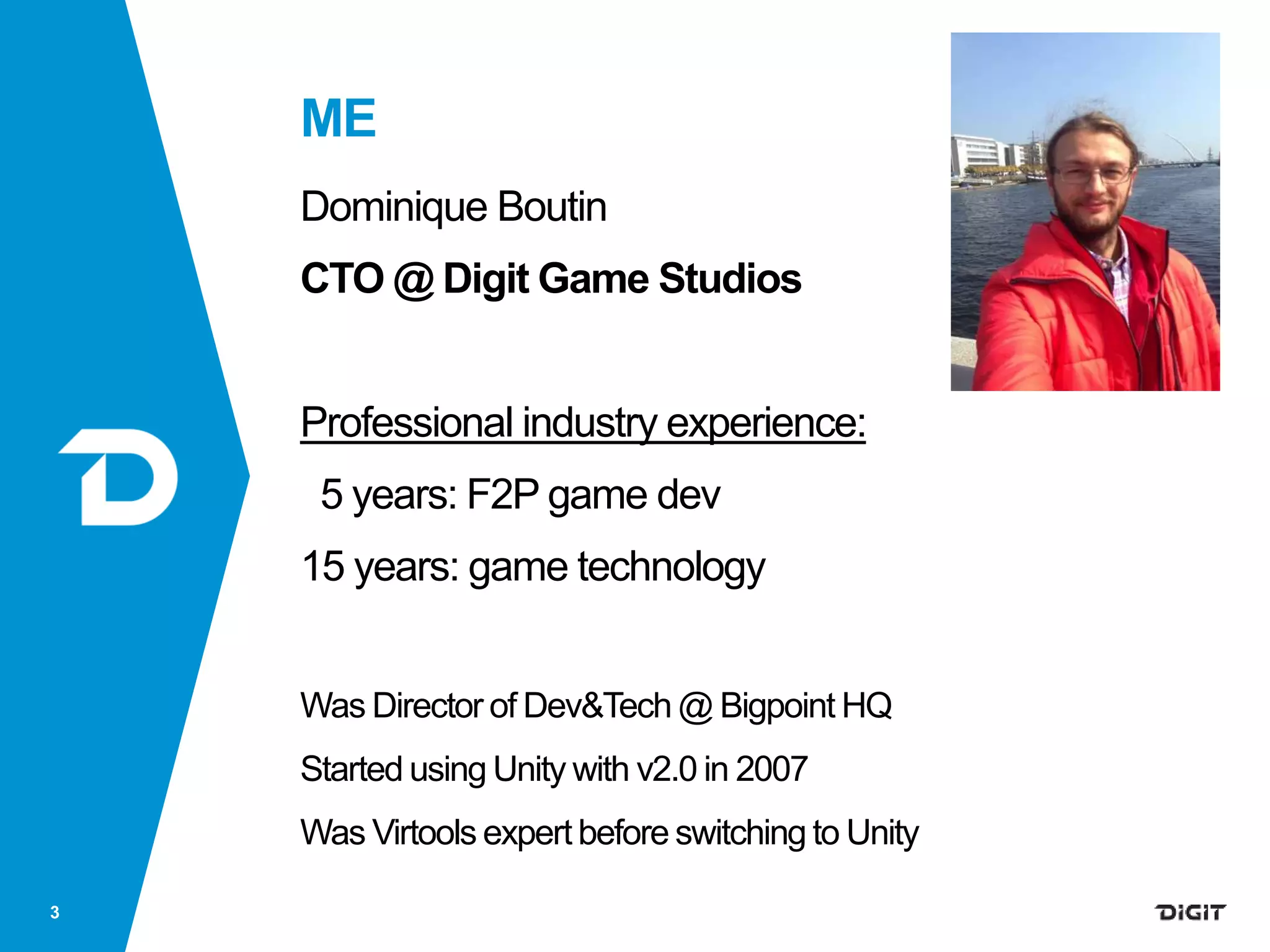
Dominique Boutin
CTO @ Digit Game Studios
Professional industry experience:
5 years: F2P game dev
15 years: game technology
Was Director of Dev&Tech @ Bigpoint HQ
Started using Unity with v2.0 in 2007
Was Virtools expert before switching to Unity
3
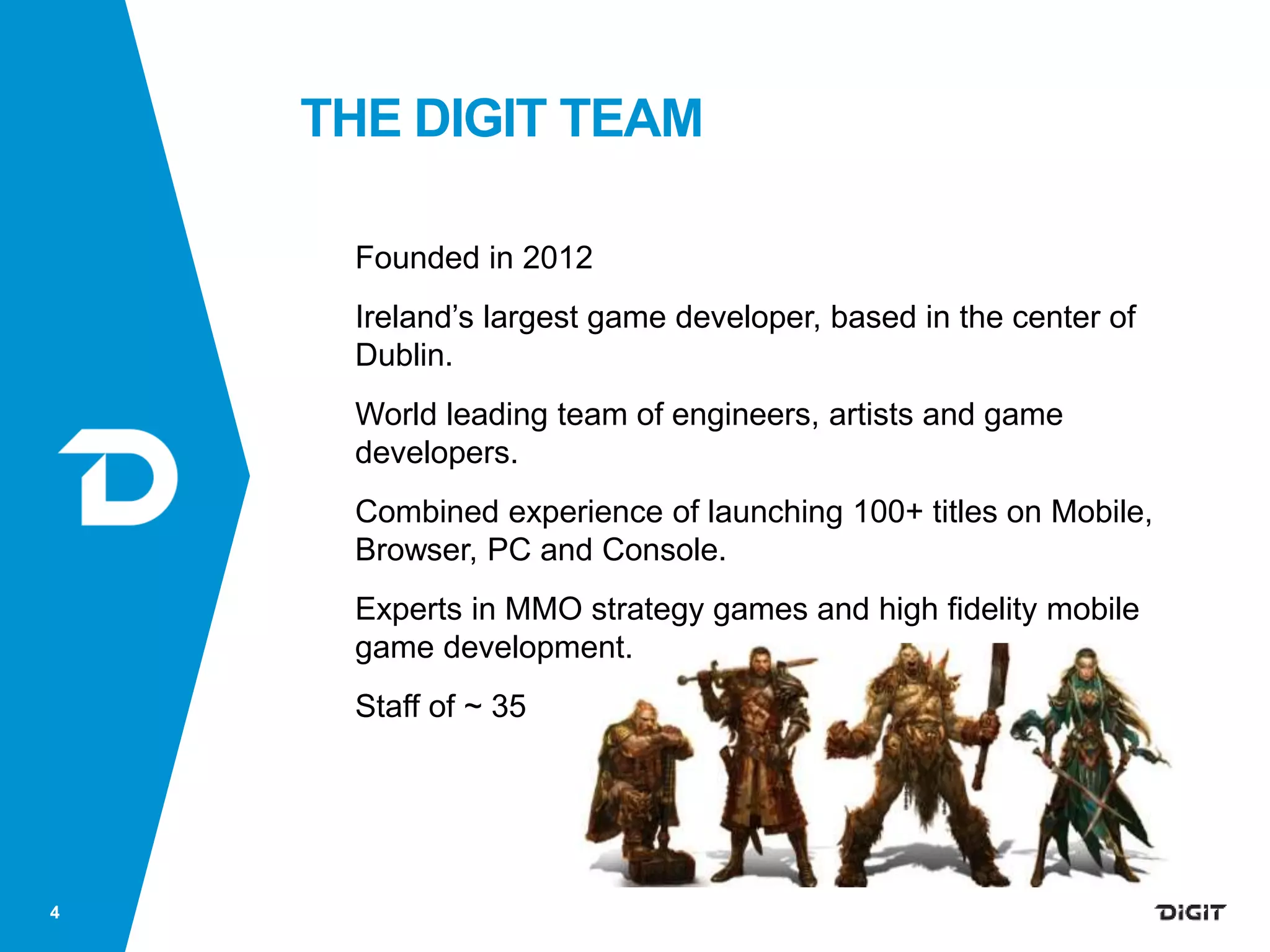
THE DIGIT TEAM
Founded in 2012
Ireland’s largest game developer, based in the center of
Dublin.
World leading team of engineers, artists and game
developers.
Combined experience of launching 100+ titles on Mobile,
Browser, PC and Console.
Experts in MMO strategy games and high fidelity mobile
game development.
Staff of ~ 35
4
Digit’s first title is on 5 platforms and everybody plays in the same big world !
COMING SUMMER 2016
6
?
Digit’s second title is an iconic AAA-IP based mobile strategy MMO
Indie?
Decide: project for learning or project for publishing?
Do active risk managent:
reduce the risk to fail using a good approach
Key:
Move risks to very early stages of any project
(where it’s cheaper to handle)
HOW WE MAKE GAMES7
HIGH LEVEL GAME DEV PROCESS
HOW WE MAKE GAMES8
HIGH LEVEL GAME DEV PROCESS
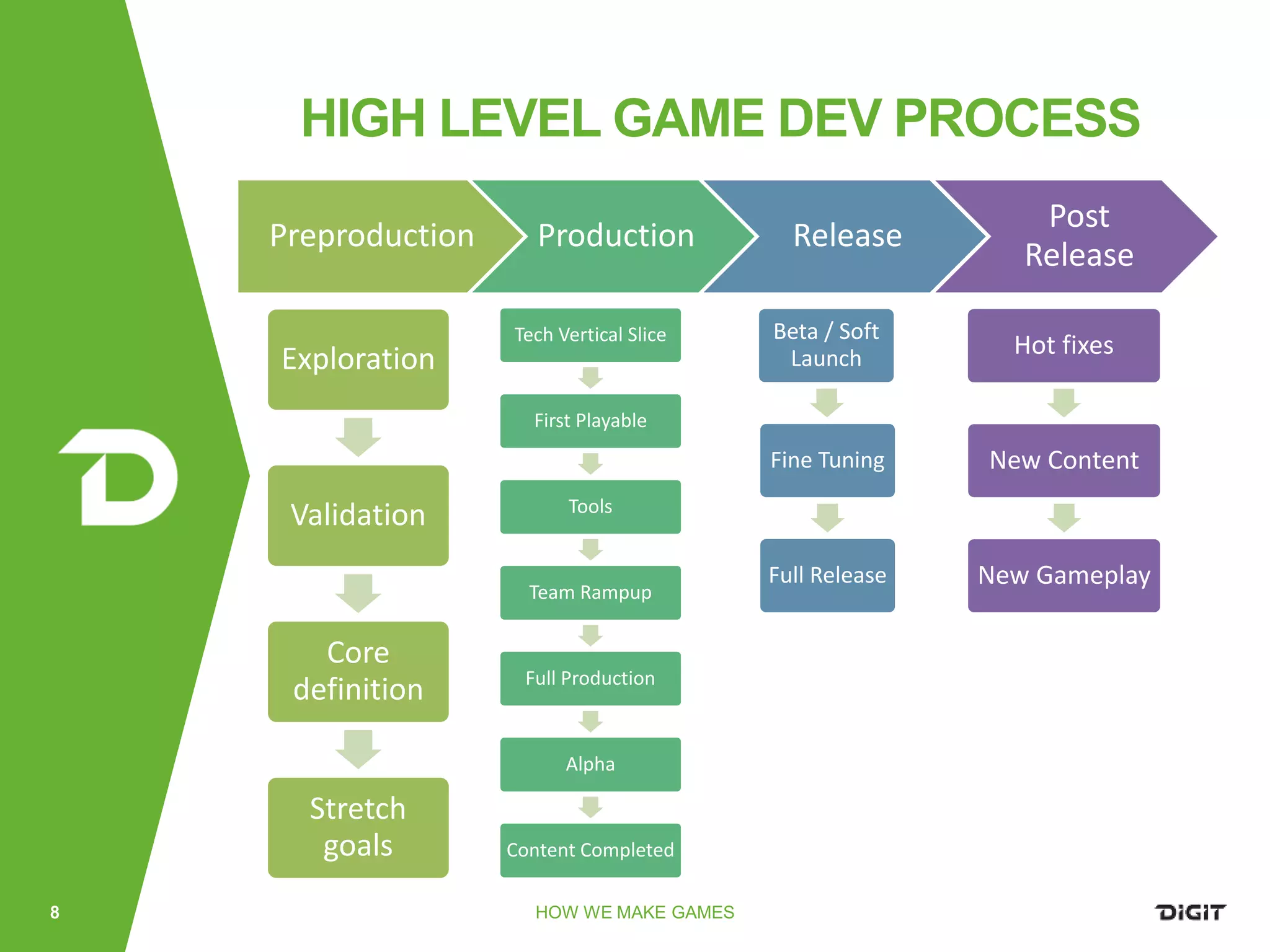
Preproduction Production Release
Post
Release
Exploration
Validation
Core
definition
Stretch
goals
Tech Vertical Slice
First Playable
Tools
Team Rampup
Full Production
Alpha
Content Completed
Beta / Soft
Launch
Fine Tuning
Full Release
Hot fixes
New Content
New Gameplay
You don’t do FarCry3 for the Wii
Work and design for limitations of Unity and target platforms
Unity is closed source but
Very extensible and customisable
Not only for programmers: include designers, artists etc.
Unity promotes one way of doing but
Not always the best
But also allows to be used differently
9
UNITYAS PLATFORM
10
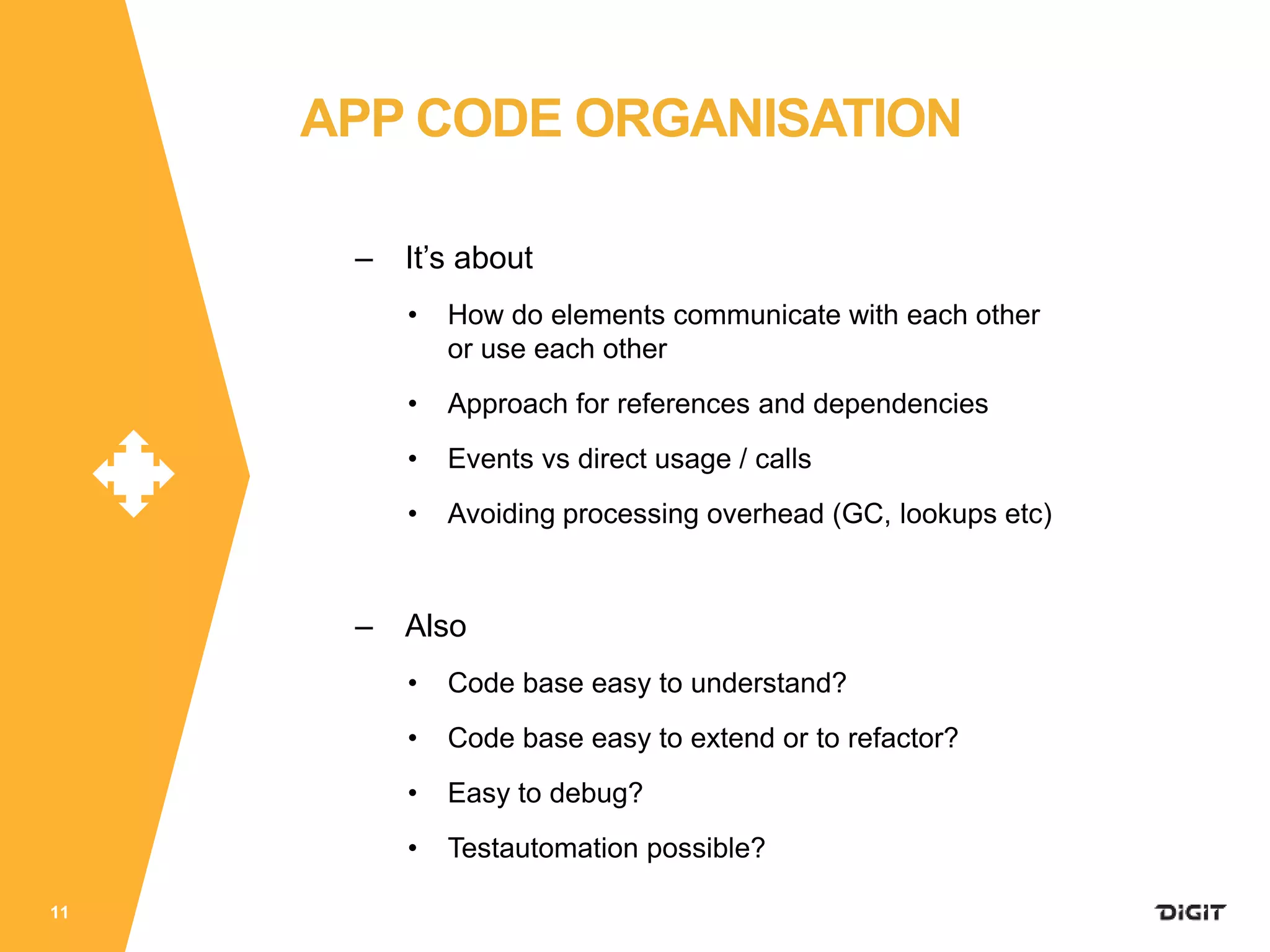
APP CODE ORGANISATION
RELATIONS INSIDE
YOUR CODE
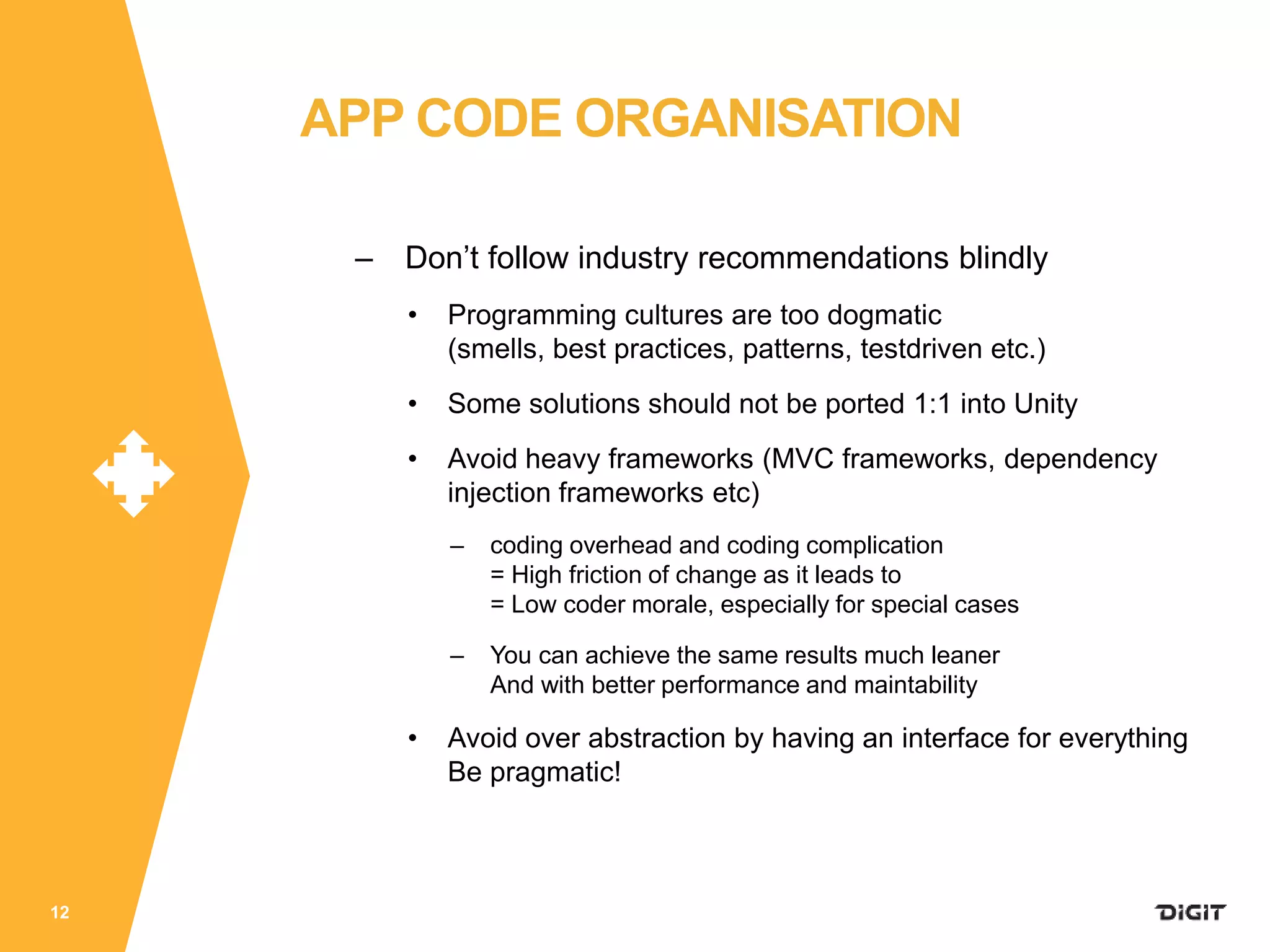
– It’s about
• How do elements communicate with each other
or use each other
• Approach for references and dependencies
• Events vs direct usage / calls
• Avoiding processing overhead (GC, lookups etc)
– Also
• Code base easy to understand?
• Code base easy to extend or to refactor?
• Easy to debug?
• Testautomation possible?
11
APP CODE ORGANISATION
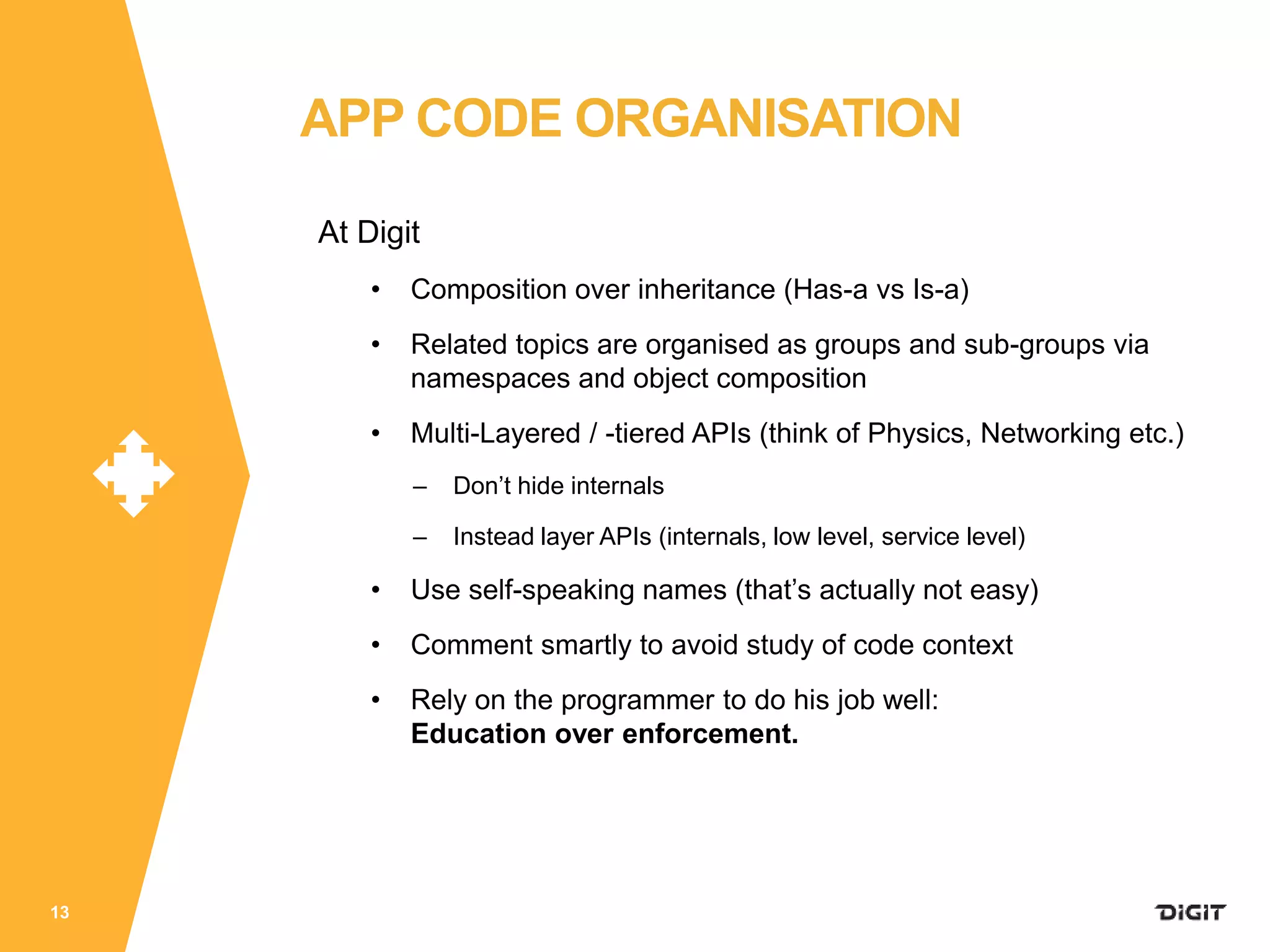
– Don’t follow industry recommendations blindly
• Programming cultures are too dogmatic
(smells, best practices, patterns, testdriven etc.)
• Some solutions should not be ported 1:1 into Unity
• Avoid heavy frameworks (MVC frameworks, dependency
injection frameworks etc)
– coding overhead and coding complication
= High friction of change as it leads to
= Low coder morale, especially for special cases
– You can achieve the same results much leaner
And with better performance and maintability
• Avoid over abstraction by having an interface for everything
Be pragmatic!
12
APP CODE ORGANISATION
At Digit
• Composition over inheritance (Has-a vs Is-a)
• Related topics are organised as groups and sub-groups via
namespaces and object composition
• Multi-Layered / -tiered APIs (think of Physics, Networking etc.)
– Don’t hide internals
– Instead layer APIs (internals, low level, service level)
• Use self-speaking names (that’s actually not easy)
• Comment smartly to avoid study of code context
• Rely on the programmer to do his job well:
Education over enforcement.
13
APP CODE ORGANISATION
At Digit
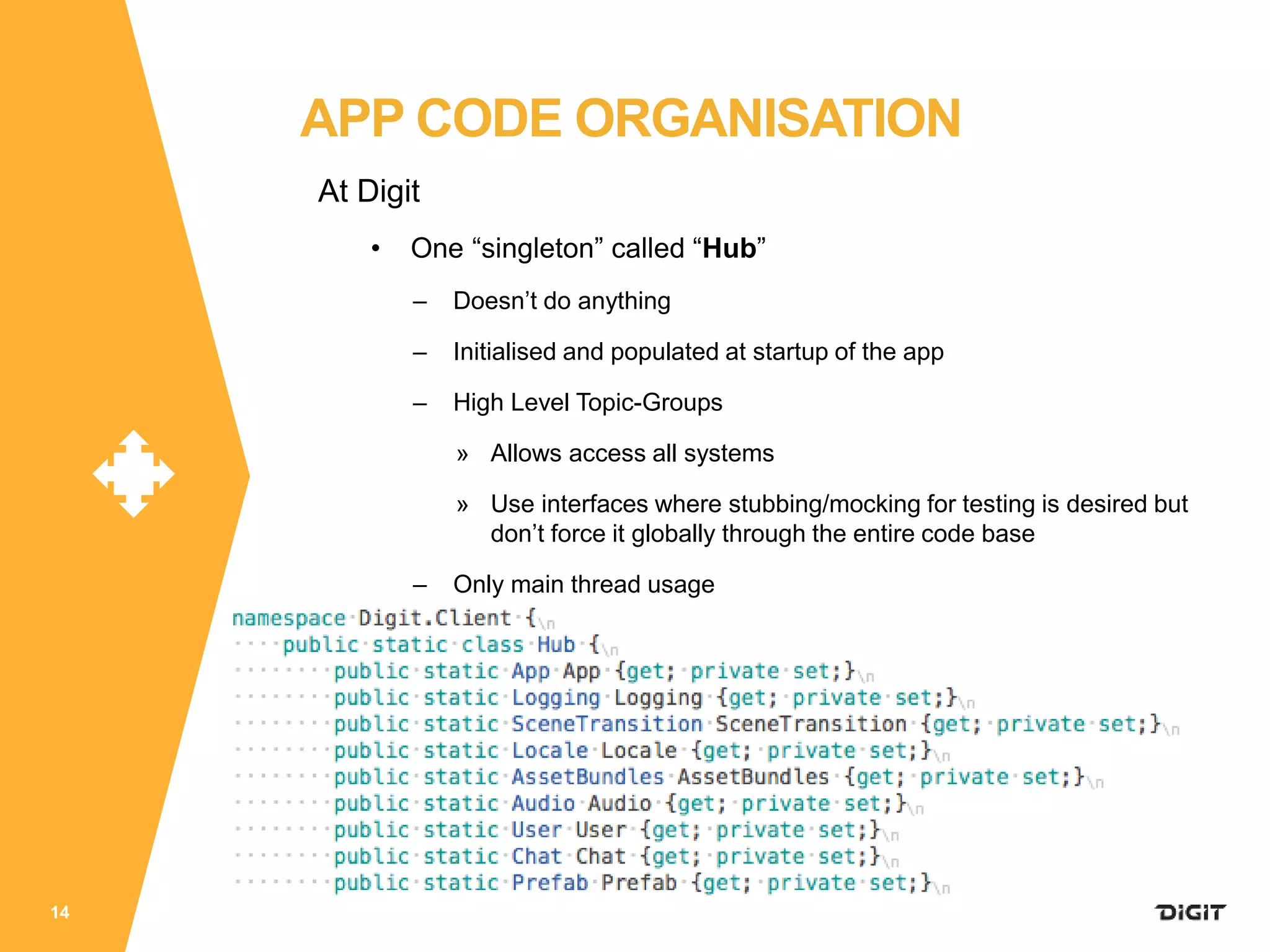
• One “singleton” called “Hub”
– Doesn’t do anything
– Initialised and populated at startup of the app
– High Level Topic-Groups
» Allows access all systems
» Use interfaces where stubbing/mocking for testing is desired but
don’t force it globally through the entire code base
– Only main thread usage
14
APP CODE ORGANISATION
At Digit
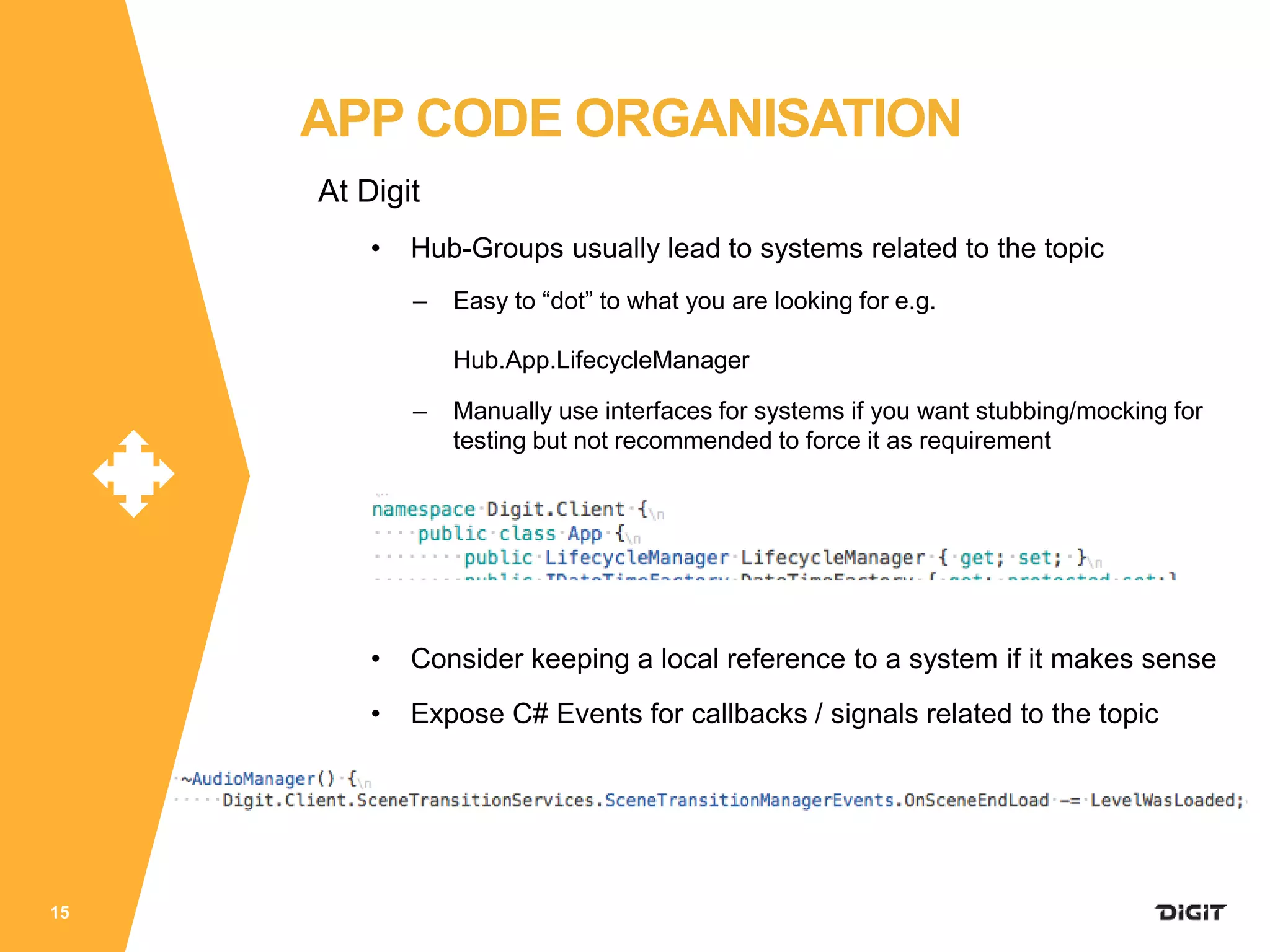
• Hub-Groups usually lead to systems related to the topic
– Easy to “dot” to what you are looking for e.g.
Hub.App.LifecycleManager
– Manually use interfaces for systems if you want stubbing/mocking for
testing but not recommended to force it as requirement
• Consider keeping a local reference to a system if it makes sense
• Expose C# Events for callbacks / signals related to the topic
15
APP CODE ORGANISATION
At Digit
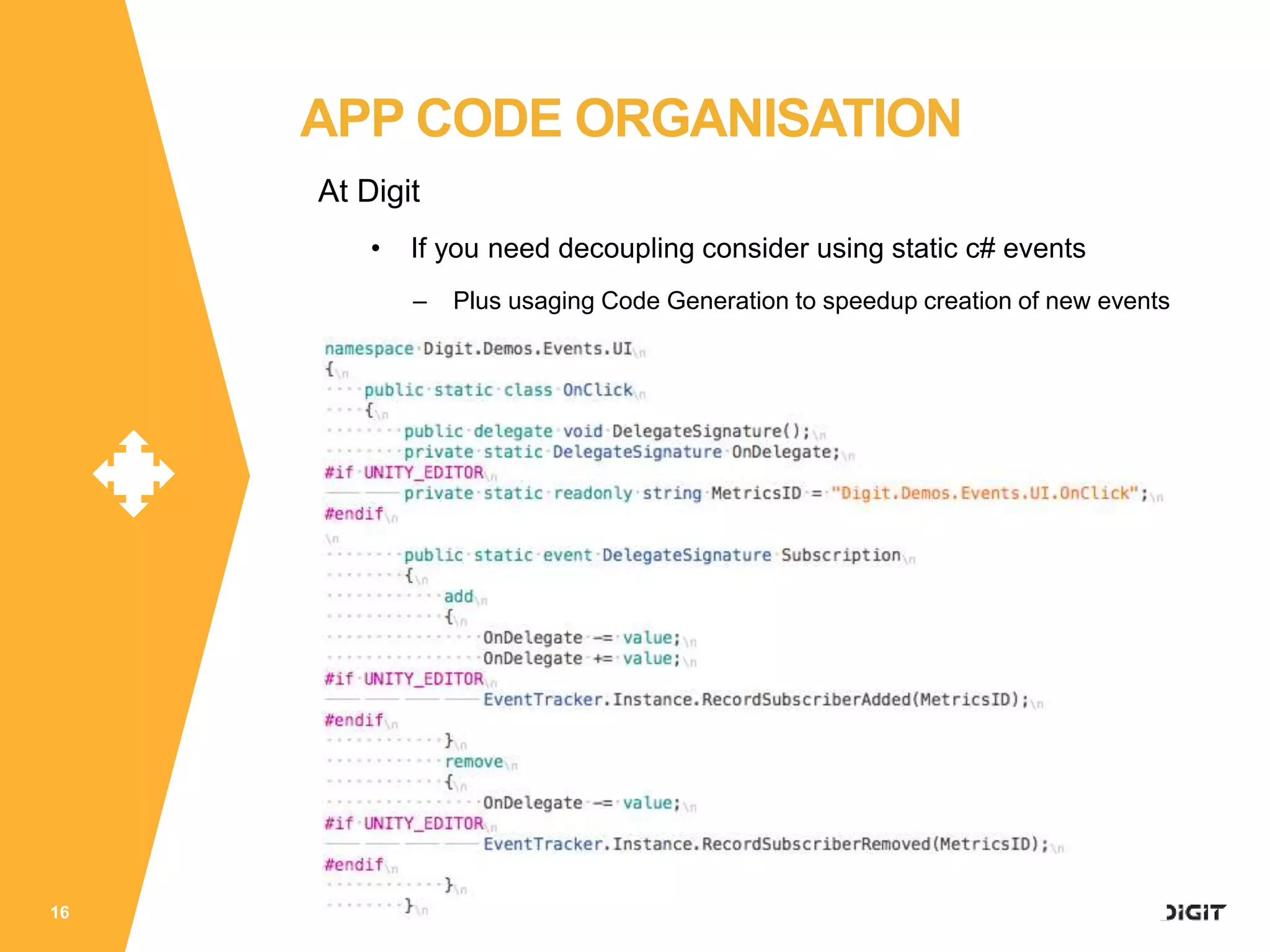
• If you need decoupling consider using static c# events
– Plus usaging Code Generation to speedup creation of new events
16
APP CODE ORGANISATION
APP FLOWS
WHAT HAPPENS WHEN
17
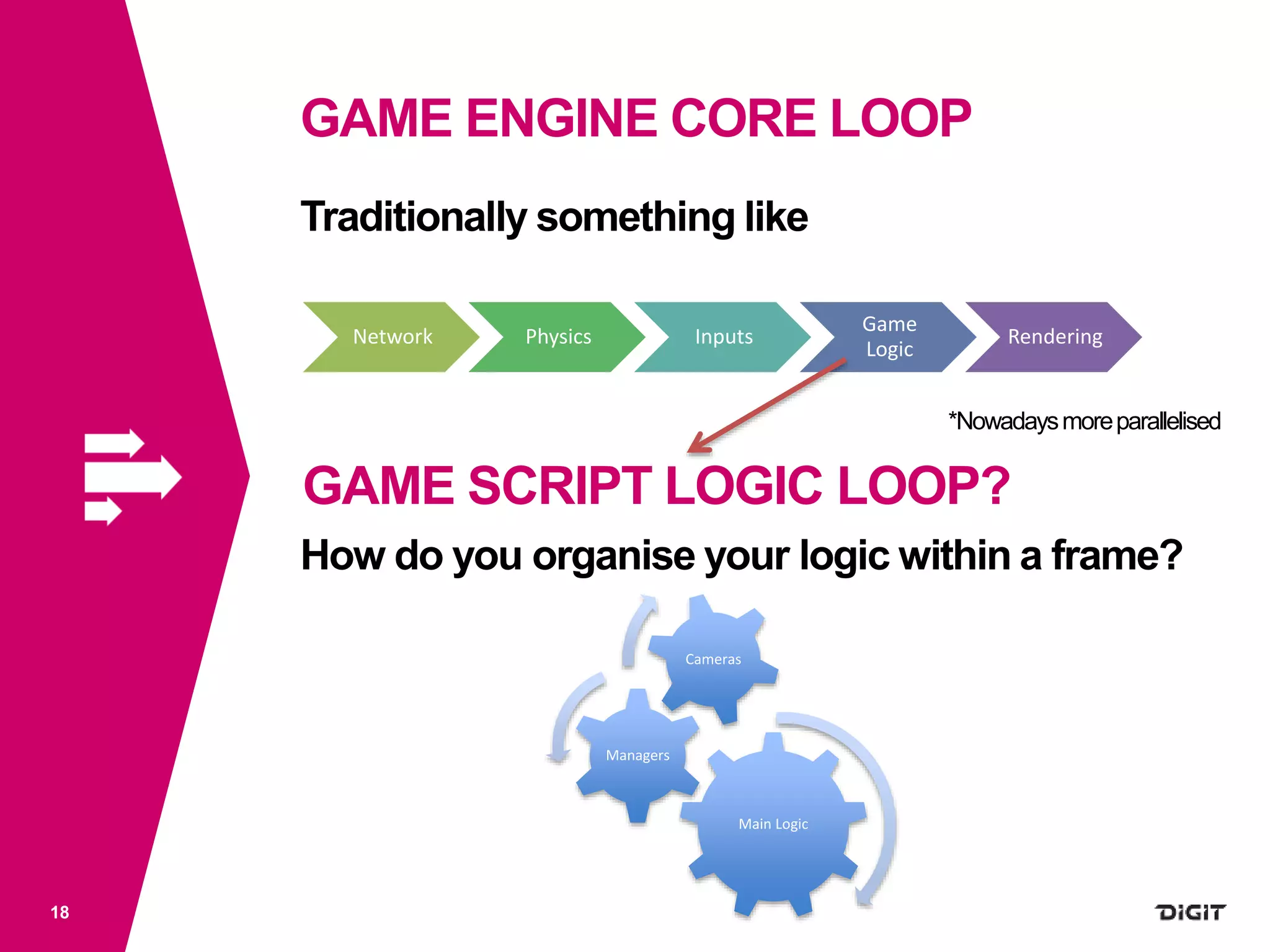
GAME ENGINE CORE LOOP
18
Traditionally something like
*Nowadaysmoreparallelised
How do you organise your logic within a frame?
Network Physics Inputs
Game
Logic
Rendering
GAME SCRIPT LOGIC LOOP?
Main Logic
Managers
Cameras
19
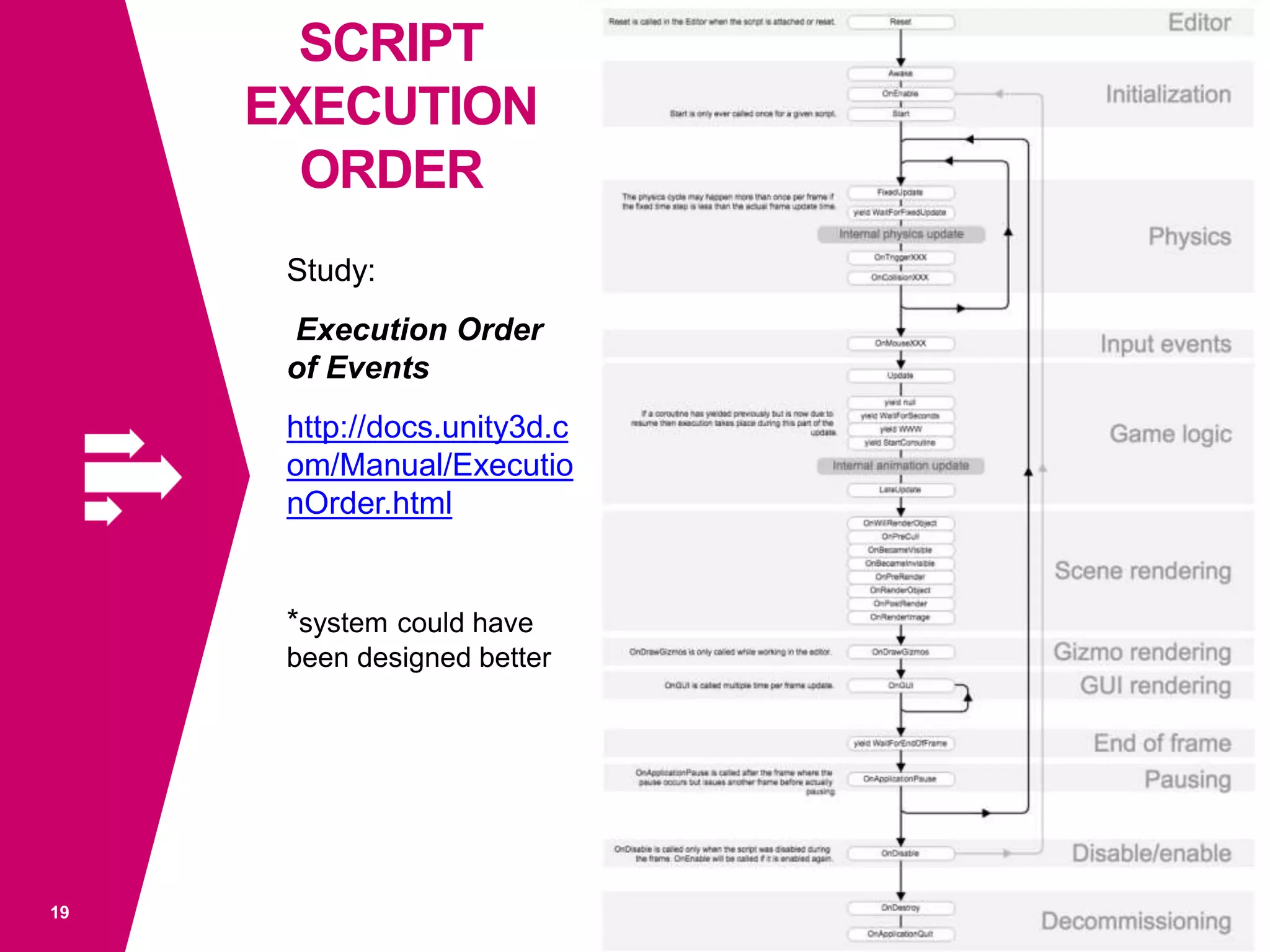
Study:
Execution Order
of Events
http://docs.unity3d.c
om/Manual/Executio
nOrder.html
*system could have
been designed better
SCRIPT
EXECUTION
ORDER
SCRIPT EXECUTION ORDER
20
Use
• LateUpdate e.g. for updating camera movements
• Start to initialise and cache calculations or lookups
• Etc.
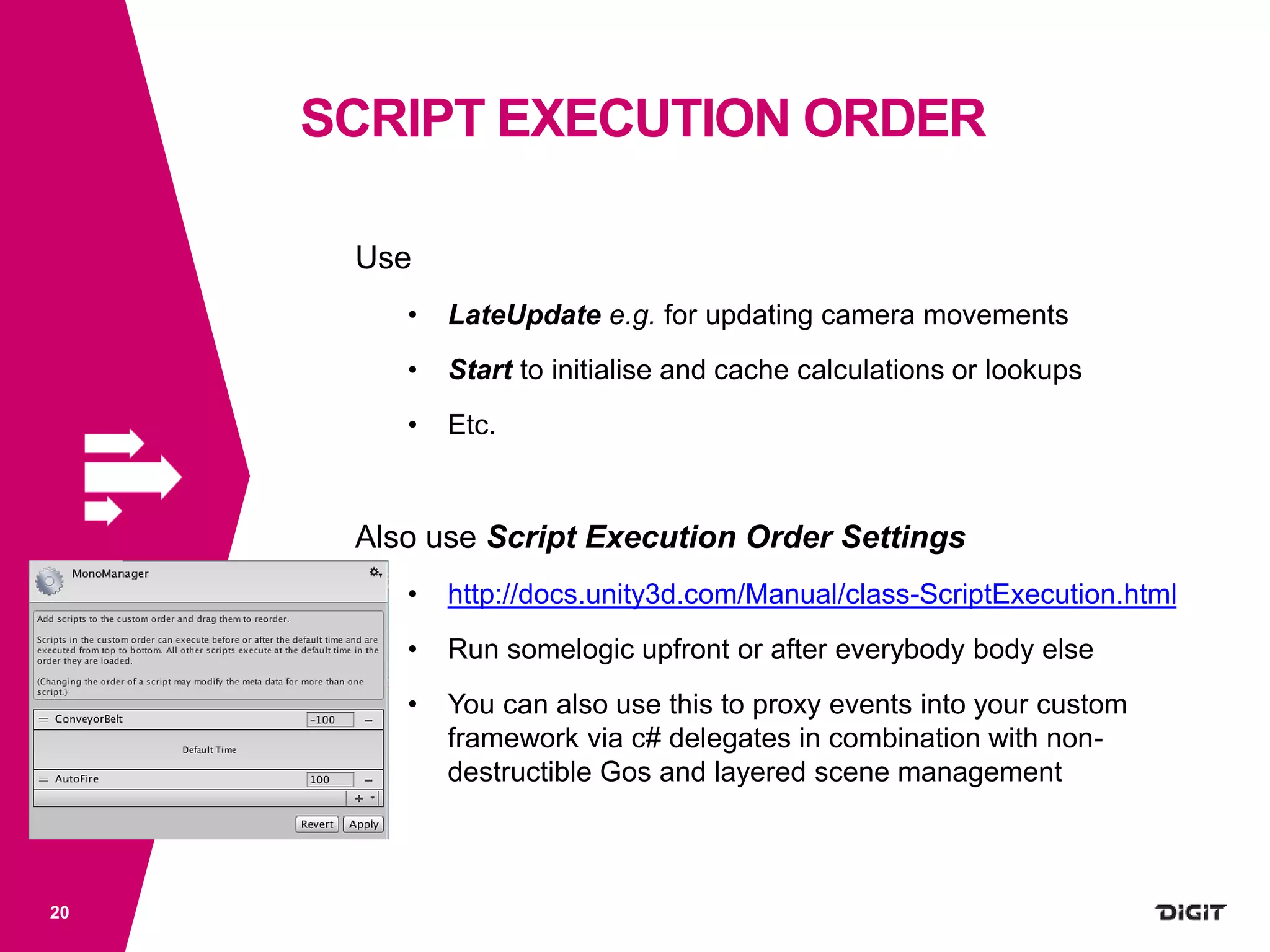
Also use Script Execution Order Settings
• http://docs.unity3d.com/Manual/class-ScriptExecution.html
• Run somelogic upfront or after everybody body else
• You can also use this to proxy events into your custom
framework via c# delegates in combination with non-
destructible Gos and layered scene management
CUSTOM APP FLOWS, INJECTION
21
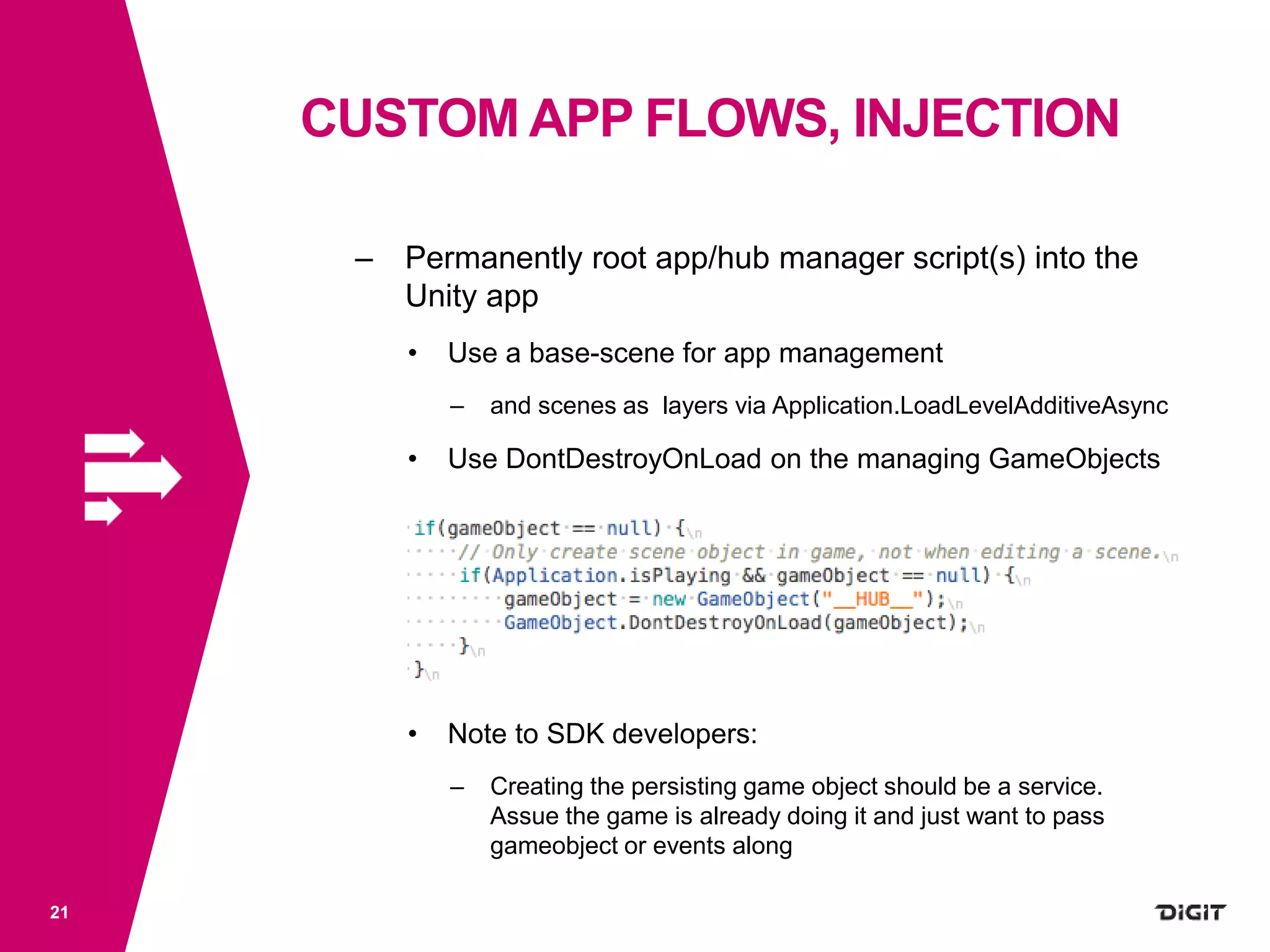
– Permanently root app/hub manager script(s) into the
Unity app
• Use a base-scene for app management
– and scenes as layers via Application.LoadLevelAdditiveAsync
• Use DontDestroyOnLoad on the managing GameObjects
• Note to SDK developers:
– Creating the persisting game object should be a service.
Assue the game is already doing it and just want to pass
gameobject or events along
CUSTOM APP FLOWS, INJECTION
22
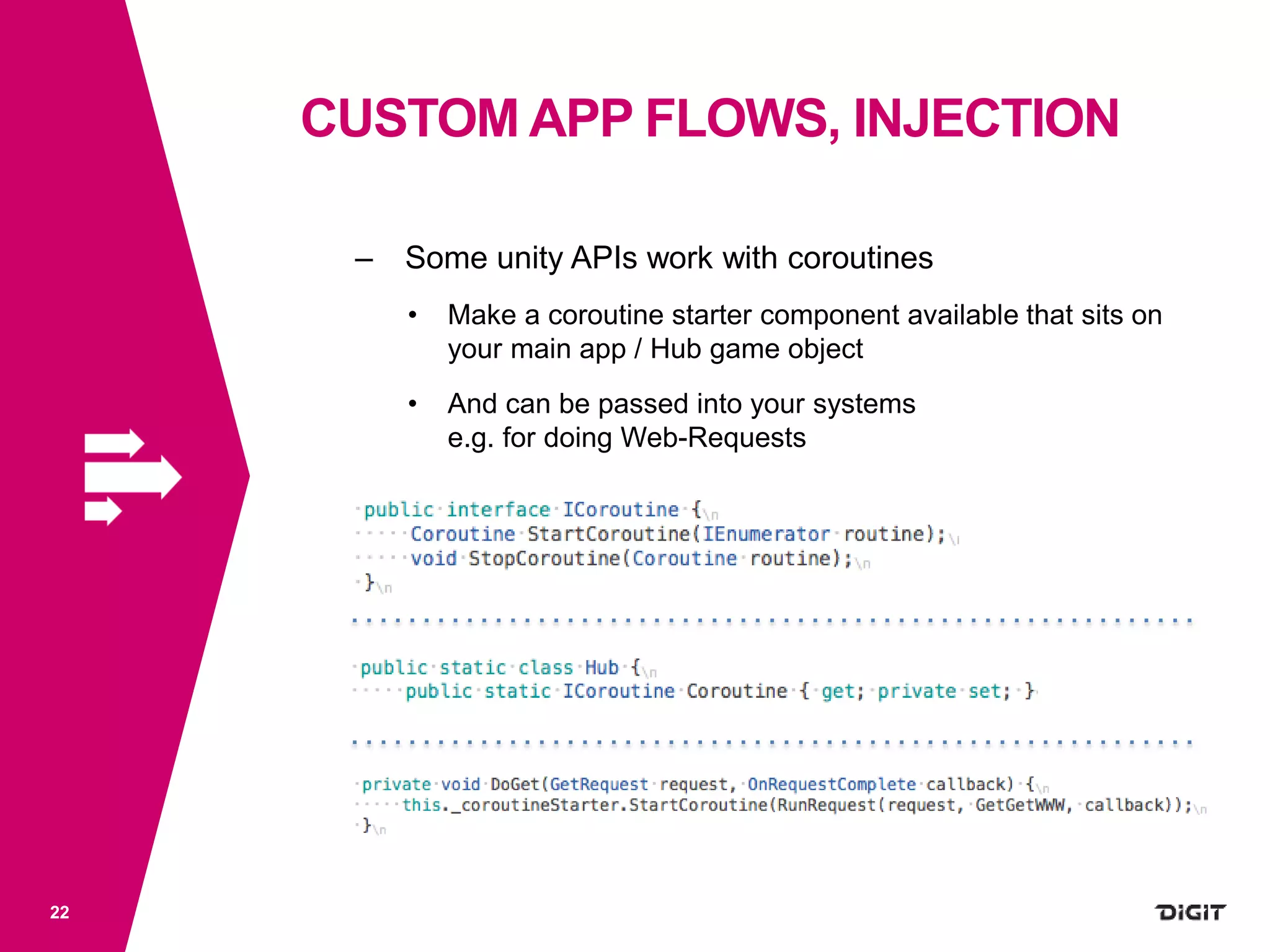
– Some unity APIs work with coroutines
• Make a coroutine starter component available that sits on
your main app / Hub game object
• And can be passed into your systems
e.g. for doing Web-Requests
CUSTOM APP FLOWS, INJECTION
23
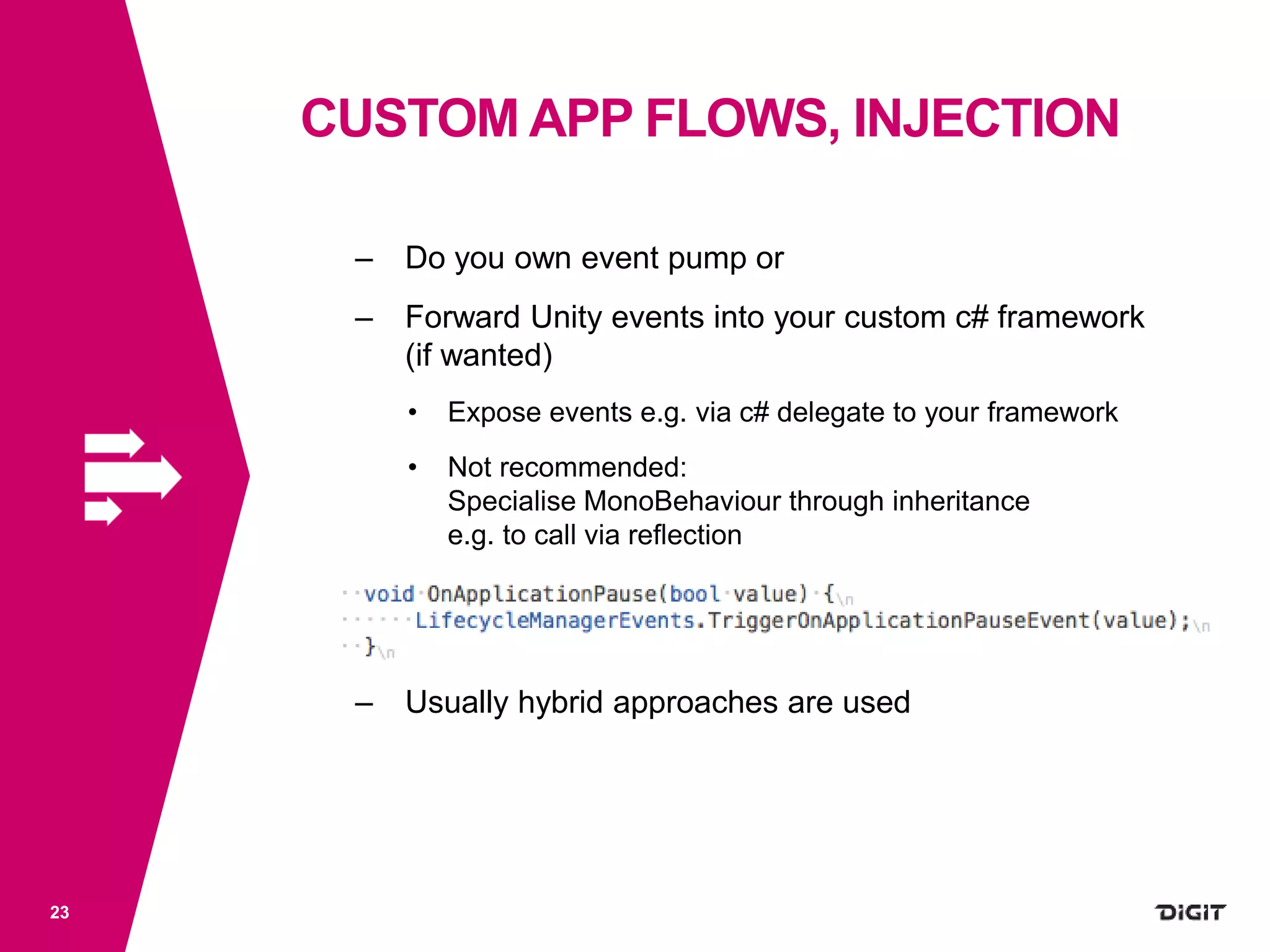
– Do you own event pump or
– Forward Unity events into your custom c# framework
(if wanted)
• Expose events e.g. via c# delegate to your framework
• Not recommended:
Specialise MonoBehaviour through inheritance
e.g. to call via reflection
– Usually hybrid approaches are used
CUSTOM APP FLOWS
24
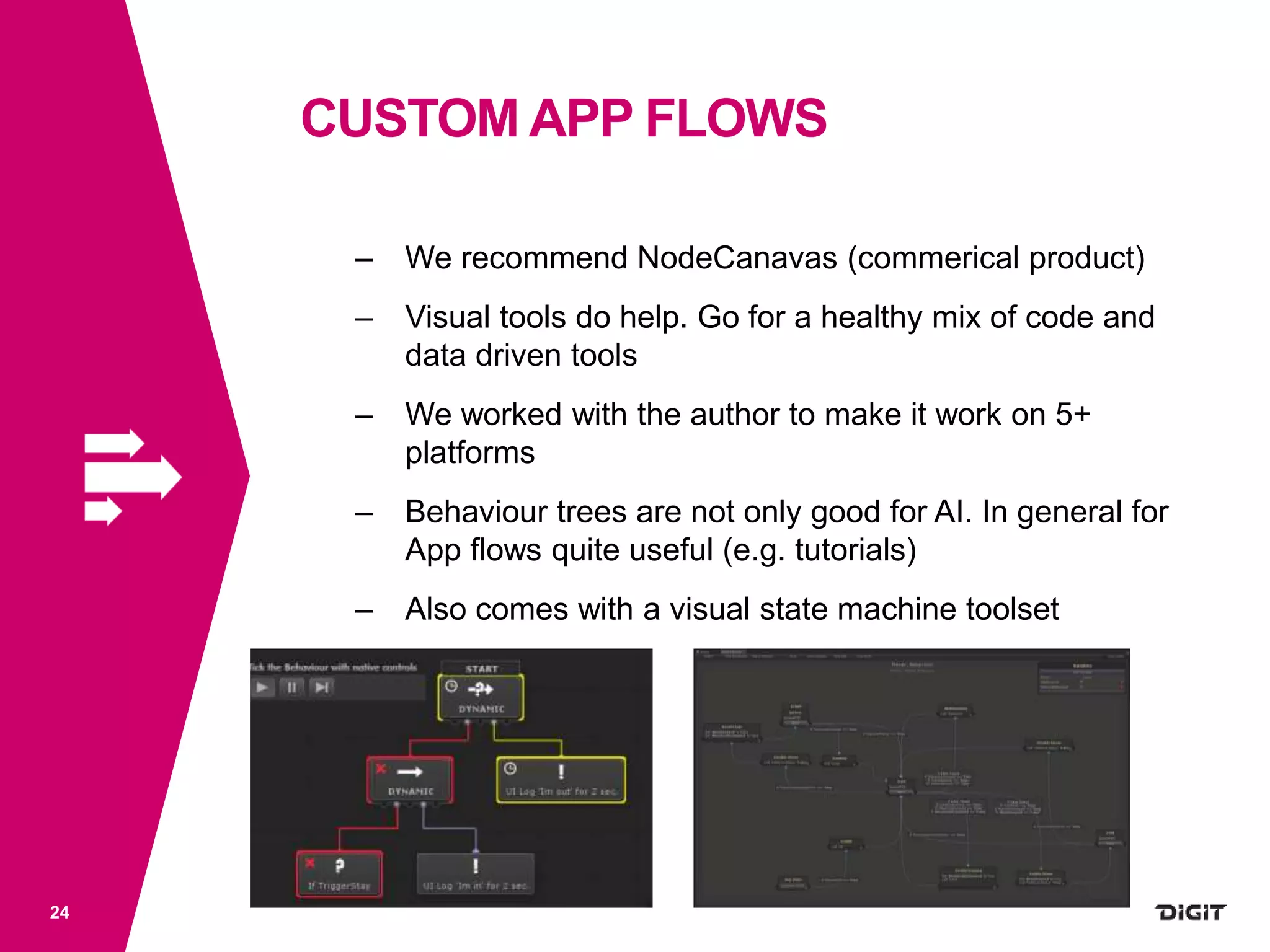
– We recommend NodeCanavas (commerical product)
– Visual tools do help. Go for a healthy mix of code and
data driven tools
– We worked with the author to make it work on 5+
platforms
– Behaviour trees are not only good for AI. In general for
App flows quite useful (e.g. tutorials)
– Also comes with a visual state machine toolset
CUSTOM APP FLOWS
25
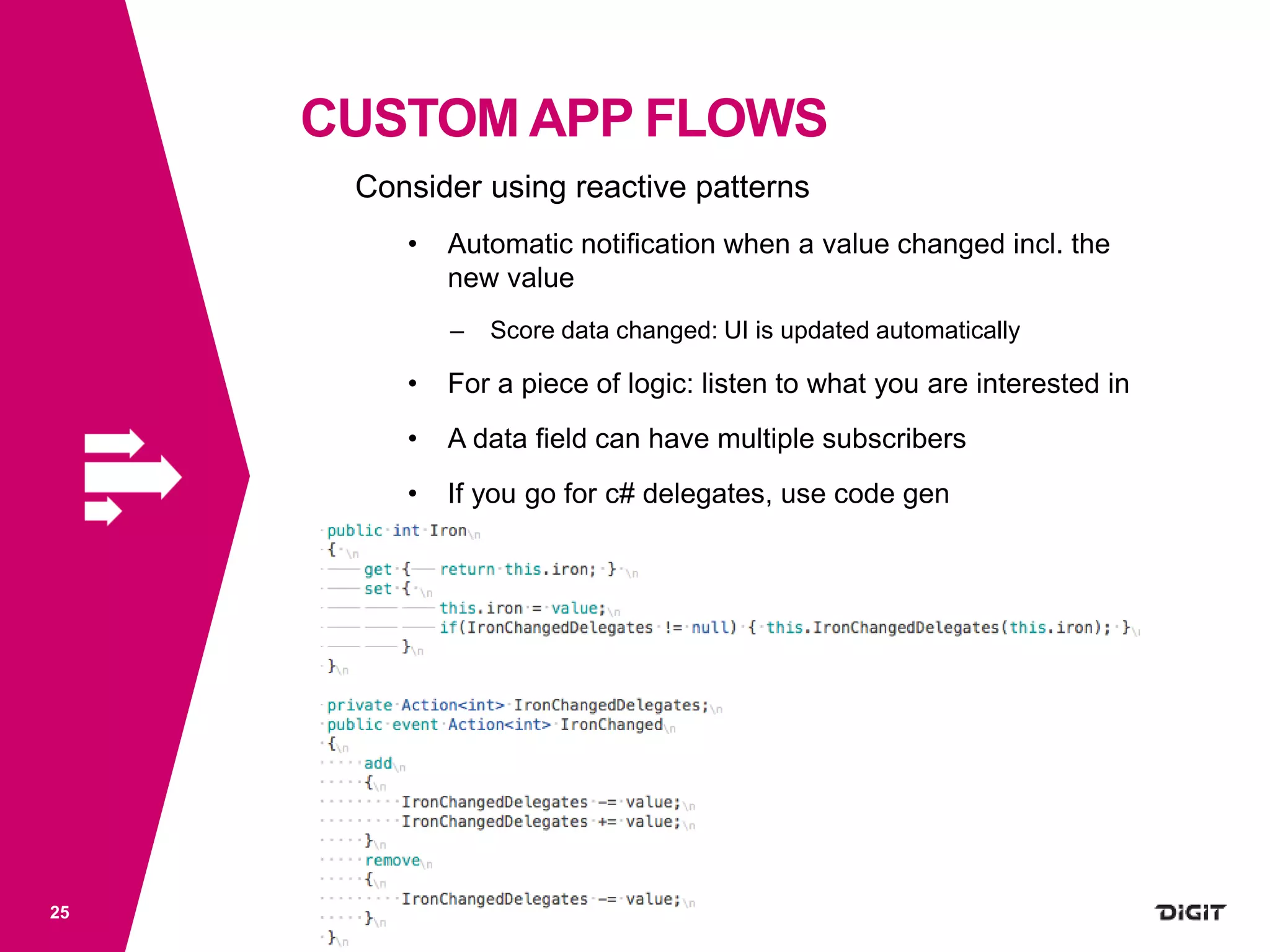
Consider using reactive patterns
• Automatic notification when a value changed incl. the
new value
– Score data changed: UI is updated automatically
• For a piece of logic: listen to what you are interested in
• A data field can have multiple subscribers
• If you go for c# delegates, use code gen
APPENDIX
• Use sub-folders (don’t pollute root)
• Use StandardAsset Folder to split into
compilation units to save compilation time
26
digitgaming.com
WE ARE HIRING !
https://www.digitgaming.com/careers/

Dublin Unity User Group Meetup Sept 2015

  • 1.
    DEV TIPS FORSTARTING NEW UNITY PROJECTS 1 DUBLIN UNITY USER GROUP MEETUP SEPTEMBER 2015 BYDOMINIQUEBOUTIN CTO@DIGITGAMESTUDIOS
  • 2.
    AGENDA – About Me –About Digit – High Level Game Dev Process – Unity As A Platform – App Code Organisation – App Flows – App Flow Customisation 2 DEV TIPS FOR STARTING NEW UNITY PROJECTS
  • 3.
    ME Dominique Boutin CTO @Digit Game Studios Professional industry experience: 5 years: F2P game dev 15 years: game technology Was Director of Dev&Tech @ Bigpoint HQ Started using Unity with v2.0 in 2007 Was Virtools expert before switching to Unity 3
  • 4.
    THE DIGIT TEAM Foundedin 2012 Ireland’s largest game developer, based in the center of Dublin. World leading team of engineers, artists and game developers. Combined experience of launching 100+ titles on Mobile, Browser, PC and Console. Experts in MMO strategy games and high fidelity mobile game development. Staff of ~ 35 4
  • 5.
    Digit’s first titleis on 5 platforms and everybody plays in the same big world !
  • 6.
    COMING SUMMER 2016 6 ? Digit’ssecond title is an iconic AAA-IP based mobile strategy MMO
  • 7.
    Indie? Decide: project forlearning or project for publishing? Do active risk managent: reduce the risk to fail using a good approach Key: Move risks to very early stages of any project (where it’s cheaper to handle) HOW WE MAKE GAMES7 HIGH LEVEL GAME DEV PROCESS
  • 8.
    HOW WE MAKEGAMES8 HIGH LEVEL GAME DEV PROCESS Preproduction Production Release Post Release Exploration Validation Core definition Stretch goals Tech Vertical Slice First Playable Tools Team Rampup Full Production Alpha Content Completed Beta / Soft Launch Fine Tuning Full Release Hot fixes New Content New Gameplay
  • 9.
    You don’t doFarCry3 for the Wii Work and design for limitations of Unity and target platforms Unity is closed source but Very extensible and customisable Not only for programmers: include designers, artists etc. Unity promotes one way of doing but Not always the best But also allows to be used differently 9 UNITYAS PLATFORM
  • 10.
  • 11.
    – It’s about •How do elements communicate with each other or use each other • Approach for references and dependencies • Events vs direct usage / calls • Avoiding processing overhead (GC, lookups etc) – Also • Code base easy to understand? • Code base easy to extend or to refactor? • Easy to debug? • Testautomation possible? 11 APP CODE ORGANISATION
  • 12.
    – Don’t followindustry recommendations blindly • Programming cultures are too dogmatic (smells, best practices, patterns, testdriven etc.) • Some solutions should not be ported 1:1 into Unity • Avoid heavy frameworks (MVC frameworks, dependency injection frameworks etc) – coding overhead and coding complication = High friction of change as it leads to = Low coder morale, especially for special cases – You can achieve the same results much leaner And with better performance and maintability • Avoid over abstraction by having an interface for everything Be pragmatic! 12 APP CODE ORGANISATION
  • 13.
    At Digit • Compositionover inheritance (Has-a vs Is-a) • Related topics are organised as groups and sub-groups via namespaces and object composition • Multi-Layered / -tiered APIs (think of Physics, Networking etc.) – Don’t hide internals – Instead layer APIs (internals, low level, service level) • Use self-speaking names (that’s actually not easy) • Comment smartly to avoid study of code context • Rely on the programmer to do his job well: Education over enforcement. 13 APP CODE ORGANISATION
  • 14.
    At Digit • One“singleton” called “Hub” – Doesn’t do anything – Initialised and populated at startup of the app – High Level Topic-Groups » Allows access all systems » Use interfaces where stubbing/mocking for testing is desired but don’t force it globally through the entire code base – Only main thread usage 14 APP CODE ORGANISATION
  • 15.
    At Digit • Hub-Groupsusually lead to systems related to the topic – Easy to “dot” to what you are looking for e.g. Hub.App.LifecycleManager – Manually use interfaces for systems if you want stubbing/mocking for testing but not recommended to force it as requirement • Consider keeping a local reference to a system if it makes sense • Expose C# Events for callbacks / signals related to the topic 15 APP CODE ORGANISATION
  • 16.
    At Digit • Ifyou need decoupling consider using static c# events – Plus usaging Code Generation to speedup creation of new events 16 APP CODE ORGANISATION
  • 17.
  • 18.
    GAME ENGINE CORELOOP 18 Traditionally something like *Nowadaysmoreparallelised How do you organise your logic within a frame? Network Physics Inputs Game Logic Rendering GAME SCRIPT LOGIC LOOP? Main Logic Managers Cameras
  • 19.
  • 20.
    SCRIPT EXECUTION ORDER 20 Use •LateUpdate e.g. for updating camera movements • Start to initialise and cache calculations or lookups • Etc. Also use Script Execution Order Settings • http://docs.unity3d.com/Manual/class-ScriptExecution.html • Run somelogic upfront or after everybody body else • You can also use this to proxy events into your custom framework via c# delegates in combination with non- destructible Gos and layered scene management
  • 21.
    CUSTOM APP FLOWS,INJECTION 21 – Permanently root app/hub manager script(s) into the Unity app • Use a base-scene for app management – and scenes as layers via Application.LoadLevelAdditiveAsync • Use DontDestroyOnLoad on the managing GameObjects • Note to SDK developers: – Creating the persisting game object should be a service. Assue the game is already doing it and just want to pass gameobject or events along
  • 22.
    CUSTOM APP FLOWS,INJECTION 22 – Some unity APIs work with coroutines • Make a coroutine starter component available that sits on your main app / Hub game object • And can be passed into your systems e.g. for doing Web-Requests
  • 23.
    CUSTOM APP FLOWS,INJECTION 23 – Do you own event pump or – Forward Unity events into your custom c# framework (if wanted) • Expose events e.g. via c# delegate to your framework • Not recommended: Specialise MonoBehaviour through inheritance e.g. to call via reflection – Usually hybrid approaches are used
  • 24.
    CUSTOM APP FLOWS 24 –We recommend NodeCanavas (commerical product) – Visual tools do help. Go for a healthy mix of code and data driven tools – We worked with the author to make it work on 5+ platforms – Behaviour trees are not only good for AI. In general for App flows quite useful (e.g. tutorials) – Also comes with a visual state machine toolset
  • 25.
    CUSTOM APP FLOWS 25 Considerusing reactive patterns • Automatic notification when a value changed incl. the new value – Score data changed: UI is updated automatically • For a piece of logic: listen to what you are interested in • A data field can have multiple subscribers • If you go for c# delegates, use code gen
  • 26.
    APPENDIX • Use sub-folders(don’t pollute root) • Use StandardAsset Folder to split into compilation units to save compilation time 26
  • 27.
    digitgaming.com WE ARE HIRING! https://www.digitgaming.com/careers/