Automatic time tracking software
www.desktime.com
About us
• The time tracking app was created for the needs of
Draugiem Group
• Following the creation, a startup company was founded in
2011 as part of Draugiem Group
• A team of 9 is now working together with 10 outsourced
marketing and SEO specialists
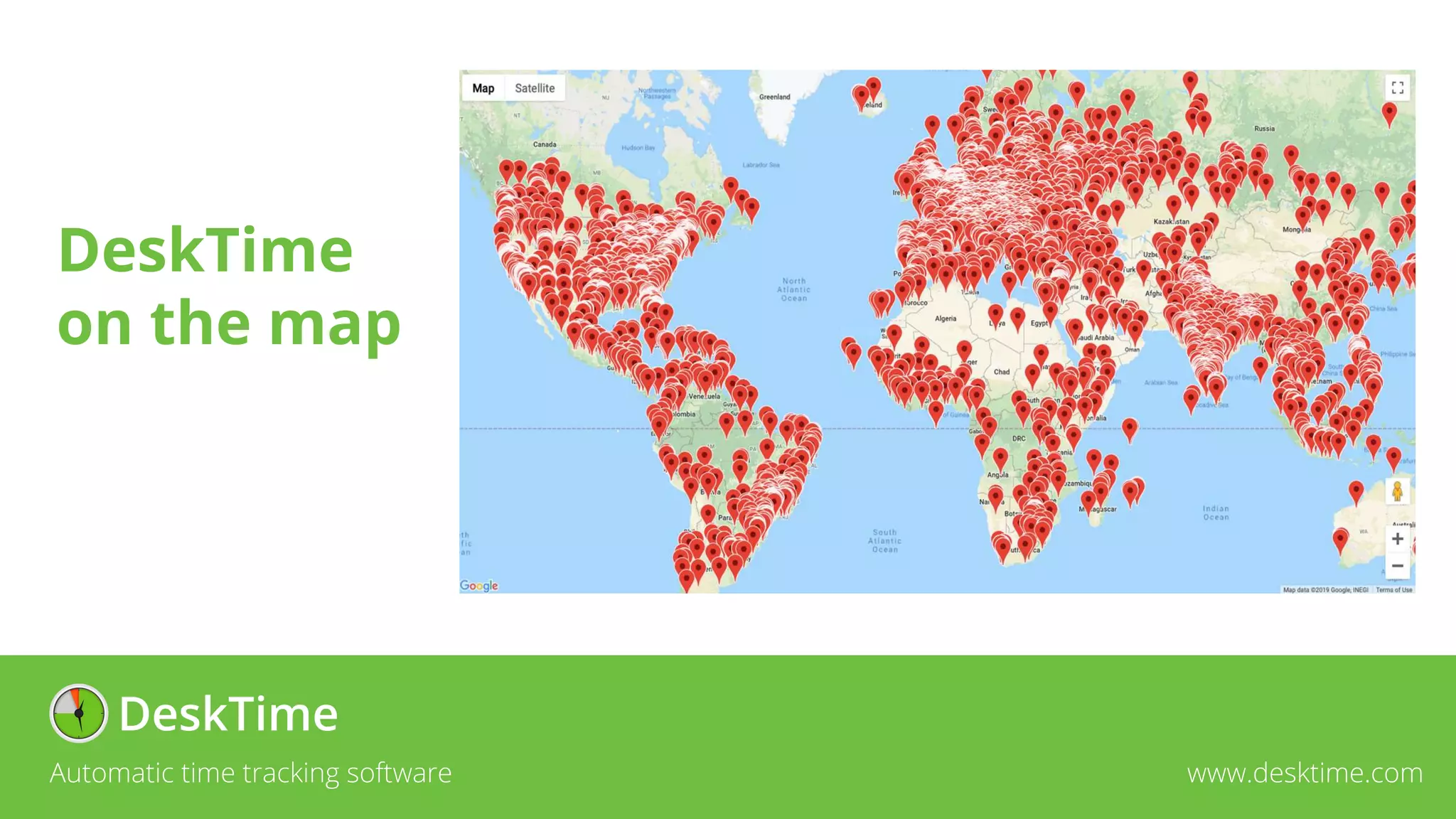
• More than 250’000 users in 209 countries and territories
around the world
Automatic time tracking software www.desktime.com
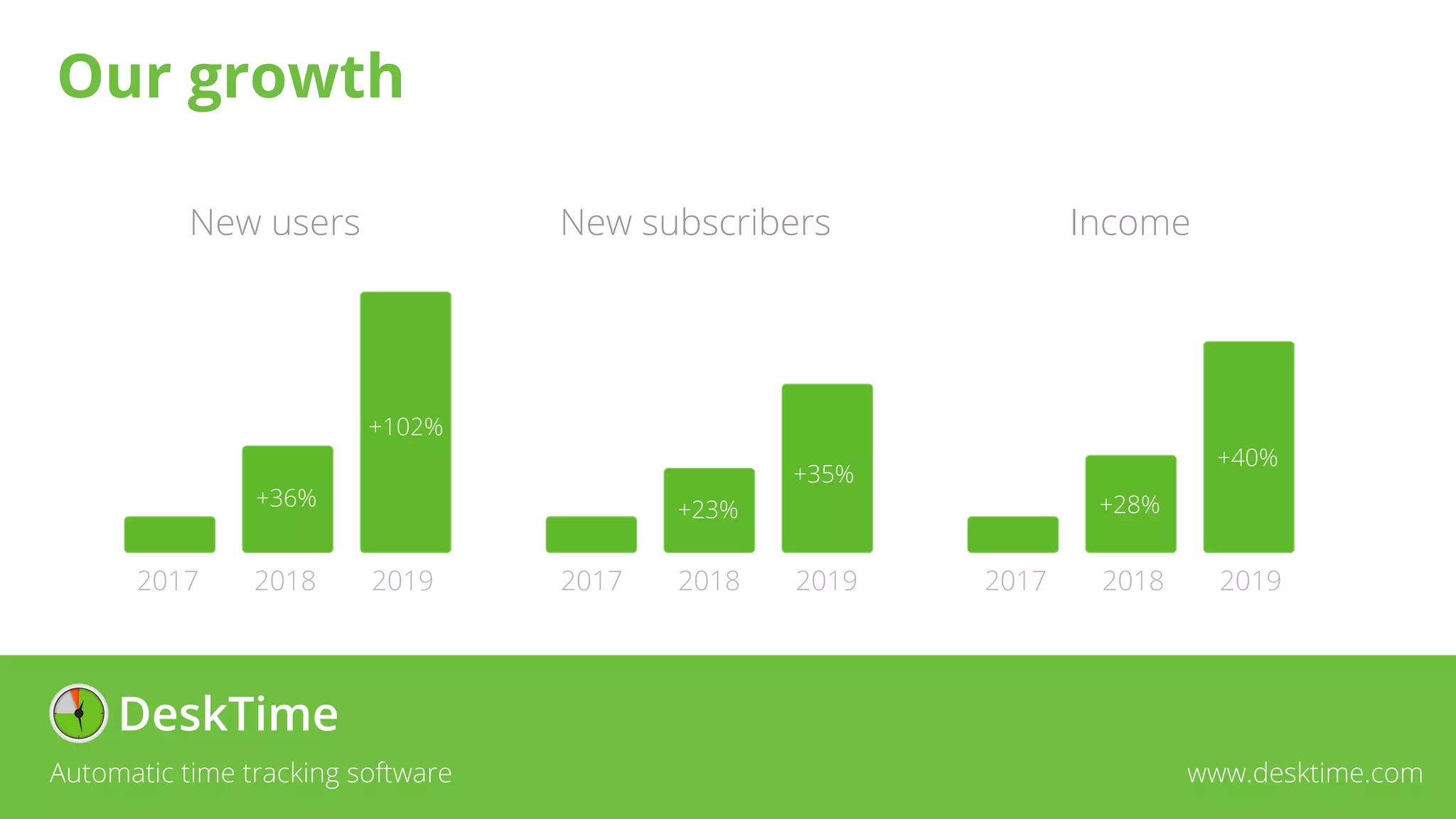
Our growth
Automatic time tracking software www.desktime.com
New users
2019
2018
2017
+36%
+102%
+23%
+35%
+28%
+40%
2019
2018
2017 2019
2018
2017
New subscribers Income
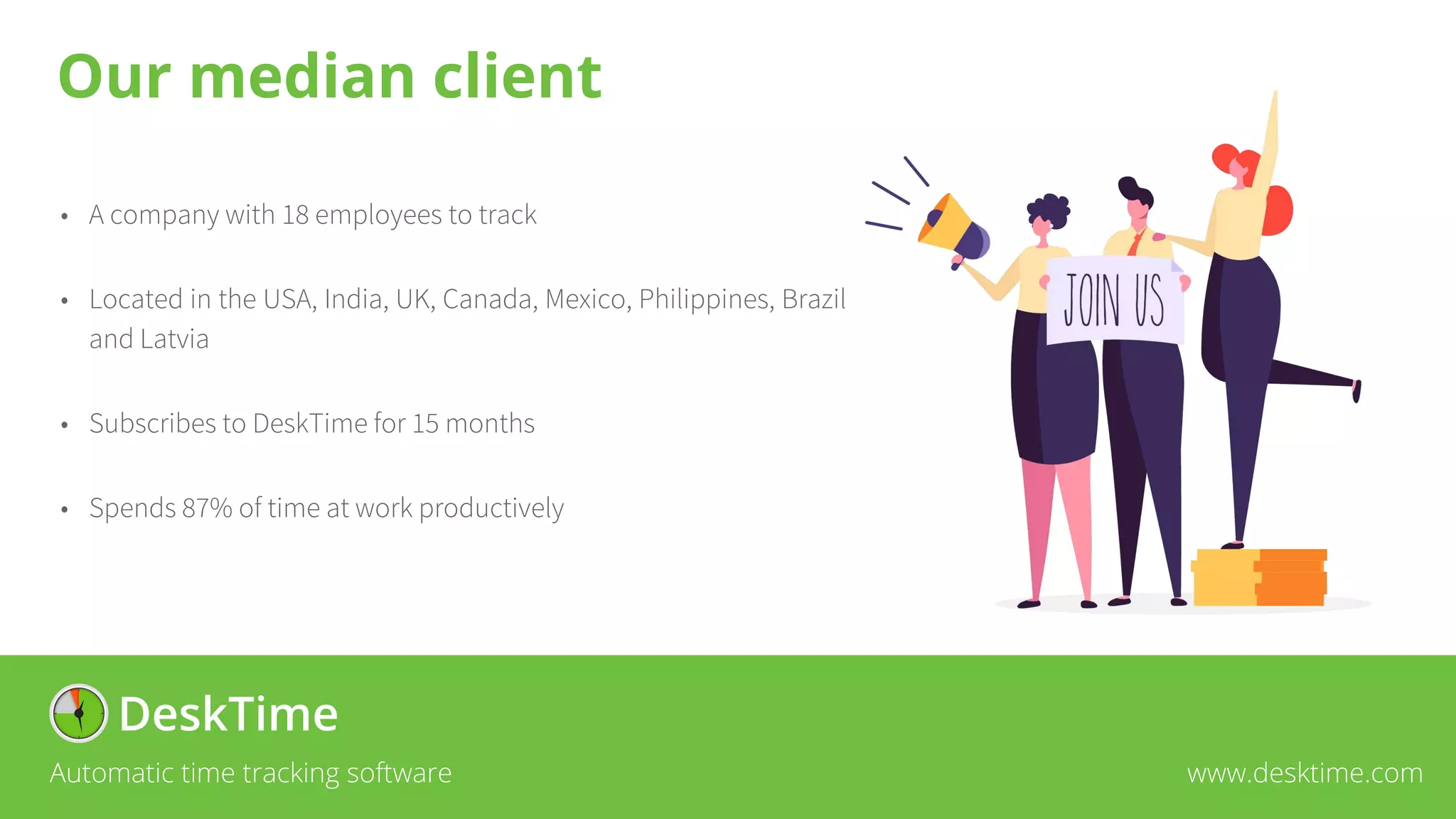
• A company with 18 employees to track
• Located in the USA, India, UK, Canada, Mexico, Philippines, Brazil
and Latvia
• Subscribes to DeskTime for 15 months
• Spends 87% of time at work productively
Automatic time tracking software www.desktime.com
Our median client
Automatic time tracking software www.desktime.com
DeskTime
on the map
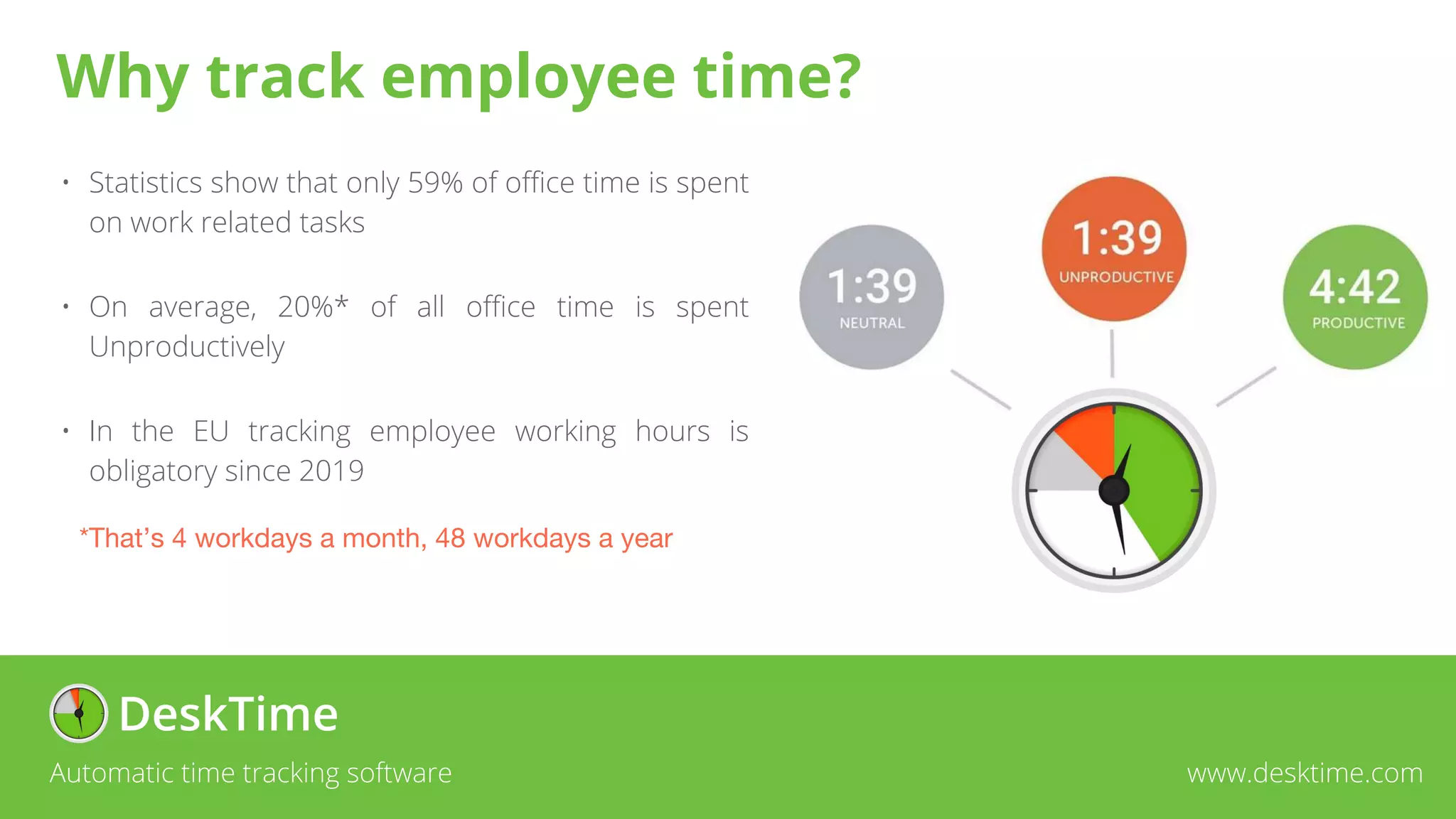
• Statistics show that only 59% of office time is spent
on work related tasks
• On average, 20%* of all office time is spent
Unproductively
• In the EU tracking employee working hours is
obligatory since 2019
*That’s 4 workdays a month, 48 workdays a year
Automatic time tracking software www.desktime.com
Why track employee time?
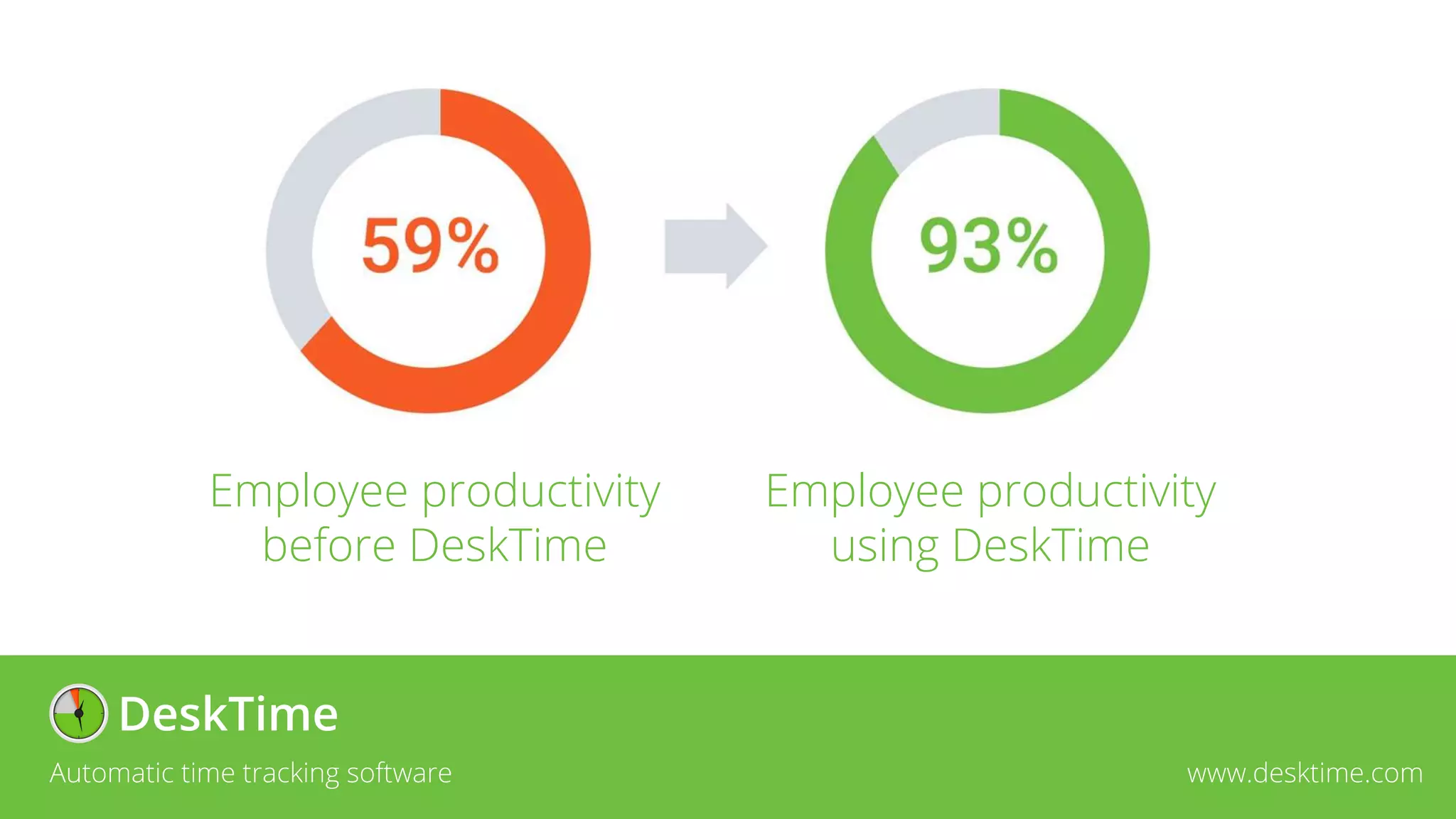
Employee productivity
before DeskTime
Employee productivity
using DeskTime
Automatic time tracking software www.desktime.com
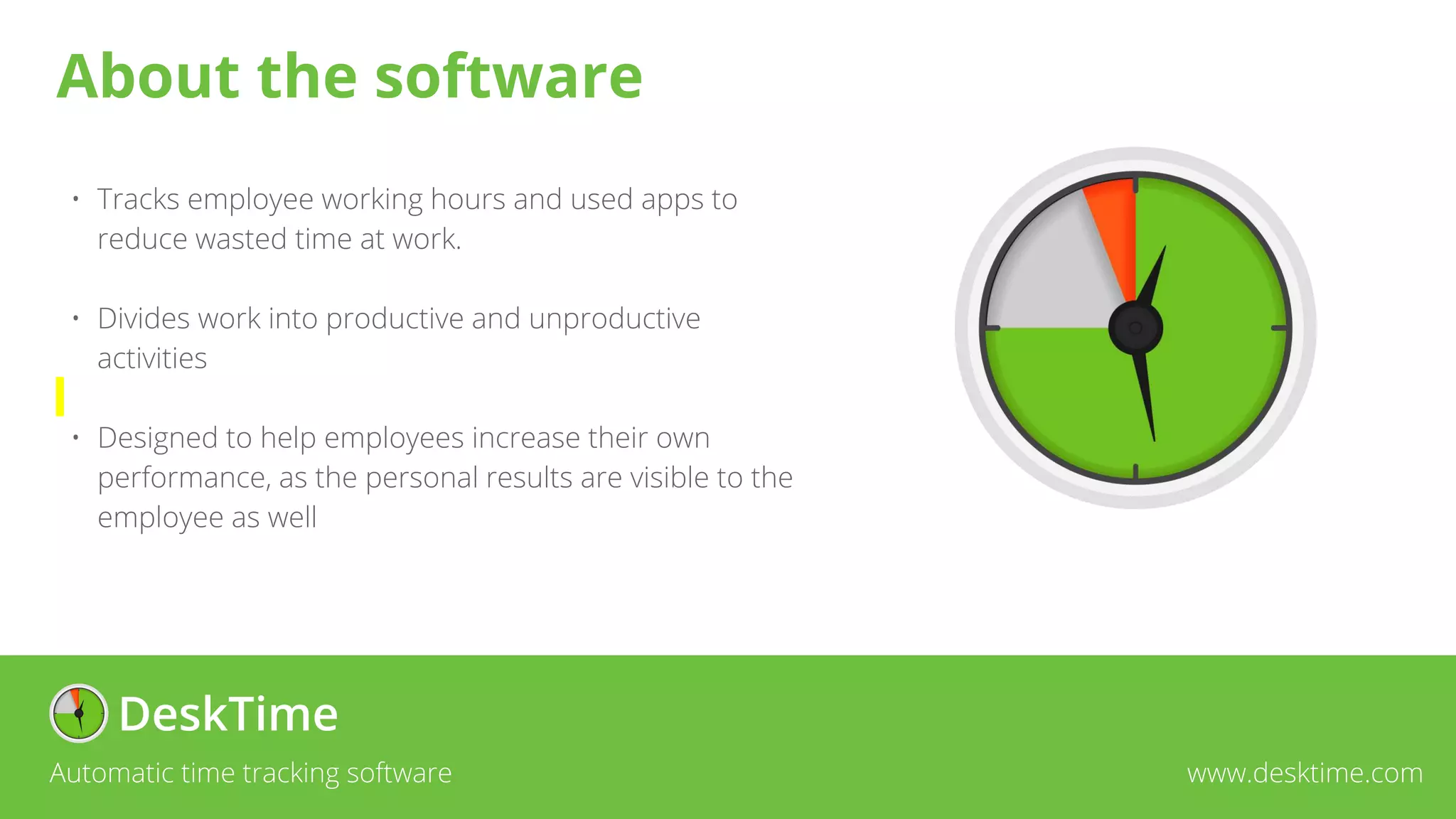
• Tracks employee working hours and used apps to
reduce wasted time at work.
• Divides work into productive and unproductive
activities
• Designed to help employees increase their own
performance, as the personal results are visible to the
employee as well
Automatic time tracking software www.desktime.com
About the software
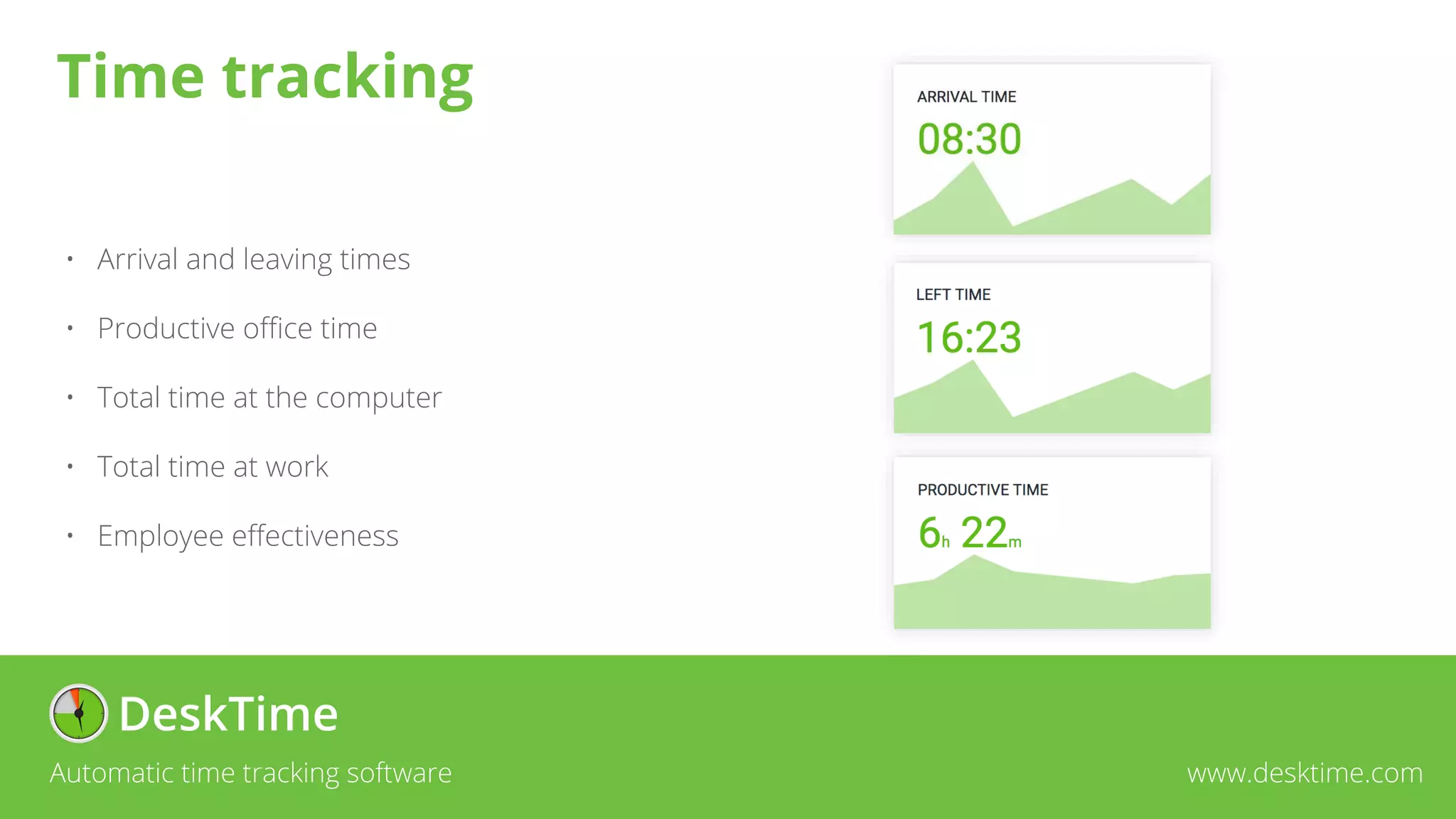
• Arrival and leaving times
• Productive office time
• Total time at the computer
• Total time at work
• Employee effectiveness
Automatic time tracking software www.desktime.com
Time tracking
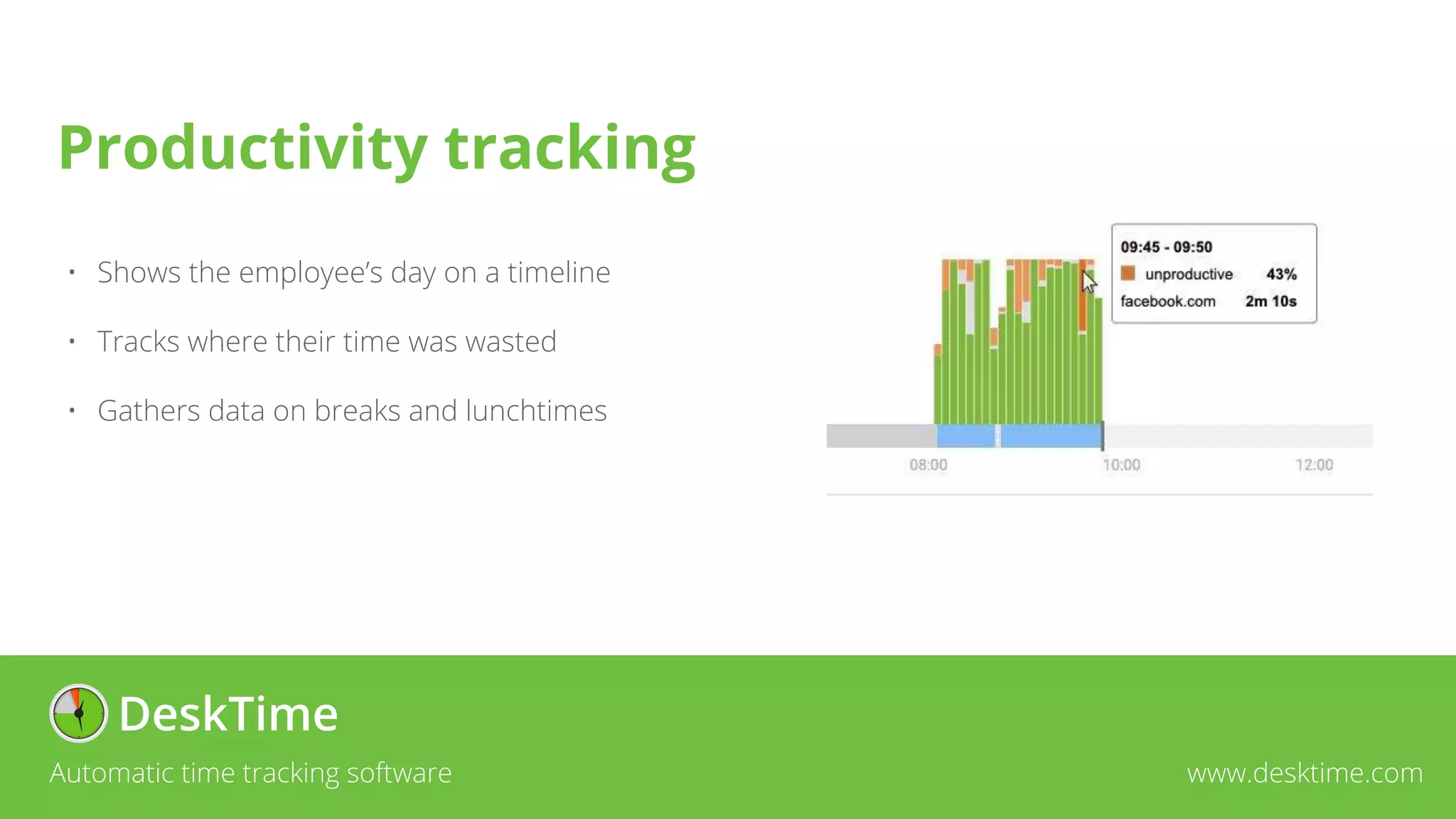
• Shows the employee’s day on a timeline
• Tracks where their time was wasted
• Gathers data on breaks and lunchtimes
Automatic time tracking software www.desktime.com
Productivity tracking
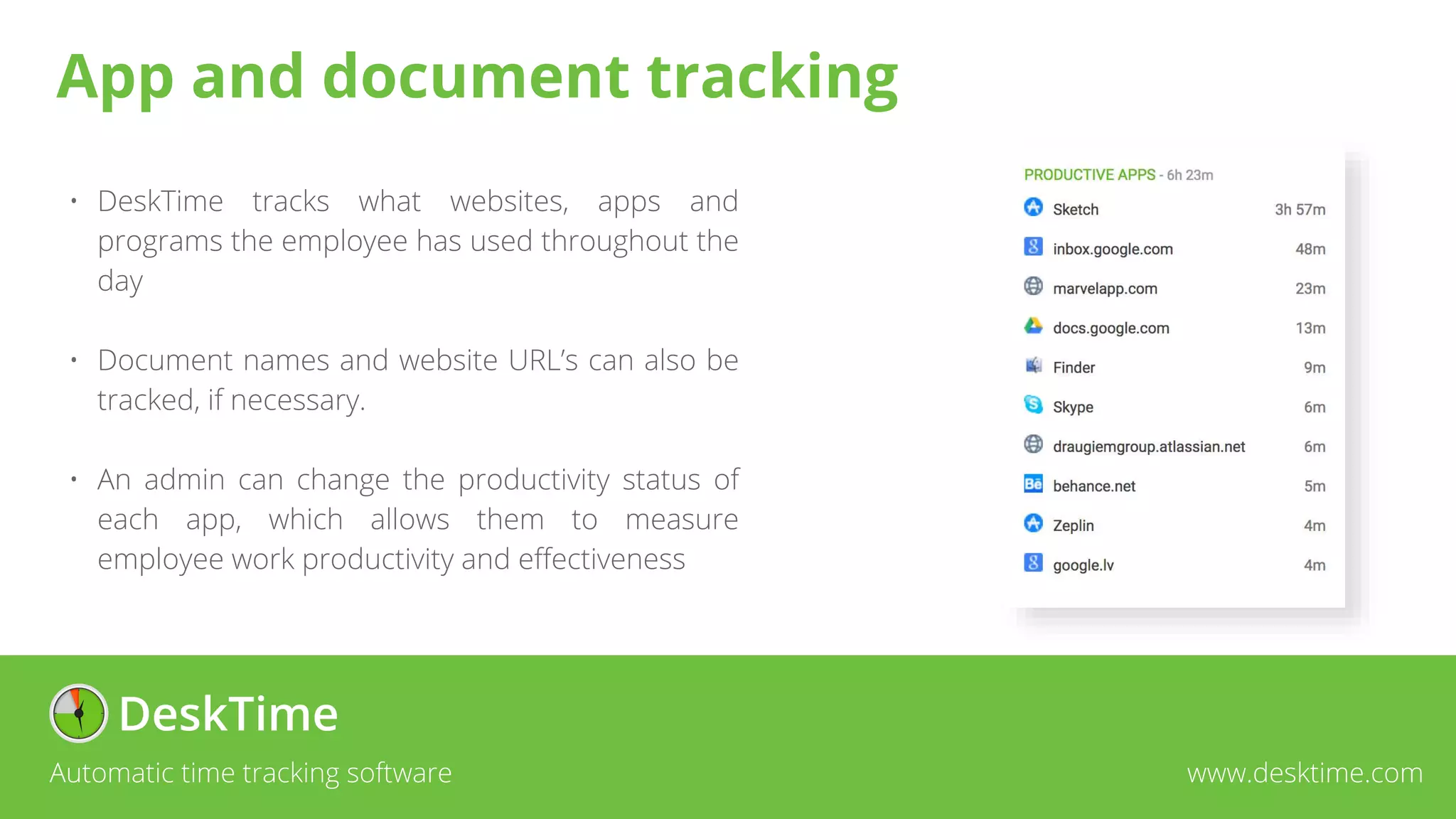
• DeskTime tracks what websites, apps and
programs the employee has used throughout the
day
• Document names and website URL’s can also be
tracked, if necessary.
• An admin can change the productivity status of
each app, which allows them to measure
employee work productivity and effectiveness
Automatic time tracking software www.desktime.com
App and document tracking
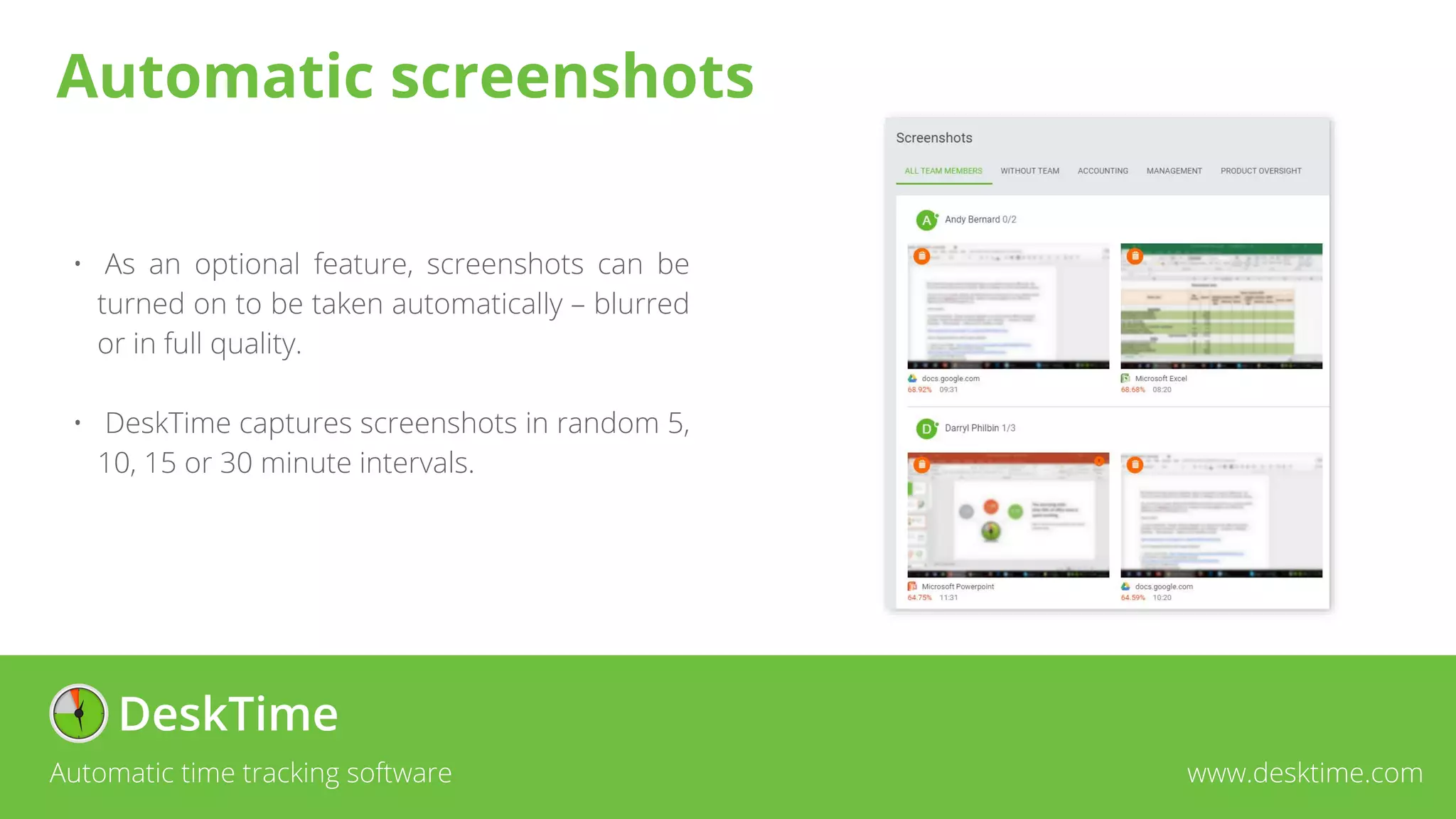
• As an optional feature, screenshots can be
turned on to be taken automatically – blurred
or in full quality.
• DeskTime captures screenshots in random 5,
10, 15 or 30 minute intervals.
Automatic time tracking software www.desktime.com
Automatic screenshots
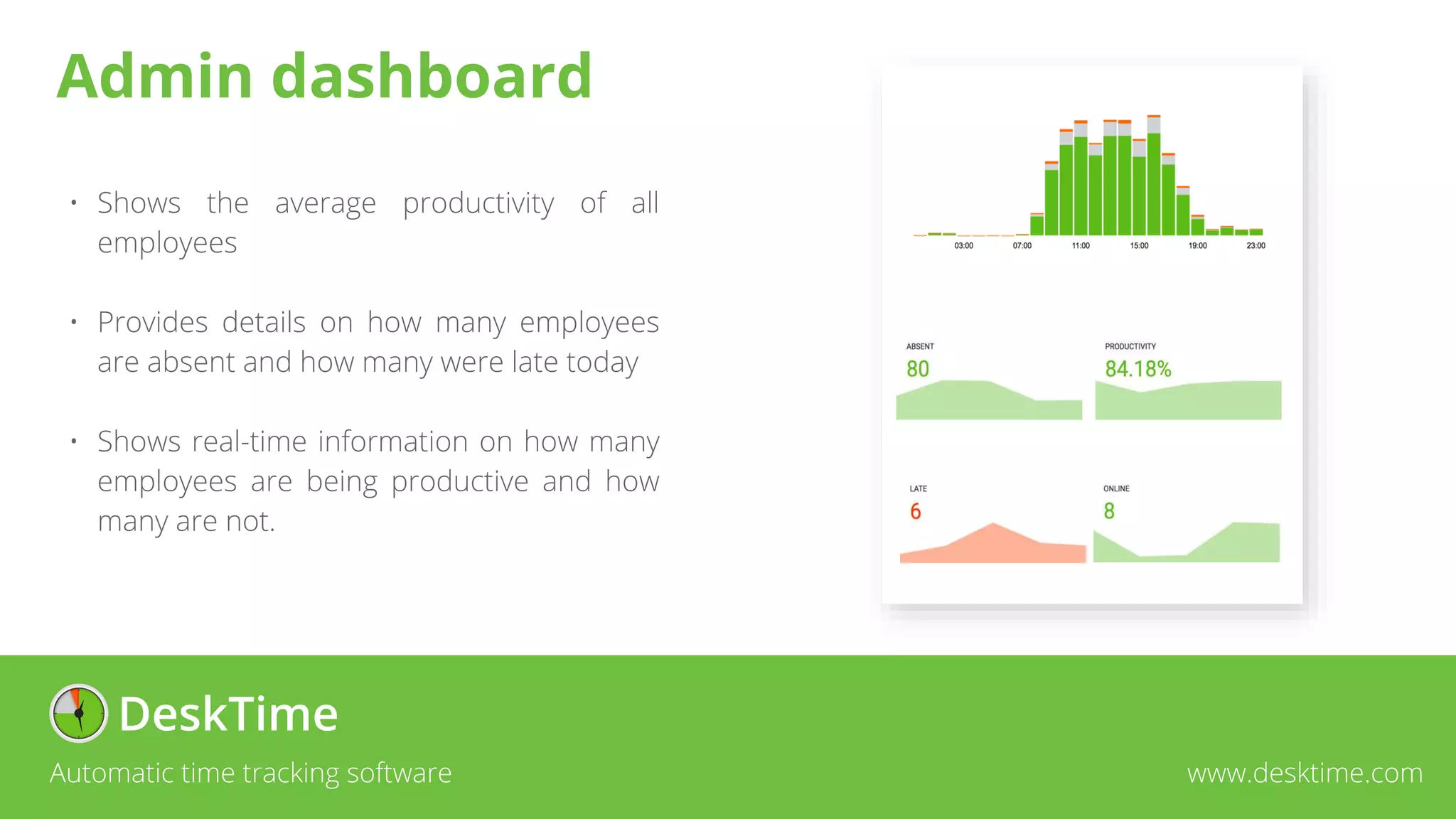
• Shows the average productivity of all
employees
• Provides details on how many employees
are absent and how many were late today
• Shows real-time information on how many
employees are being productive and how
many are not.
Automatic time tracking software www.desktime.com
Admin dashboard
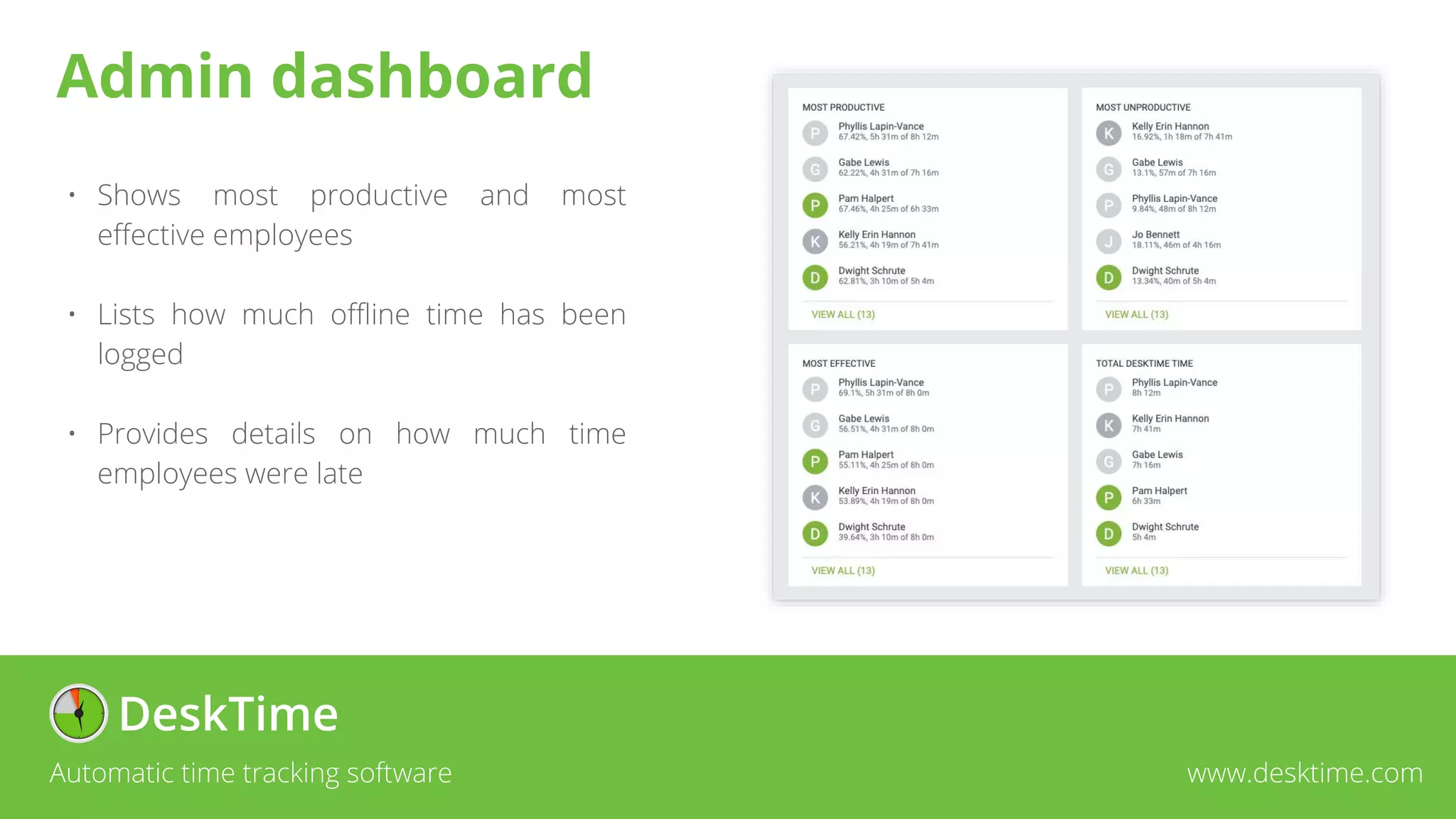
• Shows most productive and most
effective employees
• Lists how much offline time has been
logged
• Provides details on how much time
employees were late
Automatic time tracking software www.desktime.com
Admin dashboard
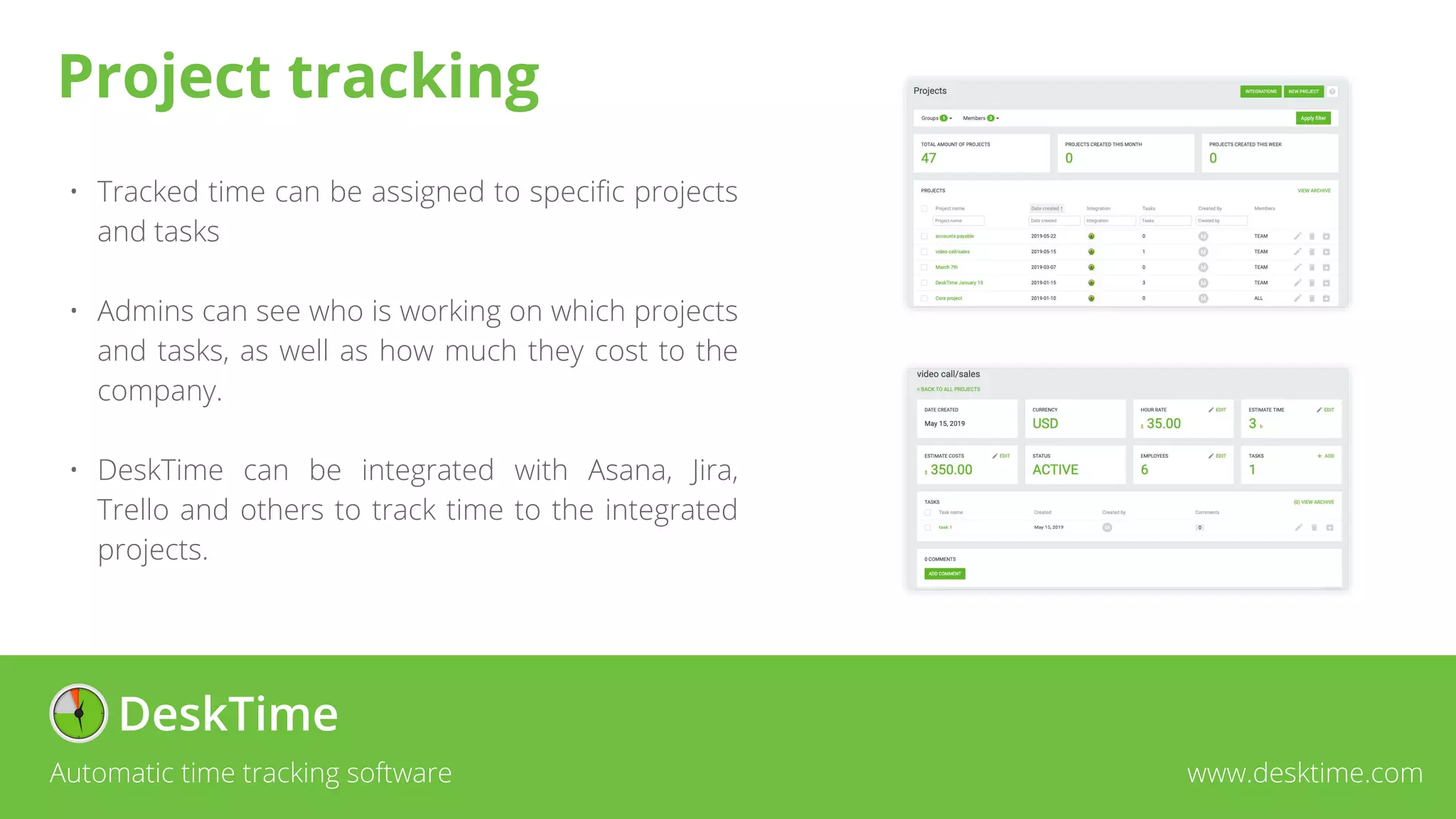
• Tracked time can be assigned to specific projects
and tasks
• Admins can see who is working on which projects
and tasks, as well as how much they cost to the
company.
• DeskTime can be integrated with Asana, Jira,
Trello and others to track time to the integrated
projects.
Automatic time tracking software www.desktime.com
Project tracking
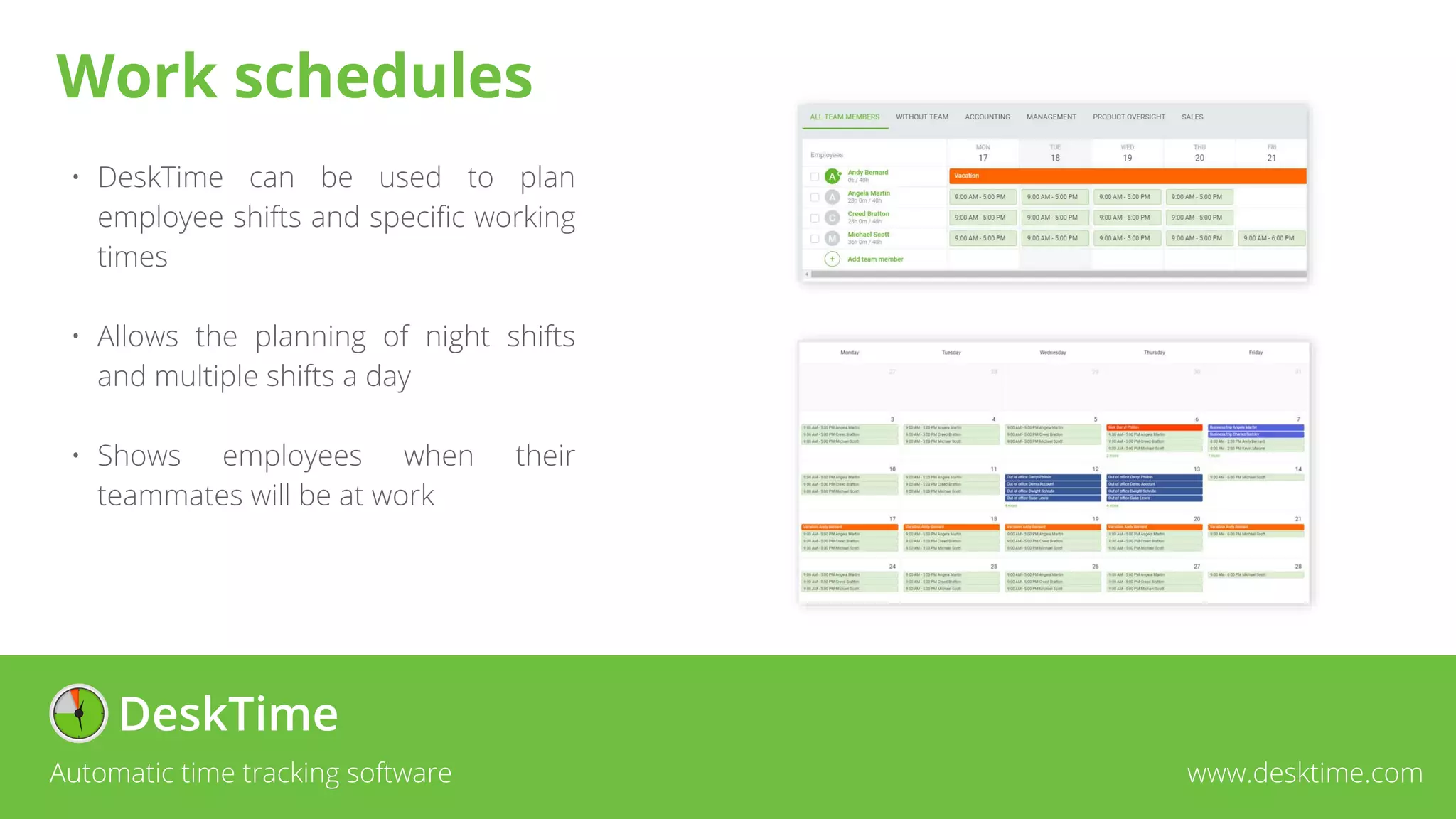
• DeskTime can be used to plan
employee shifts and specific working
times
• Allows the planning of night shifts
and multiple shifts a day
• Shows employees when their
teammates will be at work
Automatic time tracking software www.desktime.com
Work schedules
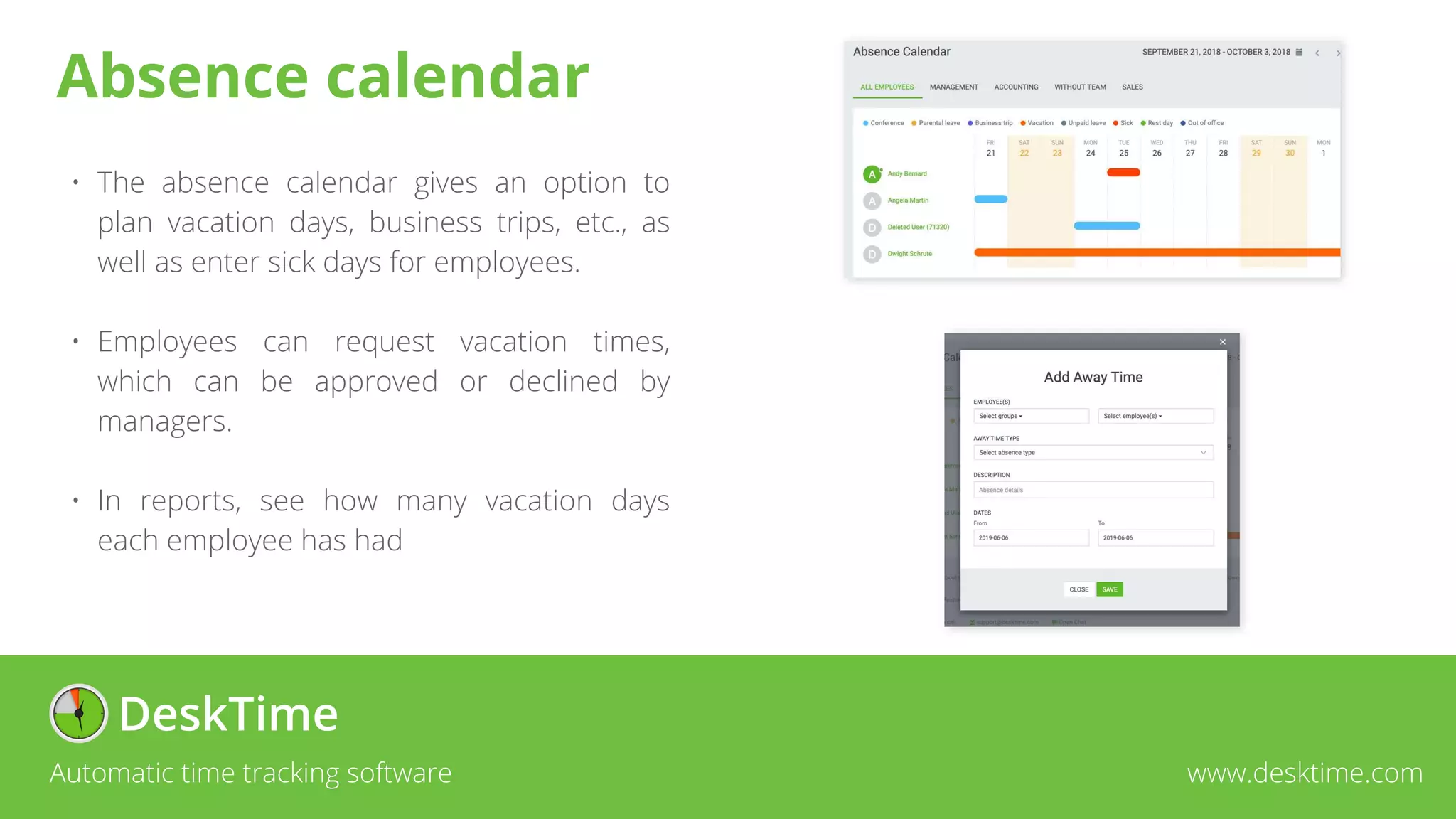
• The absence calendar gives an option to
plan vacation days, business trips, etc., as
well as enter sick days for employees.
• Employees can request vacation times,
which can be approved or declined by
managers.
• In reports, see how many vacation days
each employee has had
Automatic time tracking software www.desktime.com
Absence calendar
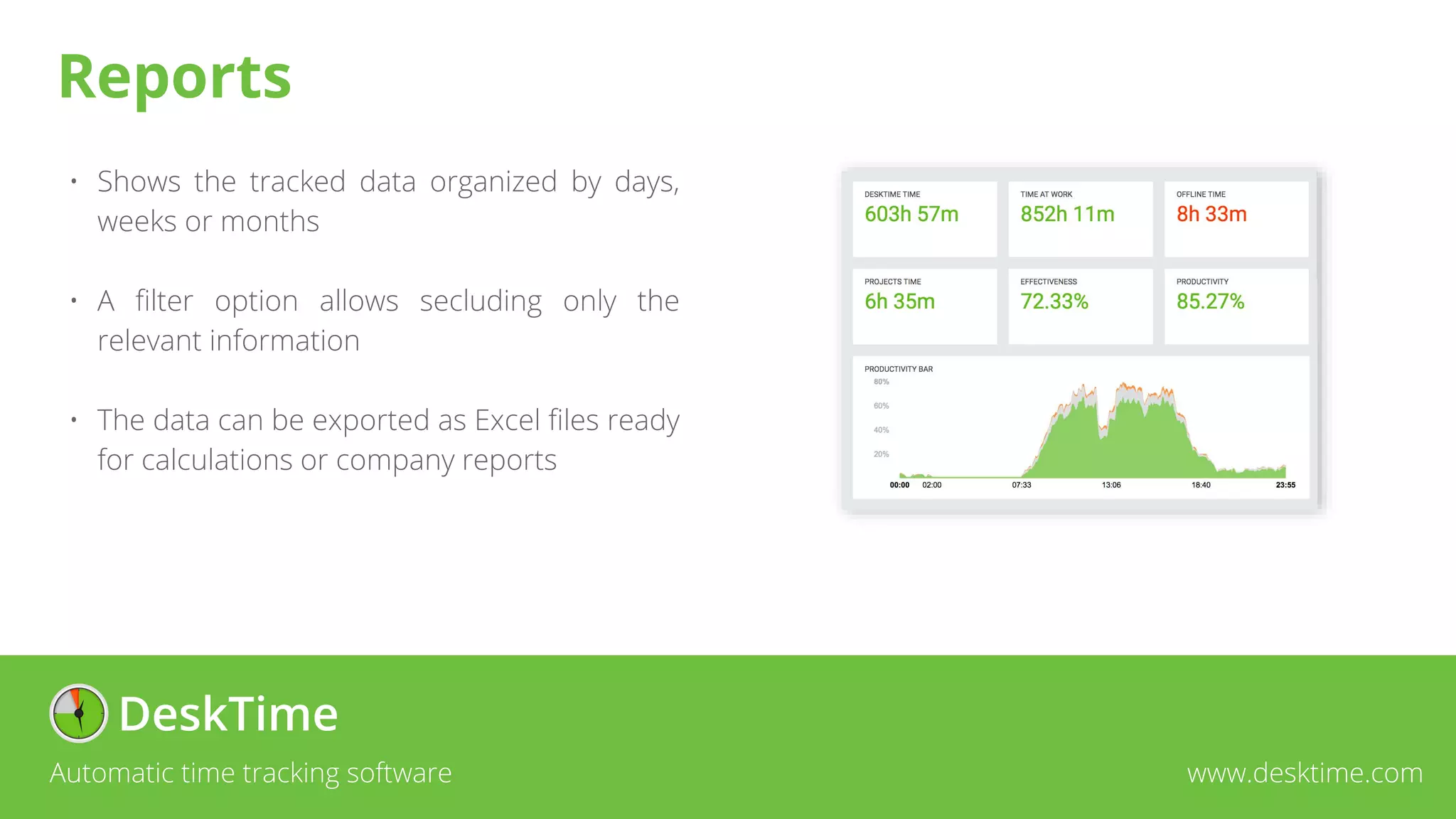
• Shows the tracked data organized by days,
weeks or months
• A filter option allows secluding only the
relevant information
• The data can be exported as Excel files ready
for calculations or company reports
Automatic time tracking software www.desktime.com
Reports
Boost productivity Stay organized Save time
Automatic time tracking software www.desktime.com

DT_Presentation.pptx

  • 1.
    Automatic time trackingsoftware www.desktime.com
  • 2.
    About us • Thetime tracking app was created for the needs of Draugiem Group • Following the creation, a startup company was founded in 2011 as part of Draugiem Group • A team of 9 is now working together with 10 outsourced marketing and SEO specialists • More than 250’000 users in 209 countries and territories around the world Automatic time tracking software www.desktime.com
  • 3.
    Our growth Automatic timetracking software www.desktime.com New users 2019 2018 2017 +36% +102% +23% +35% +28% +40% 2019 2018 2017 2019 2018 2017 New subscribers Income
  • 4.
    • A companywith 18 employees to track • Located in the USA, India, UK, Canada, Mexico, Philippines, Brazil and Latvia • Subscribes to DeskTime for 15 months • Spends 87% of time at work productively Automatic time tracking software www.desktime.com Our median client
  • 5.
    Automatic time trackingsoftware www.desktime.com DeskTime on the map
  • 6.
    • Statistics showthat only 59% of office time is spent on work related tasks • On average, 20%* of all office time is spent Unproductively • In the EU tracking employee working hours is obligatory since 2019 *That’s 4 workdays a month, 48 workdays a year Automatic time tracking software www.desktime.com Why track employee time?
  • 7.
    Employee productivity before DeskTime Employeeproductivity using DeskTime Automatic time tracking software www.desktime.com
  • 8.
    • Tracks employeeworking hours and used apps to reduce wasted time at work. • Divides work into productive and unproductive activities • Designed to help employees increase their own performance, as the personal results are visible to the employee as well Automatic time tracking software www.desktime.com About the software
  • 9.
    • Arrival andleaving times • Productive office time • Total time at the computer • Total time at work • Employee effectiveness Automatic time tracking software www.desktime.com Time tracking
  • 10.
    • Shows theemployee’s day on a timeline • Tracks where their time was wasted • Gathers data on breaks and lunchtimes Automatic time tracking software www.desktime.com Productivity tracking
  • 11.
    • DeskTime trackswhat websites, apps and programs the employee has used throughout the day • Document names and website URL’s can also be tracked, if necessary. • An admin can change the productivity status of each app, which allows them to measure employee work productivity and effectiveness Automatic time tracking software www.desktime.com App and document tracking
  • 12.
    • As anoptional feature, screenshots can be turned on to be taken automatically – blurred or in full quality. • DeskTime captures screenshots in random 5, 10, 15 or 30 minute intervals. Automatic time tracking software www.desktime.com Automatic screenshots
  • 13.
    • Shows theaverage productivity of all employees • Provides details on how many employees are absent and how many were late today • Shows real-time information on how many employees are being productive and how many are not. Automatic time tracking software www.desktime.com Admin dashboard
  • 14.
    • Shows mostproductive and most effective employees • Lists how much offline time has been logged • Provides details on how much time employees were late Automatic time tracking software www.desktime.com Admin dashboard
  • 15.
    • Tracked timecan be assigned to specific projects and tasks • Admins can see who is working on which projects and tasks, as well as how much they cost to the company. • DeskTime can be integrated with Asana, Jira, Trello and others to track time to the integrated projects. Automatic time tracking software www.desktime.com Project tracking
  • 16.
    • DeskTime canbe used to plan employee shifts and specific working times • Allows the planning of night shifts and multiple shifts a day • Shows employees when their teammates will be at work Automatic time tracking software www.desktime.com Work schedules
  • 17.
    • The absencecalendar gives an option to plan vacation days, business trips, etc., as well as enter sick days for employees. • Employees can request vacation times, which can be approved or declined by managers. • In reports, see how many vacation days each employee has had Automatic time tracking software www.desktime.com Absence calendar
  • 18.
    • Shows thetracked data organized by days, weeks or months • A filter option allows secluding only the relevant information • The data can be exported as Excel files ready for calculations or company reports Automatic time tracking software www.desktime.com Reports
  • 19.
    Boost productivity Stayorganized Save time Automatic time tracking software www.desktime.com