(305) 4-2
Advanced DataStage
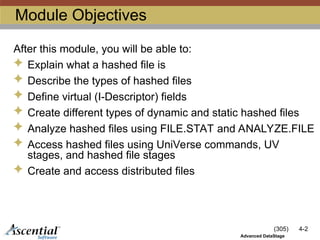
ModuleObjectives
After this module, you will be able to:
Explain what a hashed file is
Describe the types of hashed files
Define virtual (I-Descriptor) fields
Create different types of dynamic and static hashed files
Analyze hashed files using FILE.STAT and ANALYZE.FILE
Access hashed files using UniVerse commands, UV
stages, and hashed file stages
Create and access distributed files
3.
(305) 4-3
Advanced DataStage
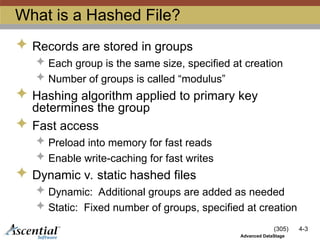
Whatis a Hashed File?
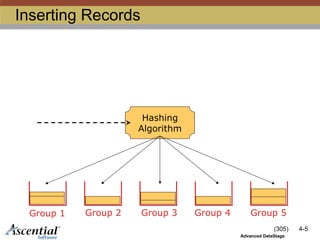
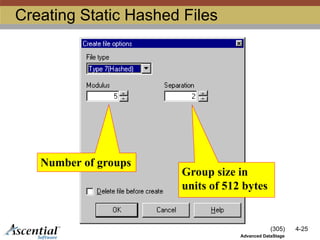
Records are stored in groups
Each group is the same size, specified at creation
Number of groups is called “modulus”
Hashing algorithm applied to primary key
determines the group
Fast access
Preload into memory for fast reads
Enable write-caching for fast writes
Dynamic v. static hashed files
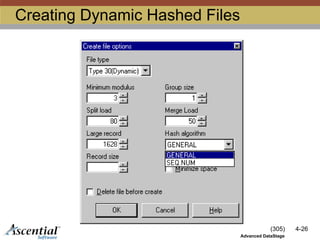
Dynamic: Additional groups are added as needed
Static: Fixed number of groups, specified at creation
4.
(305) 4-4
Advanced DataStage
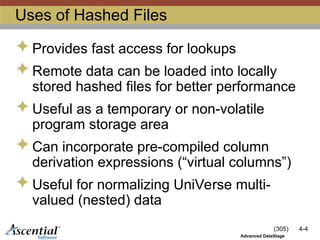
Usesof Hashed Files
Provides fast access for lookups
Remote data can be loaded into locally
stored hashed files for better performance
Useful as a temporary or non-volatile
program storage area
Can incorporate pre-compiled column
derivation expressions (“virtual columns”)
Useful for normalizing UniVerse multi-
valued (nested) data
(305) 4-6
Advanced DataStage
Typesof Hashed Files
There are two kinds of hashed files:
Dynamic
Automatically increase or decrease the
number of groups as necessary
Static
Number of groups does not change
automatically
7.
(305) 4-7
Advanced DataStage
Overflow
Group1 Group 2 Group 3 Group 4 Group 5
Header
2048 4096 6144 8192 10240
Group
Address
overflow
Group 2
12288
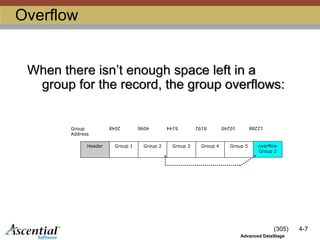
When there isn’t enough space left in a
group for the record, the group overflows:
8.
(305) 4-8
Advanced DataStage
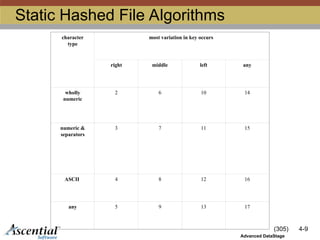
HashingAlgorithms
Dynamic
GENERAL or SEQ.NUM
Static
17 different choices
Based on variation pattern of primary key
values
Specified as "file type"
9.
(305) 4-9
Advanced DataStage
StaticHashed File Algorithms
character
type
most variation in key occurs
right middle left any
wholly
numeric
2 6 10 14
numeric &
separators
3 7 11 15
ASCII 4 8 12 16
any 5 9 13 17
(305) 4-12
Advanced DataStage
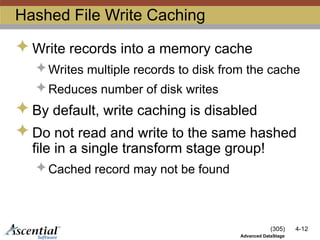
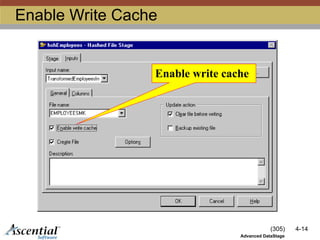
HashedFile Write Caching
Write records into a memory cache
Writes multiple records to disk from the cache
Reduces number of disk writes
By default, write caching is disabled
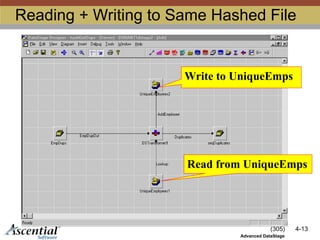
Do not read and write to the same hashed
file in a single transform stage group!
Cached record may not be found
(305) 4-15
Advanced DataStage
Specifyingthe Hashed File Key
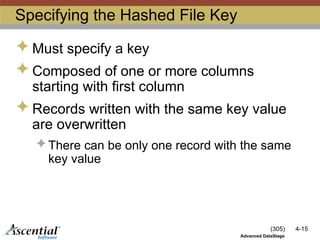
Must specify a key
Composed of one or more columns
starting with first column
Records written with the same key value
are overwritten
There can be only one record with the same
key value
16.
(305) 4-16
Advanced DataStage
UsingCharacter Fields as Keys
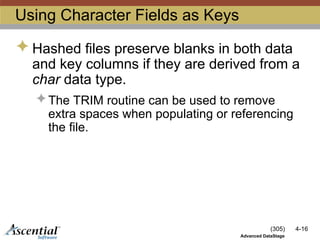
Hashed files preserve blanks in both data
and key columns if they are derived from a
char data type.
The TRIM routine can be used to remove
extra spaces when populating or referencing
the file.
17.
(305) 4-17
Advanced DataStage
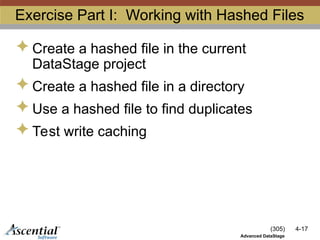
ExercisePart I: Working with Hashed Files
Create a hashed file in the current
DataStage project
Create a hashed file in a directory
Use a hashed file to find duplicates
Test write caching
18.
(305) 4-18
Advanced DataStage
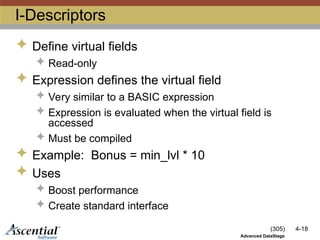
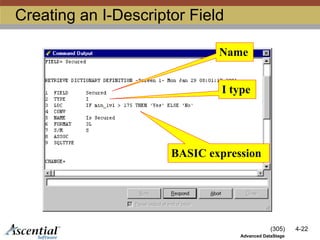
I-Descriptors
Define virtual fields
Read-only
Expression defines the virtual field
Very similar to a BASIC expression
Expression is evaluated when the virtual field is
accessed
Must be compiled
Example: Bonus = min_lvl * 10
Uses
Boost performance
Create standard interface
19.
(305) 4-19
Advanced DataStage
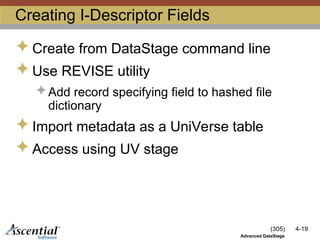
CreatingI-Descriptor Fields
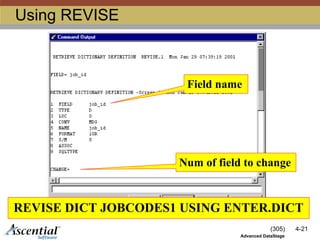
Create from DataStage command line
Use REVISE utility
Add record specifying field to hashed file
dictionary
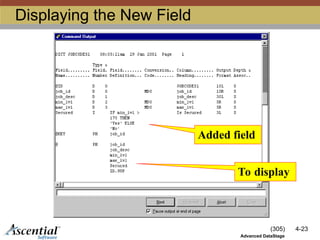
Import metadata as a UniVerse table
Access using UV stage
(305) 4-27
Advanced DataStage
AnalysisTools
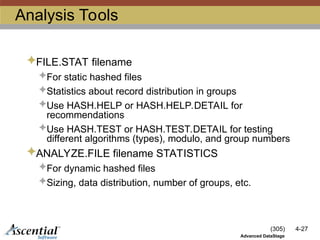
FILE.STAT filename
For static hashed files
Statistics about record distribution in groups
Use HASH.HELP or HASH.HELP.DETAIL for
recommendations
Use HASH.TEST or HASH.TEST.DETAIL for testing
different algorithms (types), modulo, and group numbers
ANALYZE.FILE filename STATISTICS
For dynamic hashed files
Sizing, data distribution, number of groups, etc.
28.
(305) 4-28
Advanced DataStage
ExercisePart III: Analysis
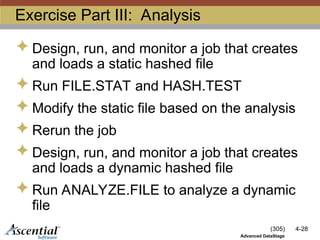
Design, run, and monitor a job that creates
and loads a static hashed file
Run FILE.STAT and HASH.TEST
Modify the static file based on the analysis
Rerun the job
Design, run, and monitor a job that creates
and loads a dynamic hashed file
Run ANALYZE.FILE to analyze a dynamic
file
29.
(305) 4-29
Advanced DataStage
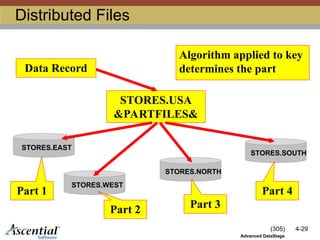
DistributedFiles
STORES.EAST
STORES.WEST
STORES.NORTH
STORES.SOUTH
STORES.USA
&PARTFILES&
Data Record
Part 1
Part 2 Part 3
Part 4
Algorithm applied to key
determines the part
30.
(305) 4-30
Advanced DataStage
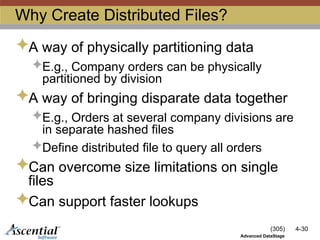
WhyCreate Distributed Files?
A way of physically partitioning data
E.g., Company orders can be physically
partitioned by division
A way of bringing disparate data together
E.g., Orders at several company divisions are
in separate hashed files
Define distributed file to query all orders
Can overcome size limitations on single
files
Can support faster lookups
31.
(305) 4-31
Advanced DataStage
Defininga Distributed File
Create part files
DEFINE.DF STORES.USA ADDING STORES.EAST 1
STORES.WEST 2 … [algorithm]
Algorithm
SYSTEM [s] Key is integer followed by separator
E.g., 1-RECORDID
INTERNAL I-type expression
“IF store_id[1,1] = ‘E’ THEN 1 ELSE IF store_id[1,1] = ‘W’ THEN 2 …”
Deleting distributed files
DEFINE.DF STORES USA REMOVING STORES.EAST STORES.WEST
#12 Since writes are done in group order, if multiple records are written to the same group, the number of physical disk I/O operations is reduced since the write will be handled from data in buffer cache.
If the writes are done to a pre-allocated hashed files, only one flush operation will occur. For releases 3.6.3 and later multiple flushes will occur depending on the DS_MMAPSIZE and DS_MAXWRITEHEAPS dsenv variable settings.
Since data is written to cache and then flushed to disk, you should not be reading from and writing to the same hashed file utilizing a single transform stage group.
With release 3.6.3 it is possible to disable write caching either globally by setting DS_MAXWRITEHEAPS=0 in the dsenv file or by execute a before stage TCL to execute ENV SET DS_MAXWRITEHEAPS=0 to disable write caching for a transformer process group. It is also possible to allocate any number of heaps either globally or for a transformer process group.
For all releases prior to 3.6.3 the UV stage can be used to write to hashed files for operation that read and write to the same file.
#16 If the file is smaller, then than the memory requirements required to cache the file, and the demands on the disk I/O subsystem will be reduced, resulting in improved performance.
![(305) 4-31
Advanced DataStage
Defining a Distributed File
Create part files
DEFINE.DF STORES.USA ADDING STORES.EAST 1
STORES.WEST 2 … [algorithm]
Algorithm
SYSTEM [s] Key is integer followed by separator
E.g., 1-RECORDID
INTERNAL I-type expression
“IF store_id[1,1] = ‘E’ THEN 1 ELSE IF store_id[1,1] = ‘W’ THEN 2 …”
Deleting distributed files
DEFINE.DF STORES USA REMOVING STORES.EAST STORES.WEST](https://image.slidesharecdn.com/ds41ds305m02dataaccesshash-250224162441-c0e78758/85/DS41_DS305_M02_DataAccess_HASH-DS41_DS305_M02_DataAccess_HASH-ppt-31-320.jpg)


![[DSC Europe 25] Mikhail Rozhkov - AI Product Canvas: From Business Goals to T...](https://cdn.slidesharecdn.com/ss_thumbnails/d53doddtpgfqivmzqel6-mikhail-rozhkov-ai-product-canvas-v1-260121115910-9dd517a7-thumbnail.jpg?width=640&height=640&fit=bounds)


![[DSC Europe 25] Milovan Jovicic - Beyond AI's Reach: The Enduring Value of Ev...](https://cdn.slidesharecdn.com/ss_thumbnails/pyeij0hurgwq5jugmtnv-2-milovan-jovicic-beyond-ais-reach-the-enduring-value-of-evergreen-design-v2-260120105856-d6ee57e5-thumbnail.jpg?width=640&height=640&fit=bounds)

![[DSC Europe 25] Paula Garcia Esteban -Building the Future: The Role of Data S...](https://cdn.slidesharecdn.com/ss_thumbnails/9ld1r1bsqpwve8qfvphy-paula-garcia-esteban-building-the-future-260122103838-4171f5cb-thumbnail.jpg?width=640&height=640&fit=bounds)
![[DSC Europe 25] Borko Kozomora - Optimizing business workflows with advances ...](https://cdn.slidesharecdn.com/ss_thumbnails/hbgekyb0txw0xpo4yfml-borko-kozomora-leading-ai-transformation-260122103838-cc29ee38-thumbnail.jpg?width=640&height=640&fit=bounds)
![[DSC Europe 25] Jovan Sumarac - Real-World Applications of Computer Vision in...](https://cdn.slidesharecdn.com/ss_thumbnails/fiksms22smcpopvvld03-jovan-sumarac-real-life-applications-of-computer-vision-in-automotive-systems-260120105855-de622abb-thumbnail.jpg?width=640&height=640&fit=bounds)
![[DSC Europe 25] Marcos Heidemann - Beyond the Hype: Making AI Coding Assistan...](https://cdn.slidesharecdn.com/ss_thumbnails/eexkhvldrjsopspdjbur-marcos-heidemann-beyond-the-hype-getting-real-value-out-of-ai-assisted-coding-260121115910-7e9d41ec-thumbnail.jpg?width=640&height=640&fit=bounds)


