V
Engr.Ranel O.Padon
Drupal Apprentice Training
https://github.com/ranelpadon
UNLIMITED
IEWS
TOPICS
Introduction
Views Components
Formats
Fields
Basic Filters, Exposed Filters, Contextual Filters
Relationships
Attachment
Display Formats: Map, Chart, Slideshow,Data Export
Recommendations
About Me
Full-time Drupal developer for CNN Travel
Part-time Python/Web GIS lecturer in UP.
Involved in computational Java and Python projects before.
Plays competitive football and futsal.
INTRODUCTION
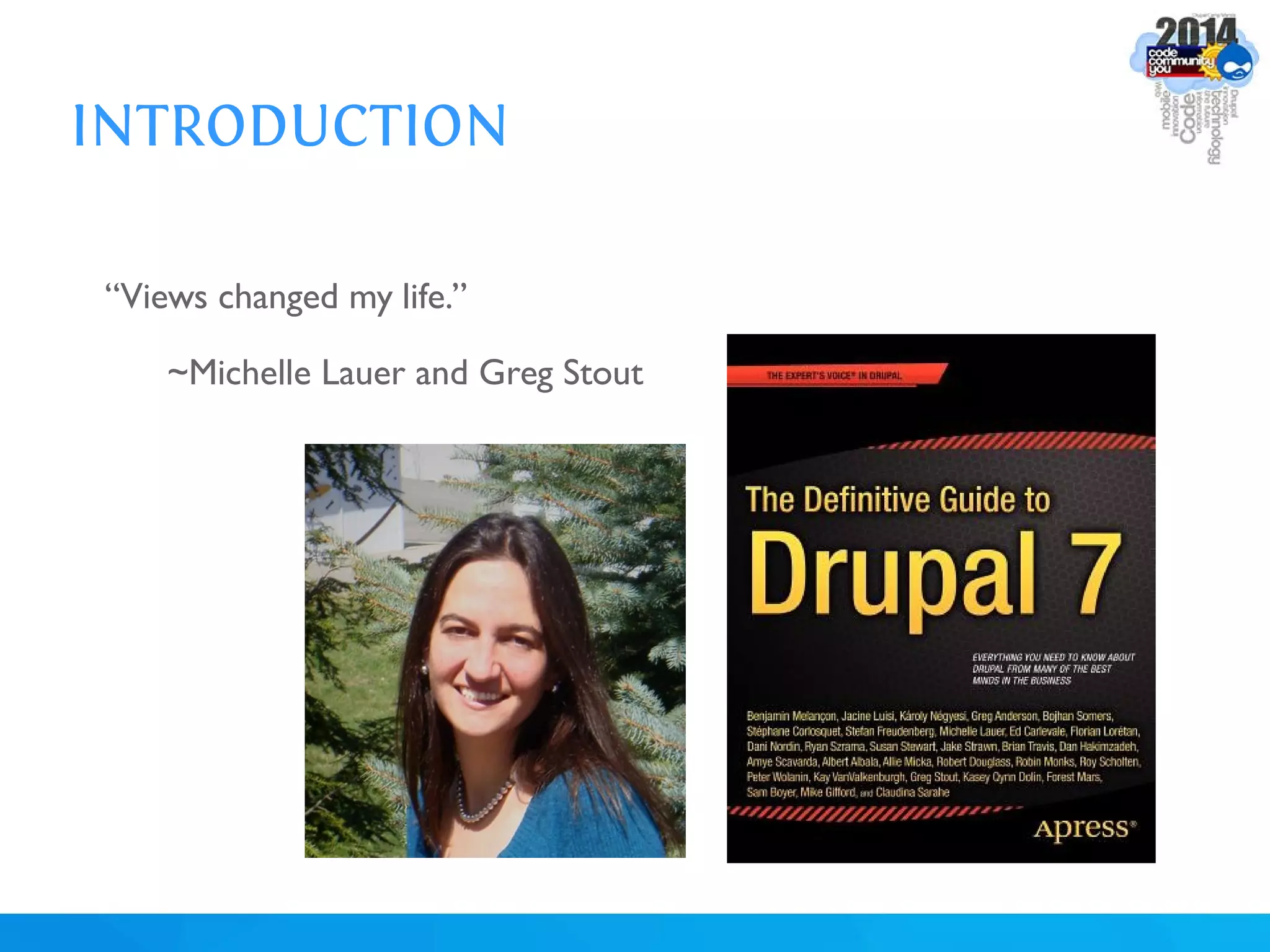
“Views changed my life.”
~Michelle Lauer and Greg Stout
INTRODUCTION
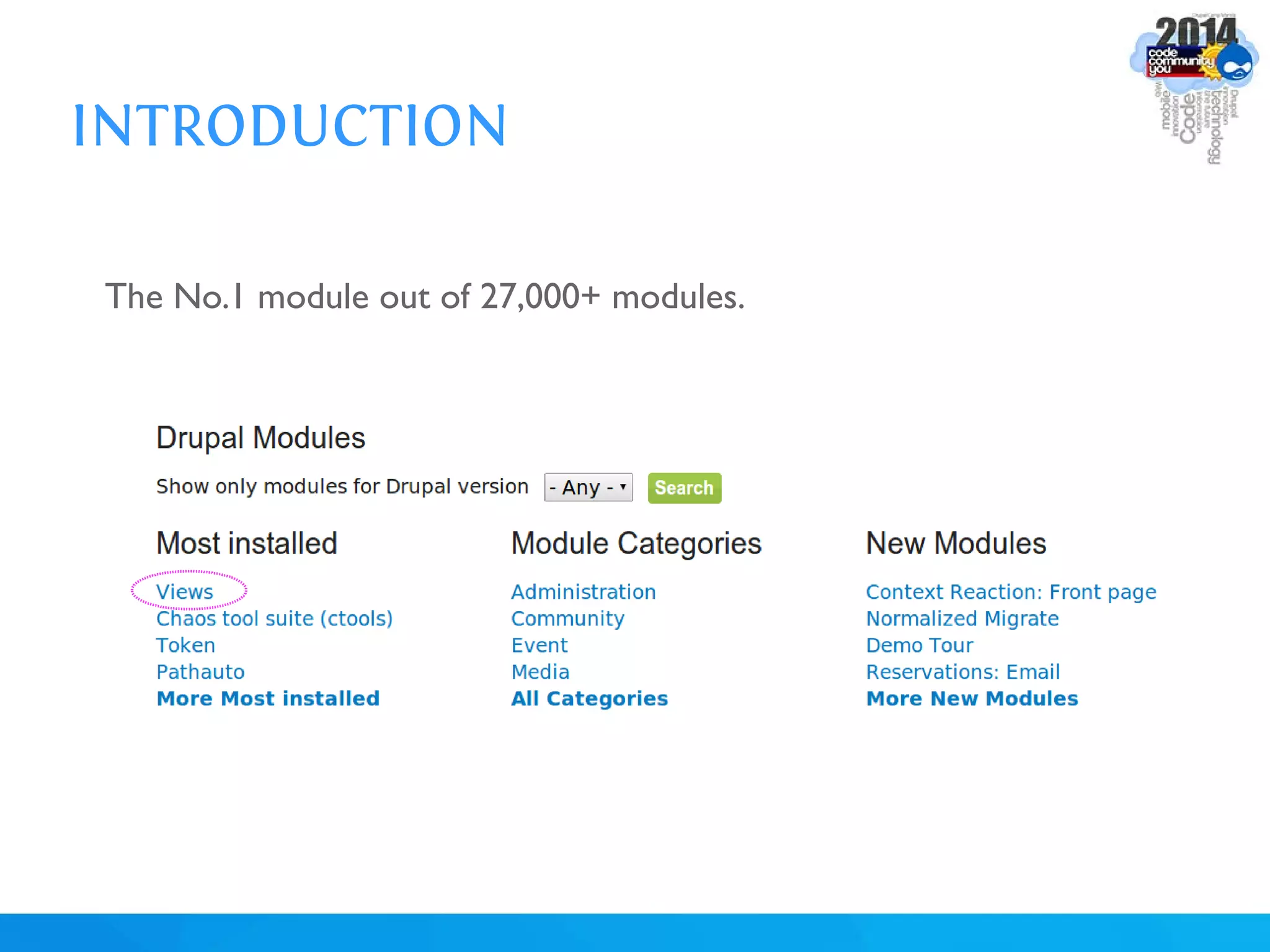
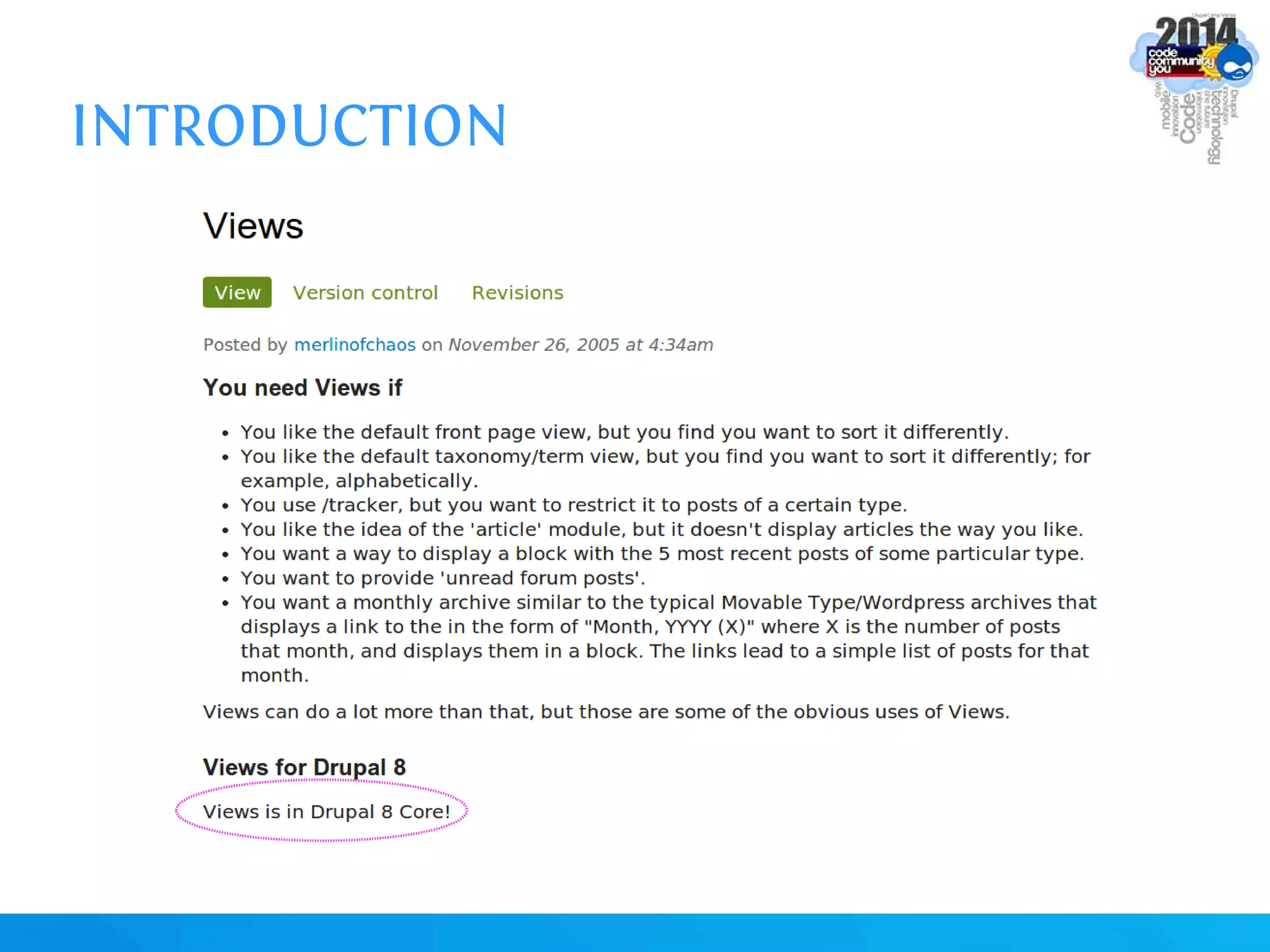
The No.1 module out of 27,000+ modules.
INTRODUCTION
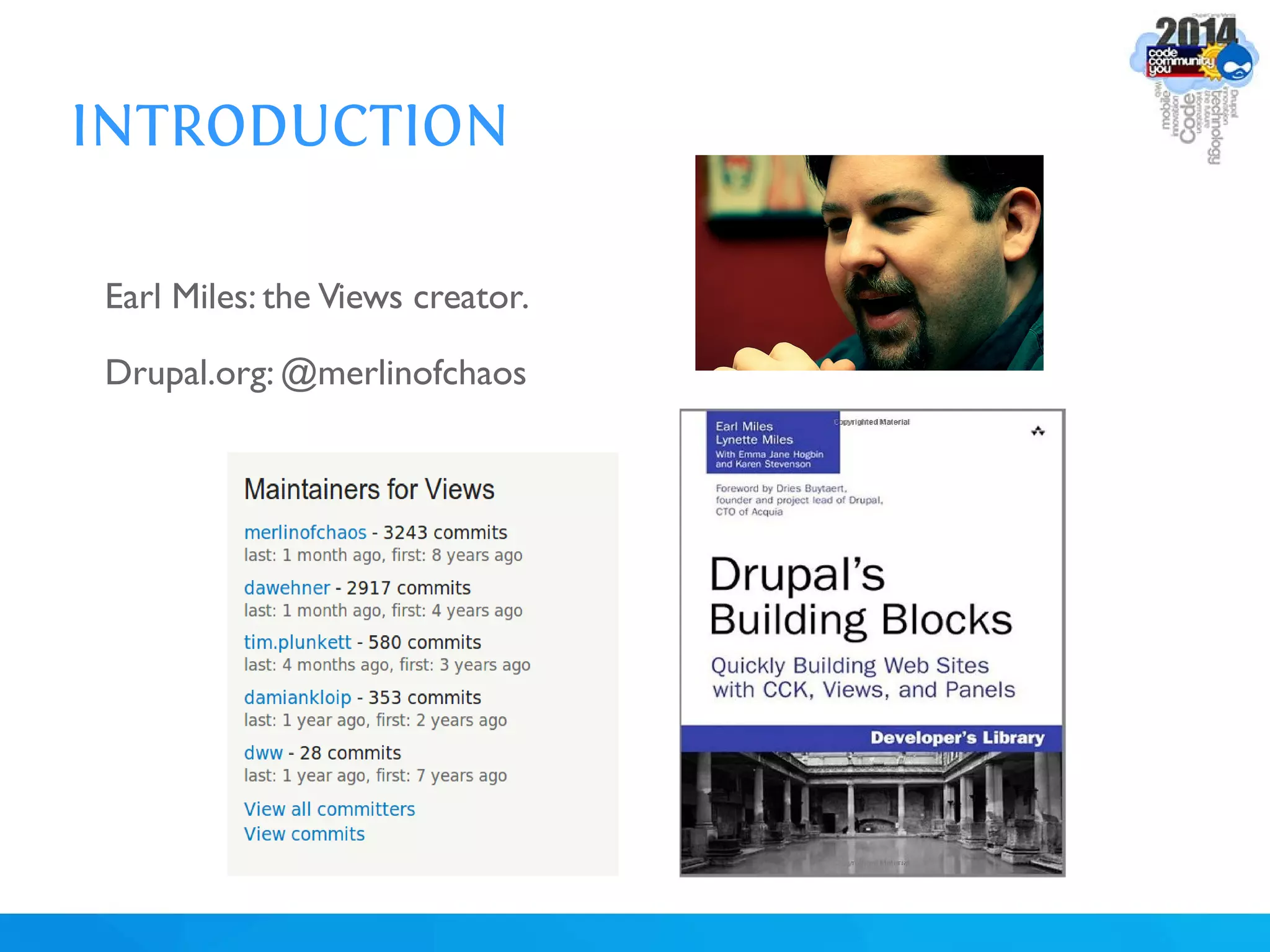
Earl Miles: the Views creator.
Drupal.org: @merlinofchaos
INTRODUCTION
INTRODUCTION
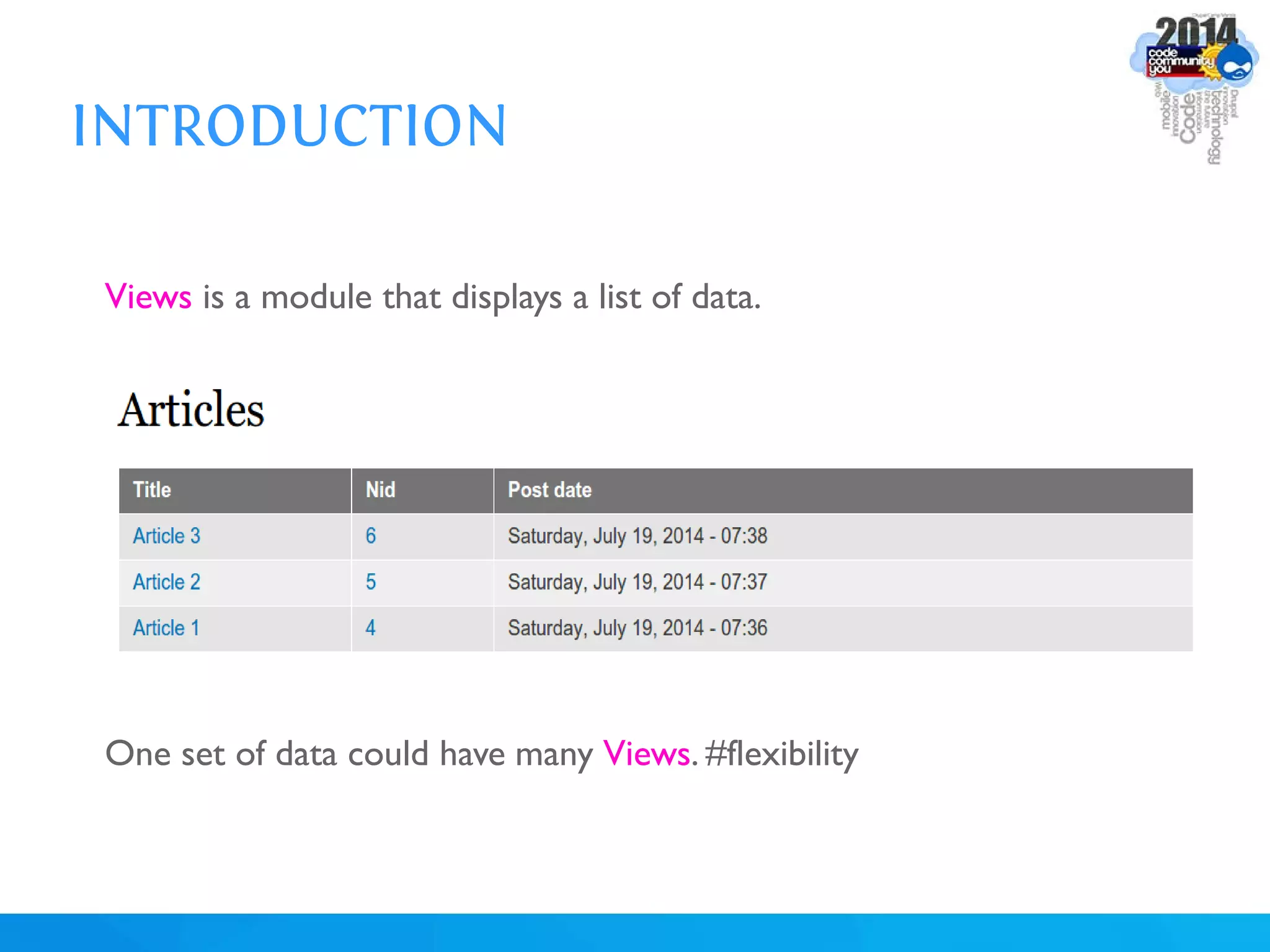
Views is a module that displays a list of data.
One set of data could have many Views. #flexibility
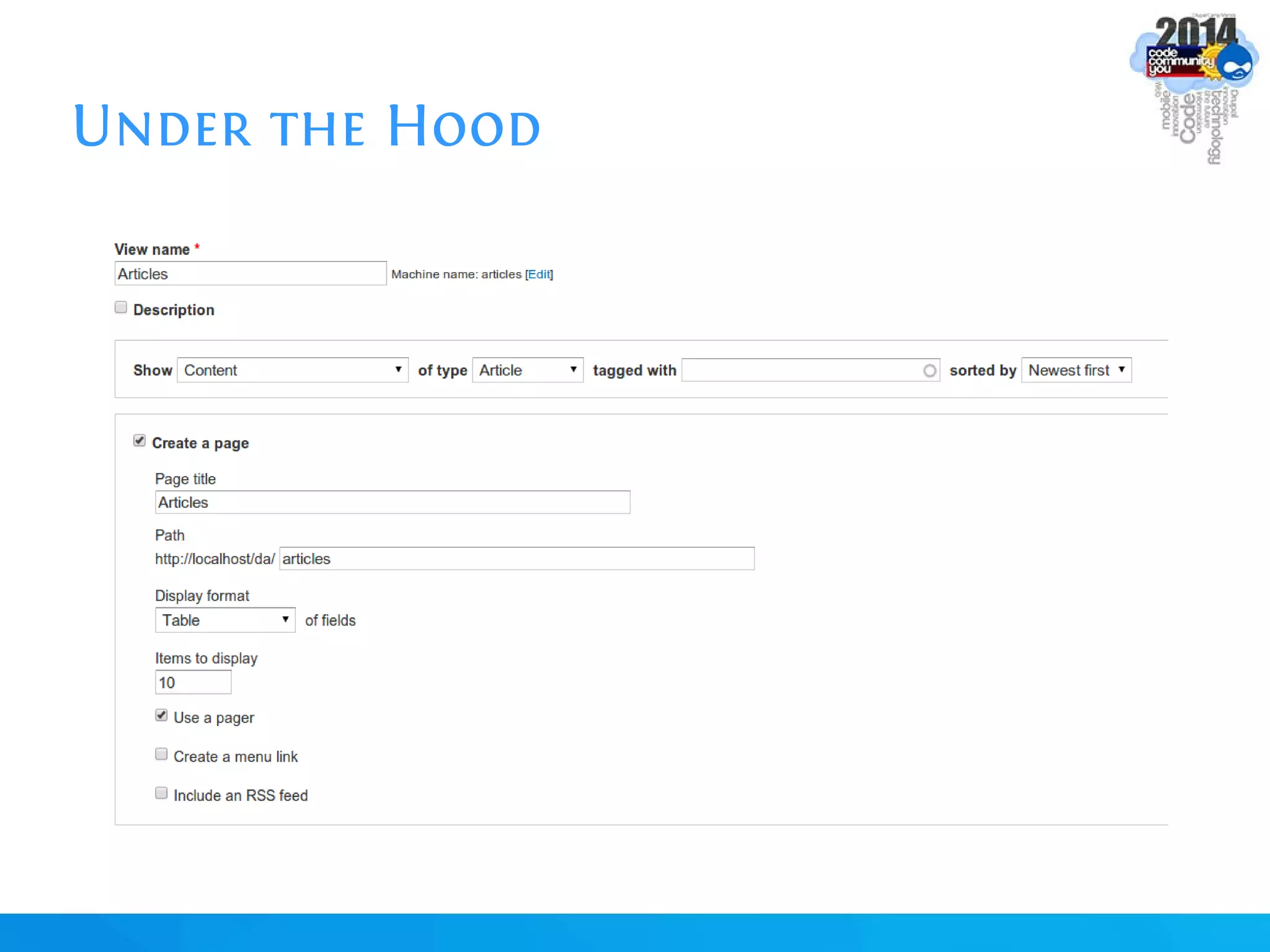
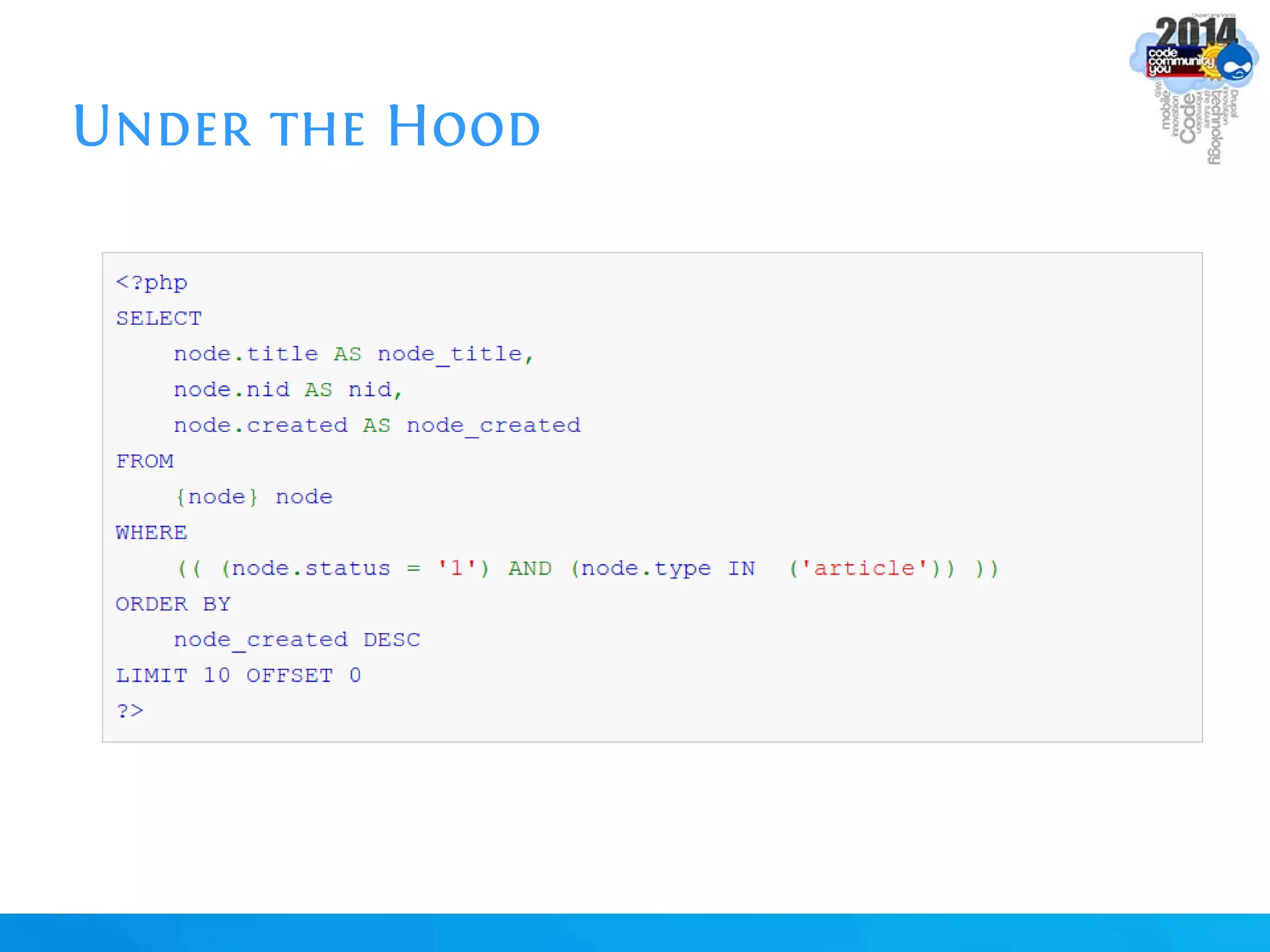
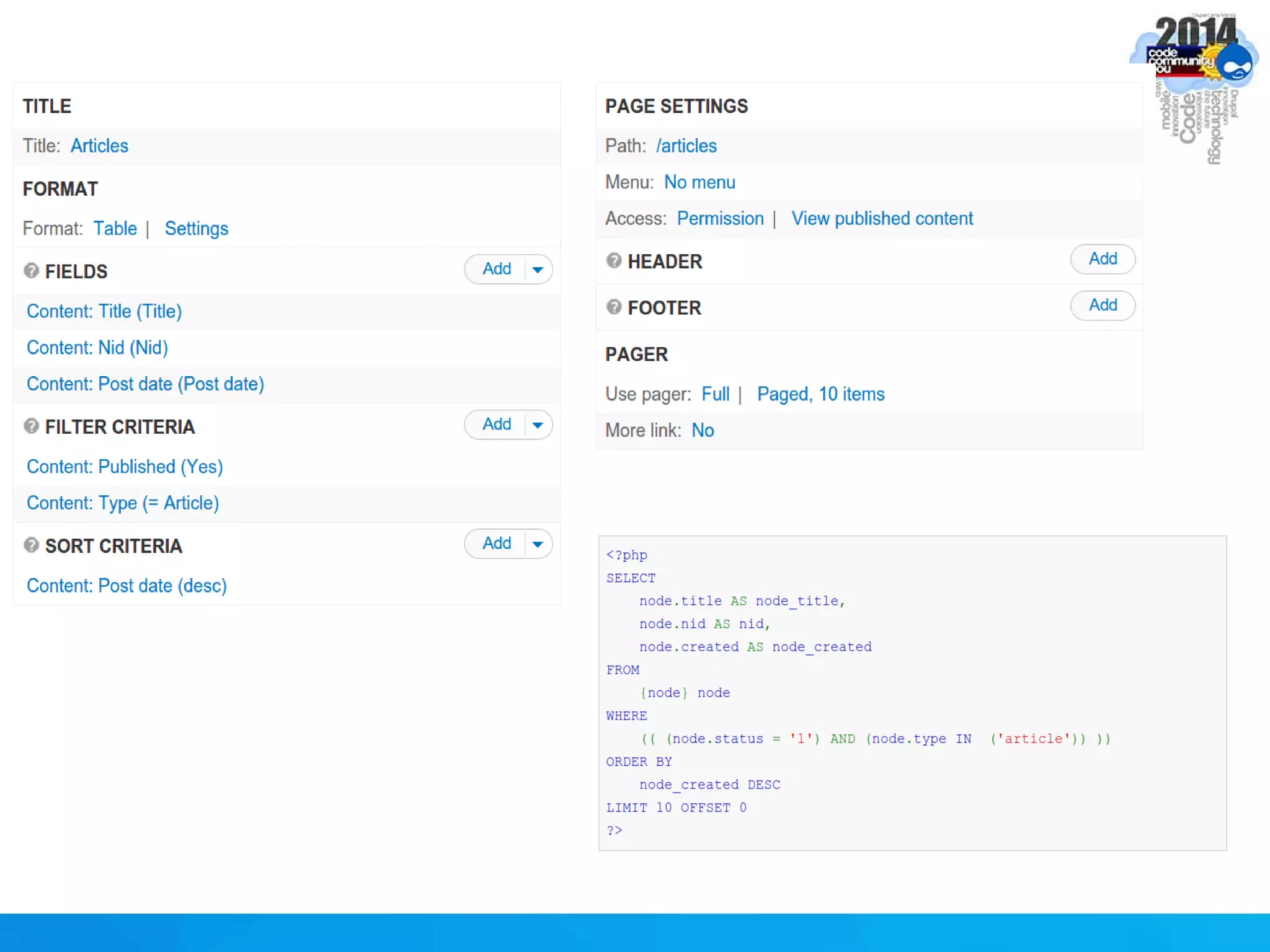
Under the Hood
Under the Hood
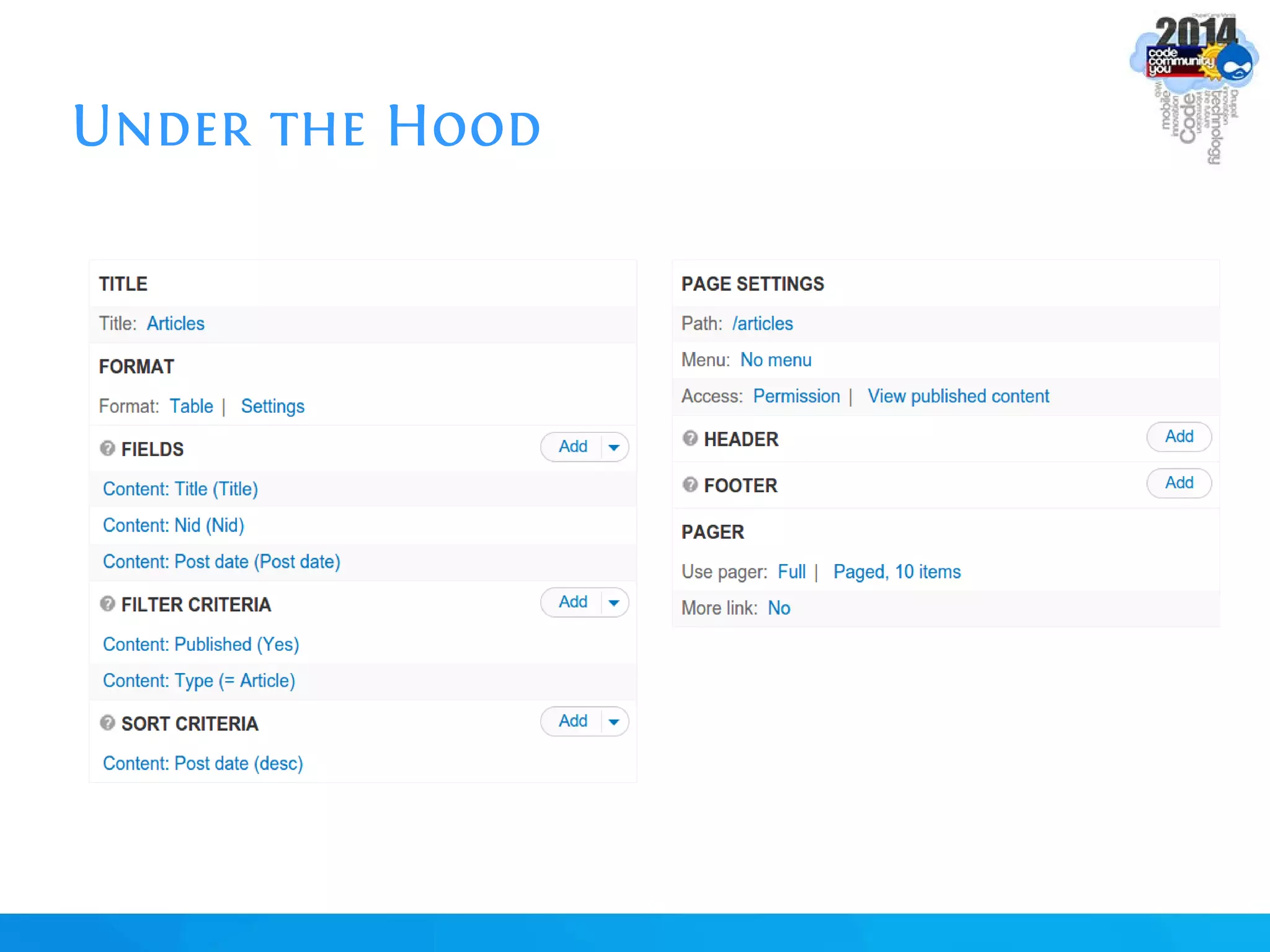
Under the Hood
Under the Hood
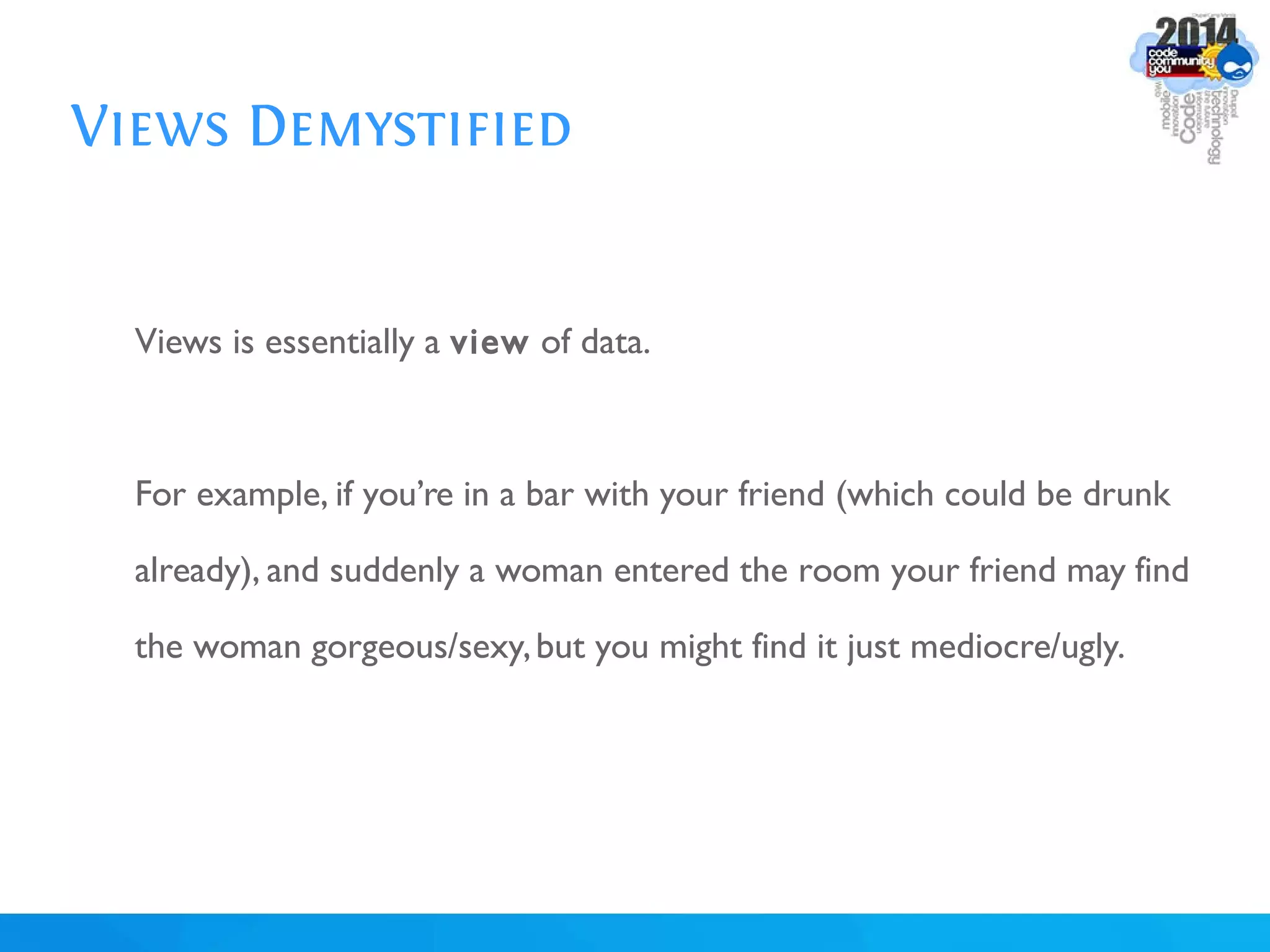
Views Demystified
Views is essentially a view of data.
For example, if you’re in a bar with your friend (which could be drunk
already), and suddenly a woman entered the room your friend may find
the woman gorgeous/sexy,but you might find it just mediocre/ugly.
Views Demystified
In that case, there are 2 different Views or perspective: your View and
your friend’s View; while the data (the Woman) is the same for both of
you, it could be portrayed differently.
Views Demystified
In the same way,Views retrieve data from the database, selects the
content types you want (Blog, News, Product,Tourist Spot), the
fields you want (Title, Images,Author,Location, Price), filter them
(filter by category,filter by price), apply some pre-processing
(compute total, aggregate data), sort them (sort by surname, sort by
area, sort by publication date), and finally display them in a format you
want (list, grid, charts, maps, gallery).
Views Demystified
Hence, a same pool of data could be combined and viewed in many
ways.This makes Drupal really powerful!
Views Demystified
Views is the make or break of Drupal. Many people find it to be
intimidating and hard. But essentially,it just answers these 3 questions:
What?
Where?
How?
Views Demystified
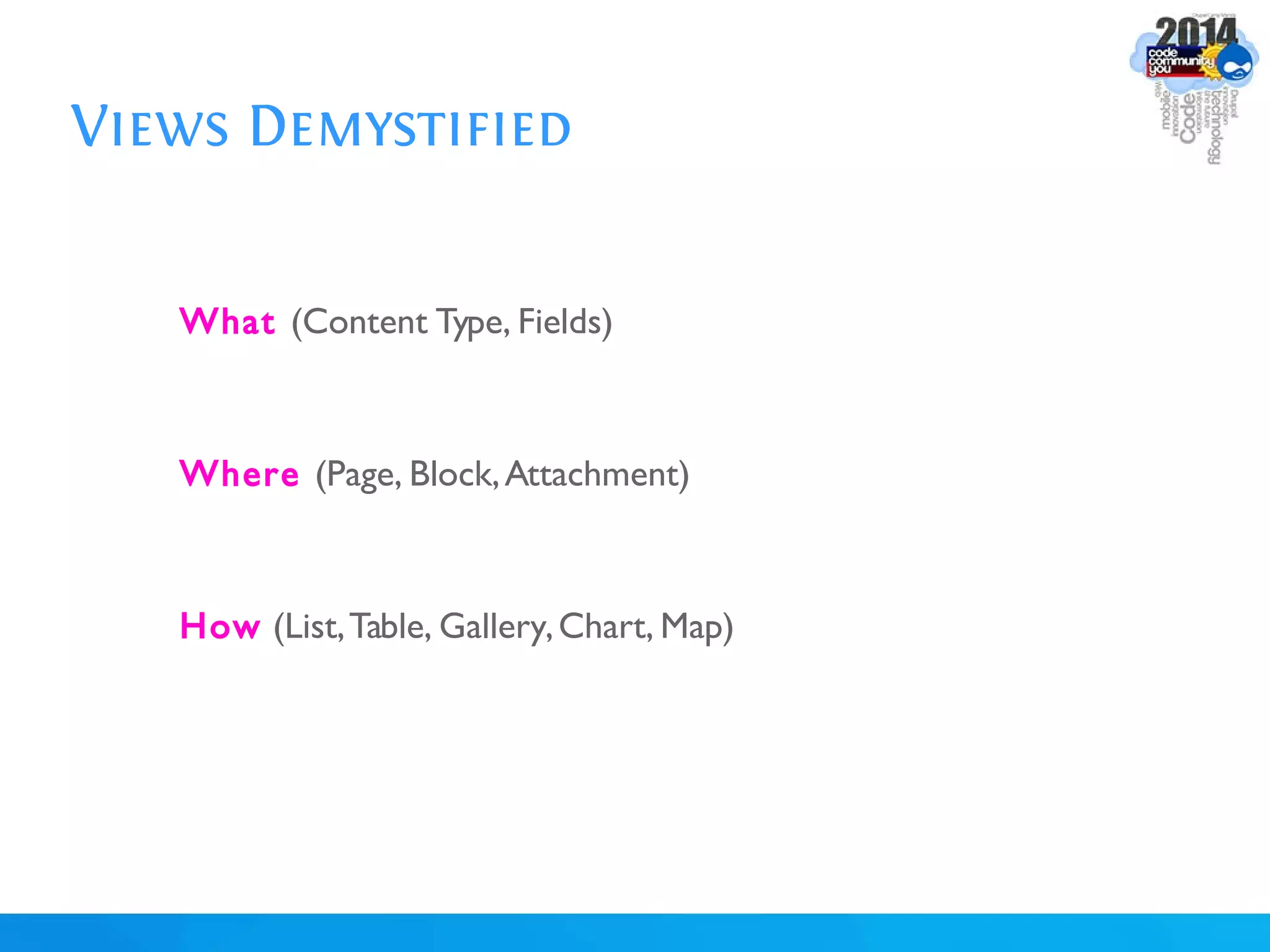
What (Content Type, Fields)
Where (Page, Block,Attachment)
How (List,Table, Gallery,Chart, Map)
Views: Let's Get Our Hands Dirty!
Enable: Chaos Tools,Views, and Views UI modules
Create 3 Articles (fill-in their Title, Body,and Tags fields)
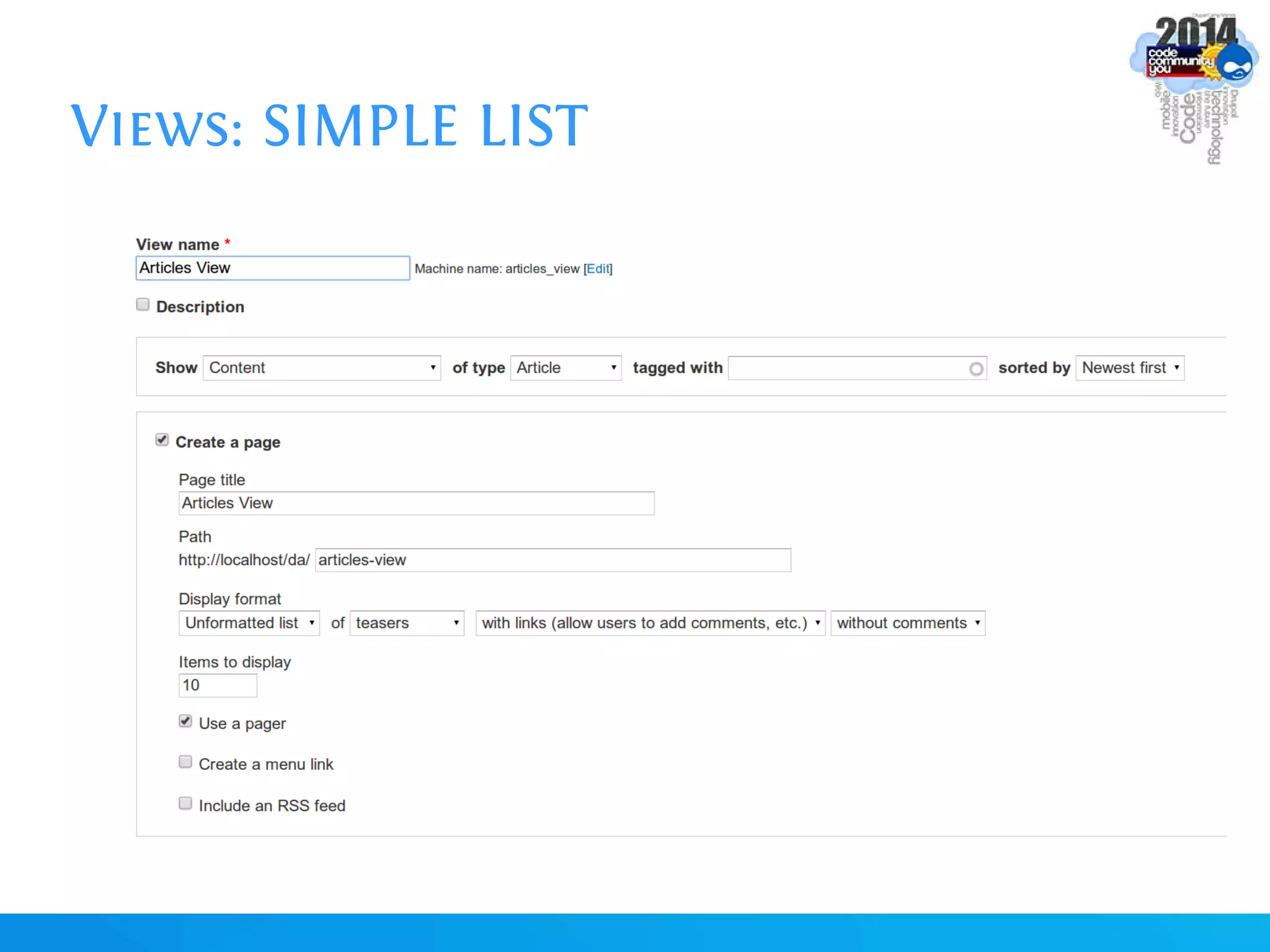
Views: SIMPLE LIST
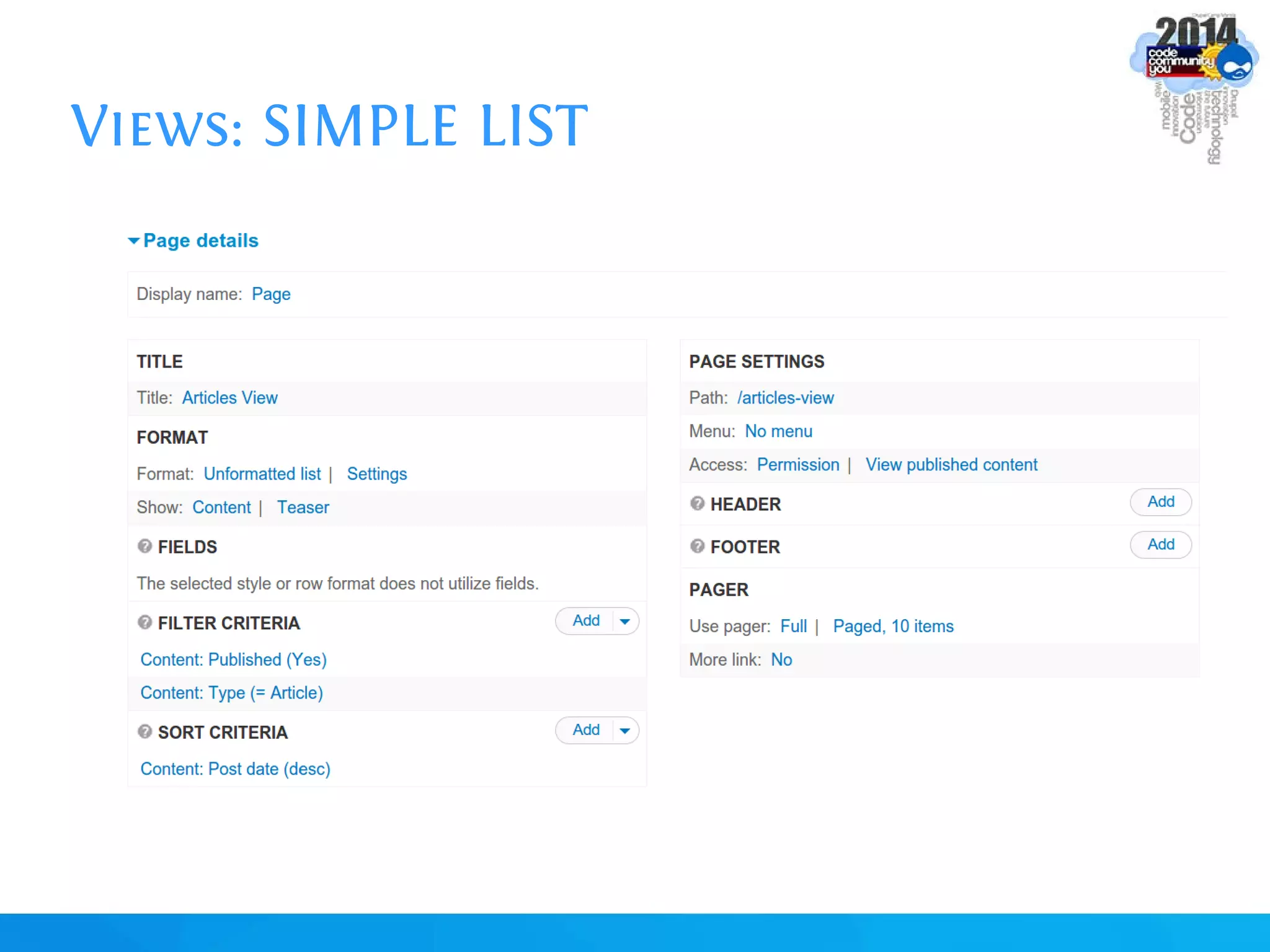
Views: SIMPLE LIST
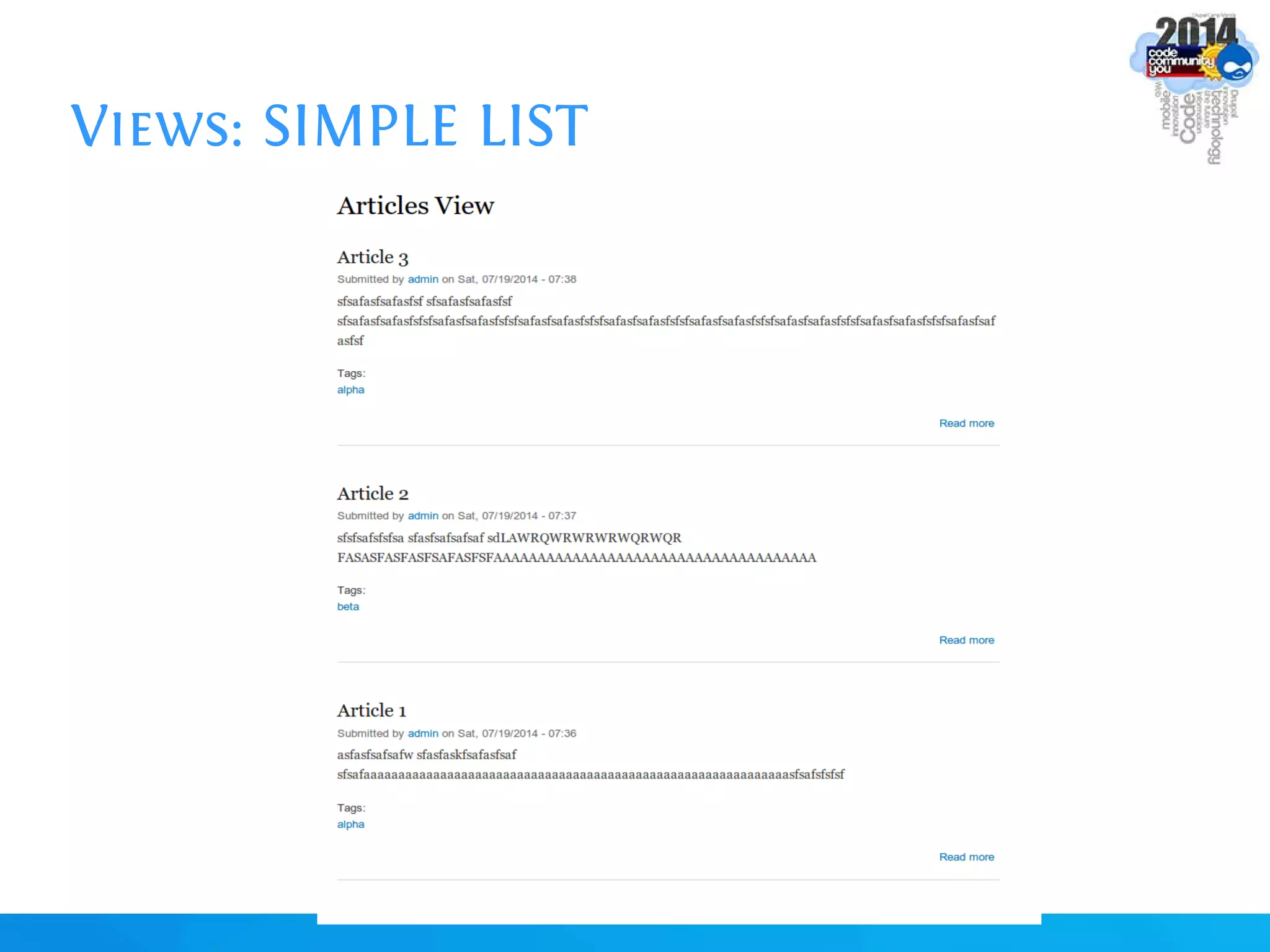
Views: SIMPLE LIST
Views: SIMPLE LIST | DISPLAY
Edit View.
Set Display to HTML List.
Save View.
Edit View.
Set Display to Grid and Table.
Utilize the Views' Preview section.
Utilizing the “?” help/hint icons
- if the Advanced Help module is installed
Views: SIMPLE LIST | SORTING
Remove the Post Date sorter.
Add Title Sorter,Set to Ascending.
Check Preview.
Views: SIMPLE LIST | FIELDS
Change Display's Contents to Fields.
Add fields.
Rearrange fields.
Remove fields.
Trim Fields (trim the Body field to 20 characters only).
Views: SIMPLE LIST | EXPOSED FILTERS
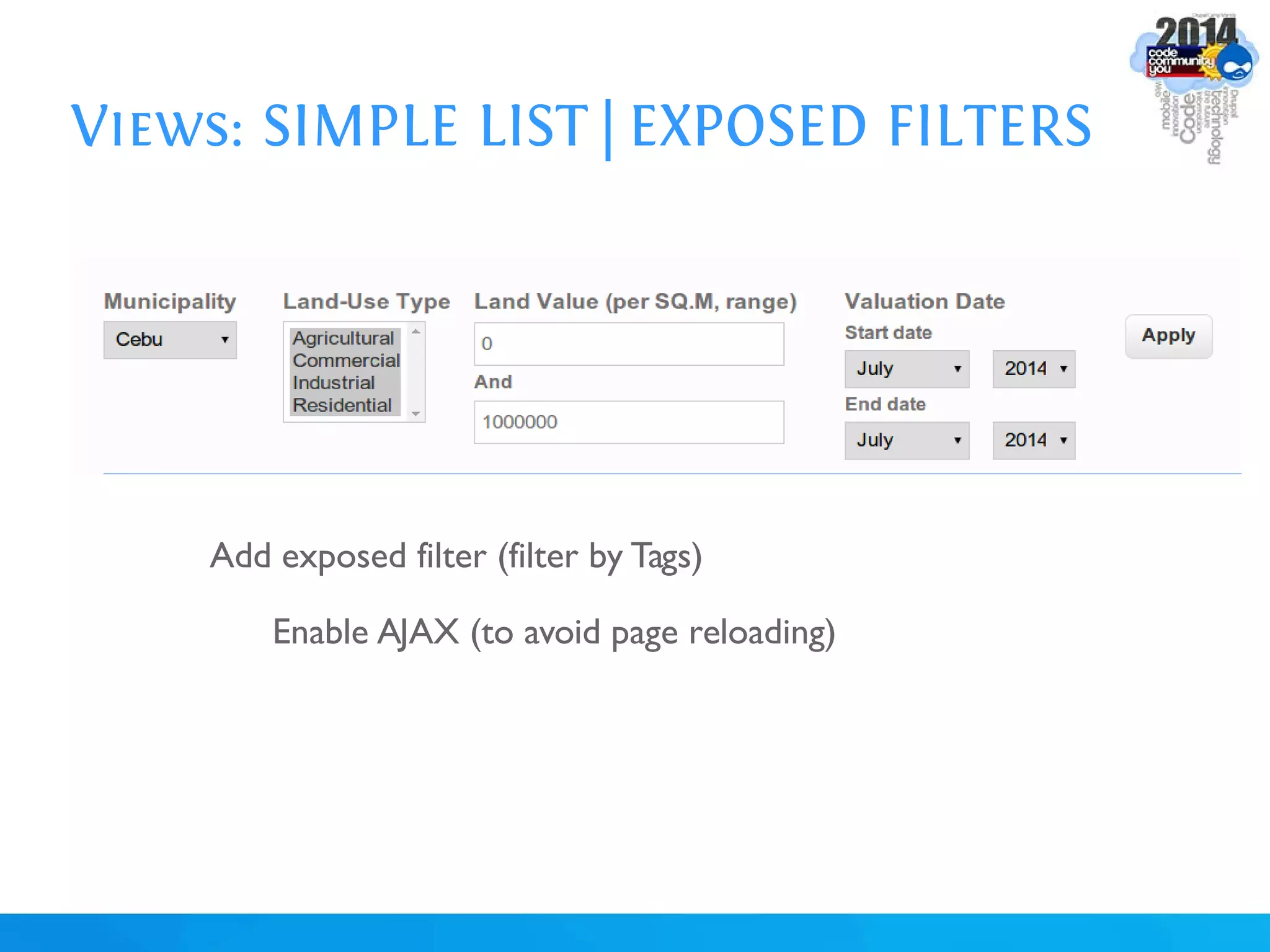
Add exposed filter (filter by Tags)
Enable AJAX (to avoid page reloading)
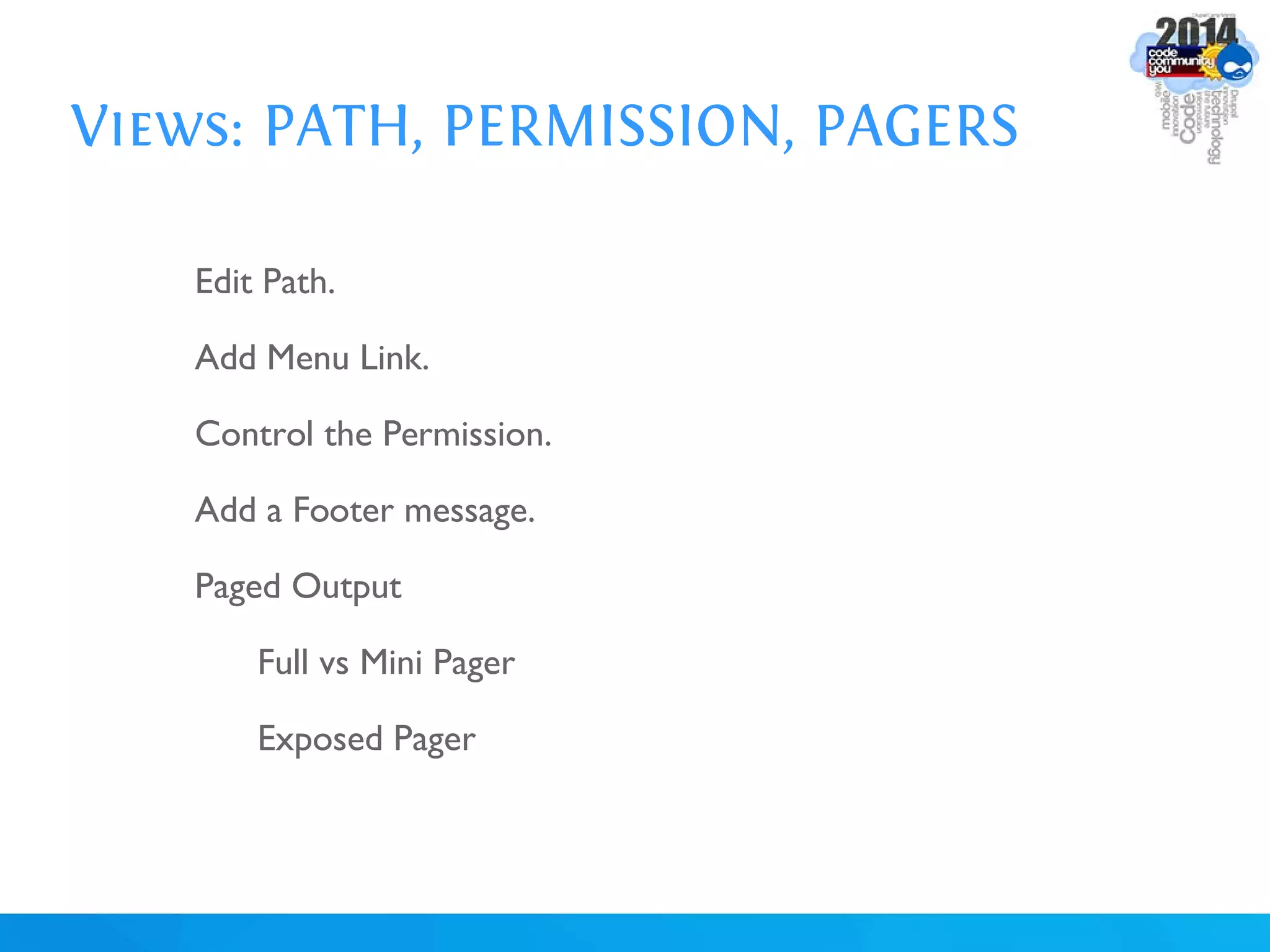
Views: PATH, PERMISSION, PAGERS
Edit Path.
Add Menu Link.
Control the Permission.
Add a Footer message.
Paged Output
Full vs Mini Pager
Exposed Pager
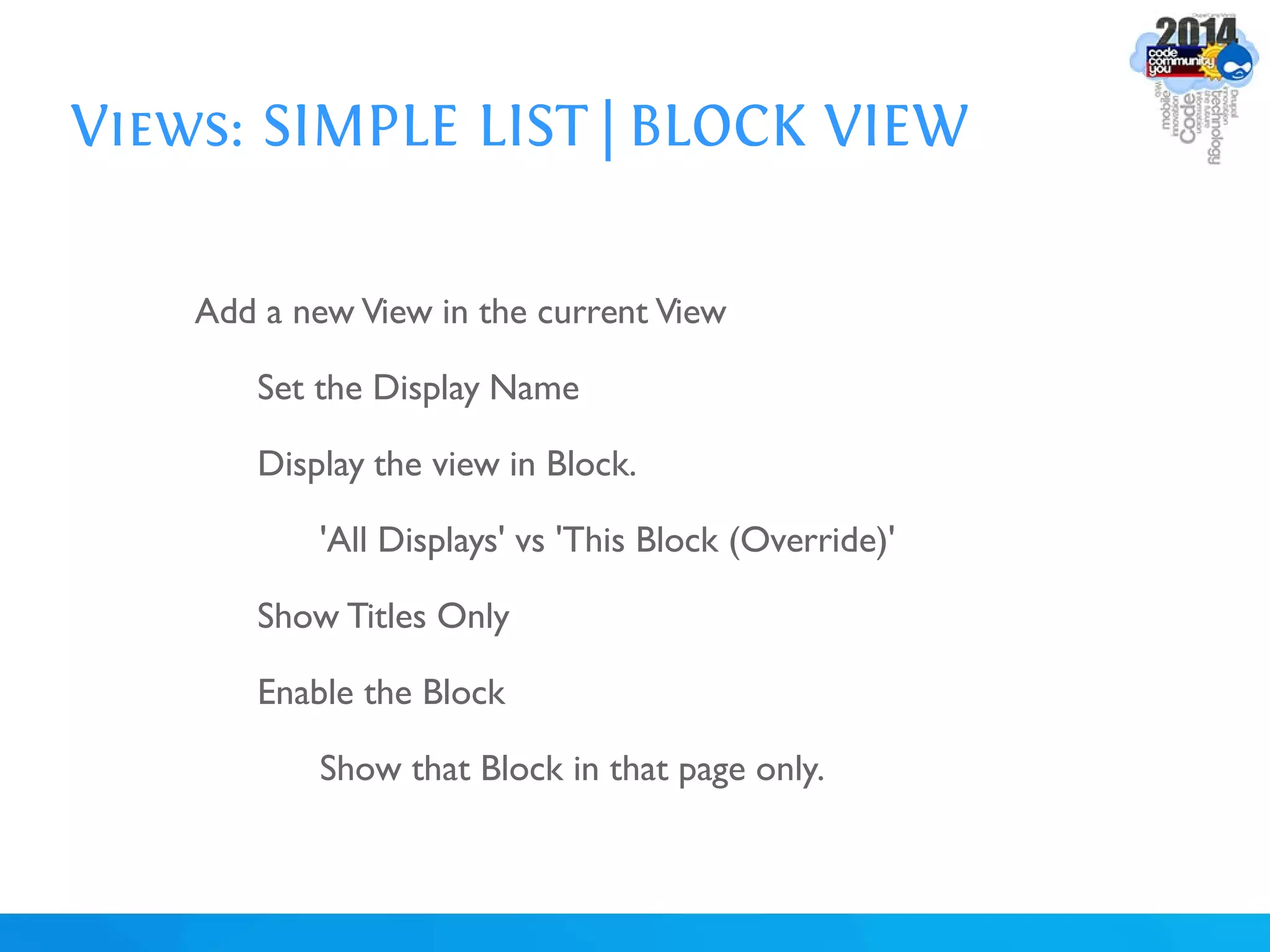
Views: SIMPLE LIST | BLOCK VIEW
Add a new View in the current View
Set the Display Name
Display the view in Block.
'All Displays' vs 'This Block (Override)'
Show Titles Only
Enable the Block
Show that Block in that page only.
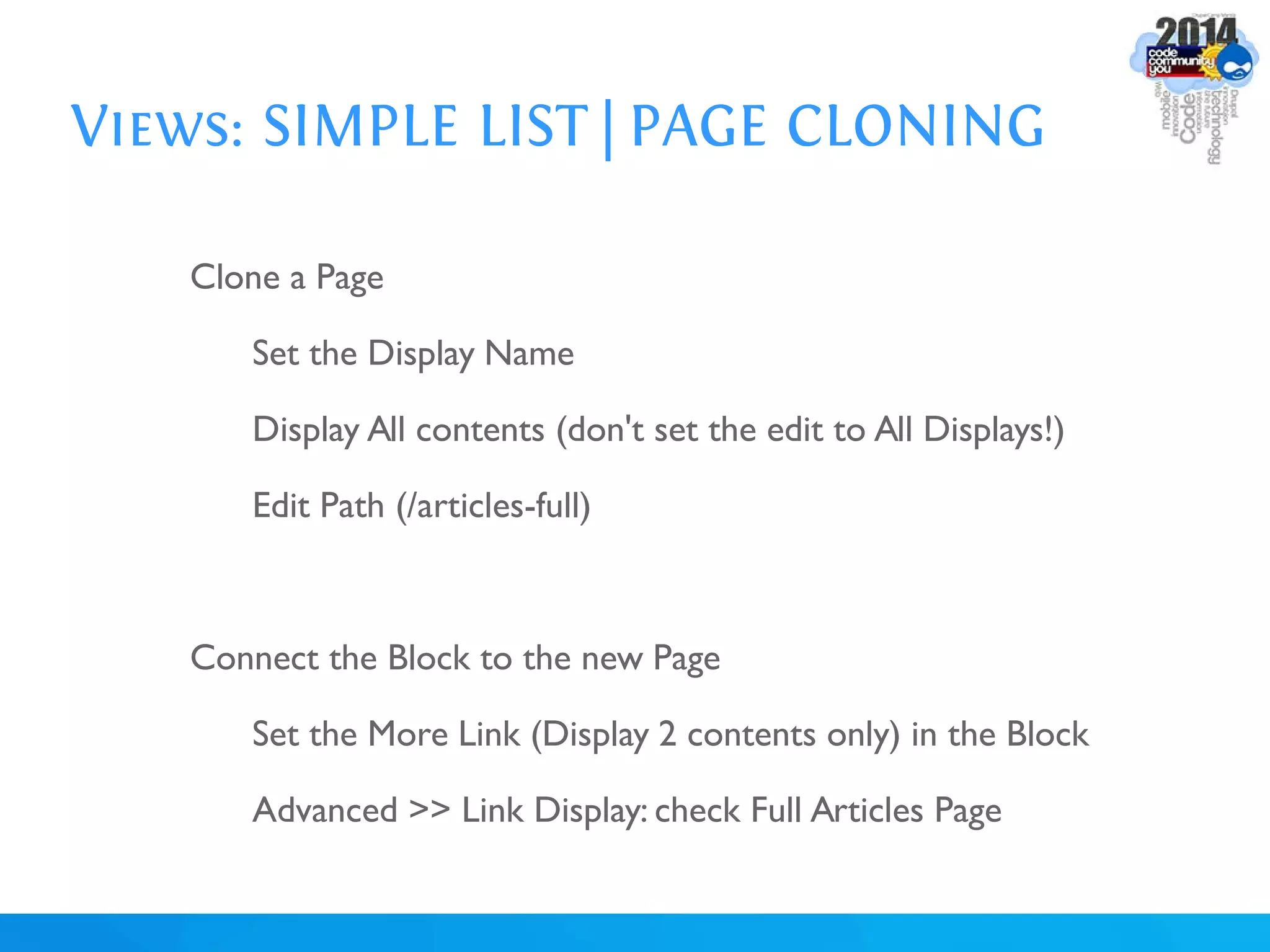
Views: SIMPLE LIST | PAGE CLONING
Clone a Page
Set the Display Name
Display All contents (don't set the edit to All Displays!)
Edit Path (/articles-full)
Connect the Block to the new Page
Set the More Link (Display 2 contents only) in the Block
Advanced >> Link Display: check Full Articles Page
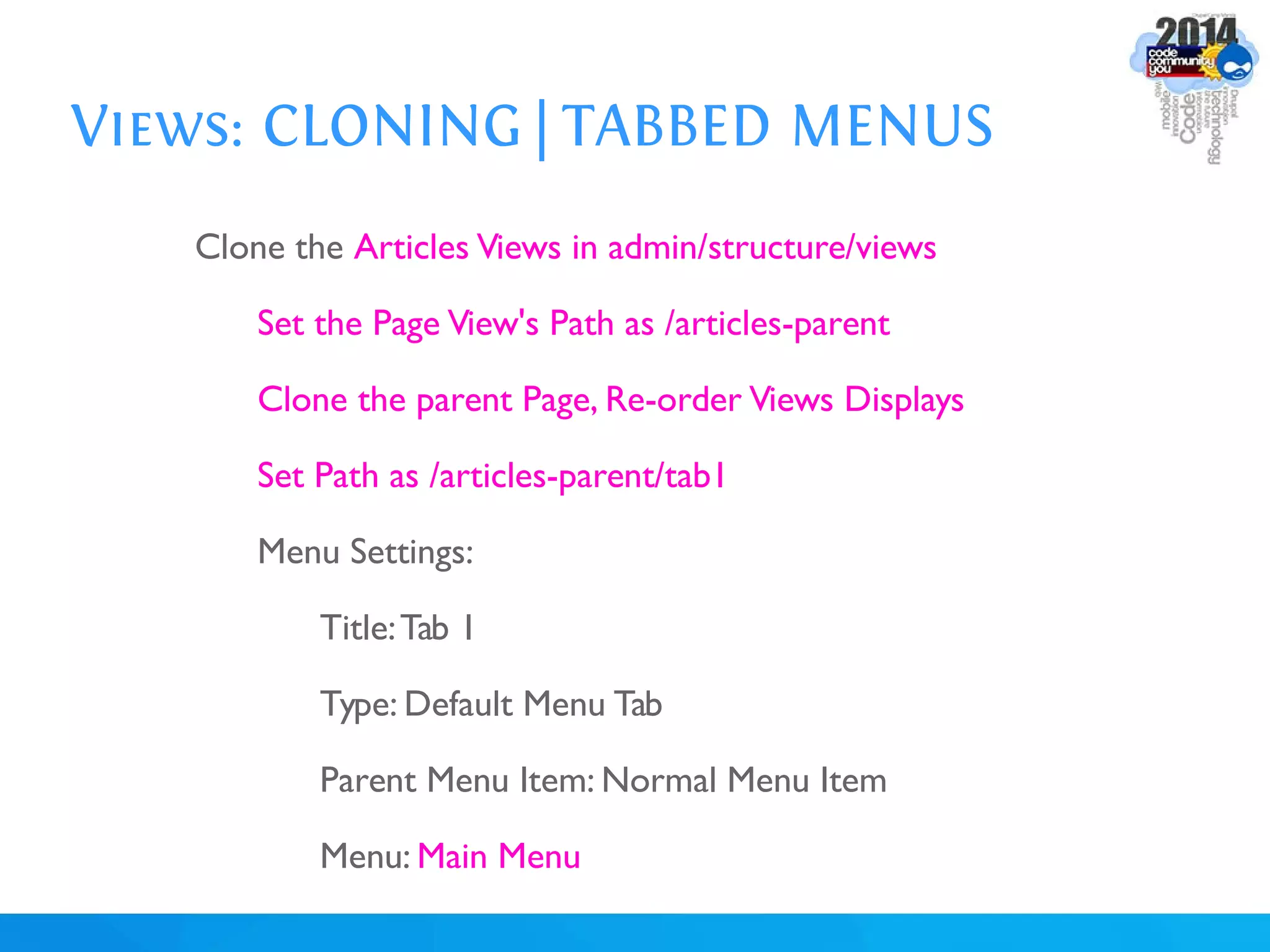
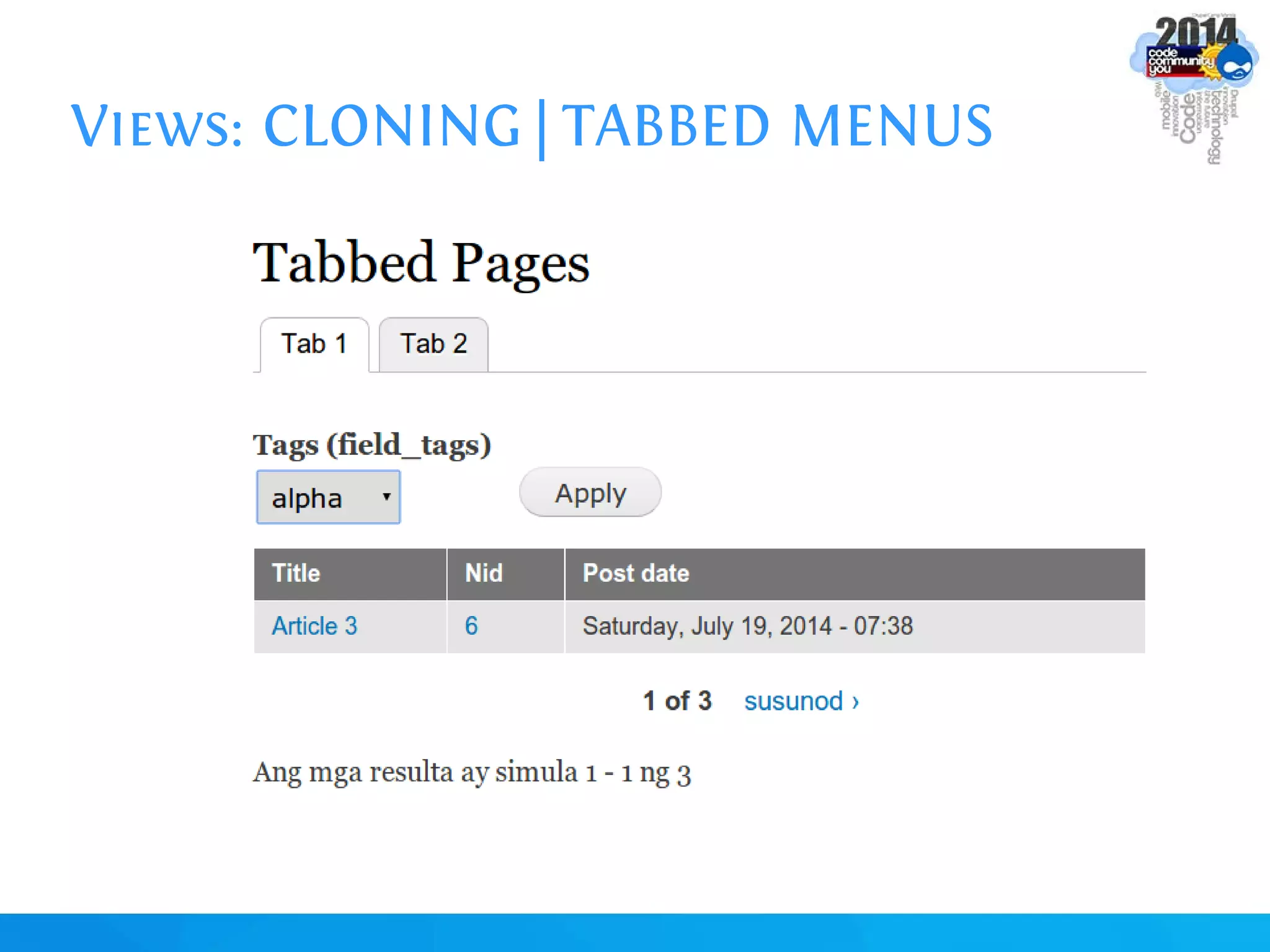
Views: CLONING | TABBED MENUS
Clone the Articles Views in admin/structure/views
Set the Page View's Path as /articles-parent
Clone the parent Page, Re-order Views Displays
Set Path as /articles-parent/tab1
Menu Settings:
Title:Tab 1
Type: Default Menu Tab
Parent Menu Item: Normal Menu Item
Menu: Main Menu
Views: CLONING | TABBED MENUS
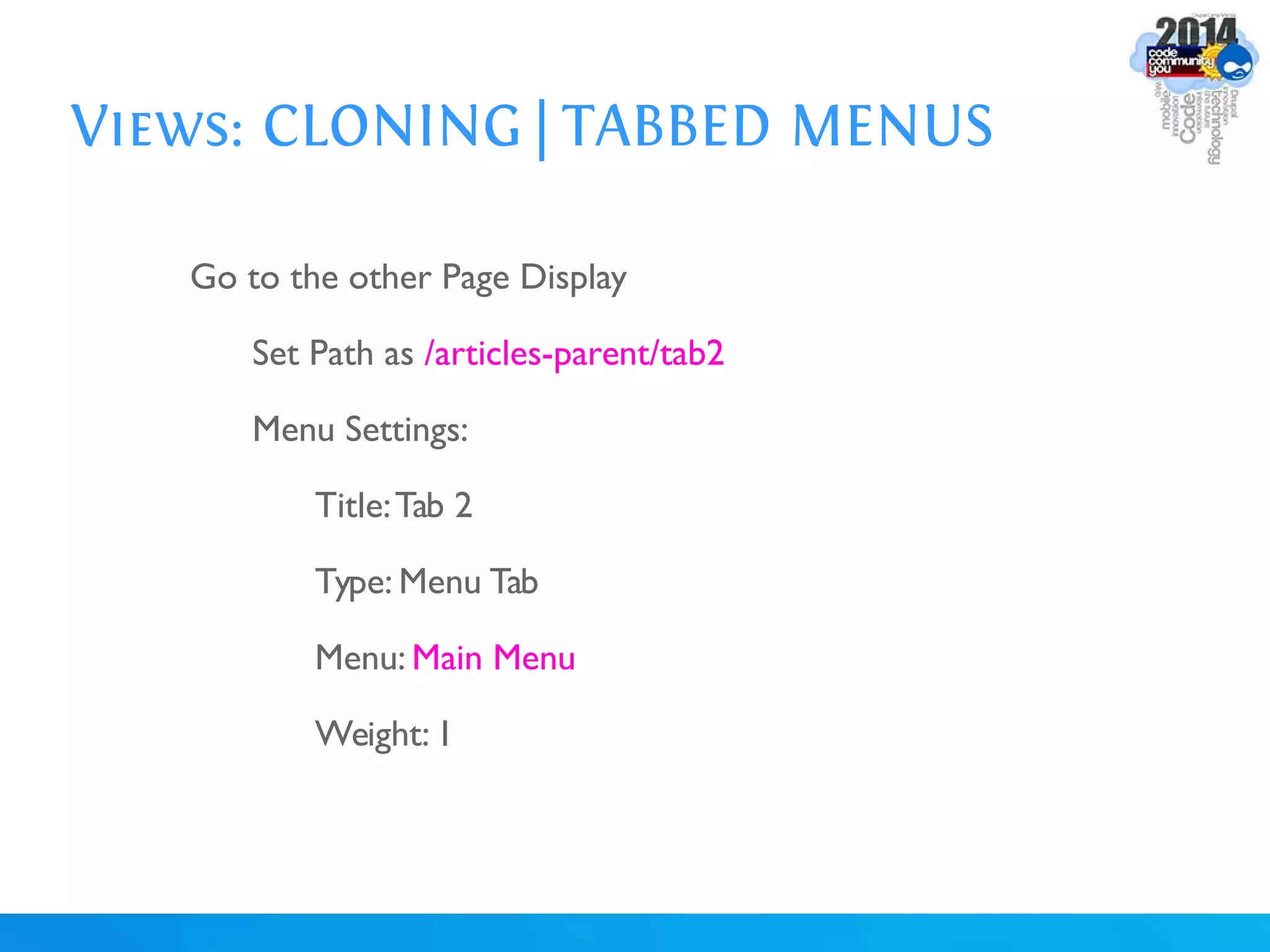
Go to the other Page Display
Set Path as /articles-parent/tab2
Menu Settings:
Title:Tab 2
Type: Menu Tab
Menu: Main Menu
Weight: 1
Views: CLONING | TABBED MENUS
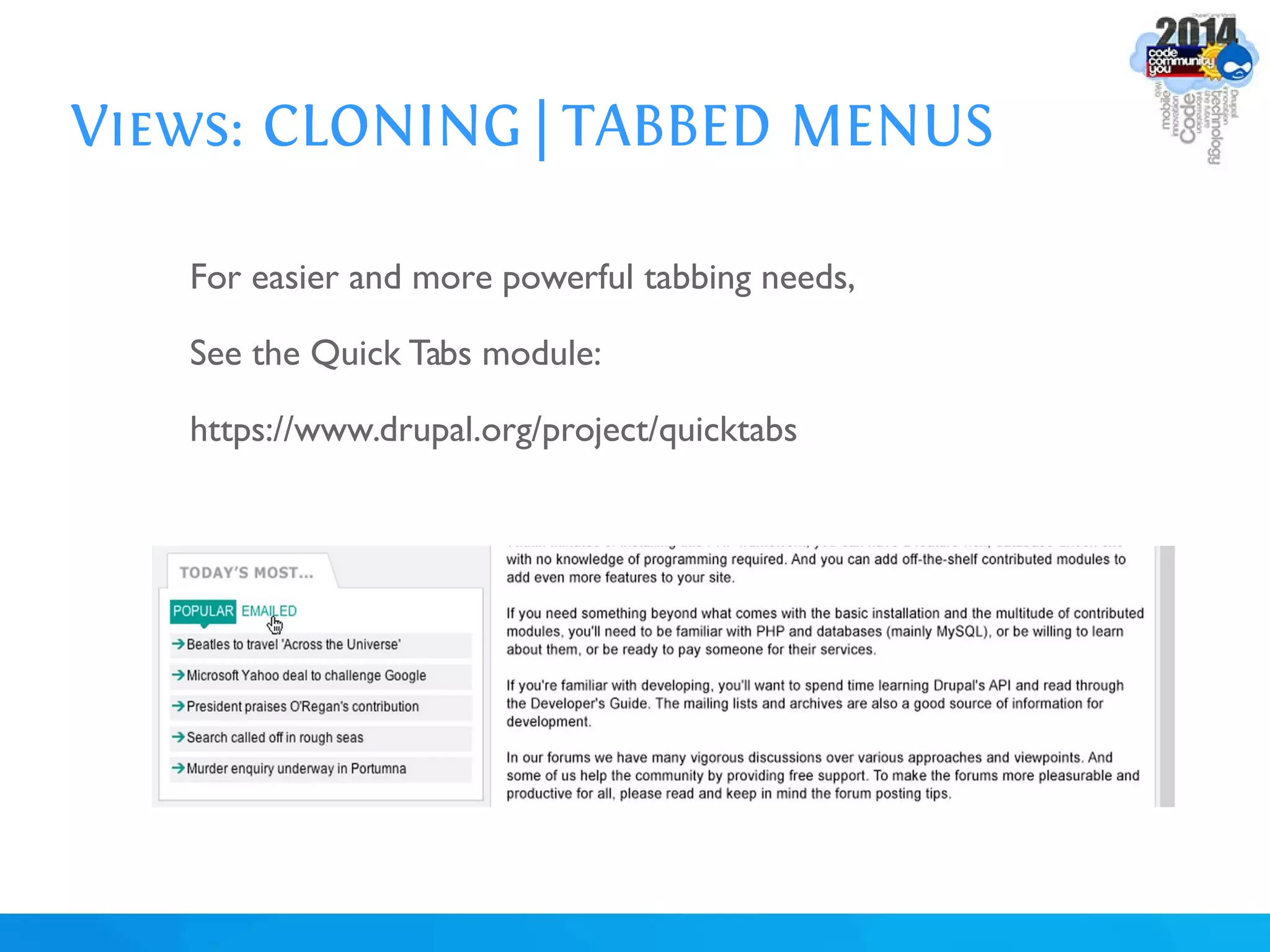
For easier and more powerful tabbing needs,
See the Quick Tabs module:
https://www.drupal.org/project/quicktabs
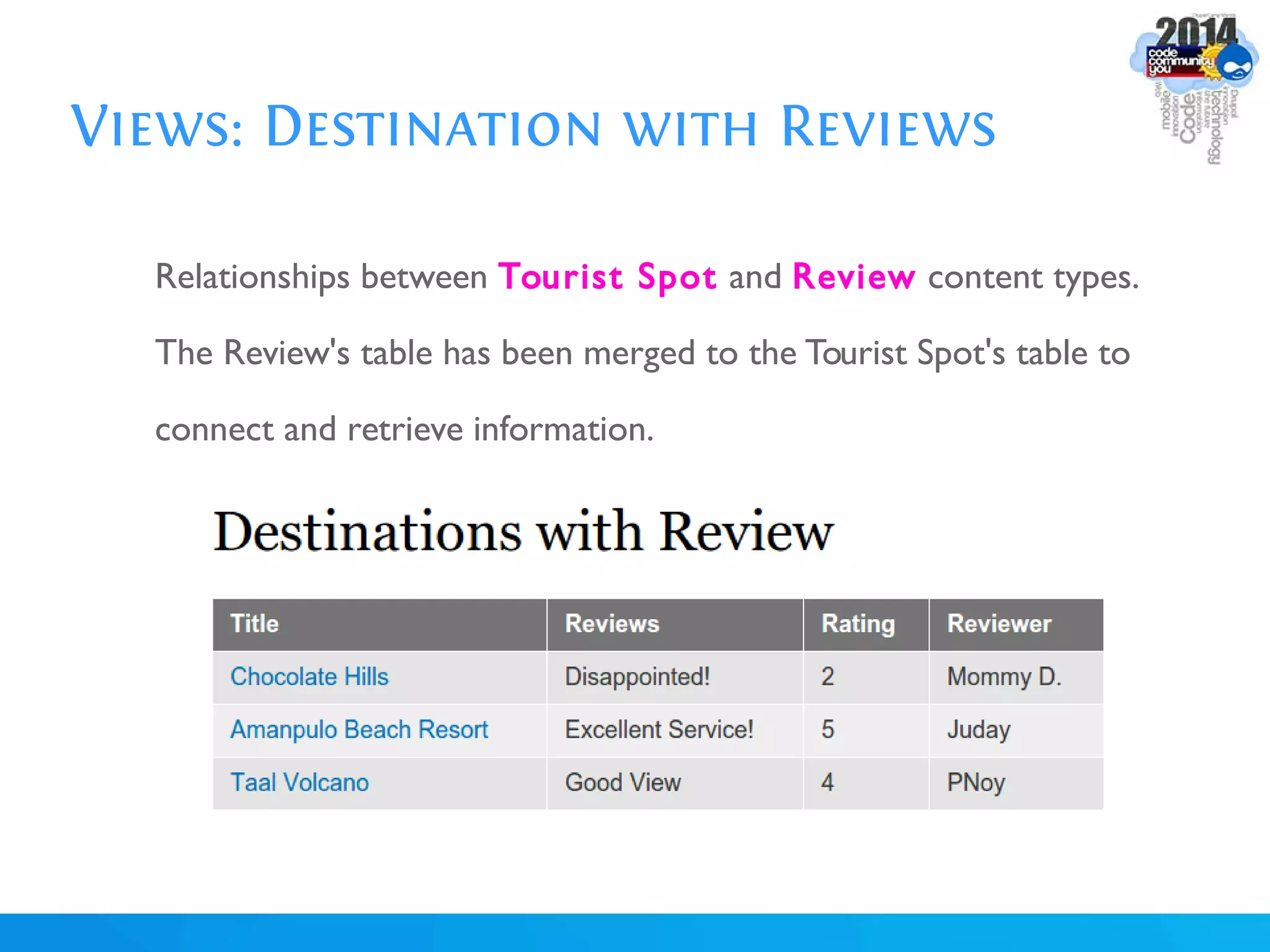
Views: Destination with Reviews
Relationships between Tourist Spot and Review content types.
The Review's table has been merged to the Tourist Spot's table to
connect and retrieve information.
Views: Relationships
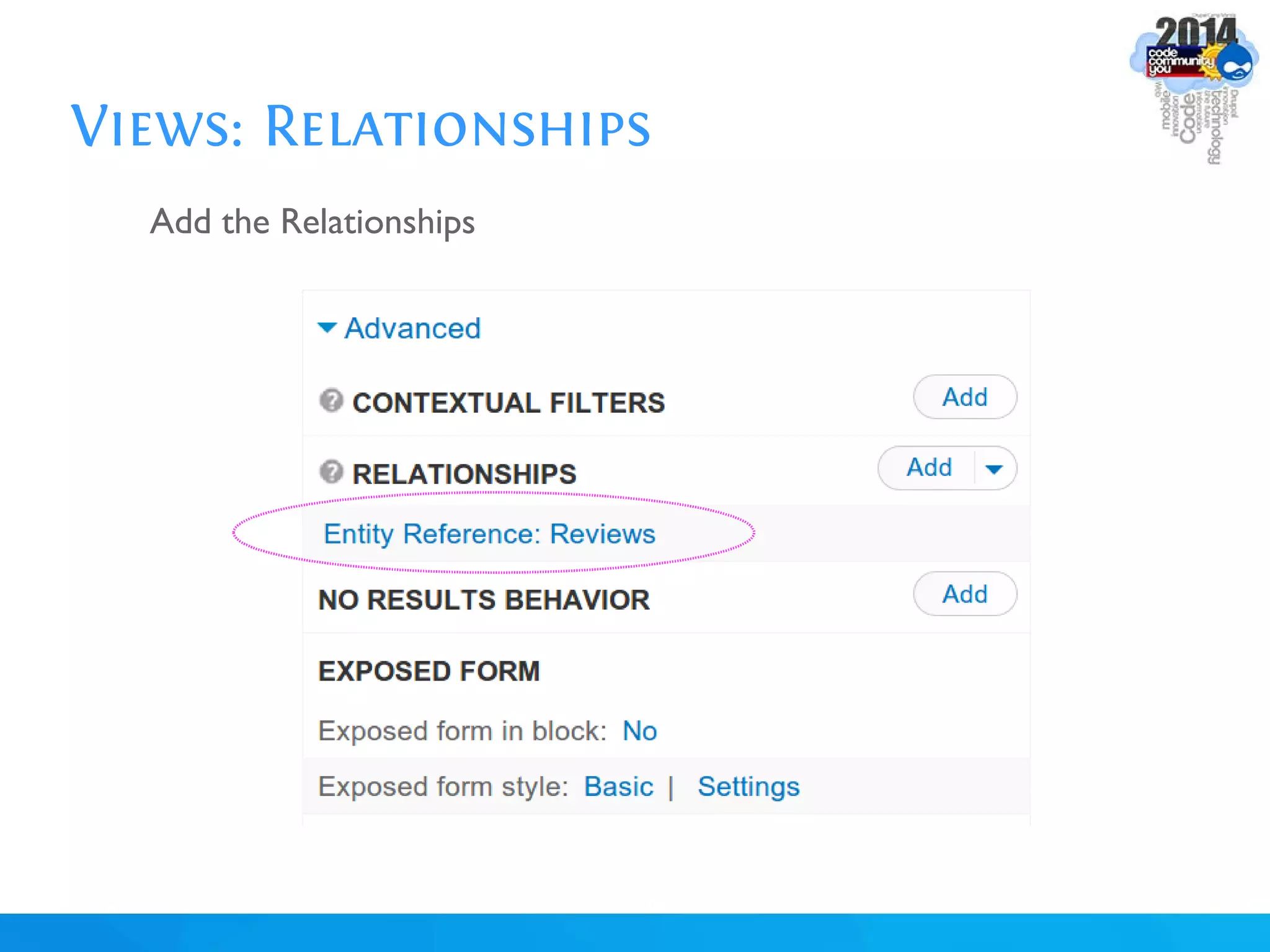
For merging information across tables. In SQL, it's the JOIN operation.
Usually used if you want to access deeper information from two or
more content types, including users or taxonomy terms' comprehensive
object/table information.
Activate these modules for this exercise:
Entity API
Entity Reference
Inline Entity Form
Views: Relationships
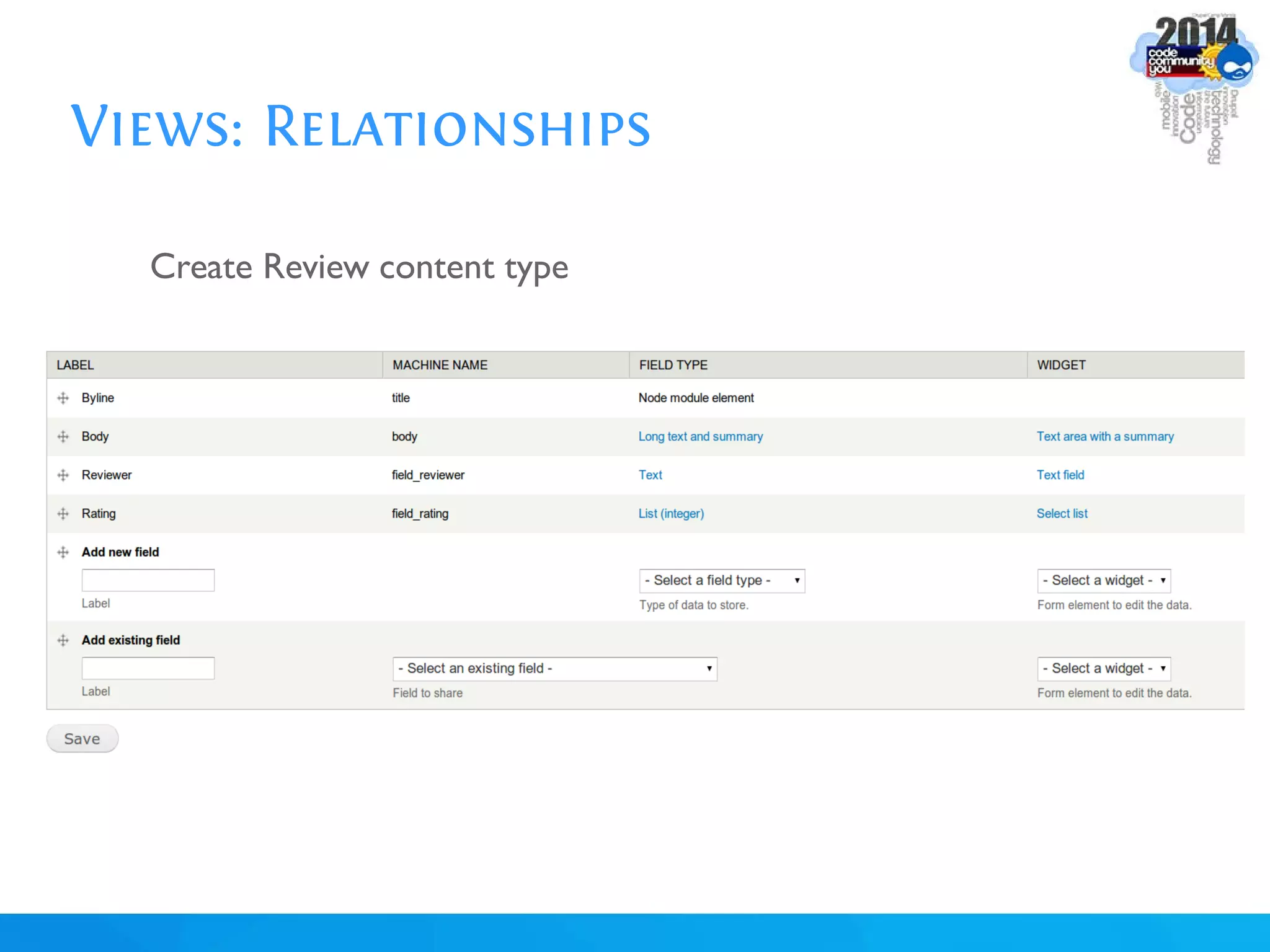
Create Review content type
Title field: Byline
Reviewer:Text
Rating: List (Integer)
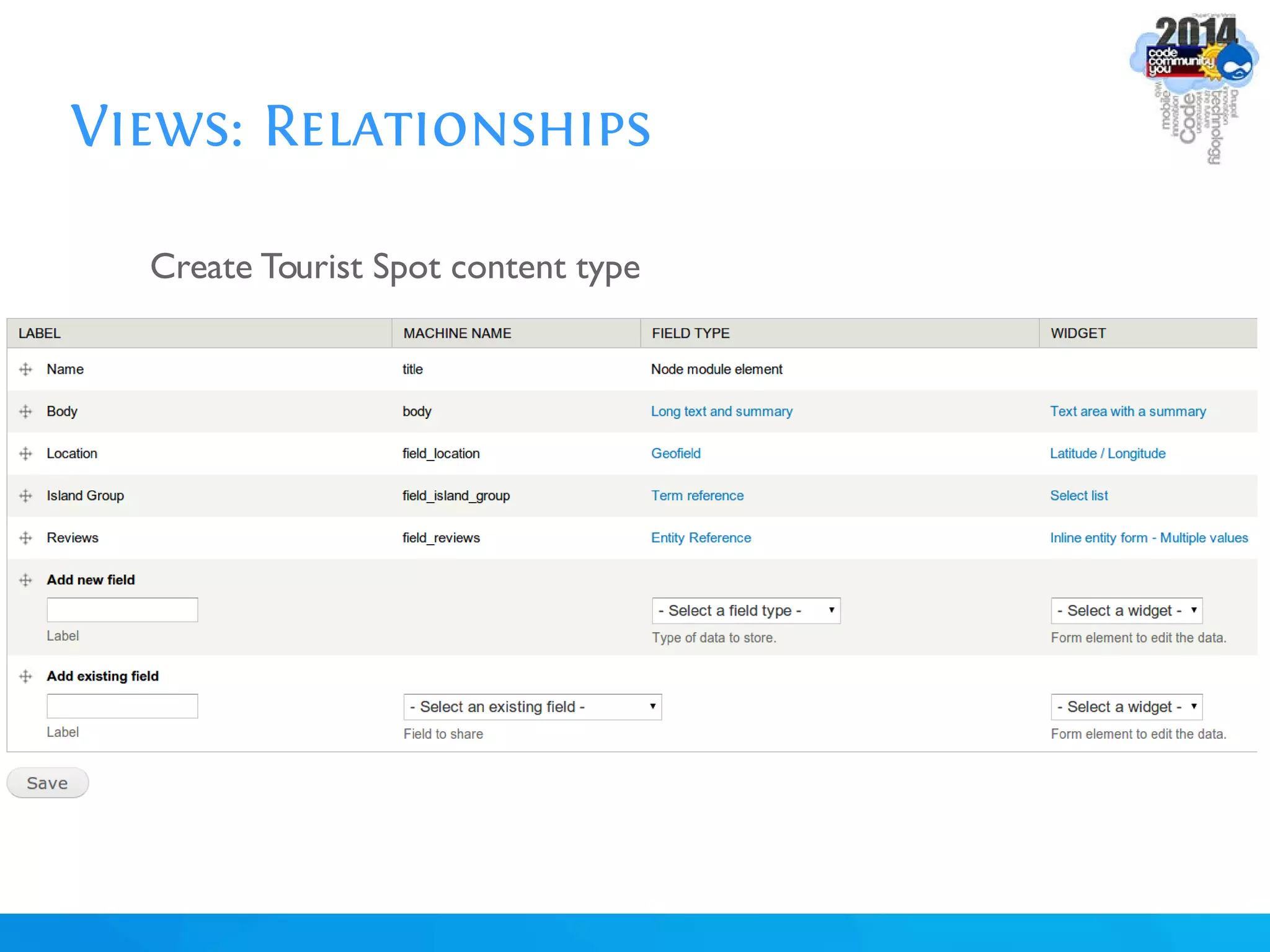
Create Tourist Spot content type
Destination Name:Text
Review: Entity Reference
Widget: Inline Entity Form
Views: Relationships
Create Review content type
Views: Relationships
Create Tourist Spot content type
Views: Relationships
*Create 3 Tourist Spots
1.Tourist Spot:
Name:Amanpulo Beach Resort
Review:
Byline: Excellent Service!!
Reviewer: Juday
Rating: 5
Views: Relationships
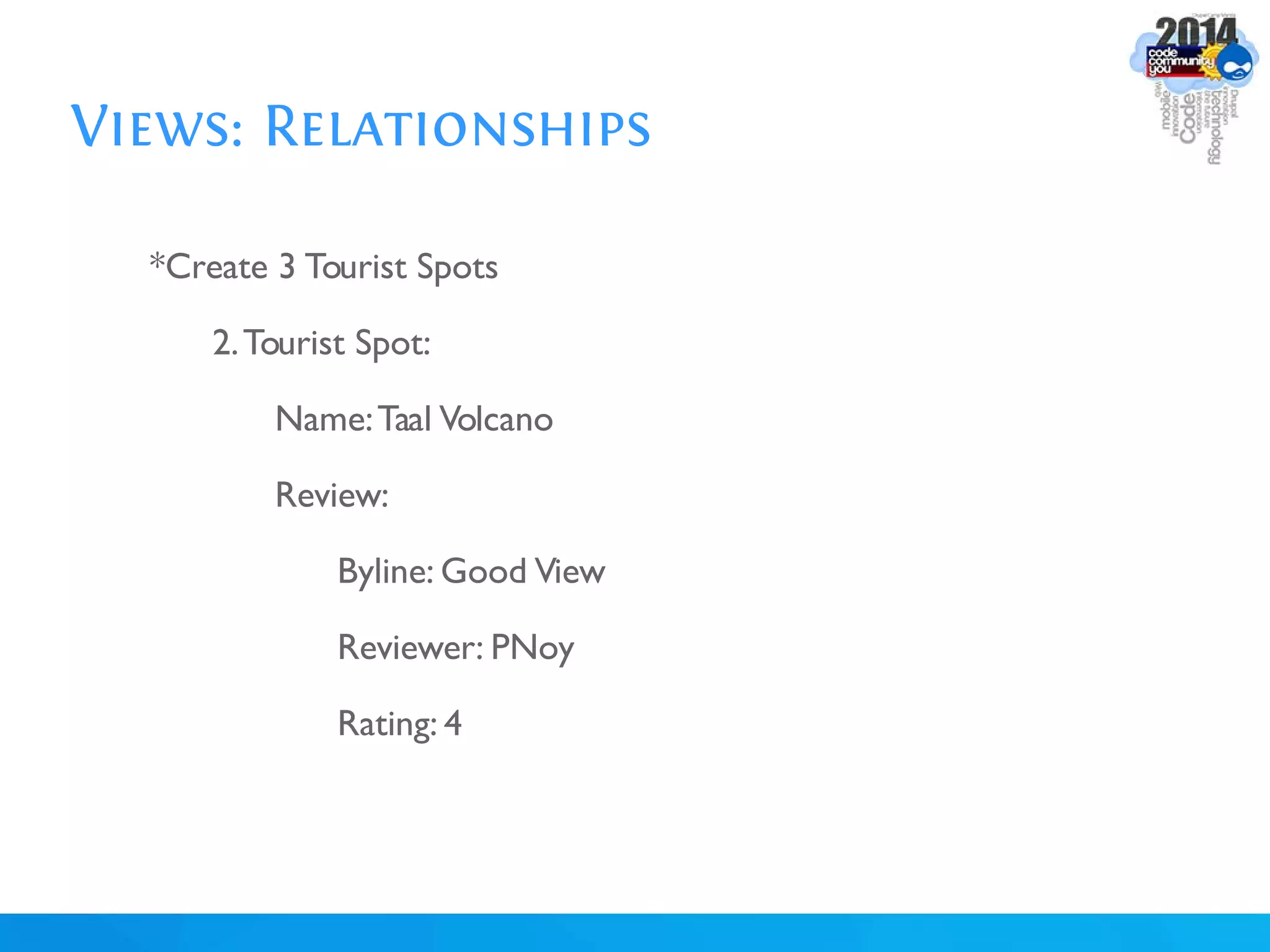
*Create 3 Tourist Spots
2.Tourist Spot:
Name:Taal Volcano
Review:
Byline: Good View
Reviewer: PNoy
Rating: 4
Views: Relationships
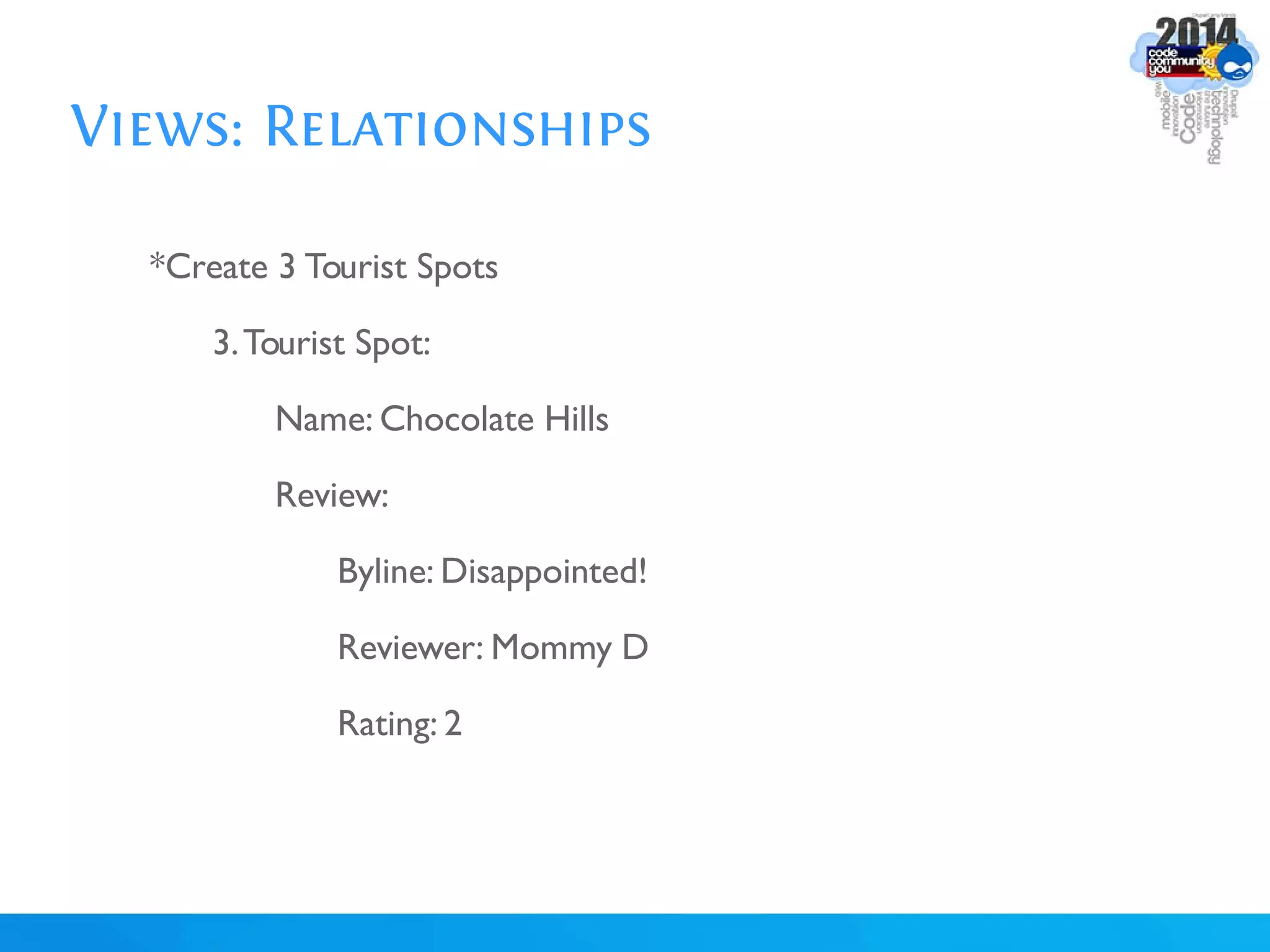
*Create 3 Tourist Spots
3.Tourist Spot:
Name: Chocolate Hills
Review:
Byline: Disappointed!
Reviewer: Mommy D
Rating: 2
Views: Relationships
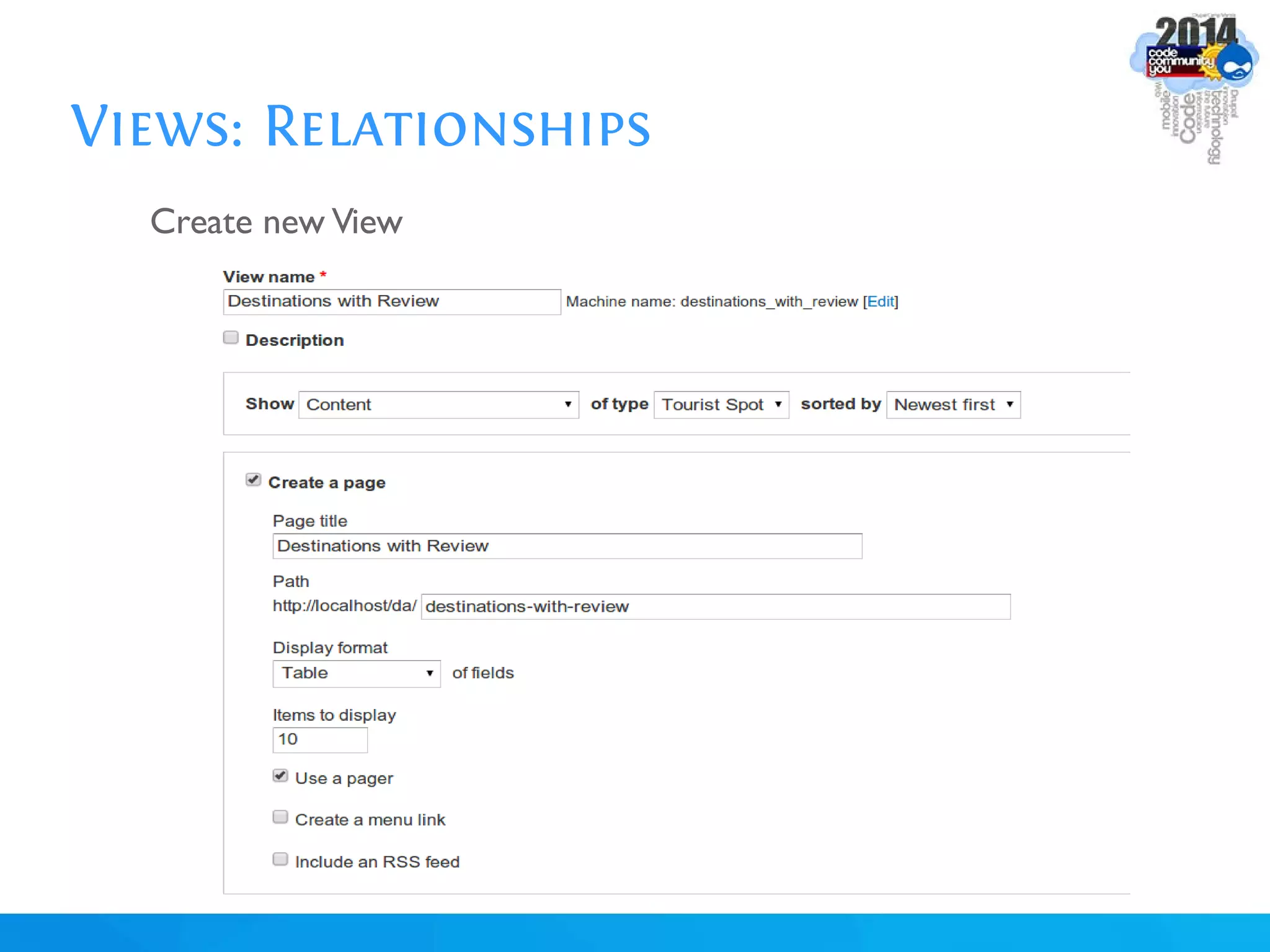
Create new View
Views: Relationships
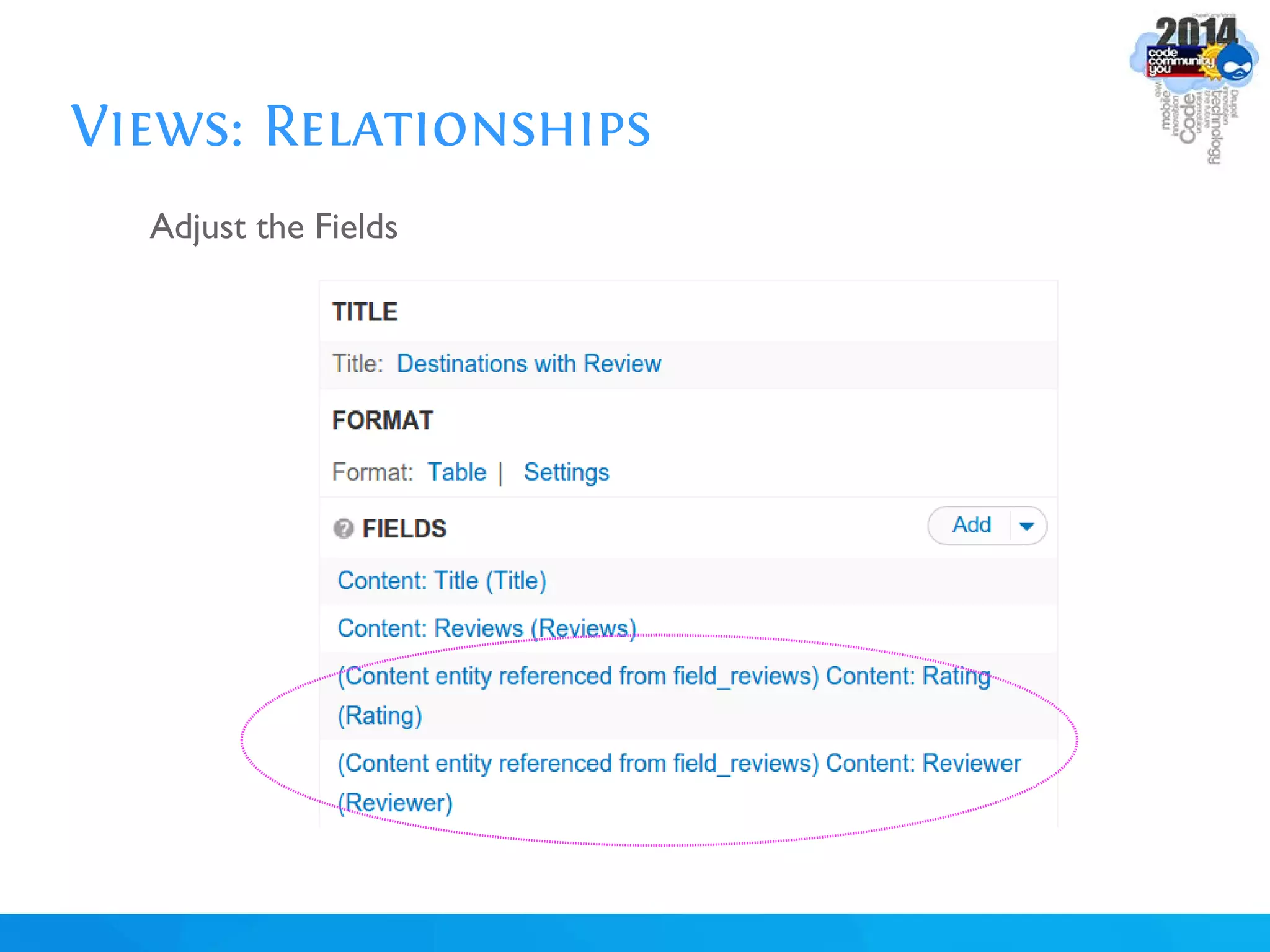
Add the Relationships
Views: Relationships
Adjust the Fields
Views: Contextual Filters
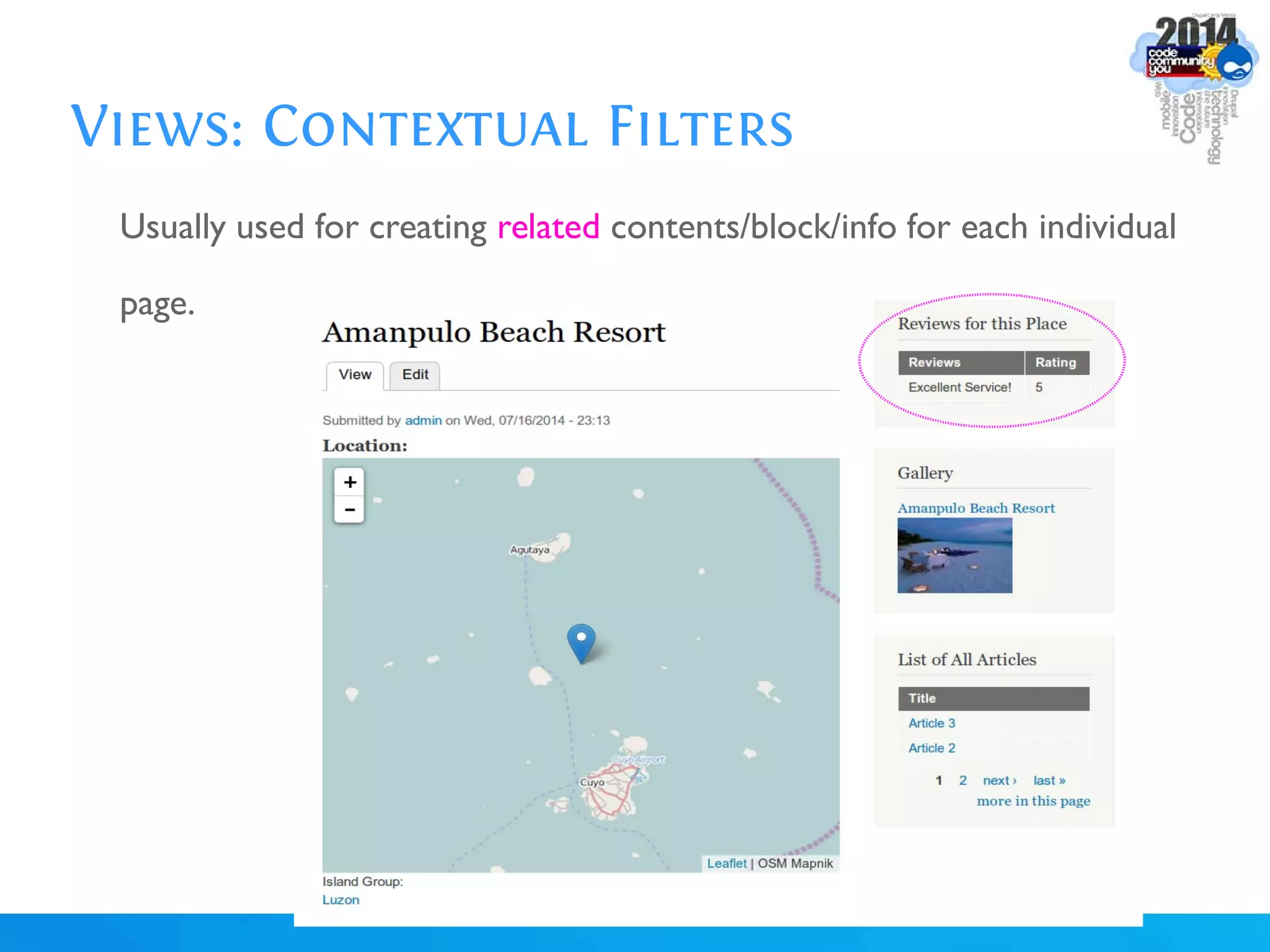
Usually used for creating related contents/block/info for each individual
page.
Views: Contextual Filters
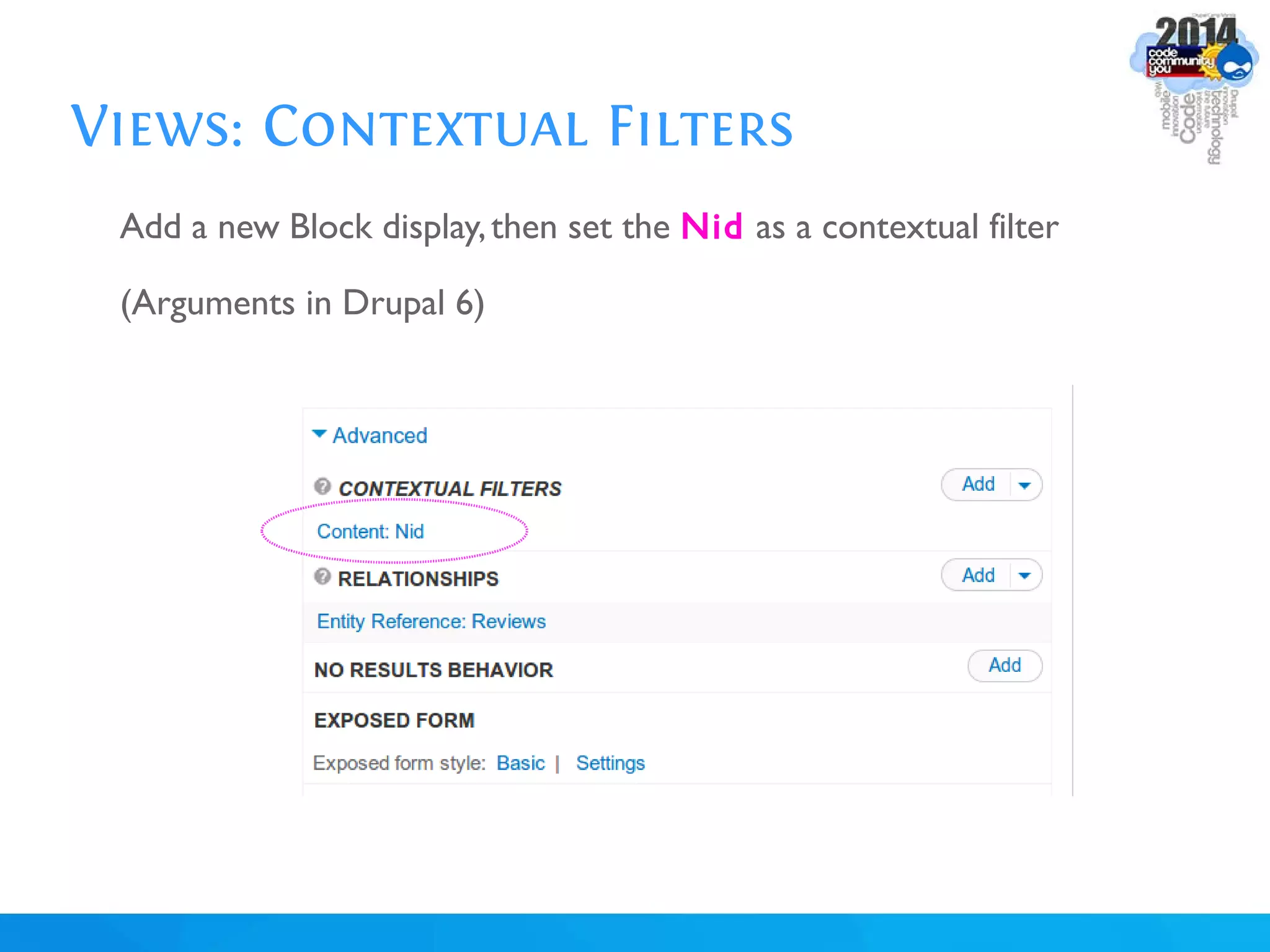
Add a new Block display,then set the Nid as a contextual filter
(Arguments in Drupal 6)
Views: Map Display
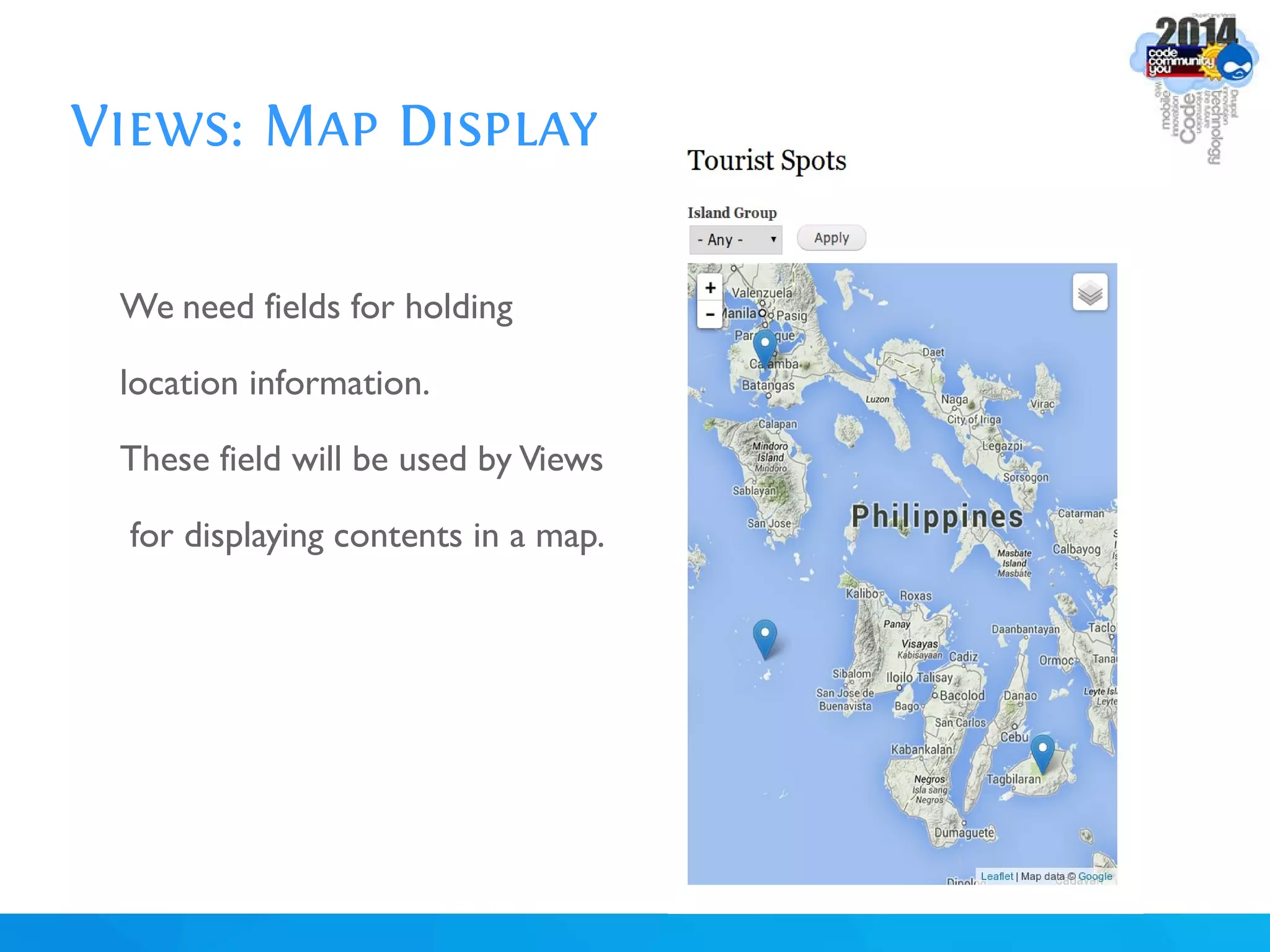
We need fields for holding
location information.
These field will be used by Views
for displaying contents in a map.
Views: Map Display
Activate Modules:
Libraries
GeoPHP,Geofield
Leaflet, Leaflet Views, Leaflet More Maps
Put the "leaflet" JS library in sites/all/libraries,
so that you will have site/all/libraries/leaflet/leaflet.js file
Views: Map Display
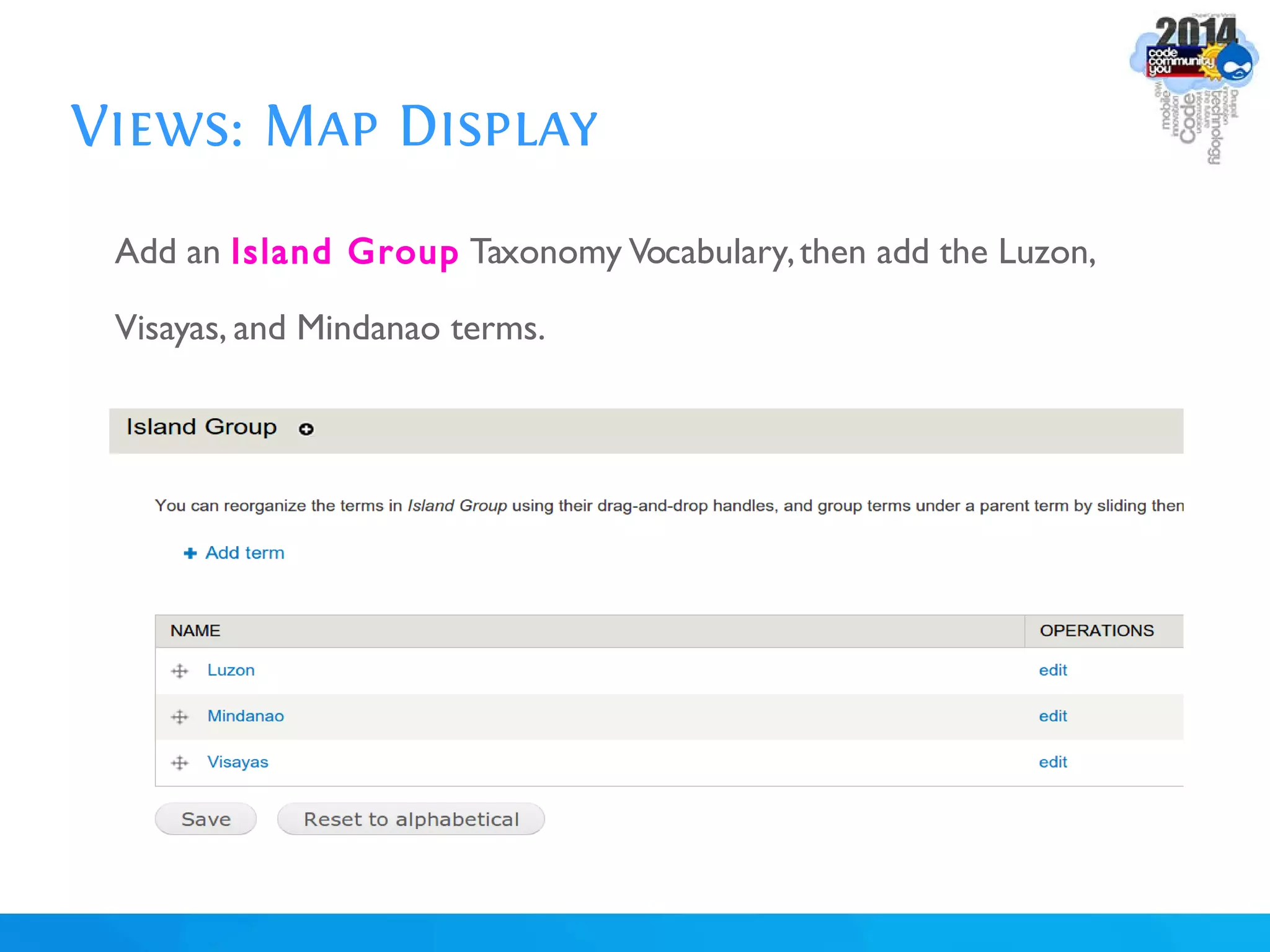
Add an Island Group Taxonomy Vocabulary,then add the Luzon,
Visayas, and Mindanao terms.
Views: Map Display
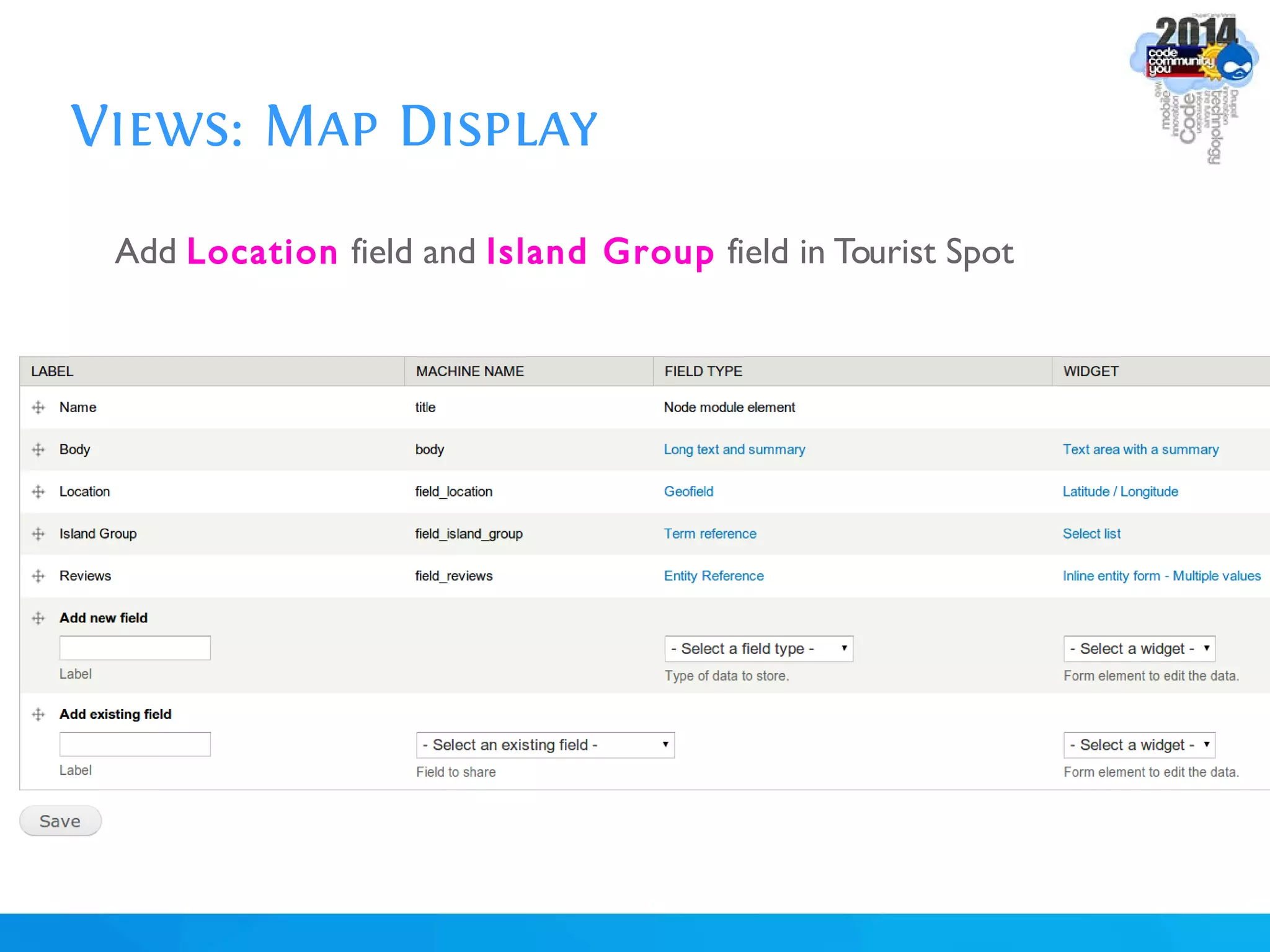
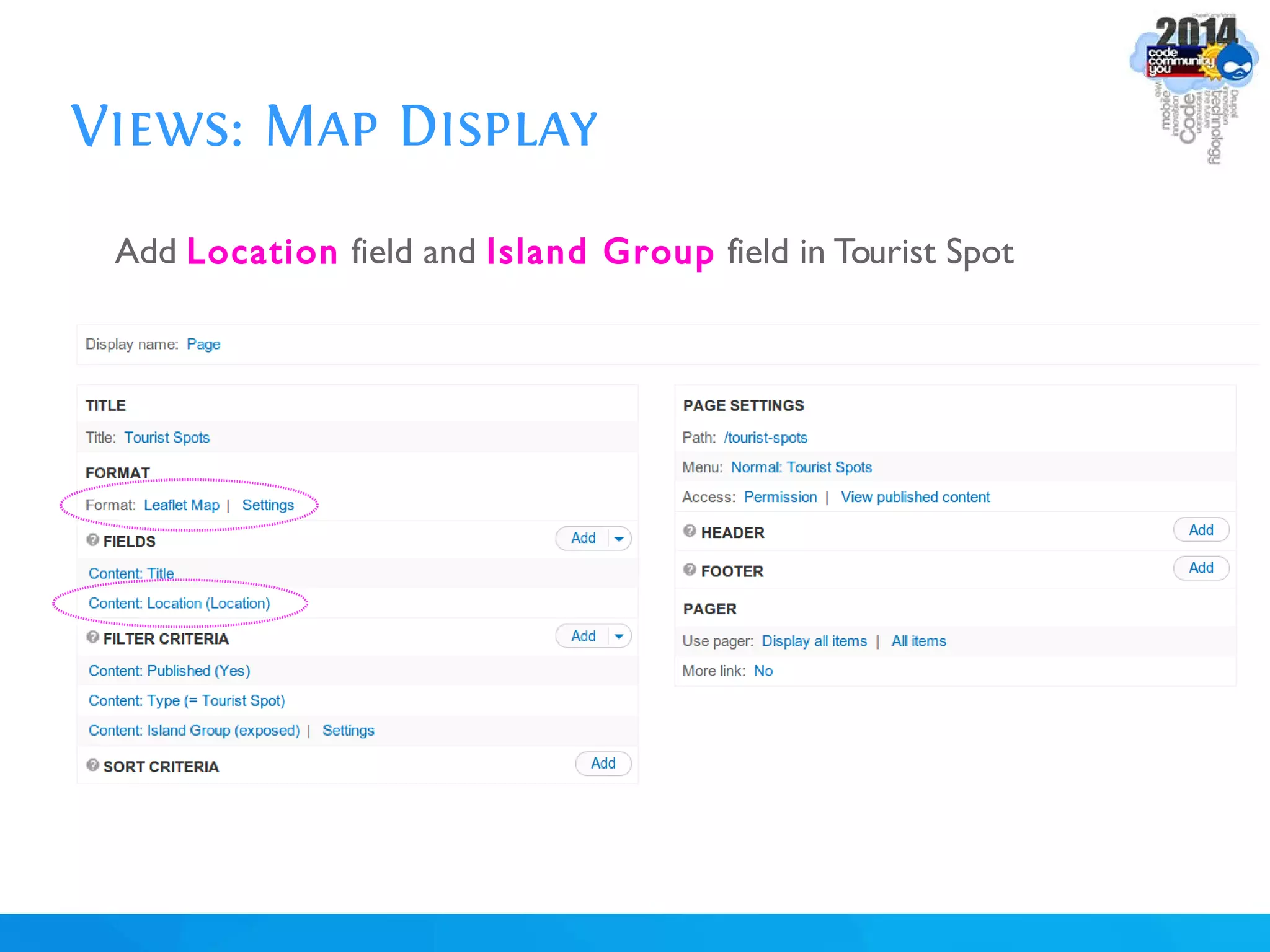
Add Location field and Island Group field in Tourist Spot
Views: Map Display
Edit each Tourist Spot, and specify the values:
Amanpulo Beach Resort
Latitude: 11
Longitude: 121
Island Group: Luzon
Views: Map Display
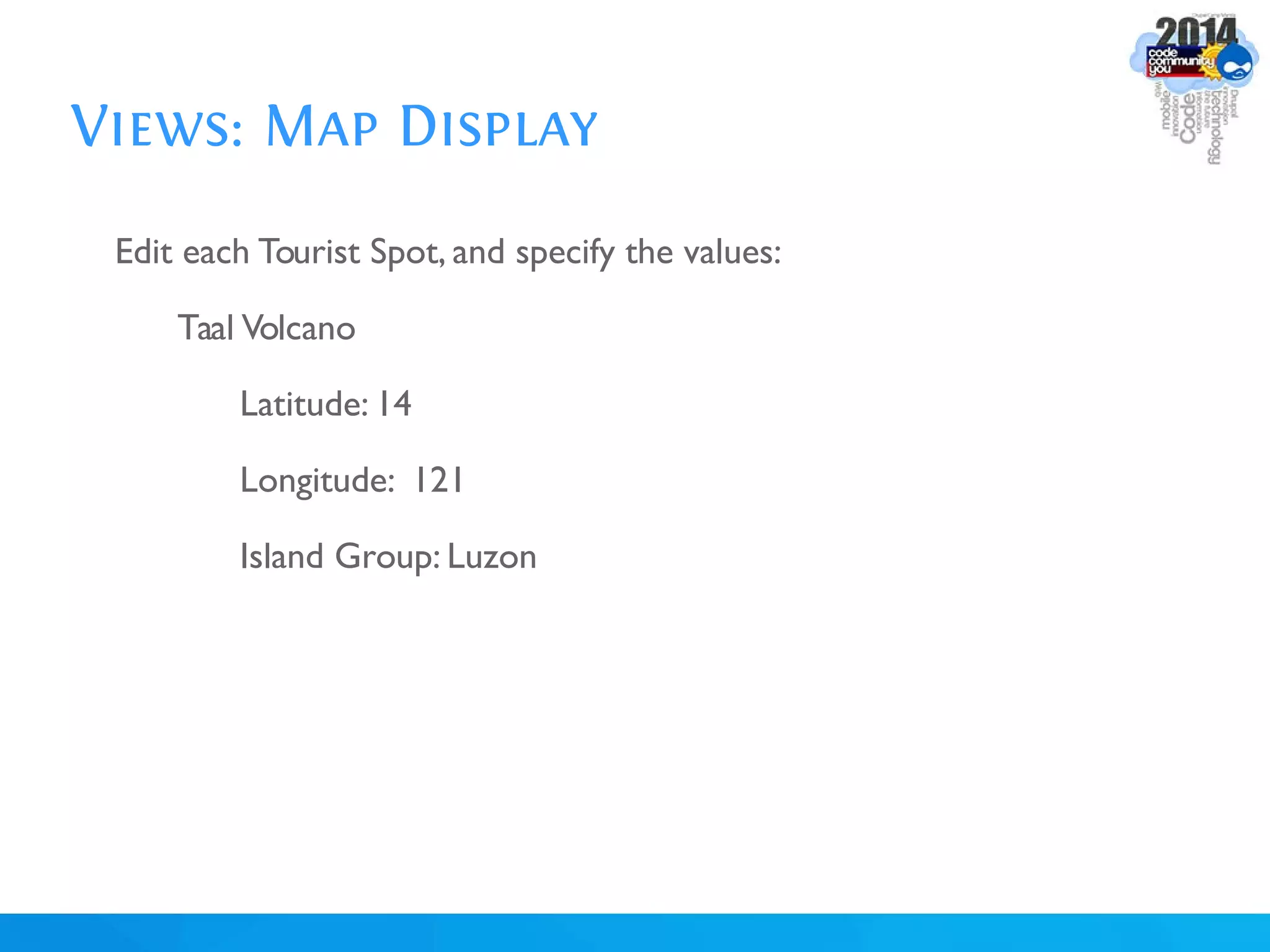
Edit each Tourist Spot, and specify the values:
Taal Volcano
Latitude: 14
Longitude: 121
Island Group: Luzon
Views: Map Display
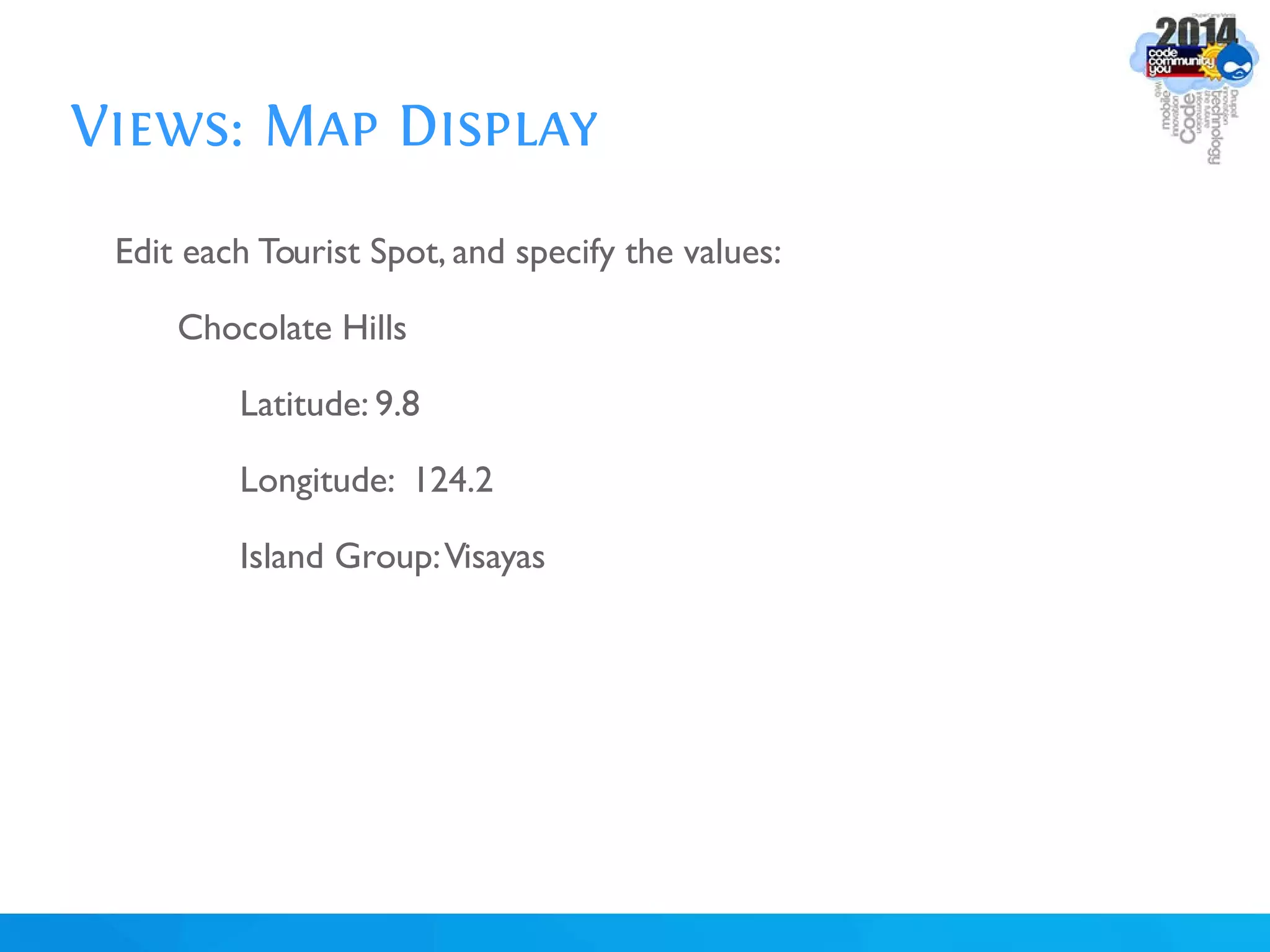
Edit each Tourist Spot, and specify the values:
Chocolate Hills
Latitude: 9.8
Longitude: 124.2
Island Group:Visayas
Views: Map Display
Add Location field and Island Group field in Tourist Spot
Views: OpenLayers
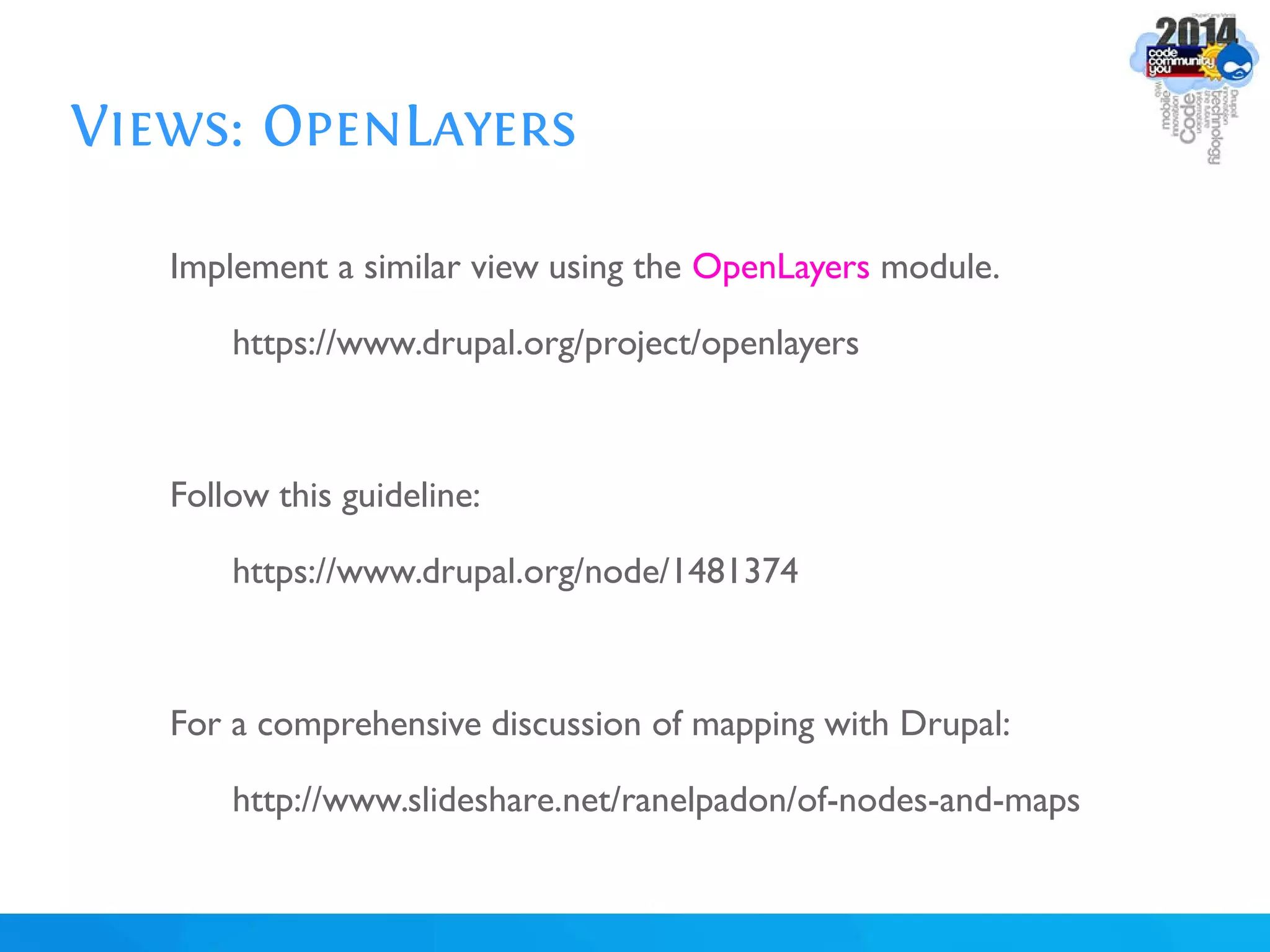
Implement a similar view using the OpenLayers module.
https://www.drupal.org/project/openlayers
Follow this guideline:
https://www.drupal.org/node/1481374
For a comprehensive discussion of mapping with Drupal:
http://www.slideshare.net/ranelpadon/of-nodes-and-maps
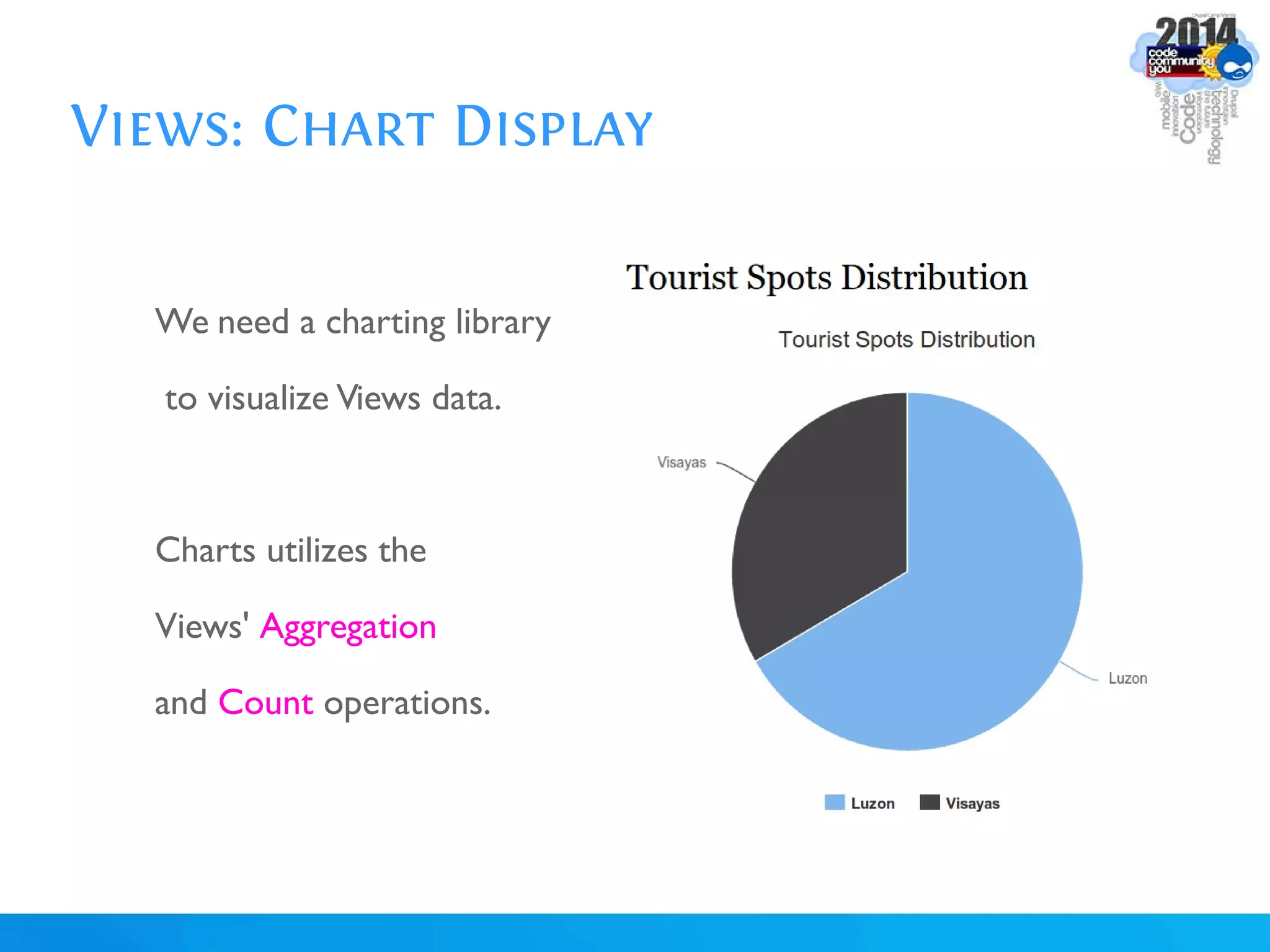
Views: Chart Display
We need a charting library
to visualize Views data.
Charts utilizes the
Views' Aggregation
and Count operations.
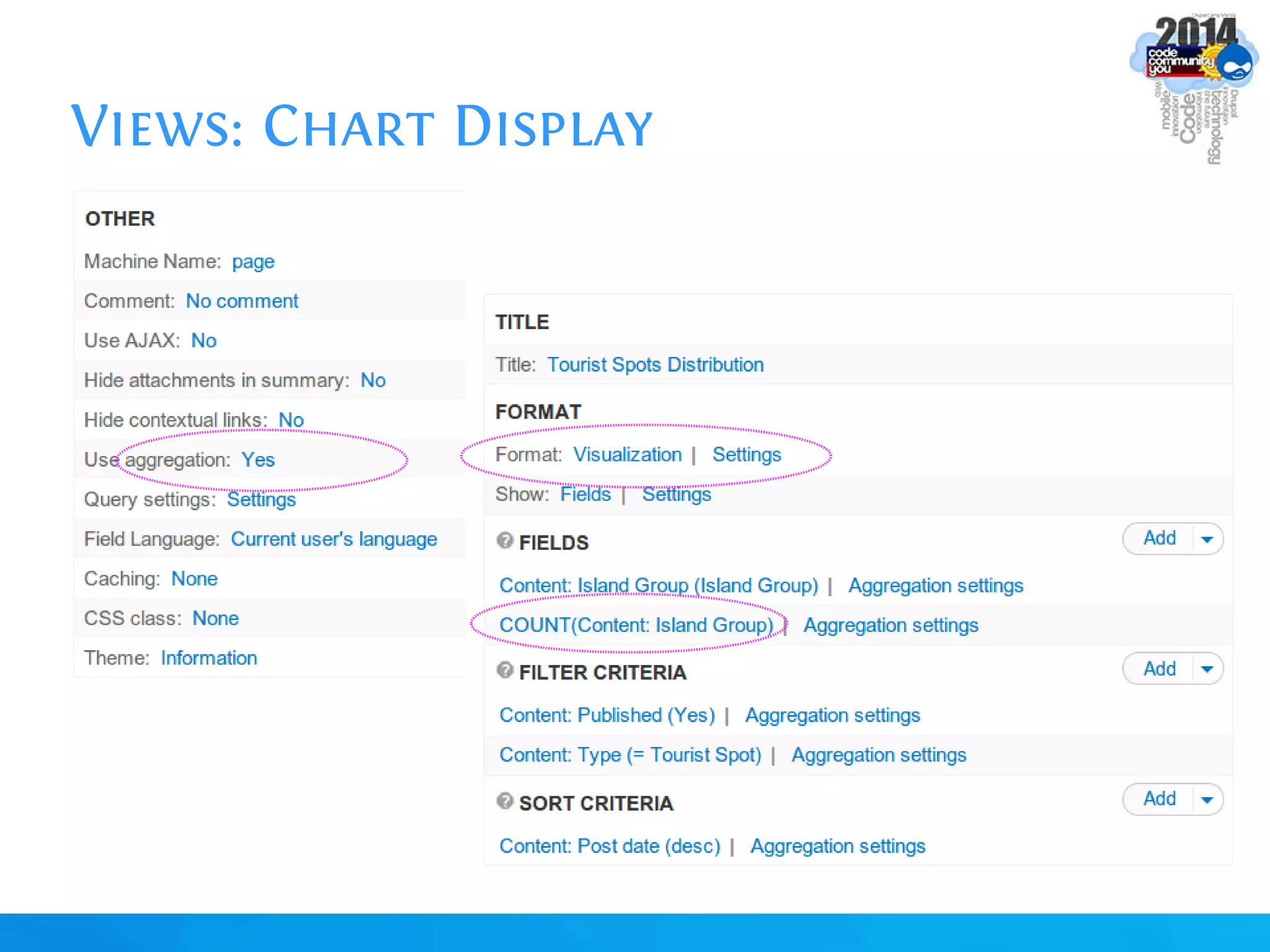
Views: Chart Display
Activate Modules:
Libraries
Visualization
Put the "highcharts" JS library in sites/all/libraries,
so that you will have site/all/libraries/highcharts/js/highcharts.js file
Views: Chart Display
Views: Google Chart Tools
Implement a similar view using the Views Chart Tools module.
https://www.drupal.org/project/views_chart_tools
Follow this guideline:
https://www.drupal.org/node/1675788
Views: Slideshow Display
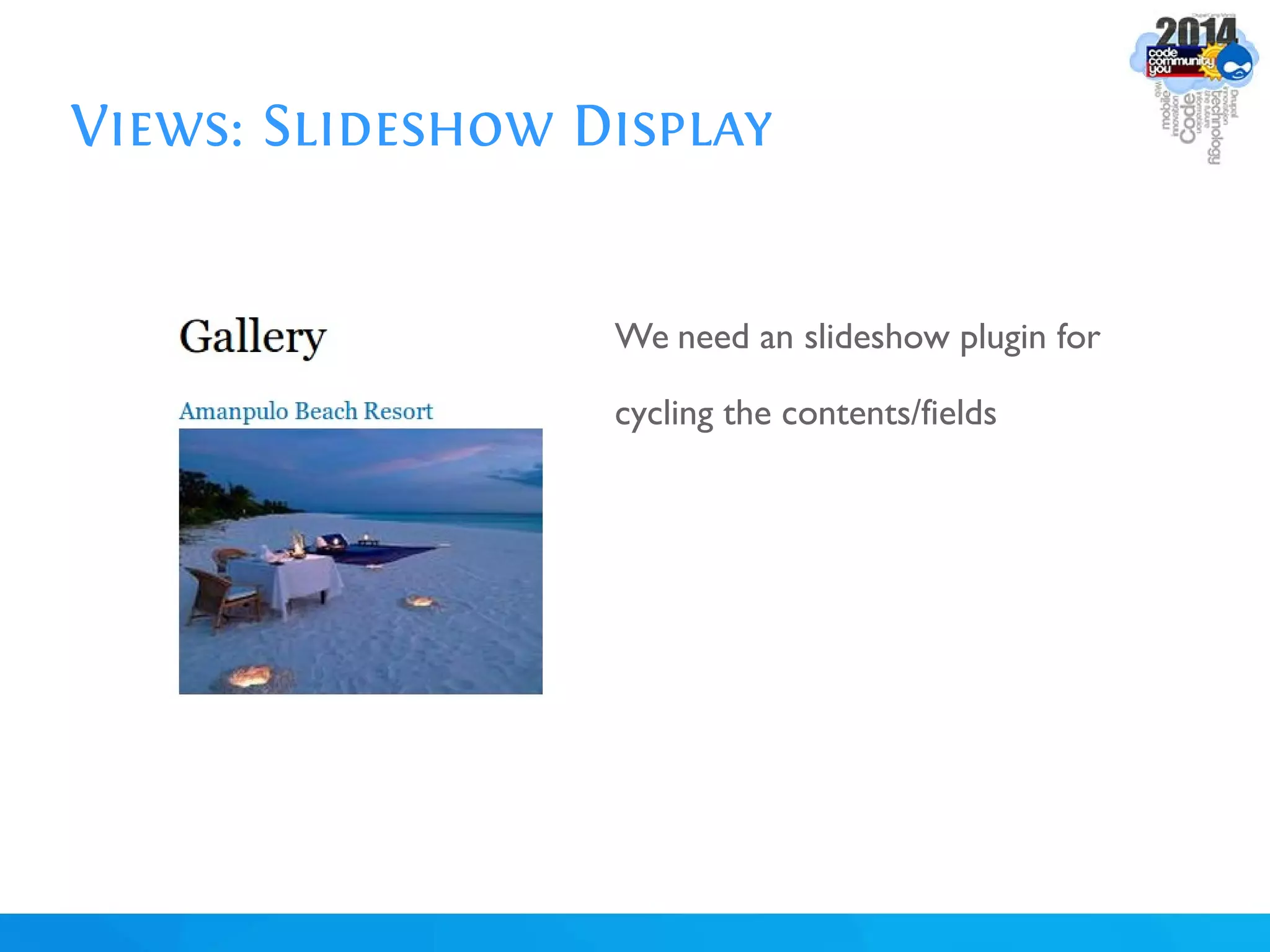
We need an slideshow plugin for
cycling the contents/fields
Views: Slideshow Display
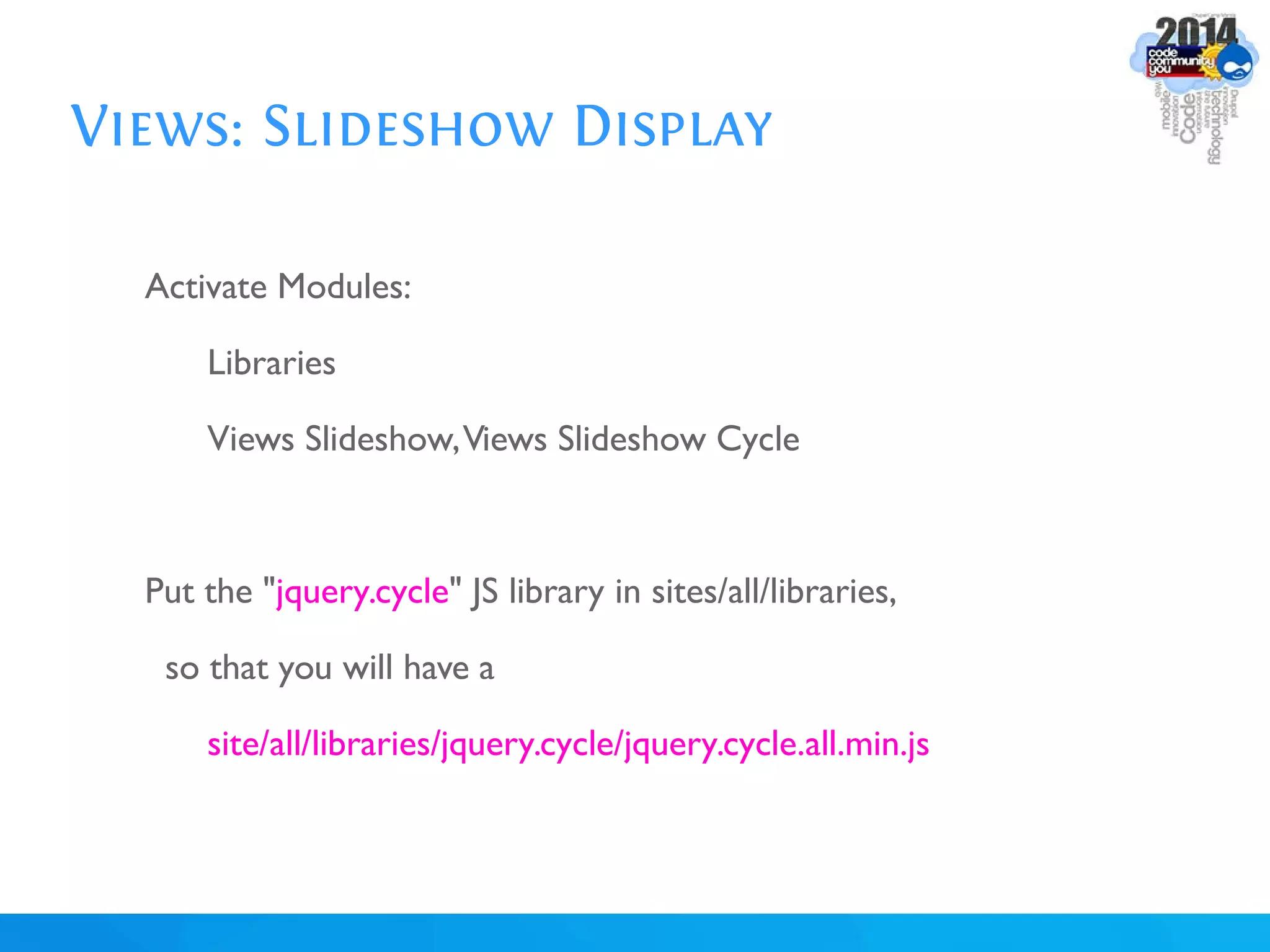
Activate Modules:
Libraries
Views Slideshow,Views Slideshow Cycle
Put the "jquery.cycle" JS library in sites/all/libraries,
so that you will have a
site/all/libraries/jquery.cycle/jquery.cycle.all.min.js
Views: Slideshow Display
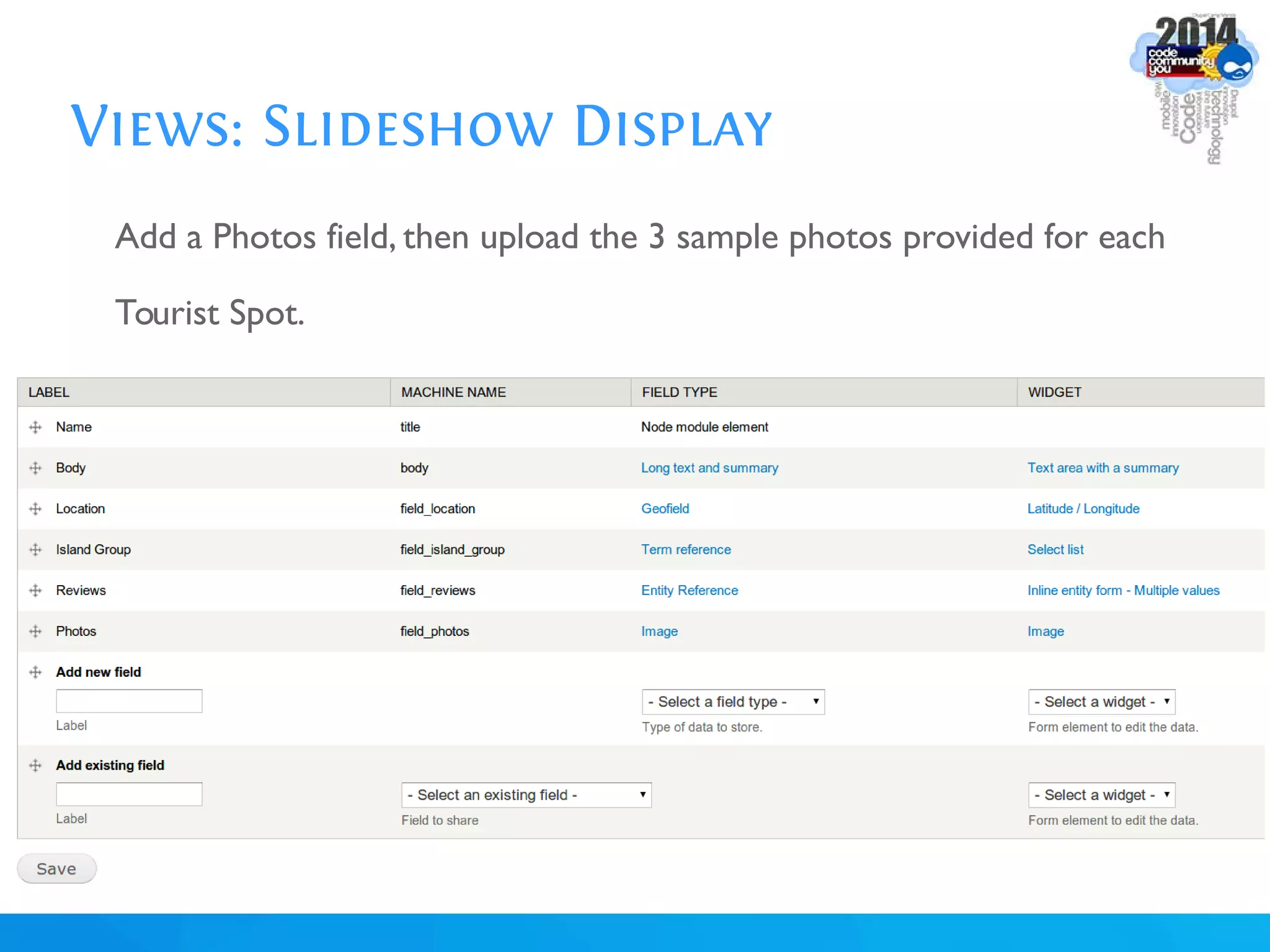
Add a Photos field, then upload the 3 sample photos provided for each
Tourist Spot.
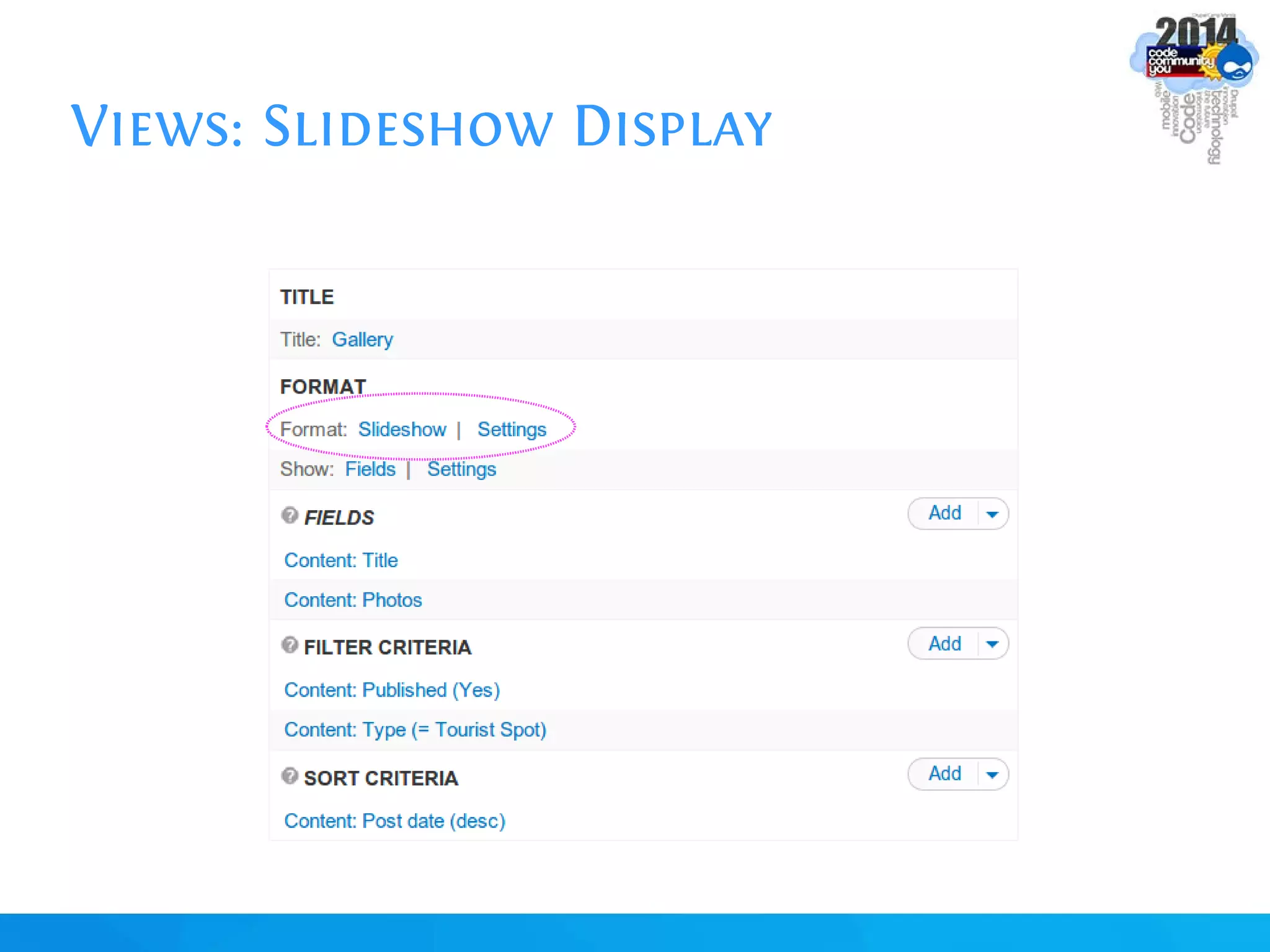
Views: Slideshow Display
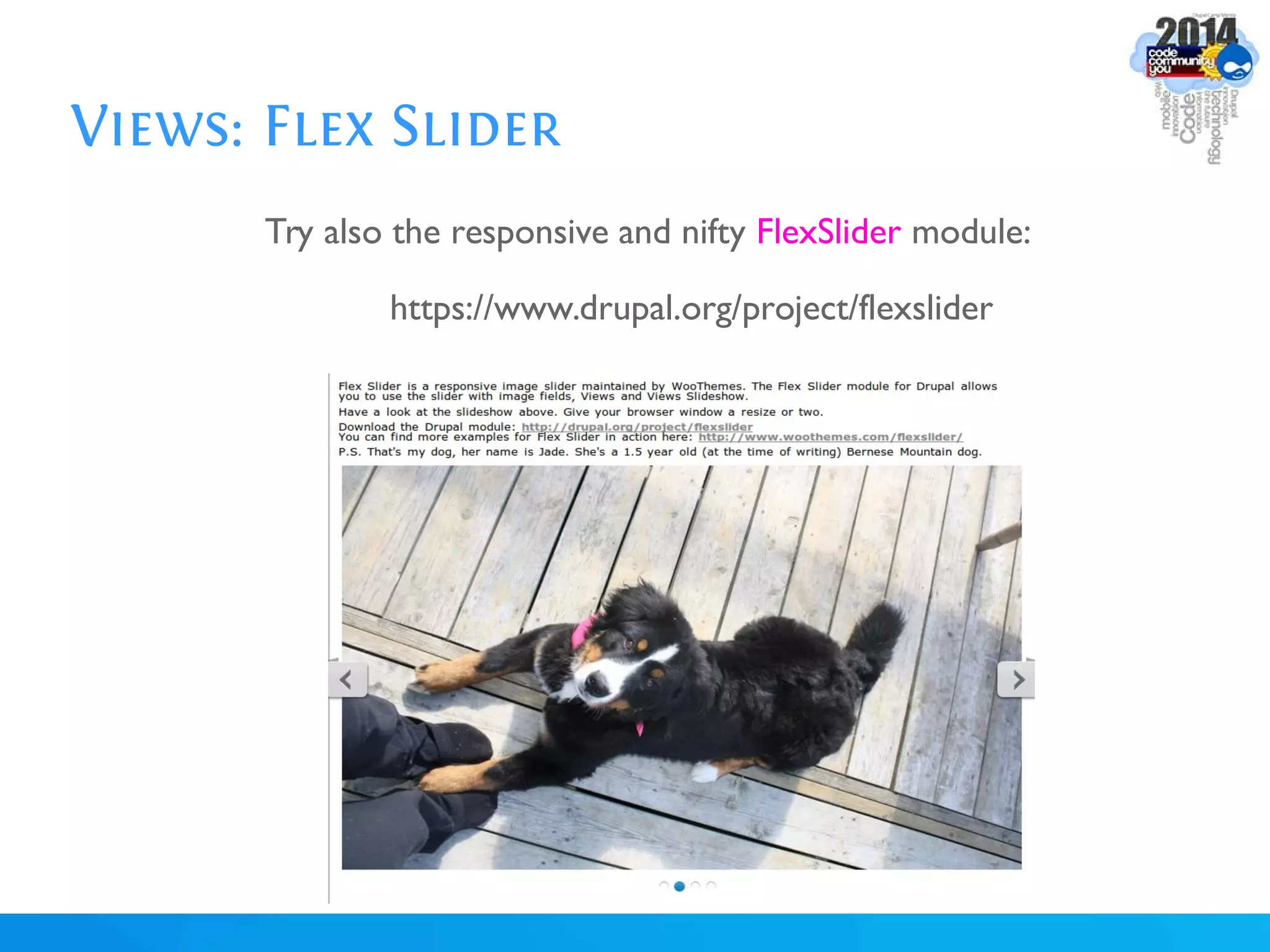
Views: Flex Slider
Try also the responsive and nifty FlexSlider module:
https://www.drupal.org/project/flexslider
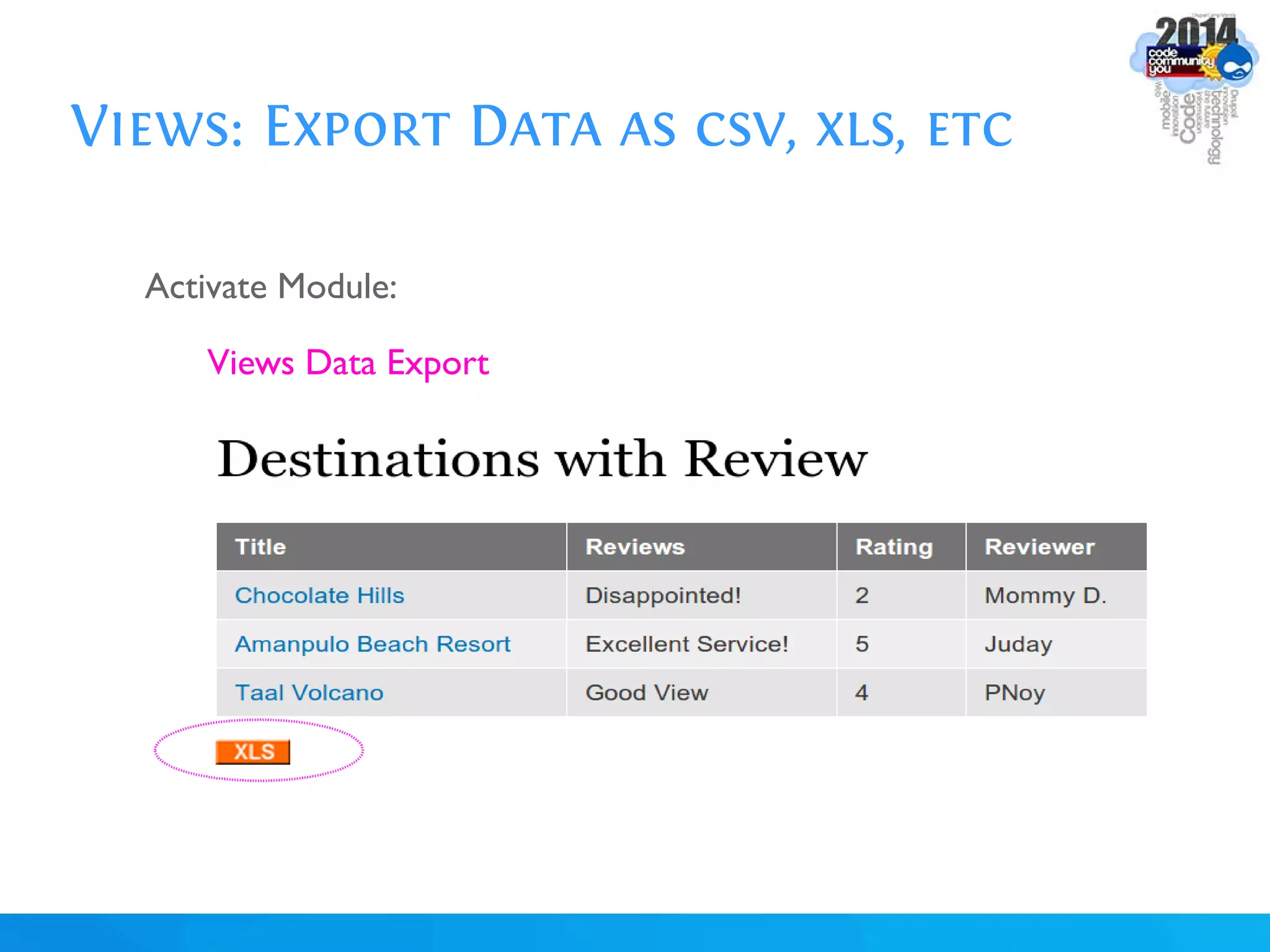
Views: Export Data as csv, xls, etc
Activate Module:
Views Data Export
Views: Export Data as csv, xls, etc
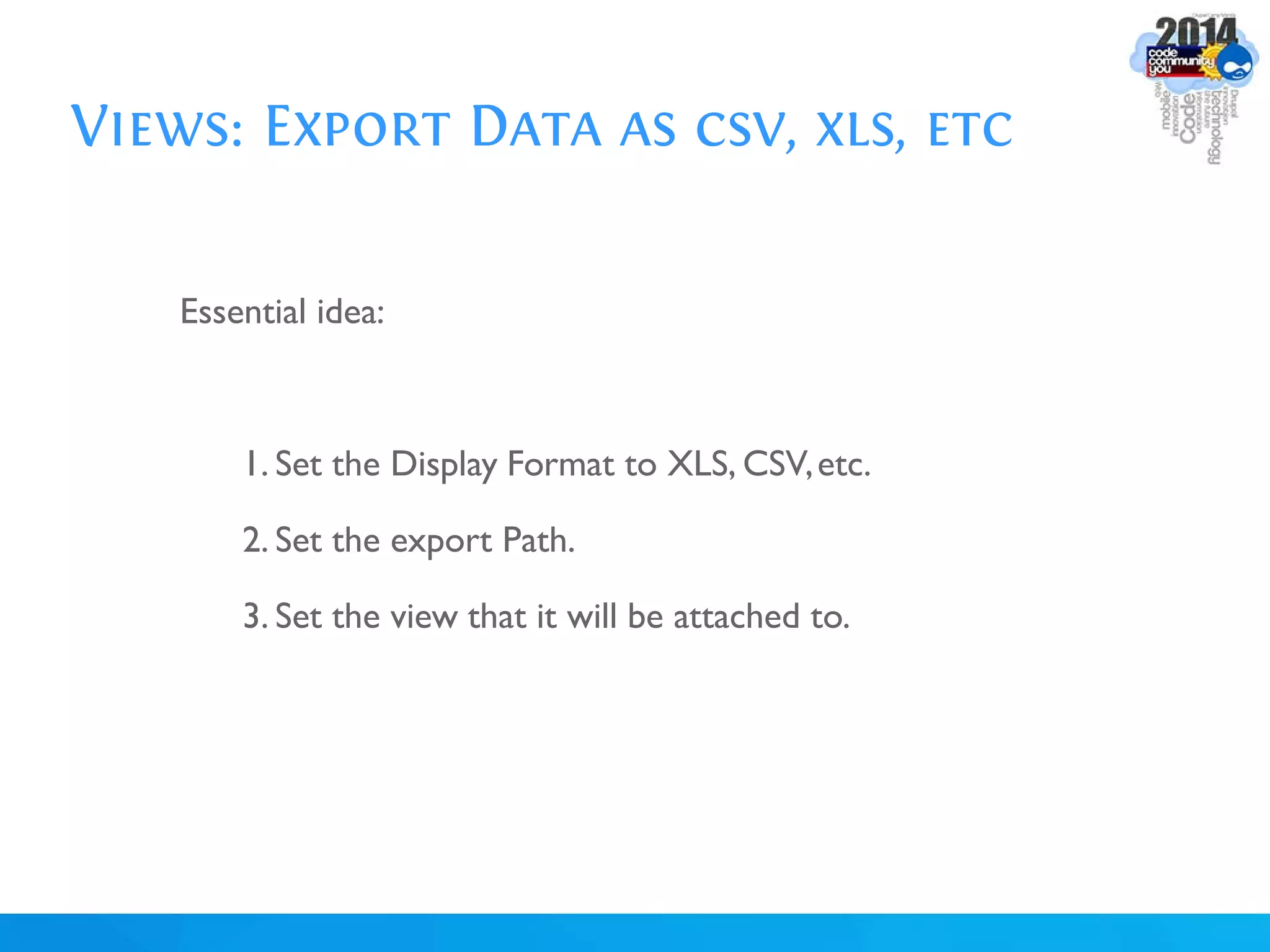
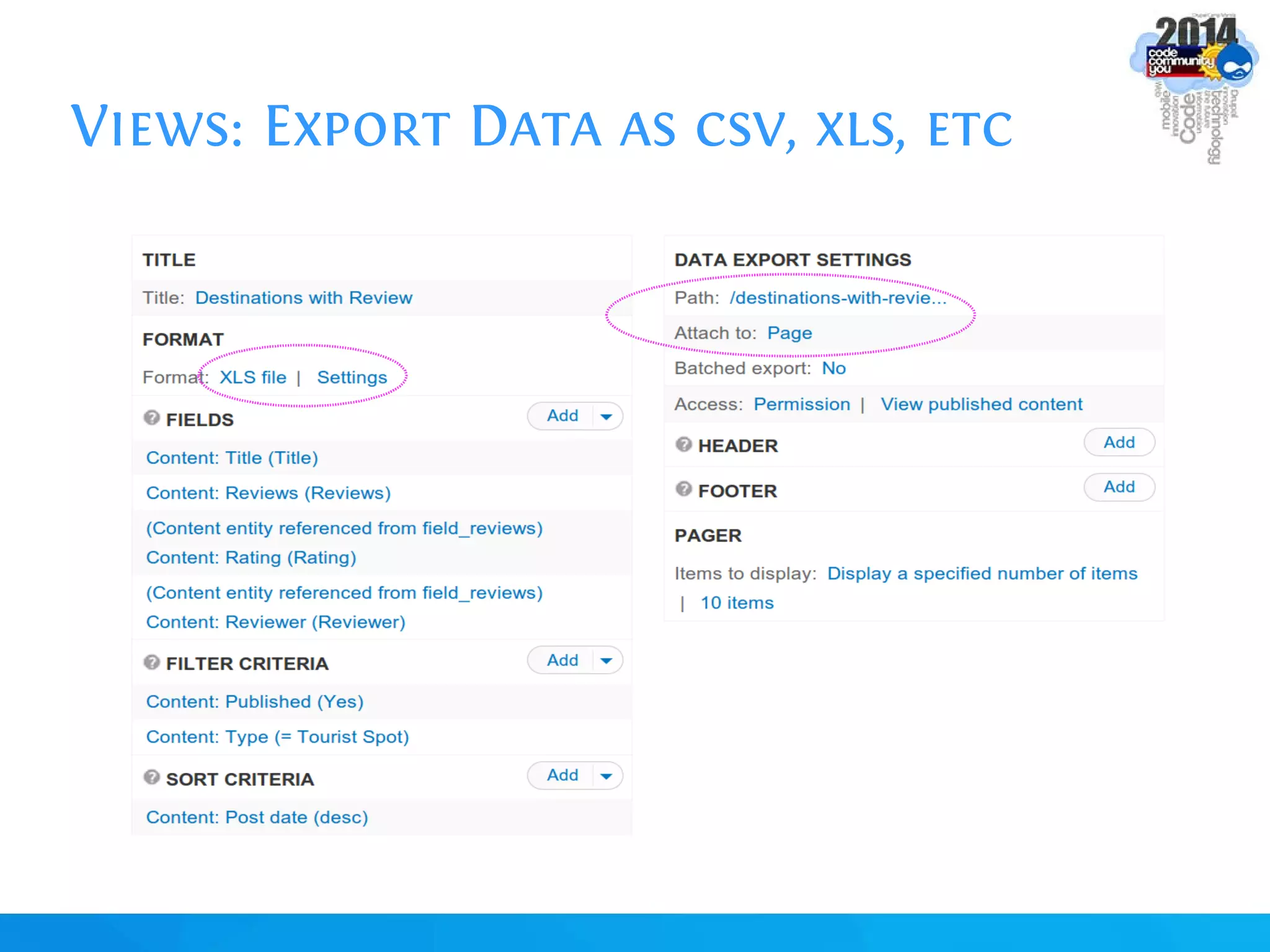
Essential idea:
1. Set the Display Format to XLS, CSV,etc.
2. Set the export Path.
3. Set the view that it will be attached to.
Views: Export Data as csv, xls, etc
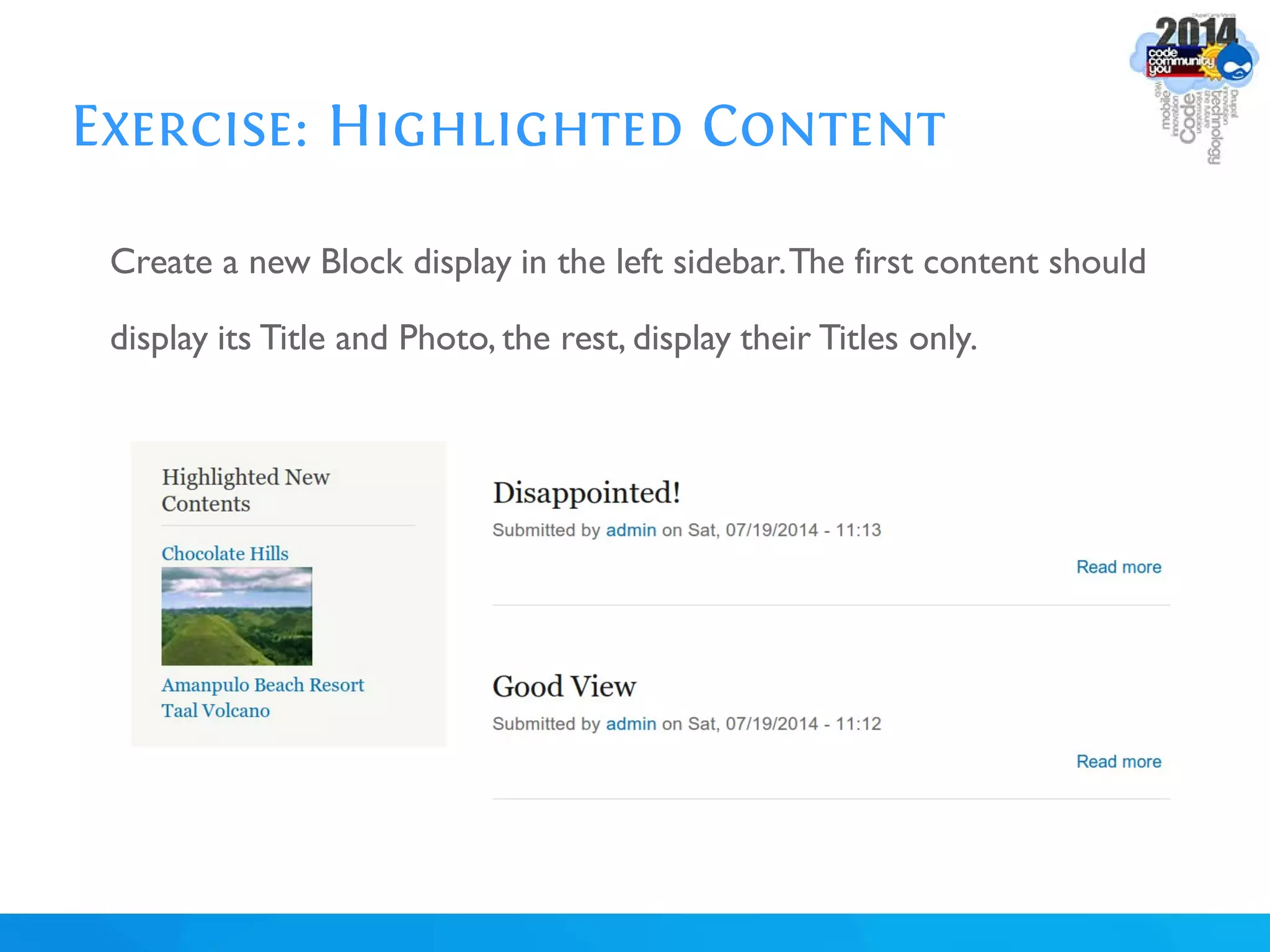
Exercise: Highlighted Content
Create a new Block display in the left sidebar.The first content should
display its Title and Photo, the rest, display their Titles only.
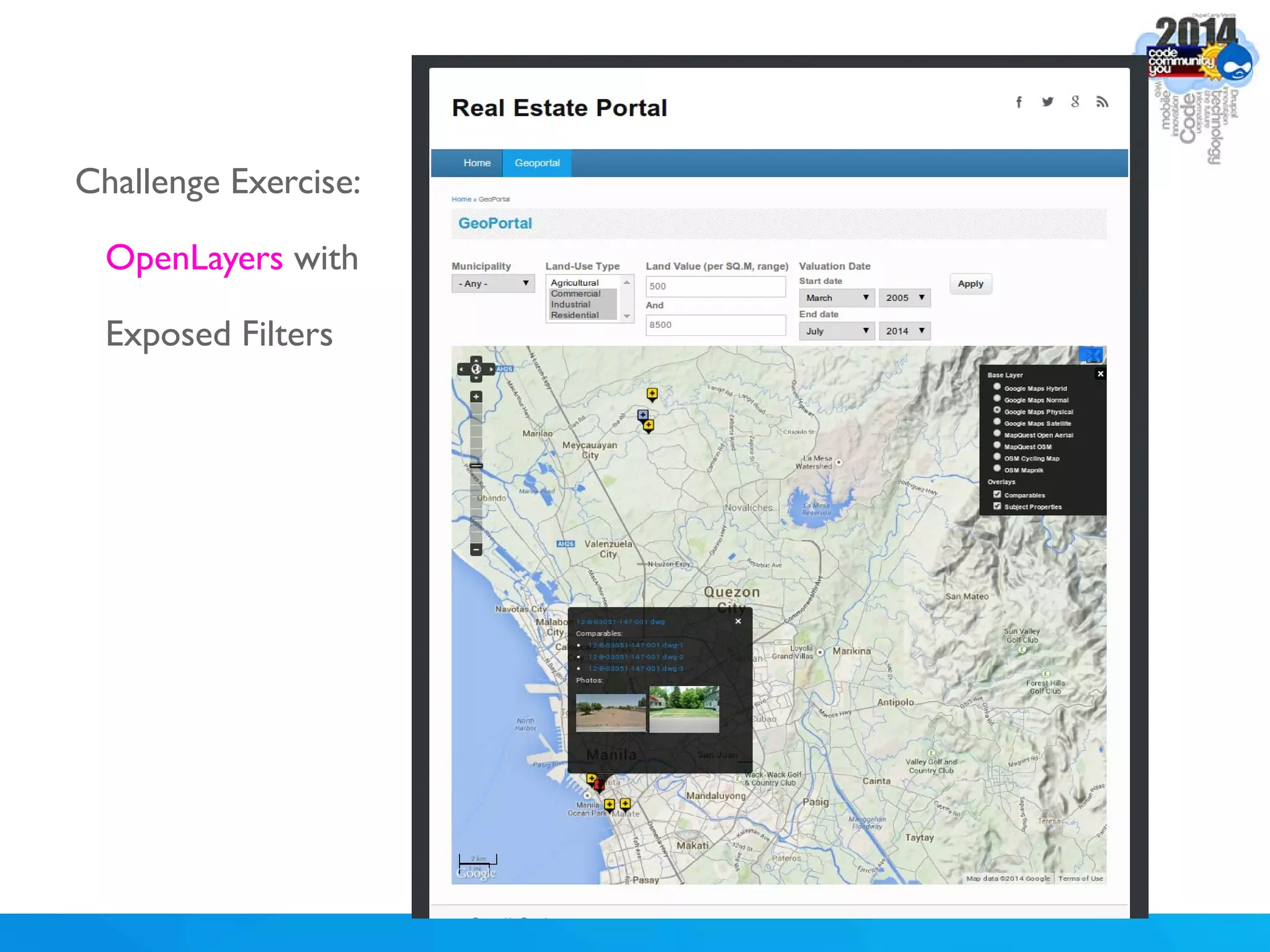
Challenge Exercise:
OpenLayers with
Exposed Filters
What's More?
1.Views PDF
2. Entity Views Attachment (EVA)
3. Nodequeue
4. EFQ Views
5.Views Accelerator
6. and so on (explore Views-related modules in Drupal.org)
“Views changed my life..”
“..and it is about to change yours.”

Views Unlimited: Unleashing the Power of Drupal's Views Module

  • 1.
    V Engr.Ranel O.Padon Drupal ApprenticeTraining https://github.com/ranelpadon UNLIMITED IEWS
  • 2.
    TOPICS Introduction Views Components Formats Fields Basic Filters,Exposed Filters, Contextual Filters Relationships Attachment Display Formats: Map, Chart, Slideshow,Data Export Recommendations
  • 3.
    About Me Full-time Drupaldeveloper for CNN Travel Part-time Python/Web GIS lecturer in UP. Involved in computational Java and Python projects before. Plays competitive football and futsal.
  • 4.
    INTRODUCTION “Views changed mylife.” ~Michelle Lauer and Greg Stout
  • 5.
    INTRODUCTION The No.1 moduleout of 27,000+ modules.
  • 6.
    INTRODUCTION Earl Miles: theViews creator. Drupal.org: @merlinofchaos
  • 7.
  • 8.
    INTRODUCTION Views is amodule that displays a list of data. One set of data could have many Views. #flexibility
  • 9.
  • 10.
  • 11.
  • 12.
  • 13.
    Views Demystified Views isessentially a view of data. For example, if you’re in a bar with your friend (which could be drunk already), and suddenly a woman entered the room your friend may find the woman gorgeous/sexy,but you might find it just mediocre/ugly.
  • 14.
    Views Demystified In thatcase, there are 2 different Views or perspective: your View and your friend’s View; while the data (the Woman) is the same for both of you, it could be portrayed differently.
  • 15.
    Views Demystified In thesame way,Views retrieve data from the database, selects the content types you want (Blog, News, Product,Tourist Spot), the fields you want (Title, Images,Author,Location, Price), filter them (filter by category,filter by price), apply some pre-processing (compute total, aggregate data), sort them (sort by surname, sort by area, sort by publication date), and finally display them in a format you want (list, grid, charts, maps, gallery).
  • 16.
    Views Demystified Hence, asame pool of data could be combined and viewed in many ways.This makes Drupal really powerful!
  • 17.
    Views Demystified Views isthe make or break of Drupal. Many people find it to be intimidating and hard. But essentially,it just answers these 3 questions: What? Where? How?
  • 18.
    Views Demystified What (ContentType, Fields) Where (Page, Block,Attachment) How (List,Table, Gallery,Chart, Map)
  • 19.
    Views: Let's GetOur Hands Dirty! Enable: Chaos Tools,Views, and Views UI modules Create 3 Articles (fill-in their Title, Body,and Tags fields)
  • 20.
  • 21.
  • 22.
  • 23.
    Views: SIMPLE LIST| DISPLAY Edit View. Set Display to HTML List. Save View. Edit View. Set Display to Grid and Table. Utilize the Views' Preview section. Utilizing the “?” help/hint icons - if the Advanced Help module is installed
  • 24.
    Views: SIMPLE LIST| SORTING Remove the Post Date sorter. Add Title Sorter,Set to Ascending. Check Preview.
  • 25.
    Views: SIMPLE LIST| FIELDS Change Display's Contents to Fields. Add fields. Rearrange fields. Remove fields. Trim Fields (trim the Body field to 20 characters only).
  • 26.
    Views: SIMPLE LIST| EXPOSED FILTERS Add exposed filter (filter by Tags) Enable AJAX (to avoid page reloading)
  • 27.
    Views: PATH, PERMISSION,PAGERS Edit Path. Add Menu Link. Control the Permission. Add a Footer message. Paged Output Full vs Mini Pager Exposed Pager
  • 28.
    Views: SIMPLE LIST| BLOCK VIEW Add a new View in the current View Set the Display Name Display the view in Block. 'All Displays' vs 'This Block (Override)' Show Titles Only Enable the Block Show that Block in that page only.
  • 29.
    Views: SIMPLE LIST| PAGE CLONING Clone a Page Set the Display Name Display All contents (don't set the edit to All Displays!) Edit Path (/articles-full) Connect the Block to the new Page Set the More Link (Display 2 contents only) in the Block Advanced >> Link Display: check Full Articles Page
  • 30.
    Views: CLONING |TABBED MENUS Clone the Articles Views in admin/structure/views Set the Page View's Path as /articles-parent Clone the parent Page, Re-order Views Displays Set Path as /articles-parent/tab1 Menu Settings: Title:Tab 1 Type: Default Menu Tab Parent Menu Item: Normal Menu Item Menu: Main Menu
  • 31.
    Views: CLONING |TABBED MENUS
  • 32.
    Views: CLONING |TABBED MENUS Go to the other Page Display Set Path as /articles-parent/tab2 Menu Settings: Title:Tab 2 Type: Menu Tab Menu: Main Menu Weight: 1
  • 33.
    Views: CLONING |TABBED MENUS For easier and more powerful tabbing needs, See the Quick Tabs module: https://www.drupal.org/project/quicktabs
  • 34.
    Views: Destination withReviews Relationships between Tourist Spot and Review content types. The Review's table has been merged to the Tourist Spot's table to connect and retrieve information.
  • 35.
    Views: Relationships For merginginformation across tables. In SQL, it's the JOIN operation. Usually used if you want to access deeper information from two or more content types, including users or taxonomy terms' comprehensive object/table information. Activate these modules for this exercise: Entity API Entity Reference Inline Entity Form
  • 36.
    Views: Relationships Create Reviewcontent type Title field: Byline Reviewer:Text Rating: List (Integer) Create Tourist Spot content type Destination Name:Text Review: Entity Reference Widget: Inline Entity Form
  • 37.
  • 38.
  • 39.
    Views: Relationships *Create 3Tourist Spots 1.Tourist Spot: Name:Amanpulo Beach Resort Review: Byline: Excellent Service!! Reviewer: Juday Rating: 5
  • 40.
    Views: Relationships *Create 3Tourist Spots 2.Tourist Spot: Name:Taal Volcano Review: Byline: Good View Reviewer: PNoy Rating: 4
  • 41.
    Views: Relationships *Create 3Tourist Spots 3.Tourist Spot: Name: Chocolate Hills Review: Byline: Disappointed! Reviewer: Mommy D Rating: 2
  • 42.
  • 43.
  • 44.
  • 45.
    Views: Contextual Filters Usuallyused for creating related contents/block/info for each individual page.
  • 46.
    Views: Contextual Filters Adda new Block display,then set the Nid as a contextual filter (Arguments in Drupal 6)
  • 47.
    Views: Map Display Weneed fields for holding location information. These field will be used by Views for displaying contents in a map.
  • 48.
    Views: Map Display ActivateModules: Libraries GeoPHP,Geofield Leaflet, Leaflet Views, Leaflet More Maps Put the "leaflet" JS library in sites/all/libraries, so that you will have site/all/libraries/leaflet/leaflet.js file
  • 49.
    Views: Map Display Addan Island Group Taxonomy Vocabulary,then add the Luzon, Visayas, and Mindanao terms.
  • 50.
    Views: Map Display AddLocation field and Island Group field in Tourist Spot
  • 51.
    Views: Map Display Editeach Tourist Spot, and specify the values: Amanpulo Beach Resort Latitude: 11 Longitude: 121 Island Group: Luzon
  • 52.
    Views: Map Display Editeach Tourist Spot, and specify the values: Taal Volcano Latitude: 14 Longitude: 121 Island Group: Luzon
  • 53.
    Views: Map Display Editeach Tourist Spot, and specify the values: Chocolate Hills Latitude: 9.8 Longitude: 124.2 Island Group:Visayas
  • 54.
    Views: Map Display AddLocation field and Island Group field in Tourist Spot
  • 55.
    Views: OpenLayers Implement asimilar view using the OpenLayers module. https://www.drupal.org/project/openlayers Follow this guideline: https://www.drupal.org/node/1481374 For a comprehensive discussion of mapping with Drupal: http://www.slideshare.net/ranelpadon/of-nodes-and-maps
  • 56.
    Views: Chart Display Weneed a charting library to visualize Views data. Charts utilizes the Views' Aggregation and Count operations.
  • 57.
    Views: Chart Display ActivateModules: Libraries Visualization Put the "highcharts" JS library in sites/all/libraries, so that you will have site/all/libraries/highcharts/js/highcharts.js file
  • 58.
  • 59.
    Views: Google ChartTools Implement a similar view using the Views Chart Tools module. https://www.drupal.org/project/views_chart_tools Follow this guideline: https://www.drupal.org/node/1675788
  • 60.
    Views: Slideshow Display Weneed an slideshow plugin for cycling the contents/fields
  • 61.
    Views: Slideshow Display ActivateModules: Libraries Views Slideshow,Views Slideshow Cycle Put the "jquery.cycle" JS library in sites/all/libraries, so that you will have a site/all/libraries/jquery.cycle/jquery.cycle.all.min.js
  • 62.
    Views: Slideshow Display Adda Photos field, then upload the 3 sample photos provided for each Tourist Spot.
  • 63.
  • 64.
    Views: Flex Slider Tryalso the responsive and nifty FlexSlider module: https://www.drupal.org/project/flexslider
  • 65.
    Views: Export Dataas csv, xls, etc Activate Module: Views Data Export
  • 66.
    Views: Export Dataas csv, xls, etc Essential idea: 1. Set the Display Format to XLS, CSV,etc. 2. Set the export Path. 3. Set the view that it will be attached to.
  • 67.
    Views: Export Dataas csv, xls, etc
  • 68.
    Exercise: Highlighted Content Createa new Block display in the left sidebar.The first content should display its Title and Photo, the rest, display their Titles only.
  • 69.
  • 70.
    What's More? 1.Views PDF 2.Entity Views Attachment (EVA) 3. Nodequeue 4. EFQ Views 5.Views Accelerator 6. and so on (explore Views-related modules in Drupal.org)
  • 71.
  • 72.
    “..and it isabout to change yours.”