Drupal – It's a jungle out there
Training goal – provide a map
Website Roles Content Creator : a user who primarily creates, reviews, and edits content for a site.
Site Editor : a user who has authority to approve, edit or reject content and who may be able to manage some editorial workflow and user permissions
Site Admin : manage user permissions, manage site structure, adding new content types, create and review reports and manage some site settings
***  Site Builder : creates site from scratch by choosing, writing, customising modules and/or themes, manages setup and maintenance.
Information Architecture Designing architecture of the site Creating spaces for information and tasks
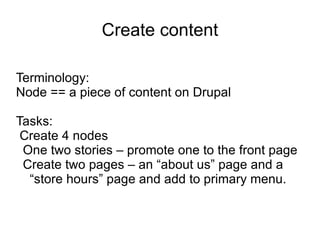
Create content Terminology: Node == a piece of content on Drupal Tasks: Create 4 nodes One two stories – promote one to the front page
Create two pages – an “about us” page and a “store hours” page and add to primary menu.
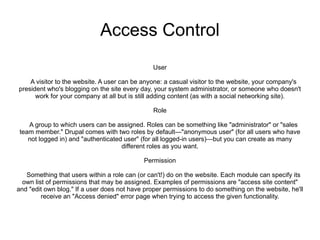
Access Control User A visitor to the website. A user can be anyone: a casual visitor to the website, your company's president who's blogging on the site every day, your system administrator, or someone who doesn't work for your company at all but is still adding content (as with a social networking site). Role A group to which users can be assigned. Roles can be something like "administrator" or "sales team member." Drupal comes with two roles by default—"anonymous user" (for all users who have not logged in) and "authenticated user" (for all logged-in users)—but you can create as many different roles as you want. Permission Something that users within a role can (or can't!) do on the website. Each module can specify its own list of permissions that may be assigned. Examples of permissions are "access site content" and "edit own blog." If a user does not have proper permissions to do something on the website, he'll receive an "Access denied" error page when trying to access the given functionality.

Drupal Training #1

  • 1.
    Drupal – It'sa jungle out there
  • 2.
    Training goal –provide a map
  • 3.
    Website Roles ContentCreator : a user who primarily creates, reviews, and edits content for a site.
  • 4.
    Site Editor :a user who has authority to approve, edit or reject content and who may be able to manage some editorial workflow and user permissions
  • 5.
    Site Admin :manage user permissions, manage site structure, adding new content types, create and review reports and manage some site settings
  • 6.
    *** SiteBuilder : creates site from scratch by choosing, writing, customising modules and/or themes, manages setup and maintenance.
  • 7.
    Information Architecture Designingarchitecture of the site Creating spaces for information and tasks
  • 8.
    Create content Terminology:Node == a piece of content on Drupal Tasks: Create 4 nodes One two stories – promote one to the front page
  • 9.
    Create two pages– an “about us” page and a “store hours” page and add to primary menu.
  • 10.
    Access Control UserA visitor to the website. A user can be anyone: a casual visitor to the website, your company's president who's blogging on the site every day, your system administrator, or someone who doesn't work for your company at all but is still adding content (as with a social networking site). Role A group to which users can be assigned. Roles can be something like "administrator" or "sales team member." Drupal comes with two roles by default—"anonymous user" (for all users who have not logged in) and "authenticated user" (for all logged-in users)—but you can create as many different roles as you want. Permission Something that users within a role can (or can't!) do on the website. Each module can specify its own list of permissions that may be assigned. Examples of permissions are "access site content" and "edit own blog." If a user does not have proper permissions to do something on the website, he'll receive an "Access denied" error page when trying to access the given functionality.