
Drupal integration
Referent
2
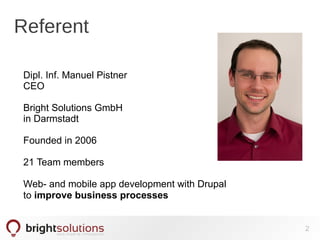
Dipl. Inf. Manuel Pistner
CEO
Bright Solutions GmbH
in Darmstadt
Founded in 2006
21 Team members
Web- and mobile app development with Drupal
to improve business processes
What
is the session about
● Discover why integration matters
● Integrate Drupal with enterprise IT
● Show modules and architectures
● Discuss use cases and share experience
3
Why
should we integrate
● Big chance for Drupal in the enterprise
● Don't reinvent the wheel – use it!
● Automate workflows and share data
=> Provide showcases !
4
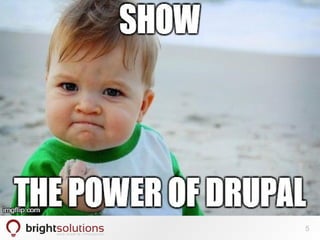
5
How
should we integrate
● Let Drupal consume data
● Let Drupal provide data
● Let Drupal connect data
6
Benefit ● Reuse
● Extend
● Combine
7
What
makes Drupal unique
● Most flexible application framework
(by configuration!)
● Open for integration
● Transparent and free
8
What
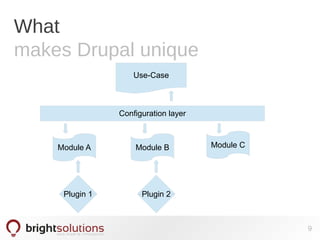
makes Drupal unique
Module A Module B Module C
Plugin 1 Plugin 2
Configuration layer
Use-Case
9
Which
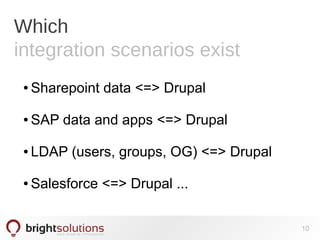
integration scenarios exist
● Sharepoint data <=> Drupal
● SAP data and apps <=> Drupal
● LDAP (users, groups, OG) <=> Drupal
● Salesforce <=> Drupal ...
10
Which
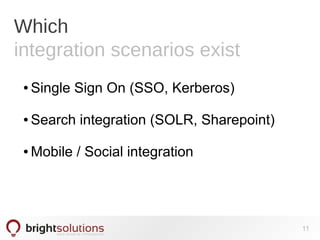
integration scenarios exist
● Single Sign On (SSO, Kerberos)
● Search integration (SOLR, Sharepoint)
● Mobile / Social integration
11
Which
integration scenarios exist
● Connect applications with Drupal
=> Connect with webservices
=> Interact with Rules
=> Display with views, panels,
display suite
Automate workflows and share data
12
Which
Integration szenarios exist
13
Which
integration scenarios exist
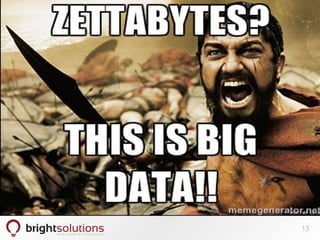
● Process aggregated „Big Data“
● Visualize aggregated data
=> Visualization API
=> Charts
=> Views aggregator plus
● Drupal.org Big Data group
14
How
to start an integration
● Don't look for a „ready build“ integration
module
=> Either not available
=> Or not flexible enough
15
How
to start an integration
● Use standard modules + plugins
=> Extend protocols
=> Use „infrastructure modules“
=> Keep flexible
16
Which
modules to use
● Entities and fields (Data structure)
● Remote entities (connect without
copying)
● Views (list internal and external data)
17
Which
modules to use
● Feeds (import and update Data)
=> Plugins for fetchers
=> Plugins for processors
=> Plugins parsers
18
Which
modules to use
● Rules
=> Plugins for events
=> Plugins for conditions
=> Plugins for actions
19
Which
modules to use
● Fluxkraft and fluxservices
=> Framework to connect services
=> Uses remote entity concept
=> Rules events and actions
„If a new tweet appears on your
timeline post on facebook“
20
Which
modules to use
● Rest WS (included in Drupal 8)
=> alternative for Services module
● WS Client
=> pluggable Clients (REST, SOAP)
=> full Rules integration
=> Actions to call a web service
21
Which
modules to use
● Data module
=> integrate external datasources
=> Pluggable → different database types
=> Integrate with Drupal without entities
22
Which
modules to use
● LDAP Module
● oData Module
● Kerberos [buggy :-(]
● Custom code BUT
=> integrated with Drupal API!
23
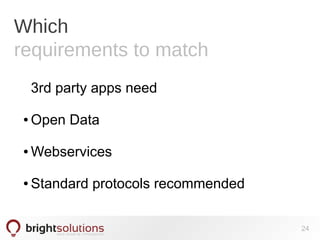
Which
requirements to match
3rd party apps need
● Open Data
● Webservices
● Standard protocols recommended
24
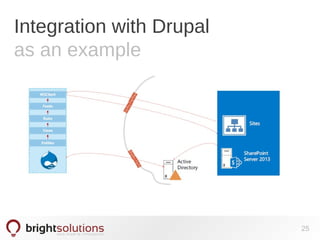
Integration with Drupal
as an example
25
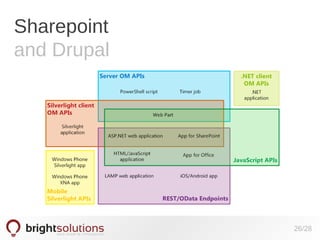
Sharepoint
and Drupal
26/28
The future
of Drupal 8
● Even more flexible
● Easier integration (Services, Headless
Drupal)
● BUT:
=> More framework functionality
=> Less end user features
27
Q&A?
pistner@brightsolutions.de
brightsolutions.de/newsletter
brightsolutions.de
@ManuelPistner
28
Custom Drupal integration
scenarios?
Lets talk!

Drupal integration best practises