DRUPAL, CKAN & PUBLIC DATA
steven.decosta@linkdigital.com.au
@starl3n
Introduction 2
Link Digital
Executive Director
CKAN Association
Steering Group Member
Open Knowledge Australia
Co-Secretary & Treasurer
AWS User Group
CBR Organiser
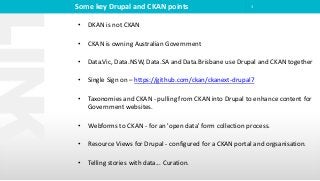
Some key Drupal and CKAN points 3
• DKAN is not CKAN
• CKAN is owning Australian Government
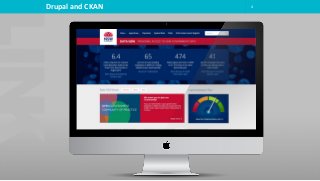
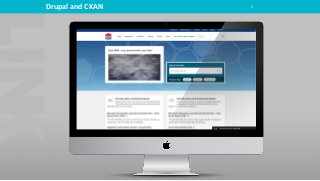
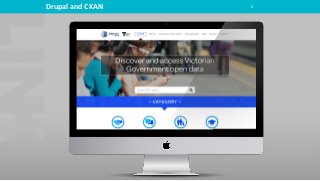
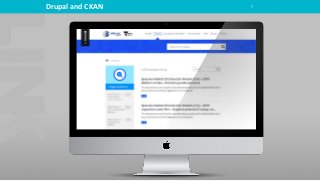
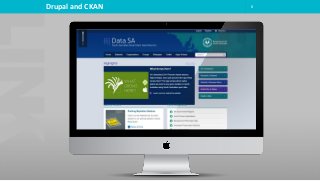
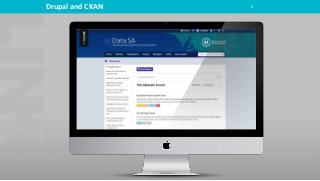
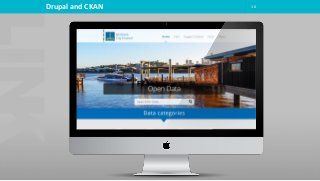
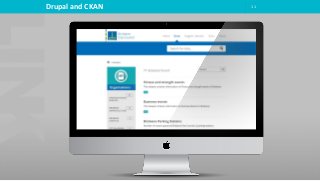
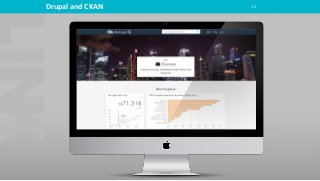
• Data.Vic, Data.NSW, Data.SA and Data.Brisbane use Drupal and CKAN together
• Single Sign on – https://github.com/ckan/ckanext-drupal7
• Taxonomies and CKAN - pulling from CKAN into Drupal to enhance content for
Government websites.
• Webforms to CKAN - for an 'open data' form collection process.
• Resource Views for Drupal - configured for a CKAN portal and orgsanisation.
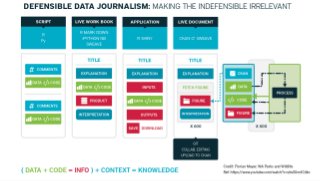
• Telling stories with data... Curation.
4Drupal and CKAN
5Drupal and CKAN
6Drupal and CKAN
7Drupal and CKAN
8Drupal and CKAN
9Drupal and CKAN
10Drupal and CKAN
11Drupal and CKAN
12Drupal and CKAN
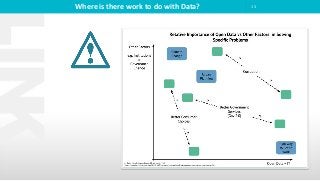
Where is there work to do with Data? 13
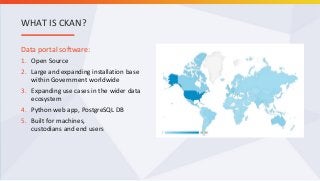
Data portal software:
1. Open Source
2. Large and expanding installation base
within Government worldwide
3. Expanding use cases in the wider data
ecosystem
4. Python web app, PostgreSQL DB
5. Built for machines,
custodians and end users
WHAT IS CKAN?
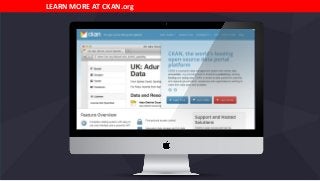
LEARN MORE AT CKAN.org
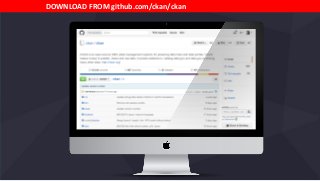
DOWNLOAD FROM github.com/ckan/ckan
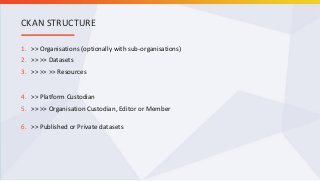
1. >> Organisations (optionally with sub-organisations)
2. >> >> Datasets
3. >> >> >> Resources
4. >> Platform Custodian
5. >> >> Organisation Custodian, Editor or Member
6. >> Published or Private datasets
CKAN STRUCTURE
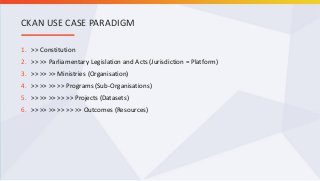
1. >> Constitution
2. >> >> Parliamentary Legislation and Acts (Jurisdiction = Platform)
3. >> >> >> Ministries (Organisation)
4. >> >> >> >> Programs (Sub-Organisations)
5. >> >> >> >> >> Projects (Datasets)
6. >> >> >> >> >> >> Outcomes (Resources)
CKAN USE CASE PARADIGM
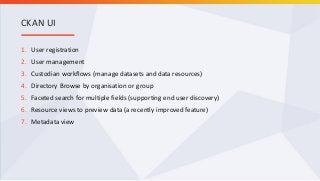
1. User registration
2. User management
3. Custodian workflows (manage datasets and data resources)
4. Directory Browse by organisation or group
5. Faceted search for multiple fields (supporting end user discovery)
6. Resource views to preview data (a recently improved feature)
7. Metadata view
CKAN UI
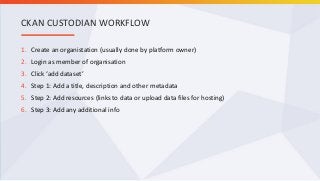
1. Create an organistation (usually done by platform owner)
2. Login as member of organisation
3. Click ‘add dataset’
4. Step 1: Add a title, description and other metadata
5. Step 2: Add resources (links to data or upload data files for hosting)
6. Step 3: Add any additional info
CKAN CUSTODIAN WORKFLOW
1. Title
2. Description: Using markdown as required
3. Keywords: some keywords (or tags) that describe your data.
4. License (required): a dropdown of available licenses for data.gov.au (the default is Creative
Commons Attribution 3.0 Australia)
5. Organisation: a dropdown of organisations you can publish to. Most users can only publish to a
single organisation. This will be automatically filled in.
6. Visibility: whether the dataset will be viewable to all users once complete. The default is private.
7. Geospatial Coverage (required): inherited from organisation metadata this is the area which the
data covers. It can be; a point/polygon (Well-known text); an administrative boundary API; or, a
reference URL (website address) from the National Gazatteer. Gazetteer reference URLs can be
found by searching for a place at http://www.ga.gov.au/place-names/ then clicking through to the
most appropriate location "Reference ID", and then copying and pasting the URL from the page into
the Geospatial field in data.gov.au.
CKAN METADATA FOR DATA.GOV.AU
8. Temporal Coverage From / To (required): the span of time from/to which the data is applicable. If
the data applies only to a single point in time you should only fill in the Temporal Coverage From
field.
9. Language: the language in which the dataset is published. The default is English.
10. Data Status (required): the status of the data with regard to whether it is kept updated (active, yes)
or historic (inactive, no).
11. Update Frequency (required): how often the dataset is updated. Eg: Daily, Weekly, Never. (for
remote machine readable files this field will be used to fetch new versions of this data)
12. Expose User Contact Information: display additional contact information for the dataset.
13. AGIFT Function/Theme: the AGIFT top level government function to which the dataset relates.
14. Publisher: name of Agency/publishing organisation. The default is set to the organisation’s name.
15. Jurisdiction: name of the jurisdiction in which the dataset belongs. The default is set to the
organisation’s jurisdiction.
CKAN METADATA FOR DATA.GOV.AU
1. Get JSON-formatted lists of a site’s datasets, groups or other CKAN objects
2. Get a full JSON representation of a dataset, resource or other object
3. Search for packages (datasets) or resources matching a query
4. Create, update and delete datasets, resources and other objects
5. Get an activity stream of recently changed datasets on a site
CKAN API
1. CKAN as an Information Asset Register
2. FileStore – For hosting of data and resources
3. DataStore - provides a database for structured storage of data together with a powerful Web-
accessible Data API
4. License Selection (machine ready?)
5. Harvesting
A FEW MORE POINTS
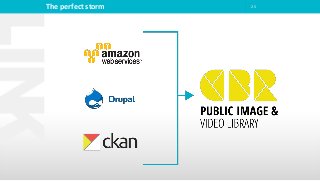
25The perfect storm
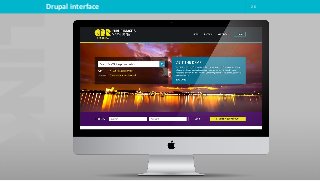
26Drupal interface
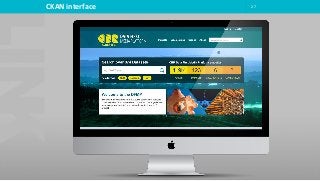
27CKAN interface
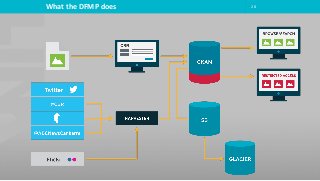
28What the DFMP does
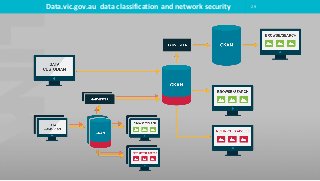
29Data.vic.gov.au data classification and network security
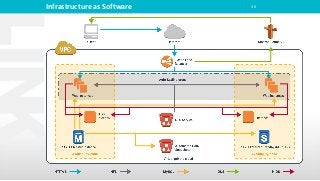
Infrastructure as Software 30
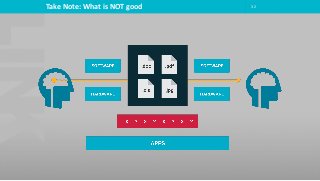
Take Note: What is NOT good 32
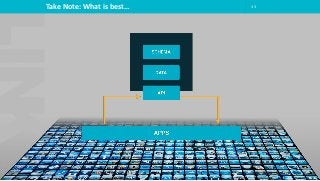
Take Note: What is best… 33
DRUPAL, CKAN & PUBLIC DATA
steven.decosta@linkdigital.com.au
@starl3n

Drupal, CKAN and Public Data. DrupalGov 08 february 2016

  • 1.
    DRUPAL, CKAN &PUBLIC DATA steven.decosta@linkdigital.com.au @starl3n
  • 2.
    Introduction 2 Link Digital ExecutiveDirector CKAN Association Steering Group Member Open Knowledge Australia Co-Secretary & Treasurer AWS User Group CBR Organiser
  • 3.
    Some key Drupaland CKAN points 3 • DKAN is not CKAN • CKAN is owning Australian Government • Data.Vic, Data.NSW, Data.SA and Data.Brisbane use Drupal and CKAN together • Single Sign on – https://github.com/ckan/ckanext-drupal7 • Taxonomies and CKAN - pulling from CKAN into Drupal to enhance content for Government websites. • Webforms to CKAN - for an 'open data' form collection process. • Resource Views for Drupal - configured for a CKAN portal and orgsanisation. • Telling stories with data... Curation.
  • 4.
  • 5.
  • 6.
  • 7.
  • 8.
  • 9.
  • 10.
  • 11.
  • 12.
  • 13.
    Where is therework to do with Data? 13
  • 14.
    Data portal software: 1.Open Source 2. Large and expanding installation base within Government worldwide 3. Expanding use cases in the wider data ecosystem 4. Python web app, PostgreSQL DB 5. Built for machines, custodians and end users WHAT IS CKAN?
  • 15.
    LEARN MORE ATCKAN.org
  • 16.
  • 17.
    1. >> Organisations(optionally with sub-organisations) 2. >> >> Datasets 3. >> >> >> Resources 4. >> Platform Custodian 5. >> >> Organisation Custodian, Editor or Member 6. >> Published or Private datasets CKAN STRUCTURE
  • 18.
    1. >> Constitution 2.>> >> Parliamentary Legislation and Acts (Jurisdiction = Platform) 3. >> >> >> Ministries (Organisation) 4. >> >> >> >> Programs (Sub-Organisations) 5. >> >> >> >> >> Projects (Datasets) 6. >> >> >> >> >> >> Outcomes (Resources) CKAN USE CASE PARADIGM
  • 19.
    1. User registration 2.User management 3. Custodian workflows (manage datasets and data resources) 4. Directory Browse by organisation or group 5. Faceted search for multiple fields (supporting end user discovery) 6. Resource views to preview data (a recently improved feature) 7. Metadata view CKAN UI
  • 20.
    1. Create anorganistation (usually done by platform owner) 2. Login as member of organisation 3. Click ‘add dataset’ 4. Step 1: Add a title, description and other metadata 5. Step 2: Add resources (links to data or upload data files for hosting) 6. Step 3: Add any additional info CKAN CUSTODIAN WORKFLOW
  • 21.
    1. Title 2. Description:Using markdown as required 3. Keywords: some keywords (or tags) that describe your data. 4. License (required): a dropdown of available licenses for data.gov.au (the default is Creative Commons Attribution 3.0 Australia) 5. Organisation: a dropdown of organisations you can publish to. Most users can only publish to a single organisation. This will be automatically filled in. 6. Visibility: whether the dataset will be viewable to all users once complete. The default is private. 7. Geospatial Coverage (required): inherited from organisation metadata this is the area which the data covers. It can be; a point/polygon (Well-known text); an administrative boundary API; or, a reference URL (website address) from the National Gazatteer. Gazetteer reference URLs can be found by searching for a place at http://www.ga.gov.au/place-names/ then clicking through to the most appropriate location "Reference ID", and then copying and pasting the URL from the page into the Geospatial field in data.gov.au. CKAN METADATA FOR DATA.GOV.AU
  • 22.
    8. Temporal CoverageFrom / To (required): the span of time from/to which the data is applicable. If the data applies only to a single point in time you should only fill in the Temporal Coverage From field. 9. Language: the language in which the dataset is published. The default is English. 10. Data Status (required): the status of the data with regard to whether it is kept updated (active, yes) or historic (inactive, no). 11. Update Frequency (required): how often the dataset is updated. Eg: Daily, Weekly, Never. (for remote machine readable files this field will be used to fetch new versions of this data) 12. Expose User Contact Information: display additional contact information for the dataset. 13. AGIFT Function/Theme: the AGIFT top level government function to which the dataset relates. 14. Publisher: name of Agency/publishing organisation. The default is set to the organisation’s name. 15. Jurisdiction: name of the jurisdiction in which the dataset belongs. The default is set to the organisation’s jurisdiction. CKAN METADATA FOR DATA.GOV.AU
  • 23.
    1. Get JSON-formattedlists of a site’s datasets, groups or other CKAN objects 2. Get a full JSON representation of a dataset, resource or other object 3. Search for packages (datasets) or resources matching a query 4. Create, update and delete datasets, resources and other objects 5. Get an activity stream of recently changed datasets on a site CKAN API
  • 24.
    1. CKAN asan Information Asset Register 2. FileStore – For hosting of data and resources 3. DataStore - provides a database for structured storage of data together with a powerful Web- accessible Data API 4. License Selection (machine ready?) 5. Harvesting A FEW MORE POINTS
  • 25.
  • 26.
  • 27.
  • 28.
  • 29.
  • 30.
  • 32.
    Take Note: Whatis NOT good 32
  • 33.
    Take Note: Whatis best… 33
  • 34.
    DRUPAL, CKAN &PUBLIC DATA steven.decosta@linkdigital.com.au @starl3n