Cloud Storage Become An Essential
Part Of Our Life
Today We're Comparing Two Popular Cloud
Storage Services: Dropbox and Google Drive
We Help You Decide Which Is Best For
Your Business
Dropbox vs. Google
Drive Storage Facility
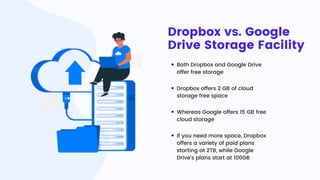
Both Dropbox and Google Drive
offer free storage
Dropbox offers 2 GB of cloud
storage free space
Whereas Google offers 15 GB free
cloud storage
If you need more space, Dropbox
offers a variety of paid plans
starting at 2TB, while Google
Drive's plans start at 100GB
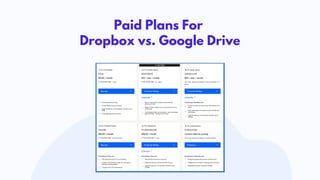
Paid Plans For
Dropbox vs. Google Drive
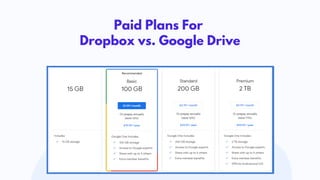
Paid Plans For
Dropbox vs. Google Drive
User Interface And
Ease of Use
When it comes to the user interface, both
Dropbox and Google Drive are easy to
navigate
Dropbox has a sound file-syncing feature,
it let users sync data on laptops, desktops,
and mobile phones
Dropbox doesn’t offer any advanced
option to search files, but you can filter
results by folder or file type
Google Drive search bar offers some filter
options to find files by author and by type,
as shown below
Dropbox vs. Google
Drive- Integration With
Office Apps
Dropbox integrates with Google Workspace
and Microsoft 365, allowing users to create,
organize, and seamlessly edit Google Docs,
Sheets, Slides, Microsoft Word, Excel, and
PowerPoint
Google Drive deeply integrates with other
collaborative and productive apps,
including Gmail, Meet, Chat, Calendar,
Docs, Sheets, Slides, etc
Security Is A Top
Priority!
Both Dropbox and Google Drive offer strong
encryption and two-factor authentication
Dropbox offers two-factor authentication,
remote device wipe, and SSL/TLS
encryption to ensure that your files are
safe and secure
Similarly, Google Drive offers two-factor
authentication, SSL/TLS encryption, and
encryption at rest to ensure that your files
are secure
So, Which One Should You Choose? Well, It All
Depends On Your Specific Needs.
Dropbox Vs Google Drive

Dropbox Vs Google Drive

  • 2.
    Cloud Storage BecomeAn Essential Part Of Our Life
  • 3.
    Today We're ComparingTwo Popular Cloud Storage Services: Dropbox and Google Drive
  • 5.
    We Help YouDecide Which Is Best For Your Business
  • 6.
    Dropbox vs. Google DriveStorage Facility Both Dropbox and Google Drive offer free storage Dropbox offers 2 GB of cloud storage free space Whereas Google offers 15 GB free cloud storage If you need more space, Dropbox offers a variety of paid plans starting at 2TB, while Google Drive's plans start at 100GB
  • 7.
    Paid Plans For Dropboxvs. Google Drive
  • 8.
    Paid Plans For Dropboxvs. Google Drive
  • 9.
    User Interface And Easeof Use When it comes to the user interface, both Dropbox and Google Drive are easy to navigate Dropbox has a sound file-syncing feature, it let users sync data on laptops, desktops, and mobile phones Dropbox doesn’t offer any advanced option to search files, but you can filter results by folder or file type Google Drive search bar offers some filter options to find files by author and by type, as shown below
  • 10.
    Dropbox vs. Google Drive-Integration With Office Apps Dropbox integrates with Google Workspace and Microsoft 365, allowing users to create, organize, and seamlessly edit Google Docs, Sheets, Slides, Microsoft Word, Excel, and PowerPoint Google Drive deeply integrates with other collaborative and productive apps, including Gmail, Meet, Chat, Calendar, Docs, Sheets, Slides, etc
  • 11.
    Security Is ATop Priority! Both Dropbox and Google Drive offer strong encryption and two-factor authentication Dropbox offers two-factor authentication, remote device wipe, and SSL/TLS encryption to ensure that your files are safe and secure Similarly, Google Drive offers two-factor authentication, SSL/TLS encryption, and encryption at rest to ensure that your files are secure
  • 12.
    So, Which OneShould You Choose? Well, It All Depends On Your Specific Needs.