Kotlin Coroutines:
Multi-threading made easy
Arthur Nagy
Halcyon Mobile
Agenda
1. What are coroutines
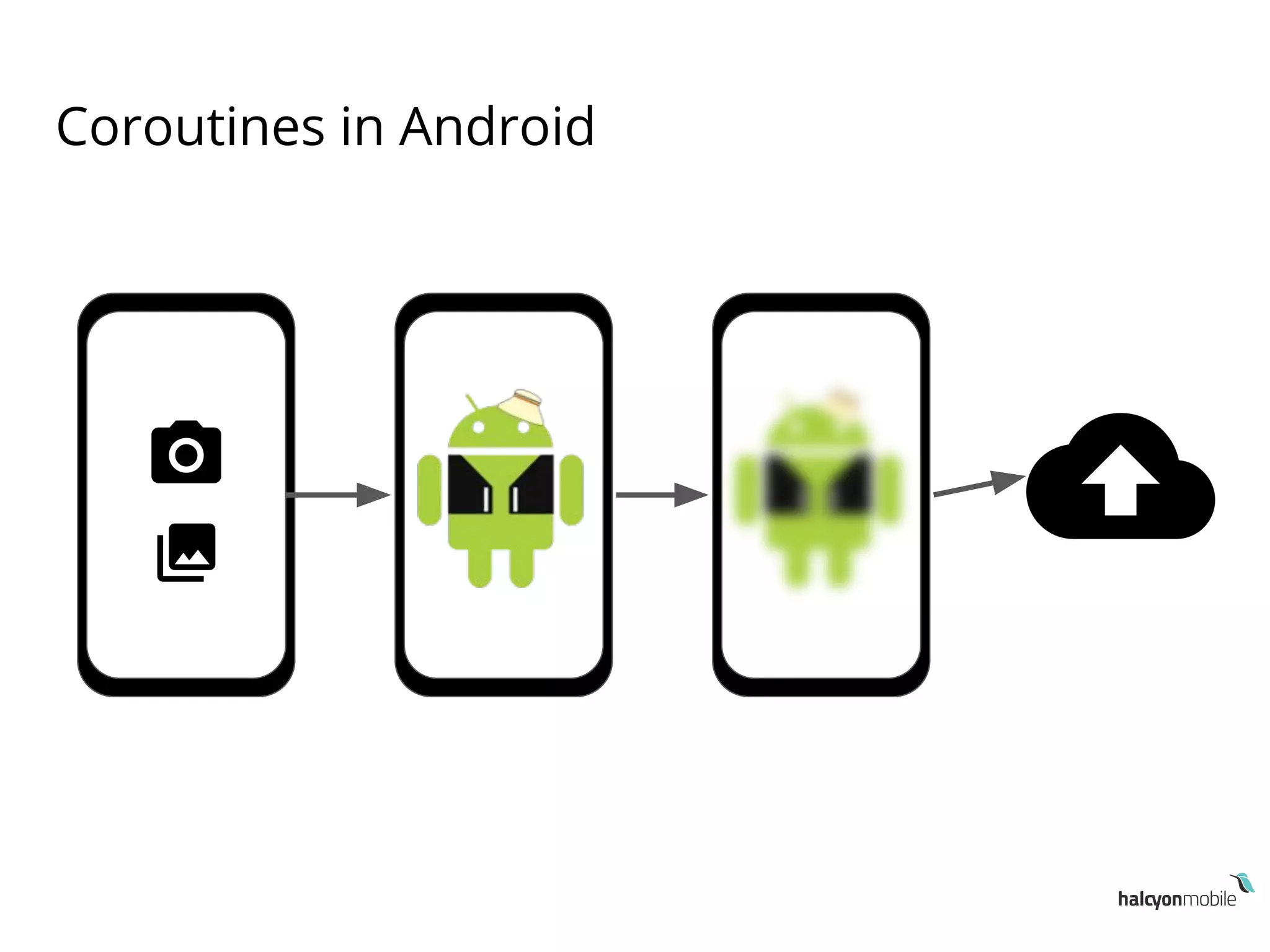
2. Coroutines in Android
3. Why use coroutines
What are coroutines
“coroutines are computations that can be suspended
without blocking a thread.”
● Not a new concept, introduced in the `60s
● Adopted by multiple programming languages
● Coroutines in Kotlin:
○ minimal low-level APIs in its standard library
○ kotlinx.coroutines libraries
What are coroutines
● Terminology :
○ Coroutine
○ Suspending function
○ Coroutine builder
○ Continuation
○ Coroutine context
Coroutine
● An instance of suspendable computation
● Similar to a thread (light-weight thread)
● Also similar to a future or promise
Suspending functions
● Functions which suspend a coroutine execution
● suspend keyword
● Suspending functions can be used:
○ Inside other functions marked with the suspend keyword
○ Inside a coroutine
● suspendCoroutine
○ Bridge between coroutine suspension and callback world
Suspending functions
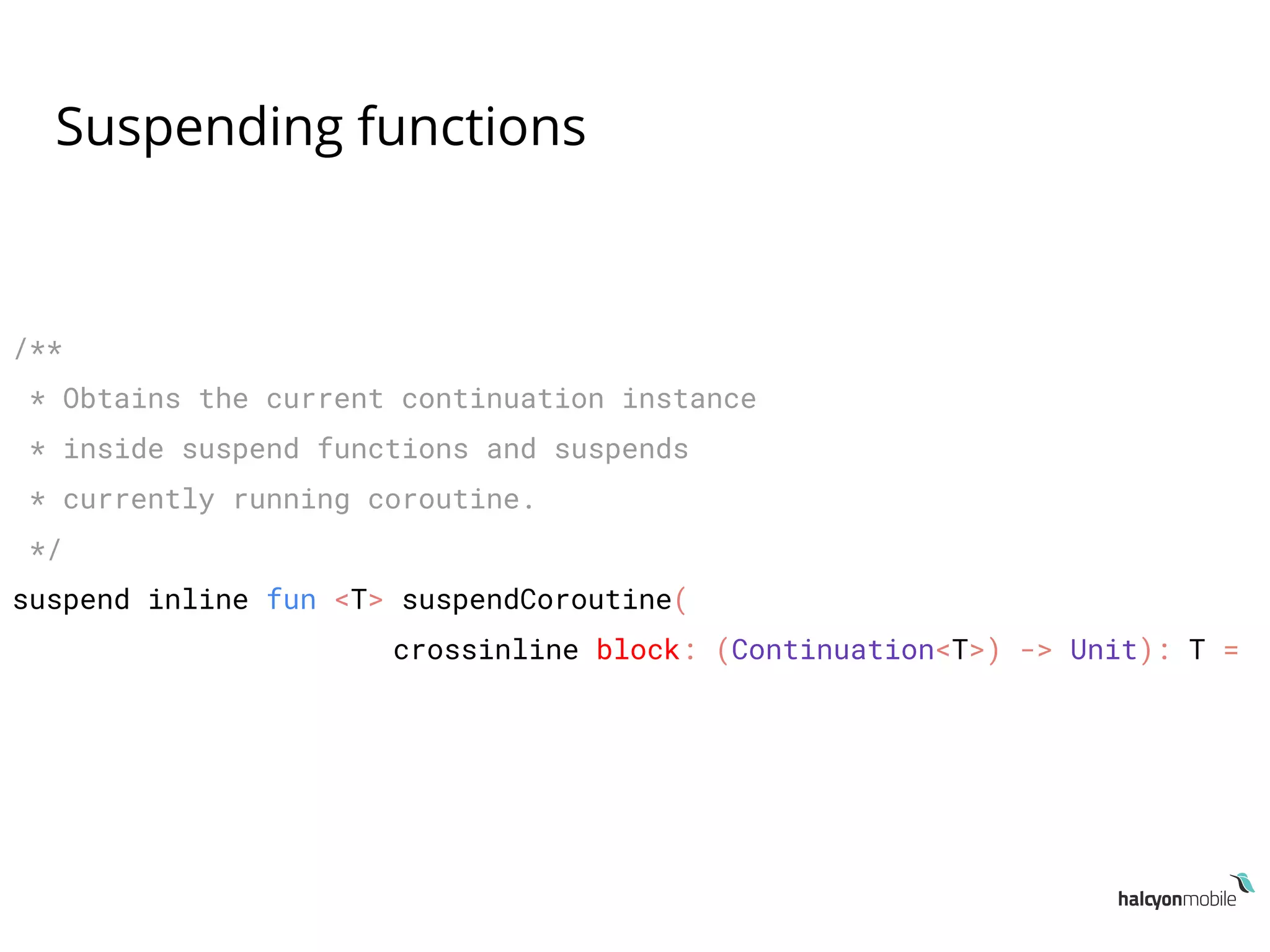
/**
* Obtains the current continuation instance
* inside suspend functions and suspends
* currently running coroutine.
*/
suspend inline fun <T> suspendCoroutine(
crossinline block: (Continuation<T>) -> Unit): T =
Suspending functions
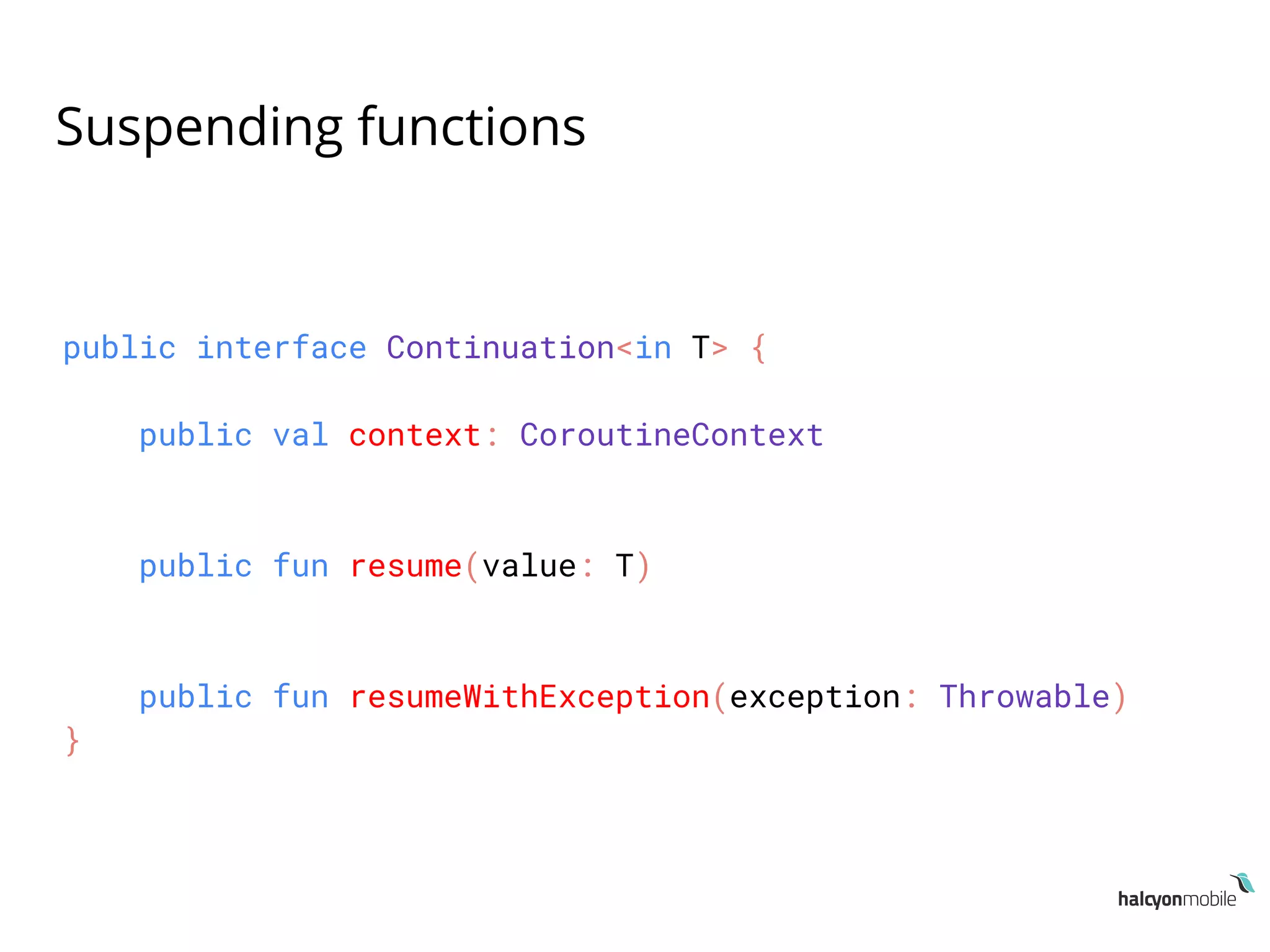
public interface Continuation<in T> {
public val context: CoroutineContext
public fun resume(value: T)
public fun resumeWithException(exception: Throwable)
}
Suspending functions
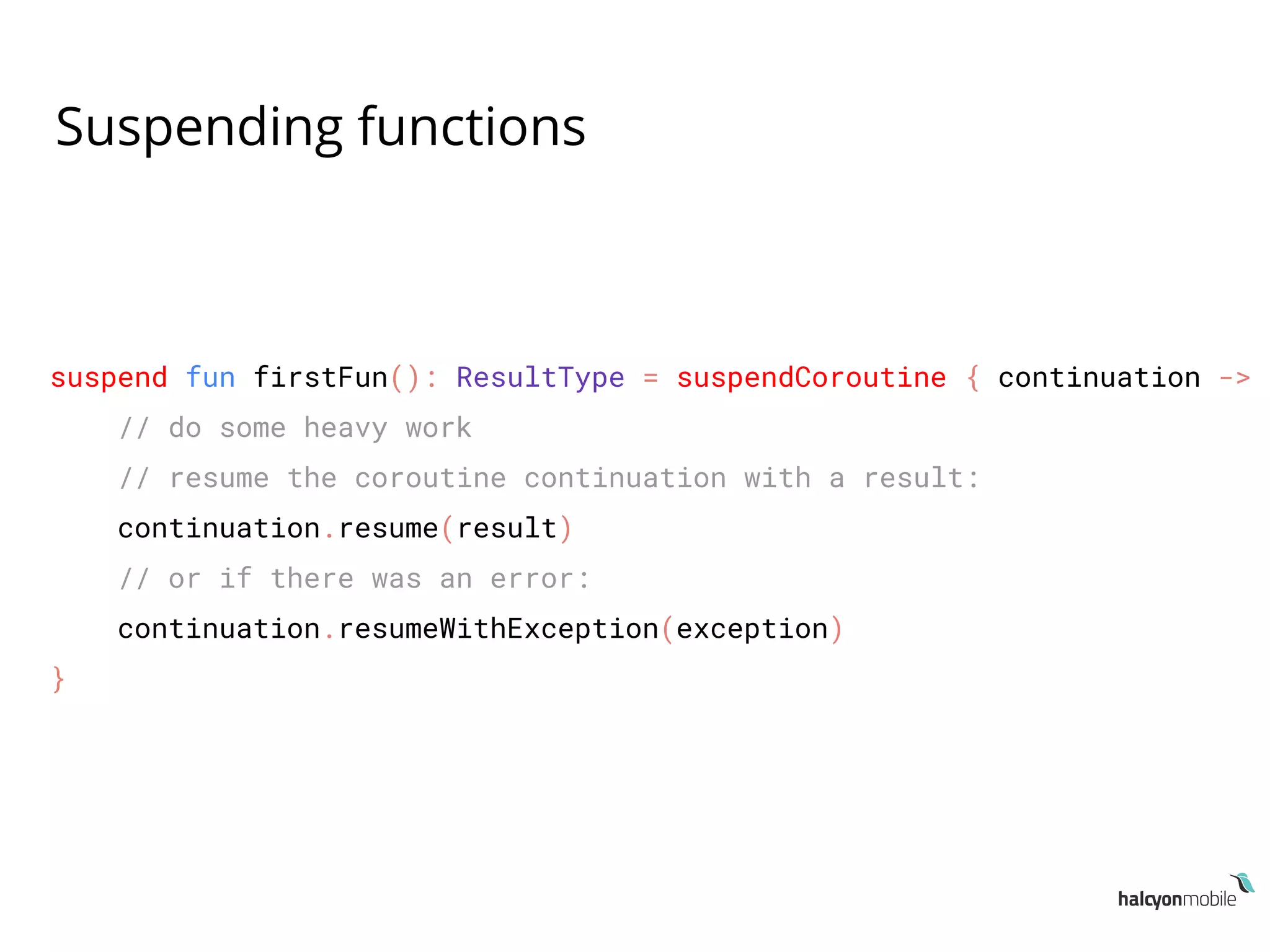
suspend fun firstFun(): ResultType = suspendCoroutine { continuation ->
// do some heavy work
// resume the coroutine continuation with a result:
continuation.resume(result)
// or if there was an error:
continuation.resumeWithException(exception)
}
Coroutine builders
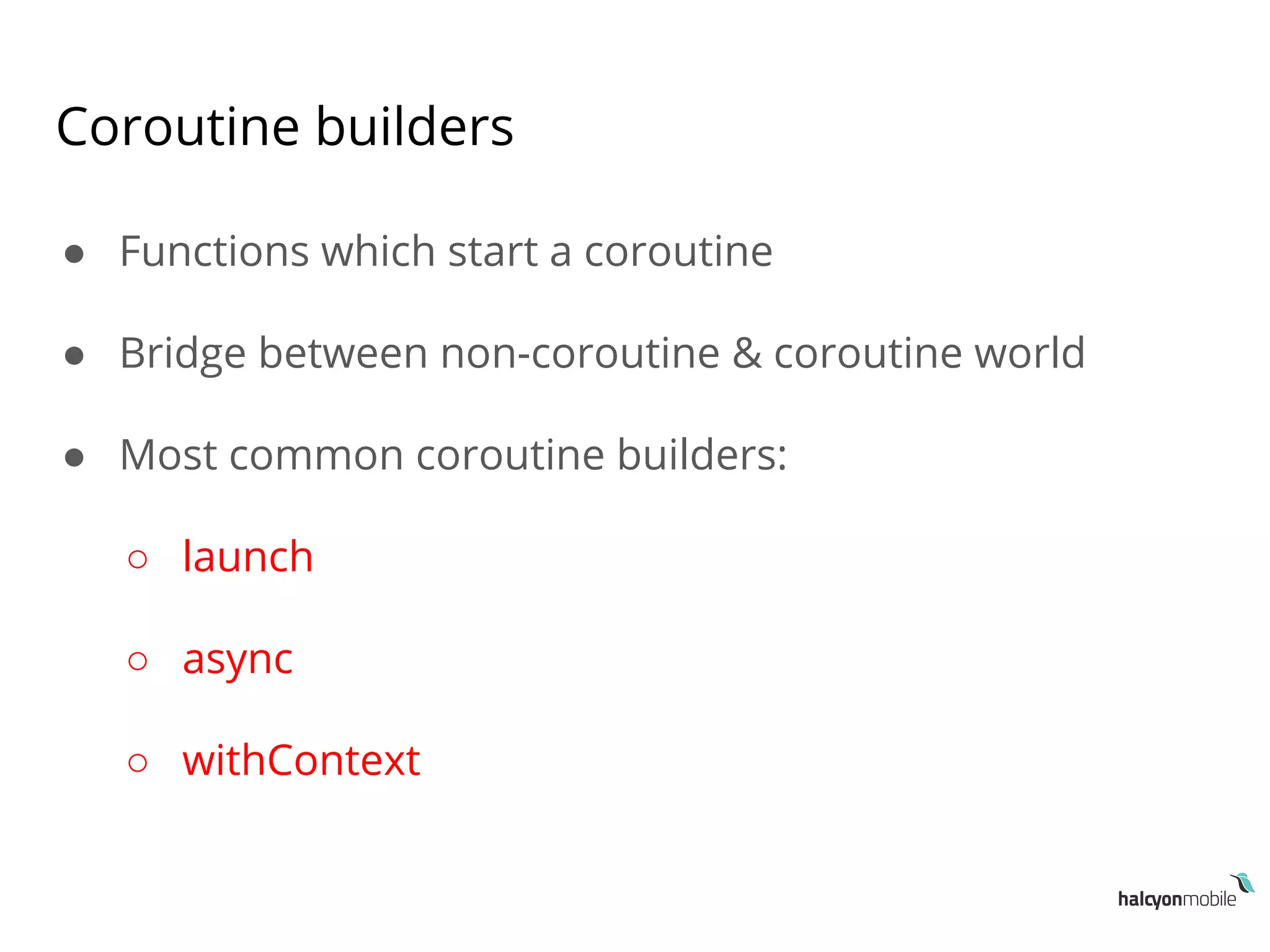
● Functions which start a coroutine
● Bridge between non-coroutine & coroutine world
● Most common coroutine builders:
○ launch
○ async
○ withContext
Coroutine builders
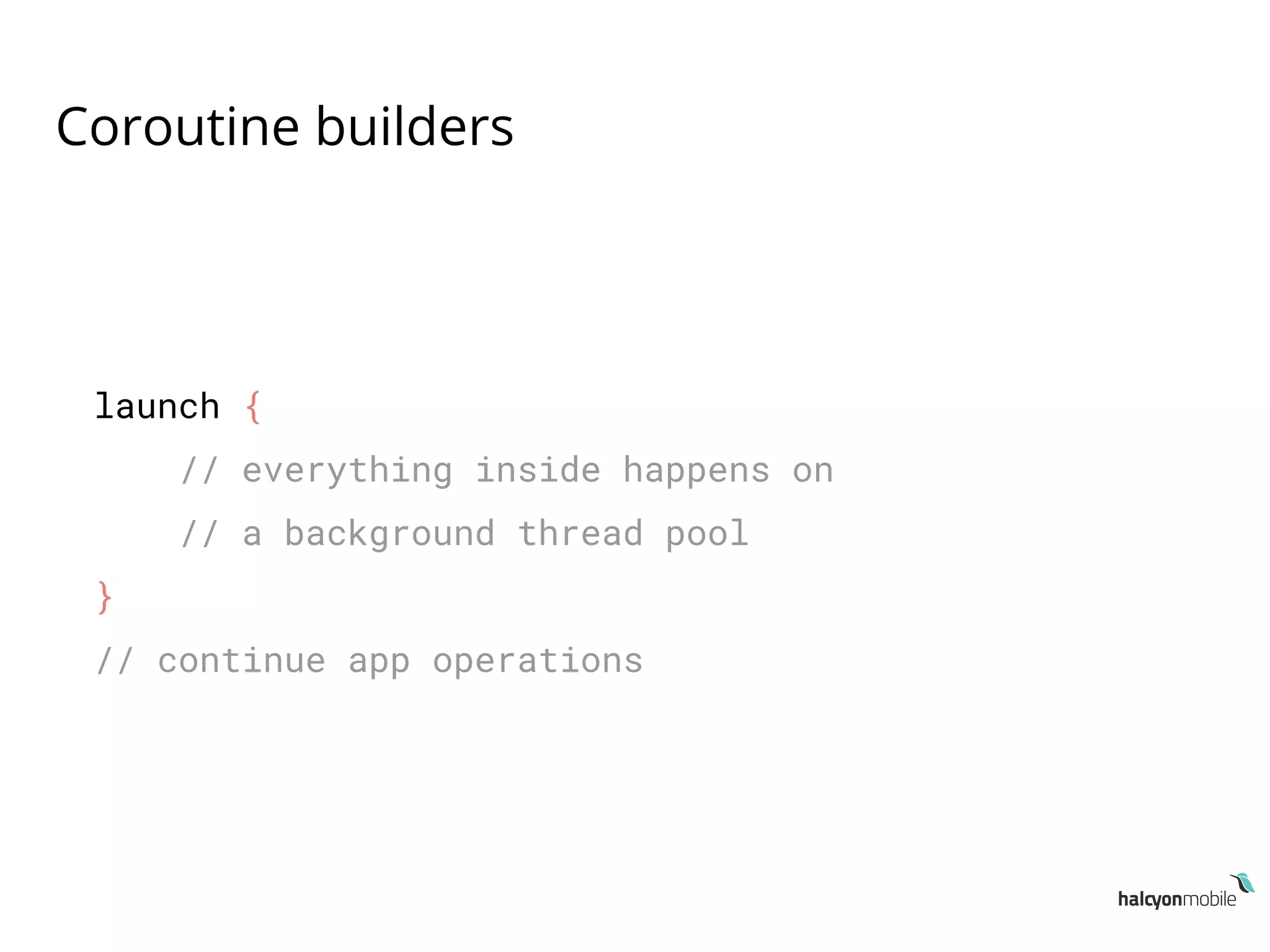
launch {
// everything inside happens on
// a background thread pool
}
// continue app operations
Coroutine builders
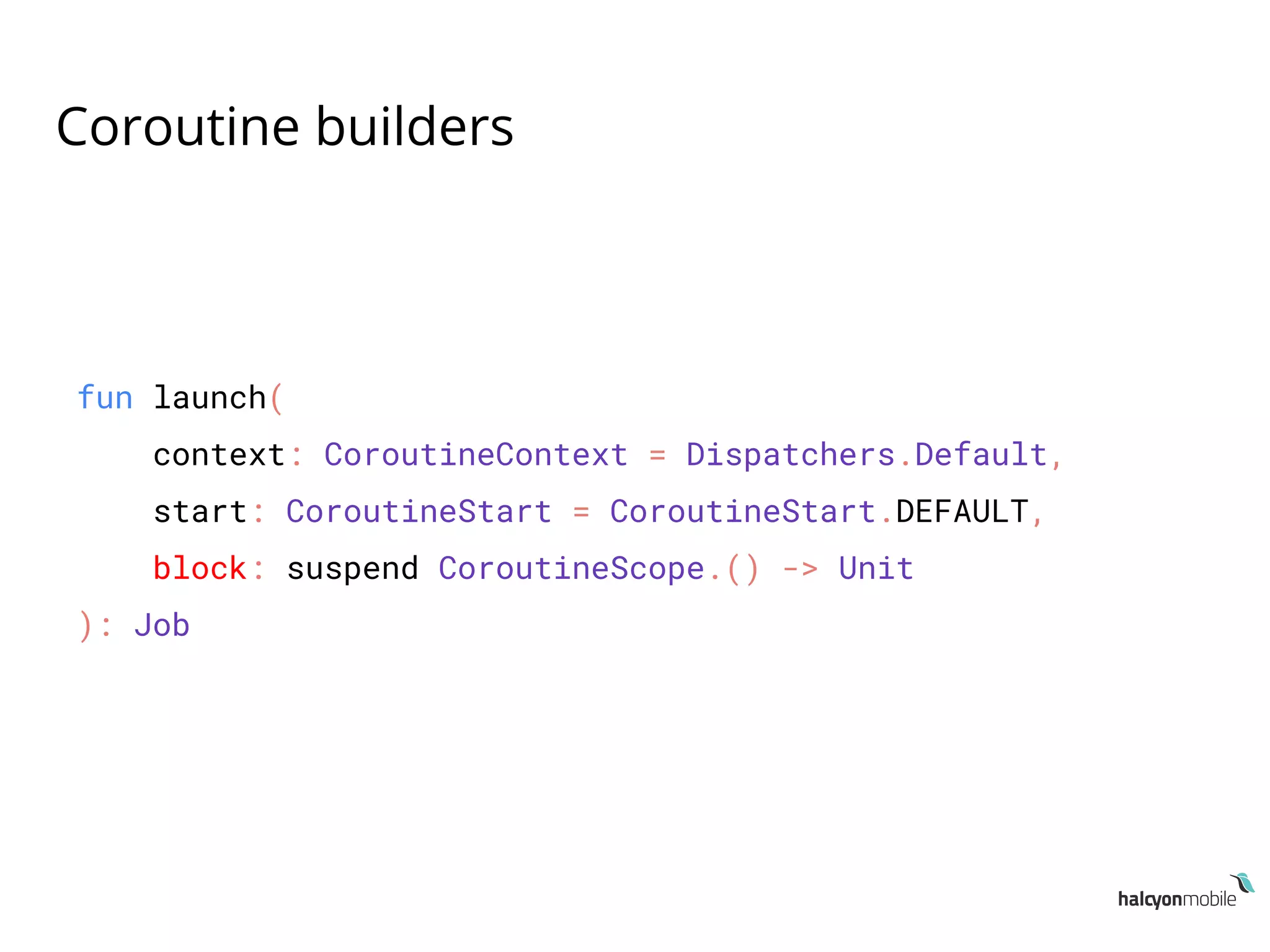
fun launch(
context: CoroutineContext = Dispatchers.Default,
start: CoroutineStart = CoroutineStart.DEFAULT,
block: suspend CoroutineScope.() -> Unit
): Job
Coroutine builders
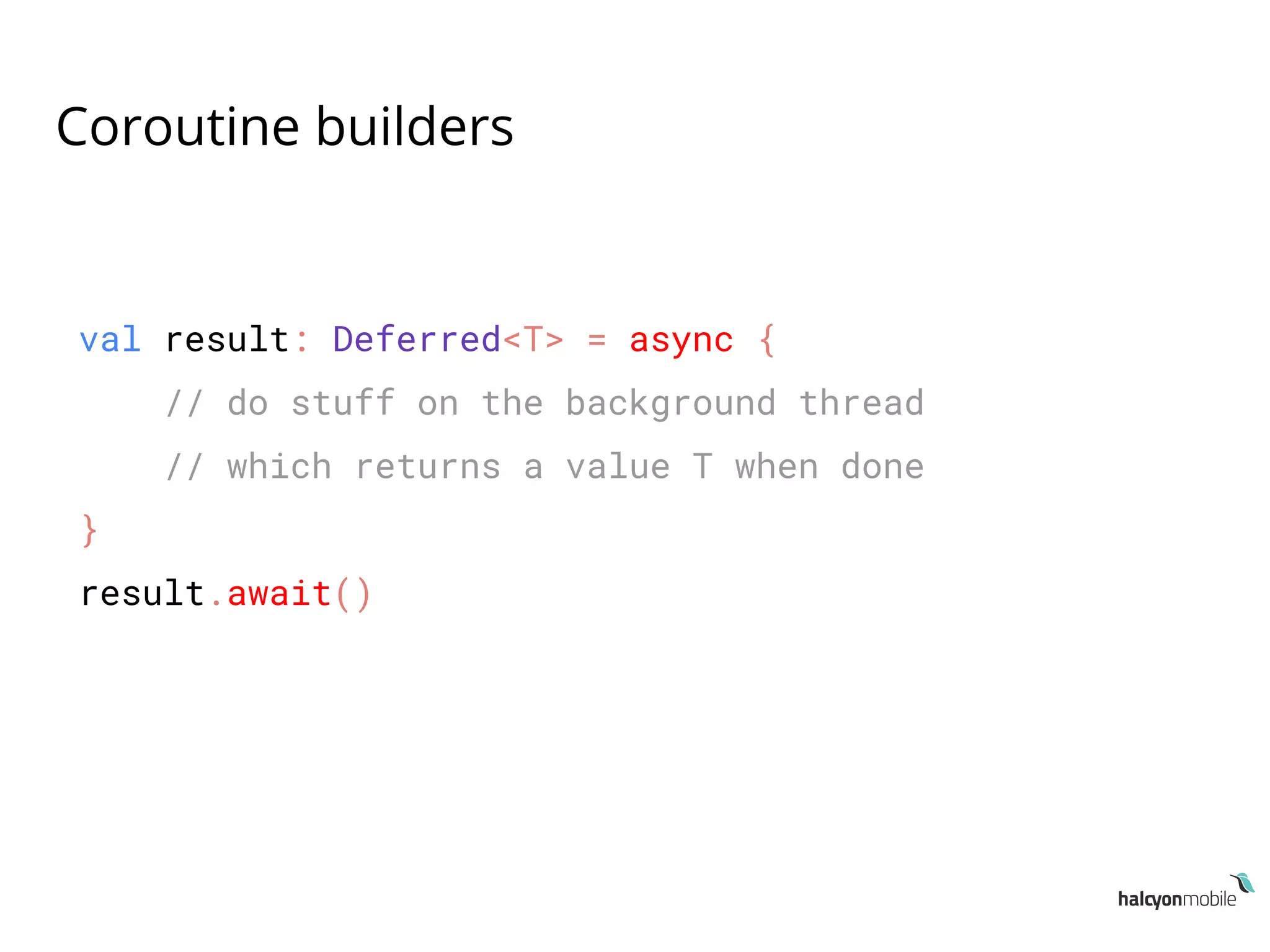
val result: Deferred<T> = async {
// do stuff on the background thread
// which returns a value T when done
}
result.await()
Coroutine builders
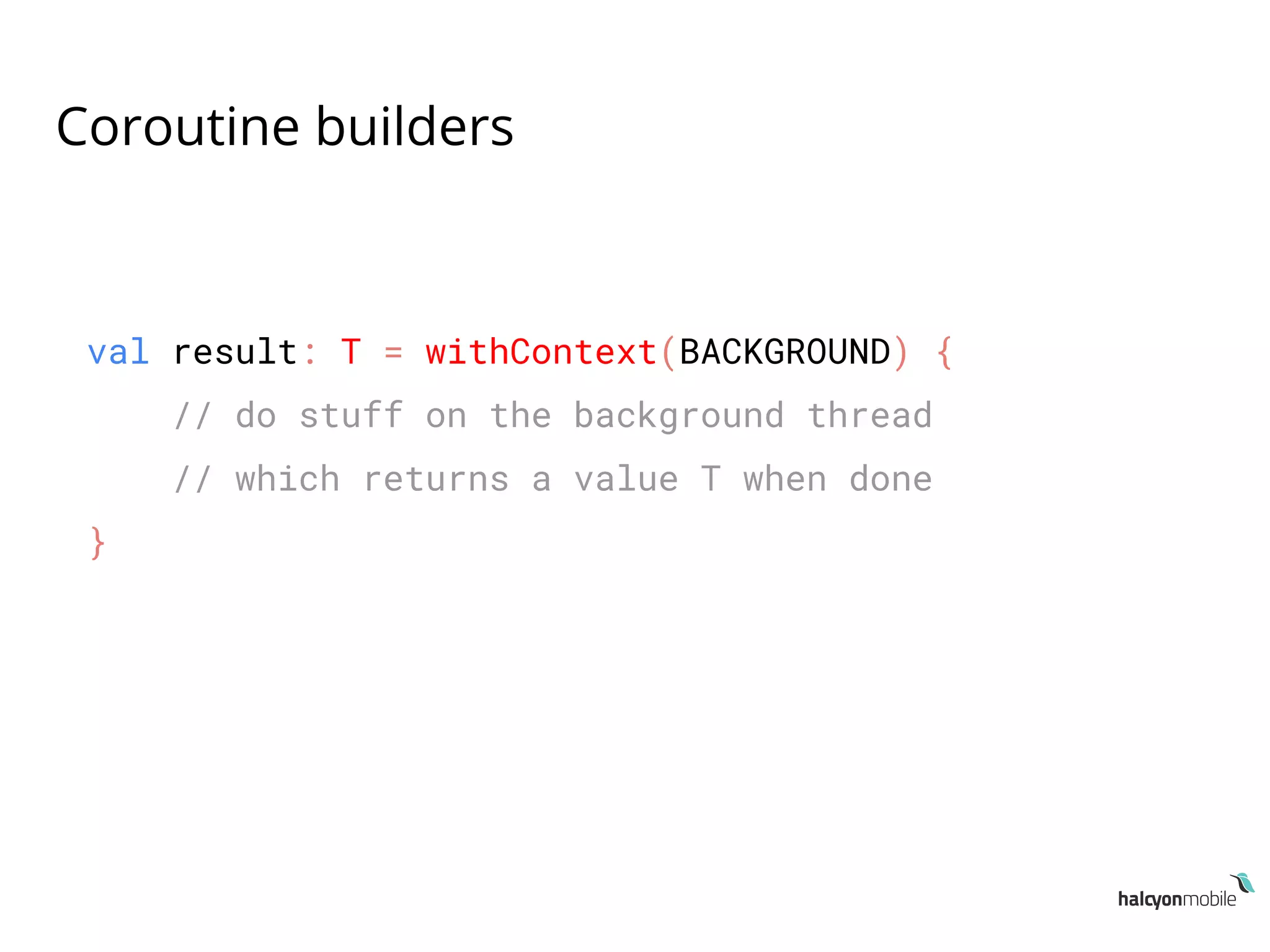
val result: T = withContext(BACKGROUND) {
// do stuff on the background thread
// which returns a value T when done
}
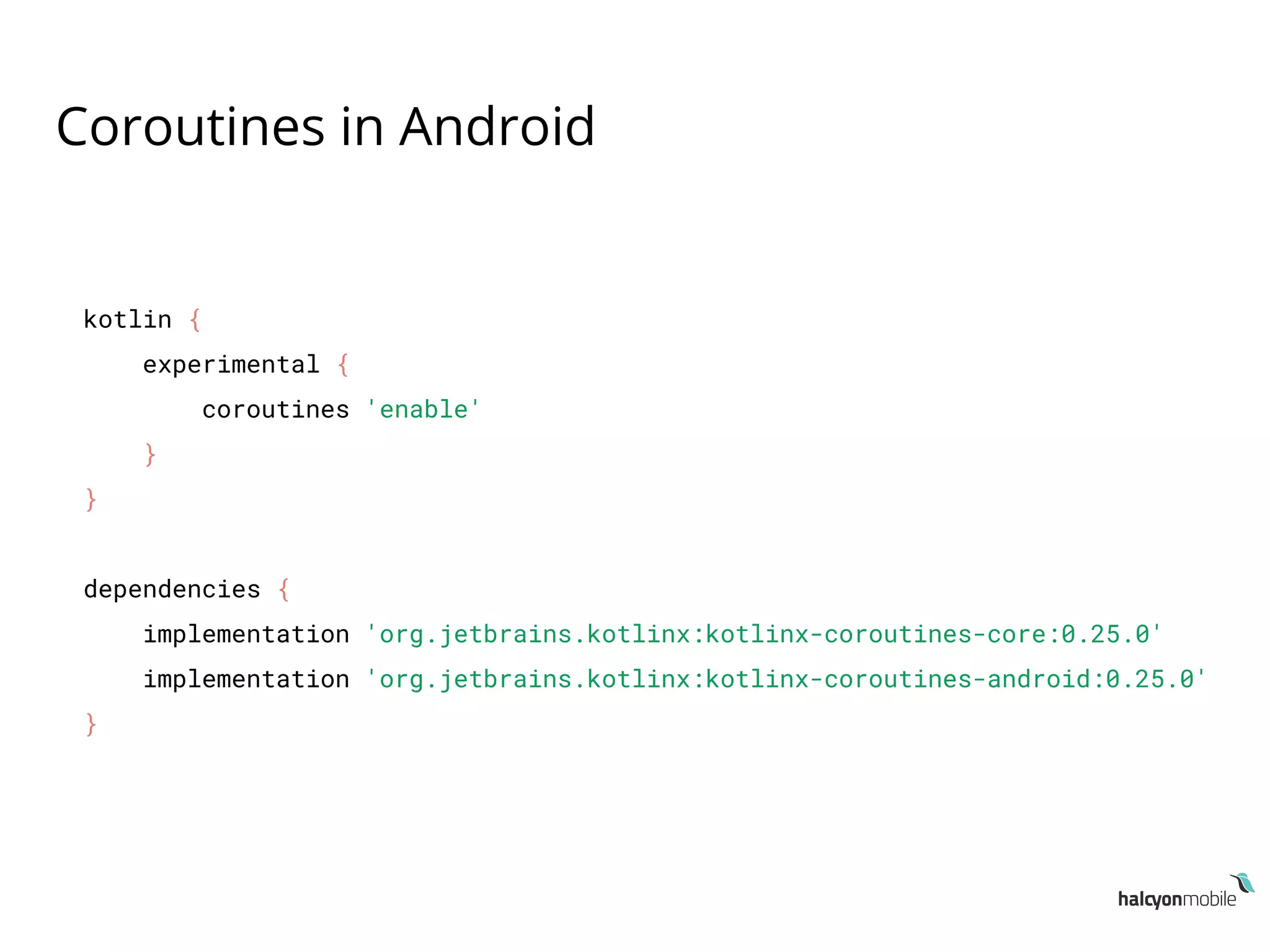
Coroutines in Android
kotlin {
experimental {
coroutines 'enable'
}
}
dependencies {
implementation 'org.jetbrains.kotlinx:kotlinx-coroutines-core:0.25.0'
implementation 'org.jetbrains.kotlinx:kotlinx-coroutines-android:0.25.0'
}
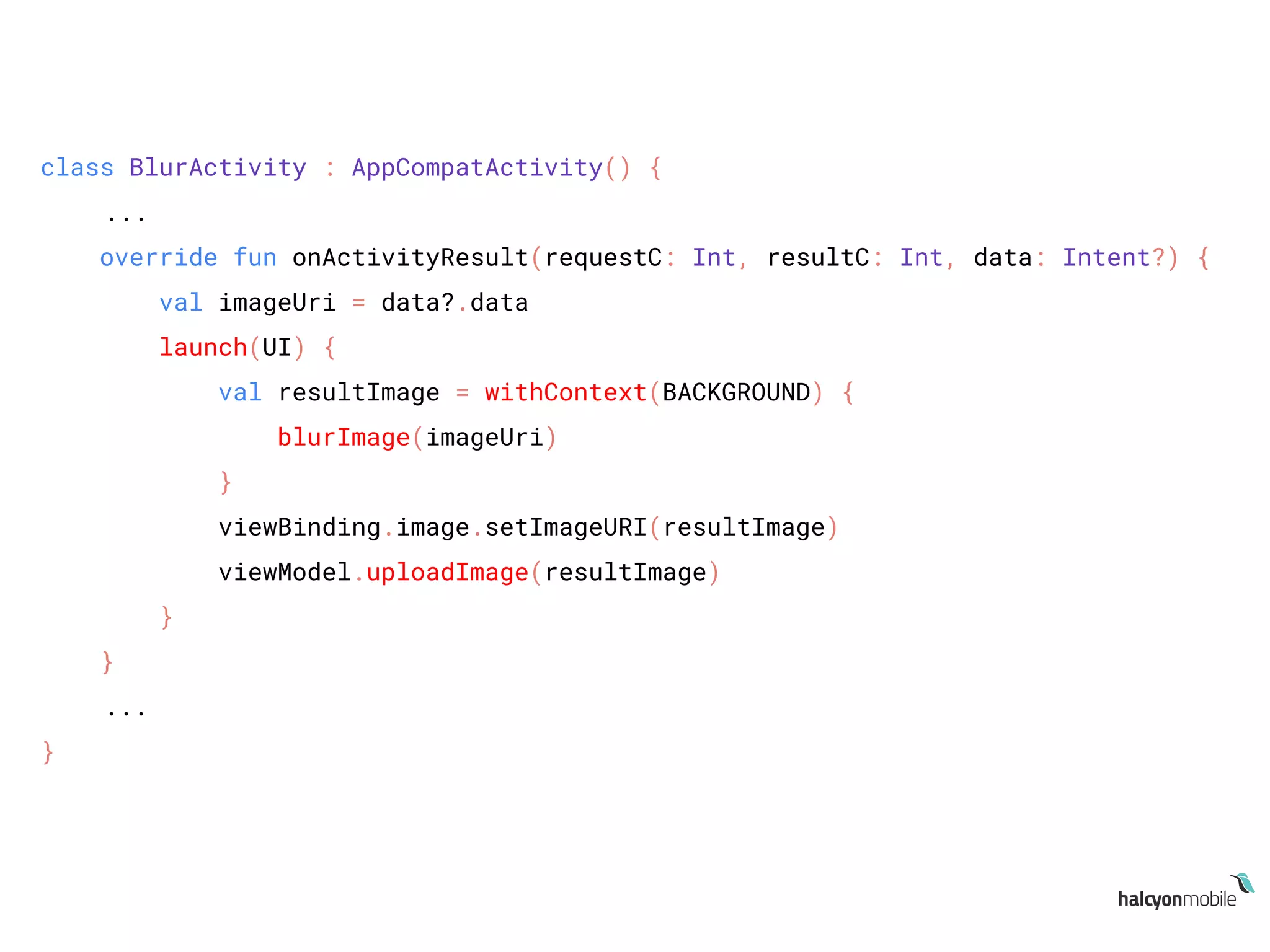
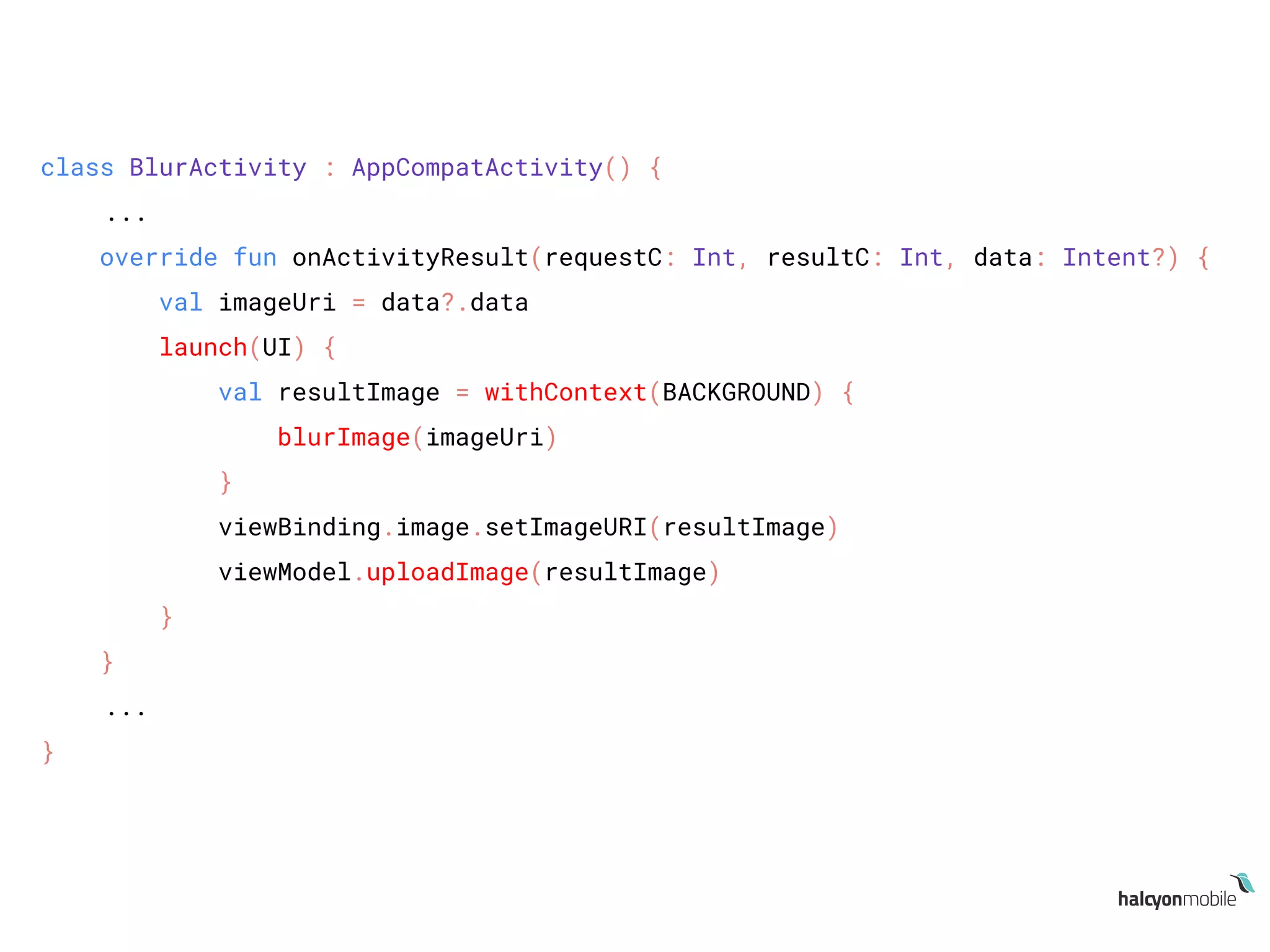
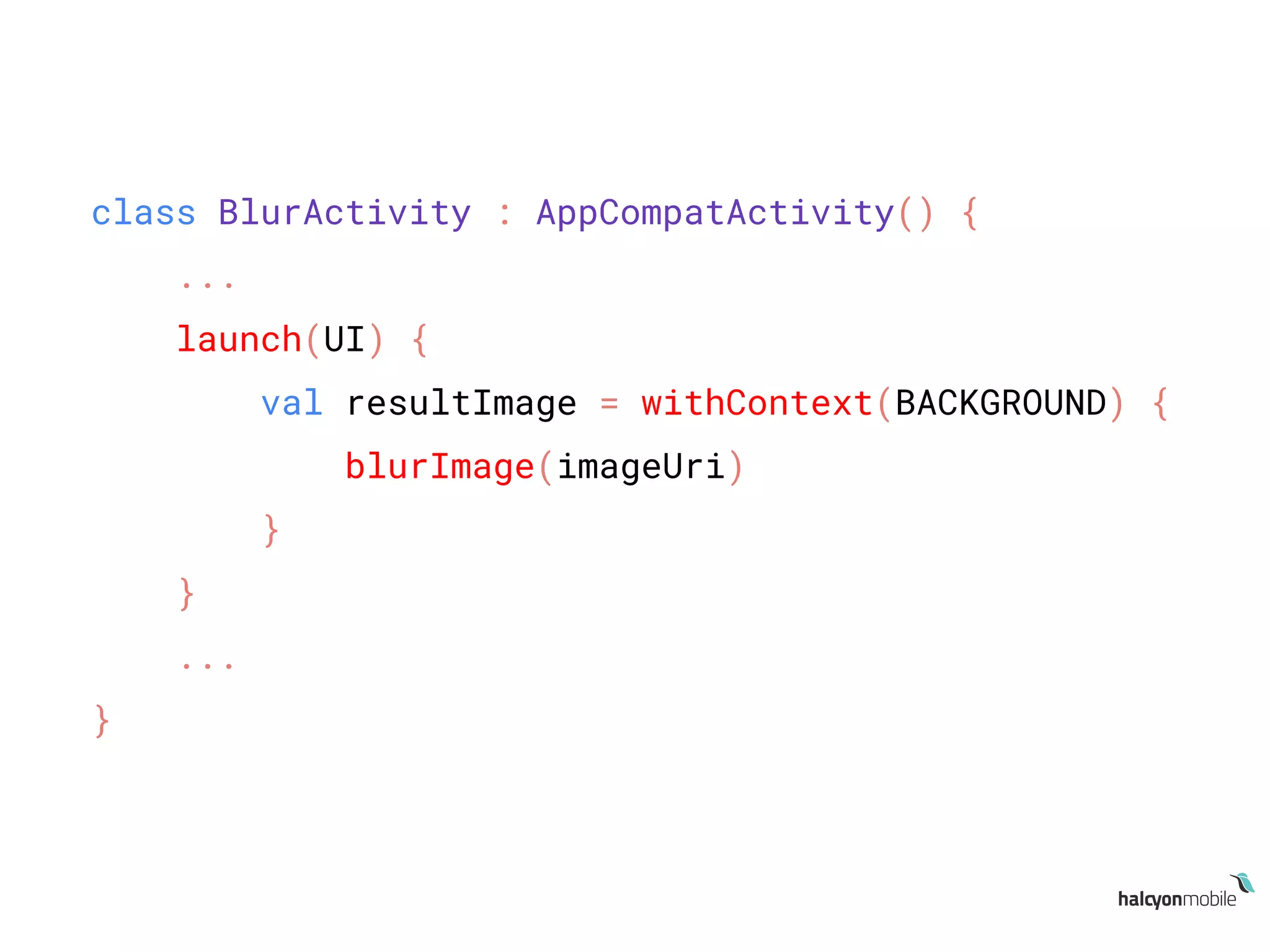
class BlurActivity : AppCompatActivity() {
...
override fun onActivityResult(requestC: Int, resultC: Int, data: Intent?) {
val imageUri = data?.data
launch(UI) {
val resultImage = withContext(BACKGROUND) {
blurImage(imageUri)
}
viewBinding.image.setImageURI(resultImage)
viewModel.uploadImage(resultImage)
}
}
...
}
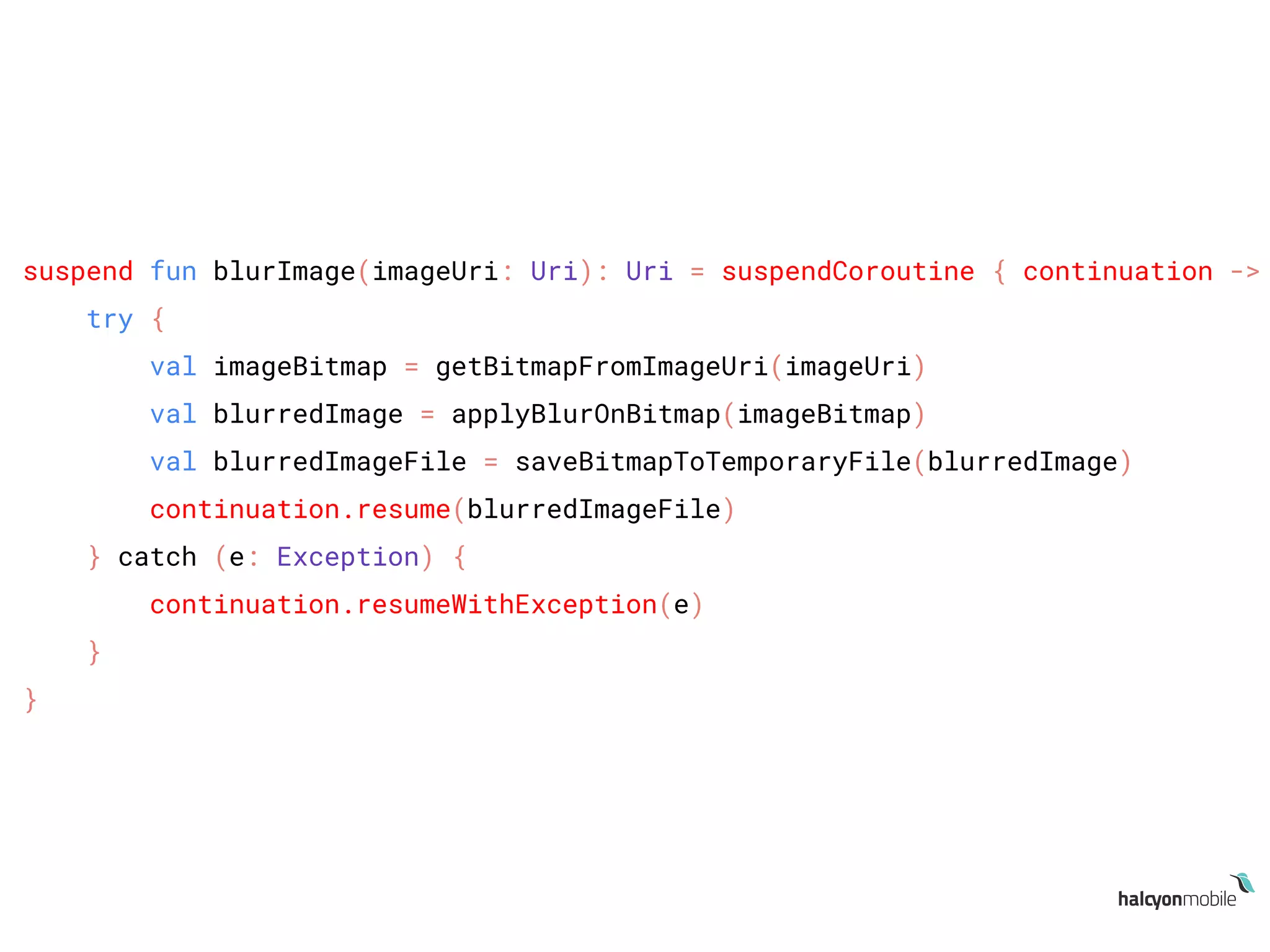
suspend fun blurImage(imageUri: Uri): Uri = suspendCoroutine { continuation ->
try {
val imageBitmap = getBitmapFromImageUri(imageUri)
val blurredImage = applyBlurOnBitmap(imageBitmap)
val blurredImageFile = saveBitmapToTemporaryFile(blurredImage)
continuation.resume(blurredImageFile)
} catch (e: Exception) {
continuation.resumeWithException(e)
}
}
class BlurActivity : AppCompatActivity() {
...
override fun onActivityResult(requestC: Int, resultC: Int, data: Intent?) {
val imageUri = data?.data
launch(UI) {
val resultImage = withContext(BACKGROUND) {
blurImage(imageUri)
}
viewBinding.image.setImageURI(resultImage)
viewModel.uploadImage(resultImage)
}
}
...
}
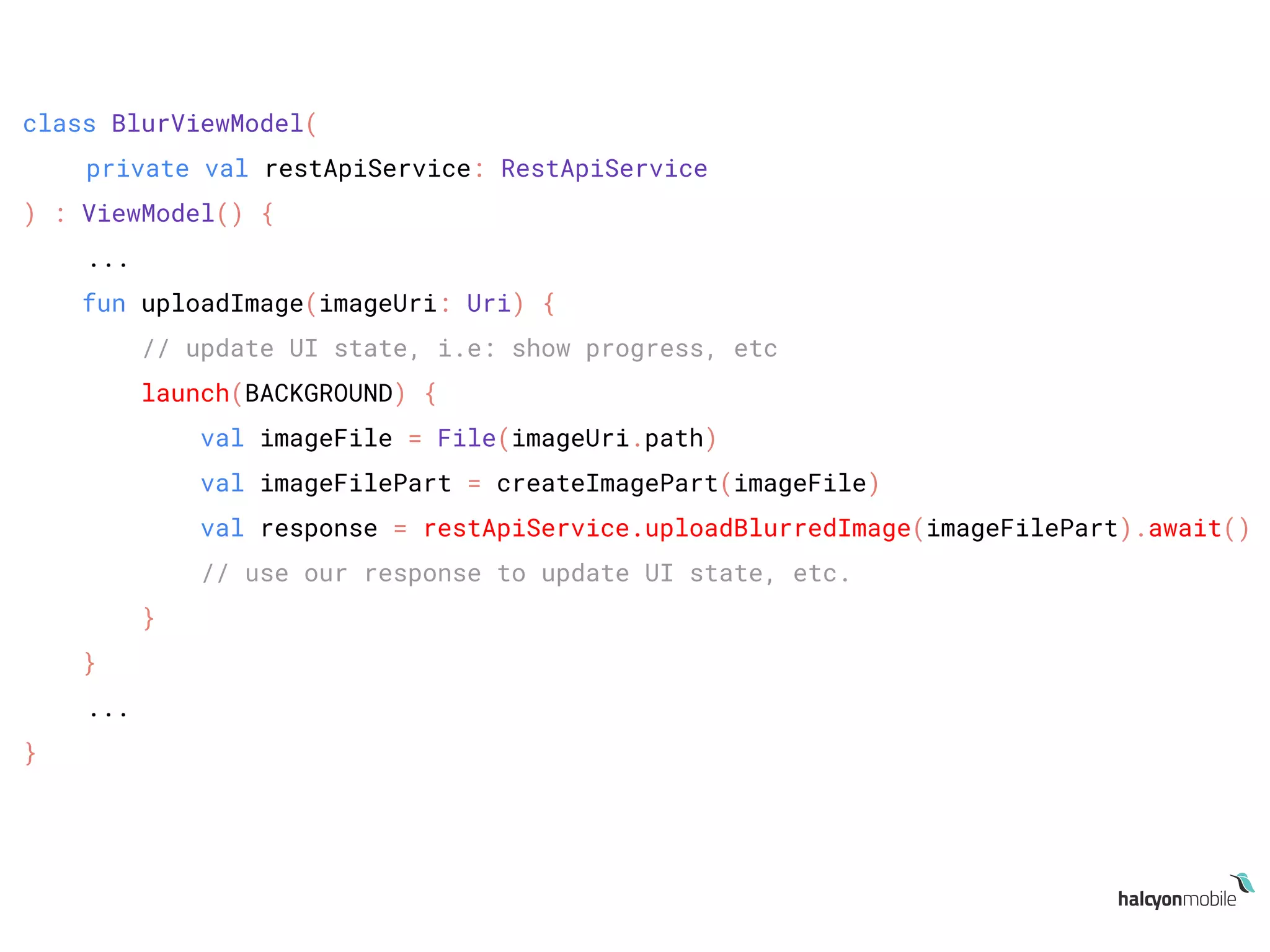
class BlurViewModel(
private val restApiService: RestApiService
) : ViewModel() {
...
fun uploadImage(imageUri: Uri) {
// update UI state, i.e: show progress, etc
launch(BACKGROUND) {
val imageFile = File(imageUri.path)
val imageFilePart = createImagePart(imageFile)
val response = restApiService.uploadBlurredImage(imageFilePart).await()
// use our response to update UI state, etc.
}
}
...
}
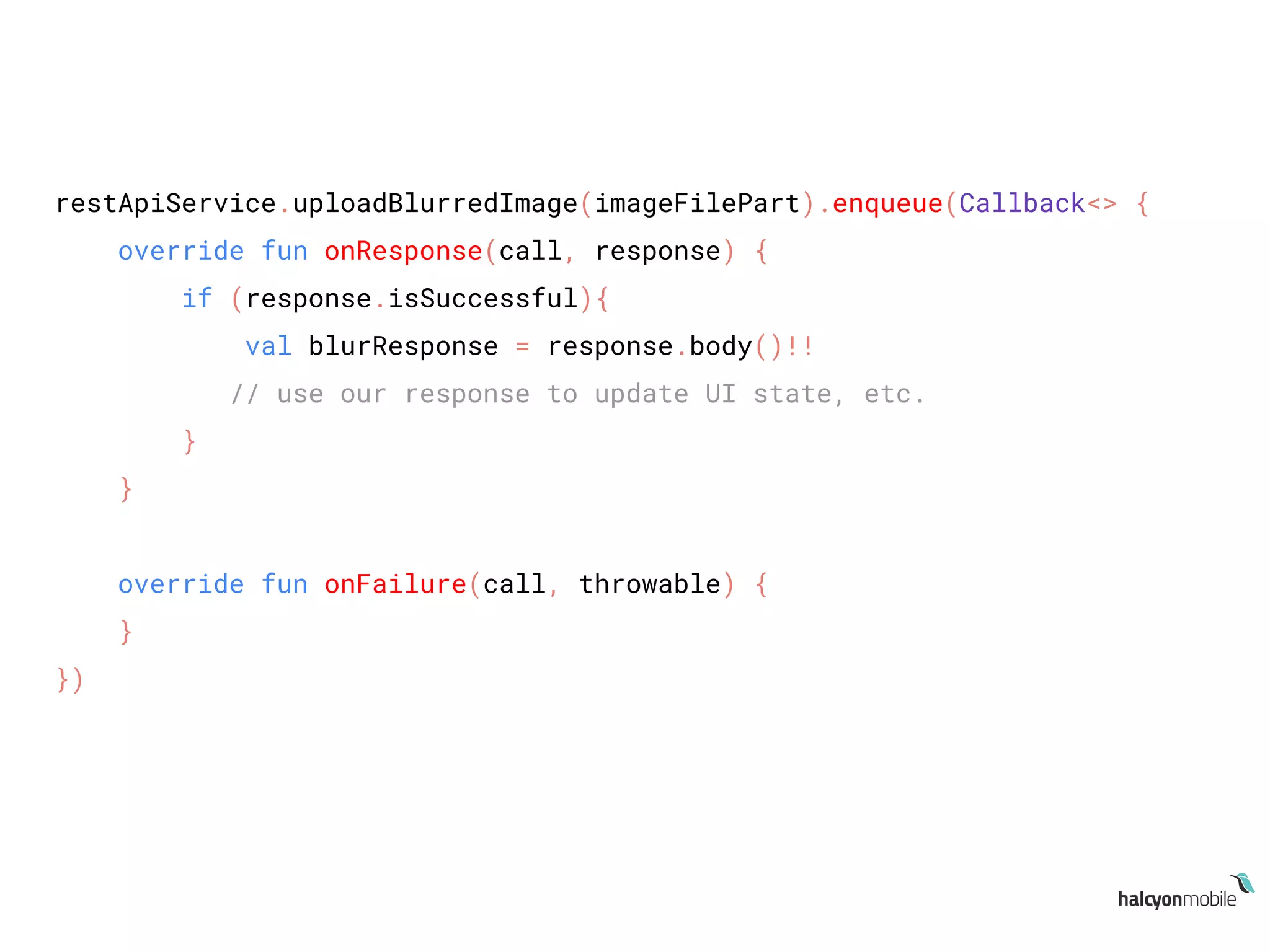
restApiService.uploadBlurredImage(imageFilePart).enqueue(Callback<> {
override fun onResponse(call, response) {
if (response.isSuccessful){
val blurResponse = response.body()!!
// use our response to update UI state, etc.
}
}
override fun onFailure(call, throwable) {
}
})
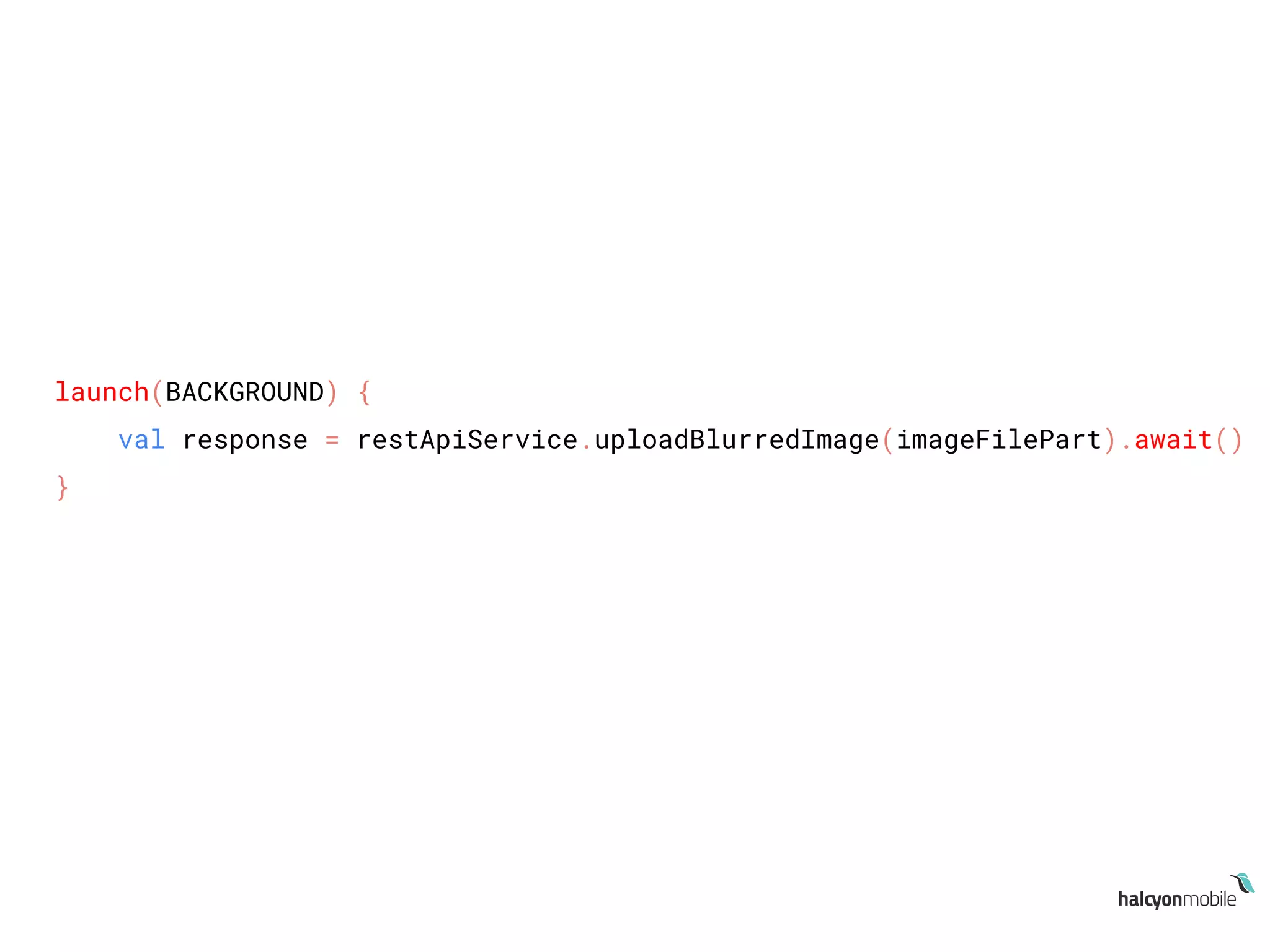
launch(BACKGROUND) {
val response = restApiService.uploadBlurredImage(imageFilePart).await()
}
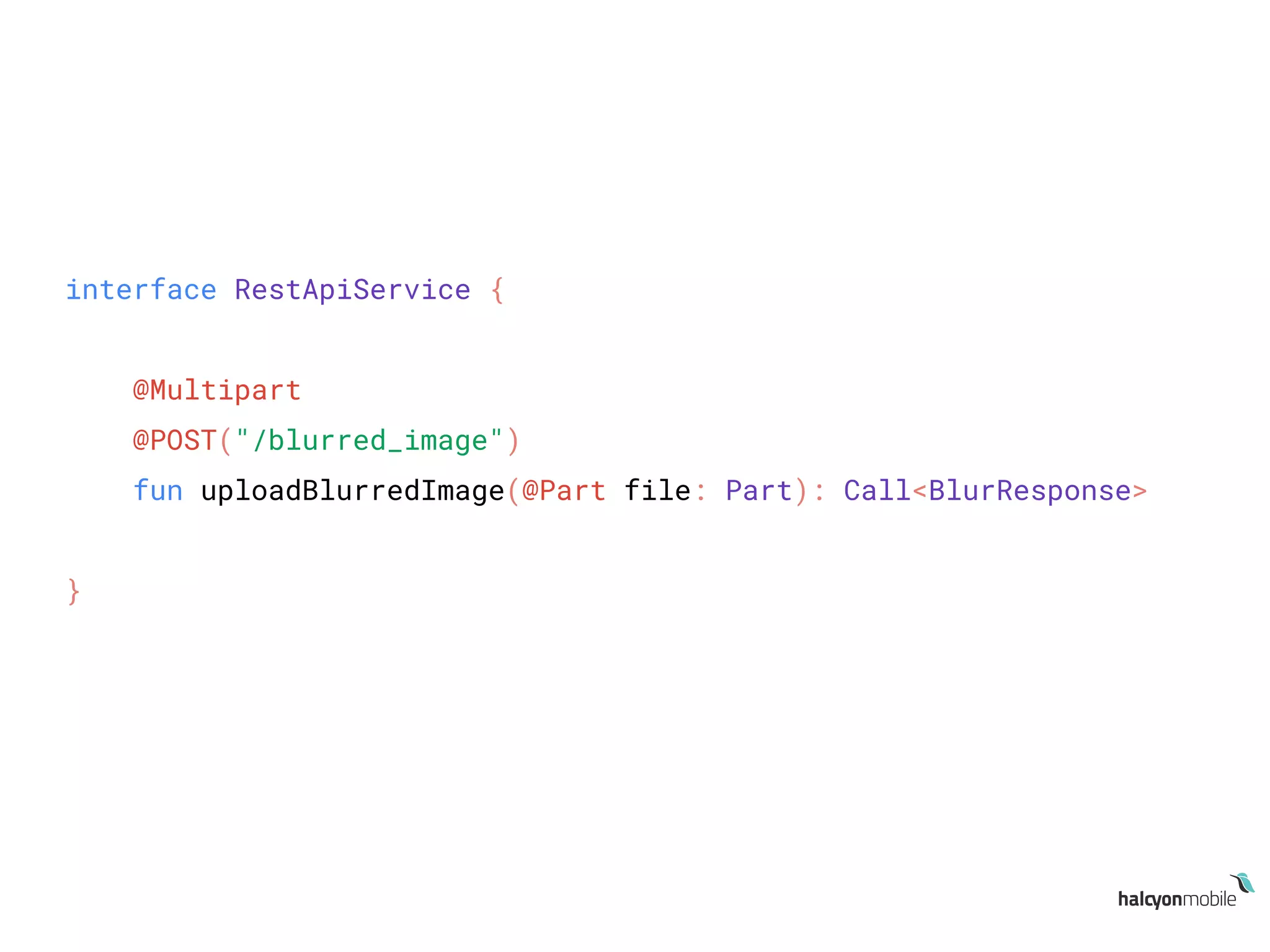
interface RestApiService {
@Multipart
@POST("/blurred_image")
fun uploadBlurredImage(@Part file: Part): Call<BlurResponse>
}
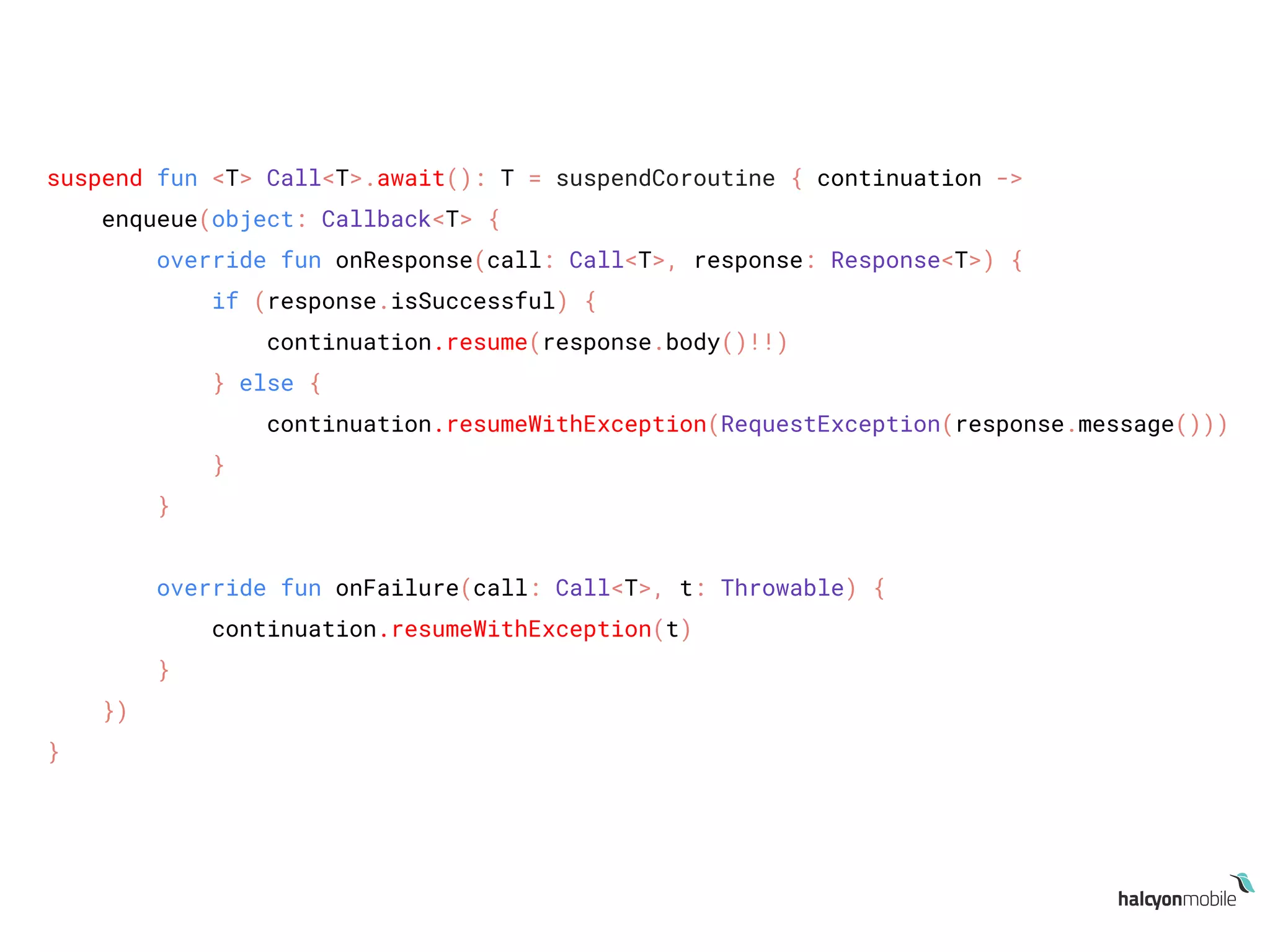
suspend fun <T> Call<T>.await(): T = suspendCoroutine { continuation ->
enqueue(object: Callback<T> {
override fun onResponse(call: Call<T>, response: Response<T>) {
if (response.isSuccessful) {
continuation.resume(response.body()!!)
} else {
continuation.resumeWithException(RequestException(response.message()))
}
}
override fun onFailure(call: Call<T>, t: Throwable) {
continuation.resumeWithException(t)
}
})
}
What about Android
lifecycle handling &
cancelation?
class BlurActivity : AppCompatActivity() {
...
launch(UI) {
val resultImage = withContext(BACKGROUND) {
blurImage(imageUri)
}
}
...
}
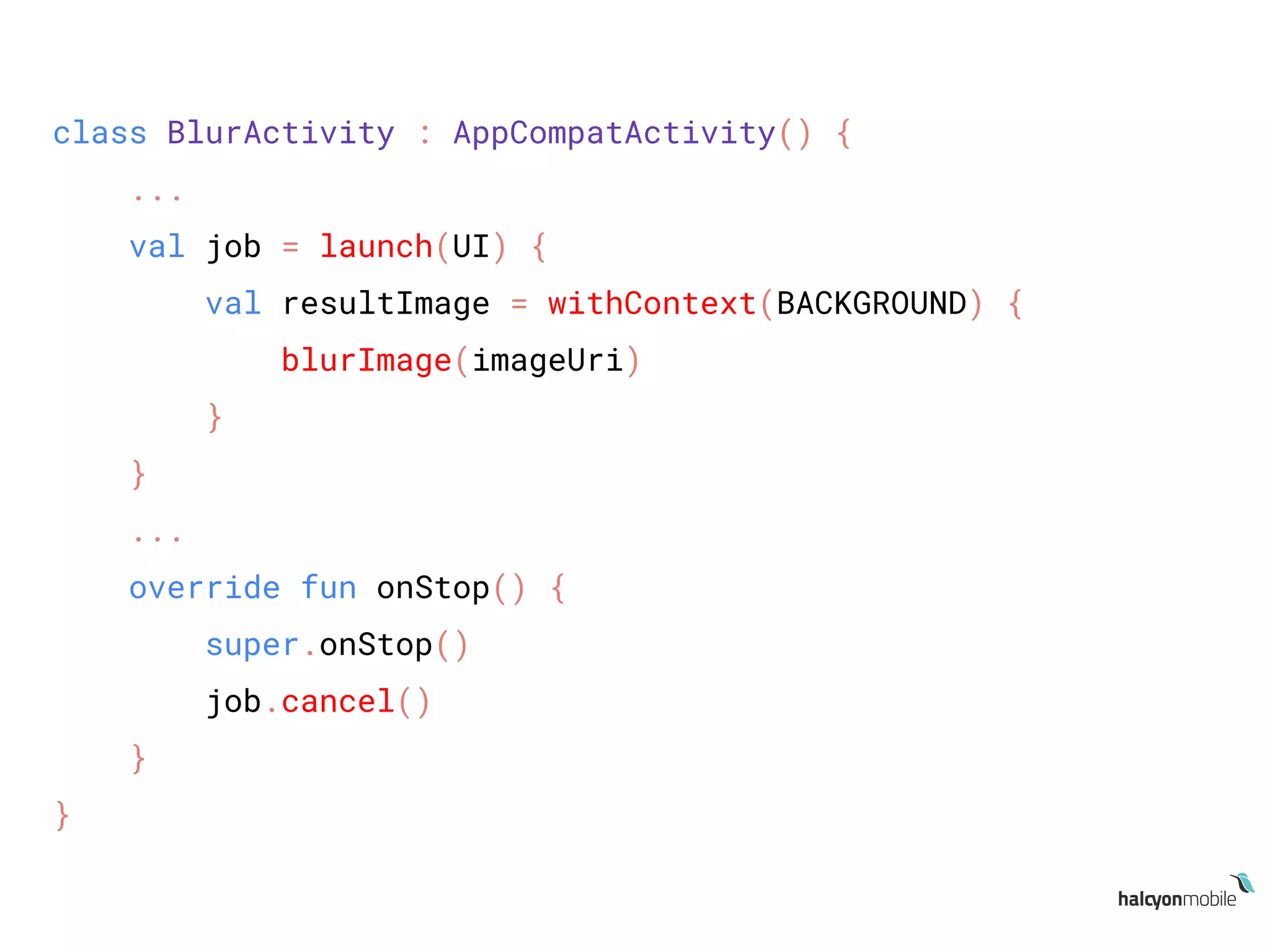
class BlurActivity : AppCompatActivity() {
...
val job = launch(UI) {
val resultImage = withContext(BACKGROUND) {
blurImage(imageUri)
}
}
...
override fun onStop() {
super.onStop()
job.cancel()
}
}
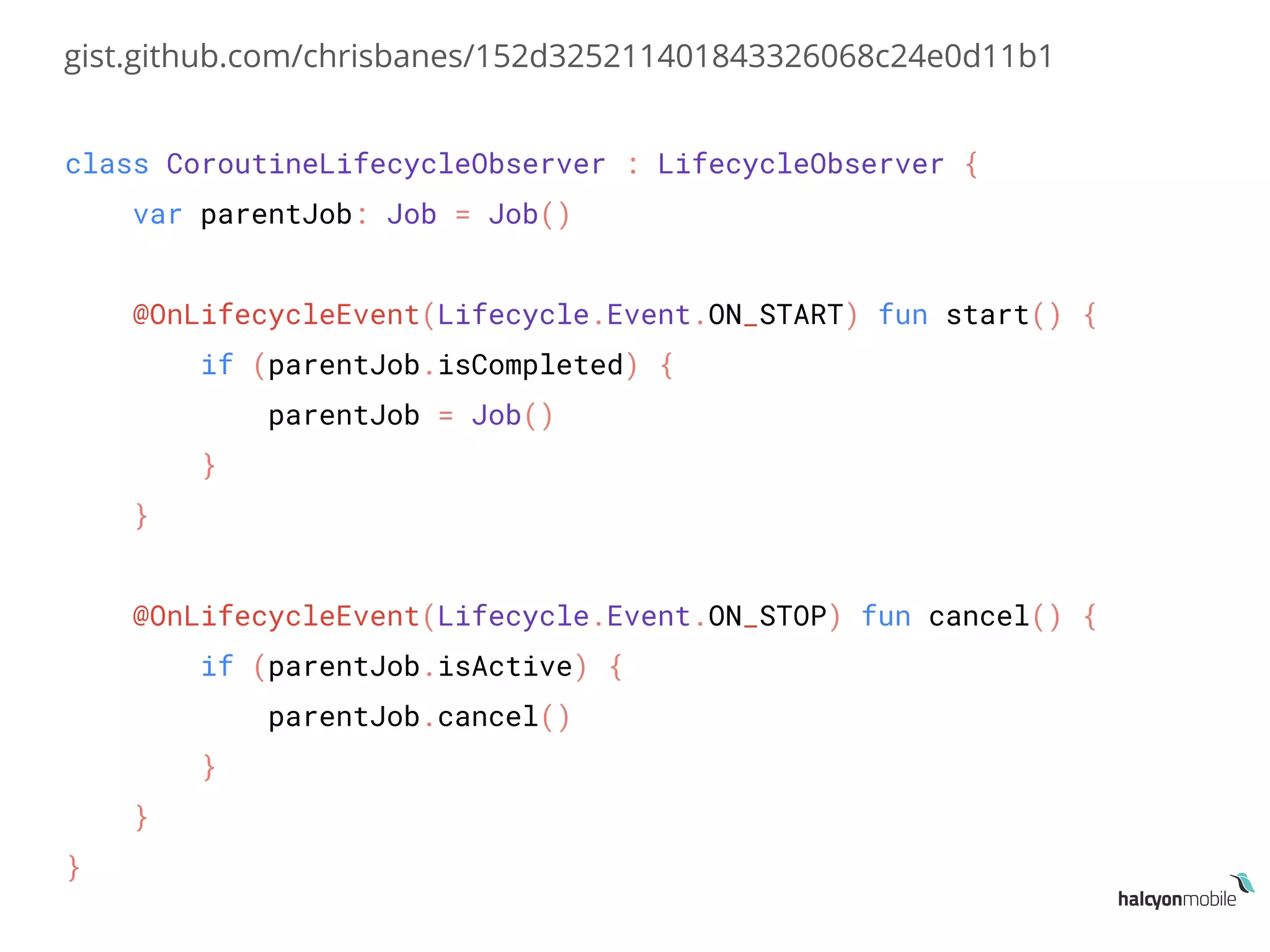
class CoroutineLifecycleObserver : LifecycleObserver {
var parentJob: Job = Job()
@OnLifecycleEvent(Lifecycle.Event.ON_START) fun start() {
if (parentJob.isCompleted) {
parentJob = Job()
}
}
@OnLifecycleEvent(Lifecycle.Event.ON_STOP) fun cancel() {
if (parentJob.isActive) {
parentJob.cancel()
}
}
}
gist.github.com/chrisbanes/152d325211401843326068c24e0d11b1
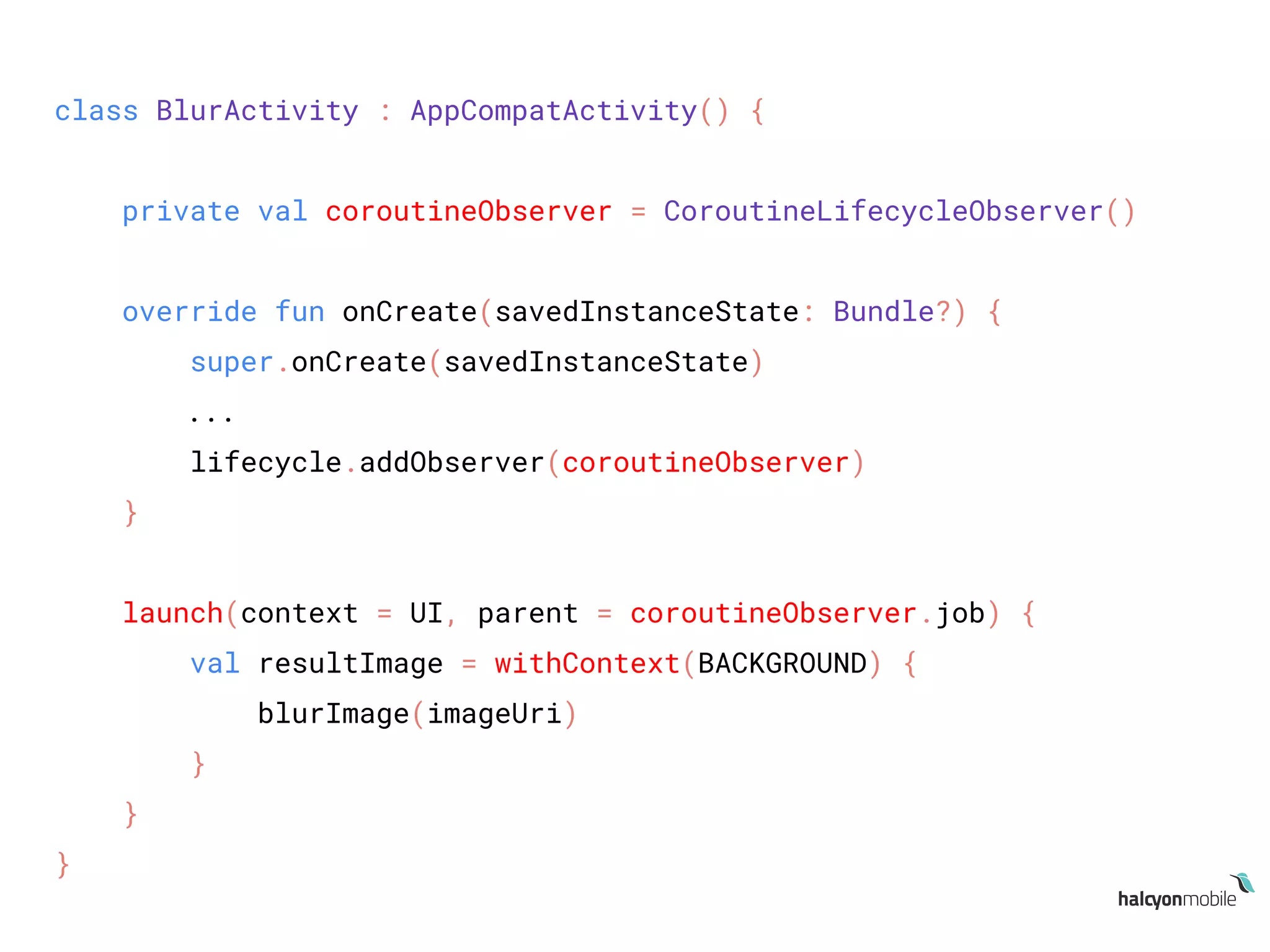
class BlurActivity : AppCompatActivity() {
private val coroutineObserver = CoroutineLifecycleObserver()
override fun onCreate(savedInstanceState: Bundle?) {
super.onCreate(savedInstanceState)
...
lifecycle.addObserver(coroutineObserver)
}
launch(context = UI, parent = coroutineObserver.job) {
val resultImage = withContext(BACKGROUND) {
blurImage(imageUri)
}
}
}
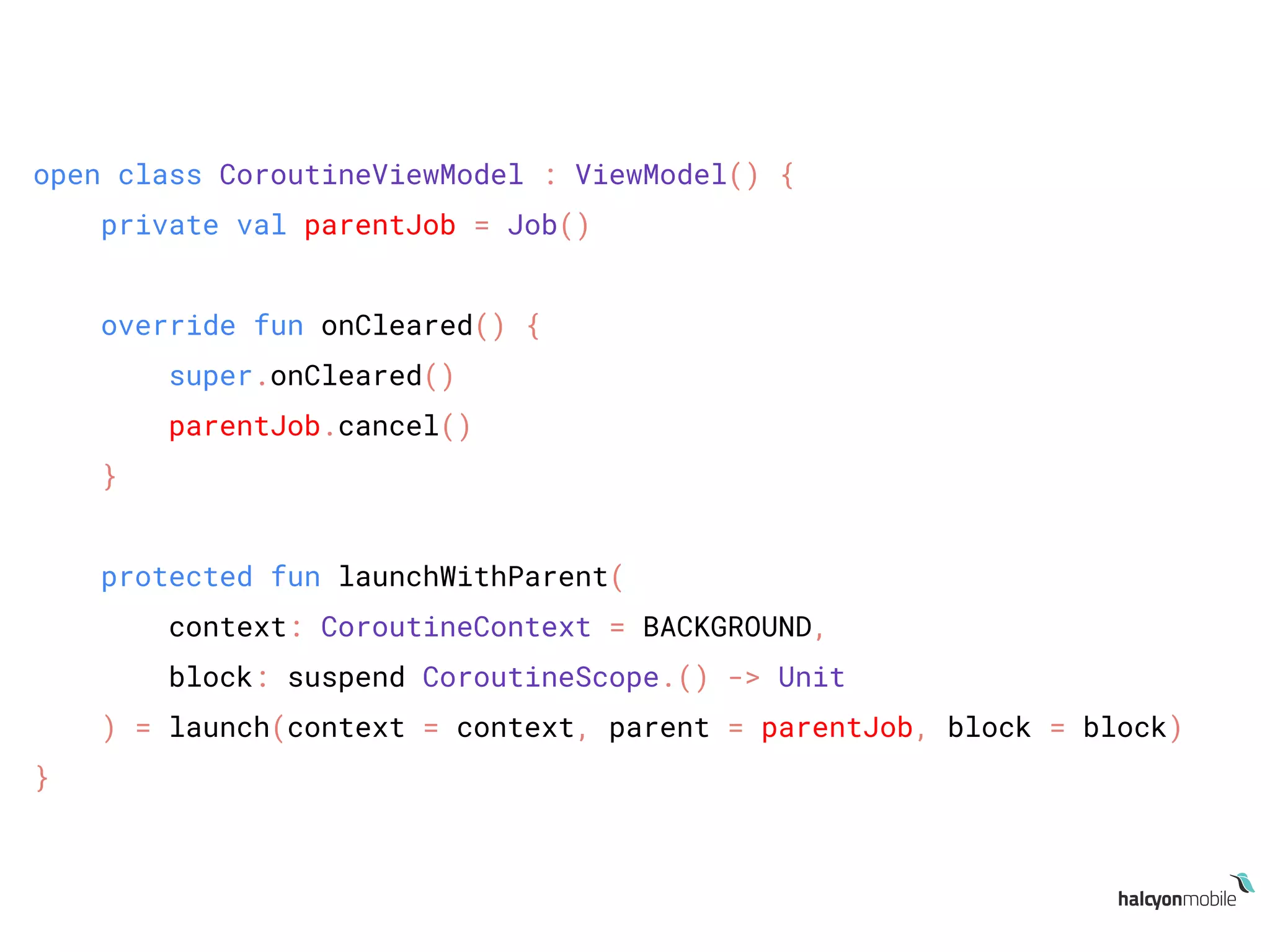
open class CoroutineViewModel : ViewModel() {
private val parentJob = Job()
override fun onCleared() {
super.onCleared()
parentJob.cancel()
}
protected fun launchWithParent(
context: CoroutineContext = BACKGROUND,
block: suspend CoroutineScope.() -> Unit
) = launch(context = context, parent = parentJob, block = block)
}
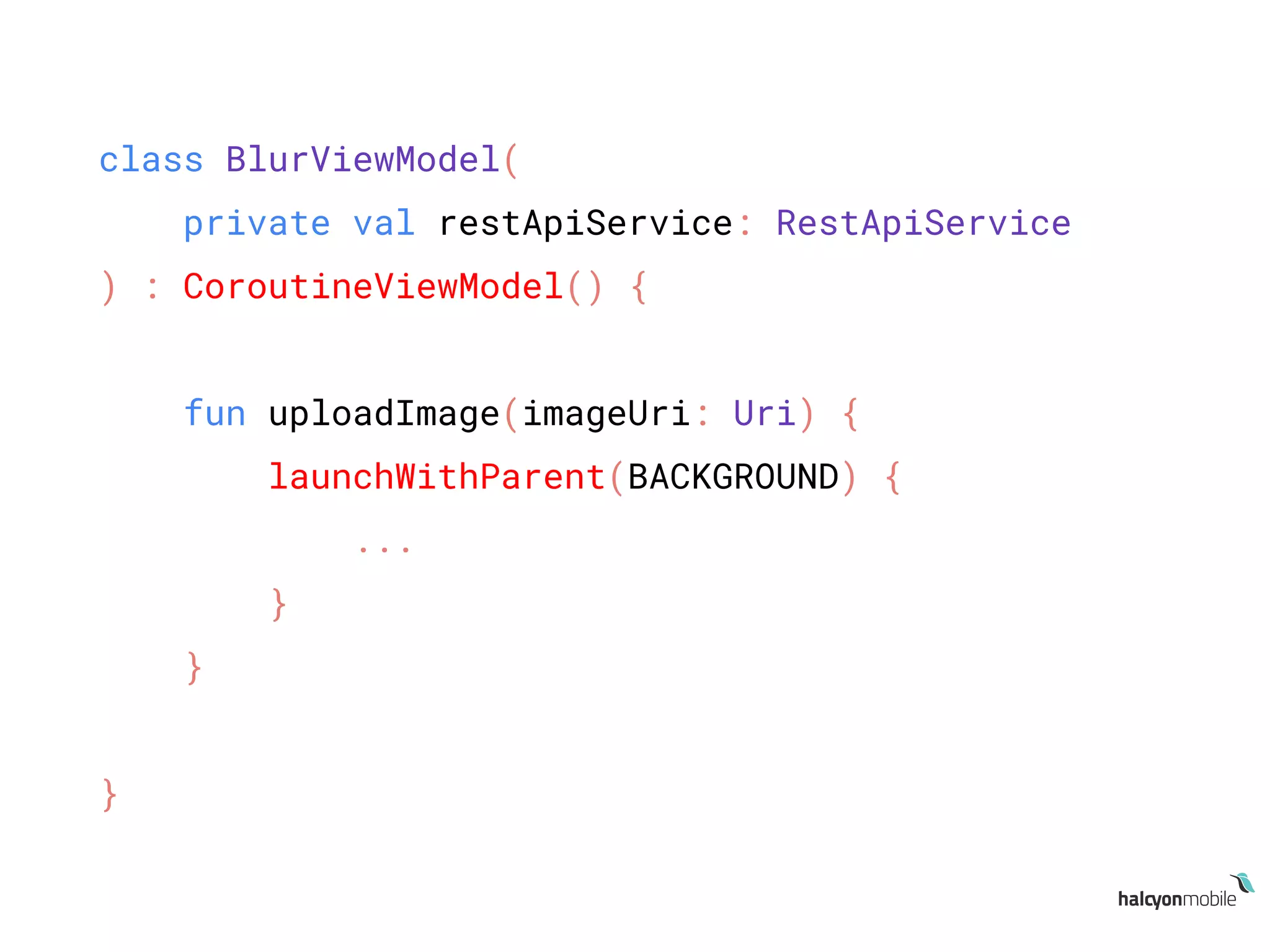
class BlurViewModel(
private val restApiService: RestApiService
) : CoroutineViewModel() {
fun uploadImage(imageUri: Uri) {
launchWithParent(BACKGROUND) {
...
}
}
}
Why use coroutines
● Asynchronous code sequentially
● No more callback-hell
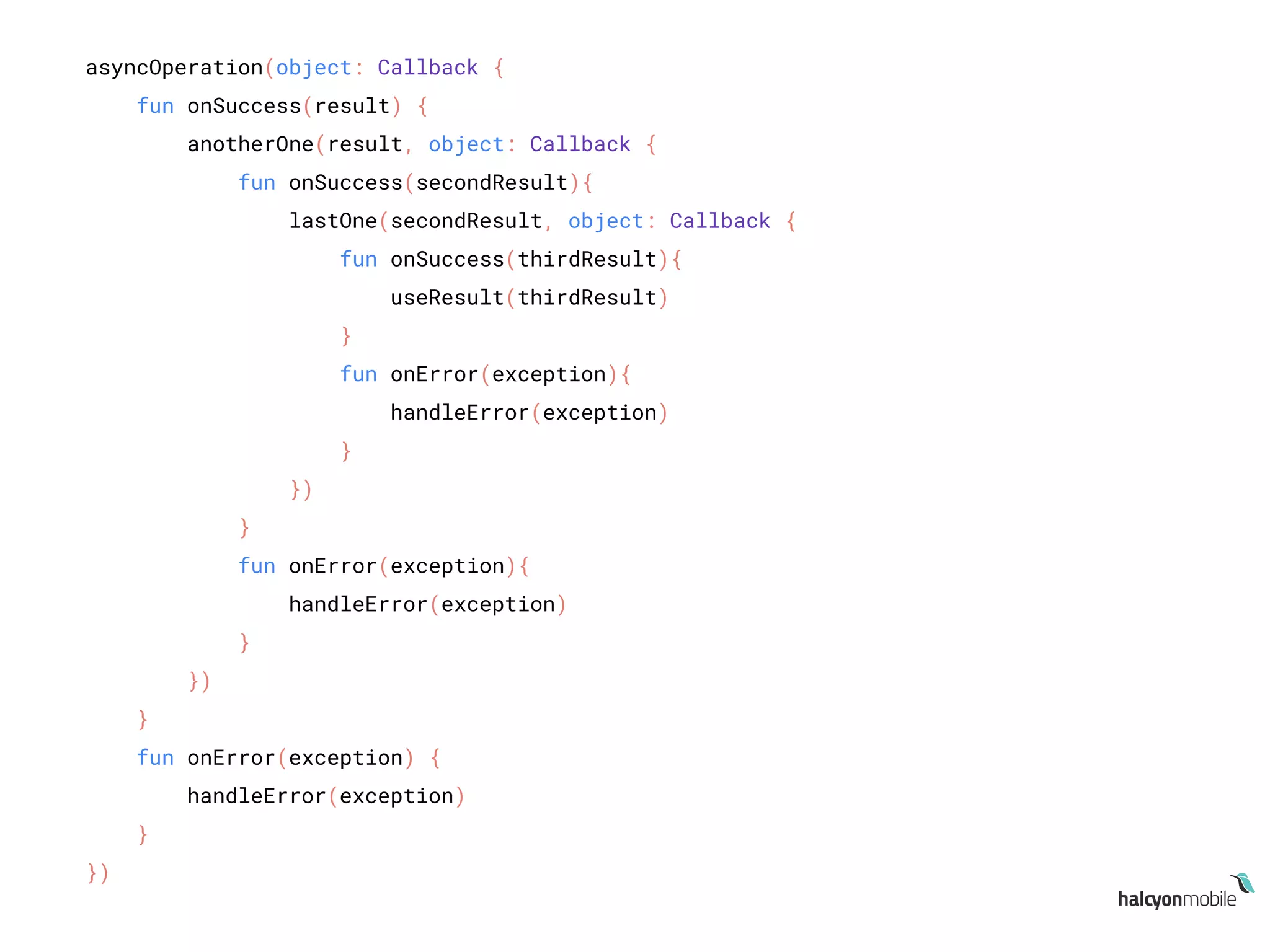
asyncOperation(object: Callback {
fun onSuccess(result) {
anotherOne(result, object: Callback {
fun onSuccess(secondResult){
lastOne(secondResult, object: Callback {
fun onSuccess(thirdResult){
useResult(thirdResult)
}
fun onError(exception){
handleError(exception)
}
})
}
fun onError(exception){
handleError(exception)
}
})
}
fun onError(exception) {
handleError(exception)
}
})
Why use coroutines
● Asynchronous code sequentially
● No more callback-hell
● “It’s experimental, we can’t use it!”
● “We already have so many options, why use this one?!”
Why use coroutines
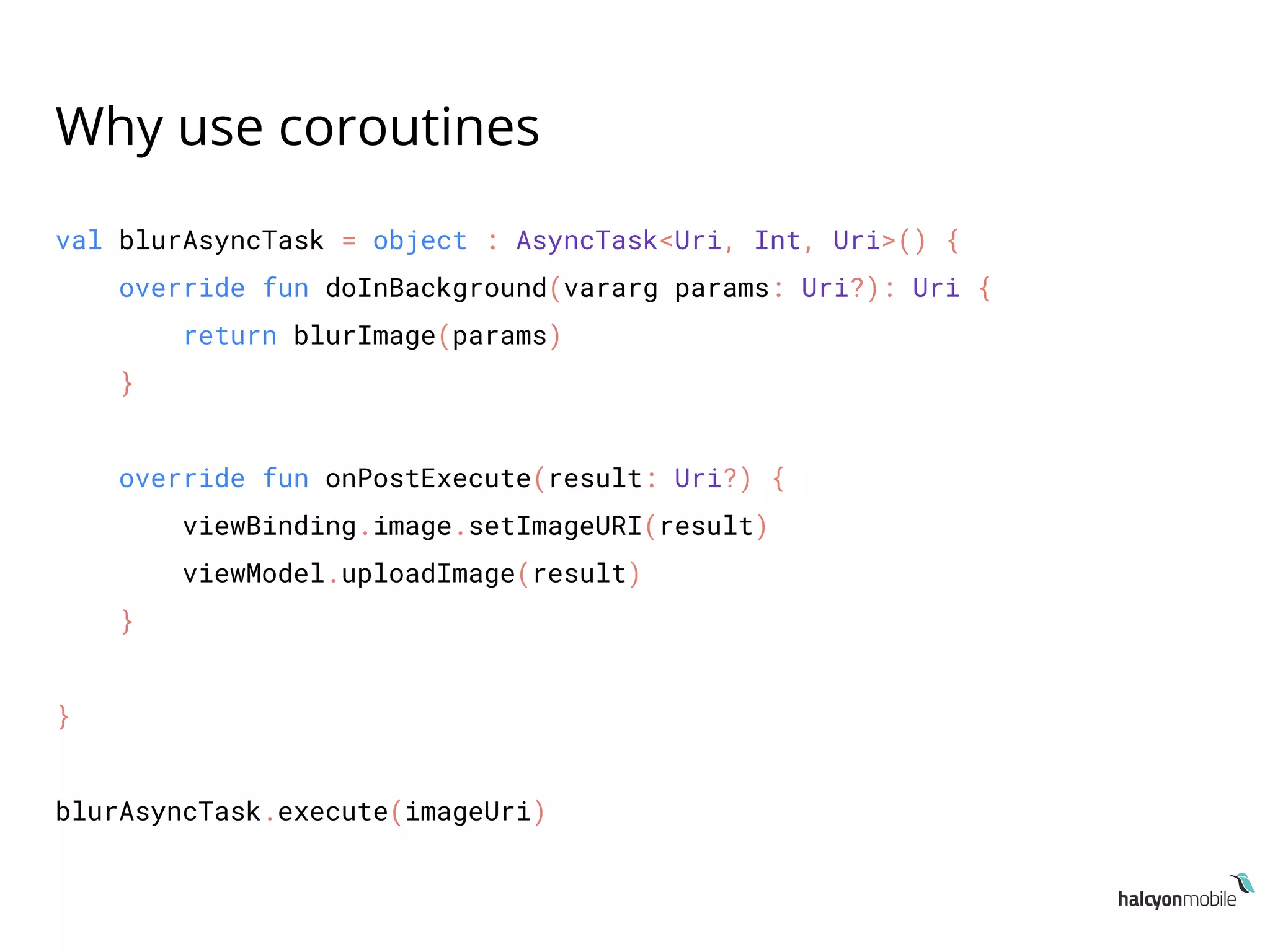
val blurAsyncTask = object : AsyncTask<Uri, Int, Uri>() {
override fun doInBackground(vararg params: Uri?): Uri {
return blurImage(params)
}
override fun onPostExecute(result: Uri?) {
viewBinding.image.setImageURI(result)
viewModel.uploadImage(result)
}
}
blurAsyncTask.execute(imageUri)
Why use coroutines
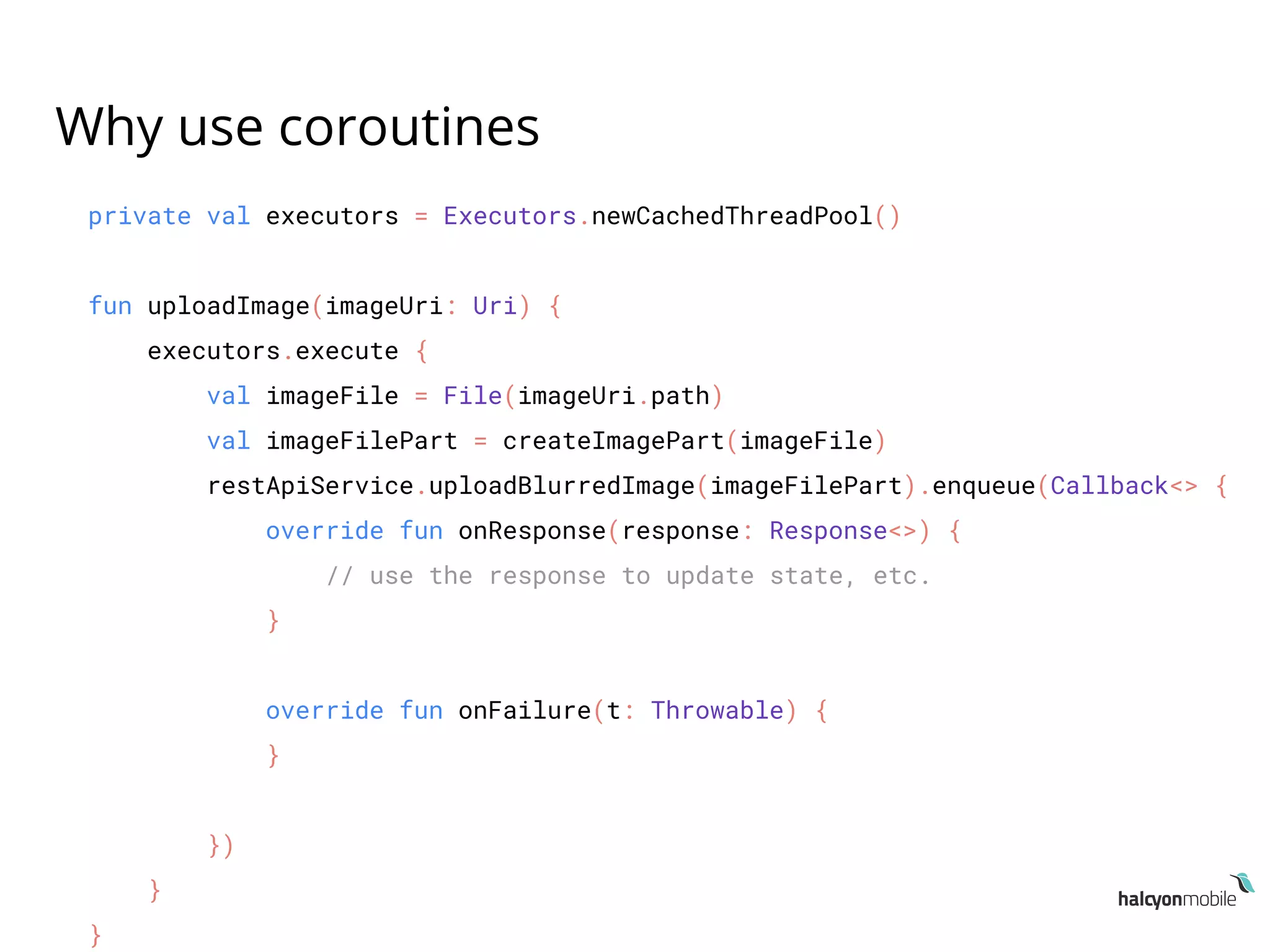
private val executors = Executors.newCachedThreadPool()
fun uploadImage(imageUri: Uri) {
executors.execute {
val imageFile = File(imageUri.path)
val imageFilePart = createImagePart(imageFile)
restApiService.uploadBlurredImage(imageFilePart).enqueue(Callback<> {
override fun onResponse(response: Response<>) {
// use the response to update state, etc.
}
override fun onFailure(t: Throwable) {
}
})
}
}
Why use coroutines
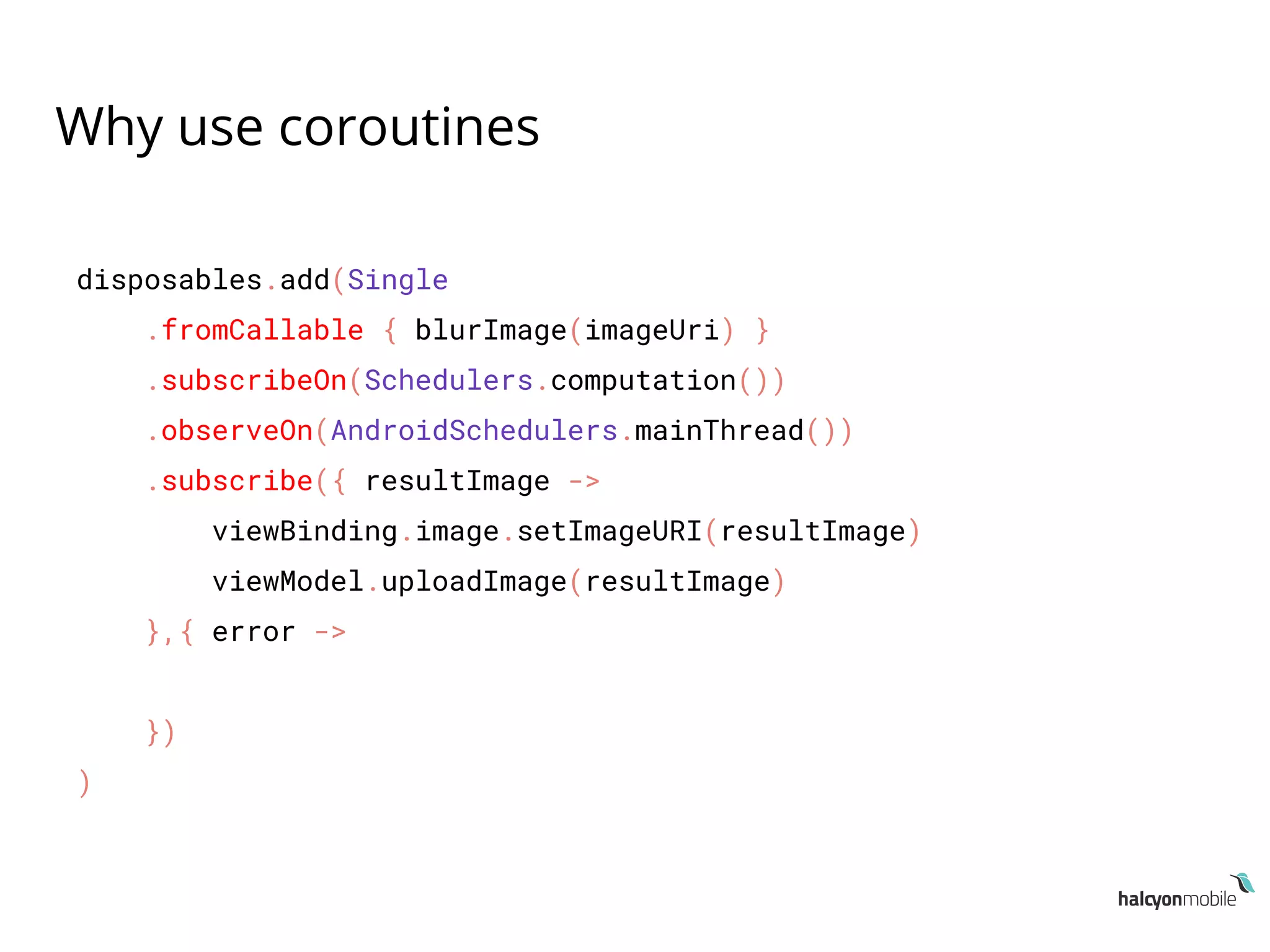
disposables.add(Single
.fromCallable { blurImage(imageUri) }
.subscribeOn(Schedulers.computation())
.observeOn(AndroidSchedulers.mainThread())
.subscribe({ resultImage ->
viewBinding.image.setImageURI(resultImage)
viewModel.uploadImage(resultImage)
},{ error ->
})
)
Why use coroutines
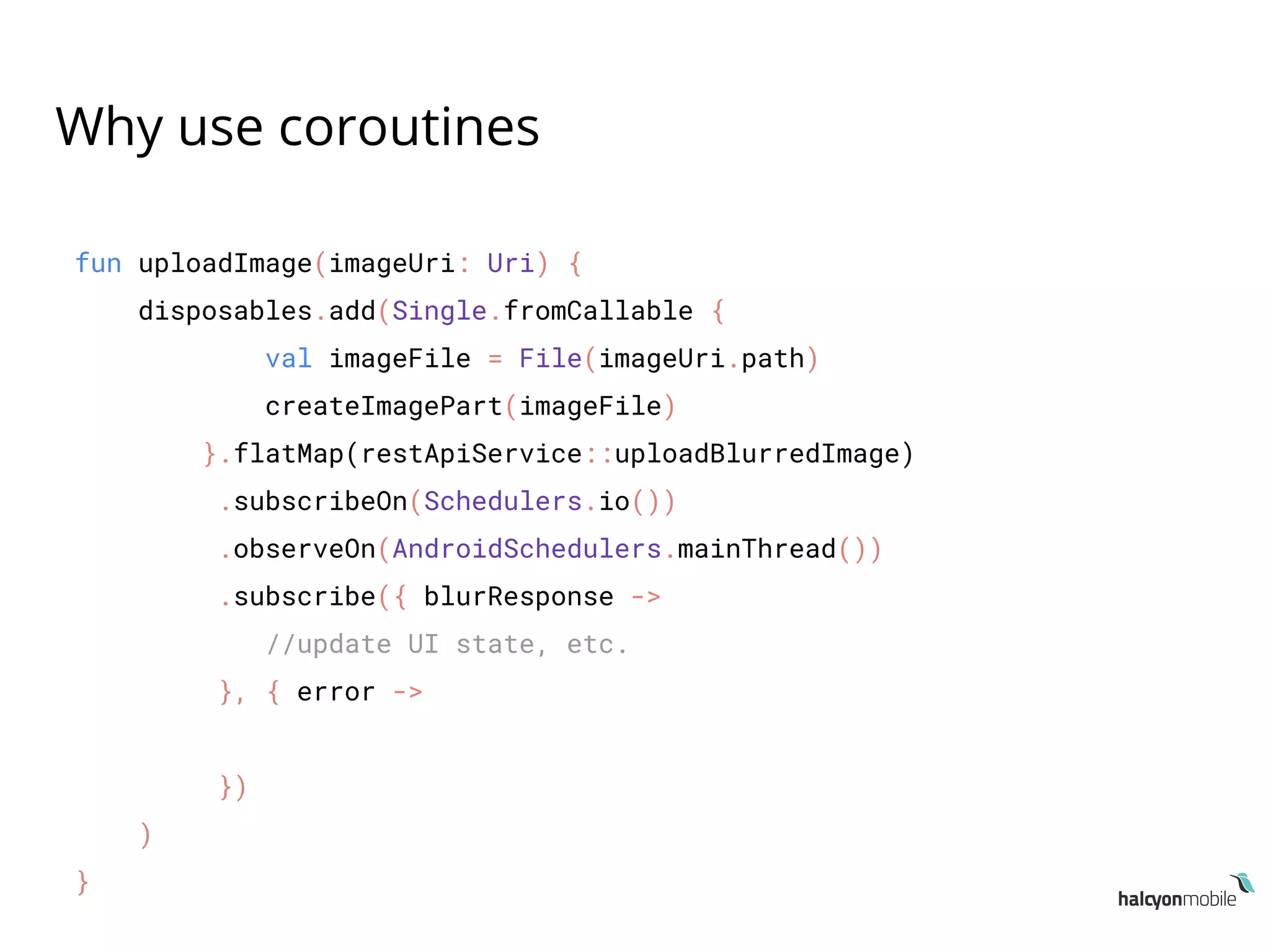
fun uploadImage(imageUri: Uri) {
disposables.add(Single.fromCallable {
val imageFile = File(imageUri.path)
createImagePart(imageFile)
}.flatMap(restApiService::uploadBlurredImage)
.subscribeOn(Schedulers.io())
.observeOn(AndroidSchedulers.mainThread())
.subscribe({ blurResponse ->
//update UI state, etc.
}, { error ->
})
)
}
● There’s a lot more:
○ Exception handling, channels, actors, etc.
● Resources:
○ kotlinlang.org/docs/reference/coroutines.html
○ github.com/Kotlin/kotlin-coroutines/blob/master/kotlin-coroutines-infor
mal.md
○ github.com/Kotlin/kotlinx.coroutines/blob/master/coroutines-guide.md
○ gist.github.com/chrisbanes/152d325211401843326068c24e0d11b1
○ github.com/gildor/kotlin-coroutines-retrofit
Thank you!
● twitter.com/android_halcyon
● medium.com/halcyon-mobile
● halcyonmobile.com
● arthurnagy.me

droidcon Transylvania - Kotlin Coroutines

  • 1.
    Kotlin Coroutines: Multi-threading madeeasy Arthur Nagy Halcyon Mobile
  • 2.
    Agenda 1. What arecoroutines 2. Coroutines in Android 3. Why use coroutines
  • 3.
    What are coroutines “coroutinesare computations that can be suspended without blocking a thread.” ● Not a new concept, introduced in the `60s ● Adopted by multiple programming languages ● Coroutines in Kotlin: ○ minimal low-level APIs in its standard library ○ kotlinx.coroutines libraries
  • 4.
    What are coroutines ●Terminology : ○ Coroutine ○ Suspending function ○ Coroutine builder ○ Continuation ○ Coroutine context
  • 5.
    Coroutine ● An instanceof suspendable computation ● Similar to a thread (light-weight thread) ● Also similar to a future or promise
  • 6.
    Suspending functions ● Functionswhich suspend a coroutine execution ● suspend keyword ● Suspending functions can be used: ○ Inside other functions marked with the suspend keyword ○ Inside a coroutine ● suspendCoroutine ○ Bridge between coroutine suspension and callback world
  • 7.
    Suspending functions /** * Obtainsthe current continuation instance * inside suspend functions and suspends * currently running coroutine. */ suspend inline fun <T> suspendCoroutine( crossinline block: (Continuation<T>) -> Unit): T =
  • 8.
    Suspending functions public interfaceContinuation<in T> { public val context: CoroutineContext public fun resume(value: T) public fun resumeWithException(exception: Throwable) }
  • 9.
    Suspending functions suspend funfirstFun(): ResultType = suspendCoroutine { continuation -> // do some heavy work // resume the coroutine continuation with a result: continuation.resume(result) // or if there was an error: continuation.resumeWithException(exception) }
  • 10.
    Coroutine builders ● Functionswhich start a coroutine ● Bridge between non-coroutine & coroutine world ● Most common coroutine builders: ○ launch ○ async ○ withContext
  • 11.
    Coroutine builders launch { //everything inside happens on // a background thread pool } // continue app operations
  • 12.
    Coroutine builders fun launch( context:CoroutineContext = Dispatchers.Default, start: CoroutineStart = CoroutineStart.DEFAULT, block: suspend CoroutineScope.() -> Unit ): Job
  • 13.
    Coroutine builders val result:Deferred<T> = async { // do stuff on the background thread // which returns a value T when done } result.await()
  • 14.
    Coroutine builders val result:T = withContext(BACKGROUND) { // do stuff on the background thread // which returns a value T when done }
  • 15.
  • 16.
    Coroutines in Android kotlin{ experimental { coroutines 'enable' } } dependencies { implementation 'org.jetbrains.kotlinx:kotlinx-coroutines-core:0.25.0' implementation 'org.jetbrains.kotlinx:kotlinx-coroutines-android:0.25.0' }
  • 17.
    class BlurActivity :AppCompatActivity() { ... override fun onActivityResult(requestC: Int, resultC: Int, data: Intent?) { val imageUri = data?.data launch(UI) { val resultImage = withContext(BACKGROUND) { blurImage(imageUri) } viewBinding.image.setImageURI(resultImage) viewModel.uploadImage(resultImage) } } ... }
  • 18.
    suspend fun blurImage(imageUri:Uri): Uri = suspendCoroutine { continuation -> try { val imageBitmap = getBitmapFromImageUri(imageUri) val blurredImage = applyBlurOnBitmap(imageBitmap) val blurredImageFile = saveBitmapToTemporaryFile(blurredImage) continuation.resume(blurredImageFile) } catch (e: Exception) { continuation.resumeWithException(e) } }
  • 19.
    class BlurActivity :AppCompatActivity() { ... override fun onActivityResult(requestC: Int, resultC: Int, data: Intent?) { val imageUri = data?.data launch(UI) { val resultImage = withContext(BACKGROUND) { blurImage(imageUri) } viewBinding.image.setImageURI(resultImage) viewModel.uploadImage(resultImage) } } ... }
  • 20.
    class BlurViewModel( private valrestApiService: RestApiService ) : ViewModel() { ... fun uploadImage(imageUri: Uri) { // update UI state, i.e: show progress, etc launch(BACKGROUND) { val imageFile = File(imageUri.path) val imageFilePart = createImagePart(imageFile) val response = restApiService.uploadBlurredImage(imageFilePart).await() // use our response to update UI state, etc. } } ... }
  • 21.
    restApiService.uploadBlurredImage(imageFilePart).enqueue(Callback<> { override funonResponse(call, response) { if (response.isSuccessful){ val blurResponse = response.body()!! // use our response to update UI state, etc. } } override fun onFailure(call, throwable) { } })
  • 22.
    launch(BACKGROUND) { val response= restApiService.uploadBlurredImage(imageFilePart).await() }
  • 23.
    interface RestApiService { @Multipart @POST("/blurred_image") funuploadBlurredImage(@Part file: Part): Call<BlurResponse> }
  • 24.
    suspend fun <T>Call<T>.await(): T = suspendCoroutine { continuation -> enqueue(object: Callback<T> { override fun onResponse(call: Call<T>, response: Response<T>) { if (response.isSuccessful) { continuation.resume(response.body()!!) } else { continuation.resumeWithException(RequestException(response.message())) } } override fun onFailure(call: Call<T>, t: Throwable) { continuation.resumeWithException(t) } }) }
  • 25.
    What about Android lifecyclehandling & cancelation?
  • 26.
    class BlurActivity :AppCompatActivity() { ... launch(UI) { val resultImage = withContext(BACKGROUND) { blurImage(imageUri) } } ... }
  • 27.
    class BlurActivity :AppCompatActivity() { ... val job = launch(UI) { val resultImage = withContext(BACKGROUND) { blurImage(imageUri) } } ... override fun onStop() { super.onStop() job.cancel() } }
  • 28.
    class CoroutineLifecycleObserver :LifecycleObserver { var parentJob: Job = Job() @OnLifecycleEvent(Lifecycle.Event.ON_START) fun start() { if (parentJob.isCompleted) { parentJob = Job() } } @OnLifecycleEvent(Lifecycle.Event.ON_STOP) fun cancel() { if (parentJob.isActive) { parentJob.cancel() } } } gist.github.com/chrisbanes/152d325211401843326068c24e0d11b1
  • 29.
    class BlurActivity :AppCompatActivity() { private val coroutineObserver = CoroutineLifecycleObserver() override fun onCreate(savedInstanceState: Bundle?) { super.onCreate(savedInstanceState) ... lifecycle.addObserver(coroutineObserver) } launch(context = UI, parent = coroutineObserver.job) { val resultImage = withContext(BACKGROUND) { blurImage(imageUri) } } }
  • 30.
    open class CoroutineViewModel: ViewModel() { private val parentJob = Job() override fun onCleared() { super.onCleared() parentJob.cancel() } protected fun launchWithParent( context: CoroutineContext = BACKGROUND, block: suspend CoroutineScope.() -> Unit ) = launch(context = context, parent = parentJob, block = block) }
  • 31.
    class BlurViewModel( private valrestApiService: RestApiService ) : CoroutineViewModel() { fun uploadImage(imageUri: Uri) { launchWithParent(BACKGROUND) { ... } } }
  • 32.
    Why use coroutines ●Asynchronous code sequentially ● No more callback-hell
  • 33.
    asyncOperation(object: Callback { funonSuccess(result) { anotherOne(result, object: Callback { fun onSuccess(secondResult){ lastOne(secondResult, object: Callback { fun onSuccess(thirdResult){ useResult(thirdResult) } fun onError(exception){ handleError(exception) } }) } fun onError(exception){ handleError(exception) } }) } fun onError(exception) { handleError(exception) } })
  • 34.
    Why use coroutines ●Asynchronous code sequentially ● No more callback-hell ● “It’s experimental, we can’t use it!” ● “We already have so many options, why use this one?!”
  • 35.
    Why use coroutines valblurAsyncTask = object : AsyncTask<Uri, Int, Uri>() { override fun doInBackground(vararg params: Uri?): Uri { return blurImage(params) } override fun onPostExecute(result: Uri?) { viewBinding.image.setImageURI(result) viewModel.uploadImage(result) } } blurAsyncTask.execute(imageUri)
  • 36.
    Why use coroutines privateval executors = Executors.newCachedThreadPool() fun uploadImage(imageUri: Uri) { executors.execute { val imageFile = File(imageUri.path) val imageFilePart = createImagePart(imageFile) restApiService.uploadBlurredImage(imageFilePart).enqueue(Callback<> { override fun onResponse(response: Response<>) { // use the response to update state, etc. } override fun onFailure(t: Throwable) { } }) } }
  • 37.
    Why use coroutines disposables.add(Single .fromCallable{ blurImage(imageUri) } .subscribeOn(Schedulers.computation()) .observeOn(AndroidSchedulers.mainThread()) .subscribe({ resultImage -> viewBinding.image.setImageURI(resultImage) viewModel.uploadImage(resultImage) },{ error -> }) )
  • 38.
    Why use coroutines funuploadImage(imageUri: Uri) { disposables.add(Single.fromCallable { val imageFile = File(imageUri.path) createImagePart(imageFile) }.flatMap(restApiService::uploadBlurredImage) .subscribeOn(Schedulers.io()) .observeOn(AndroidSchedulers.mainThread()) .subscribe({ blurResponse -> //update UI state, etc. }, { error -> }) ) }
  • 39.
    ● There’s alot more: ○ Exception handling, channels, actors, etc. ● Resources: ○ kotlinlang.org/docs/reference/coroutines.html ○ github.com/Kotlin/kotlin-coroutines/blob/master/kotlin-coroutines-infor mal.md ○ github.com/Kotlin/kotlinx.coroutines/blob/master/coroutines-guide.md ○ gist.github.com/chrisbanes/152d325211401843326068c24e0d11b1 ○ github.com/gildor/kotlin-coroutines-retrofit
  • 40.
    Thank you! ● twitter.com/android_halcyon ●medium.com/halcyon-mobile ● halcyonmobile.com ● arthurnagy.me