Aplicações assíncronas no Android com

Coroutines & Jetpack
Nelson Glauber
@nglauber
• Carregar arquivo de layout
• Desenhar as views
• Tratar os eventos de UI
• …
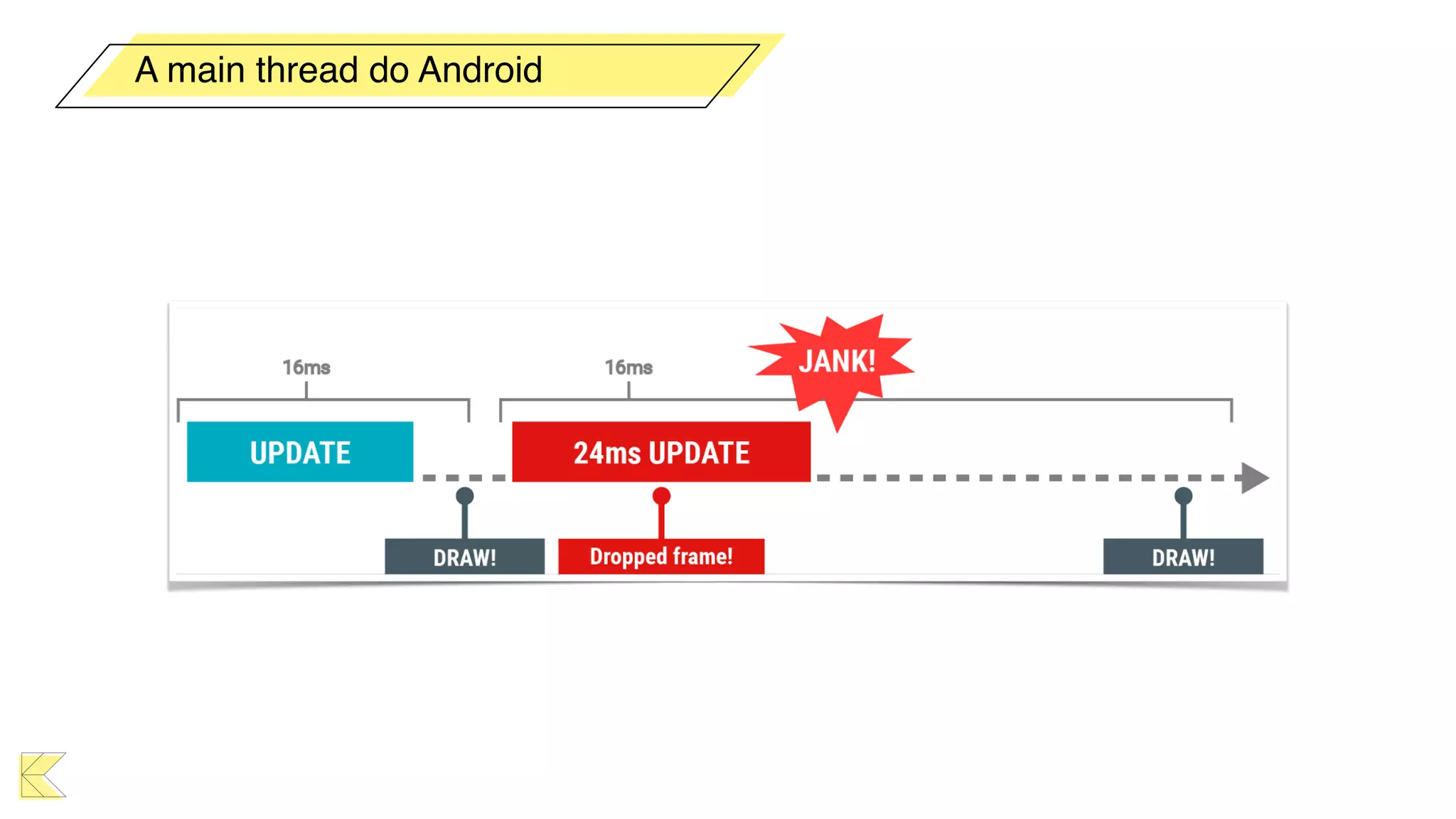
A main thread do Android
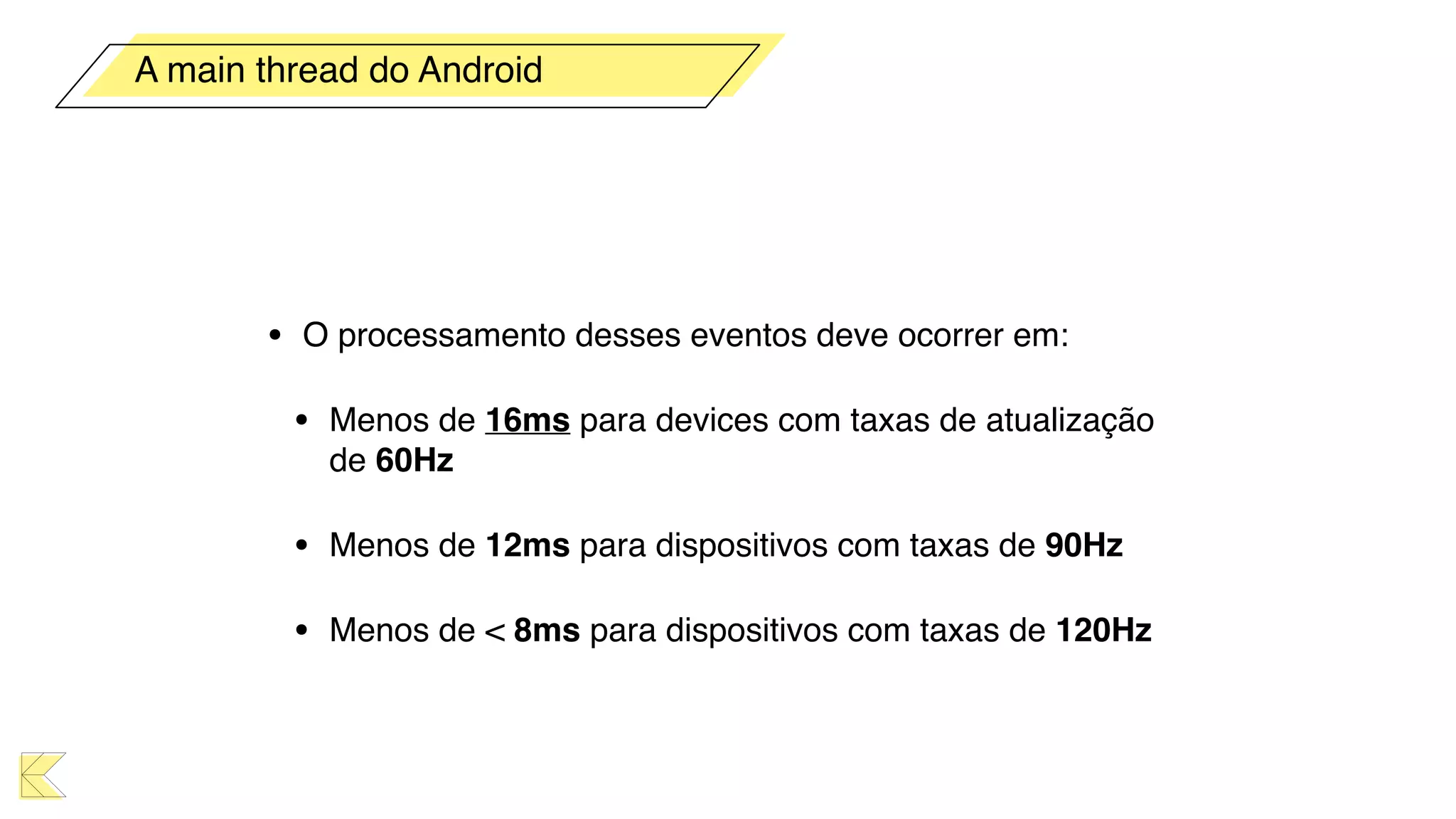
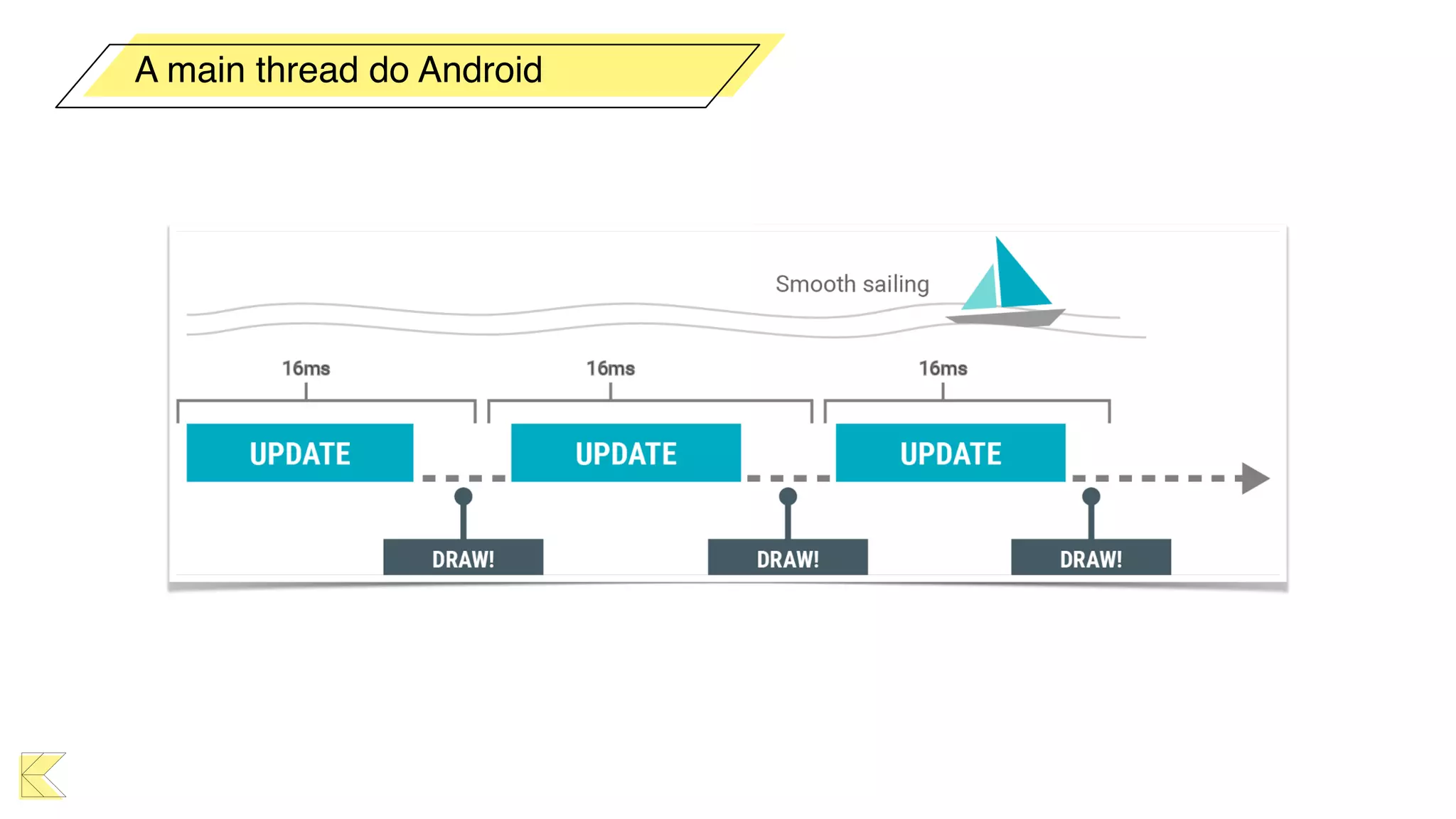
• O processamento desses eventos deve ocorrer em:
• Menos de 16ms para devices com taxas de atualização
de 60Hz
• Menos de 12ms para dispositivos com taxas de 90Hz
• Menos de < 8ms para dispositivos com taxas de 120Hz
A main thread do Android
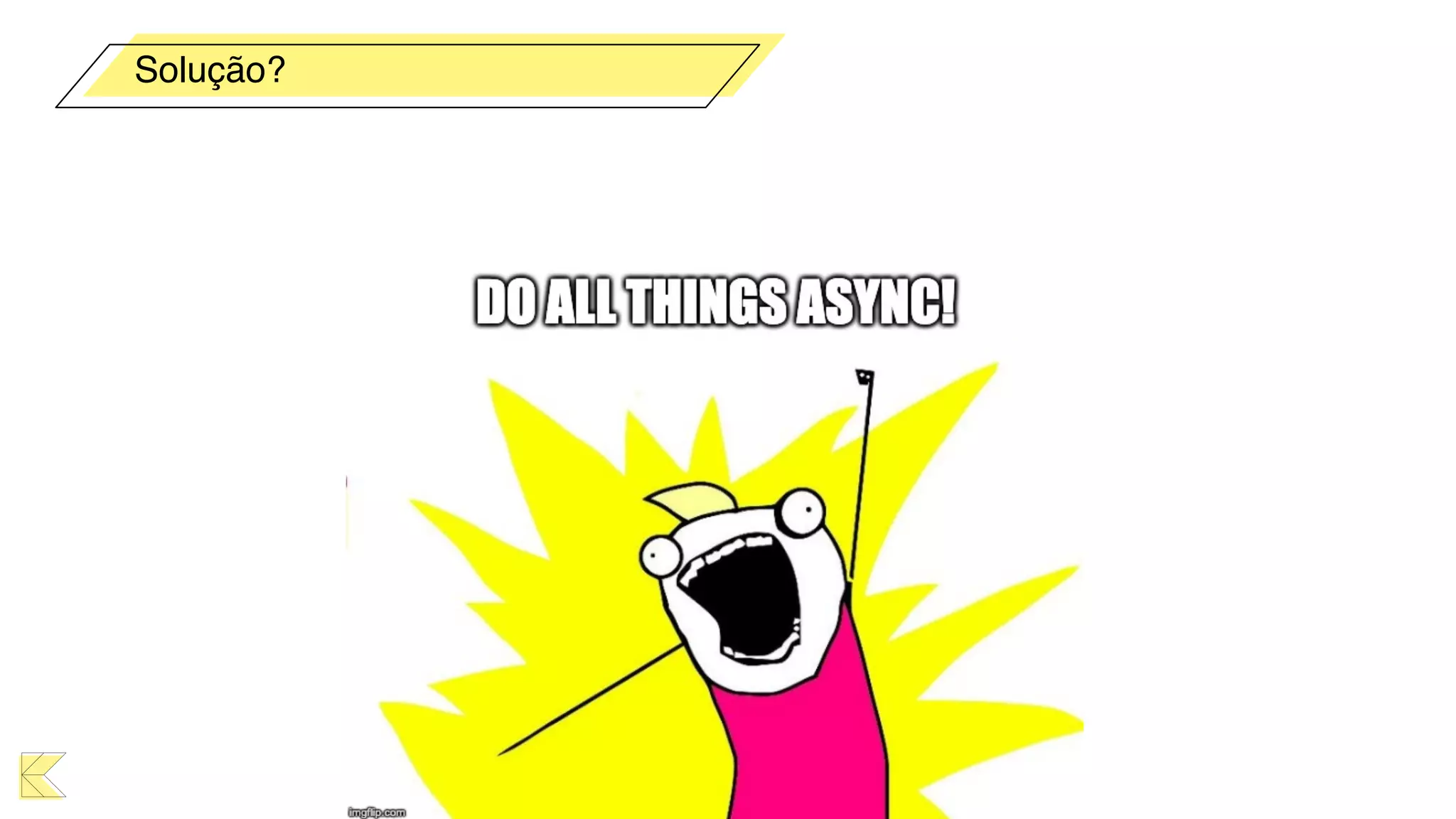
Solução?
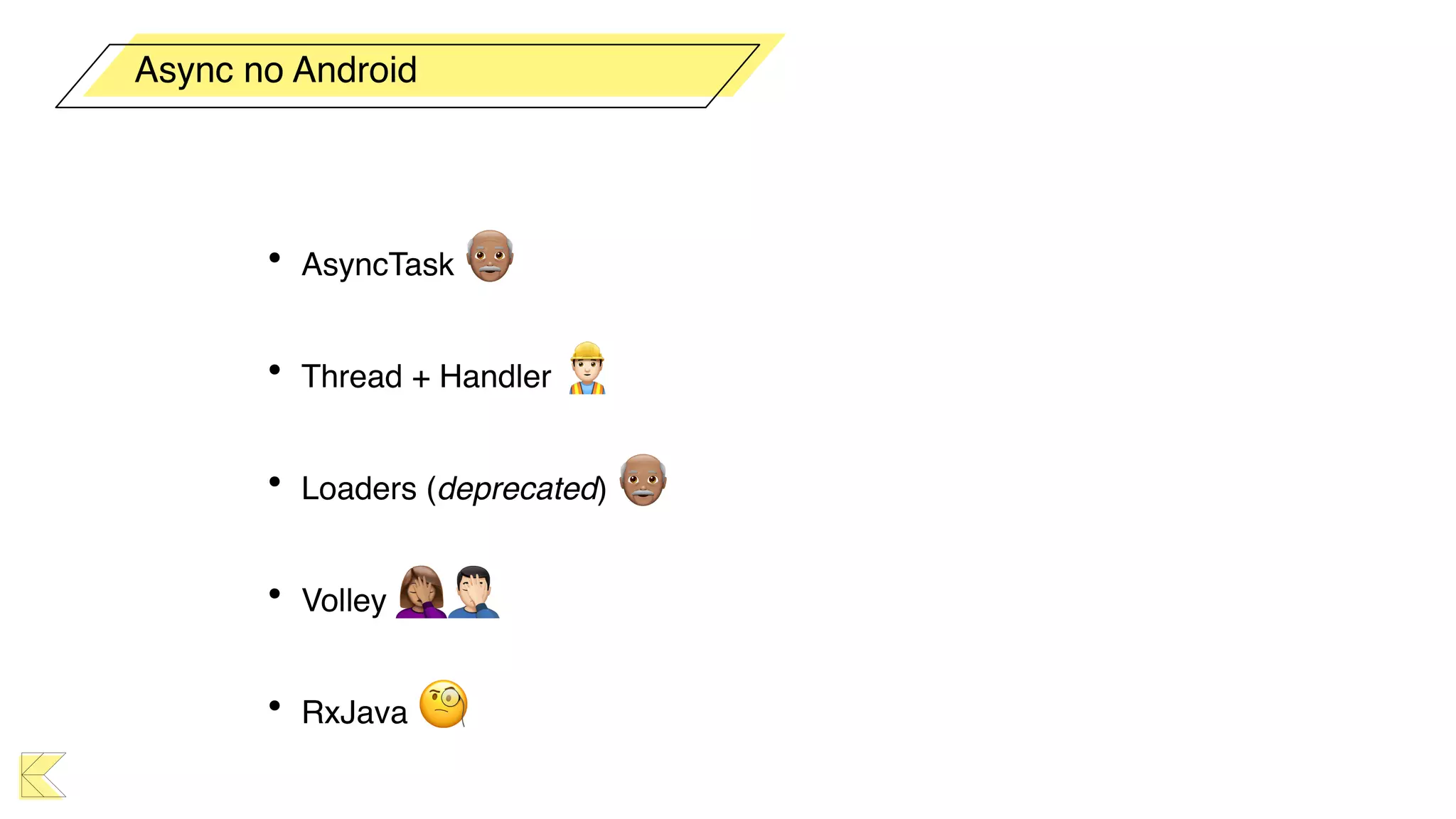
• AsyncTask 👴
• Thread + Handler 👷
• Loaders (deprecated) 👴
• Volley 🤦🤦
• RxJava 🧐
Async no Android
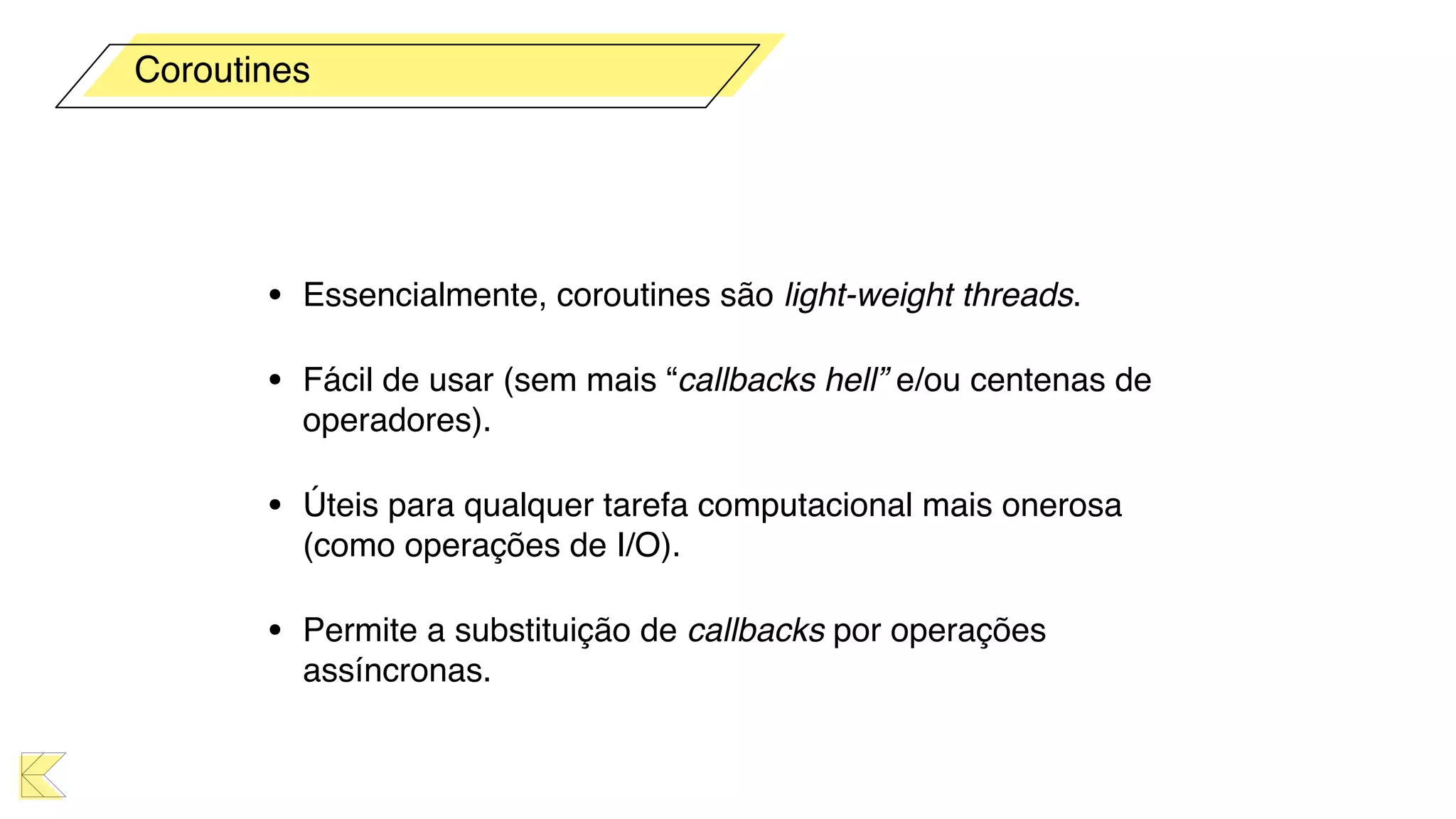
Coroutines
• Essencialmente, coroutines são light-weight threads.
• Fácil de usar (sem mais “callbacks hell” e/ou centenas de
operadores).
• Úteis para qualquer tarefa computacional mais onerosa
(como operações de I/O).
• Permite a substituição de callbacks por operações
assíncronas.
Coroutines
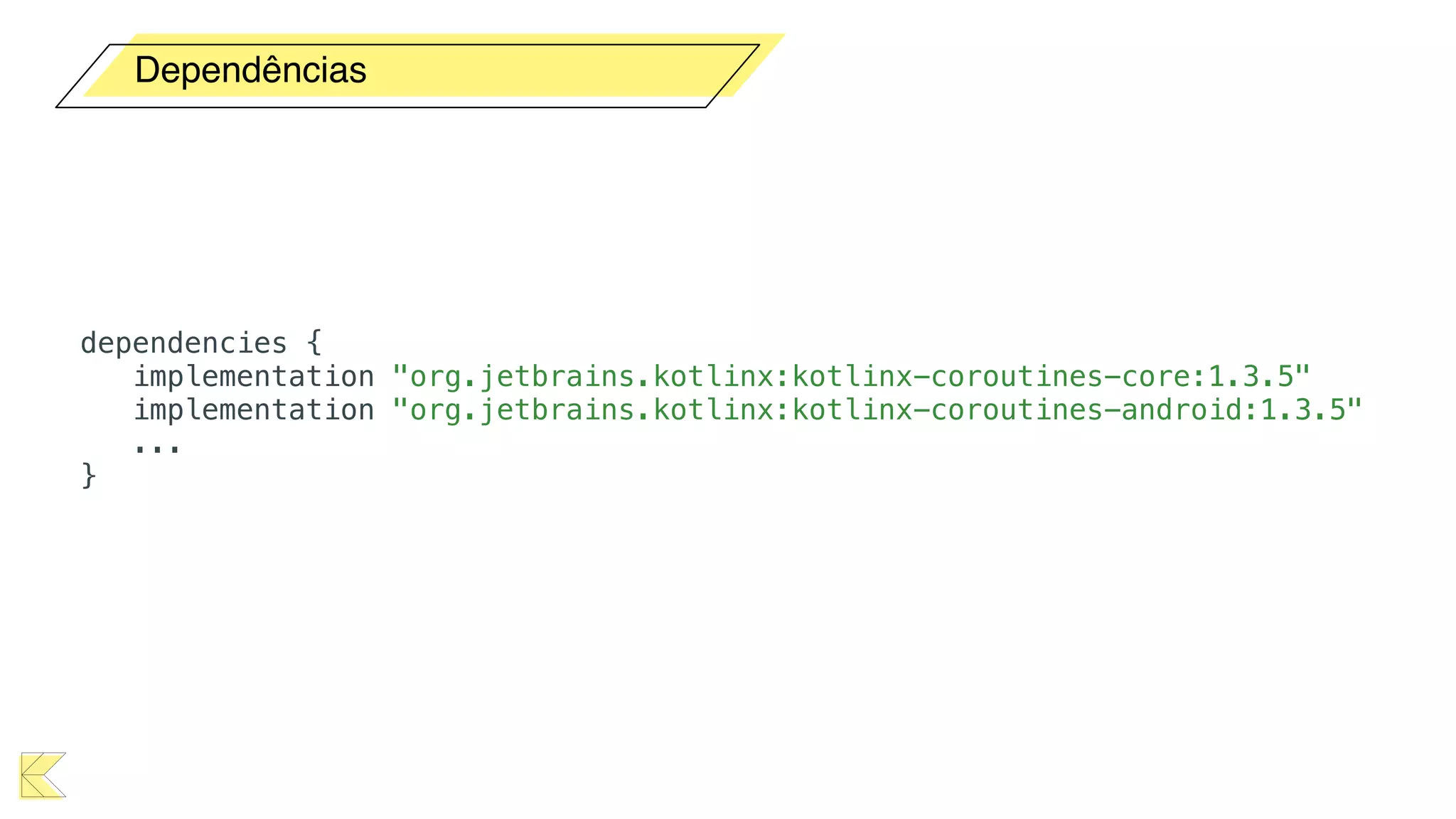
Dependências
dependencies {
implementation "org.jetbrains.kotlinx:kotlinx-coroutines-core:1.3.5"
implementation "org.jetbrains.kotlinx:kotlinx-coroutines-android:1.3.5"
...
}
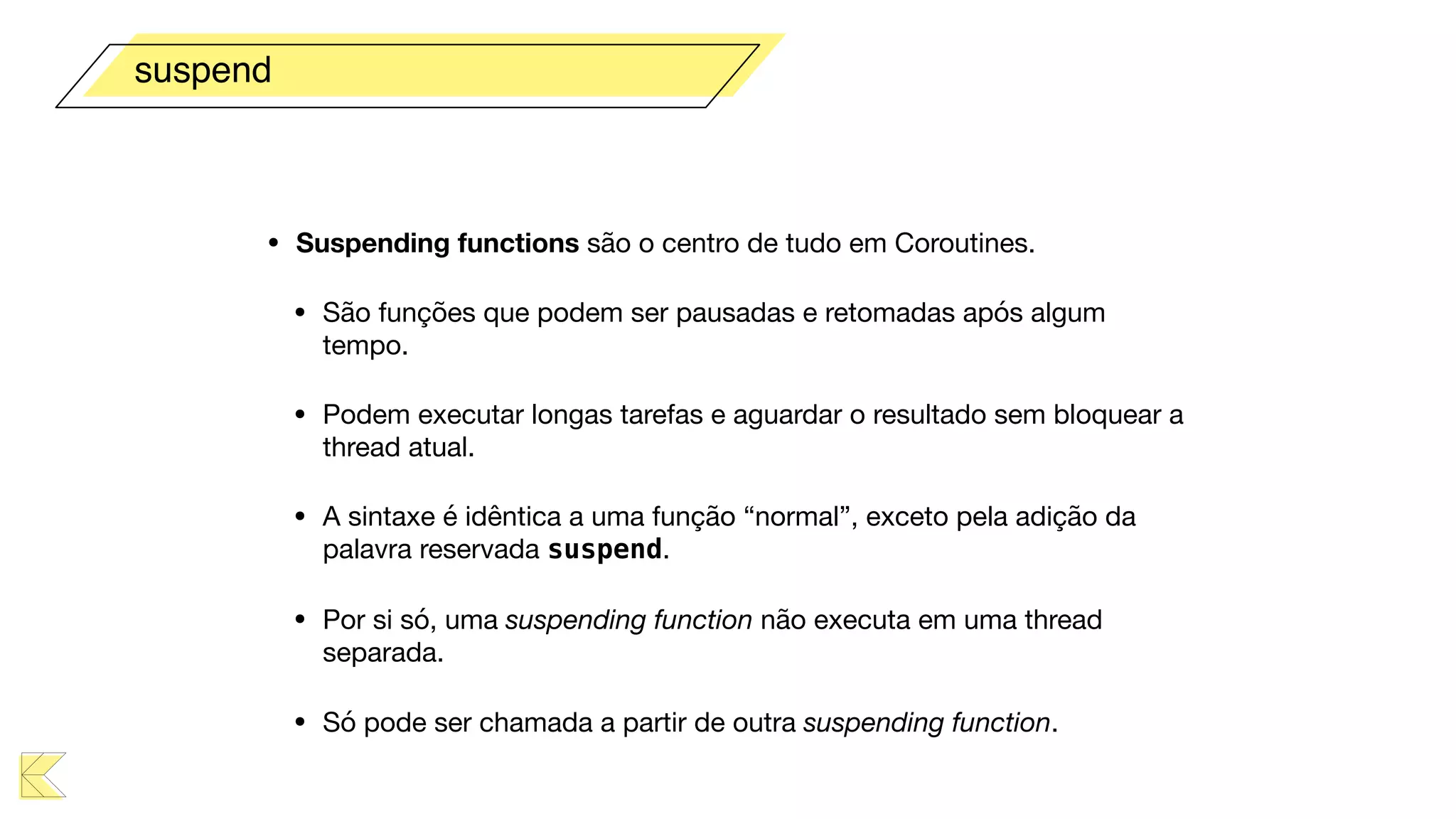
• Suspending functions são o centro de tudo em Coroutines.

• São funções que podem ser pausadas e retomadas após algum
tempo. 

• Podem executar longas tarefas e aguardar o resultado sem bloquear a
thread atual.

• A sintaxe é idêntica a uma função “normal”, exceto pela adição da
palavra reservada suspend.

• Por si só, uma suspending function não executa em uma thread
separada.

• Só pode ser chamada a partir de outra suspending function.
suspend
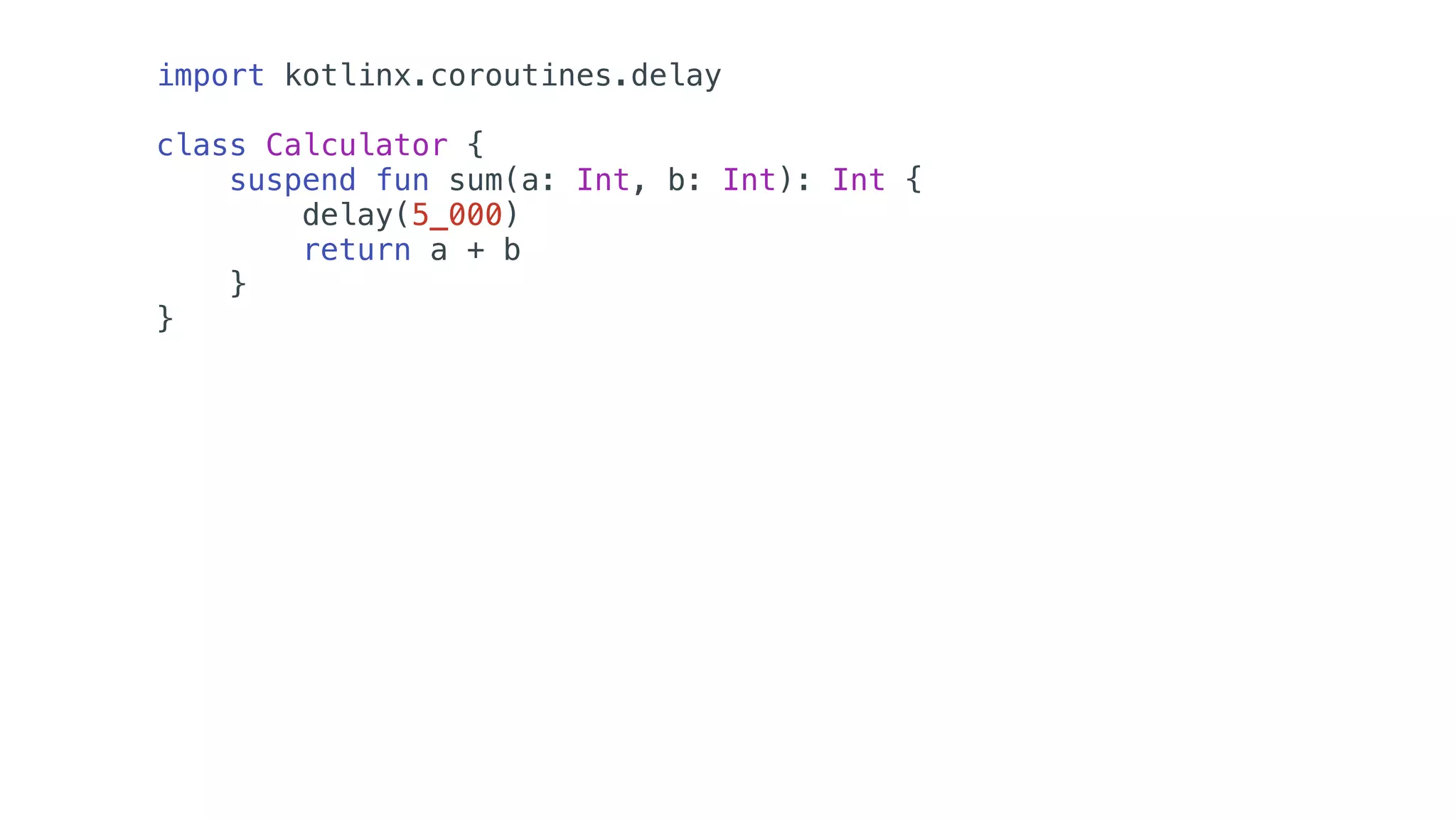
import kotlinx.coroutines.delay
class Calculator {
suspend fun sum(a: Int, b: Int): Int {
delay(5_000)
return a + b
}
}
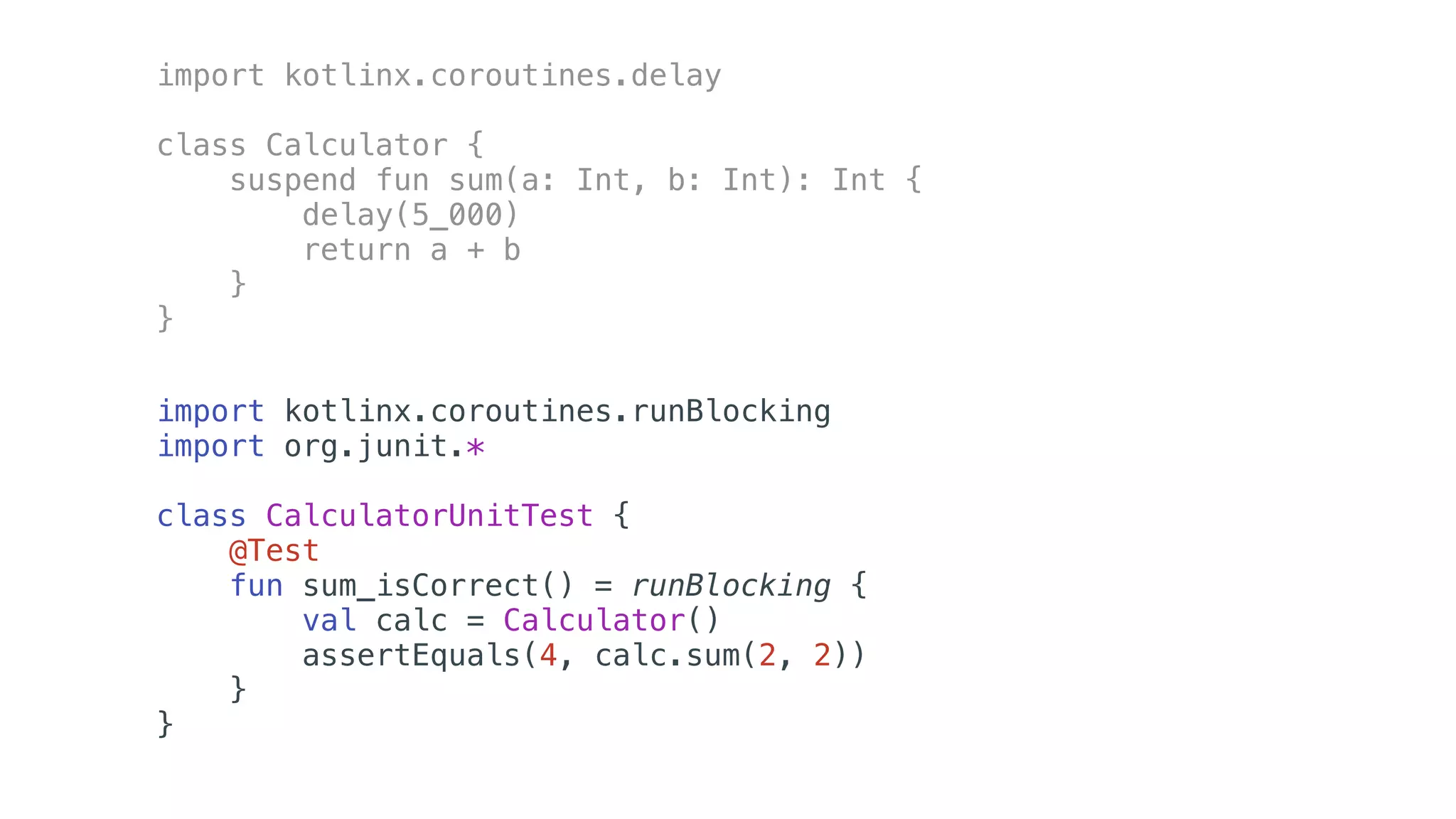
import kotlinx.coroutines.delay
class Calculator {
suspend fun sum(a: Int, b: Int): Int {
delay(5_000)
return a + b
}
}
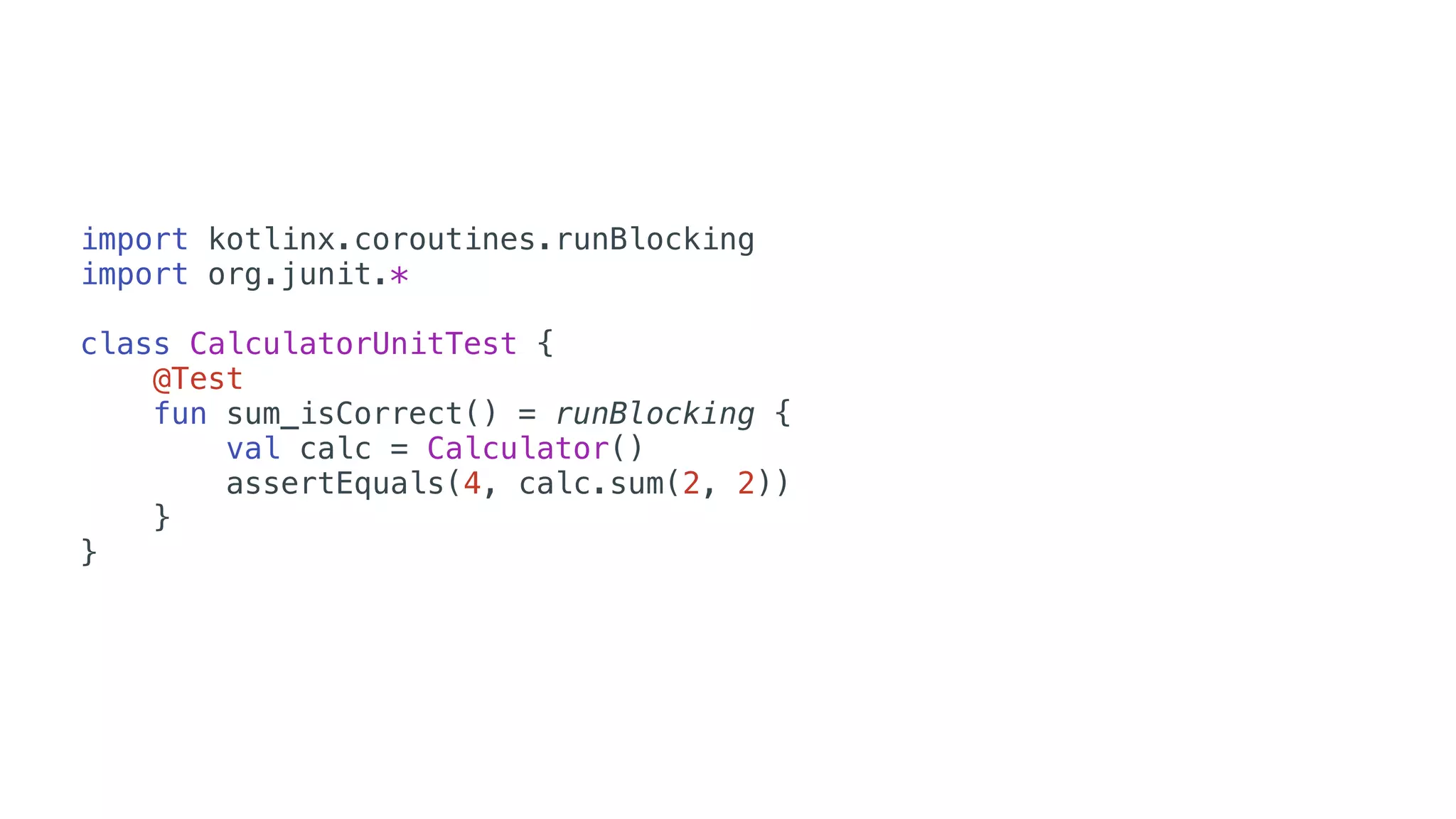
import kotlinx.coroutines.runBlocking
import org.junit.*
class CalculatorUnitTest {
@Test
fun sum_isCorrect() = runBlocking {
val calc = Calculator()
assertEquals(4, calc.sum(2, 2))
}
}
• Job
• Context
• Scope
• Dispatcher
Principais Classes
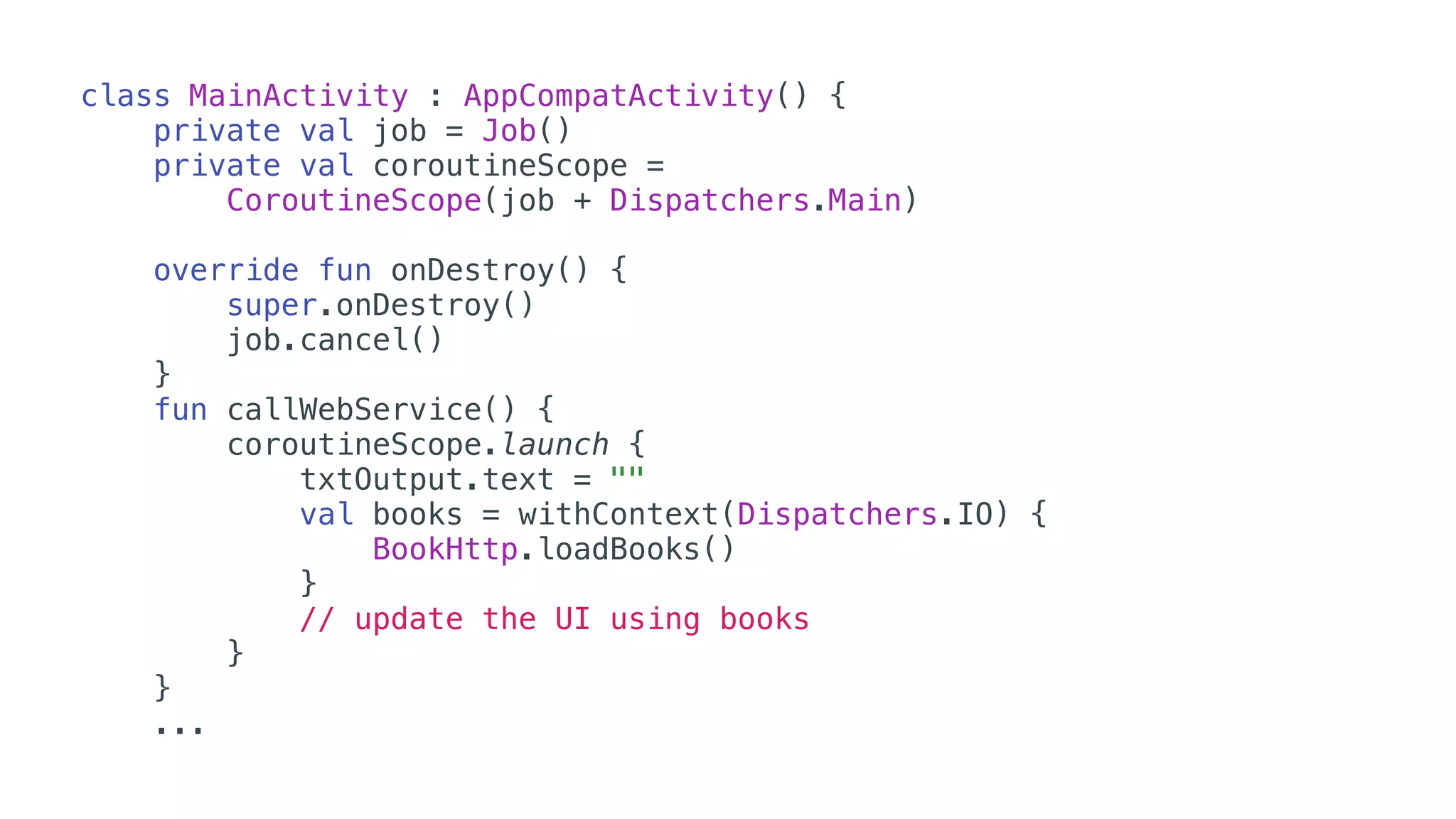
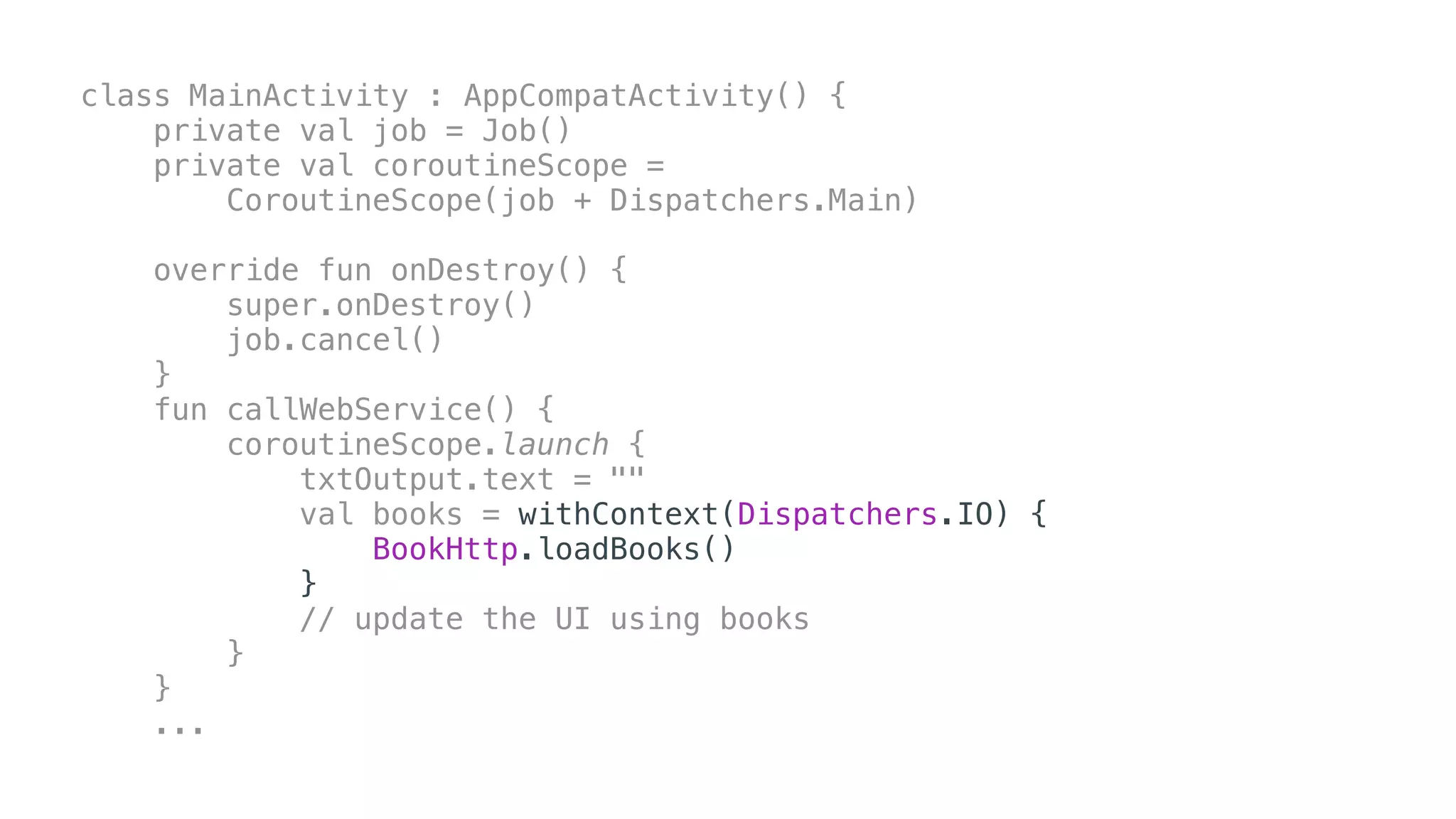
class MainActivity : AppCompatActivity() {
private val job = Job()
private val coroutineScope =
CoroutineScope(job + Dispatchers.Main)
override fun onDestroy() {
super.onDestroy()
job.cancel()
}
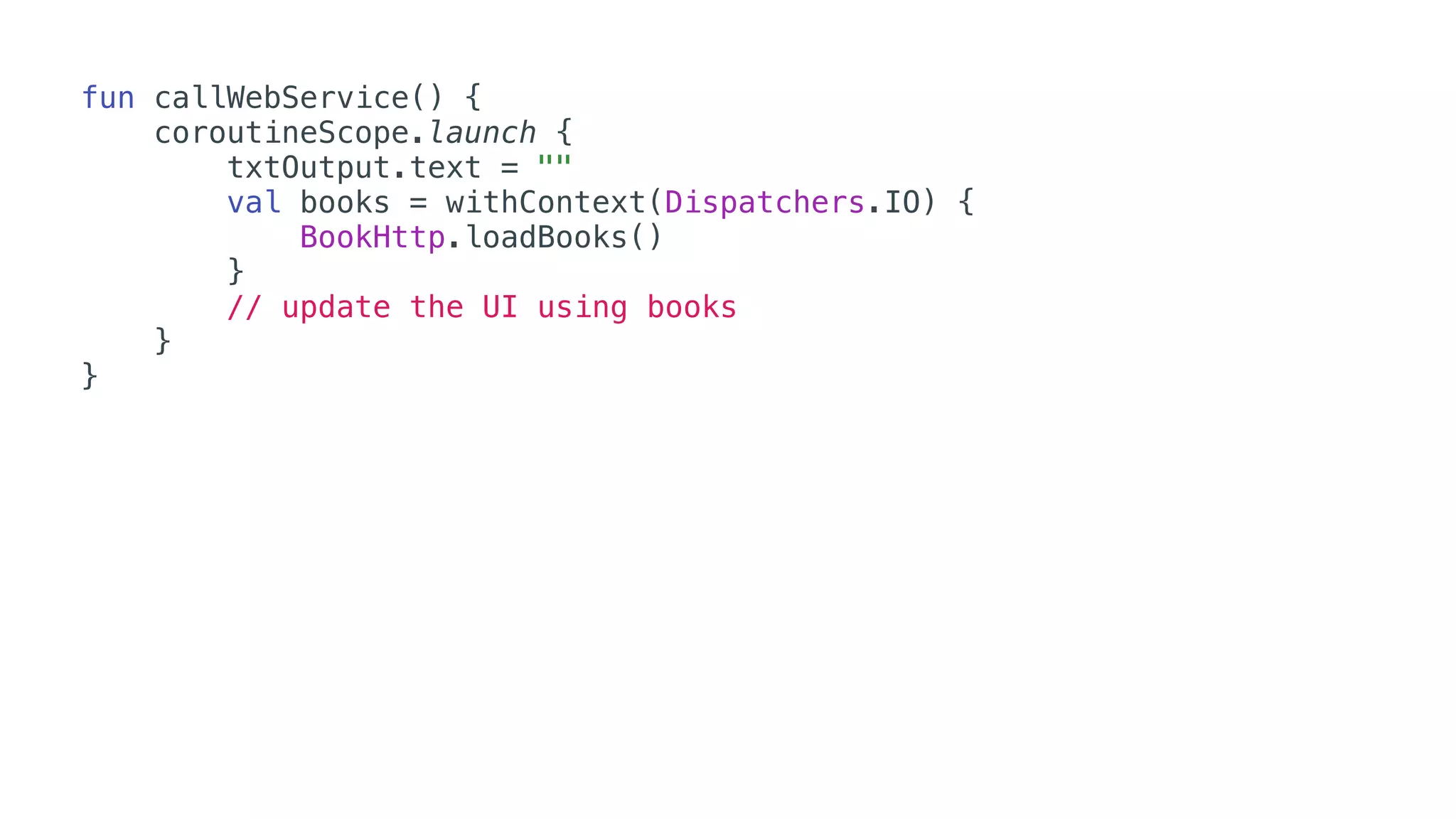
fun callWebService() {
coroutineScope.launch {
txtOutput.text = ""
val books = withContext(Dispatchers.IO) {
BookHttp.loadBooks()
}
// update the UI using books
}
}
...
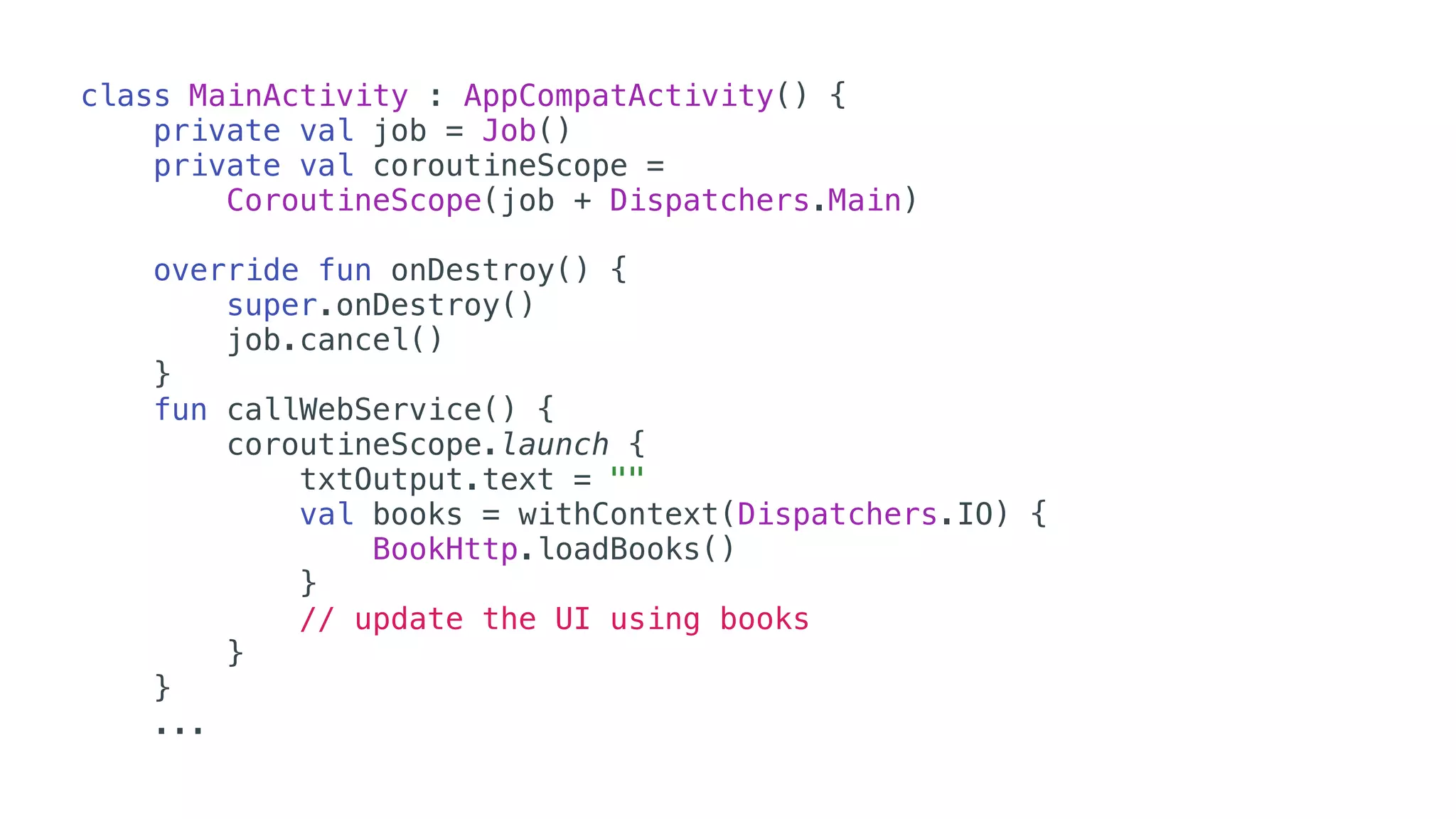
class MainActivity : AppCompatActivity() {
private val job = Job()
private val coroutineScope =
CoroutineScope(job + Dispatchers.Main)
override fun onDestroy() {
super.onDestroy()
job.cancel()
}
fun callWebService() {
coroutineScope.launch {
txtOutput.text = ""
val books = withContext(Dispatchers.IO) {
BookHttp.loadBooks()
}
// update the UI using books
}
}
...
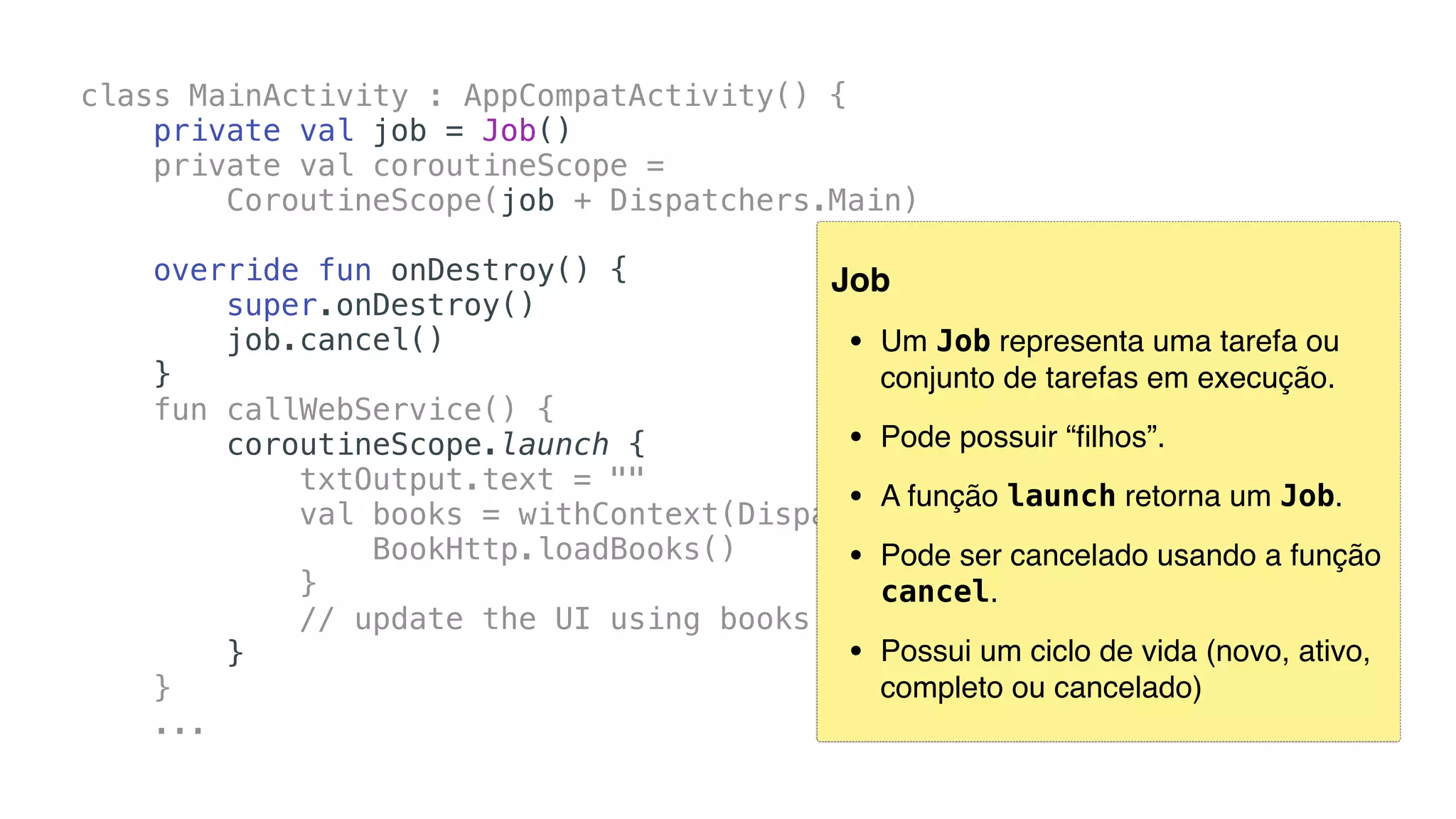
Job
• Um Job representa uma tarefa ou
conjunto de tarefas em execução.
• Pode possuir “filhos”.
• A função launch retorna um Job.
• Pode ser cancelado usando a função
cancel.
• Possui um ciclo de vida (novo, ativo,
completo ou cancelado)
class MainActivity : AppCompatActivity() {
private val job = Job()
private val coroutineScope =
CoroutineScope(job + Dispatchers.Main)
override fun onDestroy() {
super.onDestroy()
job.cancel()
}
fun callWebService() {
coroutineScope.launch {
txtOutput.text = ""
val books = withContext(Dispatchers.IO) {
BookHttp.loadBooks()
}
// update the UI using books
}
}
...
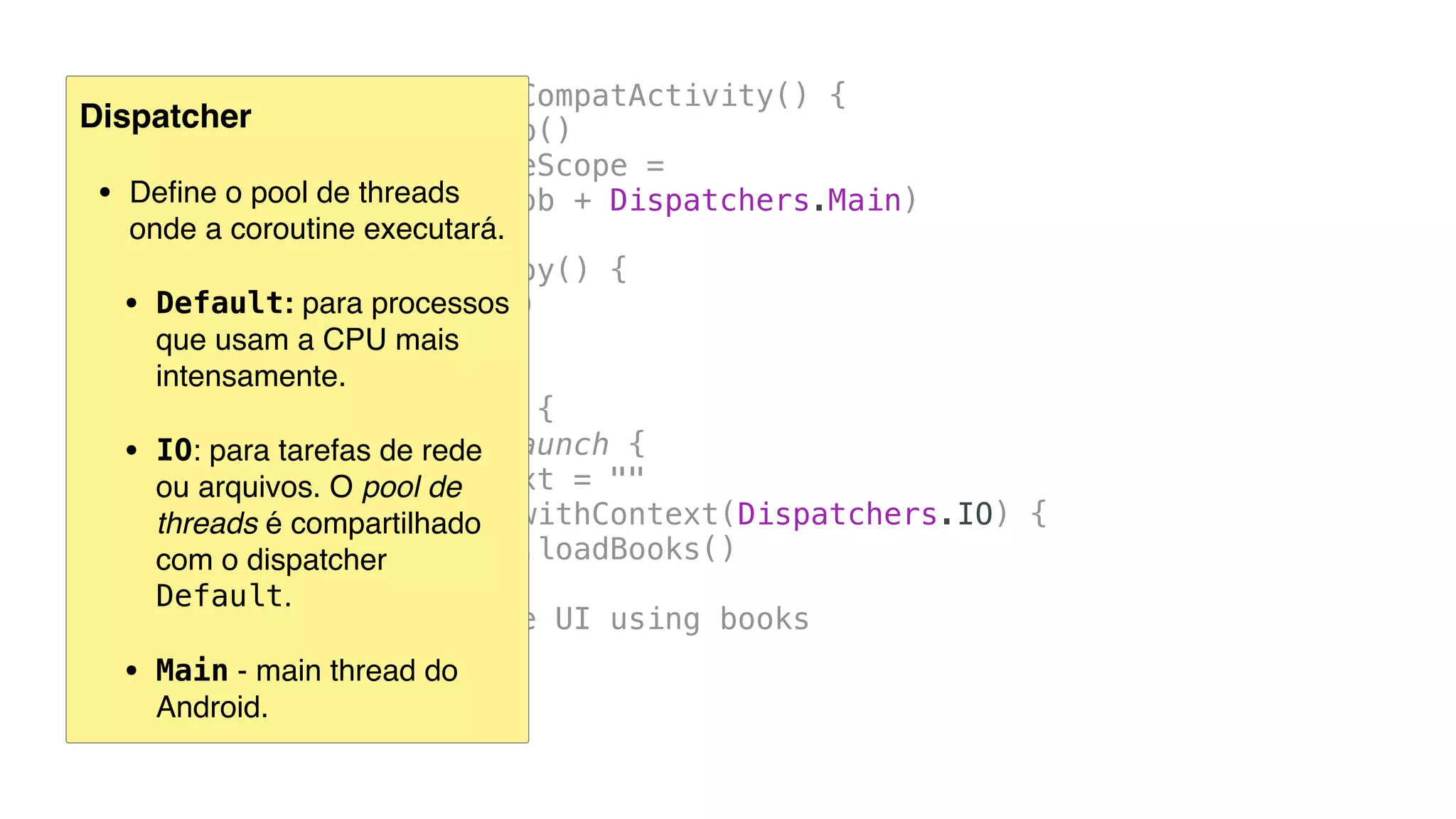
Dispatcher
• Define o pool de threads 
onde a coroutine executará.
• Default: para processos 

que usam a CPU mais
intensamente.
• IO: para tarefas de rede 

ou arquivos. O pool de
threads é compartilhado
com o dispatcher
Default.
• Main - main thread do
Android.
class MainActivity : AppCompatActivity() {
private val job = Job()
private val coroutineScope =
CoroutineScope(job + Dispatchers.Main)
override fun onDestroy() {
super.onDestroy()
job.cancel()
}
fun callWebService() {
coroutineScope.launch {
txtOutput.text = ""
val books = withContext(Dispatchers.IO) {
BookHttp.loadBooks()
}
// update the UI using books
}
}
...
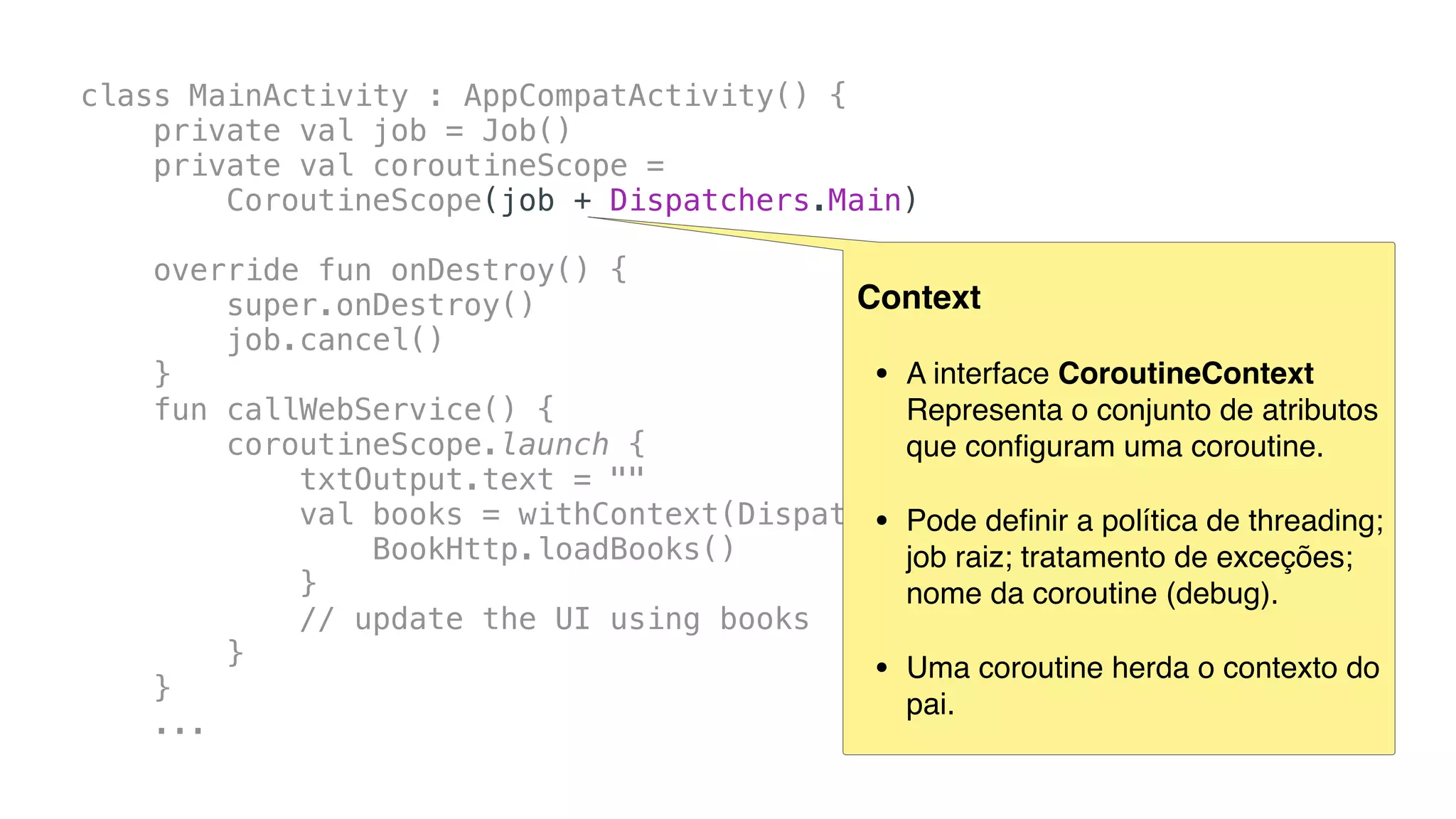
Context
• A interface CoroutineContext
Representa o conjunto de atributos
que configuram uma coroutine.
• Pode definir a política de threading;
job raiz; tratamento de exceções;
nome da coroutine (debug).
• Uma coroutine herda o contexto do
pai.
class MainActivity : AppCompatActivity() {
private val job = Job()
private val coroutineScope =
CoroutineScope(job + Dispatchers.Main)
override fun onDestroy() {
super.onDestroy()
job.cancel()
}
fun callWebService() {
coroutineScope.launch {
txtOutput.text = ""
val books = withContext(Dispatchers.IO) {
BookHttp.loadBooks()
}
// update the UI using books
}
}
...
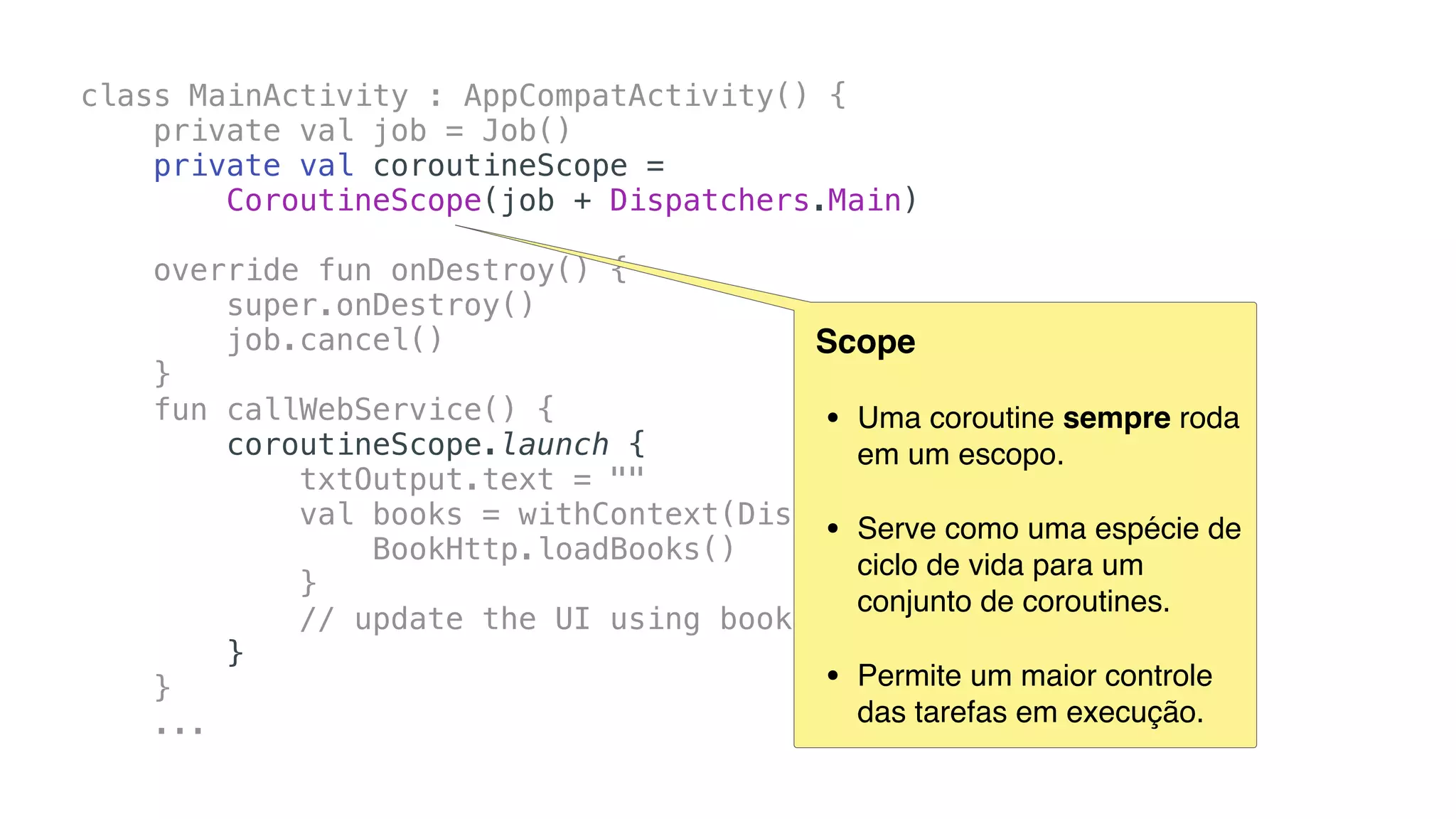
Scope
• Uma coroutine sempre roda
em um escopo.
• Serve como uma espécie de
ciclo de vida para um
conjunto de coroutines.
• Permite um maior controle
das tarefas em execução.
class MainActivity : AppCompatActivity() {
private val job = Job()
private val coroutineScope =
CoroutineScope(job + Dispatchers.Main)
override fun onDestroy() {
super.onDestroy()
job.cancel()
}
fun callWebService() {
coroutineScope.launch {
txtOutput.text = ""
val books = withContext(Dispatchers.IO) {
BookHttp.loadBooks()
}
// update the UI using books
}
}
...
class MainActivity : AppCompatActivity() {
private val job = Job()
private val coroutineScope =
CoroutineScope(job + Dispatchers.Main)
override fun onDestroy() {
super.onDestroy()
job.cancel()
}
fun callWebService() {
coroutineScope.launch {
txtOutput.text = ""
val books = withContext(Dispatchers.IO) {
BookHttp.loadBooks()
}
// update the UI using books
}
}
...
fun callWebService() {
coroutineScope.launch {
txtOutput.text = ""
val books = withContext(Dispatchers.IO) {
BookHttp.loadBooks()
}
// update the UI using books
}
}
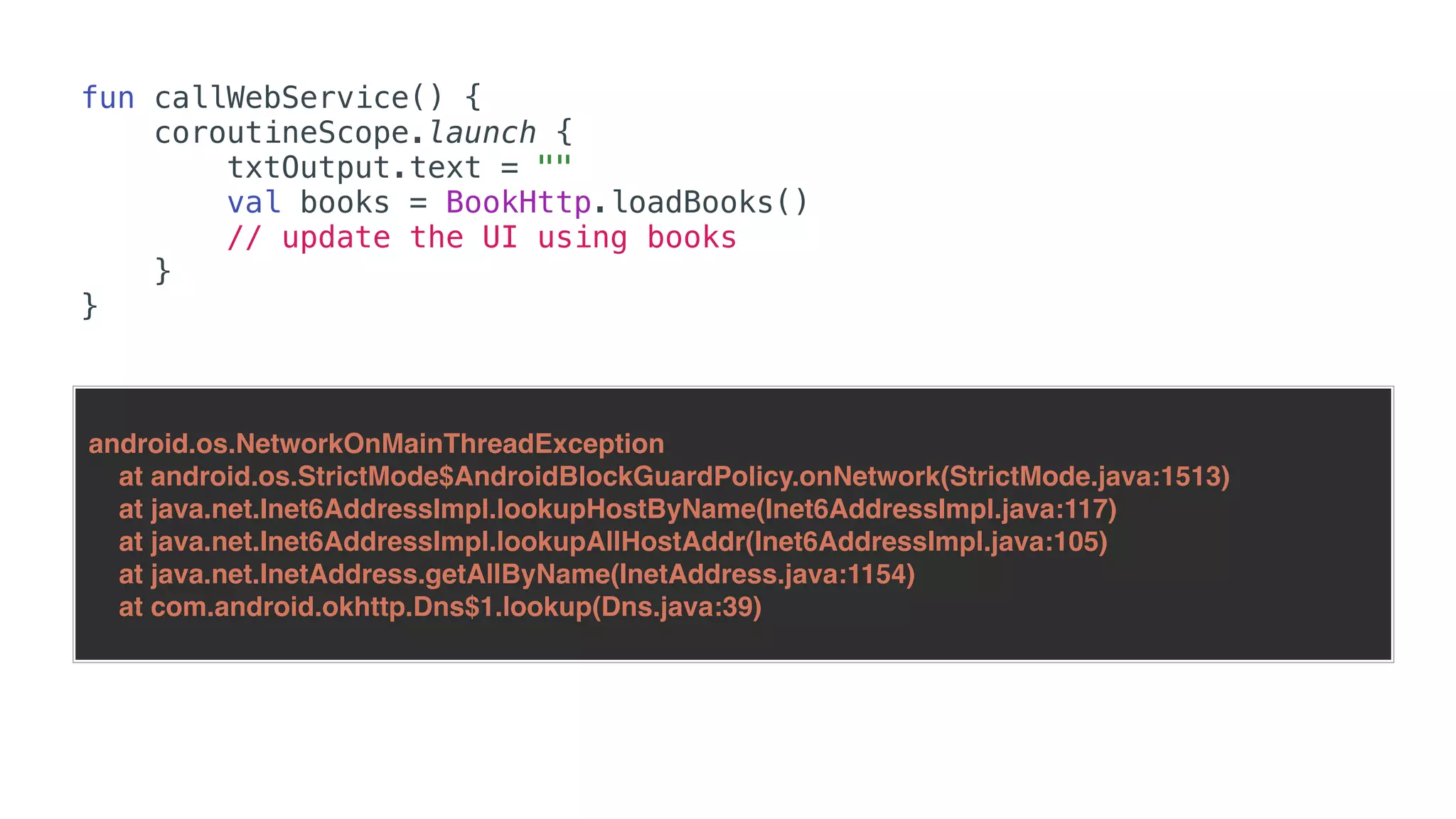
fun callWebService() {
coroutineScope.launch {
txtOutput.text = ""
val books = BookHttp.loadBooks()
// update the UI using books
}
}
android.os.NetworkOnMainThreadException
at android.os.StrictMode$AndroidBlockGuardPolicy.onNetwork(StrictMode.java:1513)
at java.net.Inet6AddressImpl.lookupHostByName(Inet6AddressImpl.java:117)
at java.net.Inet6AddressImpl.lookupAllHostAddr(Inet6AddressImpl.java:105)
at java.net.InetAddress.getAllByName(InetAddress.java:1154)
at com.android.okhttp.Dns$1.lookup(Dns.java:39)
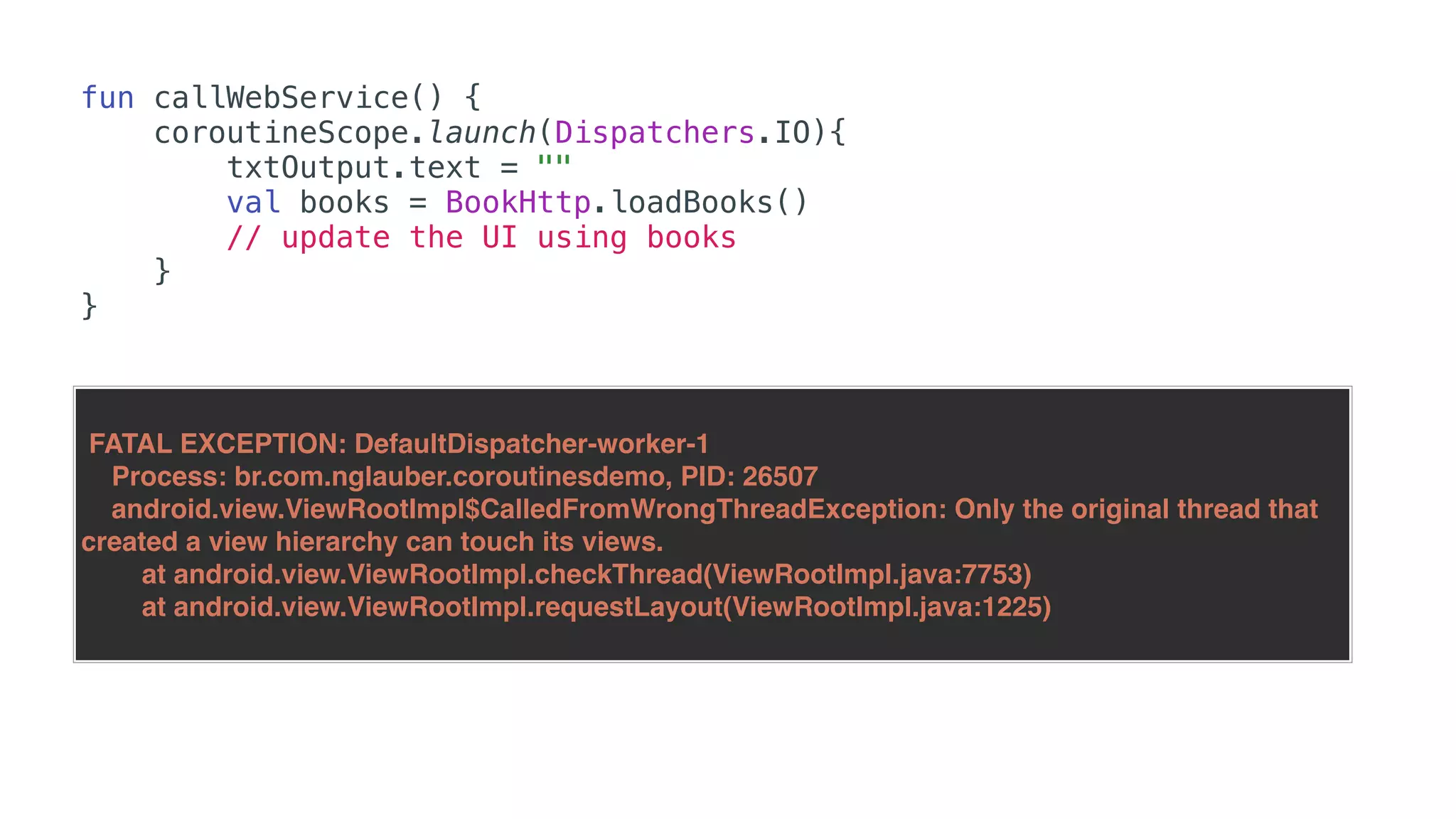
fun callWebService() {
coroutineScope.launch(Dispatchers.IO){
txtOutput.text = ""
val books = BookHttp.loadBooks()
// update the UI using books
}
}
FATAL EXCEPTION: DefaultDispatcher-worker-1
Process: br.com.nglauber.coroutinesdemo, PID: 26507
android.view.ViewRootImpl$CalledFromWrongThreadException: Only the original thread that
created a view hierarchy can touch its views.
at android.view.ViewRootImpl.checkThread(ViewRootImpl.java:7753)
at android.view.ViewRootImpl.requestLayout(ViewRootImpl.java:1225)
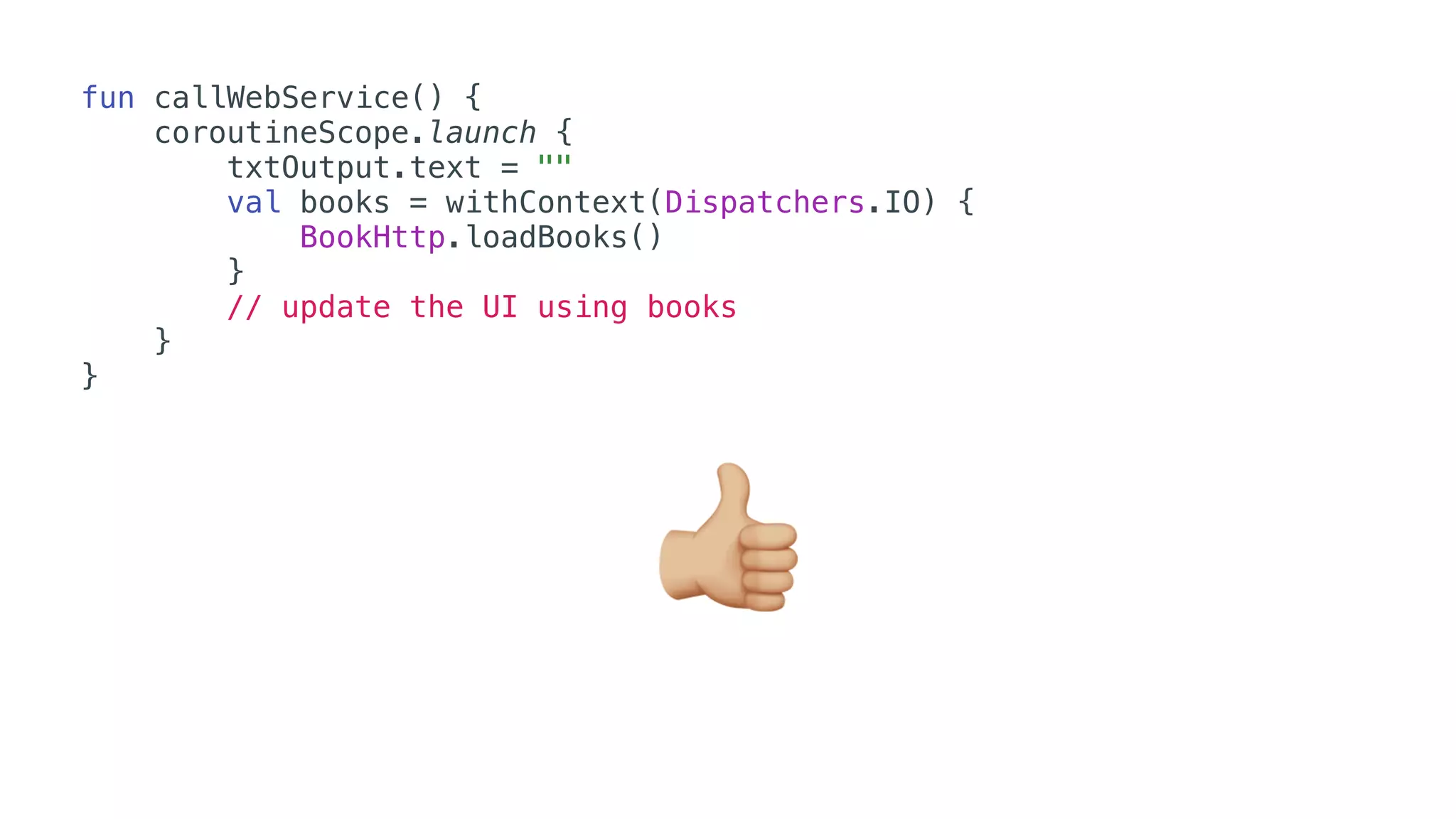
fun callWebService() {
coroutineScope.launch {
txtOutput.text = ""
val books = withContext(Dispatchers.IO) {
BookHttp.loadBooks()
}
// update the UI using books
}
}
👍
• Suspending functions
• Job
• Context
• Scope
• Dispatcher
Coroutines
Lifecycle
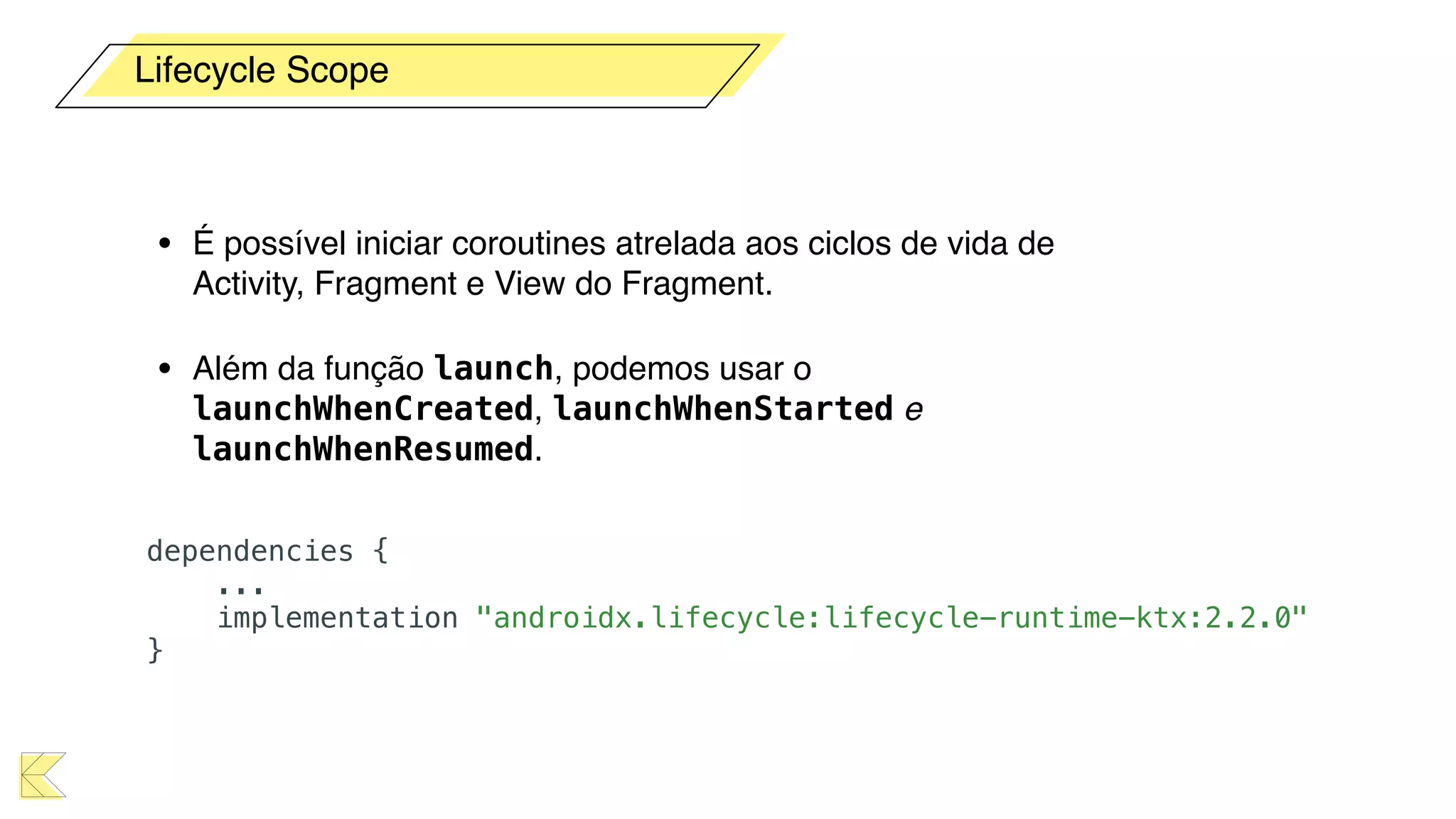
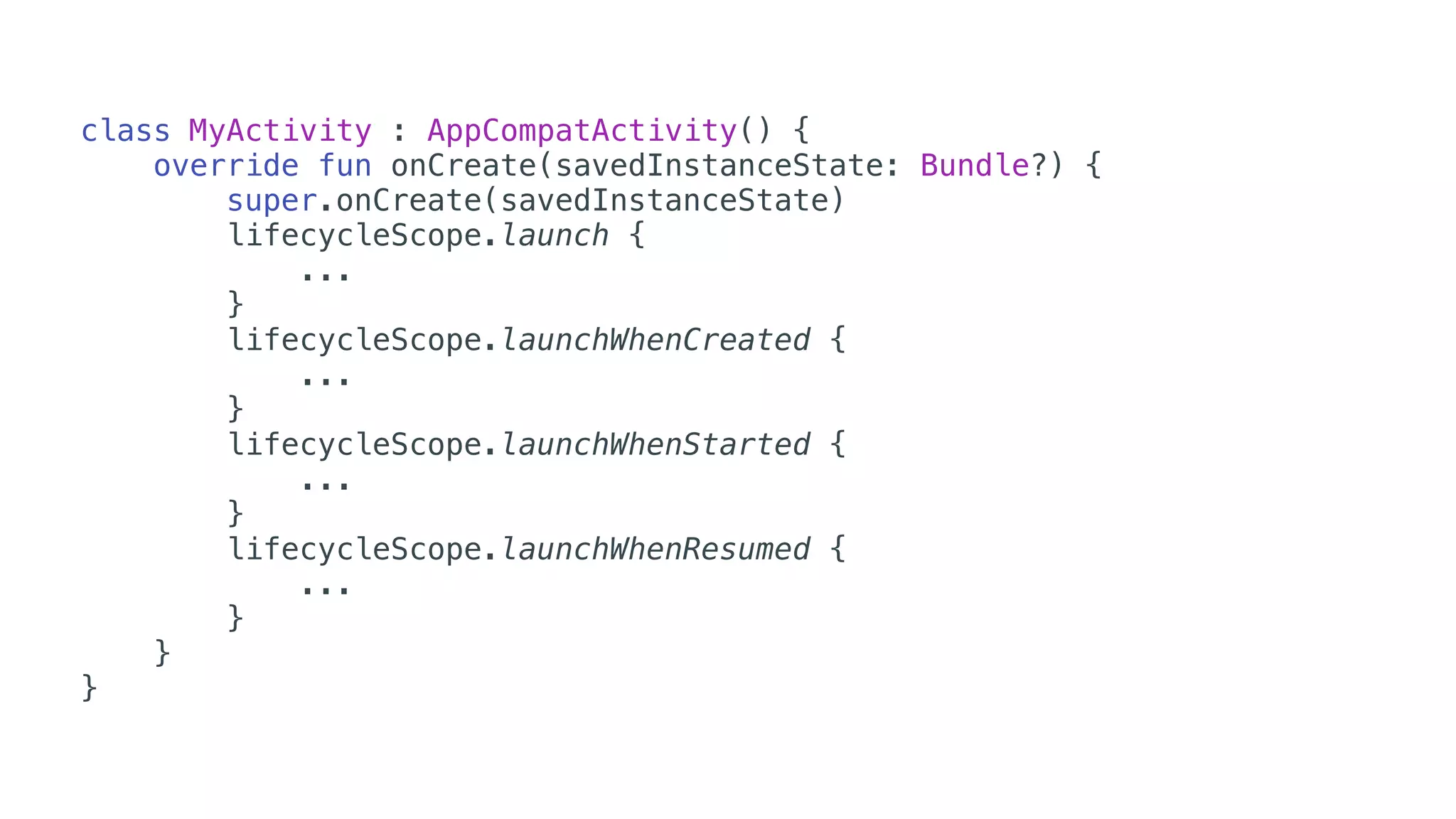
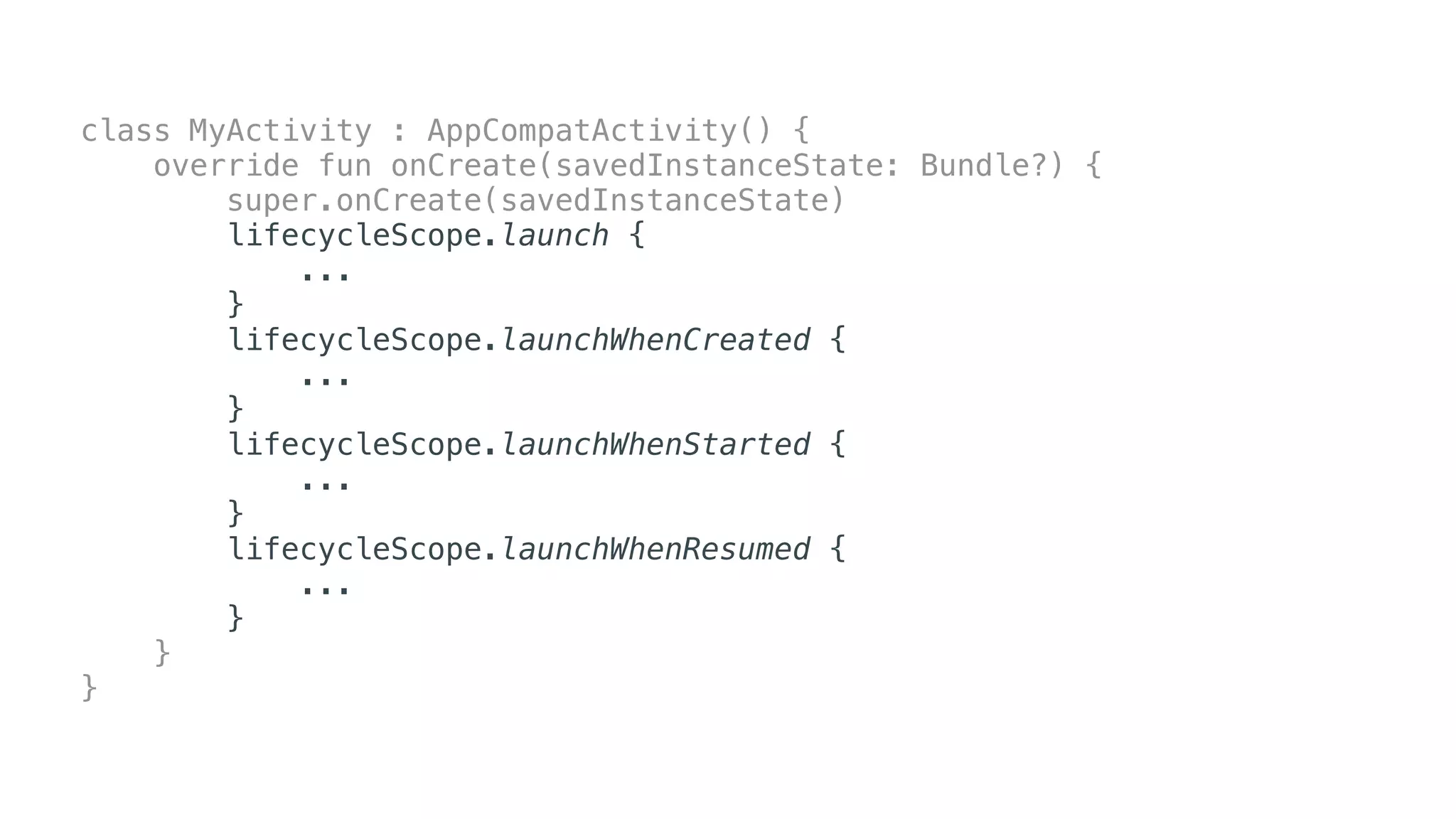
• É possível iniciar coroutines atrelada aos ciclos de vida de
Activity, Fragment e View do Fragment.
• Além da função launch, podemos usar o
launchWhenCreated, launchWhenStarted e
launchWhenResumed.
Lifecycle Scope
dependencies {
...
implementation "androidx.lifecycle:lifecycle-runtime-ktx:2.2.0"
}
class MyActivity : AppCompatActivity() {
override fun onCreate(savedInstanceState: Bundle?) {
super.onCreate(savedInstanceState)
lifecycleScope.launch {
...
}
lifecycleScope.launchWhenCreated {
...
}
lifecycleScope.launchWhenStarted {
...
}
lifecycleScope.launchWhenResumed {
...
}
}
}
class MyActivity : AppCompatActivity() {
override fun onCreate(savedInstanceState: Bundle?) {
super.onCreate(savedInstanceState)
lifecycleScope.launch {
...
}
lifecycleScope.launchWhenCreated {
...
}
lifecycleScope.launchWhenStarted {
...
}
lifecycleScope.launchWhenResumed {
...
}
}
}
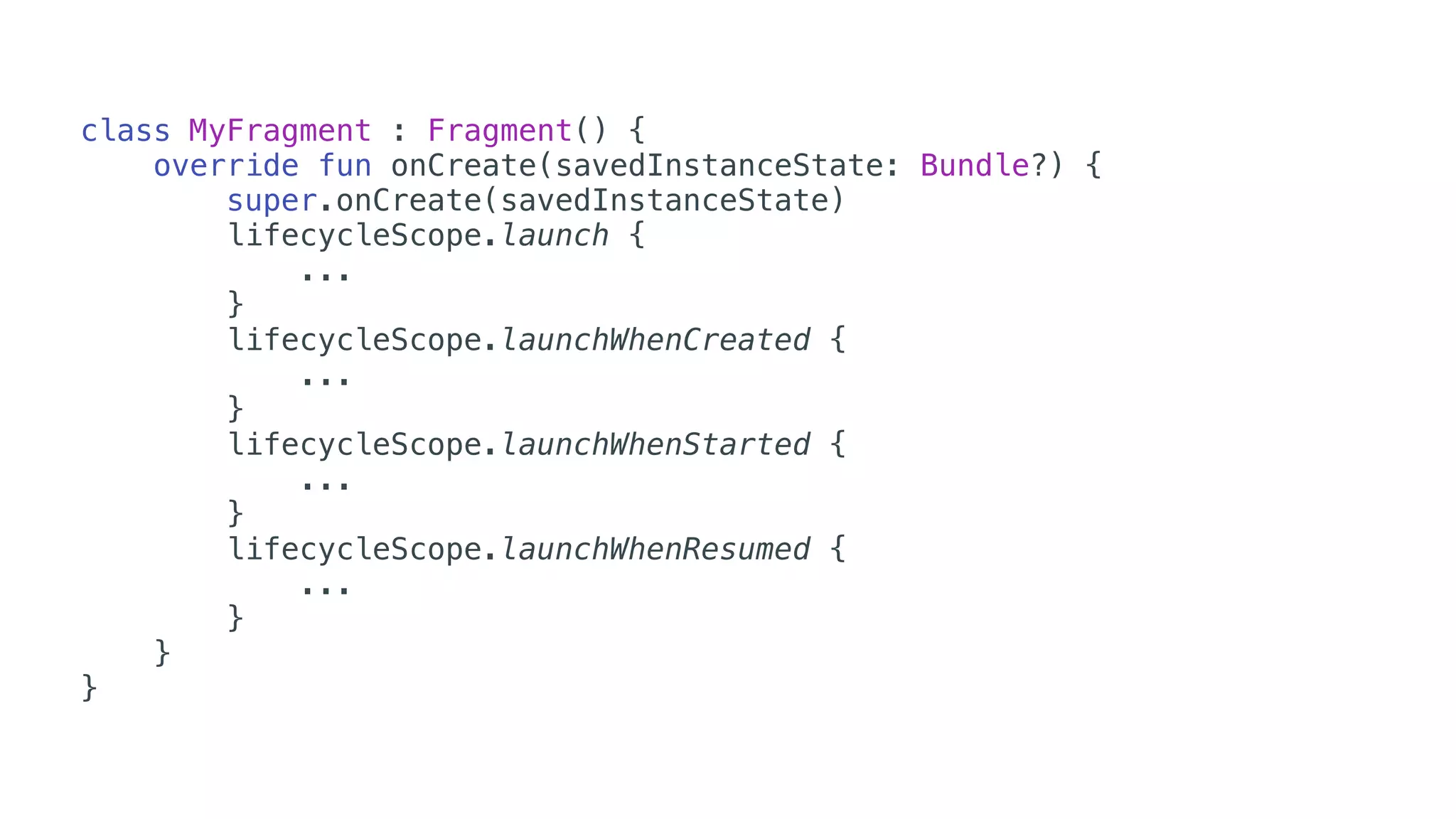
class MyFragment : Fragment() {
override fun onCreate(savedInstanceState: Bundle?) {
super.onCreate(savedInstanceState)
lifecycleScope.launch {
...
}
lifecycleScope.launchWhenCreated {
...
}
lifecycleScope.launchWhenStarted {
...
}
lifecycleScope.launchWhenResumed {
...
}
}
}
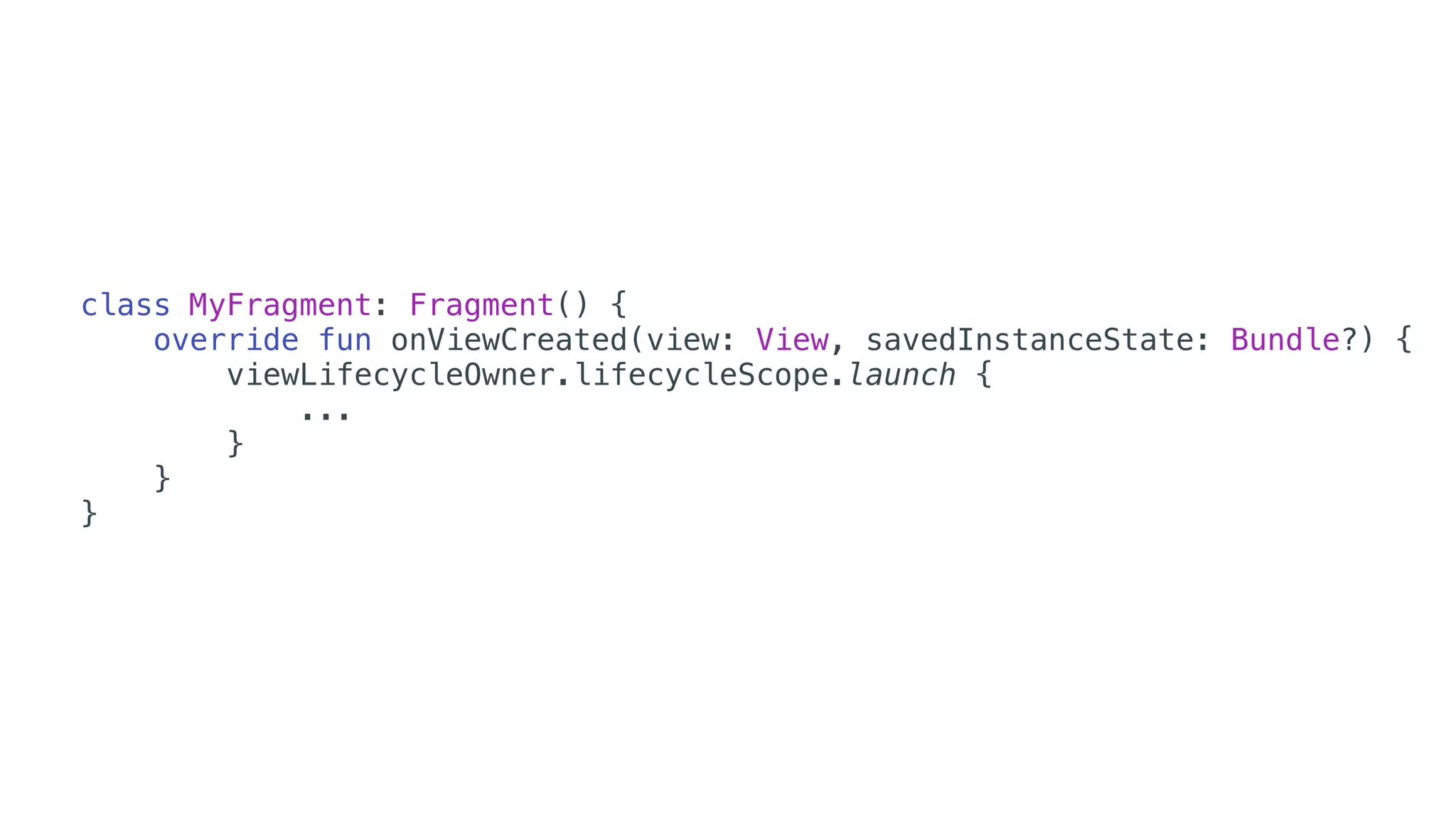
class MyFragment: Fragment() {
override fun onViewCreated(view: View, savedInstanceState: Bundle?) {
viewLifecycleOwner.lifecycleScope.launch {
...
}
}
}
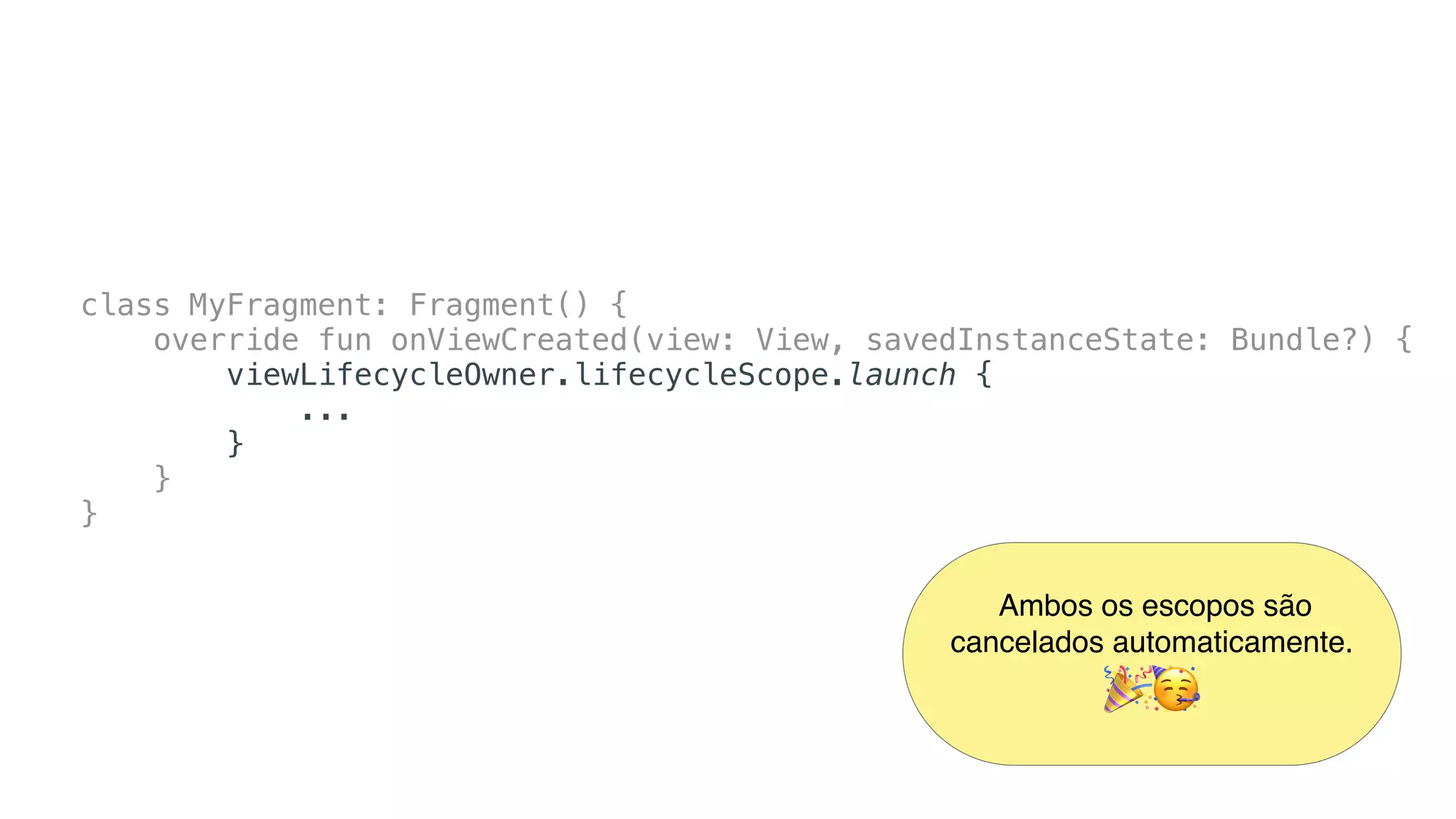
class MyFragment: Fragment() {
override fun onViewCreated(view: View, savedInstanceState: Bundle?) {
viewLifecycleOwner.lifecycleScope.launch {
...
}
}
}
Ambos os escopos são
cancelados automaticamente.

🎉🥳
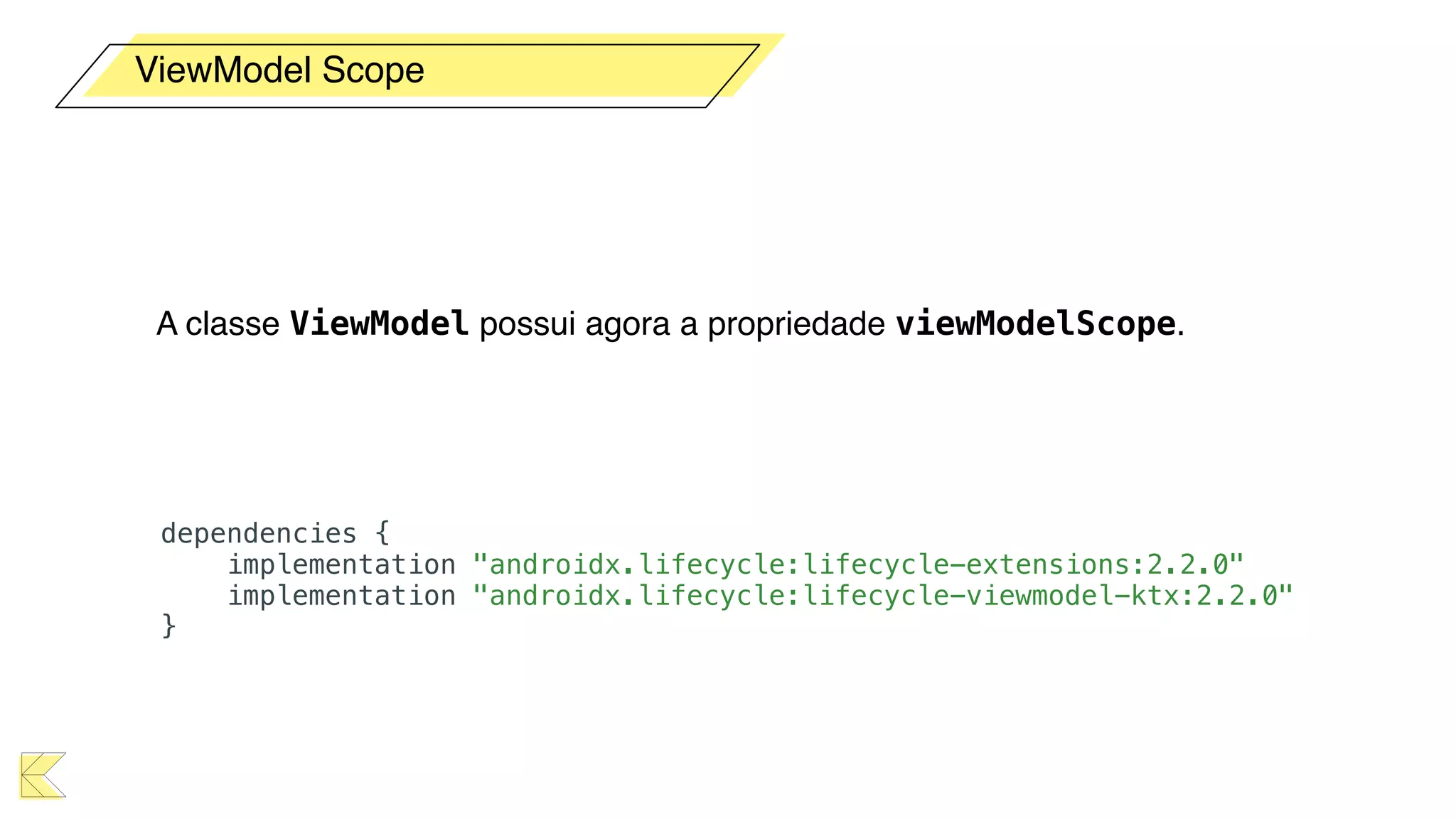
ViewModel


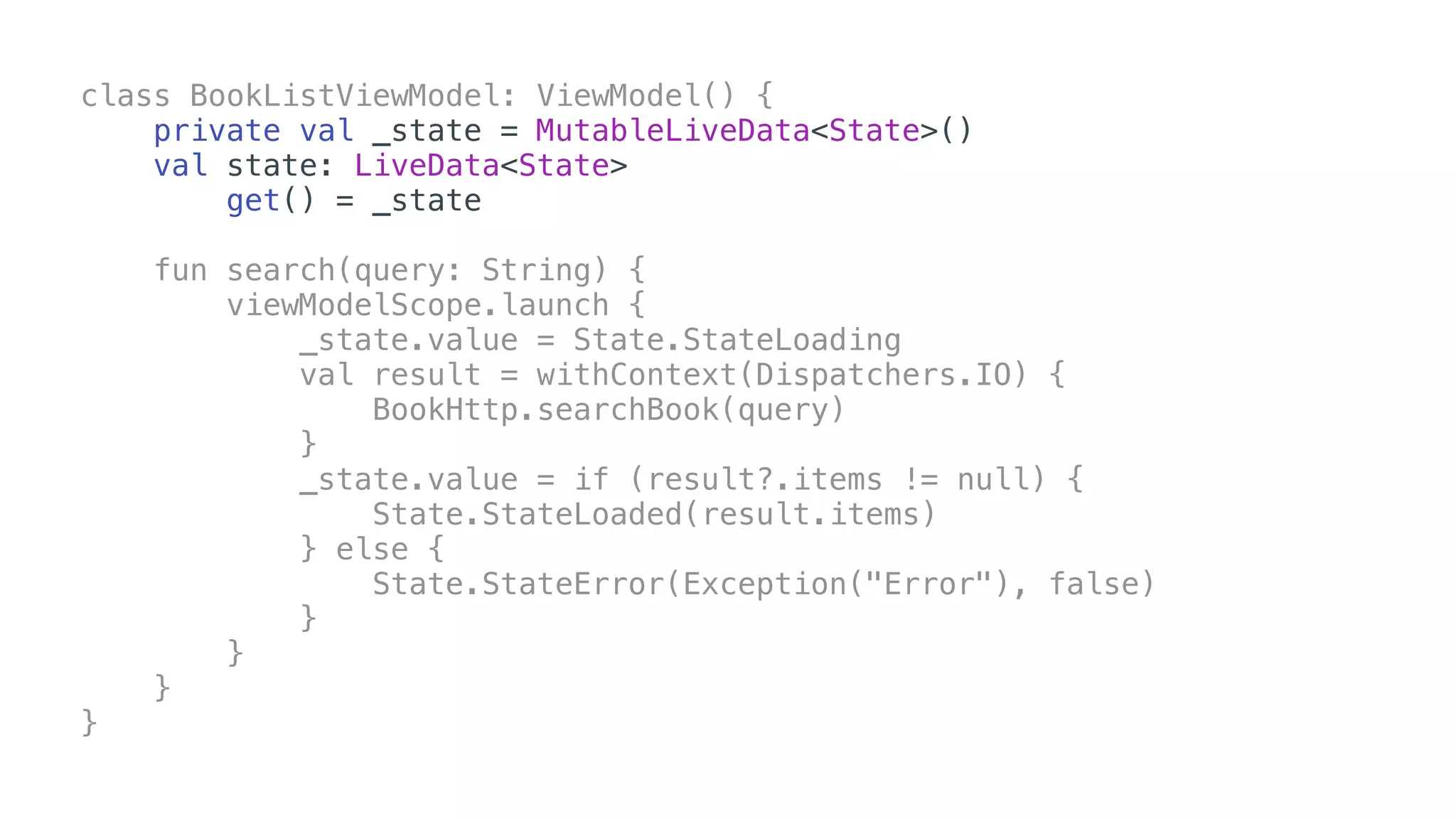
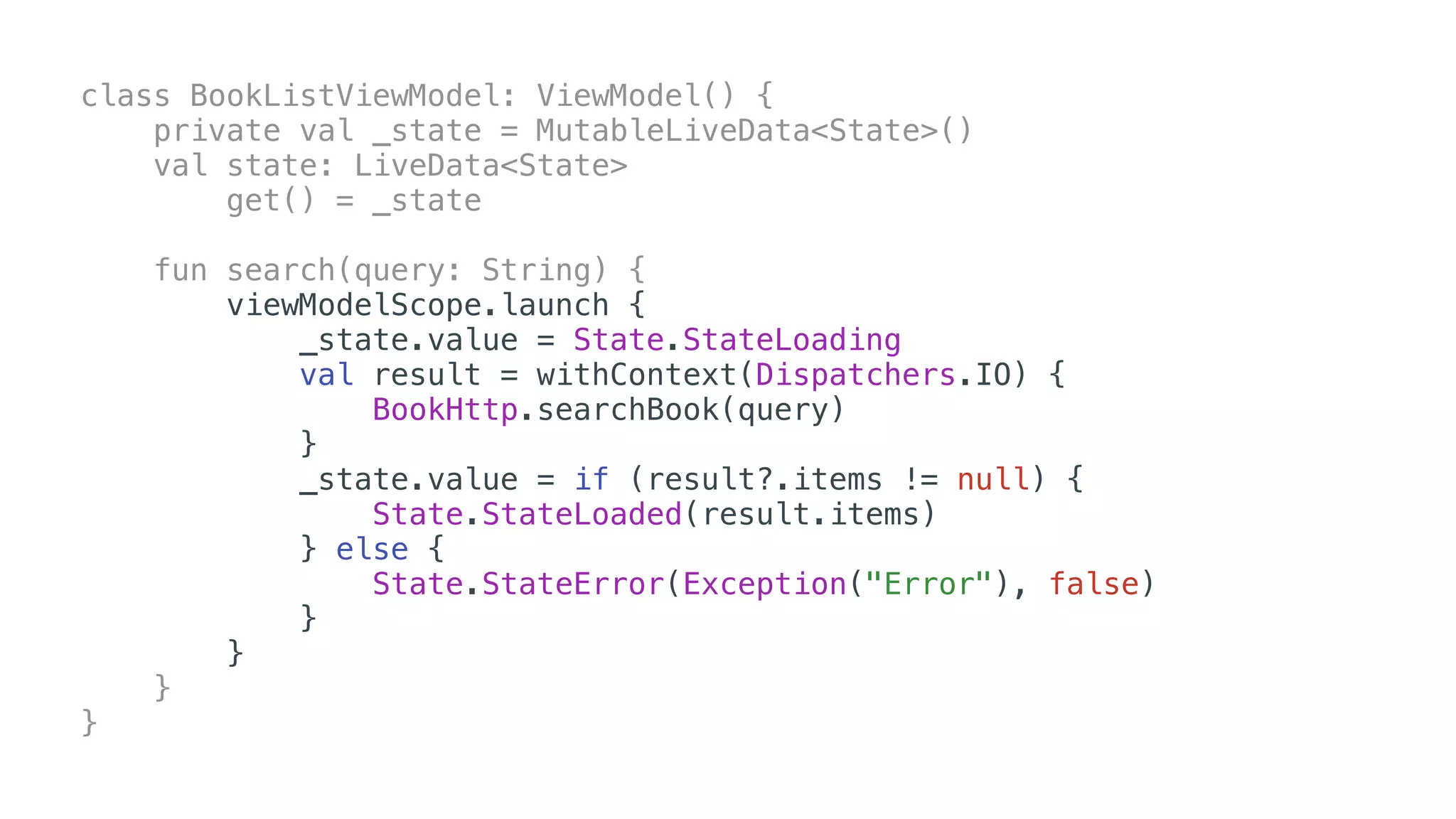
A classe ViewModel possui agora a propriedade viewModelScope.
ViewModel Scope
dependencies {
implementation "androidx.lifecycle:lifecycle-extensions:2.2.0"
implementation "androidx.lifecycle:lifecycle-viewmodel-ktx:2.2.0"
}
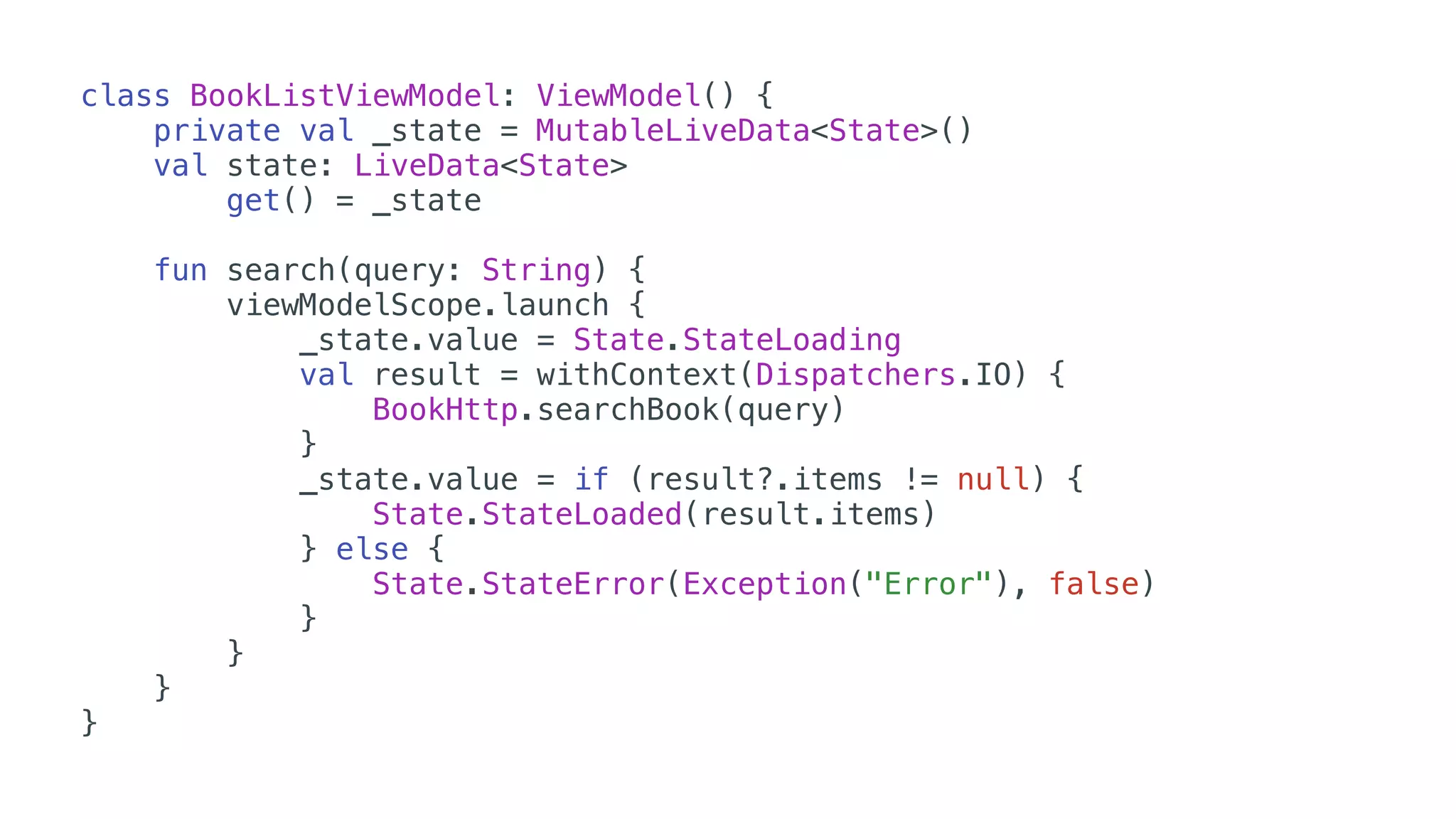
class BookListViewModel: ViewModel() {
private val _state = MutableLiveData<State>()
val state: LiveData<State>
get() = _state
fun search(query: String) {
viewModelScope.launch {
_state.value = State.StateLoading
val result = withContext(Dispatchers.IO) {
BookHttp.searchBook(query)
}
_state.value = if (result?.items != null) {
State.StateLoaded(result.items)
} else {
State.StateError(Exception("Error"), false)
}
}
}
}
class BookListViewModel: ViewModel() {
private val _state = MutableLiveData<State>()
val state: LiveData<State>
get() = _state
fun search(query: String) {
viewModelScope.launch {
_state.value = State.StateLoading
val result = withContext(Dispatchers.IO) {
BookHttp.searchBook(query)
}
_state.value = if (result?.items != null) {
State.StateLoaded(result.items)
} else {
State.StateError(Exception("Error"), false)
}
}
}
}
class BookListViewModel: ViewModel() {
private val _state = MutableLiveData<State>()
val state: LiveData<State>
get() = _state
fun search(query: String) {
viewModelScope.launch {
_state.value = State.StateLoading
val result = withContext(Dispatchers.IO) {
BookHttp.searchBook(query)
}
_state.value = if (result?.items != null) {
State.StateLoaded(result.items)
} else {
State.StateError(Exception("Error"), false)
}
}
}
}
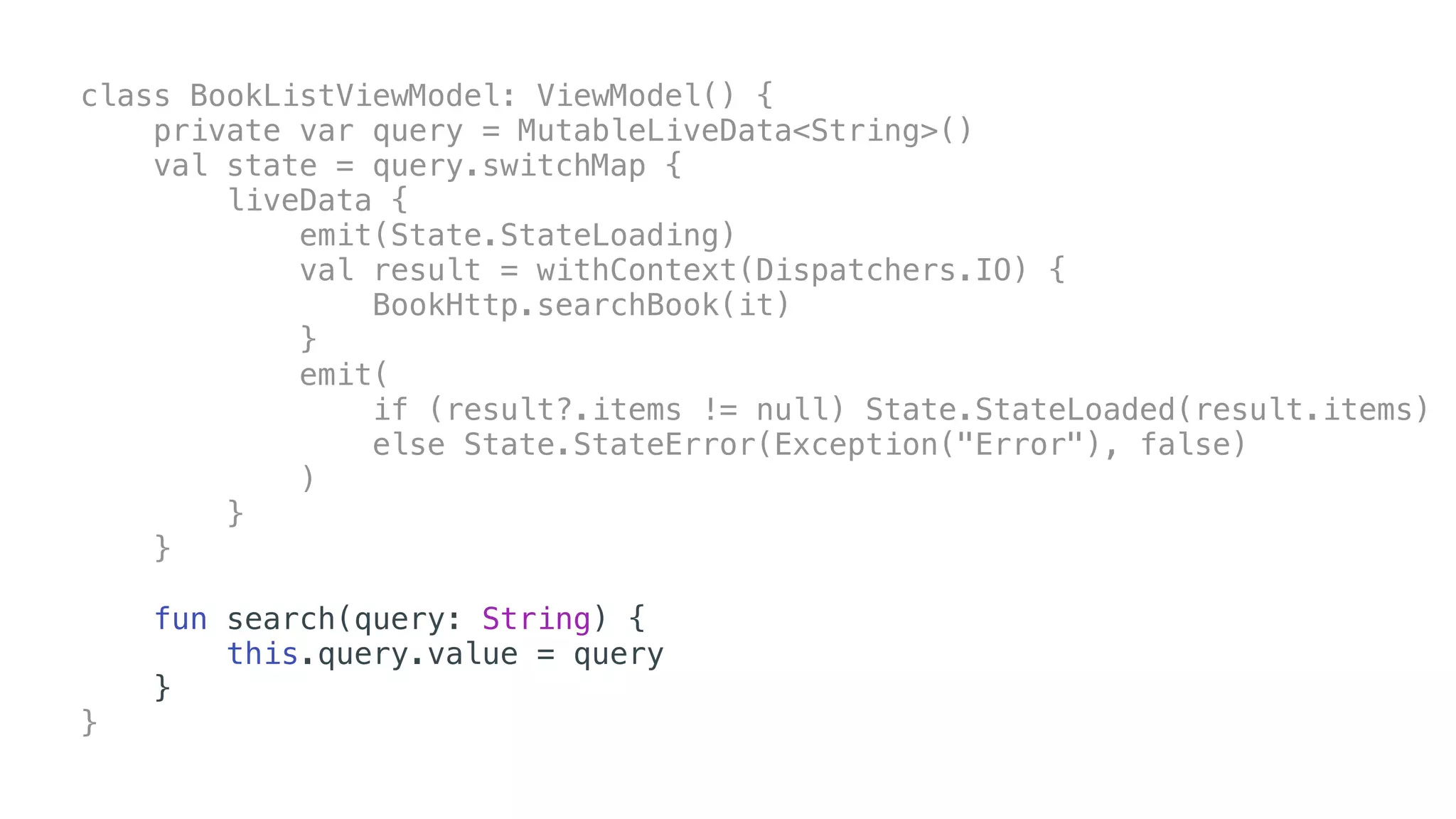
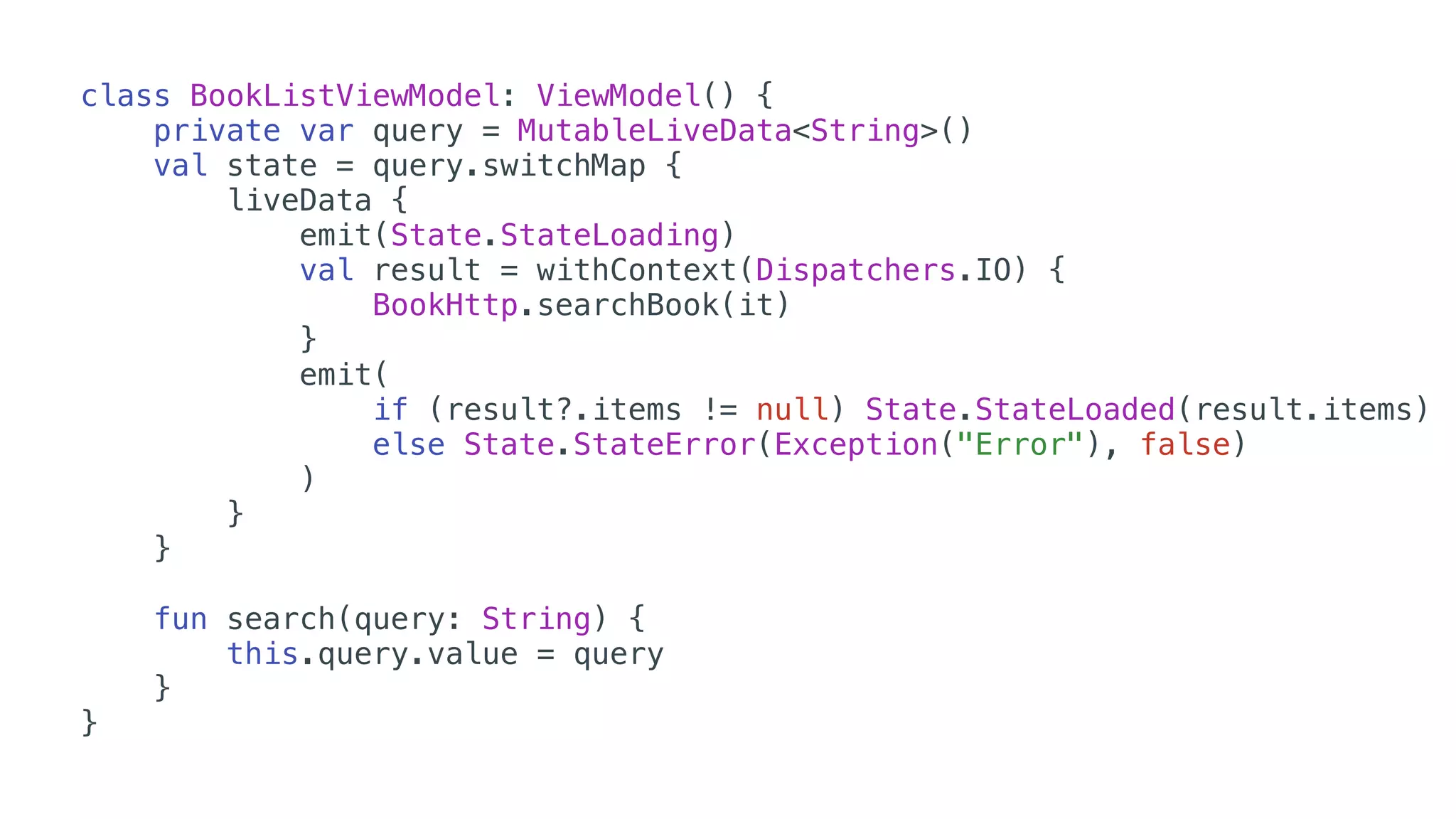
class BookListViewModel: ViewModel() {
private var query = MutableLiveData<String>()
val state = query.switchMap {
liveData {
emit(State.StateLoading)
val result = withContext(Dispatchers.IO) {
BookHttp.searchBook(it)
}
emit(
if (result?.items != null) State.StateLoaded(result.items)
else State.StateError(Exception("Error"), false)
)
}
}
fun search(query: String) {
this.query.value = query
}
}
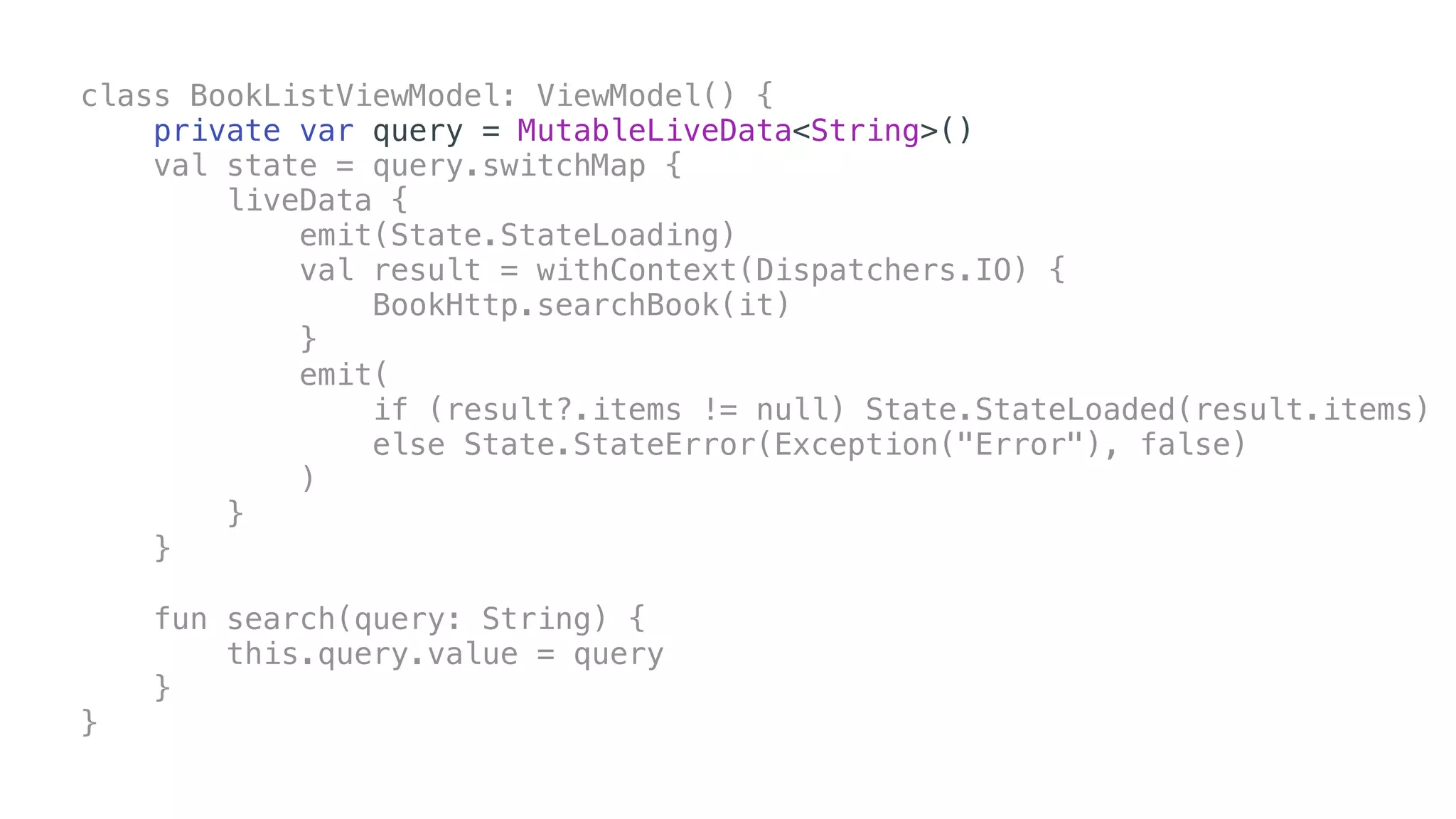
class BookListViewModel: ViewModel() {
private var query = MutableLiveData<String>()
val state = query.switchMap {
liveData {
emit(State.StateLoading)
val result = withContext(Dispatchers.IO) {
BookHttp.searchBook(it)
}
emit(
if (result?.items != null) State.StateLoaded(result.items)
else State.StateError(Exception("Error"), false)
)
}
}
fun search(query: String) {
this.query.value = query
}
}
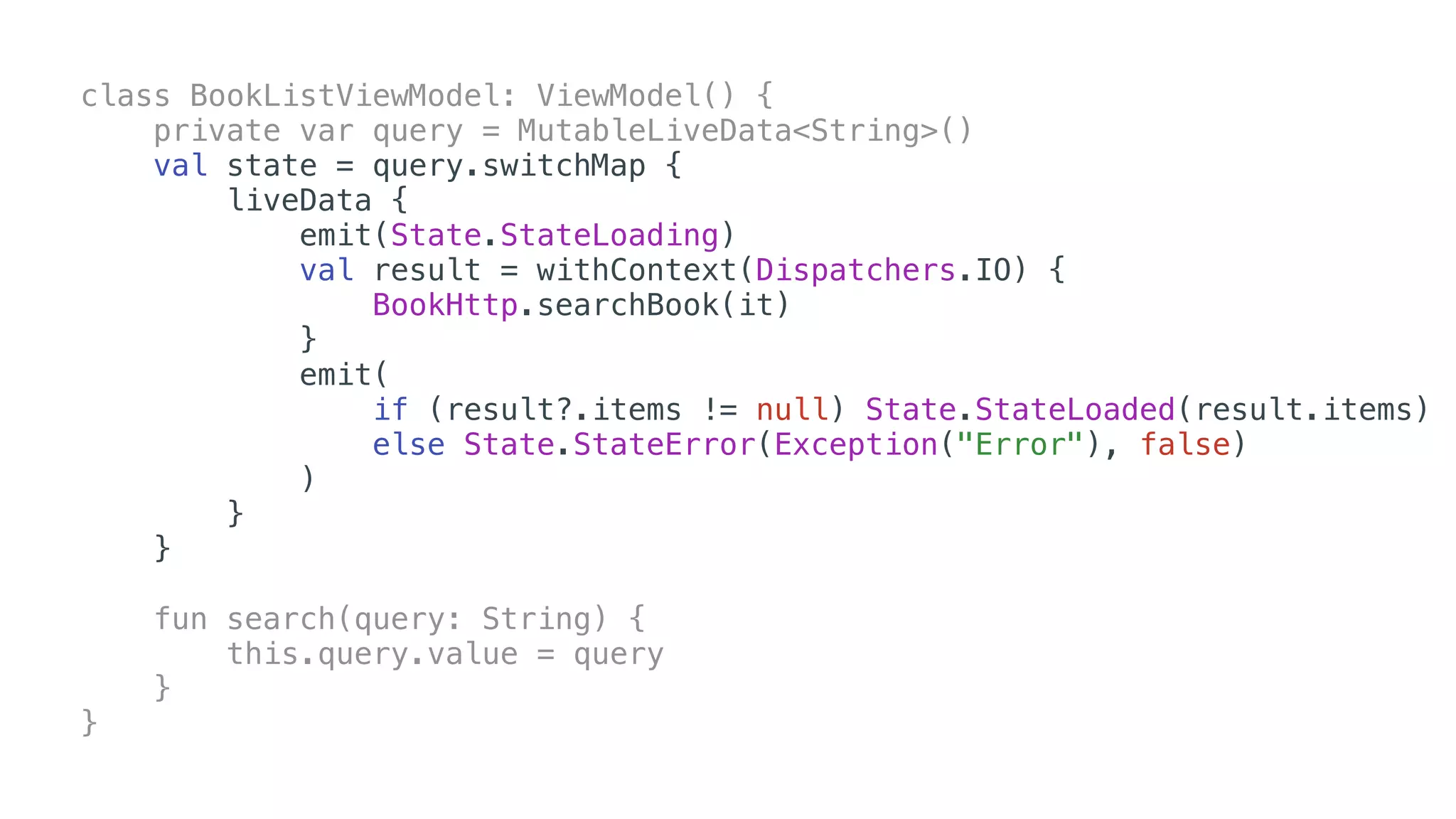
class BookListViewModel: ViewModel() {
private var query = MutableLiveData<String>()
val state = query.switchMap {
liveData {
emit(State.StateLoading)
val result = withContext(Dispatchers.IO) {
BookHttp.searchBook(it)
}
emit(
if (result?.items != null) State.StateLoaded(result.items)
else State.StateError(Exception("Error"), false)
)
}
}
fun search(query: String) {
this.query.value = query
}
}
class BookListViewModel: ViewModel() {
private var query = MutableLiveData<String>()
val state = query.switchMap {
liveData {
emit(State.StateLoading)
val result = withContext(Dispatchers.IO) {
BookHttp.searchBook(it)
}
emit(
if (result?.items != null) State.StateLoaded(result.items)
else State.StateError(Exception("Error"), false)
)
}
}
fun search(query: String) {
this.query.value = query
}
}
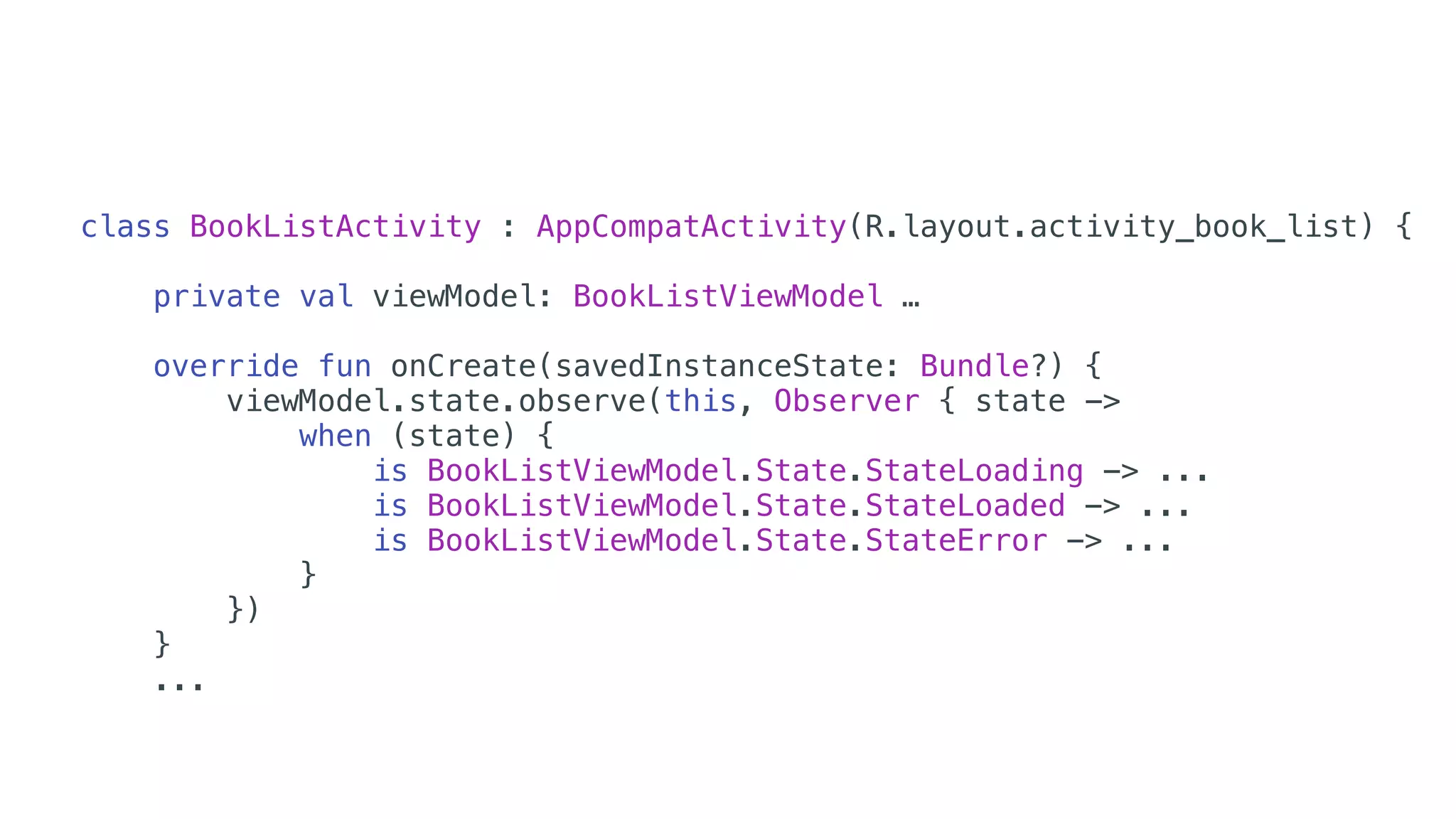
class BookListActivity : AppCompatActivity(R.layout.activity_book_list) {
private val viewModel: BookListViewModel …
override fun onCreate(savedInstanceState: Bundle?) {
viewModel.state.observe(this, Observer { state ->
when (state) {
is BookListViewModel.State.StateLoading -> ...
is BookListViewModel.State.StateLoaded -> ...
is BookListViewModel.State.StateError -> ...
}
})
}
...
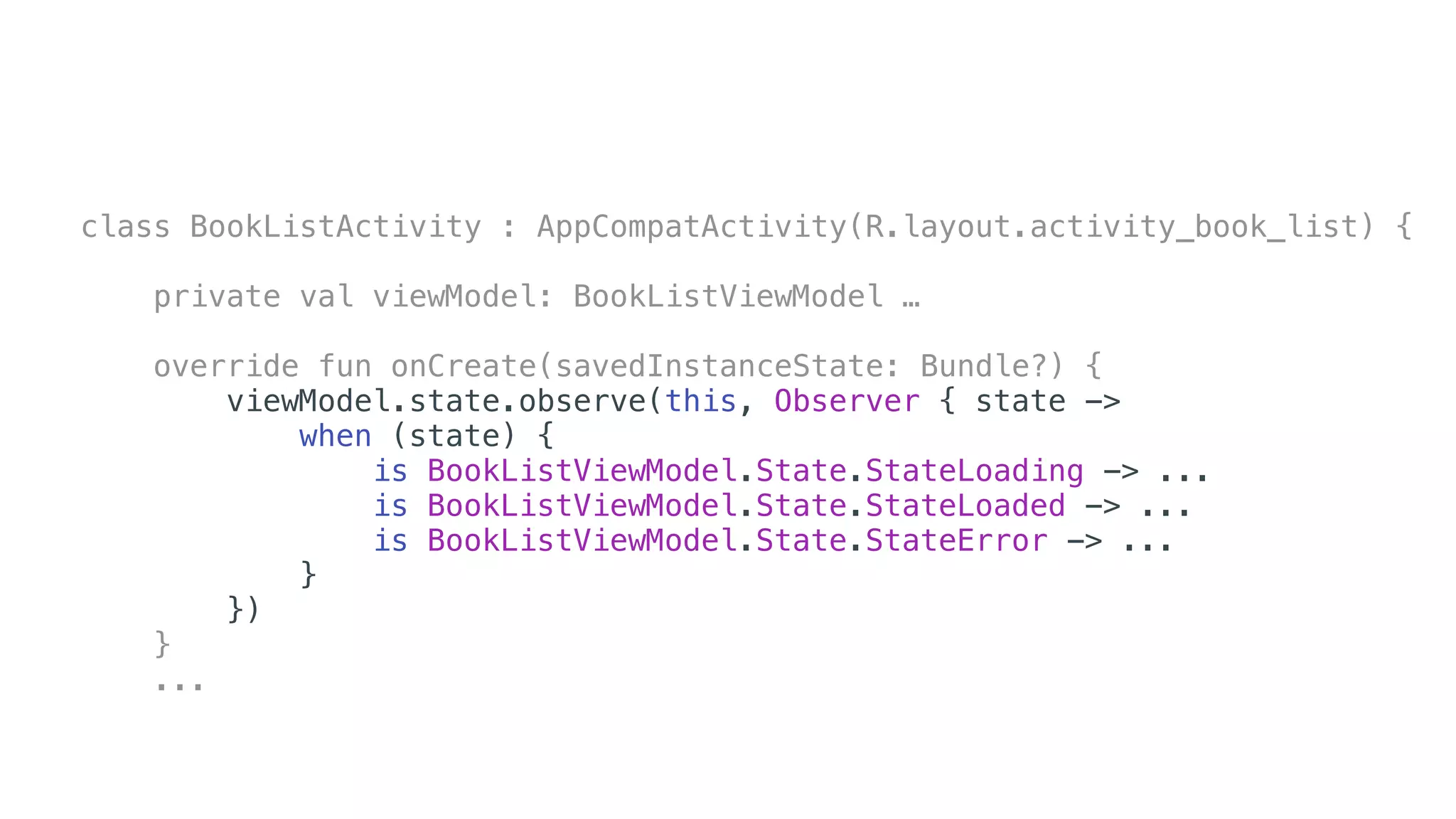
class BookListActivity : AppCompatActivity(R.layout.activity_book_list) {
private val viewModel: BookListViewModel …
override fun onCreate(savedInstanceState: Bundle?) {
viewModel.state.observe(this, Observer { state ->
when (state) {
is BookListViewModel.State.StateLoading -> ...
is BookListViewModel.State.StateLoaded -> ...
is BookListViewModel.State.StateError -> ...
}
})
}
...
WorkManager
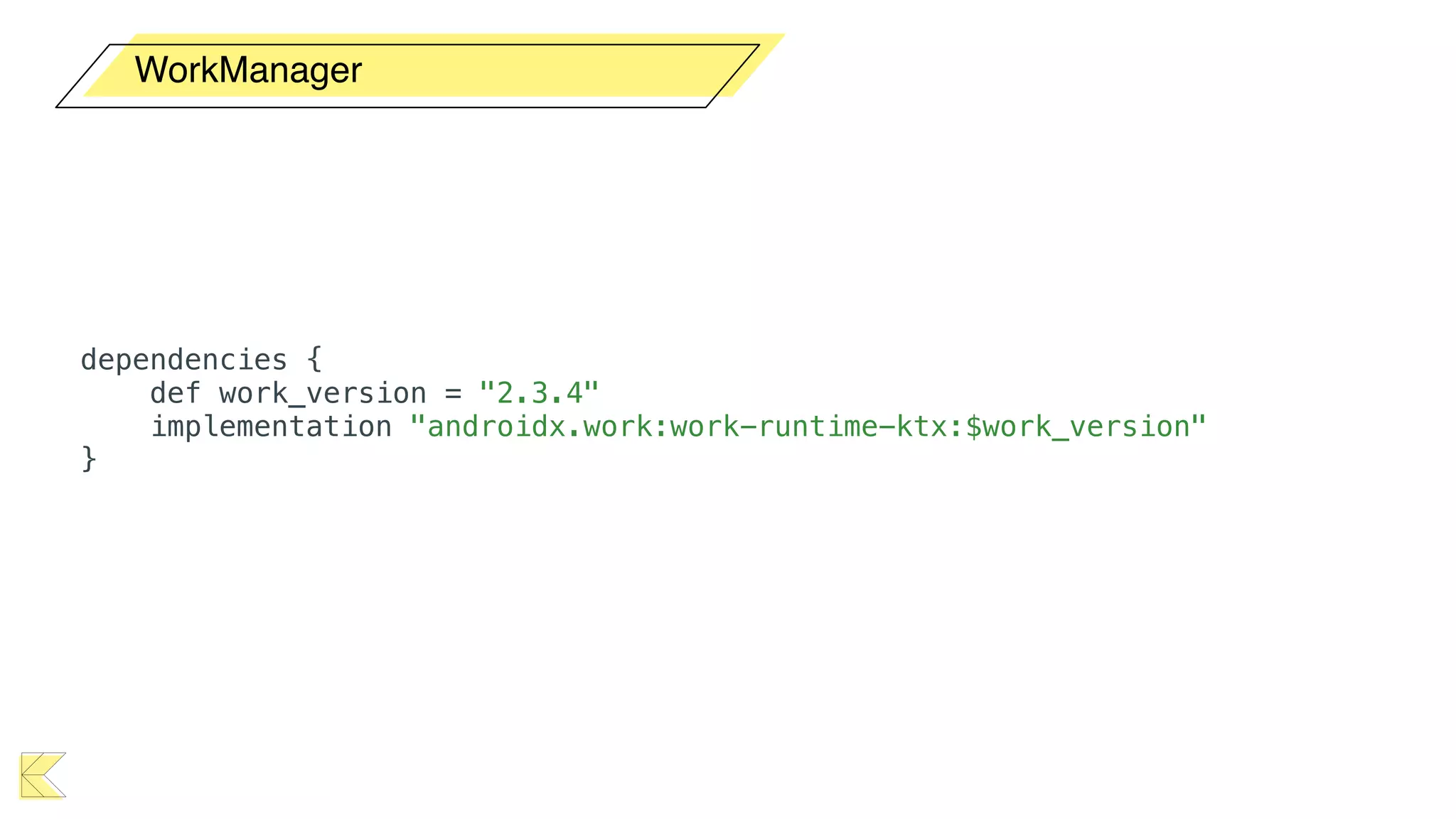
WorkManager
dependencies {
def work_version = "2.3.4"
implementation "androidx.work:work-runtime-ktx:$work_version"
}
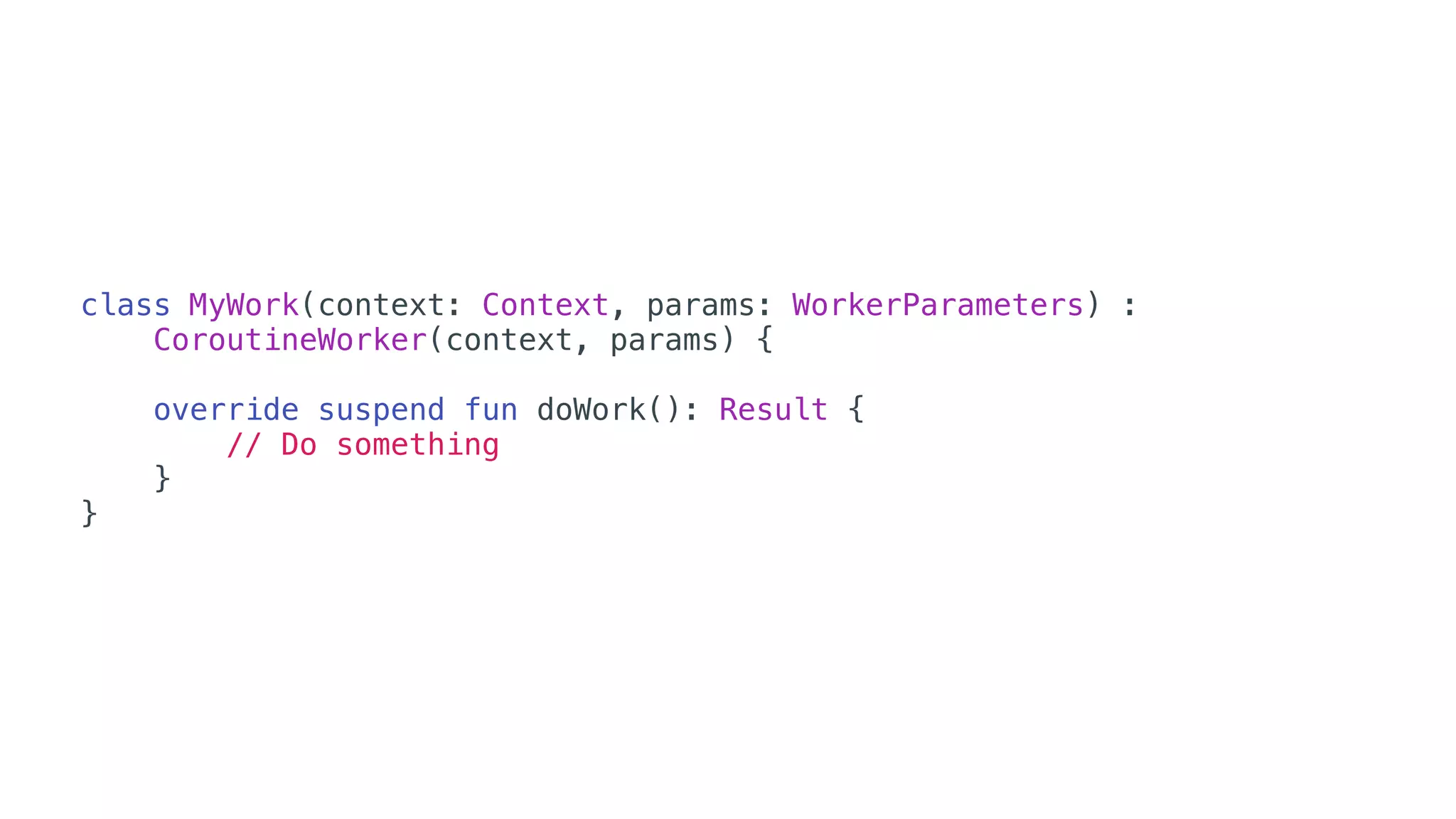
class MyWork(context: Context, params: WorkerParameters) :
CoroutineWorker(context, params) {
override suspend fun doWork(): Result {
// Do something
}
}
• Lifecycle provê um lifecycleScope para Activity e
Fragment (e a view do Fragment).
• ViewModel possui a propriedade viewModelScope.
• WorkManager disponibiliza a classe CoroutineWorker.
Jetpack + Coroutines
Coroutines - Parte 2
• As duas formas de iniciar uma coroutine são:
• A função launch é uma “fire and forget”  que significa
que não retornará o resultado para que a chamou (mas
retornará um Job).
• A função async retorna um objeto Deferred que
permite obter o seu resultado.
Iniciando uma coroutine
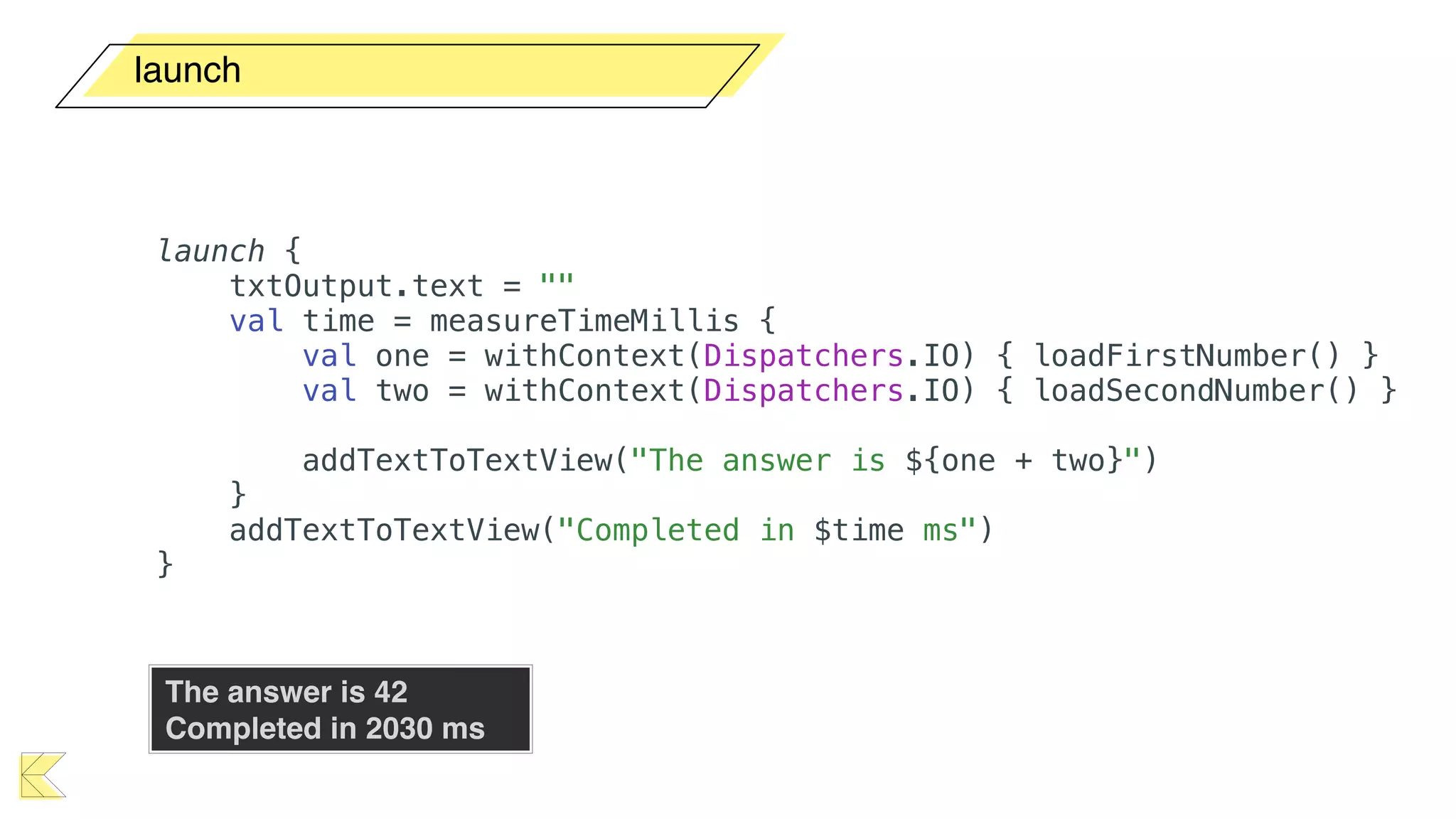
launch
launch {
txtOutput.text = ""
val time = measureTimeMillis {
val one = withContext(Dispatchers.IO) { loadFirstNumber() }
val two = withContext(Dispatchers.IO) { loadSecondNumber() }
addTextToTextView("The answer is ${one + two}")
}
addTextToTextView("Completed in $time ms")
}
The answer is 42

Completed in 2030 ms
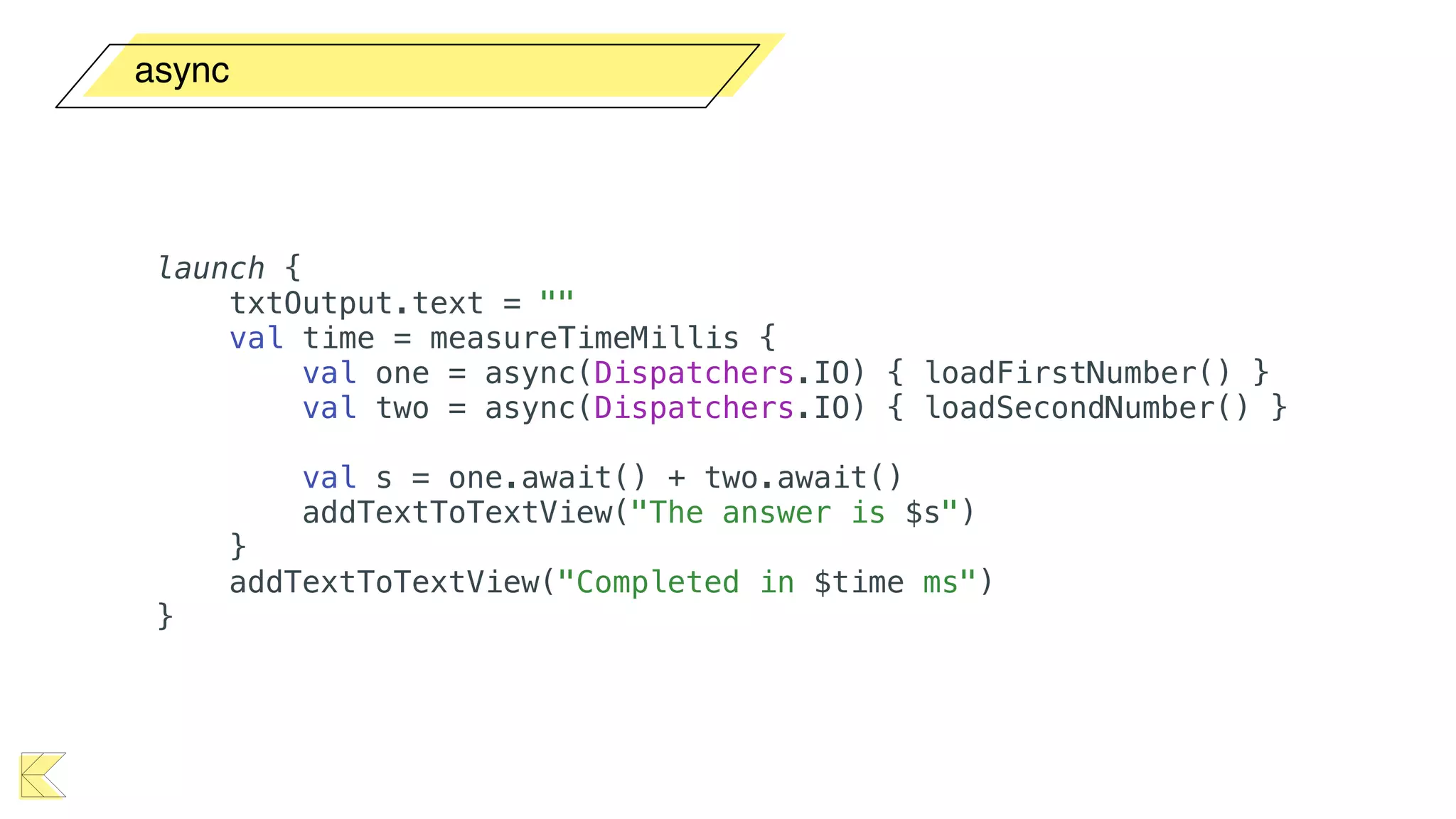
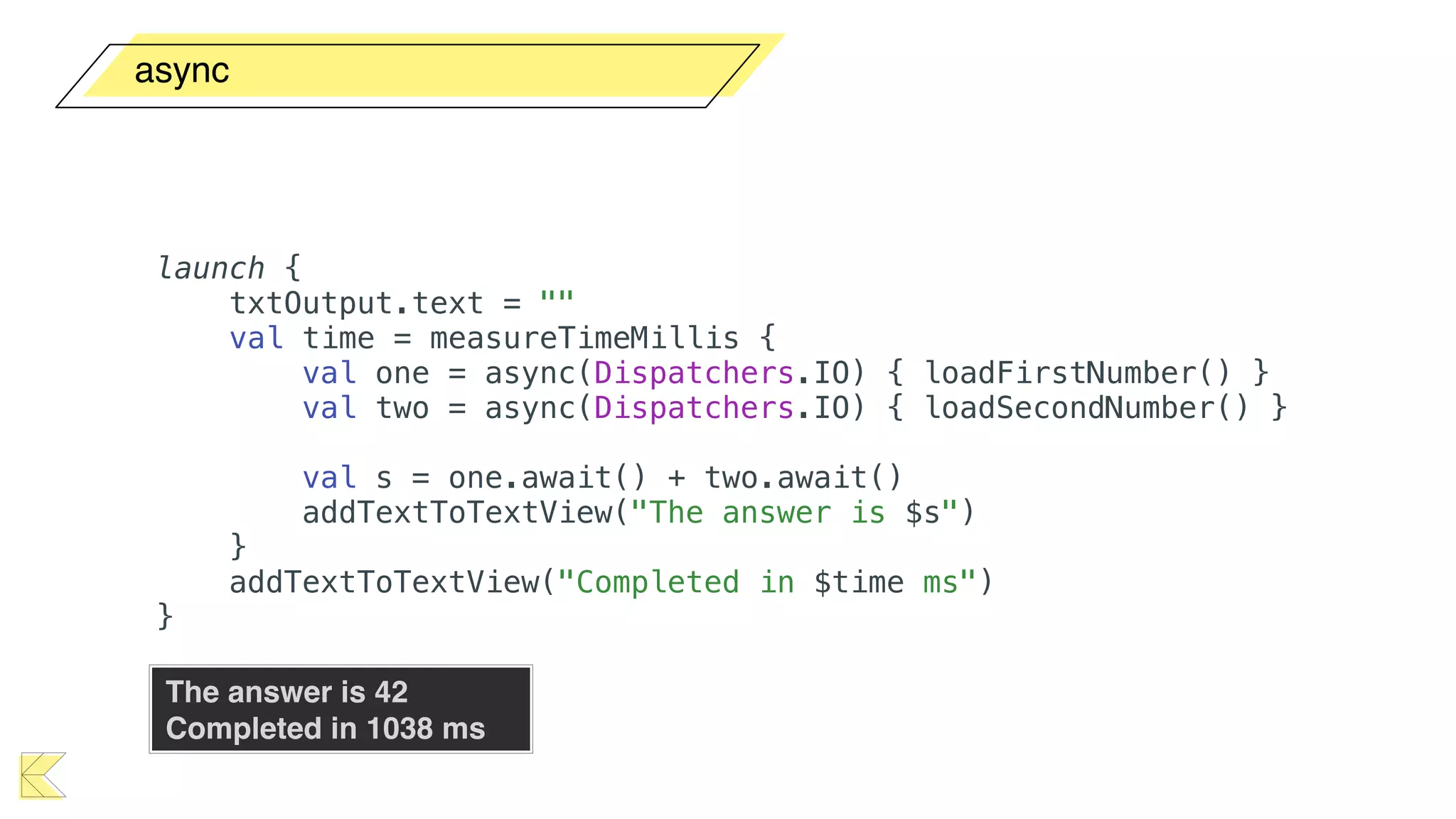
async
launch {
txtOutput.text = ""
val time = measureTimeMillis {
val one = async(Dispatchers.IO) { loadFirstNumber() }
val two = async(Dispatchers.IO) { loadSecondNumber() }
val s = one.await() + two.await()
addTextToTextView("The answer is $s")
}
addTextToTextView("Completed in $time ms")
}
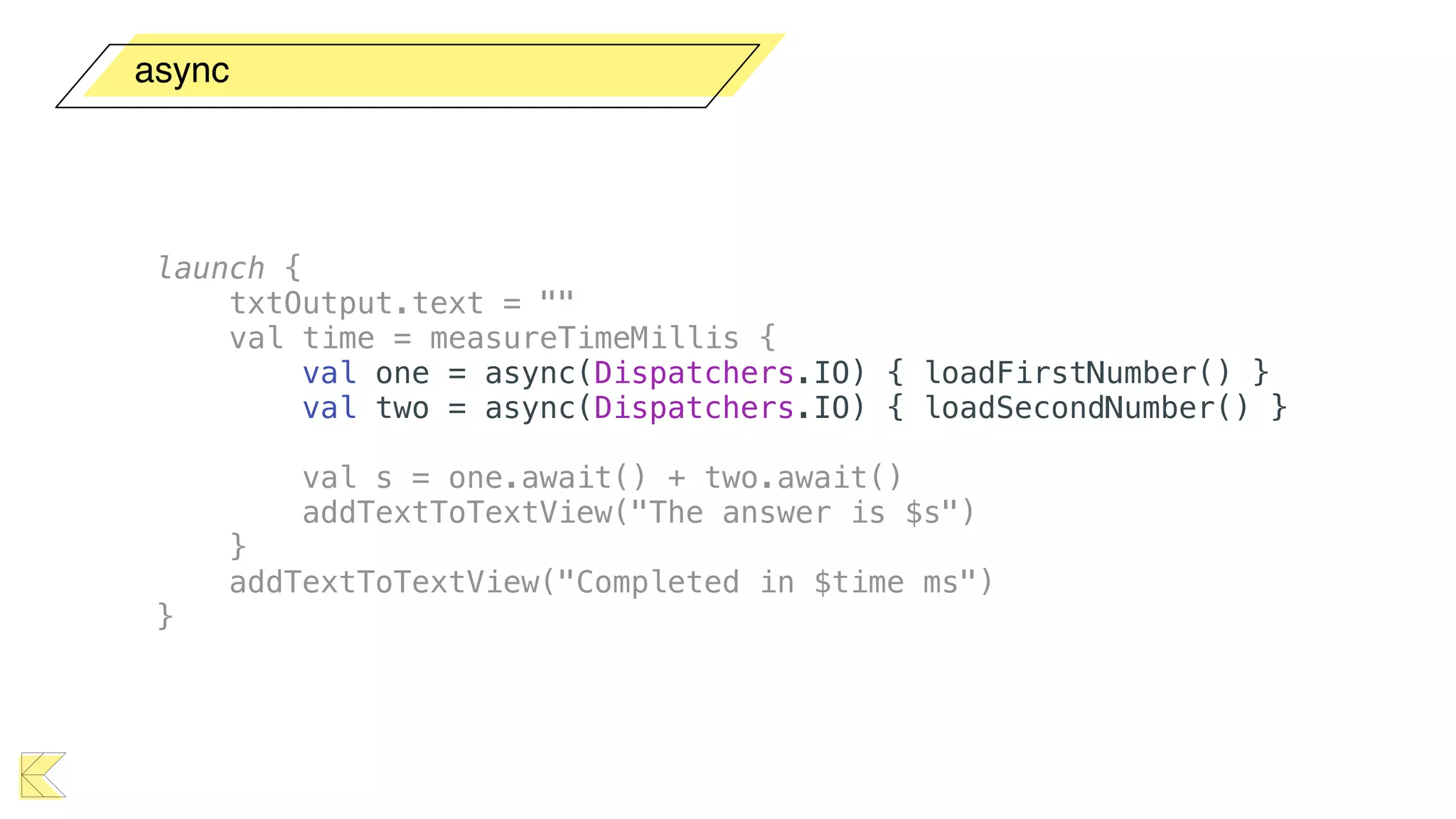
async
launch {
txtOutput.text = ""
val time = measureTimeMillis {
val one = async(Dispatchers.IO) { loadFirstNumber() }
val two = async(Dispatchers.IO) { loadSecondNumber() }
val s = one.await() + two.await()
addTextToTextView("The answer is $s")
}
addTextToTextView("Completed in $time ms")
}
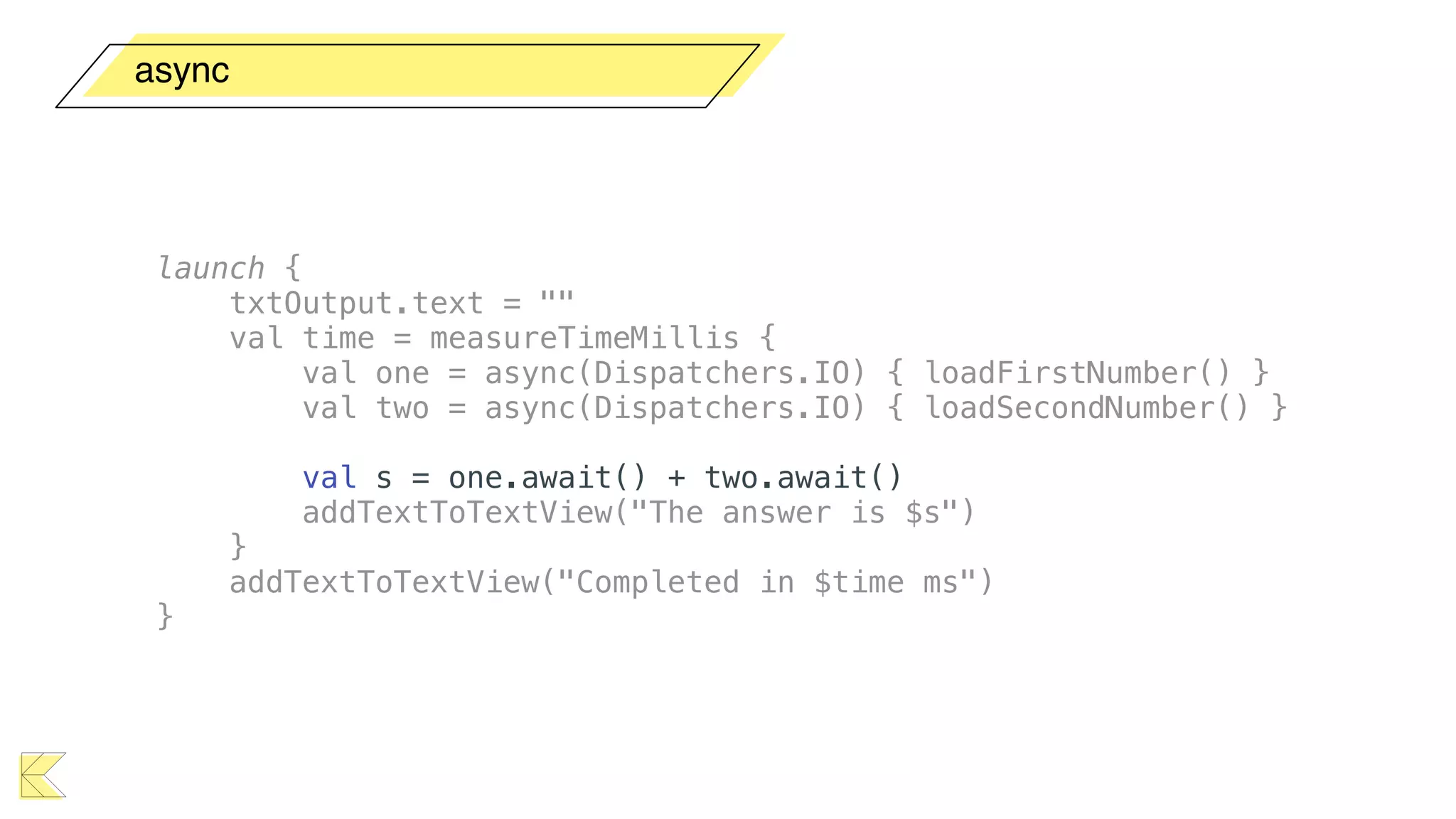
async
launch {
txtOutput.text = ""
val time = measureTimeMillis {
val one = async(Dispatchers.IO) { loadFirstNumber() }
val two = async(Dispatchers.IO) { loadSecondNumber() }
val s = one.await() + two.await()
addTextToTextView("The answer is $s")
}
addTextToTextView("Completed in $time ms")
}
async
The answer is 42

Completed in 1038 ms
launch {
txtOutput.text = ""
val time = measureTimeMillis {
val one = async(Dispatchers.IO) { loadFirstNumber() }
val two = async(Dispatchers.IO) { loadSecondNumber() }
val s = one.await() + two.await()
addTextToTextView("The answer is $s")
}
addTextToTextView("Completed in $time ms")
}
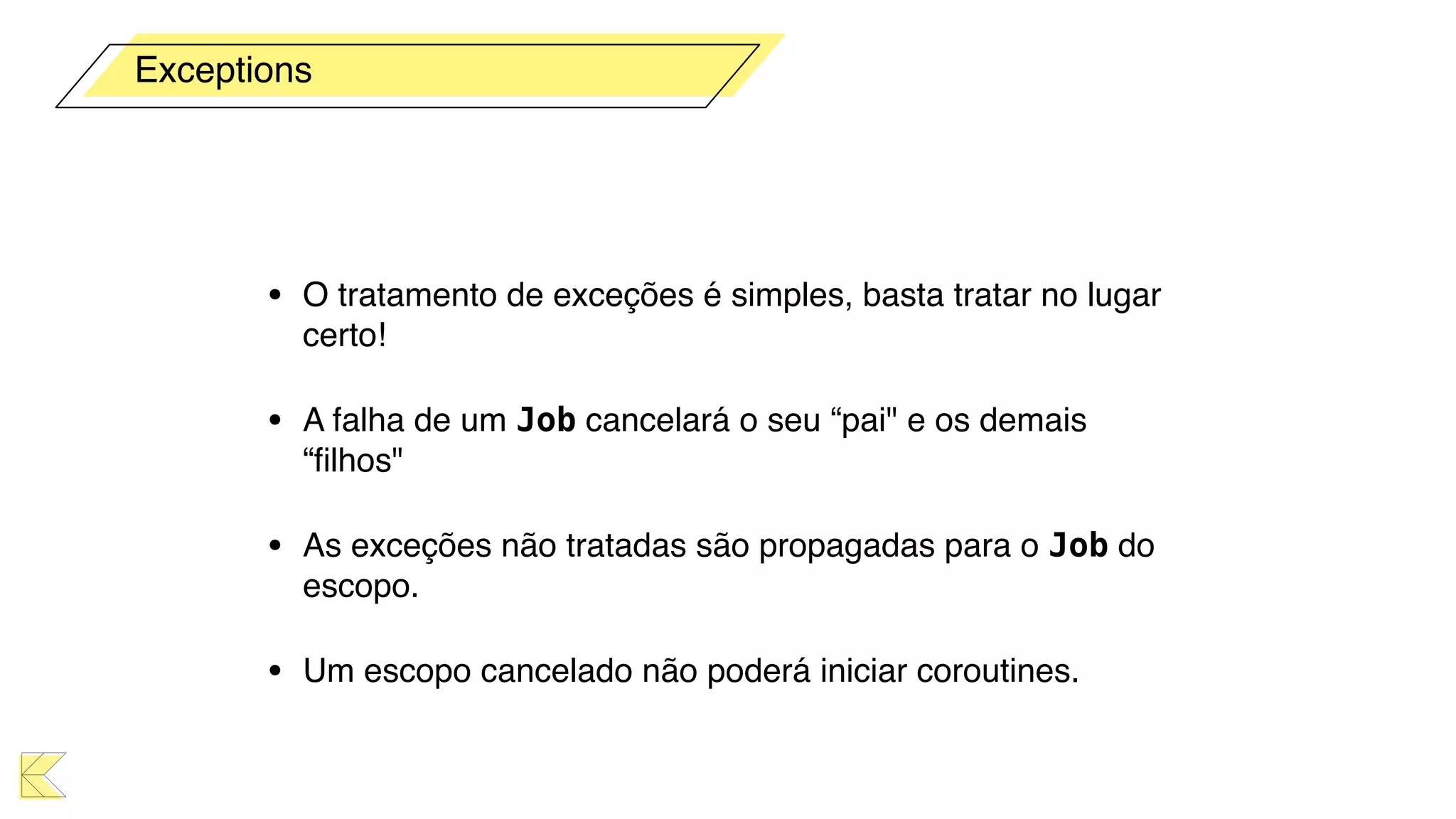
• O tratamento de exceções é simples, basta tratar no lugar
certo!
• A falha de um Job cancelará o seu “pai" e os demais
“filhos"
• As exceções não tratadas são propagadas para o Job do
escopo.
• Um escopo cancelado não poderá iniciar coroutines.
Exceptions
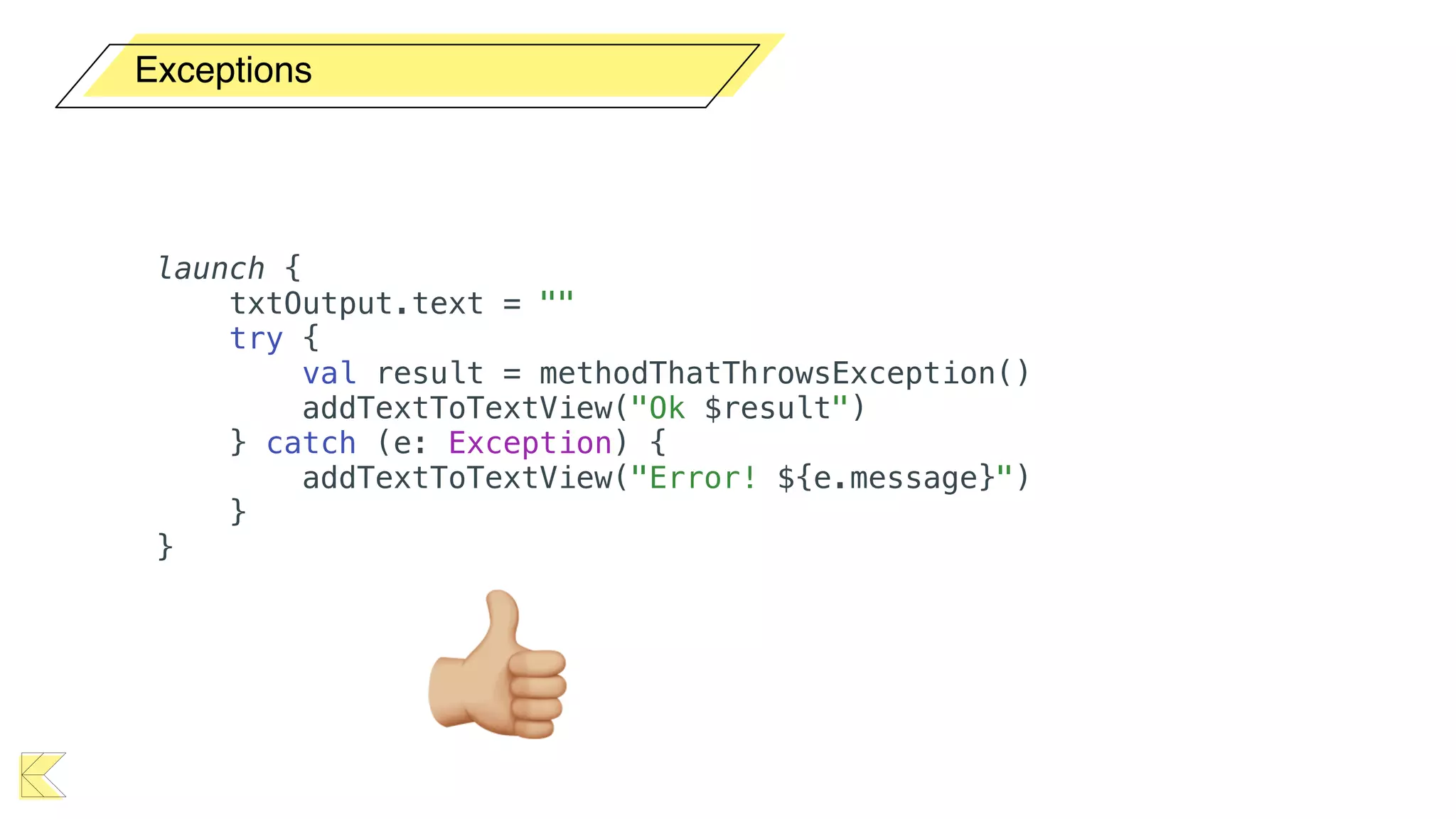
Exceptions
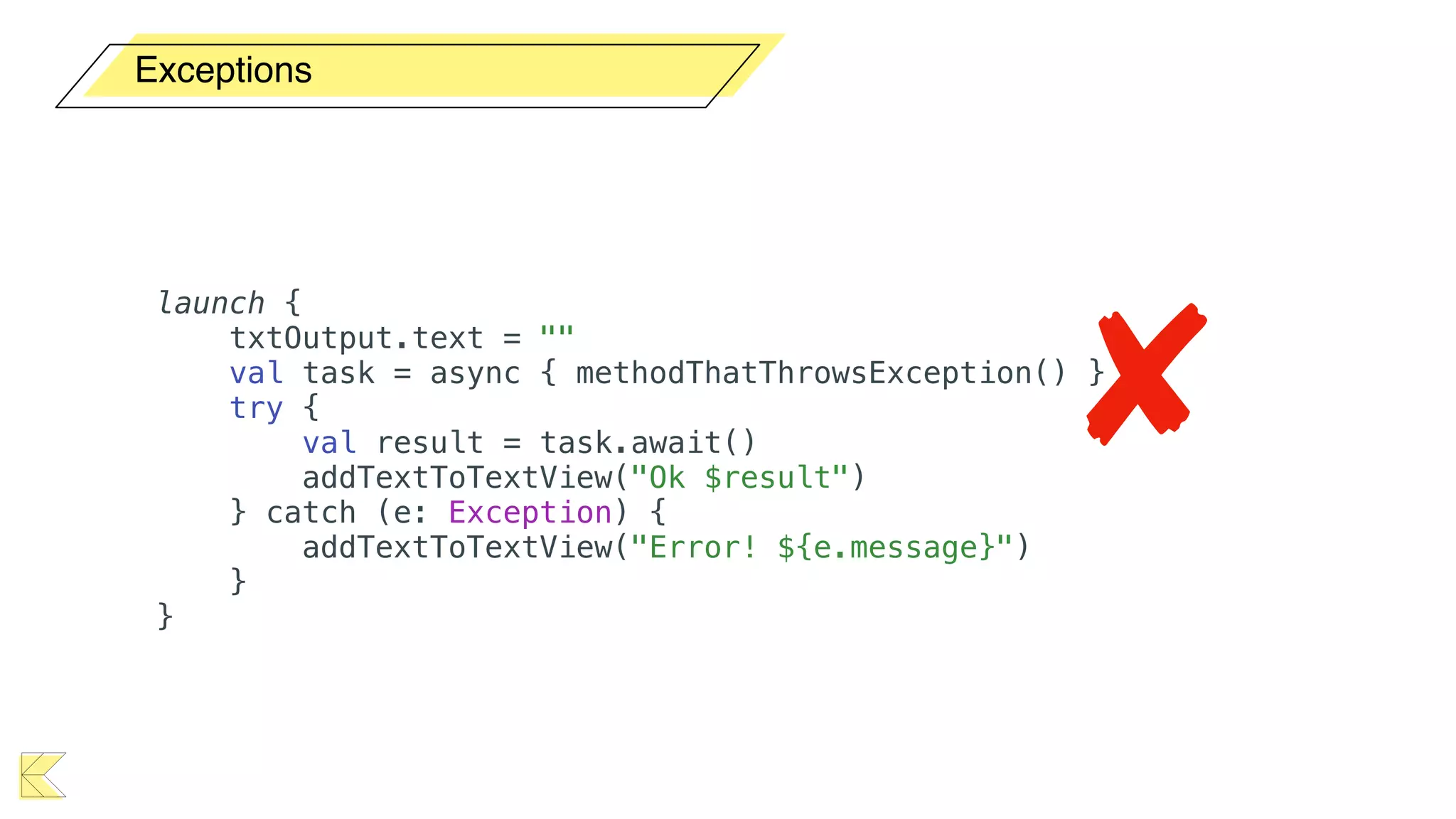
launch {
txtOutput.text = ""
try {
val result = methodThatThrowsException()
addTextToTextView("Ok $result")
} catch (e: Exception) {
addTextToTextView("Error! ${e.message}")
}
}
👍
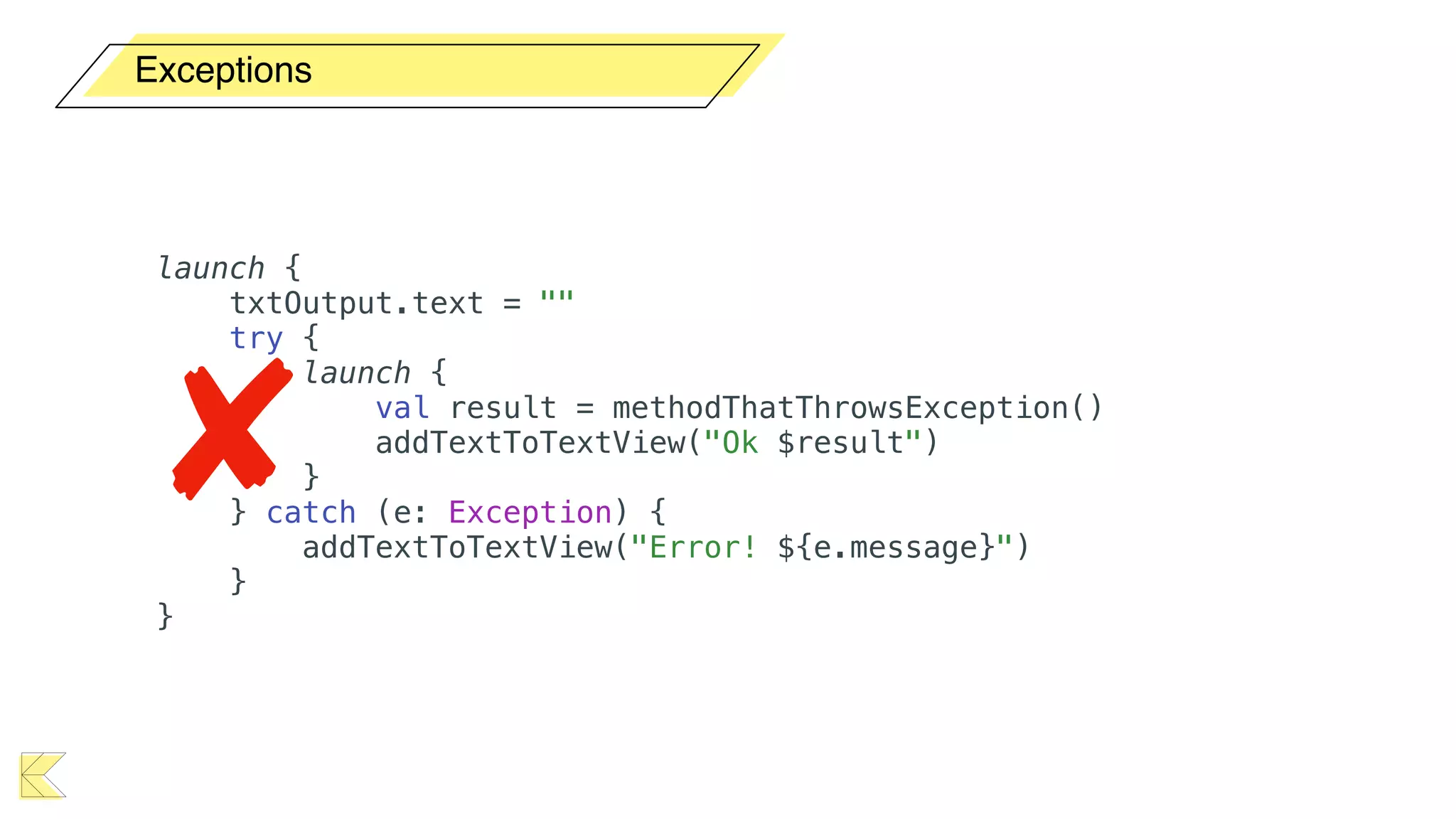
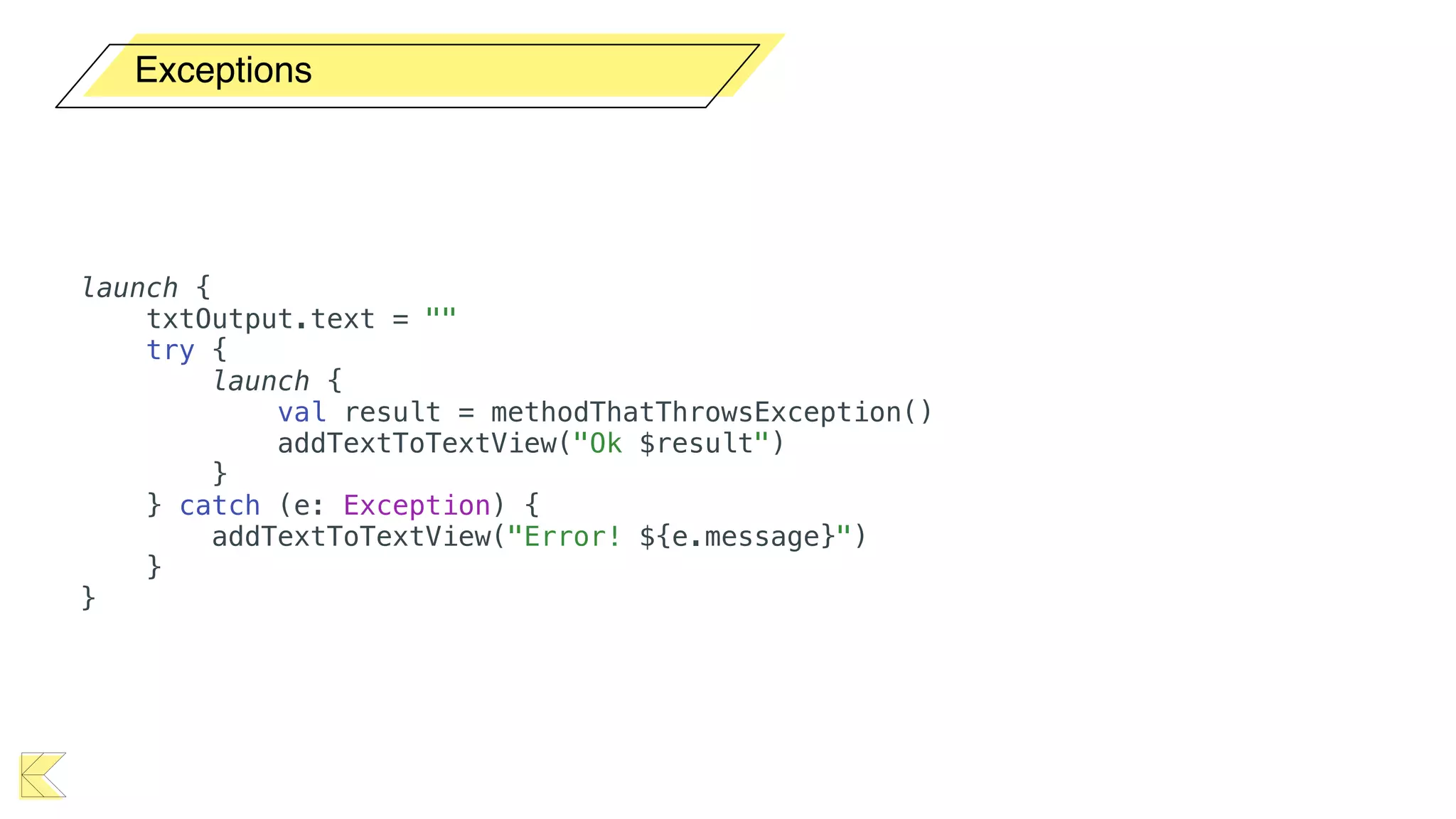
Exceptions
launch {
txtOutput.text = ""
try {
launch {
val result = methodThatThrowsException()
addTextToTextView("Ok $result")
}
} catch (e: Exception) {
addTextToTextView("Error! ${e.message}")
}
}
Exceptions
launch {
txtOutput.text = ""
try {
launch {
val result = methodThatThrowsException()
addTextToTextView("Ok $result")
}
} catch (e: Exception) {
addTextToTextView("Error! ${e.message}")
}
}
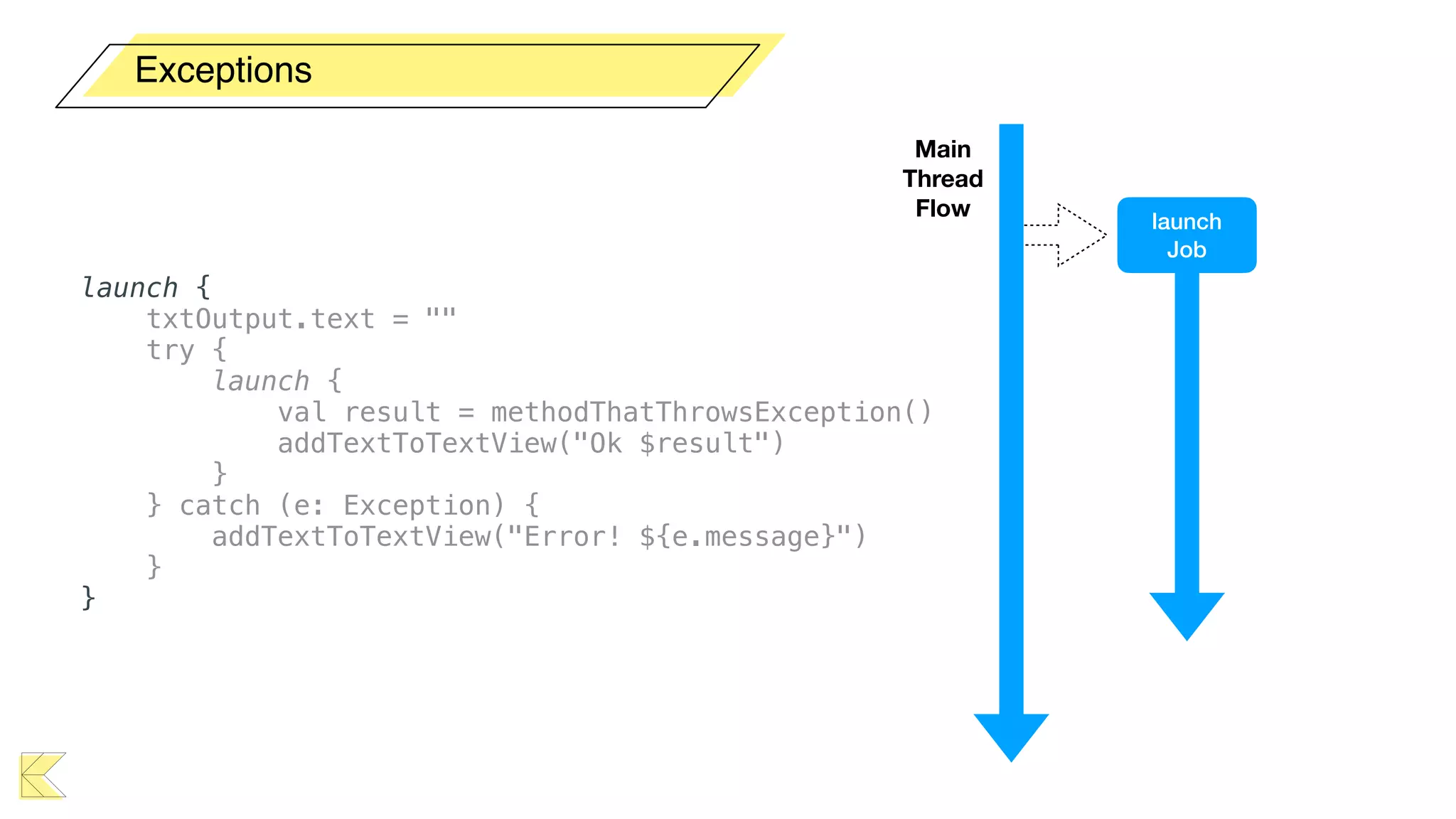
Exceptions
launch {
txtOutput.text = ""
try {
launch {
val result = methodThatThrowsException()
addTextToTextView("Ok $result")
}
} catch (e: Exception) {
addTextToTextView("Error! ${e.message}")
}
}
Main 

Thread
Flow
launch
Job
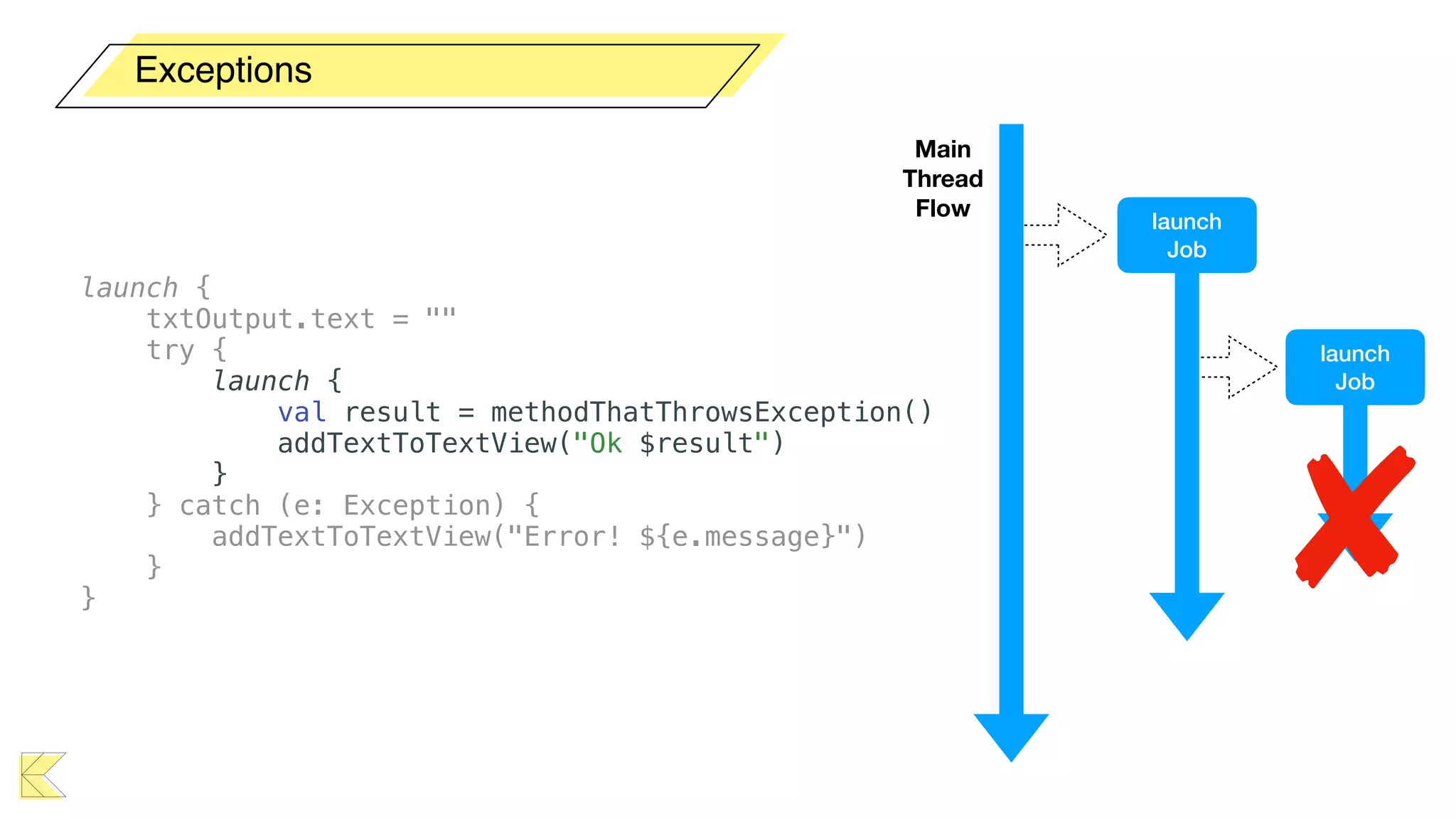
Exceptions
launch {
txtOutput.text = ""
try {
launch {
val result = methodThatThrowsException()
addTextToTextView("Ok $result")
}
} catch (e: Exception) {
addTextToTextView("Error! ${e.message}")
}
}
Main 

Thread
Flow
launch
Job
launch
Job
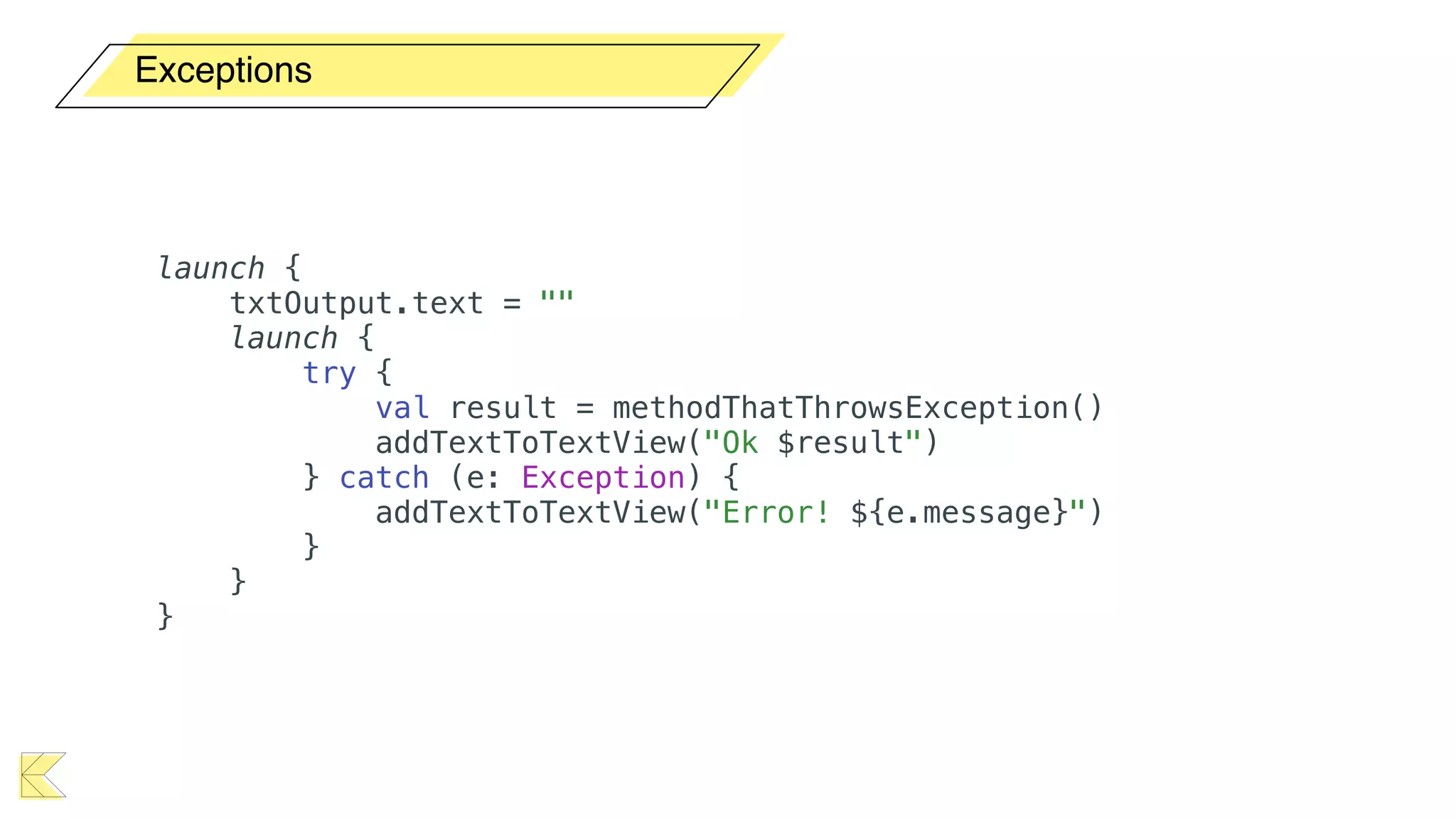
Exceptions
launch {
txtOutput.text = ""
launch {
try {
val result = methodThatThrowsException()
addTextToTextView("Ok $result")
} catch (e: Exception) {
addTextToTextView("Error! ${e.message}")
}
}
}
Exceptions
launch {
txtOutput.text = ""
val task = async { methodThatThrowsException() }
try {
val result = task.await()
addTextToTextView("Ok $result")
} catch (e: Exception) {
addTextToTextView("Error! ${e.message}")
}
}
Exceptions
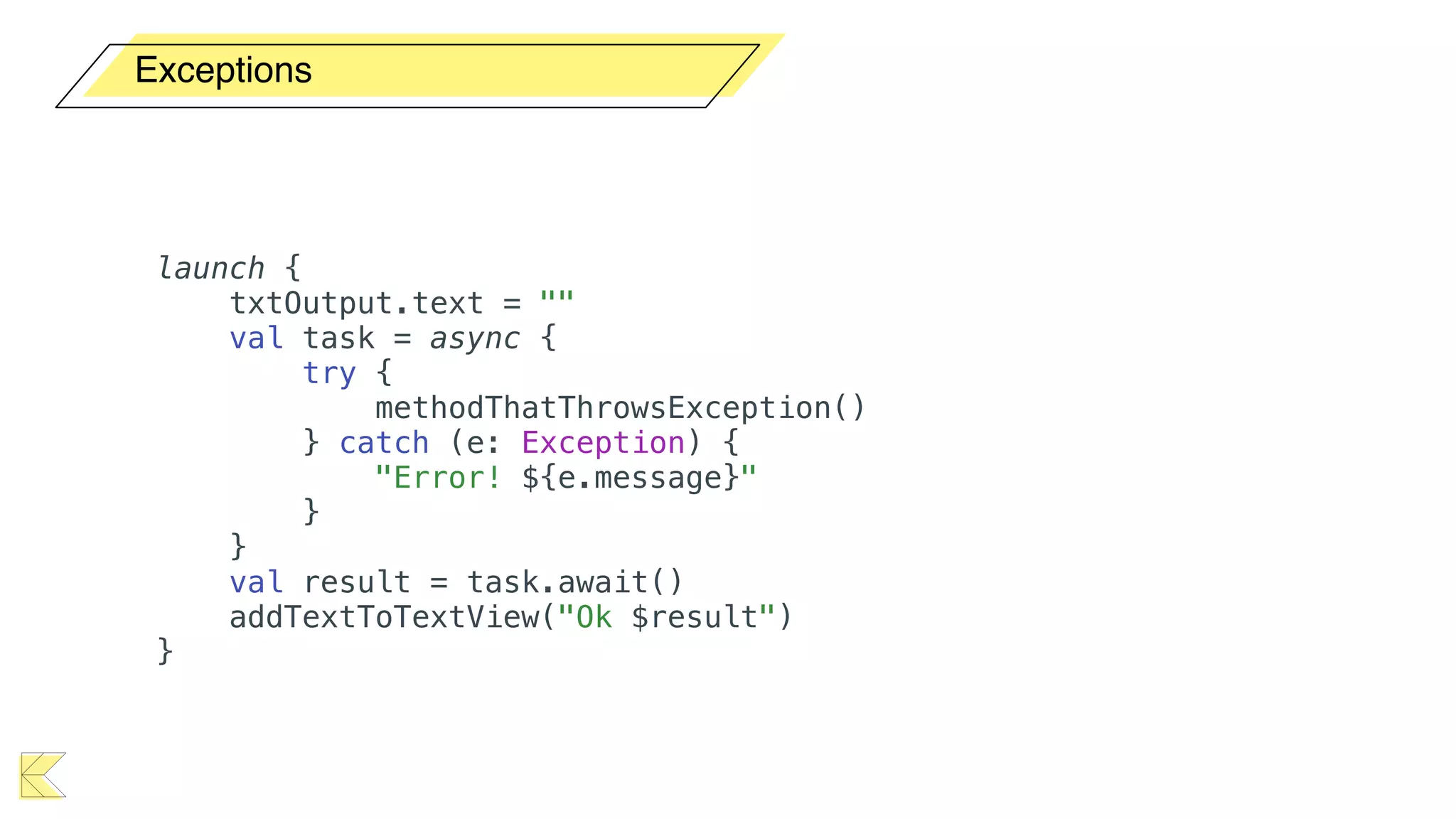
launch {
txtOutput.text = ""
val task = async {
try {
methodThatThrowsException()
} catch (e: Exception) {
"Error! ${e.message}"
}
}
val result = task.await()
addTextToTextView("Ok $result")
}
Exceptions
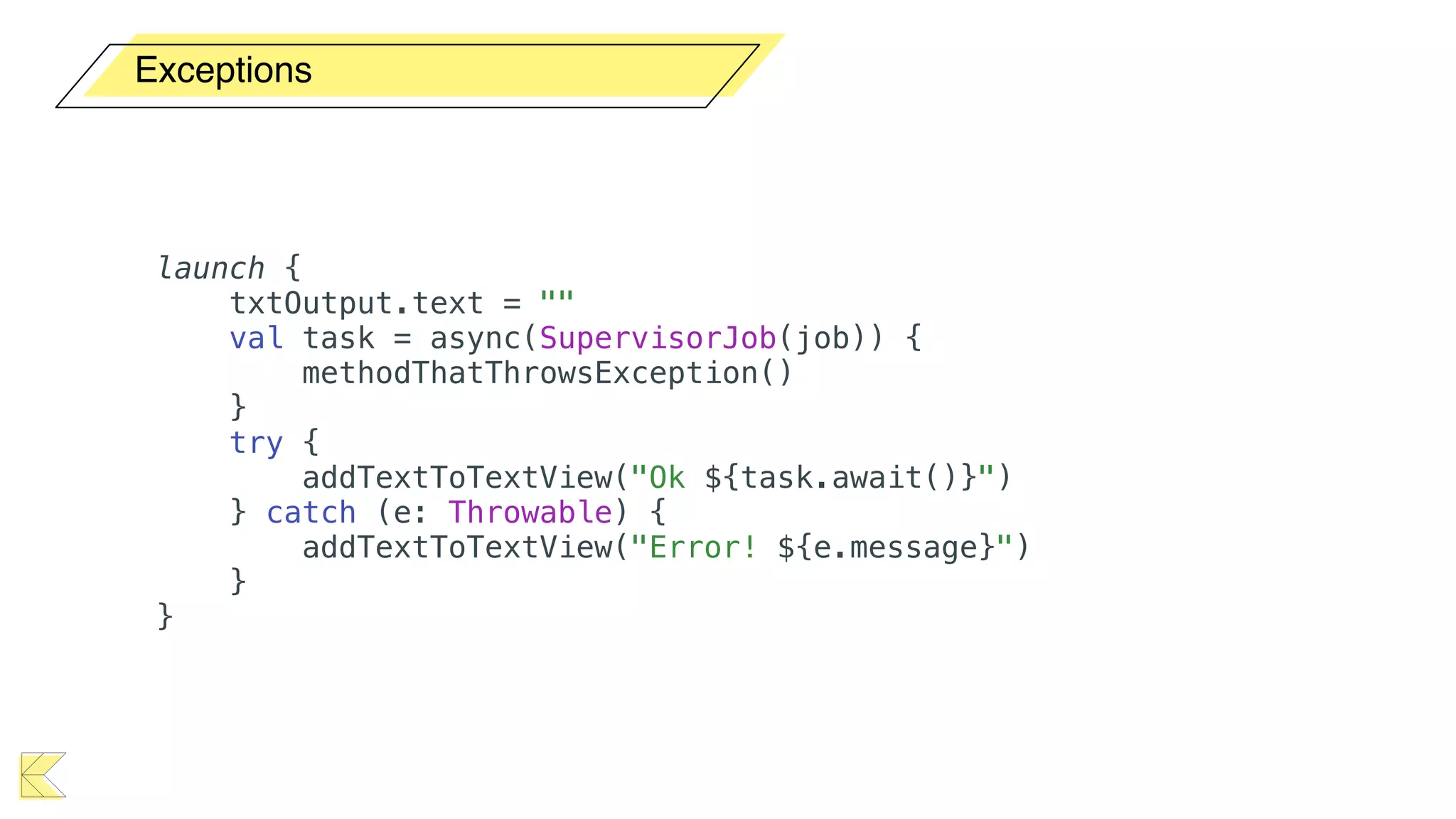
launch {
txtOutput.text = ""
val task = async(SupervisorJob(job)) {
methodThatThrowsException()
}
try {
addTextToTextView("Ok ${task.await()}")
} catch (e: Throwable) {
addTextToTextView("Error! ${e.message}")
}
}
Exceptions
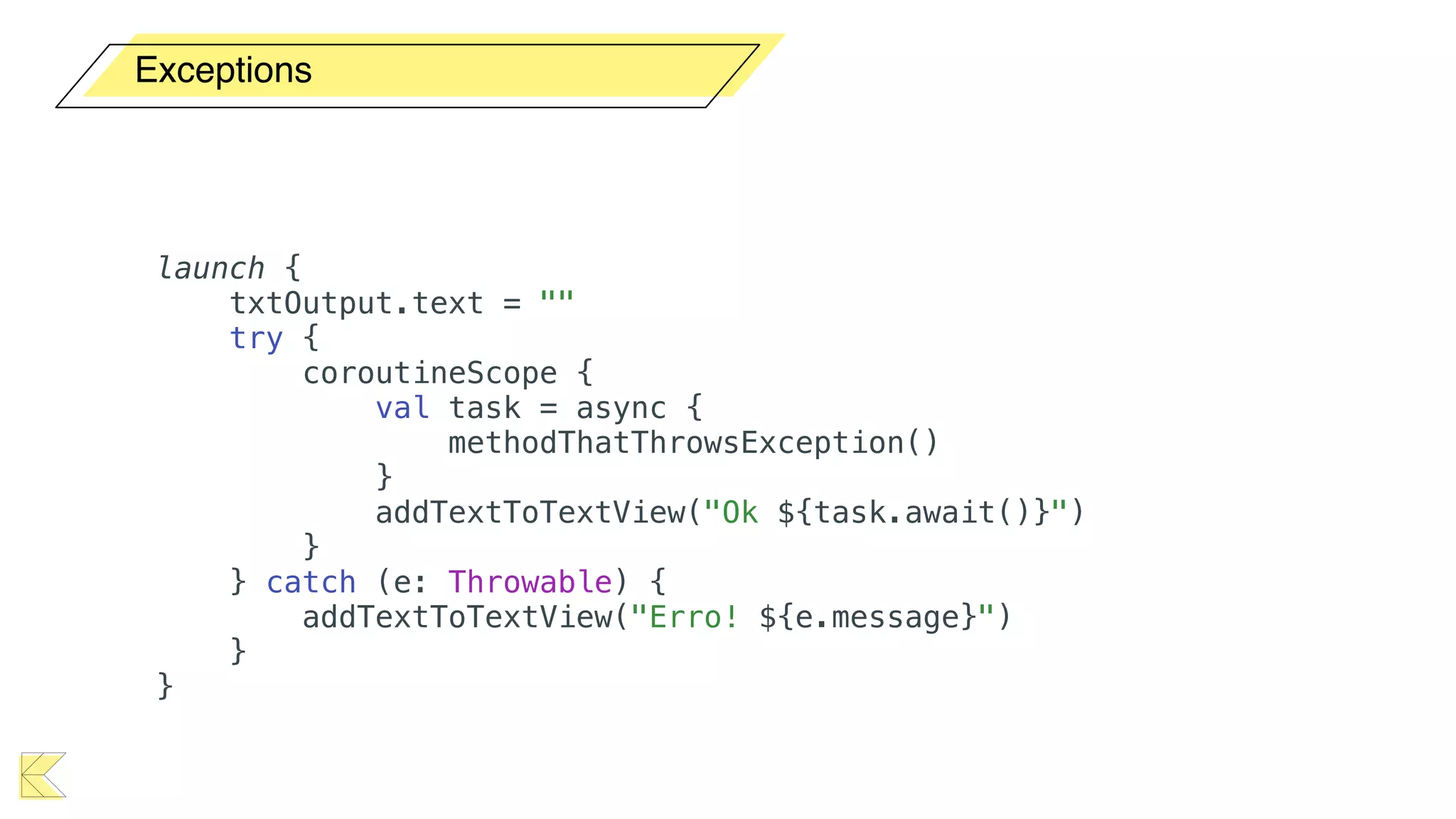
launch {
txtOutput.text = ""
try {
coroutineScope {
val task = async {
methodThatThrowsException()
}
addTextToTextView("Ok ${task.await()}")
}
} catch (e: Throwable) {
addTextToTextView("Erro! ${e.message}")
}
}
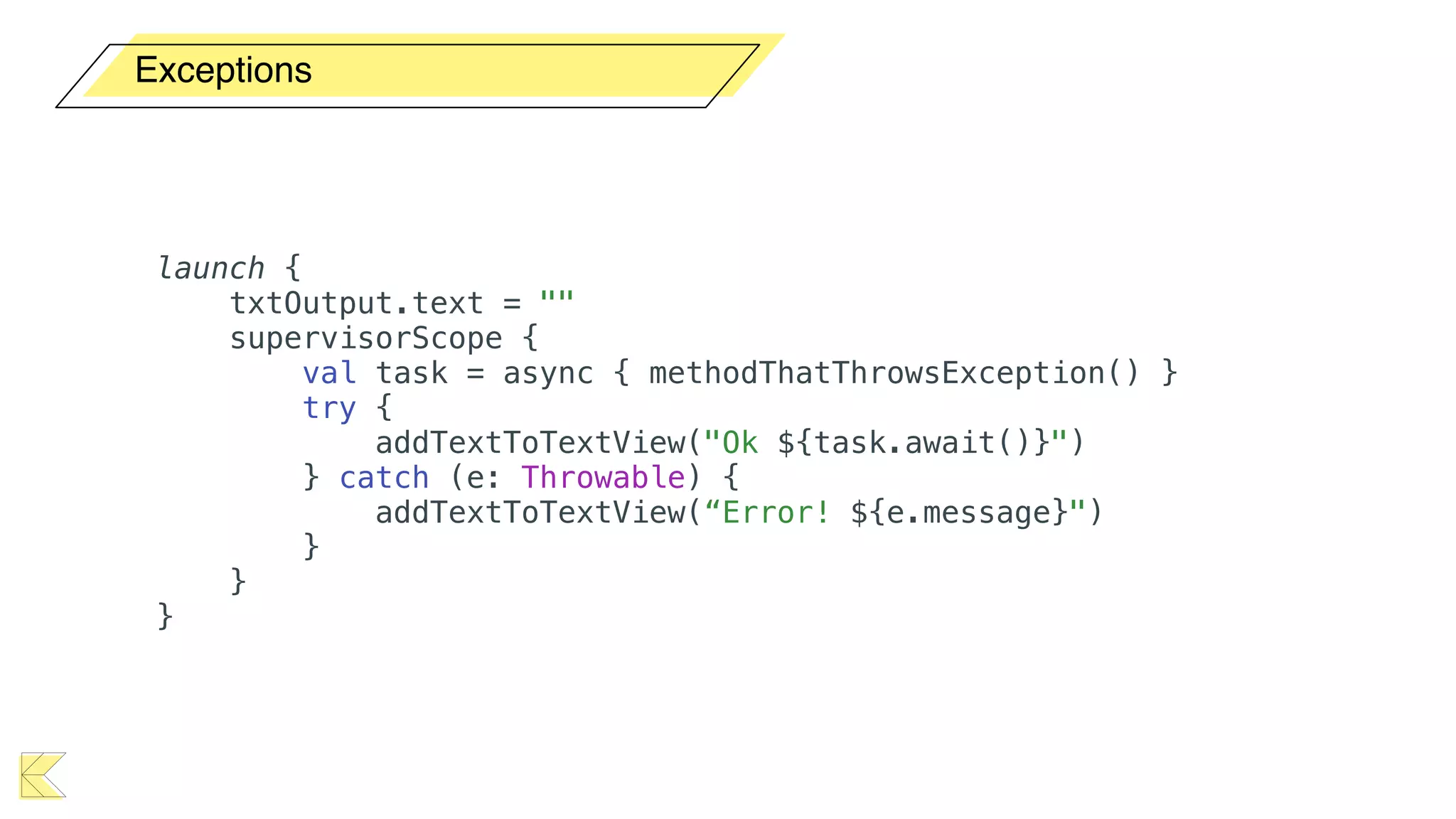
Exceptions
launch {
txtOutput.text = ""
supervisorScope {
val task = async { methodThatThrowsException() }
try {
addTextToTextView("Ok ${task.await()}")
} catch (e: Throwable) {
addTextToTextView(“Error! ${e.message}")
}
}
}
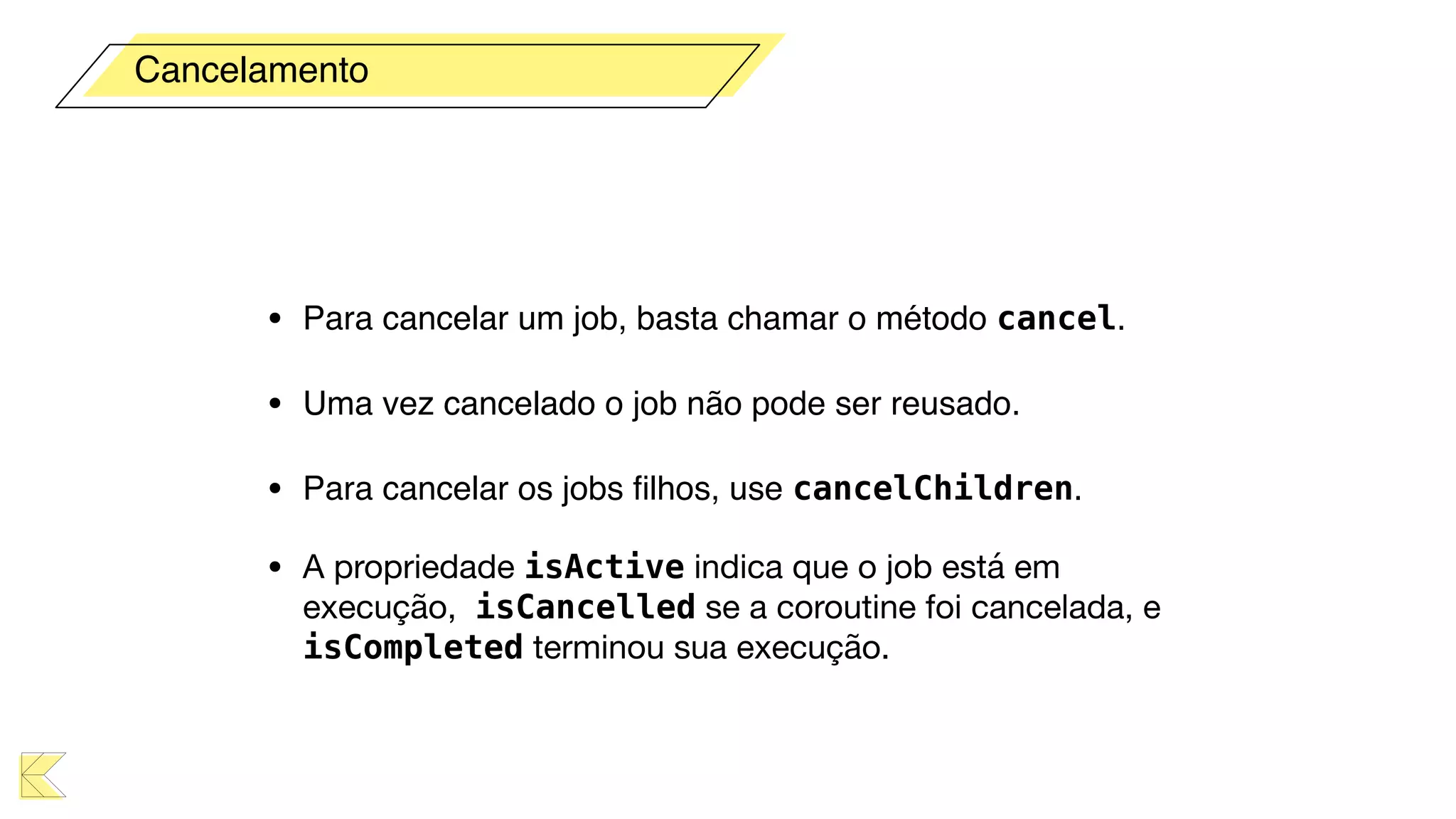
• Para cancelar um job, basta chamar o método cancel.
• Uma vez cancelado o job não pode ser reusado.
• Para cancelar os jobs filhos, use cancelChildren.
• A propriedade isActive indica que o job está em
execução, isCancelled se a coroutine foi cancelada, e
isCompleted terminou sua execução.
Cancelamento
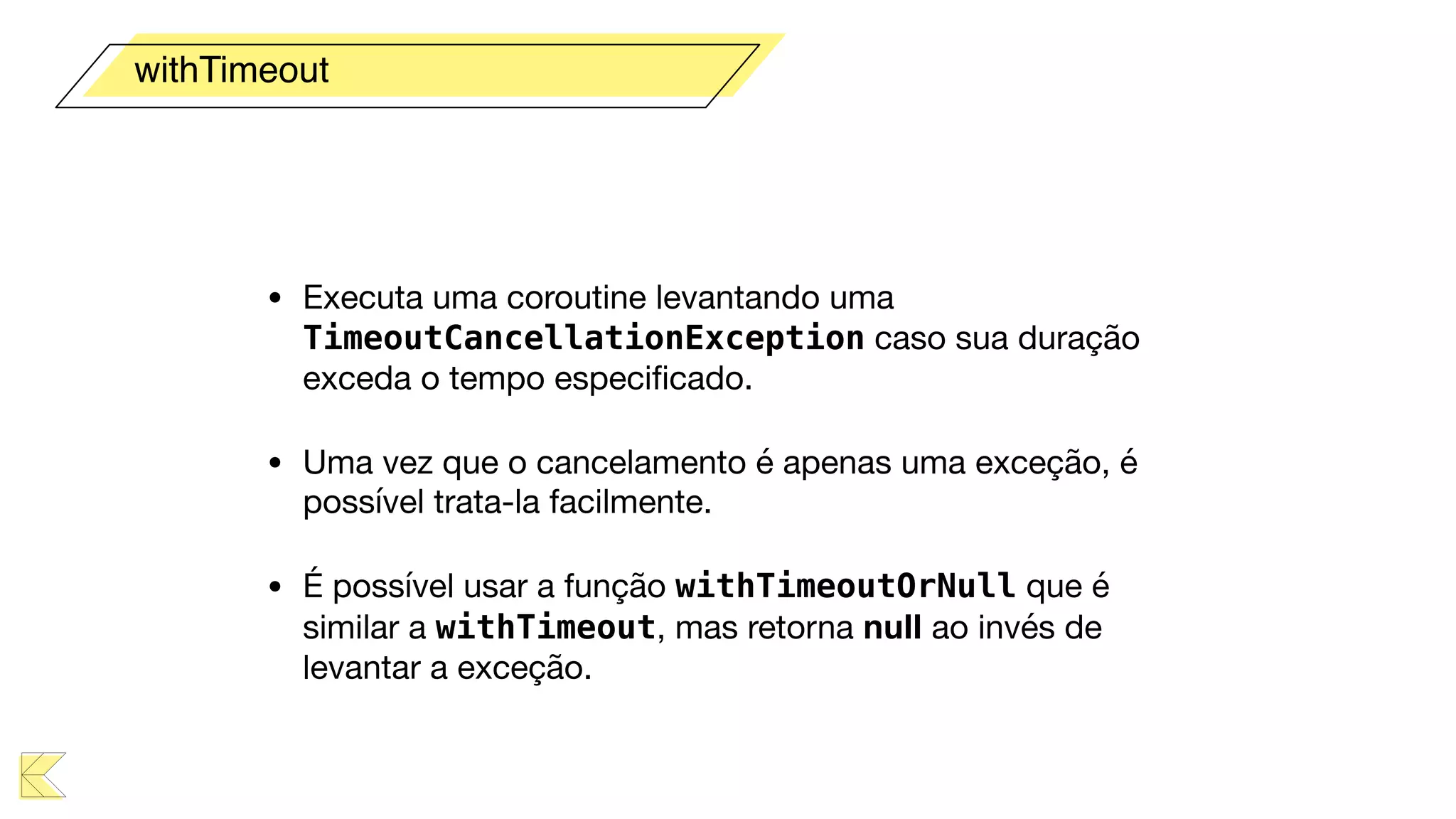
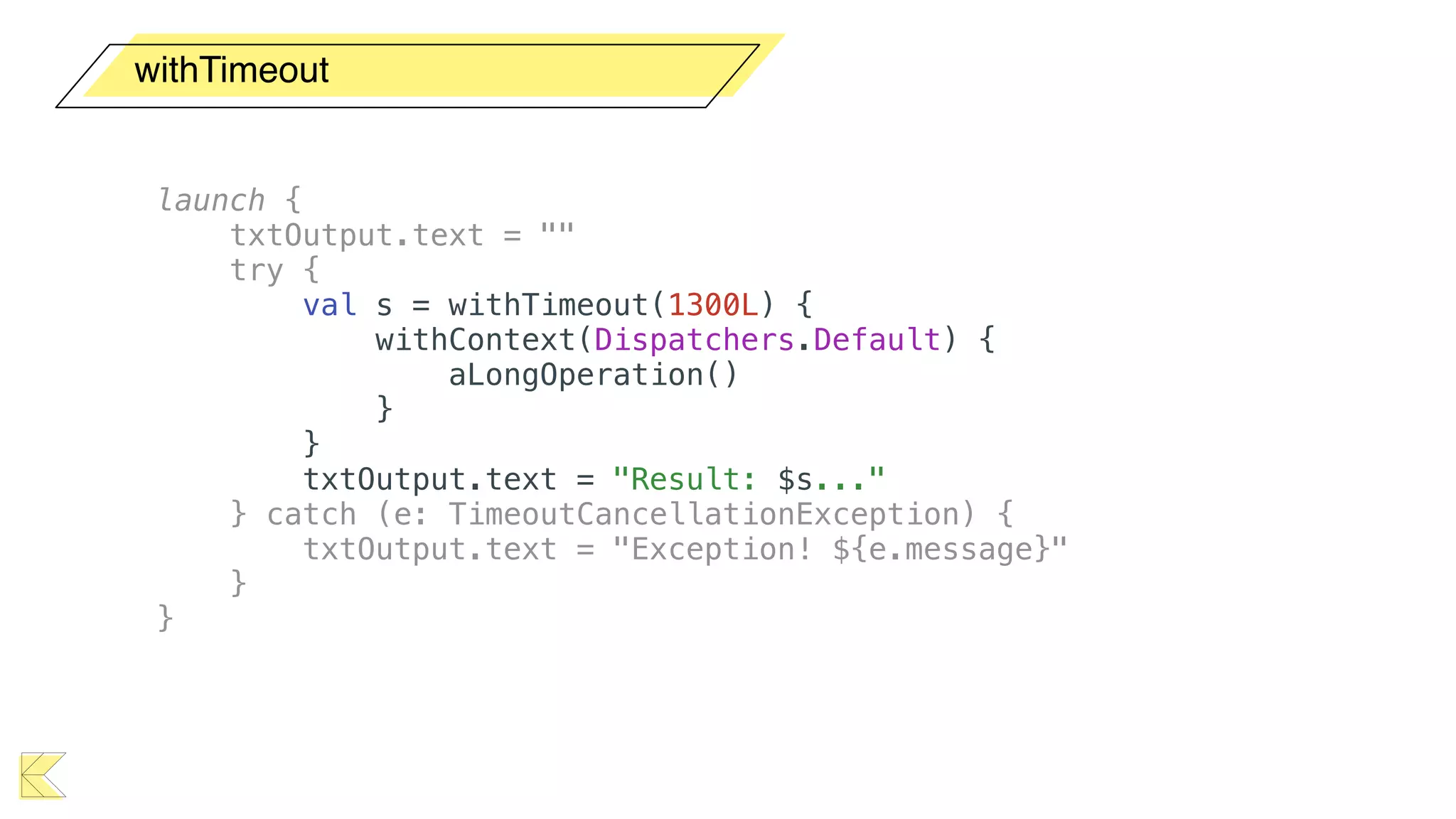
• Executa uma coroutine levantando uma
TimeoutCancellationException caso sua duração
exceda o tempo especificado.

• Uma vez que o cancelamento é apenas uma exceção, é
possível trata-la facilmente.

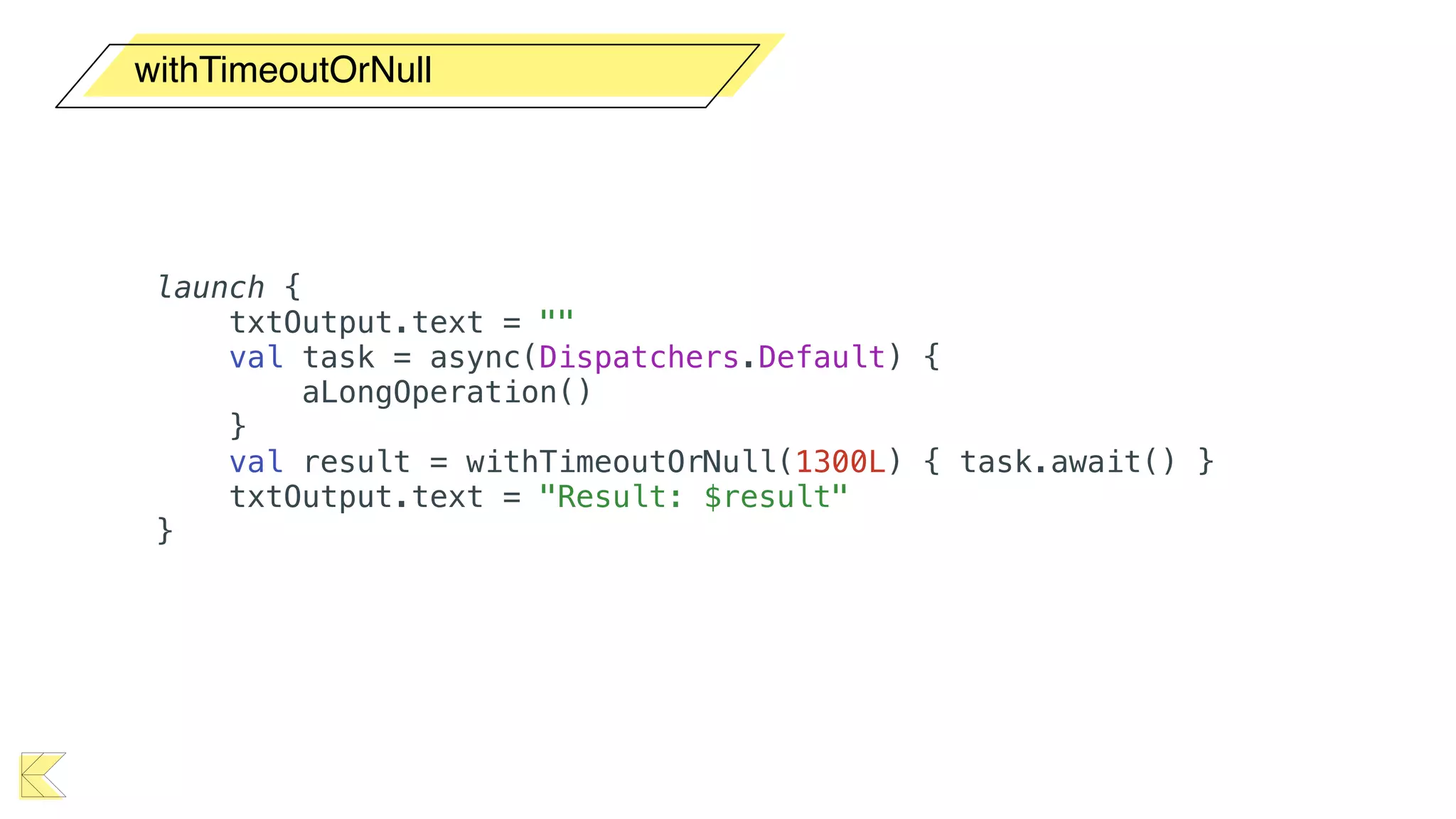
• É possível usar a função withTimeoutOrNull que é
similar a withTimeout, mas retorna null ao invés de
levantar a exceção.
withTimeout
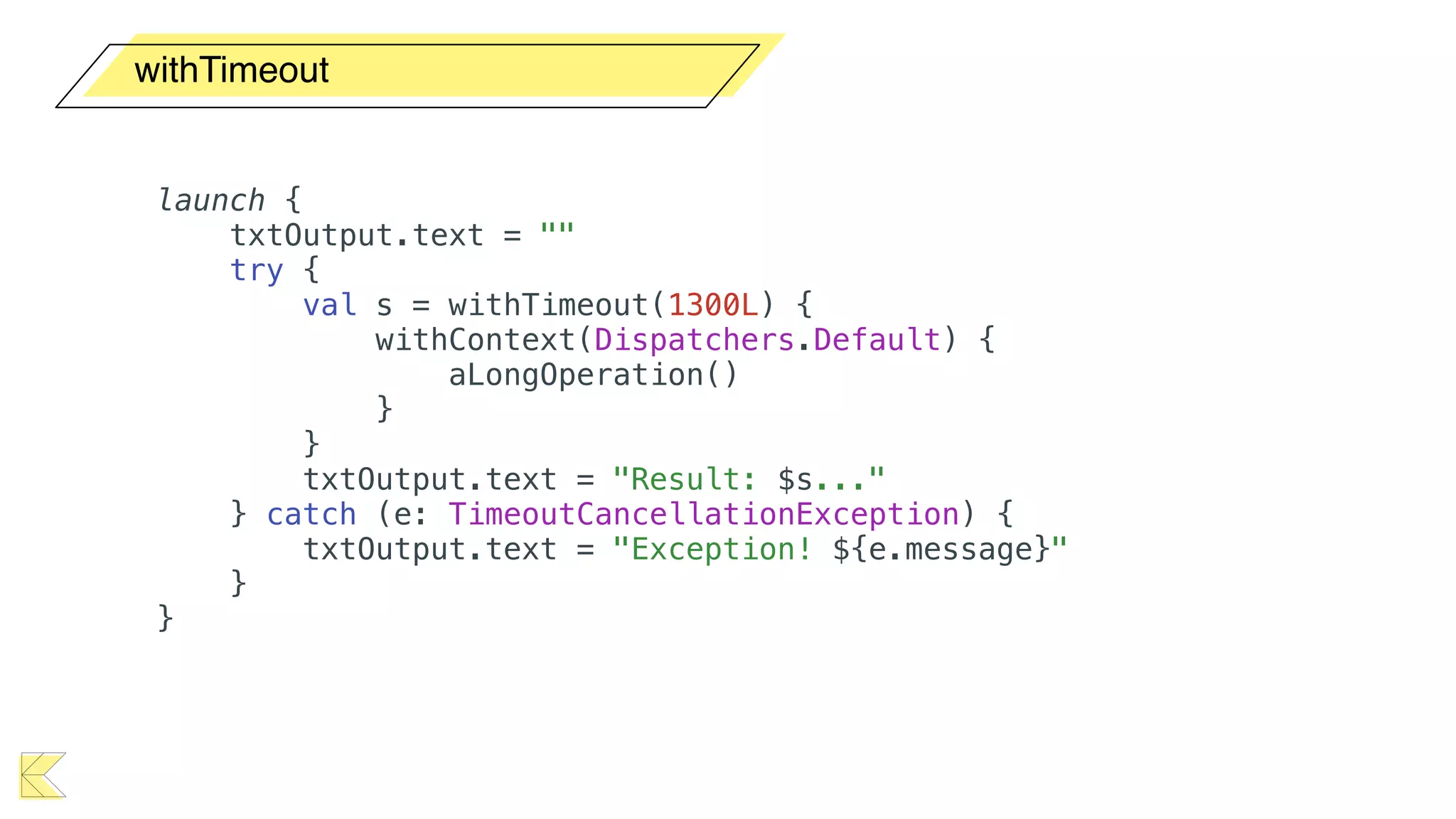
withTimeout
launch {
txtOutput.text = ""
try {
val s = withTimeout(1300L) {
withContext(Dispatchers.Default) {
aLongOperation()
}
}
txtOutput.text = "Result: $s..."
} catch (e: TimeoutCancellationException) {
txtOutput.text = "Exception! ${e.message}"
}
}
withTimeout
launch {
txtOutput.text = ""
try {
val s = withTimeout(1300L) {
withContext(Dispatchers.Default) {
aLongOperation()
}
}
txtOutput.text = "Result: $s..."
} catch (e: TimeoutCancellationException) {
txtOutput.text = "Exception! ${e.message}"
}
}
withTimeoutOrNull
launch {
txtOutput.text = ""
val task = async(Dispatchers.Default) {
aLongOperation()
}
val result = withTimeoutOrNull(1300L) { task.await() }
txtOutput.text = "Result: $result"
}
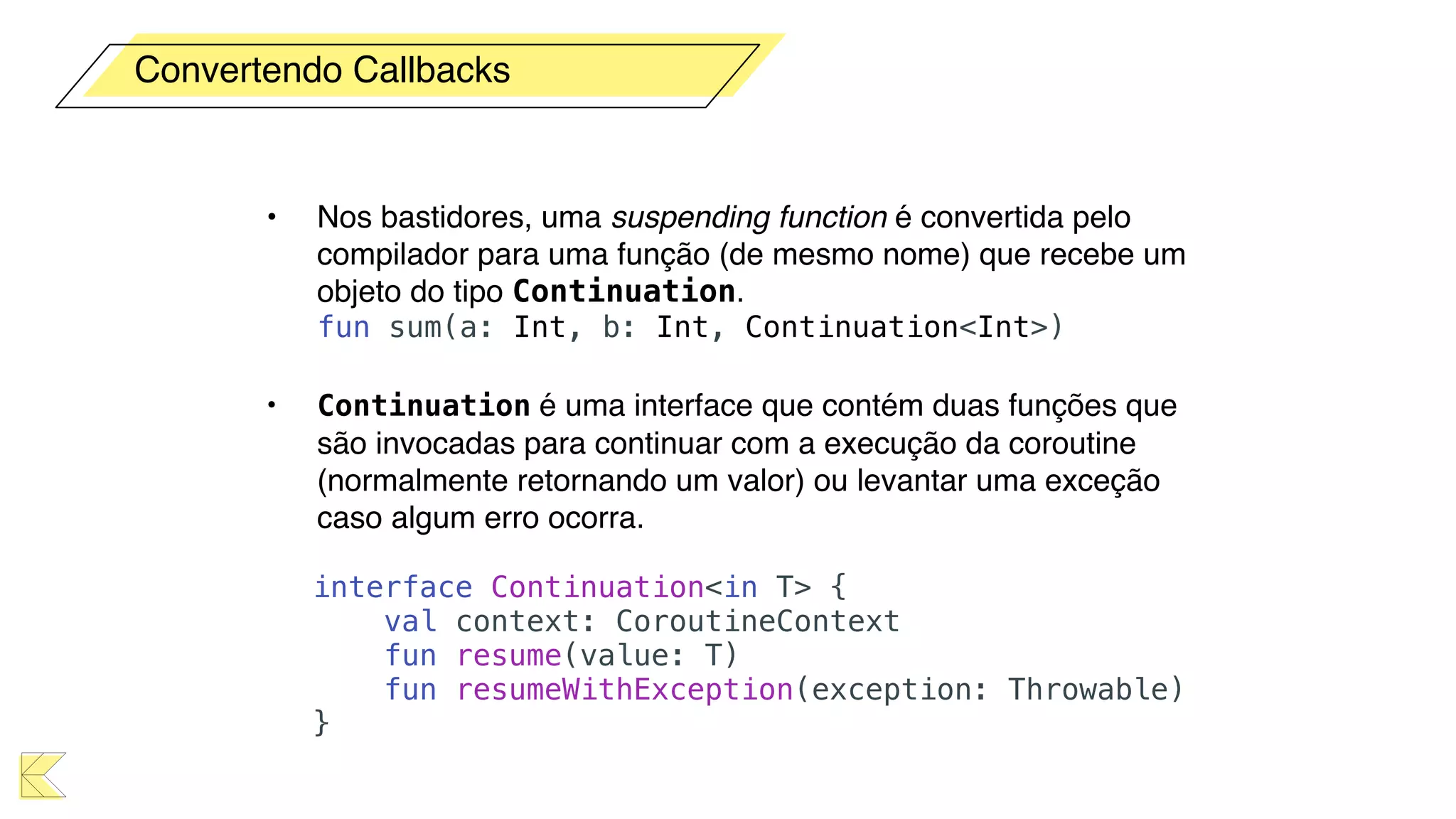
• Nos bastidores, uma suspending function é convertida pelo
compilador para uma função (de mesmo nome) que recebe um
objeto do tipo Continuation.

fun sum(a: Int, b: Int, Continuation<Int>)
• Continuation é uma interface que contém duas funções que
são invocadas para continuar com a execução da coroutine
(normalmente retornando um valor) ou levantar uma exceção
caso algum erro ocorra.

interface Continuation<in T> {
val context: CoroutineContext
fun resume(value: T)
fun resumeWithException(exception: Throwable)
}
Convertendo Callbacks
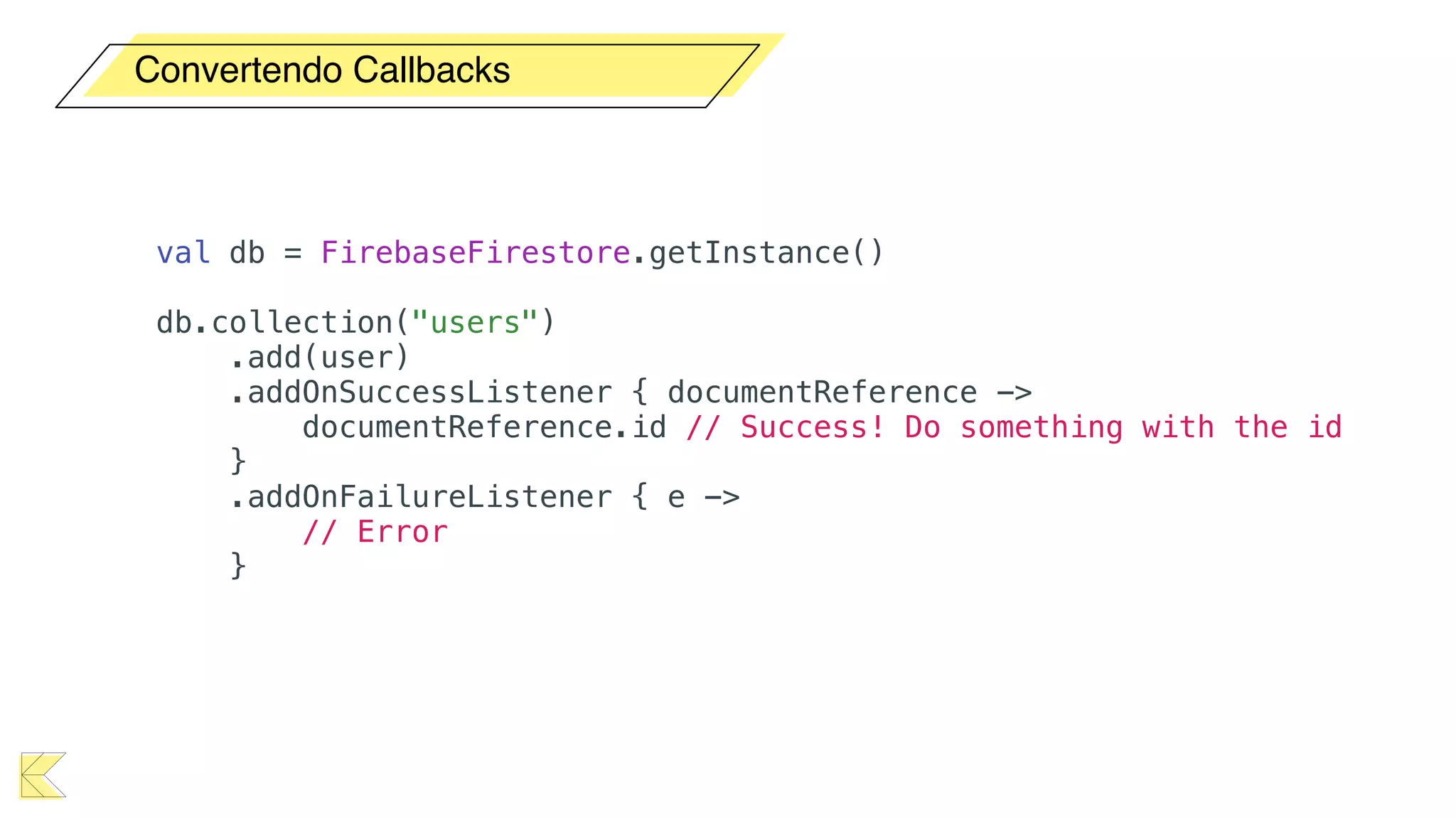
val db = FirebaseFirestore.getInstance()
db.collection("users")
.add(user)
.addOnSuccessListener { documentReference ->
documentReference.id // Success! Do something with the id
}
.addOnFailureListener { e ->
// Error
}
Convertendo Callbacks
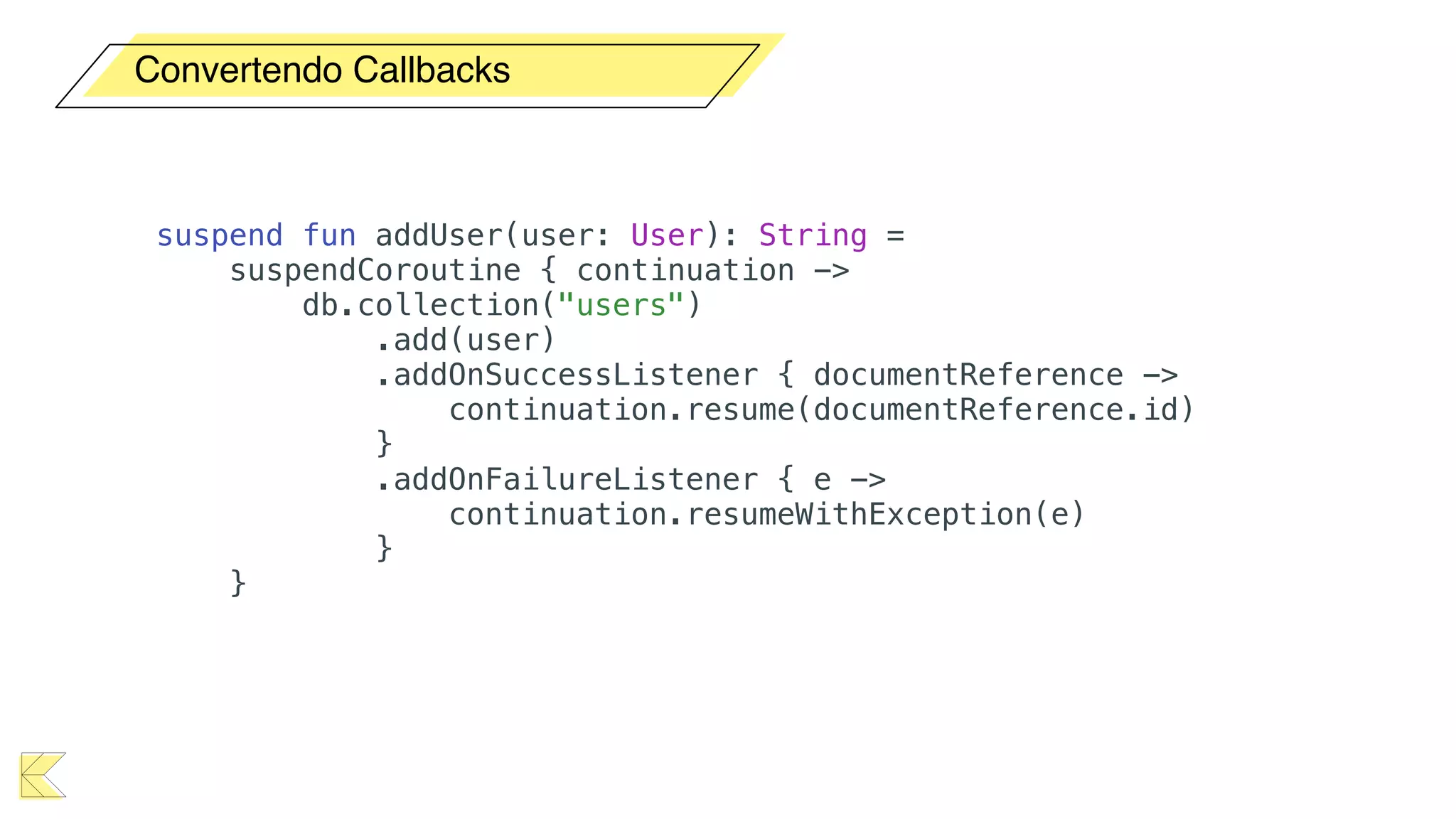
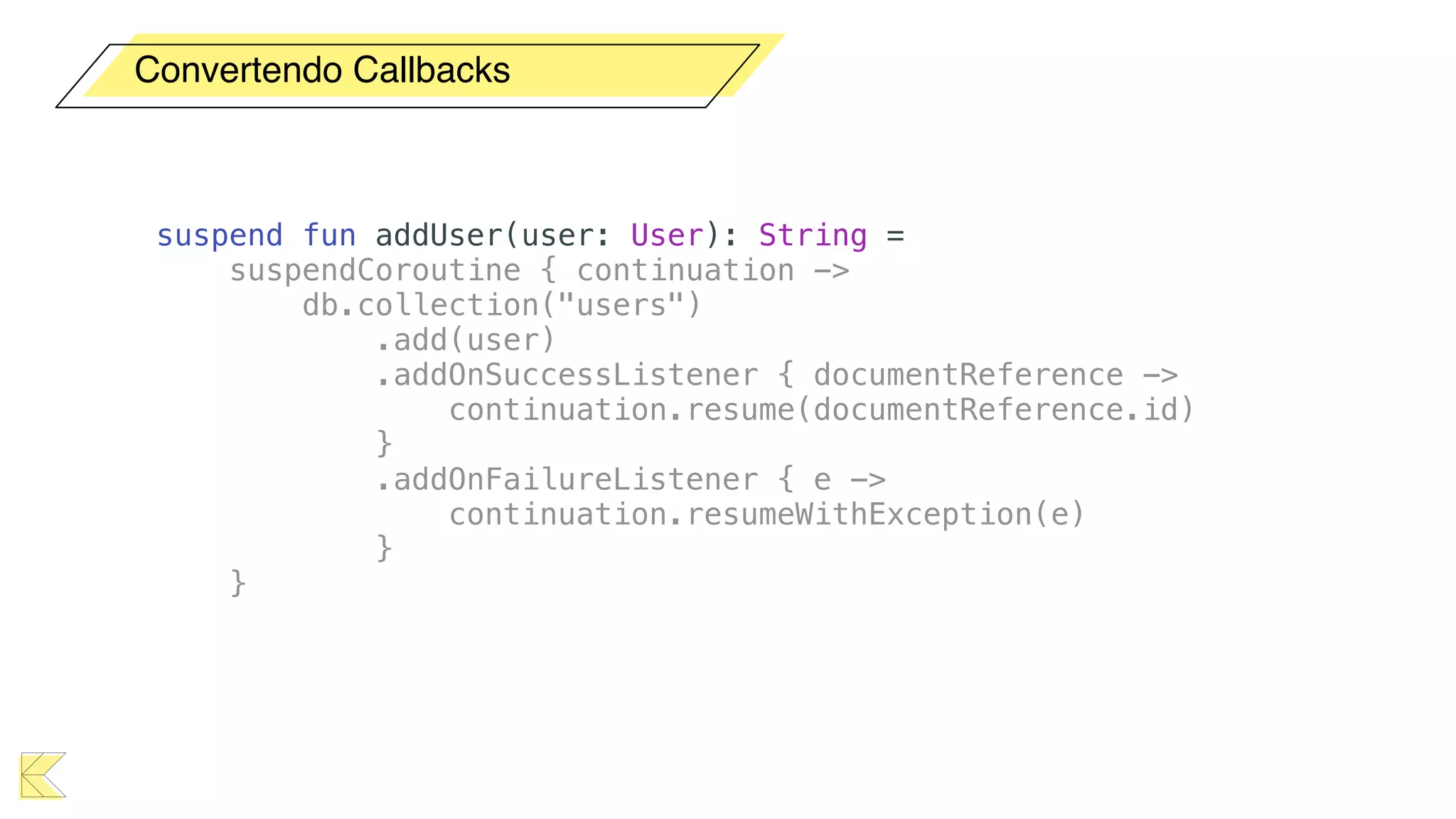
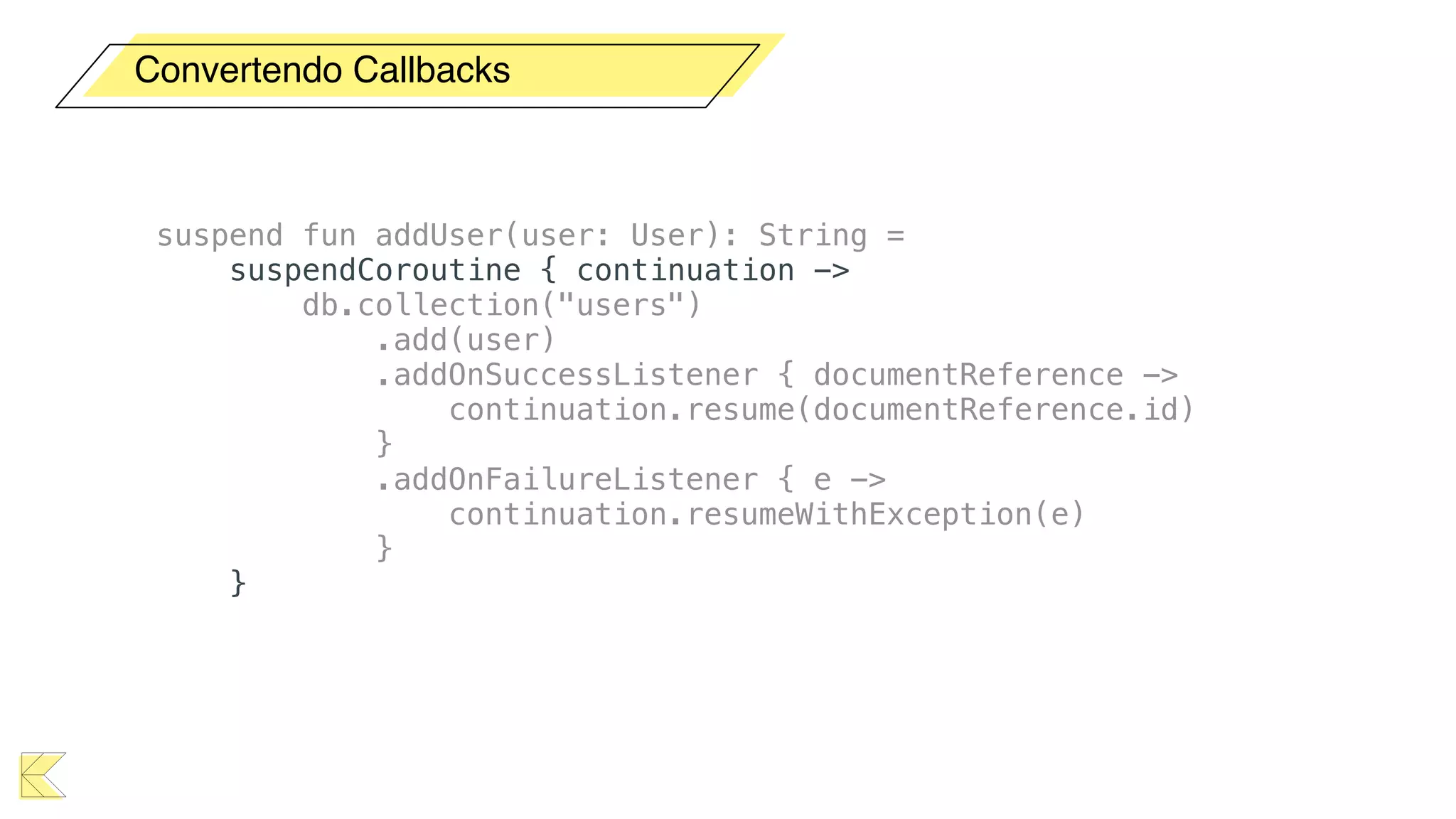
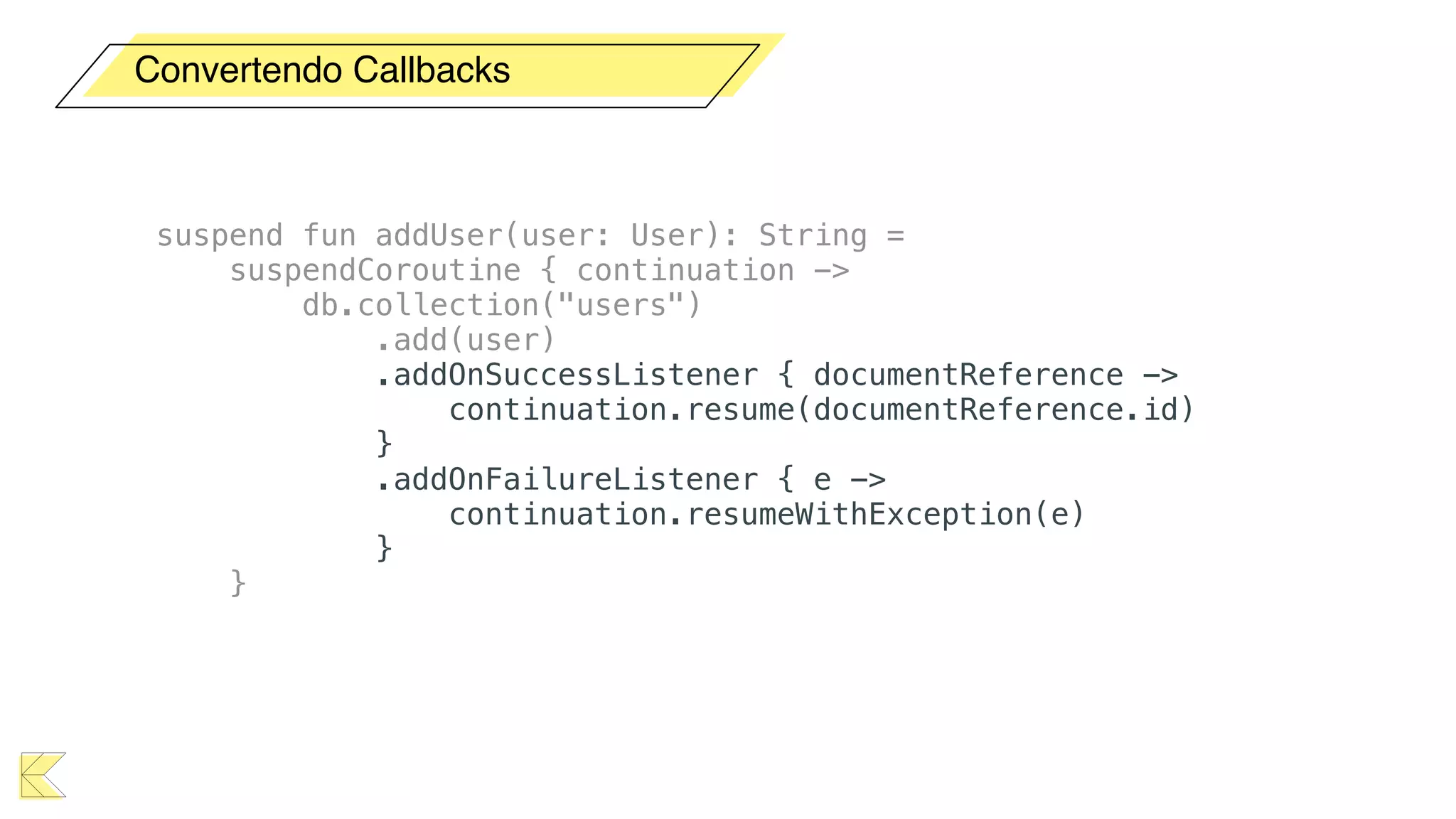
suspend fun addUser(user: User): String =
suspendCoroutine { continuation ->
db.collection("users")
.add(user)
.addOnSuccessListener { documentReference ->
continuation.resume(documentReference.id)
}
.addOnFailureListener { e ->
continuation.resumeWithException(e)
}
}
Convertendo Callbacks
suspend fun addUser(user: User): String =
suspendCoroutine { continuation ->
db.collection("users")
.add(user)
.addOnSuccessListener { documentReference ->
continuation.resume(documentReference.id)
}
.addOnFailureListener { e ->
continuation.resumeWithException(e)
}
}
Convertendo Callbacks
suspend fun addUser(user: User): String =
suspendCoroutine { continuation ->
db.collection("users")
.add(user)
.addOnSuccessListener { documentReference ->
continuation.resume(documentReference.id)
}
.addOnFailureListener { e ->
continuation.resumeWithException(e)
}
}
Convertendo Callbacks
suspend fun addUser(user: User): String =
suspendCoroutine { continuation ->
db.collection("users")
.add(user)
.addOnSuccessListener { documentReference ->
continuation.resume(documentReference.id)
}
.addOnFailureListener { e ->
continuation.resumeWithException(e)
}
}
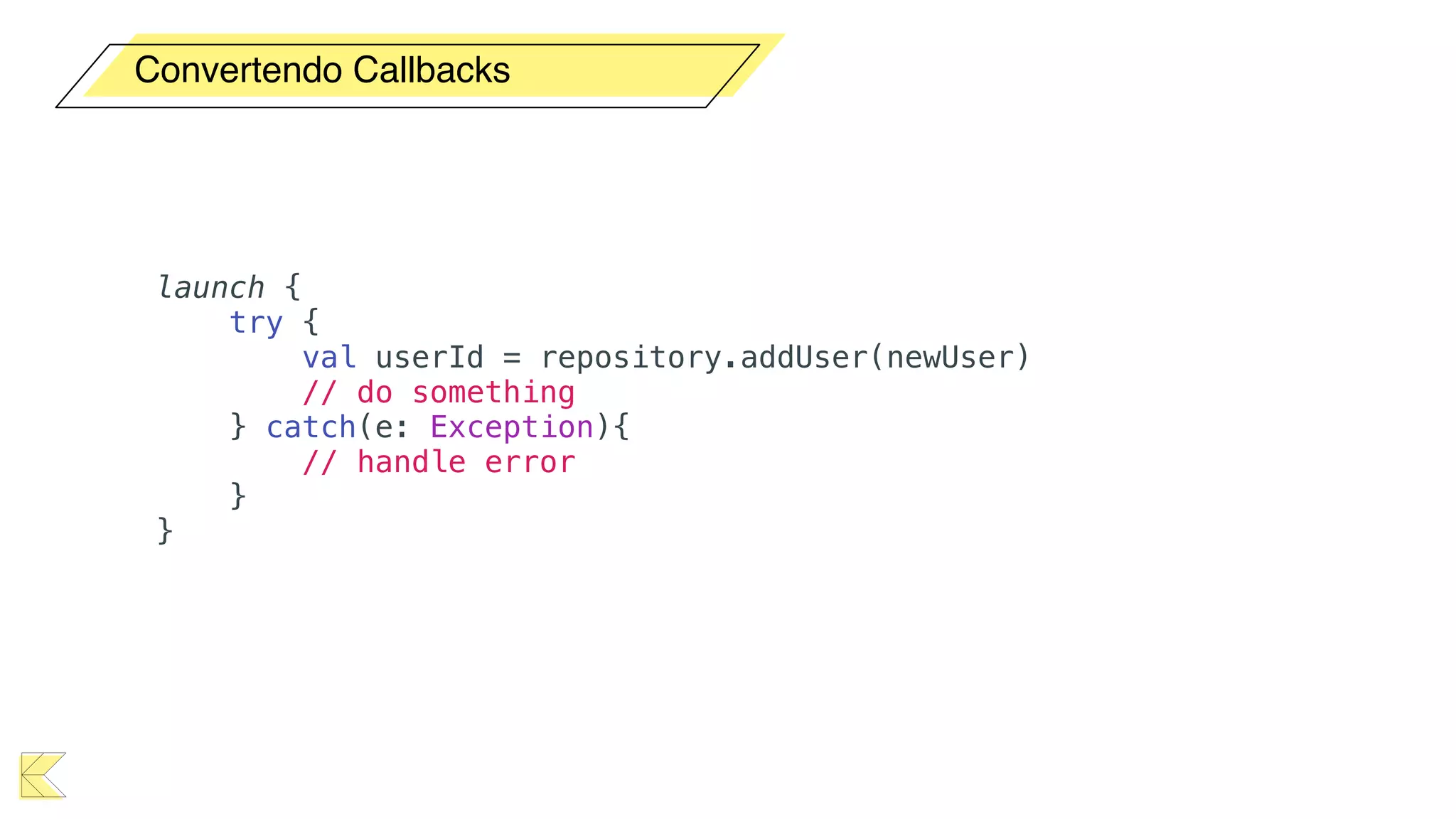
Convertendo Callbacks
launch {
try {
val userId = repository.addUser(newUser)
// do something
} catch(e: Exception){
// handle error
}
}
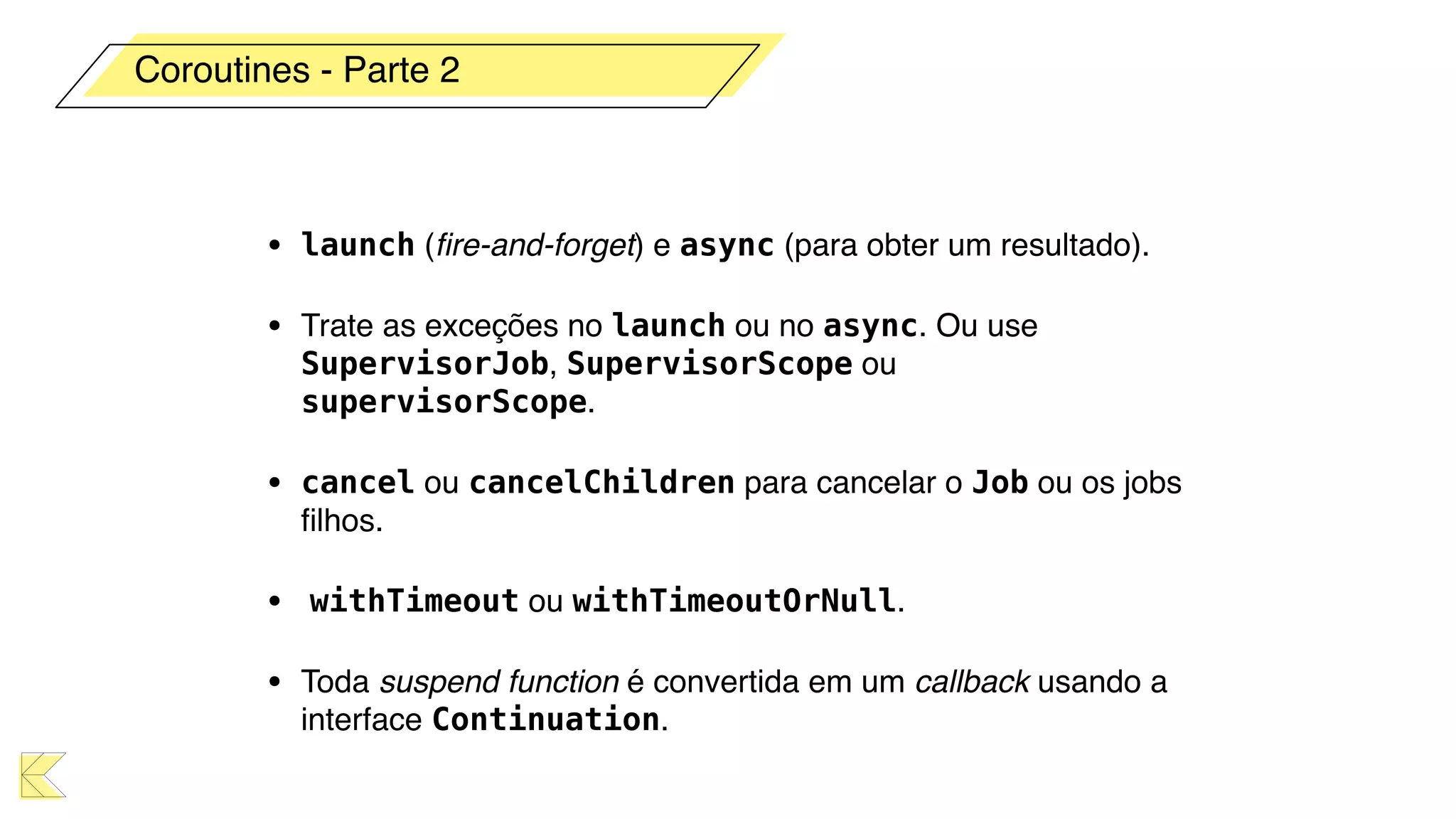
• launch (fire-and-forget) e async (para obter um resultado).
• Trate as exceções no launch ou no async. Ou use
SupervisorJob, SupervisorScope ou
supervisorScope.
• cancel ou cancelChildren para cancelar o Job ou os jobs
filhos.
• withTimeout ou withTimeoutOrNull.
• Toda suspend function é convertida em um callback usando a
interface Continuation.
Coroutines - Parte 2
“Reactive Coroutines”
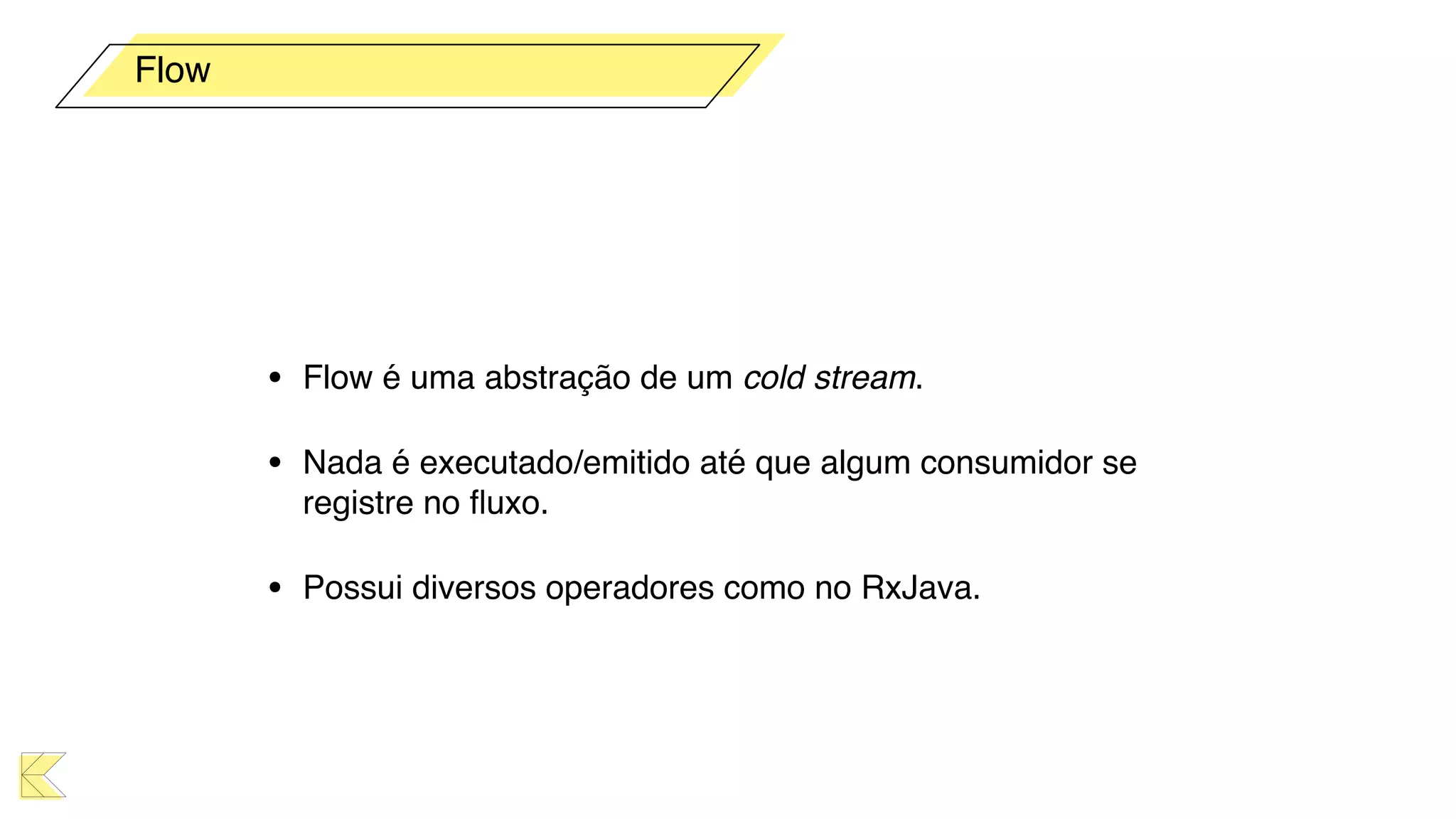
• Flow é uma abstração de um cold stream.
• Nada é executado/emitido até que algum consumidor se
registre no fluxo.
• Possui diversos operadores como no RxJava.
Flow
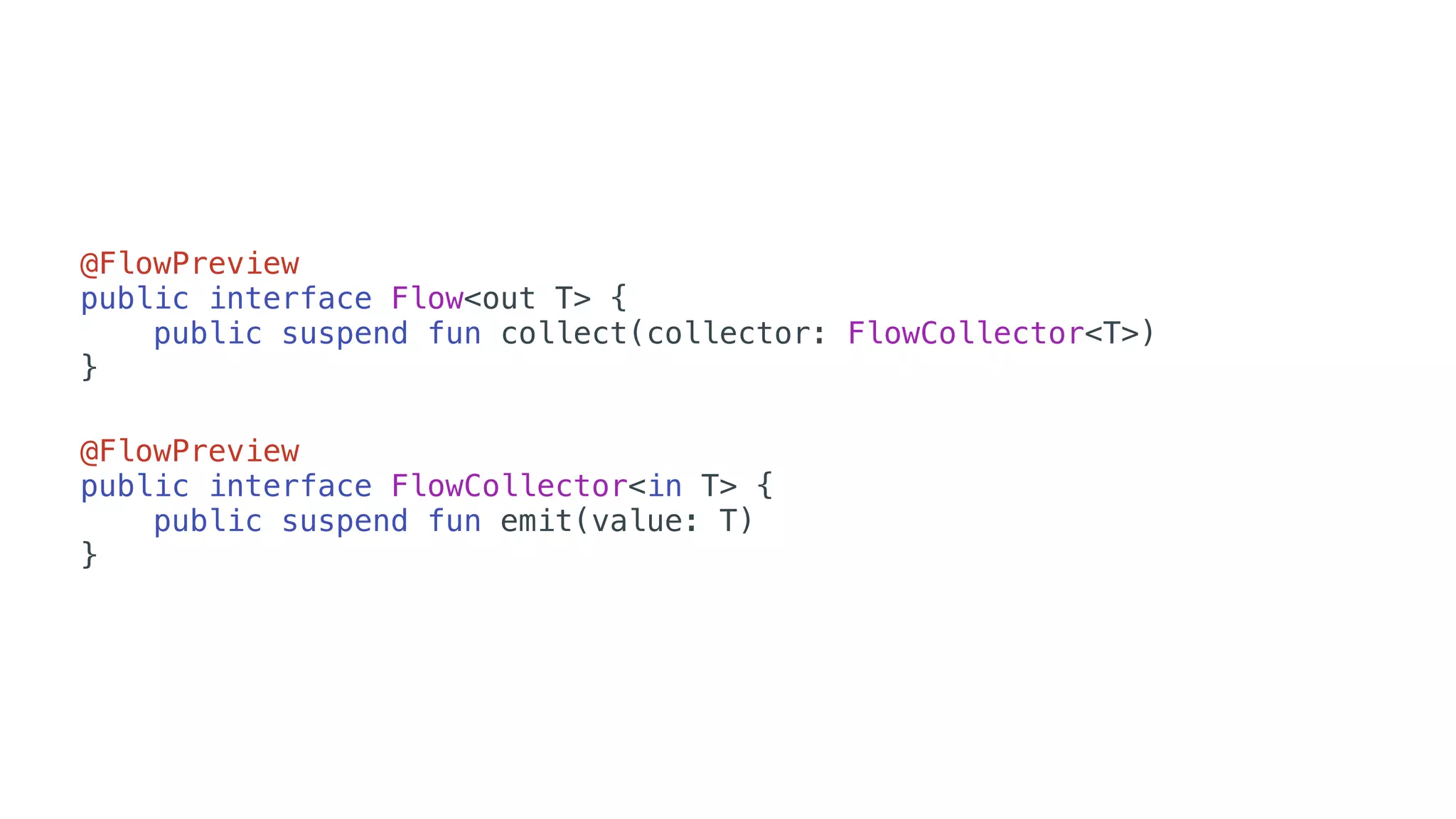
@FlowPreview
public interface Flow<out T> {
public suspend fun collect(collector: FlowCollector<T>)
}
@FlowPreview
public interface FlowCollector<in T> {
public suspend fun emit(value: T)
}
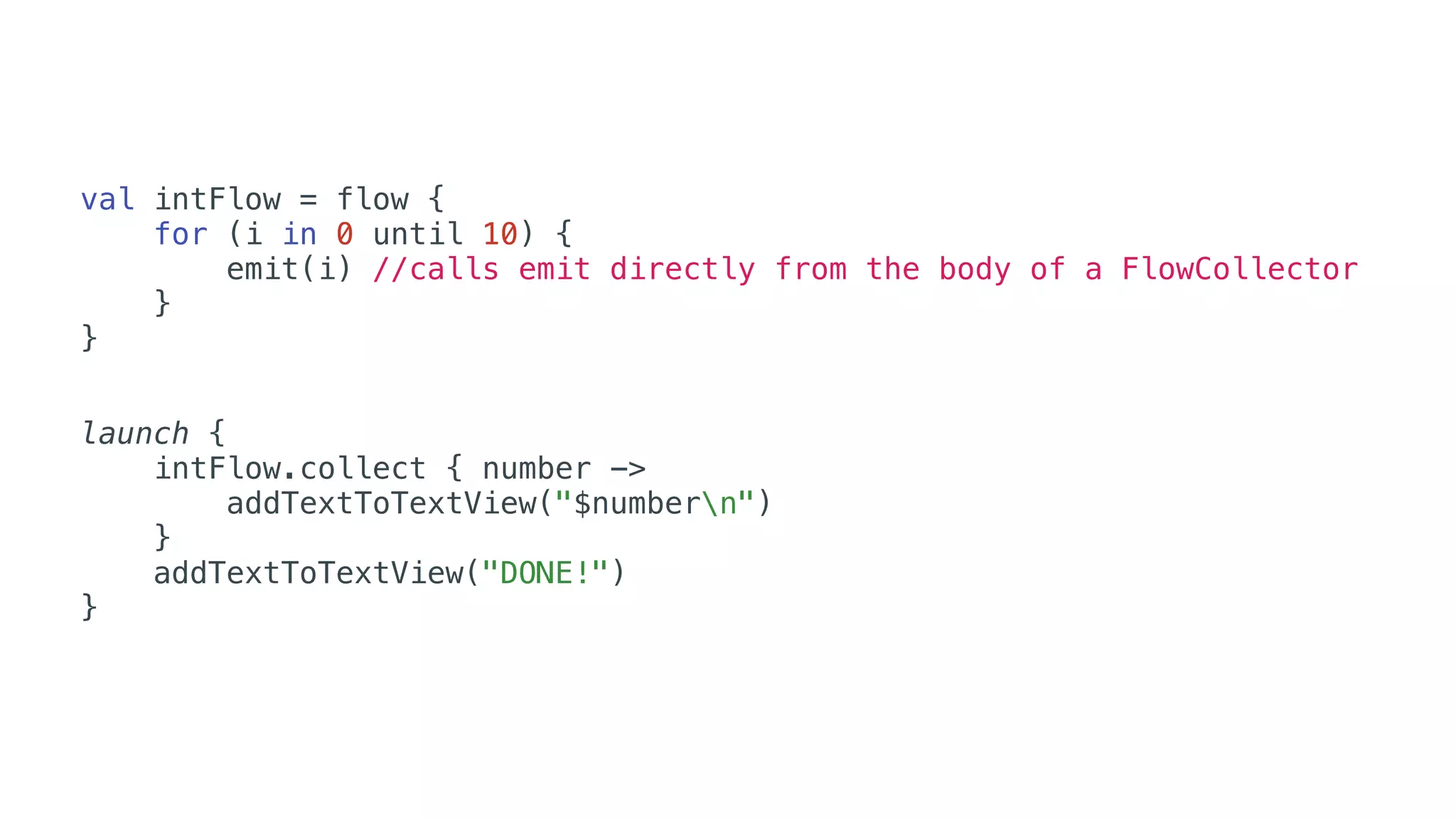
val intFlow = flow {
for (i in 0 until 10) {
emit(i) //calls emit directly from the body of a FlowCollector
}
}
launch {
intFlow.collect { number ->
addTextToTextView("$numbern")
}
addTextToTextView("DONE!")
}
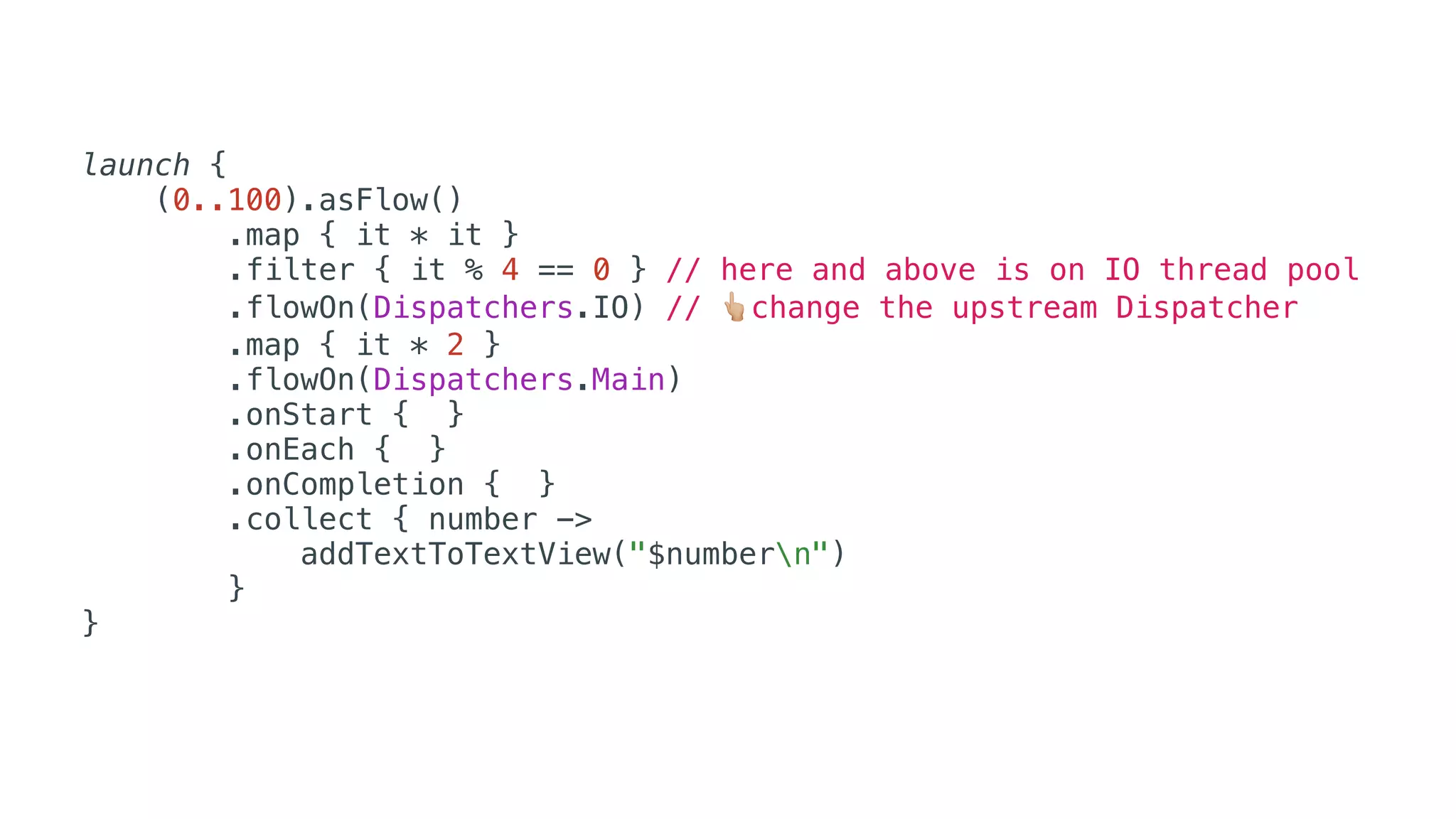
launch {
(0..100).asFlow()
.map { it * it }
.filter { it % 4 == 0 } // here and above is on IO thread pool
.flowOn(Dispatchers.IO) // 👆change the upstream Dispatcher
.map { it * 2 }
.flowOn(Dispatchers.Main)
.onStart { }
.onEach { }
.onCompletion { }
.collect { number ->
addTextToTextView("$numbern")
}
}
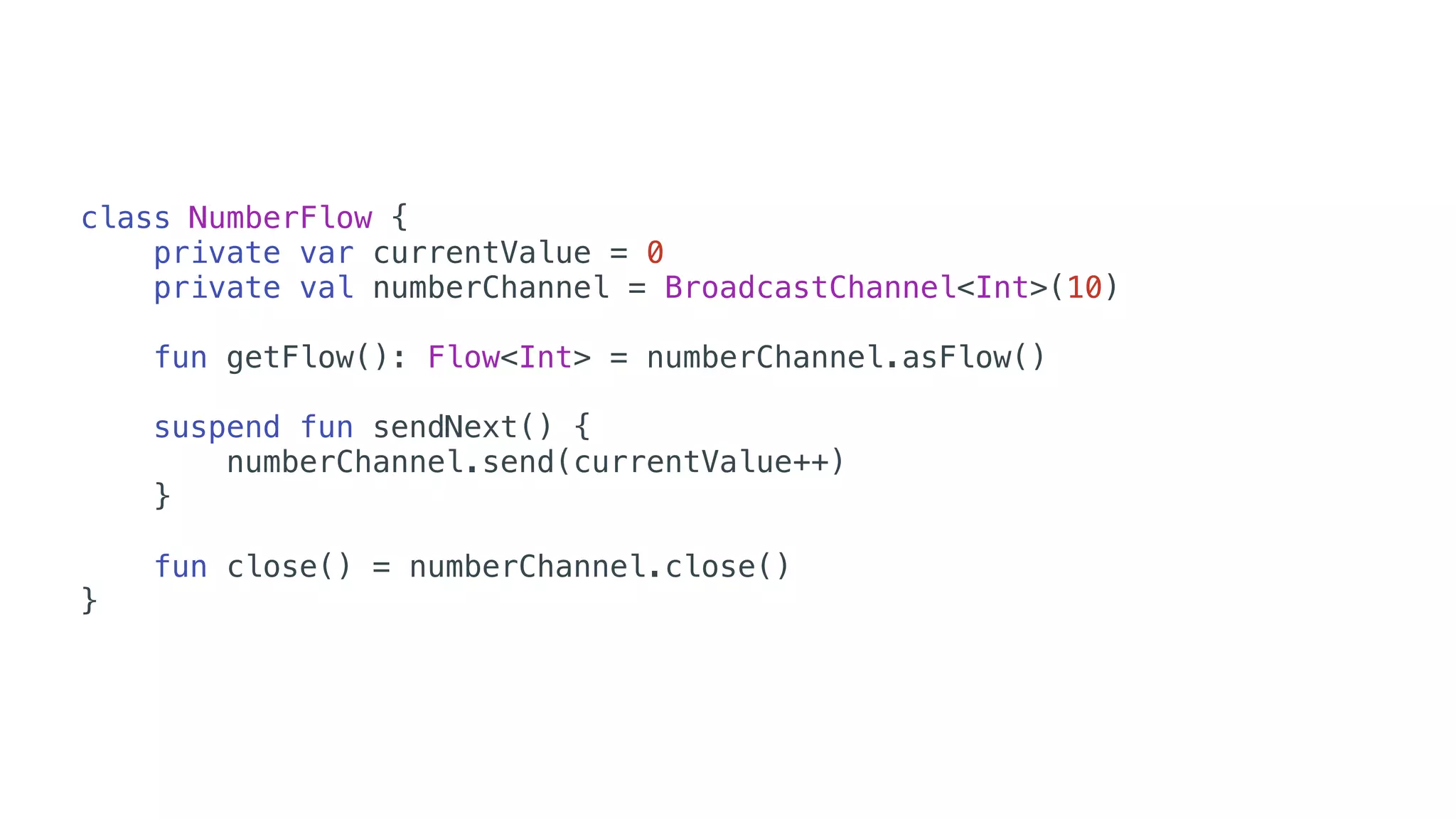
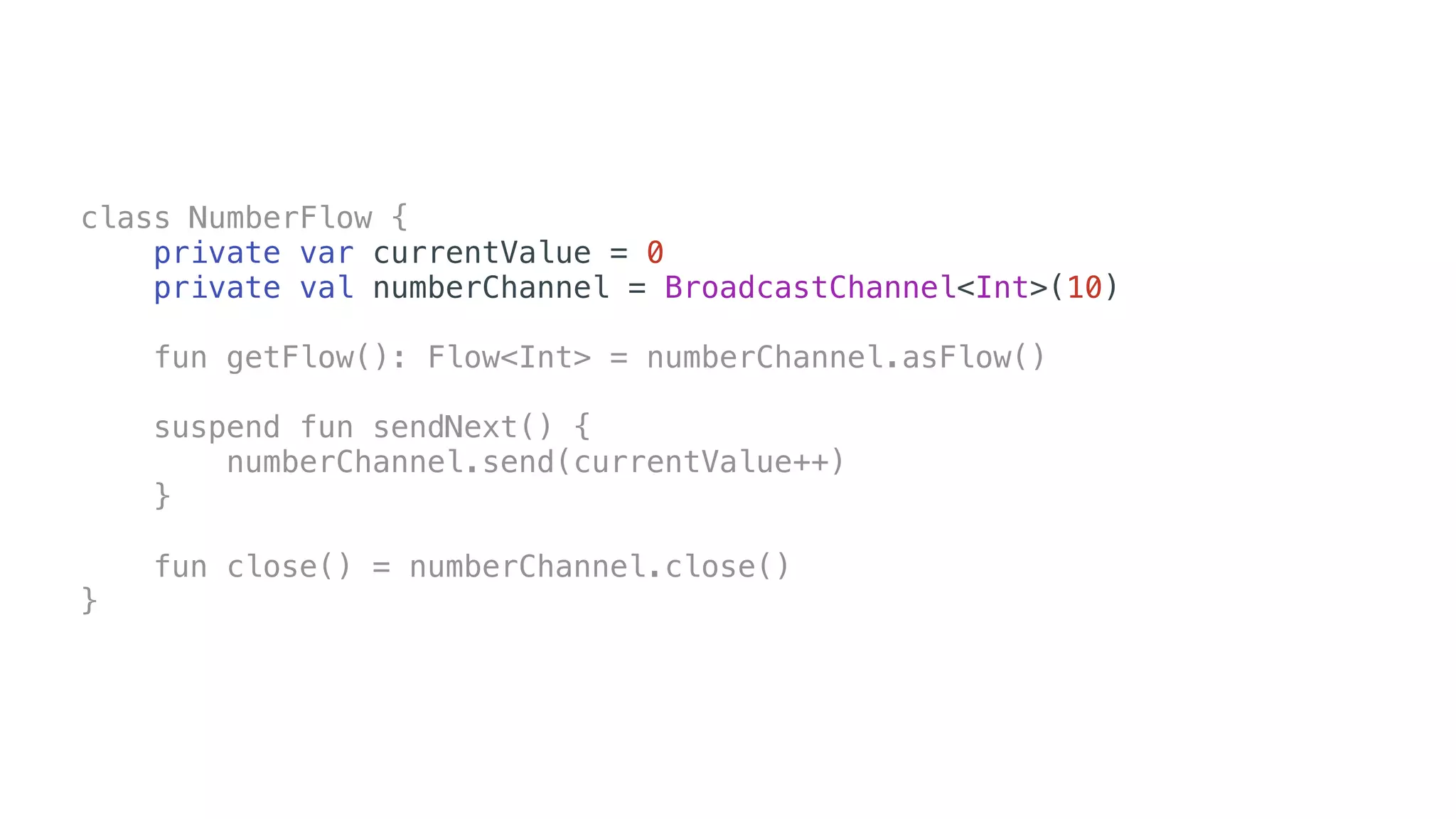
class NumberFlow {
private var currentValue = 0
private val numberChannel = BroadcastChannel<Int>(10)
fun getFlow(): Flow<Int> = numberChannel.asFlow()
suspend fun sendNext() {
numberChannel.send(currentValue++)
}
fun close() = numberChannel.close()
}
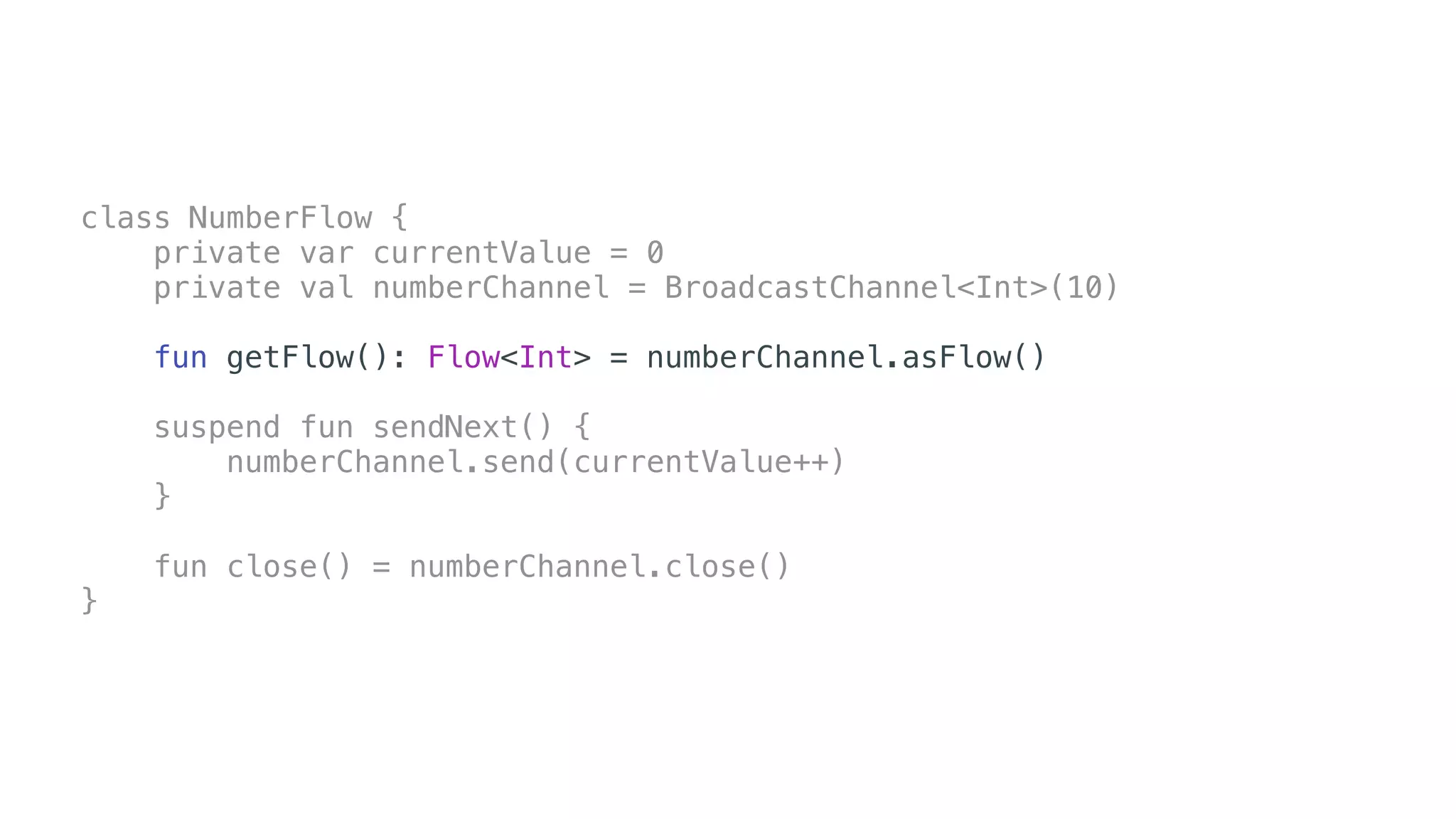
class NumberFlow {
private var currentValue = 0
private val numberChannel = BroadcastChannel<Int>(10)
fun getFlow(): Flow<Int> = numberChannel.asFlow()
suspend fun sendNext() {
numberChannel.send(currentValue++)
}
fun close() = numberChannel.close()
}
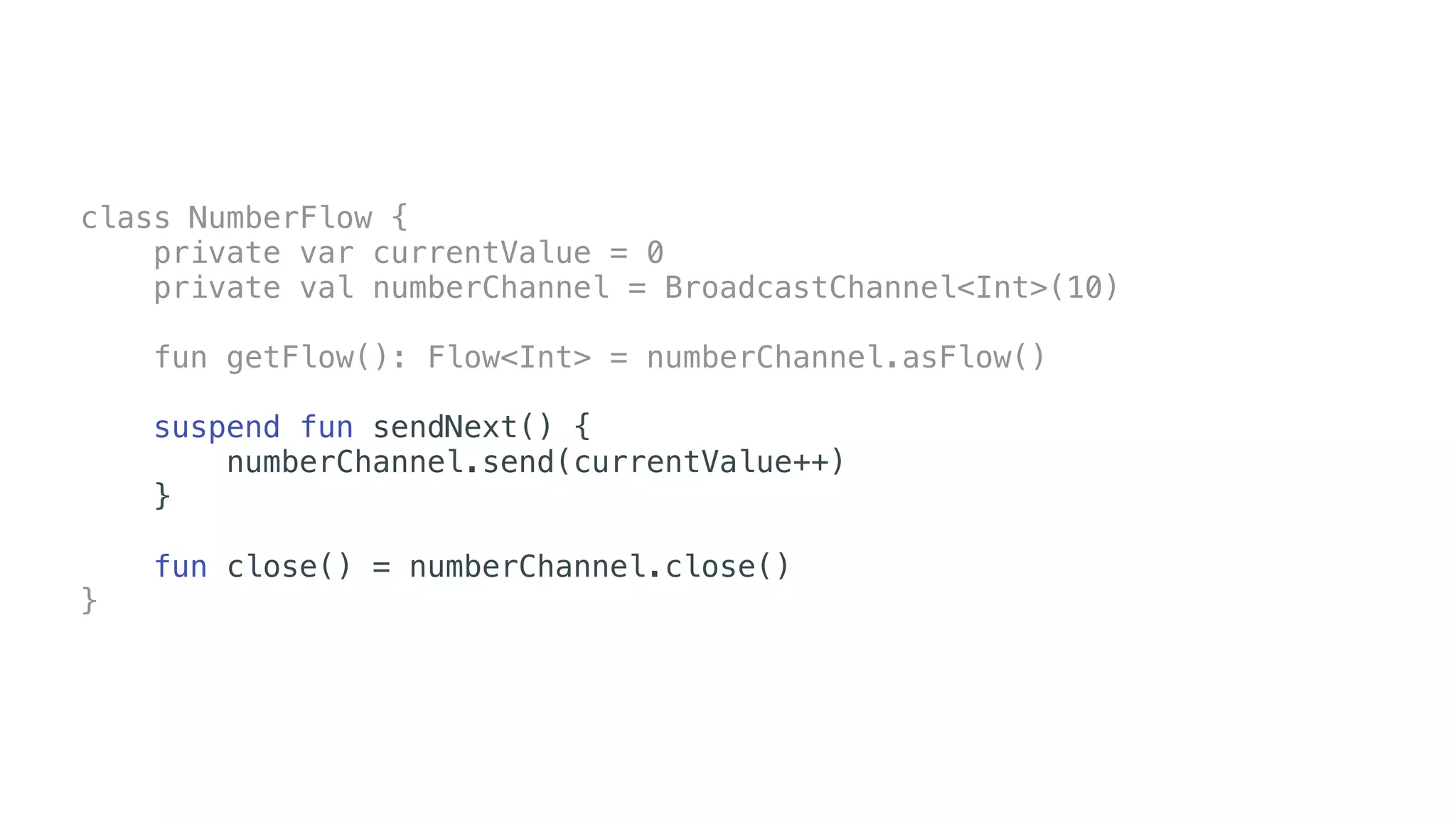
class NumberFlow {
private var currentValue = 0
private val numberChannel = BroadcastChannel<Int>(10)
fun getFlow(): Flow<Int> = numberChannel.asFlow()
suspend fun sendNext() {
numberChannel.send(currentValue++)
}
fun close() = numberChannel.close()
}
class NumberFlow {
private var currentValue = 0
private val numberChannel = BroadcastChannel<Int>(10)
fun getFlow(): Flow<Int> = numberChannel.asFlow()
suspend fun sendNext() {
numberChannel.send(currentValue++)
}
fun close() = numberChannel.close()
}
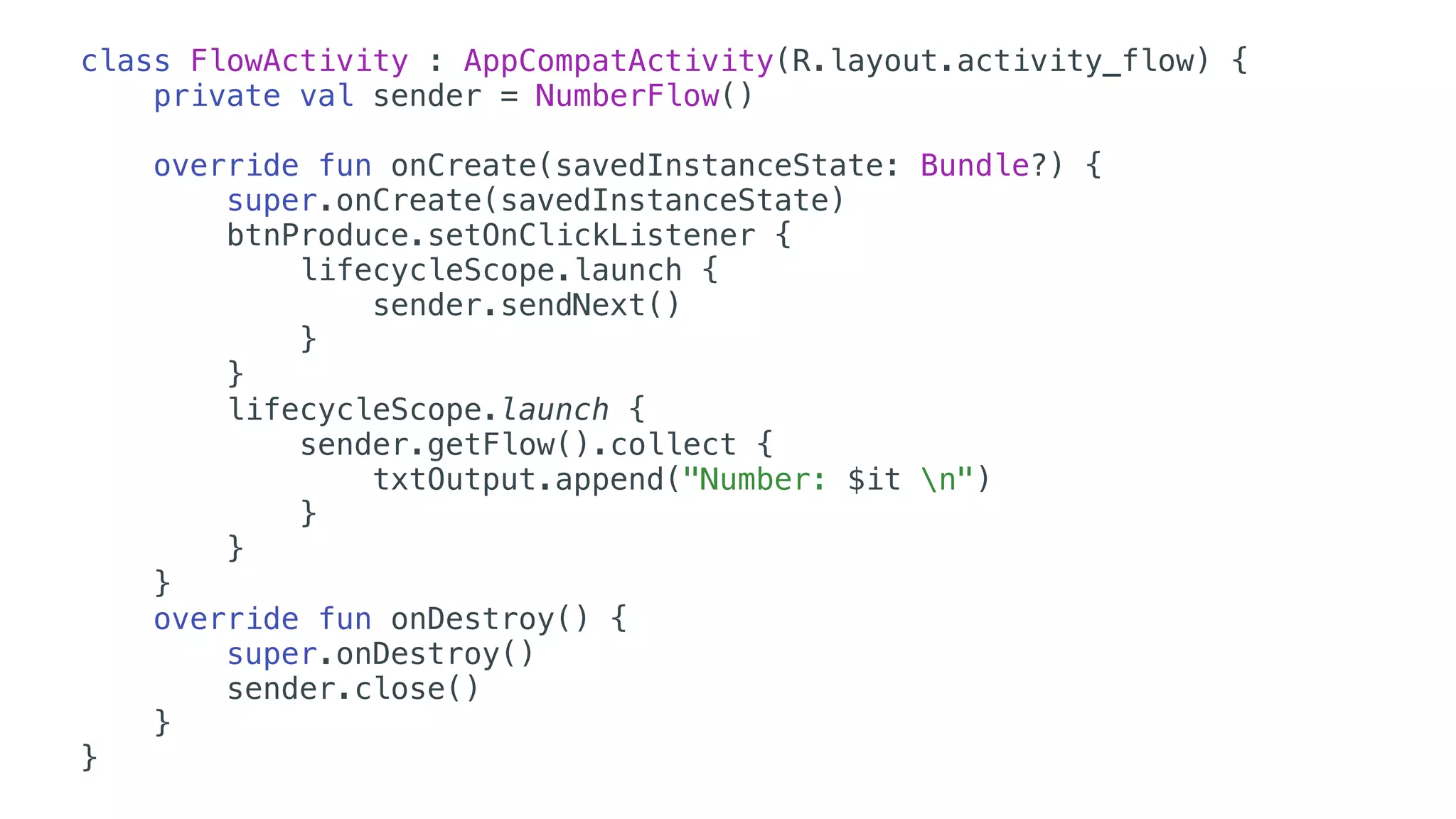
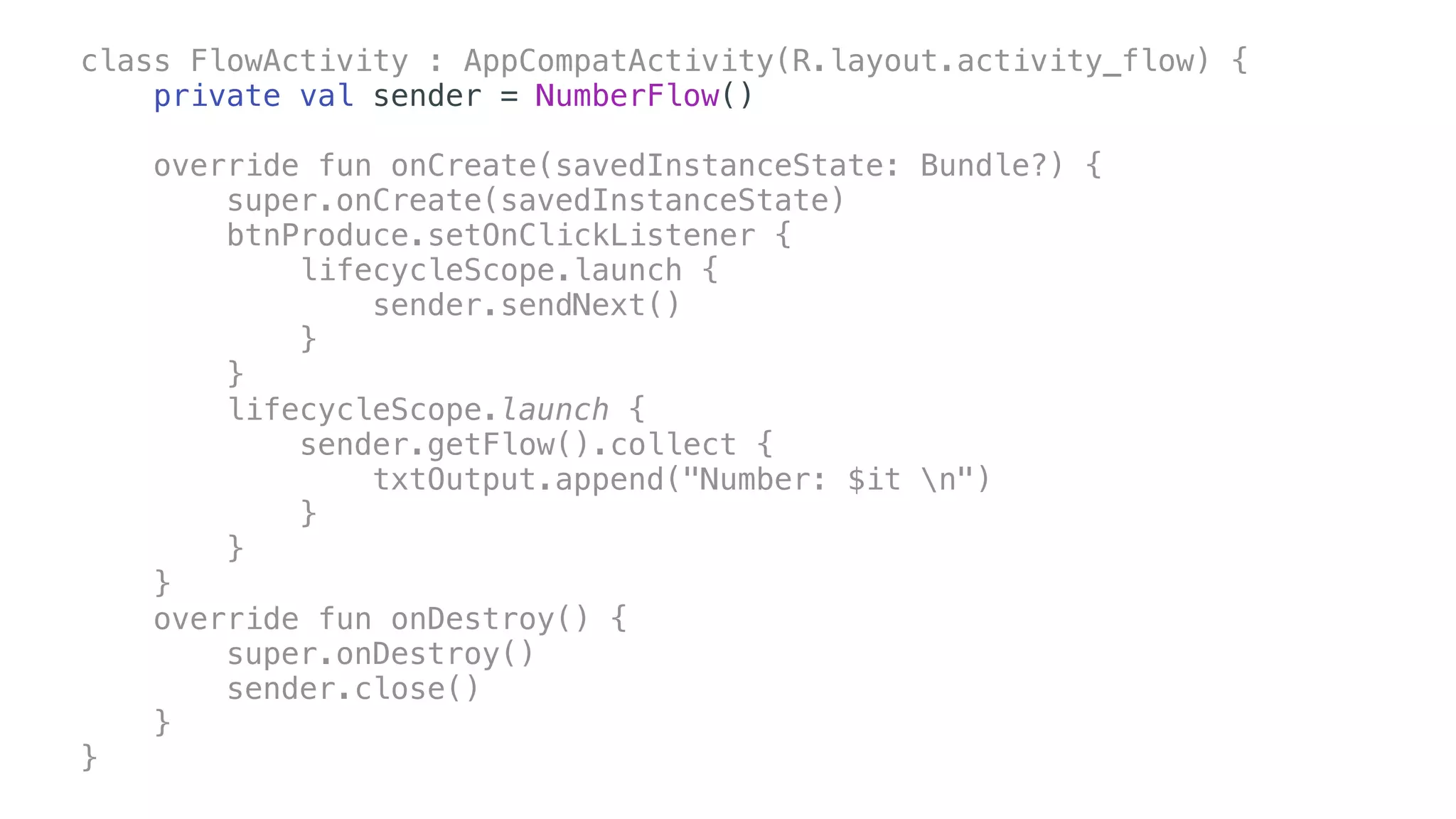
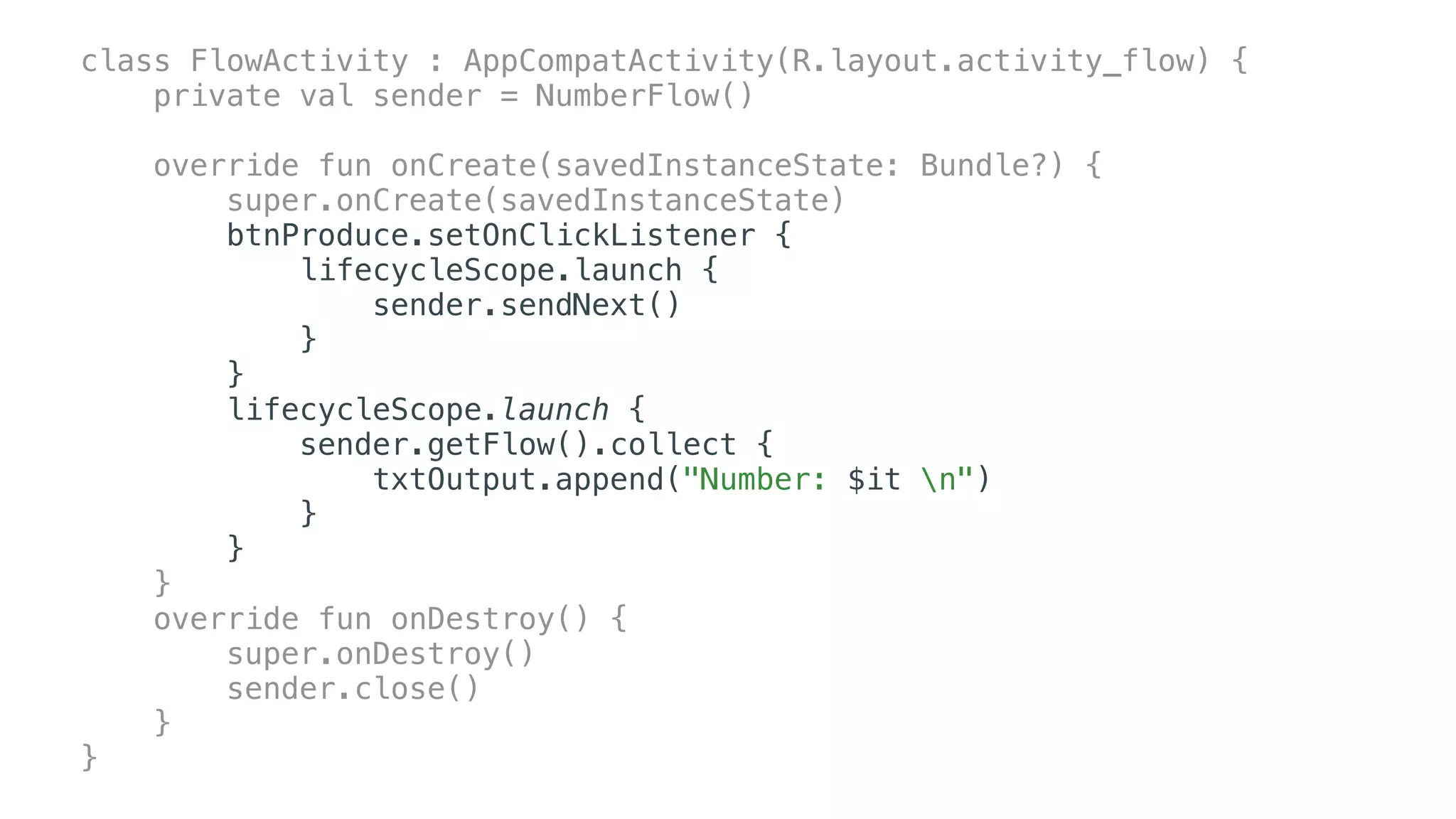
class FlowActivity : AppCompatActivity(R.layout.activity_flow) {
private val sender = NumberFlow()
override fun onCreate(savedInstanceState: Bundle?) {
super.onCreate(savedInstanceState)
btnProduce.setOnClickListener {
lifecycleScope.launch {
sender.sendNext()
}
}
lifecycleScope.launch {
sender.getFlow().collect {
txtOutput.append("Number: $it n")
}
}
}
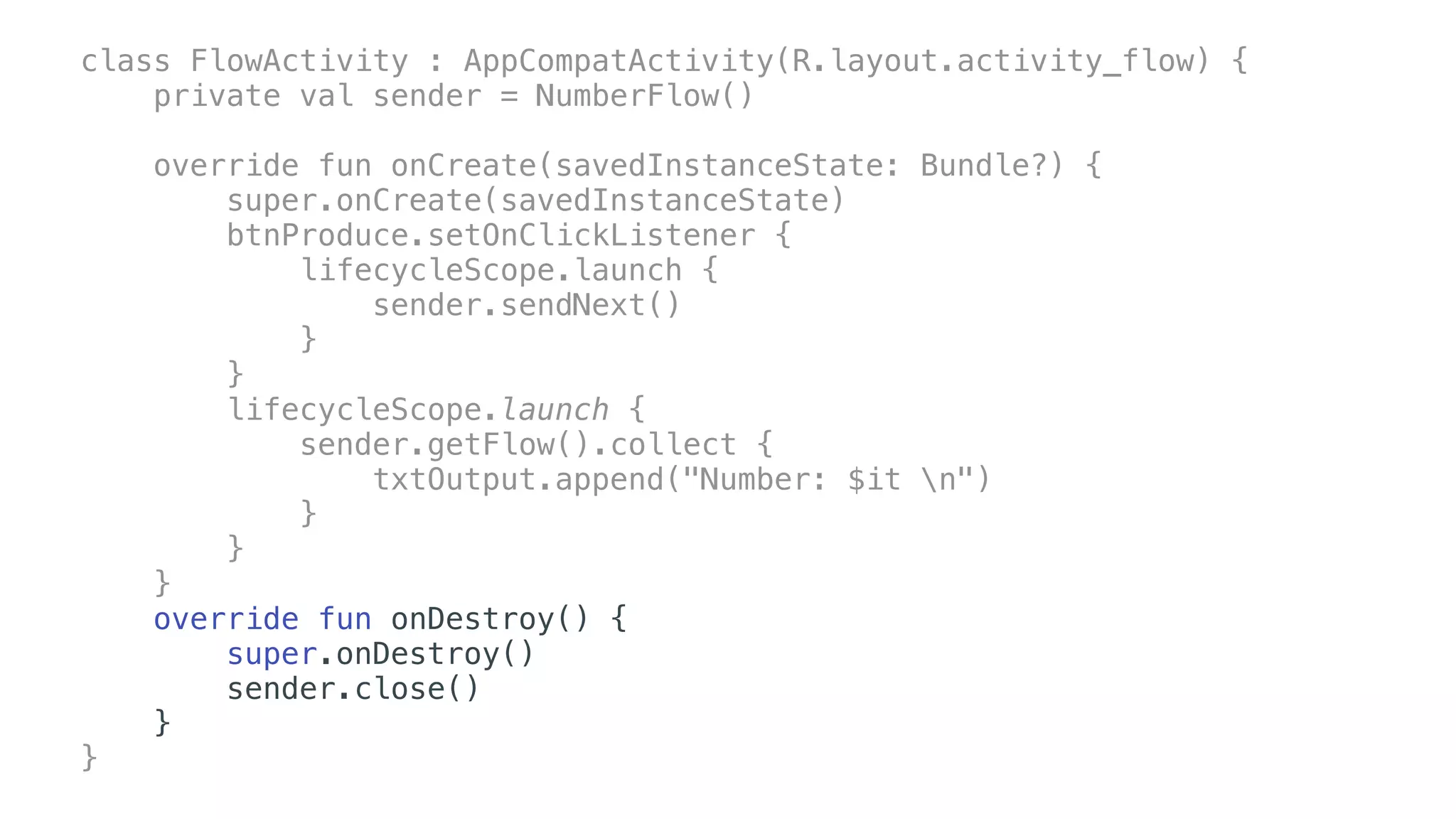
override fun onDestroy() {
super.onDestroy()
sender.close()
}
}
class FlowActivity : AppCompatActivity(R.layout.activity_flow) {
private val sender = NumberFlow()
override fun onCreate(savedInstanceState: Bundle?) {
super.onCreate(savedInstanceState)
btnProduce.setOnClickListener {
lifecycleScope.launch {
sender.sendNext()
}
}
lifecycleScope.launch {
sender.getFlow().collect {
txtOutput.append("Number: $it n")
}
}
}
override fun onDestroy() {
super.onDestroy()
sender.close()
}
}
class FlowActivity : AppCompatActivity(R.layout.activity_flow) {
private val sender = NumberFlow()
override fun onCreate(savedInstanceState: Bundle?) {
super.onCreate(savedInstanceState)
btnProduce.setOnClickListener {
lifecycleScope.launch {
sender.sendNext()
}
}
lifecycleScope.launch {
sender.getFlow().collect {
txtOutput.append("Number: $it n")
}
}
}
override fun onDestroy() {
super.onDestroy()
sender.close()
}
}
class FlowActivity : AppCompatActivity(R.layout.activity_flow) {
private val sender = NumberFlow()
override fun onCreate(savedInstanceState: Bundle?) {
super.onCreate(savedInstanceState)
btnProduce.setOnClickListener {
lifecycleScope.launch {
sender.sendNext()
}
}
lifecycleScope.launch {
sender.getFlow().collect {
txtOutput.append("Number: $it n")
}
}
}
override fun onDestroy() {
super.onDestroy()
sender.close()
}
}
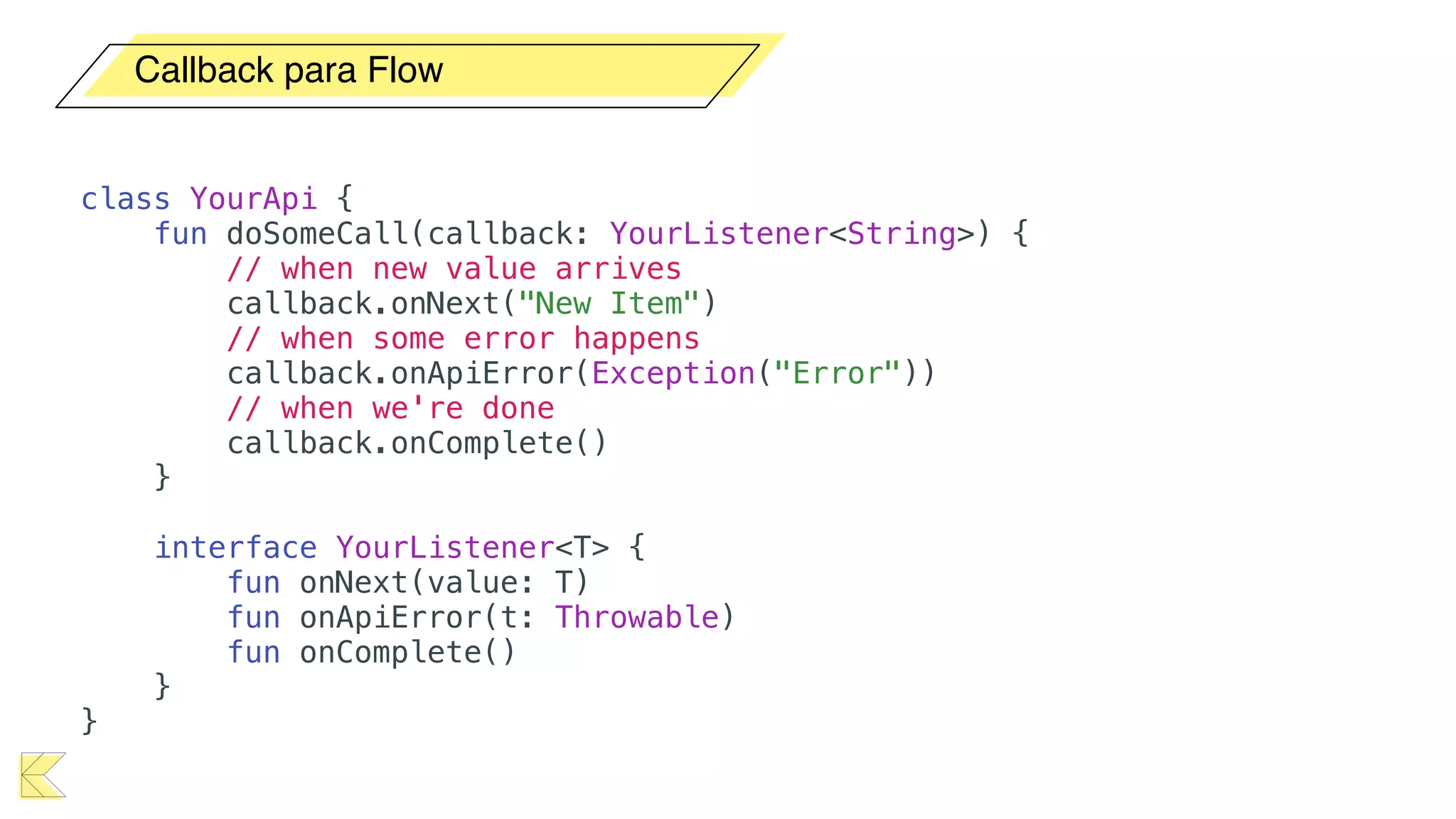
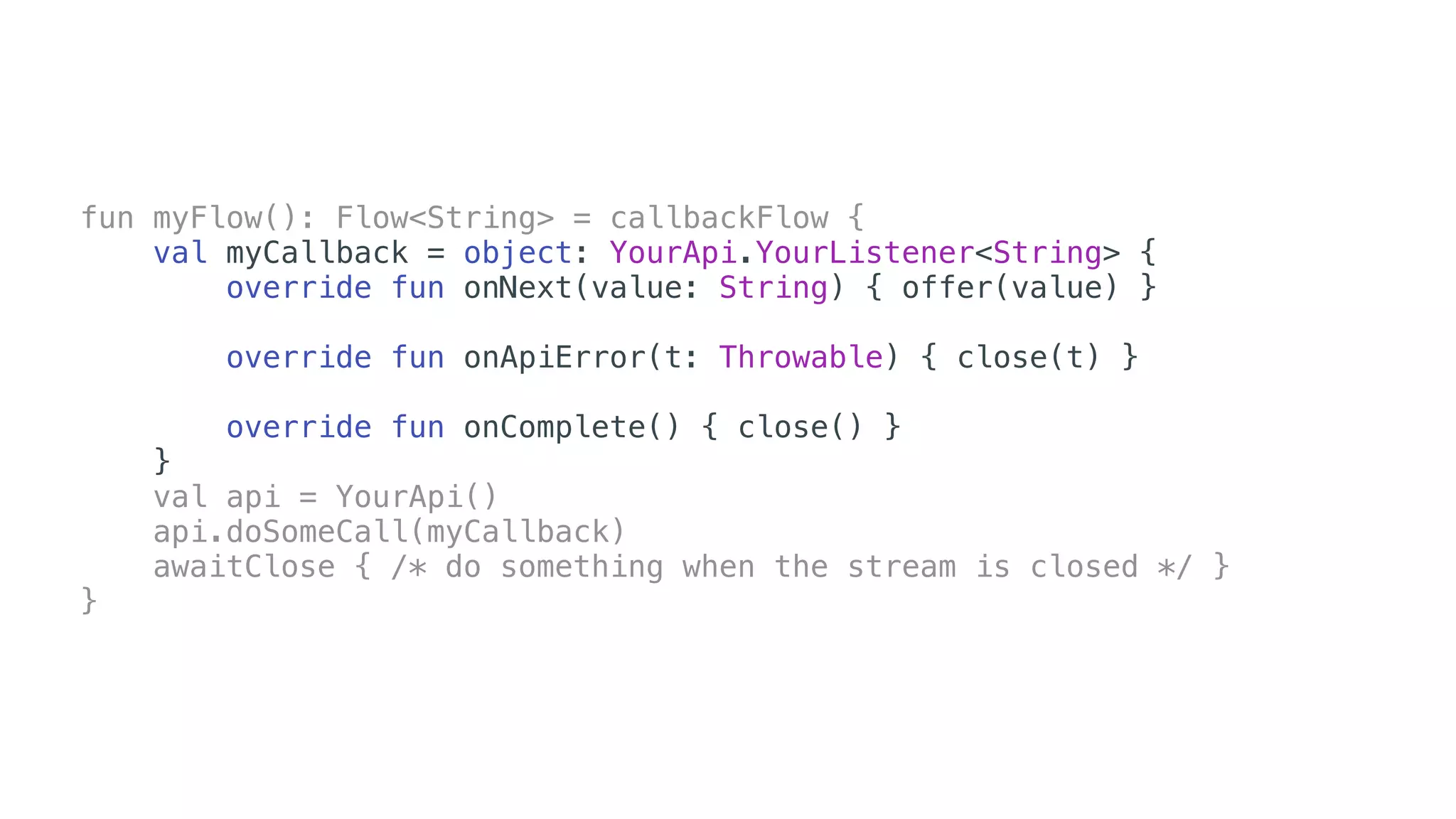
Callback para Flow
class YourApi {
fun doSomeCall(callback: YourListener<String>) {
// when new value arrives
callback.onNext("New Item")
// when some error happens
callback.onApiError(Exception("Error"))
// when we're done
callback.onComplete()
}
interface YourListener<T> {
fun onNext(value: T)
fun onApiError(t: Throwable)
fun onComplete()
}
}
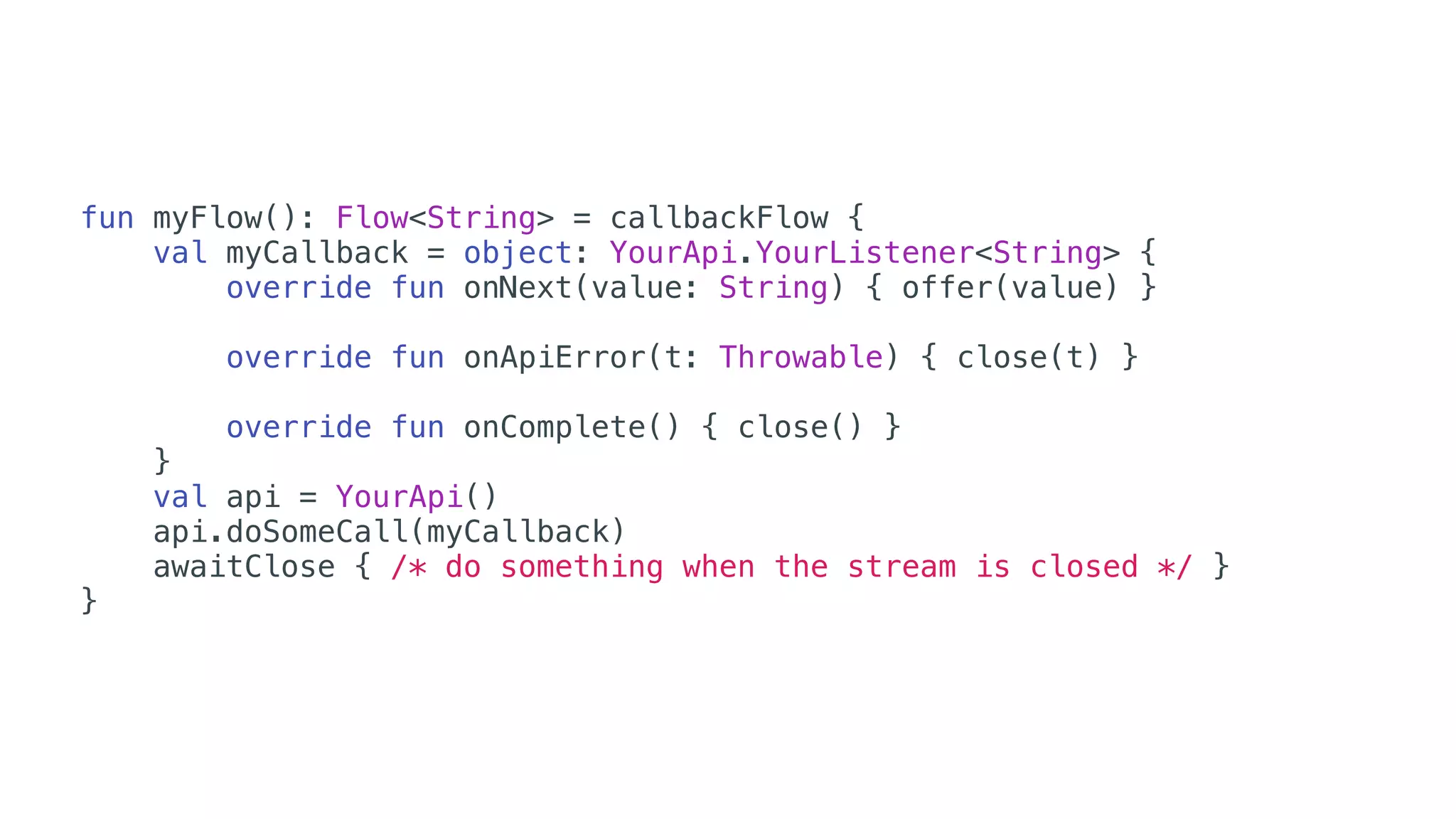
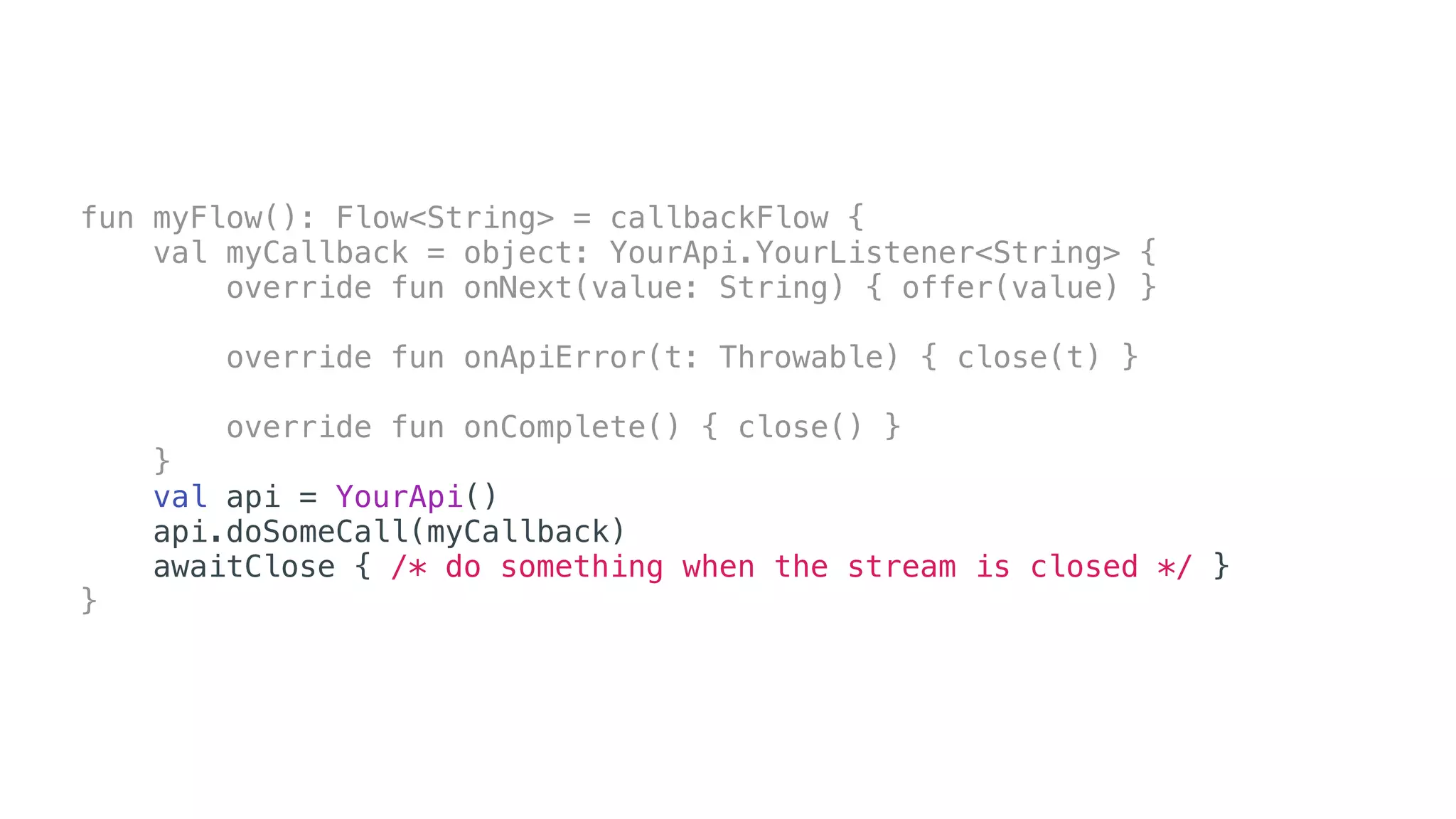
fun myFlow(): Flow<String> = callbackFlow {
val myCallback = object: YourApi.YourListener<String> {
override fun onNext(value: String) { offer(value) }
override fun onApiError(t: Throwable) { close(t) }
override fun onComplete() { close() }
}
val api = YourApi()
api.doSomeCall(myCallback)
awaitClose { /* do something when the stream is closed */ }
}
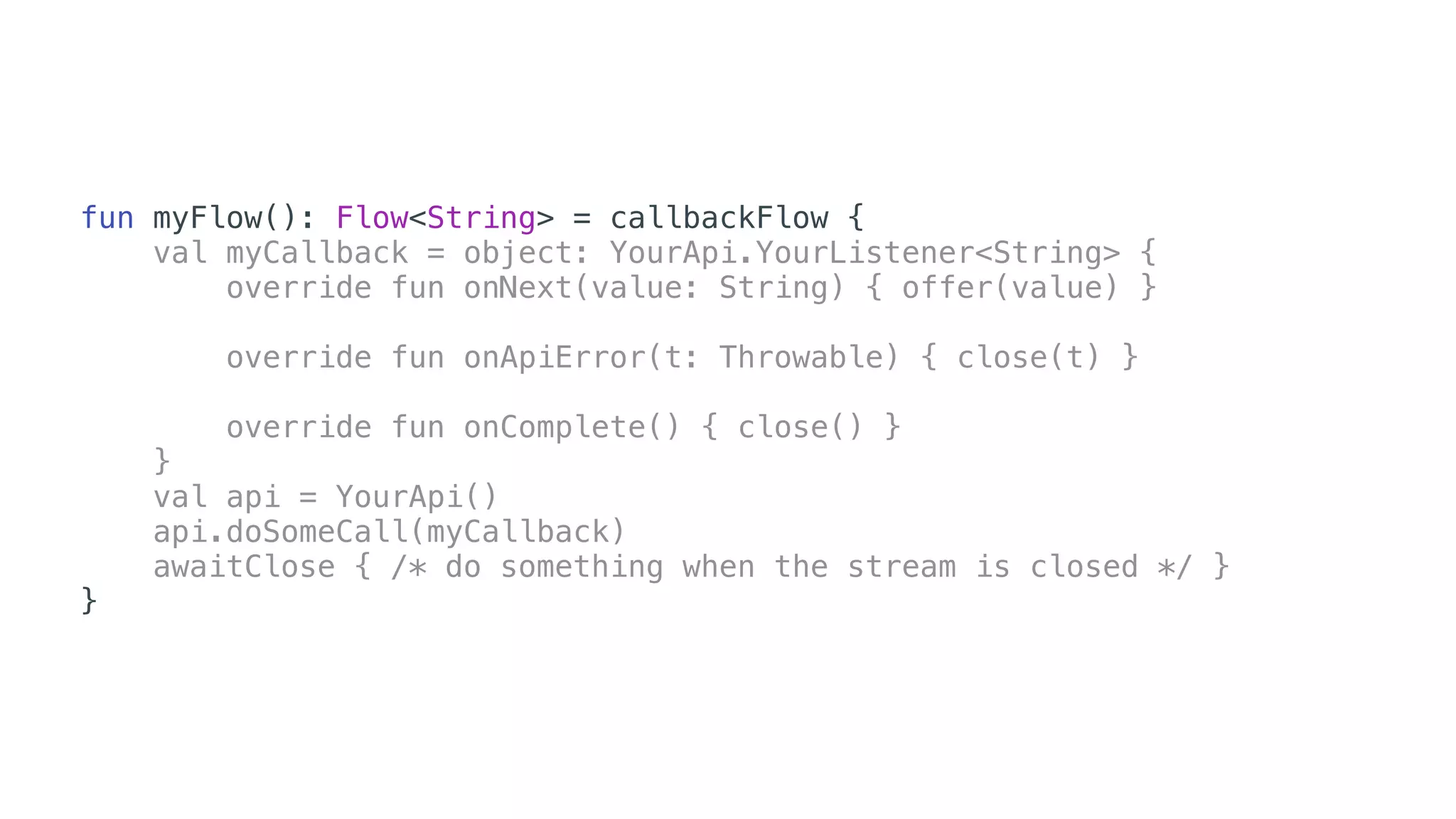
fun myFlow(): Flow<String> = callbackFlow {
val myCallback = object: YourApi.YourListener<String> {
override fun onNext(value: String) { offer(value) }
override fun onApiError(t: Throwable) { close(t) }
override fun onComplete() { close() }
}
val api = YourApi()
api.doSomeCall(myCallback)
awaitClose { /* do something when the stream is closed */ }
}
fun myFlow(): Flow<String> = callbackFlow {
val myCallback = object: YourApi.YourListener<String> {
override fun onNext(value: String) { offer(value) }
override fun onApiError(t: Throwable) { close(t) }
override fun onComplete() { close() }
}
val api = YourApi()
api.doSomeCall(myCallback)
awaitClose { /* do something when the stream is closed */ }
}
fun myFlow(): Flow<String> = callbackFlow {
val myCallback = object: YourApi.YourListener<String> {
override fun onNext(value: String) { offer(value) }
override fun onApiError(t: Throwable) { close(t) }
override fun onComplete() { close() }
}
val api = YourApi()
api.doSomeCall(myCallback)
awaitClose { /* do something when the stream is closed */ }
}
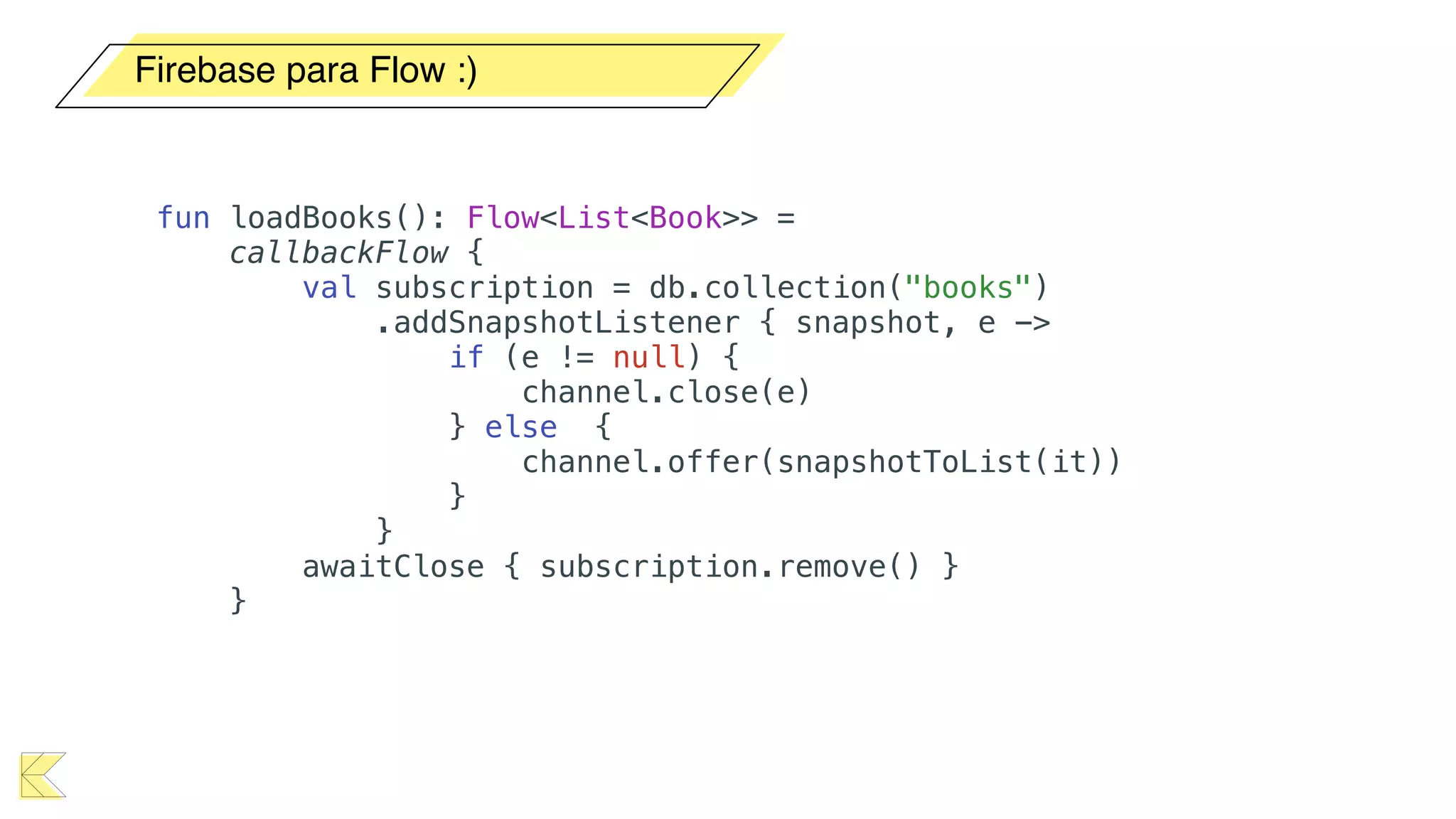
Firebase para Flow :)
fun loadBooks(): Flow<List<Book>> =
callbackFlow {
val subscription = db.collection("books")
.addSnapshotListener { snapshot, e ->
if (e != null) {
channel.close(e)
} else {
channel.offer(snapshotToList(it))
}
}
awaitClose { subscription.remove() }
}
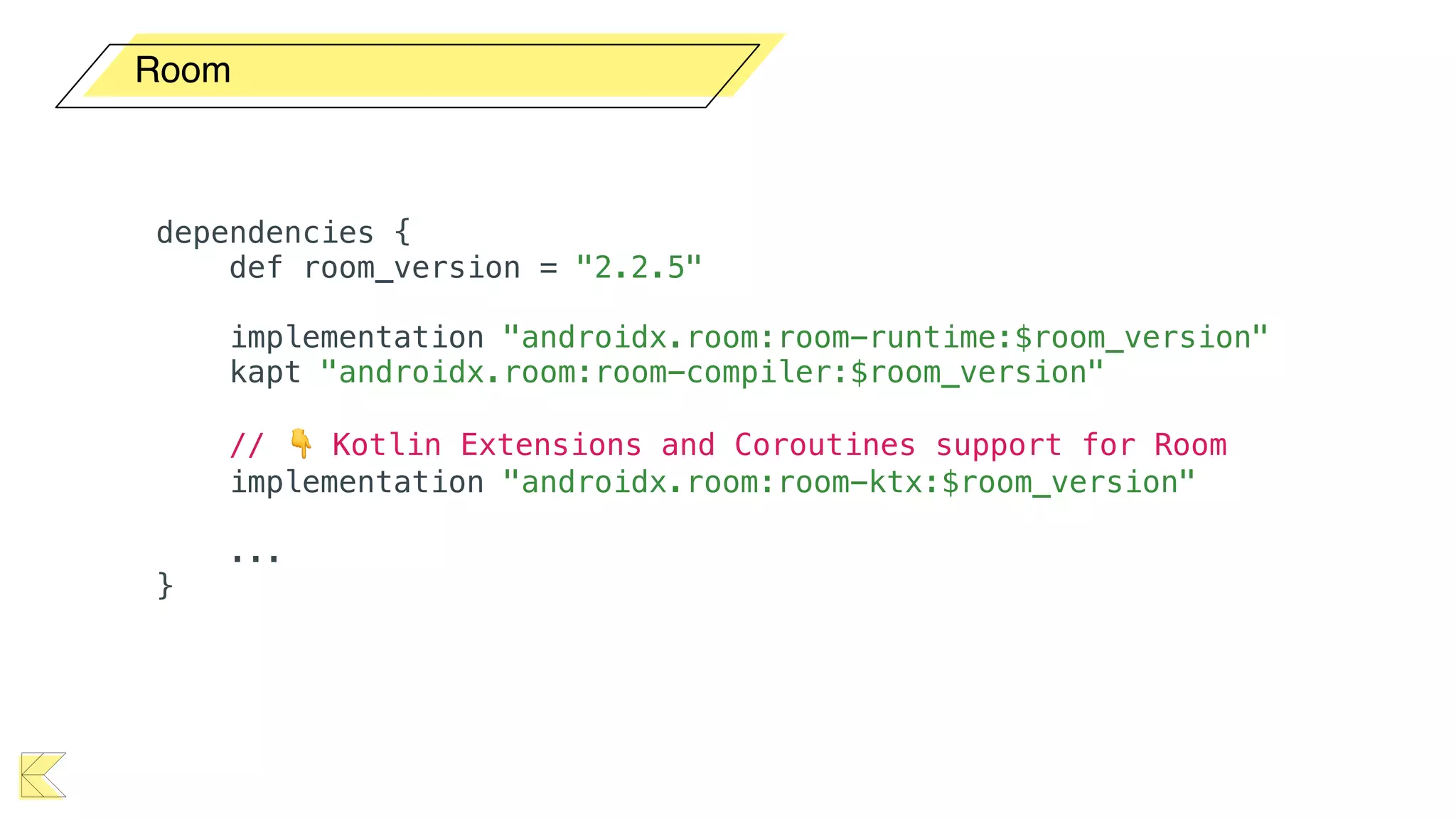
Room
Room
dependencies {
def room_version = "2.2.5"
implementation "androidx.room:room-runtime:$room_version"
kapt "androidx.room:room-compiler:$room_version"
// 👇 Kotlin Extensions and Coroutines support for Room
implementation "androidx.room:room-ktx:$room_version"
...
}
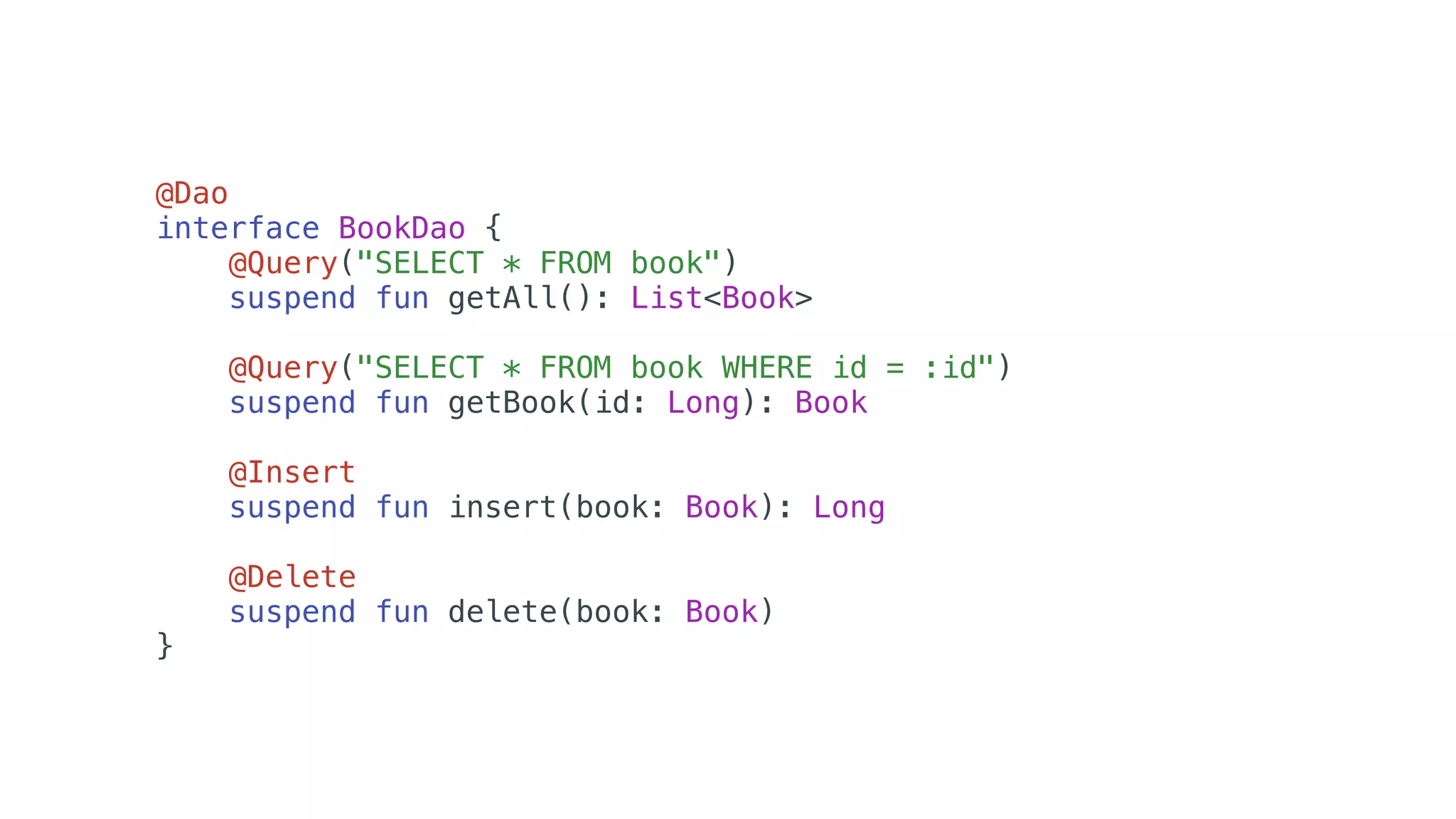
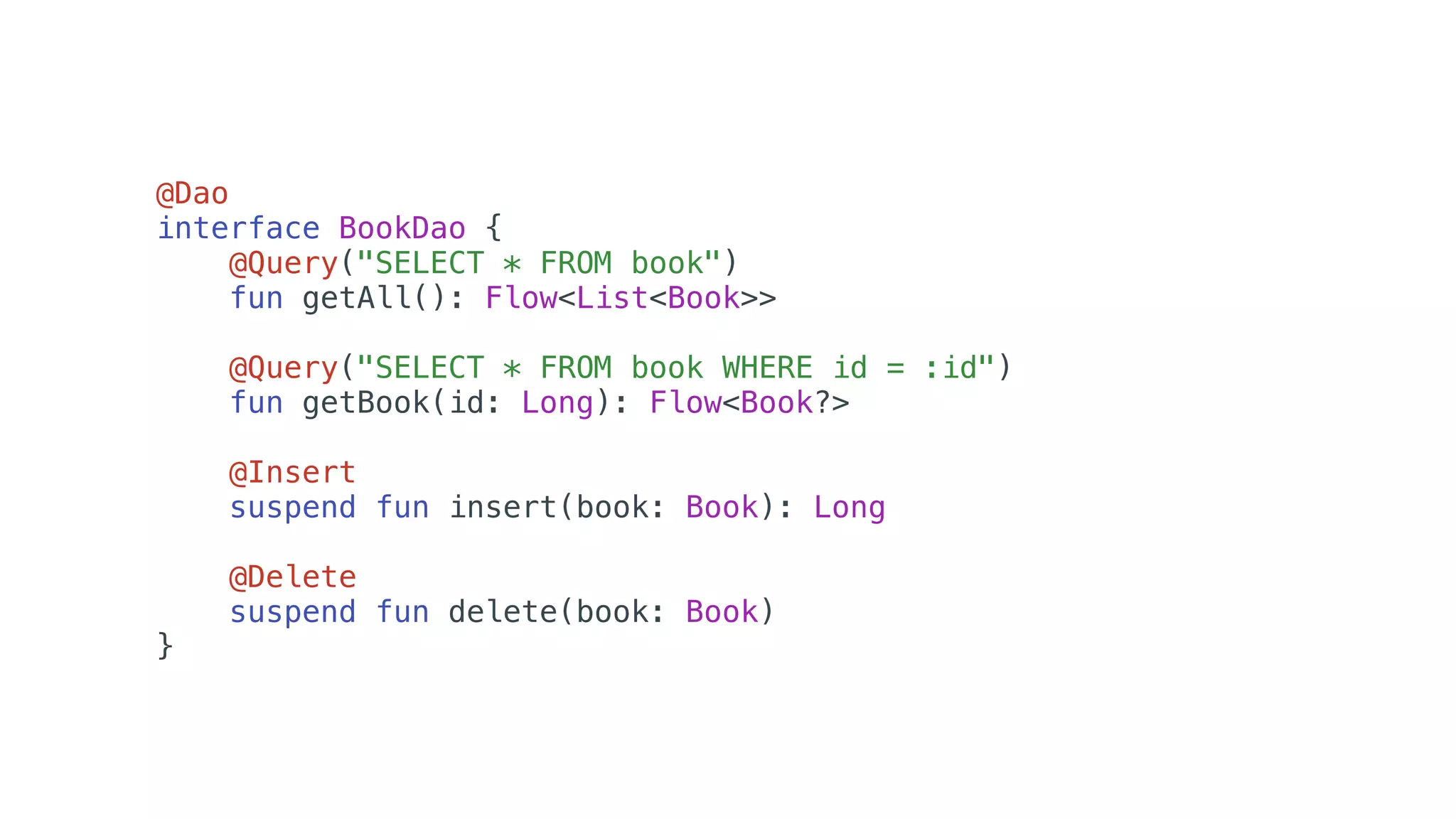
@Dao
interface BookDao {
@Query("SELECT * FROM book")
suspend fun getAll(): List<Book>
@Query("SELECT * FROM book WHERE id = :id")
suspend fun getBook(id: Long): Book
@Insert
suspend fun insert(book: Book): Long
@Delete
suspend fun delete(book: Book)
}
@Dao
interface BookDao {
@Query("SELECT * FROM book")
fun getAll(): Flow<List<Book>>
@Query("SELECT * FROM book WHERE id = :id")
fun getBook(id: Long): Flow<Book?>
@Insert
suspend fun insert(book: Book): Long
@Delete
suspend fun delete(book: Book)
}
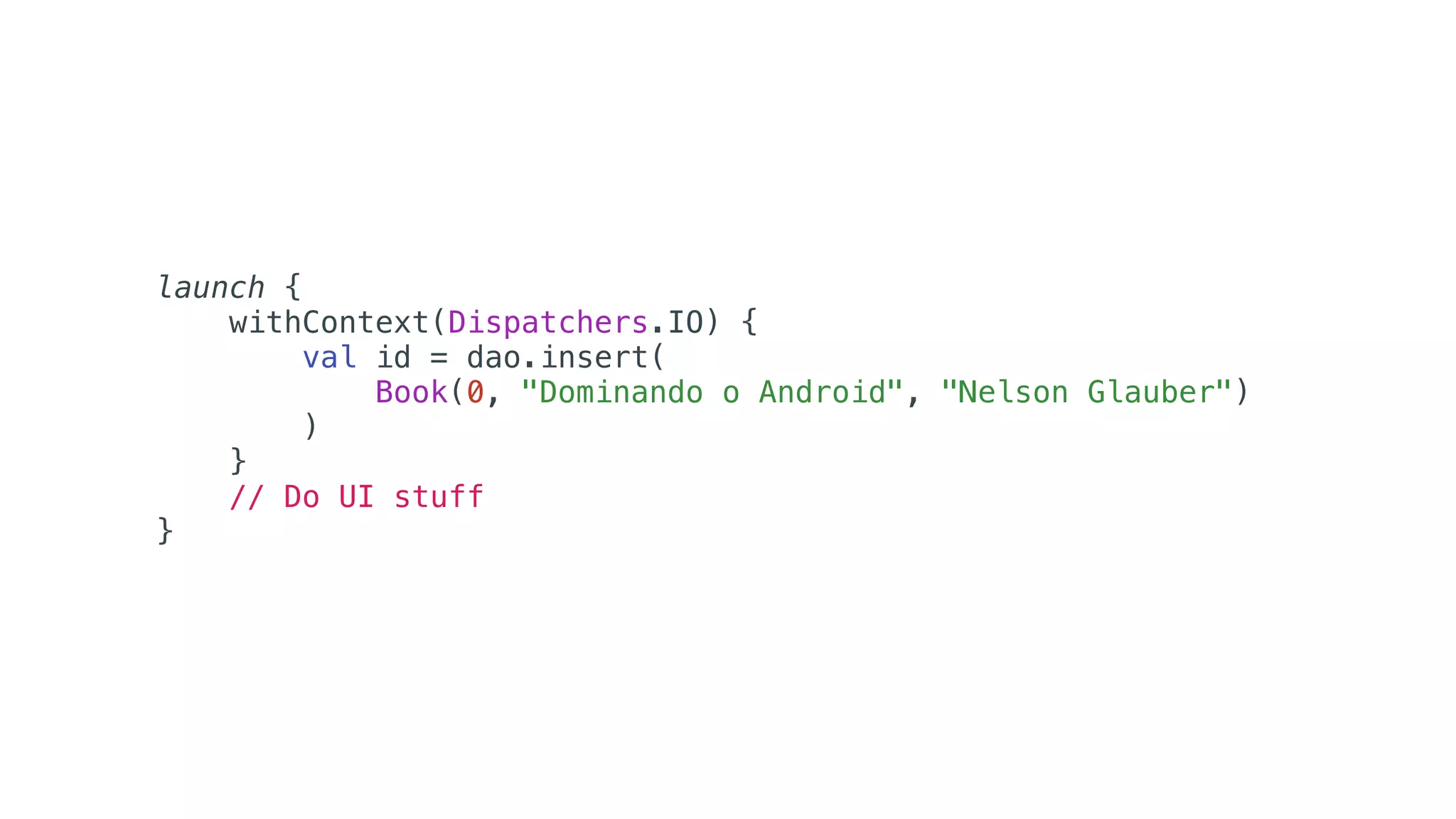
launch {
withContext(Dispatchers.IO) {
val id = dao.insert(
Book(0, "Dominando o Android", "Nelson Glauber")
)
}
// Do UI stuff
}
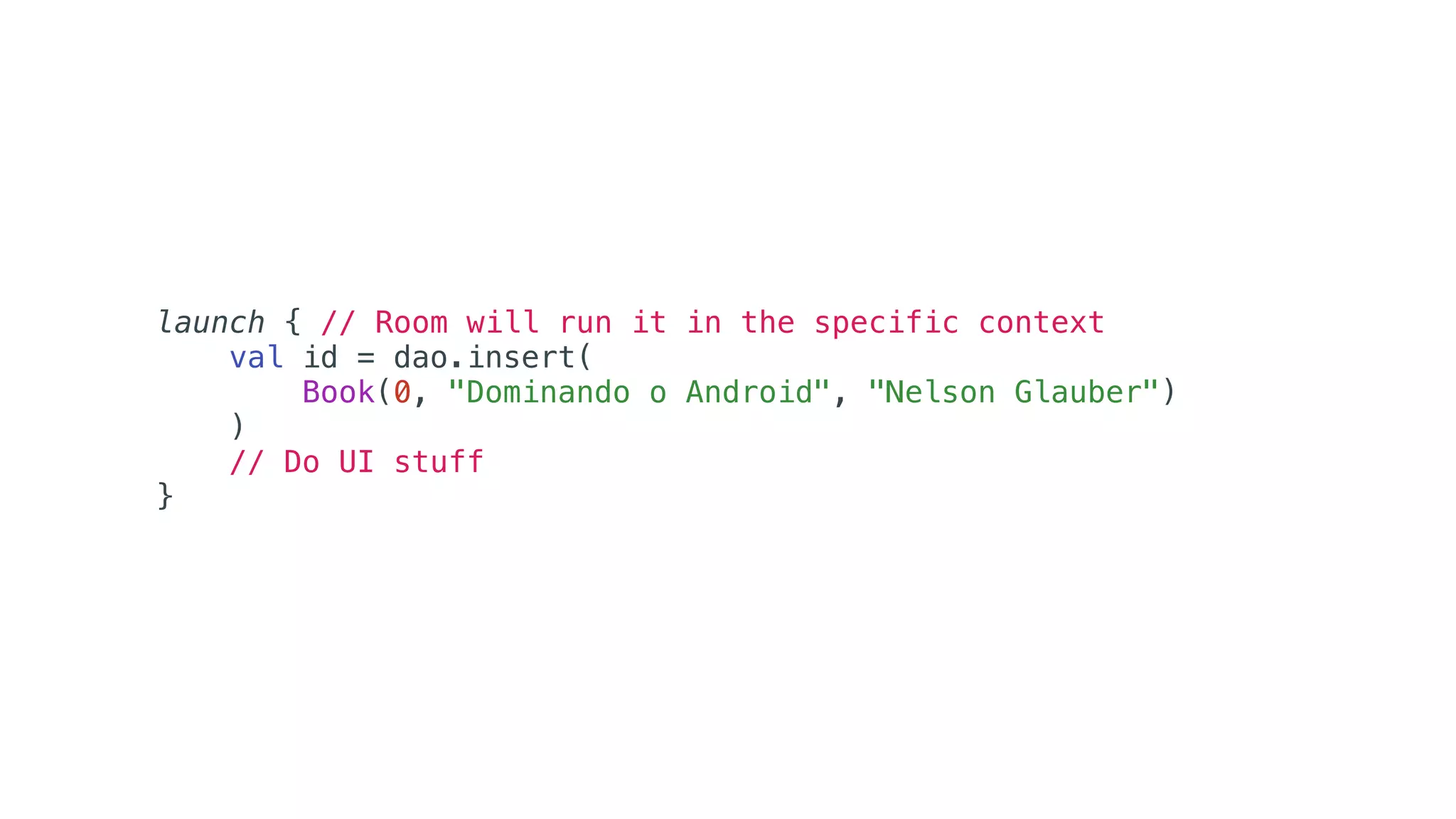
launch { // Room will run it in the specific context
val id = dao.insert(
Book(0, "Dominando o Android", "Nelson Glauber")
)
// Do UI stuff
}
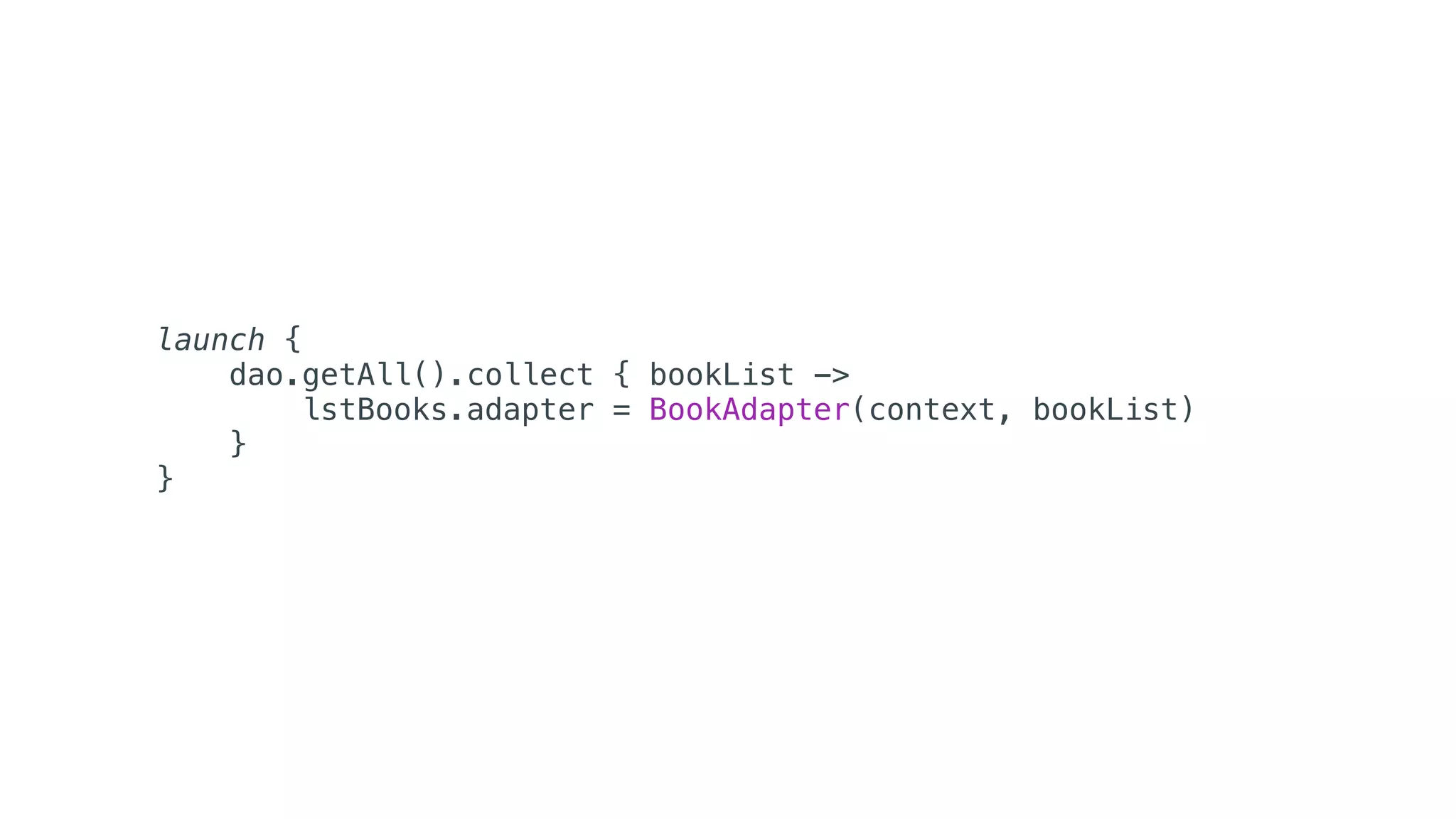
launch {
dao.getAll().collect { bookList ->
lstBooks.adapter = BookAdapter(context, bookList)
}
}
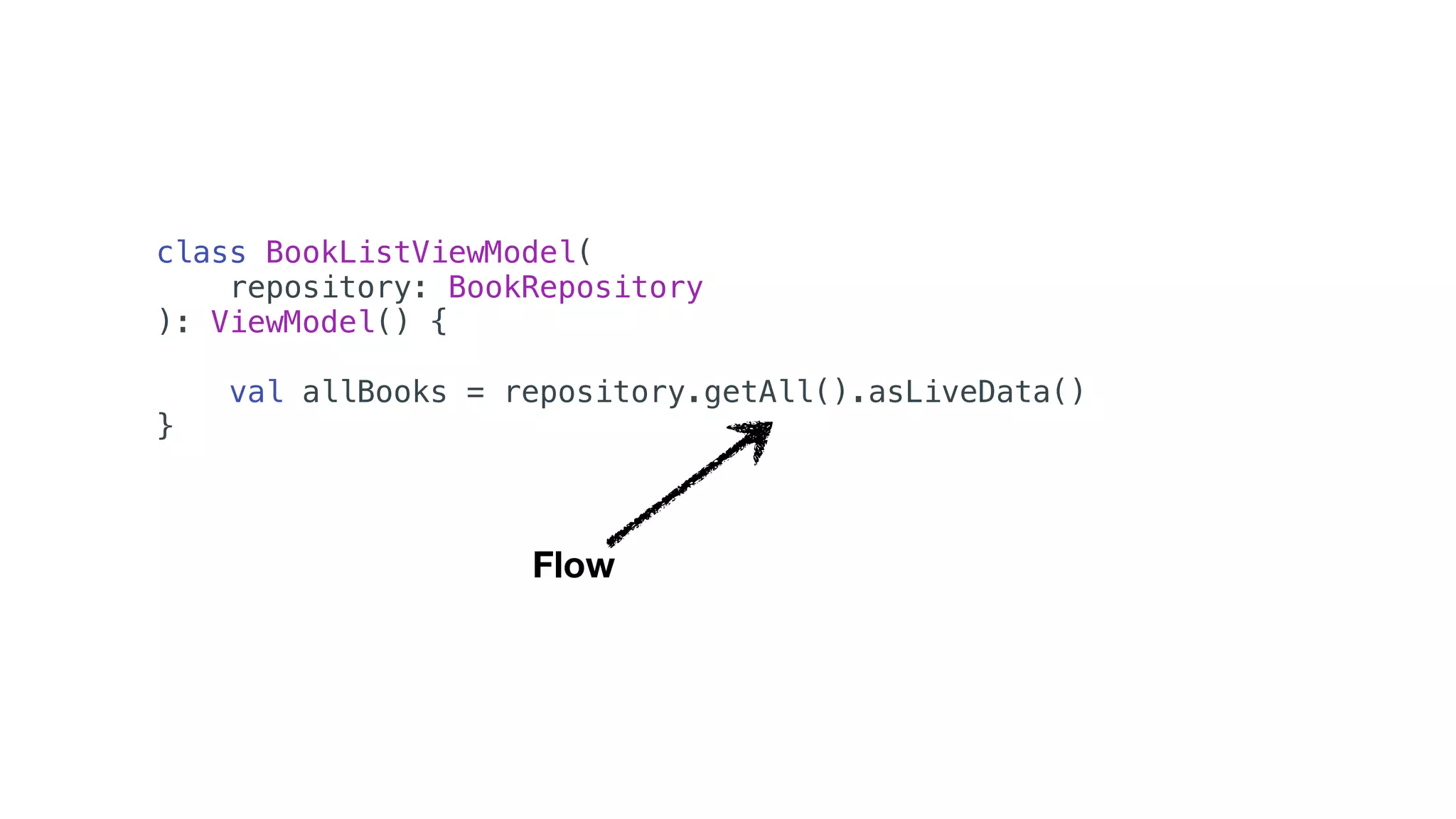
class BookListViewModel(
repository: BookRepository
): ViewModel() {
val allBooks = repository.getAll().asLiveData()
}
Flow
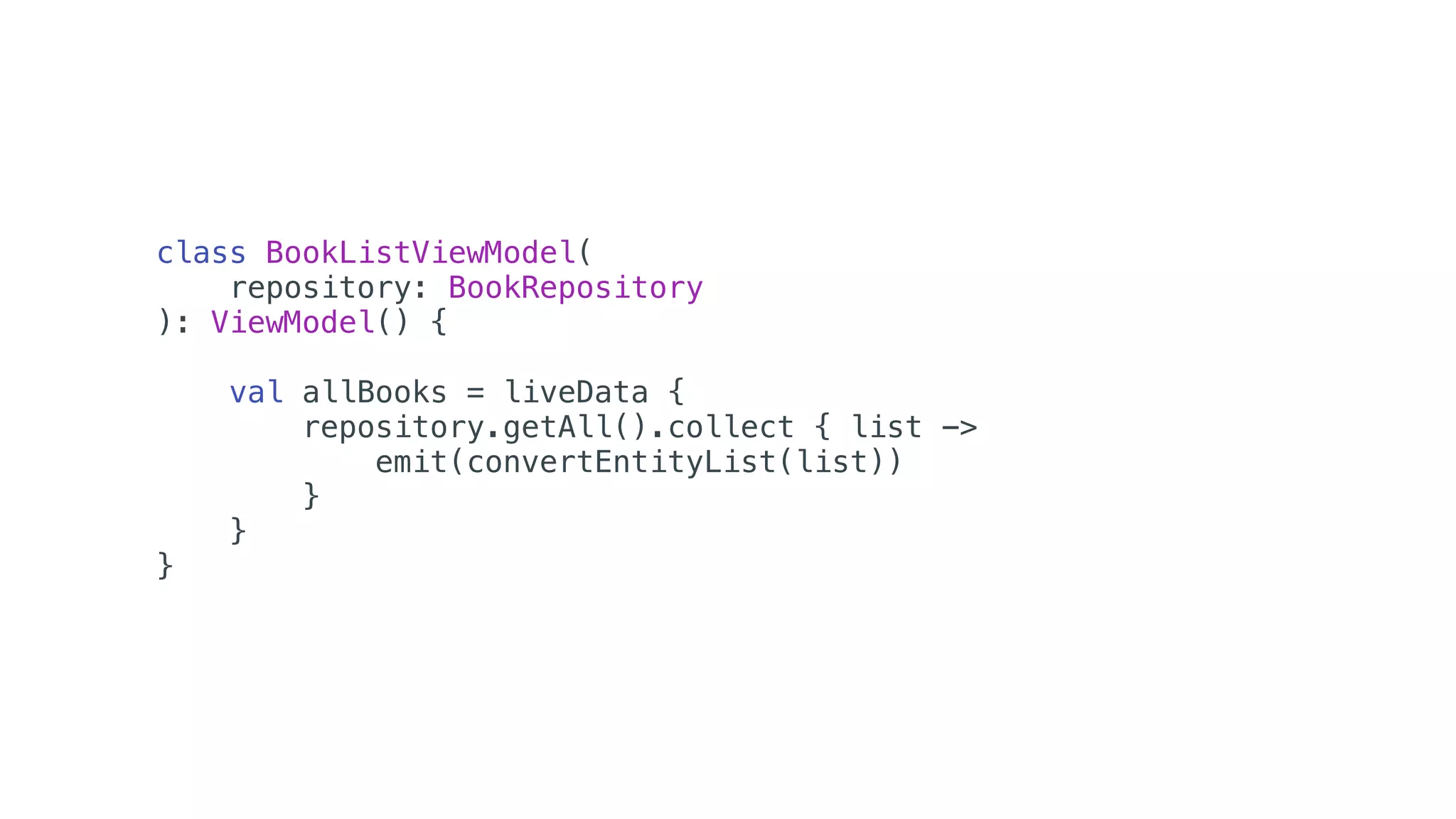
class BookListViewModel(
repository: BookRepository
): ViewModel() {
val allBooks = liveData {
repository.getAll().collect { list ->
emit(convertEntityList(list))
}
}
}
Testes
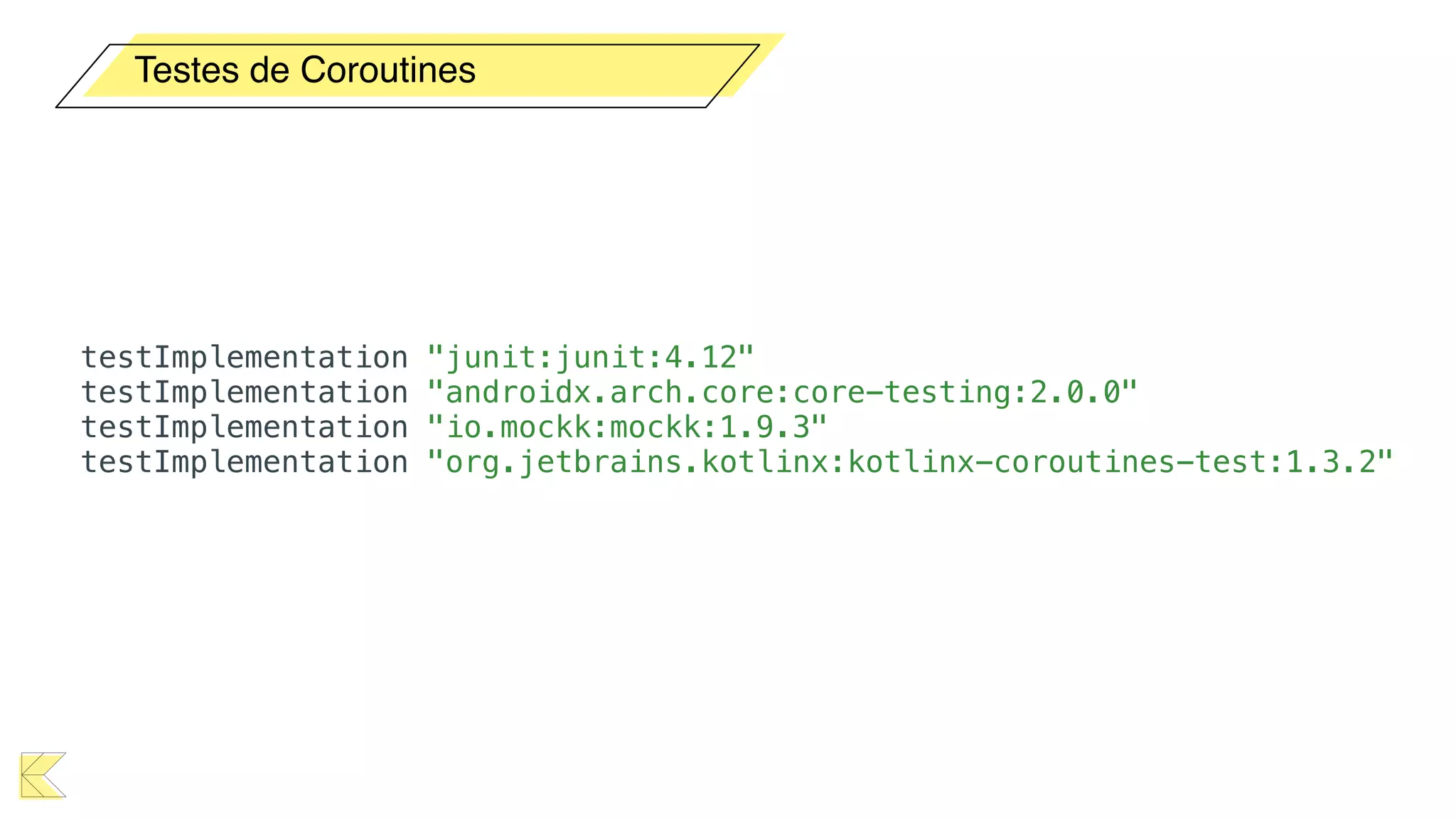
Testes de Coroutines
testImplementation "junit:junit:4.12"
testImplementation "androidx.arch.core:core-testing:2.0.0"
testImplementation "io.mockk:mockk:1.9.3"
testImplementation "org.jetbrains.kotlinx:kotlinx-coroutines-test:1.3.2"
import kotlinx.coroutines.runBlocking
import org.junit.*
class CalculatorUnitTest {
@Test
fun sum_isCorrect() = runBlocking {
val calc = Calculator()
assertEquals(4, calc.sum(2, 2))
}
}
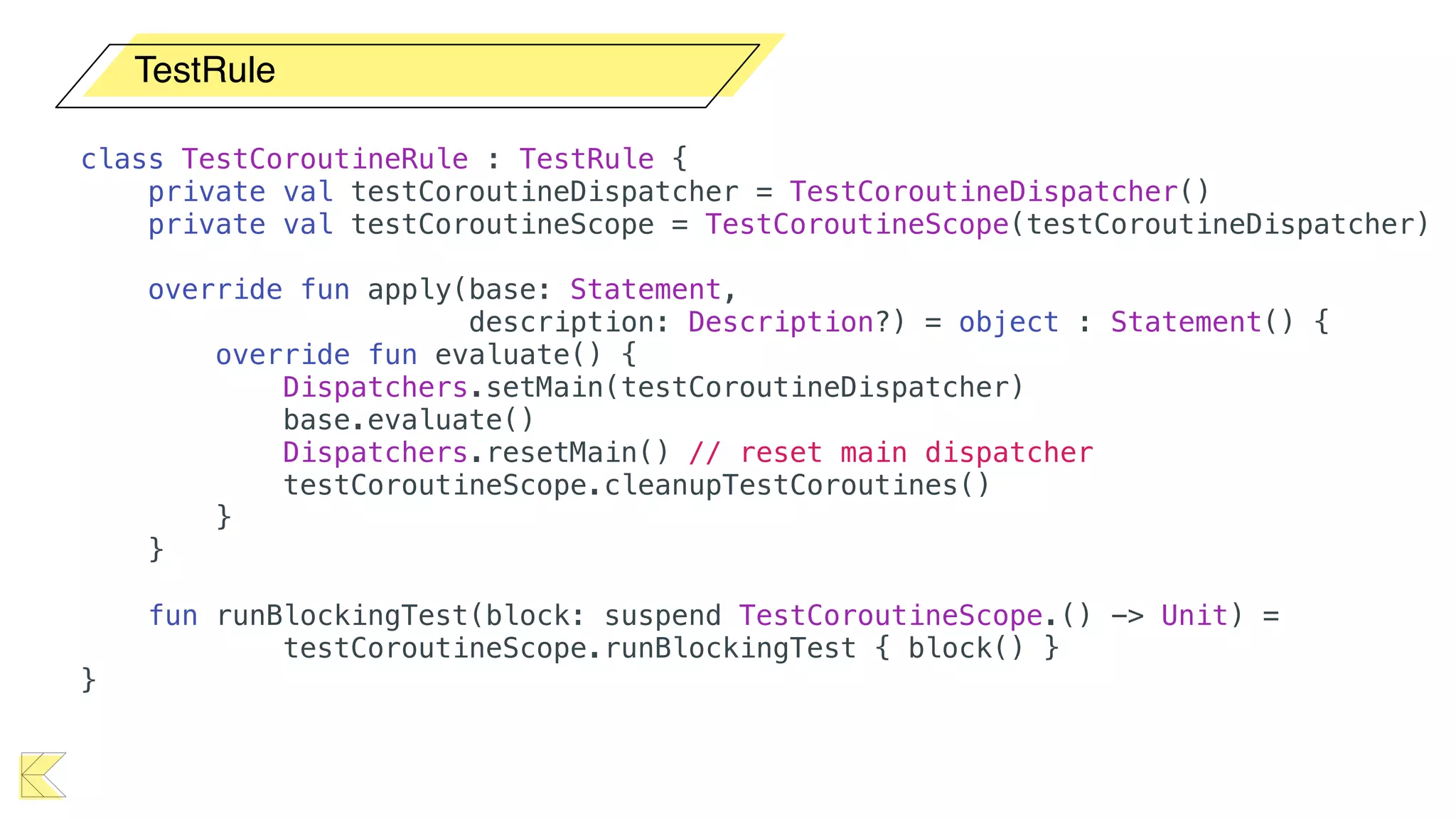
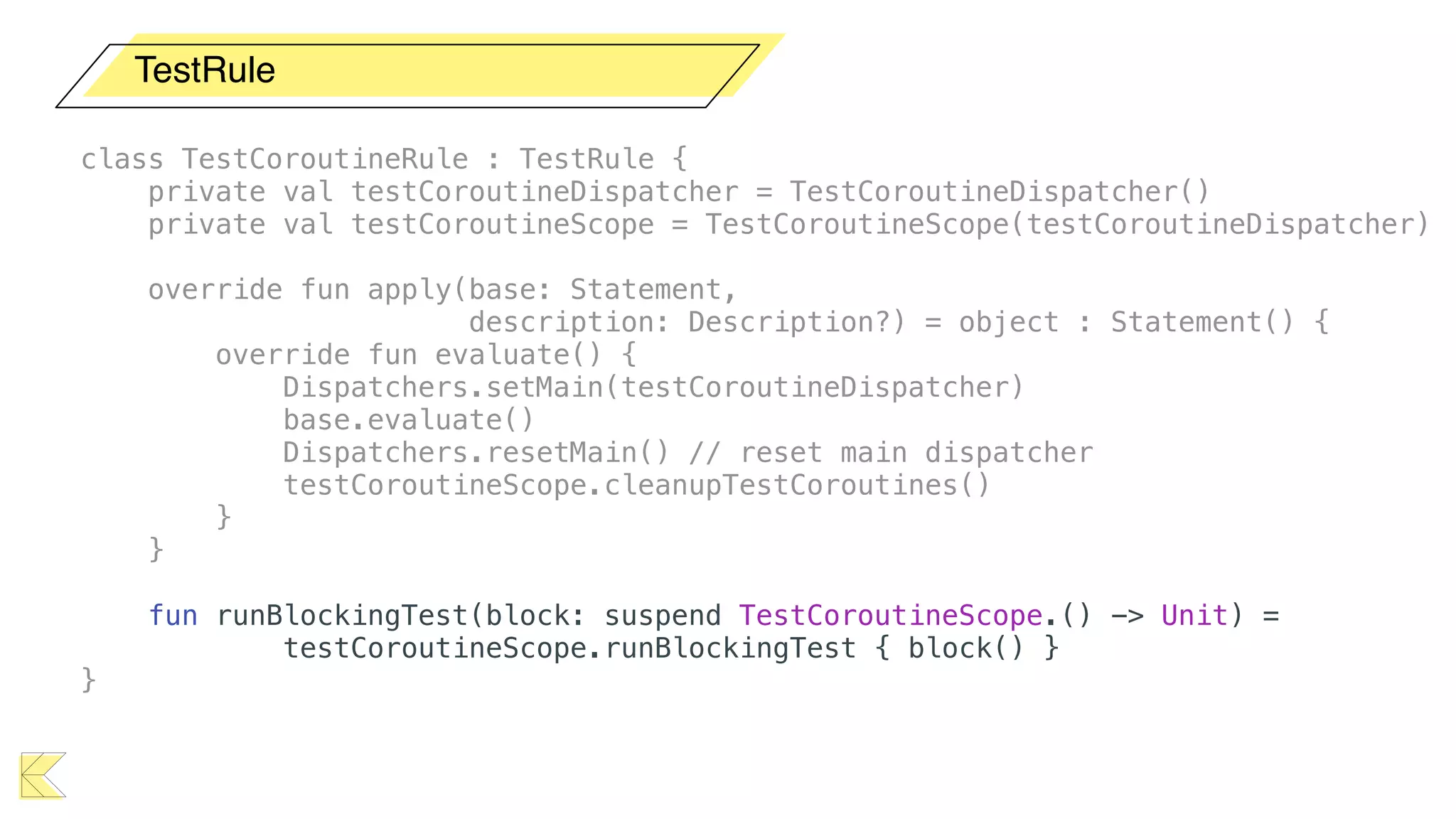
TestRule
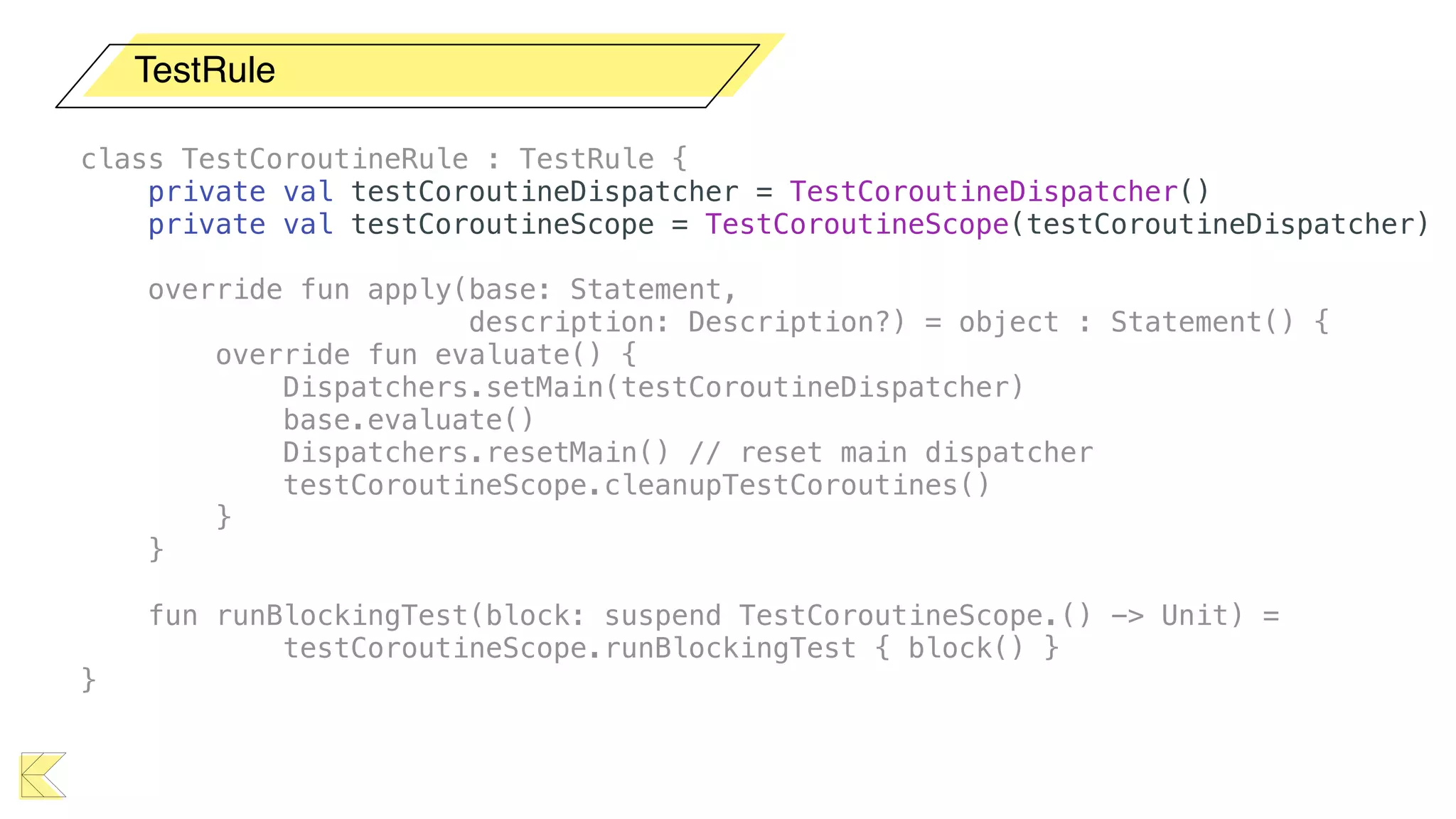
class TestCoroutineRule : TestRule {
private val testCoroutineDispatcher = TestCoroutineDispatcher()
private val testCoroutineScope = TestCoroutineScope(testCoroutineDispatcher)
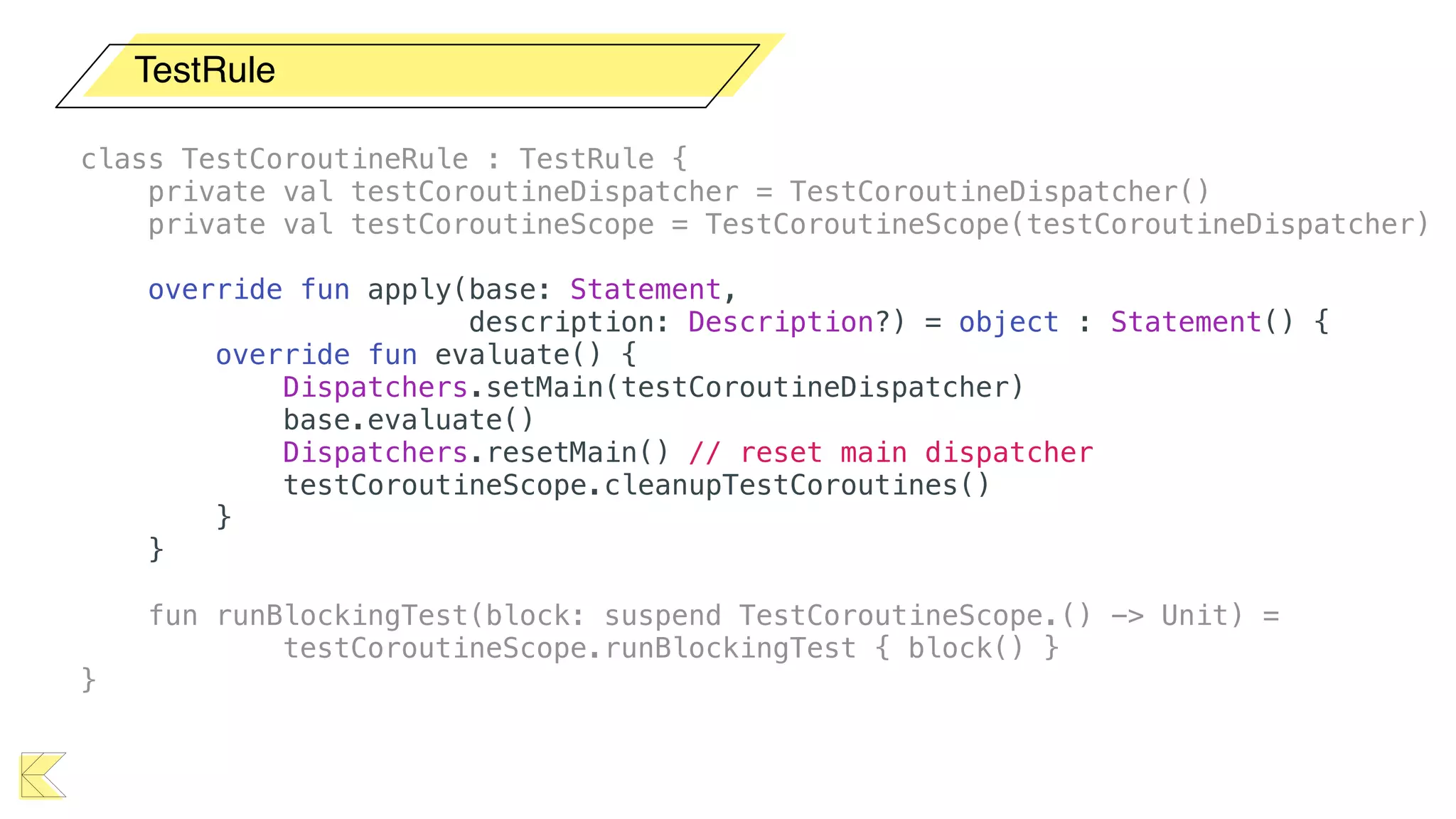
override fun apply(base: Statement,
description: Description?) = object : Statement() {
override fun evaluate() {
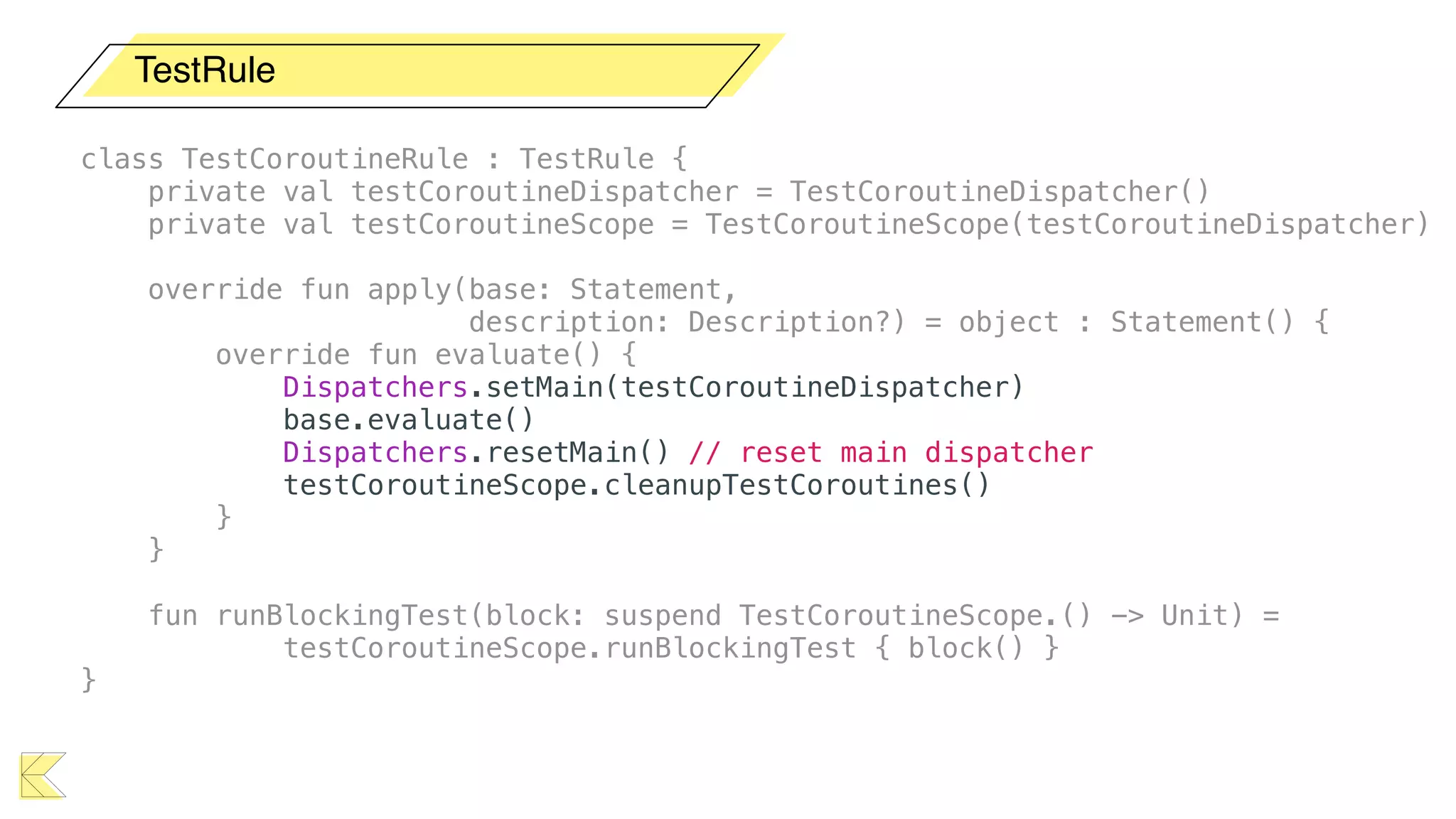
Dispatchers.setMain(testCoroutineDispatcher)
base.evaluate()
Dispatchers.resetMain() // reset main dispatcher
testCoroutineScope.cleanupTestCoroutines()
}
}
fun runBlockingTest(block: suspend TestCoroutineScope.() -> Unit) =
testCoroutineScope.runBlockingTest { block() }
}
TestRule
class TestCoroutineRule : TestRule {
private val testCoroutineDispatcher = TestCoroutineDispatcher()
private val testCoroutineScope = TestCoroutineScope(testCoroutineDispatcher)
override fun apply(base: Statement,
description: Description?) = object : Statement() {
override fun evaluate() {
Dispatchers.setMain(testCoroutineDispatcher)
base.evaluate()
Dispatchers.resetMain() // reset main dispatcher
testCoroutineScope.cleanupTestCoroutines()
}
}
fun runBlockingTest(block: suspend TestCoroutineScope.() -> Unit) =
testCoroutineScope.runBlockingTest { block() }
}
TestRule
class TestCoroutineRule : TestRule {
private val testCoroutineDispatcher = TestCoroutineDispatcher()
private val testCoroutineScope = TestCoroutineScope(testCoroutineDispatcher)
override fun apply(base: Statement,
description: Description?) = object : Statement() {
override fun evaluate() {
Dispatchers.setMain(testCoroutineDispatcher)
base.evaluate()
Dispatchers.resetMain() // reset main dispatcher
testCoroutineScope.cleanupTestCoroutines()
}
}
fun runBlockingTest(block: suspend TestCoroutineScope.() -> Unit) =
testCoroutineScope.runBlockingTest { block() }
}
TestRule
class TestCoroutineRule : TestRule {
private val testCoroutineDispatcher = TestCoroutineDispatcher()
private val testCoroutineScope = TestCoroutineScope(testCoroutineDispatcher)
override fun apply(base: Statement,
description: Description?) = object : Statement() {
override fun evaluate() {
Dispatchers.setMain(testCoroutineDispatcher)
base.evaluate()
Dispatchers.resetMain() // reset main dispatcher
testCoroutineScope.cleanupTestCoroutines()
}
}
fun runBlockingTest(block: suspend TestCoroutineScope.() -> Unit) =
testCoroutineScope.runBlockingTest { block() }
}
TestRule
class TestCoroutineRule : TestRule {
private val testCoroutineDispatcher = TestCoroutineDispatcher()
private val testCoroutineScope = TestCoroutineScope(testCoroutineDispatcher)
override fun apply(base: Statement,
description: Description?) = object : Statement() {
override fun evaluate() {
Dispatchers.setMain(testCoroutineDispatcher)
base.evaluate()
Dispatchers.resetMain() // reset main dispatcher
testCoroutineScope.cleanupTestCoroutines()
}
}
fun runBlockingTest(block: suspend TestCoroutineScope.() -> Unit) =
testCoroutineScope.runBlockingTest { block() }
}
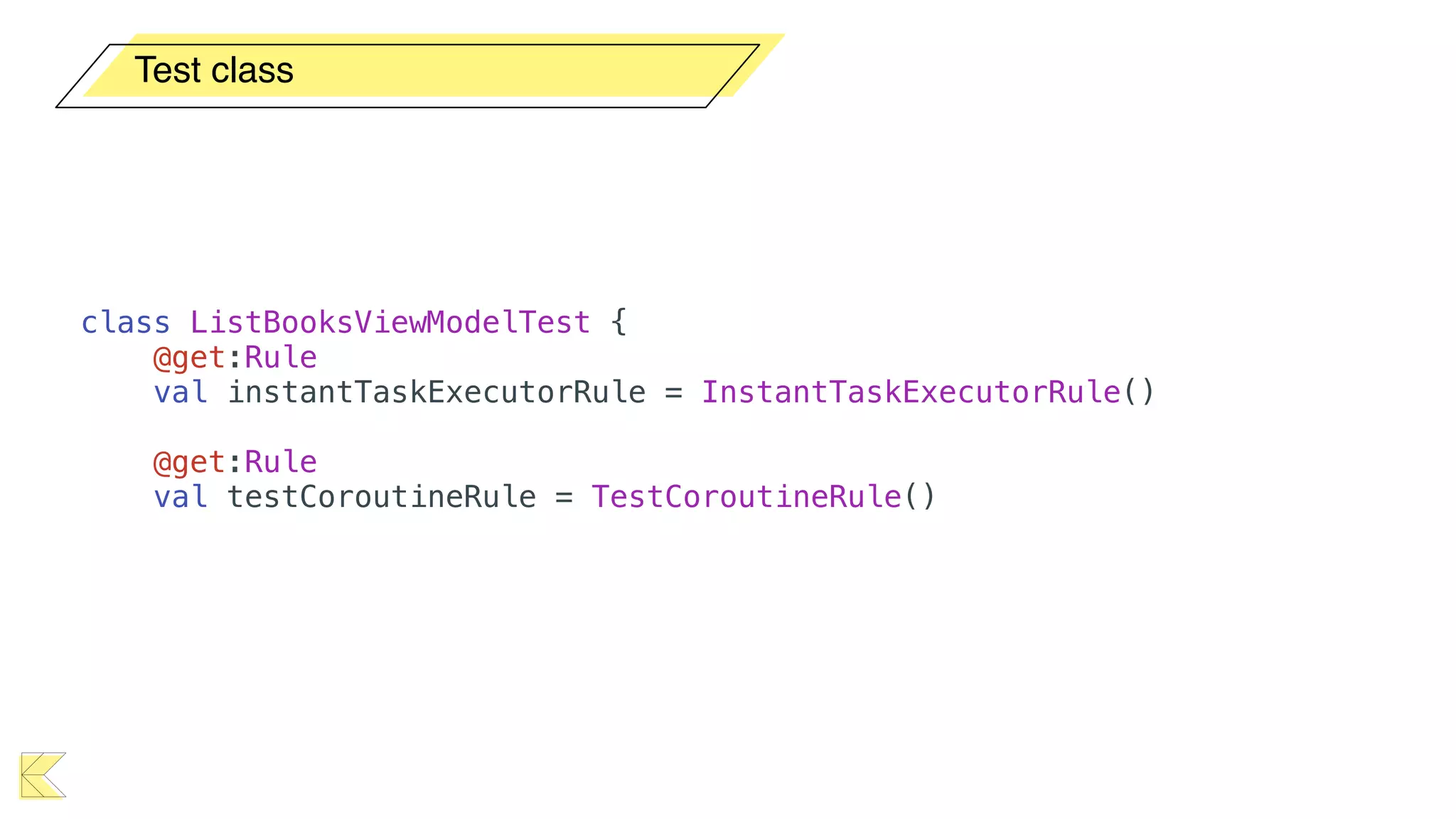
Test class
class ListBooksViewModelTest {
@get:Rule
val instantTaskExecutorRule = InstantTaskExecutorRule()
@get:Rule
val testCoroutineRule = TestCoroutineRule()
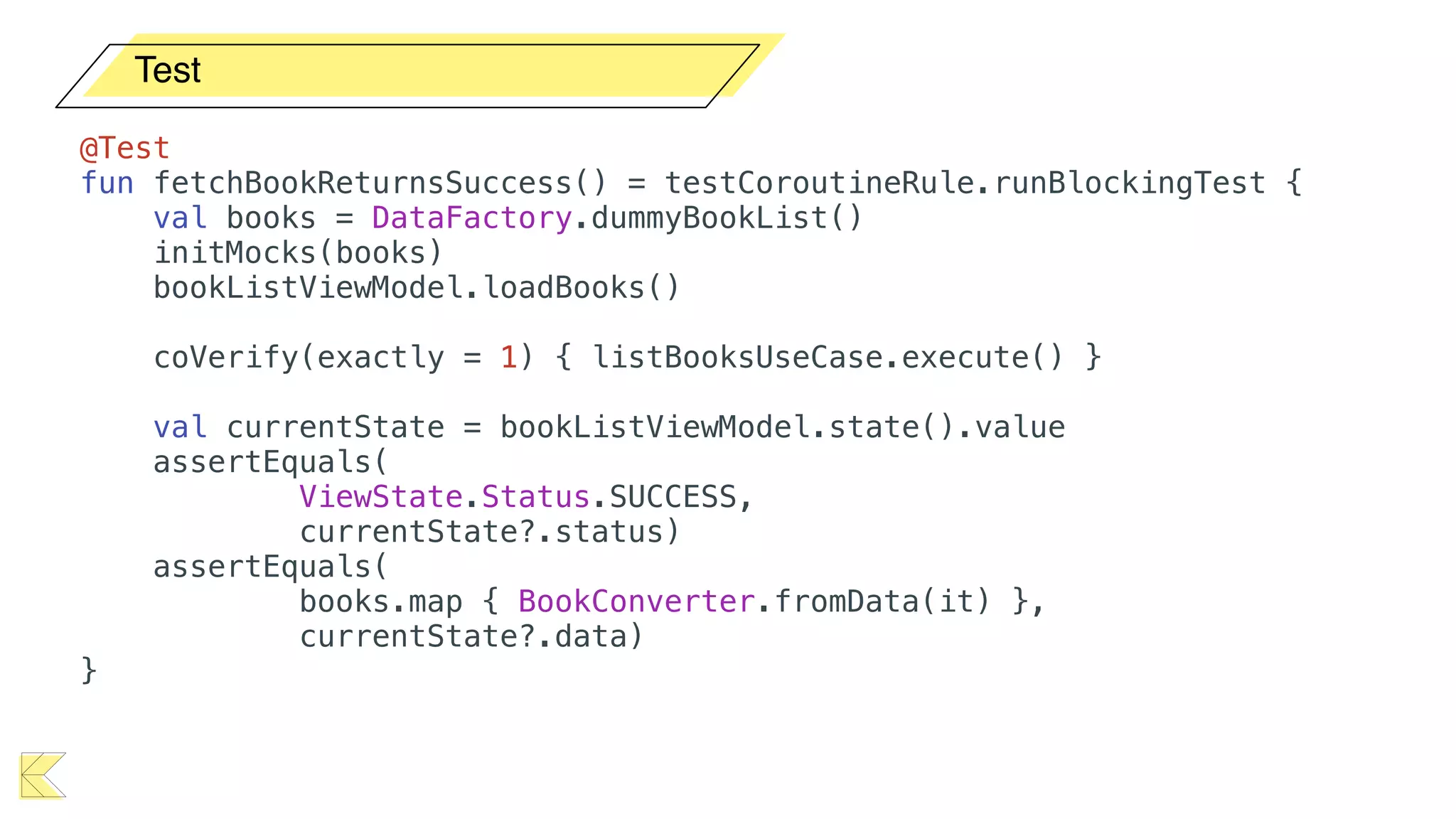
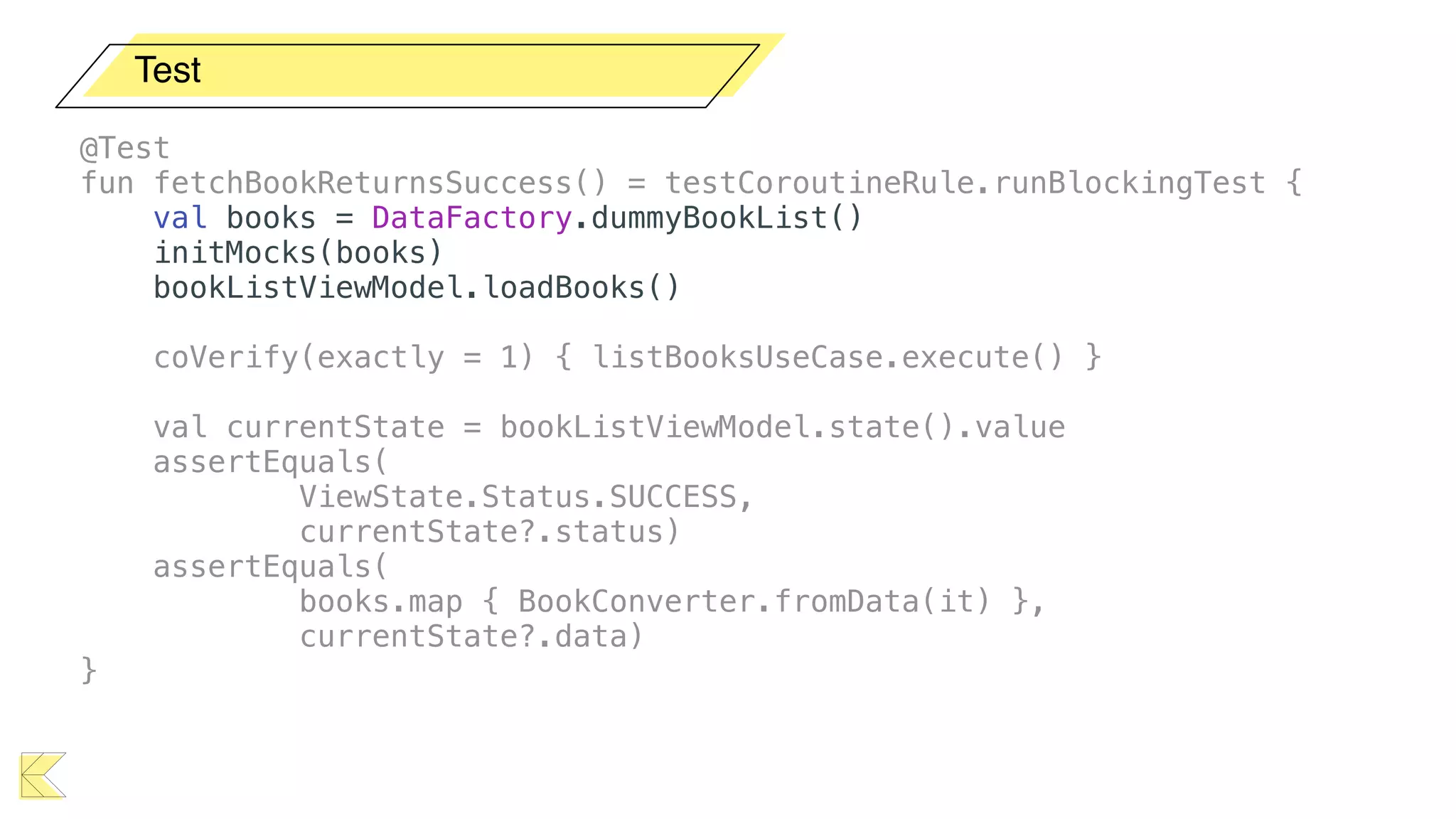
Test
@Test
fun fetchBookReturnsSuccess() = testCoroutineRule.runBlockingTest {
val books = DataFactory.dummyBookList()
initMocks(books)
bookListViewModel.loadBooks()
coVerify(exactly = 1) { listBooksUseCase.execute() }
val currentState = bookListViewModel.state().value
assertEquals(
ViewState.Status.SUCCESS,
currentState?.status)
assertEquals(
books.map { BookConverter.fromData(it) },
currentState?.data)
}
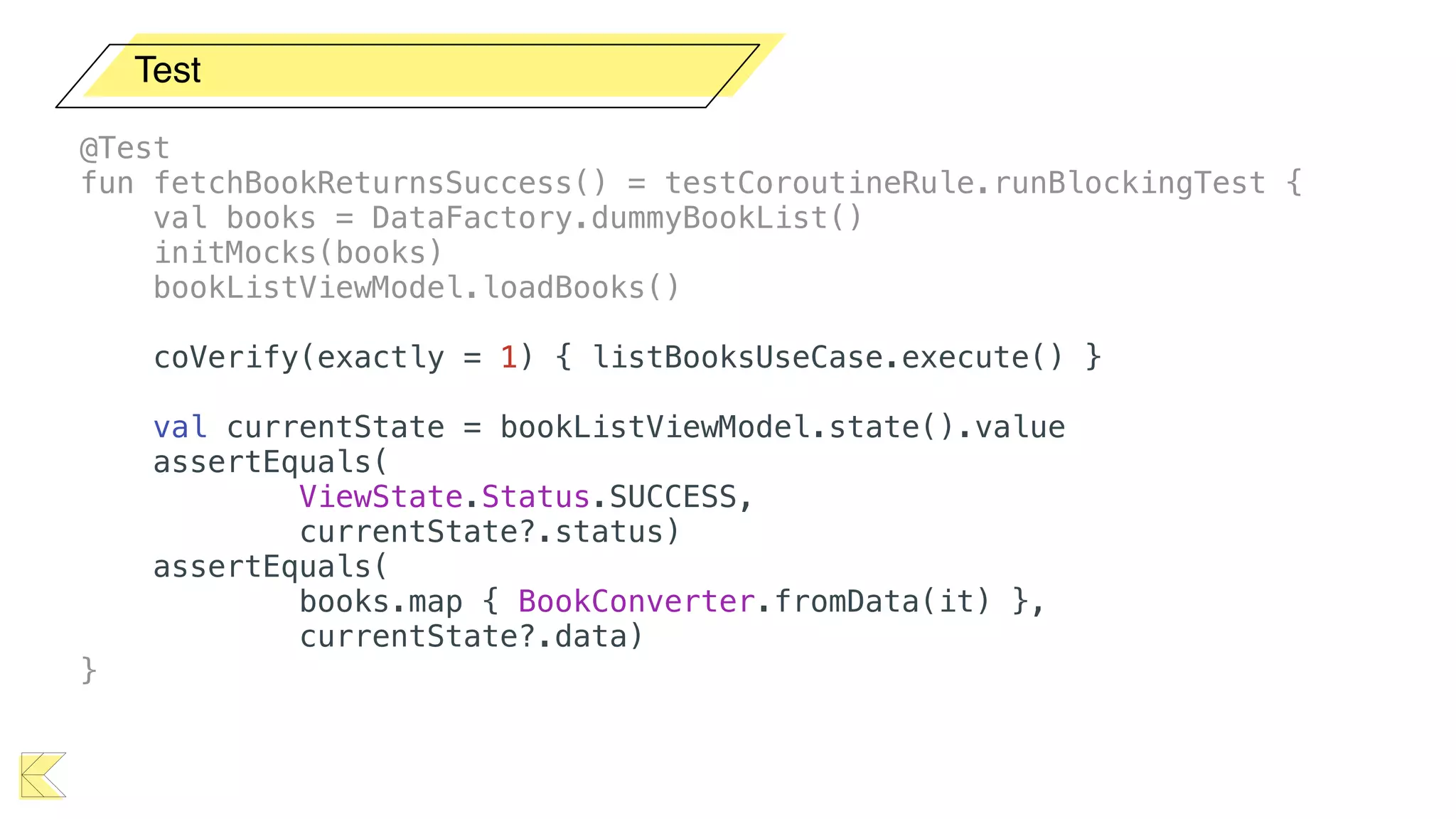
Test
@Test
fun fetchBookReturnsSuccess() = testCoroutineRule.runBlockingTest {
val books = DataFactory.dummyBookList()
initMocks(books)
bookListViewModel.loadBooks()
coVerify(exactly = 1) { listBooksUseCase.execute() }
val currentState = bookListViewModel.state().value
assertEquals(
ViewState.Status.SUCCESS,
currentState?.status)
assertEquals(
books.map { BookConverter.fromData(it) },
currentState?.data)
}
Test
@Test
fun fetchBookReturnsSuccess() = testCoroutineRule.runBlockingTest {
val books = DataFactory.dummyBookList()
initMocks(books)
bookListViewModel.loadBooks()
coVerify(exactly = 1) { listBooksUseCase.execute() }
val currentState = bookListViewModel.state().value
assertEquals(
ViewState.Status.SUCCESS,
currentState?.status)
assertEquals(
books.map { BookConverter.fromData(it) },
currentState?.data)
}
Test
@Test
fun fetchBookReturnsSuccess() = testCoroutineRule.runBlockingTest {
val books = DataFactory.dummyBookList()
initMocks(books)
bookListViewModel.loadBooks()
coVerify(exactly = 1) { listBooksUseCase.execute() }
val currentState = bookListViewModel.state().value
assertEquals(
ViewState.Status.SUCCESS,
currentState?.status)
assertEquals(
books.map { BookConverter.fromData(it) },
currentState?.data)
}
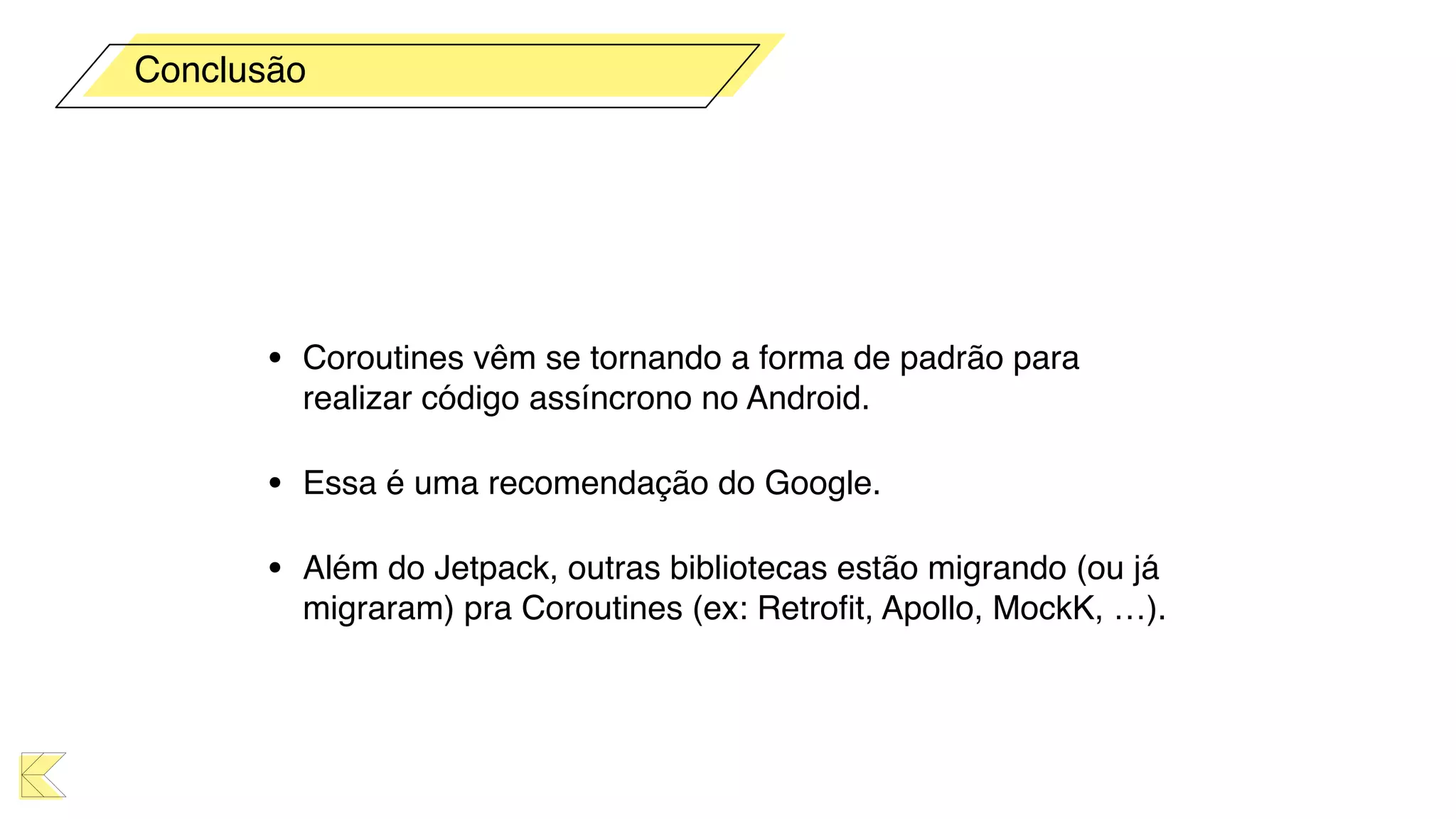
• Coroutines vêm se tornando a forma de padrão para
realizar código assíncrono no Android.
• Essa é uma recomendação do Google.
• Além do Jetpack, outras bibliotecas estão migrando (ou já
migraram) pra Coroutines (ex: Retrofit, Apollo, MockK, …).
Conclusão
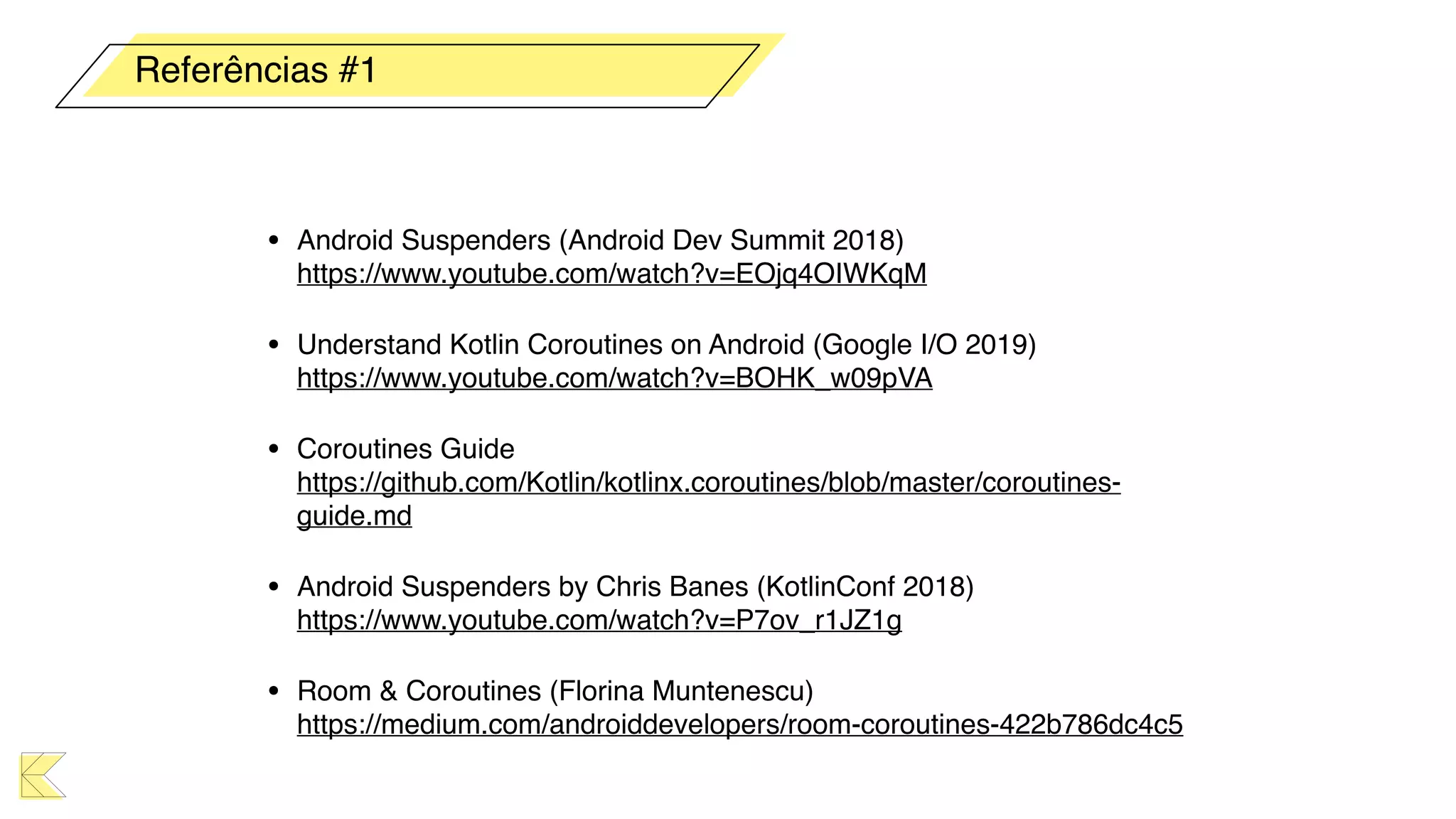
• Android Suspenders (Android Dev Summit 2018)

https://www.youtube.com/watch?v=EOjq4OIWKqM
• Understand Kotlin Coroutines on Android (Google I/O 2019)

https://www.youtube.com/watch?v=BOHK_w09pVA
• Coroutines Guide

https://github.com/Kotlin/kotlinx.coroutines/blob/master/coroutines-
guide.md
• Android Suspenders by Chris Banes (KotlinConf 2018)

https://www.youtube.com/watch?v=P7ov_r1JZ1g
• Room & Coroutines (Florina Muntenescu)

https://medium.com/androiddevelopers/room-coroutines-422b786dc4c5
Referências #1
• Using Kotlin Coroutines in your Android App

https://codelabs.developers.google.com/codelabs/kotlin-coroutines
• Use Kotlin coroutines with Architecture Components

https://developer.android.com/topic/libraries/architecture/coroutines
• Create a Clean-Code App with Kotlin Coroutines and Android Architecture
Components

https://blog.elpassion.com/create-a-clean-code-app-with-kotlin-coroutines-and-
android-architecture-components-f533b04b5431
• Android Coroutine Recipes (Dmytro Danylyk)

https://proandroiddev.com/android-coroutine-recipes-33467a4302e9
• Kotlin Coroutines patterns & anti-patterns

https://proandroiddev.com/kotlin-coroutines-patterns-anti-patterns-f9d12984c68e
Referências #2
• The reason to avoid GlobalScope (Roman Elizarov)

https://medium.com/@elizarov/the-reason-to-avoid-globalscope-835337445abc
• WorkManager meets Kotlin (Pietro Maggi)

https://medium.com/androiddevelopers/workmanager-meets-kotlin-b9ad02f7405e
• Coroutine Context and Scope (Roman Elizarov)

https://medium.com/@elizarov/coroutine-context-and-scope-c8b255d59055
• Easy Coroutines in Android: viewModelScope (Manuel Vivo)

https://medium.com/androiddevelopers/easy-coroutines-in-android-
viewmodelscope-25bffb605471
• Exceed the Android Speed Limit

https://medium.com/androiddevelopers/exceed-the-android-speed-limit-
b73a0692abc1
Referências #3
• An Early look at Kotlin Coroutine’s Flow

https://proandroiddev.com/an-early-look-at-kotlin-coroutines-
flow-62e46baa6eb0
• Coroutines on Android (Sean McQuillan)

https://medium.com/androiddevelopers/coroutines-on-android-part-i-getting-the-
background-3e0e54d20bb
• Kotlin Flows and Coroutines (Roman Elizarov)

https://medium.com/@elizarov/kotlin-flows-and-coroutines-256260fb3bdb
• Simple design of Kotlin Flow (Roman Elizarov)

https://medium.com/@elizarov/simple-design-of-kotlin-flow-4725e7398c4c
• React Streams and Kotlin Flows (Roman Elizarov)

https://medium.com/@elizarov/reactive-streams-and-kotlin-flows-bfd12772cda4
Referências #4
• KotlinConf 2019: Coroutines! Gotta catch 'em all! by Florina
Muntenescu & Manuel Vivo

https://www.youtube.com/watch?v=w0kfnydnFWI
• LiveData with Coroutines and Flow (Android Dev Summit
'19)

https://www.youtube.com/watch?v=B8ppnjGPAGE
• Testing Coroutines on Android (Android Dev Summit '19)

https://www.youtube.com/watch?v=KMb0Fs8rCRs
Referências #5
Obrigado!
Nelson Glauber
@nglauber

Aplicações assíncronas no Android com
Coroutines & Jetpack

  • 1.
    Aplicações assíncronas noAndroid com
 Coroutines & Jetpack Nelson Glauber @nglauber
  • 2.
    • Carregar arquivode layout • Desenhar as views • Tratar os eventos de UI • … A main thread do Android
  • 3.
    • O processamentodesses eventos deve ocorrer em: • Menos de 16ms para devices com taxas de atualização de 60Hz • Menos de 12ms para dispositivos com taxas de 90Hz • Menos de < 8ms para dispositivos com taxas de 120Hz A main thread do Android
  • 4.
    A main threaddo Android
  • 5.
    A main threaddo Android
  • 6.
  • 7.
    • AsyncTask 👴 •Thread + Handler 👷 • Loaders (deprecated) 👴 • Volley 🤦🤦 • RxJava 🧐 Async no Android
  • 8.
  • 9.
    • Essencialmente, coroutinessão light-weight threads. • Fácil de usar (sem mais “callbacks hell” e/ou centenas de operadores). • Úteis para qualquer tarefa computacional mais onerosa (como operações de I/O). • Permite a substituição de callbacks por operações assíncronas. Coroutines
  • 10.
  • 11.
    • Suspending functionssão o centro de tudo em Coroutines. • São funções que podem ser pausadas e retomadas após algum tempo. • Podem executar longas tarefas e aguardar o resultado sem bloquear a thread atual. • A sintaxe é idêntica a uma função “normal”, exceto pela adição da palavra reservada suspend. • Por si só, uma suspending function não executa em uma thread separada. • Só pode ser chamada a partir de outra suspending function. suspend
  • 12.
    import kotlinx.coroutines.delay class Calculator{ suspend fun sum(a: Int, b: Int): Int { delay(5_000) return a + b } }
  • 13.
    import kotlinx.coroutines.delay class Calculator{ suspend fun sum(a: Int, b: Int): Int { delay(5_000) return a + b } } import kotlinx.coroutines.runBlocking import org.junit.* class CalculatorUnitTest { @Test fun sum_isCorrect() = runBlocking { val calc = Calculator() assertEquals(4, calc.sum(2, 2)) } }
  • 14.
    • Job • Context •Scope • Dispatcher Principais Classes
  • 15.
    class MainActivity :AppCompatActivity() { private val job = Job() private val coroutineScope = CoroutineScope(job + Dispatchers.Main) override fun onDestroy() { super.onDestroy() job.cancel() } fun callWebService() { coroutineScope.launch { txtOutput.text = "" val books = withContext(Dispatchers.IO) { BookHttp.loadBooks() } // update the UI using books } } ...
  • 16.
    class MainActivity :AppCompatActivity() { private val job = Job() private val coroutineScope = CoroutineScope(job + Dispatchers.Main) override fun onDestroy() { super.onDestroy() job.cancel() } fun callWebService() { coroutineScope.launch { txtOutput.text = "" val books = withContext(Dispatchers.IO) { BookHttp.loadBooks() } // update the UI using books } } ... Job • Um Job representa uma tarefa ou conjunto de tarefas em execução. • Pode possuir “filhos”. • A função launch retorna um Job. • Pode ser cancelado usando a função cancel. • Possui um ciclo de vida (novo, ativo, completo ou cancelado)
  • 17.
    class MainActivity :AppCompatActivity() { private val job = Job() private val coroutineScope = CoroutineScope(job + Dispatchers.Main) override fun onDestroy() { super.onDestroy() job.cancel() } fun callWebService() { coroutineScope.launch { txtOutput.text = "" val books = withContext(Dispatchers.IO) { BookHttp.loadBooks() } // update the UI using books } } ... Dispatcher • Define o pool de threads 
 onde a coroutine executará. • Default: para processos 
 que usam a CPU mais intensamente. • IO: para tarefas de rede 
 ou arquivos. O pool de threads é compartilhado com o dispatcher Default. • Main - main thread do Android.
  • 18.
    class MainActivity :AppCompatActivity() { private val job = Job() private val coroutineScope = CoroutineScope(job + Dispatchers.Main) override fun onDestroy() { super.onDestroy() job.cancel() } fun callWebService() { coroutineScope.launch { txtOutput.text = "" val books = withContext(Dispatchers.IO) { BookHttp.loadBooks() } // update the UI using books } } ... Context • A interface CoroutineContext Representa o conjunto de atributos que configuram uma coroutine. • Pode definir a política de threading; job raiz; tratamento de exceções; nome da coroutine (debug). • Uma coroutine herda o contexto do pai.
  • 19.
    class MainActivity :AppCompatActivity() { private val job = Job() private val coroutineScope = CoroutineScope(job + Dispatchers.Main) override fun onDestroy() { super.onDestroy() job.cancel() } fun callWebService() { coroutineScope.launch { txtOutput.text = "" val books = withContext(Dispatchers.IO) { BookHttp.loadBooks() } // update the UI using books } } ... Scope • Uma coroutine sempre roda em um escopo. • Serve como uma espécie de ciclo de vida para um conjunto de coroutines. • Permite um maior controle das tarefas em execução.
  • 20.
    class MainActivity :AppCompatActivity() { private val job = Job() private val coroutineScope = CoroutineScope(job + Dispatchers.Main) override fun onDestroy() { super.onDestroy() job.cancel() } fun callWebService() { coroutineScope.launch { txtOutput.text = "" val books = withContext(Dispatchers.IO) { BookHttp.loadBooks() } // update the UI using books } } ...
  • 21.
    class MainActivity :AppCompatActivity() { private val job = Job() private val coroutineScope = CoroutineScope(job + Dispatchers.Main) override fun onDestroy() { super.onDestroy() job.cancel() } fun callWebService() { coroutineScope.launch { txtOutput.text = "" val books = withContext(Dispatchers.IO) { BookHttp.loadBooks() } // update the UI using books } } ...
  • 22.
    fun callWebService() { coroutineScope.launch{ txtOutput.text = "" val books = withContext(Dispatchers.IO) { BookHttp.loadBooks() } // update the UI using books } }
  • 23.
    fun callWebService() { coroutineScope.launch{ txtOutput.text = "" val books = BookHttp.loadBooks() // update the UI using books } } android.os.NetworkOnMainThreadException at android.os.StrictMode$AndroidBlockGuardPolicy.onNetwork(StrictMode.java:1513) at java.net.Inet6AddressImpl.lookupHostByName(Inet6AddressImpl.java:117) at java.net.Inet6AddressImpl.lookupAllHostAddr(Inet6AddressImpl.java:105) at java.net.InetAddress.getAllByName(InetAddress.java:1154) at com.android.okhttp.Dns$1.lookup(Dns.java:39)
  • 24.
    fun callWebService() { coroutineScope.launch(Dispatchers.IO){ txtOutput.text= "" val books = BookHttp.loadBooks() // update the UI using books } } FATAL EXCEPTION: DefaultDispatcher-worker-1 Process: br.com.nglauber.coroutinesdemo, PID: 26507 android.view.ViewRootImpl$CalledFromWrongThreadException: Only the original thread that created a view hierarchy can touch its views. at android.view.ViewRootImpl.checkThread(ViewRootImpl.java:7753) at android.view.ViewRootImpl.requestLayout(ViewRootImpl.java:1225)
  • 25.
    fun callWebService() { coroutineScope.launch{ txtOutput.text = "" val books = withContext(Dispatchers.IO) { BookHttp.loadBooks() } // update the UI using books } } 👍
  • 26.
    • Suspending functions •Job • Context • Scope • Dispatcher Coroutines
  • 27.
  • 28.
    • É possíveliniciar coroutines atrelada aos ciclos de vida de Activity, Fragment e View do Fragment. • Além da função launch, podemos usar o launchWhenCreated, launchWhenStarted e launchWhenResumed. Lifecycle Scope dependencies { ... implementation "androidx.lifecycle:lifecycle-runtime-ktx:2.2.0" }
  • 29.
    class MyActivity :AppCompatActivity() { override fun onCreate(savedInstanceState: Bundle?) { super.onCreate(savedInstanceState) lifecycleScope.launch { ... } lifecycleScope.launchWhenCreated { ... } lifecycleScope.launchWhenStarted { ... } lifecycleScope.launchWhenResumed { ... } } }
  • 30.
    class MyActivity :AppCompatActivity() { override fun onCreate(savedInstanceState: Bundle?) { super.onCreate(savedInstanceState) lifecycleScope.launch { ... } lifecycleScope.launchWhenCreated { ... } lifecycleScope.launchWhenStarted { ... } lifecycleScope.launchWhenResumed { ... } } }
  • 31.
    class MyFragment :Fragment() { override fun onCreate(savedInstanceState: Bundle?) { super.onCreate(savedInstanceState) lifecycleScope.launch { ... } lifecycleScope.launchWhenCreated { ... } lifecycleScope.launchWhenStarted { ... } lifecycleScope.launchWhenResumed { ... } } }
  • 32.
    class MyFragment: Fragment(){ override fun onViewCreated(view: View, savedInstanceState: Bundle?) { viewLifecycleOwner.lifecycleScope.launch { ... } } }
  • 33.
    class MyFragment: Fragment(){ override fun onViewCreated(view: View, savedInstanceState: Bundle?) { viewLifecycleOwner.lifecycleScope.launch { ... } } } Ambos os escopos são cancelados automaticamente.
 🎉🥳
  • 34.
  • 35.
    
 
 A classe ViewModelpossui agora a propriedade viewModelScope. ViewModel Scope dependencies { implementation "androidx.lifecycle:lifecycle-extensions:2.2.0" implementation "androidx.lifecycle:lifecycle-viewmodel-ktx:2.2.0" }
  • 36.
    class BookListViewModel: ViewModel(){ private val _state = MutableLiveData<State>() val state: LiveData<State> get() = _state fun search(query: String) { viewModelScope.launch { _state.value = State.StateLoading val result = withContext(Dispatchers.IO) { BookHttp.searchBook(query) } _state.value = if (result?.items != null) { State.StateLoaded(result.items) } else { State.StateError(Exception("Error"), false) } } } }
  • 37.
    class BookListViewModel: ViewModel(){ private val _state = MutableLiveData<State>() val state: LiveData<State> get() = _state fun search(query: String) { viewModelScope.launch { _state.value = State.StateLoading val result = withContext(Dispatchers.IO) { BookHttp.searchBook(query) } _state.value = if (result?.items != null) { State.StateLoaded(result.items) } else { State.StateError(Exception("Error"), false) } } } }
  • 38.
    class BookListViewModel: ViewModel(){ private val _state = MutableLiveData<State>() val state: LiveData<State> get() = _state fun search(query: String) { viewModelScope.launch { _state.value = State.StateLoading val result = withContext(Dispatchers.IO) { BookHttp.searchBook(query) } _state.value = if (result?.items != null) { State.StateLoaded(result.items) } else { State.StateError(Exception("Error"), false) } } } }
  • 39.
    class BookListViewModel: ViewModel(){ private var query = MutableLiveData<String>() val state = query.switchMap { liveData { emit(State.StateLoading) val result = withContext(Dispatchers.IO) { BookHttp.searchBook(it) } emit( if (result?.items != null) State.StateLoaded(result.items) else State.StateError(Exception("Error"), false) ) } } fun search(query: String) { this.query.value = query } }
  • 40.
    class BookListViewModel: ViewModel(){ private var query = MutableLiveData<String>() val state = query.switchMap { liveData { emit(State.StateLoading) val result = withContext(Dispatchers.IO) { BookHttp.searchBook(it) } emit( if (result?.items != null) State.StateLoaded(result.items) else State.StateError(Exception("Error"), false) ) } } fun search(query: String) { this.query.value = query } }
  • 41.
    class BookListViewModel: ViewModel(){ private var query = MutableLiveData<String>() val state = query.switchMap { liveData { emit(State.StateLoading) val result = withContext(Dispatchers.IO) { BookHttp.searchBook(it) } emit( if (result?.items != null) State.StateLoaded(result.items) else State.StateError(Exception("Error"), false) ) } } fun search(query: String) { this.query.value = query } }
  • 42.
    class BookListViewModel: ViewModel(){ private var query = MutableLiveData<String>() val state = query.switchMap { liveData { emit(State.StateLoading) val result = withContext(Dispatchers.IO) { BookHttp.searchBook(it) } emit( if (result?.items != null) State.StateLoaded(result.items) else State.StateError(Exception("Error"), false) ) } } fun search(query: String) { this.query.value = query } }
  • 43.
    class BookListActivity :AppCompatActivity(R.layout.activity_book_list) { private val viewModel: BookListViewModel … override fun onCreate(savedInstanceState: Bundle?) { viewModel.state.observe(this, Observer { state -> when (state) { is BookListViewModel.State.StateLoading -> ... is BookListViewModel.State.StateLoaded -> ... is BookListViewModel.State.StateError -> ... } }) } ...
  • 44.
    class BookListActivity :AppCompatActivity(R.layout.activity_book_list) { private val viewModel: BookListViewModel … override fun onCreate(savedInstanceState: Bundle?) { viewModel.state.observe(this, Observer { state -> when (state) { is BookListViewModel.State.StateLoading -> ... is BookListViewModel.State.StateLoaded -> ... is BookListViewModel.State.StateError -> ... } }) } ...
  • 45.
  • 46.
    WorkManager dependencies { def work_version= "2.3.4" implementation "androidx.work:work-runtime-ktx:$work_version" }
  • 47.
    class MyWork(context: Context,params: WorkerParameters) : CoroutineWorker(context, params) { override suspend fun doWork(): Result { // Do something } }
  • 48.
    • Lifecycle provêum lifecycleScope para Activity e Fragment (e a view do Fragment). • ViewModel possui a propriedade viewModelScope. • WorkManager disponibiliza a classe CoroutineWorker. Jetpack + Coroutines
  • 49.
  • 50.
    • As duasformas de iniciar uma coroutine são: • A função launch é uma “fire and forget”  que significa que não retornará o resultado para que a chamou (mas retornará um Job). • A função async retorna um objeto Deferred que permite obter o seu resultado. Iniciando uma coroutine
  • 51.
    launch launch { txtOutput.text ="" val time = measureTimeMillis { val one = withContext(Dispatchers.IO) { loadFirstNumber() } val two = withContext(Dispatchers.IO) { loadSecondNumber() } addTextToTextView("The answer is ${one + two}") } addTextToTextView("Completed in $time ms") } The answer is 42
 Completed in 2030 ms
  • 52.
    async launch { txtOutput.text ="" val time = measureTimeMillis { val one = async(Dispatchers.IO) { loadFirstNumber() } val two = async(Dispatchers.IO) { loadSecondNumber() } val s = one.await() + two.await() addTextToTextView("The answer is $s") } addTextToTextView("Completed in $time ms") }
  • 53.
    async launch { txtOutput.text ="" val time = measureTimeMillis { val one = async(Dispatchers.IO) { loadFirstNumber() } val two = async(Dispatchers.IO) { loadSecondNumber() } val s = one.await() + two.await() addTextToTextView("The answer is $s") } addTextToTextView("Completed in $time ms") }
  • 54.
    async launch { txtOutput.text ="" val time = measureTimeMillis { val one = async(Dispatchers.IO) { loadFirstNumber() } val two = async(Dispatchers.IO) { loadSecondNumber() } val s = one.await() + two.await() addTextToTextView("The answer is $s") } addTextToTextView("Completed in $time ms") }
  • 55.
    async The answer is42
 Completed in 1038 ms launch { txtOutput.text = "" val time = measureTimeMillis { val one = async(Dispatchers.IO) { loadFirstNumber() } val two = async(Dispatchers.IO) { loadSecondNumber() } val s = one.await() + two.await() addTextToTextView("The answer is $s") } addTextToTextView("Completed in $time ms") }
  • 56.
    • O tratamentode exceções é simples, basta tratar no lugar certo! • A falha de um Job cancelará o seu “pai" e os demais “filhos" • As exceções não tratadas são propagadas para o Job do escopo. • Um escopo cancelado não poderá iniciar coroutines. Exceptions
  • 57.
    Exceptions launch { txtOutput.text ="" try { val result = methodThatThrowsException() addTextToTextView("Ok $result") } catch (e: Exception) { addTextToTextView("Error! ${e.message}") } } 👍
  • 58.
    Exceptions launch { txtOutput.text ="" try { launch { val result = methodThatThrowsException() addTextToTextView("Ok $result") } } catch (e: Exception) { addTextToTextView("Error! ${e.message}") } }
  • 59.
    Exceptions launch { txtOutput.text ="" try { launch { val result = methodThatThrowsException() addTextToTextView("Ok $result") } } catch (e: Exception) { addTextToTextView("Error! ${e.message}") } }
  • 60.
    Exceptions launch { txtOutput.text ="" try { launch { val result = methodThatThrowsException() addTextToTextView("Ok $result") } } catch (e: Exception) { addTextToTextView("Error! ${e.message}") } } Main 
 Thread Flow launch Job
  • 61.
    Exceptions launch { txtOutput.text ="" try { launch { val result = methodThatThrowsException() addTextToTextView("Ok $result") } } catch (e: Exception) { addTextToTextView("Error! ${e.message}") } } Main 
 Thread Flow launch Job launch Job
  • 62.
    Exceptions launch { txtOutput.text ="" launch { try { val result = methodThatThrowsException() addTextToTextView("Ok $result") } catch (e: Exception) { addTextToTextView("Error! ${e.message}") } } }
  • 63.
    Exceptions launch { txtOutput.text ="" val task = async { methodThatThrowsException() } try { val result = task.await() addTextToTextView("Ok $result") } catch (e: Exception) { addTextToTextView("Error! ${e.message}") } }
  • 64.
    Exceptions launch { txtOutput.text ="" val task = async { try { methodThatThrowsException() } catch (e: Exception) { "Error! ${e.message}" } } val result = task.await() addTextToTextView("Ok $result") }
  • 65.
    Exceptions launch { txtOutput.text ="" val task = async(SupervisorJob(job)) { methodThatThrowsException() } try { addTextToTextView("Ok ${task.await()}") } catch (e: Throwable) { addTextToTextView("Error! ${e.message}") } }
  • 66.
    Exceptions launch { txtOutput.text ="" try { coroutineScope { val task = async { methodThatThrowsException() } addTextToTextView("Ok ${task.await()}") } } catch (e: Throwable) { addTextToTextView("Erro! ${e.message}") } }
  • 67.
    Exceptions launch { txtOutput.text ="" supervisorScope { val task = async { methodThatThrowsException() } try { addTextToTextView("Ok ${task.await()}") } catch (e: Throwable) { addTextToTextView(“Error! ${e.message}") } } }
  • 68.
    • Para cancelarum job, basta chamar o método cancel. • Uma vez cancelado o job não pode ser reusado. • Para cancelar os jobs filhos, use cancelChildren. • A propriedade isActive indica que o job está em execução, isCancelled se a coroutine foi cancelada, e isCompleted terminou sua execução. Cancelamento
  • 69.
    • Executa umacoroutine levantando uma TimeoutCancellationException caso sua duração exceda o tempo especificado. • Uma vez que o cancelamento é apenas uma exceção, é possível trata-la facilmente. • É possível usar a função withTimeoutOrNull que é similar a withTimeout, mas retorna null ao invés de levantar a exceção. withTimeout
  • 70.
    withTimeout launch { txtOutput.text ="" try { val s = withTimeout(1300L) { withContext(Dispatchers.Default) { aLongOperation() } } txtOutput.text = "Result: $s..." } catch (e: TimeoutCancellationException) { txtOutput.text = "Exception! ${e.message}" } }
  • 71.
    withTimeout launch { txtOutput.text ="" try { val s = withTimeout(1300L) { withContext(Dispatchers.Default) { aLongOperation() } } txtOutput.text = "Result: $s..." } catch (e: TimeoutCancellationException) { txtOutput.text = "Exception! ${e.message}" } }
  • 72.
    withTimeoutOrNull launch { txtOutput.text ="" val task = async(Dispatchers.Default) { aLongOperation() } val result = withTimeoutOrNull(1300L) { task.await() } txtOutput.text = "Result: $result" }
  • 73.
    • Nos bastidores,uma suspending function é convertida pelo compilador para uma função (de mesmo nome) que recebe um objeto do tipo Continuation.
 fun sum(a: Int, b: Int, Continuation<Int>) • Continuation é uma interface que contém duas funções que são invocadas para continuar com a execução da coroutine (normalmente retornando um valor) ou levantar uma exceção caso algum erro ocorra.
 interface Continuation<in T> { val context: CoroutineContext fun resume(value: T) fun resumeWithException(exception: Throwable) } Convertendo Callbacks
  • 74.
    Convertendo Callbacks val db= FirebaseFirestore.getInstance() db.collection("users") .add(user) .addOnSuccessListener { documentReference -> documentReference.id // Success! Do something with the id } .addOnFailureListener { e -> // Error }
  • 75.
    Convertendo Callbacks suspend funaddUser(user: User): String = suspendCoroutine { continuation -> db.collection("users") .add(user) .addOnSuccessListener { documentReference -> continuation.resume(documentReference.id) } .addOnFailureListener { e -> continuation.resumeWithException(e) } }
  • 76.
    Convertendo Callbacks suspend funaddUser(user: User): String = suspendCoroutine { continuation -> db.collection("users") .add(user) .addOnSuccessListener { documentReference -> continuation.resume(documentReference.id) } .addOnFailureListener { e -> continuation.resumeWithException(e) } }
  • 77.
    Convertendo Callbacks suspend funaddUser(user: User): String = suspendCoroutine { continuation -> db.collection("users") .add(user) .addOnSuccessListener { documentReference -> continuation.resume(documentReference.id) } .addOnFailureListener { e -> continuation.resumeWithException(e) } }
  • 78.
    Convertendo Callbacks suspend funaddUser(user: User): String = suspendCoroutine { continuation -> db.collection("users") .add(user) .addOnSuccessListener { documentReference -> continuation.resume(documentReference.id) } .addOnFailureListener { e -> continuation.resumeWithException(e) } }
  • 79.
    Convertendo Callbacks launch { try{ val userId = repository.addUser(newUser) // do something } catch(e: Exception){ // handle error } }
  • 80.
    • launch (fire-and-forget)e async (para obter um resultado). • Trate as exceções no launch ou no async. Ou use SupervisorJob, SupervisorScope ou supervisorScope. • cancel ou cancelChildren para cancelar o Job ou os jobs filhos. • withTimeout ou withTimeoutOrNull. • Toda suspend function é convertida em um callback usando a interface Continuation. Coroutines - Parte 2
  • 81.
  • 82.
    • Flow é umaabstração de um cold stream. • Nada é executado/emitido até que algum consumidor se registre no fluxo. • Possui diversos operadores como no RxJava. Flow
  • 83.
    @FlowPreview public interface Flow<outT> { public suspend fun collect(collector: FlowCollector<T>) } @FlowPreview public interface FlowCollector<in T> { public suspend fun emit(value: T) }
  • 84.
    val intFlow =flow { for (i in 0 until 10) { emit(i) //calls emit directly from the body of a FlowCollector } } launch { intFlow.collect { number -> addTextToTextView("$numbern") } addTextToTextView("DONE!") }
  • 85.
    launch { (0..100).asFlow() .map {it * it } .filter { it % 4 == 0 } // here and above is on IO thread pool .flowOn(Dispatchers.IO) // 👆change the upstream Dispatcher .map { it * 2 } .flowOn(Dispatchers.Main) .onStart { } .onEach { } .onCompletion { } .collect { number -> addTextToTextView("$numbern") } }
  • 86.
    class NumberFlow { privatevar currentValue = 0 private val numberChannel = BroadcastChannel<Int>(10) fun getFlow(): Flow<Int> = numberChannel.asFlow() suspend fun sendNext() { numberChannel.send(currentValue++) } fun close() = numberChannel.close() }
  • 87.
    class NumberFlow { privatevar currentValue = 0 private val numberChannel = BroadcastChannel<Int>(10) fun getFlow(): Flow<Int> = numberChannel.asFlow() suspend fun sendNext() { numberChannel.send(currentValue++) } fun close() = numberChannel.close() }
  • 88.
    class NumberFlow { privatevar currentValue = 0 private val numberChannel = BroadcastChannel<Int>(10) fun getFlow(): Flow<Int> = numberChannel.asFlow() suspend fun sendNext() { numberChannel.send(currentValue++) } fun close() = numberChannel.close() }
  • 89.
    class NumberFlow { privatevar currentValue = 0 private val numberChannel = BroadcastChannel<Int>(10) fun getFlow(): Flow<Int> = numberChannel.asFlow() suspend fun sendNext() { numberChannel.send(currentValue++) } fun close() = numberChannel.close() }
  • 90.
    class FlowActivity :AppCompatActivity(R.layout.activity_flow) { private val sender = NumberFlow() override fun onCreate(savedInstanceState: Bundle?) { super.onCreate(savedInstanceState) btnProduce.setOnClickListener { lifecycleScope.launch { sender.sendNext() } } lifecycleScope.launch { sender.getFlow().collect { txtOutput.append("Number: $it n") } } } override fun onDestroy() { super.onDestroy() sender.close() } }
  • 91.
    class FlowActivity :AppCompatActivity(R.layout.activity_flow) { private val sender = NumberFlow() override fun onCreate(savedInstanceState: Bundle?) { super.onCreate(savedInstanceState) btnProduce.setOnClickListener { lifecycleScope.launch { sender.sendNext() } } lifecycleScope.launch { sender.getFlow().collect { txtOutput.append("Number: $it n") } } } override fun onDestroy() { super.onDestroy() sender.close() } }
  • 92.
    class FlowActivity :AppCompatActivity(R.layout.activity_flow) { private val sender = NumberFlow() override fun onCreate(savedInstanceState: Bundle?) { super.onCreate(savedInstanceState) btnProduce.setOnClickListener { lifecycleScope.launch { sender.sendNext() } } lifecycleScope.launch { sender.getFlow().collect { txtOutput.append("Number: $it n") } } } override fun onDestroy() { super.onDestroy() sender.close() } }
  • 93.
    class FlowActivity :AppCompatActivity(R.layout.activity_flow) { private val sender = NumberFlow() override fun onCreate(savedInstanceState: Bundle?) { super.onCreate(savedInstanceState) btnProduce.setOnClickListener { lifecycleScope.launch { sender.sendNext() } } lifecycleScope.launch { sender.getFlow().collect { txtOutput.append("Number: $it n") } } } override fun onDestroy() { super.onDestroy() sender.close() } }
  • 94.
    Callback para Flow classYourApi { fun doSomeCall(callback: YourListener<String>) { // when new value arrives callback.onNext("New Item") // when some error happens callback.onApiError(Exception("Error")) // when we're done callback.onComplete() } interface YourListener<T> { fun onNext(value: T) fun onApiError(t: Throwable) fun onComplete() } }
  • 95.
    fun myFlow(): Flow<String>= callbackFlow { val myCallback = object: YourApi.YourListener<String> { override fun onNext(value: String) { offer(value) } override fun onApiError(t: Throwable) { close(t) } override fun onComplete() { close() } } val api = YourApi() api.doSomeCall(myCallback) awaitClose { /* do something when the stream is closed */ } }
  • 96.
    fun myFlow(): Flow<String>= callbackFlow { val myCallback = object: YourApi.YourListener<String> { override fun onNext(value: String) { offer(value) } override fun onApiError(t: Throwable) { close(t) } override fun onComplete() { close() } } val api = YourApi() api.doSomeCall(myCallback) awaitClose { /* do something when the stream is closed */ } }
  • 97.
    fun myFlow(): Flow<String>= callbackFlow { val myCallback = object: YourApi.YourListener<String> { override fun onNext(value: String) { offer(value) } override fun onApiError(t: Throwable) { close(t) } override fun onComplete() { close() } } val api = YourApi() api.doSomeCall(myCallback) awaitClose { /* do something when the stream is closed */ } }
  • 98.
    fun myFlow(): Flow<String>= callbackFlow { val myCallback = object: YourApi.YourListener<String> { override fun onNext(value: String) { offer(value) } override fun onApiError(t: Throwable) { close(t) } override fun onComplete() { close() } } val api = YourApi() api.doSomeCall(myCallback) awaitClose { /* do something when the stream is closed */ } }
  • 99.
    Firebase para Flow:) fun loadBooks(): Flow<List<Book>> = callbackFlow { val subscription = db.collection("books") .addSnapshotListener { snapshot, e -> if (e != null) { channel.close(e) } else { channel.offer(snapshotToList(it)) } } awaitClose { subscription.remove() } }
  • 100.
  • 101.
    Room dependencies { def room_version= "2.2.5" implementation "androidx.room:room-runtime:$room_version" kapt "androidx.room:room-compiler:$room_version" // 👇 Kotlin Extensions and Coroutines support for Room implementation "androidx.room:room-ktx:$room_version" ... }
  • 102.
    @Dao interface BookDao { @Query("SELECT* FROM book") suspend fun getAll(): List<Book> @Query("SELECT * FROM book WHERE id = :id") suspend fun getBook(id: Long): Book @Insert suspend fun insert(book: Book): Long @Delete suspend fun delete(book: Book) }
  • 103.
    @Dao interface BookDao { @Query("SELECT* FROM book") fun getAll(): Flow<List<Book>> @Query("SELECT * FROM book WHERE id = :id") fun getBook(id: Long): Flow<Book?> @Insert suspend fun insert(book: Book): Long @Delete suspend fun delete(book: Book) }
  • 104.
    launch { withContext(Dispatchers.IO) { valid = dao.insert( Book(0, "Dominando o Android", "Nelson Glauber") ) } // Do UI stuff }
  • 105.
    launch { //Room will run it in the specific context val id = dao.insert( Book(0, "Dominando o Android", "Nelson Glauber") ) // Do UI stuff }
  • 106.
    launch { dao.getAll().collect {bookList -> lstBooks.adapter = BookAdapter(context, bookList) } }
  • 107.
    class BookListViewModel( repository: BookRepository ):ViewModel() { val allBooks = repository.getAll().asLiveData() } Flow
  • 108.
    class BookListViewModel( repository: BookRepository ):ViewModel() { val allBooks = liveData { repository.getAll().collect { list -> emit(convertEntityList(list)) } } }
  • 109.
  • 110.
    Testes de Coroutines testImplementation"junit:junit:4.12" testImplementation "androidx.arch.core:core-testing:2.0.0" testImplementation "io.mockk:mockk:1.9.3" testImplementation "org.jetbrains.kotlinx:kotlinx-coroutines-test:1.3.2"
  • 111.
    import kotlinx.coroutines.runBlocking import org.junit.* classCalculatorUnitTest { @Test fun sum_isCorrect() = runBlocking { val calc = Calculator() assertEquals(4, calc.sum(2, 2)) } }
  • 112.
    TestRule class TestCoroutineRule :TestRule { private val testCoroutineDispatcher = TestCoroutineDispatcher() private val testCoroutineScope = TestCoroutineScope(testCoroutineDispatcher) override fun apply(base: Statement, description: Description?) = object : Statement() { override fun evaluate() { Dispatchers.setMain(testCoroutineDispatcher) base.evaluate() Dispatchers.resetMain() // reset main dispatcher testCoroutineScope.cleanupTestCoroutines() } } fun runBlockingTest(block: suspend TestCoroutineScope.() -> Unit) = testCoroutineScope.runBlockingTest { block() } }
  • 113.
    TestRule class TestCoroutineRule :TestRule { private val testCoroutineDispatcher = TestCoroutineDispatcher() private val testCoroutineScope = TestCoroutineScope(testCoroutineDispatcher) override fun apply(base: Statement, description: Description?) = object : Statement() { override fun evaluate() { Dispatchers.setMain(testCoroutineDispatcher) base.evaluate() Dispatchers.resetMain() // reset main dispatcher testCoroutineScope.cleanupTestCoroutines() } } fun runBlockingTest(block: suspend TestCoroutineScope.() -> Unit) = testCoroutineScope.runBlockingTest { block() } }
  • 114.
    TestRule class TestCoroutineRule :TestRule { private val testCoroutineDispatcher = TestCoroutineDispatcher() private val testCoroutineScope = TestCoroutineScope(testCoroutineDispatcher) override fun apply(base: Statement, description: Description?) = object : Statement() { override fun evaluate() { Dispatchers.setMain(testCoroutineDispatcher) base.evaluate() Dispatchers.resetMain() // reset main dispatcher testCoroutineScope.cleanupTestCoroutines() } } fun runBlockingTest(block: suspend TestCoroutineScope.() -> Unit) = testCoroutineScope.runBlockingTest { block() } }
  • 115.
    TestRule class TestCoroutineRule :TestRule { private val testCoroutineDispatcher = TestCoroutineDispatcher() private val testCoroutineScope = TestCoroutineScope(testCoroutineDispatcher) override fun apply(base: Statement, description: Description?) = object : Statement() { override fun evaluate() { Dispatchers.setMain(testCoroutineDispatcher) base.evaluate() Dispatchers.resetMain() // reset main dispatcher testCoroutineScope.cleanupTestCoroutines() } } fun runBlockingTest(block: suspend TestCoroutineScope.() -> Unit) = testCoroutineScope.runBlockingTest { block() } }
  • 116.
    TestRule class TestCoroutineRule :TestRule { private val testCoroutineDispatcher = TestCoroutineDispatcher() private val testCoroutineScope = TestCoroutineScope(testCoroutineDispatcher) override fun apply(base: Statement, description: Description?) = object : Statement() { override fun evaluate() { Dispatchers.setMain(testCoroutineDispatcher) base.evaluate() Dispatchers.resetMain() // reset main dispatcher testCoroutineScope.cleanupTestCoroutines() } } fun runBlockingTest(block: suspend TestCoroutineScope.() -> Unit) = testCoroutineScope.runBlockingTest { block() } }
  • 117.
    Test class class ListBooksViewModelTest{ @get:Rule val instantTaskExecutorRule = InstantTaskExecutorRule() @get:Rule val testCoroutineRule = TestCoroutineRule()
  • 118.
    Test @Test fun fetchBookReturnsSuccess() =testCoroutineRule.runBlockingTest { val books = DataFactory.dummyBookList() initMocks(books) bookListViewModel.loadBooks() coVerify(exactly = 1) { listBooksUseCase.execute() } val currentState = bookListViewModel.state().value assertEquals( ViewState.Status.SUCCESS, currentState?.status) assertEquals( books.map { BookConverter.fromData(it) }, currentState?.data) }
  • 119.
    Test @Test fun fetchBookReturnsSuccess() =testCoroutineRule.runBlockingTest { val books = DataFactory.dummyBookList() initMocks(books) bookListViewModel.loadBooks() coVerify(exactly = 1) { listBooksUseCase.execute() } val currentState = bookListViewModel.state().value assertEquals( ViewState.Status.SUCCESS, currentState?.status) assertEquals( books.map { BookConverter.fromData(it) }, currentState?.data) }
  • 120.
    Test @Test fun fetchBookReturnsSuccess() =testCoroutineRule.runBlockingTest { val books = DataFactory.dummyBookList() initMocks(books) bookListViewModel.loadBooks() coVerify(exactly = 1) { listBooksUseCase.execute() } val currentState = bookListViewModel.state().value assertEquals( ViewState.Status.SUCCESS, currentState?.status) assertEquals( books.map { BookConverter.fromData(it) }, currentState?.data) }
  • 121.
    Test @Test fun fetchBookReturnsSuccess() =testCoroutineRule.runBlockingTest { val books = DataFactory.dummyBookList() initMocks(books) bookListViewModel.loadBooks() coVerify(exactly = 1) { listBooksUseCase.execute() } val currentState = bookListViewModel.state().value assertEquals( ViewState.Status.SUCCESS, currentState?.status) assertEquals( books.map { BookConverter.fromData(it) }, currentState?.data) }
  • 122.
    • Coroutines vêmse tornando a forma de padrão para realizar código assíncrono no Android. • Essa é uma recomendação do Google. • Além do Jetpack, outras bibliotecas estão migrando (ou já migraram) pra Coroutines (ex: Retrofit, Apollo, MockK, …). Conclusão
  • 123.
    • Android Suspenders(Android Dev Summit 2018)
 https://www.youtube.com/watch?v=EOjq4OIWKqM • Understand Kotlin Coroutines on Android (Google I/O 2019)
 https://www.youtube.com/watch?v=BOHK_w09pVA • Coroutines Guide
 https://github.com/Kotlin/kotlinx.coroutines/blob/master/coroutines- guide.md • Android Suspenders by Chris Banes (KotlinConf 2018)
 https://www.youtube.com/watch?v=P7ov_r1JZ1g • Room & Coroutines (Florina Muntenescu)
 https://medium.com/androiddevelopers/room-coroutines-422b786dc4c5 Referências #1
  • 124.
    • Using KotlinCoroutines in your Android App
 https://codelabs.developers.google.com/codelabs/kotlin-coroutines • Use Kotlin coroutines with Architecture Components
 https://developer.android.com/topic/libraries/architecture/coroutines • Create a Clean-Code App with Kotlin Coroutines and Android Architecture Components
 https://blog.elpassion.com/create-a-clean-code-app-with-kotlin-coroutines-and- android-architecture-components-f533b04b5431 • Android Coroutine Recipes (Dmytro Danylyk)
 https://proandroiddev.com/android-coroutine-recipes-33467a4302e9 • Kotlin Coroutines patterns & anti-patterns
 https://proandroiddev.com/kotlin-coroutines-patterns-anti-patterns-f9d12984c68e Referências #2
  • 125.
    • The reasonto avoid GlobalScope (Roman Elizarov)
 https://medium.com/@elizarov/the-reason-to-avoid-globalscope-835337445abc • WorkManager meets Kotlin (Pietro Maggi)
 https://medium.com/androiddevelopers/workmanager-meets-kotlin-b9ad02f7405e • Coroutine Context and Scope (Roman Elizarov)
 https://medium.com/@elizarov/coroutine-context-and-scope-c8b255d59055 • Easy Coroutines in Android: viewModelScope (Manuel Vivo)
 https://medium.com/androiddevelopers/easy-coroutines-in-android- viewmodelscope-25bffb605471 • Exceed the Android Speed Limit
 https://medium.com/androiddevelopers/exceed-the-android-speed-limit- b73a0692abc1 Referências #3
  • 126.
    • An Earlylook at Kotlin Coroutine’s Flow
 https://proandroiddev.com/an-early-look-at-kotlin-coroutines- flow-62e46baa6eb0 • Coroutines on Android (Sean McQuillan)
 https://medium.com/androiddevelopers/coroutines-on-android-part-i-getting-the- background-3e0e54d20bb • Kotlin Flows and Coroutines (Roman Elizarov)
 https://medium.com/@elizarov/kotlin-flows-and-coroutines-256260fb3bdb • Simple design of Kotlin Flow (Roman Elizarov)
 https://medium.com/@elizarov/simple-design-of-kotlin-flow-4725e7398c4c • React Streams and Kotlin Flows (Roman Elizarov)
 https://medium.com/@elizarov/reactive-streams-and-kotlin-flows-bfd12772cda4 Referências #4
  • 127.
    • KotlinConf 2019:Coroutines! Gotta catch 'em all! by Florina Muntenescu & Manuel Vivo
 https://www.youtube.com/watch?v=w0kfnydnFWI • LiveData with Coroutines and Flow (Android Dev Summit '19)
 https://www.youtube.com/watch?v=B8ppnjGPAGE • Testing Coroutines on Android (Android Dev Summit '19)
 https://www.youtube.com/watch?v=KMb0Fs8rCRs Referências #5
  • 128.