DMDW Practical Task			E = Excel			T = Silverlight			L = MS SQLSebastian Burkart & Patrick Reichert
AgendaGeneral course of eventsDetailed planDevelopment processPresentation of running applicationQuestions & EndSebastian Burkart & Patrick Reichert
General course of eventsLoad file in Silverlight ProjectStore data in memoryRun transformations on dataStore data in databaseBut that’s the general flow…. Now in details…Sebastian Burkart & Patrick Reichert
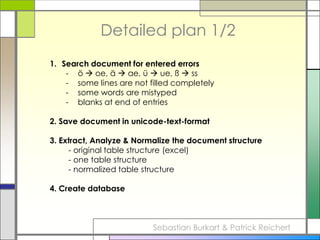
Detailed plan 1/2Search document for entered errorsö  oe, ä  ae, ü  ue, ß  ss
some lines are not filled completely
some words are mistyped
blanks at end of entries2. Save document in unicode-text-format3. Extract, Analyze & Normalize the document structure	   - original table structure (excel)	   - one table structure 	   - normalized table structure4. Create databaseSebastian Burkart & Patrick Reichert
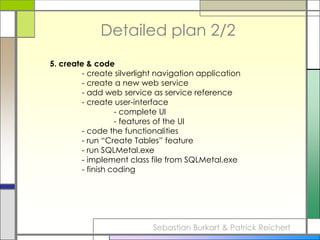
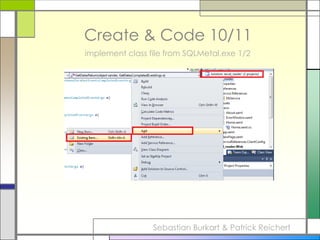
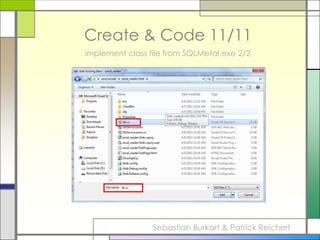
Detailed plan 2/25. create & code		- create silverlight navigation application		- create a new web service		- add web service as service reference		- create user-interface			- complete UI			- features of the UI		- code the functionalities		- run “Create Tables” feature		- run SQLMetal.exe		- implement class file from SQLMetal.exe		- finish codingSebastian Burkart & Patrick Reichert
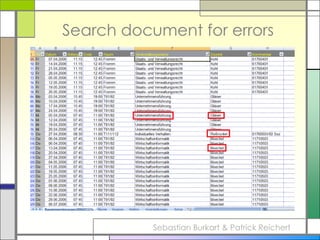
Search document for errorsSebastian Burkart & Patrick Reichert
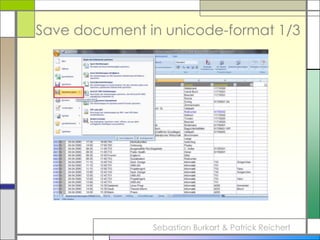
Save document in unicode-format 1/3Sebastian Burkart & Patrick Reichert
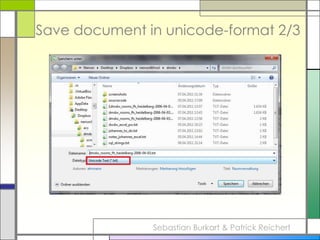
Save document in unicode-format 2/3Sebastian Burkart & Patrick Reichert
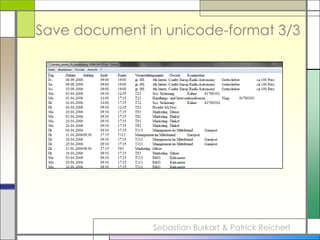
Save document in unicode-format 3/3Sebastian Burkart & Patrick Reichert
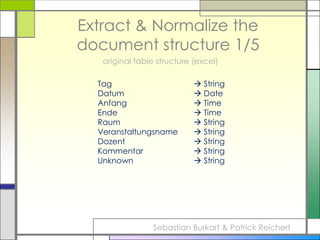
Extract & Normalize the document structure 1/5original table structure (excel)Tag			 StringDatum			 DateAnfang			 TimeEnde			 TimeRaum			 StringVeranstaltungsname	 StringDozent			 StringKommentar		 StringUnknown		 StringSebastian Burkart & Patrick Reichert
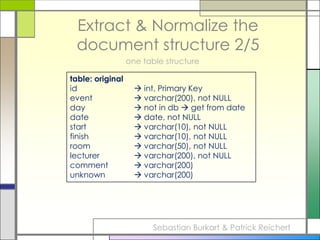
Extract & Normalize the document structure 2/5one table structuretable: originalid		 int, Primary Keyevent		 varchar(200), not NULLday		 not in db  get from datedate		 date, not NULLstart		 varchar(10), not NULLfinish		 varchar(10), not NULLroom		 varchar(50), not NULLlecturer		 varchar(200), not NULLcomment	 varchar(200)unknown	 varchar(200)Sebastian Burkart & Patrick Reichert
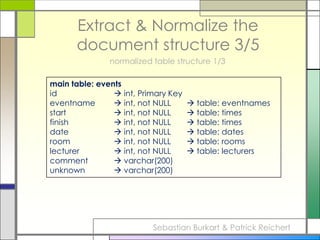
Extract & Normalize the document structure 3/5normalized table structure 1/3main table: eventsid		 int, Primary Keyeventname	 int, not NULL 	     table: eventnamesstart 		 int, not NULL 	     table: timesfinish 		 int, not NULL 	     table: timesdate		 int, not NULL 	     table: datesroom		 int, not NULL 	     table: roomslecturer		 int, not NULL 	     table: lecturerscomment	 varchar(200)unknown	 varchar(200)Sebastian Burkart & Patrick Reichert
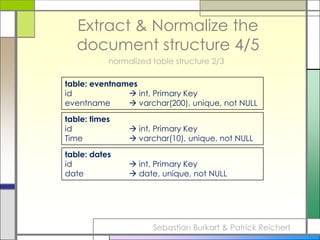
Extract & Normalize the document structure 4/5normalized table structure 2/3table: eventnamesid		 int, Primary Keyeventname	 varchar(200), unique, not NULLtable: timesid		 int, Primary KeyTime		 varchar(10), unique, not NULLtable: datesid		 int, Primary Keydate		 date, unique, not NULLSebastian Burkart & Patrick Reichert
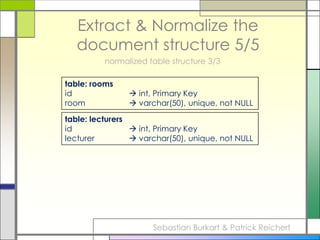
Extract & Normalize the document structure 5/5normalized table structure 3/3table: roomsid		 int, Primary Keyroom		 varchar(50), unique, not NULLtable: lecturersid		 int, Primary Keylecturer		 varchar(50), unique, not NULLSebastian Burkart & Patrick Reichert
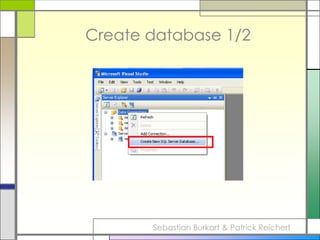
Create database 1/2Sebastian Burkart & Patrick Reichert
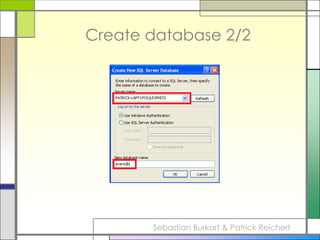
Create database 2/2Sebastian Burkart & Patrick Reichert
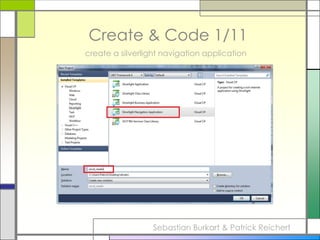
Create & Code 1/11create a silverlight navigation applicationSebastian Burkart & Patrick Reichert
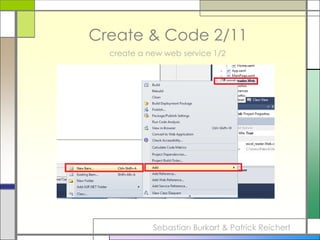
Create & Code 2/11create a new web service 1/2Sebastian Burkart & Patrick Reichert
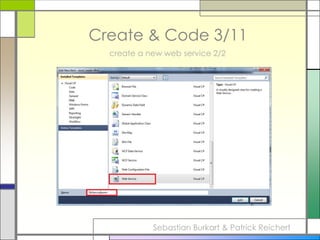
Create & Code 3/11create a new web service 2/2Sebastian Burkart & Patrick Reichert
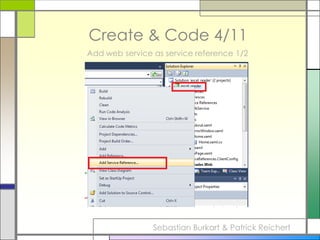
Create & Code 4/11Add web service as service reference 1/2Sebastian Burkart & Patrick Reichert
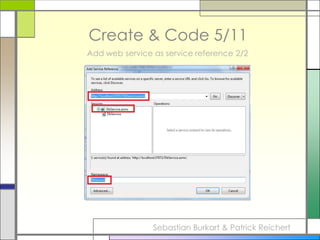
Create & Code 5/11Add web service as service reference 2/2Sebastian Burkart & Patrick Reichert
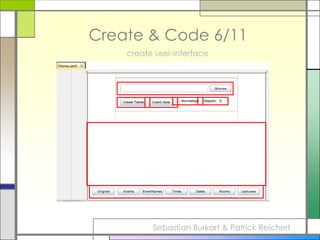
Create & Code 6/11create user-interfaceSebastian Burkart & Patrick Reichert
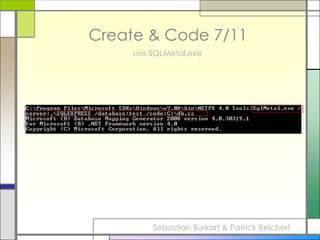
Create & Code 7/11use SQLMetal.exeSebastian Burkart & Patrick Reichert
Create & Code 8/11Code the functionalityCode will be live presented in Visual StudioSebastian Burkart & Patrick Reichert
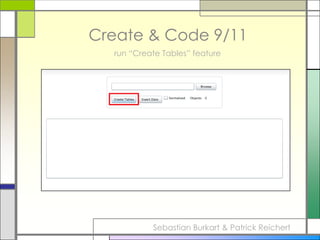
Create & Code 9/11run “Create Tables” featureSebastian Burkart & Patrick Reichert

DMDW 3. Student Presentation - Silverlight to MSSQL

  • 1.
    DMDW Practical Task E= Excel T = Silverlight L = MS SQLSebastian Burkart & Patrick Reichert
  • 2.
    AgendaGeneral course ofeventsDetailed planDevelopment processPresentation of running applicationQuestions & EndSebastian Burkart & Patrick Reichert
  • 3.
    General course ofeventsLoad file in Silverlight ProjectStore data in memoryRun transformations on dataStore data in databaseBut that’s the general flow…. Now in details…Sebastian Burkart & Patrick Reichert
  • 4.
    Detailed plan 1/2Searchdocument for entered errorsö  oe, ä  ae, ü  ue, ß  ss
  • 5.
    some lines arenot filled completely
  • 6.
  • 7.
    blanks at endof entries2. Save document in unicode-text-format3. Extract, Analyze & Normalize the document structure - original table structure (excel) - one table structure - normalized table structure4. Create databaseSebastian Burkart & Patrick Reichert
  • 8.
    Detailed plan 2/25.create & code - create silverlight navigation application - create a new web service - add web service as service reference - create user-interface - complete UI - features of the UI - code the functionalities - run “Create Tables” feature - run SQLMetal.exe - implement class file from SQLMetal.exe - finish codingSebastian Burkart & Patrick Reichert
  • 9.
    Search document forerrorsSebastian Burkart & Patrick Reichert
  • 10.
    Save document inunicode-format 1/3Sebastian Burkart & Patrick Reichert
  • 11.
    Save document inunicode-format 2/3Sebastian Burkart & Patrick Reichert
  • 12.
    Save document inunicode-format 3/3Sebastian Burkart & Patrick Reichert
  • 13.
    Extract & Normalizethe document structure 1/5original table structure (excel)Tag  StringDatum  DateAnfang  TimeEnde  TimeRaum  StringVeranstaltungsname  StringDozent  StringKommentar  StringUnknown  StringSebastian Burkart & Patrick Reichert
  • 14.
    Extract & Normalizethe document structure 2/5one table structuretable: originalid  int, Primary Keyevent  varchar(200), not NULLday  not in db  get from datedate  date, not NULLstart  varchar(10), not NULLfinish  varchar(10), not NULLroom  varchar(50), not NULLlecturer  varchar(200), not NULLcomment  varchar(200)unknown  varchar(200)Sebastian Burkart & Patrick Reichert
  • 15.
    Extract & Normalizethe document structure 3/5normalized table structure 1/3main table: eventsid  int, Primary Keyeventname  int, not NULL  table: eventnamesstart  int, not NULL  table: timesfinish  int, not NULL  table: timesdate  int, not NULL  table: datesroom  int, not NULL  table: roomslecturer  int, not NULL  table: lecturerscomment  varchar(200)unknown  varchar(200)Sebastian Burkart & Patrick Reichert
  • 16.
    Extract & Normalizethe document structure 4/5normalized table structure 2/3table: eventnamesid  int, Primary Keyeventname  varchar(200), unique, not NULLtable: timesid  int, Primary KeyTime  varchar(10), unique, not NULLtable: datesid  int, Primary Keydate  date, unique, not NULLSebastian Burkart & Patrick Reichert
  • 17.
    Extract & Normalizethe document structure 5/5normalized table structure 3/3table: roomsid  int, Primary Keyroom  varchar(50), unique, not NULLtable: lecturersid  int, Primary Keylecturer  varchar(50), unique, not NULLSebastian Burkart & Patrick Reichert
  • 18.
    Create database 1/2SebastianBurkart & Patrick Reichert
  • 19.
    Create database 2/2SebastianBurkart & Patrick Reichert
  • 20.
    Create & Code1/11create a silverlight navigation applicationSebastian Burkart & Patrick Reichert
  • 21.
    Create & Code2/11create a new web service 1/2Sebastian Burkart & Patrick Reichert
  • 22.
    Create & Code3/11create a new web service 2/2Sebastian Burkart & Patrick Reichert
  • 23.
    Create & Code4/11Add web service as service reference 1/2Sebastian Burkart & Patrick Reichert
  • 24.
    Create & Code5/11Add web service as service reference 2/2Sebastian Burkart & Patrick Reichert
  • 25.
    Create & Code6/11create user-interfaceSebastian Burkart & Patrick Reichert
  • 26.
    Create & Code7/11use SQLMetal.exeSebastian Burkart & Patrick Reichert
  • 27.
    Create & Code8/11Code the functionalityCode will be live presented in Visual StudioSebastian Burkart & Patrick Reichert
  • 28.
    Create & Code9/11run “Create Tables” featureSebastian Burkart & Patrick Reichert