Django Schema Evolution
MANAGING DATABASE SCHEMA CHANGES IN DJANGO
Introduction to Django
• Django Overview:
• Django is a high-level Python web framework that
encourages rapid development and clean, pragmatic
design.
• It follows the "batteries-included" philosophy, providing a
wide range of features out-of-the-box.
• Key Features:Built-in ORM for database interactions.
 Automatic admin interface.
 Robust security features.
 Scalability and flexibility.
What is Schema Evolution?
 Schema evolution is the process of managing and applying changes to the
database schema over time.
• Allows the database structure to evolve as application requirements change.
• Ensures that new features can be integrated without disrupting existing
functionality.
Why Schema Evolution is Important
• Adaptability:
• Adjust the database to meet evolving business requirements.
• Data Integrity:
• Ensure the database accurately reflects the data model and
application logic.
• Performance:
• Optimize queries and data storage.
• Compliance:
• Meet regulatory requirements by ensuring accurate data
modeling.
Django Migrations
•Django migrations are a powerful tool for
handling database schema changes.
•Core Commands:
•‘Makemigrations’: Generates migration files
based on changes in models.
•migrate: Applies migrations to the database.
•Migration Files:
•Contain instructions for database operations like
creating tables, adding columns, and more.
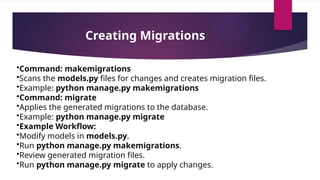
Creating Migrations
•Command: makemigrations
•Scans the models.py files for changes and creates migration files.
•Example: python manage.py makemigrations
•Command: migrate
•Applies the generated migrations to the database.
•Example: python manage.py migrate
•Example Workflow:
•Modify models in models.py.
•Run python manage.py makemigrations.
•Review generated migration files.
•Run python manage.py migrate to apply changes.
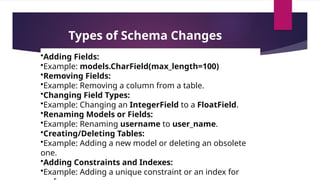
Types of Schema Changes
•Adding Fields:
•Example: models.CharField(max_length=100)
•Removing Fields:
•Example: Removing a column from a table.
•Changing Field Types:
•Example: Changing an IntegerField to a FloatField.
•Renaming Models or Fields:
•Example: Renaming username to user_name.
•Creating/Deleting Tables:
•Example: Adding a new model or deleting an obsolete
one.
•Adding Constraints and Indexes:
•Example: Adding a unique constraint or an index for
Managing Complex Migrations
 Dependencies:
•Migrations can depend on each other, ensuring they are applied in the
correct order.
•Example: dependencies = [('app_name', '0001_initial')]
•Data Migrations:
•Custom migrations for data transformation.
•Use RunPython or RunSQL to execute custom Python code or SQL.
•Example: migrations.RunPython(forwards_func, backwards_func)
•Reversing Migrations:
•Use the migrate command to roll back changes.
•Example: python manage.py migrate app_name 0001
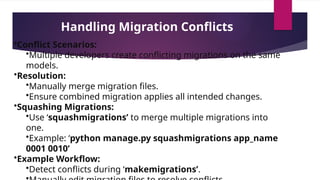
Handling Migration Conflicts
•Conflict Scenarios:
•Multiple developers create conflicting migrations on the same
models.
•Resolution:
•Manually merge migration files.
•Ensure combined migration applies all intended changes.
•Squashing Migrations:
•Use ‘squashmigrations’ to merge multiple migrations into
one.
•Example: ‘python manage.py squashmigrations app_name
0001 0010’
•Example Workflow:
•Detect conflicts during ‘makemigrations’.
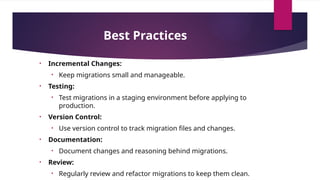
Best Practices
• Incremental Changes:
• Keep migrations small and manageable.
• Testing:
• Test migrations in a staging environment before applying to
production.
• Version Control:
• Use version control to track migration files and changes.
• Documentation:
• Document changes and reasoning behind migrations.
• Review:
• Regularly review and refactor migrations to keep them clean.
Tools and Extensions
•Django Extensions:
•Additional commands and tools for enhancing Django’s
capabilities.
•Example: django-extensions for advanced management
commands.
•South:
•Legacy migration tool used before Django 1.7.
•Third-Party Libraries:
•Tools like django-dbbackup for database backups and
restores.
•Example: python manage.py dbbackup
Thank You

Django Schema Evolution for 5th sem.pptx

  • 1.
    Django Schema Evolution MANAGINGDATABASE SCHEMA CHANGES IN DJANGO
  • 2.
    Introduction to Django •Django Overview: • Django is a high-level Python web framework that encourages rapid development and clean, pragmatic design. • It follows the "batteries-included" philosophy, providing a wide range of features out-of-the-box. • Key Features:Built-in ORM for database interactions.  Automatic admin interface.  Robust security features.  Scalability and flexibility.
  • 3.
    What is SchemaEvolution?  Schema evolution is the process of managing and applying changes to the database schema over time. • Allows the database structure to evolve as application requirements change. • Ensures that new features can be integrated without disrupting existing functionality.
  • 4.
    Why Schema Evolutionis Important • Adaptability: • Adjust the database to meet evolving business requirements. • Data Integrity: • Ensure the database accurately reflects the data model and application logic. • Performance: • Optimize queries and data storage. • Compliance: • Meet regulatory requirements by ensuring accurate data modeling.
  • 5.
    Django Migrations •Django migrationsare a powerful tool for handling database schema changes. •Core Commands: •‘Makemigrations’: Generates migration files based on changes in models. •migrate: Applies migrations to the database. •Migration Files: •Contain instructions for database operations like creating tables, adding columns, and more.
  • 6.
    Creating Migrations •Command: makemigrations •Scansthe models.py files for changes and creates migration files. •Example: python manage.py makemigrations •Command: migrate •Applies the generated migrations to the database. •Example: python manage.py migrate •Example Workflow: •Modify models in models.py. •Run python manage.py makemigrations. •Review generated migration files. •Run python manage.py migrate to apply changes.
  • 7.
    Types of SchemaChanges •Adding Fields: •Example: models.CharField(max_length=100) •Removing Fields: •Example: Removing a column from a table. •Changing Field Types: •Example: Changing an IntegerField to a FloatField. •Renaming Models or Fields: •Example: Renaming username to user_name. •Creating/Deleting Tables: •Example: Adding a new model or deleting an obsolete one. •Adding Constraints and Indexes: •Example: Adding a unique constraint or an index for
  • 8.
    Managing Complex Migrations Dependencies: •Migrations can depend on each other, ensuring they are applied in the correct order. •Example: dependencies = [('app_name', '0001_initial')] •Data Migrations: •Custom migrations for data transformation. •Use RunPython or RunSQL to execute custom Python code or SQL. •Example: migrations.RunPython(forwards_func, backwards_func) •Reversing Migrations: •Use the migrate command to roll back changes. •Example: python manage.py migrate app_name 0001
  • 9.
    Handling Migration Conflicts •ConflictScenarios: •Multiple developers create conflicting migrations on the same models. •Resolution: •Manually merge migration files. •Ensure combined migration applies all intended changes. •Squashing Migrations: •Use ‘squashmigrations’ to merge multiple migrations into one. •Example: ‘python manage.py squashmigrations app_name 0001 0010’ •Example Workflow: •Detect conflicts during ‘makemigrations’.
  • 10.
    Best Practices • IncrementalChanges: • Keep migrations small and manageable. • Testing: • Test migrations in a staging environment before applying to production. • Version Control: • Use version control to track migration files and changes. • Documentation: • Document changes and reasoning behind migrations. • Review: • Regularly review and refactor migrations to keep them clean.
  • 11.
    Tools and Extensions •DjangoExtensions: •Additional commands and tools for enhancing Django’s capabilities. •Example: django-extensions for advanced management commands. •South: •Legacy migration tool used before Django 1.7. •Third-Party Libraries: •Tools like django-dbbackup for database backups and restores. •Example: python manage.py dbbackup
  • 12.