Digital Citizenship: helps
students, teachers, technology
facilitators, and parents develop
an understanding of how
students and other technology
users should be using
technology appropriately. In
addition, digital citizenship
prepares students and
technology users for a “society
full of technology” as well as the
appropriate and inappropriate
ways to use technology in the
classroom and at home” (Ribble,
2012).
Currently, there are millions of
teenagers that are posting
personal information online
and on social networking
websites all over the world.
These teenagers do not
realize that they are leaving a
“digital footprint” which can
subject them to serious
consequences in their futures.
Many teens do not know that
future employers and college
recruiters are tracking their
every move before they are
even called for an interview or
consultation (Oxley, 2010)
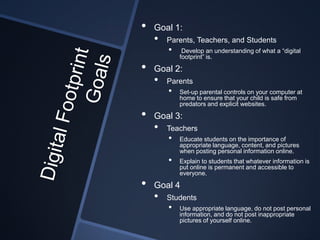
•   Goal 1:
    •   Parents, Teachers, and Students
        •    Develop an understanding of what a “digital
            footprint” is.

•   Goal 2:
    •   Parents
        •   Set-up parental controls on your computer at
            home to ensure that your child is safe from
            predators and explicit websites.

•   Goal 3:
    •   Teachers
        •   Educate students on the importance of
            appropriate language, content, and pictures
            when posting personal information online.
        •   Explain to students that whatever information is
            put online is permanent and accessible to
            everyone.

•   Goal 4
    •   Students
        •   Use appropriate language, do not post personal
            information, and do not post inappropriate
            pictures of yourself online.
Goal 1:
 Parents, teachers, and
students will Google their first
and last name to see what
information populates about
them. After parents, teachers,
and students realize what
information is available about
them they will then visit:
http://www.squidoo.com/perso
nalInformation to learn how to
delete their information online.
Goal 2:
Parents will watch How to Set Up
Parental Controls in Windows 7. By
doing this, parents will be able to
control what their child is viewing as
well as block out times that the child is
not permitted on the computer. Parents
have full control over what their child
has access to including games,
websites, and programs that are
installed on the computer. Parents will
also discuss with their child the setting
that they have created so the child is
aware of their boundaries. In addition,
parents are encouraged to watch Your
Digital Footprint to face the reality of
how quickly a person can find private
information.
Goal 3:
The teacher will begin by creating a
KWL chart with the class. The students
will describe what they know about
digital footprints and what they want to
learn about digital footprints. Next, the
teacher will present Be Cool by
Mountfield School – Netiquette Winner
and Hoven School District
Superintendent’s Blog What Digital
Footprint Will You Leave Behind?
videos to the class. Once they have
watched the videos they will then finish
the KWL chart by explaining what they
learned from the videos. Then, the
teacher will use the resources found at
http://www.commonnsensemedia.org/e
ducators/lesson/trillion-dollar-footprint-
6-8 to wrap up the lesson.
Goal 4:
 Students will get into small groups
to discuss what a digital citizen and
digital footprint is how to use
netiquette, and how to keep
personal information private. The
students will then work with their
group to create a PowerPoint,
SlideShare, Prezi, or Google
presentation about digital
citizenship and the digital footprint
as well as how to use proper
netiquette at home and in school.
Encourage students to use
commonsensemedia.org for more
information about digital citizenship
and footprints.
Teachers, parents, and
teachers need to be aware
of the permanent
information that they
choose to put online and
realize that it is there
forever. Also, students
need to understand that
whatever they put on
Facebook, Twitter, etc. will
and can be seen by
anyone on the web.
Be Cool by Mountfield School - Netiquette Winner. (2008, October
30). Retrieved February 19, 2012, from youtube.com:
http://www.youtube.com/watch?v=xVMq3G-JP04&feature=related
Hoven School District Superintendent's Blog What Digital Footprint
Will You Leave Behind2.flv. (2011, June 13). Retrieved February 19,
2012 , from youtube.com:
http://www.youtube.com/watch?v=N2eRQN9zjxk
How to Set Up Parental Controls in Windows 7 For Dummies. (2011,
February 9). Retrieved February 19, 2012, from youtube.com:
http://www.youtube.com/watch?v=Qbpncl81GEg
(2012). Retrieved February 19, 2012, from commonsensemedia.org:
commonsensemedia.org
Common Sense Media Inc. (2011). Trillion Dollar Footprint (6-8).
Retrieved February 19, 2012, from commonsensemedia.org:
http://www.commonsensemedia.org/educators/lesson/trillion-dollar-
footprint-6-8
Oxley, C. (2010). Digital citizenship: Developing an ethical and
responsible online culture. Brisbane.
Ribble, M. (2012). Digital Citizenship Using Technology
Appropriately. Retrieved February 19, 2012, from Digital Citizenship:
http://digitalcitizenship.net/
WEWSTV. (2010, November 18). Your digital footprint. Retrieved
February 19, 2012, from youtube.com:
http://www.youtube.com/watch?v=Aydi5JjsjMU
http://www.safesurfer.org/websafe.html
http://www.squidoo.com/personalInformation

Digital footprint presentation

  • 2.
    Digital Citizenship: helps students,teachers, technology facilitators, and parents develop an understanding of how students and other technology users should be using technology appropriately. In addition, digital citizenship prepares students and technology users for a “society full of technology” as well as the appropriate and inappropriate ways to use technology in the classroom and at home” (Ribble, 2012).
  • 3.
    Currently, there aremillions of teenagers that are posting personal information online and on social networking websites all over the world. These teenagers do not realize that they are leaving a “digital footprint” which can subject them to serious consequences in their futures. Many teens do not know that future employers and college recruiters are tracking their every move before they are even called for an interview or consultation (Oxley, 2010)
  • 4.
    Goal 1: • Parents, Teachers, and Students • Develop an understanding of what a “digital footprint” is. • Goal 2: • Parents • Set-up parental controls on your computer at home to ensure that your child is safe from predators and explicit websites. • Goal 3: • Teachers • Educate students on the importance of appropriate language, content, and pictures when posting personal information online. • Explain to students that whatever information is put online is permanent and accessible to everyone. • Goal 4 • Students • Use appropriate language, do not post personal information, and do not post inappropriate pictures of yourself online.
  • 5.
    Goal 1: Parents,teachers, and students will Google their first and last name to see what information populates about them. After parents, teachers, and students realize what information is available about them they will then visit: http://www.squidoo.com/perso nalInformation to learn how to delete their information online.
  • 6.
    Goal 2: Parents willwatch How to Set Up Parental Controls in Windows 7. By doing this, parents will be able to control what their child is viewing as well as block out times that the child is not permitted on the computer. Parents have full control over what their child has access to including games, websites, and programs that are installed on the computer. Parents will also discuss with their child the setting that they have created so the child is aware of their boundaries. In addition, parents are encouraged to watch Your Digital Footprint to face the reality of how quickly a person can find private information.
  • 7.
    Goal 3: The teacherwill begin by creating a KWL chart with the class. The students will describe what they know about digital footprints and what they want to learn about digital footprints. Next, the teacher will present Be Cool by Mountfield School – Netiquette Winner and Hoven School District Superintendent’s Blog What Digital Footprint Will You Leave Behind? videos to the class. Once they have watched the videos they will then finish the KWL chart by explaining what they learned from the videos. Then, the teacher will use the resources found at http://www.commonnsensemedia.org/e ducators/lesson/trillion-dollar-footprint- 6-8 to wrap up the lesson.
  • 8.
    Goal 4: Studentswill get into small groups to discuss what a digital citizen and digital footprint is how to use netiquette, and how to keep personal information private. The students will then work with their group to create a PowerPoint, SlideShare, Prezi, or Google presentation about digital citizenship and the digital footprint as well as how to use proper netiquette at home and in school. Encourage students to use commonsensemedia.org for more information about digital citizenship and footprints.
  • 9.
    Teachers, parents, and teachersneed to be aware of the permanent information that they choose to put online and realize that it is there forever. Also, students need to understand that whatever they put on Facebook, Twitter, etc. will and can be seen by anyone on the web.
  • 10.
    Be Cool byMountfield School - Netiquette Winner. (2008, October 30). Retrieved February 19, 2012, from youtube.com: http://www.youtube.com/watch?v=xVMq3G-JP04&feature=related Hoven School District Superintendent's Blog What Digital Footprint Will You Leave Behind2.flv. (2011, June 13). Retrieved February 19, 2012 , from youtube.com: http://www.youtube.com/watch?v=N2eRQN9zjxk How to Set Up Parental Controls in Windows 7 For Dummies. (2011, February 9). Retrieved February 19, 2012, from youtube.com: http://www.youtube.com/watch?v=Qbpncl81GEg (2012). Retrieved February 19, 2012, from commonsensemedia.org: commonsensemedia.org Common Sense Media Inc. (2011). Trillion Dollar Footprint (6-8). Retrieved February 19, 2012, from commonsensemedia.org: http://www.commonsensemedia.org/educators/lesson/trillion-dollar- footprint-6-8 Oxley, C. (2010). Digital citizenship: Developing an ethical and responsible online culture. Brisbane. Ribble, M. (2012). Digital Citizenship Using Technology Appropriately. Retrieved February 19, 2012, from Digital Citizenship: http://digitalcitizenship.net/ WEWSTV. (2010, November 18). Your digital footprint. Retrieved February 19, 2012, from youtube.com: http://www.youtube.com/watch?v=Aydi5JjsjMU http://www.safesurfer.org/websafe.html http://www.squidoo.com/personalInformation