



Developing cross-platform mobile
  applications with PhoneGap


         @ColinEberhardt
Overview

Why cross-platform?
Introduction to PhoneGap
 PhoneGap APIs, History of PhoneGap WP7
A simple PhoneGap application
 How PhoneGap works
A more complex application
 KnockoutJS – MVVM, Property Finder
 iOS ‘view’
Is PhoneGap a viable approach?
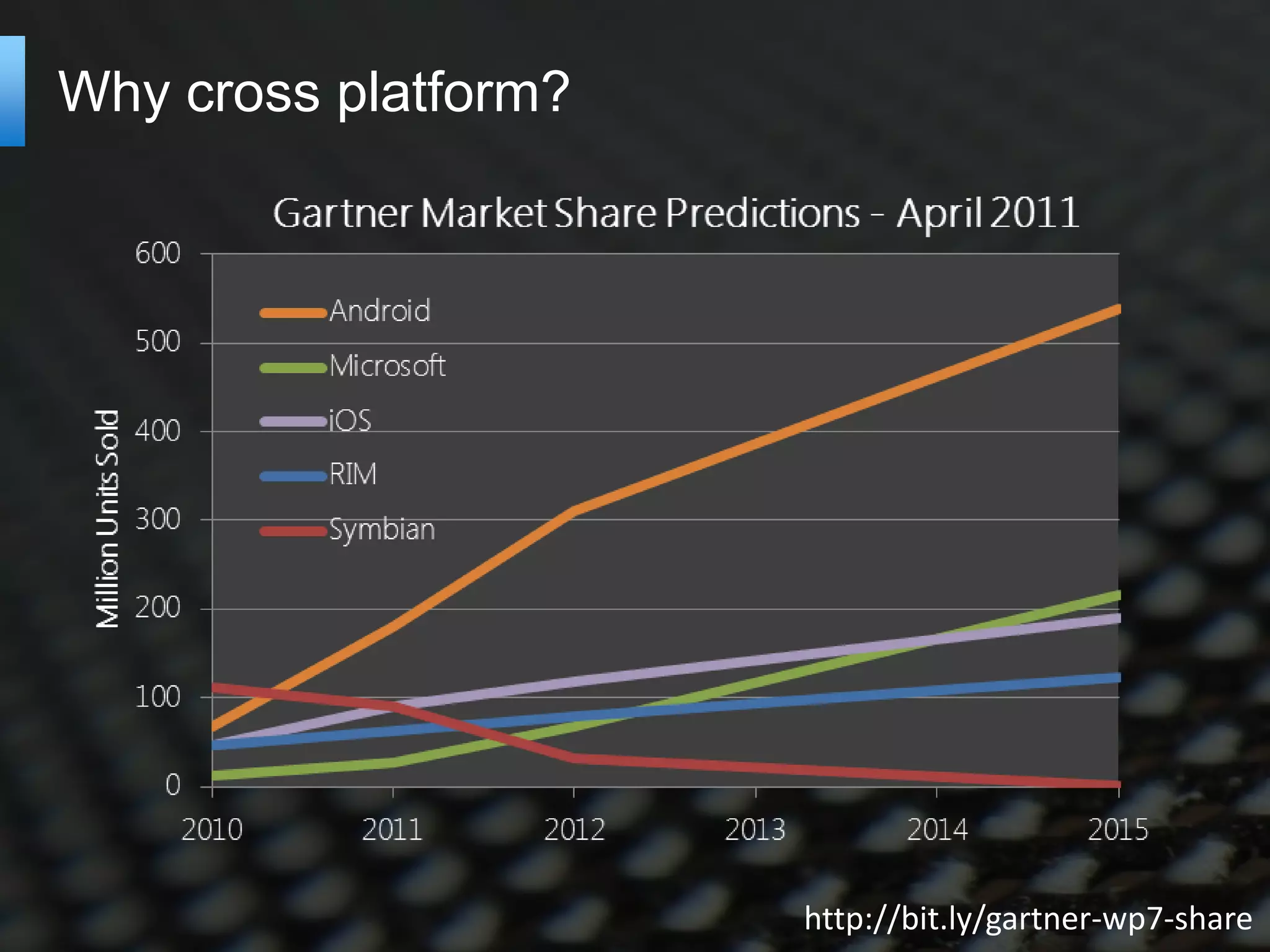
Why cross platform?


                      http://bit.ly/gartner-wp7-share
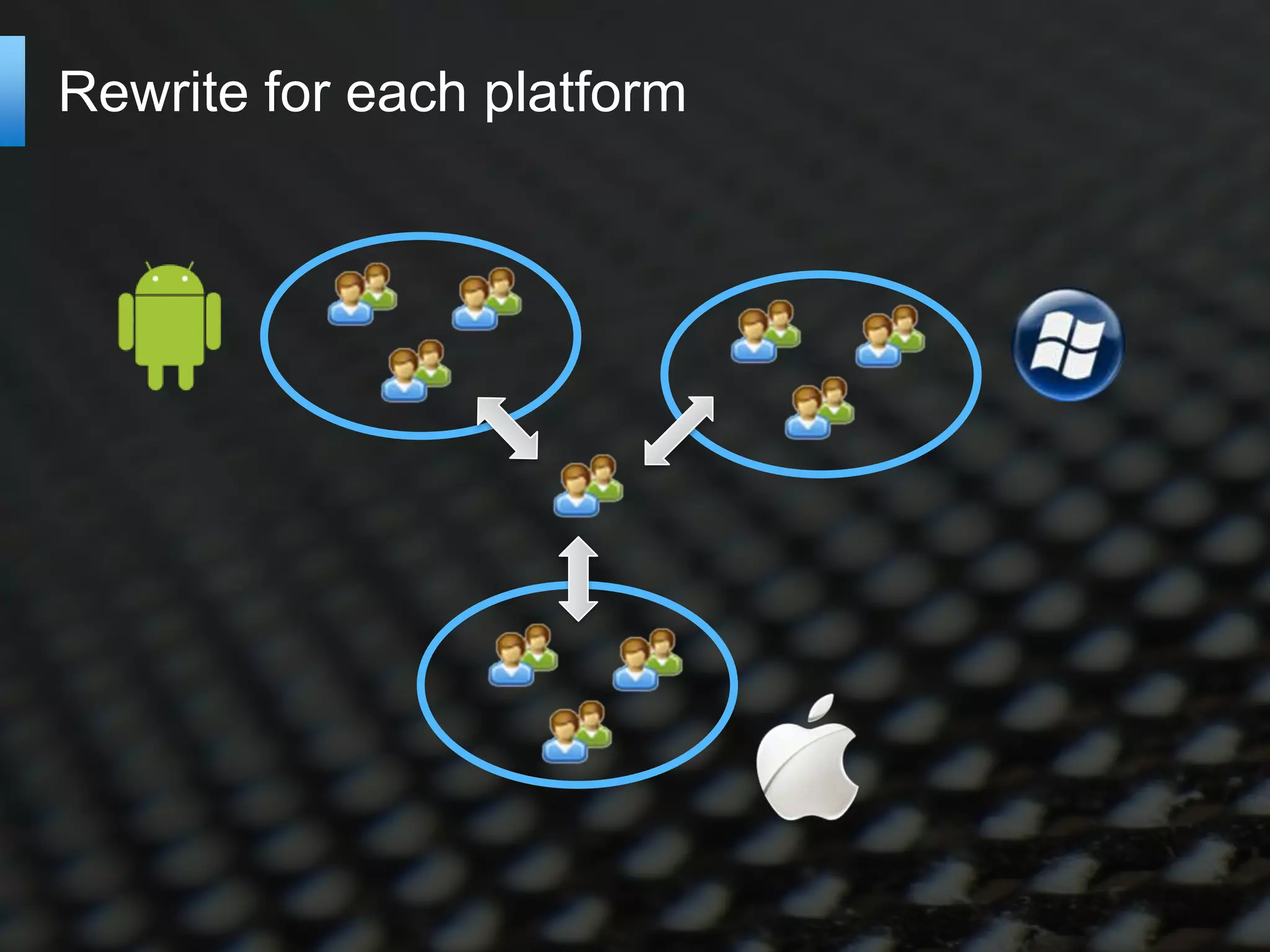
Rewrite for each platform
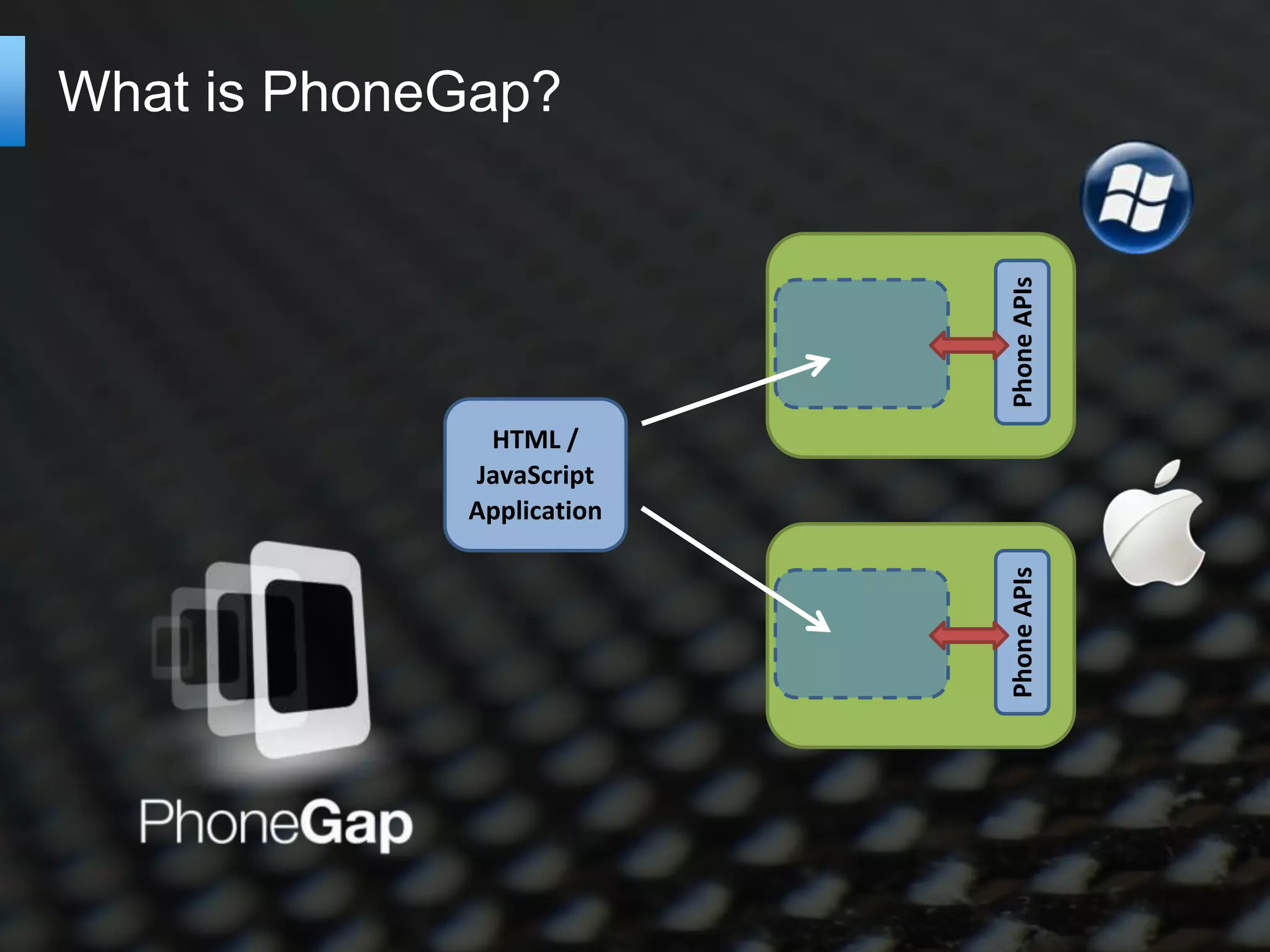
What is PhoneGap?


                           Phone APIs
              HTML /
             JavaScript
             Application


                           Phone APIs
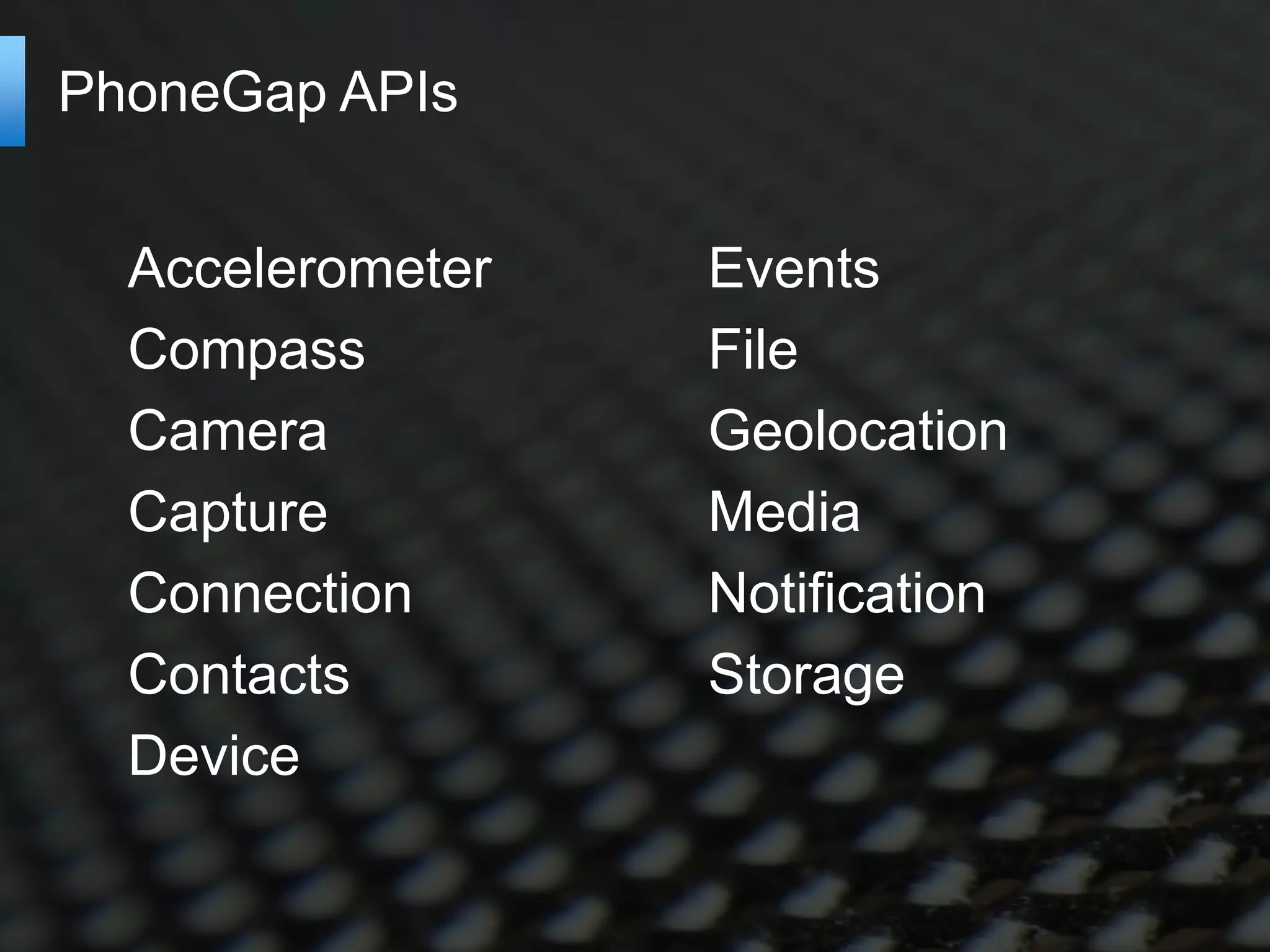
PhoneGap APIs


  Accelerometer   Events
  Compass         File
  Camera          Geolocation
  Capture         Media
  Connection      Notification
  Contacts        Storage
  Device
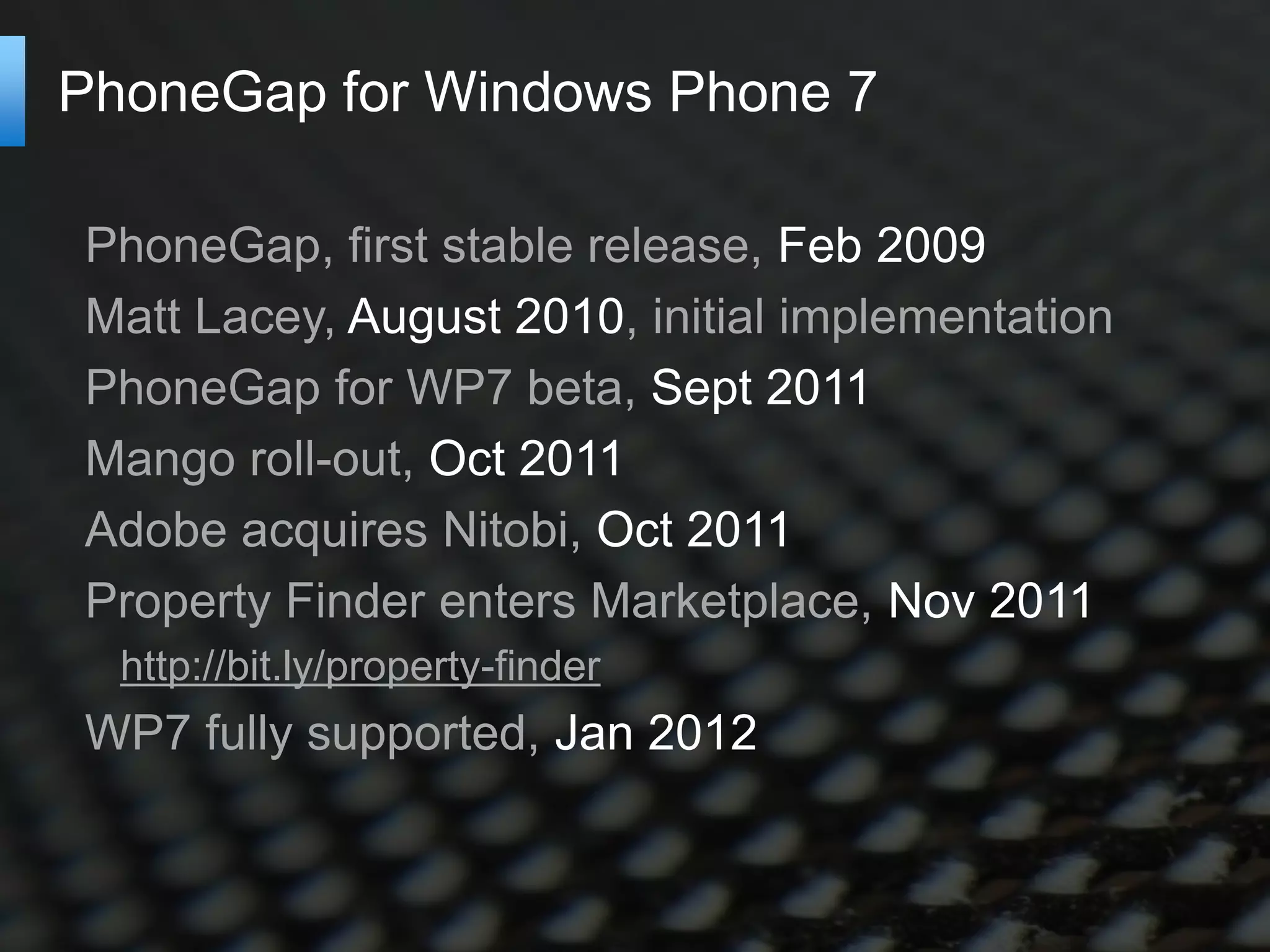
PhoneGap for Windows Phone 7

PhoneGap, first stable release, Feb 2009
Matt Lacey, August 2010, initial implementation
PhoneGap for WP7 beta, Sept 2011
Mango roll-out, Oct 2011
Adobe acquires Nitobi, Oct 2011
Property Finder enters Marketplace, Nov 2011
  http://bit.ly/property-finder
WP7 fully supported, Jan 2012
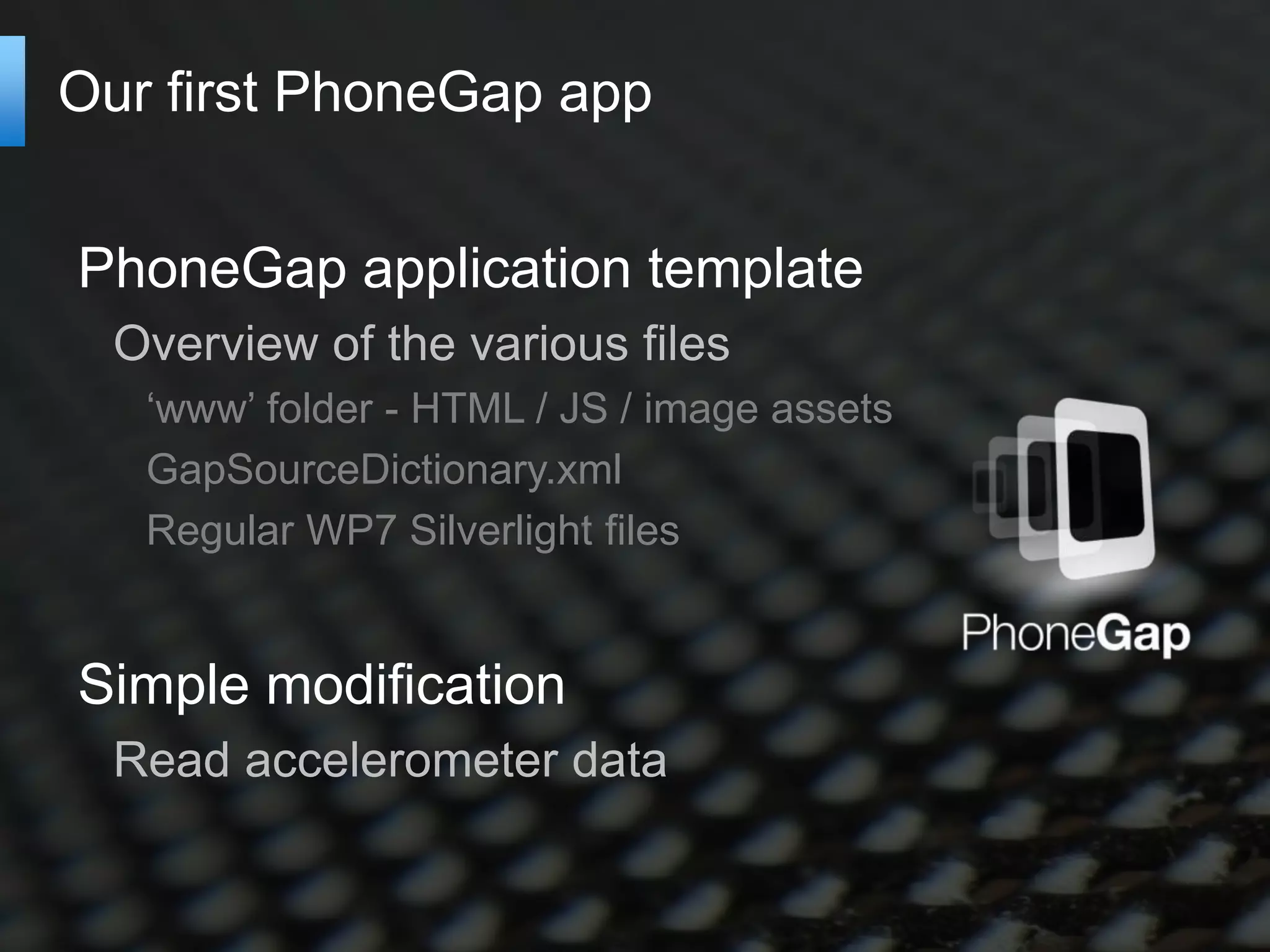
Our first PhoneGap app


PhoneGap application template
  Overview of the various files
   ‘www’ folder - HTML / JS / image assets
   GapSourceDictionary.xml
   Regular WP7 Silverlight files


Simple modification
  Read accelerometer data
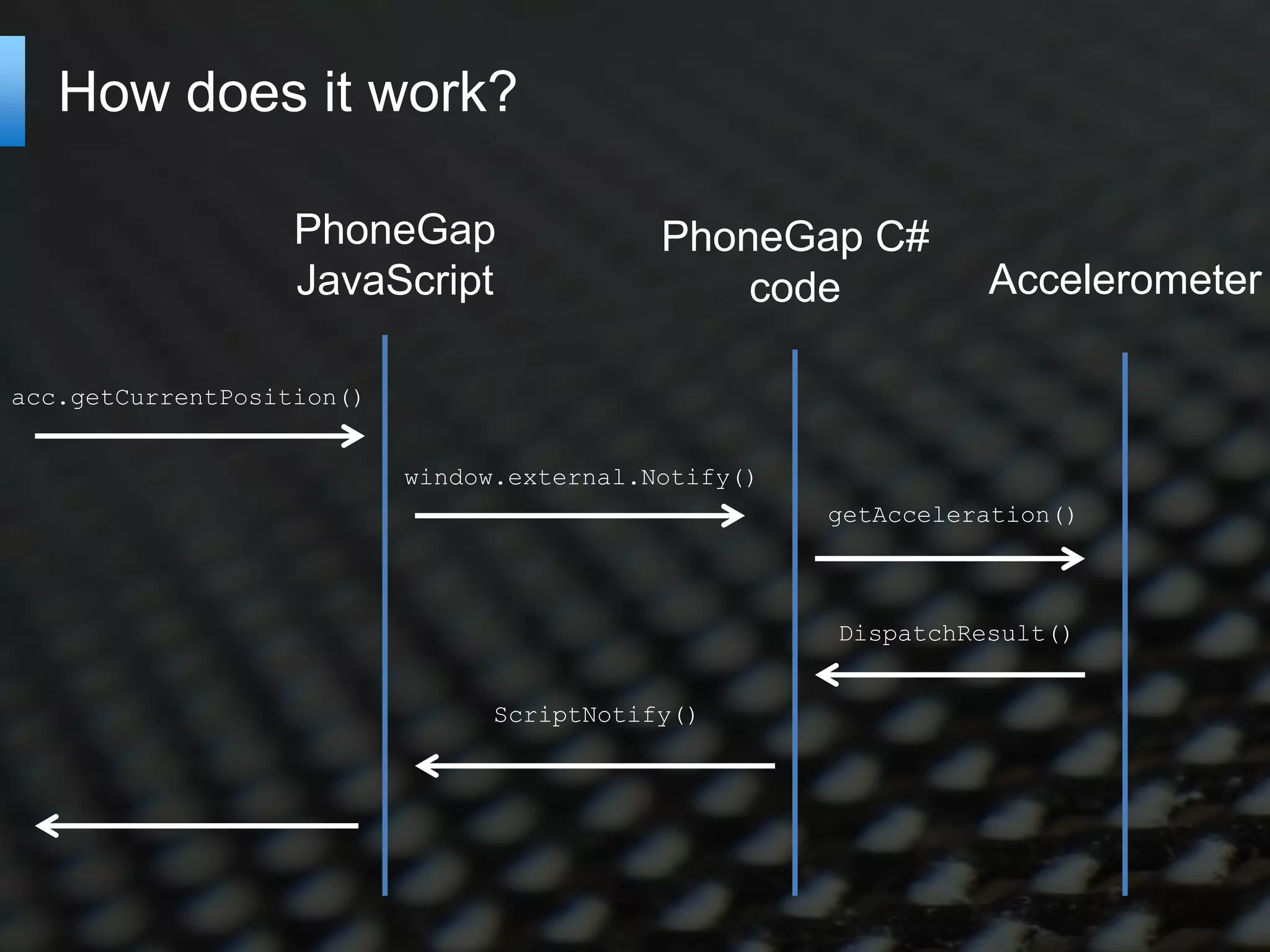
How does it work?

                   PhoneGap                 PhoneGap C#
                   JavaScript                   code            Accelerometer

acc.getCurrentPosition()


                           window.external.Notify()
                                                      getAcceleration()


                                                      DispatchResult()


                                 ScriptNotify()
Applications styles

Multi-page applications
  Separate HTML pages
  JavaScript re-loaded between each page
  No state transferred from page-to-page
  Back-button handling required
   http://bit.ly/wp7-multipage-phonegap


Single-page applications
  Page updates as application state changes
   ‘think’ GMail
Twitter Search


       http://knockoutjs.com/

       Demo running FireFox
       Back-button handling
Native look and feel

CSS Styling
  Does not support pressed state


Disable pinch / tap zoom
  Requires some ‘hacking’
  http://bit.ly/suppress-pinch


Gray highlight
  You’re stuck with it!
The WP7 IE9 browser

Pros
 Much better than the pre-mango!
 http://bit.ly/ie9-mobile-features
   Canvas, video, audio
   Many CSS3 features
Cons
 A lack of touch events
 The ‘gray link’ issue
   http://bit.ly/stackoverflow-gray-highlight
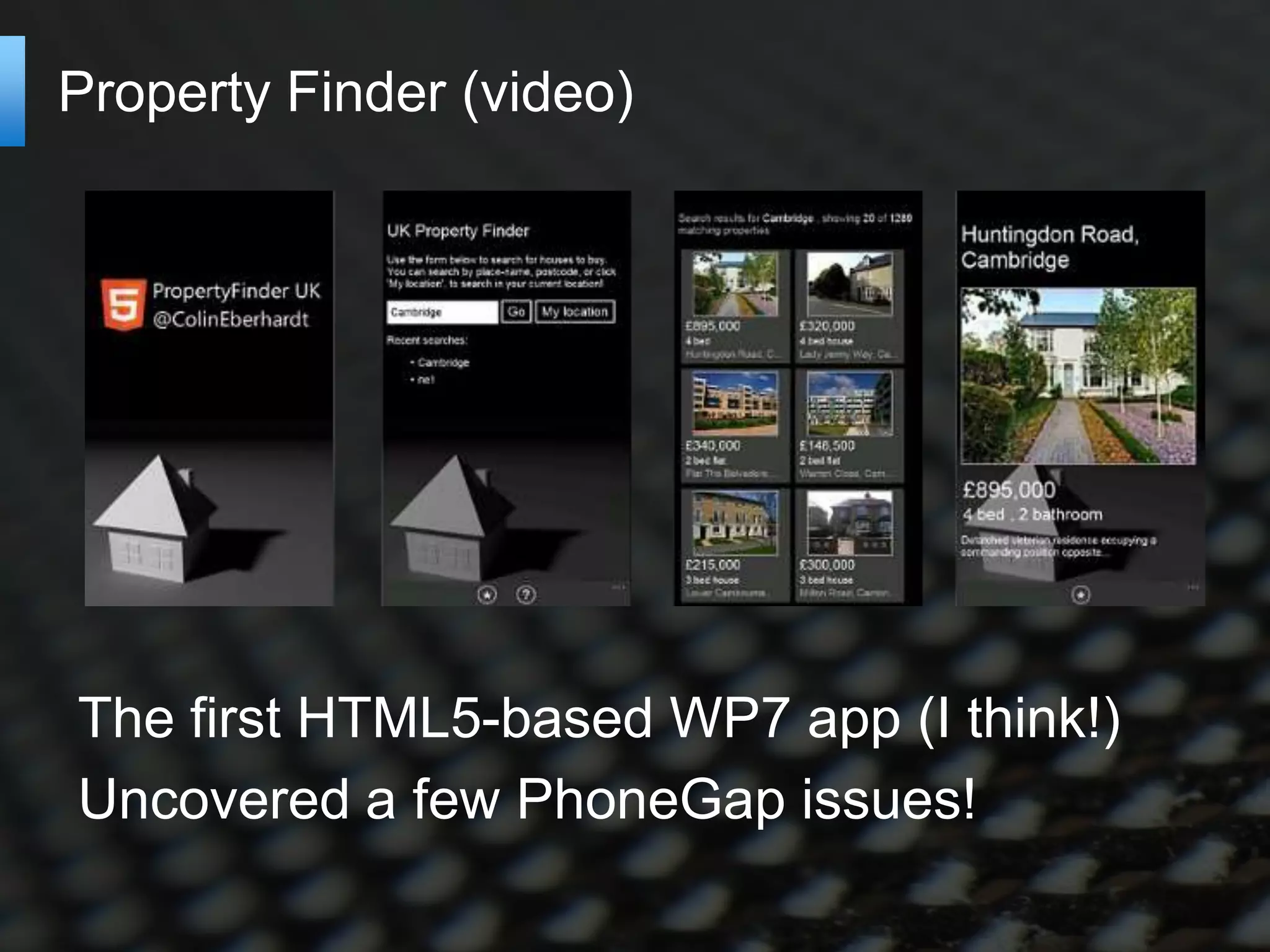
Property Finder (video)


The first HTML5-based WP7 app (I think!)
Uncovered a few PhoneGap issues!
Cross platform?


Knockout JS enables the use of MVVM
The ‘view’ code is currently WP7 specific
For iOS use a different view
  http://jquerymobile.com/
Property Finder iOS
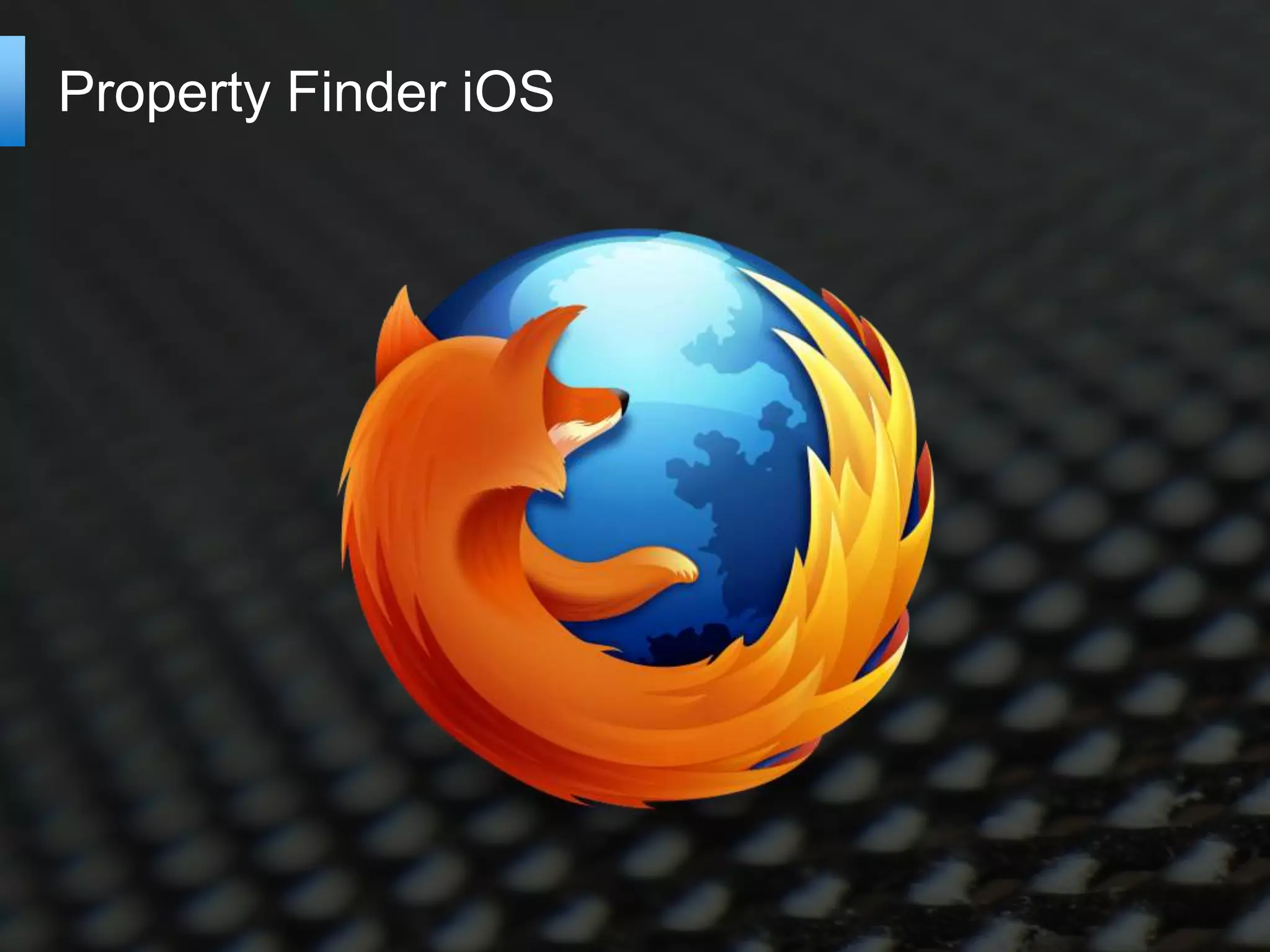
PhoneGap Build
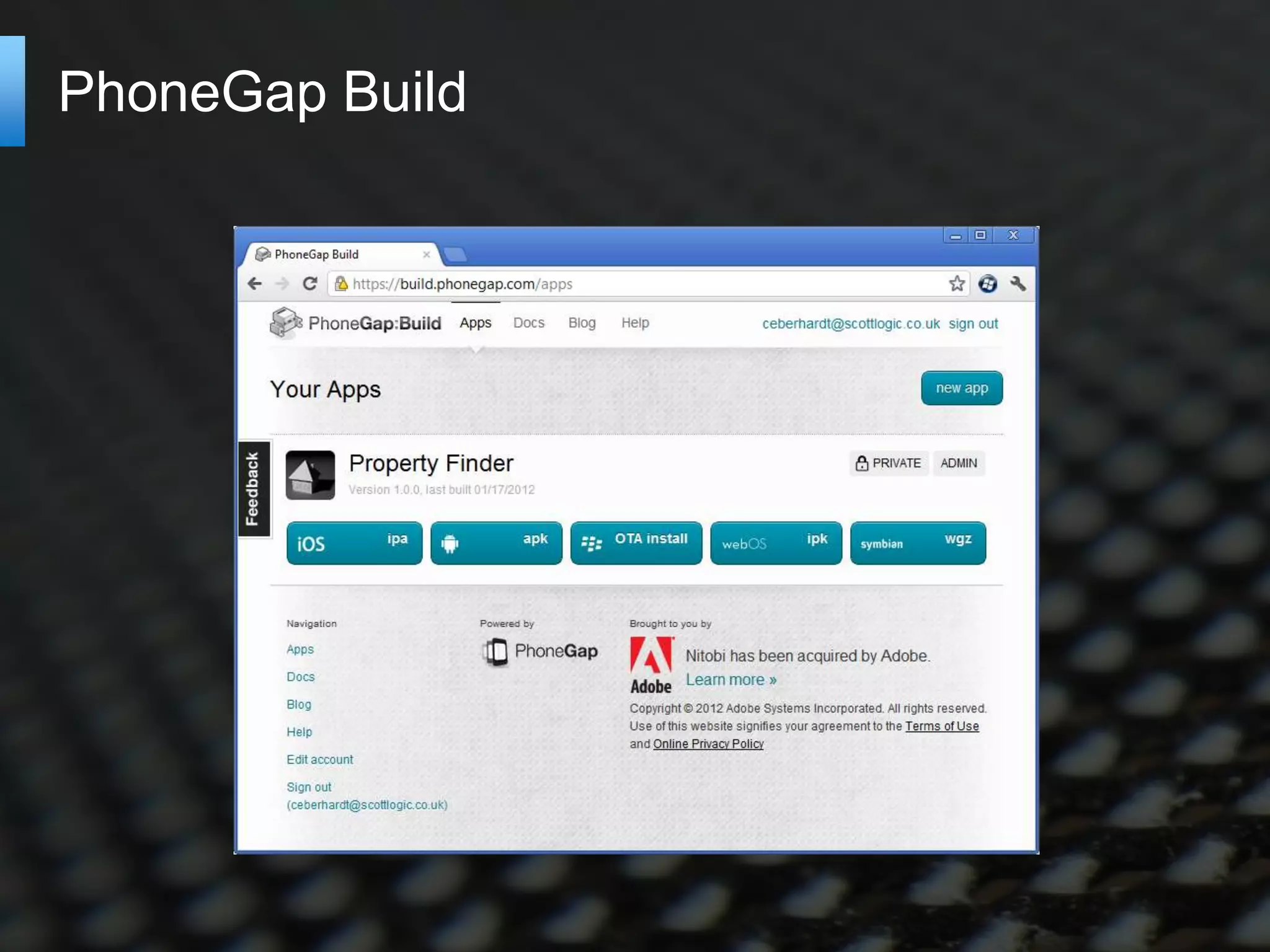
Property Finder iOS (video)
Is PhoneGap a viable approach?

Set-up cost is low
  PhoneGap build removes the need for a Mac
  Browser-based testing


Browser specific JavaScript / CSS code
  Often handled by existing JavaScript libraries
  More required if you want to have a native ‘feel’
   Currently most people roll-out an iOS look to Android


WP7 IE9 browser is _almost_ good enough
  Webkit browsers also have major flaws – overflow:scroll
Is PhoneGap a viable approach?


  Create an application with its own identity
The JavaScript advantage

JavaScript is ubiquitous
  Re-use code for a Windows 8 Metro App
  Re-use code for web-app


JavaScript is relatively future proof

Offline applications
  Uses the HTML5 app-cache
   The FT iPad application is a good example
  Frees you from the marketplace
Would I use it? Or go native?


 It depends!
   Project budget
   Number of platforms targeted
   Richness of content being delivered
   Willingness to depart from native UIs
PhoneGap alternatives

MonoTouch
  C# with bindings to native controls
  http://xamarin.com/monotouch


Appcelerator Titanium
  Previously ran JavaScript in browser, now compiles to
  native
  http://www.appcelerator.com/


Adobe Mobile Air
  AS3 running within the Air runtime
  http://www.adobe.com/products/air.html
Questions?


Image credit: Lattice by ColinBroug
(http://www.sxc.hu/photo/1359433)

Developing cross platform mobile applications with phone gap for windows phone

  • 1.
    Developing cross-platform mobile applications with PhoneGap @ColinEberhardt
  • 2.
    Overview Why cross-platform? Introduction toPhoneGap PhoneGap APIs, History of PhoneGap WP7 A simple PhoneGap application How PhoneGap works A more complex application KnockoutJS – MVVM, Property Finder iOS ‘view’ Is PhoneGap a viable approach?
  • 3.
    Why cross platform? http://bit.ly/gartner-wp7-share
  • 4.
  • 5.
    What is PhoneGap? Phone APIs HTML / JavaScript Application Phone APIs
  • 6.
    PhoneGap APIs Accelerometer Events Compass File Camera Geolocation Capture Media Connection Notification Contacts Storage Device
  • 7.
    PhoneGap for WindowsPhone 7 PhoneGap, first stable release, Feb 2009 Matt Lacey, August 2010, initial implementation PhoneGap for WP7 beta, Sept 2011 Mango roll-out, Oct 2011 Adobe acquires Nitobi, Oct 2011 Property Finder enters Marketplace, Nov 2011 http://bit.ly/property-finder WP7 fully supported, Jan 2012
  • 8.
    Our first PhoneGapapp PhoneGap application template Overview of the various files ‘www’ folder - HTML / JS / image assets GapSourceDictionary.xml Regular WP7 Silverlight files Simple modification Read accelerometer data
  • 9.
    How does itwork? PhoneGap PhoneGap C# JavaScript code Accelerometer acc.getCurrentPosition() window.external.Notify() getAcceleration() DispatchResult() ScriptNotify()
  • 10.
    Applications styles Multi-page applications Separate HTML pages JavaScript re-loaded between each page No state transferred from page-to-page Back-button handling required http://bit.ly/wp7-multipage-phonegap Single-page applications Page updates as application state changes ‘think’ GMail
  • 11.
    Twitter Search http://knockoutjs.com/ Demo running FireFox Back-button handling
  • 12.
    Native look andfeel CSS Styling Does not support pressed state Disable pinch / tap zoom Requires some ‘hacking’ http://bit.ly/suppress-pinch Gray highlight You’re stuck with it!
  • 13.
    The WP7 IE9browser Pros Much better than the pre-mango! http://bit.ly/ie9-mobile-features Canvas, video, audio Many CSS3 features Cons A lack of touch events The ‘gray link’ issue http://bit.ly/stackoverflow-gray-highlight
  • 14.
    Property Finder (video) Thefirst HTML5-based WP7 app (I think!) Uncovered a few PhoneGap issues!
  • 15.
    Cross platform? Knockout JSenables the use of MVVM The ‘view’ code is currently WP7 specific For iOS use a different view http://jquerymobile.com/
  • 16.
  • 17.
  • 18.
  • 19.
    Is PhoneGap aviable approach? Set-up cost is low PhoneGap build removes the need for a Mac Browser-based testing Browser specific JavaScript / CSS code Often handled by existing JavaScript libraries More required if you want to have a native ‘feel’ Currently most people roll-out an iOS look to Android WP7 IE9 browser is _almost_ good enough Webkit browsers also have major flaws – overflow:scroll
  • 20.
    Is PhoneGap aviable approach? Create an application with its own identity
  • 21.
    The JavaScript advantage JavaScriptis ubiquitous Re-use code for a Windows 8 Metro App Re-use code for web-app JavaScript is relatively future proof Offline applications Uses the HTML5 app-cache The FT iPad application is a good example Frees you from the marketplace
  • 22.
    Would I useit? Or go native? It depends! Project budget Number of platforms targeted Richness of content being delivered Willingness to depart from native UIs
  • 23.
    PhoneGap alternatives MonoTouch C# with bindings to native controls http://xamarin.com/monotouch Appcelerator Titanium Previously ran JavaScript in browser, now compiles to native http://www.appcelerator.com/ Adobe Mobile Air AS3 running within the Air runtime http://www.adobe.com/products/air.html
  • 24.
    Questions? Image credit: Latticeby ColinBroug (http://www.sxc.hu/photo/1359433)

Editor's Notes

  • #2 SETUP:PhoneGapStarter app loaded into VS4WP7Emulator started, accelerometer simulator startedFireFox started, pointing to TwitterSearch index page, property finder iOS on other tabVS4Web started with index.html, app.js, twitterSearchViewModel.js, applicationViewModel.js, wp7.css loaded
  • #3 Why cross-platform? – market shareIntroduction to PhoneGap – basic architecture, history of WP7 version (Matt Lacey), current status, Nitobi / Apache / Callback CordovaDeveloping simple page-based applications – hello world, page navigation, tombstoning, pinch zoom, back-stackjQuery-MobileDeveloping complex applications – structuring our JavaScript, MVVM, Property Finder – how cross platform is this solution?Knockout-JSBack-stack handlingConclusionsIs this a viable approach? – IE9 issues, gray rectangle,MonoTouch / MonoDroid
  • #6 HTML5 / JavaScript applicationPhoneGap provides: + A packaging mechanism + APIs for features that are outside of the scope of HTML5
  • #8 Timeline me!
  • #9 Anatomy of a basic applicationLaunch itdescribe it …‘www’ folder – HTML5 assetsGapSourceDictionary.xaml – files to load into local storage (required because you cannot read XAP content)ManifestProcessor.js – generates the aboveApp, MainPage, icons …Make changes to read accelerometerAdd JavaScriptAdd HTMLDiscuss how the JavaScript API works.
  • #10 NOTE: This is quite specific to the WP7 implementation of PhoneGap
  • #12 Execute applicationWalkthroughShow folder structure – mirrors Silverlight applicationKnockout-JS view modelShow how to run within FireFoxBack-button handling
  • #16 Just play the vid!
  • #19 NOTE: Horrible code required for vertical scrolling!
  • #21 Create a UI that works across platforms