Create custom SAPUI5 libraries
And deploy them to your launchpad
Why a 🗲 talk about custom libraries
• Warehouse scanning applications
• 13 different apps, but all with the same user input patterns
› Scan a value (storage bin, outbound delivery, material, …)
› Enter quantity
› Enter weight / dimensions
› Select an option
› …
• Reusable controls to develop apps at the speed of light
Custom Controls
Web IDE Template
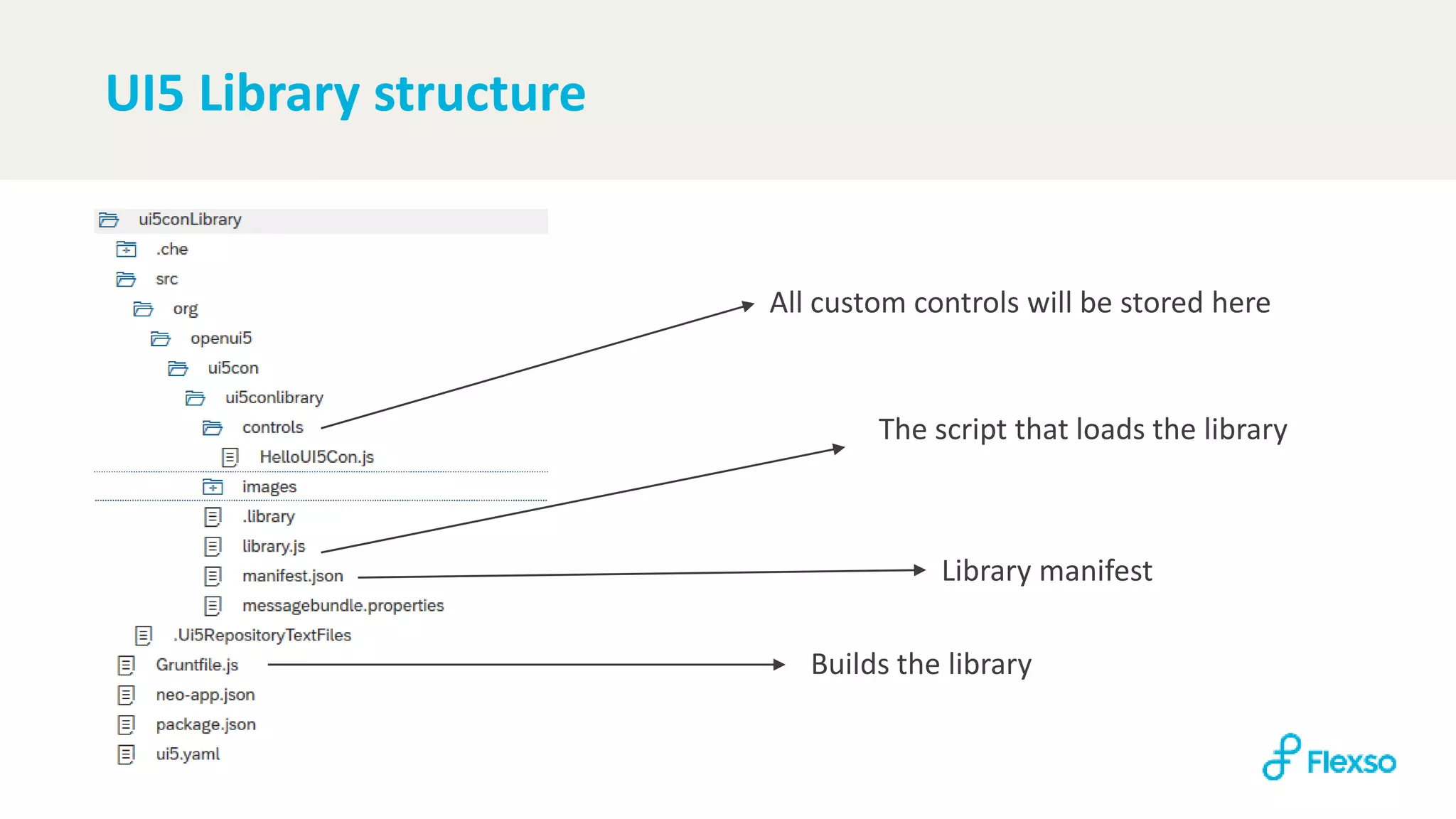
UI5 Library structure
All custom controls will be stored here
The script that loads the library
Library manifest
Builds the library
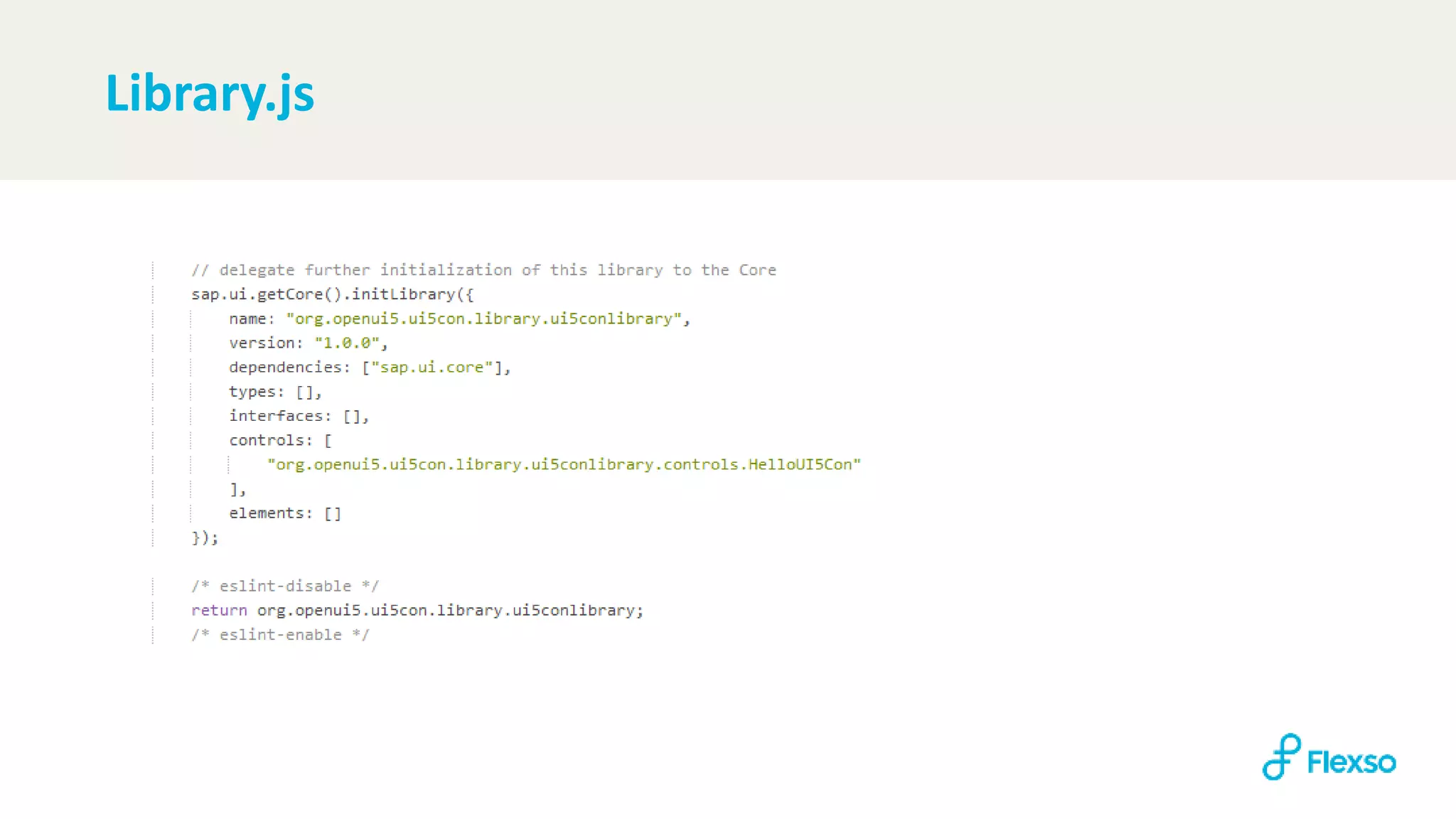
Library.js
Manifest.json
Gruntfile
• Does not create library-preload.js by default -> can be easily added
• https://github.com/SAP/grunt-openui5
grunt.initConfig({
openui5_preload: {
library: {
options: {
resources: "src",
dest: "dist“
},
libraries: "com/atlascopco/wm/common"
}
}
…
grunt.loadNpmTasks("grunt-openui5");
…
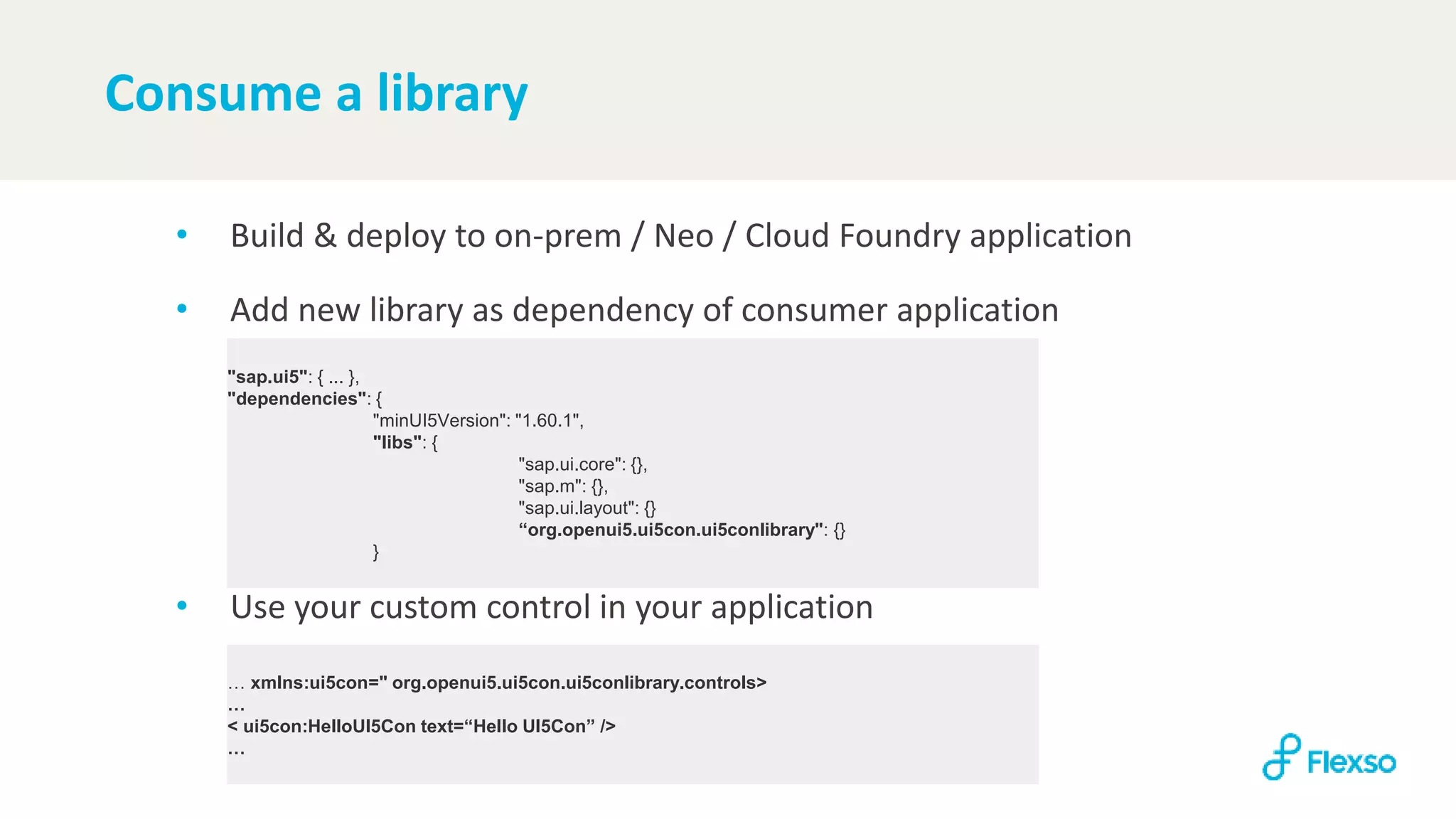
Consume a library
• Build & deploy to on-prem / Neo / Cloud Foundry application
• Add new library as dependency of consumer application
• Use your custom control in your application
"sap.ui5": { ... },
"dependencies": {
"minUI5Version": "1.60.1",
"libs": {
"sap.ui.core": {},
"sap.m": {},
"sap.ui.layout": {}
“org.openui5.ui5con.ui5conlibrary": {}
}
… xmlns:ui5con=" org.openui5.ui5con.ui5conlibrary.controls>
…
< ui5con:HelloUI5Con text=“Hello UI5Con” />
…
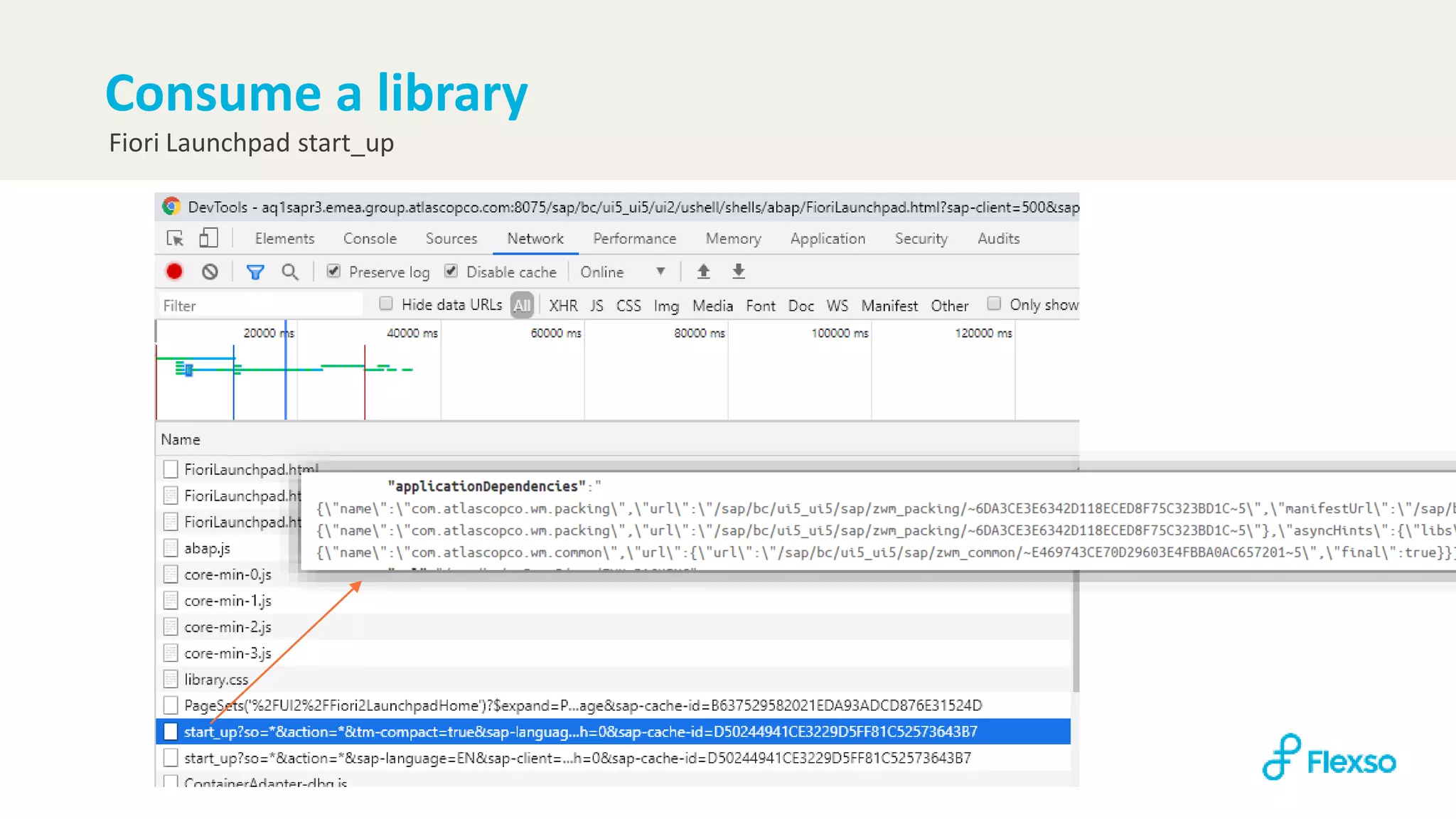
Fiori Launchpad start_up
Consume a library
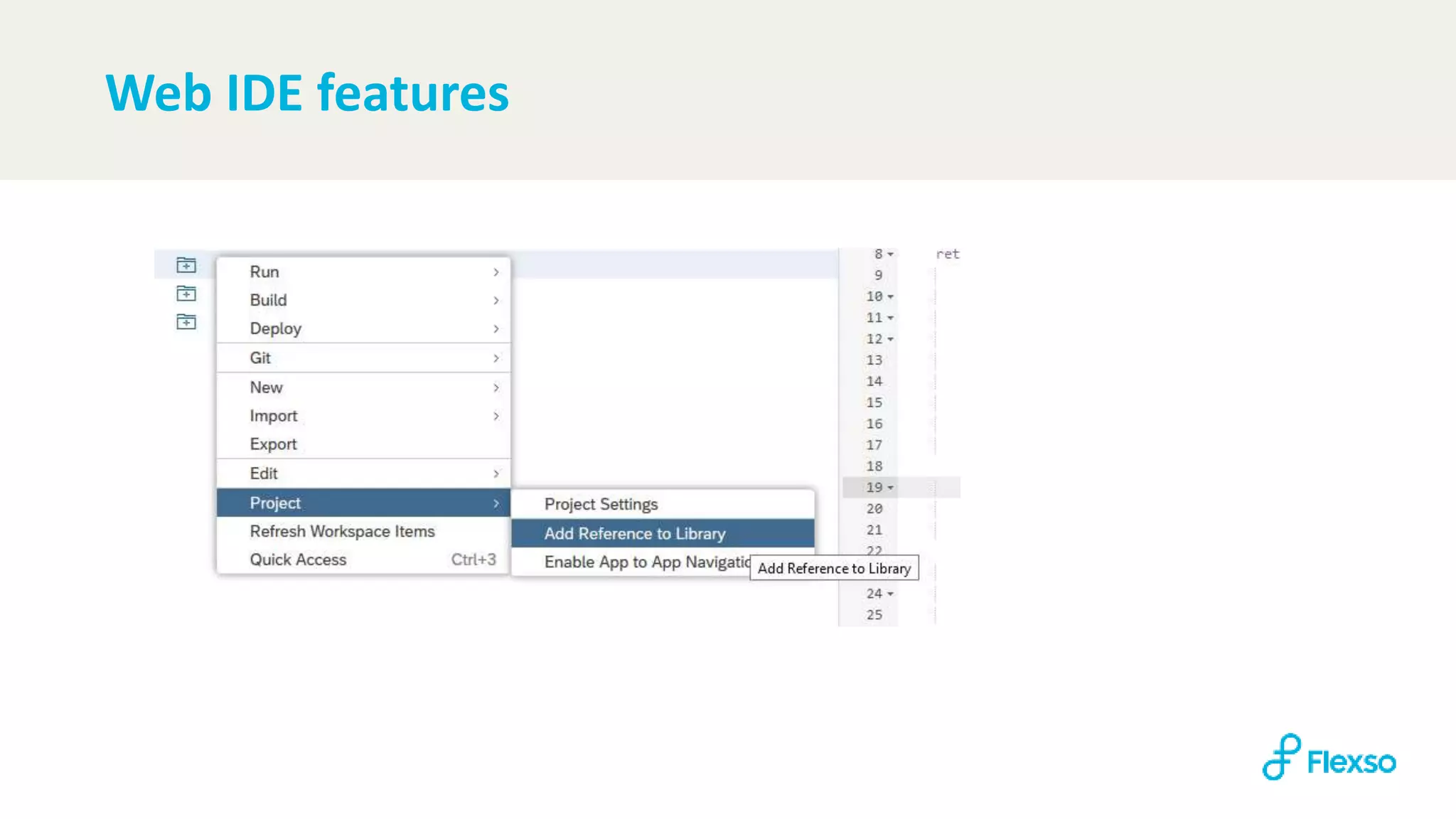
Web IDE features
Thanks!

Develop custom SAPUI5 libraries using SAP Web IDE

  • 2.
    Create custom SAPUI5libraries And deploy them to your launchpad
  • 3.
    Why a 🗲talk about custom libraries • Warehouse scanning applications • 13 different apps, but all with the same user input patterns › Scan a value (storage bin, outbound delivery, material, …) › Enter quantity › Enter weight / dimensions › Select an option › … • Reusable controls to develop apps at the speed of light
  • 4.
  • 5.
  • 6.
    UI5 Library structure Allcustom controls will be stored here The script that loads the library Library manifest Builds the library
  • 7.
  • 8.
  • 9.
    Gruntfile • Does notcreate library-preload.js by default -> can be easily added • https://github.com/SAP/grunt-openui5 grunt.initConfig({ openui5_preload: { library: { options: { resources: "src", dest: "dist“ }, libraries: "com/atlascopco/wm/common" } } … grunt.loadNpmTasks("grunt-openui5"); …
  • 10.
    Consume a library •Build & deploy to on-prem / Neo / Cloud Foundry application • Add new library as dependency of consumer application • Use your custom control in your application "sap.ui5": { ... }, "dependencies": { "minUI5Version": "1.60.1", "libs": { "sap.ui.core": {}, "sap.m": {}, "sap.ui.layout": {} “org.openui5.ui5con.ui5conlibrary": {} } … xmlns:ui5con=" org.openui5.ui5con.ui5conlibrary.controls> … < ui5con:HelloUI5Con text=“Hello UI5Con” /> …
  • 11.
  • 12.
  • 13.