DEPLOYING PRIVILEGED ACCESS
WORKSTATIONS (PAWS)
AS PART OF A STRATEGY TO LIMIT
CREDENTIAL THEFT AND LATERAL MOVEMENT
C:whoami
•@blueteamer
•Financial Sector - 100 employees and 10 locations
•SMB = Lot of hats
•Network admin + Vendor Management + Sysadmin
+ Physical Security + Risk Assessment – wide range
•Love what I do
WHEN NOT COMPUTERING…
•Building stuff with my hands
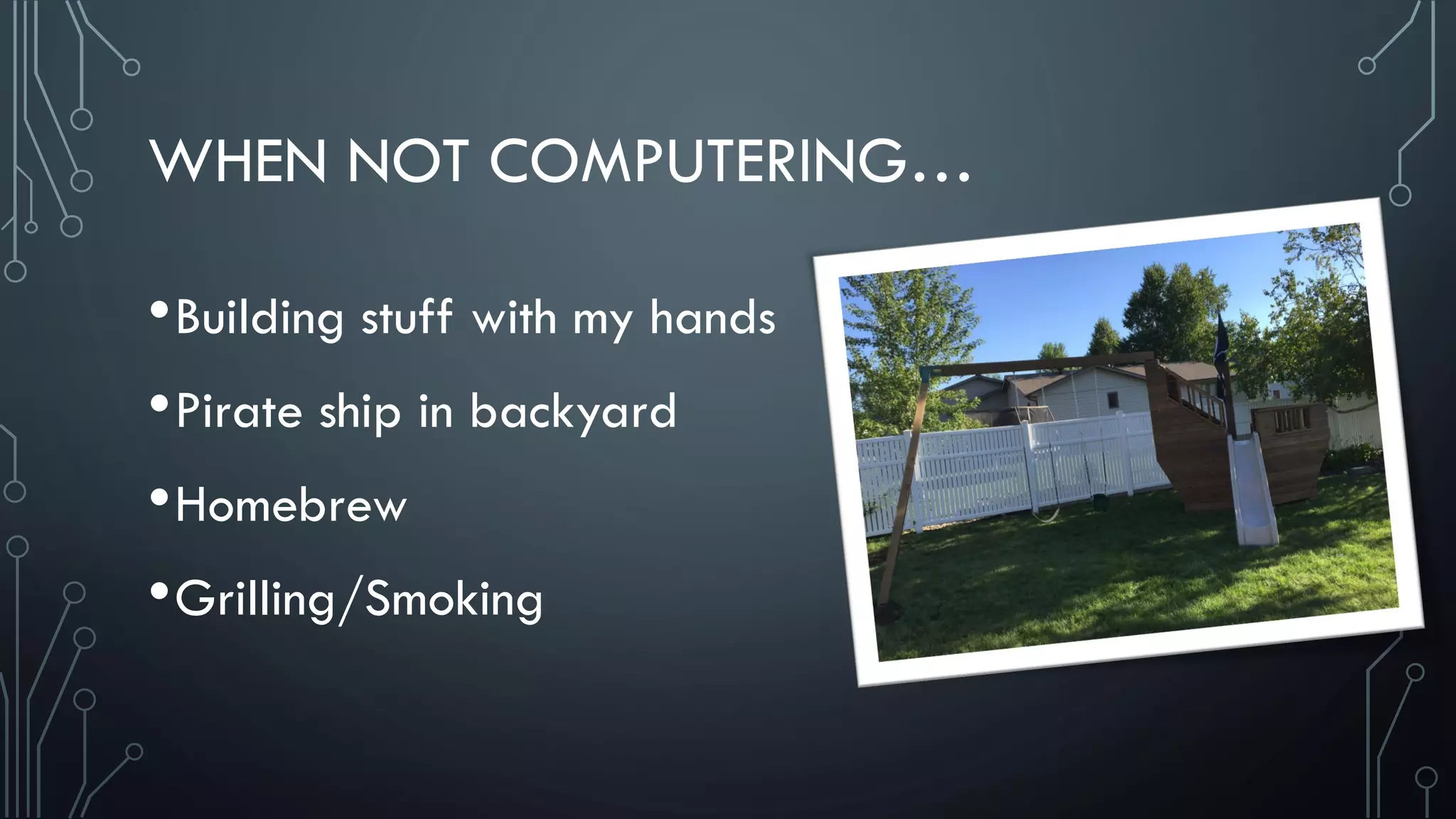
•Pirate ship in backyard
•Homebrew
•Grilling/Smoking
ATTACK SCENARIO #1
•Non security conscious org
•Most users running as local admin
•Attack dumps local creds
•Local admin creds are the same on every PC
•Attacker moves laterally, dumps more creds
•Quick path to Domain Admin
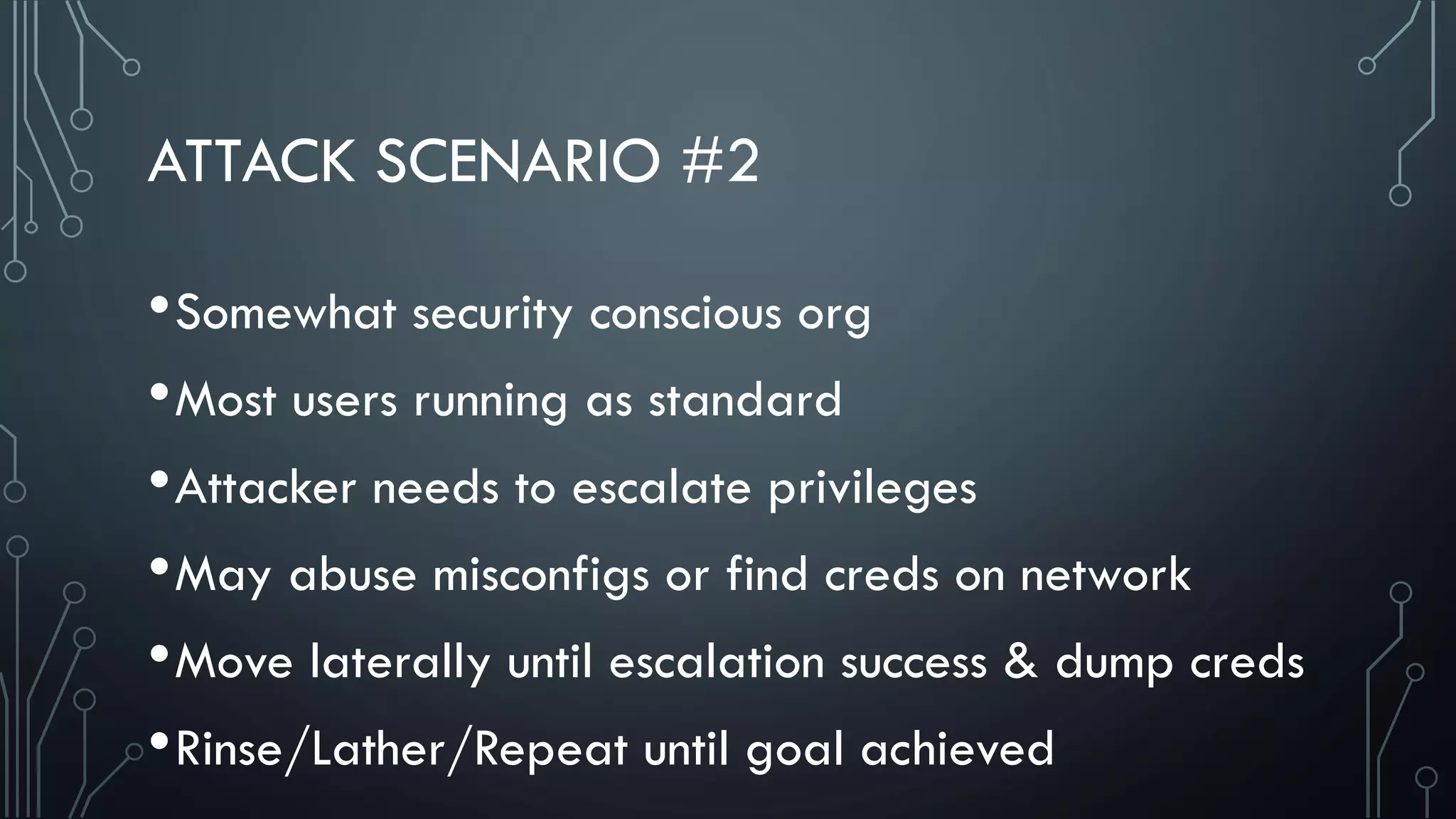
ATTACK SCENARIO #2
•Somewhat security conscious org
•Most users running as standard
•Attacker needs to escalate privileges
•May abuse misconfigs or find creds on network
•Move laterally until escalation success & dump creds
•Rinse/Lather/Repeat until goal achieved
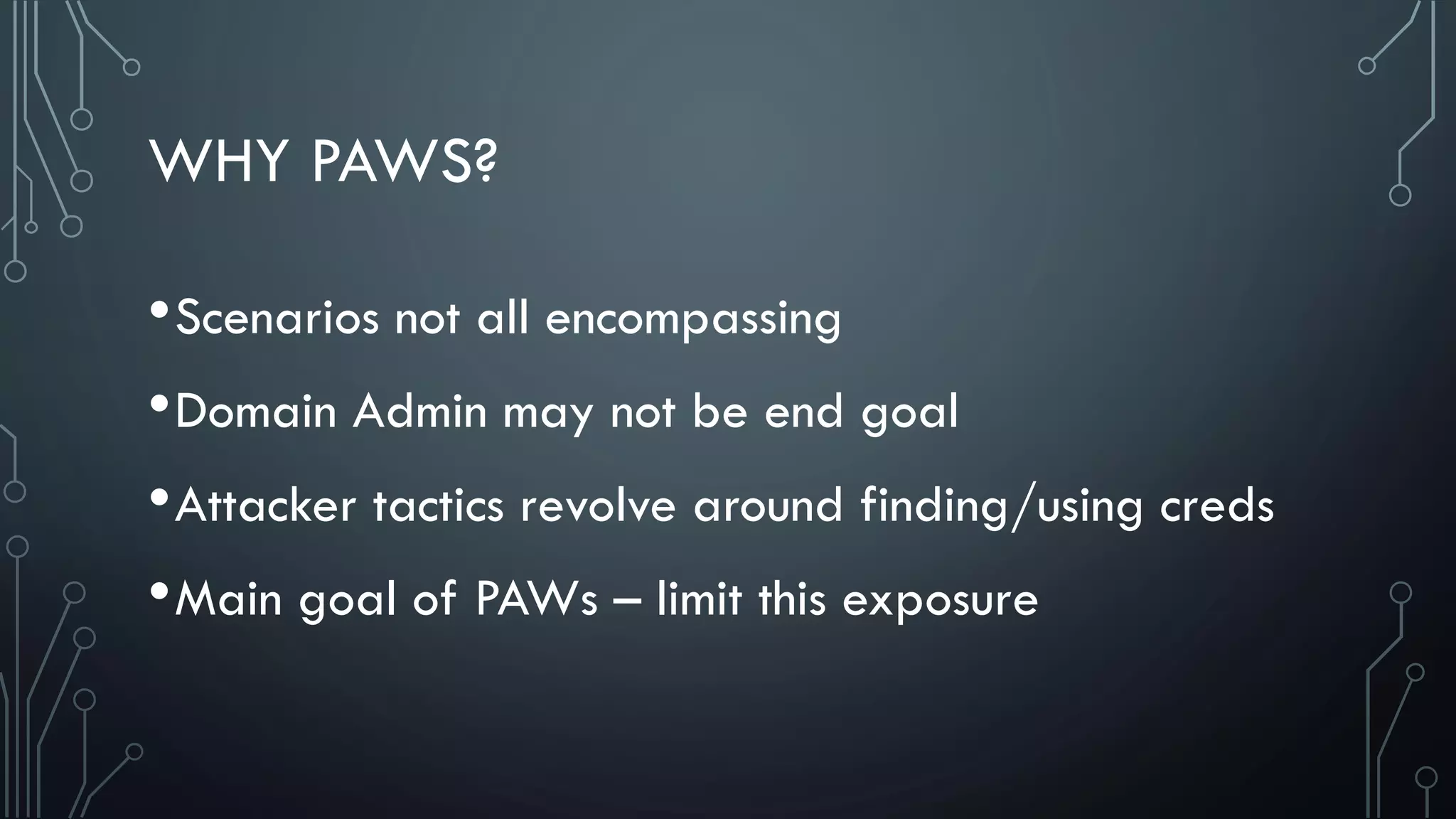
WHY PAWS?
•Scenarios not all encompassing
•Domain Admin may not be end goal
•Attacker tactics revolve around finding/using creds
•Main goal of PAWs – limit this exposure
• WINDOWS LOGON TYPES
•Interactive [2]
•Network [3] – No Reusable Credentials
• Net use
• SQL Windows
Authentication
• Powershell Remoting
• Remote Registry
• Other MMC Snap-ins
• WMI / WMIC
• Batch [4]
• Service [5]
• Unlock [7]
• Network Cleartext [8]
• New Credentials [9]
• Remote Interactive [10]
• Cached Interactive [11]
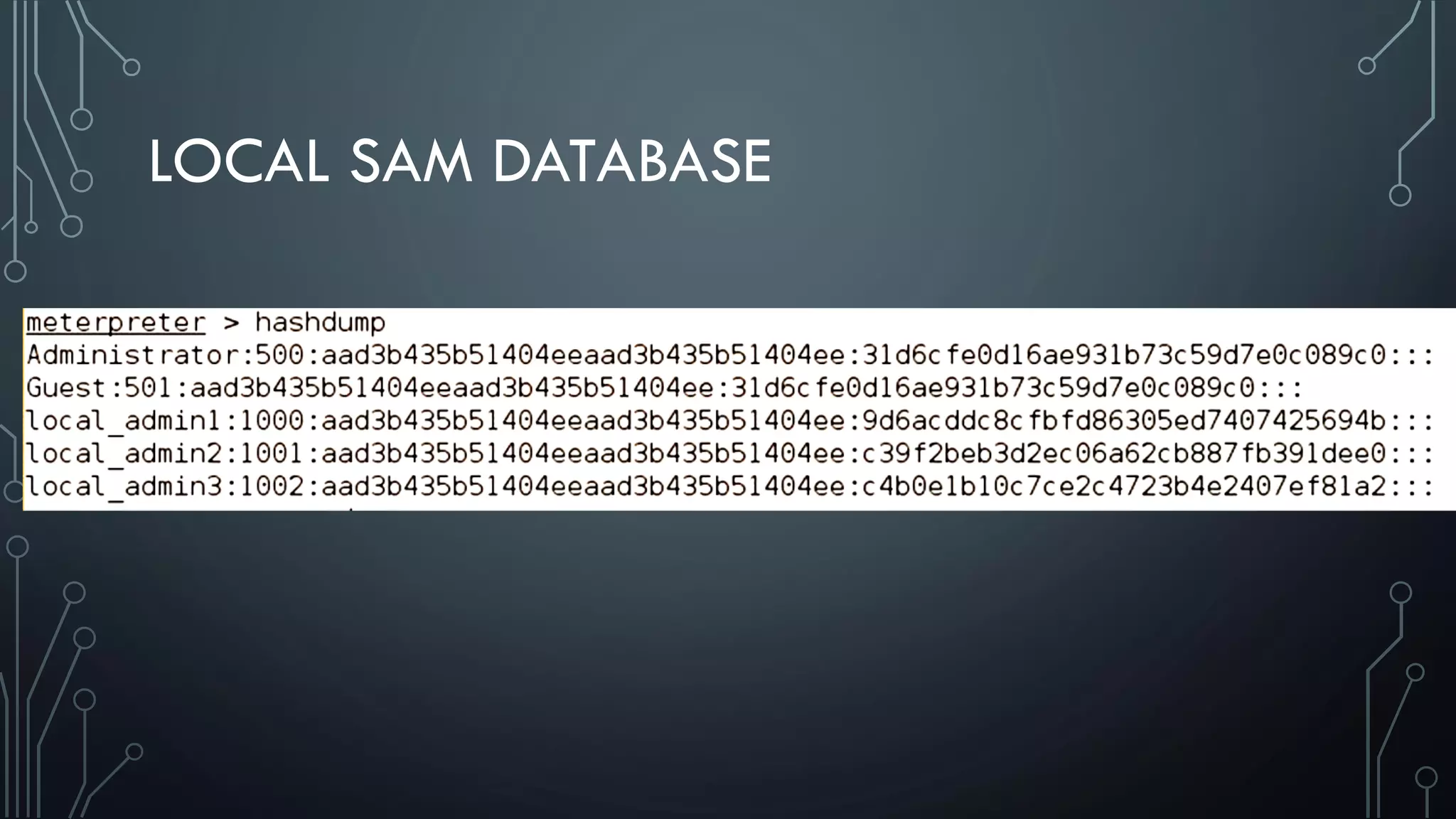
LOCAL SAM DATABASE
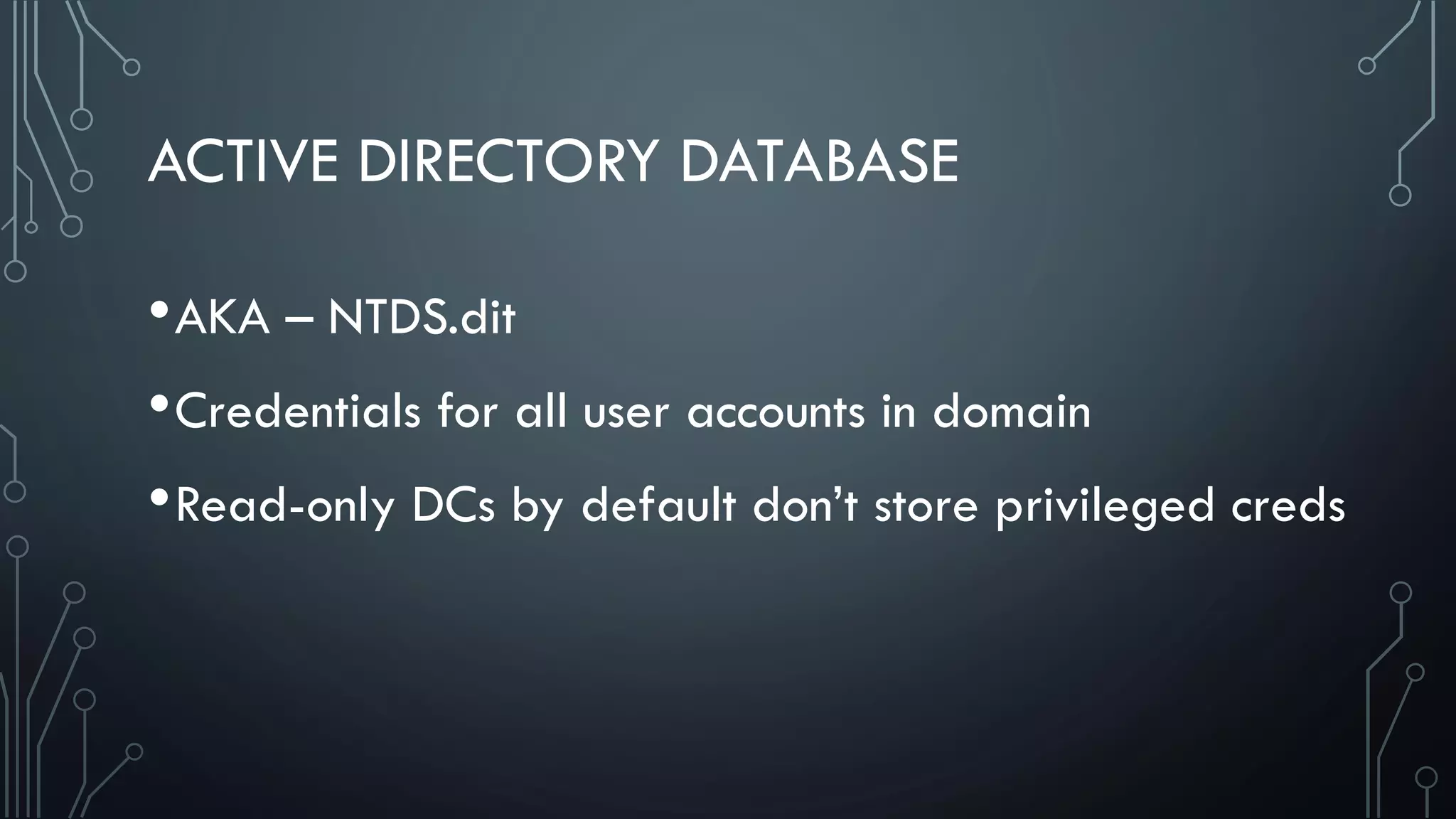
ACTIVE DIRECTORY DATABASE
•AKA – NTDS.dit
•Credentials for all user accounts in domain
•Read-only DCs by default don’t store privileged creds
LSASS
•Mimikatz and WCE pull creds from here
•User logs on – LSASS caches creds for future use
•Can be hashes, Kerberos tickets, or plaintext
LSASS
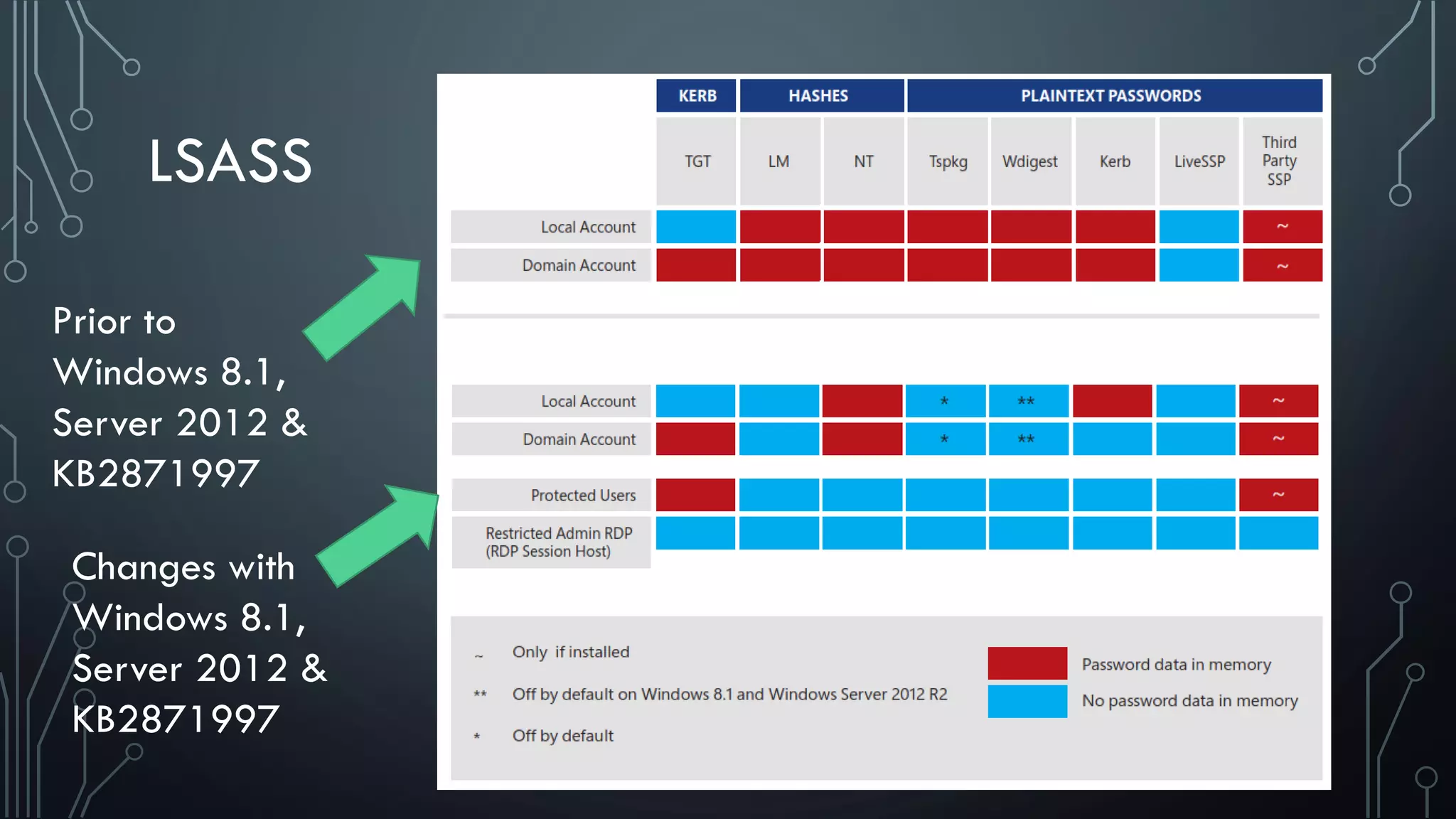
Prior to
Windows 8.1,
Server 2012 &
KB2871997
Changes with
Windows 8.1,
Server 2012 &
KB2871997
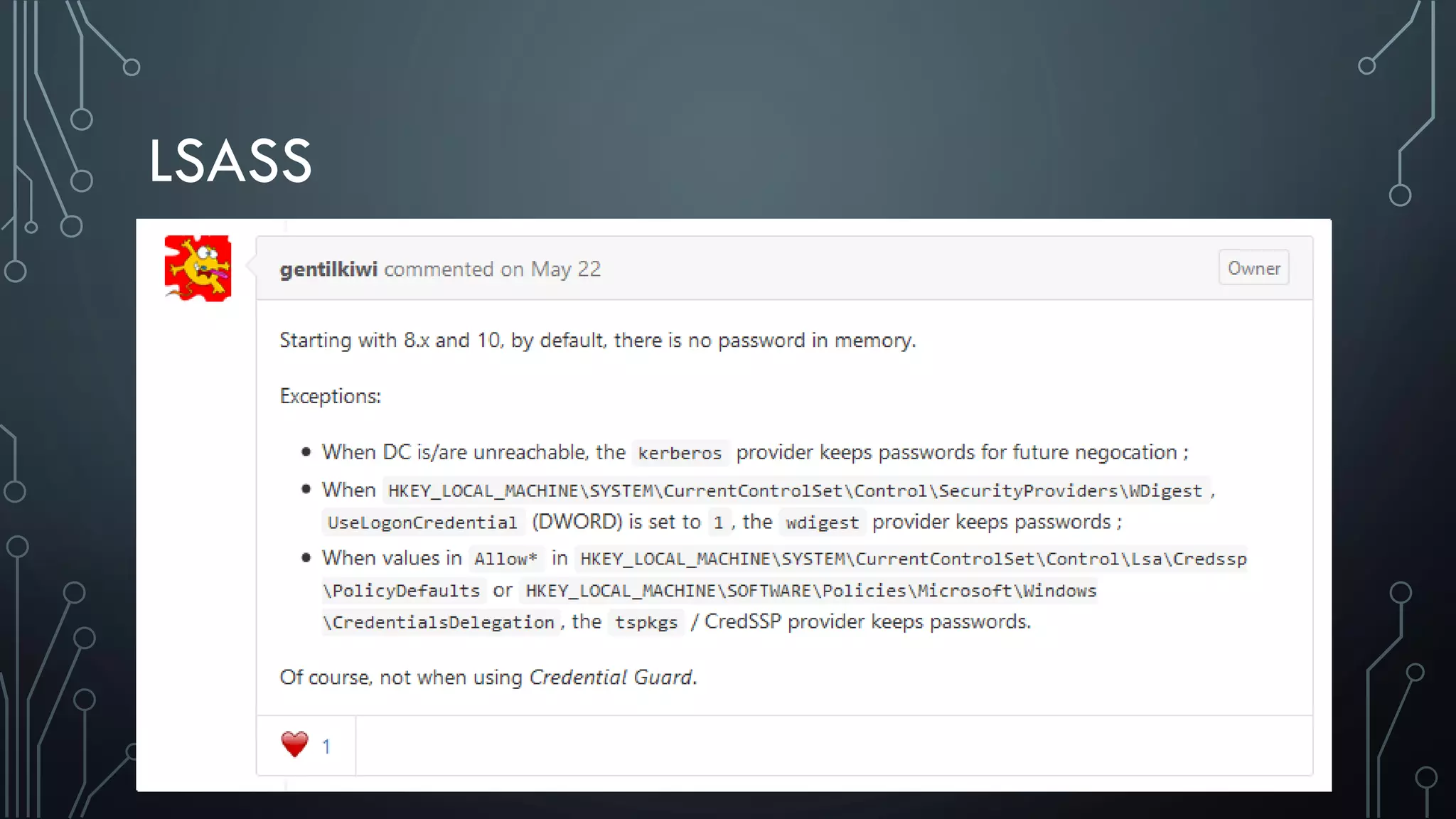
LSASS
LSASS
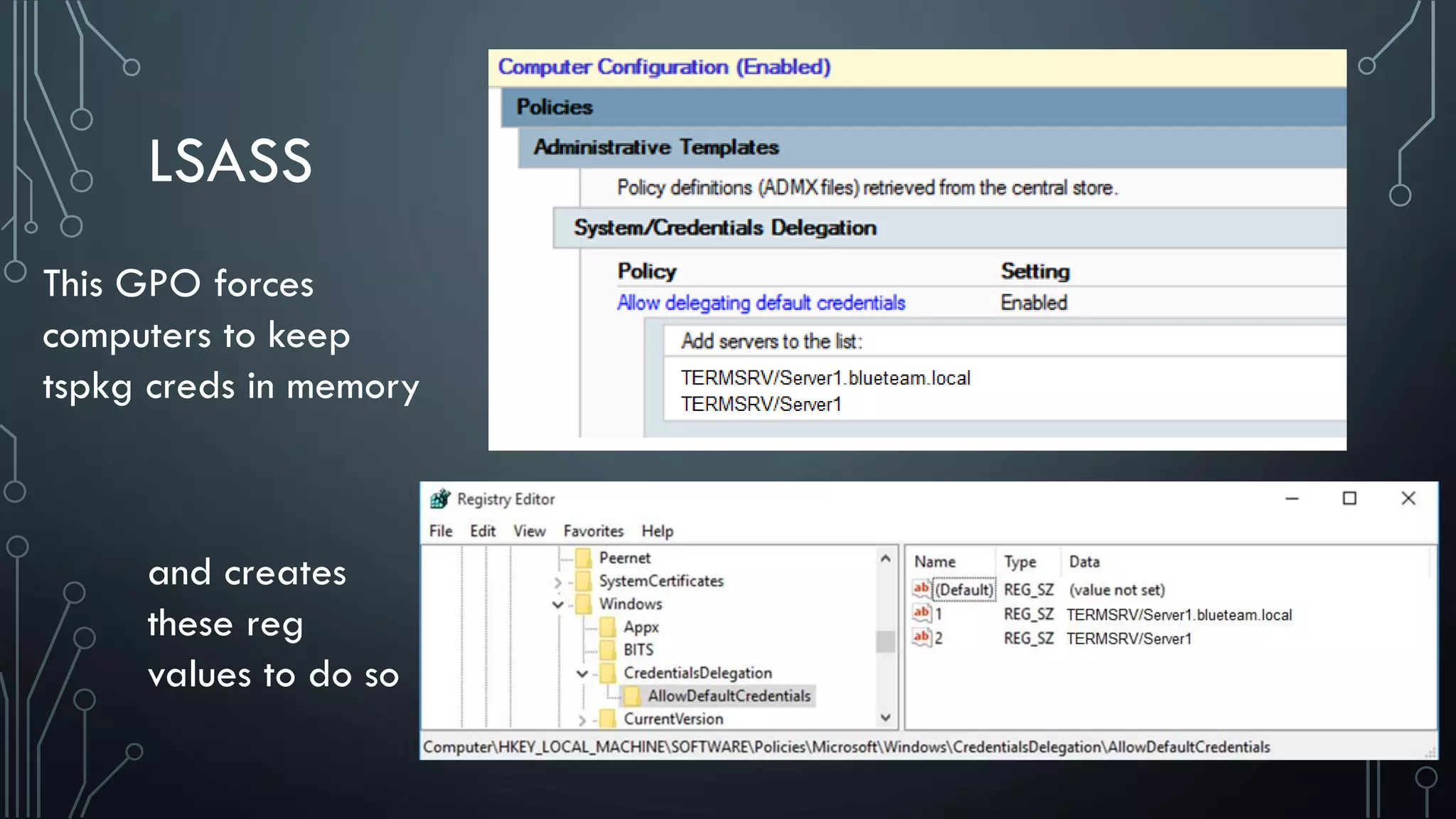
This GPO forces
computers to keep
tspkg creds in memory
and creates
these reg
values to do so
LSA SECRETS
•Data only accessible to SYSTEM process
•Credentials are encrypted and stored on disk
•Scheduled tasks
•Computer Account
•Service Accounts
LSA SECRETS
•Domain cached credentials – aka password verifiers
•Stored in salted hash format
•Can’t be passed in a Pass-the-Hash attack
•Can be dumped and brute forced
CREDENTIAL MANAGER
•Passwords entered manually via Control Panel applet
•Or when user tells Windows to remember password
•Remote Desktop, IE Autocomplete
•Encrypted with key derived from user’s password
•Any program running as that user can access
WINDOWS CREDENTIAL & AUTH ISSUES
•Pass-the-Hash Attacks
•NTLM hashes acquired from memory or SAM
•Can be used to authenticate just as Windows does
WINDOWS CREDENTIAL & AUTH ISSUES
•Auth via NTLM protocols uses challenge/ response
•NTLMv1 – completely broken
• Attacker can recover hash if traffic can be capture on wire
•NTLMv2 – better but brute force still possible
•Both vulnerable to relay attacks – Use SMB Signing
WINDOWS CREDENTIAL & AUTH ISSUES
•Kerberos – Pass-the-Ticket
•Dumped from one computer and loaded on another
•Tickets can be extended by presenting expired TGT
•Other Issues
• Golden/Silver Tickets, etc.
WINDOWS CREDENTIAL & AUTH ISSUES
•Windows Access Tokens
•Not well known among defenders
•User logs on, system verifies password
•If password OK, access token is created
•Every process this user runs has copy of token
•Stored in memory, enable single sign-on
WINDOWS CREDENTIAL & AUTH ISSUES
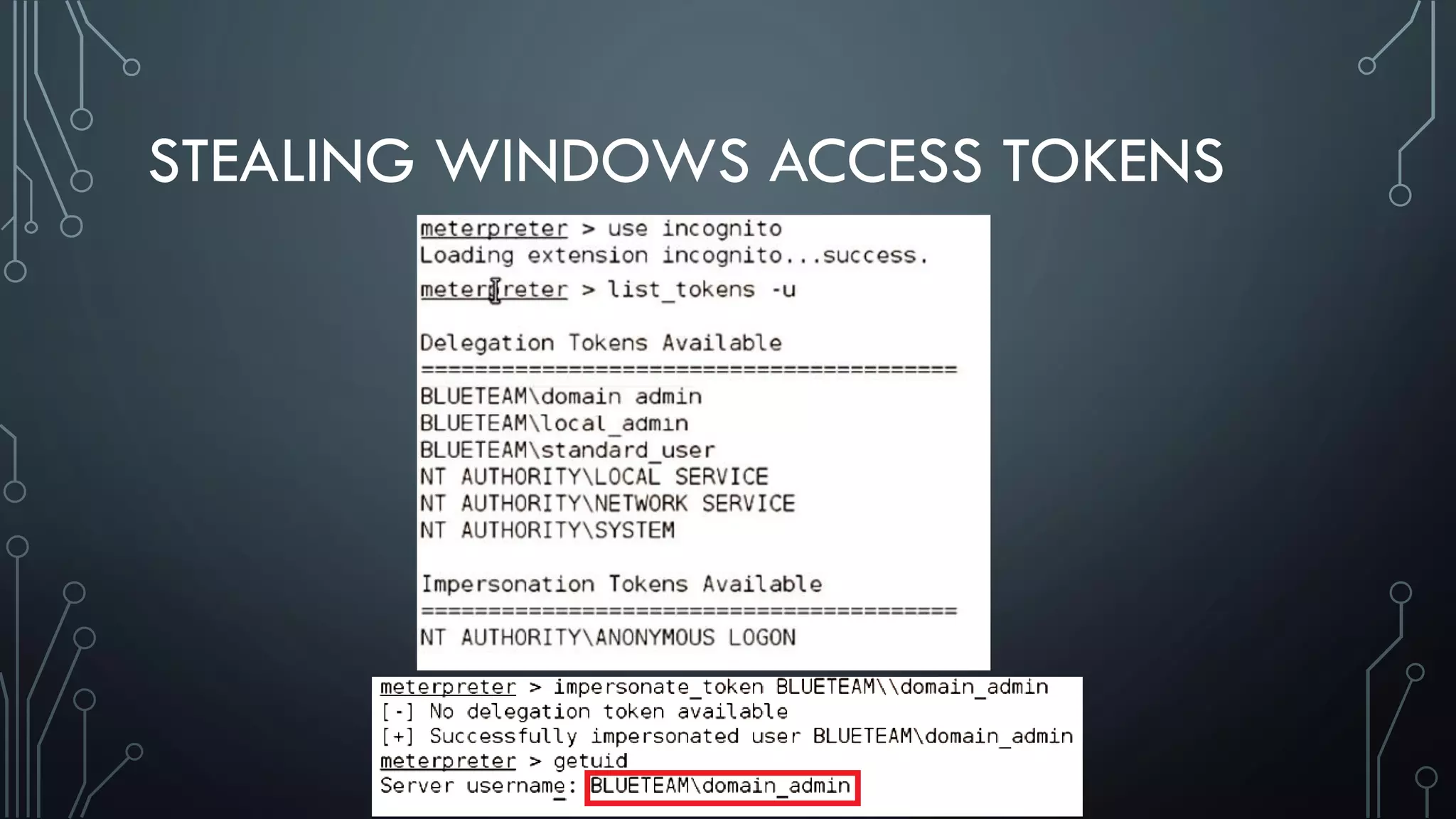
•Impersonation Tokens - Non-Interactive Logons
•Can be used to escalate privs, but only good locally
•Delegation Tokens - Interactive Logons
•Attacker can steal more privileged user's token
•Use it on any network accessible system
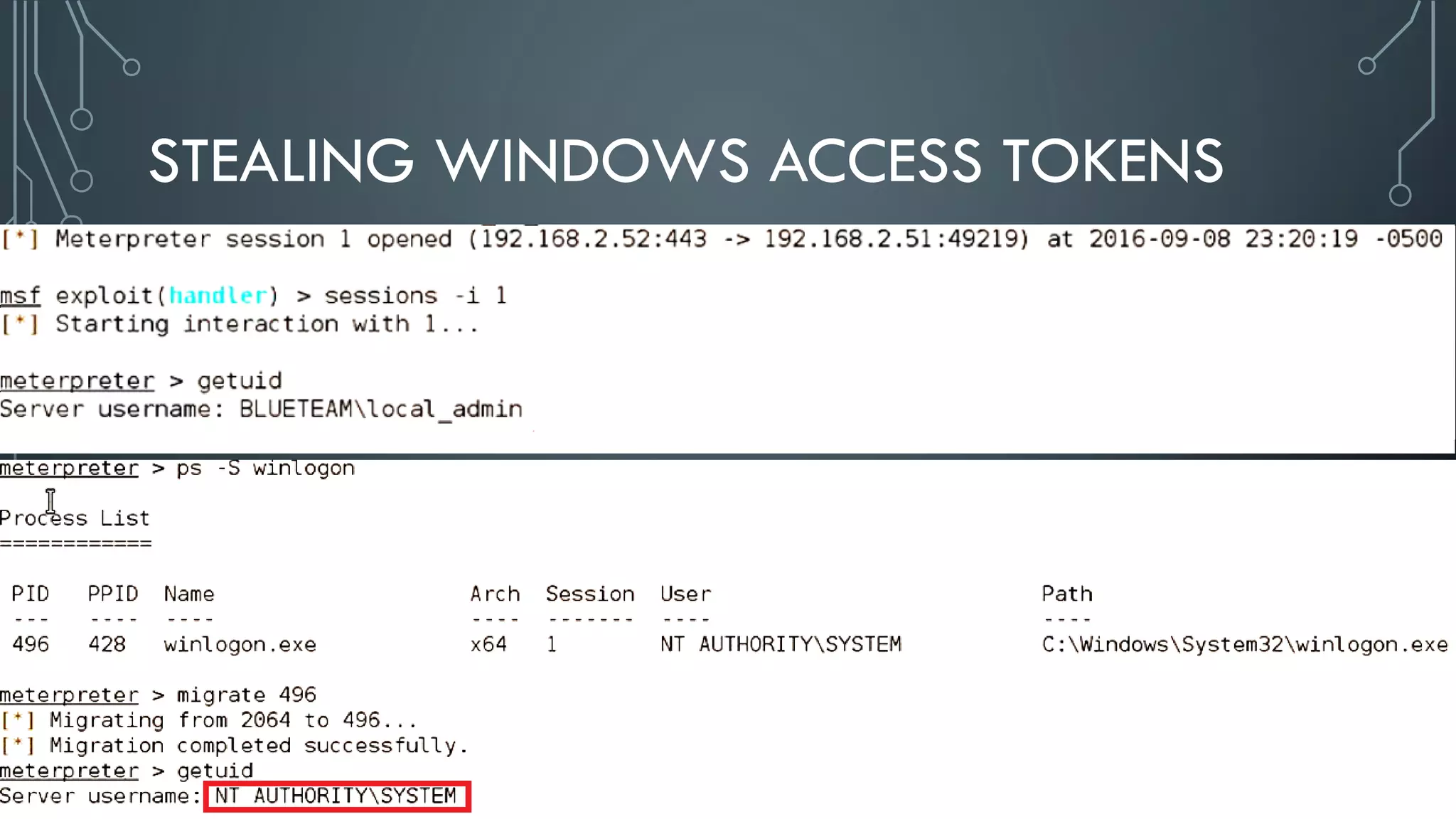
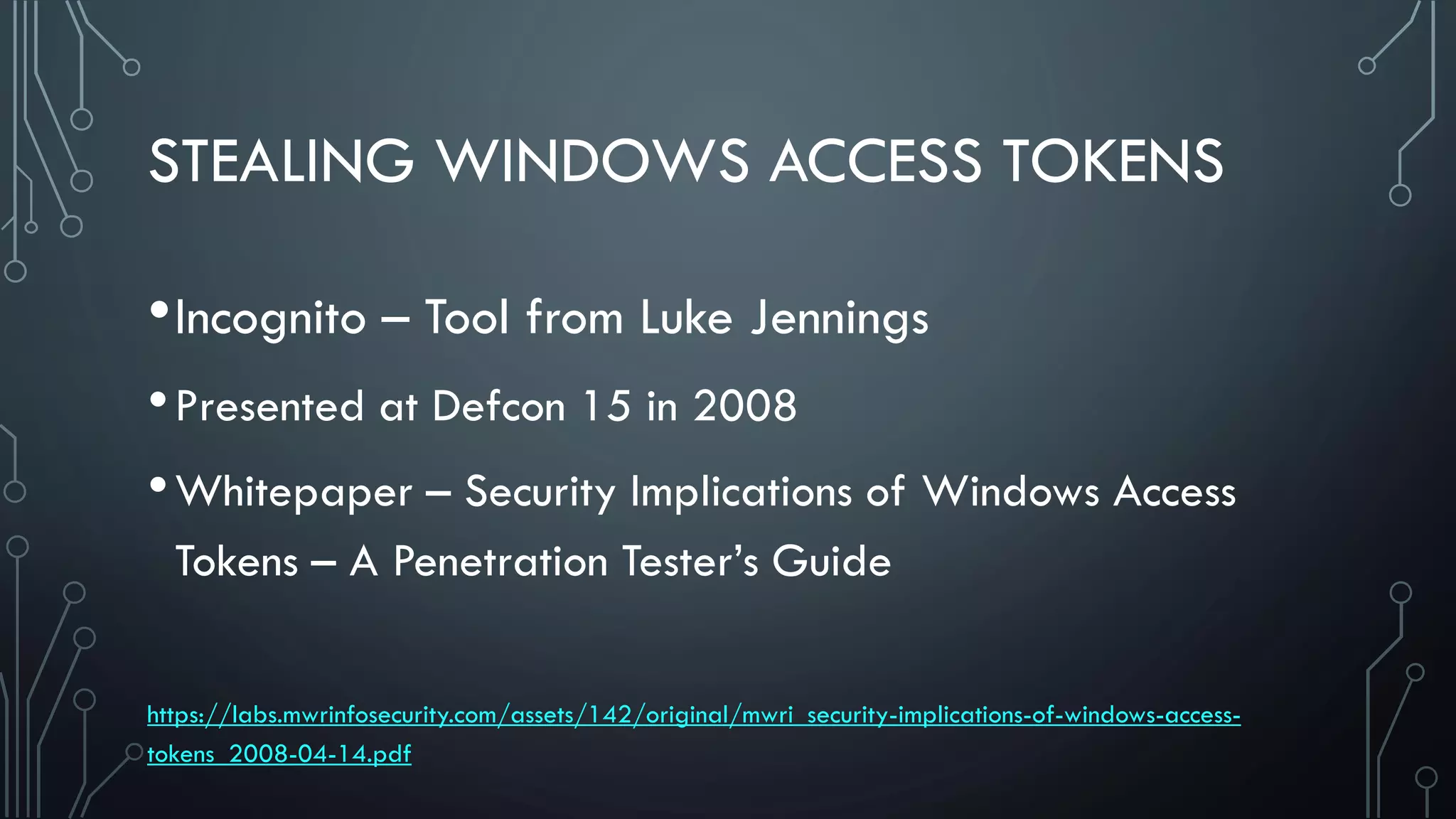
STEALING WINDOWS ACCESS TOKENS
•Incognito – Tool from Luke Jennings
•Presented at Defcon 15 in 2008
•Whitepaper – Security Implications of Windows Access
Tokens – A Penetration Tester’s Guide
https://labs.mwrinfosecurity.com/assets/142/original/mwri_security-implications-of-windows-access-
tokens_2008-04-14.pdf
WINDOWS CRED & AUTH ISSUES
•Cred theft – major issue for a long time
•Roadblocks to overcome
•IT Admins may not understand the risk
•Change is hard; usability > security
•No “patch” for these issues
•Light at the end of the tunnel
INTRODUCING PAWS
•Hardened admin workstations
•Designed to limit credential theft of privileged accounts
•Similar in theory to network segmentation
•Requires grouping systems and users by privilege level
https://technet.microsoft.com/en-us/windows-server-docs/security/securing-privileged-access/privileged-access-
workstations
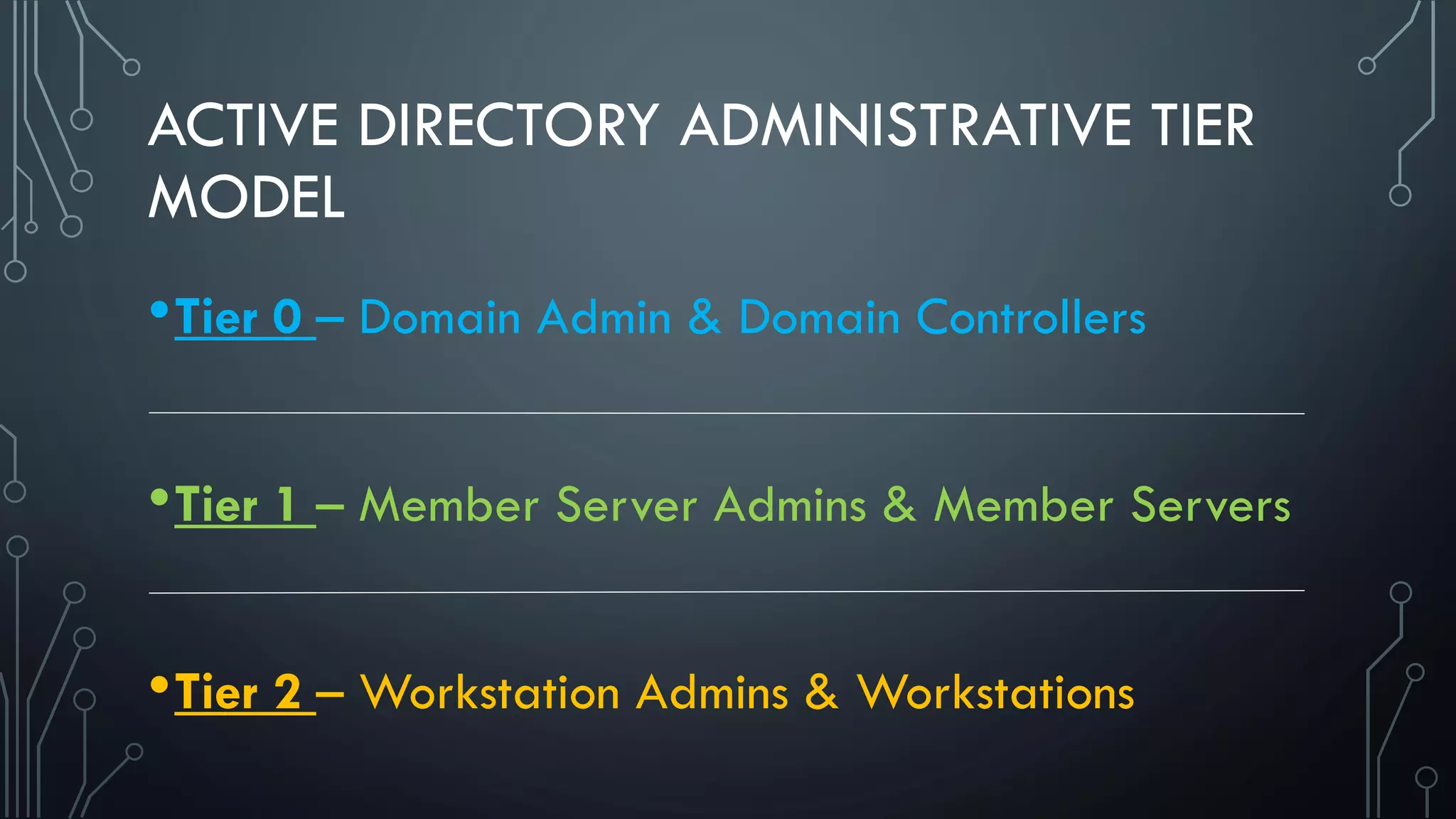
ACTIVE DIRECTORY ADMINISTRATIVE TIER
MODEL
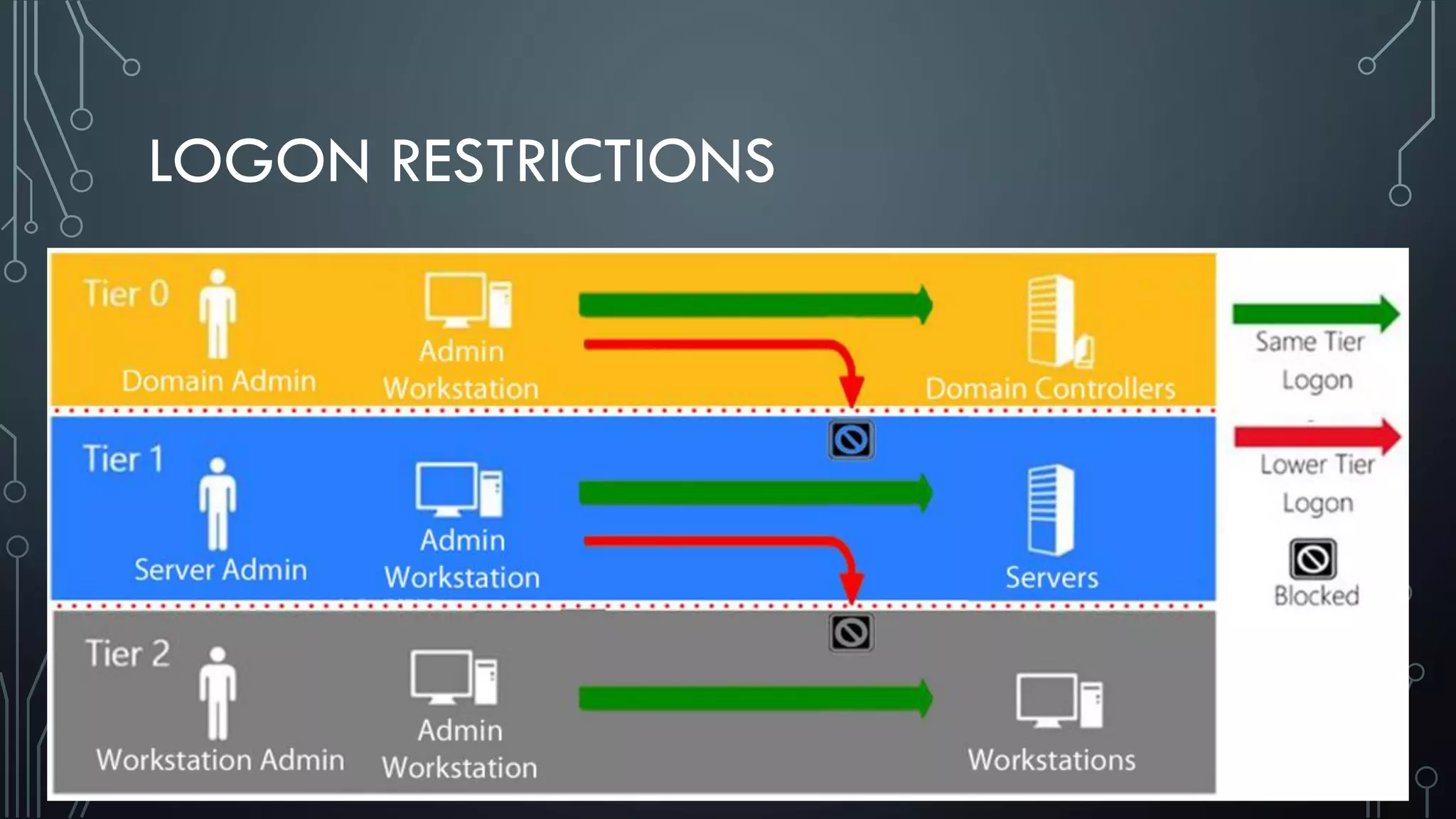
•Tier 0 – Domain Admin & Domain Controllers
•Tier 1 – Member Server Admins & Member Servers
•Tier 2 – Workstation Admins & Workstations
LOGON RESTRICTIONS
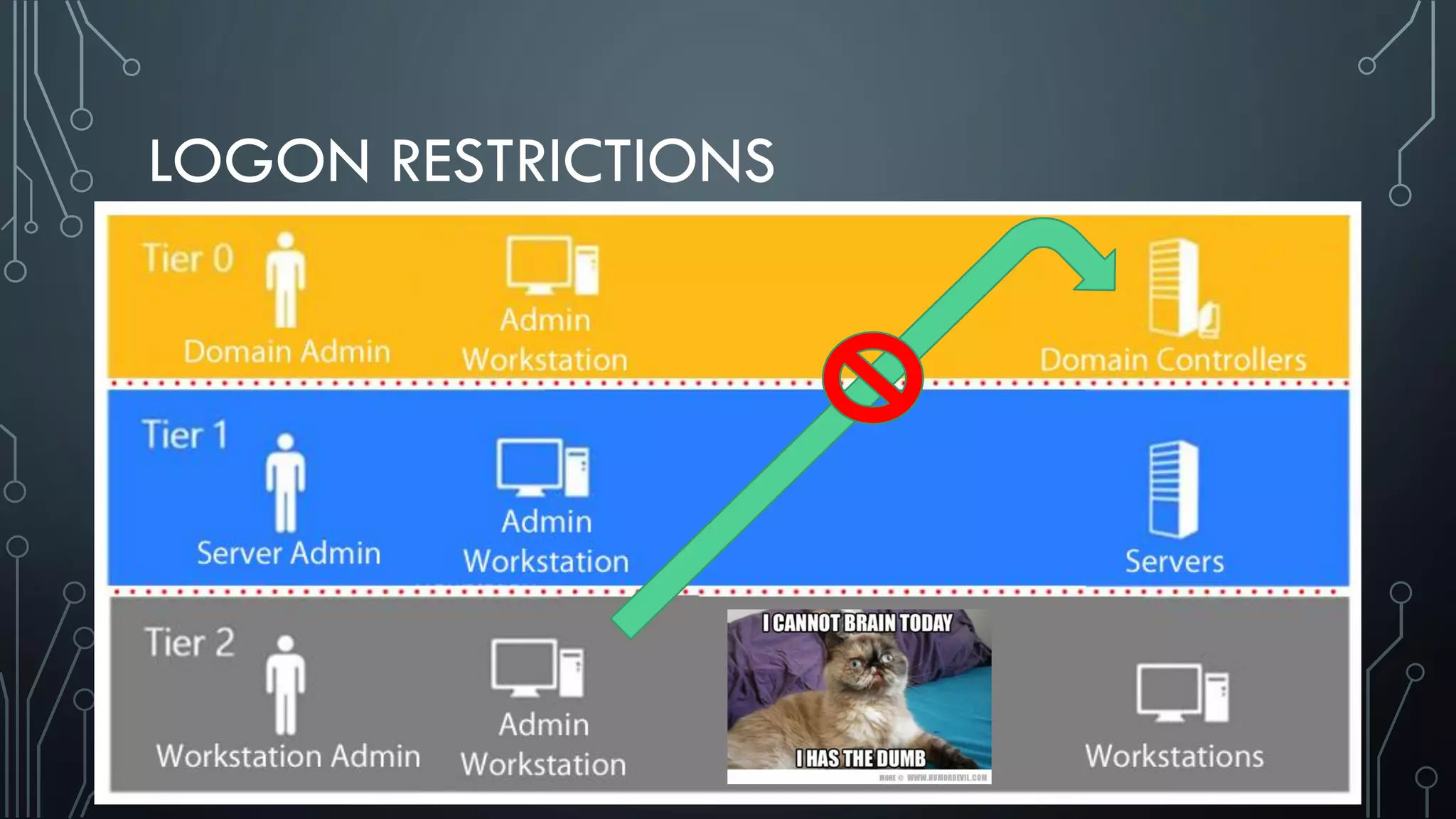
LOGON RESTRICTIONS
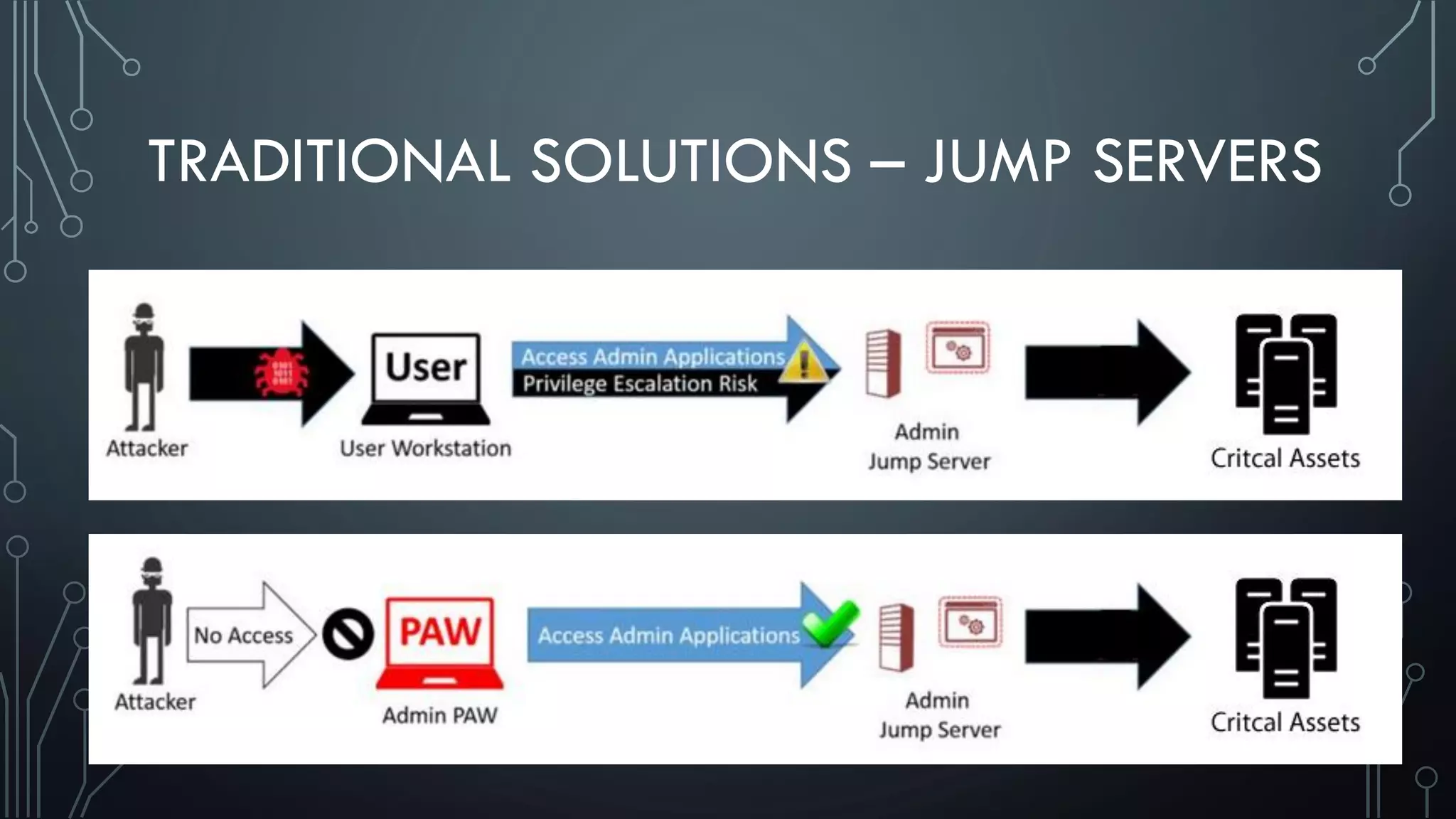
TRADITIONAL SOLUTIONS – JUMP SERVERS
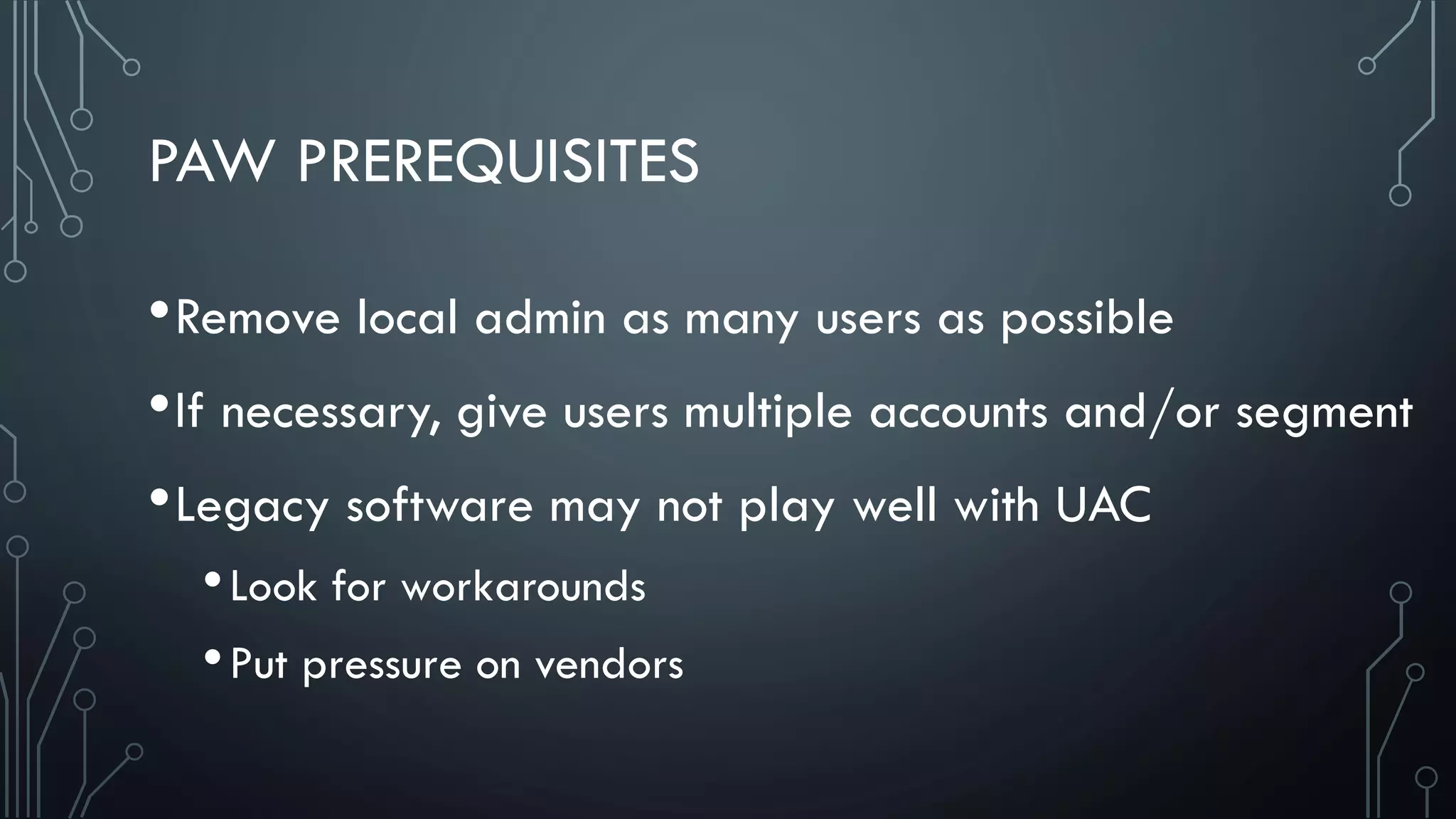
PAW PREREQUISITES
•Remove local admin as many users as possible
•If necessary, give users multiple accounts and/or segment
•Legacy software may not play well with UAC
•Look for workarounds
•Put pressure on vendors
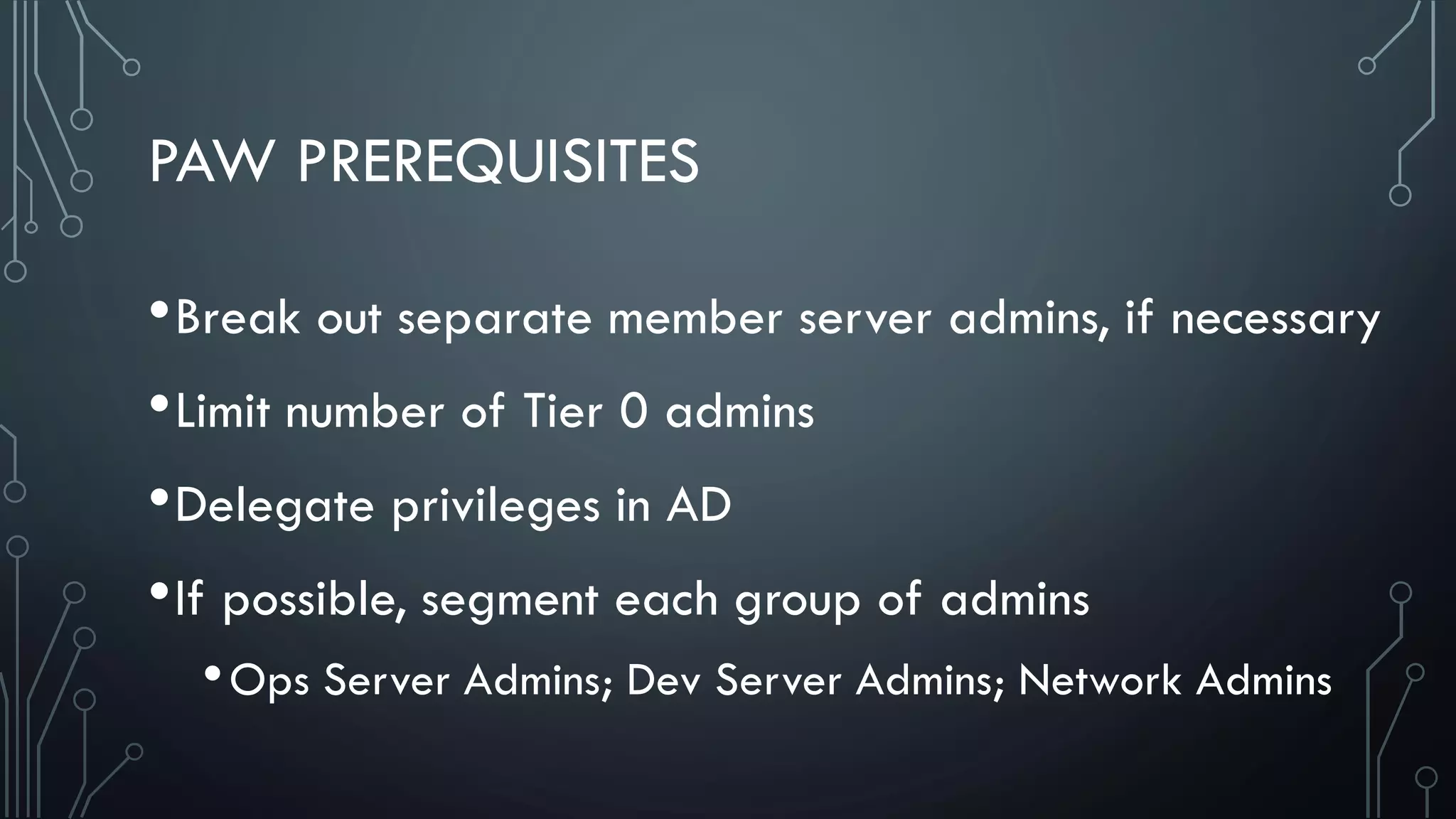
PAW PREREQUISITES
•Break out separate member server admins, if necessary
•Limit number of Tier 0 admins
•Delegate privileges in AD
•If possible, segment each group of admins
•Ops Server Admins; Dev Server Admins; Network Admins
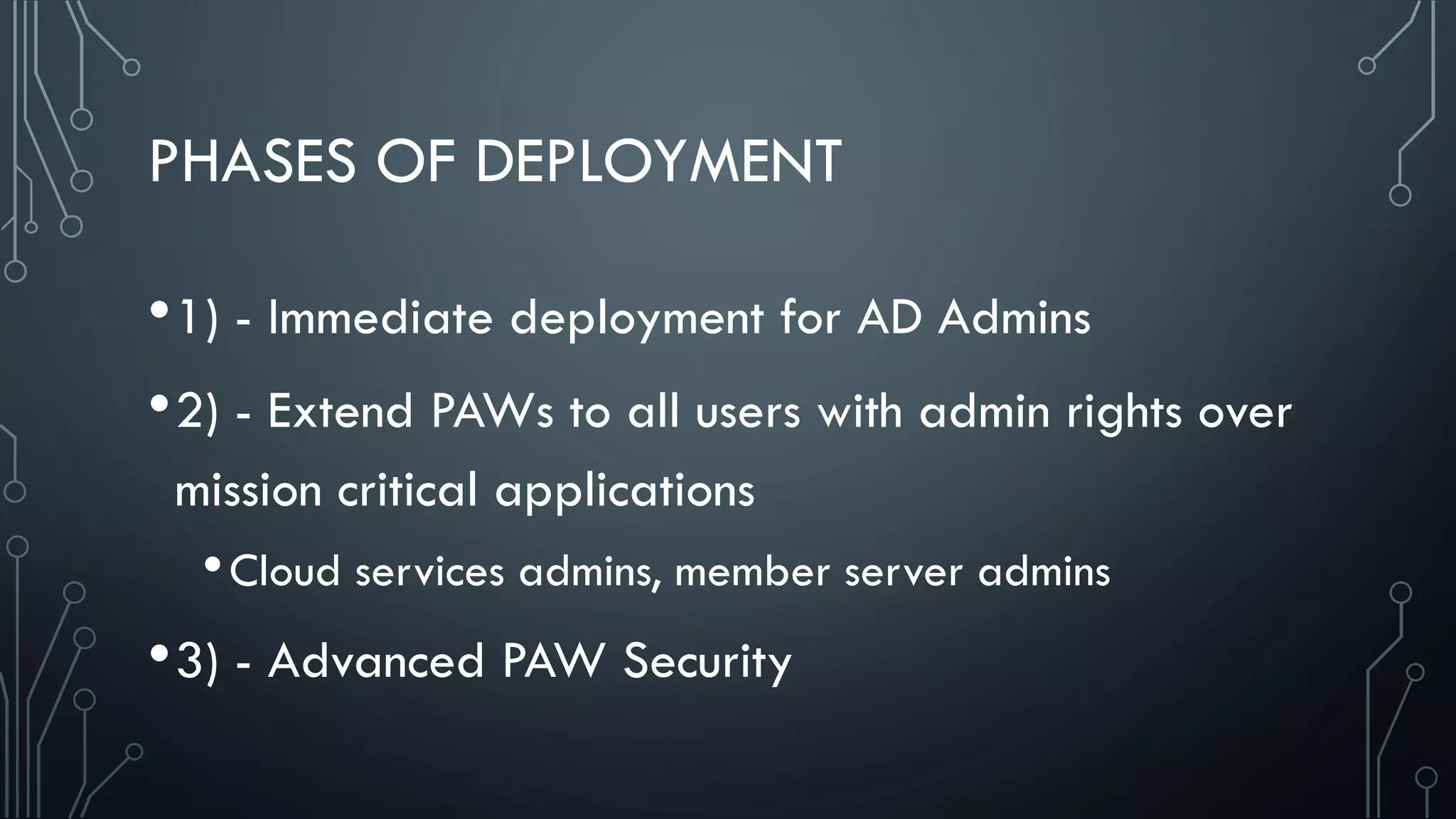
PHASES OF DEPLOYMENT
•1) - Immediate deployment for AD Admins
•2) - Extend PAWs to all users with admin rights over
mission critical applications
•Cloud services admins, member server admins
•3) - Advanced PAW Security
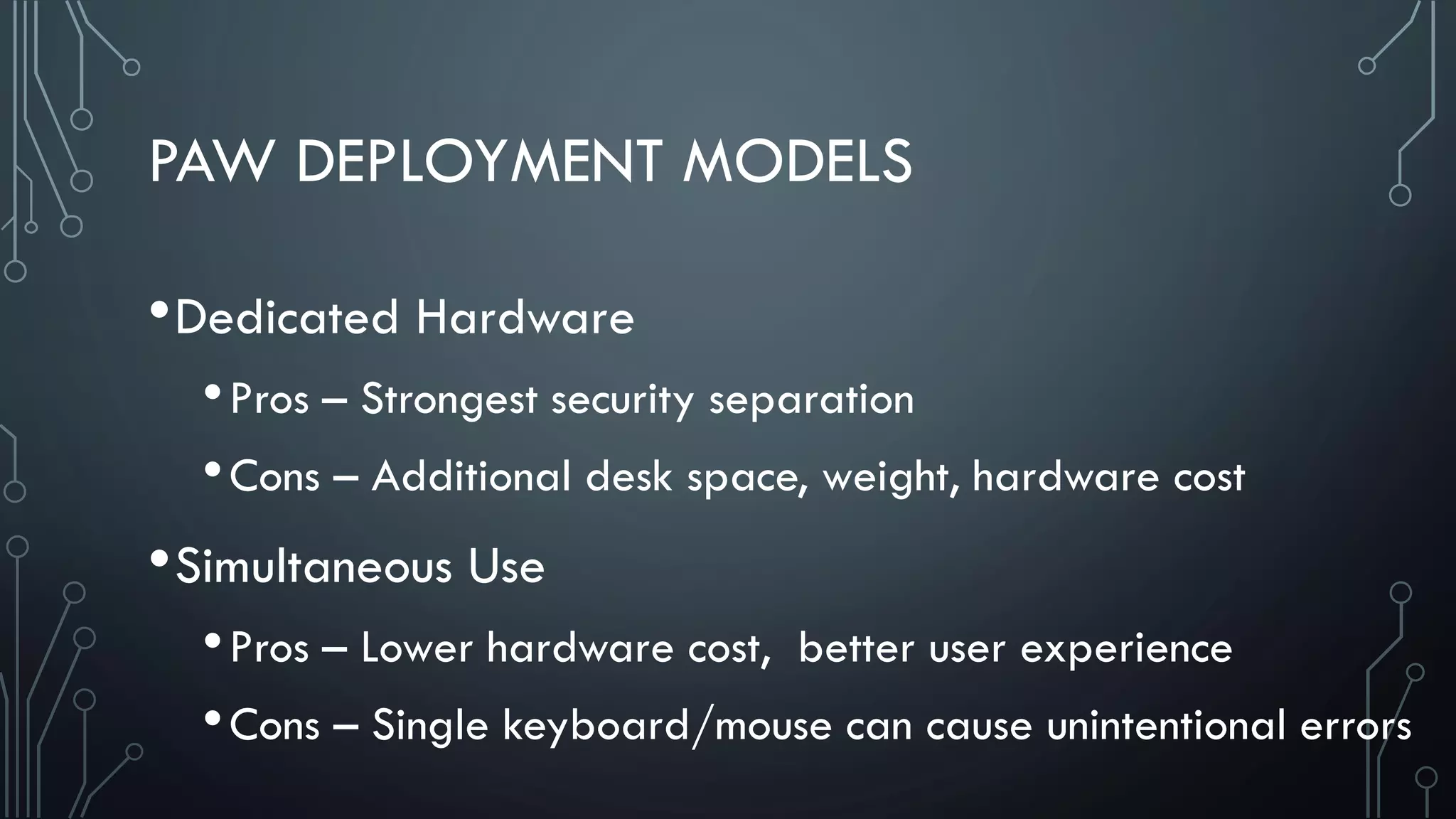
PAW DEPLOYMENT MODELS
•Dedicated Hardware
•Pros – Strongest security separation
•Cons – Additional desk space, weight, hardware cost
•Simultaneous Use
•Pros – Lower hardware cost, better user experience
•Cons – Single keyboard/mouse can cause unintentional errors
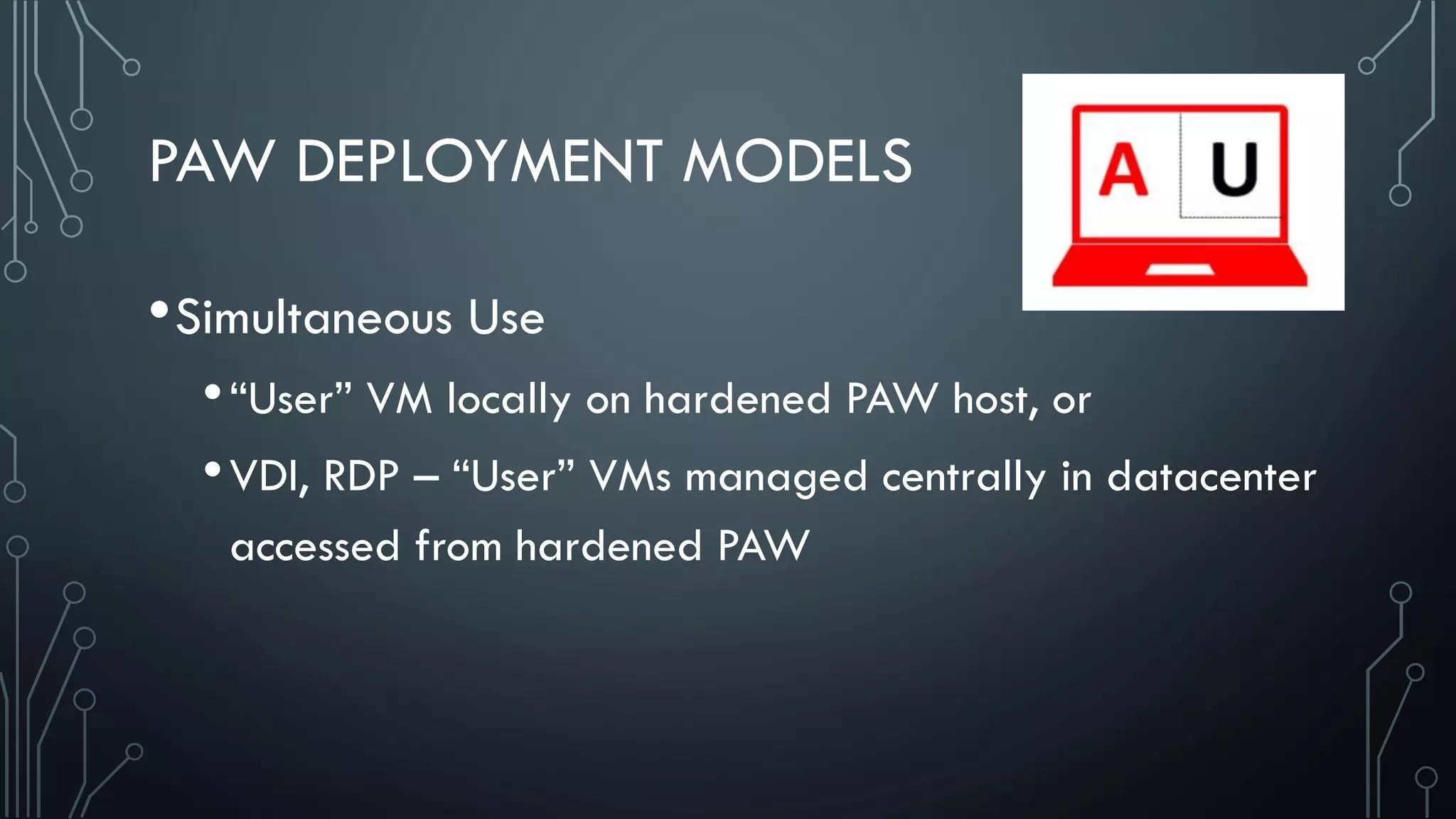
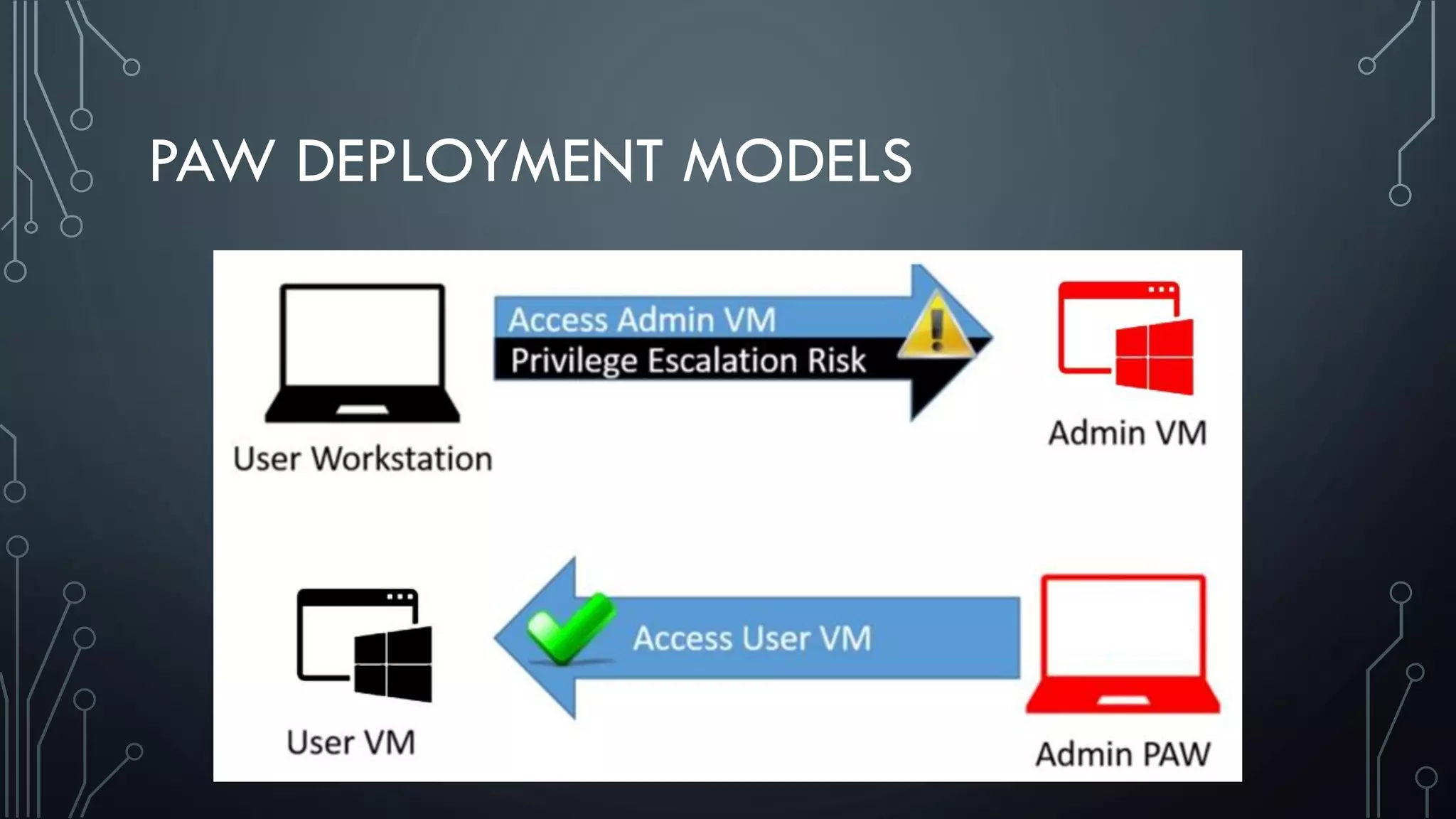
PAW DEPLOYMENT MODELS
•Simultaneous Use
•“User” VM locally on hardened PAW host, or
•VDI, RDP – “User” VMs managed centrally in datacenter
accessed from hardened PAW
PAW DEPLOYMENT MODELS
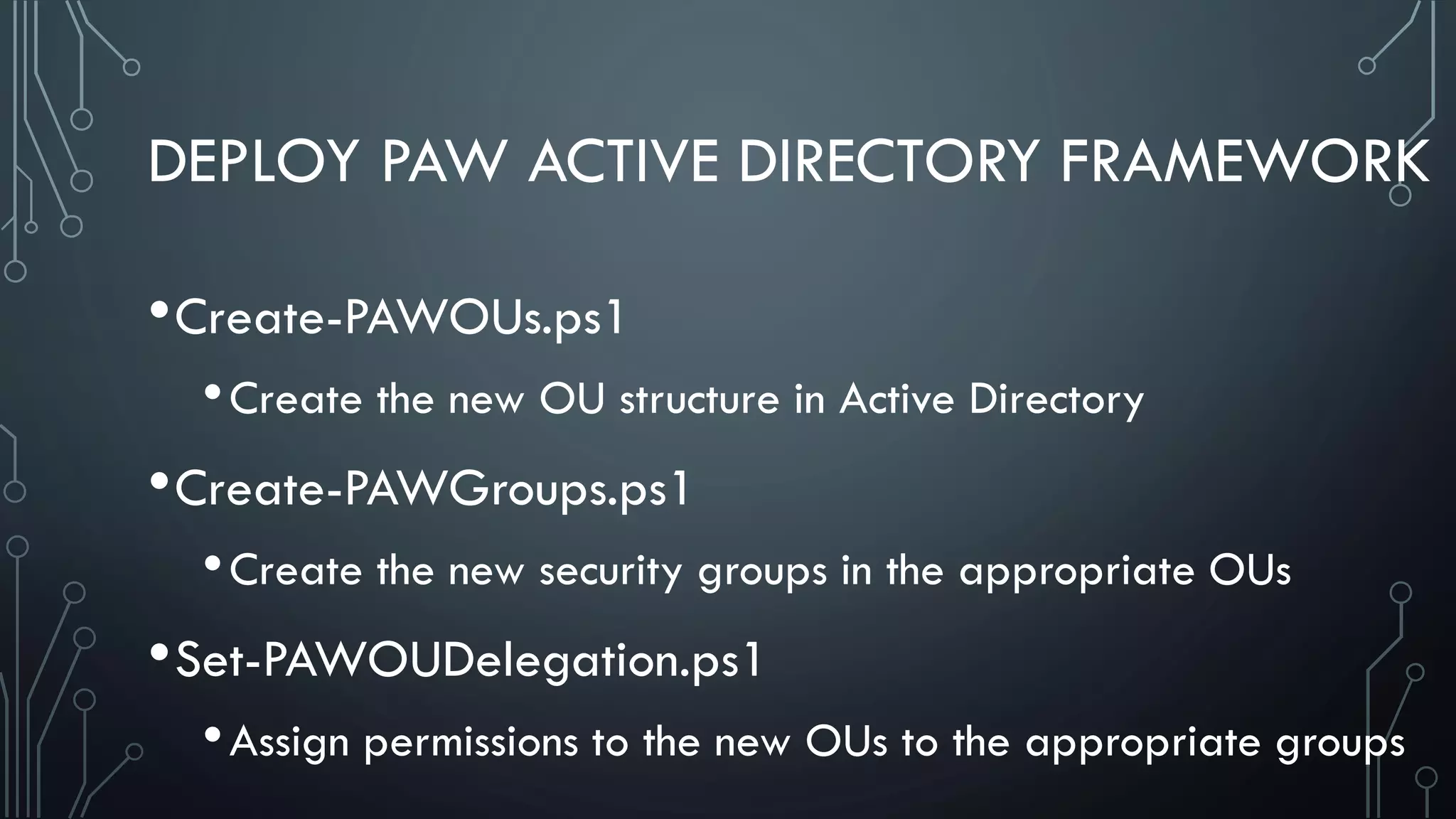
DEPLOY PAW ACTIVE DIRECTORY FRAMEWORK
•Create-PAWOUs.ps1
•Create the new OU structure in Active Directory
•Create-PAWGroups.ps1
•Create the new security groups in the appropriate OUs
•Set-PAWOUDelegation.ps1
•Assign permissions to the new OUs to the appropriate groups
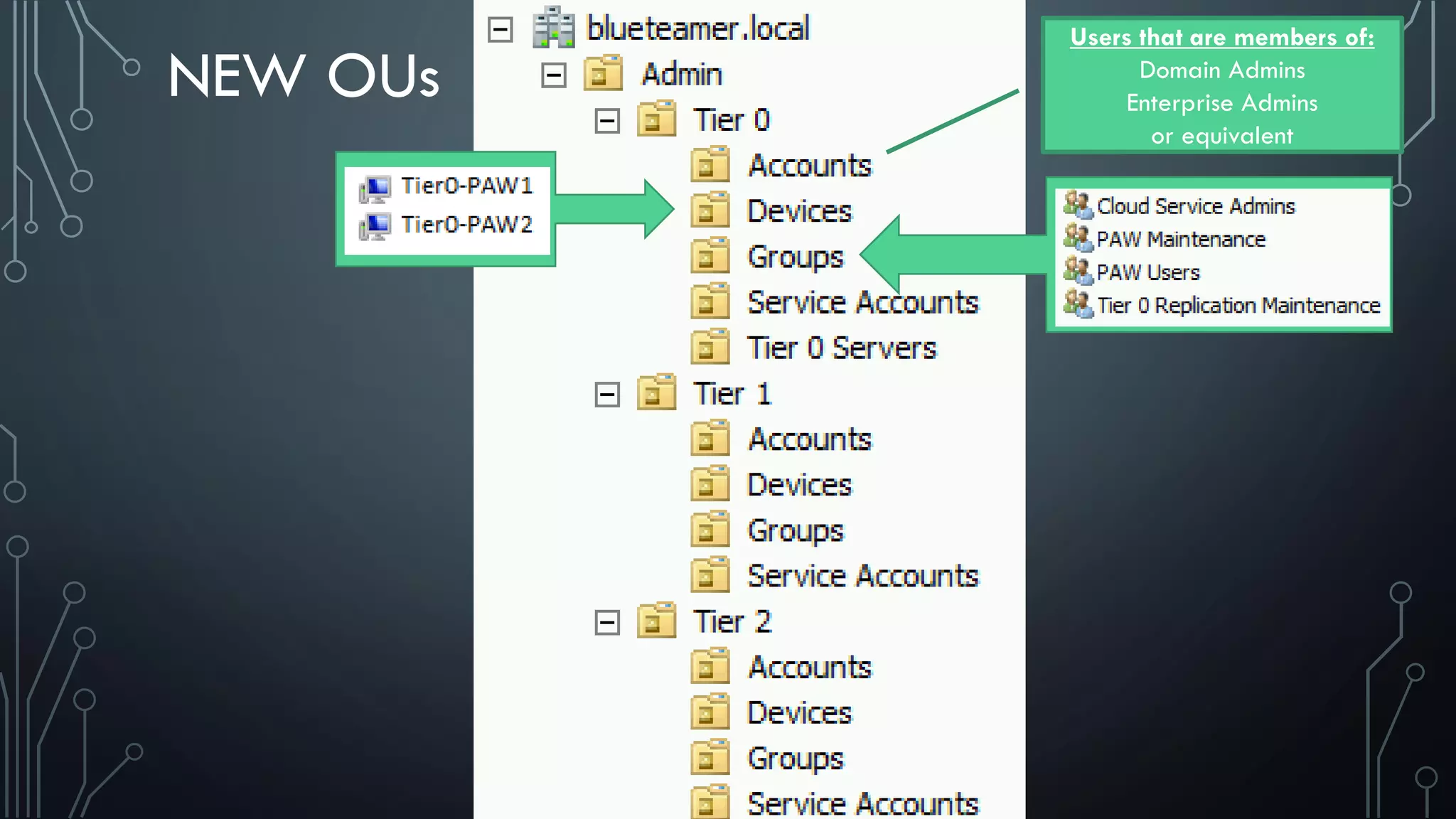
NEW OUs
Users that are members of:
Domain Admins
Enterprise Admins
or equivalent
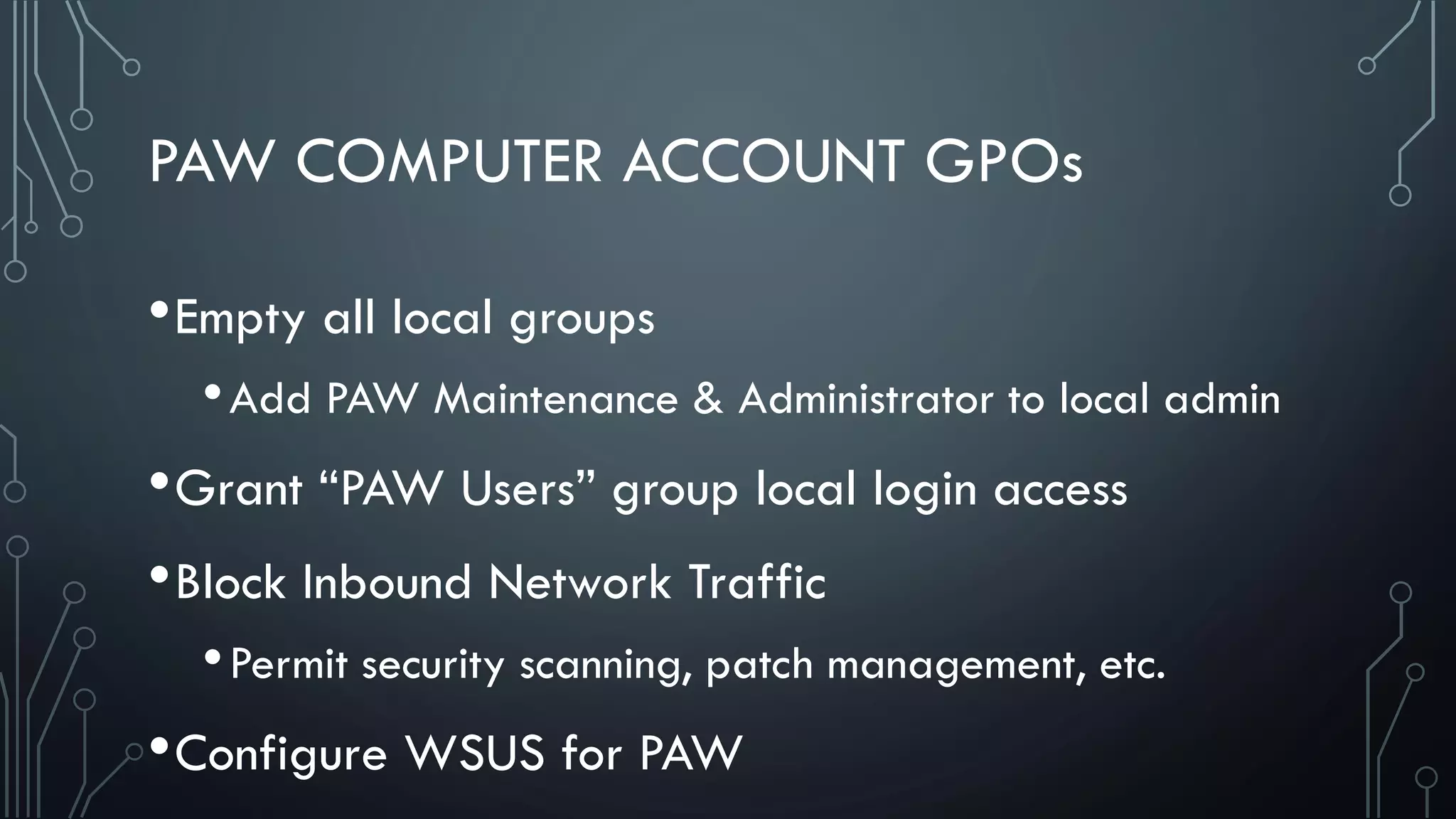
PAW COMPUTER ACCOUNT GPOs
•Empty all local groups
•Add PAW Maintenance & Administrator to local admin
•Grant “PAW Users” group local login access
•Block Inbound Network Traffic
•Permit security scanning, patch management, etc.
•Configure WSUS for PAW
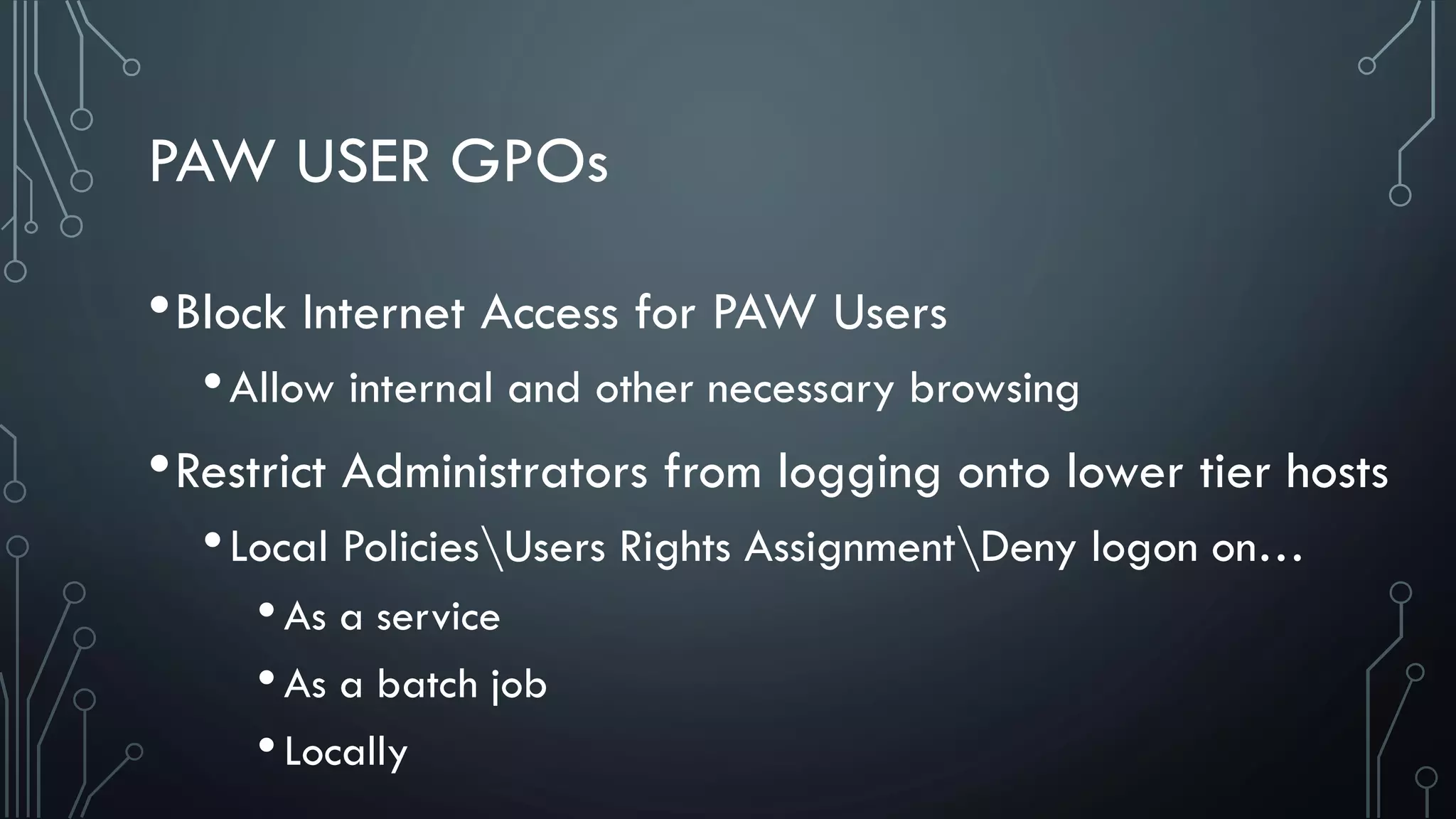
PAW USER GPOs
•Block Internet Access for PAW Users
•Allow internal and other necessary browsing
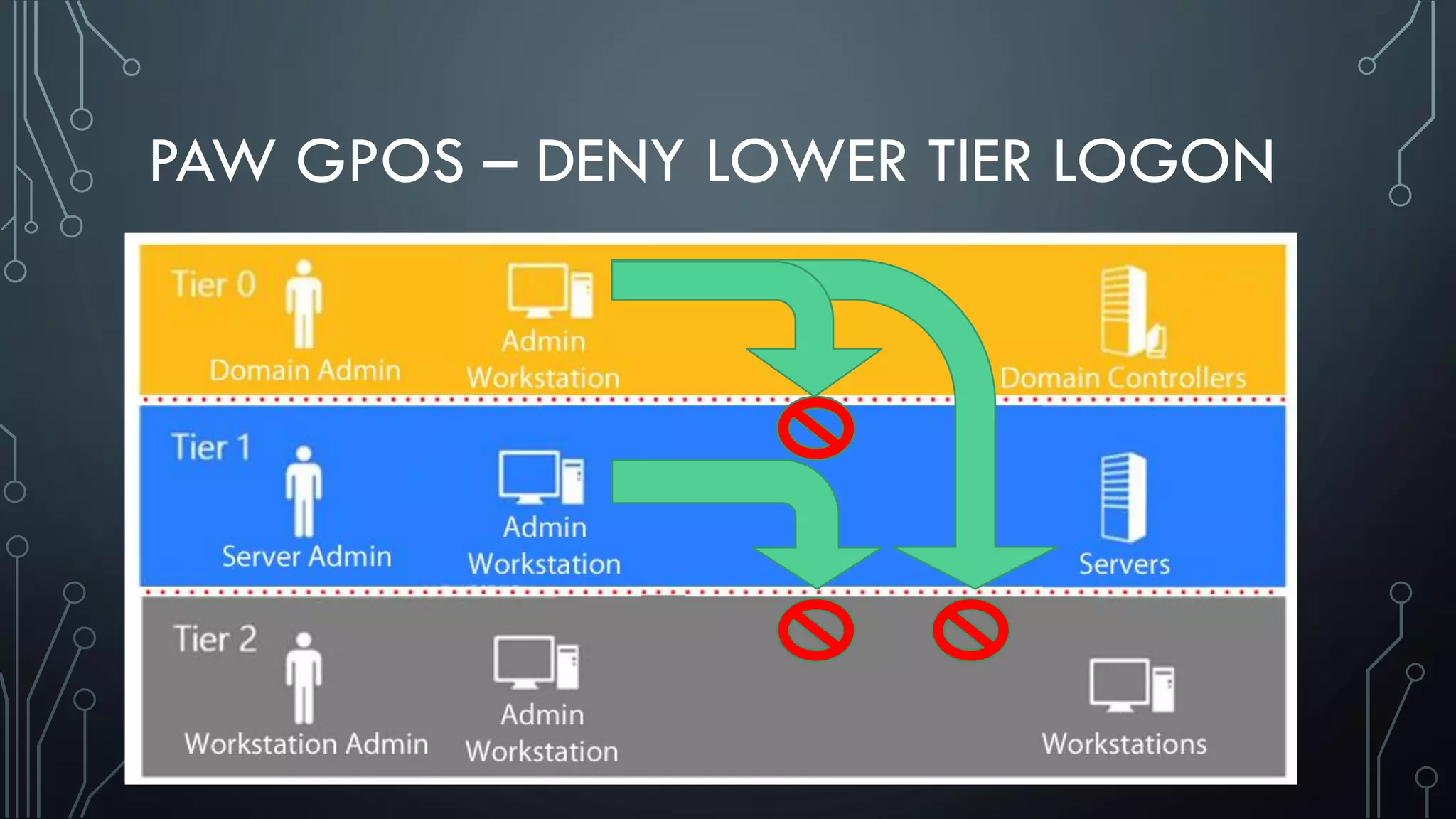
•Restrict Administrators from logging onto lower tier hosts
•Local PoliciesUsers Rights AssignmentDeny logon on…
•As a service
•As a batch job
•Locally
PAW GPOS – DENY LOWER TIER LOGON
PAW SETUP – PHASE 1 (AD ADMINS)
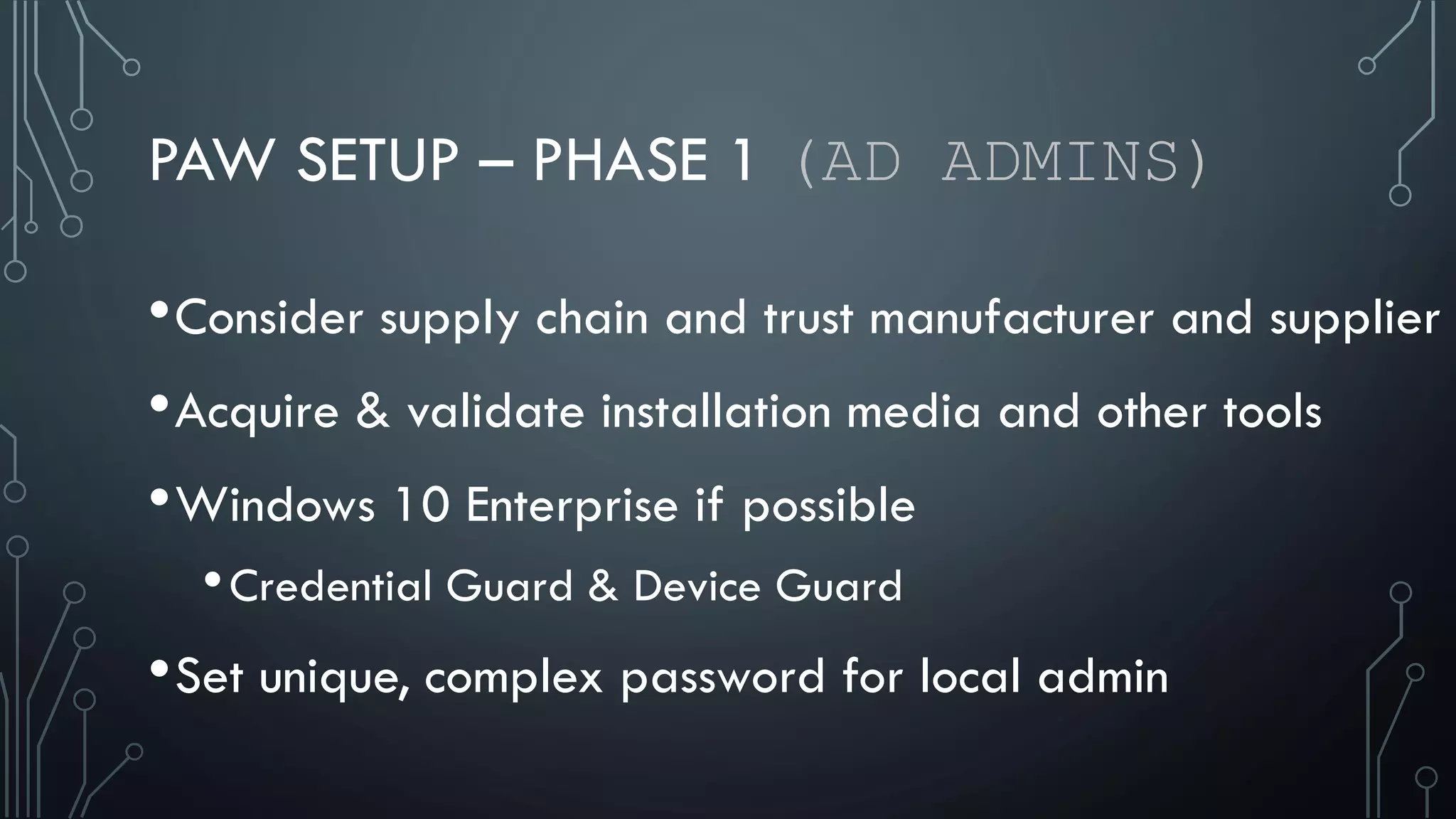
•Consider supply chain and trust manufacturer and supplier
•Acquire & validate installation media and other tools
•Windows 10 Enterprise if possible
•Credential Guard & Device Guard
•Set unique, complex password for local admin
PAW SETUP – PHASE 1 (AD ADMINS)
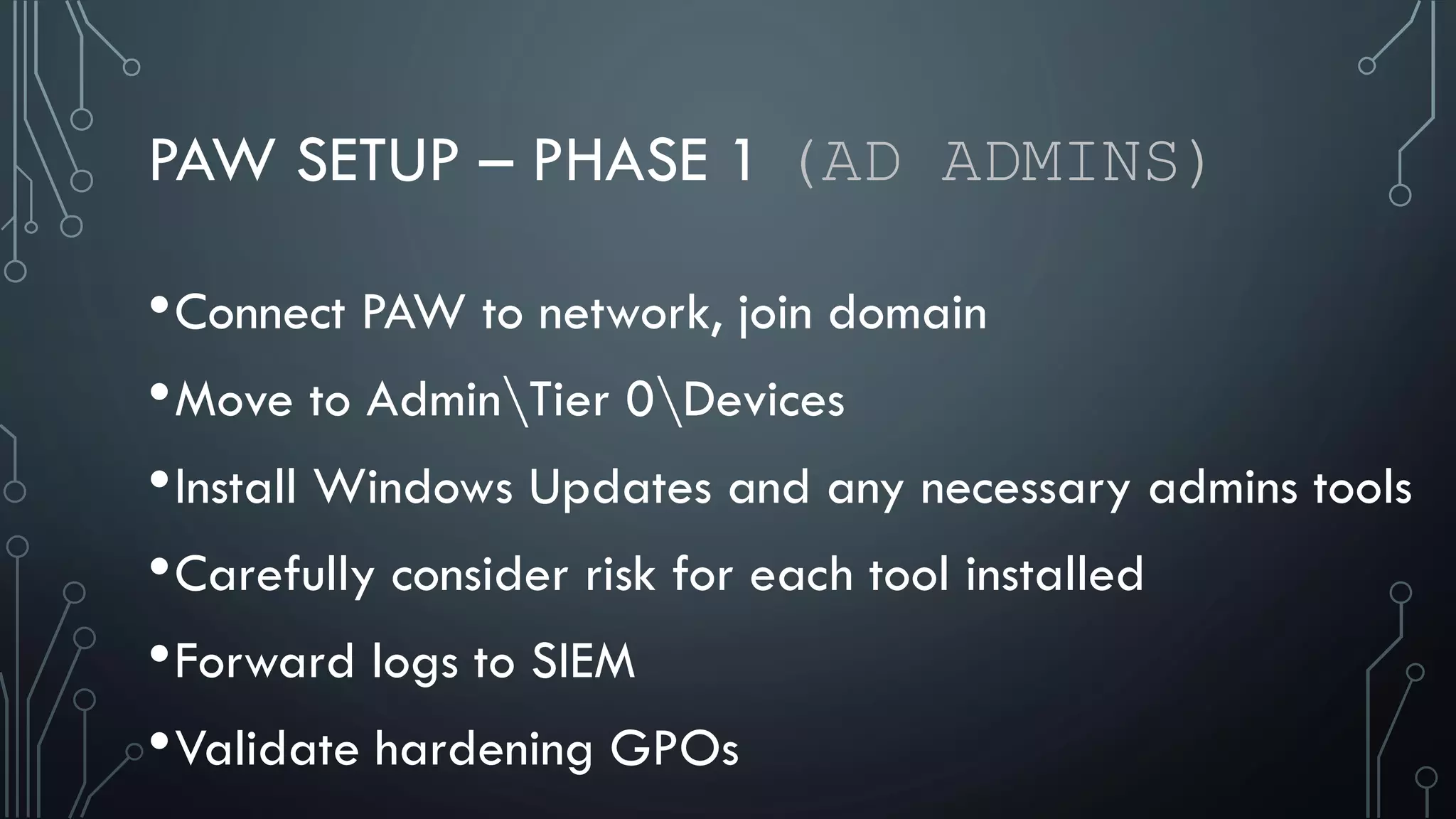
•Connect PAW to network, join domain
•Move to AdminTier 0Devices
•Install Windows Updates and any necessary admins tools
•Carefully consider risk for each tool installed
•Forward logs to SIEM
•Validate hardening GPOs
PAW SETUP – PHASE 2 (RESTRICTED ADMIN)
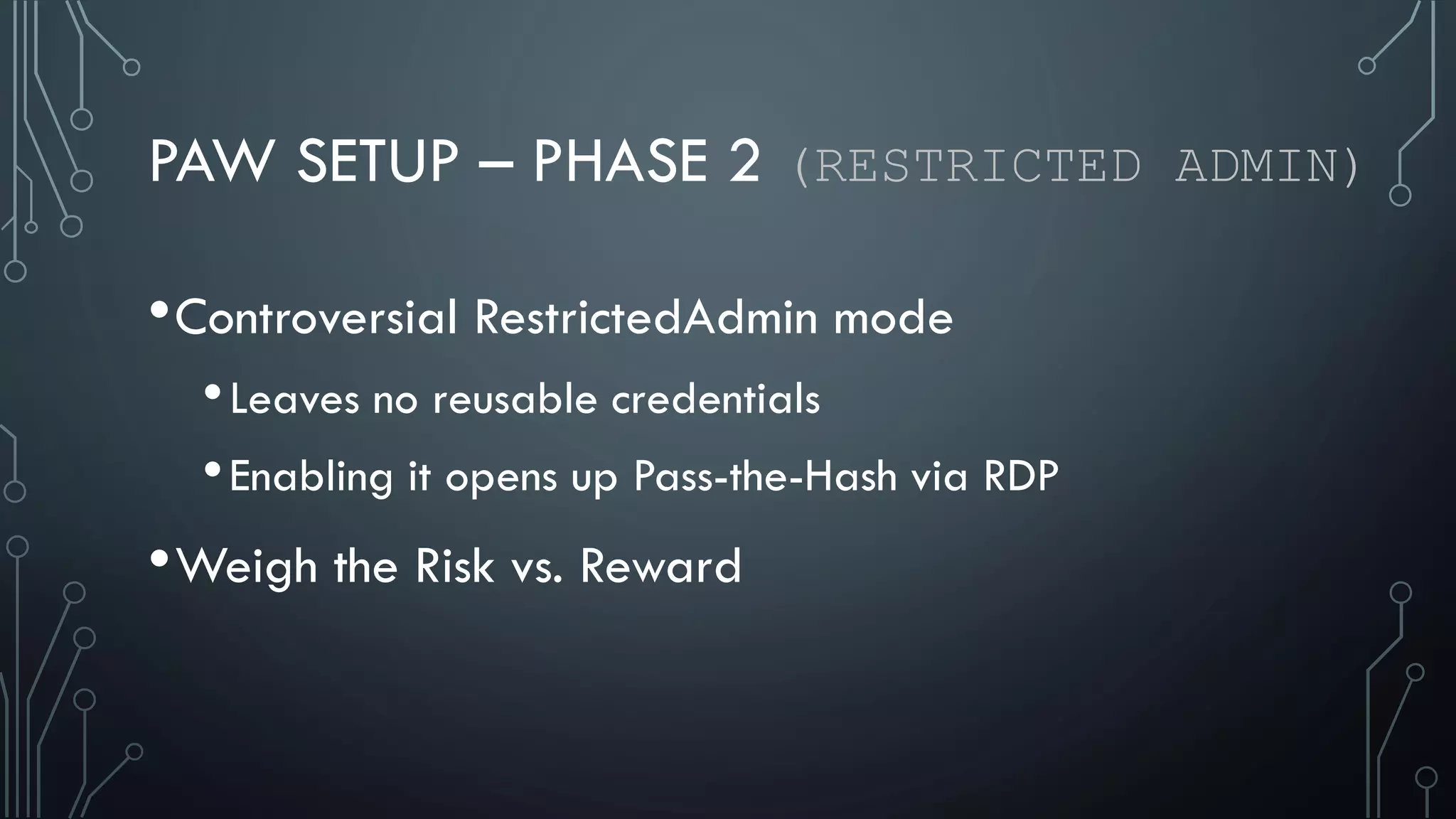
•Controversial RestrictedAdmin mode
•Leaves no reusable credentials
•Enabling it opens up Pass-the-Hash via RDP
•Weigh the Risk vs. Reward
PAW SETUP – PHASE 2 (RESTRICTED ADMIN)
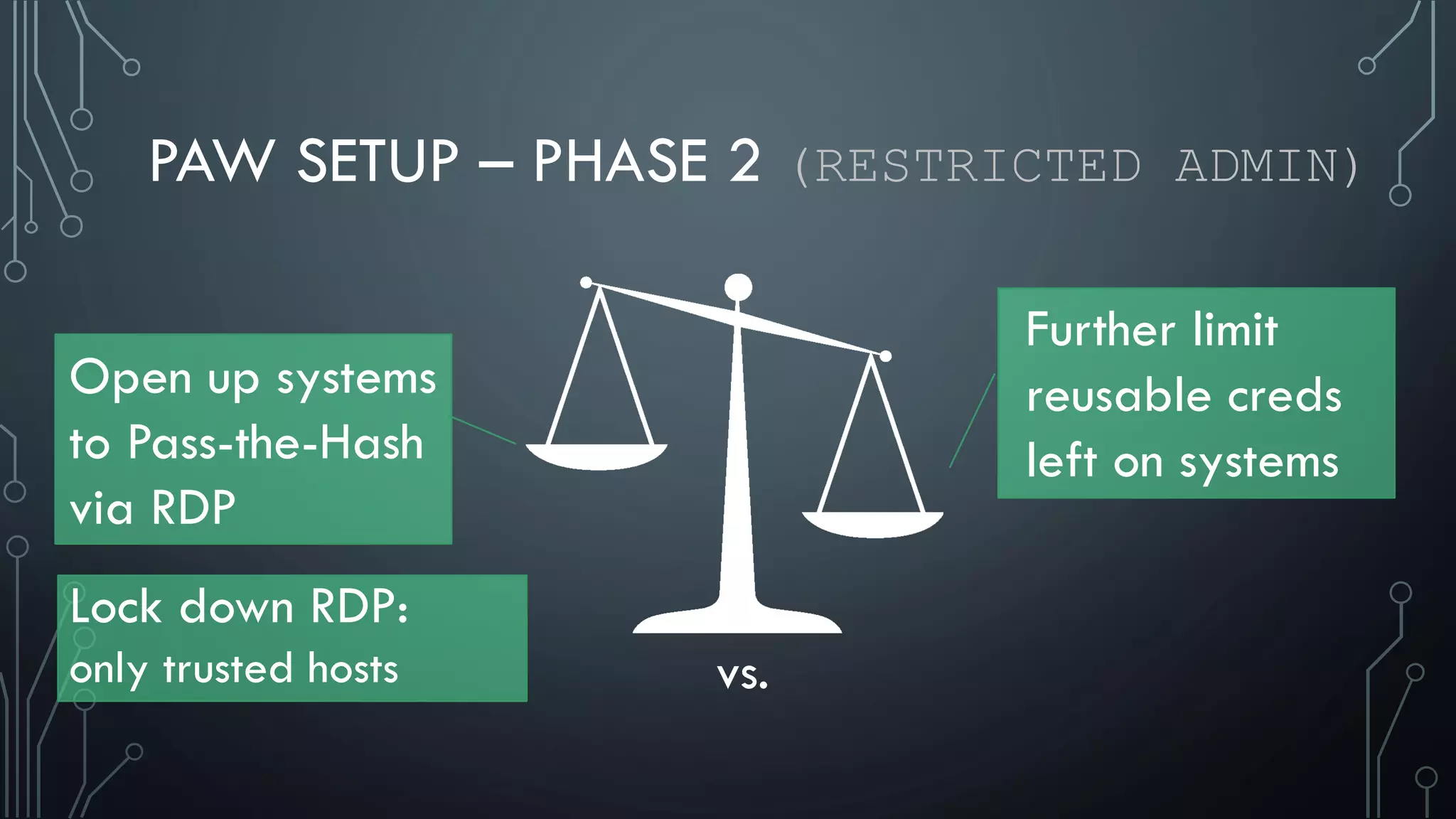
Open up systems
to Pass-the-Hash
via RDP
Further limit
reusable creds
left on systems
vs.
Lock down RDP:
only trusted hosts
PAW SETUP – PHASE 2
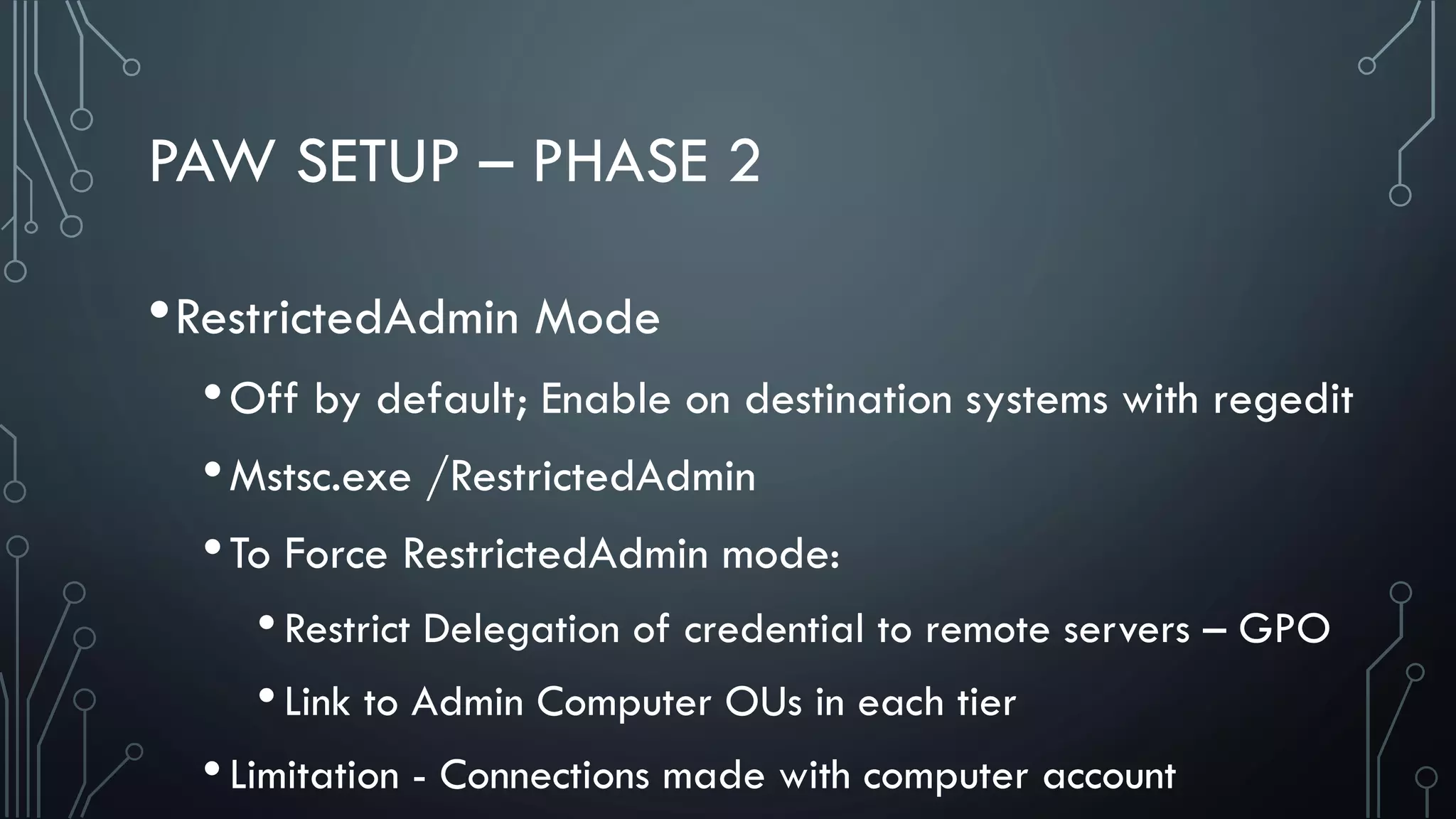
•RestrictedAdmin Mode
•Off by default; Enable on destination systems with regedit
•Mstsc.exe /RestrictedAdmin
•To Force RestrictedAdmin mode:
•Restrict Delegation of credential to remote servers – GPO
•Link to Admin Computer OUs in each tier
•Limitation - Connections made with computer account
PAW SETUP – PHASE 2
•Move objects to appropriate OUs
•Tier 1 Users, Groups, Computer Accounts
•Also add users to Tier 1 Admins group
•Allows restricting login to lower tier devices
PAW SETUP – PHASE 2
•Optional Step – Allow whitelisted Internet destinations
•Cloud Service Administration
•Remote vendor application support
•Tier 1 admins may need additional/different tools
•Weigh risks again
PAW SETUP – PHASE 2
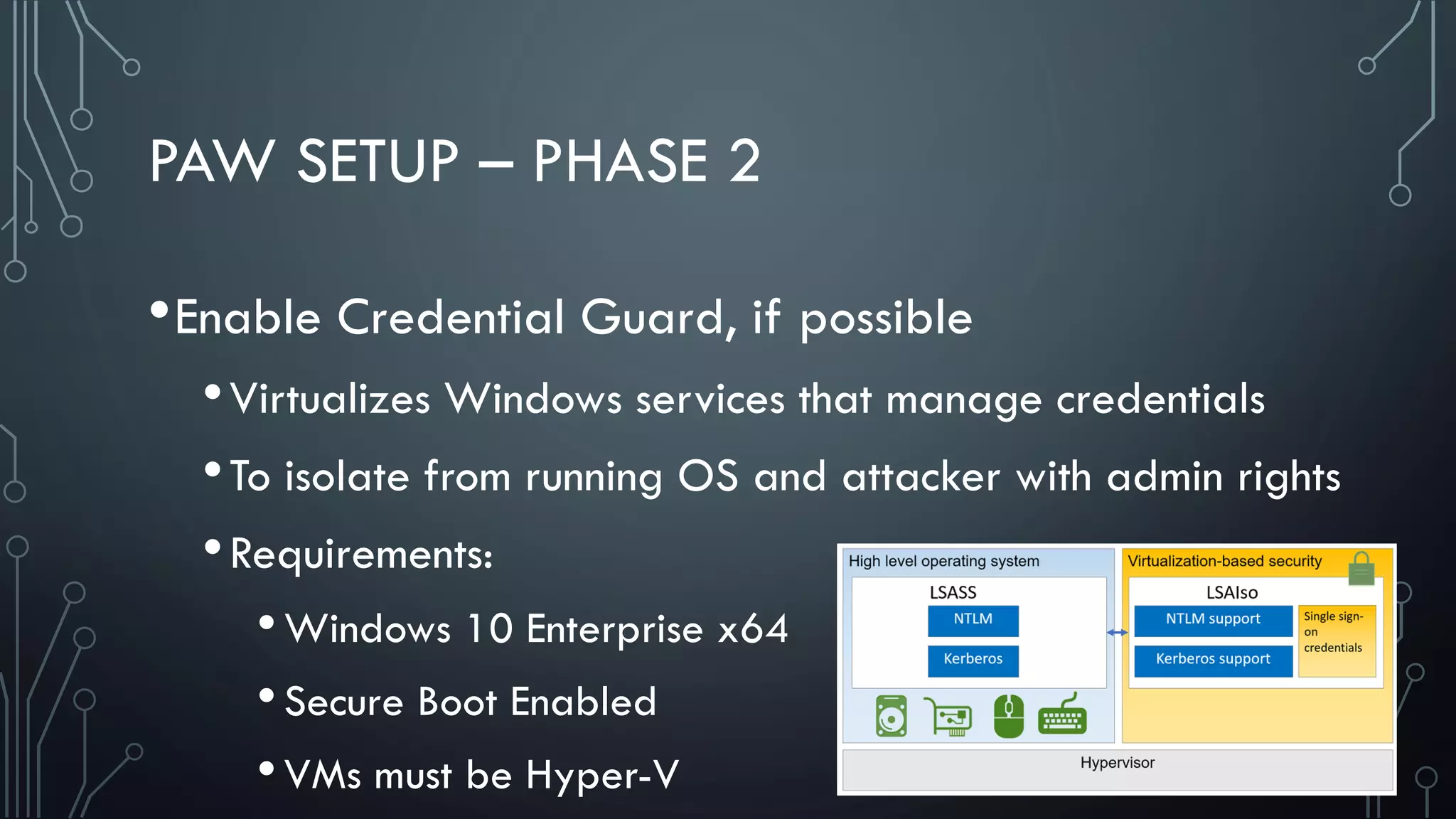
•Enable Credential Guard, if possible
•Virtualizes Windows services that manage credentials
•To isolate from running OS and attacker with admin rights
•Requirements:
•Windows 10 Enterprise x64
•Secure Boot Enabled
•VMs must be Hyper-V
PAW SETUP – PHASE 3
•Builds on Phase 1; Not dependent Phase 2
•Multi-factor authentication – Smart cards
•Whitelisting – Device Guard / Applocker
•Protected Users Group
•Authentication Policies and Silos
PAW SETUP – PHASE 3 (MULTI-FACTOR)
•Windows 2FA solutions great control, but not magic bullet
•Limitations:
•Only enforced on interactive logons
•Forcing smart card logons ensures hash never changes
•Mitigate by script that toggles “Smart Card Required”
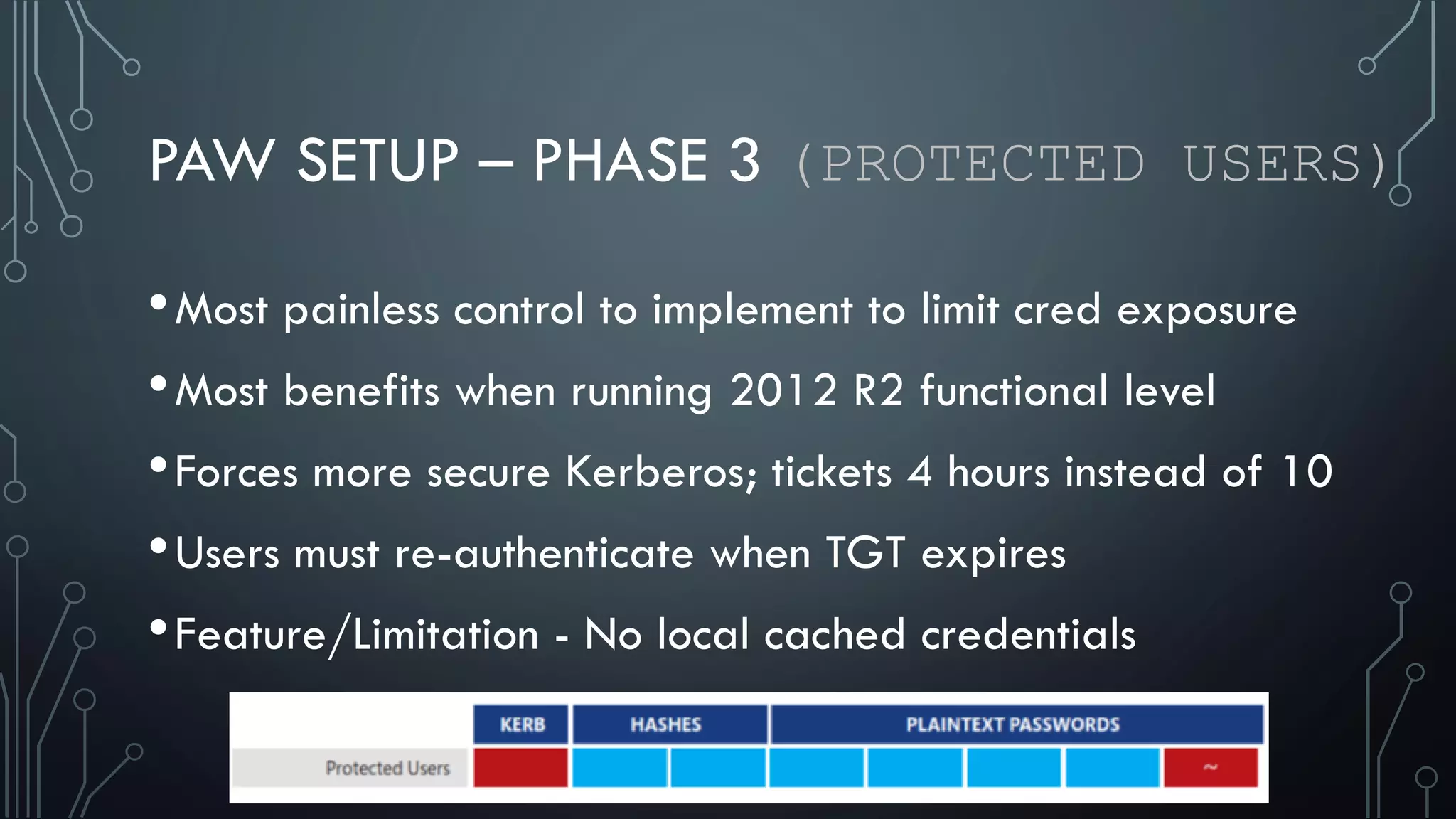
PAW SETUP – PHASE 3 (PROTECTED USERS)
•Most painless control to implement to limit cred exposure
•Most benefits when running 2012 R2 functional level
•Forces more secure Kerberos; tickets 4 hours instead of 10
•Users must re-authenticate when TGT expires
•Feature/Limitation - No local cached credentials
PAW SETUP – PHASE 3 (AUTH POLICIES & SILOS)
•Pair well with Protected Users group
•Requires 2012 R2 Functional Level
•Control where accounts can log on
•Which services they can authenticate to
•Set TGT settings
LESSONS LEARNED FROM MY DEPLOYMENT
•Windows 10 Enterprise Hyper-V is Awesome
•Dual monitors, audio & mic, copy+paste, separate vlans
•So many user accounts! The struggle is real
•Dramatic shift in day to day
•Sometimes “User Bill” doesn’t love “Security Bill”
•You can do it! Figure out system that works for you
LESSONS LEARNED FROM MY DEPLOYMENT
•Allow internal web browsing from admin host
•ProxyOverride GPO setting
•Scripting Hyper-V Virtual Switch config changes, etc.
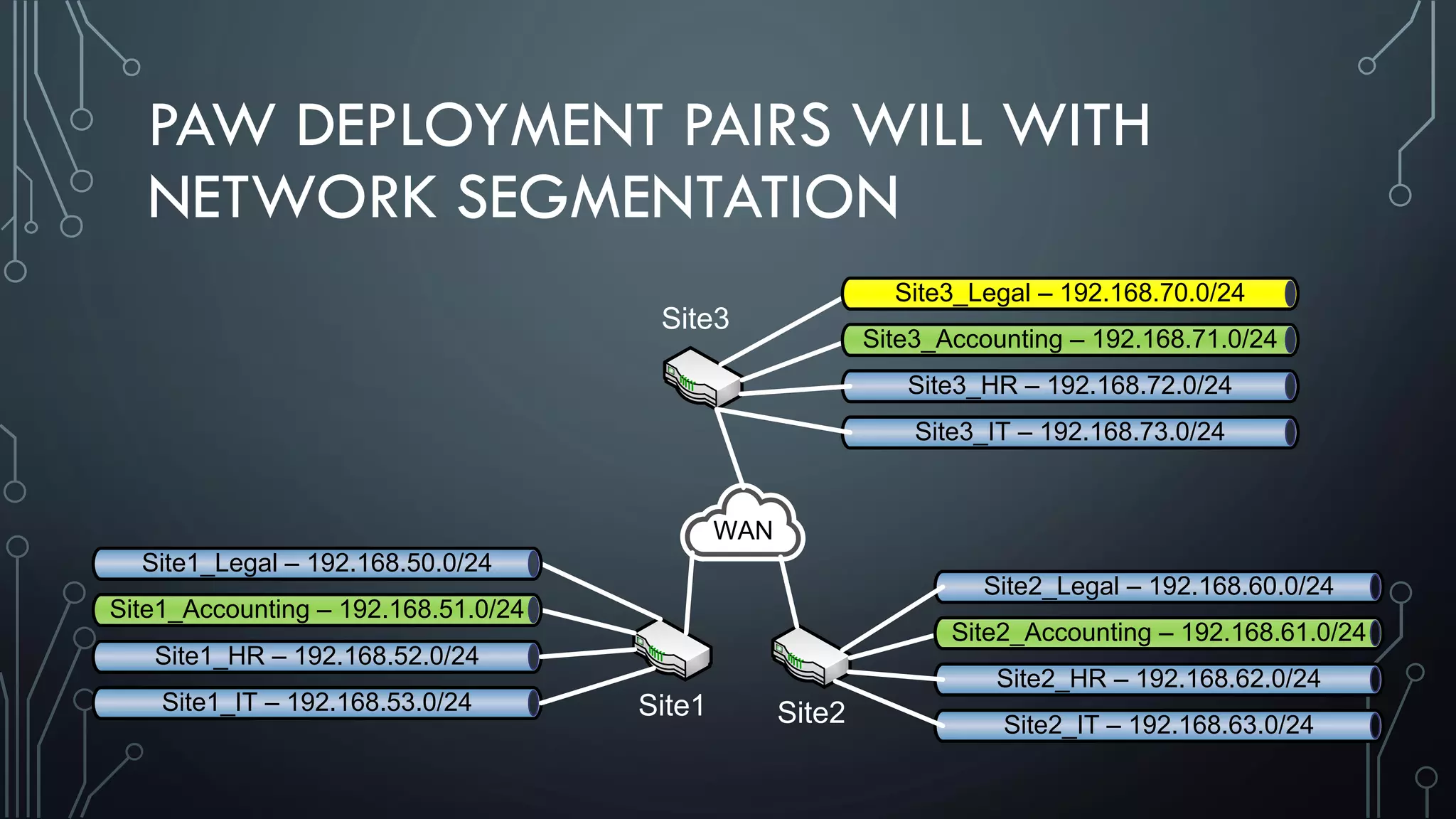
PAW DEPLOYMENT PAIRS WILL WITH
NETWORK SEGMENTATION
Site1 Site2
Site3
Site1_HR – 192.168.52.0/24
Site1_IT – 192.168.53.0/24
Site2_Legal – 192.168.60.0/24
Site2_HR – 192.168.62.0/24
Site2_IT – 192.168.63.0/24
Site3_HR – 192.168.72.0/24
Site3_IT – 192.168.73.0/24
WAN
Site1_Legal – 192.168.50.0/24
Site1_Accounting – 192.168.51.0/24
Site2_Accounting – 192.168.61.0/24
Site3_Accounting – 192.168.71.0/24
Site3_Legal – 192.168.70.0/24
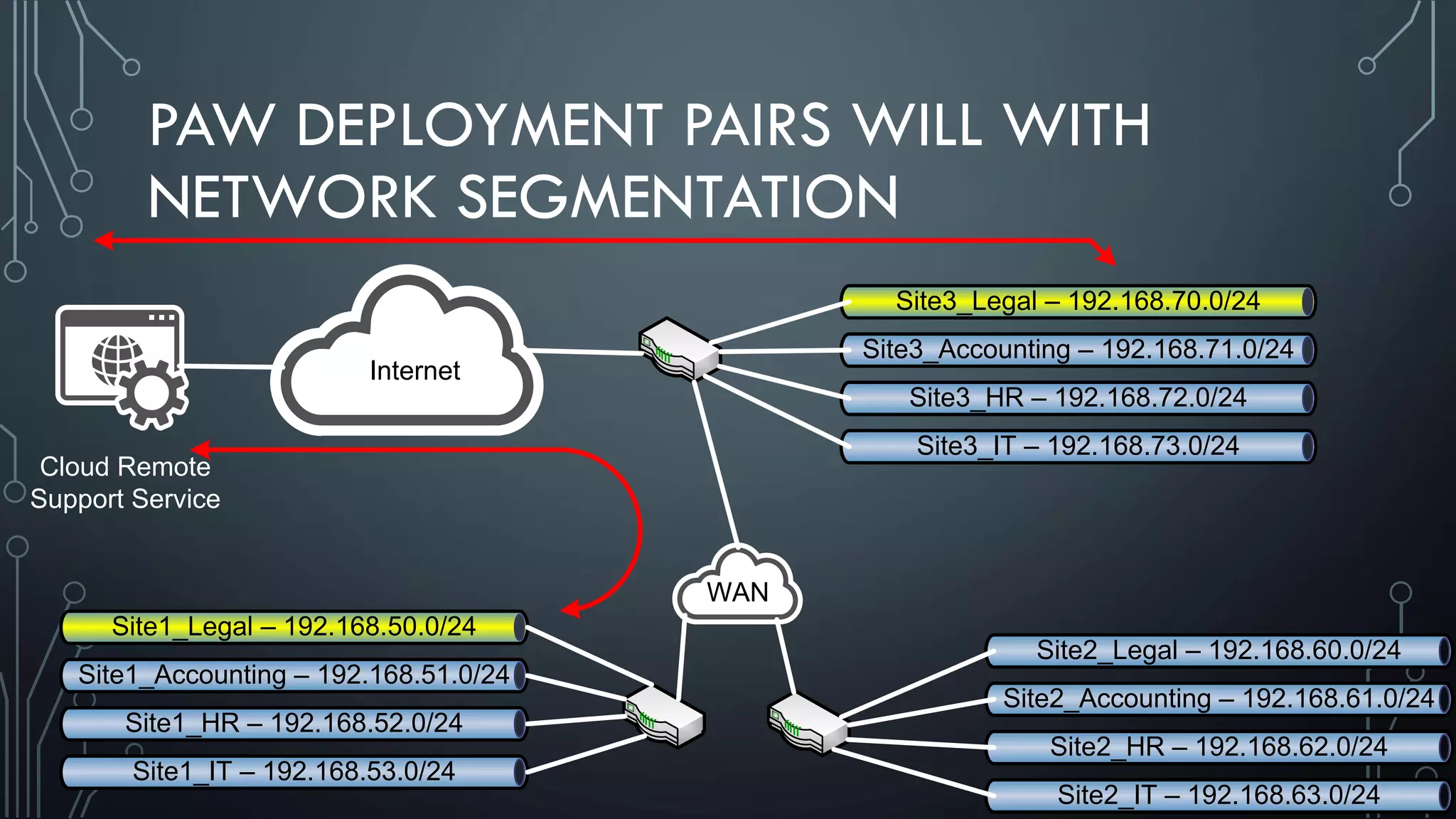
PAW DEPLOYMENT PAIRS WILL WITH
NETWORK SEGMENTATION
Site1_Legal – 192.168.50.0/24
Site1_Accounting – 192.168.51.0/24
Site1_HR – 192.168.52.0/24
Site1_IT – 192.168.53.0/24
Site2_Legal – 192.168.60.0/24
Site2_Accounting – 192.168.61.0/24
Site2_HR – 192.168.62.0/24
Site2_IT – 192.168.63.0/24
Site3_Legal – 192.168.70.0/24
Site3_Accounting – 192.168.71.0/24
Site3_HR – 192.168.72.0/24
Site3_IT – 192.168.73.0/24
WAN
Internet
Cloud Remote
Support Service
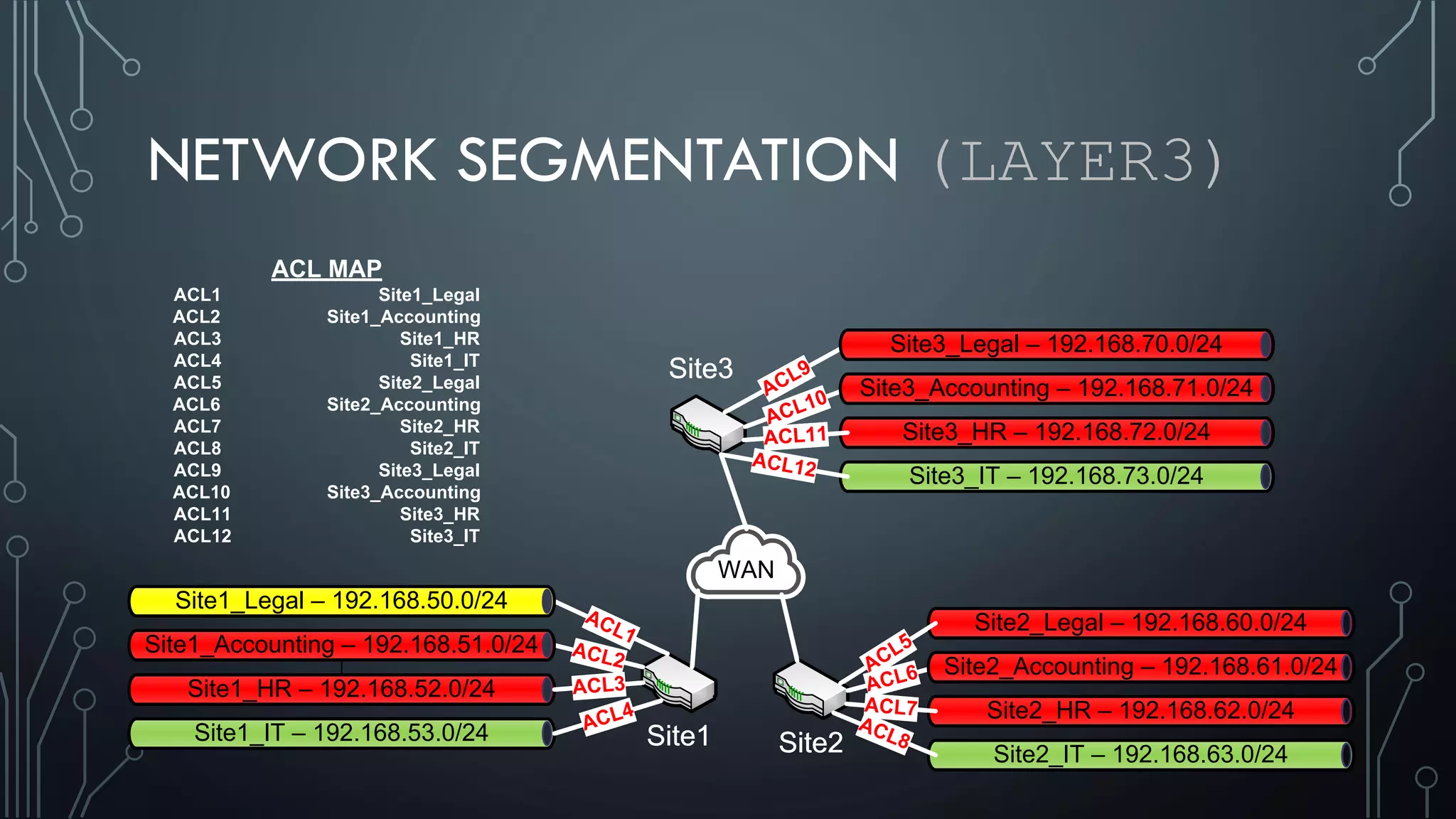
NETWORK SEGMENTATION (LAYER3)
ACL MAP
ACL1 Site1_Legal
ACL2 Site1_Accounting
ACL3 Site1_HR
ACL4 Site1_IT
ACL5 Site2_Legal
ACL6 Site2_Accounting
ACL7 Site2_HR
ACL8 Site2_IT
ACL9 Site3_Legal
ACL10 Site3_Accounting
ACL11 Site3_HR
ACL12 Site3_IT
Site1 Site2
Site3
Site1_HR – 192.168.52.0/24
Site1_IT – 192.168.53.0/24
Site2_Legal – 192.168.60.0/24
Site2_HR – 192.168.62.0/24
Site2_IT – 192.168.63.0/24
Site3_HR – 192.168.72.0/24
Site3_IT – 192.168.73.0/24
ACL1
ACL2
ACL3
ACL4
ACL8
ACL7
ACL6ACL5
ACL12
ACL11
ACL10ACL9
WAN
Site1_Legal – 192.168.50.0/24
Site1_Accounting – 192.168.51.0/24
Site2_Accounting – 192.168.61.0/24
Site3_Accounting – 192.168.71.0/24
Site3_Legal – 192.168.70.0/24
Site1 Site2
Site3
Site1_HR – 192.168.52.0/24
Site1_IT – 192.168.53.0/24
Site2_Legal – 192.168.60.0/24
Site2_HR – 192.168.62.0/24
Site2_IT – 192.168.63.0/24
Site3_HR – 192.168.72.0/24
Site3_IT – 192.168.73.0/24
ACL1
ACL2
ACL3
ACL4
ACL8
ACL7
ACL6ACL5
ACL12
ACL11
ACL10ACL9
WAN
Site1_Legal – 192.168.50.0/24
Site1_Accounting – 192.168.51.0/24
Site2_Accounting – 192.168.61.0/24
Site3_Accounting – 192.168.71.0/24
Site3_Legal – 192.168.70.0/24
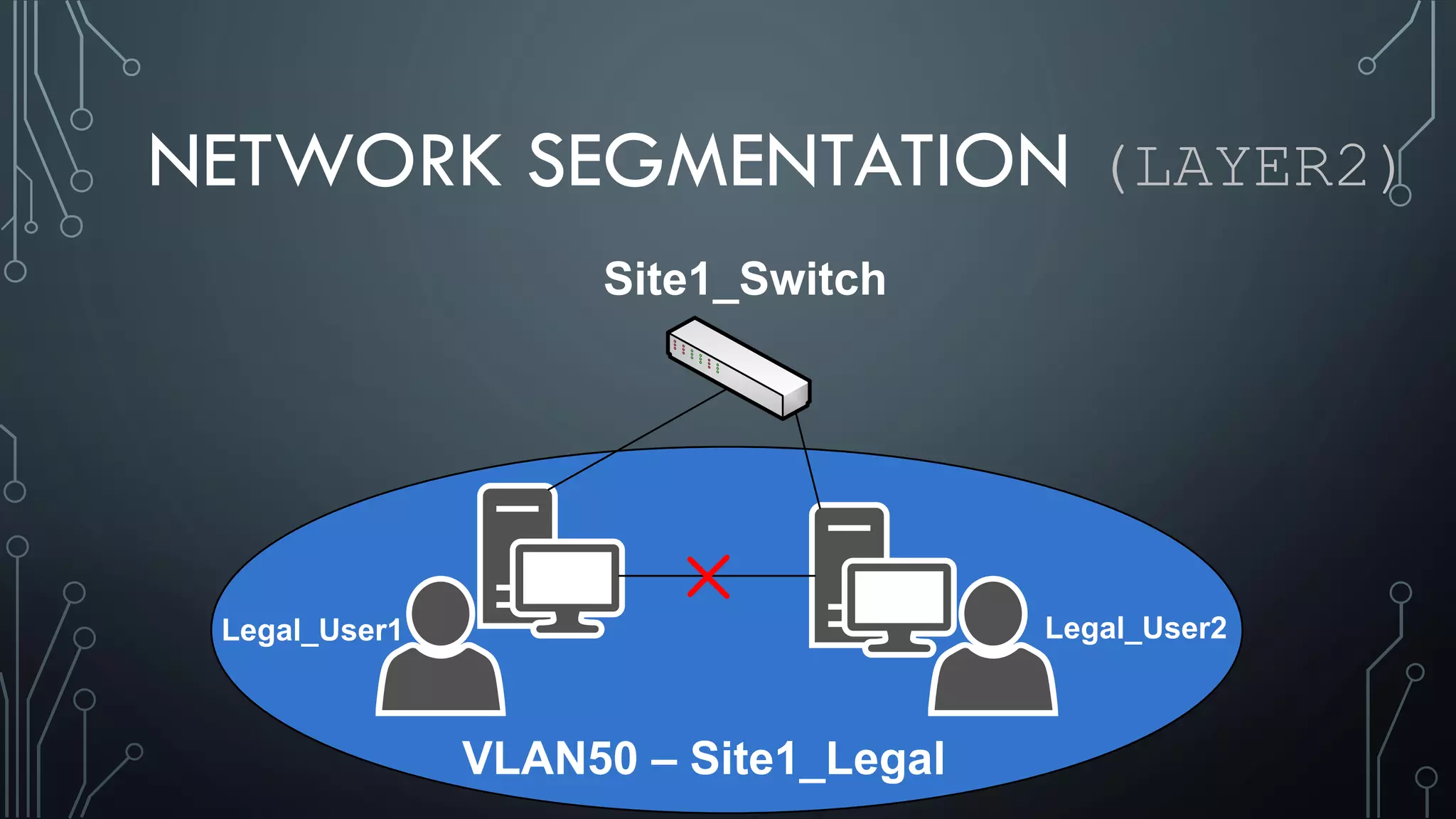
NETWORK SEGMENTATION (LAYER2)
Site1_Switch
VLAN50 – Site1_Legal
Legal_User1 Legal_User2
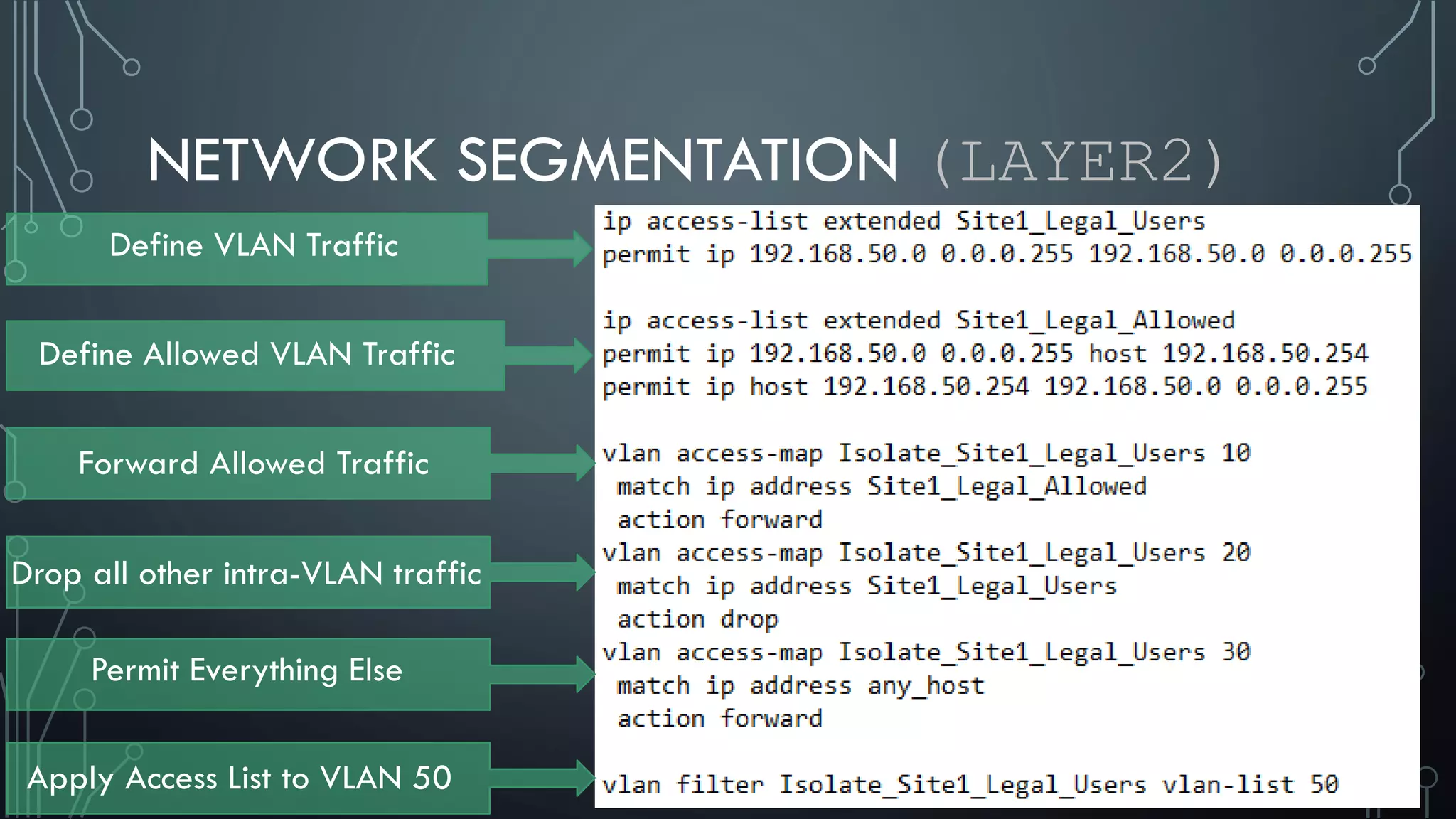
NETWORK SEGMENTATION (LAYER2)
Define VLAN Traffic
Define Allowed VLAN Traffic
Forward Allowed Traffic
Drop all other intra-VLAN traffic
Permit Everything Else
Apply Access List to VLAN 50
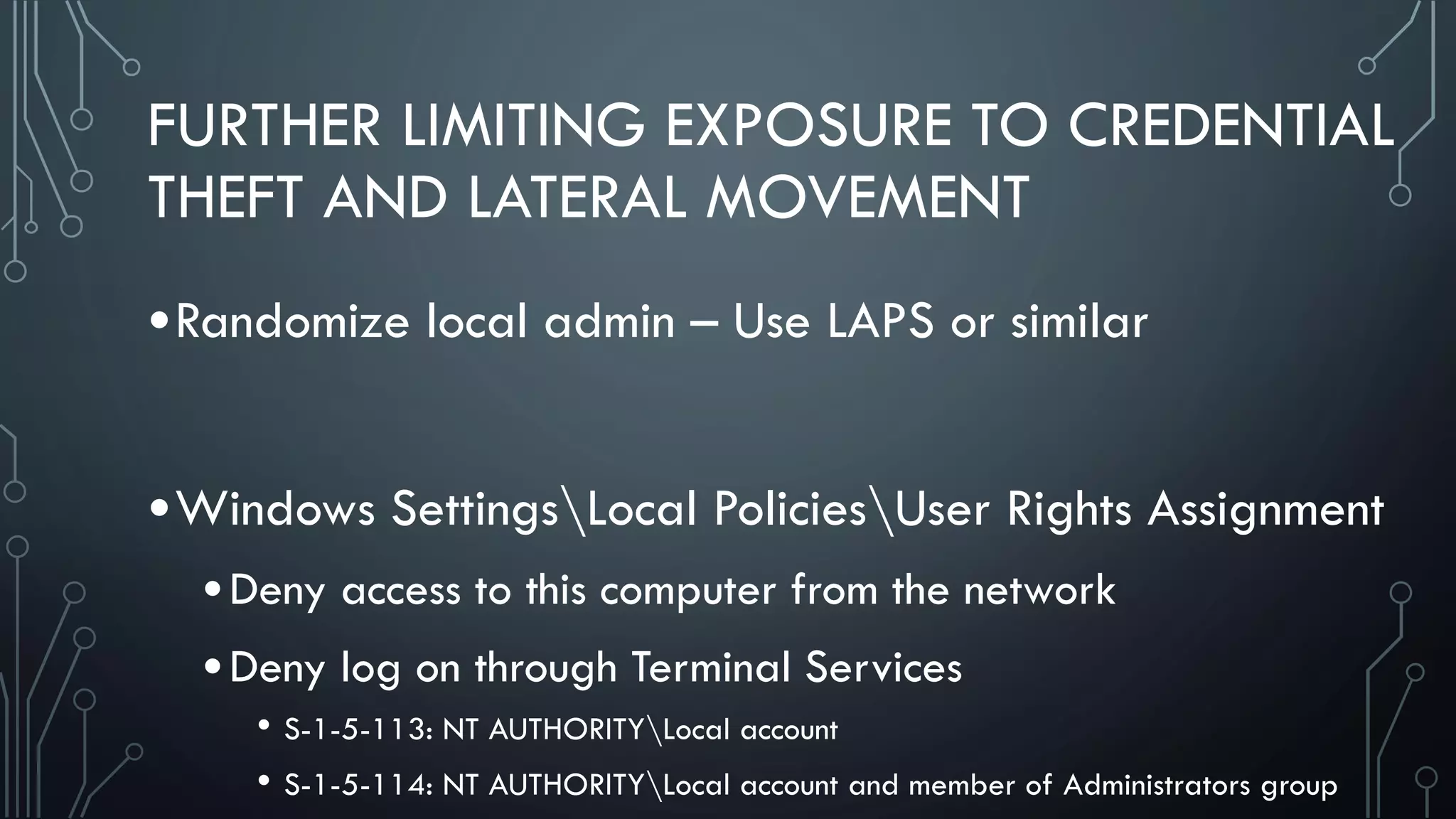
FURTHER LIMITING EXPOSURE TO CREDENTIAL
THEFT AND LATERAL MOVEMENT
•Randomize local admin – Use LAPS or similar
•Windows SettingsLocal PoliciesUser Rights Assignment
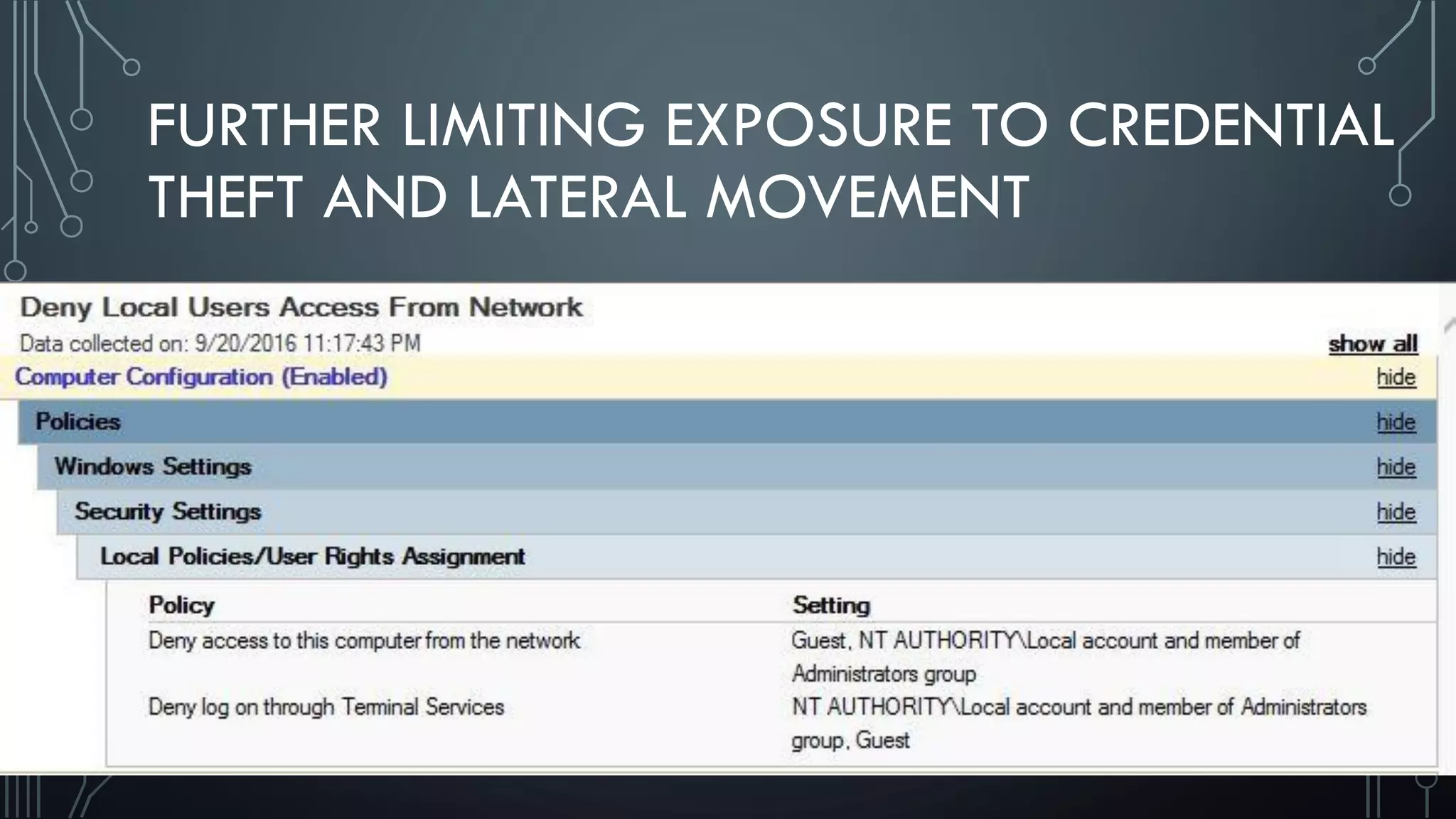
•Deny access to this computer from the network
•Deny log on through Terminal Services
• S-1-5-113: NT AUTHORITYLocal account
• S-1-5-114: NT AUTHORITYLocal account and member of Administrators group
FURTHER LIMITING EXPOSURE TO CREDENTIAL
THEFT AND LATERAL MOVEMENT
FURTHER LIMITING EXPOSURE TO CREDENTIAL
THEFT AND LATERAL MOVEMENT
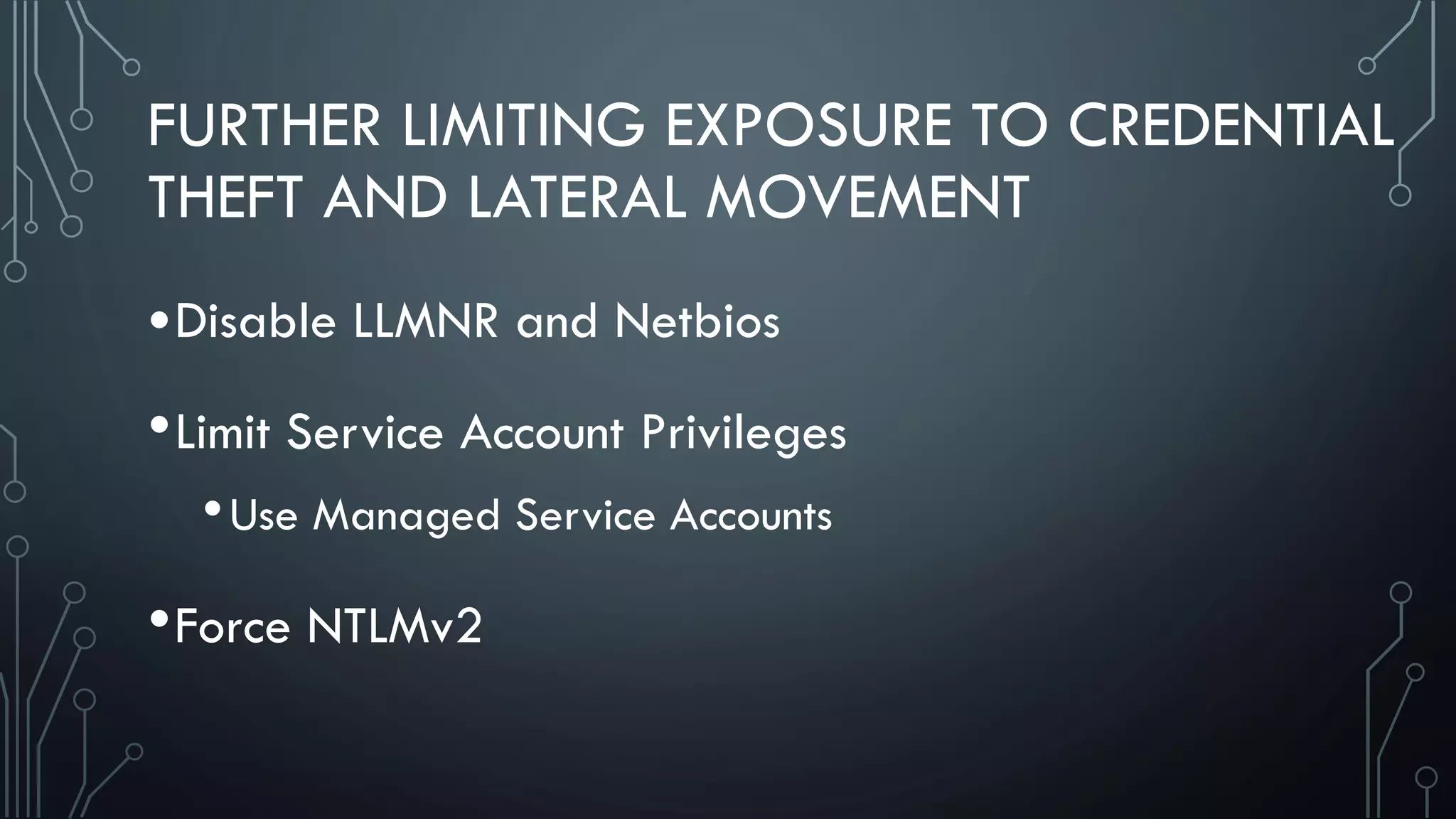
•Disable LLMNR and Netbios
•Limit Service Account Privileges
•Use Managed Service Accounts
•Force NTLMv2
CLOSING
•Stop buying blinky boxes as a cure-all
•Take time to truly understand the risk
•Research and learn offensive techniques
•Find your weak points, build walls, set tripwires,
plug the holes the best you can
THANKS / PEOPLE TO FOLLOW
@curi0usJack
@TonikJDK
@harmj0y
@obscuresec
@passingthehash
@gentilkiwi
@hardwaterhacker
@HackerHurricane
@mattifestation
@mikepilkington
@PyroTek3
@scriptjunkie
• BrakeSec Podcast • Defensive Security Podcast
QUESTIONS/CONTACT
@blueteamer
http://blueteamer.blogspot.com/
Feel free to contact me with any questions
REFERENCES
• PAW Technet Article
• https://technet.microsoft.com/en-us/windows-server-docs/security/securing-privileged-access/privileged-access-workstations
• Security Implications of Windows Access Tokens – A Penetration Tester’s Guide
• https://labs.mwrinfosecurity.com/assets/142/original/mwri_security-implications-of-windows-access-tokens_2008-04-14.pdf
• Hello my name is Microsoft and I have a credential problem
• https://media.blackhat.com/us-13/US-13-Duckwall-Pass-the-Hash-WP.pdf
• Mitigating Service Account Credential Theft on Windows
• https://community.rapid7.com/docs/DOC-2881
• Pass-the-Hash Whitepapers
• https://www.microsoft.com/en-us/download/details.aspx?id=36036
• Abusing Kerberos Whitepaper
• https://www.blackhat.com/docs/us-14/materials/us-14-Duckwall-Abusing-Microsoft-Kerberos-Sorry-You-Guys-Don't-Get-It-wp.pdf
REFERENCES
• https://www.blackhat.com/docs/us-15/materials/us-15-Metcalf-Red-Vs-Blue-
Modern-Active-Directory-Attacks-Detection-And-Protection.pdf
• https://www.scriptjunkie.us/2013/09/remote-desktop-and-die/
• http://www.irongeek.com/i.php?page=videos/bsidescleveland2016/101-
preventing-credential-theft-lateral-movement-after-initial-compromise-cameron-
moore
• https://dirteam.com/sander/2013/07/18/security-thoughts-pass-the-hash-and-
other-credential-theft/
• https://logrhythm.com/blog/detecting-lateral-movement-from-pass-the-hash-attacks/
• https://technet.microsoft.com/en-us/security/dn920237.aspx
• https://www.blackhat.com/docs/us-15/materials/us-15-Moore-Defeating%20Pass-
the-Hash-Separation-Of-Powers-wp.pdf
• https://www.crowdstrike.com/blog/mitigating-pass-hash-pth/
• https://channel9.msdn.com/Blogs/Taste-of-Premier/Proactively-Secure-your-IT-
Environment-from-Credential-Theft-with-POP-SLAM
• https://channel9.msdn.com/Events/TechEd/NorthAmerica/2013/ATC-B210
• https://www.secureworks.com/blog/targeted-credential-theft
• http://www.derekseaman.com/2013/06/teched-pass-the-hash-preventing-lateral-
movement-atc-b210.html
• https://channel9.msdn.com/Events/Blue-Hat-Security-Briefings/BlueHat-Security-
Briefings-Fall-2012-Sessions/BH1208
• https://channel9.msdn.com/events/teched/northamerica/2014/dcim-b359#fbid=
• https://technet.microsoft.com/library/dn408187.aspx
• https://www.trustedsec.com/april-2015/dumping-wdigest-creds-with-meterpreter-
mimikatzkiwi-in-windows-8-1/
• https://www.schneier.com/blog/archives/2016/05/credential_stea.html
• https://technet.microsoft.com/en-us/library/dn466518(v=ws.11).aspx
• https://blogs.technet.microsoft.com/askpfeplat/2016/04/04/reading-the-fine-print-
on-the-protected-users-group/
• https://blogs.technet.microsoft.com/kfalde/2014/11/01/kb2871997-and-wdigest-
part-1/
• http://passing-the-hash.blogspot.com/2014/03/guest-post-lets-talk-about-pass-
hash-by.html
REFERENCES
• https://dfir-blog.com/2015/11/08/protecting-windows-networks-defeating-pass-
the-hash/
• https://dirteam.com/sander/2014/11/25/ten-things-you-need-to-be-aware-of-
before-using-the-protected-users-group/
• https://adsecurity.org/?p=1667
• https://digital-forensics.sans.org/blog/2012/03/21/protecting-privileged-domain-
accounts-access-tokens
• https://technet.microsoft.com/en-us/security/dn920237.aspx
• https://technet.microsoft.com/en-us/magazine/2006.08.securitywatch.aspx
• https://adsecurity.org/?p=1684
• https://blogs.technet.microsoft.com/canitpro/2016/06/23/step-by-step-enabling-
restricted-admin-mode-for-remote-desktop-connections/
• https://labs.portcullis.co.uk/blog/new-restricted-admin-feature-of-rdp-8-1-allows-
pass-the-hash/
• https://digital-forensics.sans.org/blog/2014/11/13/protecting-privileged-domain-
accounts-restricted-admin-and-protected-users
• http://www.geektime.com/2014/04/02/remote-desktops-restricted-admin-is-the-
cure-worse-than-the-disease/
• http://www.exploit-monday.com/2016/09/introduction-to-windows-device-
guard.html
• https://dfir-blog.com/2015/11/24/protecting-windows-networks-dealing-with-
credential-theft/comment-page-1/#comment-527
• http://www.rsmusconsultingpros.com/prevent-token-impersonation/
• https://clymb3r.wordpress.com/2013/06/13/using-powershell-to-copy-ntds-dit-
registry-hives-bypass-sacls-dacls-file-locks/
• https://dirteam.com/sander/2014/12/23/new-features-in-active-directory-domain-
services-in-windows-server-2012-r2-part-3-authentication-policies-and-
authentication-policy-silos/
• https://technet.microsoft.com/windows-server-docs/identity/ad-ds/manage/how-to-
configure-protected-accounts
• https://digital-forensics.sans.org/blog/2014/11/13/protecting-privileged-domain-
accounts-restricted-admin-and-protected-users
• https://technet.microsoft.com/en-us/itpro/windows/keep-secure/credential-guard
• https://adsecurity.org/wp-content/uploads/2016/08/DEFCON24-2016-Metcalf-
BeyondTheMCSE-RedTeamingActiveDirectory.pdf

Deploying Privileged Access Workstations (PAWs)

  • 1.
    DEPLOYING PRIVILEGED ACCESS WORKSTATIONS(PAWS) AS PART OF A STRATEGY TO LIMIT CREDENTIAL THEFT AND LATERAL MOVEMENT
  • 2.
    C:whoami •@blueteamer •Financial Sector -100 employees and 10 locations •SMB = Lot of hats •Network admin + Vendor Management + Sysadmin + Physical Security + Risk Assessment – wide range •Love what I do
  • 3.
    WHEN NOT COMPUTERING… •Buildingstuff with my hands •Pirate ship in backyard •Homebrew •Grilling/Smoking
  • 4.
    ATTACK SCENARIO #1 •Nonsecurity conscious org •Most users running as local admin •Attack dumps local creds •Local admin creds are the same on every PC •Attacker moves laterally, dumps more creds •Quick path to Domain Admin
  • 5.
    ATTACK SCENARIO #2 •Somewhatsecurity conscious org •Most users running as standard •Attacker needs to escalate privileges •May abuse misconfigs or find creds on network •Move laterally until escalation success & dump creds •Rinse/Lather/Repeat until goal achieved
  • 6.
    WHY PAWS? •Scenarios notall encompassing •Domain Admin may not be end goal •Attacker tactics revolve around finding/using creds •Main goal of PAWs – limit this exposure
  • 7.
    • WINDOWS LOGONTYPES •Interactive [2] •Network [3] – No Reusable Credentials • Net use • SQL Windows Authentication • Powershell Remoting • Remote Registry • Other MMC Snap-ins • WMI / WMIC • Batch [4] • Service [5] • Unlock [7] • Network Cleartext [8] • New Credentials [9] • Remote Interactive [10] • Cached Interactive [11]
  • 8.
  • 9.
    ACTIVE DIRECTORY DATABASE •AKA– NTDS.dit •Credentials for all user accounts in domain •Read-only DCs by default don’t store privileged creds
  • 10.
    LSASS •Mimikatz and WCEpull creds from here •User logs on – LSASS caches creds for future use •Can be hashes, Kerberos tickets, or plaintext
  • 11.
    LSASS Prior to Windows 8.1, Server2012 & KB2871997 Changes with Windows 8.1, Server 2012 & KB2871997
  • 12.
  • 13.
    LSASS This GPO forces computersto keep tspkg creds in memory and creates these reg values to do so
  • 14.
    LSA SECRETS •Data onlyaccessible to SYSTEM process •Credentials are encrypted and stored on disk •Scheduled tasks •Computer Account •Service Accounts
  • 15.
    LSA SECRETS •Domain cachedcredentials – aka password verifiers •Stored in salted hash format •Can’t be passed in a Pass-the-Hash attack •Can be dumped and brute forced
  • 16.
    CREDENTIAL MANAGER •Passwords enteredmanually via Control Panel applet •Or when user tells Windows to remember password •Remote Desktop, IE Autocomplete •Encrypted with key derived from user’s password •Any program running as that user can access
  • 17.
    WINDOWS CREDENTIAL &AUTH ISSUES •Pass-the-Hash Attacks •NTLM hashes acquired from memory or SAM •Can be used to authenticate just as Windows does
  • 18.
    WINDOWS CREDENTIAL &AUTH ISSUES •Auth via NTLM protocols uses challenge/ response •NTLMv1 – completely broken • Attacker can recover hash if traffic can be capture on wire •NTLMv2 – better but brute force still possible •Both vulnerable to relay attacks – Use SMB Signing
  • 19.
    WINDOWS CREDENTIAL &AUTH ISSUES •Kerberos – Pass-the-Ticket •Dumped from one computer and loaded on another •Tickets can be extended by presenting expired TGT •Other Issues • Golden/Silver Tickets, etc.
  • 20.
    WINDOWS CREDENTIAL &AUTH ISSUES •Windows Access Tokens •Not well known among defenders •User logs on, system verifies password •If password OK, access token is created •Every process this user runs has copy of token •Stored in memory, enable single sign-on
  • 21.
    WINDOWS CREDENTIAL &AUTH ISSUES •Impersonation Tokens - Non-Interactive Logons •Can be used to escalate privs, but only good locally •Delegation Tokens - Interactive Logons •Attacker can steal more privileged user's token •Use it on any network accessible system
  • 22.
  • 23.
  • 24.
    STEALING WINDOWS ACCESSTOKENS •Incognito – Tool from Luke Jennings •Presented at Defcon 15 in 2008 •Whitepaper – Security Implications of Windows Access Tokens – A Penetration Tester’s Guide https://labs.mwrinfosecurity.com/assets/142/original/mwri_security-implications-of-windows-access- tokens_2008-04-14.pdf
  • 25.
    WINDOWS CRED &AUTH ISSUES •Cred theft – major issue for a long time •Roadblocks to overcome •IT Admins may not understand the risk •Change is hard; usability > security •No “patch” for these issues •Light at the end of the tunnel
  • 26.
    INTRODUCING PAWS •Hardened adminworkstations •Designed to limit credential theft of privileged accounts •Similar in theory to network segmentation •Requires grouping systems and users by privilege level https://technet.microsoft.com/en-us/windows-server-docs/security/securing-privileged-access/privileged-access- workstations
  • 27.
    ACTIVE DIRECTORY ADMINISTRATIVETIER MODEL •Tier 0 – Domain Admin & Domain Controllers •Tier 1 – Member Server Admins & Member Servers •Tier 2 – Workstation Admins & Workstations
  • 28.
  • 29.
  • 30.
  • 31.
    PAW PREREQUISITES •Remove localadmin as many users as possible •If necessary, give users multiple accounts and/or segment •Legacy software may not play well with UAC •Look for workarounds •Put pressure on vendors
  • 32.
    PAW PREREQUISITES •Break outseparate member server admins, if necessary •Limit number of Tier 0 admins •Delegate privileges in AD •If possible, segment each group of admins •Ops Server Admins; Dev Server Admins; Network Admins
  • 33.
    PHASES OF DEPLOYMENT •1)- Immediate deployment for AD Admins •2) - Extend PAWs to all users with admin rights over mission critical applications •Cloud services admins, member server admins •3) - Advanced PAW Security
  • 34.
    PAW DEPLOYMENT MODELS •DedicatedHardware •Pros – Strongest security separation •Cons – Additional desk space, weight, hardware cost •Simultaneous Use •Pros – Lower hardware cost, better user experience •Cons – Single keyboard/mouse can cause unintentional errors
  • 35.
    PAW DEPLOYMENT MODELS •SimultaneousUse •“User” VM locally on hardened PAW host, or •VDI, RDP – “User” VMs managed centrally in datacenter accessed from hardened PAW
  • 36.
  • 37.
    DEPLOY PAW ACTIVEDIRECTORY FRAMEWORK •Create-PAWOUs.ps1 •Create the new OU structure in Active Directory •Create-PAWGroups.ps1 •Create the new security groups in the appropriate OUs •Set-PAWOUDelegation.ps1 •Assign permissions to the new OUs to the appropriate groups
  • 38.
    NEW OUs Users thatare members of: Domain Admins Enterprise Admins or equivalent
  • 39.
    PAW COMPUTER ACCOUNTGPOs •Empty all local groups •Add PAW Maintenance & Administrator to local admin •Grant “PAW Users” group local login access •Block Inbound Network Traffic •Permit security scanning, patch management, etc. •Configure WSUS for PAW
  • 40.
    PAW USER GPOs •BlockInternet Access for PAW Users •Allow internal and other necessary browsing •Restrict Administrators from logging onto lower tier hosts •Local PoliciesUsers Rights AssignmentDeny logon on… •As a service •As a batch job •Locally
  • 41.
    PAW GPOS –DENY LOWER TIER LOGON
  • 42.
    PAW SETUP –PHASE 1 (AD ADMINS) •Consider supply chain and trust manufacturer and supplier •Acquire & validate installation media and other tools •Windows 10 Enterprise if possible •Credential Guard & Device Guard •Set unique, complex password for local admin
  • 43.
    PAW SETUP –PHASE 1 (AD ADMINS) •Connect PAW to network, join domain •Move to AdminTier 0Devices •Install Windows Updates and any necessary admins tools •Carefully consider risk for each tool installed •Forward logs to SIEM •Validate hardening GPOs
  • 44.
    PAW SETUP –PHASE 2 (RESTRICTED ADMIN) •Controversial RestrictedAdmin mode •Leaves no reusable credentials •Enabling it opens up Pass-the-Hash via RDP •Weigh the Risk vs. Reward
  • 45.
    PAW SETUP –PHASE 2 (RESTRICTED ADMIN) Open up systems to Pass-the-Hash via RDP Further limit reusable creds left on systems vs. Lock down RDP: only trusted hosts
  • 46.
    PAW SETUP –PHASE 2 •RestrictedAdmin Mode •Off by default; Enable on destination systems with regedit •Mstsc.exe /RestrictedAdmin •To Force RestrictedAdmin mode: •Restrict Delegation of credential to remote servers – GPO •Link to Admin Computer OUs in each tier •Limitation - Connections made with computer account
  • 47.
    PAW SETUP –PHASE 2 •Move objects to appropriate OUs •Tier 1 Users, Groups, Computer Accounts •Also add users to Tier 1 Admins group •Allows restricting login to lower tier devices
  • 48.
    PAW SETUP –PHASE 2 •Optional Step – Allow whitelisted Internet destinations •Cloud Service Administration •Remote vendor application support •Tier 1 admins may need additional/different tools •Weigh risks again
  • 49.
    PAW SETUP –PHASE 2 •Enable Credential Guard, if possible •Virtualizes Windows services that manage credentials •To isolate from running OS and attacker with admin rights •Requirements: •Windows 10 Enterprise x64 •Secure Boot Enabled •VMs must be Hyper-V
  • 50.
    PAW SETUP –PHASE 3 •Builds on Phase 1; Not dependent Phase 2 •Multi-factor authentication – Smart cards •Whitelisting – Device Guard / Applocker •Protected Users Group •Authentication Policies and Silos
  • 51.
    PAW SETUP –PHASE 3 (MULTI-FACTOR) •Windows 2FA solutions great control, but not magic bullet •Limitations: •Only enforced on interactive logons •Forcing smart card logons ensures hash never changes •Mitigate by script that toggles “Smart Card Required”
  • 52.
    PAW SETUP –PHASE 3 (PROTECTED USERS) •Most painless control to implement to limit cred exposure •Most benefits when running 2012 R2 functional level •Forces more secure Kerberos; tickets 4 hours instead of 10 •Users must re-authenticate when TGT expires •Feature/Limitation - No local cached credentials
  • 53.
    PAW SETUP –PHASE 3 (AUTH POLICIES & SILOS) •Pair well with Protected Users group •Requires 2012 R2 Functional Level •Control where accounts can log on •Which services they can authenticate to •Set TGT settings
  • 54.
    LESSONS LEARNED FROMMY DEPLOYMENT •Windows 10 Enterprise Hyper-V is Awesome •Dual monitors, audio & mic, copy+paste, separate vlans •So many user accounts! The struggle is real •Dramatic shift in day to day •Sometimes “User Bill” doesn’t love “Security Bill” •You can do it! Figure out system that works for you
  • 55.
    LESSONS LEARNED FROMMY DEPLOYMENT •Allow internal web browsing from admin host •ProxyOverride GPO setting •Scripting Hyper-V Virtual Switch config changes, etc.
  • 56.
    PAW DEPLOYMENT PAIRSWILL WITH NETWORK SEGMENTATION Site1 Site2 Site3 Site1_HR – 192.168.52.0/24 Site1_IT – 192.168.53.0/24 Site2_Legal – 192.168.60.0/24 Site2_HR – 192.168.62.0/24 Site2_IT – 192.168.63.0/24 Site3_HR – 192.168.72.0/24 Site3_IT – 192.168.73.0/24 WAN Site1_Legal – 192.168.50.0/24 Site1_Accounting – 192.168.51.0/24 Site2_Accounting – 192.168.61.0/24 Site3_Accounting – 192.168.71.0/24 Site3_Legal – 192.168.70.0/24
  • 57.
    PAW DEPLOYMENT PAIRSWILL WITH NETWORK SEGMENTATION Site1_Legal – 192.168.50.0/24 Site1_Accounting – 192.168.51.0/24 Site1_HR – 192.168.52.0/24 Site1_IT – 192.168.53.0/24 Site2_Legal – 192.168.60.0/24 Site2_Accounting – 192.168.61.0/24 Site2_HR – 192.168.62.0/24 Site2_IT – 192.168.63.0/24 Site3_Legal – 192.168.70.0/24 Site3_Accounting – 192.168.71.0/24 Site3_HR – 192.168.72.0/24 Site3_IT – 192.168.73.0/24 WAN Internet Cloud Remote Support Service
  • 58.
    NETWORK SEGMENTATION (LAYER3) ACLMAP ACL1 Site1_Legal ACL2 Site1_Accounting ACL3 Site1_HR ACL4 Site1_IT ACL5 Site2_Legal ACL6 Site2_Accounting ACL7 Site2_HR ACL8 Site2_IT ACL9 Site3_Legal ACL10 Site3_Accounting ACL11 Site3_HR ACL12 Site3_IT Site1 Site2 Site3 Site1_HR – 192.168.52.0/24 Site1_IT – 192.168.53.0/24 Site2_Legal – 192.168.60.0/24 Site2_HR – 192.168.62.0/24 Site2_IT – 192.168.63.0/24 Site3_HR – 192.168.72.0/24 Site3_IT – 192.168.73.0/24 ACL1 ACL2 ACL3 ACL4 ACL8 ACL7 ACL6ACL5 ACL12 ACL11 ACL10ACL9 WAN Site1_Legal – 192.168.50.0/24 Site1_Accounting – 192.168.51.0/24 Site2_Accounting – 192.168.61.0/24 Site3_Accounting – 192.168.71.0/24 Site3_Legal – 192.168.70.0/24 Site1 Site2 Site3 Site1_HR – 192.168.52.0/24 Site1_IT – 192.168.53.0/24 Site2_Legal – 192.168.60.0/24 Site2_HR – 192.168.62.0/24 Site2_IT – 192.168.63.0/24 Site3_HR – 192.168.72.0/24 Site3_IT – 192.168.73.0/24 ACL1 ACL2 ACL3 ACL4 ACL8 ACL7 ACL6ACL5 ACL12 ACL11 ACL10ACL9 WAN Site1_Legal – 192.168.50.0/24 Site1_Accounting – 192.168.51.0/24 Site2_Accounting – 192.168.61.0/24 Site3_Accounting – 192.168.71.0/24 Site3_Legal – 192.168.70.0/24
  • 59.
    NETWORK SEGMENTATION (LAYER2) Site1_Switch VLAN50– Site1_Legal Legal_User1 Legal_User2
  • 60.
    NETWORK SEGMENTATION (LAYER2) DefineVLAN Traffic Define Allowed VLAN Traffic Forward Allowed Traffic Drop all other intra-VLAN traffic Permit Everything Else Apply Access List to VLAN 50
  • 61.
    FURTHER LIMITING EXPOSURETO CREDENTIAL THEFT AND LATERAL MOVEMENT •Randomize local admin – Use LAPS or similar •Windows SettingsLocal PoliciesUser Rights Assignment •Deny access to this computer from the network •Deny log on through Terminal Services • S-1-5-113: NT AUTHORITYLocal account • S-1-5-114: NT AUTHORITYLocal account and member of Administrators group
  • 62.
    FURTHER LIMITING EXPOSURETO CREDENTIAL THEFT AND LATERAL MOVEMENT
  • 63.
    FURTHER LIMITING EXPOSURETO CREDENTIAL THEFT AND LATERAL MOVEMENT •Disable LLMNR and Netbios •Limit Service Account Privileges •Use Managed Service Accounts •Force NTLMv2
  • 64.
    CLOSING •Stop buying blinkyboxes as a cure-all •Take time to truly understand the risk •Research and learn offensive techniques •Find your weak points, build walls, set tripwires, plug the holes the best you can
  • 65.
    THANKS / PEOPLETO FOLLOW @curi0usJack @TonikJDK @harmj0y @obscuresec @passingthehash @gentilkiwi @hardwaterhacker @HackerHurricane @mattifestation @mikepilkington @PyroTek3 @scriptjunkie • BrakeSec Podcast • Defensive Security Podcast
  • 66.
  • 67.
    REFERENCES • PAW TechnetArticle • https://technet.microsoft.com/en-us/windows-server-docs/security/securing-privileged-access/privileged-access-workstations • Security Implications of Windows Access Tokens – A Penetration Tester’s Guide • https://labs.mwrinfosecurity.com/assets/142/original/mwri_security-implications-of-windows-access-tokens_2008-04-14.pdf • Hello my name is Microsoft and I have a credential problem • https://media.blackhat.com/us-13/US-13-Duckwall-Pass-the-Hash-WP.pdf • Mitigating Service Account Credential Theft on Windows • https://community.rapid7.com/docs/DOC-2881 • Pass-the-Hash Whitepapers • https://www.microsoft.com/en-us/download/details.aspx?id=36036 • Abusing Kerberos Whitepaper • https://www.blackhat.com/docs/us-14/materials/us-14-Duckwall-Abusing-Microsoft-Kerberos-Sorry-You-Guys-Don't-Get-It-wp.pdf
  • 68.
    REFERENCES • https://www.blackhat.com/docs/us-15/materials/us-15-Metcalf-Red-Vs-Blue- Modern-Active-Directory-Attacks-Detection-And-Protection.pdf • https://www.scriptjunkie.us/2013/09/remote-desktop-and-die/ •http://www.irongeek.com/i.php?page=videos/bsidescleveland2016/101- preventing-credential-theft-lateral-movement-after-initial-compromise-cameron- moore • https://dirteam.com/sander/2013/07/18/security-thoughts-pass-the-hash-and- other-credential-theft/ • https://logrhythm.com/blog/detecting-lateral-movement-from-pass-the-hash-attacks/ • https://technet.microsoft.com/en-us/security/dn920237.aspx • https://www.blackhat.com/docs/us-15/materials/us-15-Moore-Defeating%20Pass- the-Hash-Separation-Of-Powers-wp.pdf • https://www.crowdstrike.com/blog/mitigating-pass-hash-pth/ • https://channel9.msdn.com/Blogs/Taste-of-Premier/Proactively-Secure-your-IT- Environment-from-Credential-Theft-with-POP-SLAM • https://channel9.msdn.com/Events/TechEd/NorthAmerica/2013/ATC-B210 • https://www.secureworks.com/blog/targeted-credential-theft • http://www.derekseaman.com/2013/06/teched-pass-the-hash-preventing-lateral- movement-atc-b210.html • https://channel9.msdn.com/Events/Blue-Hat-Security-Briefings/BlueHat-Security- Briefings-Fall-2012-Sessions/BH1208 • https://channel9.msdn.com/events/teched/northamerica/2014/dcim-b359#fbid= • https://technet.microsoft.com/library/dn408187.aspx • https://www.trustedsec.com/april-2015/dumping-wdigest-creds-with-meterpreter- mimikatzkiwi-in-windows-8-1/ • https://www.schneier.com/blog/archives/2016/05/credential_stea.html • https://technet.microsoft.com/en-us/library/dn466518(v=ws.11).aspx • https://blogs.technet.microsoft.com/askpfeplat/2016/04/04/reading-the-fine-print- on-the-protected-users-group/ • https://blogs.technet.microsoft.com/kfalde/2014/11/01/kb2871997-and-wdigest- part-1/ • http://passing-the-hash.blogspot.com/2014/03/guest-post-lets-talk-about-pass- hash-by.html
  • 69.
    REFERENCES • https://dfir-blog.com/2015/11/08/protecting-windows-networks-defeating-pass- the-hash/ • https://dirteam.com/sander/2014/11/25/ten-things-you-need-to-be-aware-of- before-using-the-protected-users-group/ •https://adsecurity.org/?p=1667 • https://digital-forensics.sans.org/blog/2012/03/21/protecting-privileged-domain- accounts-access-tokens • https://technet.microsoft.com/en-us/security/dn920237.aspx • https://technet.microsoft.com/en-us/magazine/2006.08.securitywatch.aspx • https://adsecurity.org/?p=1684 • https://blogs.technet.microsoft.com/canitpro/2016/06/23/step-by-step-enabling- restricted-admin-mode-for-remote-desktop-connections/ • https://labs.portcullis.co.uk/blog/new-restricted-admin-feature-of-rdp-8-1-allows- pass-the-hash/ • https://digital-forensics.sans.org/blog/2014/11/13/protecting-privileged-domain- accounts-restricted-admin-and-protected-users • http://www.geektime.com/2014/04/02/remote-desktops-restricted-admin-is-the- cure-worse-than-the-disease/ • http://www.exploit-monday.com/2016/09/introduction-to-windows-device- guard.html • https://dfir-blog.com/2015/11/24/protecting-windows-networks-dealing-with- credential-theft/comment-page-1/#comment-527 • http://www.rsmusconsultingpros.com/prevent-token-impersonation/ • https://clymb3r.wordpress.com/2013/06/13/using-powershell-to-copy-ntds-dit- registry-hives-bypass-sacls-dacls-file-locks/ • https://dirteam.com/sander/2014/12/23/new-features-in-active-directory-domain- services-in-windows-server-2012-r2-part-3-authentication-policies-and- authentication-policy-silos/ • https://technet.microsoft.com/windows-server-docs/identity/ad-ds/manage/how-to- configure-protected-accounts • https://digital-forensics.sans.org/blog/2014/11/13/protecting-privileged-domain- accounts-restricted-admin-and-protected-users • https://technet.microsoft.com/en-us/itpro/windows/keep-secure/credential-guard • https://adsecurity.org/wp-content/uploads/2016/08/DEFCON24-2016-Metcalf- BeyondTheMCSE-RedTeamingActiveDirectory.pdf