Deploying Cloud Native Red Team Infrastructure with Kubernetes, Istio and Envoy
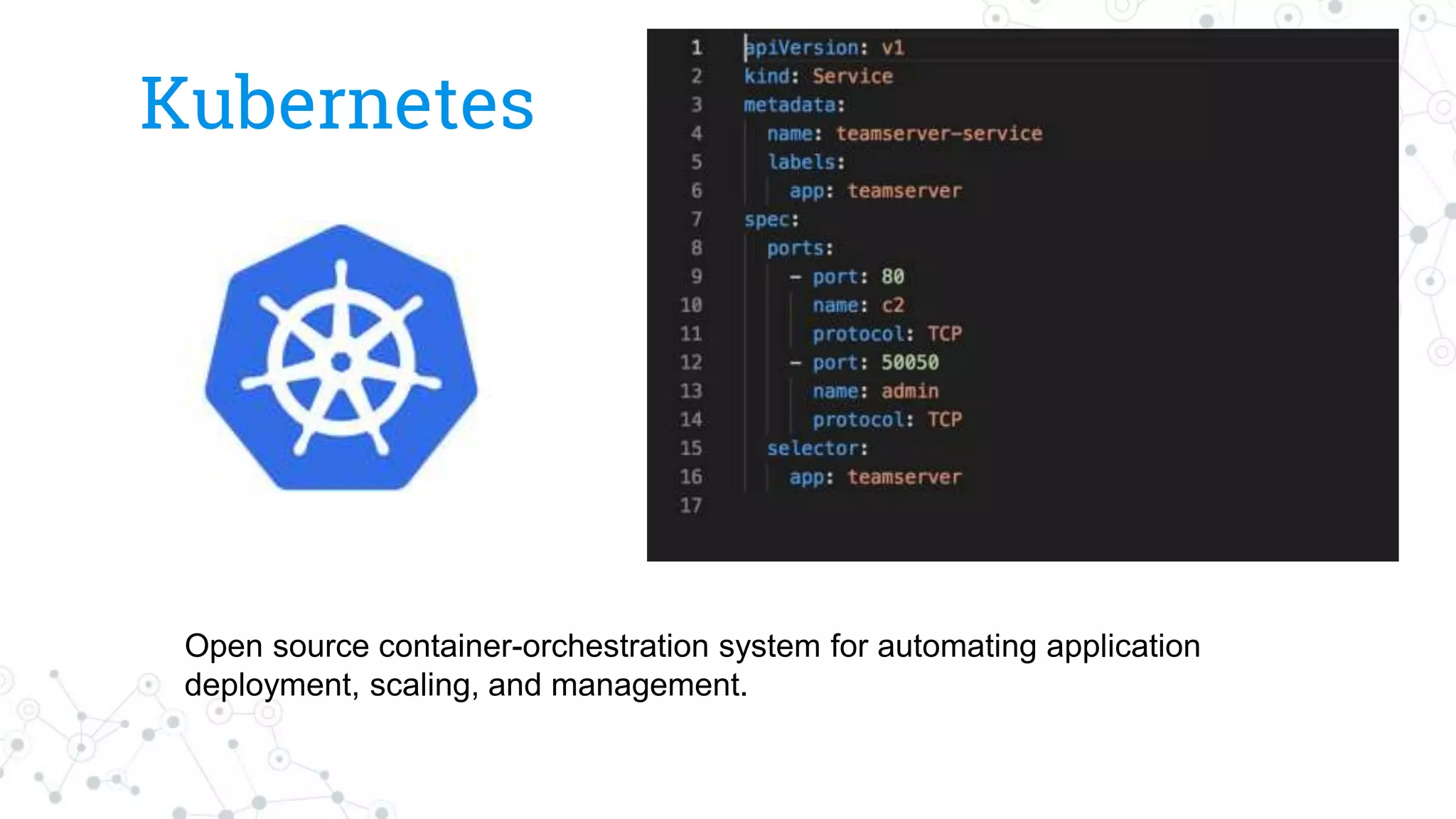
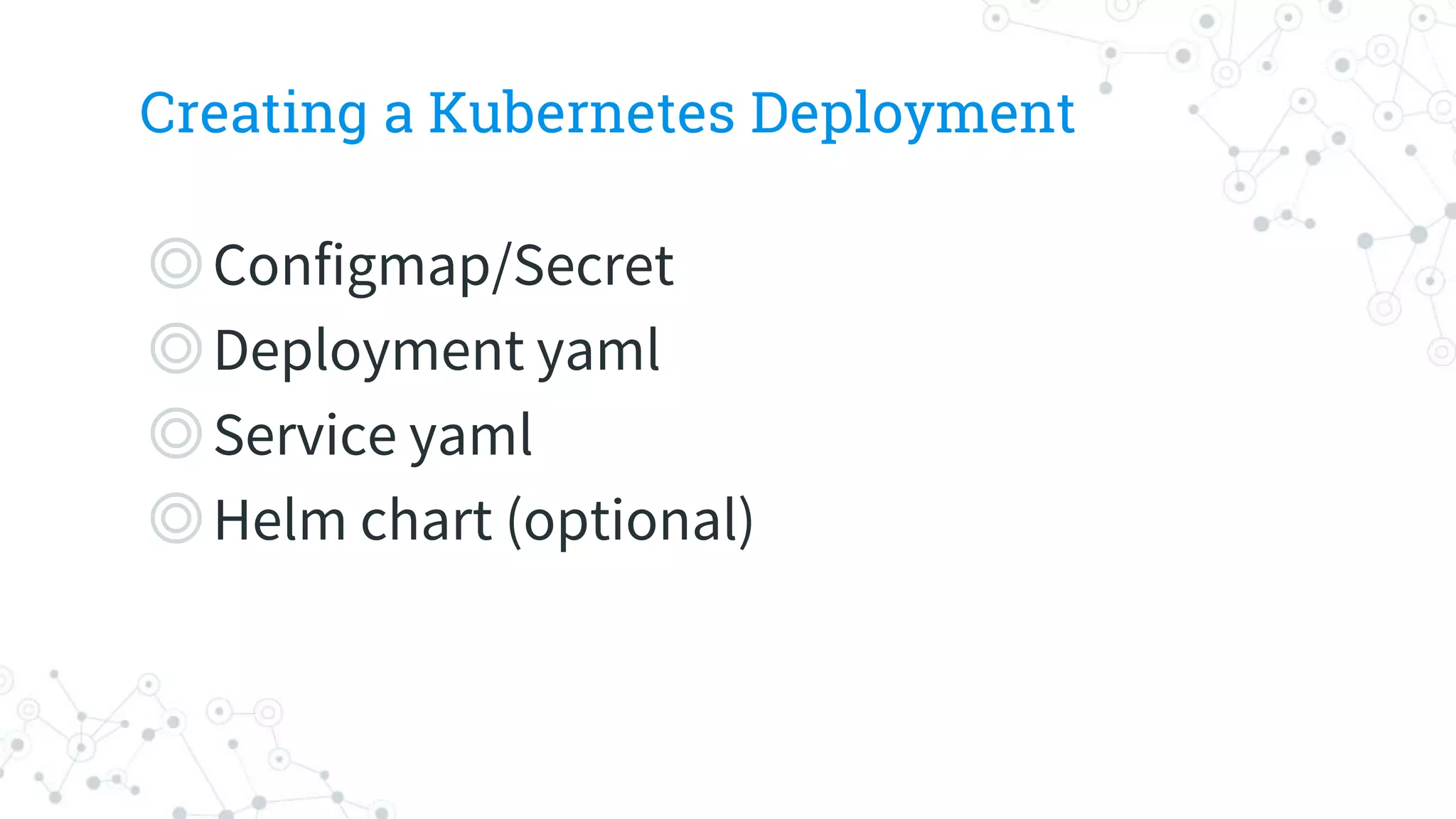
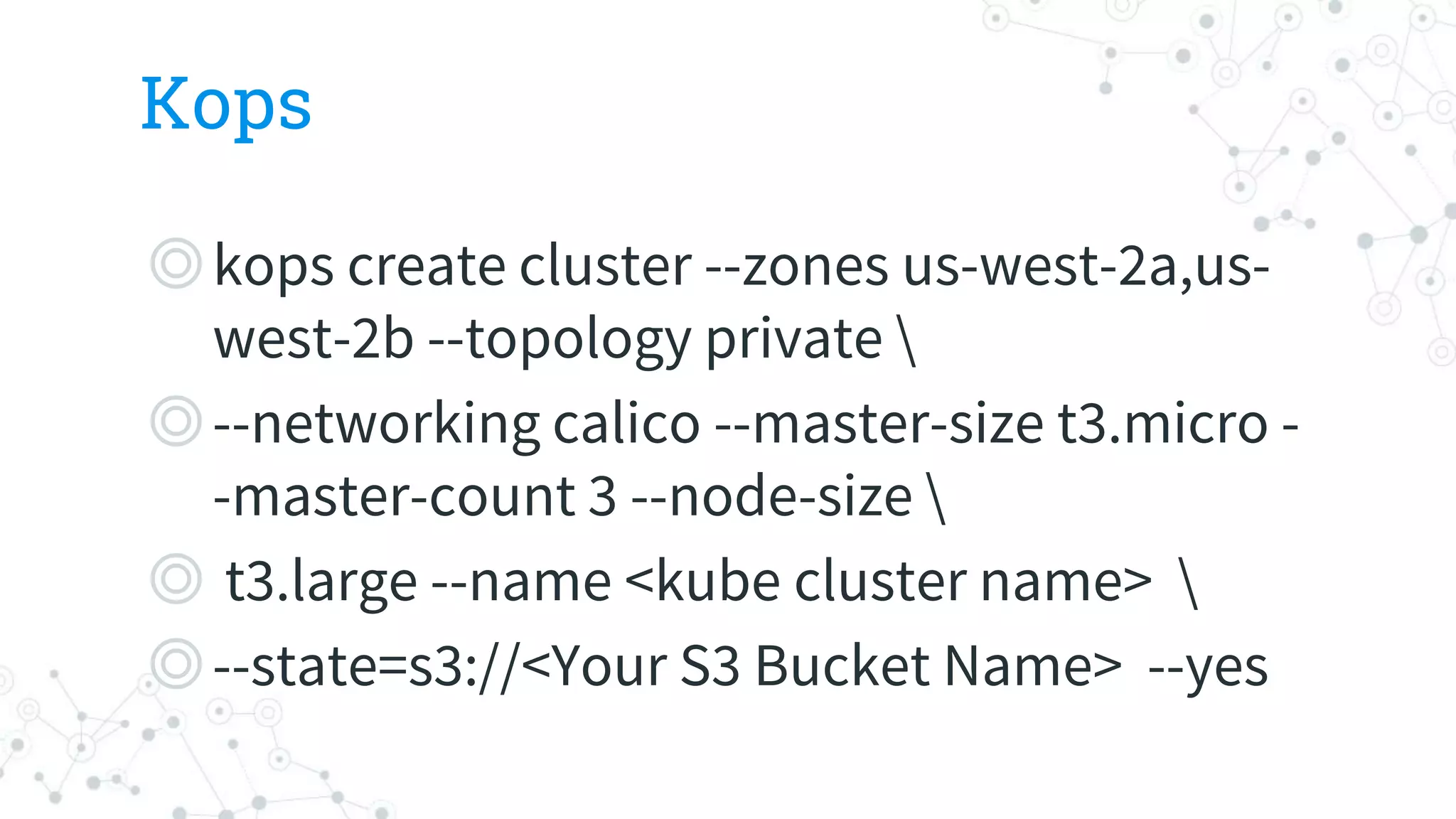
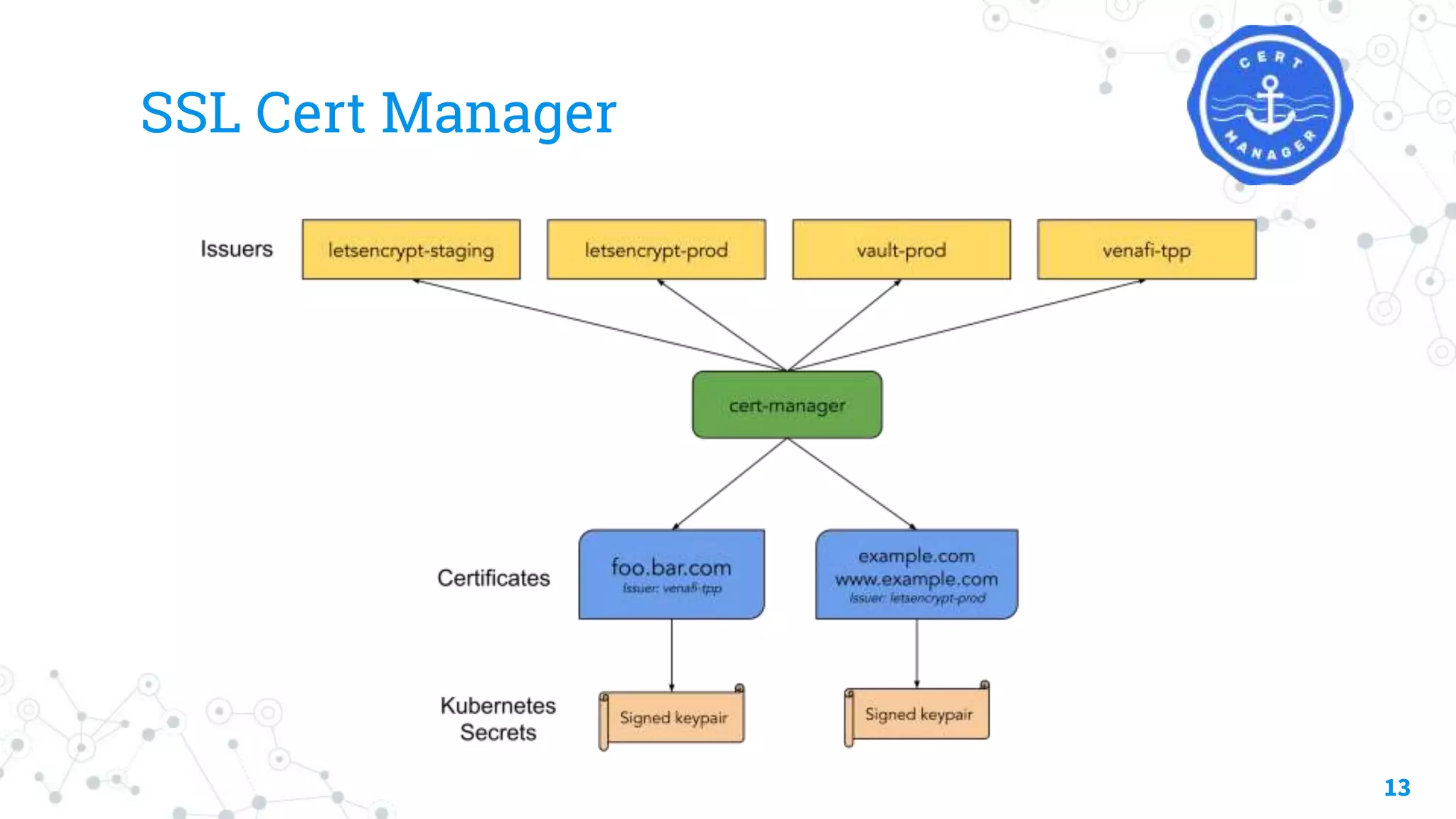
This document discusses deploying cloud native red team infrastructure using Kubernetes, Istio and Envoy. It provides introductions to Larry Suto and Jeff Holden and their backgrounds. It then covers goals of being automated, portable and scriptable. Key points covered include using Kubernetes for its infrastructure as code capabilities. It discusses concepts like Docker, Kubernetes, Kops, External DNS, SSL Cert Manager and recipes for containerizing tools like Cobalt Strike, Merlin and configuring deployments.
Who we are
◎LarrySuto - Larry is an independent
security consultant based out of Oakland,
CA. He spends a lot of time researching
using cloud infrastructure for all types of
security testing. He spends some time on
Windows security as well.
Twitter: @larrysuto
2
3.
Who we are
◎JeffHolden – Works at the largest college
system in the united states. CISO by day,
hacker by night. Currently living in an RV
with 3 dogs, 1 wife, and 1 kid.
◎@jeffh
4.
Goals
◎Working in AWS,GCE, Azure
◎Automated
○ Set domains, access keys, etc
◎Portable
◎Scriptable
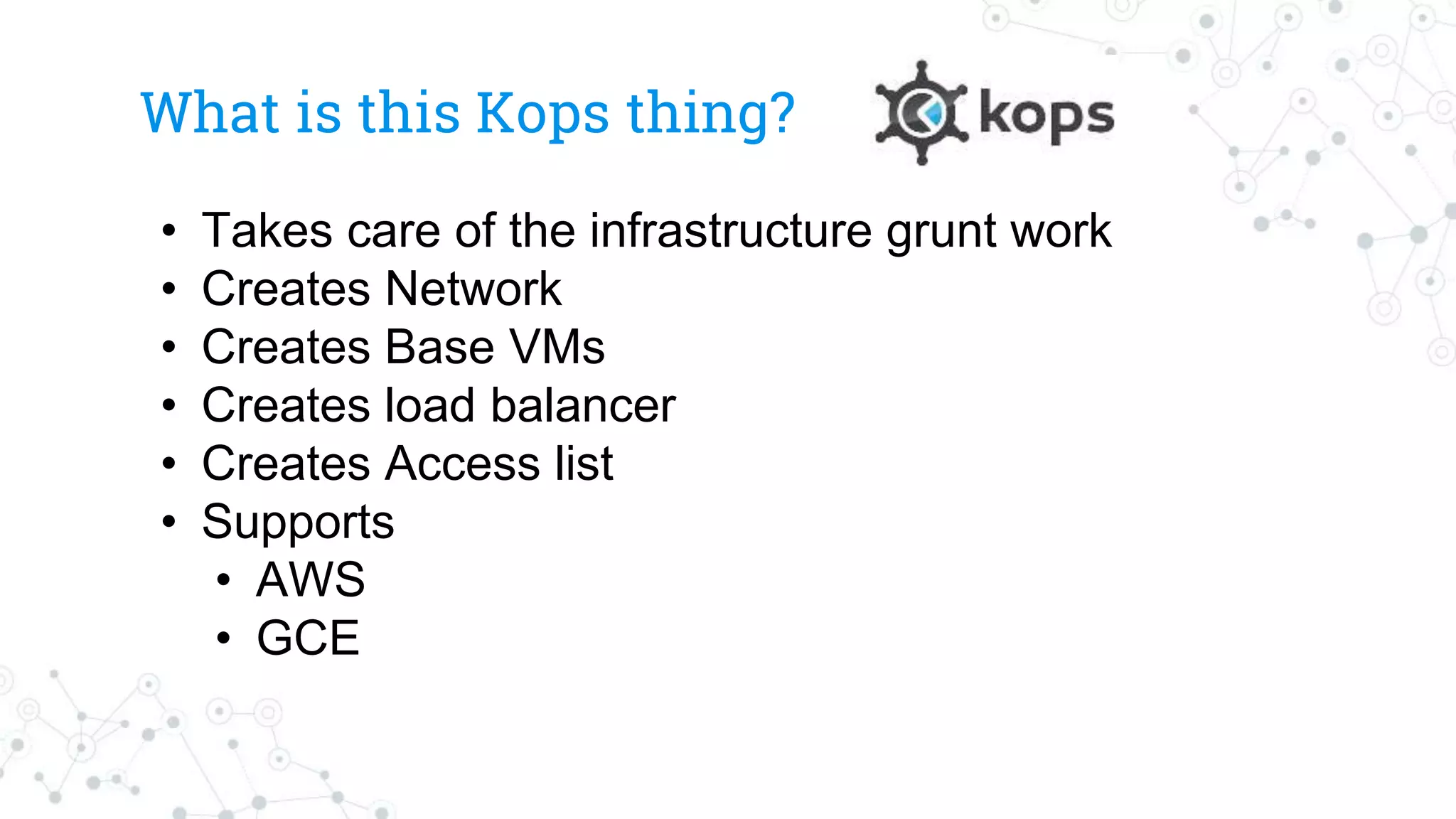
What is thisKops thing?
• Takes care of the infrastructure grunt work
• Creates Network
• Creates Base VMs
• Creates load balancer
• Creates Access list
• Supports
• AWS
• GCE
External DNS
◎Support allmajor cloud services
◎ Pod adds and updates DNS entries to
cloud providers DNS
○ Need to use cloud provider specific tool to create
hosted zone
○ Can automate domain registration
12
Background
◎Placing Apache mod_rewritein front of C2 infrastructure has been common
place for many years now
◎Many advances have been made in redirection technology recently driven
by the move to container-based cloud systems such as Kubernetes
◎Adoption of Docker by the red team is common but we have seen little in
the way of container management systems and service mesh technology
which provide sophisticated mechanisms for ingress and egress
manipulation
◎Service mesh technology holds a lot of promise for sophisticated c2
redirection and traffic manipulation and can leverage multiple clouds with
many simultaneous ingress points
◎With Kubernetes its quite straight forward to introduce new redirection
point dynamically
16.
Recipes for ContainerizingC2
◎Candidates
○ Cobalt Strike
○ Merlin (http/2)
○ Many others (Empire, Faction, silver, Covenant,..)
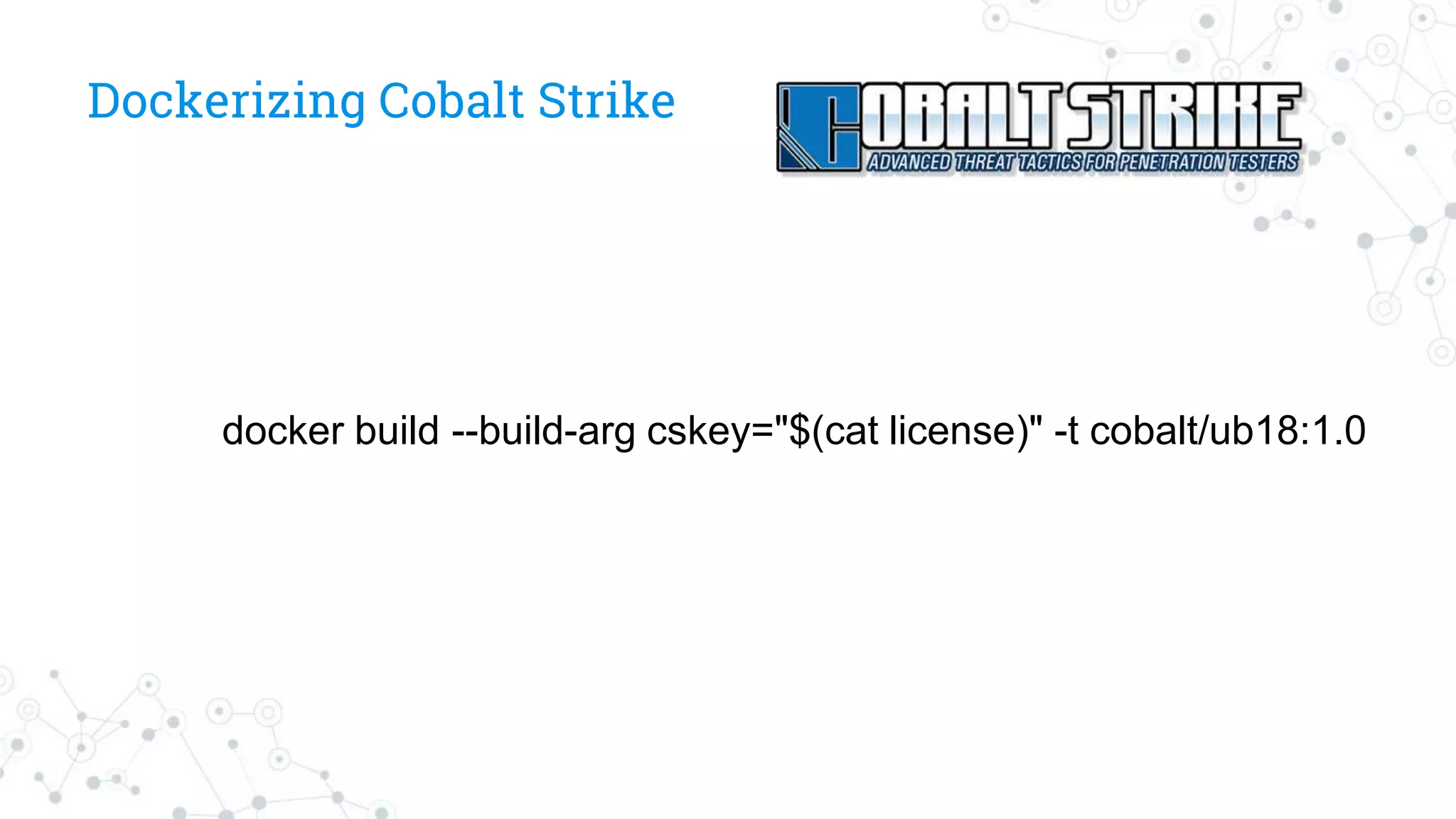
FROM ubuntu:18.04 asbase
MAINTAINER kubered
LABEL version=”1.0"
LABEL description="CobaltStrike."
ARG cskey
ENV cs_key ${cskey}
SHELL ["/bin/bash", "-c"]
RUN apt-get update &&
apt-get install -y wget curl net-tools sudo software-properties-common apt-utils --no-install-recommends &&
apt install -y openjdk-11-jdk &&
update-java-alternatives -s java-1.11.0-openjdk-amd64 &&
rm -rf /var/lib/apt/lists/*
RUN var=$(curl 'https://www.cobaltstrike.com/download' -XPOST -H 'Referer: https://www.cobaltstrike.com/download' -H 'Content-Type:
application/x-www-form-urlencoded' -H 'Origin: https://www.cobaltstrike.com' -H 'Host: www.cobaltstrike.com' -H 'Accept:
text/html,application/xhtml+xml,application/xml;q=0.9,*/*;q=0.8' -H 'Connection: keep-alive' -H 'Accept-Language: en-us' -H 'User-Agent:
Mozilla/5.0 (Macintosh; Intel Mac OS X 10_13_1) AppleWebKit/604.3.5 (KHTML, like Gecko) Version/11.0.1 Safari/604.3.5' --data
"dlkey=$cs_key" | sed -n 's/.*href="([^"]*).*/1/p' | grep /downloads/ | cut -d '.' -f 1) &&
cd /opt &&
wget https://www.cobaltstrike.com$var.tgz &&
tar xvf cobaltstrike-trial.tgz &&
cd cobaltstrike &&
echo $cs_key > ~/.cobaltstrike.license &&
./update
RUN apt-get -y clean &&
apt-get -y autoremove
COPY cobalt-kube.profile /opt/cobaltstrike/profiles/
# set entry point
WORKDIR "/opt/cobaltstrike"
ENTRYPOINT ["./teamserver"]
19.
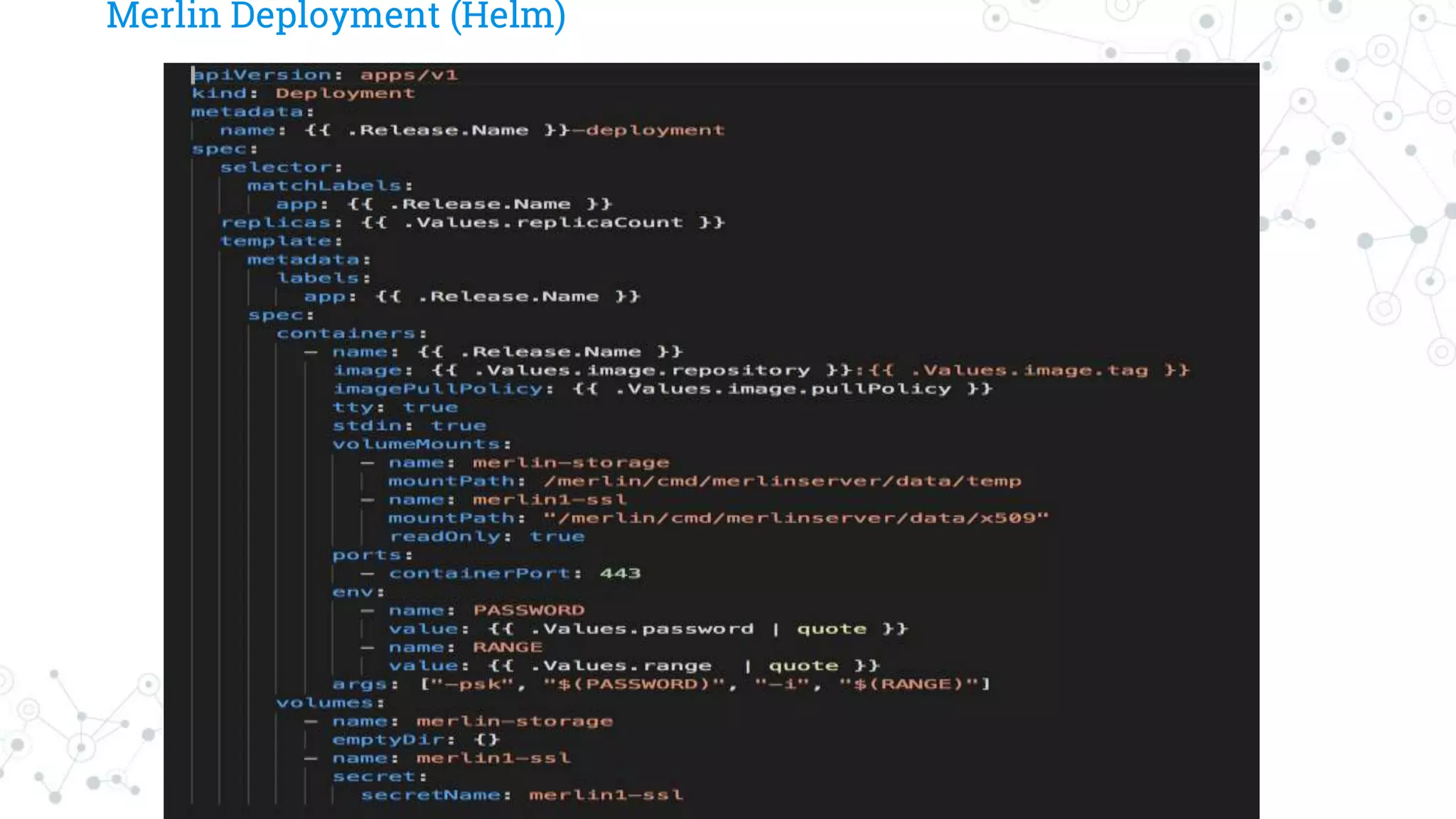
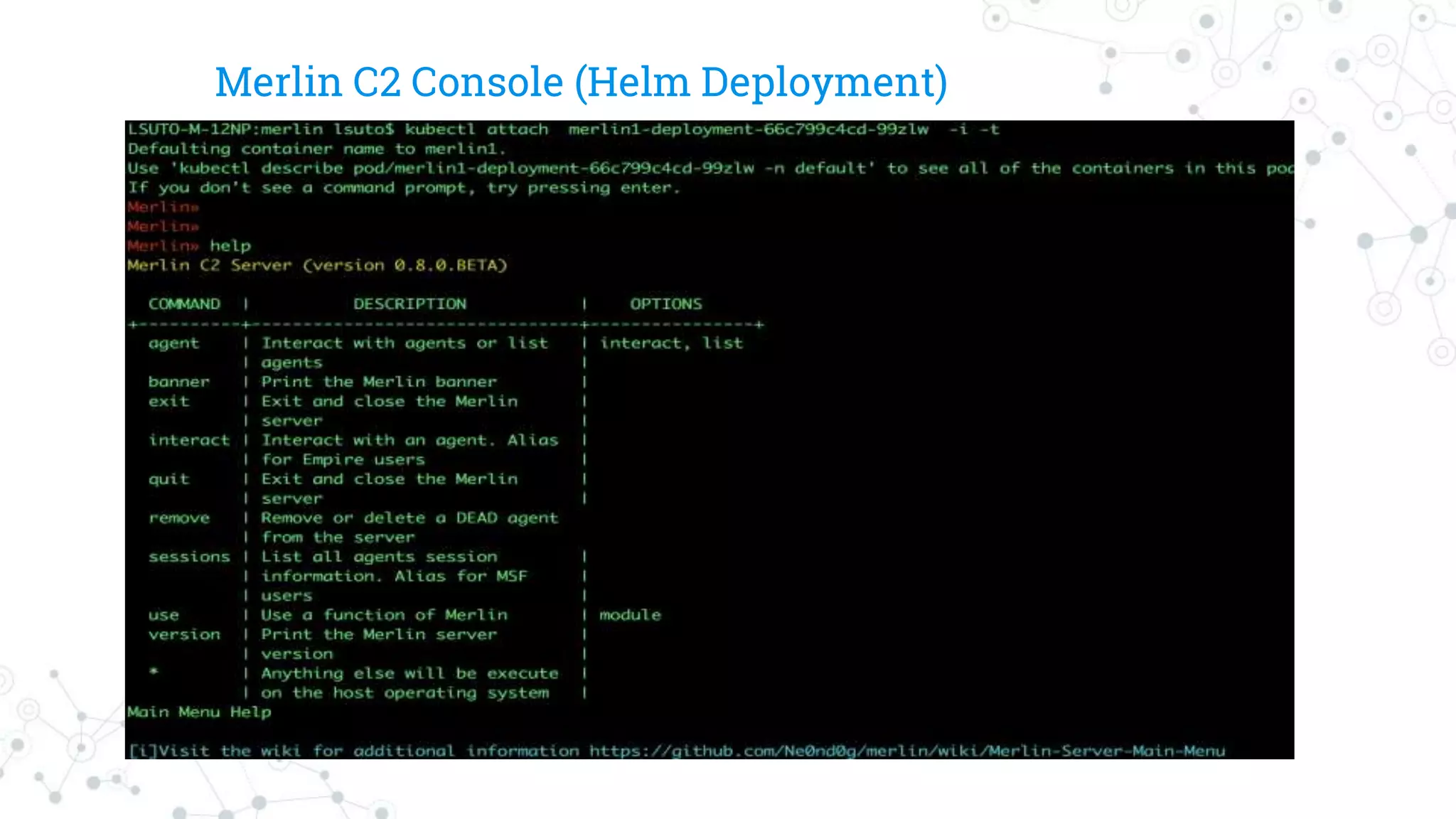
Dockerizing Merlin
FROM golang:stretch
MAINTAINER@audibleblink
RUN apt-get update && apt-get install -y git make
RUN go get github.com/Ne0nd0g/merlin/...
WORKDIR $GOPATH/src/github.com/Ne0nd0g/merlin
VOLUME ["data/temp"]
EXPOSE 443
CMD ["go", "run", "cmd/merlinserver/main.go", "-i", "0.0.0.0"]
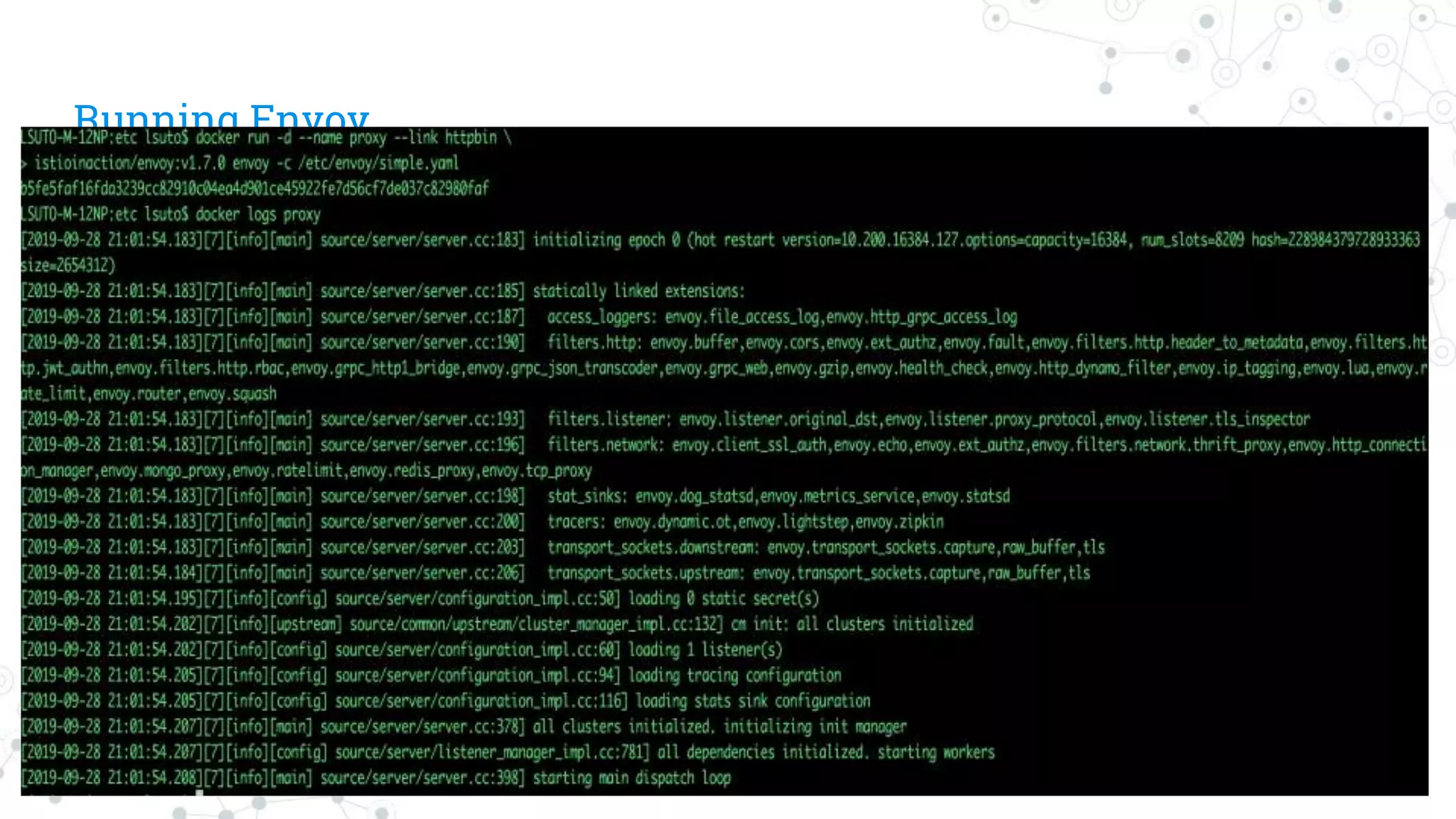
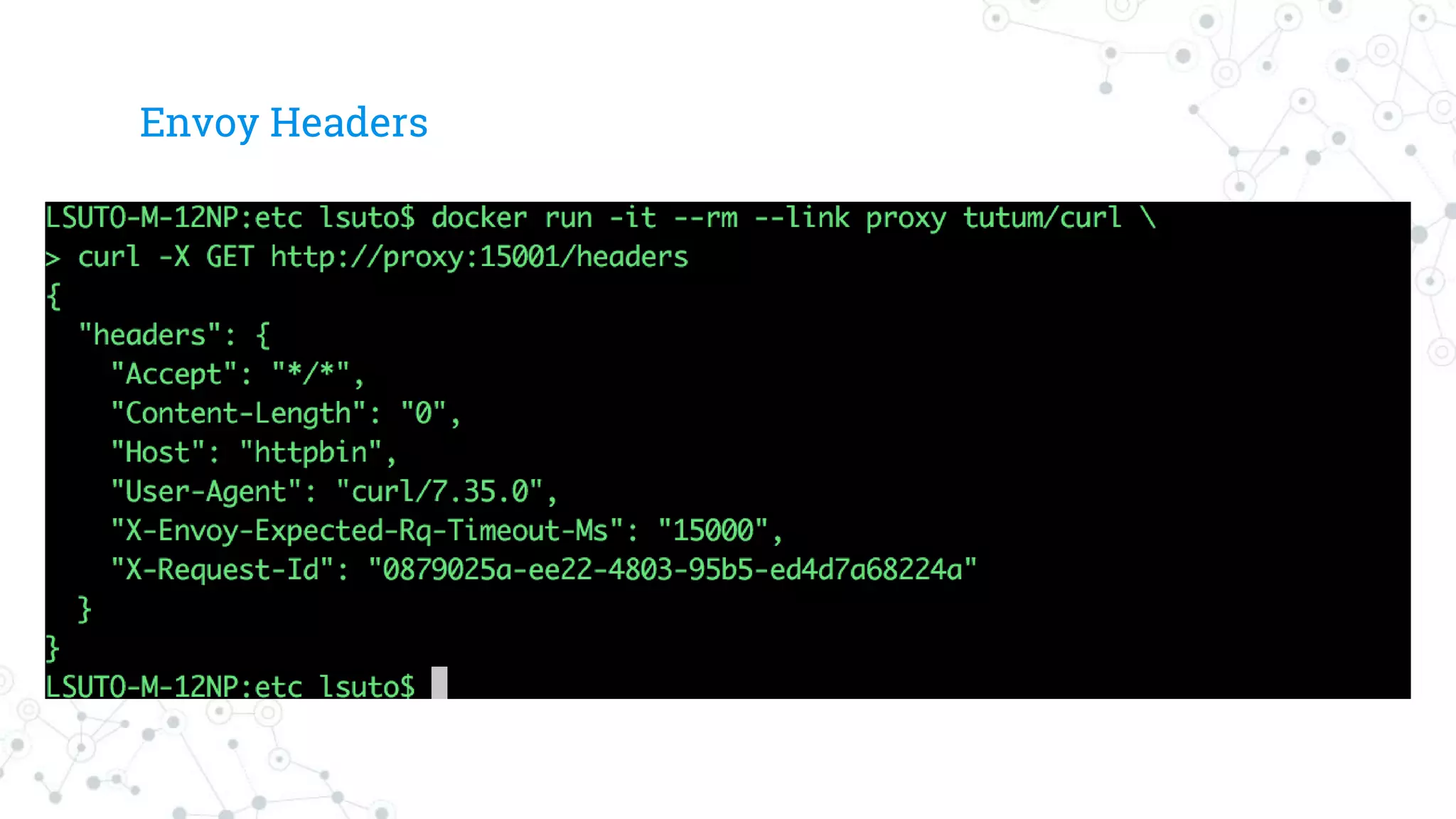
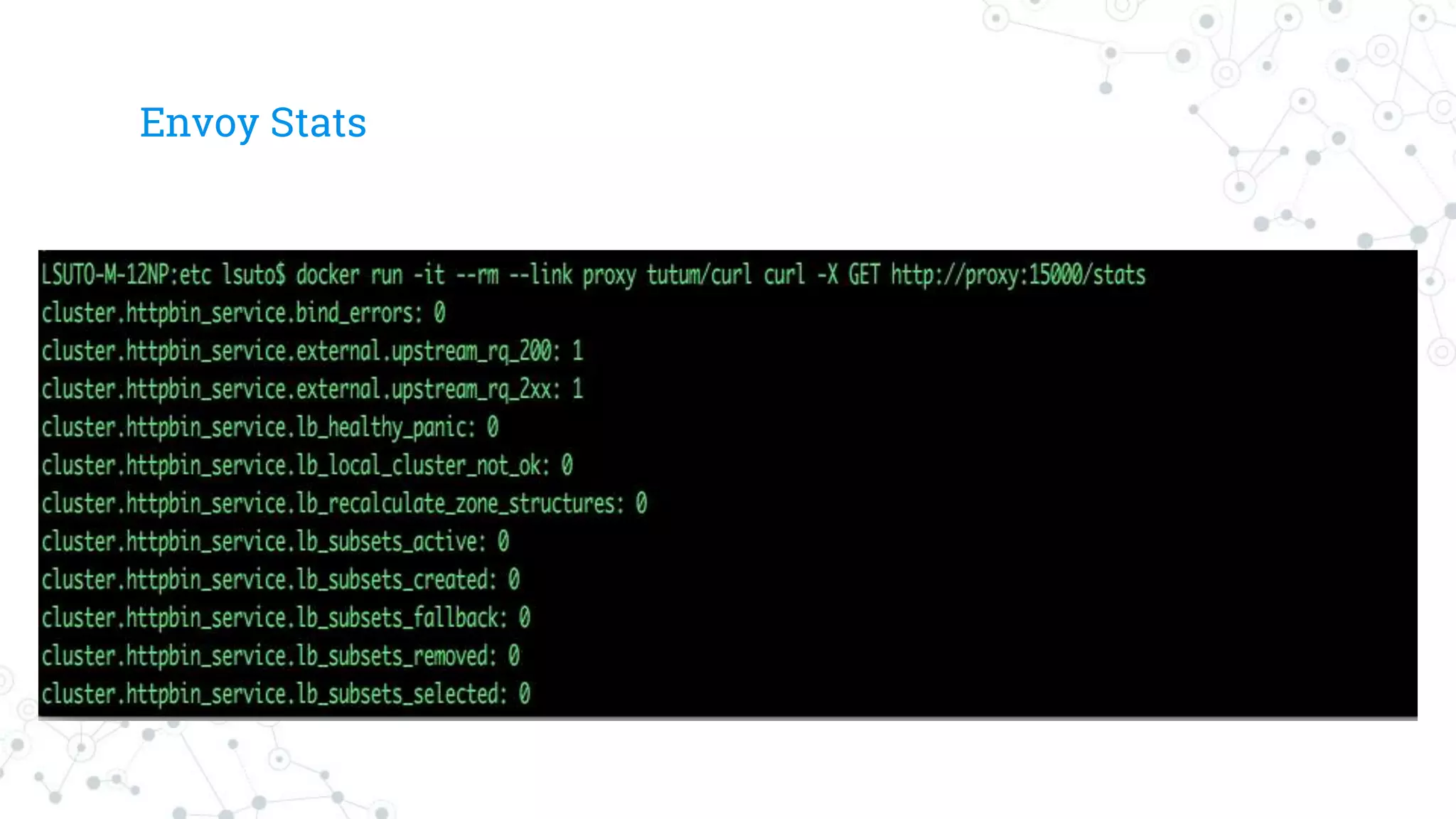
Envoy Proxy
◎It canproxy any TCP protocol.
◎It can do SSL. Either direction.
◎Full support for HTTP/2 and can translate between HTTP/2 and
HTTP/1.1 (either direction).
◎It has good flexibility around discovery and load balancing.
◎It’s a sidecar process, so it’s completely agnostic to you service
implementation language
32.
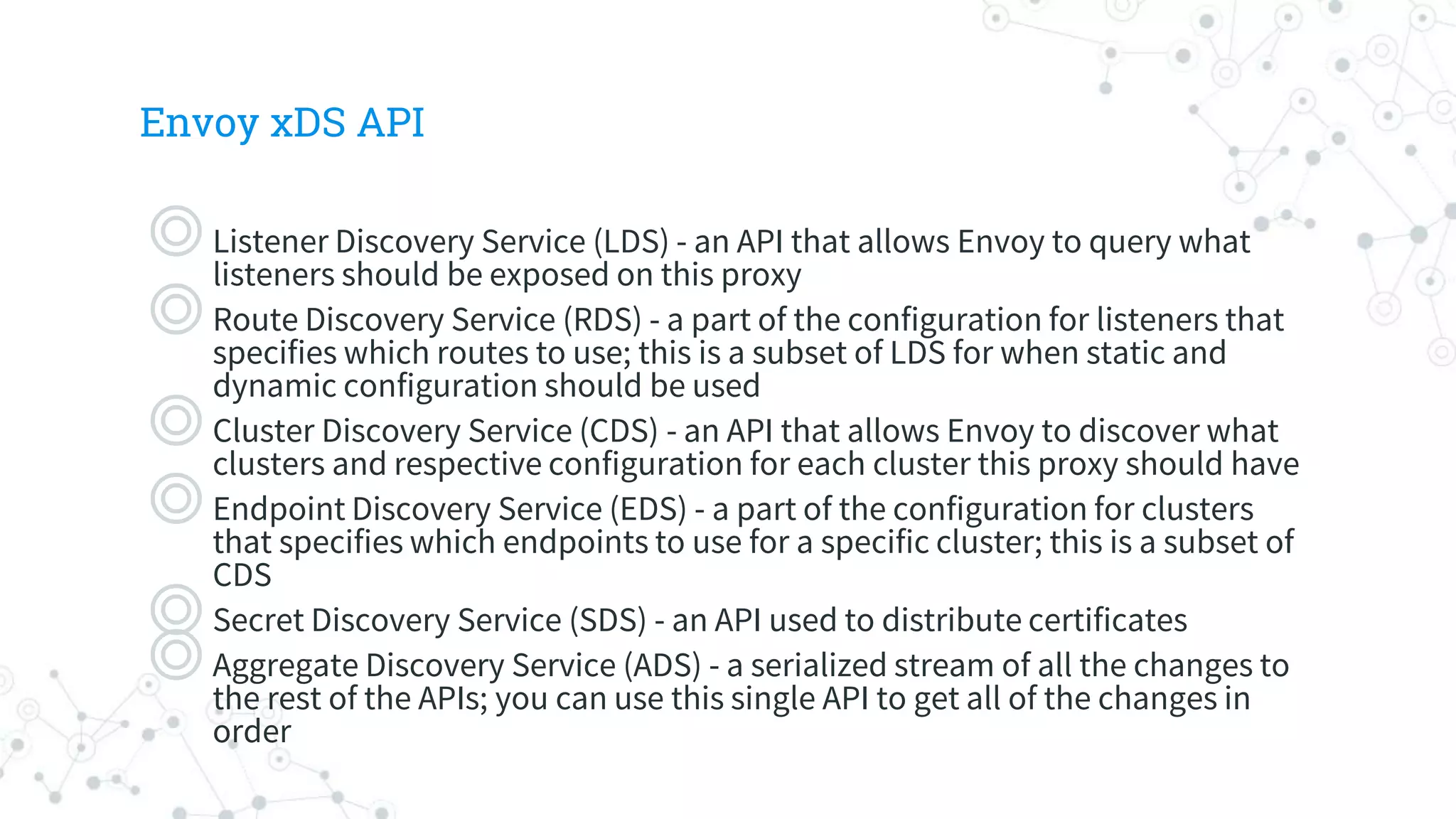
Envoy xDS API
◎ListenerDiscovery Service (LDS) - an API that allows Envoy to query what
listeners should be exposed on this proxy
◎Route Discovery Service (RDS) - a part of the configuration for listeners that
specifies which routes to use; this is a subset of LDS for when static and
dynamic configuration should be used
◎Cluster Discovery Service (CDS) - an API that allows Envoy to discover what
clusters and respective configuration for each cluster this proxy should have
◎Endpoint Discovery Service (EDS) - a part of the configuration for clusters
that specifies which endpoints to use for a specific cluster; this is a subset of
CDS
◎Secret Discovery Service (SDS) - an API used to distribute certificates
◎Aggregate Discovery Service (ADS) - a serialized stream of all the changes to
the rest of the APIs; you can use this single API to get all of the changes in
order
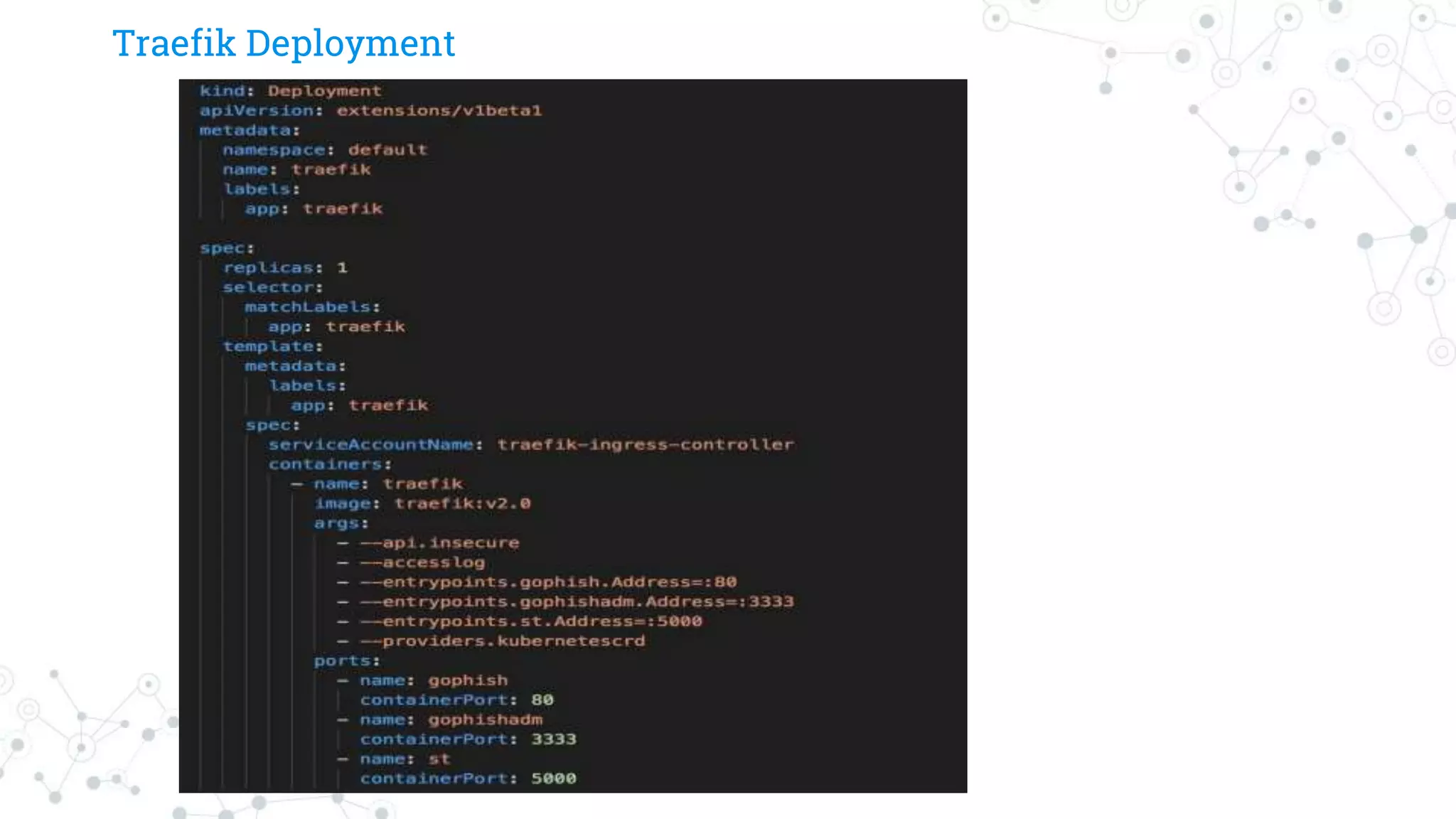
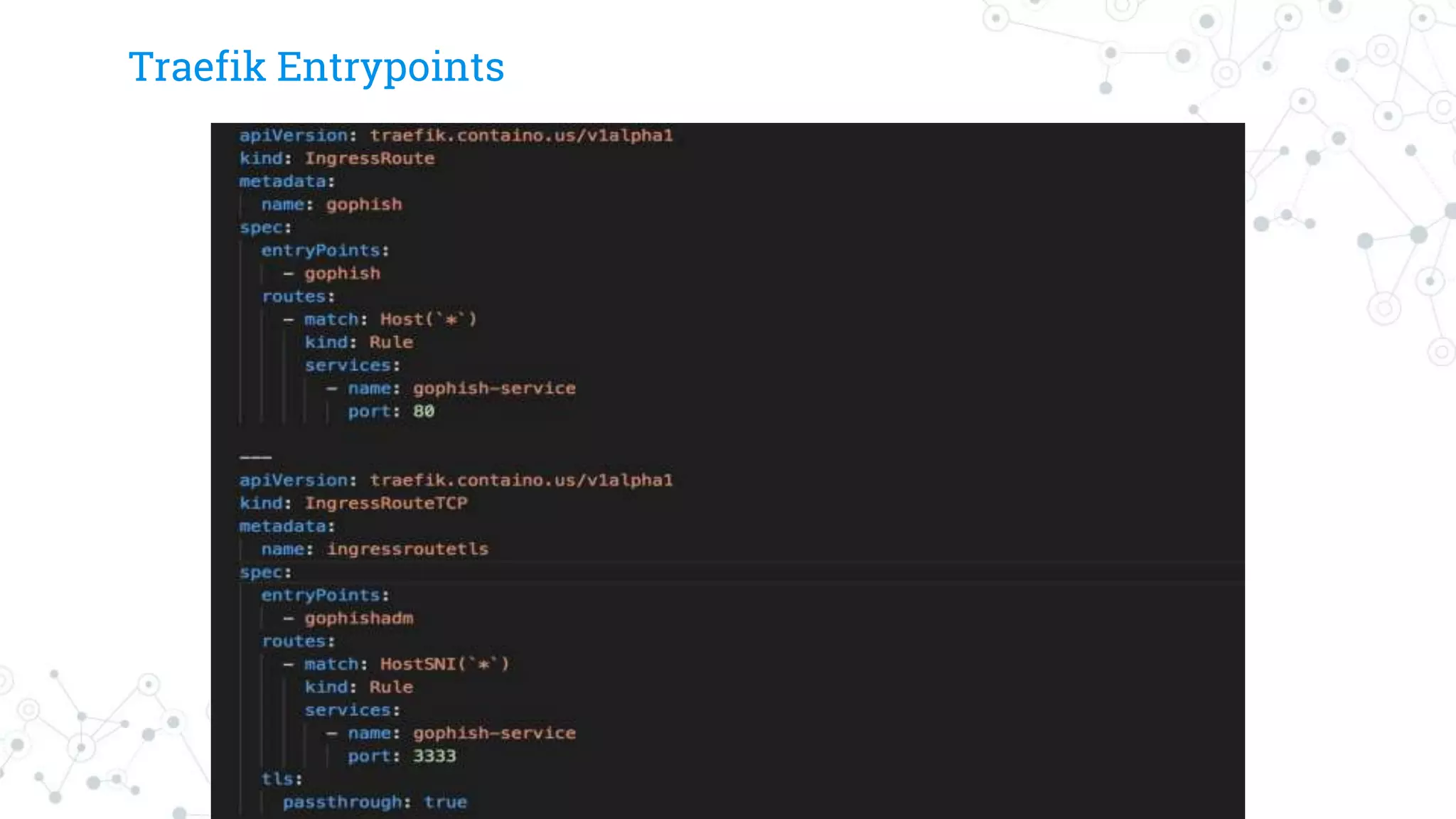
Envoy Based IngressControllers
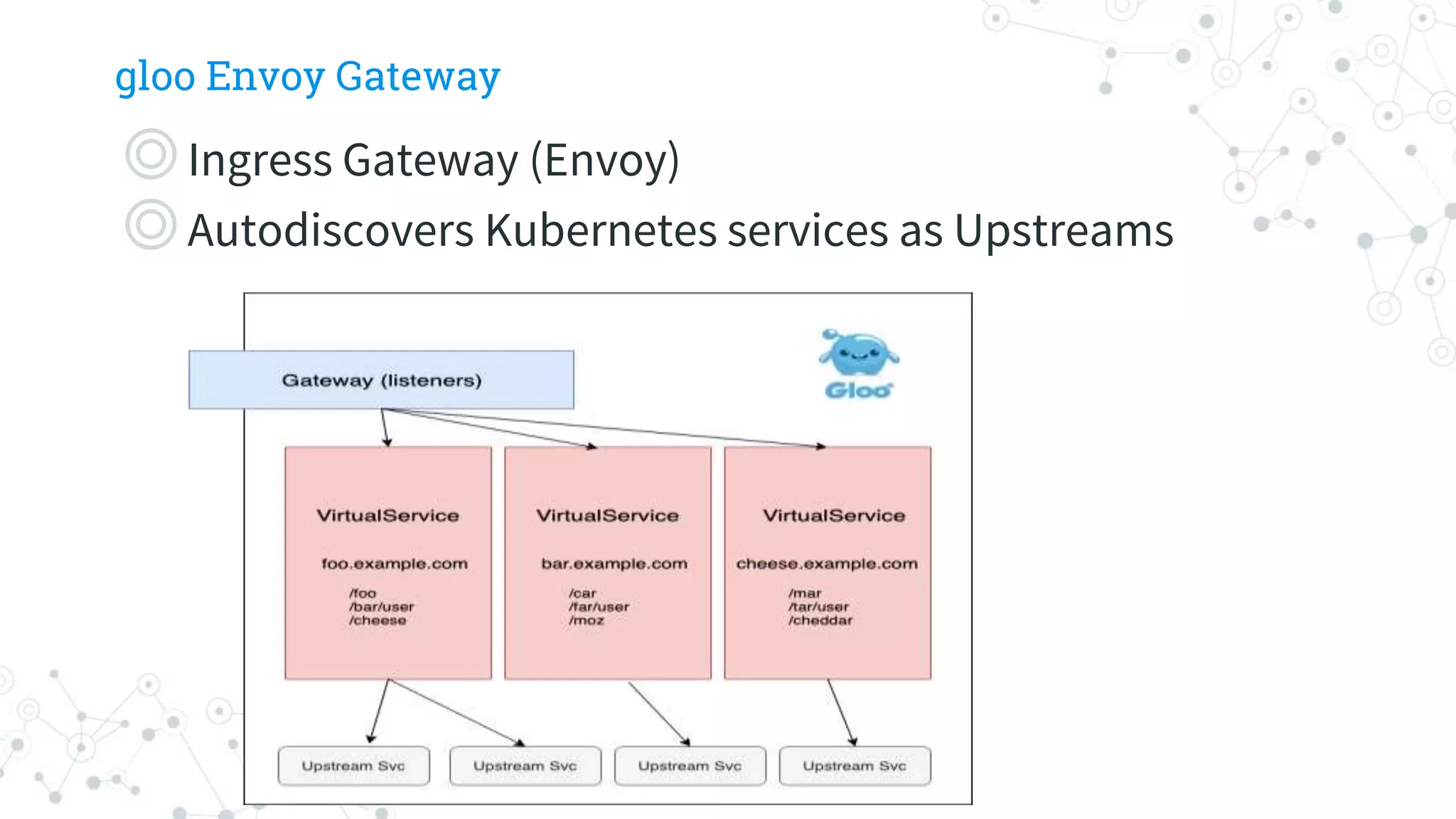
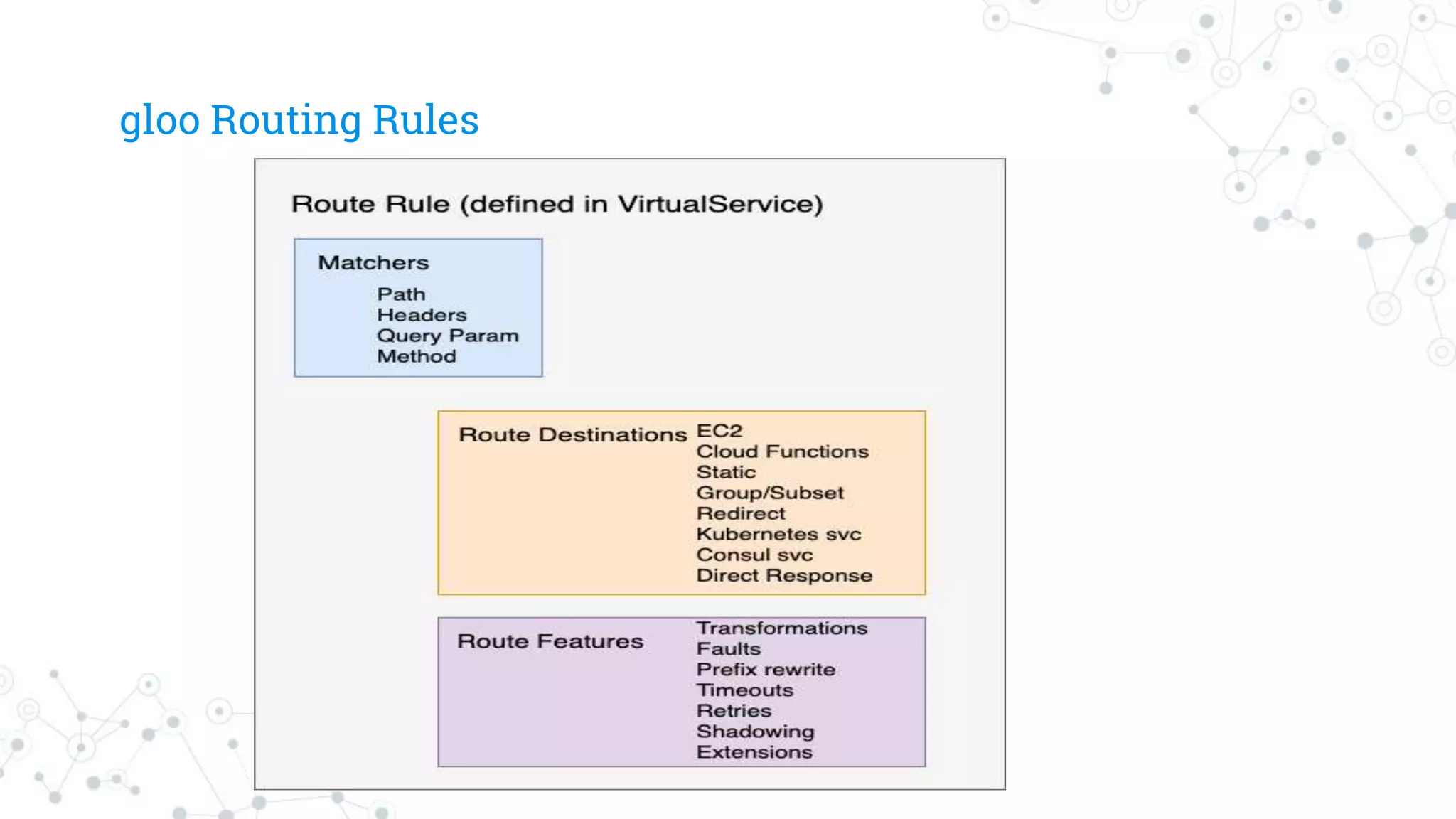
◎Gloo
◎Istio
◎We also will start providing examples for
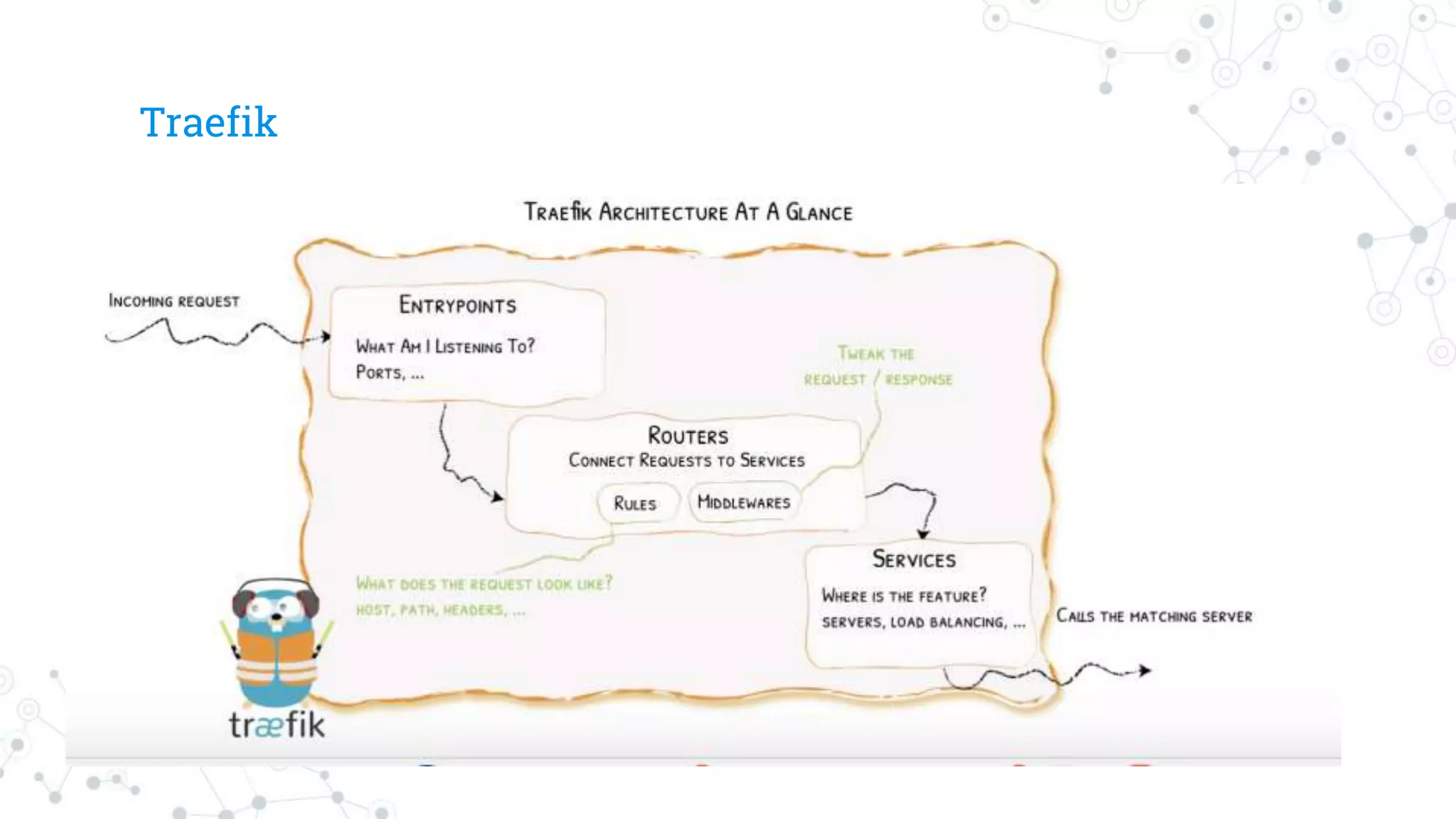
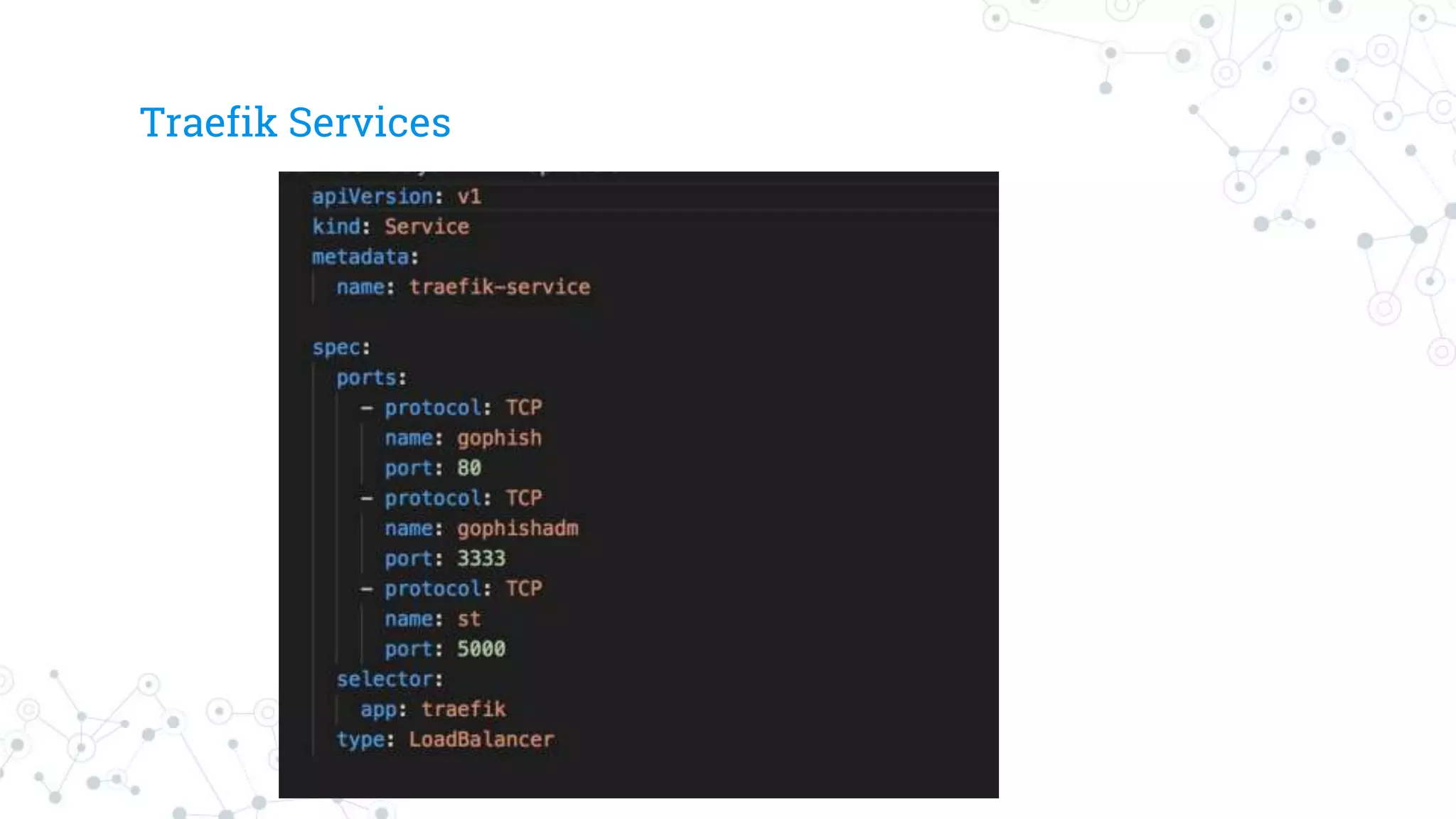
Traefik as it is a very simple and easy to
deploy edge proxy written in golang.
39.
Envoy based Gateways
39
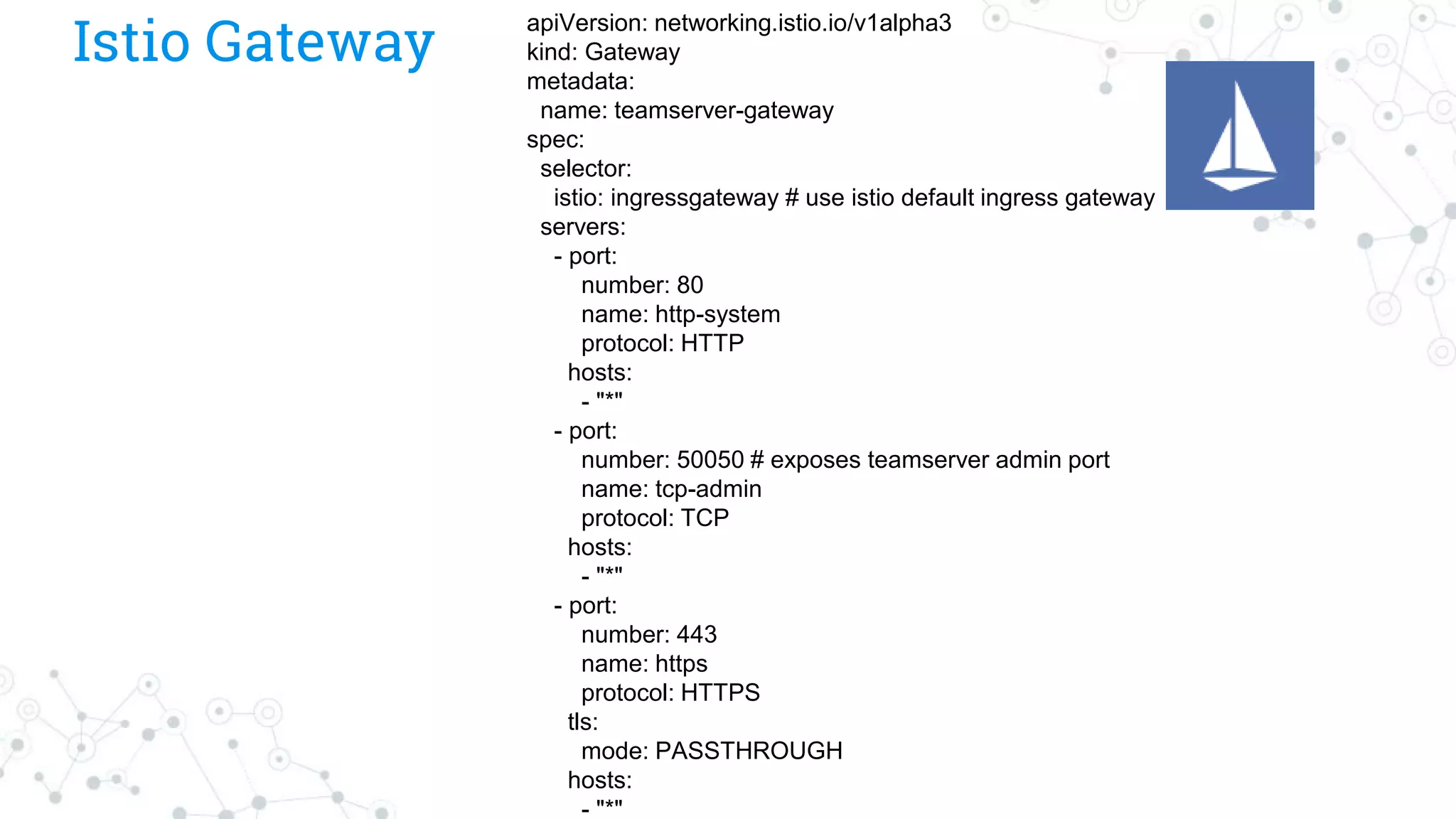
◎Gatewaydescribes a load balancer operating at the
edge of the mesh receiving incoming or outgoing
HTTP/TCP connections.
40.
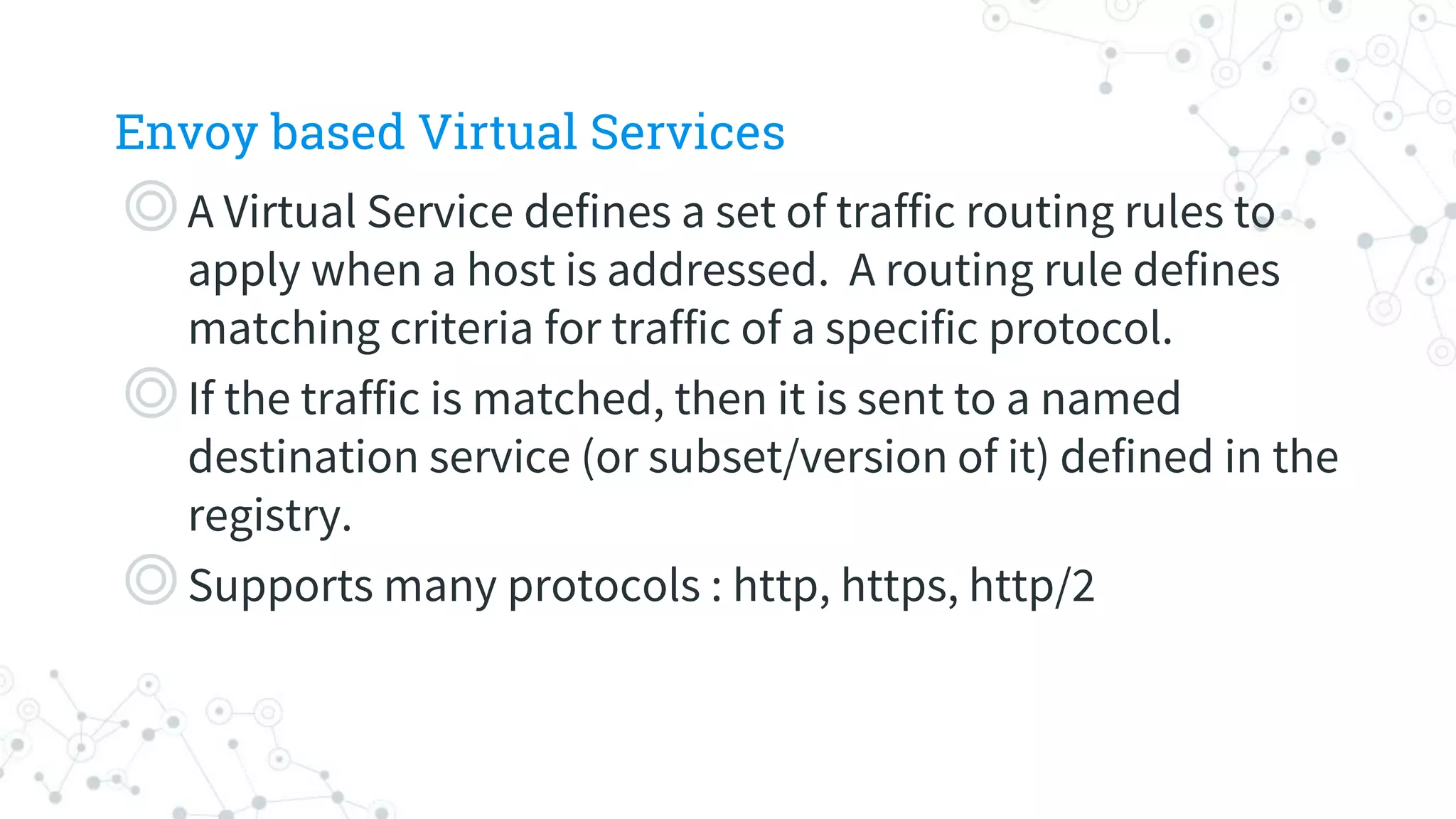
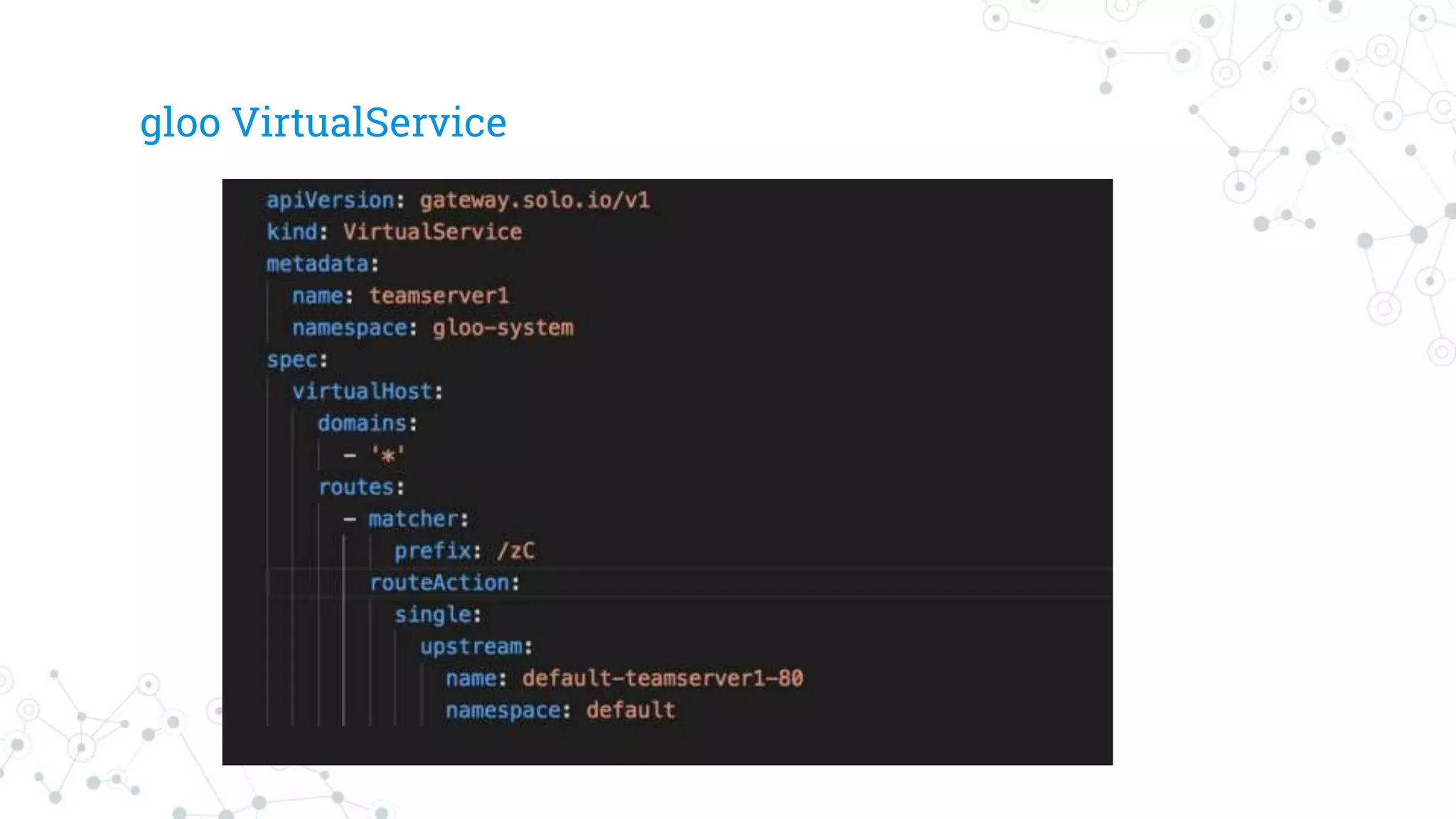
Envoy based VirtualServices
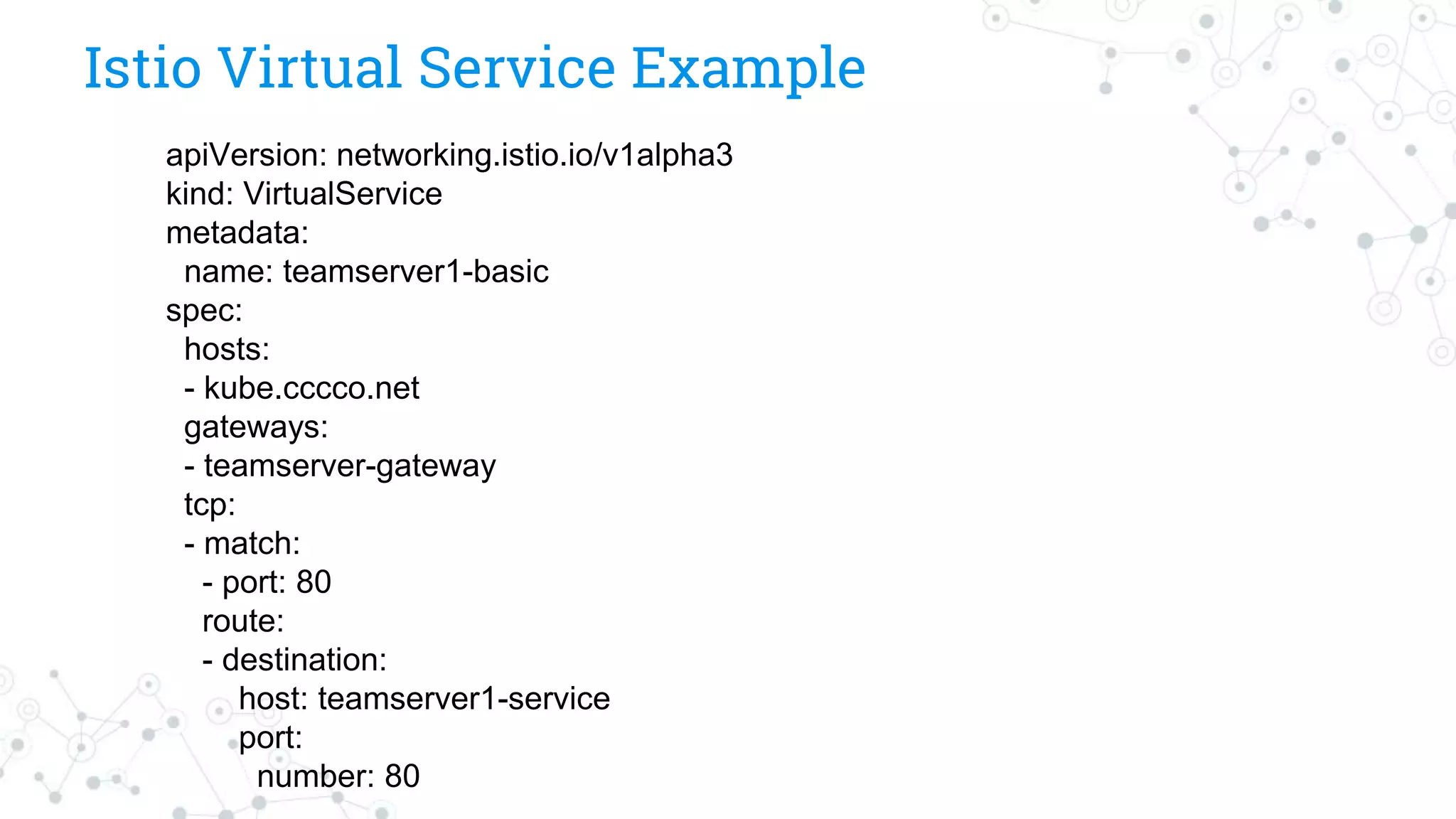
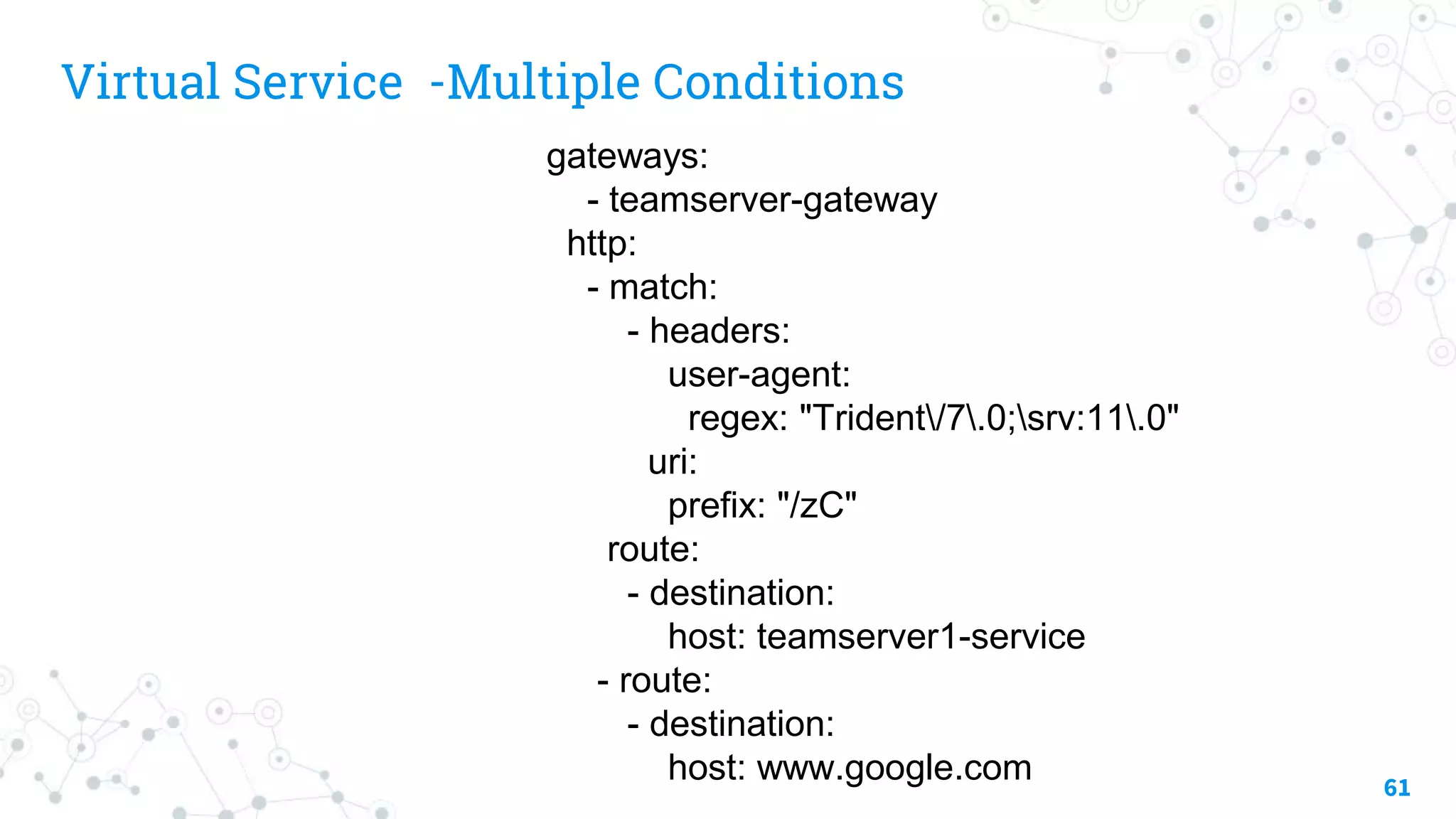
◎A Virtual Service defines a set of traffic routing rules to
apply when a host is addressed. A routing rule defines
matching criteria for traffic of a specific protocol.
◎If the traffic is matched, then it is sent to a named
destination service (or subset/version of it) defined in the
registry.
◎Supports many protocols : http, https, http/2
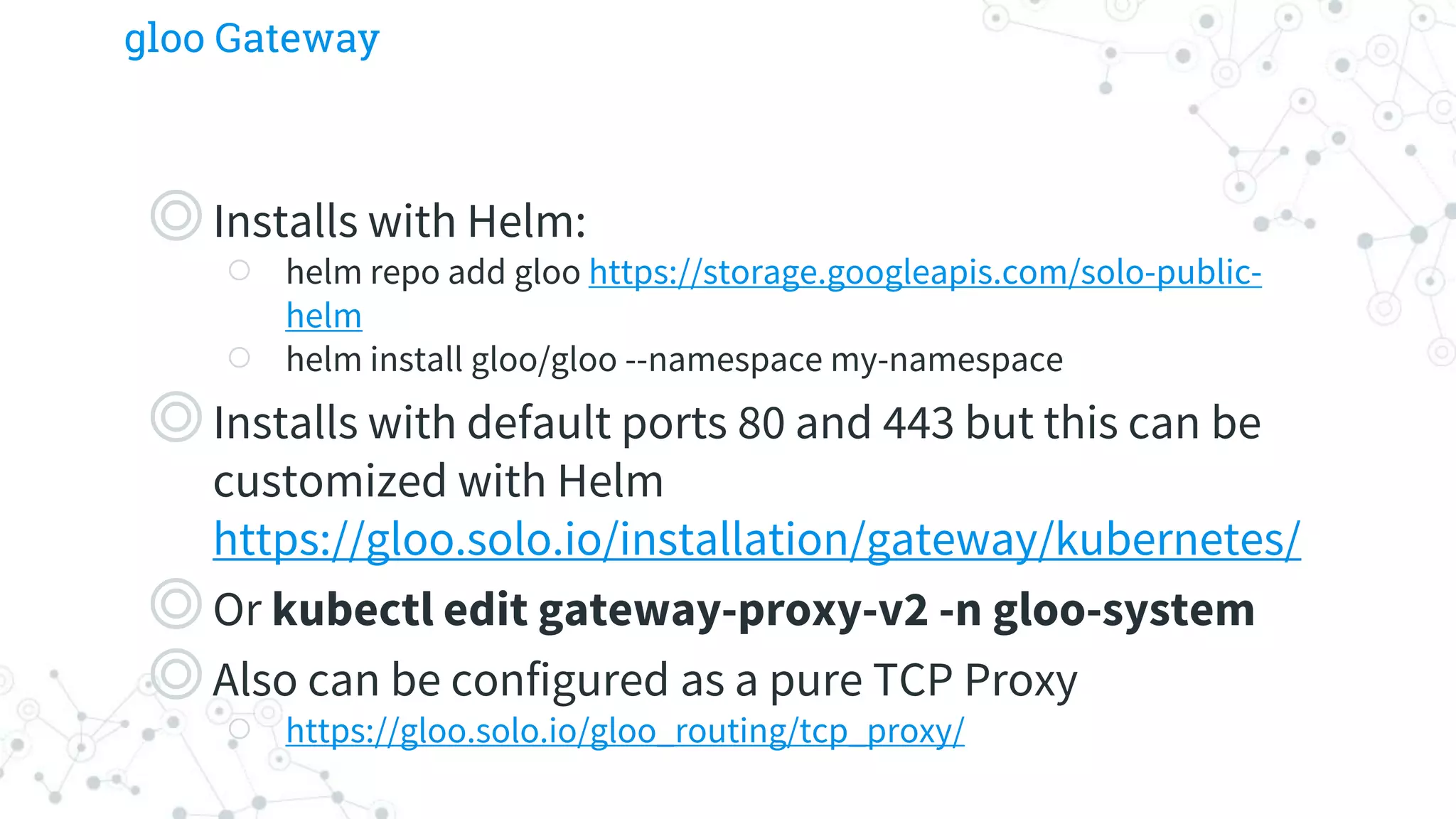
gloo Gateway
◎Installs withHelm:
○ helm repo add gloo https://storage.googleapis.com/solo-public-
helm
○ helm install gloo/gloo --namespace my-namespace
◎Installs with default ports 80 and 443 but this can be
customized with Helm
https://gloo.solo.io/installation/gateway/kubernetes/
◎Or kubectl edit gateway-proxy-v2 -n gloo-system
◎Also can be configured as a pure TCP Proxy
○ https://gloo.solo.io/gloo_routing/tcp_proxy/
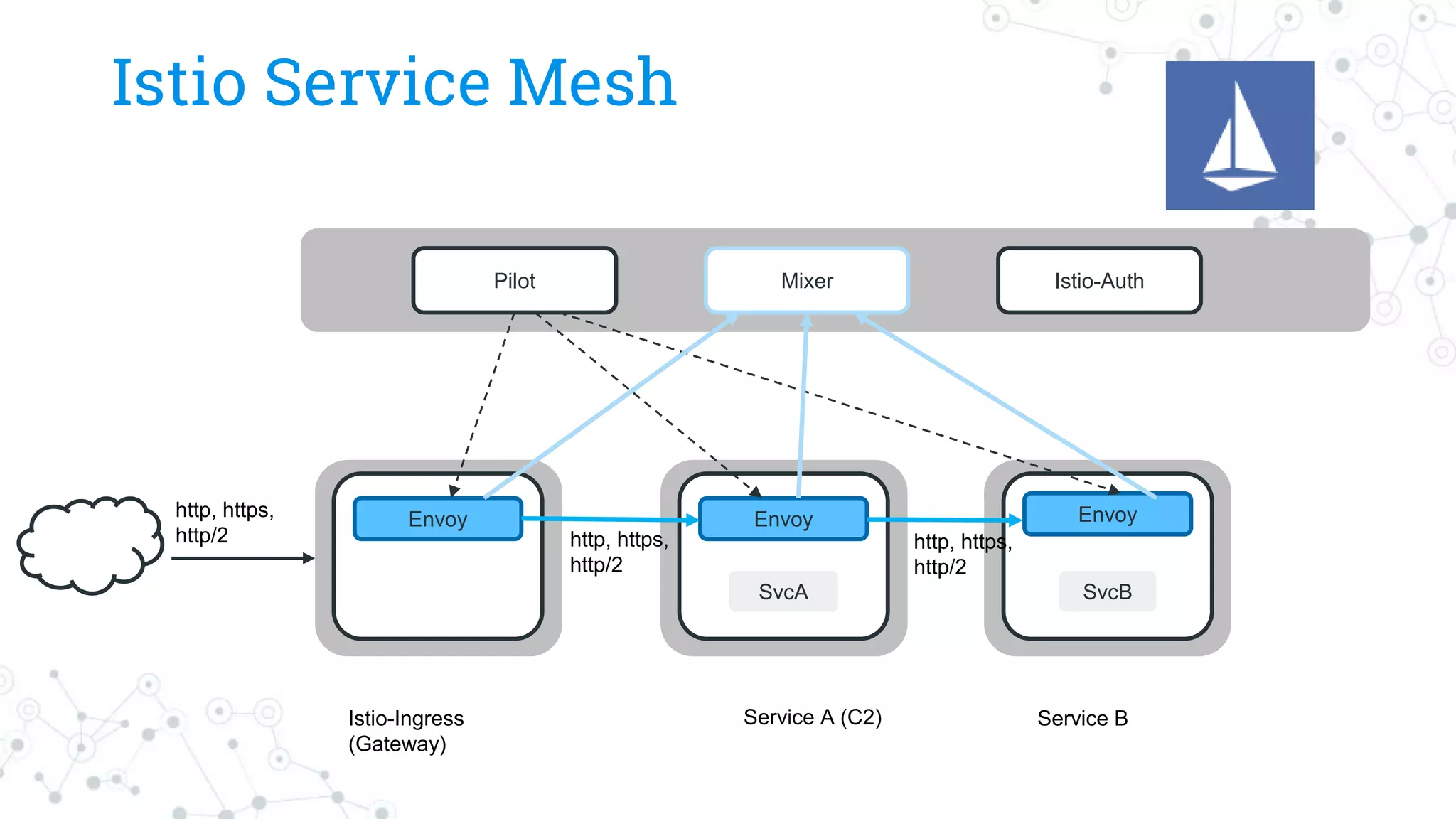
Istio Service Mesh
MixerIstio-AuthPilot
Envoy Envoy
SvcA SvcB
Envoy
Istio-Ingress
(Gateway)
Service A (C2) Service B
http, https,
http/2 http, https,
http/2
http, https,
http/2
51.
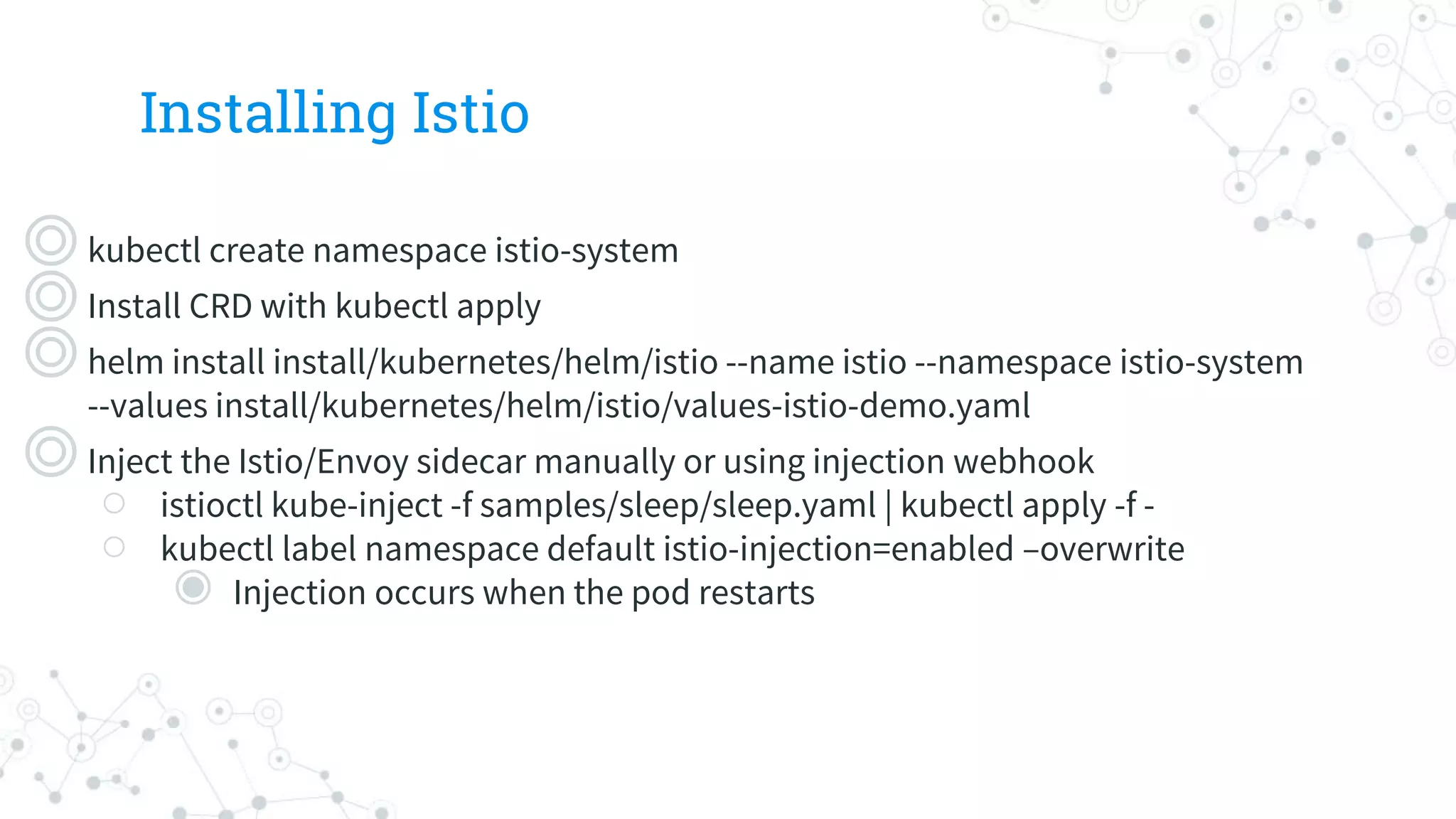
Installing Istio
◎kubectl createnamespace istio-system
◎Install CRD with kubectl apply
◎helm install install/kubernetes/helm/istio --name istio --namespace istio-system
--values install/kubernetes/helm/istio/values-istio-demo.yaml
◎Inject the Istio/Envoy sidecar manually or using injection webhook
○ istioctl kube-inject -f samples/sleep/sleep.yaml | kubectl apply -f -
○ kubectl label namespace default istio-injection=enabled –overwrite
◉ Injection occurs when the pod restarts
52.
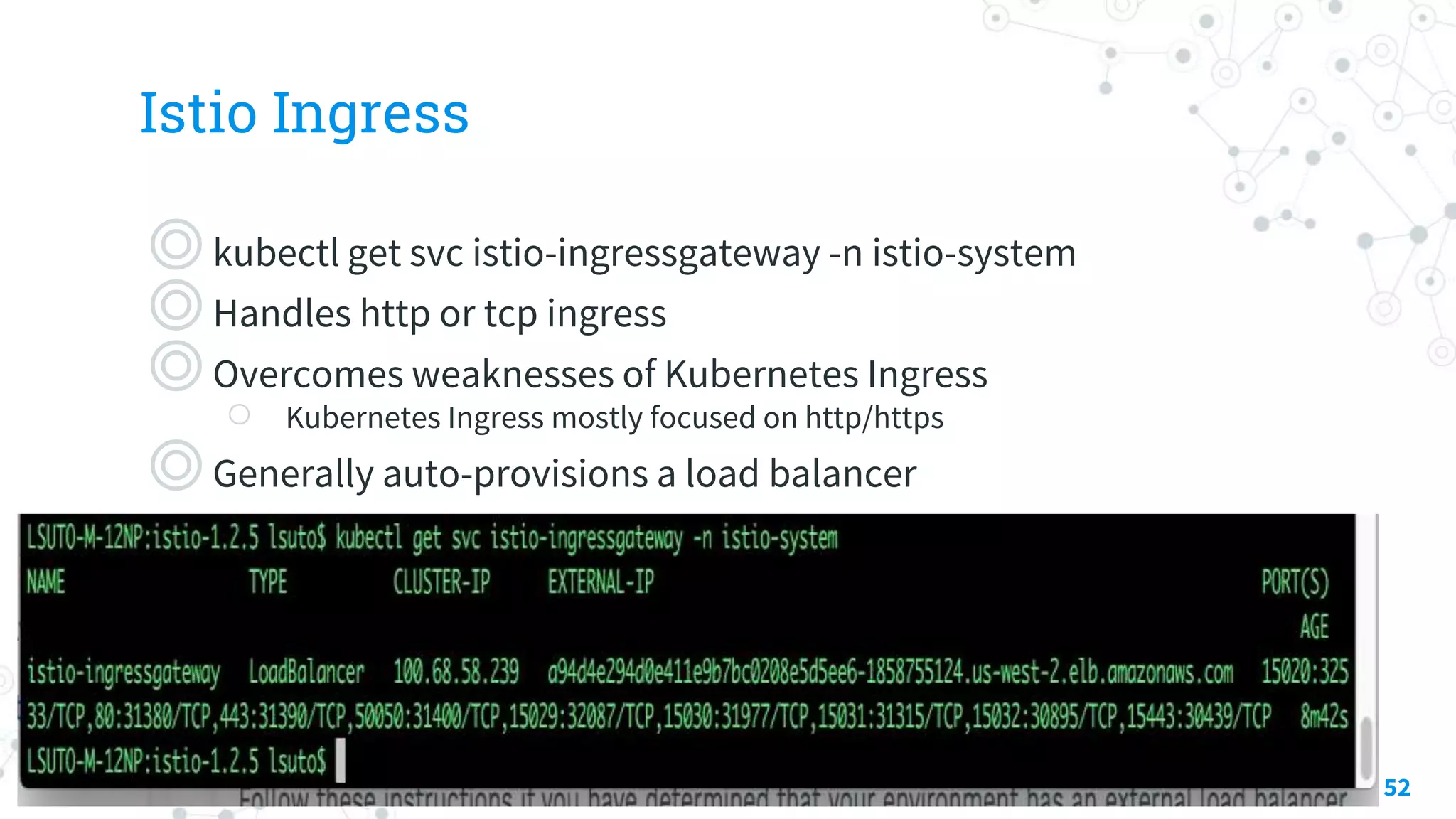
Istio Ingress
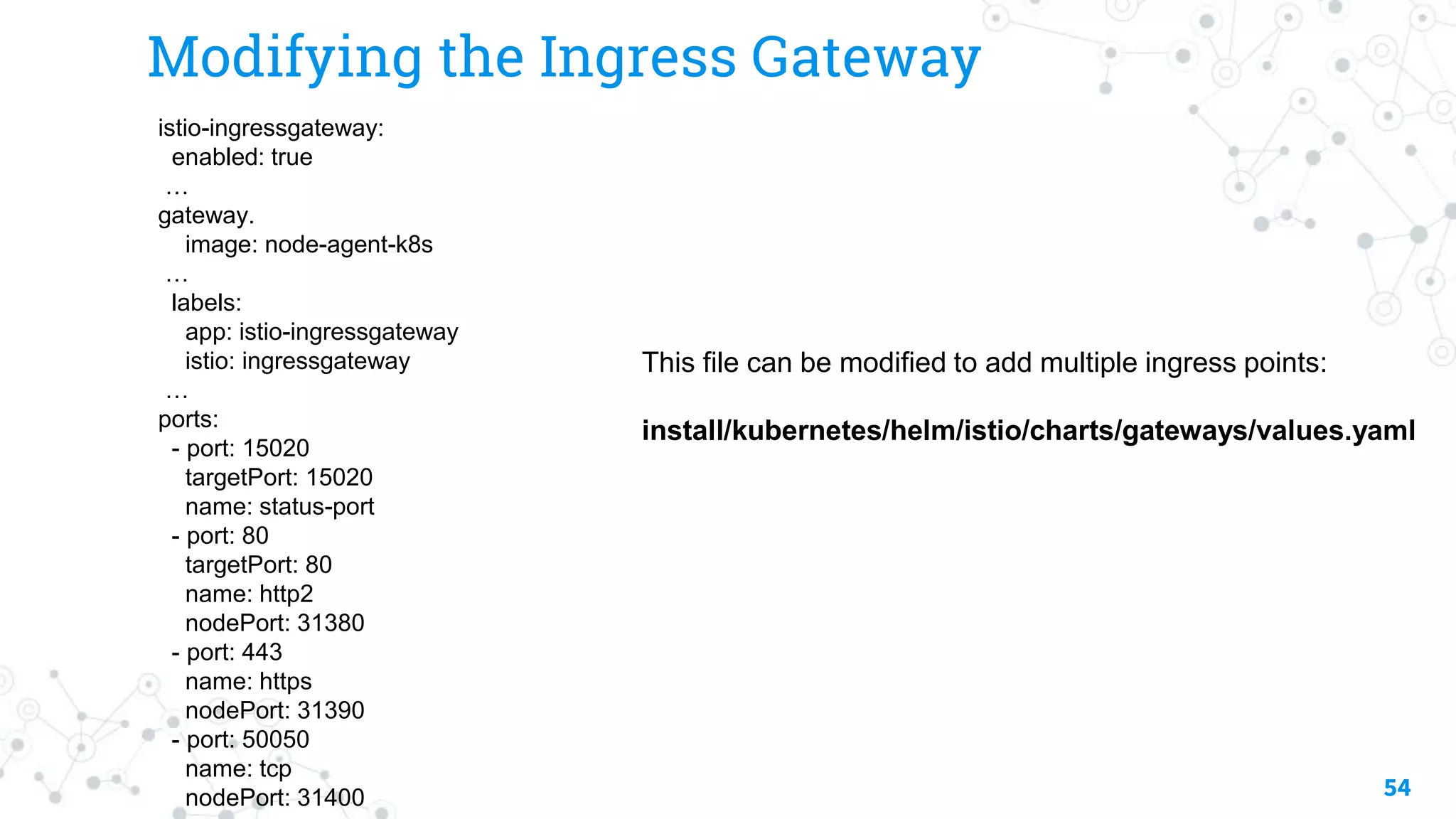
◎kubectl getsvc istio-ingressgateway -n istio-system
◎Handles http or tcp ingress
◎Overcomes weaknesses of Kubernetes Ingress
○ Kubernetes Ingress mostly focused on http/https
◎Generally auto-provisions a load balancer
52
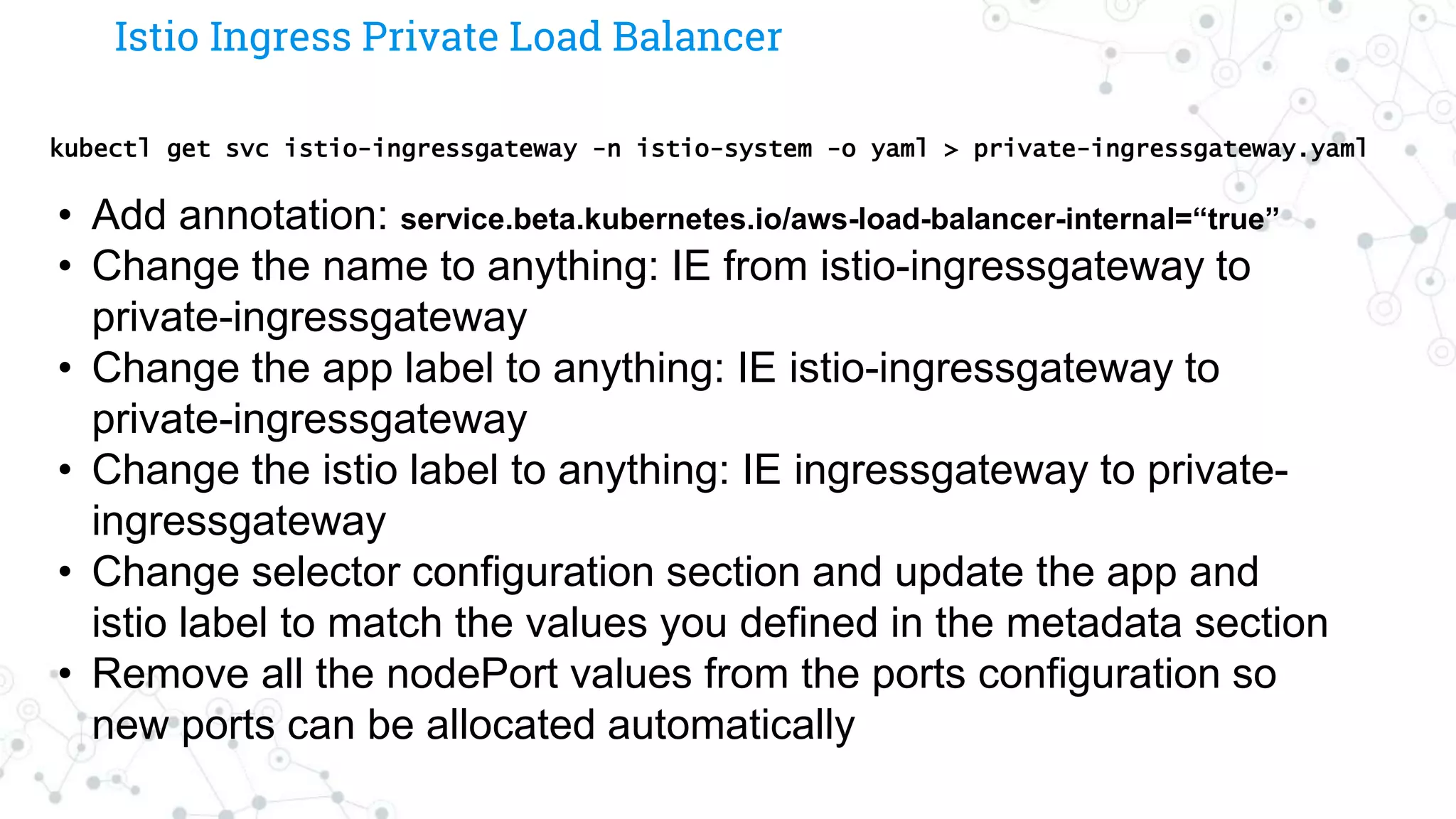
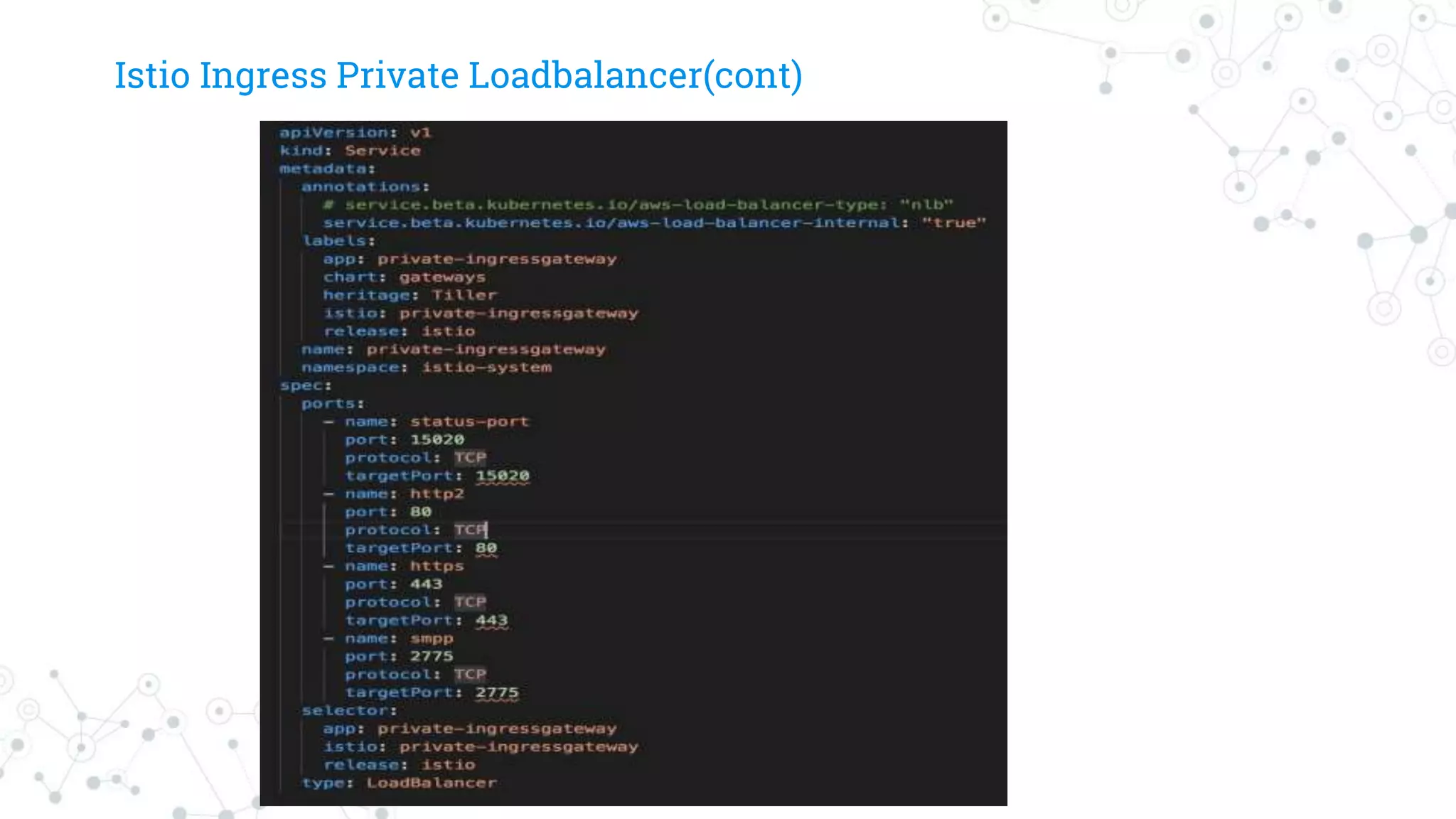
Istio Ingress PrivateLoad Balancer
kubectl get svc istio-ingressgateway -n istio-system -o yaml > private-ingressgateway.yaml
• Add annotation: service.beta.kubernetes.io/aws-load-balancer-internal=“true”
• Change the name to anything: IE from istio-ingressgateway to
private-ingressgateway
• Change the app label to anything: IE istio-ingressgateway to
private-ingressgateway
• Change the istio label to anything: IE ingressgateway to private-
ingressgateway
• Change selector configuration section and update the app and
istio label to match the values you defined in the metadata section
• Remove all the nodePort values from the ports configuration so
new ports can be allocated automatically
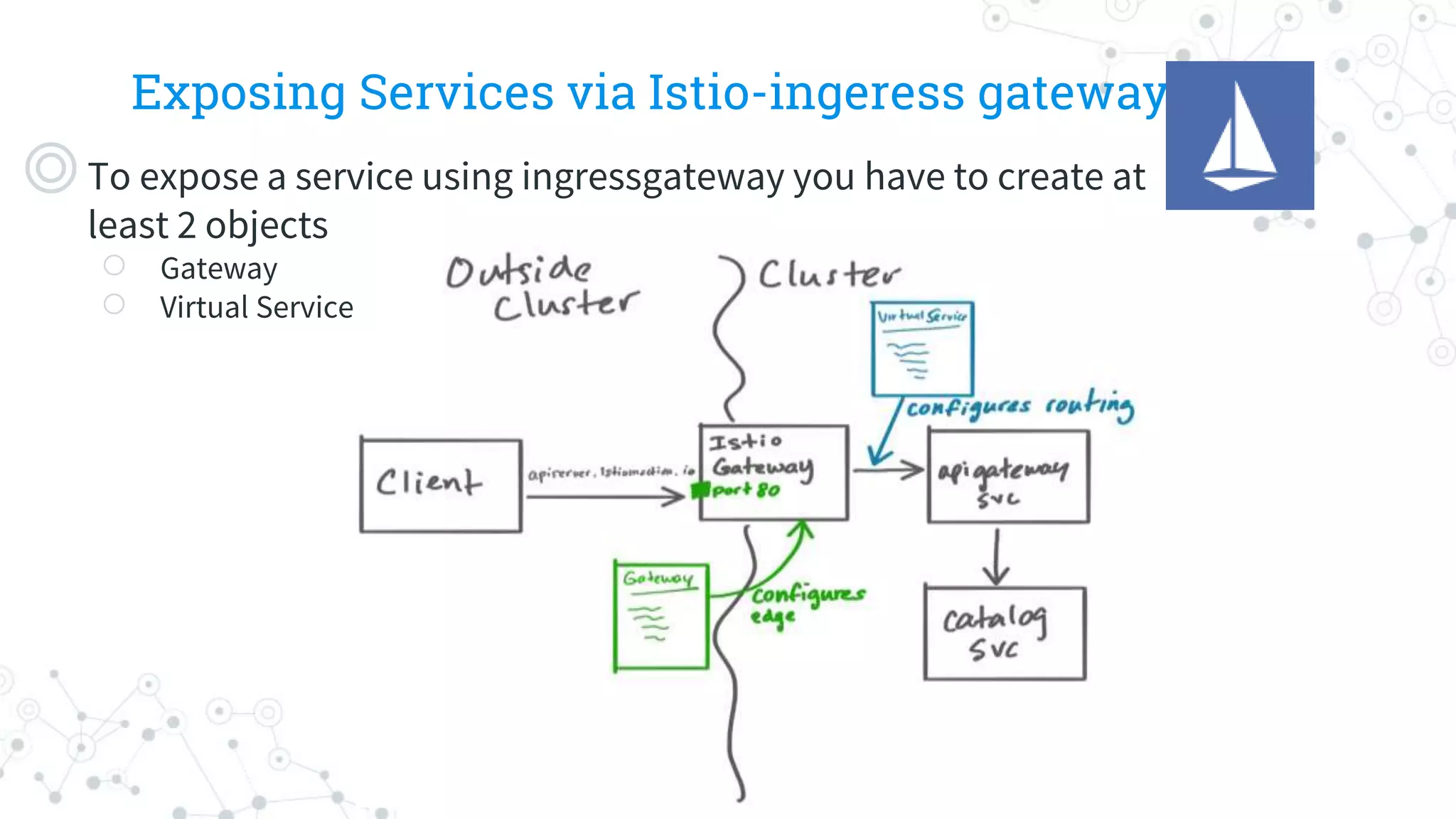
Exposing Services viaIstio-ingeress gateway
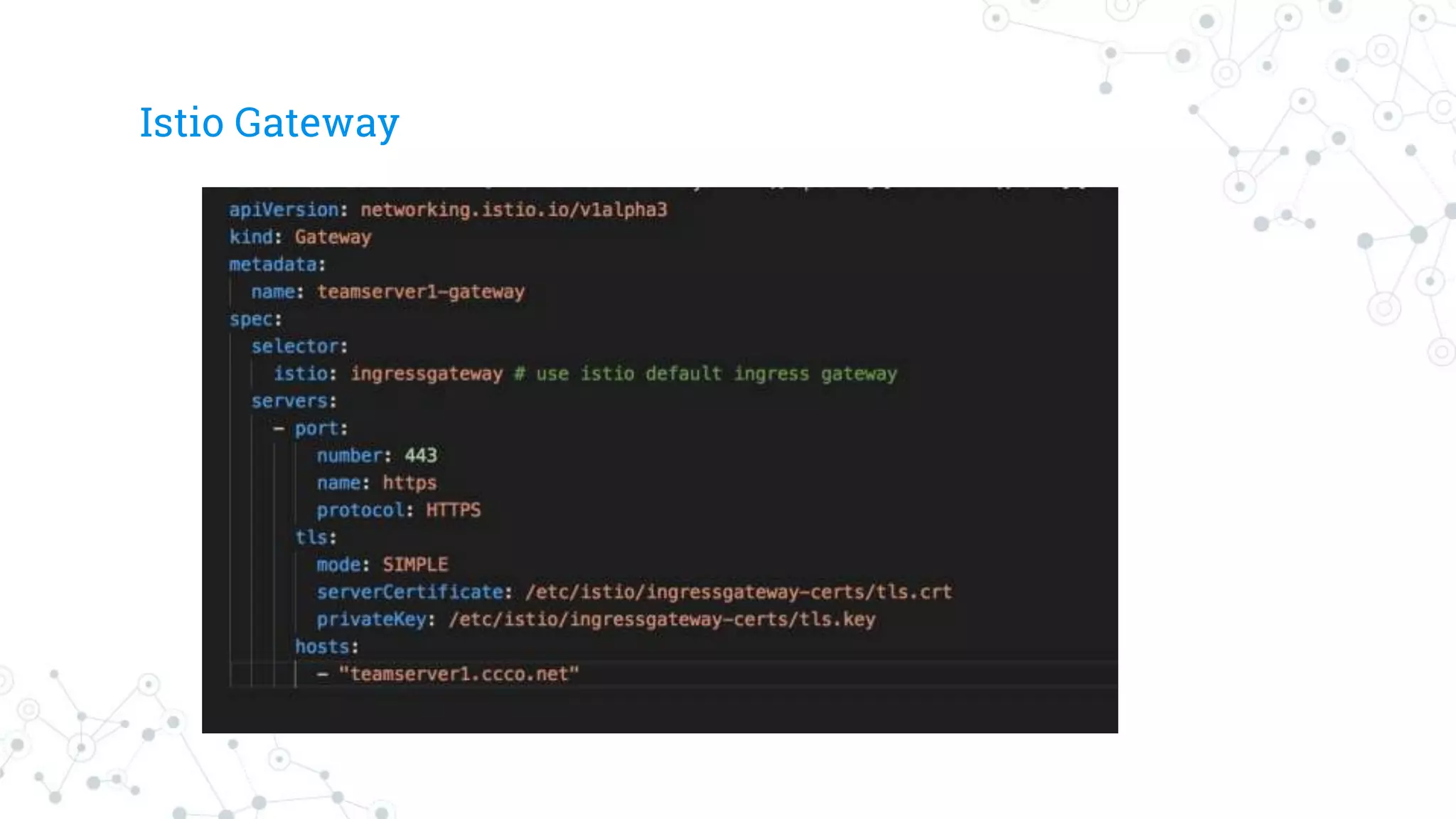
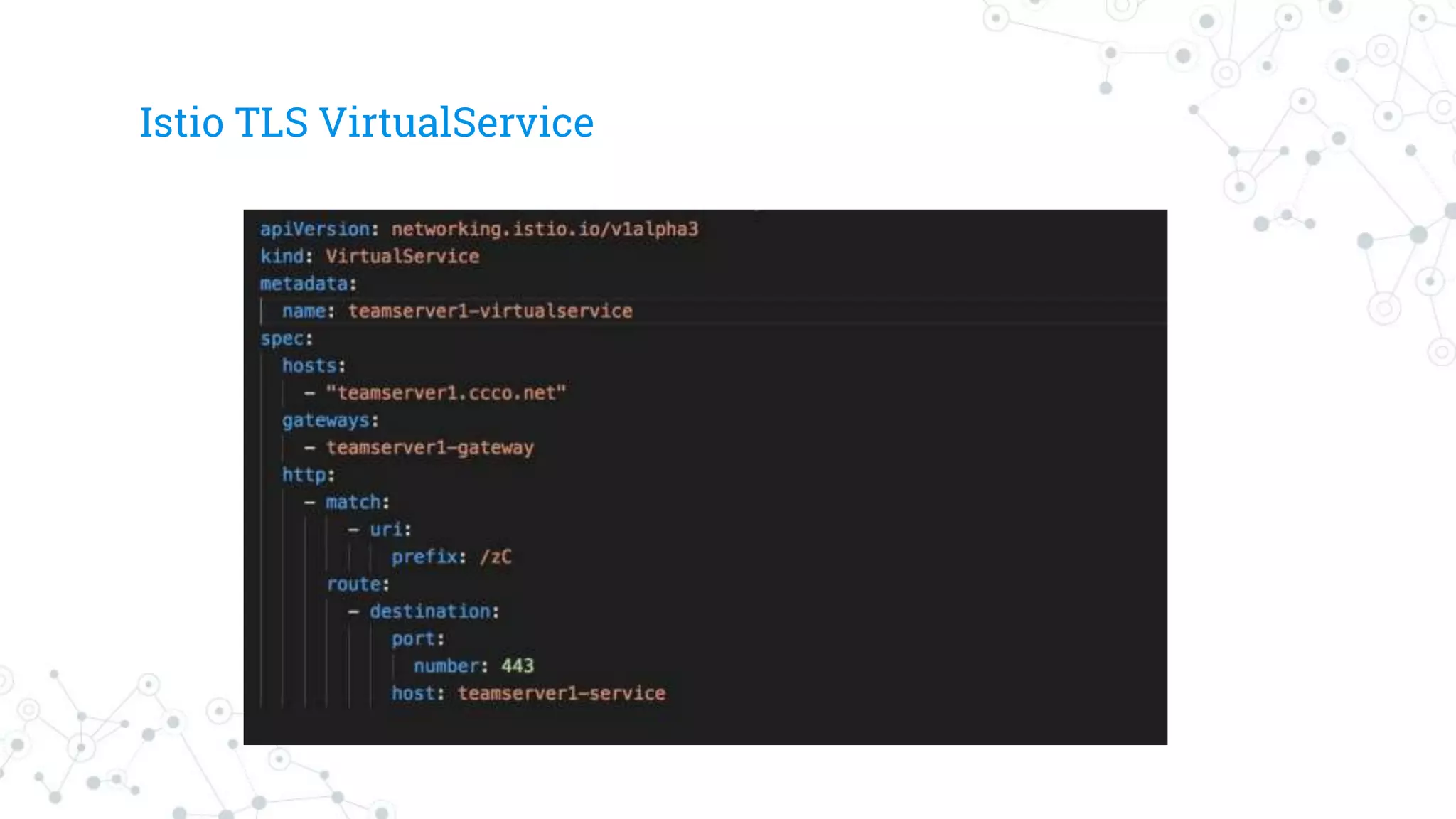
◎To expose a service using ingressgateway you have to create at
least 2 objects
○ Gateway
○ Virtual Service
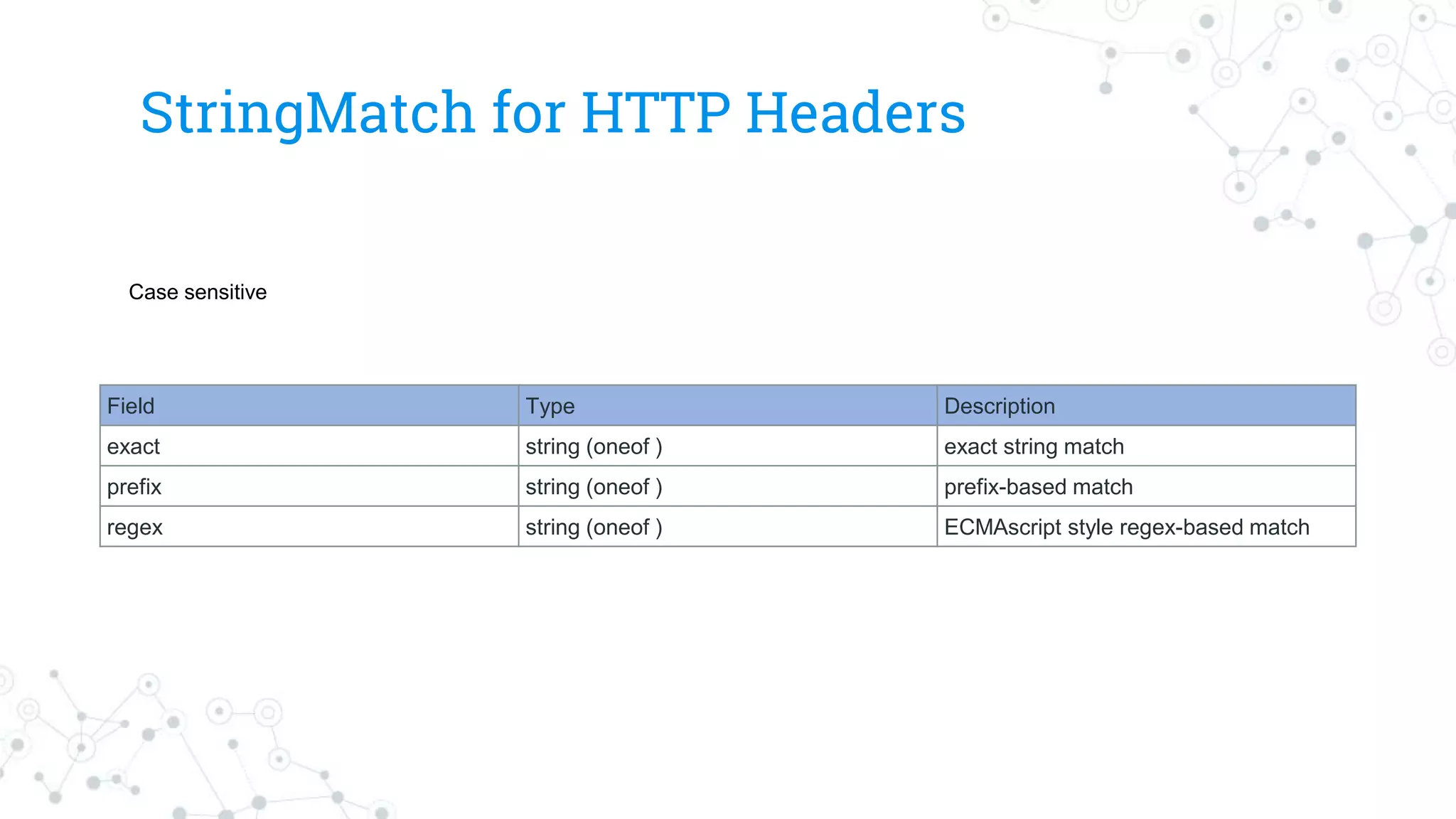
StringMatch for HTTPHeaders
Field Type Description
exact string (oneof ) exact string match
prefix string (oneof ) prefix-based match
regex string (oneof ) ECMAscript style regex-based match
Case sensitive
63.
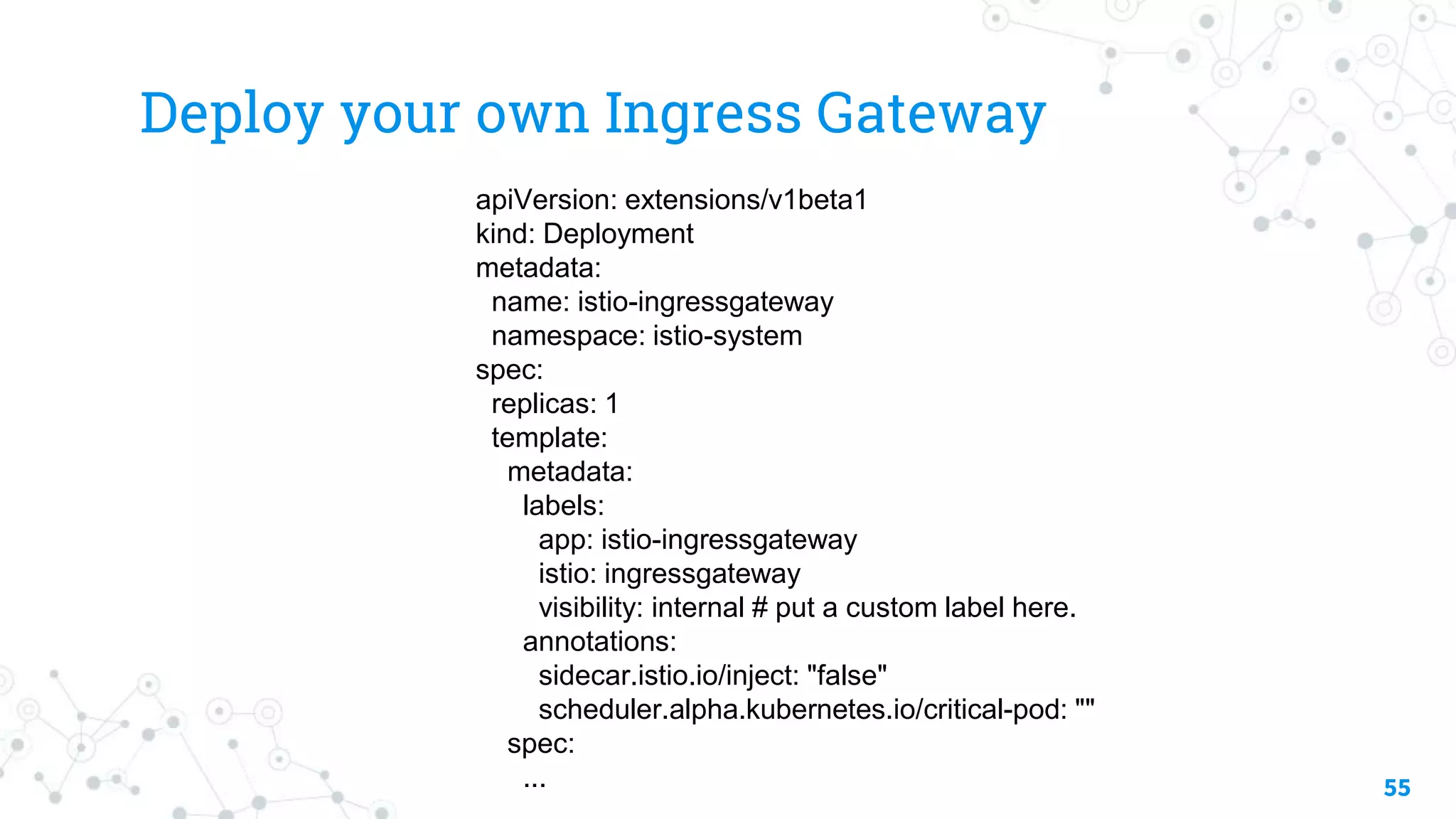
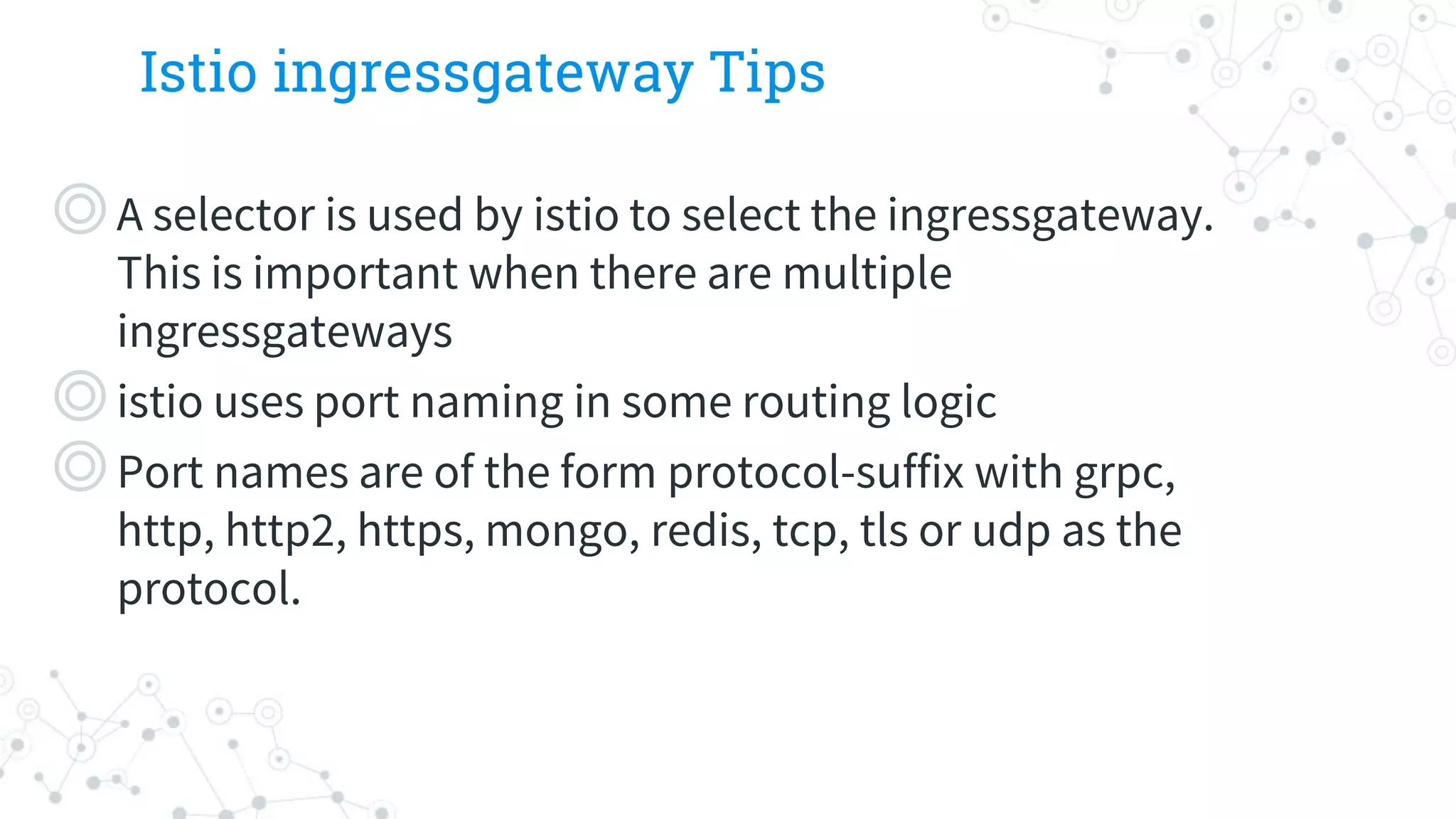
Istio ingressgateway Tips
◎Aselector is used by istio to select the ingressgateway.
This is important when there are multiple
ingressgateways
◎istio uses port naming in some routing logic
◎Port names are of the form protocol-suffix with grpc,
http, http2, https, mongo, redis, tcp, tls or udp as the
protocol.
64.
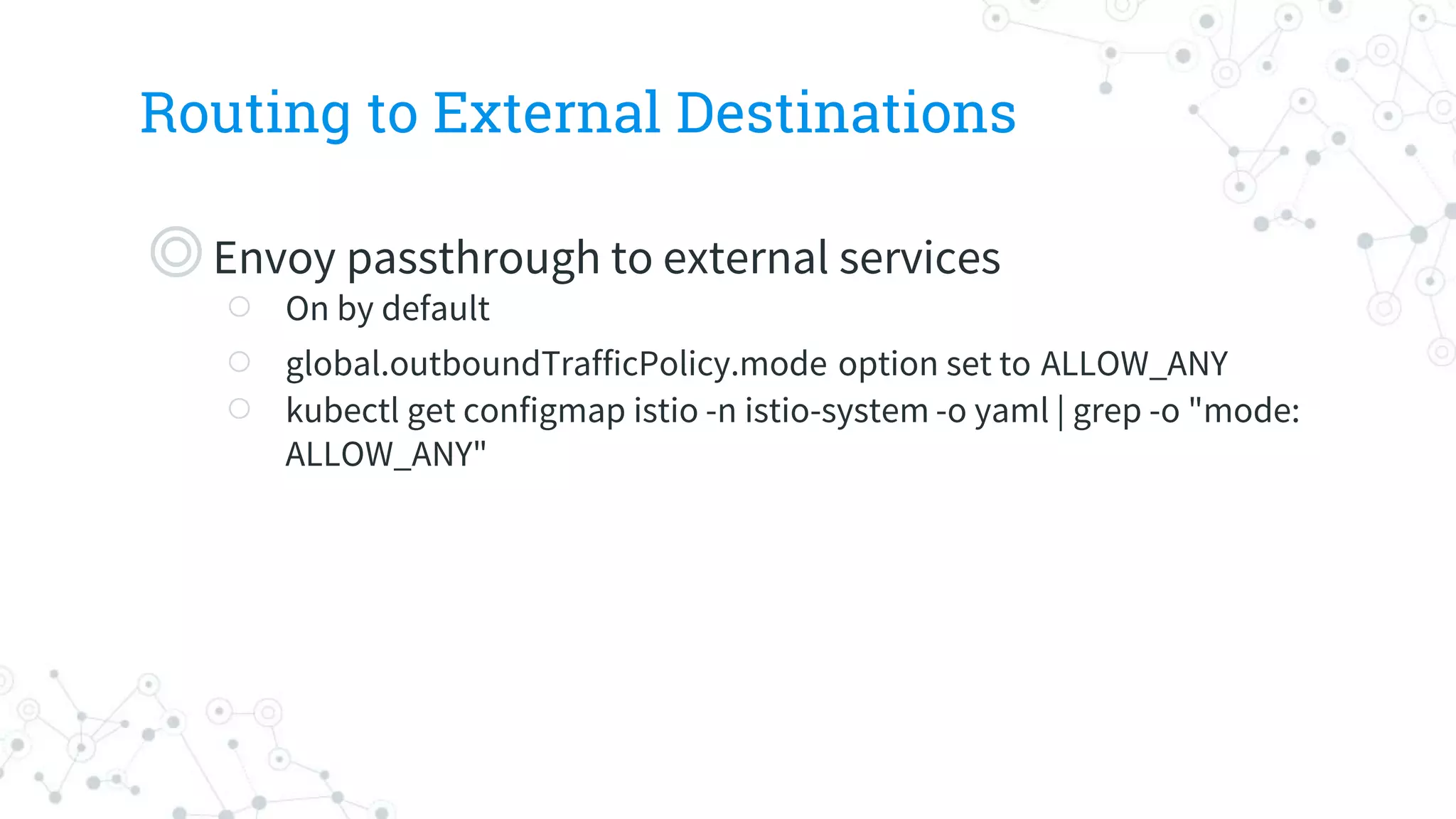
Routing to ExternalDestinations
◎Envoy passthrough to external services
○ On by default
○ global.outboundTrafficPolicy.mode option set to ALLOW_ANY
○ kubectl get configmap istio -n istio-system -o yaml | grep -o "mode:
ALLOW_ANY"
65.
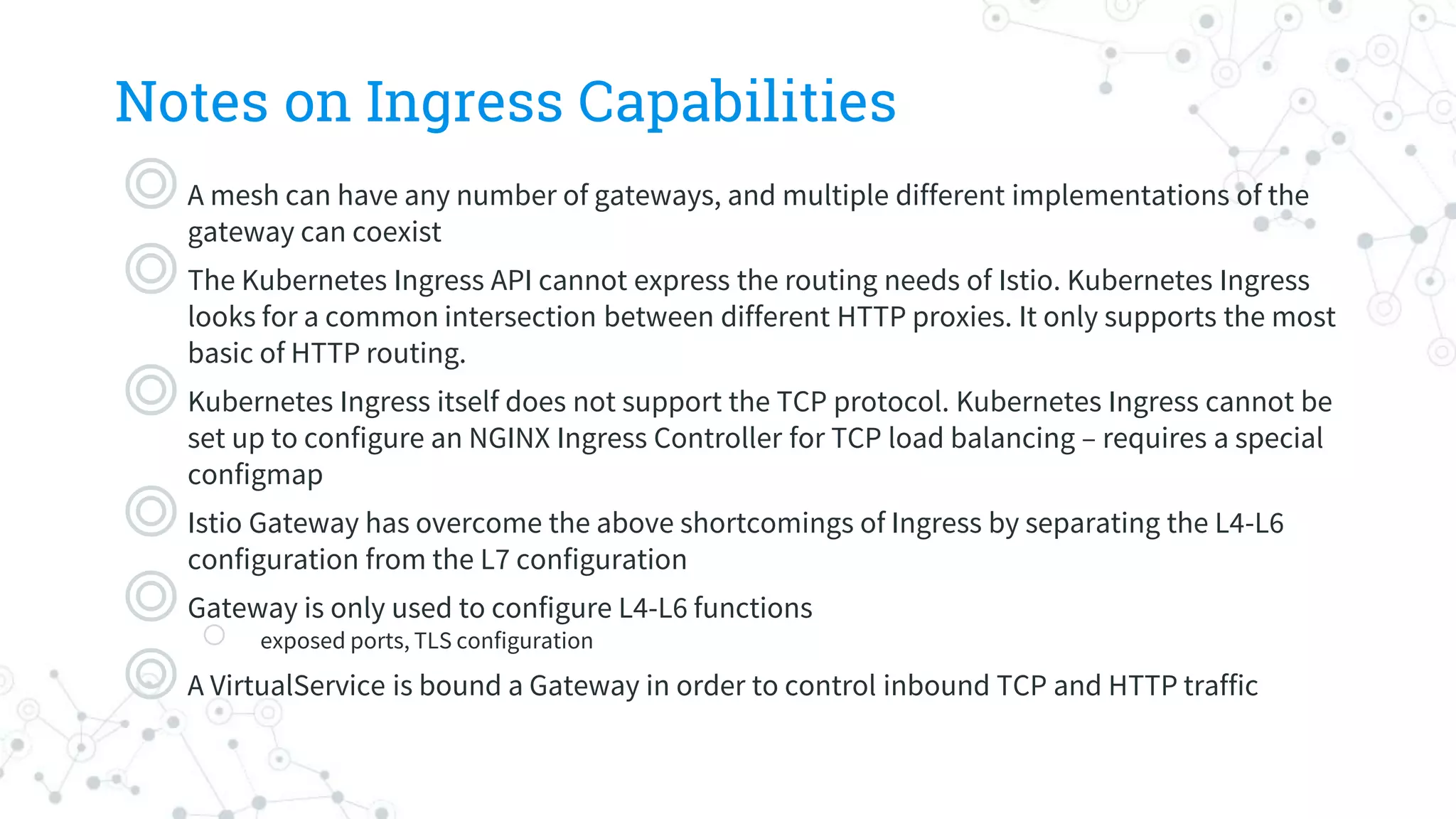
Notes on IngressCapabilities
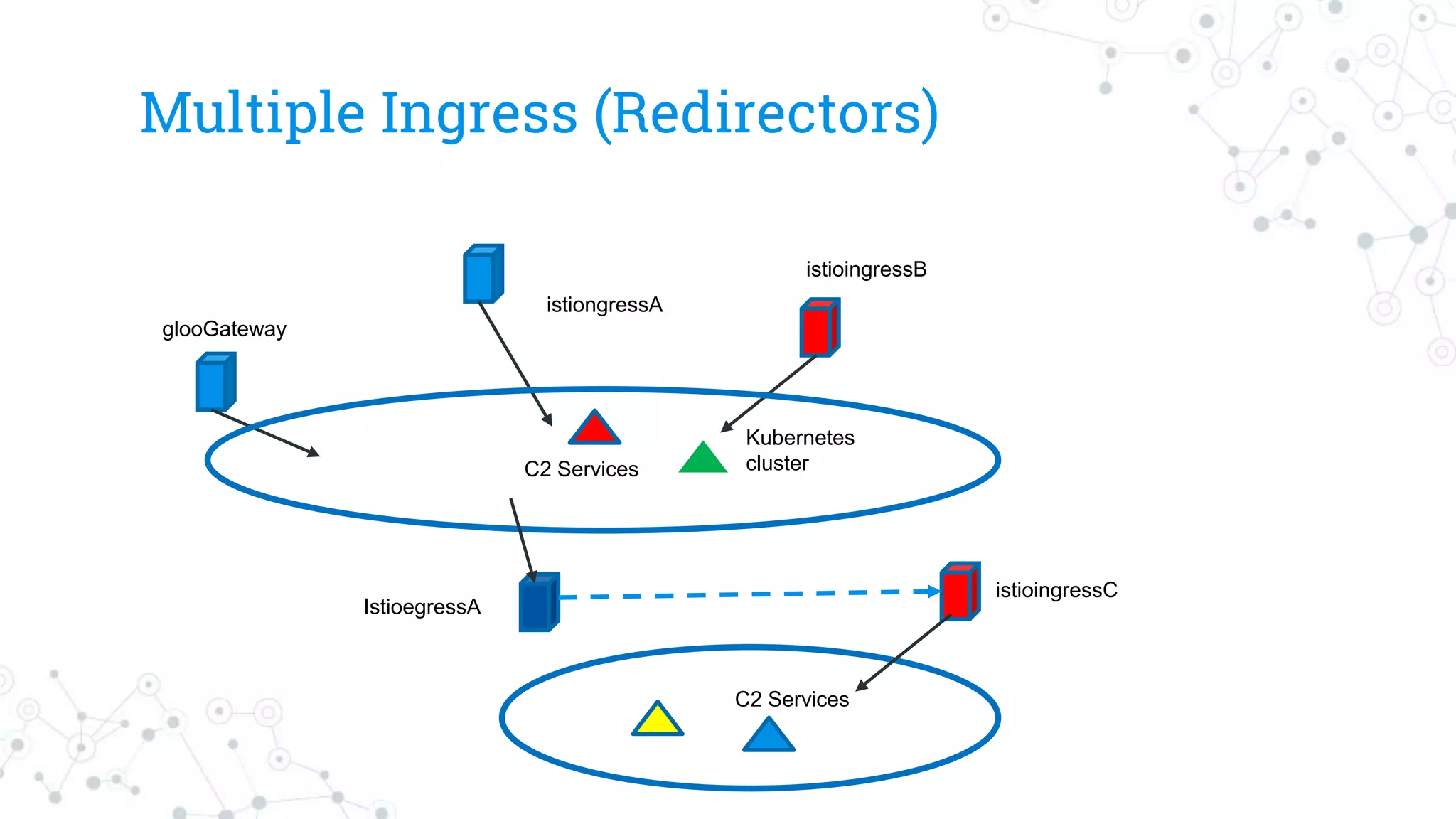
◎A mesh can have any number of gateways, and multiple different implementations of the
gateway can coexist
◎The Kubernetes Ingress API cannot express the routing needs of Istio. Kubernetes Ingress
looks for a common intersection between different HTTP proxies. It only supports the most
basic of HTTP routing.
◎Kubernetes Ingress itself does not support the TCP protocol. Kubernetes Ingress cannot be
set up to configure an NGINX Ingress Controller for TCP load balancing – requires a special
configmap
◎Istio Gateway has overcome the above shortcomings of Ingress by separating the L4-L6
configuration from the L7 configuration
◎Gateway is only used to configure L4-L6 functions
○ exposed ports, TLS configuration
◎A VirtualService is bound a Gateway in order to control inbound TCP and HTTP traffic
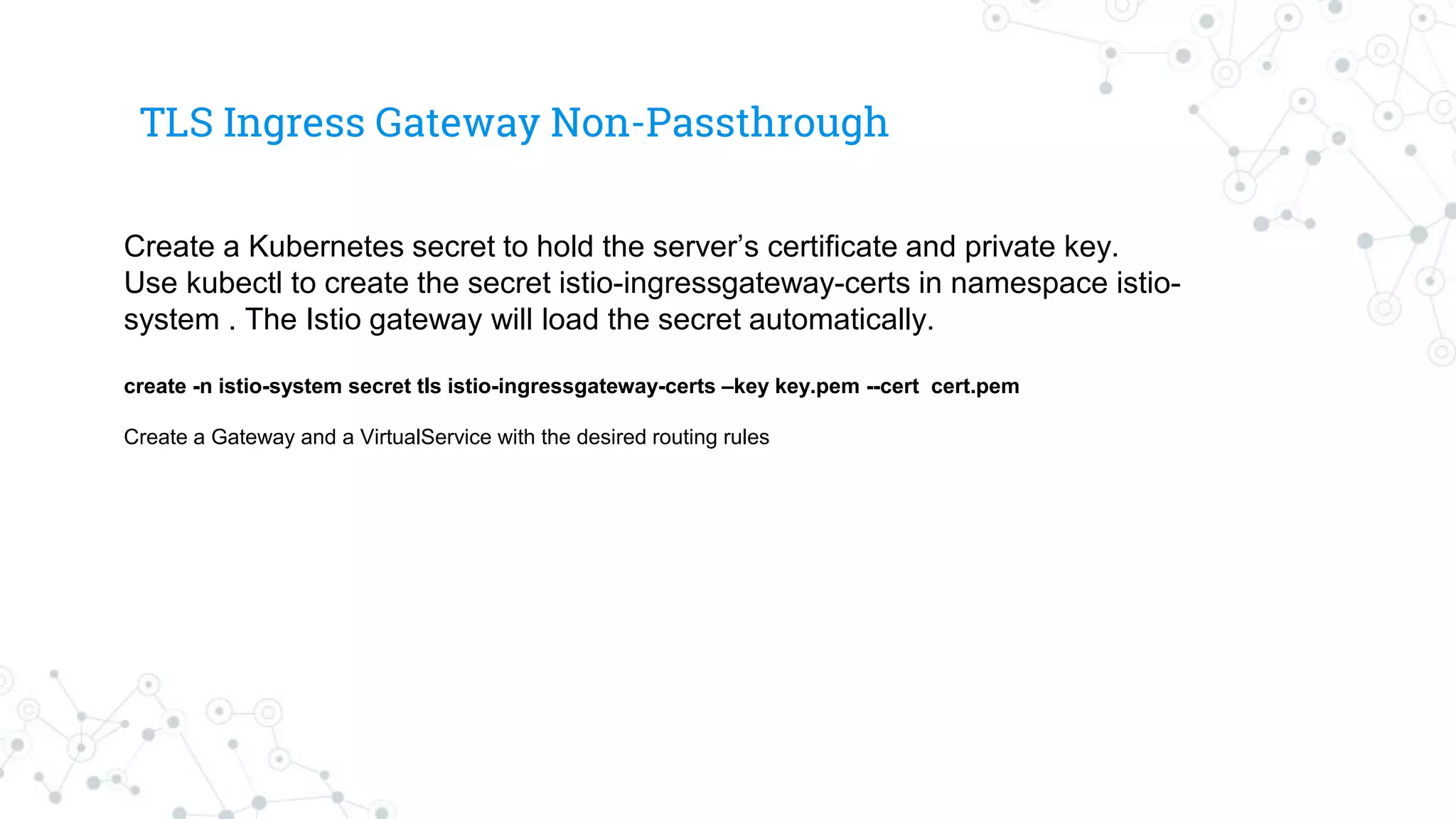
TLS Ingress GatewayNon-Passthrough
Create a Kubernetes secret to hold the server’s certificate and private key.
Use kubectl to create the secret istio-ingressgateway-certs in namespace istio-
system . The Istio gateway will load the secret automatically.
create -n istio-system secret tls istio-ingressgateway-certs –key key.pem --cert cert.pem
Create a Gateway and a VirtualService with the desired routing rules
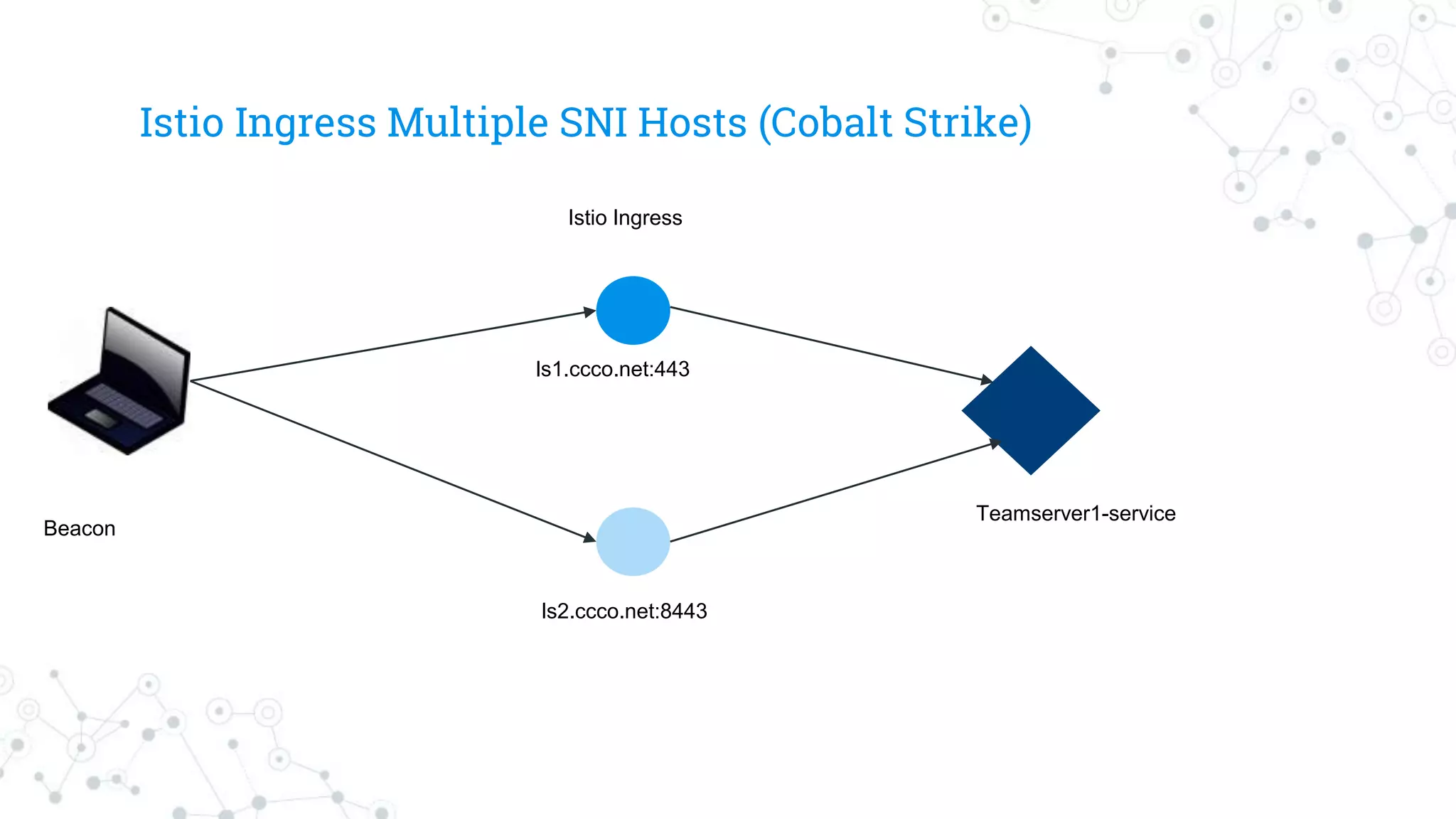
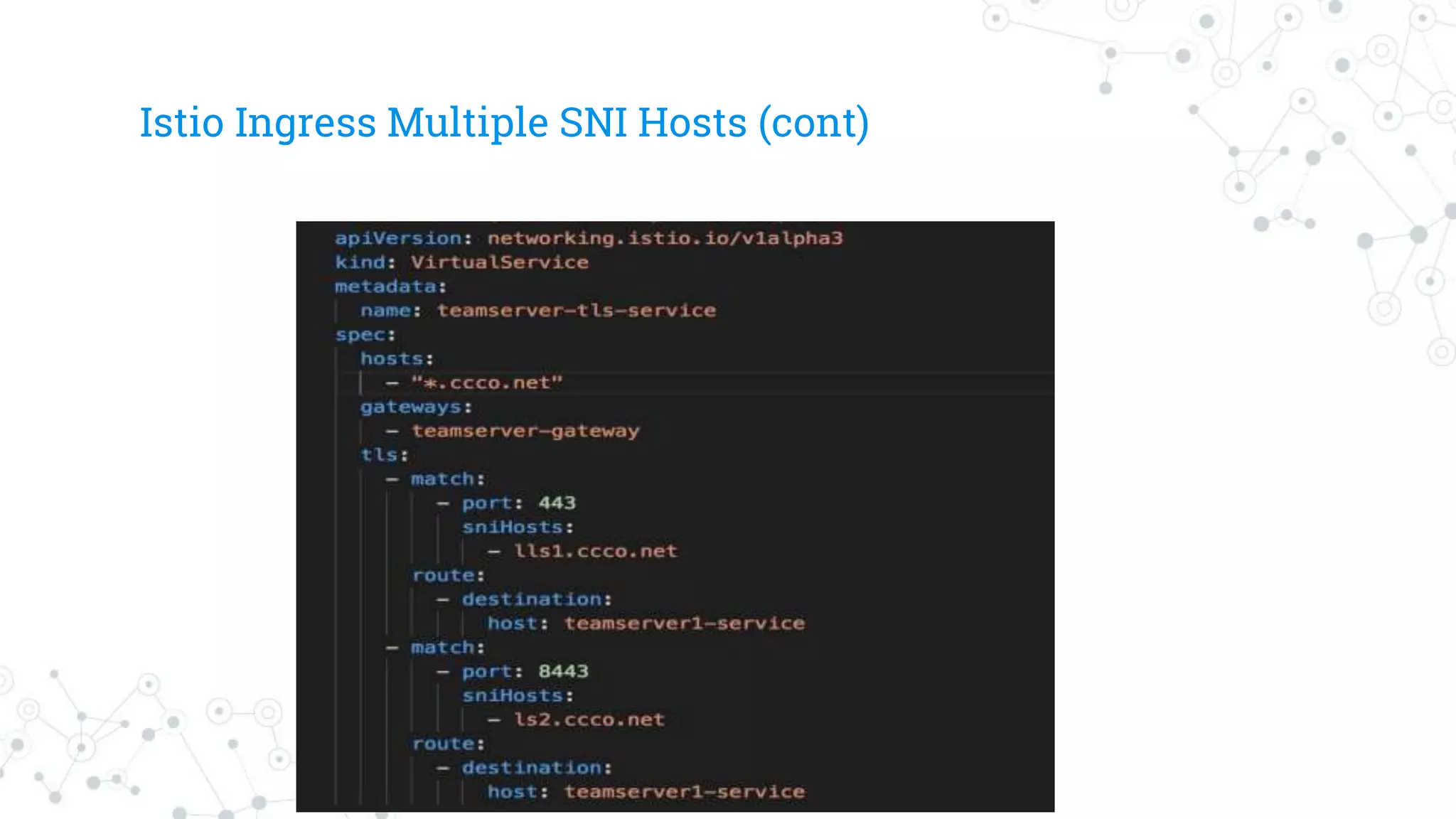
Istio TLS IngressGateway Multiple Hosts
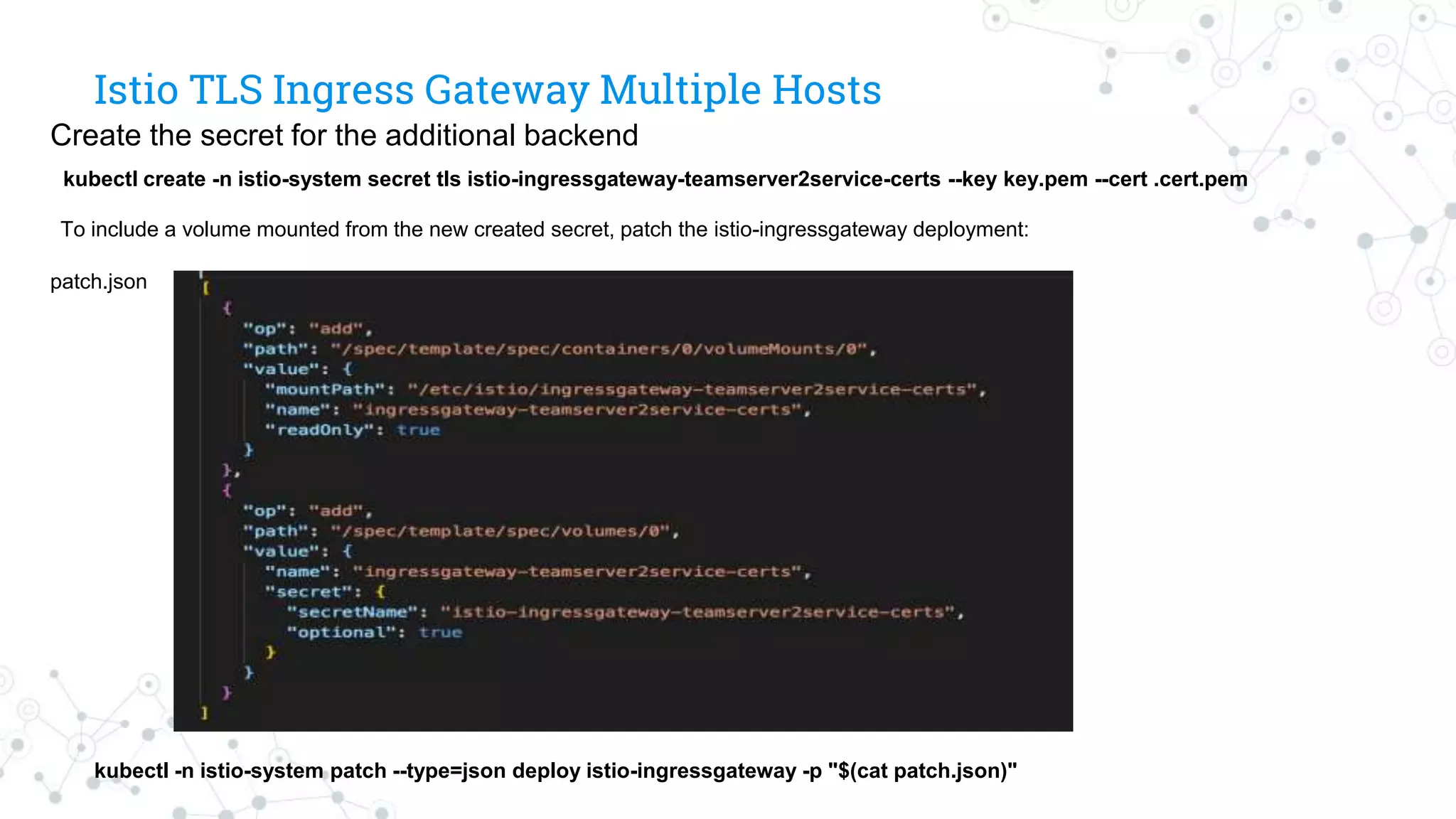
Create the secret for the additional backend
kubectl create -n istio-system secret tls istio-ingressgateway-teamserver2service-certs --key key.pem --cert .cert.pem
To include a volume mounted from the new created secret, patch the istio-ingressgateway deployment:
patch.json
kubectl -n istio-system patch --type=json deploy istio-ingressgateway -p "$(cat patch.json)"
Drone
◎Drone is amodern CI/CD platform built with
containers as first class citizens. Pipelines are
configured using a yaml file that you check-in to your
git repository.
◎Can be deployed as a Docker container to a VM or a
Kubernetes cluster
◎Integrates with git repository and can deploy pipelines
to a Kubernetes cluster
Monitoring C2 withPrometheus
◎Open source metrics based monitoring system
◎Can be used to instrument application
◎Applications without instrumentation support can be monitored
using exporters and other legacy methods
○ extract whitebox monitoring data from application logs for collection
in a timeseries database
○ Google mtail
○ Grok Exporter
○ JMX (Cobalt Strike teamserver is a Java application so theoretically it
could be supported)
◎C2 authors and developers can instrument code to provide fine
grained monitoring support
80.
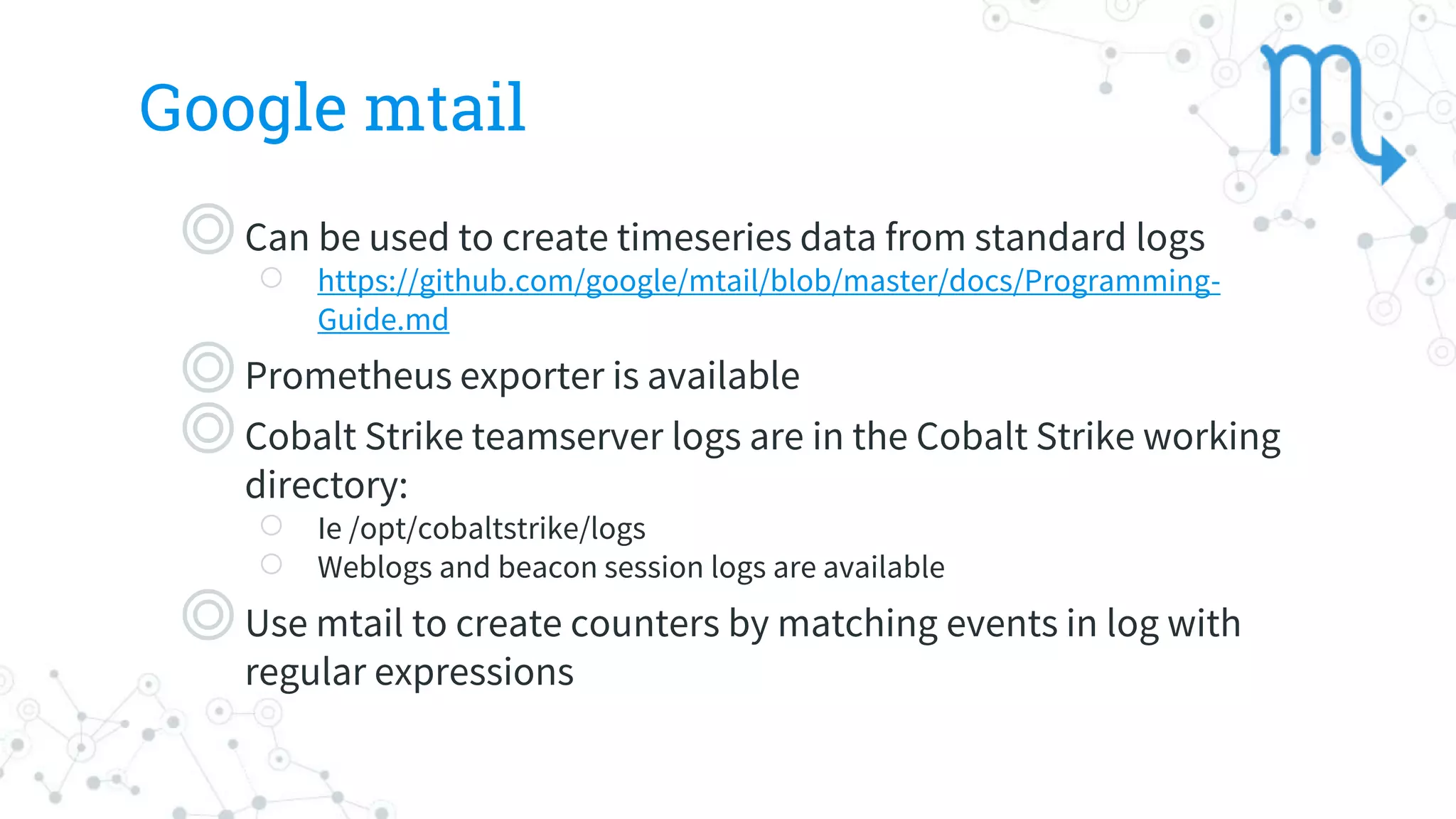
Google mtail
◎Can beused to create timeseries data from standard logs
○ https://github.com/google/mtail/blob/master/docs/Programming-
Guide.md
◎Prometheus exporter is available
◎Cobalt Strike teamserver logs are in the Cobalt Strike working
directory:
○ Ie /opt/cobaltstrike/logs
○ Weblogs and beacon session logs are available
◎Use mtail to create counters by matching events in log with
regular expressions
81.
Grok Exporter
◎https://github.com/fstab/grok_exporter
◎Can beused to convert arbitrary logs into
Prometheus compatible time series data
◎An example would be the Cobalt Strike
beacon log checkin entry
○ This interval can be collected as a metric to
monitor beacon health
◎Grok Exporter uses same language as

![FROM ubuntu:18.04 as base
MAINTAINER kubered
LABEL version=”1.0"
LABEL description="CobaltStrike."
ARG cskey
ENV cs_key ${cskey}
SHELL ["/bin/bash", "-c"]
RUN apt-get update &&
apt-get install -y wget curl net-tools sudo software-properties-common apt-utils --no-install-recommends &&
apt install -y openjdk-11-jdk &&
update-java-alternatives -s java-1.11.0-openjdk-amd64 &&
rm -rf /var/lib/apt/lists/*
RUN var=$(curl 'https://www.cobaltstrike.com/download' -XPOST -H 'Referer: https://www.cobaltstrike.com/download' -H 'Content-Type:
application/x-www-form-urlencoded' -H 'Origin: https://www.cobaltstrike.com' -H 'Host: www.cobaltstrike.com' -H 'Accept:
text/html,application/xhtml+xml,application/xml;q=0.9,*/*;q=0.8' -H 'Connection: keep-alive' -H 'Accept-Language: en-us' -H 'User-Agent:
Mozilla/5.0 (Macintosh; Intel Mac OS X 10_13_1) AppleWebKit/604.3.5 (KHTML, like Gecko) Version/11.0.1 Safari/604.3.5' --data
"dlkey=$cs_key" | sed -n 's/.*href="([^"]*).*/1/p' | grep /downloads/ | cut -d '.' -f 1) &&
cd /opt &&
wget https://www.cobaltstrike.com$var.tgz &&
tar xvf cobaltstrike-trial.tgz &&
cd cobaltstrike &&
echo $cs_key > ~/.cobaltstrike.license &&
./update
RUN apt-get -y clean &&
apt-get -y autoremove
COPY cobalt-kube.profile /opt/cobaltstrike/profiles/
# set entry point
WORKDIR "/opt/cobaltstrike"
ENTRYPOINT ["./teamserver"]](https://image.slidesharecdn.com/kubered-final-sat3-191011211743/75/Deploying-Cloud-Native-Red-Team-Infrastructure-with-Kubernetes-Istio-and-Envoy-18-2048.jpg)
![Dockerizing Merlin
FROM golang:stretch
MAINTAINER @audibleblink
RUN apt-get update && apt-get install -y git make
RUN go get github.com/Ne0nd0g/merlin/...
WORKDIR $GOPATH/src/github.com/Ne0nd0g/merlin
VOLUME ["data/temp"]
EXPOSE 443
CMD ["go", "run", "cmd/merlinserver/main.go", "-i", "0.0.0.0"]](https://image.slidesharecdn.com/kubered-final-sat3-191011211743/75/Deploying-Cloud-Native-Red-Team-Infrastructure-with-Kubernetes-Istio-and-Envoy-19-2048.jpg)
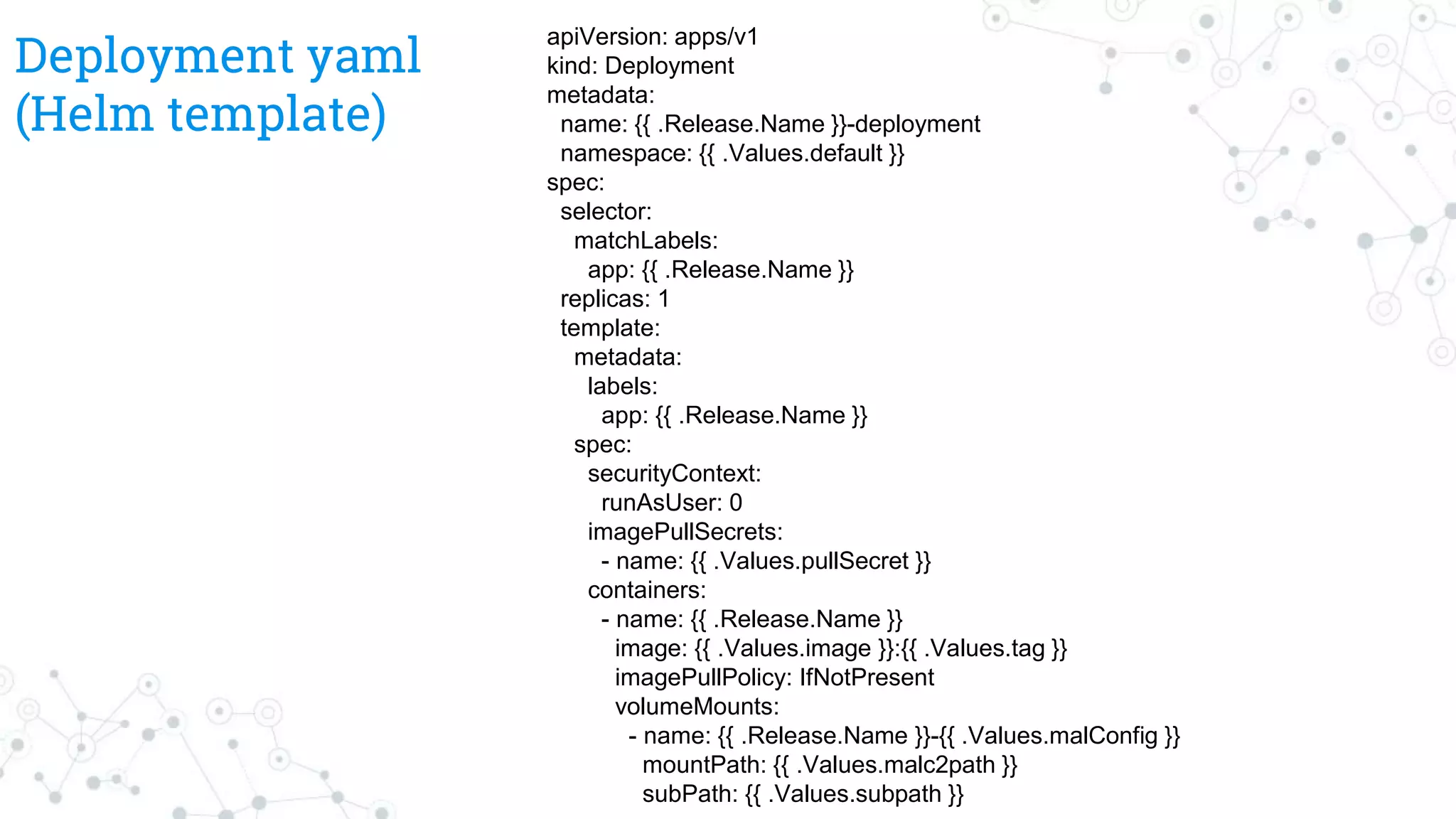
![Deployment yaml cont
ports:
- containerPort: 80
- containerPort: 50050
- containerPort 443
env:
- name: COBALT_PASSWD
value: {{ .Values.password | quote }}
- name: MY_POD_IP
valueFrom:
fieldRef:
fieldPath: status.podIP
- name: MAL_C2_PATH
value: {{ .Values.malc2path | quote }}
args: ["$(MY_POD_IP)", "$(COBALT_PASSWD)",
$(MAL_C2_PATH)]
volumes:
- name: {{ .Release.Name }}-{{ .Values.malConfig }}
configMap:
name: {{ .Release.Name }}-{{ .Values.malConfig }}](https://image.slidesharecdn.com/kubered-final-sat3-191011211743/75/Deploying-Cloud-Native-Red-Team-Infrastructure-with-Kubernetes-Istio-and-Envoy-22-2048.jpg)
![Using Drone
78
pipeline:
build:
image: gradle:4.5.1-jdk9
commands: gradle --help
docker:
image: plugins/docker
secrets: [ docker_username, docker_password ]
repo: komljen/test-image
tags: ${DRONE_COMMIT_SHA}
kubectl:
image: komljen/drone-kubectl-helm
secrets: [ kubernetes_server, kubernetes_cert,
kubernetes_token ]
kubectl: "get pods"
helm:
image: komljen/drone-kubectl-helm
secrets: [ kubernetes_server, kubernetes_cert,
kubernetes_token ]
helm: list
notify:
image: plugins/slack
channel: drone-notification
secrets: [ slack_webhook ]](https://image.slidesharecdn.com/kubered-final-sat3-191011211743/75/Deploying-Cloud-Native-Red-Team-Infrastructure-with-Kubernetes-Istio-and-Envoy-78-2048.jpg)