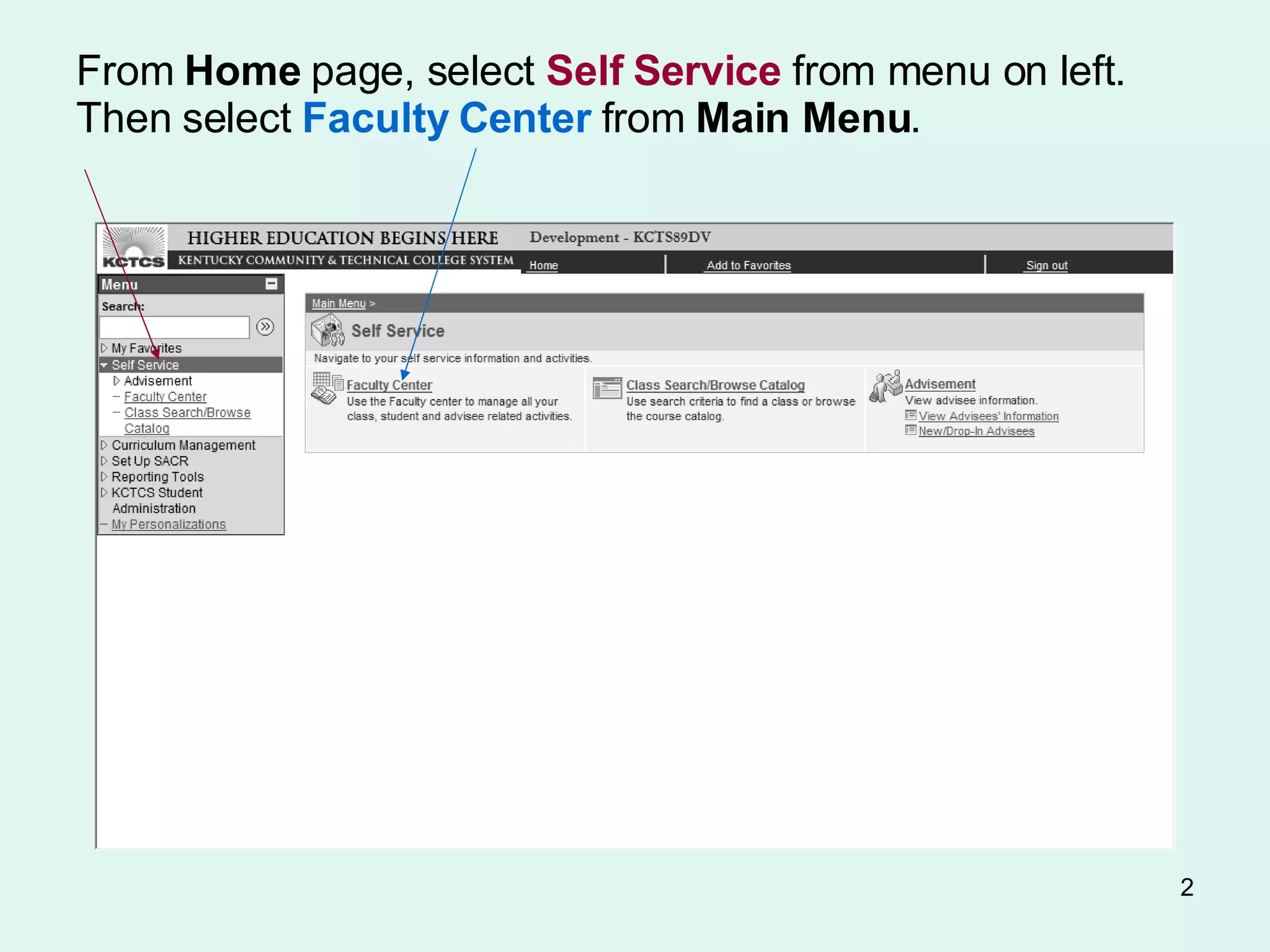
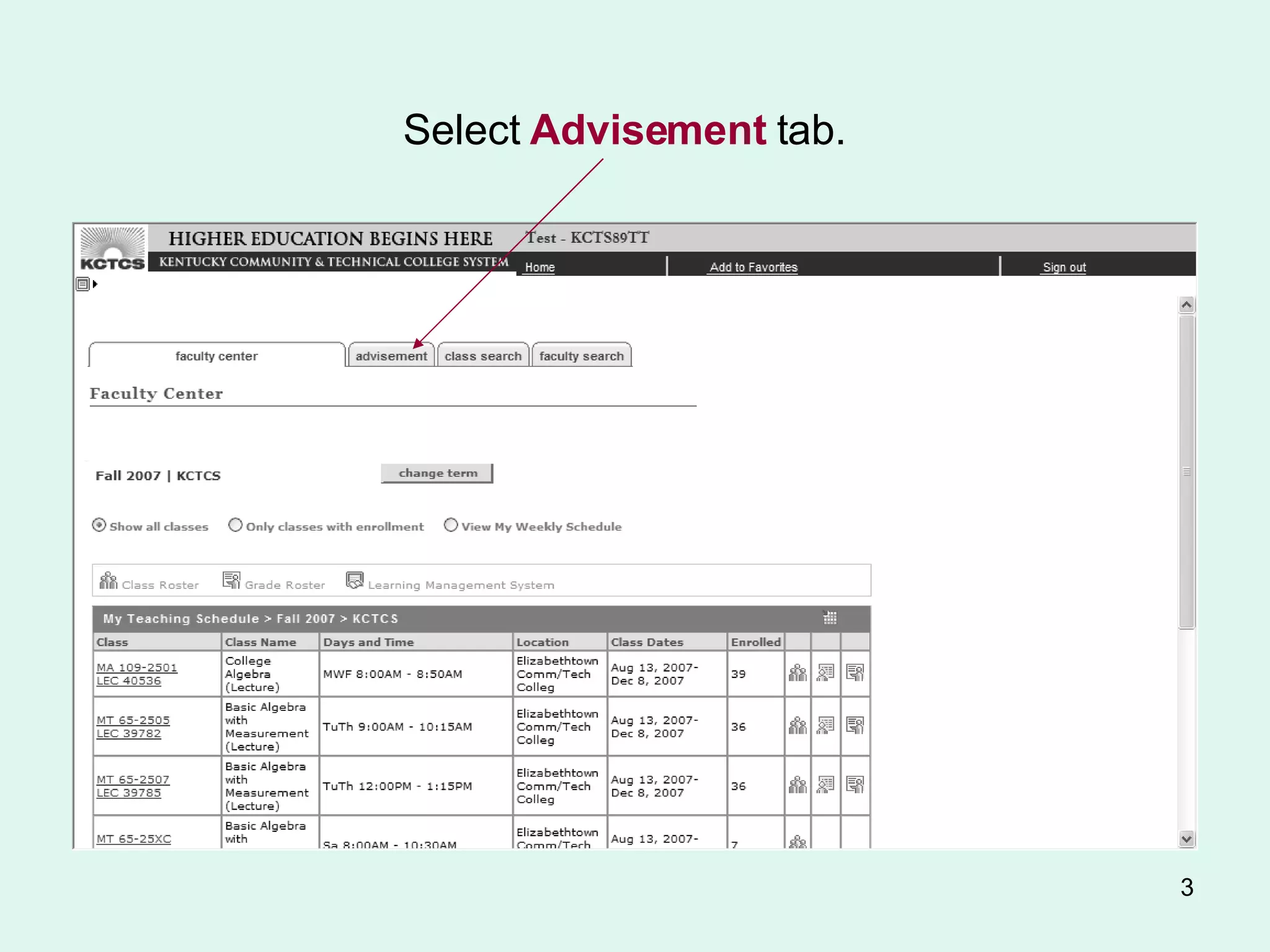
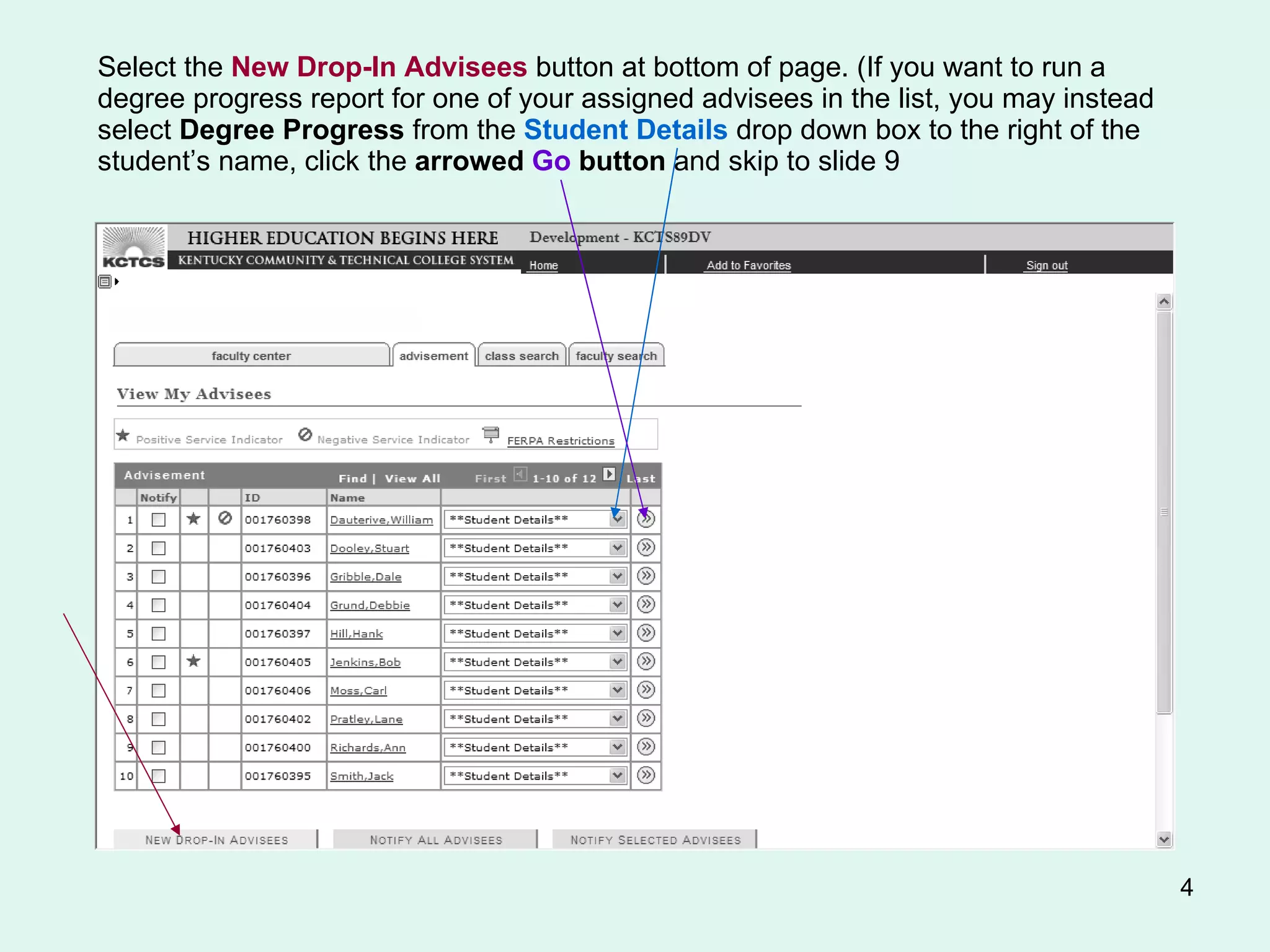
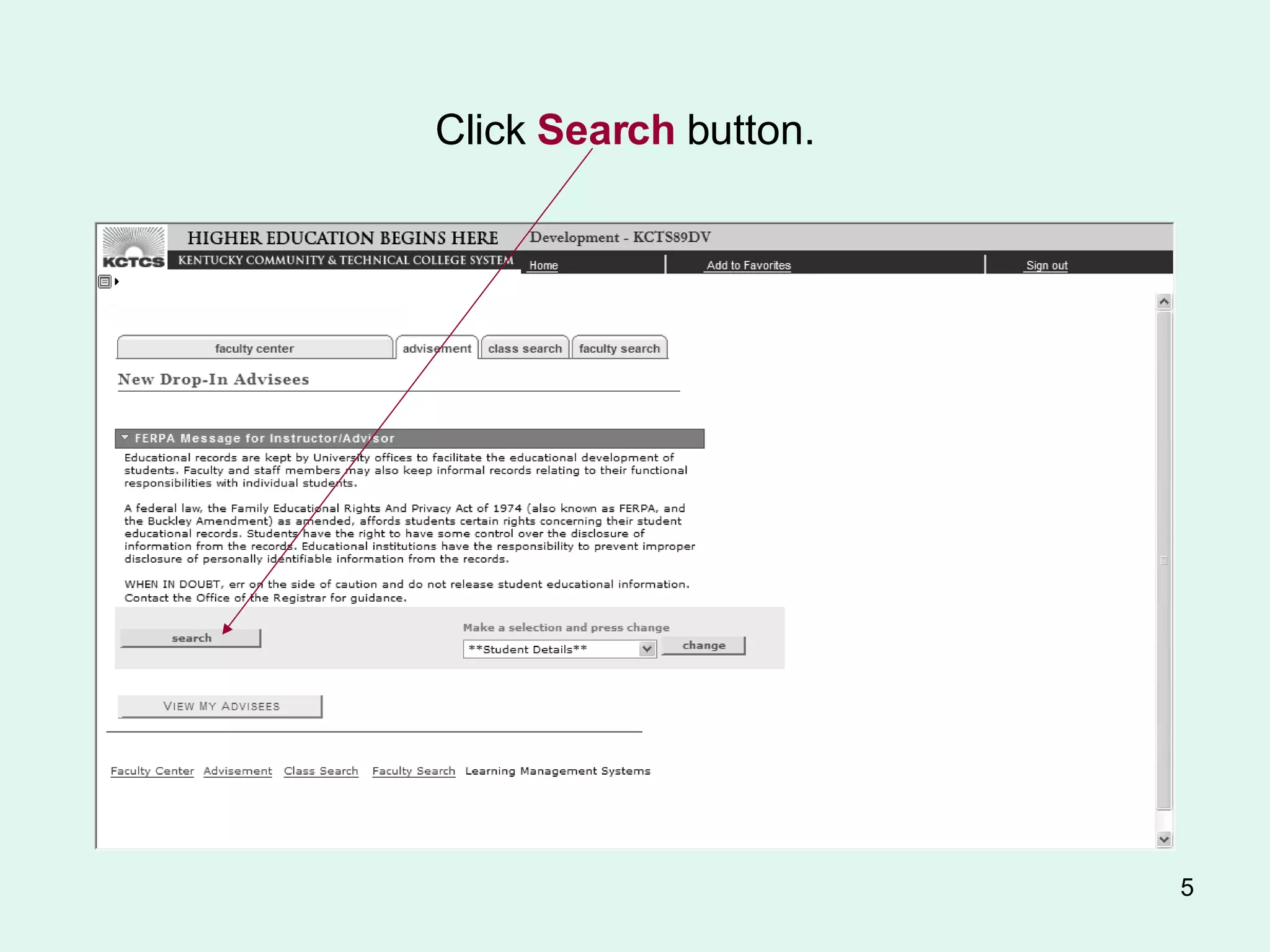
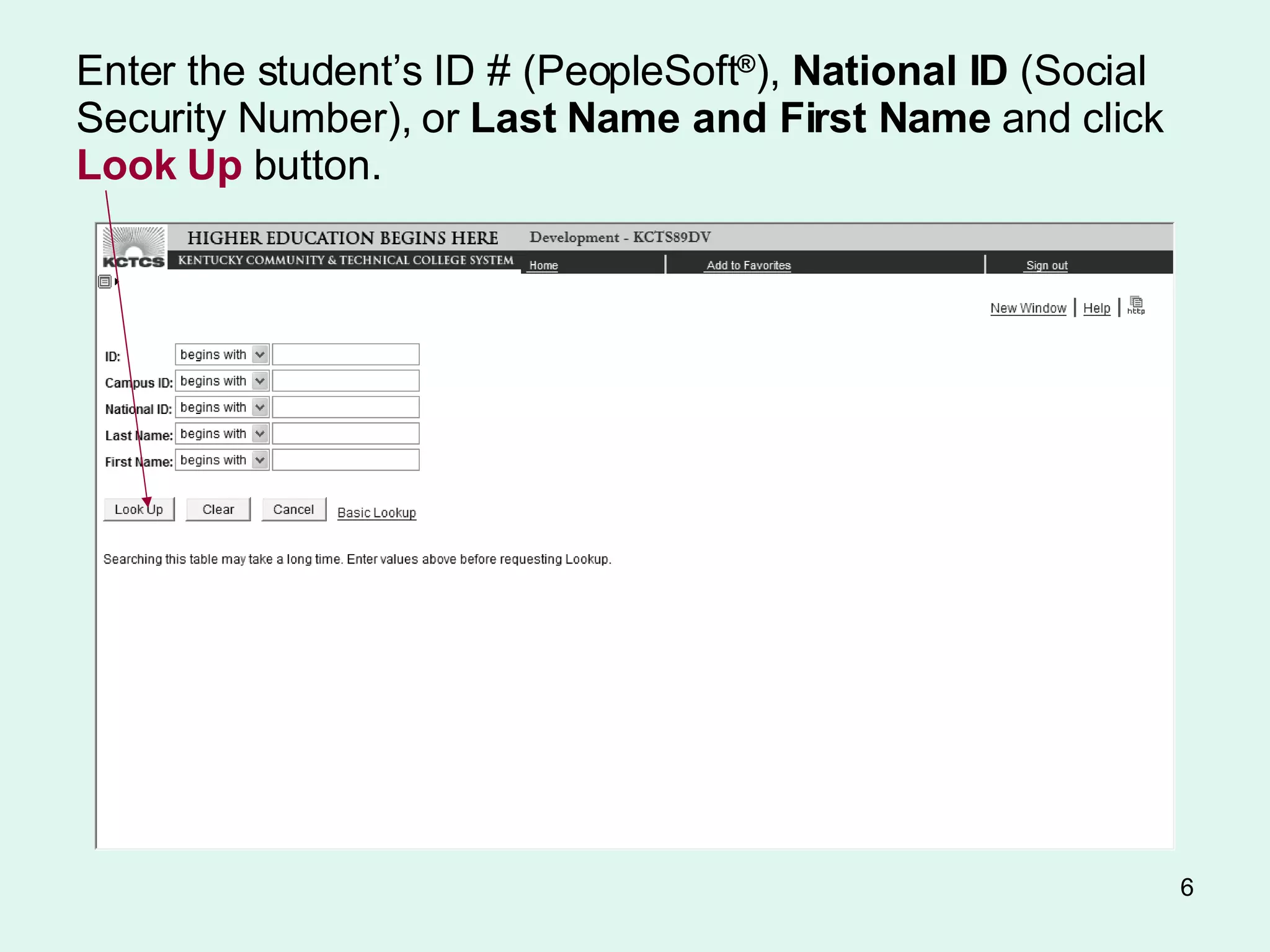
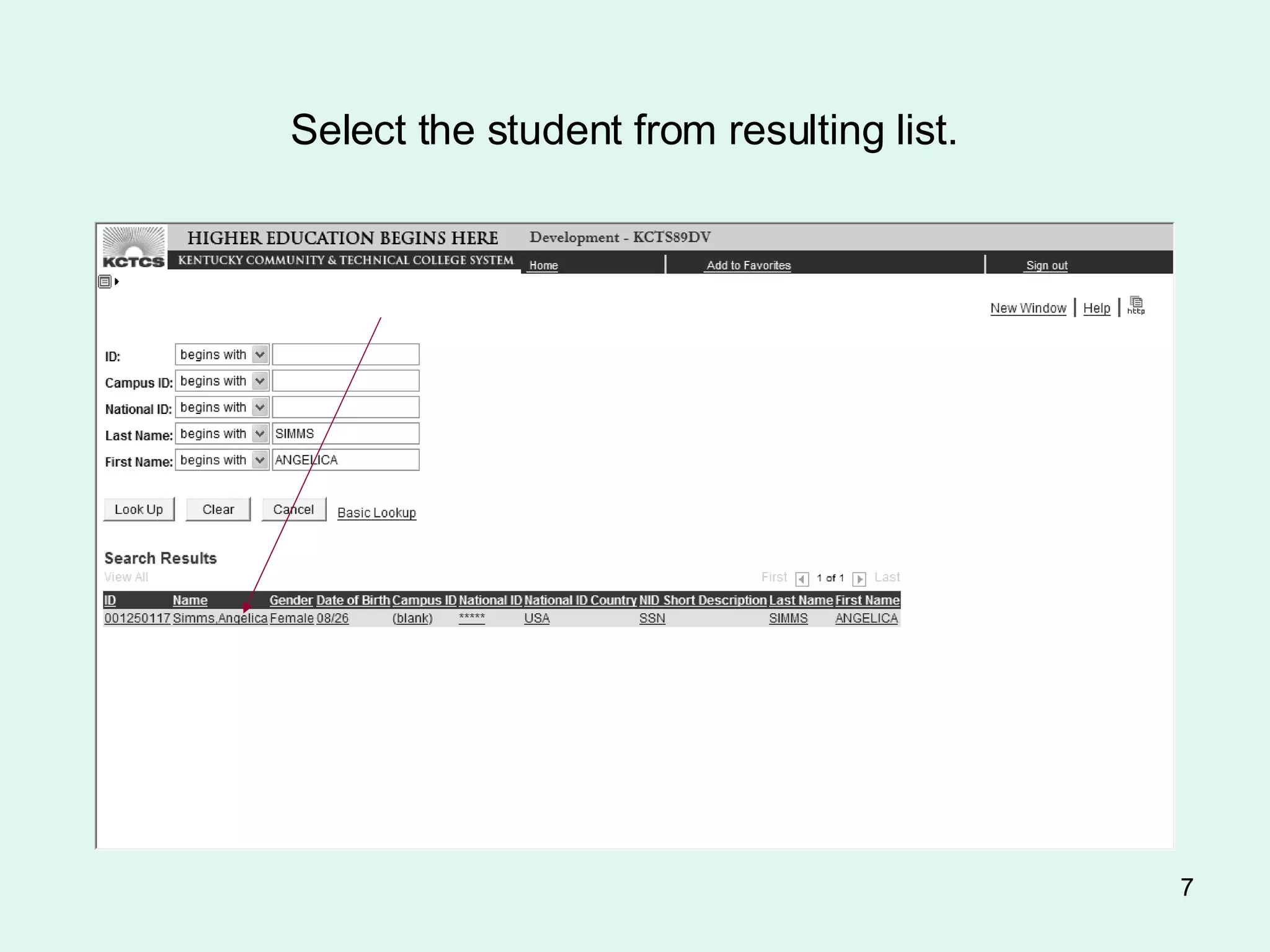
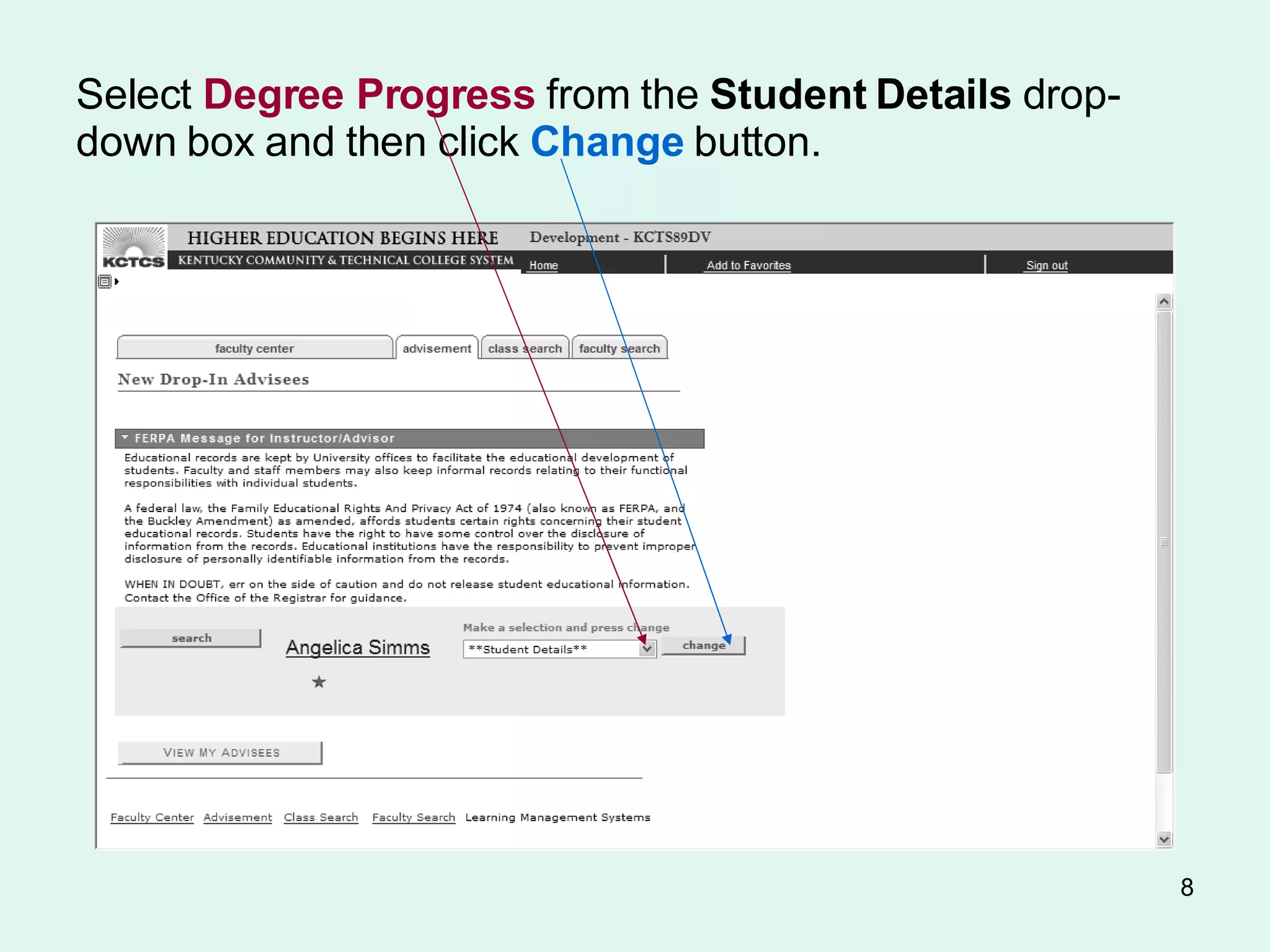
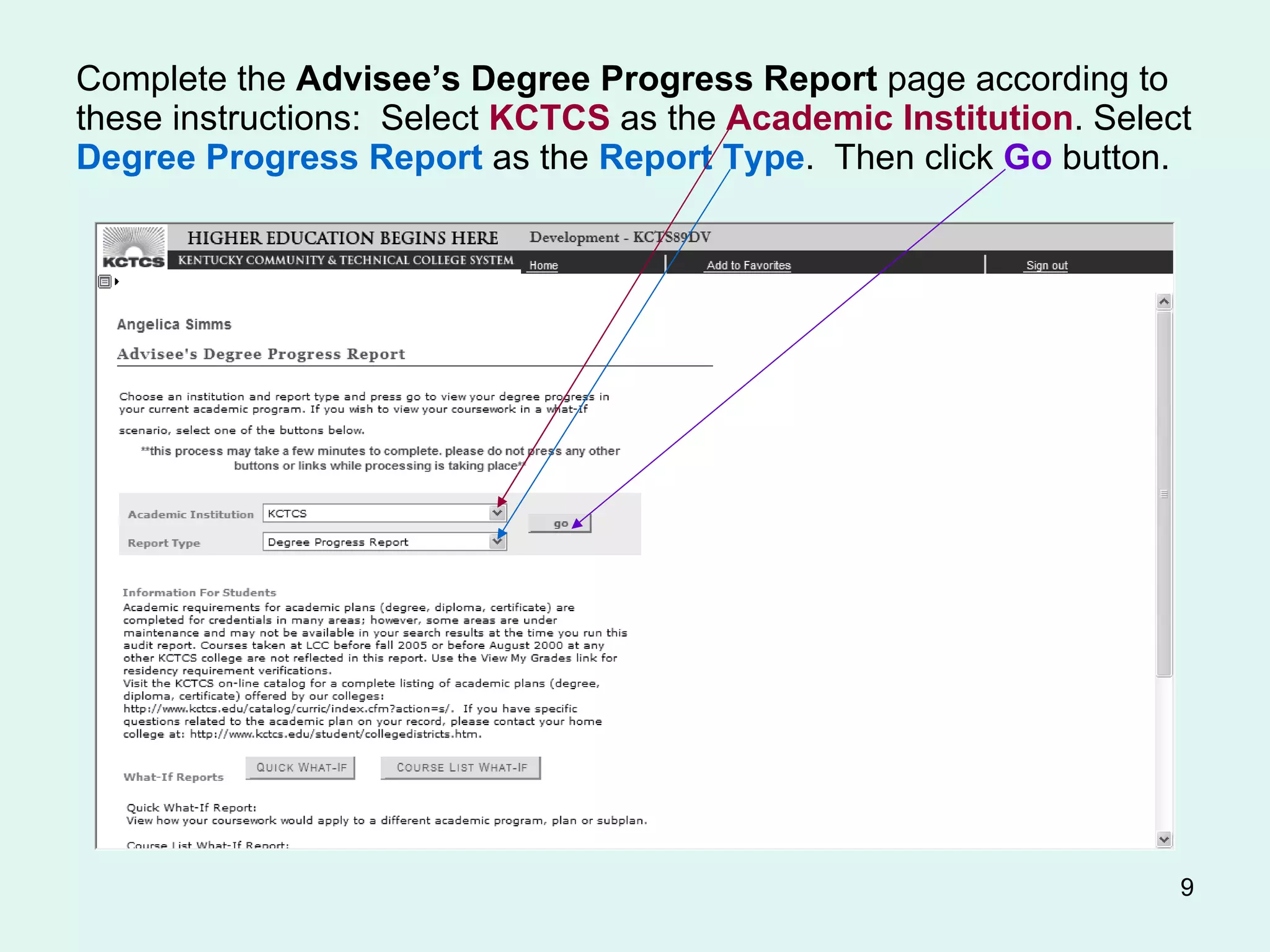
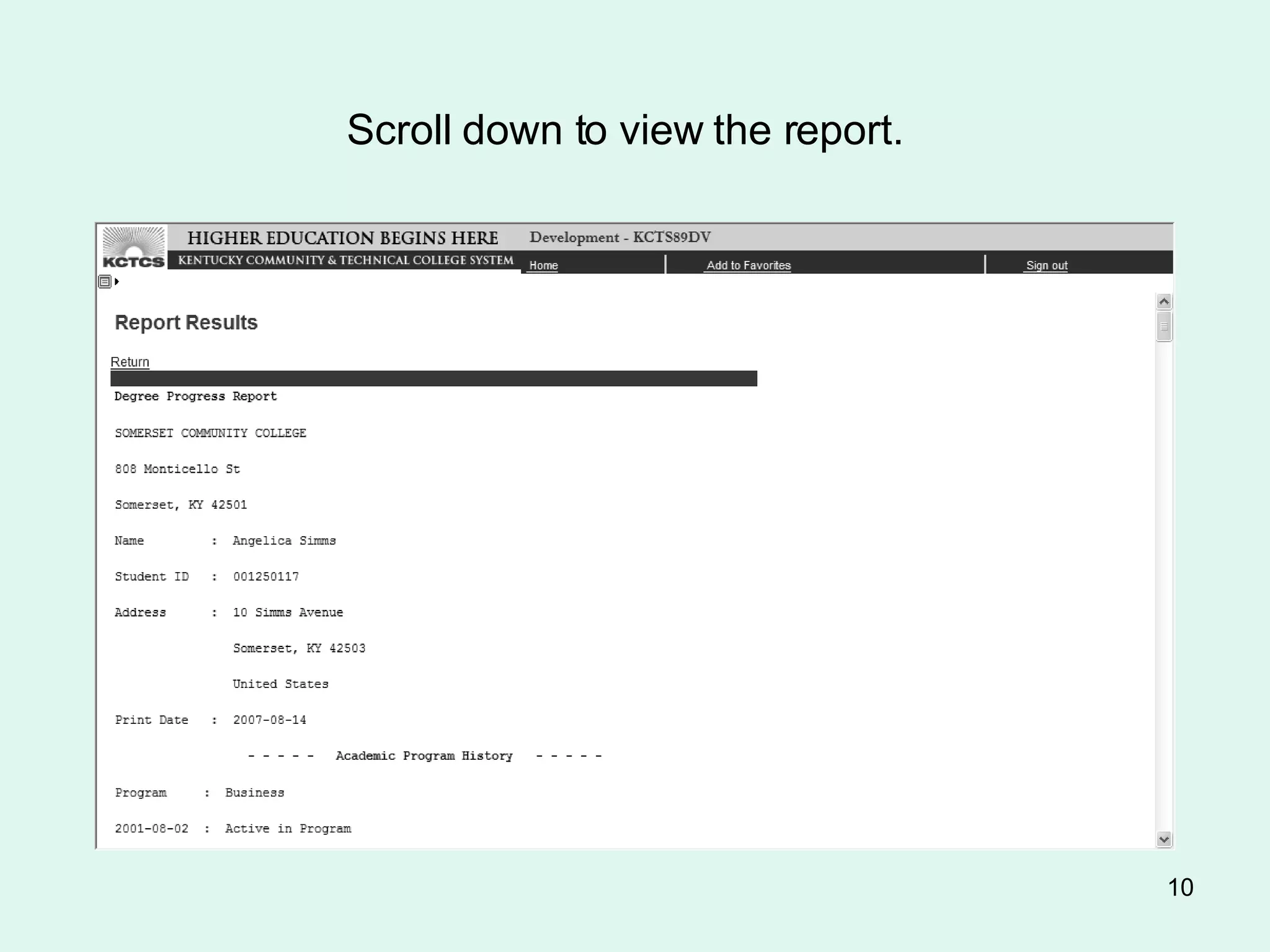
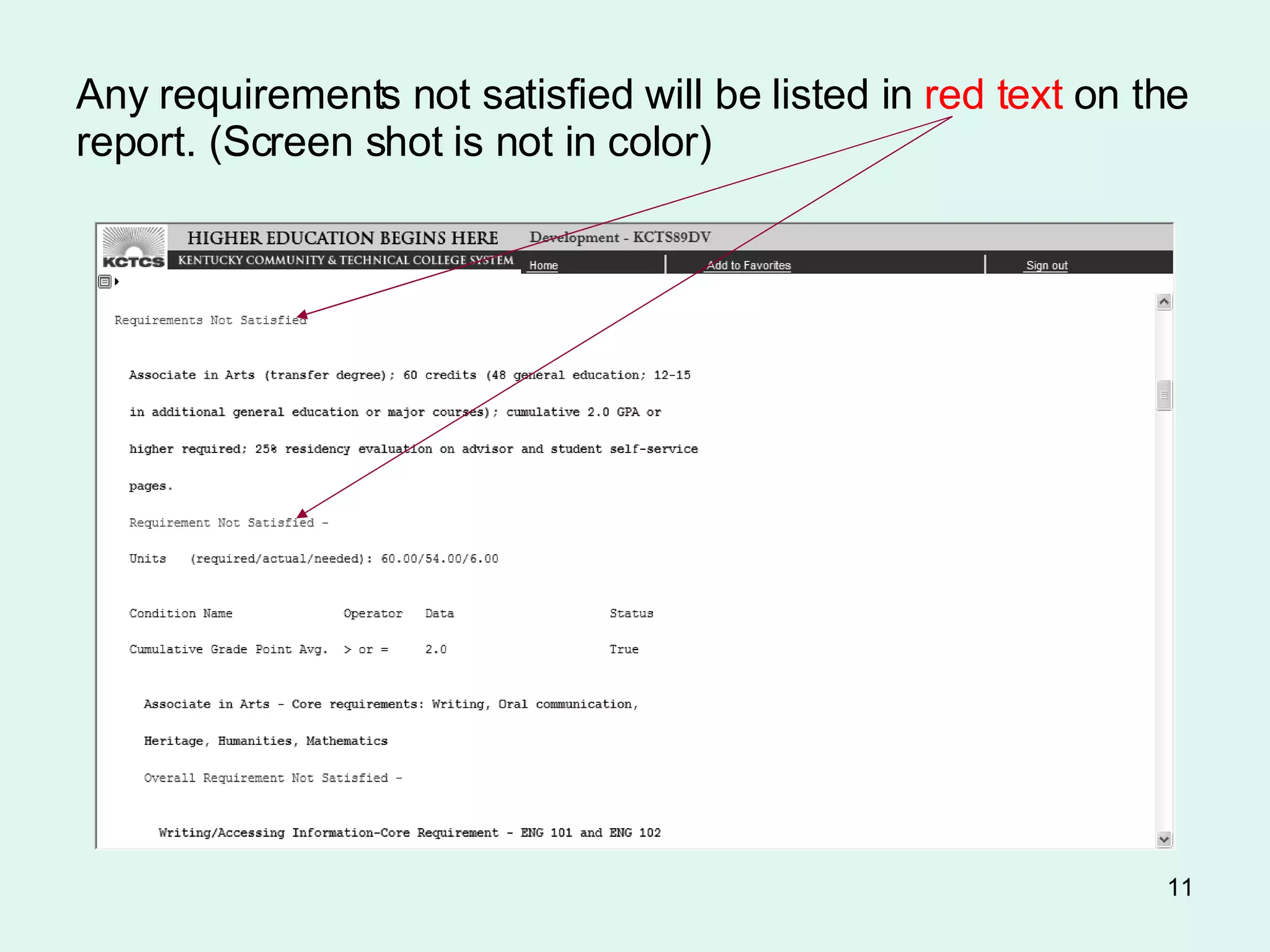
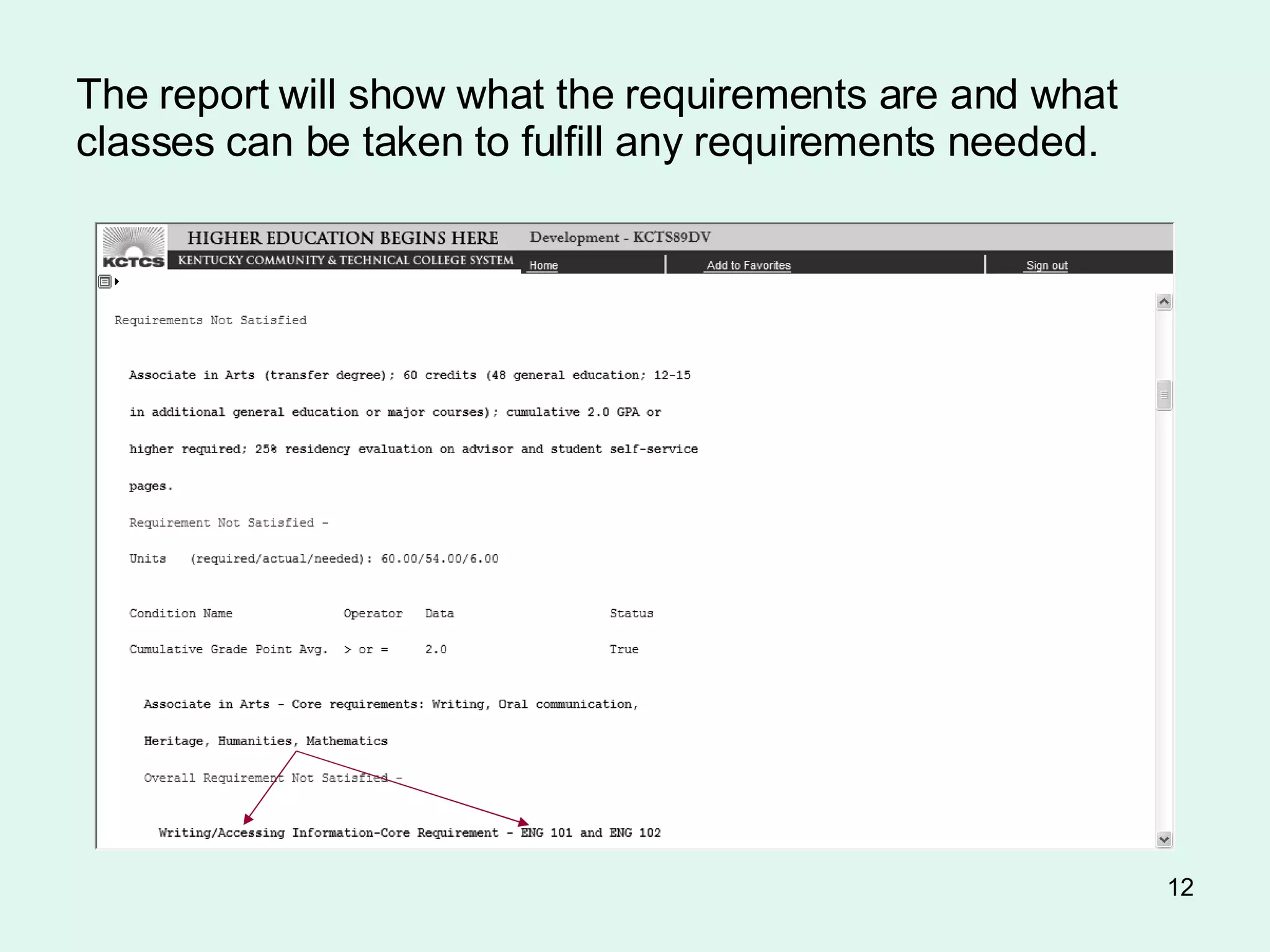
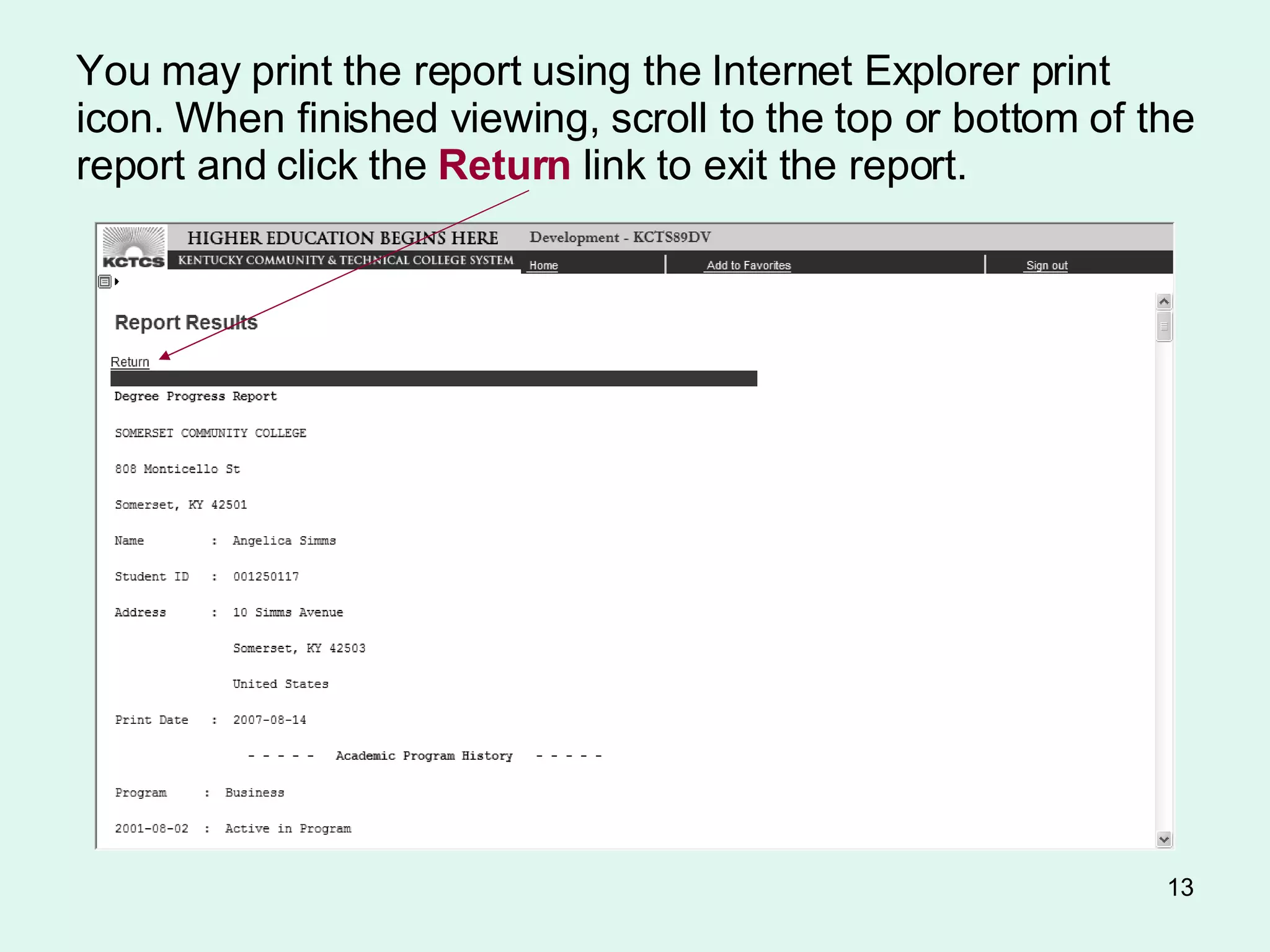
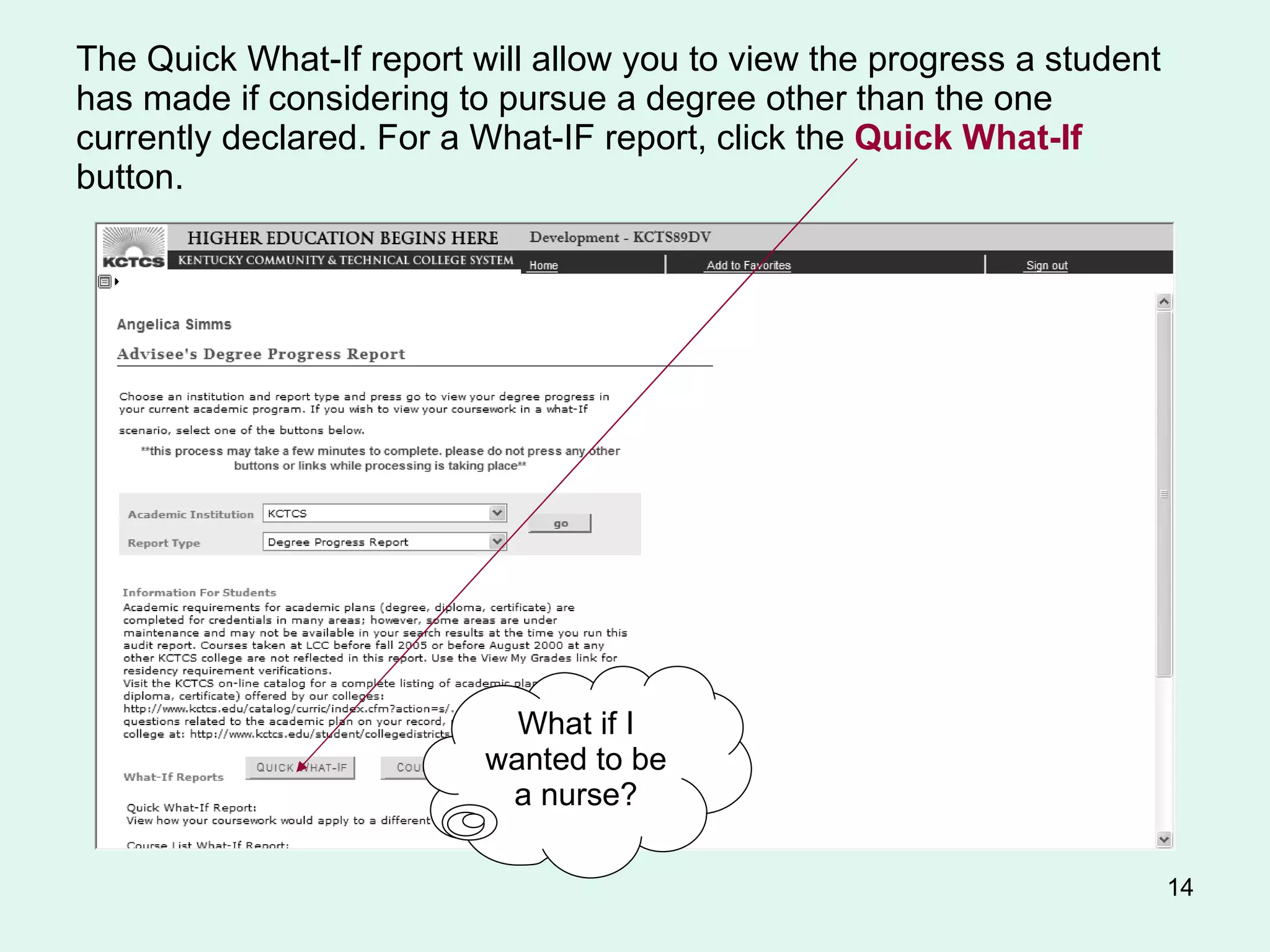
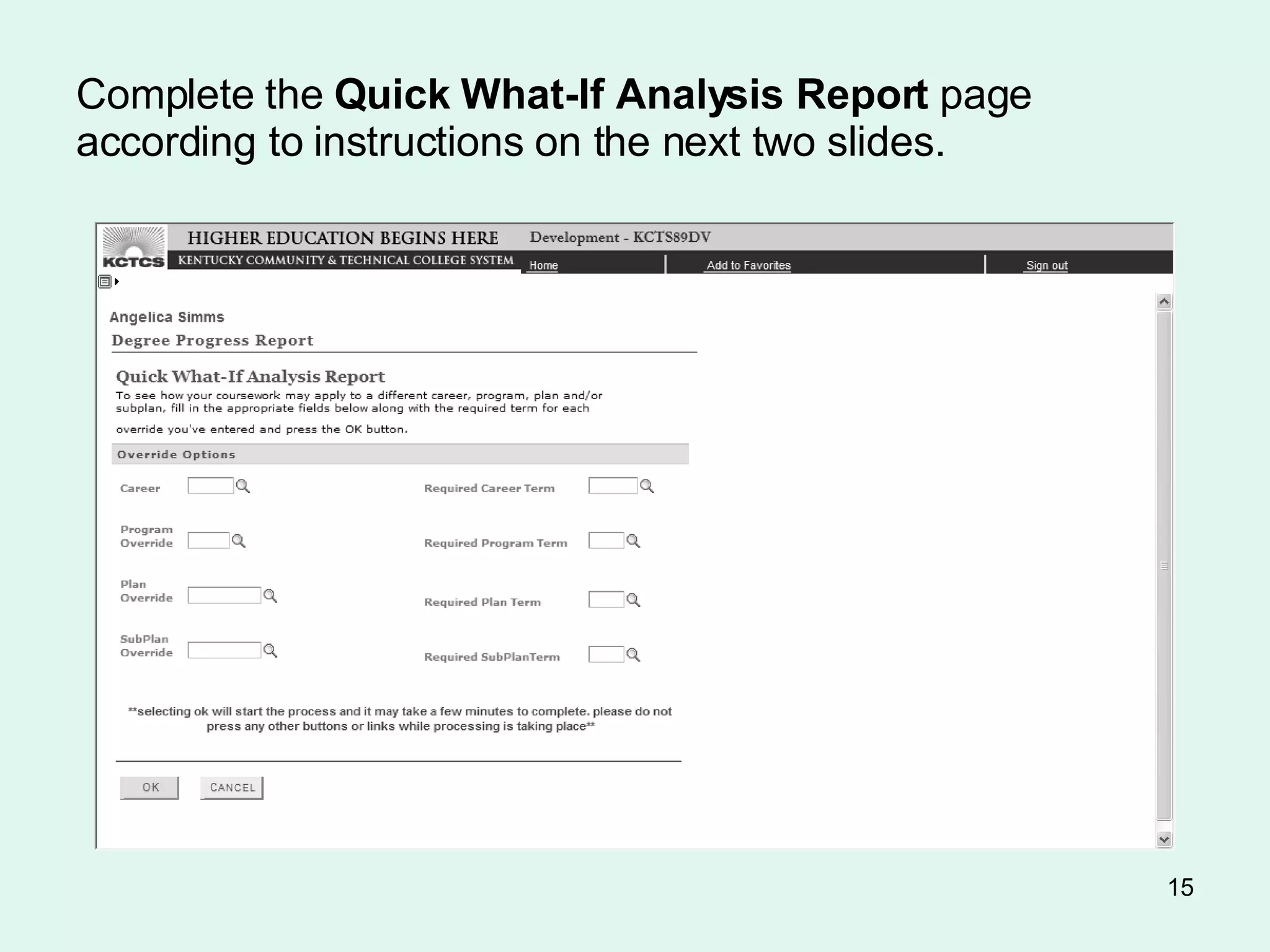
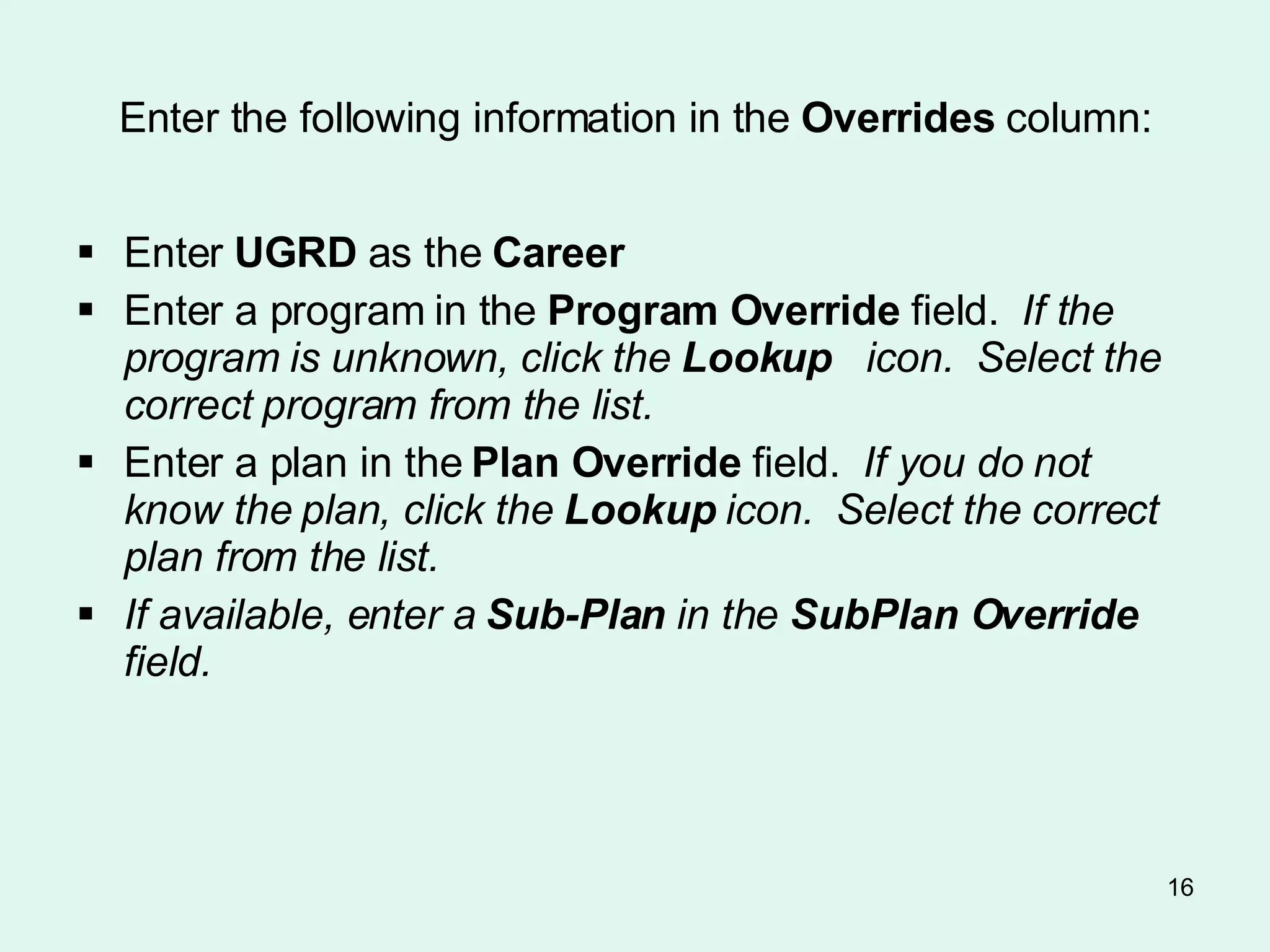
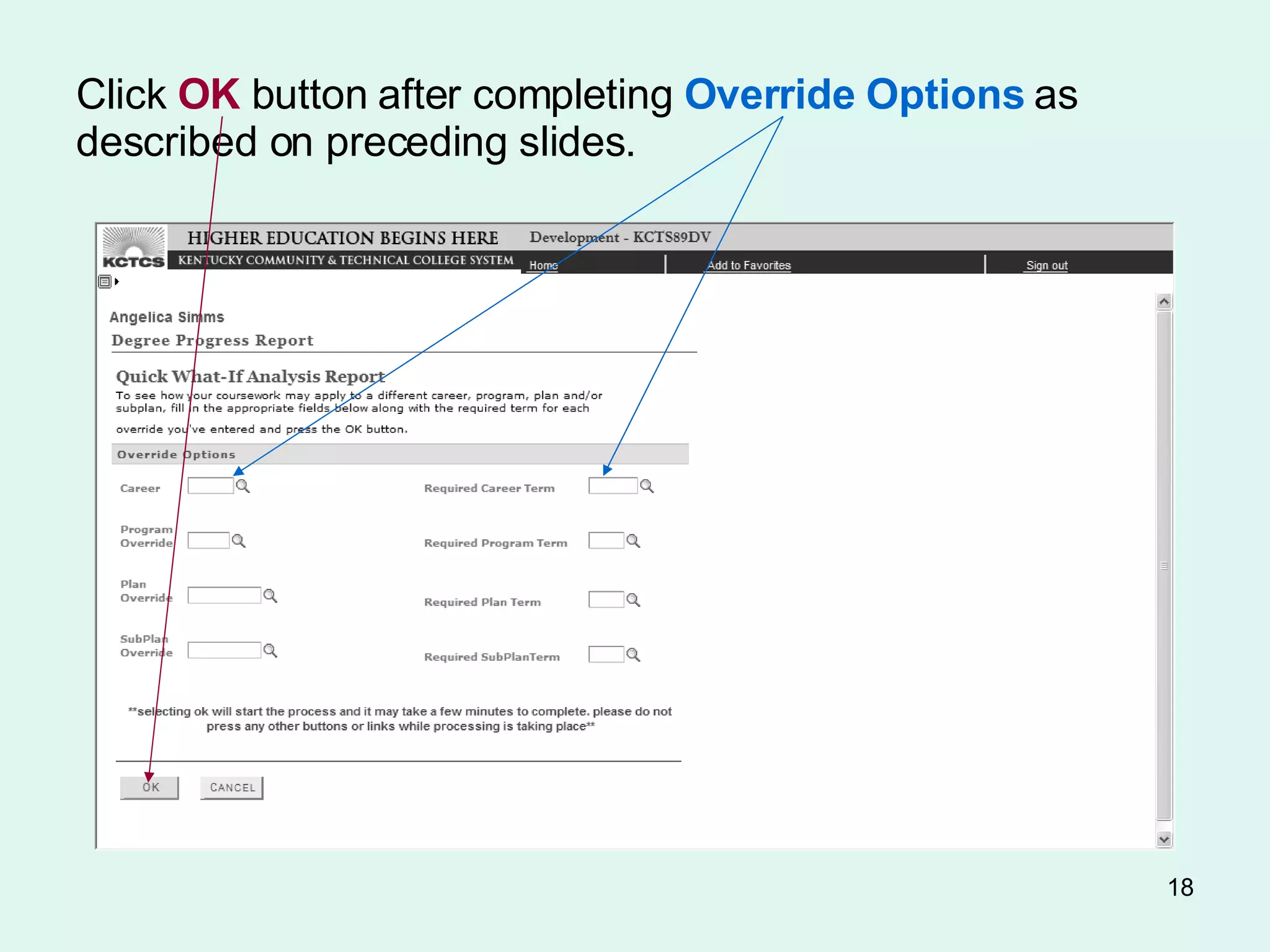
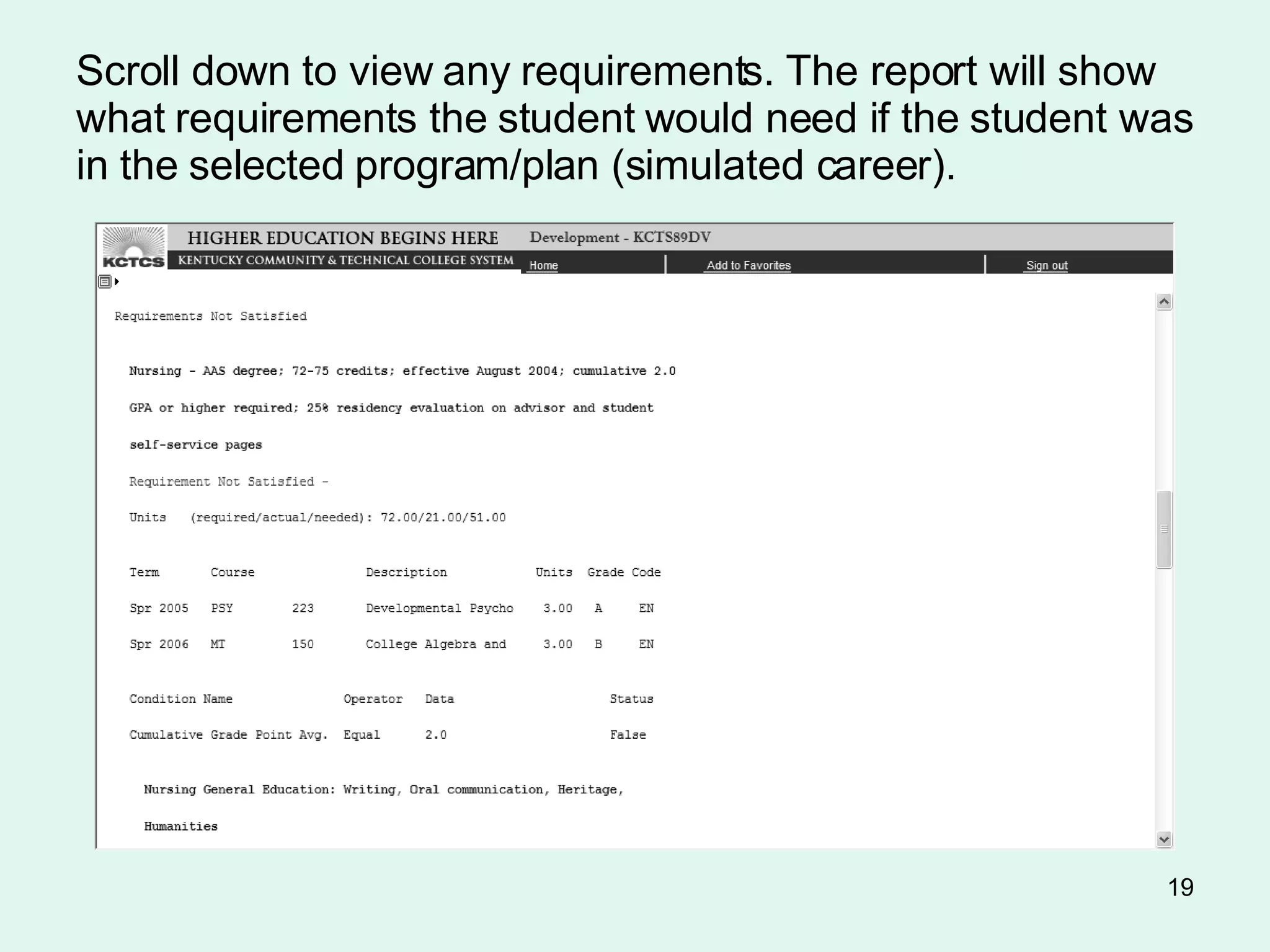
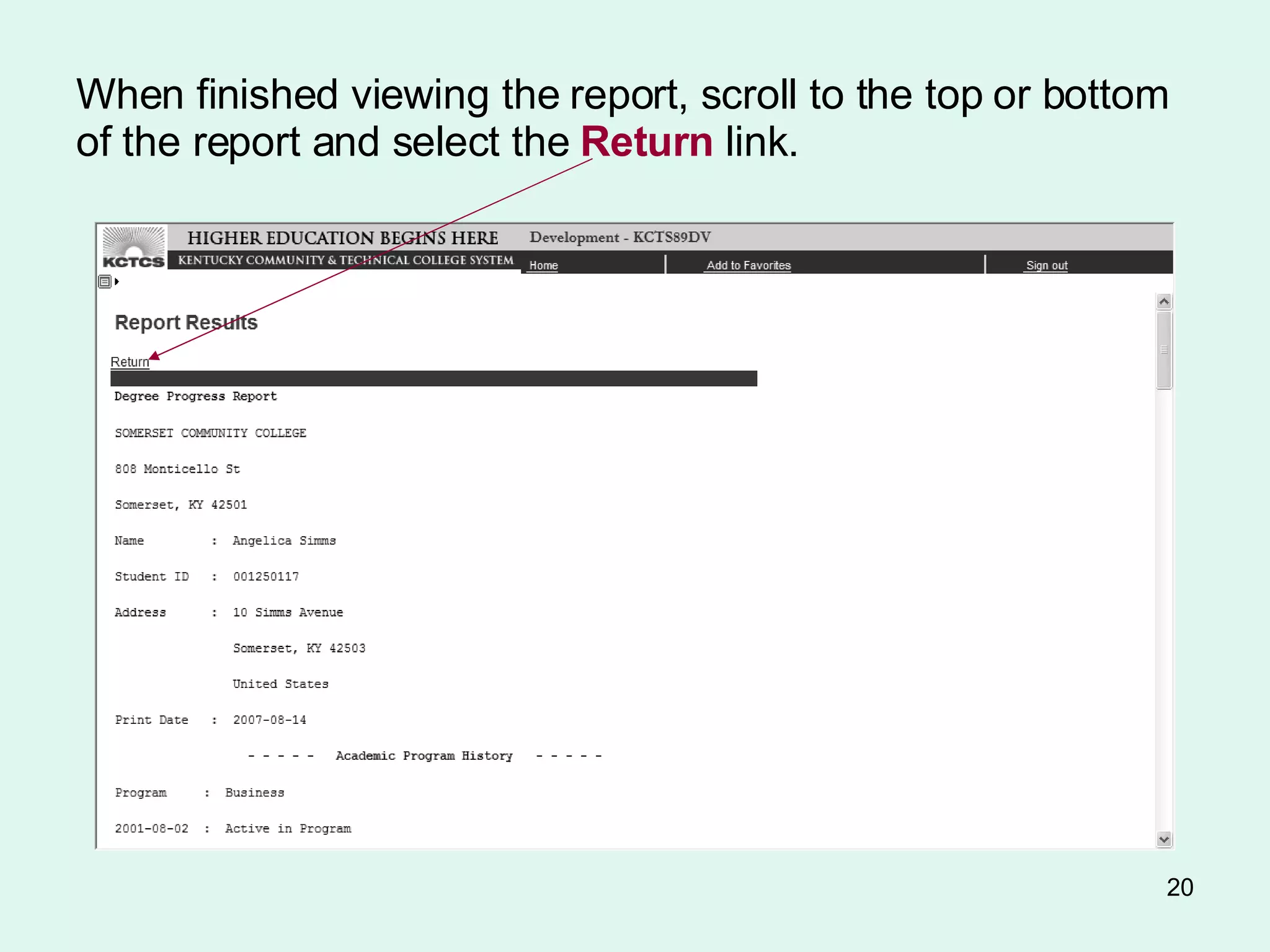
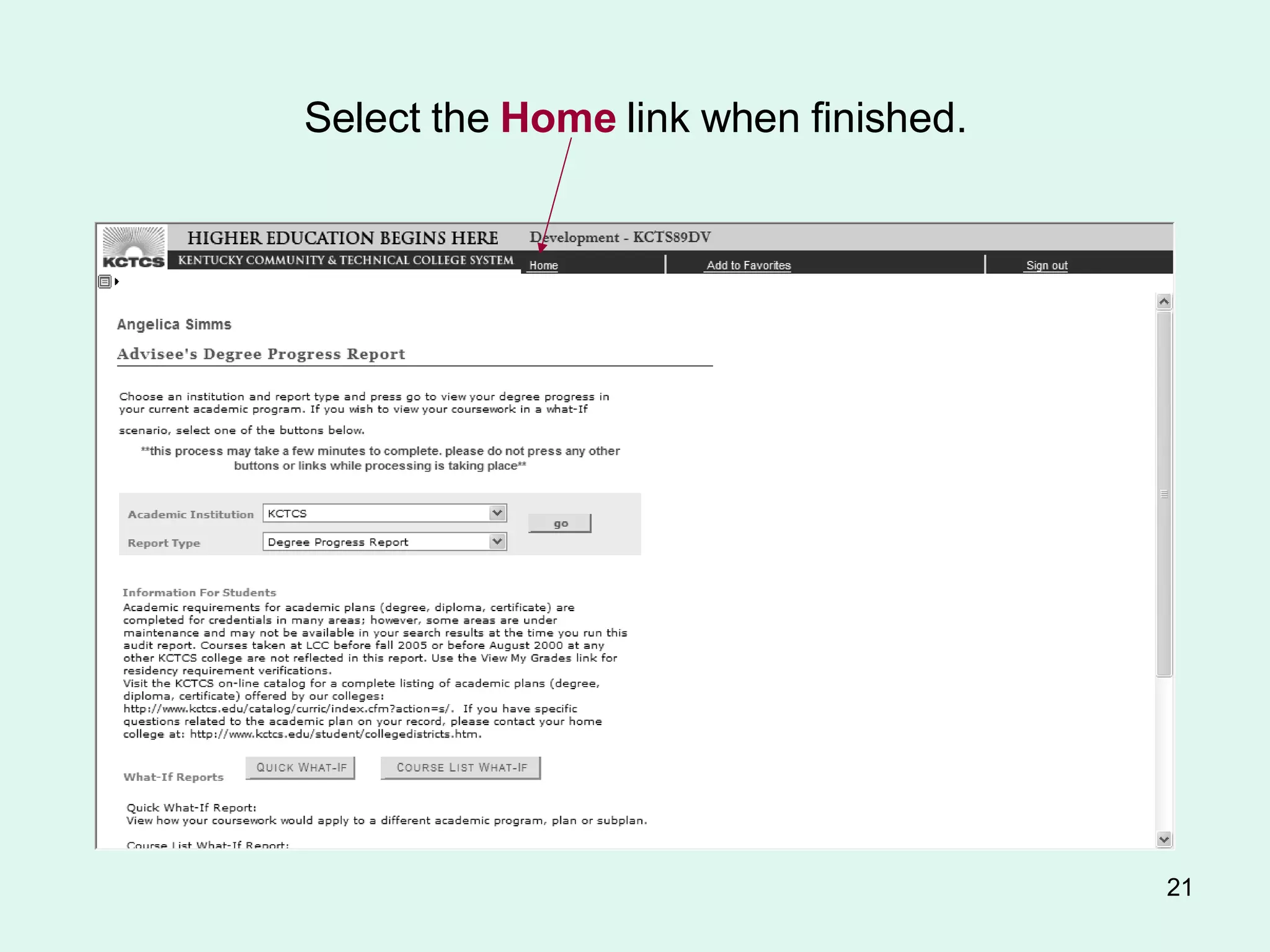
This document provides instructions for running degree progress reports and quick what-if reports from the faculty center in the student information system. It describes how to search for a student, select the report type, enter override options for what-if scenarios, and view the report results. Any unfulfilled requirements will be highlighted. The report shows remaining requirements and classes to fulfill them. It also explains how to print, return from, and get help regarding the reports.


![Coded Agents – with UiPath SDK + LangGraph [Virtual Hands-on Workshop]](https://cdn.slidesharecdn.com/ss_thumbnails/codedagentsdeck-251215155422-5497c599-thumbnail.jpg?width=640&height=640&fit=bounds)


![Vibe Coding vs. Spec-Driven Development [Free Meetup]](https://cdn.slidesharecdn.com/ss_thumbnails/vibecodingvsspecdrivendevelopment-251209105622-43f455e7-thumbnail.jpg?width=640&height=640&fit=bounds)


