SCENARIO
Private is a new company that sells used cars. They also provide after-
sales servicing and repairs. They operate at three sites - Disley, Stanton
and Denton.
You have been engaged by the company to introduce the use of a
database to help them to run the business. They have details of the
vehicles for sale and of prospective buyers - people who have made
enquiries and are waiting for a particular type of vehicle. The database
must be set up to store the vehicle details, and enable the sales staff to
search it for specific vehicles and features.
You must produce a complete design for a working relational database
that will contain at least three tables and 60 records.
OBJECTIVES:


Understand the requirements for Unit 6
Be able to build DFDs
Demonstrate a high quality DFD to different
 levels of complexity
OBJECTIVE: BE ABLE TO EXPLAIN THE
REQUIREMENTS FOR UNIT 6
For Unit 4 you need to create your own high
quality relational database.
8AOs:
•   AO1 - Design a relational database to meet the needs of an organisation
•   AO2 - Produce the database according to the design
•   AO3 - Interrogate the database
•   AO4 - Create a user interface
•   AO5 - Produce Reports
•   AO6 - Produce user documentation and technical information
•   AO7 - Test the database
•   AO8 - Evaluate the database
OBJECTIVE: UNDERSTAND DFDS


What is a Data Flow Diagram (DFD)?
OBJECTIVE: UNDERSTAND DFDS
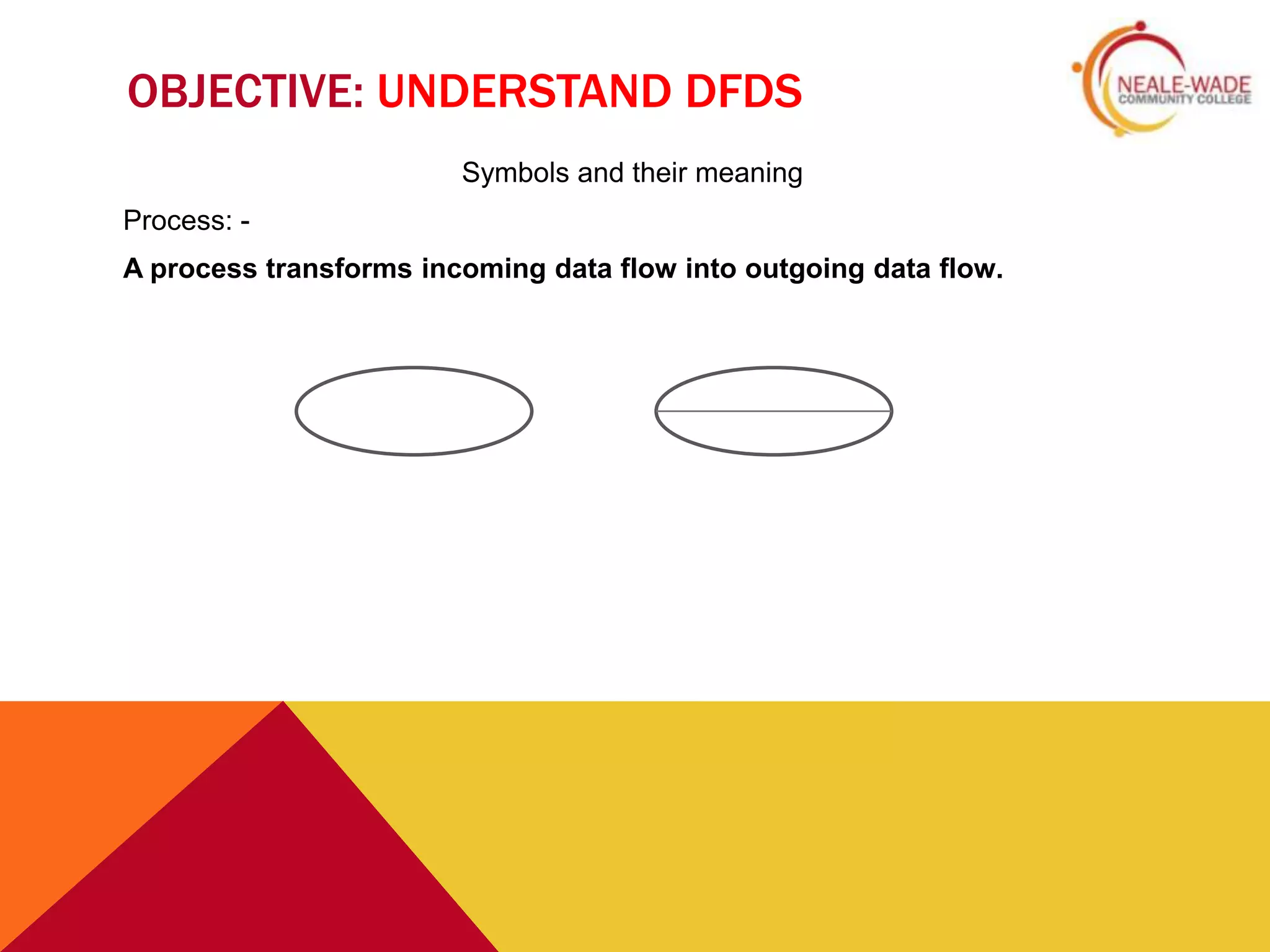
                        Symbols and their meaning
Process: -
A process transforms incoming data flow into outgoing data flow.
UNDERSTAND DFDS
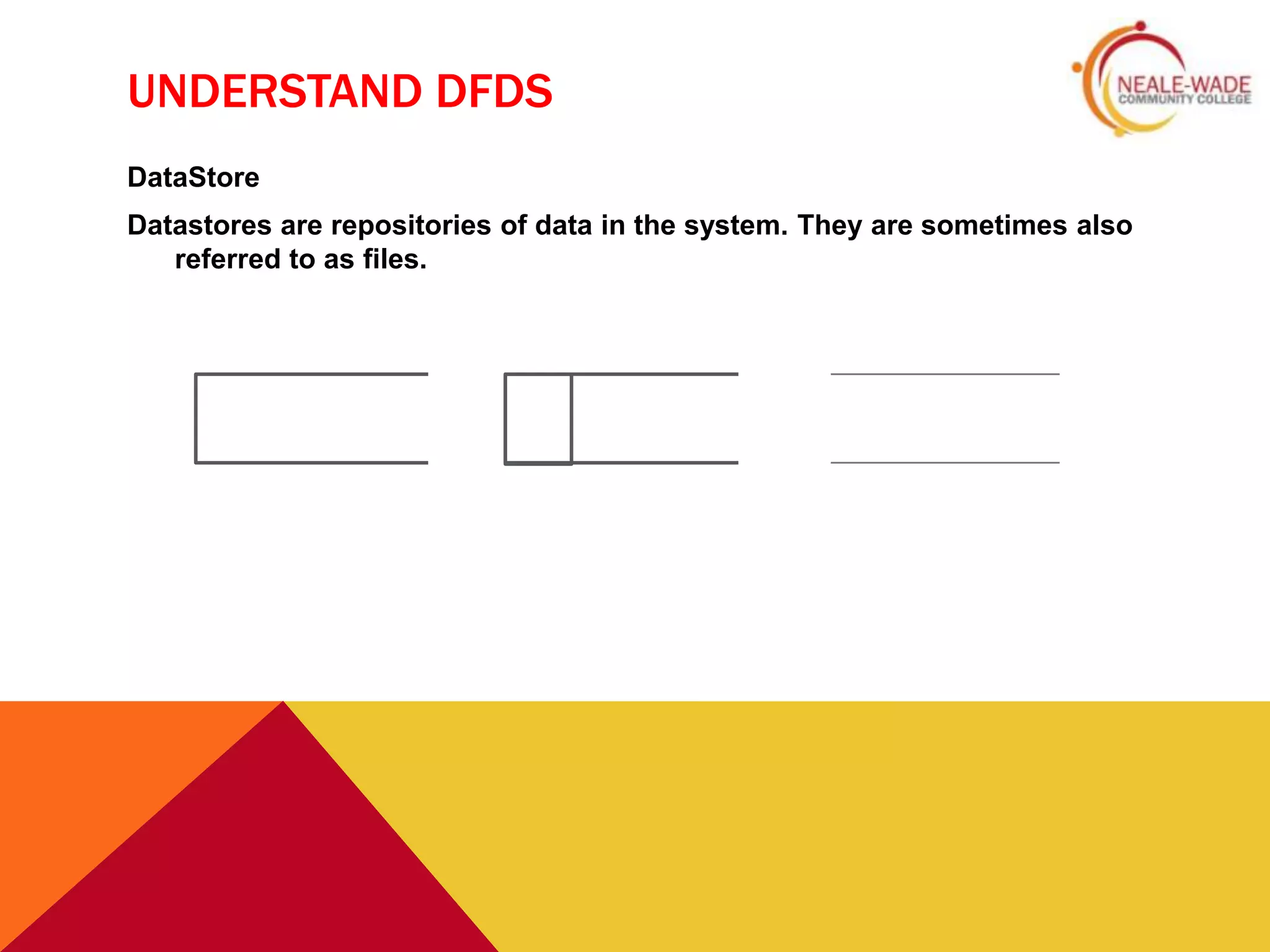
DataStore
Datastores are repositories of data in the system. They are sometimes also
   referred to as files.
OBJECTIVE: UNDERSTAND DFDS
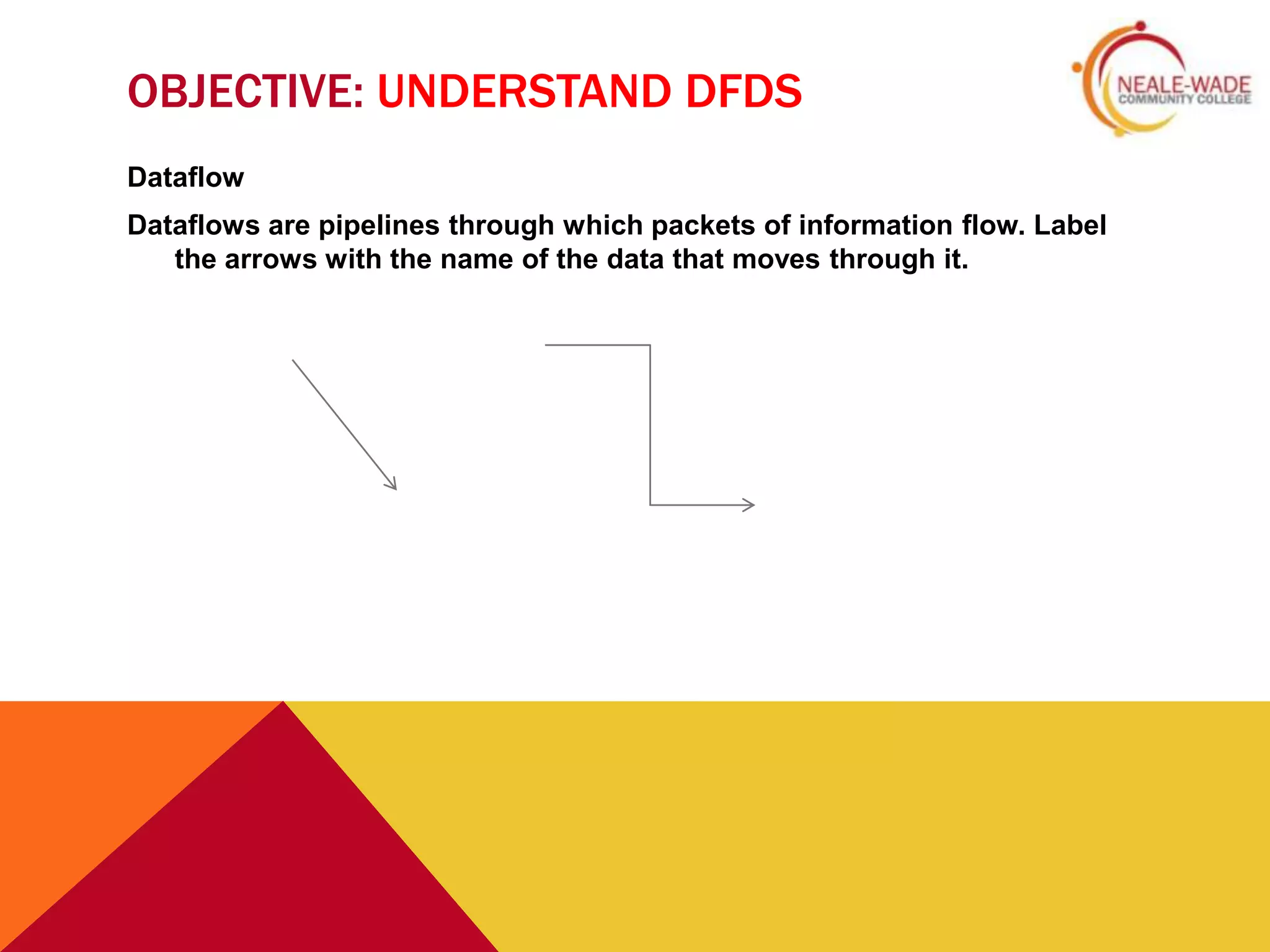
Dataflow
Dataflows are pipelines through which packets of information flow. Label
   the arrows with the name of the data that moves through it.
OBJECTIVE: UNDERSTAND DFDS
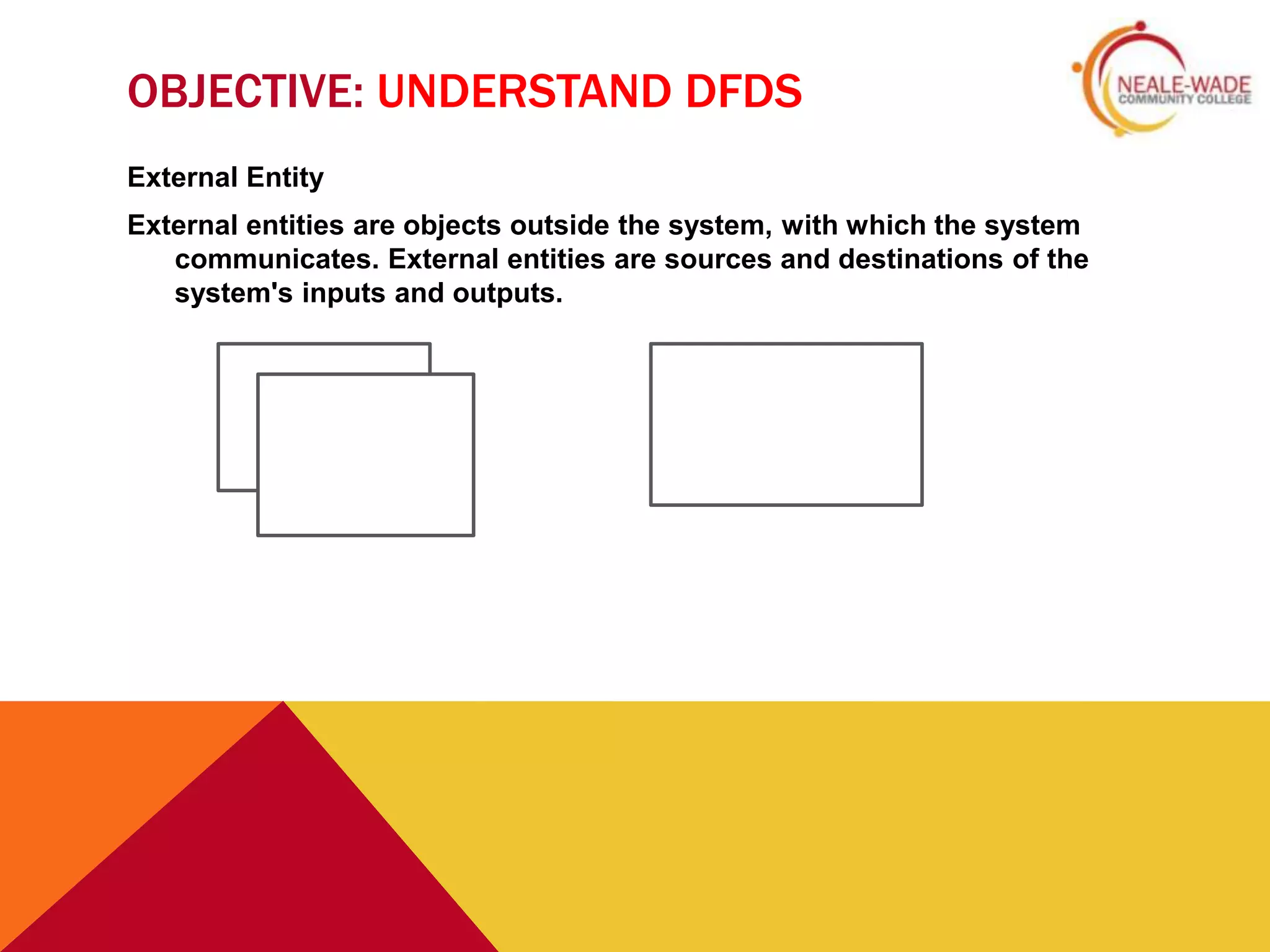
External Entity
External entities are objects outside the system, with which the system
   communicates. External entities are sources and destinations of the
   system's inputs and outputs.
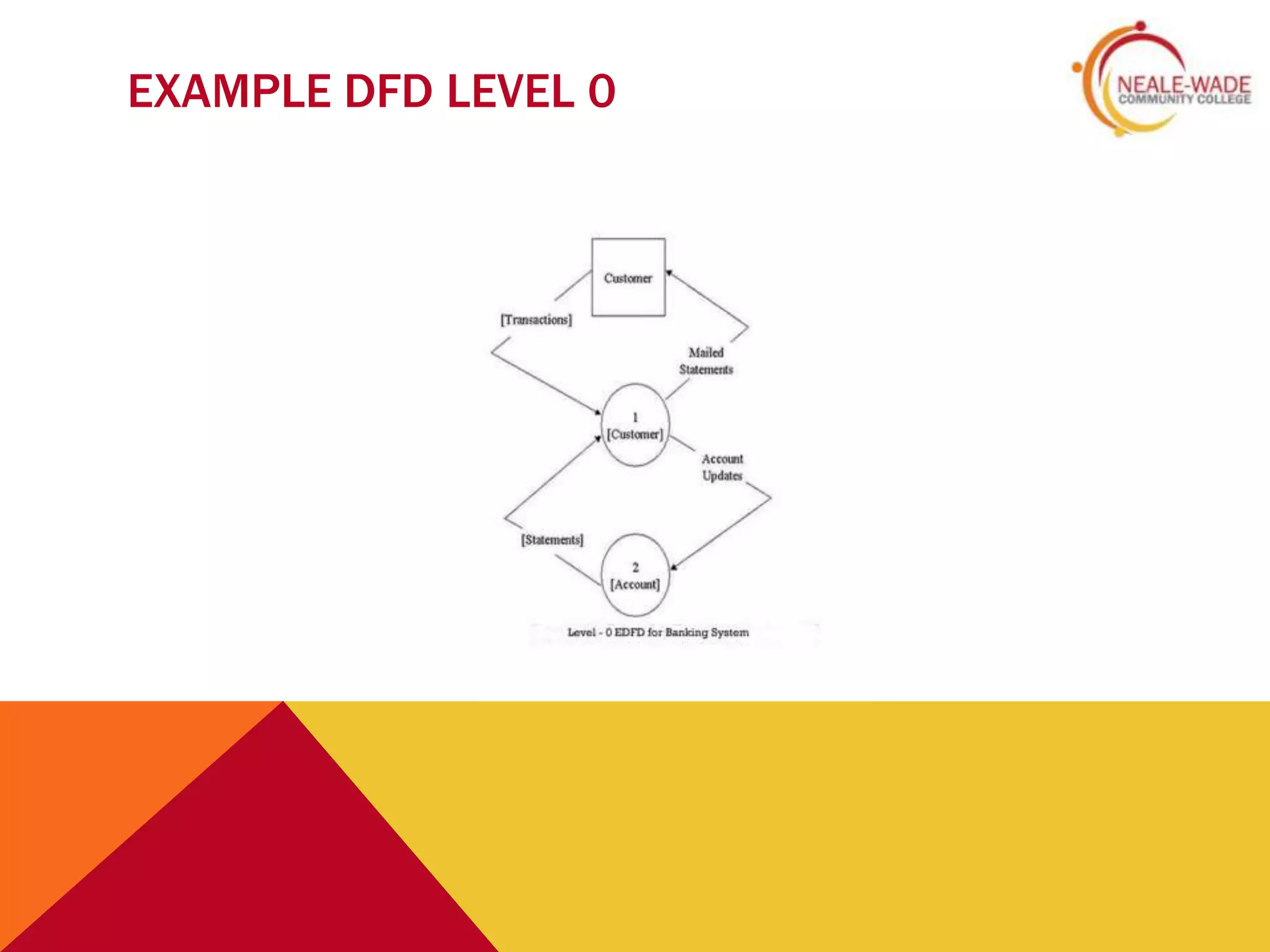
EXAMPLE DFD LEVEL 0
MINI-PLENARY: - MAKE A DFD


    Using what you have just learnt, create a Level 0 DFD for the following: -
                             CD Borrowing system
Data to process: -
 Borrower information
 Item Data
Storage Entity
   Borrower File
   Record File
ACTIVITY 2

Objective: -Demonstrate a high quality
 DFD to different levels of complexity

Start planning your databases and
  preparing your Data Flow Diagrams
PLENARY


 Talk to amongst your selves to review
 the DFDs created support each other
 in missing components
Databases dfd

  • 2.
    SCENARIO Private is anew company that sells used cars. They also provide after- sales servicing and repairs. They operate at three sites - Disley, Stanton and Denton. You have been engaged by the company to introduce the use of a database to help them to run the business. They have details of the vehicles for sale and of prospective buyers - people who have made enquiries and are waiting for a particular type of vehicle. The database must be set up to store the vehicle details, and enable the sales staff to search it for specific vehicles and features. You must produce a complete design for a working relational database that will contain at least three tables and 60 records.
  • 3.
    OBJECTIVES: Understand the requirementsfor Unit 6 Be able to build DFDs Demonstrate a high quality DFD to different levels of complexity
  • 4.
    OBJECTIVE: BE ABLETO EXPLAIN THE REQUIREMENTS FOR UNIT 6 For Unit 4 you need to create your own high quality relational database. 8AOs: • AO1 - Design a relational database to meet the needs of an organisation • AO2 - Produce the database according to the design • AO3 - Interrogate the database • AO4 - Create a user interface • AO5 - Produce Reports • AO6 - Produce user documentation and technical information • AO7 - Test the database • AO8 - Evaluate the database
  • 5.
    OBJECTIVE: UNDERSTAND DFDS Whatis a Data Flow Diagram (DFD)?
  • 6.
    OBJECTIVE: UNDERSTAND DFDS Symbols and their meaning Process: - A process transforms incoming data flow into outgoing data flow.
  • 7.
    UNDERSTAND DFDS DataStore Datastores arerepositories of data in the system. They are sometimes also referred to as files.
  • 8.
    OBJECTIVE: UNDERSTAND DFDS Dataflow Dataflowsare pipelines through which packets of information flow. Label the arrows with the name of the data that moves through it.
  • 9.
    OBJECTIVE: UNDERSTAND DFDS ExternalEntity External entities are objects outside the system, with which the system communicates. External entities are sources and destinations of the system's inputs and outputs.
  • 10.
  • 11.
    MINI-PLENARY: - MAKEA DFD Using what you have just learnt, create a Level 0 DFD for the following: - CD Borrowing system Data to process: -  Borrower information  Item Data Storage Entity Borrower File Record File
  • 12.
    ACTIVITY 2 Objective: -Demonstratea high quality DFD to different levels of complexity Start planning your databases and preparing your Data Flow Diagrams
  • 13.
    PLENARY Talk toamongst your selves to review the DFDs created support each other in missing components