What isDatabase Maintenance?
Why is Database Maintenance Important?
How Do Database Maintenance Plans Fit In?
Key Database Maintenance Tasks
◦ Physical File Defragmentation
◦ Database and Log File Management
◦ tempdb Maintenance
◦ msdb Maintenance
◦ Index Maintenance
◦ Statistics Maintenance
◦ Data Corruption Detection
◦ Database and Log File Protection
◦ Database Maintenance Monitoring
Database Maintenance Best Practices
What We Are Going to Learn Today
3.
Database maintenanceincludes a defined set
of tasks that DBAs need to perform on a
periodic basis to ensure that their databases:
◦ Perform Optimally
◦ Maintain High Availability
Another way to look at this is: if appropriate
database maintenance is not performed as
needed, then you can expect to see:
◦ Degraded performance
◦ Unexpected downtime
What is Database Maintenance?
4.
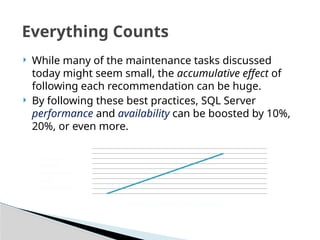
While manyof the maintenance tasks discussed
today might seem small, the accumulative effect of
following each recommendation can be huge.
By following these best practices, SQL Server
performance and availability can be boosted by 10%,
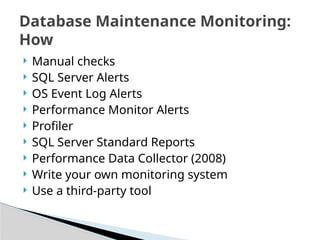
20%, or even more.
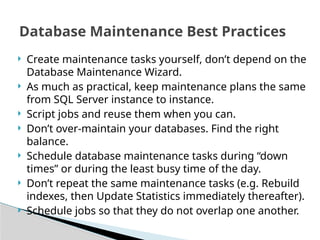
Everything Counts
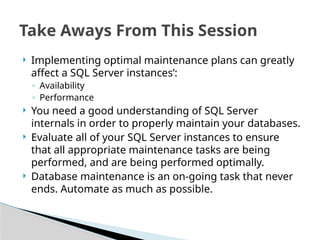
Increased Performance and Availability
Number of
optimal
maintenance
tasks
implemented
5.
The DatabaseMaintenance Plan Wizard is not an ideal tool
for performing database maintenance.
While it is designed with the “novice” DBA in mind,
unfortunately:
◦ It is harder to use than it appears to be
◦ It is not very flexible and it is hard to modify after the fact
◦ It is hard to troubleshoot if there are problems
◦ It allows DBAs to create maintenance plans that can:
Significantly hurt the performance of SQL Server
Give a false sense of security in regard to availability
Ideally, you should avoid using the Database Maintenance
Wizard. But if you can’t, be sure to research each of your
options and select the ones that best meet your needs.
How Do Database Maintenance Plans Fit In?
6.
◦ Physical FileFragmentation
◦ Database and Log File Management
◦ tempdb Maintenance
◦ msdb Maintenance
◦ Index Maintenance
◦ Statistics Maintenance
◦ Data Corruption Detection
◦ Database and Log File Protection
◦ Database Maintenance Monitoring
This list is not designed to be all encompassing, but it does include key tasks that
all DBAs need to perform regularly.
The assumption is that your hardware, OS, SQL Server, and application are
optimally configured.
Key Database Maintenance Tasks
7.
When theOS writes a file to disk, if contiguous
clusters are not available, they are written
elsewhere on the disk.
When a file is stored in a non-contiguous
manner, then the file is considered to be
physically fragmented.
Physical file fragmentation can contribute to an
additional load on your I/O subsystem and
reduce I/O performance.
Physical File Defragmentation—The Basics
8.
SQL Serverdoes not know about file fragmentation,
but is affected indirectly by it because the OS has to
do more work to move data to and from SQL Server to
disk.
The amount of file fragmentation’s negative affect on
SQL Server’s performance depends on many different
factors. For example, random reads are less affected
by fragmentation than sequential reads.
Since we know fragmentation can affect SQL Server
I/O performance, our goal should be to minimize it as
much as possible, even though it might be hard to
quantify.
Physical File Defragmentation—SQL Server
9.
SQL Serveris designed to minimize physical file
fragmentation, assuming the DBA is smart about
the way he or she manages physical files.
Ways to minimize physical file fragmentation:
◦ Ensure there is no physical file fragmentation before
creating new databases and log files.
◦ Pre-size MDF and LDF files instead of letting autogrowth
automatically size files.
◦ As needed, defragment physical files, either manually or
with scheduled job.
Physical File Defragmentation—Prevention
10.
In theory,MDF and LDF files “manage”
themselves.
In reality, for optimal performance, DBAs must
take full responsibility of managing them. This
includes:
◦ Ensuring instant file initialization is turned on
◦ Locating MDF and LDF files appropriately
◦ Pre-sizing MDF and LDF files appropriately
◦ Setting appropriate autogrowth settings
◦ Taking care when shrinking MDF and LDF files
◦ Monitoring MDF and LDF file growth
Database and Log File Management
11.
When instantfile initialization is enabled, it prevents
MDF (not LDF) files from being zeroed out, speeding up
their creation.
Speeds up CREATE DATABASE, ALTER DATABASE,
RESTORE DATABASE, and autogrowth. Also speeds
database recovery.
Requires SQL Server 2005/2008, and Windows Server
2003/2008
Instant file initialization is turned on if the SQL Server service
account has been granted the SE_MANAGE_VOLUME_NAME
permission. Members of the local Windows Administrator group
have this right and can grant it to other accounts by adding
them to the Perform Volume Maintenance Tasks security policy.
Ensuring Instant File Initialization is On
12.
The OS,pagefile.sys, and SQL Server binaries
should be located on their own disk volume.
MDF files should be located on their own disk
volume.
LDF files should be located on their own disk
volume.
Benefits:
◦ Reduces I/O contention and offers better I/O
performance
◦ Reduces physical file fragmentation
Locating MDF and LDF Files Appropriately
13.
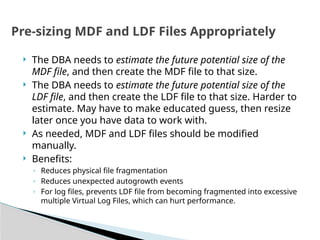
The DBAneeds to estimate the future potential size of the
MDF file, and then create the MDF file to that size.
The DBA needs to estimate the future potential size of the
LDF file, and then create the LDF file to that size. Harder to
estimate. May have to make educated guess, then resize
later once you have data to work with.
As needed, MDF and LDF files should be modified
manually.
Benefits:
◦ Reduces physical file fragmentation
◦ Reduces unexpected autogrowth events
◦ For log files, prevents LDF file from becoming fragmented into excessive
multiple Virtual Log Files, which can hurt performance.
Pre-sizing MDF and LDF Files Appropriately
14.
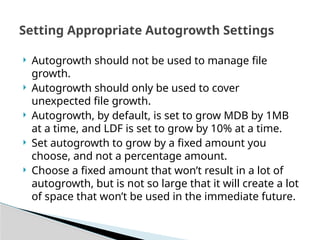
Autogrowth shouldnot be used to manage file
growth.
Autogrowth should only be used to cover
unexpected file growth.
Autogrowth, by default, is set to grow MDB by 1MB
at a time, and LDF is set to grow by 10% at a time.
Set autogrowth to grow by a fixed amount you
choose, and not a percentage amount.
Choose a fixed amount that won’t result in a lot of
autogrowth, but is not so large that it will create a lot
of space that won’t be used in the immediate future.
Setting Appropriate Autogrowth Settings
15.
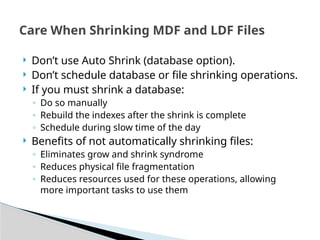
Don’t useAuto Shrink (database option).
Don’t schedule database or file shrinking operations.
If you must shrink a database:
◦ Do so manually
◦ Rebuild the indexes after the shrink is complete
◦ Schedule during slow time of the day
Benefits of not automatically shrinking files:
◦ Eliminates grow and shrink syndrome
◦ Reduces physical file fragmentation
◦ Reduces resources used for these operations, allowing
more important tasks to use them
Care When Shrinking MDF and LDF Files
16.
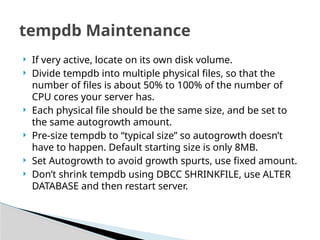
If veryactive, locate on its own disk volume.
Divide tempdb into multiple physical files, so that the
number of files is about 50% to 100% of the number of
CPU cores your server has.
Each physical file should be the same size, and be set to
the same autogrowth amount.
Pre-size tempdb to “typical size” so autogrowth doesn’t
have to happen. Default starting size is only 8MB.
Set Autogrowth to avoid growth spurts, use fixed amount.
Don’t shrink tempdb using DBCC SHRINKFILE, use ALTER
DATABASE and then restart server.
tempdb Maintenance
17.
Over time,the msdb database can grow large,
storing old data you probably don’t need, like:
◦ Backup and restore history (sp_delete_backuphistory)
◦ SQL Server Agent Job history (sp_purge_jobhistory)
◦ Maintenance Plan history (sp_maintplan_delete_log)
You should periodically clear out the older data,
possibly shrink the database, and then rebuild all of
its indexes.
msdb Maintenance
18.
Index FragmentationHurts
Performance
◦ Over time, as indexes are subjected to data
modifications, gaps in data on pages develop, and
the logical ordering of the data no longer matches
the physical ordering of the data. This is a normal
behaviour, but must be regularly addressed.
◦ Heavily fragmented indexes can lead to poor query
performance, especially if scans occur regularly.
◦ Because of this, it is important that DBAs regularly
detect and remove index fragmentation from their
databases on a regular basis.
Index Maintenance: Fragmentation
19.
There arethree ways to remove fragmentation
from an index:
◦ Reorganize—online
◦ Rebuild—offline
◦ Rebuild—online (Enterprise Edition Only)
Index Fragmentation Options
20.
This isan online task that doesn’t block user activity.
Uses an in-place algorithm to reorganize indexes at leaf level.
Removes much fragmentation and empty space, but not all.
Only reduces fragmentation if necessary.
Generally takes more time than Rebuild to complete.
Can be stopped and started without losing work.
Less resources are required to reorganize than Rebuild.
Less disk space is required to reorganize than Rebuild.
Generally, produces less logging when in full recovery mode.
Index statistics are not updated (must perform this task
separately).
Index size remains same.
Index Maintenance—Reorganize
21.
Considered tobe an off-line activity (unless you have EE).
Index is rebuilt from scratch, and old index is dropped.
Virtually all fragmentation and empty space is removed.
Everything is rebuilt, whether it needs it or not.
Rebuild is generally faster than using Reorganize.
Index rebuild is atomic, can’t be stopped and restarted.
More physical resources are required then Reorganize.
Additional disk space is required than Reorganize.
Will cause log file to grow, as operation is logged.
Index statistics are updated with a FULLSCAN.
Index size may reduce.
Index Maintenance—Rebuild
22.
Only Reorganizeor Rebuild indexes that need it,
don’t defrag all indexes all the time.
If fragmentation is less <5%, then leave alone.
If fragmentation is >5% and <30%, consider
Reorganize.
If fragmentation >30%, consider Rebuild.
Use sys.dm_db_index_physical_stats to help you
determine if an index should be rebuilt or not.
Reorganize or Rebuild jobs should be scheduled as a
SQL Server Agent job using a custom T-SQL script you
create to meet your environment’s specific needs.
Index Maintenance–Defrag
Recommendations
23.
Indexing NeedsChange Over Time
◦ Over time, data in databases, and the use of this
data, often changes.
◦ This means that the current indexing scheme may
need to be changed over time.
◦ For examples, indexes may need to be added,
modified, or removed for optimal query
performance.
◦ The easiest way to do this is to run the Database
Engine Tuning Advisor against a Profiler Trace on a
periodic basis.
Index Maintenance: Review Indexing
Needs
24.
The bestway is to identify missing indexes is to use
Profiler to capture a trace file, and then use the
Database Engine Tuning Advisor (DTA) to analyze the
trace to look for recommendations.
When capturing a Profiler Trace, use the “Tuning”
template and capture data over a representative time
frame.
If your trace files become large, you may need to create
multiple traces over the course of a day to get a
representative sample of activity.
Run the DTA against the trace data, review
recommendations, and then add appropriate indexes.
Index Maintenance: Identify Missing Indexes
25.
Most databaseshave one or more indexes that were
created because they seemed that they might be
useful, but they have ended up not being used.
Because indexes need to be maintained when data
changes in a table, maintaining indexes that are not
used is a waste of resources.
Periodically, identify unused indexes and remove them.
Use the sys.dm_db_index_usage_stats DMV to help you
identify unused indexes.
Keep in mind that the data in this DMV is cleared out
each time SQL Server is restarted.
Index Maintenance—Identify Unused Indexes
26.
SQL Servermaintains statistics on indexes (and
some non-indexed columns) which are used by
the query optimizer to help produce an optimal
query plan.
If these statistics are out of date, or not
representative, then the query optimizer may
produce a poorly performing query plan.
As DBAs, we need to ensure that appropriate
statistics are created and stay updated.
Statistics Maintenance—The Basics
27.
Ensure that“Auto Create Statistics” and “Auto Update
Statistics” are set to “true” for all databases.
If Rebuilding indexes, statistics are automatically
updated with FULLSCAN, so you don’t need to update
statistics separately.
If Reorganizing indexes, statistics are not automatically
updated, so you should update statistics manually
afterwards.
Use sp_updatestats to update statistics. This command
runs UPDATE STATISTICS only on those statistics that
require updating, helping to conserve server resources.
Statistics Maintenance—
Recommendations
28.
There aretwo major causes of data corruption:
◦ Physical: Data has been altered in negative way, often
caused by hardware or hardware drivers.
◦ Logical: A data relationship has been broken
There are two ways to help identify these types
of data corruption:
◦ Turn on the “checksum” for your databases.
◦ Run DBCC CHECKDB as often as you make full
backups.
Data Corruption Detection—The
Basics
29.
This databasesetting calculates a checksum over the
contents of a page and stores the value in the page
header when the page is written to disk.
When the page is read from disk, the checksum is
recomputed and compared to the checksum value
stored in the page header.
If the values do not match, error message 824 is
reported to both the SQL Server error log and the
Windows event log.
When you see this error, you need to take action now.
Offers better protection than torn page detection.
Data Corruption Detection—
Checksum
30.
DBCC CHECKDBchecks the logical and physical integrity of all
objects in a database.
Ideally, the command should be run before a full database
backup is made to identify problems before the backup occurs.
If a problem is detected, you want to identify, and correct it, as
soon as possible.
DBCC CHECKDB has some very limited “fixing” ability, but it
should not be counted upon, and only used by experts.
Running DBCC CHECKDB is resource-intensive and should be
run during slow times on the server.
If you don’t have a large enough window to run CHECKDB,
restore database to another server and run CHECKDB there.
Data Corruption Detection—DBCC
CHECKDB
31.
Production databasesshould use the Full Recovery model.
Create a job to perform full backups daily on all system
and user production databases, plus log backups hourly
(or similar).
Always backup using RESTORE WITH VERIFYONLY to help
verify backup integrity.
Randomly restore backups to verify that you can restore
your databases.
Create, and enforce, an appropriate data retention policy.
Store backups securely and off-site.
If you have a limited backup window, or have limited disk
space, use backup compression. Can be a big time saver.
Database and Log File Protection
32.
Monitor MDFand LDF file growth
Monitor Free Space—Should have 15% or more free
space
Monitor SQL Server and OS Logs
Monitor Jobs
Monitor Alerts
Monitor Performance
Key Point: Even though it is a boring task, you need
to regularly monitor your SQL Server instances.
Database Maintenance Monitoring:
What
33.
Manual checks
SQL Server Alerts
OS Event Log Alerts
Performance Monitor Alerts
Profiler
SQL Server Standard Reports
Performance Data Collector (2008)
Write your own monitoring system
Use a third-party tool
Database Maintenance Monitoring:
How
34.
Create maintenancetasks yourself, don’t depend on the
Database Maintenance Wizard.
As much as practical, keep maintenance plans the same
from SQL Server instance to instance.
Script jobs and reuse them when you can.
Don’t over-maintain your databases. Find the right
balance.
Schedule database maintenance tasks during “down
times” or during the least busy time of the day.
Don’t repeat the same maintenance tasks (e.g. Rebuild
indexes, then Update Statistics immediately thereafter).
Schedule jobs so that they do not overlap one another.
Database Maintenance Best Practices
35.
Implementing optimalmaintenance plans can greatly
affect a SQL Server instances’:
◦ Availability
◦ Performance
You need a good understanding of SQL Server
internals in order to properly maintain your databases.
Evaluate all of your SQL Server instances to ensure
that all appropriate maintenance tasks are being
performed, and are being performed optimally.
Database maintenance is an on-going task that never
ends. Automate as much as possible.
Take Aways From This Session
36.
Free E-Books:
◦www.sqlservercentral.com/Books
Check these out:
◦ www.SQLServerCentral.com
◦ www.Simple-Talk.com
◦ www.SQL-Server-Performance.Com
Contact me at:
bradmcgehee@hotmail.com
Blogs:
www.simple-talk.com/community/blogs/brad_mcgehee/default.aspx
http://www.sqlservercentral.com/blogs/aloha_dba/default.aspx
http://twitter.com/bradmcgehee
Find Out More