June 2012- June 2013
Sieedah Francis
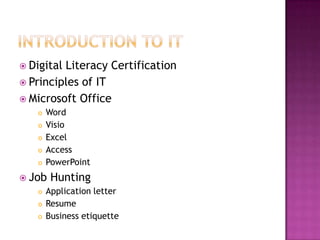
 Digital Literacy Certification
 Principles of IT
 Microsoft Office
 Word
 Visio
 Excel
 Access
 PowerPoint
 Job Hunting
 Application letter
 Resume
 Business etiquette
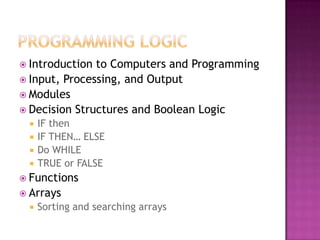
 Introduction to Computers and Programming
 Input, Processing, and Output
 Modules
 Decision Structures and Boolean Logic
 IF then
 IF THEN… ELSE
 Do WHILE
 TRUE or FALSE
 Functions
 Arrays
 Sorting and searching arrays
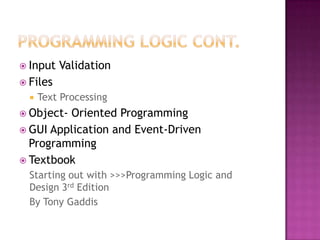
 Input Validation
 Files
 Text Processing
 Object- Oriented Programming
 GUI Application and Event-Driven
Programming
 Textbook
Starting out with >>>Programming Logic and
Design 3rd Edition
By Tony Gaddis
 ERD Model Design
 Reading
 Creating
 Creating tables from ERD Model
 Inserting data into tables using Application
Express
 Using CREATE and INSERT statements
 Writing documentation
 A written explanation of information not
included in the ERD
 Like business rules
 Creation, maintenance, and administration
of an Oracle database.
 Oracle’s Application Express SQL Workshop
 A web application developer tool, enabled hands-
on development experience
 Four categories of SQL statement
 Data Definition Language (DDL)
 Data Manipulation Language (DML)
 Transaction Control Language (TCL)
 Data Control Language (DCL)
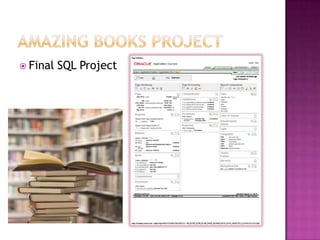
 Final SQL Project
 Example of database created from the page
definition of Amazing Books.
 Includes primary keys, foreign keys, column
constrains and sample data
 Writing database programming language by
integrating SQL with PL/SQL
 Using decision making methods and/or loops
in programming
 Create or Replace Subprograms
 Function
 Procedure
 Package
 Triggers
 Dependences
 Testing and debugging
 Application Design
 Variables and Constants
 Selection Structure
 IF Then
 Case
 Loops
 Arrays
 One dimensional
 Multi-dimensional
 Classes and Objects
 Web Applications
 Classes and Objects
 Web Application
 Working with Access Databases and LINQ
 Access Databases and SQL
 Textbook
Programming with Microsoft Visual Basic 2010
Fifth Edition
By: Diane Zak
 Using Visual Basic to create a programming
application that tracks a company’s inventory
and keeps employee information.
 The program is updatable and searchable to
allow the user manipulate the product and
employee information.
 Binding Navigation Controls are used to
manipulate information inside the program
database.
 Buttons are used to navigate between forms
and to find information based on the
database.
 Program starts with a start page that can be
used to navigate through the options:
Product Inventory Section or the Employee
Information Section
 The program uses the binding navigation bar
to bind an access database to the form.
 Uses the plus to add, the X to delete and the
floppy disk to save.
 Changes are saved to the program and a be
accessed the next time it is opened.
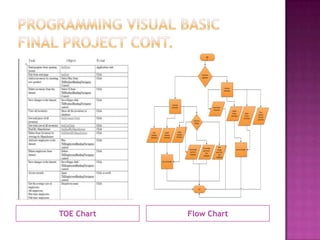
TOE Chart Flow Chart
Start
Choosethe
application
Employee
Information
Inventory
Information
Update
Employee
information
Delete
Employee
Informatin
View
Employee
Information
End
SaveanyChanges
Choosean
average
Viewaverage
payforall
employees
Viewaverage
payforpart-
time
employees
View
average
payforfull-
time
employees
ViewProduct
Information
Update
Product
Information
Delete
Product
Information
SaveanyChanges
View
Inventory
Totaland
pricetotal
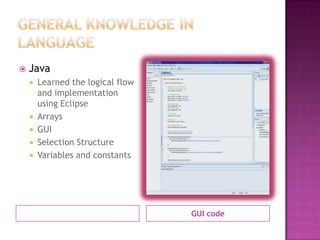
GUI code
 Java
 Learned the logical flow
and implementation
using Eclipse
 Arrays
 GUI
 Selection Structure
 Variables and constants
 Photoshop
 CS5.1
 Dreamweaver
 HTML5 and CS5.5
 HTML
 Basic programming practices, static web page
 Microsoft Office: Outlook and Publisher

Database application and design

  • 1.
    June 2012- June2013 Sieedah Francis
  • 2.
     Digital LiteracyCertification  Principles of IT  Microsoft Office  Word  Visio  Excel  Access  PowerPoint  Job Hunting  Application letter  Resume  Business etiquette
  • 3.
     Introduction toComputers and Programming  Input, Processing, and Output  Modules  Decision Structures and Boolean Logic  IF then  IF THEN… ELSE  Do WHILE  TRUE or FALSE  Functions  Arrays  Sorting and searching arrays
  • 4.
     Input Validation Files  Text Processing  Object- Oriented Programming  GUI Application and Event-Driven Programming  Textbook Starting out with >>>Programming Logic and Design 3rd Edition By Tony Gaddis
  • 5.
     ERD ModelDesign  Reading  Creating  Creating tables from ERD Model  Inserting data into tables using Application Express  Using CREATE and INSERT statements  Writing documentation  A written explanation of information not included in the ERD  Like business rules
  • 6.
     Creation, maintenance,and administration of an Oracle database.  Oracle’s Application Express SQL Workshop  A web application developer tool, enabled hands- on development experience  Four categories of SQL statement  Data Definition Language (DDL)  Data Manipulation Language (DML)  Transaction Control Language (TCL)  Data Control Language (DCL)
  • 7.
  • 8.
     Example ofdatabase created from the page definition of Amazing Books.  Includes primary keys, foreign keys, column constrains and sample data
  • 9.
     Writing databaseprogramming language by integrating SQL with PL/SQL  Using decision making methods and/or loops in programming  Create or Replace Subprograms  Function  Procedure  Package  Triggers  Dependences  Testing and debugging
  • 10.
     Application Design Variables and Constants  Selection Structure  IF Then  Case  Loops  Arrays  One dimensional  Multi-dimensional  Classes and Objects  Web Applications
  • 11.
     Classes andObjects  Web Application  Working with Access Databases and LINQ  Access Databases and SQL  Textbook Programming with Microsoft Visual Basic 2010 Fifth Edition By: Diane Zak
  • 12.
     Using VisualBasic to create a programming application that tracks a company’s inventory and keeps employee information.  The program is updatable and searchable to allow the user manipulate the product and employee information.  Binding Navigation Controls are used to manipulate information inside the program database.  Buttons are used to navigate between forms and to find information based on the database.
  • 13.
     Program startswith a start page that can be used to navigate through the options: Product Inventory Section or the Employee Information Section  The program uses the binding navigation bar to bind an access database to the form.  Uses the plus to add, the X to delete and the floppy disk to save.  Changes are saved to the program and a be accessed the next time it is opened.
  • 14.
    TOE Chart FlowChart Start Choosethe application Employee Information Inventory Information Update Employee information Delete Employee Informatin View Employee Information End SaveanyChanges Choosean average Viewaverage payforall employees Viewaverage payforpart- time employees View average payforfull- time employees ViewProduct Information Update Product Information Delete Product Information SaveanyChanges View Inventory Totaland pricetotal
  • 15.
    GUI code  Java Learned the logical flow and implementation using Eclipse  Arrays  GUI  Selection Structure  Variables and constants
  • 16.
     Photoshop  CS5.1 Dreamweaver  HTML5 and CS5.5  HTML  Basic programming practices, static web page  Microsoft Office: Outlook and Publisher