Lecture 3
Data Types & Operators
DA5120 – Programming for Business Analytics
Supun Gothama
Data Types
Introductions
• Data in Python can be of different types
• We will learn 3 basic types for now
− Numbers
− Strings
− Booleans
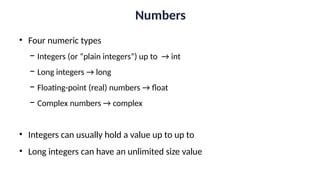
Numbers
• Four numeric types
− Integers (or “plain integers”) up to → int
− Long integers → long
− Floating-point (real) numbers → float
− Complex numbers → complex
• Integers can usually hold a value up to up to
• Long integers can have an unlimited size value
Numbers
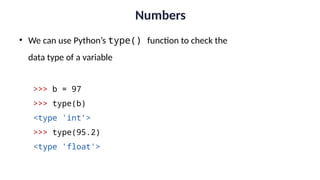
• We can use Python’s type() function to check the
data type of a variable
>>> b = 97
>>> type(b)
<type 'int’>
>>> type(95.2)
<type 'float'>
Strings
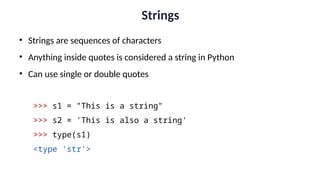
• Strings are sequences of characters
• Anything inside quotes is considered a string in Python
• Can use single or double quotes
>>> s1 = "This is a string"
>>> s2 = 'This is also a string'
>>> type(s1)
<type 'str'>
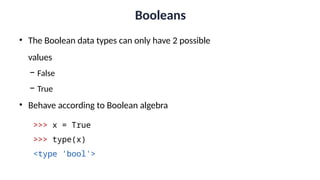
Booleans
• The Boolean data types can only have 2 possible
values
− False
− True
• Behave according to Boolean algebra
>>> x = True
>>> type(x)
<type 'bool'>
Expressions &
Operators
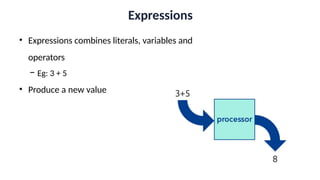
Expressions
• Expressions combines literals, variables and
operators
− Eg: 3 + 5
• Produce a new value
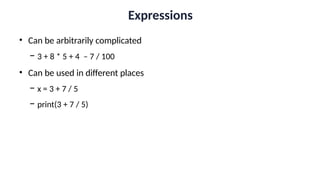
Expressions
• Can be arbitrarily complicated
− 3 + 8 * 5 + 4 – 7 / 100
• Can be used in different places
− x = 3 + 7 / 5
− print(3 + 7 / 5)
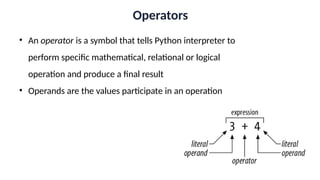
Operators
• An operator is a symbol that tells Python interpreter to
perform specific mathematical, relational or logical
operation and produce a final result
• Operands are the values participate in an operation
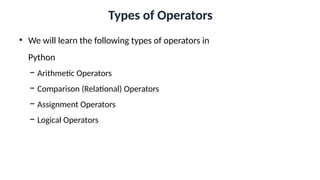
Types of Operators
• We will learn the following types of operators in
Python
− Arithmetic Operators
− Comparison (Relational) Operators
− Assignment Operators
− Logical Operators
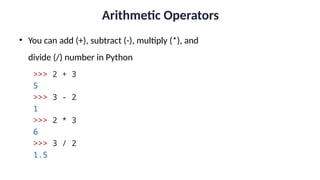
Arithmetic Operators
• You can add (+), subtract (-), multiply (*), and
divide (/) number in Python
>>> 2 + 3
5
>>> 3 - 2
1
>>> 2 * 3
6
>>> 3 / 2
1.5
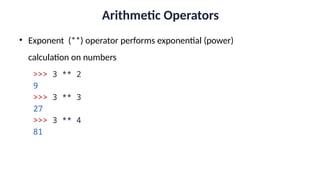
Arithmetic Operators
• Exponent (**) operator performs exponential (power)
calculation on numbers
>>> 3 ** 2
9
>>> 3 ** 3
27
>>> 3 ** 4
81
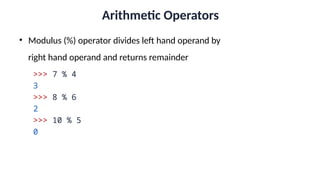
Arithmetic Operators
• Modulus (%) operator divides left hand operand by
right hand operand and returns remainder
>>> 7 % 4
3
>>> 8 % 6
2
>>> 10 % 5
0
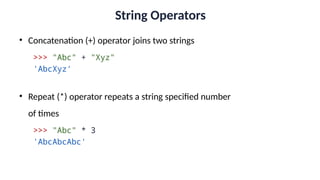
String Operators
• Concatenation (+) operator joins two strings
>>> "Abc" + "Xyz"
'AbcXyz'
• Repeat (*) operator repeats a string specified number
of times
>>> "Abc" * 3
'AbcAbcAbc'
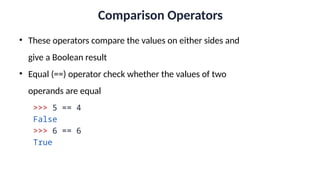
Comparison Operators
• These operators compare the values on either sides and
give a Boolean result
• Equal (==) operator check whether the values of two
operands are equal
>>> 5 == 4
False
>>> 6 == 6
True
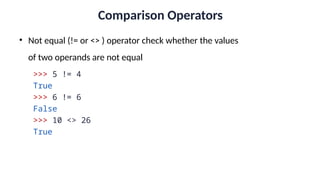
Comparison Operators
• Not equal (!= or <> ) operator check whether the values
of two operands are not equal
>>> 5 != 4
True
>>> 6 != 6
False
>>> 10 <> 26
True
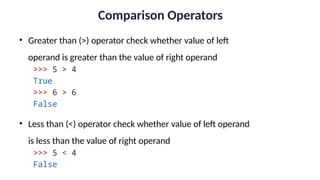
Comparison Operators
• Greater than (>) operator check whether value of left
operand is greater than the value of right operand
>>> 5 > 4
True
>>> 6 > 6
False
• Less than (<) operator check whether value of left operand
is less than the value of right operand
>>> 5 < 4
False
Comparison Operators
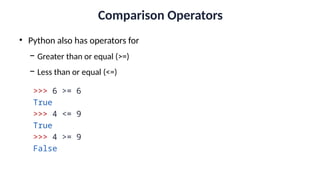
• Python also has operators for
− Greater than or equal (>=)
− Less than or equal (<=)
>>> 6 >= 6
True
>>> 4 <= 9
True
>>> 4 >= 9
False
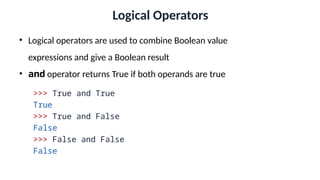
Logical Operators
• Logical operators are used to combine Boolean value
expressions and give a Boolean result
• and operator returns True if both operands are true
>>> True and True
True
>>> True and False
False
>>> False and False
False
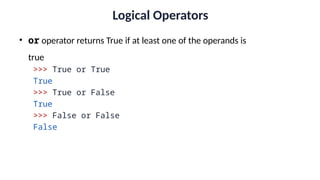
Logical Operators
• or operator returns True if at least one of the operands is
true
>>> True or True
True
>>> True or False
True
>>> False or False
False
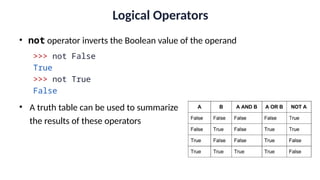
Logical Operators
• not operator inverts the Boolean value of the operand
>>> not False
True
>>> not True
False
• A truth table can be used to summarize
the results of these operators
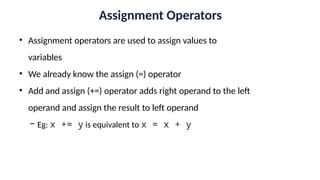
Assignment Operators
• Assignment operators are used to assign values to
variables
• We already know the assign (=) operator
• Add and assign (+=) operator adds right operand to the left
operand and assign the result to left operand
− Eg: x += y is equivalent to x = x + y
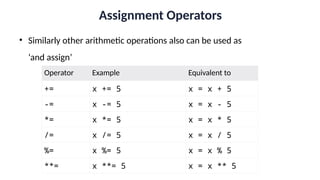
Assignment Operators
• Similarly other arithmetic operations also can be used as
‘and assign’
Operator Example Equivalent to
+= x += 5 x = x + 5
-= x -= 5 x = x - 5
*= x *= 5 x = x * 5
/= x /= 5 x = x / 5
%= x %= 5 x = x % 5
**= x **= 5 x = x ** 5
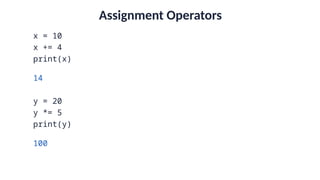
Assignment Operators
x = 10
x += 4
print(x)
14
y = 20
y *= 5
print(y)
100
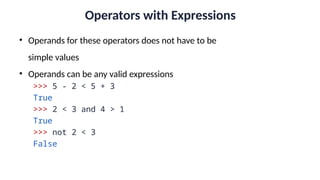
Operators with Expressions
• Operands for these operators does not have to be
simple values
• Operands can be any valid expressions
>>> 5 - 2 < 5 + 3
True
>>> 2 < 3 and 4 > 1
True
>>> not 2 < 3
False
Operator Precedence
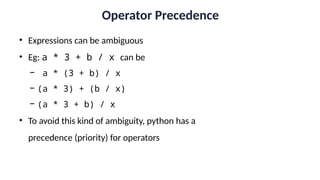
• Expressions can be ambiguous
• Eg: a * 3 + b / x can be
− a * (3 + b) / x
− (a * 3) + (b / x)
− (a * 3 + b) / x
• To avoid this kind of ambiguity, python has a
precedence (priority) for operators
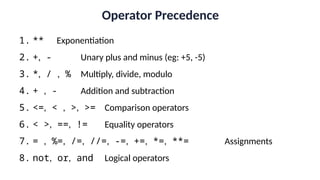
Operator Precedence
1. ** Exponentiation
2. +, - Unary plus and minus (eg: +5, -5)
3. *, / , % Multiply, divide, modulo
4. + , - Addition and subtraction
5. <=, < , >, >= Comparison operators
6. < >, ==, != Equality operators
7. = , %=, /=, //=, -=, +=, *=, **= Assignments
8. not, or, and Logical operators
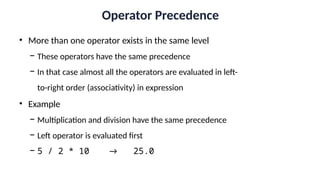
Operator Precedence
• More than one operator exists in the same level
− These operators have the same precedence
− In that case almost all the operators are evaluated in left-
to-right order (associativity) in expression
• Example
− Multiplication and division have the same precedence
− Left operator is evaluated first
− 5 / 2 * 10 → 25.0
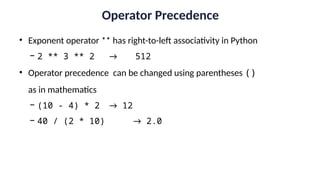
Operator Precedence
• Exponent operator ** has right-to-left associativity in Python
− 2 ** 3 ** 2 → 512
• Operator precedence can be changed using parentheses ()
as in mathematics
− (10 - 4) * 2 → 12
− 40 / (2 * 10) → 2.0

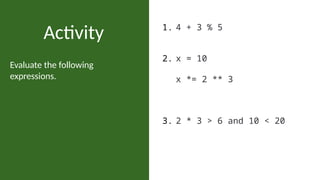
Evaluate the following
expressions.
Activity 1. 4 + 3 % 5
2. x = 10
x *= 2 ** 3
3. 2 * 3 > 6 and 10 < 20
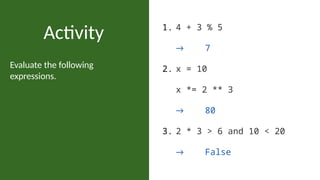
Evaluate the following
expressions.
Activity 1. 4 + 3 % 5
→ 7
2. x = 10
x *= 2 ** 3
→ 80
3. 2 * 3 > 6 and 10 < 20
→ False
Summary
☑ Data types
☑ Expressions
☑ Operators
☑ Operator Precedence

Data types and Operations analytics data

  • 1.
    Lecture 3 Data Types& Operators DA5120 – Programming for Business Analytics Supun Gothama
  • 2.
  • 3.
    Introductions • Data inPython can be of different types • We will learn 3 basic types for now − Numbers − Strings − Booleans
  • 4.
    Numbers • Four numerictypes − Integers (or “plain integers”) up to → int − Long integers → long − Floating-point (real) numbers → float − Complex numbers → complex • Integers can usually hold a value up to up to • Long integers can have an unlimited size value
  • 5.
    Numbers • We canuse Python’s type() function to check the data type of a variable >>> b = 97 >>> type(b) <type 'int’> >>> type(95.2) <type 'float'>
  • 6.
    Strings • Strings aresequences of characters • Anything inside quotes is considered a string in Python • Can use single or double quotes >>> s1 = "This is a string" >>> s2 = 'This is also a string' >>> type(s1) <type 'str'>
  • 7.
    Booleans • The Booleandata types can only have 2 possible values − False − True • Behave according to Boolean algebra >>> x = True >>> type(x) <type 'bool'>
  • 8.
  • 9.
    Expressions • Expressions combinesliterals, variables and operators − Eg: 3 + 5 • Produce a new value
  • 10.
    Expressions • Can bearbitrarily complicated − 3 + 8 * 5 + 4 – 7 / 100 • Can be used in different places − x = 3 + 7 / 5 − print(3 + 7 / 5)
  • 11.
    Operators • An operatoris a symbol that tells Python interpreter to perform specific mathematical, relational or logical operation and produce a final result • Operands are the values participate in an operation
  • 12.
    Types of Operators •We will learn the following types of operators in Python − Arithmetic Operators − Comparison (Relational) Operators − Assignment Operators − Logical Operators
  • 13.
    Arithmetic Operators • Youcan add (+), subtract (-), multiply (*), and divide (/) number in Python >>> 2 + 3 5 >>> 3 - 2 1 >>> 2 * 3 6 >>> 3 / 2 1.5
  • 14.
    Arithmetic Operators • Exponent(**) operator performs exponential (power) calculation on numbers >>> 3 ** 2 9 >>> 3 ** 3 27 >>> 3 ** 4 81
  • 15.
    Arithmetic Operators • Modulus(%) operator divides left hand operand by right hand operand and returns remainder >>> 7 % 4 3 >>> 8 % 6 2 >>> 10 % 5 0
  • 16.
    String Operators • Concatenation(+) operator joins two strings >>> "Abc" + "Xyz" 'AbcXyz' • Repeat (*) operator repeats a string specified number of times >>> "Abc" * 3 'AbcAbcAbc'
  • 17.
    Comparison Operators • Theseoperators compare the values on either sides and give a Boolean result • Equal (==) operator check whether the values of two operands are equal >>> 5 == 4 False >>> 6 == 6 True
  • 18.
    Comparison Operators • Notequal (!= or <> ) operator check whether the values of two operands are not equal >>> 5 != 4 True >>> 6 != 6 False >>> 10 <> 26 True
  • 19.
    Comparison Operators • Greaterthan (>) operator check whether value of left operand is greater than the value of right operand >>> 5 > 4 True >>> 6 > 6 False • Less than (<) operator check whether value of left operand is less than the value of right operand >>> 5 < 4 False
  • 20.
    Comparison Operators • Pythonalso has operators for − Greater than or equal (>=) − Less than or equal (<=) >>> 6 >= 6 True >>> 4 <= 9 True >>> 4 >= 9 False
  • 21.
    Logical Operators • Logicaloperators are used to combine Boolean value expressions and give a Boolean result • and operator returns True if both operands are true >>> True and True True >>> True and False False >>> False and False False
  • 22.
    Logical Operators • oroperator returns True if at least one of the operands is true >>> True or True True >>> True or False True >>> False or False False
  • 23.
    Logical Operators • notoperator inverts the Boolean value of the operand >>> not False True >>> not True False • A truth table can be used to summarize the results of these operators
  • 24.
    Assignment Operators • Assignmentoperators are used to assign values to variables • We already know the assign (=) operator • Add and assign (+=) operator adds right operand to the left operand and assign the result to left operand − Eg: x += y is equivalent to x = x + y
  • 25.
    Assignment Operators • Similarlyother arithmetic operations also can be used as ‘and assign’ Operator Example Equivalent to += x += 5 x = x + 5 -= x -= 5 x = x - 5 *= x *= 5 x = x * 5 /= x /= 5 x = x / 5 %= x %= 5 x = x % 5 **= x **= 5 x = x ** 5
  • 26.
    Assignment Operators x =10 x += 4 print(x) 14 y = 20 y *= 5 print(y) 100
  • 27.
    Operators with Expressions •Operands for these operators does not have to be simple values • Operands can be any valid expressions >>> 5 - 2 < 5 + 3 True >>> 2 < 3 and 4 > 1 True >>> not 2 < 3 False
  • 28.
    Operator Precedence • Expressionscan be ambiguous • Eg: a * 3 + b / x can be − a * (3 + b) / x − (a * 3) + (b / x) − (a * 3 + b) / x • To avoid this kind of ambiguity, python has a precedence (priority) for operators
  • 29.
    Operator Precedence 1. **Exponentiation 2. +, - Unary plus and minus (eg: +5, -5) 3. *, / , % Multiply, divide, modulo 4. + , - Addition and subtraction 5. <=, < , >, >= Comparison operators 6. < >, ==, != Equality operators 7. = , %=, /=, //=, -=, +=, *=, **= Assignments 8. not, or, and Logical operators
  • 30.
    Operator Precedence • Morethan one operator exists in the same level − These operators have the same precedence − In that case almost all the operators are evaluated in left- to-right order (associativity) in expression • Example − Multiplication and division have the same precedence − Left operator is evaluated first − 5 / 2 * 10 → 25.0
  • 31.
    Operator Precedence • Exponentoperator ** has right-to-left associativity in Python − 2 ** 3 ** 2 → 512 • Operator precedence can be changed using parentheses () as in mathematics − (10 - 4) * 2 → 12 − 40 / (2 * 10) → 2.0

  • 32.
    Evaluate the following expressions. Activity1. 4 + 3 % 5 2. x = 10 x *= 2 ** 3 3. 2 * 3 > 6 and 10 < 20
  • 33.
    Evaluate the following expressions. Activity1. 4 + 3 % 5 → 7 2. x = 10 x *= 2 ** 3 → 80 3. 2 * 3 > 6 and 10 < 20 → False
  • 34.
    Summary ☑ Data types ☑Expressions ☑ Operators ☑ Operator Precedence

Editor's Notes

  • #1 Image by David Mark from Pixabay 
  • #15 Check what happens when operands are negative
  • #16 Check what happens when operands are negative