Cybersecurity
& Digital
Forensics
Prepared by:
Engr. Luigi Carlo De
Jesus
Overview of
Cybersecurity
• Definition of Cybersecurity
– Protecting systems, networks,
and data from digital attacks,
theft, and damage.
– Focus on confidentiality,
integrity, and availability (CIA
triad).
• Importance of Cybersecurity
– Prevents data breaches and
unauthorized access.
– Essential for safeguarding
critical infrastructures.
– Ensures the privacy of
individuals and organizations.
Foundational Principles for
Protecting Information Systems
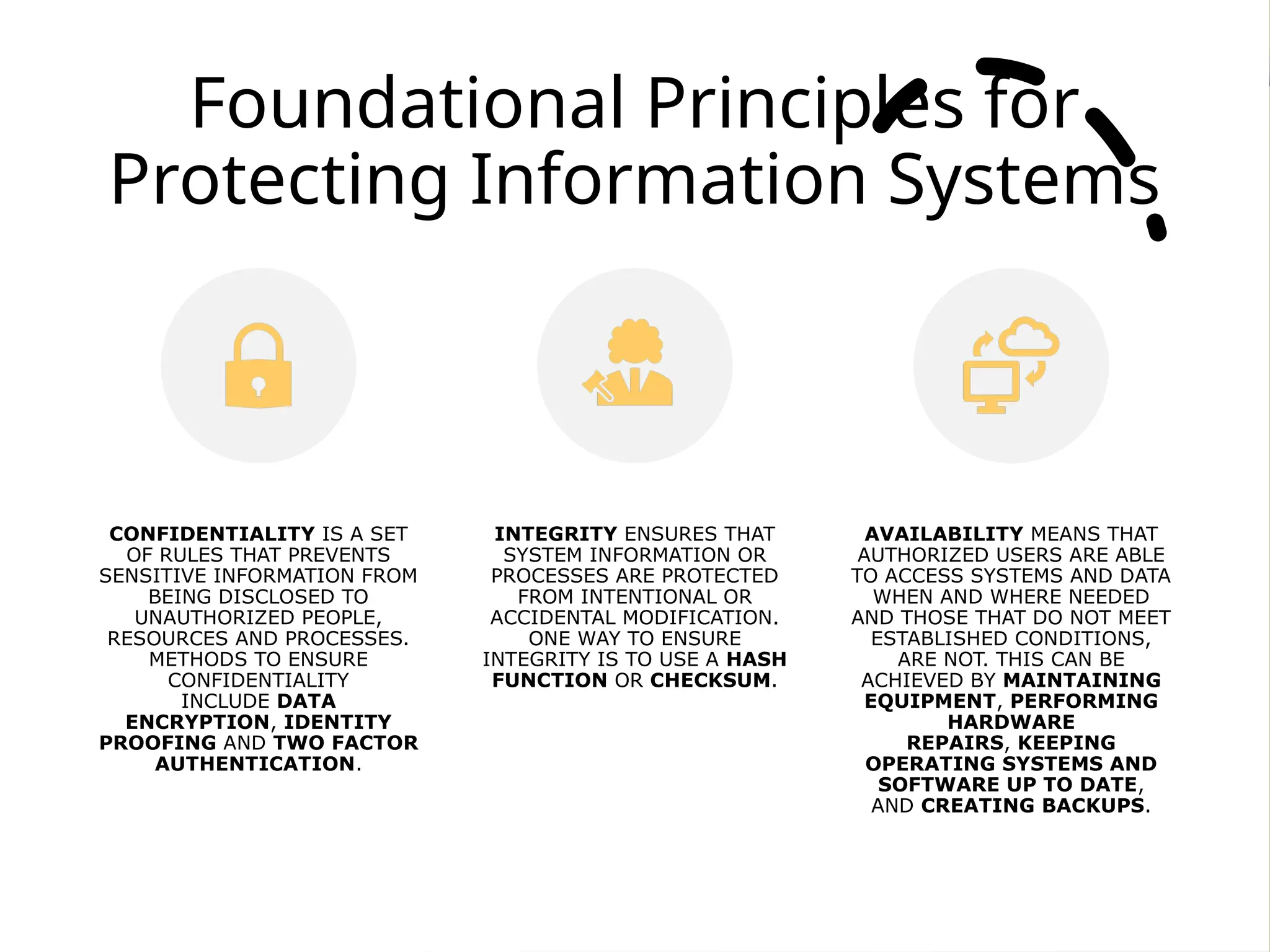
CONFIDENTIALITY IS A SET
OF RULES THAT PREVENTS
SENSITIVE INFORMATION FROM
BEING DISCLOSED TO
UNAUTHORIZED PEOPLE,
RESOURCES AND PROCESSES.
METHODS TO ENSURE
CONFIDENTIALITY
INCLUDE DATA
ENCRYPTION, IDENTITY
PROOFING AND TWO FACTOR
AUTHENTICATION.
INTEGRITY ENSURES THAT
SYSTEM INFORMATION OR
PROCESSES ARE PROTECTED
FROM INTENTIONAL OR
ACCIDENTAL MODIFICATION.
ONE WAY TO ENSURE
INTEGRITY IS TO USE A HASH
FUNCTION OR CHECKSUM.
AVAILABILITY MEANS THAT
AUTHORIZED USERS ARE ABLE
TO ACCESS SYSTEMS AND DATA
WHEN AND WHERE NEEDED
AND THOSE THAT DO NOT MEET
ESTABLISHED CONDITIONS,
ARE NOT. THIS CAN BE
ACHIEVED BY MAINTAINING
EQUIPMENT, PERFORMING
HARDWARE
REPAIRS, KEEPING
OPERATING SYSTEMS AND
SOFTWARE UP TO DATE,
AND CREATING BACKUPS.
The Role of
Indicators of
Compromise (IoCs)
• What are IoCs?
• Pieces of evidence or data that
suggest a security breach or
intrusion.
• Can be used to identify and track
cyberattacks.
• Common IoCs
• File hashes (MD5, SHA1,
SHA256).
• IP addresses associated with
malicious activities.
• URLs or domain names used by
attackers.
• Registry keys altered by
malware.
• Unusual network traffic
patterns.
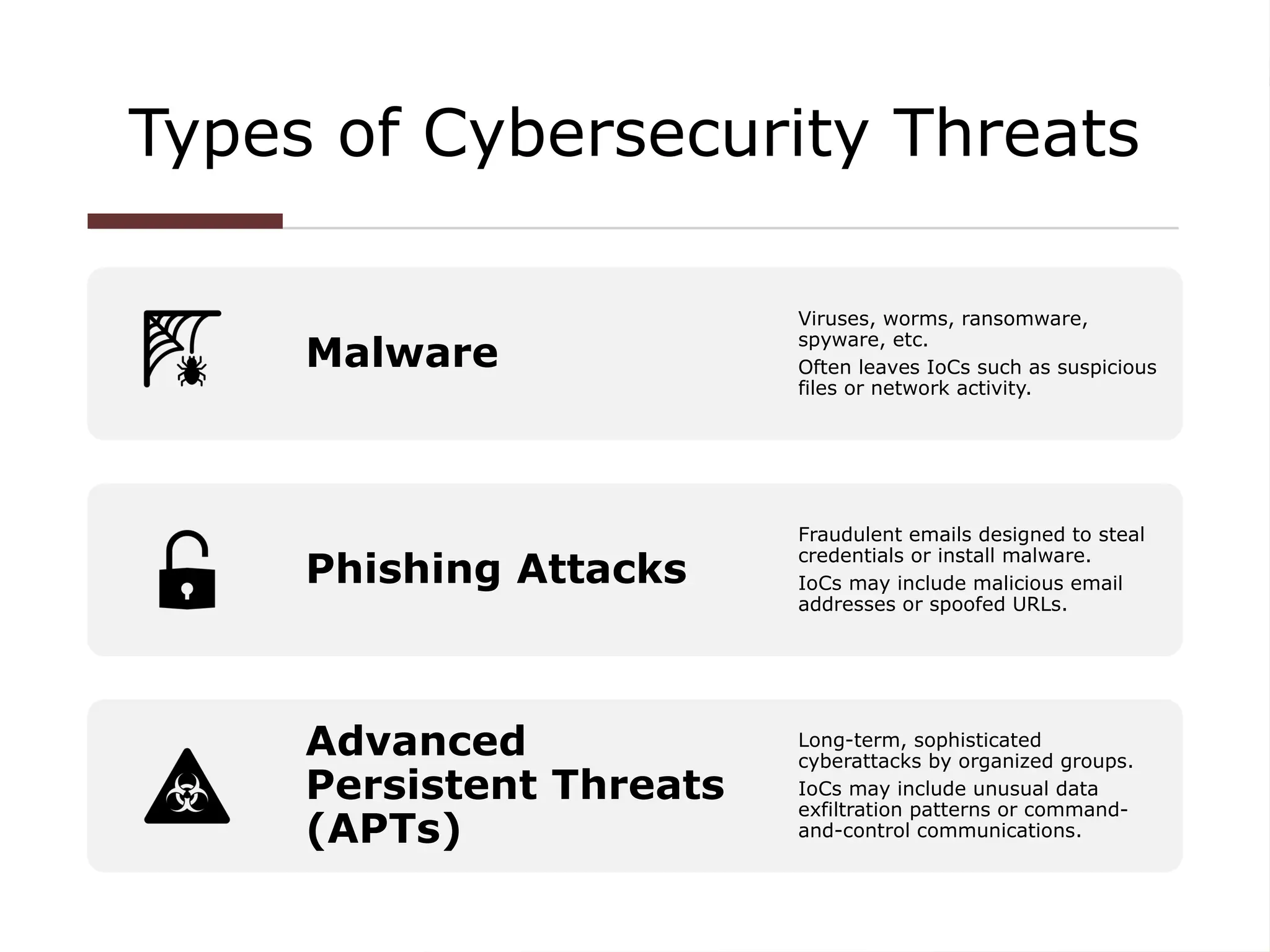
Types of Cybersecurity Threats
Malware
Viruses, worms, ransomware,
spyware, etc.
Often leaves IoCs such as suspicious
files or network activity.
Phishing Attacks
Fraudulent emails designed to steal
credentials or install malware.
IoCs may include malicious email
addresses or spoofed URLs.
Advanced
Persistent Threats
(APTs)
Long-term, sophisticated
cyberattacks by organized groups.
IoCs may include unusual data
exfiltration patterns or command-
and-control communications.
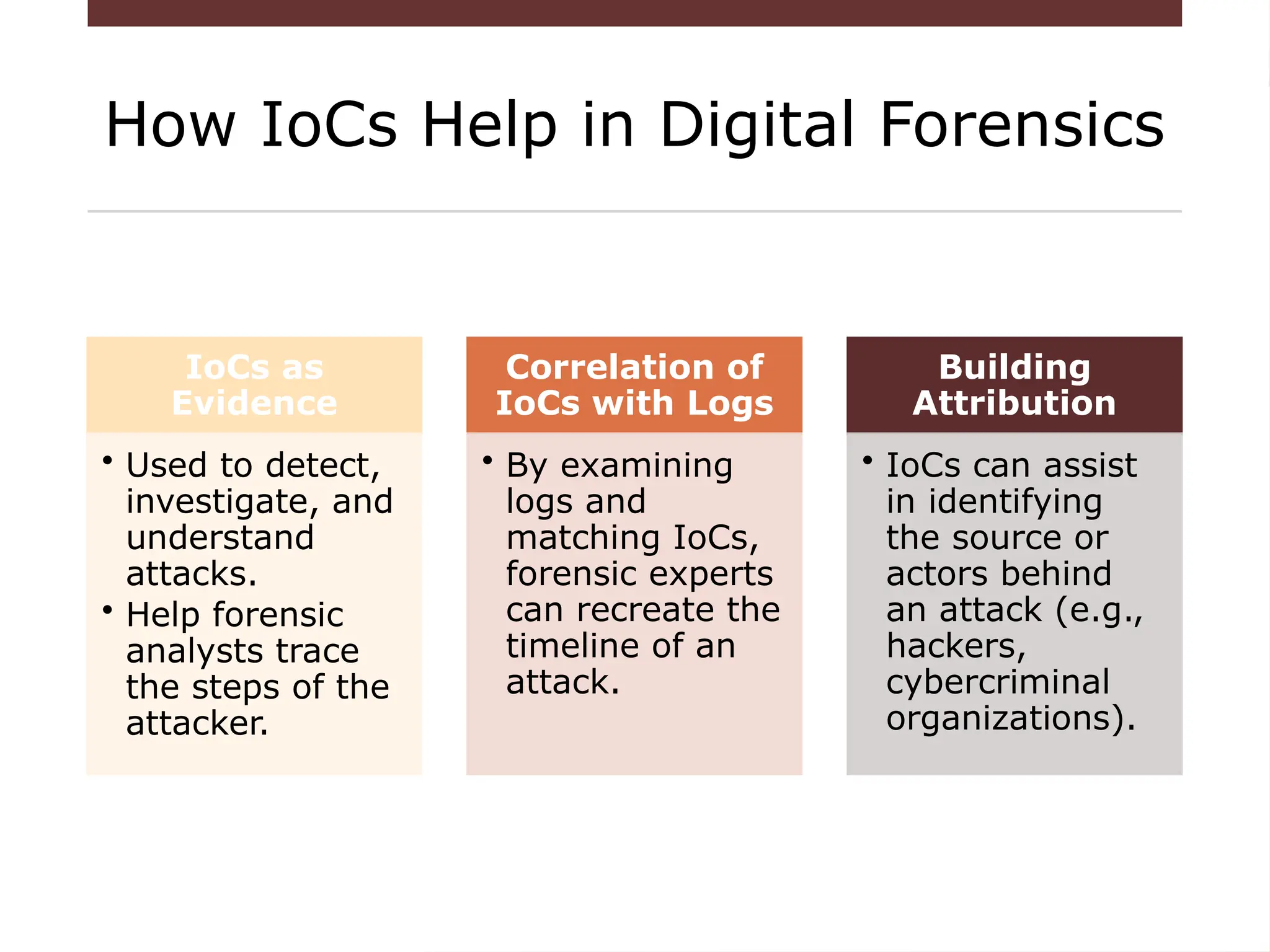
How IoCs Help in Digital Forensics
IoCs as
Evidence
• Used to detect,
investigate, and
understand
attacks.
• Help forensic
analysts trace
the steps of the
attacker.
Correlation of
IoCs with Logs
• By examining
logs and
matching IoCs,
forensic experts
can recreate the
timeline of an
attack.
Building
Attribution
• IoCs can assist
in identifying
the source or
actors behind
an attack (e.g.,
hackers,
cybercriminal
organizations).
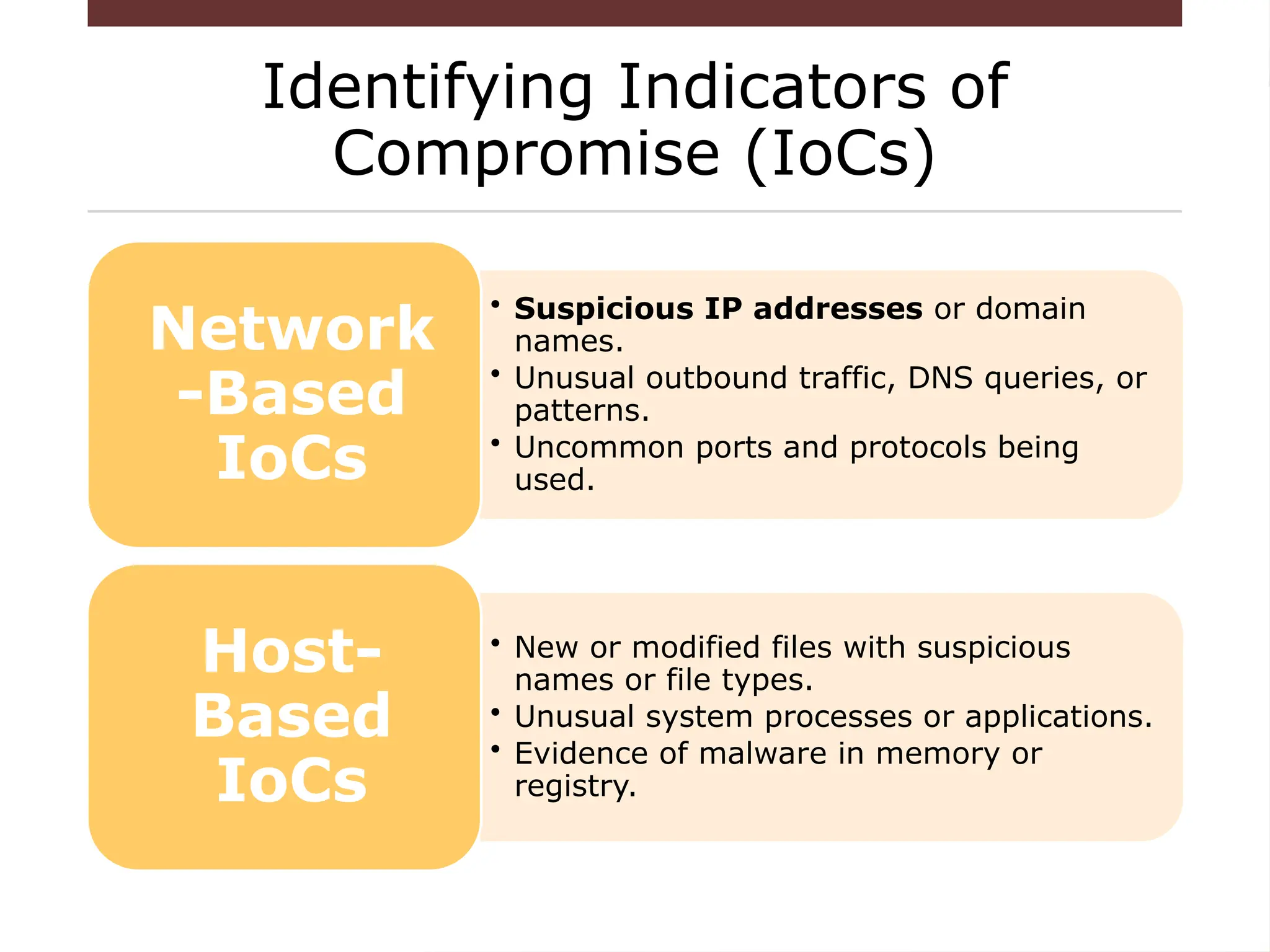
Identifying Indicators of
Compromise (IoCs)
• Suspicious IP addresses or domain
names.
• Unusual outbound traffic, DNS queries, or
patterns.
• Uncommon ports and protocols being
used.
Network
-Based
IoCs
• New or modified files with suspicious
names or file types.
• Unusual system processes or applications.
• Evidence of malware in memory or
registry.
Host-
Based
IoCs
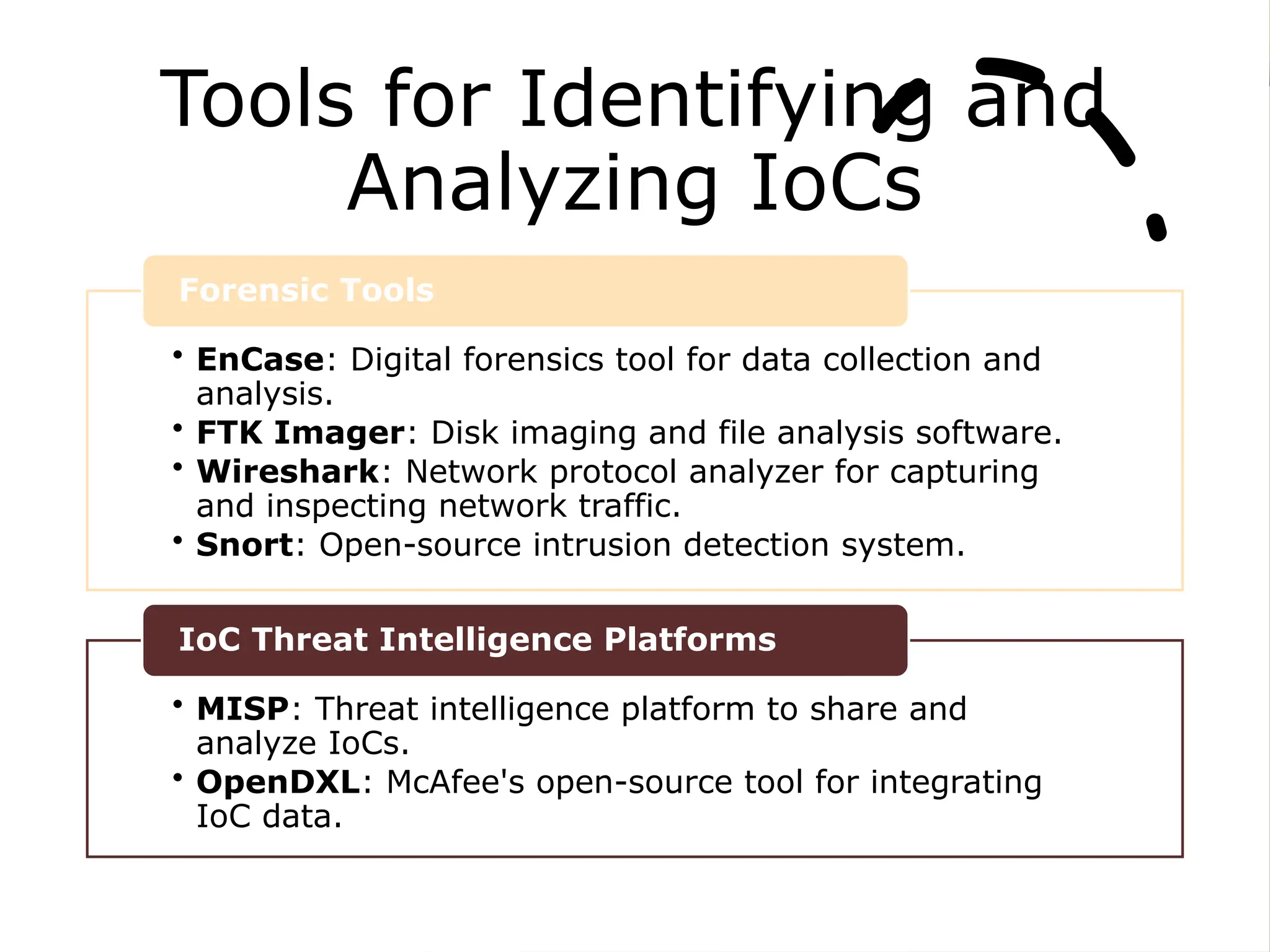
Tools for Identifying and
Analyzing IoCs
• EnCase: Digital forensics tool for data collection and
analysis.
• FTK Imager: Disk imaging and file analysis software.
• Wireshark: Network protocol analyzer for capturing
and inspecting network traffic.
• Snort: Open-source intrusion detection system.
Forensic Tools
• MISP: Threat intelligence platform to share and
analyze IoCs.
• OpenDXL: McAfee's open-source tool for integrating
IoC data.
IoC Threat Intelligence Platforms
What is Digital
Forensics?
• Emerging discipline in computer
security
– “voodoo science”
– No standards, few research
• Investigation that takes place after an
incident has happened
• Try to answer questions: Who, what,
when, where, why, and how
Types of
investigations
• Determine what the incident was
and get back to a working state
• Internal investigation
– Should be based on IR policy
– May lead to criminal
investigation
• Criminal investigation
• Support for “real world”
investigations
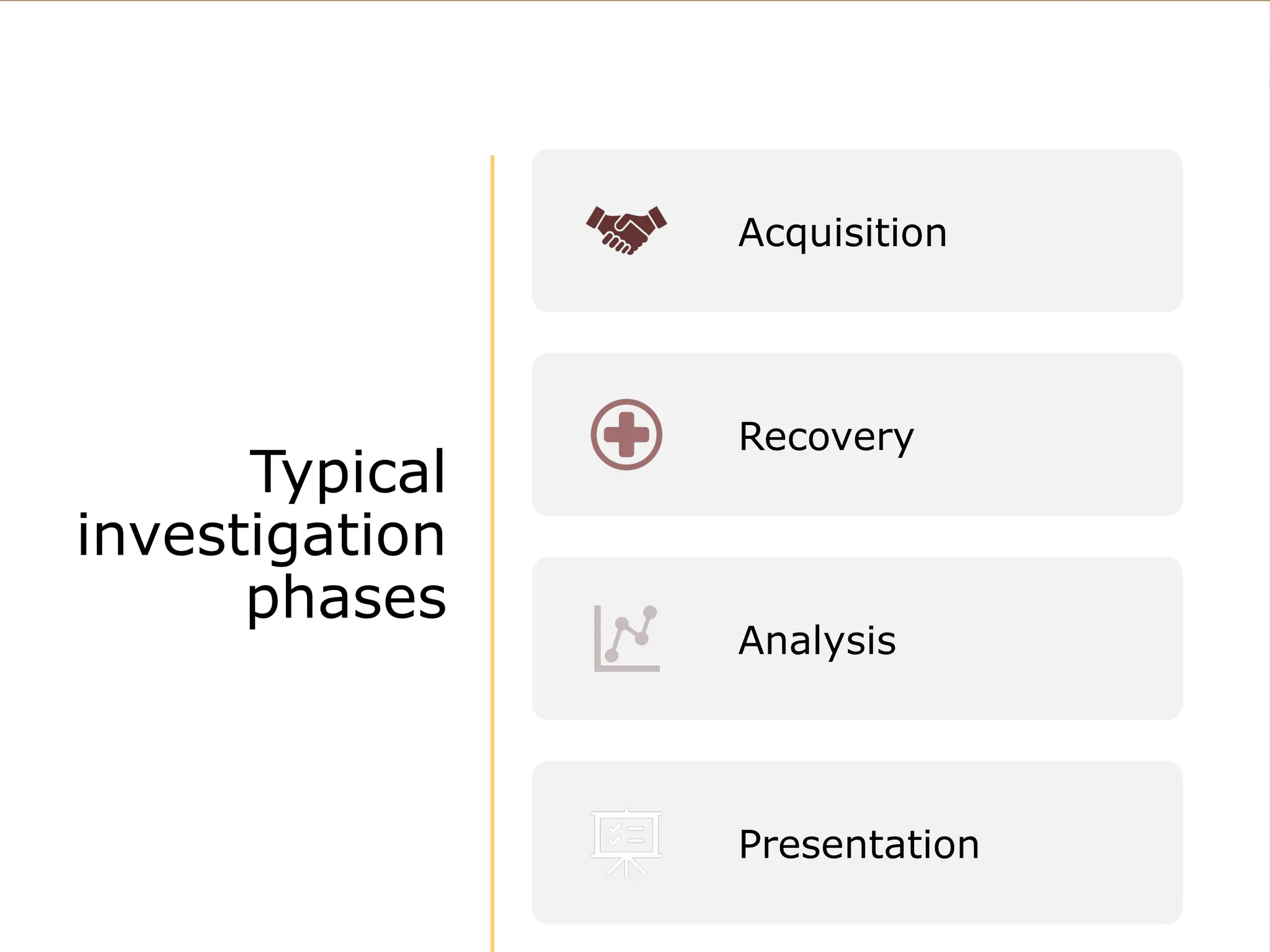
Typical
investigation
phases
Acquisition
Recovery
Analysis
Presentation
Phase 1:
Acquisition
• Analogous to crime scene
in the “real world”
• Goal is to recover as much
evidence without altering
the crime scene
• Investigator should
document as much as
possible
• Maintain Chain of Custody
Acquisition (2)
• Determine if incident actually
happened
• What kind of system is to be
investigated?
– Can it be shut down?
– Does it have to keep operating?
• Are there policies governing the
handling of the incident?
• Is a warrant needed?
Acquisition (3)
• Get most fleeting information first
– Running processes
– Open sockets
– Memory
– Storage media
• Create 1:1 copies of evidence
(imaging)
• If possible, lock up original system
in the evidence locker
Phase 2:
Recovery
• Goal is to extract data from the
acquired evidence
• Always work on copies, never the
original
– Must be able to repeat entire
process from scratch
• Data, deleted data, “hidden” data
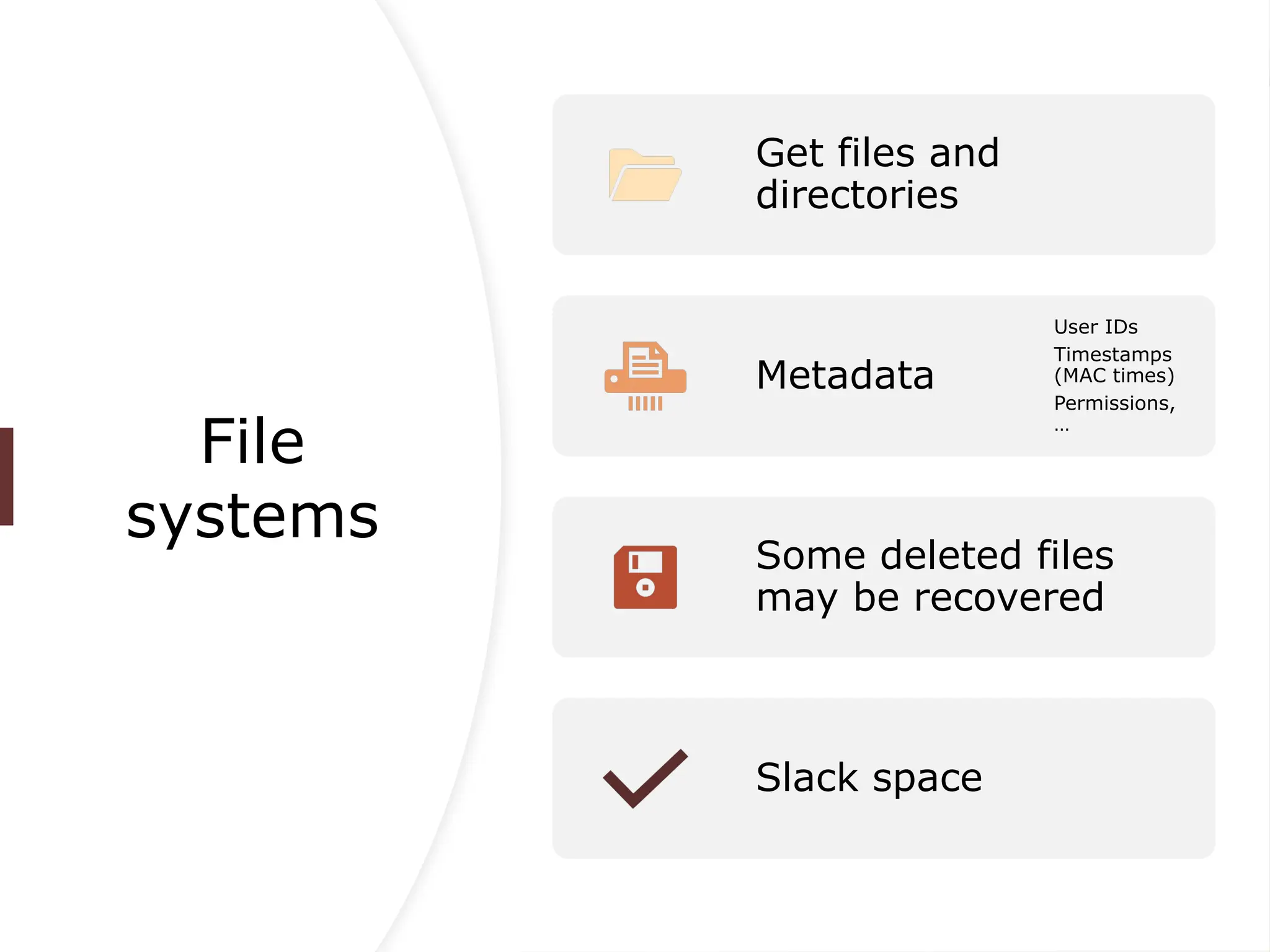
File
systems
Get files and
directories
Metadata
User IDs
Timestamps
(MAC times)
Permissions,
…
Some deleted files
may be recovered
Slack space
File deletion
• Most file systems only delete
directory entries but not the data
blocks associated with a file.
• Unless blocks get reallocated the
file may be reconstructed
– The earlier the better the
chances
– Depending on fragmentation,
only partial reconstruction
may be possible
Slack space
• Unallocated blocks
– Mark blocks as allocated to
fool the file system
• Unused space at end of files if it
doesn’t end on block boundaries
• Unused space in file system data
structures
Steganography
• Data hidden in other data
• Unused or irrelevant locations are
used to store information
• Most common in images, but may
also be used on executable files,
meta data, file system slack space
Encrypted data
• Depending on encryption method, it
might be infeasible to get to the
information.
• Locating the keys is often a better
approach.
• A suspect may be compelled to reveal
the keys by law.
Recovery
(cont.)
• Locating hidden or encrypted data is
difficult and might even be
impossible.
• Investigator has to look at other
clues:
– Steganography software
– Crypto software
– Command histories
File residue
• Even if a file is completely deleted
from the disk, it might still have left a
trace:
– Web cache
– Temporary directories
– Data blocks resulting from a move
– Memory
Phase 3:
Analysis
• Methodology differs depending on the
objectives of the investigation:
– Locate contraband material
– Reconstruct events that took place
– Determine if a system was
compromised
– Authorship analysis
Contraband
material
• Locate specific files
– Databases of illegal pictures
– Stolen property
• Determine if existing files are illegal
– Picture collections
– Music or movie downloads
Locating
material
• Requires specific knowledge of file
system and OS.
• Data may be encrypted, hidden,
obfuscated
• Obfuscation:
– Misleading file suffix
– Misleading file name
– Unusual location
Event
reconstruction
• Utilize system and external
information
– Log files
– File timestamps
– Firewall/IDS information
• Establish time line of events
Time issues
• Granularity of time keeping
– Can’t order events that occur
in the same time interval
• Multiple systems:
– Different clocks
– Clock drift
• E-mail headers and time zones
The needle in
the haystack
• Locating files:
– Storage capacity approaches the
terrabyte magnitude
– Potentially millions of files to
investigate
• Event reconstruction:
– Dozens, hundreds of events a
second
– Only last MAC times are available
– Insufficient logging
Compromised
system
• If possible, compare against
known good state
– Tripwire
– Databases of “good” files
• Look for unusual file MACs
• Look for open or listening
network connections (trojans)
• Look for files in unusual locations
Unknown
executables
• Run them in a constrained
environment
– Dedicated system
– Sandbox
– Virtual machine
• Might be necessary to
disassemble and decompile
– May take weeks or months
Authorship
analysis
• Determine who or what kind of
person created file.
– Programs (Viruses, Tojans,
Sniffers/Loggers)
– E-mails (Blackmail,
Harassment, Information
leaks)
• If actual person cannot be
determined, just determining the
skill level of the author may be
important.
Phase 4:
Presentation
• An investigator that performed
the analysis may have to appear
in court as an expert witness.
• For internal investigations, a
report or presentation may be
required.
• Challenge: present the material
in simple terms so that a jury or
CEO can understand it.
Forensics
Tools
• Acquisition
– dd, pdd
– SafeBack, …
• Recovery
– Encase
– Drill Disk, …
• Analysis
– Exiftool
– Email header analyzer …
DF
Investigator
Profile
• Understanding of relevant laws
• Knowledge of file systems, OS,
and applications
– Where are the logs, what is
logged?
– What are possible obfuscation
techniques?
– What programs and libraries
are present on the system and
how are they used?
• Know what tools exist and how to
use them
• Be able to explain things in
simple terms
Future in DF
• The need for standards
– Acquisition procedure: develop
step-by-step instructions to be
followed
– Certification
• Investigators
• Tools
• Operating Systems
Future in DF
(2)
• Research
– Create more meaningful audit
data
– Ensure integrity and
availability of audit data
– Privacy and Digital Forensics
– Develop detection techniques
– Develop automation processes
Future in DF (3)
• Documentation
– File systems
• Over 50 different FS currently in use
• Most are poorly documented
– Malware
• “fingerprint” of bad programs
– Good system state
• Accessible databases
• Every OS, version, patchlevel

Cybersecurity and Digital Forensics.pptx

  • 1.
  • 2.
    Overview of Cybersecurity • Definitionof Cybersecurity – Protecting systems, networks, and data from digital attacks, theft, and damage. – Focus on confidentiality, integrity, and availability (CIA triad). • Importance of Cybersecurity – Prevents data breaches and unauthorized access. – Essential for safeguarding critical infrastructures. – Ensures the privacy of individuals and organizations.
  • 3.
    Foundational Principles for ProtectingInformation Systems CONFIDENTIALITY IS A SET OF RULES THAT PREVENTS SENSITIVE INFORMATION FROM BEING DISCLOSED TO UNAUTHORIZED PEOPLE, RESOURCES AND PROCESSES. METHODS TO ENSURE CONFIDENTIALITY INCLUDE DATA ENCRYPTION, IDENTITY PROOFING AND TWO FACTOR AUTHENTICATION. INTEGRITY ENSURES THAT SYSTEM INFORMATION OR PROCESSES ARE PROTECTED FROM INTENTIONAL OR ACCIDENTAL MODIFICATION. ONE WAY TO ENSURE INTEGRITY IS TO USE A HASH FUNCTION OR CHECKSUM. AVAILABILITY MEANS THAT AUTHORIZED USERS ARE ABLE TO ACCESS SYSTEMS AND DATA WHEN AND WHERE NEEDED AND THOSE THAT DO NOT MEET ESTABLISHED CONDITIONS, ARE NOT. THIS CAN BE ACHIEVED BY MAINTAINING EQUIPMENT, PERFORMING HARDWARE REPAIRS, KEEPING OPERATING SYSTEMS AND SOFTWARE UP TO DATE, AND CREATING BACKUPS.
  • 4.
    The Role of Indicatorsof Compromise (IoCs) • What are IoCs? • Pieces of evidence or data that suggest a security breach or intrusion. • Can be used to identify and track cyberattacks. • Common IoCs • File hashes (MD5, SHA1, SHA256). • IP addresses associated with malicious activities. • URLs or domain names used by attackers. • Registry keys altered by malware. • Unusual network traffic patterns.
  • 5.
    Types of CybersecurityThreats Malware Viruses, worms, ransomware, spyware, etc. Often leaves IoCs such as suspicious files or network activity. Phishing Attacks Fraudulent emails designed to steal credentials or install malware. IoCs may include malicious email addresses or spoofed URLs. Advanced Persistent Threats (APTs) Long-term, sophisticated cyberattacks by organized groups. IoCs may include unusual data exfiltration patterns or command- and-control communications.
  • 6.
    How IoCs Helpin Digital Forensics IoCs as Evidence • Used to detect, investigate, and understand attacks. • Help forensic analysts trace the steps of the attacker. Correlation of IoCs with Logs • By examining logs and matching IoCs, forensic experts can recreate the timeline of an attack. Building Attribution • IoCs can assist in identifying the source or actors behind an attack (e.g., hackers, cybercriminal organizations).
  • 7.
    Identifying Indicators of Compromise(IoCs) • Suspicious IP addresses or domain names. • Unusual outbound traffic, DNS queries, or patterns. • Uncommon ports and protocols being used. Network -Based IoCs • New or modified files with suspicious names or file types. • Unusual system processes or applications. • Evidence of malware in memory or registry. Host- Based IoCs
  • 8.
    Tools for Identifyingand Analyzing IoCs • EnCase: Digital forensics tool for data collection and analysis. • FTK Imager: Disk imaging and file analysis software. • Wireshark: Network protocol analyzer for capturing and inspecting network traffic. • Snort: Open-source intrusion detection system. Forensic Tools • MISP: Threat intelligence platform to share and analyze IoCs. • OpenDXL: McAfee's open-source tool for integrating IoC data. IoC Threat Intelligence Platforms
  • 9.
    What is Digital Forensics? •Emerging discipline in computer security – “voodoo science” – No standards, few research • Investigation that takes place after an incident has happened • Try to answer questions: Who, what, when, where, why, and how
  • 10.
    Types of investigations • Determinewhat the incident was and get back to a working state • Internal investigation – Should be based on IR policy – May lead to criminal investigation • Criminal investigation • Support for “real world” investigations
  • 11.
  • 12.
    Phase 1: Acquisition • Analogousto crime scene in the “real world” • Goal is to recover as much evidence without altering the crime scene • Investigator should document as much as possible • Maintain Chain of Custody
  • 13.
    Acquisition (2) • Determineif incident actually happened • What kind of system is to be investigated? – Can it be shut down? – Does it have to keep operating? • Are there policies governing the handling of the incident? • Is a warrant needed?
  • 14.
    Acquisition (3) • Getmost fleeting information first – Running processes – Open sockets – Memory – Storage media • Create 1:1 copies of evidence (imaging) • If possible, lock up original system in the evidence locker
  • 15.
    Phase 2: Recovery • Goalis to extract data from the acquired evidence • Always work on copies, never the original – Must be able to repeat entire process from scratch • Data, deleted data, “hidden” data
  • 16.
    File systems Get files and directories Metadata UserIDs Timestamps (MAC times) Permissions, … Some deleted files may be recovered Slack space
  • 17.
    File deletion • Mostfile systems only delete directory entries but not the data blocks associated with a file. • Unless blocks get reallocated the file may be reconstructed – The earlier the better the chances – Depending on fragmentation, only partial reconstruction may be possible
  • 18.
    Slack space • Unallocatedblocks – Mark blocks as allocated to fool the file system • Unused space at end of files if it doesn’t end on block boundaries • Unused space in file system data structures
  • 19.
    Steganography • Data hiddenin other data • Unused or irrelevant locations are used to store information • Most common in images, but may also be used on executable files, meta data, file system slack space
  • 20.
    Encrypted data • Dependingon encryption method, it might be infeasible to get to the information. • Locating the keys is often a better approach. • A suspect may be compelled to reveal the keys by law.
  • 21.
    Recovery (cont.) • Locating hiddenor encrypted data is difficult and might even be impossible. • Investigator has to look at other clues: – Steganography software – Crypto software – Command histories
  • 22.
    File residue • Evenif a file is completely deleted from the disk, it might still have left a trace: – Web cache – Temporary directories – Data blocks resulting from a move – Memory
  • 23.
    Phase 3: Analysis • Methodologydiffers depending on the objectives of the investigation: – Locate contraband material – Reconstruct events that took place – Determine if a system was compromised – Authorship analysis
  • 24.
    Contraband material • Locate specificfiles – Databases of illegal pictures – Stolen property • Determine if existing files are illegal – Picture collections – Music or movie downloads
  • 25.
    Locating material • Requires specificknowledge of file system and OS. • Data may be encrypted, hidden, obfuscated • Obfuscation: – Misleading file suffix – Misleading file name – Unusual location
  • 26.
    Event reconstruction • Utilize systemand external information – Log files – File timestamps – Firewall/IDS information • Establish time line of events
  • 27.
    Time issues • Granularityof time keeping – Can’t order events that occur in the same time interval • Multiple systems: – Different clocks – Clock drift • E-mail headers and time zones
  • 28.
    The needle in thehaystack • Locating files: – Storage capacity approaches the terrabyte magnitude – Potentially millions of files to investigate • Event reconstruction: – Dozens, hundreds of events a second – Only last MAC times are available – Insufficient logging
  • 29.
    Compromised system • If possible,compare against known good state – Tripwire – Databases of “good” files • Look for unusual file MACs • Look for open or listening network connections (trojans) • Look for files in unusual locations
  • 30.
    Unknown executables • Run themin a constrained environment – Dedicated system – Sandbox – Virtual machine • Might be necessary to disassemble and decompile – May take weeks or months
  • 31.
    Authorship analysis • Determine whoor what kind of person created file. – Programs (Viruses, Tojans, Sniffers/Loggers) – E-mails (Blackmail, Harassment, Information leaks) • If actual person cannot be determined, just determining the skill level of the author may be important.
  • 32.
    Phase 4: Presentation • Aninvestigator that performed the analysis may have to appear in court as an expert witness. • For internal investigations, a report or presentation may be required. • Challenge: present the material in simple terms so that a jury or CEO can understand it.
  • 33.
    Forensics Tools • Acquisition – dd,pdd – SafeBack, … • Recovery – Encase – Drill Disk, … • Analysis – Exiftool – Email header analyzer …
  • 34.
    DF Investigator Profile • Understanding ofrelevant laws • Knowledge of file systems, OS, and applications – Where are the logs, what is logged? – What are possible obfuscation techniques? – What programs and libraries are present on the system and how are they used? • Know what tools exist and how to use them • Be able to explain things in simple terms
  • 35.
    Future in DF •The need for standards – Acquisition procedure: develop step-by-step instructions to be followed – Certification • Investigators • Tools • Operating Systems
  • 36.
    Future in DF (2) •Research – Create more meaningful audit data – Ensure integrity and availability of audit data – Privacy and Digital Forensics – Develop detection techniques – Develop automation processes
  • 37.
    Future in DF(3) • Documentation – File systems • Over 50 different FS currently in use • Most are poorly documented – Malware • “fingerprint” of bad programs – Good system state • Accessible databases • Every OS, version, patchlevel

Editor's Notes

  • #29 Tripwire is a tool that aids system administrators and users in monitoring a designated set of files for any changes