CSM STORAGE DEBUG 
By David Himmel 
IBM z/OS Comm Server 
Level 2
Purpose: Steps to approach a CSM 
storage problem. 
lïŹ This presentation is designed to provide 
diagnostic guidance for CSM storage usage 
issues.
Intro and Overview 
lïŹ Communication Storage Manager (CSM) allows 
VTAM and other applications to use the same buffer 
in order to reduce data movement in the system. 
lïŹ CSM interfaces with the host operating system 
(MVS/ESA) to provide the storage buffer. 
lïŹ CSM is used by various VTAM and TCP/IP 
components.
External Symptoms 
lïŹ CSM storage problems are indicated mostly 
by IVT5506I IVTSMCEX STORAGE 
ALLOCATION FAILED messages. 
lïŹ Various CSM IVTxxxxI messages indicating 
a CSM ECSA or CSM FIXED shortage
CSM Messages continued 
lïŹ IVT5560I CSM ECSA STORAGE LIMIT 
EXCEEDED 
lïŹ IVT5561I CSM FIXED STORAGE LIMIT 
EXCEEDED 
lïŹ IVT5562I CSM ECSA STORAGE AT 
CRITICAL LEVEL 
lïŹ IVT5563I CSM FIXED STORAGE AT 
CRITICAL LEVEL
Other External Symptoms 
lïŹ CSM storage problems may also be accompanied by 
other symptoms such as: 
lïŹ IST564I STORAGE UNAVAILABLE: COMMON 
AREA 
lïŹ IST154I EXPANSION FAILED FOR IO BUFFER 
POOL 
lïŹ IST154I EXPANSION FAILED FOR TI BUFFER 
POOL 
lïŹ TCP ABEND4C5 
lïŹ ABEND878
Obtain a Dump for Debug 
lïŹ If a dump is not generated due to the nature 
of the error, please obtain a dump using the 
VTAM CSDUMP command for diagnosis. 
lïŹ Please refer to the following YouTube video 
for information on using the CSDUMP 
command: 
lïŹ http://www.youtube.com/watch?v=jrnho6aAl7U
Additional Documentation 
lïŹ Obtain a VTAM Display of CSM: 
lïŹ D net,CSM,OWNERID=ALL to determine 
how much storage is being used and by what 
job / ASID. 
lïŹ If the CSM display indicates the TCP/IP ASID 
owns the storage not being freed, then 
include the TCP/IP ASID in the CSDUMP 
command.
Additional CSM Displays 
lïŹ Please refer to the SNA Commserver 
Operations manual for detail on displays 
lïŹ D net,CSMUSE 
lïŹ NOTE: Please add the OWNERID=ALL 
parameter on the first issue to determine 
which ASID is the biggest user.
Dataspace Storage 
lïŹ If the CSM display output indicates the CSM 
storage growth is in one of the CSM 
dataspace pools, dump the dataspace 
named in the display output in addition to the 
dump of VTAM and TCP.
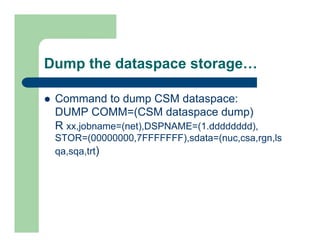
Dump the dataspace storage
 
lïŹ Command to dump CSM dataspace: 
DUMP COMM=(CSM dataspace dump) 
R xx,jobname=(net),DSPNAME=(1.dddddddd), 
STOR=(00000000,7FFFFFFF),sdata=(nuc,csa,rgn,ls 
qa,sqa,trt)
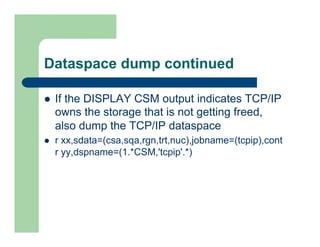
Dataspace dump continued 
lïŹ If the DISPLAY CSM output indicates TCP/IP 
owns the storage that is not getting freed, 
also dump the TCP/IP dataspace 
lïŹ r xx,sdata=(csa,sqa,rgn,trt,nuc),jobname=(tcpip),cont 
r yy,dspname=(1.*CSM,'tcpip'.*)
Dumps and Traces 
lïŹ For a full global list of documentation to 
gather for CSM storage problems, refer to 
IBM Tech note: 
lïŹ www-01.ibm.com/support/docview.wss?uid=swg21308302
Common causes 
lïŹ Fixing CSM storage shortages may be as 
easy as increasing the amount of CSM 
storage available 
lïŹ VTPRM00 sets parameters for the 
Communication Storage Manager (CSM). 
IVTPRM00 is read during CSM initialization.
IVTPRM00 Continued 
lïŹ The IVTPRM00 parameters can be changed 
without a re-IPL by issuing the VTAM 
MODIFY CSM command. 
lïŹ The default values for IVTPRM00 are 100 
MEG for both FIXED and ECSA. We suggest 
that they be coded or defaulted to 100M MAX 
ECSA and 100M MAX FIXED.
IVTPRM00 Continued 
lïŹ Monitor the system for one week with DISPLAY CSM 
command to determine peak usage. Adjust 
IVTPRM00 MAX ECSA and MAX FIXED values to 
1.5 times the highest value indicated in the DISPLAY 
CSM outputs. 
lïŹ ADDITIONAL NOTE: 
You must adjust your IEASYSxx CSA parm to 
include the additional amounts of ECSA that CSM 
will be using.
Recommended Fix List 
lïŹ Please refer to the IBM Technote mentioned 
previous for a list of recommended 
maintenance for known CSM issues.
Additional Reference Material 
lïŹ For additional information on CSM storage, 
please refer to the following: 
lïŹ Communications Server CSM Guide 
lïŹ Communications Sever SNA Diagnosis
Check Us Out! 
lïŹ Find us on Facebook: 
http://www.facebook.com/IBMCommserver 
lïŹ Follow us on Twitter: 
http://www.twitter.com/IBM_Commserver 
lïŹ Visit us on YouTube: http://www.youtube.com/ 
user/zOSCommServer 
lïŹ Thanks for using IBM!

CSM Storage Debugging

  • 1.
    CSM STORAGE DEBUG By David Himmel IBM z/OS Comm Server Level 2
  • 2.
    Purpose: Steps toapproach a CSM storage problem. lïŹ This presentation is designed to provide diagnostic guidance for CSM storage usage issues.
  • 3.
    Intro and Overview lïŹ Communication Storage Manager (CSM) allows VTAM and other applications to use the same buffer in order to reduce data movement in the system. lïŹ CSM interfaces with the host operating system (MVS/ESA) to provide the storage buffer. lïŹ CSM is used by various VTAM and TCP/IP components.
  • 4.
    External Symptoms lïŹCSM storage problems are indicated mostly by IVT5506I IVTSMCEX STORAGE ALLOCATION FAILED messages. lïŹ Various CSM IVTxxxxI messages indicating a CSM ECSA or CSM FIXED shortage
  • 5.
    CSM Messages continued lïŹ IVT5560I CSM ECSA STORAGE LIMIT EXCEEDED lïŹ IVT5561I CSM FIXED STORAGE LIMIT EXCEEDED lïŹ IVT5562I CSM ECSA STORAGE AT CRITICAL LEVEL lïŹ IVT5563I CSM FIXED STORAGE AT CRITICAL LEVEL
  • 6.
    Other External Symptoms lïŹ CSM storage problems may also be accompanied by other symptoms such as: lïŹ IST564I STORAGE UNAVAILABLE: COMMON AREA lïŹ IST154I EXPANSION FAILED FOR IO BUFFER POOL lïŹ IST154I EXPANSION FAILED FOR TI BUFFER POOL lïŹ TCP ABEND4C5 lïŹ ABEND878
  • 7.
    Obtain a Dumpfor Debug lïŹ If a dump is not generated due to the nature of the error, please obtain a dump using the VTAM CSDUMP command for diagnosis. lïŹ Please refer to the following YouTube video for information on using the CSDUMP command: lïŹ http://www.youtube.com/watch?v=jrnho6aAl7U
  • 8.
    Additional Documentation lïŹObtain a VTAM Display of CSM: lïŹ D net,CSM,OWNERID=ALL to determine how much storage is being used and by what job / ASID. lïŹ If the CSM display indicates the TCP/IP ASID owns the storage not being freed, then include the TCP/IP ASID in the CSDUMP command.
  • 9.
    Additional CSM Displays lïŹ Please refer to the SNA Commserver Operations manual for detail on displays lïŹ D net,CSMUSE lïŹ NOTE: Please add the OWNERID=ALL parameter on the first issue to determine which ASID is the biggest user.
  • 10.
    Dataspace Storage lïŹIf the CSM display output indicates the CSM storage growth is in one of the CSM dataspace pools, dump the dataspace named in the display output in addition to the dump of VTAM and TCP.
  • 11.
    Dump the dataspacestorage
 lïŹ Command to dump CSM dataspace: DUMP COMM=(CSM dataspace dump) R xx,jobname=(net),DSPNAME=(1.dddddddd), STOR=(00000000,7FFFFFFF),sdata=(nuc,csa,rgn,ls qa,sqa,trt)
  • 12.
    Dataspace dump continued lïŹ If the DISPLAY CSM output indicates TCP/IP owns the storage that is not getting freed, also dump the TCP/IP dataspace lïŹ r xx,sdata=(csa,sqa,rgn,trt,nuc),jobname=(tcpip),cont r yy,dspname=(1.*CSM,'tcpip'.*)
  • 13.
    Dumps and Traces lïŹ For a full global list of documentation to gather for CSM storage problems, refer to IBM Tech note: lïŹ www-01.ibm.com/support/docview.wss?uid=swg21308302
  • 14.
    Common causes lïŹFixing CSM storage shortages may be as easy as increasing the amount of CSM storage available lïŹ VTPRM00 sets parameters for the Communication Storage Manager (CSM). IVTPRM00 is read during CSM initialization.
  • 15.
    IVTPRM00 Continued lïŹThe IVTPRM00 parameters can be changed without a re-IPL by issuing the VTAM MODIFY CSM command. lïŹ The default values for IVTPRM00 are 100 MEG for both FIXED and ECSA. We suggest that they be coded or defaulted to 100M MAX ECSA and 100M MAX FIXED.
  • 16.
    IVTPRM00 Continued lïŹMonitor the system for one week with DISPLAY CSM command to determine peak usage. Adjust IVTPRM00 MAX ECSA and MAX FIXED values to 1.5 times the highest value indicated in the DISPLAY CSM outputs. lïŹ ADDITIONAL NOTE: You must adjust your IEASYSxx CSA parm to include the additional amounts of ECSA that CSM will be using.
  • 17.
    Recommended Fix List lïŹ Please refer to the IBM Technote mentioned previous for a list of recommended maintenance for known CSM issues.
  • 18.
    Additional Reference Material lïŹ For additional information on CSM storage, please refer to the following: lïŹ Communications Server CSM Guide lïŹ Communications Sever SNA Diagnosis
  • 19.
    Check Us Out! lïŹ Find us on Facebook: http://www.facebook.com/IBMCommserver lïŹ Follow us on Twitter: http://www.twitter.com/IBM_Commserver lïŹ Visit us on YouTube: http://www.youtube.com/ user/zOSCommServer lïŹ Thanks for using IBM!