Cascading Style Sheets
(Session 1)
What is CSS?
Cascading Style Sheets (CSS) form the
presentation layer of the user interface.
Structure (HTML5)
Behavior (Javascript)
Presentation (CSS)
Tells the browser agent how the element is to
be presented to the user.
Why CSS?
● CSS removes the presentation attributes
from the structure allowing reusability, ease
of maintainability, and an interchangeable
presentation layer.
Why CSS?
● HTML was never meant to be a
presentation language. Proprietary
vendors have created tags to add
presentation to structure.
<font>
<b>
<i>
<center>
Why CSS?
● CSS allows us to make global and
instantaneous changes easily.
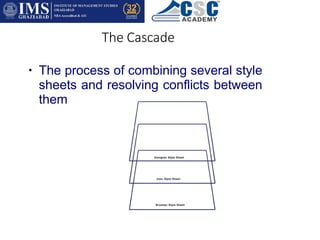
The Cascade
● The process of combining several style
sheets and resolving conflicts between
them
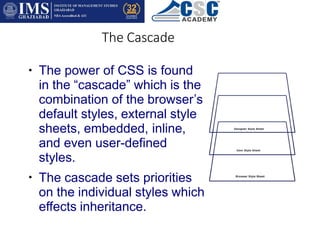
The Cascade
●
●
The power of CSS is found
in the “cascade” which is the
combination of the browser’s
default styles, external style
sheets, embedded, inline,
and even user-defined
styles.
The cascade sets priorities
on the individual styles which
effects inheritance.
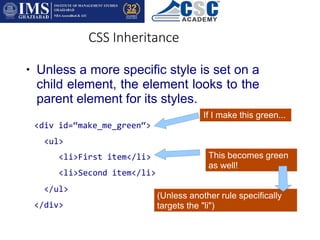
CSS Inheritance
●
<li>First item</li>
<li>Second item</li>
</ul>
</div>
Unless a more specific style is set on a
child element, the element looks to the
parent element for its styles.
If I make this green...
<div id=“make_me_green“>
<ul>
This becomes green
as well!
(Unless another rule specifically
targets the "li")
CSS Inheritance
● Helpful in reducing the amount of CSS to
set styles for child elements.
Using stylesheets
External Style Sheet
<link href=“stylesheet” type=“text/css”
href=“location.css” />
Preferred method. In our class, the ONLY method.
You will get this better if you are creating large web
applications of several hundred thousand lines of code,
and styles are everywhere.
DISCIPLINE!
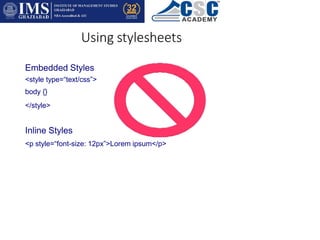
Using stylesheets
Embedded Styles
<style type=“text/css”>
body {}
</style>
Inline Styles
<p style=“font-size: 12px”>Lorem ipsum</p>
Syntax
selector {
property1: value1;
property2: value2;
}
The selector selects which part of the
hypertext document a style applies to.
The selector can either be an HTML element
tag, an identifier, a class, or a combination of
these three.
Syntax
selector {
property1: value1;
property2: value2;
}
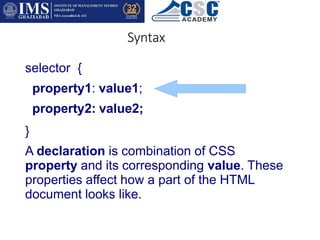
A declaration is combination of CSS
property and its corresponding value. These
properties affect how a part of the HTML
document looks like.
Syntax
selector {
property1: value1;
property2: value2;
}
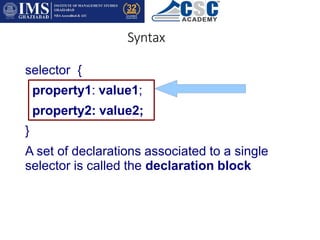
A set of declarations associated to a single
selector is called the declaration block
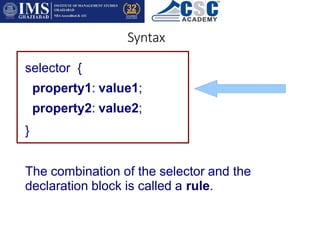
Syntax
selector {
property1: value1;
property2: value2;
}
The combination of the selector and the
declaration block is called a rule.
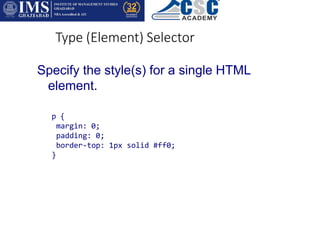
Type (Element) Selector
Specify the style(s) for a single HTML
element.
p {
margin: 0;
padding: 0;
border-top: 1px solid #ff0;
}
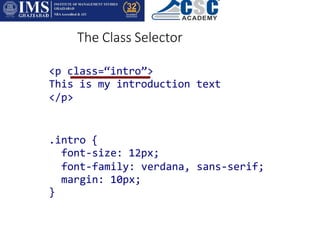
The Class Selector
<p class=“intro”>
This is my introduction text
</p>
.intro {
font-size: 12px;
font-family: verdana, sans-serif;
margin: 10px;
}
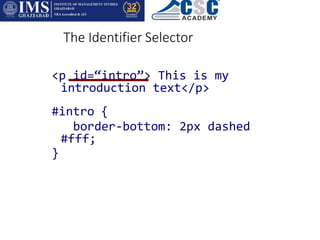
The Identifier Selector
<p id=“intro”> This is my
introduction text</p>
#intro {
border-bottom: 2px dashed
#fff;
}

CSC PPT 4.pptx

  • 1.
  • 2.
    What is CSS? CascadingStyle Sheets (CSS) form the presentation layer of the user interface. Structure (HTML5) Behavior (Javascript) Presentation (CSS) Tells the browser agent how the element is to be presented to the user.
  • 3.
    Why CSS? ● CSSremoves the presentation attributes from the structure allowing reusability, ease of maintainability, and an interchangeable presentation layer.
  • 4.
    Why CSS? ● HTMLwas never meant to be a presentation language. Proprietary vendors have created tags to add presentation to structure. <font> <b> <i> <center>
  • 5.
    Why CSS? ● CSSallows us to make global and instantaneous changes easily.
  • 6.
    The Cascade ● Theprocess of combining several style sheets and resolving conflicts between them
  • 7.
    The Cascade ● ● The powerof CSS is found in the “cascade” which is the combination of the browser’s default styles, external style sheets, embedded, inline, and even user-defined styles. The cascade sets priorities on the individual styles which effects inheritance.
  • 8.
    CSS Inheritance ● <li>First item</li> <li>Seconditem</li> </ul> </div> Unless a more specific style is set on a child element, the element looks to the parent element for its styles. If I make this green... <div id=“make_me_green“> <ul> This becomes green as well! (Unless another rule specifically targets the "li")
  • 9.
    CSS Inheritance ● Helpfulin reducing the amount of CSS to set styles for child elements.
  • 10.
    Using stylesheets External StyleSheet <link href=“stylesheet” type=“text/css” href=“location.css” /> Preferred method. In our class, the ONLY method. You will get this better if you are creating large web applications of several hundred thousand lines of code, and styles are everywhere. DISCIPLINE!
  • 11.
    Using stylesheets Embedded Styles <styletype=“text/css”> body {} </style> Inline Styles <p style=“font-size: 12px”>Lorem ipsum</p>
  • 12.
    Syntax selector { property1: value1; property2:value2; } The selector selects which part of the hypertext document a style applies to. The selector can either be an HTML element tag, an identifier, a class, or a combination of these three.
  • 13.
    Syntax selector { property1: value1; property2:value2; } A declaration is combination of CSS property and its corresponding value. These properties affect how a part of the HTML document looks like.
  • 14.
    Syntax selector { property1: value1; property2:value2; } A set of declarations associated to a single selector is called the declaration block
  • 15.
    Syntax selector { property1: value1; property2:value2; } The combination of the selector and the declaration block is called a rule.
  • 16.
    Type (Element) Selector Specifythe style(s) for a single HTML element. p { margin: 0; padding: 0; border-top: 1px solid #ff0; }
  • 17.
    The Class Selector <pclass=“intro”> This is my introduction text </p> .intro { font-size: 12px; font-family: verdana, sans-serif; margin: 10px; }
  • 18.
    The Identifier Selector <pid=“intro”> This is my introduction text</p> #intro { border-bottom: 2px dashed #fff; }