

Cryptocurrency
Tutorial
How to open a wallet and buy cryptocurrency
BlockchainHub ■ Valentin Kalinov ■ March 05, 2017
1
Contents
● General online security
● What is a cryptocurrency?
● Why use cryptocurrency?
● What is a blockchain wallet?
● Types of wallets
● Cryptocurrency exchanges
● Backups: How to secure you cryptocurrency?
● Making a transaction: Sending & Receiving cryptocurrency
● How to track a transaction on the block explorer
2
General
Online Security
Before you think of cryptocurrency
security, you need to think of
general online security!
● Use strong passwords or
password managers
(1Password) when using online
exchanges, email, etc.
●
● Do not use the same password
on multiple websites
●
● Always activate Two-Factor
Authentication if possible
3
Online security is crucial
for the use of cryptocurrencies!
4
What is a
cryptocurrency? “Limited entries in a database no
one can change without fulfilling
specific conditions.”
5
Why use
cryptocurrencies?
Cause it’s fun!
● Be your own bank
● Low transaction fees
● No third-parties
● Use as a payment method:
use when traveling, cross
border payments, buy goods,
etc.
● Accept as payment method:
as a merchant with otherwise
expensive cross border
payments, marketing reasons
6
What is a
blockchain
wallet?
● A piece of software
●
● Communicates with the
blockchain network
●
● Allows you to send and receive
transactions
7
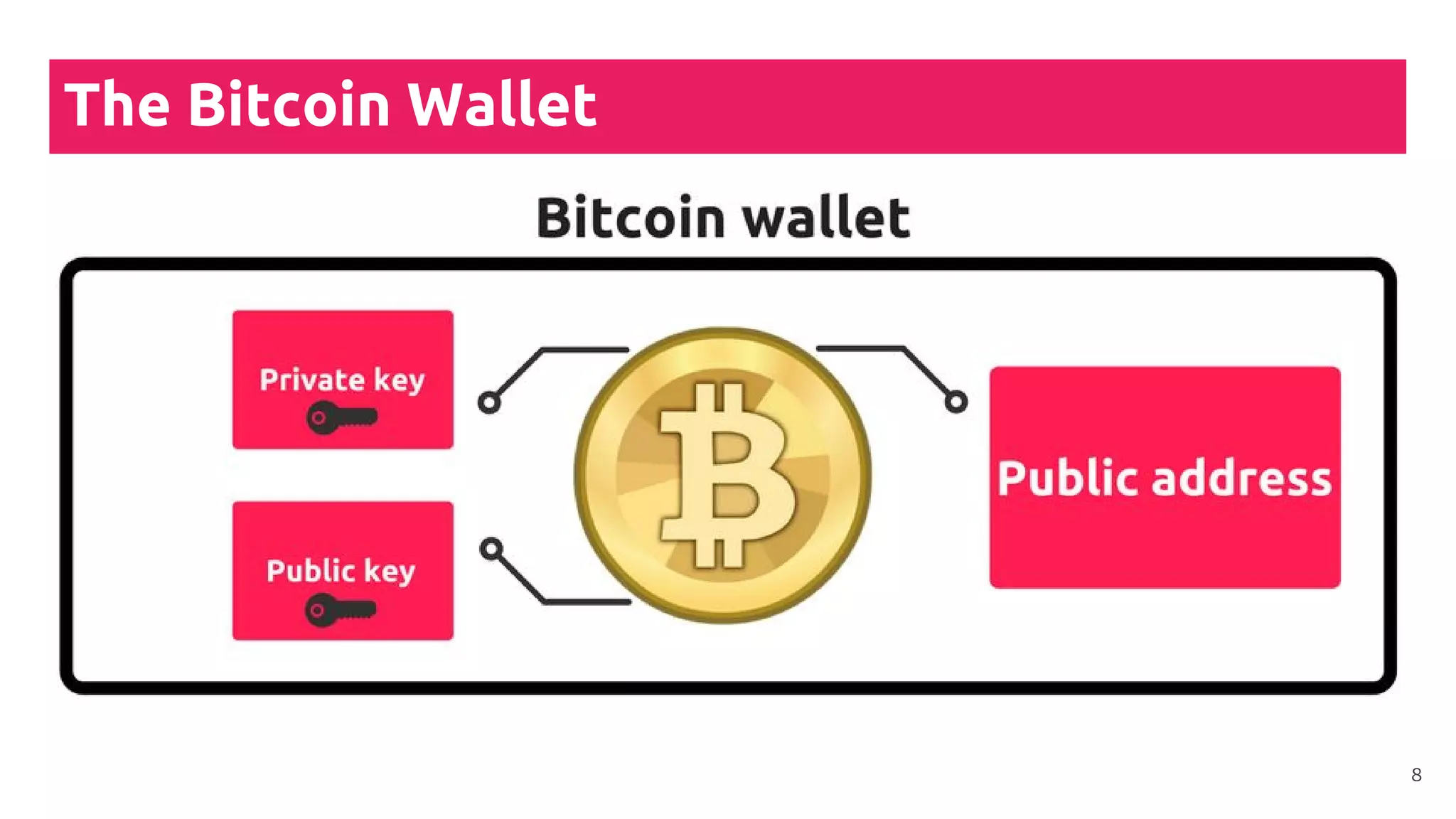
The Bitcoin Wallet
8
Wallets don’t store any coins
Wallets are containers for private keys
!
9
Types of Wallets
10
Types of Wallets
(1)
● Full node wallets
(download every block and
transaction)
●
● Lightweight wallets
11
Types of Wallets
(2)
Mostly lightweight wallets
● Mobile wallets
●
● Desktop wallets
●
● Online wallets
●
● Hardware wallets
●
● Paper wallets
12
Types of Wallets
(3)
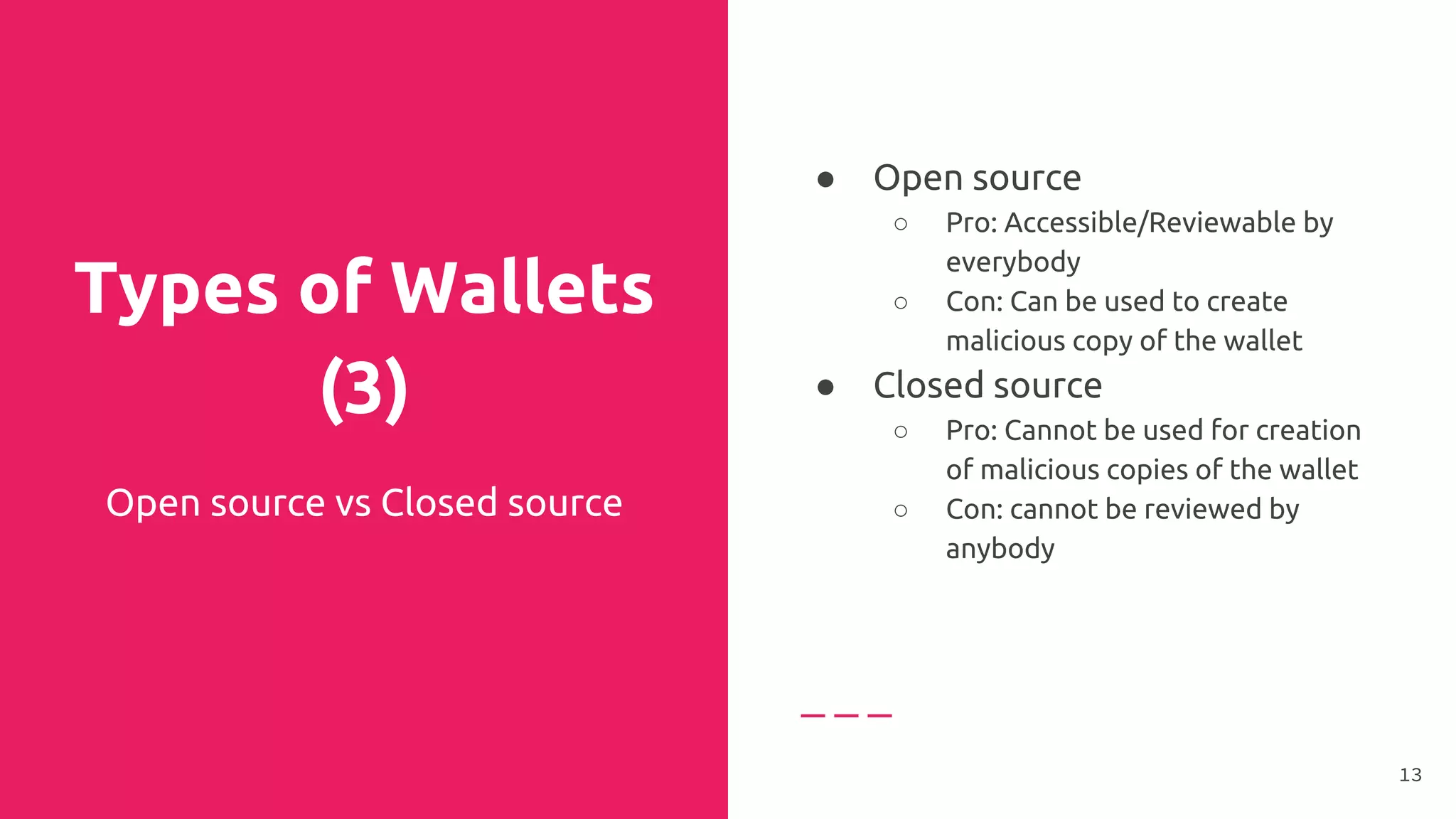
Open source vs Closed source
● Open source
○ Pro: Accessible/Reviewable by
everybody
○ Con: Can be used to create
malicious copy of the wallet
● Closed source
○ Pro: Cannot be used for creation
of malicious copies of the wallet
○ Con: cannot be reviewed by
anybody
●
13
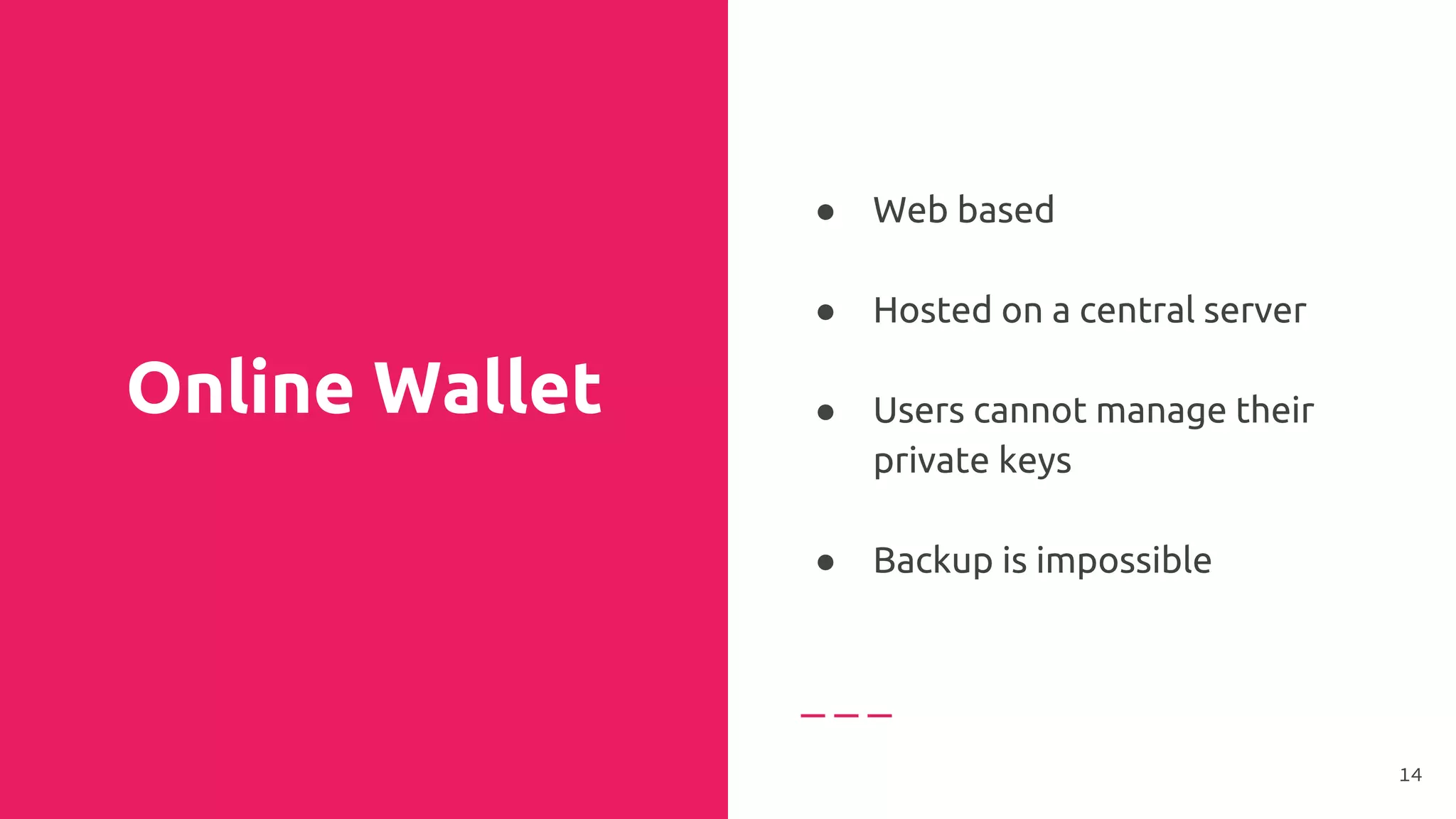
Online Wallet
● Web based
●
● Hosted on a central server
●
● Users cannot manage their
private keys
●
● Backup is impossible
14
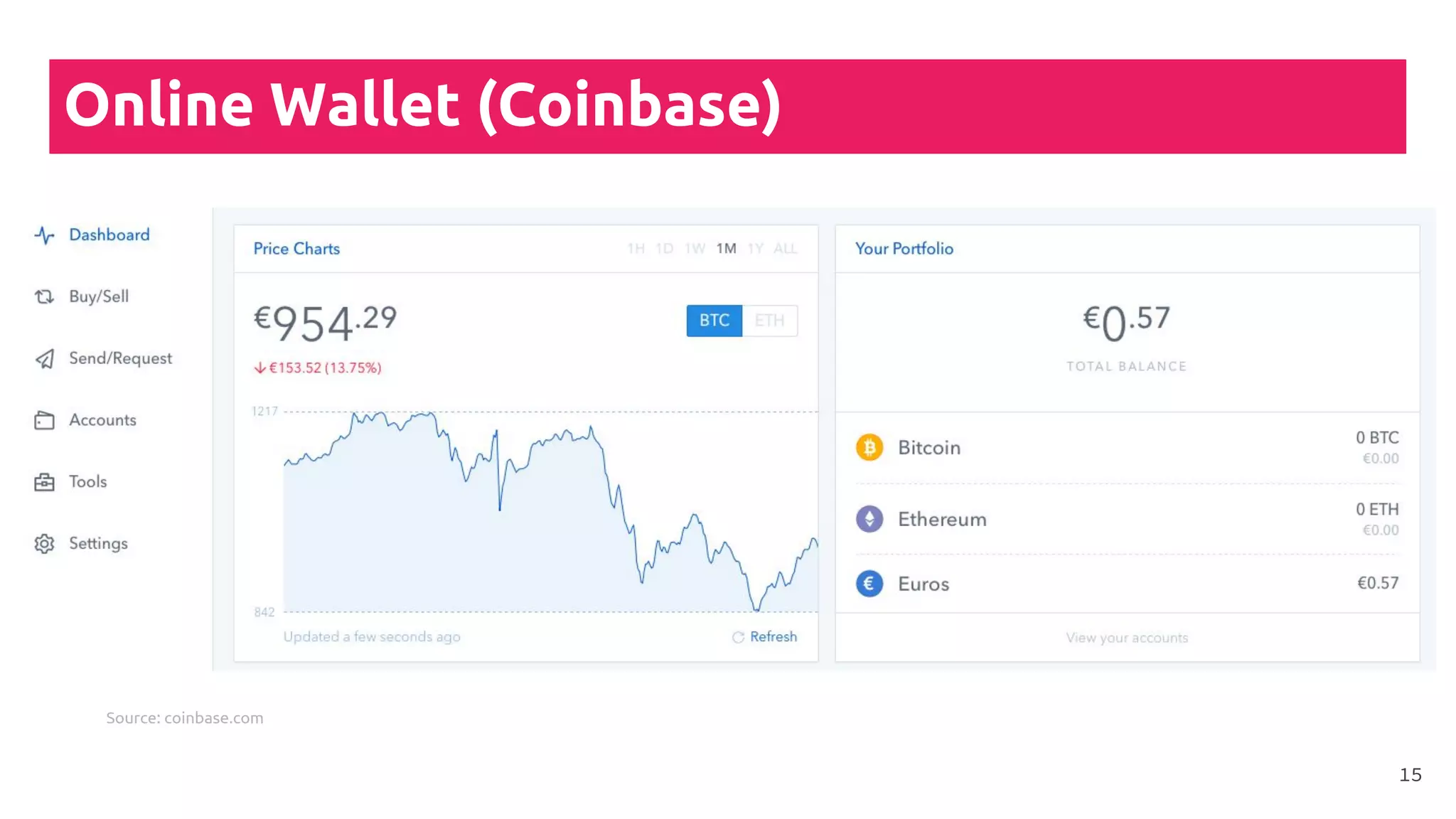
Online Wallet (Coinbase)
15
Source: coinbase.com
Mobile
Wallet
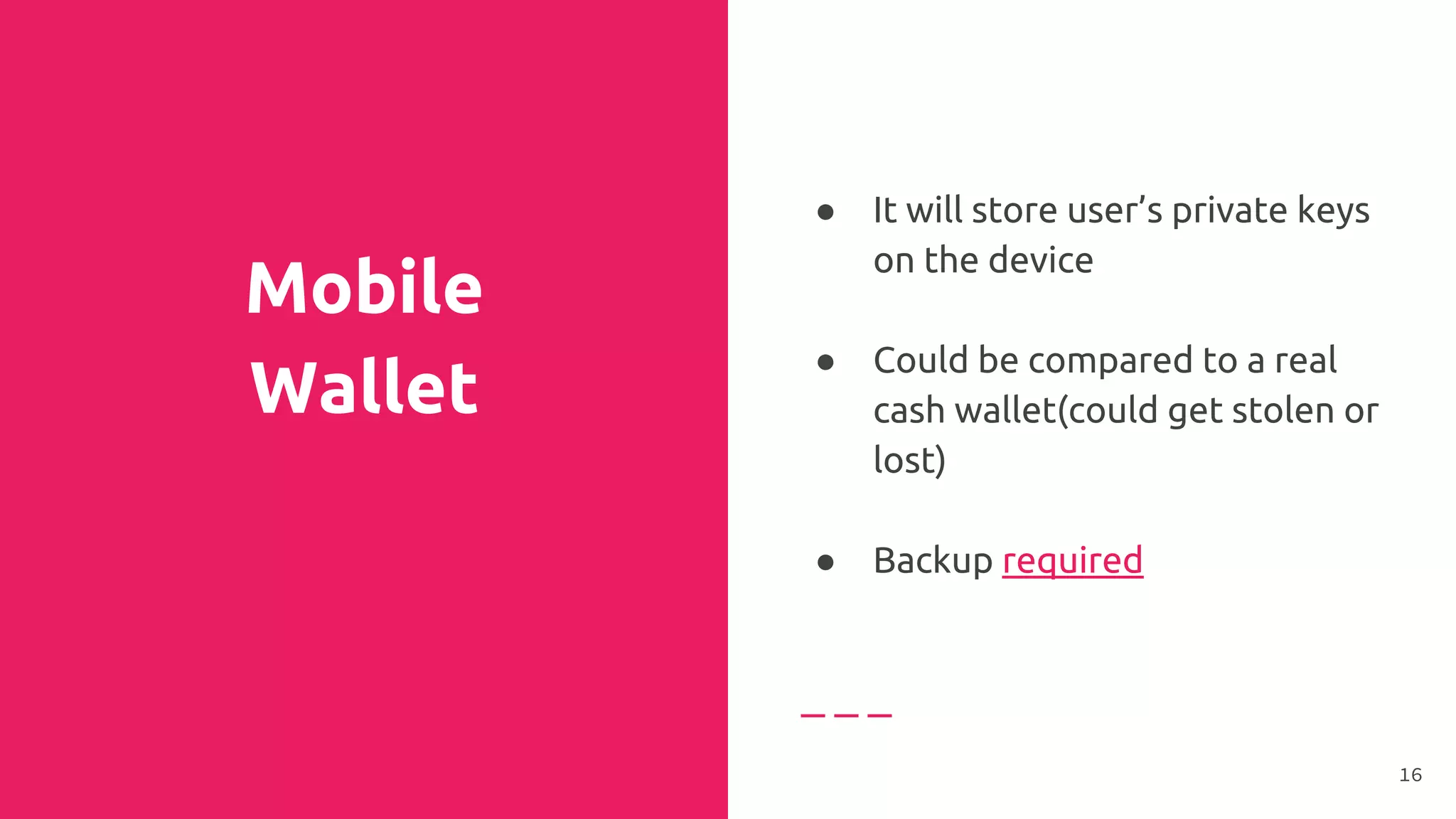
● It will store user’s private keys
on the device
●
● Could be compared to a real
cash wallet(could get stolen or
lost)
●
● Backup required
16
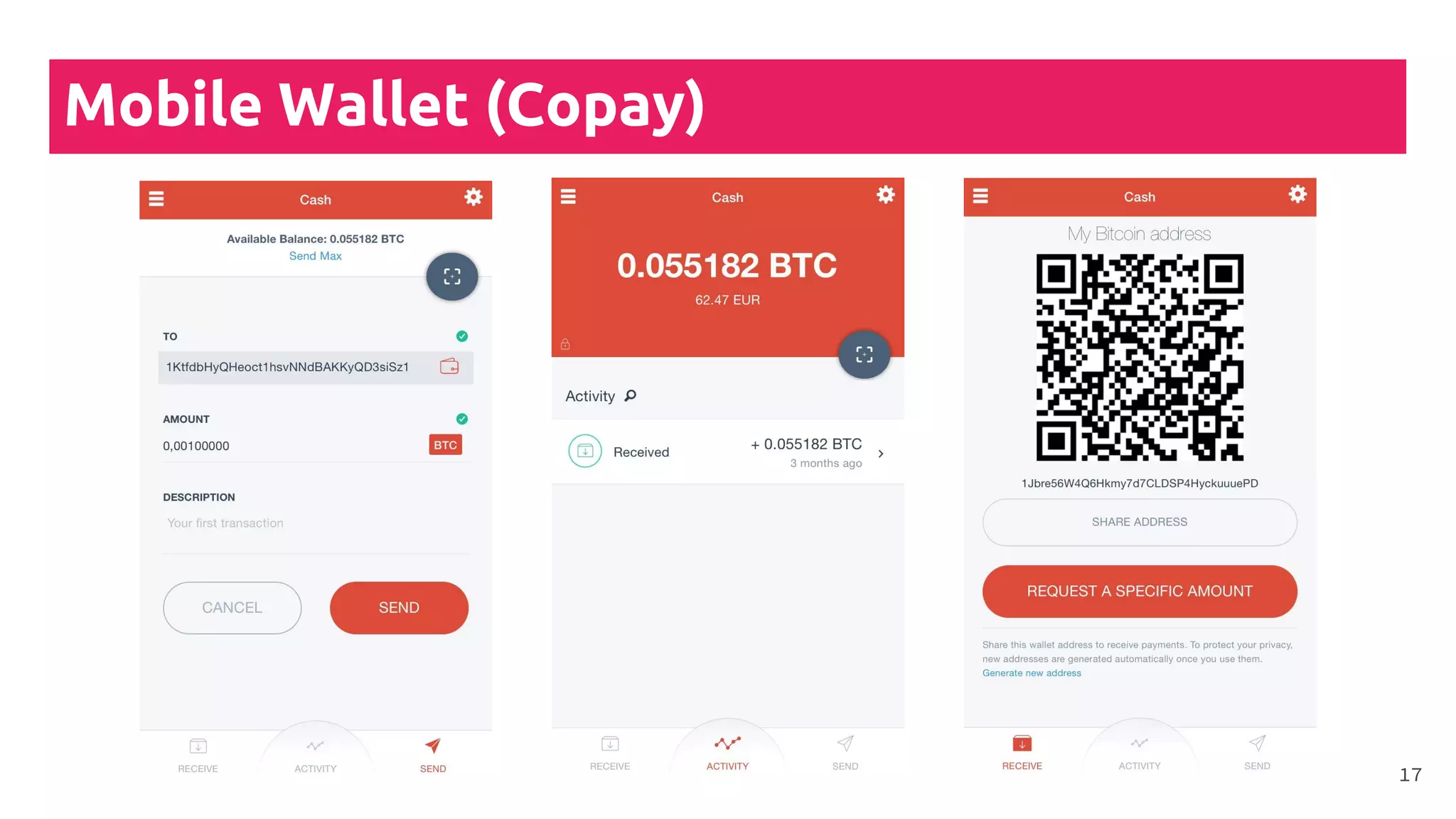
Mobile Wallet (Copay)
17
Desktop
Wallet
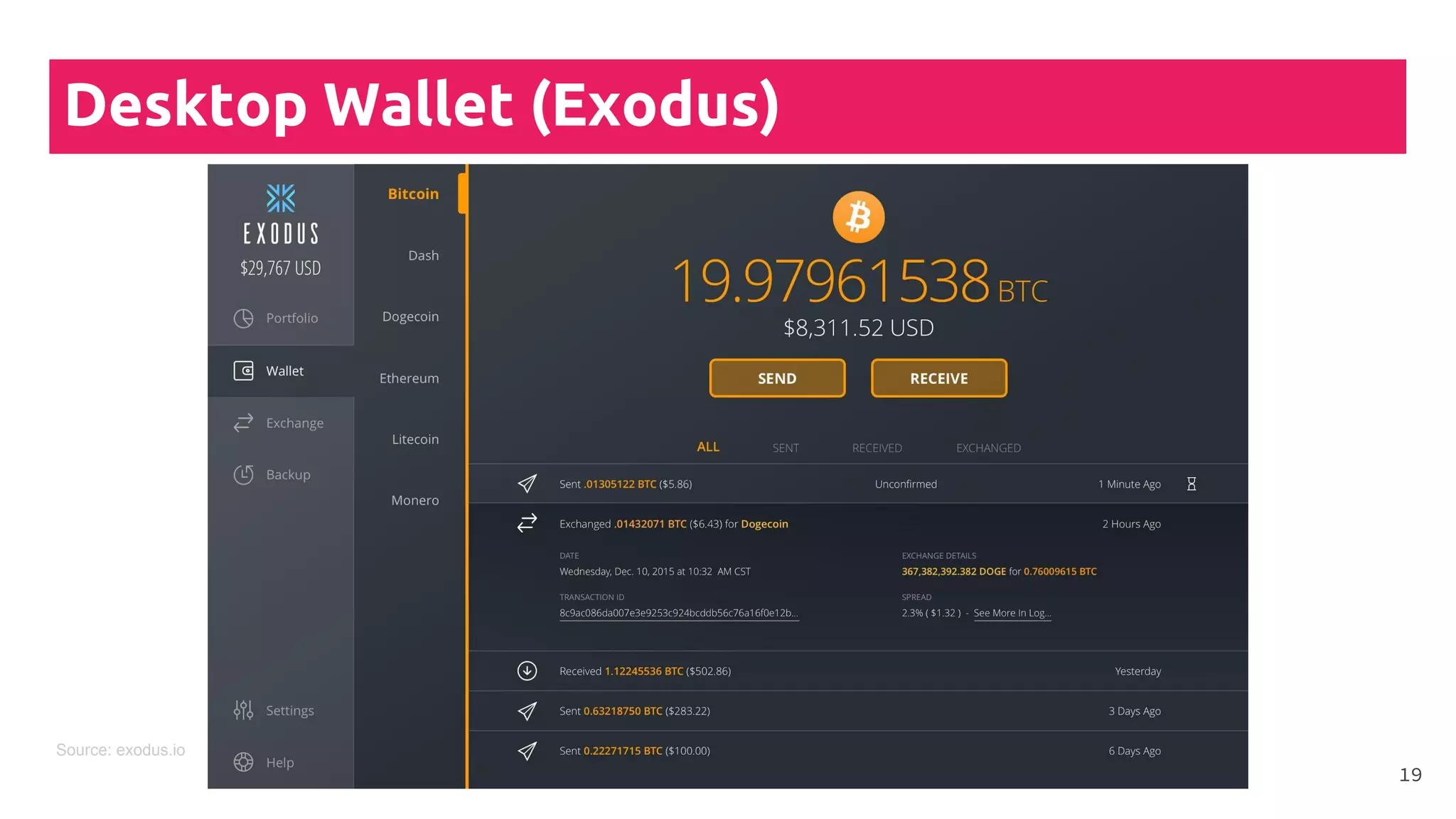
● It will store user’s private keys
on the device
●
● It is less exposed as a mobile
wallet
●
● Backup required
18
Desktop Wallet (Exodus)
19
Source: exodus.io
Hardware
Wallet
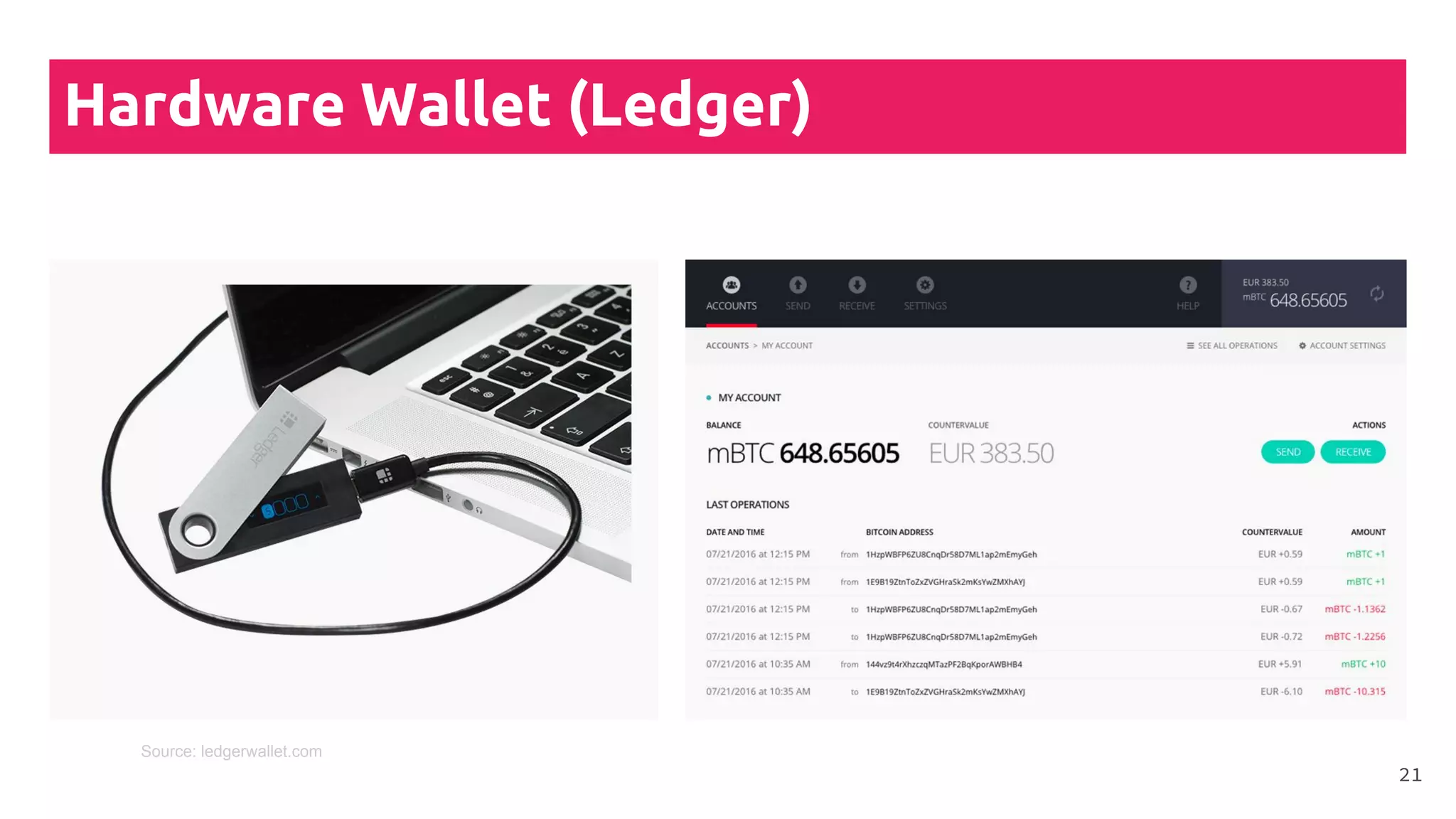
● Stores user’s private keys in a
secure hardware device
●
● Private keys are kept offline,
therefore are immune to
malicious attacks(viruses,
hacks, etc.)
●
● Backup required
20
Hardware Wallet (Ledger)
21
Source: ledgerwallet.com
Paper
Wallet
● Also called “cold storage”
● Private keys printed on a
paper (generated completely
offline)
●
● The corresponding public
address also has to be printed
otherwise users cannot
receive funds
22
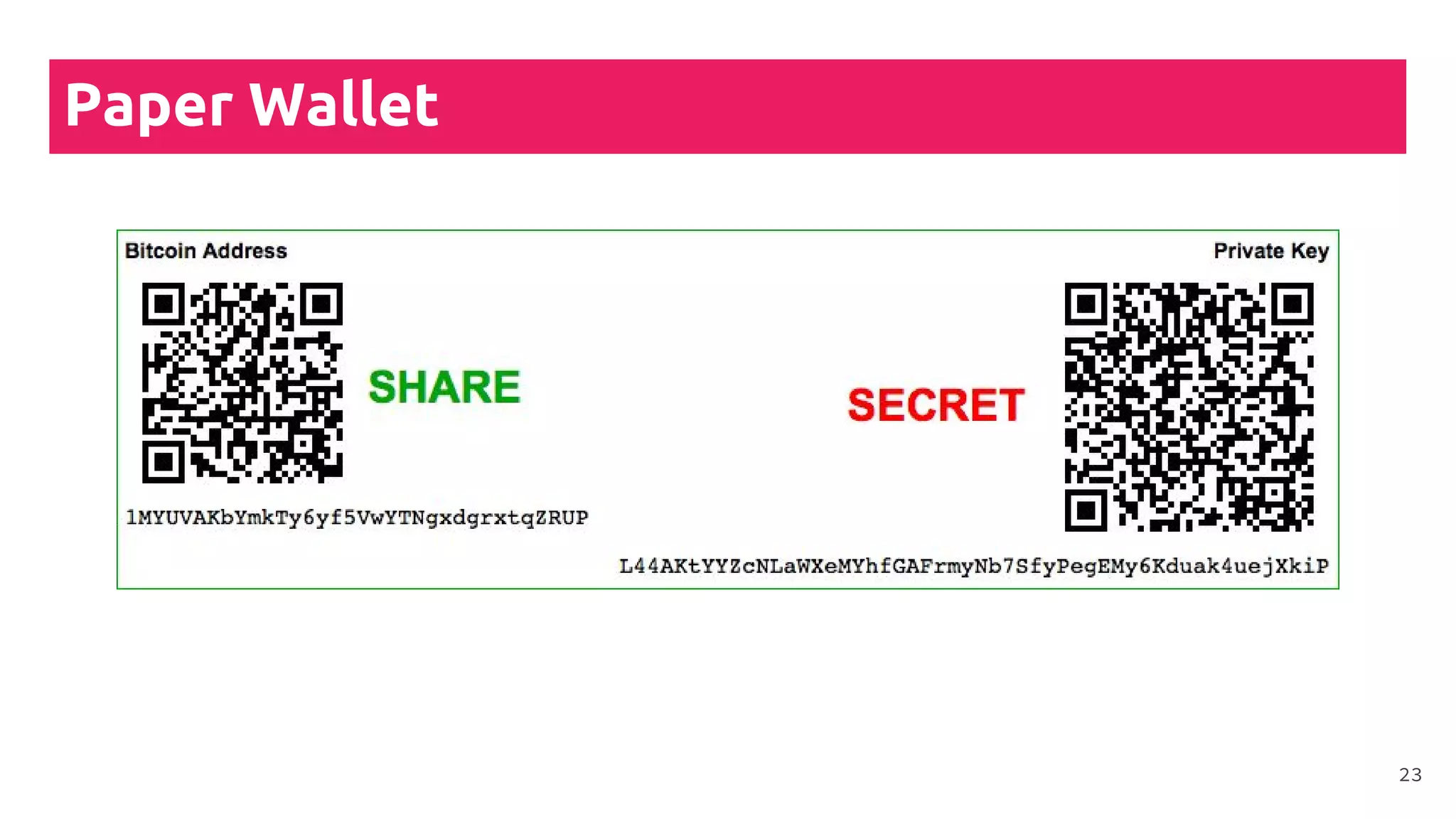
Paper Wallet
23
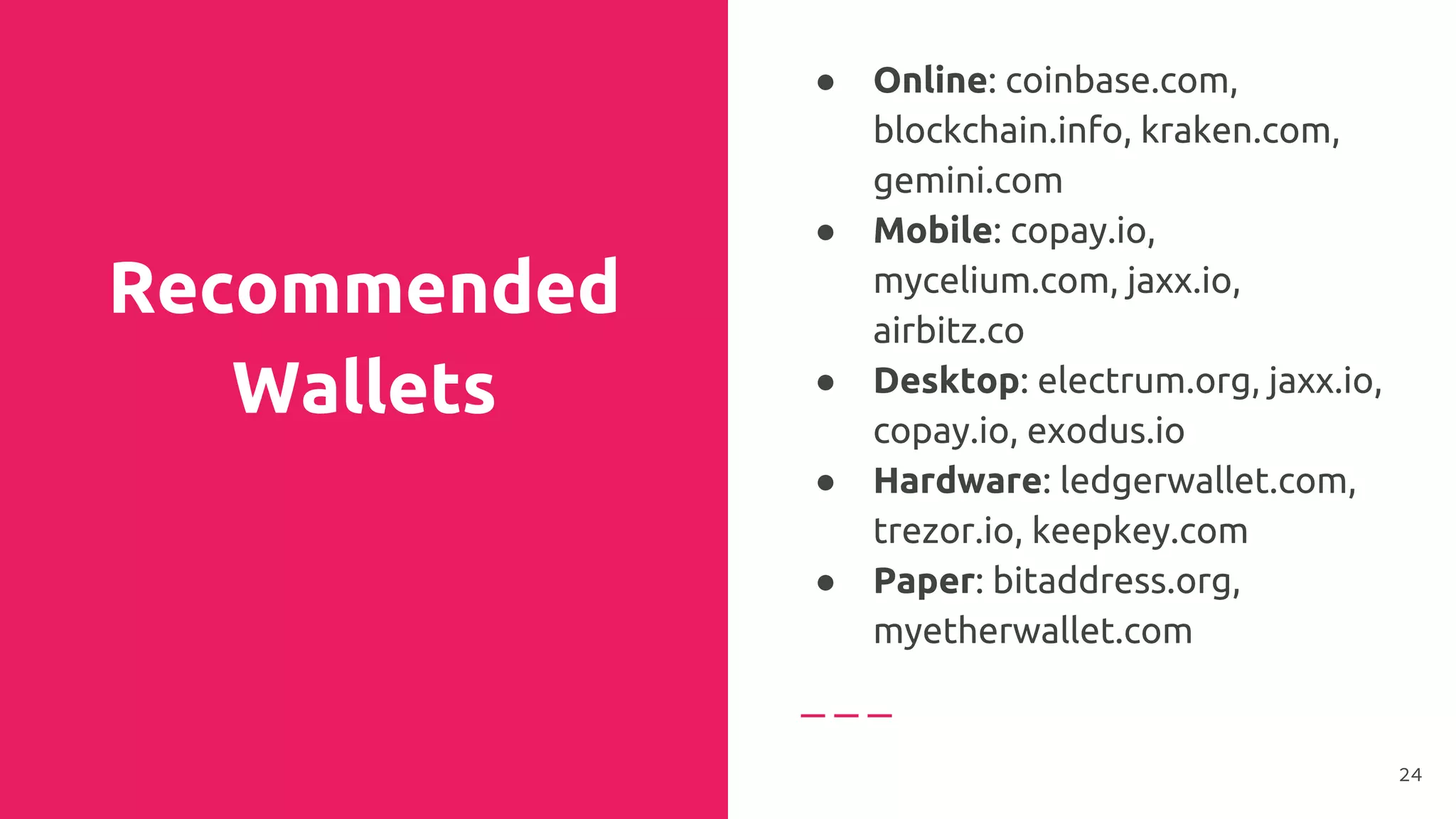
Recommended
Wallets
● Online: coinbase.com,
blockchain.info, kraken.com,
gemini.com
● Mobile: copay.io,
mycelium.com, jaxx.io,
airbitz.co
● Desktop: electrum.org, jaxx.io,
copay.io, exodus.io
● Hardware: ledgerwallet.com,
trezor.io, keepkey.com
● Paper: bitaddress.org,
myetherwallet.com
24
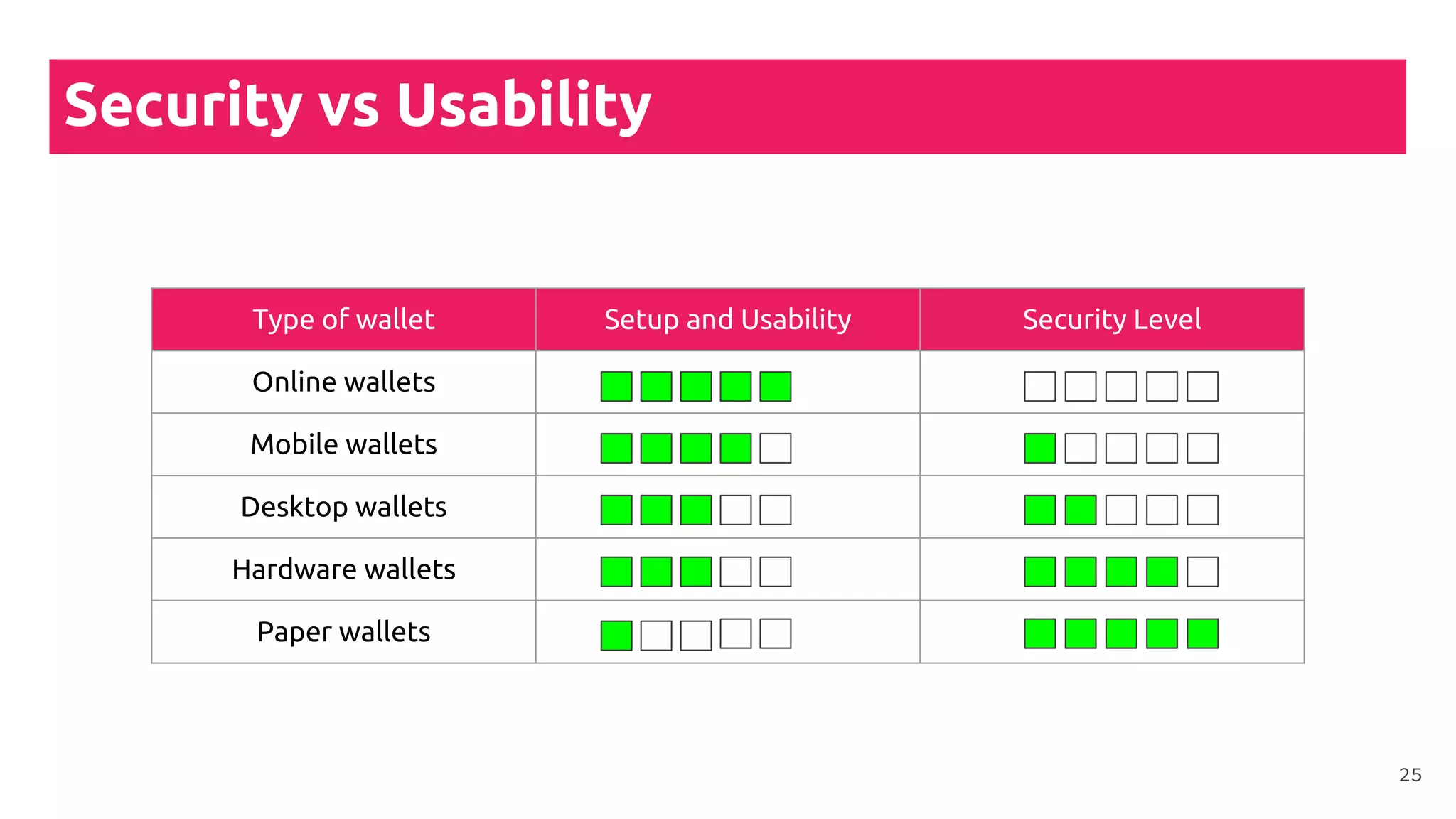
Security vs Usability
Type of wallet Setup and Usability Security Level
Online wallets
Mobile wallets
Desktop wallets
Hardware wallets
Paper wallets
25
Wallet Backup
26
Why is backup
compulsory?
● The button “Reset password”
does not exist in the
blockchain space
● Once you lose access to your
private keys you lose your
money
●
● There is always the possibility
of hardware breakdown,
natural disaster or theft
27
Different wallets
have different
backups
techniques
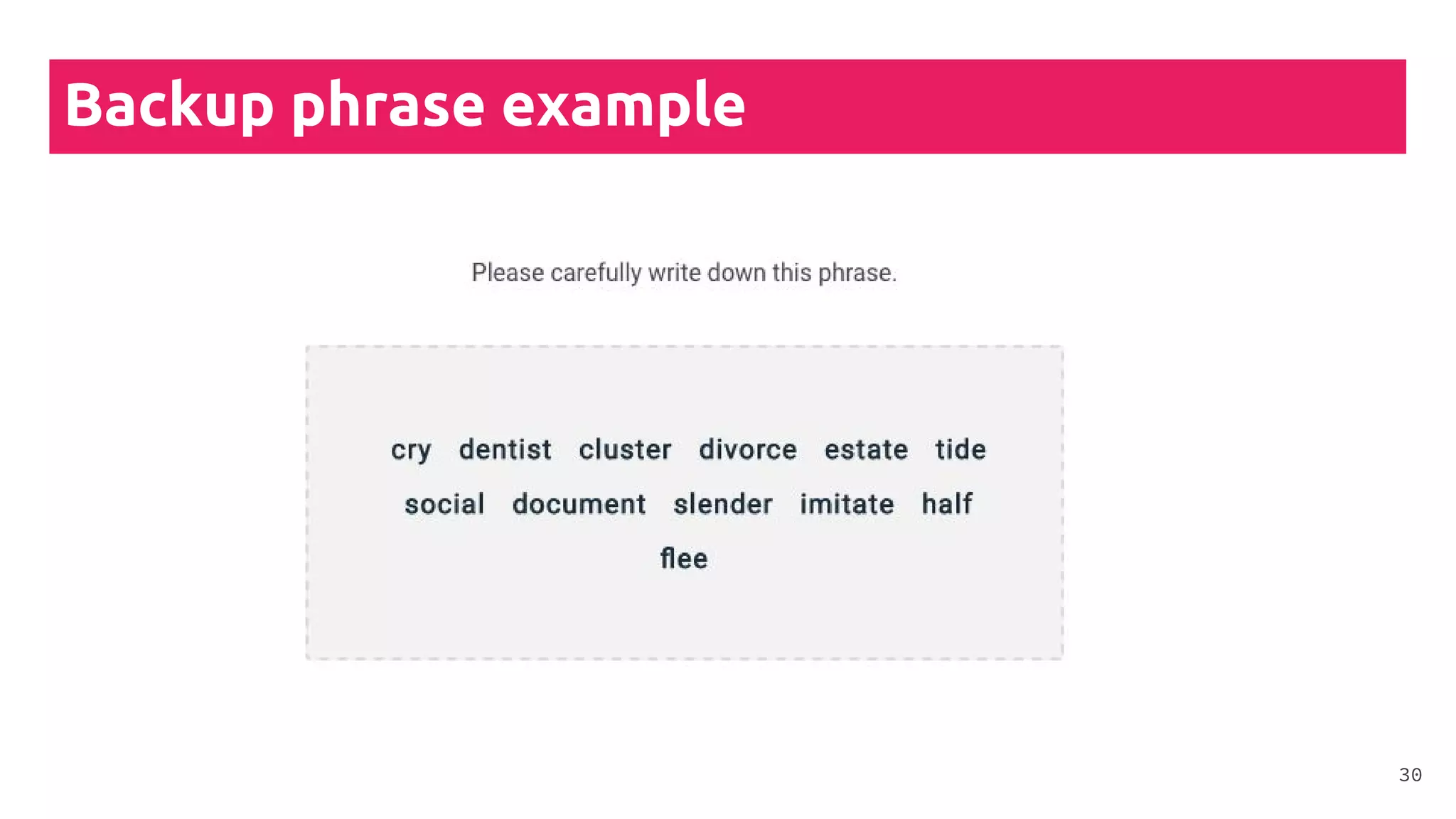
● With backup phrase
● Manually copy the private keys
on a backup USB, HDD, SSD,
etc.
●
● Paper wallets: copy the wallet
multiple times
●
● Email recovery link: a backup
link gets sent to your
email(not recommended)
28
Consider the
following
scenarios
● Flooding
● Fire
● Theft
● Hardware failure
● Hacks
● Viruses
● Keyloggers
● Nearby cameras
29
Backup phrase example
30
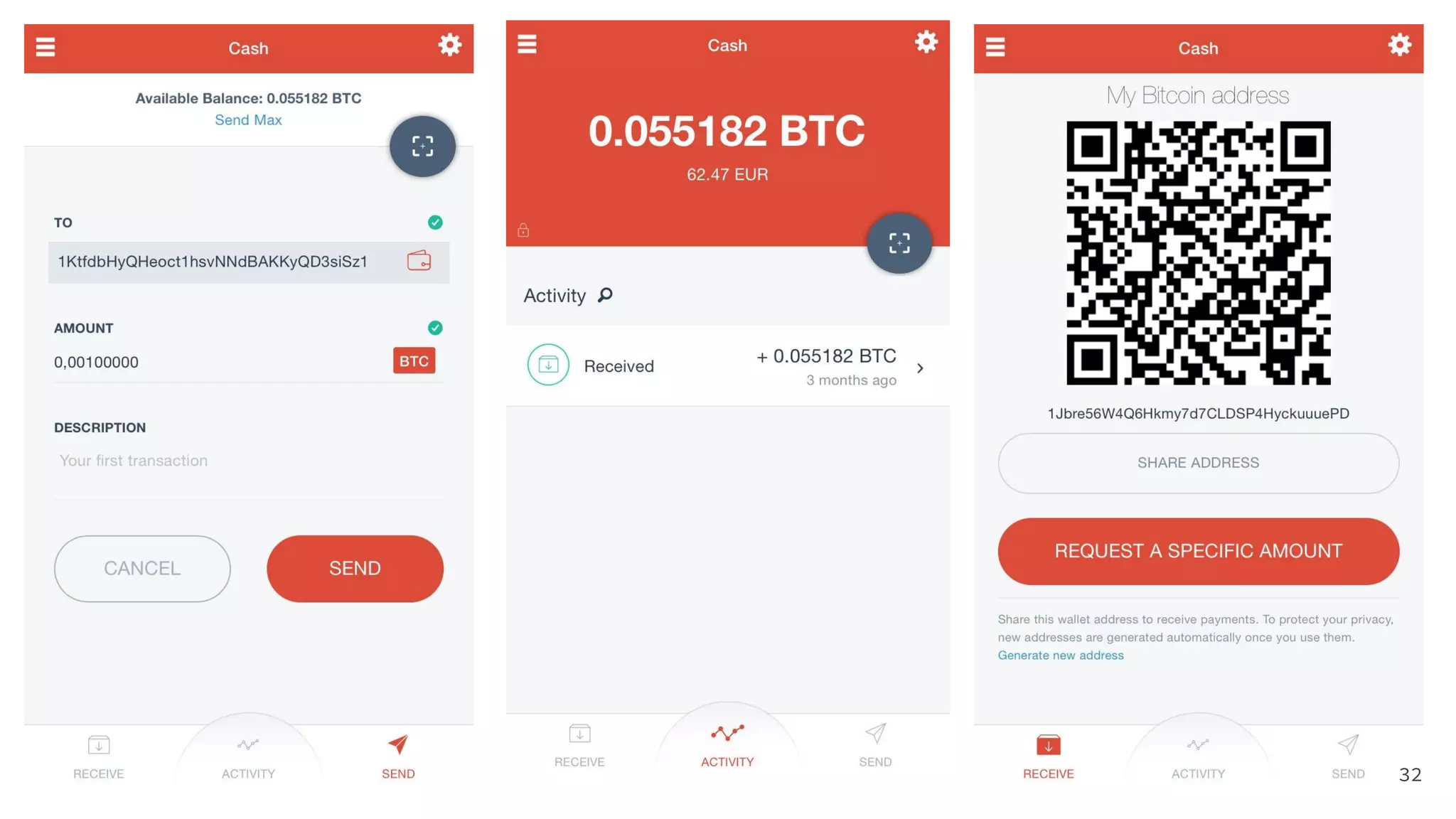
Wallet interface
31
32
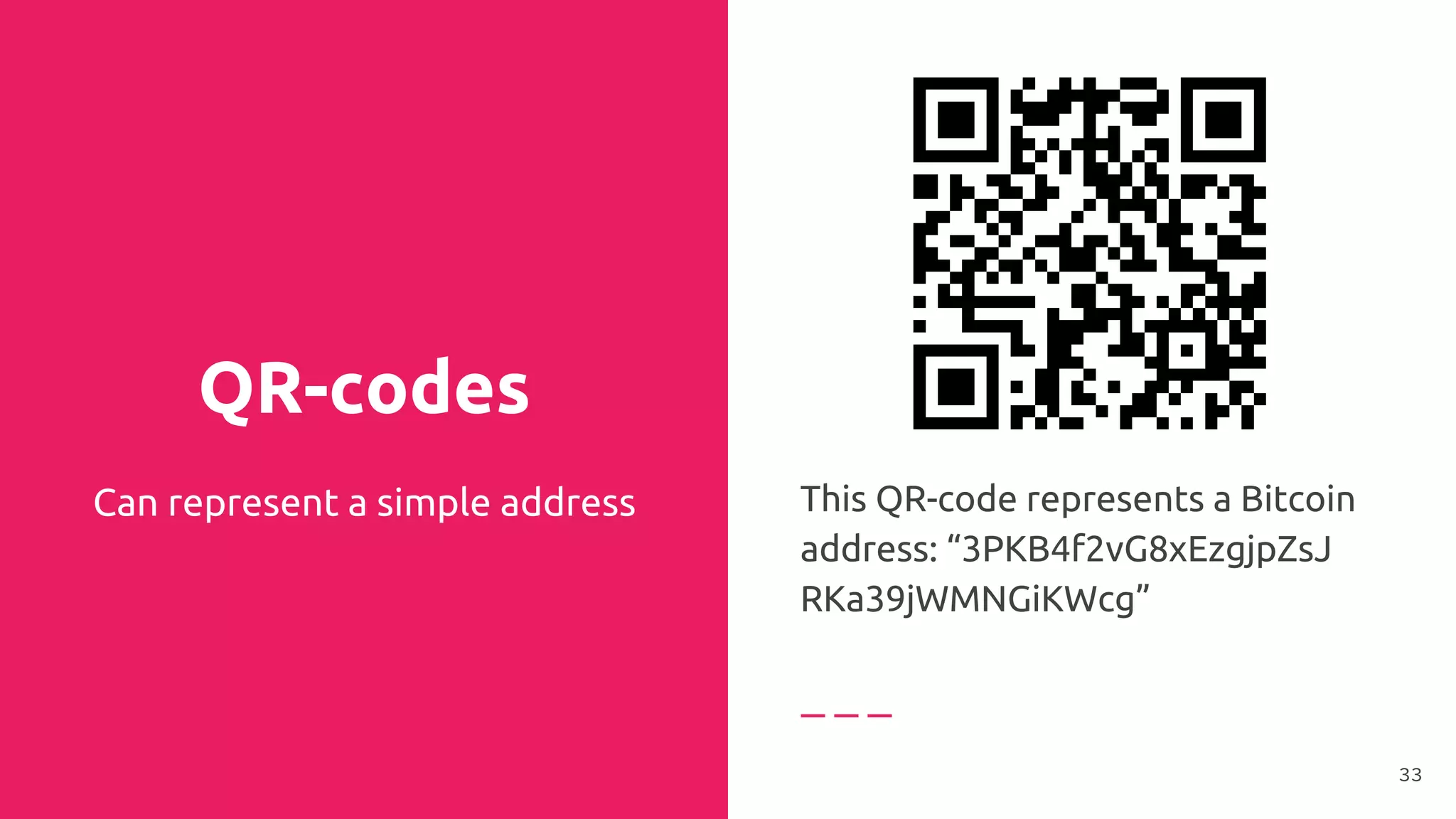
QR-codes
Can represent a simple address This QR-code represents a Bitcoin
address: “3PKB4f2vG8xEzgjpZsJ
RKa39jWMNGiKWcg”
33
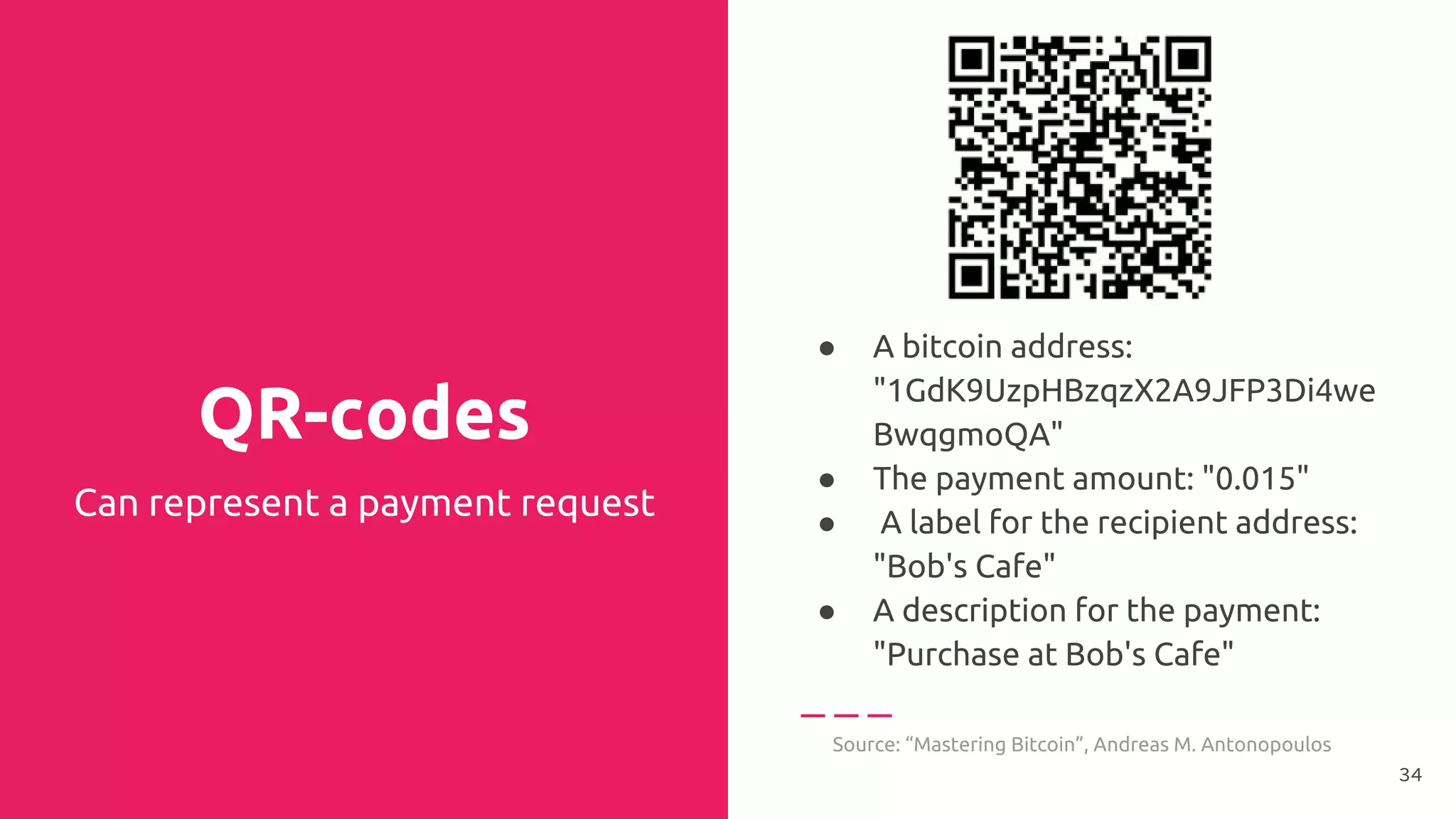
QR-codes
● A bitcoin address:
"1GdK9UzpHBzqzX2A9JFP3Di4we
BwqgmoQA"
● The payment amount: "0.015"
● A label for the recipient address:
"Bob's Cafe"
● A description for the payment:
"Purchase at Bob's Cafe"
Source: “Mastering Bitcoin”, Andreas M. Antonopoulos
Can represent a payment request
34
Exchanges
35
Ways to buy
Bitcoin
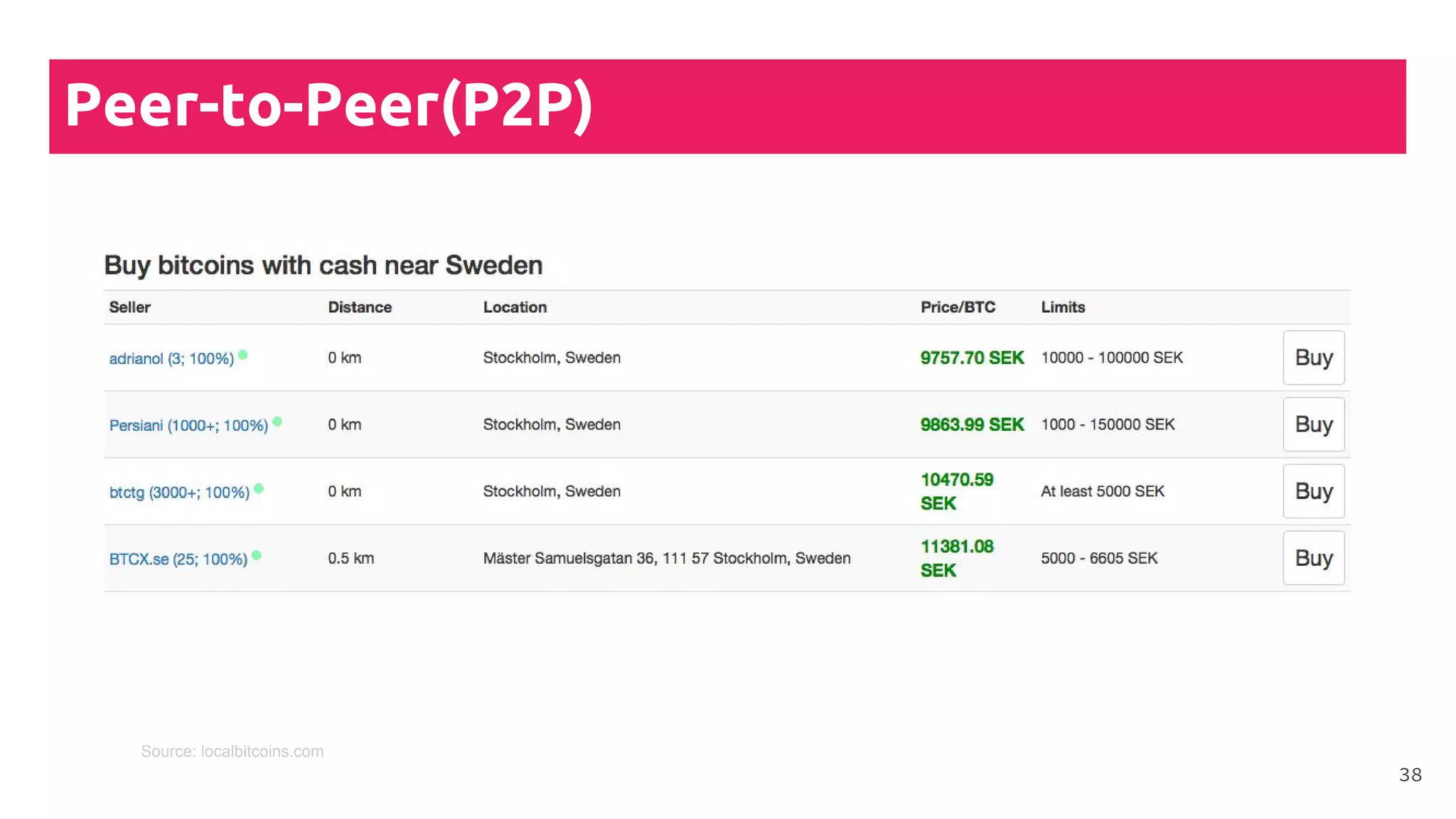
Types of exchange methods
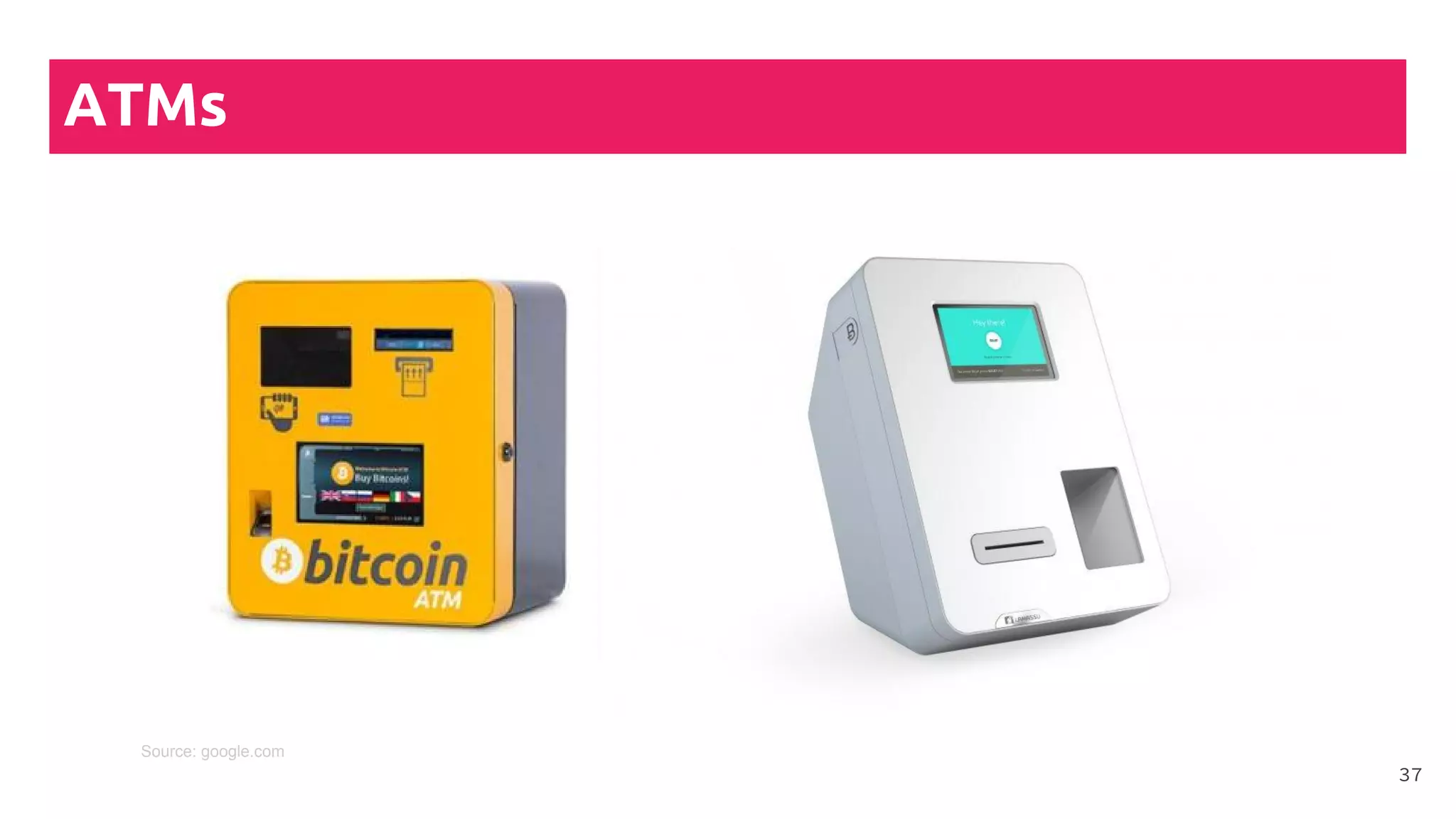
● Bitcoin ATMs
●
● Peer-to-Peer(P2P)
(localbitcoins.com)
●
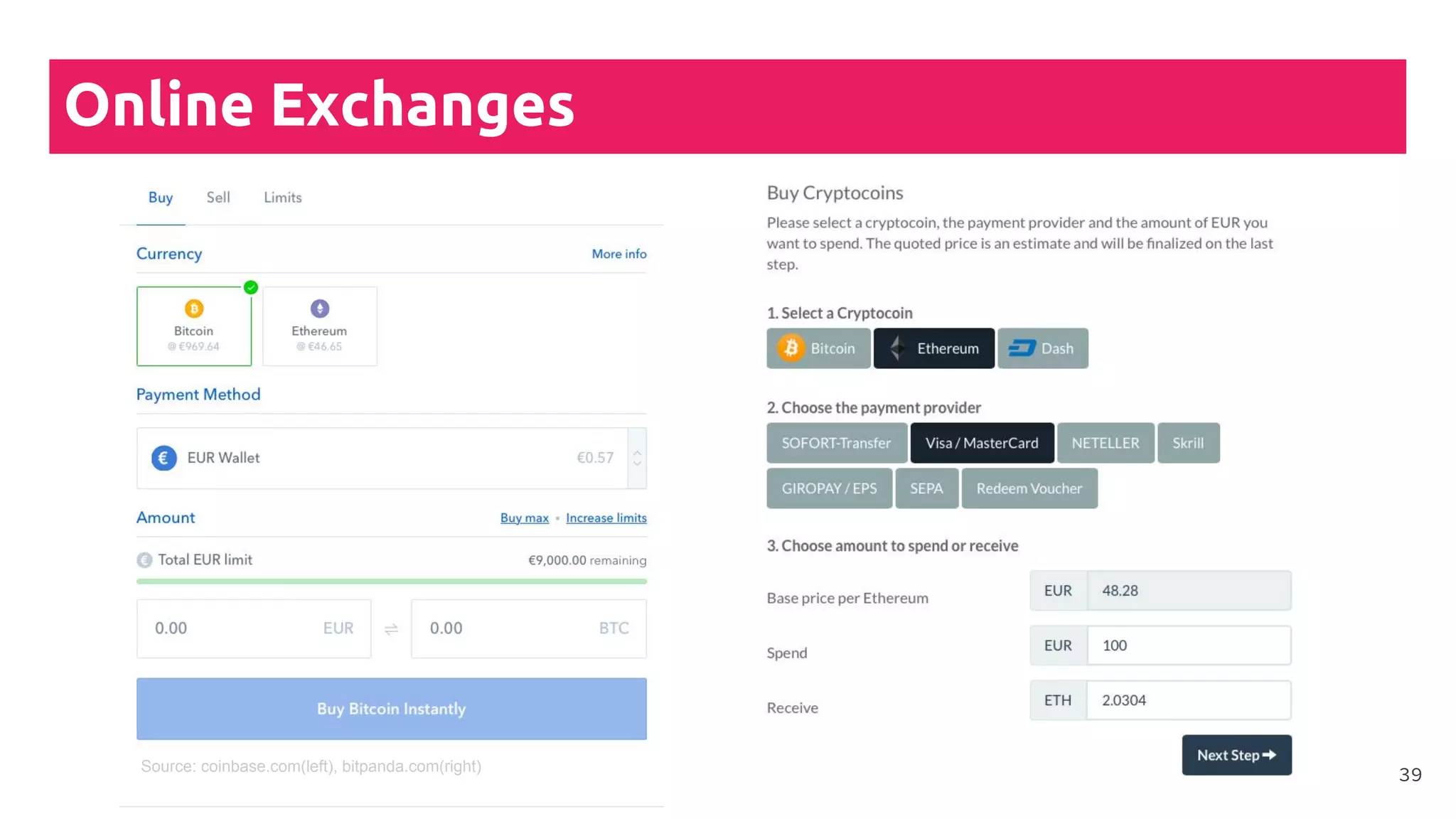
● Online exchanges
(coinbase.com, bitpanda.com,
kraken. com)
36
ATMs
37
Source: google.com
Peer-to-Peer(P2P)
38
Source: localbitcoins.com
Online Exchanges
39Source: coinbase.com(left), bitpanda.com(right)
Payment
methods
● Credit Cards
●
● Cash(P2P & ATMs)
●
● Bank Transfers
●
● PayPal
40
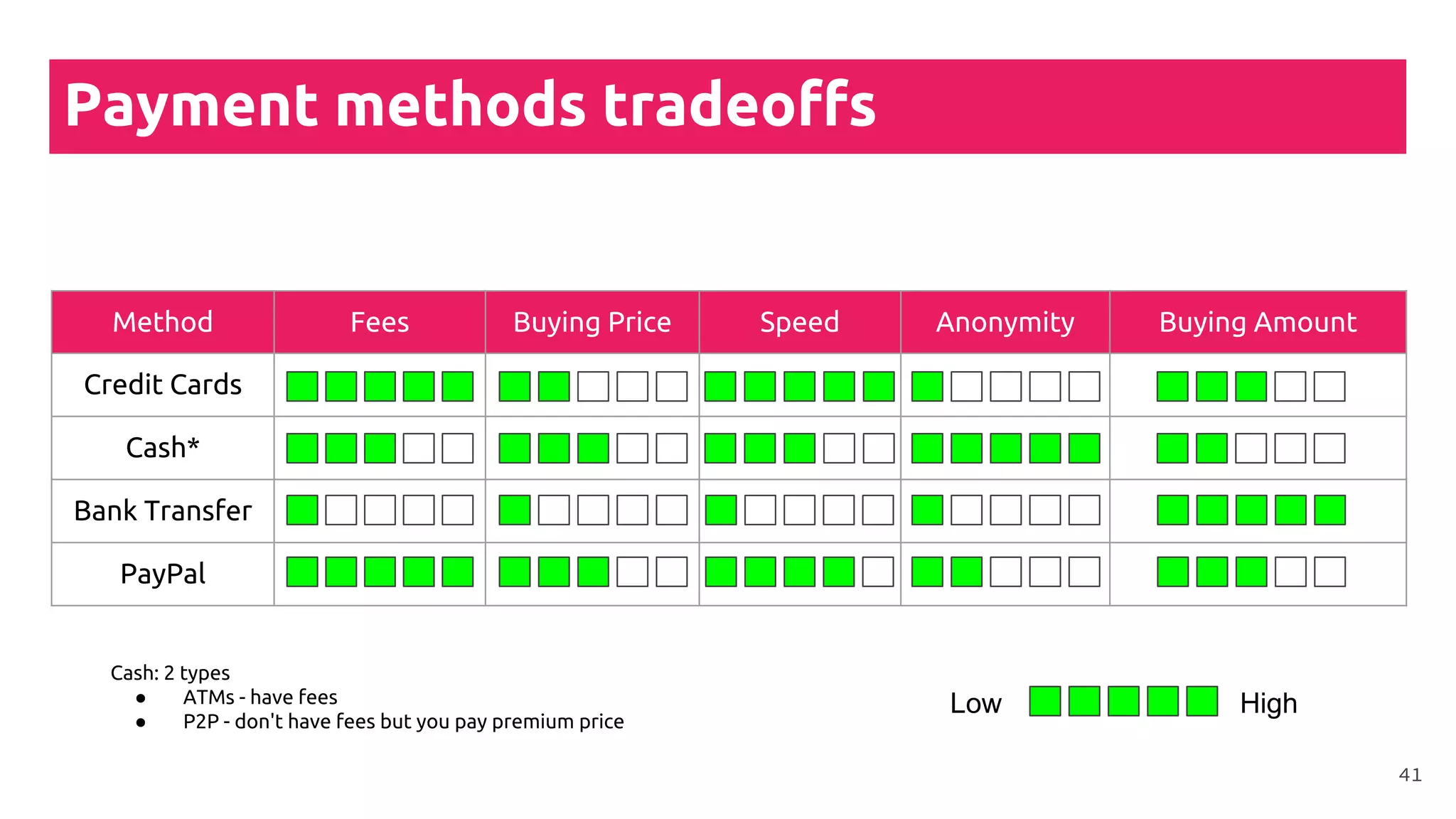
Payment methods tradeoffs
Method Fees Buying Price Speed Anonymity Buying Amount
Credit Cards
Cash*
Bank Transfer
PayPal
Low High
Cash: 2 types
● ATMs - have fees
● P2P - don't have fees but you pay premium price
41
Transaction fees
42
Transaction
fees
“Transaction fees are included with
any transfer of bitcoins from one
address to another ”
43
Transaction
fees
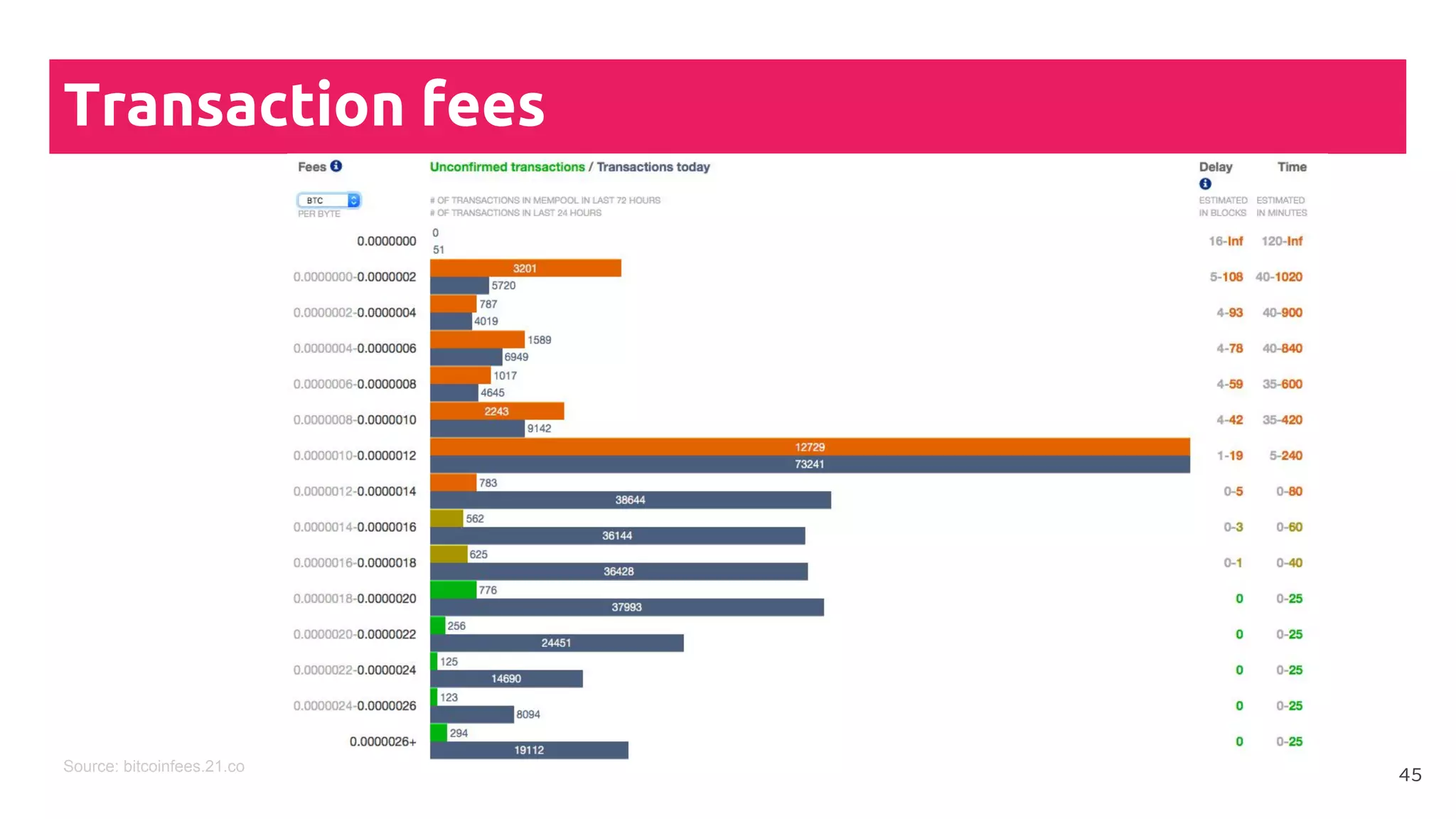
● The demand determines the
transaction fees
●
● Bitcoin has the highest
transaction fees as of today
●
● Most wallets automatically
determine the optimal
transaction fee
44
Transaction fees
45Source: bitcoinfees.21.co
Block explorers
How to trace a transaction on the blockchain
46
Blockchain
Explorers
“Each transaction happening on a
public blockchain gets saved and
can be viewed online by anybody,
by visiting a so-called block
explorer”
47
Block explorers
Live Demo
48
Follow us
blockchainhub.net
blockchainhub
@blockchainhub
Valentin Kalinov
@kondor1030
49

Cryptocurrency tutorial