A creative way to encourage everyone
to think and share ideas
Digital
Brainstorm
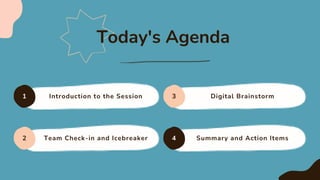
Introduction to the Session
1 3
4
2
Digital Brainstorm
Team Check-in and Icebreaker Summary and Action Items
Today's Agenda
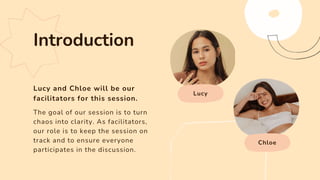
Lucy and Chloe will be our
facilitators for this session.
Lucy
Chloe
The goal of our session is to turn
chaos into clarity. As facilitators,
our role is to keep the session on
track and to ensure everyone
participates in the discussion.
Introduction
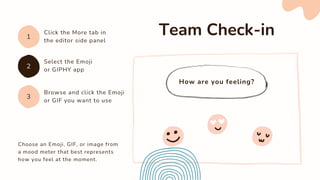
How are you feeling?
Choose an Emoji, GIF, or image from
a mood meter that best represents
how you feel at the moment.
Team Check-in
Click the More tab in
the editor side panel
1
3
2
Select the Emoji
or GIPHY app
Browse and click the Emoji
or GIF you want to use
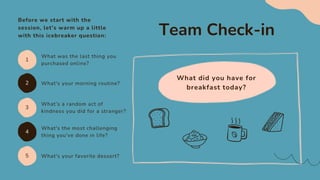
What did you have for
breakfast today?
Team Check-in
Before we start with the
session, let's warm up a little
with this icebreaker question:
1
5
3
2
4
What was the last thing you
purchased online?
What's your favorite dessert?
What's your morning routine?
What's the most challenging
thing you've done in life?
What’s a random act of
kindness you did for a stranger?
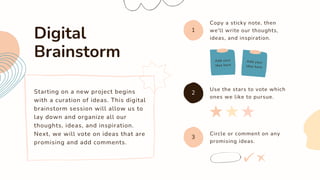
Starting on a new project begins
with a curation of ideas. This digital
brainstorm session will allow us to
lay down and organize all our
thoughts, ideas, and inspiration.
Next, we will vote on ideas that are
promising and add comments.
Digital
Brainstorm
Copy a sticky note, then
we'll write our thoughts,
ideas, and inspiration.
1
3
2
Use the stars to vote which
ones we like to pursue.
Circle or comment on any
promising ideas.
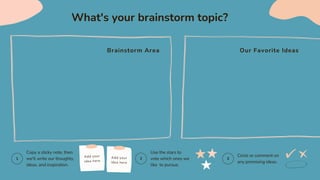
What's your brainstorm topic?
Brainstorm Area Our Favorite Ideas
1 2 3
Copy a sticky note, then
we'll write our thoughts,
ideas, and inspiration.
Use the stars to
vote which ones we
like to pursue.
Circle or comment on
any promising ideas.
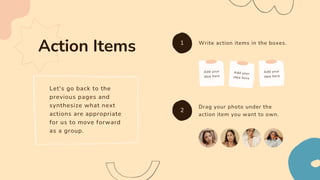
Let's go back to the
previous pages and
synthesize what next
actions are appropriate
for us to move forward
as a group.
Action Items Write action items in the boxes.
1
2
Drag your photo under the
action item you want to own.
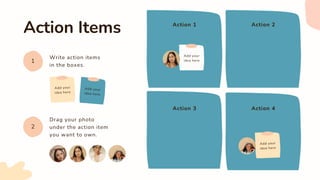
Action Items
Write action items
in the boxes.
Action 1
Action 3
Action 2
Action 4
1
2
Drag your photo
under the action item
you want to own.
Thank you for participating!
That's a wrap!

Creative Abstract Pastel Digital Brainstorm Presentation.pptx

  • 1.
    A creative wayto encourage everyone to think and share ideas Digital Brainstorm
  • 2.
    Introduction to theSession 1 3 4 2 Digital Brainstorm Team Check-in and Icebreaker Summary and Action Items Today's Agenda
  • 3.
    Lucy and Chloewill be our facilitators for this session. Lucy Chloe The goal of our session is to turn chaos into clarity. As facilitators, our role is to keep the session on track and to ensure everyone participates in the discussion. Introduction
  • 4.
    How are youfeeling? Choose an Emoji, GIF, or image from a mood meter that best represents how you feel at the moment. Team Check-in Click the More tab in the editor side panel 1 3 2 Select the Emoji or GIPHY app Browse and click the Emoji or GIF you want to use
  • 5.
    What did youhave for breakfast today? Team Check-in Before we start with the session, let's warm up a little with this icebreaker question: 1 5 3 2 4 What was the last thing you purchased online? What's your favorite dessert? What's your morning routine? What's the most challenging thing you've done in life? What’s a random act of kindness you did for a stranger?
  • 7.
    Starting on anew project begins with a curation of ideas. This digital brainstorm session will allow us to lay down and organize all our thoughts, ideas, and inspiration. Next, we will vote on ideas that are promising and add comments. Digital Brainstorm Copy a sticky note, then we'll write our thoughts, ideas, and inspiration. 1 3 2 Use the stars to vote which ones we like to pursue. Circle or comment on any promising ideas.
  • 8.
    What's your brainstormtopic? Brainstorm Area Our Favorite Ideas 1 2 3 Copy a sticky note, then we'll write our thoughts, ideas, and inspiration. Use the stars to vote which ones we like to pursue. Circle or comment on any promising ideas.
  • 9.
    Let's go backto the previous pages and synthesize what next actions are appropriate for us to move forward as a group. Action Items Write action items in the boxes. 1 2 Drag your photo under the action item you want to own.
  • 10.
    Action Items Write actionitems in the boxes. Action 1 Action 3 Action 2 Action 4 1 2 Drag your photo under the action item you want to own.
  • 11.
    Thank you forparticipating! That's a wrap!