Home Contents


Creating, altering and dropping tables

In this part of the SQLite tutorial, we will cover the data definition language (DDL) of the SQLite

database. The DDL consists of SQL statements that define the database schema. The schema is the

database structure defined in a formal language. In relational databases, the schema defines the

tables, views, indexes, relationships or triggers.


The SQLite supports the following three DDL statements:


    •   CREATE

    •   ALTER TABLE

    •   DROP


In SQLite, the CREATE statement is used to create tables, indexes, views and triggers. The ALTER

TABLE statement changes the structure of the table. The DROP statement removes tables, indexes,

views and triggers.


CREATE and DROP statements

The CREATE statement is used to create tables. It is also used to create indexes, views and triggers.


To create a table, we give a name to a table and to its columns. Each column can have one of these

data types:


    •   NULL - The value is a NULL value

    •   INTEGER a signed integer

    •   REAL - a floating point value

    •   TEXT - a text string

    •   BLOB - a blob of data


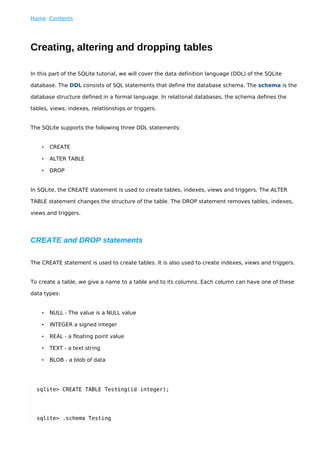
  sqlite> CREATE TABLE Testing(id integer);


  sqlite> .schema Testing
CREATE TABLE Testing(id integer);


We create a simple Testing table with the CREATE TABLE statement. The .schema command shows

the formal definition of the table.


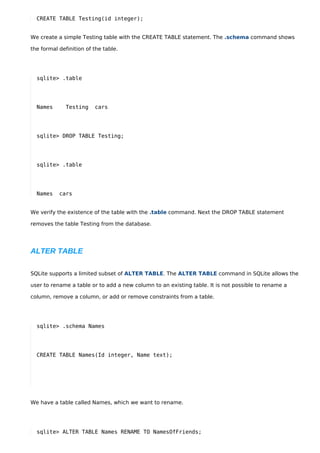
  sqlite> .table


  Names       Testing    cars


  sqlite> DROP TABLE Testing;


  sqlite> .table


  Names    cars


We verify the existence of the table with the .table command. Next the DROP TABLE statement

removes the table Testing from the database.


ALTER TABLE

SQLite supports a limited subset of ALTER TABLE. The ALTER TABLE command in SQLite allows the

user to rename a table or to add a new column to an existing table. It is not possible to rename a

column, remove a column, or add or remove constraints from a table.


  sqlite> .schema Names


  CREATE TABLE Names(Id integer, Name text);


We have a table called Names, which we want to rename.


  sqlite> ALTER TABLE Names RENAME TO NamesOfFriends;
We rename the table to NamesOfFriends.


  sqlite> .schema NamesOfFriends


  CREATE TABLE "NamesOfFriends"(Id integer, Name text);


We verify the schema of the renamed table.


Say we wanted to add a new column to the table.


  sqlite> ALTER TABLE NamesOfFriends ADD COLUMN Email text;


The SQL statement adds a new column named Email to the table.


  sqlite> .schema NamesOfFriends


  CREATE TABLE "NamesOfFriends"(Id integer, Name text, Email text);


Here we see the new structure of the table.


In this part of the SQLite tutorial, we were creating, altering and dropping tables.

Creating, altering and dropping tables

  • 1.
    Home Contents Creating, alteringand dropping tables In this part of the SQLite tutorial, we will cover the data definition language (DDL) of the SQLite database. The DDL consists of SQL statements that define the database schema. The schema is the database structure defined in a formal language. In relational databases, the schema defines the tables, views, indexes, relationships or triggers. The SQLite supports the following three DDL statements: • CREATE • ALTER TABLE • DROP In SQLite, the CREATE statement is used to create tables, indexes, views and triggers. The ALTER TABLE statement changes the structure of the table. The DROP statement removes tables, indexes, views and triggers. CREATE and DROP statements The CREATE statement is used to create tables. It is also used to create indexes, views and triggers. To create a table, we give a name to a table and to its columns. Each column can have one of these data types: • NULL - The value is a NULL value • INTEGER a signed integer • REAL - a floating point value • TEXT - a text string • BLOB - a blob of data sqlite> CREATE TABLE Testing(id integer); sqlite> .schema Testing
  • 2.
    CREATE TABLE Testing(idinteger); We create a simple Testing table with the CREATE TABLE statement. The .schema command shows the formal definition of the table. sqlite> .table Names Testing cars sqlite> DROP TABLE Testing; sqlite> .table Names cars We verify the existence of the table with the .table command. Next the DROP TABLE statement removes the table Testing from the database. ALTER TABLE SQLite supports a limited subset of ALTER TABLE. The ALTER TABLE command in SQLite allows the user to rename a table or to add a new column to an existing table. It is not possible to rename a column, remove a column, or add or remove constraints from a table. sqlite> .schema Names CREATE TABLE Names(Id integer, Name text); We have a table called Names, which we want to rename. sqlite> ALTER TABLE Names RENAME TO NamesOfFriends;
  • 3.
    We rename thetable to NamesOfFriends. sqlite> .schema NamesOfFriends CREATE TABLE "NamesOfFriends"(Id integer, Name text); We verify the schema of the renamed table. Say we wanted to add a new column to the table. sqlite> ALTER TABLE NamesOfFriends ADD COLUMN Email text; The SQL statement adds a new column named Email to the table. sqlite> .schema NamesOfFriends CREATE TABLE "NamesOfFriends"(Id integer, Name text, Email text); Here we see the new structure of the table. In this part of the SQLite tutorial, we were creating, altering and dropping tables.