By:-
R.Vinoth raj
VNR
 SQLite was designed by D. Richard Hipp for the purpose
of no administration required for operating a program.
 SQLite was designed originally on August 2000.
 2000 In August SQLite 1.0 released with GNU database
manager.
SQLite is embedded relational database management
system. It is self-contained, serverless, zero
configuration and transactional SQL database engine.
SQLite is free to use for any purpose commercial or
private.
 SQLite is totally free:
SQLite is open-source
 SQLite is serverless:
SQLite doesn't require a different server
process or system to operate.
 SQLite is very flexible:
It facilitates you to work on multiple
databases on the same session on the same time.
 Configuration Not Required:
SQLite doesn't require configuration. No
setup or administration required.
 Storing data is easy: SQLite provides an efficient way to
store data.
 SQLite is written in ANSI-C and provides simple and
easy-to-use API.
 SQLite is available on UNIX (Linux, Mac OS-X,
Android, iOS) and Windows (Win32, WinCE, WinRT).
Lightweight
SQLite is a very light weighted database so, it is easy
to use it as an embedded software with devices like
televisions, Mobile phones, cameras, home electronic
devices, etc.
Better Performance
Reading and writing operations are very fast for
SQLite database. It is almost 35% faster than File system.
No Installation Needed
SQLite is very easy to learn. Just download
SQLite libraries in your computer and it is ready for
creating the database.
 Database size is restricted to 2GB in most cases.
 We cant use biggest Enterprise applications.
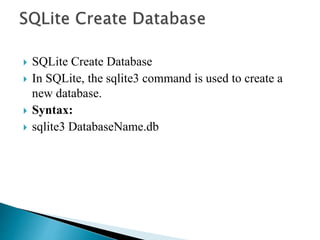
 SQLite Create Database
 In SQLite, the sqlite3 command is used to create a
new database.
 Syntax:
 sqlite3 DatabaseName.db
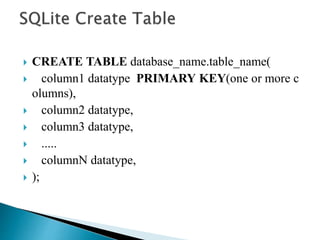
 CREATE TABLE database_name.table_name(
 column1 datatype PRIMARY KEY(one or more c
olumns),
 column2 datatype,
 column3 datatype,
 .....
 columnN datatype,
 );
 INSERT INTO TABLE_NAME [(column1, column
2, column3,...columnN)]
VALUES (value1, value2, value3,...valueN);
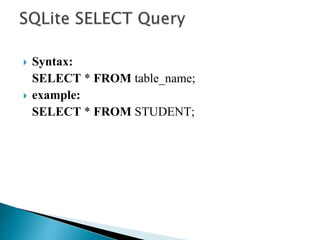
 Syntax:
SELECT * FROM table_name;
 example:
SELECT * FROM STUDENT;
 Syntax:
 UPDATE table_name SET column1 = value1, colu
mn2 = value2...., columnN = valueN WHERE [cond
ition];
 Example:
 Update the ADDRESS of the student where ID is
 UPDATE STUDENT SET ADDRESS = ‘VNR' WH
ERE ID = 1;
 Syntax:
 DELETE FROM table_name
WHERE [conditions....................];;
 Example:
Delete the records of a student from "STUDENT"
table where ID is 4.
DELETE FROM STUDENT WHERE ID = 4;
Sq lite

Sq lite

  • 1.
  • 2.
     SQLite wasdesigned by D. Richard Hipp for the purpose of no administration required for operating a program.  SQLite was designed originally on August 2000.  2000 In August SQLite 1.0 released with GNU database manager.
  • 3.
    SQLite is embeddedrelational database management system. It is self-contained, serverless, zero configuration and transactional SQL database engine. SQLite is free to use for any purpose commercial or private.
  • 4.
     SQLite istotally free: SQLite is open-source  SQLite is serverless: SQLite doesn't require a different server process or system to operate.  SQLite is very flexible: It facilitates you to work on multiple databases on the same session on the same time.
  • 5.
     Configuration NotRequired: SQLite doesn't require configuration. No setup or administration required.  Storing data is easy: SQLite provides an efficient way to store data.  SQLite is written in ANSI-C and provides simple and easy-to-use API.  SQLite is available on UNIX (Linux, Mac OS-X, Android, iOS) and Windows (Win32, WinCE, WinRT).
  • 6.
    Lightweight SQLite is avery light weighted database so, it is easy to use it as an embedded software with devices like televisions, Mobile phones, cameras, home electronic devices, etc. Better Performance Reading and writing operations are very fast for SQLite database. It is almost 35% faster than File system.
  • 7.
    No Installation Needed SQLiteis very easy to learn. Just download SQLite libraries in your computer and it is ready for creating the database.
  • 8.
     Database sizeis restricted to 2GB in most cases.  We cant use biggest Enterprise applications.
  • 9.
     SQLite CreateDatabase  In SQLite, the sqlite3 command is used to create a new database.  Syntax:  sqlite3 DatabaseName.db
  • 10.
     CREATE TABLEdatabase_name.table_name(  column1 datatype PRIMARY KEY(one or more c olumns),  column2 datatype,  column3 datatype,  .....  columnN datatype,  );
  • 11.
     INSERT INTOTABLE_NAME [(column1, column 2, column3,...columnN)] VALUES (value1, value2, value3,...valueN);
  • 12.
     Syntax: SELECT *FROM table_name;  example: SELECT * FROM STUDENT;
  • 13.
     Syntax:  UPDATEtable_name SET column1 = value1, colu mn2 = value2...., columnN = valueN WHERE [cond ition];  Example:  Update the ADDRESS of the student where ID is  UPDATE STUDENT SET ADDRESS = ‘VNR' WH ERE ID = 1;
  • 14.
     Syntax:  DELETEFROM table_name WHERE [conditions....................];;  Example: Delete the records of a student from "STUDENT" table where ID is 4. DELETE FROM STUDENT WHERE ID = 4;