S. Janani, AP/CSE
Kamaraj College of Engineeringand Technology, Madurai
Outline
 What is programming?
 Why learn to program?
 Interactive Tools
 Important Links
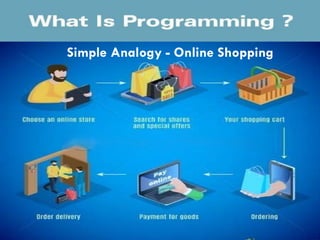
What is Programming?
 Set of step-by-step instructions that tells or directs the
computer what to do
Simple Analogy - Online Shopping
Why learn to Program?
Enhances problem
solving skill and
logical skill
Vast career
opportunities
You Go Man.. Why Me??
Hightech Desks
Latest Software
Advanced Text Books
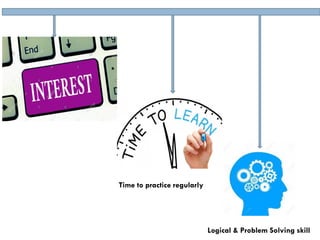
Logical & Problem Solving skill
Time to practice regularly
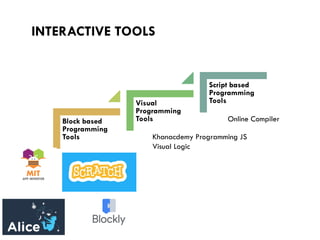
INTERACTIVE TOOLS
Block based
Programming
Tools
Visual
Programming
Tools
Script based
Programming
Tools
Online Compiler
Khanacdemy Programming JS
Visual Logic
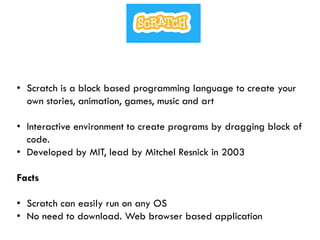
• Scratch is a block based programming language to create your
own stories, animation, games, music and art
• Interactive environment to create programs by dragging block of
code.
• Developed by MIT, lead by Mitchel Resnick in 2003
Facts
• Scratch can easily run on any OS
• No need to download. Web browser based application
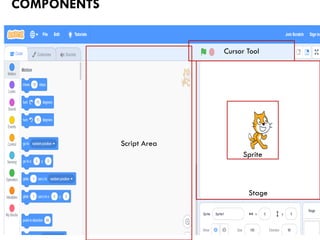
COMPONENTS
Sprite
Stage
Cursor Tool
Script Area
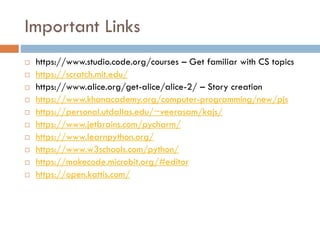
Important Links
 https://www.studio.code.org/courses – Get familiar with CS topics
 https://scratch.mit.edu/
 https://www.alice.org/get-alice/alice-2/ – Story creation
 https://www.khanacademy.org/computer-programming/new/pjs
 https://personal.utdallas.edu/~veerasam/kajs/
 https://www.jetbrains.com/pycharm/
 https://www.learnpython.org/
 https://www.w3schools.com/python/
 https://makecode.microbit.org/#editor
 https://open.kattis.com/
Cool Coding
Cool Coding

Cool Coding