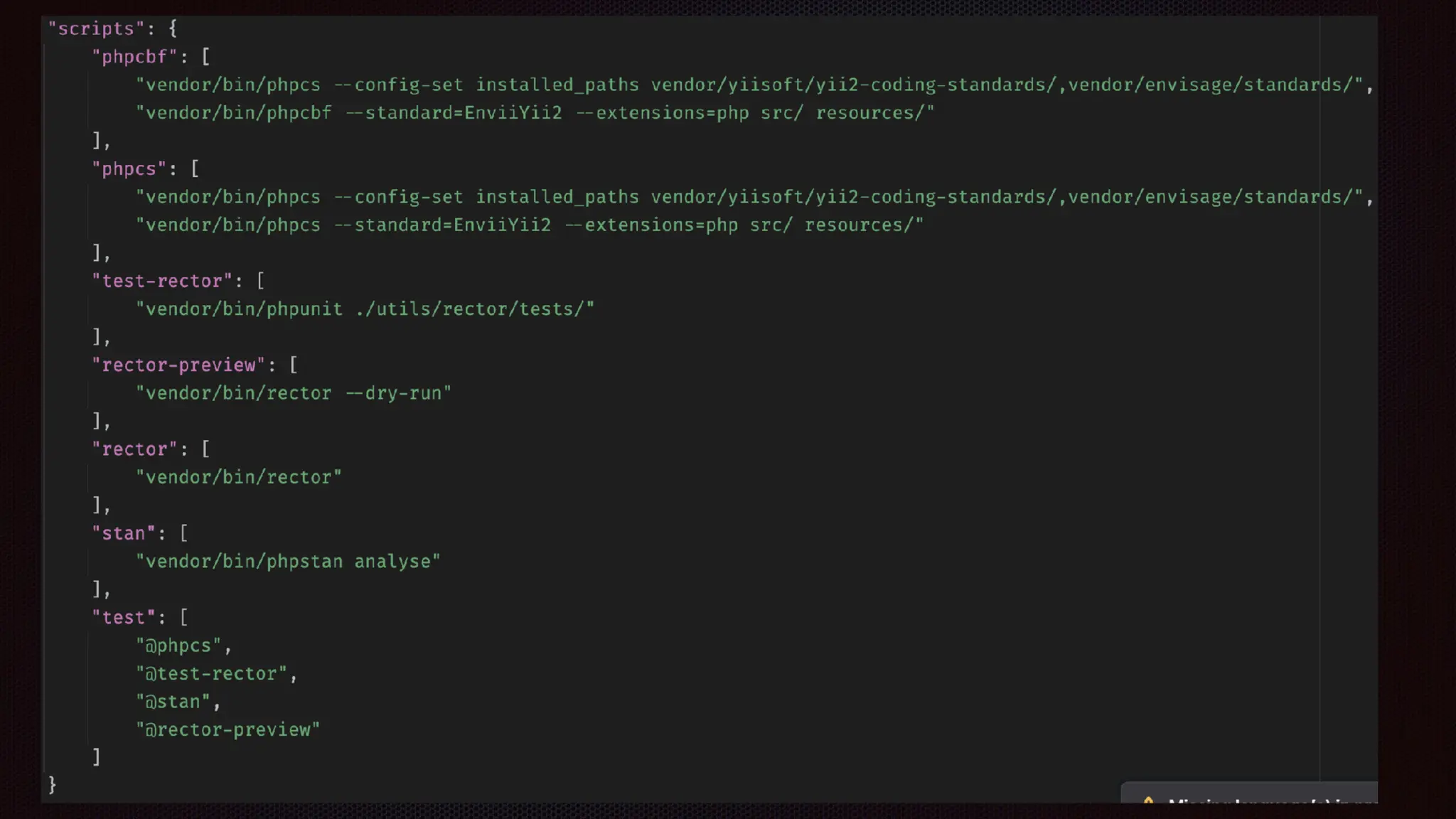
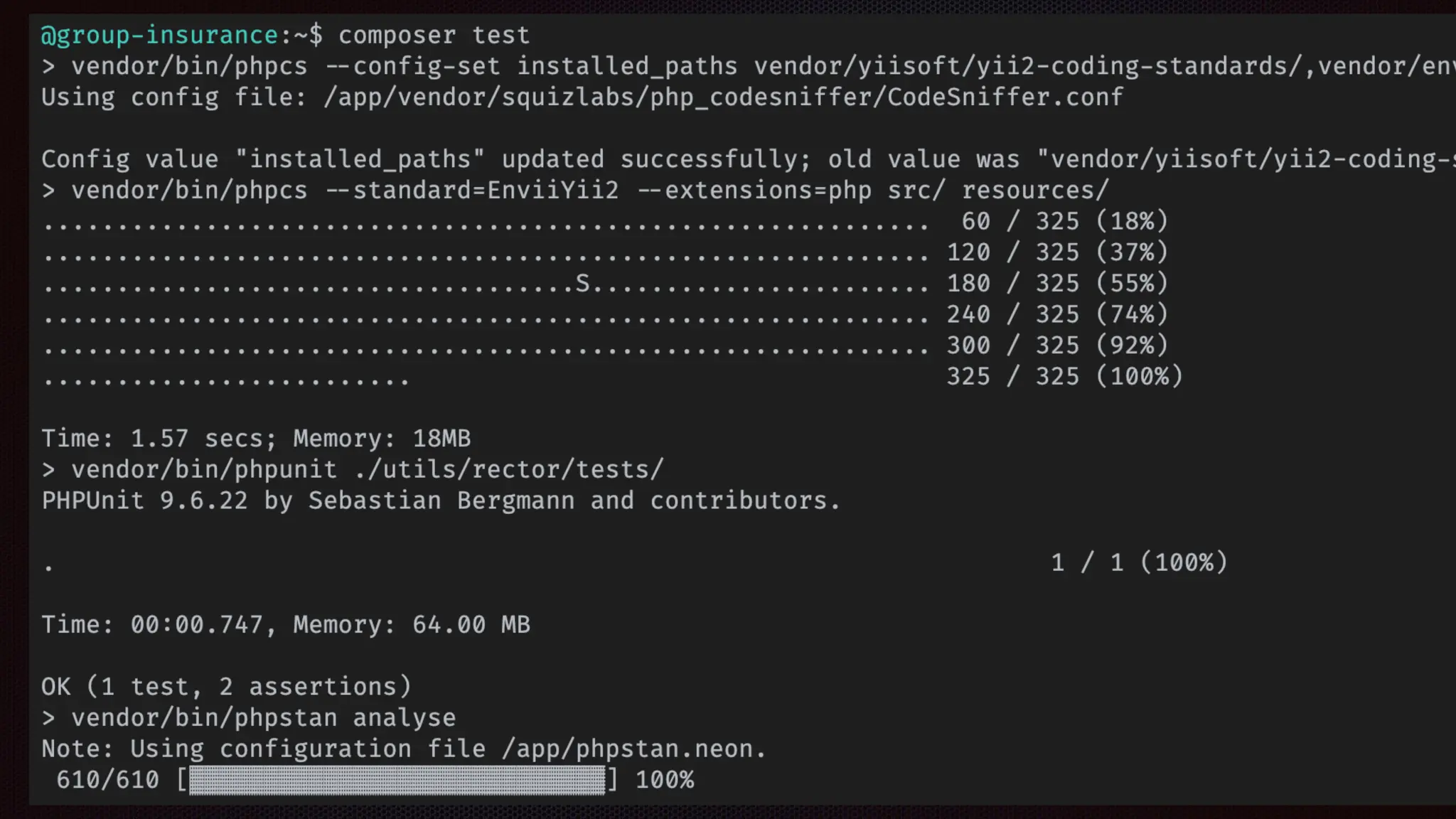
Converting Your Dev Environment
to a Docker Stack
Dana Luther
https://joind.in/talk/7bbd7
https://github.com/DanaLuther/DevDockerStackSample/tree/phptek
@danaluther@phpc.social
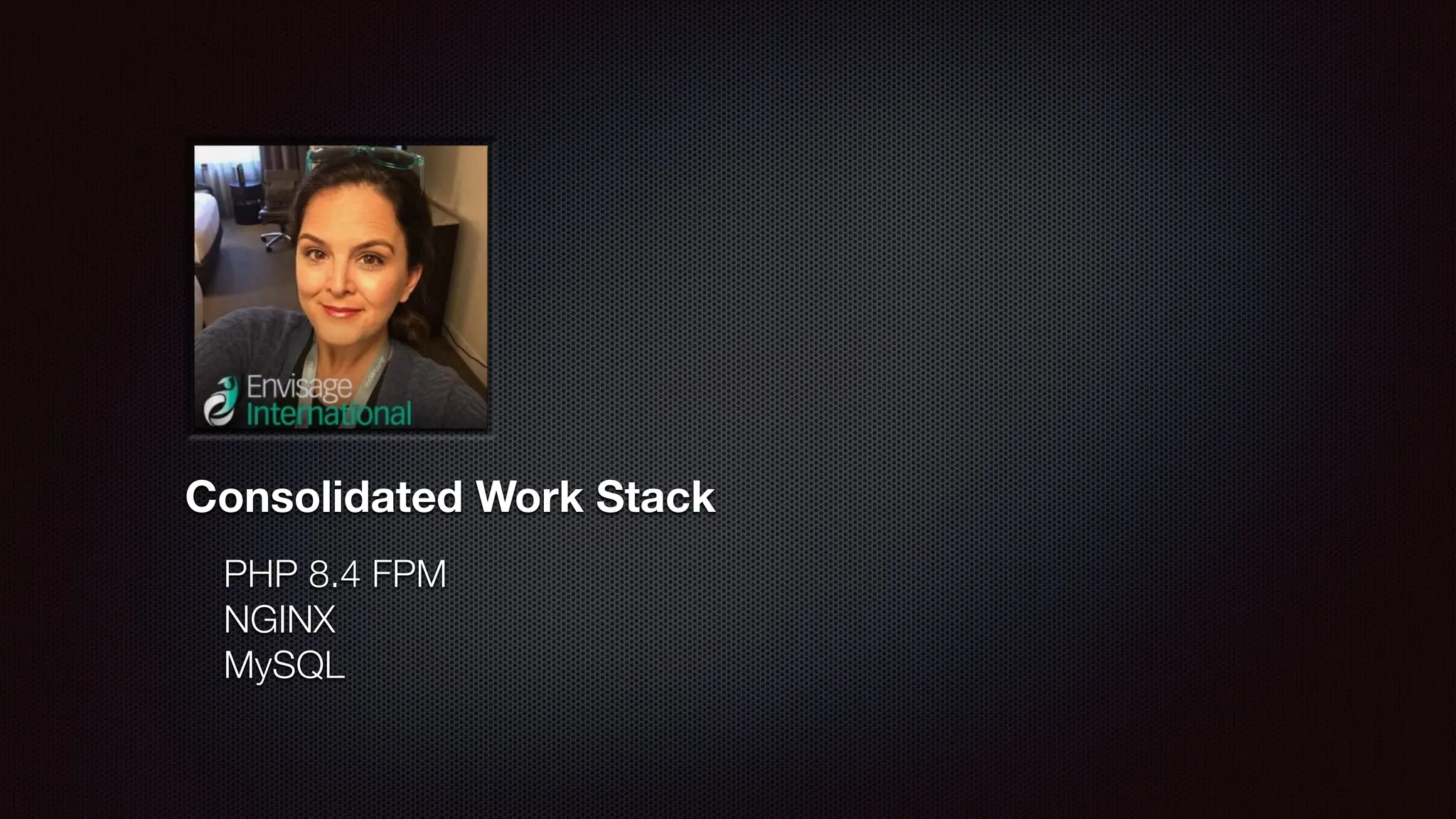
Consolidated Work Stack
PHP 8.4 FPM
NGINX
MySQL
Consolidated Work Stack
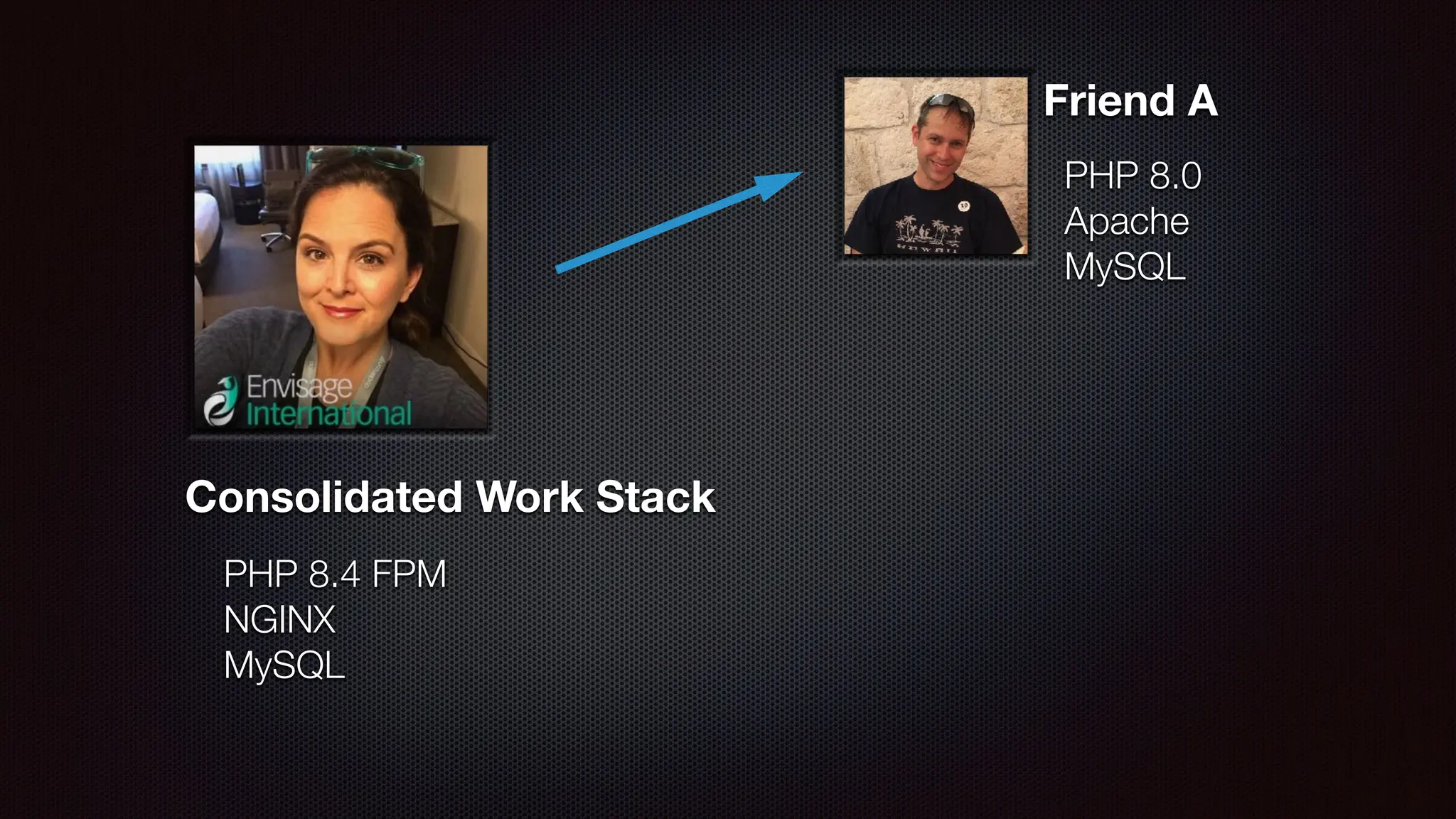
Friend A
PHP 8.0
Apache
MySQL
PHP 8.4 FPM
NGINX
MySQL
Consolidated Work Stack
Friend A
PHP 8.0
Apache
MySQL
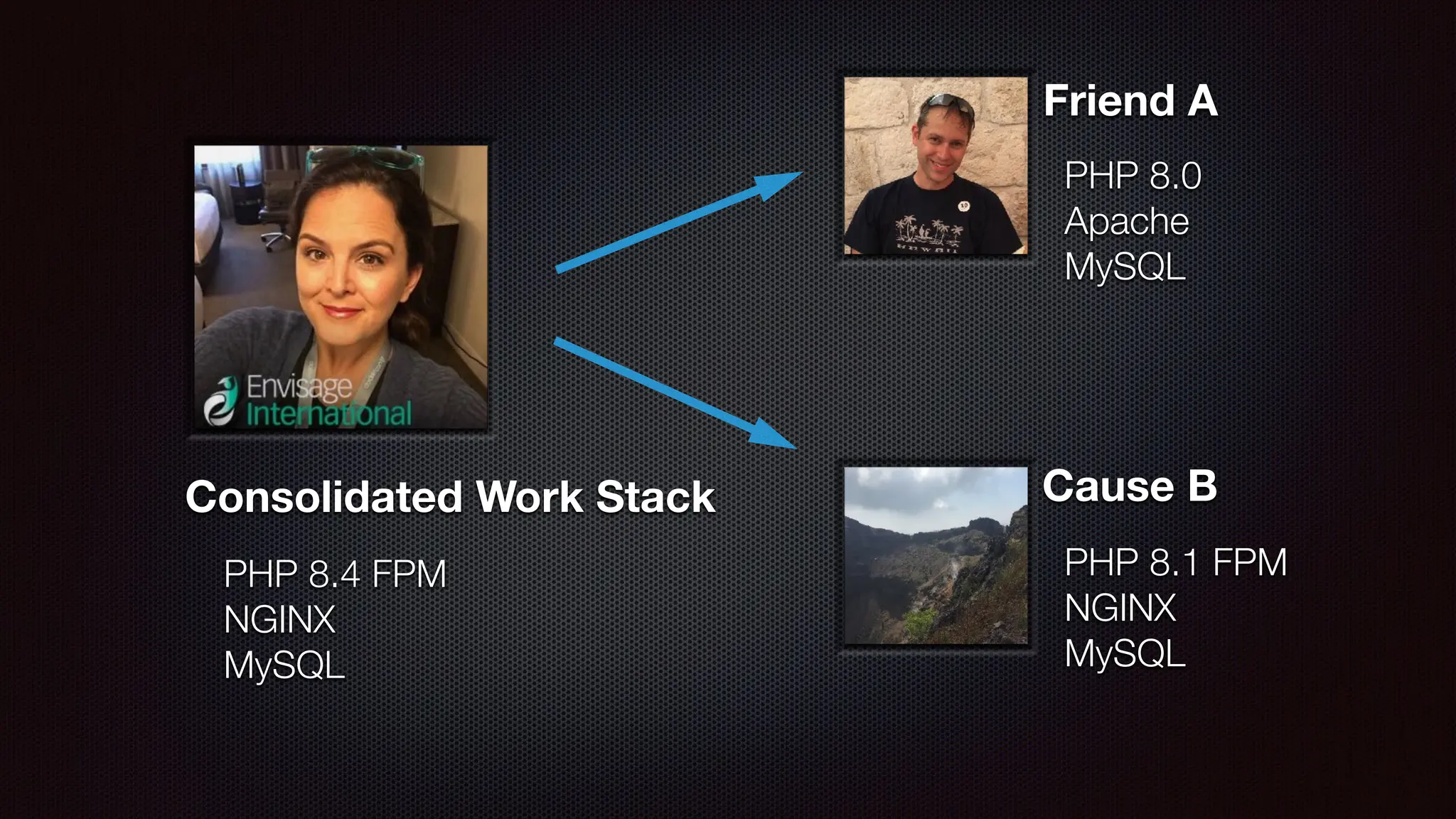
Cause B
PHP 8.1 FPM
NGINX
MySQL
PHP 8.4 FPM
NGINX
MySQL
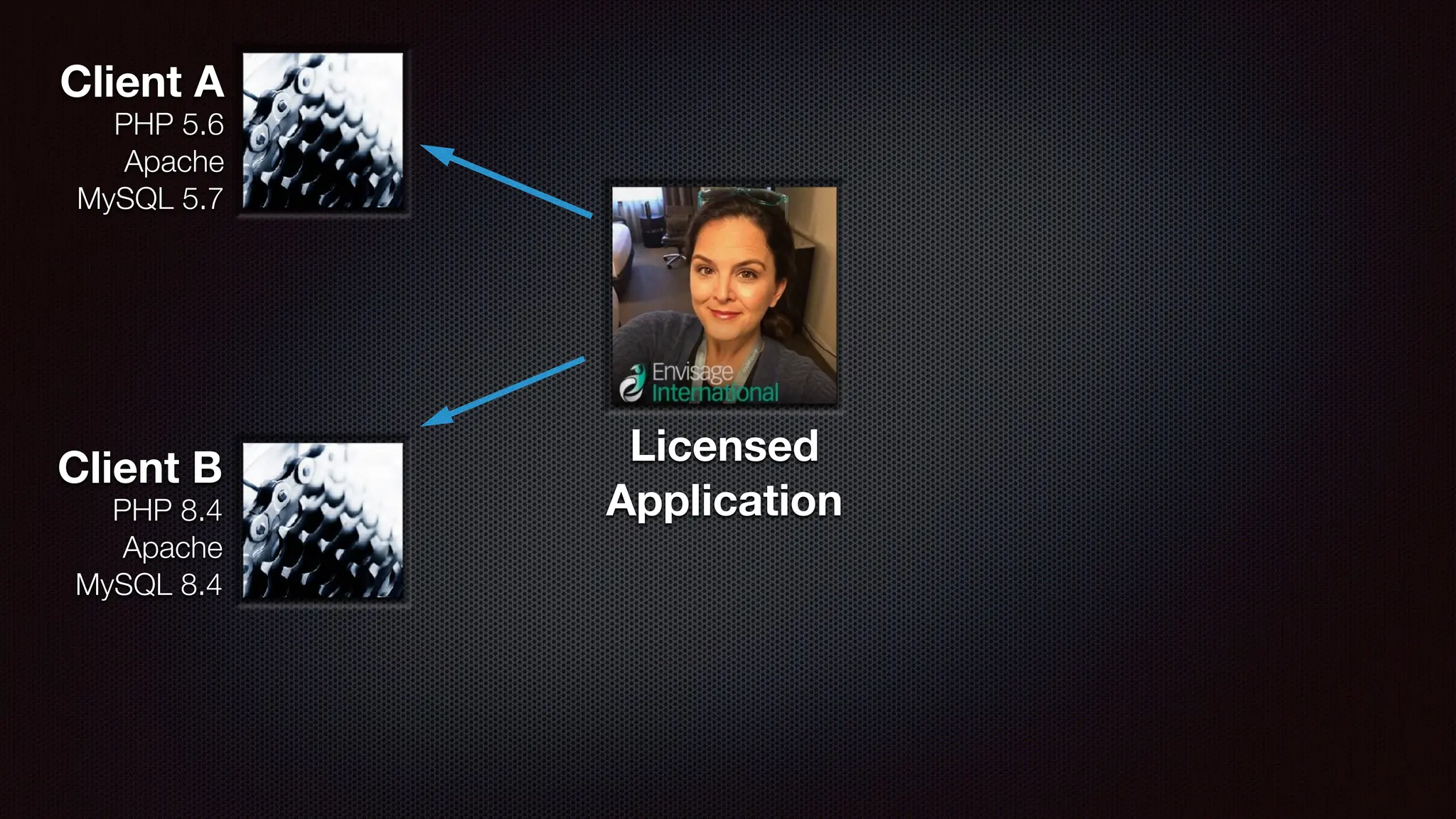
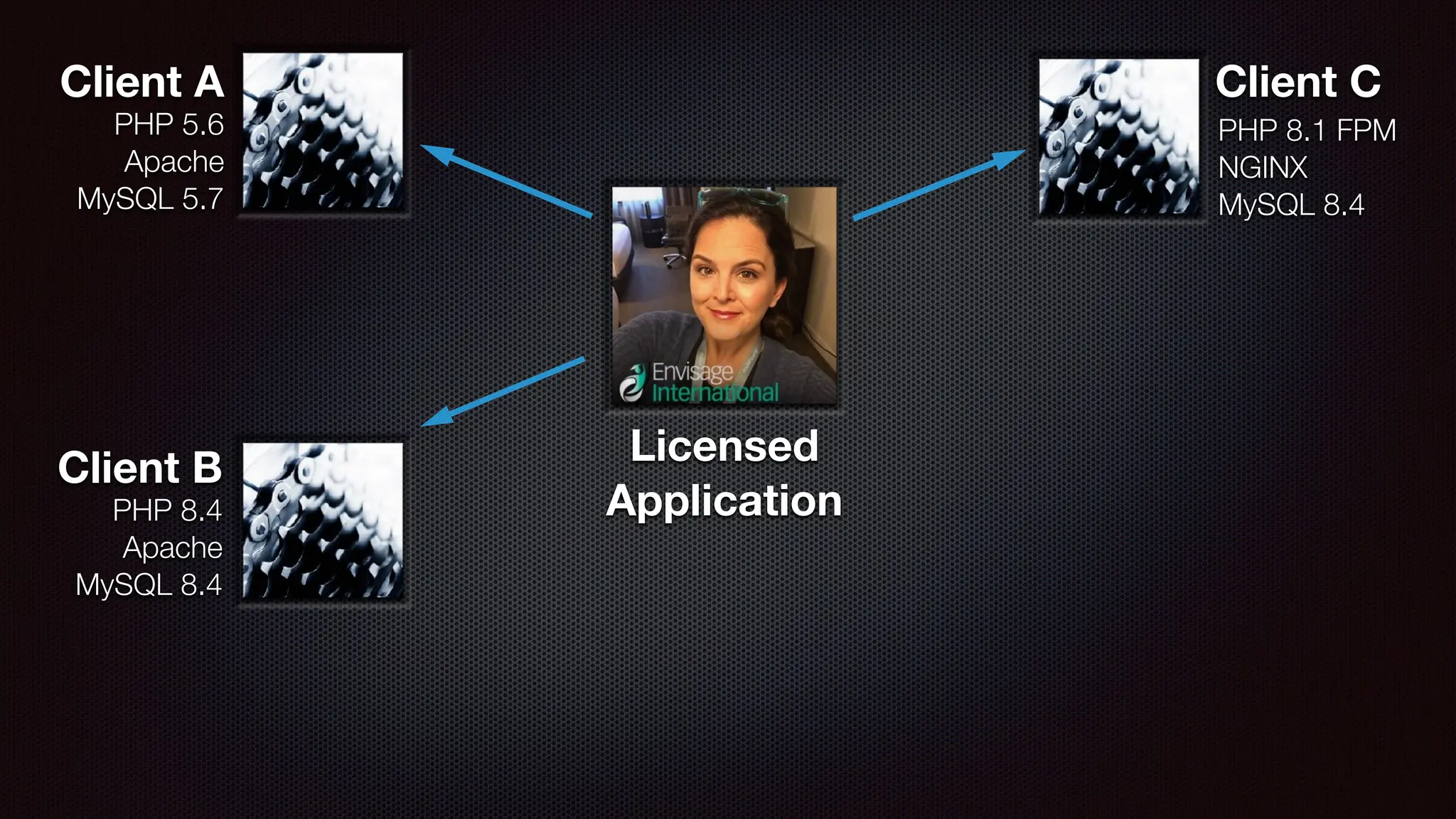
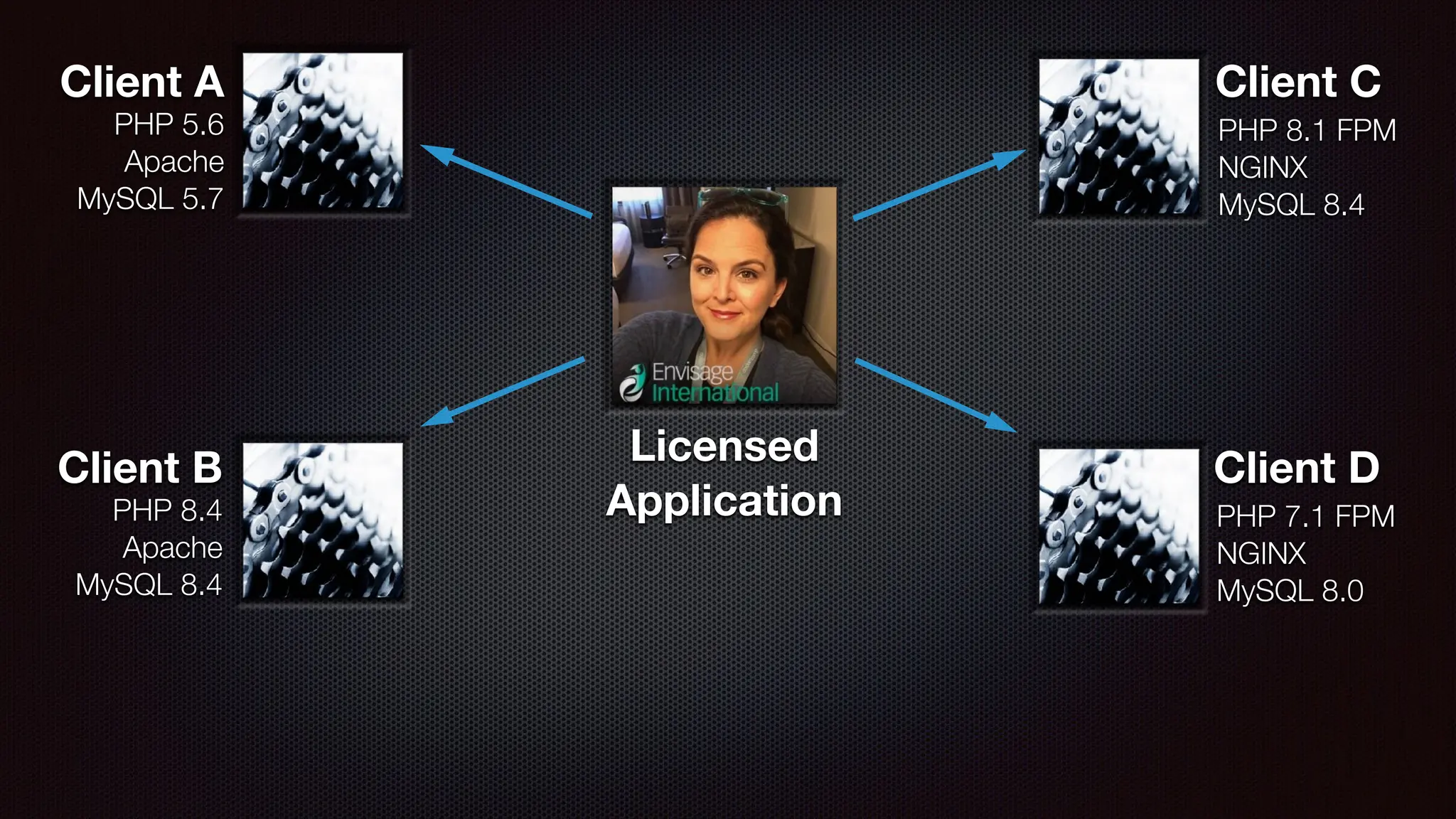
Licensed
Application
Licensed
Application
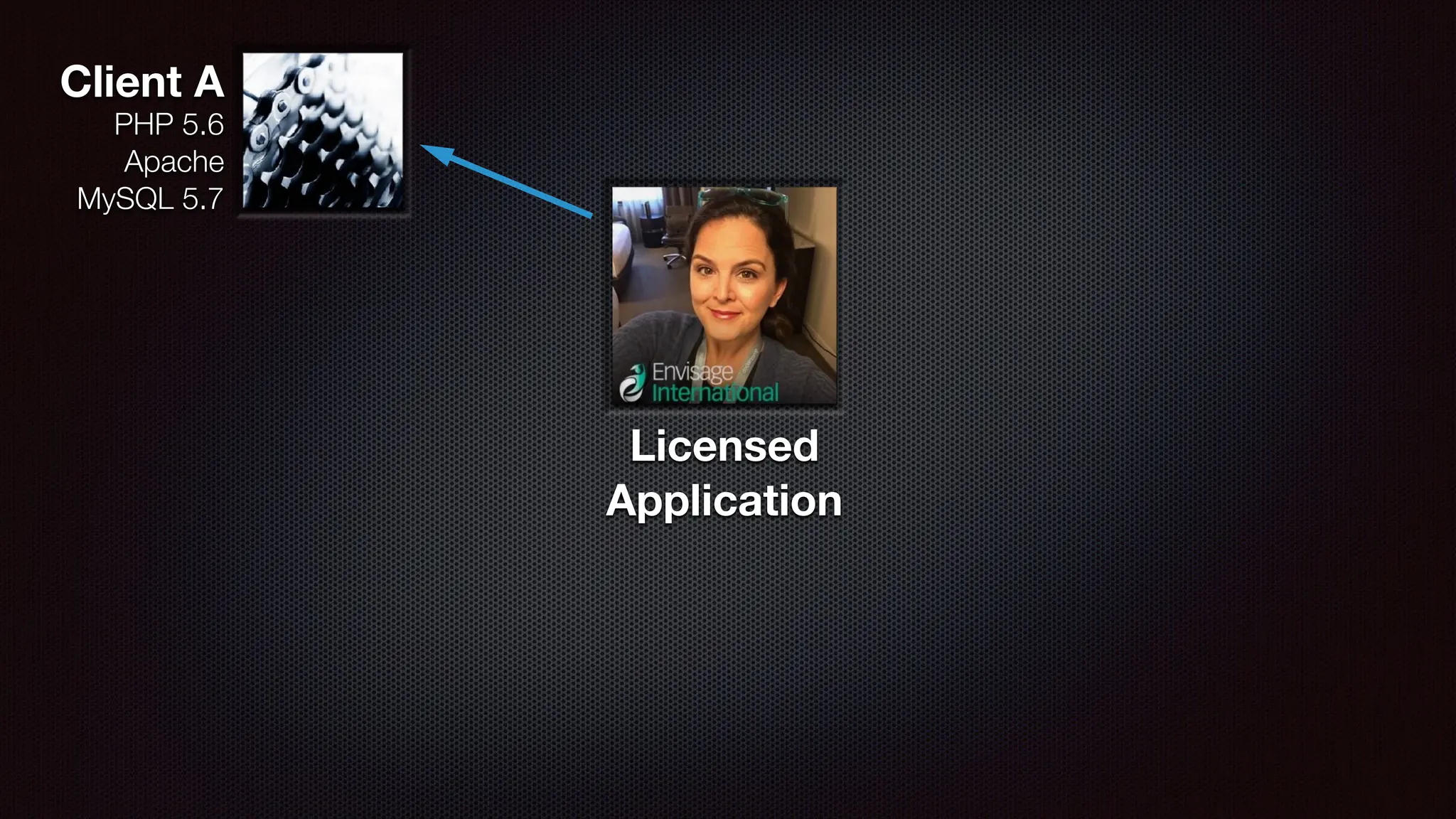
PHP 5.6
Apache
MySQL 5.7
Client A
Licensed
Application
PHP 5.6
Apache
MySQL 5.7
Client A
Client B
PHP 8.4
Apache
MySQL 8.4
Licensed
Application
Client C
PHP 8.1 FPM
NGINX
MySQL 8.4
PHP 5.6
Apache
MySQL 5.7
Client A
Client B
PHP 8.4
Apache
MySQL 8.4
Licensed
Application
Client D
PHP 7.1 FPM
NGINX
MySQL 8.0
Client C
PHP 8.1 FPM
NGINX
MySQL 8.4
PHP 5.6
Apache
MySQL 5.7
Client A
Client B
PHP 8.4
Apache
MySQL 8.4
THERE IS A
BETTER
WAY
THERE IS A
BETTER
WAY
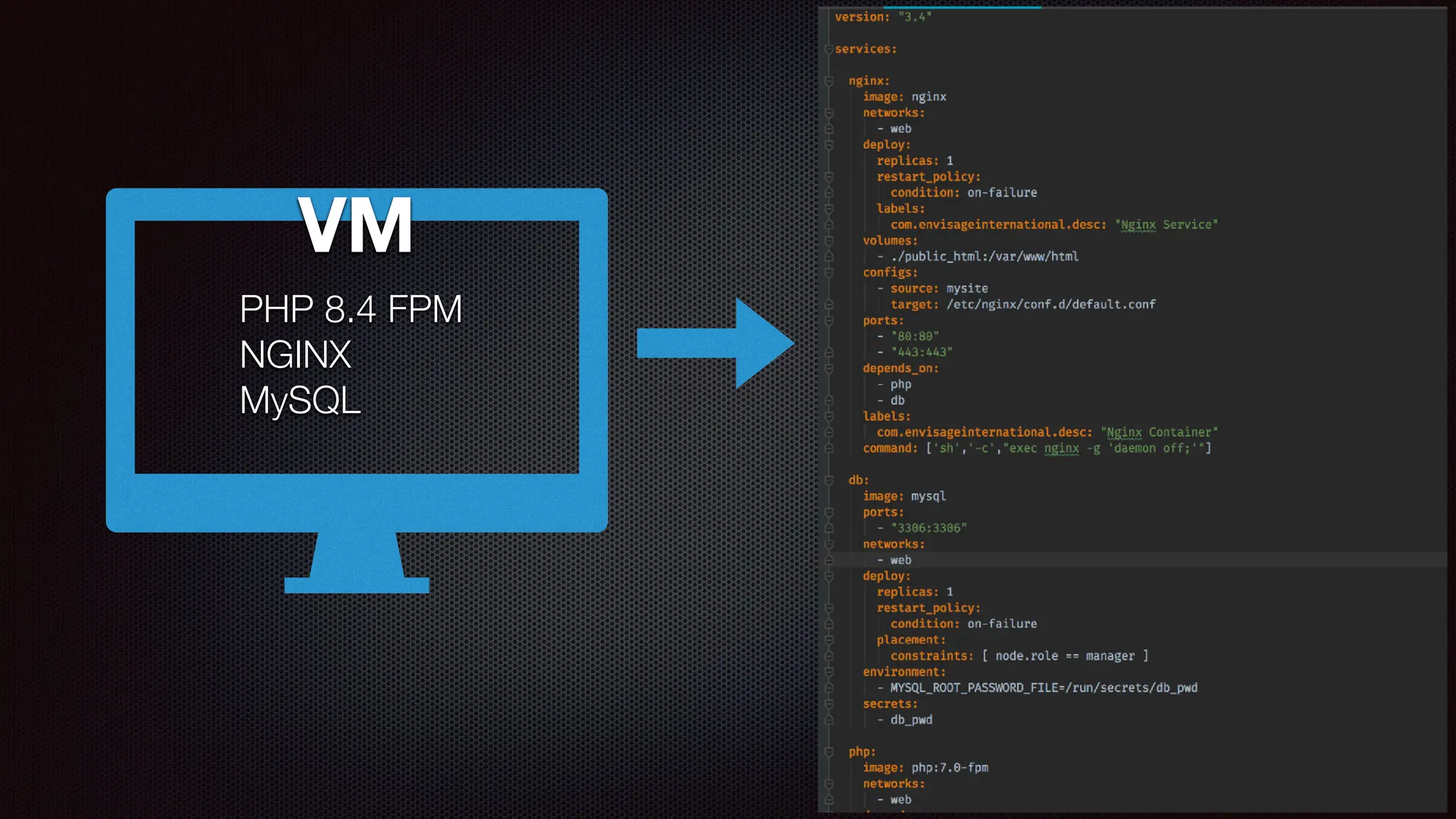
VM
PHP 8.4 FPM
NGINX
MySQL
VM
PHP 8.4 FPM
NGINX
MySQL
So, how does that work???
🤔
?
? ?
?
docker-compose.yml
Docker Compose Version
Services in the Stack
Con
fi
gurations,
Secrets,
Storage Volumes,
etc.
Version: “3.7”
services:
nginx:
image: nginx
command: [
'sh',
'
-
c',
"exec nginx
-
g 'daemon off;'"
]
…
php:
image: php:8.4-fpm
…
network:
web_frontend
conf
i
g:
nginx.conf:
f
i
le: ./nginx/nginx.conf
volumes:
https://docs.docker.com/compose/compose-
fi
le/
SIDEB
AR:The Docker Hierarchy
SIDEB
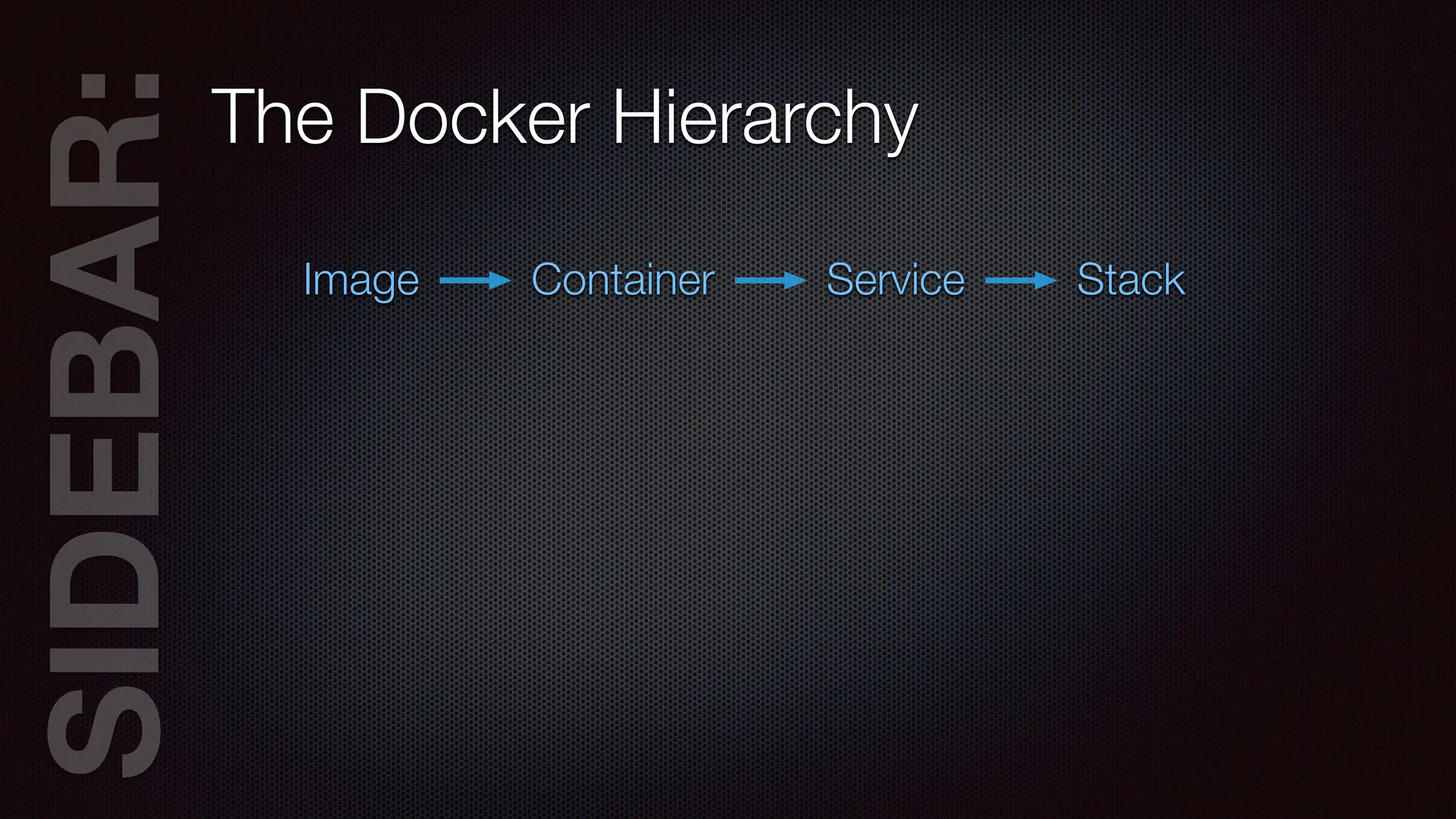
AR:The Docker Hierarchy
Image Container Service Stack
SIDEB
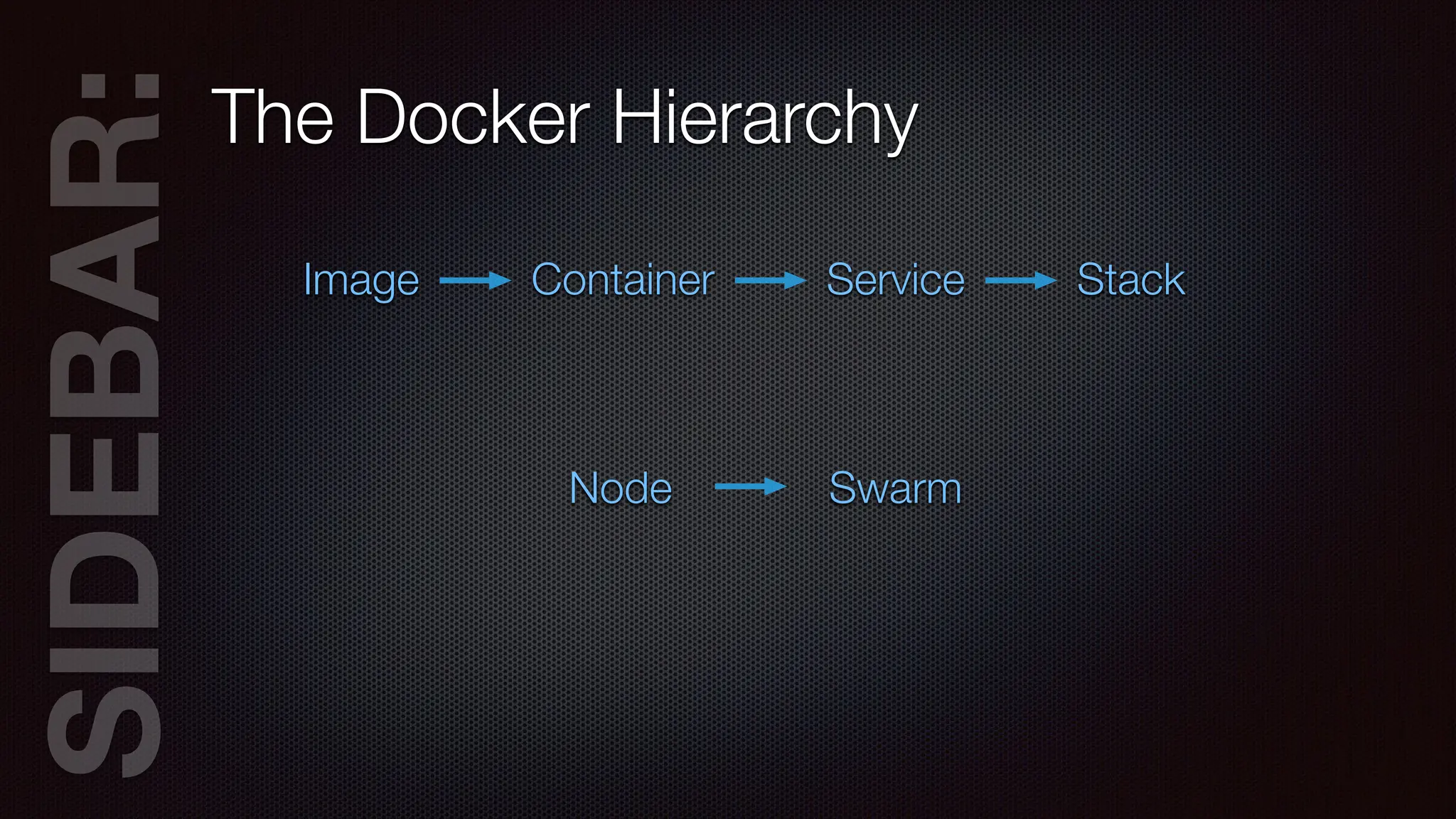
AR:The Docker Hierarchy
Image Container Service Stack
Node Swarm
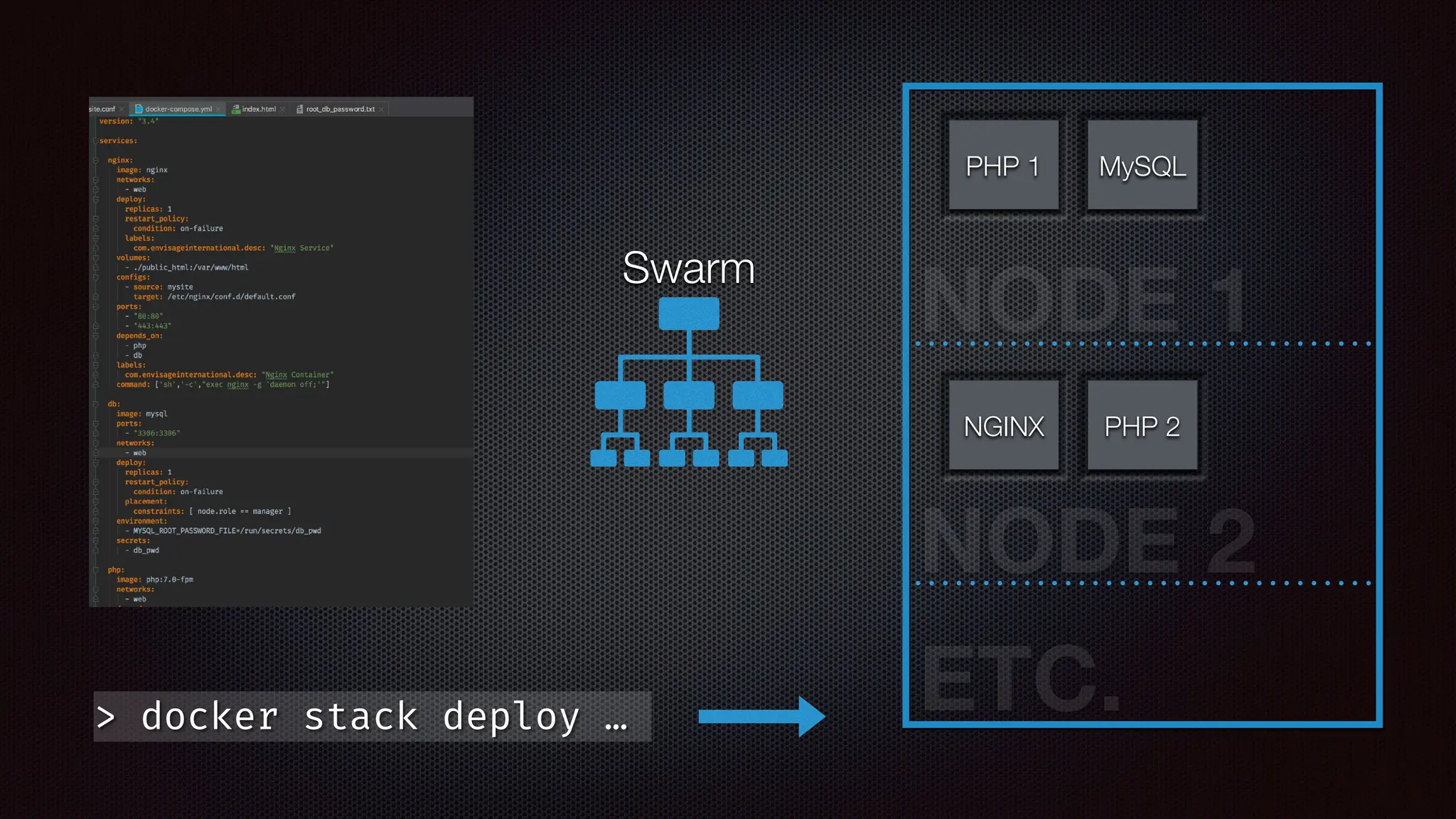
> docker stack deploy …
Swarm
NODE 1
NODE 2
ETC.
PHP 1 MySQL
NGINX PHP 2
SIDEB
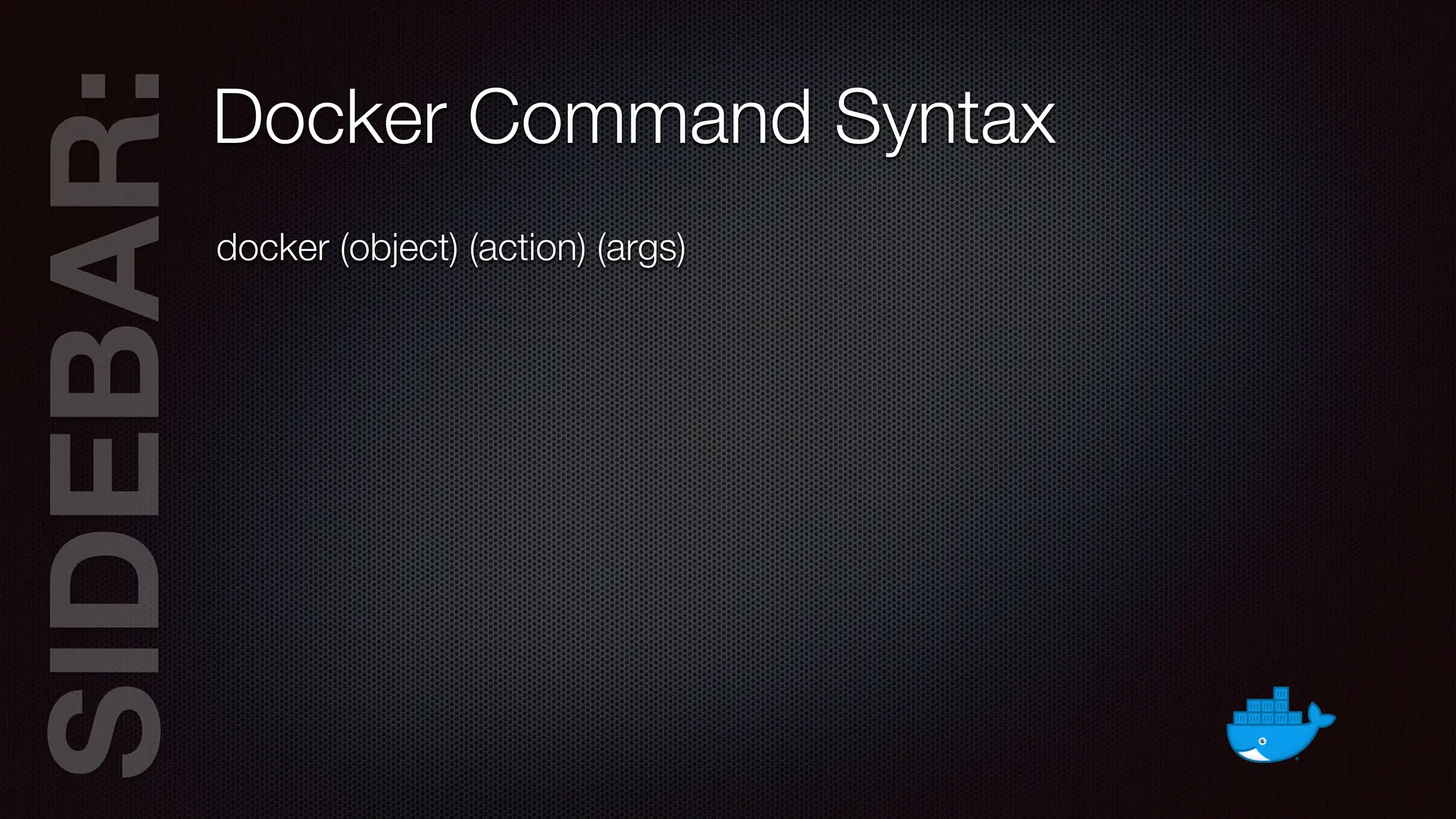
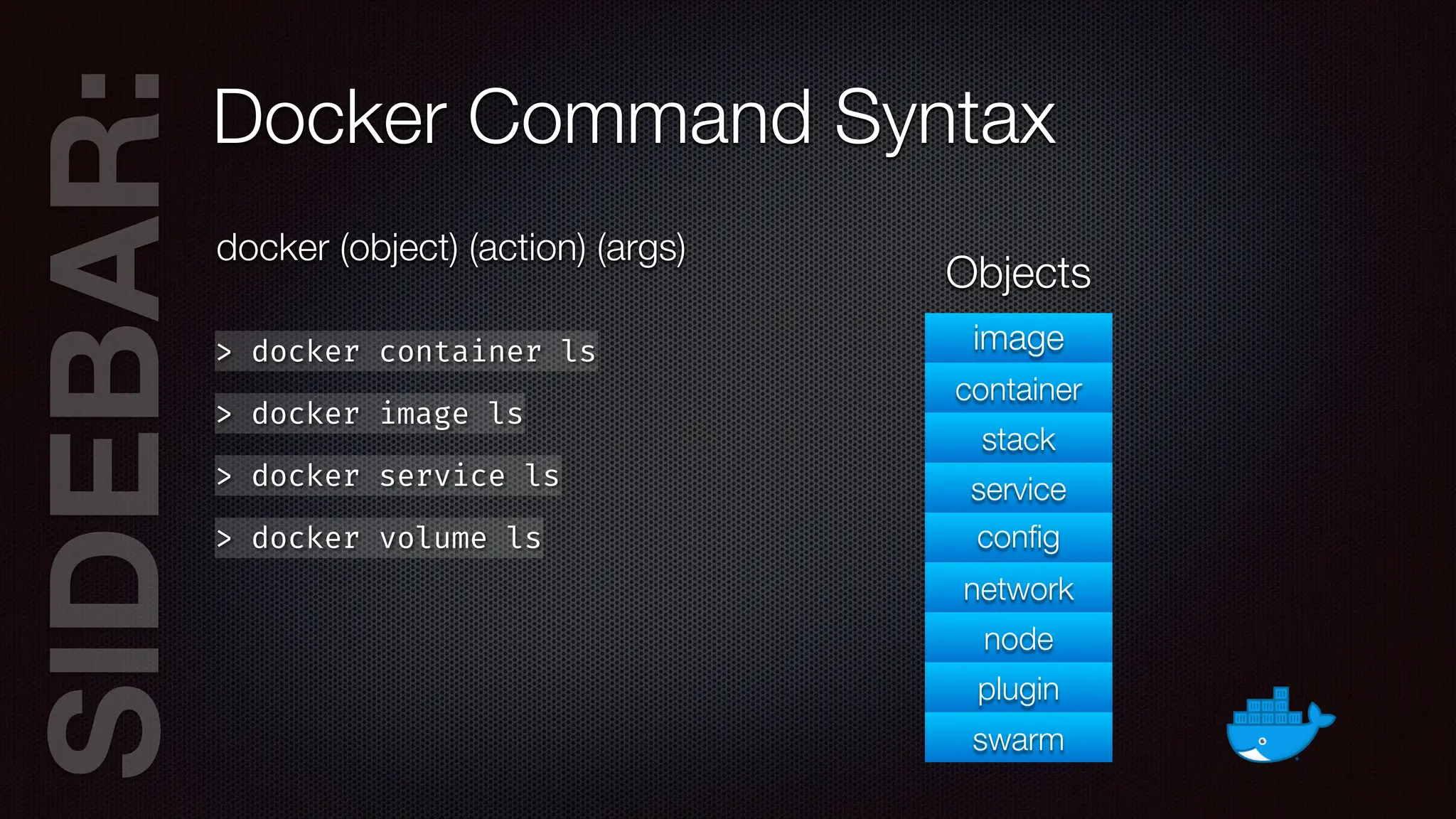
AR:Docker Command Syntax
docker (object) (action) (args)
SIDEB
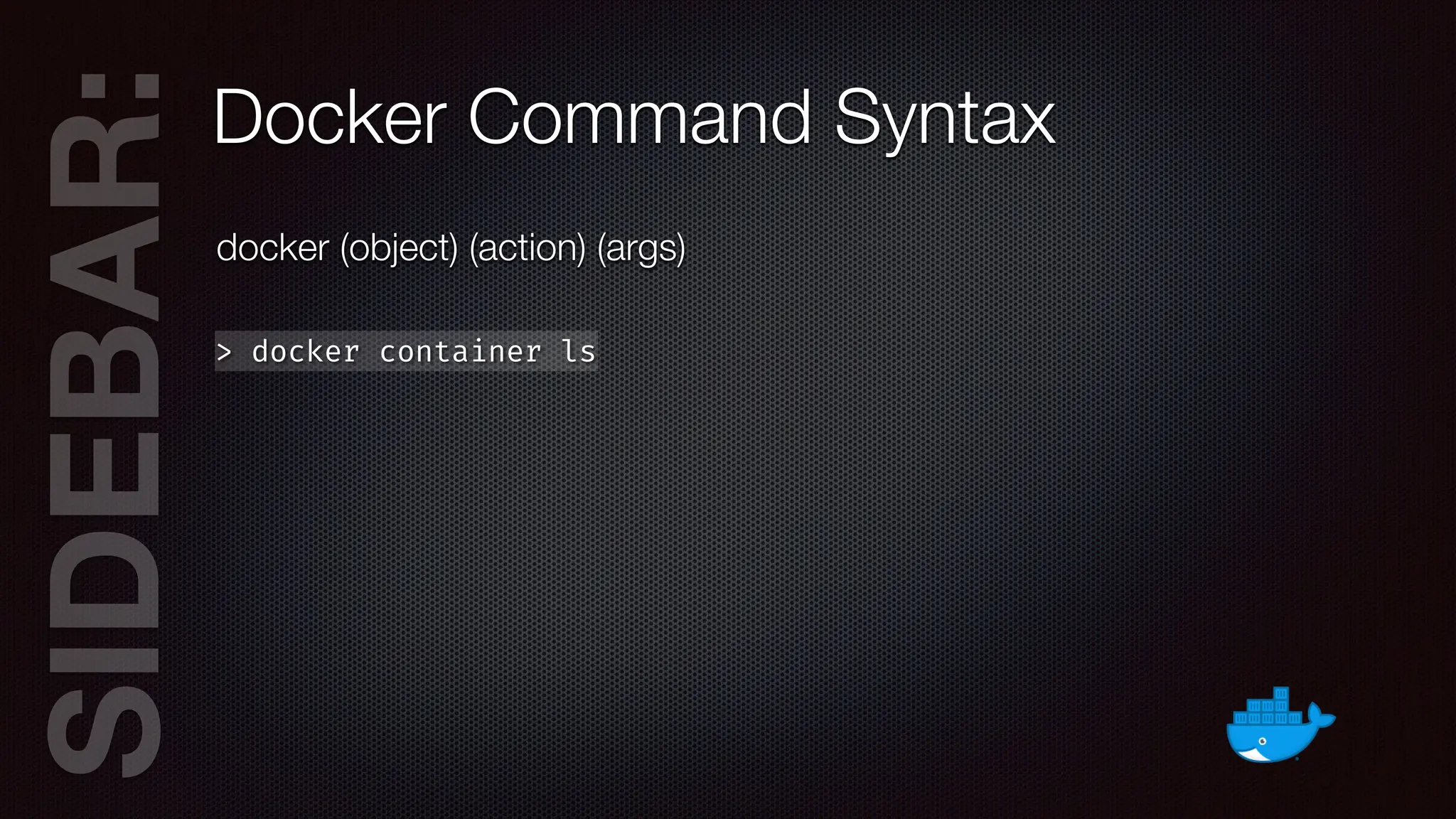
AR:Docker Command Syntax
docker (object) (action) (args)
> docker container ls
SIDEB
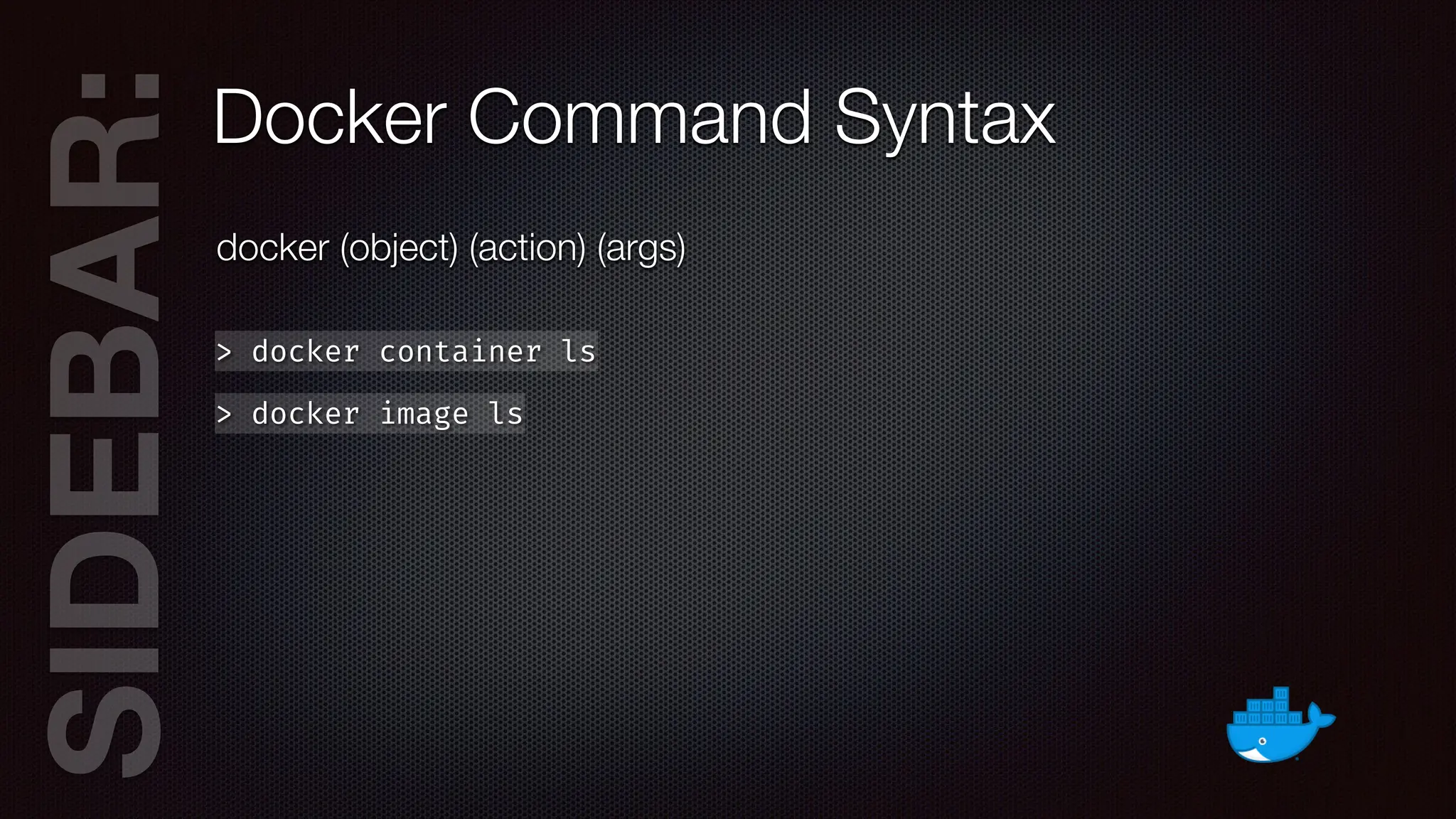
AR:Docker Command Syntax
docker (object) (action) (args)
> docker container ls
> docker image ls
SIDEB
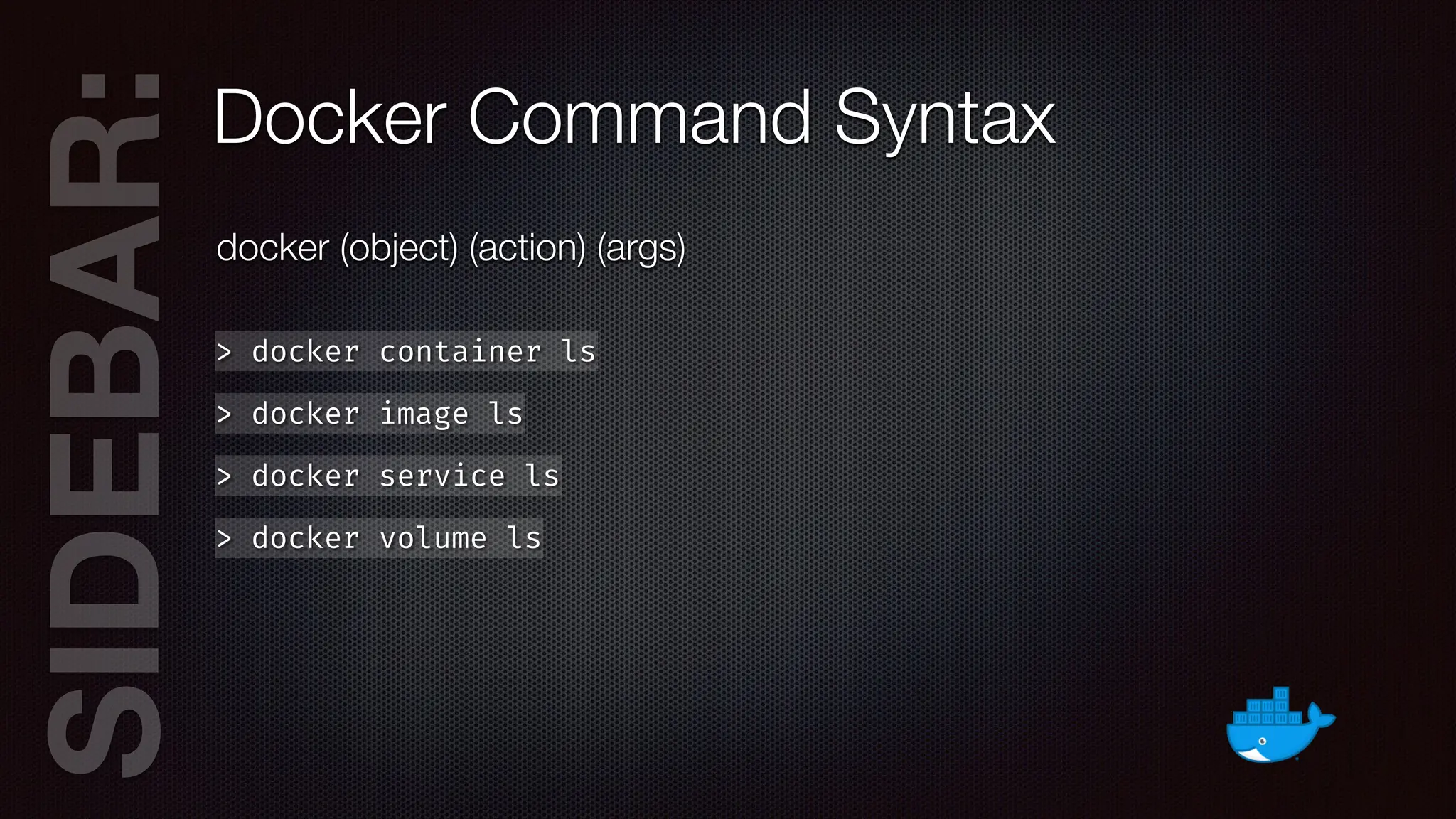
AR:Docker Command Syntax
docker (object) (action) (args)
> docker container ls
> docker image ls
> docker service ls
SIDEB
AR:Docker Command Syntax
docker (object) (action) (args)
> docker container ls
> docker image ls
> docker service ls
> docker volume ls
SIDEB
AR:Docker Command Syntax
docker (object) (action) (args)
> docker container ls
> docker image ls
> docker service ls
> docker volume ls
image
container
stack
service
con
fi
g
network
node
plugin
swarm
Objects
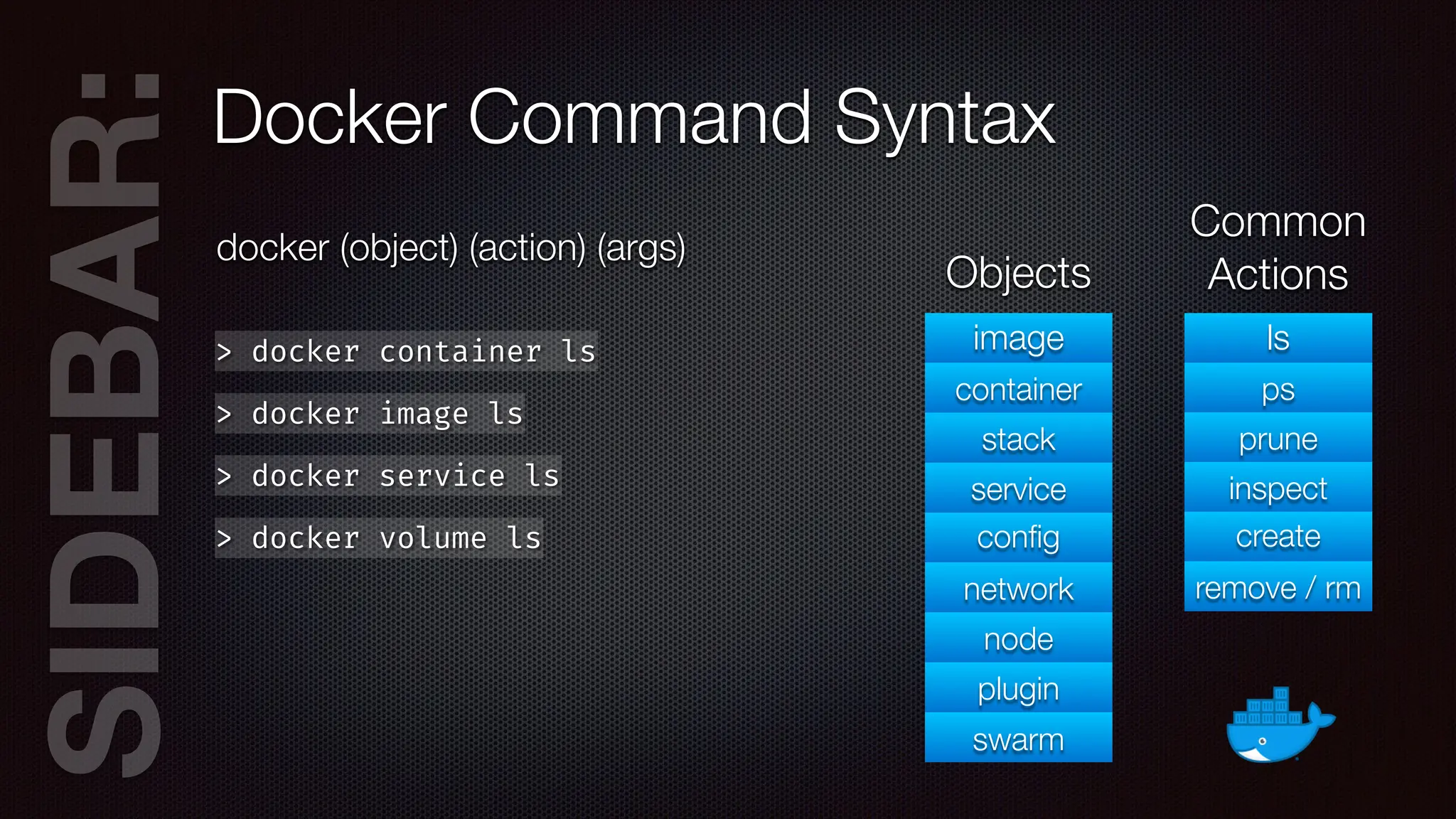
SIDEB
AR:Docker Command Syntax
docker (object) (action) (args)
> docker container ls
> docker image ls
> docker service ls
> docker volume ls
image
container
stack
service
con
fi
g
network
node
plugin
swarm
Objects
ls
ps
prune
inspect
create
remove / rm
Common
Actions
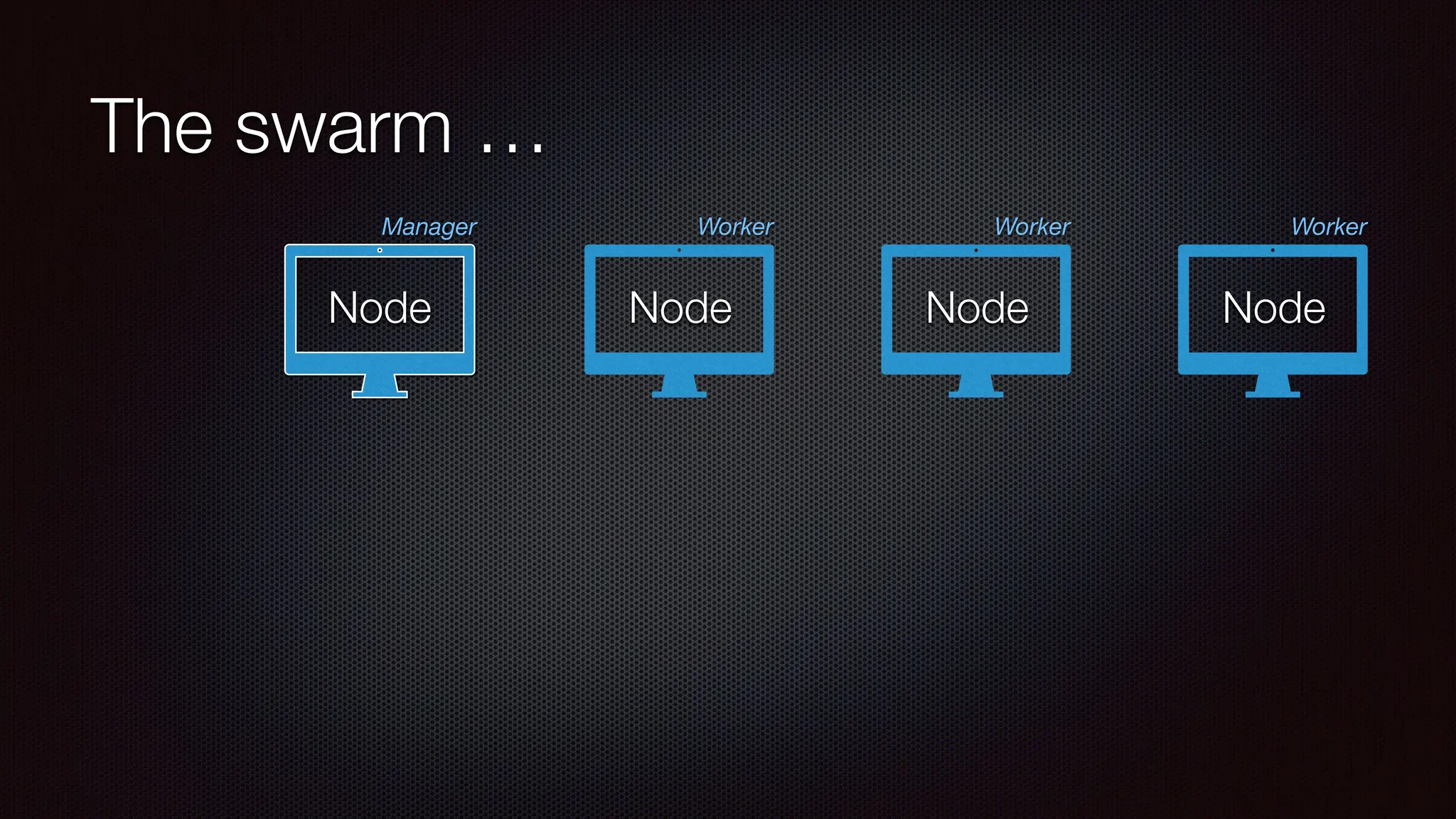
The swarm …
Node
Manager
Node
Worker
Node
Worker
Node
Worker
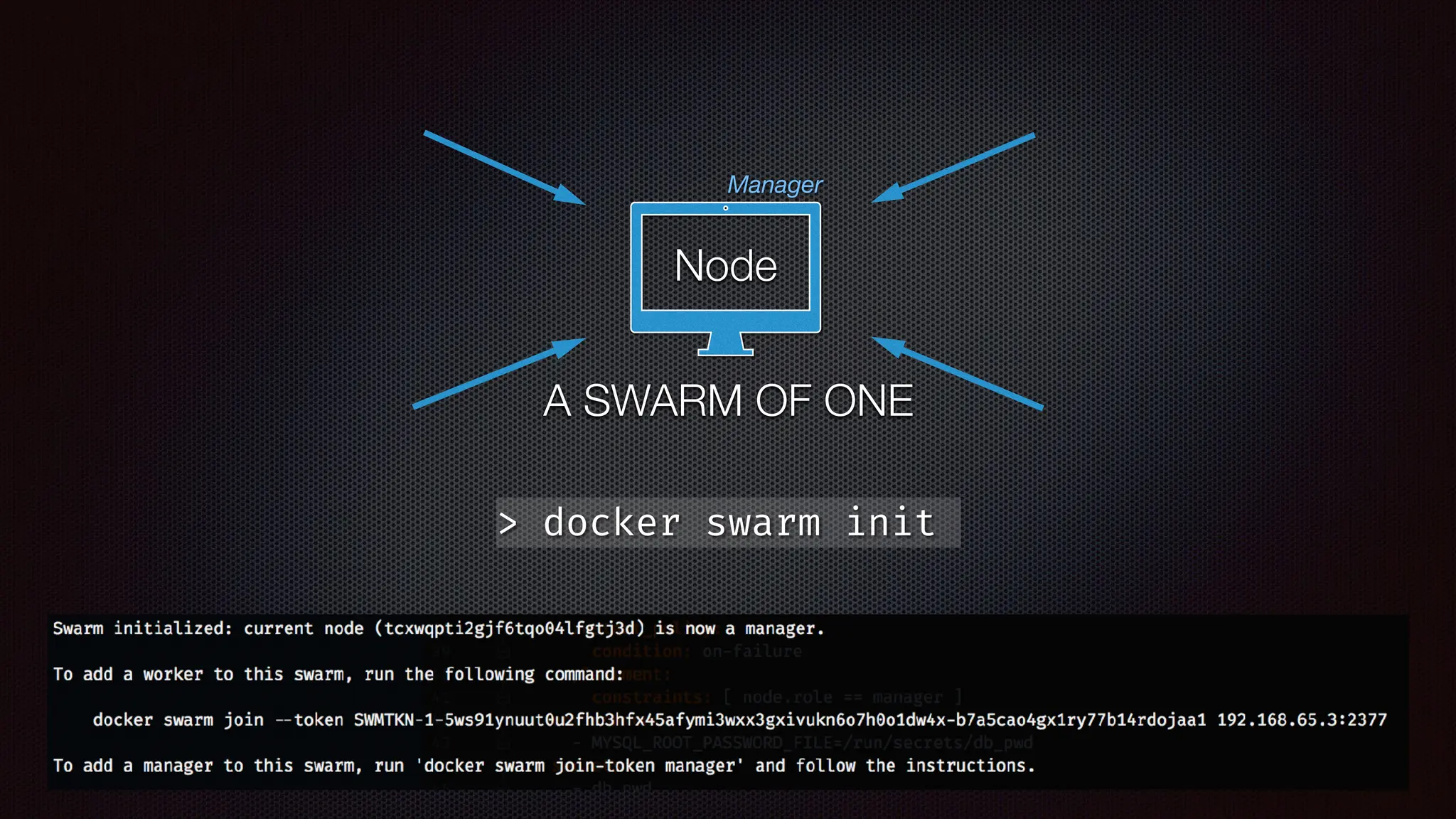
Node
Manager
A SWARM OF ONE
> docker swarm init
Node
Manager
A SWARM OF ONE
> docker swarm init
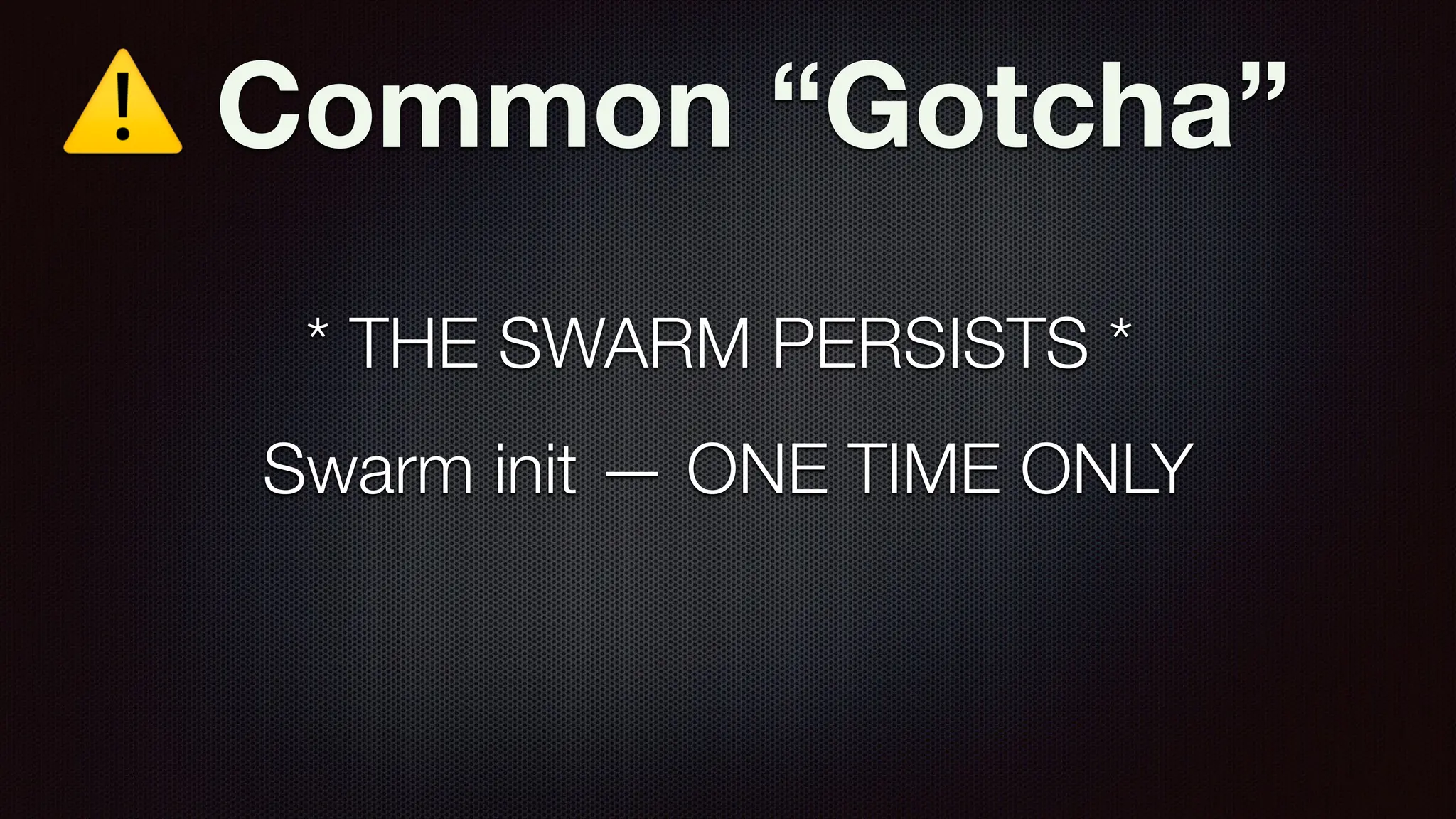
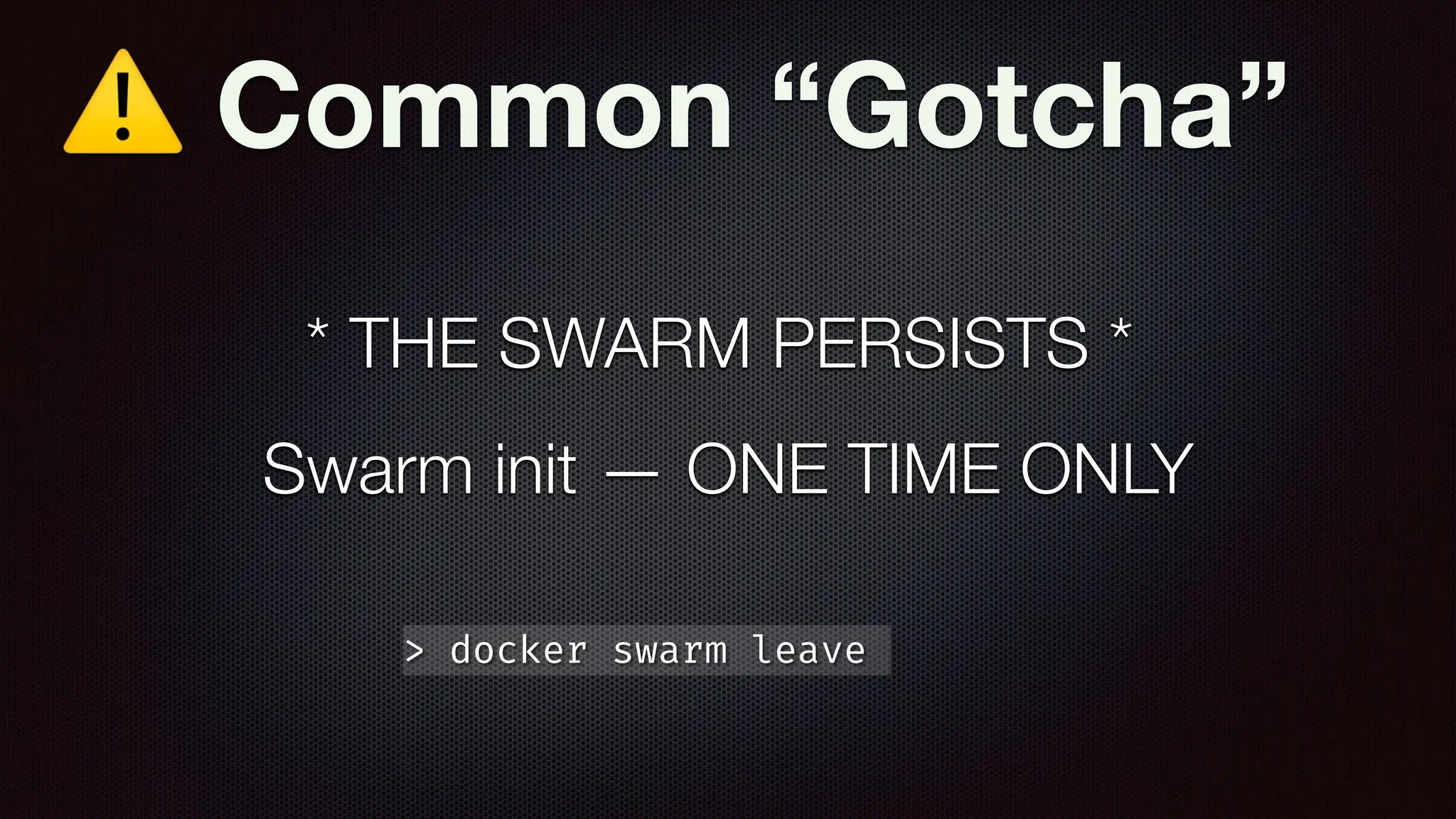
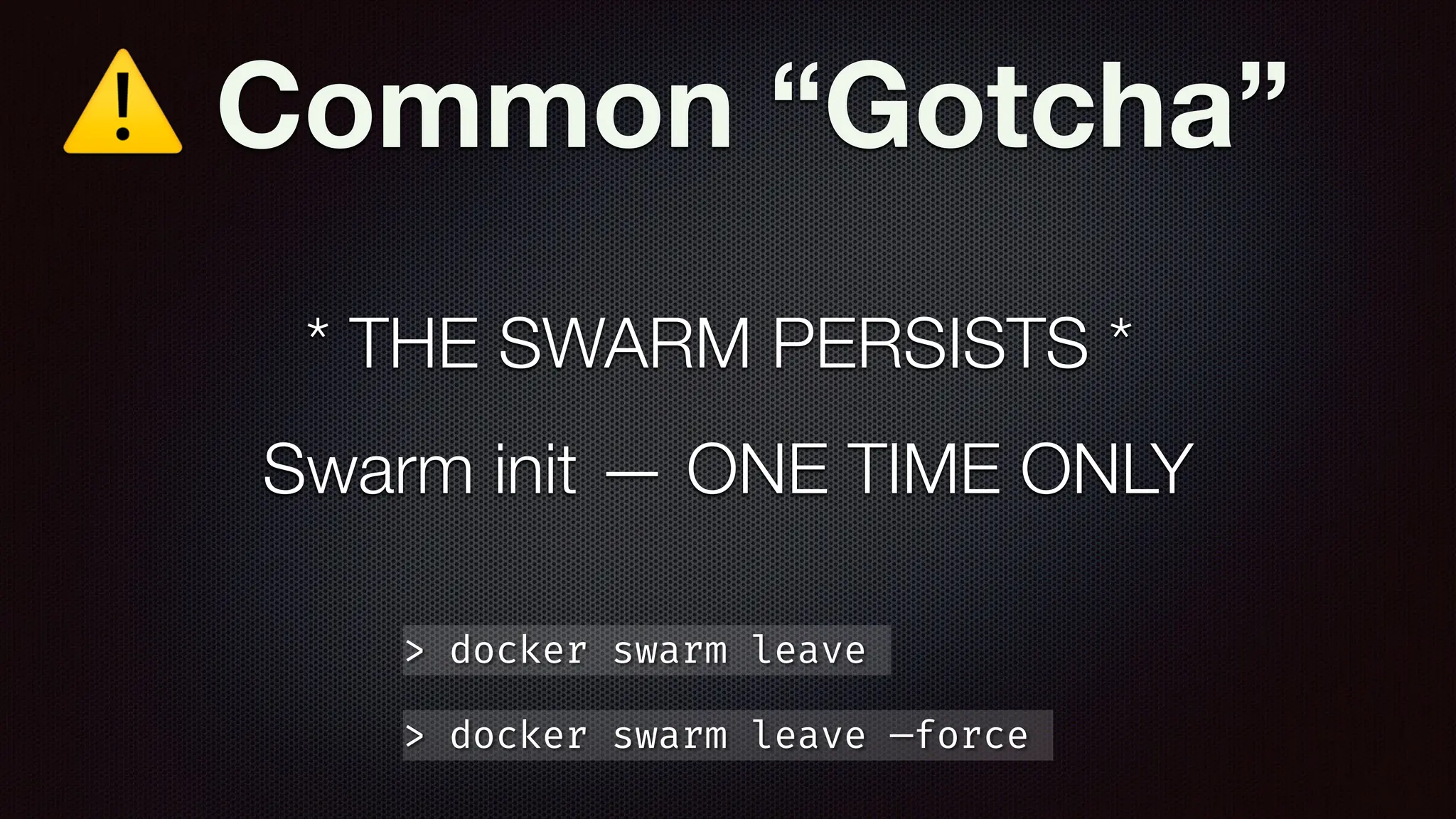
⚠ Common “Gotcha”
Swarm init — ONE TIME ONLY
* THE SWARM PERSISTS *
⚠ Common “Gotcha”
Swarm init — ONE TIME ONLY
* THE SWARM PERSISTS *
> docker swarm leave
⚠ Common “Gotcha”
Swarm init — ONE TIME ONLY
* THE SWARM PERSISTS *
> docker swarm leave
> docker swarm leave —force
POP
QUIZ!
POP
QUIZ! A. What’s the di
ff
erence
between a container and a
service?
POP
QUIZ! A. What’s the di
ff
erence
between a container and a
service?
B. What’s the di
ff
erence
between a service and a
stack?
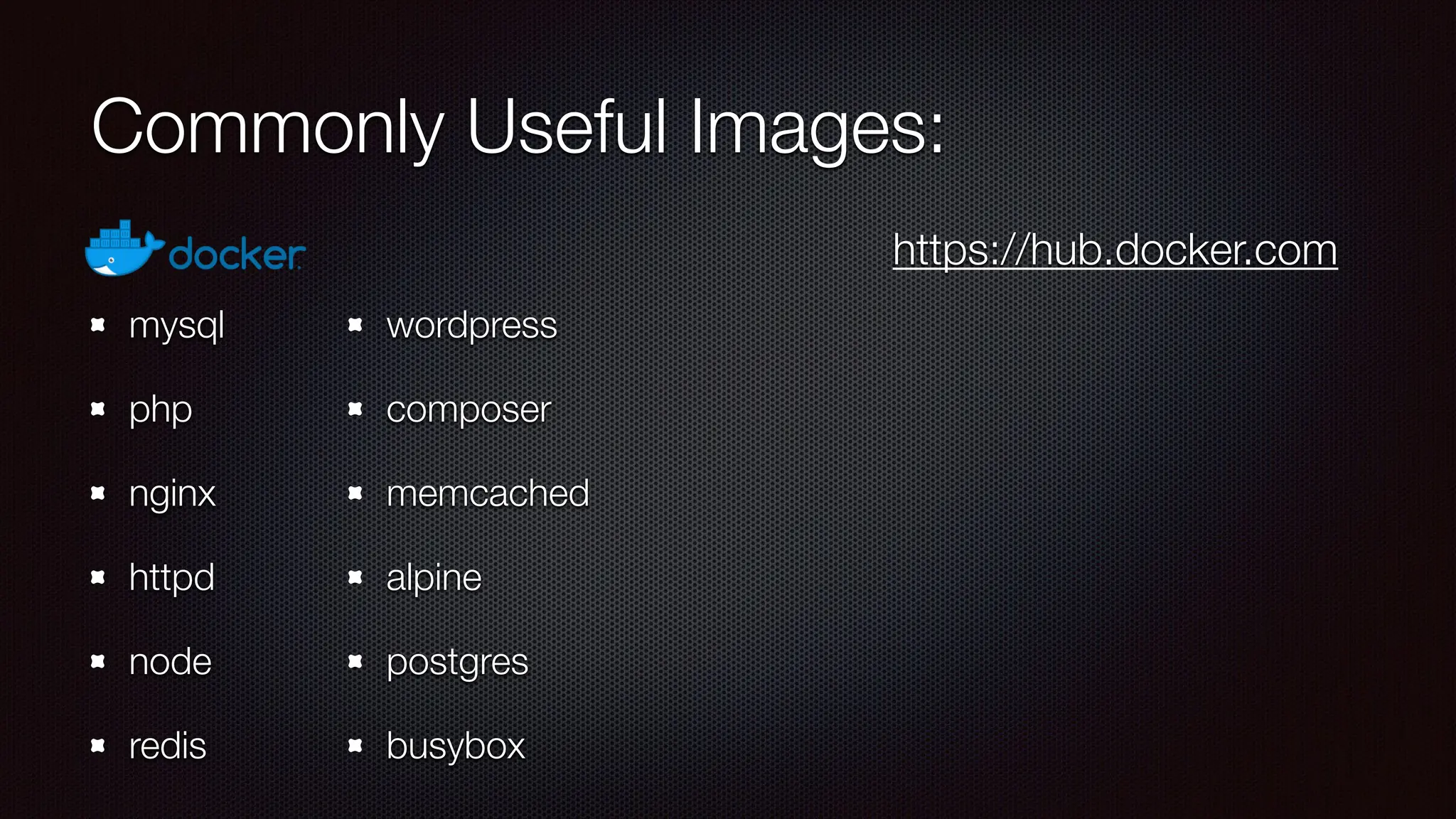
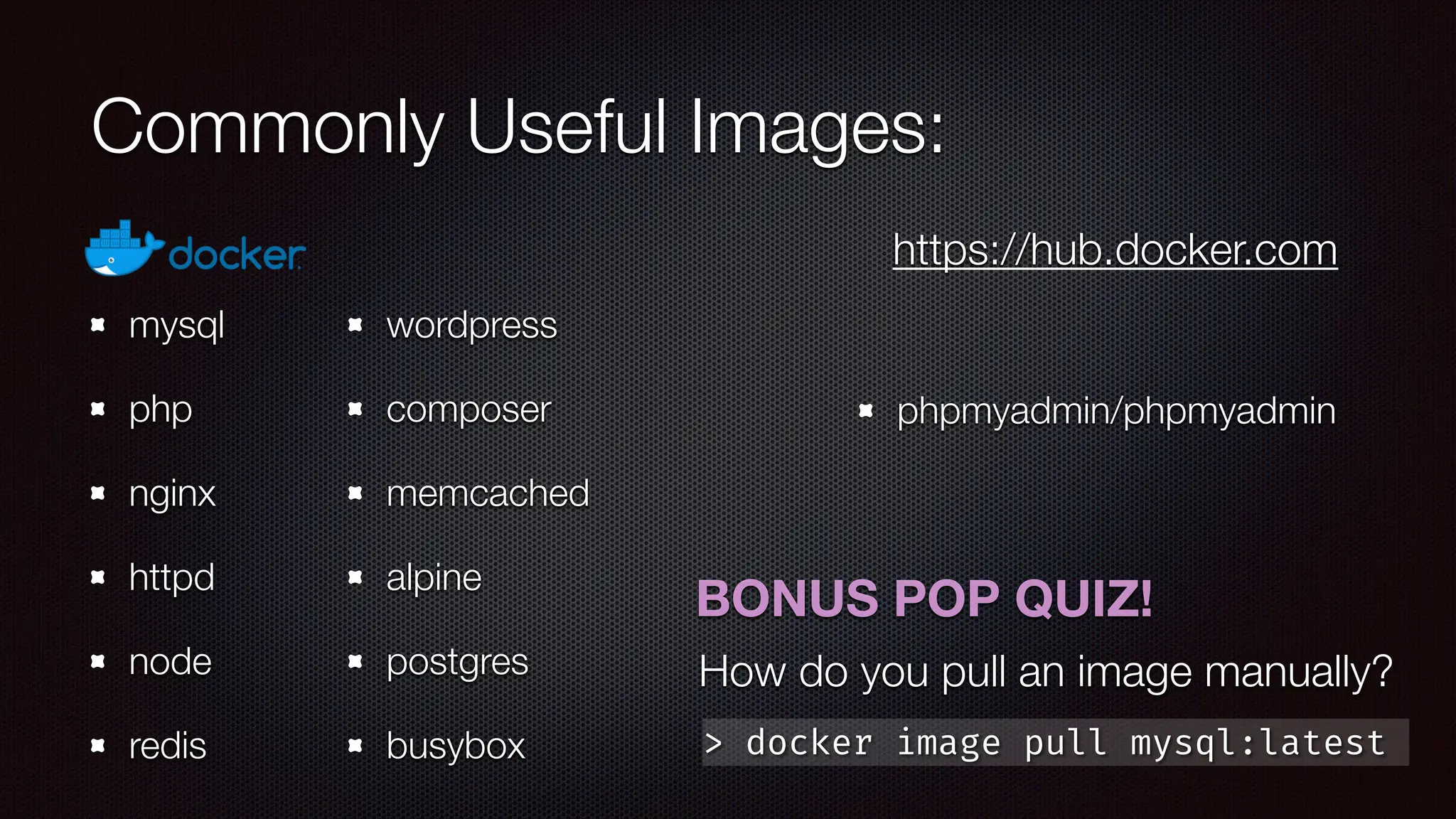
Commonly Useful Images:
mysql
php
nginx
httpd
node
redis
wordpress
composer
memcached
alpine
postgres
busybox
https://hub.docker.com
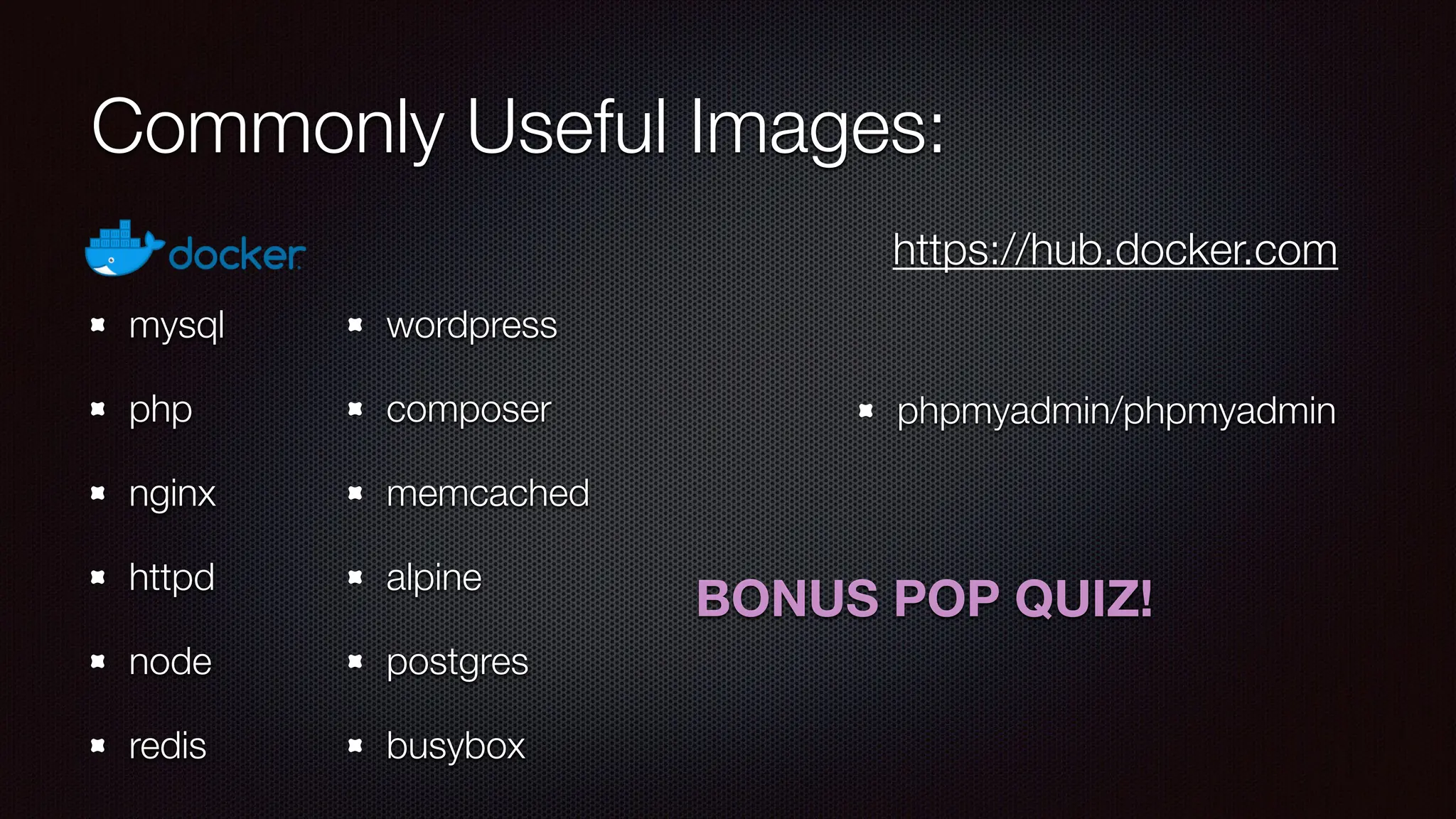
Commonly Useful Images:
mysql
php
nginx
httpd
node
redis
wordpress
composer
memcached
alpine
postgres
busybox
phpmyadmin/phpmyadmin
https://hub.docker.com
Commonly Useful Images:
mysql
php
nginx
httpd
node
redis
wordpress
composer
memcached
alpine
postgres
busybox
phpmyadmin/phpmyadmin
https://hub.docker.com
BONUS POP QUIZ!
Commonly Useful Images:
mysql
php
nginx
httpd
node
redis
wordpress
composer
memcached
alpine
postgres
busybox
phpmyadmin/phpmyadmin
https://hub.docker.com
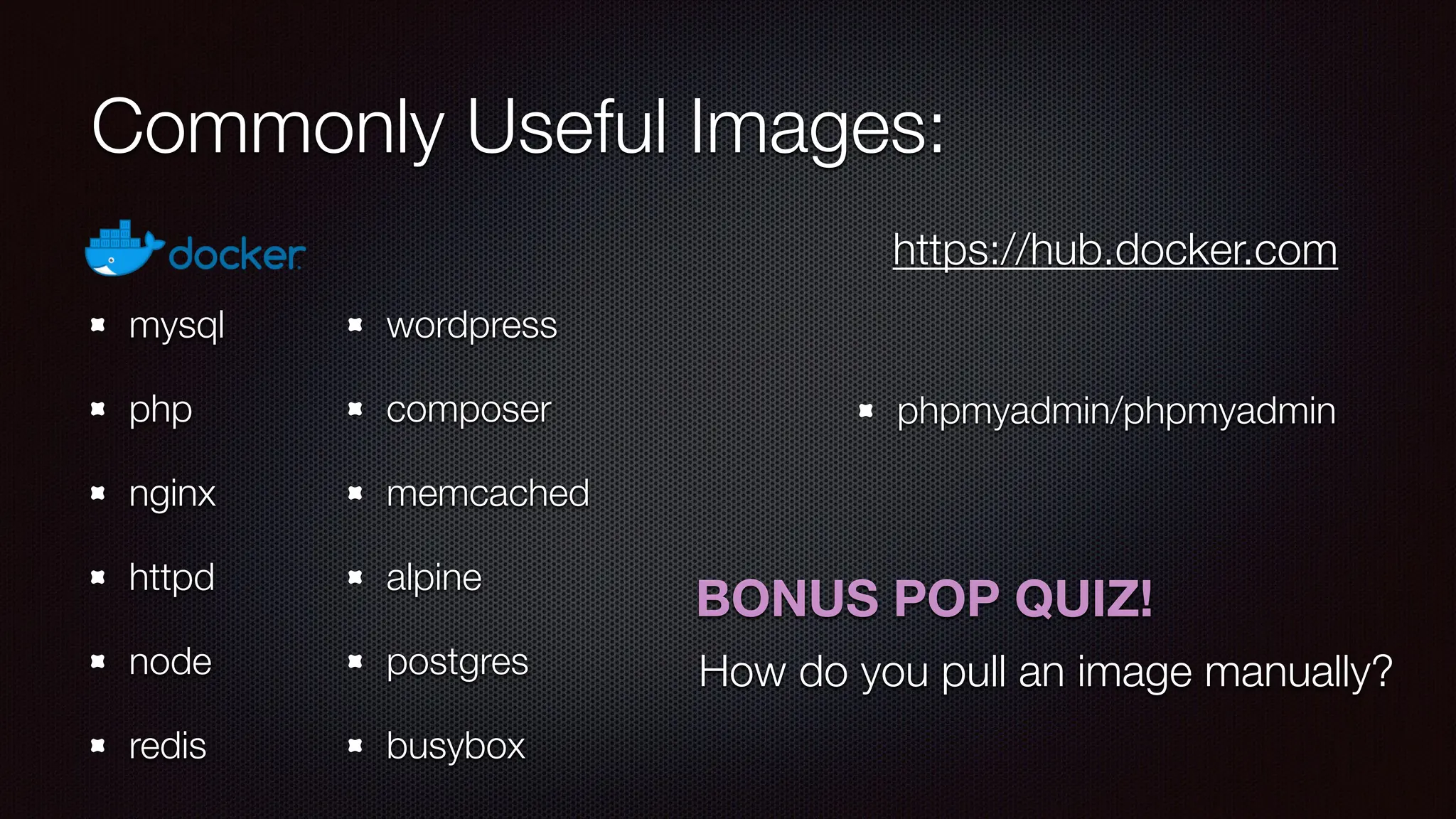
BONUS POP QUIZ!
How do you pull an image manually?
Commonly Useful Images:
mysql
php
nginx
httpd
node
redis
wordpress
composer
memcached
alpine
postgres
busybox
phpmyadmin/phpmyadmin
https://hub.docker.com
> docker image pull mysql:latest
BONUS POP QUIZ!
How do you pull an image manually?
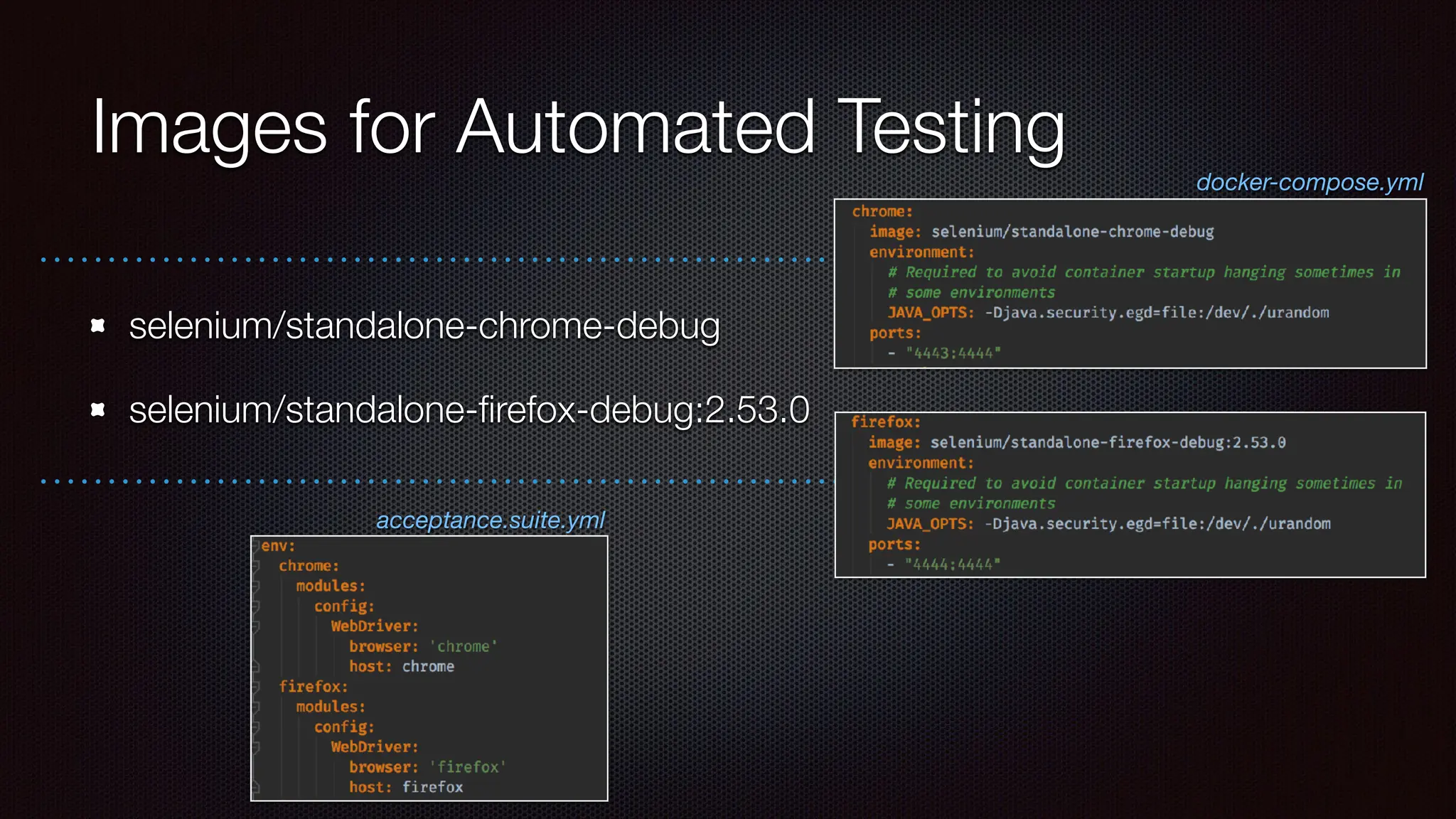
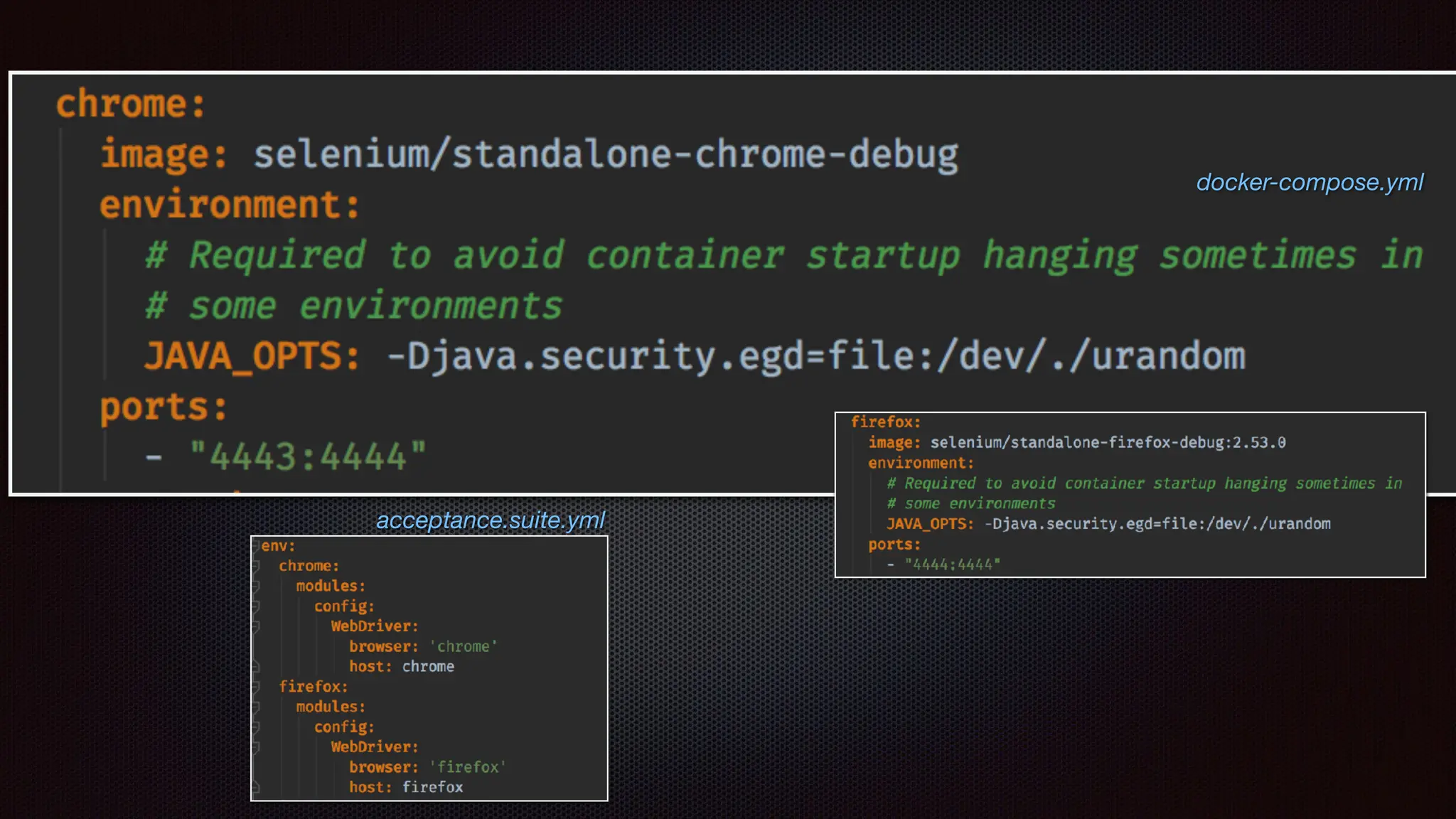
Images for Automated Testing
selenium/standalone-chrome-debug
selenium/standalone-
fi
refox-debug:2.53.0
acceptance.suite.yml
docker-compose.yml
Images for Automated Testing
selenium/standalone-chrome-debug
selenium/standalone-
fi
refox-debug:2.53.0
acceptance.suite.yml
docker-compose.yml
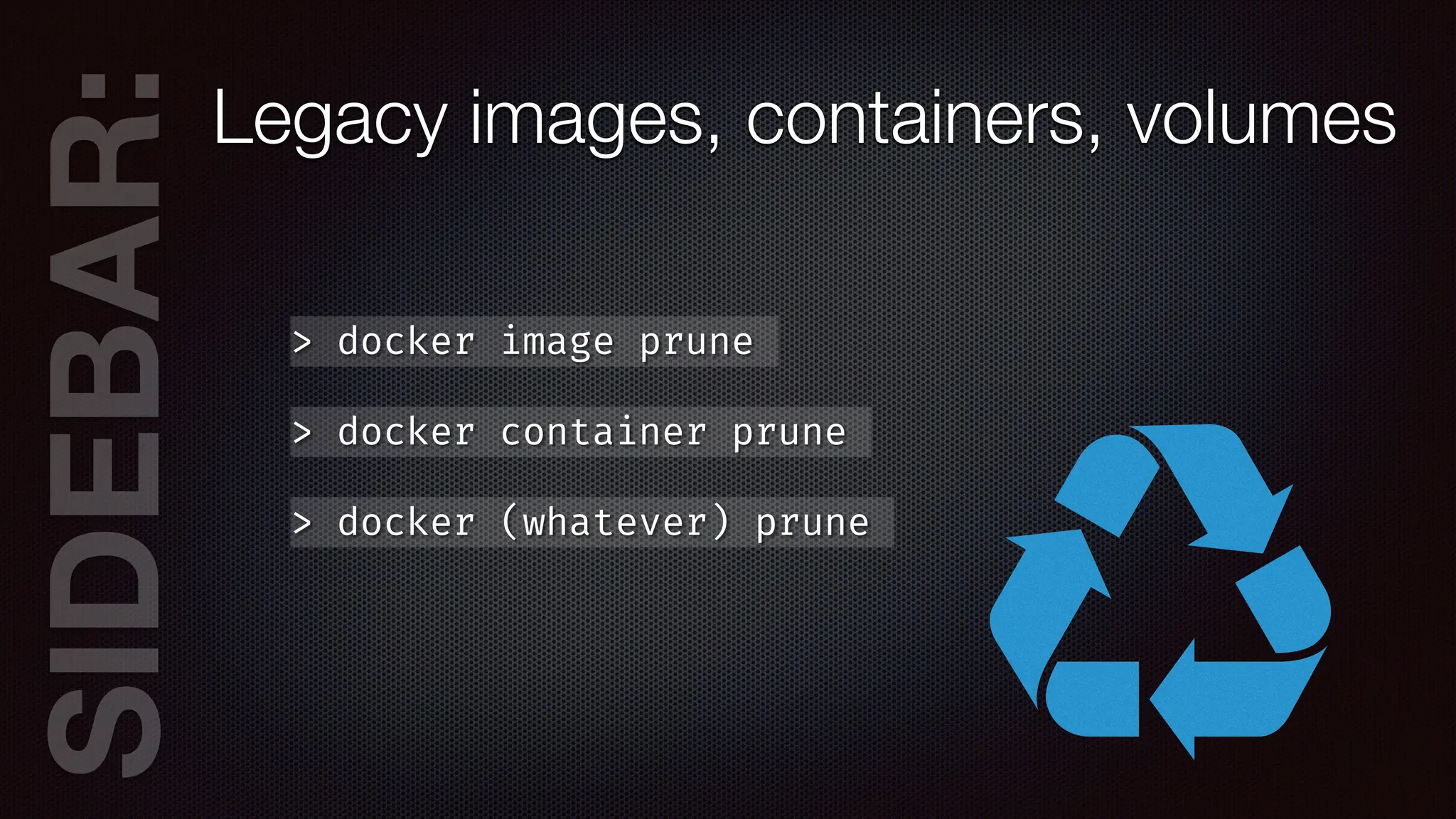
SIDEB
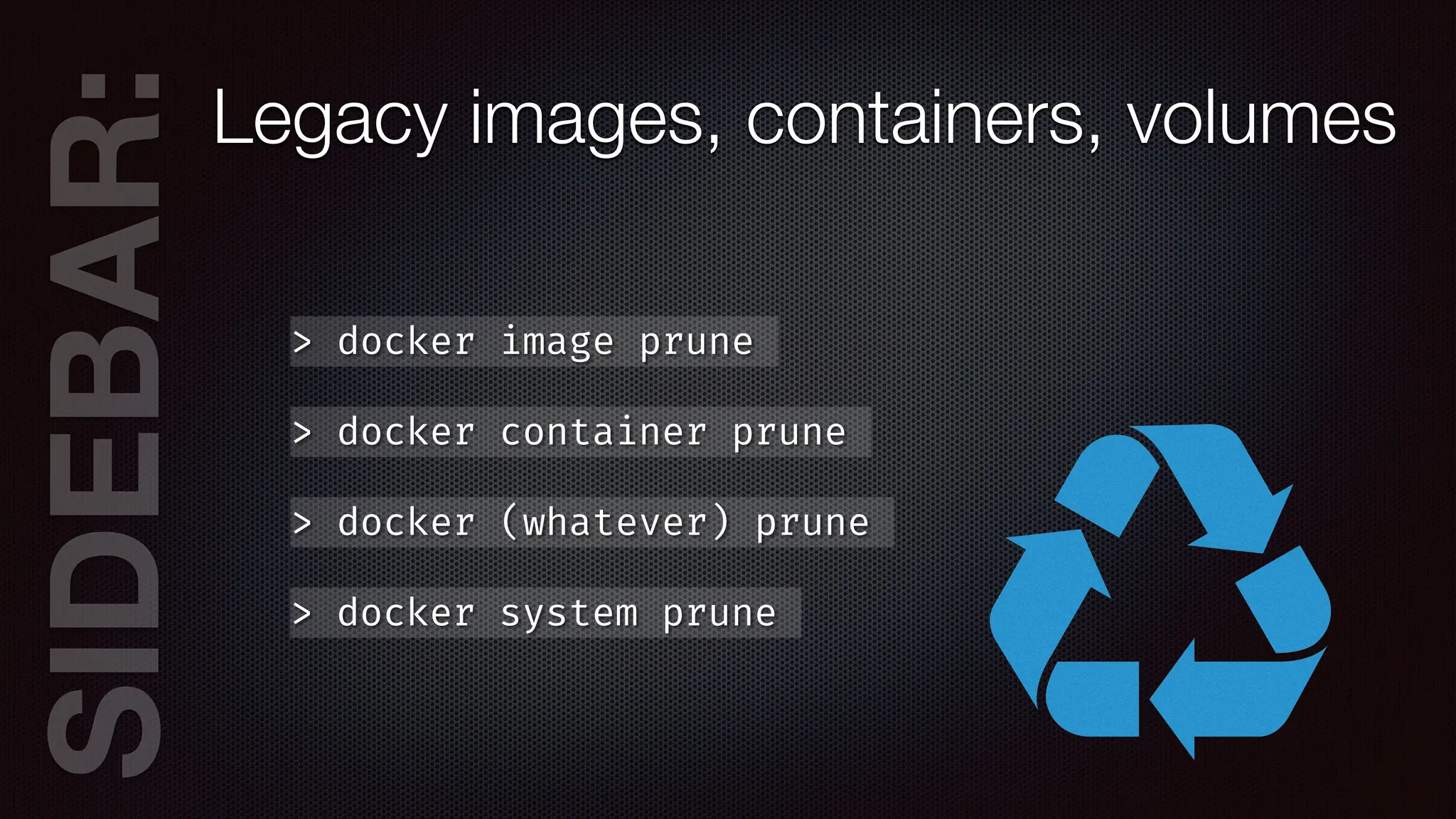
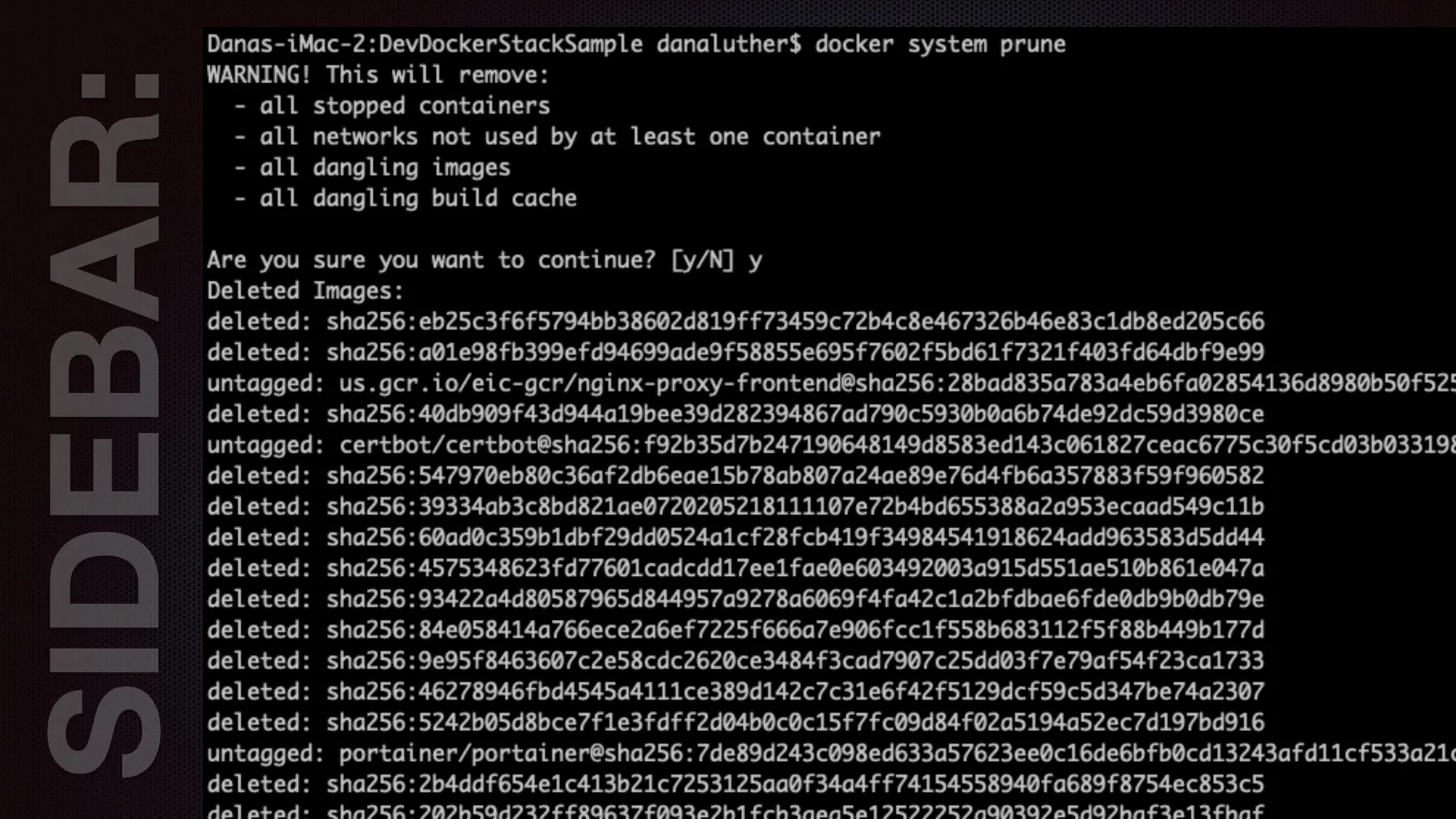
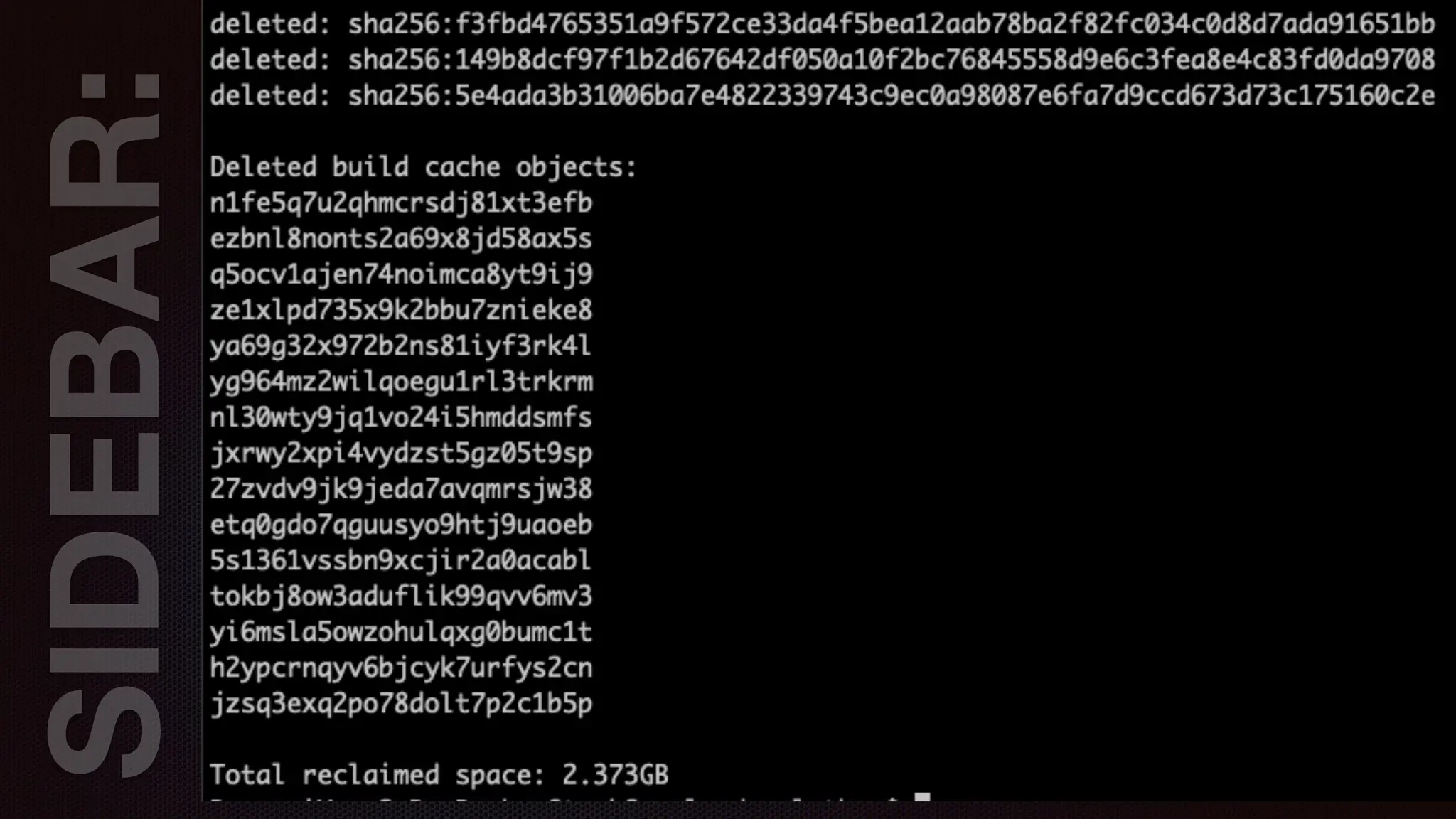
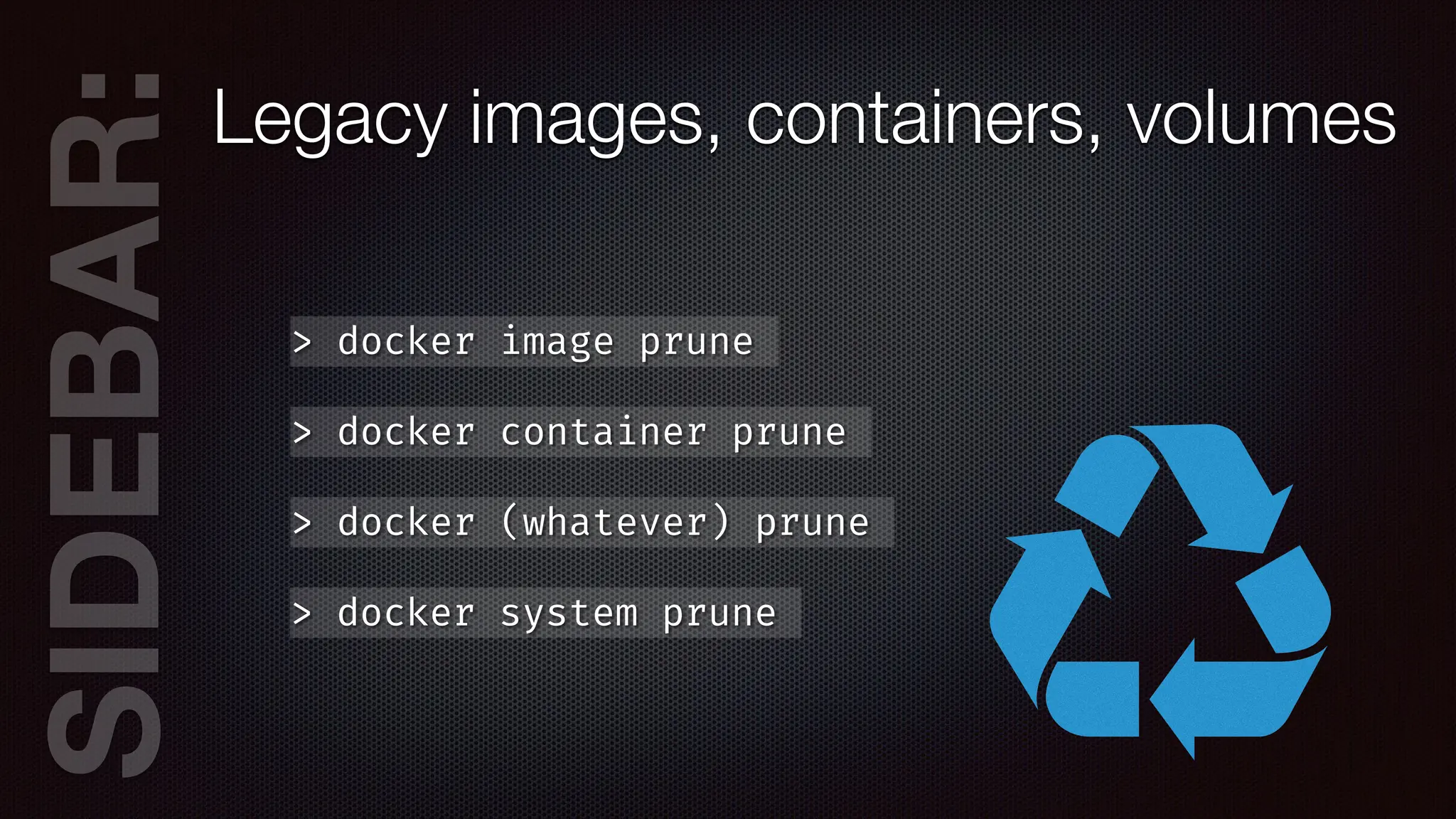
AR:Legacy images, containers, volumes
> docker image prune
> docker container prune
> docker (whatever) prune
SIDEB
AR:Legacy images, containers, volumes
> docker image prune
> docker container prune
> docker (whatever) prune
> docker system prune
SIDEB
AR:Legacy images, containers, volumes
> docker image prune
> docker container prune
> docker (whatever) prune
> docker system prune
SIDEB
AR:Legacy images, containers, volumes
> docker image prune
> docker container prune
> docker (whatever) prune
> docker system prune
SIDEB
AR:Legacy images, containers, volumes
> docker image prune
> docker container prune
> docker (whatever) prune
> docker system prune
version: “3.7”
services:
nginx:
image: nginx
networks:
- web
deploy:
replicas: 1
restart_policy:
condition: on
-
failure
labels:
com.envisageinternational.desc: “Nginx Service”
volumes:
- ./public_html:/var/
w
w
w
/html
conf
i
gs:
- source: mysite
target: /etc/nginx/conf.d/mysite.conf
ports:
- “80
:
80”
- “443
:
443”
depends_on:
- php
- db
labels:
com.envisageinternational.desc: “Nginx Container”
command: [‘sh’,'
-
c',"exec nginx
-
g 'daemon off;’”]
db:
image: mysql
ports:
- “3306
:
3306”
networks:
- web
secrets:
- db_pwd
deploy:
replicas: 1
restart_policy:
condition: on
-
failure
placement:
constraints: [ node.role
=
=
manager ]
php:
image: php:8.4-fpm
networks:
- web
depends_on:
- db
deploy:
replicas: 1
restart_policy:
condition: on
-
failure
labels:
com.envisageinternational.desc: “PHP-FPM Service”
ports:
- “9000
:
9000”
volumes:
- ./public_html:/var/
w
w
w
/html
labels:
com.envisageinternational.desc: “PHP-FPM Container”
php
-
cli:
image: php:8.4-cli
networks:
- web
deploy:
replicas: 1
restart_policy:
condition: on
-
failure
labels:
com.envisageinternational.desc: “PHP-CLI Service”
volumes:
- ./public_html:/var/
w
w
w
/html
labels:
com.envisageinternational.desc: “PHP-CLI Container”
command: [‘bin/sh’, ‘
-
c’, “sleep inf
i
nity”]
networks:
web:
conf
i
gs:
mysite:
f
i
le: ./mysite.conf
secrets:
PHP 8.4 FPM
NGINX
MySQL
php:
image: php:8.4-fpm
networks:
- web
depends_on:
- db
deploy:
replicas: 1
restart_policy:
condition: on
-
failure
labels:
com.envisageinternational.desc: “PHP-FPM Service”
ports:
- “9000
:
9000”
volumes:
- ./public_html:/var/
w
w
w
/html
labels:
com.envisageinternational.desc: “PHP-FPM Container”
php
-
cli:
image: php:8.4-cli
networks:
- web
deploy:
replicas: 1
restart_policy:
condition: on
-
failure
labels:
com.envisageinternational.desc: “PHP-CLI Service”
volumes:
- ./public_html:/var/
w
w
w
/html
labels:
com.envisageinternational.desc: “PHP-CLI Container”
command: [‘bin/sh’, ‘
-
c’, “sleep inf
i
nity”]
networks:
web:
conf
i
gs:
mysite:
f
i
le: ./mysite.conf
secrets:
version: “3.7”
services:
nginx:
image: nginx
networks:
- web
deploy:
replicas: 1
restart_policy:
condition: on
-
failure
labels:
com.envisageinternational.desc: “Nginx Service”
volumes:
- ./public_html:/var/
w
w
w
/html
conf
i
gs:
- source: mysite
target: /etc/nginx/conf.d/mysite.conf
ports:
- “80
:
80”
- “443
:
443”
depends_on:
- php
- db
labels:
com.envisageinternational.desc: “Nginx Container”
command: [‘sh’,'
-
c',"exec nginx
-
g 'daemon off;’”]
db:
image: mysql
ports:
- “3306
:
3306”
networks:
- web
secrets:
- db_pwd
deploy:
replicas: 1
restart_policy:
condition: on
-
failure
placement:
constraints: [ node.role
=
=
manager ]
PHP 8.4 FPM
NGINX
MySQL
php:
image: php:8.4-fpm
networks:
- web
depends_on:
- db
deploy:
replicas: 1
restart_policy:
condition: on
-
failure
labels:
com.envisageinternational.desc: “PHP-FPM Service”
ports:
- “9000
:
9000”
volumes:
- ./public_html:/var/
w
w
w
/html
labels:
com.envisageinternational.desc: “PHP-FPM Container”
php
-
cli:
image: php:8.4-cli
networks:
- web
deploy:
replicas: 1
restart_policy:
condition: on
-
failure
labels:
com.envisageinternational.desc: “PHP-CLI Service”
volumes:
- ./public_html:/var/
w
w
w
/html
labels:
com.envisageinternational.desc: “PHP-CLI Container”
command: [‘bin/sh’, ‘
-
c’, “sleep inf
i
nity”]
networks:
web:
conf
i
gs:
mysite:
f
i
le: ./mysite.conf
secrets:
nginx:
image: nginx
networks:
- web
deploy:
replicas: 1
restart_policy:
condition: on
-
failure
labels:
com.envisageinternational.desc: “Nginx Service”
volumes:
- ./public_html:/var/
w
w
w
/html
conf
i
gs:
- source: mysite
target: /etc/nginx/conf.d/mysite.conf
ports:
- “80
:
80”
- “443
:
443”
depends_on:
- php
- db
labels:
com.envisageinternational.desc: “Nginx Container”
-
-
PHP 8.4 FPM
NGINX
MySQL
php:
image: php:8.4-fpm
networks:
- web
depends_on:
- db
deploy:
replicas: 1
restart_policy:
condition: on
-
failure
labels:
com.envisageinternational.desc: “PHP-FPM Service”
ports:
- “9000
:
9000”
volumes:
- ./public_html:/var/
w
w
w
/html
labels:
com.envisageinternational.desc: “PHP-FPM Container”
php
-
cli:
image: php:8.4-cli
networks:
- web
deploy:
replicas: 1
restart_policy:
condition: on
-
failure
labels:
com.envisageinternational.desc: “PHP-CLI Service”
volumes:
- ./public_html:/var/
w
w
w
/html
labels:
com.envisageinternational.desc: “PHP-CLI Container”
command: [‘bin/sh’, ‘
-
c’, “sleep inf
i
nity”]
networks:
web:
conf
i
gs:
mysite:
f
i
le: ./mysite.conf
secrets:
nginx:
image: nginx
networks:
- web
deploy:
replicas: 1
restart_policy:
condition: on
-
failure
labels:
com.envisageinternational.desc: “Nginx Service”
volumes:
- ./public_html:/var/
w
w
w
/html
conf
i
gs:
- source: mysite
target: /etc/nginx/conf.d/mysite.conf
ports:
- “80
:
80”
- “443
:
443”
depends_on:
- php
- db
labels:
com.envisageinternational.desc: “Nginx Container”
-
-
PHP 8.4 FPM
NGINX
MySQL
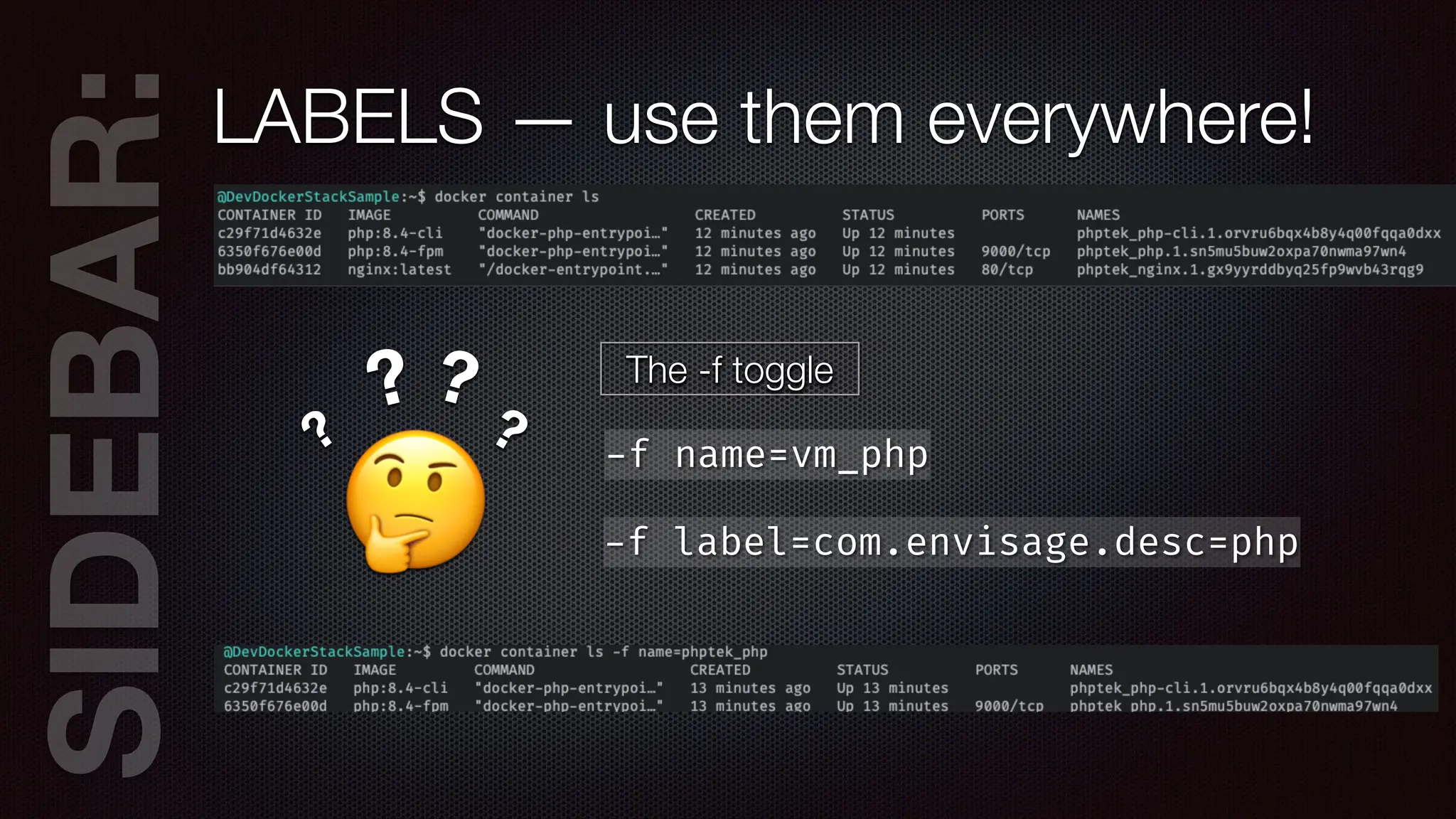
SIDEB
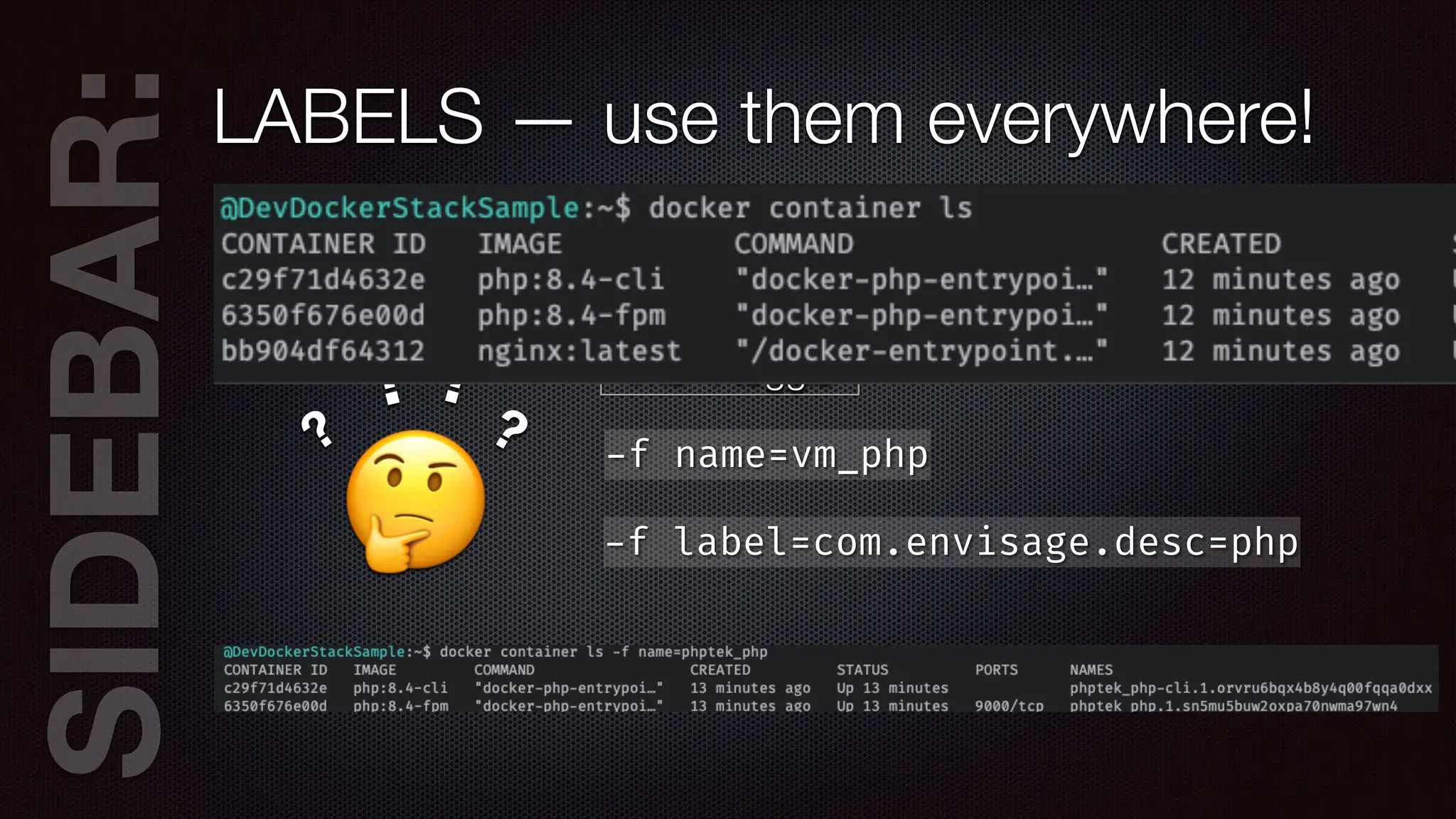
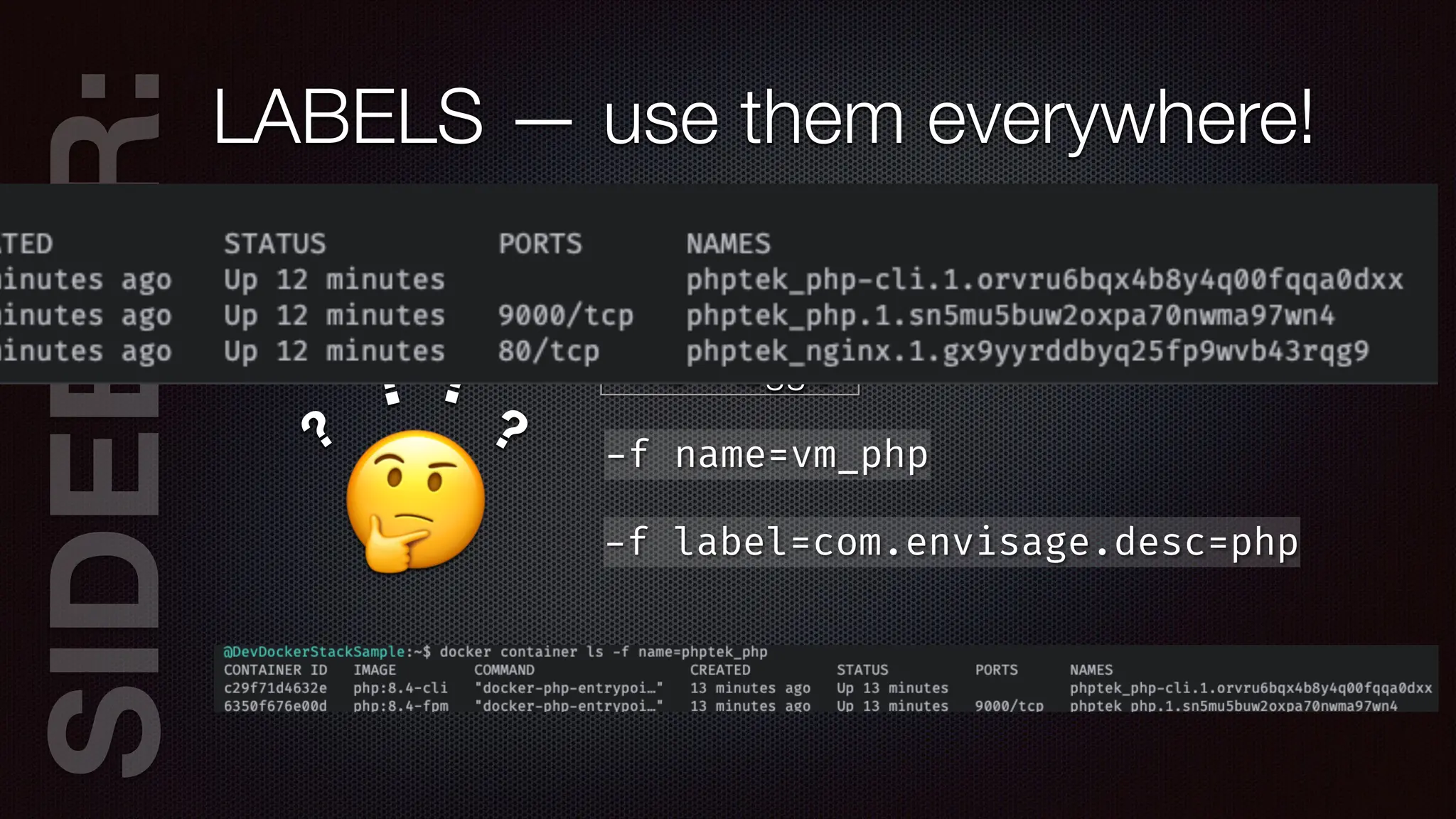
AR:LABELS — use them everywhere!
🤔
?
? ?
? The -f toggle
-
f name=vm_php
-
f label=com.envisage.desc=php
SIDEB
AR:LABELS — use them everywhere!
🤔
?
? ?
? The -f toggle
-
f name=vm_php
-
f label=com.envisage.desc=php
SIDEB
AR:LABELS — use them everywhere!
🤔
?
? ?
? The -f toggle
-
f name=vm_php
-
f label=com.envisage.desc=php
SIDEB
AR:LABELS — use them everywhere!
🤔
?
? ?
? The -f toggle
-
f name=vm_php
-
f label=com.envisage.desc=php
version: “3.7”
services:
nginx:
image: nginx
networks:
- web
deploy:
replicas: 1
restart_policy:
condition: on
-
failure
labels:
com.envisageinternational.desc: “Nginx Service”
volumes:
- ./public_html:/var/
w
w
w
/html
conf
i
gs:
- source: mysite
target: /etc/nginx/conf.d/mysite.conf
ports:
- “80
:
80”
- “443
:
443”
depends_on:
- php
- db
labels:
com.envisageinternational.desc: “Nginx Container”
command: [‘sh’,'
-
c',"exec nginx
-
g 'daemon off;’”]
db:
image: mysql
ports:
- “3306
:
3306”
networks:
- web
secrets:
- db_pwd
deploy:
replicas: 1
restart_policy:
condition: on
-
failure
placement:
constraints: [ node.role
=
=
manager ]
php:
image: php:8.4-fpm
networks:
- web
depends_on:
- db
deploy:
replicas: 1
restart_policy:
condition: on
-
failure
labels:
com.envisageinternational.desc: “PHP-FPM Service”
ports:
- “9000
:
9000”
volumes:
- ./public_html:/var/
w
w
w
/html
labels:
com.envisageinternational.desc: “PHP-FPM Container”
php
-
cli:
image: php:8.4-cli
networks:
- web
deploy:
replicas: 1
restart_policy:
condition: on
-
failure
labels:
com.envisageinternational.desc: “PHP-CLI Service”
volumes:
- ./public_html:/var/
w
w
w
/html
labels:
com.envisageinternational.desc: “PHP-CLI Container”
command: [‘bin/sh’, ‘
-
c’, “sleep inf
i
nity”]
networks:
web:
conf
i
gs:
mysite:
f
i
le: ./mysite.conf
secrets:
PHP 8.4 FPM
NGINX
MySQL
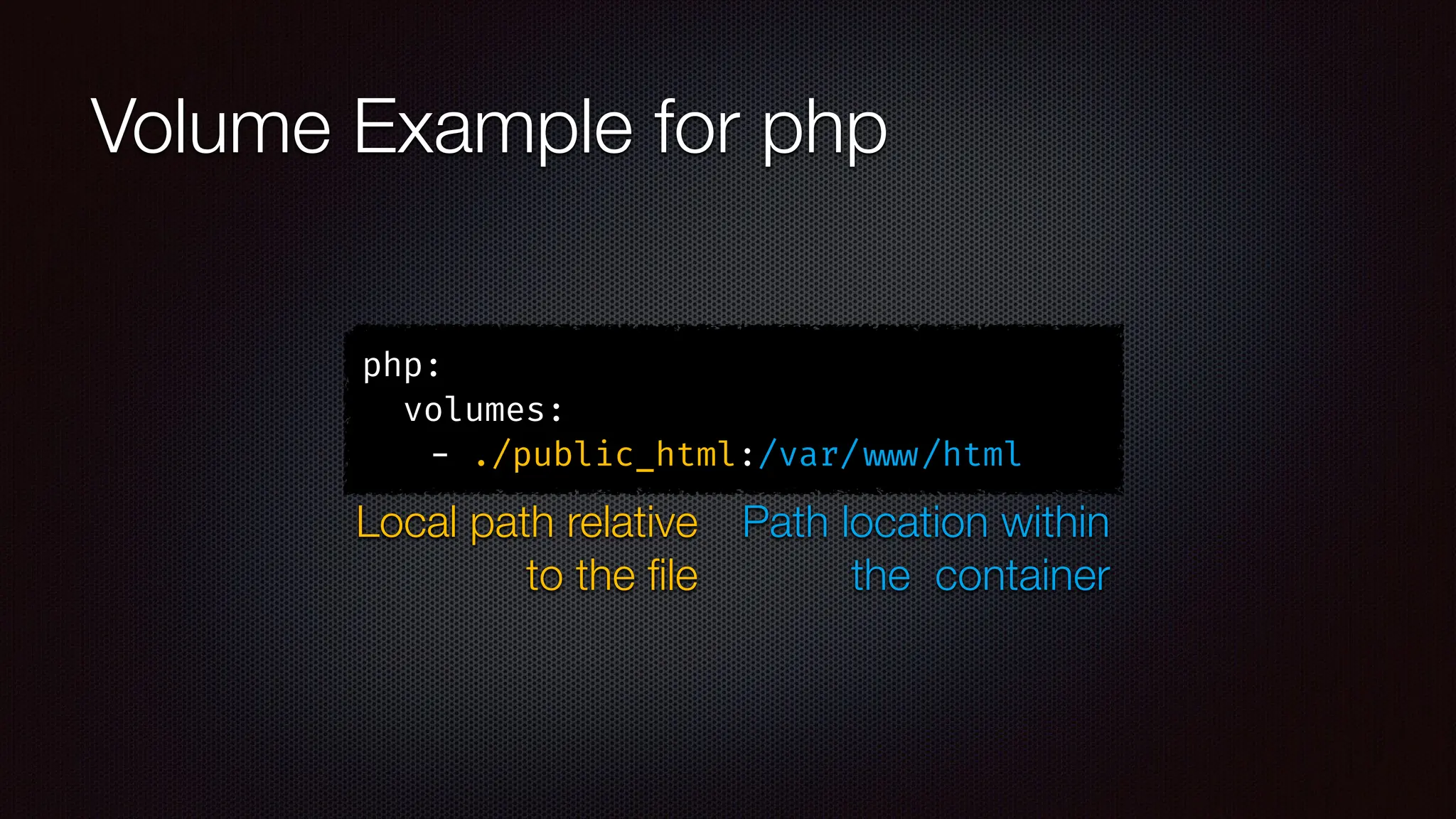
Volume Example for php
php:
volumes:
- ./public_html:/var/
w
w
w
/html
Local path relative
to the
fi
le
Path location within
the container
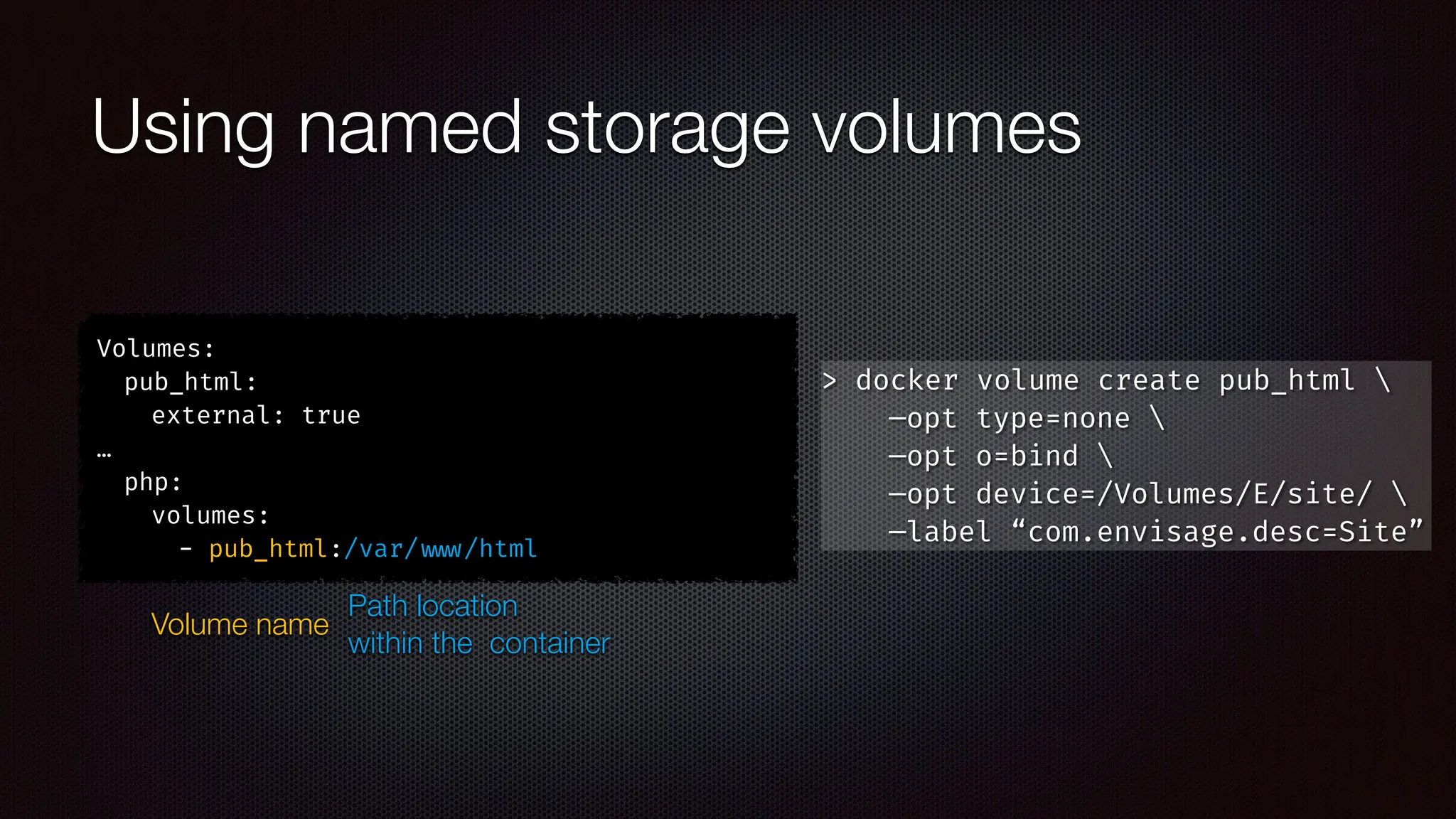
Using named storage volumes
Volumes:
pub_html:
external: true
…
php:
volumes:
- pub_html:/var/
w
w
w
/html
Volume name
Path location
within the container
> docker volume create pub_html 
—opt type=none 
—opt o=bind 
—opt device=/Volumes/E/site/ 
—label “com.envisage.desc=Site”
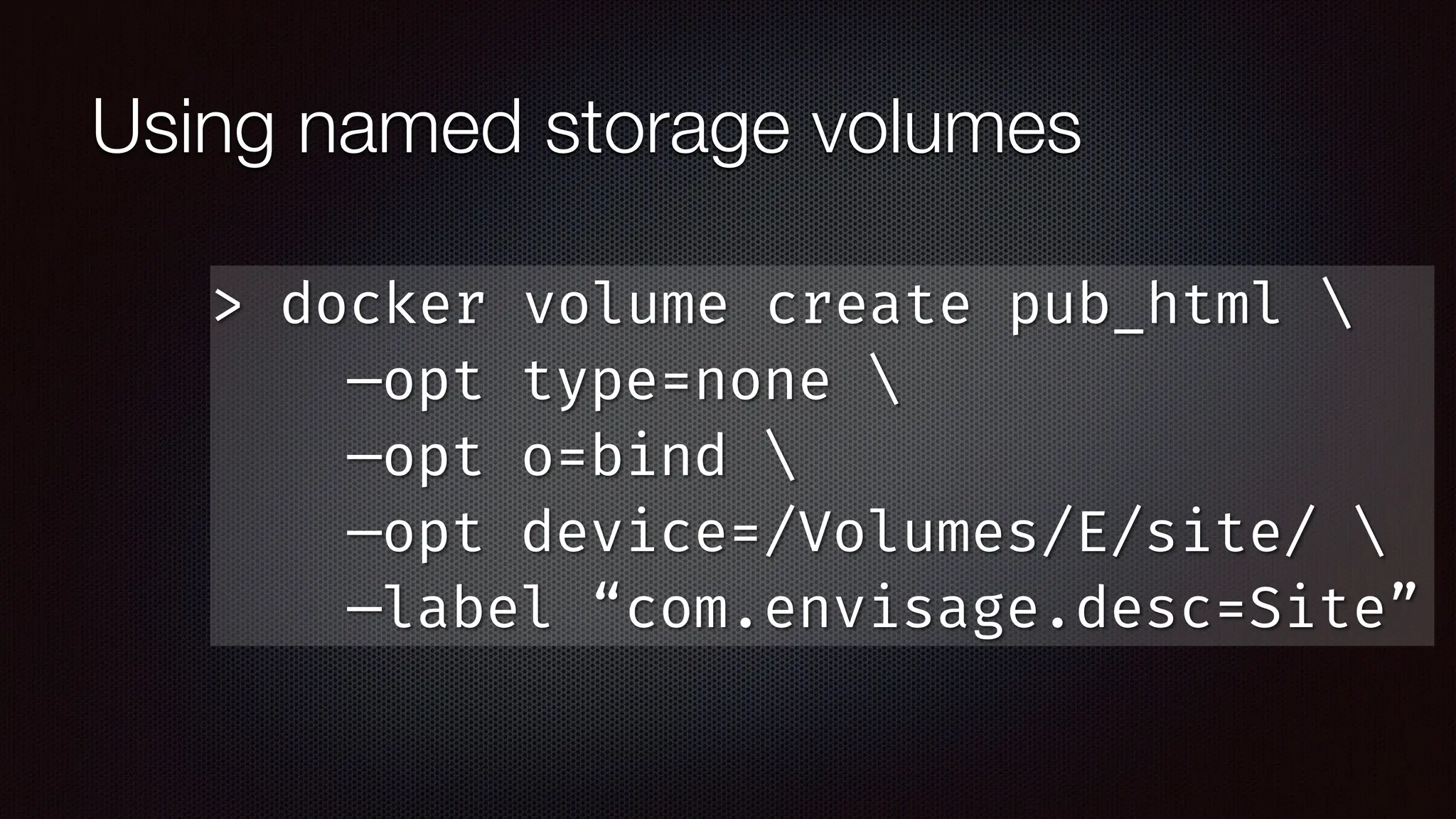
Using named storage volumes
> docker volume create pub_html 
—opt type=none 
—opt o=bind 
—opt device=/Volumes/E/site/ 
—label “com.envisage.desc=Site”
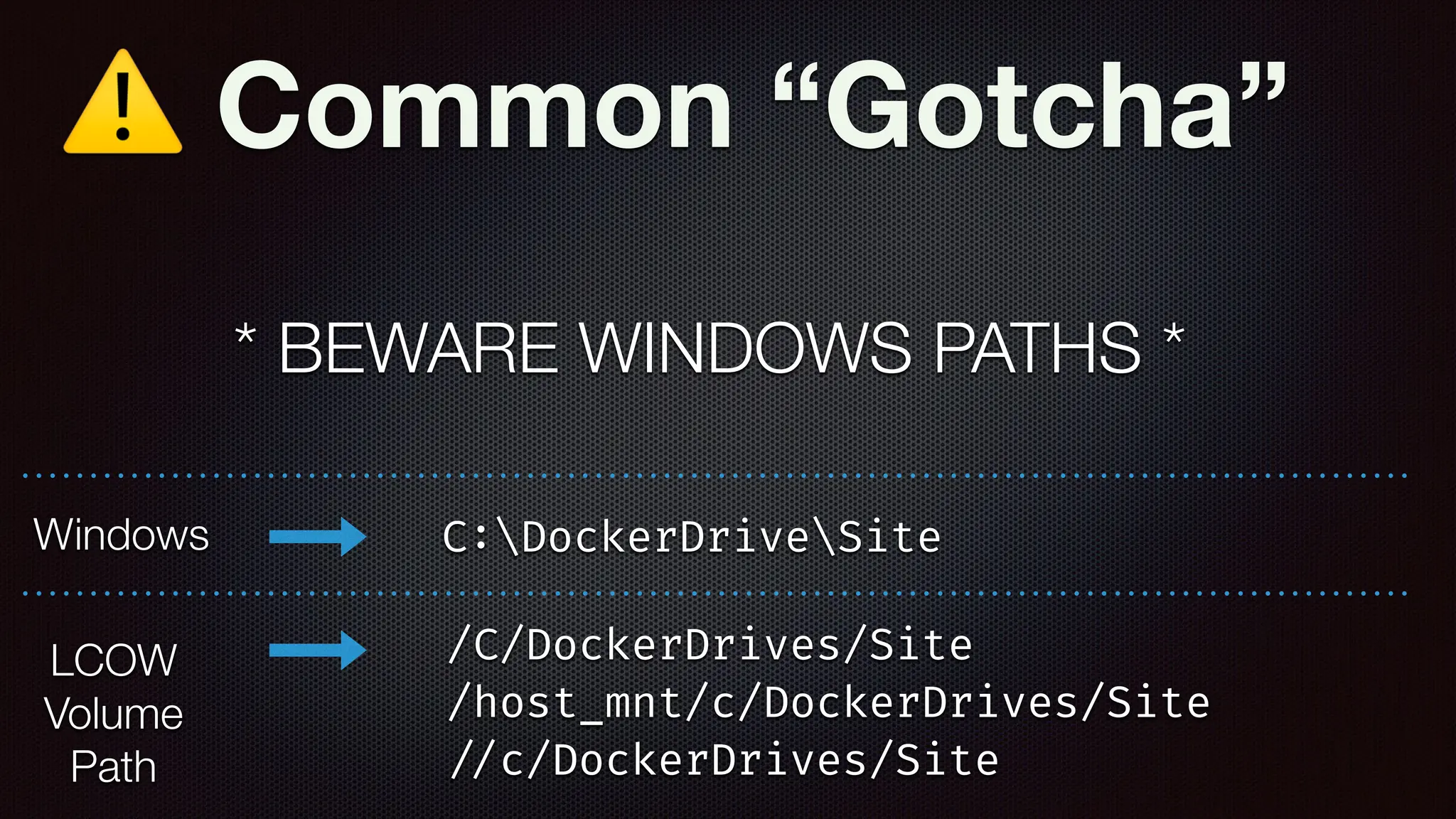
⚠ Common “Gotcha”
* BEWARE WINDOWS PATHS *
C
:
DockerDriveSite
/C/DockerDrives/Site
/host_mnt/c/DockerDrives/Site
/
/
c/DockerDrives/Site
Windows
LCOW
Volume
Path
POP
QUIZ!
POP
QUIZ! A. What is the command to
initialize a swarm?
POP
QUIZ! A. What is the command to
initialize a swarm?
B. What is the command to
deploy a docker stack?
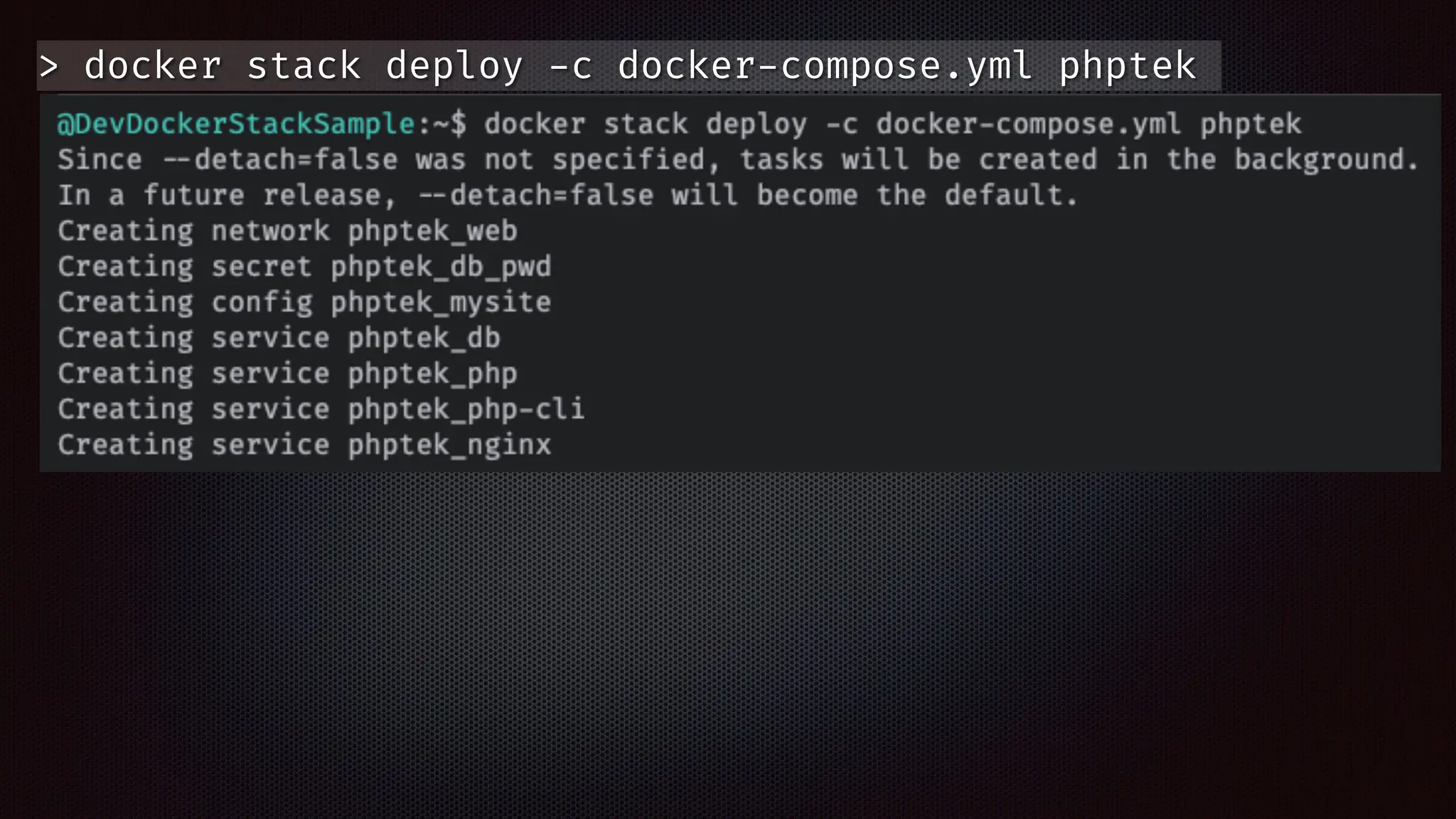
> docker stack deploy
-
c docker
-
compose.yml phptek
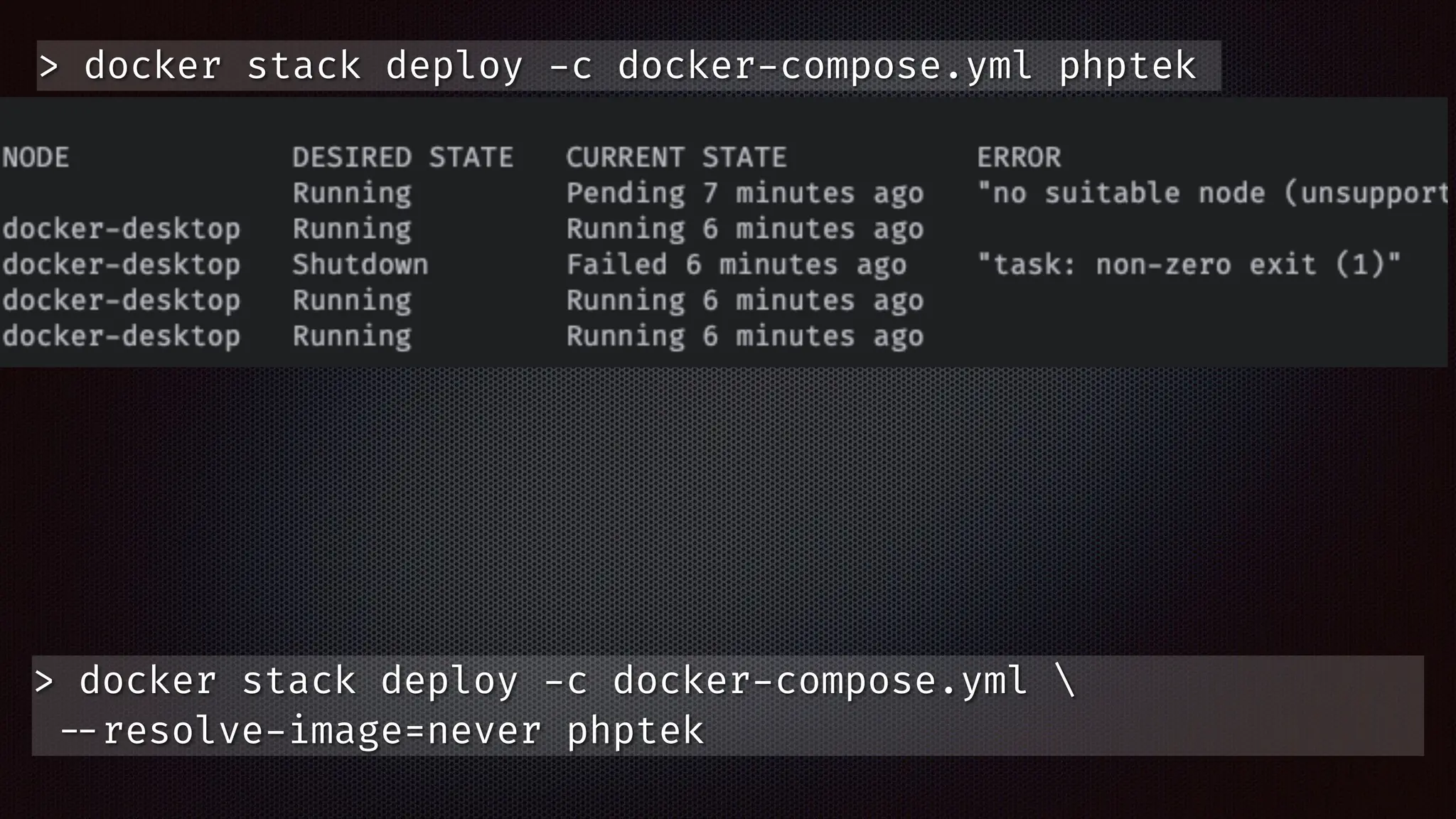
> docker stack deploy
-
c docker
-
compose.yml phptek
> docker stack deploy
-
c docker
-
compose.yml phptek
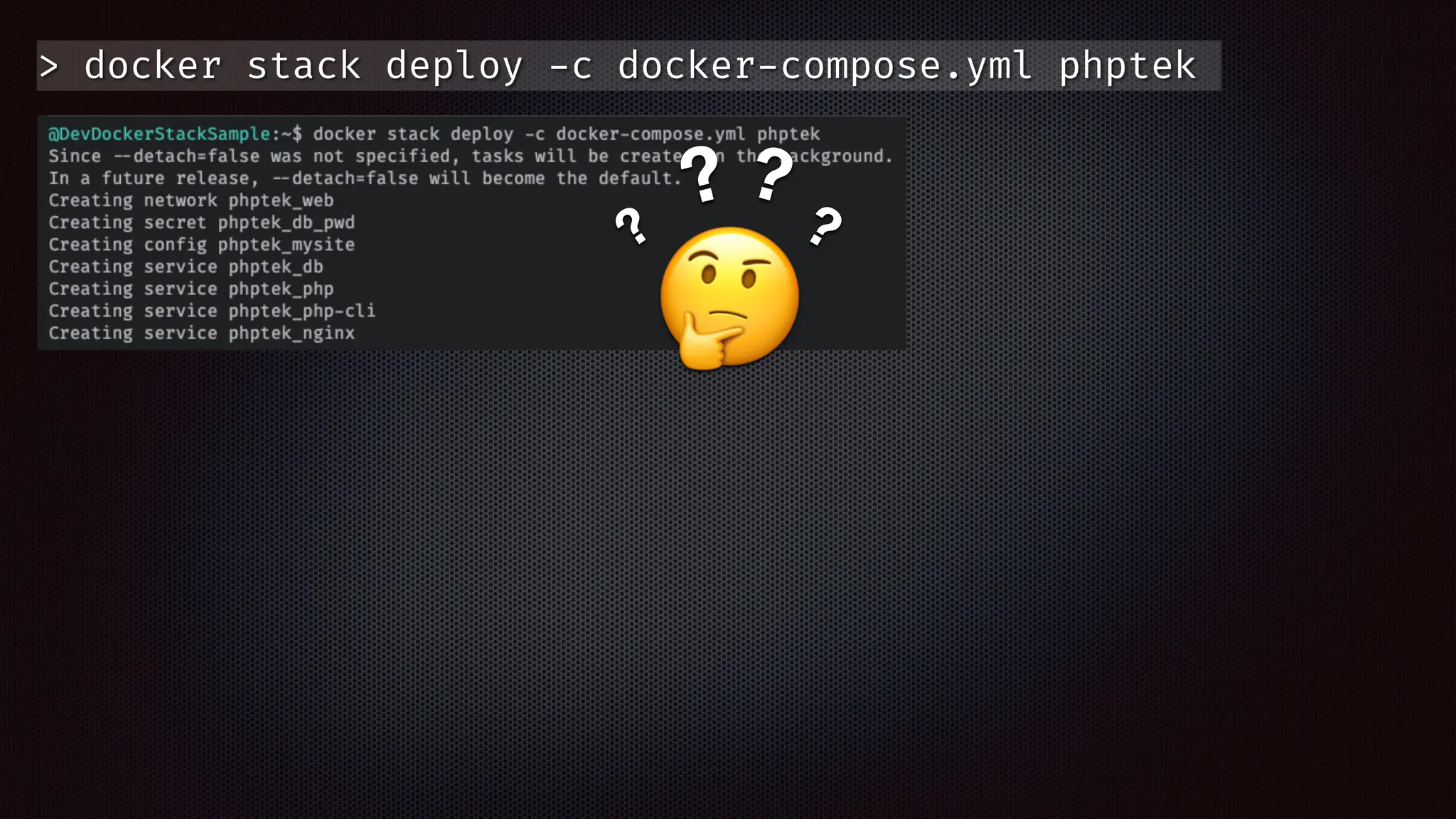
🤔
?
? ?
?
> docker stack deploy
-
c docker
-
compose.yml phptek
🤔
?
? ?
?
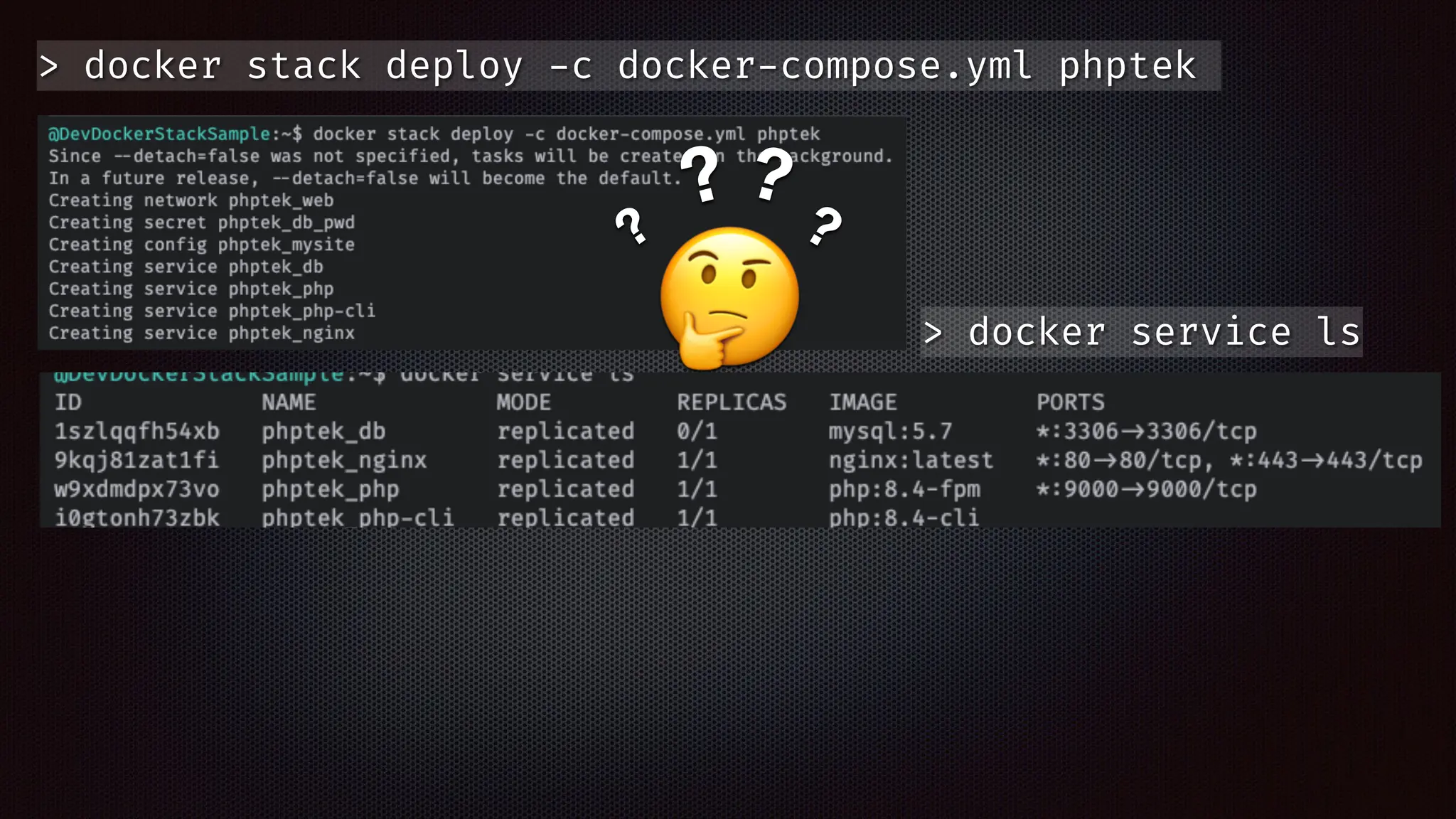
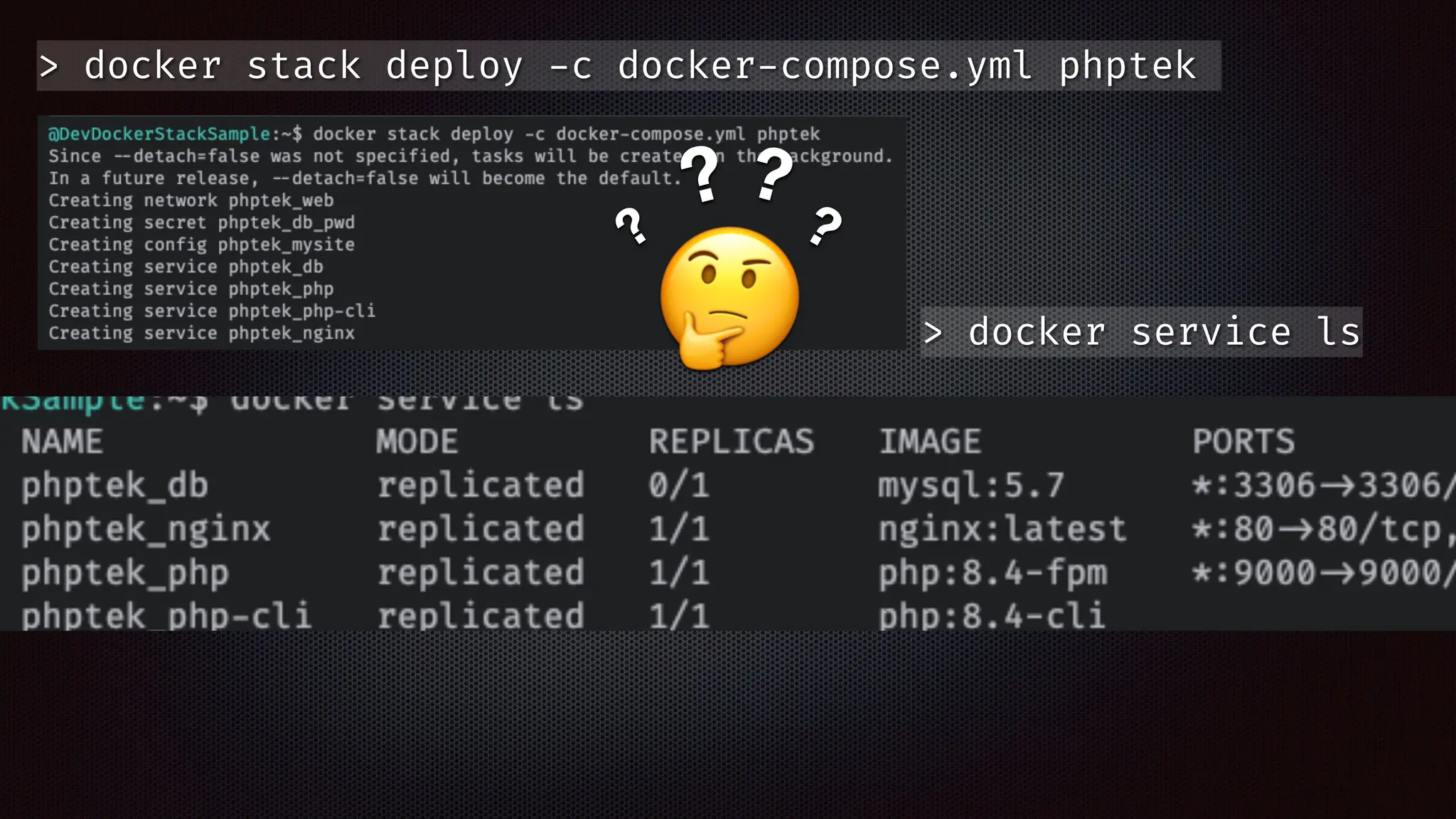
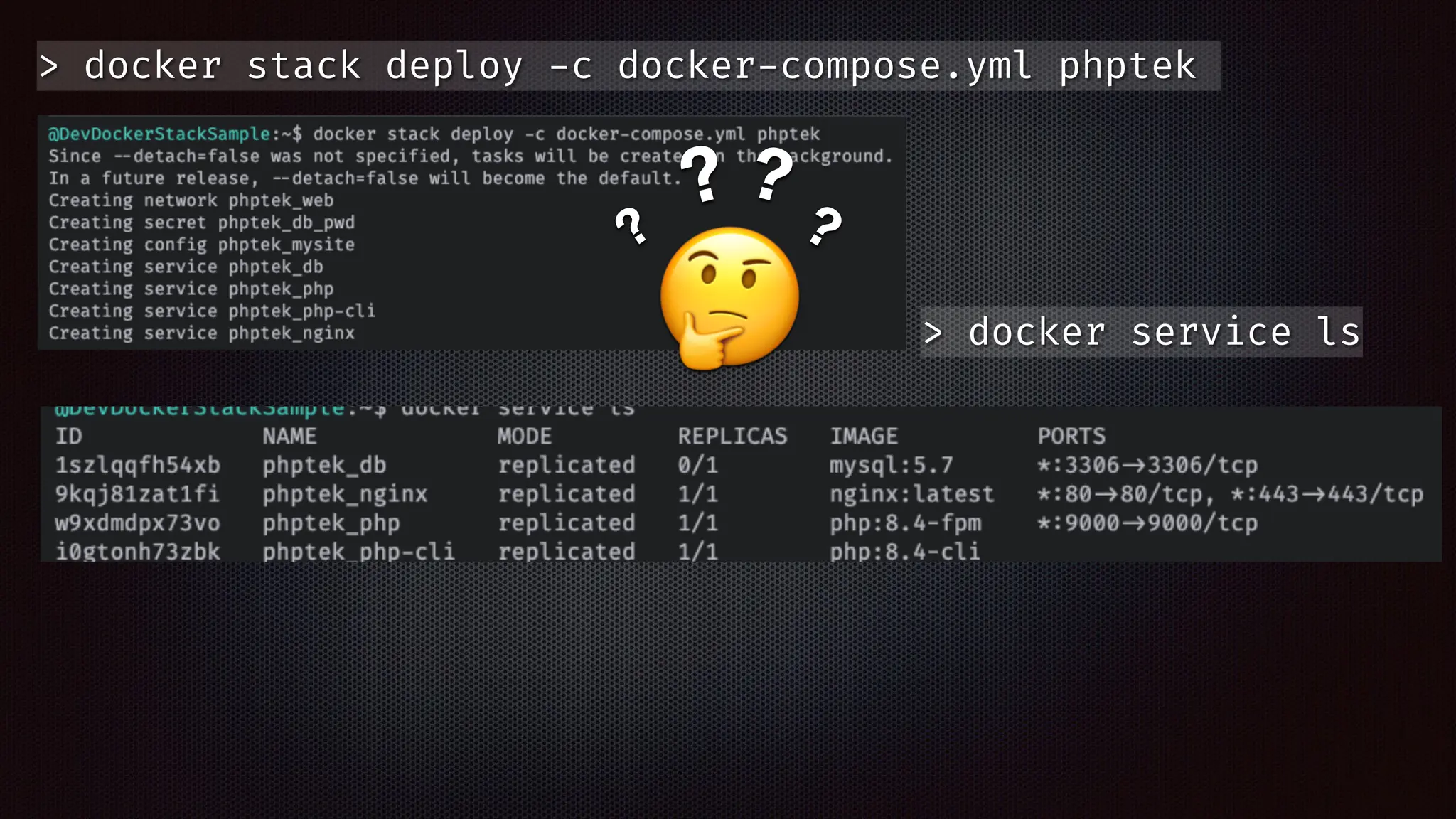
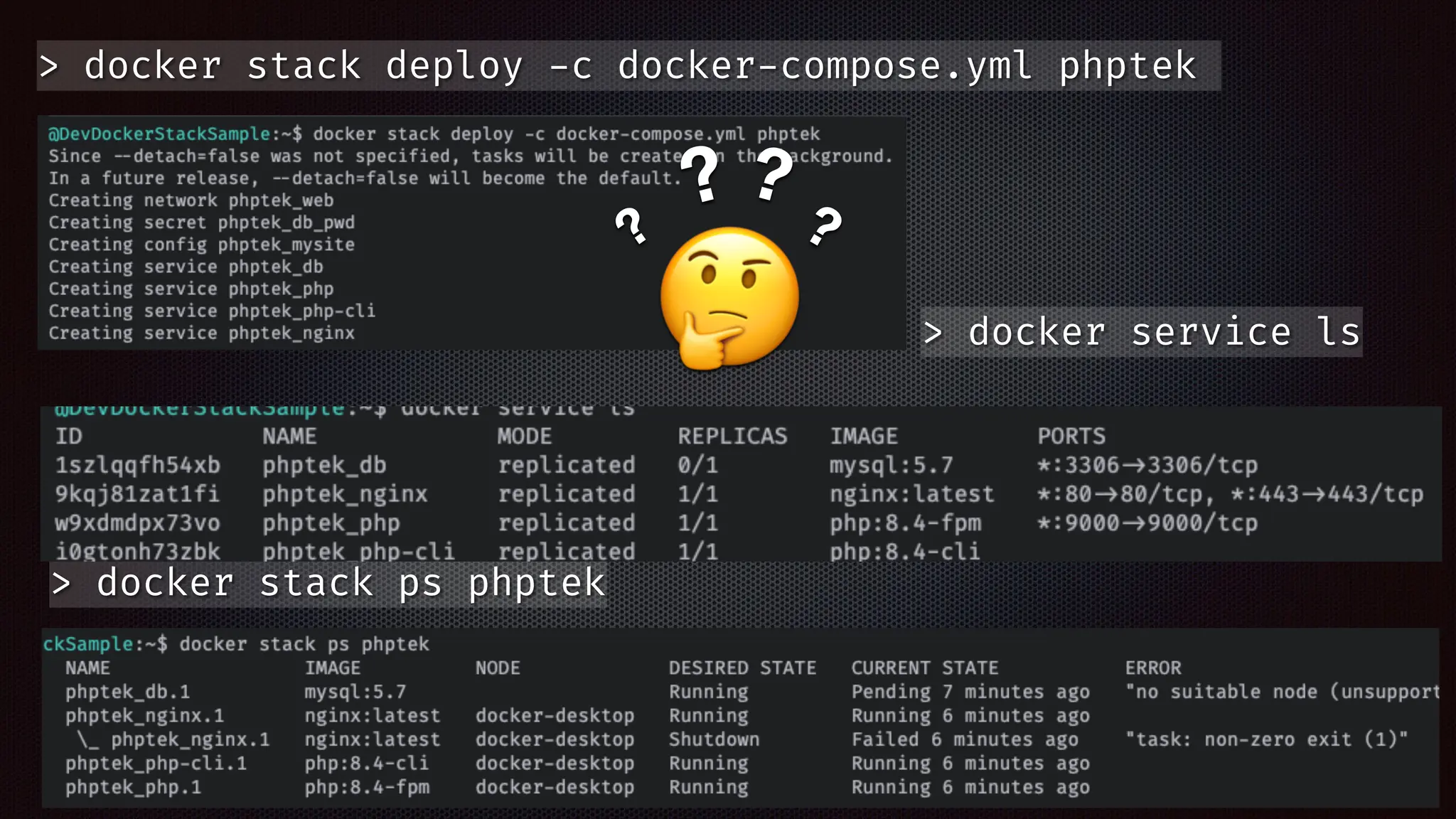
> docker service ls
> docker stack deploy
-
c docker
-
compose.yml phptek
🤔
?
? ?
?
> docker service ls
> docker stack deploy
-
c docker
-
compose.yml phptek
🤔
?
? ?
?
> docker service ls
> docker stack deploy
-
c docker
-
compose.yml phptek
🤔
?
? ?
?
> docker service ls
> docker stack deploy
-
c docker
-
compose.yml phptek
🤔
?
? ?
?
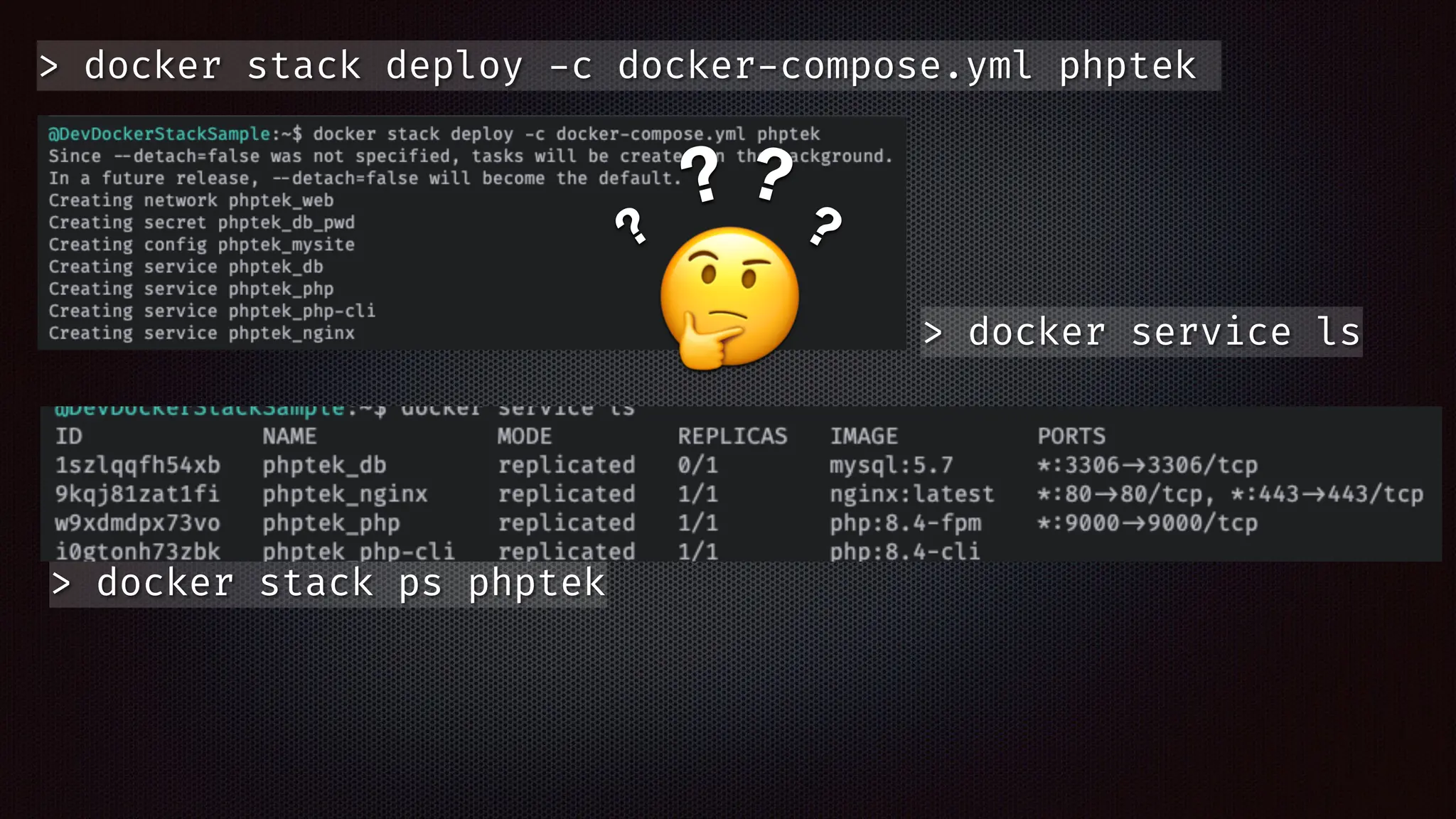
> docker service ls
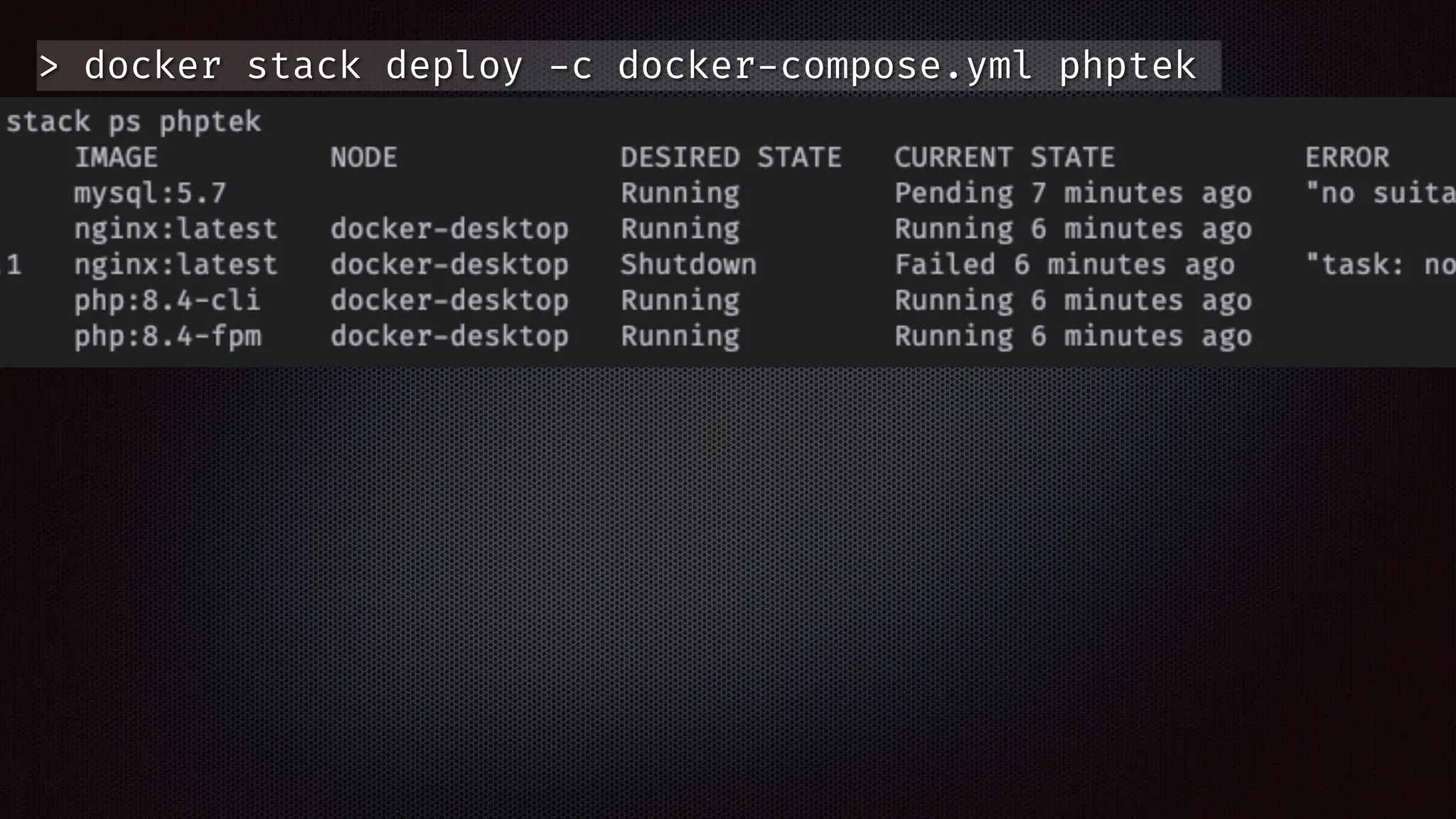
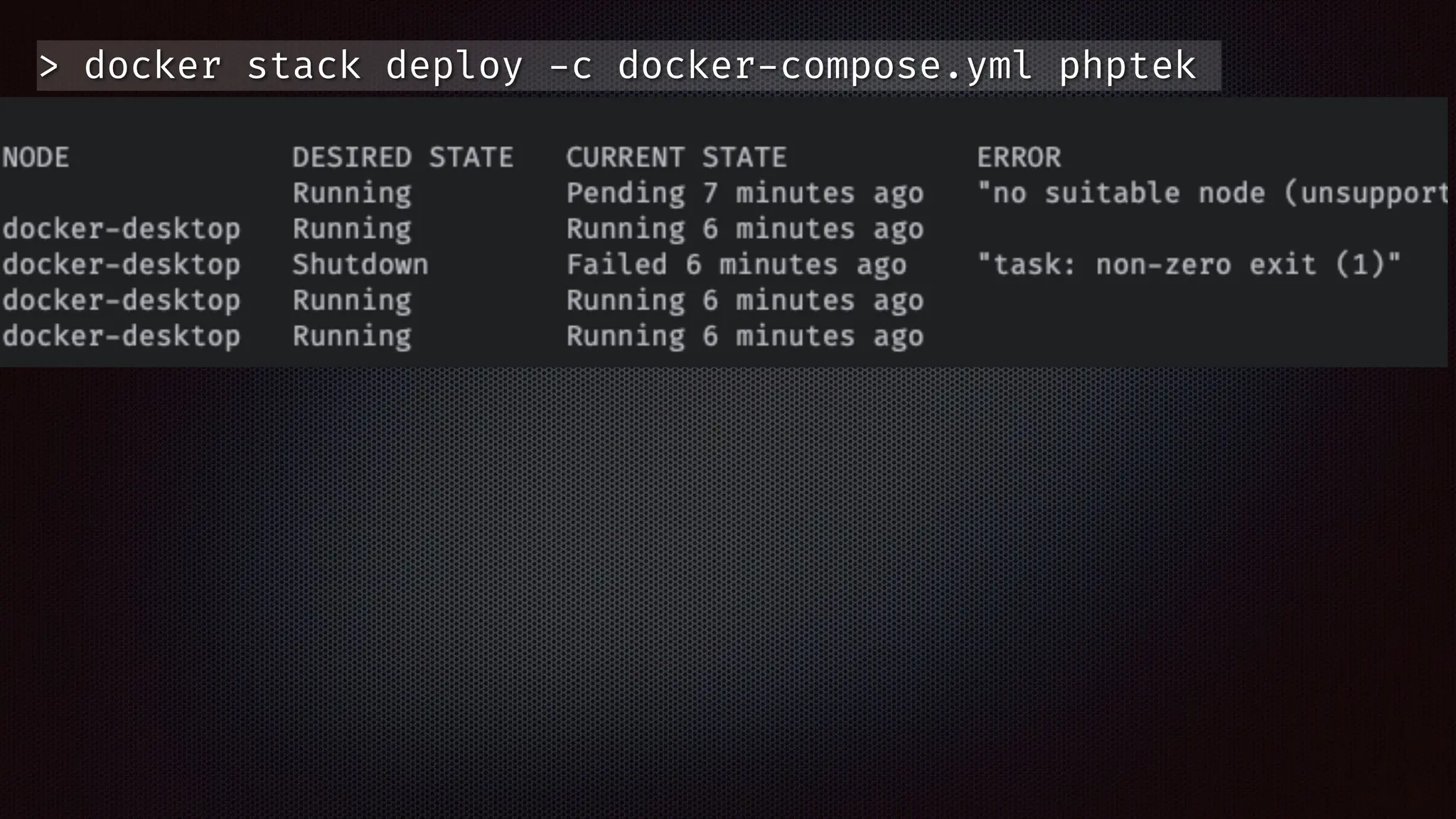
> docker stack ps phptek
> docker stack deploy
-
c docker
-
compose.yml phptek
🤔
?
? ?
?
> docker service ls
> docker stack ps phptek
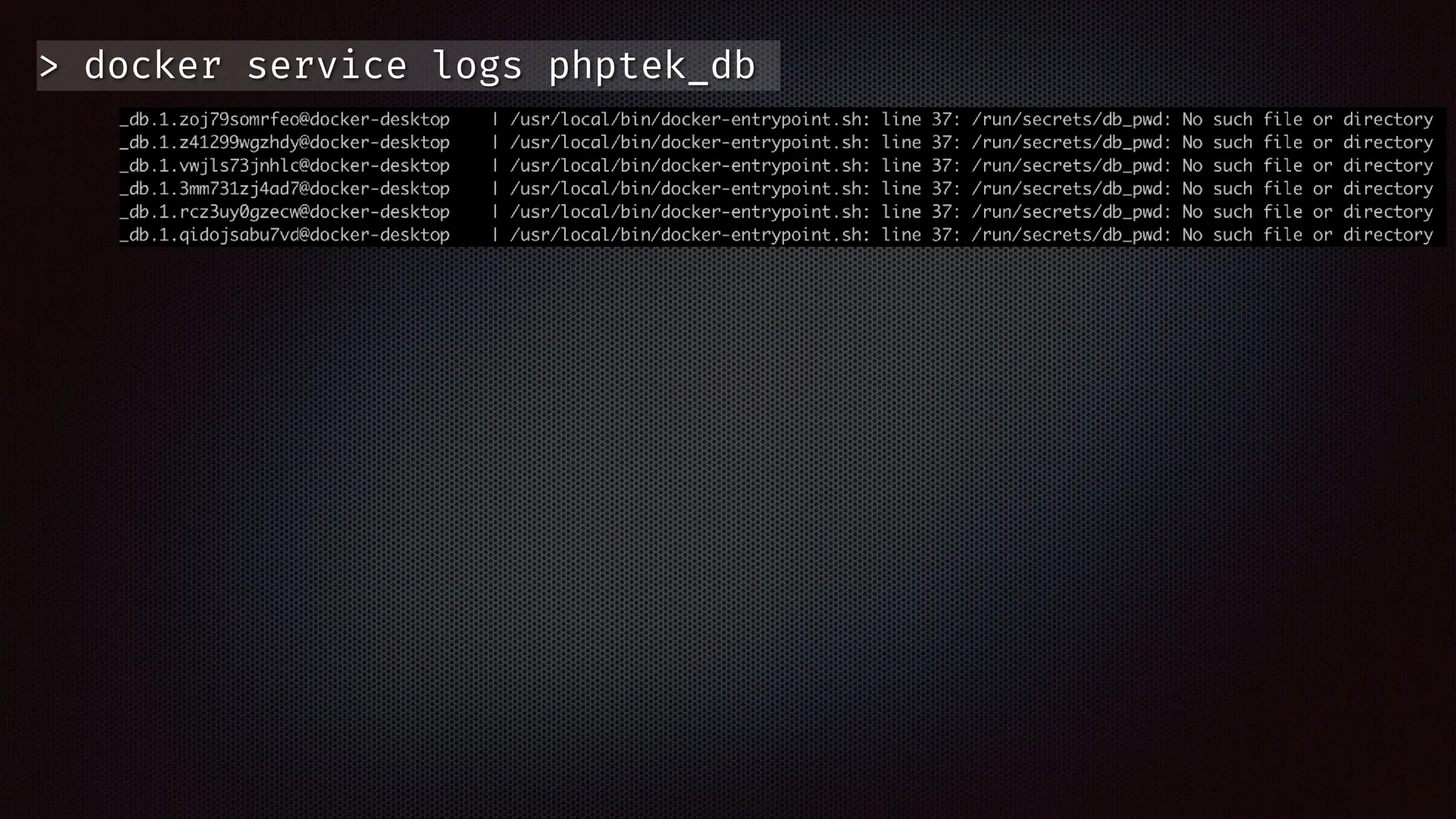
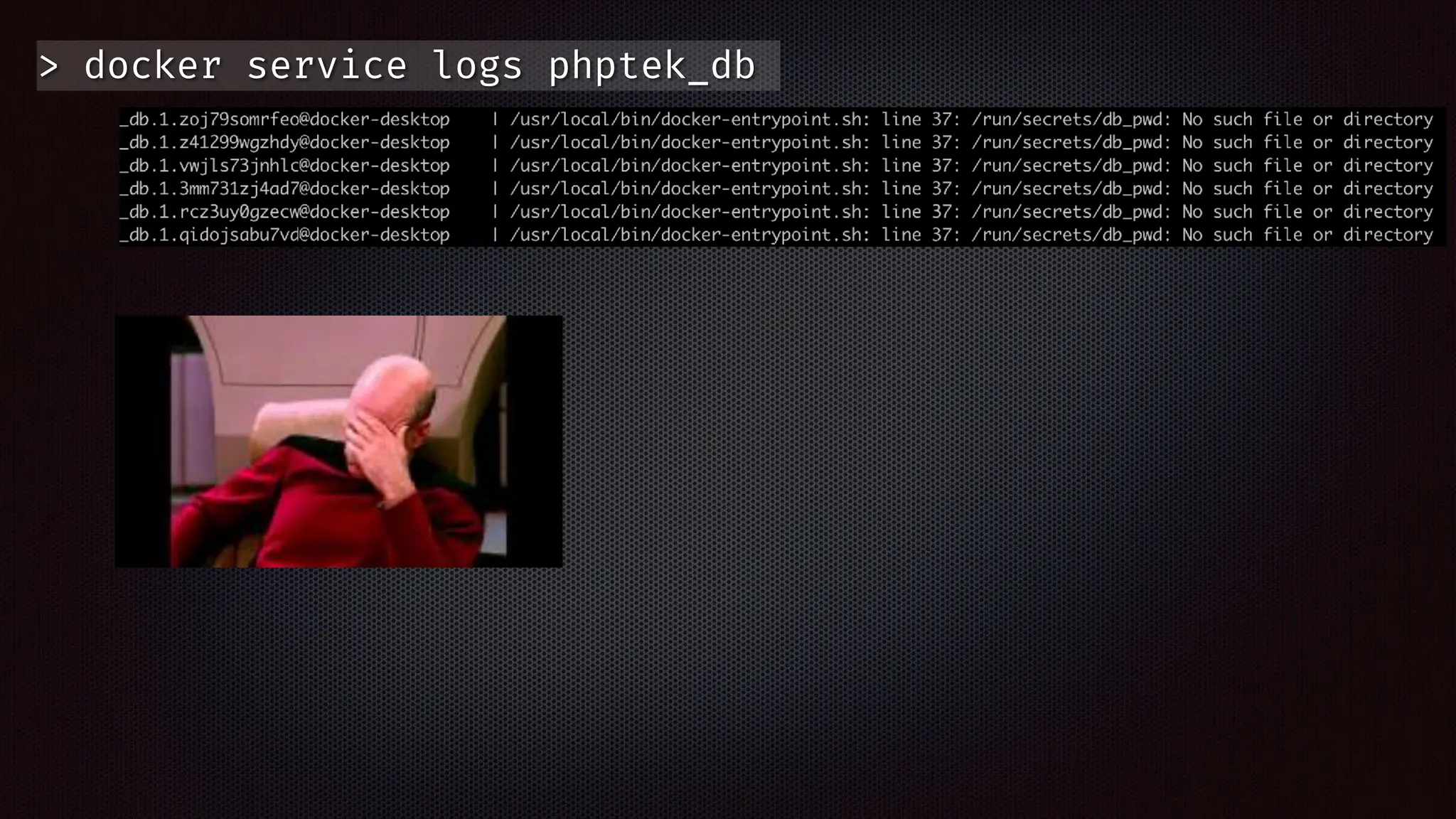
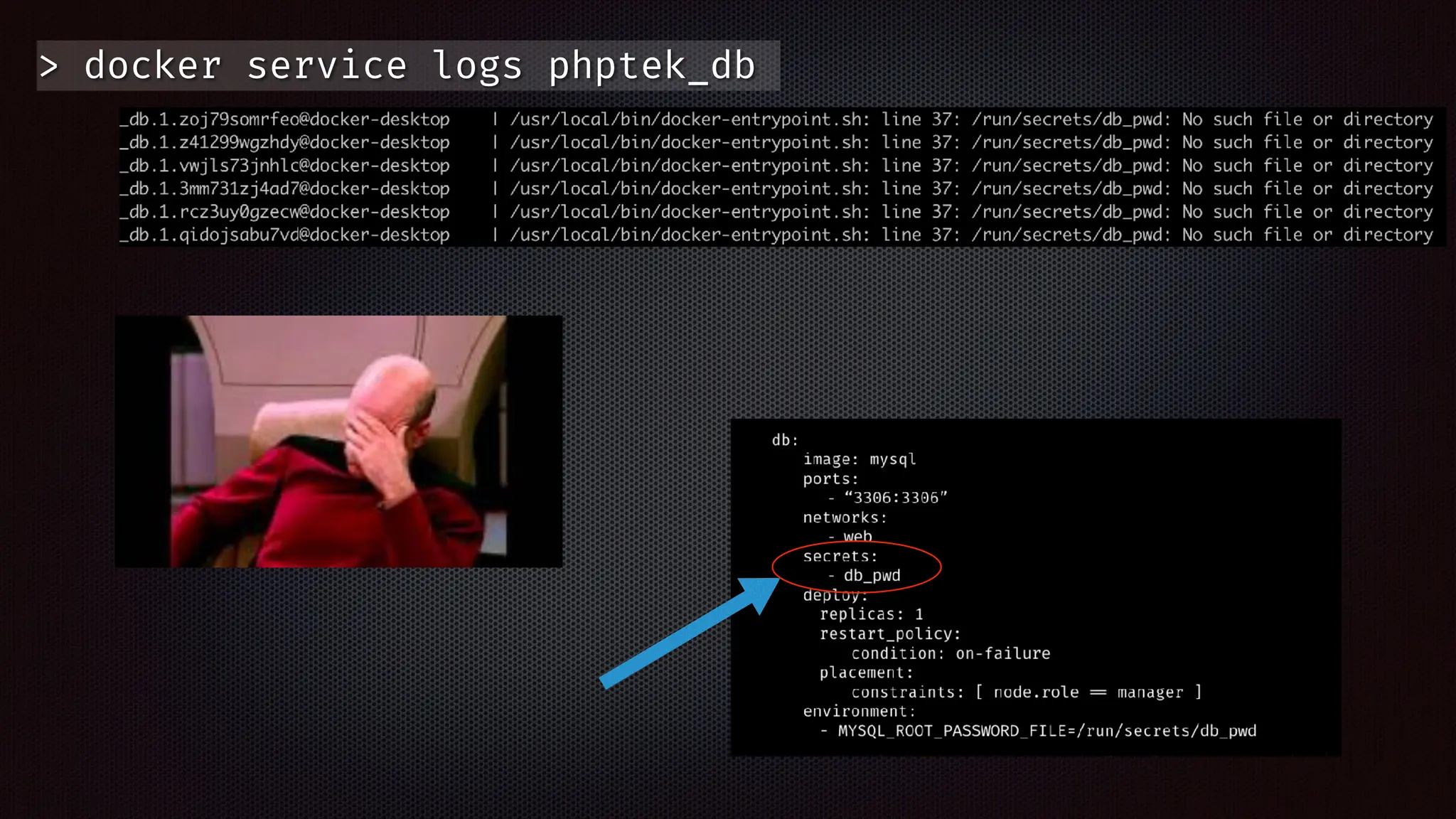
> docker service logs phptek_db
> docker stack deploy
-
c docker
-
compose.yml phptek
> docker stack deploy
-
c docker
-
compose.yml phptek
> docker stack deploy
-
c docker
-
compose.yml phptek
> docker stack deploy
-
c docker
-
compose.yml phptek
> docker stack deploy
-
c docker
-
compose.yml 
-
-
resolve
-
image=never phptek
> docker stack deploy
-
c docker
-
compose.yml phptek
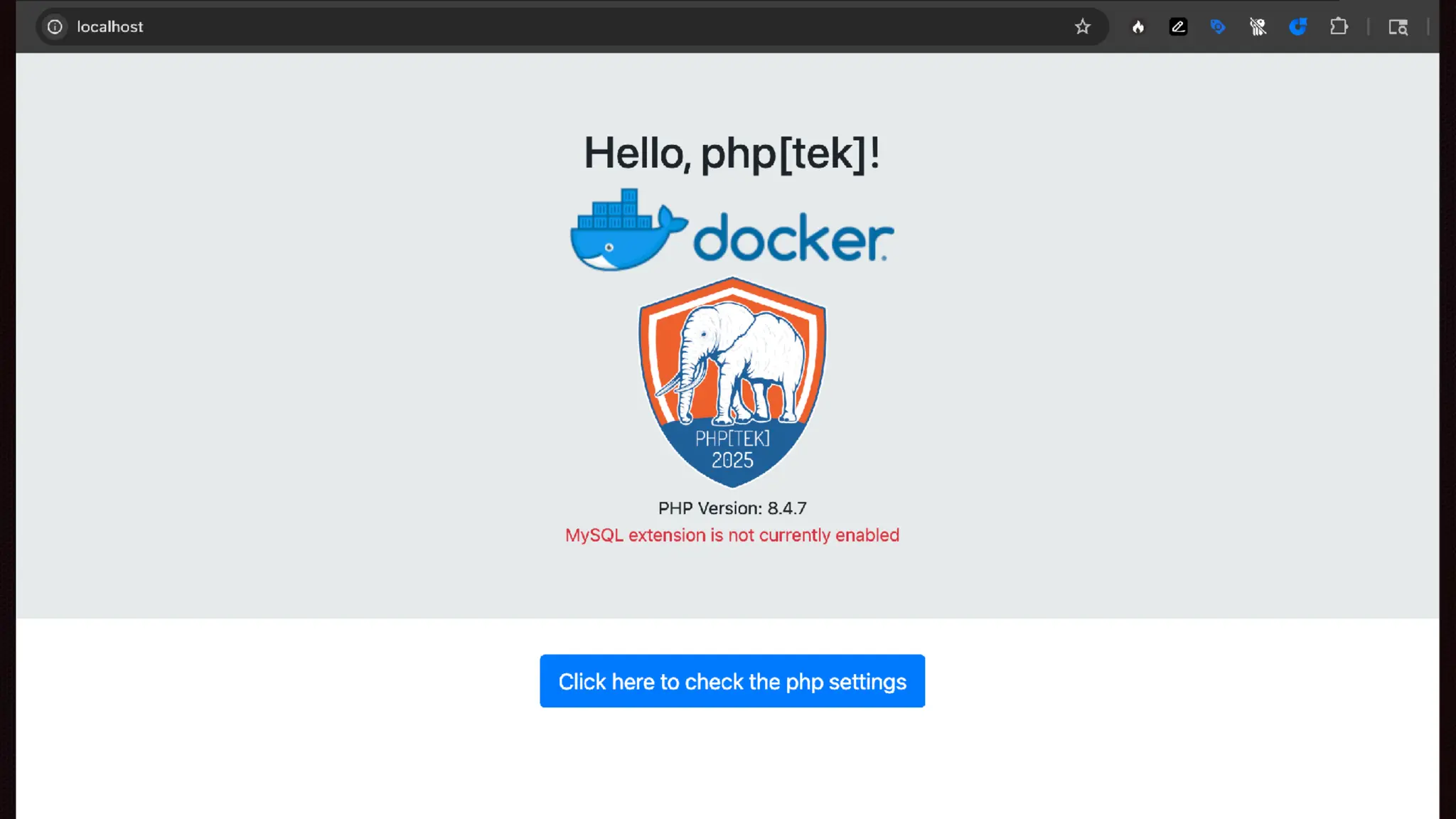
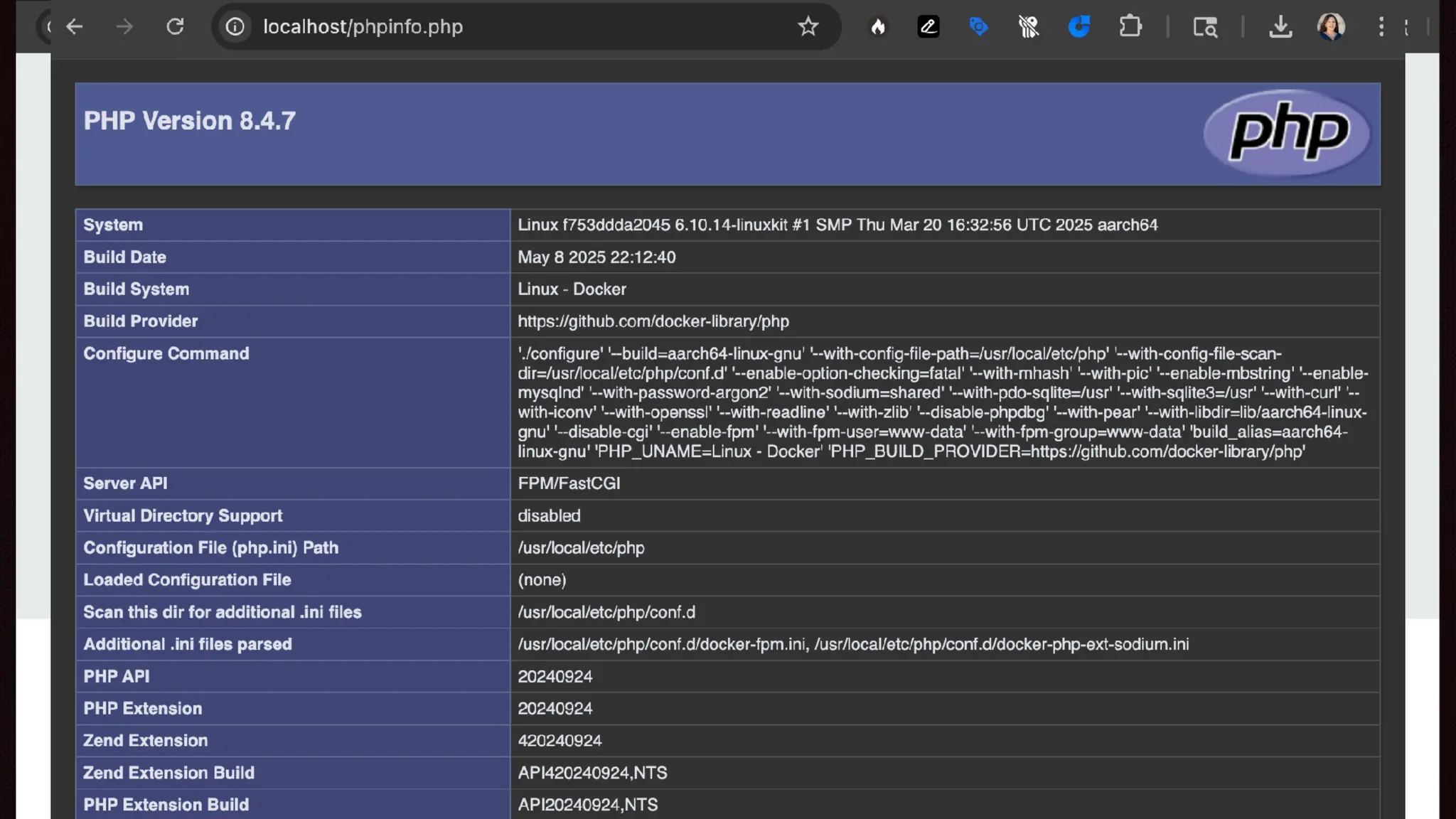
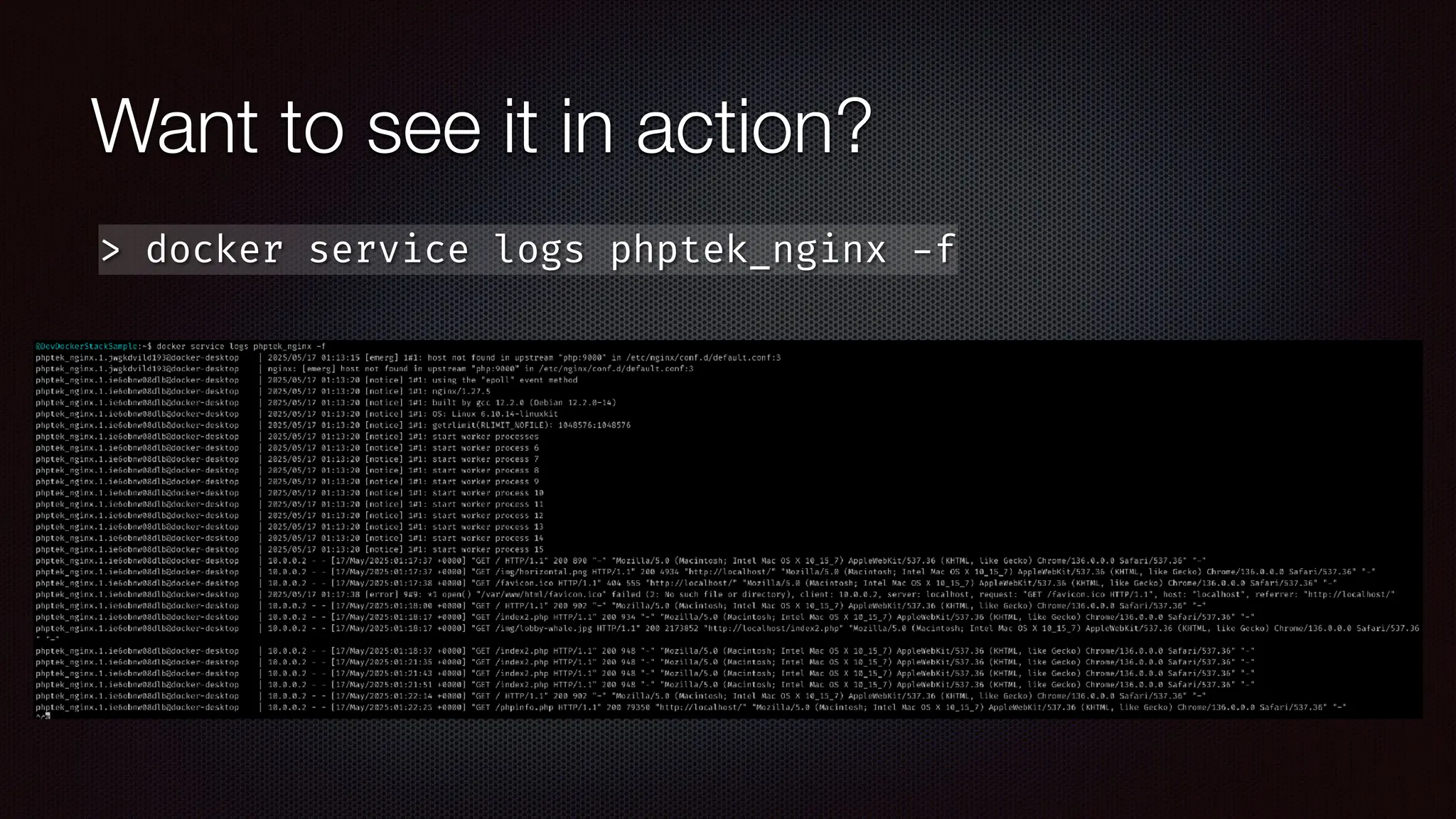
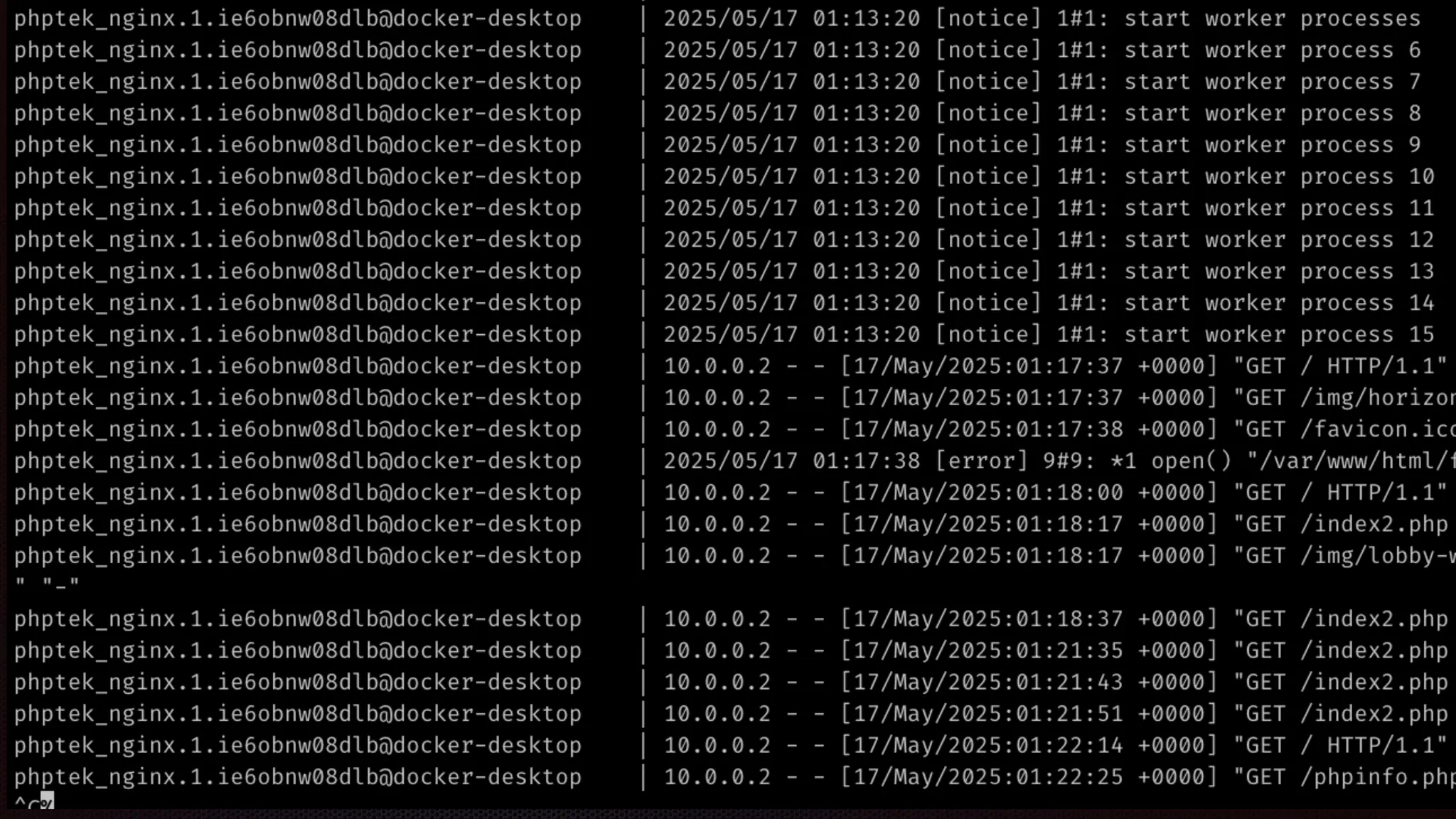
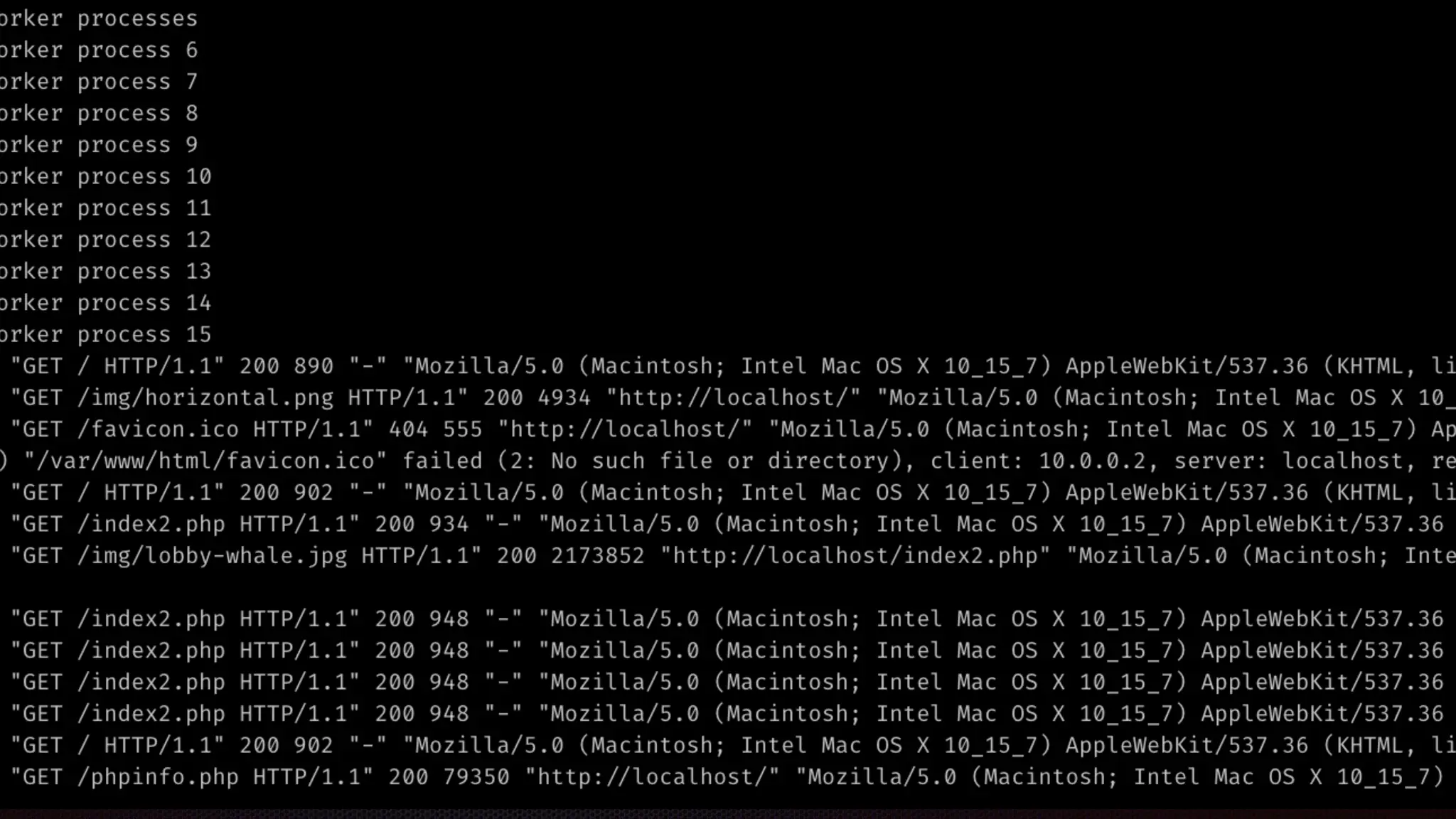
Want to see it in action?
> docker service logs phptek_nginx
-
f
Want to see it in action?
> docker service logs phptek_nginx
-
f
Want to see it in action?
> docker service logs phptek_nginx
-
f
Want to see it in action?
> docker service logs phptek_nginx
-
f
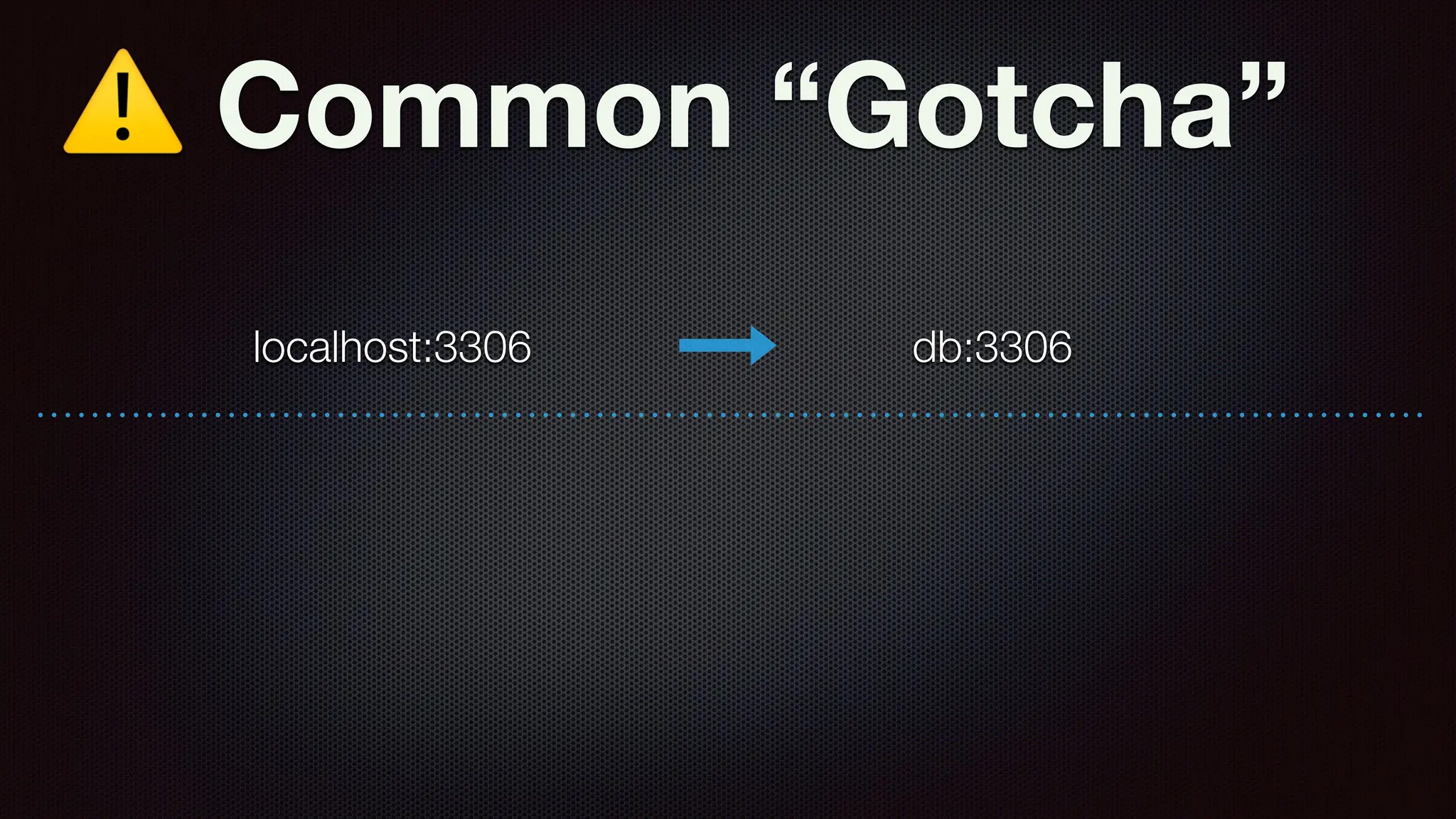
⚠ Common “Gotcha”
localhost:3306 db:3306
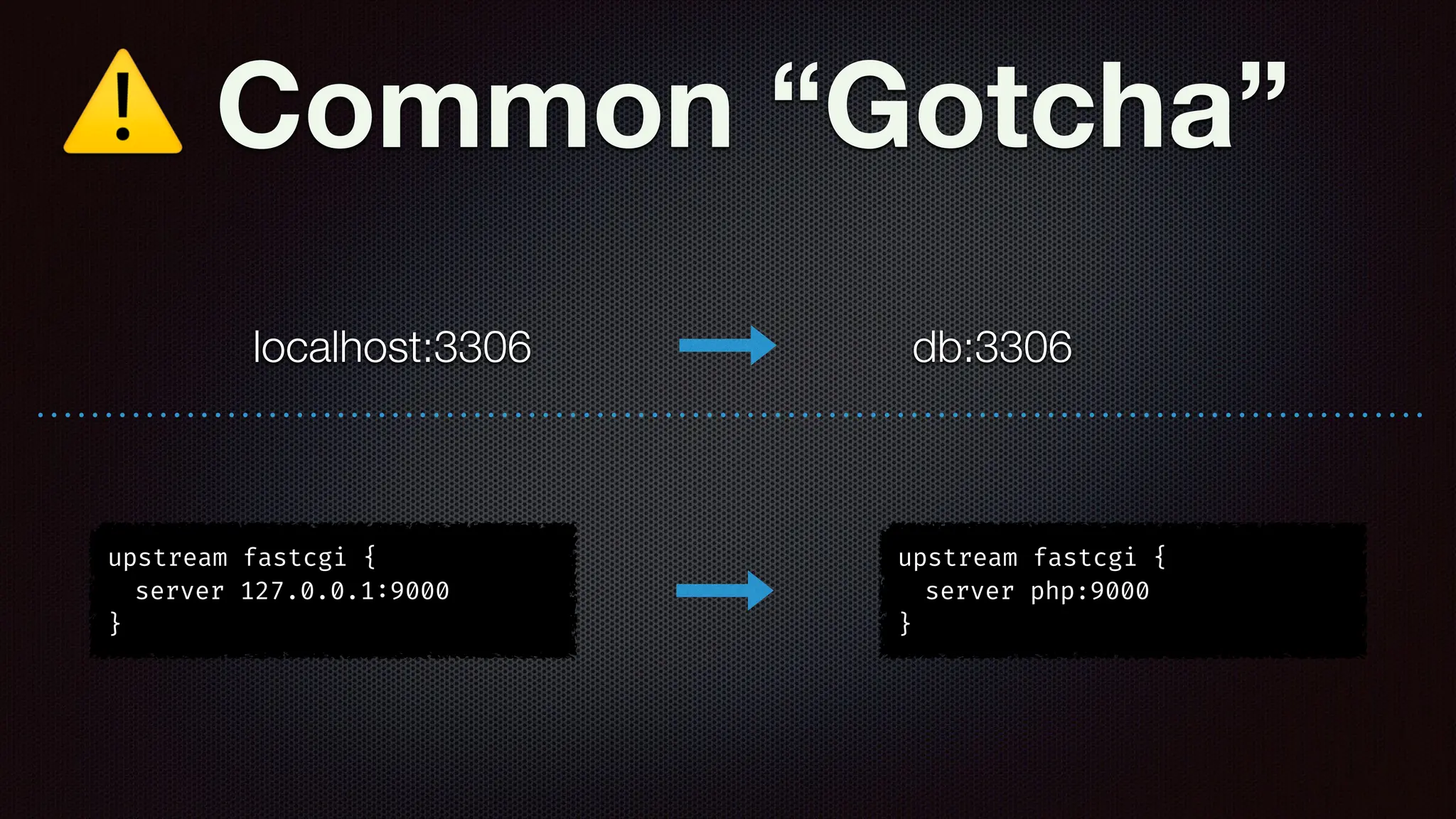
⚠ Common “Gotcha”
localhost:3306 db:3306
upstream fastcgi {
server 127.0.0.1
:
9000
}
upstream fastcgi {
server php:9000
}
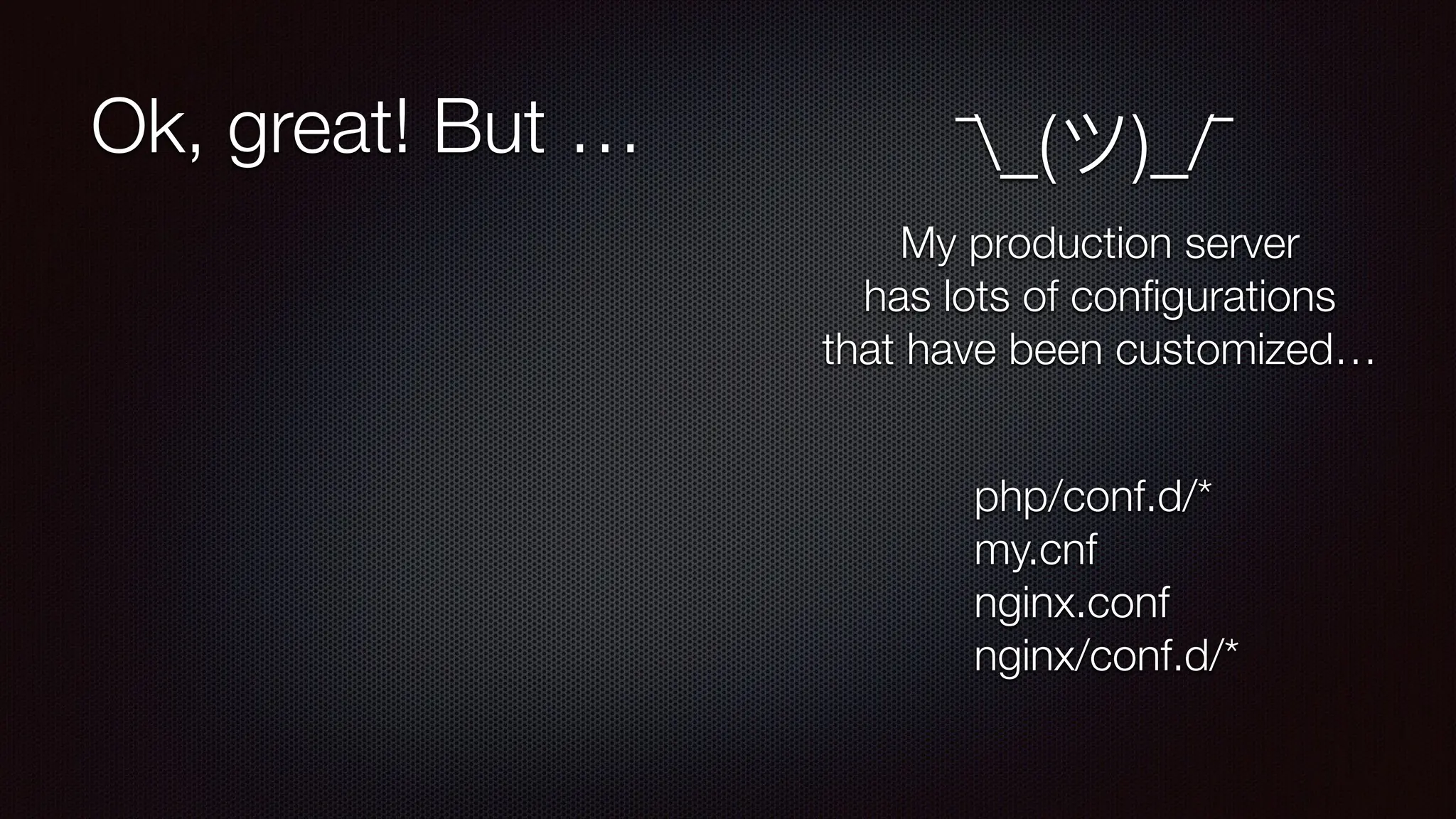
Ok, great! But … ¯_(ツ)_/¯
My production server
has lots of con
fi
gurations
that have been customized…
php/conf.d/*
my.cnf
nginx.conf
nginx/conf.d/*
version: “3.7”
services:
nginx:
image: nginx
networks:
- web
deploy:
replicas: 1
restart_policy:
condition: on
-
failure
labels:
com.envisageinternational.desc: “Nginx Service”
volumes:
- ./public_html:/var/
w
w
w
/html
conf
i
gs:
- source: mysite
target: /etc/nginx/conf.d/mysite.conf
ports:
- “80
:
80”
- “443
:
443”
depends_on:
- php
- db
labels:
com.envisageinternational.desc: “Nginx Container”
command: [‘sh’,'
-
c',"exec nginx
-
g 'daemon off;’”]
db:
image: mysql
ports:
- “3306
:
3306”
networks:
- web
secrets:
- db_pwd
deploy:
replicas: 1
restart_policy:
condition: on
-
failure
placement:
constraints: [ node.role
=
=
manager ]
php:
image: php:8.4-fpm
networks:
- web
depends_on:
- db
deploy:
replicas: 1
restart_policy:
condition: on
-
failure
labels:
com.envisageinternational.desc: “PHP-FPM Service”
ports:
- “9000
:
9000”
volumes:
- ./public_html:/var/
w
w
w
/html
labels:
com.envisageinternational.desc: “PHP-FPM Container”
php
-
cli:
image: php:8.4-cli
networks:
- web
deploy:
replicas: 1
restart_policy:
condition: on
-
failure
labels:
com.envisageinternational.desc: “PHP-CLI Service”
volumes:
- ./public_html:/var/
w
w
w
/html
labels:
com.envisageinternational.desc: “PHP-CLI Container”
command: [‘bin/sh’, ‘
-
c’, “sleep inf
i
nity”]
networks:
web:
conf
i
gs:
mysite:
f
i
le: ./mysite.conf
secrets:
PHP 8.4 FPM
NGINX
MySQL
version: “3.7”
services:
nginx:
image: nginx
networks:
- web
deploy:
replicas: 1
restart_policy:
condition: on
-
failure
labels:
com.envisageinternational.desc: “Nginx Service”
volumes:
- ./public_html:/var/
w
w
w
/html
conf
i
gs:
- source: mysite
target: /etc/nginx/conf.d/mysite.conf
ports:
- “80
:
80”
- “443
:
443”
depends_on:
- php
- db
labels:
com.envisageinternational.desc: “Nginx Container”
command: [‘sh’,'
-
c',"exec nginx
-
g 'daemon off;’”]
db:
image: mysql
ports:
- “3306
:
3306”
networks:
- web
secrets:
- db_pwd
deploy:
replicas: 1
restart_policy:
condition: on
-
failure
placement:
constraints: [ node.role
=
=
manager ]
-
image: php:8.4-cli
networks:
- web
deploy:
replicas: 1
restart_policy:
condition: on
-
failure
labels:
com.envisageinternational.d
volumes:
- ./public_html:/var/
w
w
w
/html
labels:
com.envisageinternational.de
command: [‘bin/sh’, ‘
-
c’, “sleep
i
networks:
web:
conf
i
gs:
mysite:
i
PHP 8.4 FPM
NGINX
MySQL
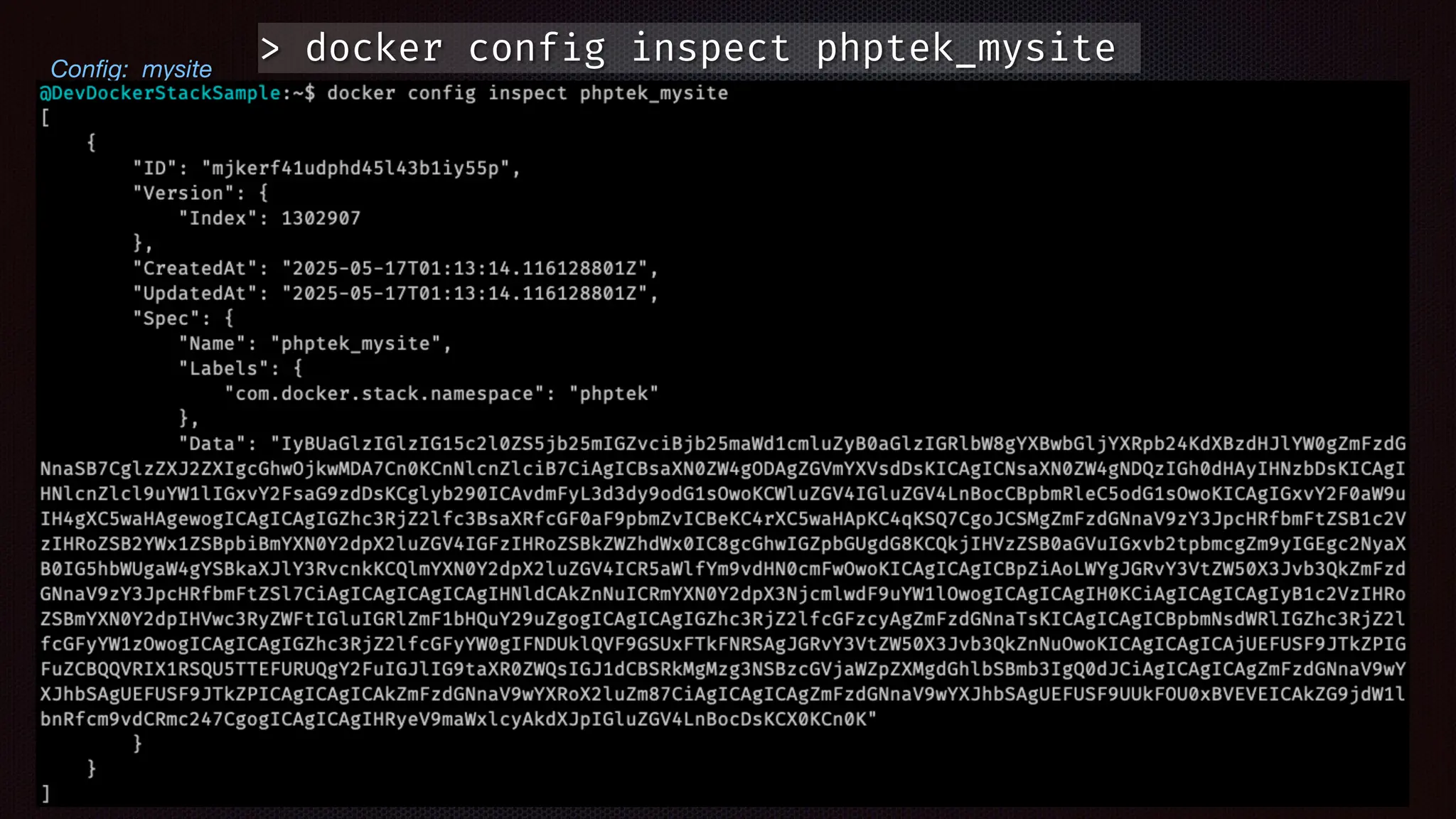
Con
fi
g: mysite
Con
fi
g: mysite
> docker conf
i
g inspect phptek_mysite
version: “3.4”
services:
nginx:
image: nginx
networks:
- web
deploy:
replicas: 1
restart_policy:
condition: on
-
failure
labels:
com.envisageinternational.desc: “Nginx Service”
volumes:
- ./public_html:/var/
w
w
w
/html
conf
i
gs:
- source: mysite
target: /etc/nginx/conf.d/mysite.conf
ports:
- “80
:
80”
- “443
:
443”
depends_on:
- php
- db
labels:
com.envisageinternational.desc: “Nginx Container”
command: [‘sh’,'
-
c',"exec nginx
-
g 'daemon off;’”]
db:
image: mysql
ports:
- “3306
:
3306”
networks:
- web
secrets:
- db_pwd
deploy:
replicas: 1
restart_policy:
condition: on
-
failure
placement:
constraints: [ node.role
=
=
manager ]
php:
image: php:8.4-fpm
networks:
- web
depends_on:
- db
deploy:
replicas: 1
restart_policy:
condition: on
-
failure
labels:
com.envisageinternational.desc: “PHP-FPM Service”
ports:
- “9000
:
9000”
volumes:
- ./public_html:/var/
w
w
w
/html
labels:
com.envisageinternational.desc: “PHP-FPM Container”
php
-
cli:
image: php:8.4-cli
networks:
- web
deploy:
replicas: 1
restart_policy:
condition: on
-
failure
labels:
com.envisageinternational.desc: “PHP-CLI Service”
volumes:
- ./public_html:/var/
w
w
w
/html
labels:
com.envisageinternational.desc: “PHP-CLI Container”
command: [‘bin/sh’, ‘
-
c’, “sleep inf
i
nity”]
networks:
web:
conf
i
gs:
mysite:
f
i
le: ./mysite.conf
secrets:
PHP 8.4 FPM
NGINX
MySQL
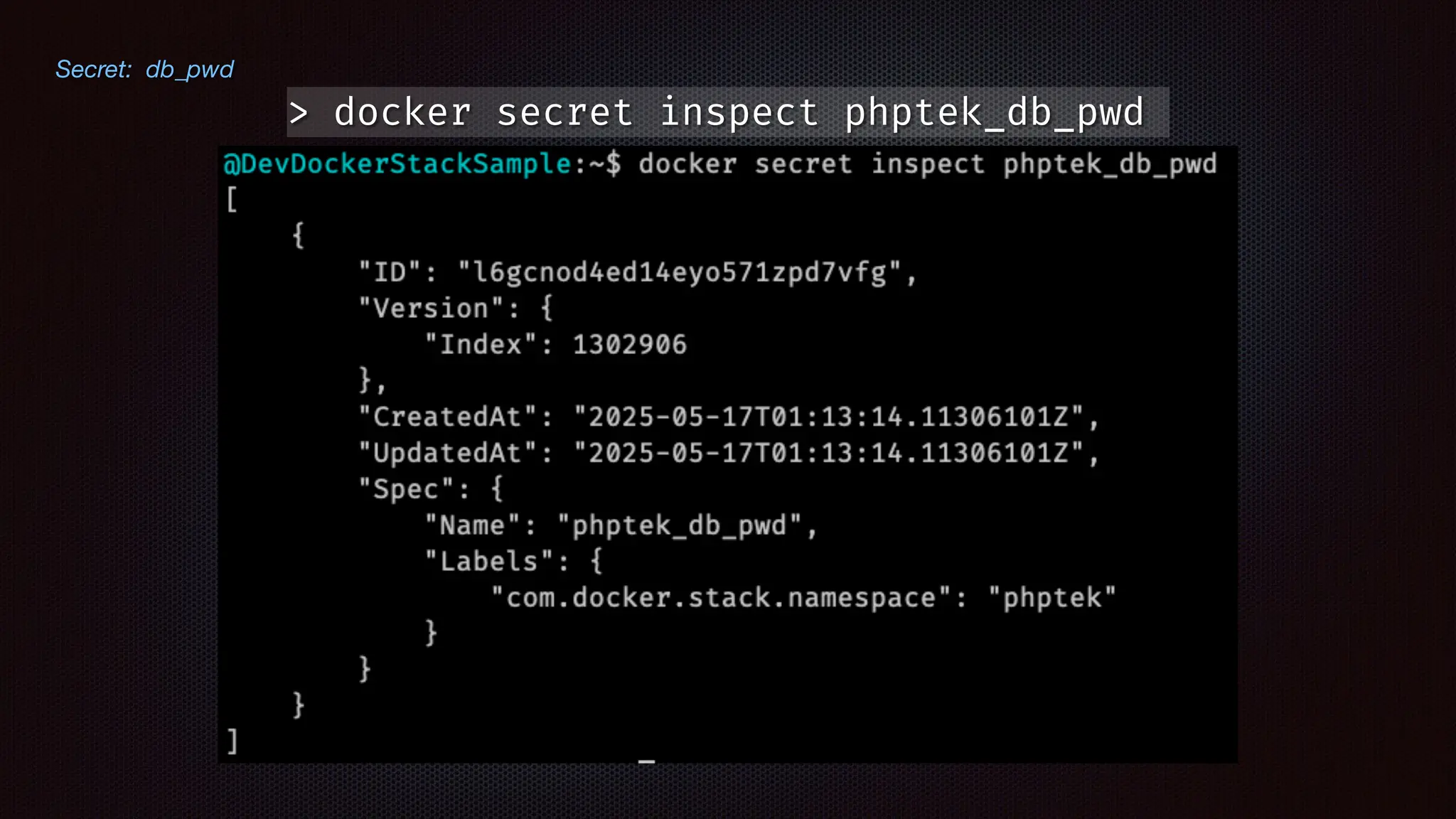
Secret: db_pwd
Secret: db_pwd
> docker secret inspect phptek_db_pwd
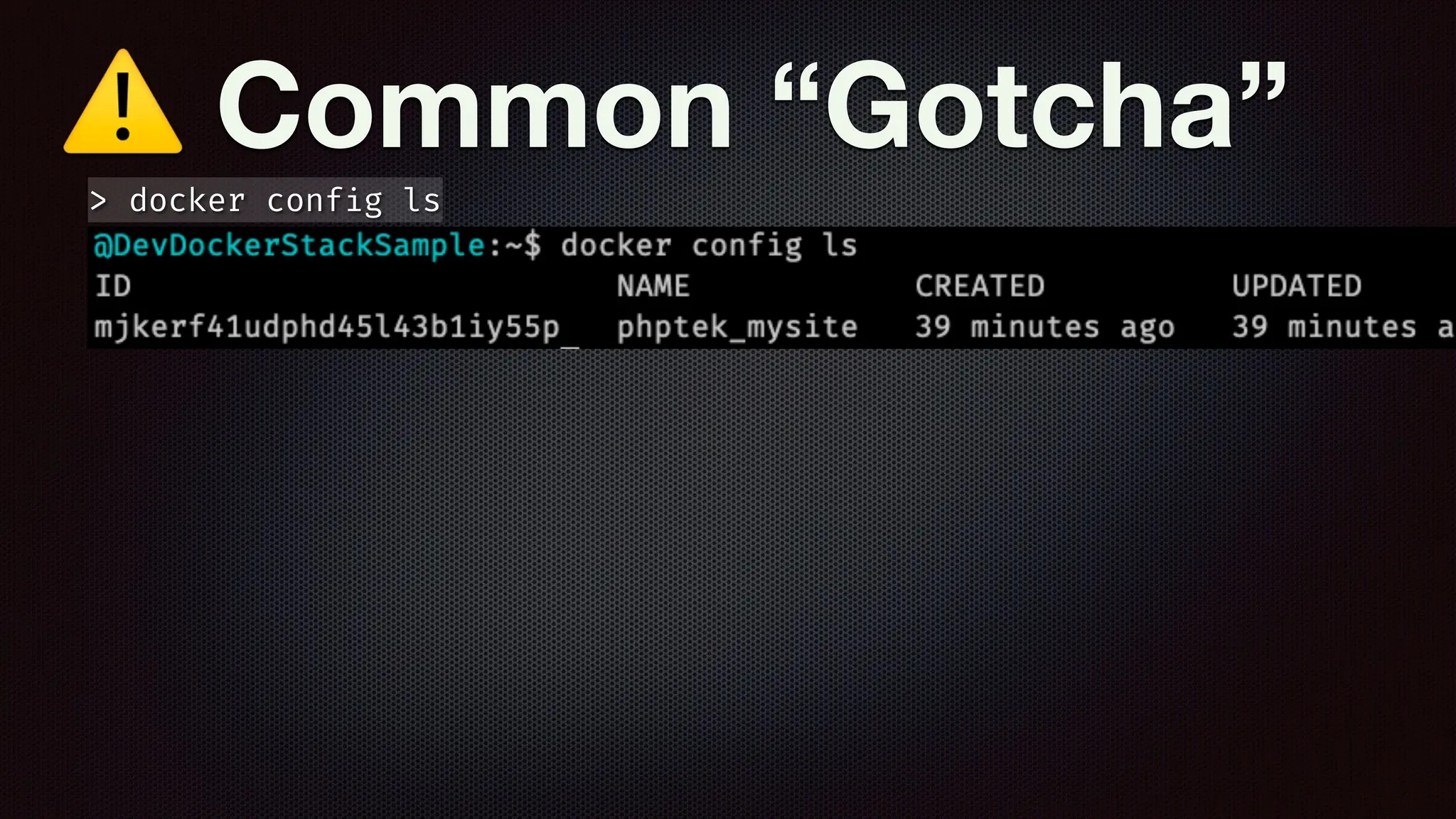
⚠ Common “Gotcha”
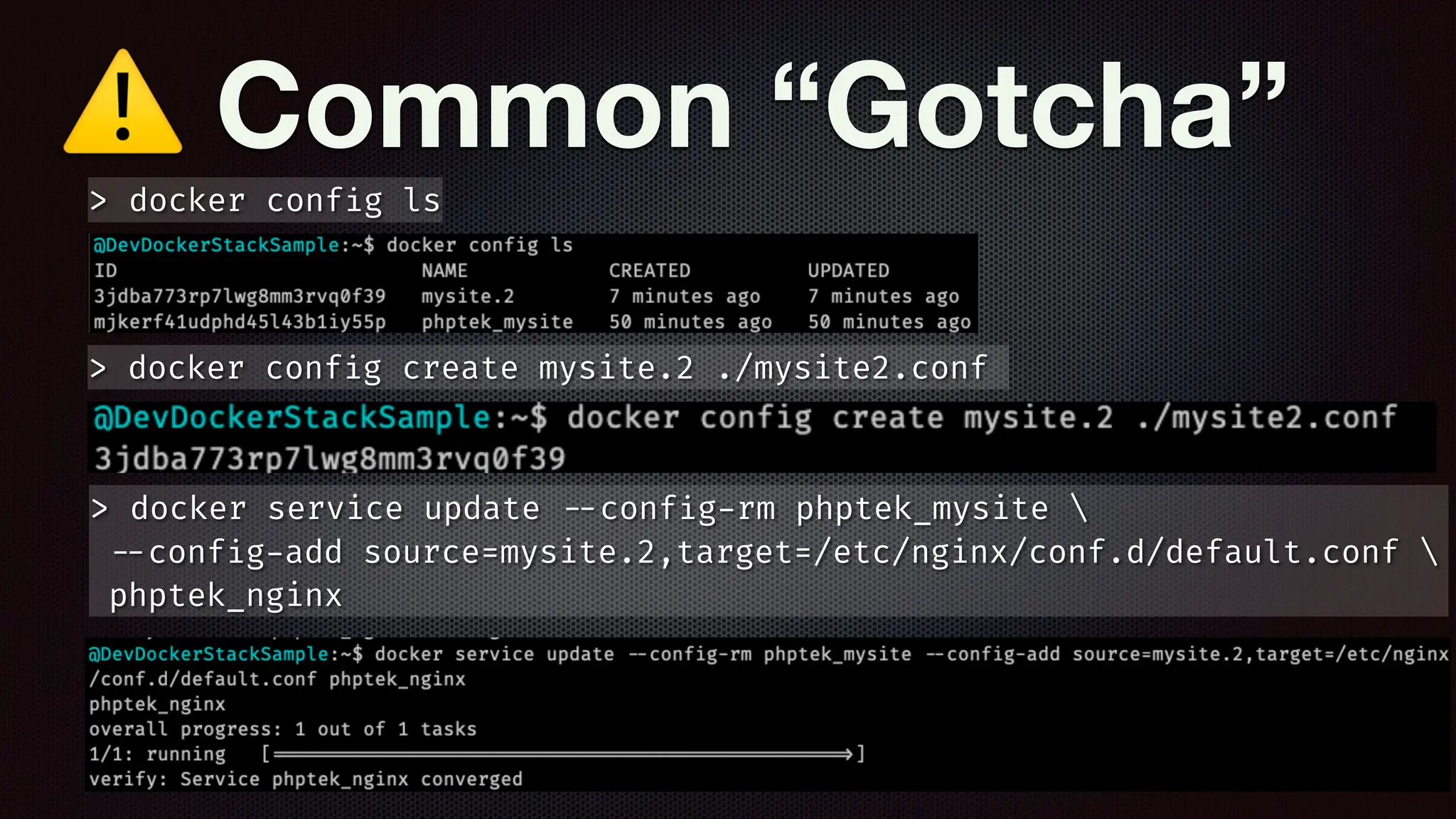
> docker conf
i
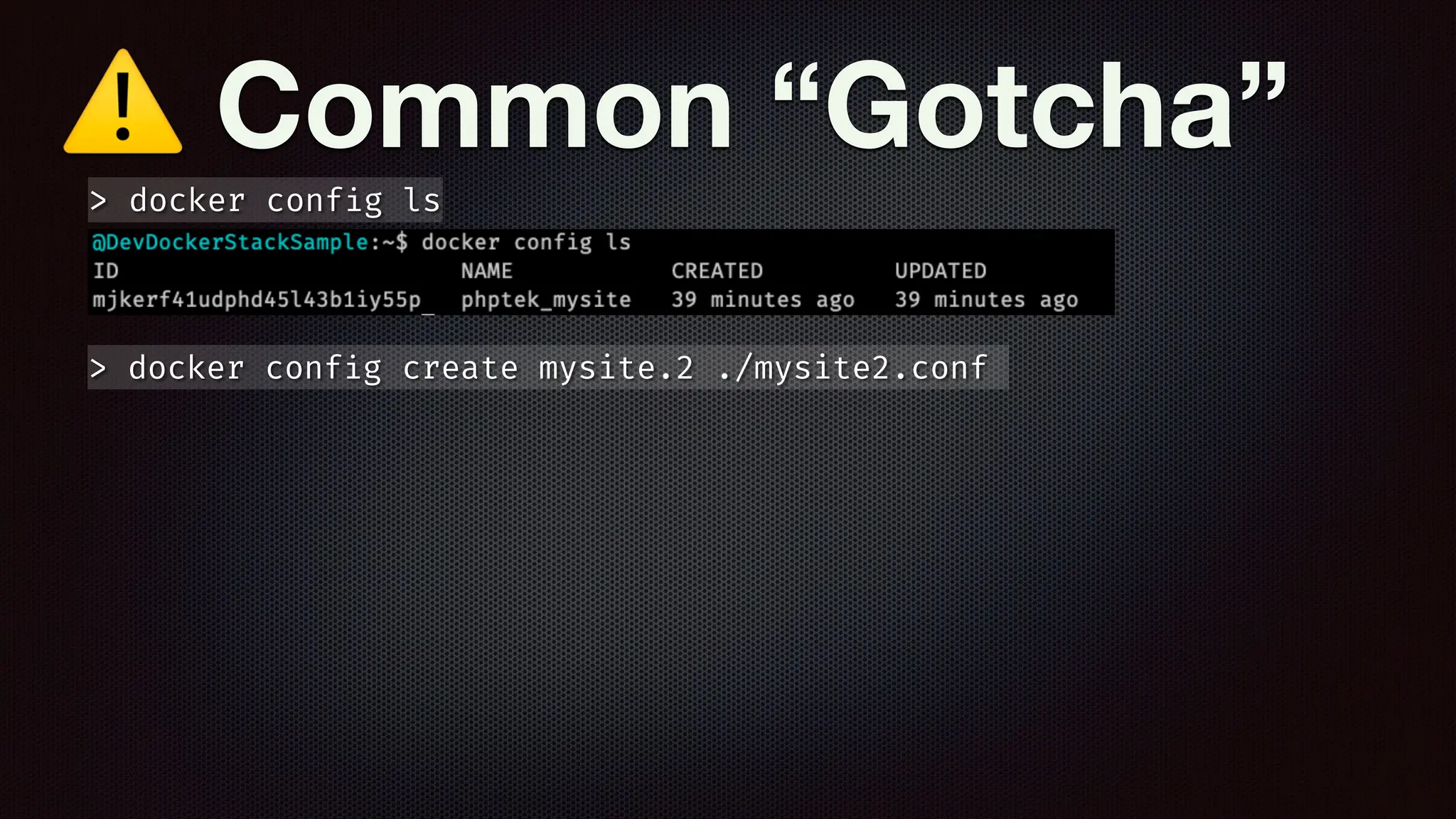
g ls
⚠ Common “Gotcha”
> docker conf
i
g ls
⚠ Common “Gotcha”
> docker conf
i
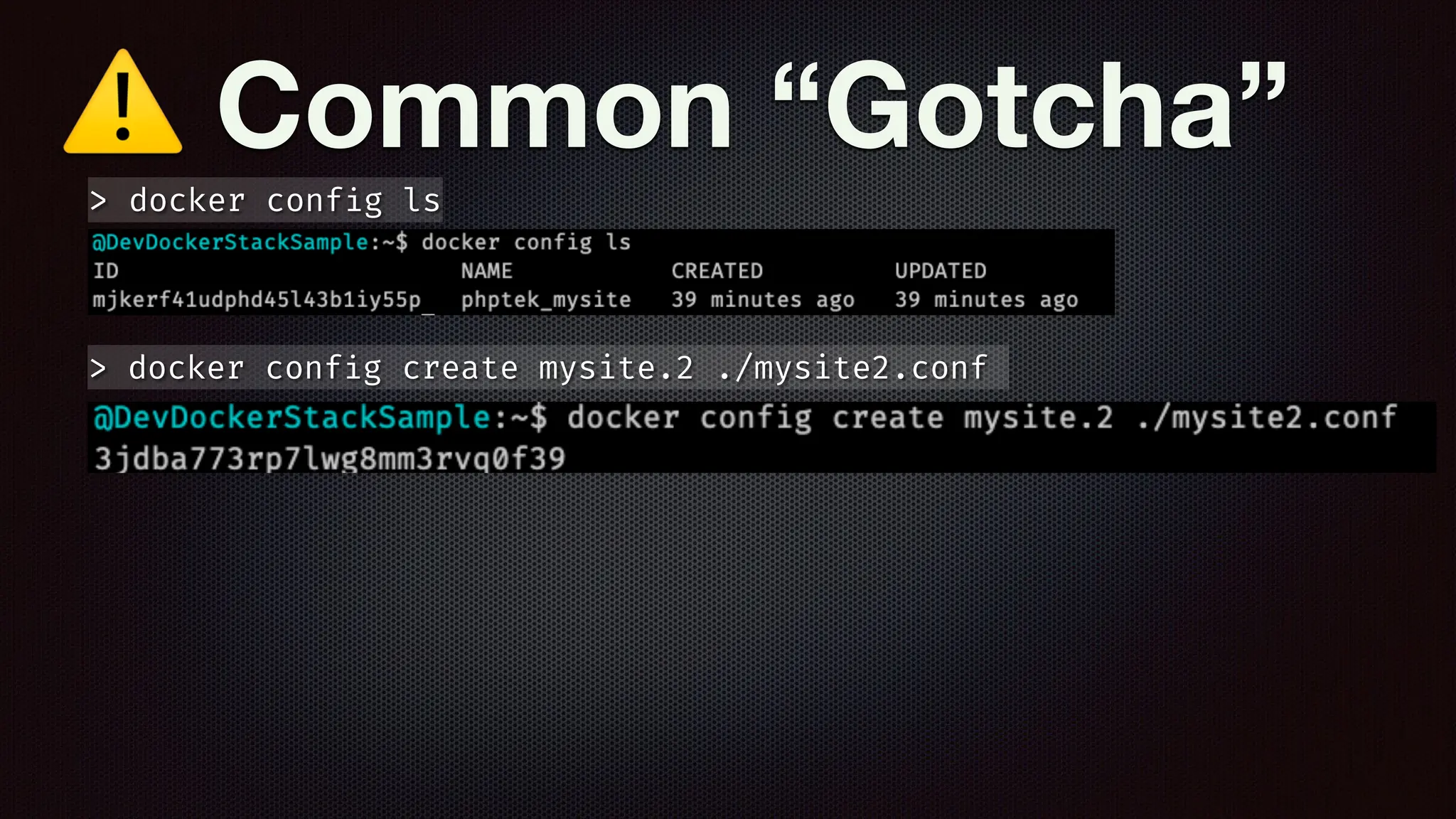
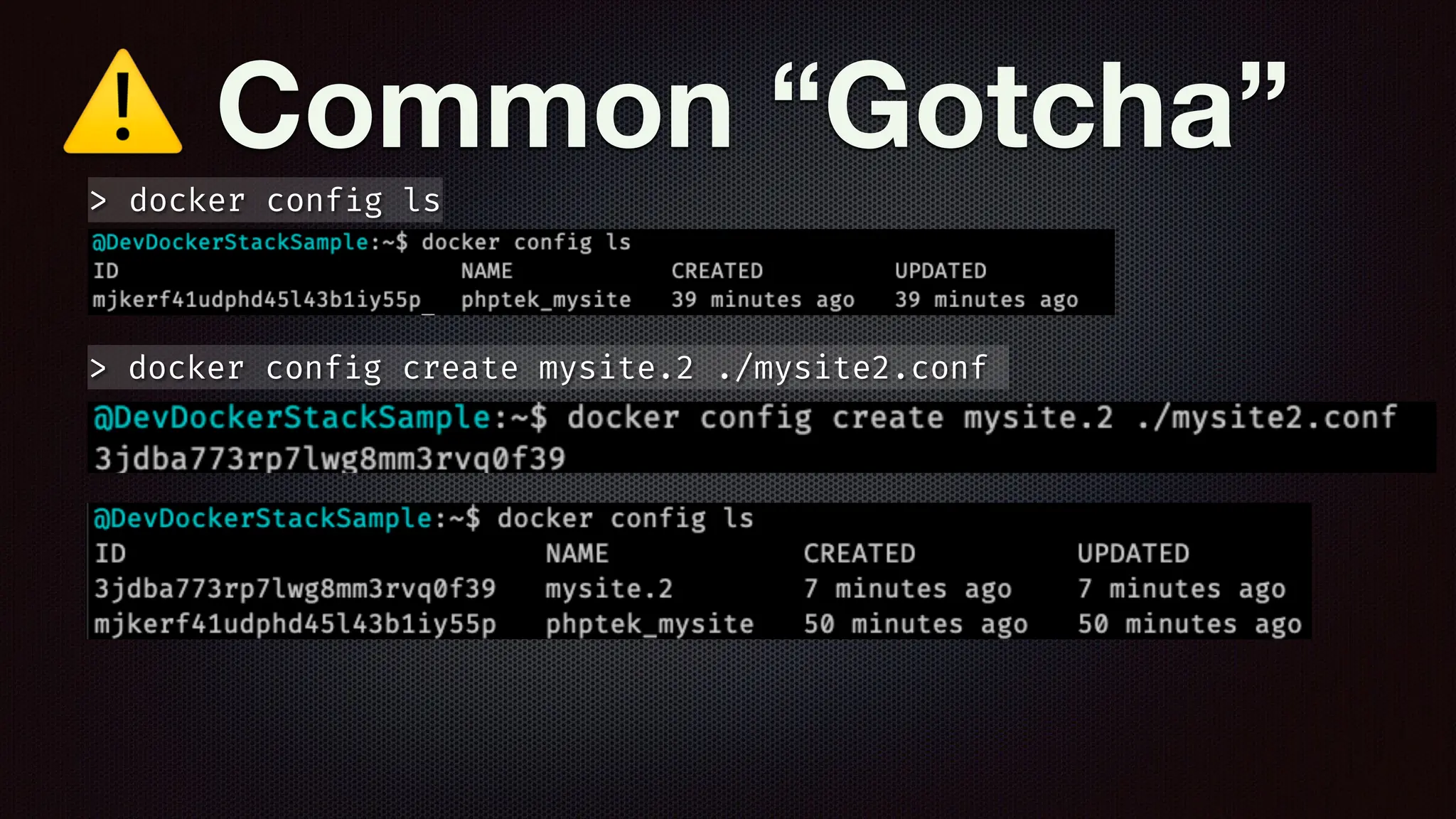
g create mysite.2 ./mysite2.conf
> docker conf
i
g ls
⚠ Common “Gotcha”
> docker conf
i
g create mysite.2 ./mysite2.conf
> docker conf
i
g ls
⚠ Common “Gotcha”
> docker conf
i
g create mysite.2 ./mysite2.conf
> docker conf
i
g ls
⚠ Common “Gotcha”
> docker conf
i
g create mysite.2 ./mysite2.conf
> docker conf
i
g ls
⚠ Common “Gotcha”
> docker conf
i
g create mysite.2 ./mysite2.conf
> docker conf
i
g ls
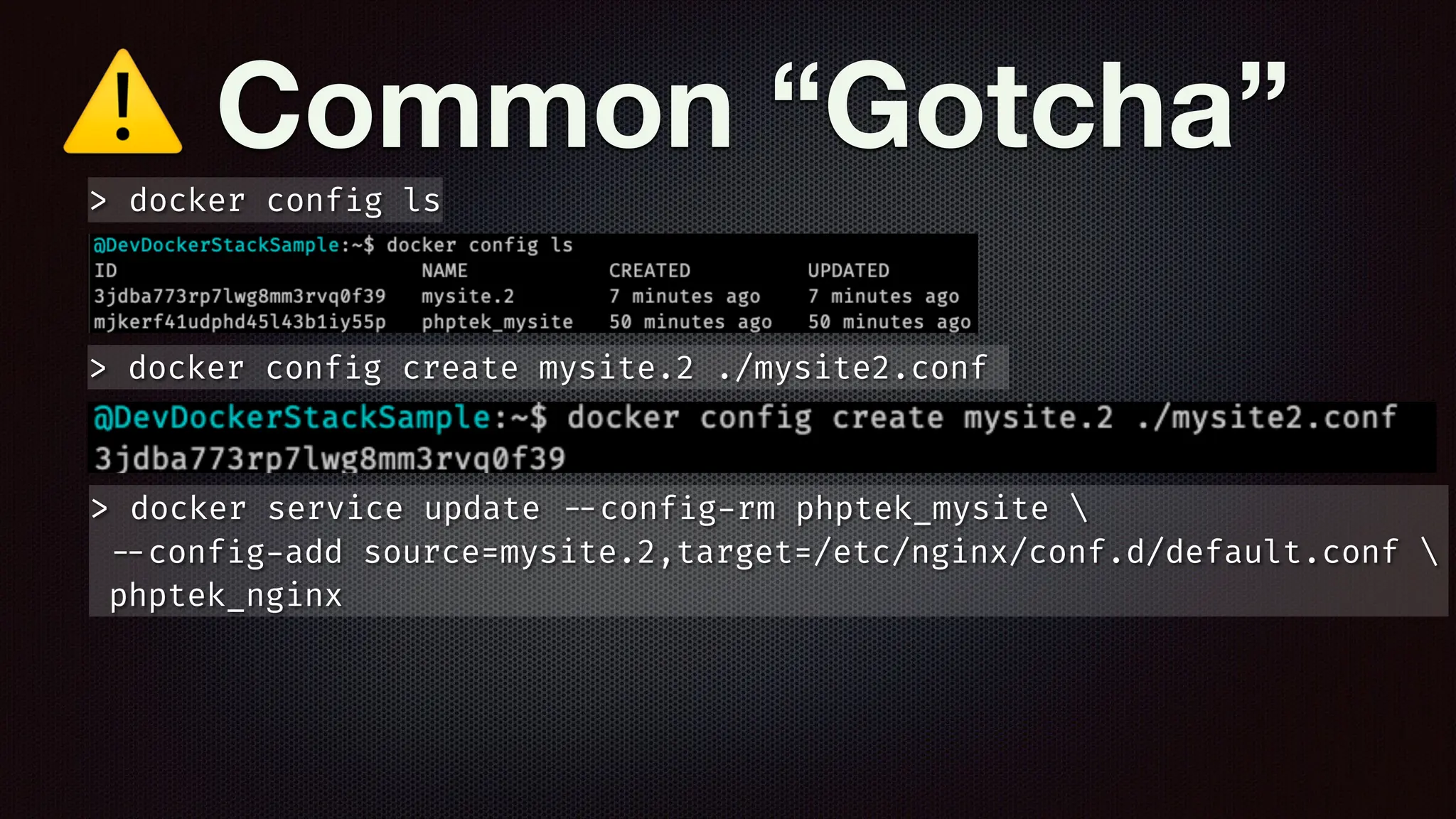
> docker service update
-
-
conf
i
g
-
rm phptek_mysite 
-
-
conf
i
g
-
add source=mysite.2,target=/etc/nginx/conf.d/default.conf 
phptek_nginx
⚠ Common “Gotcha”
> docker conf
i
g create mysite.2 ./mysite2.conf
> docker conf
i
g ls
> docker service update
-
-
conf
i
g
-
rm phptek_mysite 
-
-
conf
i
g
-
add source=mysite.2,target=/etc/nginx/conf.d/default.conf 
phptek_nginx
> docker service rollback phptek_nginx
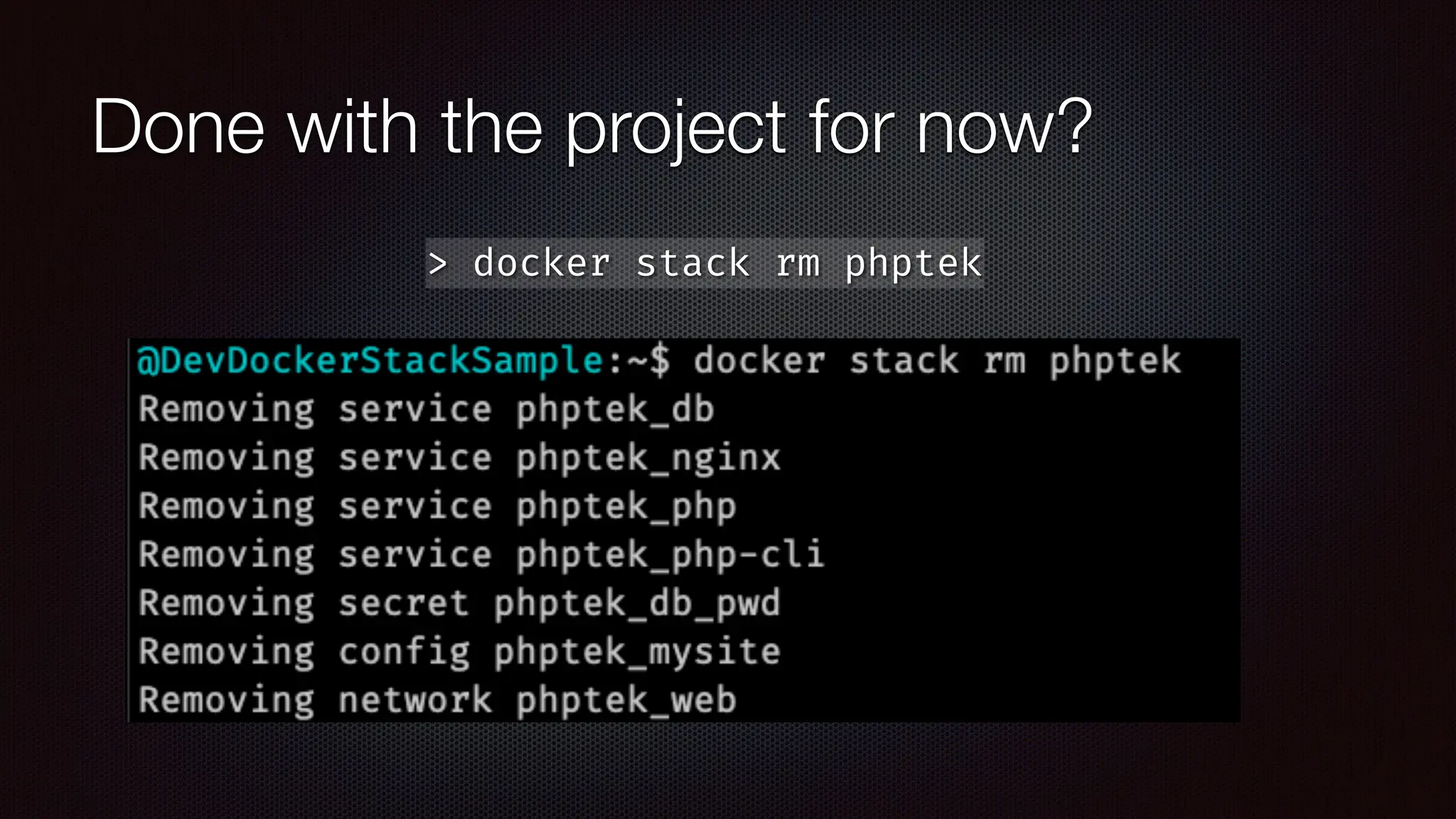
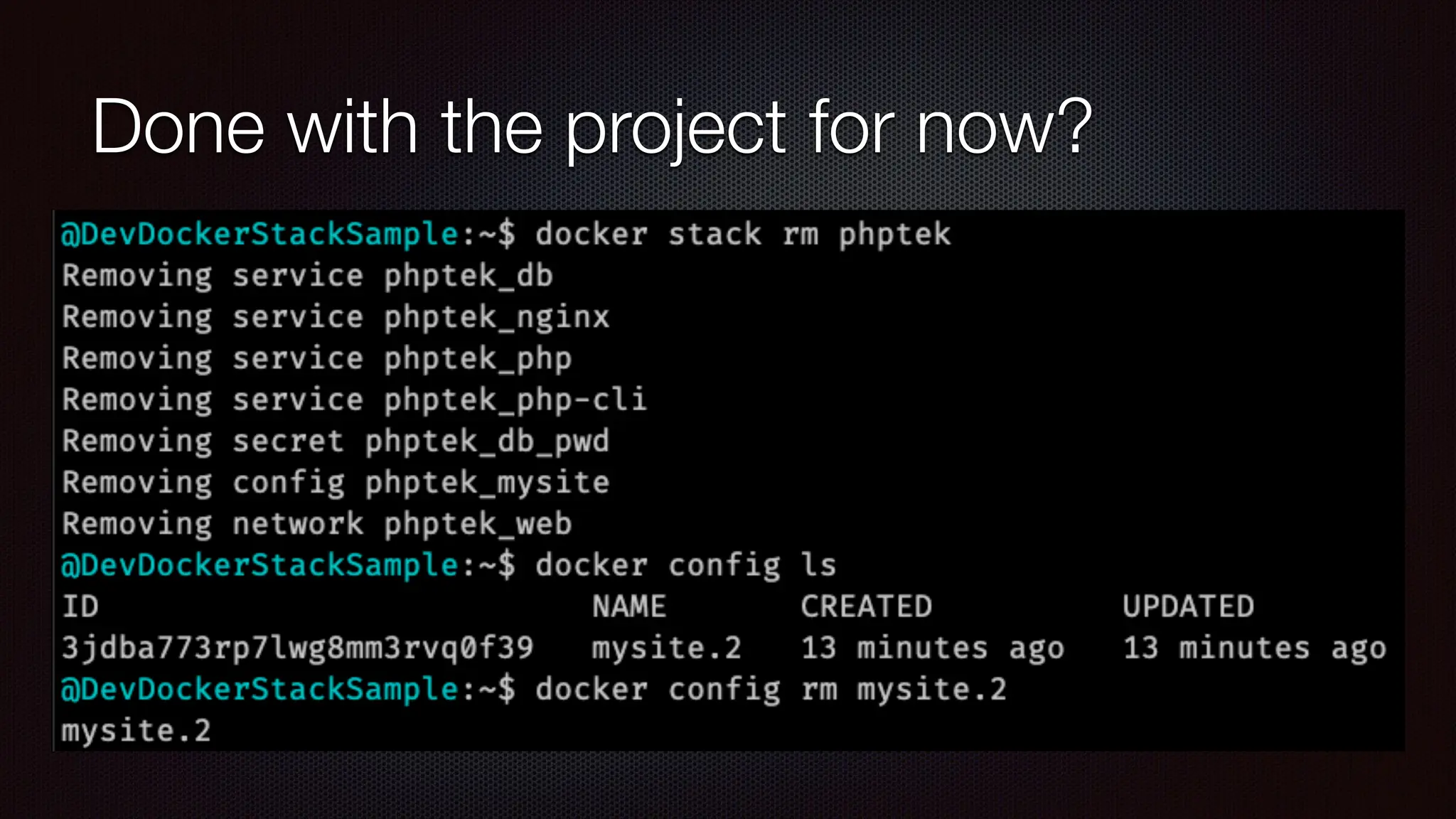
Done with the project for now?
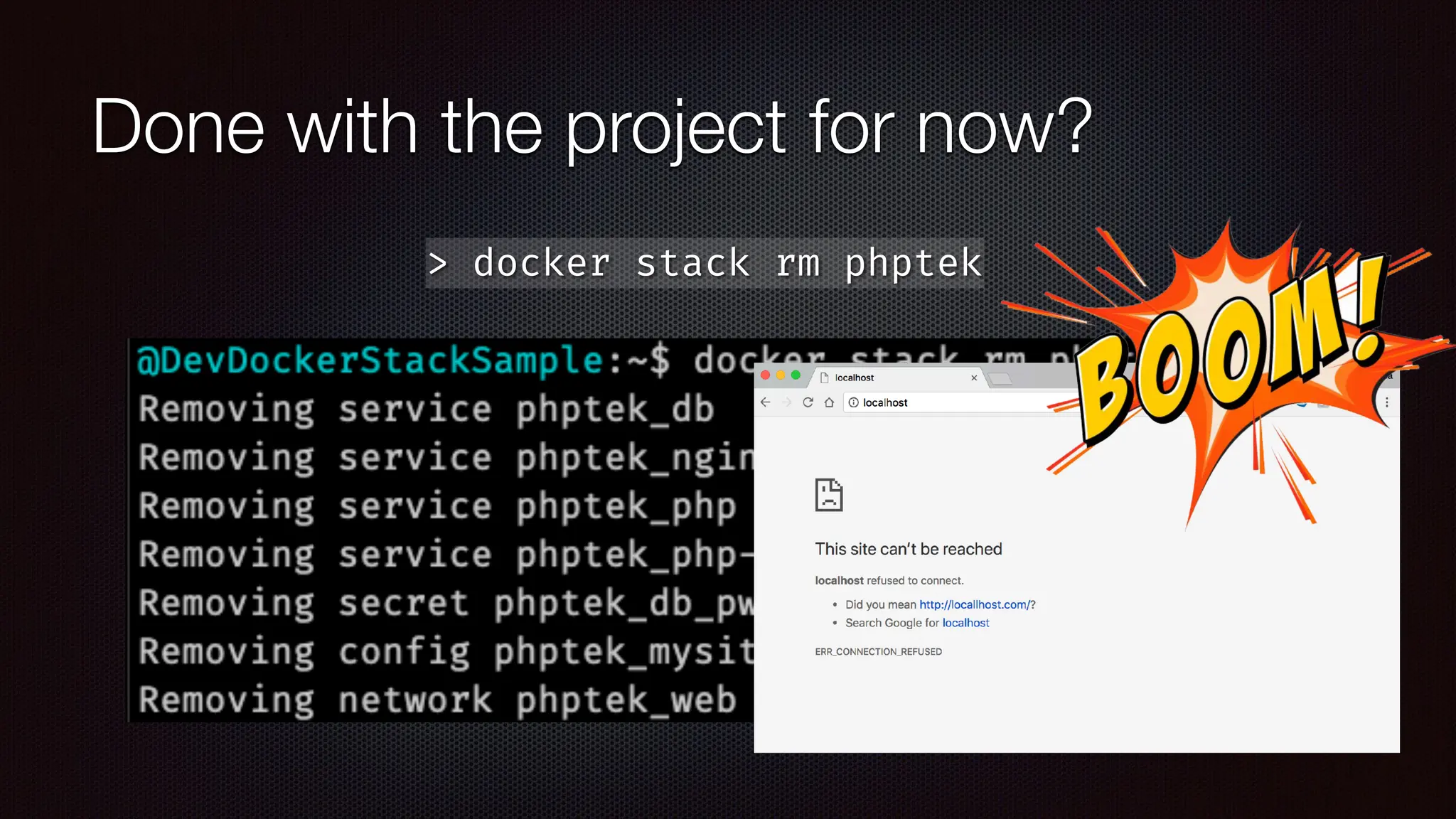
> docker stack rm phptek
Done with the project for now?
> docker stack rm phptek
Done with the project for now?
> docker stack rm phptek
Done with the project for now?
> docker stack rm phptek
POP
QUIZ!
POP
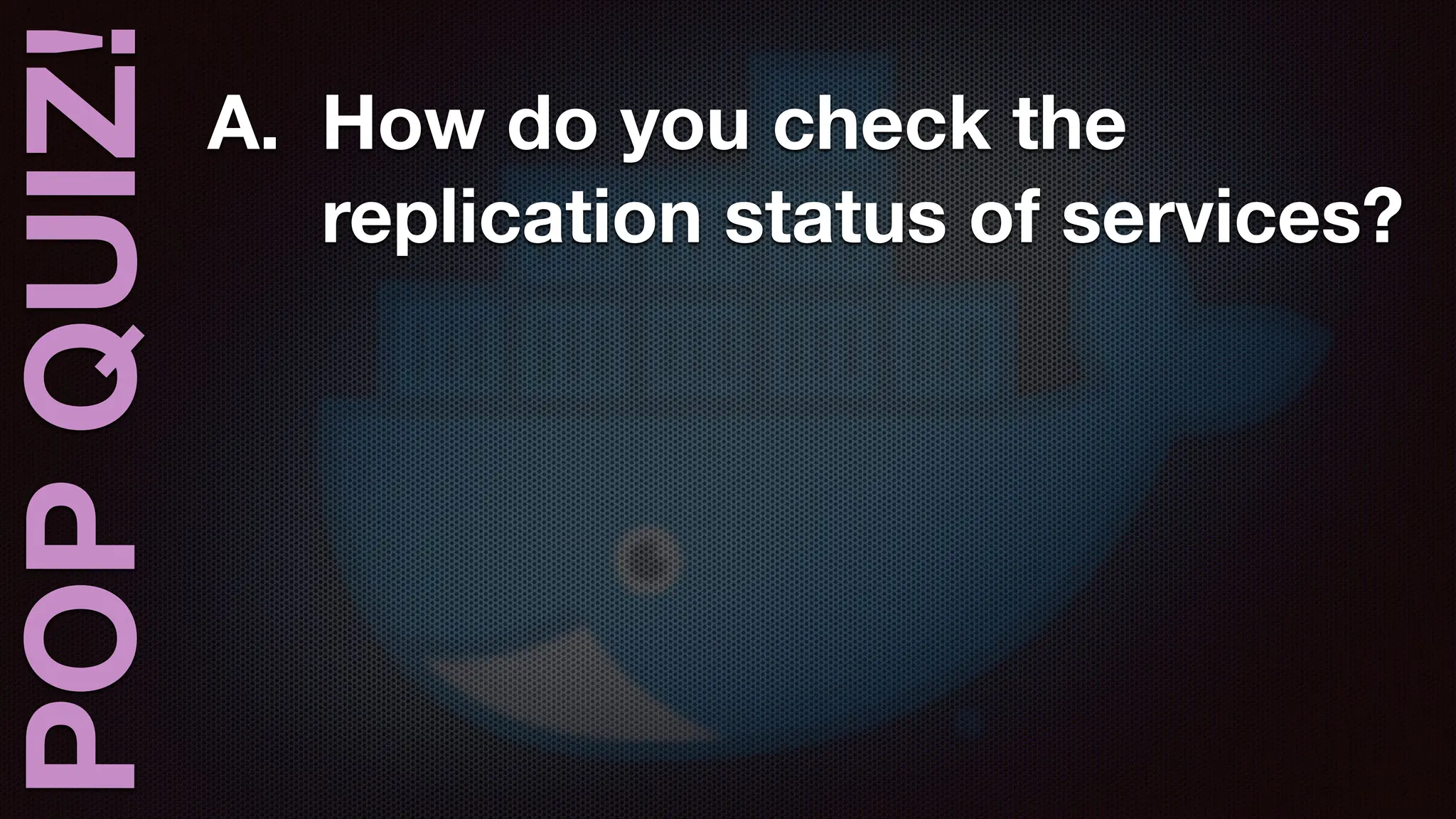
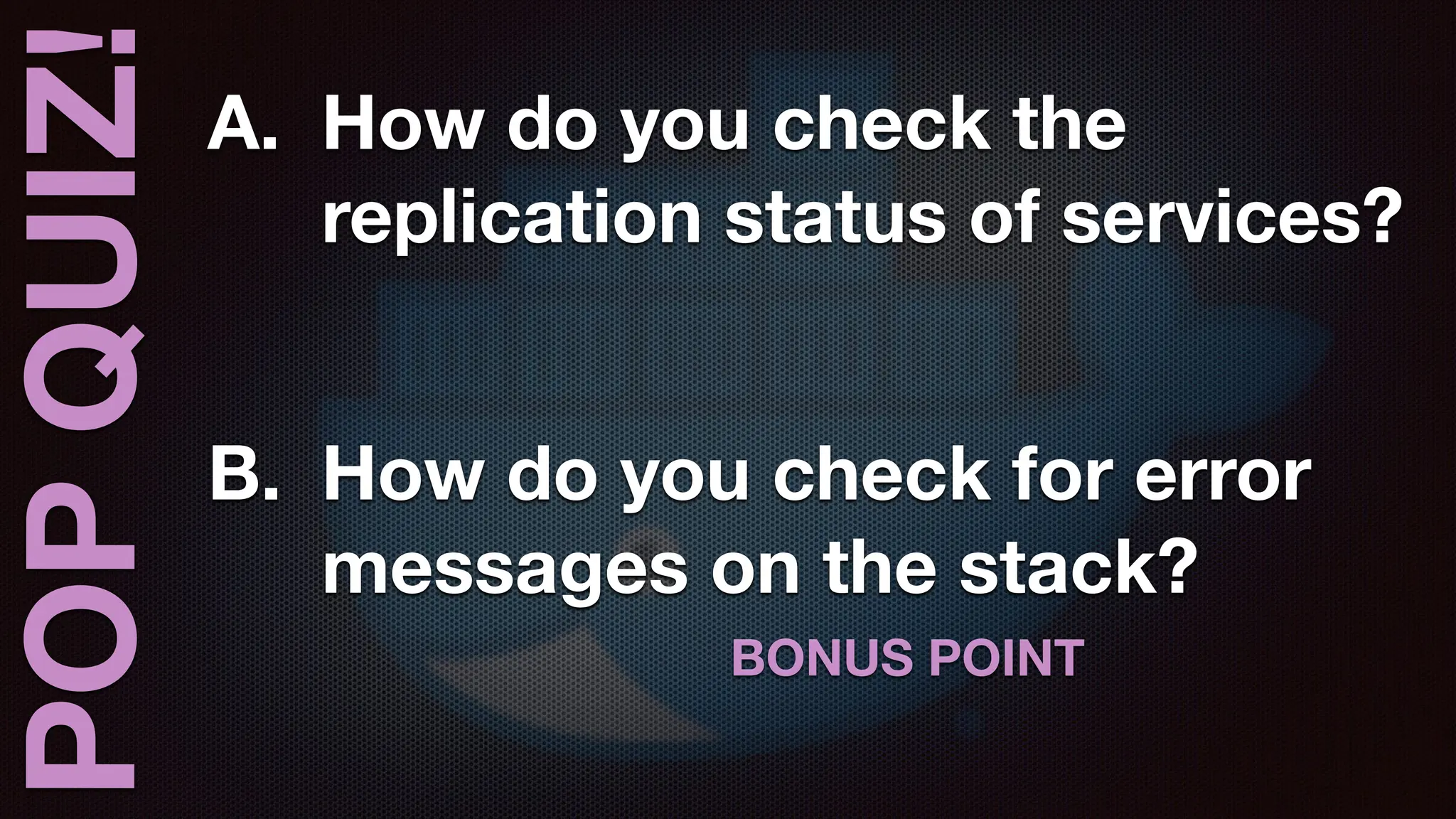
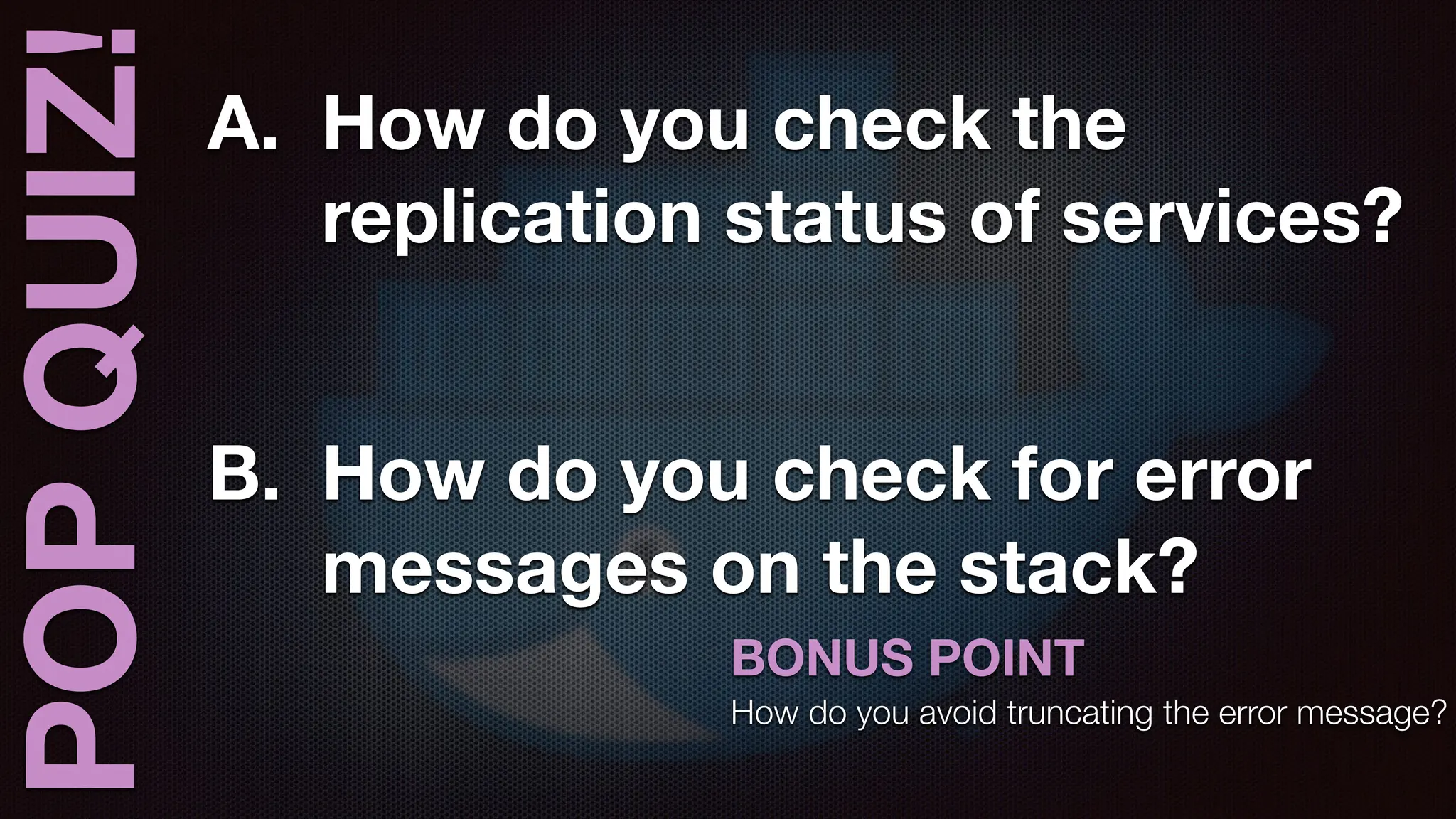
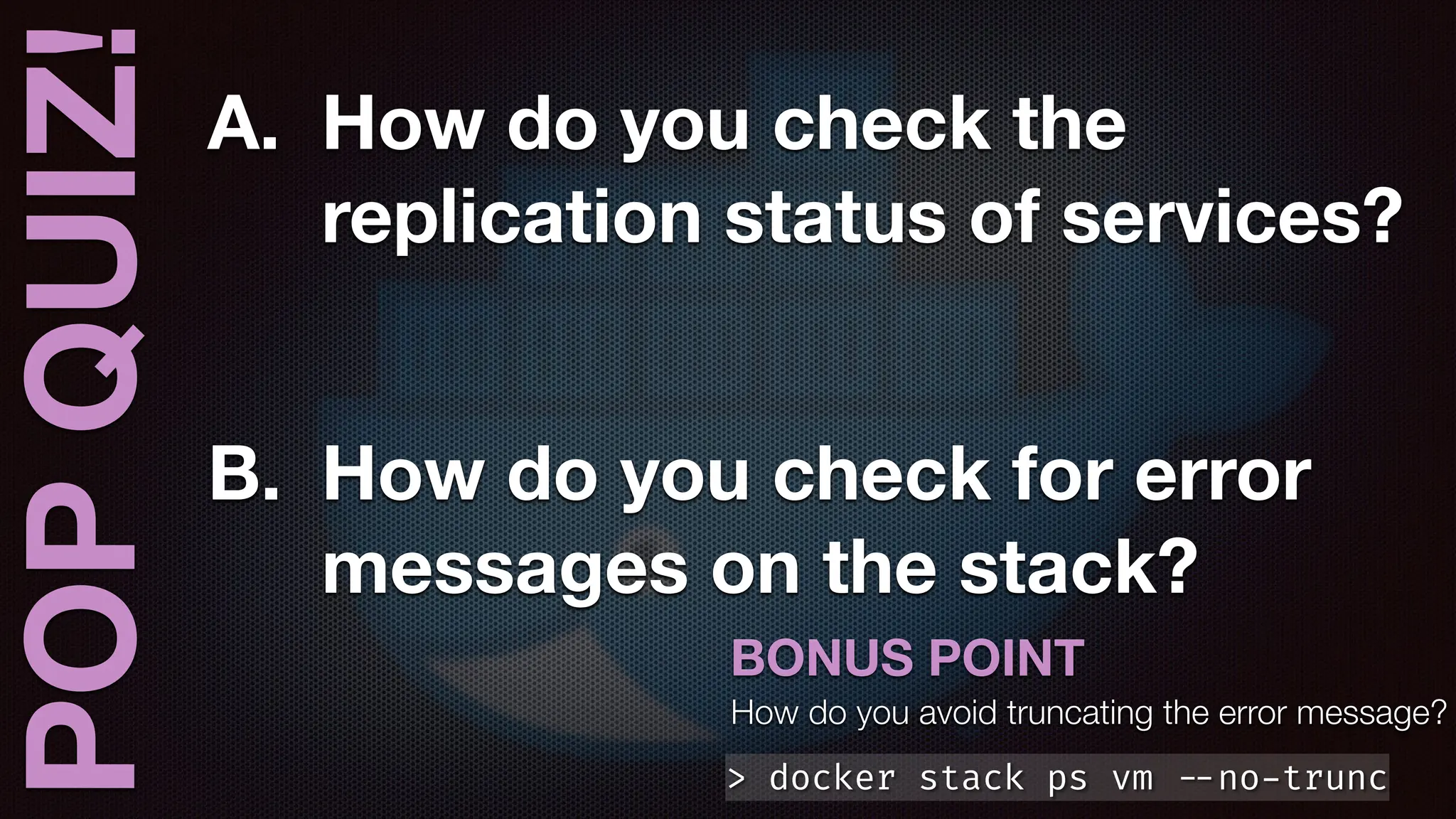
QUIZ! A. How do you check the
replication status of services?
POP
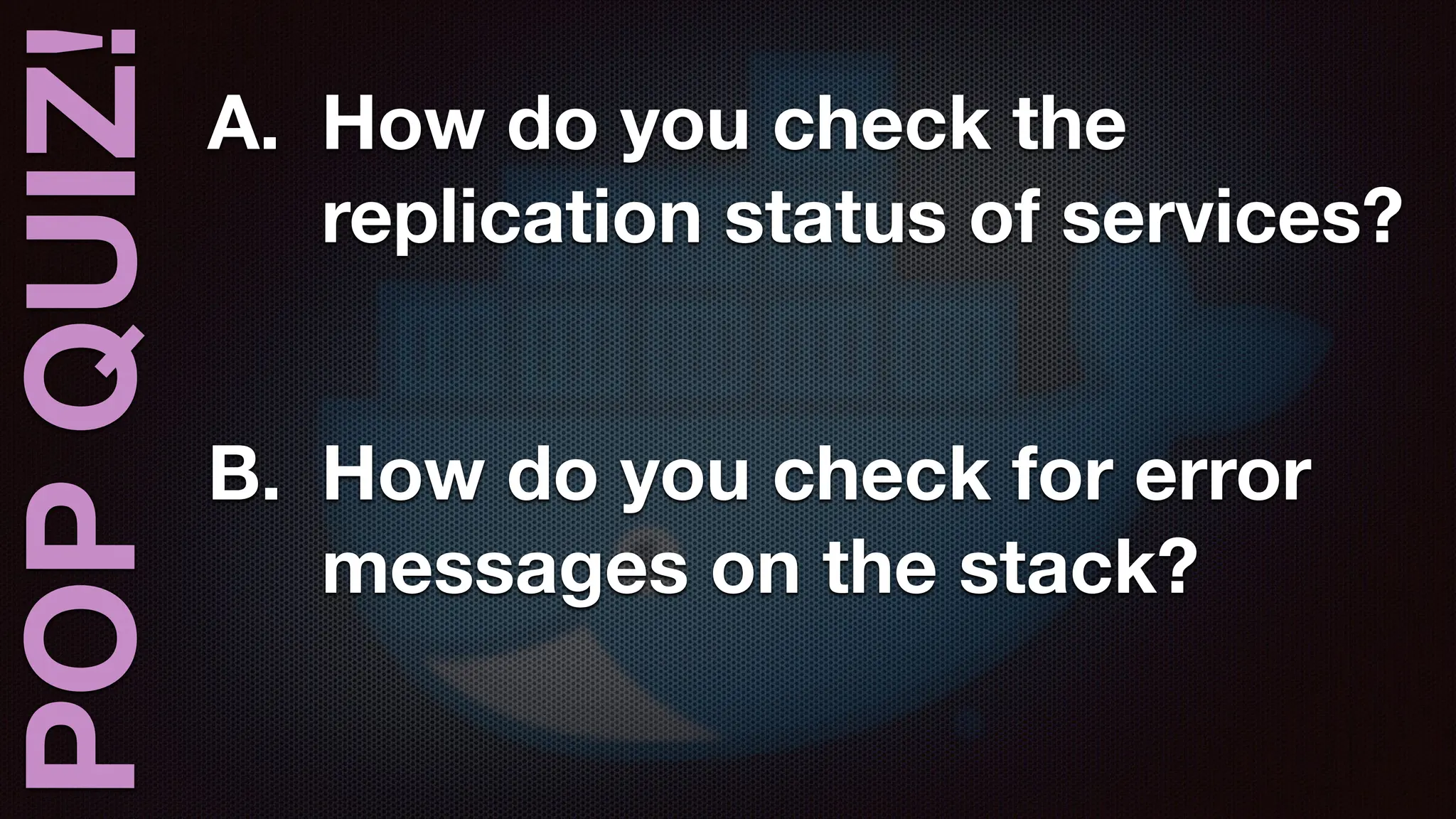
QUIZ! A. How do you check the
replication status of services?
B. How do you check for error
messages on the stack?
POP
QUIZ! A. How do you check the
replication status of services?
B. How do you check for error
messages on the stack?
BONUS POINT
POP
QUIZ! A. How do you check the
replication status of services?
B. How do you check for error
messages on the stack?
BONUS POINT
How do you avoid truncating the error message?
POP
QUIZ! A. How do you check the
replication status of services?
B. How do you check for error
messages on the stack?
> docker stack ps vm
-
-
no
-
trunc
BONUS POINT
How do you avoid truncating the error message?
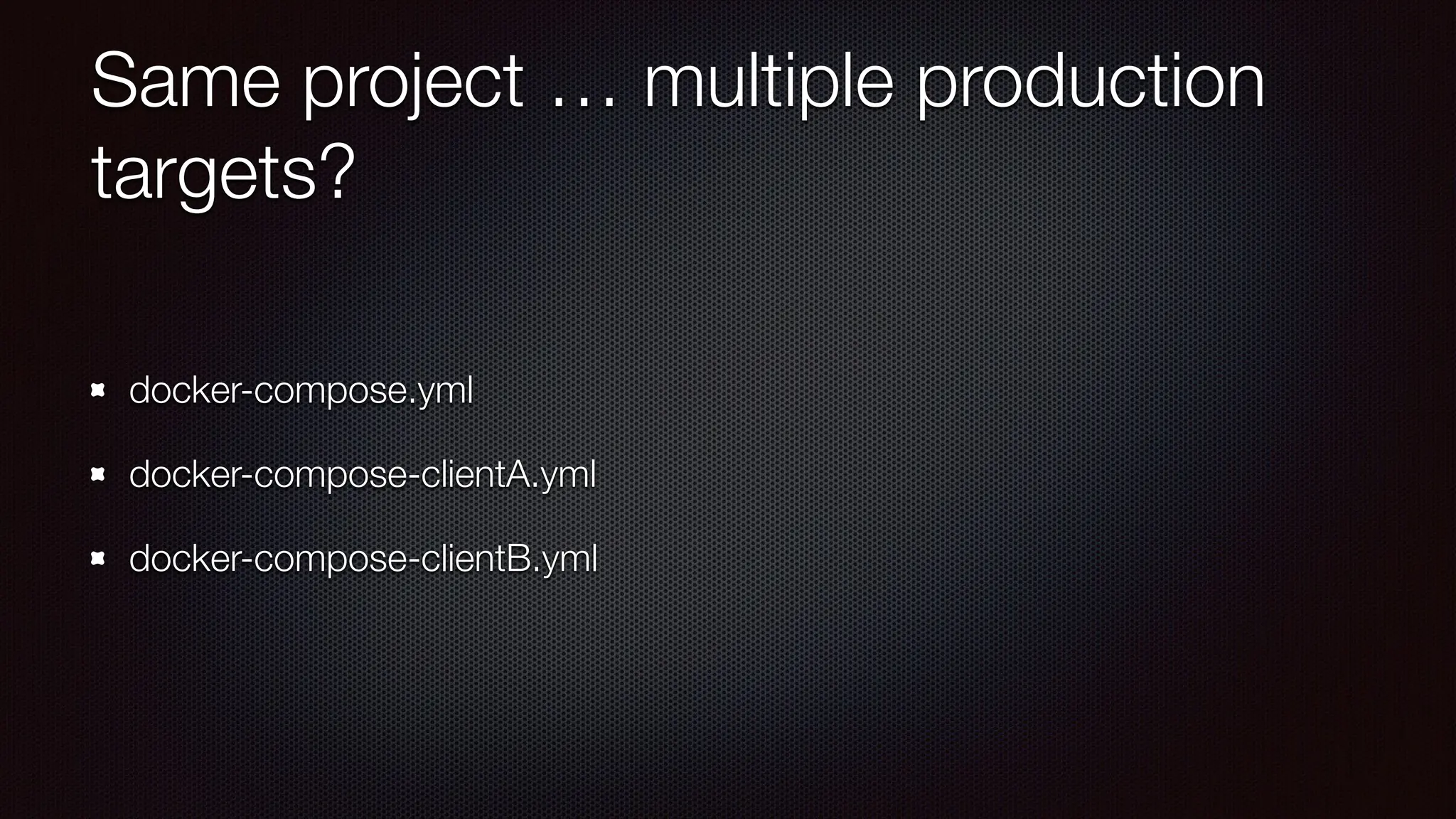
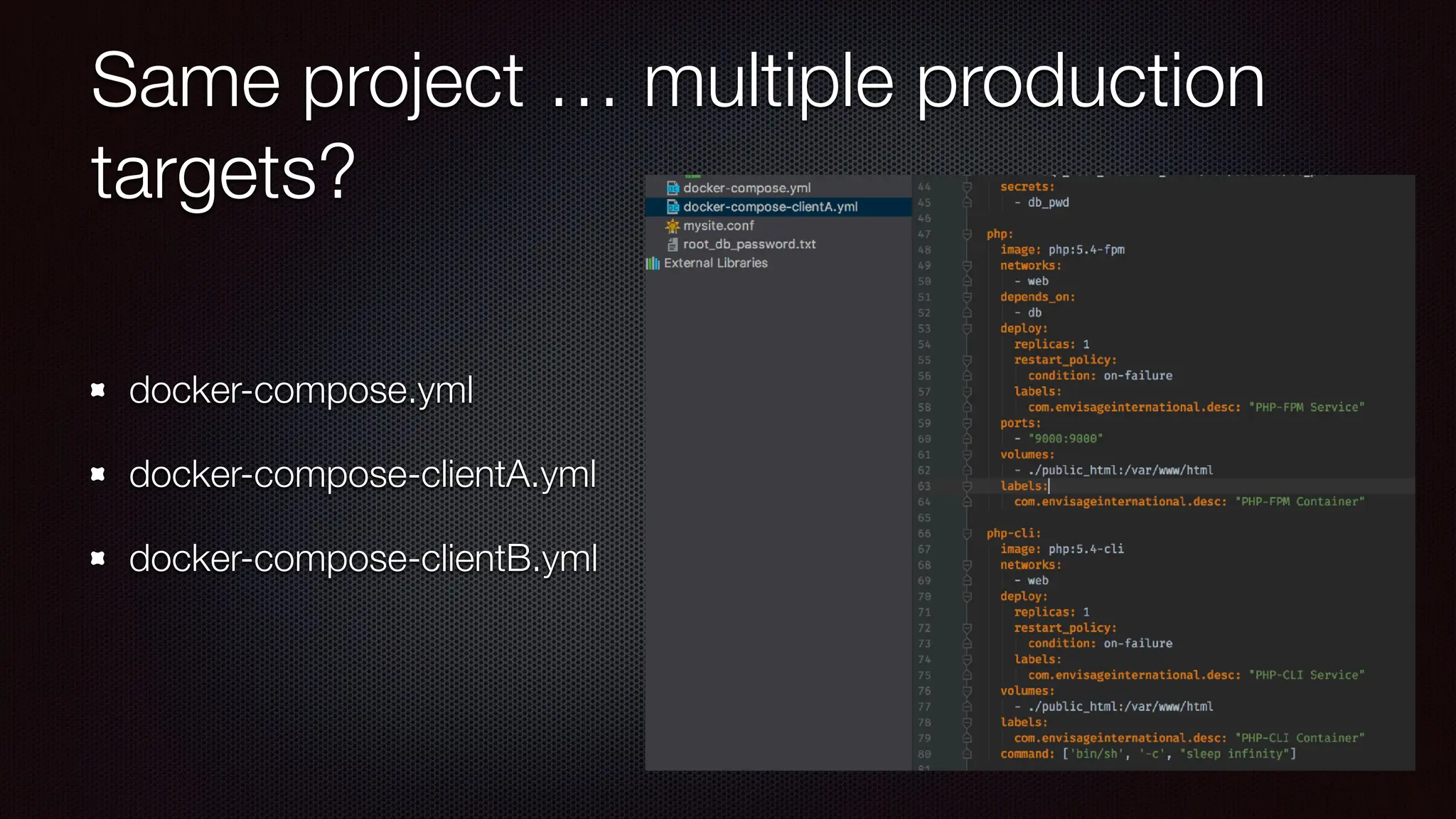
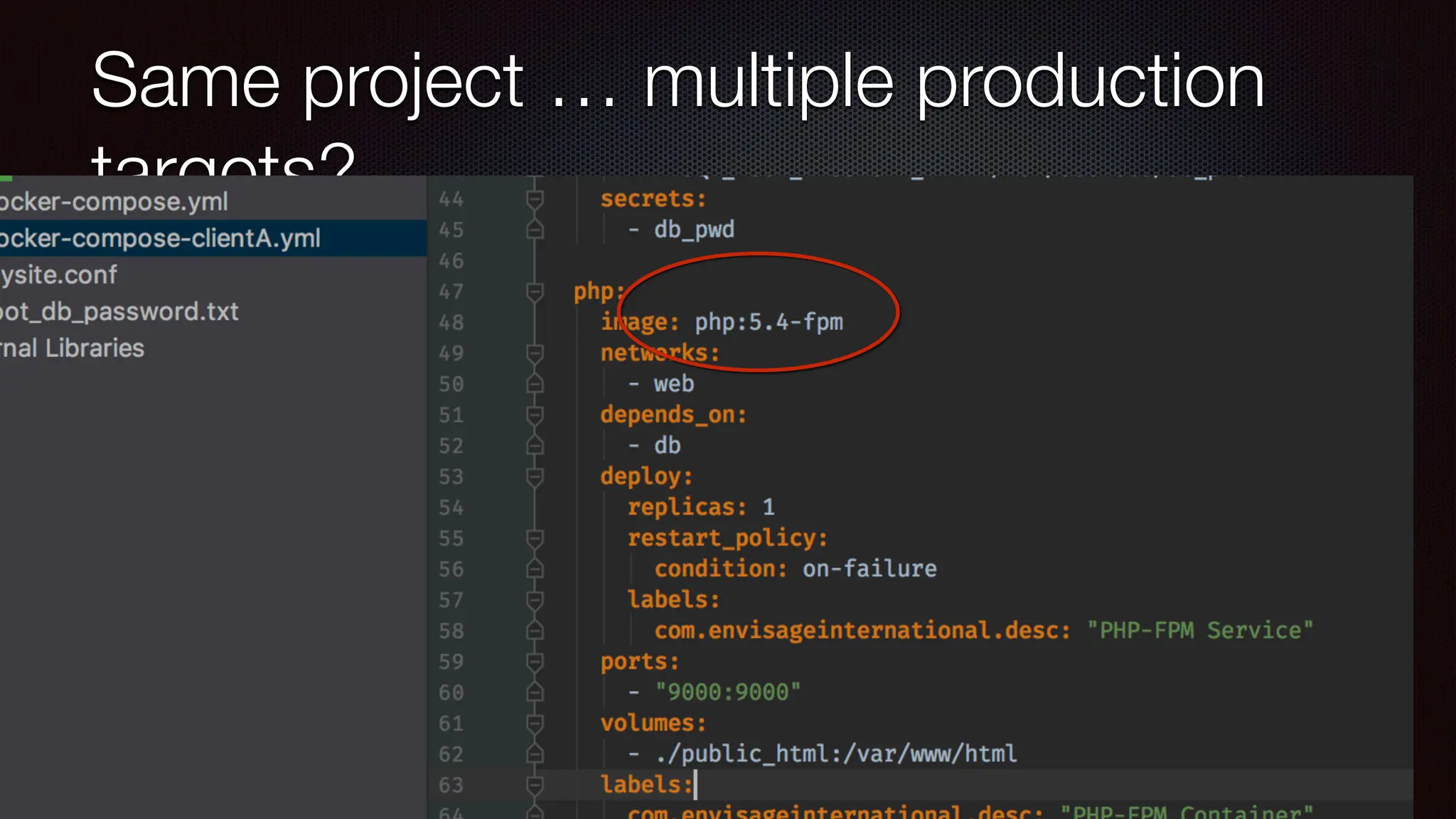
Same project … multiple production
targets?
docker-compose.yml
docker-compose-clientA.yml
docker-compose-clientB.yml
Same project … multiple production
targets?
docker-compose.yml
docker-compose-clientA.yml
docker-compose-clientB.yml
Same project … multiple production
targets?
docker-compose.yml
docker-compose-clientA.yml
docker-compose-clientB.yml
Same project … multiple production
targets?
docker-compose.yml
docker-compose-clientA.yml
docker-compose-clientB.yml
POP
QUIZ!
POP
QUIZ! A. How do you
fi
lter a list of
docker objects (services,
containers, images, etc)
SIDEB
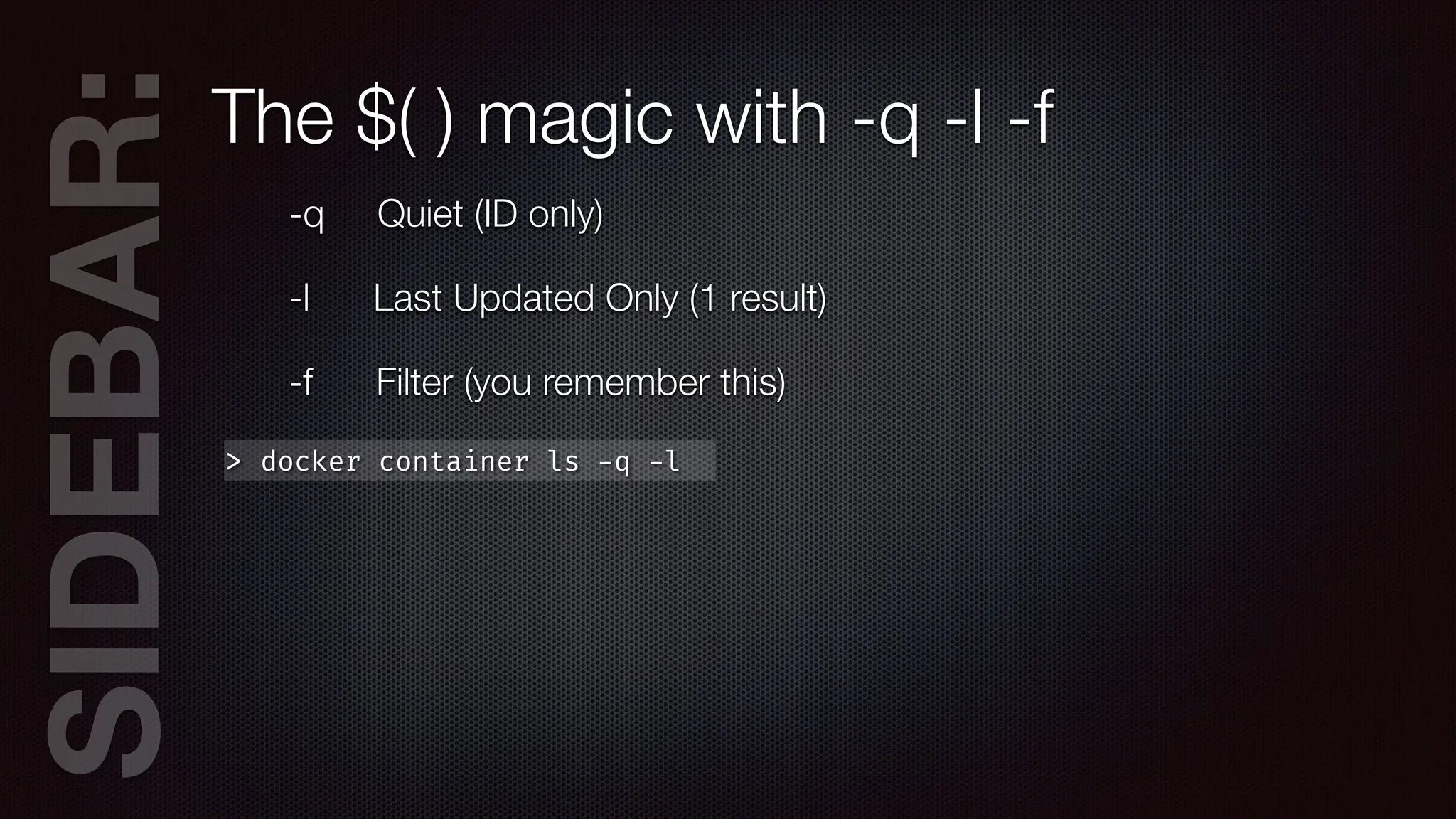
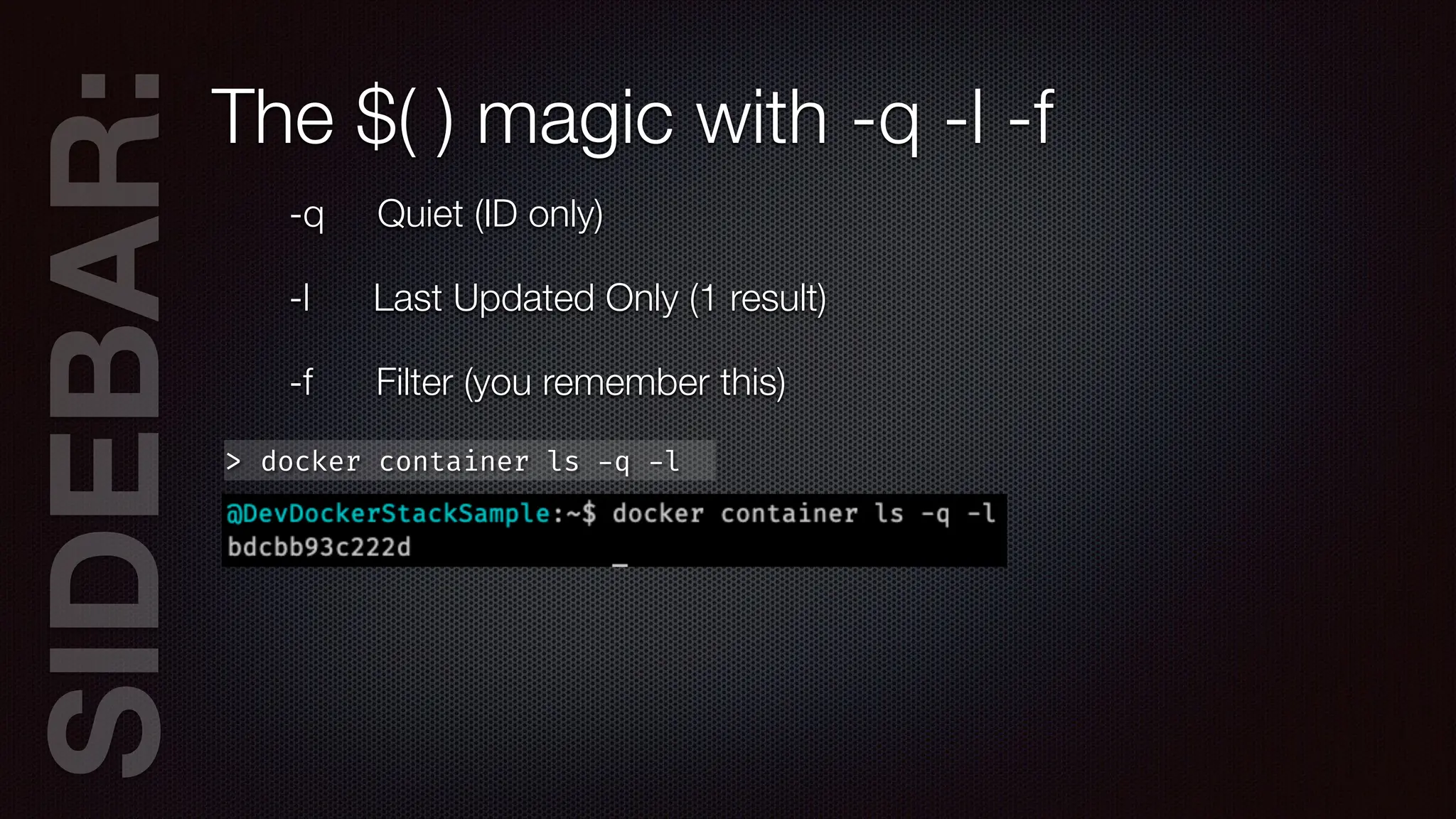
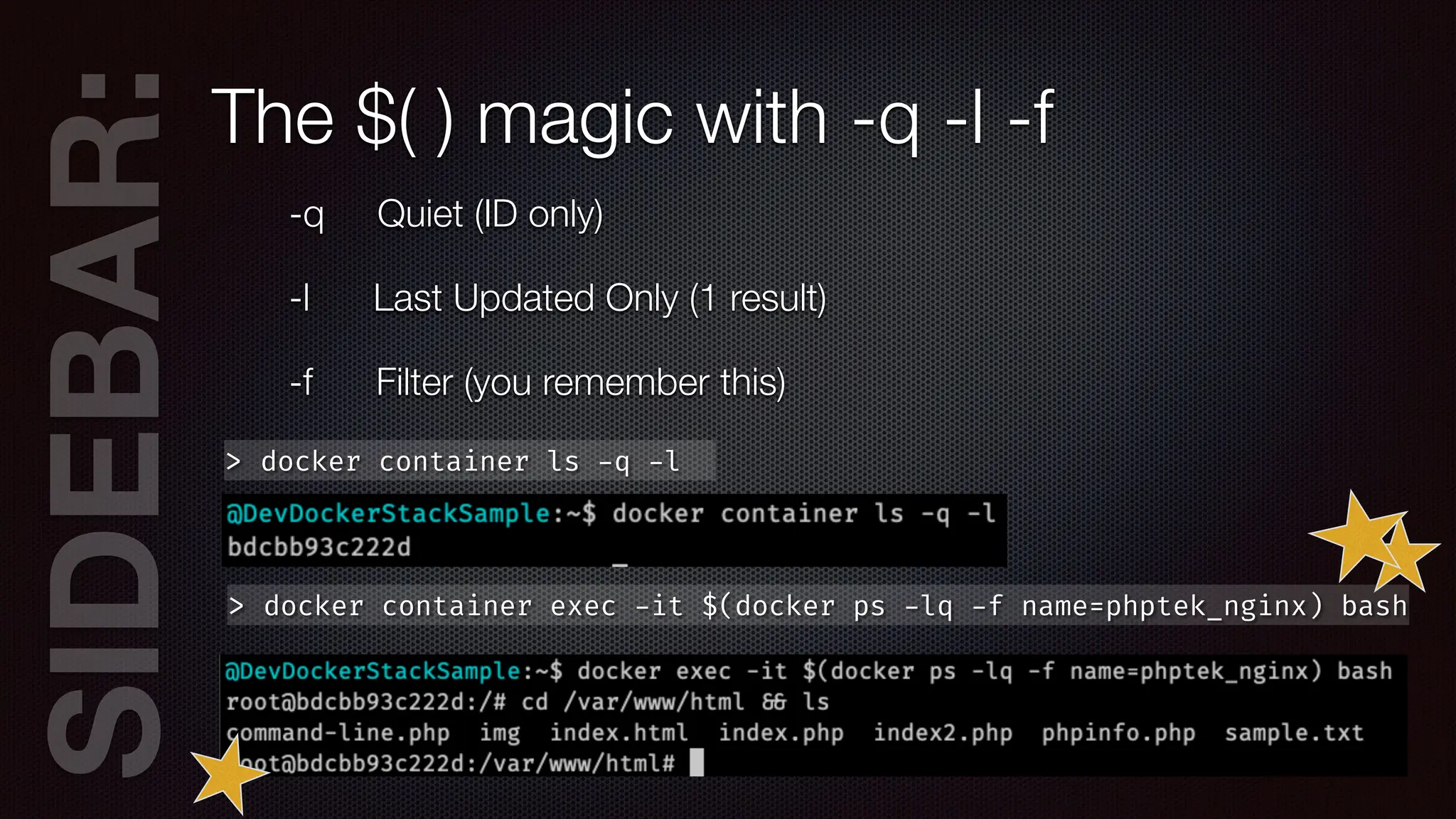
AR:The $( ) magic with -q -l -f
-q Quiet (ID only)
-l Last Updated Only (1 result)
-f Filter (you remember this)
SIDEB
AR:The $( ) magic with -q -l -f
-q Quiet (ID only)
-l Last Updated Only (1 result)
-f Filter (you remember this)
> docker container ls
-
q
-
l
SIDEB
AR:The $( ) magic with -q -l -f
-q Quiet (ID only)
-l Last Updated Only (1 result)
-f Filter (you remember this)
> docker container ls
-
q
-
l
SIDEB
AR:The $( ) magic with -q -l -f
-q Quiet (ID only)
-l Last Updated Only (1 result)
-f Filter (you remember this)
> docker container ls
-
q
-
l
> docker container exec
-
it $(docker ps
-
lq
-
f name=phptek_nginx) bash
Bonus Time!
Bonus Time!
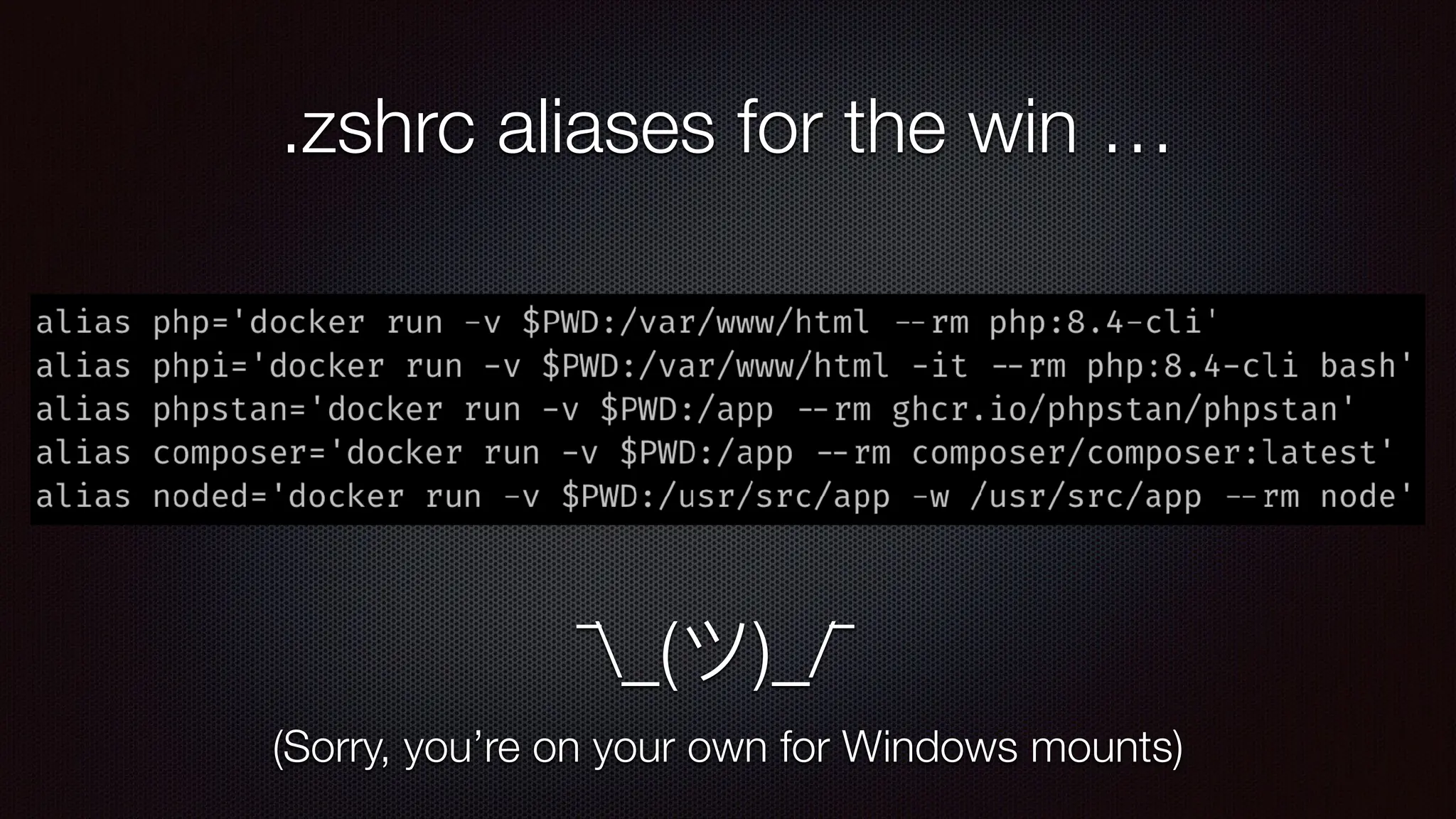
.zshrc aliases for the win …
¯_(ツ)_/¯
(Sorry, you’re on your own for Windows mounts)
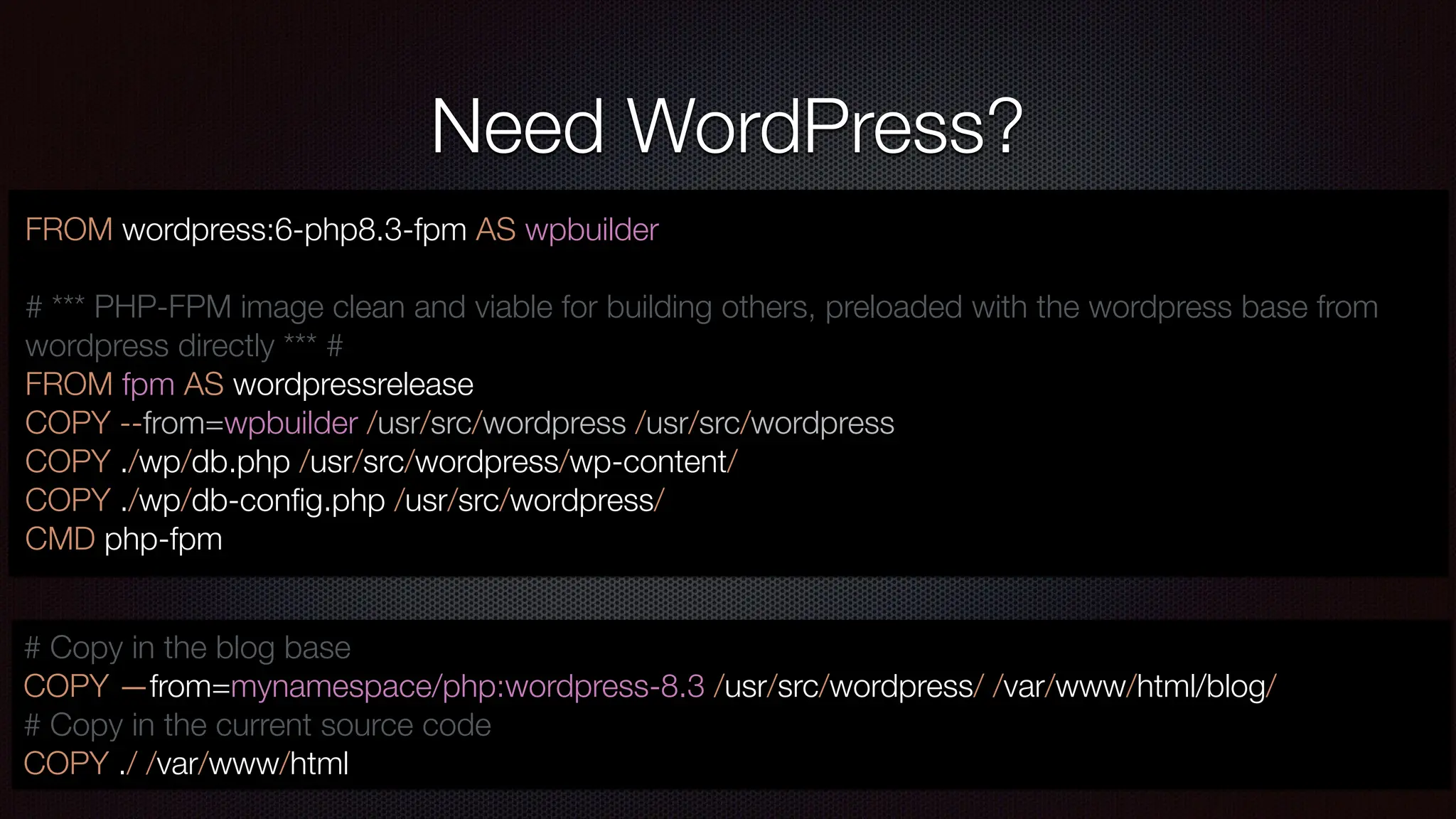
Need WordPress?
FROM wordpress:6-php8.3-fpm AS wpbuilder
# *** PHP-FPM image clean and viable for building others, preloaded with the wordpress base from
wordpress directly *** #
FROM fpm AS wordpressrelease
COPY --from=wpbuilder /usr/src/wordpress /usr/src/wordpress
COPY ./wp/db.php /usr/src/wordpress/wp-content/
COPY ./wp/db-con
fi
g.php /usr/src/wordpress/
CMD php-fpm
# Copy in the blog base
COPY —from=mynamespace/php:wordpress-8.3 /usr/src/wordpress/ /var/www/html/blog/
# Copy in the current source code
COPY ./ /var/www/html
Questions?
https://joind.in/talk/7bbd7
🤔
?
? ?
?
@danaluther@phpc.social
https://www.linkedin.com/in/danaluther
dluther@envisageinternational.com
https://github.com/DanaLuther/DevDockerStackSample/tree/phptek

Convert Your Dev Environment to a Docker Stack - PHP Tek 2025.pdf

  • 1.
    Converting Your DevEnvironment to a Docker Stack Dana Luther https://joind.in/talk/7bbd7 https://github.com/DanaLuther/DevDockerStackSample/tree/phptek @danaluther@phpc.social
  • 2.
    Consolidated Work Stack PHP8.4 FPM NGINX MySQL
  • 3.
    Consolidated Work Stack FriendA PHP 8.0 Apache MySQL PHP 8.4 FPM NGINX MySQL
  • 4.
    Consolidated Work Stack FriendA PHP 8.0 Apache MySQL Cause B PHP 8.1 FPM NGINX MySQL PHP 8.4 FPM NGINX MySQL
  • 5.
  • 6.
  • 7.
    Licensed Application PHP 5.6 Apache MySQL 5.7 ClientA Client B PHP 8.4 Apache MySQL 8.4
  • 8.
    Licensed Application Client C PHP 8.1FPM NGINX MySQL 8.4 PHP 5.6 Apache MySQL 5.7 Client A Client B PHP 8.4 Apache MySQL 8.4
  • 9.
    Licensed Application Client D PHP 7.1FPM NGINX MySQL 8.0 Client C PHP 8.1 FPM NGINX MySQL 8.4 PHP 5.6 Apache MySQL 5.7 Client A Client B PHP 8.4 Apache MySQL 8.4
  • 10.
  • 11.
  • 12.
  • 13.
  • 14.
    So, how doesthat work??? 🤔 ? ? ? ?
  • 15.
    docker-compose.yml Docker Compose Version Servicesin the Stack Con fi gurations, Secrets, Storage Volumes, etc. Version: “3.7” services: nginx: image: nginx command: [ 'sh', ' - c', "exec nginx - g 'daemon off;'" ] … php: image: php:8.4-fpm … network: web_frontend conf i g: nginx.conf: f i le: ./nginx/nginx.conf volumes: https://docs.docker.com/compose/compose- fi le/
  • 16.
  • 17.
    SIDEB AR:The Docker Hierarchy ImageContainer Service Stack
  • 18.
    SIDEB AR:The Docker Hierarchy ImageContainer Service Stack Node Swarm
  • 19.
    > docker stackdeploy … Swarm NODE 1 NODE 2 ETC. PHP 1 MySQL NGINX PHP 2
  • 20.
    SIDEB AR:Docker Command Syntax docker(object) (action) (args)
  • 21.
    SIDEB AR:Docker Command Syntax docker(object) (action) (args) > docker container ls
  • 22.
    SIDEB AR:Docker Command Syntax docker(object) (action) (args) > docker container ls > docker image ls
  • 23.
    SIDEB AR:Docker Command Syntax docker(object) (action) (args) > docker container ls > docker image ls > docker service ls
  • 24.
    SIDEB AR:Docker Command Syntax docker(object) (action) (args) > docker container ls > docker image ls > docker service ls > docker volume ls
  • 25.
    SIDEB AR:Docker Command Syntax docker(object) (action) (args) > docker container ls > docker image ls > docker service ls > docker volume ls image container stack service con fi g network node plugin swarm Objects
  • 26.
    SIDEB AR:Docker Command Syntax docker(object) (action) (args) > docker container ls > docker image ls > docker service ls > docker volume ls image container stack service con fi g network node plugin swarm Objects ls ps prune inspect create remove / rm Common Actions
  • 27.
  • 28.
    Node Manager A SWARM OFONE > docker swarm init
  • 29.
    Node Manager A SWARM OFONE > docker swarm init
  • 30.
    ⚠ Common “Gotcha” Swarminit — ONE TIME ONLY * THE SWARM PERSISTS *
  • 31.
    ⚠ Common “Gotcha” Swarminit — ONE TIME ONLY * THE SWARM PERSISTS * > docker swarm leave
  • 32.
    ⚠ Common “Gotcha” Swarminit — ONE TIME ONLY * THE SWARM PERSISTS * > docker swarm leave > docker swarm leave —force
  • 33.
  • 34.
    POP QUIZ! A. What’sthe di ff erence between a container and a service?
  • 35.
    POP QUIZ! A. What’sthe di ff erence between a container and a service? B. What’s the di ff erence between a service and a stack?
  • 36.
  • 37.
  • 38.
  • 39.
  • 40.
  • 41.
    Images for AutomatedTesting selenium/standalone-chrome-debug selenium/standalone- fi refox-debug:2.53.0 acceptance.suite.yml docker-compose.yml
  • 42.
    Images for AutomatedTesting selenium/standalone-chrome-debug selenium/standalone- fi refox-debug:2.53.0 acceptance.suite.yml docker-compose.yml
  • 43.
    SIDEB AR:Legacy images, containers,volumes > docker image prune > docker container prune > docker (whatever) prune
  • 44.
    SIDEB AR:Legacy images, containers,volumes > docker image prune > docker container prune > docker (whatever) prune > docker system prune
  • 45.
    SIDEB AR:Legacy images, containers,volumes > docker image prune > docker container prune > docker (whatever) prune > docker system prune
  • 46.
    SIDEB AR:Legacy images, containers,volumes > docker image prune > docker container prune > docker (whatever) prune > docker system prune
  • 47.
    SIDEB AR:Legacy images, containers,volumes > docker image prune > docker container prune > docker (whatever) prune > docker system prune
  • 48.
    version: “3.7” services: nginx: image: nginx networks: -web deploy: replicas: 1 restart_policy: condition: on - failure labels: com.envisageinternational.desc: “Nginx Service” volumes: - ./public_html:/var/ w w w /html conf i gs: - source: mysite target: /etc/nginx/conf.d/mysite.conf ports: - “80 : 80” - “443 : 443” depends_on: - php - db labels: com.envisageinternational.desc: “Nginx Container” command: [‘sh’,' - c',"exec nginx - g 'daemon off;’”] db: image: mysql ports: - “3306 : 3306” networks: - web secrets: - db_pwd deploy: replicas: 1 restart_policy: condition: on - failure placement: constraints: [ node.role = = manager ] php: image: php:8.4-fpm networks: - web depends_on: - db deploy: replicas: 1 restart_policy: condition: on - failure labels: com.envisageinternational.desc: “PHP-FPM Service” ports: - “9000 : 9000” volumes: - ./public_html:/var/ w w w /html labels: com.envisageinternational.desc: “PHP-FPM Container” php - cli: image: php:8.4-cli networks: - web deploy: replicas: 1 restart_policy: condition: on - failure labels: com.envisageinternational.desc: “PHP-CLI Service” volumes: - ./public_html:/var/ w w w /html labels: com.envisageinternational.desc: “PHP-CLI Container” command: [‘bin/sh’, ‘ - c’, “sleep inf i nity”] networks: web: conf i gs: mysite: f i le: ./mysite.conf secrets: PHP 8.4 FPM NGINX MySQL
  • 49.
    php: image: php:8.4-fpm networks: - web depends_on: -db deploy: replicas: 1 restart_policy: condition: on - failure labels: com.envisageinternational.desc: “PHP-FPM Service” ports: - “9000 : 9000” volumes: - ./public_html:/var/ w w w /html labels: com.envisageinternational.desc: “PHP-FPM Container” php - cli: image: php:8.4-cli networks: - web deploy: replicas: 1 restart_policy: condition: on - failure labels: com.envisageinternational.desc: “PHP-CLI Service” volumes: - ./public_html:/var/ w w w /html labels: com.envisageinternational.desc: “PHP-CLI Container” command: [‘bin/sh’, ‘ - c’, “sleep inf i nity”] networks: web: conf i gs: mysite: f i le: ./mysite.conf secrets: version: “3.7” services: nginx: image: nginx networks: - web deploy: replicas: 1 restart_policy: condition: on - failure labels: com.envisageinternational.desc: “Nginx Service” volumes: - ./public_html:/var/ w w w /html conf i gs: - source: mysite target: /etc/nginx/conf.d/mysite.conf ports: - “80 : 80” - “443 : 443” depends_on: - php - db labels: com.envisageinternational.desc: “Nginx Container” command: [‘sh’,' - c',"exec nginx - g 'daemon off;’”] db: image: mysql ports: - “3306 : 3306” networks: - web secrets: - db_pwd deploy: replicas: 1 restart_policy: condition: on - failure placement: constraints: [ node.role = = manager ] PHP 8.4 FPM NGINX MySQL
  • 50.
    php: image: php:8.4-fpm networks: - web depends_on: -db deploy: replicas: 1 restart_policy: condition: on - failure labels: com.envisageinternational.desc: “PHP-FPM Service” ports: - “9000 : 9000” volumes: - ./public_html:/var/ w w w /html labels: com.envisageinternational.desc: “PHP-FPM Container” php - cli: image: php:8.4-cli networks: - web deploy: replicas: 1 restart_policy: condition: on - failure labels: com.envisageinternational.desc: “PHP-CLI Service” volumes: - ./public_html:/var/ w w w /html labels: com.envisageinternational.desc: “PHP-CLI Container” command: [‘bin/sh’, ‘ - c’, “sleep inf i nity”] networks: web: conf i gs: mysite: f i le: ./mysite.conf secrets: nginx: image: nginx networks: - web deploy: replicas: 1 restart_policy: condition: on - failure labels: com.envisageinternational.desc: “Nginx Service” volumes: - ./public_html:/var/ w w w /html conf i gs: - source: mysite target: /etc/nginx/conf.d/mysite.conf ports: - “80 : 80” - “443 : 443” depends_on: - php - db labels: com.envisageinternational.desc: “Nginx Container” - - PHP 8.4 FPM NGINX MySQL
  • 51.
    php: image: php:8.4-fpm networks: - web depends_on: -db deploy: replicas: 1 restart_policy: condition: on - failure labels: com.envisageinternational.desc: “PHP-FPM Service” ports: - “9000 : 9000” volumes: - ./public_html:/var/ w w w /html labels: com.envisageinternational.desc: “PHP-FPM Container” php - cli: image: php:8.4-cli networks: - web deploy: replicas: 1 restart_policy: condition: on - failure labels: com.envisageinternational.desc: “PHP-CLI Service” volumes: - ./public_html:/var/ w w w /html labels: com.envisageinternational.desc: “PHP-CLI Container” command: [‘bin/sh’, ‘ - c’, “sleep inf i nity”] networks: web: conf i gs: mysite: f i le: ./mysite.conf secrets: nginx: image: nginx networks: - web deploy: replicas: 1 restart_policy: condition: on - failure labels: com.envisageinternational.desc: “Nginx Service” volumes: - ./public_html:/var/ w w w /html conf i gs: - source: mysite target: /etc/nginx/conf.d/mysite.conf ports: - “80 : 80” - “443 : 443” depends_on: - php - db labels: com.envisageinternational.desc: “Nginx Container” - - PHP 8.4 FPM NGINX MySQL
  • 52.
    SIDEB AR:LABELS — usethem everywhere! 🤔 ? ? ? ? The -f toggle - f name=vm_php - f label=com.envisage.desc=php
  • 53.
    SIDEB AR:LABELS — usethem everywhere! 🤔 ? ? ? ? The -f toggle - f name=vm_php - f label=com.envisage.desc=php
  • 54.
    SIDEB AR:LABELS — usethem everywhere! 🤔 ? ? ? ? The -f toggle - f name=vm_php - f label=com.envisage.desc=php
  • 55.
    SIDEB AR:LABELS — usethem everywhere! 🤔 ? ? ? ? The -f toggle - f name=vm_php - f label=com.envisage.desc=php
  • 56.
    version: “3.7” services: nginx: image: nginx networks: -web deploy: replicas: 1 restart_policy: condition: on - failure labels: com.envisageinternational.desc: “Nginx Service” volumes: - ./public_html:/var/ w w w /html conf i gs: - source: mysite target: /etc/nginx/conf.d/mysite.conf ports: - “80 : 80” - “443 : 443” depends_on: - php - db labels: com.envisageinternational.desc: “Nginx Container” command: [‘sh’,' - c',"exec nginx - g 'daemon off;’”] db: image: mysql ports: - “3306 : 3306” networks: - web secrets: - db_pwd deploy: replicas: 1 restart_policy: condition: on - failure placement: constraints: [ node.role = = manager ] php: image: php:8.4-fpm networks: - web depends_on: - db deploy: replicas: 1 restart_policy: condition: on - failure labels: com.envisageinternational.desc: “PHP-FPM Service” ports: - “9000 : 9000” volumes: - ./public_html:/var/ w w w /html labels: com.envisageinternational.desc: “PHP-FPM Container” php - cli: image: php:8.4-cli networks: - web deploy: replicas: 1 restart_policy: condition: on - failure labels: com.envisageinternational.desc: “PHP-CLI Service” volumes: - ./public_html:/var/ w w w /html labels: com.envisageinternational.desc: “PHP-CLI Container” command: [‘bin/sh’, ‘ - c’, “sleep inf i nity”] networks: web: conf i gs: mysite: f i le: ./mysite.conf secrets: PHP 8.4 FPM NGINX MySQL
  • 57.
    Volume Example forphp php: volumes: - ./public_html:/var/ w w w /html Local path relative to the fi le Path location within the container
  • 58.
    Using named storagevolumes Volumes: pub_html: external: true … php: volumes: - pub_html:/var/ w w w /html Volume name Path location within the container > docker volume create pub_html —opt type=none —opt o=bind —opt device=/Volumes/E/site/ —label “com.envisage.desc=Site”
  • 59.
    Using named storagevolumes > docker volume create pub_html —opt type=none —opt o=bind —opt device=/Volumes/E/site/ —label “com.envisage.desc=Site”
  • 60.
    ⚠ Common “Gotcha” *BEWARE WINDOWS PATHS * C : DockerDriveSite /C/DockerDrives/Site /host_mnt/c/DockerDrives/Site / / c/DockerDrives/Site Windows LCOW Volume Path
  • 62.
  • 63.
    POP QUIZ! A. Whatis the command to initialize a swarm?
  • 64.
    POP QUIZ! A. Whatis the command to initialize a swarm? B. What is the command to deploy a docker stack?
  • 65.
    > docker stackdeploy - c docker - compose.yml phptek
  • 66.
    > docker stackdeploy - c docker - compose.yml phptek
  • 67.
    > docker stackdeploy - c docker - compose.yml phptek 🤔 ? ? ? ?
  • 68.
    > docker stackdeploy - c docker - compose.yml phptek 🤔 ? ? ? ? > docker service ls
  • 69.
    > docker stackdeploy - c docker - compose.yml phptek 🤔 ? ? ? ? > docker service ls
  • 70.
    > docker stackdeploy - c docker - compose.yml phptek 🤔 ? ? ? ? > docker service ls
  • 71.
    > docker stackdeploy - c docker - compose.yml phptek 🤔 ? ? ? ? > docker service ls
  • 72.
    > docker stackdeploy - c docker - compose.yml phptek 🤔 ? ? ? ? > docker service ls > docker stack ps phptek
  • 73.
    > docker stackdeploy - c docker - compose.yml phptek 🤔 ? ? ? ? > docker service ls > docker stack ps phptek
  • 74.
    > docker servicelogs phptek_db
  • 75.
    > docker servicelogs phptek_db
  • 76.
    > docker servicelogs phptek_db
  • 77.
    > docker servicelogs phptek_db
  • 78.
    > docker stackdeploy - c docker - compose.yml phptek
  • 79.
    > docker stackdeploy - c docker - compose.yml phptek
  • 80.
    > docker stackdeploy - c docker - compose.yml phptek
  • 81.
    > docker stackdeploy - c docker - compose.yml phptek
  • 82.
    > docker stackdeploy - c docker - compose.yml - - resolve - image=never phptek > docker stack deploy - c docker - compose.yml phptek
  • 85.
    Want to seeit in action? > docker service logs phptek_nginx - f
  • 86.
    Want to seeit in action? > docker service logs phptek_nginx - f
  • 87.
    Want to seeit in action? > docker service logs phptek_nginx - f
  • 88.
    Want to seeit in action? > docker service logs phptek_nginx - f
  • 89.
  • 90.
    ⚠ Common “Gotcha” localhost:3306db:3306 upstream fastcgi { server 127.0.0.1 : 9000 } upstream fastcgi { server php:9000 }
  • 91.
    Ok, great! But… ¯_(ツ)_/¯ My production server has lots of con fi gurations that have been customized… php/conf.d/* my.cnf nginx.conf nginx/conf.d/*
  • 92.
    version: “3.7” services: nginx: image: nginx networks: -web deploy: replicas: 1 restart_policy: condition: on - failure labels: com.envisageinternational.desc: “Nginx Service” volumes: - ./public_html:/var/ w w w /html conf i gs: - source: mysite target: /etc/nginx/conf.d/mysite.conf ports: - “80 : 80” - “443 : 443” depends_on: - php - db labels: com.envisageinternational.desc: “Nginx Container” command: [‘sh’,' - c',"exec nginx - g 'daemon off;’”] db: image: mysql ports: - “3306 : 3306” networks: - web secrets: - db_pwd deploy: replicas: 1 restart_policy: condition: on - failure placement: constraints: [ node.role = = manager ] php: image: php:8.4-fpm networks: - web depends_on: - db deploy: replicas: 1 restart_policy: condition: on - failure labels: com.envisageinternational.desc: “PHP-FPM Service” ports: - “9000 : 9000” volumes: - ./public_html:/var/ w w w /html labels: com.envisageinternational.desc: “PHP-FPM Container” php - cli: image: php:8.4-cli networks: - web deploy: replicas: 1 restart_policy: condition: on - failure labels: com.envisageinternational.desc: “PHP-CLI Service” volumes: - ./public_html:/var/ w w w /html labels: com.envisageinternational.desc: “PHP-CLI Container” command: [‘bin/sh’, ‘ - c’, “sleep inf i nity”] networks: web: conf i gs: mysite: f i le: ./mysite.conf secrets: PHP 8.4 FPM NGINX MySQL
  • 93.
    version: “3.7” services: nginx: image: nginx networks: -web deploy: replicas: 1 restart_policy: condition: on - failure labels: com.envisageinternational.desc: “Nginx Service” volumes: - ./public_html:/var/ w w w /html conf i gs: - source: mysite target: /etc/nginx/conf.d/mysite.conf ports: - “80 : 80” - “443 : 443” depends_on: - php - db labels: com.envisageinternational.desc: “Nginx Container” command: [‘sh’,' - c',"exec nginx - g 'daemon off;’”] db: image: mysql ports: - “3306 : 3306” networks: - web secrets: - db_pwd deploy: replicas: 1 restart_policy: condition: on - failure placement: constraints: [ node.role = = manager ] - image: php:8.4-cli networks: - web deploy: replicas: 1 restart_policy: condition: on - failure labels: com.envisageinternational.d volumes: - ./public_html:/var/ w w w /html labels: com.envisageinternational.de command: [‘bin/sh’, ‘ - c’, “sleep i networks: web: conf i gs: mysite: i PHP 8.4 FPM NGINX MySQL
  • 94.
  • 95.
    Con fi g: mysite > dockerconf i g inspect phptek_mysite
  • 96.
    version: “3.4” services: nginx: image: nginx networks: -web deploy: replicas: 1 restart_policy: condition: on - failure labels: com.envisageinternational.desc: “Nginx Service” volumes: - ./public_html:/var/ w w w /html conf i gs: - source: mysite target: /etc/nginx/conf.d/mysite.conf ports: - “80 : 80” - “443 : 443” depends_on: - php - db labels: com.envisageinternational.desc: “Nginx Container” command: [‘sh’,' - c',"exec nginx - g 'daemon off;’”] db: image: mysql ports: - “3306 : 3306” networks: - web secrets: - db_pwd deploy: replicas: 1 restart_policy: condition: on - failure placement: constraints: [ node.role = = manager ] php: image: php:8.4-fpm networks: - web depends_on: - db deploy: replicas: 1 restart_policy: condition: on - failure labels: com.envisageinternational.desc: “PHP-FPM Service” ports: - “9000 : 9000” volumes: - ./public_html:/var/ w w w /html labels: com.envisageinternational.desc: “PHP-FPM Container” php - cli: image: php:8.4-cli networks: - web deploy: replicas: 1 restart_policy: condition: on - failure labels: com.envisageinternational.desc: “PHP-CLI Service” volumes: - ./public_html:/var/ w w w /html labels: com.envisageinternational.desc: “PHP-CLI Container” command: [‘bin/sh’, ‘ - c’, “sleep inf i nity”] networks: web: conf i gs: mysite: f i le: ./mysite.conf secrets: PHP 8.4 FPM NGINX MySQL
  • 97.
  • 98.
    Secret: db_pwd > dockersecret inspect phptek_db_pwd
  • 99.
    ⚠ Common “Gotcha” >docker conf i g ls
  • 100.
    ⚠ Common “Gotcha” >docker conf i g ls
  • 101.
    ⚠ Common “Gotcha” >docker conf i g create mysite.2 ./mysite2.conf > docker conf i g ls
  • 102.
    ⚠ Common “Gotcha” >docker conf i g create mysite.2 ./mysite2.conf > docker conf i g ls
  • 103.
    ⚠ Common “Gotcha” >docker conf i g create mysite.2 ./mysite2.conf > docker conf i g ls
  • 104.
    ⚠ Common “Gotcha” >docker conf i g create mysite.2 ./mysite2.conf > docker conf i g ls
  • 105.
    ⚠ Common “Gotcha” >docker conf i g create mysite.2 ./mysite2.conf > docker conf i g ls > docker service update - - conf i g - rm phptek_mysite - - conf i g - add source=mysite.2,target=/etc/nginx/conf.d/default.conf phptek_nginx
  • 106.
    ⚠ Common “Gotcha” >docker conf i g create mysite.2 ./mysite2.conf > docker conf i g ls > docker service update - - conf i g - rm phptek_mysite - - conf i g - add source=mysite.2,target=/etc/nginx/conf.d/default.conf phptek_nginx
  • 108.
    > docker servicerollback phptek_nginx
  • 109.
    > docker servicerollback phptek_nginx
  • 110.
    Done with theproject for now? > docker stack rm phptek
  • 111.
    Done with theproject for now? > docker stack rm phptek
  • 112.
    Done with theproject for now? > docker stack rm phptek
  • 113.
    Done with theproject for now? > docker stack rm phptek
  • 114.
  • 115.
    POP QUIZ! A. Howdo you check the replication status of services?
  • 116.
    POP QUIZ! A. Howdo you check the replication status of services? B. How do you check for error messages on the stack?
  • 117.
    POP QUIZ! A. Howdo you check the replication status of services? B. How do you check for error messages on the stack? BONUS POINT
  • 118.
    POP QUIZ! A. Howdo you check the replication status of services? B. How do you check for error messages on the stack? BONUS POINT How do you avoid truncating the error message?
  • 119.
    POP QUIZ! A. Howdo you check the replication status of services? B. How do you check for error messages on the stack? > docker stack ps vm - - no - trunc BONUS POINT How do you avoid truncating the error message?
  • 120.
    Same project …multiple production targets? docker-compose.yml docker-compose-clientA.yml docker-compose-clientB.yml
  • 121.
    Same project …multiple production targets? docker-compose.yml docker-compose-clientA.yml docker-compose-clientB.yml
  • 122.
    Same project …multiple production targets? docker-compose.yml docker-compose-clientA.yml docker-compose-clientB.yml
  • 123.
    Same project …multiple production targets? docker-compose.yml docker-compose-clientA.yml docker-compose-clientB.yml
  • 124.
  • 125.
    POP QUIZ! A. Howdo you fi lter a list of docker objects (services, containers, images, etc)
  • 126.
    SIDEB AR:The $( )magic with -q -l -f -q Quiet (ID only) -l Last Updated Only (1 result) -f Filter (you remember this)
  • 127.
    SIDEB AR:The $( )magic with -q -l -f -q Quiet (ID only) -l Last Updated Only (1 result) -f Filter (you remember this) > docker container ls - q - l
  • 128.
    SIDEB AR:The $( )magic with -q -l -f -q Quiet (ID only) -l Last Updated Only (1 result) -f Filter (you remember this) > docker container ls - q - l
  • 129.
    SIDEB AR:The $( )magic with -q -l -f -q Quiet (ID only) -l Last Updated Only (1 result) -f Filter (you remember this) > docker container ls - q - l > docker container exec - it $(docker ps - lq - f name=phptek_nginx) bash
  • 130.
  • 131.
  • 132.
    .zshrc aliases forthe win … ¯_(ツ)_/¯ (Sorry, you’re on your own for Windows mounts)
  • 135.
    Need WordPress? FROM wordpress:6-php8.3-fpmAS wpbuilder # *** PHP-FPM image clean and viable for building others, preloaded with the wordpress base from wordpress directly *** # FROM fpm AS wordpressrelease COPY --from=wpbuilder /usr/src/wordpress /usr/src/wordpress COPY ./wp/db.php /usr/src/wordpress/wp-content/ COPY ./wp/db-con fi g.php /usr/src/wordpress/ CMD php-fpm # Copy in the blog base COPY —from=mynamespace/php:wordpress-8.3 /usr/src/wordpress/ /var/www/html/blog/ # Copy in the current source code COPY ./ /var/www/html
  • 137.