As we know that The locations of controlfile is oracle/release/orirlogA or origlogB og sapdata1.
But in our systems we dont have controlfile in these locations..so we have to put those
controlfiles manually.To do this we have to perform
1) Search For the controlfile location
2)put controlfile locations(i.e sapdata1,origlogA,origlogB) in init<dbsid>.ora.
3)paste the controlfile(we wil get it from 1st step) with name CNTRLSG<n>.DBF in the
respective locations.
4)After this we have to create a spfile from init<dbsid>.ora(i.e pfile).
Stepes fallows..............
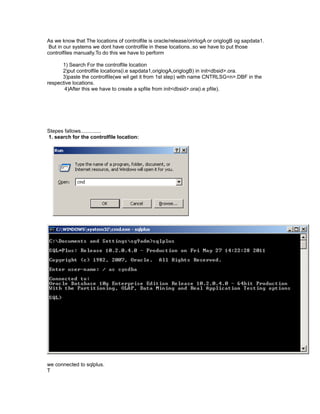
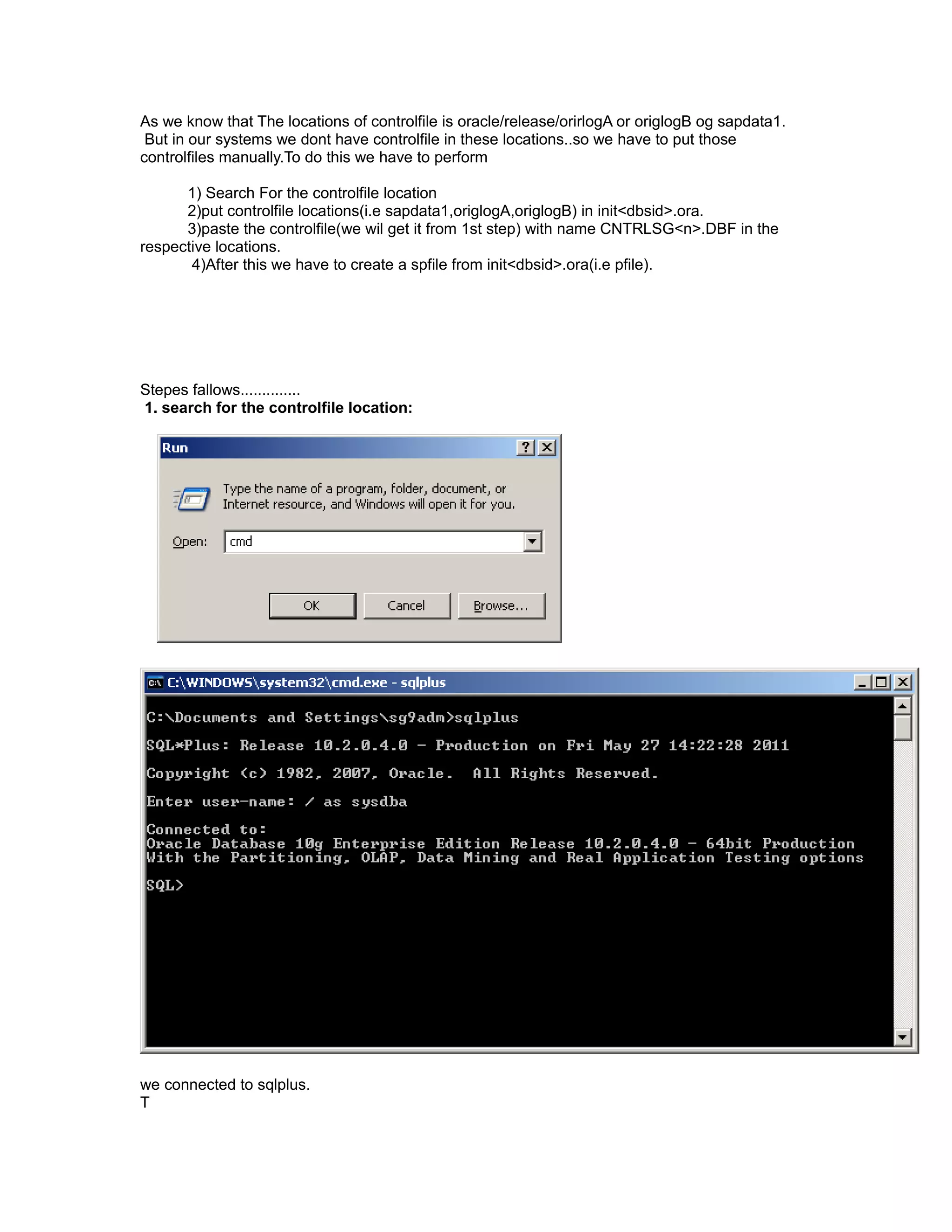
1. search for the controlfile location:
we connected to sqlplus.
T
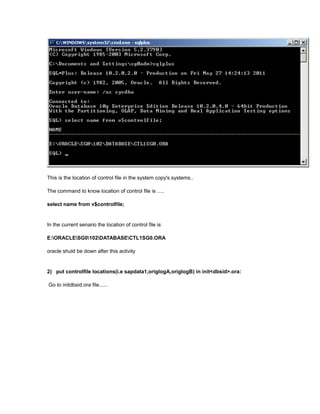
This is the location of control file in the system copy's systems..
The command to know location of control file is .....
select name from v$controlfile;
In the current senario the location of control file is
E:ORACLESG0102DATABASECTL1SG0.ORA
oracle shuld be down after this activity
2) put controlfile locations(i.e sapdata1,origlogA,origlogB) in init<dbsid>.ora:
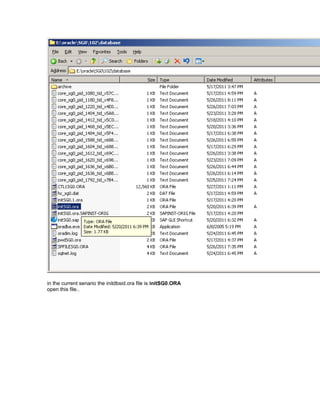
Go to initdbsid.ora file......
in the current senario the initdbsid.ora file is initSG0.ORA
open this file..
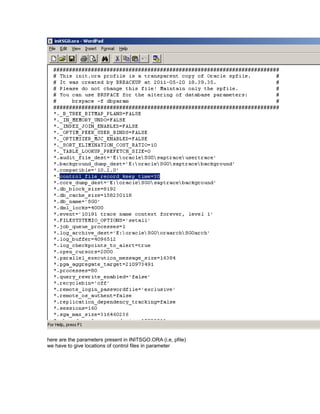
here are the parameters present in INITSGO.ORA (i.e, pfile)
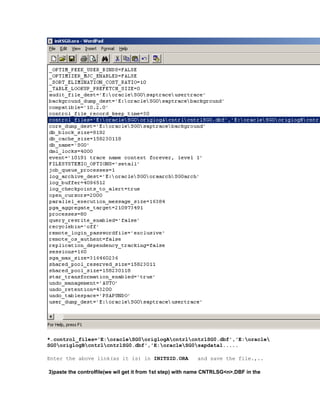
we have to give locations of control files in parameter
*.control_files='E:oracleSG0origlogAcntrlcntrlSG0.dbf','E:oracle
SG0origlogBcntrlcntrlSG0.dbf','E:oracleSG0sapdata1.....
Enter the above link(as it is) in INITSID.ORA and save the file.,..
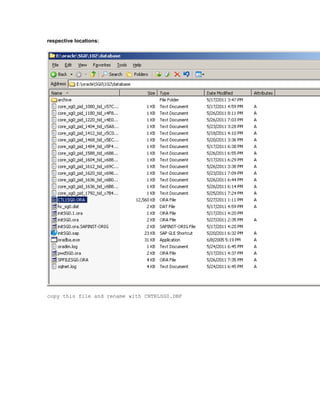
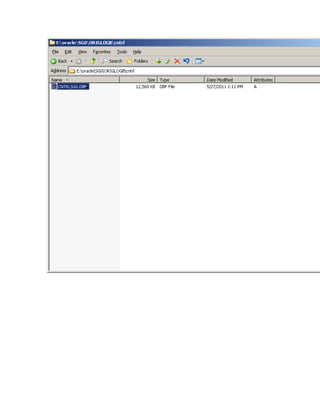
3)paste the controlfile(we wil get it from 1st step) with name CNTRLSG<n>.DBF in the
respective locations:
copy this file and rename with CNTRLSG0.DBF
.
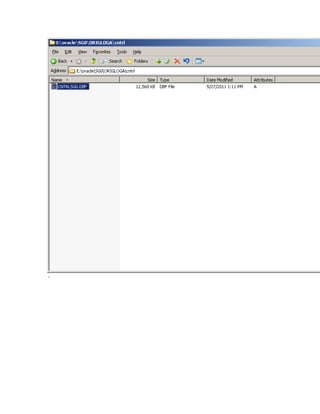
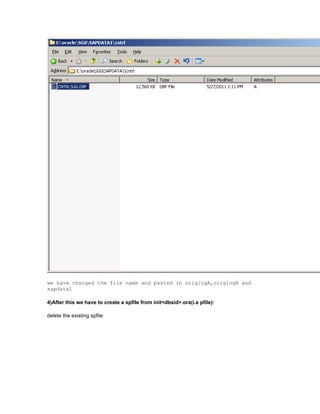
we have changed the file name and pasted in origlogA,origlogB and
sapdata1
4)After this we have to create a spfile from init<dbsid>.ora(i.e pfile):
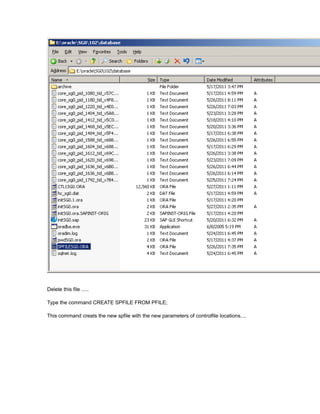
delete the existing spfile
Delete this file .....
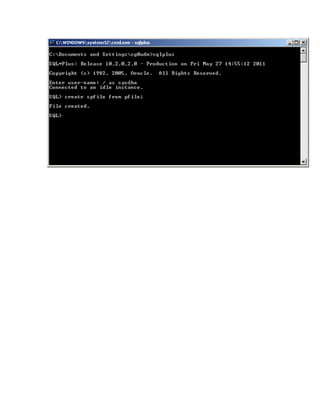
Type the command CREATE SPFILE FROM PFILE;
This command creats the new spfile with the new parameters of controlfile locations....
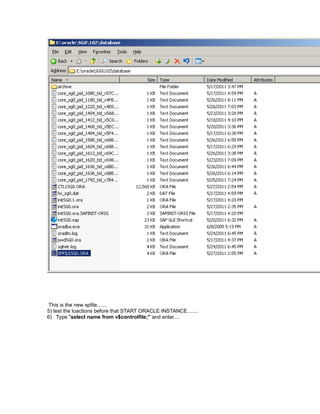
This is the new spfile.......
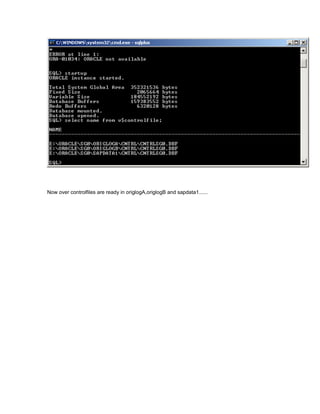
5) test the loactions before that START ORACLE INSTANCE........
6) Type "select name from v$controlfile;" and enter....
Now over controlfiles are ready in origlogA,origlogB and sapdata1......

Controlfile

  • 1.
    As we knowthat The locations of controlfile is oracle/release/orirlogA or origlogB og sapdata1. But in our systems we dont have controlfile in these locations..so we have to put those controlfiles manually.To do this we have to perform 1) Search For the controlfile location 2)put controlfile locations(i.e sapdata1,origlogA,origlogB) in init<dbsid>.ora. 3)paste the controlfile(we wil get it from 1st step) with name CNTRLSG<n>.DBF in the respective locations. 4)After this we have to create a spfile from init<dbsid>.ora(i.e pfile). Stepes fallows.............. 1. search for the controlfile location: we connected to sqlplus. T
  • 2.
    This is thelocation of control file in the system copy's systems.. The command to know location of control file is ..... select name from v$controlfile; In the current senario the location of control file is E:ORACLESG0102DATABASECTL1SG0.ORA oracle shuld be down after this activity 2) put controlfile locations(i.e sapdata1,origlogA,origlogB) in init<dbsid>.ora: Go to initdbsid.ora file......
  • 3.
    in the currentsenario the initdbsid.ora file is initSG0.ORA open this file..
  • 4.
    here are theparameters present in INITSGO.ORA (i.e, pfile) we have to give locations of control files in parameter
  • 5.
    *.control_files='E:oracleSG0origlogAcntrlcntrlSG0.dbf','E:oracle SG0origlogBcntrlcntrlSG0.dbf','E:oracleSG0sapdata1..... Enter the abovelink(as it is) in INITSID.ORA and save the file.,.. 3)paste the controlfile(we wil get it from 1st step) with name CNTRLSG<n>.DBF in the
  • 6.
    respective locations: copy thisfile and rename with CNTRLSG0.DBF
  • 7.
  • 9.
    we have changedthe file name and pasted in origlogA,origlogB and sapdata1 4)After this we have to create a spfile from init<dbsid>.ora(i.e pfile): delete the existing spfile
  • 10.
    Delete this file..... Type the command CREATE SPFILE FROM PFILE; This command creats the new spfile with the new parameters of controlfile locations....
  • 12.
    This is thenew spfile....... 5) test the loactions before that START ORACLE INSTANCE........ 6) Type "select name from v$controlfile;" and enter....
  • 13.
    Now over controlfilesare ready in origlogA,origlogB and sapdata1......