Conference Call Etiquette


Andy Shuttle – UKI Global Delivery CoE, IBM


                                              © 2012 IBM Corporation
Global Business Services
    Introduction


    Communicating effectively with a globally-located team is one of the
    hottest topics we deal with in the Centre of Excellence – especially
    when it comes to Conference Calls.


    Here are 11 simple things you can do to help make conference calls
    with your teams more effective. They also work well with more local
    team calling in on conference lines too.

    If you have questions or comments, please feel free to get in touch.


2                                                                          © 2012 IBM Corporation
Global Business Services
    1. All conference calls need a leader


    • Conference calls are always better when there
      is a clearly identified leader / moderator,
      someone who can direct responses and ask
      questions.
    • Usually the person who sends out the
      invitations will control the agenda and the
      guest list, and manage the call. If this is not
      the case, the call leader should be clearly
      identified in the invite and agenda
    • Introductions are key and it’s the leader’s job
      to keep everyone in the loop.


3                                                       © 2012 IBM Corporation
Global Business Services
    2. Distribute an agenda in advance of the call


                                       • Make sure all call participants know exactly
                                         what’s expected of them, and what will be
                                         covered and decided during the call to
                                         maximize the time available.
                                       • Assigning roles ahead of time so people know
                                         what agenda points they’re responsible for.
                                       • Don’t neglect the tech.
                                          – If you’re the call leader, be familiar with the
                                            technology — especially if you’re recording the call or
                                            using a moderator provided by the call company.
                                       • Be mindful of time differences if it is an
                                         international call and factor this into the
                                         planning stage to ensure people know the
                                         correct start times.

4                                                                                            © 2012 IBM Corporation
Global Business Services
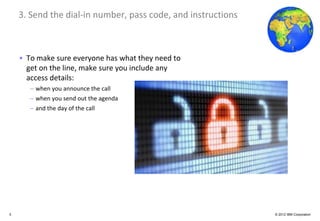
    3. Send the dial-in number, pass code, and instructions


    • To make sure everyone has what they need to
      get on the line, make sure you include any
      access details:
       – when you announce the call
       – when you send out the agenda
       – and the day of the call


5                                                             © 2012 IBM Corporation
Global Business Services
    4. Limit or eliminate background noise – as a caller


    • Newsflash - if you’re not muted, others can
      hear you eating, burping, tearing paper,
      and yelling at your kids or pets.
    • Remember, the mute button is your
      friend… if you know how to use it properly.
       – Make sure the mute is REALLY on before you
         make any off-line comments
    • Don’t mute the call on hold if you have a
      background music service, because then
      everyone else will be subjected to your
      hold music.
    • Don’t forget to turn off any computer or
      cell phone tones that may ring out mid-
      call.


6                                                          © 2012 IBM Corporation
Global Business Services
    5. Limit or eliminate background noise – as an on-site participant


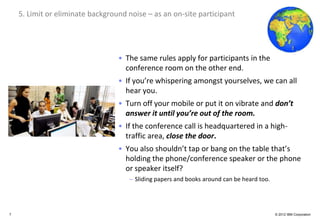
                                     • The same rules apply for participants in the
                                       conference room on the other end.
                                     • If you’re whispering amongst yourselves, we can all
                                       hear you.
                                     • Turn off your mobile or put it on vibrate and don’t
                                       answer it until you’re out of the room.
                                     • If the conference call is headquartered in a high-
                                       traffic area, close the door.
                                     • You also shouldn’t tap or bang on the table that’s
                                       holding the phone/conference speaker or the phone
                                       or speaker itself?
                                         – Sliding papers and books around can be heard too.


7                                                                                              © 2012 IBM Corporation
Global Business Services
    6. Identify yourself when you’re speaking


                                       • Whether there’s one person on the
                                         phone or a dozen, everyone on site and
                                         conferencing in should say who they
                                         are when commenting.
                                       • Speakers should err on the side of over-
                                         identifying themselves.
                                          – If I can’t see you, I have no idea who’s talking
                                          – That means that I can’t follow up with you
                                            later on questions.
                                          – It’s also just good manners.


8                                                                                  © 2012 IBM Corporation
Global Business Services
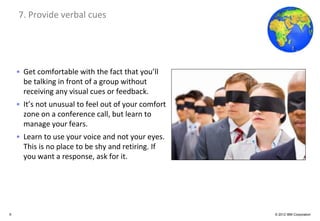
    7. Provide verbal cues


    • Get comfortable with the fact that you’ll
      be talking in front of a group without
      receiving any visual cues or feedback.
    • It’s not unusual to feel out of your comfort
      zone on a conference call, but learn to
      manage your fears.
    • Learn to use your voice and not your eyes.
      This is no place to be shy and retiring. If
      you want a response, ask for it.


9                                                    © 2012 IBM Corporation
Global Business Services
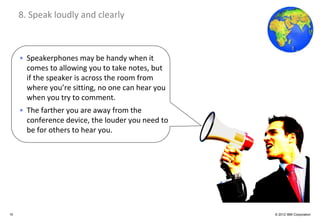
     8. Speak loudly and clearly


     • Speakerphones may be handy when it
       comes to allowing you to take notes, but
       if the speaker is across the room from
       where you’re sitting, no one can hear you
       when you try to comment.
     • The farther you are away from the
       conference device, the louder you need to
       be for others to hear you.


10                                                 © 2012 IBM Corporation
Global Business Services
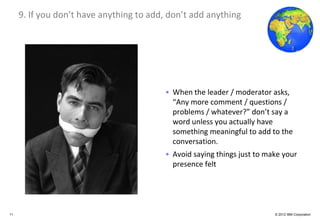
     9. If you don’t have anything to add, don’t add anything


                                         • When the leader / moderator asks,
                                           “Any more comment / questions /
                                           problems / whatever?” don’t say a
                                           word unless you actually have
                                           something meaningful to add to the
                                           conversation.
                                         • Avoid saying things just to make your
                                           presence felt


11                                                                       © 2012 IBM Corporation
Global Business Services
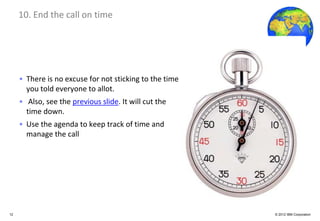
     10. End the call on time


     • There is no excuse for not sticking to the time
       you told everyone to allot.
     • Also, see the previous slide. It will cut the
       time down.
     • Use the agenda to keep track of time and
       manage the call


12                                                       © 2012 IBM Corporation
Global Business Services
     11. Close with clear next steps


                                         • The only thing worse than a never-ending
                                           conference call is a never-ending conference
                                           call that doesn’t go anywhere when it’s over.
                                         • Assuming that you had the call for a specific
                                           reason and stated what that reason was and
                                           what the call was to accomplish (see point 3),
                                           there should be something else happening
                                           now that the call is over.
                                         • Make sure everyone knows what that is,
                                           whether it’s summarizing notes, meeting in
                                           smaller groups, or beginning / continuing
                                           work on whatever the project may be.


13                                                                               © 2012 IBM Corporation
Global Business Services
     Contact Details


     Andy Shuttle – GD Consultant, Global Delivery Centre of Excellence, IBM UK
       – andyshuttle@uk.ibm.com
       – Twitter: @AndyShuttleUK
       – Facebook: http://www.facebook.com/andy.shuttle
       – Blog: http://andyshuttle.blogspot.co.uk/


14                                                                                © 2012 IBM Corporation

Conference Call Etiquette

  • 1.
    Conference Call Etiquette AndyShuttle – UKI Global Delivery CoE, IBM © 2012 IBM Corporation
  • 2.
    Global Business Services Introduction Communicating effectively with a globally-located team is one of the hottest topics we deal with in the Centre of Excellence – especially when it comes to Conference Calls. Here are 11 simple things you can do to help make conference calls with your teams more effective. They also work well with more local team calling in on conference lines too. If you have questions or comments, please feel free to get in touch. 2 © 2012 IBM Corporation
  • 3.
    Global Business Services 1. All conference calls need a leader • Conference calls are always better when there is a clearly identified leader / moderator, someone who can direct responses and ask questions. • Usually the person who sends out the invitations will control the agenda and the guest list, and manage the call. If this is not the case, the call leader should be clearly identified in the invite and agenda • Introductions are key and it’s the leader’s job to keep everyone in the loop. 3 © 2012 IBM Corporation
  • 4.
    Global Business Services 2. Distribute an agenda in advance of the call • Make sure all call participants know exactly what’s expected of them, and what will be covered and decided during the call to maximize the time available. • Assigning roles ahead of time so people know what agenda points they’re responsible for. • Don’t neglect the tech. – If you’re the call leader, be familiar with the technology — especially if you’re recording the call or using a moderator provided by the call company. • Be mindful of time differences if it is an international call and factor this into the planning stage to ensure people know the correct start times. 4 © 2012 IBM Corporation
  • 5.
    Global Business Services 3. Send the dial-in number, pass code, and instructions • To make sure everyone has what they need to get on the line, make sure you include any access details: – when you announce the call – when you send out the agenda – and the day of the call 5 © 2012 IBM Corporation
  • 6.
    Global Business Services 4. Limit or eliminate background noise – as a caller • Newsflash - if you’re not muted, others can hear you eating, burping, tearing paper, and yelling at your kids or pets. • Remember, the mute button is your friend… if you know how to use it properly. – Make sure the mute is REALLY on before you make any off-line comments • Don’t mute the call on hold if you have a background music service, because then everyone else will be subjected to your hold music. • Don’t forget to turn off any computer or cell phone tones that may ring out mid- call. 6 © 2012 IBM Corporation
  • 7.
    Global Business Services 5. Limit or eliminate background noise – as an on-site participant • The same rules apply for participants in the conference room on the other end. • If you’re whispering amongst yourselves, we can all hear you. • Turn off your mobile or put it on vibrate and don’t answer it until you’re out of the room. • If the conference call is headquartered in a high- traffic area, close the door. • You also shouldn’t tap or bang on the table that’s holding the phone/conference speaker or the phone or speaker itself? – Sliding papers and books around can be heard too. 7 © 2012 IBM Corporation
  • 8.
    Global Business Services 6. Identify yourself when you’re speaking • Whether there’s one person on the phone or a dozen, everyone on site and conferencing in should say who they are when commenting. • Speakers should err on the side of over- identifying themselves. – If I can’t see you, I have no idea who’s talking – That means that I can’t follow up with you later on questions. – It’s also just good manners. 8 © 2012 IBM Corporation
  • 9.
    Global Business Services 7. Provide verbal cues • Get comfortable with the fact that you’ll be talking in front of a group without receiving any visual cues or feedback. • It’s not unusual to feel out of your comfort zone on a conference call, but learn to manage your fears. • Learn to use your voice and not your eyes. This is no place to be shy and retiring. If you want a response, ask for it. 9 © 2012 IBM Corporation
  • 10.
    Global Business Services 8. Speak loudly and clearly • Speakerphones may be handy when it comes to allowing you to take notes, but if the speaker is across the room from where you’re sitting, no one can hear you when you try to comment. • The farther you are away from the conference device, the louder you need to be for others to hear you. 10 © 2012 IBM Corporation
  • 11.
    Global Business Services 9. If you don’t have anything to add, don’t add anything • When the leader / moderator asks, “Any more comment / questions / problems / whatever?” don’t say a word unless you actually have something meaningful to add to the conversation. • Avoid saying things just to make your presence felt 11 © 2012 IBM Corporation
  • 12.
    Global Business Services 10. End the call on time • There is no excuse for not sticking to the time you told everyone to allot. • Also, see the previous slide. It will cut the time down. • Use the agenda to keep track of time and manage the call 12 © 2012 IBM Corporation
  • 13.
    Global Business Services 11. Close with clear next steps • The only thing worse than a never-ending conference call is a never-ending conference call that doesn’t go anywhere when it’s over. • Assuming that you had the call for a specific reason and stated what that reason was and what the call was to accomplish (see point 3), there should be something else happening now that the call is over. • Make sure everyone knows what that is, whether it’s summarizing notes, meeting in smaller groups, or beginning / continuing work on whatever the project may be. 13 © 2012 IBM Corporation
  • 14.
    Global Business Services Contact Details Andy Shuttle – GD Consultant, Global Delivery Centre of Excellence, IBM UK – andyshuttle@uk.ibm.com – Twitter: @AndyShuttleUK – Facebook: http://www.facebook.com/andy.shuttle – Blog: http://andyshuttle.blogspot.co.uk/ 14 © 2012 IBM Corporation