My First Python Project 
Neetu Jain 
Software Engineer 
Softlayer, IBM 
nutshi@gmail.com, njain@softlayer.com
What’s Ahead? 
What to expect when diving into python: 
Bird’s eye view of “getting started into python” 
How to start your first python project: 
some kind of a skeleton , resources, pointers 
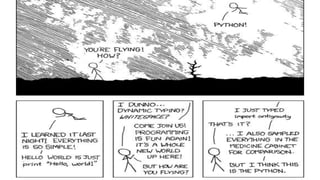
Help you realise that some comics hit close to home: 
Thanks to xkcd.com 
*** if you already know python, you might not get much out of this talk :)***
First Stop:Install 
Python Version: 
Python 2.x or Python 3.x 
Python IDE: 
Pycharm, pythonwin, sublime ...e.t.c 
version control: 
git, svn...e.t.c
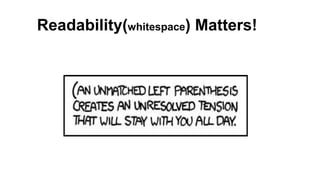
Readability(whitespace) Matters!
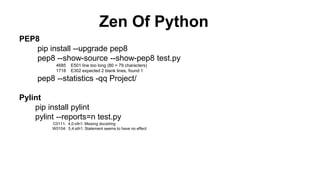
Zen Of Python 
PEP8 
pip install --upgrade pep8 
pep8 --show-source --show-pep8 test.py 
4685 E501 line too long (80 > 79 characters) 
1718 E302 expected 2 blank lines, found 1 
pep8 --statistics -qq Project/ 
Pylint 
pip install pylint 
pylint --reports=n test.py 
C0111: 4,0:sth1: Missing docstring 
W0104: 5,4:sth1: Statement seems to have no effect
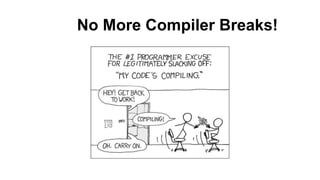
No More Compiler Breaks!
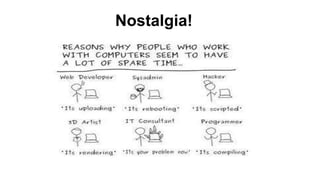
Nostalgia!
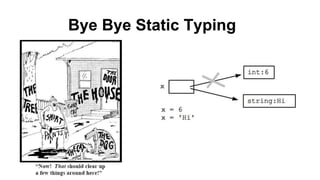
Bye Bye Static Typing
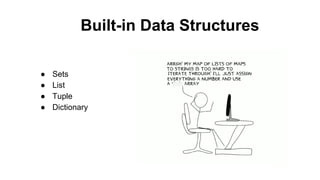
Built-in Data Structures 
● Sets 
● List 
● Tuple 
● Dictionary
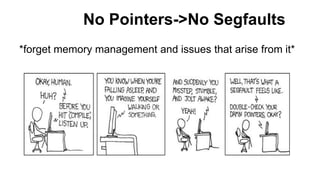
No Pointers->No Segfaults 
*forget memory management and issues that arise from it*
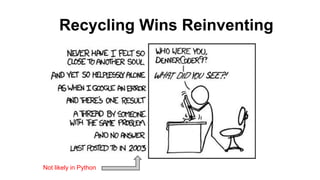
Recycling Wins Reinventing 
Not likely in Python
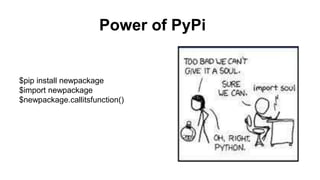
Power of PyPi 
$pip install newpackage 
$import newpackage 
$newpackage.callitsfunction()
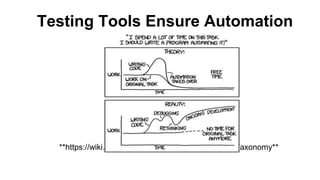
Testing Tools Ensure Automation 
**https://wiki.python.org/moin/PythonTestingToolsTaxonomy**
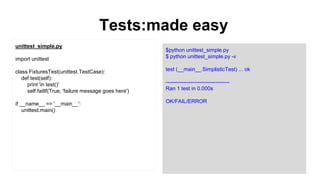
Tests:made easy 
$python unittest_simple.py 
$ python unittest_simple.py -v 
test (__main__.SimplisticTest) ... ok 
------------------------------------ 
Ran 1 test in 0.000s 
OK/FAIL/ERROR 
unittest_simple.py 
import unittest 
class FixturesTest(unittest.TestCase): 
def test(self): 
print 'in test()' 
self.failIf(True, 'failure message goes here') 
if __name__ == '__main__': 
unittest.main()
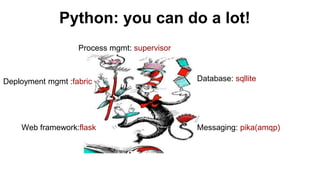
Python: you can do a lot! 
Process mgmt: supervisor 
Deployment mgmt :fabric Database: sqllite 
Web framework:flask Messaging: pika(amqp)
Virtual environment 
$ [sudo] pip install virtualenv 
$ cd ~/code/myproject/ 
$ virtualenv env 
New python executable in env/bin/python 
Installing setuptools............done. 
Installing pip...............done. 
$ ls env 
bin include lib 
$ which python 
/usr/bin/python 
$ source env/bin/activate 
$ which python 
/Users/name/code/myproject/env/bin/python
Directory structure some_root_dir/ 
|-- LICENSE 
|-- README 
|-- setup.py 
|-- example_project/ 
| |-- __init__.py 
| |-- useful_1.py 
| |-- drivers/ 
| | |--useful_2.py 
|-- tests/ 
| |-- __init__.py 
| |-- runall.py 
| |-- test0.py 
|-- docs/ 
| |--conf.py 
| |--generated
Setup.py 
from setuptools import setup, find_packages 
setup( 
name='buzz', 
version='0.1', 
description=Project name ', 
long_description=open('README.md', 'r').read(), 
classifiers=[ 
'Development Status :: 1 - Beta', 
'Programming Language :: Python :: 2.7', 
], 
author_email='innovation@softlayer.com', 
url='http://sldn.softlayer.com', 
license='MIT', 
packages=find_packages(), 
include_package_data=True, 
install_requires=[ 
‘package-name’, 
‘docutils>=0.3’, 
], 
entry_points={ 
'console_scripts': [ 
'face_of_project = module:your_function, 
] 
}, 
#just download not install 
setup_requires=[], 
)
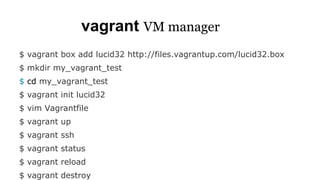
vagrant VM manager 
$ vagrant box add lucid32 http://files.vagrantup.com/lucid32.box 
$ mkdir my_vagrant_test 
$ cd my_vagrant_test 
$ vagrant init lucid32 
$ vim Vagrantfile 
$ vagrant up 
$ vagrant ssh 
$ vagrant status 
$ vagrant reload 
$ vagrant destroy
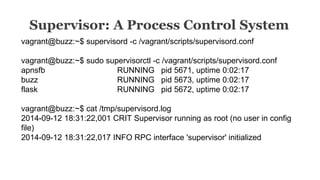
Supervisor: A Process Control System 
vagrant@buzz:~$ supervisord -c /vagrant/scripts/supervisord.conf 
vagrant@buzz:~$ sudo supervisorctl -c /vagrant/scripts/supervisord.conf 
apnsfb RUNNING pid 5671, uptime 0:02:17 
buzz RUNNING pid 5673, uptime 0:02:17 
flask RUNNING pid 5672, uptime 0:02:17 
vagrant@buzz:~$ cat /tmp/supervisord.log 
2014-09-12 18:31:22,001 CRIT Supervisor running as root (no user in config 
file) 
2014-09-12 18:31:22,017 INFO RPC interface 'supervisor' initialized
My First Python Project 
Neetu Jain 
Software Engineer 
Softlayer, IBM 
nutshi@gmail.com, njain@softlayer.com

First python project

  • 1.
    My First PythonProject Neetu Jain Software Engineer Softlayer, IBM nutshi@gmail.com, njain@softlayer.com
  • 2.
    What’s Ahead? Whatto expect when diving into python: Bird’s eye view of “getting started into python” How to start your first python project: some kind of a skeleton , resources, pointers Help you realise that some comics hit close to home: Thanks to xkcd.com *** if you already know python, you might not get much out of this talk :)***
  • 3.
    First Stop:Install PythonVersion: Python 2.x or Python 3.x Python IDE: Pycharm, pythonwin, sublime ...e.t.c version control: git, svn...e.t.c
  • 4.
  • 5.
    Zen Of Python PEP8 pip install --upgrade pep8 pep8 --show-source --show-pep8 test.py 4685 E501 line too long (80 > 79 characters) 1718 E302 expected 2 blank lines, found 1 pep8 --statistics -qq Project/ Pylint pip install pylint pylint --reports=n test.py C0111: 4,0:sth1: Missing docstring W0104: 5,4:sth1: Statement seems to have no effect
  • 6.
  • 7.
  • 8.
  • 9.
    Built-in Data Structures ● Sets ● List ● Tuple ● Dictionary
  • 10.
    No Pointers->No Segfaults *forget memory management and issues that arise from it*
  • 11.
    Recycling Wins Reinventing Not likely in Python
  • 12.
    Power of PyPi $pip install newpackage $import newpackage $newpackage.callitsfunction()
  • 13.
    Testing Tools EnsureAutomation **https://wiki.python.org/moin/PythonTestingToolsTaxonomy**
  • 14.
    Tests:made easy $pythonunittest_simple.py $ python unittest_simple.py -v test (__main__.SimplisticTest) ... ok ------------------------------------ Ran 1 test in 0.000s OK/FAIL/ERROR unittest_simple.py import unittest class FixturesTest(unittest.TestCase): def test(self): print 'in test()' self.failIf(True, 'failure message goes here') if __name__ == '__main__': unittest.main()
  • 15.
    Python: you cando a lot! Process mgmt: supervisor Deployment mgmt :fabric Database: sqllite Web framework:flask Messaging: pika(amqp)
  • 17.
    Virtual environment $[sudo] pip install virtualenv $ cd ~/code/myproject/ $ virtualenv env New python executable in env/bin/python Installing setuptools............done. Installing pip...............done. $ ls env bin include lib $ which python /usr/bin/python $ source env/bin/activate $ which python /Users/name/code/myproject/env/bin/python
  • 18.
    Directory structure some_root_dir/ |-- LICENSE |-- README |-- setup.py |-- example_project/ | |-- __init__.py | |-- useful_1.py | |-- drivers/ | | |--useful_2.py |-- tests/ | |-- __init__.py | |-- runall.py | |-- test0.py |-- docs/ | |--conf.py | |--generated
  • 19.
    Setup.py from setuptoolsimport setup, find_packages setup( name='buzz', version='0.1', description=Project name ', long_description=open('README.md', 'r').read(), classifiers=[ 'Development Status :: 1 - Beta', 'Programming Language :: Python :: 2.7', ], author_email='innovation@softlayer.com', url='http://sldn.softlayer.com', license='MIT', packages=find_packages(), include_package_data=True, install_requires=[ ‘package-name’, ‘docutils>=0.3’, ], entry_points={ 'console_scripts': [ 'face_of_project = module:your_function, ] }, #just download not install setup_requires=[], )
  • 20.
    vagrant VM manager $ vagrant box add lucid32 http://files.vagrantup.com/lucid32.box $ mkdir my_vagrant_test $ cd my_vagrant_test $ vagrant init lucid32 $ vim Vagrantfile $ vagrant up $ vagrant ssh $ vagrant status $ vagrant reload $ vagrant destroy
  • 21.
    Supervisor: A ProcessControl System vagrant@buzz:~$ supervisord -c /vagrant/scripts/supervisord.conf vagrant@buzz:~$ sudo supervisorctl -c /vagrant/scripts/supervisord.conf apnsfb RUNNING pid 5671, uptime 0:02:17 buzz RUNNING pid 5673, uptime 0:02:17 flask RUNNING pid 5672, uptime 0:02:17 vagrant@buzz:~$ cat /tmp/supervisord.log 2014-09-12 18:31:22,001 CRIT Supervisor running as root (no user in config file) 2014-09-12 18:31:22,017 INFO RPC interface 'supervisor' initialized
  • 22.
    My First PythonProject Neetu Jain Software Engineer Softlayer, IBM nutshi@gmail.com, njain@softlayer.com

Editor's Notes

  • #21 Vagrant, an open-source product released in 2010, is best described as a VM manager. It allows you to script and package the VM config and the provisioning setup. It is designed to run on top of almost any VM tool – VirtualBox, VMWare, AWS, etc.